Category: Behavior Analytics

  • 7 Best Website Visitor Tracking Software In 2025

    7 Best Website Visitor Tracking Software In 2025

    The best website visitor tracking software helps you monitor and analyze how visitors interact with your website. It lets you gather detailed insights about user behavior, optimize your marketing strategies, improve user experience, and increase conversion rates.

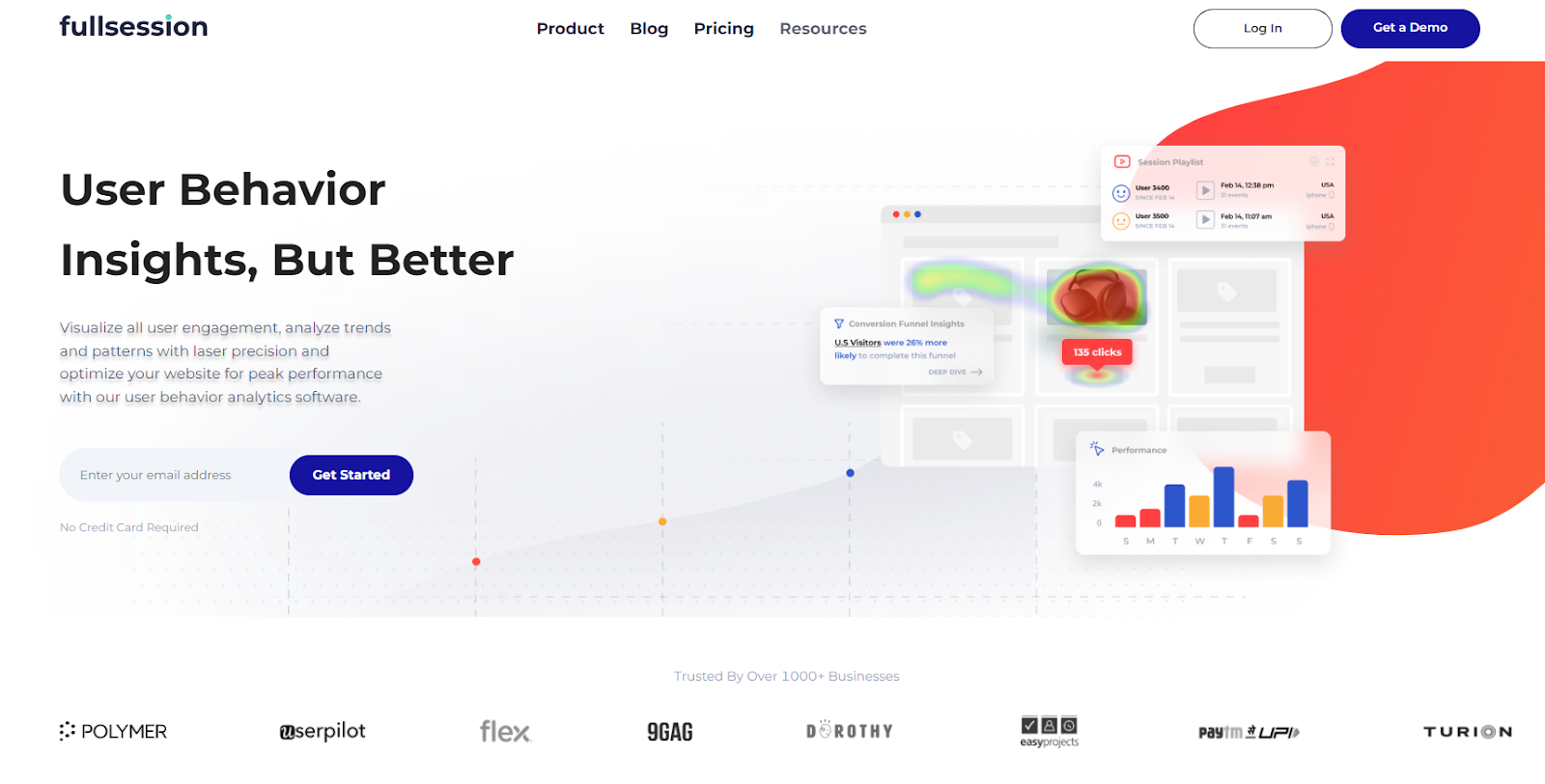
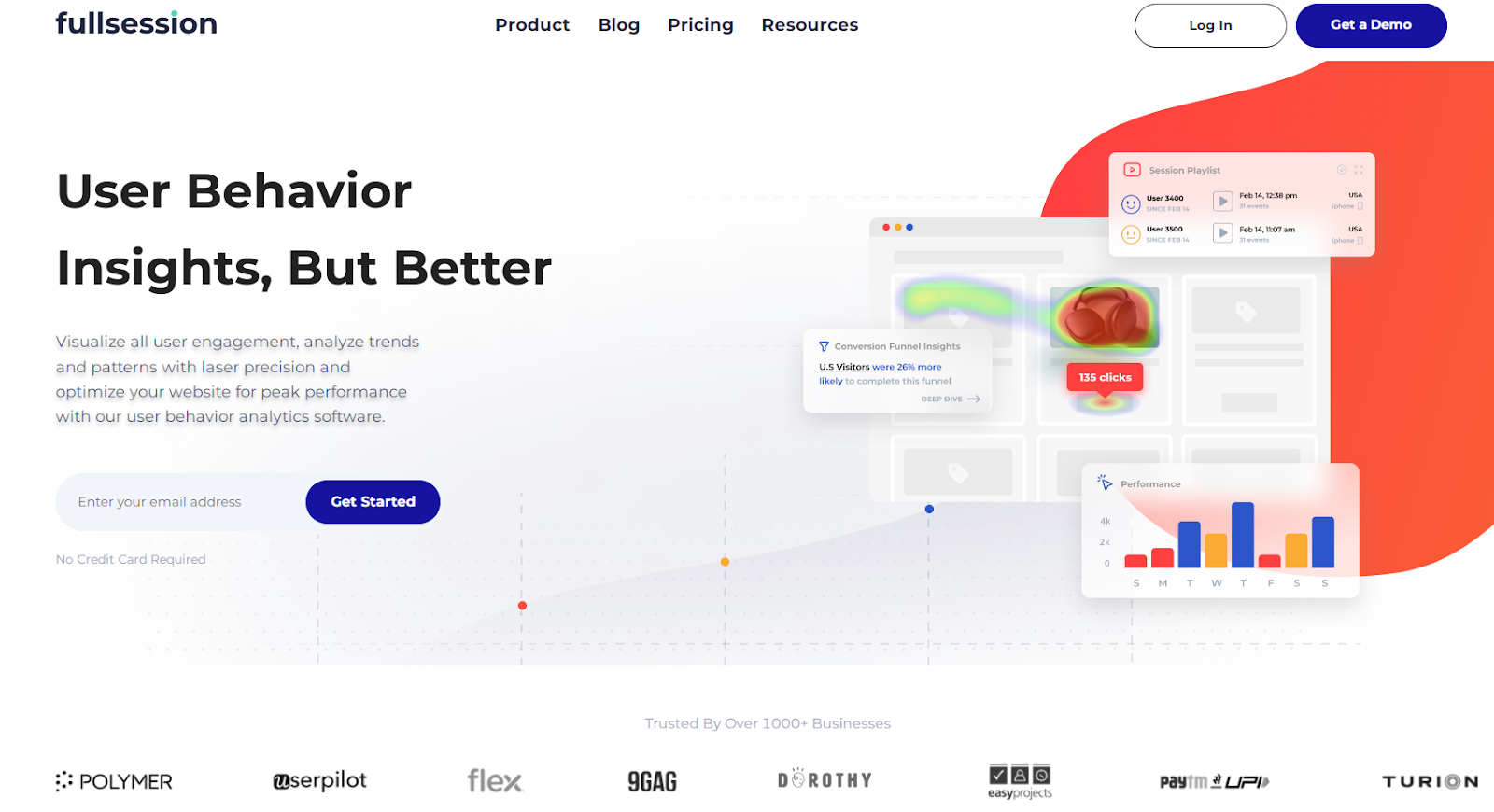
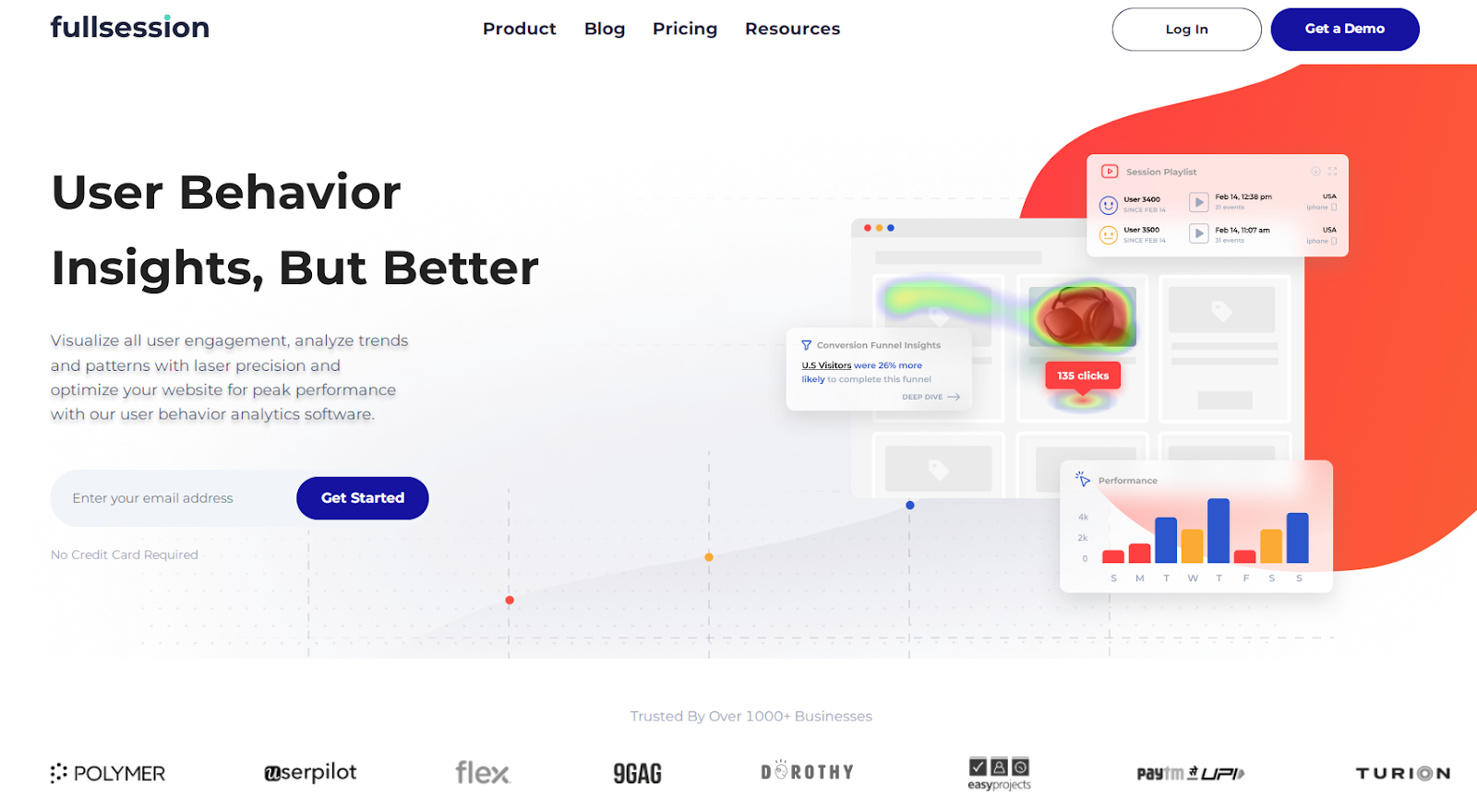
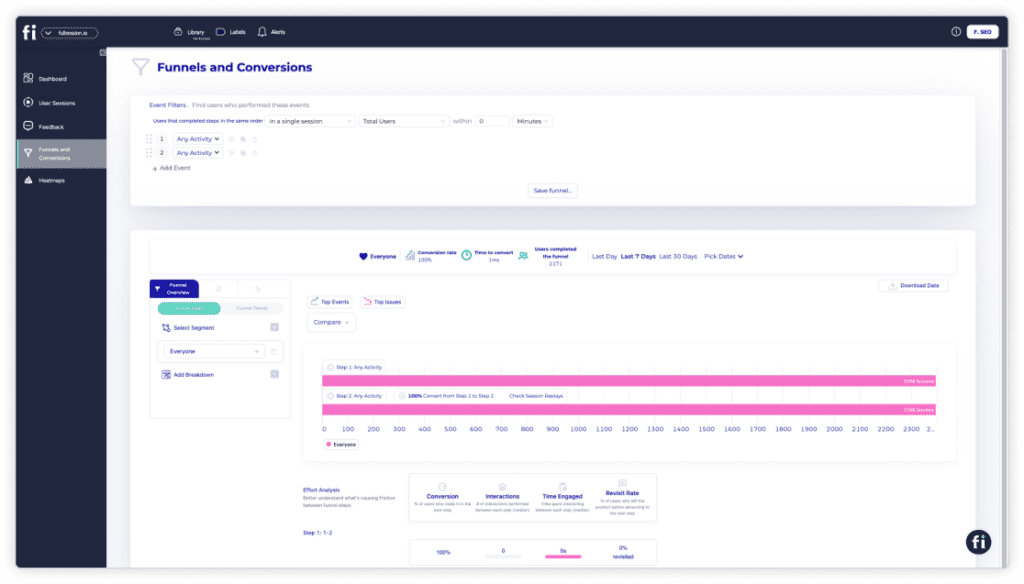
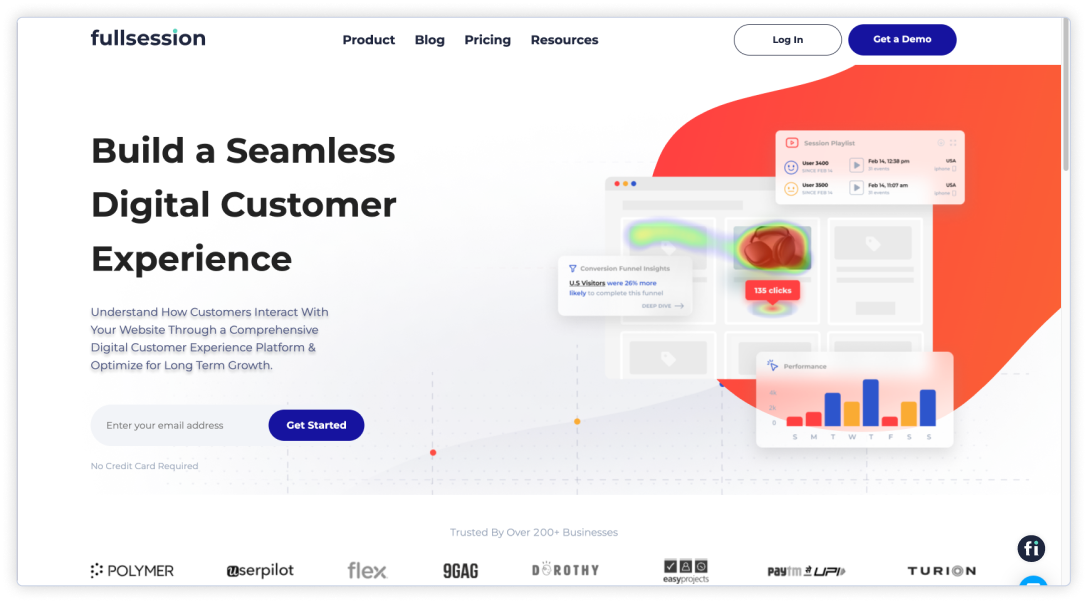
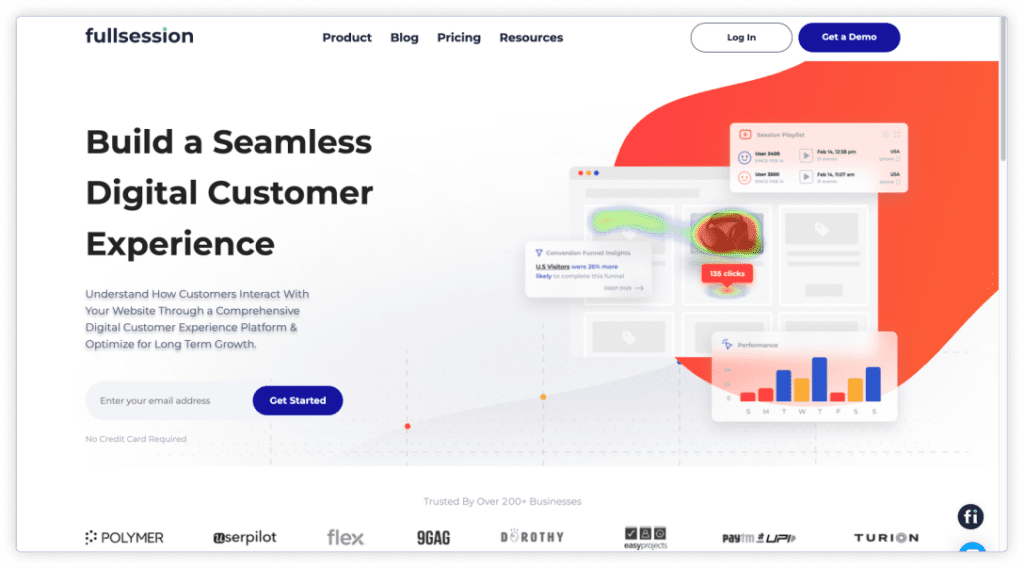
    For example, FullSession helps you capture the entire user journey, visualize all user interactions, analyze trends and patterns in their behavior, and optimize your website, web app, or landing page for peak performance.

    Start a free trial or book a demo to learn more.

    However, choosing the best website visitor tracking tools can take time due to feature overload, ease of implementation, data accuracy and reliability, privacy and compliance concerns, scalability and customization needs, and cost considerations. 

    In this article, we’ll guide you through the best website visitor tracking software to help you make the right choice.

    Key Takeaways

    • FullSession is a user behavior analytics software that provides visual insights to help you optimize your website for better performance. It includes features like session recordings and replays, interactive heatmaps, customer feedback tools, conversion funnel analysis, and error tracking, which help you improve user experience without affecting site performance. FullSession is fully compliant with GDPR, CCPA, and PCI standards. Pricing starts at $39/month, with a 20% discount for annual plans. Book a demo today to see how it works!
    • Salespanel is a lead-tracking tool designed for B2B businesses to track visitor activity and qualify leads. It offers features like lead scoring, real-time visitor analytics, CRM integration, and email tracking to optimize sales efforts. However, it can be expensive for smaller businesses, with plans starting at $99/month.
    • Mouseflow is a digital experience analytics tool that tracks and analyzes website visitor behavior with session recordings, heatmaps, and form analytics. Its visual approach helps businesses understand user behavior and optimize website usability. Mouseflow starts at $39/month, though higher-traffic sites may find it expensive.
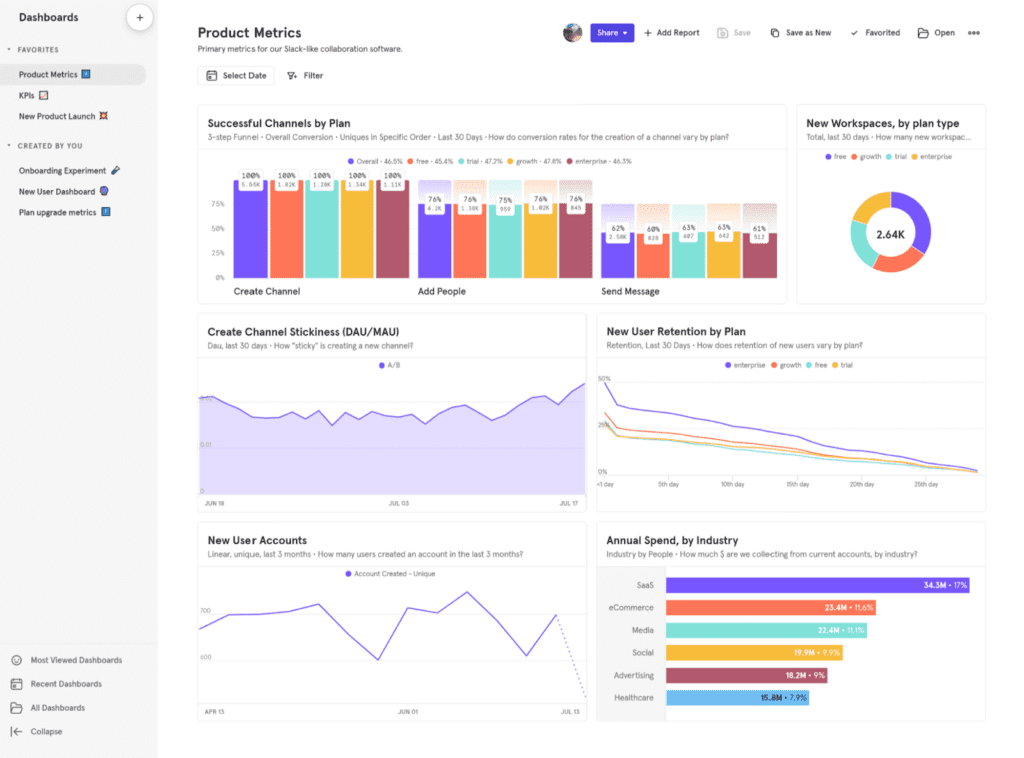
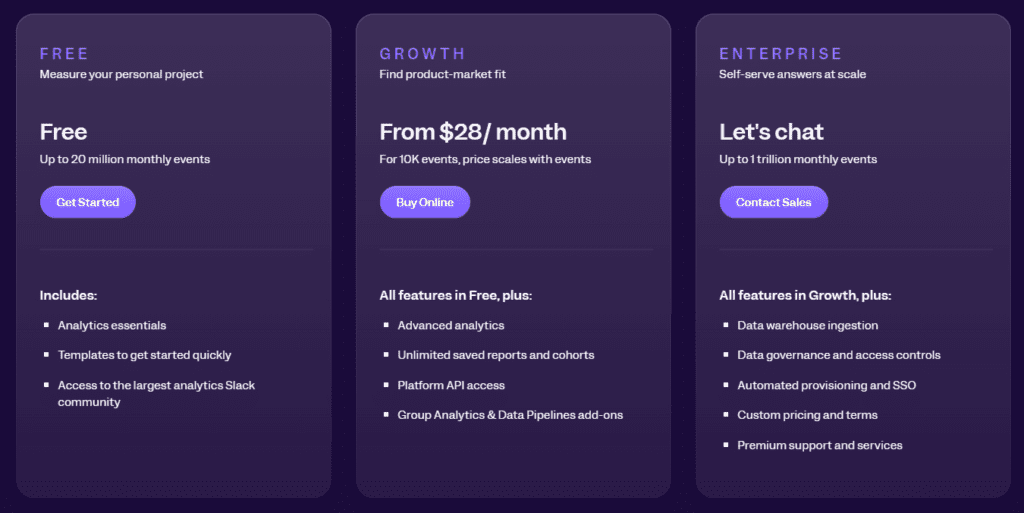
    • Mixpanel is a product analytics tool that tracks user actions on both websites and mobile apps. It includes features like event tracking, funnel analysis, cohort analysis, and A/B testing to help businesses understand user behavior and improve retention. While powerful, it can be complex to set up, with paid plans starting at $28/month after a free plan for up to 1,000 tracked users.
    • Ruler Analytics is a marketing measurement and attribution tool that tracks customer journeys from initial touchpoint to conversion. It ties marketing efforts directly to revenue with features like multi-touch attribution, call tracking, and CRM integration. Ruler Analytics can be costly, starting at £199/month, but it’s valuable for businesses needing detailed conversion tracking and revenue attribution.
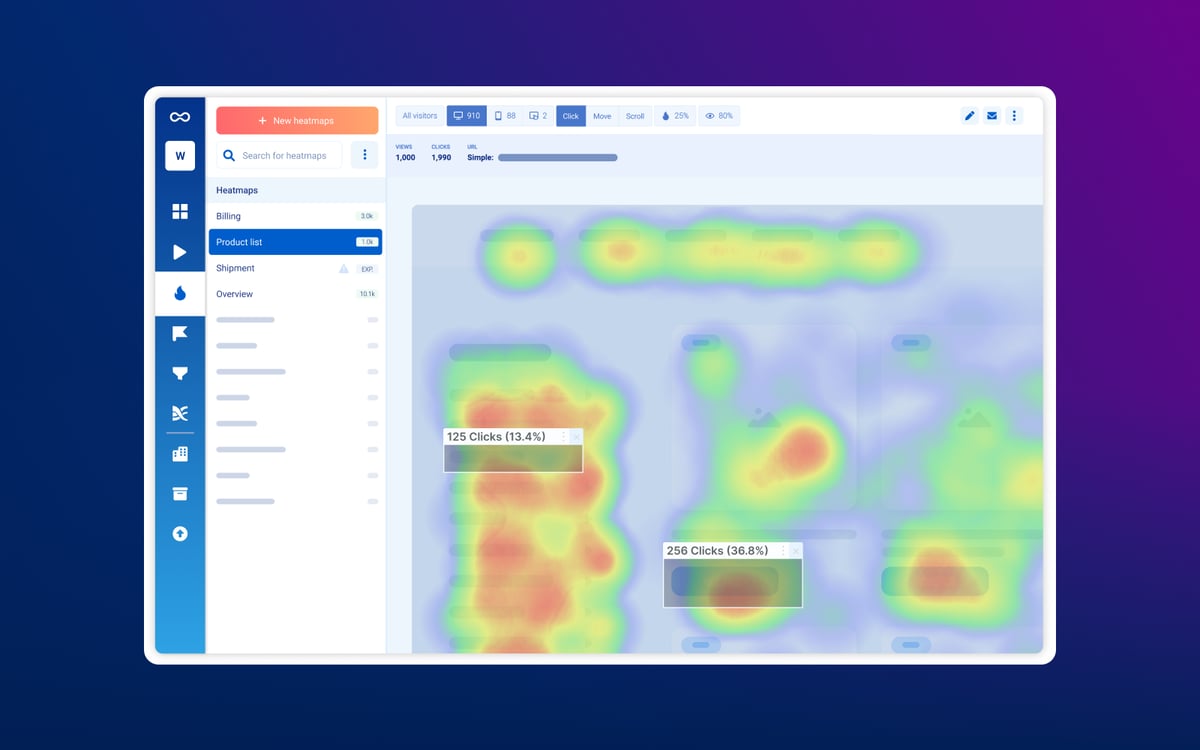
    • Smartlook is a product analytics tool that tracks user behavior on both websites and mobile apps. It provides insights through session recordings, heatmaps, event tracking, and funnel analysis. While affordable, with plans starting at $55/month, some advanced features are only available in higher-tier plans.
    • Lead Forensics is a B2B lead generation tool that identifies anonymous website visitors and provides contact details for sales follow-up. Key features include visitor identification, lead scoring, real-time alerts, and CRM integration. However, its pricing model is custom and may not be affordable for smaller businesses. A demo is available to explore the platform’s capabilities.

    Here’s a closer look at each of these website visitor tracking tools.

    Start a Free Trial to Experience FullSession

    See how to transform user data into actionable insights for peak website performance.

    Best Website Visitor Tracking Software Right Now

    Understanding how visitors interact with your website is the best way to improve the user experience and increase conversions

    Here are the top tools available to give you real-time insights and help optimize your site’s performance:

    1. FullSession (Get a demo)
    2. Salespanel
    3. Mouseflow
    4. Mixpanel
    5. Ruler Analytics
    6. Smartlook
    7. Lead Forensics

    1. FullSession

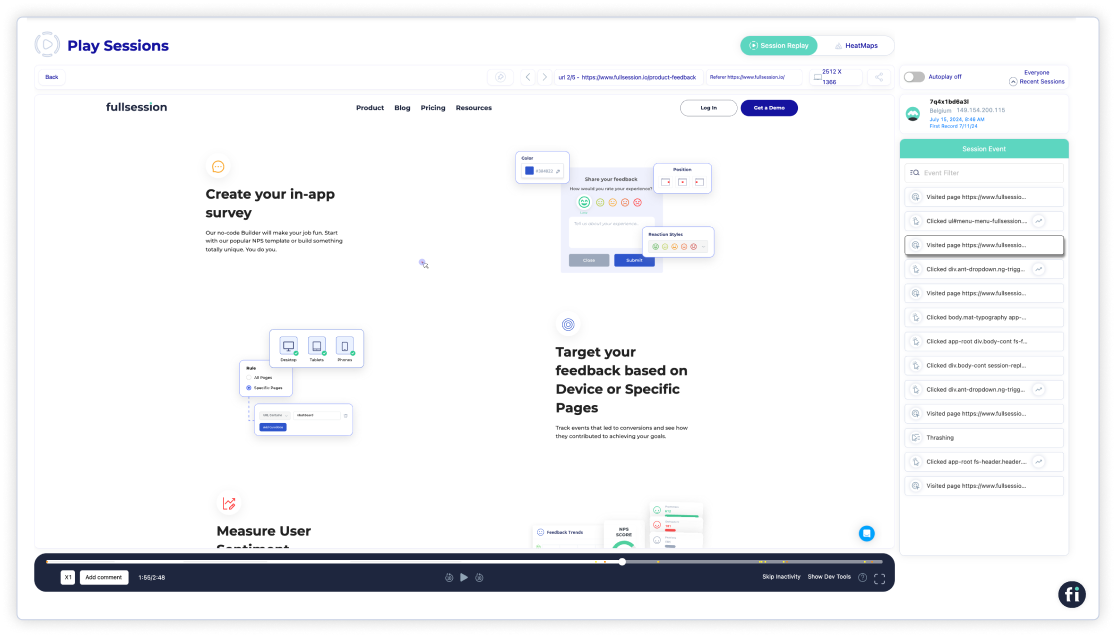
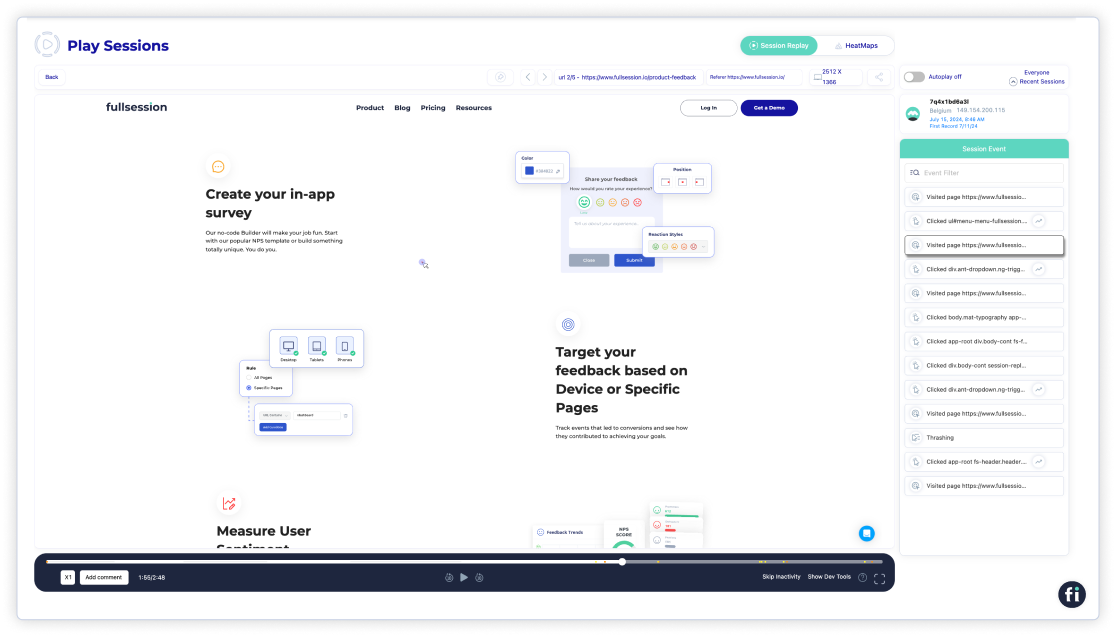
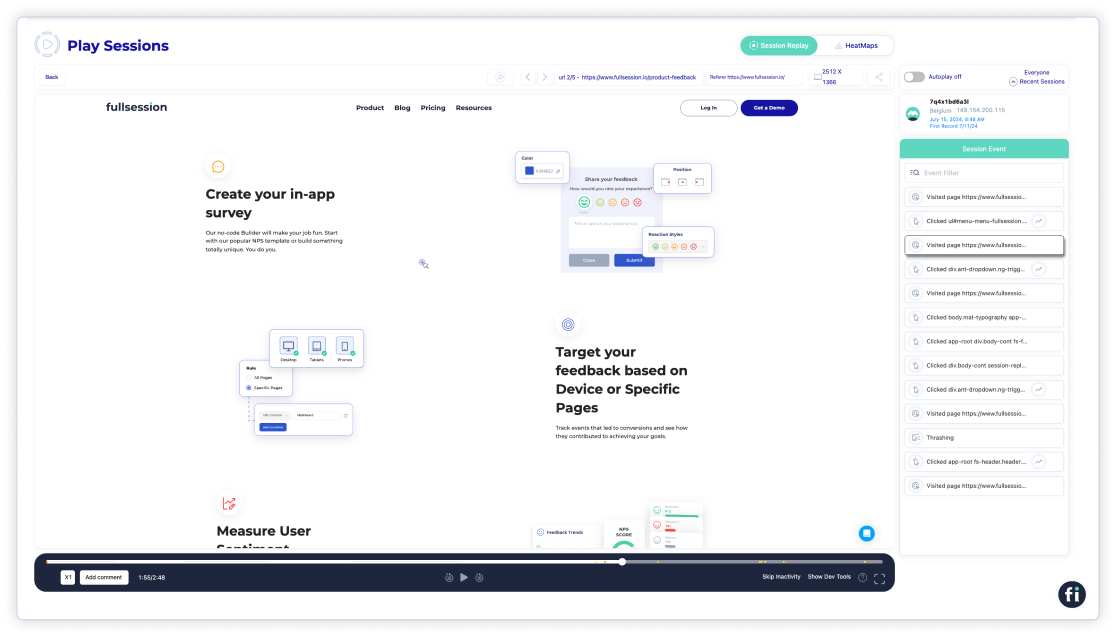
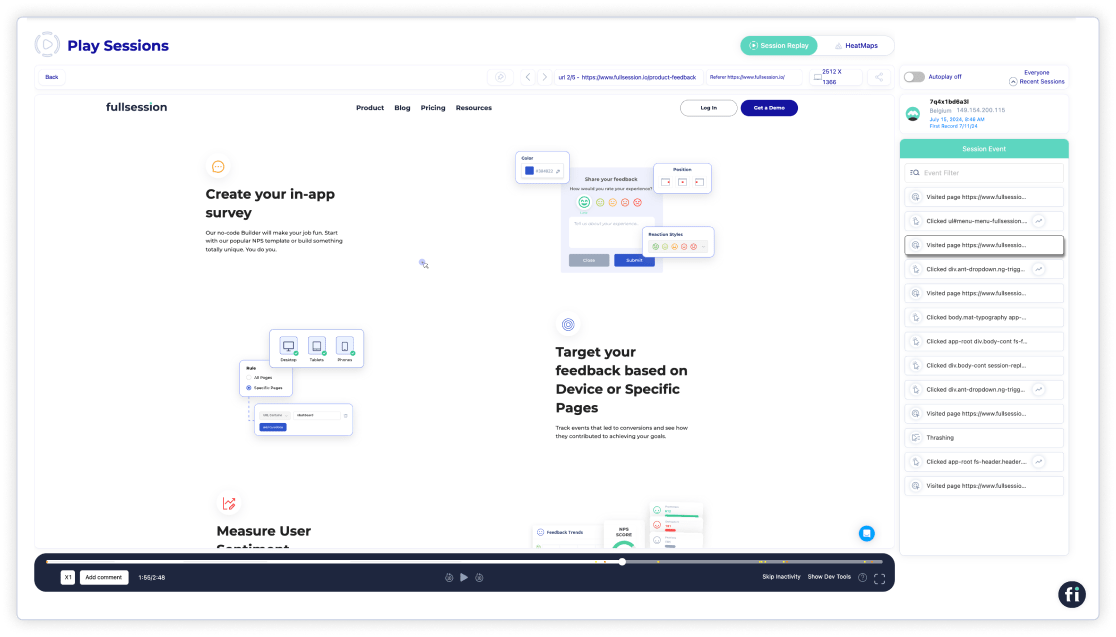
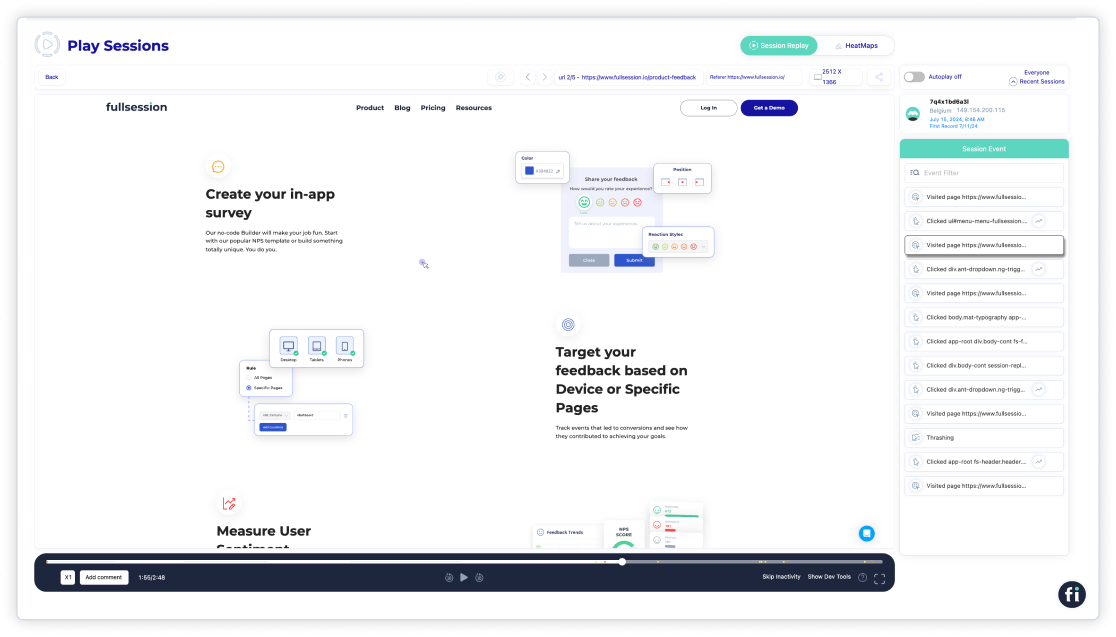
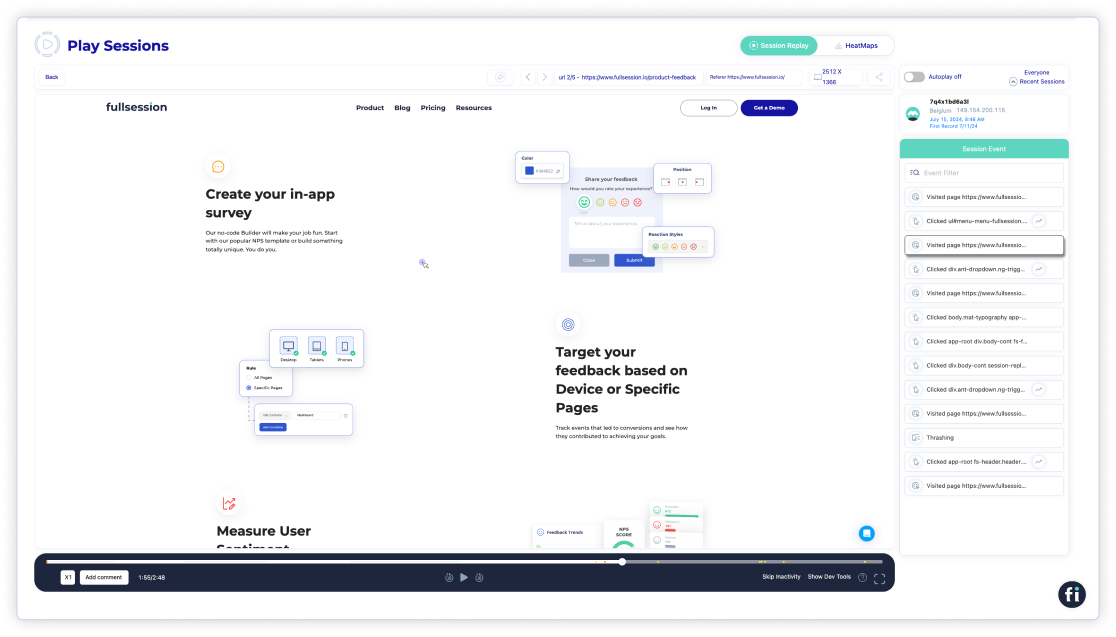
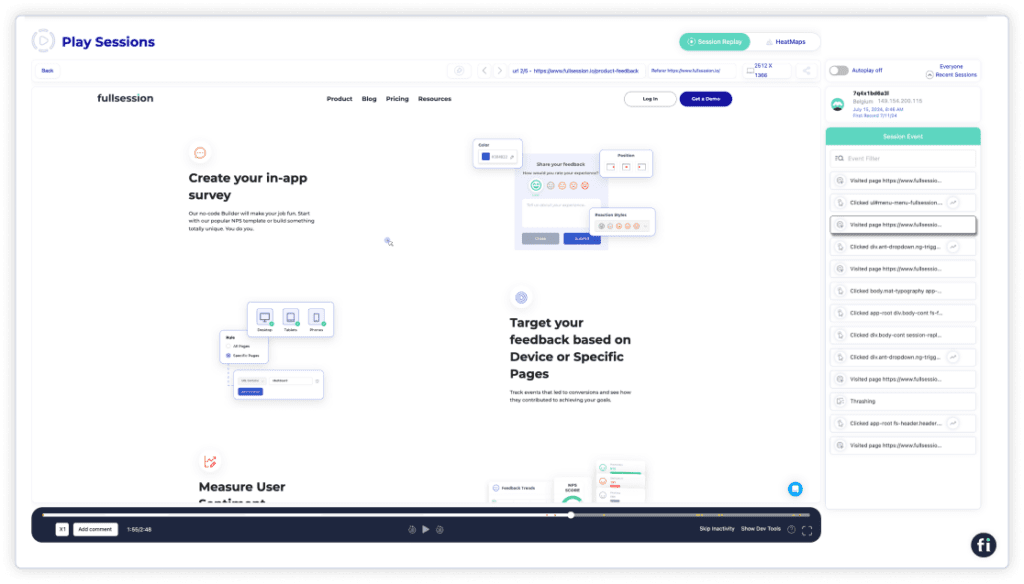
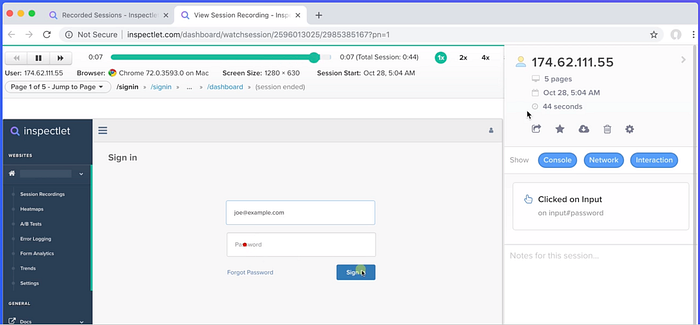
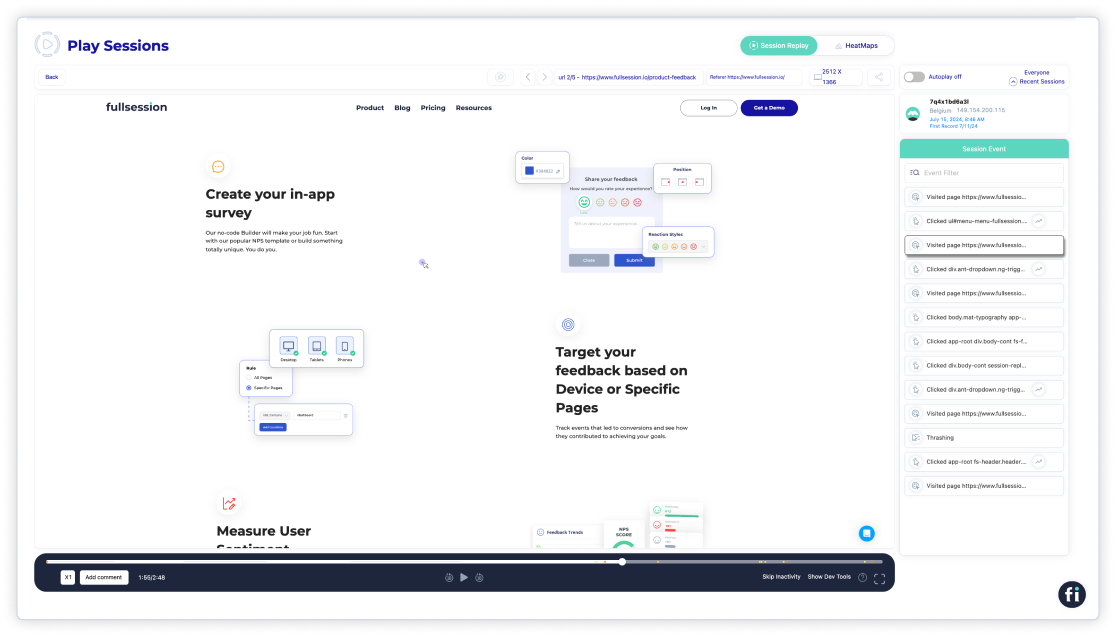
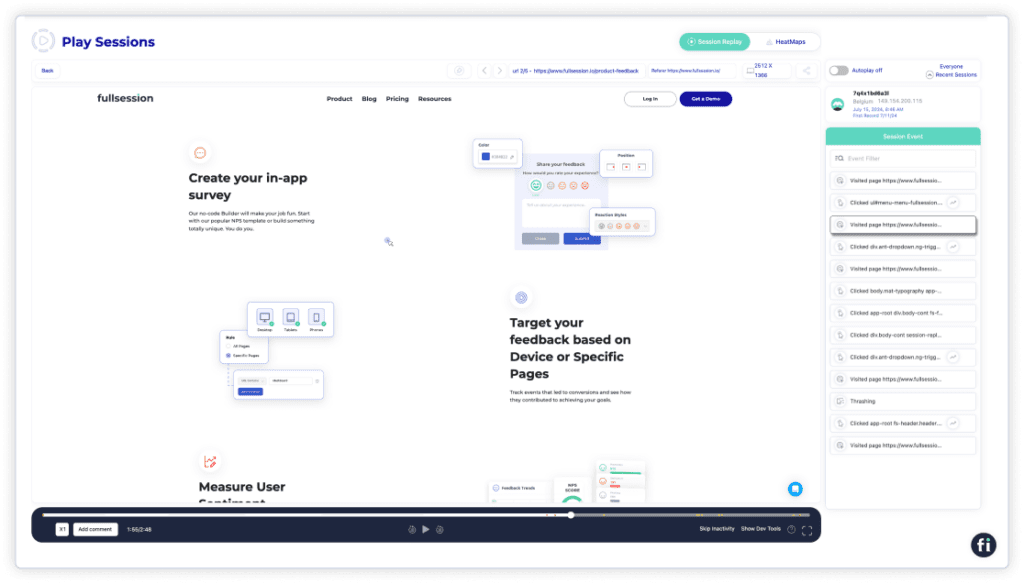
    Session recording and replay

    FullSession is an advanced user behavior analytics software that excels at tracking every detail of visitor activity on your website. 

    It provides a 360-degree view of how users interact with your site, letting you dive deep into specific behaviors and engagement patterns so you can maximize performance and conversion rates.

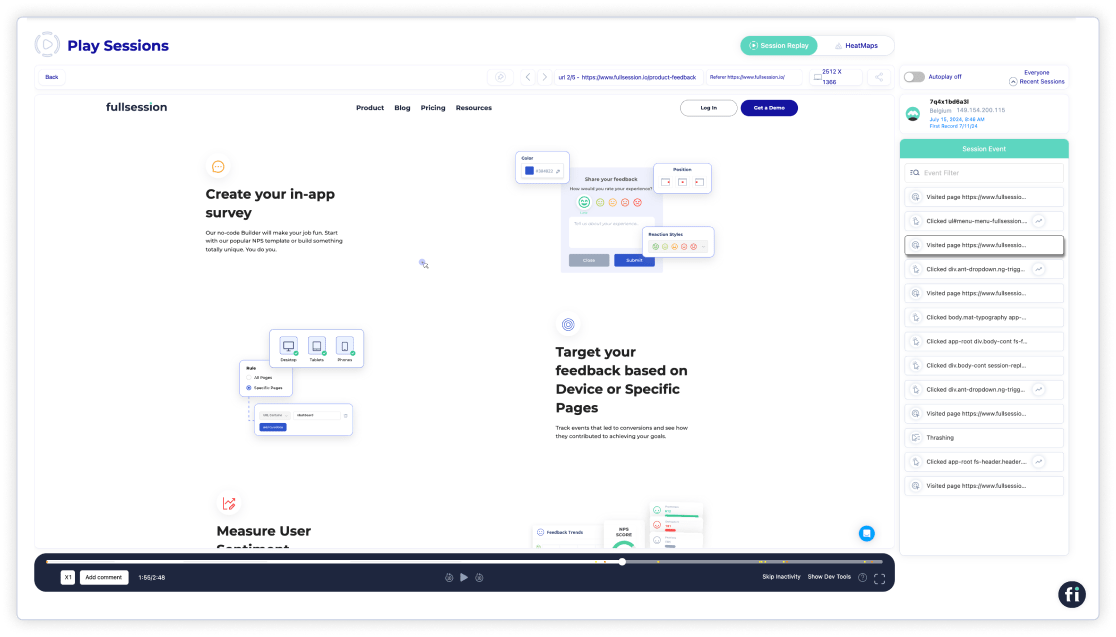
    With real-time session replays, you can see how users move through your site, which buttons they click, where they pause, and even where they get stuck. 

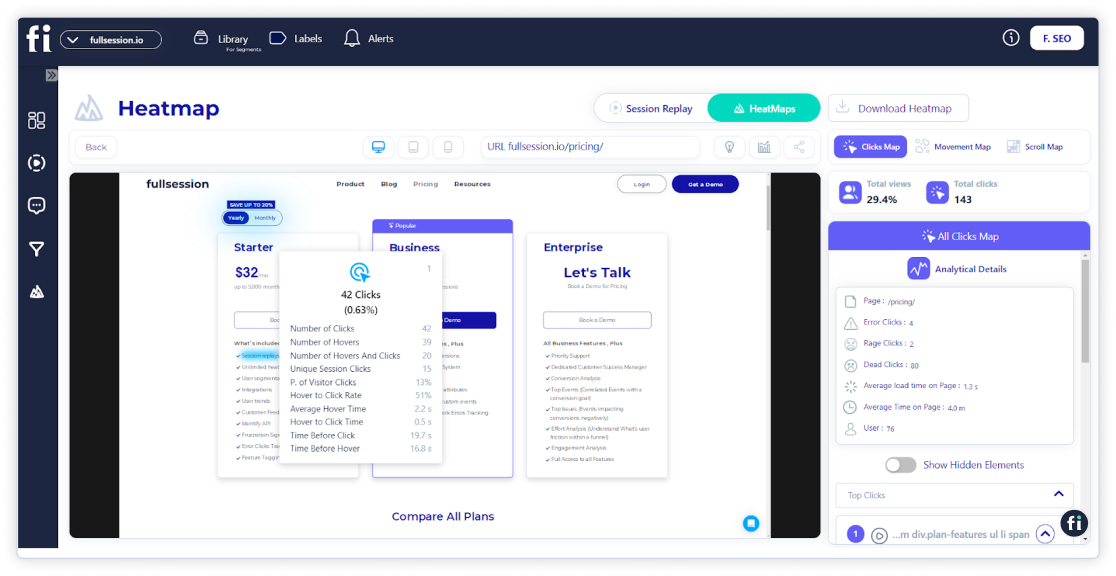
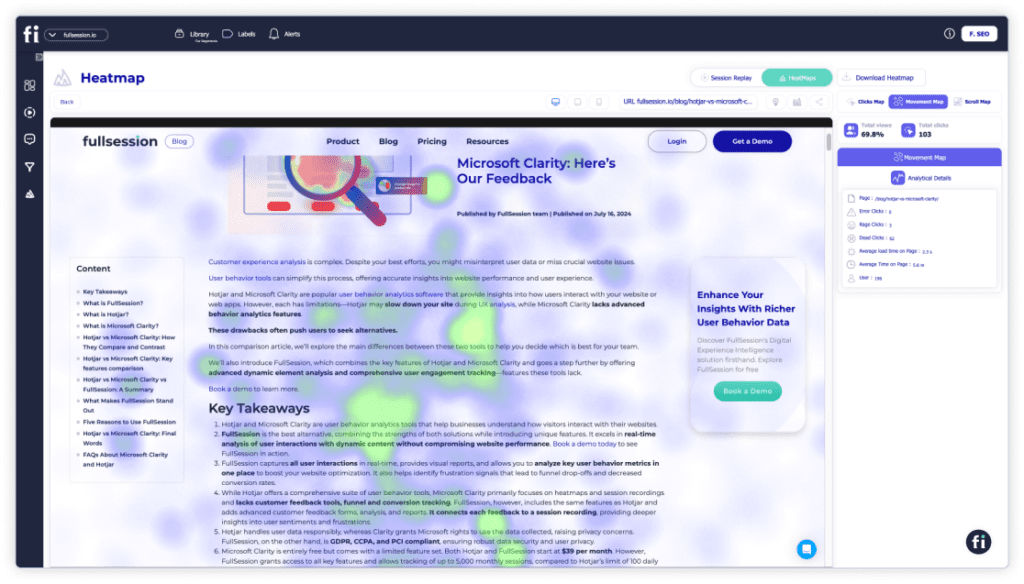
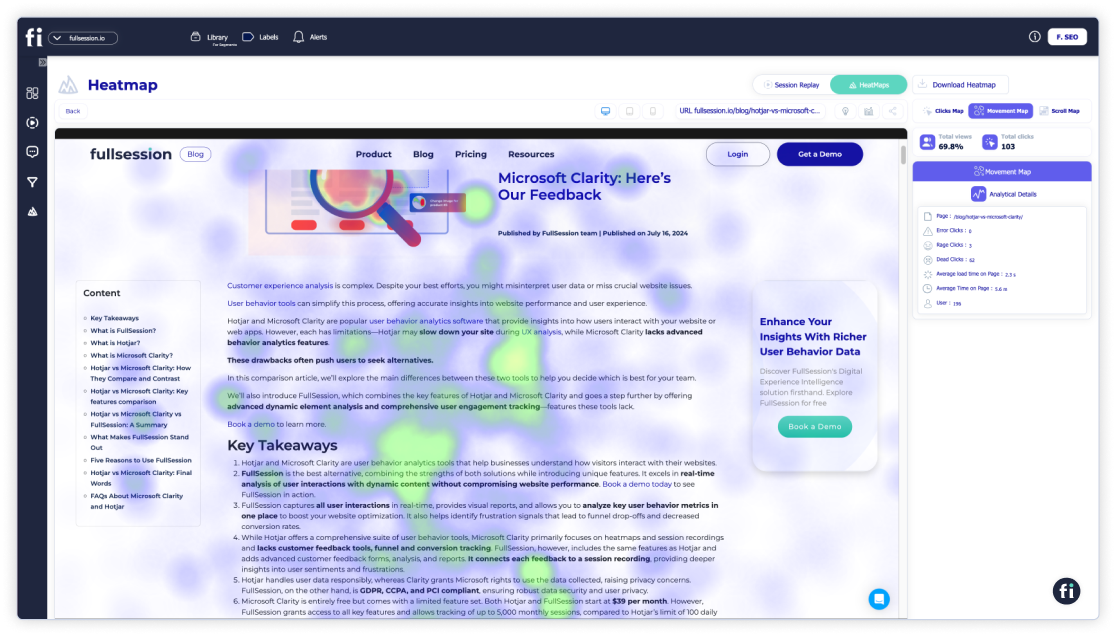
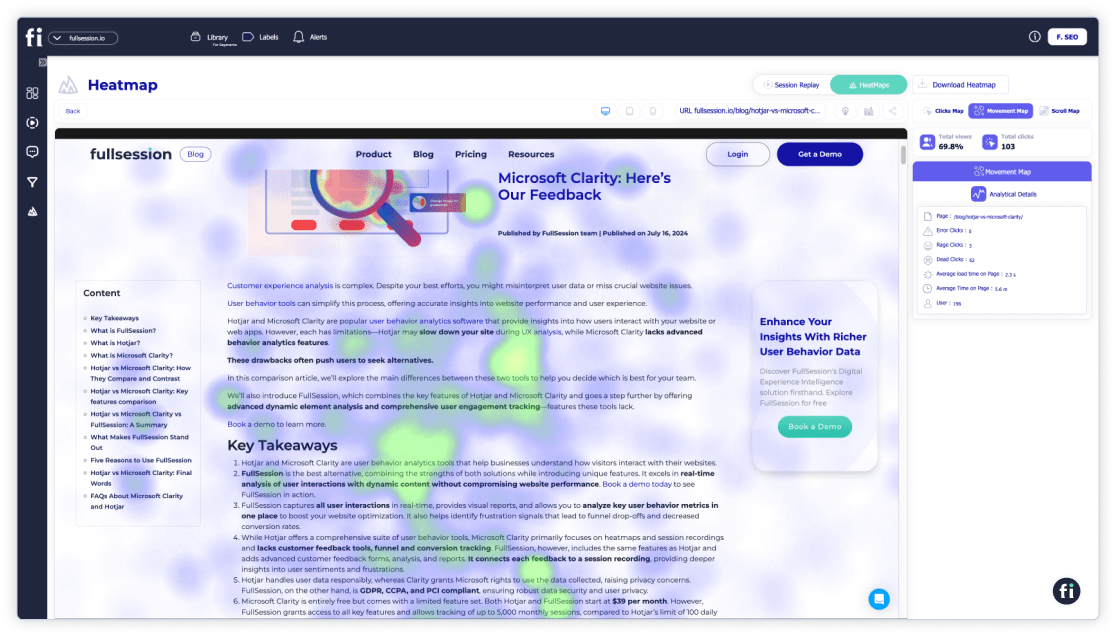
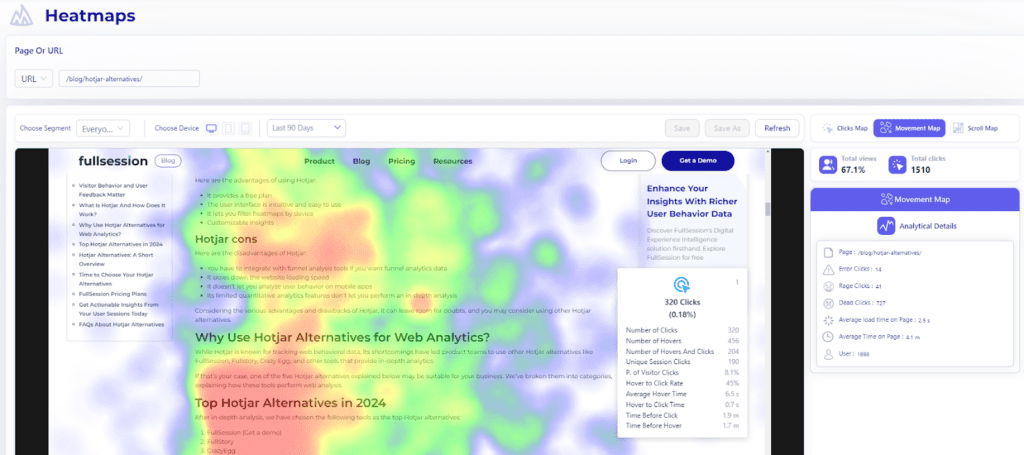
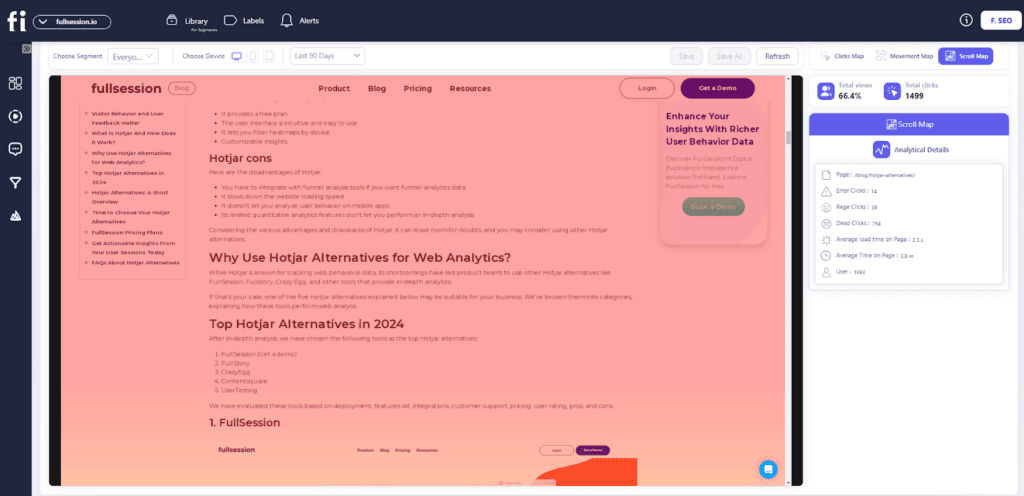
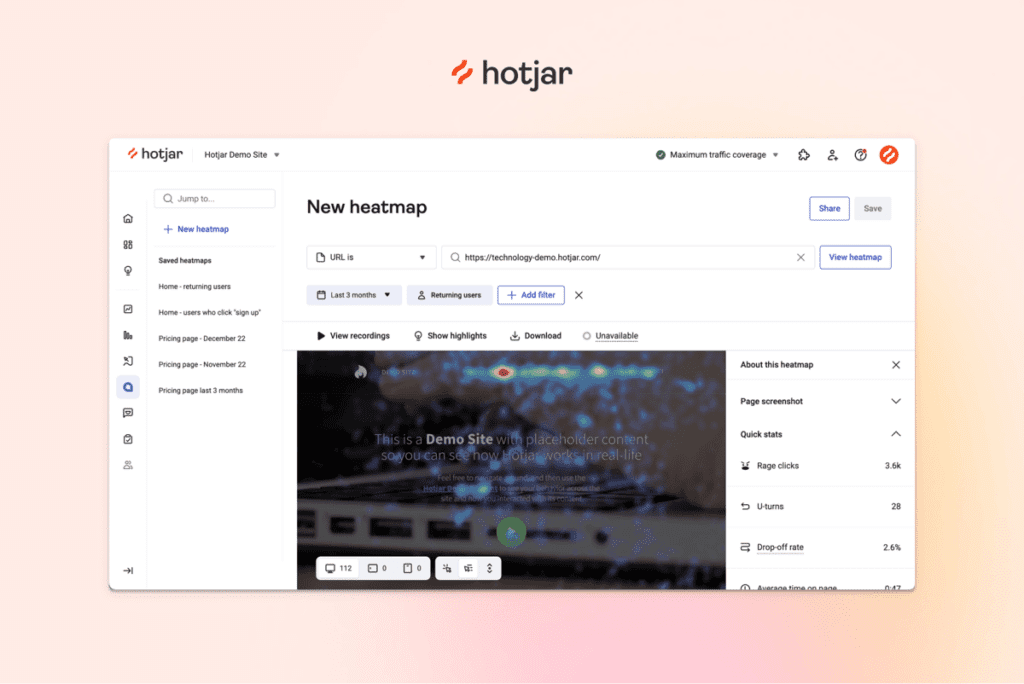
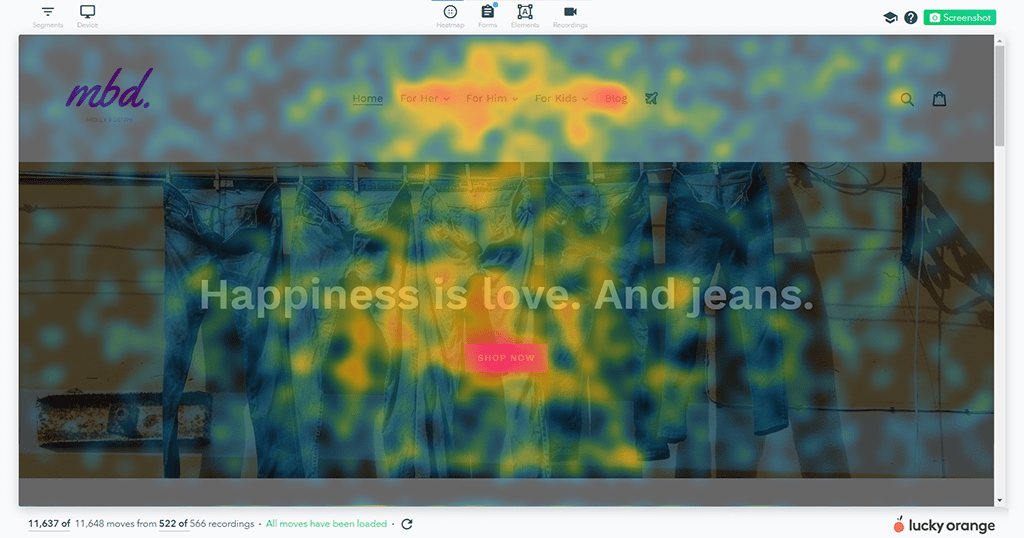
    Its interactive heatmaps show exactly which areas of your site are underperforming or getting the most attention. This lets you see at a glance what’s working and where adjustments are needed. 

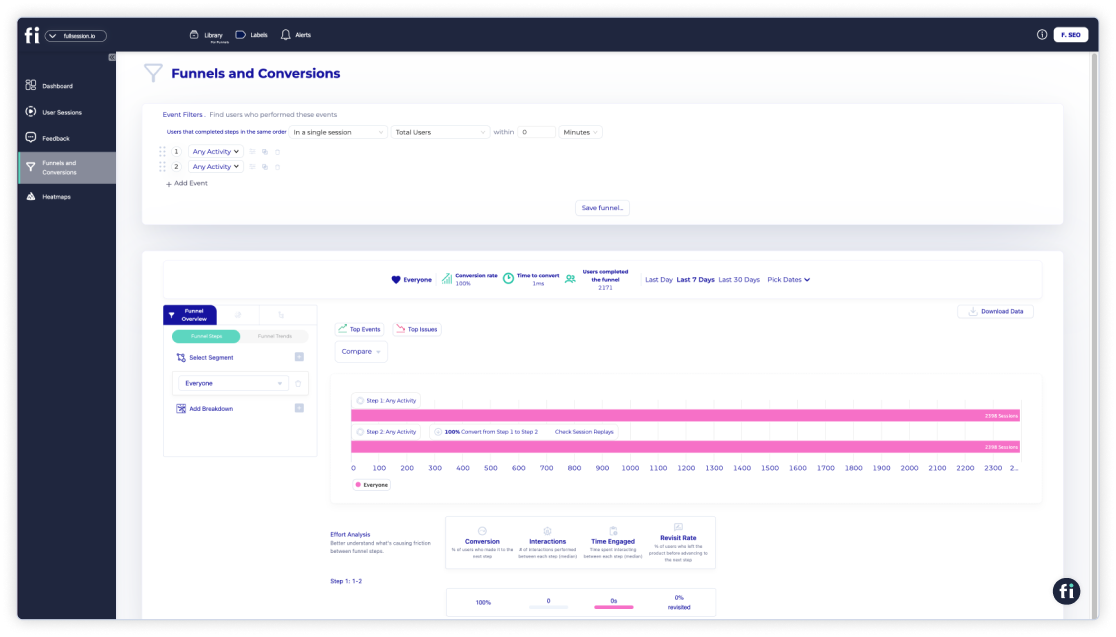
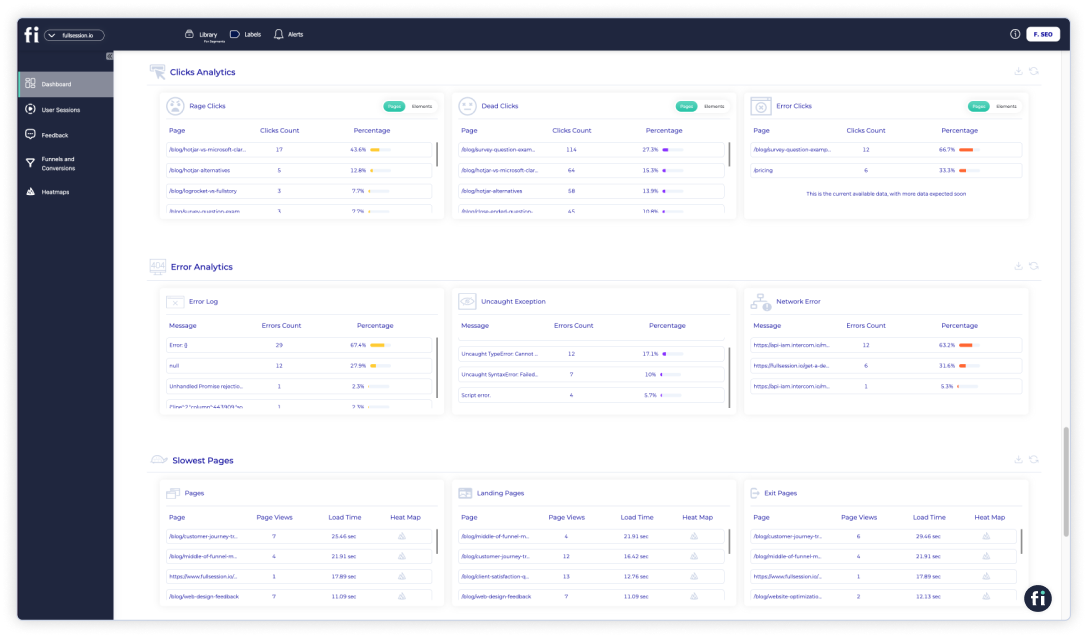
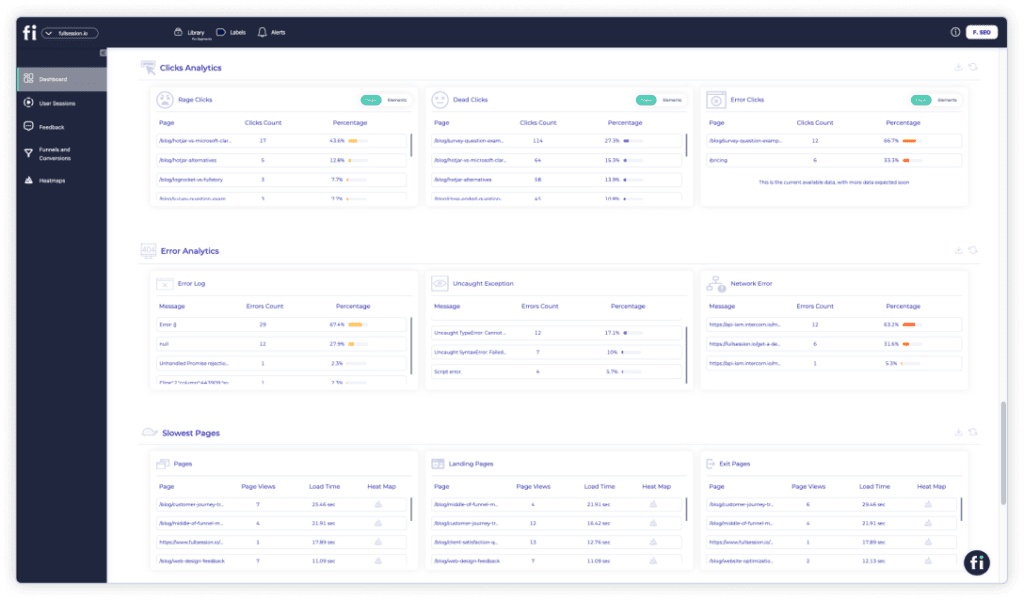
    FullSession also offers conversion funnel analysis to help you remove conversion funnels and optimize touchpoints in the user journey. It also has error tracking, which can help detect problems that can lead to funnel abandonment.

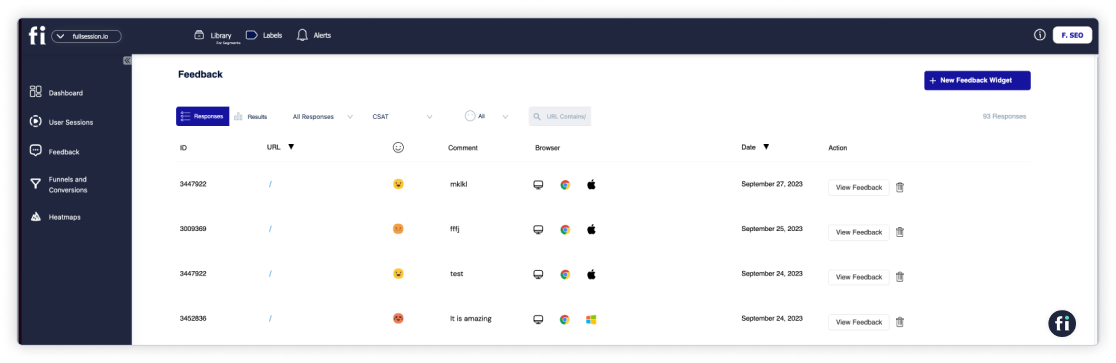
    FullSession lets you create and customize website feedback forms to gain direct insights from your visitors.

    Another key strength of FullSession is its ability to track user activity while prioritizing data security and privacy, which helps ensure GDPR, CCPA, and PCI compliance.

    Start a free trial or book a demo now to learn more.

    Best for

    FullSession is perfect for businesses of all sizes that want detailed insights into user activity. 

    It’s especially useful for teams in product development, UX/UI design, customer support, and marketing who need actionable data to optimize user experiences, increase retention, and boost platform performance.

    Key features

    • Advanced user and event segmentation: Use filters like demographic data and specific events to find the particular website visits you’re looking for. Break down user activity into specific groups to uncover trends and improve the overall site experience. 
    • Session recording and replay: Watch real user sessions in real time to see exactly how website visitors are navigating your site and interacting with key elements.
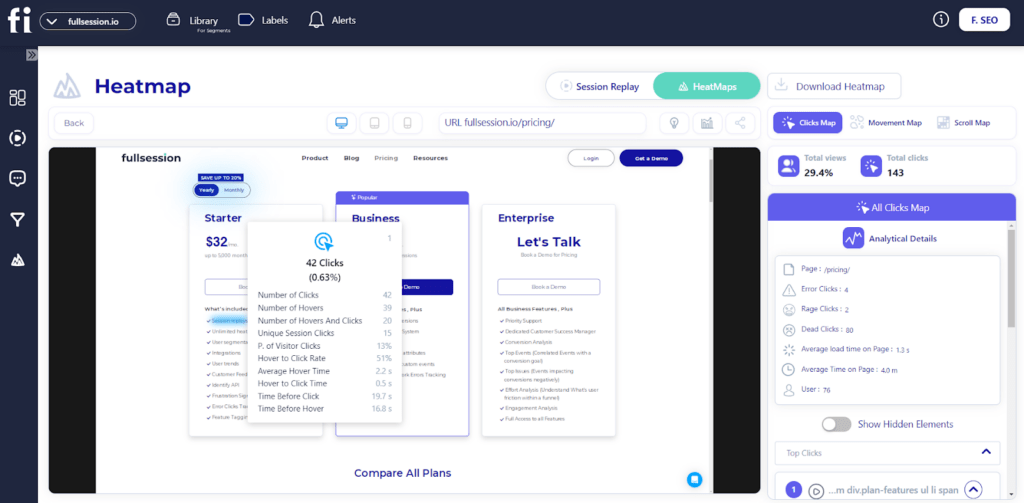
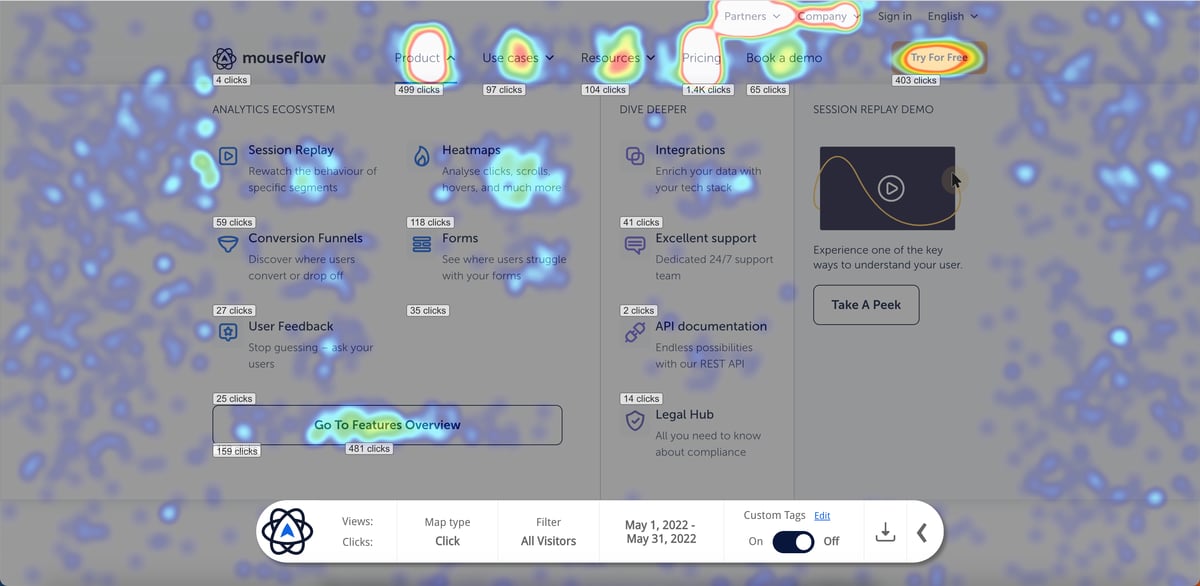
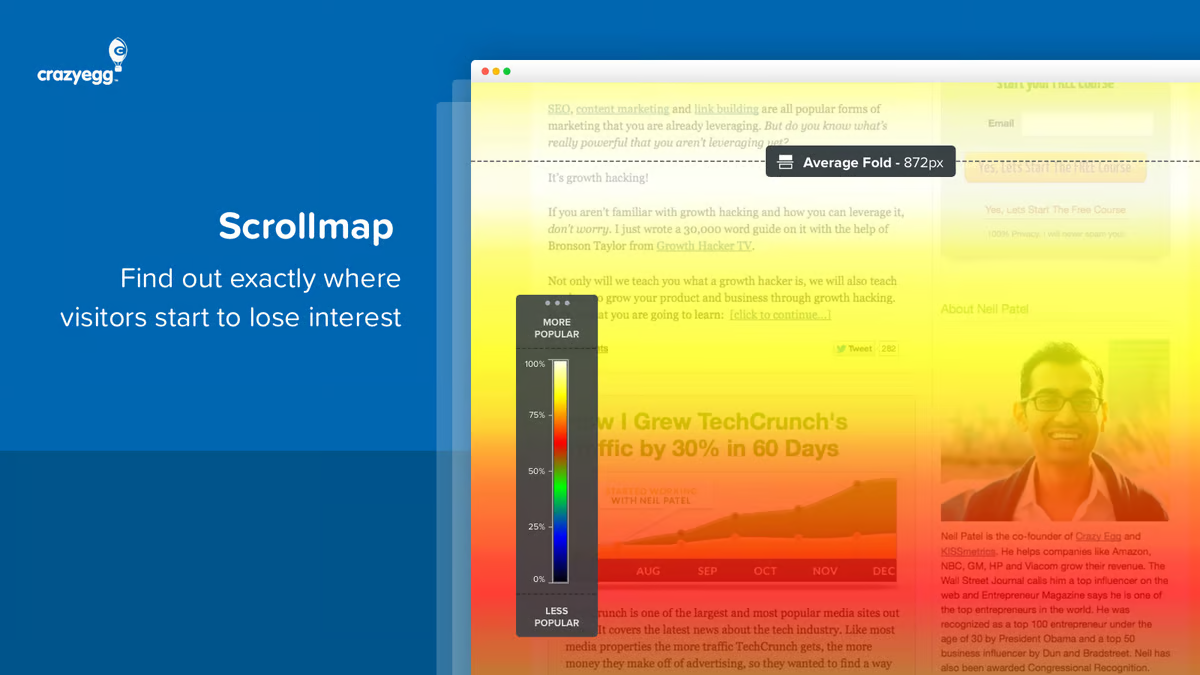
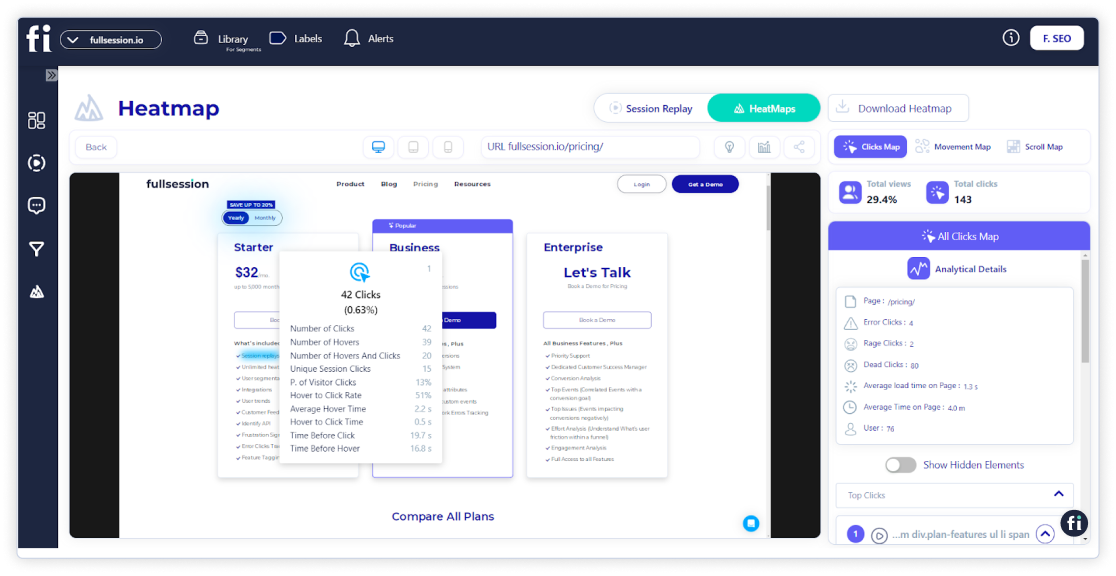
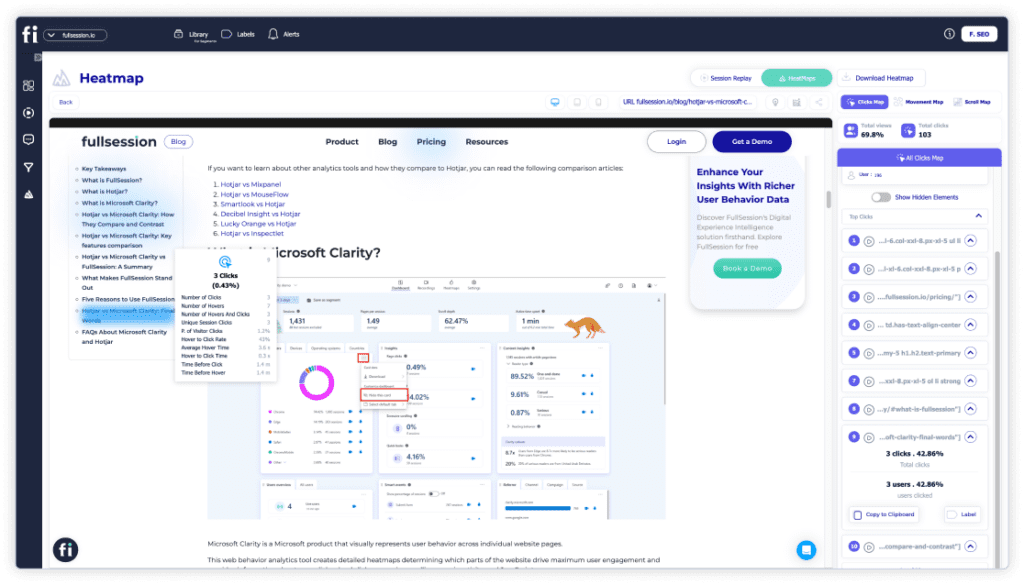
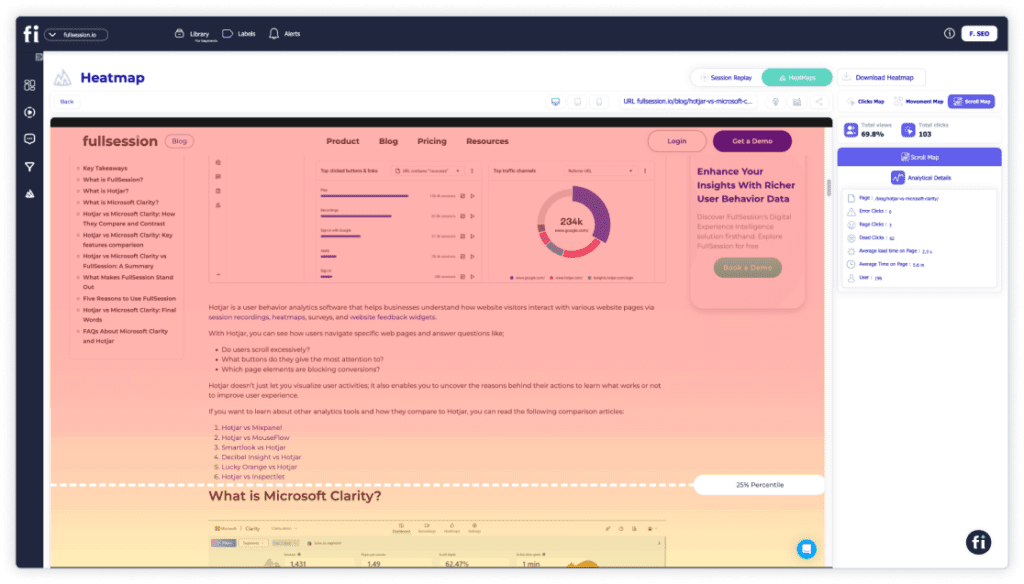
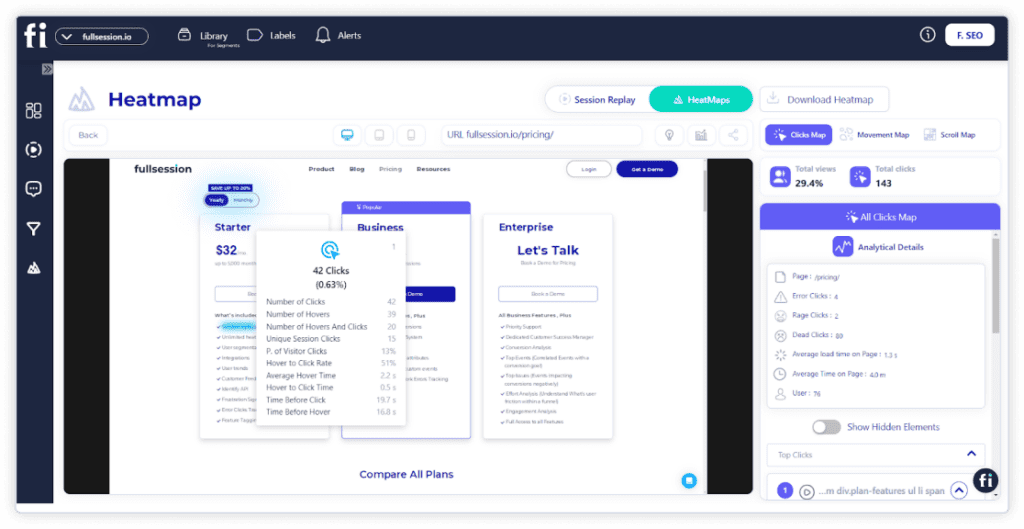
    • Interactive heatmaps: Get clear visual data on where users scroll, click, or hover their mouse to pinpoint the most engaging areas of your site.
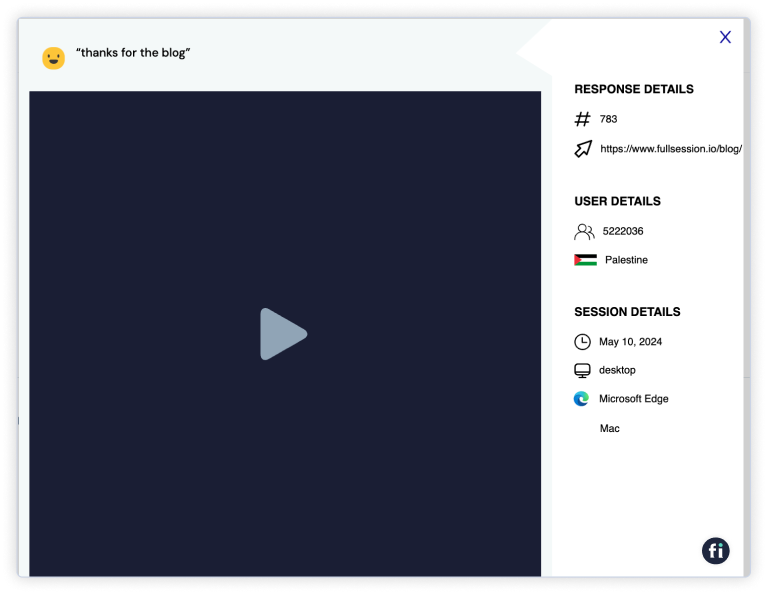
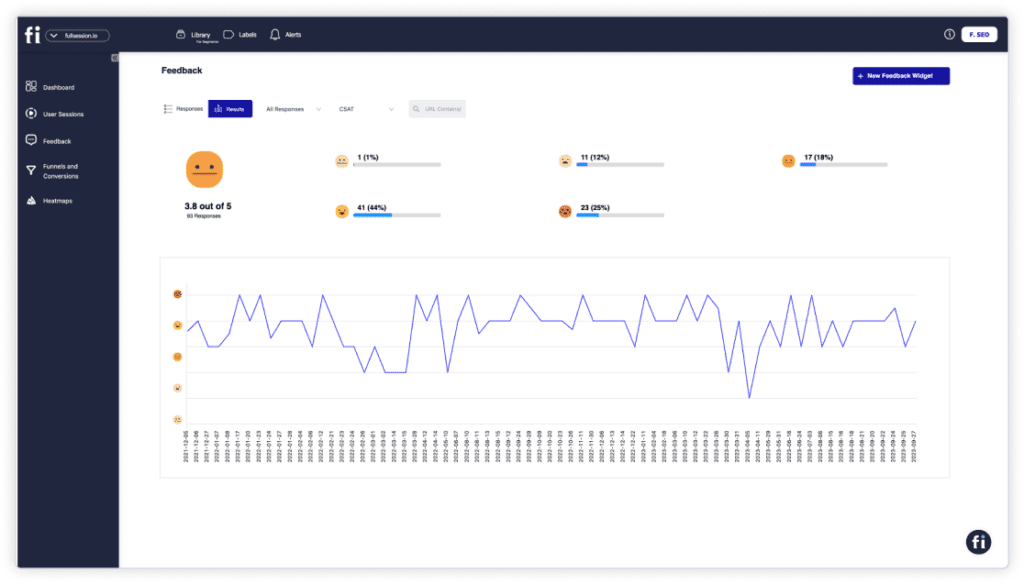
    • Custom feedback tools: Gather direct user feedback through website forms and match it with session recordings to get context on user activity.
    • Conversion funnel optimization: Visualize where users drop off during their journey and identify touchpoints that need improvement.
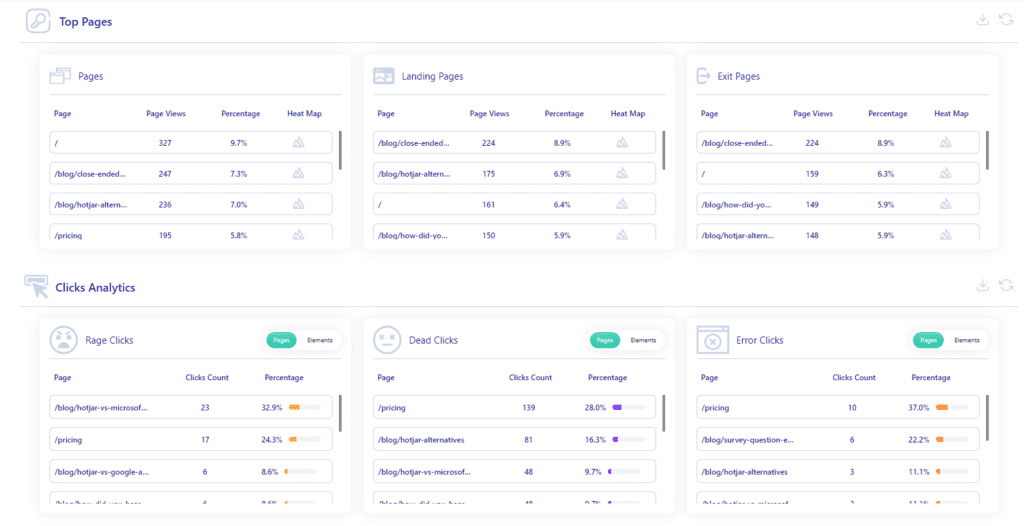
    • Error analysis: Catch errors like JavaScript issues or failed API calls that could impact user experience and lead to lost conversions.
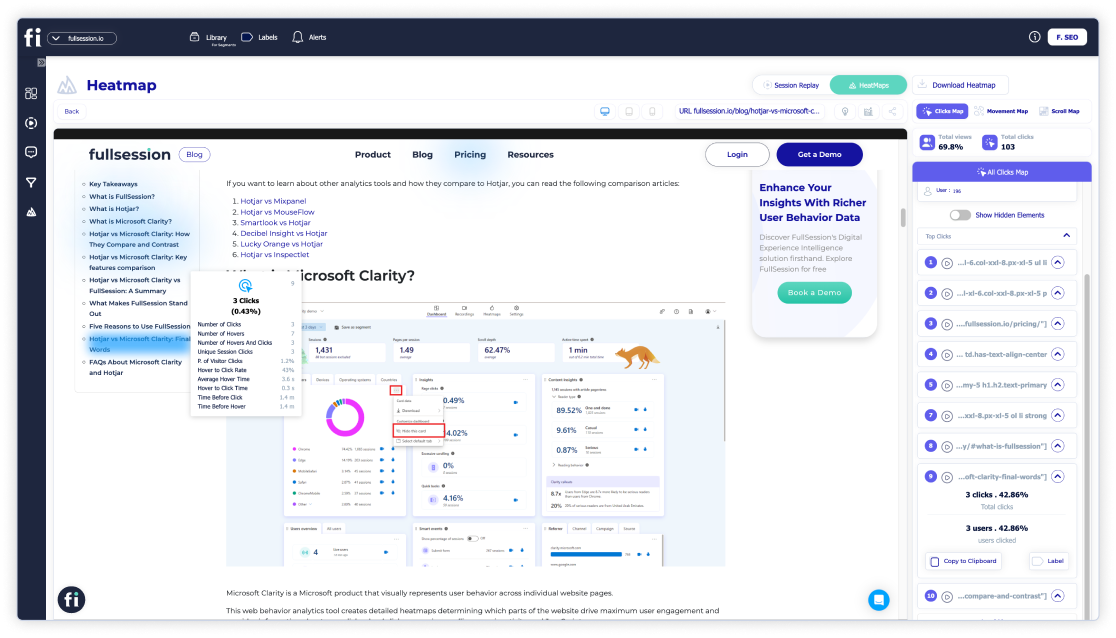
    Click map

    Supported platforms

    FullSession supports tracking user behavior on web platforms and can record mobile web user interactions.

    Integrations

    This visitor tracking tool makes it easy to streamline your workflows with a variety of integration options. 

    Whether you’re using APIs, webhooks, Zapier, or native integrations, FullSession connects smoothly with your existing tools, automating tasks and keeping your data in sync across all systems.

    It works seamlessly with popular platforms like BigCommerce, Wix, Shopify, and WordPress, which allows you to set it up quickly and get your operations running efficiently in no time.

    Customer support

    FullSession offers live chat and email support, along with a robust help center. This ensures you can get quick assistance whenever you need help tracking user activity or resolving issues.

    Pricing

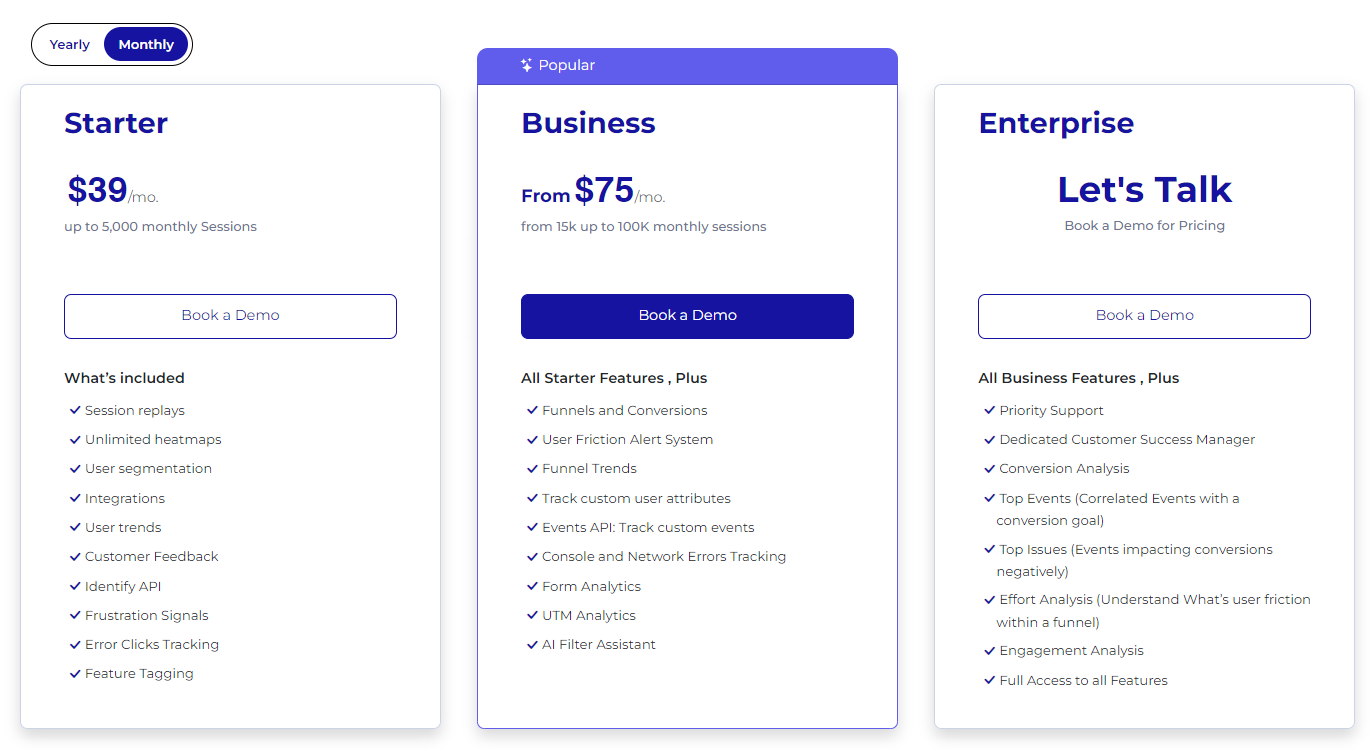
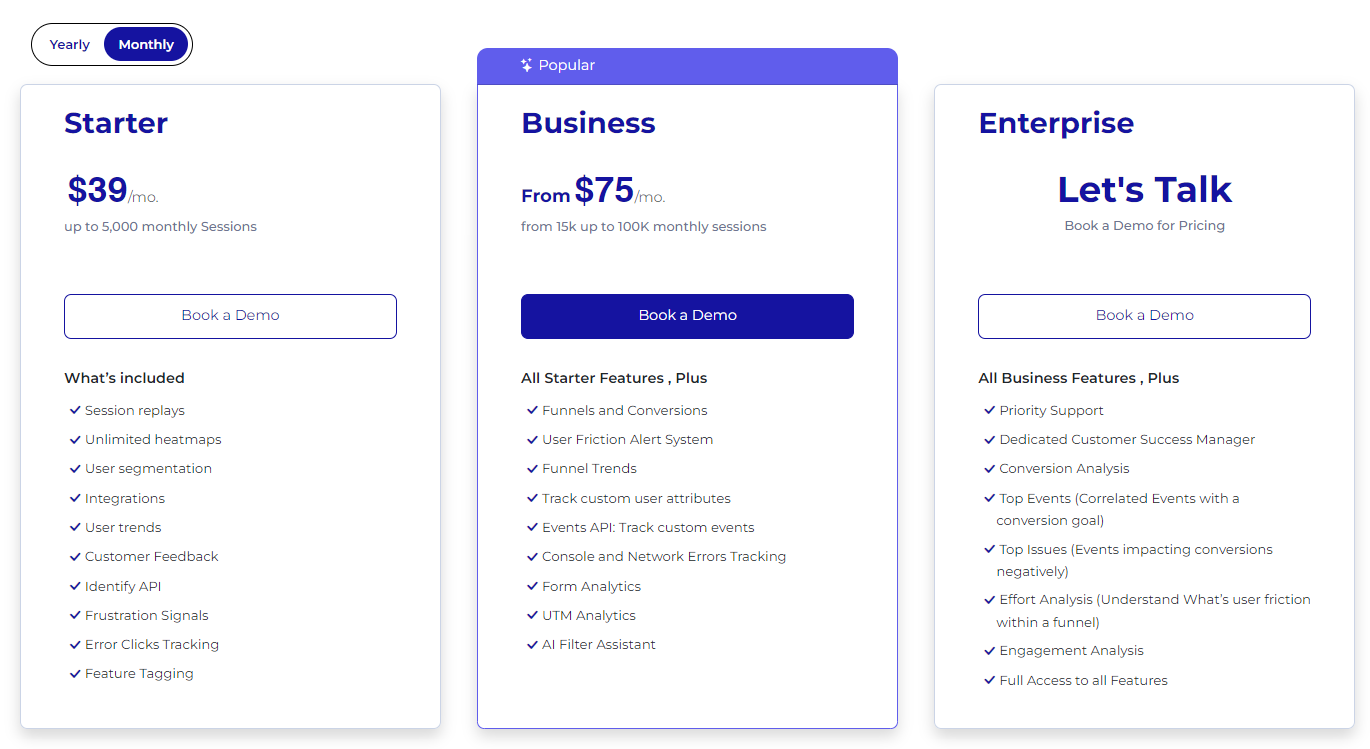
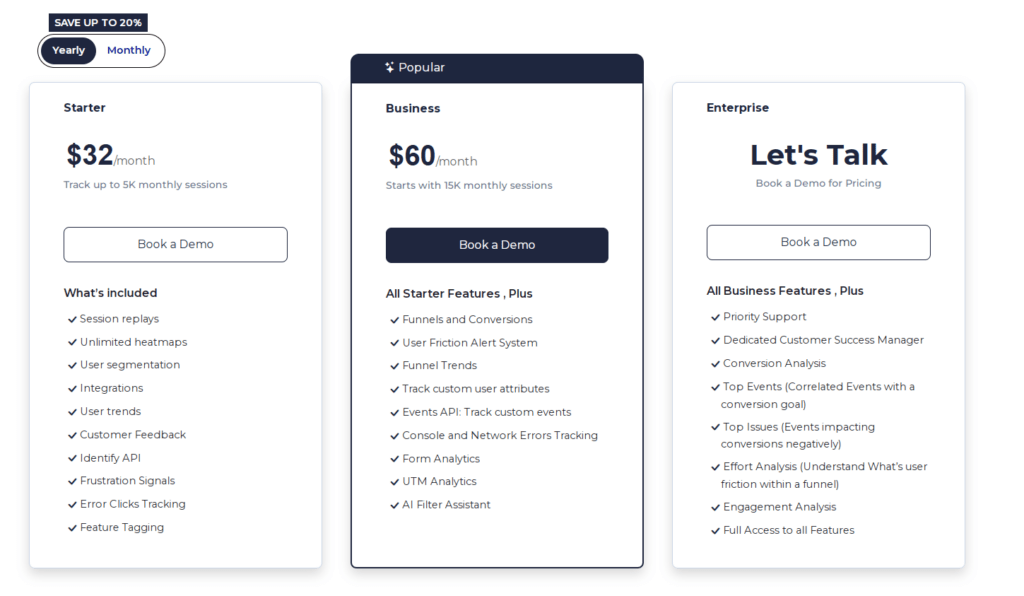
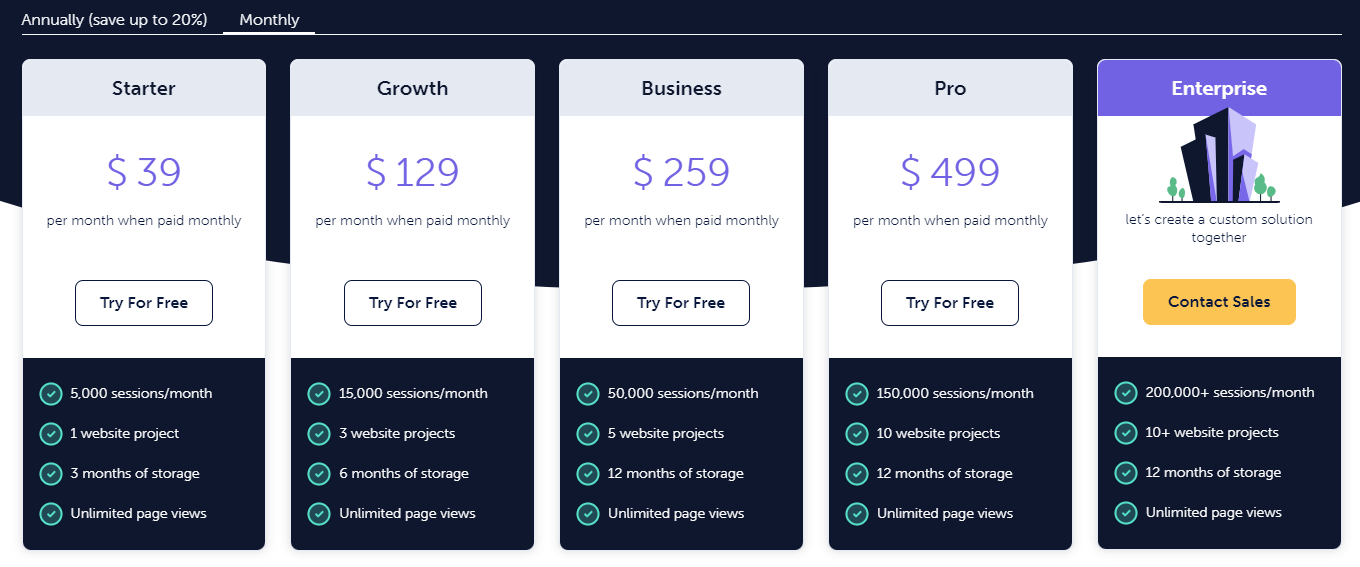
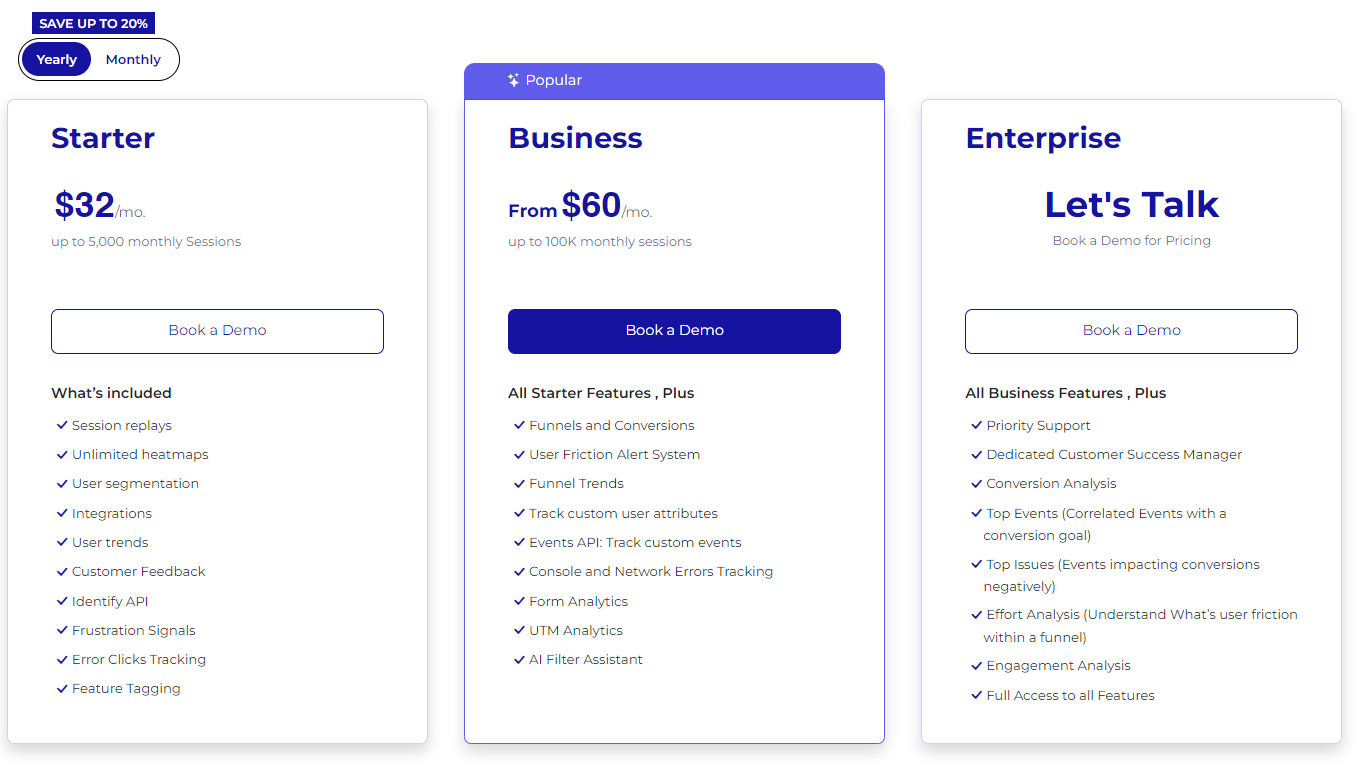
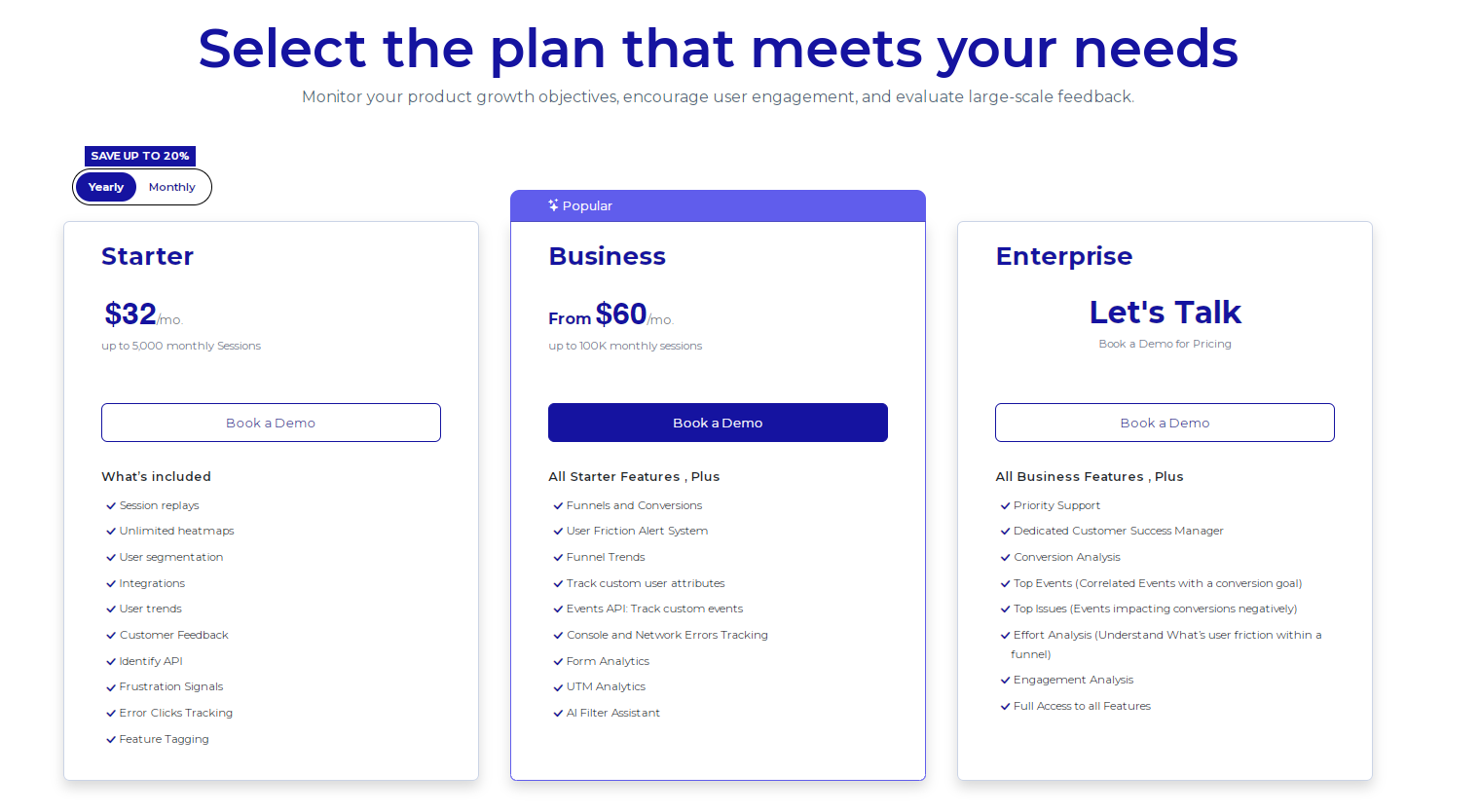
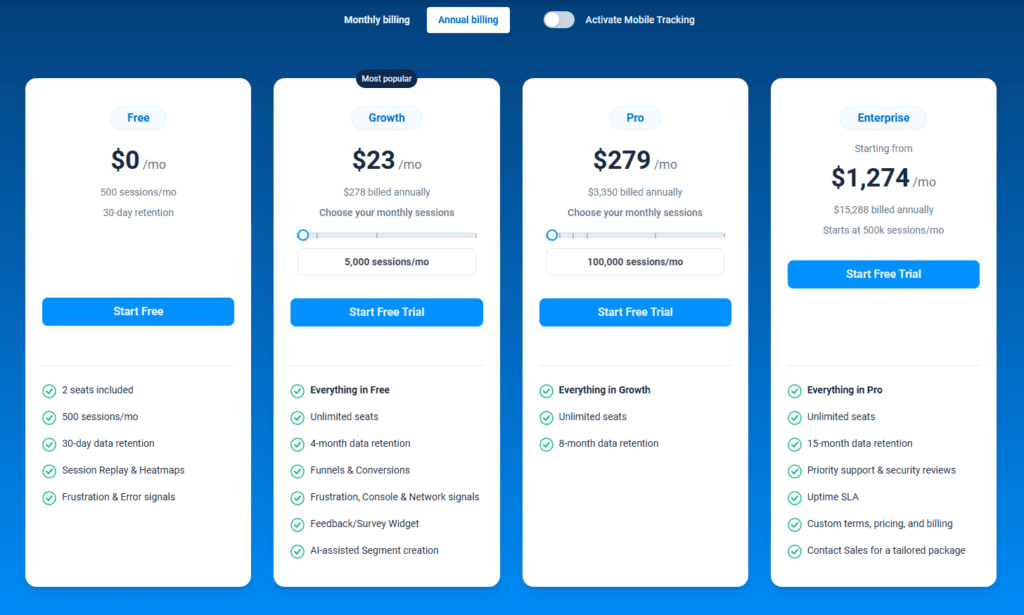
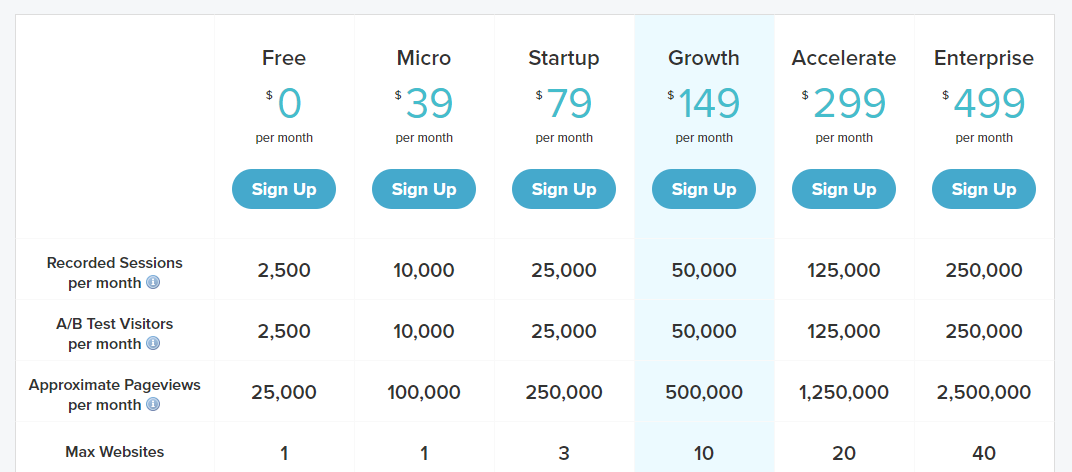
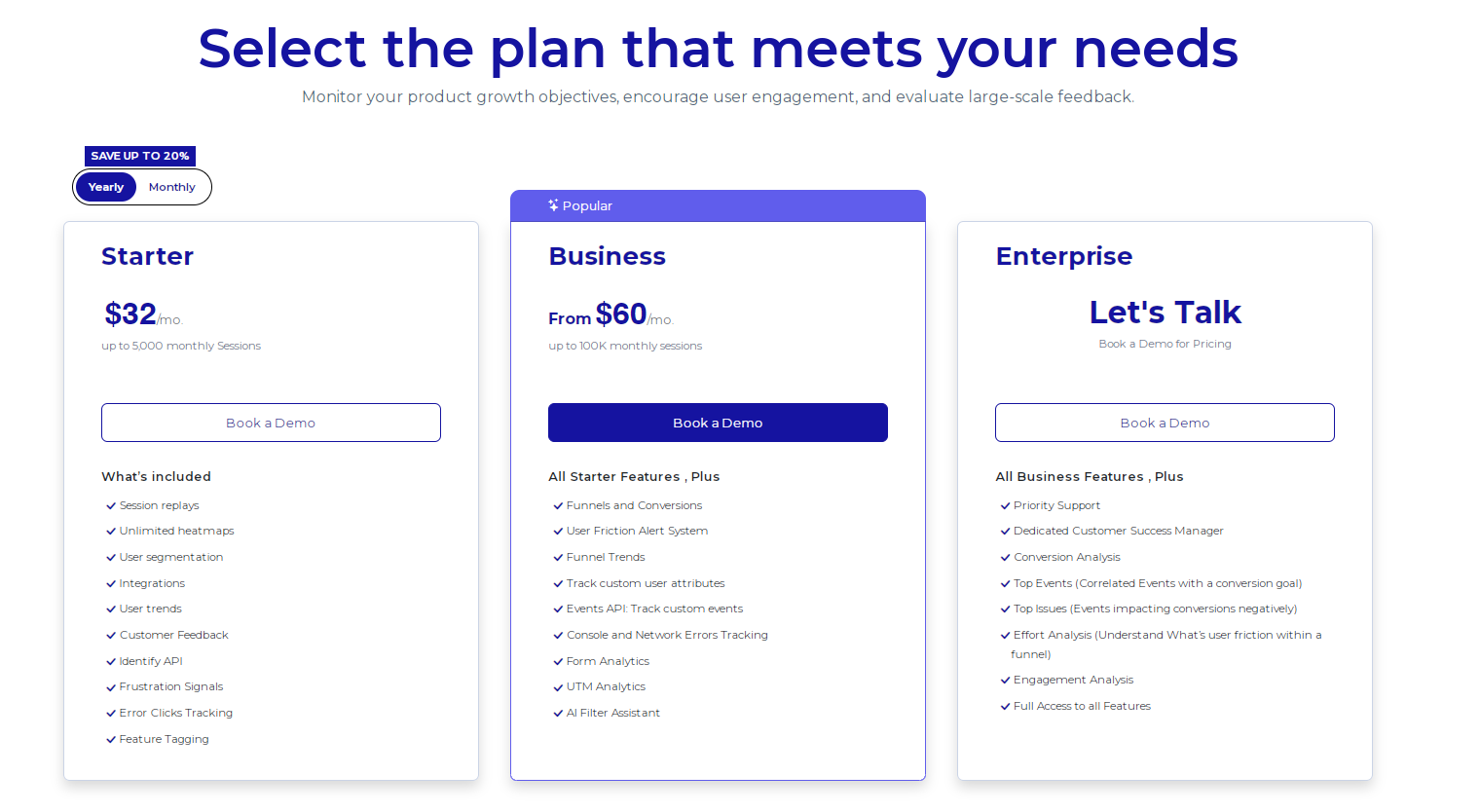
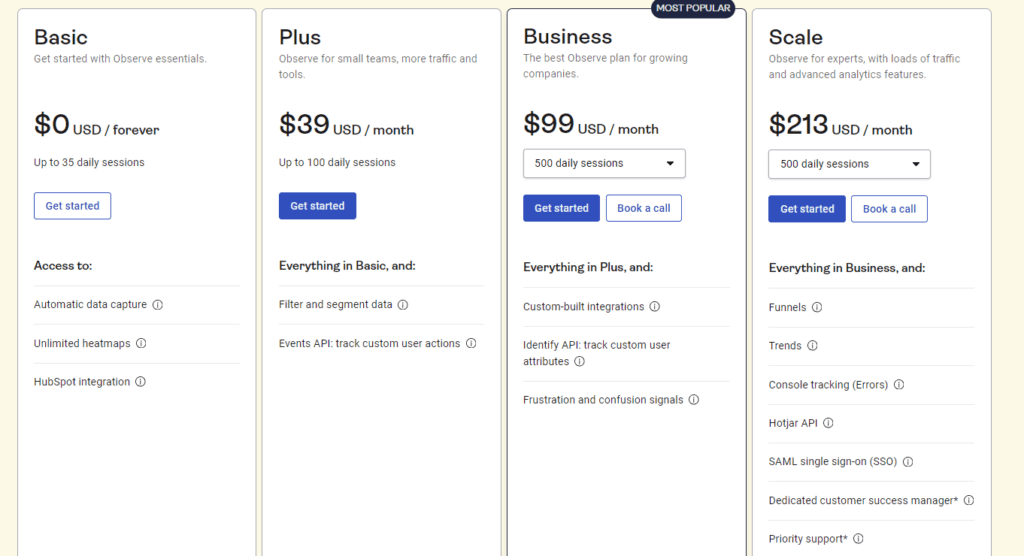
    FullSession provides a free trial and pricing plans that fit businesses of all sizes. Starting at $39 per month, the Starter plan gives you unlimited heatmaps and up to 5,000 session recordings per month. If you opt for an annual subscription, you can save 20%, making it just $32 per month.
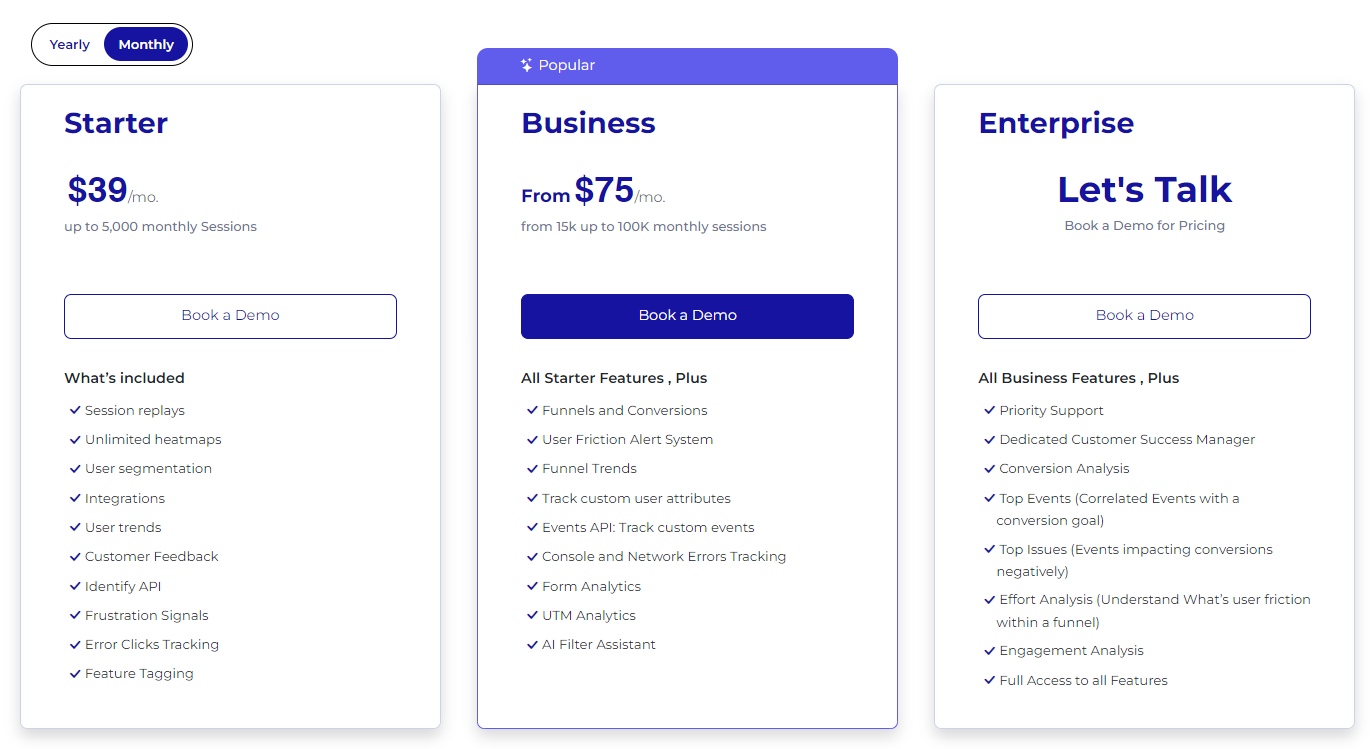
    FullSession pricing

    Visit the Pricing page to learn more about the different plans and how they can fit your needs.

    Pros

    • Tracks visitor activity in real-time with individual user sessions
    • Offers detailed heatmaps that highlight high-traffic areas
    • Delivers fast and accurate insights without slowing down your site
    • Prioritizes user privacy, excluding sensitive data from recordings
    • Efficiently handles large amounts of data for quick analysis
    • Centralizes data to help teams collaborate easily
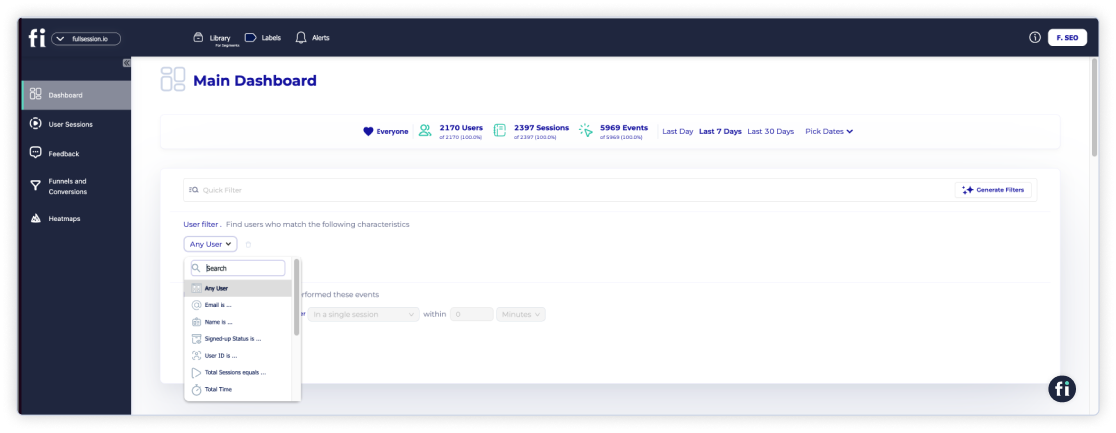
    • Easy-to-use interface with a dashboard that tracks all key metrics

    Cons

    • Does not track mobile apps

    Start a free trial or book a demo to see how FullSession works.

    2. Salespanel
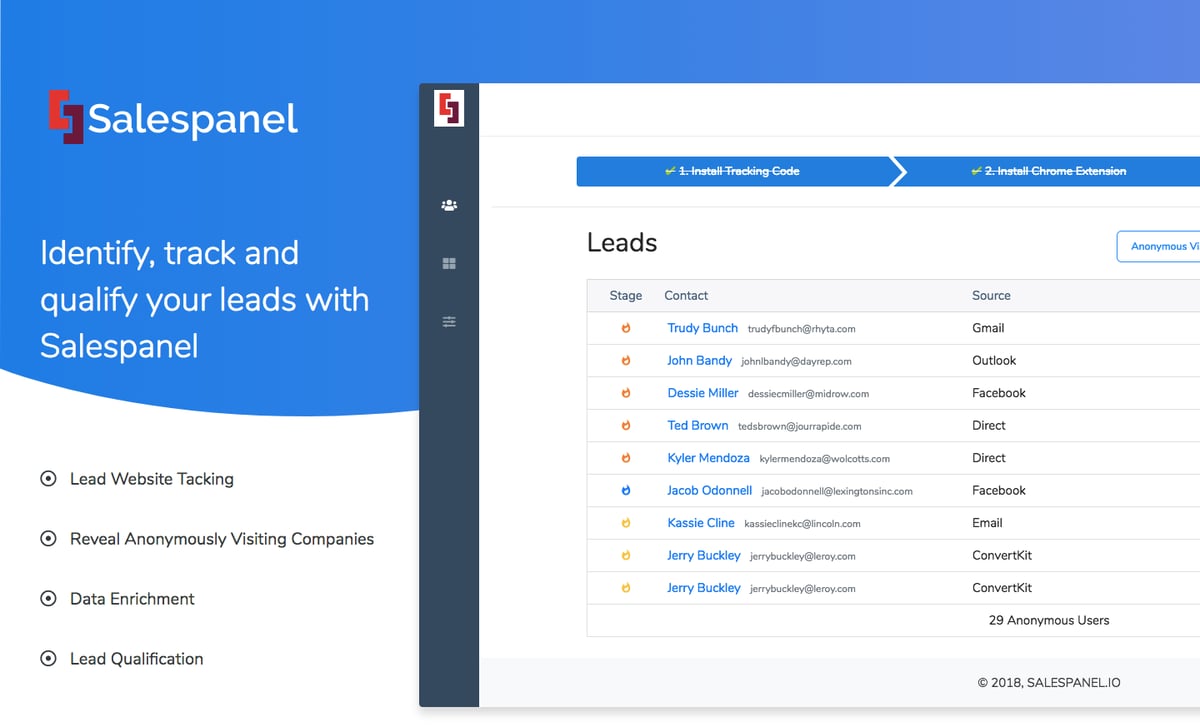
    Salespanel

    Image source: G2

    Salespanel is a marketing analytics, account intelligence, and first-party intent data tracking software designed to help B2B businesses understand their audience, qualify leads, and optimize sales efforts. 

    It tracks companies visiting your website, monitors engagement, and gathers crucial data to help you identify high-quality leads.

    User rating

    Salespanel has an average user rating of 4.5 out of 5 stars based on 26 reviews on G2.
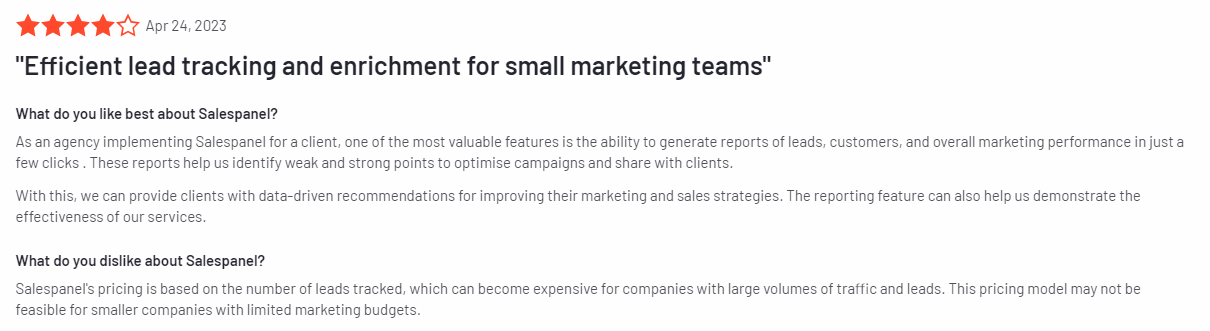
    Salespanel review

    Image source: G2

    Best for

    Salespanel is suitable for B2B businesses, sales reps, and marketers looking to qualify leads based on website activity.

    Key features

    • Lead tracking and scoring: Track visitors on your website, qualify leads based on their behavior, and score them for better targeting.
    • Real-time visitor analytics: Monitor visitor activity in real time, including page views, session times, and user behavior.
    • Marketing automation: Automate lead qualification and nurturing workflows by integrating with marketing platforms.
    • CRM integration: Connect with popular CRMs like HubSpot and Salesforce to sync lead data and automate sales processes.
    • Segmented reports: Create detailed reports based on specific user behaviors, such as engagement levels or conversion likelihood.
    • Email and campaign tracking: Measure the effectiveness of email campaigns by tracking user interactions and engagement with your emails.

    Supported platforms

    Salespanel supports tracking on all major web platforms, including desktop and mobile versions of websites.

    Integrations

    Salespanel integrates with popular marketing platforms and CRMs like HubSpot, Salesforce, and Pipedrive. It also connects with tools like Zapier for seamless data flow across systems.

    Customer support

    Salespanel provides live chat support, email support, and an extensive knowledge base with guides and tutorials to help users make the most of the platform.

    Pricing

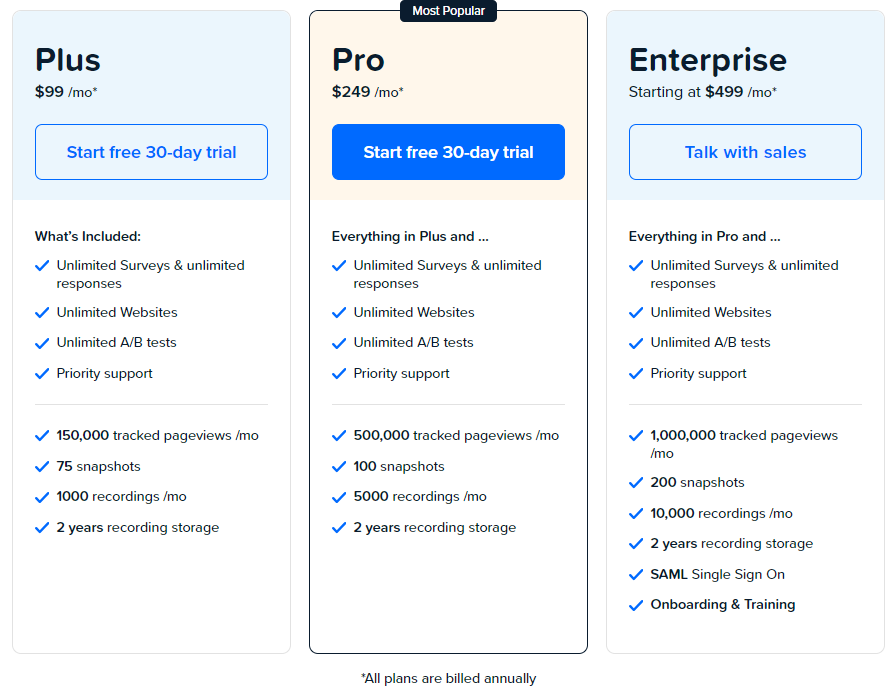
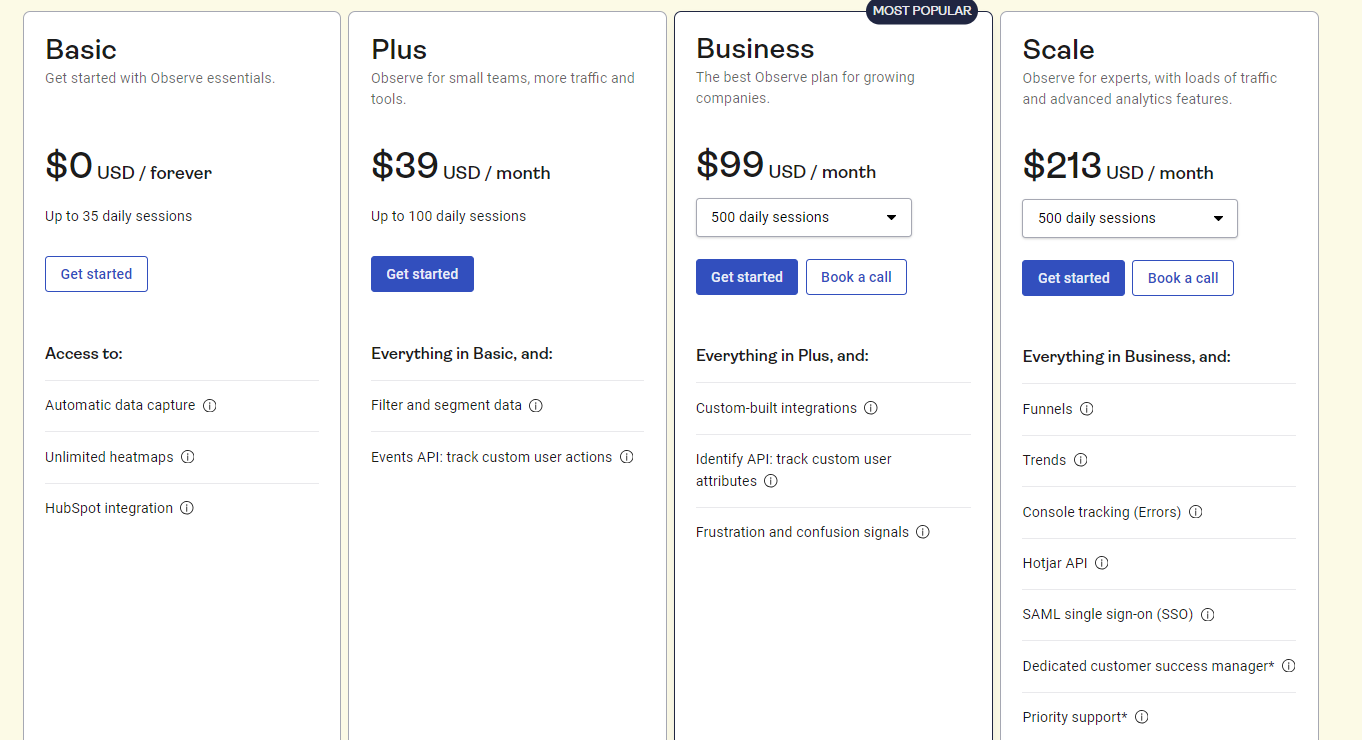
    Salespanel offers a free trial for new users, with paid plans starting at $99 per month. Pricing is based on the number of tracked visitors and features included.
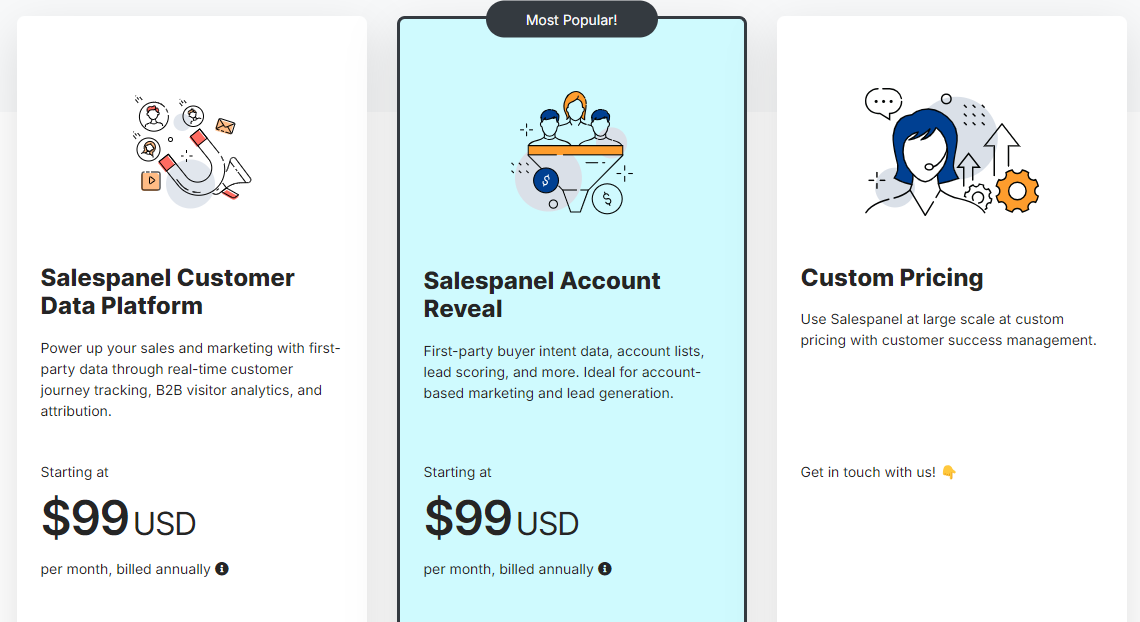
    Salespanel pricing

    Pros

    • Provides real-time visitor tracking and lead scoring
    • Integrates well with popular CRMs and marketing tools
    • Offers detailed reports on lead activity and engagement
    • Supports marketing automation and sales process optimization
    • Easy-to-use interface with a clean dashboard

    Cons

    • Pricing can be high for smaller businesses
    • Learning curve for users unfamiliar with visitor analytics
    • Lacks some advanced features found in more comprehensive analytics tools

    3. Mouseflow
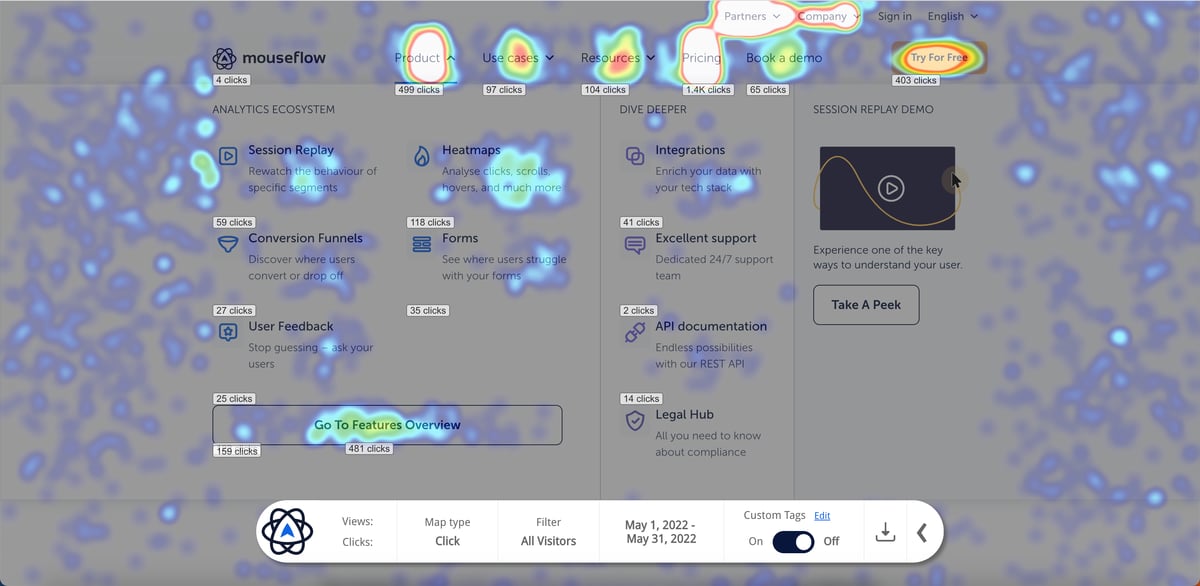
    Mouseflow

    Image source: G2

    Mouseflow is a digital experience analytics platform designed to track and analyze website visitor behavior in detail. Mouseflow allows you to see exactly how users engage with your site through session recordings and heatmaps.

    User rating

    Mouseflow has an average user rating of 4.6 out of 5 stars based on 630 reviews on G2.
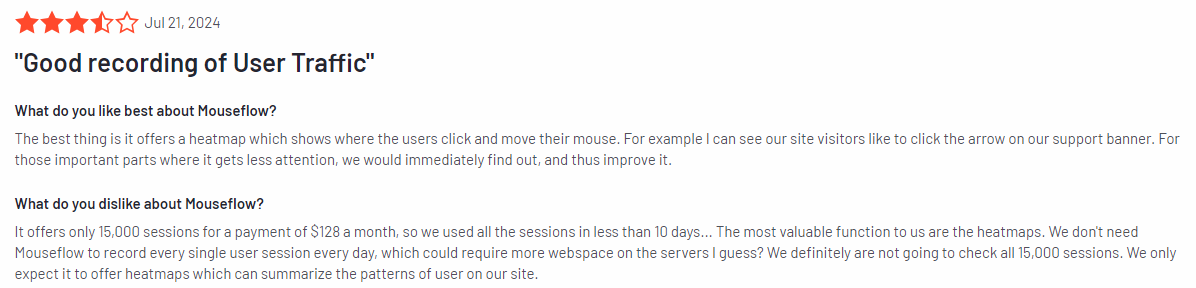
    Mouseflow review

    Image source: G2

    Best for

    Mouseflow is suitable for businesses of all sizes that want to understand user interactions, improve website usability, and optimize conversion rates.

    Key features

    • Session recordings: Watch real-time recordings of user sessions to see how visitors navigate your website and identify any pain points.
    • Heatmaps: Visualize user interactions with click, scroll, and movement heatmaps to understand which areas of your site are most engaging.
    • Form analytics: Analyze how users interact with forms, see where they drop off, and optimize your forms for better conversion rates.
    • Funnel analysis: Track user progress through conversion funnels to identify drop-off points and optimize key steps in the user journey.
    • User feedback tools: Collect feedback from users with surveys and polls to gain valuable insights into their experiences.
    • Error tracking: Automatically detect and log errors, such as JavaScript issues, that can impact user experience.

    Supported platforms

    Mouseflow supports tracking on all major web platforms, including both desktop and mobile versions of websites.

    Integrations

    Mouseflow integrates with tools like Google Analytics, HubSpot, WordPress, Shopify, and many more.

    Customer support

    Mouseflow provides email support and an extensive knowledge base. Users on higher-tier plans also get priority support to resolve issues faster.

    Pricing

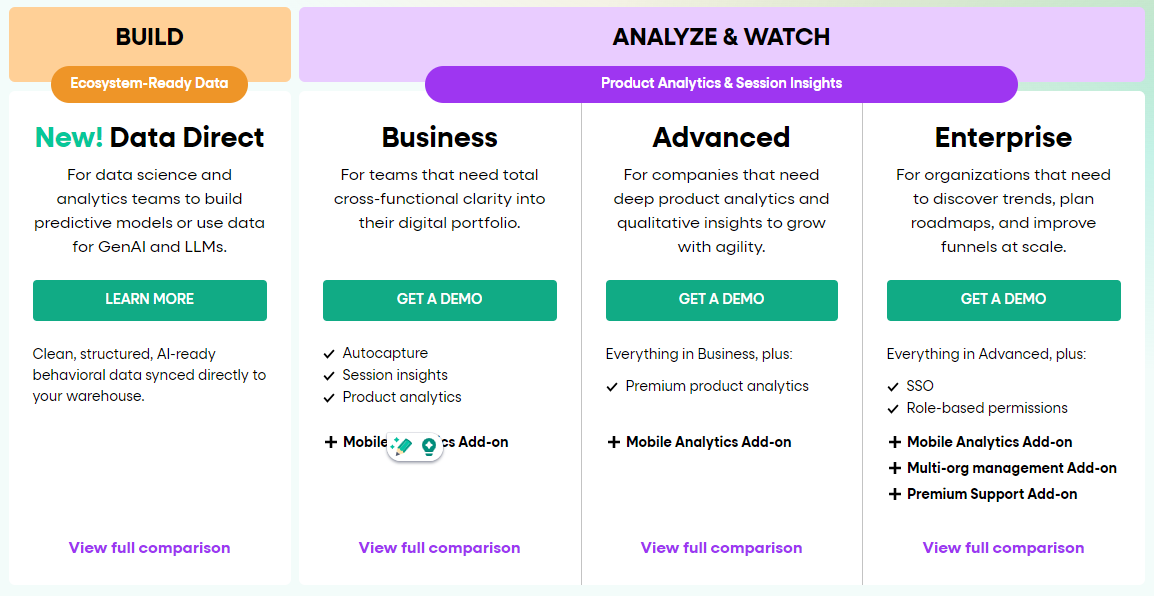
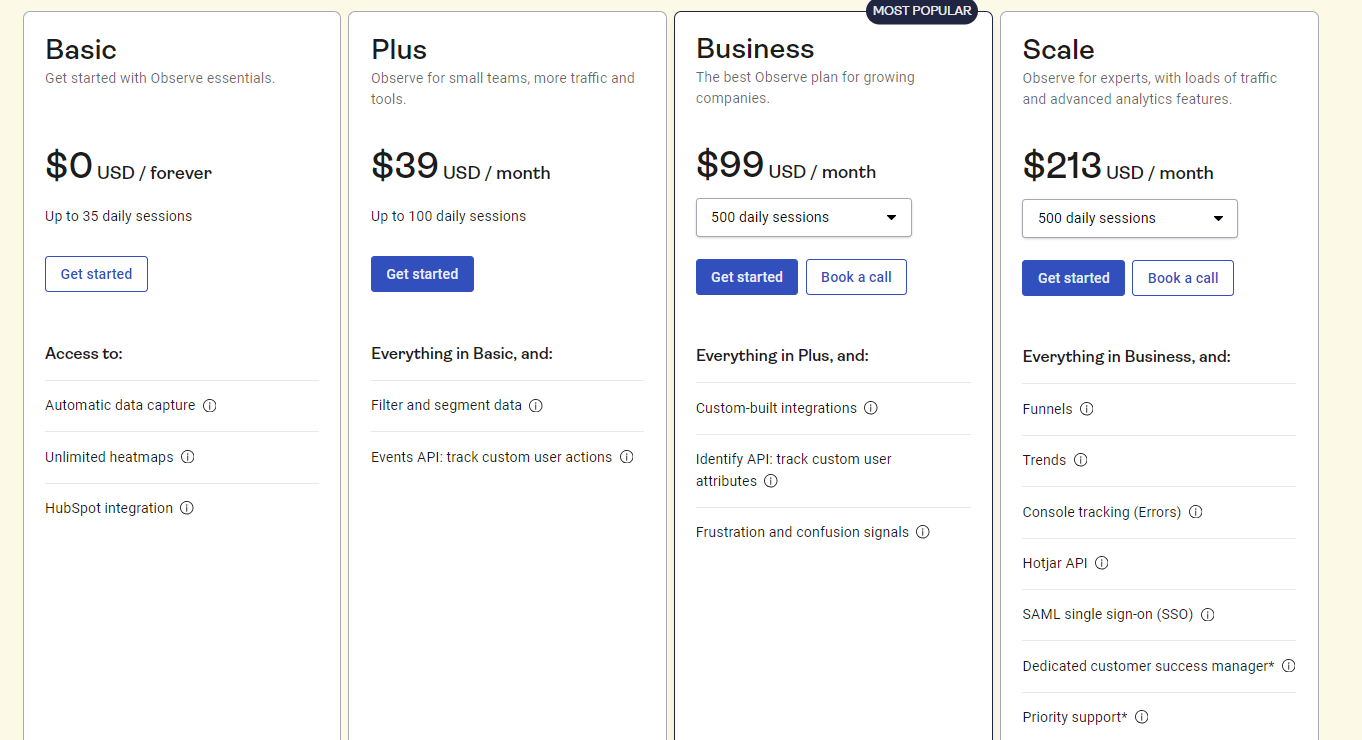
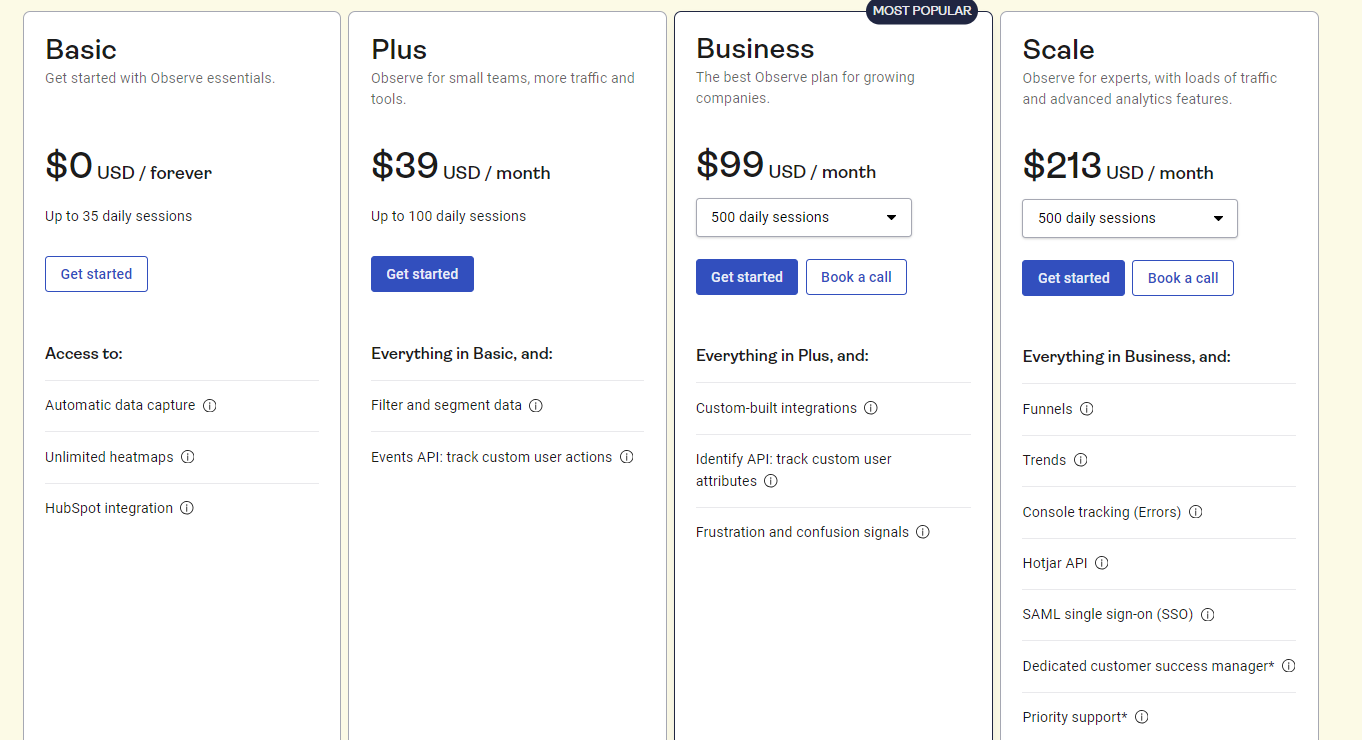
    Paid plans start at $39 per month and scale depending on the number of recorded sessions and features required. For the starter plan, you get basic website analytics tools like session recordings and heatmaps.
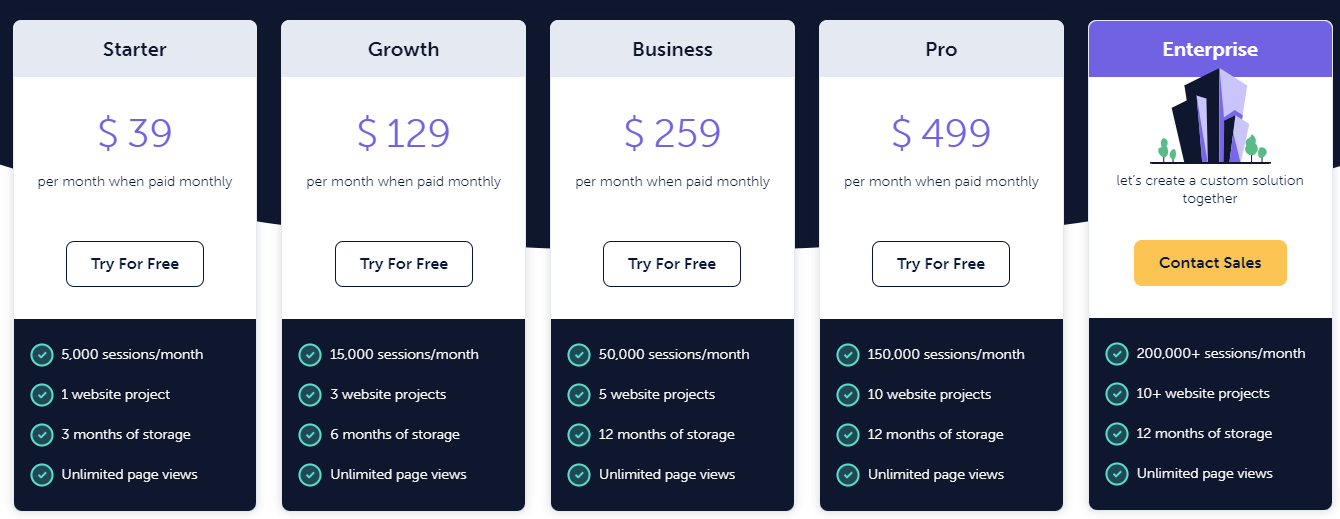
    Mouseflow pricing

    Pros

    • Offers detailed session recordings and heatmaps to understand user behavior
    • Includes funnel analysis to track and optimize conversions
    • Provides form analytics to improve form usability and reduce drop-offs
    • Easy to integrate with popular marketing tools and platforms

    Cons

    • It can become expensive for larger sites with high web traffic
    • Some advanced features may require higher-tier plans
    • Limited custom reporting options

    4. Mixpanel
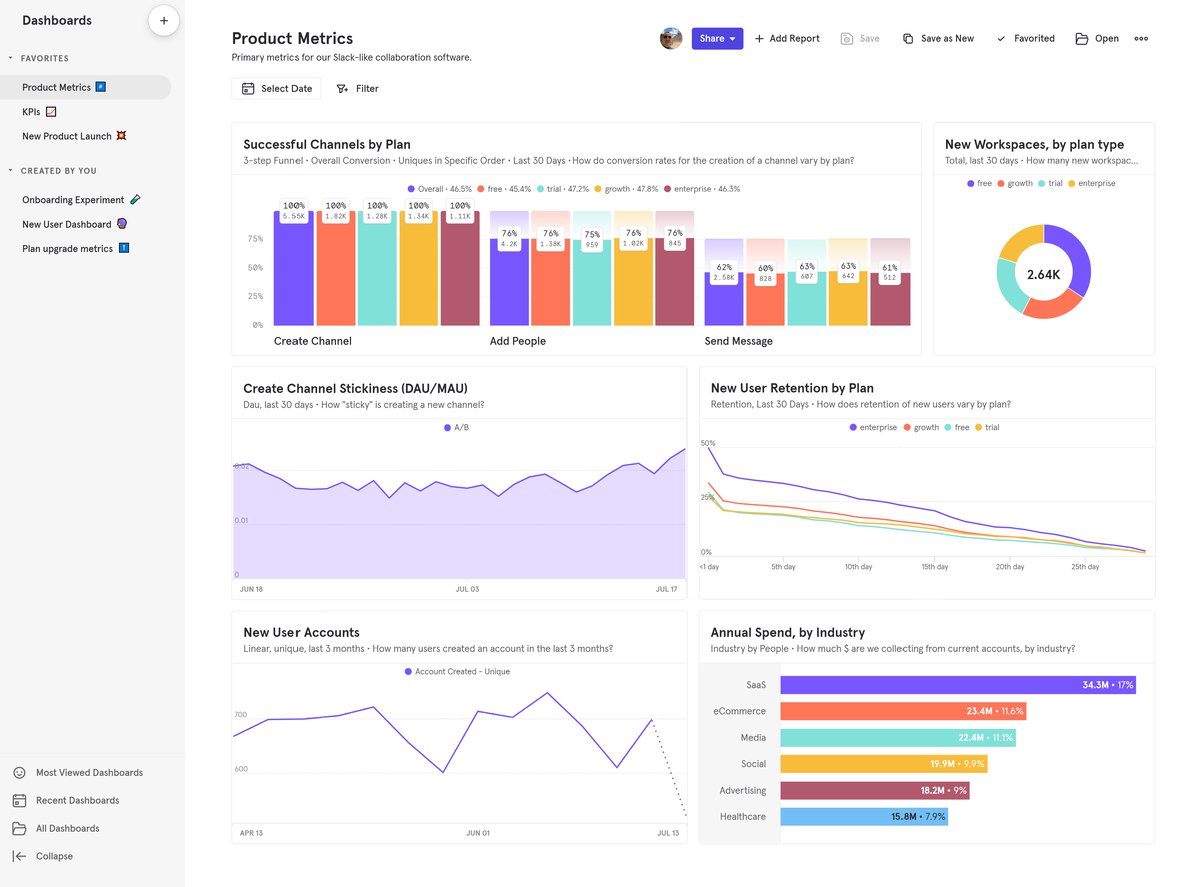
    Mixpanel

    Image source: G2

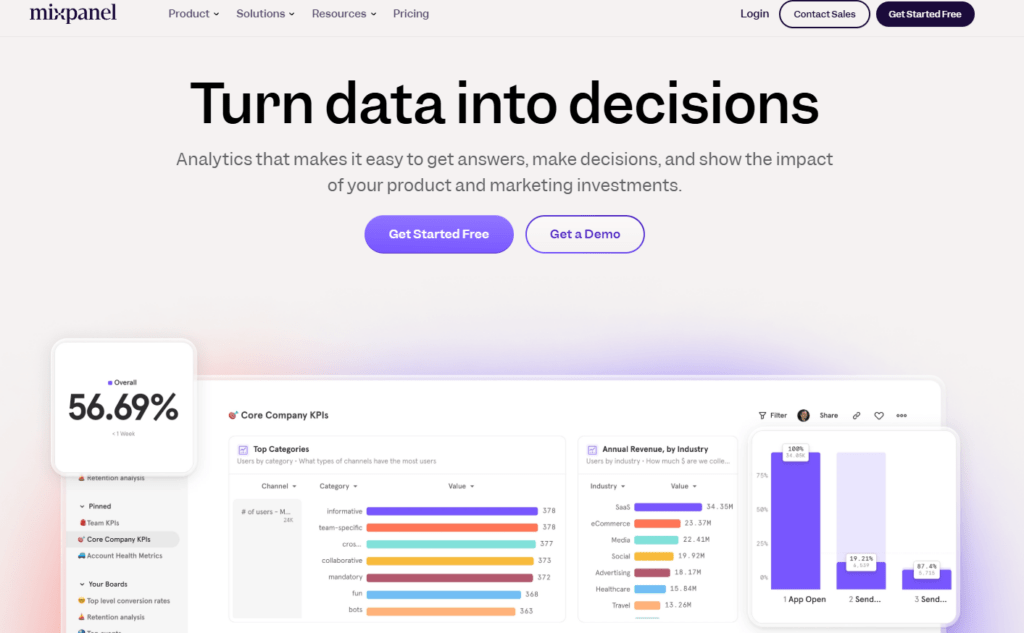
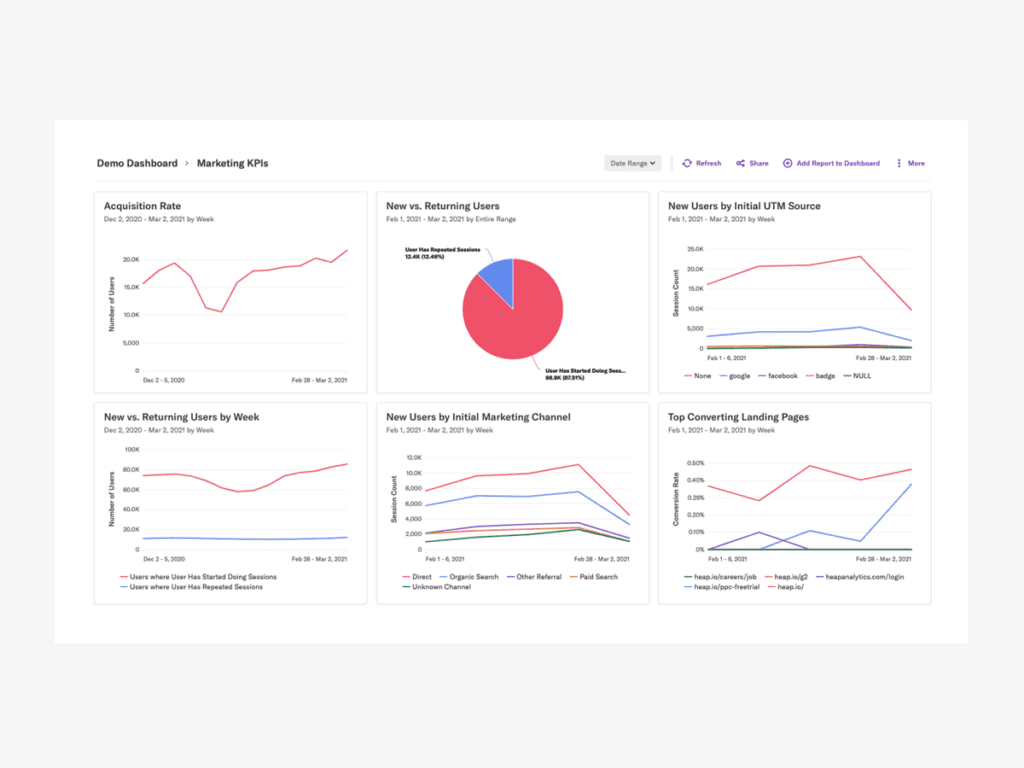
    Mixpanel is a product analytics tool that helps businesses track and analyze specific user actions across websites and mobile apps. 

    It emphasizes event-based tracking, which allows companies to monitor detailed user behaviors and interactions.

    User rating

    Mixpanel has an average user rating of 4.6 out of 5 stars based on 1,124 reviews on G2.
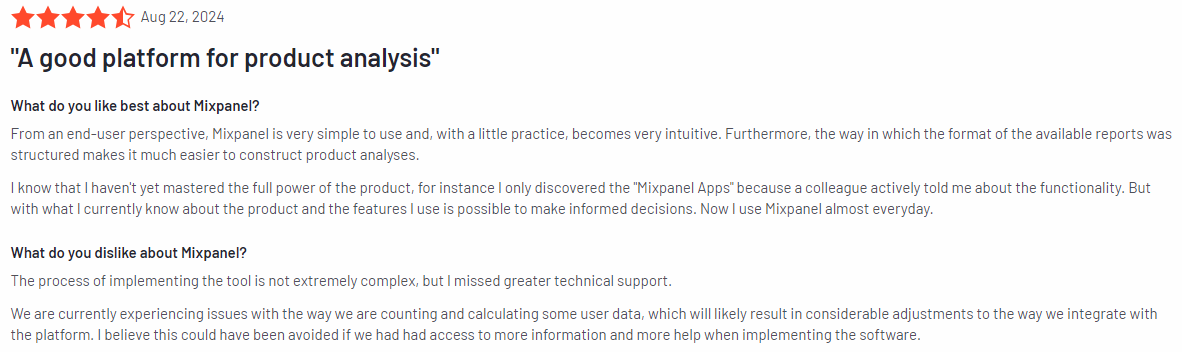
    Mixpanel review

    Image source: G2

    Best for

    Mixpanel is suitable for product teams, marketers, and data analysts who need to track user interactions on both websites and mobile apps.

    Key features

    • Web visitor tracking: Monitor specific user actions like clicks, form submissions, and interactions with key product features to gather detailed data.
    • Funnel analysis: Visualize and analyze where users drop off in critical processes and optimize each step to improve conversions.
    • Cohort analysis: Group users based on their behavior over time, allowing you to track how different segments engage and progress.
    • A/B testing support: Test different variations of your website or app to see which performs best to help you make informed decisions for improvements.
    • Retention tracking: Measure how well you’re retaining users over time and identify what’s driving users to come back or drop off.
    • Custom reports: Create custom reports based on user actions and engagement metrics that are most relevant to your business needs.

    Supported platforms

    Mixpanel supports tracking on both web and mobile platforms.

    Integrations

    Mixpanel integrates with a wide variety of tools, including CRMs, marketing automation platforms, and cloud services. It connects easily with tools like Survicate, Segment, and HubSpot, allowing for smooth data flow and workflow automation.

    Customer support

    Mixpanel offers customer support through email and a detailed help center. It also provides onboarding services for businesses on higher-tier plans to ensure teams get the most out of the platform.

    Pricing

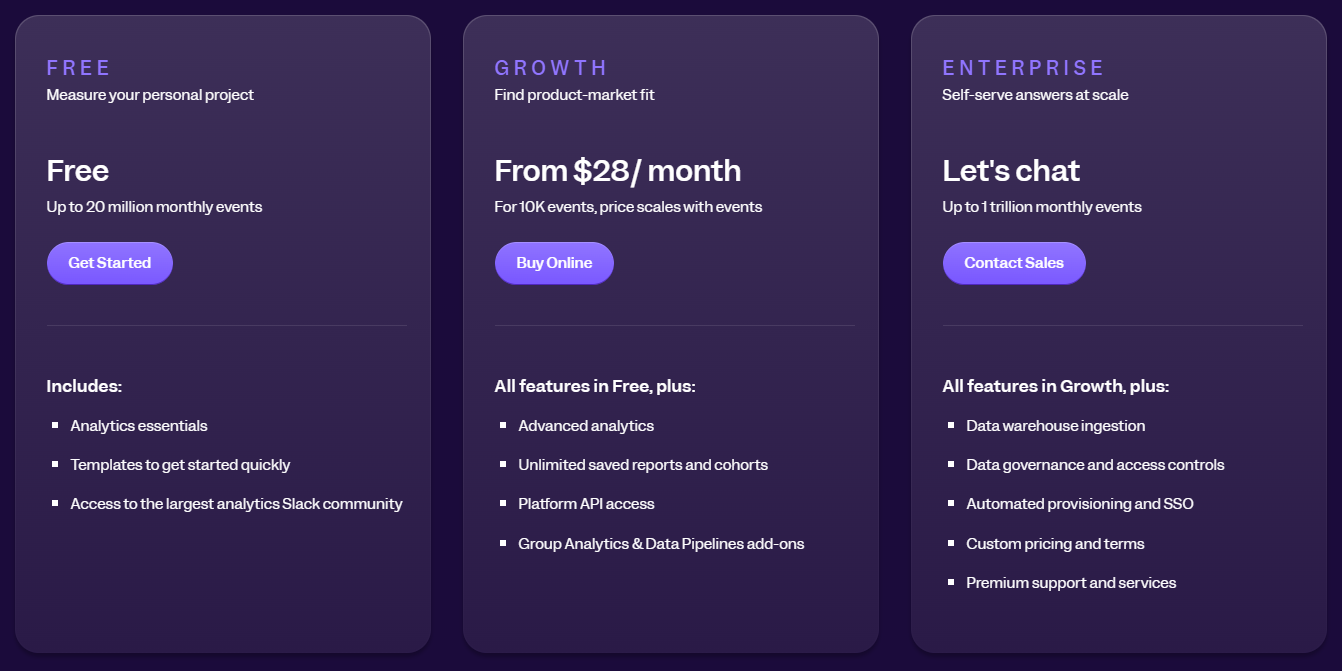
    Mixpanel offers a free plan that includes up to 1,000 tracked users per month. Paid plans start at $28 per month, offering more advanced features and higher limits on tracked users and events.
    Mixpanel pricing

    Pros

    • Highly customizable event tracking for deep user behavior analysis
    • Supports mobile and web tracking, making it versatile for businesses across platforms
    • Cohort analysis and funnel tracking for detailed user engagement insights
    • A/B testing features for optimizing website and app performance
    • Scalable pricing plans that accommodate businesses of all sizes

    Cons

    • It can be complex to set up for users unfamiliar with event-based tracking
    • Advanced features may require a higher-tier plan, increasing costs for small businesses
    • Requires time to fully leverage data that Mixpanel offers

    5. Ruler Analytics
    Ruler Analytics

    Image source: G2

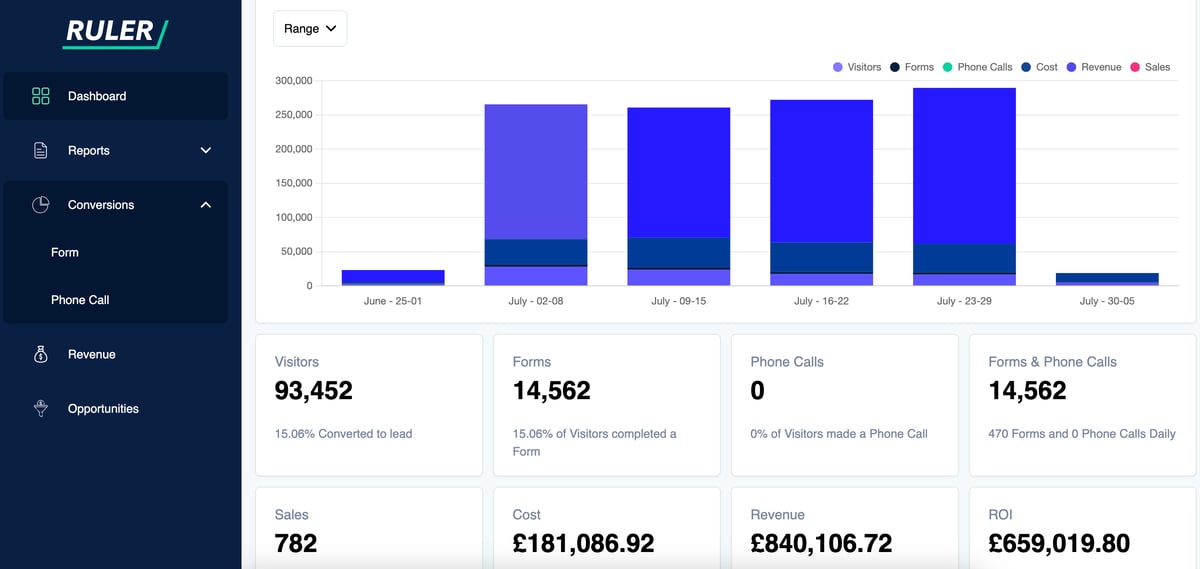
    Ruler Analytics is a conversion tracking and marketing attribution platform that helps businesses understand the full customer journey, from the initial touchpoint to conversion. 

    By connecting marketing activity with actual revenue it allows businesses to see which campaigns are driving the best results and where improvements can be made.

    User rating

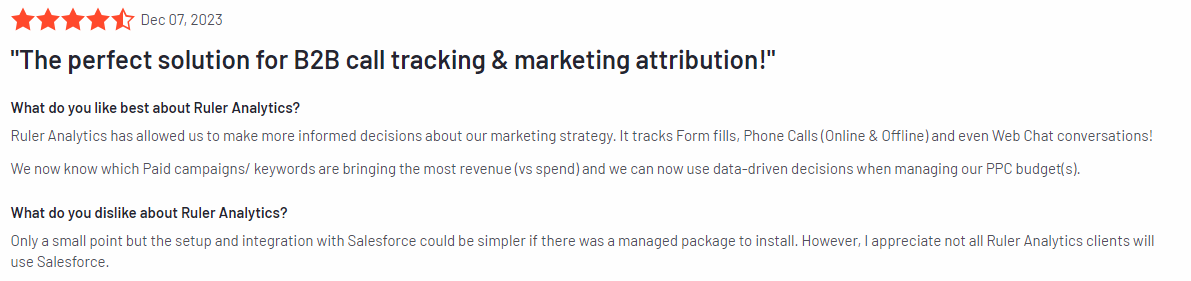
    Ruler Analytics has an average user rating of 4.6 out of 5 stars based on 29 reviews on G2.
    Ruler Analytics review

    Image source: G2

    Best for

    Ruler Analytics is suitable for digital marketers, agencies, and businesses that rely heavily on tracking data from customer touchpoints across various channels.

    Key features

    • Multi-touch attribution: Track the entire customer journey, from the first interaction to conversion, across multiple channels.
    • Conversion tracking: Connect leads generated through your website back to the original marketing source, giving you a clear view of what’s driving conversions.
    • Revenue attribution: Tie marketing strategies directly to revenue, allowing businesses to see which campaigns are generating the most profit.
    • CRM integration: Sync your leads and sales data with CRMs like Salesforce and HubSpot, closing the gap between marketing and sales teams.
    • Call tracking: Capture inbound call data and attribute phone calls to specific marketing campaigns for more complete reporting.
    • Customizable reports: Generate detailed, customizable reports to track KPIs and performance metrics that are most relevant to your business.

    Supported platforms

    Ruler Analytics supports tracking on all major web platforms, including desktop and mobile versions of websites.

    Integrations

    Ruler Analytics integrates with a range of platforms, including Google Ads, Facebook, Salesforce, Google Analytics, and other marketing tools. It also works with CRMs and call tracking software, which provides comprehensive data synchronization and reporting.

    Customer support

    Ruler Analytics offers email and live chat support for users, along with an extensive knowledge base. Users on higher-tier plans may receive additional support options for more personalized assistance.

    Pricing

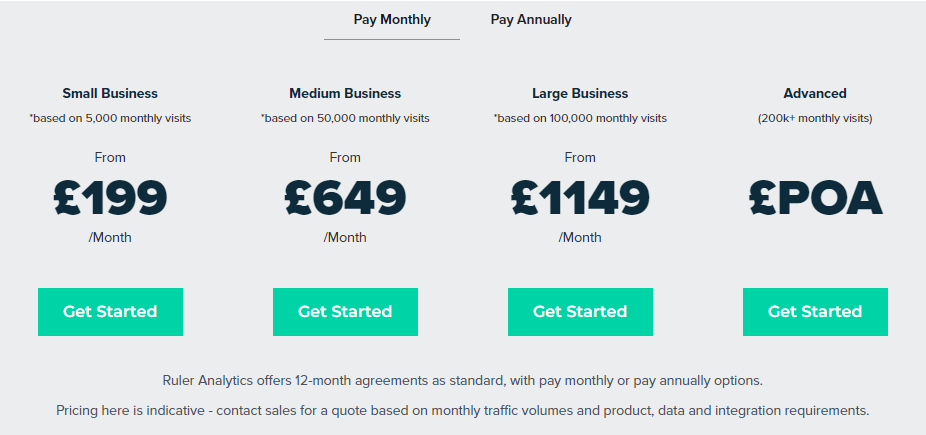
    Ruler Analytics offers a pricing model that scales based on the size of your business and the features you need. 

    Pricing starts at £199 per month for up to 5,000 monthly visits, with higher-tier plans offering more advanced features like additional integrations and reporting options.
    Ruler Analytics pricing

    Pros

    • Provides detailed multi-touch attribution to track the complete customer journey
    • Integrates with popular CRMs and marketing tools, offering smooth data flow
    • Links marketing activities directly to revenue for clearer ROI tracking
    • Includes call tracking to connect inbound phone leads with campaigns
    • Customizable reporting tailored to specific business needs

    Cons

    • Higher starting price compared to some other analytics tools
    • It may require some setup time to fully integrate with existing systems
    • Smaller businesses might find the cost too high for their needs

    6. Smartlook
    Smartlook

    Image source: G2

    Smartlook is a product analytics tool that focuses on delivering insights through session recordings, heatmaps, and event tracking. 

    What sets Smartlook apart is its ability to track both web and mobile app user behavior, which makes it a versatile tool for businesses that need insights across multiple platforms.

    User rating

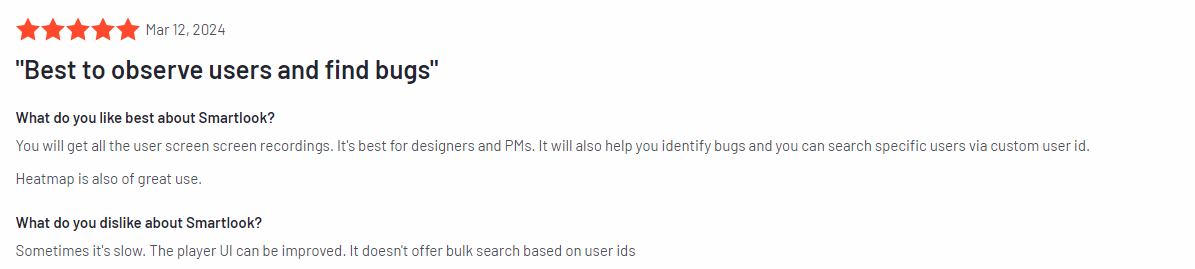
    Smartlook has an average user rating of 4.6 out of 5 stars based on 870 reviews on G2.
    Smartlook review

    Image source: G2

    Best for

    Smartlook is for teams that need flexible, data-driven insights to refine their marketing strategies and improve product development, especially marketing and product teams.

    Key features

    • Session recordings: Replay user sessions to see exactly how visitors interact with dynamic elements on your site or app, using filters to locate specific sessions based on events, errors, or user actions for deeper analysis.
    • Heatmaps: Visualize user behavior through click, scroll, and movement heatmaps, including dynamic elements like drop-downs and carousels, to understand engagement on more complex page components.
    • Event tracking: Retroactively track specific user actions, such as clicks, form submissions, or interactions with dynamic content, without needing to predefine events.
    • Funnels: Set up conversion funnels retroactively to analyze historical user behavior and pinpoint where users drop off in key processes.
    • Mobile app analytics: Track user behavior on iOS and Android apps, capturing in-app gestures like taps and swipes, providing a complete view of user interactions across both platforms.
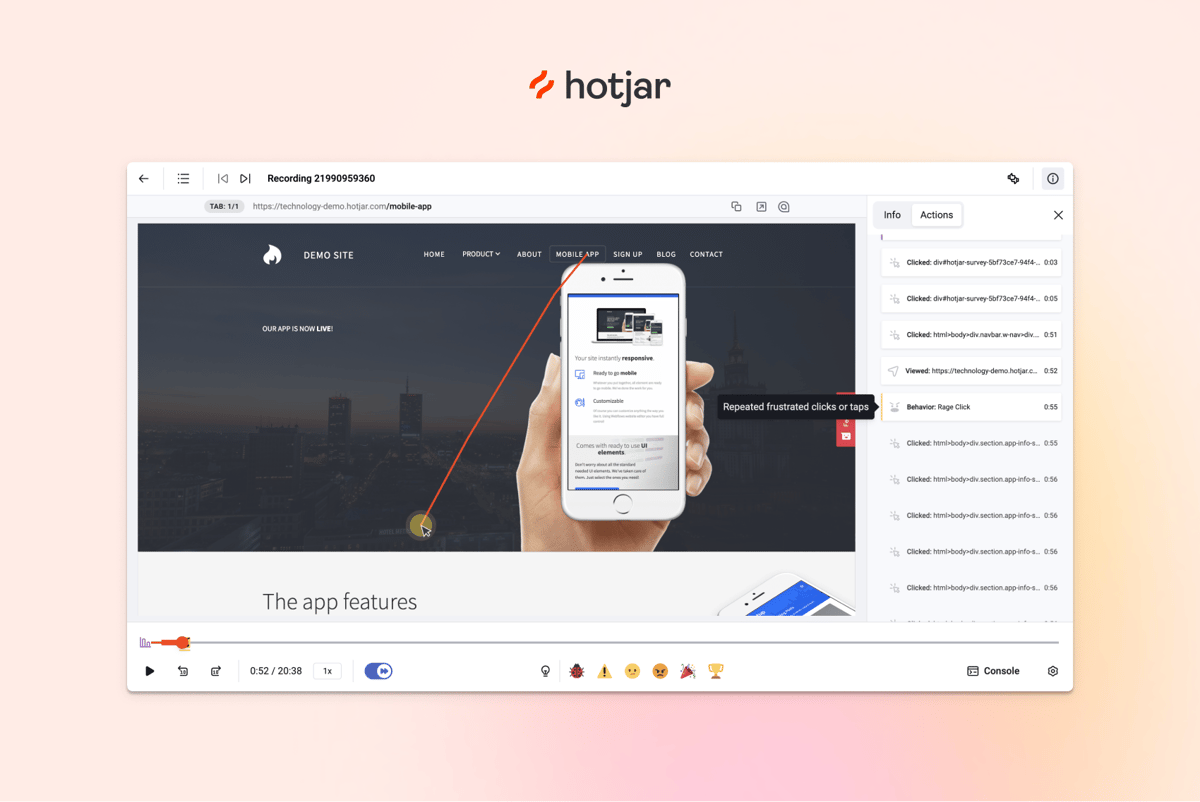
    • Automatic issue detection: Detect issues such as rage clicks or broken elements to quickly address user frustrations.

    Supported platforms

    Smartlook supports tracking on both web and mobile platforms, including desktop, iOS, and Android apps.

    Integrations

    Smartlook integrates with a wide range of tools, including Optimizely, Slack, HubSpot, and more. 

    It also supports webhooks and APIs for custom integrations to ensure seamless data flow between Smartlook and your existing tools.

    Customer support

    Smartlook offers email support, along with a detailed knowledge base and video tutorials. Users on premium plans can also receive priority support.

    Pricing

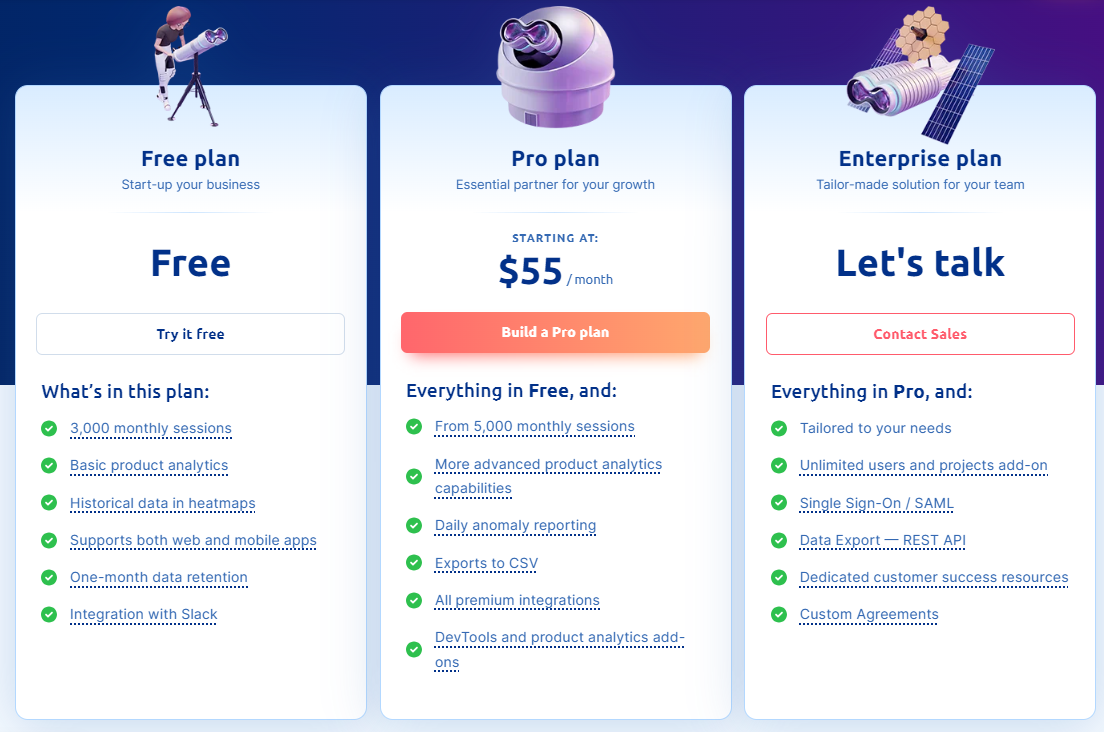
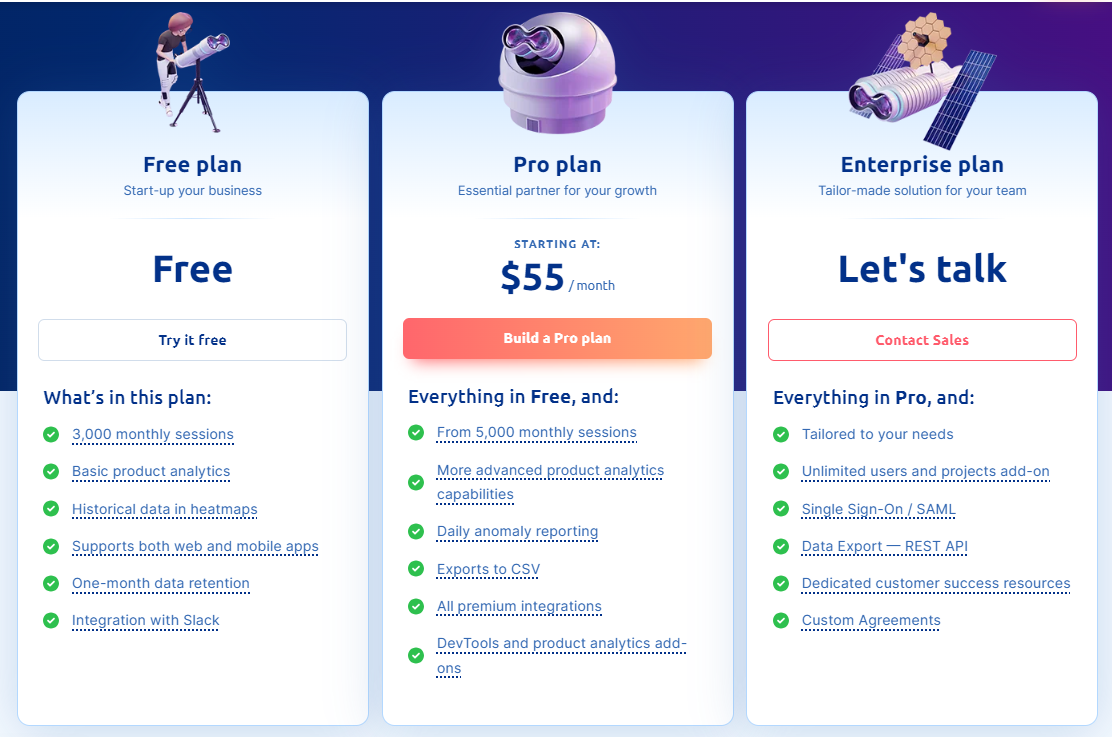
    Smartlook offers a free plan with limited features, including 3,000 sessions per month. Paid plans start at $55 per month and include additional features like unlimited heatmaps, up to 5,000 monthly sessions, and advanced integrations. 

    Custom pricing is also available for larger businesses with more complex needs.
    Smartlook pricing

    Pros

    • Tracks user behavior on both websites and mobile apps
    • Offers session recordings and heatmaps for detailed insights
    • Easy-to-use interface with minimal setup required
    • Affordable pricing options with a free plan available
    • Automatically detects issues to improve user experience quickly

    Cons

    • Some advanced features are only available in higher-tier plans
    • Limited customization for reporting
    • It can become costly for larger businesses with high traffic
    • Sometimes lacks explanations for errors
    • Occasional bugs or glitches with session recordings and UI, according to some users

    7. Lead Forensics
    Lead Forensics

    Image source: G2

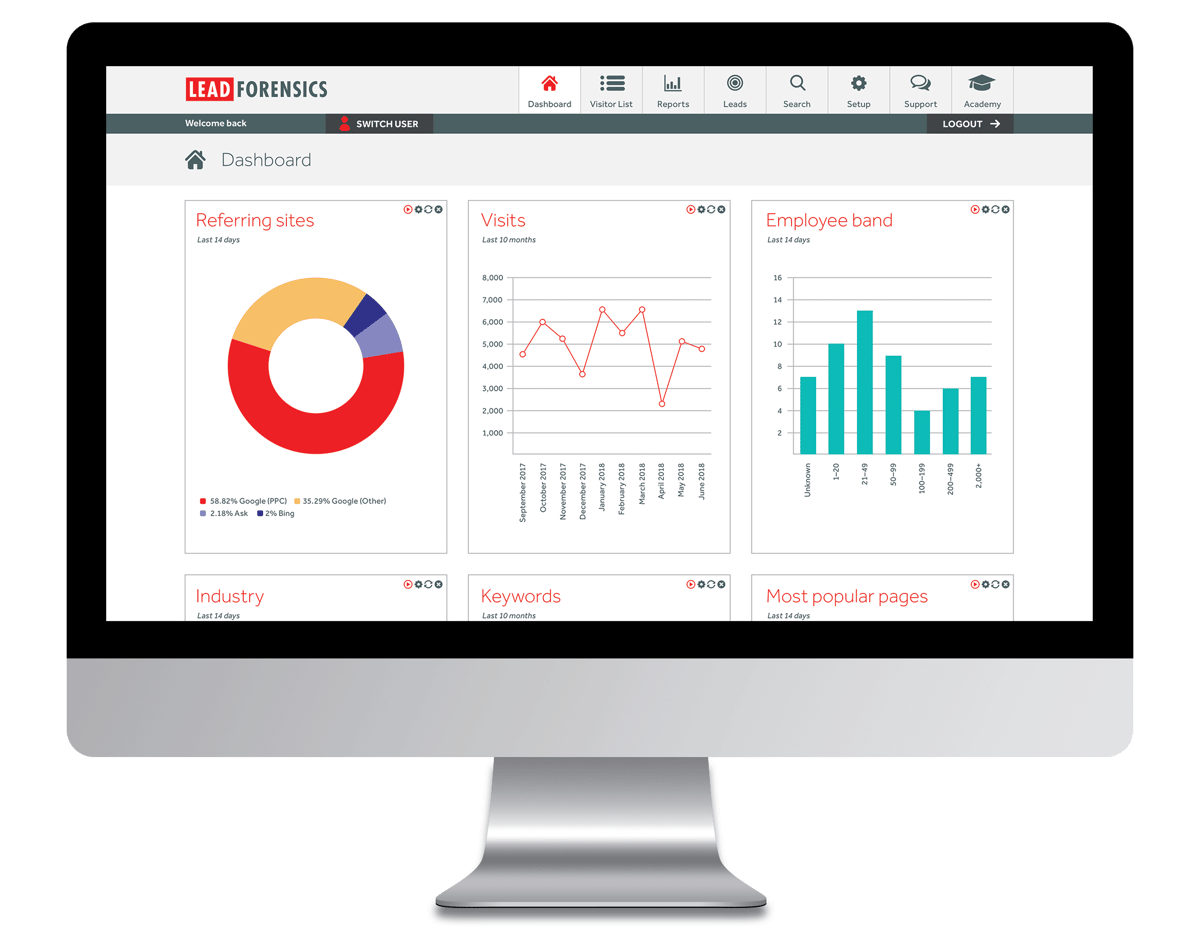
    Lead Forensics is a B2B lead generation and website visitor monitoring tool designed to help businesses identify anonymous website visitors. 

    By uncovering the company names and contact details of site visitors, Lead Forensics provides actionable data for sales and marketing teams to follow up on potential leads.

    User rating

    Lead Forensics has an average user rating of 4.3 out of 5 stars based on 706 reviews on G2.
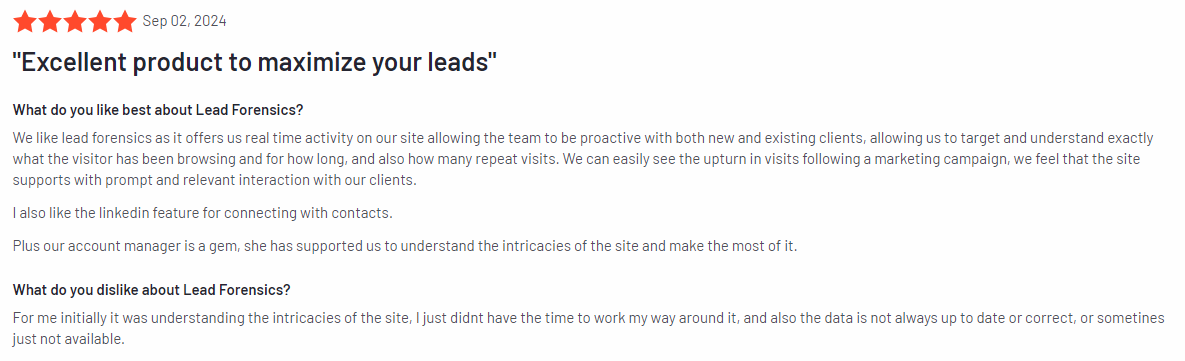
    Lead Forensics pricing

    Image source: G2

    Best for

    Lead Forensics is suitable for B2B businesses, sales teams, and marketing departments looking to identify and reach out to anonymous website visitors. 

    It’s useful for businesses with a heavy focus on lead generation, prospecting, and sales conversions from different website traffic sources.

    Key features

    • Visitor identification software: Identifies anonymous website visitors and provides company names, contact details, and other useful data for your lead generation efforts.
    • Lead scoring: Scores website visitors based on their activity, helping prioritize high-quality leads for immediate follow-up.
    • Real-time alerts: Notifies you in real-time when key prospects visit your site, which can lead to faster and more targeted engagement.
    • CRM integration: Integrates with popular CRM systems like Salesforce and HubSpot, making it easy to manage leads and automate follow-up processes.
    • Detailed analytics: Provides insights into visitor behavior, including pages visited, time spent, and engagement levels, to help you understand lead intent.
    • Custom reporting: Offers tailored reports on visitor behavior and lead generation metrics to help businesses measure the effectiveness of their efforts.

    Supported platforms

    Lead Forensics supports tracking on all major web platforms.

    Integrations

    Lead Forensics integrates with CRMs and marketing automation platforms, including Salesforce, HubSpot, and Zoho CRM. Like the other visitor identification tools on this list, it also supports other tools through API integration for easy data flow between systems.

    Customer support

    Lead Forensics provides customer support through live chat, phone, and email. Additionally, users have access to a comprehensive help center with guides and best practices.

    Pricing

    Lead Forensics operates on a custom pricing model based on the size of your business and specific needs. Interested users can contact the sales team for a tailored quote. It offers a demo to help businesses understand the platform’s capabilities before committing.
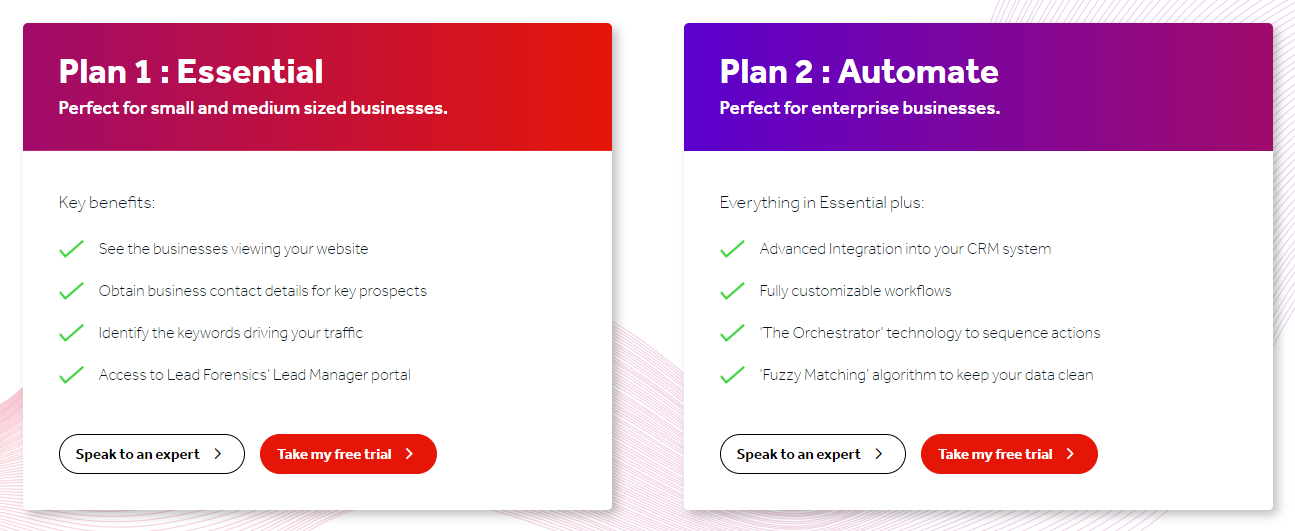
    Lead Forensics pricing

    Pros

    • Identifies anonymous website visitors, turning them into actionable leads
    • Real-time alerts allow for immediate engagement with potential customers
    • Integrates with popular CRM and marketing tools
    • Offers detailed visitor analytics and lead scoring for better prioritization

    Cons

    • Custom pricing may be a barrier for smaller businesses
    • Limited to identifying B2B leads, which might not suit B2C businesses
    • Some users may find the platform’s interface a bit dated

    Best 7 Website Visitor Tracking Software Comparison Table

    Below is a comparison of key features across some of the best tools available. This table will help you see at a glance how these tools measure up, making it easier to decide which one fits your needs.

    FullSessionSalespanelMouseflowMixpanelRuler AnalyticsSmartlookLead Forensics
    Real-time session recordings
    Heatmaps
    User feedback tools
    Conversion funnel analysis
    Error tracking
    CRM integration
    Mobile app tracking
    Monthly pricing$39$99$39$28£199$55n/a

    Best 7 Website Visitor Tracking Software: Our Verdict

    If you’re looking for the best tool to track users visiting your website, FullSession is a standout choice. You can evaluate all features during a free trial. Sign up now.

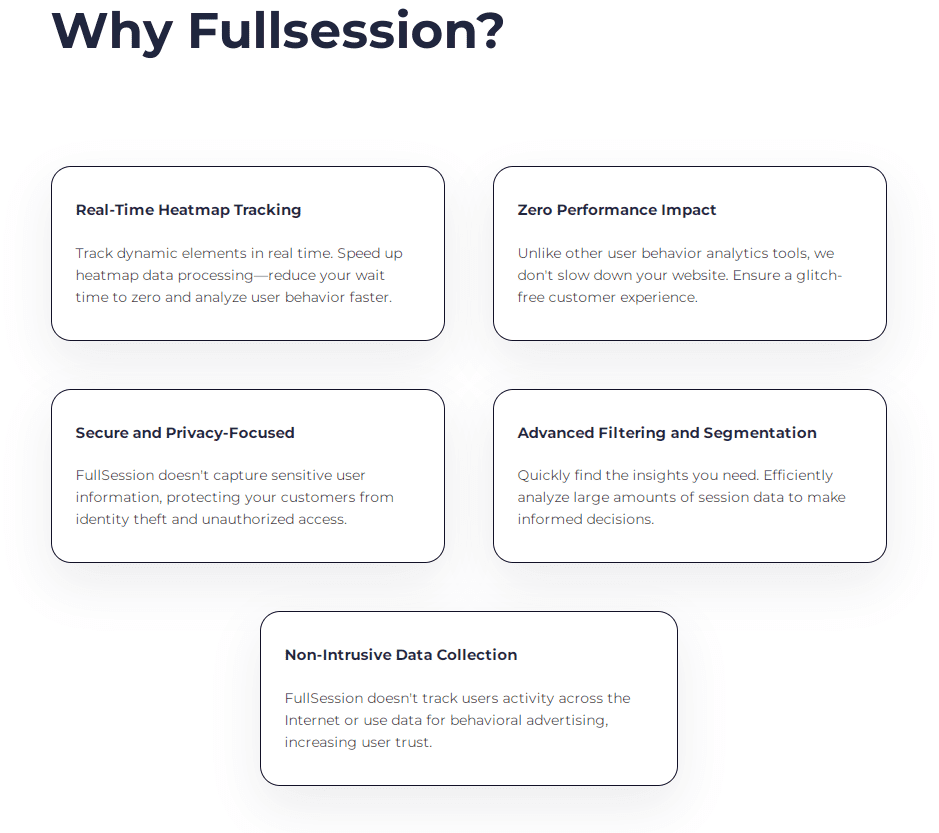
    It tracks dynamic elements in real time so you get detailed insights into how visitors interact with every part of your site.

    Plus, its heatmap processing is lightning-fast, so you get all the data you need without slowing down your website. 

    FullSession also puts privacy first by excluding sensitive data from recordings, keeping you compliant with regulations like GDPR and CCPA.

    Handling large amounts of data is a breeze with FullSession, and it quickly reveals key insights that can help you make smarter decisions. 

    One of its strengths is that it limits tracking to your own site, which ensures that your users’ data isn’t misused.

    On top of that, FullSession makes cross-team collaboration easy, bringing together product, marketing, and support teams on one platform.

    Book a demo now to see how FullSession can help you optimize your site and boost your business.

    Conclusion About Best 7 Website Visitor Tracking Software

    Website visitor tracking tools are a must-have for any online business wanting to understand how users are interacting with their site. 

    These tools give you the insights you need to spot what’s working, what’s not, and where improvements can be made.

    Whether you run an e-commerce store, a blog, or a SaaS platform, having a reliable way to track visitor behavior can help boost engagement, improve the user experience, and increase conversions.

    While all the tools we’ve discussed have their strengths, FullSession really stands out for its real-time website tracking, fast heatmaps, and strong focus on user privacy. It’s an all-in-one solution that not only helps you understand your visitors but also protects their data.

    Get a demo now to see how FullSession can make a difference for your business.

    FAQs About Best Website Visitor Tracking Software

    Which tool is best for website visitor tracking?

    FullSession is the best tool for tracking visitors on your site and analyzing their actions. It offers real-time session recordings, heatmaps, and powerful analytics to help you understand how visitors interact with your site, all while protecting user privacy.

    How do I track visitors on my website?

    You can track visitors on your website by using tracking software like FullSession. These tools allow you to monitor user sessions, capture interactions with key elements, and view heatmaps to see where visitors click and scroll. 

    This gives you actionable insights into user behavior, helping you optimize your website for better performance and engagement.

    How to collect visitor data from a website?

    To collect visitor data, you’ll need a tool like FullSession that tracks and records user sessions. It gathers data on how long users stay on each page, which buttons they click, and where they navigate. 

    Tools like FullSession ensure data collection is done in compliance with privacy laws, and you can use the insights to improve your website’s usability and conversion rates.

    How to follow up with website visitors?

    To follow up with website visitors, you can use lead tracking tools that integrate with your CRM, like FullSession. By identifying key visitors based on their behavior, you can segment them for targeted email campaigns or personalized outreach. 

    FullSession helps you qualify leads and determine the best strategies for re-engaging high-potential customers.

    How does visitor tracking software work?

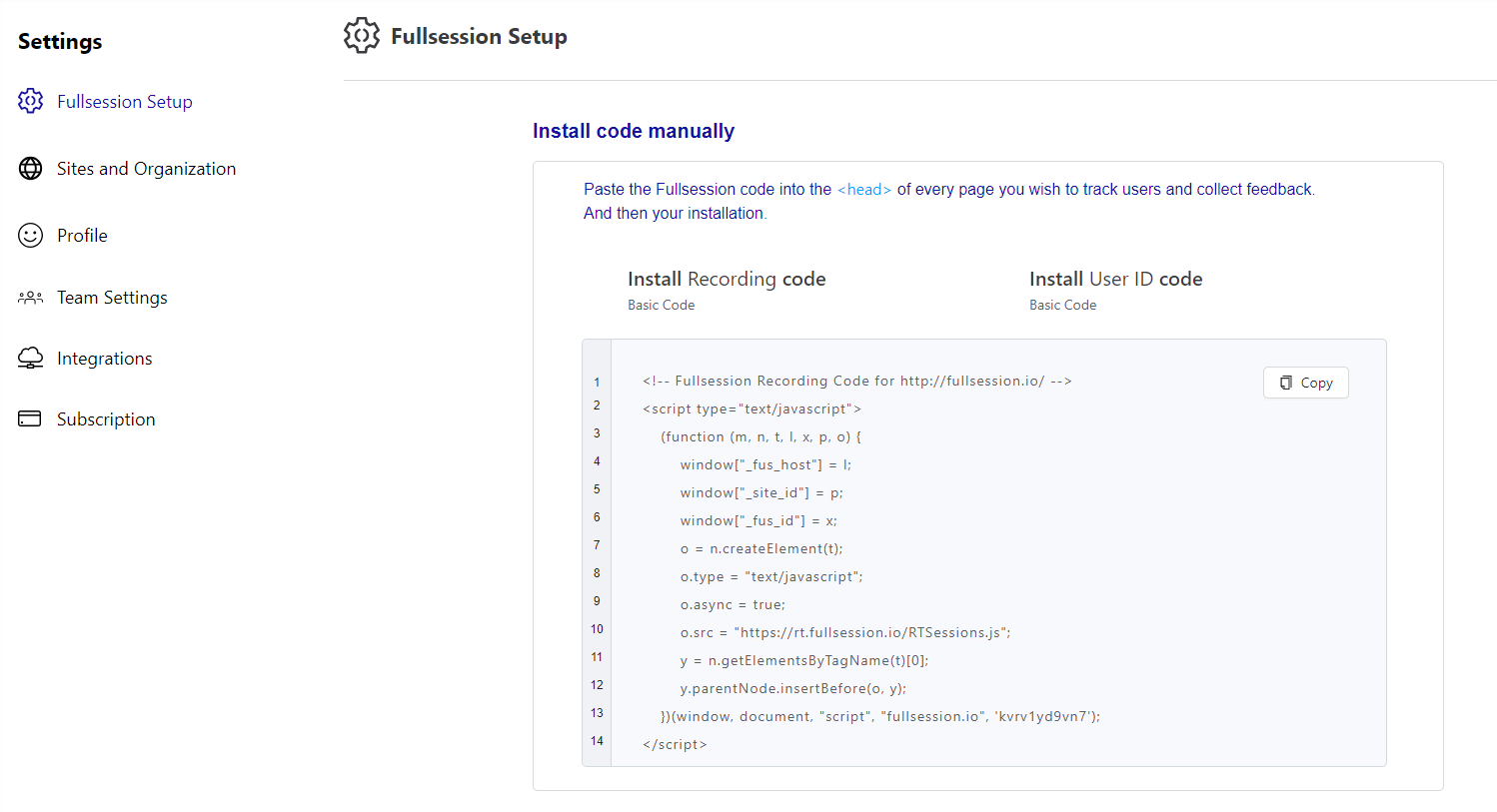
    Visitor tracking software works by monitoring and recording user behavior as they interact with your website. It tracks details like where users click, how far they scroll, which pages they visit, and how long they stay on each page. Tools like FullSession use cookies or scripts embedded on your site to capture this data in real time. 

    The software then provides insights through session recordings, heatmaps, and reports, allowing you to analyze visitor behavior, identify problem areas, and optimize your website for better engagement and conversions.

    What are the key performance indicators you need to track?

    Key performance indicators (KPIs) for tracking website visitor performance include session duration, which shows how long users stay on your site, and bounce rate, which measures the percentage of visitors who leave without interacting. 

    Other important KPIs are page views, conversion rate, click-through rate (CTR), and user engagement (actions like clicks and scrolls). Both new and traditional analytics tools like FullSession track these KPIs in real time, giving you insights to improve site performance and user experience.

    What is customer journey tracking and why is it important?

    Customer journey tracking monitors the entire path visitors take on your website, from their first interaction to conversion. It’s closely related to visitor tracking, as it helps you understand how users engage with different touchpoints. 

    This insight is important because it highlights where users drop off, what drives engagement, and where improvements are needed to maximize conversions. 



  • 5 Best Website Monitoring Tools for Real-Time Performance Insights

    5 Best Website Monitoring Tools for Real-Time Performance Insights

    Want to improve your website’s performance and user experience?

    Website monitoring tools are the answer. These tools track your site’s uptime, performance, and user interactions, helping you identify and resolve issues promptly.

    FullSession is one such solution, offering error analysis to help you detect website problems, identify their root causes, and prevent them from impacting user experience.

    FullSession also includes advanced user behavior tools, providing you with an all-in-one platform to visualize all user engagement, analyze trends and patterns with laser precision, and optimize your website for peak performance.

    Book a demo to explore its features.

    Selecting the best website visitor tracking software can be challenging, as it needs to align with your specific requirements and grow with your business.

    This article will outline the best website monitoring tools and their key features and benefits to help you make an informed decision.

    Visualize, Analyze, and Optimize with FullSession

    See how to transform user data into actionable insights for peak website performance.

    Key Takeaways

    • FullSession is a user behavior analytics software that provides laser-precise visual insights to help you optimize websites for better performance. It includes intuitive features like session recordings and replays, interactive website heatmap tools, customer feedback tools, conversion funnel analysis, and error tracking. FullSession helps businesses capture the entire customer journey and get actionable user behavior data while maintaining privacy compliance with GDPR, CCPA, and PCI standards. Pricing starts at $39/month, with a 20% discount for annual plans. Book a demo today to see how it works!
    • Datadog is a cloud-based monitoring and analytics platform that offers full-stack monitoring for businesses. It includes features like customizable dashboards, real-time alerts, application performance monitoring (APM), log management, and server monitoring. Suitable for businesses with complex infrastructures, Datadog offers extensive integrations with over 500 services. Drawbacks include its complexity for beginners and potentially high costs as more features or hosts are added. Pricing starts at $15 per host per month.
    • Site24x7 is AI-powered monitoring software designed for websites, servers, networks, and applications. It offers advanced features like website performance tracking, application monitoring, real-time alerts, and cloud monitoring. However, its advanced features may require a learning curve, and integrations with third-party services could be more extensive. Pricing starts at $1 per resource per month, with a free tier for basic monitoring.
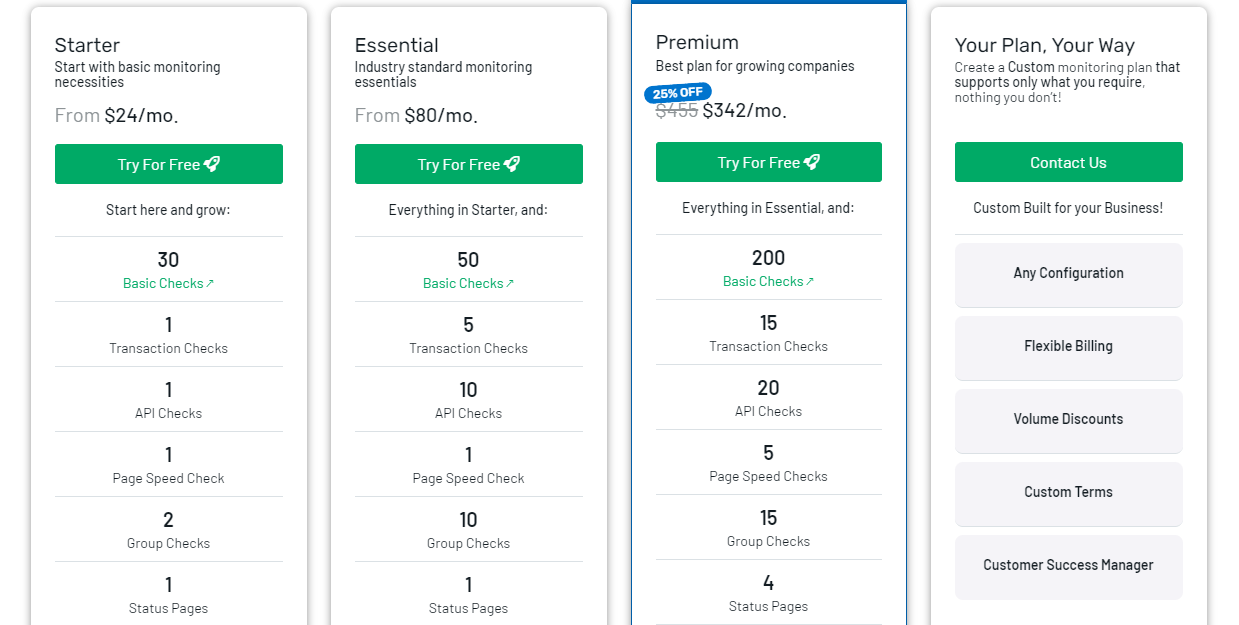
    • Uptime is a website monitoring tool focused on uptime and performance tracking. Key features include uptime monitoring, performance tracking, multi-location checks, and SSL/domain expiration alerts. It’s simple to use and affordable, making it a good option for businesses of all sizes. However, Uptime.com lacks deeper user behavior analytics compared to more advanced tools. Pricing starts at $24 per month with flexible plans based on website monitoring needs.
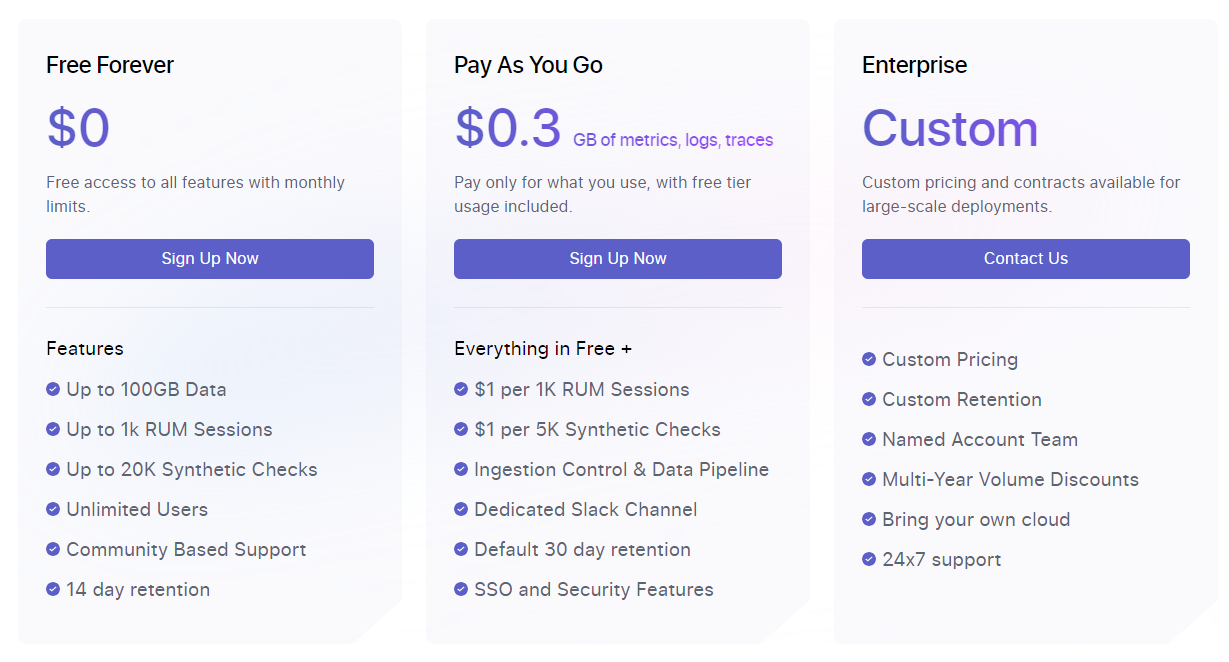
    • Middleware is a full-stack cloud observability platform for developers and IT teams. It provides application performance monitoring (APM), API performance tracking, database monitoring, and customizable dashboards. Middleware supports cloud and web applications with real-time alerts and detailed integrations with developer tools like AWS and Docker. Its pay-as-you-go pricing is flexible but can be overwhelming for smaller businesses due to unpredictable costs and difficulty predicting usage. Pricing starts at $0.3 per GB of data, making it scalable but potentially costly as monitoring needs grow.

    Here are more detailed reviews on each of these web performance monitoring tools.

    Best 5 Website Monitoring Tools Right Now

    Here’s a roundup of the best website monitoring tools of 2024:

    1. FullSession (Get a demo)
    2. Datadog
    3. Site24x7
    4. Uptime
    5. Middleware

    1. FullSession

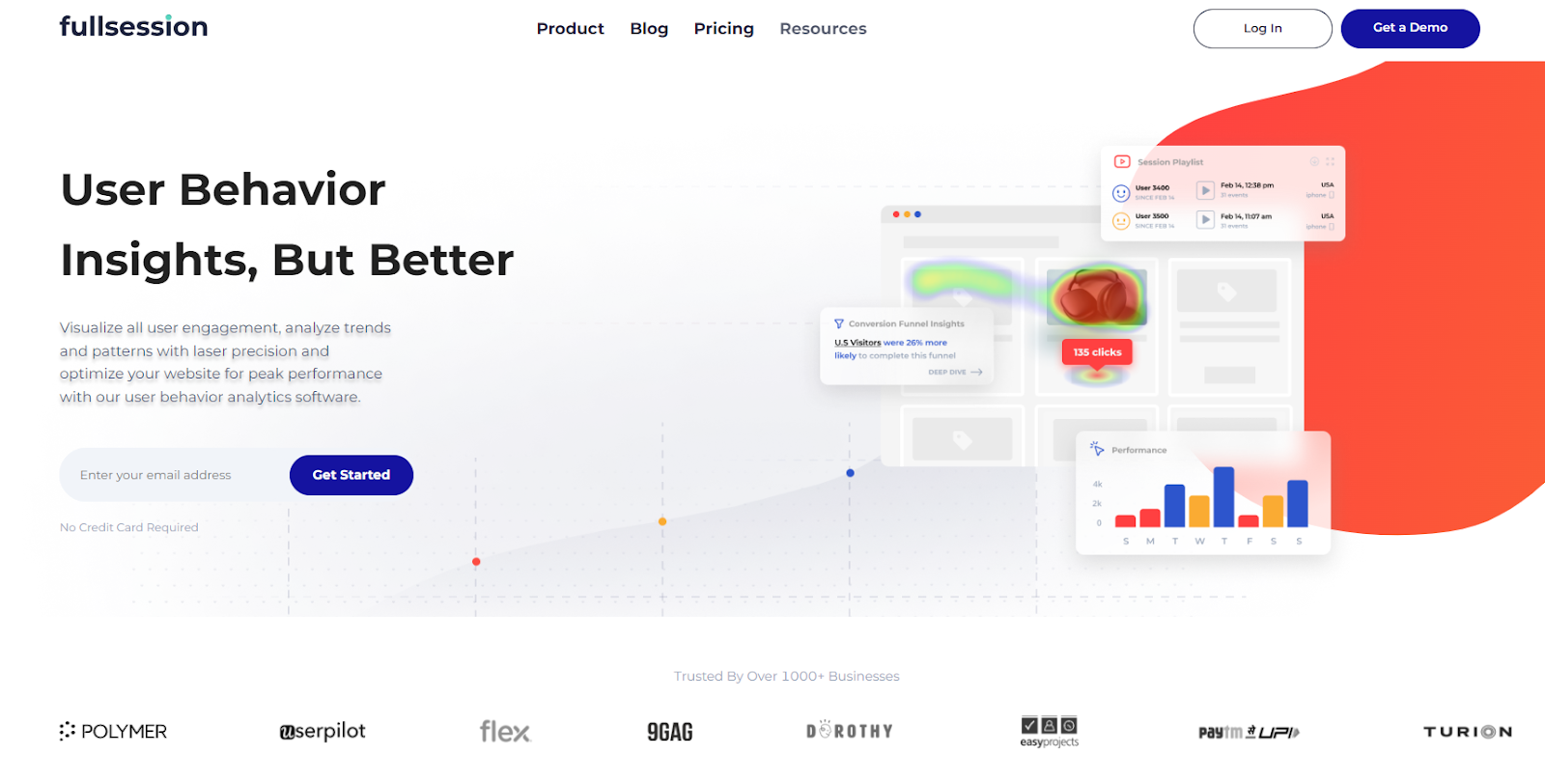
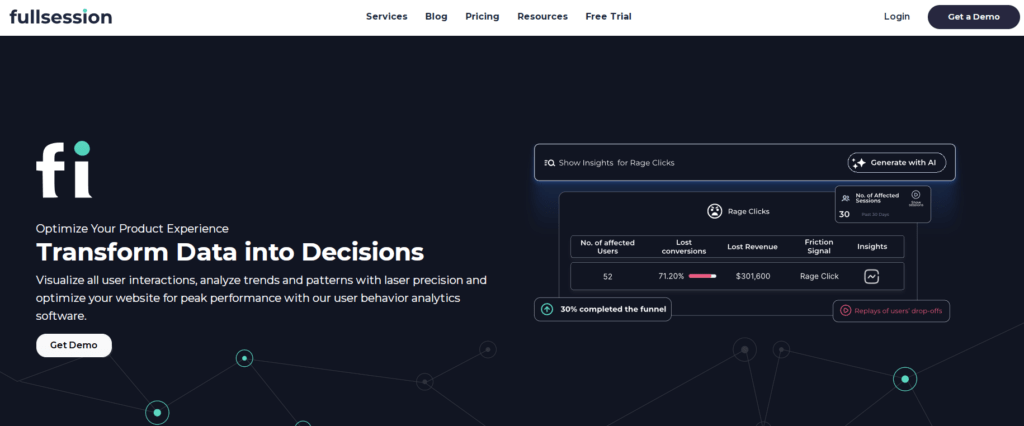
    FullSession homepage

    FullSession is a user behavior analytics software designed to give you a complete view of how users engage with your website. 

    It offers powerful tools that help you dig deeper into user interactions, making it easy to identify problem areas and improve overall site performance.

    With FullSession, you can automatically detect JavaScript errors, network problems, and failed API calls. This feature helps you quickly pinpoint and troubleshoot errors that might disrupt user engagement or hinder site performance.

    Whether you’re running a small business website or managing a large platform, keeping users engaged and fixing any friction points quickly is crucial for success. FullSession lets you do just that, offering real-time session tracking and actionable insights.

    The tool goes beyond simply tracking numbers. It allows you to watch how users navigate your site, pinpoint what might be causing them to leave, and address performance issues promptly. 

    Book a demo to learn more.

    Session recording and replay

    Best for

    FullSession is the best website monitoring tool for a wide range of professionals, including:

    Key features

    • Advanced user and event segmentation: FullSession allows you to categorize users based on specific behaviors and patterns. This helps you visualize how different user groups interact with your site and gain insights on what to improve to maximize engagement and conversions. 
    • Session recordings and replays: Use real user session recording to capture every interaction users make on your website and replay these sessions to understand their behavior. FullSession’s recordings exclude sensitive information to protect user privacy.
    • Interactive heatmaps: See how users interact with your site in real time. Track mouse movements, clicks, and scroll behavior to determine which areas of your site perform best or need improvement.
    • Feedback forms and reports: Collect direct feedback from users with customizable forms. Combine feedback with session recordings to understand the full context of any issues.
    • Conversion optimization tools: Visualize where users drop off in your funnel and experiment with different page elements to increase conversion rates.
    • Error tracking: Automatically detect and fix issues like JavaScript errors, failed API calls, or network failures that could affect the user experience.

    Supported platforms

    FullSession works with websites on desktop and mobile browsers.

    Integrations

    With FullSession, you can streamline your workflows and keep data in sync. 

    Whether you prefer using APIs, webhooks, Zapier, or built-in integrations, FullSession connects effortlessly with your existing tools, automating tasks and maintaining a smooth data flow across your systems.

    For instance, it integrates seamlessly with popular platforms like BigCommerce, Wix, Shopify, and WordPress, allowing you to optimize your processes with minimal setup effort.

    Customer support

    You can get help via live chat or email. There’s also a detailed help center if you prefer to find answers on your own.

    Pricing

    FullSession offers three pricing plans: Starter, Business, and Enterprise. The Starter plan begins at $39 per month and includes unlimited heatmaps and session recordings for up to 5,000 user sessions. Save up to 20% with the annual plan and pay only $32/month for Starter.

    FullSession pricing

    Check out the Pricing page to learn more.

    Pros

    • Comprehensive error tracking to spot website issues immediately
    • Real-time tracking of dynamic website elements
    • Fast heatmap processing without affecting page speed
    • Privacy protections that exclude sensitive data from recordings
    • Easy to manage large data sets
    • Built for collaboration across teams
    • Intuitive dashboard where you can see all your web performance data in one place
    • Affordable starting price
    • User-friendly interface to accommodate users of all tech knowledge levels

    Cons

    • No support for native mobile app tracking

    Book a demo today.

    2. Datadog

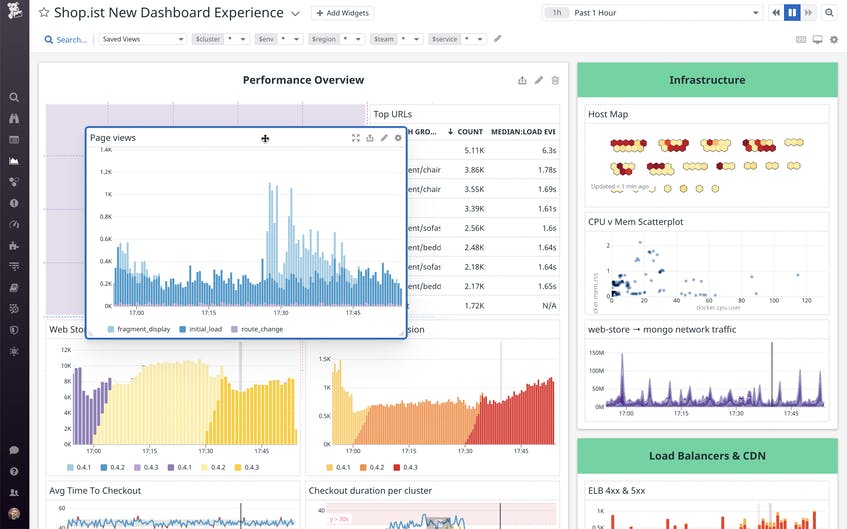
    Datadog

    Image source: G2

    Datadog is a cloud-based monitoring and analytics platform designed for businesses looking to track their entire tech stack in one place. 

    It provides real-time data and complete visibility into your website’s performance, infrastructure, and applications.

    User rating

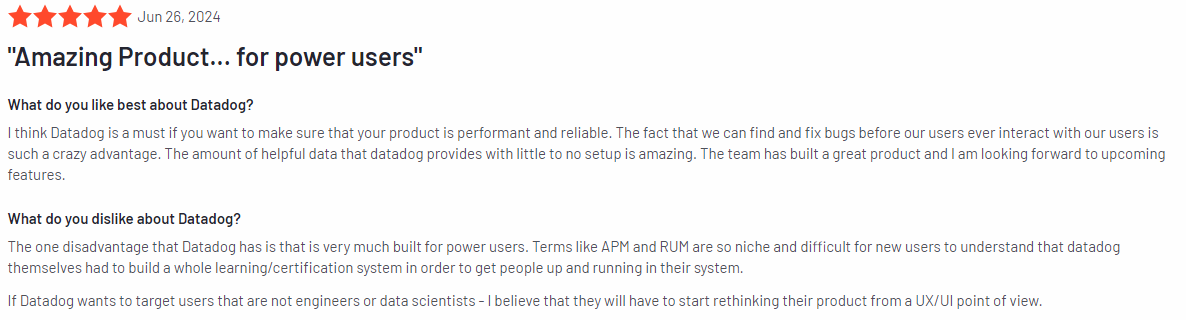
    Datadog has an average user rating of 4.4 out of 5 stars based on 530 reviews on G2.

    Datadog review

    Image source: G2

    Best for

    Datadog is suitable for large enterprises, developers, IT operations teams, cloud-based businesses, and companies with complex infrastructure.

    Key features

    • Full-stack monitoring: Monitor servers, databases, web applications, and websites all in one place.
    • Customizable dashboards: Create tailored dashboards for tracking the key metrics that matter most to your business.
    • Real-time alerts: Get instant notifications about performance issues, downtime, or unusual activity.
    • Log management: Collect and analyze logs from your entire stack for quick identification of issues.
    • Application performance monitoring: Track the performance of applications and get insights into bottlenecks or slow processes.

    Supported platforms

    Datadog works across a variety of platforms, making it suitable for web, mobile, and cloud environments.

    Integrations

    Datadog offers seamless connections with over 500 services, including popular platforms like AWS, Azure, Kubernetes, and Docker.

    Customer support

    Datadog offers customer support via live chat and email. It also has extensive documentation and a community forum for additional assistance.

    Pricing

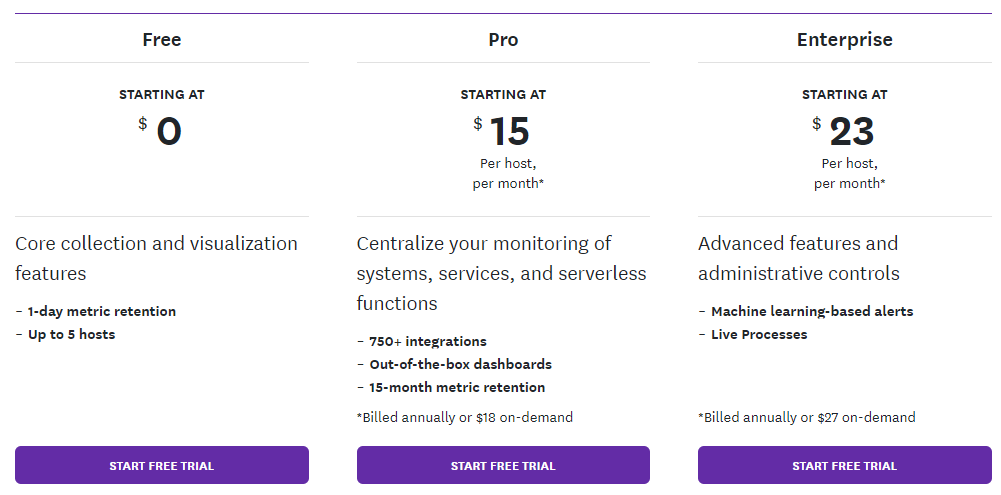
    Datadog’s pricing starts at $15 per host per month. It offers a range of plans based on the level of monitoring needed, from infrastructure monitoring to full-stack monitoring with APM. A free trial is available for those looking to test the platform.

    Datadog pricing

    Pros

    • Comprehensive monitoring across multiple platforms
    • Customizable dashboards and reports
    • Large selection of integrations
    • Scalable to suit small and large businesses alike
    • Intuitive interface to help you monitor your website’s availability easily

    Cons

    • It can be complex to set up for beginners
    • Pricing may increase quickly with additional features or hosts

    3. Site24x7

    Site24x7

    Image source: G2

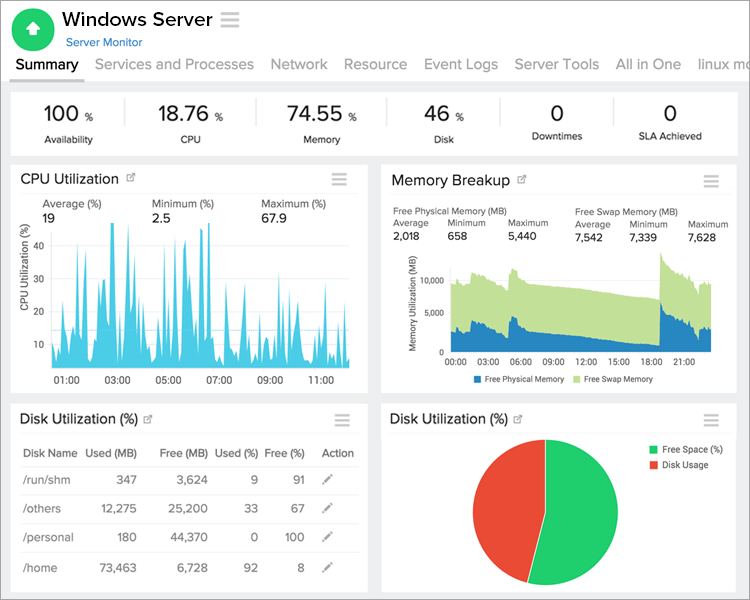
    Site24x7 is a full-stack monitoring solution designed to cover every aspect of your digital infrastructure. 

    Unlike other tools that focus solely on website performance or server health, Site24x7 offers a broader scope, including website, server, application, network, and cloud monitoring, all from a single platform.

    User rating

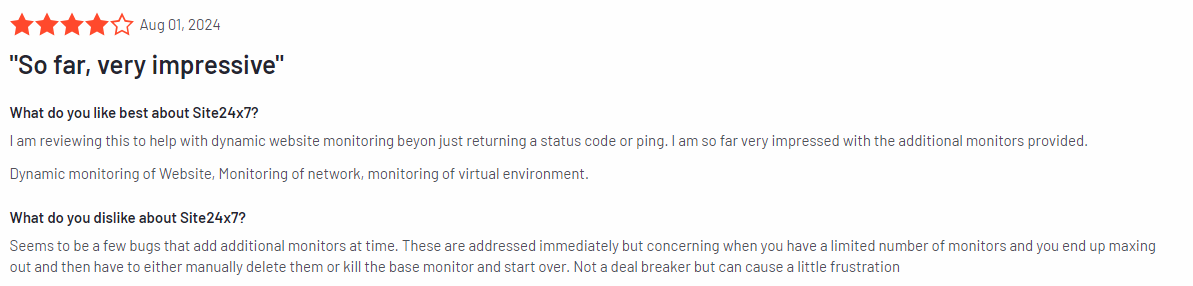
    Site24x7 holds an average rating of 4.6 out of 5 stars based on 266 reviews on G2.

    Site24x7 review

    Image source: G2

    Best for

    Site24x7 is suited for small to medium-sized businesses, IT teams, and enterprises that need to monitor their websites, servers, applications, and networks from a single dashboard.

    Key features

    • Website and server monitoring: Track uptime, page load speeds, and server health with real-time insights.
    • Application performance monitoring: Monitor the performance of your apps and identify bottlenecks or slow transactions.
    • Network monitoring: Get a complete view of your network performance, including devices, traffic, and availability.
    • Real-time alerts: Receive notifications via email, SMS, or app when issues are detected.
    • Cloud monitoring: Monitor services in cloud environments like AWS, Azure, and Google Cloud.

    Supported platforms

    Site24x7 is versatile and works across web, mobile, cloud, and server environments.

    Integrations

    Site24x7 integrates with a variety of tools and platforms, including ServiceNow, Zoho Desk, Slack, and Webhooks. These integrations help teams stay connected, collaborate efficiently, and make sure that all critical systems are monitored in real time.

    Customer support

    Site24x7 provides customer support through live chat and email. It also offers an extensive knowledge base, tutorials, and community forums for users seeking self-service solutions.

    Pricing

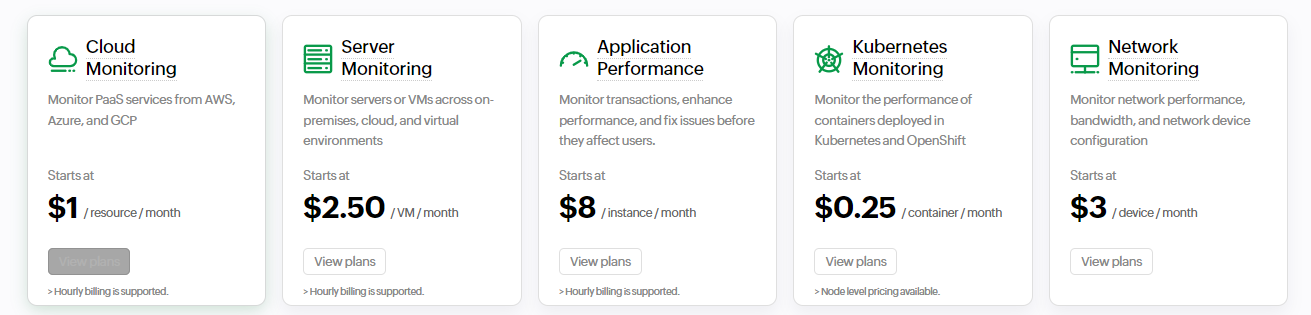
    Site24x7 is a free website monitoring tool that lets you do server availability and uptime monitoring at no cost. However, the free plan may have limited features for some users.

    Paid plans start at $1 per month per resource per month. Pricing scales are based on the level of monitoring needed, with advanced features and higher volume plans available for larger enterprises.

    Site24x7 pricing

    Pros

    • Comprehensive monitoring across websites, servers, apps, and networks
    • Affordable pricing for small businesses
    • Easy-to-use interface with customizable dashboards
    • Real-time alerts for issues and downtime
    • Supports monitoring in both on-premises and cloud environments

    Cons

    • Advanced features may require a steep learning curve
    • Integration with third-party tools could be more extensive

    4. Uptime

    Uptime

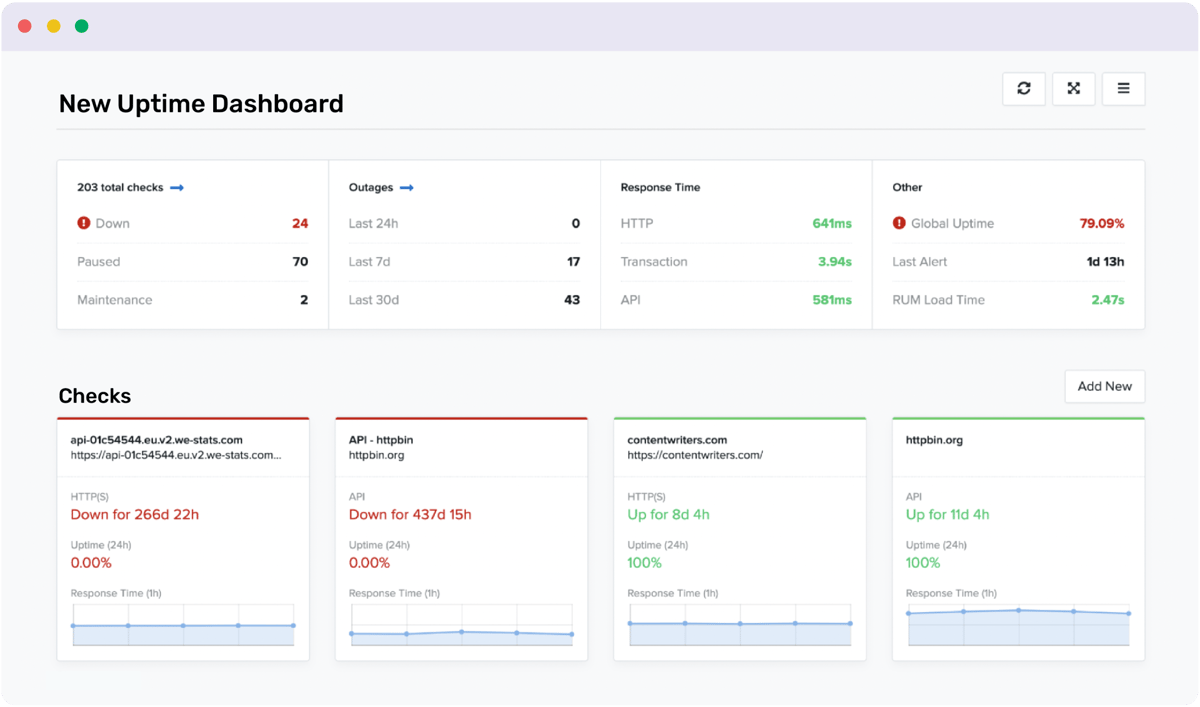
    Image source: G2

    Uptime is a website monitoring service that focuses on uptime and performance tracking. 

    Its primary goal is to help businesses ensure their websites are always available and performing well, providing real-time insights into downtime, response times, and overall website health.

    Businesses with worldwide locations often find Uptime an option, thanks to its global presence and cloud-native scalability.

    User rating

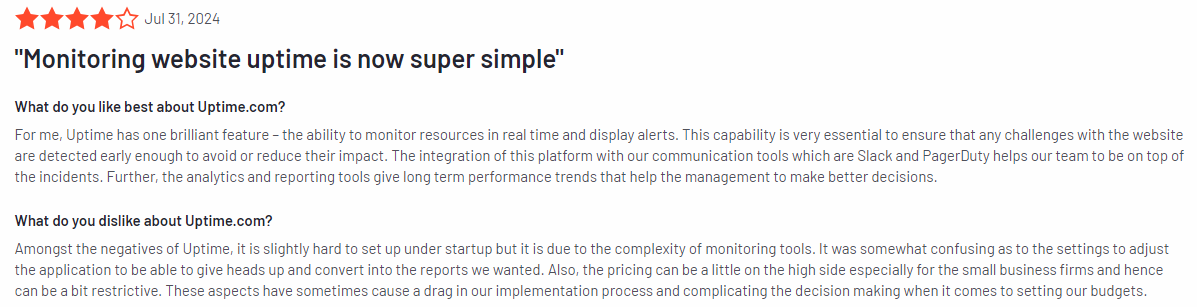
    Uptime has an average rating of 4.5 out of 5 stars based on 170 reviews on G2.

    Uptime review

    Image source: G2

    Best for

    Uptime is for businesses of all sizes that prioritize uptime and performance monitoring without needing a complex or all-in-one solution.

    Key features

    • Uptime monitoring: Track your website’s uptime and receive instant alerts when downtime occurs.
    • Performance tracking: Monitor your site’s speed and overall performance to ensure fast load times.
    • Global monitoring locations: Check your site’s performance from multiple locations worldwide to ensure it’s accessible across different regions.
    • Real-time alerts: Get immediate notifications via email, SMS, or integrated tools like Slack when issues arise.
    • SSL certificate monitoring: Keep an eye on your SSL certificates and domain registrations to avoid unexpected expirations.

    Supported platforms

    Uptime allows for monitoring mobile and desktop versions to ensure optimal performance across devices.

    Integrations

    Uptime integrates with a variety of tools to streamline your monitoring efforts, including Slack, PagerDuty, and Zapier. These integrations allow you to receive alerts and manage incidents in your preferred tools so your team stays on the same page.

    Customer support

    Uptime offers 24/7 customer support through email. It also provides a knowledge base with articles, tutorials, and troubleshooting guides for users who want to solve problems independently.

    Pricing

    Pricing for Uptime starts at $24 per month, making it an affordable choice for businesses focused primarily on uptime and performance tracking. 

    The platform offers scalable plans based on the number of monitored websites and the frequency of checks, ensuring flexibility for businesses of all sizes.

    Uptime pricing

    Pros

    • Simple, easy-to-use interface
    • Reliable uptime and performance tracking
    • Global monitoring locations for a complete performance view
    • Affordable pricing with flexible plans
    • Instant real-time alerts via multiple channels
    • Comes with SSL monitoring, so you don’t lose users because of expired certificates

    Cons

    • Focuses primarily on uptime and performance; lacks deeper analytics for user behavior
    • Fewer advanced features compared to more comprehensive monitoring tools

    5. Middleware

    Middleware

    Image source: G2

    Middleware is a real-time cloud observability platform for developers and IT teams to track website and application performance. 

    It bridges the gap between the frontend user experience and backend systems, providing in-depth insights into how various components of your infrastructure interact.

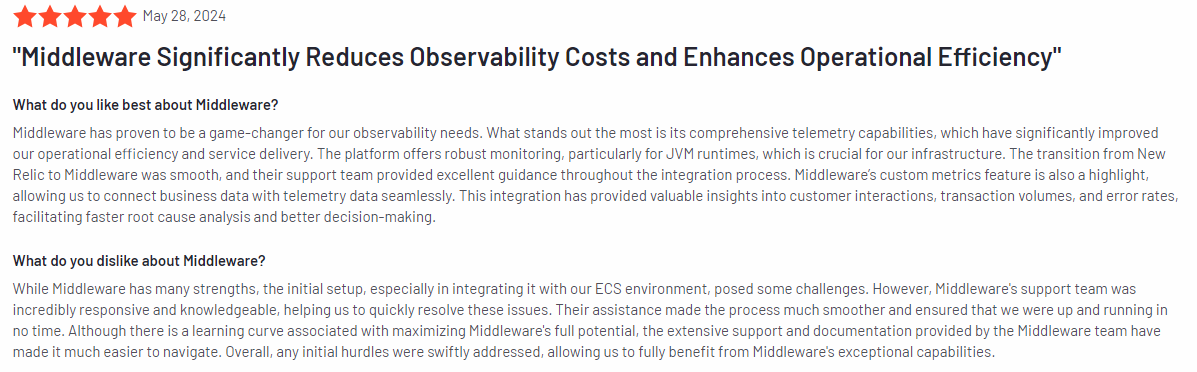
    User rating

    Middleware has an average rating of 4.5 out of 5 stars based on 12 reviews on G2.

    Middleware review

    Image source: G2

    Best for

    Middleware provides comprehensive visibility for developers, IT operations teams, and companies with intricate systems that need to be closely monitored.

    Key features

    • Application performance monitoring: Track and optimize the performance of web applications by analyzing response times, errors, and throughput.
    • API performance and availability monitoring: Monitor the availability and performance of your APIs to ensure they function smoothly across various services.
    • Database monitoring: Gain insights into your database performance, track query efficiency, and resolve bottlenecks affecting overall system speed.
    • Custom metrics dashboard: Create dashboards tailored to your specific needs, allowing for easy tracking of the metrics most important to your business.
    • Real-time alerting capabilities: Receive notifications the moment performance issues or outages occur, enabling quick response and resolution.

    Supported platforms

    Middleware supports web, mobile, and cloud-based applications.

    Integrations

    Middleware integrates with various development and communication tools, such as AWS, Vercel, Java, Docker, Redis, Microsoft Teams, and more. These integrations allow for smoother workflows and help ensure that your team can report and address issues in real time.

    Customer support

    Middleware offers customer support via email, plus detailed documentation, tutorials, and a community forum for users seeking help with troubleshooting and best practices.

    Pricing

    Middleware offers flexible pricing plans starting at $0.3 per GB of metrics, logs, and traces, with pricing scaling based on the number of monitored applications and the depth of monitoring needed.

    Middleware pricing

    Pros

    • Detailed monitoring of applications, databases, and APIs
    • Customizable dashboards for tracking key metrics
    • Real-time alerts for quick issue resolution
    • Works well across various infrastructures, including cloud environments
    • Integrates with popular developer tools for seamless workflows
    • Pay-as-you-go pricing model

    Cons

    • It may be overwhelming for smaller businesses with simpler monitoring needs
    • Setup can be complex for those unfamiliar with advanced monitoring tools

    Best 5 Website Monitoring Tools Comparison Table

    While there are several options available, FullSession stands out for its comprehensive features that go beyond just performance monitoring, making it the best choice for businesses serious about optimizing their website.

    Here’s a comparison of the top 5 website monitoring tools:

    FullSessionDatadogSite24x7UptimeMiddleware
    Real-time user tracking
    Heatmaps
    Session recording and replay
    Dynamic element tracking
    Feedback forms
    Conversion funnel analysis
    Error tracking
    Uptime monitoring
    Cross-team collaboration
    Monthly pricing$39$15 per host$1 per resource$24$0.3 per GB

    Best 5 Website Monitoring Tools: Our Verdict

    FullSession is your go-to choice, offering everything you need to monitor website errors, track user behavior, and analyze website performance in real time.

    It allows you to monitor dynamic elements with precision, ensuring you capture the full picture of how visitors interact with your site. Its error analysis capabilities allow you to automatically detect and diagnose issues such as JavaScript errors, network failures, and API problems, which leads to swift resolution and minimal disruption to user experience.

    Heatmaps are processed quickly without slowing down your website, and FullSession’s privacy protections automatically exclude sensitive data from recordings.

    Managing large volumes of data is also a breeze, helping you uncover key insights quickly. You can rest easy knowing user behavior tracking is limited to your site, preventing any data misuse. 

    Plus, its collaborative features make it easy for teams to work together seamlessly on one platform.

    Want to see how it works? Book a demo today.

    Conclusion About Best 5 Website Monitoring Tools

    Website monitoring tools are crucial for any online business that wants to stay ahead, improve user experience, and quickly catch and fix issues. These tools give you the insights you need to keep your site running smoothly, whether you’re tracking performance, monitoring uptime, or understanding how visitors interact with your site.

    While each of the tools we’ve covered has its strengths, FullSession really stands out. It offers real-time user tracking, strong privacy features, and easy team collaboration—all designed to help you optimize your site’s performance and user experience.

    If you’re ready to take your website to the next level, check out FullSession. 

    Book a demo today and see how it can make a difference for your business!

    FAQs About Best Website Monitoring Tools

    What is the best website monitoring service or tool?

    If error analysis is your primary focus, FullSession stands out as an excellent choice. Its specialized error-tracking features allow you to automatically detect and diagnose issues such as JavaScript errors, network failures, and failed API calls. This capability helps you quickly identify and address problems that could disrupt user experience or impact site performance. Datadog is another strong option for all-around infrastructure and app monitoring. If uptime monitoring is your main goal, Uptime does a great job with simple, reliable tracking.

    What is the best tool for monitoring?

    If you’re looking to optimize your website’s user experience, FullSession stands out. It lets you see exactly how users are navigating your site and where they’re running into trouble. 

    What is a website monitoring tool?

    A website monitoring tool checks your site’s performance, uptime, and user activity. Tools like FullSession can show you errors and other issues that could be driving your audience away, while others focus on making sure your site is always available and loading fast. They send alerts when things go wrong, so you can fix issues quickly.

    How do I monitor if a website is up?

    To monitor if your website is up, you can use tools like FullSession or Uptime. These tools check your site regularly and notify you if there’s any downtime. They make sure you’re the first to know when something goes wrong so you can fix it right away.

    What is real user monitoring vs. synthetic monitoring?

    Real User Monitoring (RUM) tracks actual user interactions on your site, giving you insights into real-world performance, like load times and errors users encounter. It’s great for understanding how your site performs under real conditions but can only catch issues after users experience them. Synthetic Monitoring, on the other hand, uses automated tests to simulate transaction monitoring and user behavior and identify potential problems before they affect anyone. It’s proactive and runs 24/7 but doesn’t reflect actual user behavior. Both monitoring solutions have their strengths, and using a combination of both provides the best coverage.


  • Top 5 SaaS Analytics Tools to Boost Your Business Growth

    Top 5 SaaS Analytics Tools to Boost Your Business Growth

    SaaS analytics tools help you collect user behavior data, understand customer journeys, identify churn reasons, and optimize user engagement.

    For example, FullSession provides a 360-degree view of user behavior data in a single, intuitive dashboard.

    With its robust user behavior analytics tools, you can capture every aspect of the user journey and improve your website’s interface, usability, and performance.

    Book a demo to learn more.

    However, finding the best solution can be difficult, considering features, data consistency, privacy, security, cross-team alignment, scalability, and support.

    This article explores the best SaaS analytics tools and how they can benefit your business, helping you make an informed decision.

    Visualize, Analyze, and Optimize with FullSession

    Capture all user interactions, spot trends and patterns and drive improvements without compromising your website performance.

    Key Takeaways

    • FullSession is a user behavior analytics software that helps you capture, visualize, and analyze all user interactions to optimize your website for better performance. It includes features like session recordings and replays, interactive heatmaps, customer feedback tools, conversion funnel analysis, and error tracking to help you get actionable insights without affecting your site. FullSession is also fully compliant with GDPR, CCPA, and PCI standards. Pricing starts at $39/month, and you can get a 20% discount by signing up for the annual plan. Book a demo today.
    • Google Analytics is a web analytics tool designed to give businesses a comprehensive overview of website traffic. It offers features like traffic analysis, conversion tracking, and custom reports. However, some users complain about a steep learning curve and limited support for free users. While it provides raw data on website traffic, it lacks detailed user behavior tracking and built-in data visualization. Google Analytics is free for most users, with the premium Google Analytics 360 starting at around $50,000 per year.
    • ProfitWell is a subscription revenue optimization tool focused on boosting profitability and reducing churn for subscription-based businesses. It offers features like revenue metrics, churn reduction tools, and pricing optimization. The primary drawbacks include limited customization options for data visualizations and the need for a paid plan to access advanced features. ProfitWell operates on a freemium model, with custom pricing for additional features.
    • Mixpanel is a product analytics tool aimed at tracking and analyzing user behavior in digital products, particularly web and mobile apps. Key features include event tracking, funnel analysis, and cohort analysis. Its main drawbacks are the complexity of setup and configuration, and the learning curve for new customers. Pricing starts at $28/month.
    • Baremetrics is a subscription analytics tool specifically designed for any subscription business looking for insights into key SaaS metrics like MRR, churn, and LTV. Features include cash flow forecasting, churn analysis, and dunning management. The main drawbacks are its higher pricing and limited applicability to non-subscription businesses. Pricing starts at $129/month for the Metrics plan.

    Let’s take a closer look at each SaaS analytics platform and how they can help you meet your key performance indicators.

    Best SaaS Analytics Tools Right Now

    Choosing the right SaaS analytics tool is crucial for driving growth and improving user experience. Here’s our selection:

    1. FullSession (Get a demo)
    2. Google Analytics
    3. ProfitWell
    4. Mixpanel
    5. Baremetrics

    We have evaluated these tools based on user rating, features list, supported platforms, integrations, customer support, pricing, pros and cons.

    1. FullSession

    FullSession home page

    FullSession is a top-tier user behavior analytics software that helps you visualize all user engagement, analyze trends and patterns, and optimize your website for peak performance and higher conversion rates.

    It helps you capture every aspect of the user journey, find and remove conversion blockers, get direct user feedback, fix website issues, and improve your website’s interface, usability, and experience.

    FullSession also prioritizes user privacy and data security to ensure compliance with GDPR, CCPA, and PCI standards. This focus on data protection is significant for SaaS businesses handling sensitive customer information.

    Book a demo now.

    Best for

    FullSession is ideal for SaaS companies, particularly those focused on improving user experience, increasing customer retention, boosting conversion rates, and maximizing overall platform performance.

    It’s especially beneficial for teams in product development, UX/UI design, customer support, and marketing who need more actionable insights to refine their strategies and achieve business success.

    Key features

    • Advanced user and event segmentation: Segment users based on specific criteria to identify patterns and trends that can inform product improvements and marketing strategies.
    • Session recordings: Watch real user sessions to track user behavior and see how they navigate your platform, helping you quickly identify and resolve any friction points.
    • Interactive heatmaps: Analyze user interactions through data visualization. Track clicks, scrolls, and mouse movements to understand which parts of your platform are most engaging and where you might need to make changes.
    • Custom feedback tools: Collect direct user feedback through branded website forms.   Watch connected session recordings to get context for user comments and suggestions.
    • Conversion funnel optimization: Analyze user behavior at each stage of the conversion funnel to identify drop-offs and opportunities to improve the entire customer journey.
    • Error analysis: Detect and troubleshoot issues like JavaScript errors or failed API calls that negatively impact the user experience.
    Session recording and replay

    Supported platforms

    FullSession supports user behavior tracking on web platforms and includes mobile user recordings.

    Integrations

    FullSession simplifies your workflows and guarantees smooth data synchronization by providing multiple integration options. Whether you rely on APIs, webhooks, Zapier, or native integrations, FullSession effortlessly connects with your current tools, automating processes and ensuring consistent data flow across all your systems.

    For example, it seamlessly integrates with widely-used platforms like BigCommerce, Wix, Shopify, and WordPress so you can streamline your operations with minimal setup time.

    Customer support

    FullSession offers support through live chat and email, along with a comprehensive help center. This ensures that SaaS businesses can get help whenever they need it, minimizing downtime and keeping operations running smoothly.

    Pricing

    FullSession offers flexible pricing plans to fit the needs of different SaaS businesses, from startups to large enterprises. The Starter plan begins at $39 per month, providing access to essential features like unlimited heatmaps and up to 5,000 session recordings per month.

    FullSession pricing

    You can also save up to 20% with an annual subscription. Sign up for a yearly plan and get a Starter plan for only $32 per month. Check out the Pricing page to learn more.

    Pros

    • Helps SaaS businesses gain precise and actionable insights into user behavior
    • Accelerates heatmap data processing without impacting platform performance
    • Protects user privacy by excluding sensitive information from recordings
    • Efficiently handles large datasets to reveal key insights quickly
    • Enhances collaboration across teams by centralizing data and efforts
    • Improves UX/UI design processes with detailed user interaction data
    • Easy to use, even for users without advanced technical expertise
    • Has an intuitive dashboard where you can view all relevant data points

    Cons

    • It does not support tracking for mobile apps

    2. Google Analytics

    Google Analytics

    Image source: Microsoft

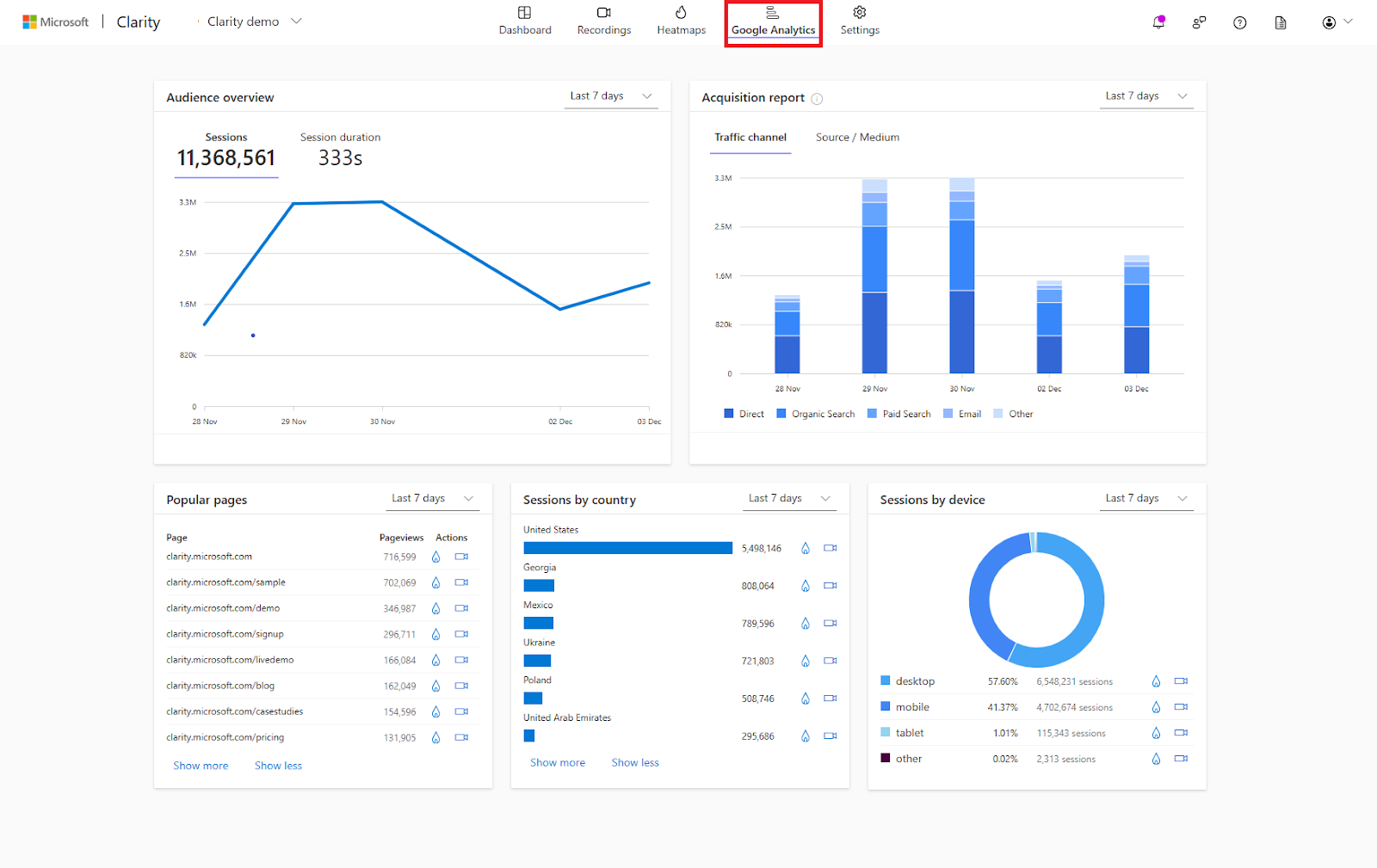
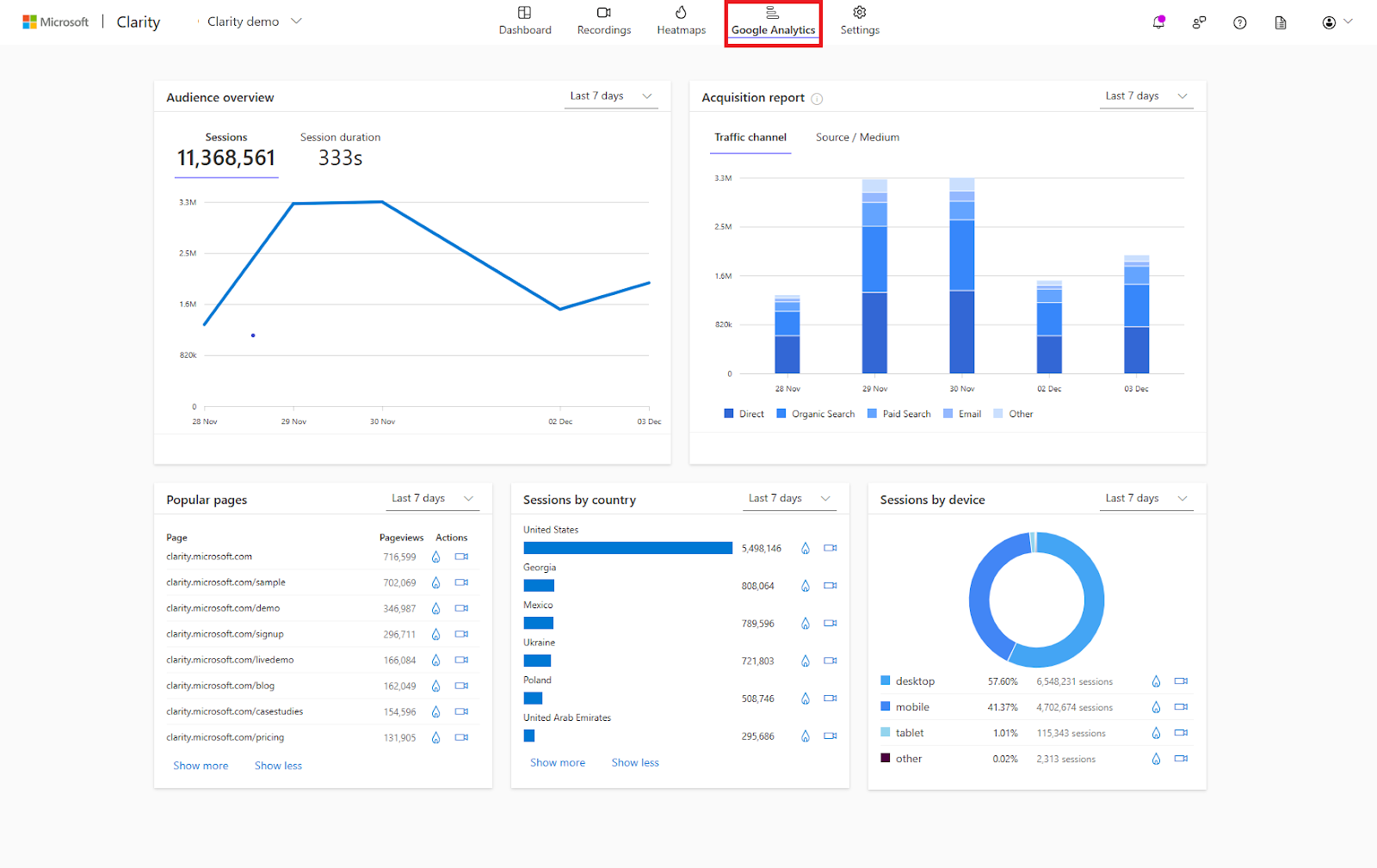
    Google Analytics is a general analytics platform and business intelligence tool. It provides businesses with comprehensive raw data on their website traffic and user behavior but without data visualization.

    It’s known for its comprehensive features, easy integration with other Google services, and its ability to deliver deep insights that help businesses optimize their digital strategies.

    User rating

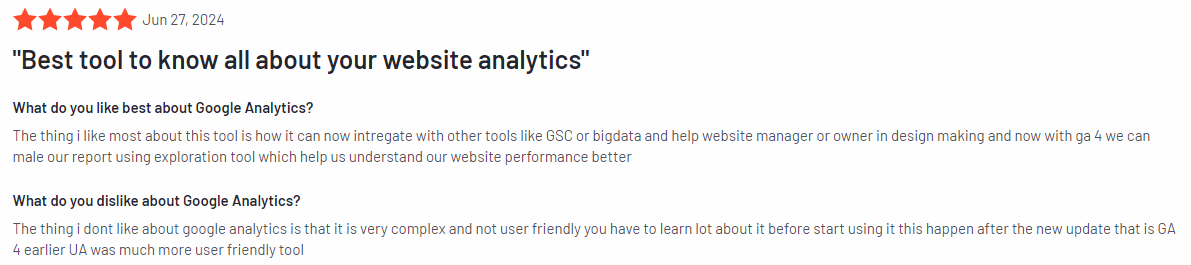
    Google Analytics has an average user rating of 4.5 out of 5 stars based on 6,390 reviews on G2.

    Google Analytics review

    Image source: G2

    Best for

    Google Analytics is suitable for businesses of any size that want to gain insights into their website traffic, user demographics, and online behavior.

    It’s particularly effective for digital marketers, e-commerce sites, and content creators who need to track and improve their online performance.

    Key features

    • Traffic analysis: Provides detailed reports on website traffic, including sources, demographics, and user behavior.
    • Conversion tracking: Tracks goals and conversions, helping businesses understand which strategies are driving success.
    • Real-time data: Offers real-time insights into website activity, allowing businesses to monitor performance as it happens.
    • Audience segmentation: Allows businesses to segment their audience based on various criteria to tailor marketing strategies.
    • Custom reports: Enables the creation of tailored reports that focus on key SaaS metrics important to the business.

    Supported platforms

    Google Analytics supports tracking on all major web platforms, including desktop and mobile versions of websites.

    Integrations

    Google Analytics integrates with other Google services like Google Ads, Google Tag Manager, and Google Data Studio. It also connects with a wide range of third-party tools like CRM and sales tools.

    Customer support

    Google Analytics offers a comprehensive help center with guides and tutorials. However, direct customer support can be limited, especially for free users. Paid users of Google Analytics 360 have access to more dedicated support options.

    Pricing

    Google Analytics is free for most users, offering a wide range of features at no cost. For larger enterprises needing more advanced features and support, Google Analytics 360 is available with a custom pricing plan, typically starting at $50,000 per year.

    Pros

    • Provides deep insights into website traffic and user behavior
    • Offers real-time data for immediate performance monitoring
    • Integrates well with other Google services and third-party tools
    • Free to use with extensive features available at no cost

    Cons

    • It can have a steep learning curve for beginners
    • Limited direct support for free users
    • Google Analytics 360 can be expensive for small to medium-sized businesses

    3. ProfitWell

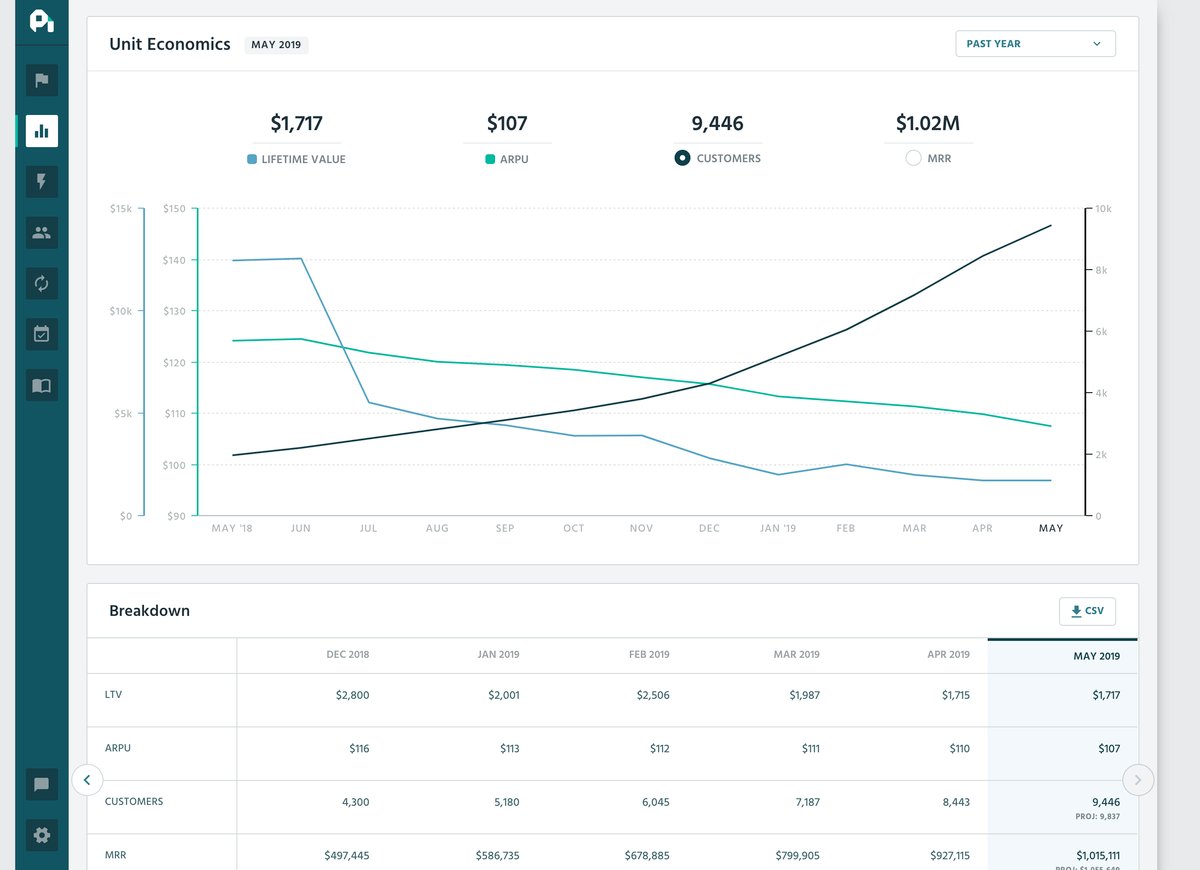
    ProfitWell Metrics

    Image source: G2

    ProfitWell is a specialized SaaS analytics tool designed to help subscription-based businesses optimize their revenue and pricing strategies. 

    It provides clear insights into key metrics like customer churn, lifetime value, and subscription growth.

    User rating

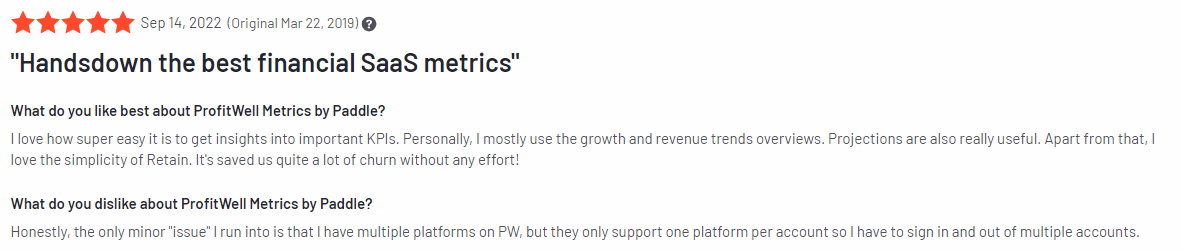
    ProfitWell has an average user rating of 4.9 out of 5 stars based on over 126 reviews on G2.

    ProfitWell review

    Image source: G2

    Best for

    ProfitWell is suited for subscription-based SaaS businesses that need to track financial metrics, reduce churn, and optimize pricing strategies.

    Key features

    • Revenue metrics: Provides detailed insights into monthly recurring revenue (MRR), customer lifetime value (CLV), churn rates, and other SaaS metrics to help businesses understand their financial health.
    • Churn reduction tools: Identifies patterns and causes of churn, allowing businesses to implement strategies to retain more customers.
    • Pricing optimization: Analyzes pricing models and suggests adjustments to maximize revenue without sacrificing customer satisfaction.
    • Revenue recognition: Automates revenue recognition to ensure compliance with accounting standards to make financial reporting easier.
    • Benchmarks and market data: Offers access to industry benchmarks and market data, helping businesses compare their performance against others in the same space.

    Supported platforms

    ProfitWell is a web-based platform you can access from any major web browser.

    Integrations

    ProfitWell integrates seamlessly with popular billing systems like Stripe, Braintree, and Zuora. It also connects with various CRM and financial tools so data flows smoothly across all your business systems.

    Customer support

    ProfitWell offers robust customer support through email and chat. Additionally, ProfitWell provides a wealth of resources, including guides, webinars, and a comprehensive help center.

    Pricing

    ProfitWell operates on a freemium model, offering core analytics features at no cost. Custom pricing plans are available based on your business needs for advanced features like Revenue Recognition and Retention (churn reduction).

    Pros

    • Provides deep insights into subscription data like revenue and customer behavior
    • Offers powerful churn reduction tools to retain customers
    • Integrates well with major billing systems and CRMs
    • Free core features with no upfront costs

    Cons

    • Advanced features require a paid plan, which can be costly for small businesses
    • Limited to subscription-based business models, which may not suit all SaaS companies
    • Some users may find the platform’s data visualizations less customizable than other tools

    4. Mixpanel

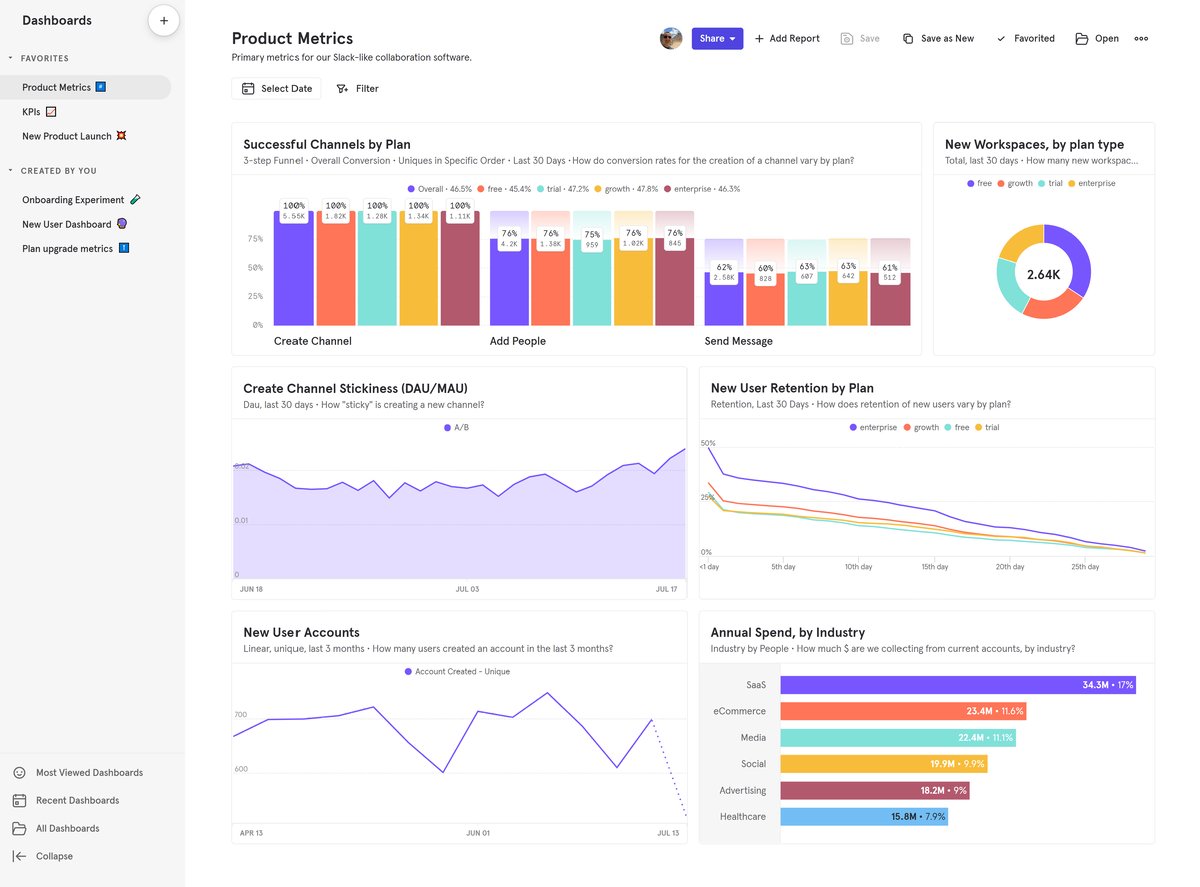
    Mixpanel

    Image source: G2

    Mixpanel is a product analytics tool focused on tracking and analyzing user behavior within digital products, especially web and mobile apps. 

    It provides detailed insights that help businesses understand how users interact with their products, which can lead to data-driven decisions to improve user engagement, retention, and overall product experience.

    User rating

    Mixpanel has an average user rating of 4.6 out of 5 stars based on 1,123 reviews G2.

    Mixpanel review

    Image source: G2

    Best for

    Mixpanel suits product teams, growth marketers, and UX designers at SaaS companies that need to understand user behavior on a granular level.

    Key features

    • Event tracking: Allows businesses to track specific user actions, such as clicks, page views, and form submissions, giving detailed insights into how users interact with their products.
    • Funnels: Visualizes user journeys and identifies where users drop off in the conversion process, helping businesses optimize their funnels for better conversion rates.
    • Cohort analysis: Groups users based on shared behaviors or characteristics, allowing businesses to track how these cohorts engage over time and measure the impact of changes.
    • A/B testing: Enables businesses to test different versions of features or content to see which performs better, driving continuous product improvement.
    • Retention reports: Tracks how often users return to the product over time, providing insights into user loyalty and product stickiness.

    Supported platforms

    Mixpanel supports tracking across web and mobile platforms, including iOS and Android apps.

    Integrations

    Mixpanel integrates with a variety of third-party tools, including popular CRMs like Salesforce, data warehousing solutions like Snowflake, and marketing platforms like HubSpot.

    Customer support

    Mixpanel offers customer support through email, chat, and a help center filled with tutorials, documentation, and community forums. For enterprise customers, dedicated account managers and priority support options are available.

    Pricing

    Mixpanel offers a flexible pricing model, starting with a free plan that includes basic features and up to 20 million monthly events.

    Paid plans start at $28 per month, offering advanced features like behavioral segmentation, custom reports, and increased data limits. Enterprise pricing is available for larger organizations with more complex needs.

    Mixpanel pricing

    Pros

    • Provides deep insights into user behavior through detailed event tracking
    • Offers tools for analyzing user retention and conversion funnels
    • Supports multi-channel tracking across web and mobile platforms
    • Flexible pricing model with a free plan for small businesses

    Cons

    • It can be complex to set up and configure, especially for beginners
    • Some advanced features are locked behind higher-priced plans
    • It may require a learning curve for users unfamiliar with event-based analytics

    5. Baremetrics

    Baremetrics

    Image source: G2

    Baremetrics is a SaaS analytics tool designed specifically for subscription-based businesses, offering in-depth insights into key financial metrics like MRR (Monthly Recurring Revenue), churn, LTV (Lifetime Value), and more.

    It provides clear, real-time data that helps businesses understand their financial health and make informed decisions to drive growth.

    User rating

    Baremetrics holds an average user rating of 4.6 out of 5 stars based on 86 reviews on G2.

    Baremetrics review

    Image source: G2

    Best for

    Baremetrics works for any SaaS business that operates on a subscription model and needs to track detailed financial metrics.

    Key features

    • MRR and ARR tracking: Provides detailed insights into monthly and annual recurring revenue, helping businesses track growth and forecast future earnings.
    • Churn analysis: Monitors customer churn rates and identifies trends, which allows businesses to take action to reduce churn and retain more customers.
    • LTV calculation: Calculates customer lifetime value, giving businesses a clear picture of the long-term value of their customer base.
    • Cash flow forecasting: Offers tools to forecast future cash flow based on current data, helping businesses plan ahead and manage their finances effectively.
    • Recover and dunning management: It includes tools to help recover failed payments and manage dunning processes, reduce involuntary churn, and maintain steady revenue.

    Supported platforms

    Baremetrics is a web-based platform accessible from any major web browser.

    Integrations

    Baremetrics integrates seamlessly with popular payment processors like Stripe, Braintree, and Recurly. It also connects with various accounting tools, CRMs, and marketing platforms, ensuring that all financial data flows smoothly between different systems.

    Customer support

    Baremetrics offers customer support through email and live chat, as well as a comprehensive knowledge base with guides and tutorials.

    Pricing

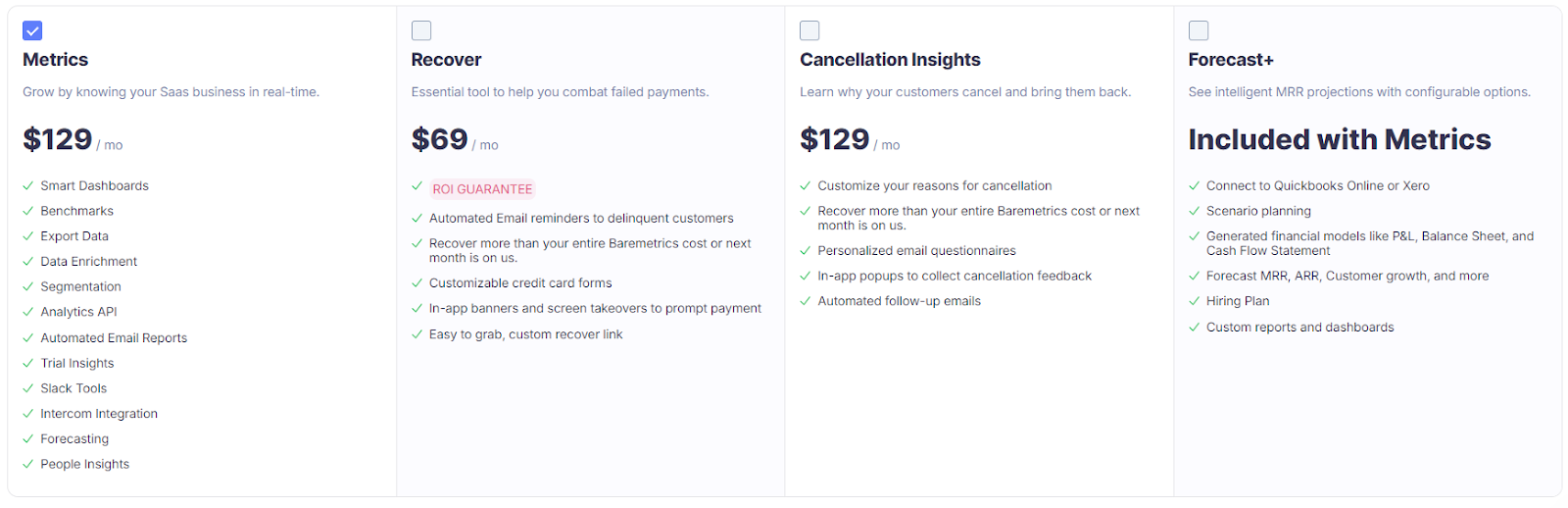
    Baremetrics offers tiered pricing plans starting at $129 per month for the Metrics plan, which includes all core features and up to $9,000 in MRR.

    Higher-tier plans are available for larger businesses, offering additional features and support options.

    Baremetrics pricing

    Pros

    • Provides clear, real-time insights into key financial metrics
    • Offers powerful tools for reducing churn and managing revenue
    • Integrates easily with major payment processors and other tools
    • User-friendly interface that makes complex data easy to understand

    Cons

    • Pricing may be high for small startups with lower MRR
    • Limited to subscription-based business models
    • Some advanced features might require a higher-tier plan

    Best 5 SaaS Analytics Tools Comparison Table

    Below is a comparison of the top five tools, highlighting which key features are available in each solution. This table will help you quickly see which tool might be the best fit for your business needs.

    FullSessionGoogle AnalyticsProfitWellMixpanelBaremetrics
    Real-time tracking
    Heatmaps
    Session recording and replay
    Custom reports
    Conversion tracking
    Revenue metrics
    Error tracking
    User and event segmentation
    Churn analysis
    Monthly pricing$39Freen/a$28$129

    Best 5 SaaS Analytics Tools: Our Verdict

    After diving into the top SaaS analytics tools, FullSession clearly emerges as the top contender for businesses that want more than just surface-level insights. 

    Here’s why FullSession is the best choice:

    • Tailored insights for SaaS companies: Optimize your subscription model, reduce churn, increase the average revenue per user, and maximize customer retention by understanding user behavior at every stage of the customer lifecycle.
    • Real-time tracking of dynamic elements: Gain precise insights into how users engage with even the most complex elements on your site so you never miss any interaction.
    • Lightning-fast heatmap processing: Get the data you need instantly without compromising your site’s performance so you can make quick, informed decisions.
    • Unmatched privacy protection: Rest easy knowing that sensitive data is automatically excluded from recordings, keeping your user information safe and secure. FullSession is fully compliant with GDPR, CCPA, and PCI standards.
    • Efficient management of massive data sets: Quickly uncover key insights, even from extensive data, so you can focus on what really matters—growing your business.
    • Focused tracking limited to your site: Avoid the noise by ensuring that all user behavior data is relevant and actionable, safeguarding against data misuse.
    • Seamless cross-team collaboration: Bring your teams together on one powerful platform, which makes it easier to align your efforts for better results.

    FullSession isn’t just another user behavior analytics tool—it’s the partner your business needs to truly understand and improve the user experience.

    Book a demo today and take the first step toward unlocking your site’s full potential.

    Conclusion About Best 5 SaaS Analytics Tools

    SaaS analytics tools are essential for any online business looking to understand user behavior, optimize performance, and drive growth. 

    These tools provide valuable insights that help you make informed decisions, improve customer experience, and stay ahead in a competitive market.

    Among the top five tools, FullSession is the clear winner thanks to its comprehensive features, accurate data collection, and tailored benefits, especially for SaaS businesses. 

    This user behavior analytics software offers deep insights, real-time user behavior tracking, robust data privacy, and so much more, which make it an invaluable asset for companies focused on optimizing their platforms and boosting user engagement.

    Book a demo today and see how FullSession can help you unlock your site’s full potential.

    FAQs About Best 5 SaaS Analytics Tools

    What is SaaS in data analytics?

    SaaS in data analytics refers to cloud-based platforms that allow businesses to collect, analyze, and visualize data without needing on-premise installations. These tools are accessed via a subscription model, enabling users to track metrics, understand user behavior, and make data-driven decisions from anywhere.

    What are the 4 types of data analytics tools?

    The four main types of data analytics tools are:

    1. Descriptive analytics: These tools focus on summarizing historical data to answer “what happened.” They provide insights into trends and patterns, often using dashboards and reports. 
    2. Diagnostic analytics: These tools help understand why something happened by drilling down into data and identifying root causes or correlations. 
    3. Predictive analytics: These tools use historical data and algorithms to predict future outcomes, helping businesses anticipate trends. 
    4. Prescriptive analytics: These tools recommend actions based on data analysis, suggesting the best course of action to achieve a desired outcome. 

    What are SaaS management tools?

    SaaS management tools help organizations monitor, manage, and optimize their use of cloud-based software applications. They provide insights into usage, costs, and compliance, enabling better control over subscriptions and ensuring efficient use across the organization.

    How do you analyze a SaaS company?

    To analyze a SaaS company, evaluate key metrics like Monthly Recurring Revenue, Customer Acquisition Cost (CAC), and churn rate. Additionally, assess customer Lifetime Value (LTV), growth rate, and product usage patterns. These customer metrics provide a comprehensive view of the company’s financial health, customer retention, and growth potential.

    Why is SaaS analytics important?

    SaaS analytics play an important role in understanding user behavior, product performance, and overall business health. Businesses can make data-driven decisions that drive growth, improve user experience, and optimize monthly revenue by analyzing important metrics such as customer acquisition costs, churn rates, and lifetime value. 


  • 7 Best Digital Analytics Tools to Optimize Your Conversion Rates

    7 Best Digital Analytics Tools to Optimize Your Conversion Rates

    The best digital analytics tools collect, track, and analyze user behavior data to help you optimize your online presence and improve the customer experience.

    FullSession is a prime example, offering an all-in-one user behavior analytics software. Imagine seeing exactly how your users navigate your site, where they get stuck, and what’s causing them to bounce. 

    While the benefits of digital analytics tools are clear, choosing the right one can be challenging. With so many options out there, it’s like navigating a maze. You must carefully evaluate features, usability, and pricing to find the perfect fit for your business.

    This article will guide you through the best digital analytics tools to help you make an informed decision.

    Key Takeaways

    • FullSession is a leading user behavior analytics software designed to visualize all user engagement, analyze trends and patterns, and optimize your website for peak performance. Key features include session recordings and replays, website heatmap tools, customer feedback forms and reports, error analysis, and conversion and funnel optimization tools. With FullSession, you can capture every aspect of the user journey without affecting site performance. It fully complies with GDPR, CCPA, and PCI standards. Pricing starts at $39/month and you can get a 20% discount on the annual plans. Request a demo to see how it can benefit your business.
    • Mixpanel is a product analytics platform that helps businesses understand user behavior through advanced analytics and segmentation. Features include event tracking, A/B testing, cohort analysis, and user funnels. It has a steeper learning curve, especially for beginners, and limited features in lower-tier plans, which might need extra customization. A free plan is available, with paid plans starting at $28/month.
    • LogRocket is an AI-first session replay and analytics tool that combines session recordings with error tracking to help developers and product teams improve user experiences. It offers session replays, error tracking, performance monitoring, and user feedback collection. While valuable, it can be pricey for smaller teams, with limited customization options and potentially requiring technical expertise for integrations. Pricing starts at $99/month.
    • Contentsquare is a digital experience analytics platform for large enterprises looking to optimize customer journeys through deep behavioral insights. It offers behavior analytics, AI-driven insights, zone-based heatmaps, and journey analysis. However, its high cost and complexity may overwhelm smaller teams, and custom pricing could be a barrier for some businesses.
    • Adobe Analytics is an enterprise-level platform offering highly customizable analytics solutions for large organizations. It features real-time analytics, customer journey mapping, predictive analytics, and data connectors. While powerful, it comes with a high cost and a steep learning curve, requiring a skilled team for setup. Pricing is custom and generally tailored to large enterprises.
    • Amplitude Analytics is a product and behavioral analytics platform for product teams looking to analyze user behavior and optimize digital products. It includes user behavior tracking, cohort analysis, retention analysis, and user path analysis. However, its higher pricing for advanced features might limit smaller businesses, and basic plans may lack the necessary capabilities. Pricing starts at $61 per month.
    • Sprout Social is a social media management platform that streamlines social media efforts for businesses of all sizes. It offers social media scheduling, detailed analytics, social listening, and customer engagement features. While user-friendly and powerful, it has a higher price point, starting at $249/month, which may be a barrier for smaller businesses. Advanced features are only available in higher-tier plans.

    Let’s explore each tool in detail.

    7 Best Digital Analytics Tools Right Now

    We’ve hand-picked the following products as the best digital analytics tools of 2024:

    1. FullSession (Get a demo)
    2. Mixpanel
    3. LogRocket
    4. Contentsquare
    5. Adobe Analytics
    6. Amplitude Analytics
    7. Sprout Social

    1. FullSession

    FullSession is a user behavior analytics software that helps you optimize website performance by providing detailed insights into user behavior and engagement. With an intuitive dashboard, you can visualize user interactions, analyze trends and patterns, and identify areas for improvement.

    Its key features include session recordings and replays, interactive heatmaps, user and event segmentation, and customizable feedback forms and reports. FullSession also helps you detect conversion blockers, optimize touchpoints, and minimize drop-offs. It provides error analysis to troubleshoot website issues efficiently.

    Compliant with GDPR, CCPA, and PCI standards, FullSession prioritizes user privacy and data protection. 

    Book a demo to see how it works.

    Best for

    FullSession best suits ecommerce businesses, SaaS companies, digital marketers, UX designers, and data analysts. 

    Whether you’re in product development, quality assurance, or customer support, FullSession provides valuable tools to help you improve digital experiences.

    Key features

    • Advanced user and event segmentation: Easily group website users based on different criteria. Identify behavior patterns, improve user journeys, and increase engagement and conversion rates.
    • Session recordings and replays: Record and replay every user interaction on your website. Identify issues, understand user behavior, and predict future actions. FullSession ensures user privacy by excluding sensitive data from recordings.
    • Interactive heatmaps: View heatmaps showing where users click, scroll, and move their mouse. See which parts of your site get the most attention. Test different elements to see what works best, all without slowing down your site.
    • Custom feedback forms and reports: Create branded feedback forms to gather insights on user pain points. Watch session recordings to better understand the feedback in context.
    • Conversion and funnel tools: Spot where users drop off during the conversion process and experiment with different designs or content to improve results.
    • Error analysis: Automatically find and fix issues like JavaScript errors, network problems, and failed API calls to keep the user experience smooth.
    FullSession click map

    Supported platforms

    FullSession tracks user behavior on websites, web apps and landing pages and also records mobile user sessions.

    Integrations

    FullSession simplifies your workflows and data syncing with multiple integration options. It connects smoothly through APIs, webhooks, Zapier, and native integrations, allowing you to automate tasks and keep data flowing seamlessly across your apps. 

    For example, FullSession integrates easily with third-party platforms like BigCommerce, Wix, Shopify, and WordPress, helping you streamline operations without extra setup hassle.

    Customer support

    FullSession offers live chat and email support, along with a detailed help center for self-service.

    Pricing

    FullSession pricing

    FullSession provides three paid plans—Starter, Business, and Enterprise—designed to fit businesses of all sizes, from small startups to large enterprises.

    These plans are scalable, so you can start with the basics and upgrade as your business grows. The entry-level plan includes essential features, like unlimited heatmaps and up to 5,000 session recordings per month, for just $39/month. 

    Annual subscriptions also come with a 20% discount on all plans. Paid yearly plans start at $32/month. There are no additional costs for integrations with other apps. 

    Check out the Pricing page to learn more.

    Pros

    • Monitor dynamic website elements in real time
    • Speed up heatmap processing without affecting site performance
    • Protect user privacy by excluding sensitive data from recordings
    • Handle large datasets efficiently to quickly uncover key insights
    • Keep data secure by limiting tracking to your own site
    • Improve teamwork by centralizing efforts on one platform

    Cons

    • FullSession currently doesn’t support mobile app tracking

    Book a demo to learn more.

    2. Mixpanel

    Mixpanel

    Mixpanel is a product analytics tool designed to help businesses of all sizes understand user behavior, track events, and improve product experiences.

    Known for its advanced analytics capabilities, Mixpanel allows you to dive deep into user data, making it easier to identify trends, optimize user engagement, and drive growth.

    User rating

    Mixpanel has a user rating of 4.6 out of 5 based on 1,120 reviews on G2.

    Best for

    Mixpanel is particularly beneficial for product managers, data analysts, and marketers who require detailed tracking and reporting to optimize user experiences and fuel business growth.

    Key features

    • Advanced analytics: Mixpanel provides comprehensive analytics, enabling real-time tracking of user interactions, and allowing for detailed analysis of behavior patterns and trends.
    • User funnels: It lets you create and analyze user funnels, helping to identify drop-off points and improve the entire customer journey. Mixpanel’s funnel analysis offers the ability to track complex, multi-step processes and compare different user segments.
    • A/B testing: Mixpanel supports A/B testing, allowing you to experiment with different versions of your product or marketing campaigns. Its analytics makes it easy to see how changes impact user behavior in real time.
    • Retention analysis: Understand how well your product retains users over time with retention analysis. Identify long-term trends and determine which factors contribute to user retention.

    Supported platforms

    Mixpanel supports tracking on both web and mobile platforms.

    Integrations

    Mixpanel integrates with various tools, including Salesforce, Google Analytics, and HubSpot. These integrations allow you to combine Mixpanel’s analytics with multiple data sources, providing a comprehensive view of your business metrics.

    Customer support

    Mixpanel offers customer support via chat, email, and phone. They also provide a comprehensive knowledge base with tutorials, guides, and community forums to help users maximize the platform’s potential.

    Pricing

    Mixpanel pricing

    Mixpanel offers a free plan with basic features, making it accessible to startups and small businesses. Paid plans start at $28 per month and offer more advanced features and higher data limits. Custom pricing is available for larger enterprises with more extensive needs.

    Pros

    • Comprehensive and detailed analytics capabilities to gauge your marketing performance
    • Powerful user segmentation and funnel analysis
    • Supports real-time data tracking
    • Seamlessly integrates with a wide range of tools
    • Easy to implement
    • Responsive and helpful customer service

    Cons

    • Steeper learning curve for beginners
    • Advanced features are often reserved for higher-tier plans
    • Some report types might be challenging for certain users to use effectively

    3. LogRocket

    LogRocket

    LogRocket is an AI-first session replay and analytics tool designed to help businesses monitor and improve user experiences by providing session recordings, error tracking, and performance monitoring.

    LogRocket combines analytics with error tracking, offering a comprehensive solution for improving website and app performance.

    Learn more: LogRocket vs FullStory

    User rating

    LogRocket has a user rating of 4.6 out of 5 based on 1,577 reviews on G2.

    Best for

    LogRocket is suitable for developers, product teams, and UX designers who need a tool to monitor user experiences in real time, debug issues, and improve overall product performance. It’s particularly valuable for teams focused on identifying and resolving technical issues that impact user satisfaction.

    Key features

    • Session recordings: Record and replay user sessions, and get insights into how users interact with your site or app.
    • Error tracking: Automatically track and log errors, including JavaScript errors, network problems, broken links, and performance issues. 
    • Performance monitoring: Monitor the performance of your website or app, including page load times and other key metrics. 
    • User feedback: Collect data directly through the platform to understand user pain points and gather insights for improvement.

    Supported platforms

    LogRocket supports tracking on both web and mobile platforms.

    Integrations

    LogRocket integrates with tools like Jira for creating issues from session recordings, Trello for managing bugs and feature requests, and Slack for real-time issue notifications, streamlining your workflow and ensuring quick responses.

    Customer support

    LogRocket provides customer support through email and live chat. They also offer a detailed knowledge base with tutorials, guides, and community support to help individual users get the most out of the platform.

    Pricing

    LogRocket pricing

    LogRocket offers a free plan with basic features, making it suitable for small teams and startups. Paid plans start at $99 per month and offer more advanced features, higher data limits, and premium support options. Custom pricing is available for enterprises with more specific needs.

    Pros

    • Good at debugging and monitoring user experiences in real-time
    • Combines analytics with error tracking, providing a comprehensive toolset
    • Integrates well with popular developer tools
    • Easy to set up and use
    • Ability to reproduce bugs users encounter

    Cons

    • Can be expensive for smaller teams
    • Limited customization options compared to some other analytics tools
    • Some advanced features may require a learning curve to use fully
    • Possible playback issues with long videos

    3. Contentsquare

    Contentsquare

    Contentsquare is a digital experience analytics platform designed to help businesses understand and optimize user interactions on their websites and apps.

    Contentsquare helps teams make informed decisions that improve user experience and boost conversion rates by offering detailed behavior analytics, heatmaps, and AI-driven user insights.

    User rating

    Contentsquare has a user rating of 4.7 out of 5 based on 452 reviews on G2.

    Best for

    Contentsquare is suitable for large enterprises and organizations that require in-depth user behavior analytics. It’s particularly useful for UX designers, digital marketers, and product managers who want to improve user experiences and drive higher conversion rates.

    Key features

    • Behavior analytics: It shows how users interact with your site to identify areas of improvement and optimize user journeys.
    • Zone-based heatmaps: Contentsquare visualizes user interactions within specific page areas and provides detailed insights into which sections draw the most attention.
    • AI-driven insights: It uses artificial intelligence to uncover trends and patterns in user behavior, helping you make data-driven decisions and conduct predictive analytics.
    • Journey analysis: Contentsquare tracks and analyzes user paths across your website to identify obstacles and opportunities for optimization.
    • A/B testing: It supports A/B testing to help you determine which design or content variations perform best with your audience.

    Supported platforms

    Contentsquare supports web and mobile platforms, offering comprehensive tracking and analysis across devices.

    Integrations

    Contentsquare integrates with a range of tools and platforms, including Google Analytics, Adobe Analytics, and Salesforce, enabling seamless data synchronization and enhanced analytics capabilities.

    Customer support

    Contentsquare offers customer support with dedicated account managers, ensuring you have the help you need whenever you need it. They also provide extensive documentation and training resources.

    Pricing

    Contentsquare pricing

    Pricing for Contentsquare is customized based on your business’s specific needs, making it accessible to enterprises with varying requirements. Contact Contentsquare directly for more detailed pricing information.

    Pros

    • In-depth behavior analytics and AI-driven insights
    • Detailed heatmaps and user journey analysis
    • Strong integration capabilities with popular analytics tools
    • Excellent support with dedicated account managers
    • Extra support from the community

    Cons

    • Expensive, particularly for smaller businesses
    • Complexity might be overwhelming for teams without dedicated analytics expertise

    5. Adobe Analytics

    Adobe Analytics

    Adobe Analytics is a premier web analytics platform tailored for enterprises that demand comprehensive insights into user behavior across diverse channels.

    User rating

    Adobe Analytics has a user rating of 4.1 out of 5 stars based on 1,013 reviews on G2.

    Best for

    Adobe Analytics best suits large enterprises and organizations with complex digital ecosystems. It’s particularly valuable for digital marketers, data analysts, and IT professionals who need a comprehensive, customizable analytics solution to track and optimize user interactions across multiple channels.

    Key features

    • Real-time analytics: It provides instant access to user data, allowing for quick decision-making and immediate action.
    • Customer journey mapping: Adobe Analytics offers in-depth tracking of user journeys, helping businesses understand and optimize the entire customer experience.
    • Predictive analytics: It uses machine learning to forecast user behavior, enabling businesses to make proactive strategies to improve engagement and conversions.
    • Data connectors: Adobe Analytics integrates with a wide range of data sources, allowing businesses to combine and analyze data from multiple platforms for a complete view.

    Supported platforms

    Adobe Analytics supports web, mobile, and IoT platforms, making it a comprehensive solution for tracking user behavior across different devices and channels.

    Integrations

    Adobe Analytics integrates seamlessly with other Adobe Experience Cloud products and third-party tools like Microsoft Dynamics and Salesforce, providing a unified view of your digital marketing efforts.

    Customer support

    Adobe offers customer support with access to extensive documentation, tutorials, and a community forum. For enterprises, dedicated account managers and premium support options are available to ensure you get the most out of the platform. For bugs and technical issues, you can also contact Adobe Customer Care by phone.

    Pricing

    Pricing for Adobe Analytics is customized based on your specific business needs and scale. Due to its comprehensive feature set and enterprise focus, Adobe Analytics is generally on the higher end of the pricing spectrum.

    Pros

    • Highly customizable and scalable for large enterprises
    • Real-time data processing with robust analytics tools
    • Extensive integration options with Adobe and third-party platforms
    • Advanced predictive analytics for proactive decision-making
    • Helpful visualizations of large datasets

    Cons

    • High cost, making it less accessible for small to medium businesses
    • Steep learning curve that requires a skilled team to fully use
    • Complexity may overwhelm users without dedicated analytics resources
    • Running the platform may be resource-intensive for some

    6. Amplitude Analytics

    Amplitude Analytics

    Amplitude Analytics is a leading product analytics and event-tracking platform designed to help businesses deeply understand user behavior and optimize their digital products.

    Thanks to its intuitive interface and features, Amplitude enables teams to track user interactions, analyze trends, and make data-driven decisions that drive growth.

    User rating

    Amplitude Analytics holds a user rating of 4.5 out of 5 based on 2,163 reviews on G2.

    Best for

    Amplitude Analytics is suitable for product teams, growth marketers, and data analysts who need a robust tool for tracking and optimizing user behavior.

    Key features

    • User behavior tracking: Track every user interaction on your web page or app, and get a complete view of how users engage with your product.
    • Cohort analysis: Segment users based on their behavior over time to identify trends and patterns and understand what drives engagement and retention.
    • Retention analysis: Track how well your product retains users over specific periods and identify the factors contributing to long-term user loyalty.
    • User path analysis: Visualize the paths users take through your product to identify opportunities for optimization and remove friction points.
    • Product experimentation: Conduct A/B testing and other experimentation methods to understand the impact of changes and choose the best strategies.

    Supported platforms

    Amplitude Analytics supports both web and mobile platforms.

    Integrations

    Amplitude integrates seamlessly with tools such as Salesforce, Slack, Segment, and more, allowing for easy data synchronization and comprehensive analytics across your tech stack.

    Customer support

    Amplitude offers customer support through email, chat, and a detailed knowledge base with tutorials, guides, and community forums. Premium support options are also available for larger enterprises.

    Pricing

    Amplitude offers a free plan with basic features, suitable for startups and small teams. Paid plans start at $61 per month and provide more advanced features and higher data limits. Custom pricing is available for enterprises with more specific needs.

    Pros

    • Intuitive and user-friendly interface
    • Cohort and retention data analysis features
    • Best for product-focused teams
    • Comprehensive integrations with popular tools
    • Flexible pricing plans, including a free tier
    • Valuable insights for competitor analysis

    Cons

    • Some advanced features are locked behind higher-tier plans
    • Higher pricing may be a barrier for smaller businesses
    • Learning curve for users new to product analytics

    7. Sprout Social

    Sprout Social

    Sprout Social is a comprehensive social media management platform designed to help businesses and organizations streamline their social media efforts.

    It offers tools for scheduling, publishing, and analyzing social media content across multiple platforms so teams can effectively manage their social media presence.

    Known for its user-friendly interface and robust analytics capabilities, Sprout Social helps businesses engage with their audience, track performance, and improve their social media strategy.

    User rating

    Sprout Social has a user rating of 4.4 out of 5 based on 3,425 reviews on G2.

    Best for

    Social media analytics tools like Sprout Social are suitable for businesses of all sizes, from small startups to large enterprises, that need an all-in-one solution for managing their social media presence.

    It’s useful for social media managers, marketers, and customer support teams who require efficient tools for scheduling content, engaging with followers, and analyzing social media performance.

    Key features

    • Social media scheduling: Easily schedule and publish posts across multiple social media platforms, ensuring consistent and timely content delivery.
    • Advanced data analytics: Access detailed analytics to track the performance of your social media campaigns to understand what’s working and where improvements can be made.
    • Social listening: Monitor social conversations and brand mentions in real time, allowing you to quickly engage with your audience and respond to trends.
    • Customer engagement: Manage and respond to messages, comments, and reviews from multiple platforms in one centralized inbox, improving customer engagement and response times.

    Supported platforms

    Sprout Social supports all major social media channels, including:

    • Facebook
    • Twitter
    • Instagram
    • LinkedIn
    • Pinterest

    Integrations

    Sprout Social integrates with tools like Google Analytics, Bitly, and Zendesk, providing seamless data synchronization and improving your social media management capabilities.

    Customer support

    Sprout Social offers customer support through email, live chat, and phone. They also provide a comprehensive knowledge base, including tutorials, guides, and webinars, to help users get the most out of the platform.

    Pricing

    Sprout Social pricing

    Sprout Social offers a free trial to explore its features. Paid plans start at $249 per month and offer advanced features and higher limits on the number of social profiles and users. Custom pricing is available for larger organizations with more specific needs.

    Pros

    • User-friendly interface with powerful social media management tools
    • Detailed analytics and reporting for performance tracking
    • Excellent social listening and customer engagement features
    • Strong integration capabilities with popular tools
    • Robust team collaboration features
    • Tools to optimize your pages for search engines

    Cons

    • Higher pricing may be a barrier for smaller businesses
    • Limited customization options for reports
    • Some advanced features are only available in higher-tier plans

    Best 7 Digital Analytics Tools Comparison Table

    When it comes to choosing the right digital analytics tool, it’s important to compare the key features, pricing, and overall value each option offers. Below is a comparison of the top digital analytics tools on the market.

    FullSessionMixpanelLogRocketContentsquareAdobe AnalyticsAmplitudeSprout Social
    Real-time tracking
    Heatmaps
    Event tracking
    A/B testing
    User segmentation
    Cohort analysis
    Conversion funnel analysis
    Error tracking
    Free trial
    Pricing$39/month $28/month$99/monthn/an/a$61/month$249/month

    If you want to learn more about other digital analytics tools on the market, here are more comparison guides:

    Best 7 Digital Analytics Tools: Our Verdict

    After reviewing the top digital analytics tools, FullSession comes out as the best option for businesses looking to improve their digital experiences. Here’s why FullSession is the clear winner:

    • Real-time tracking of dynamic elements: FullSession lets you monitor dynamic website elements as they change in response to user interactions, so you can analyze trends and patterns with laser precision. 
    • Accelerated heatmap processing: Generate heatmaps quickly without slowing down your site so you can make informed decisions faster.
    • Enhanced privacy protection: FullSession excludes sensitive data from recordings, helping you maintain user privacy and data security.
    • Efficient data management: Easily handle large data sets and quickly gain insights to improve your digital strategy.
    • Targeted tracking: Limit tracking to your own site, ensuring customer data is secure and preventing misuse.
    • Unified team collaboration: FullSession makes it easy for teams to work together on one platform, keeping everyone aligned and focused on the same goals.

    FullSession’s powerful features and simple interface make it the top choice for businesses that want to improve user experience and digital performance.

    Book a demo today. We will show you how each feature works.

    Conclusion About Best 7 Digital Analytics Tools

    Digital analytics platforms are essential for any online business looking to understand user behavior, optimize conversion rates, and improve overall digital performance. These tools provide the insights to make informed decisions, enhance user experiences, and improve marketing strategies.

    Among the top options, FullSession stands out as the most comprehensive and user-friendly solution, offering real-time tracking, accelerated heatmap processing, and robust user privacy protection.

    Its powerful features and intuitive interface make it easy to gain valuable insights and drive meaningful improvements across your website or app.

    Don’t miss out on the opportunity to see how FullSession can transform your business—book a demo today and experience the difference firsthand.

    FAQs About Best 7 Digital Analytics Tools

    Which is the best data analytics tool?

    When it comes to choosing the best data analytics tool, FullSession stands out as the top choice. FullSession offers a comprehensive suite of features that include detailed session recordings, heatmaps, conversion funnel analysis, and user feedback tools. 

    What is a digital analytics tool?

    A digital analytics tool is a software application that tracks, collects, and analyzes data from various digital platforms, such as websites and mobile apps.

    What are 5 digital marketing analytics that actually matter?

    In market research, there are five key analytics that truly matter: conversion rate, customer acquisition cost (CAC), return on investment (ROI), customer lifetime value (CLV), and website traffic sources.

    What is the best website analytics tool?

    For website analytics, FullSession is the best tool available. It provides detailed insights into user interactions with features like session replays and heatmaps, allowing businesses to identify pain points, improve user journeys, and ultimately increase conversion rates.

    What other tools do you need to analyze marketing data?

    Aside from these traditional web analytics tools, you might need tools for search engine optimization, keyword research (Google Search Console and Ahrefs), customer relationship management, and digital advertising. If you run search engine ads, you may also need Google Ads alongside SEO tools.


    Get Fullsession
  • Hotjar vs Crazy Egg vs Mouseflow vs FullStory [Ultimate Comparison]

    Hotjar vs Crazy Egg vs Mouseflow vs FullStory [Ultimate Comparison]

    Web analytics are essential for anyone facing customer loss or missed opportunities due to issues on their website. Visitors can be frustrated by broken links or slow-loading pages, and potential customers might slip through gaps in your conversion process.

    Web analytics tools help you avoid these situations by providing precise customer behavior data. Currently, Hotjar, Crazy Egg, Mouseflow, and FullStory are some of the most popular web analytics tools. 

    To help you out, we decided to run a Hotjar vs. Crazy Egg vs. Mouseflow vs. FullStory comparison. We’ll compare these website analytics solutions based on their features, capabilities, and pricing to showcase each platform’s strengths and weaknesses.

    If the four popular options don’t work, we’ll also spotlight FullSession, one of the best user behavior analytics software.

    FullSession has everything you need: user session recordings and replays, website heatmap tools, customer feedback tools, funnels and conversion optimization tools, and error analysis.

    Book a demo today to discover the full list of features!

    Key Takeaways

    1. Hotjar, Crazy Egg, Mouseflow, and FullStory are web analytics tools that provide insights into user behavior to optimize website performance and user experience.
    2. Hotjar is a tool designed to visualize user behavior with heatmaps and session recordings so businesses better understand visitor interactions. Key features include heatmaps, session recordings, and feedback polls. It integrates with tools like Google Analytics, Jira, and Zapier to ensure strong privacy controls. Paid plans start at $39/month. Check out these Hotjar alternatives.
    3. Crazy Egg focuses on optimizing website performance through A/B testing, heatmaps, and scrollmaps. It improves the user experience by identifying what works on your site. Crazy Egg integrates with WordPress, Shopify, and Wix, with a strong emphasis on privacy. Pricing starts at $99/month.
    4. Mouseflow provides insights into user interactions via session replays, heatmaps, and form analytics, helping improve conversion rates. It integrates with platforms like HubSpot, Optimizely, and Google Analytics. Mouseflow is GDPR compliant and offers pricing options starting at $39/month.
    5. FullStory is a digital experience analytics tool that offers session replays, heatmaps, and conversion analysis to optimize user experiences. It integrates with platforms like Google Analytics, Slack, and Jira, emphasizing user privacy with features like IP anonymization and GDPR compliance. FullStory provides flexible pricing, but you must contact their sales team for a quote.
    6. FullSession combines the strengths of these four options while introducing unique features: session recordings, heatmaps, customer feedback, conversion funnel analysis, and error tracking. It excels in real-time analysis of user interactions with dynamic content without compromising website performance. FullSession integrates with Open APIs, native integrations, and modern webhooks. It is GDPR, CCPA, and PCI compliant. Plus, FullSession does not record sensitive information to keep customer data safe. Book a demo to see it in action.
    7. Crazy Egg’s pricing starts at $99 per month. Mouseflow and Hotjar start at $39 per month. FullSession also starts at $39 per month but allows you to track up to 5,000 monthly sessions and offers a 20% discount on the annual plan. See more at the pricing page.

    Now, let’s dive into the detailed comparison of these analytics tools.

    What Do These Tools Have in Common?

    Each tool mentioned here is web analytics software. Their main purpose is to give you a deeper understanding of what happens in your customers’ heads when they visit your site.

    Based on the data these tools provide, website owners and product managers can optimize their digital offers to drive more sales, conversions, and engagement.

    While all four of these tools have a similar purpose and partially share toolkits, they still have significant differences, with each one specializing in a certain aspect of user experience.

    The type of analytics offered here represents a huge leap from traditional approaches that focus more on things like CTR and bounce rates. A website analytics tool not only tells you what exactly visitors do when they interact with websites but also gives you insight into what part of your website drove them toward those actions.

    Before we compare and contrast these four tools, let’s consider why FullSession is the best platform for gaining in-depth user insights.

    What is FullSession?

    FullSession

    FullSession is designed to give you a deep dive into how users interact with your website. 

    This website optimization tool is packed with features like real-time interaction capture, session recordings and replays, interactive heatmaps, funnels and conversions, error analysis, and advanced customer feedback forms, which is what makes it a powerhouse for understanding user behavior.

    If you want to see how these features work, start a free trial or book a demo today.

    Features Rundown And Comparison

    Now, let’s move on to comparing the features of these pieces of software. You’ll find that they are similar in many ways, but as usual, the devil’s in the details. Let’s take a look.

    Session replays

    All these services share a feature, which is arguably one of the most important tools in web analytics: session replay. Session recordings capture and aggregate exact user behavior on the site, which is then presented to the user in the form of a video replay. 

    These are not actual recordings, as this would be privacy-intrusive, but rather reconstructions of how users group use and move around your site.

    When you analyze the given data, you can adapt your UX to improve sections where people drop off and lose interest, stamp out any glitches or performance issues such as slow loading times or JavaScript errors, and optimize landing pages and funnels to maximize sales.

    All the platforms we examined in this article have the session replay feature (sometimes called recordings). User data gathered through replays can be segmented by device used, OS, browser, country, site load time, etc.

    Session recordings and A/B testing

    When we compare the session recordings feature in Hotjar and Mouseflow to Fullstory and Crazy Egg, the first two tools have one distinct advantage—the ability to use them in conjunction with A/B testing. 

    Hotjar and Mouseflow allow you to capture data on website visitors from split traffic, helping you create separate assessments for each version of your pages to demonstrate which one is more effective.

    Hotjar does not offer A/B testing but lets you record visitor interactions on multiple variants of your website. CrazyEgg does not seem to have that specific filter for its session recordings, although it does boast a proprietary A/B testing tool.

    FullStory: Session replay and customer support

    One of the areas where FullStory truly shines is in its customer support-oriented features. The tool lets you integrate user session replays with customer support tickets and complaints.

    FullStory does this by providing you with session recordings for specific users when they write in a ticket. You’ll also receive recordings of website visitors’ behavior before and after they ask for help.

    Replays allow you to see exactly what they were doing on a page when they ran into trouble. This removes the need for dragged-out communication with the customer, as you can just look at what they did through replays instead of asking them to recall their actions.

    FullSession: Session recordings and replay

    Imagine being able to watch how users navigate your site instead of making assumptions based on raw numbers. With user recordings, FullSession lets you see exactly where users click, scroll, and get stuck.

    FullSession session recordings

    This feature creates a video replay of user sessions, allowing you to observe their journey through your site as if you were right there with them. You can identify exactly what captures their attention, where they experience frustration, and where they abandon the process—all from an easy-to-use interface.

    It helps you spot and fix issues quickly, whether it’s a confusing navigation menu, a broken link, or a slow-loading page. By understanding these pain points, you can make targeted improvements to improve the user experience and boost conversions.

    Heatmaps

    Besides recordings, all of these services give you access to user heatmaps (called Snapshots in Crazy Egg). Heatmaps are aggregated, visual user behavior data that show you how users behave on your pages.

    Mouseflow heatmaps

    Image source: G2

    Heatmaps present a great way for you to see which parts of your page visitors gravitate to the most. Do they keep clicking the banner that actually doesn’t take them anywhere? Is your sign-up button unresponsive? Do users just ignore whole sections of your website? These are just some of the many questions heatmaps help answer.

    Now, we’ll go over the heatmap sub-types and compare which ones are found with each tool.

    Scroll maps and click maps

    Scroll maps show you how far down a visitor tends to scroll on your page. Naturally, the top portion of your page will be the most looked at, but the user’s interest tends to fall off as you move downwards.

    They are extremely useful for assessing whether your online content is too long. They prompt you to reorganize page elements and place important CTAs on portions of your page that users actually interact with. 

    If the buttons you want a visitor to interact with are stuck in sections they don’t even look at, you probably won’t see much success.

    Crazy egg scrollmap

    Image source: G2

    Conversely, click maps allow you to track which parts of your site are clicked the most. Armed with this information, you can adjust your strategy to improve your conversion funnels and boost sales.

    Each of the services reviewed here offers click-and-scroll maps, which function similarly on each platform.

    Mouse movement maps

    UX designers would want nothing more than to sit behind a person and watch how they move across your website. Since this is not really feasible and would be a little bit awkward, they rely on the next best thing: moving maps.

    This type of heatmap shows you how a user moves their mouse while on your pages, which can serve as a strong indicator of which UX element seems to draw their attention the most. If their attention goes to a page segment that won’t lead them to become a customer or lead, it’s probably a good idea to rethink the page’s looks.

    Hotjar and Mouseflow bring move maps to the table, while Crazy Egg and FullStory lack this type of insight. Hence, a business that wants to focus on glowing up its website would probably want to stick to Hotjar or Mouseflow.

    Crazy Egg: Confetti reports

    Confetti reports are Crazy Egg’s unique features, as no other tool showcased here has them. These reports are upgraded click maps that tell you not only what is clicked but who is clicking as well.

    Confetti reports let you segment the visitor clicks by referring source, allowing you to determine whether customers who, for example, came from Google act differently than those who come by following a link on an affiliate site. Other ways to group user clicks are by country of origin, time of day, device and browser used, and much more.

    Crazy egg confetti reports

    Mouseflow: Geographical and attention maps

    Mouseflow’s not short on standout features either. Mouseflow offers two specialized heatmaps- geographical and attention maps.

    Geographical maps tell you where most of your users are coming from, visualized through a heatmap of the world. This is one of the best features for assessing which regions to target more through marketing and to discover more potential for growth. 

    If American users seem particularly interested in your offer, you might want to run a dedicated marketing campaign for the region.

    Mouseflow geo heatmaps

    Attention map analytics are very similar to scroll maps, but they reveal how much time users spend looking at your content instead of showing scrolling patterns. They represent a window into what on your website holds people’s attention and what bores them or drives them away.

    Read our Mouseflow vs VWO comparison to learn more.

    FullSession: Click, scroll, and mouse movement maps

    These visual tools show you where users are clicking, scrolling, and hovering, giving you a clear picture of how visitors interact with your site. Heatmaps highlight the most popular areas of your page in warm colors, while cooler colors indicate less interaction.

    FullSession click map

    It helps you understand what draws your users’ attention. Are they clicking on a banner that doesn’t lead anywhere? Is your call-to-action button in a spot that’s frequently overlooked?

    You can optimize your page layout and design for maximum engagement, which helps make sure that key elements like buttons, links, and important content are placed where they will be most effective.

    Customer surveys

    While statistical data and replays are a great way to understand how and why your customers interact with your websites in a certain way, sometimes the best option is to ask visitors directly.

    A customer feedback tool adds a layer of certainty to your interpretation of collected data and helps you get feedback for things you couldn’t divulge through analytics alone.

    Hotjar feedback and surveys

    Hotjar and Mouseflow both let you run surveys and form analyses. You can target specific groups, such as those who made a purchase or customers who abandoned a shopping cart. 

    They are useful not only for getting direct feedback but can also serve as lead capture forms. However, not all plans will give you unlimited responses.

    FullSession: Customer feedback with session recordings

    Sometimes, the best way to understand your users is to ask them directly. Customer feedback forms allow you to gather insights straight from the source. 

    These forms can be customized to target specific user groups, such as those who made a purchase or those who abandoned a shopping cart. You can ask direct questions about their experience, preferences, and any issues they encounter.

    FullSession customer feedback overview

    What’s more, FullSession links this feedback to specific user sessions to give you a complete picture of the context behind their responses. This combination of direct user feedback and observed behavior helps you understand not just what users are doing but why they are doing it.

    FullSession session recording for feedback data

    Conversion funnels optimization

    Conversion funnels represent your customer’s journey from first accessing your website to (hopefully) making a purchase or leaving information. However, that journey is often fraught with danger, and there are many points at which a person might disengage. 

    This can result from lost interest, a link that leads away from the road you want them to travel to, and so forth.

    Every site that dabbles in online sales has a funnel in place, but you need to optimize it to minimize customer drop-off. This is where a traffic analysis tool can come in, helping you identify pages or parts of your pages where people leave the funnel. 

    While practically all data collected through web analytics software can help you improve your funnels, some platforms have dedicated tools for this.

    Mouseflow, Crazy Egg, and FullStory have integrated funnel analysis capabilities. They can give you crucial funnel effectiveness data gained through session replays, while Mouseflow and Crazy Egg add A/B testing to the mix.

    FullSession: Conversion funnel tracking and analysis

    The FullSession funnels and conversions feature offers an in-depth analysis of user journeys, which allows you to track, understand, and optimize each step of your conversion funnel.

    FullSession funnels and conversions

    This tool is designed to identify key actions that drive conversions, pinpoint issues that cause drop-offs, and improve the overall user or customer experience. It’s also a great way to collect data on your conversion funnels without the hassle of manual tracking.

    Here are the key components available on FullSession:

    • Funnel steps: Picture the user progression throughout all funnel steps to better understand user behavior and gain actionable insights on how to improve user experience
    • Funnel trends: Track user flow and conversion rate changes over time
    • Event tracking and correlations: Pinpoint actions that increase conversions
    • Effort analysis: Measure interaction time between funnel steps, improve the most engaging steps and optimize steps where users exit
    • Segmentation and comparison: Compare performance across different user groups and analyze trends over various time periods

    Error analysis

    FullSession error analysis

    Not all web analytics tools have error tracking, but FullSession makes it a main feature.

    The FullSession error analysis feature helps you identify, analyze, and resolve various errors that impact the user experience. You can leverage data on error clicks, network errors, console errors, error logs, and uncaught exceptions.

    Thanks to this feature, FullSession provides actionable insights to upgrade the reliability and satisfaction of your web pages or mobile apps.

    Hotjar vs Crazy Egg vs Mouseflow vs FullStory: Pricing

    Of course, nearly every business has to factor in the pricing of these analytics tools when deciding which one to pick. Sure, every website owner wants the features that best suit them, but if that specific solution doesn’t fit your budget, you won’t be able to do much. 

    Let’s see how much of a dent these tools will make in your wallet.

    All of these tools have similar pricing plans. You’re charged monthly, and your pricing tier determines the number of page views or replays you can capture.

    Crazy Egg pricing

    Crazy Egg’s pricing starts at $99/month and goes up to $499/month for the priciest plan. Each subsequent plan brings more session replays, snapshots (heatmaps), and page views.

    Crazy Egg is the only tool here without a free plan. Hence, if you’re comparing Crazy Egg to the other software, this may be a deciding factor.

    Crazy Egg pricing

    FullStory pricing

    FullStory offers four paid plans with varying features. Their website doesn’t provide transparent pricing, so you will have to contact their sales team.

    FullStory pricing

    Mouseflow pricing

    The software’s price starts at $39, while the biggest plan costs $499.

    Mouseflow pricing

    Hotjar pricing

    Hotjar offers three paid plans, starting at $39 per month, which gives you about 100 daily sessions. The most expensive plan starts at $213 per month for a custom number of sessions.

    Hotjar pricing

    Comparison Summary

    At the beginning of the article, we compared the four solutions based on their pricing and capabilities. Now, after conducting our reviews, let’s see the key differences.

    FeaturesFullSessionHotjarCrazy EggMouseflowFullStory
    Real-time session recording
    Heatmaps
    Funnel analysis
    Behavioral analytics
    Customer segmentation
    A/B testing
    Surveys and customer feedback 
    Insights
    Free trial
    Monthly pricingStars at $39/monthStarts at $39monthStarts at $99/monthn/an/a

    Hotjar vs Crazy Egg vs Mouseflow vs FullStory: Our Verdict

    When comparing Hotjar, Crazy Egg, Mouseflow, and FullStory, each shines in different areas.

    Hotjar is great for getting a clear picture of user behavior with heatmaps and session recordings, plus it’s easy to gather feedback through surveys. Crazy Egg is your go-to for A/B testing and detailed visual reports like heatmaps and scrollmaps. It’s best for fine-tuning specific elements of your website to see what works best.

    Mouseflow offers powerful session replays, heatmaps, and form analytics, making it ideal for spotting and fixing pain points in the user journey, especially around form drop-offs. Lastly, FullStory is all about real-time analysis, especially with dynamic content. If you need detailed session recordings and the ability to tie user feedback directly to those sessions for quick, actionable insights, it’s the tool you want.

    If the software above doesn’t fully meet your needs, you should check out FullSession. This web analytics tool combines incredible ease of use with session recording, heatmaps, customer feedback surveys, conversion funnel analysis, error tracking, and more.

    This combination of features makes it a great complement to all the other tools here, covering nearly all fronts when it comes to web analytics. The best thing about FullSession? You can access all the features we’ve mentioned above starting at only $32 a month—and all without a steep learning curve.

    Here’s a sneak peek at what you can do with FullSession:

    • Observe dynamic elements in real time for detailed user insights on your mobile or web apps
    • Boost heatmap processing speed without compromising site performance and website traffic
    • Safeguard user privacy by excluding sensitive data from recordings
    • Efficiently manage large data sets to uncover key insights quickly
    • Confine user behavior tracking to your site to prevent data misuse
    • Promote cross-team collaboration and streamline efforts on a unified platform
    • Identify trends in user events and behavior to optimize your marketing strategies
    • Collect unlimited feedback responses to maintain strengths and fix what users complain about
    • Conduct market segmentation based on user attributes with advanced filtering options

    Check out what FullSession has to offer by booking a demo today!

    FullSession Pricing Plans

    The FullSession platform offers a 14-day free trial. It provides three paid plans—Starter, Business, and Enterprise. A yearly subscription can save you up to 20%.

    FullSession pricing

    Here are more details on each plan.

    1. The Starter plan costs $39/month or $32/year and allows you to monitor up to 5,000 monthly sessions with up to 6 months of data storage.
    2. The Business plan costs $75/month or $60/year and helps you to track and analyze up to 100,000 monthly sessions with up to 12 months of data storage.
    3. The Enterprise plan has custom pricing and offers customizable sessions plus full access to all features.

    Book a demo today.

    FAQs About Hotjar vs Crazy Egg vs Mouseflow vs FullStory

    Which is better, Hotjar or Crazy Egg?

    Hotjar and Crazy Egg both offer valuable web analytics tools, but Hotjar excels in user feedback and heatmaps, while Crazy Egg is known for its A/B testing and unique Confetti reports. Choose Hotjar for comprehensive feedback and Crazy Egg for detailed user testing. If you want the best of both words and then some, opt for FullSession.

    What is the difference between Hotjar and FullStory?

    Hotjar focuses on heatmaps, session recordings, and user feedback, making it great for understanding user behavior and collecting feedback. FullStory offers detailed session replays and robust error tracking, making it ideal for in-depth user experience analysis and debugging.

    What is the best Hotjar equivalent?

    FullSession is a strong Hotjar equivalent, offering similar features like session recordings, heatmaps, and user feedback forms, with additional real-time interaction capture and advanced error analysis. It’s the best tool to analyze user behavior and optimize your user interface without affecting site performance.

    What makes FullSession unique?

    FullSession stands out with its real-time interaction capture, advanced error analysis, intuitive interface, and ability to link user feedback directly to session recordings, providing deeper insights into user behavioral data and frustrations. It’s also one of the most affordable web analytics options out there, starting at $32 per month if you sign up for the annual plan.

    Does FullSession offer real-time alerts?

    Yes, FullSession integrates with Slack to provide real-time alerts and notifications, which allows your team to respond quickly to significant errors and issues as they arise.

    Is there a free user behavior analysis tool?

    If you’re not committed to paying for these user research tools yet, you can try Google Analytics. However, you won’t have access to the advanced features that paid user interaction analytics tools offer. Google Analytics is a great place to start if you want a free introduction to web analytics.


    Get Fullsession
  • Smartlook vs Hotjar: Which Is the Better Tool for Your Website?

    Smartlook vs Hotjar: Which Is the Better Tool for Your Website?

    Web analytics tools, specifically user behavior analytics, are a must for understanding how visitors interact with your website—beyond just basic metrics like page traffic or churn rate. These tools help you gain valuable insights to improve user experience, but they each have their quirks.

    Hotjar provides website heatmap tools, session recordings, and surveys, but its pricing can be steep for websites with high traffic, and its analytics features may feel somewhat restricted. In contrast, Smartlook delivers comprehensive session recordings and heatmaps, although analyzing the vast amount of data can be time-consuming.

    FullSession stands out as the best alternative, offering a comprehensive suite of tools that includes real-time session recordings and replays, interactive heatmaps, feedback forms, funnel optimization, and error analysis. This all-encompassing approach allows you to capture, visualize, analyze and optimize the entire user journey without compromising website performance.

    In this article, we’ll compare Hotjar vs Smartlook, then introduce FullSession as the all-in-one solution that might just be the better fit for your needs. Stick around to find out which user behavior analytics tool is best for your team.

    Start a Free Trial to Experience FullSession

    Capture all user interactions, spot trends and patterns and drive improvements without compromising your website performance.

    Key Takeaways

    1. Hotjar is a go-to solution for visualizing how users interact with your site through heatmaps and session recordings, making it great for fine-tuning your website. However, it doesn’t dive deep into advanced analytics and can get pricey for bigger sites. Check out these Hotjar alternatives.
    2. Smartlook is suitable for digging into detailed session recordings and tracking customer journeys, especially for e-commerce and SaaS platforms. Still, it’s not as strong in advanced analytics, and going through all that data can take some time.
    3. FullSession combines the strengths of both Hotjar and Smartlook while introducing unique features. It excels in real-time analysis of user interactions with dynamic content without compromising website performance. It captures all user interactions in real time, provides visual reports, and allows you to analyze key user behavior metrics in one place to boost your website optimization. It helps identify frustration signals that lead to funnel drop-offs and decreased conversion rates. Book a demo today to see FullSession in action.
    4. Smartlook offers a free plan with limited sessions, while Hotjar and FullSession start at $39 per month. FullSession grants access to all key features and allows tracking of up to 5,000 monthly sessions, compared to Hotjar’s limit of 100 daily sessions. FullSession also offers a 20% discount on annual plans, providing more value for businesses with higher traffic. Visit the Pricing page for more details.

    Before we get into details of the Hotjar vs. Smartlook comparison, let’s discuss why FullSession might be the right behavior analytics tool for you.

    Why FullSession Is a Better Option

    FullSession

    While Smartlook and Hotjar seem like great options for tracking user behavior, could there be a better alternative?

    Let us highlight advanced FullSession features and explain why this platform may be a better alternative for capturing user interactions and gathering visual insights that help you optimize your website.

    What can you do with FullSession?

    FullSession isn’t just another analytics tool—it’s designed to give you a deeper, more complete understanding of your users. Here’s how FullSession makes a difference:

    • Session recordings: Watch real-time user sessions to see exactly how visitors interact with your site, which can help quickly identify and fix any issues.
    • Interactive heatmaps: Get a visual breakdown of where your users are clicking, scrolling, and hovering so you can see what’s working and what’s not.
    • Customer feedback: Collect feedback directly from your users with customizable forms, giving you valuable insights straight from the source.
    • Insights: FullSession automatically generates actionable insights, so you can make data-driven decisions without getting bogged down in details.
    • Conversion funnel analysis: Track your users’ journey through your site to see where they’re dropping off and help you fine-tune your funnel for better conversions.
    • Error tracking: Monitor any errors users encounter so you can address them before they impact more visitors.

    Now, why choose FullSession over Hotjar or Smartlook? While Hotjar can slow down your site and Smartlook’s session data can be time-consuming to review, FullSession offers a more streamlined and efficient experience. It provides deeper insights, better performance, and a more comprehensive set of tools to help you optimize your website effectively.

    Ready to see FullSession in action? Book a demo today and experience the difference for yourself!

    What is Hotjar?

    Hotjar

    Image source: G2

    Hotjar is a conversion optimization tool that tracks your web visitors’ behavior and provides you with insights to help you increase your website’s performance rate.

    With Hotjar, product managers, UX designers, and researchers can discover user pain points, analyze user behavior, understand user actions, and improve customer experience (CX).

    What is Smartlook?

    Smartlook

    Image source: G2

    Smartlook is analytics software for websites and mobile apps that lets businesses track customer behavior. 

    With Smartlook, product managers, developers, UX designers, and marketers can make informed decisions about optimizing product performance.

    Hotjar vs Smartlook: How They Compare and Contrast

    Below, you can compare Hotjar and Smartlook to spot where their features overlap and what unique features each solution provides. This insight can make a big difference in analyzing your website visitors’ actions. We’ll also highlight more information about FullSession to see how it compares to these products.

    Both Hotjar and Smartlook provide session recordings and heatmaps and have an easy set-up process. You’ll learn more about their differences, use cases, deployment, features, user ratings, language, and integrations as you read further. 

    Let’s start with the basics.

    Hotjar vs Smartlook: Basic Differences

    You can use Smartlook to track user interaction on websites and mobile apps, while Hotjar doesn’t track user behavior on mobile apps and doesn’t provide mobile analytics. 

    UX designers, product managers, customer support teams, and digital marketers use Hotjar in their everyday work. Smartlook targets small businesses, agencies, and digital marketers.

    One of the most significant differences between Hotjar and Smartlook lies in the filter options for session recordings and heatmaps. For example, with Hotjar, you can filter session recordings by user feedback, while Smartlook doesn’t provide this feature. However, Smartlook lets you filter session recordings by events.

    In another context, Smartlook includes funnel analysis to help you understand the user navigation, and you can use this feature as a filter for session recordings. In contrast, Hotjar has Hotjar funnels, which allow you to visualize funnel steps in each user session.

    What about FullSession? 

    Session recordings

    FullSession is perfect for businesses of all sizes, especially eCommerce sites, because it gives you clear, actionable insights into how customers interact with your site.

    With real-time session recordings, you can see exactly where shoppers get stuck or drop off, helping you fine-tune the user experience. The interactive heatmaps show you which products and pages grab the most attention so you can optimize for more conversions. 

    Plus, conversion funnel analysis helps you spot and fix any hurdles in the buying process, making it easier for customers to complete their purchases.

    It also provides data on web and mobile user sessions. Book a demo today to see it in action.

    Hotjar vs Smartlook: User Ratings

    Both Hotjar and Smartlook have shown promising results. We’ll highlight user ratings based on two popular review sites: TrustRadius and G2. 

    • TrustRadius: Hotjar’s average user rating is 8.3 out of 10 based on 339 user reviews. Smartlook’s average user rating is 8.3 out of 10 based on 301 user reviews.
    • G2: Both tools also have good ratings on this review platform. Hotjar has a 4.3 out of 5 user rating based on 304 user reviews, while Smartlook has a 4.6 out of 5 user rating based on 870 user reviews. 

    Hotjar vs Smartlook: Use Cases

    Since Hotjar and Smartlook have similar features, there’s also some overlap in their use cases.

    Some relevant use cases of Hotjar

    Hotjar recordings

    Image source: G2

    • Hotjar helps you collect instant visual feedback via a feedback widget to better understand your user behavior. With this feature, you can learn and act on your users’ thoughts while using your website.
    • The session recordings feature lets you watch what your users do while on your site. For example, you can spot specific user activity by using filters like user feedback, rage clicks, friction events, and more.
    • The survey feature lets you collect user feedback after users have visited your site. Here’s a typical scenario: if you’re in e-commerce, you can watch a session recording and spot where a user abandons your shopping cart.
    • Heatmaps let you uncover what distracts your users and test web copy and page elements to determine what works best for them.

    Some relevant use cases of Smartlook

    • With the heatmap feature, you can pinpoint what web visitors are doing on your site. Rather than watching all user actions simultaneously, you can use filters to sort new and returning users. You can also use heatmaps to get segmented data.
    • The funnel feature allows you to create a sequence of events before a visitor becomes a customer. This feature helps you understand visitor navigation and spot friction points leading to website abandonment.
    • Automatic session recordings let you monitor user behavior. This feature allows you to spot and fix specific user issues with your product.
    • You can create custom events to track data points outside typical events.

    Some relevant use cases of FullSession

    FullSession Interactive Heatmap
    • FullSession lets you make an accurate CX analysis without impacting your site performance. In contrast, the Hotjar script can slow down your page load speed, affecting your SEO performance. 
    • With the FullSession behavioral analytics tools, you can understand every user action and friction point so you can improve the customer journey.
    • FullSession lets you use advanced filtering options to identify specific events, such as cart abandonment, rage clicks, and failed payments, inside a session recording. With this feature, you can pinpoint and fix issues faster before they affect the customer experience any further. 
    • With FullSession, you don’t need to guess why customers perform a specific action on your website. You can collect real-time user feedback and ask customers about their overall experience on your site. Plus, each feedback is connected to a session recording, giving you more context about what the user said, whether negative or positive.
    • FullSession provides a central analytics and feedback platform where cross-functional teams can collaborate effectively to improve CX.
    • FullSession delivers insights into how customers interact with significant elements on your web pages, such as call-to-action buttons, images, and hamburger menus, to improve conversion rates
    • FullSession provides a clear visual of user behavior with click maps, scroll maps, and mouse movement maps.

    If you want to get a closer look at how these features work, schedule a demo today.

    Hotjar vs Smartlook: Deployment

    The deployment between Hotjar and Smartlook is quite different. With Smartlook, there are a few ways to install the software. 

    For instance, you can add the code snippet by copying and pasting it into your website’s source code. You can also implement Smartlook on your website via Google Tag Manager. You have to create a custom HTML tag with the tracking code.

    Hotjar offers several installation options. For instance, you can install the Hotjar JavaScript snippet by manually adding the code to your website.

    After installing, tracking user actions represents a crucial difference between these solutions. For example, with Hotjar, you need to describe specific events by creating custom JavaScript code and using events API to track user-specific actions. 

    It can be challenging if you don’t have enough technical knowledge. In contrast, once you install the code snippet, Smartlook automatically tracks user interactions. 

    FullSession deployment

    Deploying FullSession is quick and easy. First, go to Settings > Data Capture and Privacy > FullSession Setup to get the data capture snippet. 

    Paste it into the <HEAD> section of your website or app—via your CMS or directly in the code. The snippet works silently in the background, capturing all user interactions without requiring any manual setup.

    FullSession deployment code

    To protect sensitive data, you can use the “Excluded Elements” feature to block specific information by identifying CSS selectors, ensuring privacy. Manage these settings under Settings > Data Capture and Privacy > Privacy

    Finally, invite your team members to collaborate while you wait for sessions to populate.

    Start a free trial to see how it works.

    Hotjar vs Smartlook: Features

    As we mentioned earlier, Hotjar and Smartlook share similar features, but there are cases where these features differ.

    The main features of Hotjar:

    • Session recordings let you watch and track user activities on your site. You can spot where users rage click, make a U-turn, get stuck, and abandon a page.
    • Heatmaps provide insights into how users behave on individual site pages. This feature lets you spot the most critical elements on a web page and track where users click, scroll, and point their mouse.
    • Feedback widget, which you can use to ask customers about their overall experience while on your site.
    • Surveys help you ask customers about their experience after stopping interaction with your site. Hotjar also provides form analytics to let you see where users get stuck.

    The main features of Smartlook:

    • Session recordings tools allow you to watch user events and behaviors. Both Hotjar and Smartlook have basic dev tools for session recordings.
    • Heatmaps provide insights into how users interact with specific web elements based on historical data.
    • Events let you see all the actions users perform on your mobile app or website.
    • Funnels help you understand user behavior throughout the customer journey. You can spot when users take the path you don’t want them to take and fix glitches to increase the conversion rate.

    The main features of FullSession:

    FullSession main dashboard
    • Real-time session recordings let you track user interactions on your website as they happen so you can monitor and respond to issues instantly.
    • Session replays offer recordings of individual user sessions to see exactly how visitors navigate your site, helping you identify pain points and optimize the user experience.
    • Interactive heatmaps allow you to see where users click, scroll, and move on your website, highlighting your pages’ most and least engaging areas.
    • Customer feedback forms let you collect direct feedback from users while they’re on your site, providing valuable insights into their experiences and expectations.
    • Conversion funnel analysis allows you to track user progress through your site’s conversion funnels, identify where users drop off, and optimize for higher conversion rates.
    • Error tracking lets you monitor and analyze errors such as error clicks, network errors, console errors, error logs, and uncaught exceptions.

    Hotjar vs Smartlook: Languages

    The language is where Hotjar and Smartlook contrast greatly. The Smartlook interface is only available in English.

    While the Hotjar interface is also available in English, the software’s user-facing features, such as surveys and feedback, are available in multiple languages, including Arabic, Dutch, French, Chinese, Italian, Bulgarian, Ukrainian, and more!

    FullSession is available in English, French, and Arabic.

    Hotjar vs Smartlook: Integrations

    Both Hotjar and Smartlook offer extensive integrations. They share similar integration options with A/B testing and conversion rate optimization tools. 

    Both software integrates well with tools used by digital marketing experts like Segment, Google Optimize, and Zapier. Another similarity in their integration is that both tools are compatible with WordPress, Shopify, and Joomla. 

    There are some integration options you can find in Hotjar and not Smartlook. For example, Hotjar integrates with popular project management tools like Basecamp, Asana, ClickUp, Notion, and Trello. In contrast, Smartlook doesn’t.

    Thanks to open APIs, native integrations, and modern webhooks, FullSession lets you integrate your entire stack. You can use it with major platforms like Wix, Shopify, BigCommerce and WordPress.

    Start a free trial now.

    Hotjar vs Smartlook: Support

    No tool is perfect, and issues can arise. For this reason, customers need efficient and reliable support. Hotjar and Smartlook customer support differ slightly.

    Hotjar includes email support, ticket submissions, and training in all pricing plans. However, the absence of live chat disadvantages Hotjar since most customers prefer to communicate via live support.

    In contrast, Smartlook provides email support, ticket submission, training, and live support. Only the Startup and Business plans include access to live support, so you need to upgrade your account.

    Meanwhile, FullSession offers a help center where you can find guides on how to set up and use the platform. You can also contact FullSession support via email and live chat.

    Hotjar vs Smartlook: Pricing

    Both Hotjar and Smartlook offer pricing plans suitable for startups, SMBs, and enterprises.

    Hotjar has three paid plans:

    Hotjar pricing
    • Observe Plan: Heatmaps and recordings range from $39/month for up to 100 daily sessions to $213/month for tracking 500 to 270k daily sessions
    • Ask Plan: Surveys and feedback features range from $48/month for 250 monthly responses to $128/month for unlimited responses
    • Engage Plan: The cost of user interviews ranges from $39.2/month for three monthly interviews to $440/month for 12 interviews

    If you want only the basic features, you can try their free version. However, you only get up to 35 sessions per day.

    The pricing plan for Smartlook includes four plans – Free, Pro, and Enterprise. Here are more details on each plan:

    Smartlook pricing
    • Free plan for personal use includes 3,000 monthly sessions
    • Pro starts at $55/month with 5,000 monthly sessions
    • Enterprise offers a customized plan you can tailor to your needs

    As you can see, Hotjar and Smartlook pricing plans also differ. For example, all Smartlook pricing plans include a 30-day free trial, while Hotjar offers a 15-day free trial for new accounts and a 30-day money-back guarantee.

    As for FullSession, you can choose from one of three premium plans:

    FullSession pricing
    1. The Starter plan costs $39/month or $32/year and allows you to monitor up to 5,000 monthly sessions
    2. The Business plan costs $75/month or $60/year and helps you to track and analyze up to 100,000 monthly sessions
    3. The Enterprise plan has custom pricing and offers customizable sessions plus full access to all features

    Take note of a 20% discount when you sign up for an annual plan. For more information, you check out the Pricing page.

    Hotjar vs Smartlook vs FullSession: A Summary 

    So far, we have highlighted key features of FullSession and where it overlaps with Hotjar and Smartlook. If you need more details on how Hotjar tracks user activity, check out this article on our unbiased Hotjar feedback.

    To keep things simple and easy to grasp, here’s a detailed table that summarizes FullSession features compared to Hotjar and Smartlook.

    FullSessionSmartlookHotjar
    Session recordings
    Engagement score
    Session replay
    Advanced user filtering
    Recording timeline with pages and average time on each page
    Real-time session recording
    Sharing option
    Heatmaps
    Click/tap heatmaps
    Scroll heatmaps
    Live heatmaps
    Feedback collection
    NPS
    Visual feedback
    Customer surveys
    API
    Live support
    Click rage detection
    Insights
    Free trial
    Analysis of dynamic elements

    If you want to learn more about how FullSession compares to other session recording software like Crazyegg, Mouseflow, and FullStory, check out our CrazyEgg vs Mouseflow vs FullStory, Mouseflow vs VWO, and Hotjar vs Mixpanel comparisons.

    Hotjar vs Smartlook: Final Words

    So far, we’ve compared Hotjar and Smartlook based on their features, integration, deployment, pricing, support, use cases, and language. While each software shares similar features like visitor recordings, and heatmaps, there are other cases where their features contrast.

    For example, Smartlook relies on features like funnels, events, and retention tables to understand the why behind customer behavior. In contrast, Hotjar relies on customer feedback forms and surveys to ask customers about their experience. 

    Both software lacks certain features, such as tracking user behavior in real time. In this case, FullSession is a better alternative. It also provides interactive heatmaps that let you track user interaction with dynamic web elements like hamburger menus, hidden items, and pop-ups. 

    FullSession Insights helps you gain a bird’s eye view of user behavior and pain points that may lead to funnel dropout and impact conversion rates. 

    With FullSession, you can:

    • Monitor dynamic elements in real time for accurate user insights
    • Speed up heatmap processing without affecting site performance
    • Ensure user privacy by not recording sensitive data
    • Handle large data sets efficiently to uncover key insights quickly
    • Restrict user behavior tracking on your site to prevent data misuse
    • Foster cross-team collaboration and align efforts on a single platform
    • Combine quantitative and qualitative data to better understand user behavior
    • Analyze user behavior on both mobile and web apps
    • Use automatic event tracking across multiple platforms
    • Optimize your user interface and user experience based on data-driven insights

    FullSession Pricing Plans

    The FullSession platform offers a 14-day free trial and three paid plans: Starter, Business, and Enterprise. A yearly subscription can save you up to 20%!

    Here are more details on each plan.

    1. The Starter plan costs $39/month or $32/year and allows you to monitor up to 5,000 monthly sessions
    2. The Business plan costs $75/month or $60/year and helps you to track and analyze up to 100,000 monthly sessions
    3. The Enterprise plan has custom pricing and offers customizable sessions plus full access to all features

    If you need more information, you can get a demo.

    FAQs About Smartlook vs Hotjar

    What are the key differences between Smartlook and Hotjar?

    Smartlook offers more detailed user recordings and event tracking, while Hotjar is known for its user-friendly interface and features like surveys. For a comprehensive tool with advanced error tracking, consider FullSession.

    Which tool is better for small businesses, Smartlook or Hotjar?

    Hotjar is easier to set up and use, and it is ideal for beginners. Smartlook offers deeper insights with detailed recordings. FullSession provides a balance of ease of use and detailed analytics. It all boils down to your budget, web analytics needs, and personal preference.

    Which tool provides better integration options, Smartlook or Hotjar?

    Hotjar offers seamless integration with many popular tools, such as WordPress and HubSpot. Smartlook also integrates well with various platforms, especially for detailed session analysis. FullSession enhances these capabilities with robust integration options, making it easy to unify your analytics across different tools.

    How do Smartlook and Hotjar handle user privacy, and are there better alternatives?

    Both prioritize user privacy and comply with GDPR. FullSession offers enhanced privacy features, excluding sensitive data and providing real-time alerts for improved user trust.

    How do Smartlook and Hotjar handle data visualization?

    Hotjar excels with intuitive heatmaps and visual feedback tools. Smartlook provides detailed session replays and event-based analytics. FullSession combines the strengths of both with advanced data visualization and real-time insights to offer a more comprehensive view of user behavior.

    Is there a free web analytics tool I can use?

    Both Smartlook and Hotjar offer a free version but with limited features. You can also opt for Google Analytics if you want to try some basic website analytics tools, especially if you run Google ads. However, FullSession offers better value than these three tools at only $39 a month (or $32 if you sign up for the annual plan!)

  • We Tried Hotjar vs Mixpanel vs Clicktale: Here’s Our Feedback

    We Tried Hotjar vs Mixpanel vs Clicktale: Here’s Our Feedback

    Selecting the right web analytics software can take time and effort, especially when comparing Hotjar vs Mixpanel vs Clicktale.

    At this point, you may wonder which of these web analytics tools provides the best features before you invest your hard-earned money.

    In this guide, we’ll compare these three solutions to help you make an informed decision.

    We will also introduce FullSession, our all-in-one user behavior analytics software that allows you to capture all user activity, spot trends and patterns in their behavior, and optimize your site to boost traffic, leads, and conversions.

    Short on time?

    Book a demo now, and let us show you how each feature works.

    Now, let’s start discussing the key differences between each analytics platform.

    Key Takeaways

    1. Hotjar is a website heatmap and behavior analytics tool that helps you reveal how your website visitors interact with your site and what users like or dislike to make improvements. It features heatmaps, session recordings, feedback polls, and conversion funnels while providing visual data and reporting. However, it lacks advanced event tracking and data granularity found in other tools. Its pricing structure includes a free plan with limited features and recording only 35 daily sessions, while paid plans range from $39 to $213/month. You need to subscribe to higher plans to use all advanced features.
    2. Mixpanel provides product analytics for mobile and web to optimize your website and drive growth. It offers heatmaps, funnel tracking and optimization, retention analysis, and advanced data segmentation. However, it has some drawbacks, such as a limited free plan with restricted features and data, the potential performance impact on your website due to the tracking code, and the complexity of setting up advanced features and integrations. Its pricing starts at $28/ month for tracking 10,000 events, and the price scales with the number of events. You need to contact the team for more details on the Enterprise plan.
    3. Contentsquare (Clicktale) is a digital experience platform that provides insights into user behavior across websites and mobile applications. It features time spent on site tracking, funnel analysis, session replay, and automated insights to help you improve CX. The platform is often criticized for its complex interface and steep learning curve, which can hinder usability for some customers. Contentsquare’s pricing structure is not publicly available on their website. However, some sources mention that their plans start around $10,000 monthly, making it less accessible for smaller teams.
    4. FullSession is an all-in-one user behavior analytics software that combines the best features of these tools into one comprehensive platform and enables you to get a 360-degree view of user behavior data. It features advanced analytics, session recordings and replays, interactive heatmaps, customer feedback forms, conversion optimization tools, and error tracking and analysis. It also complies with GDPR, CCPA, and PCI standards, protecting user privacy. The pricing starts at $39/month with all key features, unlimited heatmaps, and tracking up to 5,000 monthly sessions. You can also get a 20% discount on annual plans. You can also book a demo to learn more about the product.

    Since we covered the key points, let’s start with our detailed comparison.

    Visualize, Analyze, and Optimize with FullSession

    See how to transform user data into actionable insights for peak website performance.

    What is FullSession?

    FullSession is an advanced user behavior analytics software that helps you visualize all user interactions, evaluate trends and patterns with laser precision, and optimize your website for peak performance. An intuitive dashboard gives you a 360-degree view of user behavior data in one place.

    Let’s explore the key features and benefits of FullSession software.

    Session recordings

    The FullSession session recording and replay functionality gives you a clear view of how customers interact with your website. Product and marketing teams can detect JavaScript errors, user frustrations, usability challenges, and underperforming content, which can help improve your design and user experience.

    You can:

    • Examine user behavior patterns, including clicks, scrolling, and mouse movements, to better understand their interactions
    • Identify which pages are most engaging for users and observe how much time they spend on each page
    • Assess the impact of specific marketing campaigns by tracking how users interact with your web pages
    • Evaluate sessions using data points like user location, IP address, referral sources, pages visited, and session events
    • Skip inactive segments of user sessions to focus on the activities that provide the most valuable insights

    Plus, FullSession prioritizes privacy by not recording sensitive content such as passwords or credit card numbers, ensuring your users’ information is secure.

    Heatmaps

    FullSession offers three types of interactive heatmaps: click maps, mouse movement maps, and scroll maps. These maps clearly show where your visitors focus their attention and what they engage with most.

    What’s great about FullSession is that these heatmaps update in real time. This means you can spot issues and make changes immediately to improve the customer experience. You can customize heatmaps to focus on specific pages, events, or user segments to get insights that can help you optimize your website.

    Plus, FullSession’s heatmaps work hand-in-hand with other features like session recordings and user feedback. This way, you’re not just seeing where users click but also understanding the “why” behind their actions.

    Customer feedback tools

    Customer feedback tools make it easy to get answers directly from your users about their experience on your website. Instead of guessing what works or what needs fixing, you can ask them directly with real-time surveys, pop-up forms, or feedback widgets.

    Plus, FullSession offers flexible customization options for your feedback forms. Aside from the appearance, you can set which devices you want to target (mobile phones, tablets, desktops) and specific triggers that would lead users to your survey (e.g., rage clicks and dead clicks).

    Feedback is linked to a session recording. So, you can see exactly what a user did when they left their comment, giving you a clear picture of what’s working and where there might be issues.

    Advanced event and user filtering

    Segment your users for an in-depth view of their digital engagement with your product. Get granular insight into behavioral patterns and run more tests on these groups to boost your engagement, conversions, and other online metrics.

    Insights

    Instead of sifting through endless data, FullSession pulls out the most important trends and patterns so you can see what’s really driving user behavior.

    You can get easy-to-visualize data on the following.

    User engagement

    • Median scroll depth by device
    • Page load speed by browser
    • Session playlist
    • Top users
    • User trends
    • Breakdowns (based on device, browser, and screen)

    User experience

    • Event per session
    • Session length
    • Active time
    • Feedback data
    • Top pages
    • Clicks analytics
    • Error analytics
    • Slowest pages (pages, landing pages, and exit pages)

    Marketing channels

    • UTM analytics
    • Top referrers

    Conversion funnel analysis

    FullSession funnel and conversion optimization tools help you see how users move through your conversion funnel, making tracking, understanding, and optimizing each step easier.

    You can monitor trends over time, identify key events, and see exactly where users drop off and which actions drive conversions. This allows you to improve funnels and fine-tune the user journey for better conversions.

    Additionally, FullSession allows you to compare funnel performance across different user segments and time periods, which can help you tailor strategies to specific audiences and maintain strong performance year-round.

    Error tracking and analysis

    The error analysis feature makes it easy to spot and fix issues that might frustrate your users. It tracks everything from error clicks and network problems to console errors and uncaught exceptions, giving you the insights you need to keep your site running smoothly.

    For instance, you can quickly see where users are clicking on non-responsive elements or where server issues are causing disruptions.

    Visualize, Analyze, and Optimize with FullSession

    See how to transform user data into actionable insights for peak website performance.

    Why Use FullSession?

    Positive user experience is the key to your business’s growth. You will get data that can direct your company to reach its full potential and attract more visitors to your site or mobile app.

    FullSession helps you do just that with real-time session recordings and interactive heatmaps. Session recordings don’t capture sensitive information to safeguard your users’ privacy. On the other hand, heatmap processing is instant, so you don’t have to wait to analyze user behavior.

    The platform’s advanced user filtering and segmentation make it easy to analyze large amounts of data. Simply filter by user characteristics, location, event type, and more to make data-driven decisions for each customer segment.

    Plus, FullSession is built for cross-functional, more productive teams to help them communicate and work easily. It is tailored to the unique needs of web designers, marketers, UX/UI researchers, and product managers at hyper-growth technology companies.

    How to start

    FullSession is completely free for you to start. There are no time limitations, no credit card required, and no risk of chargebacks. See how easy it is to engage customers, improve your website, and give your audience the customer experience they expect.

    FullSession offers a 14-day free trial. The basic plan starts at just $39 a month! You can get a 20% discount when you sign up for the annual plan. 

    Book a demo today.

    What is Hotjar?

    Hotjar is a web analytics tool that helps you track customer journeys and understand customer behavior. It provides visual data and reporting to help you reveal what your site visitors like and don’t like and how you can optimize your website to achieve your business goals.

    By monitoring users’ behavior in real time, you can take quick actions and immediately observe the effect of your changes.

    Hotjar key features

    Compared with other alternatives, Hotjar has integrated analytics, Conversion Rate Optimization (CRO), and feedback tools in one platform. Here is a breakdown of the features you can expect from Hotjar:

    • Heatmaps: Visualize where users click, scroll, and hover on your website, understand audience behavior, and optimize page layout.
    • Session recordings: Watch recordings of individual user sessions to see exactly how they interact with your site, identifying pain points and areas for improvement.
    • Conversion funnels: Track user journeys through your site’s conversion funnel, pinpointing where users drop off and optimizing the steps to increase conversions.
    • Form analysis: Analyze how users interact with forms on your site, identifying fields and other factors that cause friction and improving form completion rates.
    • User feedback: Collect direct feedback from users through on-site surveys and feedback forms to gain insights into their experience and satisfaction.
    • Incoming feedback: Gather immediate user reactions with targeted feedback widgets, allowing users to share their thoughts in real time as they browse.
    • Surveys: Create and distribute surveys to your audience, collecting valuable data on user preferences, behaviors, and opinions.
    • Usability testing recruitment: Recruit participants for usability testing directly through your website. It allows you to gather in-depth insights from real users without making the process time-consuming.
    • A/B testing: Compare two different versions of your website to see which one performs the best.

    Hotjar vs Google Analytics

    Google Analytics reveals the raw data on your website visitors’ behavior, but it’s not a good option if you don’t have enough time or knowledge to dig through its complex reports.

    Compared with Google Analytics, Hotjar helps you understand the context of your users’ behavior, providing visual data that is easy to interpret. Combining these two tools gives you a holistic view of what’s driving your visitors to convert or what challenges they might have.

    Check these out if you want to read more about Hotjar alternatives:

    What is Mixpanel?

    Mixpanel is user analytics software that collects data from mobile devices and web browsers, making it one of the most popular analytics platforms on the market. It lets you link every event on your website with a single user, receiving data from the user’s device in real time.

    Mixpanel key features

    Mixpanel focuses on automatically analyzing information and creating accurate and relevant reports to help you improve the user experience. Here is an overview of its most important features.

    • Interactive reports: Mixpanel offers eight types of reports—Insights, Funnels, Flows, Retention, Impact, Users, Experiments, and Signal—providing detailed breakdowns over time.
    • Team dashboards and alerts: Customize dashboards, set up real-time alerts, and send weekly digests via email or Slack integration to keep your team informed.
    • Limitless segmentation: Segment data by any attribute, cohort, or action to uncover engagement drivers and quickly identify areas that need improvement.
    • Group analytics: Analyze data at the account or organization level to understand sales funnel friction points and create targeted retention strategies.
    • Data integrations: Centralize your business data by integrating various sources into one location.
    • Data management: Clean and manage your data to boost revenue and conversions, with options to add or sync data from other tools.
    • Security and privacy: Protect customer data with advanced encryption from end to end.
    • Scalable infrastructure: It supports high-volume data analysis with zero pre-computation, scaling easily with your needs.

    Hotjar vs. Mixpanel

    Hotjar and Mixpanel are often compared because they’re both web analytics platforms. What makes one platform better and which you choose depends on what you’re looking for in your analytics software.

    Hotjar vs Mixpanel: What is the difference?

    With Hotjar heatmaps and session recordings, you can see how visitors behave on your website. Also, it allows you to collect user feedback with forms and customer satisfaction surveys. It best suits web/UX designers, digital marketers, product managers, UX researchers, and data analysts.

    Mixpanel is an event-centric platform focused on users’ actions on a page, such as clicking a link or typing text into a form field. It uses custom events and engagement metrics to build detailed profiles of user interactions.

    Hotjar vs Mixpanel: Which is easier to set up?

    Hotjar is faster to set up than Mixpanel and does not require you to add tracking code to specific sections of your site. One of the biggest cons of Mixpanel is that it requires more technical knowledge, as you need to set up action logging and integrate with other tools.

    Hotjar vs Mixpanel: Platforms

    If you want to analyze and optimize your website, then Hotjar is your best option because it’s built specifically for web analysis. However, if you also have a mobile app, Mixpanel is the right choice because you can track metrics across all devices.

    Hotjar vs Mixpanel: Integrations

    One of the best pros of Mixpanel is that it integrates with more than 50 platforms, such as Google Analytics, Zoho, Meya, FullStory, and more. This makes Mixpanel more powerful overall and saves you time when building reports and dashboards.

    Hotjar vs Mixpanel: Data

    Mixpanel is a unique product that collects data through API or SDK. You can export data from your Mixpanel account and make it work with other services. Make sure you have a developer on standby to add Mixpanel’s tracking code.

    Hotjar vs Mixpanel: Pricing

    Hotjar offers a free plan that lets you track up to 35 daily sessions. For paid plans, you can choose from the following:

    • Plus: $39/month for 100 daily sessions, filtering, segmentation, and interaction tracking
    • Business: $99/month for 500 daily sessions, custom-built integrations, user attribute tracking, and frustration tracking
    • Scale: $213/month for a customizable number of daily sessions and access to all user journey analysis features

    Mixapanel also has a free plan that lets you track up to 20 million monthly events. Paid plans include:

    • Growth: $28/month for 10,000 monthly events and advanced analytics
    • Enterprise: Customizable pricing for advanced features

    What is Clicktale (Now Contentsquare)?

    Contentsquare (formerly Clicktale) is a cloud-based digital experience platform that allows businesses to gather and understand how their customers interact with their digital products. It allows businesses to record actual site visits and browsing patterns and gain insight into customer behaviors.

    Clicktale key features

    Traditional web analytics tools have a lot of graphs, charts, and numbers that nobody understands. Contentsquare gives you everything you need to know about your website or app with a user-friendly interface. Here’s a closer look at its key features:

    • Customer journey analysis: Monitor visitor interactions with journey mapping, segmentation, and reverse journey features to see how they engage with your website.
    • Zone-based heatmaps: Identify where users get confused or disengaged and see which site elements contribute most to conversion rates.
    • Session replay: Replay individual customer experiences to confirm ideas, spot bugs, and get a “bird’s-eye view” of user interactions.
    • AI insights: Turn raw data into actionable insights automatically to understand the source of customer satisfaction or dissatisfaction.
    • Mobile app analysis: Gain full insight into your customers’ mobile experiences and align your product with their needs.
    • Merchandising analysis: Improve your websites and online sales by gaining insights into product performance and competitor data.
    • Struggle analysis: Identify and address issues that impact revenue, bounce rates, and conversion rates, improving customer experience.
    • Impact quantification: Track trends and statistics on both macro and micro levels, such as browser usage and transaction completion, for predictive analysis.

    Hotjar vs Clicktale: Two rivals have joined forces

    In 2021, Clicktale, or now Contentsquare acquired Hotjar for an undisclosed amount. The acquisition comes as a part of a mission to expand its product offering and provide a complete solution for businesses worldwide.

    Both companies will work together to ensure the best possible results for their joint market strategies, but for now, they will continue to operate independently.

    Hotjar vs Clicktale: Basic differences

    Product and UX teams use Hotjar to build better products and meet more business needs. Data analytics teams use Hotjar to improve acquisition, engagement, and conversion. Hotjar is useful for small and medium-sized companies that might not have the budget for extensive usability testing.

    Clicktale has a complete set of enterprise-level features that allow you to unlock customer data in a way that your entire team can easily interpret. It is best suited for digital marketing, analytics, eCommerce, design and UX teams, operations and IT, and product teams.

    Hotjar vs Clicktale: Platforms

    Hotjar is designed for web-based apps, so it won’t work with mobile apps. On the other hand, Clicktale is a comprehensive analytics solution for both web and mobile apps that will give you in-depth insights into your customers’ journeys.

    Hotjar vs Clicktale: Data

    Clicktale has an advantage because it uses advanced technologies such as artificial intelligence and machine learning to provide information about customer behavior. Its unique features provide incredibly detailed data about how users navigate pages and interact with all key elements.

    Hotjar vs Clicktale: Integrations

    Hotjar primarily integrates with platforms like Google Analytics, Optimizely, and others, but it relies heavily on Zapier for additional integrations.

    On the other hand, Contentsquare offers a broader range of direct integrations with third-party services such as Heap, Google Analytics, LiveChat, Mailchimp, and more, making it more versatile.

    Hotjar vs Clicktale: Supported languages

    Clicktale and Hotjar differ in their features and multilingual support. Hotjar supports multiple languages for its user-facing features, such as surveys and user feedback, while Clicktale only supports English.

    Hotjar vs Clicktale: Pricing

    There is no information on Contentsquare pricing on its official site, so anyone who wants to learn more will have to contact sales representatives. It is known for its subscription-based pricing.

    On the other hand, Hotjar is not free. It does offer a free software version with some limitations, but for a fully-featured experience, you’ll need to upgrade the pricing plan.

    Comparison Summary

    Now that we’ve highlighted the features, pros, cons, and pricing of each page, let’s summarize our reviews:

    FeaturesFullSessionHotjarMixpanelContentsquare
    Real-time session recording
    Heatmaps
    Funnel analysis
    Behavioral analytics
    Customer segmentation
    A/B testing
    Surveys and customer feedback 
    Insights
    Free trial
    Monthly pricingStars at $39/monthStarts at $39monthStarts at $28/monthn/a

    Want to read about other tools? Here are other comparison guides:

    Visualize, Analyze, and Optimize with FullSession

    See how to transform user data into actionable insights for peak website performance.

    Hotjar vs Mixpanel vs Clicktale: Our Verdict

    When it comes to choosing between Hotjar, Mixpanel, and Clicktale, it really depends on your needs. Hotjar is suitable for visualizing user behavior with its heatmaps, session recordings, and feedback tools.

    Mixpanel is all about the details, focusing on event-driven analytics. It’s a good product analytics solution if you need to dive deep into user actions and track specific behaviors over time. It works for product teams that need granular insights.

    Contentsquare is more of an enterprise-level powerhouse, offering detailed customer journey analysis and strong integrations, but it’s mostly limited to English.

    What if you could combine the best of all three solutions? 

    That’s where FullSession comes in. It offers a blend of visual insights, detailed analytics, and real-time data, all in one easy-to-use platform. If you’re serious about optimizing your website, user experience and boosting conversions, FullSession is your top choice.

    FullSession can help you:

    • Monitor dynamic elements in real time for precise insights
    • Accelerate heatmap processing without affecting site performance
    • Ensure user privacy by excluding sensitive data from recordings
    • Handle large data sets efficiently to uncover key insights quickly
    • Limit user behavior tracking to your site to prevent misuse
    • Unify team efforts and enhance collaboration on a single platform

    Book a demo with FullSession today and see how it can help you take your website to the next level.

    FullSession Pricing Plans

    Fullsession Pricing

    The FullSession platform offers a 14-day free trial. It provides three paid plans—Starter, Business, and Enterprise. A yearly subscription can save you up to 20%.

    Here are more details on each plan.

    1. The Free plan is available at $0/month and lets you track up to 500 sessions per month with 30 days of data retention, making it ideal for testing core features like session replay software, website heatmap software, and frustration signals.
    2. The Growth Plan starts from $23/month (billed annually, $276/year) for 5,000 sessions/month – with flexible tiers up to 50,000 sessions/month. Includes 4 months of data retention plus advanced features like funnels & conversion analysis, feedback widgets, and AI-assisted segment creation.
    3. The Pro Plan starts from $279/month (billed annually, $3,350/year) for 100,000 sessions/month – with flexible tiers up to 750,000 sessions/month. It includes everything in the Growth plan, plus unlimited seats and 8-month data retention for larger teams that need deeper historical insights.
    4. The Enterprise plan starts from $1,274/month when billed annually ($15,288/year) and is designed for large-scale needs with 500,000+ sessions per month, 15 months of data retention, priority support, uptime SLA, security reviews, and fully customized pricing and terms.

    Book a demo today.

    FAQs About Hotjar vs Mixpanel vs Clicktale

    What’s the difference between Mixpanel and Hotjar?

    Mixpanel tracks specific user actions and events for detailed behavior analysis, while Hotjar focuses on visualizing user interactions with heatmaps and session recordings.

    Is Hotjar better than Google Analytics?

    They’re different tools—Hotjar is great for visual insights into user behavior, while Google Analytics is better for tracking overall traffic and conversion data. Together, they offer a complete picture.

    Why choose Mixpanel over Google Analytics?

    Go with Mixpanel if you need deep insights into specific user actions and easy-to-use segmentation tools. It’s ideal for product teams focused on user interaction.

    Why is Mixpanel better than Amplitude?

    Mixpanel is often preferred for its ease of use and powerful event tracking, which makes it easier to segment and analyze data without extensive technical knowledge.

    What other tools can I use?

    If Hotjar, Mixpanel, and Contentsquare don’t meet your conversion rate optimization needs, try FullSession instead. It offers all the analytics tools you need to turn visitors into customers on an all-in-one platform and at an affordable price. 


  • We Tried Hotjar vs Inspectlet: Here’s Our Feedback

    We Tried Hotjar vs Inspectlet: Here’s Our Feedback

    Choosing the right user behavior platform is crucial for understanding how your website visitors interact with your site and making improvements to boost your results.

    Today, we’ll explore two popular options: Hotjar vs Inspectlet. Product teams favor both solutions, but each has its advantages and drawbacks.

    For example, Hotjar can sometimes slow down your website and become costly as your needs grow. Inspectlet can experience instability during user session recording, which might affect the reliability of the data you collect.

    These are some reasons why users can’t decide which option offers a better balance of features, performance, and cost-effectiveness.

    In this comparison article, we’ll explore the main differences between Hotjar and Inspectlet to help you decide which is best for your team.

    We’ll also introduce FullSession, an all-in-one user behavior analytics software with features like session recordings and replays, interactive heatmaps, conversion optimization tools, funnel tracking, and error analysis.

    Start a Free Trial to Experience FullSession

    See how to transform user data into actionable insights for peak website performance.

    Key Takeaways

    • Hotjar is known for its comprehensive features, including heatmaps, session recordings with advanced filtering, user interviews, and website polling. These capabilities make it a robust choice for companies needing advanced analytics. It also integrates with third-party apps like HubSpot and Google Analytics and complies with privacy regulations like GDPR and CCPA.
    • Inspectlet provides detailed insights into user interactions through session recordings, dynamic heatmaps, error tracking, A/B testing, and form tracking. It is particularly beneficial for businesses looking to optimize user experiences and increase conversion rates. It integrates with solutions like HubSpot and Shopify and adheres to GDPR compliance. However, Inspectlet’s terms grant it rights to use the data collected, which may raise privacy concerns for some users.
    • FullSession is the best alternative, combining the strengths of both solutions while introducing unique features. It provides real-time analysis of user engagement with dynamic content without compromising website performance. It captures all user interactions with your site, offers visual reports, and allows you to analyze critical user behavior data in one place to boost your website optimization. FullSession also ensures strong data security and user privacy with GDPR, CCPA, and PCI compliance. Book a demo today to see how FullSession works.
    • Inspectlet’s pricing plans start at $39 monthly for 10,000 user sessions with limited data storage and basic features. Hotjar and FullSession also start at $39 per month. However, FullSession provides access to all essential features and supports tracking up to 5,000 sessions per month, whereas Hotjar limits you to 100 sessions daily. FullSession also offers a 20% discount on its annual plans, making it a more cost-effective choice for businesses with higher traffic. For more information, visit the Pricing page.

    FullSession is the top choice with its extensive feature set, advanced tracking for dynamic elements, robust data privacy compliance, and competitive pricing.

    Book a demo today to learn how FullSession boosts your website optimization efforts.

    Now, let’s start comparing the features and benefits of these analytics tools.

    What is FullSession?

    FullSession hompeage

    FullSession is advanced user behavior analytics software that helps you visualize all user engagement, analyze trends and patterns with laser precision, and optimize your website for peak performance.

    Here’s a closer look at its key features:

    • Real-time session recording: Capture customer interactions as they happen, gaining immediate insights into user behavior and engagement.
    • Advanced filtering options: Use sophisticated filters to effortlessly identify specific user actions and events during sessions, streamlining your analysis process.
    • Dynamic element tracking: Get insights into how users interact with dynamic elements on your site, improving your understanding of user engagement.
    • Heatmap analysis: Track clicks, mouse movements, and scrolls to visualize user activity. Our heatmaps process data quickly without compromising site speed.
    • Customer feedback tools: Implement user surveys, including NPS and CSAT, to gather valuable insights directly from your audience.
    • Integrated User Feedback: Connect user feedback to session recordings for a comprehensive view of user sentiments and pain points.
    • Funnels and conversions: Analyze each stage of your conversion funnel to identify strengths and weaknesses in your user journey.
    • Error analysis: Examine various errors affecting user experience, including error clicks and network issues, to improve site reliability.
    • Data privacy compliance: Comply with GDPR, CCPA, and PCI standards, ensuring robust data security while automatically excluding sensitive information from recordings.

    Book a demo today to see how our advanced user behavior analytics can transform your website.

    What is Hotjar?

    Hotjar heatmaps

    Image source: G2

    Hotjar is a web analytics software that helps your company streamline the user testing process. You can see the website visitors’ behavior, optimize conversion funnels, test landing pages, and get feedback through surveys. You can use it to:

    • Collect data without interrupting your users
    • Help users convert by understanding what they need
    • Track users’ behavior in real time

    With this tool, you can see your customers’ clicks, mouse movements, page scrolls, and keystroke patterns. This data lets you find out what your users do on each page of your website or web app so you can:

    • Improve conversions
    • Reduce drop-offs
    • Increase engagement
    • Make better business decisions
    • Improve your website performance

    Your website is important. It needs to be informative, useful, and user-friendly. You need to ensure that it lives up to its full potential by using the right tools and metrics.

    Hotjar features

    If you compare Hotjar with other tools, you will see that it allows you to get these metrics by capturing user actions, storing them in a database, and providing visual reports. It can improve your websites or landing pages with the following features:

    1. Heatmaps
    2. Session replay features
    3. Conversion funnels
    4. Form analysis
    5. User feedback
    6. Incoming feedback
    7. Surveys
    8. Usability testing recruitment

    To learn more about everything this tool can do for your business, read our in-depth Hotjar review.

    Hotjar session recording

    Image source: G2

    Check out the following comparison articles if you want to learn more about Hotjar and other analytics tools: 

    1. Hotjar vs Mixpanel
    2. Hotjar vs MouseFlow 
    3. Smartlook vs Hotjar
    4. Decibel Insight vs Hotjar
    5. Lucky Orange vs Hotjar
    6. Hotjar vs Microsoft Clarity

    Compare Hotjar and traditional web analytics tools

    Google Analytics dashboard

    Image source: Microsoft Learn

    Traditional web analytics tools, such as Google Analytics, help you gather data about your website’s performance. For example, you can see how many buyers come to your site and how long they stay. However, you can’t see what’s happening during their sessions.

    With Google Analytics, you can see the numbers. With Hotjar, you can see the reason behind those numbers.

    You can use Hotjar with Google Analytics for best results. It will help you better understand how users behave on your site and draw conclusions to make improvements.

    What is Inspectlet?

    Inspectlet dashboard

    Image source: Medium

    Inspectlet is advanced web analytics software that allows you to learn more about the user experience on your website or landing pages. It reveals the exact steps people take on your site so you can find new ways to increase your conversion rate and sales.

    Inspectlet features

    Inspectlet offers many useful features, such as:

    1. Session recording for watching videos of individual user behavior on your site
    2. Screenshots utility to capture user’s mouse movement, scroll, or click
    3. User-targeted tracking options such as visitor country
    4. Advanced filtering options to find videos of users or events you’re interested in
    5. Session and user tagging
    6. Eye-tracking, click, and scroll heatmaps
    7. A/B testing to make data-driven decisions for your company
    8. Feedback surveys to get answers from each person who uses your site
    9. Form analytics to track form metrics and improve your form’s performance
    10. Error logging to track all JavaScript errors, network requests, form issues, and other custom business logic

    It can be very helpful for businesses that want to know how their online customers feel about their website features, featured products, or services. So, if you need a better understanding of your customers’ perspectives, Inspectlet is a great place to start.

    Hotjar vs Inspectlet: Vendor Comparison

    Now that we’ve covered the basic features of these software solutions let’s see how these vendors compare in different categories.

    Hotjar vs Inspectlet: Basic differences

    Hotjar allows you to monitor your visitors in real time. Features such as heat maps, visitor recording, and website polling can help you improve your site in many ways.

    It is a good option for companies that need advanced analytics or for marketing and product teams, designers, customer support teams, UX designers, or researchers.

    Inspectlet is a great tool for freelancers, SMEs, large enterprises, non-profits, and public administrations. 

    Its well-known features, such as website recording, heatmaps, and A/B testing, enable brands to analyze user behavior, identify website errors, boost user conversions, and create better customer experiences.

    FullSession also offers features designed to optimize your website: session recordings, heatmaps, customer feedback tools and reports, funnel and conversion optimization tools, and error analysis. 

    To see how they work, book a demo today.

    Hotjar vs Inspectlet: Desktop platforms and mobile platforms

    There is a key difference between these vendors: Inspectlet offers mobile analytics, while Hotjar is limited to website and web app insights only.

    FullSession device breakdown

    FullSession, however, can record sessions on websites, landing pages, and web apps from desktop and mobile devices. For example, you can use FullSession to view session replays on cellphones, tablets, or any other mobile device to learn if your website is optimized for mobile.

    Hotjar vs Inspectlet: Languages and integration

    Currently, Inspectlet is only available in English. Hotjar supports multiple languages for features such as Surveys and Incoming Feedback, and its dashboard is only available in English.

    Hotjar offers more integrations than Inspectlet and shows you the data you need in one place. It integrates with other solutions such as Hubspot, Google Optimize, Omniconvert, Optimizely, and Zapier.

    On the other hand, if you decide to use Inspectlet, you can integrate it with Hubspot, Squarespace, Shopify, and Google Tag Manager.

    FullSession is available in English, French, and Arabic. It integrates with major third-party tools thanks to open APIs and modern webhooks, including but not limited to:

    • Shopify
    • Big Commerce
    • Wix
    • WordPress

    Hotjar vs Inspectlet: Training and support

    Both tools offer training programs and different support types.

    Hotjar’s site offers a lot of useful information, including tutorials to get started, installation guides, and frequently asked questions. It also offers helpful articles that can help you maximize the benefits of this tool. Support is available through email and tickets.

    Inspectlet has a documentation section on its website with answers to all questions you might have about its features. You can contact the support team by email or phone if you can’t find what you’re looking for.

    FullSession has a dedicated support team available via email and live chat. You can access a comprehensive knowledge base with detailed guides and tutorials and personalized onboarding assistance so you can focus on optimizing your user experiences.

    Hotjar vs Inspectlet: Pricing

    Since both tools have free plans, you can try them out to see which one you like better. However, you’ll get more features with Inspectlet’s free plan. 

    There are some limitations to keep in mind, though. Inspectlet offers limited data storage unless you upgrade to more expensive plans. On the other hand, Hotjar can get very expensive as your traffic increases.

    Hotjar pricing

    Hotjar pricing

    Hotjar has three paid plans:

    • Observe Plan: Heatmaps and recordings range from $39/month for up to 100 daily sessions to $213/month for tracking 500 to 270k daily sessions
    • Ask Plan: Surveys and feedback features range from $48/month for 250 monthly responses to $128/month for unlimited responses
    • Engage Plan: The cost of user interviews ranges from $39.2/month for three monthly interviews to $440/month for 12 interviews

    Inspectlet pricing

    Inspectlet pricing

    On the other hand, Inspectlet has five pricing plans that include different sets of features beyond their free service:

    • Micro: $39 per month for 2,500 recorded sessions per month on one website
    • Startup: $79 per month for 25,000 sessions a month on up to three websites
    • Growth: $149 per month for 50,000 sessions a month on ten websites
    • Accelerate: $299 per month for 125,000 monthly sessions on up to 20 websites
    • Enterprise: $499 per month for 250,000 sessions per month on 40 websites

    FullSession pricing

    FullSession pricing

    Unlike Hotjar and Inspectlet, FullSession provides all essential features—unlimited heatmaps, session recordings, surveys, conversion and funnel tracking, error tracking, and user feedback—into one seamless platform to simplify user experience management and conversion rate optimization.

    FullSession provides a free trial and a 20% discount on annual plans.

    The Starter Plan, at $32/month, includes all core features and supports tracking up to 5,000 monthly sessions. The Business Plan, at $60/month, encompasses all advanced features and allows tracking up to 100,000 monthly sessions, offering exceptional value for money.

    We also offer a customizable Enterprise plan tailored to your specific needs.

    Book a demo today.

    Which Vendor to Choose?

    So, which software is better? It depends on what you’re trying to achieve. Both software have pros and cons, but based on user reviews, Hotjar wins when it comes to analyzing how visitors interact with your site.

    Hotjar, with a score of 8.3 out of 10 based on TrustRadius reviews, has much to offer in customer experience analytics, feedback, and insight features. It gives you a holistic view of your user’s behavior and is more straightforward to use.

    But if you want a web analytics platform that offers all of Hotjar’s features plus more without breaking the bank, FullSession might just be the perfect tool for you. 

    Aside from standard features like session recordings, heatmaps, and customer feedback tools, FullSession takes it a step further with conversion funnel analysis, error tracking, advanced user and event segmentation, as well as the ability to capture all user behavior without slowing down your website.

    Capture All User Interactions With FullSession

    What makes FullSession the web analytics platform out of all the options out there? 

    Session recording and replay

    FullSession is a web analytics software that provides all the insights you need to make informed business decisions. Here’s what differentiates FullSession from its competitors:

    1. Broader analytics tools for visitor behavior and friction points analysis for precise user insights
    2. Comprehensive analysis of issues that may lead to funnel dropouts and affect conversion rates
    3. Faster heatmap processing without slowing down your website
    4. Advanced filtering options to better understand visitors’ digital experience
    5. Identification of major events inside a session that saves time and gives you focus
    6. No-code customer feedback tools to gather valuable insights through NPS surveys, pop-ups, and more
    7. Advanced error analysis to avoid error events that lead to certain users making U-turns on your website after only viewing one page
    8. In-depth conversion funnel analysis to further optimize every step in your funnel
    9. User privacy protection by excluding sensitive data from recordings
    10. Better cross-collaboration features to let your team work seamlessly on a single platform
    FullSession heatmap

    Hotjar is a powerful tool for gathering data and making insightful analyses, but it comes at a price. It will significantly decrease your website’s load time, making FullSession a better option. 

    You can get the data and insights you need faster because FullSession will not affect your website performance.

    Both Inspectlet and Hotjar offer visitor recording features, but Inspectlet is not always smooth, according to some user reviews. FullSession, meanwhile, is. 

    Book a demo today and try out all available features!

    Hotjar vs Inspectlet: The Verdict

    Both Hotjar and Inspectlet are solid choices for analyzing user behavior and fine-tuning your website, but each has its own set of pros and cons. 

    Hotjar is great for its wide range of analytics and user feedback tools, though it can slow your site down and get pricey as your needs grow. Inspectlet, on the other hand, shines with its session recordings and error tracking but might struggle with stability, which could affect the accuracy of your data.

    That’s where FullSession steps in. It’s like getting the best of both worlds without the drawbacks. FullSession gives you deep insights into user behavior, tracks errors effectively, and processes heatmaps quickly—all without slowing down your site. 

    Plus, it’s priced competitively, fully compliant with data privacy regulations, and designed for smooth collaboration across your team.

    If you’re looking for a tool that offers everything you need to optimize your website, FullSession is definitely worth a look. 

    Book a demo and see how it can help boost your user experience and conversion rates. 

    Want to learn more about other web analytics tools? Check out other comparison guides:

    FAQs About Hotjar vs Inspectlet

    What is the downside of Hotjar?

    One thing many users complain about is the price. Hotjar can get pretty expensive as your needs grow, and you might not get all the features you want in a single bundle. Plus, depending on your plan, it stores data for a limited time only, which may not be ideal if you need long-term analysis or historical insights.

    What is the difference between User Testing and Hotjar?

    User testing involves observing real users completing tasks to gather qualitative insights. Hotjar collects quantitative data through visual heatmaps, session recordings, and feedback polls, providing broader behavior patterns across your site. You can also check out Lucky Orange alternatives.

    Is Inspectlet legal?

    Yes, Inspectlet is legal. It collects data in compliance with privacy laws, but website owners must inform their visitors about the use of such tracking tools. Typically, this is done through a privacy policy and obtaining user consent where necessary when installing their tracking code, especially in jurisdictions with stringent data protection regulations.

    What is Inspectlet used for?

    Inspectlet tracks and analyzes user behavior on websites via user recordings, heat maps, A/B testing, and form analytics. It helps businesses understand user interactions, identify issues, and improve conversion rates and website performance.


    Get Fullsession
  • How to Read a Heatmap and What You Can Learn From It

    How to Read a Heatmap and What You Can Learn From It

    It takes 0.05 seconds for a user to form an opinion about a web page. So, how do you make sure your visitors get the best user journey possible?

    You must stay ahead of your competitors and use all available tools to learn more about your customers and how they interact with your website. And there’s no better way to analyze their behavior than using interactive heatmaps.

    Heatmaps can help you understand how well your website navigation works. They can tell you how easily visitors find the information they want on your website and what content you can improve on your site. That’s why you need heatmap software.

    FullSession is an advanced user behavior analytics software that provides comprehensivebehavior analytics tools, such as heatmaps, session replays, incoming feedback, conversion funnel analysis, and error analysis to capture user activity and obtain data to improve your website and online campaigns. 

    In this article, we’ll go over what website heatmap tools are and how to use them on your website. We’ll also cover when you should use a heatmap and its benefits. You’ll learn what data it collects and how to interpret it. 

    Let’s start with the basics.

    What Is a Website Heatmap?

    A heatmap is a user behavior tool that shows how users interact with your web pages. It can provide valuable insights into user engagement, user experience, and the effectiveness of your user interface.

    Imagine working on an e-commerce website and wanting to know which sections of the site visitors spend the most time on. This is where a heatmap can help. 

    If you’re looking to improve your conversion rates, keep reading our tips on analyzing these charts and what information they can reveal about your site.

    When Should You Use a Heatmap?

    Customer experience teams usually use heat maps when they notice the poor performance of certain elements and campaigns or want to test new features. However, you don’t necessarily have to use them exclusively for these types of activities.

    Some other use cases include:

    • Diagnosing which elements and sections perform best
    • Checking which features and sections have average performance and need improvement
    • Deciding the best page length
    • Learning behavior patterns
    • Identifying the points where users exit the page or drop off the funnel
    • Identifying broken links, false bottoms, and non-clickable elements that lead to dead clicks

    Where Should You Use a Heatmap?

    Heat mapping your whole website seems ideal, but it’s not practical. Instead, we recommend analyzing pages that have the most impact on your conversion rates.

    Home pages

    Your homepage is your introduction to your brand. If you monitor where visitors are scrolling through and whether they’re hovering over key information and clicking on links, then you’ll know exactly where to place the most important elements. It will reduce your bounce rate and increase your conversion rate.

    Landing pages

    It’s also important to implement heat maps on landing pages and consider user behavior for the best conversion rate. Heat maps show you where your visitors are looking on your website to help you design the best landing page and acquire more leads ready to convert.

    The whole purpose of landing pages is direct conversions, so if you notice that conversions have been low recently, a graphical representation of where users click and scroll can help you diagnose any issues.

    High-traffic blog posts

    The copy placement on your blog can heavily influence its conversion rate. You can use heatmap data to test where to place your CTAs on your blog post.

    For example, you can place the same CTA in the middle of the post and after the conclusion. Heatmaps will show you which CTAs users interacted with the most. Then, you can apply that knowledge to other blog posts to maximize conversions.
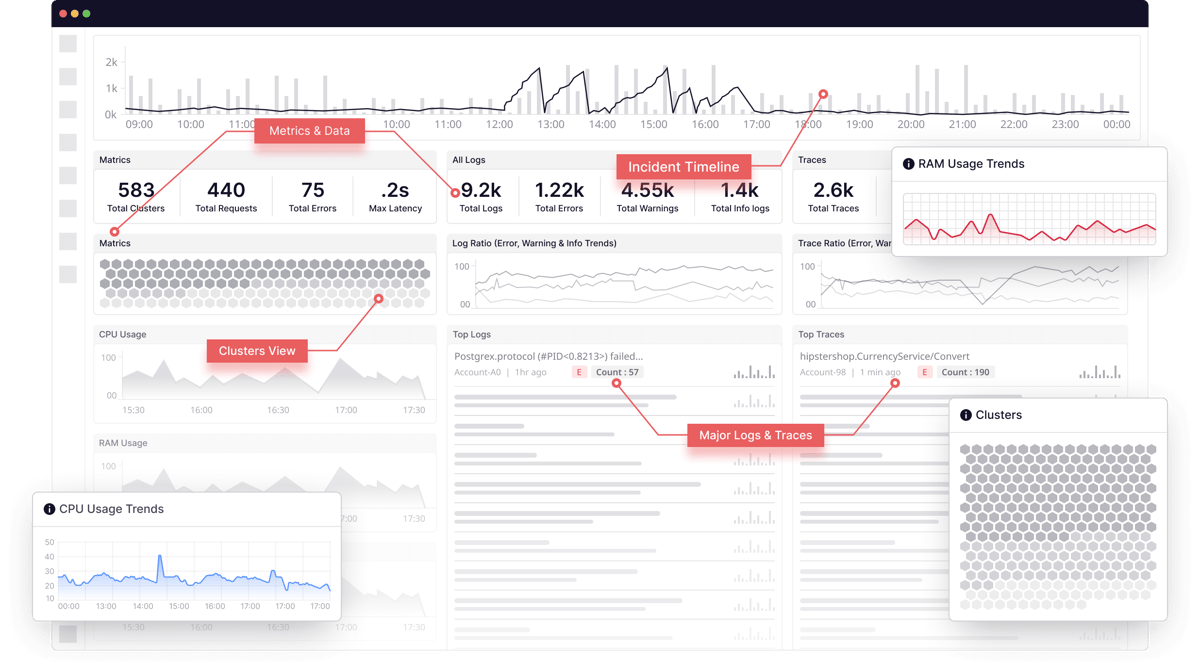
    Importance of desktop and mobile heatmaps

    It’s important to use heatmaps on different devices to identify potential issues. Your audience is segmented into mobile and desktop users.

    To deliver the best results for your visitors, analyze both desktop and mobile versions of your websites carefully. This will improve conversions and ensure a positive experience for your customers on desktop and mobile devices.

    You can also use heatmaps to picture the importance of different features, where every column represents a feature, and the corresponding color signifies their level of importance.

    How Does a Heatmap Work?

    Heatmap tool track user interactions on a webpage. This can include user clicks, mouse movements, scrolling, and other forms of engagement. Then, a small JavaScript snippet is embedded in the web page’s code, which collects interaction data and sends it to the heatmap tool’s servers.

    Once it collects the information, heatmaps visualize individual values in grid cells. Generally, areas with higher interaction or larger values are shown in warmer colors (reds and oranges), while areas with less interaction or smaller values are shown in cooler colors (blues and greens).

    Cell value annotations display the numeric values directly on the heatmap, which helps provide a clear view of interaction density. 

    The average cell value provides insight into the typical number of clicks per area, while cell value annotations display these numbers directly on the heatmap.

    How Do I Create a Website Heatmap?

    Creating a website heatmap is very easy and only takes a couple of minutes if you’re using advanced website heatmap tools like FullSession.

    Book a demo today to see how easy it is.

    What sets FullSession apart from competitors is our heatmap feature, delivering real-time insights, without any waiting time for data processing.

    Even though heat maps are notorious for slowing down websites, FullSession’s interactive heat maps won’t impact your site performance. We also offer additional analysis tools you can combine with heat maps to look for various user behavior patterns and discover what users love and hate about your site:

    5 Different Types of Heatmaps

    There are many different types of heat maps, each analyzing a specific type of behavior. Let’s explore the five most common heat map types.

    1. Scroll maps

    FullSession offers scroll maps that show your website visitors’ scrolling activity.

    Scroll maps allow you to see exactly how your audience interacts with your site, helping you identify content gaps and optimize your website for greater success. The y-axis represents the scroll depth, while the x-axis might represent time or the percentage of users reaching a certain scroll depth.

    Dynamic scroll heatmaps also let you know which parts of the site your visitors are interested in. Scroll maps help you position the most important sections of your website in highly visible areas, ensuring customers engage with critical information on key pages, such as product pages.

    With a scroll heatmap, you can learn about your website’s heat zone from top to bottom. The hottest colors on the scroll map indicate which sections are most viewed. The scroll map consists of three main components: peaks, troughs, and layout grid.

    Peaks indicate where users stop scrolling. Troughs show where users stop due to poor user experience, such as excessive ads or navigational problems. A layout grid divides the page into columns to measure the scrolling activity within each column.

    2. Click maps

    With FullSession, you can also use click heatmaps to visualize your visitors’ clicking patterns. The vertical axis displays the horizontal position of clicks, while the horizontal axis shows the vertical position.

    The color intensity on the heatmap changes according to the frequency of clicks at specific coordinates. Each click is recorded as a data point with a numeric value that represents the number of clicks at a particular spot on the webpage.

    With a click sensor, heatmaps can detect where and how many times visitors click on the website. Click heatmaps reveal valuable information to website owners through data visualization.

    FullSession also lets you get deeper user insights on each click heatmap, such as error clicks, rage clicks, average time on page, and more.

    Click tracking allows you to analyze visitor behavior during a website visit to optimize the user experience. This simple tool helps you increase conversion rates, decrease bounce rates, and improve landing pages and content design.

    This type of data analysis ensures that visitors engage positively with your blog, website, app, or landing page. One of the best ways is to check for clicks and scrolls before bouncing. If you see a few clicks and scrolls, your visitor might have found an issue with the colors, layout, headline, images, or some other element of your content.

    3. Eye-tracking heat maps

    Image source: 90 Percent On Everything

    Eye-tracking heatmaps allow designers to identify which page elements visitors find most and least engaging. 

    They also help pinpoint redundant or confusing elements by showing where users focus their attention. You can use this data to optimize content and determine the most effective page layout. 

    Eye-tracking heatmaps significantly reduce the user’s cognitive load, enabling you to identify areas of your website that may need further review or redesign, with results visually represented in a heatmap color code.

    4. Mouse-tracking heat maps

    FullSession provides mouse heatmaps, a form of data visualization that captures where your visitors are clicking, scrolling, and hovering the most.

    Analyzing mouse heatmaps can help you pinpoint areas where visitors experience high levels of frustration or struggle, identify unique behavior patterns, and determine opportunities for web optimization.

    Mouse heatmap navigation enables designers and marketers to understand the preferred reading regions of your website visitors, highlighting areas where users either avoid clicking or spend the most time exploring content.

    Your team can assess which web pages perform well and decide which ones need optimization.

    A categorical axis variable, made up of discrete categories or labels, is used instead of continuous numerical values. Each category represents a distinct group or type, such as different products, user segments, or webpage elements. When tracking movement within various sections of a webpage (e.g., header, footer, sidebar), these sections can be categorized along the axes for more precise analysis.

    5. Correlation heatmap

    A correlation heatmap is a visual representation that shows the correlation between two variables in a dataset. It uses colors to indicate the strength and direction of the relationships between multiple variables, making it easier to identify patterns and relationships at a glance. 

    Typically, lighter colors indicate a positive correlation, while darker colors signify a negative correlation.

    Correlation heatmaps are created by collecting data for the axis variables you wish to analyze, including any measurable data, such as sales figures, temperatures, and user interactions.

    The Benefits of Heatmaps 

    Heatmaps measure user attention and help you design content that resonates with your audience. Using heatmap software, you can evaluate site layout, conduct A/B tests, optimize call-to-action placement, and more.

    Here are some additional benefits of website heatmaps.

    They help you determine key performance indicators

    Source: Freepik

    One of the best tools for understanding how users behave on your website is heat mapping, which can highlight significant issues with your site at a glance.

    It helps you identify which metrics are the most important for your website’s success:

    • Geo heatmaps will show you the different locations to focus your marketing efforts on
    • Attention heatmaps will show you where on your website to place the most important messages and CTAs
    • Movement heatmaps will show you which areas are overlooked
    • Scroll maps help you determine which elements you should put above the average fold

    They use visualization to help you interpret data

    A heatmap can be worth a thousand words. When observing visitors through heatmaps, you’ll see how people interact with different sections of your site.

    Using website heat mapping, you can analyze where people are clicking and understand why some actions increase bounce rate.

    Also, it’s much easier to visualize data than looking at numbers and tables. A simple, colorful layout will give you all the necessary information with a single glance—red means that customers look and interact with something more frequently, while yellow shows average interaction. At the same time, green represents the areas that they don’t interact with enough.

    They help you learn from users’ experience

    Image source: AovUp

    Heat maps help you understand how users engage with your site—what your audience does and how they react to your design.

    While surveys are another way for customers to learn more about their experience, they are usually time-consuming, so customers often skip them. Heatmaps don’t require any additional effort from your customers, yet they can show you precisely what they’re interested in.

    Site visitors can reveal a lot about what they respond to on your website. Use A/B testing with heatmaps to change the design before going live on any platform with a larger audience.

    They are great when combined with other analytics tools

    But what other tools should you use with website heat mapping? Heatmaps are a great analytics tool that could help you uncover the best designs for your website and better understand how people use your product, but their effectiveness is enhanced when combined with other software.

    Sessions replay provides you with a reel of what your users are doing on-site, which you can replay to see the big picture. Filters allow you to zero in on specific user types, like high-paying customers.

    FullSession session replay tool does just that—it records users’ activities and allows you tofilter and segment them by key events. 

    Start a free trial to see how it works.

    They can point to some issues you overlooked in the past

    With website heat mapping, you can identify where people are clicking and what they are viewing, so you may make necessary changes to your webpage.

    UX design requires time and money to review. It’s much easier to retain customers by fixing any issues they might be dealing with on your website than to acquire new customers.

    Heatmaps provide an opportunity to uncover website content and design issues by mapping the user experience. For example, you might notice that a group of customers exits the website when they reach a certain point. It can help you diagnose whether it’s a broken button, misplaced CTA, or something else that’s causing the issue.

    They help you understand your customers’ behavior better

    Tools like heat mapping can help you identify pain points so that developers can optimize page designs better. These tools automatically track data points within a website, which gives you an idea of what interests new viewers and what deters them.

    Listening to specific feedback can help you tailor a better experience for users. Web heat mapping, for instance, shows how audiences react to a message.

    Take note of where you placed the message. Open your heat map, and you’ll get a clearer picture. Users aren’t showing enough interest if the message is painted with a cool color. If it’s warm and solid, they are interested in the message.

    They help increase conversions and profit

    Web heat maps help companies sell more products. They also allow website or product managers to make better decisions based on the information provided. It can lead to increased customer satisfaction, which helps your conversions.
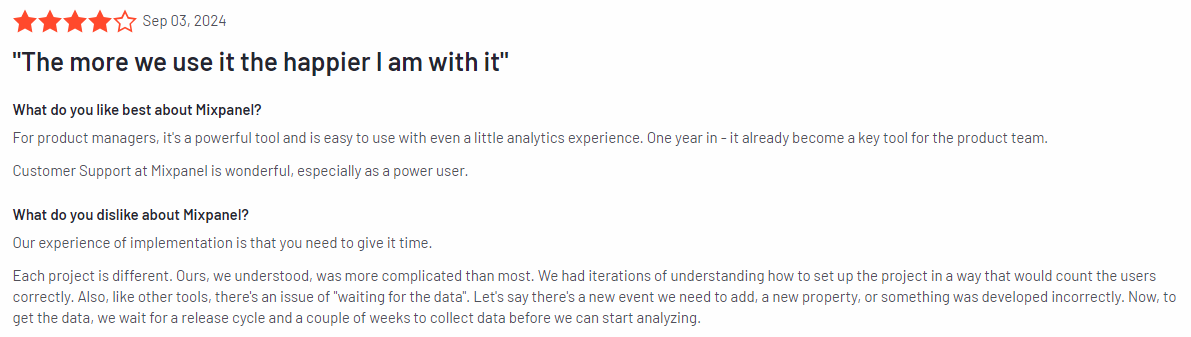
    You don’t have to guess how visitors interact with your content with website heatmaps. Using accurate data and metrics, you can optimize conversion rates accordingly.

    Best Practices for Using a Heatmap

    Here’s a quick checklist of tips, tricks, and advice on how to use heatmaps to improve your business:

    1. Don’t use heatmaps for all pages on your website simultaneously
    2. Segment your website into smaller categories when using heatmap for testing
    3. Filter heatmap data by page type, performance, device type, and channel
    4. Combine heatmaps with other tools likesession recordings,customer feedback, funnels and conversions, VoC data, and web analytics
    5. Use heatmaps to discover which content performs best and why and which doesn’t
    6. Use heatmaps to reduce the bounce rate by pinpointing the areas on your website where users usually exit the page
    7. Use tagging and data overlays to keep track of how recent changes on your website are performing
    8. Experiment and look for new ways to interpret heatmaps

    Create Insightful Heatmaps With FullSession

    Heatmaps are a great way to understand your customers’ needs and, ultimately, attract more visitors to your site. The way they interact with different elements and pages will give you a unique insight into what you need to improve and what’s already working.

    The FullSession customer experience suite allows you to track important user behavior metrics and gives you actionable advice on how to improve them. You can also watch users’ actions and replay sessions to diagnose why they didn’t buy your product or service.

    Plus, the interactive heat map feature provides a visual representation of which elements get the most attention.

    Book a demo today to discover how FullSession can help you provide your customers with an unforgettable experience.

    You can also find our reviews and comparisons of Mouseflow vs VWO, Lucky Orange vs Hotjar, Hotjar vs Microsoft Clarity, and more. 

    FullSession Pricing Plans

    Fullsession Pricing

    The FullSession platform offers a 14-day free trial and three paid plans: Starter, Business, and Enterprise. A yearly subscription can save you up to 20%!

    Here are more details on each plan.

    • The Free plan is available at $0/month and lets you track up to 500 sessions per month with 30 days of data retention, making it ideal for testing core features like session replay, heatmaps, and frustration signals.
    • The Growth Plan starts from $23/month (billed annually, $276/year) for 5,000 sessions/month – with flexible tiers up to 50,000 sessions/month. Includes 4 months of data retention plus advanced features like funnels & conversion analysis, feedback widgets, and AI-assisted segment creation.
    • The Pro Plan starts from $279/month (billed annually, $3,350/year) for 100,000 sessions/month – with flexible tiers up to 750,000 sessions/month. It includes everything in the Growth plan, plus unlimited seats and 8-month data retention for larger teams that need deeper historical insights.
    • The Enterprise plan starts from $1,274/month when billed annually ($15,288/year) and is designed for large-scale needs with 500,000+ sessions per month, 15 months of data retention, priority support, uptime SLA, security reviews, and fully customized pricing and terms.

    Book a demo today.

    FAQ About How to Read a Heatmap

    What is a heatmap?

    A heatmap is a data representation that uses color to represent the intensity of values in a dataset. The term heatmap describes graphical representations where data points are shown with colors indicating higher (warm colors like red and orange) or lower (cool colors like blue and green) values.

    What web analytics tools have heatmaps?

    Tools like FullSession, Smartlook, Mouseflow, Hotjar alternatives, and Google Analytics offer heatmaps along with other web analytics tools.

    How do you interpret heatmap data?

    To interpret a heat map, start by identifying what the x-axis and y-axis represent, which are typically the variables or categories being compared. Understand the color scale: warm colors like red and orange often indicate higher values, while cool colors like blue and green signify lower values. Each cell’s color represents a specific value, and some heatmaps include numeric annotations for exact values. Look for patterns, such as clusters of similar colors, to identify trends, anomalies, or areas of interest.

    How do you read a heat graph?

    Reading a heat graph involves identifying the axes, checking the color legend, examining individual cells, and looking for overall patterns. The x-axis might show time intervals, while the y-axis shows different metrics. Understand what the colors represent, and look for gradients, clusters, or outliers to gain insights into the data distribution.

    How do you read a heatmap correlation?

    Reading a heatmap correlation involves understanding that it visualizes a correlation matrix where each cell represents the correlation between two variables. The axes list the variables being compared. Colors close to 1 (dark red) indicate strong positive correlations, colors close to -1 (dark blue) indicate strong negative correlations, and colors near 0 indicate no correlation. Look at cell value annotations for exact correlation coefficients and identify significant correlations or patterns.

    How do you evaluate a heatmap?

    Evaluating a heatmap involves ensuring it accurately represents the data with clear colors and accurate annotations. Check if every single variable is relevant and provide insights. The color scale should be appropriate and intuitive. Look for clear patterns or insights that align with the data’s purpose. Consider the context of the data and assess whether the insights are actionable and can inform decisions or further analysis.


  • Top 9 User Behavior Tools in 2025

    Top 9 User Behavior Tools in 2025

    You’ve probably heard of user behavior tools before. You can use them to monitor user behavior, measure user engagement on websites and mobile apps, track user activity, monitor user flows, heat maps, scroll maps, and clickstreams on your web pages.

    These tools provide many benefits, such as improved conversion rates, increased sales, improved customer experience, reduced operational costs, and more. However, they also have drawbacks, such as user privacy concerns.

    There are many user behavior analytics tools on the market today. Some are free or low-cost, while others can be quite expensive.

    This blog post lists the top 9 user behavior analytics tools for 2024 to help you decide which are best for your business.

    You can start with FullSession, our user behavior analytics software. FullSession comes packed with features that can provide valuable insights into how users interact with your website, including session recordings, heatmaps, customer feedback tools, funnel and conversion optimization tools, and error analysis.

    Start a Free Trial to Experience FullSession

    Capture all user interactions, spot trends and patterns and drive improvements without compromising your website performance.

    9 Best User Behavior Tools in 2024

    User behavior analytics tools use many techniques, from session recordings, simple surveys, and log file analysis to sophisticated A/B testing and eye-tracking experiments. They generally fall into three categories: user experience measurement, user experience engineering, and user experience optimization.

    The user behavior analytics software market is growing fast, and there are many different traditional analytics tools to help you understand user behavior on your website. Therefore, it can be hard to decide which website analytics tool is right for your company.

    In the following section, we will review the top nine user behavioral analytics tools, discuss why you should use them, and discuss their benefits for your business.

    1. FullSession

    FullSession is user behavior analytics software that records and replays all user sessions and interactions with your site. It helps you understand how your visitors behave, navigate around the site, and experience your site’s content.

    FullSession runs in the background of your site without affecting its performance and automatically records all your visitors’ actions: what they did, where they clicked, what they typed, how long it took them to complete the desired action, and their mouse movements. It doesn’t record sensitive data, so you don’t have to worry about privacy complications.

    You can use data gathered from FullSession to adjust your site to your visitors’ needs, optimize your site performance, inform your product roadmap, improve your marketing campaigns, and so much more. 

    Best of all, you can rest assured that these are data-driven decisions based on current and future user behavior.

    Start a free trial now.

    Who is FullSession for

    FullSession is a good option for product teams, UX teams, marketing teams, sales teams, and data analysts. It is popular in the eCommerce industry.

    FullSession features overview

    Here is the list of FullSession key features that can help you achieve your business goals:

    FullSession integrations

    Currently, you can integrate FullSession with third-party tools such as Zapier, Shopify, Big Commerce, Wix, and WordPress. It also works with Open APIs and modern webhooks.

    FullSession support

    If you have any issues with FullSession, you can send an email, visit the knowledge base, or start a live chat with a customer service rep. You can also finduseful guides anddocumentation on the website.

    Don’t worry about the learning curve when you sign up. FullSession offers in-depth user onboarding so you know exactly what to do.

    FullSession pricing

    Fullsession Pricing

    If you think FullSession is a good solution for your business, you can start a free trial to test all features. When it expires, choose one of three paid plans and get a 20% discount with an annual subscription:

    1. The Free plan is available at $0/month and lets you track up to 500 sessions per month with 30 days of data retention, making it ideal for testing core features like session replay, website heatmaps, and frustration signals.
    2. The Growth Plan starts from $23/month (billed annually, $276/year) for 5,000 sessions/month – with flexible tiers up to 50,000 sessions/month. Includes 4 months of data retention plus advanced features like funnels & conversion analysis, feedback widgets, and AI-assisted segment creation.
    3. The Pro Plan starts from $279/month (billed annually, $3,350/year) for 100,000 sessions/month – with flexible tiers up to 750,000 sessions/month. It includes everything in the Growth plan, plus unlimited seats and 8-month data retention for larger teams that need deeper historical insights.
    4. The Enterprise plan starts from $1,274/month when billed annually ($15,288/year) and is designed for large-scale needs with 500,000+ sessions per month, 15 months of data retention, priority support, uptime SLA, security reviews, and fully customized pricing and terms.

    We understand that every business has unique challenges, which is why we’ll work with you to create a customized plan that fits your needs. You can get a demo to get started.

    The customized plan includes all premium features and:

    • Custom number of sessions
    • Conversion analysis
    • Custom invoicing
    • Priority support
    • Effort analysis
    • Dedicated customer success manager
    • Engagement analysis

    FullSession offers numerous benefits, including real-time tracking of dynamic elements for precise user insights and accelerated heatmap processing without impacting site speed. 

    It prioritizes user privacy by excluding sensitive data from recordings and effectively manages extensive data sets to quickly reveal key insights. FullSession limits user behavior tracking to your site, prevents data misuse, and facilitates cross-team collaboration, unifying team efforts on a single platform.

    Analyze User Behavior in Real-Time

    Capture all user interactions, spot trends and patterns and drive improvements without compromising your website performance.

    2. Hotjar

    Image source: G2

    Hotjar offers several tools and a research mode that help you see what most of your users are doing online. You’ll get heatmaps of your customers’ clicks and recordings of them using your site.

    This way, you can find issues with the user journey, from entry pages to exit pages, so you can resolve problems quickly, improve your marketing efforts, save development time, and retain more customers.

    Hotjar user rating

    Hotjar has an 8.3 score out of 10 on TrustRadius, based on 339 user reviews.

    Who is Hotjar for

    Small businesses, bloggers, and freelancers are the most common users of Hotjar. Marketing and advertising agencies, technology companies, and the retail industry also widely use it.

    List of Hotjar features

    Hotjar is a set of website analytics and feedback tools that work in real time. It also comes with a variety of ready-made analysis and reporting options. Here is the list of Hotjar features:

    • Heatmaps
    • Session recording
    • Session replay tools
    • Conversion funnels and user journeys
    • Form analytics
    • User feedback widget
    • Incoming feedback
    • Surveys
    • Usability testing recruitment

    Hotjar integrations

    Currently, you can integrate Hotjar with Slack, Google Tag Manager, HubSpot, Google Optimize, Microsoft Teams, Optimizely, Zapier, and more.

    Hotjar support

    If you have any questions regarding this user behavior analytics tool, you can visit the knowledge base, read user guides and documentation, or submit a request.

    Hotjar pricing

    Hotjar offers three pricing plans to choose from–Observe, Ask, and Engage:

    1. Observe lets you record user sessions starting at $39 per month for up to 100 daily sessions.
    2. Ask allows you to create and manage surveys. It starts at $48/month for up to 250 monthly responses
    3. Engage automates most of your interview process. It starts at $39.2/month for up to 3 interviews a month from the Hotjar participant pool.

    If you want to learn more about Hotjar, you can read our comprehensive review. You can also go through our guide on Hotjar alternatives, find out how it compares to Microsoft Clarity or Inspectlet, or read our blog post on the differences between Hotjar and Google Analytics.

    3. Lucky Orange

    Image source: G2

    Lucky Orange makes it easier than ever to troubleshoot issues with your website or web app. You can capture all of your customers’ actions while they are on the virtual desktop, from mouse movements, clicks, and taps to scrolls and more.

    It helps you monitor customer behavior, learn about your users and their preferences, and find issues before they become serious problems.

    Learn more: Lucky Orange alternatives.

    Lucky Orange user rating

    Lucky Orange has a 6.9 score out of 10 on TrustRadius, based on 20 user reviews.

    Who is Lucky Orange for

    It is a good option for UX designers, product managers, market researchers, digital marketers, and software sales teams. Small businesses and marketing and advertising agencies use it the most.

    List of Lucky Orange features

    Lucky Orange helps you track and identify problems with your website’s performance. You can view backup data and future behavior predictions, which can help you make better business decisions.

    Here is the list of Lucky Orange features:

    • Session recording and session replay
    • Live Chat for customer support
    • Conversion funnel optimization
    • Detailed visitor profiles with recording history
    • Announcement sharing
    • Placement options
    • Intelligent triggers
    • Dynamic heatmaps
    • Unlimited and customizable dashboards
    • Form analytics
    • Fully customizable surveys with a pre-launch preview

    Lucky Orange integrations

    Currently, you can integrate Lucky Orange with Google Analytics, HubSpot, Optimizely, Zapier, WordPress, Shopify, and more.

    Lucky Orange support

    If you need help with Lucky Orange, you can send an email, contact support by phone, visit the help center, or start a live chat on the official website.

    Lucky Orange pricing

    If you have only one website, you can use a free plan that includes 100 page views per month. Lucky Orange offers five pricing packages you can also test with a free trial:

    1. The Build package includes 5,000 monthly sessions for $39/month
    2. The Grow package includes 15,000 monthly sessions for $79/month
    3. The Expand package includes 45,000 monthly sessions for $179/month
    4. The Scale package includes 300,000 monthly sessions for $749/month

    You can read our comprehensive review if you’re interested in learning how Lucky Orange compares to Hotjar.

    4. Crazy Egg

    Image source: G2

    Crazy Egg helps you create a more effective website by providing insight into popular areas, scroll depth, and click patterns. You can segment these by key elements (e.g., referral sources). Focusing on improving conversion rates, Crazy Egg will quickly show you what’s working and what isn’t.

    By using Crazy Egg, you will increase revenue per visitor, decrease bounce rates and shopping cart abandonment, and ultimately improve your customer experience.

    Crazy Egg user rating

    Crazy Egg has an 8.2 score out of 10 on TrustRadius, based on 126 user reviews.

    Who is Crazy Egg for

    Crazy Egg is a popular solution in education, eCommerce, marketing and advertising, computer software, automotive, banking, and consumer electronics industries.

    List of Crazy Egg features

    With real-time heatmaps and visitor recording, you can pinpoint and fix the usability issues affecting your customers’ experience–including poorly designed forms, broken links, unclear CTAs, and more.

    Here is the list of Crazy Egg features:

    • Session recordings and replays
    • Heatmaps, scroll maps, and click maps
    • A/B testing tool
    • Battle form abandonment
    • Engagement analysis
    • Confetti reports
    • Site launches
    • Visitor analysis
    • Audience segmentation
    • UX testing
    • Customer analysis
    • Variable testing
    • Insights

    Crazy Egg integrations

    Crazy Egg integrates with third-party tools such as Google Tag Manager, Wix, WordPress, Squarespace, and Shopify.

    Crazy Egg support

    If you want to learn more about Crazy Egg, you can visit their help center or submit a request on the official website.

    Crazy Egg pricing

    Crazy Egg’s pricing plans enable businesses to select the right plan for their needs. There are three plans to choose from, and each includes a free trial for customers to test it out. All plans are billed annually.

    1. The Plus plan starts at $99/month and includes 150,000 tracked pageviews, 75 snapshots, and 1,000 recordings.
    2. The Pro plan starts at $249/month and includes 500,000 tracked pageviews, 100 snapshots, and 5,000 recordings.
    3. The Enterprise plan starts at $499/month and includes one million tracked pageviews, 200 snapshots, and 10,000 recordings.

    If you want to find out how Crazy Egg compares to Hotjar, read our recent comparison of these two software solutions.

    5. Mixpanel

    Image source: G2

    Mixpanel is a user analytics platform that collects every event on your website and links it to a single user. It allows real-time data collection through API or SDK.

    It offers live site tools to help you collect data on customer behavior, develop valuable products, and track your product’s performance. With its assortment of intelligent reports that use aggregated data in real time, you can make informed product decisions based on specific scenarios.

    You can get insights on the most important customer experience metrics, such as engagement and conversion, or run A/B tests and measure advertising effectiveness.

    Mixpanel user rating

    Mixpanel has an 8.7 score out of 10 on TrustRadius, based on 215 user reviews.

    Who is Mixpanel for

    As for job functions, it is best suited for mobile or web developers. Companies in computer software, information technology and services, the internet, financial services, and health, wellness, and fitness industries use it the most.

    List of Mixpanel features

    Mixpanel is more than just a tool for analytics, it’s a data analytics platform. It takes the information users give you, analyzes it, and provides actionable insights. Here is the list of Mixpanel features:

    • Interactive Insights, Funnels, Flows, Retention, Impact, Users, Experiments, and Signal reports
    • Team dashboard and alerts
    • Advanced data segmentation
    • Group analytics on the account or organization level
    • Data integrations and management
    • Increased security and privacy

    Mixpanel integrations

    Mixpanel integrates with more than 50 platforms, such as Google Analytics, Zoho, Meya, and Hotjar, making it one of the most advanced solutions on the market.

    Mixpanel support

    It offers several ways to contact its customer support: submit a request, visit the help center, or read developers’ documentation.

    Mixpanel pricing

    Mixpanel offers three pricing plans, Free, Growth, and Enterprise.

    1. The Free plan lets you track up to 100,000 monthly users.
    2. The Growth plan lets you create your plan by choosing the number of users you want to track monthly. It starts at $28/month and doesn’t have a free trial.
    3. Contact sales to learn more about the Enterprise plan and to get your customized plan and pricing.

    If you want to learn how Mixpanel compares to Hotjar and Clicktale, you can read our blog post on this topic.

    6. Heap Analytics

    Image source: G2

    Friction is the word used to describe the negative reaction customers have when they run into problems while using a website or app. These problems are often hidden in the experience. They create inconvenience and dissatisfaction with your business. Heap finds these issues, helping you improve your digital performance.

    Heap is a tool that helps you make sense of your data by giving you a place to collect, analyze, and visualize. With Heap, you can easily record user behavior and then test out changes to see how they impact conversion rates and, ultimately, your profits.

    Heap user rating

    Heap has an 8.2 score out of 10 on TrustRadius, based on 379 user reviews.

    Who is Heap for

    Heap Analytics is very popular in eCommerce, retail, computer software, IT and services, marketing and advertising industries, and financial services.

    List of Heap features

    Heap lets you track your users’ behavior through their journey. Using its suite of analytics tools, you can look at all of your data in real time and react to customer feedback promptly. Here is the list of Heap features:

    • Complete data auto-capture
    • APIs
    • Sources
    • Event visualizer
    • Data dictionary and governance
    • Data protection and access control
    • Dashboards and insights
    • Ad-hoc analysis
    • Heap connect
    • Heap activate

    Heap integrations

    Heap integrates with other solutions such as SalesForce, Marketo, Optimizely, Shopify, HubSpot, and Intercom.

    Heap support

    If you have any issues with Heap, you can read their documentation and user guides or email customer support.

    Heap pricing

    Heap’s website doesn’t clearly indicate pricing, but it offers a free plan and three paid plans: Growth, Pro, and Premier. Contact the sales department for a quote.

    7. FullStory

    Image source: G2

    FullStory gives you a holistic view of your customer’s digital journey to help you deliver an improved customer experience. It combines both qualitative and quantitative data providing insights on what appeals to your customers visually and how they’re interacting with your site.

    FullStory provides your company with the insights it needs to identify, troubleshoot, and fix bugs more efficiently. It can also help you retain your customers by tracking down bugs in real time before it’s too late.

    FullStory user rating

    FullStory has an 8.6 score out of 10 on TrustRadius, based on 148 user reviews.

    Who is FullStory for

    SMBs, large enterprises, and nonprofits love FullStory. It is a very popular tool in eCommerce and retail, SaaS, finance and insurance, travel and hospitality, and the telecom and media industry.

    List of FullStory features

    FullStory gives you the power to identify issues and understand customer journeys. Its feature set includes session recording software, replaying, and analyzing user sessions, helping you quickly identify revenue-impacting issues. 

    Here is the list of FullStory features:

    • Advanced record and session replay
    • Skip inactivity feature
    • Action-based users and session filtering
    • Developers tools and bug reports
    • Conversion funnel optimization
    • Click and scroll heatmaps
    • Collaboration tools
    • Privacy control features
    • Implementation with JavaScript frameworks

    FullStory integrations

    FullStory provides over 50 integration options. It offers native integrations, APIs, and iPaaS integrations with tools such as Tray.io, Workato, and Zapier.

    FullStory support

    If you get stuck with FullStory, you can send an email or visit their knowledge base, which will probably provide answers to most of your questions.

    FullStory pricing

    FullStory offers free plans but doesn’t disclose its pricing publicly. Its official website provides some basic information about each plan.

    1. The free plan provides three seats, up to 1,000 sessions/month, and one month of data storage.
    2. The Business plan includes a 14-day free trial.
    3. For information on the Enterprise plan, you need to contact sales reps.

    We’ve recently reviewed how FullStory compares to Hotjar, Crazy Egg, and Mouseflow to help you find all the relevant information in this blog post.

    If you are interested in an in-depth comparison of Hotjar and FullStory, read this article

    8. Amplitude Analytics

    Image source: G2

    Amplitude is a customer intelligence and analytics platform that enables you to collect, aggregate, and analyze data about your audience’s behavior in real time.

    With Amplitude’s advanced real-time and historical data collection, visualization tools, and machine learning capabilities to make sense of it all, your entire team can gain valuable insight into the way customers interact with your brand across every touchpoint of their lifecycle.

    Learn more: Amplitude alternatives.

    Amplitude user rating

    Amplitude has an 8.2 score out of 10 on TrustRadius, based on 130 user reviews.

    Who is Amplitude for

    Amplitude is very popular and widely used in B2B, consumer tech, eCommerce, media, and financial services.

    List of Amplitude features

    Amplitude is an analytics platform for mobile and web apps that provides fast, precise answers to what’s driving your users’ behaviors. It helps companies design growth experiments, discover user behavior, build personalized experiences, and optimize their marketing strategies.

    Here is the list of Amplitude features:

    • Product analytics and experiments
    • Explore behavioral data
    • Measure key metrics
    • Monitor frictions
    • Analyze digital journeys
    • Identify retention and conversion drivers
    • Predict future outcomes

    Amplitude integrations

    Amplitude integrates with more than 14 third-party tools, such as Adobe Analytics, Facebook Ads, Google Ads, HubSpot, Amazon Redshift, and more.

    Amplitude support

    If you need help with Amplitude, you can visit their help center, send an email, or start a live chat.

    Amplitude pricing

    Amplitude Analytics offers three plans:

    1. The free plan lets you access standard features like starter templates and session replay.
    2. The Plus plan starts at $61 per month and comes with advanced features like unlimited product analytics tools.
    3. The Growth plan offers custom pricing for customized features

    9. LogRocket

    Image source: G2

    LogRocket gives you insight into your users’ behavior and lets you replay their sessions. It helps you understand what went wrong when something crashed or why your conversion rate needs improvement.

    With LogRocket’s flexible sharing options, you can easily share a replay with other team members and provide the details on any user interaction that may help fix issues faster.

    By watching how your users interact with your site, LogRocket will show you where users struggle, what they do right or wrong, and how you can improve your user interface. 

    It helps you understand individual users’ actions and identify user trends.

    Learn more: LogRocket competitors.

    LogRocket user rating

    LogRocket has an 8.9 out of 10 on TrustRadius, based on ten user reviews.

    Who is LogRocket for

    LogRocket is most popular in computer software, financial services, IT and services, marketing and advertising, and real estate industries.

    List of LogRocket features

    LogRocket lets you replay issues as they happen. Get stack traces and the full user session history, replay page interactions on any browser, device, or app, and use the visual debugger to understand what’s going on as bugs happen. Here is the list of LogRocket features:

    • Session recordings and session replays
    • Error tracking and management
    • Frontend performance monitoring
    • Product analytics
    • User experience analytics

    LogRocket integrations

    LogRocket integrates with many popular platforms, such as Zendesk, Jira, Intercom, Datadog, Pendo, Salesforce, and Segment.

    LogRocket support

    If you ever have any questions or issues with your LogRocket account, make sure to check out their documentation. You can also start a live chat or send an email to customer support.

    LogRocket pricing

    LogRocket offers four options to help you choose the right pricing plan based on your needs:

    1. The Developer plan is free to use and includes 1,000 sessions/month with 1-month data retention.
    2. The Team plan includes a 14-day free trial and starts at $99/month. It includes 10,000 sessions/month with 1-month data retention.
    3. The Professional plan includes 10,000 sessions per month and AI-powered struggle detection starting at $350/month.
    4. The Enterprise plan offers a custom volume of sessions and advanced analytics for custom pricing.

    If you’re considering FullStory and LogRocket but can’t decide which software to use, our comprehensive review can help.

    Short Overview of the User Behavior Analytics Tools

    There’s a lot of variety in what these tools offer, so if you are new to user behavior analytics, it may be hard for you to make a decision. To help you out, let’s give a short overview of these popular tools for analyzing websites.

    User ratingBest forIntegrationsSupportFree trialPricing
    FullSession5 score out of 5 on G2eCommerce industryShopify, Big Commerce, Wix, and WordPressEmail, knowledge base, live chat, user guides, documentationYesStarts at$32/month 
    Hotjar8.3 score out of 10 on TrustRadiusMarketing and advertising agencies, technology companies, and the retail industrySlack, Google Tag Manager, HubSpot, Google Optimize, Microsoft Teams, Optimizely, and ZapierUser guides, documentation, knowledge base, submit a requestYesStarts at$39/month
    Lucky Orange6.9 score out of 10 on TrustRadiusSmall businesses and marketing and advertising agenciesGoogle Analytics, HubSpot, Optimizely, Zapier, WordPress, and ShopifyEmail, live chat, phone support, help centerYesStarts at$39/month
    Crazy Egg8.2 score out of 10 on TrustRadiusEducation, eCommerce, marketing and advertising, computer software, automotive, banking, and consumer electronics industriesGoogle Tag Manager, Wix, WordPress, Squarespace, and ShopifyHelp center or submit a requestYesStarts at$99/month
    Mixpanel8.7 score out of 10 on TrustRadiusComputer software, information technology and services, the internet, financial services, and health, wellness, and fitness industriesMore than 50 platforms, such as Google Analytics, Zoho, Meya, and  HotjarSubmit a request, help center, documentationYesStarts at$28/month
    Heap8.2 score out of 10 on TrustRadiuseCommerce, retail, computer software, IT and services, marketing and advertising industries, and financial servicesSalesForce, Marketo, Optimizely, Shopify, HubSpot, and IntercomDocumentation, user guides, or emailYesN/A
    FullStory8.6 score out of 10 on TrustRadiuseCommerce and retail, SaaS, finance and insurance, travel and hospitality, and telecom and media industriesOver 50 integration options, such as Tray.io, Workato, and ZapierKnowledge base or emailYesN/A
    Amplitude Analytics8.2 score out of 10 on TrustRadiusB2B, consumer tech, eCommerce, media, and financial servicesAdobe Analytics, Facebook Ads, Google Ads, HubSpot, Amazon Redshift, and moreHelp center, email, or live chatYesStarts at $61/month
    LogRocket8.9 score out of 10 on TrustRadiusComputer software, financial services, IT and services, marketing and advertising, and real estate industriesZendesk, Jira, Intercom, Datadog, Pendo, Salesforce, and SegmentDocumentation, email, or live chatYesStarts at$99/month

    FullSession is the User Behavior Tool You Need

    FullSession heatmap

    With FullSession, you’ll have access to user behavior analytics tools that will enable your team members to work more productively. Here are some of the reasons why FullSession should be your first choice:

    • It tracks dynamic elements in real time for precise user insights
    • It gives you a holistic view of site performance
    • It lets you visualize user interactions via heatmaps
    • It accelerates heatmap processing with zero impact on site speed
    • It protects user privacy by excluding sensitive data recording
    • It limits user behavior tracking to your site, preventing data misuse
    • It manages extensive data sets effectively and quickly reveals key insights
    • It determines the optimal path for your marketing initiatives
    • It lets you gain actionable insights into how to improve conversion rates
    • It offers advanced filtering options to better understand the customer journey
    • It identifies major events inside a single session during remote user testing
    • It enables users to provide feedback on your website
    • It’s easy to use, even if you don’t have much technical expertise
    • It facilitates cross-team collaboration and unifies team efforts on one platform

    FullSession will help you track user behavior, saving you time and money. You can start a 14-day free trial to learn about our product and test all available features.

    If you like our service, you can choose one of two paid plans or contact us to create a customized plan based on your needs. We are super flexible and always willing to hear our customers!

    FullSession Pricing Plans

    The FullSession platform offers a 14-day free trial. It provides three paid plans—Starter, Business, and Enterprise. Here are more details on each plan.

    1. The Starter plan costs $39/month or $32/year and allows you to monitor up to 5,000 monthly sessions.
    2. The Business plan costs $75/month or $60/year and helps you to track and analyze up to 100,000 monthly sessions.
    3. The Enterprise plan has custom pricing and offers customizable sessions plus full access to all features.

    Save up to 20% by signing up for the annual plan!

    Book a demo today.

    Choosing the Right User Behavior Tool is a Must for Success

    If you’re looking to improve your conversion rates and generate more leads, user behavior analytics tools could be the answer.

    User behavior analytics tools reveal how users interact with your website and help drive better marketing or product decisions, ultimately increasing your product’s performance.

    The user behavior analytics tools we reviewed today should provide a good foundation for your decision-making process. But, no matter which one you choose, be sure to evaluate your needs, budget, and the features they offer before making any commitments.

    We recommend you start using FullSession for free and join our happy customers’ tribe today.

    Want to learn more about analyzing user interactions with FullSession? Book a demo today.

    FAQs About User Behavior Analytics Tools

    What are user behavior analytics tools?

    User behavior analytics tools (UBA) refer to the technology you can use to measure user behavior and identify trends or patterns that help you make better business decisions about your product development.

    User behavior analytics software works by collecting user behavior data from website visitors’ interactions with your website, web app, or landing page, typically through cookies or browser-based Javascript scripts.

    These interactions may include form submission, checkout process, mouse movements, page views, user inputs, or clicks. The goal of user behavior analysis is to help you measure the quality of these interactions, so you can improve your product by making changes to its design, layout, or content accordingly.

    Some tools also allow you to segment users based on demographics, device types, and other categories so you can gain a more nuanced understanding of user actions.

    Who should analyze user behavior?

    User behavior analytics tools, or UX tools, let user experience professionals analyze user behavior. These tools help them gain insight to improve customer satisfaction, increase conversions, and reduce customer churn.

    Here is the list of departments that benefit the most from behavioral analytics.

       1. Marketing teams

    User behavior analytics tools enable marketing teams to track real users’ activity and interests. 

    For example, they can use user behavior data to determine which user actions lead to customer conversions. They also enable marketing teams to understand user sentiment and user experience.
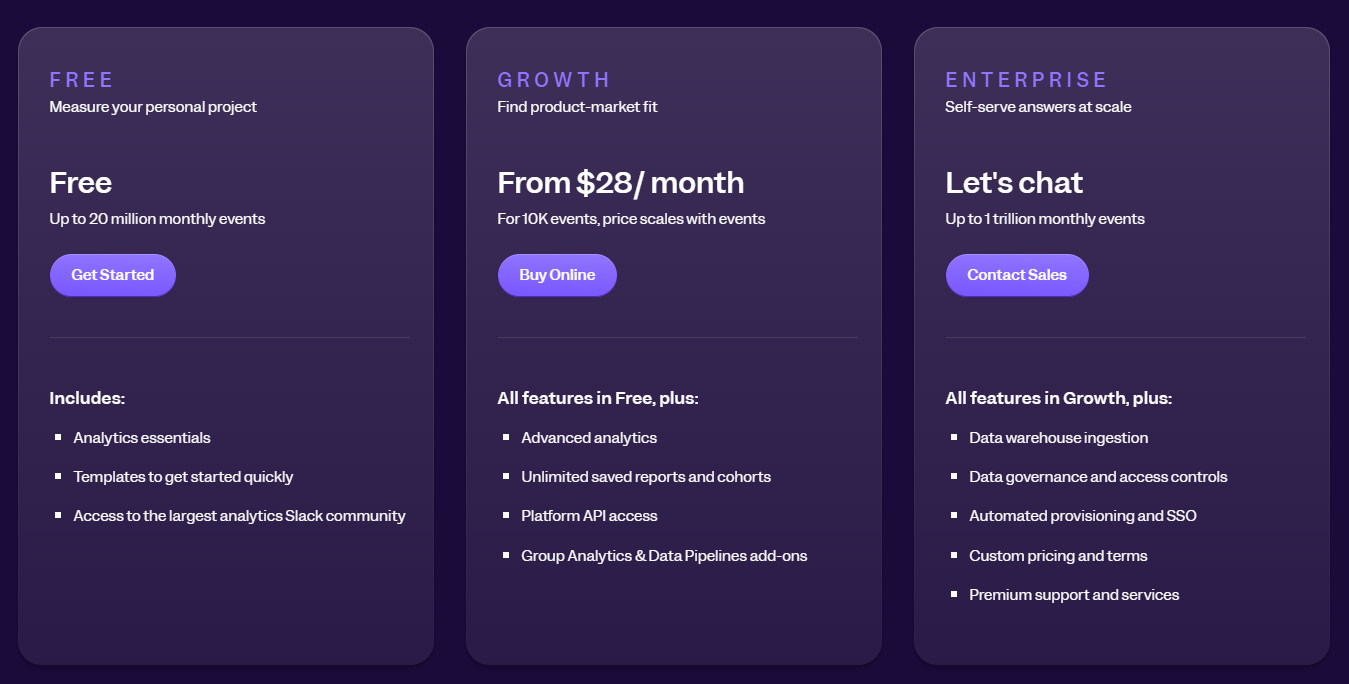
    Additionally, user behavior analytics helps them see the customer journey through a website or mobile app and predict where customers might get stuck when using products or services.

       2. Quality assurance teams

    Quality assurance teams are often the first to identify user issues upon product launch. User behavior analytics tools can assist these teams by providing analytics data that they can use to find and reproduce bugs in a web app.

    When quality assurance teams use user behavior analytics software for QA purposes, they can discover errors quickly and deploy new features before user adoption declines.

       3. Customer support teams

    A user behavior analytics solution helps customer support teams monitor and understand how users interact while using your product or service. It also allows them to increase user satisfaction and retention by better identifying and meeting user needs.

       4. Product development teams

    Product development teams use user behavior analytics tools to improve websites, web apps, mobile apps, or landing pages. They analyze data to discover why customers abandon your website.

    For example, analytics can measure and gather data on product accessibility, user behavior patterns, user navigation through the site, user click-through rates, shopping cart abandonment rates, content performance data, how different forms work, page views per user, and more.

    What are the benefits of user behavior analytics tools?

    User behavior analytics software offers in-depth insights for business owners who want more information about their customers. Businesses of all sizes, from multinational corporations to startups, use these solutions to improve their products or services.

    Here are some of the reasons for analyzing user behavior and user interactions:

    1. You can monitor user interactions in real time and see how users behave on your website.
    2. You can understand exactly what your customers want and need via quantitative and qualitative data.
    3. You can gain valuable insights to personalize customer product or service experiences.
    4. You will have more analytics data to make business decisions.
    5. You can collect raw data for statistical analysis more easily.
    6. You can gain deeper insights into user trends, preferences, and intentions.
    7. You will improve user engagement, user loyalty, and user satisfaction.
    8. You can detect what’s alienating site visitors.
    9. You can enhance customer support by understanding user feedback.
    10. You can collect data and use it for conversion rate optimization.
    11. You can optimize your marketing or development efforts.
    12. You can improve your content strategy.
    13. You can understand the path leading immediately to conversions.
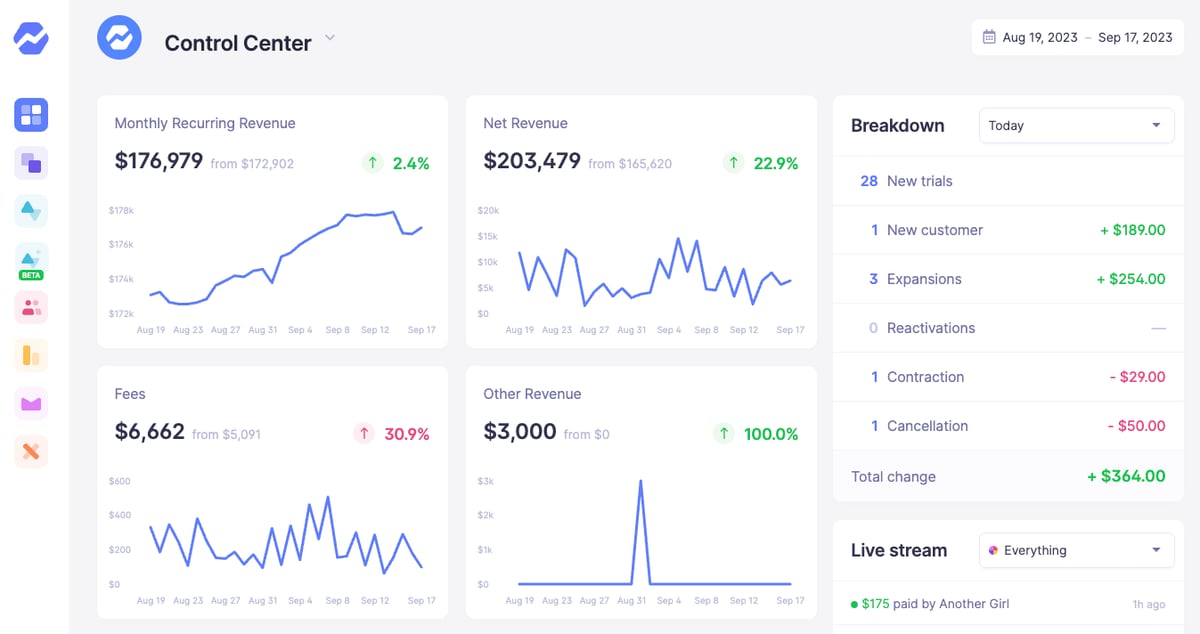
    14. You can increase knowledge on website retention and customer lifetime value.
    15. You can launch new features and updates faster.

    User behavior analytics tools are becoming increasingly popular. These users’ behavior data analysis tools help you create more user-friendly products.
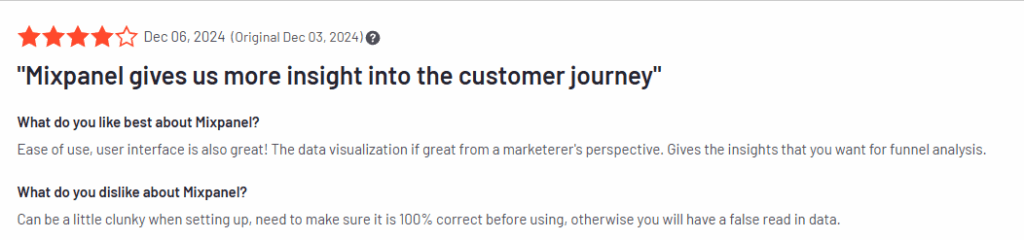
    But how do you know what is the right tool for your needs? Continue reading to find out.
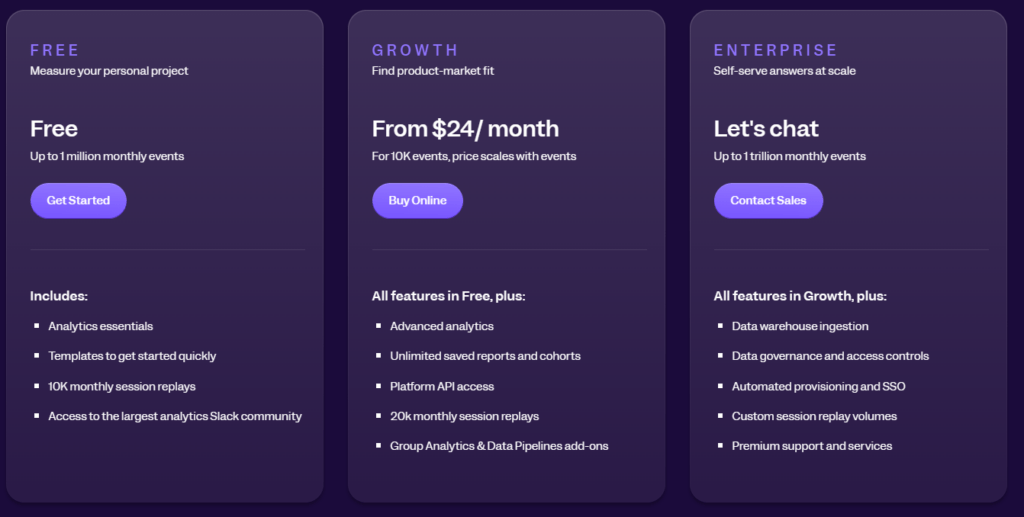
    Which tool is used for tracking user behavior?

    FullSession is a key tool for tracking user behavior that captures detailed insights into user interactions on websites and apps. It’s the best behavior analytics tool out there if you want all the necessary features, like heatmaps and session recordings, without breaking the bank. Learn more about key features, session recordings, and pricing here.

    What are the behavioral tools?

    Behavioral tools like FullSession, Google Analytics, and Hotjar monitor and analyze user interactions to help businesses understand and optimize user experiences. These behavior analytics tools work by monitoring and analyzing how users engage with your website, which ultimately tells you how to enhance user experience.

    What is an example of user behavior?

    An example of user behavior is a visitor navigating an e-commerce site: landing on the homepage, searching for a product, clicking on an item, adding it to the cart, and making a purchase.

    How do you measure user behavior?

    User behavior is measured using tools like FullSession, which record sessions, create heatmaps, and track metrics such as page views, clicks, and conversion rates. Heatmaps, for example, track customer behavior by recording where users click, scroll, etc.