Category: Behavior Analytics

  • SaaS Conversion Funnel: Stages, Metrics and How to Optimize It

    SaaS Conversion Funnel: Stages, Metrics and How to Optimize It

    Most SaaS companies can see where users drop off. They just can’t explain why. Your analytics show that 60% of trial users never reach the activation milestone, but no amount of staring at bar charts tells you what stopped them.

    A SaaS conversion funnel is the structured journey a prospect takes from first discovering your product to becoming a paying customer and, critically, staying one. Unlike a typical sales funnel built for one-time transactions, the SaaS conversion funnel extends well past the first payment. Retention, expansion, and customer loyalty are stages, not afterthoughts.

    This article covers every stage of the SaaS marketing funnel, the key metrics and conversion rate benchmarks to track at each step, how to diagnose drop-offs using behavioral data, tests that actually move the needle, and a 30/60/90 day action plan you can start this week. If you want to see exactly where your funnel is leaking before you read another word, book a demo with FullSession and watch real user behavior on your own product.

    Key Takeaway

    • A SaaS conversion funnel has five stages: awareness, consideration, free trial, conversion, and retention. Most revenue problems trace back to one broken stage, not the whole funnel.
    • Trial-to-paid conversion is the highest-leverage metric in the SaaS funnel. A 5-percentage-point improvement can drive a 50% revenue lift from the same trial volume without changing ad spend.
    • Aggregate analytics show you where users drop off. They can’t show you why. Session-level behavioral data is what closes that gap.
    • B2B SaaS visitor-to-lead rates average 1.5–2.5%, but top performers reach 8–15%. That gap is a conversion problem, not a traffic problem.
    • Aligning sales and marketing on shared MQL and SQL definitions is one of the fastest, zero-cost fixes for funnel underperformance in B2B SaaS.

    FullSession connects every layer of your funnel data in one place: funnel drop-off reports, session replays, heatmaps, error tracking, and in-app feedback. With these actionable insights, your team can move from spotting a problem to shipping a fix without switching tools.

    It’s built specifically for the SaaS customer journey pain points, from the first landing page visit through trial activation and post-conversion retention.

    See where your funnel is leaking on your own product data.

    Why SaaS Companies Need a Dedicated Conversion Funnel

    Team reviewing SaaS growth ideas on a whiteboard during a collaborative workshop.

    Image source: Unsplash

    A SaaS business can’t grow sustainably without a conversion funnel. The subscription revenue model creates a fundamentally different relationship between acquisition and growth than any other business model, and a generic marketing funnel doesn’t account for it.

    SaaS is not ecommerce

    In ecommerce, a conversion ends at checkout. A customer pays once, and you move on. In a SaaS business, the first payment is the beginning of the relationship. Every month, the customer decides whether the product is still worth keeping.

    That changes everything about how you structure the sales process.

    What a SaaS funnel forces you to clarify

    Most SaaS companies let three things stay vague for too long. A well-defined funnel fixes all three:

    • What a qualified lead looks like at each stage, so marketing efforts produce paying customers, not just traffic
    • Where the customer journey is breaking down, so you fix the right stage, not the most visible one
    • Which channels produce new customers with the lowest acquisition cost, so your marketing team spends the budget where it converts

    The financial case

    Customer acquisition cost compounds fast when your funnel leaks. Spend $200 to acquire a trial user at 10% trial conversion, and your effective cost per paying customer is $2,000.

    Fix that rate to 20% without changing your ad spend, and it drops to $1,000. Monthly recurring revenue grows when both acquisition rates rise and churn rates fall. The funnel is where unit economics are won or lost.

    Map the SaaS Conversion Funnel by Stage
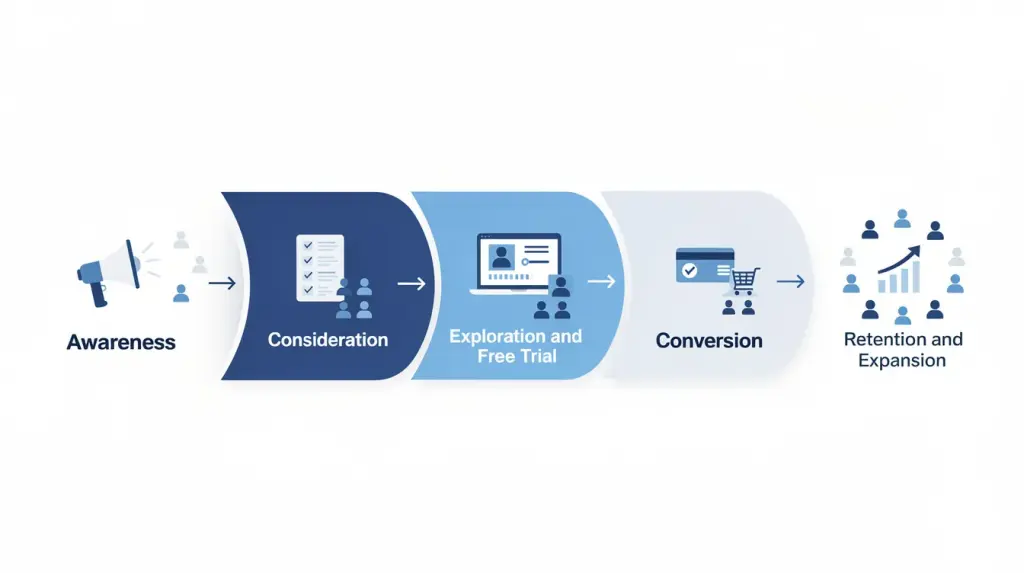
    SaaS conversion funnel diagram showing awareness, consideration, exploration and free trial, conversion, and retention and expansion stages.

    Most SaaS sales funnels use a four-stage model borrowed from traditional marketing. It misses the product exploration stage entirely and treats retention as a byproduct rather than something you actively manage.

    The five-stage model below fixes both. It covers the full journey from first touch through expansion, and gives your marketing and sales teams a shared structure to align around at every stage.

    Stage 1: Awareness

    The awareness stage is where prospective customers discover your SaaS product through search engine optimization, paid ads, content, or word-of-mouth. At this first stage of the funnel, users recognize a problem before they recognize a solution, so your goal is education: address their challenges directly, not selling.

    Key channels: SEO, paid ads, social, comparison sites, landing pages

    Metrics to track:

    • Organic sessions and keyword rankings
    • Paid click-through rate and cost per click
    • Bounce rate on landing pages
    • Branded search volume

    FullSession’s heatmaps show where visitors click, scroll, and stop engaging on landing pages, so you know whether your target audience ever reaches your core value proposition.

    Stage 2: Consideration

    Prospective customers actively evaluate your product against competing SaaS vendors. They review pricing, read case studies, and in B2B SaaS, loop in colleagues. This is where SaaS marketing and sales funnel leaks quietly in most companies. A visitor scrolls halfway down your pricing page and leaves. Google Analytics records the exit; nothing explains it.

    Metrics to track:

    • Visitor-to-lead conversion rate (B2B SaaS average: 1.5–2.5%)
    • Pricing page scroll depth
    • Demo request rate
    • Time on comparison pages

    FullSession’s session replay shows the hesitation patterns: where prospective customers pause, what they re-read, and what they do right before they leave.

    Stage 3: Exploration and Free Trial

    When users sign up for a free trial, the product either demonstrates value or it doesn’t. No sales team controls this stage. It centers on activation: the first moment a trial user experiences the core value. Until that moment happens, conversion is unlikely regardless of your onboarding emails.

    According to Baremetrics, the revenue analytics platform, trial users who complete a critical activation milestone within the first three days are 3–4 times more likely to convert to paid than those who don’t.

    Metrics to track:

    • Activation rate
    • Feature adoption in the first seven days
    • Time-to-first-value
    • Trial session frequency

    FullSession’s funnel analysis tool maps every onboarding step and shows drop-off at each stage. Click any drop-off step, and the sessions of free users who exited there load instantly.

    Stage 4: Conversion

    Trial users become paying customers. Everything built in the previous stages (awareness, confidence, product experience) culminates here. Friction at this stage is expensive. A broken upgrade flow or a JavaScript error on the checkout screen can kill a conversion that took weeks and real marketing spend to reach.

    Common friction sources at the conversion stage:

    Friction sourceImpactFullSession detection
    Confusing pricing pageUsers can’t choose a planHeatmaps and session replay
    JS errors on upgrade flowSilent transaction failuresErrors and Alerts
    Unclear plan comparisonCan’t justify the upgrade to the teamScroll heatmap
    Mobile payment issuesMobile checkout abandonmentMobile session replay

    According to Artisan Strategies, which analyzed data from over 1,200 SaaS companies, the SQL-to-close rate for B2B SaaS averages 20–25%. Well below that signals a handoff or qualification problem, not a product problem.

    Stage 5: Retention and Expansion

    The retention stage is where SaaS revenue is made or lost. Customer churn at 5% per month means losing more than half your paying customers in a year. Existing customers who upgrade or expand drive net revenue retention above 100%, which means revenue grows without new customer acquisition.

    Existing users who become satisfied customers also drive referrals that no paid ads budget can match. The practical insights from their post-conversion behavior (which features they use, which flows they complete) are as useful for your product roadmap as they are for reducing churn.

    Metrics to track:

    • Monthly churn rate
    • Net Revenue Retention (NRR)
    • Feature stickiness (daily/weekly active use)
    • NPS and customer satisfaction scores

    FullSession’s in-app feedback links every qualitative response to the session replay from that same user, giving your customer success team full behavioral context behind every piece of input.

    Key SaaS Funnel Metrics and Conversion Rate Benchmarks
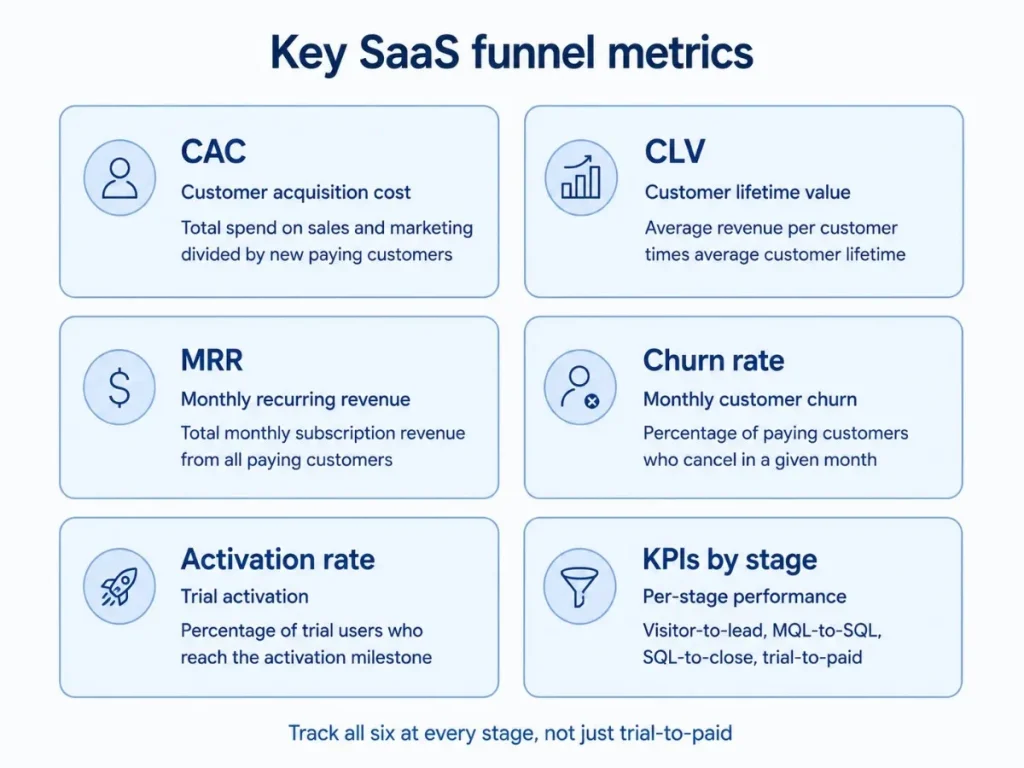
    Infographic showing key SaaS funnel metrics including CAC, CLV, MRR, churn rate, activation rate, and KPIs by stage.

    Most SaaS companies track one or two funnel metrics and miss the bottlenecks between them. Data-driven teams measure every stage. Here is where to set your targets.

    The SaaS funnel conversion scorecard

    Funnel stageKey metricIndustry averageTop 10% target
    AwarenessVisitor-to-lead rate1.5–2.5%8–15%
    ConsiderationMQL-to-SQL rate32–40%50–60%
    ConversionSQL-to-close rate20–25%35–40%
    Trial (opt-in, no credit card)Trial-to-paid rate18.2%25–30%
    Trial (opt-out, credit card required)Trial-to-paid rate48.8%55–60%
    RetentionMonthly churn rate3–5%Under 2%

    Sources: Artisan Strategies, 1,200+ SaaS companies, 2026;First Page Sage, 86 SaaS companies

    The gap between average and top-10% visitor-to-lead rates (1.5–2.5% vs. 8–15%) isn’t a traffic problem. It’s a conversion problem at the top of the funnel.

    The model choice for trials matters equally: opt-out trials convert at nearly 3x the rate of opt-in trials, but reduce top-of-funnel volume.

    Core funnel metrics every SaaS team must track

    These SaaS sales funnel metrics apply across all stages, not just trial-to-paid:

    • Customer acquisition cost (CAC): Total sales and marketing spend divided by new paying customers
    • Customer lifetime value (CLV): Average revenue per customer multiplied by average customer lifetime
    • Monthly recurring revenue (MRR): Total monthly subscription revenue from paying customers
    • Churn rate: Percentage of paying customers who cancel per month
    • Activation rate: Percentage of trial users who reach the defined activation milestone
    • Key performance indicators by stage: Visitor-to-lead, MQL-to-SQL, SQL-to-close, trial-to-paid

    Tracking these key metrics in aggregate dashboards isn’t enough. Understanding your target market’s behavior at each stage (what convinces new customers to sign up, what keeps your target audience engaged through the trial) requires session-level data.

    Google Analytics shows you traffic and drop-off numbers. It can’t show you why.

    How to Measure Funnel Performance with FullSession
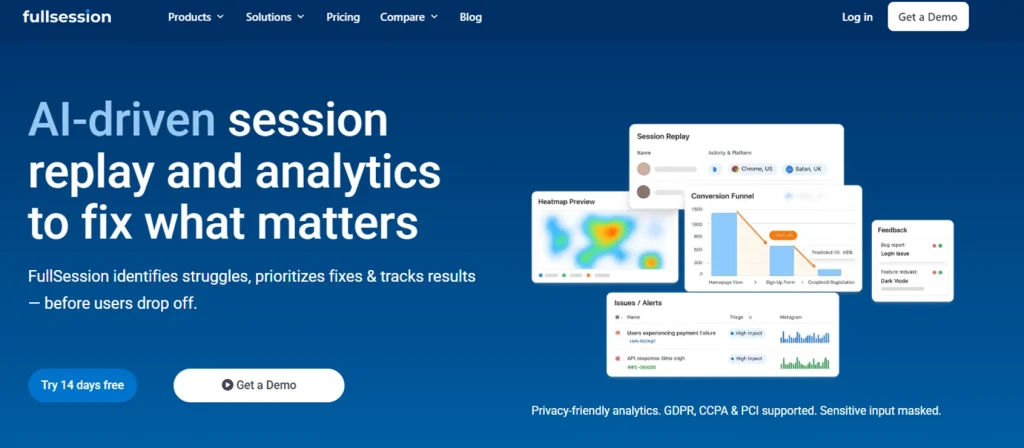
    AI Driven Session Replay Product Analytics FullSession

    Knowing where your benchmarks fall short is step one. Diagnosing why is harder. FullSession, a privacy-first user behavior analytics platform, connects funnel tracking, session replay, heatmaps, in-app feedback, and error monitoring in a single dataset.

    You move from “activation dropped on step 3” to watching the exact sessions that explain it, without switching tools.

    Funnel tracking: visualize drop-offs at every step
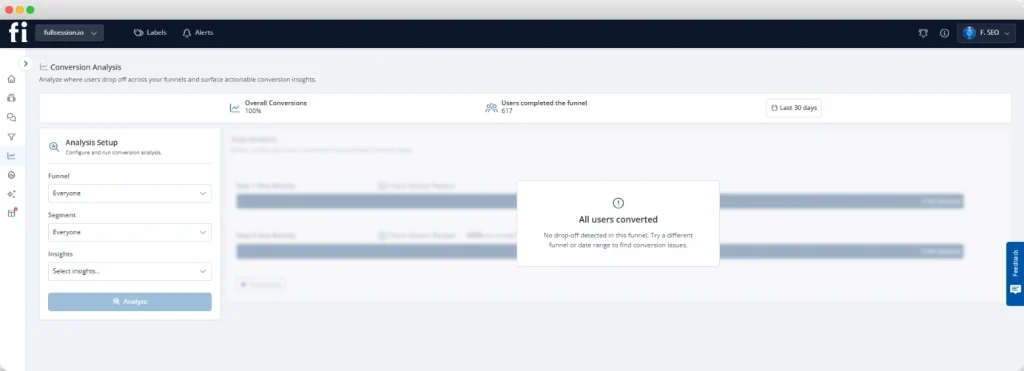
    Screenshot of FullSession funnel tracking dashboard showing conversion analysis, completed funnel users, and drop-off insights.

    FullSession’s funnels and conversions feature builds multi-step funnels across your website and product without manual tracking code. Every funnel shows completion rates per step, drop-off at each transition, and trend data over time.

    Click any drop-off step and FullSession shows the sessions of every user who exited there. You go from seeing that 40% of trial users stalled at “connect your first data source” to watching why, on the same platform, in two clicks.

    Session replay: watch the why behind drop-offs
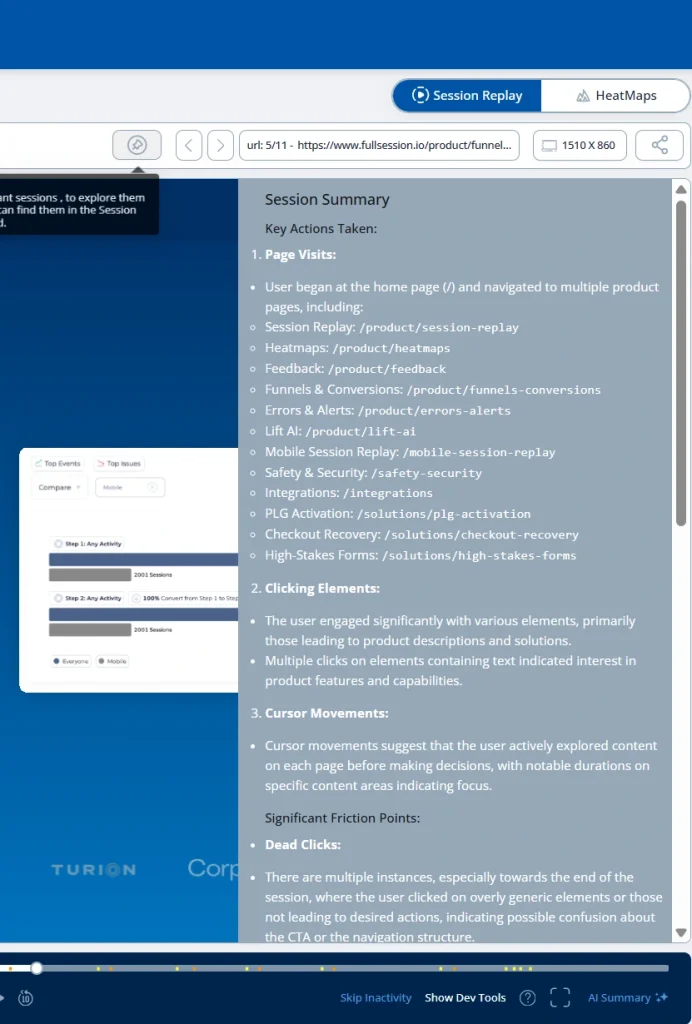
    FullSession session replay dashboard showing an AI-generated session summary with page visits, clicking elements, cursor movements, and friction points.

    Session replay records mouse movement, clicks, scroll depth, hesitation patterns, and rage clicks as a pixel-perfect reconstruction of what each user experienced. The full guide to how session replay works covers the technical approach.

    For SaaS teams, the highest-value use cases are onboarding friction, upgrade hesitation on the pricing page, and error diagnosis. Instead of guessing why users drop off, you watch them do it.

    Heatmaps: aggregate behavior across funnel pages
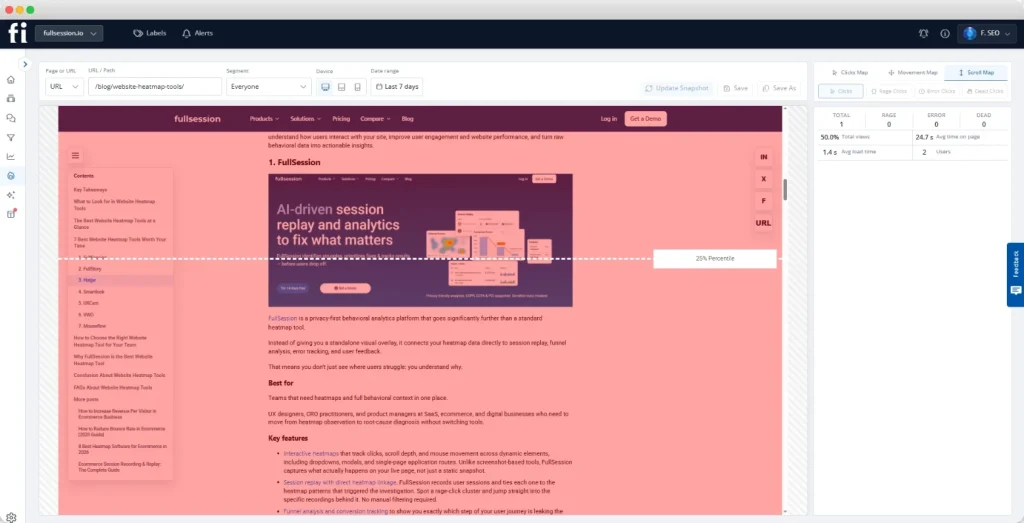
    FullSession interactive heatmap tool displaying scroll map analytics and user engagement tracking on a blog page.

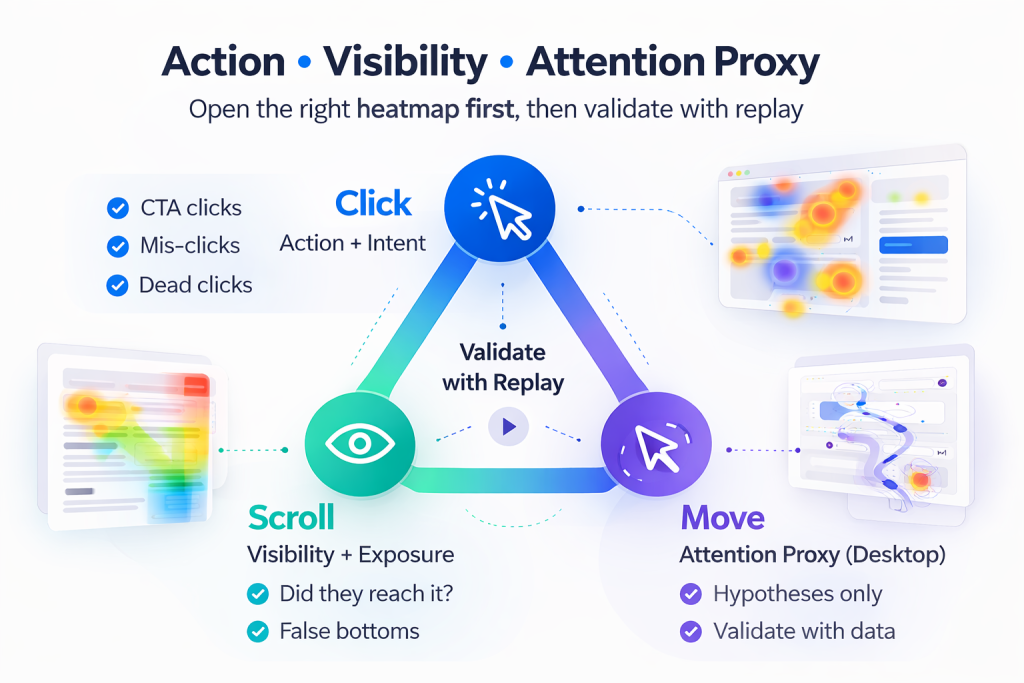
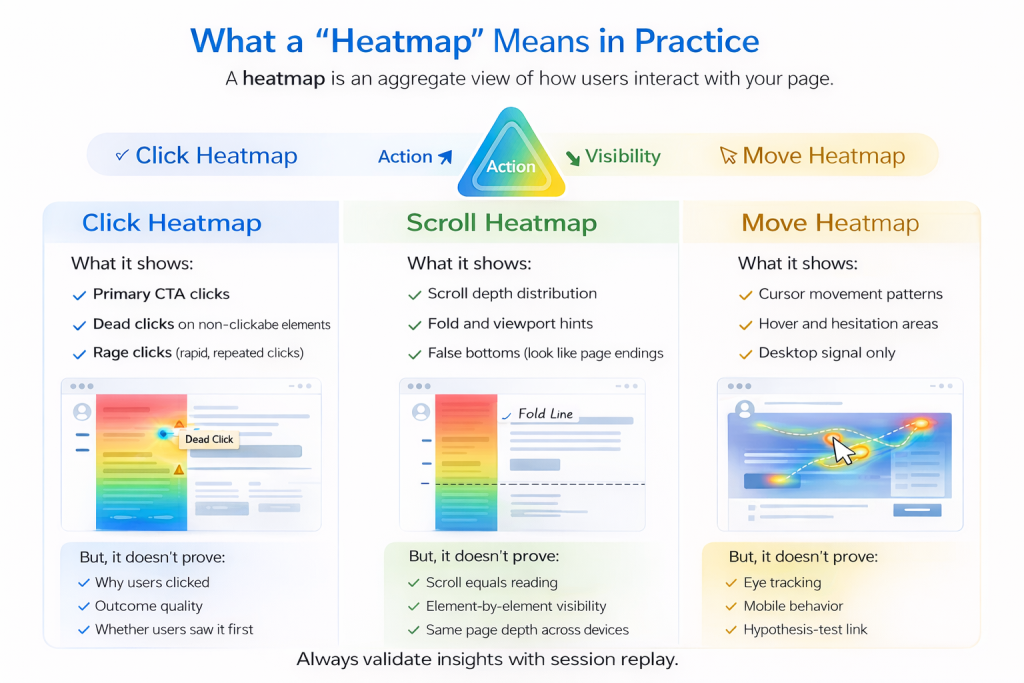
    Heatmaps show what thousands of users did in aggregate where session replay shows one user at a time. Using heatmaps for SaaS activation is particularly useful: a scroll heatmap showing 70% of visitors leaving before reaching your plan comparison table is a clear, specific signal, not an aggregate metric surfaces. For the decision framework on when to use each tool, see heatmaps vs session replay.

    Lift AI: prioritize what to fix next
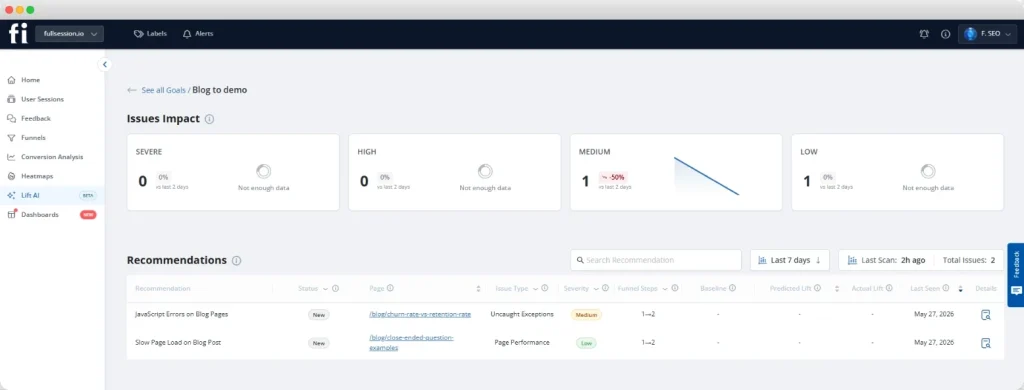
    LIFT AI dashboard in FullSession showing UX issue impact analysis, recommendations, and website performance insights.

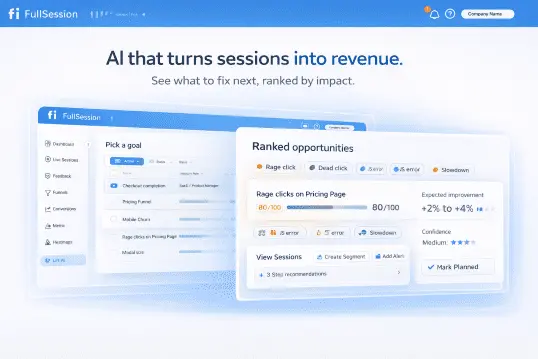
    Lift AI scans all behavioral data and shows the issues most likely to affect revenue, ranked by potential impact. Without it, a team with 10,000 sessions per week has no systematic way to prioritize.

    With it, you get a ranked list of the highest-impact friction points to act on first. See Lift AI in action when you book a demo: it shows prioritized issues on your real data in the first session.

    If you’d rather start with your own data before committing to a call, start a free trial and install FullSession in minutes.

    See Exactly Where SaaS Funnels Leak and How to Fix Them

    Get a live walkthrough of how FullSession finds and shows drop-offs, friction, and conversion blockers across every funnel stage.

    Tests and Tactics to Improve Funnel Performance

    Identifying a drop-off isn’t the same as fixing it. Every optimization needs a hypothesis, a test, and a measurement of impact.

    A/B testing: a structured process for SaaS funnels

    Focus your tests on absolute drop-off volume, not the worst percentage rate. The step with the most users exiting, even at a “normal” rate, produces the highest impact when improved.

    StepAction
    1. Find the leakIdentify the funnel step with the largest absolute drop-off
    2. Watch the sessionsReview 10–20 session replays of users who exited at that step
    3. Form one hypothesis“We believe [change] will [outcome] because [replay evidence]”
    4. Build one variantNo multi-variable tests: isolate the change
    5. Run to significanceMinimum 100 conversions per variant
    6. Measure downstreamCheck impact on the full funnel, not just the tested step

    For SaaS onboarding, the highest-return tests are signup form simplification, onboarding checklist reordering, and the trial-end upgrade prompt copy.

    Optimize the trial-to-paid activation moment

    Trial conversion is the most leverage-rich SaaS funnel metric. Map the minimum product interactions required to reach the activation moment, then remove everything that isn’t essential to getting there.

    Use FullSession’s funnel tracking inside your product to identify which onboarding steps converting users complete versus the steps trial users skip before churning.

    Tactics that consistently improve trial conversion:

    • Behavior-triggered onboarding emails (not day-based timing)
    • Contextual in-app prompts at activation steps
    • Progress indicators showing how close trial users are to full value
    • Proactive outreach to users who complete early steps but stall before activation

    Reduce time-to-value

    Time-to-value is the gap between signup and first experiencing core product value. Every extra day reduces conversion probability.

    Watch session replays filtered to trial users who spent more than five minutes on a single onboarding step without progressing. Those sessions show the exact friction silently killing your trial conversion rate.

    The PLG activation solution from FullSession is built for product-led growth teams who need to see where signups stall, activation drops, and early churn begins across the full product journey.

    Start Seeing Your Onboarding Drop-Offs in Under an Hour

    No call needed. Install FullSession, run it on your product, and get your first funnel insights within the hour.

    Reduce Friction in User Behavior Flows

    Some of the most damaging friction is invisible to standard analytics. Broken interactions, silent JavaScript errors, and confusing UI patterns quietly drain conversion rates without appearing in any funnel dashboard.

    Detect and fix silent technical failures

    What to look for:

    • Rage clicks: Rapid repeated clicks on a non-responding element signal user frustration. Common on CTA buttons, form fields, and navigation.
    • JavaScript errors: Client-side failures that block transactions never appear in server-side error logs. They affect real users silently.
    • Broken flows: Steps that appear functional in QA but fail intermittently under real traffic conditions.

    Here’s a practical scenario. A JavaScript error fires on the “upgrade plan” button only on mobile Safari. It affects 8% of upgrade attempts. Nobody knows it exists because it fires client-side. FullSession’s errors and alerts flags it with the full session replay and console log attached.

    Collect qualitative feedback at exit points

    Quantitative data shows where users exit. Qualitative feedback explains why. Effective questions to place at key exit points:

    • Trial end (non-converted): “What was the main reason you didn’t upgrade today?”
    • Cancellation flow: “What could we have done differently to keep you?”
    • Failed activation step: “Did anything make this step confusing?”
    • Pricing page exit: “What information was missing from this page?”

    FullSession’s feedback feature links every response to the session replay from that same user, giving your team both the written reason and the full behavioral context behind it.

    Optimize Marketing Strategy for Sustainable Growth

    Team discussing SaaS funnel strategy with a laptop during a planning meeting.

    A high-converting SaaS funnel requires the marketing team and sales team to operate from shared definitions. Misalignment on what constitutes an MQL, or when a lead becomes SQL-ready, is one of the most silent causes of underperformance in B2B SaaS.

    Align sales and marketing on stage definitions

    The most common source of sales and marketing funnel dysfunction is definitional. Marketing counts MQLs one way; the sales team qualifies differently; nobody notices until a pipeline review shows a volume-to-revenue mismatch.

    What to align before the quarter begins:

    • MQL criteria: specific behaviors observed (pages visited, pricing page views, content downloads), not just demographic fit
    • SQL criteria: a minimum qualification signal beyond submitting a demo form
    • Handoff SLA: how quickly the sales team follows up after an MQL becomes SQL-ready

    Better-qualified handoffs mean a shorter selling process, a better customer experience, and more customers who reach activation faster because they were the right fit from the start.

    Invest in channel quality, not just volume

    Not all traffic behaves the same in the SaaS conversion funnel. Organic traffic driven by search engine optimization converts at higher rates than paid traffic because it arrives with higher intent.

    Channel performance principles for SaaS:

    • Digital marketing teams that overweight paid ads for volume while underinvesting in content often see acquisition cost stay high even as traffic grows
    • Retargeting campaigns consistently outperform cold acquisition: visitors who viewed your product pages have already demonstrated intent
    • Revenue growth in SaaS is primarily a function of a better selling process, not more traffic. A 1-point improvement in visitor-to-lead rate often generates more incremental MRR than a 20% increase in ad spend
    • A defined sales funnel strategy, where each channel feeds a specific stage, produces more sustainable business growth than volume-first acquisition

    Combine quantitative funnel metrics with user feedback from FullSession’s in-app surveys to keep your channel strategy grounded in what your actual target audience responds to, not just what your dashboards report.

    The marketing and growth analytics solution in FullSession shows why visitors don’t convert, where funnel leaks are costing the most, and which work to prioritize by revenue impact.

    30/60/90 Day SaaS Conversion Funnel Optimization Checklist

    The gap between understanding a funnel problem and fixing it is almost always an execution problem. This checklist turns the analysis from this article into a time-bound action plan.

    Days 1–30: Measure and baseline

    • Install FullSession and define funnel steps for each stage (landing pages, signup, onboarding milestones, upgrade paths)
    • Fill in the SaaS Funnel Conversion Scorecard with your own rates at each stage
    • Run session replays on the top three drop-off pages, minimum 20 sessions per page
    • Review Lift AI’s initial prioritization queue and identify the top three flagged issues
    • Run heatmaps on your pricing and primary landing pages; document scroll depth and click patterns
    • Deploy a three-question exit survey to churned trial users via FullSession’s in-app feedback

    Days 31–60: Diagnose and test

    • Identify the two funnel stages furthest from the Scorecard benchmarks
    • Launch one A/B test on the page with the largest absolute drop-off, with a hypothesis formed from session replay observations
    • Map activation paths: which onboarding steps do converting users complete that churning users skip?
    • Act on the top-three Lift AI flagged issues
    • Align the marketing team and sales team on MQL-to-SQL definitions and document the agreed criteria
    • Run error tracking checks on all conversion-critical flows (signup, onboarding, upgrade, checkout)

    Days 61–90: Optimize and scale

    • Ship fixes validated by A/B tests and session replay analysis
    • Streamline the onboarding flow based on activation milestone data and remove non-essential steps
    • Set a monthly funnel review cadence with the Scorecard as the standing agenda
    • Expand error tracking to cover all post-launch product changes automatically
    • Add retention-stage feedback widgets at trial end and cancellation, linked to session replays
    • Measure all changes against the baselines established in days 1–30

    Why FullSession Solves the SaaS Funnel Problem

    SaaS teams face funnel problems that general-purpose SaaS analytics tools aren’t built to solve: why trial users stall before activation, what breaks silently on the upgrade flow, which friction points are costing the most revenue, and how to act on all of it without a full analytics team.

    FullSession addresses each of those directly.

    1. One platform from drop-off to diagnosis. The moment you see a conversion drop in your funnel, you click that step and watch the sessions of users who left there. No data export, no tool-switching, no joining tables. Your team fixes problems in days rather than weeks.
    2. Behavioral data across the entire SaaS customer journey. From the landing pages where potential customers first arrive to the in-app flows where existing users hit friction, FullSession captures the complete picture: user behavior before the signup, inside the trial, and throughout the paid product.
    3. AI-prioritized revenue impact for small teams. Most SaaS teams don’t have the capacity to review thousands of sessions manually. Lift AI scans all behavioral data and shows the issues most likely to affect revenue, ranked. Your team focuses on what matters most, not what appeared most recently.
    4. Feedback that flags churn before it happens. In-app feedback linked directly to session replays gives your customer success team the behavioral context behind every “why did you cancel?” response. You can distinguish product gaps from onboarding failures from pricing objections, and fix the right one.
    5. Built for SaaS security requirements. Privacy-first by design: GDPR and CCPA compliance, automatic PII masking, and enterprise-grade data security and compliance standards built in. Enterprise SaaS buyers evaluating SaaS vendors in regulated industries can review the full documentation before committing.

    Most SaaS teams already know their funnel has a problem. The gap is between seeing a drop-off number and understanding what caused it. 

    FullSession closes that gap by connecting funnel data, session replays, heatmaps, and in-app feedback in one place so your team can stop guessing and start fixing.

    Whether you’re trying to improve trial activation, reduce churn, or understand why your upgrade flow is underperforming, the answer is in your users’ behavior. FullSession makes that behavior visible.

    Start for free and see your first funnel insights within the hour. No credit card required.

    Conclusion About SaaS Conversion Funnel

    A SaaS conversion funnel only improves when your team can see behavioral data at every stage: not just the aggregate numbers, but the user behavior that explains them.

    The five stages, the Conversion Scorecard benchmarks, and the 30/60/90 day checklist give you the framework. What turns it into revenue is having the right data to act on at each step.

    See Where Your SaaS Funnel Is Leaking

    Get a live walkthrough of how FullSession surfaces drop-offs, friction, and conversion blockers across every funnel stage.

    FAQs About SaaS Conversion Funnel

    What is a SaaS conversion funnel?

    A SaaS conversion funnel is the sequence of stages a prospect moves through from first awareness to becoming a paying, retained customer.

    It includes awareness, consideration, free trial, conversion, and retention. Unlike a typical sales funnel, it extends past the first purchase because subscription revenue depends on ongoing renewals.

    What are typical SaaS conversion rates at each funnel stage?

    According to Artisan Strategies, B2B SaaS visitor-to-lead rates average 1.5–2.5%, MQL-to-SQL rates average 32–40%, and SQL-to-close rates average 20–25%.

    First Page Sage data shows opt-in trials convert at 18.2% on average and opt-out trials at 48.8%. Top performers reach visitor-to-lead rates of 8–15%.

    How do I improve my free trial to paid conversion rate?

    Identify your activation milestone: the first moment a trial user experiences core value, and shorten the path to it.

    Map which onboarding steps converting users complete versus those churning users skip, then remove friction on that path.

    What metrics should I track in my SaaS sales funnel stages?

    Track visitor-to-lead, MQL-to-SQL, SQL-to-close, and trial-to-paid rates at every stage.

    Add activation rate, monthly churn rate, customer acquisition cost, customer lifetime value, and monthly recurring revenue. Most SaaS companies track only one or two and miss the bottlenecks between them.

    How is a SaaS funnel different from a traditional sales funnel?

    A traditional sales funnel ends at purchase. A SaaS funnel continues into retention because revenue is recurring.

    SaaS also adds a product exploration stage, the free trial, where users self-evaluate before paying. That self-directed stage, and the activation milestone within it, has no equivalent in a non-subscription selling process.

  • 7 Best Tools for Tracking Ecommerce Errors in 2026

    7 Best Tools for Tracking Ecommerce Errors in 2026

    Most checkout errors go unreported. A customer hits a broken payment field, a JavaScript error fires on the cart page, and a network request fails at the worst possible moment. They leave. No support ticket. No complaints. Just a lost sale your team never knew about.

    According to Baymard Institute, the global average cart abandonment rate sits at 70.19%, tracked across 49 studies over 14 years. Baymard also estimates that better checkout design alone could recover up to $260 billion in lost orders annually. Error tracking is where that recovery starts.

    The best tools for tracking ecommerce errors give your team visibility into failures the moment they happen, with enough context to reproduce and fix them fast.

    This article covers seven of those tools, how we evaluated them, and how to choose the right one. You can also browse ecommerce analytics tools for a broader analytics comparison.

    Key Takeaway

    • FullSession combines session replay, AI-powered error prioritization, and native ecommerce integrations in one platform, so your team sees exactly what went wrong and why without switching tools.
    • Noibu is built specifically for ecommerce revenue protection, making it the strongest option for teams that need every error scored by its direct revenue impact.
    • Sentry is a developer-first platform with deep stack trace diagnostics and broad language coverage, best for engineering teams who need code-level visibility across a full stack.
    • LogRocket pairs session replay with frontend error detection and performance monitoring, giving product and engineering teams the session context they need alongside the error data.
    • Raygun is a flexible crash reporting and real user monitoring tool with usage-based pricing, suited to developer teams who want granular error data without a fixed seat-count cost.
    • Bugsnag automates error prioritization and grouping across web, mobile, and server layers, reducing the manual triage work that slows engineering teams down.
    • Adobe Analytics is an enterprise behavioral analytics platform best suited to large teams already in the Adobe ecosystem who need cross-channel intelligence at scale rather than dedicated error tracking.

    Of the seven, FullSession is the most complete option for ecommerce teams who need more than a code-level alert.

    It connects every flagged error to the session replay, console log, and network request that preceded it, and Lift AI surfaces which errors are costing the most conversions so your team knows what to fix first.

    Native integrations with Shopify, BigCommerce, Wix, and WordPress mean setup takes minutes, and everything from session replay to funnel analysis lives in one dashboard.

    Book a demo today.

    Why Ecommerce Error Tracking Matters

    Ecommerce errors are silent by default. When a JavaScript error fires during checkout, most customers don’t open a support ticket. They close the tab.

    You can’t fix what you can’t see. Most ecommerce analytics software and error monitoring tools were built for software engineering teams, not merchants focused on tracking ecommerce KPIs and ecommerce metrics like conversion rate, average order value, and customer retention.

    A generic monitoring tool tells you that an error occurred. It won’t tell you that the error happened on step 3 of a 4-step checkout flow, right after a customer entered their payment details.

    That’s where combining error tracking with session replay changes things.

    When a failure is flagged in your session replay timeline, your team sees what the user was doing before the error, what the console logged, and whether the customer abandoned it as a result.

    That context separates a 10-minute fix from a 3-day investigation.

    Our guide to ecommerce session recording strategies covers how session replay and error resolution work together in practice.

    You can also explore session replay tools compared for ecommerce to understand how session context fits into a broader observability stack.

    How We Selected the Best Tools for Tracking Ecommerce Errors

    Not every error monitoring tool is built for ecommerce. A platform that works well for a mobile app development team may give you raw stack traces with no connection to your checkout funnel, no Shopify integration, and no way to see which errors are costing you revenue. Tools like Google Analytics can tell you traffic dropped on your checkout page; they won’t tell you why.

    We evaluated each tool on five criteria:

    1. E-commerce-specific error detection. Does the tool show errors that directly affect checkout flows, cart pages, and product pages, or does it treat every JavaScript error equally, regardless of where in the customer journey it occurs?
    2. Session context and replay capabilities. Can your team watch a recording of the session in which an error occurred, or does the tool deliver only code-level diagnostics without behavioral context?
    3. Real-time alerts and error grouping. Does the tool send alerts when errors spike, and does it group related errors intelligently so your team isn’t triaging the same issue 50 times?
    4. Ecommerce platform integrations. Does the tool offer native support for Shopify, BigCommerce, Wix, or WordPress, or does setup require custom SDK work that slows implementation?
    5. Pricing model and scalability. Is the pricing model transparent and predictable as your ecommerce store grows? Flexible usage-based pricing works for some teams; flat subscription pricing works better for others.

    Every tool on this list covers at least three of these criteria well.

    Quick Comparison: 7 Best Tools for Tracking Ecommerce Errors

    ToolError Detection TypeSession ReplayShopify/BigCommerce NativeAI PrioritizationPricing Starts At
    FullSessionJS errors, rage clicks, broken flowsYesYesYes (Lift AI)$23/month(billed annually)
    NoibuEcommerce-specific error monitoringPartialYes (Shopify Plus)YesCustom
    SentryFull-stack error monitoringNoVia integrationLimited$29/month
    LogRocketFrontend + session replayYesVia integrationYes$99/month
    RaygunCrash reporting + RUMNoVia SDKLimited$60/month
    BugsnagFull-stack automated detectionNoVia SDKLimited$23/month
    Adobe AnalyticsEnterprise behavioral analyticsNoYesYesCustom enterprise

    Pricing verified from official pages at time of writing. Confirm before purchasing.

    7 Best Tools for Tracking Ecommerce Errors in 2026

    Each tool below covers a different approach to error tracking. Use the breakdown to find the one that fits your team and stack.

    1. FullSession

    AI Driven Session Replay Product Analytics FullSession

    FullSession is a behavioral analytics platform that combines session replay, heatmaps, funnel analysis, in-page feedback, and error tracking in a single interface. It connects qualitative session data directly to conversion outcomes, without stitching together five separate tools.

    Learn more about errors and alerts.

    Best for

    Ecommerce and SaaS product teams that need to link error data to behavioral context without managing multiple disconnected tools. See how FullSession compares across the session recording and replay software market.

    Key features

    • JavaScript error and rage click detection: FullSession flags JS errors, rage clicks, and broken interaction patterns automatically, showing them in your dashboard without manual configuration.
    • Errors flagged in the session replay timeline: When an error is caught, it appears as a marker in the session recording. Your team clicks it and watches exactly what the user was doing, what the console logged, and which network request failed, all in one view.
    • Lift AI prioritization: Lift AI, FullSession’s AI layer, scans user behavior data across sessions to predict which errors carry the highest conversion impact. Your team knows what to fix next without reviewing hundreds of recordings manually.
    • Real-time alerts: Smart alerts notify your team when error rates spike, so issues on checkout pages don’t sit undetected overnight.
    • Native ecommerce platform integrations: FullSession connects natively with Shopify, BigCommerce, Wix, and WordPress. No custom SDK work required.
    • GDPR, CCPA, and PCI compliance with mobile session replay: Sensitive fields are masked at capture, so payment data never reaches the recording server. Mobile web and app sessions are recorded in the same dashboard, so mobile checkout errors don’t need a separate tool.

    Pricing

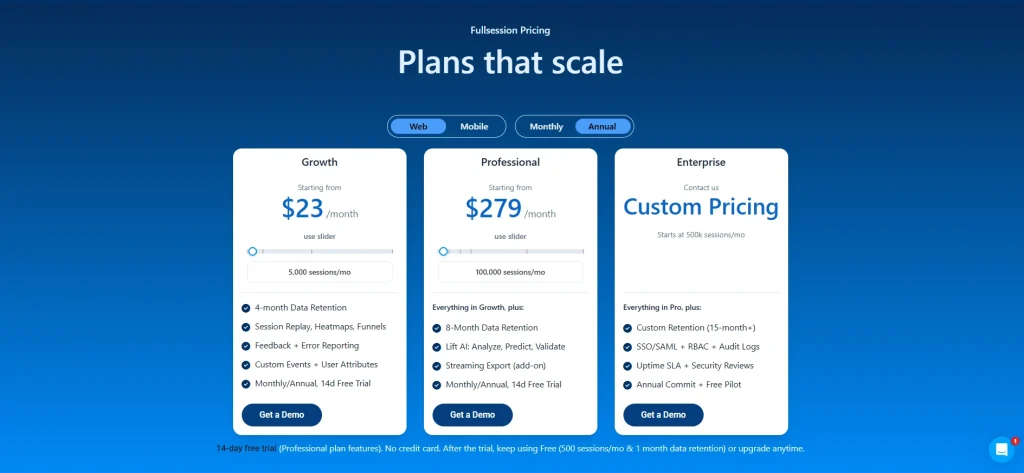
    FullSession pricing

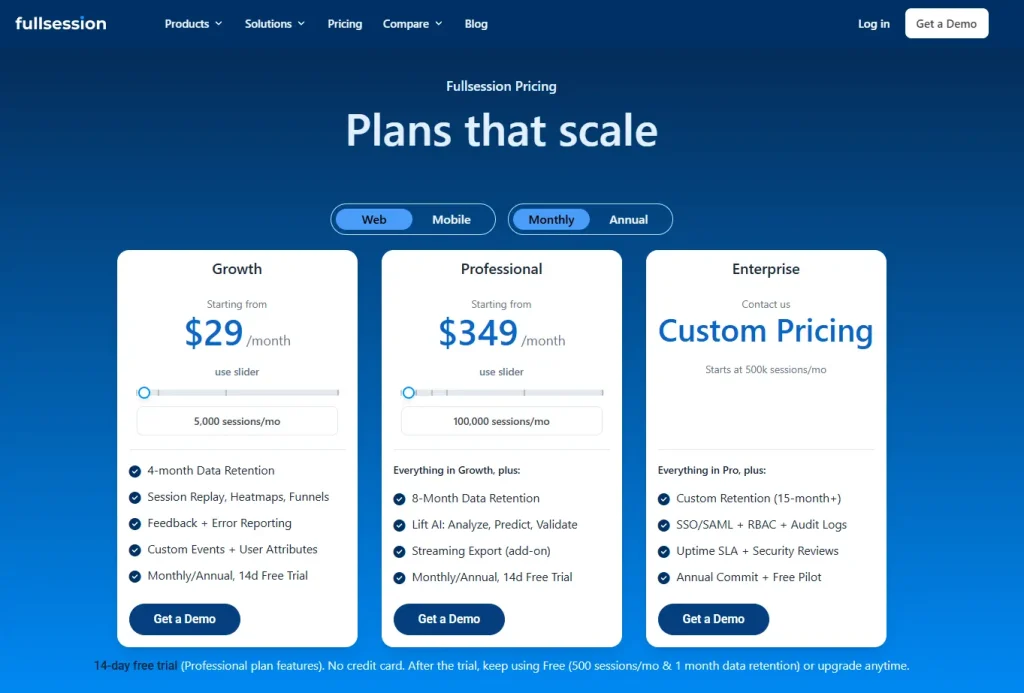
    Plans start at $23/month (billed annually), with a 20% discount for annual billing on all plans. Visit the FullSession pricing page to explore options.

    Set up FullSession in minutes and start catching errors in your checkout flow today.

    2. Noibu

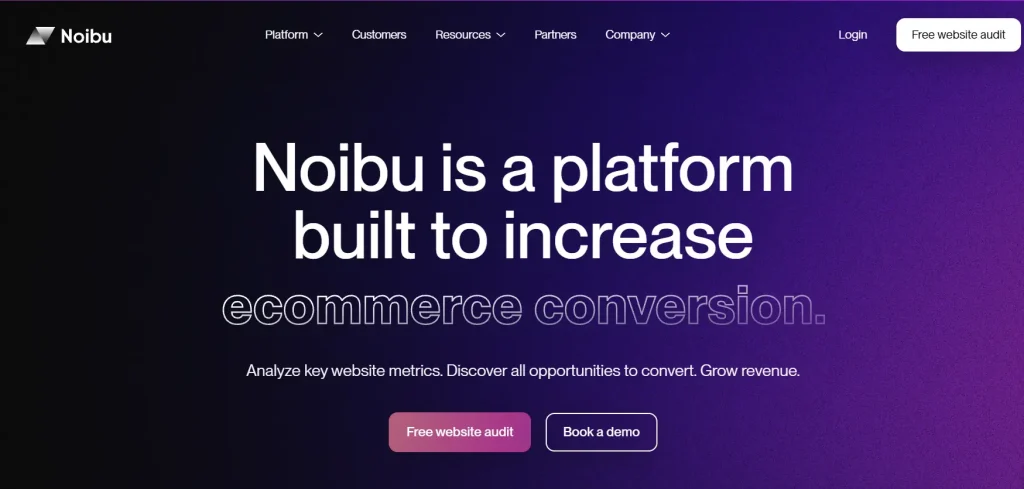
    Noibu homepage showing ecommerce conversion optimization platform with messaging about increasing ecommerce conversions, website analytics, and revenue growth.

    Noibu is an ecommerce analytics and monitoring platform built to help online retailers protect and grow revenue. Every detected issue gets tied directly to a revenue impact estimate, so your team prioritizes based on what’s costing money rather than what’s firing most often. Tracking customer engagement and key metrics across the checkout funnel is central to how Noibu surfaces which errors matter.

    Best for

    Mid-market to enterprise direct-to-consumer brands on Shopify Plus or custom stacks that need ecommerce-focused error monitoring with quantified revenue impact per issue.

    Key features

    • Issues and alerts with revenue impact scoring: Every detected error includes an estimate of how much revenue it’s putting at risk, based on how many users hit it and where in the checkout funnel it appears.
    • Full session capture: Noibu records complete user journeys so your team sees the path that led to an error, not just the error event in isolation.
    • Performance monitoring: Beyond JavaScript errors, Noibu tracks site speed and slowdowns that create friction before an error is thrown, giving an earlier warning on performance issues.
    • Release monitoring: Noibu flags changes in error rates after every release, so your team knows immediately if a deployment introduced new problems.
    • Page analysis: Visualize how users interact with individual pages, including where they struggle or fail to complete expected actions.

    Pricing

    Noibu uses custom pricing. You need to contact the team or request a demo.

    3. Sentry

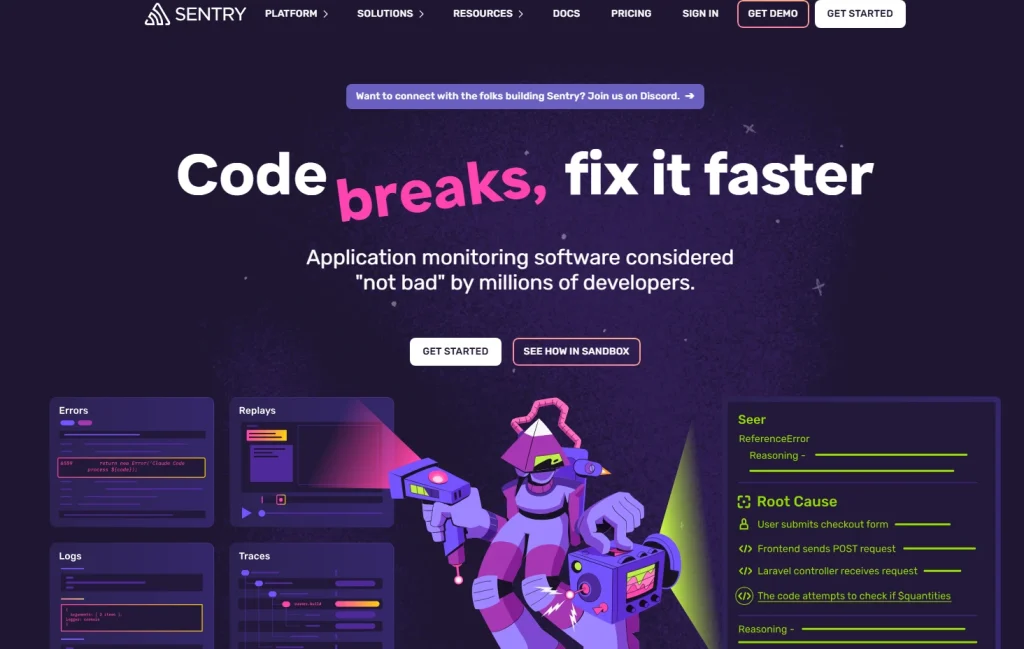
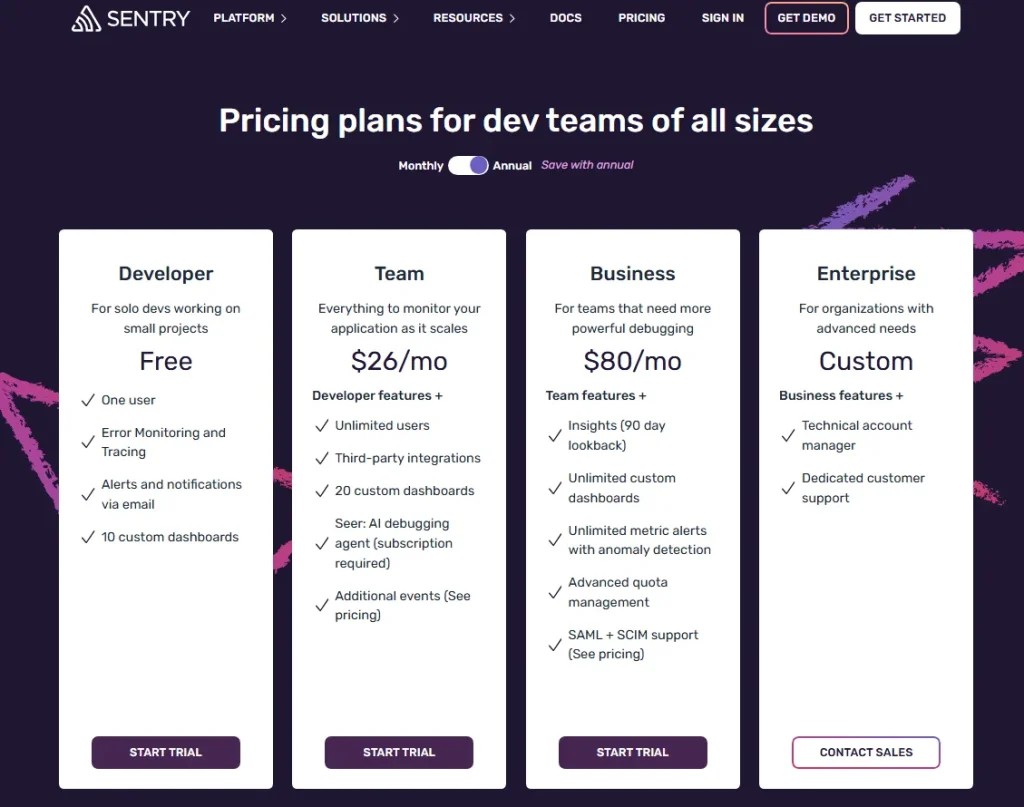
    Sentry pricing page showing Developer, Team, Business, and Enterprise plans with monthly pricing, feature lists, and trial or contact sales buttons.

    Sentry is an error monitoring platform built for software engineering teams, covering frontend, backend, and mobile applications across more than 30 languages and frameworks. As a popular ecommerce analytics tool in the monitoring category, it has broad developer adoption and a strong track record in production environments.

    Best for

    Engineering teams that need deep code-level diagnostics and detailed stack traces across a full stack. Less suited to non-technical ecommerce teams who need out-of-the-box behavioral context.

    Key features

    • Detailed stack traces: Every error caught by Sentry includes a full stack trace showing exactly which line of code triggered the failure and the surrounding call chain.
    • Breadcrumbs: Sentry captures the sequence of user actions, network requests, and console events that preceded each error, giving developers a structured timeline to work from.
    • Release tracking and issue ownership: Tag errors to specific releases to pinpoint when a spike started, and route issues to the right developer automatically based on code ownership rules.

    Pricing

    Sentry pricing page showing Developer, Team, Business, and Enterprise plans with monthly pricing, feature lists, and trial or contact sales buttons.

    Sentry offers a free developer tier. The Team plan starts at $29/month, and the Business plan starts at $89/month, with pricing scaling by event volume and team size.

    4. LogRocket

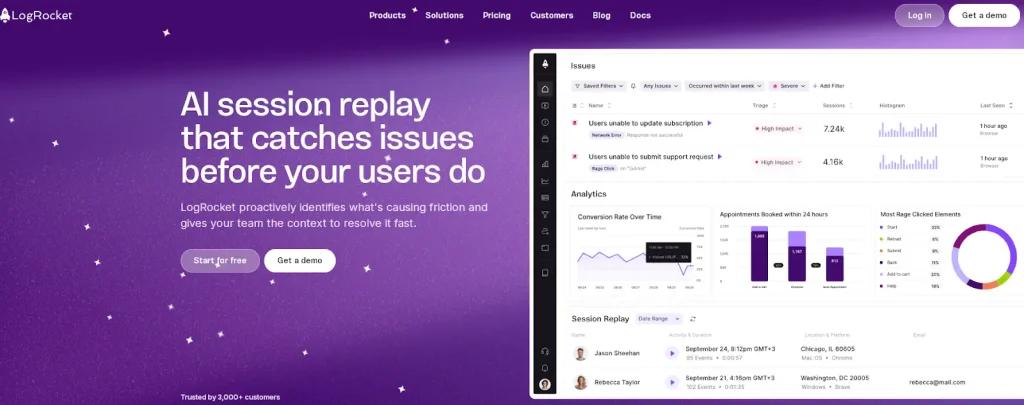
    logrocket ai session replay dashboard

    LogRocket is a frontend monitoring platform that combines session replay with performance monitoring and advanced product analytics. Understanding how customers interact with each step of your checkout flow becomes clearer when the error and the session sit in the same view.

    Best for

    Engineering and product teams at SaaS and ecommerce companies that need session replay tightly integrated with error identification and front-end performance monitoring.

    Key features

    • Session replay with console and network context: Every session replay in LogRocket includes the full console log, network request timeline, and Redux state (for React apps), so developers see the complete technical picture alongside what the user experienced.
    • Error identification by affected user count: LogRocket shows errors ranked by how many users they affect, with AI-assisted insights that suggest likely root causes based on patterns across sessions.
    • Frontend performance monitoring: Track page load times, long tasks, and web vitals alongside error data to connect performance issues to user experience outcomes.
    • Heatmaps and funnel analysis: LogRocket includes heatmap and funnel analysis features that let product teams analyze ecommerce data across the customer journey, not just at the error level.

    Pricing

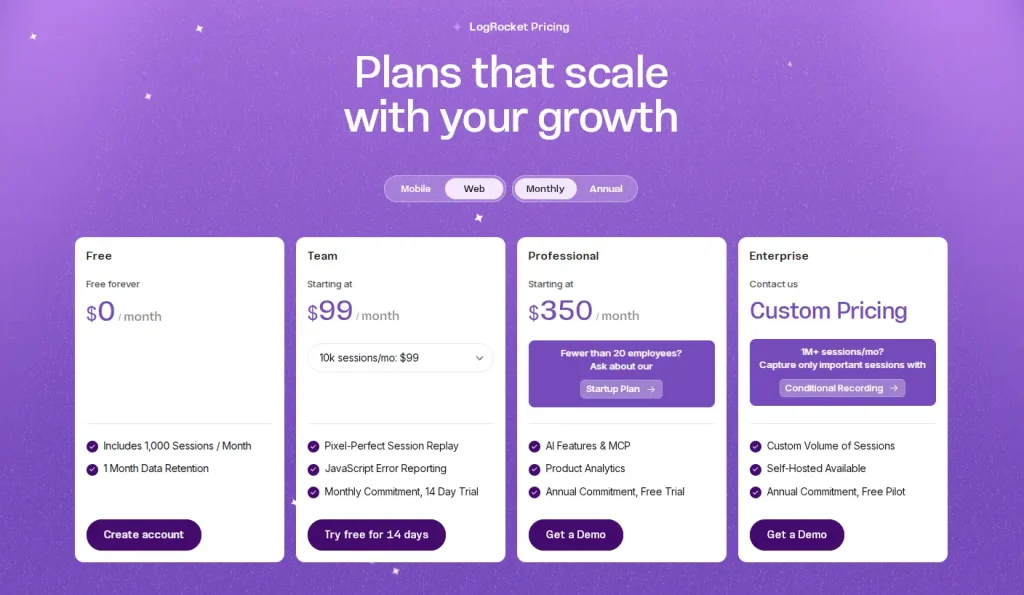
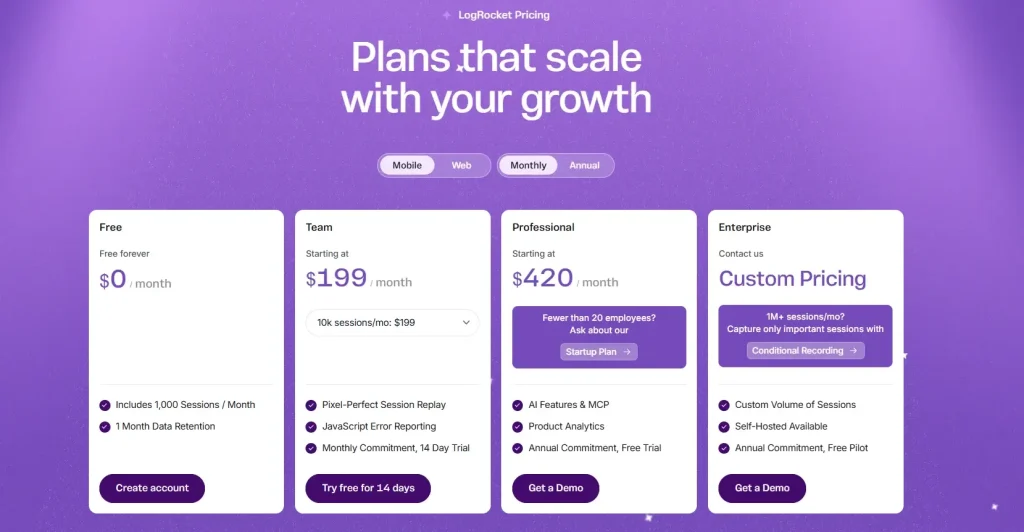
    LogRocket pricing page showing Free, Team, Professional, and Enterprise plans with monthly pricing, session limits, data retention, session replay, product analytics, and demo options.

    LogRocket starts at $99/month. Enterprise pricing is available on request.

    Learn more about LogRocket pricing.

    5. Raygun

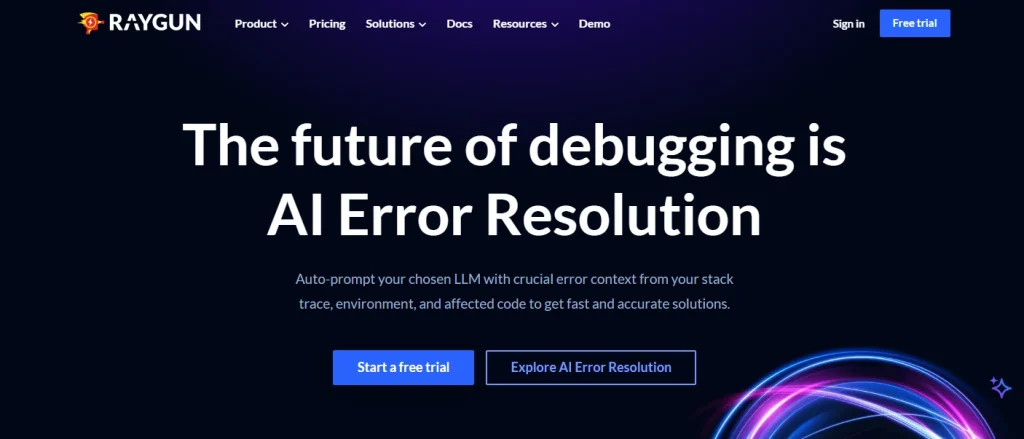
    Raygun homepage hero banner with the headline “The future of debugging is AI Error Resolution” and CTA buttons for starting a free trial and exploring AI error resolution.

    Raygun is a crash reporting and real user monitoring platform for software teams, covering error detection across web and mobile applications. Its on-demand pricing model suits teams who want costs tied to actual usage rather than seat count.

    Best for

    Developer-first teams who want strong language and framework coverage, 180-day data retention, and on-demand pricing that doesn’t penalize rapid growth.

    Key features

    • Crash reporting with full stack trace: Raygun captures complete stack trace data for every error caught, with enough context for root cause analysis without manual reproduction.
    • Error grouping by affected users: Raygun groups related errors and shows them ranked by the number of users affected, reducing noise and helping teams focus on what matters.
    • Deployment tracking: Raygun monitors error rates against deployment events, so your team can identify whether a spike is tied to a specific release.
    • Real user monitoring and 180-day data retention: Raygun’s RUM layer tracks frontend performance across real user sessions, showing page load issues and interaction delays before they trigger an error. Longer retention lets teams identify trends over time, not just react to immediate spikes.

    Pricing

    Raygun pricing table showing Basic, Team, Business, and Enterprise plans with monthly pricing, error volume limits, free trial buttons, and included features such as AI Error Resolution, dashboards, SSO, and support options.

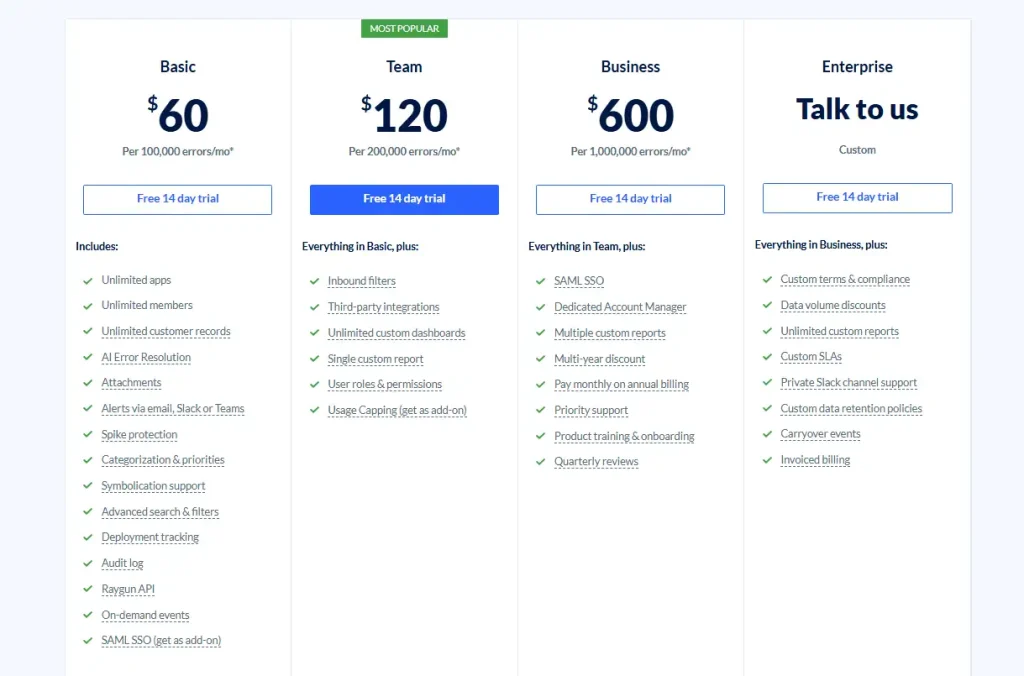
    Raygun uses on-demand pricing. Pricing plans start at $60 per 100,000 events per month and go up to $600 per 1,000,000 events per month.

    6. Bugsnag

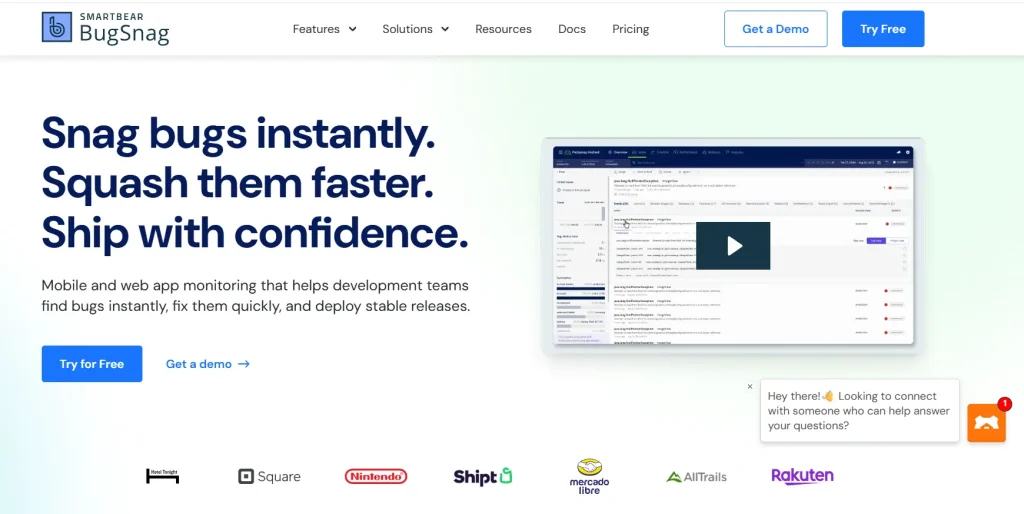
    BugSnag homepage showcasing application monitoring and bug tracking software for mobile and web apps with messaging about detecting and fixing bugs faster.

    Bugsnag is an automated crash detection and alerting platform for full-stack applications, covering web, mobile, desktop, and server environments. Error prioritization is automatic here, so engineering teams spend time fixing issues rather than triaging them.

    Best for

    Engineering teams across mobile and web who need automated error prioritization, symbolicated stack traces, and strong integrations with issue trackers like Jira and GitHub.

    Key features

    • Full-stack error monitoring: Bugsnag detects unhandled and handled errors automatically across web, mobile, desktop, and server layers. Supporting customers experiencing crashes anywhere in your stack is covered from one dashboard.
    • Automatic error grouping: Bugsnag groups related errors intelligently, preventing alert fatigue by showing distinct issues rather than hundreds of individual notifications.
    • Symbolicated stack traces: Bugsnag transforms minified production code into readable stack traces, so engineers can act on error data without manually decoding output.
    • Feature flag monitoring and error burst protection: Bugsnag tracks errors by feature flag state so teams can isolate experiment-related bugs. When error volume spikes suddenly, it throttles notifications to prevent inbox flooding while preserving full error data.

    Pricing

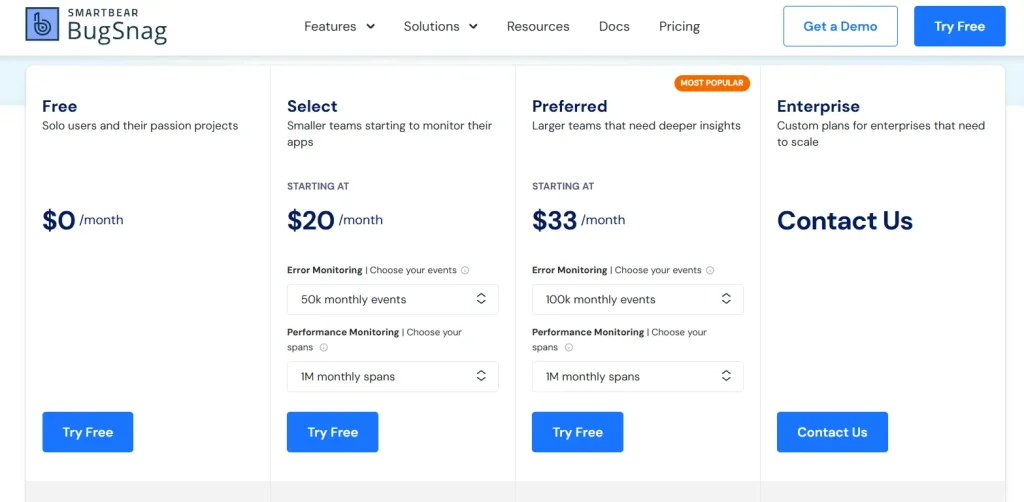
    BugSnag pricing page showing Free, Select, Preferred, and Enterprise plans for application error monitoring and performance tracking tools.

    Bugsnag pricing plans start at $23/month for 50k monthly events and 1M monthly spans.

    7. Adobe Analytics

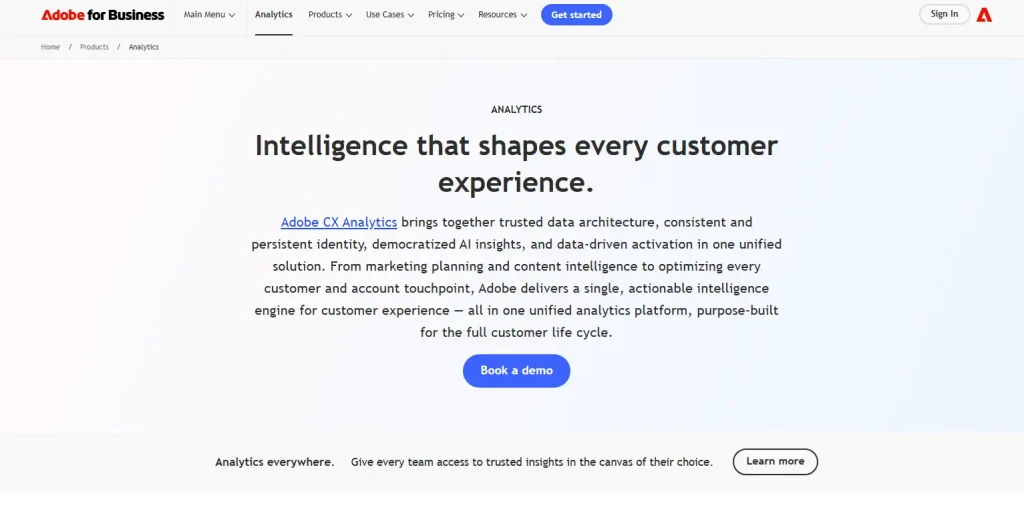
    Adobe Customer Experience Analytics Platform Overview

    Adobe Analytics is an enterprise-grade data analytics platform for large-scale ecommerce operations, part of the Adobe Experience Cloud.

    It’s not a dedicated error monitoring tool, and it sits in a different category from the other six options on this list. For enterprise teams in the Adobe ecosystem, it delivers depth across sales data, customer behavior, and marketing strategies that go well beyond standard ecommerce reporting.

    If you’re evaluating Adobe Analytics purely for error tracking, it’s not the right ecommerce analytics tool for that job. Its value is in cross-channel intelligence at scale.

    Best for

    Large enterprise ecommerce teams already in Adobe Experience Cloud who need advanced analytics, predictive analytics, and cross-channel customer data at scale.

    Key features

    • Predictive analytics powered by Adobe Sensei AI: Adobe Analytics uses machine learning to find anomalies, forecast performance, and generate customer insights automatically across large data sets.
    • Advanced segmentation: Build granular audience segments from any combination of behavioral, transactional, and demographic attributes, then analyze ecommerce data across those segments in real time.
    • Cross-channel customer journey tracking: Map the complete customer journey across web, mobile, in-store, and advertising channels, connecting on-site behavior and marketing campaigns to revenue outcomes.
    • Ecommerce KPIs and advanced reporting: Track key performance indicators, including average order value, customer lifetime value, and customer lifetime metrics across custom report suites with flexible attribution models. Adobe Analytics connects natively to Adobe Target for personalization tools and Adobe Campaign for marketing tools, keeping customer data unified across the full stack.

    Pricing

    Adobe Analytics is enterprise-only with custom pricing. Contact Adobe directly for a quote.

    How to Choose the Right Ecommerce Error Tracking Tool

    Laptop displaying the Shopify ecommerce platform homepage for creating and managing an online store business.

    Image source: Unsplash

    The right analytics tools for your ecommerce business depend on what your team is actually trying to solve.

    If your priority is checkout recovery and behavioral context

    Use FullSession or LogRocket. Both connect session replay to error detection, so your team sees what users were doing when an error occurred. That visibility is key for reproducing checkout failures without hours of developer investigation.

    FullSession adds Lift AI to checkout recovery to show which errors matter most for user engagement and conversion; LogRocket adds deeper technical logs for JavaScript-heavy frontends.

    For teams on Shopify, our overview of Shopify analytics tools shows where Shopify analytics data ends and dedicated error tracking begins.

    If your priority is ecommerce-specific revenue impact quantification

    Use Noibu. Its core differentiator is revenue impact scoring per detected error, letting your product and engineering teams prioritize by business impact rather than error frequency.

    This shows actionable insights on which failures to fix first, which matters most for enterprise DTC brands where multiple issues exist simultaneously.

    If your priority is deep code-level debugging across a full stack

    Use Sentry or Bugsnag. Both deliver detailed stack traces, breadcrumb timelines, and multi-environment coverage. Sentry is more configurable and developer-centric; Bugsnag automates more of the triage workflow.

    Either works well for engineering teams who need comprehensive tracking across frontend, backend, and mobile in a single error reporting tool.

    For teams evaluating multiple options side by side, a broader analytics software built for ecommerce comparison may help frame the decision alongside your error tracking needs.

    If your priority is enterprise behavioral analytics at scale

    Use Adobe Analytics. It won’t show individual JavaScript errors the way the other tools on this list do.

    For enterprise teams already in the Adobe ecosystem, it delivers deep insights and supports data-driven decisions across the full customer journey, connecting online businesses’ marketing campaigns, sales data, and on-site behavior at a scale that justifies its place in a large stack. A web analytics tools comparison can help clarify where Adobe fits relative to more focused monitoring options.

    Why Choose FullSession for Ecommerce Error Tracking

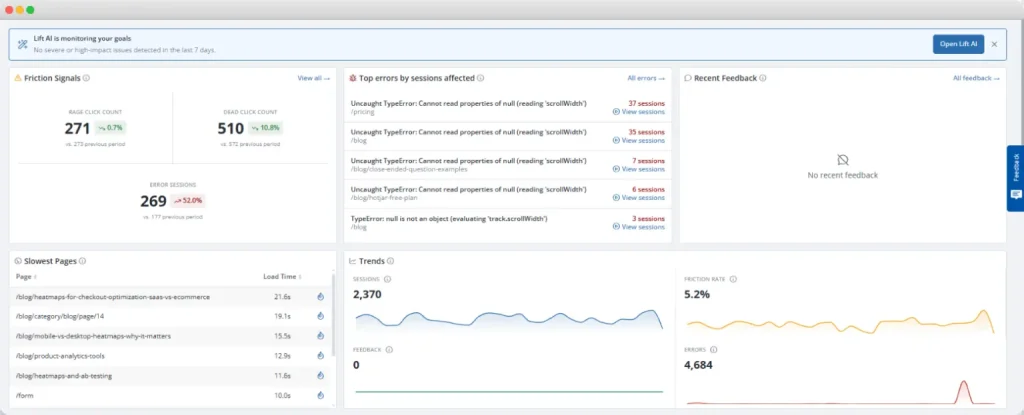
    Dashboard interface displaying ecommerce error tracking metrics, friction signals, slowest pages, session trends, and JavaScript errors monitored through FullSession analytics.

    FullSession, a behavioral analytics and error tracking platform for ecommerce and SaaS teams, connects two things most tools keep separate: the error event and the session in which it happened.

    When a JS error is flagged, your team doesn’t get just a code-level alert. They get the session replay, the console log, the network request that failed, and Lift AI’s assessment of how much conversion impact the error is carrying.

    No manual review of hundreds of sessions to decide what to fix first.

    Native integrations with Shopify, BigCommerce, Wix, and WordPress mean setup takes minutes, not days. GDPR, CCPA, and PCI compliance is built in, so sensitive checkout data stays protected at capture.

    Running separate tools for error monitoring, session replay, and funnel analysis increases operational costs and creates gaps between teams. 

    FullSession puts all of it in one place, giving ecommerce and product teams shared, actionable insights on what’s actually happening across the customer journey.

    See how FullSession works across your specific stack

    Implementation Checklist for Tracking Ecommerce Errors

    Choosing a tool is only half the work. Here’s how to get your setup running from day one.

    1. Install the tracking script on every relevant page. Cover product pages, cart, all checkout steps, and the order confirmation page. Errors anywhere in that flow affect conversion.
    2. Configure real-time alerts for threshold spikes. Set an alert to fire when a specific error type exceeds a defined rate, such as more than five occurrences in ten minutes.
    3. Set up funnel tracking alongside error detection. Connect your funnel analysis from the product page to checkout confirmation so your team sees drop-off and error events in the same view.
    4. Link session replay to error events. Every time an error is caught, it should be watchable in session replay. Stack traces alone don’t give you enough to fix issues at the source.
    5. Tag errors by revenue impact. Checkout-stage errors take priority over errors on informational pages. Configure your error grouping to reflect where in the customer journey each error occurs.
    6. Assign error ownership in your issue tracker. Use Jira, Linear, or your preferred tool to route errors to the right engineer. For teams focused on how to recover abandoned checkouts, routing checkout errors quickly is the most direct lever available.
    7. Run a baseline audit in week one. Identify your top five recurring error types by frequency. These are your immediate priorities.
    8. Schedule a weekly error review. New errors introduced since the last release get a dedicated slot. Engineering and QA teams reproducing bugs faster is the clearest sign your setup is working.

    Conclusion on the Best Tools for Tracking Ecommerce Errors

    The right error tracking tool depends on what your team needs from error data. If you need code-level stack trace depth, Sentry or Bugsnag get the job done.

    If you need revenue-impact scoring per detected error, Noibu is built for that. If you need behavioral session context linked to every flagged failure so you can reproduce and fix checkout bugs without guesswork, FullSession is where to start.

    Most ecommerce teams find that error data alone isn’t enough. Seeing the session behind the error is what turns a vague alert into a fixable problem.

    Start catching errors in the context of real user sessions.

    FAQs on the Best Tools for Tracking Ecommerce Errors

    What is the best tool for tracking ecommerce errors?

    The right tool depends on your team’s priority. If you need session context alongside error data, a platform combining session replay and error tracking is worth prioritizing.

    If your team needs detailed stack traces and full-stack diagnostics, a dedicated error monitoring tool like Sentry or Bugsnag fits better.

    How do I find errors on my ecommerce site?

    Install an error monitoring or behavioral analytics tool that captures JavaScript errors, failed network requests, and broken UI interactions automatically. Configure real-time alerts for threshold spikes and link error events to session replays.

    Your team can then find and fix errors without relying on customer reports, which typically show only a fraction of what actually occurred.

    What is error monitoring in ecommerce?

    Error monitoring in ecommerce is the automated detection and tracking of technical failures, including JavaScript errors, failed API calls, and broken checkout flows, that prevent customers from completing purchases.

    How does session replay help with ecommerce error tracking?

    Session replay records the complete sequence of customer interactions before and after an error occurs. Your developers and product managers watch what the customer experienced rather than working from an abstract error report. This eliminates most of the manual reproduction work and cuts the time between error detection and fix significantly.

    What types of errors hurt ecommerce conversion rates the most?

    Checkout-stage JavaScript errors, failed payment API calls, broken form validation, and slow page load times on product and cart pages cause the greatest conversion impact. These errors occur at the moment a customer has decided to buy. Fixing them is where error monitoring produces the most direct return.
  • Hotjar Free Plan Review: What You Actually Get in 2026

    Hotjar Free Plan Review: What You Actually Get in 2026

    You’ve searched for the Hotjar free plan and landed on a pricing page that looks nothing like you expected. That’s not a glitch.

    Hotjar is now fully integrated under the Contentsquare umbrella, and the old pricing tiers are gone. This review covers exactly what the free plan includes today, how it compares to FullSession’s free tier, and which platform gives you more at $0.

    • Hotjar is now fully rebranded as Contentsquare. The old pricing tiers are gone.
    • Contentsquare’s free plan is modular. Experience Analytics, Voice of Customer, and Product Analytics are separate products with separate upgrade costs.
    • The 200,000 monthly sessions on Hotjar’s free tier are an analytics figure, not a replay figure. Only 5% of sessions are recorded, capped at 10,000 replays.
    • FullSession’s free plan includes session replay, heatmaps, funnels, feedback, error reporting, custom events, user attributes, and four months of data retention, all at $0. It captures 100% of sessions up to its 500-session limit. Every session is available for full replay, no sampling.
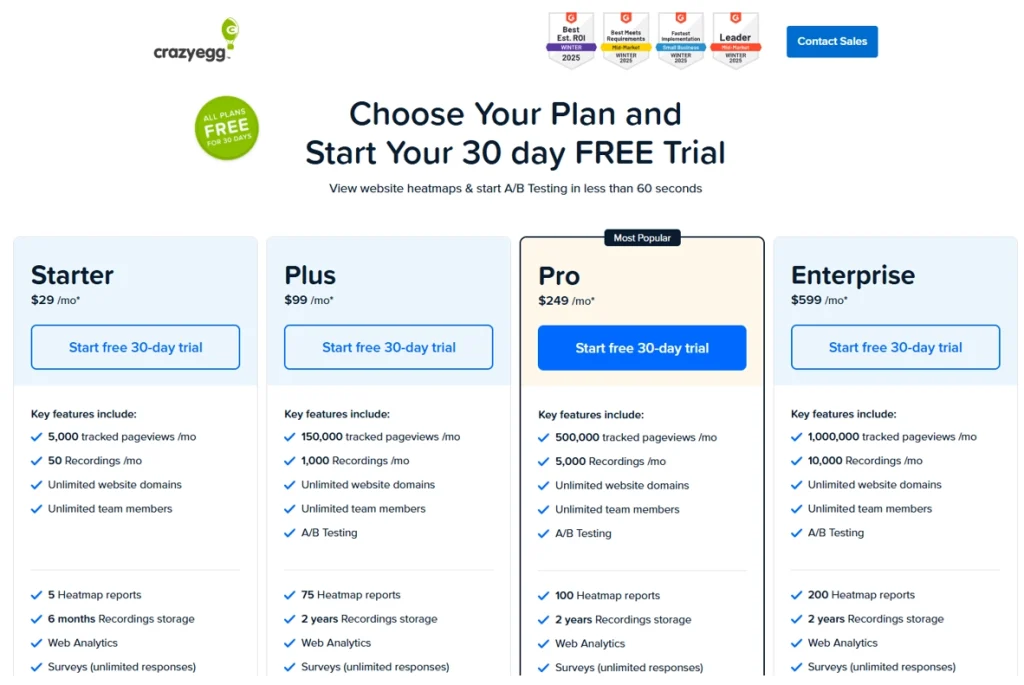
    • FullSession Growth starts at $23/month (billed annually) with everything bundled. Hotjar’s equivalent costs $49/month for Experience Analytics alone, $148/month if you add Voice of Customer.
    • Neither platform includes AI features on the free plan. Both require a Growth upgrade.

    For most growing teams, FullSession is the more practical starting point. Full session capture, frustration signals, and a straightforward upgrade path, all without managing separate module subscriptions or sitting through a sales call.

    The Growth plan at $23/month (billed annually) bundles everything you need for serious funnel and conversion analysis.

    Book a FullSession demo and get a detailed walkthrough.

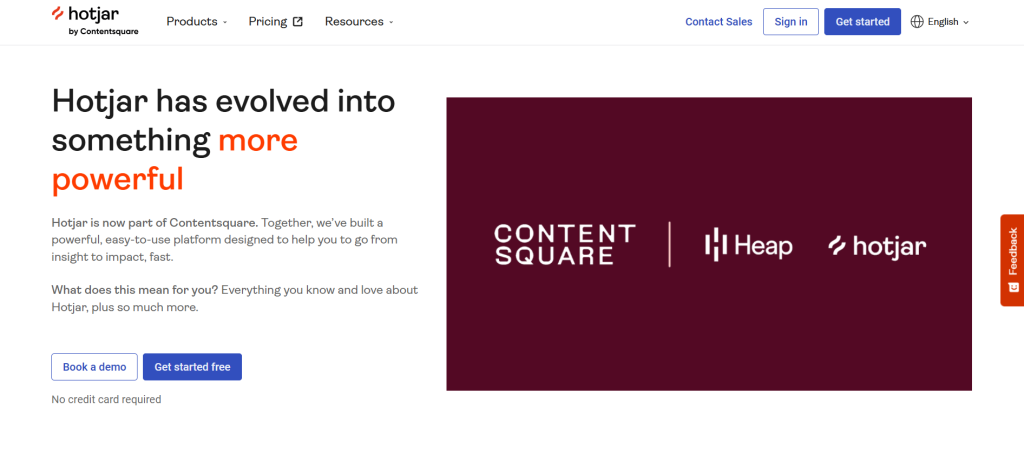
    Hotjar homepage banner showing its evolution into a more powerful platform as part of Contentsquare, alongside Heap and Hotjar logos

    The brand, the pricing structure, and the product packaging have all changed. Here’s a quick overview of what happened and what it means for you.

    Hotjar is now Contentsquare

    Hotjar was acquired by Contentsquare and fully rebranded under the Contentsquare platform. The old standalone Hotjar pricing structure, with its familiar Observe, Ask, and Engage tiers, no longer exists.

    Teams searching for Hotjar pricing model details now land directly on the Contentsquare pricing page, where things look quite different.

    The platform still retains Hotjar’s core capabilities: session recordings, heatmaps, and feedback tools. How these are packaged, priced, and accessed has changed significantly.

    Understanding the new structure matters before you decide whether the free plan fits your team, and whether the Hotjar cost at the first paid tier is worth it.

    How Contentsquare’s product structure now works

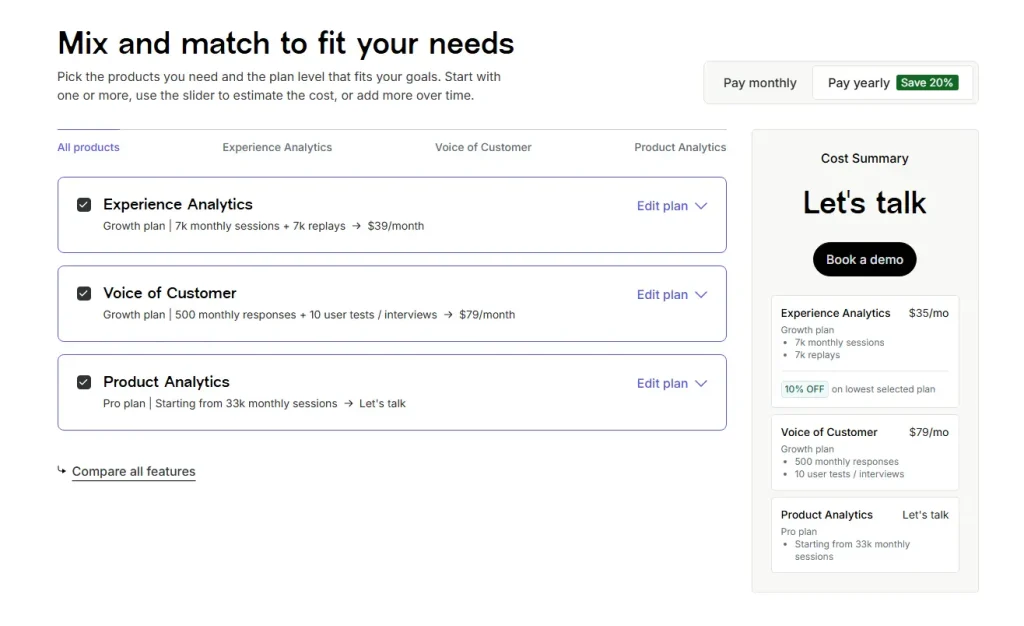
    Hotjar pricing page showing selected products for Experience Analytics, Voice of Customer, and Product Analytics, alongside a cost summary with monthly pricing and a demo CTA.

    Contentsquare has three modular products:

    • Experience Analytics: session replay, heatmaps, funnels, error monitoring, and core web vitals
    • Voice of Customer: surveys, feedback widgets, user interviews, and user tests
    • Product Analytics: funnel analysis, Illuminate insights, and data governance

    Each product has its own Free, Growth, Pro, and Enterprise tiers. Plans are mix-and-match, so you can activate one or more products at different levels.

    The modular approach is flexible, but teams that need all three modules pay multiple plan costs. That affects the overall Hotjar pricing comparison when you look at the full picture.

    Where FullSession fits in

    FullSession is a dedicated behavior analytics platform with session replay, heatmaps, funnels, in-app feedback, error tracking, and AI-driven insights, all bundled in a single plan.

    Like Hotjar/Contentsquare, it offers a free plan as the entry point. This article compares what each platform actually delivers at $0 so you can evaluate real-world value before committing to paid plans.

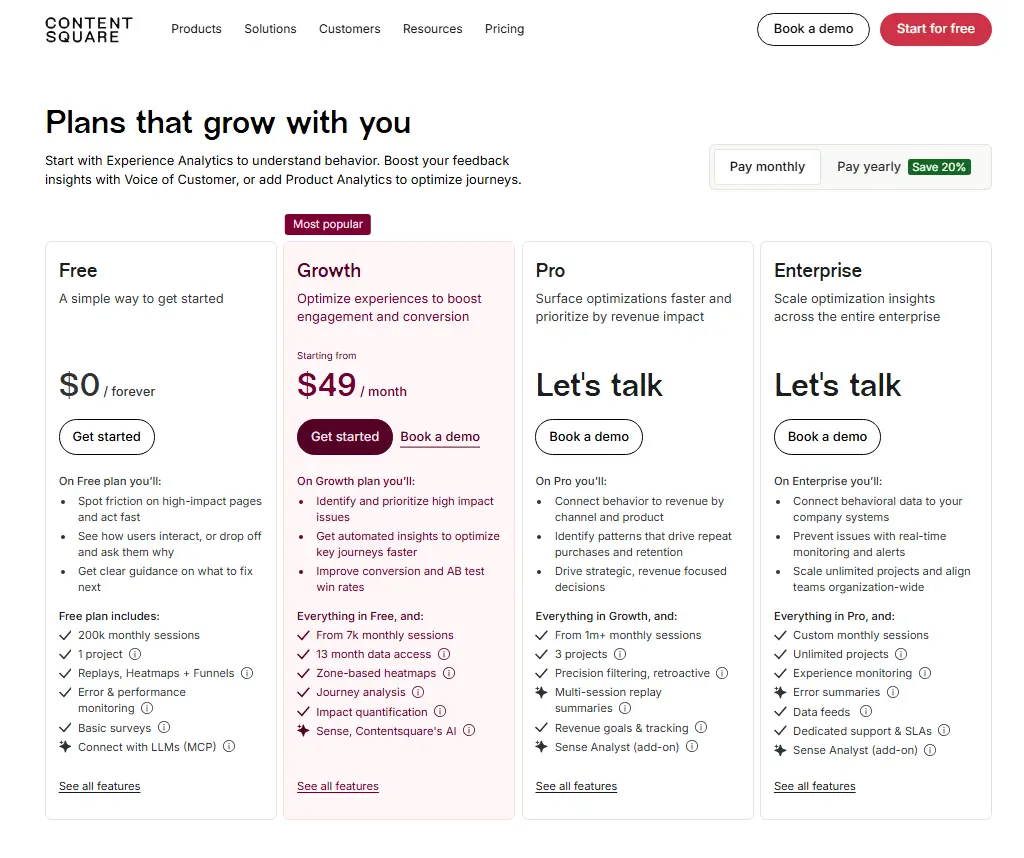
    Contentsquare pricing page showing Free, Growth, Pro, and Enterprise plans with monthly pricing, session limits, heatmaps, replays, funnels, surveys, and demo options.

    Hotjar’s free plan is split across three separate modules, each with its own limits, inclusions, and upgrade path. Here’s what each one offers at no cost.

    Experience Analytics free tier

    The Experience Analytics free tier is the most relevant module for teams coming from Hotjar. It covers session replay, heatmaps, funnels, and error monitoring.

    Session volume and replay

    • Tracks up to 200,000 monthly sessions for analytics purposes
    • Only 5% of sessions are captured as session replay recordings
    • Replay is hard-capped at 10,000 replays per month
    • You can track user interactions at scale, but you’re working with a sample when it comes to replays, not a complete picture

    Data retention

    • Analytics data: 1 month
    • Session replay data: 1 month
    • After 30 days, access to historical recordings and aggregate reports is gone

    Features included

    • URL targeting, heatmaps, funnels, JavaScript errors, and basic error metrics
    • Synthetic performance tests and core web vitals
    • Standard filtering and segmentation; filter by new vs. returning users, pages, country, and devices
    • Integrations with Google Analytics and Jira, plus seven pre-built integrations
    • MCP access (up to 300 tool calls per month) and Connect with LLMs for AI-native workflows

    Features excluded

    • Frustration score, journey analysis, zone-based heatmaps, and page comparator
    • Side-by-side comparison, impact quantification, and form analysis
    • AI features: Sense chat, heatmap summaries, and session replay summaries (Growth+)
    • Advanced filtering by user ID, frustration behaviors, custom variables, and sequential behaviors (Growth+)

    Voice of Customer free tier

    Hotjar offers a Voice of Customer module as a separate free product. It’s useful for teams that want to collect user feedback alongside behavioral data.

    What’s included at no cost

    • 100 monthly responses and up to five user interviews from own network
    • Zero interviews from the Hotjar participant pool (panel interviews require a paid plan)
    • Three feedback widgets and surveys with unlimited questions per survey
    • Responses stored for one month
    • AI survey generator and AI summary report
    • Basic user tests, custom screener questions, and built-in video calling
    • Nine pre-built integrations including Google Analytics, Slack/Teams, and HubSpot

    What’s locked behind paid plans

    • AI-automated survey analysis and advanced targeting
    • Embedded surveys, concept testing, and advanced filtering
    • Clipping and downloading interview replays, and transcriptions
    • Custom branding (colors, logo) and third-party video calling
    • More than one spectator per interview, more than one task per test
    • Interview sessions longer than 30 minutes

    Product Analytics free tier

    The Product Analytics module doesn’t follow a self-serve model. Access requires contacting sales, which makes it inaccessible for most teams evaluating the tool independently.

    What’s included (with a sales call)

    • Up to 10,000 monthly sessions and seven months of data access
    • Analytics and reporting, Illuminate insights, data governance, APIs, and enrichment sources

    Unlike FullSession, you can’t access this module without a demo call first.

    Hotjar free plan at a glance

    ProductKey LimitKey InclusionsKey Exclusions
    Experience Analytics200k sessions tracked / 10k replays (5%)Heatmaps, funnels, JS errors, core web vitals, GA integrationFrustration score, journey analysis, AI features, advanced filters
    Voice of Customer100 survey responses / 5 interviews3 feedback widgets, AI survey generator, basic user testsTranscriptions, concept testing, custom branding, panel interviews
    Product Analytics10k sessions / 7 months dataAnalytics, Illuminate, APIsRequires sales call, not self-serve
    FullSession pricing

    FullSession takes a different approach: fewer sessions, but every single one fully captured. Here’s what’s included and what requires an upgrade.

    Sessions, retention, and seats

    FullSession’s free plan is built for teams who want to get started without friction:

    • 500 sessions/month, fully captured with no sampling
    • 30 days data retention
    • 2 seats and 1 domain
    • No credit card required; fully self-serve signup
    • A 14-day Professional free trial precedes the free plan, so you can test advanced features first

    The free forever tier continues indefinitely after the trial ends. FullSession records 100% of user sessions up to the limit, so every one of those 500 sessions is available for full replay and investigation. There’s no sampling percentage and no separate replay cap.

    Start a free trial to see how it works.

    Features included on the free tier

    The FullSession free version gives smaller teams a genuinely functional investigative workflow:

    • Session replay and live session view, so you can watch how users interact with your pages in real time
    • Basic filters and user segmentation, including saved segments for repeat analysis
    • Frustration signals: rage clicks, dead clicks, and error clicks are all captured at the free tier, showing broken UI elements and friction points without an upgrade
    • Page performance tracking, basic dashboards, and event metrics overview
    • Pinned sessions and share/export for team collaboration

    These key features let you visualize user behavior through heatmaps and session replay, alongside rage clicks and frustration data, from day one. As one of the more capable analytics tools at the free tier, FullSession gives teams actionable valuable insights without a paid plan.

    Book a demo today.

    What’s locked behind paid plans

    Several capabilities are reserved for paid tiers.

    Growth plan ($23/month annually) unlocks:

    • Funnels, goals, conversion analysis, and funnel trends
    • Recording rules, Identify API, custom events, and user attributes
    • AI filter assistant for session segmentation

    Professional plan ($279/month annually) unlock:

    • Advanced dashboards, error alerts, and developer tools (console and network logs)
    • Lift AI for predictive behavior analysis and automated insights
    • Form analytics, sequence-based segments, and campaign (UTM) analytics

    For teams that need in depth analytics across the full funnel, an upgrade is necessary. At $23/month (billed annually), though, the Growth plan is one of the most affordable entry points across comparable analytics tools.

    FullSession free plan at a glance

    Feature CategoryIncludedExcluded
    Session ReplayYes (500 sessions/month, 100% capture)Live session filtering beyond basics
    HeatmapsYesAdvanced heatmap filters
    FunnelsNoFunnels, goals, conversion analysis (Growth+)
    Frustration SignalsYes (rage/dead/error clicks)Frustration score trends
    AI FeaturesNoAI filter assistant, Lift AI (Growth+)
    Form AnalyticsNoForm analytics (Growth+)
    Identify APINoIdentify API (Growth+)
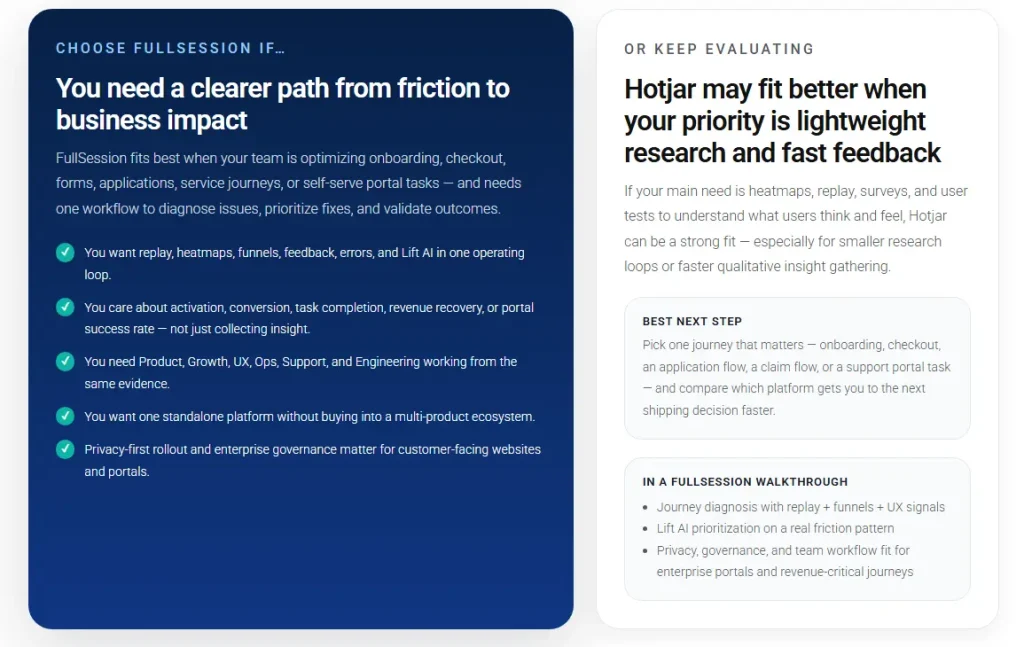
    Comparison graphic explaining when to choose FullSession for business impact and when Hotjar may fit better for lightweight research and fast feedback.

    Both platforms offer free plans, but they’re built around very different assumptions about what you need. Here’s how they stack up across the dimensions that matter most.

    Session volume and data retention

    The session volume gap is the most obvious difference, but the headline numbers can mislead.

    • Hotjar free: Tracks up to 200,000 monthly sessions for analytics, but only 5% are captured as replays (max 10,000)
    • FullSession free: 500 sessions per month, every one fully captured and available for replay
    • Data retention: Both platforms retain data for 30 days on the free tier

    The 200k figure sounds impressive. It’s an analytics number, not a replay number. FullSession’s 500-session cap is genuinely smaller, but you can watch all 500.

    For teams with high traffic who need broad website analytics coverage, Hotjar’s volume advantage is real. For teams doing granular debugging or conversion investigation, FullSession’s full-capture approach is more practical.

    Core features available at $0

    FeatureHotjar FreeFullSession Free
    HeatmapsYesYes
    Session replayYes (sampled)Yes (full capture)
    FunnelsYesNo
    Frustration signalsNo (Growth+)Yes
    Surveys / feedbackYes (100 responses)No
    MCP / LLM connectivityYesNo

    Hotjar’s advantage at $0: funnels, basic error monitoring (JS errors, core web vitals), and a full surveys and feedback module with 100 survey responses and up to five user interviews. FullSession doesn’t offer any of these at the free tier.

    FullSession’s advantage at $0: frustration signals and rage/dead/error clicks are included natively. That helps teams identify where site visitors are struggling without paying for a Growth plan. Hotjar locks this to Growth.

    Ease of access and upgrade path

    • Both platforms are fully self-serve on the free tier, except Hotjar’s Product Analytics, which requires a sales call even at $0
    • Hotjar pricing at Growth: Experience Analytics starts at $49/month; Voice of Customer Growth adds $99/month, so teams needing both pay $148/month
    • FullSession Growth: $23/month (billed annually), all core features bundled in one plan
    • Priority support and a dedicated customer success manager are available on Hotjar’s higher-tier plans; FullSession’s Growth tier includes standard support

    FullSession’s pricing structure is simpler and more predictable. There are no per-module costs and no surprise add-ons.

    Visit our pricing page to learn more.

    Free plan comparison table

    CriteriaHotjar (Contentsquare)FullSession
    Monthly sessions (analytics)Up to 200,000500
    Monthly replays5% of sessions / max 10,000500 (100% capture)
    Data retention1 month30 days
    HeatmapsYesYes
    Session replayYes (sampled)Yes (full capture)
    FunnelsYes (Experience Analytics)No (Growth+)
    Surveys / feedbackYes (100 responses, 3 widgets)No
    Frustration signalsNo (Growth+)Yes
    AI featuresBasic (MCP access)No
    Entry-level paid price$49/month (EA only)$23/month (all features)

    Price tells part of the story. The two platforms also differ at the architectural level in ways that affect how you work with the tool every day.

    For a detailed breakdown, see our FullSession vs Hotjar comparison.

    All-in-one vs. modular structure

    Hotjar’s rebrand into Contentsquare introduced a modular product architecture:

    • Experience Analytics, Voice of Customer, and Product Analytics are priced and upgraded independently
    • Teams needing all three manage multiple plan tiers and separate billing cycles
    • Unlimited projects and enterprise-grade controls, like dedicated support and custom pricing, require higher-tier plans across each module separately

    FullSession bundles session replay, heatmaps, funnels, errors, and feedback in a single plan with no per-module pricing. 

    For product and growth teams who want a unified workflow, this reduces both Hotjar cost complexity and operational overhead. No juggling separate invoices for each capability.

    Session capture philosophy

    Hotjar and FullSession collect data differently, and that shapes what you can actually do with it.

    Hotjar’s approach (sampling):

    • Captures 5% of sessions as replays, up to 10,000/month from a 200,000-session pool
    • Well-suited for aggregate analysis of user behavior patterns at scale
    • Heatmaps, funnels, and core web vitals remain statistically valid even at 5% capture
    • Best for high-traffic teams who need engagement scores and broad user engagement trend data over individual session depth

    FullSession’s approach (full capture):

    • Records 100% of sessions up to the plan limit; session limits apply, but within that cap every replay is available
    • No guessing whether a specific session was captured
    • Better for debugging, onboarding analysis, and investigation of specific user experience issues
    • Uses streamed, batched capture designed for minimal website performance impact

    Neither approach is universally better. The right choice depends on your traffic volume and how you use session data.

    AI capabilities compared

    Both platforms are moving toward AI-native workflows, but their current feature sets differ.

    Hotjar (Contentsquare Sense AI):

    • Includes heatmap summaries, session replay summaries, Sense chat, and Sense Mapping assistant
    • All AI features sit at Growth-tier and above; none are available on the free plan
    • AI-powered sentiment analysis for survey responses is available at the Growth tier in Voice of Customer

    FullSession Lift AI:

    • Predicts behavior impact, highlights what to fix next based on the revenue impact and lets you validate fixes
    • Includes an AI filter assistant for session segmentation, useful for surfacing deeper insights from large session libraries
    • Provides comprehensive insights that flag conversion blockers and UX friction without manual analysis
    • Also Growth-tier and above, not on the free plan

    Hotjar’s Sense is more mature and enterprise-oriented. FullSession’s Lift AI is more focused on conversion triage and error investigation.

    Both tools have a clear sweet spot. Here’s how to know which one fits your situation.

    When Hotjar makes sense

    Hotjar (Contentsquare) is the stronger choice for:

    • Enterprise and mid-market teams that need breadth across experience analytics, user feedback collection, and product analytics from a single vendor
    • Teams with daily sessions well above 10,000 who benefit from analytics-level aggregate data even at the free tier
    • Organizations that prioritize surveys and feedback and user interviews alongside session replay; the Voice of Customer module is genuinely powerful
    • Teams already integrated with the broader Contentsquare ecosystem or coming from a legacy Hotjar setup

    Hotjar support at the Growth tier includes live chat and email. A dedicated customer success manager and priority support are reserved for Pro and Enterprise tiers.

    For larger teams, Hotjar’s scale plan and enterprise options provide the governance, integrations, and Hotjar API access needed for custom workflows.

    When FullSession is the better fit

    FullSession is the better choice for:

    • Growth-stage SaaS and ecommerce teams who need self-serve access to funnels, error tracking, and conversion analysis without a sales process
    • Product and engineering teams who need every session captured, not just a sample, for debugging and UX investigation
    • Teams looking for the lowest all-in cost at entry: FullSession Growth at $29/month vs. Hotjar’s Experience Analytics Growth at $49/month (plus $99/month if you also need Voice of Customer)
    • Companies with under 10,000 monthly sessions where FullSession’s 500-session free plan and 100% capture rate makes the free plan genuinely useful for real investigation
    • Teams that need basic surveys or feedback at a later stage can explore other tools, but for pure behavior analytics and session based limitations comparisons, FullSession’s bundled approach wins on simplicity

    FullSession also includes unlimited users on its Growth plan, unlike per-seat models at some competitors. Higher tiers offer unlimited heatmaps, unlimited surveys, and unlimited responses.

    Teams running ongoing user surveys will find this particularly useful, since there are no per-response caps at the paid tier level. Support for unlimited projects at paid tiers also makes it well-suited for agencies managing multiple sites.

    Switching and trial considerations

    • FullSession offers a 14-day free trial on Professional features before the free plan activates; no credit card required
    • That trial lets you evaluate funnels, error alerts, and Lift AI before committing, making the basic plan comparison more concrete
    • Hotjar’s free plan is self-serve for Experience Analytics and Voice of Customer; Product Analytics requires a demo request
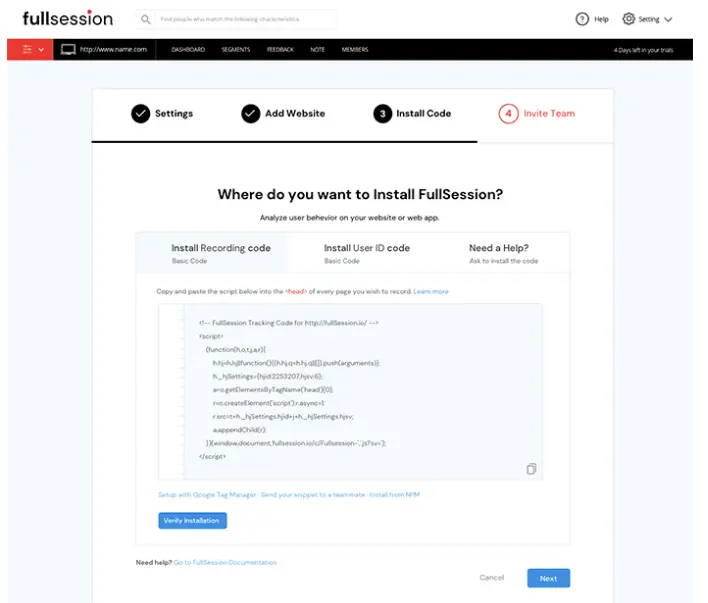
    • Both platforms support tag manager installation, so setup takes minutes

    Book a demo with FullSession today to learn more.

    Hotjar’s free tier covers a lot of ground: 200k analytics sessions, heatmaps, funnels, basic error monitoring, and 100 feedback responses at $0. Replay coverage is capped at 5% (max 10k), and features like frustration scoring, engagement zones, and AI tools require a Growth upgrade at $49/month.

    FullSession’s free plan is narrower in volume (500 sessions/month) but captures every session fully. It includes user clicks analysis and frustration signals at no cost, and it unlocks a richer investigative workflow sooner. For teams focused on website optimization, full-capture depth often beats broad sampling.

    For sites with under 10,000 website visitors per month, FullSession delivers more actionable value at $0. For high-traffic sites on a business plan budget, Hotjar’s volume advantage is real; just know you’re working with sampled replays, not a complete customer journey record.

    Start a FullSession free trial and see the difference yourself. No credit card needed.

    Is Hotjar now Contentsquare?

    Yes. Hotjar was acquired by Contentsquare and is now fully rebranded under the Contentsquare platform. The old Hotjar pricing structure no longer applies; all plans are managed through Contentsquare.

    Does Hotjar have a free plan?

    Yes. The free tier for Experience Analytics includes up to 200,000 analytics sessions per month, with 5% captured as replays (max 10,000 replays) and one month of data retention. Voice of Customer includes 100 monthly responses and up to five user interviews. Product Analytics requires contacting sales even for free access.

    How many session replays does the Hotjar free plan include?

    The free plan captures 5% of sessions as replays, with a maximum of 10,000 replays per month drawn from up to 200,000 tracked analytics sessions.

    Does FullSession have a free plan?

    Yes. FullSession’s free plan includes 500 fully captured sessions per month, 30-day data retention, session replay, heatmaps, frustration signals, and basic segmentation. No credit card required.

    How much does Hotjar’s Growth plan cost?

    Experience Analytics Growth starts from $49/month. Voice of Customer Growth starts from $99/month. These are separate costs if you need both products.

    Is FullSession cheaper than Hotjar?

    At the first paid tier, FullSession Growth starts at $29/month for 5,000 sessions with all core features bundled. Hotjar’s Experience Analytics Growth starts at $49/month; adding Voice of Customer Growth adds $99/month on top. For a full feature-level breakdown, read theFullSession vs. Contentsquare comparison page.

    Where can I find a full Hotjar review?

    Ourfull Hotjar/Contentsquare review covers session replay, heatmaps, pricing, and limitations in detail. You can also explore thebest website heatmap tools andtop session recording and replay tools for broader context.

    For multi-tool comparisons, theHotjar vs. Crazy Egg vs. Mouseflow comparison andHotjar vs. Mixpanel vs. Contentsquare pieces are worth reading before you decide. You can also browsefree and paid website tracking tools for a broader market overview.

  • Does Hotjar Slow Down My Site? Here’s the Answer

    Does Hotjar Slow Down My Site? Here’s the Answer

    “Does Hotjar slow down my site?” comes down to whether adding one more script meaningfully affects page speed and user experience.

    The short answer is yes, it can add some overhead. The extent depends on how heavy the page already is, how many other web analytics tools are running, and how it’s implemented.

    Hotjar points out that adding any JavaScript can influence site performance to some degree, so no impact-free outcome can be assumed. At the same time, they note that their script is built to keep that effect as small as possible, using async loading, CDN delivery, and browser caching.

    In practice, the more useful question is whether the insight it provides is worth the tradeoff on pages where performance matters. This article looks at this issue in a bit more detail and explains what kind of impact you can expect, when it tends to matter, and how to limit it if needed.

    The Hotjar tracking code is a JavaScript snippet you paste into your site’s HTML once. It has four specific jobs.

    1. It queues any events that fire before the main Hotjar script has finished loading, so no interactions are lost. 
    2. It uses your Hotjar ID to load the correct site settings and route collected data to your account. 
    3. It stores your snippet version number so Hotjar can identify outdated code and notify you if an update requires replacement. 
    4. It loads the main Hotjar script that activates data collection.

    You need to place the tracking code on each page where you want this to work.

    Hotjar does not automatically break performance, but it can slow down your site when a page is already crowded with third-party code, media, experiments, or rendering work.

    Hotjar’s help documentation explains that its usage tracking for session recordings and heatmaps is built to have minimal impact, partly because the script supports efficient execution in modern browsers and captures interaction data in a lightweight way.

    The script samples user behavior continuously during page sessions for recordings and heatmaps. That matters because the browser still has to download the script, parse it, execute it, and keep it running while visitors move through the page.

    Asynchronous loading helps, but it does not make the script free of performance cost or resource overhead.

    Google’s Web Vitals guidance still expects a good user experience at the 75th percentile, with LCP at 2.5 seconds or less, INP at 200 milliseconds or less, and CLS at 0.1 or less.

    Close-up photo of hands typing on a laptop keyboard, used to illustrate how Hotjar can affect site speed and page performance.

    When you install Hotjar, the browser must fetch the file, evaluate it, and keep it active as people move, click, and scroll, which adds to the overall page load time on every visit. On a lean site, that extra work may barely affect load speed.

    On a heavier site with chat, consent banners, personalization, A/B tests, and other tools, the combined load can become noticeable. Hotjar says the script is designed to run efficiently, but it also says that adding JavaScript can negatively affect performance.

    Hotjar’s documentation explains that its tracking for user recordings and heatmaps captures user interactions like clicks, scrolls, and DOM changes passively in the background. This lets features like feedback widgets, heatmap tools, and replays monitor how users interact with your pages without requiring any special user action.

    It is also why the page may feel busier under the hood than a page with only a basic analytics tag.

    Why overhead feels different from site to site

    The same script can feel harmless on one site and expensive on another because each page has its own baseline.

    If the page already spends a lot of time loading media, rendering components, and executing JavaScript, one more script can change the website’s performance enough to show up in page speed testing. If the page is already lean, the added cost may be too small to matter in practice.

    According to the HTTP Archive Web Almanac, the median home page in 2025 was 2.4 MB on desktop and 2.36 MB on mobile, which shows how little headroom many sites have before another script starts to matter.

    That average website size is a useful reminder that every extra request competes for limited browser resources like CPU, memory, and network capacity already stretched by images, fonts, CSS, and other scripts.

    Screenshot of Google PageSpeed Insights showing a performance score of 99 with Core Web Vitals metrics, including First Contentful Paint, Largest Contentful Paint, First Input Delay, and Cumulative Layout Shift.

    Hotjar is more likely to create measurable drag in these cases:

    • Pages with high media weight or heavy component rendering
    • Templates carrying many third-party tags from marketing campaigns
    • SPAs with frequent DOM changes
    • Checkout, signup, or lead-gen pages where milliseconds can change outcomes
    • Traffic mixes where weaker mobile devices dominate

    Those are the conditions where users drop, where Lighthouse or field data can flag regressions, and where teams start to wonder whether Lighthouse is being overly strict. It usually is not. Lighthouse is simply highlighting the work the browser has to do.

    High-risk scenarios at a glance

    ScenarioWhy risk risesLikely result
    Heavy landing pageLimited room for one more scriptLonger paint or interaction delays
    Tag-heavy stackMultiple scripts compete for CPUSlower responsiveness
    SPA route changesFrequent updates increase observation workMore scripting time
    Conversion pageSmall delays change intentHigher abandonment risk
    Mobile-first audienceConstrained devices feel the overhead firstMore visible slowdowns

    This is why teams that load Hotjar across every route without a plan often end up reviewing the decision later. The larger risk is whether added code makes high-intent user sessions less responsive on a site that already carries too much script weight.

    Many teams create their own trouble by deploying the tool carelessly. These are the most common mistakes:

    • Enabling every module on every template, including during website revamps when new templates haven’t been audited for script weight
    • Ignoring privacy configuration for sensitive input fields
    • Treating one Lighthouse run as final proof
    • Letting old tag-manager logic pile up after redesigns
    • Failing to review consent and user privacy settings

    Those issues matter because the real problem is often not the vendor alone. It is the combination of scripts, experiments, and media all firing at once.

    The best way to test Hotjar is to compare the same page with and without the script under similar conditions. Use one controlled process and keep everything else stable.

    1. Pick a page that matters.
    2. Record baseline data with the tool removed.
    3. Add the script back.
    4. Repeat tests several times.
    5. Compare lab and field signals.
    6. Decide whether to keep, limit, or replace it.

    Step 1: Pick the right page

    Choose a page where performance matters to revenue or lead quality. Good options are pricing, signup, demo, checkout, or a heavily trafficked product page. Avoid using a low-value blog page unless it reflects your real bottleneck.

    Step 2: Measure the baseline

    Remove the Hotjar code and run a clean set of tests. Check filmstrips, request waterfalls, CPU activity, and the browser’s main-thread work. You want a before state, not a guess.

    Step 3: Reintroduce the script

    Add the tracking script back exactly as production would use it. Then rerun the same tests under similar conditions. If the page worsens consistently, the difference is evidence. If the change is small or noisy, look at the full stack before blaming one vendor.

    Step 4: Compare business signals too

    Don’t stop at synthetic tests. Look at form completion, checkout progression, rage clicks, and whether website visitor analytics show more friction on important journeys. Replay and analytics data matter only if they don’t compromise the path they are meant to improve.

    Step 5: Separate “interesting” from “important”

    A script can show up in a report without being the reason performance is meaningfully worse. Compare the overhead against outcomes such as conversions, lead quality, and retention, not just raw technical scores.

    This process works because it evaluates Hotjar as part of the whole page. Hotjar itself points users toward testing tools such as WebPageTest when they want deeper analysis, and Google’s Web Vitals documentation explains why real-user thresholds matter more than single synthetic runs. 

    When Google Analytics tells you traffic is healthy but conversions are dropping, Hotjar’s qualitative data is often where you find the explanation.

    Start by deciding where replay is truly useful. Some pages justify session recordings, on-site surveys, and deeper observation; others do not. A focused Hotjar installation is usually safer than a blanket deployment across every route.

    Then review feature usage. Hotjar offers a range of modules including scroll maps, feedback widgets, and a net promoter score survey tool. If your team mainly needs meaningful insights from a few key pages, you may not need every module or every behavior capture option. Teams often enable advanced features long before they prove they need them.

    Next, audit the rest of the stack. Hotjar may not be the only script creating drag. Old chat widgets, pixels, A/B testing frameworks, stale tags, and duplicate trackers all compete for resources. If your page already carries a high page weight, even one extra script can matter more than it would on a leaner template.

    According to the HTTP Archive Web Almanac, JavaScript remains one of the major contributors to page weight on modern home pages.

    Use this checklist:

    • Restrict Hotjar to revenue-critical or research-critical templates
    • Disable modules you don’t actively use
    • Review consent logic and privacy masking
    • Reduce duplicate measurements from overlapping tools
    • Retest after every meaningful change, especially during key periods like product launches or seasonal traffic spikes

    That gives you a cleaner answer than removing Hotjar in frustration and then losing the very data that explained why people hesitated, clicked, or abandoned.

    For comparison, Google’s open source tool Lighthouse helps identify rendering and script issues, but it doesn’t replace replay-based diagnosis. Lighthouse, CrUX, and Hotjar each answer different questions, so the right decision depends on what your team actually needs.

    Ask three questions before you decide:

    1. Does Hotjar measurably slow key revenue pages?
    2. Does it drive frequent, high-value team decisions?
    3. Can targeted pages or modules deliver actionable insights?

    If the answer to the second question is yes, Hotjar may still be worth it. If it’s no, the script is just another moving part on a page already carrying marketing automation, ad pixels, consent logic, and testing tags.

    Some teams also find the real issue isn’t session replay alone. It’s the combined weight of heatmaps, feedback widgets, tags, and experiments running together. That’s why simplifying the stack first usually leads to a clearer decision than switching tools straight away.

    Consider replacing Hotjar when it creates repeatable regressions on high-value pages, when your team needs deeper journey analysis than it was designed to provide, or when your stack already has too much overlapping measurement.

    A switch should be justified by observed performance and workflow fit, not by frustration or by procurement terms such as Hotjar pricing tiers, Hotjar cost comparisons and module limits. If Hotjar adds a small cost and your team uses it well, keeping it may be the smarter call.

    Check out Hotjar alternatives to see your options.

    If you need a tool mainly for heatmaps, replay, and feedback, Hotjar may still be a reasonable fit. If you need stronger product analytics, broader funnel tracking, or less overlap with existing measurement, a more advanced solution may serve you better.

    Here is a simple decision framework.

    Keep HotjarLimit HotjarConsider replacing Hotjar
    Performance impact is smallImpact exists only on some pagesImpact appears on critical journeys
    Data drives active decisionsOnly a few templates need to be replayedReplay value doesn’t justify overhead
    Team relies on feedback modulesThe scope can be tightenedAnother platform covers needs more cleanly

    This is also where Hotjar pricing matters. Buyers often compare the free plan, paid plans, and whether a vendor reserves priority support or custom integrations for higher tiers. Those details matter commercially, but they shouldn’t override the performance question on their own.

    This is also where more advanced tools come into the picture. Platforms like FullSession go beyond heatmaps and basic replays, combining session tracking with deeper product analytics, funnel analysis, and more flexible data control without impacting your website performance.

    AI Driven Session Replay Product Analytics FullSession

    Hotjar works well for teams getting started with behavioral analytics. It covers session replay, heatmaps, and user feedback in a way that is easy to pick up, and for simpler use cases, that is often enough. 

    Where it starts to fall short is when teams need to track user interactions across the full product journey, react to issues as they happen, or scale without running into feature or pricing limits.

    With FullSession, the main difference is not just having more features, but how everything ties together. Session replays connect directly to heatmaps, funnel drop-offs, error events, and in-app feedback in one place. 

    Hotjar shows you individual signals in separate views; FullSession lets you follow what actually happened in a single flow.On performance, FullSession’s SDK is designed to be lightweight and asynchronous, running on a separate thread to avoid blocking the main thread, so it doesn’t block the critical rendering path. Configurable sampling, efficient compression, and flexible capture settings keep overhead low on high-traffic or performance-sensitive pages, including mobile applications

    FullSession setup screen showing the install code step with options for installing recording code, user ID code, and team invite during website setup.

    A few other areas where FullSession goes further:

    • Lift AI scans behavioral patterns continuously and surfaces the sessions most likely to affect conversions, so your team doesn’t have to manually hunt for what matters
    • Errors and alerts detect rage clicks and JavaScript errors in real time, with each event linked directly to the session that triggered it
    • Mobile session replay for iOS and Android runs on the same platform as desktop, with no separate tool or integration required
    • Unlimited seats on all paid plans, so your product, support, and growth teams all have access without bumping up the bill

    For more details, check out FullSession vs Hotjar.

    Hotjar works well at the entry level. If you’re finding that your team needs more connected data, faster error detection, or a platform that scales without adding scripts or seat costs, FullSession is worth a closer look. Book a demo and see how it compares against your current setup.

    Hotjar can still be useful when you need qualitative data on friction, hesitation, and intent, especially on pages where standard analytics doesn’t explain why users leave before converting.

    In these cases, the decision is not just about performance impact, but whether the insight is worth it during launches, seasonal spikes, or post-redesign reviews. 

    Before removing it, website owners should check how it behaves on your most important pages, especially those already running heavy media, A/B tests, and other third-party scripts.

    Performance issues often come from the combined weight of multiple tags competing for browser resources, not a single tool alone. The same setup can behave very differently depending on page complexity and traffic patterns.

    Hotjar also adds value through features like:

    • Scroll depth tracking and heatmaps
    • Surveys and NPS prompts
    • Signals that help identify where users lose interest or encounter friction

    For some teams, that context is worth the tradeoff. For others, especially those with complex front ends or mobile-heavy traffic, the impact becomes more noticeable on slower devices.

    Is Hotjar GDPR compliant?

    Hotjar is fully GDPR compliant and provides privacy controls and masking options, but compliance in practice depends on your specific setup, consent logic, and data-handling policies. 

    Hotjar support documentation covers the configuration steps in detail. Review how masking and sensitive data handling are configured and how data collection aligns with your actual use case.

    Finally, feature value matters. Hotjar’s site tools can be useful, but the key question is whether they match your workflow. 

    Platforms like FullSession may offer deeper replay capabilities, real time analytics, a lighter implementation, or more integrations depending on what your team actually needs.

    Hotjar is not inherently a bad tool. The issue is fit. On lightweight pages with high research value and controlled deployment, it can work well. 

    On already heavy pages, or when multiple scripts compete for resources, or when only part of the tool is actually used, it can start to have a noticeable impact on performance and user experience.

    Curious whether FullSession is a better fit than Hotjar? Book a demo and take a closer look.

    Will Hotjar slow down my site?

    Hotjar can slow a page when the script adds enough network, execution, and observation work to a page that is already busy. Hotjar says its script is designed for low overhead, but it does not promise zero impact.
    How does Hotjar’s script affect page load?

    The script adds download and execution work after the browser requests it. Hotjar says the script loads asynchronously, which helps reduce parser blocking, but the browser still has to do the work.

    Could Hotjar affect my site’s performance?

    Yes. Google’s Web Vitals guidance measures real-user performance thresholds, and any added JavaScript can push a page closer to those limits if the page is already heavy.

    Why does Google PageSpeed say my site is slow with Hotjar?

    Google PageSpeed Insights surfaces the work the browser must perform. If Hotjar appears in the report, it means the script contributed some cost, not necessarily that it was the only cause.

    Does async loading mean Hotjar cannot hurt Core Web Vitals?

    No. A script can use asynchronous loading and still affect LCP or INP if the page is resource-constrained or crowded with third-party work.

    Is Hotjar safe for privacy-conscious teams?

    Hotjar provides privacy controls and masking options, and teams should configure them carefully before rollout. Privacy readiness depends on your setup, consent logic, data-handling policies, and GDPR compliance.

    Can Hotjar hurt Core Web Vitals?

    Yes. Hotjar can influence Core Web Vitals because it adds extra script loading, execution, and ongoing tracking work, which can affect loading speed and responsiveness. It’s designed to be lightweight, but it doesn’t eliminate impact entirely. The effect is usually more noticeable on already complex pages like forms, checkout flows, or pages loading critical assets such as large images or web fonts.

  • 7 Best Hotjar Alternatives in 2026 (Tested & Compared)

    7 Best Hotjar Alternatives in 2026 (Tested & Compared)

    Hotjar built its reputation by making session recordings and heatmaps easy to access. For a long time, it was the natural starting point for anyone who wanted to see how people actually use their website. But as the tool changed and teams’ needs grew, the cracks started to show.

    If you’re reading this, you’re probably dealing with one of a few familiar situations:

    • Daily session limits tied to your plan
    • Pricing that jumped after your traffic scaled
    • No way to track what happens inside your mobile app
    • Funnel analysis that requires a developer just to set up

    This guide covers the 7 best Hotjar alternatives we’ve tested and compared. For each one, you’ll find a breakdown of key features, current pricing, G2 user review scores, and a clear verdict on who it’s best for.

    Our top recommendation is FullSession, and we’ll explain exactly why.

    1. FullSession is the most complete Hotjar replacement for ecommerce, product and growth teams, combining session replay, heatmaps, funnels, error tracking, mobile app coverage, and Lift AI in one platform with no performance overhead.
    2. Microsoft Clarity is the right choice if your budget is zero and your needs are basic: free forever, no session caps, no funnel analysis.
    3. PostHog suits engineering-led teams that want open-source infrastructure and are comfortable with a developer-heavy setup.
    4. Mouseflow is the specialist pick for ecommerce and form optimization, with deep form-level analytics.
    5. FullStory is built for enterprise teams that need retroactive data querying and data warehouse integration, at an enterprise price.
    6. Crazy Egg works best for CRO-focused marketing teams that want A/B testing bundled alongside heatmaps without a separate tool.
    7. Lucky Orange is affordable for small businesses, particularly those on Shopify or WordPress, who also want live chat.

    For teams that have outgrown basic tools and need session replay, heatmaps, funnels, error tracking, customer feedback tools, and mobile replay in one platform, FullSession is the most complete option available, starting at $23/month on the annual plan ($29/month on monthly).

    It is the only tool on this list that combines zero performance impact, full mobile app coverage, and Lift AI, which turns behavioral data into a prioritized list of fixes ranked by revenue impact, without splitting features across separate modules or pricing tiers.

    Book a demo to see it in action.

    Four problems come up consistently across teams that start looking for Hotjar competitors:

    1. Pricing that doesn’t scale well: Hotjar’s session-based pricing tiers jump sharply as traffic grows. What starts as affordable quickly becomes costly, and the pricing free plan rarely includes the features growing teams actually need. Read our full Hotjar review for a closer look at where the pricing model breaks down.
    2. Performance overhead: Hotjar’s tracking script adds weight to your pages and increases Time to Interactive, which directly affects Core Web Vitals. For teams where page speed matters for both UX and SEO, that’s a meaningful trade-off.
    3. No mobile app tracking: Hotjar is a website analytics tool. If any part of your product lives in a mobile app, Hotjar gives you no visibility into that experience at all.
    4. Limited event tracking and funnel analysis: Setting up event tracking in Hotjar requires JavaScript and a paid plan. Funnel analysis either isn’t available or requires stitching things together with Google Analytics. For teams that want actionable insights without involving a developer, that adds real friction.

    Keep these four issues in mind as you read through the alternatives below.

    Choosing the right alternative to Hotjar means matching what it does well to what your team actually needs for user behavior analysis.

    The nine criteria below cover the key features: session replays, website heatmap tools, funnels, and everything else that separates a tool worth paying for from one that just looks good in a demo.

    Learn more about session recording replay

    CriteriaWhat to Check
    Session replay qualityDoes it capture dynamic elements (SPAs, AJAX)? Do recordings link to errors and funnel steps?
    Heatmap performance costDoes the tracking script affect page load and Core Web Vitals?
    Funnel analysisCan non-technical users build funnels visually, or does it require a developer?
    Feedback and surveysAre survey responses linked directly to session recordings, or do they sit in isolation?
    Event trackingDoes the tool use autocapture, or does setup require manual JavaScript tagging?
    Mobile app coverageIs there native SDK support for iOS and Android, or is it web-only?
    AI and prioritizationDoes AI surface summaries only, or does it rank issues by business impact?
    Pricing scalabilityDo costs grow unpredictably with traffic, and are key features locked behind higher tiers?
    IntegrationsDoes it connect to your CRM, data warehouse, or support platform?

    If your team needs strong scores across all nine without stitching together multiple tools, FullSession is the starting point we recommend.

    Start a free trial, no card required.

    Here’s a quick overview of the main Hotjar competitors in 2026.

    ToolG2 RatingBest For (use case)Top FeatureStarting Price
    FullSession5 / 5Ecommerce, product & growth teams needing full behavioral analyticsLift AI + zero performance impact$23/month
    Microsoft Clarity4.5 / 5Basic session recording at zero costUnlimited free sessions + AI summariesFree
    PostHog4.5 / 5Engineering-led product teamsOpen-source all-in-one analytics platformFree tier + usage-based
    Mouseflow4.6 / 5E-commerce conversion & form optimizationFriction score + form analytics€39/month
    FullStory4.5 / 5Enterprise digital experience intelligenceRetroactive data querying (StoryAI)Custom (enterprise)
    Crazy Egg4.2 / 5CRO teams running A/B testsBuilt-in A/B testing + heatmaps$29/month
    Lucky Orange4.6 / 5Small businesses needing affordable all-in-oneLive chat + session recordings$39/month

    Now, let’s take a closer look at each solution on this list to help you decide the best fit for your needs.

    1. FullSession

    FullSession homepage hero banner showing AI-driven session replay and product analytics software with heatmaps, conversion funnels, and user behavior dashboards.

    FullSession is a comprehensive analytics platform built for ecommerce, product and growth teams who need complete behavioral visibility without slowing their site down.

    It covers everything Hotjar does and goes further with built-in funnels, error tracking, mobile session replay, and an AI layer called Lift AI that shows which UX problems are costing you the most revenue.

    It’s the only tool on this list that combines real-time dynamic element capture, zero performance impact, and AI-powered prioritization at a price that works for growing SaaS teams.

    If you want to understand user behavior and watch user interactions across every touchpoint without stitching together multiple tools, FullSession is your best choice.

    See how FullSession compares to Hotjar to learn more.

    Best for

    1. Ecommerce businesses: Spot where customers drop off and fix the issues causing cart abandonment
    2. SaaS companies: Make onboarding smoother and help users actually adopt key features
    3. Digital marketers: Fine-tune funnels and landing pages to boost conversions
    4. UX designers: See how people really interact with your product to make smarter design decisions
    5. Data analysts: Dig into detailed user behavior to uncover meaningful insights
    6. QA teams: Quickly find, reproduce, and fix bugs reported by users
    7. Product teams: Focus on building features that users actually need and use
    8. Customer support teams: Understand and resolve issues faster by reviewing real user sessions
    9. Customer experience professionals: Identify friction points and improve the overall user journey

    Features

    • Session recording and replay: FullSession captures every interaction in real time, including dynamic elements like single-page app transitions, AJAX-loaded content, and animated components. Recordings are pixel-perfect and linked directly to error events and funnel drop-offs.
    • Mobile session replay: Full session recording for iOS and Android apps, giving product teams the same behavioral depth on mobile that they get on the web.
    • Interactive heatmaps: Click, scroll, and attention maps are generated without adding any load to your pages. That’s the key difference from most competitors, whose scripts measurably slow down page rendering.
    • Funnel and conversion tracking: A no-code visual funnel builder lets you measure drop-off at every step and jump directly into session recordings from any stage. See the funnel and conversion tracking for more detail.
    • Error and alert detection: Automatically captures JavaScript errors, rage clicks, and broken user flows. Each error links to a session recording so engineering teams can reproduce and fix bugs without lengthy back-and-forth.
    • Lift AI: FullSession’s AI layer analyzes patterns across all sessions, identifies friction points, and ranks them by estimated revenue impact. Instead of spending hours manually reviewing user recordings, Lift AI tells you what to fix next. Lift AI also makes impact predictions and tracks the actual impact after the fix.
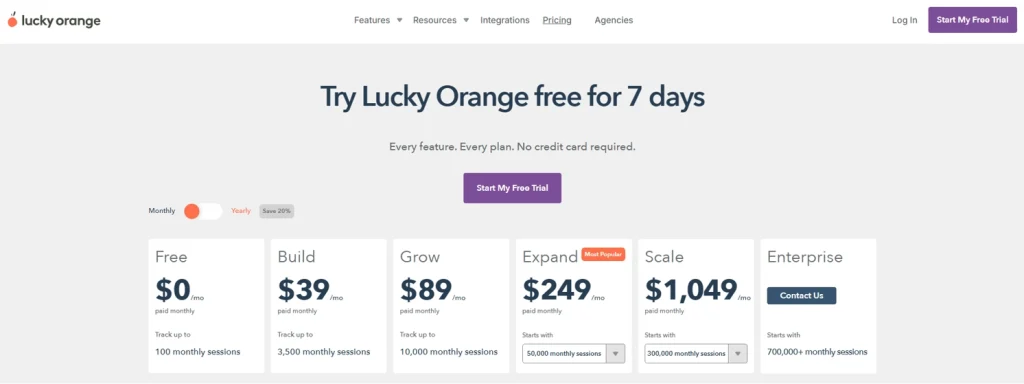
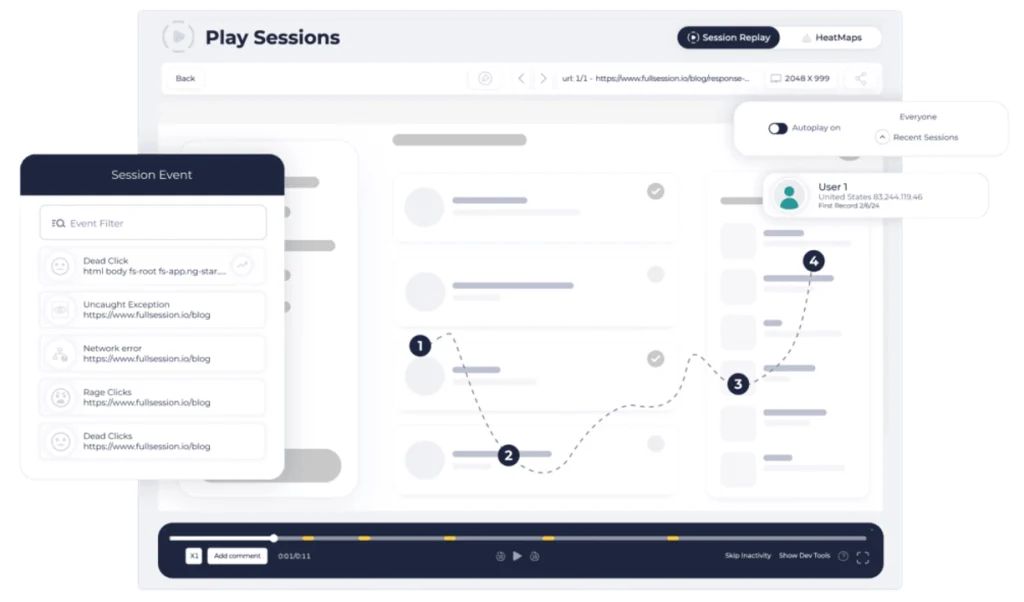
    • Customer feedback widget: In-page feedback forms capture real user feedback and link it automatically to the corresponding session recording, so every response comes with full behavioral context.
    • User segmentation: Advanced filtering lets you create specific user segments based on device, behavior, location, or event history. This makes it easy to isolate and study exactly the groups that matter.
    • Integrations: Connects with popular third-party tools, including Segment, Intercom, HubSpot, Jira, Slack, and Google Analytics, so FullSession fits into your existing workflow.

    Pricing

    FullSession pricing plans for web showing Growth, Professional, and Enterprise plans with monthly pricing options and features

    Subscription-based with monthly or annual billing, with a starting price of $29/month on monthly billing and $23/month on annual billing. Annual plans include a 20% discount.

    All paid plans have a 14-day free trial. Full details are available on the FullSession pricing page.

    Book a demo to see what you get before you commit.

    2. Microsoft Clarity

    Microsoft Clarity homepage hero banner showing AI-powered website analytics, session recordings, heatmaps, and user insight dashboards.

    Microsoft Clarity is a free behavior analytics tool offering session recordings, heatmaps, and AI-powered summaries. Backed by Microsoft’s infrastructure, it’s used on over two million sites globally and is a solid starting point for teams with no analytics budget.

    It’s a simple website feedback and behavior tool. It doesn’t offer funnel analysis, event tracking, or feedback forms, but for basic recording and heatmaps, it works well and costs nothing.

    If you are comparing free and paid Session Recording Replay Tools, Clarity is usually a good baseline, but growing teams may need deeper filtering, funnels, and mobile replay.

    For a full breakdown, see how Hotjar compares to Microsoft Clarity.

    Best for

    Solo founders and small marketing teams who don’t need advanced analytics features and want basic session recordings and heatmaps at zero cost.

    Features

    • Session recordings: Full user session playback with a Highlights feature that automatically surfaces key moments. Useful for quickly identifying where users interact with friction-heavy areas of your site.
    • Heatmaps: Click, scroll, and area heatmaps with AI summaries showing behavior trends. You can compare heatmap patterns across different page versions.
    • AI summaries: One-click AI-generated takeaways from behavioral data that enable users to extract patterns from sessions without watching each one manually.
    • AI chat interface: A conversational interface where you can ask questions about your analytics data in plain language.
    • Brand agents: A newer feature that deploys an AI shopping assistant on your site using behavioral signals from Clarity data.

    Pricing

    Microsoft Clarity homepage banner showing the message “It’s free, forever” alongside an illustration of a fox beside a treasure chest of coins.

    Free forever, with no session or pageview caps. 

    Microsoft doesn’t currently offer a paid tier for Clarity. 

    All features are available at no cost.

    3. PostHog

    PostHog homepage hero section showing the headline “The new way to build products” with product interface elements and an illustration of a hedgehog working at a desk.

    PostHog is an open-source product analytics platform that combines session replay, heatmaps, A/B testing, feature flags, funnel analysis, and feedback tools into a single platform. 

    It’s built for engineering-led teams who want a single data infrastructure that replaces multiple tools.

    As both a web analytics tool and product analytics platform, PostHog goes well beyond what Hotjar offers. The added depth brings added complexity, though. It’s not designed for non-technical users, and teams without developer support will find the setup steep.

    Read our guide to learn more about PostHog alternatives.

    Best for

    Engineering-led product teams at startups who want an open-source all-in-one data platform.

    Features

    • Session replay: Web and mobile session recordings with event timelines, captures console errors and logs, and network request monitoring. Recordings connect directly to error events and feature flag changes for faster debugging.
    • Heatmaps: Click and scroll heatmaps integrated into the product analytics layer, so you can view behavior patterns alongside funnel and retention data.
    • Product analytics: Full funnel analysis, retention cohorts, user path analysis, and SQL access for custom queries. This is significantly more powerful than Hotjar’s analytics layer and enables in-depth analysis of user journeys.
    • A/B testing and feature flags: A built-in experiment runner and safe feature rollout management, neither of which Hotjar offers.
    • Event tracking: A flexible custom event tracking system for both web and mobile. Enables quantitative data collection on any user action without pre-tagging requirements.
    • User surveys: In-app surveys including NPS, CSAT, and custom questionnaires, deployable across web and mobile.
    • Mobile SDK support: Native support for iOS, Android, React Native, and Flutter, covering the full mobile app analytics stack.

    Pricing

    PostHog Cloud pricing page showing the free plan, pay-as-you-go option, feature limits, and free tier details across analytics, session replay, feature flags, and experiments.

    Usage-based, with a free tier included, starting at $0.00005 per event beyond free tier limits.

    4. Mouseflow

    Mouseflow homepage hero banner promoting AI-powered behavior analytics with a user journey visualization, demo CTA, and free account sign-up option.

    Mouseflow is a behavior analytics platform focused on session replay, heatmaps, form analytics, friction detection, and conversion funnels.

    It targets digital marketing and e-commerce teams who want to understand where users drop off and why, with particular strength in form-level analysis.

    Its clean user interface lets teams build funnels and analyze form behavior without needing developer support.

    See how Hotjar compares to Mouseflow.

    Best for

    E-commerce and digital marketing teams focused on checkout funnel and form completion optimization.

    Features

    • Session replay: Full user session recordings with filtering by friction score, rage clicks, and behavioral signals. Helps teams focus on the user sessions that reveal the most about conversion problems.
    • Heatmaps (six types): Click maps show exactly where users click, while scroll, movement, attention, geo, and live heatmaps add richer context about where visitors look and hesitate.
    • Friction score: Automatically flags sessions where users experience frustration, including rage clicks, error clicks, and excessive back-and-forth navigation.
    • Form analytics: Field-level analysis showing which form inputs cause abandonment, hesitation, or repeated corrections.
    • Conversion funnels: A multi-step funnel builder to track where users drop off across any page flow, with direct links to session replays from each step.
    • Mina AI: AI-generated insights from session data to surface patterns without manual review.
    • Journey analytics: Macro-level visualization of user paths across multiple pages, showing how user engagement flows through a site over time.
    • Integrations: Works with Google Tag Manager, HubSpot, Optimizely, and Google Analytics for teams with an established stack.

    Pricing

    Mouseflow pricing page showing a comparison table of Free, Essential, Advanced, Premium, and Enterprise plans with session limits, funnels, replays, heatmaps, and feature differences.

    Session-based monthly subscription, with a free plan, starting at €39/month.

    See the side-by-side analysis in our FullSession vs Mouseflow comparison.

    5. FullStory

    FullStory homepage hero banner with the headline “Better data. Better digital experiences.” and a colorful abstract graphic featuring conversion rate insights and an AI query prompt.

    FullStory is an enterprise-grade digital experience analytics platform that captures every user interaction across web and mobile and makes that data retroactively queryable.

    It’s designed for large organizations with compliance requirements, data engineering resources, and a need for deep behavioral data that integrates with data warehouses.

    The pricing and complexity make its user behavior analytics unsuitable for most teams outside of enterprise, though.

    Read our Hotjar vs FullStory comparison for a detailed breakdown.

    Learn more about FullStory competitors.

    Best for

    Enterprise product and data teams that need behavioral data analytics to understand user interactions and drive revenue growth across digital platforms.

    Features

    • Session replay: Complete, pixel-accurate session playback across web and mobile with no pre-tagging required. Every click, scroll, and form interaction is captured automatically.
    • Product analytics: Funnel analysis, retention cohorts, and user journey analysis. The platform lets teams analyze user behavior without needing to define events in advance.
    • Mobile app analytics: Full behavioral capture for iOS and Android apps under the same platform as web data.
    • StoryAI: AI agents that automate pattern detection and surface anomalies across the full behavioral dataset. A significant step up from basic AI summaries.
    • Retroactive data querying: One of FullStory’s most distinctive features. Teams can ask questions about past user behavior even if no tracking was set up for that event beforehand.
    • Data ecosystem (Anywhere): Pushes behavioral data to external data warehouses and real-time personalization platforms for downstream activation.
    • Customer support integration: Links session recordings to customer support tickets so support teams can see exactly what a user did before submitting a complaint.

    Pricing

    FullStory pricing page showing analytics plans for businesses, plan add-ons, and behavioral data solution tabs including Analytics, Workforce, and Anywhere.

    Custom enterprise pricing only. You need to contact FullStory for a quote.

    6. Crazy Egg

    Crazy Egg homepage banner showing website optimization software with heatmaps, recordings, A/B testing, web analytics, and conversion tools.

    Crazy Egg is a website optimization tool that combines heatmaps, session recordings, A/B testing, conversion funnels, and pop-up CTAs. It targets CRO-focused marketing teams who want to run experiments alongside their behavioral data without needing a separate testing platform.

    Its clean, user-friendly interface makes it easy to set up and start generating user insights quickly, even without a dedicated analyst. 

    The depth of behavioral analytics is limited compared to tools like FullSession, though.

    Check out Crazy Egg alternatives to learn more.

    CRO-focused marketing teams at established companies that run frequent A/B tests alongside heatmaps.

    • Heatmap reports: Click maps, scroll maps, confetti maps showing individual click data, and overlay reports. Mouse movement tracking reveals where visitors hover and hesitate before deciding.
    • Session recordings: User session playback with error tracking and filtering by behavior or traffic source.
    • A/B testing: A built-in visual A/B and multivariate test builder. Teams can create and launch tests on live pages without writing code.
    • Conversion funnels: Multi-step funnel visualization to identify drop-off pages and link directly to related session recordings.
    • Popup CTAs: An on-page popup and CTA builder for conversion optimization, embedded within the analytics platform.
    • Surveys: Simple on-page survey tools for collecting quick user feedback at specific points in the user journey.
    • Web analytics: A free built-in web analytics layer covering traffic source, bounce rate, and basic engagement metrics alongside the behavioral tools.

    Pricing

    Crazy Egg pricing page showing Starter, Plus, Pro, and Enterprise plans with monthly pricing, pageview limits, recordings, heatmap reports, and web analytics features.

    Pageview-based monthly subscription, with a 30-day free trial, and a business plan starting at $29/month.

    7. Lucky Orange

    Lucky Orange homepage hero banner showing website analytics software with visitor recordings, AI-guided insights, integrations, segmentation, and filtering features.

    Lucky Orange is an affordable all-in-one conversion optimization platform offering heatmaps, session recordings, survey tools, conversion funnels, live chat, and a Discovery AI feature.

    It targets small businesses and agencies that want behavioral analytics and customer communication in one low-cost tool.

    It connects directly with Shopify, HubSpot, WordPress, and BigCommerce, making it a natural fit for e-commerce and small business teams on those platforms.

    See how Lucky Orange compares to Hotjar.

    Learn more about Lucky Orange alternatives.

    Best for

    Small businesses and agencies that need session recordings, heatmaps, and live chat in one affordable platform.

    Features

    • Session recordings: Full visitor journey replays with event timeline and tagging. No session sampling, so every visit is tracked regardless of plan tier.
    • Heatmap tools: Click maps, scroll maps, and move maps showing mouse movement patterns and hesitation zones across any page.
    • Conversion funnels: A multi-step funnel builder with drop-off visibility and direct links to session recordings from each step.
    • Feedback surveys: On-page survey tools that let you collect customer feedback at specific moments, including post-checkout and exit-intent triggers.
    • Live chat: A built-in live chat widget for real-time visitor communication. One of the few tools on this list that combines live chat with behavioral analytics.
    • Discovery AI: Automatically identifies where visitors drop off and recommends the next optimization steps without manual analysis.
    • User research tools: Visitor profiles that compile interaction history, session recordings, and chat logs into a single timeline per user, useful for user researchers who need full context.

    Pricing

    Lucky Orange pricing page showing Free, Build, Grow, Expand, Scale, and Enterprise plans with monthly pricing and session limits.

    Flat-rate monthly subscription, with a free trial available and starting at $39/month.

    See our full FullSession vs Lucky Orange breakdown.

    FullSession session replay dashboard showing session event filtering, user journey playback, dead clicks, rage clicks, and error tracking.

    Every tool on this list has strengths. Microsoft Clarity is the right call if your budget is zero. PostHog is the right call for developer teams that want open-source infrastructure. FullStory is the right call for enterprises with data engineering teams and compliance requirements.

    But if you are an ecommerce, product or growth team looking for the most complete alternative to Hotjar, FullSession wins across several key dimensions compared to other tools.

    Hotjar is well-suited for lightweight UX research and on‑site surveys. FullSession is built for high-value journeys: finding friction in onboarding, checkout, and forms, then prioritizing fixes by revenue impact. Here is the head-to-head comparison.

    FeatureFullSessionHotjar
    Session replay (web)Yes, near real‑time, supports dynamic elementsYes, standard
    Session replay (mobile app)Yes, iOS and AndroidNo
    HeatmapsYes, zero performance impactYes, slows page load
    Funnel analysisYes, no-code visual builderLimited, requires integration with other tools (e.g., GA)
    Error and alert detectionYes, JS errors, rage clicks, alertsRage clicks, basic error signals
    Feedback formsYes, linked to session recordingsYes, standalone feedback
    AI-powered prioritizationYes, Lift AI (revenue-impact ranking)Yes, via Contentsquare’s Sense AI (session replay summaries)
    Event trackingYes, no code requiredRequires manual JavaScript event setup
    User segmentationYes, advanced filters and segmentsBasic segmentation
    Mobile app surveysYesNo
    Google Analytics integrationYesYes
    Page performance impactNoneMeasurable TTI increase
    Pricing modelAll core features included in each paid planModular: Observe, Ask, and Product Analytics priced separately
    Starting paid price$29/month (monthly), $23/month (annual)$49/month via Contentsquare
    Enterprise plansYes, custom pricingYes, via Contentsquare enterprise tiers

    See the full FullSession vs Hotjar breakdown to compare every feature side by side.

    FullSession has four clear advantages over Hotjar:

    1. Performance: FullSession’s tracking script has zero impact on page load. Hotjar’s script measurably increases Time to Interactive, which shows up directly in Core Web Vitals. For any team where site speed affects SEO or conversions, that is a real, ongoing cost. We break that down in more detail in Does Hotjar Slow Down My Site?.
    2. Mobile coverage: Hotjar is web-only. FullSession captures session replays across iOS and Android apps with the same depth as the web, so teams with hybrid products do not need a separate tool.
    3. AI that prioritizes, not just summarizes: Lift AI analyzes patterns across your entire user base, identifies the highest-impact friction points, and tells you what to fix first, ranked by estimated revenue impact. Hotjar has no equivalent.
    4. Bundled pricing vs modular billing: Hotjar splits its product into separate modules: Experience Analytics, Voice of Customer, and Product Analytics are each priced independently. FullSession includes all features across all paid plans. As soon as your team needs more than basic heatmaps and surveys, the total cost of Hotjar climbs quickly. FullSession does not.

    Book a demo, and we will show you exactly where FullSession closes the gaps Hotjar leaves open.

    The right question is not which tool has the longest feature list. It is which one actually fits the way your team works, what you need to see, and what makes sense to pay for as you grow.

    If this guide has made one thing clear, it is that the gap between a basic setup and one that actually moves the needle is bigger than most pricing pages let on.

    Session limits hit faster than expected. Mobile coverage is an afterthought on most tools. Billing gets complicated the moment you need more than one feature set. And performance overhead is easy to ignore until it shows up in your Core Web Vitals.

    Before you commit to anything, run the evaluation criteria from earlier in this guide against what you are using today. If you are already paying for two or three tools to fill gaps, you already have your answer.

    FullSession was built for exactly this situation.

    Our plans cover session replay on web and mobile, heatmaps that don’t slow your pages down, no-code funnels, error tracking, feedback tied directly to recordings, and Lift AI, which ranks friction points by revenue impact so your team knows what to fix first.

    Nothing is gated behind a higher tier or sold as an add-on. You do not need a developer to get started. And it costs less per month than Hotjar’s entry paid plan.

    If your team has grown past the basic features and needs a tool that keeps up, this is where to start. Book a demo or start free, no card required.

    What is the best free alternative to Hotjar?

    Microsoft Clarity is the best free alternative if your only requirements are basic session recordings and heatmaps. It’s free forever with no session limits and includes AI-powered summaries. If you also need funnel analysis, feedback collection, or more advanced filtering to gain insights from your data, FullSession’s free plan (500 sessions per month) is a better starting point, as it offers a far broader feature set.

    Is there a free version of Hotjar?

    Yes. Hotjar offers a free plan with limited daily sessions and access to basic heatmaps and recordings. For most growing teams, the free limits are hit quickly. FullSession also offers a free plan with session replays, heatmaps, and funnels, with paid tiers starting at a lower price than the equivalent Hotjar plan.

    What are the alternatives to Hotjar for session recording?

    The strongest session replay tools as alternatives to Hotjar are FullSession, Microsoft Clarity, PostHog, Mouseflow, and FullStory. FullSession covers web and mobile app sessions and links recordings to funnels and error data. Clarity is the best zero-cost option. PostHog is the strongest for developer teams. Mouseflow suits ecommerce session analysis well. FullStory is built for enterprise teams.

    Why is Hotjar so expensive?

    Hotjar separates its Observe and Ask products, meaning you pay for behavioral analytics and user feedback tools independently. Session limits on each tier escalate quickly with traffic growth, and costs compound as you add modules. Tools like FullSession bundle all features at a single price point, which tends to work out significantly cheaper for scaling products.

    Does Hotjar work on mobile apps?

    Hotjar doesn’t offer meaningful mobile app tracking on standard plans. It’s a web-only tool. If your product includes a mobile app, you need a tool that supports native SDKs. FullSession offers full mobile app session replay for iOS and Android as part of its standard plans.

    Is Lucky Orange better than Hotjar?

    Depends on your needs. Lucky Orange is cheaper and bundles live chat with recordings and heatmaps, making it a better fit for small businesses. Hotjar is stronger for UX research and surveys. Neither covers mobile apps well.

    Is Hotjar now Contentsquare?

    Contentsquare acquired Hotjar in 2021, but Hotjar still runs as its own product with separate pricing and branding. For most users, nothing has changed day to day.

    What is the difference between Mixpanel and Hotjar?

    Mixpanel shows you what users are doing, in aggregate, through events and retention data. Hotjar shows you how individual users behave through recordings and heatmaps. One is quantitative, the other qualitative. Many teams end up running both, which is exactly why all-in-one platforms like FullSession exist.

  • 5 Best Mixpanel Alternatives for 2026 [Compared & Reviewed]

    5 Best Mixpanel Alternatives for 2026 [Compared & Reviewed]

    If your team is evaluating Mixpanel alternatives, you’re probably circling the same question: does your product analytics platform show you why users behave the way they do, or just what they do?

    Mixpanel has long been a solid tool for organizing customer data around events and analyzing user behavior across digital products. For many teams, it still delivers real value.

    But the combination of quantitative and qualitative data that modern product decisions require is something Mixpanel wasn’t built to provide on its own.

    You get the funnel drop-off numbers. You don’t get the session recording that explains why users left.

    This gap is exactly why teams start exploring other options. This guide covers the five best analytics tools most often considered as alternatives to Mixpanel.

    • FullSession is the best Mixpanel alternative for product and UX teams that need behavioral analytics and qualitative session data in one place, without buying a second tool.
    • PostHog is a good option for engineering-led teams that want open-source, self-hostable infrastructure combining product analytics, feature flags, and A/B testing.
    • Amplitude suits enterprise teams running complex, multi-product behavioral analysis who need predictive analytics and advanced cohort modeling at scale.
    • Heap works for teams that want complete event coverage from day one without any manual tracking setup, including retroactive access to historical data.
    • FullStory works best for mid-market and enterprise customer experience teams that need session-level behavioral data tied directly to business performance metrics.

    No other tool on this list combines session replay, heatmaps, conversion funnels, direct user feedback, and AI-native insights in a single implementation the way FullSession does.

    For most product teams, that means one less tool to buy, one less dataset to reconcile, and a much faster path from a drop-off metric to the fix that resolves it.

    Book a demo to see it in action.

    Mixpanel became the default product analytics platform when Google sunset Universal Analytics in 2023, and for good reason. It brought serious event tracking capability to teams that had outgrown GA.

    For many teams, it still does the job well.

    That said, some structural constraints become harder to ignore as products and teams grow. Five reasons consistently push teams to look elsewhere:

    • Permanent data gaps: Every event must be configured before it happens. Miss it once, and that historical data is gone; there’s no way to retrieve it retroactively.
    • Unpredictable pricing: Costs scale with event volume, so high-traffic launches and growth periods can lead to billing surprises.
    • Quantitative data only, no qualitative layer: Funnels and cohorts are strong, but there’s no native session replay or heatmaps. Getting qualitative context alongside your quantitative data means paying for a second tool and reconciling two disconnected datasets.
    • Data accuracy and governance concerns: Funnel reporting inconsistencies are well documented, and the November 2025 security breach, in which an attacker accessed customer names, emails, and marketing analytics data, prompted enterprise buyers, including OpenAI, to formally exit the platform.
    • Steep learning curve: Non‑technical users can run basic reports in the UI, but complex analyses and custom metrics often require SQL knowledge or involvement from a data analytics team, which can slow down experimentation and iteration.

    If any of these sound familiar, the tools below are worth a close look.

    Before comparing tools, define what “better than Mixpanel” means for your team. These are the criteria that guided every evaluation in this guide.

    CriteriaWhat to check
    Qualitative and quantitative coverageDoes the tool track user behavior at the event level and provide a session replay layer? The strongest product analytics tools combine both.
    Web and mobile coverageCan it follow users across web and mobile without requiring separate implementations?
    Accessibility for non-technical usersCan product teams and marketing teams run analysis without depending on engineering? Tools that allow this save time and cut bottlenecks.
    Ability to collect user feedbackDoes it let you collect user feedback directly inside the product, so you can pair behavioral signals with what users actually say?
    Data retention and exportHow far back can you look, and can you extract performance metrics for analysis outside the platform?
    Pricing clarityWhat will you pay at two and five times your current traffic? Check this before committing to any plan.

    Run every tool on this list through these six criteria against your own requirements. The right answer depends on your team’s size, technical capacity, and what gap you most need to close.

    Here’s a brief overview of the best alternatives to Mixpanel for product-focused teams. If you’re comparing other analytics tools beyond these five, the same evaluation framework applies.

    ToolG2 RatingBest For (Use Case)Top FeatureStarting Price
    FullSession5 / 5Ecommerce, product, growth and UX teams needing behavioral + qualitative insight in one platformLift AI, session replay, heatmaps and conversion funnels in a single workspaceFrom $29/month (free plan, 14-day free trial)
    PostHog4.5 / 5Engineering-led product teams wanting open-source, all-in-one infrastructureOpen-source platform combining product analytics, feature flags, and A/B testingUsage-based(Free tier)
    Amplitude4.5 / 5Enterprise product teams running complex cross-product behavioral analysisPredictive behavioral analytics and deep customer cohort modelingFrom $49/month(Free tier)
    Heap4.4 / 5Teams wanting complete event coverage with no manual setupAutocapture: every user interaction recorded from day one, retroactively queryableCustom(Free tier)
    FullStory4.5 / 5Mid-market digital experience and customer experience teamsSession replay with AI-powered journey analytics and frustration signal detectionCustom

    Here’s a closer look at how each tool works, who it’s built for, and where it stands out.

    FullSession is a behavioral analytics and digital experience platform built to give product and UX teams a complete view of the customer journey from a single workspace. Where Mixpanel shows you event counts and funnel metrics, FullSession shows you the real user sessions behind those numbers.

    1. FullSession

    AI Driven Session Replay Product Analytics FullSession

    FullSession is a behavioral analytics and digital experience platform built to give product and UX teams a complete view of the customer journey from a single workspace. Where Mixpanel shows you event counts and funnel metrics, FullSession shows you the real user sessions behind those numbers.

    You can watch exactly how users interact with every element of your product. When someone pauses or abandons a flow, you can jump from the drop-off metric directly to the session recording that explains why, without switching tools.

    The platform captures user sessions from the moment a visitor lands on the site. It records all clicks, scrolls, taps, and user interactions across user journeys without requiring your engineering team to predefine every event.

    This eliminates the retroactive data gap that makes manual event tracking so costly in Mixpanel.

    Best For

    Product teams at B2B SaaS companies that need to diagnose website performance and conversion drop-offs using both behavioral signals and direct user feedback, without needing SQL knowledge or a dedicated data analyst.

    Key features

    • Session recordings: FullSession captures high-fidelity session recordings of how users navigate your product in real time. Filter by rage clicks, error interactions, or user segments to surface the sessions that matter most.
    • Session replay: Watch real user sessions with pixel-perfect accuracy. FullSession’s replay player includes timeline scrubbing, speed controls, and activity-skip to reduce time-to-insight.
    • Interactive heatmaps: Visualize click, scroll, and attention patterns across every page. FullSession processes heatmaps without impacting website performance, even on high-traffic pages.
    • Funnels and conversions: Build conversion funnels, measure drop-off at each step, and enable customer journey mapping from first pageview through to checkout or activation.
    • Feedback: Collect direct user feedback through in-page widgets linked to session replays, so every survey response has a corresponding behavioral recording.
    • Errors and alerts: Detect JavaScript errors, rage clicks, and broken flows in real time. Alerts fire on specific user interactions to reduce mean time to resolution.
    • Lift AI: An AI-powered behavioral intelligence layer that scans session data, identifies friction patterns, and delivers actionable insights on which issues to fix first.
    • Mobile analytics: FullSession extends mobile session replay and heatmap capabilities, making it a strong choice for teams building across web and mobile applications.

    Pricing

    fullsession pricing plans

    FullSession offers a 14-day free trial with no credit card required.

    Paid plans start at $29/month (Growth, up to 5,000 monthly sessions) and $349/month (Professional, up to 100,000 monthly sessions).

    An Enterprise plan with custom session volumes and full feature access is available on request. Check out all the details on the Pricing page.

    Annual billing saves up to 20%.

    Book a demo and see exactly how FullSession captures session replays, heatmaps, and funnels in one platform.

    2. PostHog

    PostHog homepage hero section showing the headline “The new way to build products” with product interface elements and an illustration of a hedgehog working at a desk.

    PostHog is an open-source developer platform that combines product analytics, session replay, feature flags, A/B testing, user surveys, error tracking, website analytics, and a built-in data warehouse.

    It’s the broadest platform on this list by feature scope. PostHog is designed for engineering-led product teams that want to own their analytics infrastructure without paying for multiple specialist tools.

    Read our guide to learn more about PostHog alternatives.

    Best for

    Engineering teams and data-savvy product managers at startups and mid-size companies who want an open-source, self-hostable platform.

    Key features

    • Product analytics: Funnel analysis, retention curves, user paths, and custom trends reports. Power users can query analytics data directly using a built-in SQL editor for raw data access.
    • Session replay: Record and replay user sessions with console logs, network activity, and DOM explorer. PostHog’s session replay includes 90 days of data retention across all plans, including the free tier.
    • A/B testing: Run A/B tests with up to 10 test variations per experiment. For teams that need to run A/B tests across multiple product flows without a separate experimentation platform, PostHog automatically calculates statistical significance and recommended sample sizes.
    • Feature flags: Controlled feature rollouts with percentage-based targeting, user property conditions, and instant kill-switch capability.
    • Data warehouse: Import and query data from Stripe, Zendesk, HubSpot, and other sources alongside your product data. This removes the need for a separate warehouse integration for most teams.

    Pricing

    PostHog Cloud pricing page showing the free plan, pay-as-you-go option, feature limits, and free tier details across analytics, session replay, feature flags, and experiments.

    PostHog offers a free tier: 1 million analytics events and 5,000 session recordings per month, with unlimited team members. Paid plans use usage-based pricing on a pay-as-you-go basis.

    3. Amplitude

    Amplitude homepage hero banner promoting an AI analytics platform for testing everything, with CTA buttons and a product analytics dashboard preview.

    Amplitude is a product intelligence platform built for organizations that run complex, multi-dimensional analysis of customer behavior. It provides behavioral cohorts, funnel analysis, retention modeling, customer journey analysis, session replay, feature flags, and experimentation.

    Amplitude is particularly strong for teams with dedicated data functions who need to model customer lifetime value and long-term product engagement patterns across multiple products.

    Learn more about Amplitude alternatives.

    See how Amplitude compares with Google Analytics.

    Best for

    Enterprise product teams and data teams at digital-first companies that need predictive analytics, advanced segmentation, and cross-product behavioral intelligence at scale.

    Key features

    • Behavioral cohorts: Build cohorts based on specific user actions and analyze how engagement and retention change across segments over time.
    • Customer journey analysis: Amplitude’s journey reports map the full customer journey analysis from acquisition through activation, retention, and expansion, supporting complete customer journey mapping across your product lines.
    • Predictive analytics: Amplitude uses machine learning to predict future user behavior, including churn probability and conversion likelihood, enabling proactive product interventions.
    • Customer lifetime value modeling: Track and optimize customer lifetime value across product lines and user segments. Few other analytics tools on this list match this capability at the same depth.
    • User feedback: Connect user feedback from NPS surveys and in-app prompts alongside your quantitative analysis for a joined view of customer behavior.

    Pricing

    Amplitude pricing page showing Starter, Plus, Growth, and Enterprise plans with pricing, included features, session replay, experimentation, and analytics capabilities.

    Amplitude offers a free Starter plan for up to 10,000 monthly tracked users and up to 10M events. The Plus plan starts at $49/month and scales with usage.

    Growth and Enterprise plans require custom pricing. Amplitude bills by monthly tracked users rather than event volume, which provides more cost predictability than pure event-volume pricing.

    4. Heap

    Heap homepage hero banner showing the headline “Better Insights. Faster.” with product analytics visuals, funnel insights, and CTA buttons for free trial and contact sales.

    Heap, now part of Contentsquare, is a digital insights platform built around autocapture. Rather than requiring teams to predefine what to track, Heap automatically records every user interaction on your site or app from the moment you install it.

    You can then define what those interactions mean retroactively.

    This makes it valuable for teams that want to access historical data on behavior without redefining events after the fact.

    Best for

    Product and UX teams at B2B SaaS companies and consumer apps that want comprehensive event coverage without engineering overhead, and who need to ask retroactive questions about user behavior.

    Key features

    • Autocapture: Heap automatically records all clicks, taps, gestures, and page views. You collect data on every interaction without writing any tracking code, eliminating the gaps that come from manual tracking.
    • Virtual events: Retroactively name, modify, and merge events from captured interaction data. You can create events for actions that happened before you knew they mattered and access historical data that other tools would have missed.
    • Customer journey analytics: Build a complete picture of how users move through your product with funnel analysis, path mapping, and customer journey reports built on fully automated data capture.
    • Collecting event data without manual tracking: Heap captures everything automatically, so teams avoid the risk of missing important events.
    • Session replay: Heap’s one-click session replay brings instant context to analytics reports. Jump from a drop-off metric to a recording of a real session in one click.

    Pricing

    Heap offers a free plan for small teams. The Growth plan starts at approximately $3,600/year based on reported buyer data. Pro and Premier plans are custom-quoted and session-volume-based. Heap supports iOS and Android for mobile app tracking.

    Read our guide on Heap alternatives to learn more.

    5. FullStory

    FullStory homepage hero banner with the headline “Better data. Better digital experiences.” and a colorful abstract graphic featuring conversion rate insights and an AI query prompt.

    FullStory is a behavioral data platform and digital experience analytics solution built for teams that need to understand how users engage with web and mobile applications at scale. It combines session replay, heatmaps, funnel analysis, and AI-powered journey analytics.

    The platform is strong for customer experience teams focused on analyzing user behavior across complex digital properties.

    See how FullSession compares to FullStory.

    Check out FullStory competitors to learn more.

    Best for

    Mid-market and enterprise product, UX, and customer experience teams that need detailed session-level behavioral data linked to business performance metrics.

    Key features

    • Session replay with Fullcapture: FullStory’s autocapture technology automatically records customer behavior across web and mobile applications, removing the need for manual tracking.
    • Heatmaps and frustration signals: FullStory detects rage clicks, dead clicks, and error clicks. These overlay on heatmap visualizations to show exactly where users engage and where they struggle.
    • Funnels and conversion analysis: Build funnels and measure drop-off rates tied to session recordings. Analyzing user behavior at each step takes minutes rather than days of manual configuration.
    • StoryAI: FullStory’s AI layer automatically surfaces trends, anomalies, and journey patterns, reducing the time spent manually analyzing data for both product and data teams.
    • Performance metrics and advanced web analytics: FullStory captures page load time, web vitals, and advanced web analytics signals alongside behavioral data, giving engineering and product teams a combined view of site health and user experience.

    Pricing

    FullStory pricing page showing analytics plans for businesses, plan add-ons, and behavioral data solution tabs including Analytics, Workforce, and Anywhere.

    FullStory offers a permanent free plan with up to 30,000 sessions per month, 12 months of data retention, and 10 user seats.

    Paid plans (Business, Advanced, Enterprise) are custom-quoted based on session volume.

    A negotiation‑analytics site reports average SMB spend at ~$29,803/year and higher.

    Illustration showing session replay and user feedback tools connected in a behavioral analytics interface with timeline controls and playback elements.

    Mixpanel answers the “what.” FullSession answers the “why.”

    The core limitation of Mixpanel isn’t its feature set within its own category. It’s what the category itself excludes.

    Mixpanel has a quantitative and qualitative gap built into its architecture, and it has never closed it. You get analytics data on event counts, cohort retention, and funnel drop-offs. You don’t get product data linked to a recording of what a user actually experienced at the moment they dropped off.

    Closing that gap in a Mixpanel workflow requires a second tool. That means a second budget line, a second implementation, and a second dataset to reconcile before you can understand user behavior at the level required to improve conversion or retention.

    FullSession closes that gap in a single platform. Every behavioral signal, from aggregate analytics data on funnel performance to the session recordings that explain the numbers, lives in one workspace.

    Product and UX teams can move from a metric to a session to a user feedback response without switching tabs, exporting CSVs, or waiting on engineering. It delivers the quantitative and qualitative picture that modern product decisions require, from one implementation.

    Here’s how the two platforms compare on the capabilities that matter most:

    FeatureMixpanelFullSession
    Session ReplayNot available natively; requires a separate qualitative toolFull pixel-perfect replay with filtering by rage click, error click, and user segment
    HeatmapsNot available; teams must use a separate heatmap toolClick, scroll, and attention heatmaps processed without impacting page speed
    Conversion FunnelsYes, strong event‑based funnels and cohortsYes, with direct jump to session recording at drop-off point
    In-page User FeedbackNot available; feedback is typically handled via separate toolsFeedback widgets linked to session replays for full behavioral context
    Error and Rage-click DetectionBasic error signals; no native rage‑click or session‑linked error detectionReal-time error alerts and rage-click detection with linked session context
    AI InsightsNo native AI‑based friction‑ranking or conversion‑impact predictionsLift AI predicts conversion impact of each identified friction point
    Mobile AnalyticsLimited; uses separate SDKs and workflows from webWeb and mobile supported natively within the same workspace
    Pricing ModelEvent‑volume‑based; can spike with campaigns or product launchesSession-volume, usage-based, more predictable as products scale
    Free TrialYes, with a free plan (limited features and usage)Free plan, 14-day free trial, and no credit card required
    Learning Curve for Non-technical UsersHigh for advanced use; many teams need SQL or strong event‑schema knowledgeLow: visual-first interface built for product and UX teams without SQL dependency

    FullSession isn’t just a Mixpanel alternative for teams that need session replay. It’s the platform that replaces Mixpanel and the second qualitative tool your team would otherwise need to buy alongside it.

    For teams that need advanced web analytics dashboards, SQL access to raw data, or open-source, self-hosted infrastructure, PostHog or Amplitude may be a better fit.

    For everyone else, building a product analytics stack that covers both behavioral depth and qualitative insight, FullSession is the most complete starting point on this list.

    Book a demo and see exactly how FullSession captures session replays, heatmaps, and funnels in one platform.

    If your team is also comparing product adoption and in-app guidance platforms, this guide to Pendo alternatives can help you evaluate tools built around user analytics, onboarding, feedback, and feature adoption.

    The right Mixpanel alternative depends on what your team actually needs to make better product decisions.

    If your primary need is to understand why users behave the way they do, not just what they do, FullSession is the most complete tool on this list. It covers behavioral analytics, session replay, heatmaps, and direct feedback collection, which no other platform here offers in a single implementation.

    Start your free trial and have real user sessions running in your product within minutes.

    Book a demo if you’d prefer a guided walkthrough of how FullSession captures session replays, heatmaps, and funnels in one platform.

    What is the best alternative to Mixpanel?

    FullSession is the best alternative to Mixpanel for product and UX teams that need both behavioral analytics and qualitative session data in a single platform. It combines session replay, heatmaps, conversion funnels, user feedback, and AI-powered insights into a single tool.

    For engineering-led teams that prioritize open-source infrastructure and feature flag management, PostHog is a strong alternative. For enterprise teams running complex cross-product behavioral analysis with a dedicated data function, Amplitude is worth evaluating.

    Is Google Analytics a good Mixpanel alternative?

    No. Google Analytics is designed for web analytics and marketing measurement, tracking page views, traffic sources, and campaign attribution. Mixpanel is a product analytics tool built for event-based behavioral analysis of how users interact with a product after they arrive.
    The two serve fundamentally different purposes.
    Adobe Analytics falls into the same category as Google Analytics: a marketing-focused platform rather than a product analytics replacement. If your team needs product behavior analysis, the tools on this list are the right starting point, not web analytics platforms.

    What is cheaper than Mixpanel?

    PostHog’s free tier includes 1 million analytics events per month, making it the most generous free option on this list. FullSession offers a 14-day free trial with no credit card required, and paid plans start at $29/month.
    Amplitude’s Starter plan is free for up to 50,000 monthly tracked users.
    If cost predictability matters as much as base price, session-volume pricing models like FullSession’s and FullStory’s tend to be more foreseeable than event-volume pricing as user interactions grow.

    Does PostHog replace Mixpanel?

    For engineering-led product teams, PostHog can fully replace Mixpanel. It covers product analytics, session replay, feature flags, A/B testing, surveys, and includes a built-in data warehouse with raw SQL query access.


    For non-technical product managers and marketers who need a visual-first interface to understand user behavior without writing queries or managing event schemas, FullSession is a more accessible path to the same outcomes.

    Is Amplitude better than Mixpanel?

    For enterprise product and data teams that need predictive analytics, advanced cohort modeling, and multi-product customer journey analysis at scale, Amplitude’s capabilities exceed Mixpanel’s in meaningful ways.

    Amplitude shares Mixpanel’s core limitation, though: both offer only quantitative analysis, and neither includes native session replay or heatmaps.

    If your team needs qualitative context alongside quantitative analysis, neither tool alone meets the full need. FullSession is the only tool on this list that addresses both on a single platform without requiring integrations.

    What are the main reasons teams switch from Mixpanel?

    Five reasons come up consistently. Manual event tracking requires engineering resources and creates permanent data gaps for untracked events. Usage-based pricing scales unpredictably with event volume as a product grows.

    There’s no native session replay or heatmaps, which forces teams to buy and reconcile a second qualitative tool. The learning curve is steep for non-technical team members who need self-service access to product data.

    Following the November 2025 security breach, data governance concerns have prompted enterprise buyers to formally re-evaluate their vendor stack.

  • LogRocket Pricing: Plans, Hidden Costs, and a Better Alternative

    LogRocket Pricing: Plans, Hidden Costs, and a Better Alternative

    LogRocket pricing starts at $69/month on paper, but the real cost for most software teams only becomes clear after they examine what each tier actually includes.

    You cannot use heatmaps, funnels, cohort analysis, or Galileo AI unless you sign up for Professional, which starts at $295/month and requires an annual contract. If you need to understand user behavior beyond basic session replay, that jump happens faster than most teams expect.

    This guide covers every plan, what actually pushes costs higher, and how LogRocket compares to FullSession.

    Full disclosure: FullSession is our UX analytics platform. All pricing data for both platforms is sourced directly from official pricing pages, verified as of April 2026.

    1. LogRocket’s Team plan starts at $69 per month for 10,000 sessions, billed annually, and applies to web usage. Product and UX analytics, advanced issue management, and Galileo AI are only available from Professional ($295/month+) on an annual commitment.
    2. Data retention on the Team plan starts at one month. That is not enough for quarterly trend analysis or seasonal comparisons.
    3. Hidden costs (session overage fees, extended retention add-ons, and onboarding fees) are rarely visible during evaluation but significantly increase annual spend.
    4. LogRocket’s value-for-money score on GetApp is 4.3 out of 5, the lowest-rated dimension across all criteria.

    FullSession combines session replay with heatmaps, funnels, and error reporting starting from its $23/month Growth plan (billed annually for web usage), features that LogRocket reserves for its Professional plan.Book a demo to see how much you could save.

    logrocket ai session replay dashboard

    LogRocket combines session replay with error tracking, frontend performance monitoring, and AI-powered issue triage in one place. It is built for empowering software teams to understand why users struggle and where products break.

    You get console recordings, network request logging, and stack traces right next to the behavioral replay. When a bug hits, you are not piecing together what happened from three different tools. You can see it across web apps and native mobile products, at the exact moment it occurred.

    That combination is what makes LogRocket stick as a digital experience analytics platform. Application performance data and session context live in the same workflow. That is genuinely useful for engineering-led debugging, where root cause analysis and the user behavior that triggered the issue are not separate conversations.

    LogRocket offers four plans with web and mobile usage: Free, Team, Professional, and Enterprise, all structured around session volume and billed monthly or annually. Here is what each one actually gives you.

    LogRocket pricing plans for web including Free, Team, Professional, and Enterprise tiers with monthly pricing options

    Monthly billing: Team is the only paid plan available on a monthly commitment. Professional and Enterprise require annual contracts.

    PlanMonthly PriceSessions/MonthData RetentionCommitment
    Free$0/month1,0001 monthNone
    Team$99/month for 10k sessions$199/month for 25k sessions10,000–50,000Starts at 1 monthMonthly
    14-day trial
    ProfessionalFrom $295/monthAny volumeCustomAnnual required
    EnterpriseCustom pricing1M+ (any volume)CustomAnnual required

    Annual billing: The Team plan starts at $69/month and is available on a monthly basis only. The Professional plan starts at $295/month and requires an annual commitment. The Enterprise plan with custom pricing also requires annual billing.

    LogRocket Mobile Plans

    LogRocket Mobile Plans

    Monthly billing: Team is the only paid plan available on a monthly commitment. Professional and Enterprise require annual contracts. Mobile sessions cost approximately twice the web rate at equivalent session tiers.

    PlanMonthly PriceSessions/MonthData RetentionCommitment
    Free$0/month1,0001 monthNone
    TeamFrom $199/month for 10k sessionsFrom $399/month for 25k sessions10,000–50,000Starts at 1 monthMonthly
    14-day trial
    ProfessionalFrom $420/monthAny volumeCustomAnnual required
    EnterpriseCustom pricing1M+CustomAnnual required

    Annual billing: The Team plan starts at $139/month and is available on a monthly basis only. The Professional plan starts at $350/month and requires an annual commitment. The Enterprise plan, with custom pricing, also requires annual billing.

    Free plan

    Free forever, up to 1,000 sessions per month. You get 1 month of data retention, 3 seats, console logs, basic JavaScript error reporting, and user session replay.

    Key features like heatmaps, product analytics, and funnels are not included. To be clear, 1,000 sessions will be used up quickly for most real products. The Free plan is mainly useful for getting started.

    Team plan

    Starting at $69/month for 10,000 monthly sessions ($139/month for 25,000 sessions), scaling up from there. Monthly commitment, 14-day free trial. You get session replay, JavaScript error reporting, and bug tracking.

    Seats are capped at five to ten. Performance data, heatmaps, funnels, cohort analysis, and Galileo AI are all absent. If any of those are on your list, Team is not your destination. It is a stopping point on the way to higher-tier plans.

    A good fit for small product and engineering teams that need session replay and error reporting and are not ready to commit to a year-long contract.

    Professional plan

    The Professional plan starts at $295/month on an annual commitment, with session volume quoted by sales based on your traffic.

    LogRocket Galileo comes at this tier. It is the platform’s machine learning functionality, and it is genuinely good at what it does, automatically surfacing the most pressing issues ranked by user impact so your team does not have to manually dig through error queues.

    Product analytics, funnel analysis, cohort analysis, path analysis, and issue tracking are all available. More advanced features like streaming data export and de-noise error alert filtering come as add-ons.

    Enterprise plan

    No published session minimum. You negotiate volume and scope with LogRocket’s sales team directly. Teams hitting 1M+ sessions/month are pointed toward Conditional Recording to keep costs from spiraling.

    Enterprise gets everything in Professional plus single sign-on (SSO/SAML), role-specific access controls, audit records, self-hosted deployment, and an uptime SLA under a custom pricing arrangement. You get a dedicated customer success manager and customized legal and security terms.

    LogRocket costs depend on your session volume, the feature tier you pick, and how long your contract runs.

    1. Session volume is the biggest one, and it is the one that catches teams by surprise. A product launch, a marketing push, a viral moment: any of these can blow through your tier and trigger an upgrade conversation. The jump from Team to Professional to track user behavior across the full funnel takes your minimum monthly bill from $69 to $295. That is true whether you are using every Professional feature or just the two you actually need.
    2. Feature requirements are the second pressure point. Performance metrics, product analytics, advanced dashboards, and user journeys are all Professional-only. Teams that want quantitative product data alongside session replay will find Team insufficient pretty quickly.
    3. Contract lock-in is the third. Get to Professional, and you are on an annual commitment. If you have budget constraints or your product direction shifts mid-year, you are still on the hook. Teams that need quarterly billing flexibility do not have a path to Professional features.

    One more thing worth knowing: as your product grows and more sessions come in each month, your lever for reducing recording costs is the Conditional Recording add-on. That is not included by default. It is extra.

    When your product exceeds its session cap, every extra session gets billed separately. LogRocket does not publish these overage rates publicly, so the number you pay depends on what you negotiated.

    Data retention is the second hidden cost. One month on the Team plan. That is it. If you are looking into performance issues from six weeks ago, or trying to compare behavior before and after a product change, that data is simply gone unless you paid for extended retention upfront. Real user sessions outside the window are not archived; they are deleted.

    User-reported issue triage, including severity scoring, recommended fixes, and integrated error alerts, is a Professional feature. Team gives you basic error detection.

    The Feedback widget and Conditional Recording both look like platform features. They are paid add-ons. Confirm what is included in your specific quote.

    If your session replay costs have crept higher than expected, book a demo and we will run the numbers on your actual session volume.

    FullSession pricing plans for web showing Growth, Professional, and Enterprise plans with monthly pricing options and features

    Full disclosure repeated here because it matters: FullSession wrote this article. We have pulled pricing from official pages for both platforms, verified April 2026.

    Web monthly and annual plan comparison

    LogRocket charges the same for Professional whether you pay monthly or annually, and Team has no annual option at all. FullSession cuts 20% off every paid plan when billed annually, so the longer you commit, the bigger the gap gets.

    FeatureFullSession GrowthFullSession ProfessionalLogRocket TeamLogRocket Professional
    MONTHLY BILLING
    Price/month$29$349$69$295
    ANNUAL BILLING
    Price/month$23$279Not available$295
    Annual savings$72/year$840/yearNo discount
    PLAN DETAILS
    Sessions/month5,000100,00010,000Custom (sales)
    Data retention4 months8 months1 monthCustom
    SeatsUnlimitedUnlimited5–10Custom
    Session replayYesYesYesYes
    HeatmapsYesYesNoYes
    Funnels and conversionsYesYesNoYes
    Error reportingYesYesBasic onlyYes
    Feedback widgetYesYesAdd-onAdd-on
    AI featuresLift AI (fair-use)Lift AI (full)NoneGalileo AI
    Annual contract requiredNoNoNoYes

    Mobile monthly and annual plan comparison

    FullSession again applies a clean 20% annual discount on mobile plans. LogRocket’s annual mobile figures shown ($199 Team, $420 Professional) are actually higher than monthly, which suggests the annual view is defaulting to a higher session tier rather than offering a billing discount. No annual savings on mobile with LogRocket.

    FeatureFullSession GrowthFullSession ProfessionalLogRocket TeamLogRocket Professional
    MONTHLY BILLING
    Price/month$79$509$139$350
    ANNUAL BILLING
    Price/month$63$407$199$420
    Annual savings~$192/year~$1,224/yearNoneNone
    PLAN DETAILS
    Sessions/month5,000100,00010,000Custom (sales)
    Data retention4 months8 months1 monthCustom
    SeatsUnlimitedUnlimited5–10Custom
    HeatmapsYesYesNoYes
    Funnels and conversionsYesYesNoYes
    AI featuresLift AI (fair-use)Lift AI (full)NoneGalileo AI
    Annual contract requiredNoNoNoYes

    Why choose FullSession

    The LogRocket pros are real. For developer-heavy teams where debugging, stack traces, and AI-powered issue triage are the primary workflow, the platform is very good at what it does. 

    The user interface is polished, the feature depth at Professional is real, and LogRocket Galileo cuts the manual work out of error triage in a way that saves engineering time.

    The math changes when users interact with a product across growth, marketing, and customer success, not just engineering.

    Unlike LogRocket, FullSession includes a 20% discount, heatmaps, conversion funnels, and error reporting from $23/month with no annual contract. Transparent pricing is published for every tier; no sales call required.

    For more details, check out FullSession vs LogRocket.

    Most pricing pages lead with session volume because it is the simplest number to compare. But for a PM building a business case, session volume is only one of five cost drivers that determine whether a plan actually fits your team.

    Here are the five dimensions that matter:

    1. Feature-tier gating. Which capabilities does your team need daily? If heatmaps, funnels, or product analytics are gated to a higher tier, your real price floor is that tier, regardless of session volume.
    2. Session volume headroom. How many sessions does your product generate today, and where will that number be in 12 months? Pricing that works at 10,000 sessions can look very different at 50,000 or 100,000.
    3. Data retention window. How far back does your team need to look? If you run quarterly business reviews or need to compare behavior before and after a release from three months ago, a one-month retention window forces compromises.
    4. Workflow coverage (single tool vs multi-tool stack). If one platform does not cover replay, heatmaps, funnels, feedback, and error tracking, you will pay for a second or third tool. The total cost is the sum of all tools, not the price of one.
    5. Implementation and switching cost. How long does it take to instrument, and what is the cost of migrating if you outgrow the plan? A quick implementation reduces time-to-first-insight and lowers the risk of a bad fit.

    Implementation note: LogRocket’s quickstart can be completed with an NPM install or a script tag. LogRocket.init() must run client-side. This keeps the initial setup cost low. The cost question becomes more nuanced at renewal, when your session volume, feature needs, and team size may have changed.

    Not every team has the same needs, so LogRocket’s pricing structure will fit some profiles better than others. Here is how to think about it.

    Small team, early-stage SaaS, replay-only workflow

    If your team is small (1 to 3 people looking at sessions) and you primarily need session replay and error tracking, LogRocket’s Team plan at $69/month for 10,000 sessions is a reasonable starting point. You get the core replay and error-reporting capabilities without paying for analytics features you may not use yet.

    Mid-market PM team, needs heatmaps and funnels daily

    If your workflow depends on heatmaps, funnel analysis, path analysis, or cohort views, you are looking at the Professional tier ($295/month) or above. At this profile, the relevant comparison is not Team vs Professional; it is LogRocket Professional vs a consolidated platform that includes all of those capabilities in a single tier.

    Growth-stage SaaS, 50K+ sessions, multi-role team

    At higher session volumes with product, engineering, and growth stakeholders, the questions shift to scaling cost, data retention, and whether one tool serves all three roles. If LogRocket’s published tiers do not show your volume, you are likely in Enterprise (custom pricing) territory, which makes direct comparison harder without a quote.

    Pricing decisions aren’t set in stone. It’s worth revisiting them at a few key moments:

    • At renewal time. Before letting a contract roll over, take another look at your total cost of ownership. Session volume, team size, and feature requirements can shift quite a bit over a year.
    • When you’re nearing a session limit. If you’re getting close to your cap, it’s a good time to request updated pricing from your current vendor and compare it with at least one alternative before overage charges start adding up.
    • When you add another tool to the stack. If you find yourself paying separately for heatmaps, feedback, or funnels, it may be more cost-effective to switch to a platform that covers everything in one place.
    • After a major launch or team change. New products, audiences, or internal stakeholders can quickly change which features matter most. A plan that worked six months ago might not make sense anymore.

    Set a yearly reminder, ideally aligned with your renewal window, to spend 30 minutes reassessing your vendor. It helps keep your costs in line with what your team actually needs.

    FullSession analytics dashboard showing session replay, heatmaps, conversion funnel, user feedback, and issue alerts

    FullSession is a cost-effective alternative for teams that need the full behavioral analytics suite without upgrading to LogRocket Professional.

    Heatmaps, funnels, error reporting, 4 months of data retention, and unlimited seats are all included in the Growth plan from $23/month, available on a monthly billing cycle. That is not a stripped-down version of those features. It is the full thing.

    FullSession is also user-friendly in a way that matters operationally. Product managers, growth marketers, and customer success teams can run queries, watch replays, and build funnel reports without pulling in a developer. The dashboards surface behavioral data in formats designed for each role, not just engineering workflows.

    Advanced filtering with sequence-based segments, frustration signal filters, and segment-by-performance conditions is available on all paid plans. You do not have to upgrade to get serious segmentation.

    FullSession AI dashboard highlighting session insights, issues, and impact ranking for conversion optimization

    Lift AI is available from the Growth plan at fair-use limits, with higher allowances on Professional. It does not wait for you to ask it questions. It analyzes behavioral data and surfaces a ranked list of friction points ordered by estimated revenue impact, so teams can make data-driven decisions without needing someone to interpret the output first.

    Real-time notifications for rage clicks, dead clicks, JavaScript errors, and custom alert conditions come with Growth and above. The user experience degrading does not cost extra to know about.

    For growing teams expanding across product, design, and engineering, the unlimited-seats model means adding new people does not trigger a plan upgrade or increase the monthly bill.

    Start a free trial to test the platform.

    1. Teams on the LogRocket Team who need heatmaps, funnels, or more than one month of data retention are the clearest candidates.
    2. Product teams and small businesses that want the full analytics stack without a $295/month annual commitment are the clearest fit for FullSession Growth.
    3. Teams analyzing user behavior holistically, beyond just debugging individual sessions, benefit most from FullSession’s broader analytics suite available from the Growth tier.
    4. Product teams that need to present quarterly behavioral trends to stakeholders cannot do that on LogRocket Team’s one-month data window. FullSession Growth provides four months of retention from its $23/month entry point, covering most quarterly analysis cycles without an upgrade.
    5. Engineering and QA teams that need error tracking, console replay, network logs, and heatmaps and funnels get it all in a single FullSession subscription, rather than managing separate tools.
    6. Companies managing seat growth across departments avoid per-seat cost pressure entirely. FullSession includes unlimited seats from the Growth plan onward, so product, marketing, and customer success users can all get access on the day they need it, without bumping up the bill.

    Most ecommerce analytics setups tell you that conversion dropped. FullSession tells you why the person who added $340 worth of items to their cart abandoned it on the payment screen.

    Heatmaps show you the product page reality: the hero image nobody scrolls past, the size guide link that gets clicked constantly but goes nowhere useful, the add-to-cart button that sits just below where most mobile users stop scrolling.

    Funnel analysis shows you the checkout step where you are losing orders, whether it is the shipping cost reveal or a form field that looks fine until you watch someone try to fill it in on a phone.

    That is where session replay earns its place. A cart abandonment in your funnel data is a data point. The actual session behind it is a story. You see the failed card attempt, the confused back-and-forth, the moment someone gave up.

    Lift AI connects those stories to revenue impact and tells you which ones to fix first, so the team is not arguing about priorities in a spreadsheet.

    Traffic in November looks nothing like traffic in February. FullSession’s monthly billing means your contract is not priced around your Black Friday peak all year. Scale up for the campaign, scale back down after.

    And as your team grows, nobody is doing the math on seat costs. Unlimited seats from Growth onward means your merchandising team, your CRO analyst, and your customer support lead all get access the day they need it, without increasing the plan or the bill.

    Not ready for a demo? Start a free trial and get 14 days of Professional features. No credit card required.

    LogRocket is a capable platform with a strong developer focus, deep frontend performance context, and genuine AI-powered triage through Galileo. For engineering teams where debugging and error investigation are the primary workflows, the Professional plan’s pricing reflects real capability.

    For teams that need session replay, heatmaps, funnels, and behavioral analytics together, without an annual contract or a $295/month floor, FullSession is the more practical choice. The feature gap between LogRocket Team and Professional is significant. FullSession Growth closes that gap at a fraction of the cost.

    Book a personalized demo and we will compare FullSession directly against your current LogRocket plan.

    How much does LogRocket cost?

    LogRocket’s Team plan starts at $69/month for 10,000 sessions, scaling to $139/month for 25,000 sessions. The Professional plan starts at $295/month and requires an annual commitment. Enterprise pricing is fully custom. A free plan is available indefinitely, with up to 1,000 sessions per month, 1 month of data retention, and 3 seats.

    Does LogRocket have a free plan?

    Yes. LogRocket’s free plan is available permanently. It includes 1,000 sessions per month, one month of data retention, and three seats. Core session replay and JavaScript error reporting are included. Heatmaps, product analytics, and funnels are not available on the free plan; those features require a paid upgrade.

    Is LogRocket worth the money?

    LogRocket is worth the investment for engineering-led teams where stack traces, network monitoring, and AI-powered issue triage are primary use cases. For product and UX teams that primarily need session replay, heatmaps, and funnels, lower-cost alternatives such as FullSession offer a broader feature set at a lower entry price with no annual commitment.

    What is included in LogRocket’s Professional plan?

    LogRocket Professional includes Galileo AI, full product analytics, funnel insights, cohort analysis, path analysis, heatmaps, retention charts, and advanced issue management. An annual commitment is required. The plan starts at $295/month with session volume custom-quoted by sales. Conditional Recording and the Feedback widget are available as separately priced add-ons.

    How does LogRocket pricing compare to FullSession?

    FullSession Growth ($29/month) includes session replay, heatmaps, funnels, and error reporting, features that LogRocket only includes from its Professional plan ($295/month+) on an annual commitment. FullSession provides 4 months of data retention on Growth, versus 1 month for LogRocket Team. Both platforms offer a 14-day free trial with no credit card required.

  • Click Heatmap vs Scroll Heatmap vs Move Heatmap: What Each One Shows and When to Use It

    Click Heatmap vs Scroll Heatmap vs Move Heatmap: What Each One Shows and When to Use It

    If you are trying to improve Activation in a SaaS PLG funnel, heatmaps can feel like three versions of the same answer: “users clicked here,” “users scrolled this far,” “users moved their cursor there.” The real value is knowing which map to open first for the problem you have, and how to validate the signal before you ship a change.

    In this guide, you will learn what each heatmap type actually measures, what it cannot prove, and a practical sequence for using heatmaps plus replay to diagnose activation drop-offs. If you are evaluating tools, start with the FullSession heatmaps product page: FullSession Heatmaps.

    • If the problem is low clicks or mis-clicks, start with a click heatmap (action and intent).
    • If the problem is users not reaching key content, start with a scroll heatmap (visibility and exposure).
    • If the problem is confusion or scattered attention, use a move heatmap last (attention proxy), then validate with replay.

    A reliable workflow is: Click (action), then Scroll (visibility), then Move (attention proxy), and finally Replay (ground truth). Pairing heatmaps with session replay is where teams stop guessing and start confirming: Session Replay.

    A heatmap is an aggregate visualization of user interaction on a page or screen. It helps you answer questions like: where users try to act, what content is actually seen, and what areas might pull attention, cautiously for move maps. The key is to match the map to the kind of evidence you need: action, visibility, or attention proxy. For online stores, ecommerce heatmap software can help teams compare click, scroll, and behavior signals across product pages, carts, and checkout flows.

    What it shows

    A click heatmap aggregates where users click or tap. For activation work, it is strongest when you suspect users are trying to progress but failing, hesitating, or choosing the wrong path.

    • Primary CTA clicks
    • Navigation and secondary action clicks
    • Dead clicks (depending on tooling)
    • Rage clicks (depending on tooling)

    What it does not prove

    Click heatmaps do not tell you why a user clicked, whether a click led to a successful outcome, or whether the user saw the content before clicking. Treat clicks as intent signals, then confirm outcomes with funnel steps or replay.

    What it shows

    A scroll heatmap summarizes how far users scroll. It is most useful when activation depends on content that is below the initial view, such as setup guidance, proof, or the next step module.

    • Scroll depth distribution (who reaches 25%, 50%, 75%, 100%)
    • Fold and viewport interpretation hints
    • False bottoms where users stop because the page looks finished

    What it does not prove

    Scroll depth is not reading. Treat scroll as visibility and exposure, not engagement. Confirm real behavior with replay, segmented by device.

    What it shows

    Move heatmaps visualize cursor movement patterns on desktop. They can suggest exploration and deliberation areas, but they are best used as hypothesis generators.

    What it does not prove

    Cursor movement is not eye tracking. It can be distorted by device type, user habits, and the absence of a cursor on mobile. Use move maps cautiously, and validate with click, scroll, and replay.

    “Users are not converting on the CTA”

    Start with a click heatmap. Look for primary CTA share, dead clicks, and click dispersion. Then confirm the drop-off step using Funnels and Conversions.

    “Users do not seem to see the thing we need them to see”

    Start with a scroll heatmap. Look for early stop zones and false bottoms. Validate behavior with Session Replay, segmented by device.

    “Users look lost or distracted”

    Start with click, then scroll, then move (last). Confirm confusion patterns on replay, and check whether errors are involved with Errors and Alerts.

    This sequence turns heatmaps into a decision system for activation work.

    Step 1: Define the page job and success event

    Action label: Define the activation micro-conversion. Choose one success event, such as “Connect integration,” “Create first project,” or “Invite teammate.”

    Step 2: Segment before you interpret

    Action label: Split by device and intent context. At minimum segment by device, new vs returning, and traffic source or entry path.

    Step 3: Open the click heatmap first

    Action label: Find intent and friction clicks. Look for CTA share, dead clicks on UI, and click dispersion that implies uncertainty.

    Step 4: Use the scroll heatmap to confirm exposure

    Action label: Check whether key modules were seen. Look for depth drop-offs and false bottoms created by layout cues.

    Step 5: Use move heatmap only to form hypotheses

    Action label: Spot attention hotspots carefully. If the hotspot is meaningful, you should see clicks nearby or replay evidence of deliberation.

    Step 6: Validate with session replay before changing UI

    Action label: Confirm the story in real sessions. Heatmaps show what happens in aggregate. Replay shows how it happens. Start with FullSession Heatmaps, then validate with Session Replay.

    Misread: “Scroll to 80% means they read it”

    Fix: Treat scroll as visibility, not engagement. Validate with replay and downstream events.

    Misread: “Move heatmap is attention”

    Fix: Treat movement as a proxy. Confirm with corresponding clicks or replay evidence of hesitation.

    Misread: “Click heatmap proves the CTA is bad”

    Fix: Clicks do not equal outcomes. Pair with funnel outcomes and error signals using Errors and Alerts.

    Are move heatmaps useful on mobile?

    Not directly. Mobile lacks cursor movement, so use click or tap maps, scroll exposure, and replay for mobile behavior.

    Should I start with scroll heatmaps for landing pages?

    Only if your main question is visibility. If the issue is action, start with click heatmaps.

    What is the difference between dead clicks and rage clicks?

    Dead clicks are clicks on non-interactive elements. Rage clicks are repeated clicks in a small area in a short time window. Replay is the best way to confirm the cause.

    How many sessions do I need before trusting a heatmap?

    Enough to represent the segment you care about. Use heatmaps for direction, then validate with targeted replay samples and conversion outcomes.

    If you want heatmaps to drive activation improvements, treat them as a system: click for intent, scroll for visibility, move for hypotheses, and replay for validation. Start with FullSession Heatmaps, confirm behavior in Session Replay, and route the work into your activation program via PLG Activation Solutions.

  • Why Your Dropdown Click Isn’t Working: A Practical Debugging Guide

    Why Your Dropdown Click Isn’t Working: A Practical Debugging Guide

    If you’re searching “dropdown click not working,” you’re not looking for theory. You’ve got a menu that won’t open, won’t select, or opens then immediately closes. This guide gives you a failure-mode workflow that reduces MTTR by isolating whether the issue is event handling, state toggling, visibility/layering, or framework lifecycle.

    Quick takeaway

    A dropdown click usually fails for one of four reasons: the click never reaches your handler, the component toggles state but can’t render, the menu opens but is hidden by CSS or overlays, or your framework re-render/hydration breaks initialization. Use a failure-mode workflow and validate fixes with replays and error traces to cut MTTR.

    What “dropdown click not working” actually means in the wild

    Most dropdown failures fall into one of these symptoms: dead click, state toggles but menu is invisible, opens then instantly closes, works in static HTML but breaks in app, or works manually but fails in automation. If you can name the symptom, you can usually cut the search space before touching code.

    Key definitions

    • FullSession: FullSession is a behavior analytics platform that combines session replay, heatmaps, conversion funnels, user feedback, and error tracking in a single tool. Built for product, growth, and engineering teams at SaaS, ecommerce, and regulated organizations, FullSession helps teams see where users struggle, identify what to fix, and validate the impact of changes.
    • Session Replay: Session replay records and plays back real user sessions so teams can see exactly what users did (clicks, scrolls, hesitation, rage clicks, and errors) in the context of their actual journey. It turns abstract analytics data into visible, shareable evidence of user friction that teams can act on.
    • Errors & Alerts: Errors and alerts detect JavaScript errors, network failures, and console issues as users encounter them, then link each error to the session replay where it occurred. This lets engineering and QA teams see the exact user impact of every error: not just that it happened, but what the user experienced.
    • Pointer-events: pointer-events is a CSS property that can determine whether an element can become the target of pointer interactions, which means an invisible overlay can swallow clicks without looking “broken.”
    • Popper: Popper is the positioning library Bootstrap uses for dropdown placement; missing or misordered Popper is a common “click does nothing” root cause in Bootstrap setups.

    A failure-mode workflow to debug dropdown clicks (reduce MTTR)

    Use this workflow in order. Each step has a fast check and a likely fix.

    1. Confirm the click reaches the element
      Fast checks: in DevTools, attach a temporary listener (click, pointerdown) and see if it fires; inspect whether another element is on top of the trigger. If it never fires, you’re in event-capture land.
    2. Confirm state changes on interaction
      Fast checks: does aria-expanded, a show/open/active class, or your component state toggle? If state never changes but the click fires, the handler isn’t running or it’s returning early.
    3. Confirm the menu is actually visible and above the page
      Fast checks: inspect the menu node. Is it display:none, visibility:hidden, opacity:0, clipped by overflow:hidden, or behind a stacking context? If state changes but you can’t see it, this is nearly always CSS.
    4. Confirm initialization and lifecycle behavior
      Fast checks: does the dropdown work on first load but not after route change? Does it fail only when HTML is rendered dynamically? If yes, you’re likely missing initialization, binding, or you’re fighting hydration timing.
    5. Confirm environment-specific differences (mobile and automation)
      Fast checks: does it fail only on mobile (touch), only inside a collapsed nav, or only in Playwright/Selenium? If yes, it’s usually click target, timing, or focus/outside-click logic, not core dropdown code.

    Mid-body links: use FullSession Errors & Alerts and the Engineering & QA solution workflow to validate the failure mode against real sessions.

    Failure mode 1: The click never reaches your dropdown

    This is where invisible overlays, pointer-event rules, and event interception live. If the listener never fires, inspect overlays and propagation. If an overlay is swallowing clicks, pointer-events can be part of the diagnosis.

    If this is happening in production, validate with FullSession Session Replay to see dead clicks and repeated attempts.

    Failure mode 2: The click fires, but state never toggles

    If the click fires but state never changes, your handler is not running (or returns early). Breakpoint inside the handler, compare target vs currentTarget, and confirm delegated selectors still match after markup changes.

    Failure mode 3: State toggles, but the menu is hidden

    If aria-expanded is true (or your “open” class appears) but nothing shows, it’s usually CSS: display/opacity/visibility, overflow clipping, or z-index/stacking context. Force display and opacity in DevTools to confirm it can render, then fix the real constraint.

    Failure mode 4: Framework lifecycle and initialization issues (SPA/hydration)

    If it works in static HTML but breaks after navigation, treat it as lifecycle. In Bootstrap setups, dropdown docs note Popper is required for dropdown positioning and should be included before Bootstrap JS, or included via the bundle that contains Popper.

    Late links: keep your playbook anchored on FullSession Errors & Alerts and the Engineering & QA solution pages for repeatable incident response.

    Failure mode 5: Mobile nav and test automation edge cases

    Mobile failures often come from overlays and nav-collapse logic. Automation failures often come from timing, stale nodes, or clicking the wrong target. Match the real tap target and wait for the trigger to be visible and stable.

    Common follow-up questions

    Why does my Bootstrap dropdown click do nothing?
    Most often it’s dependency order or a missing Popper build. Bootstrap dropdown docs note Popper is required for dropdown positioning, and recommend including Popper before Bootstrap JS, or using the Bootstrap bundle that includes Popper.

    My dropdown opens but I can’t see it, what should I check first?
    Look for display:none, opacity:0, visibility:hidden, clipping from overflow:hidden, and z-index/stacking context issues. If state toggles but it’s invisible, it’s usually CSS.

    Can pointer-events break a dropdown click?
    Yes. If an overlay or container has pointer-event rules that make the trigger non-targetable, clicks can appear dead even though the UI looks fine.

    Why does my dropdown open then immediately close?
    Outside-click logic or propagation is common. A parent listener can interpret the same click as an outside click, or a blur/focus change can trigger close.

    Why does it work in static HTML but not in my SPA?
    Dynamic insertion, re-rendering, or hydration can replace nodes and lose listeners, or plugin initialization may only run on first load. Treat it as lifecycle and confirm init happens after render.

    Why does it fail only on mobile?
    Touch timing and layout differences can expose overlay and nav-collapse conflicts. Reproduce on a real device, then check overlays and focus/outside-click behavior.

    Why does Playwright/Selenium click fail but manual click works?
    Automation can click a container, a stale node, or a covered element. Make sure the trigger is visible, stable, and the click target is the same element a user taps.

    Next steps

    Pick one failing page and classify the symptom. Run the 5-step workflow, stop as soon as you isolate the failure mode. If the bug is production-impacting, validate the fix using Engineering & QA solution and FullSession Errors & Alerts.

    See the workflow on your own UI

    If you want to see this workflow on your own UI, you can book a demo or start a free trial and instrument the one journey where this dropdown matters most.

  • How to Analyze an Onboarding Funnel: Find Drop-Offs, Prioritize Friction, and Improve Activation

    How to Analyze an Onboarding Funnel: Find Drop-Offs, Prioritize Friction, and Improve Activation

    If your trial or self-serve motion is healthy, onboarding is not “a checklist,” it’s the shortest path to first value. Onboarding funnel analysis helps you see where new users stall, why they stall, and which leak to fix first so activation moves, not just step completion.

    Quick Takeaway (Answer Summary)
    Onboarding funnel analysis maps new users’ steps from signup to first value, then measures where they drop, stall, or detour. The goal is to prioritize the leak that most impacts activation, validate root cause with session context, and confirm your fix improved activation quality, not just onboarding completion.

    CTA context: Explore Funnels & Conversions to quantify drop-offs, then route investigations into user onboarding workflows with session context.

    On this page

    • What onboarding funnel analysis means
    • Before you start
    • Key definitions
    • Common broken approaches
    • 7-step workflow
    • Symptom-to-cause table
    • Mini scenario
    • Pitfalls
    • Tool evaluation
    • Next steps + FAQs

    What “onboarding funnel analysis” actually means (and what it is not)

    Onboarding funnel analysis is the process of defining the steps between “new account created” and “user reached first value,” then measuring conversion, drop-off, and time-between-steps so you can prioritize fixes and validate impact on activation.

    • Treating onboarding completion as activation (users can click through setup and still not reach value).
    • Using a generic stage list that does not match your product’s value moment (activation definition drives the funnel).

    Before you start: what you need ready

    • A clear activation definition (one observable “first value” milestone).
    • A stable onboarding scope (which flows count: self-serve, invite flow, workspace setup).
    • Identity rules (user vs workspace vs account, plus cross-device assumptions).
    • Segment list you will compare (role/persona, acquisition source, plan tier, device).

    Key definitions (for consistent measurement)

    • Activation: the user reaches a first value milestone that predicts retention or expansion for your product.
    • Onboarding completion: a user finished guided steps (tour, checklist, setup), regardless of value reached.
    • Time-to-value (TTV): time from signup (or first session) to activation milestone.
    • Drop-off: users who do not proceed to the next defined step.
    • Stall: users who do proceed eventually, but with long time gaps between steps.
    • Segment: a comparable cohort slice (persona, device, source, plan, use case) that changes the funnel shape.

    How teams usually analyze onboarding (and why it breaks)

    • Dashboard-only: sees where conversion drops, but not why.
    • Random replay sampling: sees some friction, but cannot quantify impact.
    • Event overload: tracks too many steps, then cannot decide what matters.
    • “Fix everything” sprints: increases completion, but activation stays flat.

    Mid-article routing: The quantitative spine lives in Funnels & Conversions. The onboarding-specific interpretation and fixes map cleanly to user onboarding workflows.

    A 7-step workflow for onboarding funnel analysis (activation-first)

    Step 1: Define “first value” precisely

    Write one sentence: “A new user is activated when they ______.” Make it observable (event, URL, or action) and tied to user value, not UI progress.

    Step 2: Build a value-based funnel (not a UI checklist)

    Start from activation and work backward. Include only steps that enable value, not “nice to have” setup.

    Step 3: Add time as a first-class metric

    Track conversion per step and time between steps. Stalls often reveal confusion, missing requirements, or broken states.

    Step 4: Segment before you decide what to fix

    Compare the same funnel across persona, source, plan, and device. If it behaves differently, you have multiple funnels hiding in one.

    Step 5: Pull the sessions behind the biggest leak

    Investigate what users experienced behind the drop: hesitation, loops, rage clicks, detours, and errors. This is where session context turns a leak into a fixable cause.

    Step 6: Prioritize with impact logic, not gut feel

    Score leaks by volume affected, proximity to activation, severity (hard block vs mild friction), and confidence from evidence. Prefer removing blockers over polish.

    Step 7: Validate impact on activation, not completion

    Re-measure the same funnel for the same segments after the fix. Confirm activation moves, and watch for side effects (faster completion, worse downstream use).

    Late routing reminder: Keep analysis anchored in Funnels & Conversions, and keep fixes anchored in user onboarding workflows.

    A symptom-to-cause table you can reuse

    What you see in the funnelWhat session context often showsLikely root causeWhat to do next
    Big drop right after signupUsers bounce after seeing “verify email”Misaligned expectation or deliverability frictionClarify value earlier, reduce verification friction, check deliverability
    Drop at “create workspace”Confusion about naming, teammates, or permissionsToo many required decisions too earlyDefer choices, offer defaults, add “skip for now” where safe
    High completion, flat activationUsers finish checklist but never do key actionChecklist measures effort, not valueRedefine steps around value milestone, move key action earlier
    Long stalls between setup and key actionUsers wander through settings, docs, or billingMissing guidance on next best actionTighten next-step guidance, simplify navigation, add contextual prompts
    Segment A converts, segment B collapsesDifferent paths, different confusionsOne funnel does not fit allSplit onboarding by persona, tailor steps, measure separately

    Mini scenario: how a PLG team uses this workflow

    A Growth Lead notices activation rate drifting down, but signup volume is steady. Funnel data shows the biggest drop is between “workspace created” and “first key action started.” Segmenting reveals the issue is concentrated in invited teammates. Session context shows invited users land in a blank state with unclear permissions, then bounce or loop. The team fixes the landing experience and error path, then re-measures and confirms activation improves for that segment.

    Pitfalls to avoid (these will waste your sprint)

    • Optimizing the earliest step just because it has the biggest percentage drop, even if later steps are closer to activation.
    • Changing steps without confirming event quality or identity stitching (bad tracking can create fake drop-offs).
    • Forcing setup steps that increase completion but reduce downstream usage.
    • Looking at averages only, instead of segment variance.

    How to evaluate tools for onboarding funnel analysis (PLG edition)

    • Funnel definition flexibility (URL, event, or custom steps).
    • Segmentation that matches PLG reality (persona, source, plan, device).
    • Session context attached to funnel steps.
    • Error visibility tied to user impact.
    • Qual input tied to behavior.
    • Governance basics (masking, capture controls, access controls).

    If you want the funnel view plus investigation context in one place, start with Funnels & Conversions and the onboarding workflow framing on user onboarding workflows. Optional: review integrations for stack fit.

    Next steps

    • Pick one onboarding funnel tied to activation.
    • Run the 7-step workflow on one high-volume segment first.
    • Ship one fix, then validate activation movement, not just completion.

    If you want to see where new users stall and what they experienced, start in Funnels & Conversions and then apply the fixes through user onboarding workflows. For a hands-on walkthrough, book a demo or start a free trial.

    Common follow-up questions

    What is the difference between onboarding and activation?
    Onboarding is the guided path you present, activation is the user reaching first value. A user can complete onboarding steps without becoming activated if the steps do not force meaningful product use.

    How many steps should my onboarding funnel have?
    Enough to isolate where users stall, not so many that every tiny UI action becomes a “step.” For most PLG products, 5–8 steps is a good starting range, then adjust based on investigation needs.

    Should I include email verification as a funnel step?
    Include it only if it is required for value. If verification is optional, track it separately so it does not hide product-value leaks.

    How do I decide whether to fix an early leak or a late leak first?
    Use impact logic: early leaks often affect more users, late leaks are closer to activation. Prioritize the leak with the highest combined impact, then validate root cause with session context.

    What segments matter most for PLG onboarding analysis?
    Role/persona, acquisition source, plan tier, and device are usually the fastest to reveal multiple funnels hiding in one.

    How do I analyze time-to-value inside the funnel?
    Track time between key steps, not just overall TTV. Long gaps usually indicate confusion, missing requirements, or a broken state that users cannot recover from.

    How many sessions should I watch to diagnose a drop-off?
    Watch enough to see repeating patterns in the same segment. Stop when you can name the top 2–3 failure modes and they map clearly to funnel behavior.

    What if my funnel data contradicts what I see in session replays?
    Assume an instrumentation or identity issue until proven otherwise. Validate event definitions, stitching, and cross-device behavior before making product changes.

    Related answers

    See where users stall, then prove what worked

    See where new users stall in onboarding, identify the highest-impact leak, and validate whether the fix improves activation. Start with Funnels & Conversions and apply it to user onboarding workflows.