Category: Behavior Analytics

  • How to Read a Heatmap and What You Can Learn From It

    How to Read a Heatmap and What You Can Learn From It

    It takes 0.05 seconds for a user to form an opinion about a web page. So, how do you make sure your visitors get the best user journey possible?

    You must stay ahead of your competitors and use all available tools to learn more about your customers and how they interact with your website. And there’s no better way to analyze their behavior than using interactive heatmaps.

    Heatmaps can help you understand how well your website navigation works. They can tell you how easily visitors find the information they want on your website and what content you can improve on your site. That’s why you need heatmap software.

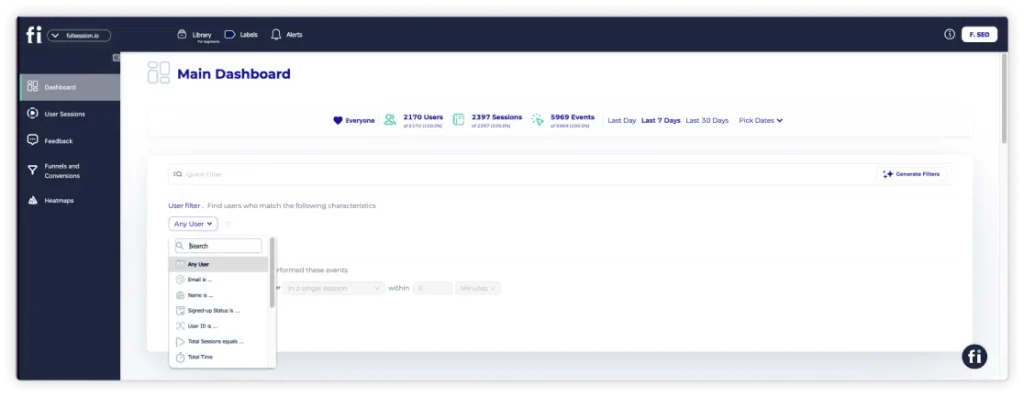
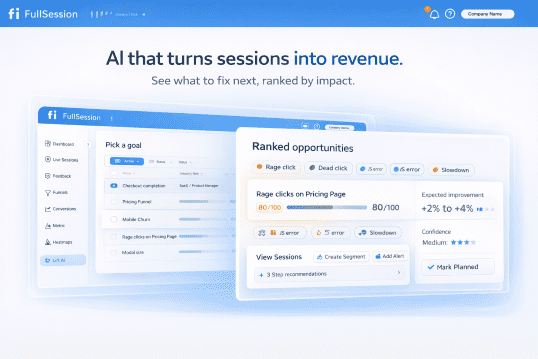
    FullSession is an advanced user behavior analytics software that provides comprehensivebehavior analytics tools, such as heatmaps, session replays, incoming feedback, conversion funnel analysis, and error analysis to capture user activity and obtain data to improve your website and online campaigns. 

    In this article, we’ll go over what website heatmap tools are and how to use them on your website. We’ll also cover when you should use a heatmap and its benefits. You’ll learn what data it collects and how to interpret it. 

    Let’s start with the basics.

    What Is a Website Heatmap?

    A heatmap is a user behavior tool that shows how users interact with your web pages. It can provide valuable insights into user engagement, user experience, and the effectiveness of your user interface.

    Imagine working on an e-commerce website and wanting to know which sections of the site visitors spend the most time on. This is where a heatmap can help. 

    If you’re looking to improve your conversion rates, keep reading our tips on analyzing these charts and what information they can reveal about your site.

    When Should You Use a Heatmap?

    Customer experience teams usually use heat maps when they notice the poor performance of certain elements and campaigns or want to test new features. However, you don’t necessarily have to use them exclusively for these types of activities.

    Some other use cases include:

    • Diagnosing which elements and sections perform best
    • Checking which features and sections have average performance and need improvement
    • Deciding the best page length
    • Learning behavior patterns
    • Identifying the points where users exit the page or drop off the funnel
    • Identifying broken links, false bottoms, and non-clickable elements that lead to dead clicks

    Where Should You Use a Heatmap?

    Heat mapping your whole website seems ideal, but it’s not practical. Instead, we recommend analyzing pages that have the most impact on your conversion rates.

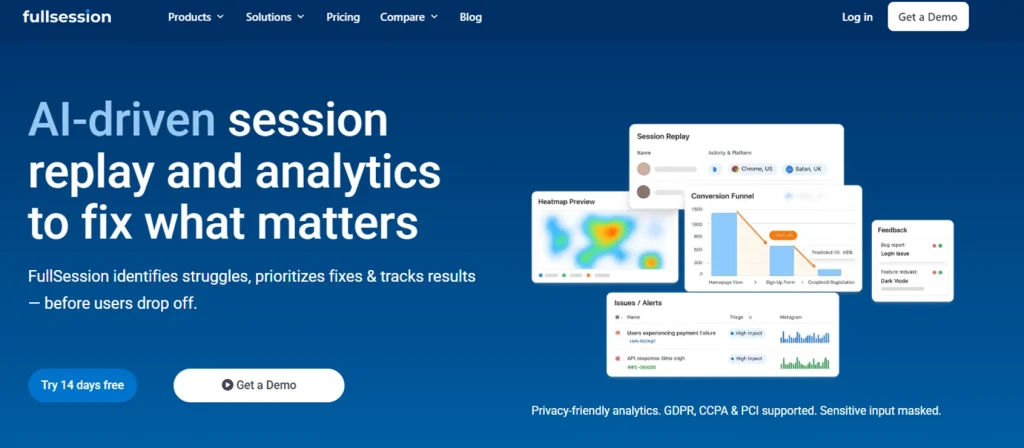
    Home pages
    AI Driven Session Replay Product Analytics FullSession

    Yourhomepage is your introduction to your brand. If you monitor where visitors are scrolling through and whether they’re hovering over key information and clicking on links, then you’ll know exactly where to place the most important elements. It will reduce you rbounce rate and increase your conversion rate.

    Landing pages

    It’s also important to implement heat maps on landing pages and consider user behavior for the best conversion rate. Heat maps show you where your visitors are looking on your website to help you design the best landing page and acquire more leads ready to convert. For ecommerce teams, comparing the best heatmap tools for ecommerce can also help connect landing page behavior with checkout friction and conversion drop-offs.

    The whole purpose of landing pages is direct conversions, so if you notice that conversions have been low recently, a graphical representation of where users click and scroll can help you diagnose any issues.

    High-traffic blog posts
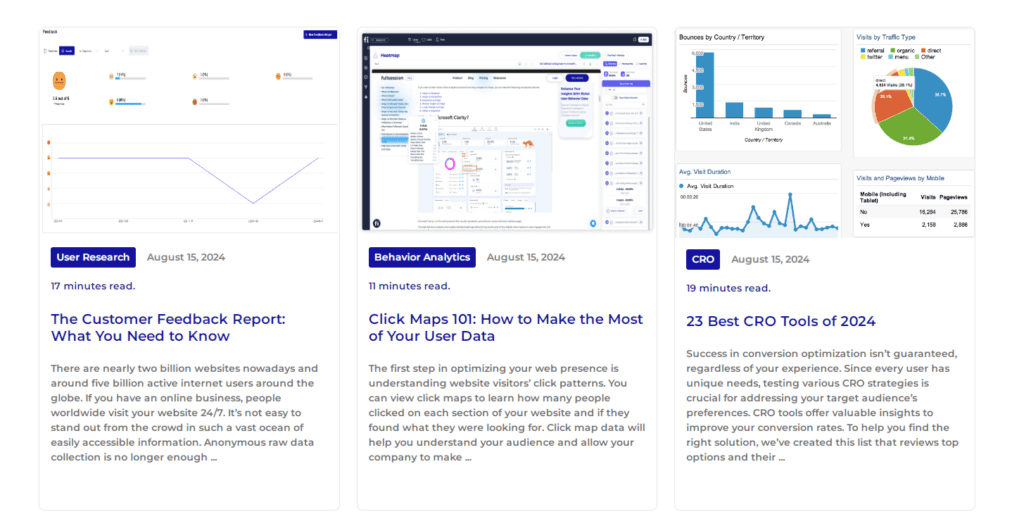
    The copy placement on your blog can heavily influence its conversion rate. You can use heatmap data to test where to place your CTAs on your blog post.

    For example, you can place the same CTA in the middle of the post and after the conclusion. Heatmaps will show you which CTAs users interacted with the most. Then, you can apply that knowledge to other blog posts to maximize conversions.

    Importance of desktop and mobile heatmaps

    It’s important to use heatmaps on different devices to identify potential issues. Your audience is segmented into mobile and desktop users.

    To deliver the best results for your visitors, analyze both desktop and mobile versions of your websites carefully. This will improve conversions and ensure a positive experience for your customers on desktop and mobile devices.

    You can also use heatmaps to picture the importance of different features, where every column represents a feature, and the corresponding color signifies their level of importance.

    How Does a Heatmap Work?

    Heatmap tool track user interactions on a webpage. This can include user clicks, mouse movements, scrolling, and other forms of engagement. Then, a small JavaScript snippet is embedded in the web page’s code, which collects interaction data and sends it to the heatmap tool’s servers.

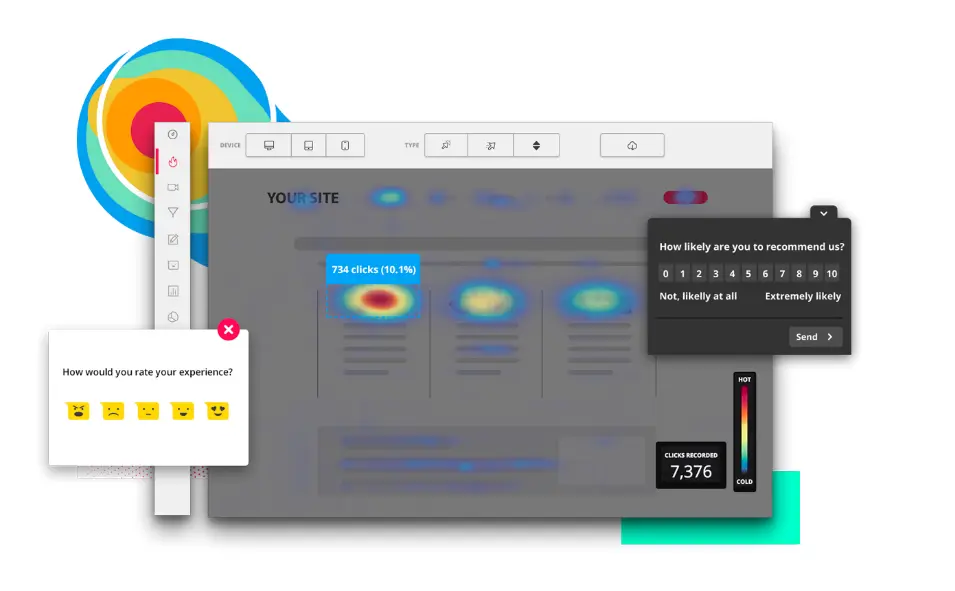
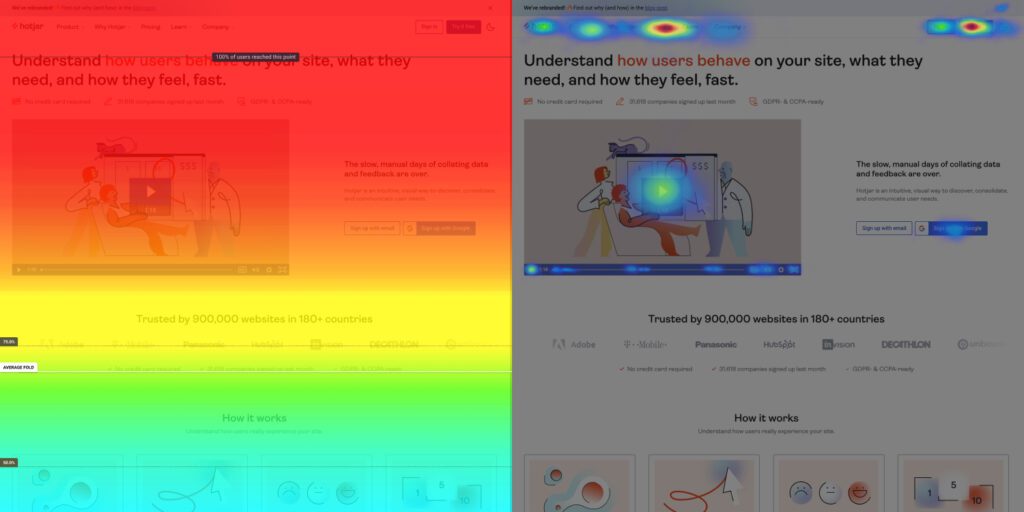
    Once it collects the information, heatmaps visualize individual values in grid cells. Generally, areas with higher interaction or larger values are shown in warmer colors (reds and oranges), while areas with less interaction or smaller values are shown in cooler colors (blues and greens).

    Cell value annotations display the numeric values directly on the heatmap, which helps provide a clear view of interaction density. 

    The average cell value provides insight into the typical number of clicks per area, while cell value annotations display these numbers directly on the heatmap.

    How Do I Create a Website Heatmap?
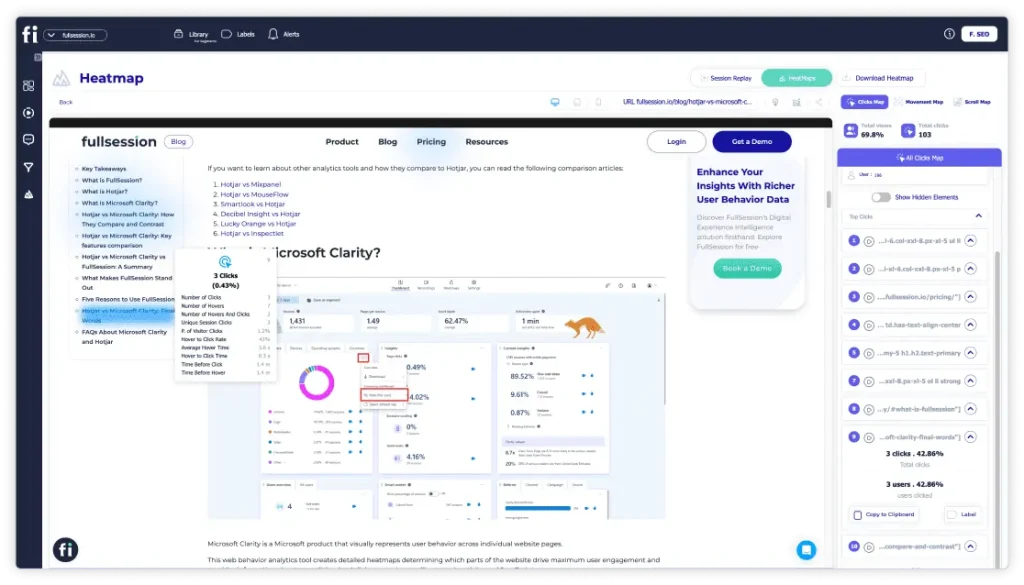
    Creating a website heatmap is very easy and only takes a couple of minutes if you’re using advanced website heatmap tools like FullSession.

    Book a demo today to see how easy it is.

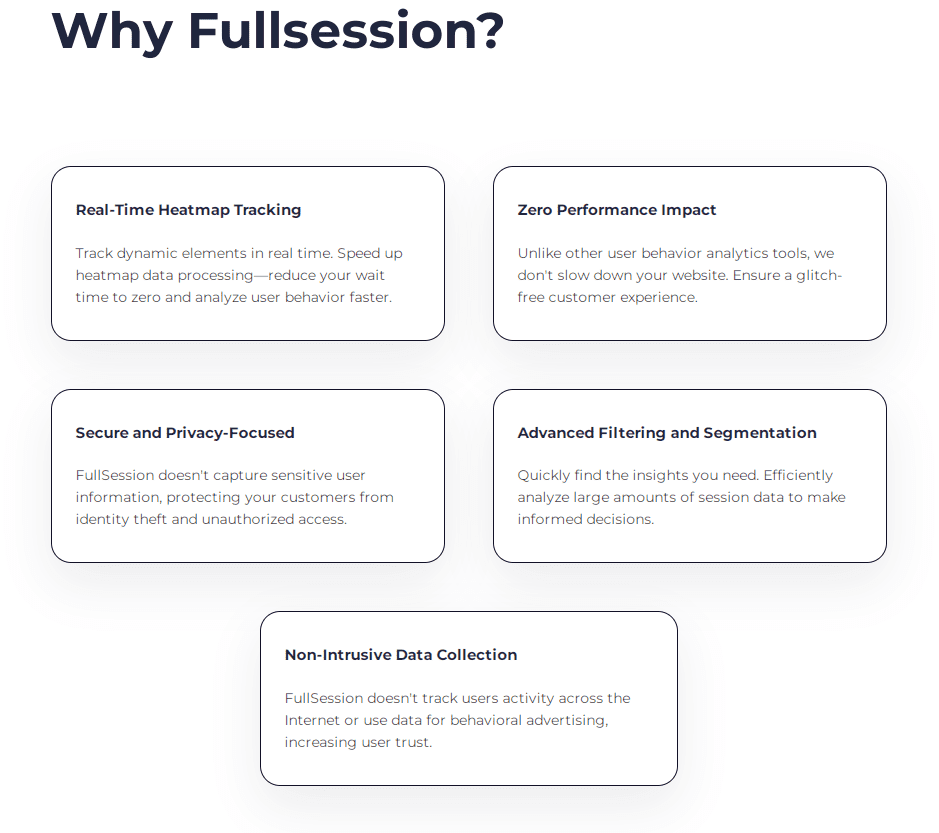
    What sets FullSession apart from competitors is our heatmap feature, delivering real-time insights, without any waiting time for data processing.

    Even though heat maps are notorious for slowing down websites, FullSession’s interactive heat maps won’t impact your site performance. We also offer additional analysis tools you can combine with heat maps to look for various user behavior patterns and discover what users love and hate about your site:

    5 Different Types of Heatmaps

    There are many different types of heat maps, each analyzing a specific type of behavior. Let’s explore the five most common heat map types.

    1. Scroll maps

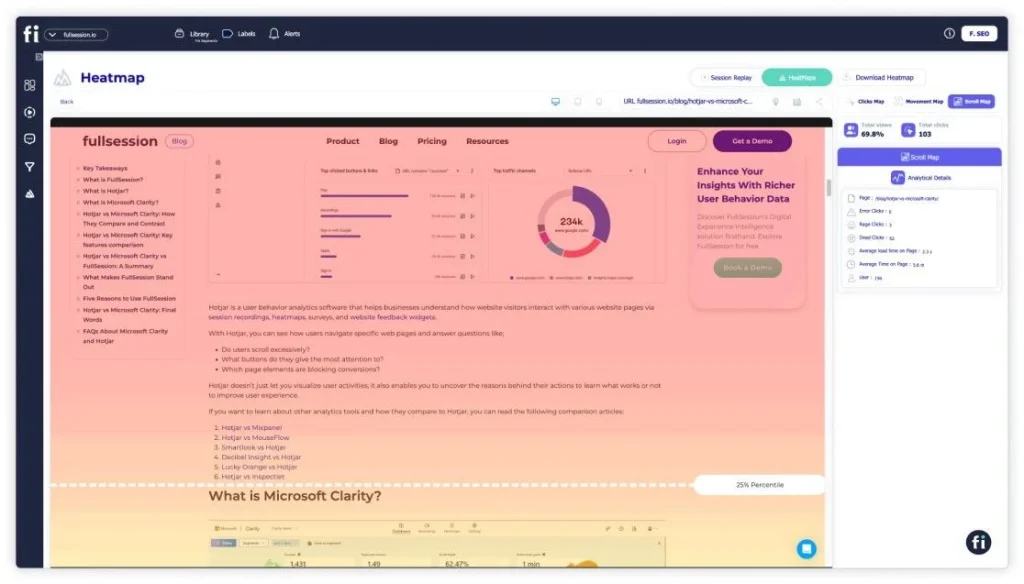
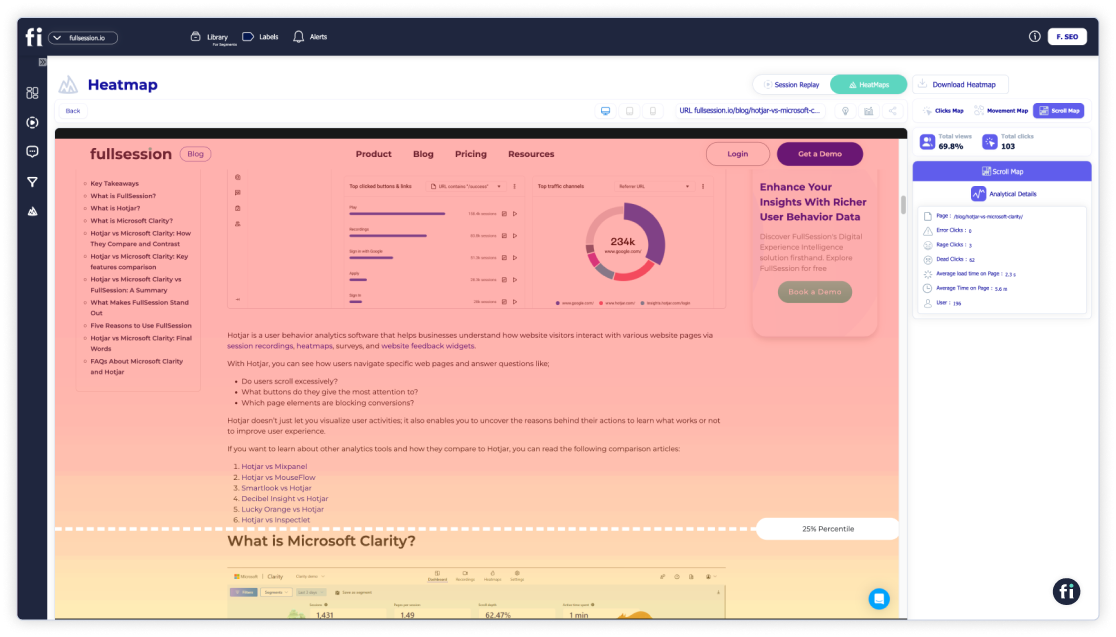
    FullSession offers scroll maps that show your website visitors’ scrolling activity.
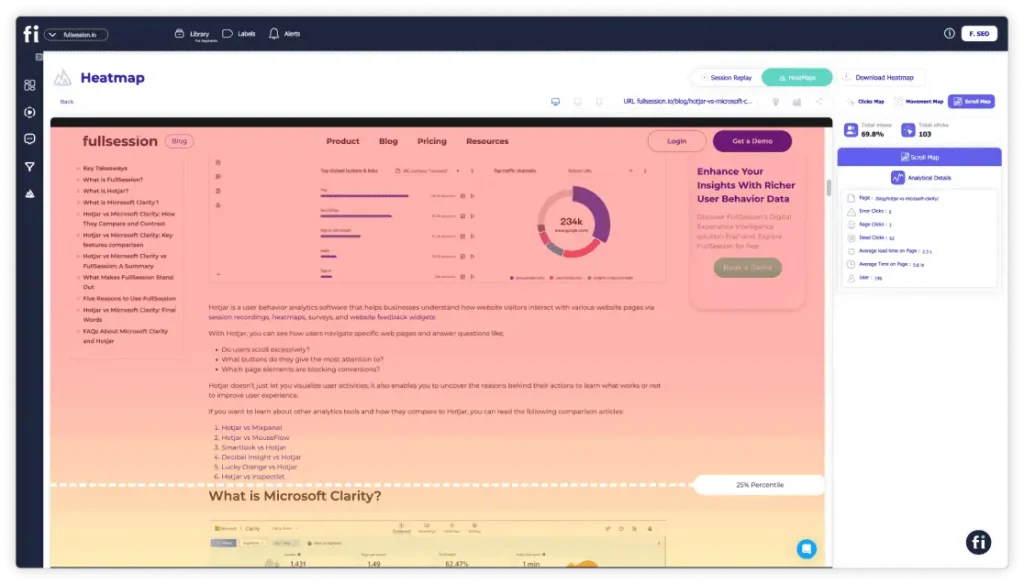
    Scroll maps allow you to see exactly how your audience interacts with your site, helping you identify content gaps and optimize your website for greater success. The y-axis represents the scroll depth, while the x-axis might represent time or the percentage of users reaching a certain scroll depth.

    Dynamic scroll heatmaps also let you know which parts of the site your visitors are interested in. Scroll maps help you position the most important sections of your website in highly visible areas, ensuring customers engage with critical information on key pages, such as product pages.

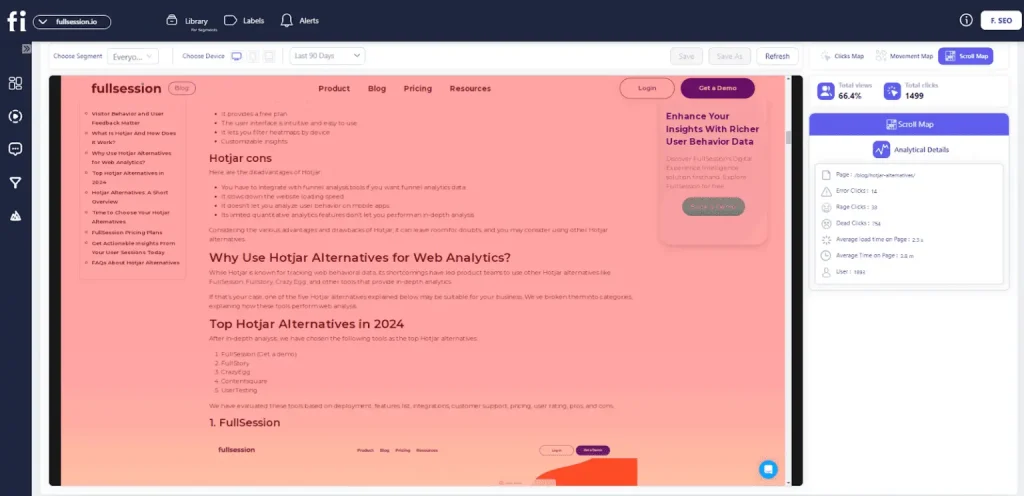
    With a scroll heatmap, you can learn about your website’s heat zone from top to bottom. The hottest colors on the scroll map indicate which sections are most viewed. The scroll map consists of three main components: peaks, troughs, and layout grid.

    Peaks indicate where users stop scrolling. Troughs show where users stop due to poor user experience, such as excessive ads or navigational problems. A layout grid divides the page into columns to measure the scrolling activity within each column.

    2. Click maps

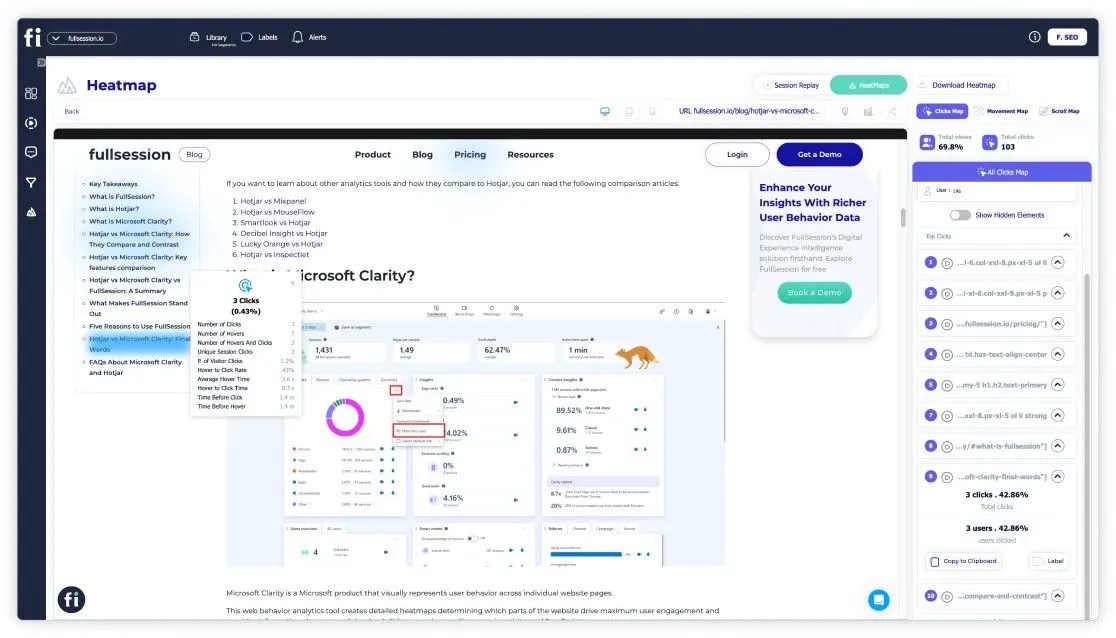
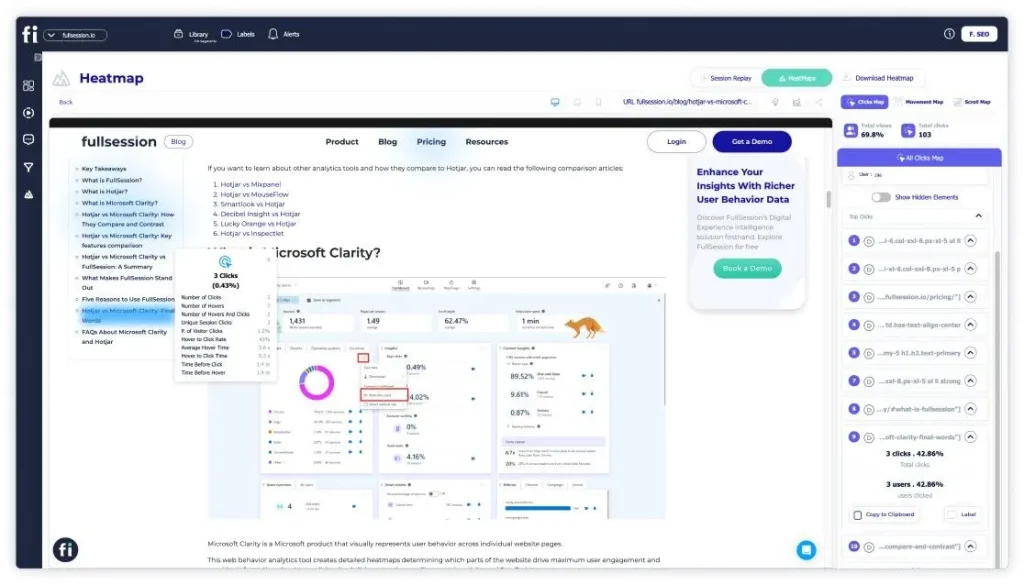
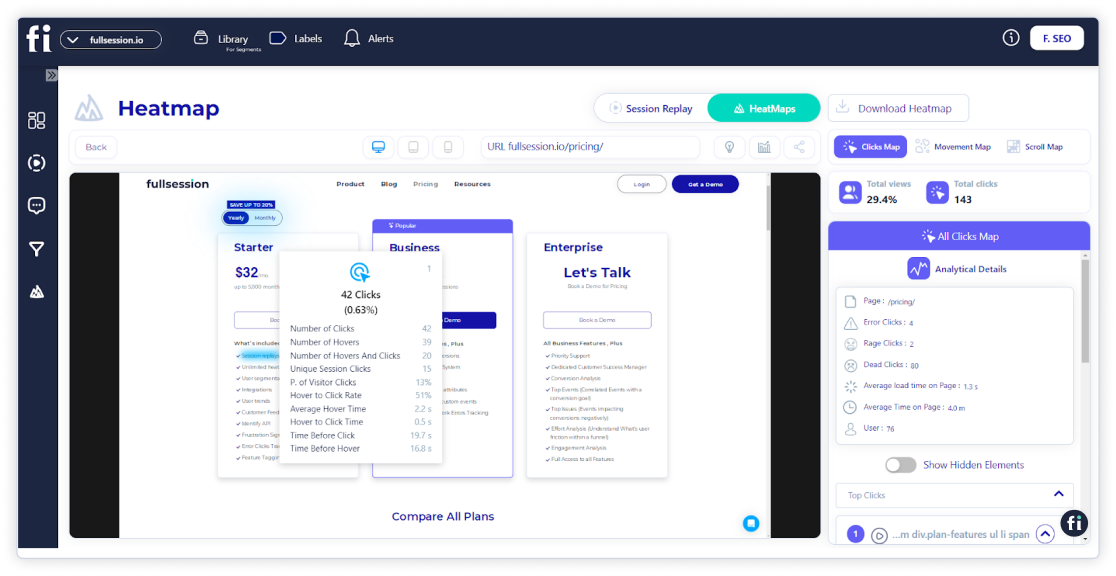
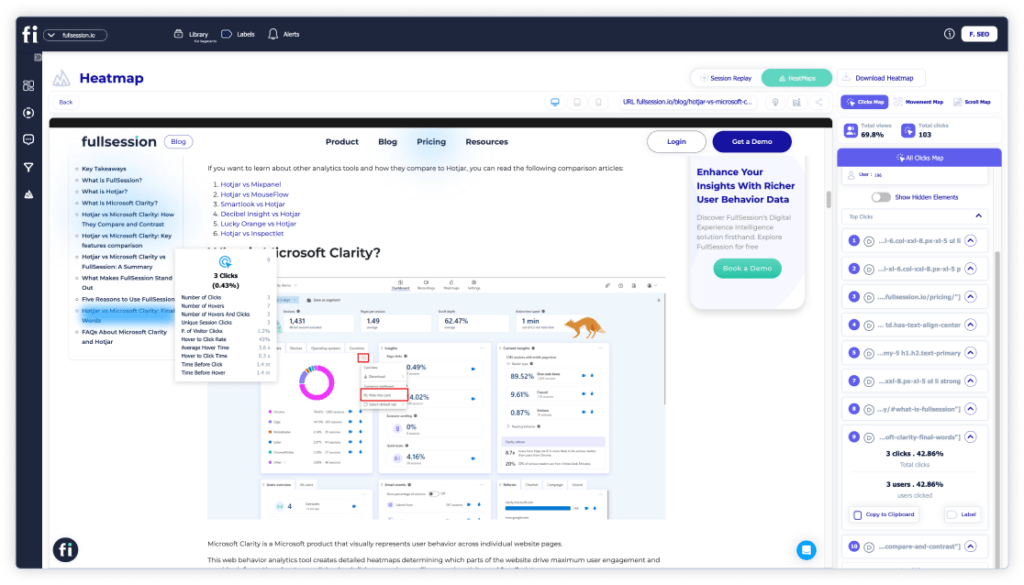
    With FullSession, you can also use click heatmaps to visualize your visitors’ clicking patterns. The vertical axis displays the horizontal position of clicks, while the horizontal axis shows the vertical position.
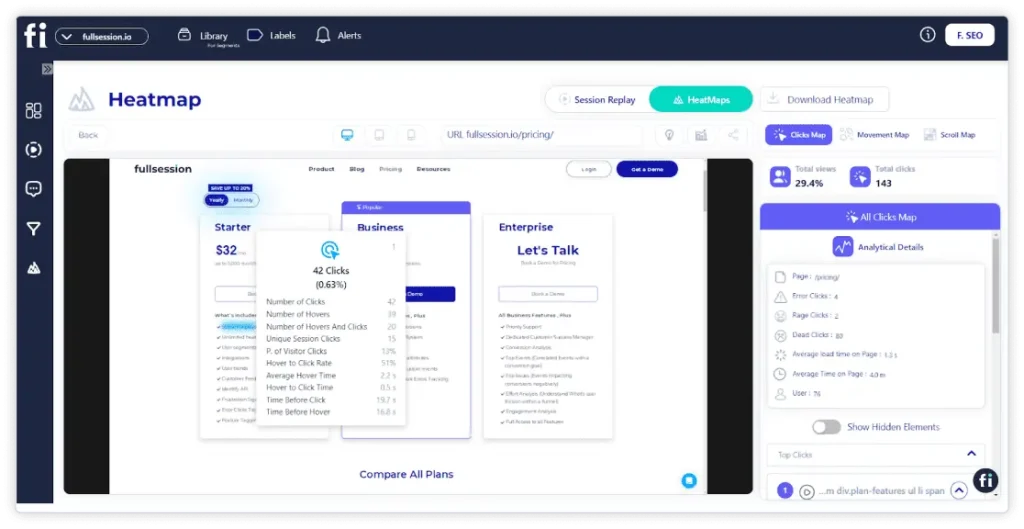
    The color intensity on the heatmap changes according to the frequency of clicks at specific coordinates. Each click is recorded as a data point with a numeric value that represents the number of clicks at a particular spot on the webpage.

    With a click sensor, heatmaps can detect where and how many times visitors click on the website. Click heatmaps reveal valuable information to website owners through data visualization.

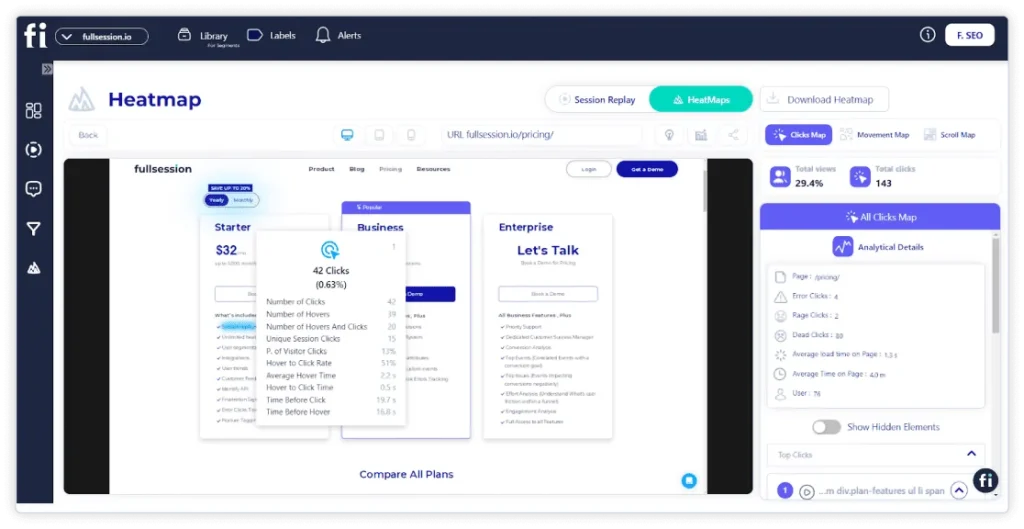
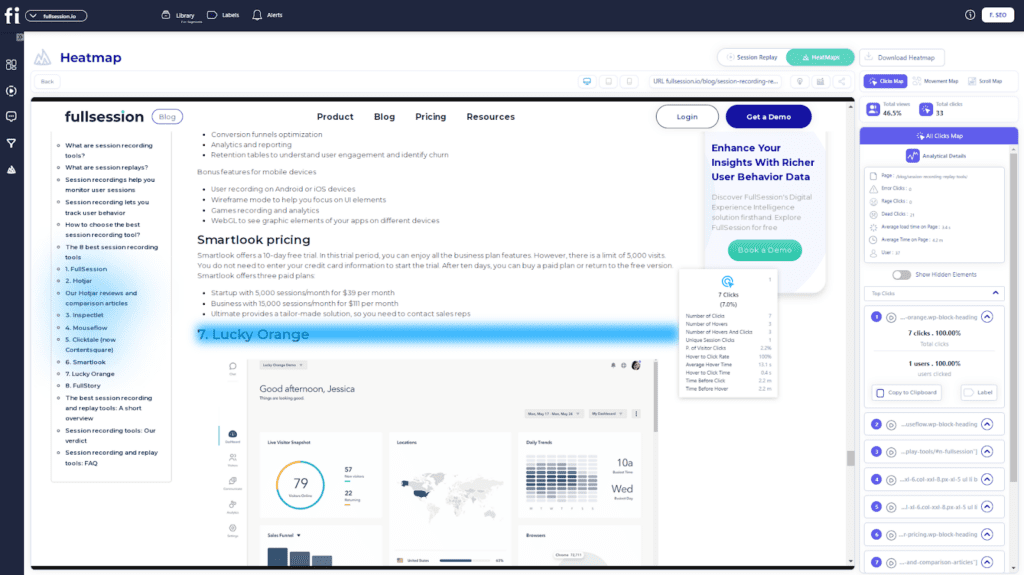
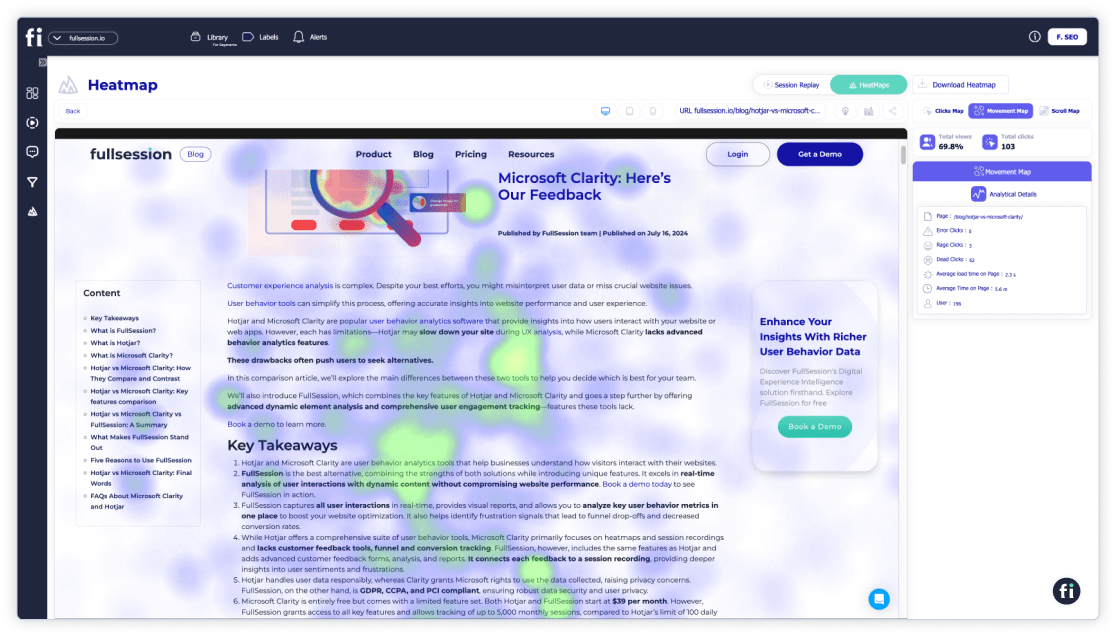
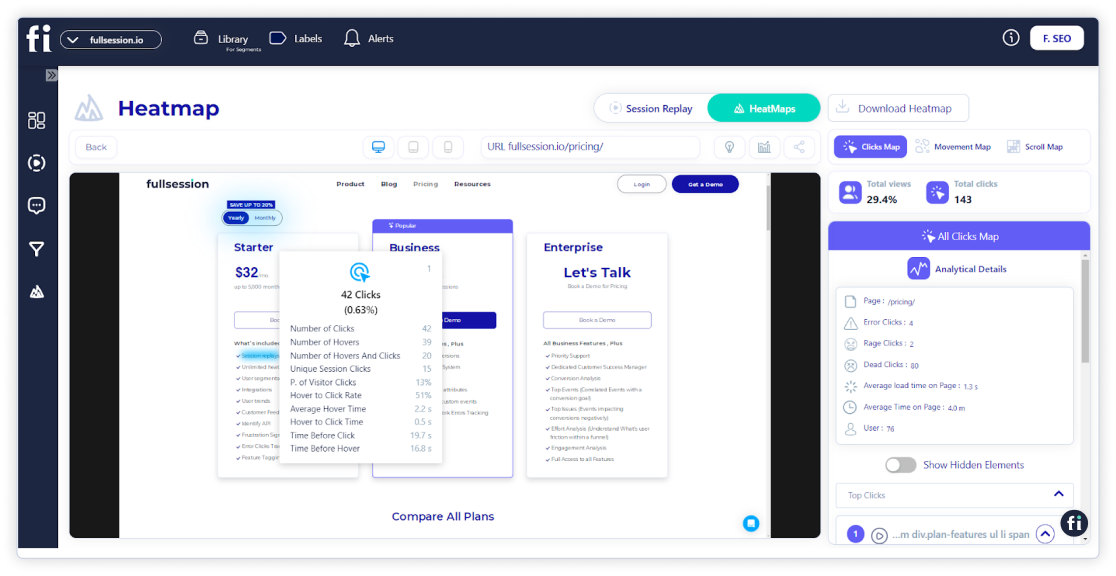
    FullSession also lets you get deeper user insights on each click heatmap, such as error clicks, rage clicks, average time on page, and more.

    Click tracking allows you to analyze visitor behavior during a website visit to optimize the user experience. This simple tool helps you increase conversion rates, decrease bounce rates, and improve landing pages and content design.

    This type of data analysis ensures that visitors engage positively with your blog, website, app, or landing page. One of the best ways is to check for clicks and scrolls before bouncing. If you see a few clicks and scrolls, your visitor might have found an issue with the colors, layout, headline, images, or some other element of your content.

    3. Eye-tracking heat maps

    Image source: 90 Percent On Everything

    Eye-tracking heatmaps allow designers to identify which page elements visitors find most and least engaging. 

    They also help pinpoint redundant or confusing elements by showing where users focus their attention. You can use this data to optimize content and determine the most effective page layout. 

    Eye-tracking heatmaps significantly reduce the user’s cognitive load, enabling you to identify areas of your website that may need further review or redesign, with results visually represented in a heatmap color code.

    4. Mouse-tracking heat maps

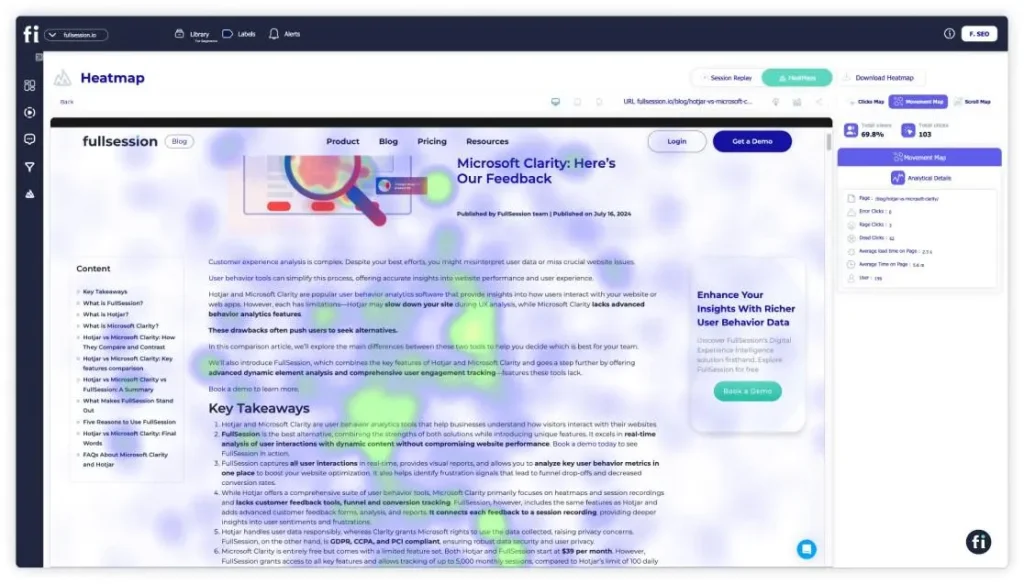
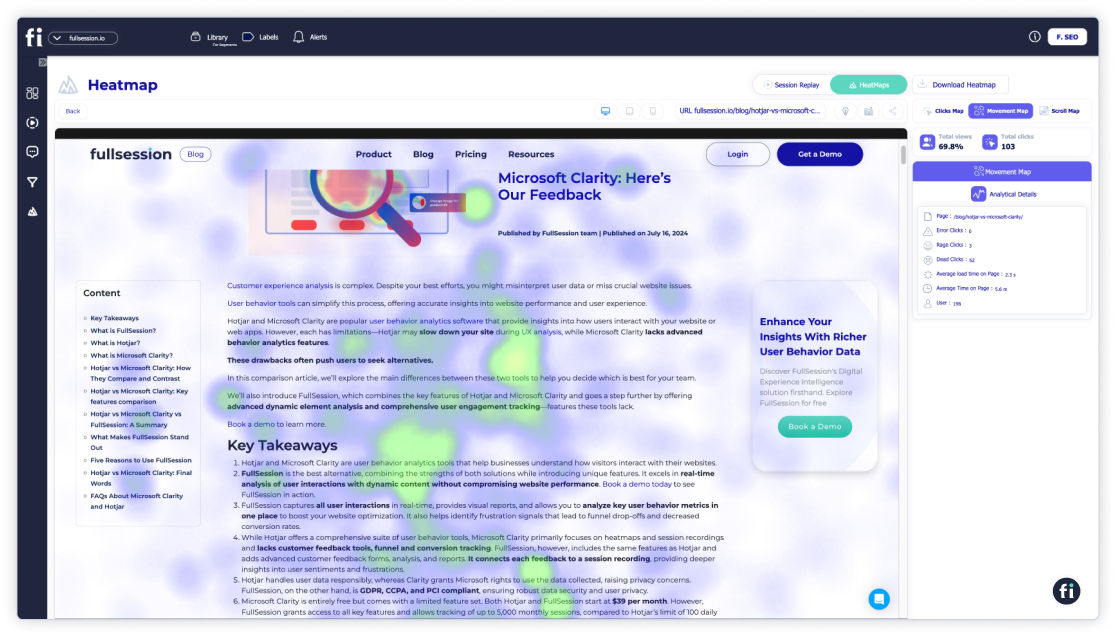
    FullSession provides mouse heatmaps, a form of data visualization that captures where your visitors are clicking, scrolling, and hovering the most.
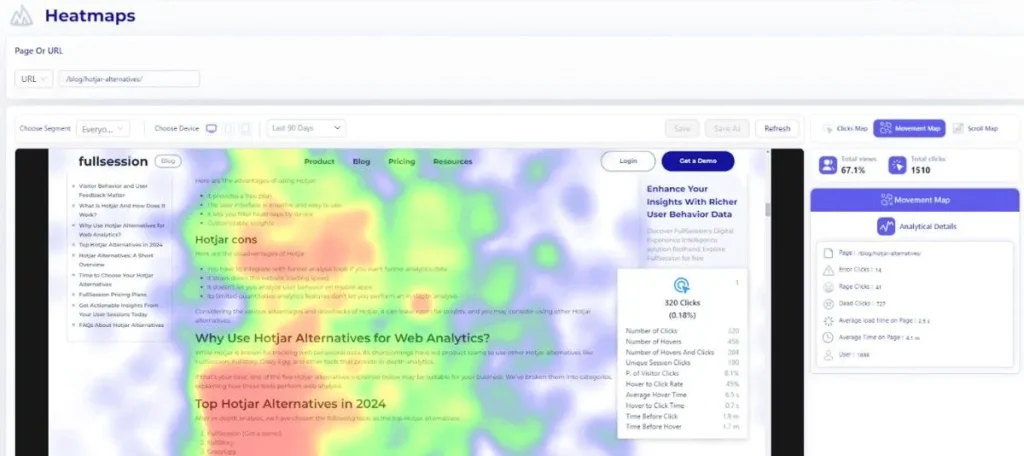
    Analyzing mouse heatmaps can help you pinpoint areas where visitors experience high levels of frustration or struggle, identify unique behavior patterns, and determine opportunities for web optimization.

    Mouse heatmap navigation enables designers and marketers to understand the preferred reading regions of your website visitors, highlighting areas where users either avoid clicking or spend the most time exploring content.

    Your team can assess which web pages perform well and decide which ones need optimization.

    A categorical axis variable, made up of discrete categories or labels, is used instead of continuous numerical values. Each category represents a distinct group or type, such as different products, user segments, or webpage elements. When tracking movement within various sections of a webpage (e.g., header, footer, sidebar), these sections can be categorized along the axes for more precise analysis.

    5. Correlation heatmap

    A correlation heatmap is a visual representation that shows the correlation between two variables in a dataset. It uses colors to indicate the strength and direction of the relationships between multiple variables, making it easier to identify patterns and relationships at a glance. 

    Typically, lighter colors indicate a positive correlation, while darker colors signify a negative correlation.

    Correlation heatmaps are created by collecting data for the axis variables you wish to analyze, including any measurable data, such as sales figures, temperatures, and user interactions.

    The Benefits of Heatmaps 

    Heatmaps measure user attention and help you design content that resonates with your audience. Using heatmap software, you can evaluate site layout, conduct A/B tests, optimize call-to-action placement, and more.

    Here are some additional benefits of website heatmaps.

    They help you determine key performance indicators

    Source: Freepik

    One of the best tools for understanding how users behave on your website is heat mapping, which can highlight significant issues with your site at a glance.

    It helps you identify which metrics are the most important for your website’s success:

    • Geo heatmaps will show you the different locations to focus your marketing efforts on
    • Attention heatmaps will show you where on your website to place the most important messages and CTAs
    • Movement heatmaps will show you which areas are overlooked
    • Scroll maps help you determine which elements you should put above the average fold

    They use visualization to help you interpret data

    A heatmap can be worth a thousand words. When observing visitors through heatmaps, you’ll see how people interact with different sections of your site.

    Using website heat mapping, you can analyze where people are clicking and understand why some actions increase bounce rate.

    Also, it’s much easier to visualize data than looking at numbers and tables. A simple, colorful layout will give you all the necessary information with a single glance—red means that customers look and interact with something more frequently, while yellow shows average interaction. At the same time, green represents the areas that they don’t interact with enough.

    They help you learn from users’ experience
    Image source: AovUp

    Heat maps help you understand how users engage with your site—what your audience does and how they react to your design.

    While surveys are another way for customers to learn more about their experience, they are usually time-consuming, so customers often skip them. Heatmaps don’t require any additional effort from your customers, yet they can show you precisely what they’re interested in.

    Site visitors can reveal a lot about what they respond to on your website. Use A/B testing with heatmaps to change the design before going live on any platform with a larger audience.

    They are great when combined with other analytics tools

    But what other tools should you use with website heat mapping? Heatmaps are a great analytics tool that could help you uncover the best designs for your website and better understand how people use your product, but their effectiveness is enhanced when combined with other software.
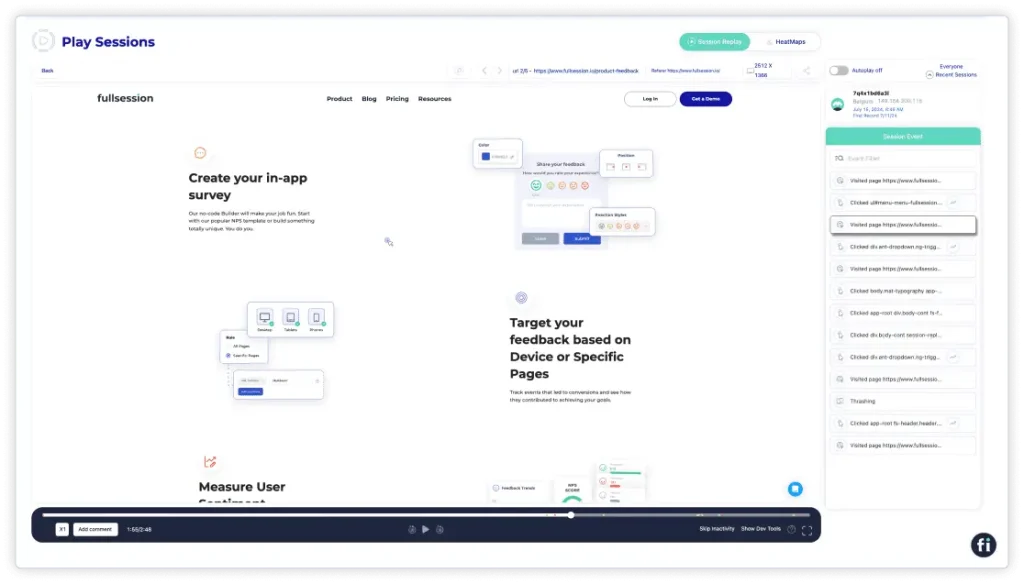
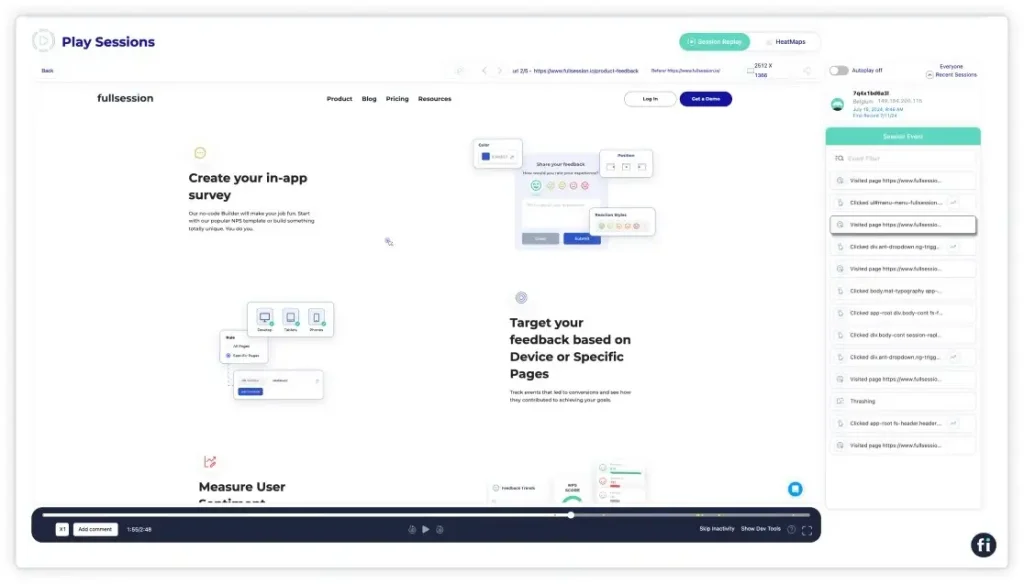
    Sessions replay provides you with a reel of what your users are doing on-site, which you can replay to see the big picture. Filters allow you to zero in on specific user types, like high-paying customers.

    FullSession session replay tool does just that—it records users’ activities and allows you tofilter and segment them by key events. 

    Start a free trial to see how it works.

    They can point to some issues you overlooked in the past

    With website heat mapping, you can identify where people are clicking and what they are viewing, so you may make necessary changes to your webpage.

    UX design requires time and money to review. It’s much easier to retain customers by fixing any issues they might be dealing with on your website than to acquire new customers.

    Heatmaps provide an opportunity to uncover website content and design issues by mapping the user experience. For example, you might notice that a group of customers exits the website when they reach a certain point. It can help you diagnose whether it’s a broken button, misplaced CTA, or something else that’s causing the issue.

    They help you understand your customers’ behavior better

    Tools like heat mapping can help you identify pain points so that developers can optimize page designs better. These tools automatically track data points within a website, which gives you an idea of what interests new viewers and what deters them.

    Listening to specific feedback can help you tailor a better experience for users. Web heat mapping, for instance, shows how audiences react to a message.

    Take note of where you placed the message. Open your heat map, and you’ll get a clearer picture. Users aren’t showing enough interest if the message is painted with a cool color. If it’s warm and solid, they are interested in the message.

    They help increase conversions and profit

    Web heat maps help companies sell more products. They also allow website or product managers to make better decisions based on the information provided. It can lead to increased customer satisfaction, which helps your conversions.

    You don’t have to guess how visitors interact with your content with website heatmaps. Using accurate data and metrics, you can optimize conversion rates accordingly.

    Best Practices for Using a Heatmap
    Here’s a quick checklist of tips, tricks, and advice on how to use heatmaps to improve your business:

    1. Don’t use heatmaps for all pages on your website simultaneously
    2. Segment your website into smaller categories when using heatmap for testing
    3. Filter heatmap data by page type, performance, device type, and channel
    4. Combine heatmaps with other tools likesession recordings,customer feedback, funnels and conversions, VoC data, and web analytics
    5. Use heatmaps to discover which content performs best and why and which doesn’t
    6. Use heatmaps to reduce the bounce rate by pinpointing the areas on your website where users usually exit the page
    7. Use tagging and data overlays to keep track of how recent changes on your website are performing
    8. Experiment and look for new ways to interpret heatmaps

    Create Insightful Heatmaps With FullSession
    Heatmaps are a great way to understand your customers’ needs and, ultimately, attract more visitors to your site. The way they interact with different elements and pages will give you a unique insight into what you need to improve and what’s already working.

    The FullSession customer experience suite allows you to track important user behavior metrics and gives you actionable advice on how to improve them. You can also watch users’ actions and replay sessions to diagnose why they didn’t buy your product or service.

    Plus, the interactive heat map feature provides a visual representation of which elements get the most attention.

    Book a demo today to discover how FullSession can help you provide your customers with an unforgettable experience.

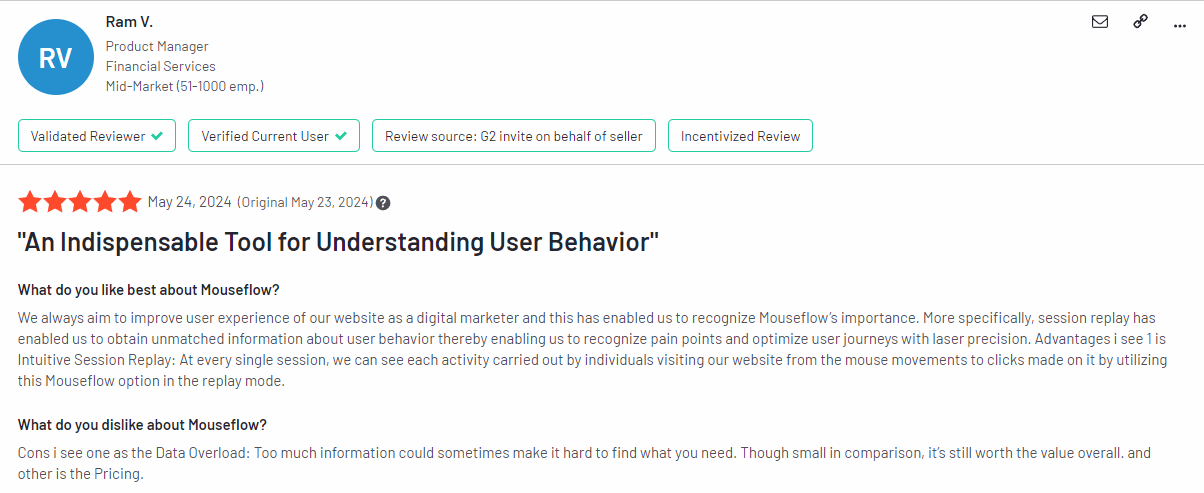
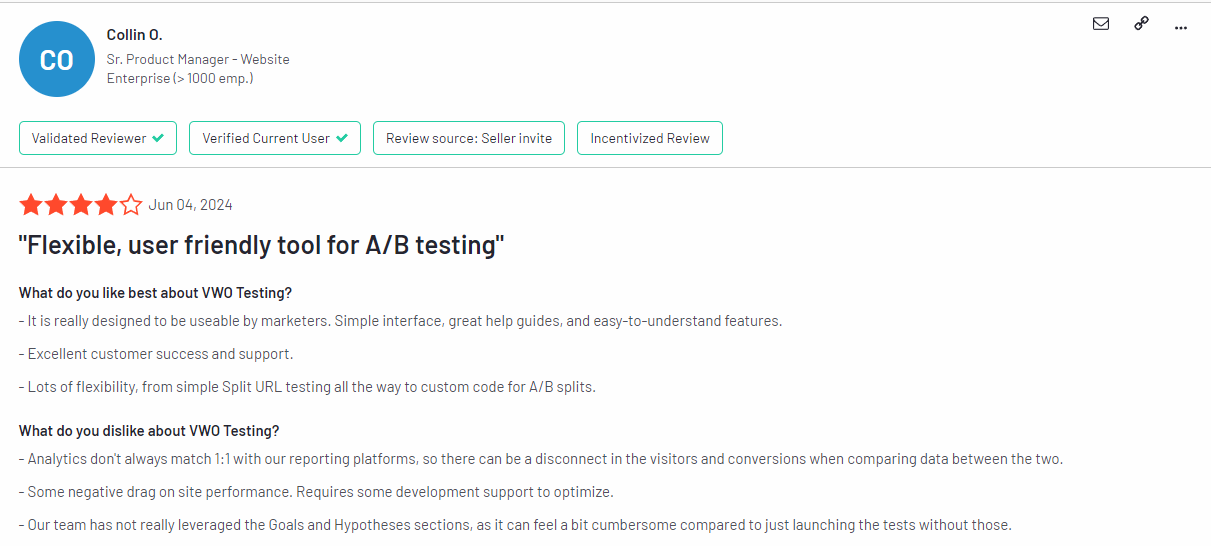
    You can also find our reviews and comparisons of Mouseflow vs VWO, Lucky Orange vs Hotjar, Hotjar vs Microsoft Clarity, and more. 

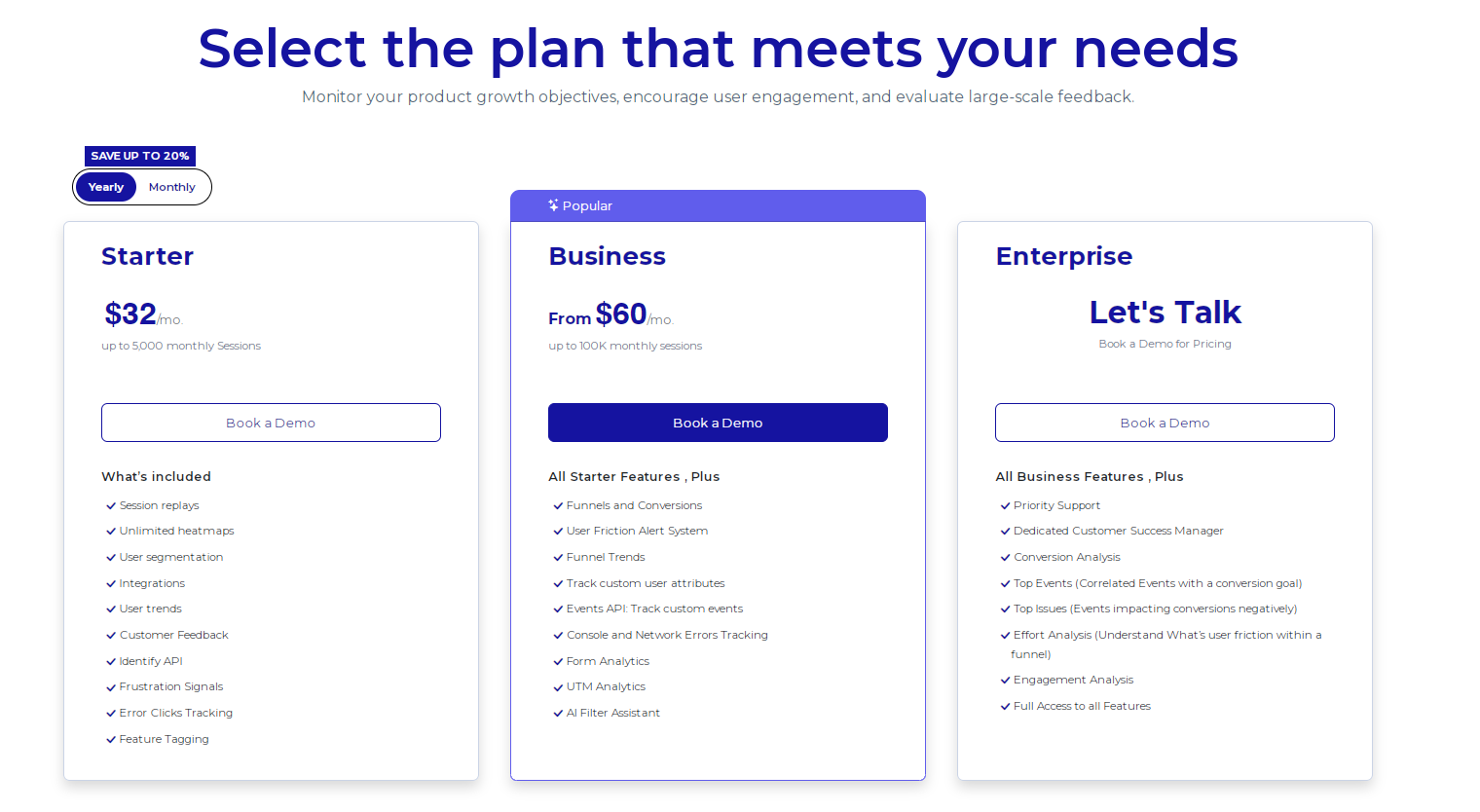
    FullSession Pricing Plans
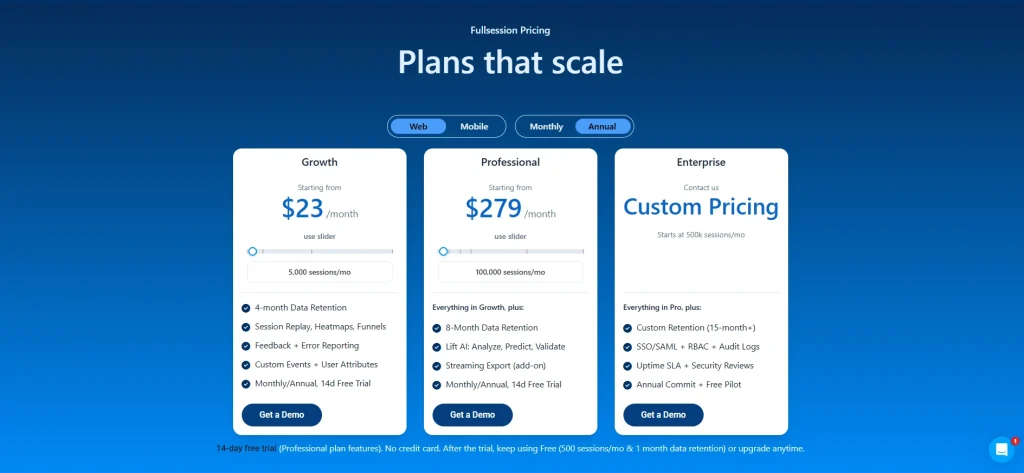
    FullSession pricing

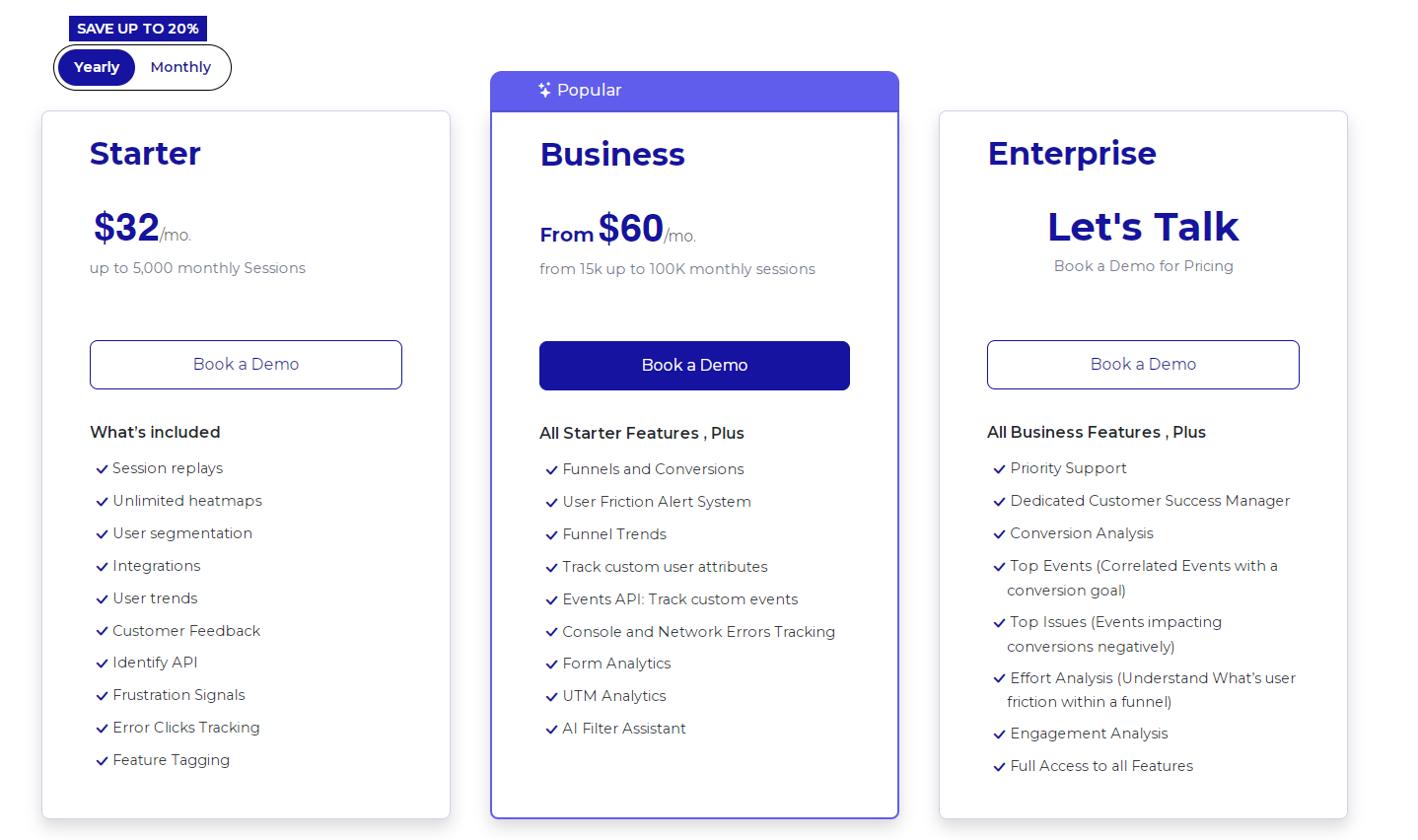
    The FullSession platform offers a 14-day free trial and three paid plans: Starter, Business, and Enterprise.

    Book a demo today.

    FAQ About How to Read a Heatmap

    What is a heatmap?

    A heatmap is a data representation that uses color to represent the intensity of values in a dataset. The term heatmap describes graphical representations where data points are shown with colors indicating higher (warm colors like red and orange) or lower (cool colors like blue and green) values.

    What web analytics tools have heatmaps?

    Tools like FullSession, Smartlook, Mouseflow, Hotjar alternatives, and Google Analytics offer heatmaps along with other web analytics tools.

    How do you interpret heatmap data?

    To interpret a heat map, start by identifying what the x-axis and y-axis represent, which are typically the variables or categories being compared. Understand the color scale: warm colors like red and orange often indicate higher values, while cool colors like blue and green signify lower values. Each cell’s color represents a specific value, and some heatmaps include numeric annotations for exact values. Look for patterns, such as clusters of similar colors, to identify trends, anomalies, or areas of interest.

    How do you read a heat graph?

    Reading a heat graph involves identifying the axes, checking the color legend, examining individual cells, and looking for overall patterns. The x-axis might show time intervals, while the y-axis shows different metrics. Understand what the colors represent, and look for gradients, clusters, or outliers to gain insights into the data distribution.

    How do you read a heatmap correlation?

    Reading a heatmap correlation involves understanding that it visualizes a correlation matrix where each cell represents the correlation between two variables. The axes list the variables being compared. Colors close to 1 (dark red) indicate strong positive correlations, colors close to -1 (dark blue) indicate strong negative correlations, and colors near 0 indicate no correlation. Look at cell value annotations for exact correlation coefficients and identify significant correlations or patterns.

    How do you evaluate a heatmap?

    Evaluating a heatmap involves ensuring it accurately represents the data with clear colors and accurate annotations. Check if every single variable is relevant and provide insights. The color scale should be appropriate and intuitive. Look for clear patterns or insights that align with the data’s purpose. Consider the context of the data and assess whether the insights are actionable and can inform decisions or further analysis.


  • 8 Best User Behavior Tools in 2026

    8 Best User Behavior Tools in 2026

    Every user who leaves your site without converting had a reason. A form field that confused them, a button that didn’t respond, a page that took too long to load. Traditional analytics won’t show you any of it.

    That’s the gap user behavior analytics tools are built to close.

    These behavioral analytics tools capture how visitors actually interact with your website or product, where they click, where they hesitate, and where they drop off, and turn that raw behavioral data into actionable data your team can use to fix what’s blocking revenue.

    Below you’ll find a quick comparison table, in-depth entries for eight leading user behavior tools, and an explanation of why FullSession, our privacy-first UX analytics platform, outperforms the rest.

    • FullSession is the best all-in-one option: session replay, heatmaps, funnels, feedback, and Lift AI in one plan starting at $23/month (annually)
    • Hotjar (via Contentsquare) works for qualitative research, advanced surveys, and teams that need 365-day data retention
    • Microsoft Clarity is a free option: unlimited recordings, heatmaps, and frustration signals at zero cost
    • Mixpanel is the go-to for product teams that need deep event-based tracking and retention analysis
    • Amplitude fits scale-up and enterprise teams, connecting user behavior data to customer lifetime value and experimentation
    • FullStory suits enterprise teams that need complete automatic data capture with no manual tagging
    • Heap works for product teams that want to ask new questions about historical data without waiting on engineering
    • Google Analytics is the baseline every team needs, but it can’t show you why users behave the way they do

    Most teams don’t have a visibility problem. They have a prioritization problem. Watching sessions and reviewing heatmaps still leaves your team debating what to fix first.

    FullSession solves that with Lift AI, which scans your behavioral data and ranks friction points by expected revenue impact so you always know exactly where to focus next.

    Start a free trial and see your first session replays, heatmaps, and Lift AI recommendations within minutes of setup. No credit card required.

    User behavior analytics tools capture the actions visitors take on your website or product, including clicks, scrolls, funnel drop-offs, and frustration signals. They combine quantitative data with qualitative data to analyze user behavior and reveal not just what is happening but why.

    Teams use these insights to identify patterns in customer behavior, improve customer satisfaction, and make changes that directly impact revenue.

    Unlike UEBA tools, which monitor network users and devices to detect security threats, user behavior analytics tools focus on improving the digital experience through features like session replay, website heatmap tools, funnels, and feedback, not securing the infrastructure behind it.

    The 5 core feature types

    Feature typeWhat it does
    Session replayRecords and plays back individual user journeys page by page
    Heatmap toolsAggregates clicks, scrolls, and movement into visual page overlays
    Funnel analysisShows where users drop off across multi-step flows
    Event trackingLogs specific user actions like clicks, form submissions, or video plays
    Feedback toolsCollects direct customer feedback via surveys, NPS, and ratings

    How to choose the right tool

    Not all tools cover all five types. Some focus on session replay, while others work more like product analytics or event tracking tools for measuring specific actions such as clicks, form submissions, video plays, and funnel events. The right tool depends on what customer behavior you need to understand, whether your team can handle manual tagging, and what your budget allows for data analytics and retention.

    For more context, see session replay and session recording and replay tools, or read about UX analytics tools to understand how different types fit together

    ToolG2 RatingBest ForTop FeatureStarting Price
    FullSession5.0/5All-in-one UX analytics with prioritization AILift AI: ranks friction by business impactFree; Growth from $23/month (annually)
    Hotjar (Contentsquare)4.3/5Qualitative research and advanced surveysMulti-question surveys + user interviewsFree; Growth from $49/month
    Microsoft Clarity4.5/5Free heatmaps and session recordingsFree forever, no session limits$0 (completely free)
    Mixpanel4.5/5Product analytics and event-based trackingFunnels, retention analysis, user flowFree; Growth from $140/month for 1.5M events
    Amplitude4.5/5Digital experience intelligence at scaleSession replay + advanced segmentationFree; Plus from $61/month
    FullStory4.5/5Enterprise session replayFullcapture: automatic data captureFree plan; Business custom pricing
    Heap(Contentsquare)4.4/5Retroactive event analysisRetroactive analysis of historical dataFree plan; Growth custom pricing
    Google Analytics4.5/5Baseline traffic and acquisition analyticsFree event tracking + Google Ads integrationFree (GA4); 360 from $50,000/year

    FullSession, our behavioral analysis software, is the only tool on this list that doesn’t just track user behavior but tells you what to fix first.

    With Lift AI, an intuitive interface, and a 5.0/5 G2 rating, it combines session replay, heatmaps, funnels, feedback, and prioritization intelligence in one plan starting at $23/month (annually).

    Book a FullSession demo to learn more.

    The user behavior tools below were evaluated on feature depth, pricing transparency, and team fit.

    1. FullSession: Best All-in-One User Behavior Analytics Tool

    AI Driven Session Replay Product Analytics FullSession

    FullSession, a privacy-first UX analytics platform, combines session replay, interactive heatmaps, conversion funnels, error analysis, and in-app feedback in one subscription. Every feature is available from day one with no forced splits between products.

    Best for

    Product managers, growth teams, and digital marketers at SaaS companies and ecommerce businesses who need more than raw behavioral data.

    FullSession is the right fit if your team is tired of watching sessions without knowing which ones matter, or reviewing heatmaps without a clear next action. It’s built for teams that want to move from observation to decision faster.

    Key features

    • Session replay: pixel-accurate recordings with funnel-to-session jump so teams watch the exact sessions behind any drop-off
    • Interactive heatmaps: clicks, scroll depth, and mouse movement visualized without affecting Core Web Vitals
    • Lift AI: an artificial intelligence prioritization engine that ranks friction points by business impact and links each to the relevant session replays
    • Conversion funnels: multi-step user journey mapping that surfaces the highest-impact drop-off steps
    • Error analysis and alerts: catches rage clicks, JavaScript errors, and broken flows automatically
    • In-app feedback: linked to session replays, so every piece of user feedback comes with the behavioral context behind it
    • Privacy compliance: GDPR, CCPA, and PCI compliant; sensitive form inputs masked by default

    Pricing

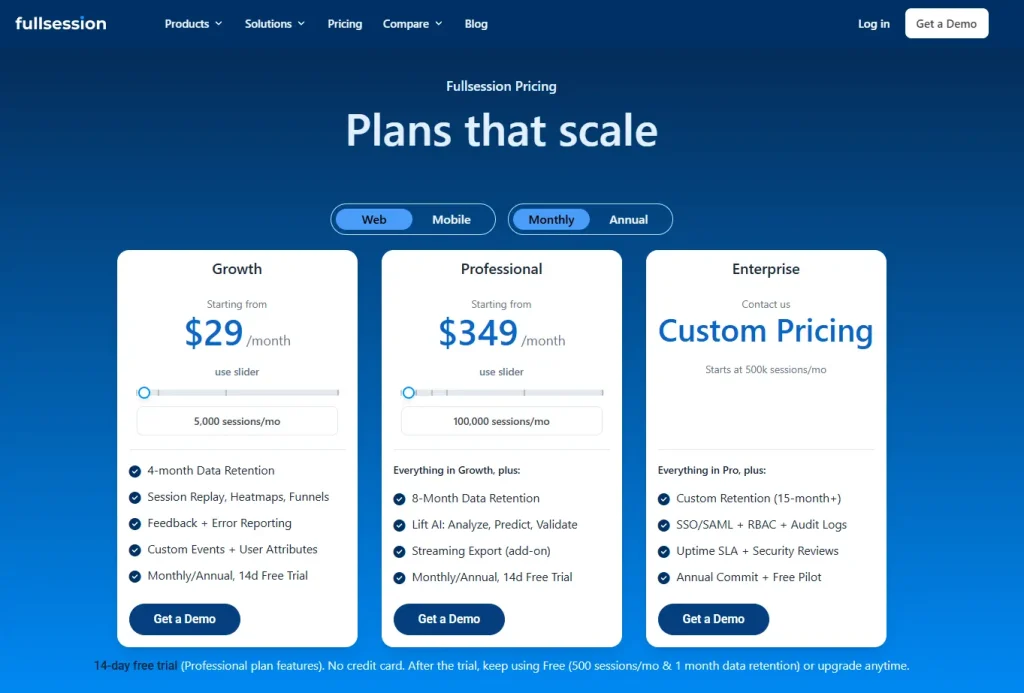
    fullsession pricing plans
    • 14-day free trial, no credit card required
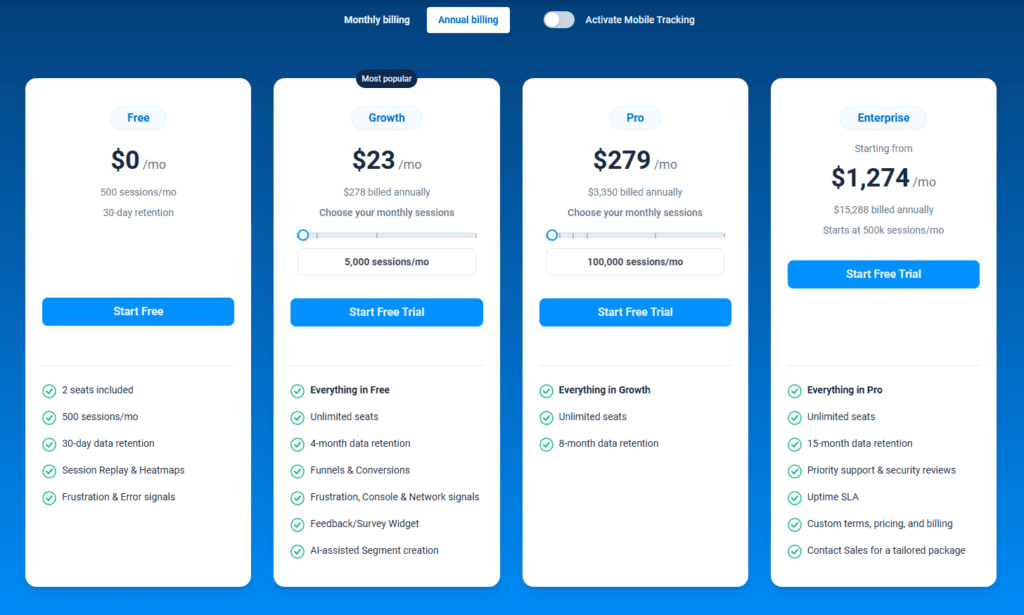
    • Free: $0, 500 sessions/month, 30-day data retention
    • Growth: from $23/month (annual), 5,000 sessions, 4-month data retention
    • Pro: from $279/month (annual), 100,000 sessions, 8-month data retention
    • Enterprise: Custom pricing, 500,000+ sessions, 15-month retention, unlimited seats and domains

    Book a demo now.

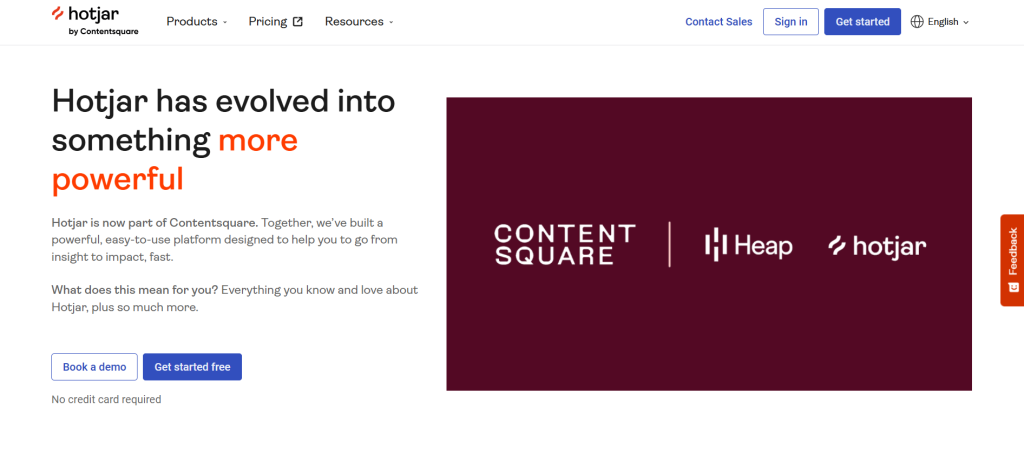
    Hotjar homepage banner showing its evolution into a more powerful platform as part of Contentsquare, alongside Heap and Hotjar logos

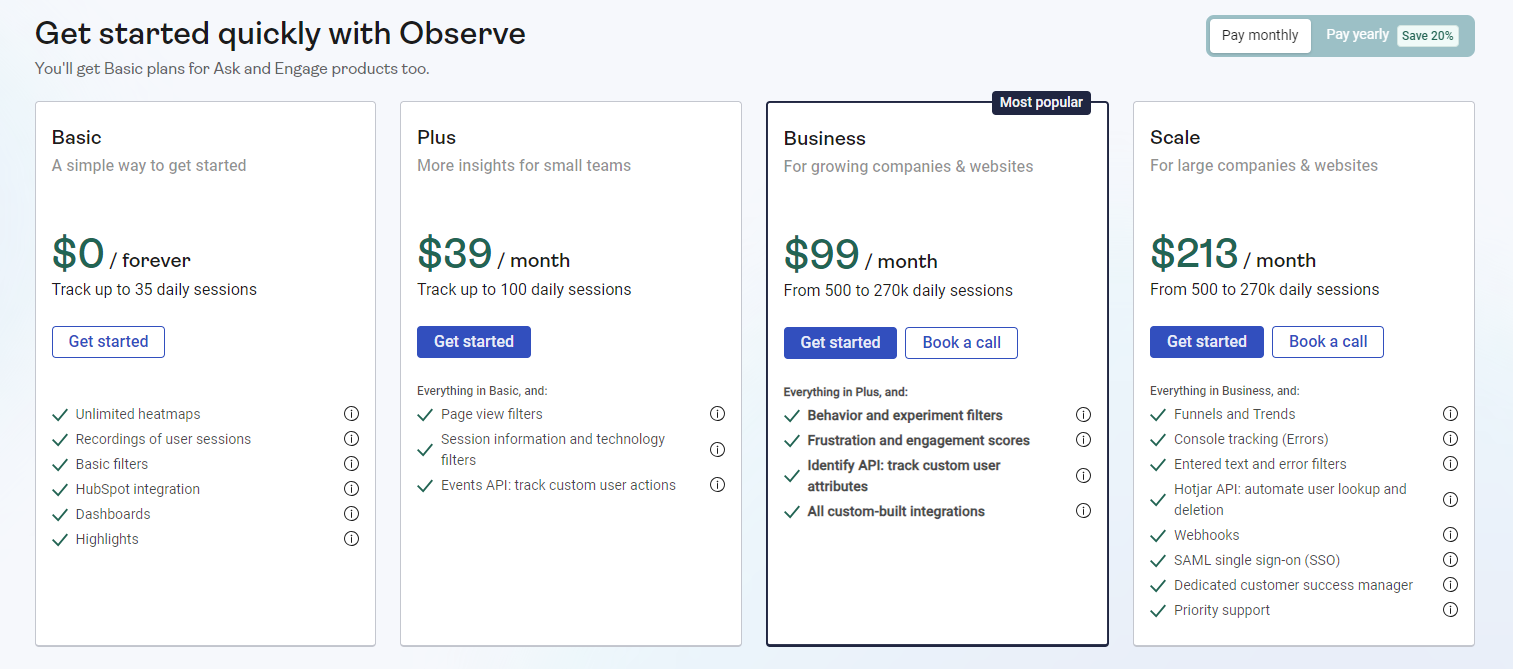
    Hotjar is a behavior analytics and user feedback platform that merged into Contentsquare, the enterprise digital experience analytics company, in July 2025. New customers sign up via Contentsquare’s unified plan; existing customers are migrating from legacy Observe and Ask structures through 2026.

    Best for

    UX researchers and teams that need advanced survey flows, moderated user interviews, and 365-day data retention.

    Key features

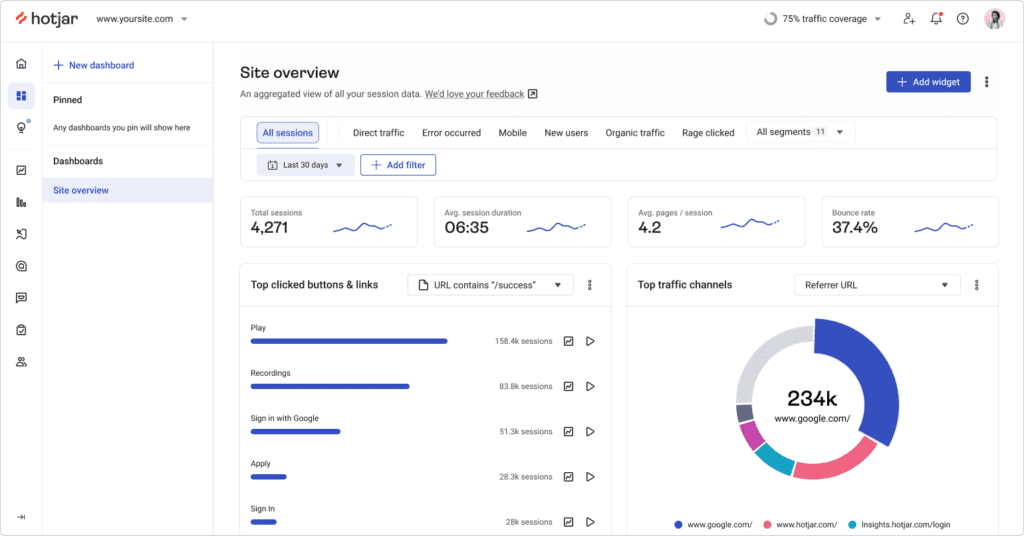
    • Heatmaps: click, scroll, and move maps with engagement zones showing where users spend the most time and where users focus their attention
    • Session recordings: historical pattern analysis and behavior tracking across user groups
    • Surveys: multi-question flows with NPS, open-ended questions, and AI summary reports
    • External distribution: sends surveys via email or social, not just on-site
    • Engage: a dedicated tool for moderated user interviews inside the platform
    • Sense AI: behavioral insights on Growth plans and above

    Pricing

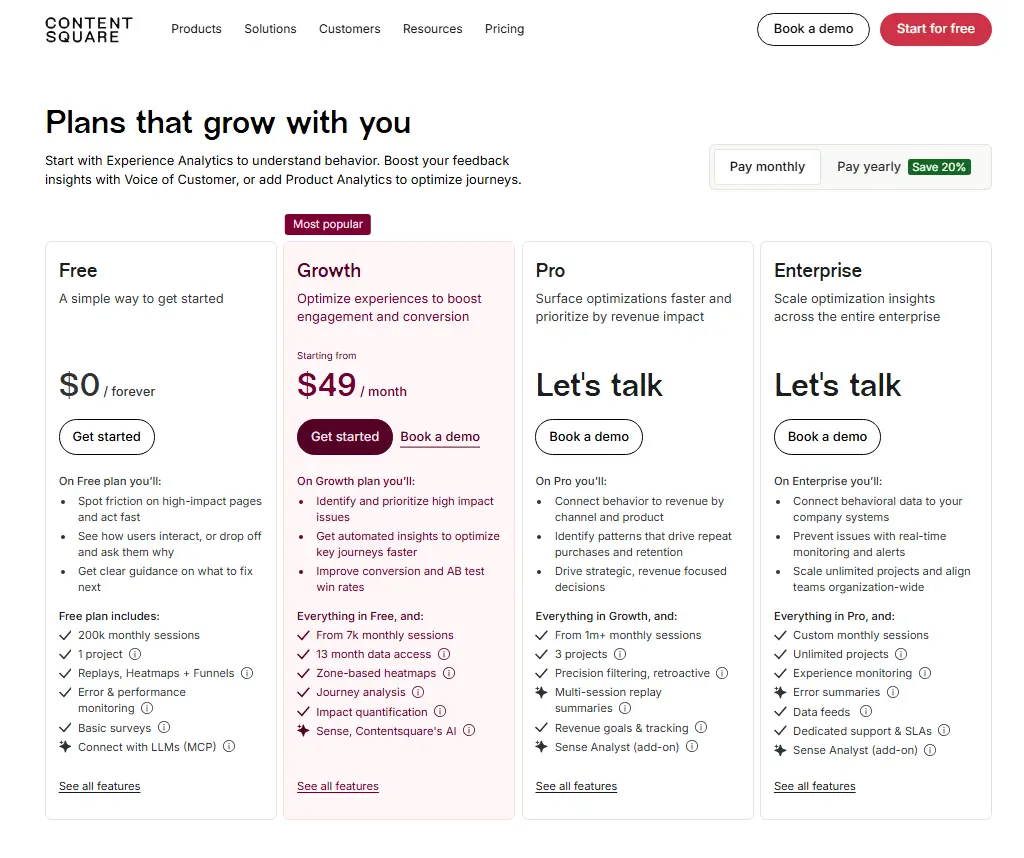
    Contentsquare pricing page showing Free, Growth, Pro, and Enterprise plans with monthly pricing, session limits, heatmaps, replays, funnels, surveys, and demo options.
    • Free: 200,000 sessions/month
    • Growth: from $49/month (annual)
    • Pro and Enterprise: custom pricing, not publicly listed

    See how FullSession compares to Hotjar.

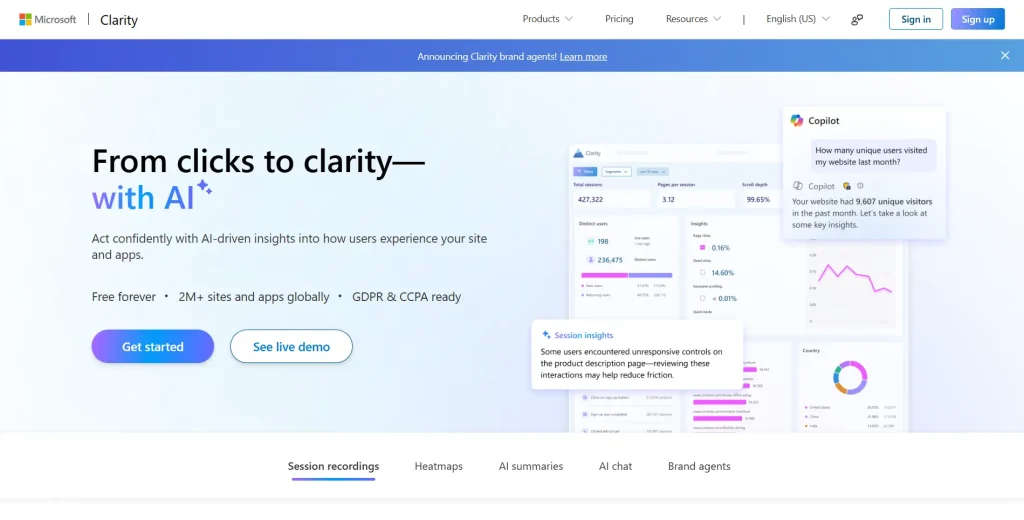
    Microsoft Clarity homepage hero banner showing AI-powered website analytics, session recordings, heatmaps, and user insight dashboards.

    Microsoft Clarity is a completely free behavior analytics tool that provides session recordings and heatmaps with no session caps and no feature gating. It’s the strongest entry point for teams seeking visual insights into user behavior at zero cost.

    Best for

    Small businesses, startups, and teams using a free plan to identify patterns in how users behave on their website. Its intuitive interface and one-click Google Analytics integration make it easy to combine with GA4.

    Key features

    • Session recordings: unlimited recordings with no daily or monthly cap
    • Heatmaps: click, scroll, and area heatmaps with AI Copilot summaries across up to 250 sessions
    • Frustration signals: rage click, dead click, and excessive scroll detection with automatic tagging
    • Code-free funnels: multi-step user journey tracking, no engineering required
    • Google Analytics integration: combines quantitative data with session-level behavioral insights
    • Mobile apps: lightweight SDK for Android and React Native
    • Privacy: GDPR and CCPA ready with automatic input masking by default

    Pricing

    • Free forever, no session limits, no paid version
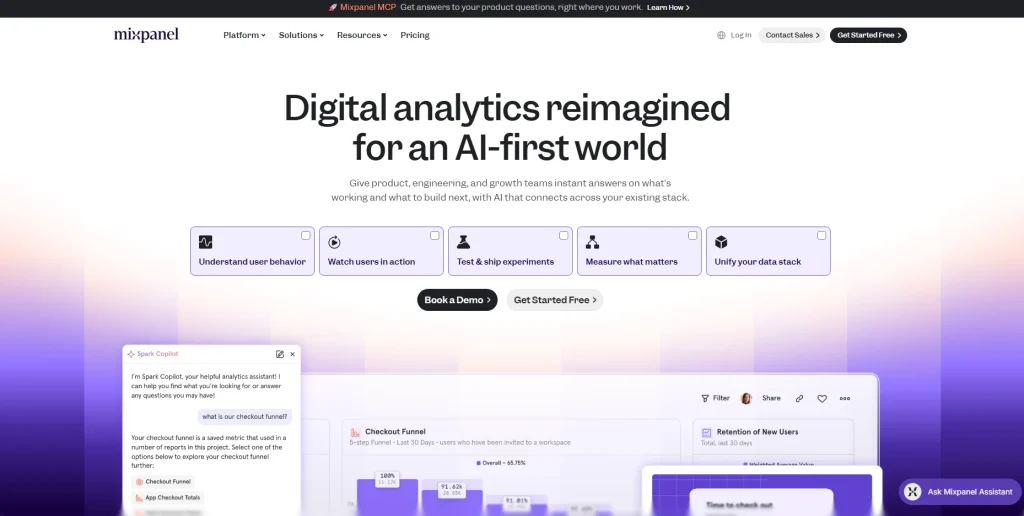
    Mixpanel homepage hero banner promoting digital analytics for an AI-first world with user behavior, experiments, measurement, and data stack features.

    Mixpanel is a product analytics tool built around event-based tracking. It logs every user action as a discrete event, making it suitable for retention analysis and user flow visualization across web apps and mobile apps.

    Best for

    Product managers at SaaS companies who need deeper insights into feature adoption, cohort behavior, and customer retention metrics tied to specific user attributes.

    Key features

    • Event tracking: custom events with autocapture to reduce manual tagging during tracking setup
    • Funnels: multi-step conversion analysis with breakdown by user attributes
    • Retention analysis: cohort analysis with behavioral cohort segmentation
    • User flow: visualization of every path users take through your product
    • Advanced segmentation: advanced analytics across any combination of event properties
    • Spark AI: artificial intelligence query builder for plain-language product questions
    • Session replay: integrated with event data to bridge quantitative and qualitative views
    • Data residency: US or EU options for GDPR compliance

    Pricing

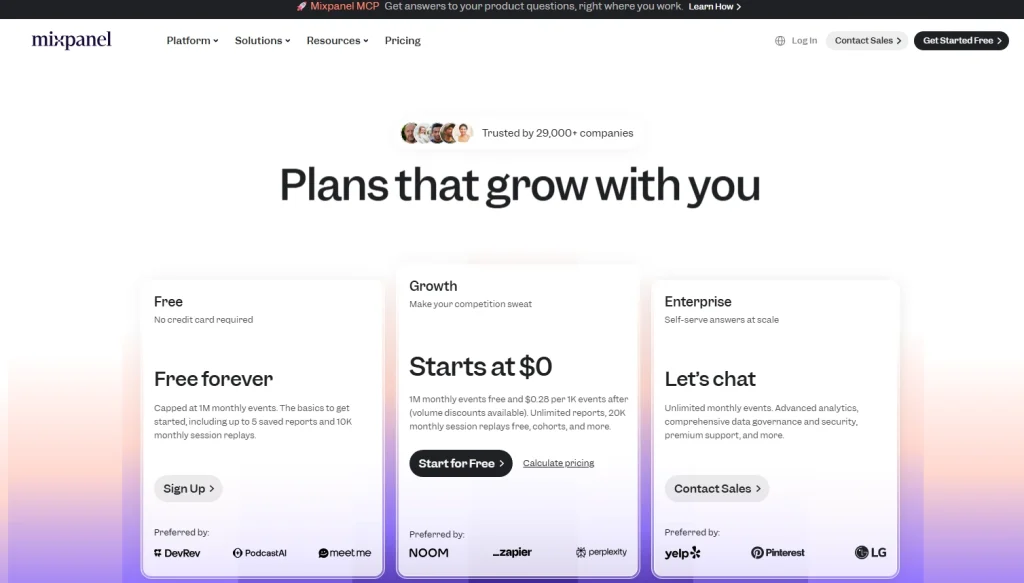
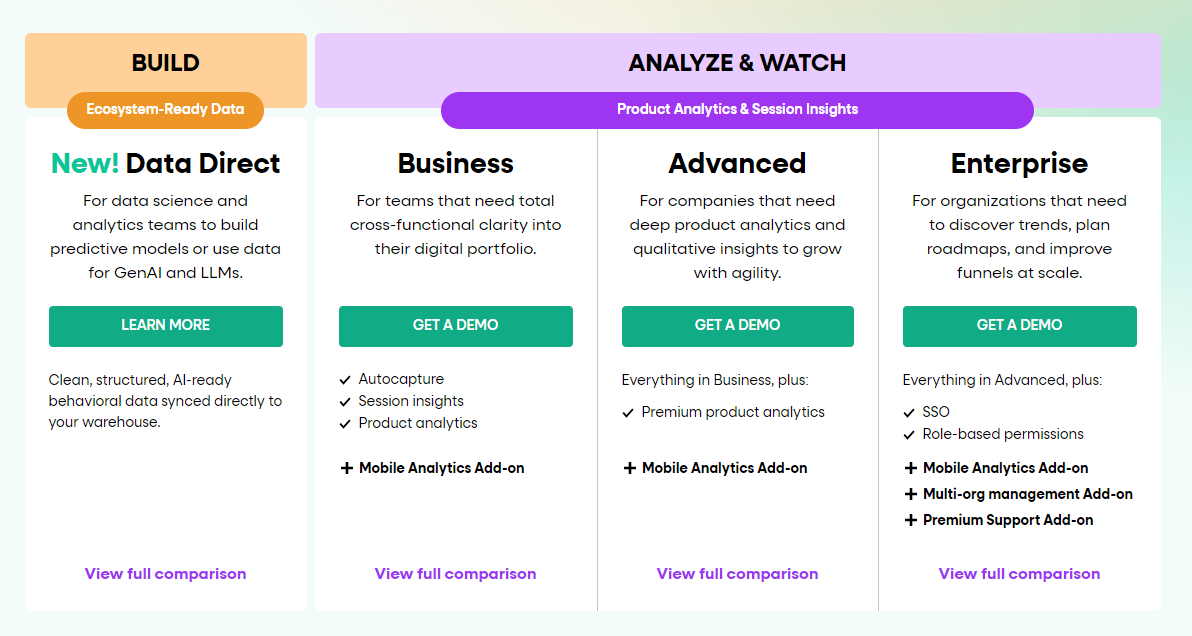
    Mixpanel pricing page showing Free, Growth, and Enterprise plans with monthly event limits, session replay usage, reports, cohorts, and contact sales options.
    • Free: up to 1 million events/month
    • Growth: from $140/month for 1.5M events
    • Enterprise: custom pricing
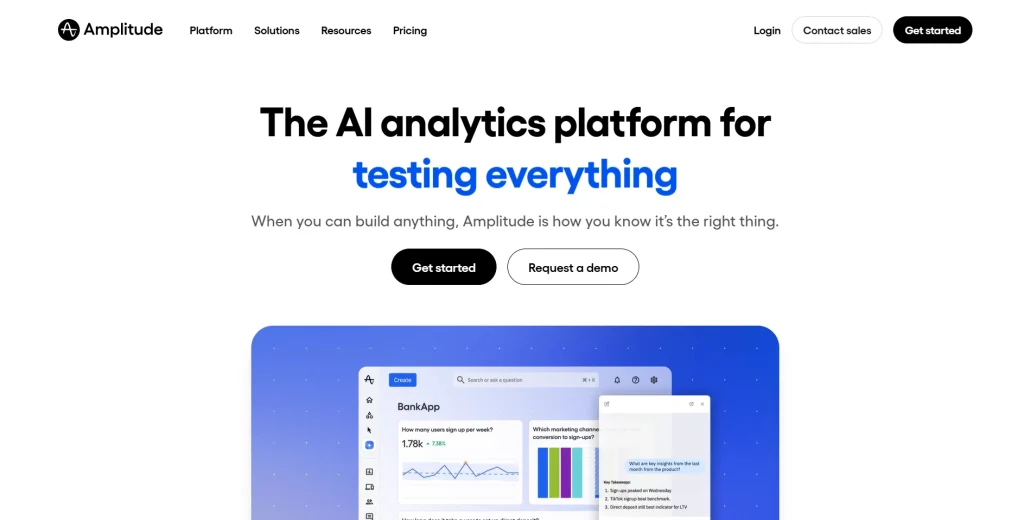
    Amplitude homepage hero banner promoting an AI analytics platform for testing everything, with CTA buttons and a product analytics dashboard preview.

    Amplitude is a digital analytics platform connecting product analytics, session replay, and experimentation in one place. It connects user behavior data to business outcomes, such as customer lifetime value, across the full customer journey.

    Best for

    Scale-up and enterprise growth teams that need advanced behavioral analytics with A/B experimentation, machine learning algorithms, and customer retention reporting at high user volumes.

    Key features

    • Event tracking: event-based tracking with unlimited sources and destinations
    • Session replay: integrated with event data for connecting behavioral data to product outcomes
    • Advanced segmentation: behavioral cohorts and machine learning-powered predictive analysis
    • Experimentation: A/B testing and multivariate feature flags from Growth plans
    • Causal insights: monitoring which product changes actually drive customer retention
    • AI Agents: artificial intelligence automation for behavioral insights and visibility
    • Data warehouse integration: Snowflake and BigQuery on enterprise plans

    Pricing

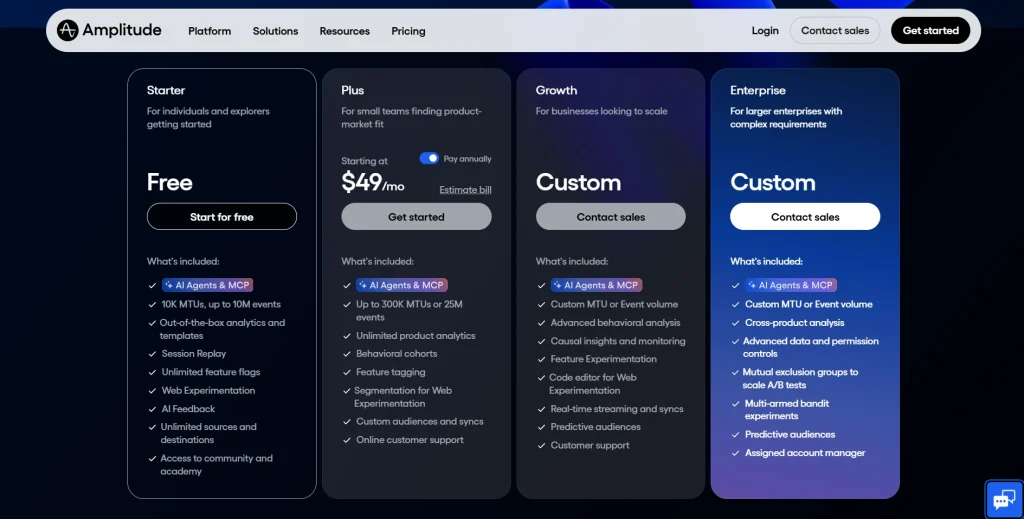
    Amplitude Pricing Plans Comparison
    • Starter: free, up to 10,000 MTUs
    • Plus: from $49/month, up to 300,000 MTUs
    • Growth and Enterprise: custom pricing based on volume and feature requirements
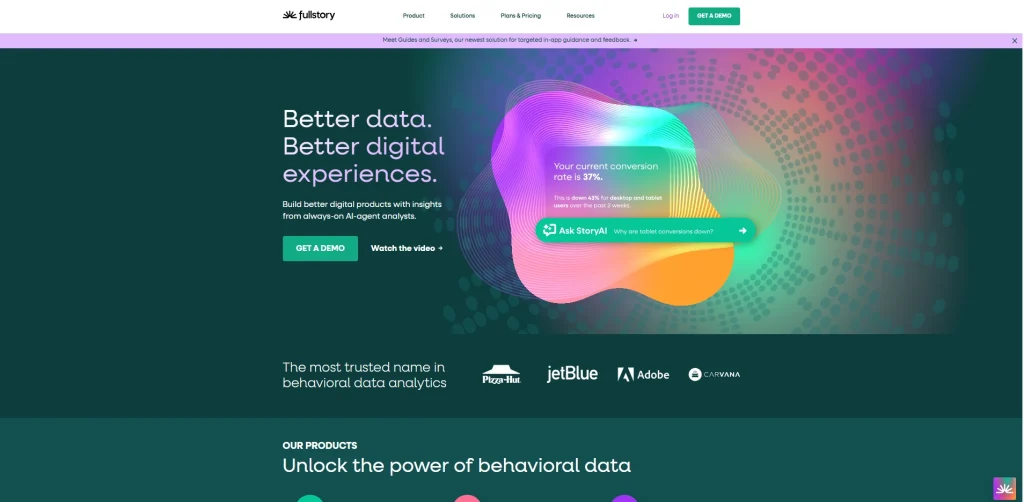
    FullStory homepage hero banner with the headline “Better data. Better digital experiences.” and a colorful abstract graphic featuring conversion rate insights and an AI query prompt.
    FullStory homepage banner highlighting behavioral data analytics, digital experience insights, and AI-powered conversion analysis.

    FullStory differentiates through Fullcapture, its automatic data-capture technology that records all user interactions from day one without manual tagging. It’s built for enterprise teams that need SOC 2 and ISO 27001-certified behavioral data at scale.

    Best for

    Enterprise product, UX, and customer support teams that need complete session replay with no gaps from untagged events, and deep integrations with Salesforce, Jira, and Optimizely.

    Key features

    • Fullcapture: tag-free automatic data capture, recording all user interactions from the first session
    • Session replay: pixel-perfect accuracy with rage click and dead click detection
    • StoryAI: artificial intelligence behavioral insights and automated session summaries
    • Guides and Surveys: contextual customer feedback and in-app user onboarding
    • Heatmaps and funnels: visual engagement analysis and conversion tracking
    • Privacy: built-in PII redaction with configurable masking rules
    • Integrations: 50+, including Salesforce, Google Analytics, Slack, Jira, and Optimizely

    Pricing

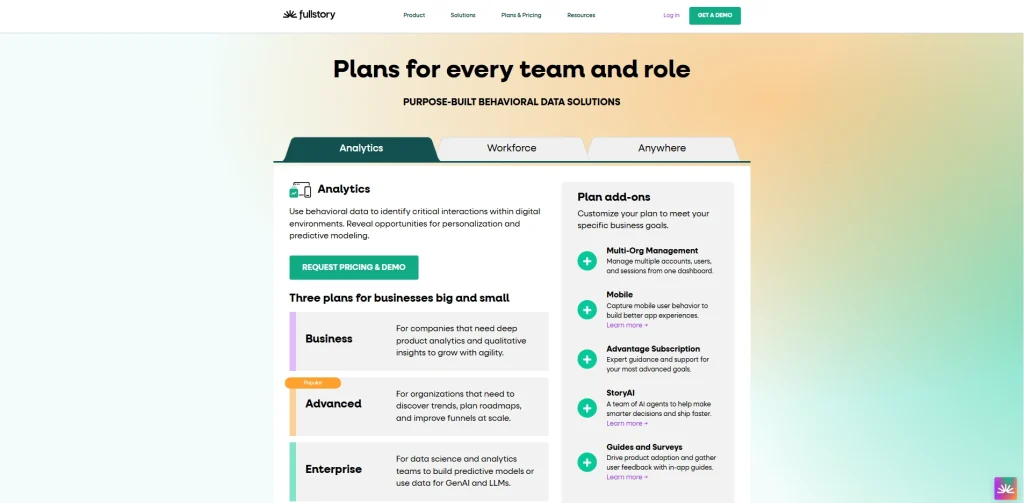
    FullStory pricing page showing analytics plans for businesses, plan add-ons, and behavioral data solution tabs including Analytics, Workforce, and Anywhere.
    • Free: basic session insights, 30,000 monthly sessions and 12-month data retention
    • Business, Advanced, and Enterprise: custom pricing, not publicly disclosed
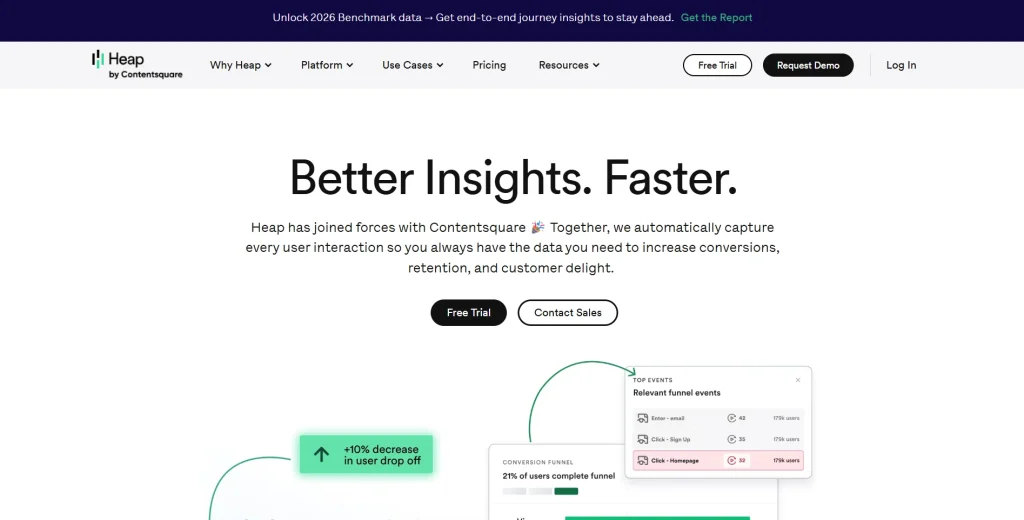
    Heap homepage hero banner showing the headline “Better Insights. Faster.” with product analytics visuals, funnel insights, and CTA buttons for free trial and contact sales.

    Heap automatically captures every user interaction from the moment you install the snippet, with no manual tagging required. Instead of deciding upfront what to track, your team can define and analyze events after the fact, against data that was already collected.

    That means you can answer questions about user behavior that weren’t on your radar when you launched, without writing a single line of new code.

    Learn more about Heap alternatives.

    Best for

    Product and growth teams that need to ask new questions about historical data without waiting on development cycles, especially where engineering resources are limited.

    Key features

    • Automatic data capture: all user interactions across web and mobile apps captured from installation
    • Retroactive analysis: create and analyze new events against historical data
    • Funnel analysis: user journey mapping with engagement matrix reports
    • Account analytics: B2B account-level behavioral tracking
    • Virtual Events: advanced segmentation and event grouping without code
    • Session replay and heatmaps: available as a paid add-on on paid plans
    • Identity analytics: connects anonymous sessions to identified users across devices

    Pricing

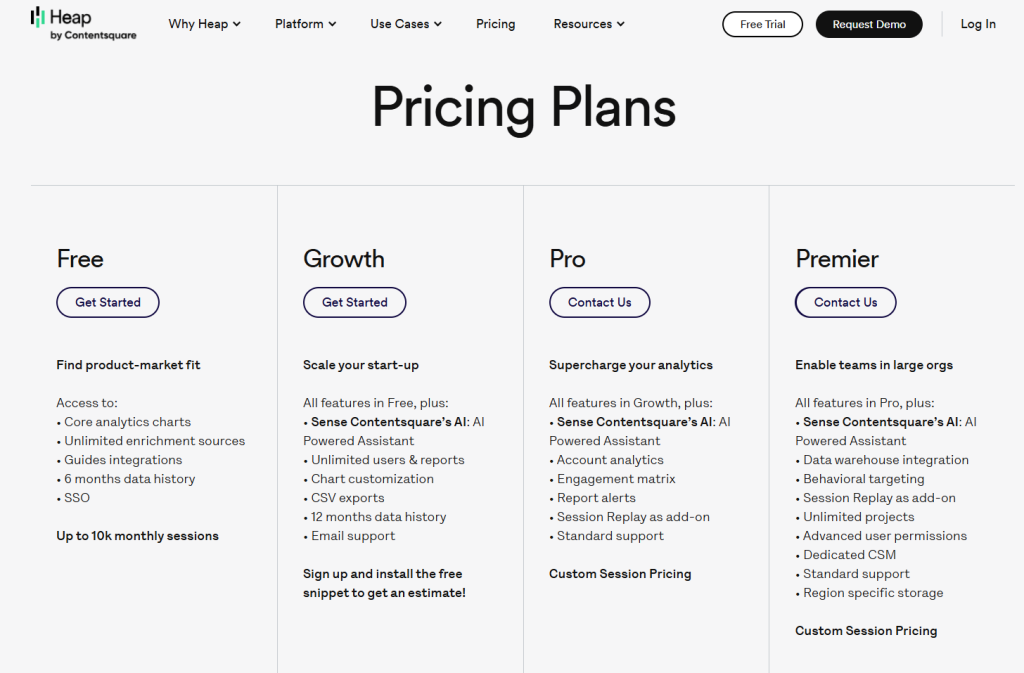
    Heap pricing page showing Free, Growth, Pro, and Premier plans with feature lists, monthly session details, and contact or get started buttons.
    • Free: core analytics, up to 10,000 sessions/month
    • Growth, Pro, and Premier: custom pricing, not publicly listed
    Google Marketing Platform Analytics overview page showing the headline “Get essential customer insights” beside a photo of a woman working on a laptop.

    Google Analytics 4 (GA4) is the most widely used analytics tool in the world. It tracks traffic sources, user flow, and conversions using an event-based model. GA4 tells you what is happening at the aggregate level, but can’t show you why, which is where behavioral analytics tools provide deeper insights.

    Best for

    Any team that needs baseline traffic, acquisition, and conversion data. GA4 works best alongside a behavioral analytics tool: GA4 shows users drop off at checkout; FullSession shows the session replays explaining why.

    Key features

    • Event tracking: free tracking across websites and mobile apps
    • User flow: path analysis showing how visitors interact with your site’s navigation
    • Audience segmentation: by user groups, traffic source, device, and user attributes
    • Cross-platform tracking: unifies web and app data using Google Signals
    • BigQuery export: free raw data export for SQL and big data analytics
    • Google integrations: direct connection with Google Ads, Search Console, and Marketing Platform

    Pricing

    • GA4: completely free
    • Analytics 360: from approximately $50,000/year (enterprise, reseller pricing)
    ToolAll features in one planPrioritization AIEntry paid pricePerformance impactData retention
    FullSessionYesLift AI$23/mo(annually)Async, minimal4-15 months
    HotjarPartialNo$49/mo~100-200ms365 days
    Microsoft ClarityYesNoFreeLowUnlimited
    MixpanelNoNo$140/moLow12 months
    AmplitudeNoNo$49/moLow12 months
    FullStoryNoNoCustomLowCustom
    HeapNoNoCustomLow6 months
    Google AnalyticsYesNoFreeLow14 months

    There are strong, well-established tools in this category, and depending on your team’s needs, some of them are genuinely worth considering. But for teams that need to move from behavioral data to business decisions, FullSession consistently stands out.

    Here’s what puts it near the top.

    One platform, everything included

    Most teams end up paying for three or four tools to cover what FullSession handles in one subscription: session replay, heatmaps, funnels and conversion tracking, error and alert monitoring, in-app feedback collection, and mobile replay for iOS and Android.

    Everything is connected, on the same dashboard, from day one. No stitching tools together. No upgrade to unlock the features you expected.

    An interface built for real teams, not analysts

    Behavioral analytics tools are only useful if your team actually uses them. FullSession is built with a clean, intuitive UI that product managers, marketers, engineers, and support staff can navigate without a training session.

    Filters, session search, and heatmap views are designed to get you to an insight in clicks, not workflows.

    Lift AI: from observation to action

    The most expensive problem in analytics isn’t missing data. It’s the gap between seeing a problem and knowing what to fix first.

    Lift AI, FullSession’s AI prioritization engine, goes further than a summary feature. It scans behavioral data, ranks friction points by expected revenue impact, and links each priority directly to the session replays where the issue occurs.

    And when a fix ships, Lift AI validates whether it actually moved the needle. You don’t just learn what to fix. You confirm it worked.

    Performance your site won’t feel

    FullSession’s SDK runs asynchronously on a separate thread, leaving your Core Web Vitals untouched. You get full behavioral coverage without the performance penalty.

    A support team that treats you like a customer, not a ticket

    FullSession’s Customer Success team is known for fast, individualized responses, not auto-replies or queue-based support.

    When something isn’t working or when you need help getting more from the platform, you reach a person who knows the product and prioritizes your outcome.

    The team actively tracks feature requests, including third-party integration requirements, and regularly ships what customers ask for.

    The platform you use six months from now will be shaped, in part, by feedback from teams like yours.

    Transparent pricing, exceptional value

    FullSession’s Growth plan starts at $23/month, billed annually and includes 5,000 sessions, full heatmaps, funnels, feedback, and Lift AI. Every pricing tier is published publicly so you can evaluate the fit before ever talking to sales.

    When you factor in the breadth of features, the depth of AI capability, and the level of support included, FullSession delivers a value-to-price ratio that’s difficult to find elsewhere in the category.

    Privacy built in from day one

    Sensitive form inputs are masked by default. The platform supports GDPR, CCPA, and PCI compliance out of the box, with no additional privacy modules or custom configuration required.

    Book a demo to see the platform in action.

    Google Analytics tells you what is happening. Microsoft Clarity shows some of the behavior behind it, for free. Mixpanel and Amplitude deliver deeper insights into event data and retention, but require careful setup and scale into expensive custom pricing.

    FullStory and Heap offer powerful automatic data capture for enterprises willing to pay for it. Hotjar provides qualitative depth but is navigating a platform transition.

    FullSession combines session replay, heatmaps, funnels, in-app feedback, and Lift AI in one plan for $23/month. It’s the only tool on this list that delivers prioritized, evidence-backed recommendations, so your team can act on actionable data instead of debating what to fix next.Book a demo and see how it compares against your current setup.

    What are user behavior analysis tools?

    User behavior analytics tools capture how visitors interact with websites and products through clicks, scrolls, session paths, and form interactions. They combine session replay, heatmaps, funnel analysis, event tracking, and user feedback to reveal why users behave the way they do and which friction points are blocking conversions.

    How do user behavior analytics tools differ from Google Analytics?

    Google Analytics shows aggregate data: page views, bounce rates, and traffic sources. User behavior analytics tools show the why behind that data, capturing how users interact with your pages and delivering actionable insights from session recordings, heatmaps, and direct user feedback. GA4 reveals the metric. Tools like FullSession reveal the customer behavior driving it.

    What is the best free user behavior tool?

    Microsoft Clarity is the strongest completely free option, with unlimited session recordings, heatmaps and no session limits. FullSession, a privacy-first UX analytics platform, also offers a free plan with 500 sessions per month and a 14-day full-feature trial. GA4 is best for free traffic data, but doesn’t include session replay.

    How do I choose the right user behavior tools?

    Define what customer behavior you need to understand. UX and CRO teams need session replay and heatmaps to identify patterns in user activity. Product teams need event-based analytics for retention reporting. Check whether the tool supports automatic data capture or requires manual tagging, then compare pricing and data retention periods.

    What is the difference between user behavior analytics and UEBA?

    User behavior analytics (UBA) in UX means tracking how visitors interact with websites to improve conversion and experience. UEBA (user and entity behavior analytics) is a cybersecurity category that uses machine learning algorithms to detect insider threats by monitoring normal behavior patterns in corporate networks. They share a name but serve entirely different use cases.

    Which user behavior analytics tool is best for ecommerce?

    FullSession is the strongest choice. Lift AI identifies the highest-impact friction points in checkout flows and product pages ranked by expected revenue impact. It starts at $23/month (annually) with session replay, heatmaps, funnels, and in-app feedback included.

  • Click Maps 101: How to Make the Most of Your User Data

    Click Maps 101: How to Make the Most of Your User Data

    The first step in optimizing your web presence is understanding website visitors’ click patterns.

    You can view click maps to learn how many people clicked on each section of your website and if they found what they were looking for. Click map data will help you understand your audience and allow your company to make further improvements.

    There are different types of customer behavior tools. A click map is one of the most effective forms of data visualization, as it breaks down user actions into easily digestible chunks. It helps you uncover details about user behavior that you might otherwise miss.

    But what click map software should you use? With dozens of options available, it can be difficult to find one that’s worth every penny.

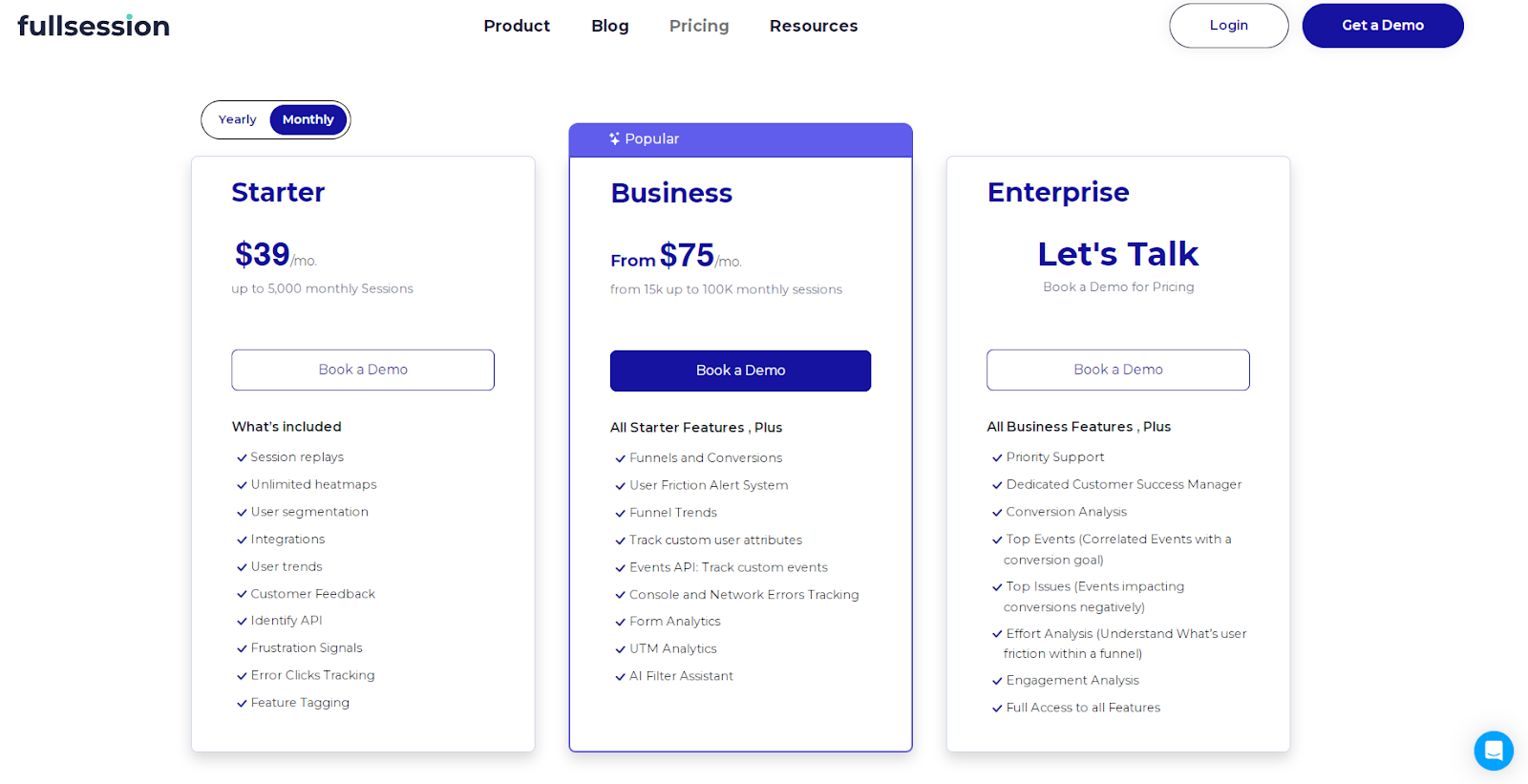
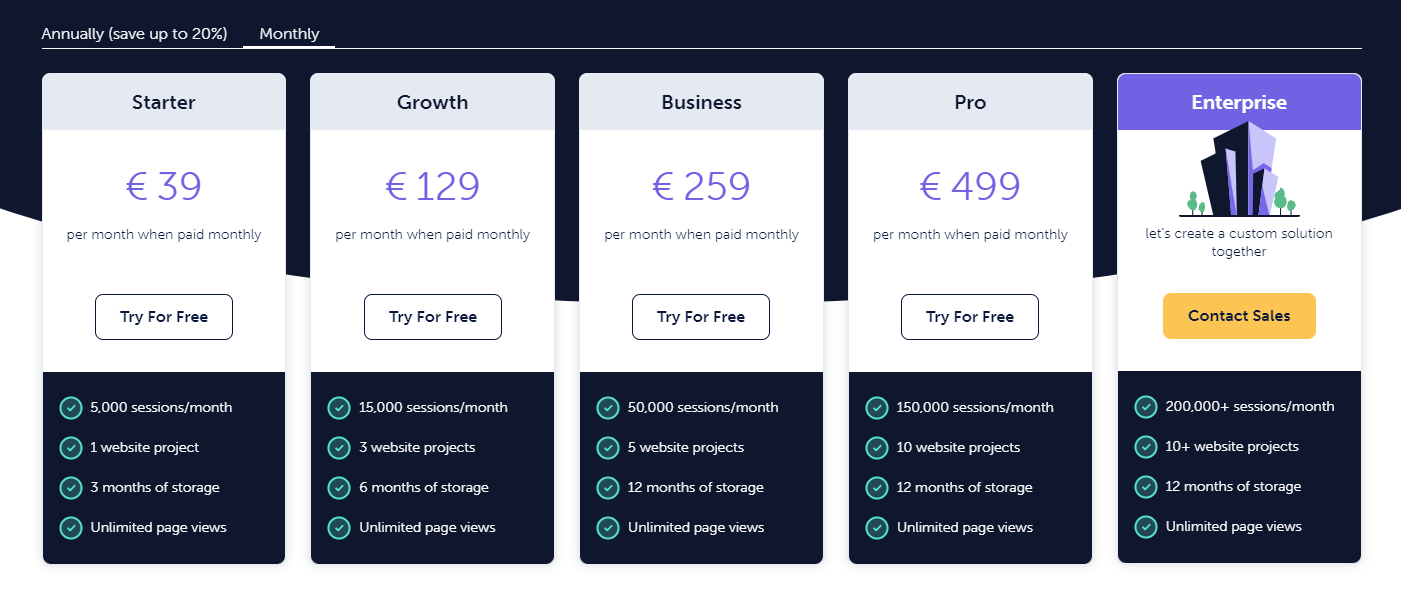
    You’re in luck. With FullSession, you can visualize user behavior and track dynamic elements on your website via click maps, scroll maps, and mouse movements at an affordable price, starting at $39 per month. An annual subscription includes a 20% discount on all plans

    Want to see how these features work?

    In this article, we’ll show you how to use FullSession to create click maps and analyze user behavior data to optimize your website and boost traffic, leads, and conversions.

    Before that, let’s explain what click maps are, how they work and which benefits they offer. 

    What Are Click Maps?

    It’s not enough to have beautiful websites or landing pages. You must create a meaningful and memorable experience for the customer that includes quick loading times, error-free page elements, and flawless navigation.

    You need to listen to your users and focus on their satisfaction. Click maps are a great way to do this—they’re easy to create, and they’re invaluable for uncovering opportunities to improve your customers’ experience.

    Click maps show user behavior trends and patterns and provide visual insights into how your website works in real time, which page elements perform the best, and where you need to improve your UI or UX.

    You can use this quantitative data to improve your site content or layout, marketing, sales, or development efforts, increasing your conversion rate. You can also aggregate click behavior data with other heat maps for further conversion rate optimization.

    How Do Click Maps Work?

    The basic principle behind click heatmaps is simple: Every time someone clicks on an element on your website, web app, or landing page, the click tracking tool records that action and assigns it a unique identifier. It then displays user data in a graphic report, using a color scale to help you visualize user interactions.

    The most popular web page elements have the highest color intensity, while elements that receive little or no attention are at the darker end of the color spectrum, usually blue.

    This way, you can quickly identify which content is well-received by customers and make adjustments to either replicate that content on other pages or optimize it for higher customer engagement.

    Some click maps also allow you to filter results by specific pages or sources, such as organic search or inbound links, which helps you pinpoint specific areas for improvement, increase website traffic, or decrease bounce rate.

    There are many different click map tools available online, so it’s important to choose one that meets your specific needs. Some of the most popular options include FullSession, Hotjar, Crazy Egg, Smartlook and Inspectlet.

    What Are the Benefits of Click Maps?

    Counting the number of website visits as a measure of success is not enough. Combining the number of unique visitors to your website with click maps and other user behavior tools, you can gain a holistic view of how people interact with your brand.

    By using click data to learn how customers navigate through your website, you can personalize their experience across different digital touchpoints. If you’re not yet convinced click maps are worth your time, here are some benefits to consider.

    Image source: superoffice.com

    Click maps help you:

    1. Increase your site traffic
    2. Attract more user interaction
    3. Test your site’s usability and functionality
    4. Understand user wants and needs
    5. Decrease the bounce rate
    6. Generate more leads and close more sales
    7. Create an optimal customer journey
    8. Improve your conversion or sales funnel
    9. Understand what page elements or website areas are underperforming
    10. Update your marketing, sales, or development strategy
    11. Get ideas on how to redesign your website or improve your content
    12. Reorder your links to achieve higher CTR
    13. Optimize your website for both web and mobile users
    14. Detect points of frustration like JavaScript errors, misleading elements, broken elements, etc.
    15. See if your image links are gaining clicks

    A major benefit of click maps is return on investment (ROI) tracking. You will always know the exact percentage of return you receive for every dollar invested in your advertising campaigns. 

    Also, click maps are easy to implement into your existing digital infrastructure.

    What Are the Drawbacks of Click Maps?

    Click map is a great way to see how users interact with your website or web app, but there are some drawbacks you should be aware of.

    Click maps can be misleading. They show you what areas of your website or web app are most popular, but they may not reflect the user’s interest.

    For example, if your website shows video ads, the click map might mark the ads users click the most, like the top right corner of an ad where the close button is. 

    You will not know if the ads are intrusive or irrelevant to the users’ experience just by watching click tracking reports. This is where session replays come in handy, allowing you to view the entire visitor experience accurately.

    Also, click maps can slow your website down. Depending on the software you use, click maps can be time-consuming to generate, so if you have a large amount of data, you may not be able to use click map reports right away.

    Finally, click maps can sometimes be inaccurate. They can show you areas where a user clicks or interacts with a specific page, but this might not reflect how many of them have actually paid attention to your page elements.

    This is not the case with FullSession because there is no waiting time for heatmap processing–you get instant data with high accuracy–and it doesn’t slow down your website.

    Get a demo and see how it works.

    Are Click Maps Worth the Investment?

    Yes, click maps are definitely worth the investment and can lead to increased revenue. As a business owner, having a visual representation of where users are clicking lets you view your website in new ways.

    By tracking users’ navigation, you can build a more effective site based on their actual needs rather than your best guesses and improve performance by making changes to your product pages, calls-to-action, or site structure.

    Also, click maps will help you determine why some people leave your eCommerce shop without buying anything so you can take appropriate actions to boost conversions. For online stores, ecommerce heatmaps can show how shoppers interact with product pages, category pages, cart elements, and checkout steps before they abandon the purchase.
    How to Track Website Visitors’ Clicks With FullSession

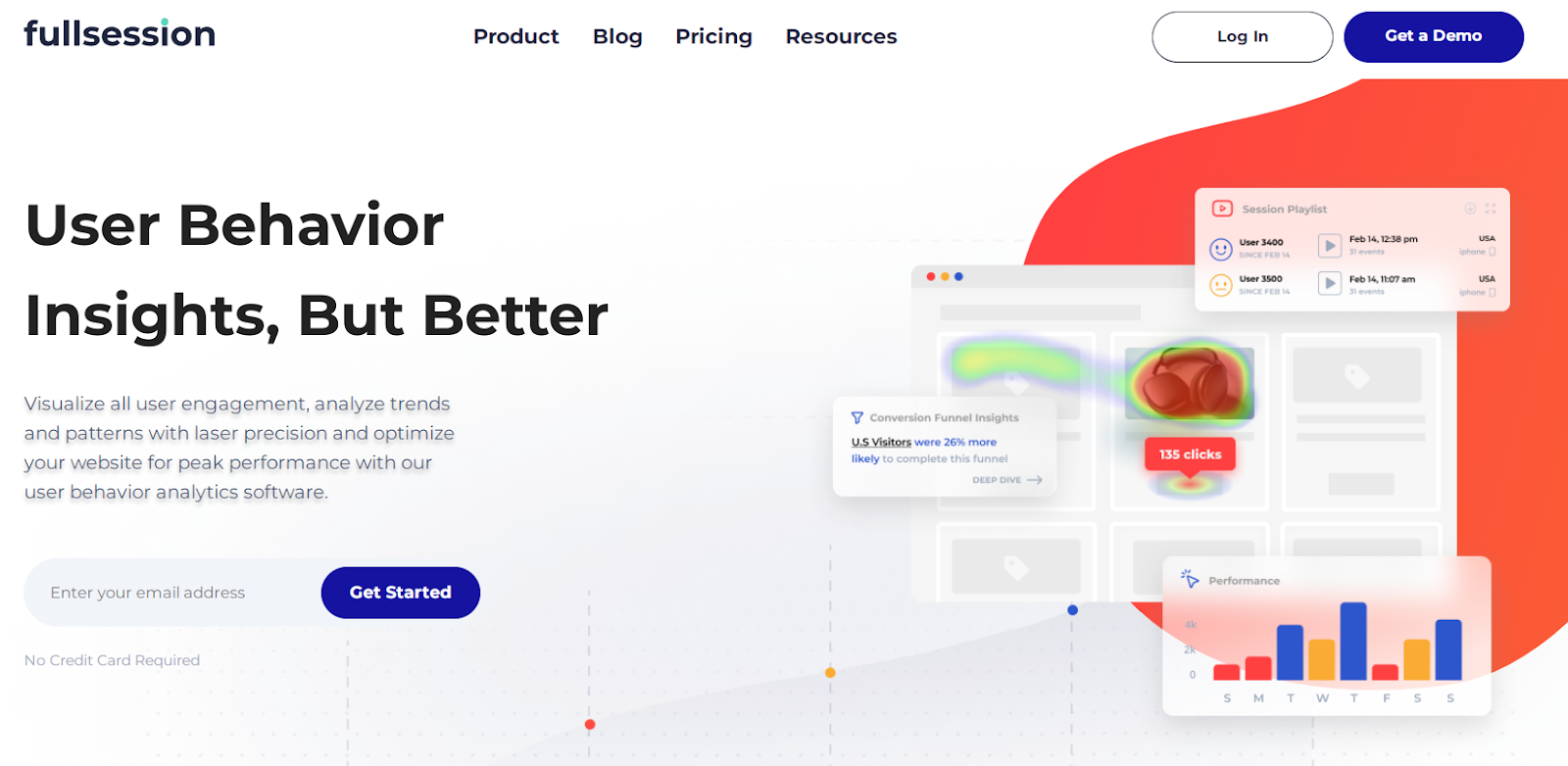
    We developed FullSession, our user behavior analytics software, to help you capture all website visitor interactions accurately. You can monitor your users’ experience across devices, analyze their behavior with real-time visual insights, and identify issues in the customer journey for targeted optimization efforts.

    AI Driven Session Replay Product Analytics FullSession

    With features such as interactive heatmaps, session recordings and replays, customer feedback forms and reports, and conversion, funnel, and form optimization tools, FullSession is a single solution for growing website traffic, boosting engagement, and converting more visitors into active, returning customers.

    Start a free trial.

    FullSession heatmaps

    FullSession real-time interactive heat maps help you visualize customer behavior and discover growth opportunities. With FullSession, you can track dynamic page elements and analyze every click, scroll, hover, or mouse movement to create an excellent digital experience.

    This feature helps you detect dead zones, test different UI elements, validate design changes, and improve your website’s visual hierarchy. It enables you to optimize website interface, usability, and performance.

    FullSession heat maps display colorful, easy-to-interpret graphic charts that show how visitors navigate your entire website and engage with your brand.

    FullSession heatmap types

    Click maps provide insights into user engagement by showing which elements on a webpage receive the most clicks. This helps you understand what attracts attention and optimize calls-to-action for better conversions. 

    Analyzing click patterns can also reveal navigation issues and areas that may need design improvements.

    Mouse movement maps, or move maps, track where users move their mouse cursor on a webpage. Since there’s a strong link between where people look and where they move their mouse, these maps highlight which parts of a page catch the most attention. 

    Once you see where users hover and pause, you can determine which content interests visitors and which parts are ignored. This helps you refine design and content strategies, especially for non-clickable elements.

    Scroll maps show how far users scroll on your web pages, indicating which sections are viewed and which are skipped. This helps identify “dead zones” where user engagement drops. 

    When you understand scroll depth, you can adjust content placement and design to ensure important information is seen without requiring excessive scrolling. This optimization improves user engagement and retention.

    Using interactive visualizations and advanced filtering options, you can get all the data you need without having to work with complicated reports or raw data in spreadsheets.

    Start a free trial.

    Why use FullSession click maps

    No matter what kind of data you’re looking for, from improving your SEO to better understanding your customers, FullSession heatmaps can provide you with the answers.

    FullSession has an advanced heatmap tool that gives you access to instant insights and actionable data without affecting your website performance. It helps you identify issues, measure their impact on your site, and pinpoint what you need to do to solve them quickly rather than waiting for a problem to manifest itself.

    Use FullSession heatmaps to understand the sources of user frustration or the on-page elements driving the most user engagement to improve your sales, marketing, or development efforts.

    Get a demo now.

    FullSession session recordings and replay tools

    For best results, you should combine session recordings with heatmaps. FullSession logs and shows every visitor action in a session recording, for desktop and mobile sessions.

    It’s a faster way to analyze users’ behavior on your webpage and find opportunities to improve the user experience. For detailed information, read our guide on session recordings and replay.

    What customer data do you get with FullSession session recordings?

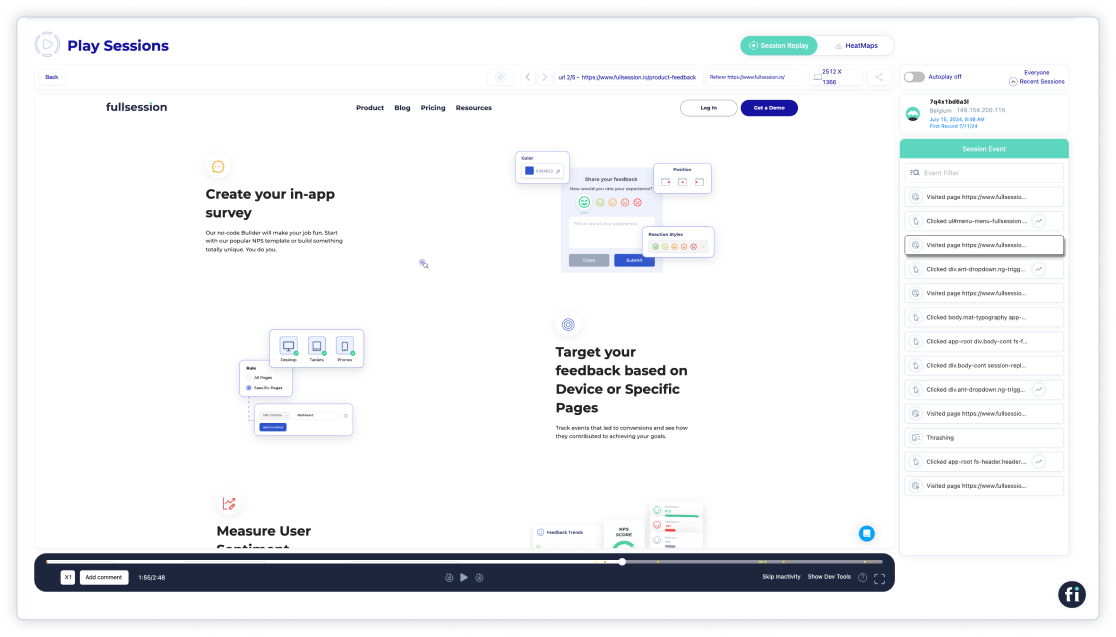
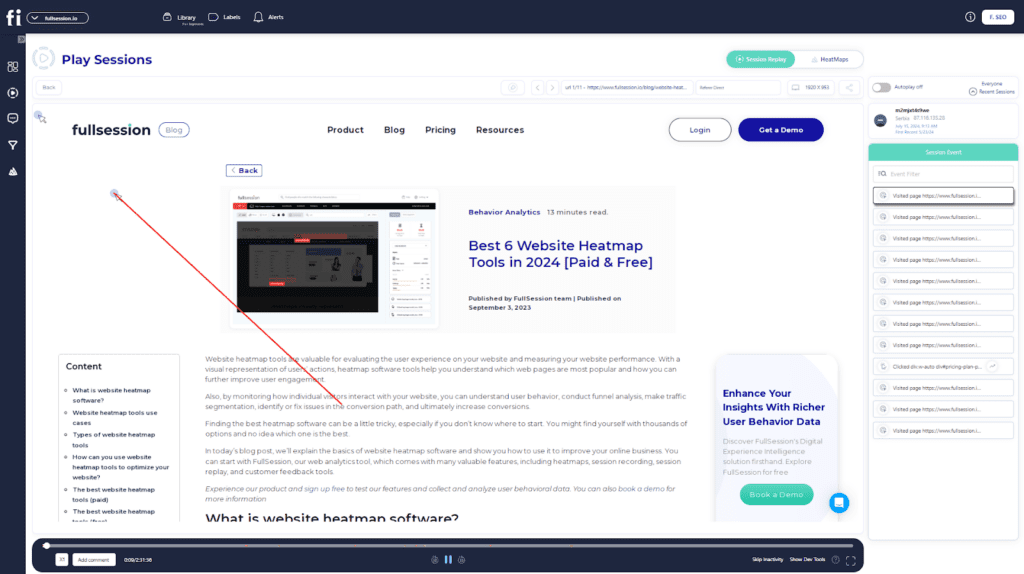
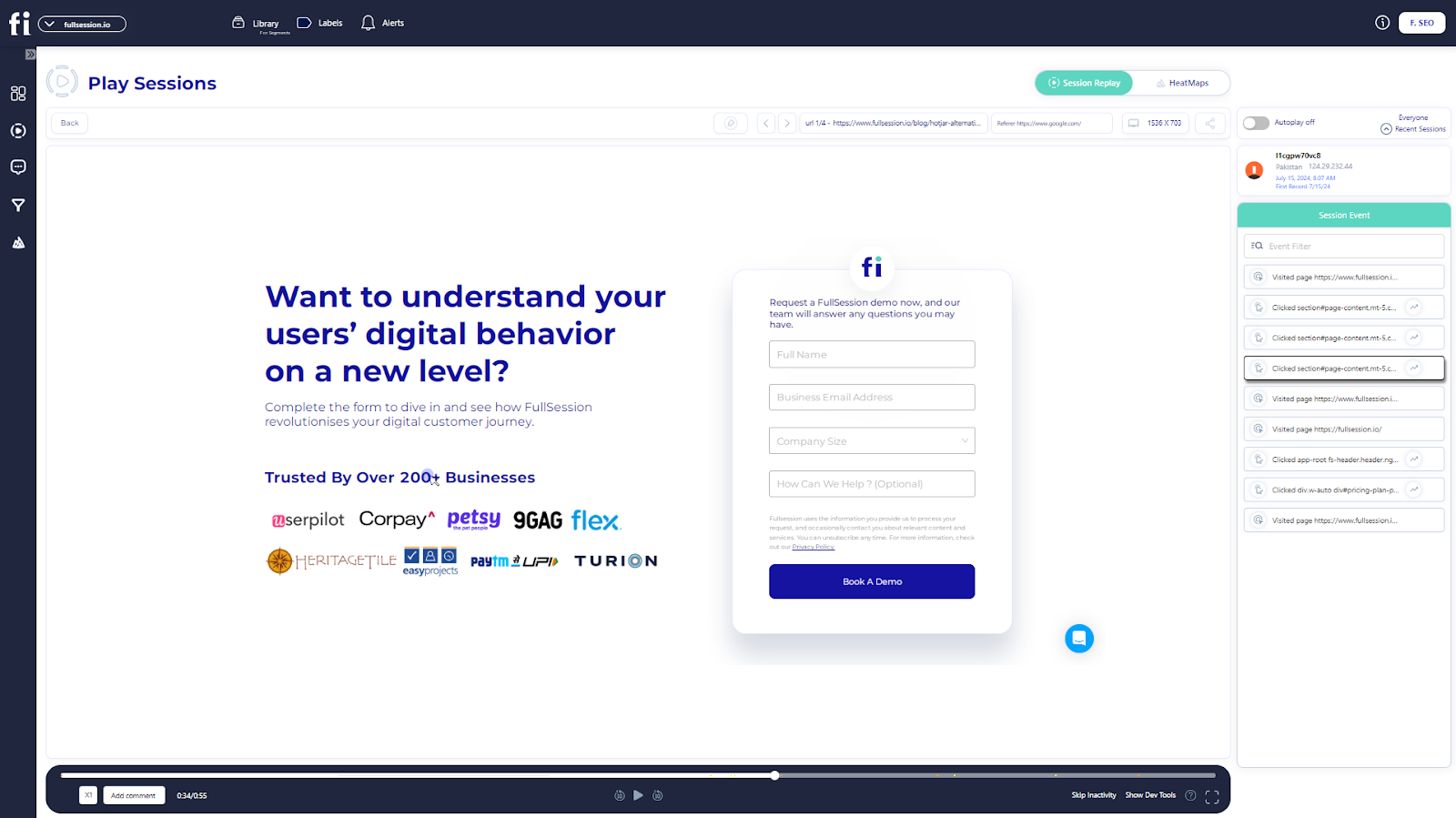
    You can easily watch session recordings using the FullSession replay feature that shows:

    1. Your visit sources
    2. The IP address of each visitor
    3. The date of the first session recording
    4. The average time spent on the page
    5. The total time spent on pages

    With a session list and session events, you can analyze and inspect users’ actions on each page, from how many times they click on an element to how long it takes them to complete a purchase.
    It will show you how often they clicked on buttons and links, visited certain pages, or had any unexpected issues. Whether you want to design better experiences for your customers or reduce your bounce rate, FullSession can help.

    FullSession user insights and events filtering 

    With advanced filtering options based on many parameters, you’ll be able to save time and quickly find the session replay details you need. 

    FullSession ensures you only receive relevant search results and includes insights on rage clicks, dead clicks, error clicks, or trashed cursors, among other data.

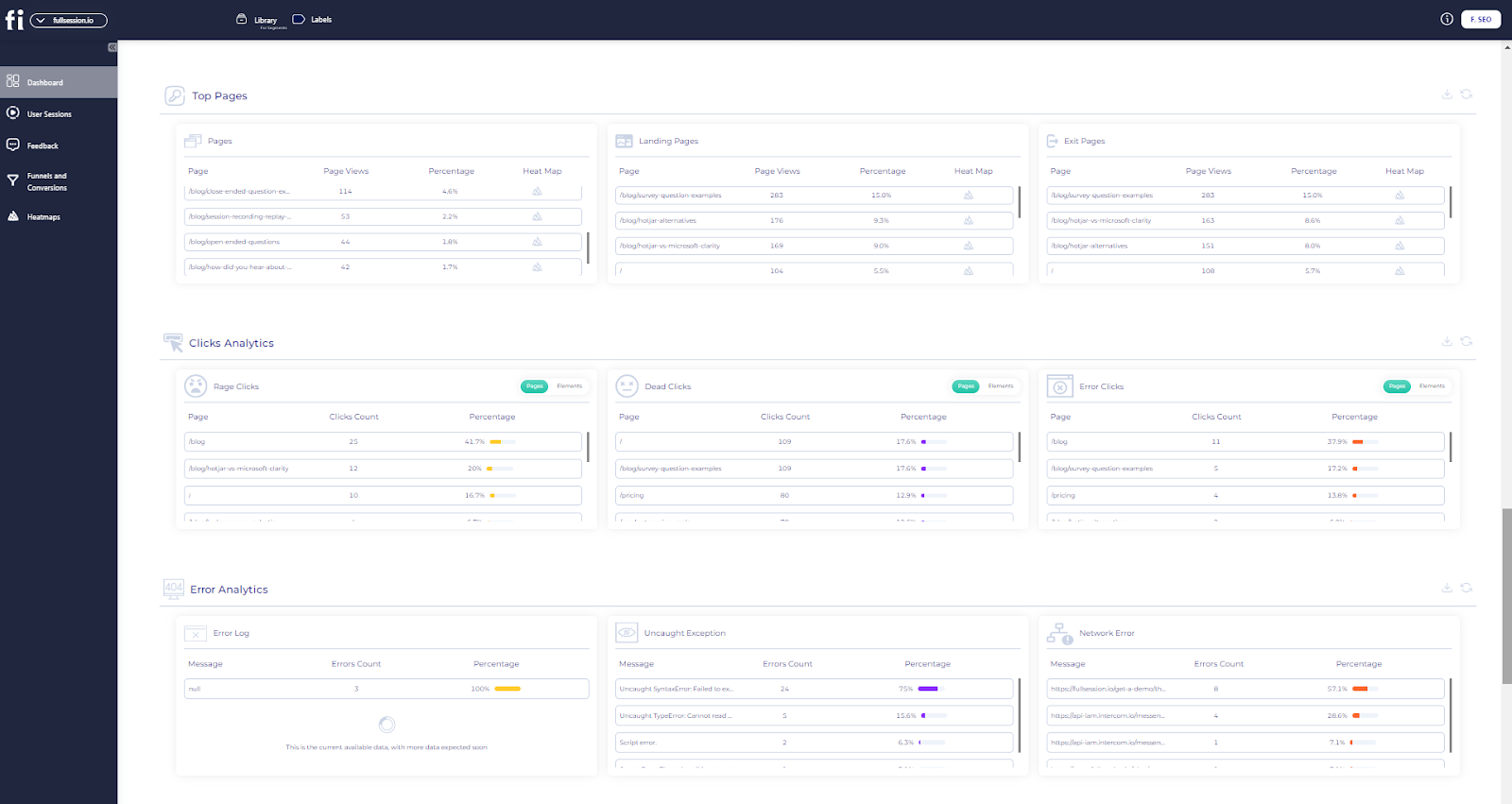
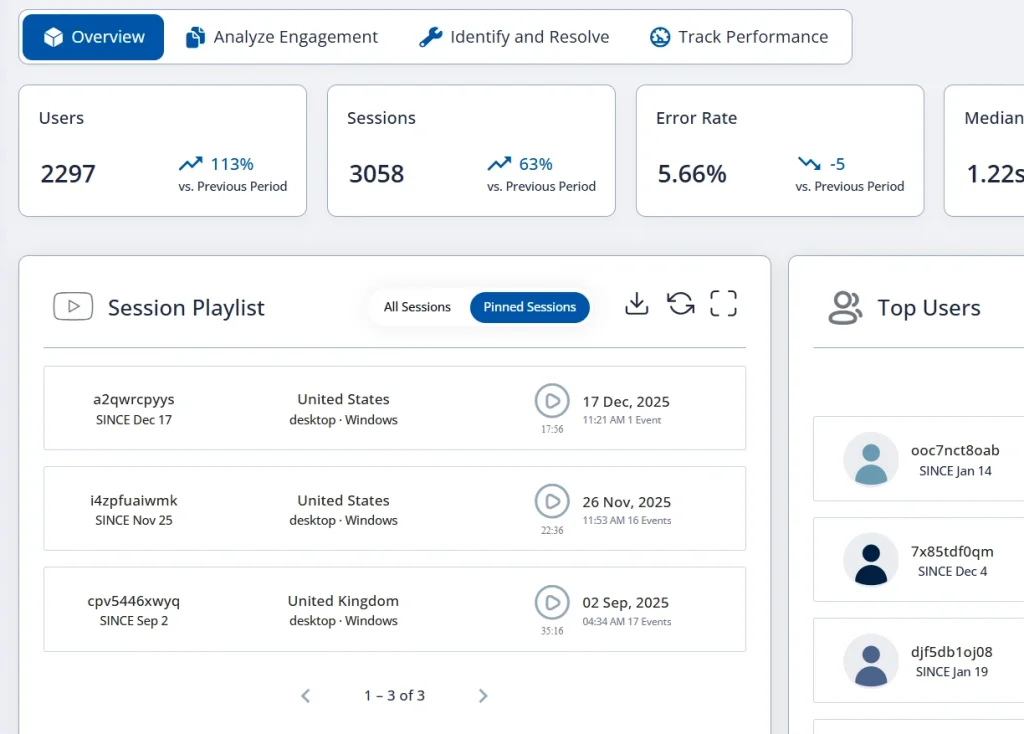
    The new FullSession metrics tab allows you to view all your data in one place. It divides reports into three sections and helps you to see insights for up to one year:
    User engagement

    • Median scroll depth by device
    • Page load speed by browser
    • Session playlist
    • Top users
    • User trends
    • Breakdowns (based on device, browser, and screen)

    User experience

    • Event per session
    • Session length
    • Active time
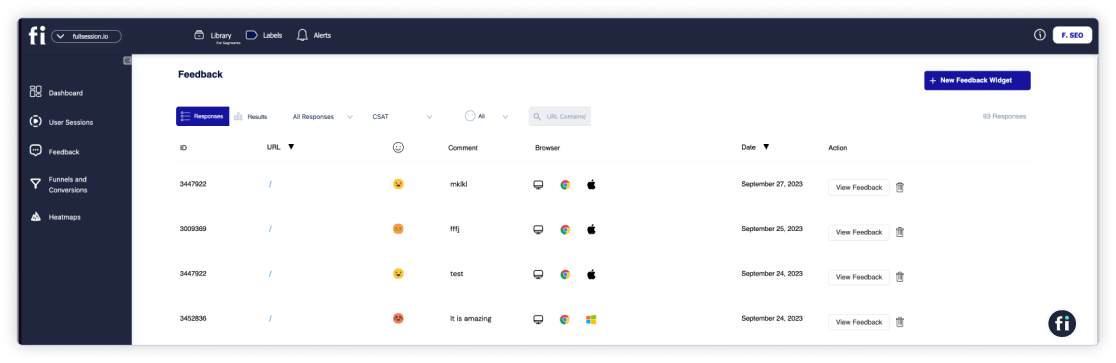
    • Feedback data
    • Top pages
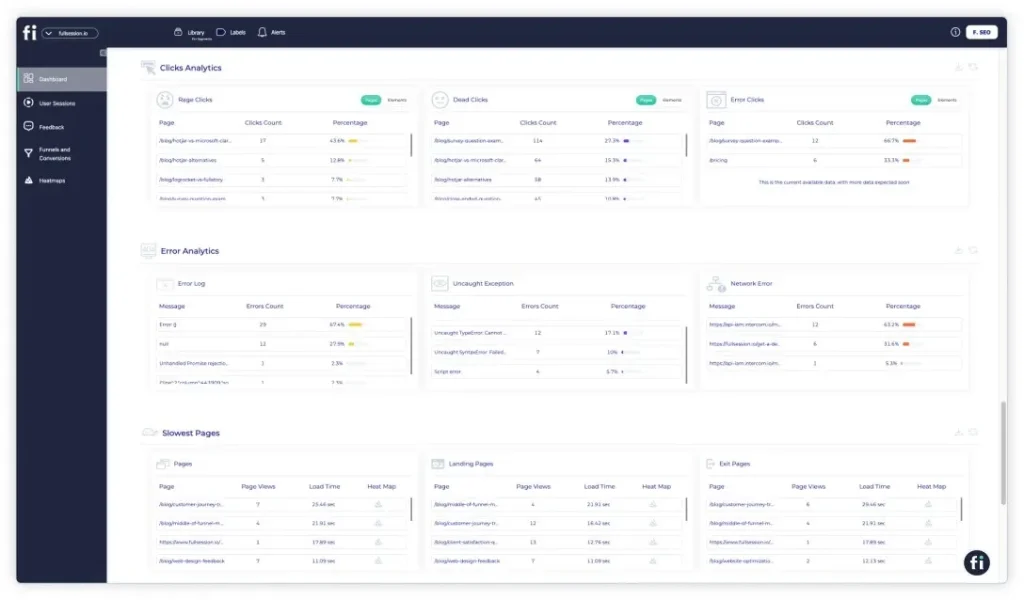
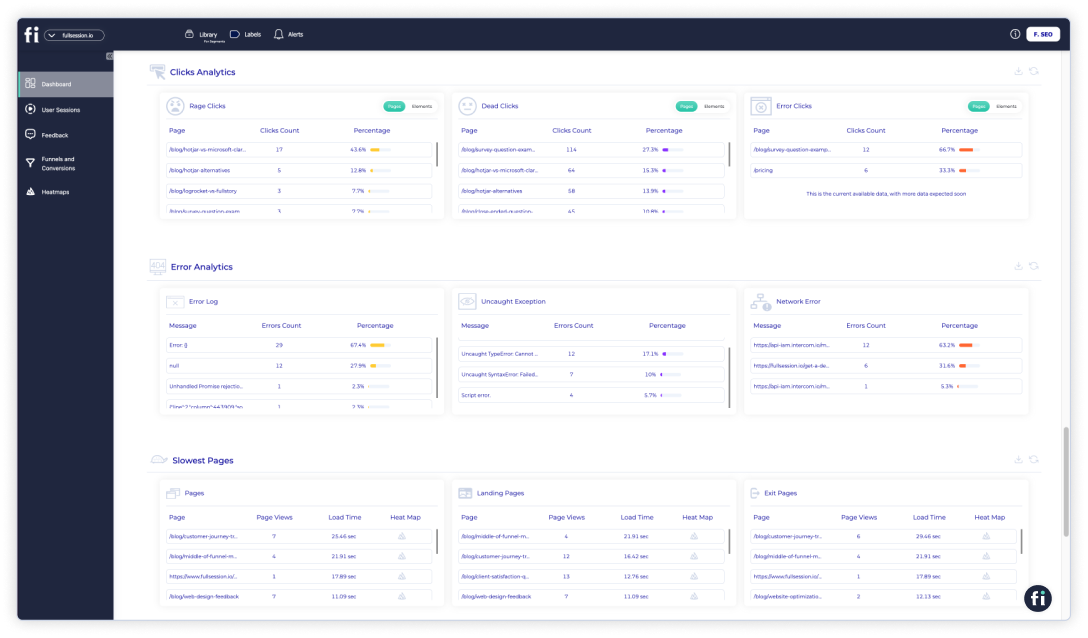
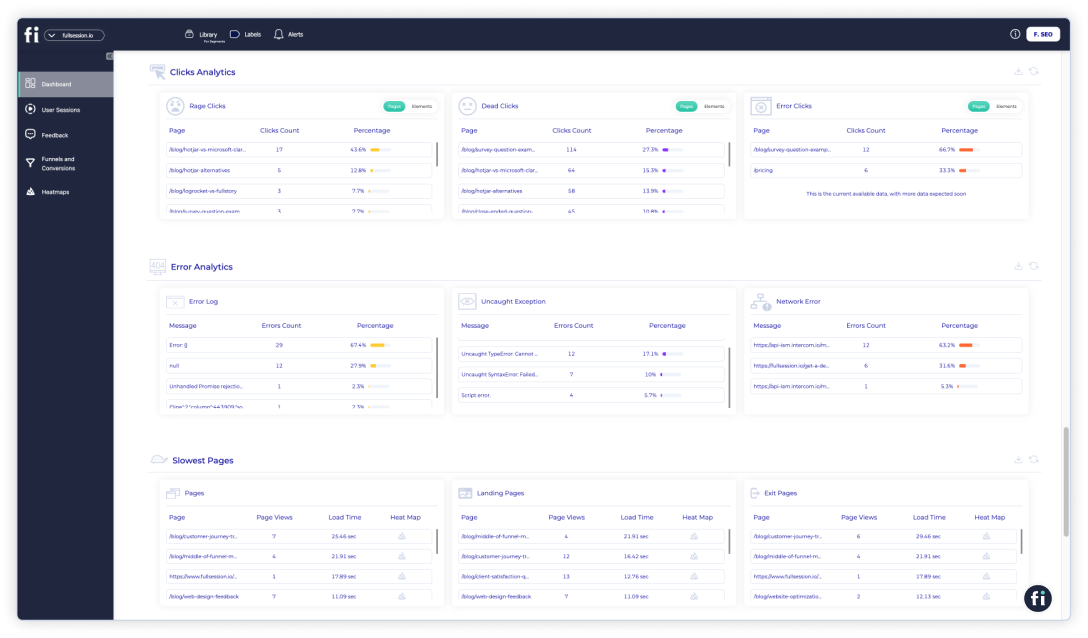
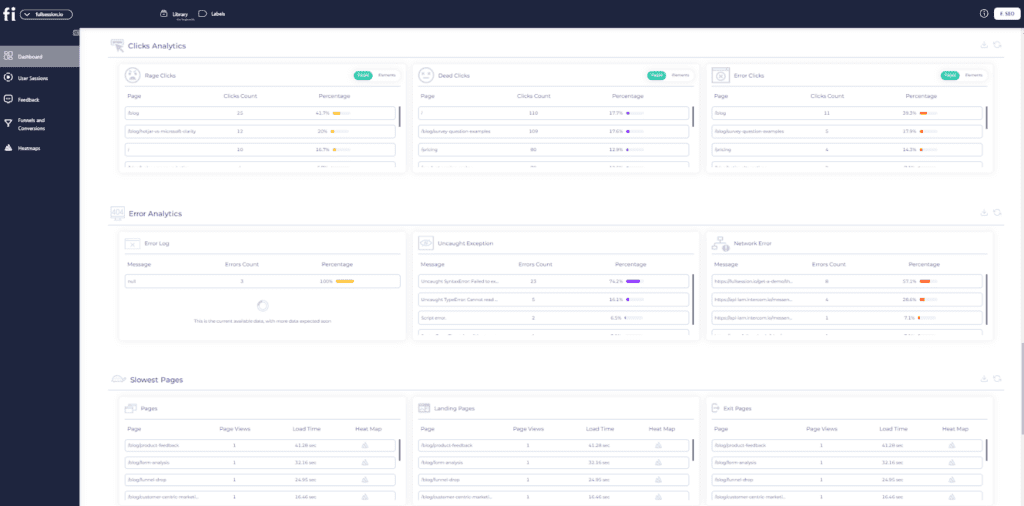
    • Clicks analytics
    • Error analytics
    • Slowest pages (pages, landing pages, and exit pages)

    Marketing channels

    • UTM analytics
    • Top referrers

    With FullSession, you can examine every metric and understand exactly what it means for your business. With data-supported insights, you’ll maintain healthy revenue growth and make smarter business decisions.
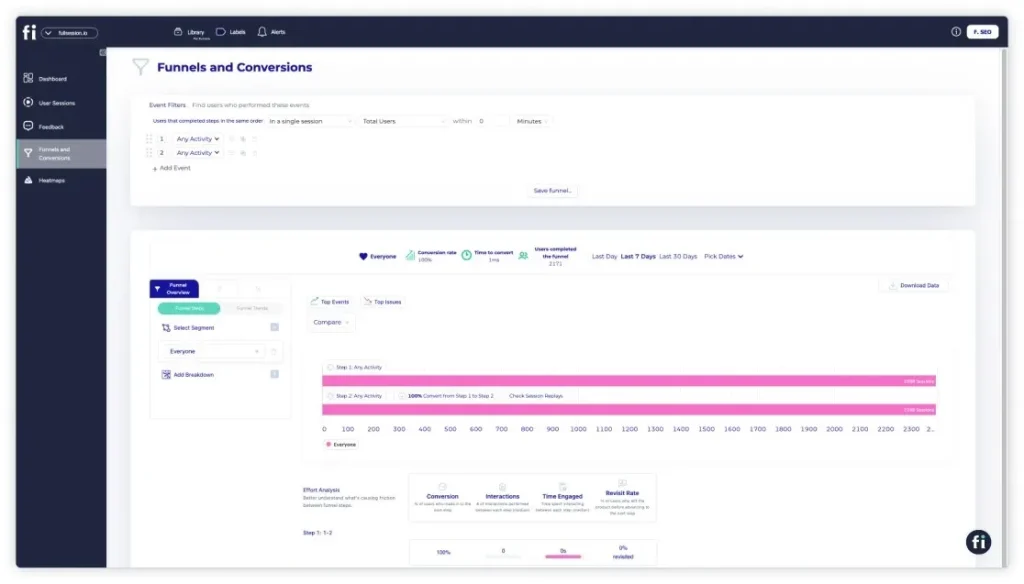
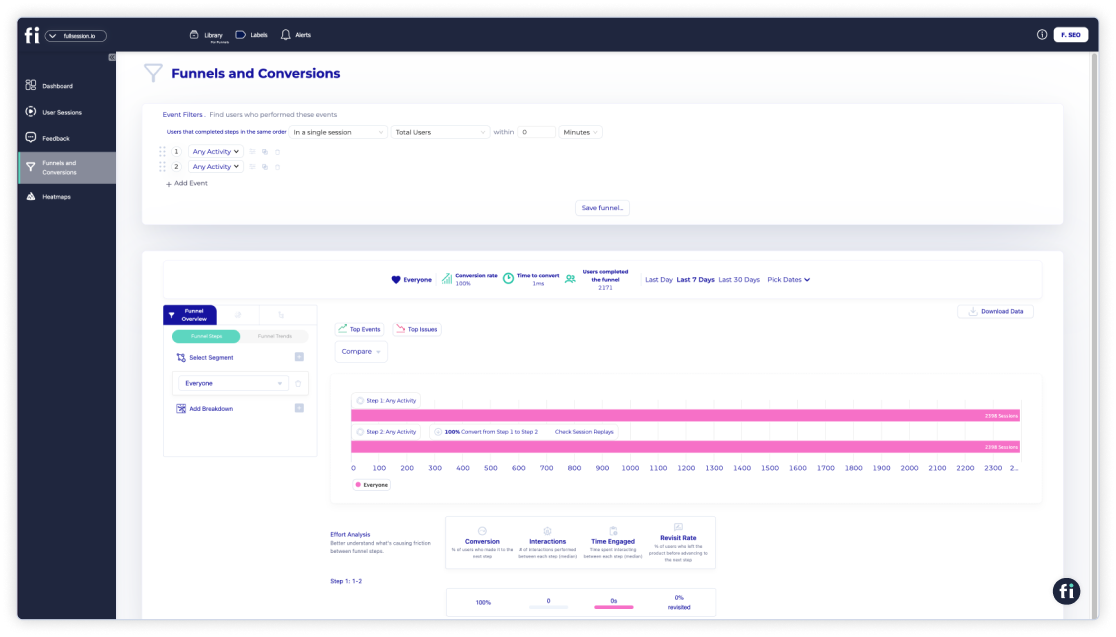
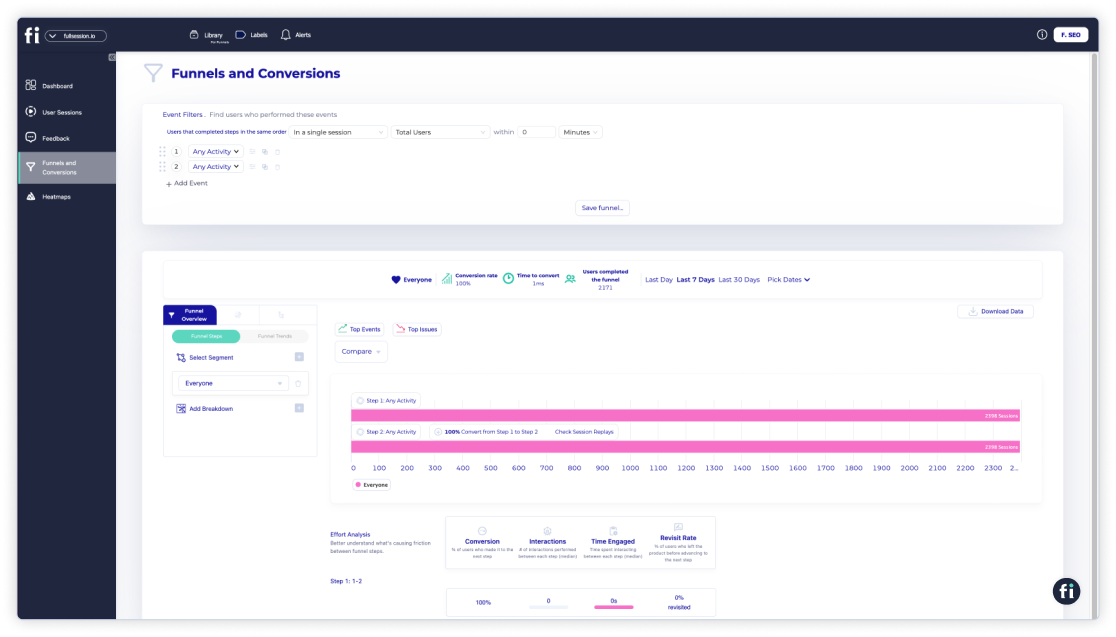
    FullSession funnels and conversions

    The FullSession funnels and conversions feature provides detailed insights into user journeys, helping track and optimize each step of your conversion funnel. It visualizes user progression, monitors conversion trends, identifies key actions and obstacles, and analyzes user effort.

    Segmenting user data and comparing time periods helps tailor experiences and enhance overall performance. Key components include:

    • Funnel steps
    • Funnel trends
    • Top events
    • Top issues
    • Time engaged
    • Top engaged
    • Revisit rate
    • Segment analysis
    • Time period comparison

    FullSession error tracking and analysis

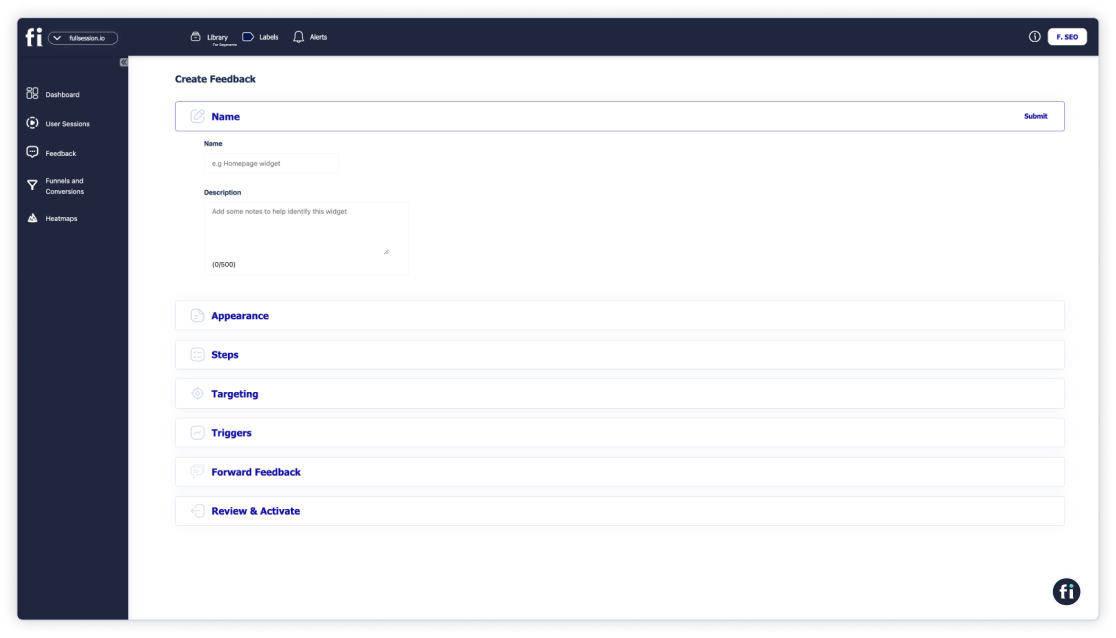
    The FullSession error analysis feature helps you identify, analyze, and resolve errors impacting user experience. By leveraging data on error clicks, network errors, console errors, error logs, and uncaught exceptions, it provides actionable insights to improve the reliability and user satisfaction of your digital products.

    This feature monitors error trends, offers segmentation and filtering, integrates with session replays for context, and provides real-time alerts via Slack, ensuring your team can swiftly address issues and enhance the overall user experience

    Start Collecting Heatmap Data With FullSession Today

    Understanding how visitors click around your website is the first step to upgrading your online presence and optimizing your user journey.

    Click maps are your secret weapon. They offer clear insights into user behavior, allowing you to make smarter decisions for your online business. 

    By analyzing click map data, you’ll uncover details that help you tweak and optimize for a smoother, more engaging user experience and better conversion rates.

    Curious to see how click maps can transform your user flow and website? Give FullSession a try! With our powerful click maps, scroll maps, and other advanced tools, you’ll get a clear picture of user behavior.

    FullSession allows you to:

    • Capture real-time interactions with dynamic elements for accurate user insights
    • Process heatmaps quickly without compromising website performance
    • Ensure user privacy by not recording sensitive information
    • Handle large volumes of data efficiently to uncover crucial insights swiftly
    • Limit behavior tracking to your own site to avoid data misuse
    • Promote seamless team collaboration by centralizing efforts on a single platform

    Book a demo today and see why FullSession is the right tool to enhance your digital experience.

    If you found this article helpful, check out our other guides on session recordings and customer feedback tools. You can also find our reviews and comparisons of Mouseflow vs VWO, LogRocket vs FullStory, LogRocket competitors and more.

    FullSession Pricing Plans

    FullSession offers a free trial so you can test all features before subscription. The annual plan can save you up to 20%!

    FullSession pricing

    We also provide a customized pricing package if your business has specific website analytics needs. Check out our Pricing page.

    FAQs About Click Maps

    What are click maps?

    Click maps are visual tools that show where users click on a webpage. They highlight the most and least clicked areas, providing insights into user behavior and helping identify which elements are engaging or causing issues. They also help you track signs of frustration, such as rage clicks, a specific link that leads nowhere, or some other element that’s broken.

    How to make a click map?

    To create a click map, use a tool like Hotjar or FullSession. Integrate the website heatmap tool with your website, and it will start tracking user clicks automatically. The tool will then generate visual representations of click data, highlighting hotspots and areas with little to no interaction.

    How much is a click on a map?

    The cost of using click maps depends on the analytics tool you choose. Tools like FullSession typically offer tiered pricing plans based on the volume of tracked sessions or features included. Prices can range from free for basic plans to several hundred dollars per month for advanced features and higher usage limits.

    How are clicks tracked?

    You can track clicks by embedding a tracking code or script from an analytics tool like FullSession into your website. This code captures user interactions, including clicks, and sends the data to the tool’s servers, where it is processed and visualized in the form of click maps and other analytics reports.


  • 7 Best LogRocket Competitors in 2026

    7 Best LogRocket Competitors in 2026

    LogRocket competitors are worth evaluating when the tool stops covering your full digital experience stack.

    LogRocket is solid for engineering-led debugging, but heatmaps, funnel analysis, and mobile coverage either sit behind higher tiers or cost extra on top of your existing plan.

    If key features require an upgrade just to unlock, the math changes fast.

    This guide covers seven LogRocket alternatives. For each one, you’ll find what it does, who it suits, which features matter, and confirmed starting prices. Every tool entry delivers detailed insights, so you won’t need a second source.

    Want to see how FullSession stacks up against LogRocket?

    Book a demo, and we’ll walk you through it.

    • FullSession covers session replay, heatmaps, funnel analysis, feedback, and error analysis in one platform at the lowest starting price on this list.
    • FullStory is the strongest choice for enterprise teams that need autocapture and queryable behavioral data across the full customer journey.
    • Sentry wins on error tracking depth, making it the default pick for engineering teams debugging front-end and back-end issues across 100+ platforms.
    • Microsoft Clarity is the only completely free option, with unlimited session recordings and no credit card required.
    • Smartlook is the most complete tool for teams managing both web and native mobile apps under one subscription.
    • Hotjar suits UX researchers and marketers who need heatmaps, on-site surveys, and user interview recruitment without developer involvement.
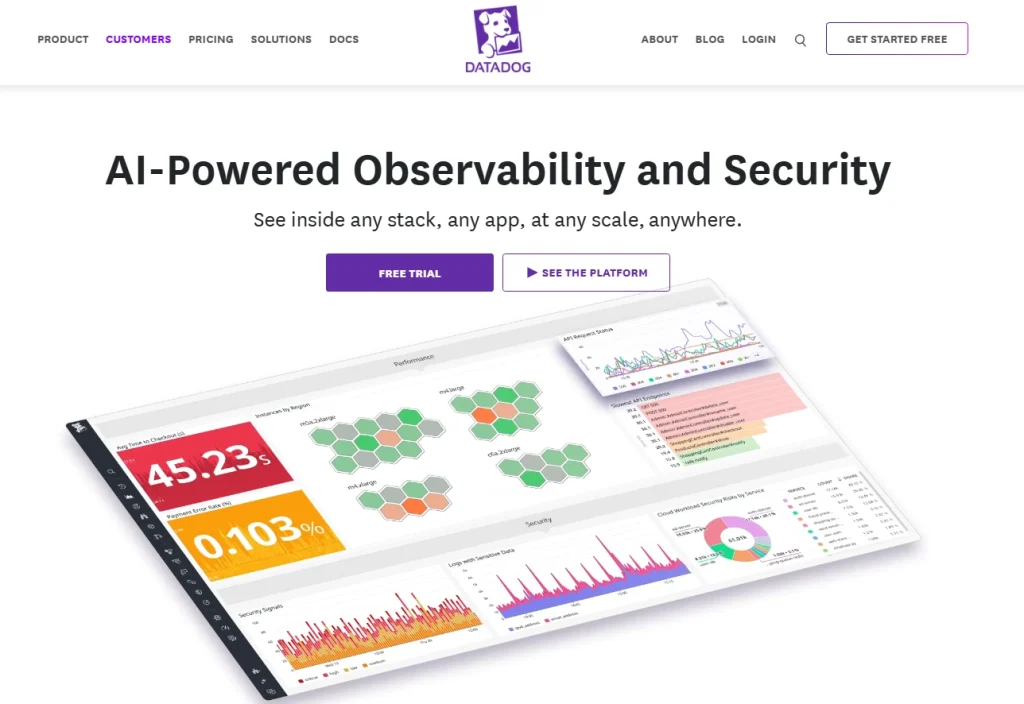
    • Datadog is the right call when session replay needs to connect directly to back-end traces, logs, and infrastructure monitoring.

    Most teams on this list solve one or two problems well. FullSession solves five in a single dashboard, at a price that doesn’t require a sales call to unlock.

    For product, UX, and growth teams that want to move from session data to conversion insight without stitching tools together, it’s the clearest choice here.

    Ready to see it on your own site?

    Start your free 14-day trial and explore session replay, heatmaps, and funnel analysis on your real user data. No credit card required.

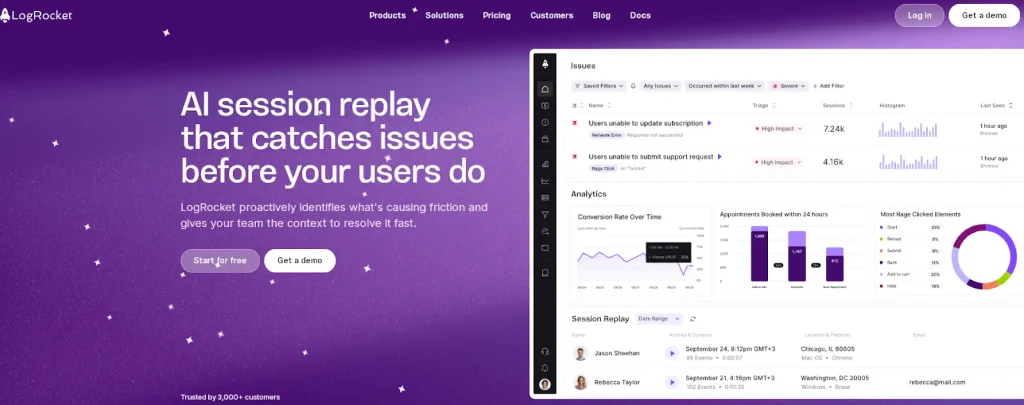
    logrocket ai session replay dashboard

    LogRocket holds a strong position for engineering-led debugging. But there are five consistent reasons teams start looking elsewhere.

    • LogRocket pricing jumps sharply between tiers. The Team plan covers session replay and basic error tracking. Funnel analysis, product analytics, and AI-powered features like Galileo only unlock at Professional, which starts at $295 per month on an annual contract. That’s a steep gap for teams that need more than debugging.
    • Heatmaps aren’t a core part of the product. LogRocket includes basic click and scroll maps, but they’re treated as a secondary feature rather than a primary analytics layer. Teams that want heatmaps as a central workflow tool tend to find the implementation thin.
    • Mobile coverage costs extra. Web and mobile sessions are billed separately. For teams managing both platforms, that means two session budgets, two billing lines, and a higher total cost than most alternatives charge for equivalent coverage.
    • The tool is built for engineers, not the whole team. Product managers, UX researchers, and growth marketers can use LogRocket, but the interface and default workflows reflect its debugging roots. Non-technical users report a steeper learning curve than with tools designed for cross-functional teams.
    • Data retention on entry plans is short. The Team plan retains one month of data. That rules out quarter-over-quarter comparisons, seasonal analysis, and retroactive investigation of incidents older than 30 days.

    If any of these gaps match your current situation, the seven tools below are worth a close look. You can also compare broader Session Recording Replay Tools if your main priority is finding the right replay platform, not only a LogRocket replacement.

    Not every tool on this list solves the same problem. The way users interact with a product on web and mobile apps differs a lot, and the behavior analytics needs follow.

    Before you read the individual reviews, here are six dimensions that separate these platforms.

    • Session replay fidelity: How accurately does the session replay reconstruct what the user actually saw? DOM-based replay is the gold standard.
    • Error tracking depth: Some tools surface JavaScript errors as a side feature. Others, like Sentry, build their entire product around it.
    • Heatmap support: LogRocket doesn’t include heatmap tools on its Team plan. Several alternatives do, at a lower starting price.
    • Mobile app coverage: If you need session replay on native iOS or Android, your list gets shorter fast.
    • Pricing model transparency: Per-session pricing with published rates is far easier to budget for than custom quotes.
    • Team fit: A tool tuned for engineers is a different product from one built for product managers or marketers.

    Session replay features, user engagement metrics, and actionable insights differ across tools, so pick one that aligns with your team’s workflow and how they use analytics.

    Here’s a side-by-side view of the seven tools covered in this guide. Pricing comes from official sources as of May 2026.

    ToolG2 RatingBest ForTop FeatureStarting Price
    FullSession5.0 / 5Product managers, UX designers, CRO specialists, and e-commerce teamsSession replay + heatmaps + funnels + feedback in one platformFree plan, 14-day free trial,
    paid from $23/mo (billed annually)
    FullStory4.5 / 5Enterprise digital experience analyticsAutocapture with queryable behavioral dataFree tier,
    custom pricing
    Sentry4.5 / 5Engineering teams debugging errorsError tracking with stack traces and session contextFree plan,
    paid from $29/month
    Microsoft Clarity4.4 / 5Small teams and budget-constrained organizationsUnlimited free sessions with heatmapsFree, always
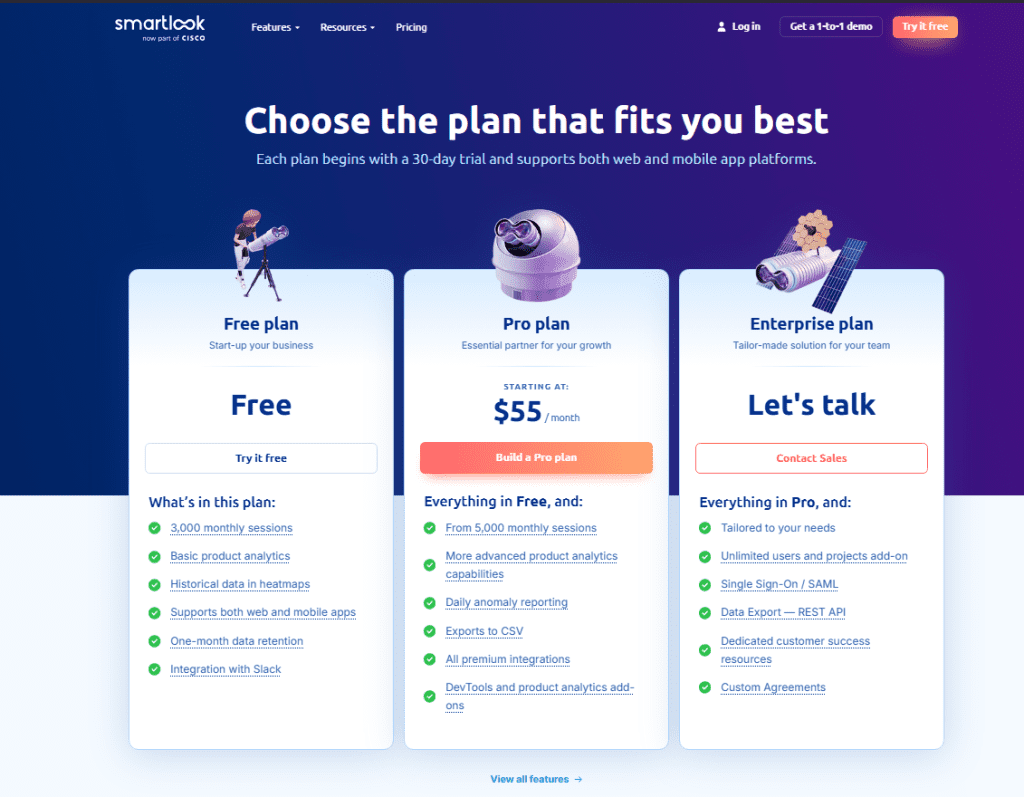
    Smartlook4.6 / 5Teams tracking web and mobile togetherFull-volume recording across web and native mobileFree plan,
    paid from $55/mo
    Hotjar4.3 / 5UX researchers and marketing teamsJourney analysis, Zone-based heatmaps and Sense, Contentsquare’s AIFree plan, paid from $49/mo
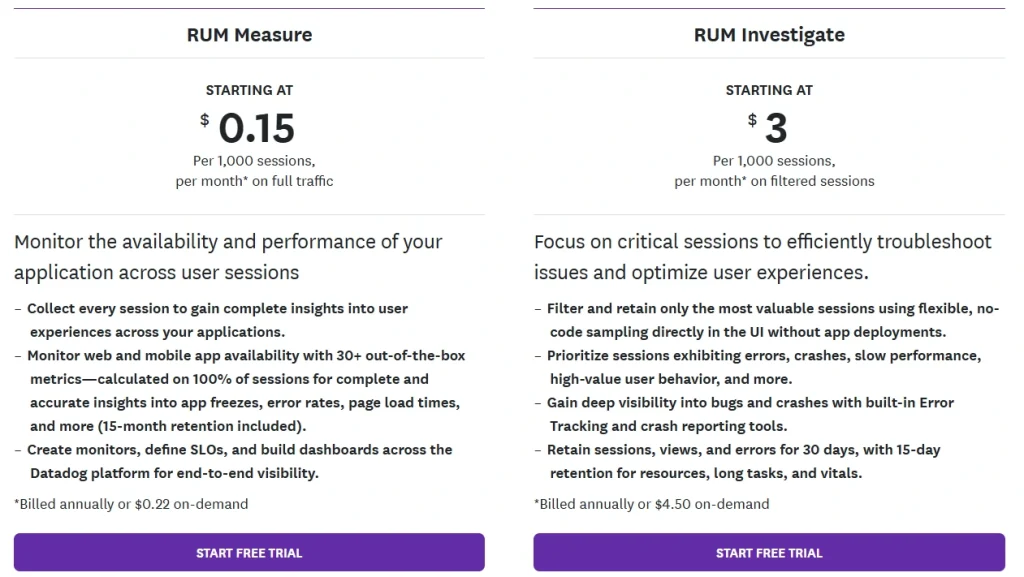
    Datadog4.4 / 5Engineering teams on cloud infrastructureRUM session replay connected to full-stack observabilityRUM from $1.50 per 1,000 sessions

    LogRocket competitors serve different needs. Some help engineering teams debug errors, while others help product, UX, and growth teams understand user behavior through replays, heatmaps, funnels, and customer feedback.

    The reviews below explain what each tool does best, who it fits, and how it compares on features and pricing.

    1. FullSession

    AI Driven Session Replay Product Analytics FullSession

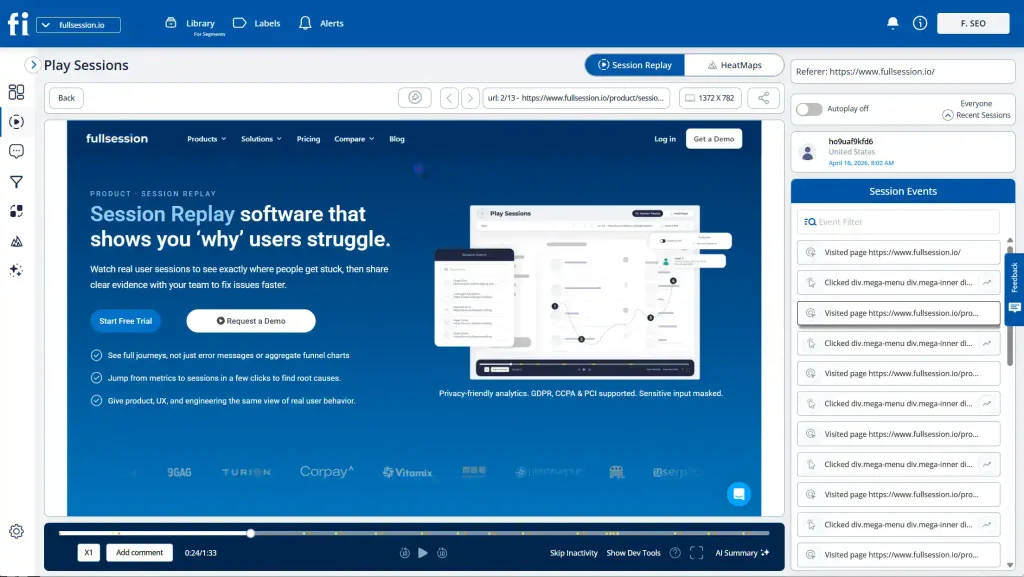
    FullSession is a web behavior analytics platform that combines session replay, interactive heatmaps, funnel analysis, in-page feedback, and error analysis in a single platform.

    It captures technical data about each session alongside behavioral signals, giving teams a comprehensive suite of tools to understand user interactions from first page load to conversion. 

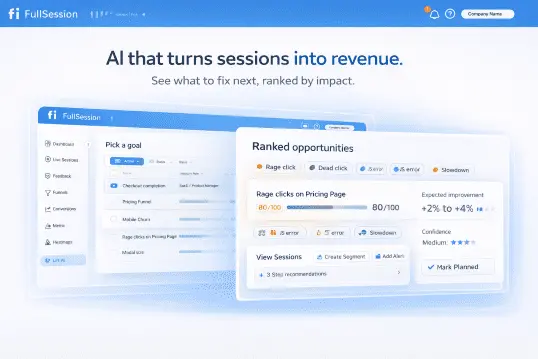
    What sets it apart is the integration of Lift AI, which scans behavioral data to surface the highest-priority fixes for your team.

    FullSession is built privacy-first, with full GDPR, CCPA, and PCI compliance out of the box.

    It is the best LogRocket alternative for teams that want qualitative and quantitative insight beyond debugging. 

    If your workflow involves watching session recordings, analyzing where users scroll, running funnel analysis, and collecting customer feedback in one place, FullSession covers it without stitching multiple tools together.

    Some teams use session data to deliver personalized guidance to users through in-app guides and targeted onboarding flows. FullSession’s behavioral data integrates with the tools that enable that.

    It’s a strong fit for product teams, UX researchers, growth marketers, and ecommerce teams at SaaS and direct-to-consumer companies. It’s less suited to teams whose primary use case is back-end observability or infrastructure monitoring.

    See FullSession in action on your own site.

    Book a demo and get a personalized walkthrough with no commitment required.

    Key features

    • Pixel-perfect session replay reconstructs each session with a timestamped event timeline, rage clicks, dead clicks, and error detection before a drop-off.
    • Interactive heatmaps cover clicks, mouse movement, and scroll depth in real time with dynamic element tracking, so data stays current rather than batched.
    • Conversion funnels show step-level drop-offs with segment comparison, so you can see whether mobile users, paid traffic, or a specific cohort drives churn.
    • In-page feedback widgets collect direct user input tied to the session replay, so you always have context alongside the rating or comment.
    • Lift AI scans user activity patterns to predict which friction points carry the highest revenue impact, cutting the time your team spends reviewing sessions.
    • Error tracking captures JavaScript errors, rage clicks, and broken flows tied directly to session replays, so your team sees exactly what the user experienced when something went wrong.
    • Mobile session replay records user interactions on mobile devices with the same fidelity as web, giving you a unified view of behavior across platforms.

    Pricing 

    FullSession pricing

    The free plan includes 500 sessions per month with 30 days of data retention. Growth plan starts at $23 per month (billed annually) for 5,000 sessions.

    Professional and Enterprise tiers cover higher volumes. All plans save you 20% with annual billing. Full details at the pricing page.

    Ready to see it for yourself? 

    Start your free 14-day trial and explore session replay, heatmaps, and funnel analysis on your own site. No credit card required.

    2. FullStory

    FullStory homepage hero banner with the headline “Better data. Better digital experiences.” and a colorful abstract graphic featuring conversion rate insights and an AI query prompt.

    FullStory is a digital experience analytics platform that autocaptures every user interaction without manual event tagging and structures that data as queryable behavioral output. Its primary category is enterprise digital experience intelligence.

    Three things set FullStory apart on this list: its tagless capture model, StoryAI for session summaries and friction detection, and data warehouse integrations with Snowflake, BigQuery, and Redshift.

    FullStory works best for product managers, UX leads, customer success teams, and support teams at mid-size to enterprise companies where cross-functional visibility into the customer journey is the primary need. 

    It’s a stronger fit for teams focused on experience optimization and journey analysis than for teams whose main workflow is front-end debugging.

    Key features

    • Full autocapture records every click, scroll, and interaction without requiring developers to define events in advance, so retroactive analysis is possible.
    • Session replay covers both web and native mobile apps with frustration signal detection, including rage clicks and dead clicks baked in.
    • Journey analysis maps user paths across multiple sessions to identify the key flows that lead to conversion and the friction points that don’t.
    • StoryAI generates AI-powered session summaries and surfaces behavioral patterns across large session volumes without manual review.
    • Data warehouse integrations connect behavioral data from real user sessions to CRM, revenue, and product data for downstream analysis.

    Pricing 

    FullStory pricing page showing analytics plans for businesses, plan add-ons, and behavioral data solution tabs including Analytics, Workforce, and Anywhere.

    Free tier includes 30,000 sessions per month with 12 months of data retention, but limited feature access. Paid plans include custom pricing.

    3. Sentry

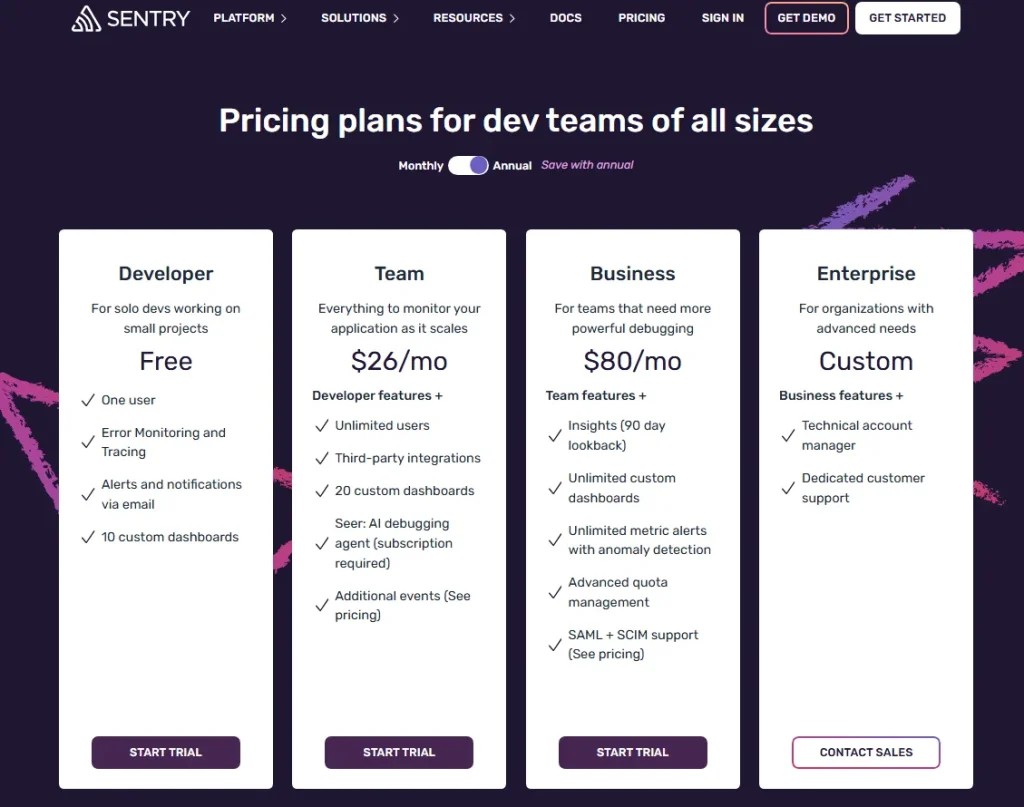
    Sentry pricing page showing Developer, Team, Business, and Enterprise plans with monthly pricing, feature lists, and trial or contact sales buttons.

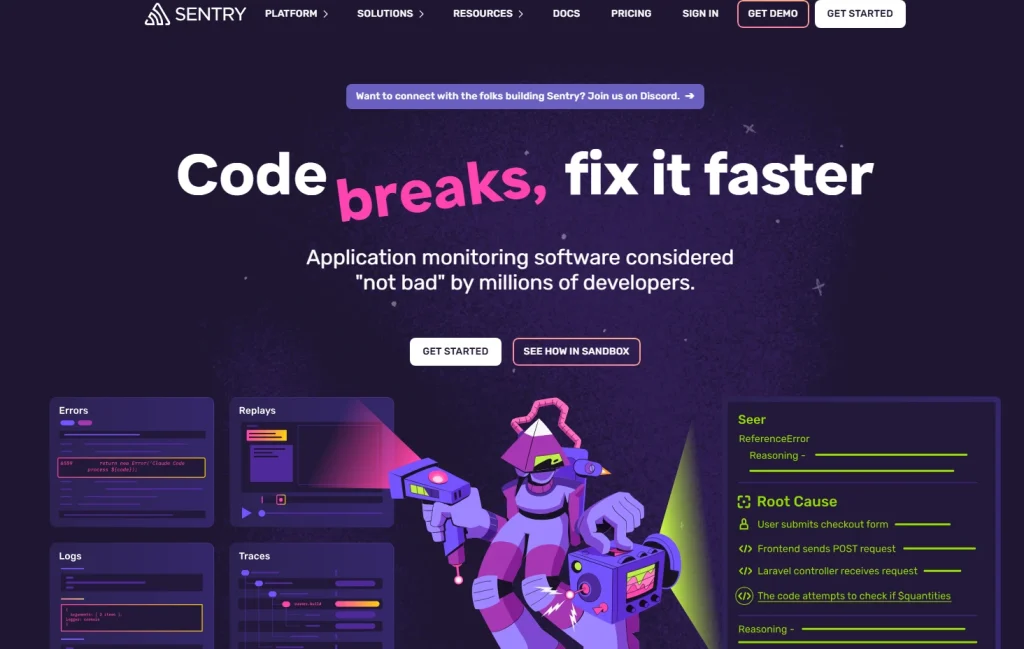
    Sentry is an error monitoring and application performance management platform built for engineering teams. 

    Sentry approaches digital products from the code level. It captures exceptions, stack traces, release trends, and performance regressions, with session replay added as a debugging context layer rather than a UX research tool

    That framing matters because Sentry and LogRocket have the closest use case, but they aren’t interchangeable.

    Sentry is the right choice for engineering and product teams that need deep JavaScript error analysis, back-end tracing, and multi-platform error monitoring. It supports over 100 frameworks and languages, including Python, Ruby, Go, and native mobile.

    Teams that primarily want to understand user behavior patterns rather than identify bugs will find Sentry’s UX analytics thin compared to the other tools on this list.

    Key features

    • Error tracking captures full stack traces with source maps, environment variables, and release-based filtering so engineers can reproduce and assign issues fast.
    • Session replay ties directly to error context, showing DOM events, console logs, and network requests alongside the replay.
    • Performance monitoring tracks transaction traces, slow queries, memory usage, and load time regressions across front-end and back-end systems.
    • Issue workflow integrates with GitHub and Jira for triage, severity scoring, and alert routing so bugs move through the team without manual hand-offs.
    • Broad platform support covers JavaScript, Python, Ruby, Go, iOS, Android, and React Native under one account.

    Pricing

    Sentry pricing page showing Developer, Team, Business, and Enterprise plans with monthly pricing, feature lists, and trial or contact sales buttons.

    The free developer plan covers 5,000 errors and 50,000 transactions per month. Team plan starts at $26 per month.

    Business plan starts at $80 per month. Enterprise pricing is custom.

    4. Microsoft Clarity

    Microsoft Clarity homepage hero banner showing AI-powered website analytics, session recordings, heatmaps, and user insight dashboards.

    Microsoft Clarity is a free web analytics and session recording tool from Microsoft. Its primary category is lightweight behavior analytics for web teams.

    Microsoft Clarity is the only tool on this list that’s completely free with no session cap. The trade-off is 30-day data retention, no funnel analysis, no feedback tools, and limited filtering.

    Microsoft Clarity works best for early-stage teams, content publishers, and small businesses that need basic behavioral insight without a budget commitment. It’s a practical starting point for teams that have never used a session replay tool before.

    Teams that need to track user behavior across multi-step funnels, run A/B testing analysis, or retain data beyond 30 days will quickly hit its ceiling.

    Key features

    • Unlimited session recordings with no monthly cap on the free plan, covering every visit without sampling or throttling.
    • Click, scroll, and heatmap data across all recorded pages with basic segmentation by device and traffic source.
    • Copilot AI integration lets teams query session data using natural language, which speeds up surface-level analysis for non-technical users.
    • Frustration signals flag rage clicks, dead clicks, and quick backs automatically so teams can spot UX problems without manually reviewing sessions.
    • Native integration with Google Analytics and Microsoft Advertising connects behavioral data to traffic and campaign performance in one view.

    Pricing

    Free with no paid plans. Data retention is capped at 30 days. No session volume limits.

    5. Smartlook

    Smartlook pricing page showing Free, Pro, and Enterprise plans with monthly session limits, product analytics features, heatmaps, integrations, and trial options.

    Smartlook is a qualitative analytics platform with native session replay and heatmap coverage across web and native mobile apps, including iOS, Android, React Native, Flutter, and Unity. Its primary category is cross-platform behavior analytics. 

    Its defining feature is full-volume recording at 100% of sessions with no sampling. It also offers retroactive event definition, which lets you create an event today and see its historical data in past sessions.

    Smartlook is the right pick for product teams managing mobile apps alongside web experiences who need unified behavioral analytics without separate tools per platform. Its mobile support is meaningfully stronger than most LogRocket alternatives here.

    Teams that primarily need web analytics with deep funnel customization or feedback collection may find FullSession or FullStory a better fit.

    Key features

    • Full-volume session recording across web and native mobile apps without sampling or throttling, so no user journey is missed.
    • Retroactive event definition means behavioral questions can be answered using data collected before the team decided to track a specific interaction.
    • Click, scroll, and touch heatmaps on both web and mobile with no extra setup, giving teams mobile analytics and web data in the same interface.
    • Funnel analysis tracks user journeys across web and mobile at the same time and flags where users abandon each step.
    • Crash reports for native mobile apps include session replay context for each crash, so engineers see exactly what happened before the app failed.

    Pricing 

    Smartlook pricing page showing Free, Pro, and Enterprise plans with monthly session limits, product analytics features, heatmaps, integrations, and trial options.

    The free plan includes 3,000 sessions per month with heatmaps and basic event analytics. Pro plan starts at $55 per month (billed annually) for 5,000 sessions. Enterprise pricing is custom.

    Cisco acquired Smartlook in 2023 and has now announced end-of-sale and end-of-life dates for Smartlook. The last day to order is May 31, 2026; the last day to renew or add to an existing subscription is August 31, 2026; and the last date of support is August 31, 2027.

    6. Hotjar

    Hotjar homepage banner showing its evolution into a more powerful platform as part of Contentsquare, alongside Heap and Hotjar logos

    Hotjar is a behavior analytics and user feedback platform now operating under the Contentsquare umbrella following its 2021 acquisition. Its primary category is qualitative UX research for web teams.

    Hotjar is built for non-technical users. The interface works without developer involvement.

    Its distinctive advantage over most tools on this list is the combination of heatmaps, session recordings, on-site surveys, and user interview recruitment in a single subscription. Marketing teams and UX researchers are the most common users.

    Hotjar is the right fit for UX research and conversion rate optimization teams that want to collect qualitative insights alongside quantitative data, without connecting to a separate feedback tool. It doesn’t support mobile apps at any price tier.

    Teams that need mobile support, deep funnel analysis, or engineering-level error tracking should look at other options on this list.

    Key features

    • Session replay captures real user sessions with scroll depth, rage clicks, and click tracking. You can filter by device, traffic source, and behavior segment.
    • Click, move, and scroll heatmaps show where users scroll and where their attention concentrates, with user segmentation for targeted analysis.
    • On-site surveys and feedback widgets collect direct user responses tied to specific pages or triggers, adding qualitative context to session data.
    • Hotjar Engage provides user interview recruitment and moderated remote session tools to gather structured user feedback at scale.
    • Funnel analysis tracks user journeys and shows converted users versus those who dropped off, though filtering is more limited than dedicated funnel tools.

    Pricing

    Contentsquare pricing page showing Free, Growth, Pro, and Enterprise plans with monthly pricing, session limits, heatmaps, replays, funnels, surveys, and demo options.

    The free plan includes 200,000 monthly sessions with one project. Growth plan starts at $49 per month, or $39 per month when billed annually, and includes 7,000 monthly sessions, 13-month data access, zone-based heatmaps, journey analysis, impact quantification, and Sense, Contentsquare’s AI. 

    Pro and Enterprise plans are available with custom pricing for higher-volume teams that need more advanced analytics, deeper insights, and tailored support.

    7. Datadog

    Datadog homepage hero banner with the headline “AI-Powered Observability and Security” and a dashboard preview showing performance metrics, service maps, charts, and security analytics.

    Datadog is a cloud monitoring and observability platform that includes real user monitoring and session replay as components of its broader infrastructure and application monitoring suite. Its primary category is full-stack APM and infrastructure observability.

    Datadog is fundamentally different from every other tool here. Session replay isn’t the product. It’s one feature inside a platform built for engineering teams managing cloud systems.

    Datadog’s replay value lies in its connection to back-end traces, server metrics, and log lines from the same moment.

    It isn’t a UX research tool or a conversion optimization platform.

    Product managers or marketing teams evaluating Datadog as a session replay solution will find a better fit elsewhere on this list.

    Key features

    • Real user monitoring captures session data including network requests, console logs, performance metrics, and JavaScript errors with full replay alongside each session.
    • Full-stack observability connects front-end user sessions to back-end traces and infrastructure dashboards so engineering teams can trace a user-reported issue end to end.
    • Mobile support covers iOS and Android with crash reporting, performance profiling, and session replay for mobile app analytics.
    • AI-powered anomaly detection alerts on performance regressions and error spikes across the monitoring stack before users report them.
    • Customizable dashboards combine front-end behavioral data with server metrics, cloud performance indicators, and APM data in a single view.

    Pricing

    Datadog pricing section comparing RUM Measure starting at $0.15 per 1,000 sessions and RUM Investigate starting at $3 per 1,000 filtered sessions, with feature descriptions and free trial buttons.

    Real User Monitoring starts at roughly $1.50 per 1,000 sessions. Session replay is priced separately at roughly $1.50 per 1,000 replays.

    Costs scale quickly at higher session volumes. Enterprise custom pricing is available.

    The best LogRocket alternative depends entirely on what your team is actually trying to do. Here’s a practical breakdown by team type.

    Team TypeRecommended ToolPrimary Reason
    Product managers, UX designers, CRO specialists, and e-commerce teamsFullSessionSession replay + funnels + error analysis in one platform; clear pricing; no dev dependency to get started
    Engineering and product teamsSentryBest error tracking depth with session context; supports 100+ platforms; free tier covers most early-stage needs
    UX and CX teamsFullStoryAutocapture with journey analysis; strong for enterprise cross-functional workflows; 30,000 session free tier
    Marketing teamsHotjarHeatmaps + surveys + user interviews in one tool; accessible for non-technical users; no dev required
    Support teamsFullSession or FullStorySession replay tied to user identity so support agents can see exactly what a user did before raising a ticket
    Mobile-first teamsSmartlookNative iOS, Android, React Native, and Flutter support with full-volume recording and cross-platform funnels
    DevOps and infrastructureDatadogSession replay connected to back-end traces, logs, and server metrics in a single observability stack
    Budget-constrained teamsMicrosoft ClarityCompletely free, unlimited sessions, no credit card; limited depth but covers the basics at zero cost

    A side-by-side tool comparison is a starting point, not a decision. Here’s a practical five-step process for moving from shortlist to choice.

    1. Define your primary workflow. Debugging and error monitoring is a different need from conversion optimization or mobile analytics. Be specific before evaluating any tool.
    2. Shortlist two or three tools based on the team-fit table above. Testing more than three in parallel wastes time and muddies the comparison.
    3. Run a parallel trial. Install each tool on a single live URL for two weeks. Compare session replay quality, filtering depth, and how long it takes a non-technical team member to find a useful insight without help.
    4. Test pricing at your current session volume and projected growth over 12 months. Per-session pricing models can look cheap at trial scale and become expensive at production volume.
    5. Check integration requirements. Confirm the tool connects to your CRM, error alerting system, and data warehouse if applicable. A tool that doesn’t fit your stack creates a parallel workflow nobody uses.

    Before you finalize your shortlist, three practical factors often get overlooked until it’s too late.

    Pricing model comparison

    FullSession uses transparent pricing published on its pricing page with session-based tiers and a 20% annual discount. Sentry and Smartlook also publish starting prices clearly.

    FullStory and Datadog require a sales conversation for most plans beyond the free tier. 

    Microsoft Clarity is free with no paid plans. Hotjar’s pricing has become less predictable since the Contentsquare acquisition, with legacy plans and new plans sometimes at different rates.

    Privacy compliance

    FullSession, FullStory, Hotjar, and Smartlook all confirm GDPR and CCPA compliance on their official sites. Sentry is GDPR-compliant and offers HIPAA BAA on enterprise plans. 

    Microsoft Clarity is GDPR-compliant.

    Datadog maintains SOC 2 Type II certification and offers HIPAA compliance on enterprise contracts. If your industry requires HIPAA or PCI compliance, verify directly with each vendor before trialing.

    Data retention

    Data retention varies a lot across this group. Microsoft Clarity retains 30 days. LogRocket’s Team plan retains one month.

    FullSession’s paid plans start at four months and extend to 15+ months on higher tiers.

     FullStory’s free tier includes 12 months of retention. Shorter retention windows hurt your ability to run quarter-over-quarter comparisons or investigate incidents from weeks prior.

    Integrations

    FullSession integrates with Shopify, BigCommerce, Wix, WordPress, Segment, and Slack, among others. A full list is available on the FullSession integrations page.

    It currently has fewer native third-party integrations than some of the larger competitors. However, we welcome integration requests as part of any enterprise engagement. If it’s a blocker to adoption, we build it. Responsiveness is something we can still offer that the larger players can’t.

    Sentry integrates with GitHub, Jira, PagerDuty, and most major CI/CD tools. FullStory connects to Salesforce, HubSpot, and Segment. 

    Datadog integrates with over 650 technologies across its observability suite.

    FullSession session replay dashboard showing playback of a website session, event timeline controls, heatmap tab, and a side panel listing session events.

    For most web-focused product and UX teams, yes. FullSession covers the widest range of use cases in a single platform at the lowest starting price among the tools reviewed here.

    Most teams pay for three or four separate tools to cover what FullSession handles in one subscription: session replay, interactive heatmaps, conversion funnels, error monitoring, in-app feedback, and mobile session replay for iOS and Android.

    Everything connects on the same dashboard from day one, with no upgrades required to unlock the features you expected from the start.

    The Play Sessions interface gives your team immediate access to every session with an events panel showing each interaction in sequence. The HeatMaps tab is one click away from any session. The Errors and Alerts dashboard surfaces broken user flows before they reach a support ticket.

    Rage click and error detection alerts your team the moment users encounter problems, so you can fix issues before customers report them.

    FullSession-lift-ai

    Lift AI takes it a step further. Instead of leaving your team to manually review sessions and guess what to prioritize, it scans behavioral data, ranks friction points by expected revenue impact, and links each priority directly to the relevant replays. 

    When a fix ships, Lift AI validates whether it moved the needle. You don’t just learn what to fix. You confirm it worked.

    The platform is built for the whole team, not just engineers:

    • Product managers, marketers, and customer success teams can navigate it without a training session
    • Filters, session search, and heatmap views get you to actionable insights in clicks
    • The SDK runs asynchronously, leaving your Core Web Vitals untouched
    • Every pricing tier is published publicly, starting at $23 per month (billed annually), so you can evaluate fit before talking to sales

    Book a demo and we’ll walk you through all the features.

    The right tool depends on what your team is actually trying to accomplish. If the primary goal is engineering-level error tracking and front-end debugging, Sentry is the cleaner choice.

    If you need enterprise digital experience analytics with data warehouse integration, FullStory is worth the premium. 

    If you track both web and mobile, Smartlook is the most complete option. And if budget is the constraint, Microsoft Clarity gives you unlimited recordings at no cost.

    For product teams, UX researchers, and growth marketers who want session replay, heatmaps, funnels, feedback, and error analysis in one platform, FullSession is the strongest option on this list. The pricing is transparent.

    The fastest way to evaluate any tool is to test it on your own site. 

    Start a free 14-day trial of FullSession and see session replay, heatmaps, and conversion funnels on your real user data. No credit card required.

    What is the best free alternative to LogRocket?

    Microsoft Clarity is the only completely free alternative with unlimited session recordings and no monthly session cap. It covers basic heatmaps and frustration signals at zero cost.

    The trade-off is 30-day data retention, no funnel analysis, no feedback tools, and limited filtering. It’s best for small teams testing whether behavior analytics is worth the investment before committing to a paid tool.

    Is FullSession better than LogRocket?

    FullSession is a better fit for product and UX teams that want session replay alongside heatmaps, funnel analysis, and in-page feedback in a single platform. LogRocket is better for engineering teams whose primary workflow is front-end debugging with Redux state capture and deep error monitoring.

    The two tools serve different core jobs. If your team is optimizing conversion and user experience rather than debugging code, FullSession is the stronger choice.

    Does LogRocket have a free plan?

    Yes. LogRocket’s free plan includes 1,000 sessions per month, one project, and one month of data retention. Heatmaps, product analytics, and AI-powered features aren’t available on the free tier.

    The 1,000-session cap runs out quickly for production applications, which makes the free plan better suited to early-stage projects than ongoing monitoring.

    Which LogRocket alternative is best for mobile apps?

    Smartlook is the strongest option for teams that need session replay across both web and native mobile apps. It supports iOS, Android, React Native, Flutter, and Unity under one subscription with full-volume recording and no sampling.

    Datadog is a better fit when mobile monitoring needs to connect to back-end infrastructure. FullSession and FullStory offer web replay but have more limited native mobile support.

    What are the main differences between LogRocket and Hotjar?

    LogRocket is primarily an engineering tool that combines session replay with error tracking, console logs, and network request monitoring. Hotjar is primarily a UX and CRO tool built around heatmaps, session recordings, and direct user feedback through surveys and interviews.

    LogRocket targets developers debugging front-end issues. Hotjar targets marketers and UX researchers understanding user behavior. The tools address different problems and different team workflows.

  • Mouseflow vs VWO: Decide the Best for Your Needs

    Mouseflow vs VWO: Decide the Best for Your Needs

    Choosing the right website optimization tools can make or break your digital success. Mouseflow vs VWO are two popular business tools that promise to boost your website’s performance, but they approach the task from different angles.

    Mouseflow provides session replays and heatmaps, allowing you to watch how visitors interact with your site, while VWO focuses on A/B and multivariate testing to help you increase conversions by trying out various user interface elements.

    However, as you weigh your options, consider FullSession as a potential alternative.

    FullSession combines the best features of Mouseflow and VWO, offering a comprehensive suite of user behavior tools designed to help you optimize your website performance. 

    With FullSession, you can use session recordings and replays, interactive heatmaps, customer feedback forms and reports, conversion and funnel optimization tools, and error tracking, all in one platform.

    Start a free trial to see how it works. We’ll show you each step of the process.

    This Mouseflow vs WVO comparison will showcase the strengths and weaknesses of these products and explain how FullSession powers exponential business results. 

    Let’s begin.

    What Is FullSession?

    FullSession user behavior software

    FullSession is user behavior analytics software that captures all customer interactions on your website. It helps you precisely analyze trends and patterns in user behavior and optimize your site for peak performance.

    With FullSession, you can forget about sifting through numbers. Our platform provides real-time visual insights that simplify the analysis and interpretation of complex user behavior data, supporting more effective and informed decision-making.

    Get a demo now.

    What features does FullSession provide?

    Real-time session recordings and replays

    Real-time session recordings and replays to capture every aspect of the user journey.

    It provides you with the following data:

    • User location and IP address
    • Clicked URL
    • Referrals
    • Visited pages
    • Average time on page
    • Total active time on pages
    • Session list
    • Session event

    Read our article to learn more about session recording and replay tools.

    Interactive click, scroll and mouse movement heatmaps

    Interactive click, scroll and mouse movement heatmaps to track dynamic elements and optimize website interface, usability and performance.

    You can: 

    • Preview the heatmap on different devices
    • See the URL the user visited
    • Track clicks and see the number of total views and total clicks
    • See the error, rage, and dead clicks
    • Get the average load time on page
    • Get the average time on page
    • See the number of users that visited the page

    Read our article to learn more about website heatmap tools.

    Customer feedback forms and reports

    Customer feedback forms and reports to understand the reasons behind user issues and frustrations.

    The website feedback form lets you ask users what they feel and think about their digital experience in real time. You also get access to the customer feedback report, which shows the user ID, URL, comment the user left, device type, and feedback date.

    FullSession also goes one step further – each feedback is connected to the user’s session recording, so you can watch what happened to better understand their comments.

    Conversion and funnel optimization tools

    Conversion and funnel optimization tools to reduce drop-offs in your marketing and sales funnels.

    With this feature, you can track:

    • Funnel steps: Visualize user progression and conversion rates.
    • Funnel trends: Track changes in user flows and conversion rates over time.
    • Top events: Identify actions that boost conversions.
    • Top issues: Spot obstacles reducing conversions and fix them.
    • Time engaged: Measure interaction time to detect user frustration.
    • Top engaged: Improve the most engaging funnel steps.
    • Revisit rate: Track and reduce exits before advancing.
    • Segment analysis: Compare performance across user segments.
    • Time period comparison: Analyze performance trends over different periods.
    Website error tracking

    Website error tracking to find and fix issues that stop people from converting.

    It provides the following capabilities:

    1. Error clicks: Detects non-responsive elements and fixes JavaScript errors.
    2. Network errors: Monitors and resolves server request failures.
    3. Console errors: Logs and analyzes JavaScript errors for fixes.
    4. Error logs: Captures detailed error information for debugging.
    5. Uncaught exceptions: Handles critical errors to prevent crashes.
    6. Error trends and segmentation: Visualizes error data and trends.
    7. Alerts and notifications: Sends real-time error alerts via Slack.

    Get a demo to see how it works.

    What Makes FullSession Stand Out From Mouse and VWO

    FullSession consolidates all this data into a user-friendly dashboard and provides visual reports to streamline your analysis. It makes it easy to quickly identify and solve customer experience issues that block your website growth.

    It also helps you:

    1. Track dynamic elements in real time for precise user insights
    2. Accelerate heatmap processing with zero impact on site speed
    3. Protect user privacy by excluding sensitive data recording
    4. Manage extensive data sets effectively and quickly reveal key insights
    5. Limit user behavior tracking to your site, preventing data misuse 
    6. Facilitate cross-team collaboration and unify team efforts on one platform

    We prioritize your users’ privacy above all else and comply with GDPR, CCPA, and PCI standards.

    FullSession Pricing

    FullSession pricing

    The pricing starts at $39 per month for up to 5,000 monthly sessions, making it an affordable solution for businesses on a budget. What’s best, you can save up to 20% with annual plans.

    Feel free to schedule a demo! We’ll show you how everything works before you make your decision. 

    Mouseflow vs VWO: How They Compare and Contrast

    Since we explained how FullSession optimizes your website performance, let’s look closely at Mouseflow and VWO

    We’ll compare these tools, highlight their strengths and weaknesses, and explain why FullSession could be a more suitable software company for your needs, helping you make a well-informed choice.

    Mouseflow vs VWO: Primary purpose

    Mouseflow and VWO serve different purposes in website optimization.

    Mouseflow focuses on behavior analytics. It uses heatmaps and session replays to show how visitors interact with your website.

    VWO, on the other hand, is primarily an A/B testing platform. It allows you to create and run experiments on your website and test different versions of your pages to see which performs better.

    FullSession combines the best features of both tools.

    This all-in-one approach makes FullSession a versatile choice for businesses looking to improve their online presence with behavioral insights and advanced testing capabilities.

    Mouseflow vs VWO: User rating

    Mouseflow and VWO have received feedback from hundreds of users, providing a snapshot of their satisfaction.

    Mouseflow vs VWO user reviews

    Image source: G2

    Mouseflow has a rating of 4.6 out of 5 on G2, based on 617 reviews. However, users have raised concerns about the pricing structure, credit usage, and data overload. 

    They also mention issues with the user interface and learning curve and note that behavioral data is not always 100% correct.

    Mouseflow vs VWO user reviews

    Image source: G2

    VWO rating is slightly lower, at 4.3 out of 5 from 630 reviews on G2. While still positive, this indicates that users may have found some areas for improvement.

    For example, users have reported that the visual editor can be unreliable, analytics may not always match data from other reporting tools, the dashboard looks outdated, and accessing all desired features may require purchasing several different products on this platform.

    Mouseflow vs VWO vs FullSession: Key features comparison

    FullSession, Mouseflow and VWO offer different strengths in web analytics and optimization. Let’s compare their key features.

    FeatureFullSessionMouseflowVWO
    Real-time trackingYesYesYes
    Custom eventsYesYesYes
    Session recordings and replaysYesYesYes
    Dynamic heatmapsYesYesYes
    A/B testingYesNoYes
    Conversion funnel analysisYesYesYes
    Customer feedback toolsYesYesYes
    Form analyticsYesYesYes
    Form popup triggersYesYesYes
    Error trackingYesYesNo
    API integrationsYesYesYes
    Privacy and securityGDPR, CCPA and PCIGDPR and CCPAGDPR and CCPA
    PricingStarts at $39 per month for 5,000 sessionsStarts at $42 per month for 5,000 sessionsStarts at $339 per month for VWO Testing

    FullSession stands out with its modern interface and comprehensive feature set.

    It helps you track dynamic elements in real time, get instant heat map data, protect user privacy, manage extensive datasets efficiently, prevent data misuse and enjoy a robust remote collaboration tool all in one place.

    Want to learn more? Get a demo today!

    Mouseflow vs VWO: Best for

    Mouseflow is for small to medium-sized businesses looking for detailed user behavior insights. It helps with qualitative analysis by letting you observe real user sessions.

    VWO is suitable for larger enterprises focused on A/B testing and conversion optimization. It provides more quantitative analytics data, which is useful for statistical analysis of user behavior. Teams that need a different pricing model, feature mix, or workflow fit can also compare VWO alternatives before choosing a platform.

    FullSession is suitable for all types of businesses. It provides quantitative and qualitative data, combining the best features of Mouseflow and VWO to capture a holistic view of user behavior during the entire customer journey.

    Mouseflow vs VWO: Setup process

    Setting up Mouseflow and VWO is quite different.

    Mouseflow offers a simple setup. You just need to add a small piece of code to your website. This code starts tracking visitor behavior right away.

    VWO’s setup is more complex. It requires extra steps to get all features working properly, and you might need some technical know-how to set it up correctly. You’ll need to set up each feature individually. It gives you more control but requires more time and effort.

    FullSession’s setup is straightforward:

    • Register your account
    • Add website details
    • Add script to your site
    • Start recording visitor behavior

    No developer skills are required—setup takes just minutes, making our user behavior analytics solution accessible to everyone.

    Mouseflow vs VWO: Integrations

    Mouseflow integrates with many tools, including eCommerce platforms, analytics suites, and A/B testing tools. This flexibility allows you to easily connect Mouseflow with your existing tech stack.

    VWO also provides integrations, but its options may be more limited than those of Mouseflow. Both tools offer API access, enabling you to create custom integrations if needed.

    Mouseflow vs VWO integrations

    FullSession works with all the go-to-market tools your team already uses, including Open APIs, native integrations, and modern webhooks.

    For mobile and desktop compatibility, all three platforms allow you to track user behavior on multiple devices simultaneously.

    Mouseflow vs VWO: Security and compliance

    Mouseflow uses encrypted connections to protect your information and offers options to mask sensitive data, keeping your users’ details safe.

    VWO also emphasizes security measures and provides SSL encryption and secure data storage. It allows you to control data retention periods, giving you more flexibility in managing user information.

    Data collection practices differ slightly between the two. Mouseflow offers continuous recording on all plans, while VWO may use sampling depending on your subscription level.

    Both tools comply with major data protection regulations, including GDPR and CCPA.

    However, FullSession is GDPR and CCPA-compliant and offers the benefit of PCI compliance. It ensures payment card data security, protecting critical business processes and customers from data breaches and fraud. 

    Mouseflow vs VWO: Support

    Mouseflow provides support through its dedicated 24/7 team. You can reach out via email or chat for assistance.

    VWO also offers customer support, but the availability may vary depending on your plan. They typically provide email support, with phone and chat options for higher-tier plans.

    Neither Mouseflow nor VWO currently offer community feedback tools. For quick help, both platforms have knowledge bases and documentation.

    FullSession offers support via email and chat. The team responds promptly to inquiries. It also gives you access to helpful guides.

    Mouseflow vs VWO: Pricing

    Mouseflow vs VWO pricing

    Mouseflow provides a free trial to test the tool before committing to one of four paid plans. Each plan differs by the number of monthly sessions, website projects and data storage. The lowest plan starts at $42 monthly for one project, three months of storage and 5,000 sessions per month.

    Mouseflow vs VWO pricing

    VWO offers a free trial and modular pricing plans. This means you need to purchase each feature pack separately. The monthly pricing for the VWO Testing Web Package depends on the number of tracked users, starting at $190 per month and billed annually. Advanced features are available in the higher plans.

    Mouseflow’s plans are generally more budget-friendly for small businesses. VWO’s higher price point reflects its focus on enterprise-level features.

    FullSession, on the other hand, provides three paid plans based on the number of monthly sessions. If you pay annually, you get a 20% discount on all pricing plans.

    The Starter plan costs $39/month for up to 5,000 monthly sessions and includes all basic features such as session replays, unlimited heatmaps, customer feedback tools and error tracking.

    The Business plan, which costs $75/month and allows up to 100K monthly sessions, includes funnel, form and conversion optimization tools as well as UTM analytics. The last one helps your sales and marketing teams with marketing data management, supports campaign measurement and enables them to understand buyer intent data to optimize their efforts.

    The Enterprise plan includes priority support, a dedicated customer success manager and full access to all features.

    Book a demo to learn more.

    Why Choose FullSession

    FullSession provides a secure data foundation for website analytics, enabling you to track user interactions with dynamic elements on your site in real time.

    This real-time tracking offers more accurate insights into user behavior and supports incremental measurement disciplines, ensuring you gather valuable data without being overwhelmed.

    Additionally, our platform seamlessly processes large volumes of data, helping you uncover important insights from your analytics data.

    FullSession instantly processes heatmaps, so your website’s loading speeds remain fast and unaffected. It is crucial for maintaining visitor engagement and ensuring a smooth user experience.

    Privacy is paramount with FullSession. You can exclude recording sensitive data and safeguard your users’ personal information.

    FullSession collects user behavior data exclusively on your website. It prevents recording user activities elsewhere online, maintaining the integrity and security of your information.

    Our platform also facilitates team collaboration by bringing your whole team together in one place. Different departments can use our analytics tools collectively, leveraging the software development kits provided for improved functionality and integration.

    By choosing FullSession, you can access powerful tools that help you better understand your users, optimize your site and boost conversions through insightful, real-time data.

    Get a demo now.

    Final Words About Mouseflow vs VWO vs FullSession

    Mouseflow and VWO are both valuable tools for improving your website. They have different strengths to help your business grow.

    Mouseflow is great for watching how users interact with your site. It provides heatmaps and session replays that show exactly what visitors do on your pages.

    VWO provides A/B testing and conversion optimization features. It lets you try different versions of your site to see what works best. It can help you boost sales and sign-ups.

    Your choice depends on what you need most. 

    Some businesses use both tools together. It gives them a complete picture of their website’s performance and ways to improve it.

    However, FullSession provides an all-in-one user behavior analytics platform that combines key features of Mouseflow and VWO.

    Why pay for separate tools when you can get everything you need in one place?

    Start your journey with FullSession. Book a demo today.

    FAQs About Mouseflow vs VWO

    Let’s explore some key questions about these platforms to help you make an informed decision.

    What are the benefits of Mouseflow?

    Mouseflow, one of the first mobile measurement partners, continuously records user sessions without sampling, giving you a complete picture of visitor behavior. 

    The platform’s heat maps help you visualize where users click, move, and scroll on your pages to guide design decisions and improve user experience.

    Mouseflow’s funnel analysis tool lets you track user paths through your site. You can identify drop-off points and optimize conversion rates.

    You can create digital forms to see how users interact with them. It can streamline form design and reduce abandonment rates.

    Is Mouseflow any good?

    Mouseflow has received positive reviews from many users. It scores 4.6 out of 5 on G2 based on user ratings, indicating high satisfaction. You can check out Hotjar vs Microsoft Clarity or Hotjar alternatives to evaluate competitors.

    What is the difference between Mouseflow and Clarity?

    Mouseflow provides more detailed analytics tools, including funnel and form analysis.

    Clarity is a Microsoft product that integrates well with other Microsoft tools. It’s also free, which can be attractive for small businesses or those on a tight budget.

    How much is Mouseflow vs Hotjar?

    Mouseflow and Hotjar have different pricing structures.

    Mouseflow offers a free plan with limited features. Paid plans start from $42 per month for small websites. Hotjar also has a free basic plan. Its paid plans start at $39 per month.


  • Hotjar vs FullStory: Which Tool Is Better for UX, Product, and Support Teams?

    Hotjar vs FullStory: Which Tool Is Better for UX, Product, and Support Teams?

    If you are specifically deciding between Hotjar and FullStory, this guide is the direct side-by-side comparison. Hotjar is usually the better fit for teams that want simple heatmaps, recordings, and feedback in one place, while FullStory is better suited to teams that need deeper session replay, debugging context, and broader digital experience analytics.

    Looking at more than just these two tools?
    If you also want to compare Crazy Egg and Mouseflow alongside Hotjar and FullStory, read our broader guide: Hotjar vs Crazy Egg vs Mouseflow vs FullStory

    In this article, we’ll discuss these key differences and how they affect your user experience analysis. We’ll also highlight a great alternative –FullSession, our web analytics platform. 

    It provides you with session recordings and replays, interactive heatmaps, customer feedback forms, funnel and conversion tracking, error analysis, and advanced analytics. These features help you identify friction points and frustration signals, collect customer feedback, and improve product performance.

    Start a Free Trial to Experience FullSession

    Capture all user interactions, spot trends and patterns and drive improvements without compromising your website performance.

    Let’s begin this in-depth comparison article by explaining the basics of Hotjar, FullStory, and FullSession as an alternative to both.

    What is Hotjar?

    Hotjar

    Hotjar is a behavioral and product experience analytics software designed to help product teams and e-commerce brands understand user behavior via session recordings, heatmaps, and customer feedback tools.

    Hotjar also helps you eliminate guesswork by asking customers where they encounter issues and have objections to your website. With Hotjar, you can observe what website visitors do on your site and track actions like button clicks, scrolls, and mouse hovering. You can use these insights to improve the overall user experience. 

    To learn more about this tool, you can read our Hotjar review.

    What is FullStory?

    Image source: G2

    FullStory is website analytics software that helps businesses analyze how users interact with various web and mobile elements, such as drop-down menus, call-to-action buttons, form fields, and more.

    FullStory helps you identify website bugs and challenges that various user segments experience when using your website, but teams with different budgets or workflows may also want to compare FullStory competitors
    before deciding. You can use the data to provide support, improve your site, and optimize the customer experience.

    What is FullSession?

    FullSession

    FullSession is our customer experience analytics software that helps you collect user feedback and track and analyze user behavior while interacting with your website, web app, or landing page. 

    It allows you to identify areas where web visitors rage click, experience issues on your site, and fail to convert into paying customers. With this data, you can fix bugs, improve the user experience, and increase conversion rates.

    Our user behavioral analytics tool helps product managers, digital marketing teams, web designers, UX researchers, and UX designers visualize user events and track the customer journey

    They have session recordings and replay tools, click, mouse movement, and scroll heat maps, conversion and funnel tracking, error analysis, customer feedback tools, and advanced UX analytics at their disposal.

    Get a 360° View of User Behavior

    Learn how to visualize and analyze all user interactions with FullSession.

    Hotjar vs FullStory: How They Compare and Contrast

    At first glance, Hotjar and FullStory are pretty similar. They’re both web analytics tools that help you collect and interpret quantitative and qualitative data on website visitors’ user behavior.

    While both tools have similarities, they also have key differences that set them apart. In this section, we’ll explore how both solutions compare and contrast.

    Key differences between Hotjar and FullStory

    Here are the primary differences between Hotjar and FullStory:

    1. Hotjar combines user behavioral data with user feedback to help you understand how website visitors behave across various web pages and what they think about your site. FullStory, on the other hand, lets you analyze user behavior through funnel analysis to identify areas where users drop off the funnel.
    2. The Hotjar platform gives you an overview of user behavior and the insights you need to improve the user interface. FullStory provides search functionality, and it records each user interaction. You use its search functionality to find user events and support your customers.
    3. Hotjar doesn’t let you analyze user behavior on mobile apps, while FullStory helps you analyze user behavioral data on mobile apps and websites.
    4. Hotjar focuses on helping UX teams monitor user behavior and get customer feedback to improve website usability and lead generation. FullStory enables you to identify the user experiences of specific user segments and fix website bugs.

    User ratings: Hotjar vs FullStory

    According to Capterra, Hotjar scores 4.7 out of 5 based on 515 user reviews, while FullStory scores 4.6 out of 5 based on 66 user reviews. 

    Best use cases for Hotjar vs FullStory

    Hotjar and FullStory serve similar industries, starting from e-commerce, digital marketing, and product development. They are beneficial for marketing, product development, and customer support teams.

    Hotjar vs FullStory: Deployment

    You can deploy both Hotjar and Fullstory the same way. You need to copy their Javascript codes into your website source code. The code snippet logs user actions like scrolls, page views, button clicks, mouse movements, and other user interactions.

    Feature comparison: Hotjar vs FullStory

    Here, we’ll compare features feature by feature. First, we’ll examine the features both platforms share and then move on to those that differentiate them.

    Heatmaps

    Both Hotjar and FullStory provide the heatmap user behavioral tool. With Hotjar, you can use heatmaps to identify friction in the customer experience. You can see where users spend the most time and what impacts their customer journey. 

    Heatmaps also reveal how users interact with key elements on your web pages, including where users click and scroll. 

    When using heatmaps, you can visualize user behavioral data via colors. Red indicates the sections of your web pages with the highest engagement, while blue indicates those with the least interaction. A heatmap, in this context, is divided into other facets of on-site user interaction. 

          1. Scroll maps

    Scroll maps show how far users scroll on your website, including the specific percentage for each page section. This way, you can determine whether your pages are too long and why some web page elements don’t get attention.

          2. Click maps

    Click maps show you where users click on your website. You can use the data to know the buttons, links, and CTAs users click the most.

          3. Movement maps

    While both tools offer scroll and click maps, they differ in another case.

    Hotjar provides another type of heatmap that you won’t find on the FullStory platform: movement maps. This feature shows you user mouse movement patterns so you can see the web elements your users like to interact with the most. 

    For example, if customers keep navigating around your page’s header, it’s ideal to place CTAs or lead capture links there.

    Session recording

    While heatmaps are ideal for showing you the web elements that gain the most and least attention, you’ll still want to see how users act when navigating your web pages, and this is where session recordings come into play.

    Hotjar and FullStory provide this feature, but FullStory names it “Session Replay.” FullStory offers advanced functionality in its session recordings feature. For instance, you can link customer complaints to a session replay so that customer support can quickly understand the context and solve customer problems.

    Heatmaps vs session replays

    Unlike heatmaps, the session replay functionality does not provide aggregated statistical data. Instead, The FullStory session replay lets you see exactly how the user navigated your website, how they moved their mouse, and what they clicked. 

    This important feature lets you gain a bird’s eye view of the user experience. How do all of your customers navigate across various web pages? Do they get stuck hopelessly on the same page? Or do most of them gravitate toward the About Us section instead of your blog? 

    Analytics data from session recordings answer these questions, and you can use the information to tweak your site’s UI. For instance, if you notice that a particular button shows a dead click, you can quickly fix the issue, optimize your site accordingly, and increase conversion rates.

    While Hotjar and FullStory provide session recording features, FullStory is a winner due to the added usability of session recordings for supporting your customers. For instance, when a customer submits a ticket complaining about an issue, FullStory will provide a session replay showing what the user did before and after submitting a ticket.

    Feedback widget and survey

    You can use the Hotjar “ask” feature to insert surveys on specific web pages to know what users feel and think about your site’s functionality.

    FullStory doesn’t provide a native survey feature, but it offers integrations with other platforms, such as Survicate and Qualtrics, to connect your UX data with your targeted surveys.

    It also lets you build conversion funnels to map out each step of a user flow. This feature allows you to see where most customers drop off and fail to convert.

    Hotjar vs FullStory: Languages

    Hotjar’s interface is currently available only in English. However, user-facing features like Surveys and Feedback are supported in multiple languages. FullStory only supports English.

    Hotjar vs FullStory: Integrations

    When connecting with third-party tools, Hotjar and FullStory integrate with popular apps like Optimizely, Hubspot, Slack, Segment, Omniconvert, WordPress, Shopify, and more.

    In contrast, FullStory has a much larger base of integrations than Hotjar, which only has seven native integrations. You can connect with more apps via Zapier.

    Hotjar vs FullStory: Support

    Both tools differ greatly in their support approach. Hotjar provides support via a knowledge base and email, while FullStory provides support via LiveChat and email tickets.

    Which tool should you choose?

    • Choose Hotjar if you want an easier mix of heatmaps, recordings, surveys, and feedback for website UX research.
    • Choose FullStory if you need deeper replay, stronger debugging context, and broader cross-team visibility for product, support, and engineering.
    • Choose neither by default if your workflow needs replay, heatmaps, funnels, feedback, and error analysis in one platform.

    Pricing comparison: Hotjar vs FullStory

    Now, let’s move on to how the pricing for each tool can affect your budget. Both products have the same pricing model—they offer a free plan and charge a monthly fee for their premium packages.

    Hotjar pricing

    Hotjar pricing

    Hotjar provides three paid plans—Observe, Ask, and Engage. The Observe plan helps you track customer events using web analytics features like heatmaps and session recording. It includes:

    • Basic—costs $0 and allows you to track up to 35 sessions/day
    • Plus—costs $39/month and lets you track up to 100 sessions/day
    • Business—starts from $99/month and lets you track 500 to 270,000 daily sessions
    • Scale—starts at $213/month and lets you track 500 to 270,000 daily session recordings

    The Ask plan lets you discover how your users feel and what they have to say via the feedback tool. It is divided into:

    • Basic—costs $0 with access to 20 monthly responses
    • Plus—costs $48/month with access to 250 monthly responses
    • Business—starts from $64/month and lets you receive 500 to 100,000 monthly responses
    • Scale—starts at $128/month and offers access to unlimited monthly responses

    Lastly, the Engage plan allows you to automate recruitment, scheduling, and hosting for moderated user interviews. It is divided into:

    • Basic—costs $0 with access to 3 interviews/month from your own network
    • Plus—costs $39.2/month with access to up to 3 interviews/month from the Hotjar participant pool and unlimited interviews from your own network
    • Business—starts from $440/month with access to 12 interviews/year from the Hotjar participant pool and unlimited interviews from your own network
    • Scale—offers customized pricing and access to 20 interviews/month from the Hotjar participant pool and unlimited interviews from your own network

    FullStory pricing

    FullStory pricing

    As for FullStory, it offers a free plan that provides basic behavioral analytics. The free plan enables you to track up to 1000 session replays per month.

    The FullStory paid plans are divided into three—Business, Advanced, and Enterprise.

    1. The Business plan offers a 14-day trial and allows you to track up to 5,000 sessions 
    2. The Advanced plan offers premium product analytics tools and everything included in the Business plan
    3. The Enterprise plan offers a customized plan, so you’d have to contact sales or request a demo

    A downside is that the company does not provide transparent pricing, meaning you’ll have to contact their sales team to get a quote.

    So far, we’ve covered how Hotjar and FullStory compare and contrast. Let’s move on to an alternative web analytics solution – FullSession, which also helps analyze user behavior.  

    What is FullSession?

    FullSession, our web analytics software, helps you capture and analyze all customer behavioral data and visualize how users interact with your website, web applications, and landing pages. All this goes to one goal: understanding user behavior.

    This way, you can identify issues within the user journey, fix them accordingly, and help them convert to paying customers.

    Book a demo to see FullSession in action.

    What Features Does FullSession Provide?

    FullSession provides powerful behavioral analytics tools that show how web visitors and customers interact with your website elements like headers, call-to-action buttons, drop-down menus, and more.

    Let’s go deep into each feature.

    Session recordings and replays

    session recording

    This web analytics feature lets you see your users’ actions as they navigate your website pages. Session recording and replay go beyond quantitative data and provide specific behavioral data showing:

    • User scroll behavior
    • Mouse movements
    • Button clicks
    • Text inputs in real-time without showing sensitive information

    With our session recording and replay, you can gain access to data such as:

    • User location and IP address
    • The URL user visited
    • Referrals
    • Average time on page
    • Total active time on page
    • Session list
    • Session event

    You can skip periods of user inactivity, save time, and focus on what matters. You can also drop notes or share the user session recordings with your team for better collaboration.

    Interactive heatmaps

    heatmap

    Our website heatmap tool visually represents how individual users interact with your website elements. It highlights areas where users give the most attention and lets you see the most engaging buttons, links, form fields, call-to-actions, blog content, and website copy.

    This way, you can use the user insights to optimize your web pages to increase conversions.

    With FullSession interactive heatmaps, you can:

    • Preview the heatmap on different devices
    • See the URL the user visited
    • Track clicks and see the number of total views and total clicks
    • See the error, rage, and dead clicks
    • Get the average load time on page
    • Get the average time on page
    • See the number of users that visited the page

    Click map example

    click map example

    Mouse movement map example

    mouse movement map

    Scroll map example

    scroll map

    Insights

    insights

    FullSession provides detailed insights and an easy-to-understand overview of customer behavior across your web pages to identify frustration signals that lead to funnel drop-offs and decreased conversion rates.

    Customer feedback widget

    customer feedback tool

    The customer feedback form lets you ask users what they feel and think about their digital experience in real time. You also get access to the customer feedback report, which shows the user ID, URL, comment the user left, device type, and feedback date.

    customer feedback report

    Even better, you can watch a user session related to negative feedback to determine what caused a negative customer experience. This information can help you create a customer-centric strategy for your product.

    session recording with customer feedback

    Segments

    segments

    Our segments feature helps you build specific user segments and use them to filter major events in user sessions. This saves you time during analysis, as you can quickly find the necessary data.

    Notes

    The FullSession platform provides notes that enable you to leave comments about customer behavior and share them with your team. This allows you to assess challenging areas and improve your product performance.

    Funnel and conversion tracking

    funnels and conversions

    This feature lets you track conversion goals using metrics like time to convert and user percentages, giving you powerful insights into your marketing strategy. By pinpointing successful campaigns and areas for improvement, you can maximize your strategy for the best budget value.

    The FullSession funnels and conversions feature dives deep into user journeys, allowing you to monitor and optimize every stage of your conversion funnel. With tools like Funnel Steps and Segmentation Analysis, you can:

    • Track conversion goals and user percentages to see what’s working
    • Gain actionable insights to refine your marketing strategy
    • Identify and amplify successful marketing campaigns
    • Visualize where users convert or drop off
    • Spot trends and seasonal changes in user behavior
    • Identify and replicate key actions that boost conversions
    • Detect and fix issues causing user drop-offs
    • Measure and address user frustration at each step
    • Enhance engaging features for better retention and conversions
    • Reduce exit points by tracking users leaving early
    • Compare and tailor experiences for different user segments
    • Analyze performance over time to adjust strategies 

    Error analysis

    error analysis

    The FullSession feature allows you to detect, examine, and correct errors that affect user experience. 

    By gathering extensive data on various error types, such as error clicks, network failures, console errors, error logs, and unhandled exceptions, FullSession delivers practical insights to boost the reliability and user satisfaction of your digital products.

    With this feature, you can:

    • Identify and fix elements that cause client-side JavaScript errors
    • Monitor and resolve server request failures to ensure smooth connectivity
    • Analyze and address JavaScript error messages to improve your application’s codebase
    • Access detailed error logs to diagnose and fix issues accurately
    • Find and handle critical errors to prevent application crashes
    • Segment data and visualize trends to understand and address errors
    • Receive real-time alerts via Slack for immediate error response

    You can book a demo today to learn more.

    What Makes FullSession Stand Out

    While FullSession provides similar features to Hotjar and FullStory, many traits make it stand out. Here are some of the major ones:

    1. FullSession helps you quickly filter user sessions to identify significant events via user segments, user feedback, and more.
    2. While Hotjar will significantly slow your site’s loading speed, FullSession will enable you to analyze user behavioral data without affecting your site’s performance. We cover that in more detail in does Hotjar slow down my site?.
    3. The FullSession insights provide a comprehensive analysis of user behavior and help you quickly identify friction points and funnel drop-offs that affect conversions.  
    4. Our web analytics solution helps you to gather customer feedback and run user surveys to know what users think and feel about their digital experience with your product.

    Now that you know some of the traits that make FullSession unique, let’s move on to why FullSession is ideal for your web analytics needs. 

    Four Reasons to Use FullSession

    Here are four key reasons why you should use FullSession for your web analytics needs.

    1. FullSession enables you to spot user pain points and bugs via its session replay feature.
    2. Our web analytics tool categorizes analytics data so you can thoroughly analyze performance issues across your web pages.
    3. FullSession provides advanced filtering options that help you better understand user events and spot Javascript errors during a session recording.
    4. The FullSession platform is easy to set up and use. You don’t need any advanced technical knowledge to get the insights you need.

    Before we conclude this in-depth piece, let’s briefly highlight the key features of each tool we mentioned in this article. 

    Hotjar vs FullStory vs FullSession: A Summary

    This table highlights a summary of the main points so that you can grasp the features of each tool.

    FeaturesHotjarFullStoryFullSession
    Real-time session recording
    Funnel analysis
    Customer segmentation
    Customer journey mapping
    Conversion tracking
    Interactive heatmaps
    Customer feedback
    Insights
    Free version
    Free trial
    Monthly pricing$39N/A$39

    Hotjar vs FullStory: Final Words

    Both Hotjar and FullStory are known for helping people analyze user behavior data. However, each tool has its strengths and weaknesses. 

    While FullStory offers more ways to support customers, it cannot collect customer feedback to uncover objections and struggles.

    On the other hand, Hotjar is a good option for collecting direct feedback that you can use to improve your site’s UI. Ultimately, you’ll need to choose the right affordable tool that can meet your business’s needs.

    However, don’t get stuck deciding between the two you can explore other Hotjar alternatives to find the right fit for your team.

    The Best User Behavior Analytics Tool

    FullSession is an excellent alternative that provides real-time session recordings and dynamic heatmaps that help you visualize your users’ actions on your site. 

    Even better, FullSession allows you to gather data and make the correct CX analysis without slowing down your site, unlike Hotjar, which slows down a site’s loading speed. You can also use our customer feedback forms to ask customers about their experience using your website. 

    We’ve written about other analytics tools and how they compare to Hotjar. Feel free to check some of our unbiased reviews, such as Hotjar vs Crazy Egg, Lucky Orange vs Hotjar, and Hotjar vs Mixpanel vs ClickTale.

    FullSession Pricing Plans

    FullSession pricing

    The FullSession platform offers a 14-day free trial and three paid plans: Starter, Business, and Enterprise. A yearly subscription can save you up to 20%!

    Here are more details on each plan.

    • The Starter plan costs $39/month or $32/year and allows you to monitor up to 5,000 monthly sessions with up to 6 months of data storage.
    • The Business plan costs $75/month or $60/year and helps you to track and analyze up to 100,000 monthly sessions with up to 12 months of data storage.
    • The Enterprise plan has custom pricing and offers customizable sessions plus full access to all features.

    Book a demo today.

    Track User Behavior the Easy Way With FullSession

    Setting up your web analytics dashboard with FullSession takes less than 5 minutes, and it’s completely free!

    Get a demo now.

    FAQs About Hotjar vs Fullstory

    What is the difference between Hotjar and FullStory?

    Hotjar focuses on heatmaps, user feedback, and session recordings, providing insights into what users are doing on your site. FullStory offers a more detailed, qualitative analysis with advanced session replay, error tracking, and in-depth user interaction insights.

    What is the disadvantage of Hotjar?

    One disadvantage of Hotjar is that its free and lower-tier plans have a data storage limit, which can restrict long-term analysis. Additionally, it may not offer as detailed session replays as some competitors like FullStory.

    Why is Hotjar better than Google Analytics?

    Hotjar is better for visualizing user behavior through heatmaps and session recordings, which Google Analytics doesn’t offer. It also provides direct user feedback tools like surveys and polls, giving a more qualitative understanding of user experience.

    What is Hotjar good for?

    Hotjar is excellent for understanding how users interact with your website. It visualizes user behavior with heatmaps, captures detailed session recordings, gathers user feedback through surveys and polls, and identifies areas for improvement to enhance user experience.


  • Lucky Orange vs Hotjar: Which Tool Actually Wins in 2026?

    Lucky Orange vs Hotjar: Which Tool Actually Wins in 2026?

    The analytics tools you choose for capturing behavioral data directly shape your ability to convert website visitors into customers.

    Lucky Orange and Hotjar are two widely used behavior analytics platforms for understanding how website visitors interact with your pages. Both offer session recordings, heatmaps, and user feedback capabilities. They serve different teams, prioritize different workflows, and come with very different pricing structures.

    This article covers the Lucky Orange vs Hotjar debate across all core web analytics features. It lets you see how Hotjar and Lucky Orange compare on pricing, data retention, and key features, then explains why FullSession, our privacy-first UX analytics platform, outperforms both.

    Lucky Orange homepage hero banner showing website analytics software with visitor recordings, AI-guided insights, integrations, segmentation, and filtering features.

    Lucky Orange is an all-in-one website behavior analytics and conversion optimization platform.  This user behavior analytics service combines session recordings, dynamic heatmaps, live chat, form analytics, conversion funnels, and on-site surveys in a single subscription.

    Every paid plan includes all core features. The only variable is how many user sessions you can track per month. Lucky Orange uses no sampling on any plan, so every visitor session is recorded.

    G2 rating: 4.6/5 based on 350 reviews.

    Best for: Ecommerce teams and marketers focused on live CRO and all-in-one conversion funnel optimization.

    Key features:

    • Session replays: Record user sessions and replay them in real time or after the visit
    • Dynamic heatmaps: visualize user clicks, scrolls, and mouse movement on any page
    • Form analytics and form analysis: see exactly where users drop off in multi-step forms
    • Conversion funnels: track where users navigate and where they abandon a flow
    • Live chat: engage visitors directly from the same dashboard
    • On-site surveys: collect valuable feedback from specific user segments
    • Discovery AI: an AI assistant that turns visitor behavior data into plain-language answers

    The user interface is designed for speed. Advanced features like dynamic heatmaps, form analysis, and live chat sit in the same dashboard without switching between modules. That makes it easy to gather actionable insights and behavioral data side by side.

    Lucky Orange offers a seven-day free trial with no credit card required. A free plan with up to 100 monthly sessions is also available.

    For a broader look at alternatives in this category, see Lucky Orange alternatives for teams that need more than heatmaps.

    Hotjar homepage banner showing its evolution into a more powerful platform as part of Contentsquare, alongside Heap and Hotjar logos

    Hotjar is a behavior analytics and user feedback platform that merged into Contentsquare, the enterprise digital experience analytics company, in July 2025.

    Hotjar built its reputation on user behavior analysis at the qualitative level, helping UX designers, product managers, and researchers understand why users behave the way they do.

    Its core strength has always been qualitative depth: advanced survey tooling, session recordings tied to feedback, and 365-day data retention on all paid plans.

    Since the merger, Hotjar’s tools now operate under the broader Contentsquare platform. The old split between Observe (heatmaps and recordings) and Ask (surveys and feedback), which previously required two separate subscriptions, is being phased out for new customers.

    Existing Hotjar customers are migrating gradually through 2026, and many remain on legacy plans during the transition.

    G2 rating: 4.3/5 based on 340 reviews.

    Best for: UX teams, product managers, and researchers conducting deep qualitative research and longitudinal behavioral analysis.

    Key features:

    • Heatmaps: click, scroll, and move maps, plus unique engagement zones and Highlights for team collaboration
    • Session recordings: historical playback with behavior pattern analysis across user groups
    • Surveys and polls: multi-question flows, NPS, external link distribution, and AI summary reports
    • Feedback widgets: collect feedback on-page from visitors with visual rating tools
    • User interviews (Engage): run moderated research sessions directly in the platform
    • Conversion funnels: identify where users drop off on specific flows

    For a broader comparison of tools in this space, see Hotjar alternatives worth considering in 2026.

    Lucky Orange and Hotjar share a common feature foundation but differ significantly on pricing structure, feedback depth, data retention, and how they capture user interactions.

    Lucky Orange includes everything in one plan. Hotjar, in its current Contentsquare-era form, offers a broader platform but with pricing that becomes less transparent at mid-market scale.

    FeatureLucky OrangeHotjar (Contentsquare)
    Session recordingsYes (real-time and historical)Yes (historical only)
    Heatmap typesClick, scroll, move (dynamic)Click, scroll, move, engagement zones, Highlights
    Scroll mapsYesYes
    Form analyticsYes, all plansAvailable, varies by plan tier
    Surveys and feedbackBasic on-site surveys and pollsAdvanced multi-question flows, NPS, external surveys, AI summaries
    Live chatYesNo
    Conversion funnelsYes, 20+ stepsAvailable on paid plans
    Data retention30 days (free), 60+ days (paid)365 days, all paid plans
    Pricing structureOne plan, all features, no samplingFree + Growth ($49/mo) + Pro/Enterprise (custom)
    Google Tag ManagerYesYes
    Google Analytics integrationYesYes
    Mobile app analyticsNo, web onlyYes (Contentsquare platform)
    AI prioritizationDiscovery AISense AI (Growth and above)
    Priority supportNot on lower tiersEnterprise tiers only

    According to G2, the software review platform, Lucky Orange holds a 4.6/5 rating while Hotjar holds a 4.3/5. User priorities differ sharply between the two audiences.

    Choose Lucky Orange over Hotjar when:

    1. You want all features in one subscription with no sampling and transparent per-tier pricing
    2. Your team needs real-time session recordings, live visitor interaction, and conversion tracking in one dashboard
    3. You want live chat combined with behavioral data in the same interface

    Choose Hotjar (Contentsquare) over Lucky Orange when:

    1. Your team needs deep qualitative research, user interviews, and advanced survey flows
    2. You require 365-day data retention for longitudinal analysis or validating long-running A/B tests
    3. Your organization is scaling toward enterprise and needs mobile app analytics alongside web
    Lucky Orange dashboard showing session replay playback, Shopify checkout journey events, rage click detection, and a filter panel with event counts.

    Image source: Lucky Orange

    Session recordings, also called visitor recordings, let you replay exactly how real users navigate your site. You see where they click, how far they scroll, where they drop off, and which specific user actions triggered or prevented a conversion.

    That means you can follow the full customer journey from landing page to exit, step by step. For a full comparison of the best session recording and replay tools, the differences go beyond session volume.

    Lucky Orange: real-time first

    Lucky Orange records all visitor sessions by default with no sampling and enables a live view mode. You can watch website visitors navigate your site as it happens. The intuitive interface makes it straightforward to filter real user sessions without navigating a complex dashboard.

    Filter options include:

    • User location and traffic source
    • Specific user segments and user groups
    • User actions: clicks, form submissions, page exits
    • Device type and browser

    This makes Lucky Orange particularly useful for customer support teams who need to understand what a visitor experienced before reaching out. It’s also well-suited to ecommerce teams wanting immediate feedback on a new checkout flow.

    Hotjar: pattern analysis at scale

    Hotjar focuses on historical analysis rather than live monitoring. You can spot a conversion drop in your funnel, then jump into the recordings from that specific step to identify user frustration at the source.

    Hotjar also lets you zoom out from individual user recordings to see how frequently a behavior occurs across your entire visitor base, separating a systemic pattern from a one-off outlier.

    The gap neither tool closes

    Both tools record user sessions and let you filter by device, URL, or user action. Neither helps you decide which recordings to watch first based on business impact. Teams waste hours watching sessions without a clear signal of where to focus.

    Understanding the main purpose of session replay for product and UX teams is the foundation. Acting on it efficiently is where most teams stall.

    For teams running web apps or SaaS products, how Lift AI ranks friction points by business impact addresses exactly this prioritization problem.

    Hotjar illustration showing a website heatmap dashboard with user feedback widgets, an NPS survey popup, and an experience rating form.

    Image source: Hotjar

    Heatmaps visualize user behavior across a specific web page: where users interact with elements, how far they scroll, and where attention concentrates. They let you visualize user clicks at a glance and collect feedback indirectly through behavioral signals.

    Both Lucky Orange and Hotjar provide heatmap tools, but they handle dynamic page elements and team workflows differently.

    Lucky Orange: dynamic heatmaps for modern pages

    Lucky Orange offers dynamic heatmaps that capture clicks on dropdown menus, pop-ups, and other dynamic page components.

    Static heatmap tools miss those interactions entirely, which matters a lot for JavaScript-heavy pages.

    Lucky Orange also provides scroll maps and click maps that update with near-real-time data, reducing the lag between a site change and visible evidence.

    Hotjar: deeper context and collaboration tools

    Hotjar provides click, scroll, and move heatmaps alongside two differentiating features:

    • Engagement zones: combine click, move, and scroll data into a single grid layout, showing which sections attract the most total attention
    • Highlights: save an annotated region of a heatmap and share it with teammates, useful when findings need to travel through a review process

    Hotjar’s heatmaps also segment by device type, date range, traffic source, and user attributes for more granular analysis of how specific user segments interact with a page.

    FullSession, our privacy-first UX analytics platform, adds a third option worth considering. Its interactive heatmap tool pairs with real-time session recordings and funnel data so your team gets behavioral context alongside the visual.

    The type of content on your site is the strongest signal for which tool fits your workflow. Our review of the best website heatmap tools for conversion teams covers how each option handles different page types.

    User feedback tools let you collect customer feedback directly from visitors. You can ask what went wrong, why they didn’t complete a form, or how they found a particular page. Both tools handle this differently.

    Lucky Orange: simple feedback, built in

    Lucky Orange includes basic on-site surveys and polls on all paid plans. You can trigger feedback widgets based on scroll depth, time on page, or exit intent to collect feedback at no extra cost.

    Lucky Orange also includes dedicated form analysis, tracking which fields cause hesitation and where users abandon a form.

    These user recordings of form interactions pair directly with session replay to show why a form underperforms. That’s a useful combination for teams focused on conversion rate optimization.

    Limitations to know:

    • Surveys support only one question type per flow, so you can’t mix multiple-choice and open-ended questions
    • No white-labeling or external link distribution
    • No native Slack integration for responses

    Hotjar: advanced research capabilities

    Hotjar’s feedback system, now part of the unified Contentsquare platform, goes well beyond what most standalone survey tools offer. Teams can build multi-question flows with:

    • Open-ended questions, NPS scoring, and multiple choice in one flow
    • External link distribution: send surveys via email or social, not just on-site
    • AI summary reports generated automatically from collected responses
    • Engage: a dedicated tool for running moderated user interviews

    Hotjar is the stronger choice for teams conducting deep qualitative research into what users think, not just what they do.

    Most behavior analytics tools face the same ceiling at some point, and Lucky Orange and Hotjar are no exception.

    No prioritization intelligence

    Both tools collect behavioral data. Heatmaps show where users click, session recordings show what happened, and scroll maps show where users drop on a page.

    Neither translates observations into a ranked list of what to fix first by business impact.

    You end up manually interpreting data rather than acting on recommendations, which makes it harder to improve a website’s performance systematically.

    Migration uncertainty with Hotjar

    Existing Hotjar customers migrating to Contentsquare face an in-between state. The shift to Contentsquare’s usage-based data collection model changes how sessions are counted and how plan limits apply.

    For accounts still on the old Observe/Ask structure, behavioral data and feedback data live in separate views, and connecting those signals requires manual work.

    Performance overhead

    Hotjar’s script adds an estimated 100 to 200ms to page load time, according to Lucky Orange’s competitive analysis and multiple independent sources. We cover that trade-off in more detail in does Hotjar slow down my site?.

    That directly affects SEO rankings, Core Web Vitals scores, and the user experience your analytics tools are supposed to measure and improve.

    FullSession session replay dashboard showing playback of a website session, event timeline controls, heatmap tab, and a side panel listing session events.

    FullSession was built to solve the problems that both Lucky Orange and Hotjar leave open. It’s not a feature-for-feature match. It’s a more complete platform for teams that need to move from behavioral data to business decisions faster.

    FullSession brings session replay, interactive heatmaps, conversion funnels, error analysis, and in-app feedback into one subscription. No forced pricing splits. No 30-day data retention ceiling. No migration uncertainty.

    Every capability lives in one plan. There’s no equivalent to Hotjar’s legacy Observe/Ask separation and no opaque Pro/Enterprise quoting process. If you want the full breakdown, the FullSession vs Hotjar feature and pricing comparison covers every dimension side by side.

    Lift AI: stop guessing what to fix next

    Lift AI turns real user sessions into a prioritized list of opportunities tied to your goals.

    Unlike Lucky Orange or Hotjar, FullSession includes Lift AI, an artificial intelligence prioritization engine that tells you what to fix and ranks opportunities by expected business impact. No other tool in this comparison does that.

    Each Lift AI recommendation includes:

    • The specific funnel step where friction is occurring
    • The pages involved and the affected user segments
    • A confidence score based on session volume
    • Direct links to the exact session replays where the problem manifests

    Your team stops debating what to prioritize and starts shipping fixes that move revenue. Lift AI closes the gap both competitors leave open: the distance between “we see something happening” and “here’s what to fix first, with evidence.”

    One platform, no fragmentation

    FullSession keeps everything in one workflow. Session replay, heatmaps, funnels, in-page feedback, and error analysis all connect. When a user submits feedback on a form, that feedback is automatically linked to the session replay for that exact interaction.

    You see what they said and what they did, without switching between tools or manually matching records. See the full FullSession vs Hotjar heatmaps comparison to understand how this connected workflow speeds up diagnosis.

    Performance your site won’t feel

    FullSession’s SDK runs asynchronously on a separate thread. It doesn’t block the main thread or the critical rendering path. Your Core Web Vitals, page load speed, and overall site performance are untouched by the analytics layer running in the background.

    That’s the opposite of what teams experience with Hotjar’s 100-200ms overhead.

    Affordable pricing plans

    FullSessionLucky OrangeHotjar (Contentsquare)
    Free plan sessions500/month100/month200,000/month
    Entry paid plan$23/mo (Growth, annual)$32/mo (Build, annual)$40/mo (CS Growth, annual)
    Entry sessions5,000/month3,500/monthUsage-based
    Data retention (paid)4 to 8 months60 days (starting)365 days
    Free trial14 days, no credit card7 days, no credit card30-day refund window
    Surveys includedYesAdd-onYes
    No samplingYesYes, all plansPaid plans only

    Key takeaways:

    • Lucky Orange offers the Build plan at $32/month as the clearest entry point for small teams. Surveys are an add-on, so full-stack access costs more than the headline price.
    • Hotjar/Contentsquare offers the most generous free tier: 200,000 sessions per month and 365-day data retention. Beyond Growth at $40/month, pricing is custom-quoted, which makes budgeting without a sales call difficult.
    • FullSession delivers 4 to 8 months of data retention, all features in one plan, and 5,000 sessions at entry. That’s more sessions than Lucky Orange’s Build plan at a lower starting price.

    Start your free FullSession trial. No credit card required. 14 days on the full Professional plan.

    Privacy-first, enterprise-ready

    FullSessionLucky OrangeHotjar (Contentsquare)
    All features in one planYesYesYes (new platform)
    Prioritization AILift AI (ranked by impact)Discovery AI (CRO Q&A)Sense AI (Growth+)
    Performance impactMinimal (async, separate thread)Not published100 to 200ms added
    Mobile app analyticsNo (web-focused)NoYes (Contentsquare)
    Funnel-to-session replayYesYesYes
    In-context feedbackYes (linked to replay)NoSeparate product
    Platform stabilityStableStableMigrating through 2026

    With FullSession, sensitive form inputs are masked by default. Allow-list controls determine what gets captured. FullSession is GDPR, CCPA, and PCI compliant out of the box, without additional configuration or separate privacy modules.

    Book a demo with FullSession to learn more.

    Lucky Orange wins on real-time visibility, transparent pricing, and all-in-one simplicity. Hotjar, operating under Contentsquare, wins on qualitative research depth and a generous 365-day data retention window. If your needs fit neatly into one of those two profiles, either tool does the job.

    Most teams outgrow that framing quickly. They need behavioral data, feedback, prioritization, and performance without dealing with 30-day data windows, migration uncertainty, or the performance cost of a heavy tracking script.

    FullSession delivers all of it:

    • Every feature in one plan: session replay, heatmaps, funnels, error analysis, in-page feedback, no forced splits and no migration risk
    • Lift AI that tells you what to fix next, ranked by business impact with session evidence attached
    • 4 to 8 months of data retention, long enough for real A/B test validation
    • An asynchronous SDK that doesn’t touch your Core Web Vitals or page load speed
    • GDPR, CCPA, and PCI compliance built in from day one

    Lucky Orange’s 30-day data ceiling means your optimization history disappears before you can fully use it. Hotjar’s post-merger transition is introducing pricing complexity and migration uncertainty that teams are actively switching away from.

    FullSession removes both trade-offs and adds prioritization intelligence that neither competitor offers.

    You want a platform that gives you behavior, feedback, errors, and ranked priorities in one place. FullSession is the clear choice.

    Book a demo with FullSession and see how it compares directly against your current setup.

    Is Lucky Orange better than Hotjar?

    Neither tool is universally better. Lucky Orange is stronger for real-time CRO, live chat, and all-in-one transparent pricing starting at $32/month with every feature and no sampling included. Hotjar, now part of Contentsquare, is stronger for deep qualitative research, advanced surveys, and 365-day data retention.

    Choose based on whether your team prioritizes real-time visibility or historical analysis depth.

    What is the difference between Lucky Orange and Hotjar?

    Lucky Orange bundles all features in one plan with no sampling and focuses on real-time visitor tracking and live chat, with paid plans starting at $32/month. Hotjar merged with Contentsquare in July 2025. New customers sign up via Contentsquare’s unified platform starting at $40/month, while existing customers are migrating from legacy Observe/Ask plans.

    Hotjar retains 365 days of data across all paid plans.

    Does Lucky Orange have heatmaps?

    Yes. Lucky Orange offers dynamic heatmaps that capture clicks, scrolls, and mouse movement, including interactions with dropdown menus, pop-ups, and other dynamic page components that standard heatmaps miss. Dynamic heatmaps are included on every Lucky Orange paid plan at no additional cost and updated with near-real-time data after a site change.

    What is Hotjar used for?

    Hotjar is used for analyzing user behavior on websites through heatmaps, session recordings, surveys, and user feedback tools. Product managers, UX designers, and marketers use it to identify friction points, run qualitative research, and validate whether site changes improve user experience. Now part of Contentsquare, Hotjar’s tools are migrating into a unified platform that also covers mobile app analytics and enterprise journey analysis.

    Is there a free version of Lucky Orange or Hotjar?

    Yes, both offer free plans. Hotjar’s free plan, now under Contentsquare, includes 200,000 sessions per month, a significant upgrade from the legacy 35 sessions per day. Lucky Orange’s free plan allows up to 100 monthly sessions.

    FullSession also offers a free plan with 500 sessions per month and 30 days of data retention, with a 14-day free trial that includes all Professional plan features.

    What is the best alternative to Hotjar and Lucky Orange?

    FullSession is a strong alternative to both. It combines session replay, interactive heatmaps, conversion funnels, error analysis, and in-app feedback in a single platform starting at $23/month billed annually.

    Lift AI surfaces ranked friction opportunities by expected business impact, and the lightweight SDK runs asynchronously so it doesn’t slow down your site. 

  • Hotjar vs Google Analytics: Do you Really Need Both?

    Hotjar vs Google Analytics: Do you Really Need Both?

    When planning the features of FullSession, our behavioral analytics software, we tested many other tools to learn more about their strengths and weaknesses because our goal was to build something even better with these lessons in mind.

    This guide compares Google Analytics vs Hotjar by use case, what each tool is best at, and when it makes sense to use both. If you’re evaluating tools for behavior context (replays, heatmaps, feedback) versus measurement (traffic, events, acquisition), this page will help you pick the right stack.

    FullSession helps you understand the reasons behind user actions via session recording and replay tools, website heatmap tools, funnel and conversion analysis, error tracking features and customer feedback tools.

    You can schedule a demo to learn how our software helps you gather user behavior analytics data you can use to improve your web app, landing page, or website.

    Start a Free Trial to Experience FullSession

    Capture all user interactions, spot trends and patterns and drive improvements without compromising your website performance.

    Let’s start with some basic information.

    The Importance of Web Analytics

    Google Analytics is one of the most important marketing tools. It helps you measure customer interaction with your website and tells you more about your customers’ needs, intentions, and goals.

    Aside from tracking users’ behavior, you can see where you are losing customers in your sales funnel. You can make segmentation by sales conversion, upsell or cross-sell activities, traffic, bounce rate, and more.

    By understanding what attracting your target audience is, how often they visit your site, and what they do on it, you can optimize your landing page or website and ultimately increase conversions. But is this enough to help you make informed decisions?

    Learn more about user behavior

    Data collected from analytics tools like Google Analytics let you know what’s working and what isn’t. Numbers can show you what people do on your site, but they can’t tell you why your users made the choices they did. 

    You need more information to understand what’s happening between events; in other words, between the lines.

    By seeing how your users behave while interacting with your website, you’ll be able to get answers to questions you might not have thought of by looking at metrics alone, and that’s where the behavior analytics tools perfectly blend in.

    Hotjar: The Behavior Analytics Solution

    Between Google Analytics and Hotjar, deciding which is right for your business can be challenging. 

    While both are excellent tools for measuring user behavior on your site, some differences between them might make one more suitable than the other. Additionally, there are other Hotjar alternatives you should consider.

    Hotjar is a behavior analytics platform that complements Google Analytics and other traditional analytics tools, providing in-depth analysis that you can’t derive from traditional data. With Google Analytics, you can see your metrics. With Hotjar, you can see why they’re happening.

    Hotjar has helpful features that let you track and analyze real-time website engagements. With heatmaps, user recordings, surveys, and user feedback services, you can make informed decisions about your website’s usability, navigation structure, content organization, and more.

    Next, we’ll summarize what Hotjar adds on top of Google Analytics so you can decide whether it’s the right complement for your workflow.

    Hotjar strengths vs GA: Heatmaps for visual behavior signals

    Hotjar is a unique heatmap software. Heat maps can take a visitor’s activity and translate it into a visual representation. This information is presented as a color: the warmer the color, the higher the activity.

    Hotjar offers three types of heatmaps:

    1. Click heatmaps that show you where your visitors click the most.
    2. Move heatmaps that track visitors’ mouse movements while browsing your website.
    3. Scroll heatmaps that are very useful for landing page analysis and optimization.

    What elements grab your potential customer’s attention? Heatmaps will help you clearly understand this question and create a website layout that keeps your potential customers engaged and entices them to come back.

    Hotjar heatmaps help you learn:

    • Where your users drop off in the conversion funnel
    • Which page areas confuse or fail to keep users’ attention
    • What they’re doing during A/B testing
    • What page elements decrease conversion and engagement rates
    • How users interact with website pages during real-time experiments

    When testing your website on different devices, you can use Hotjar to switch between desktop, tablet, and mobile views to pinpoint which issues are device-specific.

    Improve Your Website UX and UI

    Learn how FullSession interactive heatmaps help you find cold spots and dead zones on your site.

    Hotjar strengths vs GA: Session recordings for qualitative context

    With visitor recordings, you can watch real users interact with your product as they would in the real world. From clicking to scrolling to hovering, you can see everything a user does on your website’s pages.

    Hotjar helps you understand why your visitors are navigating away from the page so you can find frustration points driving them away. Spot problems, pause the recording to view it from any angle, or zoom in on the page to see what’s going on. It will help you improve your site with each video.

    You can also add tags or notes to your session recordings. These can be used to mark important events or gather feedback from your team.

    Hotjar also provides advanced segmentation options, letting you view data through many lenses. You can record user activity easily and filter your session recordings by specific visitor types.

    Hotjar strengths vs GA: On-site surveys to capture ‘why’

    Image source: Capterra

    With Hotjar user surveys, you can easily create a list of questions and place it on your website. As your visitors take the survey, the software records users’ words, providing you with direct feedback.

    With this qualitative data, you will know what to improve next on your website. Depending on your needs, you can start from scratch or choose a template.

    If you ask users what they love the most about your website or app or what issues they might have, you will gain insight into customer experience and help your development team improve your product.

    Hotjar strengths vs GA: Feedback widgets for friction discovery

    With Incoming Feedback, you can engage with your users at a micro-level. Hotjar offers a real-time suggestion box that lets you follow individual visitors as they move across your website, pages, forms, or images.

    You’ll be able to record your users’ comments and complaints, know whether they’re thrilled or not quite satisfied, and capture any problems that might arise.

    This level of engagement brings your company and your users on the same page, building trust and loyalty in the process. If you want to improve your website for happier users, Hotjar’s Incoming Feedback will enable you to get there faster.

    Hotjar notes (lightweight, not exhaustive)

    Hotjar is easy to set up and use – it doesn’t require additional software and comes with detailed instructions and video tutorials.

    The platform also has an intuitive dashboard. The interface is clean and well-organized, making it easy for users to get started and discover what Hotjar can do. There isn’t a large learning curve, and anyone can set it up.

    With Hotjar, you can:

    • Invite unlimited team members and clients to use the software free of charge
    • Target your users smarter
    • Collect feedback in more than 40 languages
    • Use all features on desktop devices or mobile devices
    • Protect your website users with privacy features
    • Export and share feedback in CSV or XLSX
    • Install and use the solution on all major platforms
    • Integrate the solution with major tag managers like Google Tag Manager
    • Optimize your ad campaigns
    • Have reliable customer support
    • Collect qualitative and quantitative data with ease
    • Customize an External Link survey, a Full Screen survey, etc.

    Whether you’re working on your first digital product or running a massive campaign, your company can track and access data points to implement design changes. And that data is fun to look at, too!

    Hotjar vs Google Analytics: What is the Difference?

    There is no need to abandon Google Analytics to start using Hotjar or vice versa. Hotjar is an alternative, not a replacement, for your Google Analytics account. You can use both tools, as they serve different purposes.

    While Google Analytics is an in-depth tool for tracking metrics, from a site’s traffic levels to shopping cart abandonment, Hotjar offers a more user-centric approach. 

    It helps you receive customer feedback and make necessary changes to your landing page or website based on their comments.

    FullSession: The Best Alternative

    Learn how to visualize, analyze, and optimize your site with FullSession.

    Hotjar vs Google Analytics: When to use each

    Google Analytics is an essential tool that every business should be using to collect data and access information. You can use Google Analytics to get details about user acquisition, demographics, traffic sources, website metrics, ad campaign results, and more.

    It is best suited for individuals or SME businesses that require basic data because it lacks many of Hotjar’s advanced features.

    On the other hand, Hotjar can help you analyze and optimize your landing pages, websites, or conversion funnels with features like Heatmaps and Recordings. It also specializes in improving user experience by gathering feedback with Polls, Surveys, and Form Analytics.

    It is best suited for large enterprises that need advanced functionalities or employees working as Product Managers, Product Designers, or Researchers.

    Google Analytics vs Hotjar: Learning curve

    Using Google Analytics requires preparation for a significant learning curve, which is one of its main disadvantages. While the data is straightforward to interpret, using it properly requires much time and effort. 

    The customization and depth it offers are extensive, but gathering and deciphering different metrics and optimizing your performance based on them is a process you must learn.

    Compared with other tools, Hotjar lets users add it to their websites with the click of a button.  The entire process takes just a few minutes, making it easy for businesses to add the code to their website and start surveying and tracking their customer behavior quickly and effectively.

    Hotjar vs Google Analytics: Integrations

    Hotjar offers more integrations than Google Analytics. With more ways to add real-time evaluation and deeper integration with other major platforms, you can see data from all sources in one place, eliminating the need for multiple tools. It will help you find the insights you need faster.

    With this software’s wealth of information, there’s almost no limit to what you can learn about your customers. It gives business owners who use multiple platforms more flexibility in everyday work.

    Google Analytics vs Hotjar: Pricing

    You can use Google Analytics free of charge as an offer you won’t find in many other places. There are no upgrades, no hidden fees, and no catch. You can set up a free account with no credit card information required after signing up for a free Google account.

    What is less known is that Google Analytics has a paid version called Google Analytics 360 that starts at $50,000/year. This enterprise version provides an advanced interface that allows large businesses to conduct more in-depth analyses.

    Hotjar pricing depends on the modules you use (heatmaps/recordings, feedback, interviews) and the session capture limits you need. For a full breakdown of current packaging, limits, and trade-offs, see our Hotjar review.

    Key takeaway for this page: GA4 is free for most teams (with GA360 for enterprise), while Hotjar costs typically increase as you add modules and raise capture volume.

    Hotjar vs FullSession: What We Do Better

    FullSession is a user behavior analytics tool offering comprehensive features to capture and analyze all user interactions, enabling you to optimize your website.

    Some of the key components include:

    • Session recordings and replays
    • Website feedback forms and reports
    • Click, mouse movement, and scroll heatmaps
    • Funnel and conversion tracking
    • Error analysis
    • Advanced user and event filtering options

    You don’t need to download any additional plugins to use our service. Instead, you can start recording sessions immediately to track your users’ behavior.

    Start a free trial or book a demo to evaluate all features.

    How we compare

    We looked into Hotjar’s features, compared them with our solution, and researched its core competencies. Here is what we found out:

    1. FullSession uses broader analytics tools to analyze visitor behavior, allowing you to assess better where friction points occur and how to solve them.
    2. FullSession provides insights into the impact on conversion rates and dropouts in the sales funnel.
    3. With advanced filtering options, you can quickly find sessions that raise an eyebrow and dig deeper so you can create a better experience for your customers.
    4. FullSession will help you identify significant events in one session to save time and reduce the noise.
    5. FullSession funnels offer an in-depth analysis of user journeys, allowing you to monitor, comprehend, and optimize every stage of your conversion funnel.
    6. Error analysis will help you identify, analyze, and resolve errors impacting user experience by leveraging data on error clicks, network errors, console errors, error logs, and uncaught exceptions. 

    Also, we found one significant difference in website performance. If you use Hotjar, your website will slow down significantly. We break that down in more detail in does Hotjar slow down my site?.

    On the other hand, FullSession allows you to conduct the right customer experience analysis without affecting the site’s performance.

    Get a demo to learn more.

    Why FullSession is the Best Analytics Tool of 2024

    When optimizing your website and enhancing user experience, FullSession stands out as the best option.

    Unlike other behavioral analytics tools, FullSession provides a comprehensive suite of features that give you a complete picture of your user journeys without the huge learning curve.

    From detailed funnel analysis and real-time visitor tracking to robust heatmaps, website feedback forms, and session recordings, FullSession covers all bases to help you understand and improve every aspect of your site.

    FullSession’s unique advantage lies in its ability to offer actionable insights without compromising website performance. Its efficient design ensures your site remains fast and responsive while you gather invaluable data.

    The intuitive interface makes it easy to navigate and leverage these insights, whether you’re a seasoned analyst or just getting started!

    FullSession Pricing Plans

    Fullsession Pricing

    The FullSession platform offers a 14-day free trial and three paid plans: Starter, Business, and Enterprise. A yearly subscription can save you up to 20%!

    Here are more details on each plan.

    • The Free plan is available at $0/month and lets you track up to 500 sessions per month with 30 days of data retention, making it ideal for testing core features like session replay, heatmaps, and frustration signals.
    • The Growth Plan starts from $23/month (billed annually, $276/year) for 5,000 sessions/month – with flexible tiers up to 50,000 sessions/month. Includes 4 months of data retention plus advanced features like funnels & conversion analysis, feedback widgets, and AI-assisted segment creation.
    • The Pro Plan starts from $279/month (billed annually, $3,350/year) for 100,000 sessions/month – with flexible tiers up to 750,000 sessions/month. It includes everything in the Growth plan, plus unlimited seats and 8-month data retention for larger teams that need deeper historical insights.
    • The Enterprise plan starts from $1,274/month when billed annually ($15,288/year) and is designed for large-scale needs with 500,000+ sessions per month, 15 months of data retention, priority support, uptime SLA, security reviews, and fully customized pricing and terms.

    Book a demo today.

    Complete Your Analytics Stack With FullSession

    Setting up your web analytics dashboard with FullSession takes less than 5 minutes, and it’s completely free!

    Get a demo now.

    FAQs About Hotjar and Google Analytics

    Can Hotjar replace Google Analytics?

    Hotjar is not a complete Google Analytics replacement. Google Analytics provides comprehensive quantitative data on website traffic and performance, while Hotjar offers qualitative insights into user behavior through heatmaps, session recordings, and feedback tools. Using both tools together gives a complete picture of your website’s performance.

    Why is Hotjar better than Google Analytics?

    Hotjar is better for visualizing user behavior with heatmaps and session recordings, allowing you to see exactly how users interact with your site. It also provides direct user feedback tools like surveys and polls, which Google Analytics lacks, offering a deeper qualitative understanding of user experience.

    What is the disadvantage of Hotjar?

    One disadvantage of Hotjar is that it has a data storage limit on its free and lower-tier plans, restricting long-term analysis. Additionally, it may not offer as detailed session replays or advanced segmentation as some competitors like FullStory.

    What is Hotjar good for?

    Hotjar is excellent for understanding how users interact with your website. It’s ideal for visualizing user behavior with heatmaps, capturing detailed session recordings, gathering user feedback through surveys and polls, and identifying areas for improvement to enhance user experience.

    Does Google Analytics analyze Google ads?

    Yes, Google Analytics can analyze Google Ads. By linking your Google Ads account with Google Analytics, you can track the performance of your ads, see how users interact with your website after clicking on an ad, and gain insights into conversion rates and user behavior.


  • Hotjar Review 2026: Features, Pricing, and Limits 

    Hotjar Review 2026: Features, Pricing, and Limits 

    Disclosure: We build FullSession, a behavior analytics platform that competes with Hotjar. We test Hotjar regularly and talk to teams who use both tools. In this Hotjar review, we cover what Hotjar does well, where it hits limits, and how to figure out whether it fits your team.

    Quick takeaway: Hotjar is a solid web-first behavior analytics tool for heatmaps, session recordings, and lightweight on-site feedback. Main trade-offs: traffic above your plan’s session allowance gets sampled (you see a percentage of real data), pricing has grown more complex since the July 2025 Contentsquare acquisition, and there’s no native mobile app support.

    If you’re evaluating whether to stay, upgrade, or switch, this guide will help you decide. To see how a purpose-built alternative handles those gaps, book a FullSession demo.

    Hotjar homepage banner showing its evolution into a more powerful platform as part of Contentsquare, alongside Heap and Hotjar logos

    Hotjar is a behavior analytics platform that helps teams understand user behavior on their website. Hotjar captures that behavior through advanced features such as heatmaps, session recordings, and feedback tools, giving you the visual context behind your traffic data.

    It’s now part of Contentsquare after the July 2025 merger, sitting alongside Heap and Contentsquare’s enterprise analytics product.

    Hotjar improves website user experience by showing the behavioral context behind your traffic data. Where you’d see a bounce rate elsewhere, Hotjar shows what happened on the page.

    Hotjar vs. Google Analytics: what’s the difference

    Traditional analytics tools like Google Analytics tell you what happened. It gives you data on page views, bounce rates, sessions, and traffic sources. 

    Hotjar shows why. You see where users click, how far they scroll, where they abandon a form, and what they say through on-site surveys.

    The two are complementary. Google Analytics gives you quantitative data at scale. Hotjar gives you the behavioral context to interpret it.

    For more, see how Hotjar compares to Google Analytics.

    What data does Hotjar collect out of the box?

    Compared to other analytics tools, once you install Hotjar and its tracking code, it captures these user interactions automatically:

    • Mouse clicks, taps, and hover movements
    • Scroll depth on individual pages
    • Form field interactions, including drop-off points and time-to-complete
    • Page navigation paths across a session
    • On-site survey responses and feedback widget submissions

    The platform serves UX designers, product managers, CRO specialists, and digital marketers. Most users sit at small to mid-sized businesses that want behavioral insight without an enterprise budget.

    Hotjar bundles four categories into one platform: visual analytics (heatmaps), behavioral data (session recordings and funnels), form diagnostics, and user feedback. Here’s what each does and where it falls short.

    Heatmaps

    Hotjar heatmaps show how users interact with a page and are among the most well-developed options available.

    Key features:

    • Click maps show where users click or tap, making it easy to spot whether your CTAs get attention or not
    • Scroll maps reveal how far users scroll, which matters for knowing whether your key content sits above or below where attention drops
    • Move maps track the mouse cursor movement, which loosely correlates with where users are reading
    • Rage click maps flag areas where users repeatedly click out of frustration
    • Engagement maps combine click, scroll, and move data into a single view of visual data across the page

    Read our click vs scroll vs move heatmap comparison to learn more. 

    Heatmaps are fast to set up and a great feature for teams who want to act on data without building a custom analytics stack. Select a URL, wait, and the visualization appears.

    Where they hit limits: Hotjar heatmaps can be inaccurate on pages with dynamic elements like modals, sticky navigation bars, and pop-up overlays. If your site relies heavily on JavaScript-rendered content or single-page application navigation, you may see gaps.

    Session recordings

    Hotjar recordings (also called user recordings or visitor recordings) let you watch real users navigate your site and identify usability issues that numbers alone won’t show. 

    You see every click, scroll, mouse movement, and form interaction. Split data by device type, traffic source, or country to isolate patterns across audiences.

    Hotjar’s session replay implementation includes:

    • Advanced filtering options: filter session recordings by traffic source, device type, country, rage clicks, u-turns, excessive scrolling, and funnel stage
    • Highlights: clip moments from any recording and save them to collections for team review
    • Notes and comments: leave feedback on a recording and share with teammates
    • Behavior tagging: sessions get auto-tagged with signals like rage clicks and U-turns, so you can find relevant recordings without watching hours of footage

    Where it hits limits: The free plan includes 200k monthly sessions. Once traffic exceeds your plan’s allowance, Hotjar samples your data. Funnels and other tools show a percentage of real traffic with an on-screen sampling notice.

    Retention is tied to the plan: Growth includes 365 days of data retention, while Pro and Enterprise offer longer retention periods. Hotjar does not offer real-time session monitoring on any plan. Recordings become available only after a session ends (up to about 30–60 minutes later).

    Conversion funnels

    Hotjar’s conversion funnels let you define a multi-step user journey and identify drop-off points at each step. Understanding customer behavior across a checkout, onboarding flow, or lead generation form often reveals where conversion rates stall.

    The visual interface is clean and fast to configure. Teams can filter funnel results by segment, including new vs. returning users, device type, or traffic source.

    Where it hits limits: Hotjar funnels support a maximum of 10 steps. Funnels are session-based, so users who complete the funnel across multiple sessions don’t count as conversions. When traffic exceeds your plan’s allowance, funnel data also gets sampled, with a notice that you’re tracking a percentage of real traffic.

    Form analytics

    Form analysis is one of Hotjar’s more underrated features. It shows how users interact with feedback forms and other forms on your site: which fields they skip, how long each takes, and which trigger the most corrections. It also shows where users abandon the form.

    This gives you information you can act on immediately. If users consistently abandon a form at the phone number field, you should remove it.

    Where it hits limits: Form analysis can be unreliable or inconsistent on highly dynamic or SPA‑style forms, including some AngularJS‑based setups. Hotjar also doesn’t capture keyboard input by default, which limits diagnostic use cases around what users type before abandoning a field.

    Feedback tools: polls, surveys, and widgets

    Hotjar’s feedback tools let you collect incoming feedback directly from users as they interact with your site:

    • Feedback polls: triggered by behavior (exit intent, scroll depth, time on page, or specific element interaction)
    • Surveys: standalone multi-question forms that can sit embedded on a page, get shared by link, or trigger after specific events
    • Feedback widget: a persistent button on any page that lets users rate and comment without interrupting their journey

    The survey builder includes AI-generated question suggestions, added after the Contentsquare acquisition. Teams use these tools for lightweight user testing, recruiting participants from pages where behavior signals a need for deeper investigation.

    Where they hit limits: The free plan includes surveys, but limits responses per month. Hotjar also doesn’t support feedback collection in native mobile apps.

    What Hotjar doesn’t cover

    Before committing, it’s worth knowing what Hotjar won’t give you and where you’ll need other tools:

    • Native mobile app analytics: Hotjar tracks mobile users through browsers but can’t capture behavior inside iOS or Android apps. If your product has a native mobile component, you need a separate tool.
    • JavaScript error tracking: Hotjar gives you basic console tracking for JavaScript errors. It is not a full‑featured error‑monitoring solution for capturing user frustration.
    • Built-in A/B testing: Running experiments requires integrating a third-party tool like Optimizely or VWO.
    • Real-time session monitoring: You can’t watch users live during their visits.

    The Hotjar plugin for WordPress was deprecated after the Contentsquare migration. Installation now requires the tracking code directly or through Google Tag Manager.

    Contentsquare pricing page showing Free, Growth, Pro, and Enterprise plans with monthly pricing, session limits, heatmaps, replays, funnels, surveys, and demo options.

    Hotjar pricing changed after the Contentsquare merger in July 2025. The old three-product model (Observe, Ask, Engage) gave way to a unified Contentsquare structure.

    New sign-ups access Contentsquare directly. Existing customers are migrating through 2026.

    PlanHotjar costSessionsWhat’s included
    Free$0200k monthly sessions, 1 projectReplays, heatmaps, funnels, error & performance monitoring, basic surveys, MCP (LLM connection)
    GrowthFrom $49/monthFrom 7k monthly sessionsEverything in Free, plus 13-month data access, zone-based heatmaps, journey analysis, impact quantification, Sense (Contentsquare’s AI)
    ProCustom pricingFrom 1m+ monthly sessions, 3 projectsEverything in Growth, plus precision filtering, multi-session replay summaries, revenue goals & tracking, Sense Analyst (add-on)
    EnterpriseCustom pricingCustom monthly sessions, unlimited projectsEverything in Pro, plus experience monitoring, error summaries, data feeds, dedicated support & SLAs

    With 200k monthly sessions and core tools (replays, heatmaps, funnels, basic surveys) included, the basic plan is genuinely useful for small sites validating whether behavior analytics fits their workflow.

    The Growth plan starts at $49/month on monthly billing for up to 7,000 sessions. Pricing is usage-based, so it increases as your session volume grows.

    A practical caveat: Hotjar funnels and other tools sample data once traffic exceeds your plan’s allowance. If you see a sampling notice on your funnels, you’re seeing a percentage of your real conversion picture. Worth checking before committing.

    Hotjar fits if you’re running a website-first product and need qualitative behavioral context to complement your existing analytics setup. 

    It’s user-friendly enough for non-technical team members to get value from day one. It works for UX teams diagnosing layout problems, marketers setting up heatmaps on a landing page, and CRO specialists who need session recordings to understand drop-offs.

    When Hotjar fits

    • You have a web-only product with no mobile app
    • Your traffic stays within the plan’s daily session cap
    • You only need heatmaps and lightweight on-site feedback
    • You’re an early-stage team just getting started with behavior analytics
    • Standard GDPR compliance covers your requirements
    • You want a self-serve setup with no developer involvement
    • You’re running a single site or just a few projects

    When Hotjar hits limits

    • You have a mobile app that needs tracking alongside your web product
    • High traffic volumes trigger sampling and hide edge cases or rare bugs
    • You need deep JS and console error tracking linked directly to session replay
    • Your compliance or legal team requires more than 13 months of data retention
    • You need HIPAA, SOC 2, or a custom DPA beyond standard GDPR
    • You need to run multiple sites on an entry-tier plan

    Hotjar runs into limitations when traffic exceeds your plan’s session allowance and sampling reduces visibility. It also falls short for tracking behavior in a native mobile app or linking console errors directly to user sessions. 

    In some cases, pricing complexity can also reduce the overall value.

    Performance impact and resource use

    Hotjar runs through a JavaScript snippet that loads asynchronously. It won’t visibly delay your page from loading.

    It adds HTTP requests and processing overhead that affect website performance on busier pages. The tracking code adds roughly 150–250 KB (compressed) of JavaScript depending on which products are active.

    On JavaScript-heavy single-page applications, you may see measurable effects on Core Web Vitals.

    If site speed is a concern, we’ve broken it down in our analysis of whether Hotjar slows down your site. Run a Core Web Vitals check in Google PageSpeed Insights before and after installation. If you see a meaningful change, you’ll know the script is a factor.

    Customer support

    Hotjar’s support model under Contentsquare is ticket-based for most plans. Live chat and dedicated support are not standard on entry tiers. Average response times for email support typically run one to two business days, which is a common customer support quality complaint among teams on lower-tier plans.

    The self-serve resources are good. Hotjar’s knowledge base is extensive and well-organized. For straightforward setup questions, you’ll find what you need without opening a ticket.

    Where it hits limits: Per the published Contentsquare plans, priority support and SLAs are Enterprise-tier only. On Free, Growth, and Pro, you’re working with the standard queue. Poor customer service response times are most felt when something breaks in production and a one to two-day wait becomes a real problem.

    FullSession includes a dedicated customer success manager on Professional and Enterprise plans. If support responsiveness is a factor, book a demo to see how we solve this challenge.

    Privacy, data retention, and compliance

    Hotjar is GDPR and CCPA compliant by default. IP anonymization runs out of the box, and sensitive form fields (passwords, credit card numbers, similar inputs) are masked automatically.

    Data is processed on Hotjar’s own network and isn’t shared with third-party advertising platforms. Users can opt out through a suppression API.

    Hotjar holds SOC 2 Type II certification. It isn’t HIPAA compliant, so healthcare organizations handling protected health information should evaluate alternatives before deploying it.

    Data retention: Growth includes 13 months of data access; Pro and Enterprise extend further on custom terms. If your team needs multi-year historical data, plan for an external export workflow.

    FullSession offers GDPR and CCPA compliance, SOC 2 Type II certification, and retention up to 15 months on Enterprise plans. Learn more about FullSession’s enterprise safety and security.

    FullSession session replay dashboard showing website session playback, session events, heatmap tab, referrer field, and replay timeline controls.

    FullSession is a behavior analytics platform built for product and growth teams at scaling companies. The scope is one of the clearest advantages.

    You get session replays, heatmaps, funnels, error tracking, and mobile analytics with in-depth analytics and advanced functionalities, all in one subscription. 

    No session sampling, native mobile support included.

    Read our FullSession vs Hotjar comparison to get all key details.

    We built FullSession to solve the problems teams hit when they outgrow Hotjar. As competitors release similar features at comparable price points, the differentiator comes down to three things. 

    What’s included without extra cost, how the data connects across tools, and whether the platform can follow your product onto mobile.

    How FullSession compares to Hotjar

    FeatureHotjarFullSession
    Session replayFree: 200k monthly sessions; paid plans sample data when traffic exceeds plan allowanceFree: 500 monthly sessions.No sampling; all sessions within your monthly limit are fully captured
    Mobile app supportWeb onlyiOS and Android included
    JS and console error trackingLimited/integrated in some plans; not dedicated developer toolsetIncluded on all paid plans
    Funnel steps10 steps maxUnlimited
    Direct replay from funnel dropClick through to connected recordings (Growth+)Built-in link to session replay
    Heatmaps on dynamic elementsStandard heatmaps; zone-based on GrowthFull capture including SPAs and overlays
    Data retention13 months on Growth; custom on Pro/Enterprise4 months Growth, 8 months Pro, up to 15+ months Enterprise
    Feedback collectionBasic surveys on Free; full surveys on paid plansIncluded on all plans, linked to session replays
    AI-powered insightsSense (free); Sense Analyst (Pro add-on)Lift AI: predicts impact, validates fixes
    Mobile session replayNot availableiOS and Android SDKs included
    Starting price$49/month for 7k monthly sessions$23/month (billed annually) for 5k monthly sessions

    FullSession includes all features in one subscription. Session replays, heatmaps, funnels, error monitoring, Lift AI, feedback tools, and mobile analytics are all available from day one across every plan. 

    No sampling, clean caps

    FullSession’s paid plans capture every session within your monthly limit. No random sampling.

    Hotjar takes a different approach. When traffic exceeds your plan’s session allowance, Hotjar automatically samples your data.

    Funnels and other tools show a percentage of real traffic with a sampling notice on screen. You’re still seeing data, just not the full picture.

    Mobile included out of the box

    FullSession supports native iOS and Android session replay through dedicated SDKs. Your product team gets behavioral data across web and mobile in one dashboard. Hotjar tracks mobile users through browsers but can’t capture in-app behavior.

    Lift AI: from observation to action

    The most expensive problem in analytics isn’t missing data. It’s the gap between seeing a problem and knowing which one to fix first.

    Lift AI brings predictive analytics to behavior data. It scans sessions, ranks friction points by expected revenue impact, and links each priority to the session replays where the issue occurs.

    When a fix ships, Lift AI validates whether it moved the needle. You don’t just learn what to fix. You confirm it worked.

    Errors and alerts before the support ticket

    The Errors and Alerts dashboard finds broken user flows automatically. Rage clicks and JavaScript exceptions trigger alerts the moment users hit them. Instead of waiting for customers to report issues, you have the context to act immediately.

    An intuitive interface for real teams

    FullSession’s intuitive interface lets product managers, marketers, and customer success teams use it without engineering help. Filters, session search, and heatmap views show actionable insights in clicks.

    Performance your site won’t feel

    FullSession’s SDK runs asynchronously on a separate thread, leaving your Core Web Vitals untouched. You get full coverage across web and mobile without the performance penalty heavier SDKs introduce.

    Transparent pricing, everything included

    FullSession’s Growth plan starts at $23/month (billed annually) for 5,000 sessions. The plan includes error reporting, heatmaps, funnels, feedback, and session replay. Every tier is published publicly with no hidden add-ons.

    Learn more on our pricing page.

    Privacy built in

    Sensitive form inputs are masked by default. GDPR, CCPA, and PCI DSS compliance are built in with no extra configuration required.

    Responsive support 

    When something isn’t working, you reach someone who knows the product, not a ticket queue. FullSession’s customer success team is built around fast, personalized responses.

    One honest limitation: FullSession currently has fewer native third-party integrations than some of the larger competitors. However, we welcome integration requests as part of any enterprise engagement. If it’s a blocker to adoption, we build it. Responsiveness is something we can still offer that the larger players can’t

    Book a FullSession demo for a detailed walkthrough.

    • Microsoft Clarity: free with unlimited heatmaps and recordings, no session caps. No surveys, no funnel analysis. A baseline if you only need heatmaps and replay.
    • Crazy Egg: adds built-in A/B testing that Hotjar doesn’t have. Better if conversion experimentation is your primary workflow.
    • FullStory: enterprise-grade with deeper product analytics. Higher cost and more implementation overhead.

    If you’re migrating from Hotjar, export heatmap screenshots and survey response CSVs before closing your account. You can’t retrieve them afterward.

    FullSession’s onboarding team handles tracking code migration as part of setup. To ask about migration upfront, book a demo.

    Hotjar earned its place as the most recognized behavior analytics tool for a reason. The heatmaps are excellent. Session recording filtering ranks among the best in its price range.

    The feedback tools work for teams that want qualitative insights without a separate survey platform.

    The honest trade-offs: traffic above your plan’s allowance gets sampled rather than fully captured. The Contentsquare acquisition added pricing complexity. There’s no native mobile app support.

    When something breaks, you’re often waiting one to two business days for a ticket response.

    If you’re starting with behavior analytics, Hotjar’s free plan is a reasonable place to begin. 

    When traffic outgrows your plan and sampling kicks in, when you need mobile coverage, or when you want error tracking connected to session data, those are the signals. It’s time to look at something built for where you’re going. FullSession is the answer.

    Start a free trial and see the difference in 14 days. No credit card required.

    How does Hotjar work?

    Hotjar adds a JavaScript tracking code snippet to your website. Once installed, it records visitor interactions including mouse movements, clicks, scrolls, and form inputs. Data gets displayed as heatmaps, session recordings, funnel charts, and survey dashboards.

    Is Hotjar free?

    Yes, Hotjar offers a free plan. The free tier includes 200,000 monthly sessions with session replay, heatmaps, funnels, error monitoring, basic surveys, and MCP for connecting LLMs.

    Paid plans start at $49 per month on the Growth tier. Pro and Enterprise pricing is custom and quoted on request.

    What is Hotjar good for?

    Hotjar helps you understand why users behave the way they do on your website. It’s most useful for diagnosing layout and UX problems through heatmaps, watching user sessions to find friction points, collecting on-site feedback, and identifying where users drop off in conversion funnels.

    It works best for website-first products that need qualitative behavioral context to complement quantitative data in tools like Google Analytics.

    What happened to Hotjar?

    Hotjar merged into Contentsquare in July 2025. The tools that made Hotjar popular (heatmaps, session recordings, surveys, feedback widgets) now live inside the Contentsquare platform.

    Existing customers are migrating to Contentsquare’s plan structure through 2026. New sign-ups access Contentsquare directly under a unified Free, Growth, Pro, and Enterprise pricing model.

    Is Hotjar secure?

    Yes. Hotjar is GDPR and CCPA compliant. IP anonymization runs by default, and sensitive form fields are masked automatically.

    Hotjar holds SOC 2 Type II certification. It isn’t HIPAA compliant, so healthcare organizations handling protected health information should evaluate alternatives.

  • Session Recording & Session Replay: The Complete Guide for 2026

    Session Recording & Session Replay: The Complete Guide for 2026

    Your analytics dashboard shows 67% of users abandoning checkout at step three. What it can’t tell you is why. Was it a confusing form field, a broken button, or a layout that collapsed on mobile? Without seeing what happened, you’re guessing, and guessing is expensive.

    Session recording and session replay fix that. Instead of inferring problems from quantitative data alone, you watch real users move through your website, click, scroll, hesitate, and leave. The qualitative insights you get from a replay are what no dashboard can produce.

    This guide breaks down how session recording actually works, what to look for when analyzing replays, and how to turn raw user behavior into clear, actionable improvements.

    It also shows how FullSession simplifies this entire process. Instead of digging through scattered data, FullSession brings recordings, insights, and patterns into one place, making it easier to connect the dots and act fast.

    • Session recording captures user interactions; session replay is the playback. Together, they explain what dashboards can’t.
    • Session replay works through DOM event logging: no video file, no privacy risk when configured correctly.
    • The highest-value use cases span bug fixing, support resolution, conversion work, UX research, feature validation, and mobile optimization.
    • GDPR and CCPA compliance requires consent, masking, and access controls, all of which are available in FullSession by default.
    • Analyze recordings with a defined question, behavior-signal filters, and heatmap and funnel cross-references.
    • Advanced tools combine AI prioritization, integrated analytics, and mobile support in one connected platform.

    FullSession gives you all of this in a single platform, from pixel-perfect session replay and rage click alerts to funnel analysis and Lift AI.

    If you’re ready to stop guessing and start watching, book a demo and see exactly where your users get stuck.

    FullSession session replay dashboard showing playback of a website session, event timeline controls, heatmap tab, and a side panel listing session events.

    Session recording refers to capturing everything a user does during a visit to your website or app. Session replay is the playback of captured data: visual playbacks your team can review anytime.

    The terms are used interchangeably across the industry, but technically, they describe two stages of the same process. Recording is capture; replay is playback. Together, they give you a deeper understanding of user behavior than any dashboard can match.

    Session replay isn’t a literal video of your users. It reconstructs user sessions from logged DOM events, making it lightweight, privacy-safe by design, and accurate across dynamic single-page applications. It’s a core layer of any behavior analytics platform that turns raw interaction data into something you can see and act on.

    What session replay captures

    • Mouse movements and cursor path, including hesitation before clicks
    • Clicks, double-clicks, and tap events across the page
    • Scroll depth and direction
    • Form field interactions, with sensitive fields masked before capture
    • Rage clicks as repeated frustrated taps on an unresponsive element
    • Dead clicks on non-interactive design elements
    • Error clicks that trigger JavaScript exceptions
    • Page navigation and exit events

    Advanced solutions like FullSession take session replay beyond passive observation.

    Instead of forcing you to sift through hours of recordings, it automatically surfaces the moments that matter like friction points, broken interactions, and patterns behind funnel drop-offs.

    By connecting individual sessions with aggregated insights, FullSession helps you move from “something’s wrong” to knowing exactly what to fix and why.

    Session replay works by recording changes to the Document Object Model (the live structure of your web page as it renders in a browser) rather than capturing video frames. No camera, no screenshots. The reconstruction happens from structured event logs, which is what makes it both privacy-safe and technically accurate.

    Here’s the process, step by step:

    1. A user visits a page. The FullSession SDK loads with a single line of code.
    2. The SDK captures DOM mutations and user events: every structural change, click, scroll, and input.
    3. Events are stored server-side, with sensitive data masked before it leaves the browser.
    4. The replay tool reconstructs the session into a pixel-perfect visual playback.
    5. Your team reviews the replay, with the ability to skip forward through inactive periods and filter by event type.

    That event-log approach is exactly why session replay stays compliant with GDPR, CCPA, and PCI DSS when configured correctly. For a technical definition of the DOM, see UCF Web Courses’ DOM reference.

    Close-up of the FullSession session replay dashboard showing the session events panel, autoplay toggle, referrer field, and a list of visited page and click events.

    Session replay lets you observe the full range of user actions in any visit. You see mouse movements, clicks, scroll depth, rage clicks on broken elements, dead clicks on unresponsive design elements, errors, form abandonment, and full navigation paths across the session.

    FullSession surfaces rage clicks and errors automatically with real-time alerts. Filter sessions by these signals and go from hundreds of recordings to the ten worth watching in minutes.

    You don’t need to watch every recording manually to find what matters.

    FullSession session replay dashboard showing an AI-generated session summary with page visits, clicking elements, cursor movements, and friction points.

    Instead of relying on assumptions or incomplete reports, teams can see real user behavior, validate hypotheses, and act with confidence.

    Bug reproduction and debugging

    Developers waste hours asking users to describe what happened before an error appeared. Written tickets rarely contain enough context, and reproducing the exact user events that triggered a bug can take longer than fixing it.

    With session replay, developers watch a pixel-perfect reconstruction of every step before the failure: the exact page state, the exact sequence, the exact browser conditions. No guessing.

    FullSession’s errors and alerts feature links every JavaScript error directly to the session that triggered it. When an error fires, your team gets an alert with a direct link to the replay, no extra effort required.

    It leads to faster resolution and engineers spending time fixing bugs rather than chasing them.

    Customer support resolution

    Customer support teams spend significant time trying to understand what a user actually experienced. Users describe problems vaguely; agents try to reproduce them without context.

    Session replay shows exactly what the user did before filing a ticket: their clicks, the page they were on, and the errors they hit. You get the full customer journey without asking the user to describe anything or retrieving information through back-and-forth.

    FullSession lets customer support teams search sessions by user ID or email and pull up any user’s session instantly, meaning shorter resolution times and higher customer satisfaction scores.

    Conversion rate optimization

    You can see where users drop off on landing pages and checkout flows in your analytics. You can’t see why. Bounce rates rise, conversion rates fall, and the cause stays hidden.

    Watching session replays of users who didn’t convert reveals the specific pain points dashboards hide: the CTA that looks unclickable, the form field that trips everyone up, the mobile layout that breaks at the wrong point. 

    For ecommerce teams, the same replay data can reveal checkout friction, cart abandonment patterns, broken product page elements, and mobile buying issues. Teams comparing platforms can review web session replay tools for ecommerce to find tools built around online store analysis and conversion optimization.

    That behavioral evidence is what lets you optimize conversion rates with precision rather than assumptions.

    FullSession’s funnel analysis and session replay are fully integrated. Click any drop-off step, and FullSession surfaces the sessions of users who exited there. You go from seeing where people left to watching why.

    You can fix specific CRO blockers and improve conversion rates on high-value flows.

    UX research and usability testing

    Traditional usability testing requires recruiting participants who know they’re being watched, which changes how they behave. It’s slow, expensive, and hard to scale.

    Session recording gives you real users in their own environments, behaving naturally. It’s usability testing that runs every day on your actual customers, with no recruiting overhead. 

    For example, you can segment replays to study first-time visitors on mobile without scheduling a single session.

    FullSession’s advanced filtering lets UX teams identify areas of interest by device type, browser, location, traffic source, and behavior signal.

    It’s faster research based on how users interact in their actual environment.

    Product development and feature validation

    After shipping new features, product managers often don’t know whether users are finding them or using them correctly. Standard product analytics show activation metrics but not the behavioral story behind the numbers.

    Session recording shows exactly how users encounter new features: where they find them, what confuses them, and where they leave without engaging. It’s the context that turns usage data into a real decision.

    FullSession’s Lift AI scans behavior patterns continuously and flags the sessions most worth watching, ranked by predicted business impact. Product managers spend less time searching and more time acting.

    It leads to faster iteration cycles and evidence-based roadmap decisions.

    Mobile app experience optimization

    Mobile users experience your product differently from desktop users. Tap targets, scroll behavior, and form completion patterns all differ across devices. Standard analytics tools rarely surface these differences in actionable detail.

    Watching mobile sessions separately from desktop lets you identify places where mobile users encounter friction that desktop users never hit. That specificity is what makes mobile fixes actually land.

    FullSession supports mobile session replay for iOS and Android, capturing tap events, scroll depth, and keyboard interactions across full mobile user journeys with the same fidelity as desktop sessions.

    It leads to reduced mobile bounce rates and improved conversion on mobile flows. Book a demo to see all of these in action across a single platform.

    Session replay is legal and compliant with GDPR and CCPA when set up correctly. It doesn’t record video footage. Sessions are reconstructed from event logs, which means sensitive information never enters the recording at all.

    User privacy and behavioral insight aren’t in conflict. They’re a configuration choice.

    FullSession’s privacy defaults:

    • Passwords and authentication fields are masked before capture
    • Payment fields are excluded from all recordings
    • PII input fields are configurable for masking
    • All data is stored in compliance with GDPR, CCPA, and PCI DSS
    • Role-based access controls determine who can view replays

    Your GDPR compliance checklist for session replay:

    1. Disclose recording activity in your privacy policy
    2. Get user consent where required
    3. Configure masking rules for all sensitive data fields
    4. Set data retention periods aligned with your policy
    5. Restrict replay access to named roles only

    For full requirements, see the official GDPR guidelines.

    FullSession session replay dashboard showing a website session playback with a comment annotation that says “fix dead click” on the timeline.

    Don’t watch sessions at random. The teams that get the most from session recording treat each analysis as a structured activity with a defined question and a specific cohort to review.

    Five-step analysis framework:

    1. Define your research question. “Why are users dropping off at step two of checkout?” is a research question. “Let’s see what users are doing” isn’t.
    2. Filter sessions by behavior signal: rage clicks, error events, and exit page filters isolate the sessions most relevant to your question. FullSession flags these automatically.
    3. Watch 10 to 20 sessions per segment before drawing conclusions. One unusual session is an outlier. A pattern across 15 is a finding.
    4. Tag and categorize patterns as you go. FullSession’s session tagging lets you label replays in real time, so findings are organized before the analysis ends.
    5. Cross-reference with heatmap analysis and funnel analysis for full context. Replays show what one user did; heatmaps show what thousands did in aggregate.

    For connecting individual session observations to broader conversion trends, see the customer journey analytics guide.

    Structured session replay analysis is one of the most direct ways to see where your efforts are actually paying off.

    Start a free trial and begin recording sessions in minutes, no credit card required.

    Session replay shows individual behavior, but on its own, it doesn’t tell you how widespread a pattern is. Combined with other features, it helps you connect single-user actions with broader trends, so you can see both the detail and the bigger picture.

    Interactive heatmaps

    Interactive heatmaps aggregate click distribution, scroll depth, and attention patterns across all your visitors. Where a session replay shows what one user did, a heatmap shows what the majority does.

    Use them to identify areas where most visitors stop scrolling, which important elements get ignored, and where attention concentrates on the page.

    When a heatmap shows an unexpected pattern, drill into the individual sessions that created it to get the context only a replay can provide.

    In-session user feedback

    FullSession’s website feedback tool collects in-page responses from users at the exact moment they hit a problem. Every submission links directly to the session recording it came from.

    That connection means your team doesn’t just know something went wrong. They can watch it happen, with full context attached.

    Funnel and error tracking

    The funnels and conversions feature maps your most important flows step by step, with every drop-off point linking directly to the sessions of users who left there.

    FullSession’s errors and alerts system monitors your website for JavaScript errors, rage clicks, and broken flows in real time. Each event links automatically to its replay, so your team sees both the problem and the behavior that caused it.

    Lift AI

    Lift AI scans behavioral data continuously and surfaces sessions with the highest predicted impact on retention and conversions. It gives product managers and growth teams on-demand resources for prioritization without needing a data science background.

    Start a free trial to test these features.

    Not all session replay tools are built for every team. These six criteria matter regardless of which platform you’re evaluating.

    CriterionWhy It MattersFullSession
    Pixel-perfect replay qualityLow-fidelity replays miss detail in complex interfaces
    Mobile device supportMobile traffic is a majority share for most products
    Privacy and data maskingGDPR and CCPA compliance requires masking before capture
    Analytics integration (funnels, heatmaps)Replay without context produces observations, not decisions
    AI-powered session prioritizationTeams can’t manually review hundreds of sessions per day
    Easy setup without developer overheadSlow implementation delays time-to-value

    Many session replay tools cover the first two. Advanced session replay tools like FullSession cover all six and connect them into a single workflow, so you never switch platforms to get from a metric to an explanation.

    If you’re comparing options, this guide to Session Recording Replay Tools can help you evaluate which platforms offer the right mix of replay quality, privacy controls, analytics integrations, and prioritization features.

    FullSession analytics dashboard showing overview metrics for users, sessions, error rate, and median load time, alongside a session playlist and top users panel.

    We’ll let others debate the absolute ranking. There are well-established tools in this space, and any honest comparison has to acknowledge that. But if you’re evaluating your options, FullSession consistently earns a place at the top of the list.

    Here’s why product, UX and ecommerce teams choose it.

    Everything in one place. Session replay, heatmaps, funnels, errors and alerts, feedback, and mobile session replay for iOS and Android, all fully integrated by design, not stitched together.

    The Play Sessions interface gives your team immediate access to every session. The session events panel displays each interaction in sequence: pages visited, elements clicked, navigation path, and timestamp.

    The HeatMaps tab is one click away from any session, and the Errors and Alerts dashboard surfaces broken flows without waiting for a support ticket.

    Beyond the intuitive interface, a few things consistently come up from users who’ve made the switch:

    1. AI that goes beyond summaries: Lift AI automatically shows high-impact sessions, so your team focuses on what matters, predicts improvement potential before you ship a fix, and then validates the lift after.
    2. Proactive detection, not reactive firefighting: Rage clicks, and error detection alert your team the moment users encounter problems, so you can see these issues before they reach a support ticket.
    3. Compliance without configuration: GDPR, CCPA, and PCI DSS compliance come built in, so you don’t need custom configuration. Sensitive inputs are masked by default.
    4. Support and a product that listens: FullSession’s Customer Success team is known for fast, personalized responses. Our team actively tracks feature requests, including third-party integrations, and ships them regularly.
    5. More features, lower cost: Most platforms charge separately for session replay, heatmaps, funnels, and error tracking. FullSession bundles it all and even offers advanced AI at an affordable price.

    Use session replay to discover issues early and act on them before they affect your metrics.

    Ready to see it in action?

    Book a demo and see this in real time.

    Session replay is the layer between your metrics and your understanding of them. Your analytics tell you where the problems are. Session replay shows you why they exist, and that’s what your team can act on.

    Teams that use session replay most effectively reduce friction across their products by treating it as the connective tissue between their analytics data, their support workflows, and their product decisions.

    They watch recordings with a specific question, filter by the user actions that matter, and use behavioral evidence to improve the overall customer experience in ways that show up directly in their metrics.

    FullSession is built to be that connective tissue. Ready to see your users in action?

    Book a FullSession demo and discover issues your analytics dashboard will never show you.

    Prefer to explore on your own? Start your free trial, no credit card required.

    What is session recording?

    Session recording is the process of capturing everything a user does during a visit to your website or app. It logs clicks, scrolls, mouse movements, form interactions, and page navigation in real time, so your team can play it back later as a visual reconstruction of exactly what happened.

    What does “recording session” mean?

    A recording session refers to a single captured user visit, from the moment someone lands on a page to the moment they leave. Each recording session contains the full sequence of interactions that took place, giving your team a complete picture of how that user experienced your product.

    What is session replay, and how does it work?

    Session replay recreates user sessions from logged DOM events, not literal video recordings. It captures clicks, scrolls, mouse movements, form interactions, and rage clicks, then stitches them into a visual playback. A lightweight SDK records the events server-side; the replay tool reconstructs them on demand.

    Is session replay legal?

    Yes. Session replay is legal when implemented with proper consent, sensitive data masking, and compliance with GDPR and CCPA. FullSession masks passwords and payment fields by default and provides role-based access controls. Disclose recording activity in your privacy policy and obtain consent where your jurisdiction requires it.

    What’s the difference between session recording and session replay?

    Session recording is the data capture process: the SDK logs DOM mutations and user events during a visit. Session replay is the playback of that captured data as a visual reconstruction. The two terms are used interchangeably across the industry, but they describe different stages of the same workflow.