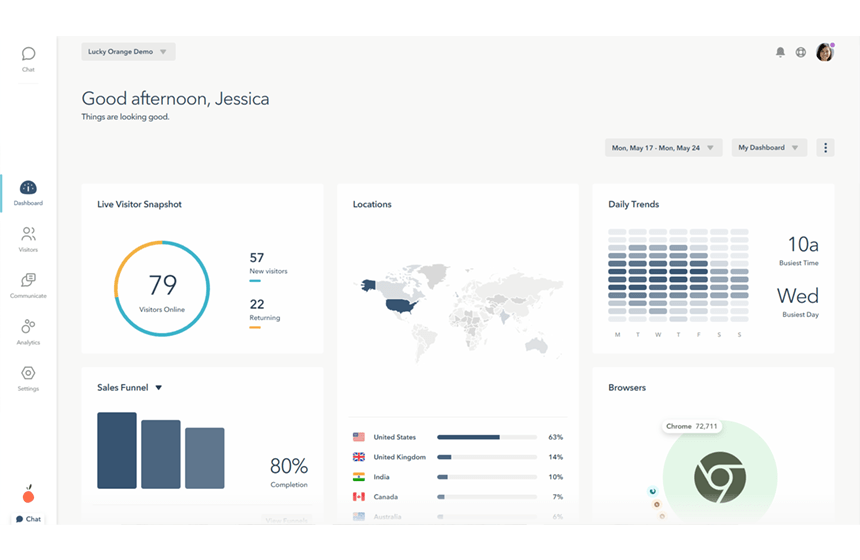
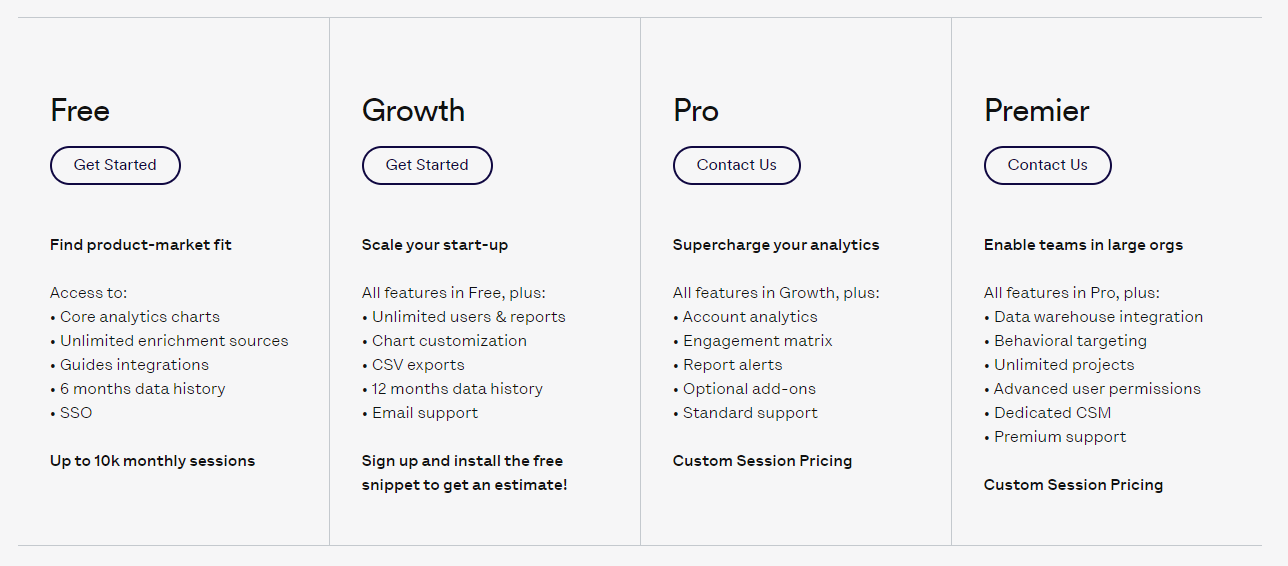
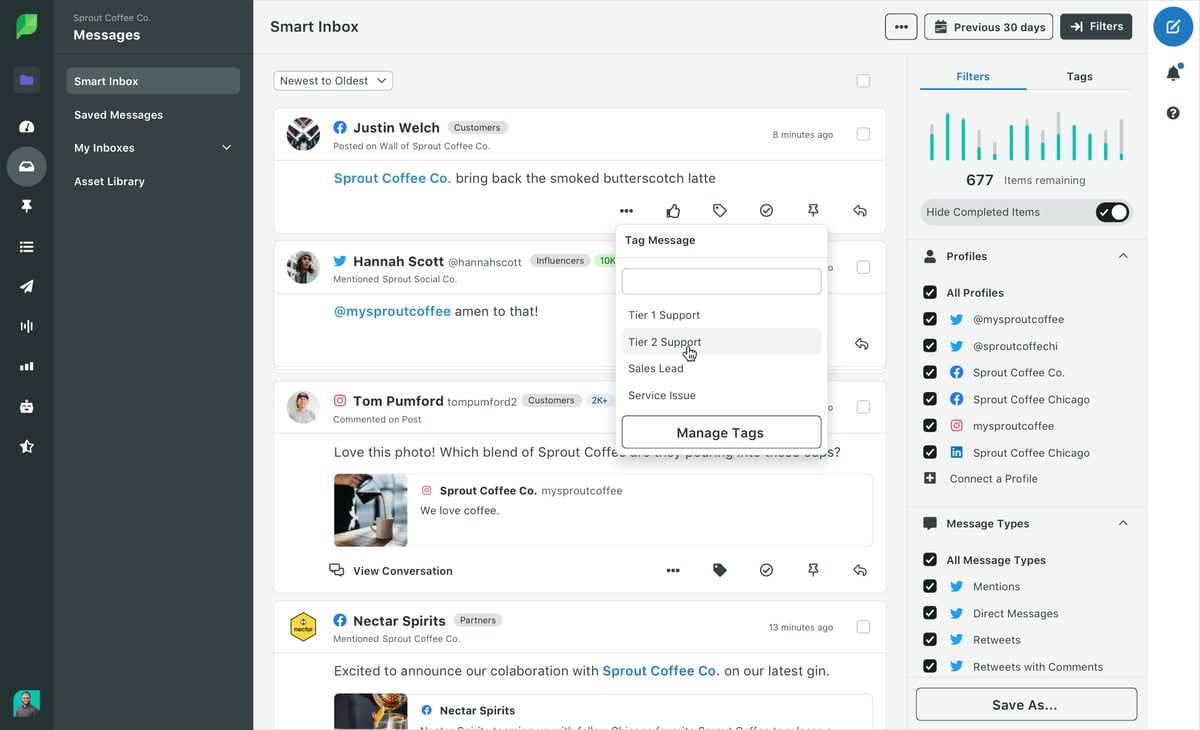
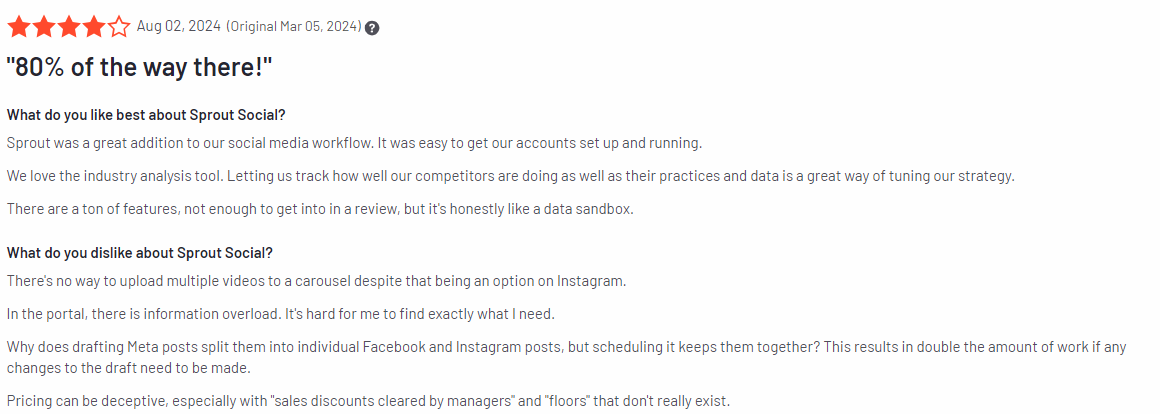
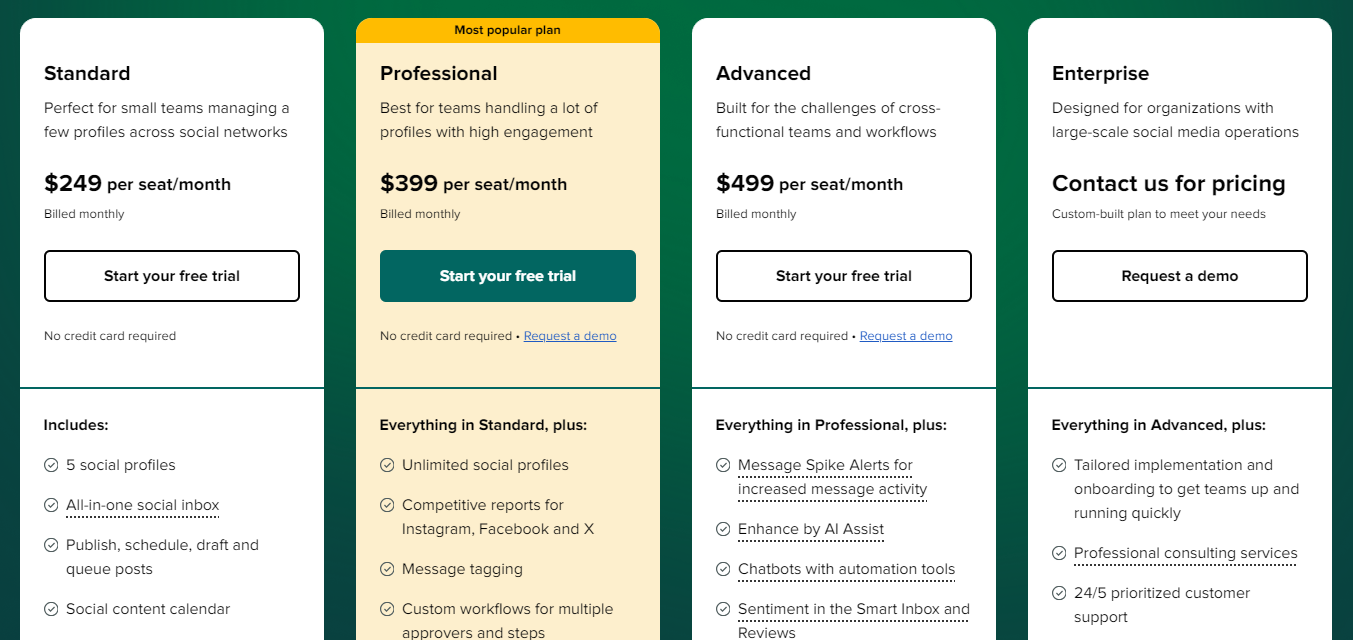
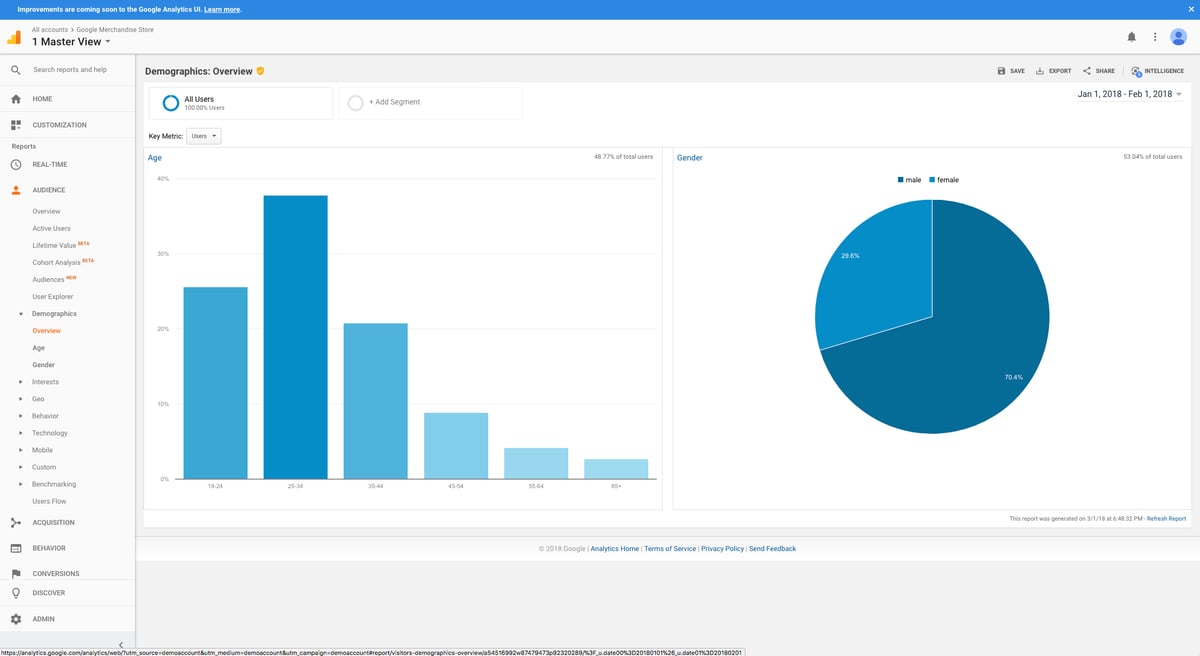
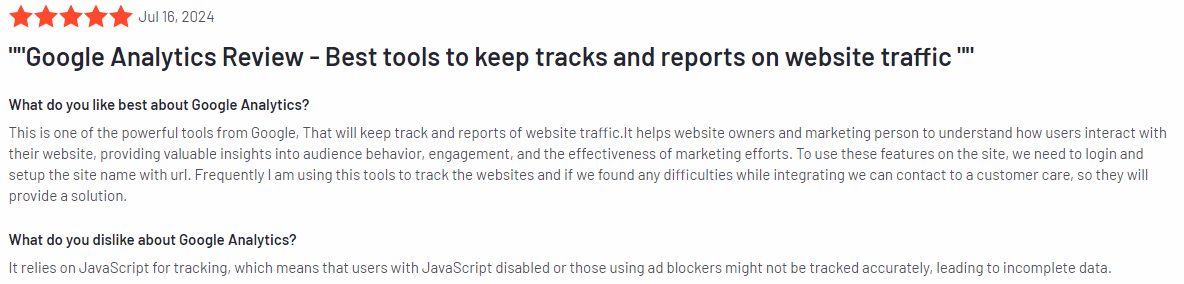
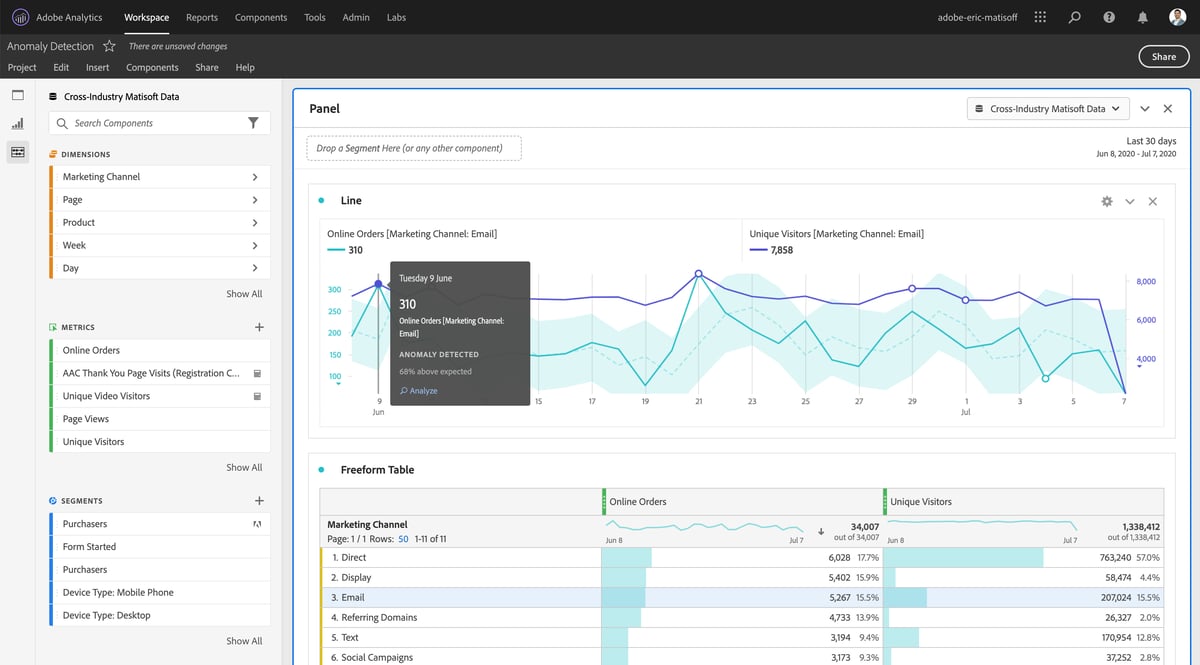
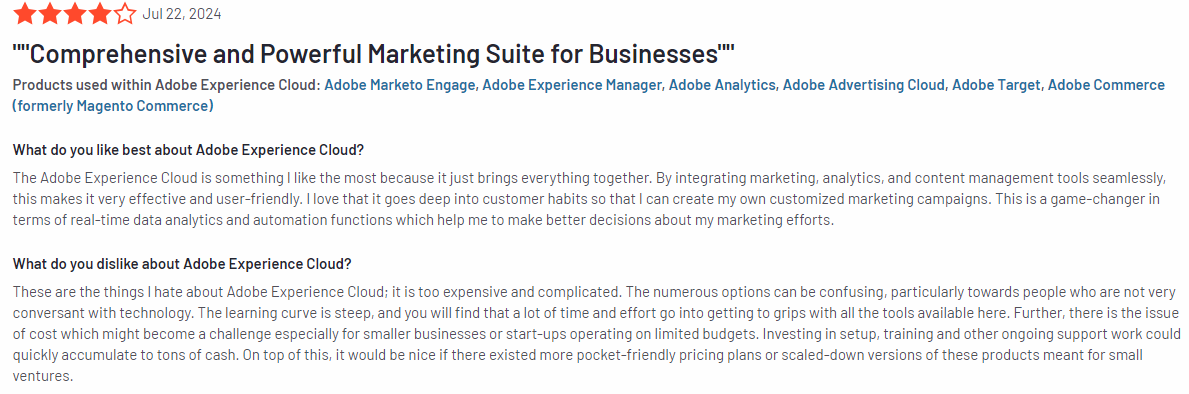
These issues motivate customers to search for Lucky Orange alternatives.
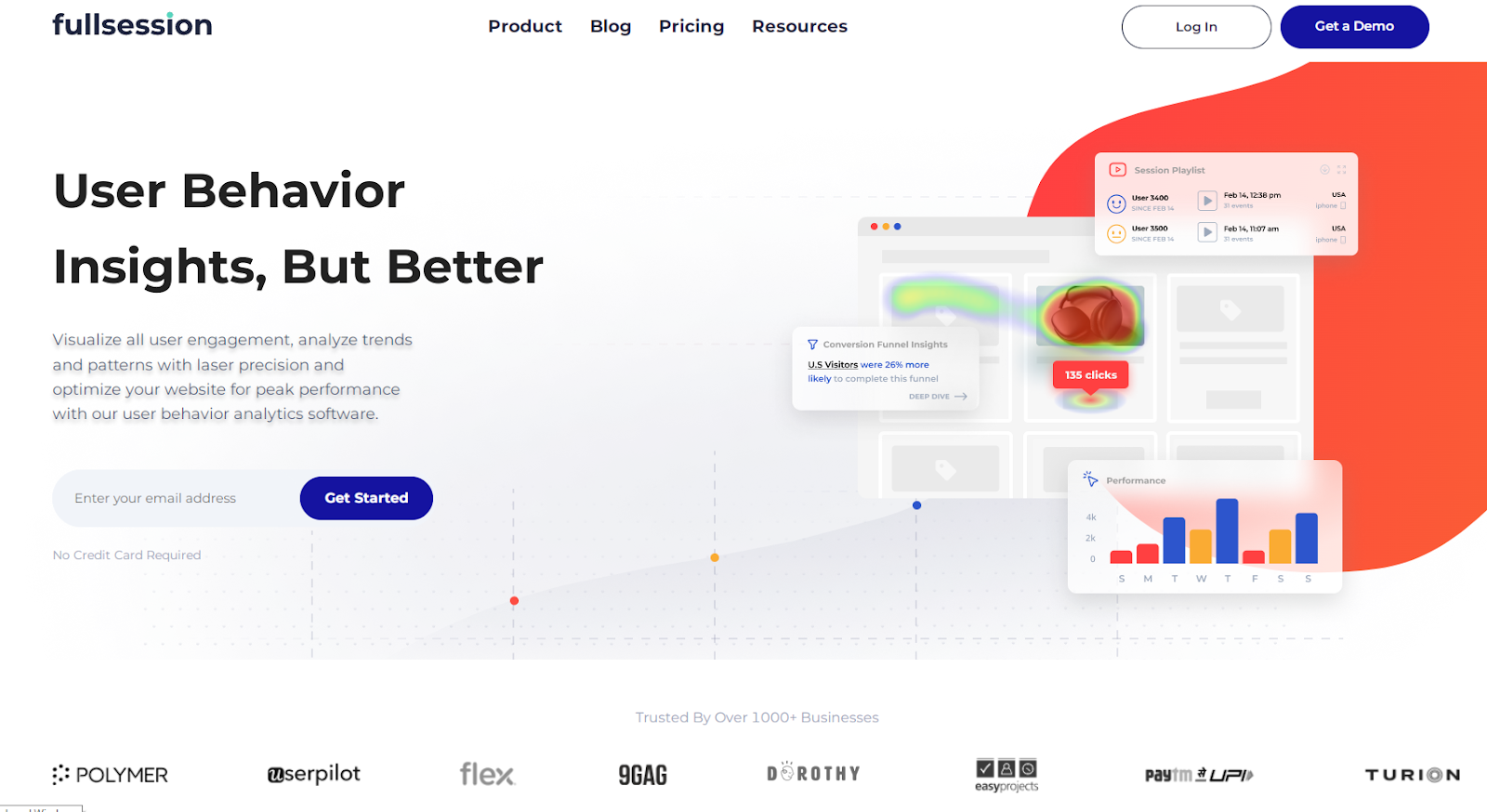
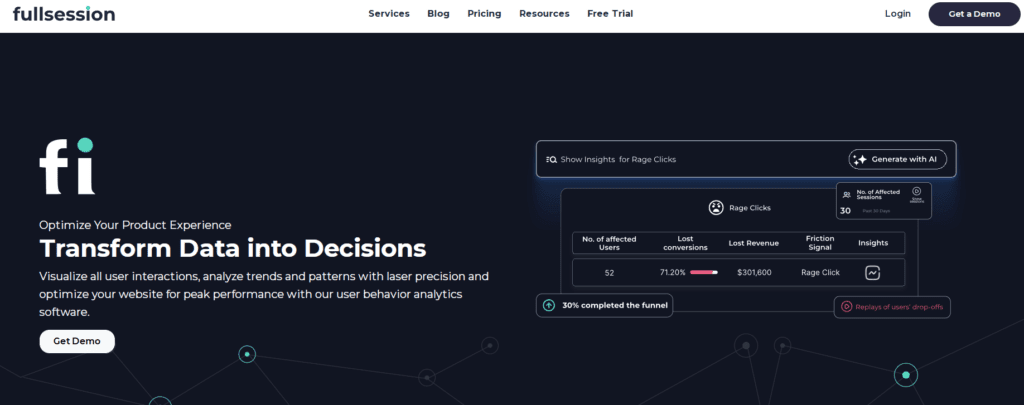
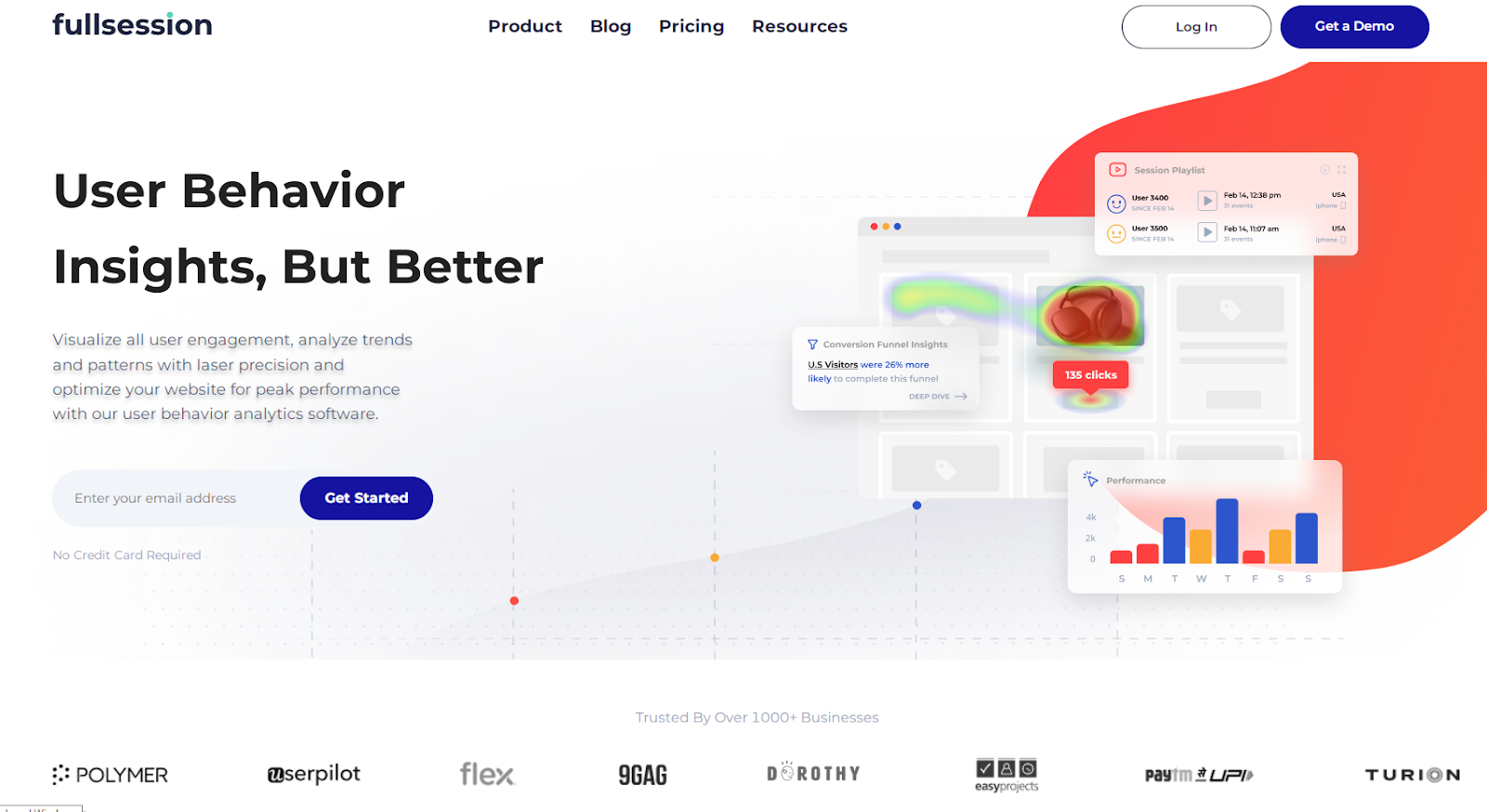
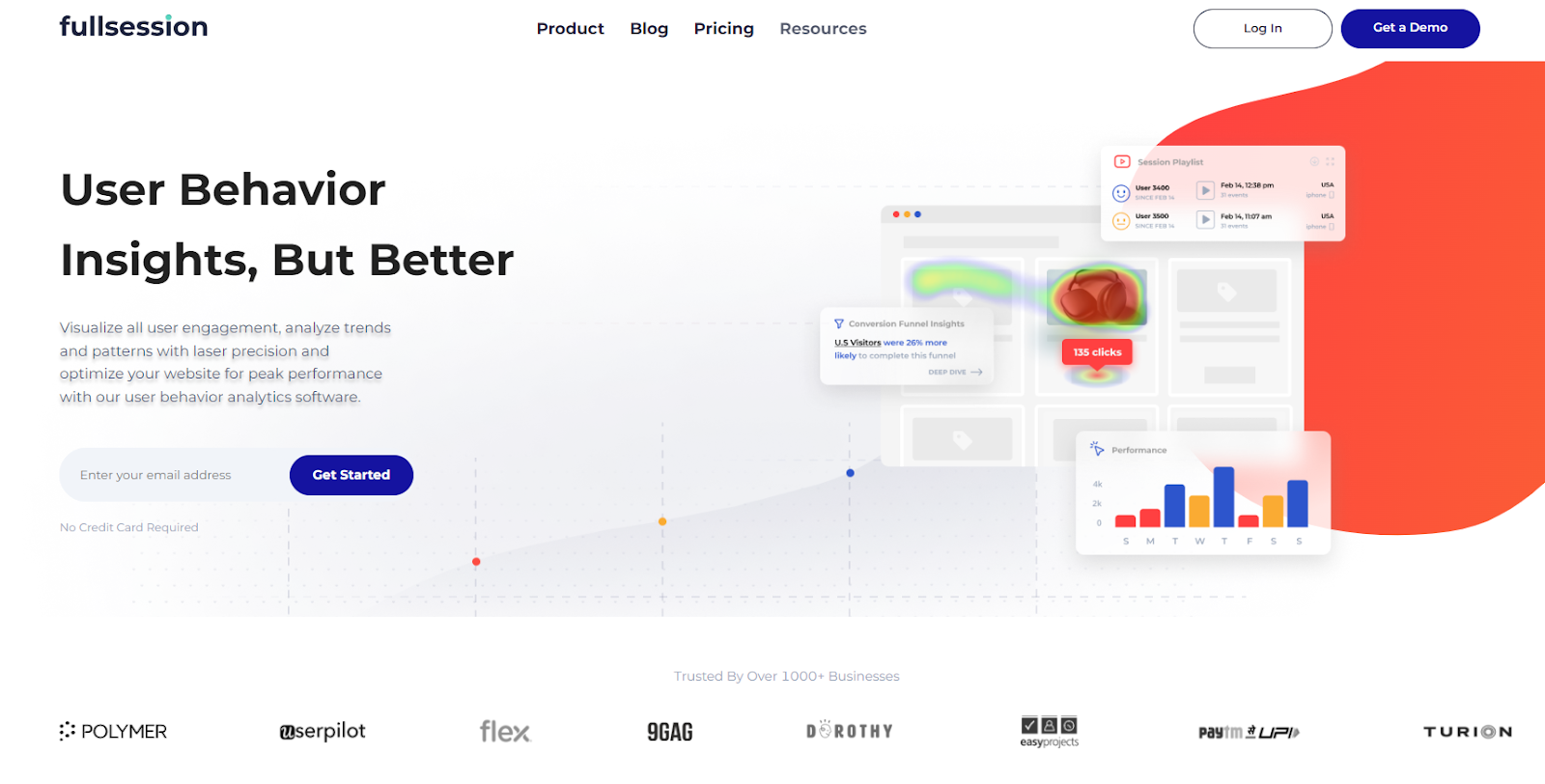
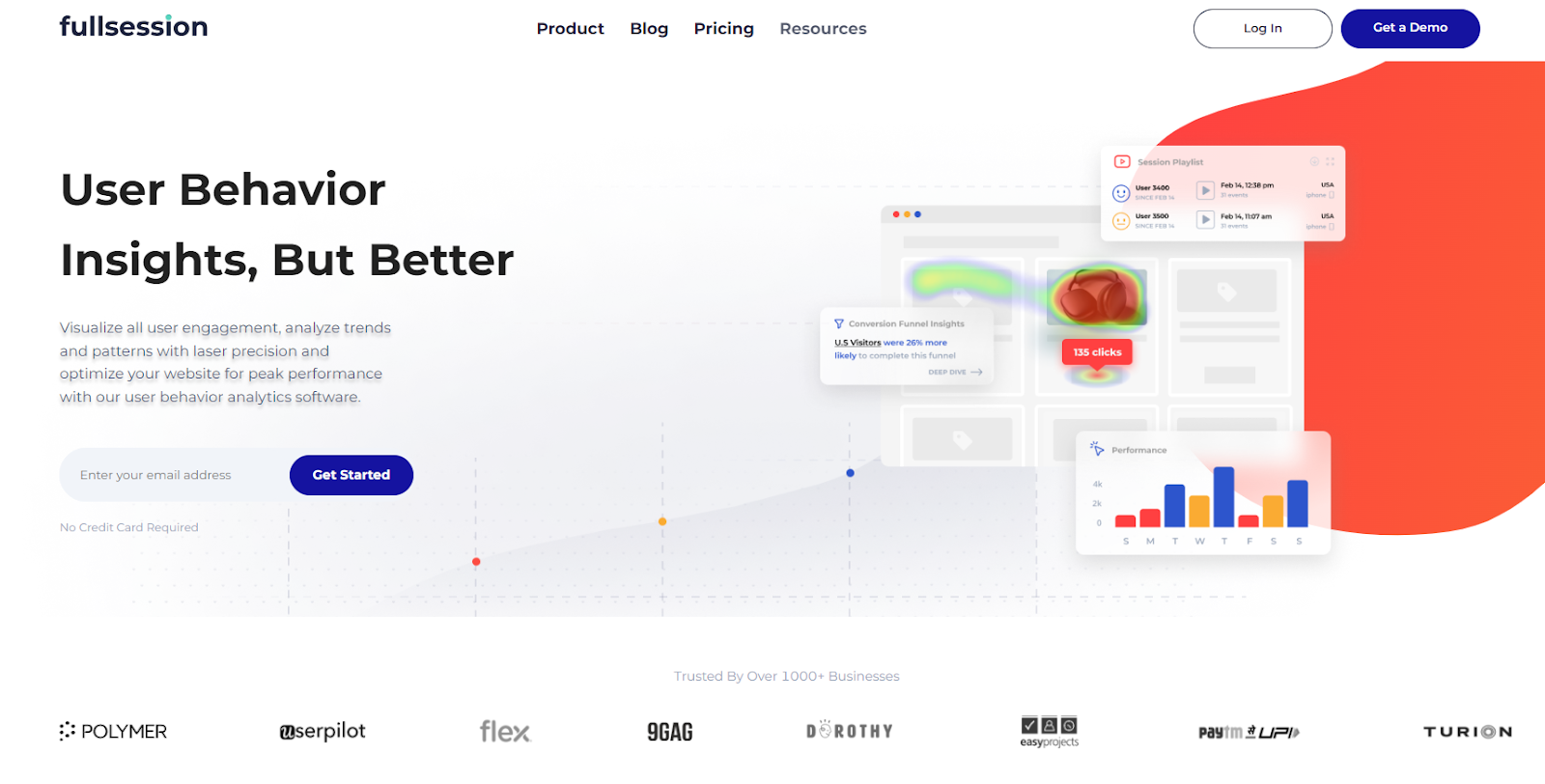
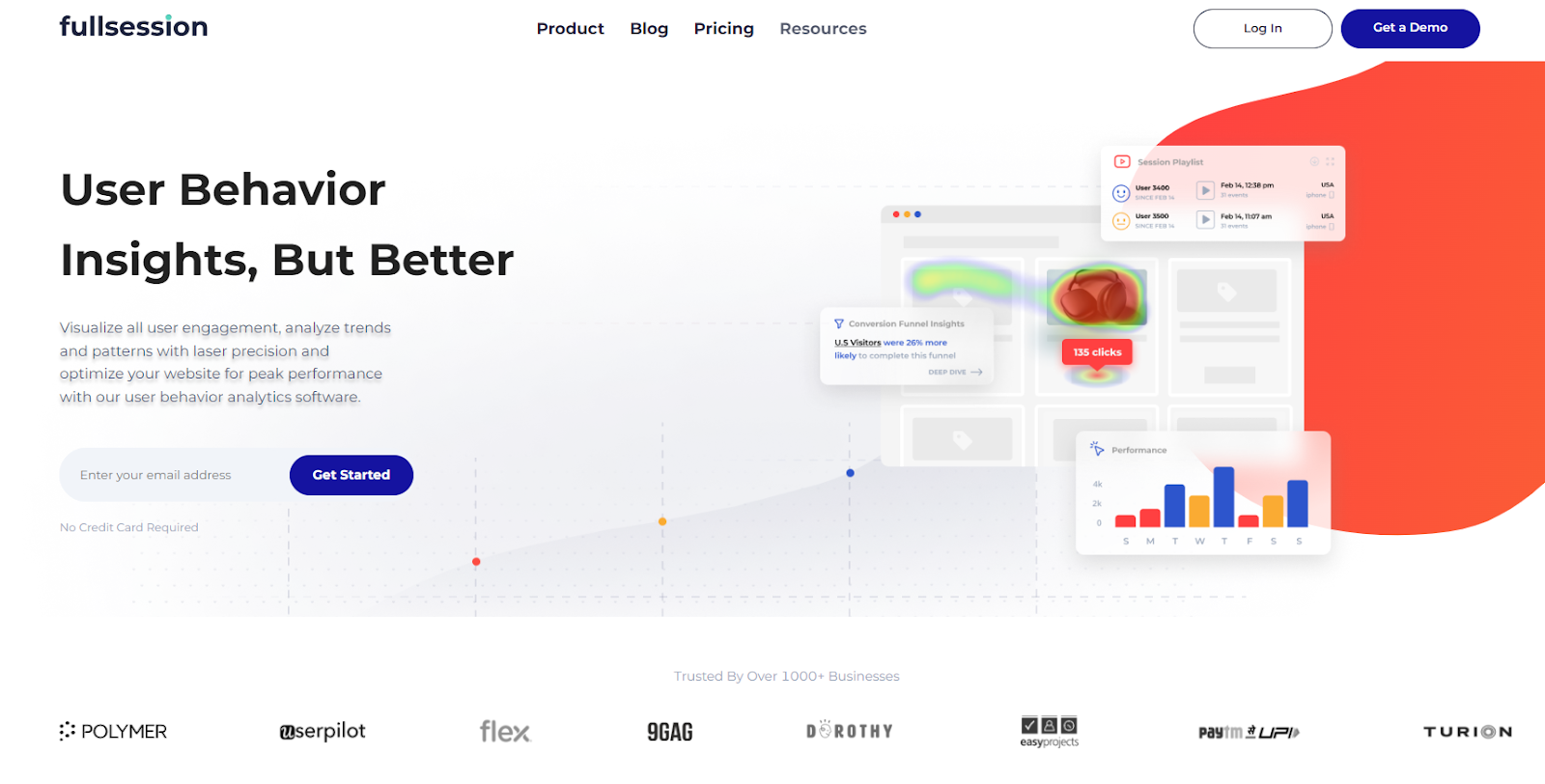
FullSession is the best example. Our advanced user behavior analytics software lets you visualize all user engagement, analyze trends and patterns with laser precision and optimize your website for peak performance.
In this post, we’ll review the top five Lucky Orange alternatives so you can test each platform and decide which one best suits your web analytics needs.
Five Best Lucky Orange Alternatives Right Now
After researching, we have compiled a list of the following top 5 Lucky Orange alternatives:
FullSession is one of the best website analytics tools that gives you a 360-degree view of user behavior data in a single, intuitive dashboard.
It captures all user interaction and lets you observe and visualize user engagement data to identify trends and patterns in their behavior and understand where to improve your site’s interface, experience or performance.
FullSession supports website visitor tracking. It can track sessions via mobile devices as well.
Key features
Advanced user and event segmentation: Categorize website users based on different parameters. Recognize behavior trends, patterns and correlations to optimize user journeys and improve customer engagement and conversion rates.
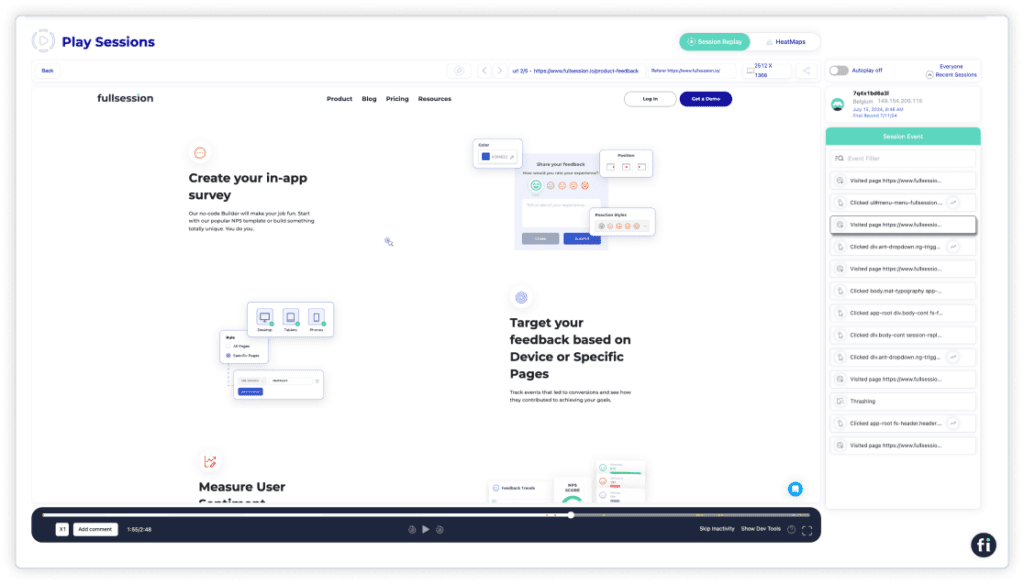
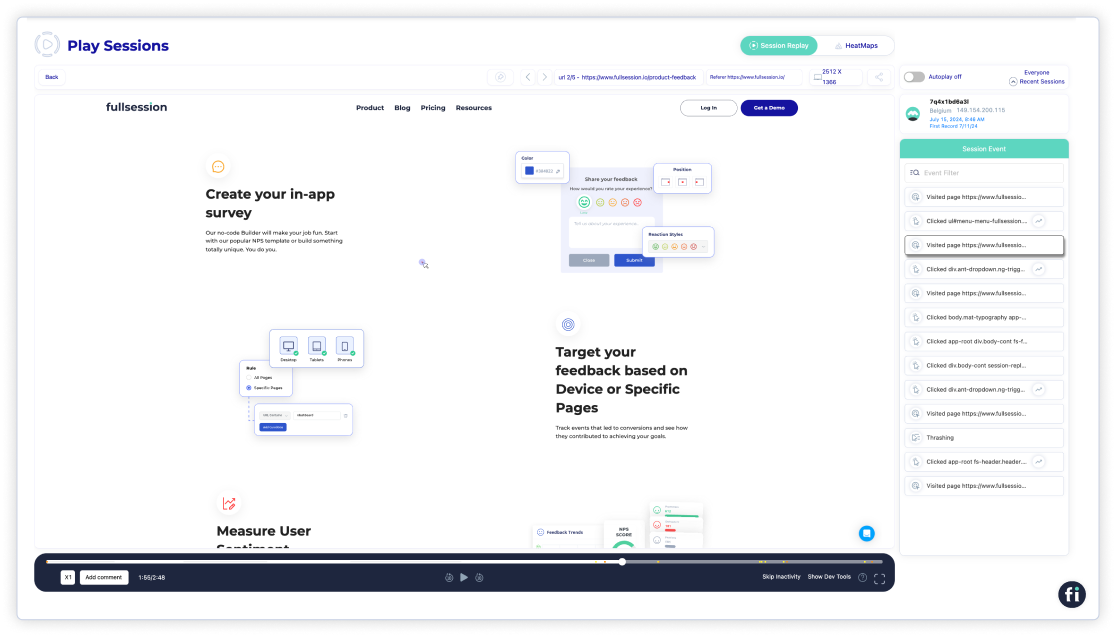
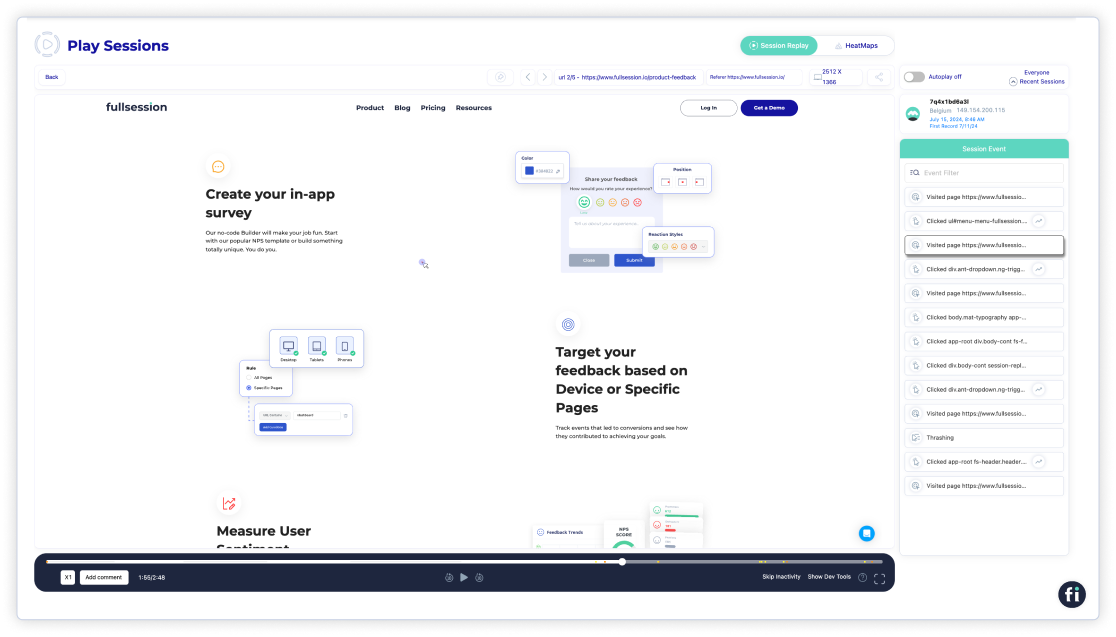
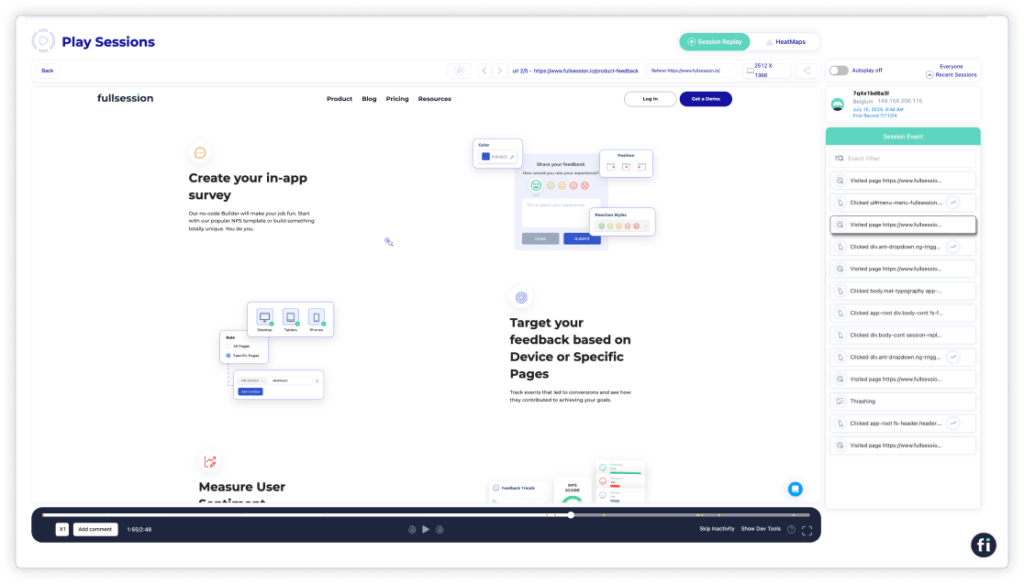
Session recordings and replays: Record every user interaction on your website. Replay user sessions to discover issues, examine user behavior based on specific criteria and anticipate future actions based on historical data. FullSession recordings protect your users’ privacy by excluding sensitive data recording.
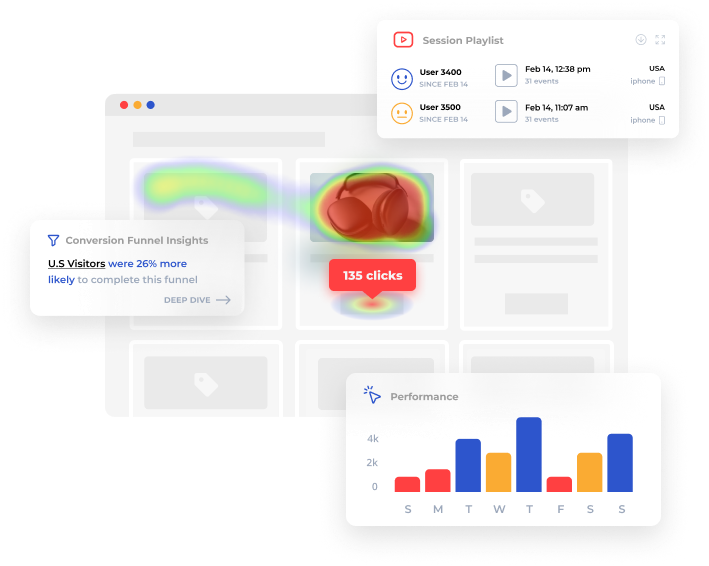
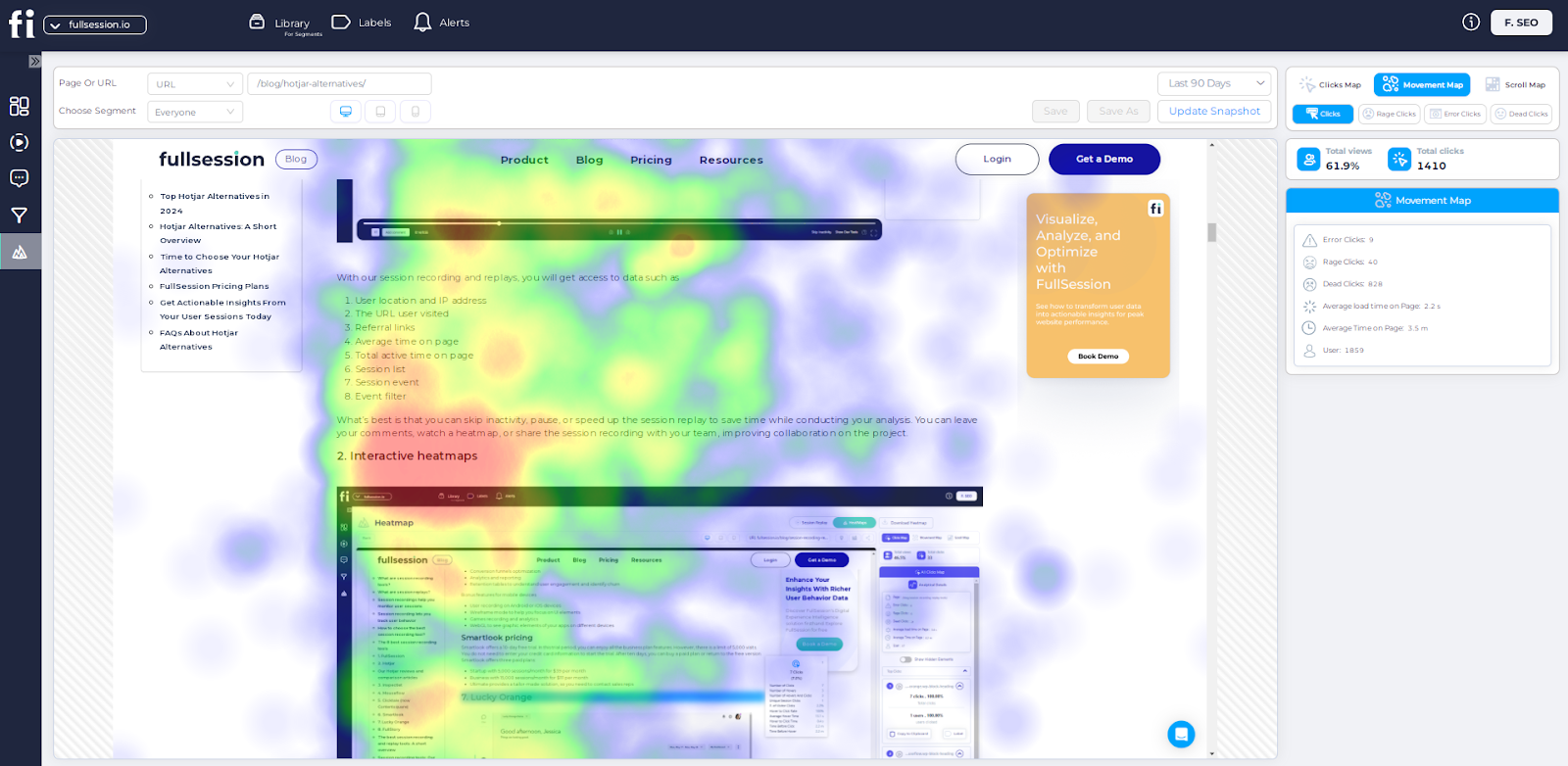
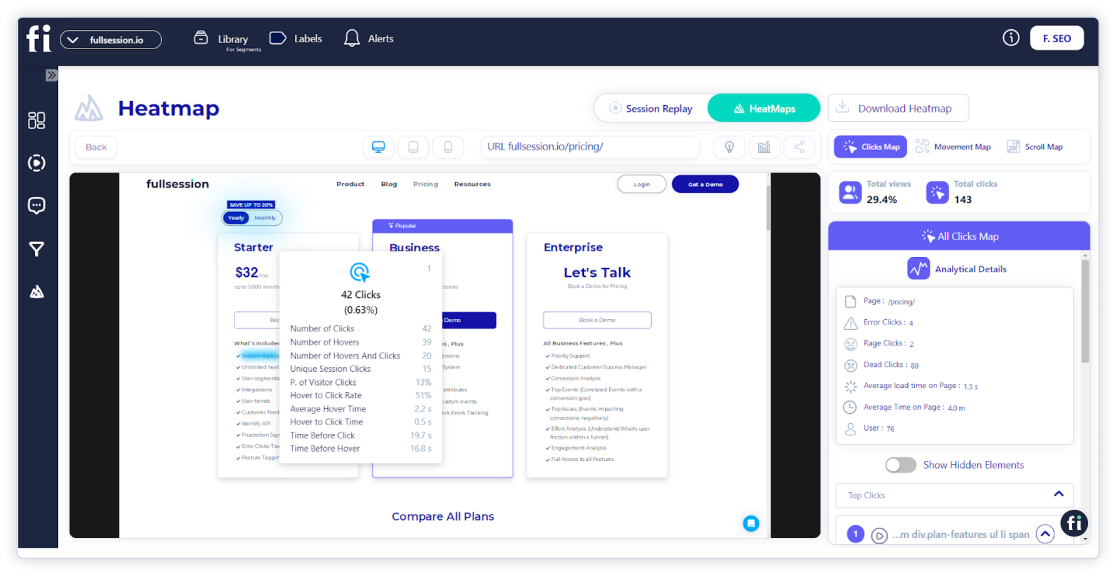
Interactive heatmaps: Create mouse movement, click, and scroll maps. Pinpoint areas of high or low user interaction, try different page elements to determine the top performers and estimate how long it takes users to complete key tasks. Get heatmap data in a few seconds without any impact on your website performance.
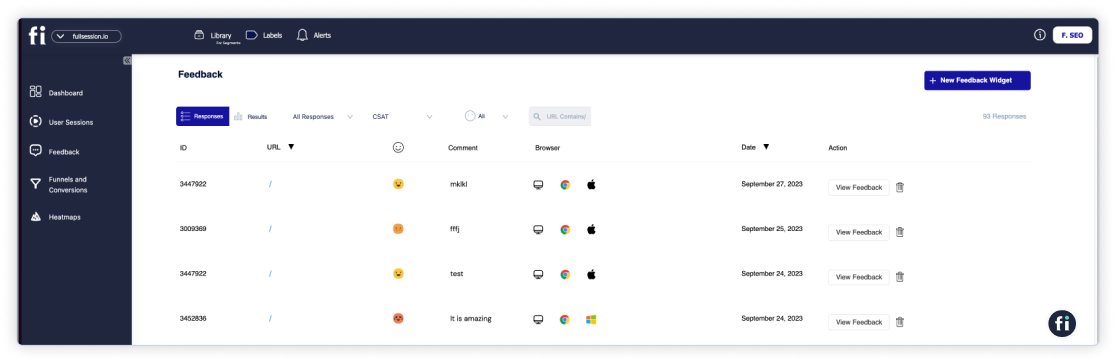
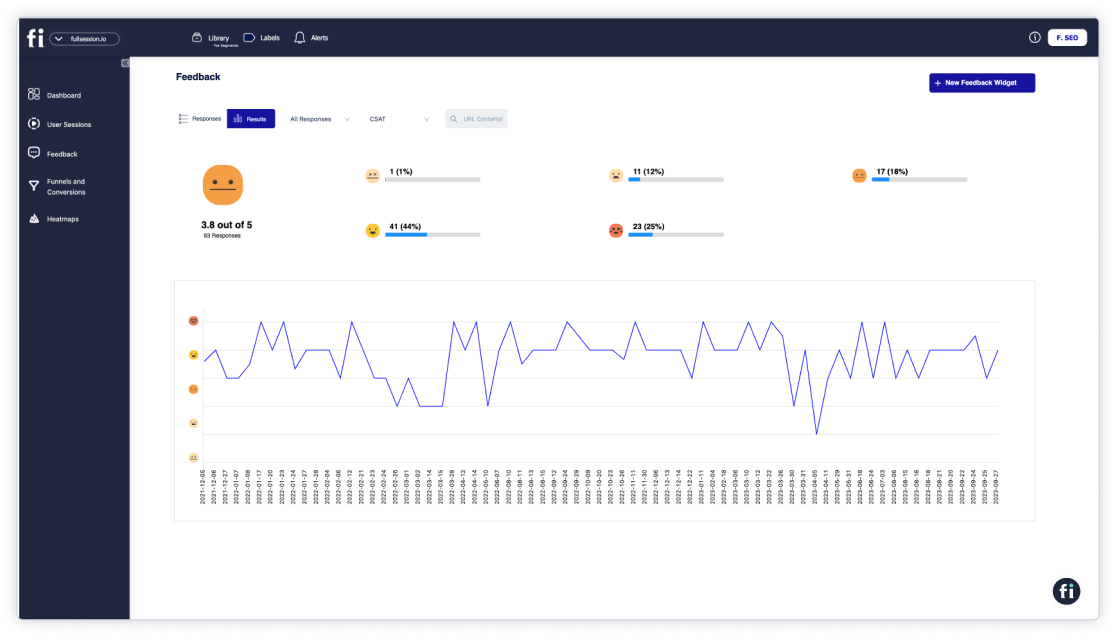
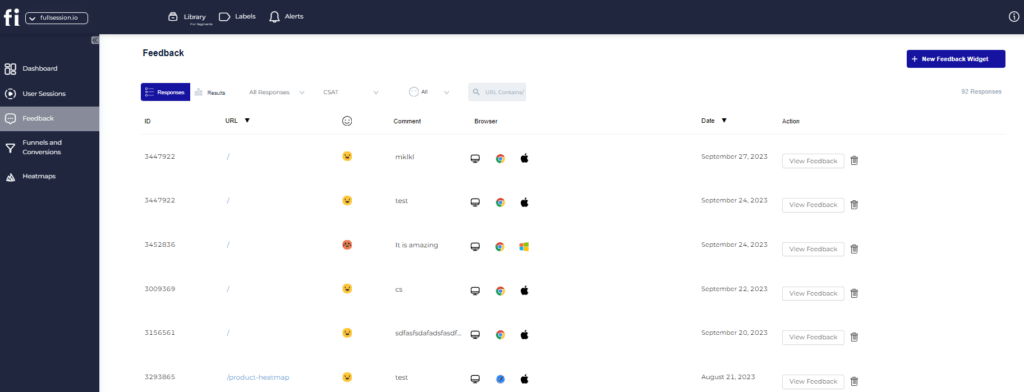
Website feedback forms and reports: Create branded in-app feedback forms to evaluate user satisfaction, find pain points, and learn about feature requests. Watch a connected session recording to understand what occurred during the session and the reasons behind the user feedback.
Conversion and funnel optimization tools: See user behavior patterns and determine why users abandon your funnels. Visualize user drop-offs at each step and test different strategies to improve conversion rates.
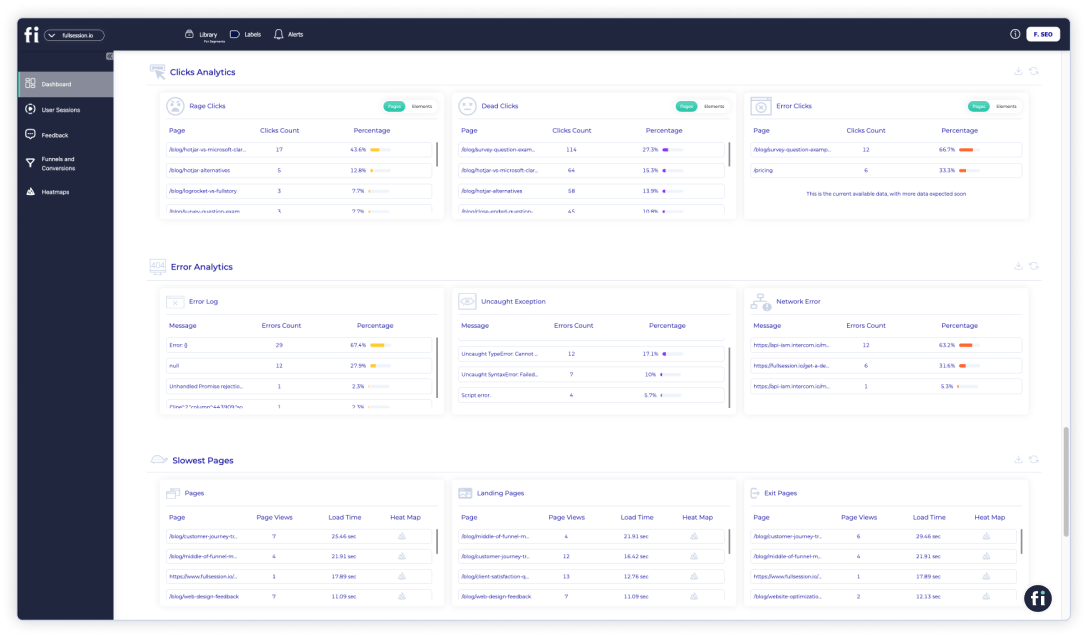
Error analysis: Automatically find website issues, such as JavaScript errors, network issues, and failed API calls. Study error data to troubleshoot problems, specify their root causes, and stop them from impacting user experience.
Integrations
FullSession integrates with your entire tech stack. It connects with open APIs, modern webhooks, and Zapier and also provides native integrations. It works best with Shopify, WordPress, Wix, and BigCommerce.
Customer support
FullSession provides live chat and email support. You can also visit the help center.
Pricing
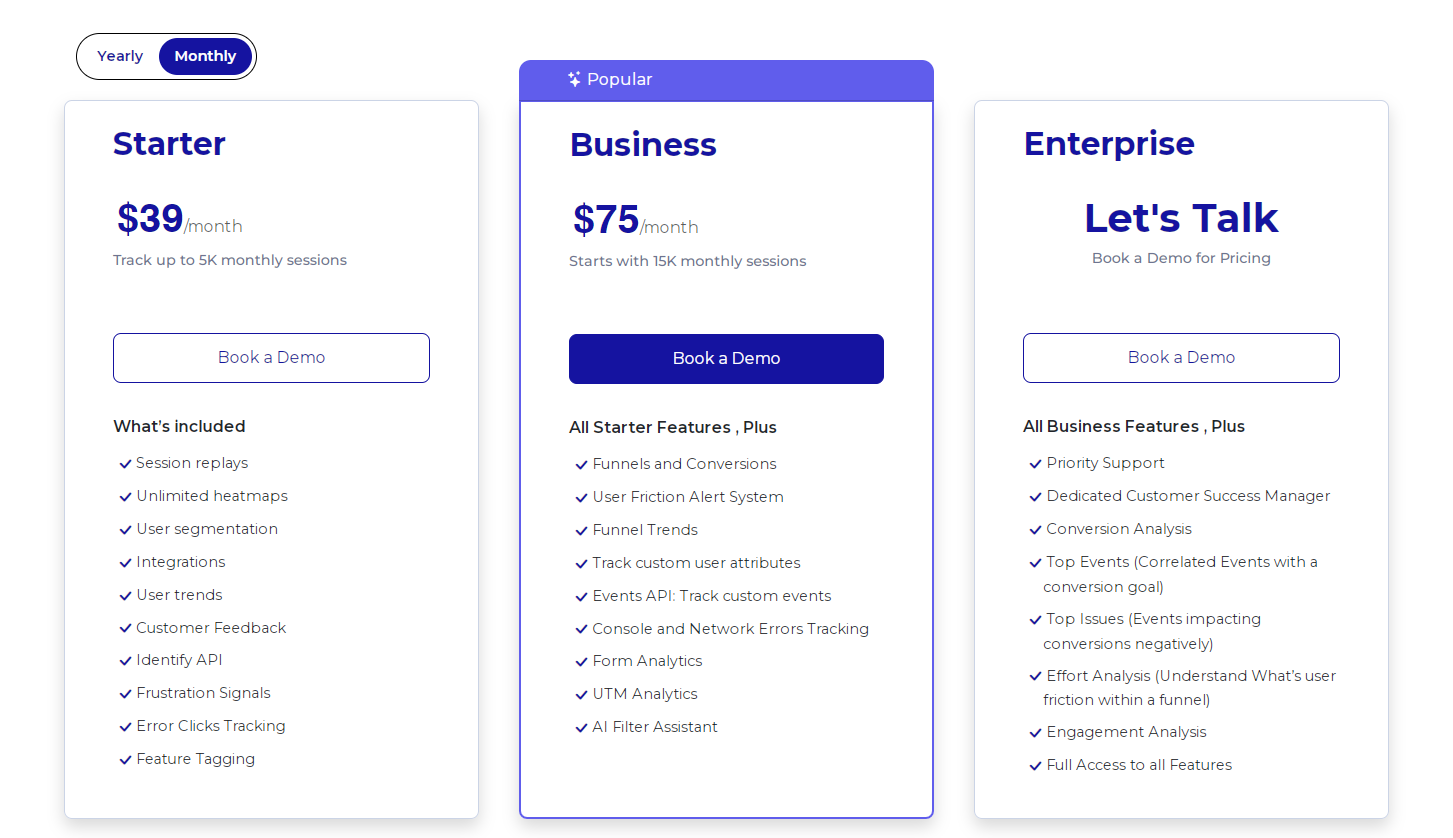
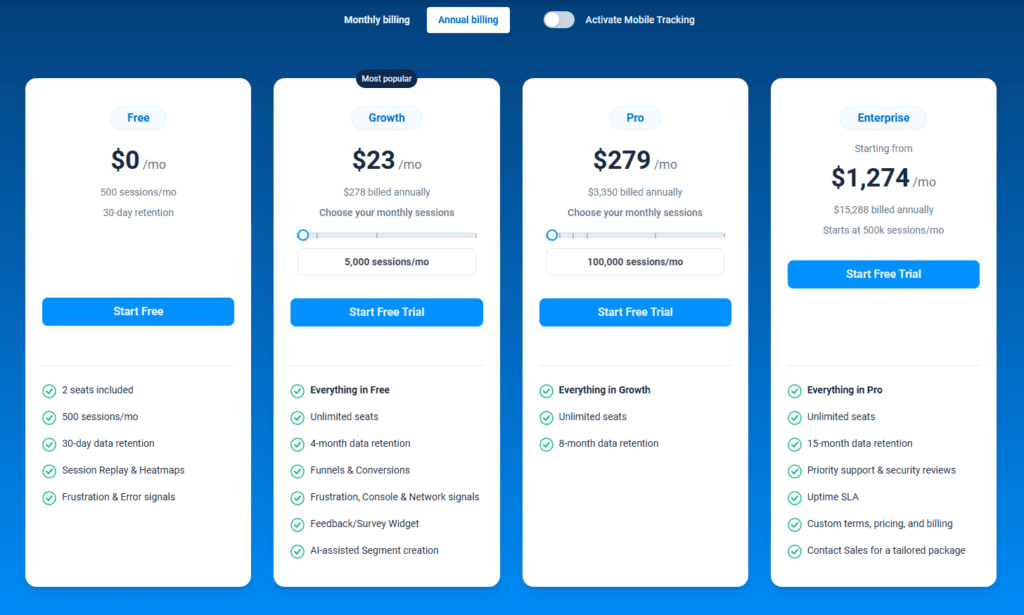
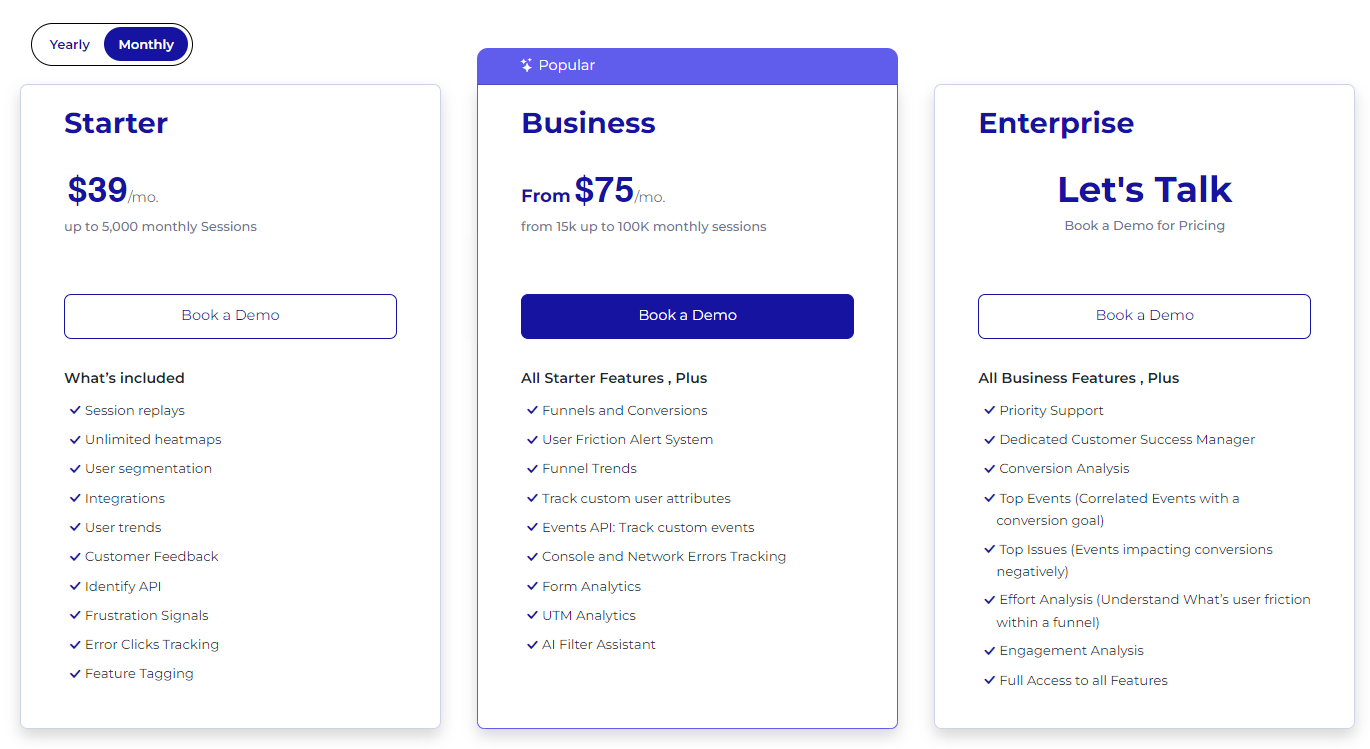
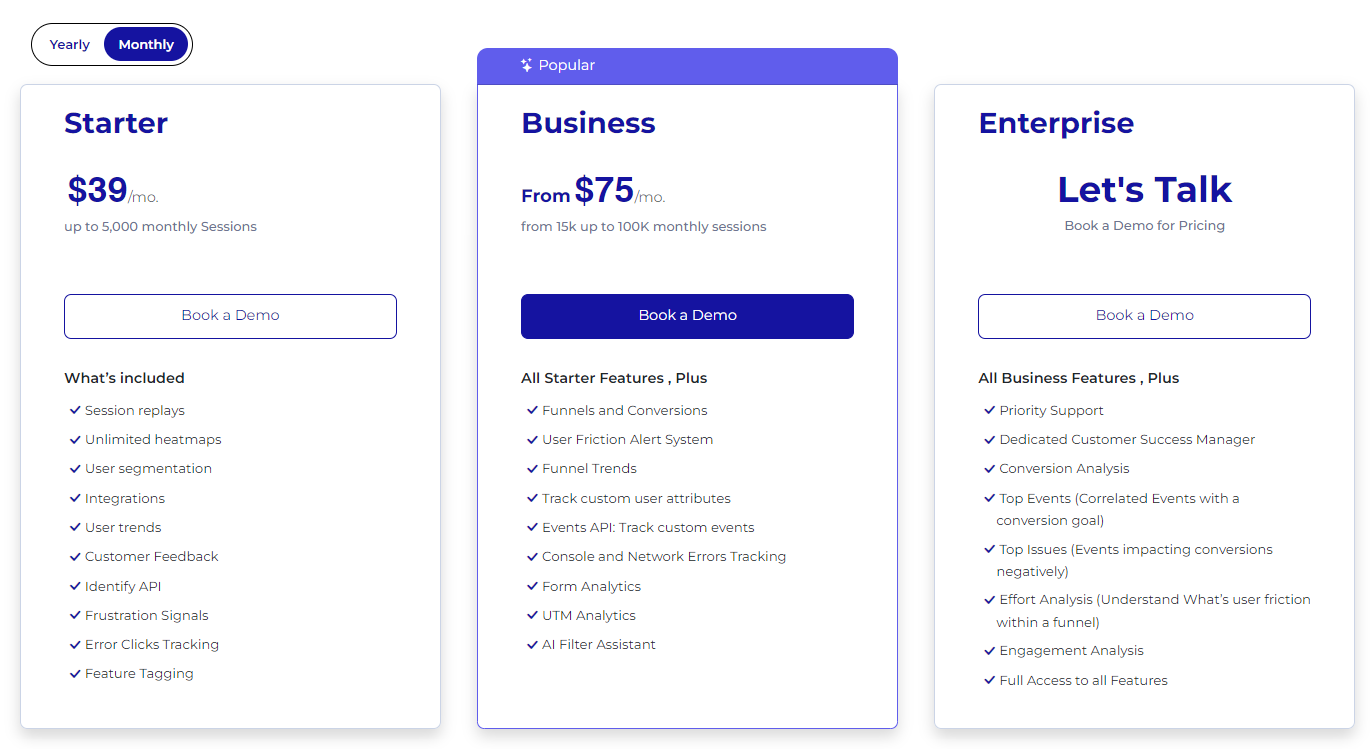
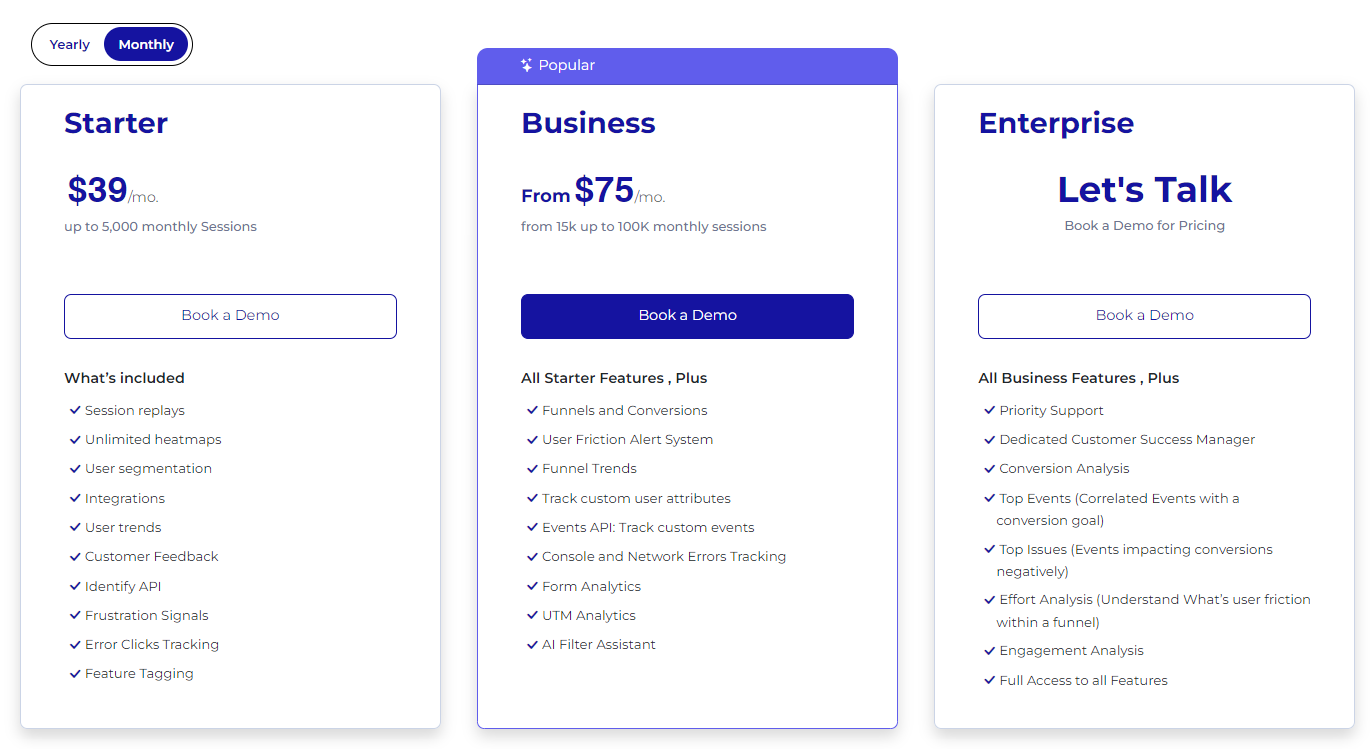
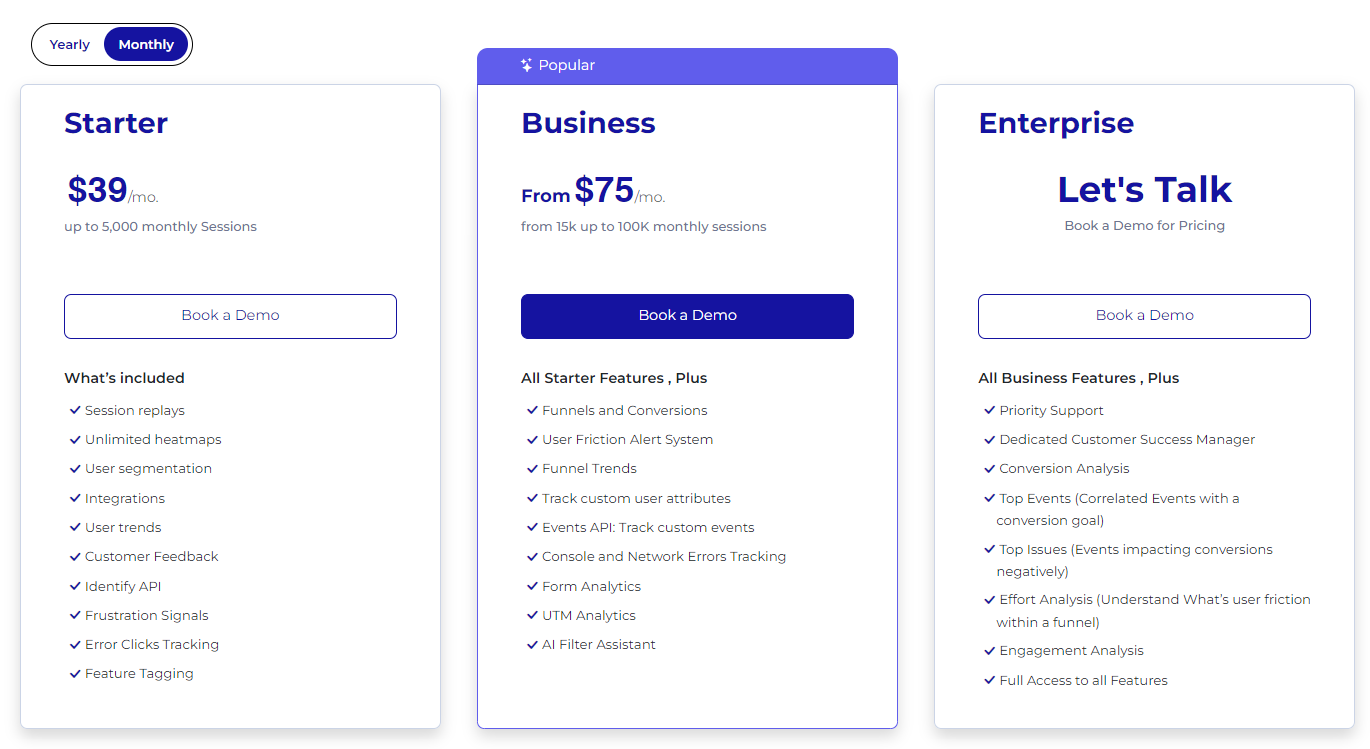
FullSession offers a free trial and three paid plans—Starter, Business, and Enterprise—accessible to all industries.
You can start with a plan that fits your existing requirements and upgrade as you grow, ensuring you only pay for the features you need.
The Starter plan includes all key features, unlimited heatmaps, and 5,000 monthly sessions for $39/month. You can start with advanced analytics without a significant financial commitment.
If you sign up for an annual subscription, you’ll get a 20% discount on all plans.
FullSession integrates with popular platforms like Shopify, WordPress, Wix, and BigCommerce. This compatibility reduces setup complexity and allows you to improve your existing workflows without incurring additional costs.
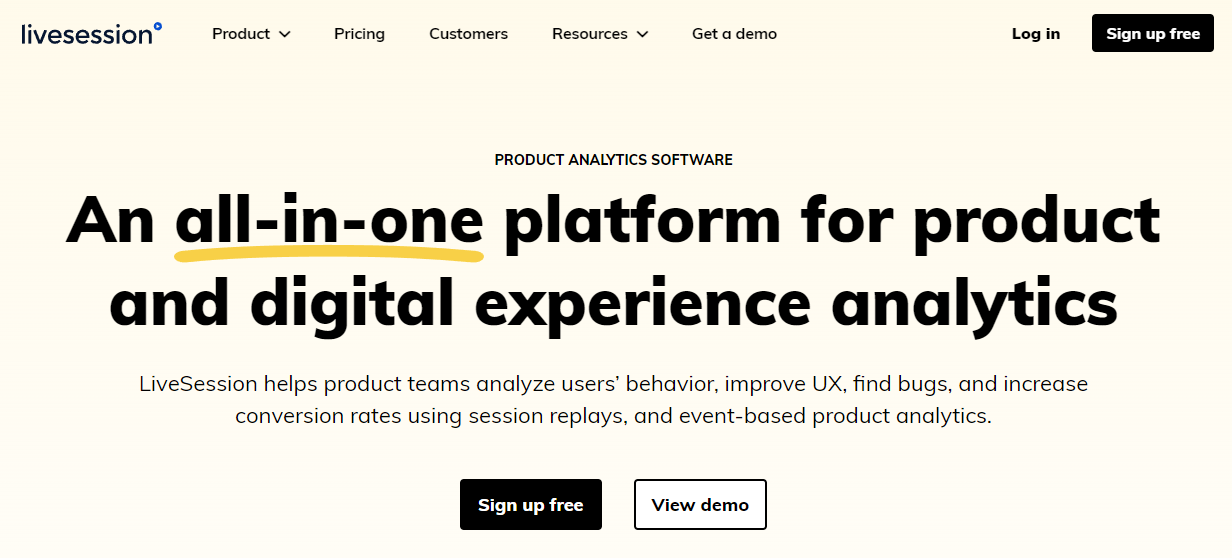
LiveSession is a product and digital experience analytics platform that helps product teams analyze user behavior and get insights into user interactions with their apps and websites to improve customer experience, identify bugs, and improve conversion rates.
User rating
According to Capterra, LiveSession scores 4.6 out of 5 based on 28 reviews.
Best for
LiveSession suits ecommerce brands, UX designers, product managers, and development teams looking for rapid bug detection and product iteration.
Supported platforms
LiveSession works with both web and mobile platforms.
Key features
Session recording: Capture user interactions on your website or app to analyze behavior and improve user experience.
Engagement score: Automatically highlight the most important sessions based on user activity and focus on key recordings.
User journey analysis: Visualize and analyze the paths users take through your site to optimize navigation and sales funnels.
Rage clicks and error clicks detection: Identify frustration points and JavaScript errors automatically to address urgent issues quickly.
Element interaction tracking: Select specific elements on your site to see how users interact with them, helping in A/B testing and UX evaluation.
Data privacy compliance: Ensure user data protection with GDPR and CCPA compliance, including options to anonymize sensitive information.
Integrations
LiveSession integrates with diverse third-party tools, such as Intercom, LiveChat, Drift, Segment and Zendesk. You can also connect it with Shopify and BigCommerce.
Customer support
LiveSession offers support via email, tickets, live chat, and a knowledge base.
Pricing
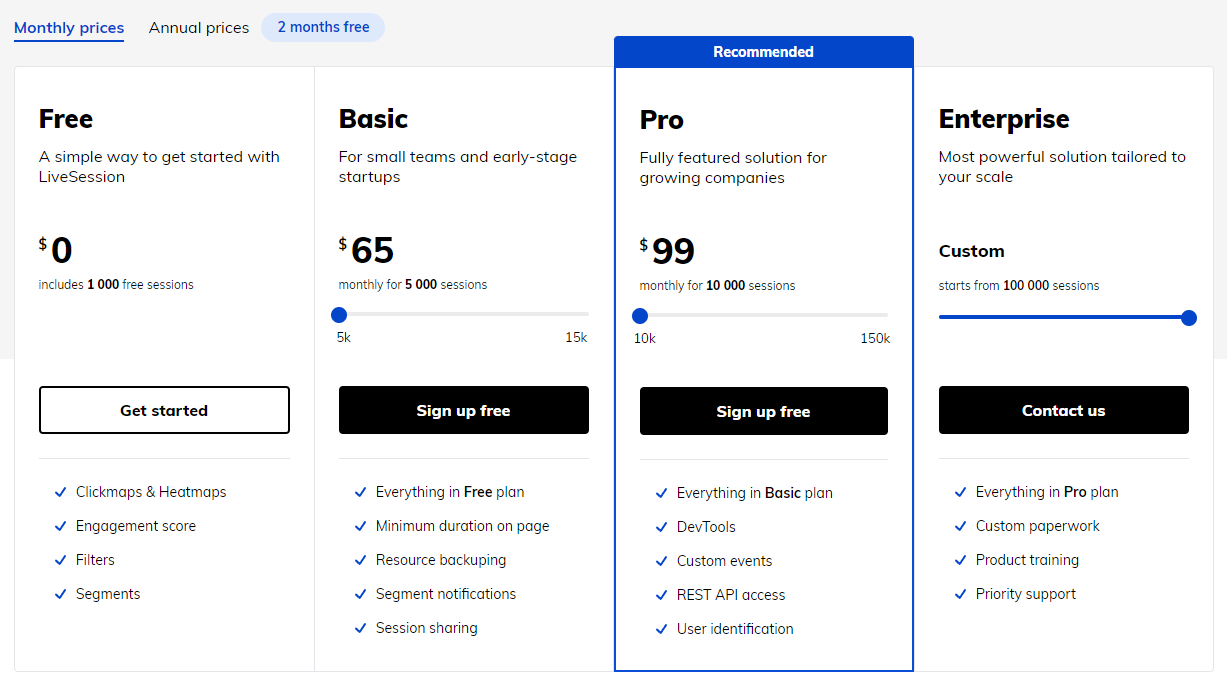
LiveSession provides a free plan with basic features and three paid plans with advanced features and pricing based on the number of monthly sessions.
The Basic plan for small teams and early-stage startups starts at $65 monthly for 5,000 sessions.
Pros
Good customer support
Clean and modern interface
Easy to deploy
Cons
You can’t track user activities in real-time
You can’t skip recordings with no user activity
The technical documentation could be improved
3. Inspectlet
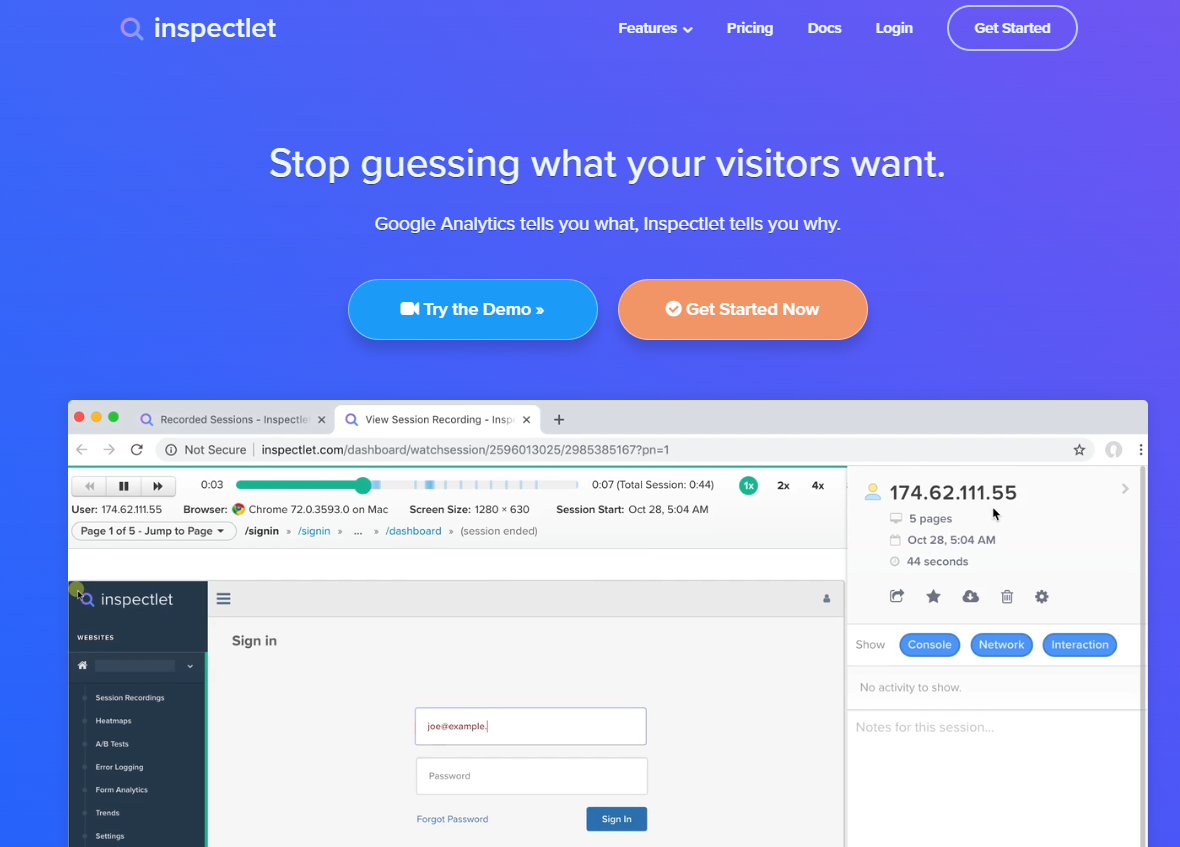
Inspectlet is a product analytics tool that helps companies understand user behavior and see how users engage with their website. It provides insights through session recordings, heatmaps, and form analytics, enabling product teams to evaluate the user journey and boost their growth metrics.
According to Capterra, Inspectlet scores 4 out of 5 based on 30 reviews.
Best for
Inspectlet is a good option for e-commerce brands, marketing and product teams.
Supported platforms
Inspectlet focuses on web analytics and session recording for websites.
Key features
Session recording: Regularly review session recordings to identify user pain points and improve navigation.
Heatmaps: Analyze heatmaps to understand user engagement and reposition key elements for better visibility.
Form analytics: Assess form interactions to identify drop-off points and conduct A/B testing for optimization.
User feedback: Implement user feedback surveys to gather insights and make data-driven improvements.
Conversion funnels: Set up and monitor conversion funnels to pinpoint drop-off areas and optimize user journeys.
Segmentation: Create user segments based on behavior to tailor marketing strategies and improve engagement.
Integrations
Inspectlet integrates with platforms like HubSpot, Google Tag Manager, and Squarespace.
Customer support
You can contact Inspectlet via email and live chat or visit their knowledge base.
Pricing
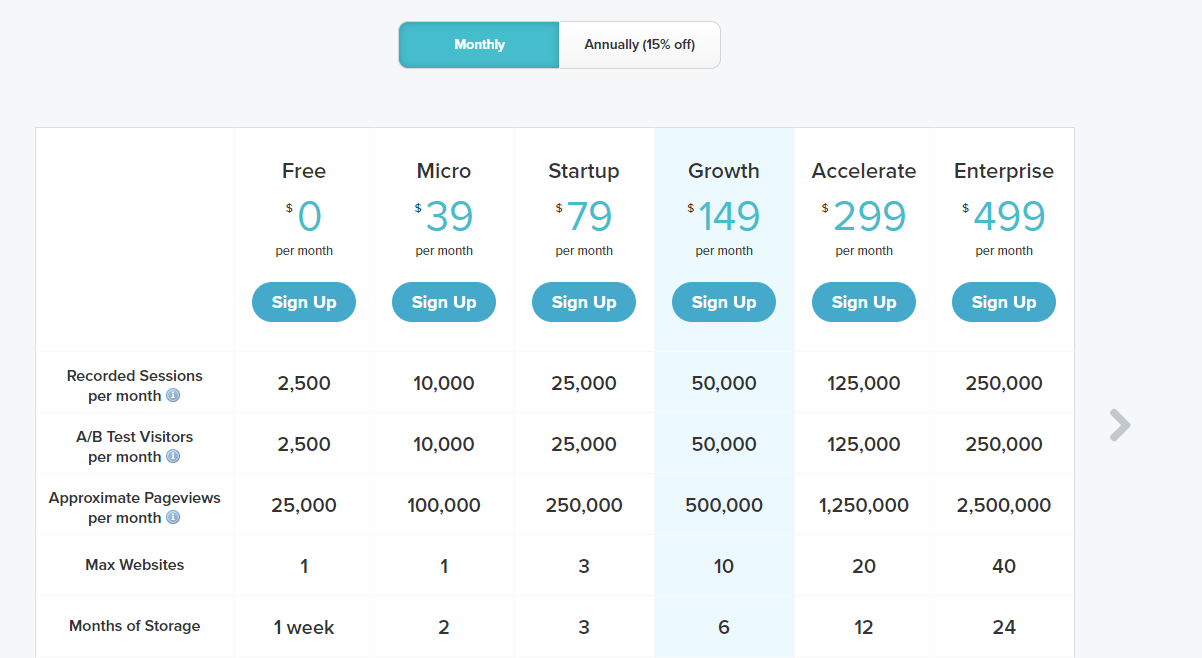
Inspectlet offers a free plan with basic features and five paid plans, each based on the number of recorded sessions, A/B tests, and page views.
Each plan limits the number of sites you can connect to and the duration of data storage.
The Micro plan starts at $39 per month and allows 10,000 session recordings, A/B tests, and 100,000 pageviews for one website and two months of data storage.
Pros
User-friendly and easy to implement
The session recordings and analytics features are reliable
Cons
Issues with customer support
The search filter occasionally doesn’t work properly
It can be expensive if you have more than one website
4. CrazyEgg
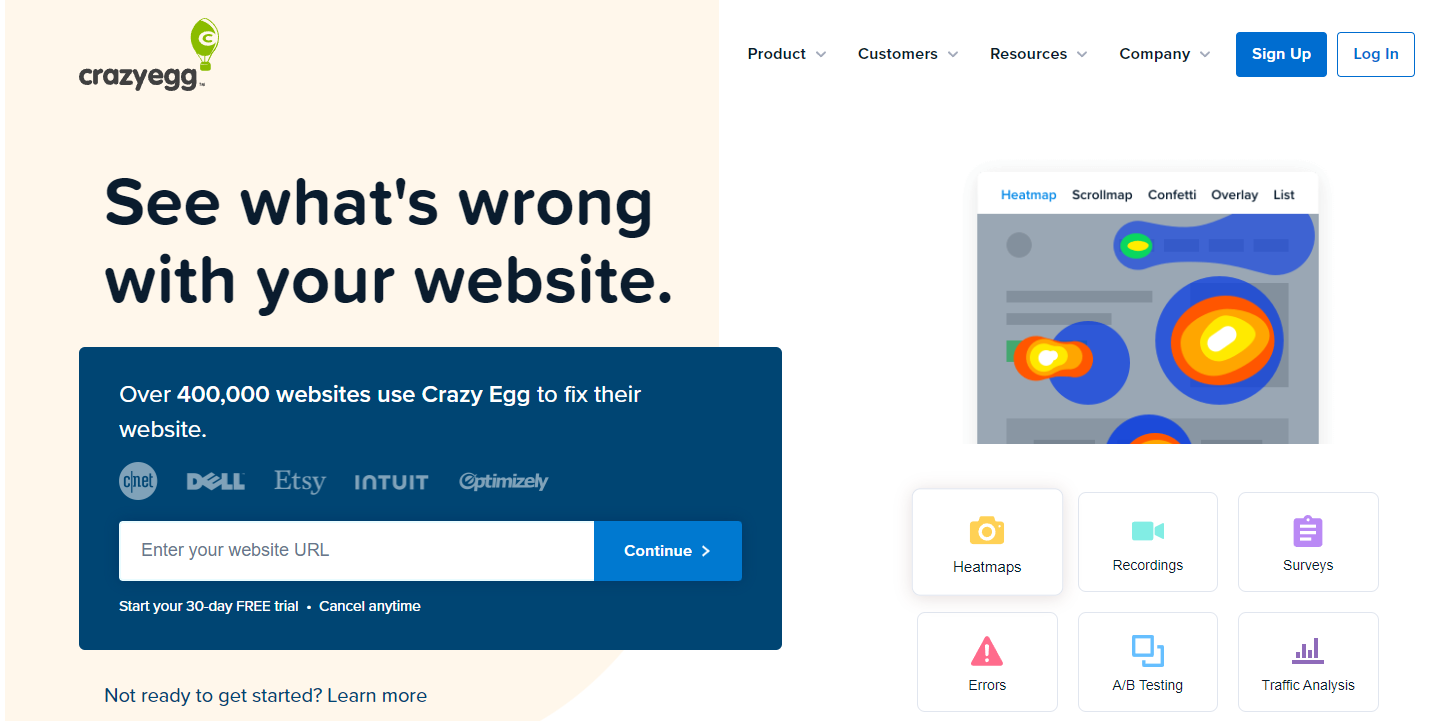
Crazy Egg is a UX testing tool that helps businesses understand web and mobile experiences through visual data representation. It provides insights into how visitors interact with web pages, enabling companies to optimize their sites for better engagement and conversion rates.
According to Capterra, it scores 4.4 out of 5 based on 84 reviews.
Best for
Crazy Egg suits small businesses, digital marketing agencies, e-commerce brands and educational businesses.
Supported platforms
Crazy Egg supports web browsers, mobile websites and progressive web applications.
Key features
Heatmaps: Get visual representations of user clicks and interactions.
User session recordings: Capture user interactions for detailed analysis.
A/B testing: Compare different web page versions to determine which performs better.
Traffic analysis: Gain insights into traffic sources to compare channel performance.
Error tracking: Identify and prioritize website errors for efficient troubleshooting.
Conversion tracking: Track user actions to evaluate conversion strategies.
Surveys: Create on-site surveys to collect direct user feedback and improve site functionality.
Integrations
Crazy Egg integrates with platforms such as Google Analytics, WordPress, Shopify and Segment.
Customer support
You can contact the support team via email and live chat or visit the help center with documentation and FAQs.
Pricing
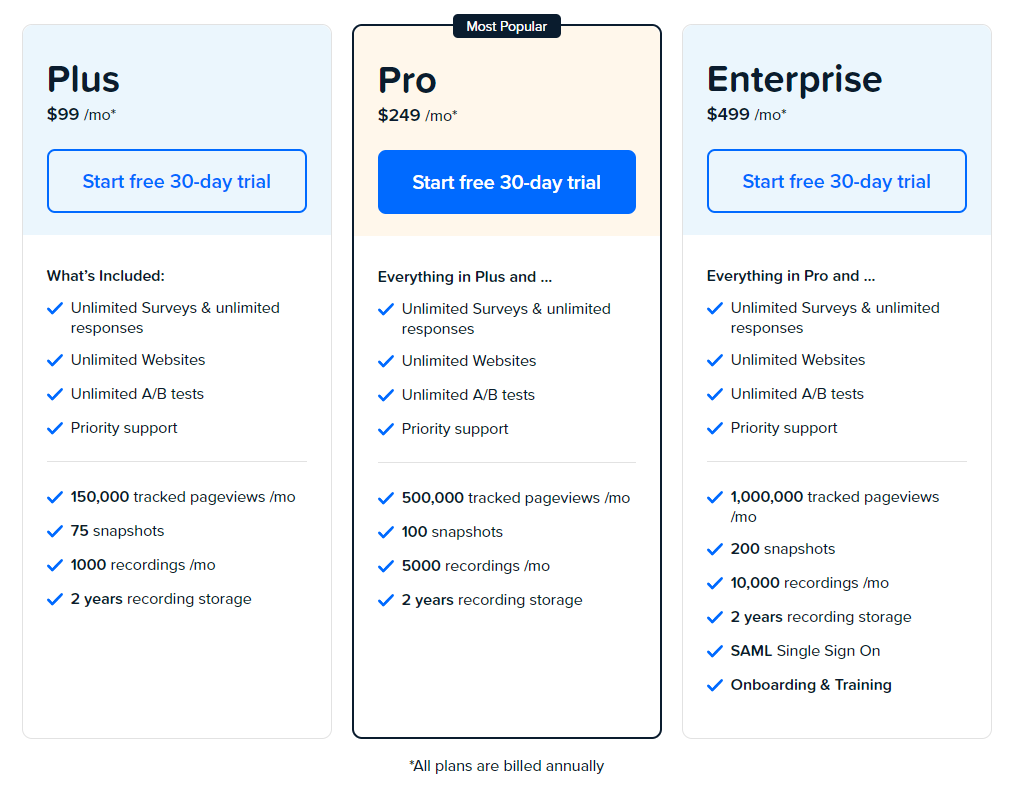
Crazy Egg offers a free trial and three paid plans: Plus, Pro, and Enterprise.
Each plan has specific limitations on the number of tracked pageviews, snapshots, and recordings. All plans include 2 years of recording storage.
The Plus plan costs$99/month and includes unlimited surveys, websites, A/B tests and priority support.
Pros
Easy to set up and navigate
Offers multiple ways to visualize user behavior.
Competitive rates for small businesses
Cons
Limited mobile app support
The analysis features are less comprehensive compared to competitors
5. Contentsquare
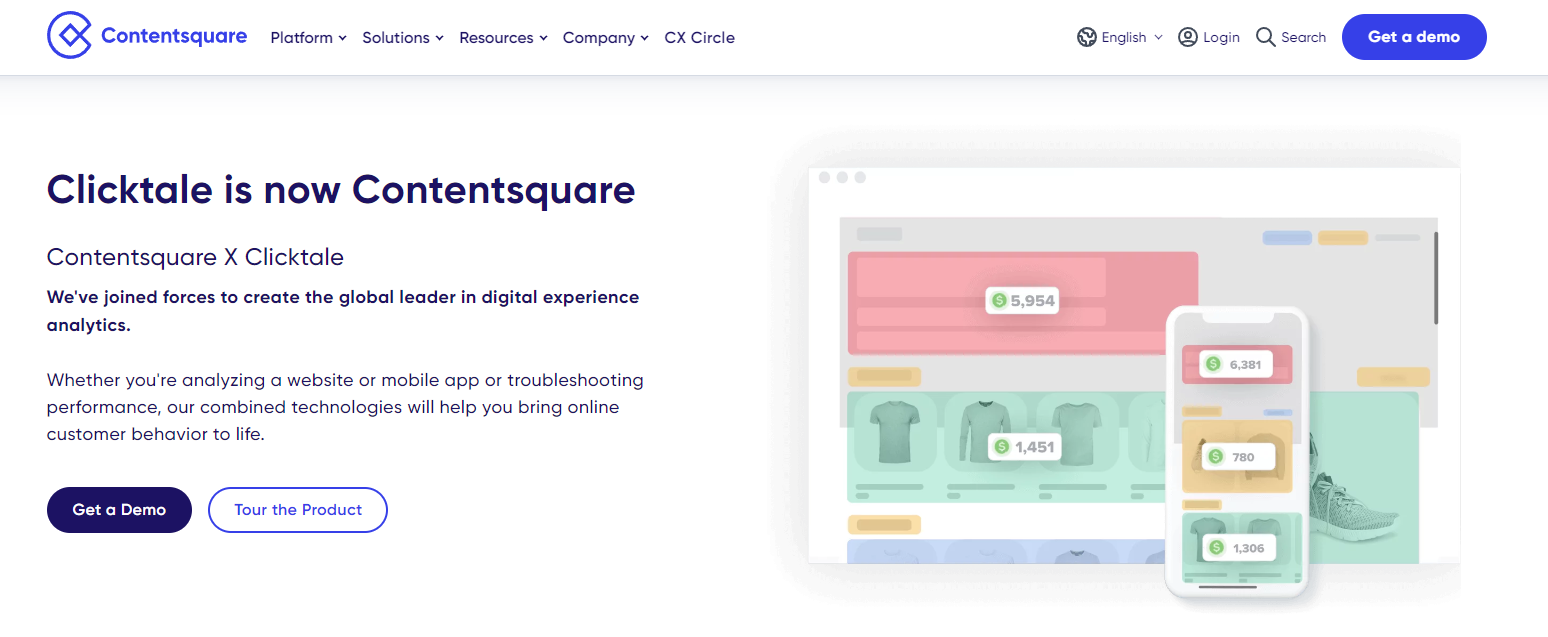
Contentsquare is a digital experience analytics platform that lets you track customer behavior and interaction via session replays, funnel analytics and heatmap tools. You can analyze your website or mobile app to understand the “why” behind customer behavior and spot friction in the customer journey.
Contentsquare scores 4.8 out of 5 based on 117 user reviews.
Best for
Contentsquare is good for ecommerce, telecommunication, insurance, marketing and finance companies. UX designers and product managers use Contentsquare for app analytics.
Supported platforms
Contentsquare supports websites, mobile and hybrid apps.
Key features
Zone-based heatmaps: Visualize where users click and scroll.
Session replay: Review user sessions to understand interactions.
Journey analysis: Track user paths through the site.
Impact quantification: Measure the effects of changes on user behavior.
AI insights: Utilize AI for deeper analysis of customer behaviors.
Integrations
Contentsquare integrates with analytics tools like Adobe Analytics, Google Analytics, and Google Analytics 360.
Customer support
Customer support is one area where this platform falls short. It only provides support via FAQs and knowledge base.
Pricing
Unlike Lucky orange, Contentsquare doesn’t provide transparent pricing on their website. You have to contact sales for a custom quote based on your analytics needs.
Pros
Comprehensive analytics features that cover various aspects of user behavior
Strong visual representations of data that are easy to interpret
Cons
Some users reported bugs and performance issues, particularly with complex data sets
The learning curve can be steep for new users due to the platform’s extensive features
Lucky Orange Alternatives: Summary
We’ve covered the features of the top five Lucky Orange alternatives. Here’s a summary table to help you compare them faster.
Features
FullSession
LiveSession
Inspectlet
Crazy Egg
Contentsquare
Real-time session recording
✔
✔
✔
✔
✔
Analysis of dynamic elements
✔
✔
✔
✔
✔
Recording filtering
✔
✔
✔
✔
✔
Conversion tracking
✔
✘
✘
✘
✔
Customer feedback and surveys
✔
✘
✔
✘
✔
Funnels and conversions
✔
✘
✘
✘
✔
Live heatmaps
✔
✔
✔
✔
✔
Scroll heatmaps
✔
✘
✔
✔
✔
Custom event tracking
✔
✘
✘
✘
✔
A/B testing
✘
✘
✘
✔
✔
Dynamic heatmaps
✔
✘
✘
✘
✔
User segmentation
✔
✘
✘
✘
✔
Free trial
✔
✔
✔
✔
✔
Activity dashboard
✔
✔
✔
✔
✔
Engagement score
✔
✘
✘
✘
✔
Pricing
Starts at $39/month
Starts at $65/month
Starts at $39/month
Starts at $99/month
NA
Lucky Orange Alternatives: Our Verdict
After a complete analysis of different solutions in the market, FullSession stands out as the best Lucky Orange alternative. Our conclusion is based on several key points that make FullSession better in terms of functionality, performance and user privacy.
Real-time heatmap data processing
FullSession offers real-time heatmap tracking, so you can immediately track and analyze user engagement with dynamic page elements. This reduces data processing time and allows for faster user behavior analysis.
No performance impact
Unlike many other solutions, FullSession does not impact your website’s performance. It maintains optimal speed and responsiveness, improving the customer experience.
Extra security and privacy measures
With current data privacy concerns, FullSession prioritizes user security. It doesn’t capture sensitive user information, so there’s no risk of identity theft or unauthorized access.
Advanced data filtering and segmentation
FullSession excels at data analysis, with advanced data filtering and segmentation tools that allow you to process large volumes of session data and make decisions faster.
Ethical data collection
FullSession is non intrusive in data collection. The platform doesn’t track user activity across the Internet or use data for behavioral advertising, so users trust us more.
Lucky Orange is solid, no doubt. But if you want a fast, secure, and feature-packed solution without compromising on performance or privacy, FullSession is your best bet. It’s the whole package for businesses looking to improve their user experience game.
Lucky Orange offers a user-friendly approach to basic analytics. You can start tracking your site’s activity by simply installing a code snippet on your site—a process that doesn’t require any coding expertise. You can also check out FullStory as one of the competitors.
What are Lucky Orange pros?
Lucky Orange is easy to install and has many tools to help you dig deep into user behavior and actions. It has an analytics dashboard to track specific traffic sources and key metrics for your marketing campaigns.
What are Lucky Orange cons?
Lucky Orange can be expensive for startups with a small budget. Some users report that the software slows down the site’s loading time. It doesn’t have an intuitive UI, which can be confusing, especially if you don’t have technical experience.
How much does Lucky Orange cost?
Lucky Orange has a free plan that allows you to track 100 monthly sessions. The pricing for four other paid plans is based on monthly sessions and data storage duration. The build plan starts at $39/month and allows you to track up to 5,000 sessions.
Does Lucky Orange slow down the website?
The effect of Lucky Orange on website performance is debatable. While some users report slight slowdowns due to its scripts, Lucky Orange is designed to minimize the impact on site speed when correctly implemented.
What is Lucky Orange used for?
Lucky Orange is a web optimization tool that provides insights into user behavior through features like session recordings, website heatmap tools, live visitor tracking, surveys, and conversion funnels. It helps you improve user experiences and conversion rates and reduce cart abandonment. You can also check out these Hotjar alternatives.
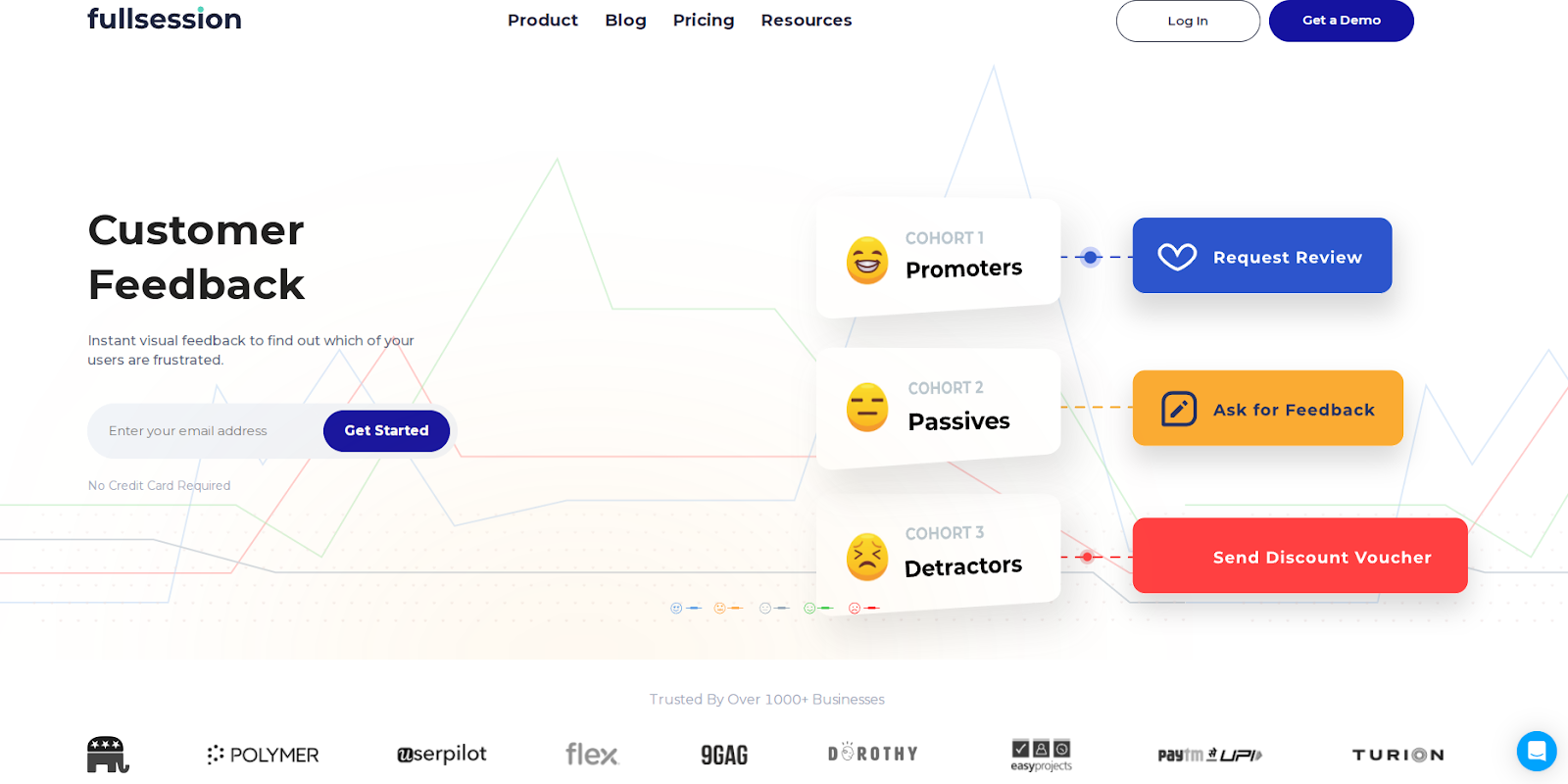
Customer feedback collection tools help you truly understand customers and improve their experience with your product or service. You can capture real-time insights and make smart decisions about product roadmaps, feature prioritization, and overall business strategy.
One example is FullSession, a user behavior analytics software that goes beyond raw numbers. It helps you capture and visualize all customer interactions, analyze trends and patterns and optimize your website performance.
FullSession also provides customer feedback tools with connected session recordings. It allows you to gather feedback at critical points in the user journey, watch session replays to evaluate customer behavior on your site and better understand the context behind their comments.
In this article, we’ll explore the top customer feedback tools and highlight their key features and drawbacks so you can confidently choose the best one for your business.
Key Takeaways
FullSession is a user behavior analytics software with accurate, real-time insights into user behavior that helps you optimize digital experiences. It offers session recordings, interactive heatmaps, customer feedback tools, error analysis, and funnel and conversion tracking. FullSession integrates with APIs, native platforms, modern webhooks, and Zapier while complying with GDPR, CCPA, and PCI standards. Pricing starts at $39 per month with a 20% discount for annual plans. Book a demo now.
SurveyMonkey is a survey and feedback management tool built for gathering customer feedback, conducting market research, and analyzing customer feedback. Its key features include pre-built templates, customizable surveys, A/B testing, and multi-channel distribution. SurveyMonkey is easy to use but has a learning curve for users new to survey tools. While the free plan is limited, paid plans start at $99 per month, with advanced features such as survey logic available only in higher tiers.
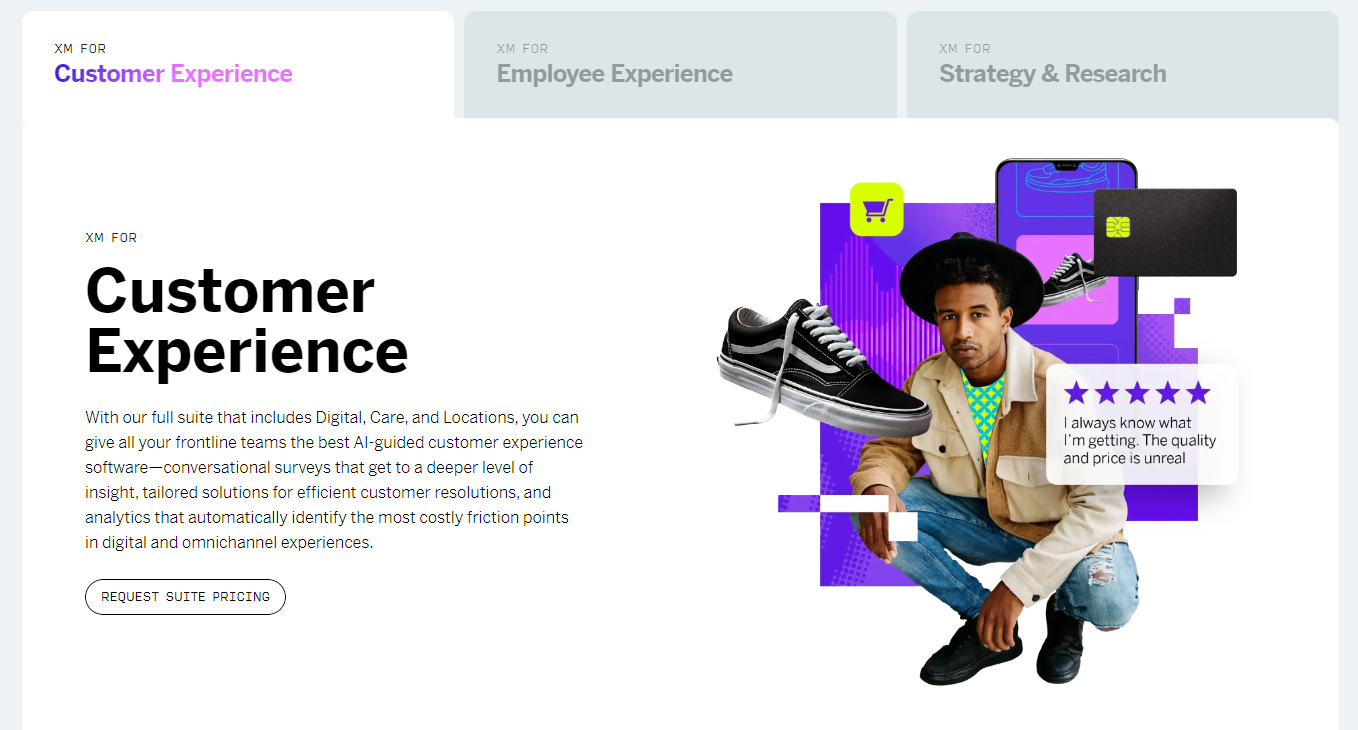
Qualtrics CoreXM is a market research software suitable for large enterprises and research teams. It offers analytics, AI-driven insights, and customizable surveys across multiple channels. Despite its features, Qualtrics CoreXM’s pricing is not transparent and may be expensive for smaller businesses. Custom pricing is available upon request.
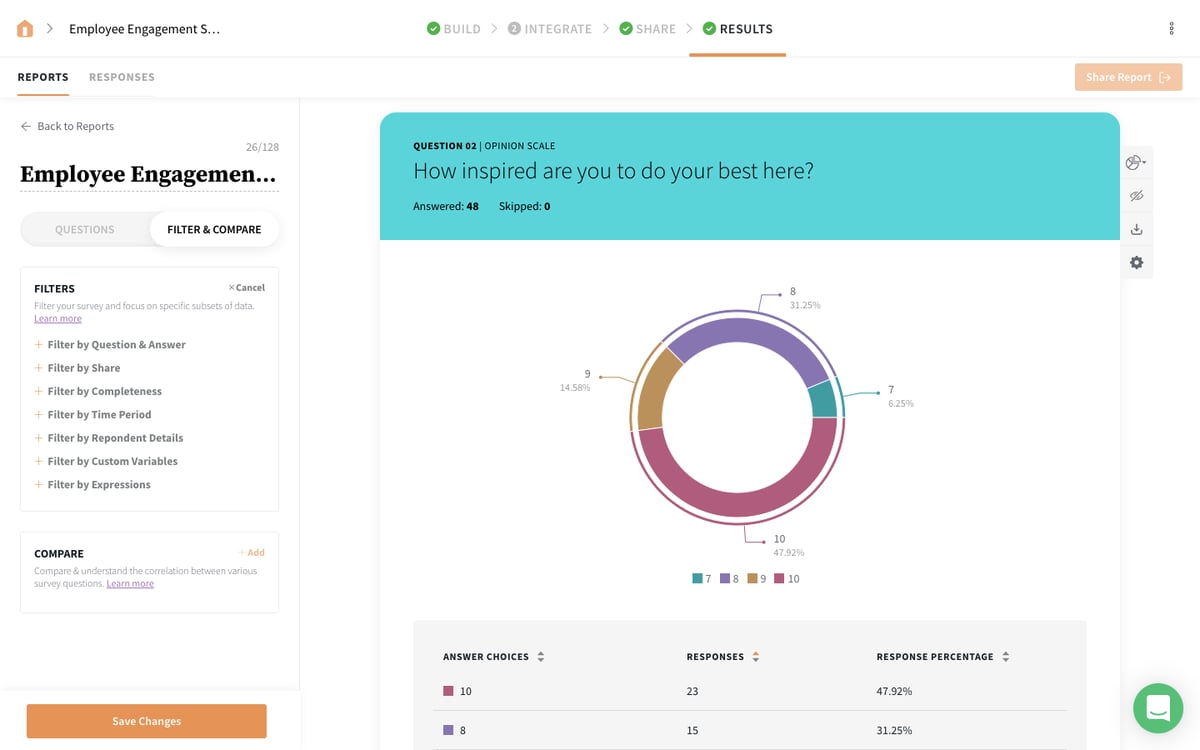
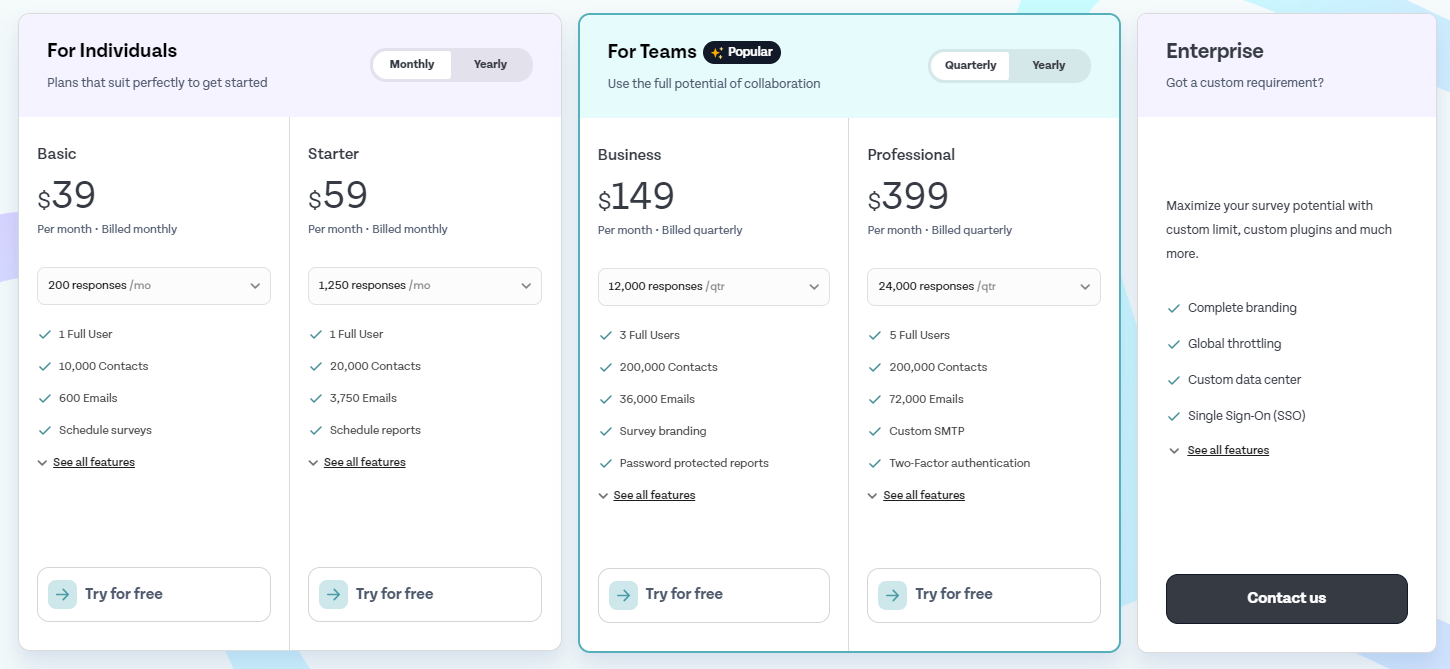
SurveySparrow is an online survey software that focuses on creating engaging, conversational surveys that boost response rates. Its key features include NPS surveys, multi-channel distribution, and real-time analytics. Pricing starts at $39 per month, but advanced features like recurring surveys are available only on higher-tier plans.
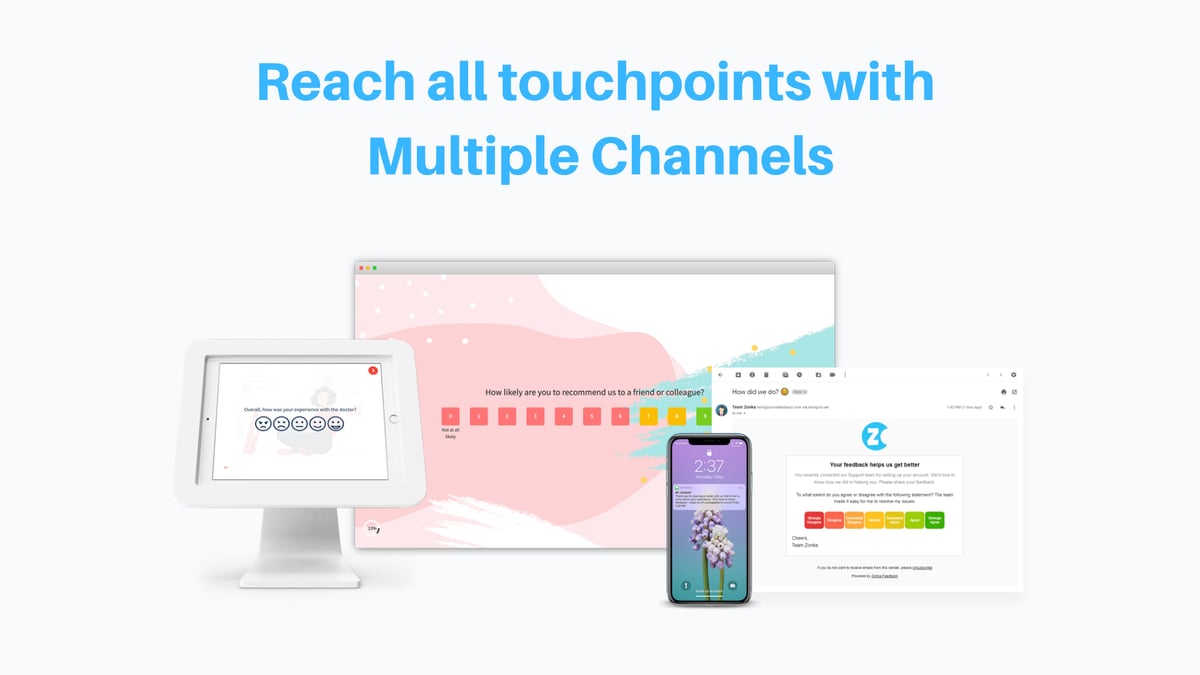
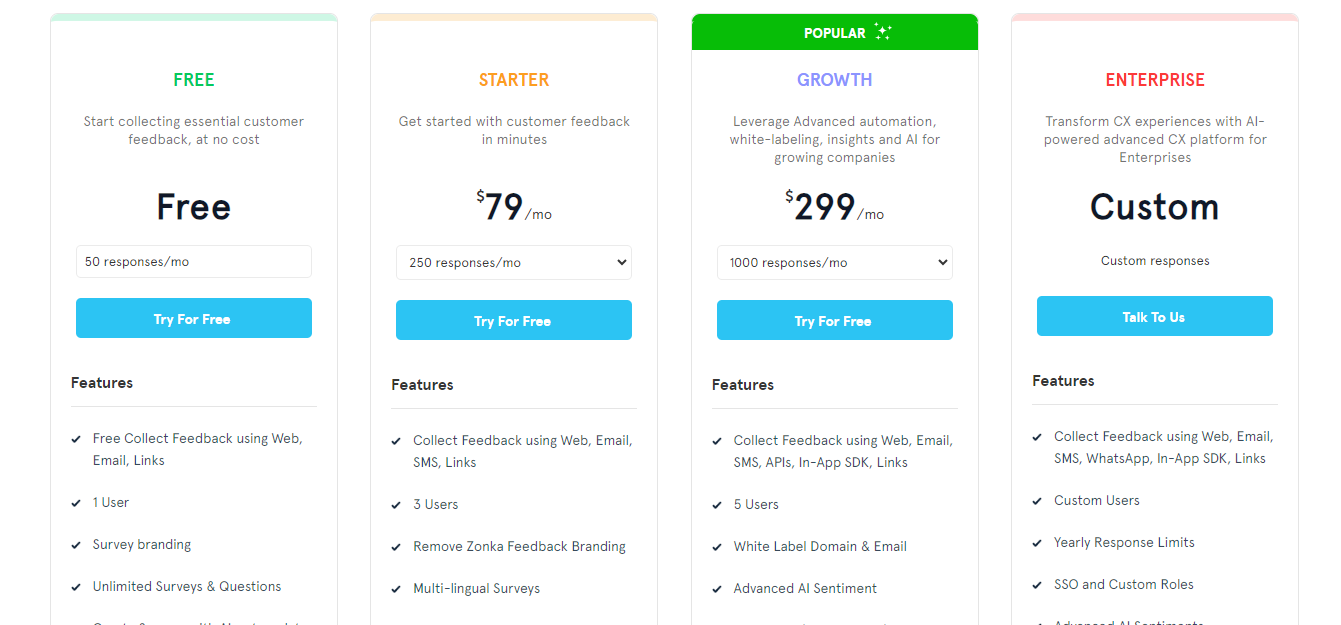
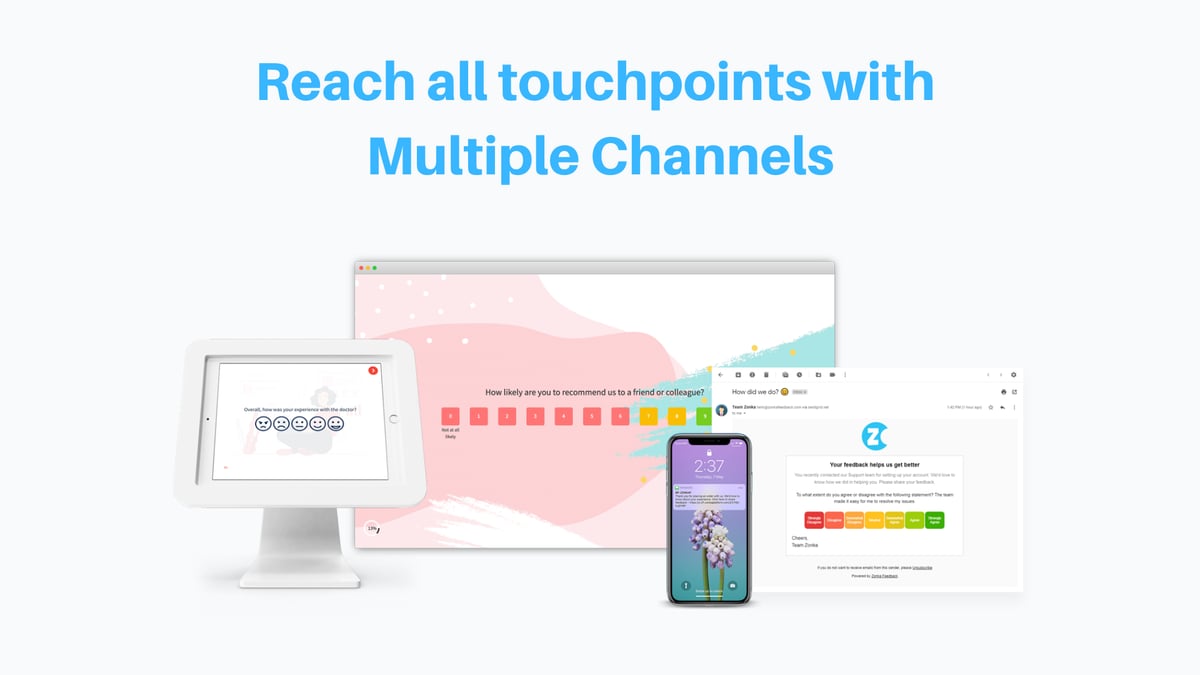
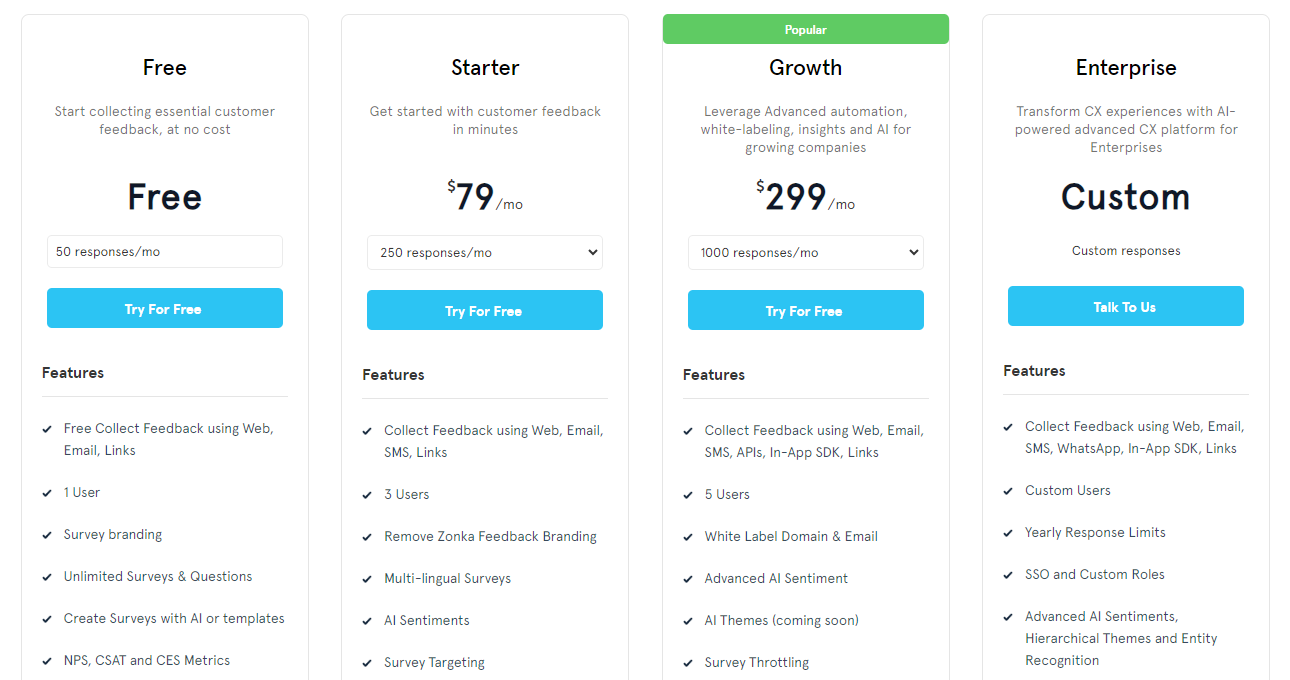
Zonka Feedback is an AI-driven customer experience and feedback platform offering multi-channel feedback collection and real-time alerts. Its key features include NPS, CSAT, and CES surveys, customizable forms, and offline survey capabilities. Because its pricing starts at $79 per month, it may be on the higher side for smaller businesses.
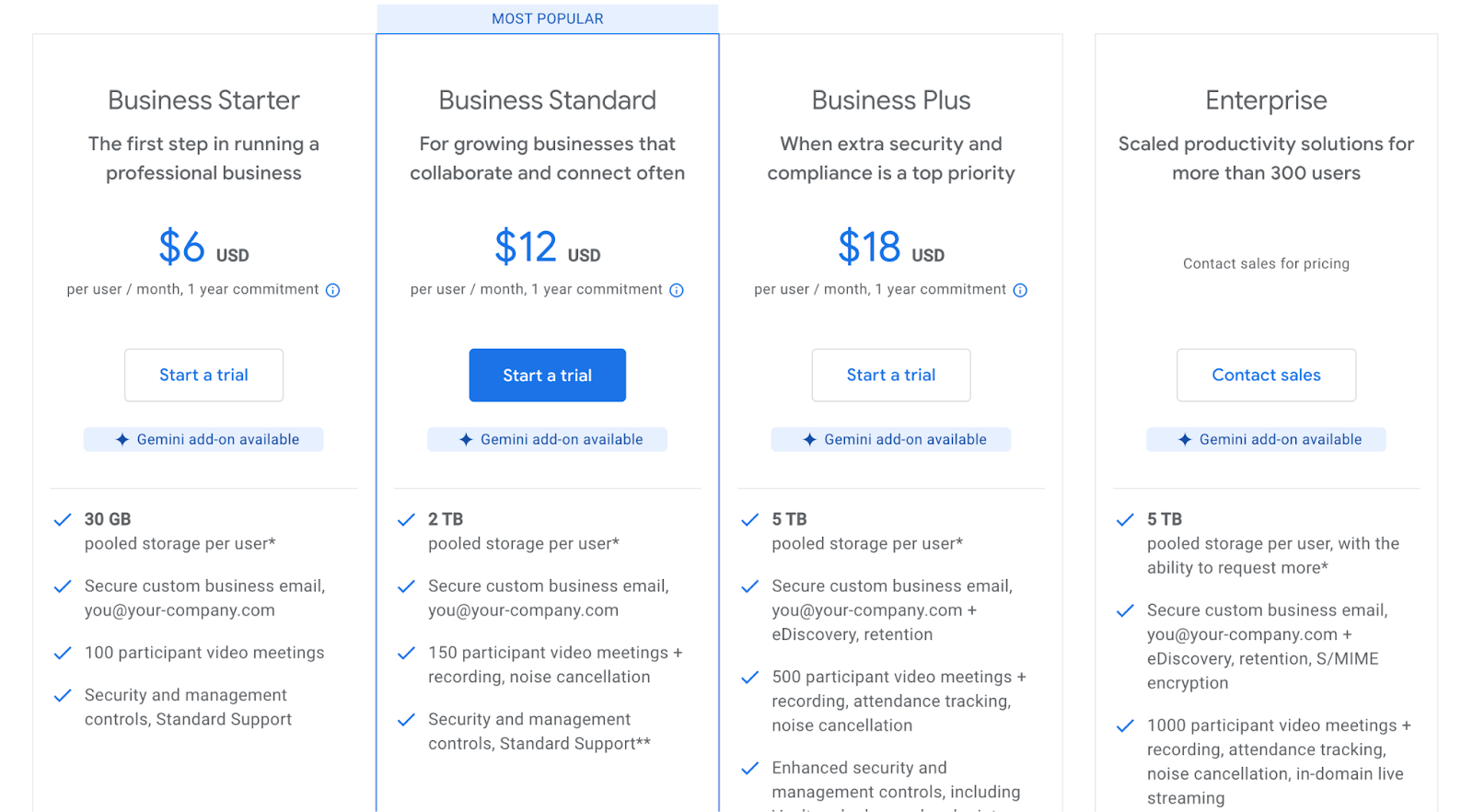
Google Forms is an online form creator tool suitable for individuals and small businesses. Its key features include customizable forms, real-time collaboration, and automatic data collection. While it integrates well with Google apps, it lacks advanced analytics and customization options compared to paid survey tools. Google Forms is free to use, but more features are available in Google Workspace, which starts at $6 per month.
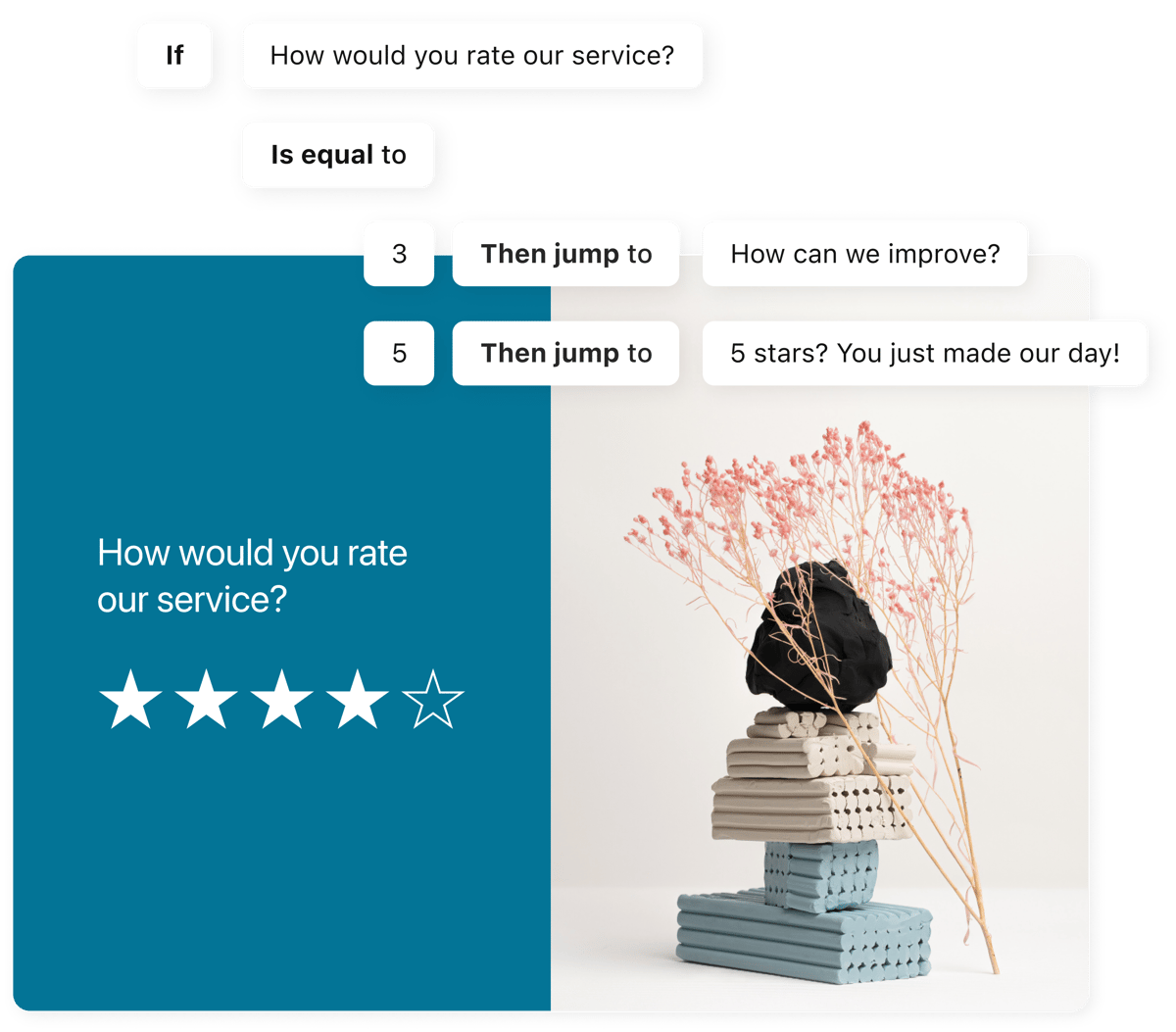
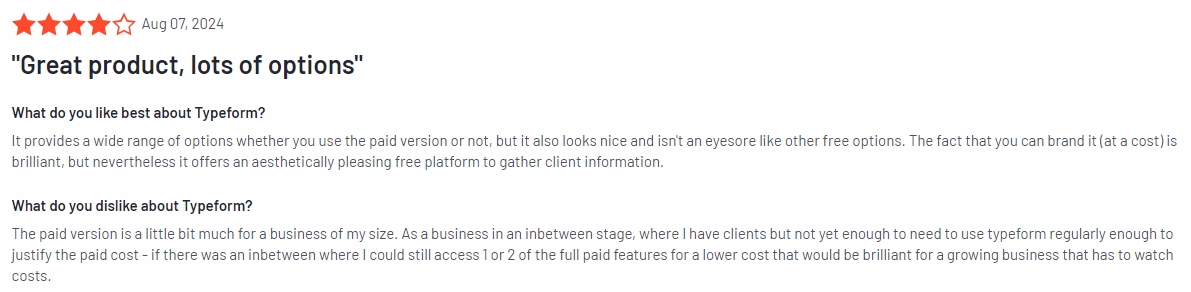
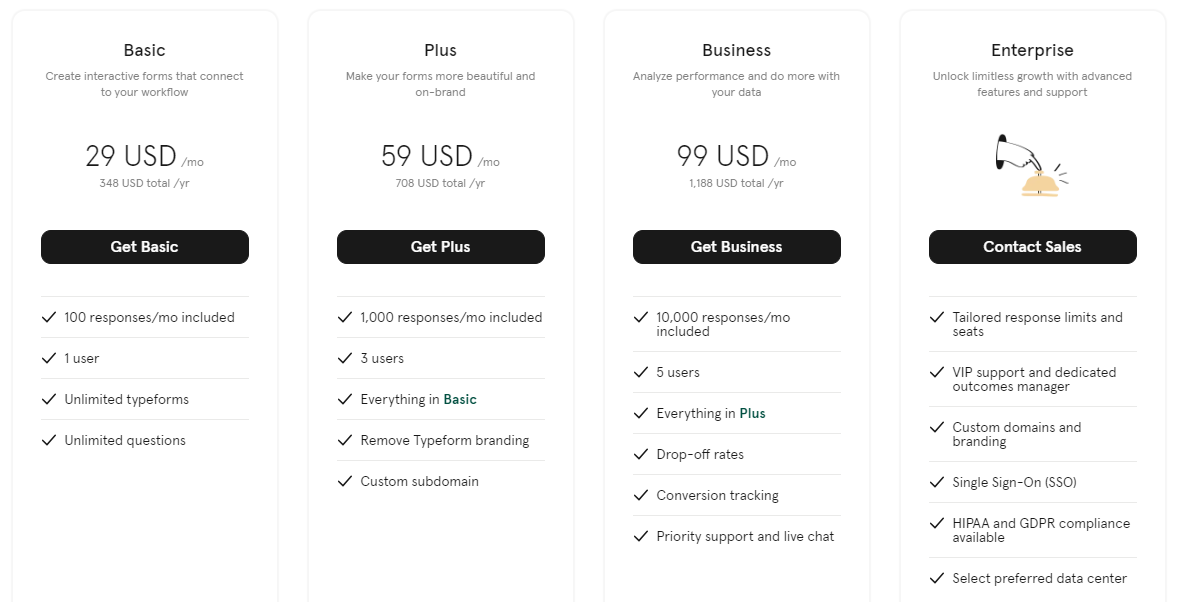
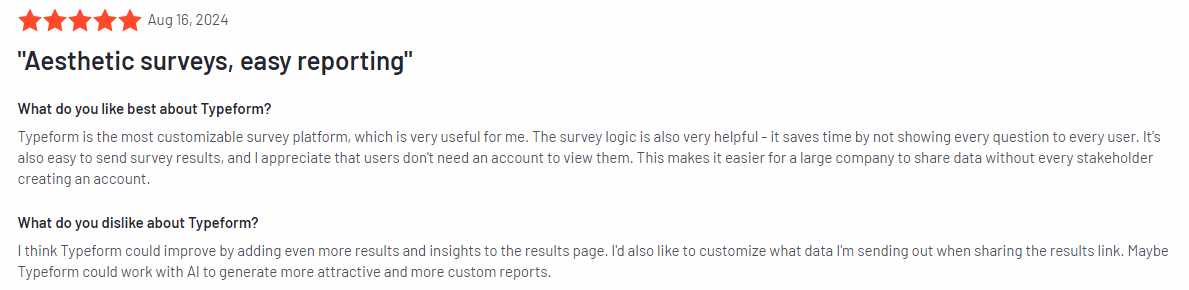
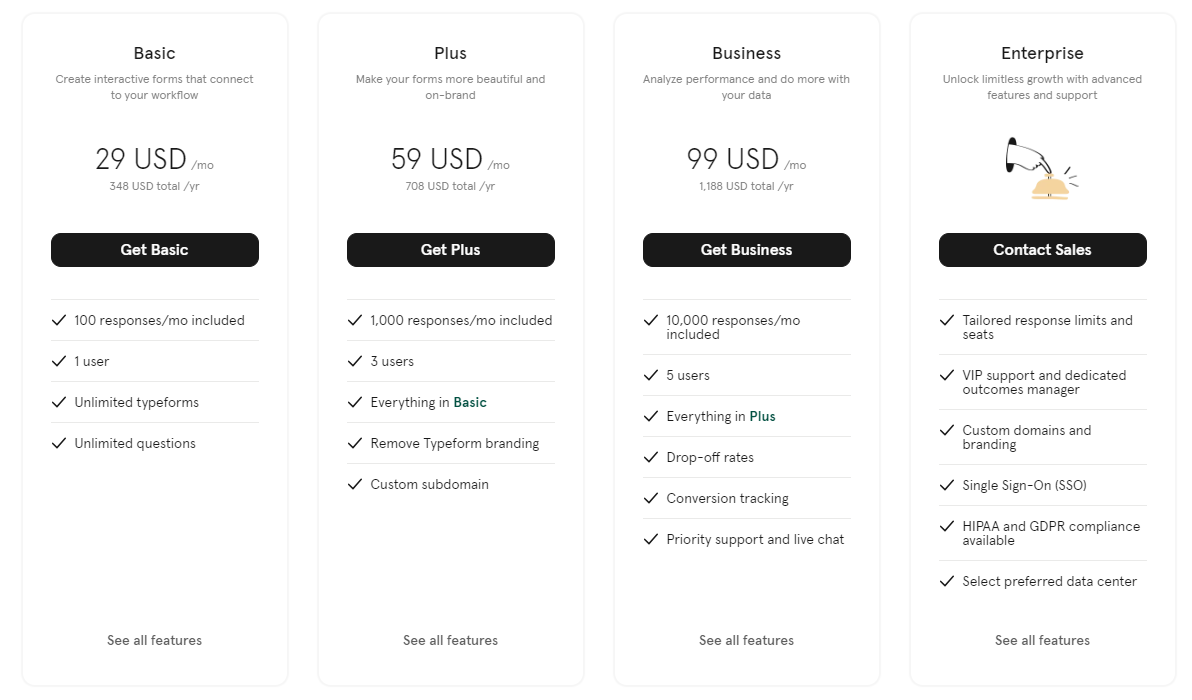
Typeform is an online form builder tool known for its sleek, conversational style that engages respondents. Its features include customizable forms, logic jumps, and real-time analytics. It integrates well with popular tools and offers a free plan, but it’s limited to only ten responses per month. Pricing starts at $29 per month for more features.
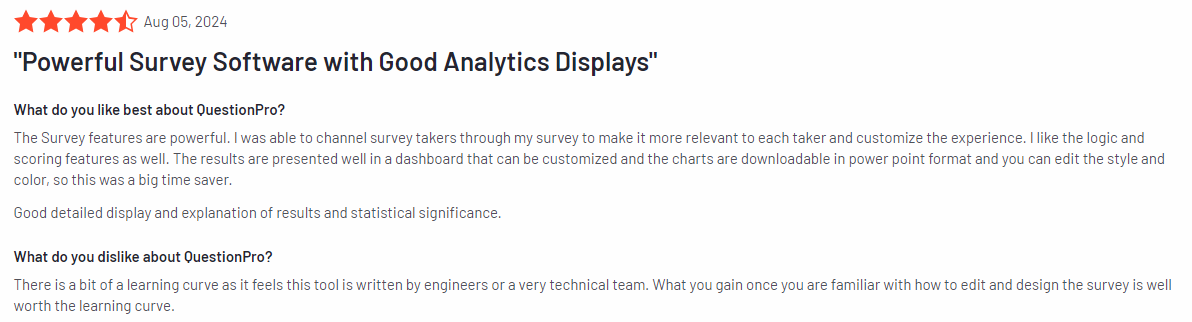
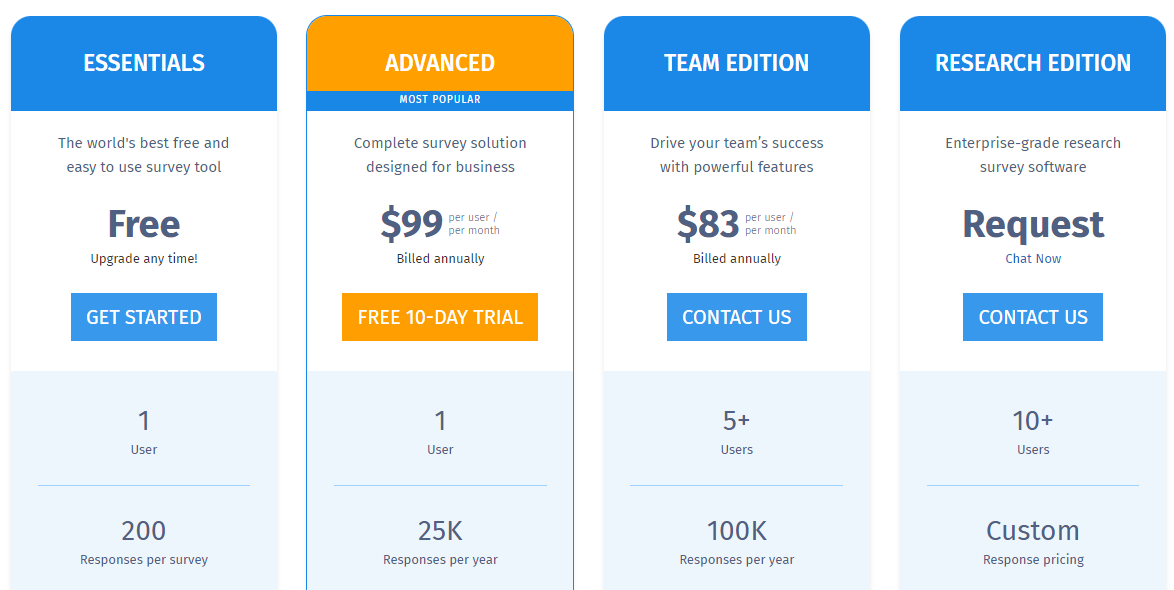
QuestionPro is an online survey software offering advanced features like survey logic, real-time analytics, and a global panel of respondents. It integrates with various business tools and is suited for market researchers and HR teams. Pricing starts at $99 per month, but it may be too complex for beginners.
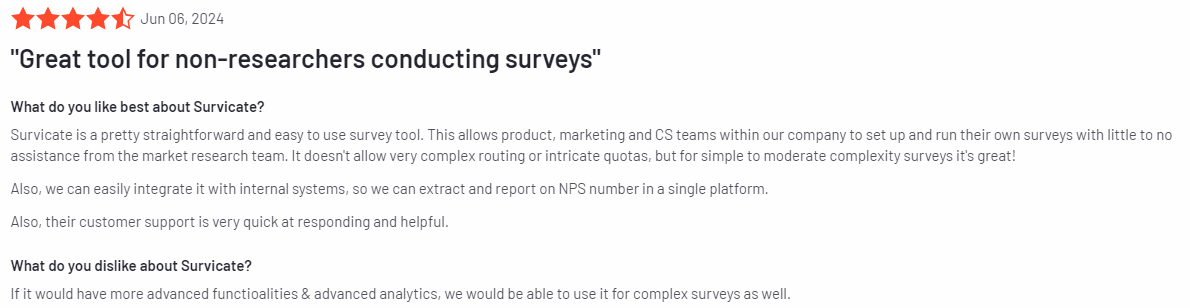
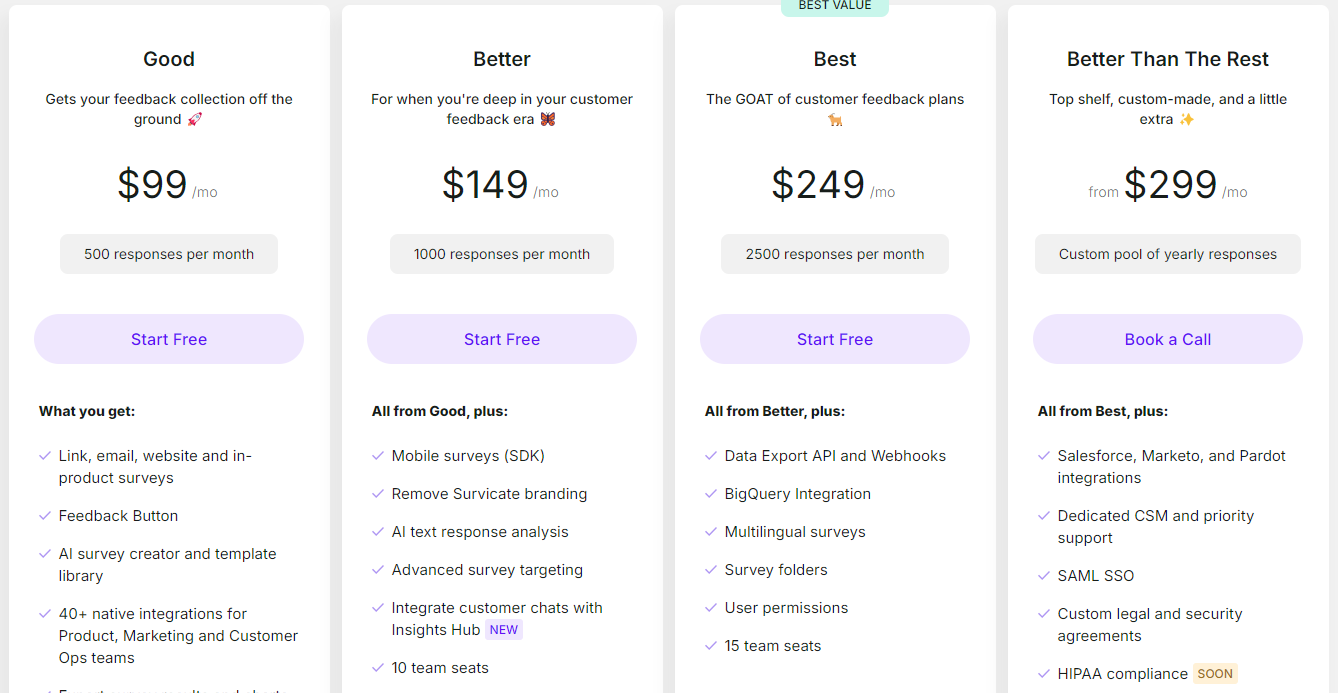
Survicate is a customer feedback and survey tool designed to collect insights through website widgets, email surveys, and NPS surveys. It integrates with popular business tools and provides real-time analytics. The free plan is limited, and paid plans start at $99 per month.
Boost Customer Satisfaction and Experience
Learn how our customer feedback tools help you identify recurring issues and user needs.
Best 9 Customer Feedback Collection Tools Right Now
Here’s a quick overview of the top website feedback tools available today, each offering unique features to help you capture customer feedback and gather actionable insights:
Let’s begin with our analysis of these best customer feedback tools.
1. FullSession
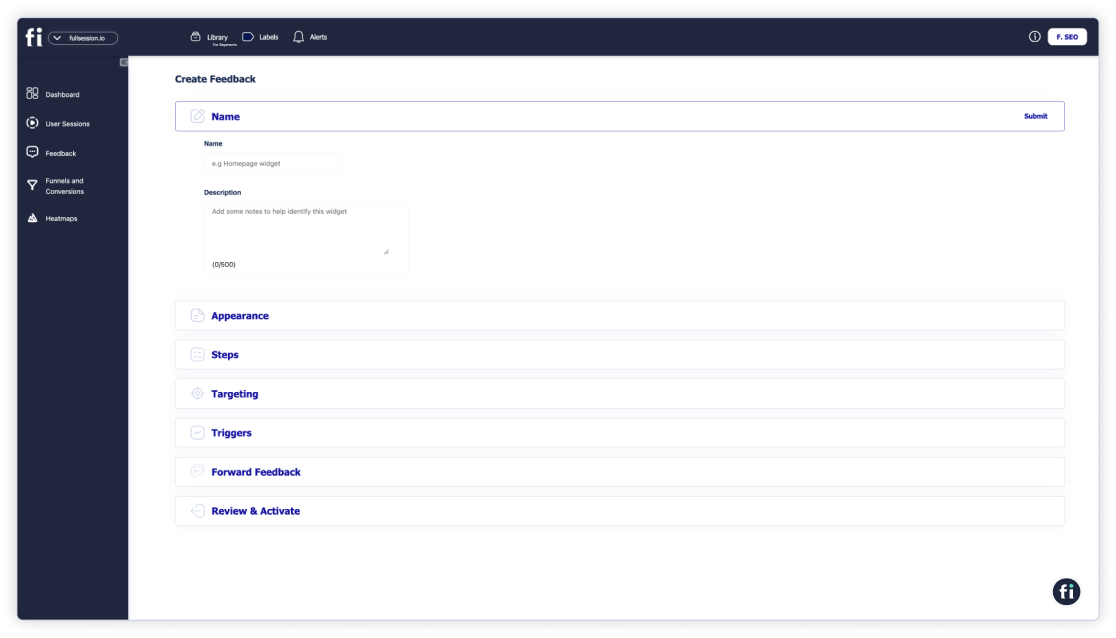
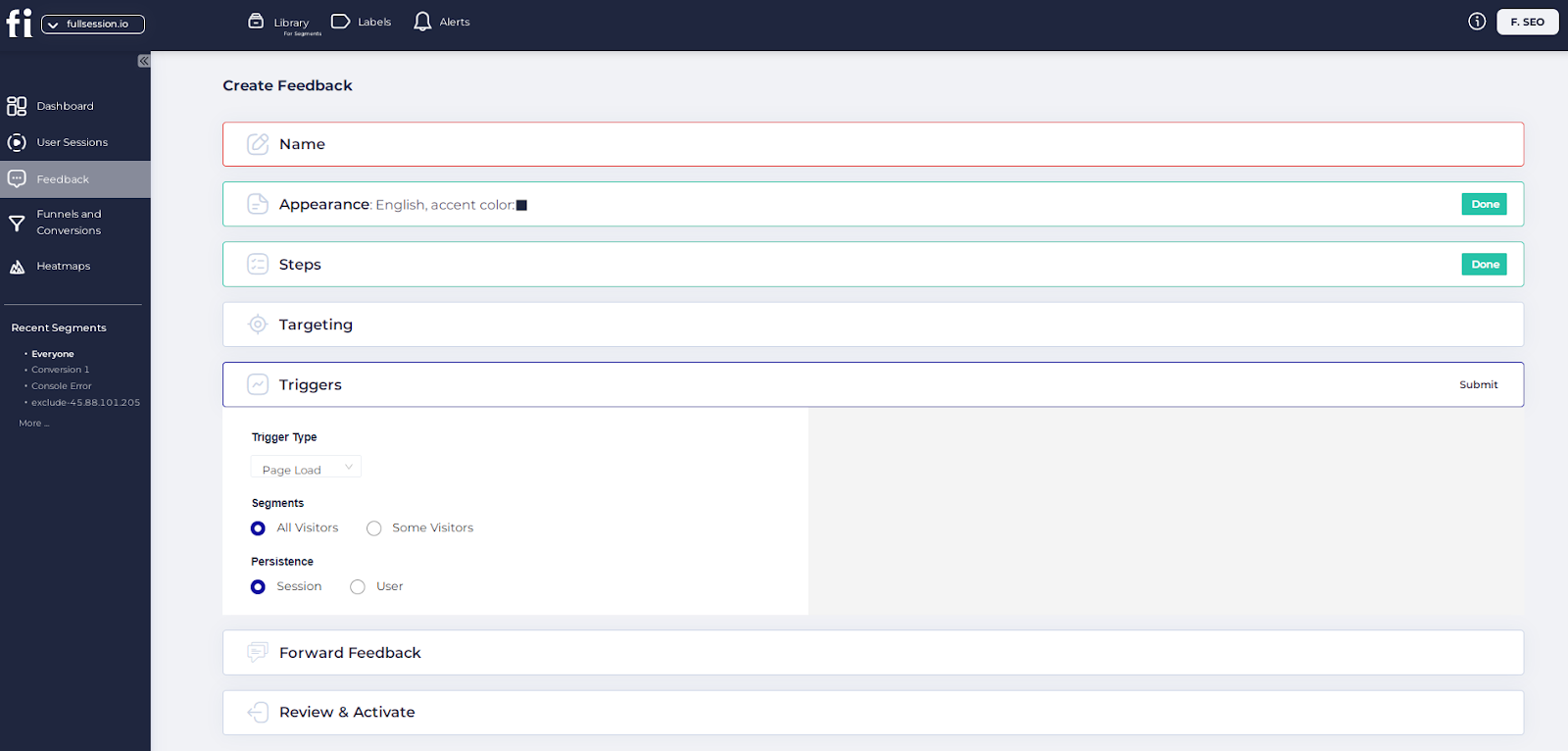
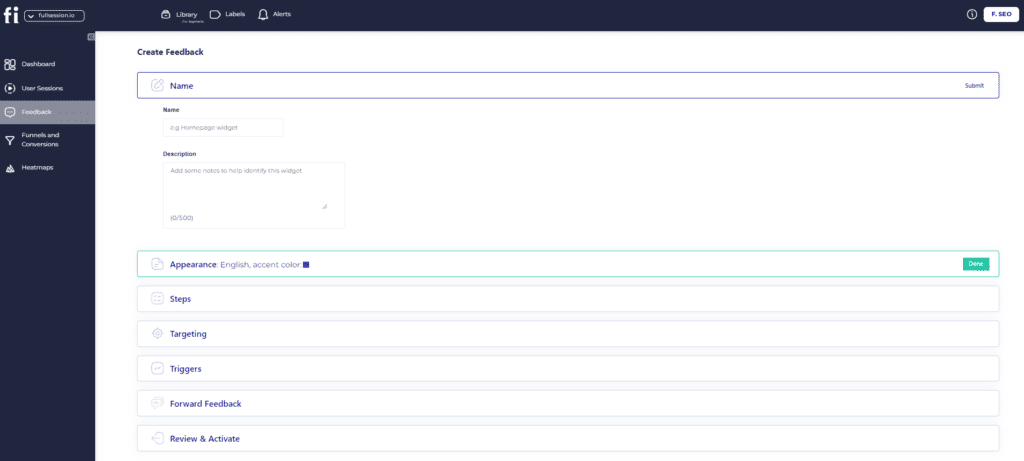
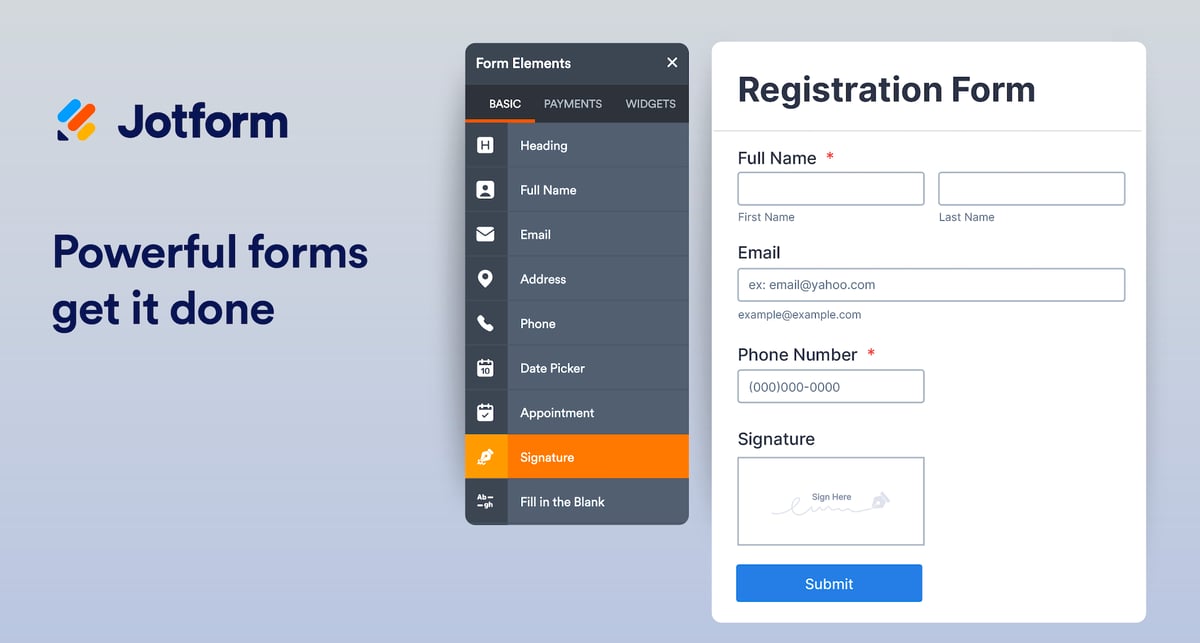
FullSession is an all-in-one user behavior analytics software that helps you effectively collect and store customer feedback via website feedback forms. FullSession allows you to customize thefeedback widgets:
Customize the form appearance: Choose the display mode, language, page position, reaction style, and accent or alternate colors.
Set up the steps: Input your questions, feedback placeholder, email request, and thank you message.
Target specific users: Select users on desktops, tablets, or phones.
Choose a trigger type: Activate the survey on page load, after a rage click, or when the user scrolls to a certain point.
Forward feedback: Opt to have responses sent to your email.
Each feedback has a connected session recording, allowing you to observe what happened during the user’s website visit so you can better understand the context behind their comments.
In cases of negative feedback, these recordings can help quickly identify and resolve the problem, leading to a better customer experience.
By visualizing user engagement and gathering detailed feedback, FullSession allows you to make data-driven decisions to improve your website, increase conversions, and boost customer satisfaction.
With additional features such as interactive heatmaps, conversion funnel analysis, and error tracking, FullSession offers a comprehensive solution for understanding your users’ needs and pain points and optimizing your website for peak performance.
It is also fully compliant with GDPR, CCPA, and PCI standards.
If you’re looking to optimize user experiences while ensuring privacy and compliance, FullSession is the best choice.
Visualize, Analyze, and Optimize with FullSession
See how to transform user data into actionable insights for peak website performance.
Advanced user and event segmentation: Sort and categorize website visitors based on their behaviors, trends, patterns and preferences and analyze data to optimize user journeys, and improve engagement and conversion rates.
Session recordings and replays: Capture every interaction on your website in real-time. Replay sessions, observe customer behavior and spot UX, UI, or website performance issues. Keep user privacy by excluding sensitive customer data from recordings.
Interactive heatmaps: Track mouse movements, clicks, and scrolls with immediate heatmap data processing. Test different page elements to see which ones you need to improve without slowing down your website.
Website feedback forms and reports: Gather user feedback directly from your site using branded forms. Link this feedback tosession recordings to better understand the context.
Conversion and funnel optimization tools: Identify where users drop off during critical points in their journey and test new designs or content to improve conversions.
Error analysis: Automatically detect and fix issues like JavaScript errors, network problems, and failed API calls to improve site functionality and user experience.
Get a demo today to explore how these features can improve your business.
Supported platforms
FullSession tracks user behavior on web platforms and can also show mobile user recordings, but it does not currently support user behavior tracking on mobile apps.
Integrations
FullSession integrates with open APIs, modern webhooks, and Zapier. It connects with popular platforms such as Shopify, WordPress, Wix, and BigCommerce and provides native integrations. It works with your entire tech stack.
Customer support
FullSession offers excellent customer support via live chat and email. Additionally, users can access a comprehensive help center for self-service resources.
Pricing
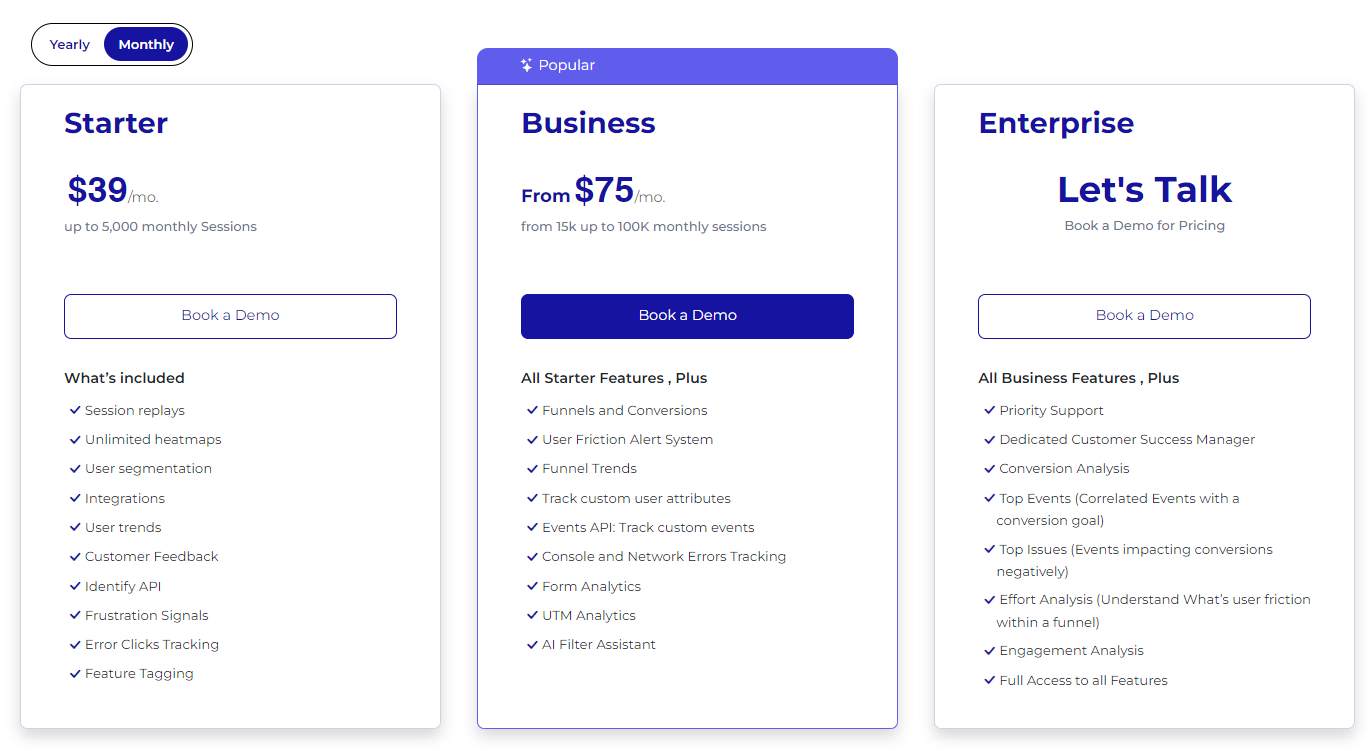
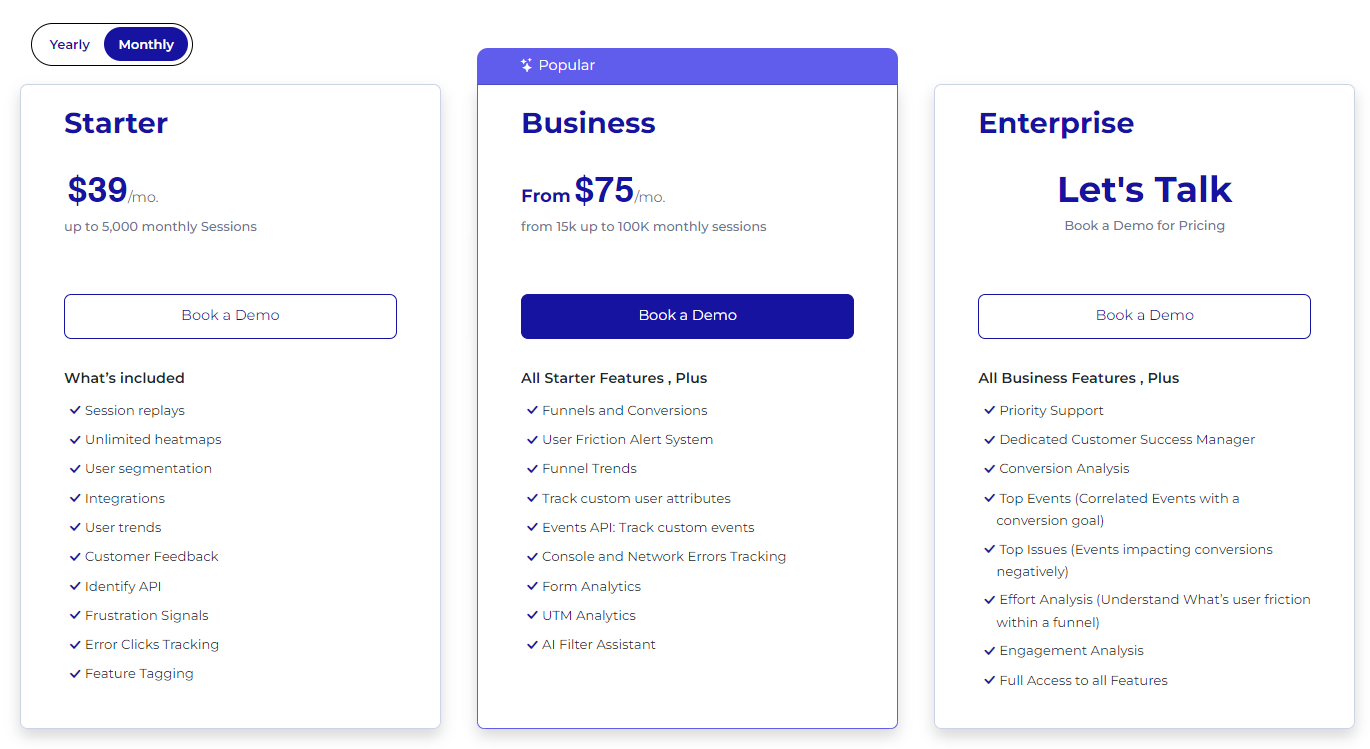
FullSession has three pricing plans to suit businesses of all sizes. The Starter Plan costs $39 per month and includes unlimited heatmaps and up to 5,000 session recordings each month, making it a budget-friendly option for smaller businesses.
The Business Plan starts at $75 per month and offers more advanced features, while the Enterprise Plan provides tailored solutions and premium support for custom pricing.
If you choose an annual subscription, you can save 20% and get the Starter plan at only $32/month. To learn more, check out our pricing page.
Pros
Easy to customize website feedback widgets
Real-time tracking of dynamic elements for precise insights
Fast heatmap processing with no impact on website speed
Privacy-focused, with no sensitive data recording
Easy data management with quick access to key insights
Integrates well with popular platforms like Shopify and WordPress
Supports team collaboration
Cons
Doesn’t support user behavior tracking for mobile apps
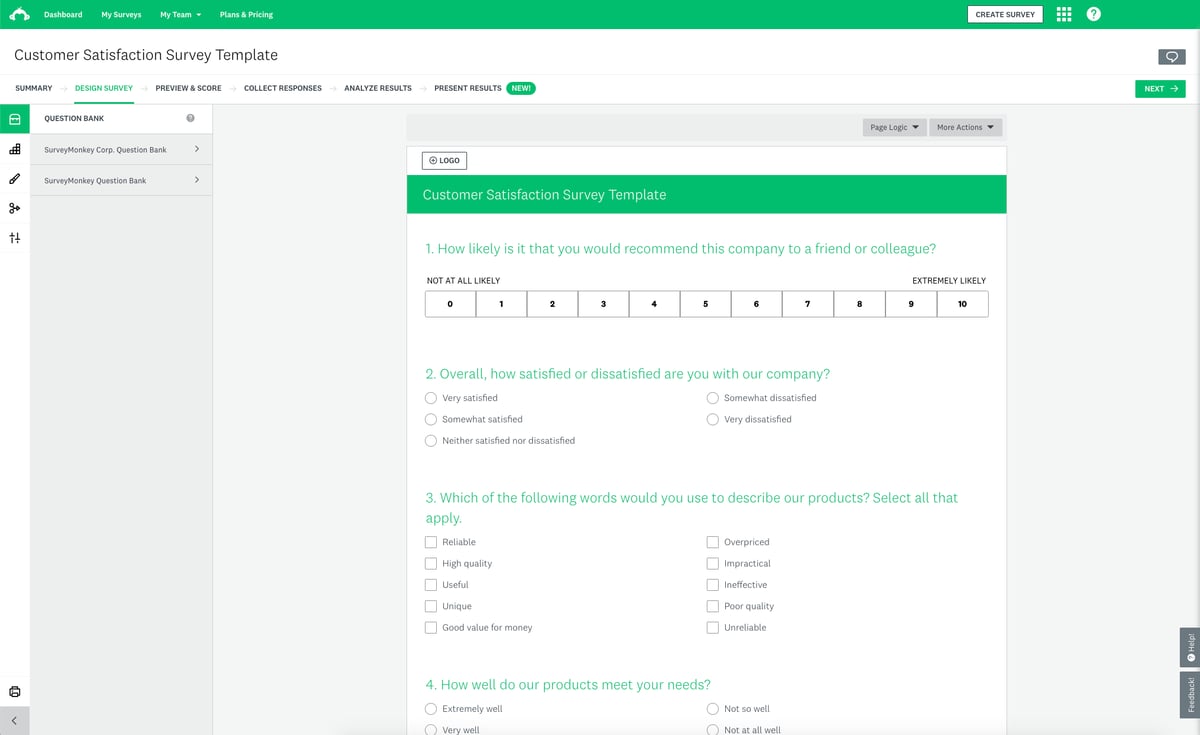
SurveyMonkey is suitable for many users, including small to large businesses, market researchers, customer experience teams, educational institutions, and nonprofit organizations.
Key features
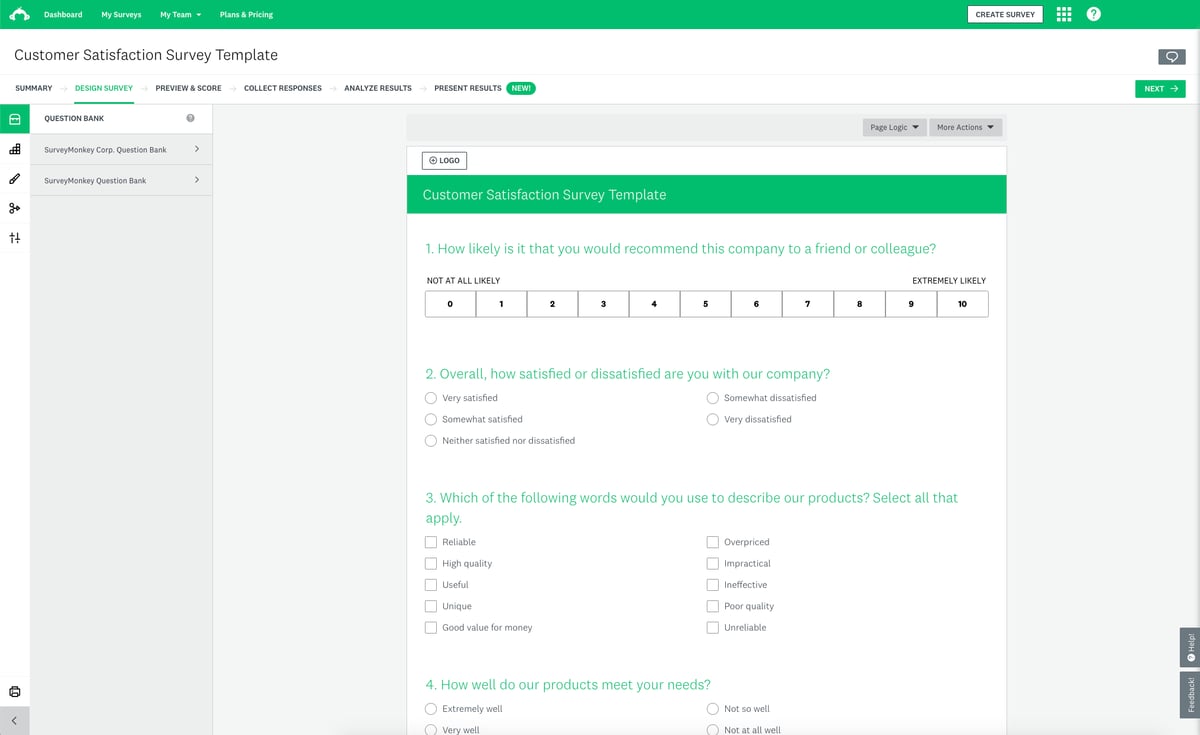
Pre-built survey templates: Access a library of customizable survey templates for different industries and purposes.
Customizable customer feedback surveys: Adjust survey design with branding, logos, and various question types.
Analytics and reporting: Analyze responses with visual reports and export customer feedback data for further analysis.
A/B testing: Compare different survey versions to see which performs better.
Multi-channel distribution: Share surveys via email, social media, or embed them on your website.
Survey logic: Apply skip logic and branching to create more personalized surveys based on user responses.
Supported platforms
SurveyMonkey is available on web-based platforms and iOS and Android mobile apps.
Integrations
SurveyMonkey integrates with tools such as Salesforce, HubSpot, Microsoft Teams, Google Drive, and Slack. You can streamline workflows, automate data transfer, and improve collaboration across different platforms.
Customer support
SurveyMonkey provides multiple customer support options, including email and a detailed help center for self-service. However, to access phone support, you need to subscribe to higher plans.
Pricing
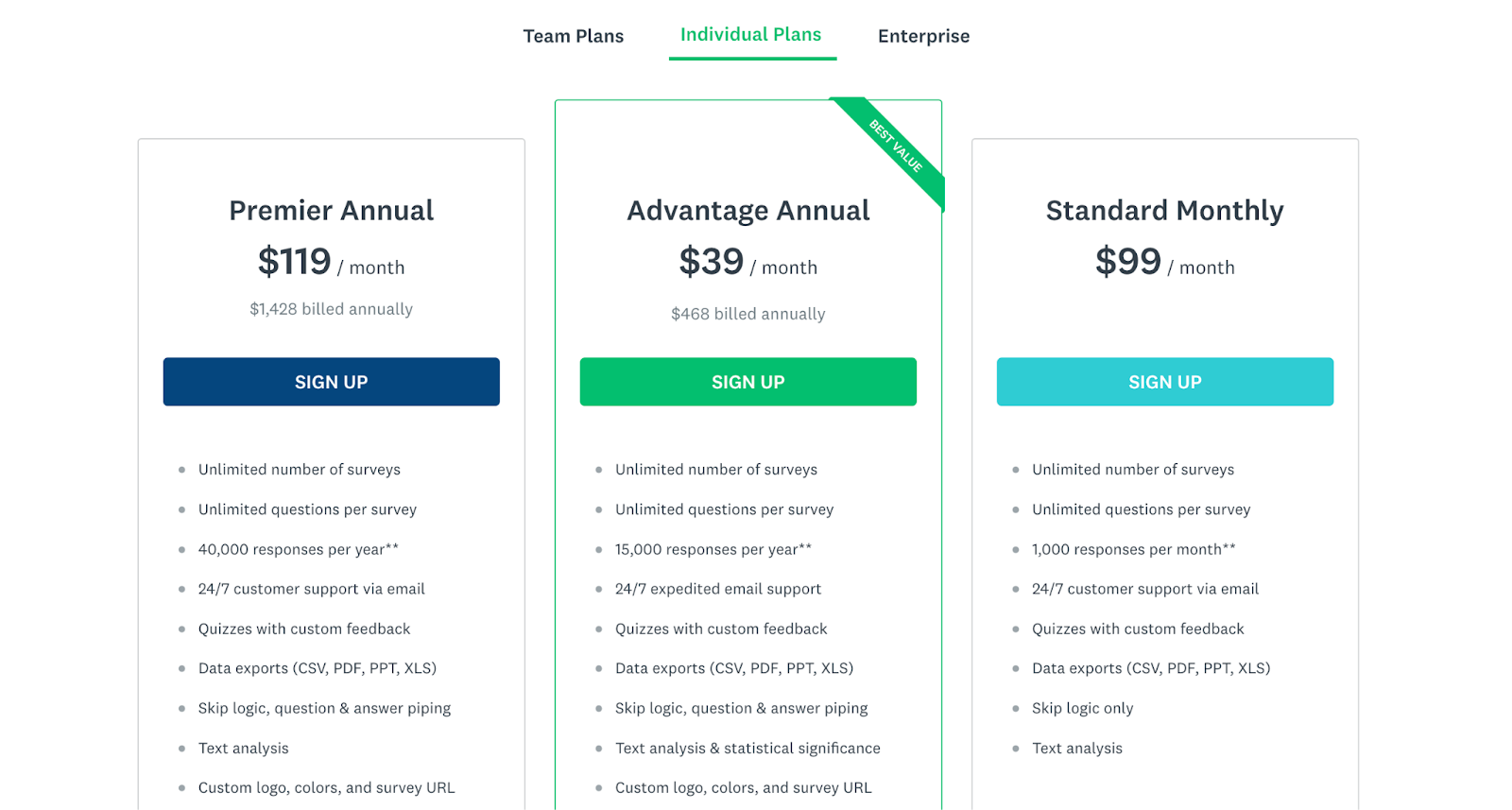
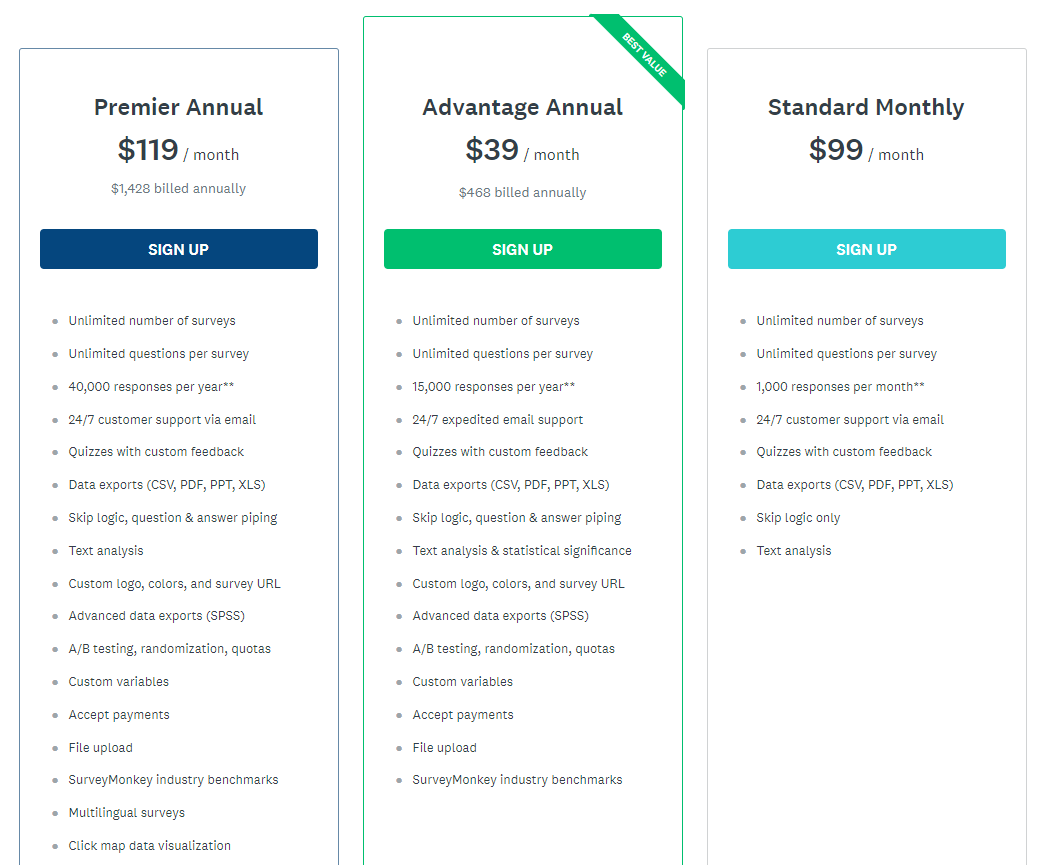
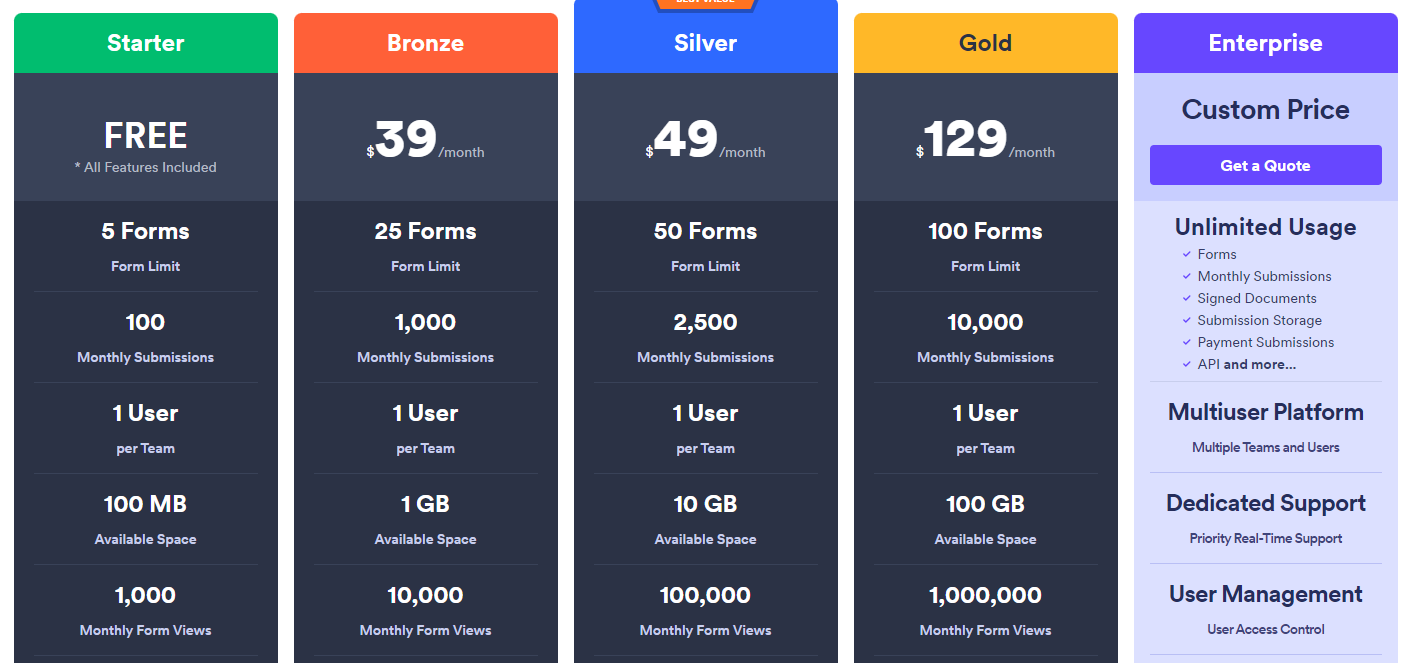
SurveyMonkey offers a free plan with limited features and several paid options starting at $99 per month for theStandard Monthly plan for one user. Custom pricing is available for enterprise solutions.
Pros
Easy-to-use interface
Wide range of customizable survey options
Good analytics and reporting features
Available free plan for basic use
Cons
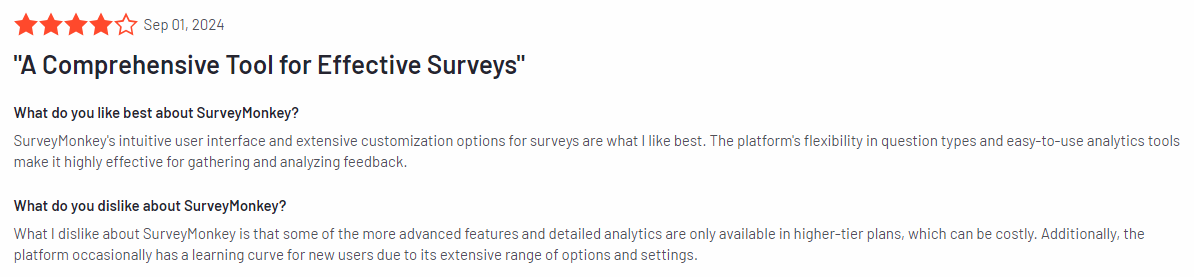
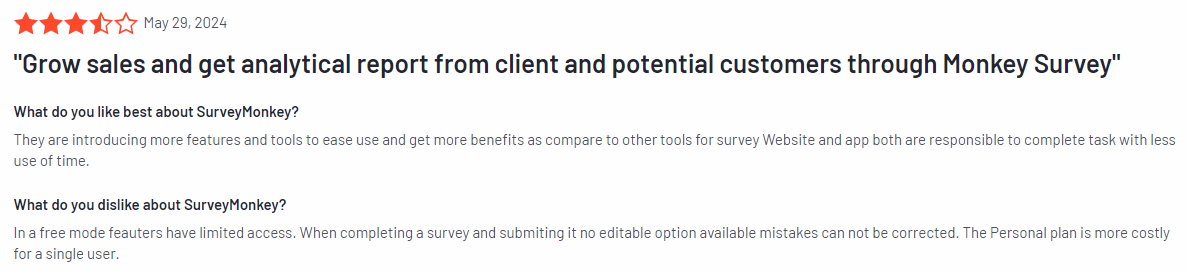
Limited features in the free plan
Advanced features like survey logic only available in paid plans
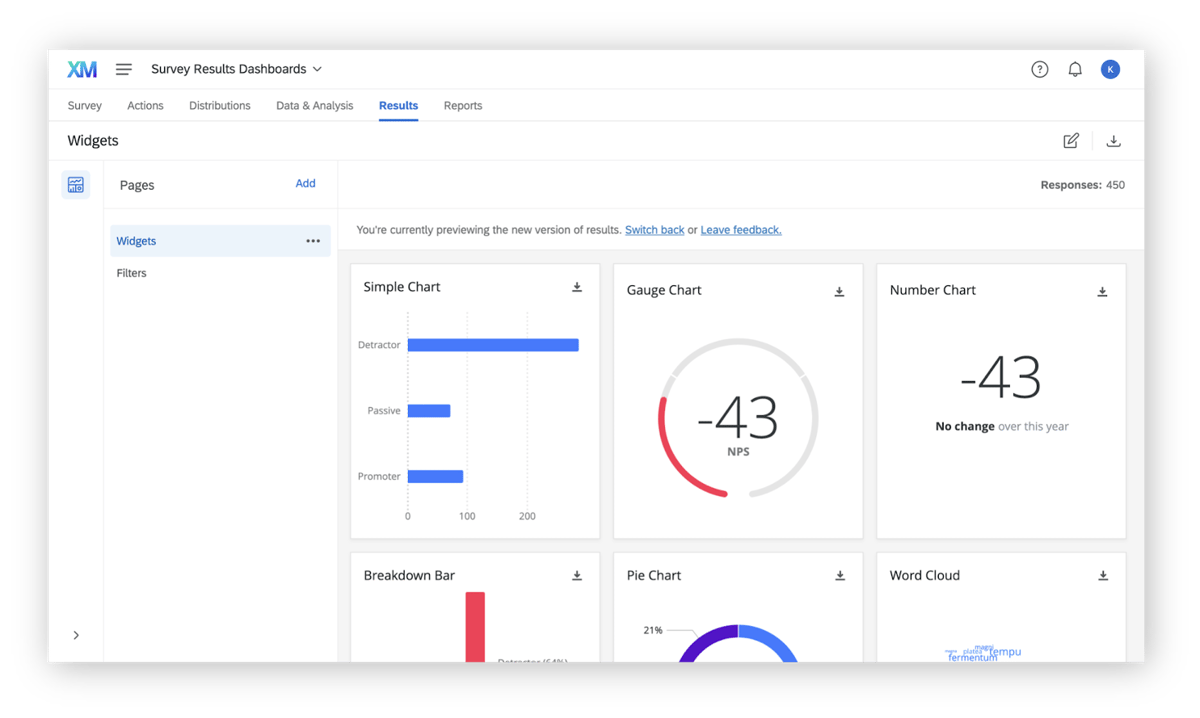
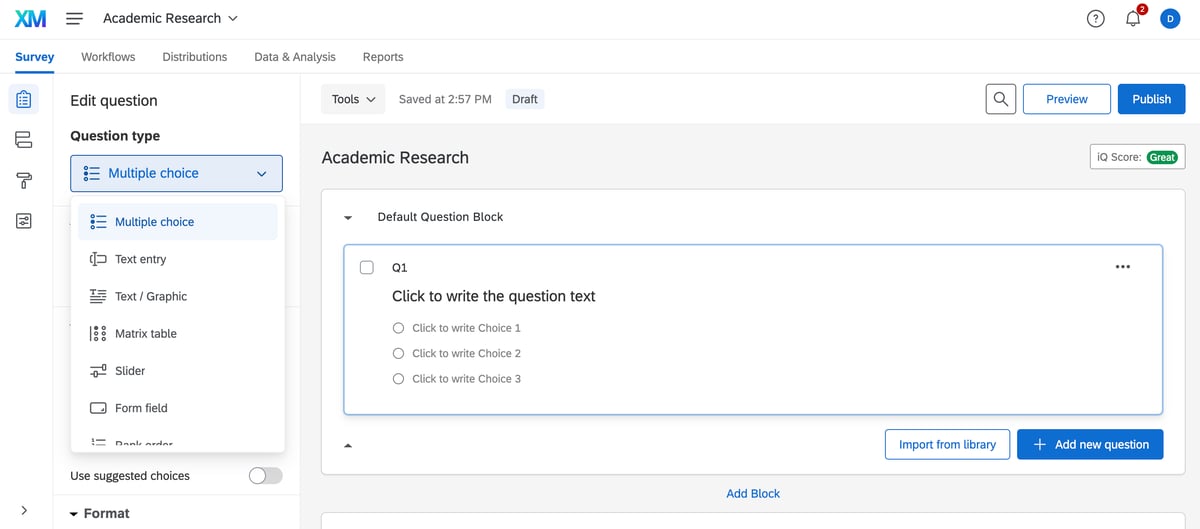
Qualtrics CoreXM is a market research software for businesses looking to collect and act on customer feedback.
Its features, including AI-driven analytics and customizable survey tools, make it suitable for organizations that want to make data-driven decisions to enhance customer experience and improve operations across multiple touchpoints.
User rating
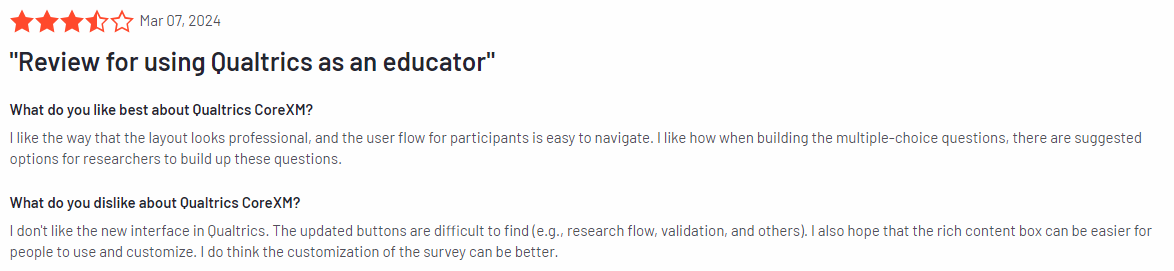
Qualtrics CoreXM holds an average rating of 4.4 out of 5 based on 2,919 reviews on G2.
Qualtrics CoreXM is for large enterprises, research teams, customer experience professionals, human resource departments, educational institutions, and government organizations.
Key features
Advanced analytics: Leverage AI-driven insights and in-depth customer feedback analysis with tools like text analysis and statistical modeling.
Customizable surveys: Tailor surveys to specific needs with a variety of question types, branding options, and complex logic.
Cross-channel feedback collection: Collect feedback from multiple channels including web, mobile, email, and social media.
Pre-built templates: Access industry-specific templates for easy survey creation.
Real-time reporting: Generate real-time reports with visual data to track trends and patterns.
Action planning: Turn insights into actionable steps with workflow automation and real-time alerts.
Supported platforms
Qualtrics CoreXM is available on both web-based platforms and mobile apps for iOS and Android.
Integrations
Qualtrics CoreXM integrates with Salesforce, Adobe Analytics, Microsoft Teams, Google Analytics, HubSpot, and Tableau.
Customer support
Qualtrics CoreXM offers many support options, including live chat, email, and phone support for paid users. Additionally, there is a comprehensive knowledge base with tutorials, guides, and FAQs, helping users troubleshoot issues and get the most out of the platform’s features.
Pricing
Qualtrics CoreXM provides custom pricing solutions. You need to contact them directly for more information.
Pros
AI-driven insights and advanced analytics
Extensive survey customization options
Cross-channel feedback collection
Cons
Pricing may be high for smaller businesses
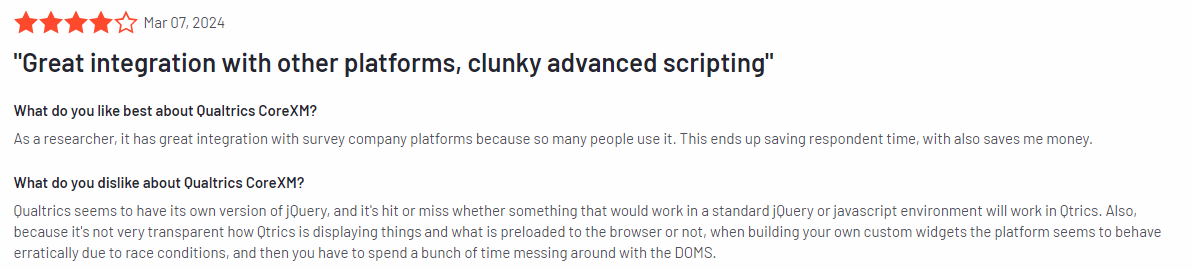
The interface can be challenging for first-time users or those unfamiliar with advanced survey tools
SurveySparrow is an end-to-end omnichannel experience management platform that helps you create engaging, conversational surveys. It makes it easier to collect feedback and improve response rates.
With a user-friendly design focus, SurveySparrow offers various survey options, including recurring surveys and Net Promoter Score (NPS) surveys, to help you analyze customer feedback and enhance their overall experience.
User rating
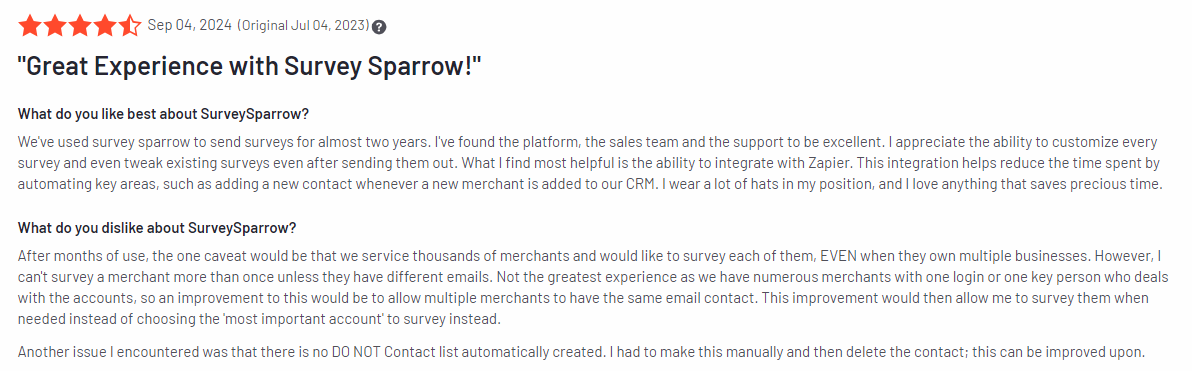
SurveySparrow has an average user rating of 4.4 out of 5 based on 2,008 reviews on G2.
SurveySparrow is suited for small to mid-sized businesses, customer experience teams, marketers, and HR departments.
It’s a tool for companies looking to gather feedback through engaging, mobile-friendly surveys that are easy to set up and customize.
Key features
Conversational surveys: Create surveys that feel more like conversations to boost engagement and response rates.
NPS surveys: Measure customer loyalty with built-in NPS survey functionality.
Recurring surveys: Set up automated recurring surveys to continuously gather feedback over time.
Multi-channel distribution: Distribute surveys via email, SMS, social media, or embed them on your website.
Customizable design: Personalize survey themes with logos, colors, and fonts to match your branding.
Detailed reporting and analytics: Analyze survey results with real-time dashboards and export data for deeper customer insights.
Supported platforms
SurveySparrow is available on both web platforms and mobile devices through iOS and Android apps.
Integrations
SurveySparrow integrates tools like Slack, Google Sheets, HubSpot, Salesforce, and Mailchimp.
Customer support
SurveySparrow offers customer support via email, live chat, and a comprehensive help center with tutorials and guides. Paid plans also include dedicated account managers for personalized support.
Pricing
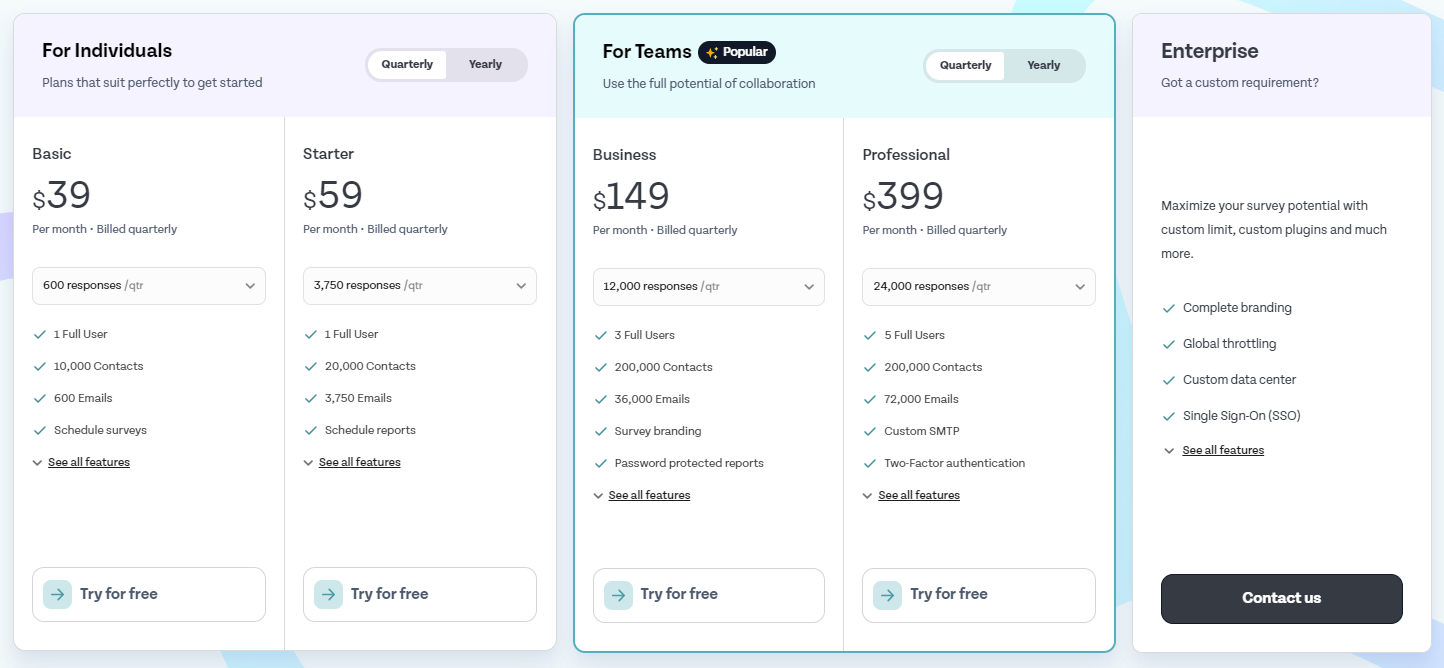
Paid plans start at $39 per month for the Basic Plan, which allows up to 600 responses per quarter, 600 emails, and survey scheduling. Custom pricing is available for enterprises requiring advanced features and larger usage limits.
Pros
Engaging, conversational survey design
Easy to set up and distribute across multiple channels
Zonka Feedback is a customer experience and feedback platform that helps businesses measure customer satisfaction and improve their overall experience.
It offers tools for conducting surveys, tracking customer satisfaction, and gathering real-time insights.
With features like customizable surveys and multi-channel feedback collection, Zonka Feedback allows businesses to understand better and respond to customer needs.
User rating
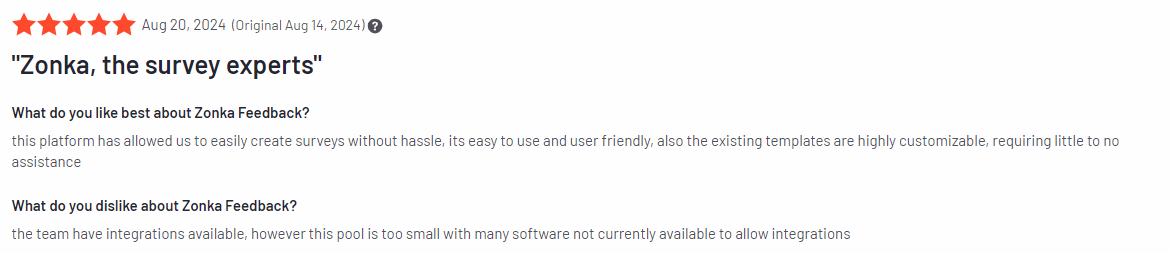
Zonka Feedback has an average user rating of 4.7 out of 5 based on 71 reviews on G2.
Zonka Feedback is suitable for small to large businesses, customer experience teams, hospitality industries, healthcare providers, and retail businesses.
Key features
Multi-channel feedback collection: Collect customer feedback via email, SMS, online surveys, kiosk surveys, and mobile apps.
Customizable surveys: Personalize surveys with your brand’s colors, logos, and custom question types.
NPS, CSAT, and CES surveys: Measure customer loyalty and satisfaction through Net Promoter Score, Customer Satisfaction (CSAT), and Customer Effort Score (CES) surveys.
Real-time feedback and alerts: Get instant feedback from customers and receive real-time alerts when negative feedback is submitted.
Advanced reporting and analytics: Analyze feedback data and generate detailed reports.
Offline surveys: Gather feedback in offline modes, which is good for locations with unreliable internet access.
Supported platforms
Zonka Feedback supports web-based platforms and is available on iOS and Android devices.
Integrations
Zonka Feedback integrates tools such as Slack, HubSpot, Salesforce, Google Sheets, Zapier, and Intercom.
Customer support
Zonka Feedback provides support through live chat, email, and phone. The platform also offers an extensive knowledge base with tutorials, guides, and FAQs to help users make the most of its features. Paid users have access to premium support, including dedicated account management.
Pricing
Zonka Feedback offers a free trial and multiple pricing tiers. The Starter Plan begins at $79 per month, which includes basic features and up to 250 monthly responses.
Higher-tier plans with more advanced features, larger response limits, and custom reporting are available for larger businesses, with custom pricing for enterprise-level solutions.
Pros
Collect feedback across multiple channels, including offline modes
Offers NPS, CSAT, and CES surveys for a comprehensive view of customer satisfaction
Real-time alerts for quick responses to negative feedback
Customizable survey options to match your brand
Cons
Pricing may be on the higher side for small businesses
Some advanced features, like offline surveys, are only available in higher-tier plans
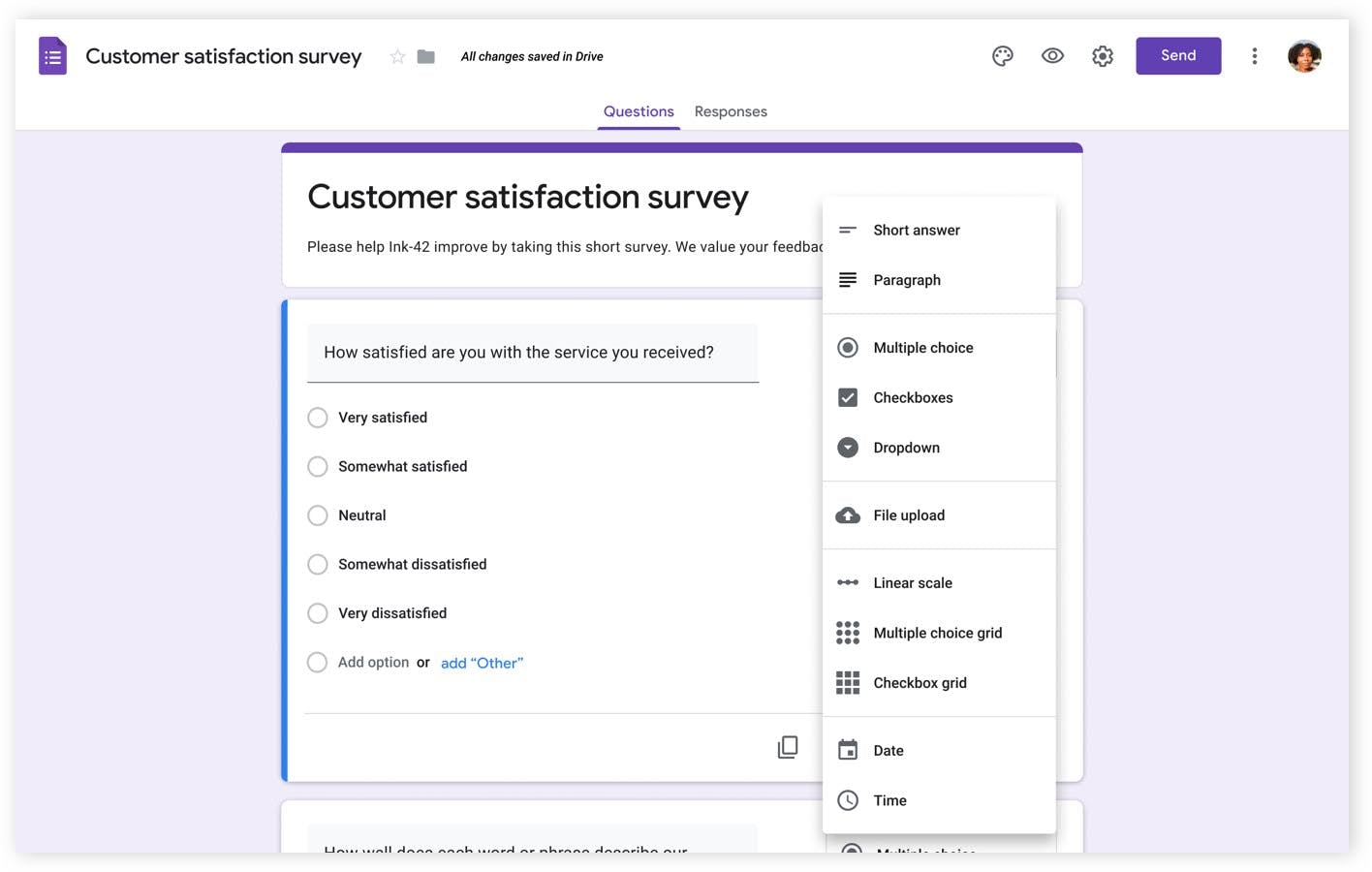
Google Forms is a free online form creator for creating surveys, quizzes, and forms. It’s widely used for collecting customer feedback, conducting polls, and managing simple data collection tasks.
User rating
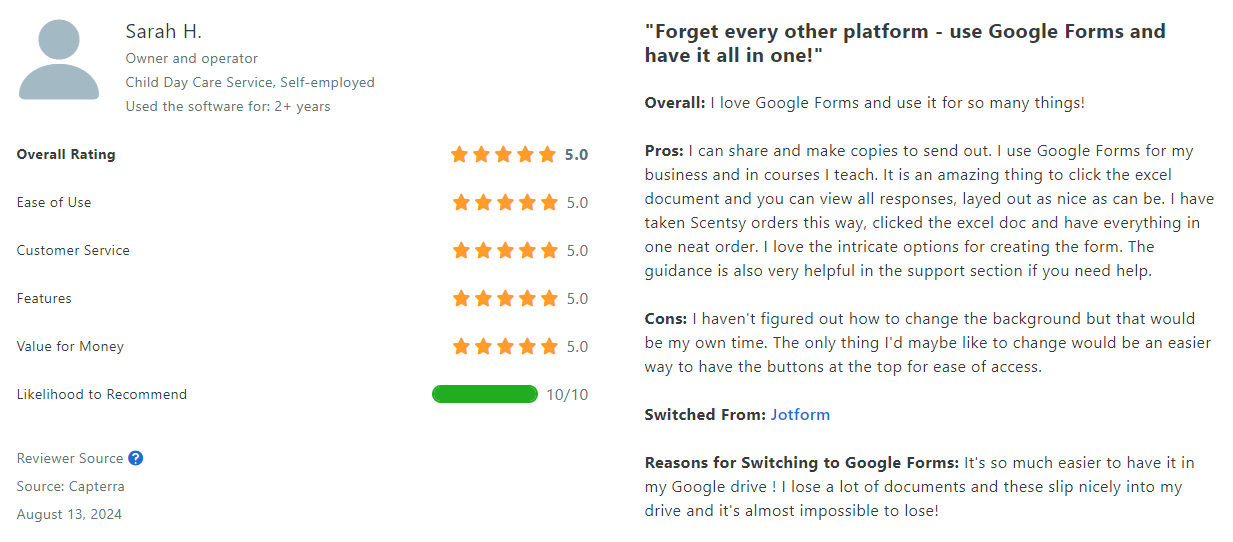
Google Forms has an average user rating of 4.7 out of 5 based on 10,818 reviews on Capterra.
Google Forms is suitable for individuals, small businesses, educational institutions, and teams looking for a free and easy-to-use tool to collect responses and manage basic surveys.
Key features
Customizable forms: Create forms with a variety of question types, including multiple choice, text, and dropdowns.
Real-time collaboration: Share forms with team members for collaborative editing and viewing of responses.
Automatic data collection: Responses are automatically stored in Google Sheets for easy analysis.
Unlimited responses: Collect as many responses as you need without any limits.
Templates: Access pre-designed templates for various use cases like feedback forms, RSVPs, and quizzes.
Integration with Google apps: Seamless connection with Google Drive, Sheets, and other Google tools.
Supported platforms
Google Forms is available on web platforms and is accessible through any browser. You can also use it on mobile devices through the Google Drive app on iOS and Android.
Integrations
Google Forms integrates easily with other Google services like Google Sheets, Google Drive, and Gmail. It also connects to third-party apps through tools like Zapier for additional automation options.
Customer support
It offers limited customer support, mainly through the Google Workspace Help Center, forums, and FAQs. Dedicated support is available to Google Workspace users.
Pricing
The tool is free to use for all users with a Google account. It’s part of Google’s free suite of tools, with additional features available to Google Workspace users through paid plans starting at $6 per user per month.
Pros
Free and easy to use
Integration with Google tools
Unlimited responses and data collection
Real-time collaboration for shared editing
Drag-and-drop interface
Cons
Limited customization options compared to paid survey tools
Typeform is for businesses, marketers, customer experience teams, and freelancers who want to create highly engaging surveys or quizzes that feel more interactive than traditional forms.
Key features
Conversational forms: Surveys that guide respondents one question at a time, creating a more engaging experience.
Customizable design: Choose from a selection of themes, fonts, and layouts to match your brand’s style.
Logic jumps: Add logic rules to create personalized paths for respondents based on their answers.
Multi-channel distribution: Share forms via email, social media, or embed them on your website.
Real-time analytics: View and analyze responses in real-time with easy-to-understand reporting tools.
Templates: Access pre-built templates for various use cases like feedback, lead generation, and market research.
Supported platforms
Typeform is web-based and accessible through any browser. It’s also mobile-responsive, making surveys look and work well on smartphones and tablets, including iOS and Android.
Integrations
Typeform integrates with Zapier, Google Sheets, HubSpot, Slack, Mailchimp, and Salesforce, allowing you to automate workflows and sync all your survey data across platforms.
Customer support
Typeform offers customer support through email and a comprehensive help center with tutorials and FAQs. Paid users on higher-tier plans also have access to priority support.
Pricing
Paid plans start at $29 per month for the Basic Plan, which includes advanced customization, logic jumps, and up to 100 responses per month for one user. Higher-tier plans are available for businesses needing more features and response limits.
Pros
Engaging, interactive forms
Customization options for branding
Logic jumps for personalized surveys
Integrates with popular business tools
Cons
Free plan has limited features and response limits
Customer support might be slow
Learning curve for advanced features like logic jumps
QuestionPro is an online survey software helping businesses and researchers create, distribute, and analyze surveys across various channels. It offers advanced survey features, including analytics, real-time reporting, and customizable templates.
User rating
QuestionPro has an average user rating of 4.5 out of 5 based on 934 reviews on G2.
QuestionPro is suitable for businesses, market researchers, educational institutions, HR teams, and nonprofits. It’s particularly beneficial for organizations that require detailed feedback collection and in-depth data analysis.
Key features
Customizable surveys: Build surveys with multiple question types, branding, and advanced logic to fit specific needs.
Advanced reporting and analytics: Access detailed reports with real-time data analysis and export options.
Survey logic: Use skip logic, branching, and piping to create dynamic, personalized surveys.
Multi-channel distribution: Send surveys via email, mobile, social media, and website embeds.
Pre-built templates: Choose from a library of templates for market research, customer feedback, and employee surveys.
24/7 global panel: Access millions of survey respondents through a global audience panel.
Supported platforms
QuestionPro is available on web platforms and has dedicated mobile apps for iOS and Android.
Integrations
QuestionPro integrates with Salesforce, Zapier, Google Analytics, HubSpot, and Google Analytics.
Customer support
QuestionPro provides customer support via live chat, email, and phone. It also offers a detailed knowledge base with guides, tutorials, and FAQs to help users get the most out of the platform.
Pricing
QuestionPro offers a free plan with basic features, and its paid plans start at $99 per user per month for the Advanced package, which includes more survey options, advanced logic, and in-depth analytics.
Enterprise-level plans with unlimited surveys are available with custom pricing for larger organizations.
Pros
Survey customization and logic features
Good reporting and analytics tools
Multi-channel distribution and global audience panel access
Cons
Higher pricing compared to basic survey tools
Can be overwhelming for less experienced users
Questionnaires with images can slow down the web operations
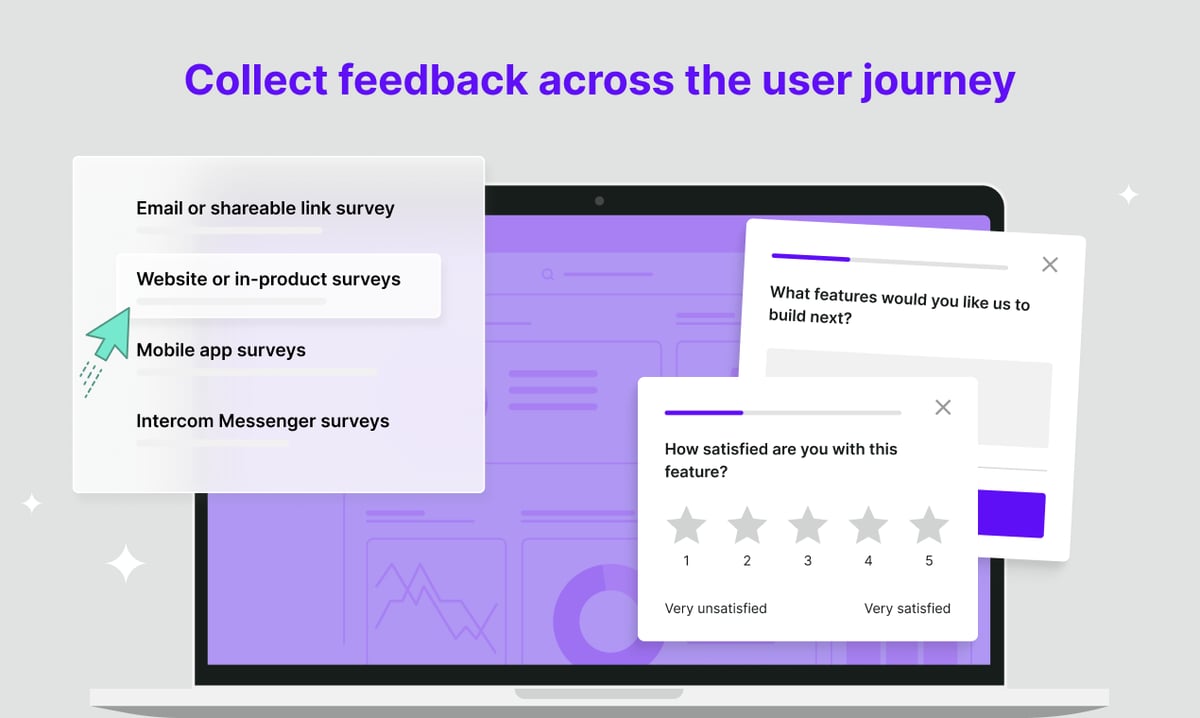
Survicate is a survey software that allows businesses to gather insights through surveys, polls, and feedback widgets.
Known for its simplicity and integration capabilities, Survicate helps organizations capture real-time feedback from customers across various touchpoints, such as websites, emails, and mobile apps.
User rating
Survicate has an average user rating of 4.6 out of 5 based on 174 reviews on G2.
Survicate is suited for small to mid-sized businesses, customer experience teams, digital marketers, and product teams.
Key features
Website feedback widgets: Collect in-the-moment feedback from visitors directly on your website with customizable widgets.
Email and link surveys: Send surveys via email or share direct survey links to reach customers in various channels.
NPS, CSAT, and CES surveys: Measure customer loyalty and satisfaction with built-in templates for Net Promoter Score, Customer Satisfaction, and Customer Effort Score surveys.
Real-time analytics: View and analyze feedback results instantly with easy-to-read dashboards.
Survey targeting: Make targeted surveys based on user behavior, location, or activity to get relevant feedback.
Pre-built templates: Choose from a variety of templates to quickly create surveys for different use cases.
Supported platforms
Survicate is web-based and supports integration on websites and mobile devices, including iOS and Android.
Integrations
Survicate integrates with popular business tools like HubSpot, Intercom, Salesforce, Slack, and Zapier, to streamline workflows and automatically sync feedback with other platforms for further analysis.
Customer support
Survicate provides customer support via live chat, email, and an extensive help center that includes tutorials, guides, and FAQs. Paid plans come with premium support.
Pricing
Paid plans start at $99 per month for the Good Plan, which includes up to 500 responses per month, AI research assistant, and more integrations. Custom pricing is available for larger businesses with enterprise needs.
Pros
Easy-to-use feedback collection with customizable widgets
Wide range of integrations with popular business tools
Real-time analytics for quick insights
Pre-built templates for common feedback scenarios
Cons
Free plan has limited responses
HubSpot integration can be complex
Navigating the help center might be difficult
Best 9 Customer Feedback Collection Tools Comparison Table
This comparison table highlights the key features, pricing, and potential drawbacks of the best customer feedback collection tools. Use it to quickly find the right customer feedback tool for you.
FullSession
SurveyMonkey
Qualtrics CoreXM
SurveySparrow
Zonka Feedback
Google Forms
Typeform
QuestionPro
Survicate
Session recordings
✔
✘
✔
✘
✘
✘
✘
✘
✘
Heatmaps
✔
✘
✘
✘
✘
✘
✘
✘
✘
Customer feedback tools
✔
✔
✔
✔
✔
✔
✔
✔
✔
Conversion funnel analysis
✔
✘
✔
✘
✘
✘
✘
✔
✘
Error tracking
✔
✘
✔
✘
✘
✘
✘
✔
✘
Real-time analytics
✔
✔
✔
✔
✔
✘
✔
✔
✔
Survey logic/branching
✔
✔
✔
✔
✔
✘
✔
✔
✔
Monthly pricing
$39
$99
n/a
$39
$79
Free
$29
$99
$99
Best 9 Customer Feedback Collection Tools: Our Verdict
When choosing the best customer feedback tool, FullSession is a top choice. It provides robust feedback collection and offers comprehensive user behavior analytics, making it a complete customer feedback tool for businesses looking to optimize their customer experiences.
Here are the key benefits of FullSession:
Customizable surveys: Tailor each feedback widget depending on your survey goals.
Session recordings to pair with customer feedback: View session replays for more context behind specific feedback.
Real-time tracking: Monitor dynamic elements in real time to gain precise insights into how users interact with your site.
Fast heatmap processing: Interactive heatmaps load quickly without affecting site performance, making it easy to visualize user behavior.
Privacy-focused: Safeguard user privacy by excluding sensitive data from recordings, ensuring compliance with GDPR, CCPA, and PCI standards.
Data management: Efficiently handle large data sets and quickly extract key user insights to support data-driven decisions.
Targeted tracking: Focus behavior tracking solely on your site, preventing misuse while still capturing essential feedback.
Team collaboration: Streamline cross-team collaboration by centralizing efforts on one platform for improved communication and strategy execution.
Collecting feedback and measuring customer satisfaction has never been easier.
FullSession offers a comprehensive suite of features designed to improve user experience and optimize your feedback collection processes, including your customer feedback loop.
Conclusion About Best 9 Customer Feedback Collection Tools
Customer feedback collection tools are essential for any online business that wants to understand its customers, determine customer satisfaction, and improve their experience.
These tools help you gather valuable insights, identify pain points, and make data-driven decisions that can boost customer satisfaction and retention.
FullSession is the best option for businesses looking to combine feedback collection with powerful user behavior analytics. Its ability to track real-time interactions, process heatmaps quickly, and protect user privacy makes it a top choice for optimizing customer experiences.
Ready to see how FullSession can transform your business?
FAQs About Best 9 Customer Feedback Collection Tools
What tool to collect customer feedback?
FullSession, SurveyMonkey, Qualtrics, and Google Forms are the best customer feedback platforms. Each customer feedback platform offers features like surveys, feedback forms, and real-time insights to help businesses gather and analyze customer feedback.
How can you collect customer feedback?
You can collect customer feedback through multiple channels, including online surveys, email surveys, website feedback forms, social media polls, and in-app feedback widgets. Businesses can use customer feedback software like FullSession to gather feedback from various touch points to understand customer needs better.
What methods can be used to gather feedback?
You can gather feedback through several methods such as Net Promoter Score surveys, Customer Satisfaction surveys, open-ended feedback surveys, one-on-one interviews, focus groups, social media listening, and feedback forms embedded on websites.
How do you track customer feedback?
You can track customer feedback using user behavior analytics platforms like FullSession that collect feedback and track user behavior and interaction with your site. Real-time dashboards and reports allow businesses to monitor feedback trends and take actionable steps based on collected data.
Is there a free customer feedback tool?
Google Forms is a free form builder you can use to create surveys, but it has limited features and analytics. If you want a customer feedback survey tool to provide deep insights into the customer journey, go for FullSession.
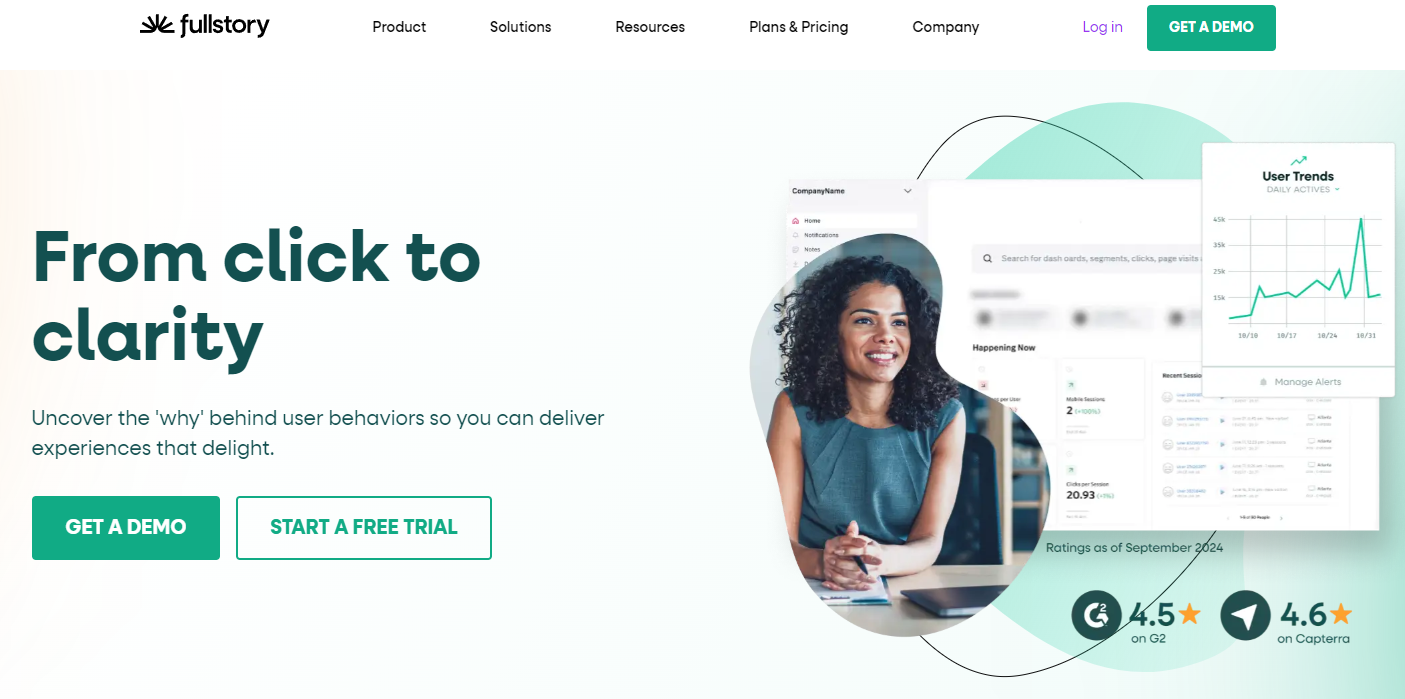
Feeling frustrated with FullStory’s digital experience analytics and looking for better insights into user interactions? You’re in the right place to check out some of the best FullStory competitors.
FullStory is a behavioral data platform that helps you track user behavior and understand the reasons behind their actions to optimize your website or mobile app experience.
However, some of the best FullStory competitors, like FullSession, help you address more specific needs, such as advanced event tracking and improved user journey analysis, or provide better pricing options that fit your budget constraints.
In today’s blog post, you will find a solution that matches your feature and pricing requirements. Whether you’re looking for advanced session replays, better heatmaps or cheaper solutions, there’s something for everyone.
Let’s get started.
Why Users Are Looking for FullStory Competitors
You might be searching for FullStory alternatives because you’re facing issues with its features or pricing. Here’s a quick summary of common concerns with this behavior analytics tool:
Limited event tracking: Its core analytics features don’t support custom event tracking. You must import event data from other web analytics tools to monitor specific actions, complicating your workflow.
Complex for non-technical users: FullStory’s interface and functionalities can be overwhelming for individuals without a background in data analysis. If you lack the necessary skills to set up custom events, you may need to hire developers or data analysts to assist you, leading to increased costs.
Session-based pricing: FullStory’s pricing is determined by the number of recorded user sessions per month rather than the number of unique visitors. Every time a user interacts with your website or app, it counts as a session, regardless of whether they are a returning visitor or a new one. It can lead to higher-than-expected charges.
Vague pricing: FullStory does not publicly disclose pricing details on its website. This lack of transparency can be challenging for smaller companies trying to analyze user behavior without breaking the bank. Some online sources indicate that FullStory’s pricing typically ranges from$247 to over $1,000 per month, which suggests that the platform focuses on enterprises rather than small businesses.
Lack of aggregate data: Limited options for summarizing and analyzing user interactions make it hard to get useful metrics or find trends and patterns in user behavior. It impacts customer journey tracking, making it harder to identify areas for improvement and optimize user experience.
Due to these reasons, many website owners look for FullStory alternatives that better match their technical skills and financial needs while making gathering actionable insights from user behavior easier.
FullSession is the Best FullStory Alternative
Capture all user interactions, spot trends and patterns and drive improvements without compromising your website performance.
Session recordings and replays, predictive analytics, interactive heatmaps, website feedback forms, conversion and funnel analysis, error tracking
Capturing all user interactions, visualizing all user engagement, analyzing trends and patterns and optimizing your website to boost traffic, leads and conversions.
Starts at $39/month for up to 5,000 monthly sessions. Includes a free trial and a 20% discount on annual plans.
Amplitude
Product analytics, user engagement tracking, cohort analysis, A/B testing
Understanding user behavior and optimizing product features.
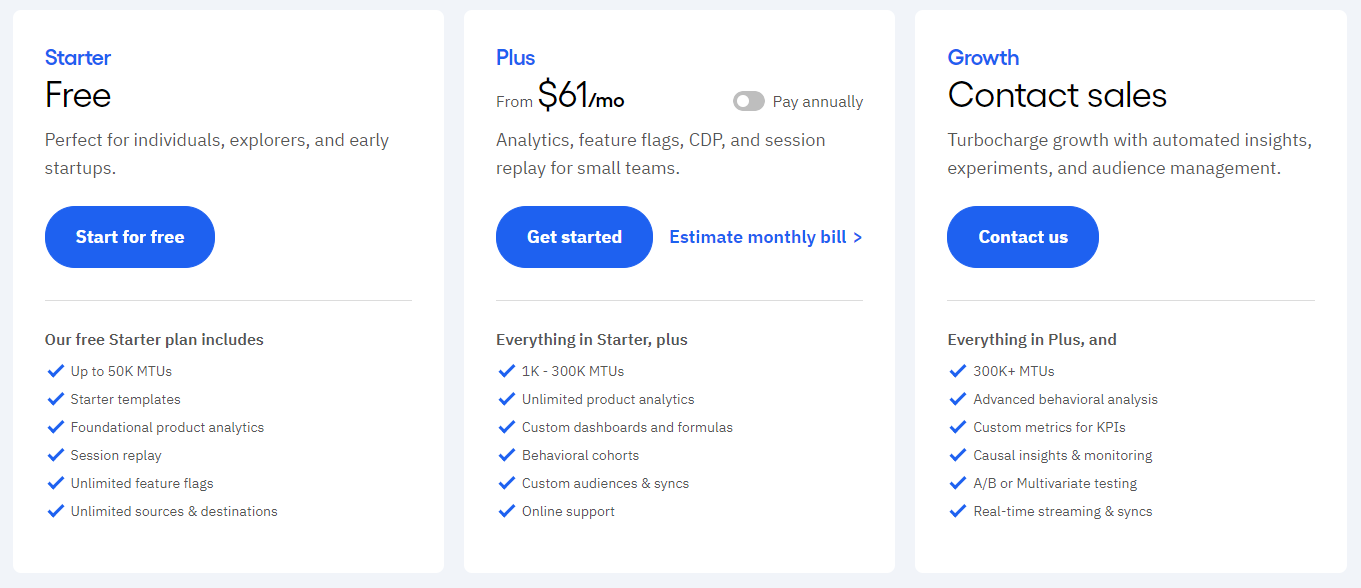
Starts at $61/month for 1K–300K monthly tracked users.
UXCam
Session recordings, heatmaps, user journey mapping, crash reporting
Mobile app analytics and understanding user interactions in mobile environments.
Provides custom pricing; free trial available.
Mouseflow
Session replays, heatmaps, form analytics, funnel tracking
Analyzing user behavior on websites to improve conversion rates.
Starts at $34/month for up to 5,000 sessions; free trial available.
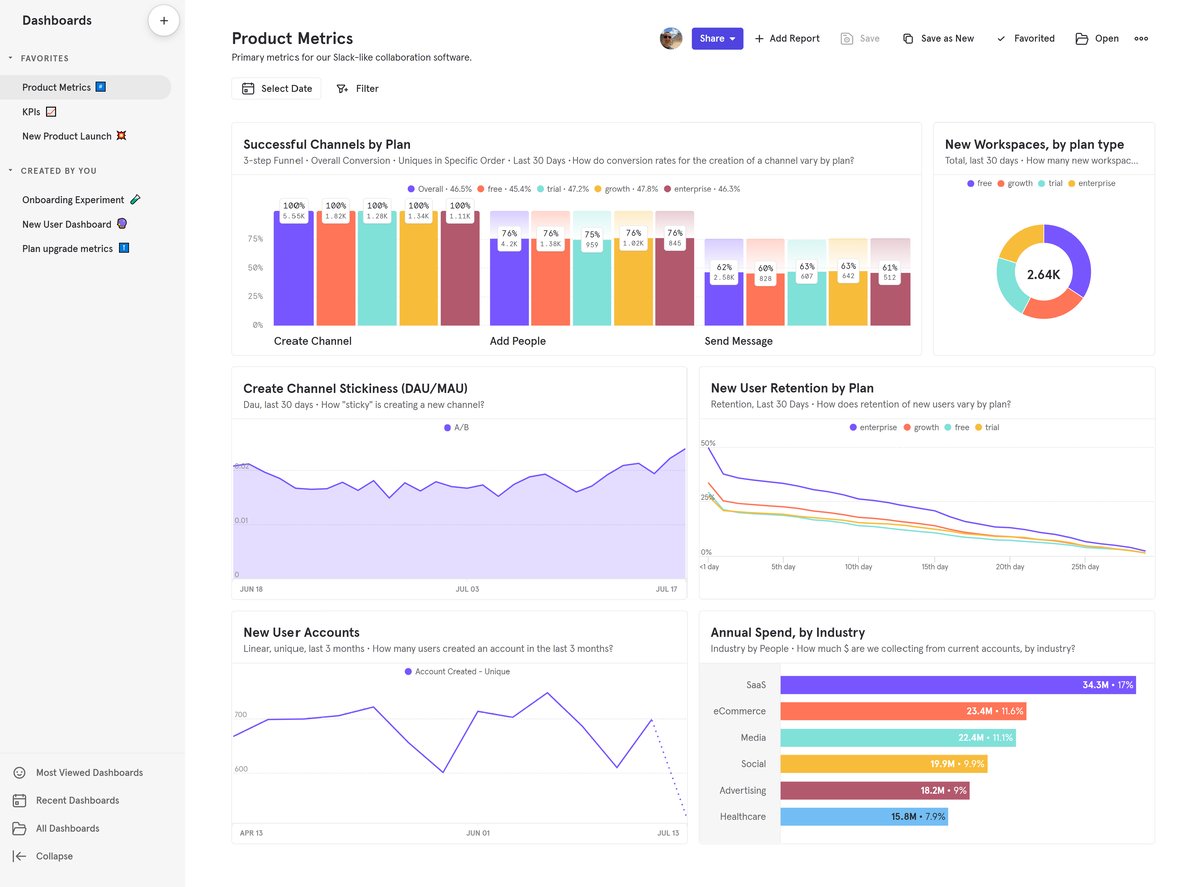
Mixpanel
Advanced analytics, A/B testing, funnel analysis
Tracking user interactions with products to drive engagement and retention strategies.
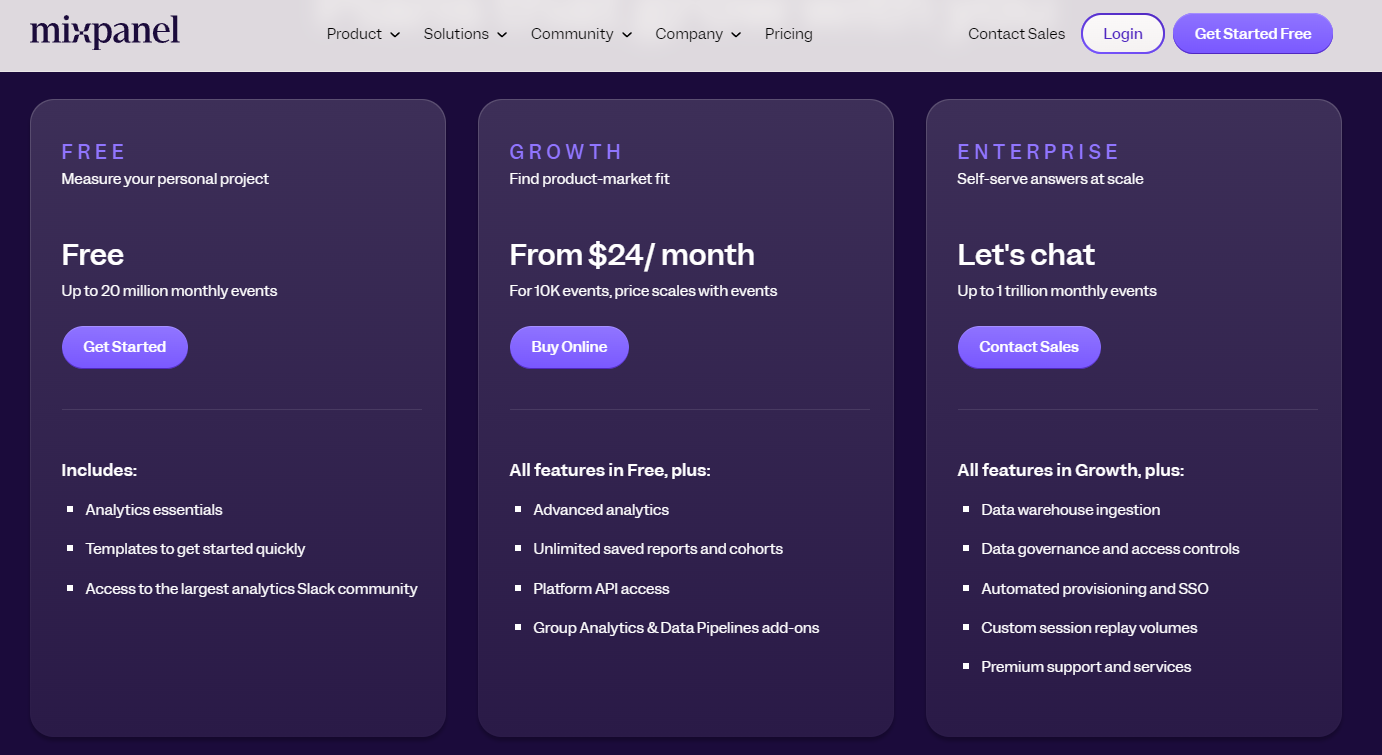
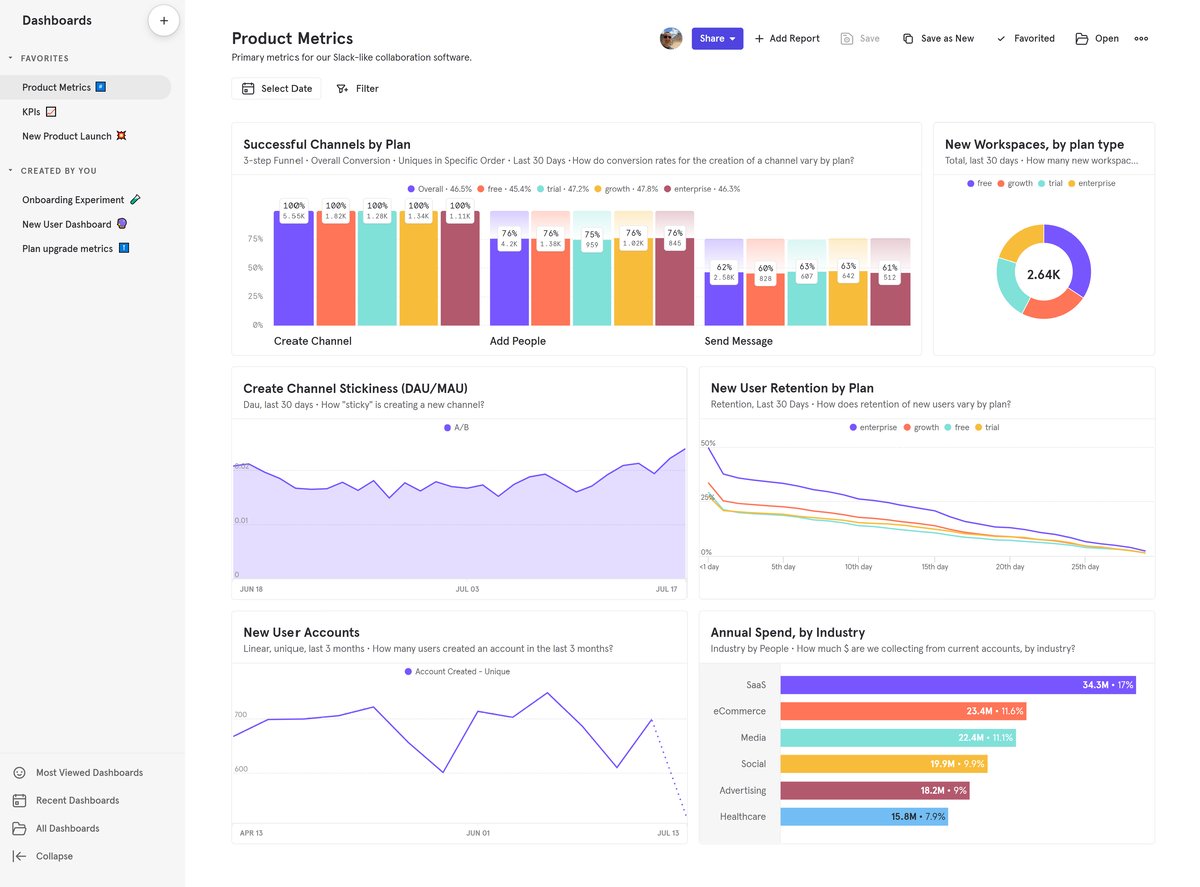
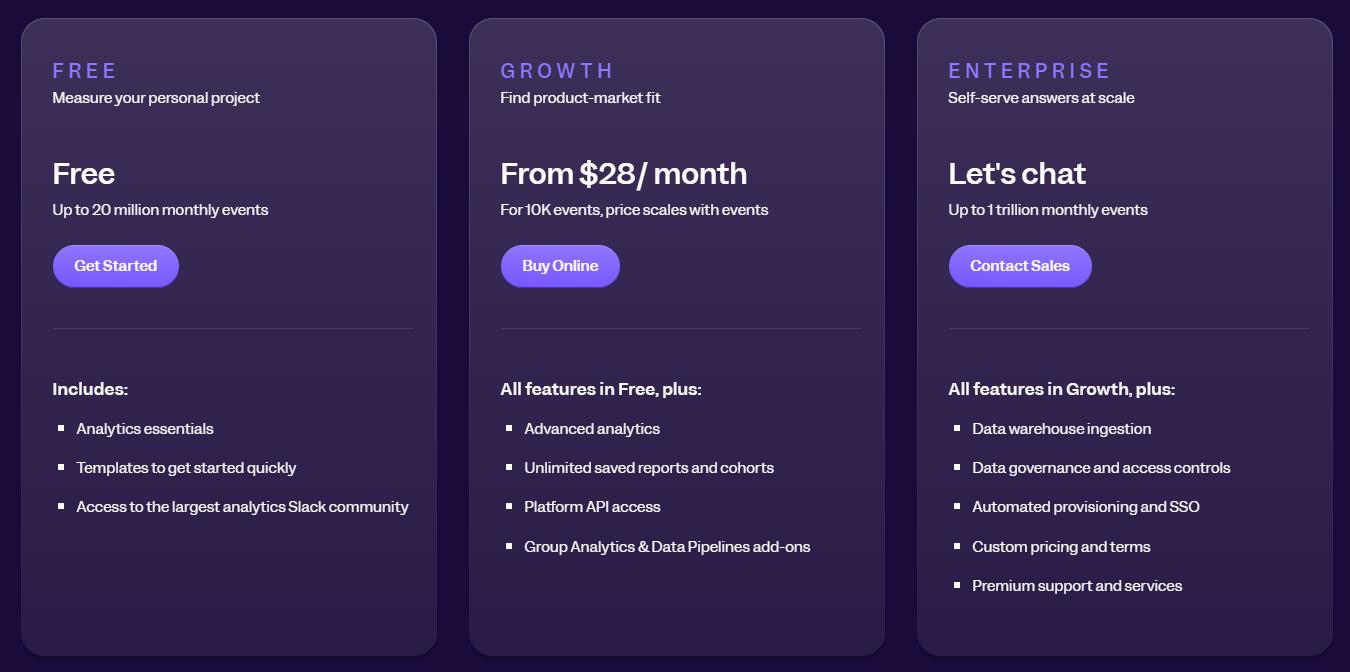
Starts at $24/month for up to 10K events; price scales with events.
Smartlook
Session replays, heatmaps, event tracking
Understanding user behavior across web and mobile applications.
Starts at $55/month for 5,000 monthly sessions.
Hotjar
Heatmaps, session recordings, feedback polls
Gaining insights into user behavior and improving website performance through feedback.
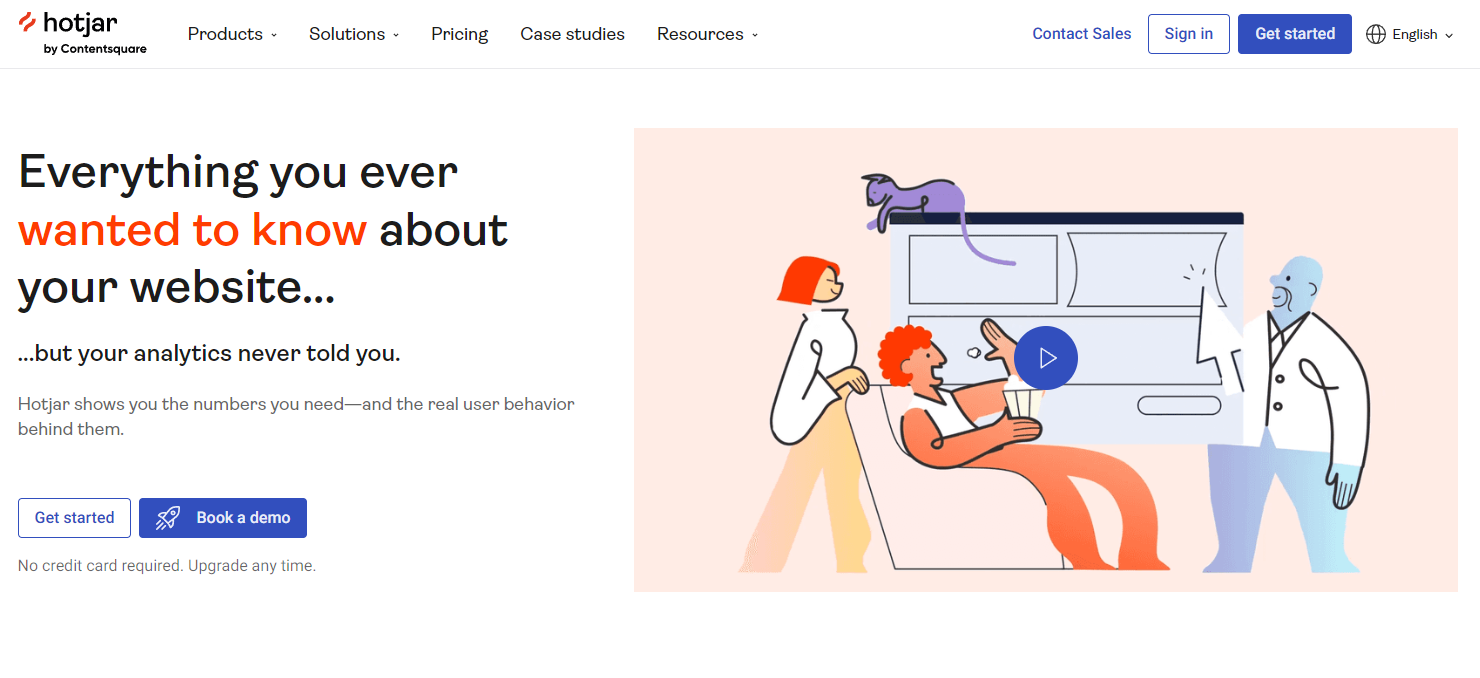
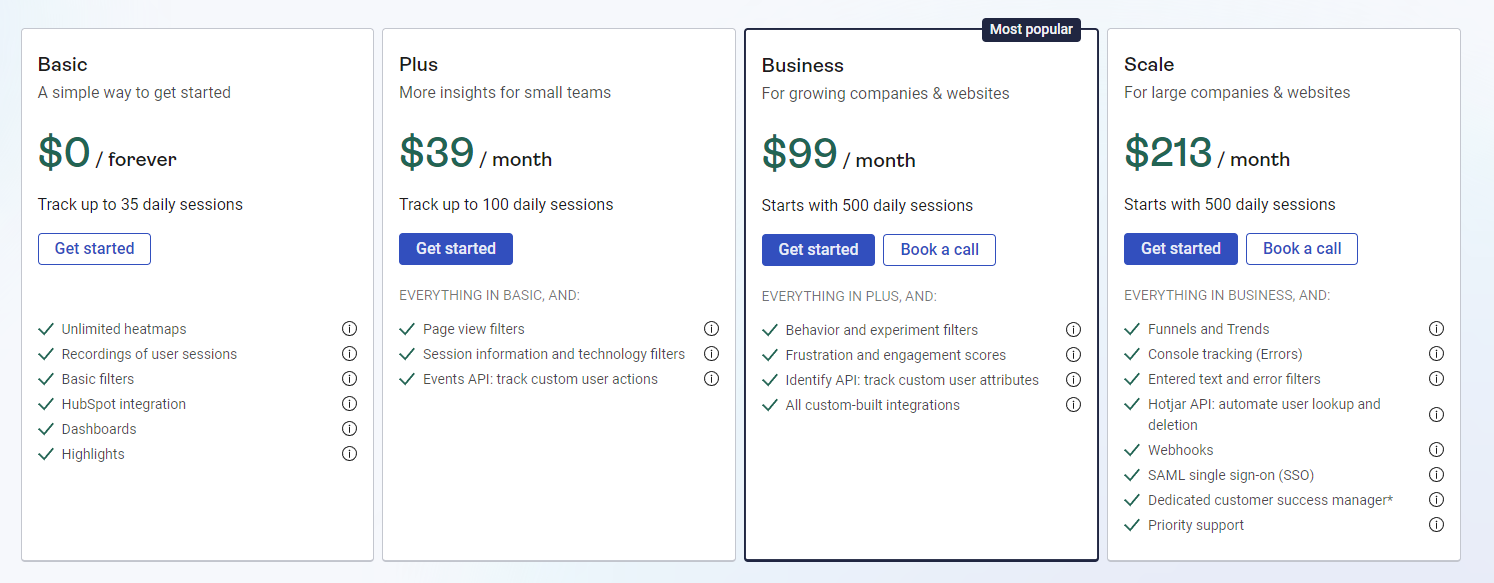
Starts at $39/month for tracking up to 100 daily sessions.
Capturing comprehensive user data without manual event tracking setup for better insights.
Pricing is unavailable; contact sales for details.
Why Fullsession is the Best FullStory Alternative
FullSession is an advanced user behavior analytics software that captures all user interactions on websites, web applications, and landing pages.
With its intuitive dashboard, FullSession allows you to visualize and analyze all aspects of the user journey, from initial interactions to friction points in conversion funnels.
It helps you observe genuine user behaviors to identify problem areas, optimize website UX and UI, and improve user satisfaction, leading to increased traffic, leads and conversions.
FullSession also complies with GDPR, CCPA and PCI standards, safeguarding sensitive user information and providing data security.
This all-in-one user behavior analysis platform goes beyond basic metrics, offering features such as:
Advanced user and event segmentation: Categorize website users based on diverse criteria. Identify behavior trends, patterns and correlations to optimize user journeys, improve engagement and conversion rates.
Session recordings and replays: Capture every user interaction on your website. Diagnose issues by replaying user sessions, analyze user behavior based on specific criteria and predict future actions based on historical data. FullSession session recordings and replays safeguard your users’ privacy by excluding sensitive data recording.
Interactive heatmaps: Switch between mouse movement, click, and scroll maps. Identify areas of high or low user interaction, test different page elements to identify the top performers and measure how long it takes users to complete key tasks. Get immediate heatmap data with zero processing time and without any impact on your website performance.
Website feedback forms and reports: Create branded feedback forms to gather insights on user satisfaction, pain points, and feature requests. Watch a connected session recording to understand what happened during the session and the reasons behind the user feedback.
Conversion and funnel optimization tools: Detect user behavior patterns and identify why users abandon the funnel. Visualize user drop-off at each step and experiment with different designs and content to improve conversion rates.
Error analysis: Automatically detect website issues, such as JavaScript errors, network issues, and failed API calls. Analyze error data to troubleshoot problems, identify their root causes, and prevent them from impacting user experience.
Visualize, Analyze, and Optimize with FullSession
See how to transform user data into actionable insights for peak website performance.
FullSession excels in generating actionable insights based on user behavior data. It allows you to capture, visualize and analyze all user interactions to the smallest detail and identify specific issues within the user journey, enabling targeted website UX and UI optimization.
Compared to FullStory, there is no need for integration with third-party apps for event tracking – you can collect and store all data using one platform.
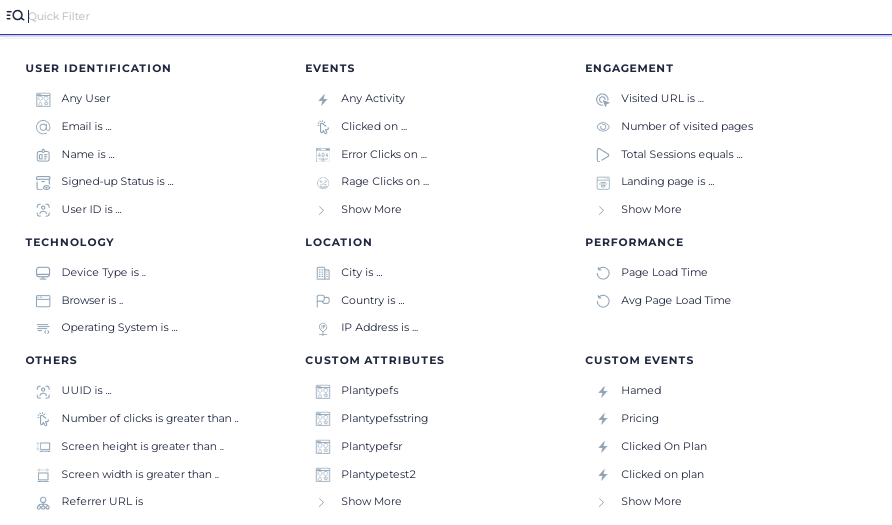
With the AI-based user and event filtering options, you can quickly find and analyze large amounts of data, identify trends and patterns and use these insights to optimize the customer journey from entry to exit page.
FullSession advanced user and event segmentation feature
Like FullStory, FullSession offers real-time session replays and heatmaps but goes one step further by providing cursor-tracking maps besides click maps and scroll maps.
FullSession provides real-time heatmap data processing, allowing you to observe user interactions as they occur. Unlike some digital experience analytics tools that can slow page load times, FullSession operates without impacting your site speed.
It helps you identify areas of confusion or frustration, allowing for improvements in content placement, button visibility, overall interface design, and website usability.
FullSession also enables you to collect in-app customer feedback—a built-in feature that FullStory lacks—and allows for creating customized, branded feedback forms on your website.
You can define specific questions and triggers, target particular devices and pages to collect user input and analyze the results to improve your website and boost customer satisfaction.
Each user feedback is accompanied by a related session recording, providing additional context to better understand the customer’s experience and the reasons behind their comments.
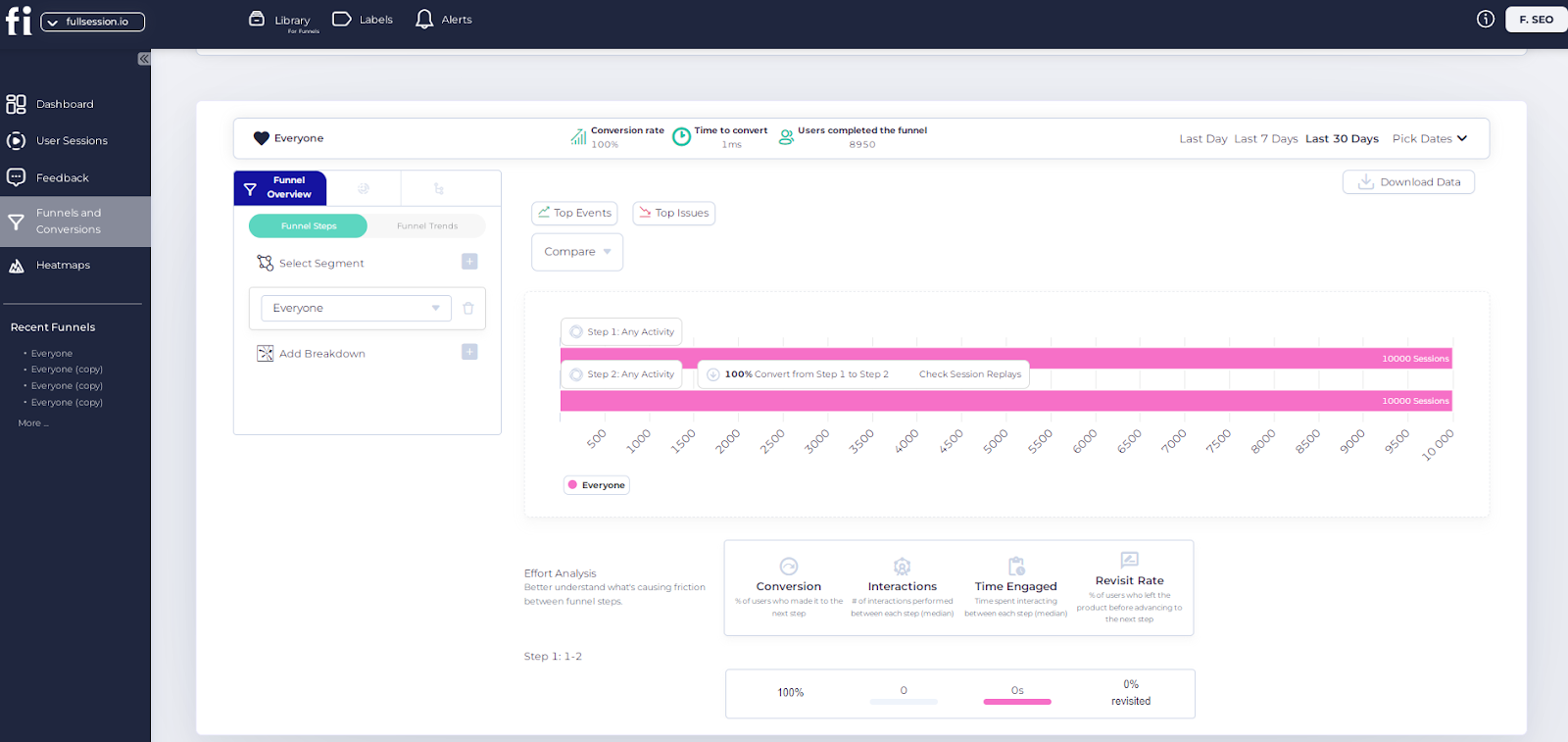
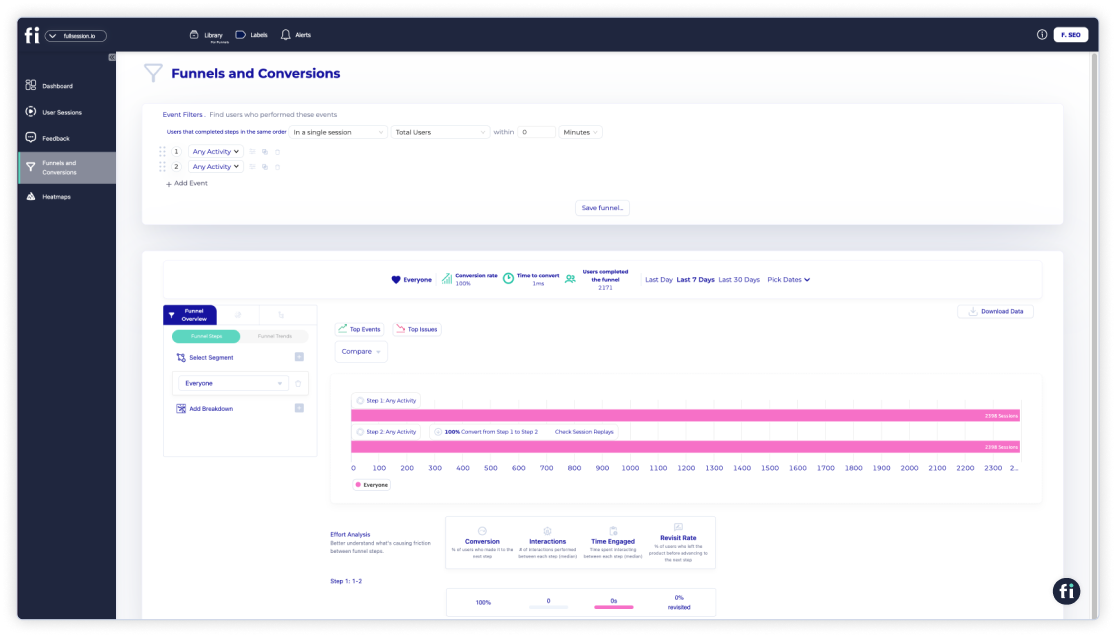
Finally, FullSession emphasizes tracking and optimizing conversion rates and related metrics, such as time to convert and the percentage of users who complete desired actions. It helps you monitor your funnel’s health closely and make timely adjustments based on performance data.
Analyze and compare data over specific periods or segment
Use visualizations to track funnel performance
Focus on specific user segments for targeted insights
Add breakdown criteria to analyze data in detail
Identify leading events and pinpoint issues automatically
Watch connected session recordings to see what happened
Download and share data analysis with your team
You can also conduct effort analysis to evaluate conversion rates and user interactions, measure time spent on each funnel step and track revisit rates to identify friction points.
Get a demo today. We will show you how it works in real-time.
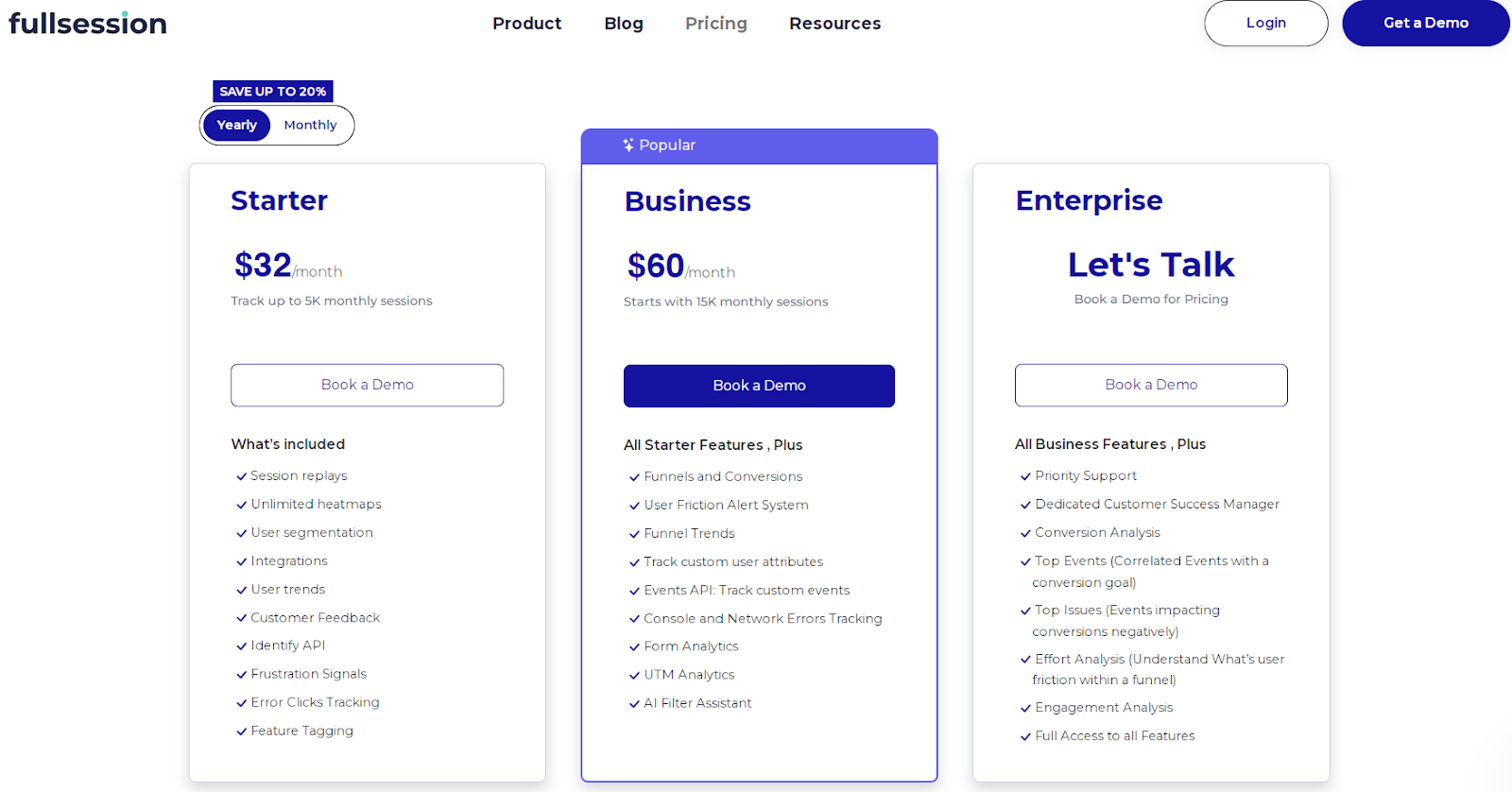
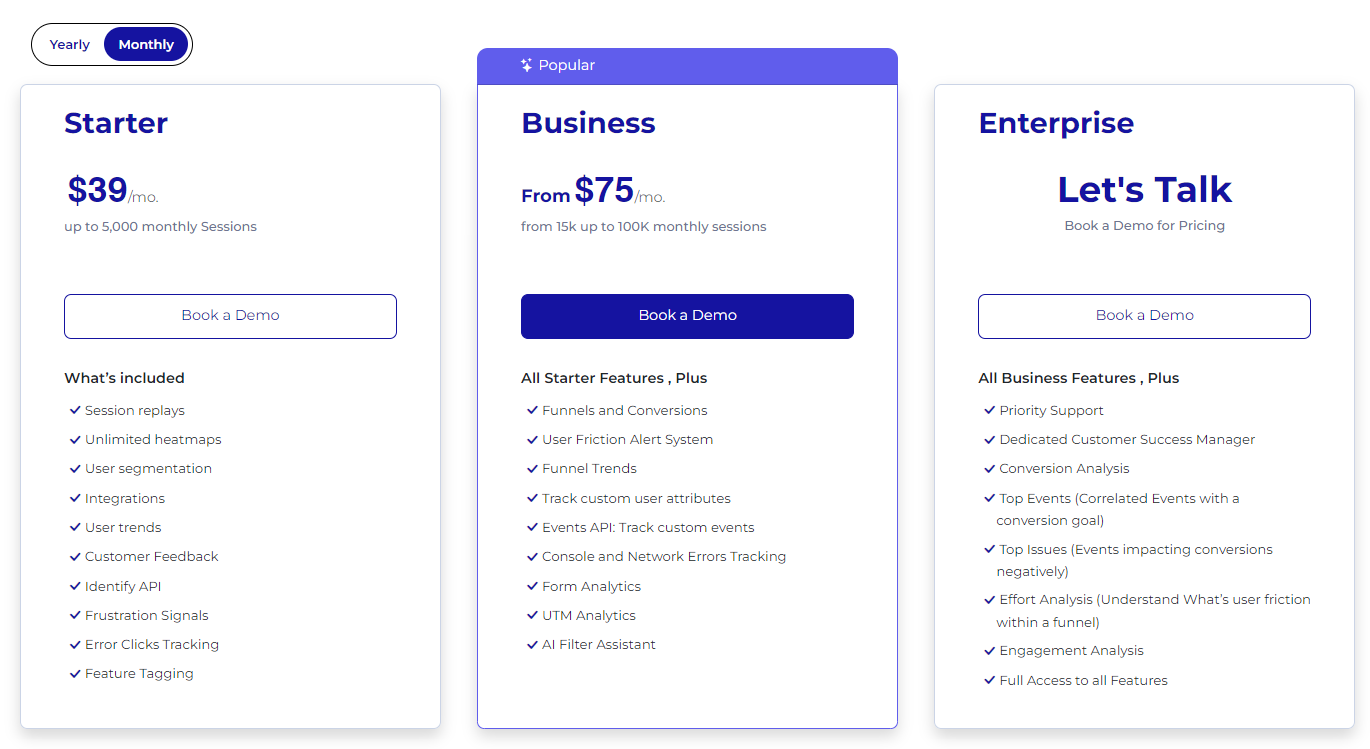
You can start a free trial or choose one of three paid plans—Starter, Business, and Enterprise—accessible for all types of businesses, from startups to large companies.
This scalability allows you to start with a plan that fits your current requirements and upgrade as you grow, ensuring you only pay for the features you need.
The Starter plan includes all key features with unlimited heatmaps and recording up to 5,000 monthly sessions for $39/month. It enables you to use advanced user behavior analytics without a significant financial burden.
If you sign up for an annual subscription, you’ll get a 20% discount on all plans.
FullSession equips you with advanced website analytics that help you improve UX, UI, and site performance, ensure data security and user privacy, and provide complete insights into user behavior on only one platform.
With our user behavior analytics solution, you can improve user satisfaction, boost conversions, and foster long-term customer relationships.
Let’s share additional information about other FullStory competitors and why to consider each for your user behavior analytics needs.
1. Amplitude
Amplitude is a product analytics and event-tracking platform that helps you improve user experiences with your digital products. It lets you see customer actions, understand what impacts your growth, and boost your results through a unified platform.
Amplitude enables accessible, intuitive insights for making informed decisions based on every click, swipe, and scroll.
User reviews
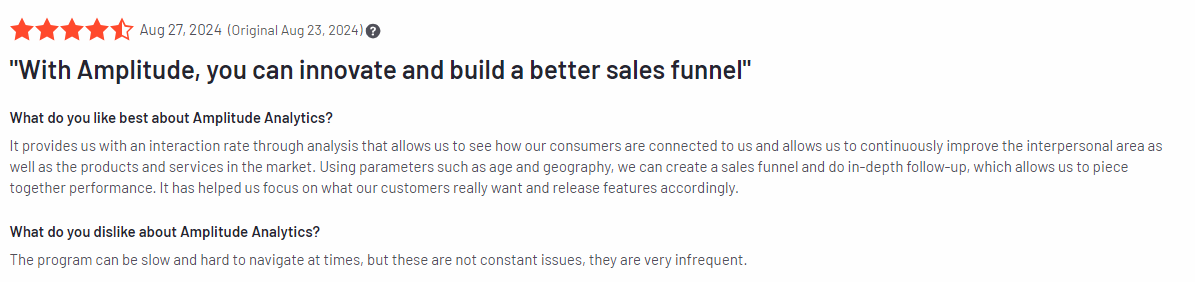
Amplitude got 4.5 out of 5 stars based on 2,179 reviews on G2.
Features
Cohort analysis: Create and analyze user groups based on shared behaviors to increase engagement and retention strategies.
Real-time data streaming: Access immediate analytics to make quick, informed decisions and adapt to user behavior changes.
A/B and multivariate testing: Run experiments on features and marketing strategies to optimize user engagement based on real-time feedback.
Advanced feature management: Track feature usage to prioritize development based on what drives user engagement.
Snowflake integration: Leverage seamless integration with Snowflake, a cloud-based data warehousing service, for advanced data queries and improved analytics capabilities.
Pricing
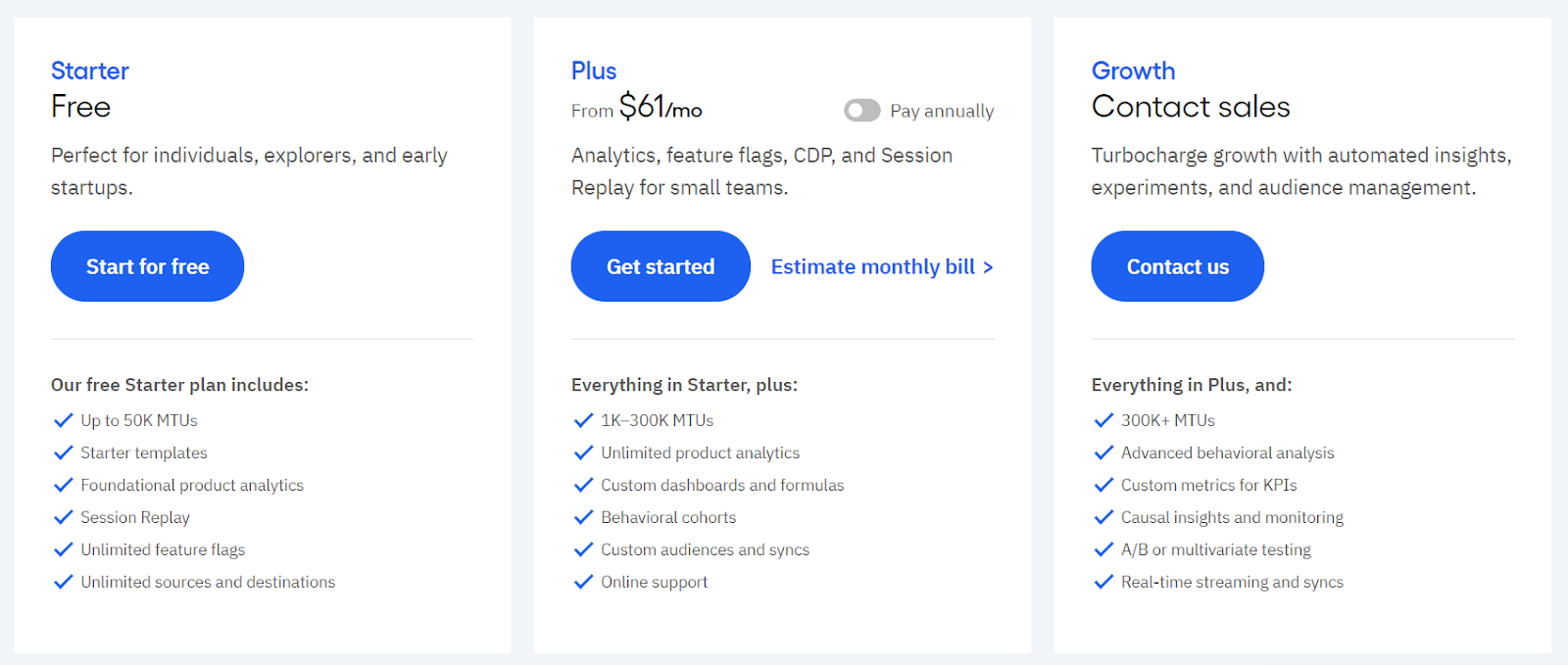
This customer data platform provides a free plan for startups and two paid packages that include advanced features and limit the number of monthly users you can track. Pricing starts at $61/month.
Pros
Simple and user-friendly
Provides deep, actionable insights
Real-time data processing and analysis
Cons
Can be expensive for some users
Requires time to fully leverage all advanced features
2. UXCam
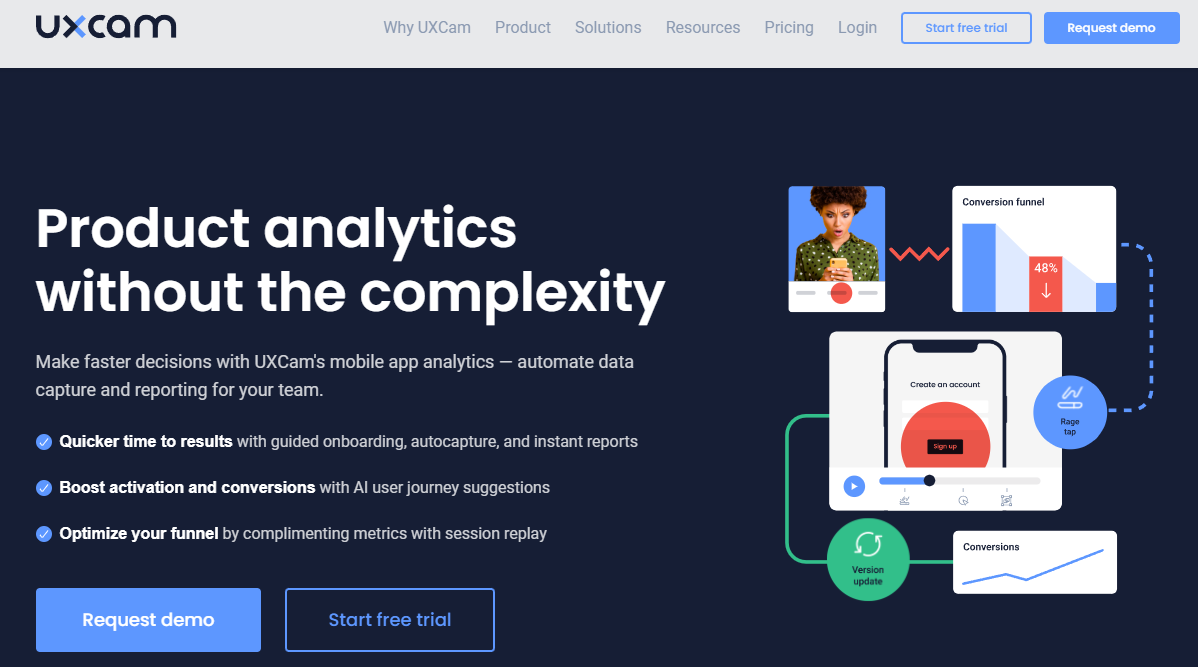
UXCam is a popular platform for mobile app user experience analysis. It gives you insights by recording user sessions and creating visual maps of user interactions. You’ll see what users are doing and understand the reasons behind their behavior within your mobile app.
User reviews
UXCam got 4.6 out of 5 stars based on 195 reviews on G2.
Features
Session replays: View recorded user sessions to identify actions and frustrations, helping to improve user experience.
Heatmaps: Visualize user interactions to pinpoint problem areas and optimize interface design.
User journeys: Analyze the paths users take within the app to improve navigation and streamline experiences.
Issue analytics: Monitor crashes, bugs, and UI issues in real time for prompt resolution and improved app stability.
Dashboards: Automatically generate comprehensive reports to track performance metrics and insights.
Funnels: Analyze user drop-off points in the conversion process to identify and address barriers to engagement.
Retention analytics: Examine retention rates and churn patterns to develop strategies for increasing user loyalty.
Smart events: Track key user interactions to gain insights into important behaviors that drive engagement.
Pricing
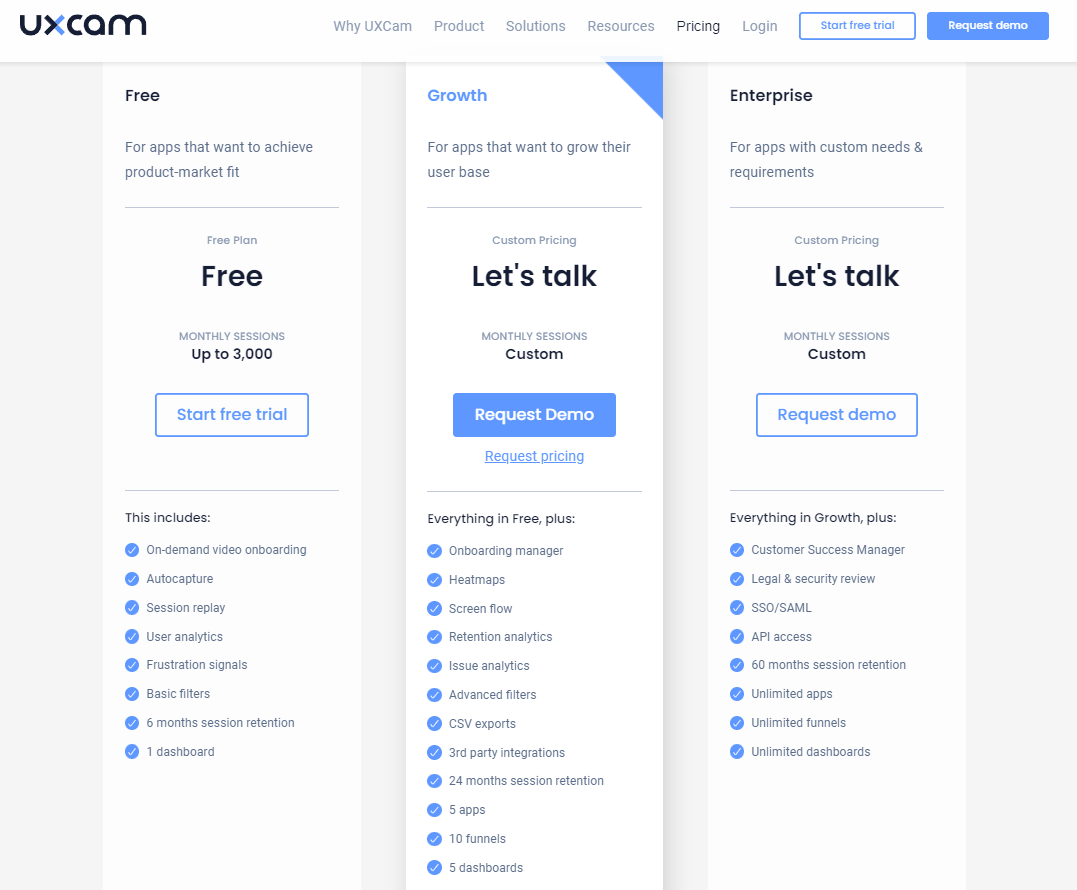
UXCam offers a free plan that allows tracking of up to 3,000 monthly sessions with basic features.
For users seeking more advanced capabilities, paid plans are available but have certain limitations regarding the session data retention period, the number of apps you can connect, the ability to create customizable dashboards, and the number of funnels you can track.
You need to contact the sales team for pricing information.
Pros
Focused on mobile apps
Privacy compliant data handling
Easy to integrate with existing tools
Cons
Free plan has limitations
Doesn’t work with websites or web apps
3. Mouseflow
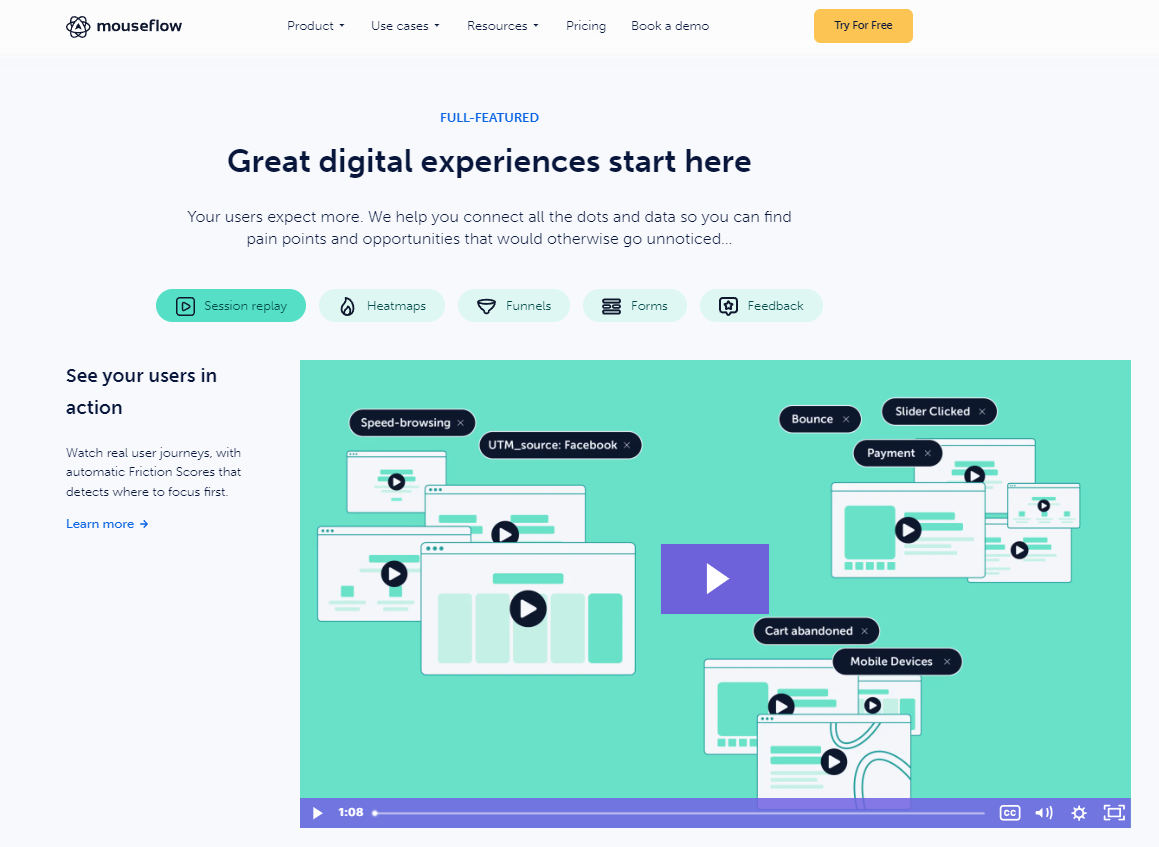
Mouseflow is a digital experience analytics platform that gives you insights into user behavior on your website. It helps you understand what users do and need, making it easier to highlight any areas where they might get frustrated, improve their experience, and convert them into customers.
User reviews
Mouseflow got 4.6 out of 5 stars based on 640 reviews on G2.
Key features
Session replays: Rewatch and analyze the behavior of specific user segments.
Heatmaps: Visualize user interactions to improve design and content placement.
User journey analytics: Track and analyze user navigation paths.
Conversion funnels: Monitor conversion funnels to identify critical drop-off points.
Form analytics: Examine form performance to identify which fields lead to abandonment.
User feedback: Collect direct input from users through surveys or polls.
Friction score: Assess user behavior patterns to identify areas needing improvement.
Pricing
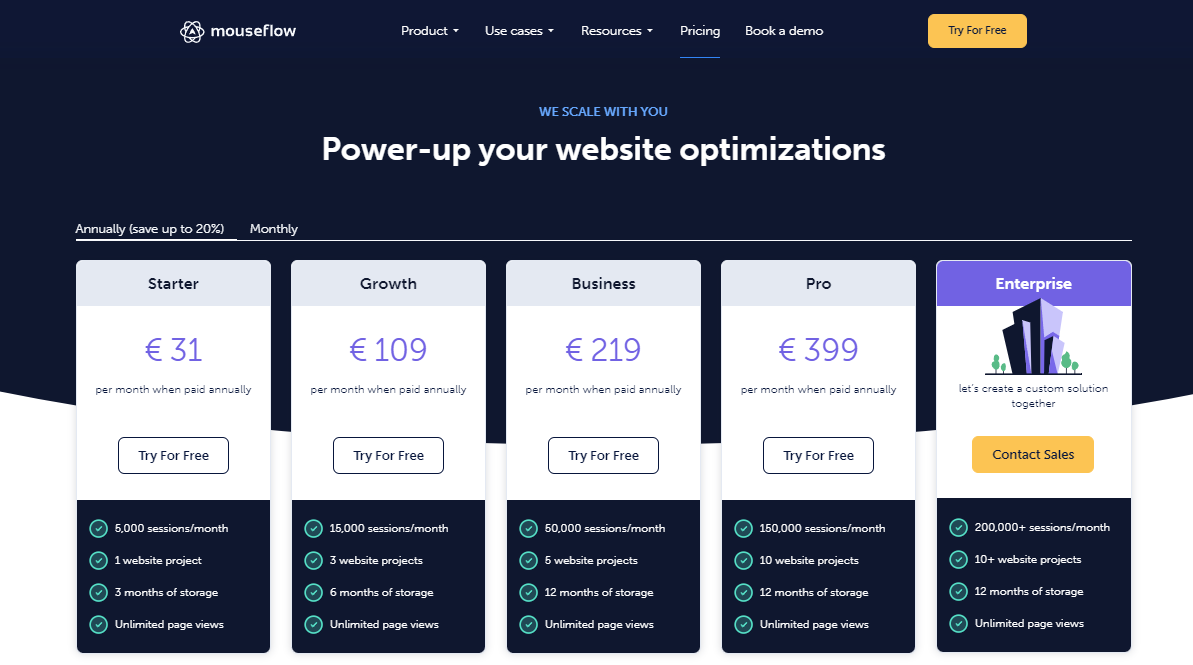
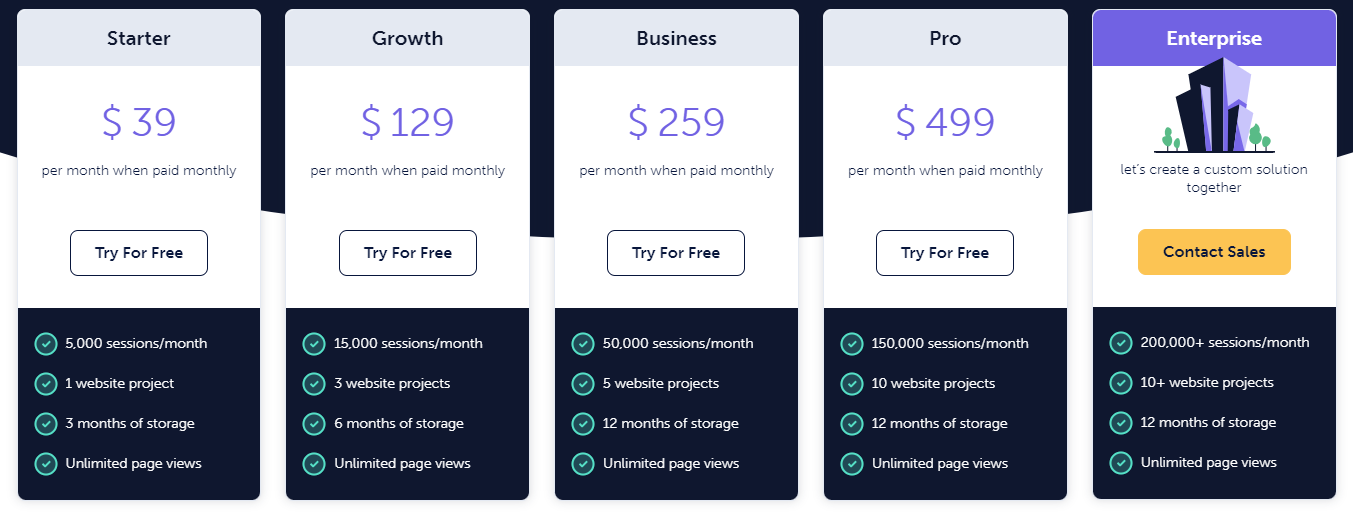
Mouseflow offers a free trial so you can explore its features without any initial commitment. When the trial expires, you can select one of the paid plans, starting at $34 per month when paid annually.
Each plan has limits regarding monthly sessions, the number of website projects you can start, and data storage duration.
Pros
Comprehensive user journey insights
Visual heatmaps for easy data interpretation
User-friendly platform
Cons
The advanced tagging feature is not available
Only offers NPS survey
Credit usage is not entirely transparent for the user
4. Mixpanel
Mixpanel is a product analytics platform that helps you understand user behavior and engagement with your web and mobile applications. It focuses on tracking events—specific actions users take within a product—alongside user properties, which provide additional context about these interactions.
User reviews
Mixpanel got 4.6 out of 5 stars based on 1,125 reviews on G2.
Key features
Session replays: Review user sessions to identify interaction patterns.
Customer journey tracking: Map user paths to optimize navigation and engagement.
Event tracking: Monitor user interactions (e.g., signups, purchases) to analyze engagement over time.
User segmentation: Categorize users based on behaviors and attributes for targeted analysis.
Interactive reports: Create custom reports and visualize data easily for actionable insights.
Real-time data: Access real-time analytics to quickly identify trends and make informed decisions.
Cohort analysis: Group users by shared characteristics to gain insights into retention and engagement.
Pricing
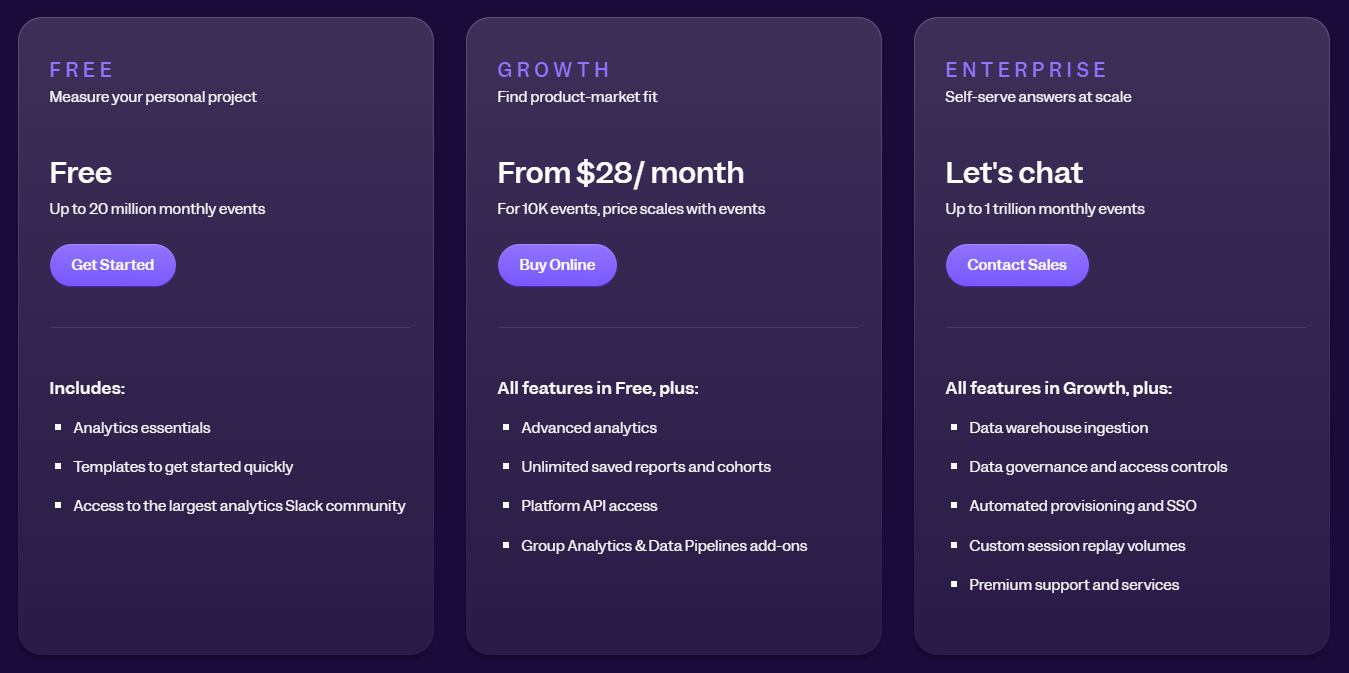
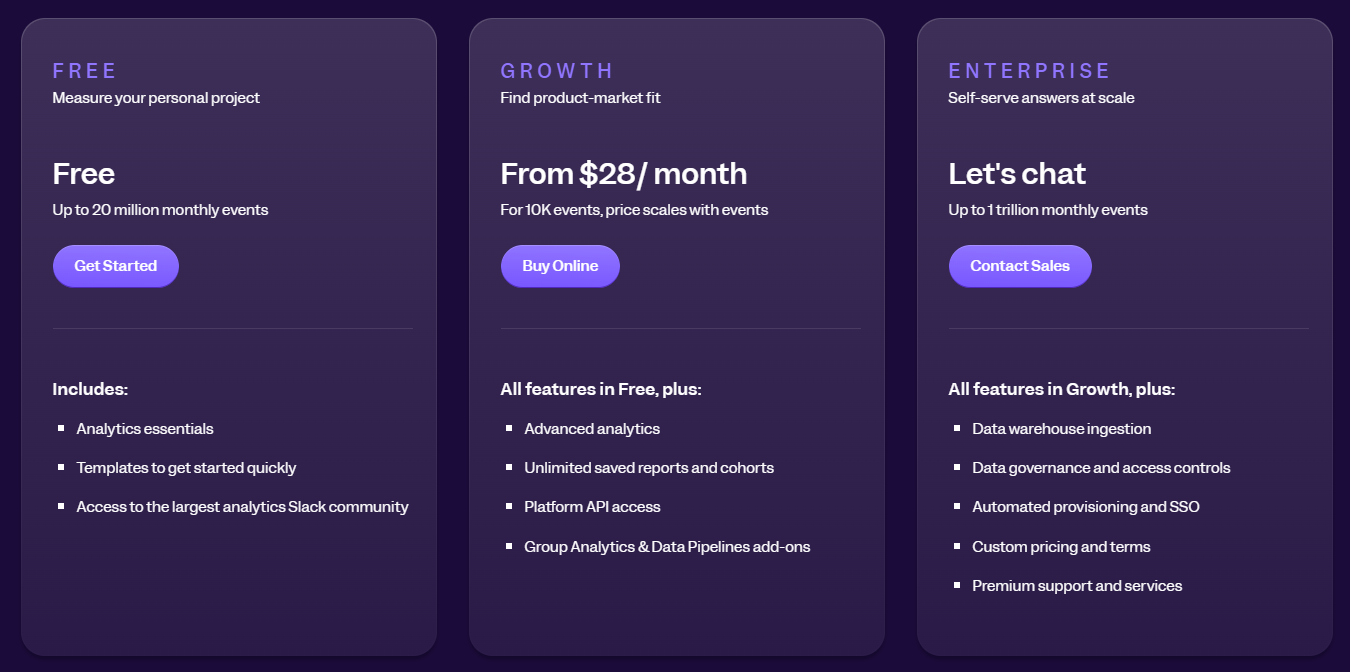
Mixpanel provides a free plan for tracking up to 20 million monthly events. For advanced analytics, you must sign up for a paid plan starting at $24/month for tracking 10K events or switch to the enterprise plan for increased event-tracking capabilities.
Keep in mind that the price scales with events.
Pros
Intuitive dashboards
Good integrations
Flexible data connections
Cons
Requires technical knowledge for event setup
Some advanced features can be tricky to use
5. Smartlook
Smartlook is a product analytics platform that provides visual user insights. It shows you how users engage with your website or mobile app. Combining session recordings with event-based analytics lets you see what users are doing and why.
Smartlook has over 50 integrations so that you can work with your existing tech stack. Setup is simple, so you don’t need to involve developers to get started.
Smartlook got 4.6 out of 5 stars based on 871 reviews on G2.
Key features
Session recording: Record and replay sessions to observe how visitors interact with your site or app.
Heatmaps: Get visual representations of user interactions, showing where users click, scroll, and navigate the page.
Event tracking: Monitor key user actions, providing insights into user engagement.
Funnel analysis: See the user journey and identify where users drop off in the conversion process.
User segmentation: Categorize users based on their behaviors or attributes for detailed analysis.
Error reporting and anomaly detection: Identify issues within the app or website and address bugs effectively.
Mobile app analytics: Track user behavior in iOS and Android applications.
Pricing
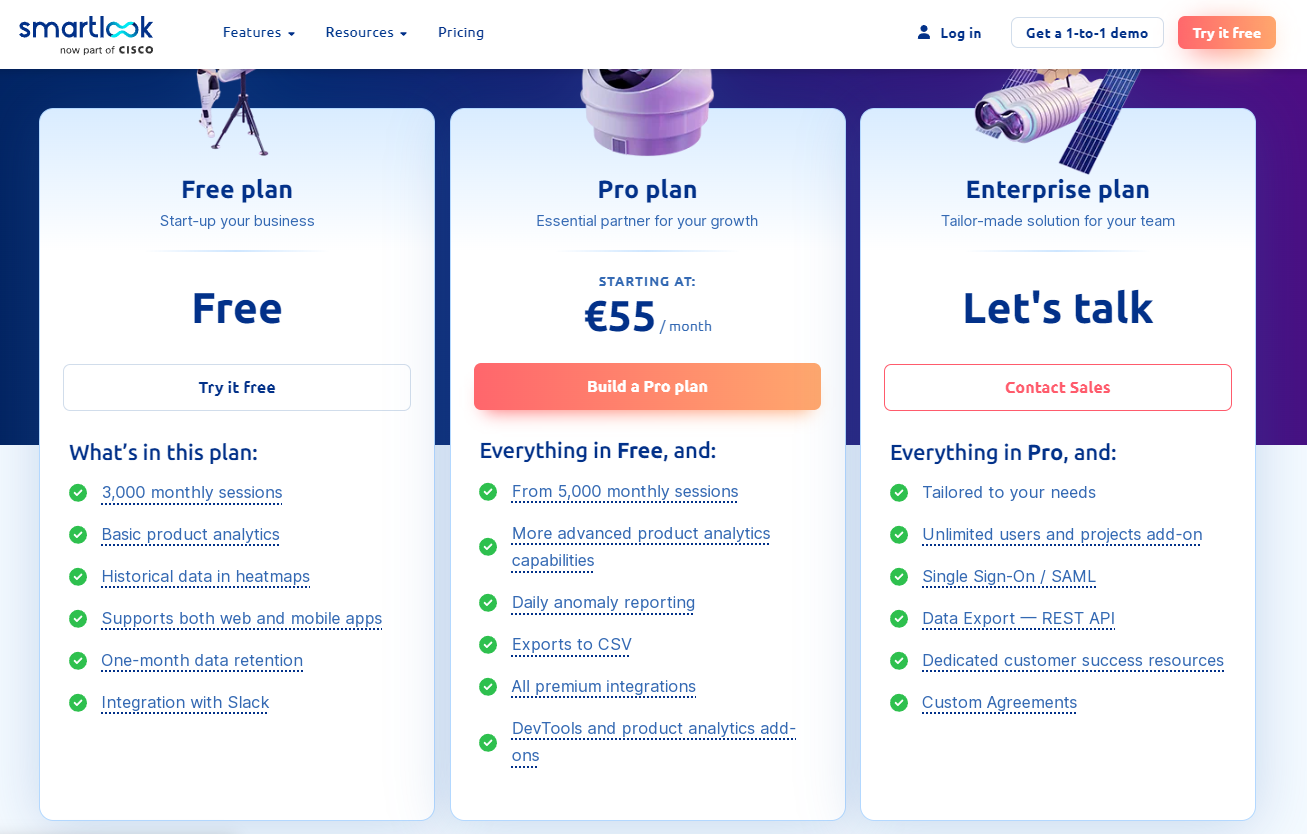
Smartlook provides a free plan that lets you track up to 3,000 monthly sessions with basic features and only one-month data retention. Paid plans start at €55/month and include advanced analytics with data anomaly reporting and premium integrations.
Pros
Intuitive interface
Insights with minimal setup
Good integration
Cons
Steep learning curve for some features
Costs can add up for large teams with lots of data tracking
Bugs in the funnel reports
Limited functionality around behavior flows
6. Hotjar
Hotjar is a website heatmap and behavior analytics tool for examining user behavior and tracking interactions with web page elements. It helps you understand which parts of your site get the most or least attention so you can improve usability and improve conversion rates.
Hotjar got 4.3 out of 5 stars based on 306 reviews on G2.
Key features
Heatmaps: See user interactions to identify areas of focus and improvement.
Session recordings: Record and replay visitor sessions to pinpoint navigation issues and user frustrations.
User feedback tools: Collect direct feedback through widgets and surveys to measure visitor satisfaction.
Conversion funnels: Visualize user journeys to identify drop-off points and optimize conversion rates.
User interviews: Engage directly with users through interviews for deeper insights into their needs and expectations.
Pricing
Hotjar has a free basic plan that lets you track 35 daily sessions with basic analytics features. Paid plans start at $39/month for up to 100 daily sessions. You can also combine products and plans to make a package that fits your needs.
Pros
Easy to implement and use
Qualitative data
Good for customer success teams
Easy integration with third party apps
Cons
Advanced features require paid plans
Can be overwhelming if you’re new to analytics
Session recordings are slow to load sometimes
It increases the load time of your website
7. LogRocket
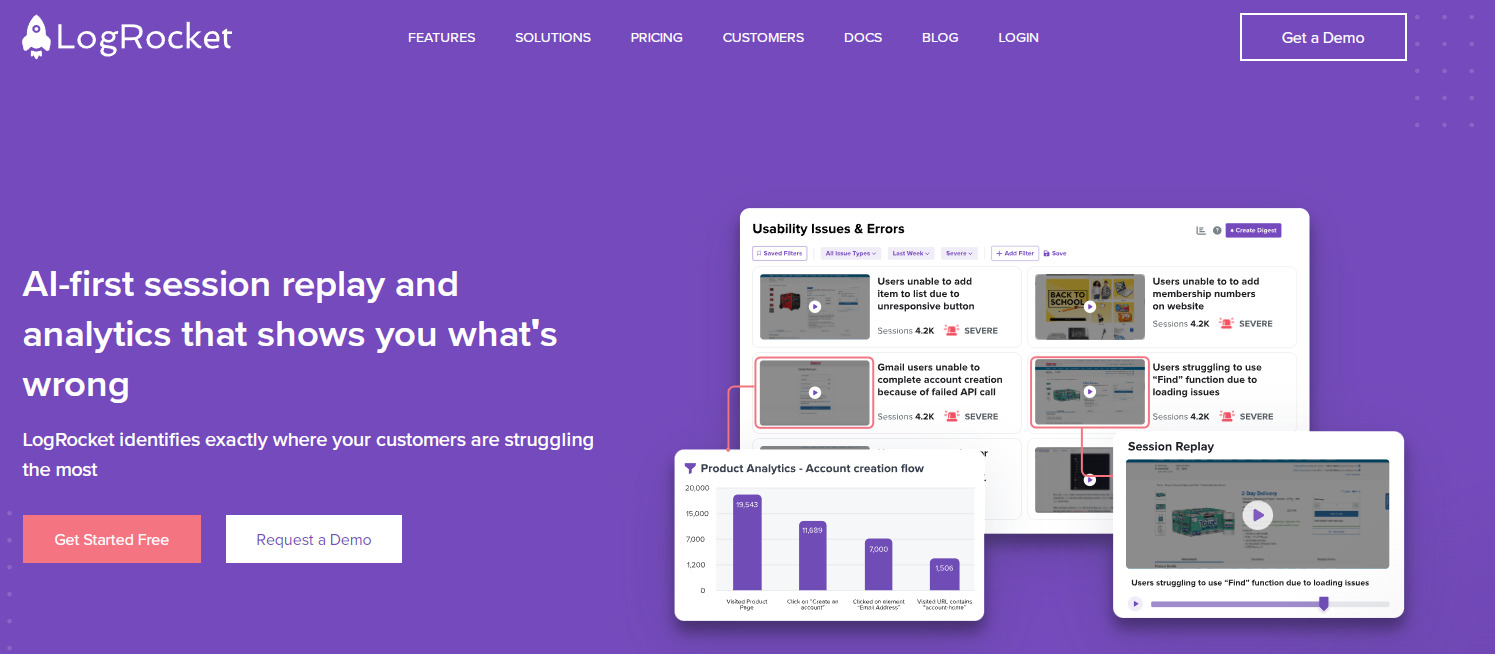
LogRocket is an AI-first session replay and analytics platform that helps developers, and product teams improve user experience across web and mobile applications. It enables teams to identify how users interact with their products, resolve issues, optimize conversion rates, and improve overall product engagement.
LogRocket got 4.6 out of 5 stars based on 1,607 reviews on G2.
Key features
Session replay: Record user sessions for detailed insights into interactions and behavior.
Error tracking: Automatically detect and log errors with contextual information for quick resolution.
Performance monitoring: Track metrics like load times and CPU usage to ensure optimal user experience.
Heatmaps: Visualize user interactions on pages to highlight areas of engagement and frustration.
User identification: Recognize individual users for personalized analysis of their interactions.
Rage clicks detection: Monitor repeated clicks on unresponsive elements, indicating user frustration.
Custom events: Track specific user actions tailored to your needs.
Integration capabilities: Connect with third-party tools and frameworks, including GitHub and Redux.
Pricing
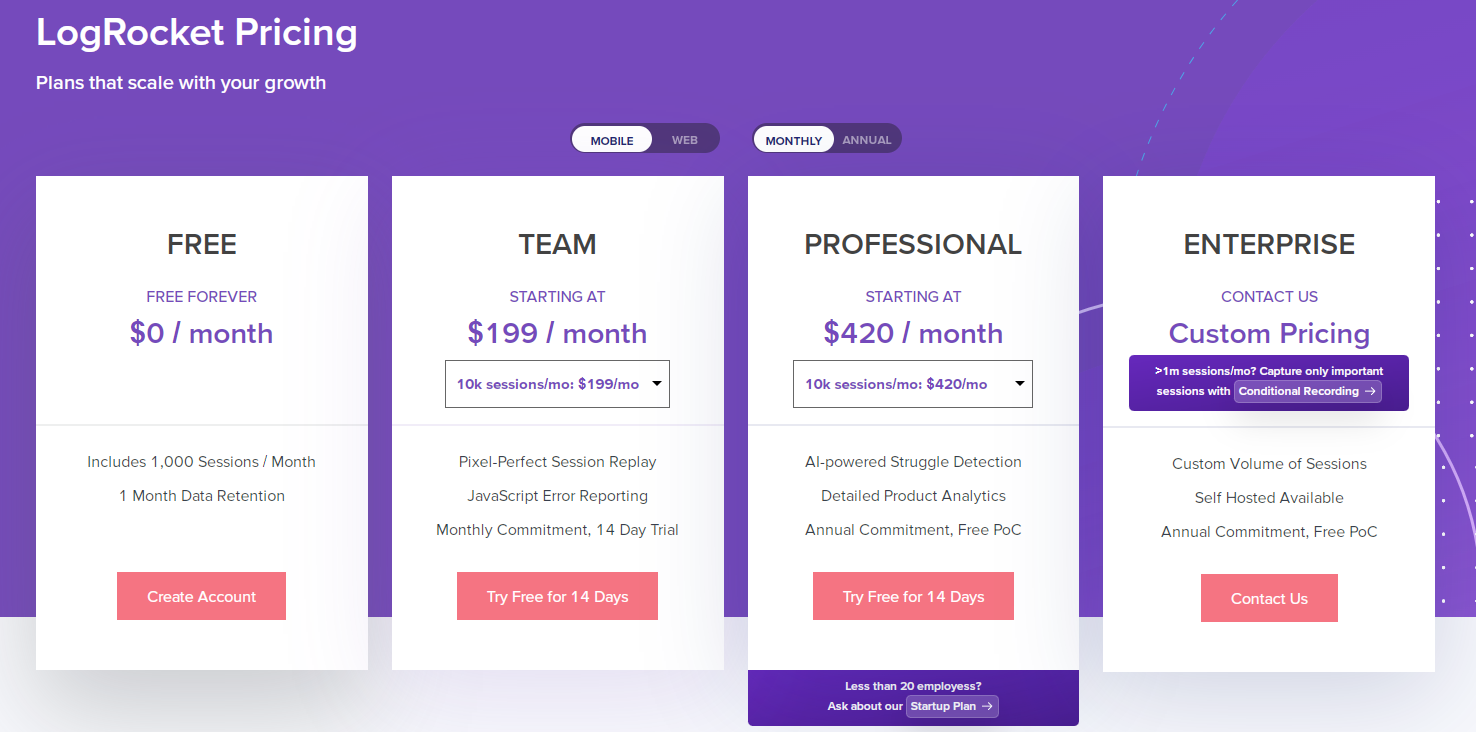
LogRocket has adjustable pricing to fit any business size. You can choose between mobile and web plans with monthly and annual payments. Pricing starts at $199/month and grows based on the number of monthly session recordings.
Pros
Simple interface
AI for issue identification
Broad tech compatibility
Cons
Some users find advanced features require a learning curve
Pricing increases with usage and features
Issues with data filtering
Skipping inactivity sometimes doesn’t work
Product metrics sometimes show incorrect data
8. Pendo
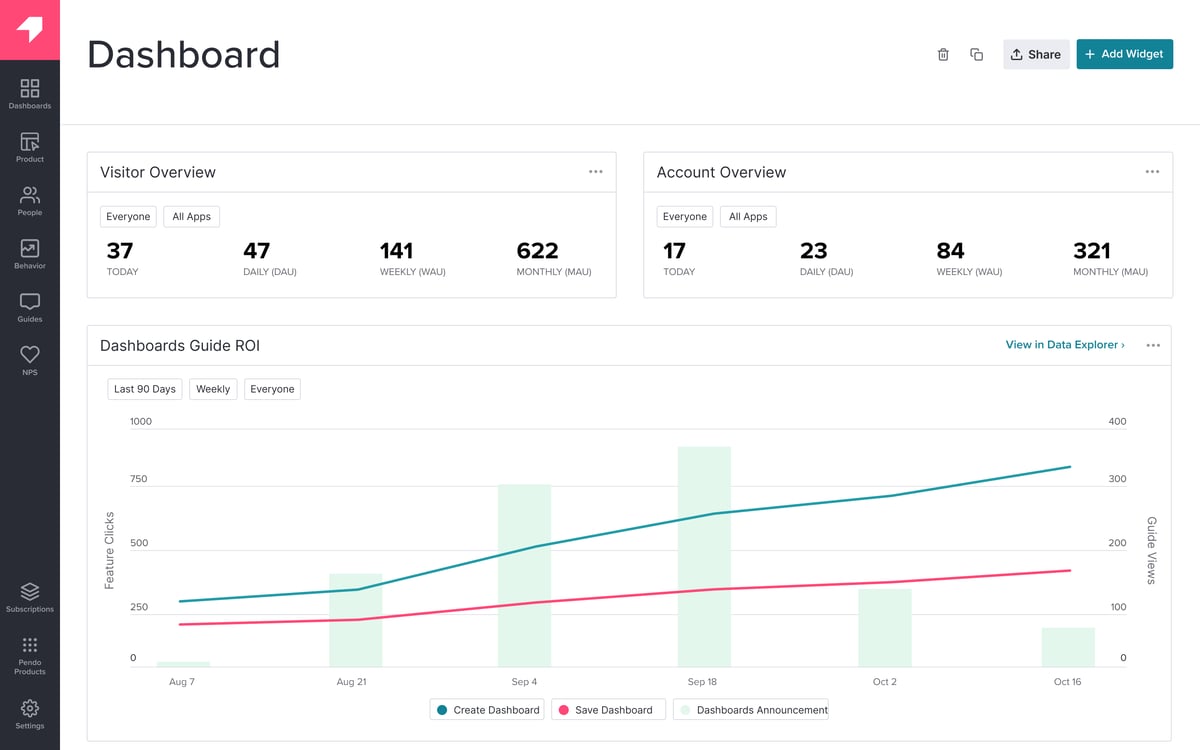
Pendo is a product experience and digital adoption platform that enables teams to monitor product usage, analyze user behavior, and create in-app guides. It also includes AI-powered tools to help with user insights, in-app personalization and feedback analysis.
Pendo helps you increase user engagement and facilitate feature discovery without requiring coding skills.
User reviews
Pendo got 4.4 out of 5 stars based on 1,441 reviews on G2.
Key features
Product analytics: Gain insights into user behavior to identify patterns, underutilized features, and engagement metrics.
In-app guides: Create customizable onboarding flows using templates for lightboxes, banners, and tooltips to assist new users.
User feedback: Collect direct user insights through surveys and polls to understand their experiences.
Segmentation: Use robust segmentation capabilities to categorize users based on behavior or feedback for targeted analysis.
Mobile support: Track events in mobile applications on iOS and Android to get insights into user interactions in mobile environments.
Pricing
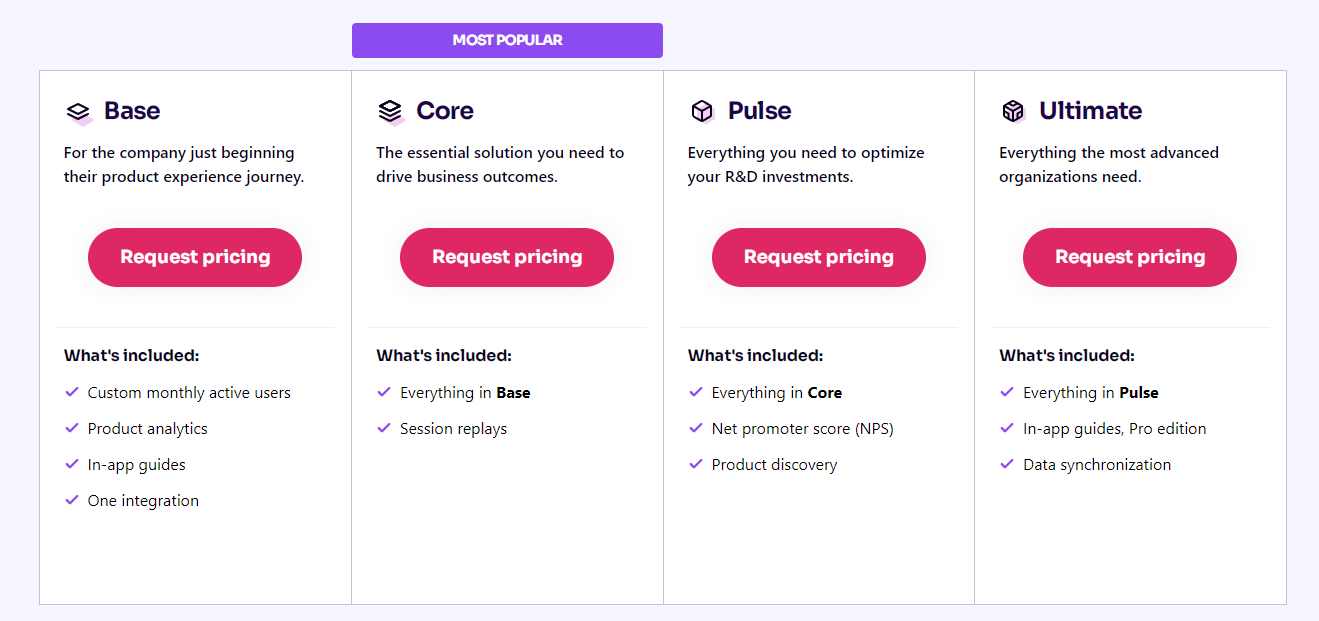
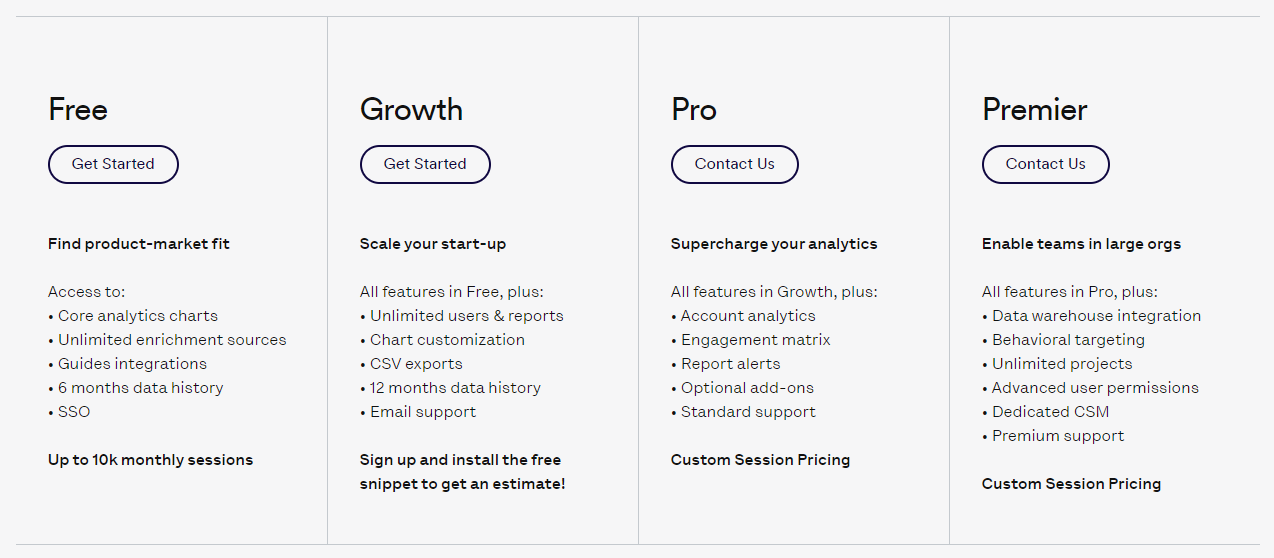
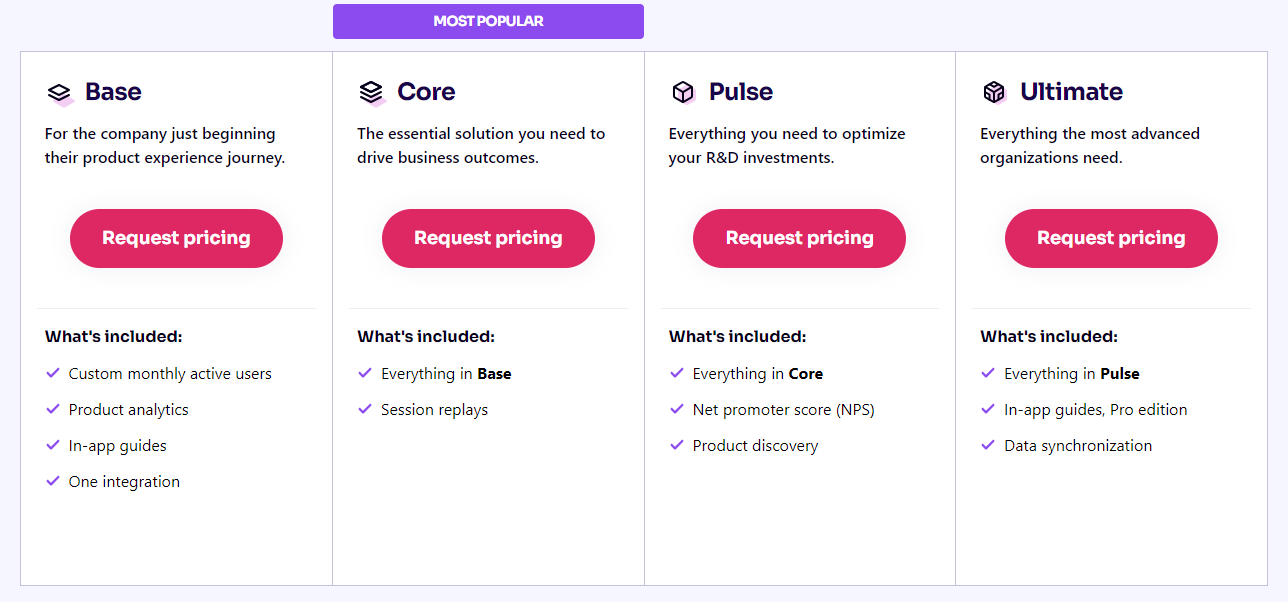
Pendo provides a free trial and four paid plans. However, it’s pricing isn’t available, so you need to contact sales for more information.
Pros
Easy installation with low-code options
Comprehensive data analytics
Personalized user engagement features
Cons
The knowledge base can be outdated
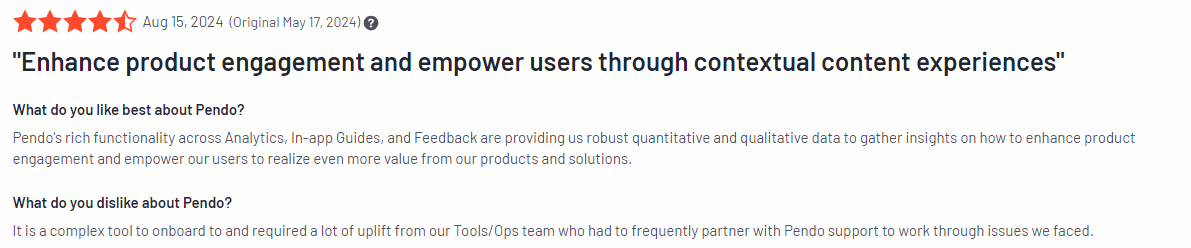
The feedback module is not well supported or easy to use
The subscription is too expensive for a start-up
9. Heap
Heap is a digital insights platform that automatically captures every user interaction on your products or websites throughout the user journey. There is no need for manual tracking, which means you can analyze historical data even if you didn’t initially track specific events such as clicks, form submissions, and downloads.
User reviews
Heap got 4.4 out of 5 stars based on 1,087 reviews on G2.
Key features
Behavioral analytics: Get a comprehensive dataset that captures user actions, demographics, conversions, and acquisition sources.
Journey analysis: Visualize user journeys, pinpoint friction points, and discover opportunities for improving user experience.
Data science integration: Leverage advanced techniques to identify critical moments affecting user satisfaction.
Session replay: Replay user sessions to gain context on actions taken, focusing on specific points that require attention.
Integration capabilities: Facilitate data flow across various business platforms with over 100 integrations available.
Pricing
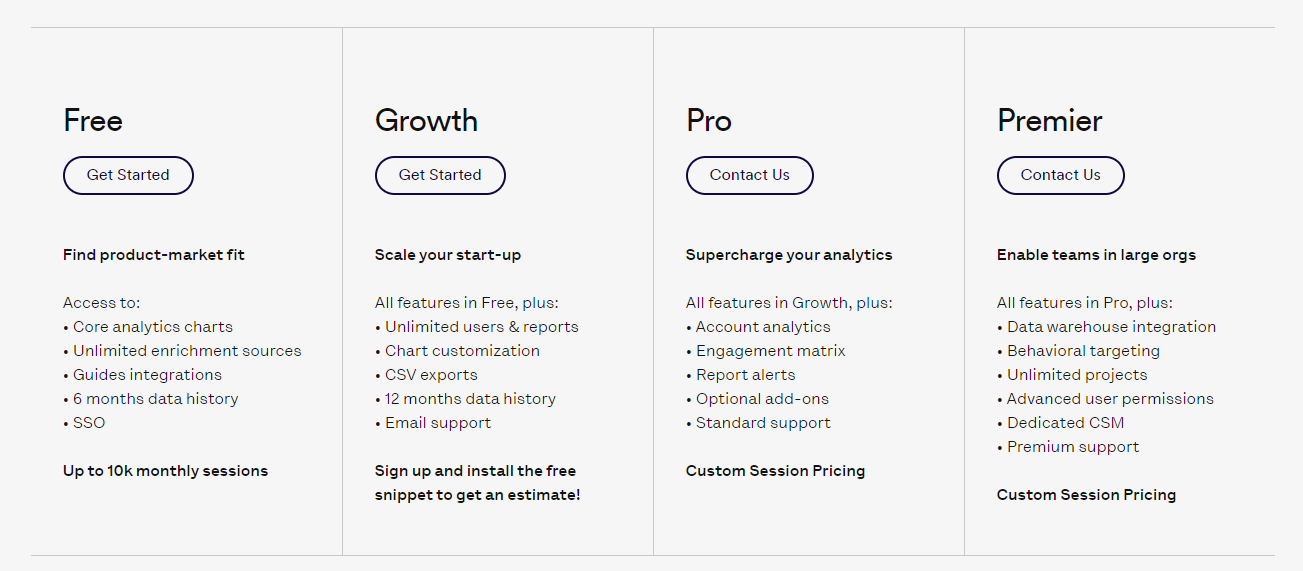
Heap’s pricing is based on your usage and needs. Advanced features are available in the higher tier plans, which differ in terms of data history retention and available customer support. You need to talk to the sales team to get the best plan for your company.
Pros
Comprehensive analytics capabilities
Automatic data capture for retrospective analysis
Real-time tracking for immediate insights
Cons
High learning curve
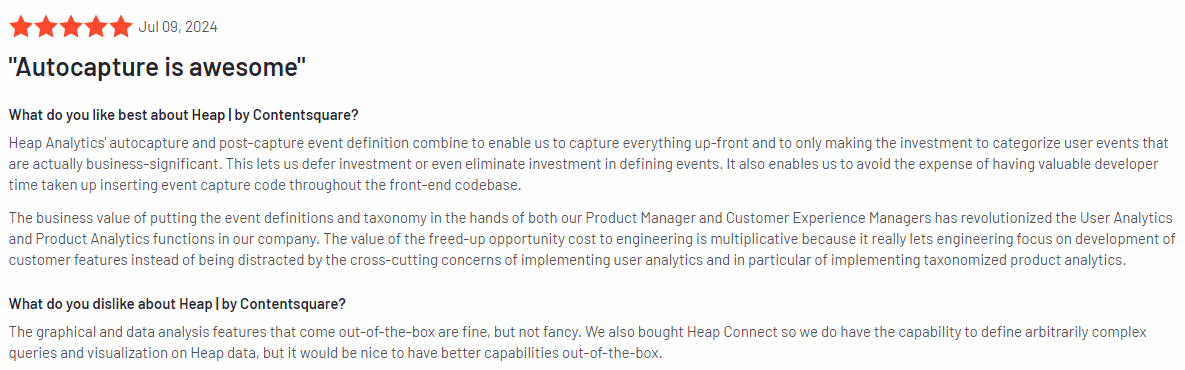
Dashboards and graphs are very simplistic
Can be expensive for growing teams
Conclusion About FullStory Alternatives
When you’re looking for FullStory alternatives to improve user experience analysis, there are plenty to choose from.
However, FullSession represents one of the top solutions that’s GDPR, CCPA, and PCI compliant.
This user behavior analytics software excels in capturing all user interactions in the entire journey and providing visual insights that help you analyze user behavior patterns and trends and optimize your website interface, usability and performance.
With FullSession, you can:
Track dynamic elements in real time for precise user insights
Accelerate heatmap processing with zero impact on site speed
Protect user privacy by excluding sensitive data recording
Manage extensive data sets effectively and quickly reveal key insights
Limit user behavior tracking to your site, preventing data misuse
Facilitate cross-team collaboration and unify team efforts on one platform
FullSession lets you get a 360-degree view of user behavior data in a single, intuitive dashboard.
Transform digital experiences today.
See why top brands trust our user behavior analytics solution.
Let’s answer the most common questions about FullStory alternatives.
Who competes with FullStory?
FullStory has many competitors in the market. Some of the top ones include FullSession, Contentsquare, Smartlook, and LogRocket.
These platforms offer similar features and help with user session replay and product analytics. You can explore our list of FullStory competitors to find one that suits your needs.
What is the alternative to FullStory?
There are several alternatives, with FullSession being one of the best. Other notable alternatives are Heap by Contentsquare, UX Cam, and SessionStack.
These tools provide features for tracking user behavior and improving digital experiences.
What is the difference between Google Analytics and FullStory?
Google Analytics focuses on website traffic and statistics, showing you where users come from and how they navigate your site. FullStory, on the other hand, provides detailed insight into user interactions by recording sessions.
This way, you can see exactly what users experience, including clicks, page views, and frustration signals.
Is FullStory worth it?
Choosing FullStory depends on your specific needs. It offers insights into user interactions and helps improve user experience by pinpointing issues.
It can be worth it if you need advanced analytics and user behavior tracking to make data-driven decisions.
How expensive is FullStory?
FullStory’s pricing is not publicly listed, as it requires you to contact their sales team for a quote. The cost may vary based on your business size and specific needs.
It’s a good idea to compare prices with other FullStory alternatives to see which solution fits your budget.
Real user monitoring tools track and analyze how users interact with your website or app, providing actionable insights to optimize performance and user experience.
For example, FullSession offers real-time session recordings and replays, interactive heatmaps, website feedback forms, conversion funnel analysis, and error tracking to help you capture and analyze key behavioral patterns and optimize your website for peak performance.
Real user monitoring tools also help identify performance issues and ensure product or service quality to boost conversion rates. However, choosing the right solution can be challenging, as each software differs in features, benefits, and pricing.
This article will guide you through the best RUM tools to help you make an informed choice.
Key Takeaways
FullSession is a user behavior analytics software that provides visual insights to help you optimize website UI, UX and performance and boost conversion rates. It includes session recordings, replays, interactive heatmaps, conversion funnel analysis, and error tracking. FullSession fully complies with GDPR, CCPA, and PCI standards. Pricing starts at $39/month, with a 20% discount for annual plans. Book a demo now.
Dynatrace RUM is a real user monitoring tool that provides full-stack visibility, helping large enterprises track website visitor interactions and performance issues in real time. Key features include AI-powered problem detection, real-time session monitoring, and mobile app support. While it offers deep insights, its pricing can be expensive, starting at $0.00225 per session. It may also be complex for smaller teams.
Retrace is an application performance management tool that also includes real user monitoring. It offers error tracking, real-time user monitoring, session replays, and application performance monitoring. Retrace is best for development teams and small to medium businesses. Pricing is tiered based on the number of applications and servers. Its interface can seem cluttered for inexperienced users.
Datadog RUM is a full-stack monitoring platform that links user behavior with back-end infrastructure performance. It provides real-time monitoring, error tracking, and session replays. Datadog integrates well with its ecosystem, though its usage-based pricing can escalate quickly. The base plan starts at $31/month, but setup and managing data volume can be complex for smaller teams.
New Relic is a real user monitoring tool that focuses on front-end performance insights. It tracks real-time user interactions, page load performance, error tracking, and session traces. It integrates with New Relic’s larger suite of tools, making it useful for monitoring both front-end and back-end performance. Pricing can rise as usage increases, and it may be complex for smaller teams with fewer resources. A limited free tier is available, with premium features offered at higher costs.
Start a Free Trial to Experience FullSession
Capture all user interactions, spot trends and patterns and drive improvements without compromising your website performance.
FullSession is a user behavior analytics software that tracks every detail of user interaction on your website. It gives you real-time visual insights into how visitors engage with your site, which helps you identify and analyze behavior patterns and trends, reveal issues with UI and UX and improve website performance to increase user satisfaction.
With real-time session recordings and replays, you can watch users navigate your site, pinpoint what repels or draws their attention, and where they encounter problems in their journey. Interactive heatmaps show cold spots, dead zones and ineffective content, helping you optimize key page elements to reach your website goals.
FullSession also offers conversion funnel analysis and error tracking, allowing you to spot where visitors drop off and fix website issues affecting their experience. Additionally, customizable feedback forms enable you to gather direct insights from users, learn about their pain points and immediately resolve issues to increase their satisfaction.
Committed to user and data privacy, FullSession fully complies with GDPR, CCPA, and PCI standards, ensuring secure data handling.
Advanced user and event segmentation: Categorize users, events and sessions by diverse criteria such as location, device, and behavior to spot trends and optimize the user journey.
Session recordings and replays: Watch how users navigate your website in real-time and replay sessions to diagnose issues.
Interactive heatmaps: Track user clicks, scrolls, and mouse movements to identify engagement hotspots or dead zones on your site.
Feedback forms: Gather user feedback directly on your site with branded forms, then link responses to session recordings for additional context.
Conversion and funnel optimization tools: Track drop-offs in your funnels and adjust your design or content to improve completion rates.
Error analysis: Automatically detect issues like JavaScript errors or failed API calls, preventing them from impacting the user experience.
Supported platforms
FullSession supports tracking user behavior on websites, web apps, landing pages, and online stores. It also offers mobile user session recordings.
Integrations
Whether you’re using Shopify, WordPress, Wix, or BigCommerce, FullSession integrates effortlessly with these platforms to help you monitor user behavior.
With support for Zapier, open APIs, and modern webhooks, you can integrate FullSession with a variety of other apps, automating data flow and ensuring everything works across your systems.
Customer support
FullSession offers live chat and email support, and a help center that provides step-by-step guides and FAQs to troubleshoot common issues.
Pricing
FullSession provides flexible pricing plans to suit businesses of all sizes. Starting at just $39 per month, the Starter Plan includes key features like session recordings, unlimited heatmaps, and up to 5,000 sessions per month, making it a cost-effective solution for smaller businesses.
As your needs grow, you can seamlessly upgrade to higher-tier plans like the Growth and Pro plans, which unlock more advanced features and significantly higher session limits. The Growth plan is ideal for scaling teams that need deeper funnel tracking, conversions, and user feedback, while the Pro plan is built for high-traffic websites managing up to 100,000 monthly sessions with extended data retention.
For large organizations with enterprise-level requirements, FullSession offers a custom Enterprise plan starting at 500,000+ sessions per month, along with priority support, security reviews, uptime SLA, and fully customized pricing and billing terms.
Pros
Gain up-to-the-second insights into user interactions with dynamic elements
Experience fast heatmap generation without compromising website speed
Ensure privacy by excluding sensitive information from session recordings
Easily manage extensive data sets to uncover key insights quickly
Limit tracking to your website to improve data security
Analyze conversion funnels thoroughly to eliminate performance bottlenecks
Foster collaboration across multiple teams to boost overall productivity
Cons
Does not support tracking for mobile apps
Transform digital experiences with FullSession
See why top brands trust our user behavior analytics solution.
Dynatrace RUM is an analytics and automation platform that provides businesses with deep insights into user interactions across websites, web apps, and mobile platforms.
It tracks user behavior and links data to your back-end systems for a comprehensive view of how performance issues affect user experience.
User rating
Dynatrace has an average user rating of 4.5 out of 5 stars based on 1,248 reviews on G2.
Dynatrace RUM is suited for large enterprises needing full-stack monitoring, IT teams focused on performance optimization, and development teams troubleshooting complex issues.
Key features
Full-stack visibility: Connects front-end user interactions to back-end performance for a complete picture.
AI-powered problem detection: Automatically detects and highlights issues affecting user experience.
Real-time user session monitoring: Tracks user behavior in real-time to identify bottlenecks and errors.
Conversion funnel analysis: Pinpoints where users drop off in key processes.
Mobile app support: Monitors mobile apps alongside web platforms.
Supported platforms
Dynatrace RUM supports tracking on both web and mobile platforms.
Integrations
Dynatrace integrates with cloud services, CI/CD tools, and DevOps systems, enabling performance tracking and automation across the stack.
Customer support
Dynatrace offers live chat and email. It also provides online resources like documentation, tutorials, and community forums.
Pricing
Dynatrace offers custom pricing based on usage, typically tailored to large businesses. Real user monitoring costs $0.00225 per session.
Pros
Full-stack visibility
AI-powered insights and issue detection
Real-time monitoring across web and mobile platforms
Tools for performance optimization and troubleshooting
Cons
Can be complex for smaller teams to navigate and configure
Pricing can be on the higher end for small businesses
Retrace is an application performance management tool that helps developers track user interactions while monitoring web app performance. It helps identify performance issues, track errors, and optimize the user experience.
User rating
Retrace has an average user rating of 4.2 out of 5 stars based on 56 reviews on G2.
Best for
Retrace is suitable for development teams and small to medium businesses needing a combined solution for user monitoring and performance tracking.
Key features
Error tracking: Detects and reports application issues like crashes or failed transactions.
Real-time user monitoring: Tracks live user interactions to identify performance bottlenecks.
Application performance monitoring: Monitors server-side performance metrics to provide a full view of app health.
Session replays: Offers session recordings to help developers understand the root causes of errors.
Log management: Consolidates and analyzes logs for more efficient troubleshooting.
Supported platforms
Retrace supports web platforms and integrates with common development environments.
Integrations
Retrace integrates with DevOps tools and services, such as Jira, Oracle, and Azure, helping streamline performance monitoring and error tracking within the development workflow.
Customer support
Retrace offers email support and access to a comprehensive online help center.
Pricing
Retrace provides tiered pricing based on the number of applications and servers you want to monitor. It’s flexible enough for small businesses while offering features that scale with larger teams. Subscription-based pricing ensures you pay for only what you need.
Pros
Good for RUM and application performance monitoring
Error tracking and session replay capabilities
Integrates with common development tools
Cons
Interface can be cluttered, especially for new users
Datadog is a monitoring platform for cloud applications that tracks and analyzes user interactions on websites and applications in real-time.
It offers visibility into how users experience your site, linking front-end performance issues to back-end infrastructure, making troubleshooting and improving overall performance easier.
User rating
Datadog has an average user rating of 4.3 out of 5 stars based on 532 reviews on G2.
Best for
Datadog RUM is used by DevOps teams and enterprises managing complex applications, providing real-time insights into user behavior and system performance.
Key features
Real-time monitoring: Provides live insights into user behavior, identifying slow load times or errors.
Full-stack visibility: Links front-end user issues to back-end performance, offering a complete picture.
Session replays: Replays user sessions to identify specific site performance issues impacting the end-user experience.
Custom dashboards: Enables tailored data visualizations and custom metrics for better monitoring and analysis.
Supported platforms
Datadog RUM supports both web and mobile platforms.
Integrations
Datadog RUM integrates with Datadog’s larger ecosystem, including infrastructure monitoring, logs, and APM tools, providing unified monitoring and alerting capabilities across the stack.
Customer support
Datadog provides support via live chat, phone, and email, as well as a robust knowledge base and community forums to assist users.
Pricing
Datadog RUM follows a usage-based pricing model, which you can customize based on your needs. Their basic APM plan starts at $31 per host per month for core features like live trace search and analytics, universal service monitoring, and performance metrics.
Pros
Full-stack visibility connecting front-end and back-end performance
Real-time user monitoring and error tracking
Integrates with Datadog’s suite of tools
Cons
Pricing can escalate with higher data usage, and the structure can be difficult to understand
Complex for smaller teams without dedicated resources
Setting things up can take more time than expected
New Relic is a cloud APM that tracks how users interact with your website or web applications in real-time. It provides real user data into front-end performance, helping businesses identify and resolve issues that impact user experience, such as slow load times, errors, and inefficient code.
User rating
New Relic has an average user rating of 4.3 out of 5 stars based on 450 reviews on G2.
Best for
New Relic suits businesses and development teams looking to monitor real-time front-end performance.
Key features
Real-time performance monitoring: Tracks how users interact with your website in real-time, detecting slow load times and performance issues.
Error tracking: Automatically identifies and reports errors like JavaScript problems and broken links.
Page load performance: Monitors page load times across different devices and browsers to enhance user satisfaction.
Session traces: Provides detailed traces of user sessions to uncover specific performance bottlenecks.
Custom dashboards: Allows users to create tailored dashboards to focus on the most important metrics.
Supported platforms
New Relic supports web platforms, monitoring desktop and mobile web experiences for a complete view of user interactions.
Integrations
New Relic integrates with its APM tools and other New Relic services, allowing users to monitor front-end and back-end performance in one platform. It also integrates with popular DevOps tools and cloud services.
Customer support
New Relic offers support through email and a knowledge base.
Pricing
New Relic offers a free tier with limited features. However, as your monitoring needs grow, premium plans provide more advanced features and pricing based on usage and performance data volume.
Pros
Real-time front-end performance insights
Error tracking and session trace features
Integrates with New Relic’s full suite of monitoring tools
Cons
Pricing can rise significantly as usage scales
May be complex for smaller teams with fewer resources
Does not capture logs automatically
Large volumes of data may lead to latency
Best 5 Real User Monitoring Tools Comparison Table
The comparison table below highlights the top RUM tools, helping you decide which one best fits your needs based on key features.
FullSession
Dynatrace
Retrace
Datadog
New Relic
Real-time user tracking
✔
✔
✔
✔
✔
Session recordings
✔
✔
✔
✔
✔
Heatmaps
✔
✘
✘
✘
✘
Conversion funnel analysis
✔
✔
✘
✘
✘
Error tracking
✔
✔
✔
✔
✔
Customer feedback forms
✔
✘
✘
✘
✘
Mobile app support
✘
✔
✘
✔
✔
Monthly pricing
$39
n/a
n/a
$31
n/a
Best 5 Real User Monitoring Tools: Our Verdict
After reviewing the top real user monitoring tools, FullSession stands out as the best option for businesses seeking to optimize user experience and website performance with powerful user behavior analytics features.
Here are the key benefits that make it the top option:
Track dynamic elements to gain accurate insights into user behavior
Speed up heatmap generation without impacting website performance
Safeguard privacy by excluding sensitive data from session recordings
Identify performance trends and pinpoint conversion blockers
Use filters to analyze key user journeys for more focused insights
Manage large data sets easily to uncover valuable insights quickly
Restrict tracking to your site to ensure data security and prevent misuse
Enable seamless coordination across teams on a unified platform
Start a Free Trial to Experience FullSession
Capture all user interactions, spot trends and patterns and drive improvements without compromising your website performance.
Conclusion About Best 5 Real User Monitoring Tools
Real user monitoring tools are essential for any online business that wants to improve user experience, track performance, and ensure their website or app runs smoothly.
By offering real-time insights into how actual users interact with your platform, these tools help identify problem areas, optimize conversion funnels, and improve overall performance, leading to better customer satisfaction and business growth.
Among the best tools available, FullSession stands out for its comprehensive features, real-time tracking, and user-friendly interface. It helps you analyze user behavior and ensure privacy and efficient data management, making it the first choice for businesses of all sizes.
Book a demo today to discover how it can transform your website performance and user experience.
FAQs About Best 5 Real User Monitoring Tools
What is a real user monitoring tool?
A real user monitoring (RUM) tool tracks and analyzes the actual interactions of users on websites or apps in real time. It helps businesses understand how users experience their platform by monitoring performance and core web vitals, detecting errors, and providing insights to improve user experience.
What is an example of real user monitoring?
An example of real user monitoring is session recordings, where the tool captures user actions like clicks, page views, and interactions, allowing businesses to see how users navigate their website or app and identify any issues they face.
What is Datadog real user monitoring?
Datadog Real User Monitoring (RUM) tracks real-time user interactions, linking front-end performance issues to back-end infrastructure. It helps teams troubleshoot problems quickly and optimize the user experience by providing full-stack visibility and critical performance data.
What is Dynatrace real user monitoring used for?
Dynatrace Real User Monitoring is used to track every user transaction or interaction across websites and apps. It provides insights into how performance issues affect user experience by linking front-end interactions with back-end systems, helping teams fix problems and improve overall efficiency.
What’s the difference between RUM and synthetic monitoring?
RUM tracks the actual interactions of real users on a website or app, providing insights into how the platform performs under real conditions. It focuses on real-time data from real user behavior, identifying issues as they occur. On the other hand, synthetic monitoring uses automated scripts to simulate user interactions, testing performance and functionality under controlled conditions.
The best eCommerce analytics software helps you analyze data on customer behavior, sales performance, and the marketing performance of your online store. This way, you can better optimize customer journeys and marketing campaigns for more conversions.
FullSession is one of the best ecommerce analytics tools you can try. It gives you session recordings and heatmaps so you can easily spot problems and make tweaks that keep customers around. Plus, it offers conversion funnel analysis and error tracking to ensure the customer journey is as smooth as possible.
FullSession is a user behavior analytics software that provides visual insights to help you optimize your online store for maximum conversions. It includes features like session recordings and replays, interactive heatmaps, customer feedback tools, conversion funnel analysis, and error tracking, which help optimize your ecommerce site without affecting its performance. FullSession is fully compliant with GDPR, CCPA, and PCI standards. Pricing starts at $39/month, with a 20% discount for annual plans. Book a demo today to see how it works.
Optimizely One is a digital experience platform focused on A/B testing, multivariate testing, and personalization to help ecommerce businesses optimize user experiences and conversions. Key features include cross-platform testing, real-time customer data analysis, and behavior-based personalization. Its pricing is custom, but some users report a steeper learning curve and difficulty navigating the interface.
Woopra is a customer journey analytics platform designed for tracking real-time customer behavior across websites and apps. It offers features like custom funnel analysis, behavioral segmentation, and cross-device tracking. However, it’s significantly more expensive than competitors, with plans starting at $999/month.
Kissmetrics is an event-based analytics platform designed to track user behavior and improve conversions for ecommerce businesses. It provides detailed insights into customer journeys, funnel reports, and cohort analysis. Kissmetrics starts at $299/month, which can be expensive for small online store owners and may require technical expertise to set up.
Supermetrics is a data integration tool that consolidates data from various platforms, such as Google Analytics, Facebook Ads, and Shopify, into one place for easy analysis. It offers features like automated reporting and custom dashboards. Pricing starts at $29/month, though adding more data sources can increase the cost, and user behavior analysis can be lacking.
Let’s take a look at each ecommerce analytics tool.
Best Analytics Software for Ecommerce Right Now
Here are five of the best analytics tools for ecommerce companies:
FullSession is an advanced user behavior analytics software designed to track every detail of visitor activity on websites, web apps, and landing pages. It gives you a 360-degree view of how shoppers engage with your online store, helping you dive into specific behaviors and patterns to help optimize your website performance and sales.
With real-time session recordings and replays, you can see how individual customers navigate your site, where they click, what catches their attention, and where they might get stuck. Its interactive heatmaps highlight which areas of your site are performing well and which ones need improvement.
FullSession also offers conversion funnel analysis and error tracking, which helps you eliminate issues that cause funnel drop-offs and cart abandonment. You can also gain valuable insights directly from your shoppers with customizable feedback forms.
FullSession prioritizes data security by ensuring full compliance with GDPR, CCPA, and PCI standards. PCI standards are important for eCommerce stores because they provide secure handling of customer payment data (including credit, debit, and cash card transactions), protect against data breaches and fraud, and help businesses maintain trust and compliance with industry regulations.
Book a demo now to see how FullSession can help optimize your ecommerce store.
Best for
FullSession is perfect for ecommerce stores because it helps track and analyze user behavior, giving insights into how visitors interact with product pages, checkout processes, and other key areas of your ecommerce platform. It’s also a suitable tool for:
Advanced user and event segmentation: Use filters to find specific session recordings easily. Categorize users based on behavior to identify trends and optimize the customer journey.
Session recordings and replay: Watch real-time sessions to understand where customers drop off and how they engage with your site.
Interactive heatmaps: Instantly see where users click, scroll, and interact on your website to identify areas with low or high engagement. Get immediate heatmap data with zero waiting time or impact on your site performance.
Feedback forms: Customize forms to collect direct feedback from users about their shopping experience. Connect these forms with session recordings to gain more context into the feedback.
Conversion and funnel optimization: Analyze where users leave the funnel and test different page elements to boost conversions.
Error tracking: Automatically detect website errors, such as JavaScript errors, network issues, and failed API calls, and fix them before they impact customers.
FullSession supports behavior tracking on websites, web apps, landing pages, and online stores. It can also show mobile user recordings.
Integrations
FullSession integrates with popular platforms like Shopify, BigCommerce, WordPress, and Wix. It also connects with Zapier and supports API integration to help you automate workflows and ensure smooth data flow between your apps.
Customer support
FullSession offers customer support through live chat and email. There is also a comprehensive help center for additional guidance.
Pricing
FullSession offers three paid plans—Starter, Business, and Enterprise—designed to suit businesses of all sizes, from small startups to large enterprises. This flexibility lets you choose a plan that matches your current needs and upgrade as your online business grows, so you only pay for the features that matter to you.
Pricing starts at $39/month for the Starter plan, covering session recordings, heatmaps, and error tracking for up to 5,000 sessions. Business and Enterprise plans scale with your needs, and annual plans include a 20% discount.
Visit the Pricing page to learn more about each plan.
Optimizely One is a digital experience platform for all types of businesses, offering A/B testing, personalization, and multivariate testing to optimize user experiences and improve sales performance.
User rating
Optimizely One has an average user rating of 4.2 out of 5 stars based on 51 reviews on G2.
Optimizely One is suited for ecommerce marketers, digital marketers, and product managers who need a tool to optimize user experiences and drive conversions through testing and personalization.
Key features
A/B and multivariate testing: Run tests on different website elements to determine what drives conversions.
Personalization: Tailor content to different user segments based on behavior.
Real-time data analysis: Quickly analyze ecommerce data and optimize experiments to boost performance.
Cross-platform testing: Test across both desktop and mobile web platforms to ensure a smooth experience.
Supported platforms
Optimizely One supports websites and mobile apps.
Integrations
Optimizely One integrates with popular platforms such as Shopify, Google Analytics, and Salesforce. It also connects with CRMs and marketing tools to help simplify your workflows.
Customer support
Optimizely One provides customer support via live chat, email, and a comprehensive help center with resources to guide users through setup and optimization.
Pricing
Optimizely One offers custom pricing based on the number of experiments, website traffic, and features required. Pricing varies depending on business needs, with larger stores likely needing more comprehensive plans.
Pros
A/B and multivariate testing capabilities
Personalization allows for tailored experiences based on customer behavior
Real-time data analysis helps optimize performance quickly
Integrates with major ecommerce and analytics platforms
Cons
Steeper learning curve for beginners; prior experience with ecommerce analytics tools may be required
User interface may be difficult to navigate for some users
Some users report slow-responding customer support
Woopra, now Appier AIRIS, is a customer journey and product analysis platform designed to track and optimize customer journeys in real time. It helps ecommerce businesses understand user behavior, offering detailed insights to improve conversions and enhance the online shopping experience.
User rating
Woopra has an average user rating of 4.5 out of 5 stars based on 205 reviews on G2.
Woopra is for any ecommerce business looking to understand their customers’ behavior in detail.
Key features
Real-time customer journey tracking: Track users’ interactions with your website as they happen and make data-driven decisions in real time.
Custom sales funnel analysis: Build custom funnels to see how specific segments of users move through your sales process and optimize conversion rates.
Behavioral segmentation: Segment users based on their actions, such as page visits, time on site, and purchase history, for more targeted marketing efforts.
Cross-device tracking: Follow users across multiple devices, giving you a complete picture of their journey from start to finish.
Supported platforms
Woopra supports tracking on websites, mobile apps, and web apps.
Integrations
Woopra integrates with platforms like Shopify, ActiveCampaign, and Salesforce. It also connects with popular analytics tools like Campaign Monitor and Marketo for a more comprehensive view of your sales data.
Customer support
Woopra provides customer support through live chat, email, and an extensive knowledge base.
Pricing
Woopra offers a free plan including basic features like 500,000 actions per month and core analytics. Paid plans start at $999 per month for 5 million actions per month, advanced analytics, automations, and other advanced features.
Pros
Real-time customer journey tracking and behavioral segmentation
Supports cross-device tracking for a complete view of customer behavior
Integrates with popular ecommerce and marketing platforms
Kissmetrics is an event analytics tool that helps ecommerce businesses track user behavior and optimize conversions. It provides detailed insights into customer interactions across your website, helping you understand how to improve the overall shopping experience.
User rating
Kissmetrics has an average user rating of 4.1 out of 5 stars based on 168 reviews on G2.
Kissmetrics is a suitable option for ecommerce stores looking to optimize the customer journey.
Key features
Customer journey tracking: Follow users from their first visit to their final purchase and beyond to understand their entire journey.
Cohort analysis: Track groups of users over time to understand behavior patterns and identify what drives repeat purchases.
Revenue reporting: Get a detailed breakdown of how your marketing campaigns are affecting revenue and which channels are most effective.
Supported platforms
Kissmetrics supports websites and mobile apps.
Integrations
Kissmetrics integrates with popular ecommerce platforms like Shopify, WooCommerce, and marketing tools such as HubSpot and Google Analytics, allowing for a more complete view of ecommerce data.
Customer support
Kissmetrics offers support through live chat, email, and a knowledge base full of helpful resources for setup and troubleshooting.
Pricing
Kissmetrics offers three paid plans starting at $299 per month. The first plan includes tracking of up to 2 million monthly events, reports for key metrics, up to 12 months of data retention, and more. Larger companies can opt for a custom plan with more tailored features.
Supermetrics suits ecommerce stores that want to track sales performance across multiple marketing channels.
Key features
Data integration: Pull data from multiple platforms like Google Analytics, Facebook Ads, and Shopify to get a complete view of your marketing performance.
Automated reporting: Set up automated reports and have them delivered to your inbox or dashboards like Google Sheets or Data Studio.
Custom dashboards: Build custom dashboards that display key metrics from various sources, enabling easy monitoring of performance.
Cross-channel data consolidation: Bring together data from different marketing platforms to see how campaigns are performing across channels.
Supported platforms
Supermetrics works for both website and mobile platforms.
Integrations
Supermetrics integrates with over 50 marketing platforms and can push data into tools like Google Sheets, Google Data Studio, Google Ads, Excel, and BigQuery.
Customer support
Supermetrics provides support via live chat, email, and a knowledge base.
Pricing
Supermetrics offers a tiered pricing model based on the number of data sources and features you need. Pricing starts at $29/month for platforms like Looker Studio, Google Sheets, Excel, and Power BI.
Pros
Integrates with over 50 marketing and ecommerce platforms
Automates data collection and reporting
Supports creating custom dashboards for easy performance tracking
Suitable for consolidating marketing channel data into one place
Cons
Pricing can increase with additional data sources and features
Setup can be complex for beginners without data integration experience
Some users report data being inaccessible due to API limitations
Best 5 Analytics Software for Ecommerce Comparison Table
Below is a comparison of the top ecommerce analytics tools so you can narrow down your choice.
FullSession
Optimizely
Woopra
Kissmetrics
Supermetrics
Real-time session tracking
✔
✔
✔
✔
✘
Heatmaps
✔
✘
✔
✘
✘
Conversion funnel analysis
✔
✔
✔
✔
✘
Error tracking
✔
✘
✔
✔
✘
Customer feedback tools
✔
✘
✘
✘
✘
Cross-device tracking
✔
✔
✔
✘
✘
Integration with major ecommerce platforms
✔
✔
✔
✔
✔
Monthly pricing
$39
n/a
$999
$299
$29 per platform
Best Analytics Software for Ecommerce: Our Verdict
For ecommerce businesses, FullSession is the best option for improving customer experiences and optimizing site performance. Here’s why:
Easily comply with PCI standards to protect your customers’ financial information
Monitor and analyze website errors that could block sales and conversions
Analyze your customer journeys to gain insights on how to drive more conversions
Uncover key performance indicators you want to optimize immediately
Track dynamic elements in real-time for precise insights into shopper behavior and ecommerce metrics
Speed up heatmap processing with zero impact on site speed
Collect feedback and improve customer engagement through customizable website feedback forms
Protect user privacy by excluding sensitive data from session recordings
Manage large data sets efficiently and uncover data-driven insights quickly
Limit user behavior tracking to your own site to prevent data misuse
Facilitate cross-team collaboration to unify efforts on a single platform
Book a demo now to see why FullSession is the best ecommerce software for your business.
Conclusion About Best 5 Analytics Software for Ecommerce
Analytics tools are a must for any ecommerce business looking to understand customer behavior, optimize conversions, and drive growth.
With features like real-time tracking, heatmaps, conversion funnel analysis, privacy protection, and so much more, FullSession stands out as the best ecommerce analytics tool to improve your store’s performance.
Get a demo now to explore how FullSession can help you take your ecommerce business to the next level.
FAQs About Best Analytics Software for Ecommerce
What is the most popular ecommerce analytics tool?
Google Analytics is one of the most popular ecommerce analytics tools due to its widespread use, powerful tracking features, and ability to integrate with many platforms. It’s also free, but if you need advanced user behavior analytics, choose FullSession.
What is the best software for ecommerce?
FullSession is an excellent choice for businesses focused on gathering data, optimizing customer behavior, and improving conversion rates. It provides real-time tracking, heatmaps, and error analysis, helping ecommerce businesses maximize performance and boost sales.
Is Google Analytics good for ecommerce?
Google Analytics tracks key metrics like conversion rates and sales and integrates easily with most ecommerce platforms. However, for more in-depth user behavior tracking, a powerful ecommerce analytics tool like FullSession can provide more granular customer insights from both quantitative and qualitative data.
Which software model is best for an ecommerce website?
The SaaS (Software as a Service) model is often the best choice for ecommerce websites. SaaS platforms, like Shopify, BigCommerce, and analytics tools such as FullSession, offer flexibility, regular updates, and scalability without the need for extensive in-house technical management.
Heap is a popular analytics tool that helps businesses track and analyze user interactions automatically across websites and apps. Its automatic event tracking and detailed data insights allow companies to understand user behavior without manually setting up tracking, saving time and effort.
However, some users find Heap’s limited integrations and complex setup challenging, especially for those looking for more flexibility and custom tracking. These drawbacks often lead businesses to explore alternatives that offer more customization and visual insights.
One such alternative is FullSession, which provides real-time session replays, funnels and conversions, error analysis, heatmaps, and privacy-focused data tracking. FullSession excels in giving a more visual, hands-on way to track user behavior. Book a demo now to see how it works.
In this article, we’ll explore the top Heap alternatives, comparing their features, pricing, and drawbacks to help you choose the best tool for your business needs.
FullSession: The Best Alternative to Heap
Capture all user interactions, spot trends and patterns and drive improvements without compromising your website performance.
FullSession is a user behavior analytics software designed to provide precise real-time insights into user actions, making it ideal for optimizing digital experiences. It offers features such as session recordings, heatmaps, customer feedback, error analysis, and funnel conversion tracking. FullSession integrates with APIs, native platforms, modern webhooks, and Zapier, while also complying with GDPR, CCPA, and PCI standards. Pricing starts at $39 per month with a 20% discount for annual plans. Book a demo to learn more.
UXtweak is a UX research software that focuses on usability testing and improving user experiences. It includes features like customer journey mapping, session recordings, heatmaps, A/B testing, and surveys. However, its integration options are limited, and it can become costly for larger teams. Pricing starts at $99 per month, with higher-tier plans for more advanced testing capabilities.
Mixpanel is a product analytics tool designed to track customer interactions and events and inform product decisions. Key features include event tracking, funnel analysis, advanced segmentation, and retention analytics. While Mixpanel offers numerous features, it has a steep learning curve and its pricing escalates quickly. It starts at $28 per month, but advanced features and larger usage require more expensive plans.
Amplitude Analytics is a product intelligence platform tailored for in-depth behavioral analysis and product optimization. It offers features like behavioral cohorts, funnel and retention analysis, and predictive analytics. The tool is highly complex, particularly for smaller teams, and its premium features come at a significant cost. Pricing starts at $61 per month, with advanced functionality available in higher plans.
Userpilot is a user engagement software that specializes in in-app messaging and onboarding to improve feature adoption. Its key features include personalized onboarding flows, NPS surveys, feature tracking, and A/B testing. However, its limited integration options and a relatively high starting price of $249 per month make it less accessible for smaller teams or startups.
Here’s a closer look at the best Heap alternatives.
5 Top Heap Alternatives Right Now
If you’re looking for alternatives to Heap, here are five top options that offer unique features and advantages for analyzing user behavior and optimizing product experiences.
FullSession is an easy-to-use user behavior analytics software designed to help businesses visualize user engagement, analyze trends, and optimize website performance.
It provides a complete view of user behavior, allowing you to watch real-time sessions, see how users interact with your site, and capture the entire customer journey. You can easily detect problem areas, test design changes, and enhance your site’s usability and performance.
It also helps you find and remove conversion blockers, optimize key touchpoints, and reduce drop-offs in your sales funnels. Additionally, FullSession allows you to collect direct feedback from users so you can understand their frustrations and make improvements quickly.
Data security is a priority, with FullSession adhering to GDPR, CCPA, and PCI standards.
Advanced user and event segmentation: FullSession allows you to categorize website visitors based on their behavior, trends, and patterns to optimize user engagement and conversion rates.
Session recordingand session replay tool: Capture and replay every user session, offering deep insights into user behavior without recording sensitive customer data.
Interactive heatmaps: Monitor mouse movements, clicks, and scrolls, helping you identify areas of interest and optimize key page elements.
Feedback forms: Create customized feedback forms to capture user satisfaction and pain points, and link them to session recordings for deeper analysis.
Funnel optimization: Identify and visualize where users drop off in your sales or marketing funnels, helping you tweak designs and content to maximize conversion rates.
Error analysis: Detect JavaScript errors, network issues, and other site problems automatically, helping you resolve them before they impact user experience.
While Heap provides automatic data collection and detailed analytics, FullSession focuses more on visual representations of user behavior through session replays and heatmaps. Heap has automated event tracking, but FullSession offers more straightforward, actionable insights for improving user experience, especially for teams that prefer a visual approach over data-heavy reports.
Additionally, FullSession places a strong emphasis on user feedback, allowing teams to better understand user frustrations and quickly resolve them, which some users may find lacking in Heap.
Limitations
FullSession is primarily designed for web platforms and does not support data collection from mobile apps.
Integrations
FullSession integrates open APIs, native integrations, webhooks, and Zapier, allowing it to easily blend into your current workflow.
Customer support
FullSession provides live chat and email support, along with a detailed help center.
Pricing
FullSession offers a range of flexible pricing options to suit businesses of all sizes. The Starter Plan is priced at $39 per month and includes session recordings, unlimited heatmaps, and up to 5,000 recorded sessions per month.
The Business Plan is designed for growing companies with more advanced data needs, while the Enterprise Plan provides custom solutions for large-scale organizations.
FullSession also offers a 20% discount on annual subscriptions, making it a cost-effective choice for long-term use. Try the Starter plan for only $32 month with a yearly subscription. For more details on the pricing structure, you can visit the Pricing page.
Pros
Real-time tracking of dynamic website elements
Fast heatmap processing without slowing down your website
Privacy-focused, excluding sensitive data from recordings
Easy collaboration across teams with unified data insights
Customizable customer feedback forms that you can also link to user sessions
Advanced user segmentation that allows you to analyze different user groups and create custom reports
User-friendly and intuitive interface
Cons
Limited to web platforms, with no support for mobile app tracking
Book a demo now to see how FullSession can transform your website experience.
UXtweak is a UX research and usability testing platform designed for improving user experience through comprehensive usability testing. It provides insights into how users interact with websites and digital products, helping businesses identify pain points and optimize user journeys.
User rating
UXtweak has an average user rating of 4.7 out of 5 stars based on 39 reviews on G2.
UXtweak is suitable for professionals focused on optimizing user experience. UX designers can refine layouts, while product teams gain insights into feature interactions. Digital marketers can identify friction points affecting conversions for marketing campaigns, and e-commerce businesses can improve the shopping journey with data-driven decision making.
Key features
Usability testing: Conduct detailed usability tests to identify patterns and improve overall experience.
Heatmaps: Analyze user interaction with different page elements, track clicks, and identify areas of interest.
A/B testing: Test different versions of a page to see which performs better and drives higher conversions.
Session recordings: Watch real-time or recorded user sessions to see exactly how users are interacting with your website, allowing you to pinpoint issues that might otherwise be overlooked in traditional analytics.
How UXtweak compares to Heap
Heap emphasizes automatic data collection and event tracking, but UXtweak is designed specifically for usability testing and detailed user research. It provides a more hands-on approach, offering tools for testing and mapping, which makes it suitable for teams focused on improving user experience.
Unlike Heap’s broader analytics capabilities, UXtweak emphasizes visual insights and user testing.
Limitations
UXtweak does not offer as many integrations as some of its competitors, and its pricing can become expensive for larger teams with more extensive testing needs.
Integrations
UXtweak integrates with a few key platforms like Figma and Invision but lacks the wide range of integrations found in tools like FullSession. It supports limited native integrations and connects through Zapier for additional workflows.
Customer support
UXtweak provides email and chat support, as well as a help center.
Pricing
UXtweak offers a free plan for smaller teams, with paid plans starting at $99/month for more advanced features like email invitations to studies and a year of data retention. The pricing scales based on the number of users, testing needs, and additional features.
Mixpanel is a product analytics platform designed to track user interactions and events, providing detailed insights into how users engage with web and mobile apps.
With its advanced event tracking and segmentation features, Mixpanel helps teams understand how users navigate their product, where they drop off, and how to optimize for better outcomes.
User rating
Mixpanel has an average user rating of 4.6 out of 5 stars based on 1,124 reviews on G2.
Mixpanel is suitable for SaaS companies, product managers, growth teams, digital marketers, mobile app developers, and data analysts. These groups benefit from its powerful analytics and event tracking capabilities, which provide valuable insights into user behavior and product performance.
Key features
Event-based tracking: Track specific user actions like clicks, form submissions, or purchases, giving you a granular view of how users interact with your product.
Advanced segmentation: Break down your user base into meaningful segments based on behavior, demographics, or other custom criteria to gain actionable insights.
A/B testing: Experiment with different versions of features or product experiences to see what resonates most with your audience.
How Mixpanel compares to Heap
Mixpanel gives users more control over what they track with its event-based system. It can segment users and provide in-depth insights into user behavior and retention, making it more suitable for teams that need more granular data to inform product decisions.
Limitations
Mixpanel can be complex for new users, requiring a steeper learning curve. Its pricing structure may also be costly for smaller teams or startups with limited budgets.
Integrations
Mixpanel integrates many platforms and tools, including Salesforce, Slack, Segment, and Zapier, enabling seamless data flows and collaboration across teams.
Customer support
Mixpanel offers email support and a help center. Users can also find support from other users through their community.
Pricing
Mixpanel offers a free plan for startups and small teams, which includes basic analytics features. Paid plans start at $28/month, with more advanced features and higher usage limits available in the higher-tier plans.
Amplitude Analytics is a product analytics and event tracking that enables businesses to gain deep insights into user behavior and product performance. It helps businesses track, analyze, and optimize user interactions across digital platforms.
User rating
Amplitude Analytics has an average user rating of 4.5 out of 5 stars based on 2,172 reviews on G2.
Amplitude is commonly used by product managers, growth teams, SaaS companies, digital marketers, data analysts, and mobile app developers. These professionals leverage its analytics tools to better understand customer behavior and track key metrics.
Key features
Behavioral cohorts: Group users based on specific behaviors to understand trends and target efforts for improving customer engagement and retention.
Funnel analysis: Use data analytics to track user drop-offs at various stages in key workflows and identify areas for improvement.
Retention analysis: Analyze user retention over time to understand long-term engagement and product stickiness.
Product journey mapping: Visualize how users interact with different product features and uncover friction points in their journey.
Predictive analytics: Leverage machine learning to predict future user behavior based on past interactions.
How Amplitude compares to Heap
While Heap offers automatic event tracking, Amplitude provides deeper behavioral insights and predictive analytics. Amplitude’s focus on retention, cohort analysis, and product journey mapping makes it better suited for teams looking to understand long-term user engagement and make strategic product decisions.
Limitations
Amplitude can be expensive for smaller teams, and its advanced features may require a steeper learning curve for those unfamiliar with in-depth product analytics.
Integrations
Amplitude integrates with tools like Salesforce, Google Analytics, Segment, and Zapier, allowing seamless collaboration across platforms.
Customer support
Amplitude offers email support and a knowledge base.
Pricing
Amplitude offers a limited free plan for small teams or startups, with paid plans starting at $61/month for Plus. Higher-tier plans offer more advanced features and greater data limits.
Userpilot is a product growth platform designed to help businesses improve product adoption and user experience. It allows teams to create in-app experiences without coding, guiding users through key features and driving engagement at crucial points.
User rating
Userpilot holds an average rating of 4.6 out of 5 stars based on 480 reviews on G2.
Use cases
Userpilot is widely used by SaaS companies, product managers, UX designers, customer success teams, growth teams, and onboarding specialists. These professionals use the platform to streamline user onboarding, drive feature adoption, and enhance overall user engagement.
Key features
In-app messaging: Create personalized, no-code onboarding flows to guide users through your product and highlight important features.
Feature adoption tracking: Monitor how users interact with different product features and identify areas where they might need more guidance.
NPS surveys: Collect feedback directly from users to understand their satisfaction and make improvements to the user experience.
Segmentation: Target specific user segments based on behavior or demographics to deliver relevant in-app experiences.
A/B testing: Test different onboarding flows or messages to see what resonates best with your users.
How Userpilot compares to Heap
Userpilot specializes in user engagement and onboarding. Heap provides insights into user behavior through passive tracking, but Userpilot takes a proactive approach by allowing teams to create custom in-app experiences that drive feature adoption and enhance onboarding.
Limitations
Userpilot’s integrations are somewhat limited, and it may not scale as well for larger enterprises with complex needs. Its pricing can also be a bit high for smaller teams.
Integrations
Userpilot integrates with tools like Segment, Google Analytics, and HubSpot, but it offers fewer integration options compared to other platforms.
Customer support
Userpilot provides live chat and email support. They also have a resource page with information to help users get the most out of the various features.
Pricing
Userpilot’s pricing starts at $249/month, which includes key features like onboarding flows and in-app messaging. Larger businesses may need to explore higher-tier plans for more advanced features.
Pros
Easy-to-use in-app messaging and onboarding tools
Suitable for tracking feature adoption and user engagement
No coding required to create personalized user experiences
Cons
Limited integration options
Higher pricing for smaller teams
Some users may require more customization options
Heap Alternatives: Comparison Table
When comparing Heap alternatives, it’s important to look at key features. Below is a comparison of five leading tools that can help you select the best tool.
FullSession
UXtweak
Mixpanel
Amplitude
Userpilot
Session recordings
✔
✔
✘
✘
✘
Heatmaps
✔
✔
✘
✘
✘
Error tracking
✔
✘
✘
✔
✘
Conversion funnel analysis
✔
✔
✔
✔
✔
User feedback
✔
✔
✘
✘
✔
Real-time tracking
✔
✘
✔
✔
✔
Starting price
$39
$99
$28
$61
$249
Heap Alternatives: The Best Solution On the List
FullSession stands out as the top choice among Heap alternatives. It offers several key benefits that make it a great option for teams looking to improve their user insights and experience:
Real-time tracking of dynamic elements for accurate insights into user behavior.
Fast heatmap processing with no impact on your website’s speed.
Privacy protection by excluding sensitive data from recordings, keeping user information secure.
Efficient management of large data sets, allowing you to quickly uncover important insights.
Controlled user behavior tracking, ensuring data is used only for your site, preventing misuse.
Seamless collaboration, enabling teams to work together smoothly on one unified platform.
Book a demo now to see how FullSession can help your business.
Conclusion About Heap Alternatives
Heap plays an important role in helping online businesses understand user behavior by automatically capturing and analyzing interactions on their sites and apps.
However, if you’re looking for a tool that goes beyond automated tracking and offers deeper, more visual insights, FullSession is a standout option. With its real-time tracking, privacy protections, and collaborative platform, FullSession empowers teams to optimize the user experience more effectively.
Tools like FullSession offer similar features to Heap, focusing on user behavior analytics and event tracking to help businesses improve their products and services.
Is Heap better than Google Analytics?
Heap and Google Analytics serve different purposes. Heap is good at automatic event tracking and detailed user behavior analysis, while Google Analytics is more focused on broader website traffic metrics and audience insights.
Why do you need user behavior analytics?
User behavior analytics helps businesses understand how visitors interact with their website or app. By tracking actions like clicks, scrolls, and navigation patterns, companies can identify problem areas, improve the user experience, optimize conversion rates, and make informed decisions to enhance product performance. Analytics data is is essential for uncovering insights that lead to more effective user paths and marketing strategies.
What is the best Heap alternative?
The best alternative to Heap depends on your specific needs, but FullSession is a top choice for understanding user behavior. It offers real-time user tracking, advanced analytics, heatmaps, session recordings and session replay, along with privacy-focused data handling. FullSession also allows users to explore data into user behavior while maintaining ease of use, which enables businesses to enhance user experience and optimize website performance.
Customer feedback platform helps you gather, analyze and respond to customer opinions and experiences. You can turn these insights into actionable strategies to improve customer satisfaction, products and services and drive business growth.
Some advanced platforms, such as FullSession, provide additional features like session recordings and replays, interactive heatmaps, conversion funnel analysis, and error tracking to help you get additional context for customer comments.
Curious?
Book a demo to see how FullSession works in real time.
Customer feedback tools allow you to interpret feedback data, identify trends, and prioritize improvements. However, choosing the right one can be challenging, as so many options are available.
In this article, we’ll explore the best customer feedback platforms to help you choose the ideal solution for your business.
Key Takeaways
FullSession is a user behavior analytics software that provides in-depth visual insights into the entire customer journey, making it ideal for e-commerce businesses, SaaS companies, and digital marketers. It offers session recordings and replays, interactive heat maps, website feedback forms and reports, conversion funnel analysis and error tracking features. You can integrate FullSession with your existing tools using APIs, native integrations, modern webhooks, and Zapier. It is fully compliant with GDPR, CCPA, and PCI standards. Pricing starts at $39 per month with a 20% discount for annual plans. Book a demo to learn more.
SurveyMonkey is an online survey platform designed to make feedback collection easy for businesses, educators, and non-profits. It comes with key features such as real-time results, customizable templates, and a variety of question types. Although flexible, the free plan has significant limitations, and advanced features are available only on higher-priced plans. Pricing starts at $99 per month.
Typeform is an online form builder crafted to create interactive and engaging forms. Its main features include a sleek, visually appealing interface, conditional logic, and customizable templates. However, the pricing may feel steep for some users, and its built-in analytics tools are somewhat limited. Pricing begins at $29 per month.
Zonka Feedback is a customer experience and feedback platform designed for collecting real-time feedback across various devices, including kiosks, tablets, web, and mobile. Its features are customizable surveys, real-time reporting, and support for multiple feedback channels. However, many of the more advanced features are only available in the higher-tier plans, which could be a hurdle for smaller businesses. Pricing starts at $79 per month.
SurveySparrow is a survey tool that turns traditional surveys into engaging conversations, making it suitable for businesses focused on interactive feedback. Its core features include conversational surveys, automated workflows, and multi-channel feedback support. The free version is fairly limited, and some of its more advanced functionalities take some time to get used to. Pricing starts at $39 per month.
Jotform is a form-building software that enables users to create custom forms for surveys, registrations, and even payment collection. Notable features include a drag-and-drop interface, broad customization options, and payment integrations. However, the free plan is restricted by the number of submissions allowed, and costs can quickly increase for companies that need a large volume of forms. Pricing starts at $39 per month.
Qualtrics is an experience management platform tailored for large organizations that require detailed data collection and customer feedback analysis. Its standout features include customer experience tracking, employee engagement metrics, and advanced analytics capabilities. Still, the platform can be quite complex to navigate, and its pricing is on the higher end, making it less suitable for small businesses. Pricing is custom-based.
Qualaroo is a CX optimization software designed to capture real-time insights from users while they interact with your website or app. It features customizable surveys, an easy setup process, and real-time feedback collection. However, its higher price point and limited advanced functionalities in lower-tier plans may be drawbacks for some businesses. Pricing starts at $39.99 per month.
ProProfs Survey Maker is a SaaS-based survey software that helps businesses create visually pleasing and personalized surveys. Its features include automated scoring, real-time analytics, and customizable surveys. On the downside, the free plan is restrictive, and certain integrations may require additional setup. Pricing starts at $19.99 per month.
Let’s take a look at each customer feedback platform and how they compare to each other.
Boost Customer Satisfaction and Experience
Learn how our customer feedback tools help you identify recurring issues and user needs.
FullSession is a user behavior analytics software that provides detailed insights into all user interactions with your website, web app, landing page or online shop. It offers session recordings and replays, interactive heat maps, error tracking, conversion funnel optimization, and customizable website feedback forms, all within an easy-to-use dashboard.
It lets you capture, visualize and analyze user behavior, detect website issues causing negative feedback, and optimize your site’s performance to improve customer satisfaction. You can also identify conversion blockers, test diverse page elements and content placement, and improve UX and UI.
With customizable website feedback forms, you can:
Align form appearance with your branding
Define key steps for collecting feedback
Specify devices and pages for feedback collection
Trigger forms based on customer behavior, segments, or persistence
FullSession is the best option for e-commerce businesses, SaaS companies, digital marketers, UX designers, and data analysts. It’s ideal for optimizing websites, understanding user behavior, improving product designs, and improving customer experiences.
Whether in product development, quality assurance, or customer support, FullSession provides valuable tools to help you collect customer feedback and improve your digital experiences.
Key features
User and event segmentation: Find website users based on different criteria and discover relevant data faster. Spot trends and patterns, improve user journeys, and increase engagement and conversion rates.
Session recordings and replays: Record every user interaction on your website. Find issues in the user flow, understand user behavior, and predict future actions. Ensure user privacy by excluding sensitive data from recordings.
Interactive heatmaps: See where users click, scroll, and move their mouse. See which parts of your site get the most or least attention. Test different elements to see what works best without slowing down your site.
Website feedback forms and reports: Create branded website feedback forms to gather insights on user satisfaction and challenges on your site. Link these comments with session recordings to better understand the context.
Conversion and funnel optimization tools: Spot where users drop off during the conversion process and test different page elements to improve results.
Error analysis: Find and fix issues like JavaScript errors, network problems, and failed API calls, keeping the user experience smooth.
Supported platforms
FullSession tracks user behavior on websites and also records mobile user sessions.
Integrations
FullSession integrates easily with popular apps through APIs, native connections, webhooks, and Zapier. This makes it easy to sync data with apps like BigCommerce, Wix, Shopify, and WordPress.
Customer support
FullSession offers live chat and email support, along with a detailed help center for self-service.
Pricing
FullSession offers three paid plans—Starter, Basic, and Enterprise—for diverse businesses.
These plans are flexible, allowing you to start small and upgrade as your business expands. The entry-level plan includes key features like unlimited heatmaps and up to 5,000 session recordings per month, all for $39/month. You can also create unlimited surveys and collect immediate feedback.
If you opt for an annual subscription, you’ll also get a 20% discount on any plan. Check out the Pricing page to learn more.
Pros
Instantly captures and stores customer responses
Captures feedback at multiple user journey points
Integrates with session recordings and heatmaps for context
SurveyMonkey is an online software for creating and sharing surveys. It’s simple and easy to use, making it suitable for businesses, teachers, and individuals. You can use it for quick polls, detailed user feedback, or in-depth research.
User rating
SurveyMonkey has an average user rating of 4.4 out of 5 based on 22,854 reviews on G2.
SurveyMonkey is suitable for anyone who needs to create and send surveys quickly. It’s for small businesses, teachers, non-profits, and individuals who want to collect feedback easily.
Key features
Survey templates: Pick from a wide range of ready-made templates.
Customizable surveys: Adjust questions and design to fit your needs.
Real-time results: See responses as they come in, with built-in tools for data analysis.
Multiple question types: Use different formats like multiple choice, rating scales, and open-ended questions.
Data export: Download all your survey data to Excel, PDF, or other formats.
Supported platforms
SurveyMonkey is available on both web and mobile platforms.
Integrations
SurveyMonkey integrates with tools like Google Analytics for tracking survey engagement, Zapier for automating tasks, and Salesforce for syncing survey responses with your CRM.
Customer support
SurveyMonkey offers a Help Center with articles and guides, email support for personalized help, and priority support with faster response times for higher-tier plans.
Pricing
SurveyMonkey’s Free Plan includes ten questions and 100 responses. Paid Plans start at $99/month with unlimited questions and advanced features. Higher-tier plans offer more tools for team collaboration and customization.
Pros
Simple and easy to use
Wide variety of applications
Lots of customizable templates
Real-time results and analysis tools
Connects with popular apps and platforms
Affordable starting price
Ability to correct responder information
Cons
The free plan has limited features and response counts
Advanced features are only available in higher-priced plans
Plan add-ons can add up over time, which can be costly for small businesses
Some users may find targeted/bought responses unreliable for their study
Typeform is an online form builder known for its unique and engaging approach to surveys. It allows you to create interactive and visually appealing forms that feel more like conversations than traditional surveys.
This makes it suitable for businesses looking to improve response rates and gather more thoughtful feedback from users.
User rating
Typeform has an average user rating of 4.5 out of 5 based on 756 reviews on G2.
Typeform is for businesses and individuals who want to create interactive, engaging surveys that stand out. This includes marketing teams, customer experience professionals, and anyone who values user-friendly design for customer feedback software.
Key features
Interactive surveys: Create forms that feel like conversations, keeping respondents engaged.
Customizable templates: Choose from a variety of templates to match your brand and needs.
Conditional logic: Ask the right questions based on previous answers to create a personalized experience.
Data export: Easily export responses to Excel, Google Sheets, or other formats.
Real-time results: Monitor responses as they come in with analytics tools to help you analyze the data.
Supported platforms
Typeform is accessible on both web and mobile platforms.
Integrations
Typeform integrates with tools like Zapier for automating tasks, Google Sheets for tracking responses, and HubSpot for syncing data with your CRM.
Customer support
Typeform offers a help center, email support, and priority support for higher-tier plans.
Pricing
Typeform offers a Free Plan with basic features. Paid Plans start at $29/month, offering more advanced features like conditional logic, unlimited responses, and integrations with other tools. Higher-tier plans provide additional customization and collaboration options.
Pros
Engaging and interactive survey design
Easy to use with customizable templates
Supports conditional logic for personalized surveys
Integrates well with other tools
Aesthetically-pleasing designs
Various options for embedding surveys
Cons
The free plan is limited in features
Higher-tier plans can be pricey for small businesses
Some users may find the analysis tools lacking
No feature to save the survey if the user exits the page without finishing it
Zonka Feedback is a customer experience platform that helps businesses gather and understand customer feedback across different channels. It has the ability to collect customer feedback data through kiosks, tablets, web, and mobile devices, offering flexibility for all kinds of businesses.
With real-time feedback and instant alerts, Zonka Feedback lets you respond quickly to customer needs, improving their experience.
User rating
Zonka Feedback has an average user rating of 4.7 out of 5, based on 71 reviews on G2.
Zonka Feedback is suitable for businesses that need to gather feedback from multiple channels, like in-person, online, and mobile. It’s useful for industries like retail, hospitality, healthcare, and services.
Key features
Multi-channel feedback: Collect feedback through kiosks, tablets, web, and mobile.
Custom surveys: Adjust surveys to match your brand and needs.
Real-time feedback: See feedback as it comes in and respond quickly.
Advanced reports: Get detailed reports and dashboards for better analysis.
Automated alerts: Set up alerts for low scores or negative feedback.
Supported platforms
Zonka Feedback works on the web, mobile (iOS and Android), and kiosks/tablets for in-person feedback.
Integrations
Zonka Feedback connects with Zapier for automation, Slack for feedback alerts, and CRM systems to sync feedback with customer data.
Customer support
Zonka Feedback offers a help center, email support, live chat, and priority support for higher-tier plans.
Pricing
Zonka Feedback provides a free trial with all features included. Paid plans start at $79/month, offering more advanced features, extra survey responses, and integrations. Higher-tier plans add more options for customization and team collaboration.
SurveySparrow is a user-friendly survey tool that turns traditional surveys into engaging conversations. It helps businesses collect feedback in a more interactive way, leading to higher response rates and more valuable insights.
User rating
SurveySparrow has an average user rating of 4.4 out of 5 based on 2,007 reviews on G2.
SurveySparrow suits businesses that want to create engaging surveys. It’s for marketing teams, customer experience professionals, and HR departments looking for a simple and flexible feedback tool.
Key features
Conversational surveys: Make surveys feel like conversations to keep respondents engaged.
Custom templates: Use various templates to match your brand and needs.
Multi-platform surveys: Send surveys across web, mobile, social media, and email.
Recurring surveys: Set up surveys to repeat automatically for ongoing feedback.
Advanced reports: Get detailed reports and insights from your survey data.
Supported platforms
SurveySparrow works on both web and mobile platforms.
Integrations
SurveySparrow integrates with Zapier for automation, Slack for instant feedback notifications, and CRM systems for syncing customer data.
Customer support
SurveySparrow provides a help center, email support, live chat, and priority support for higher-tier plans.
Pricing
SurveySparrow offers a free plan with basic features. Paid plans for individuals start at $39/month, with more advanced features like recurring surveys, detailed reports, and multi-platform distribution. Higher-tier plans offer more customization and collaboration options.
Pros
Engaging, conversation-style surveys
Simple to use with customizable templates
Supports multiple platforms for survey distribution
Jotform is form-building software for creating custom forms suitable for many tasks, such as surveys, registrations, and payments. With a simple drag-and-drop builder and plenty of templates, Jotform makes it easy for businesses to collect the data they need.
User rating
Jotform has an average user rating of 4.7 out of 5 based on 3,333 reviews on G2.
Jotform is a suitable option for anyone needing to capture valuable insights for different purposes, whether it’s gathering feedback, processing payments, or handling event registrations.
Key features
Drag-and-drop builder: Quickly build forms by dragging elements into place.
Ready-made templates: Pick from a wide range of templates to suit your needs.
Payment options: Accept payments directly through your forms using PayPal, Stripe, or Square.
Conditional logic: Personalize forms by showing or hiding questions based on user answers.
Data handling: Store and manage data securely within Jotform.
Supported platforms
Jotform is available on both web and mobile platforms.
Integrations
Jotform works with tools like Google Sheets for tracking data, Dropbox for storing files, and CRMs like Salesforce for managing customer information.
Customer support
Jotform offers support through a help center, email, live chat, and priority support for higher plans.
Pricing
Jotform has a free plan that allows up to five forms and 100 submissions per month. Paid plans start at $39/month, offering more forms, submissions, and features like payment processing and extra storage.
Pros
Fast deployment of feedback surveys
Simple drag-and-drop form creation
Lots of customizable templates
Accepts payments through forms
Connects with popular apps and platforms
Many integrations, including customer data management tools
Responsive customer service
Cons
A plethora of features can be overwhelming at first
Qualtrics is an experience management platform designed for businesses that need detailed data collection and analysis. It’s suitable for larger organizations focused on collecting customer feedback to improve customer experience, employee engagement, and market research.
User rating
Qualtrics has an average user rating of 4.4 out of 5 based on 2,918 reviews on G2.
Qualtrics is for medium to large businesses that need advanced survey tools to improve customer experiences, boost employee engagement, and conduct market research.
Key features
Advanced survey creation: Build complex surveys with various question types and customization options.
Data analysis: Dig into survey results and generate reports.
Multi-channel feedback collection: Track and improve customer feedback across different channels.
Employee engagement: Run surveys to measure satisfaction in your company.
Market research: Collect and analyze data to guide business decisions.
Supported platforms
Qualtrics is available on both web and mobile platforms.
Integrations
Qualtrics connects with tools like Salesforce, SAP, and Tableau to help manage and analyze your data.
Customer support
Qualtrics offers support through a help center, email, live chat, and dedicated enterprise support.
Pricing
Qualtrics typically offers custom pricing based on your business needs. It tends to be on the higher side, reflecting its advanced features and enterprise focus.
Pros
Suitable for advanced survey creation and analysis
Customer experience management and employee engagement tools
Integrates with major business systems
Suggested options for multiple-choice questions
Allows you to save questions from previous projects and use them for new surveys
Cons
Higher cost, which might not suit smaller businesses
Can be complex to use due to its advanced features
Qualaroo is a CX optimization tool that helps businesses collect feedback directly from users while they’re on your website or app. It’s designed to capture insights in real-time, making it suitable for improving user experience and making informed decisions quickly.
User rating
Qualaroo has an average user rating of 4.3 out of 5 based on 45 reviews on G2.
Qualaroo is for businesses that need real-time feedback from users, including product teams, UX designers, and marketers who want to understand customer needs and improve user experience.
Key features
In-context feedback: Collect feedback from users while they use your website or app.
Custom questions: Create questions that match your specific goals.
Sentiment analysis: Automatically gauge user sentiment from their feedback.
Targeted surveys: Show surveys to specific users based on their behavior or profile.
Real-time insights: Get immediate insights from the feedback you collect.
Supported platforms
Qualaroo works on both web and mobile platforms, letting you gather feedback from any device.
Integrations
Qualaroo connects with Google Analytics, Slack, and HubSpot to help you manage and analyze your feedback more effectively.
Customer support
Qualaroo offers support through a help center, email, and live chat, ensuring you get the help you need.
Pricing
Qualaroo offers a free plan and a paid plan starting at $39.99/month. Each plan includes core features, with more advanced options available at higher tiers. Pricing is designed to fit different business needs, from small teams to larger organizations.
Pros
Simple to use and set up
Captures real-time feedback directly from website visitors
Customizable to fit specific needs
Integrates with popular tools for better data management
Easy-to-use templates
Allows you to select questions from a question library to create more targeted surveys
Cons
Limited advanced features in lower-tier plans
May not be suitable for very small businesses due to pricing
ProProfs Survey Maker is a survey creation tool designed to help businesses and individuals create surveys, quizzes, and polls quickly.
It’s known for its simplicity and flexibility, making it suitable for those who need to gather feedback, conduct assessments, or engage audiences with interactive content. For businesses, it can help you determine customer satisfaction through online surveys.
User rating
ProProfs Survey Maker has a user rating of 4.3 out of 5 based on 44 reviews on G2.
ProProfs Survey Maker is for businesses, educators, and individuals who need a straightforward way to create and distribute surveys or quizzes.
Key features
Drag-and-drop builder: Easily create surveys and quizzes with a simple drag-and-drop interface.
Customizable templates: Choose from a variety of templates to suit your needs.
Automated scoring: Automatically score quizzes and surveys, ideal for assessments and exams.
Multiple question types: Use different formats like multiple choice, rating scales, and open-ended questions.
Real-time analytics: Get instant insights with real-time analytics and reports.
Supported platforms
ProProfs Survey Maker works on both web and mobile platforms, making it easy to create and manage surveys from any device.
Integrations
ProProfs integrates with Mailchimp, Google Analytics, and Salesforce, helping you manage and analyze your survey data more effectively.
Customer support
ProProfs offers support through a help center, email, live chat, and phone support, ensuring users have multiple ways to get help.
Pricing
ProProfs Survey Maker offers a free plan with basic features. Paid plans start at $19.99/month, providing access to more advanced features, unlimited surveys, and additional customization options. Higher-tier plans offer further capabilities, including white-labeling and enhanced support.
Pros
Easy to use, even for beginners
Wide range of customizable templates
Automated scoring is suitable for quizzes and exams
Real-time analytics provide instant insights
Cons
Reports require a lot of work before they are ready to use
Advanced features are available only in higher-tier plans
Some integrations may require additional setup
Best Customer Feedback Tools Comparison Table
Choosing the right customer feedback tool is essential for understanding your users and improving their experience. If you’re looking for the perfect tool to measure customer satisfaction, below is a comparison table of all the tools we’ve reviewed:
FullSession
Survey Monkey
Typeform
Zonka Feedback
SurveySparrow
Jotform
Qualtrics
Qualaroo
ProProfs Survey Maker
Real-time feedback
✔
✔
✔
✔
✔
✔
✔
✔
✔
Customizable forms
✔
✔
✔
✔
✔
✔
✔
✔
✔
Multi-platform support
✔
✔
✔
✔
✔
✔
✔
✔
✔
Heatmaps
✔
✘
✘
✘
✘
✘
✘
✘
✘
Session recordings
✔
✘
✘
✘
✘
✘
✘
✘
✘
Sentiment analysis
✔
✔
✔
✔
✘
✘
✔
✔
✘
Conversion funnel analysis
✔
✘
✘
✘
✘
✘
✘
✘
✘
Error tracking
✔
✘
✘
✘
✘
✘
✘
✘
✘
Monthly pricing
$39
$99
$29
$79
$39
$39
n/a
$39.99
$19.99
Best 9 Customer Feedback Tools: Our Verdict
After comparing the top customer feedback tools, FullSession emerges as the best option. Here’s why:
It seamlessly integrates feedback collection with existing website design
It boosts customer engagement through interactive feedback mechanisms
It provides real-time insights for swift issue resolution and decision-making
It improves understanding of user needs and preferences via detailed session replays
It prioritizes website improvements based on user data and behavior patterns
It offers a cost-effective solution for gathering and analyzing customer insights
FullSession offers all these benefits and more, making it the top choice for businesses serious about improving customer experiences through feedback collection.
Book a demo today to see FullSession in action and discover how it can transform your feedback process.
Conclusion About Best 9 Customer Feedback Platforms
Customer feedback tools are crucial for any online business that wants to understand its customers and improve their experience.
These platforms allow you to gather insights directly from users, helping you make informed decisions that can enhance your products, services, and overall customer satisfaction. They are not just about collecting data—they’re about turning that data into actionable insights that can drive real growth.
Among the many options available, FullSession shines as a top choice. It offers powerful features like real-time tracking, advanced heatmaps, and robust privacy protections, all designed to give you a clear view of your customers’ experiences. If you want to take your customer feedback process to the next level, FullSession is definitely worth exploring.
Ready to see how FullSession can help your business grow? Book a demo today and discover the difference it can make for your customer feedback strategy.
Want to learn more about other tools with customer feedback tools? Here are more comparison guides:
A customer feedback platform is a software solution that allows businesses to collect, analyze, and manage feedback from their customers. These platforms help companies gather insights on customer experiences, satisfaction, and preferences through surveys, forms, and other feedback methods, enabling them to improve their products, services, and overall customer experience.
The best tool to get customer feedback depends on your specific needs. However, FullSession is highly recommended for its comprehensive features, including session recordings, heatmaps, and customizable customer surveys, which provide deep insights into user behavior. Plus, managing feedback is easy thanks to its intuitive dashboard.
What is customer feedback in CRM?
Customer feedback in CRM (Customer Relationship Management) refers to the collection and integration of customer opinions, experiences, and satisfaction data into the CRM system. This feedback helps businesses track customer sentiments, identify areas for improvement, and tailor their interactions to better meet customer needs.
What is the platform to analyze guest feedback?
A platform like FullSession is ideal for analyzing guest feedback. This tool offers advanced analytics, real-time feedback collection, and customizable reporting, making it easy to understand and act on guest opinions to improve their overall experience.
Is there a free customer feedback tool?
Some of the options we’ve mentioned above, including FullSession, offer a free trial. If you want to create simple surveys for free, you can use Google Forms.
Why do you need to measure customer satisfaction?
Gathering customer insights helps you measure customer loyalty, retention, satisfaction, and other important metrics. Measuring customer satisfaction will help you determine what you need to do to improve your customer journey even further (or fix issues that lead to negative feedback).
What are the different customer feedback metrics?
Customer feedback metrics include several key measurements. Customer Satisfaction Score (CSAT) gauges overall satisfaction with a product or service. Net Promoter Score (NPS) assesses customer loyalty by asking how likely they are to recommend your business. Customer Effort Score (CES) evaluates the ease of interaction or problem-solving for customers.
Marketing analytics tools are your secret weapon for understanding how your campaigns perform and how users interact with your brand. These tools turn data into actionable insights, helping you fine-tune your strategies and boost results.
FullSession is one of the best tools for achieving this. It offers real-time tracking and heatmaps that reveal exactly how users engage with your site. Curious to see how it works?
The right tool can transform your marketing efforts, but with so many options, finding the perfect fit can be tricky. This article will guide you through the essentials to help you make the best choice.
Visualize, Analyze, and Optimize with FullSession
See how to transform user data into actionable insights for peak website performance.
FullSession is a user behavior analytics software offering real-time session recordings and replay, interactive heatmaps, conversion funnel analysis, error tracking, and more It’s ideal for e-commerce businesses, SaaS companies, and digital marketers. FullSession supports advanced user segmentation and provides tools for gathering direct user feedback. It is also fully compliant with GDPR, CCPA, and PCI standards. Pricing starts at $39/month with a 20% discount for annual plans. Book a demo today.
Google Analytics is a free website analytics tool used to track website traffic, user behavior, and conversion rates. It’s widely adopted by businesses of all sizes and integrates seamlessly with other Google products. However, it has a steep learning curve for beginners and limited support in its free version.
Supermetrics is a data integration platform that simplifies data collection from various marketing platforms, making it easier to analyze and report on your marketing efforts. Supermetrics offers data connectors and automated reporting features. It’s suitable for digital marketers, agencies, and businesses that need to aggregate data from multiple sources but can have a steep learning curve for beginners. Pricing starts at $29/month.
Semrush is an all-in-one digital marketing tool known for its SEO, competitor analysis, and keyword research capabilities. It’s for digital marketers, SEO specialists, and businesses of all sizes. Semrush offers tools for site audits, backlink tracking, content optimization, and social media analytics. Pricing starts at $139.95/month, which can be expensive for small businesses.
Adobe Analytics is a premium web analytics tool offering advanced segmentation, cross-channel tracking, and predictive analytics. It’s suitable for large enterprises and digital marketing teams that require in-depth analysis across multiple channels. Adobe Analytics is known for its comprehensive features but comes with a high cost and a steep learning curve. Pricing is customized based on business needs.
Heap is a digital insights platform that automatically tracks all user interactions on websites and apps, allowing for retroactive analysis and detailed funnel tracking. It’s suitable for businesses looking for hassle-free event tracking without manual setup. Heap can be expensive for larger teams, and its comprehensive data capture approach might result in data overload. Pricing is custom.
Sprout Social is a social media management platform that helps businesses manage and optimize their social media presence. It’s suitable for social media managers, marketing teams, and customer service teams across businesses of all sizes. Sprout Social offers social media scheduling, unified inbox, social listening, and in-depth analytics. However, the cost can be too high for small companies. Pricing starts at $249/seat/month.
Mailchimp is a marketing automation and email marketing platform originally focused on email marketing but now covers social media ads and audience management. It’s for small to medium-sized businesses, e-commerce stores, and startups. Mailchimp offers features like email automation, audience segmentation, and landing pages. The free plan covers basic email marketing, with paid plans starting at $20/month.
Mixpanel is a product analytics platform that provides deep insights into user behavior through advanced event tracking, funnels, cohort analysis, and A/B testing. It’s useful for tech, SaaS, and mobile app industries. Mixpanel offers a free plan with basic features, while paid plans start at $28/month. The platform has a steeper learning curve, especially for beginners.
Tableau is a visual analytics platform that turns raw data into interactive dashboards and reports. It’s suitable for businesses of all sizes, particularly those with large data volumes. Tableau is known for its excellent data visualization capabilities and customizable dashboards, but advanced features may require a deeper understanding of data analysis concepts. Pricing starts at $35/user/month for Tableau Viewer.
Let’s go into deeper detail for each marketing analytics tool.
Best 10 Marketing Analytics Tools Right Now
Whether you’re looking to track user behavior, optimize conversions, or gain valuable insights into your audience, here are the top marketing analytics tools available today.
FullSession is a powerful user behavior analytics tool designed to give you complete visibility into how users engage with your website. It allows you to track real-time interactions, analyze patterns, and optimize your site to improve performance and conversions.
With its easy-to-use dashboard, you can go beyond basic metrics and see exactly how users navigate your site through session recordings and heatmaps.
Identify problem areas, improve usability, and fine-tune your website to enhance user experience and performance. FullSession also helps you pinpoint conversion blockers and optimize key touchpoints through conversion funnel analysis and error tracking, reducing drop-offs in your sales funnels.
Additionally, FullSession allows you to gather direct feedback from users, understand their frustrations, and address issues in real time. Privacy is a priority, and FullSession ensures user data is protected, complying with GDPR, CCPA, and PCI standards.
User segmentation: Group users based on different criteria to find patterns and improve their experience.
Session recordings: Capture and replay user sessions to find issues and predict future behavior while keeping sensitive data secure.
Interactive heatmaps: See where users click, scroll, and move their mouse to understand what works best on your site.
Feedback forms: Create custom forms to get user feedback, and connect it to session recordings for deeper insights.
Conversion tools: Find out why users drop off in your sales process and make changes to boost conversions.
Error detection: Automatically spot website issues like JavaScript errors and network problems to fix them before they affect users.
Supported platforms
FullSession tracks user behavior on websites, including mobile web users. However, it doesn’t support tracking within mobile apps.
Integrations
FullSession connects easily with your favorite apps, using open APIs, native integrations, webhooks, and Zapier to keep your workflows smooth.
Customer support
FullSession offers support through live chat and email, plus a help center with useful resources.
Pricing
FullSession offers three paid plans—Starter, Basic, and Enterprise—designed for all business sizes.
The Starter plan costs $39 per month, including key features, unlimited heatmaps, and up to 5,000 session recordings. If you opt for an annual plan, you’ll save 20%.
Google Analytics is a free analytics tool that helps you track and analyze your website traffic. It gives you detailed insights into how visitors interact with your site, helping you make better decisions to improve your online presence.
You can see what users are doing on your site, measure how well your marketing campaigns are performing, and learn more about your audience.
User rating
Google Analytics has an average user rating of 4.5 out of 5 stars based on 6,395 reviews on G2.
Google Analytics is for both small businesses and large enterprises. It’s suitable for e-commerce websites, digital marketers, data analysts, content creators, and agencies managing multiple clients.
Key features
Real-time tracking: See what’s happening on your website as it happens, including active users and their actions.
Audience insights: Learn about your visitors’ demographics and location to better target your content and marketing.
Behavior tracking: Find out which pages users visit, how long they stay, and where they leave your site.
Conversion tracking: Measure key actions like form submissions and purchases to see how well your site is performing.
Custom reports and dashboards: Create personalized reports and dashboards that focus on the marketing metrics that matter most to you.
Event tracking: Track specific actions like clicks, video plays, and downloads to understand user engagement.
Supported platforms
Google Analytics is a web-based tool that you can use on any device with a browser. It also has mobile apps for iOS and Android.
Integrations
As part of the Google Marketing Platform, Google Analytics works well with other Google services like Google Ads, Google Tag Manager, and Google Search Console. It also integrates with many third-party platforms, including WordPress and Shopify.
Customer support
Google Analytics offers a help center with detailed guides, a community forum, and video tutorials. You can also get support through email or live chat, but only with a paid plan.
Pricing
Google Analytics is free for most users, offering basic features at no cost. For businesses needing more advanced features, Google offers Google Analytics 360, a premium version with additional capabilities and dedicated support.
Google Analytics 360 starts at around $50,000 per year, which makes it a big investment for large enterprises.
Pros
Offers many tools for tracking and analyzing website data
Accessible to businesses of all sizes without any cost
Works well with other Google products and many third-party tools
Allows you to create custom reports and dashboards tailored to your needs
Provides up-to-the-minute insights into your website activity
Cons
Can be complex for beginners, with many advanced features that take time to learn
Some users worry about data privacy when using Google’s tools
Getting timely help from Google support can be challenging if you’re using the free version
Supermetrics is a data integration platform that helps you gather data from various marketing platforms into one place, making it easier to analyze and report on your marketing efforts.
Whether you’re using Google Sheets, Excel, or a data warehouse, Supermetrics simplifies pulling historical data from different marketing data sources so you can focus on making decisions.
User rating
Supermetrics has an average rating of 4.4 out of 5 stars based on 769 reviews on G2.
Digital marketers, agencies, data analysts, e-commerce businesses, and content marketers use Supermetrics. It’s suitable for businesses of all sizes that need to bring data from different sources together in one place.
Key features
Data connectors: Supports over 70 data connectors, including Google Ads, Facebook Ads, LinkedIn, and Twitter.
Automated reporting: Set up reports to run automatically, so you always have the latest data without manual updates.
Cross-platform data collection: Easily pull data from multiple platforms into Google Sheets, Excel, or your preferred data warehouse.
Customizable templates: Use or create templates to make reporting easier.
Data blending: Combine data from different sources for a complete view of your marketing performance.
Supported platforms
Supermetrics supports both desktop and mobile platforms.
Integrations
Supermetrics integrates with many marketing and analytics platforms, such as Google Analytics, Facebook Ads, LinkedIn Ads, HubSpot, Mailchimp, and over 70 other services. This makes it easy to pull all your marketing data into one place.
Customer support
Supermetrics offers support through a help center with guides, a community forum, and email support. Users on higher-tier plans may get priority support, which can be helpful for complex data issues.
Pricing
Supermetrics offers different pricing plans based on the connectors and features you need. Prices start at $29 per month for basic plans, which include a few connectors and limited data queries.
For more advanced needs, custom enterprise plans are available with more connectors, higher query limits, and dedicated support.
Pros
Makes it easy to gather data from multiple platforms in one place
Supports various connectors for different marketing needs
Saves time by automating data collection and reporting
Offers customizable templates to simplify reporting
Works well with popular tools like Google Sheets and Data Studio
Cons
Pricing can be high, especially for smaller businesses
Has a learning curve, particularly for complex reports
Lower-tier plans have limited customer support, which could be an issue for some users
Semrush is a digital marketing tool that helps businesses improve their online visibility and drive more traffic to their websites. Known for its search engine optimization capabilities, Semrush offers a tools for keyword research, competitor analysis, backlink tracking, and content optimization.
User rating
Semrush has an average user rating of 4.5 out of 5 stars based on 2,144 reviews on G2.
Semrush is for diverse professionals, including digital marketers, SEO specialists, content creators, and small to large businesses.
Key features
Keyword research: Find the best keywords to target with insights into search volume, keyword difficulty, and competition to widen the reach of your marketing campaigns.
Competitor analysis: Monitor your competitors’ strategies, track their rankings, and uncover their top-performing keywords.
Site audit: Identify and fix on-site SEO issues to improve your website’s health and performance.
Backlink tracking: Analyze your backlink profile and identify opportunities to build high-quality links.
Content optimization: Optimize your content for search engines with SEO recommendations and on-page analysis tools.
PPC advertising tools: Manage and optimize your pay-per-click campaigns with insights into keyword performance and ad strategies.
Social media analytics: Track and analyze your social media performance, monitor your brand’s presence across platforms, and refine your social media strategy.
Supported platforms
Semrush is a web-based tool that can be accessed from any device with a browser. It also offers a mobile app for on-the-go access to your data and reports.
Integrations
Semrush integrates with several other tools and platforms, including Google Analytics, Google Search Console, Trello, and HubSpot.
Customer support
Semrush offers customer support through email, live chat, and phone. There’s also a comprehensive help center with tutorials, guides, and a community forum where users can share tips and advice.
Pricing
Semrush offers several pricing plans to fit different needs. The Pro plan starts at $139.95 per month, offering access to all the basic tools.
For more advanced features and higher limits, the Guru and Business plans are available, starting at $249.95 and $499.95 per month, respectively.
Pros
Comprehensive SEO and digital marketing tools in one platform
Detailed competitor analysis to help you stay ahead
Keyword research tools with in-depth data
Regular updates and new features keep it current
Offers various integrations to streamline workflows
Cons
Pricing can be high, especially for smaller businesses
Adobe Analytics is a web analytics platform that helps businesses understand their website and digital marketing efforts. It tracks and analyzes user behavior across different channels, offering detailed reports to help you optimize your strategies.
Part of the Adobe Experience Cloud, it’s suitable for companies needing deep insights into their customer data.
User rating
Adobe Analytics has an average user rating of 4.1 out of 5 stars based on 1,013 reviews on G2.
Adobe Analytics is recommended for large businesses and organizations with complex data needs. It’s for digital marketers, data analysts, and companies that need detailed reporting, advanced segmentation, and cross-channel tracking.
Key features
Advanced segmentation: Break down your audience into specific groups to understand different behaviors and trends.
Real-time analytics: Track user behavior and campaign performance as they happen, allowing quick changes.
Cross-channel tracking: Follow customer journeys across web, mobile, and social media.
Custom reports: Build reports focused on the metrics that matter most to your business.
Predictive analytics: Use AI to predict future trends based on past data.
Data visualization: Turn complex data into easy-to-understand visuals.
Supported platforms
Adobe Analytics works on any device with a browser. It supports tracking across websites, mobile apps, social media, and more.
Integrations
Adobe Analytics connects with other Adobe Experience Cloud products like Adobe Campaign and Adobe Target. It also has data integration capabilities with third-party tools and platforms, giving you a full view of your data.
Customer support
Adobe Analytics offers support through email, phone, and live chat. There’s also a help center with guides, tutorials, and a community forum where users can share tips. If you have a paid plan, you can also contact Adobe support via telephone.
Pricing
Adobe Analytics is a premium tool with pricing based on your business needs. It’s typically on the higher end, reflecting its advanced features. To get a quote, you’ll need to contact Adobe directly.
Pros
Offers detailed segmentation and reporting
Real-time analytics for quick insights
Works well with other Adobe products
Predictive analytics powered by AI
Tracks user behavior across multiple channels
Cons
The interface can be complex and takes time to learn
Data reports can be complex
Some users may find data storage lacking, which can prevent long-term analysis
Heap is a digital insights platform designed to help businesses track and understand user behavior on their websites and mobile apps.
Unlike traditional analytics tools, Heap automates data collection for every user interaction—clicks, taps, swipes, form submissions, and more—without needing to set up manual tracking events.
This makes it easier to gather comprehensive data and gain insights into how users interact with your digital products.
User rating
Heap has an average rating of 4.4 out of 5 stars based on 1,087 reviews on G2.
Heap is suitable for businesses of all sizes, from startups to large enterprises. It’s particularly useful for product managers, UX designers, digital marketers, and data analysts who want to track and analyze user behavior without the hassle of manual event tracking.
Key features
Automatic event tracking: Captures all user interactions on your site or app without manual setup.
User journey analysis: Understand the paths users take through your site and identify where they drop off.
Funnel analysis: Track conversion funnels to see where users are abandoning key processes and optimize those touchpoints.
Segmentation: Break down user data by different criteria to identify patterns among various user groups.
Retention analysis: Measure how well you retain users over time and identify factors that contribute to user loyalty.
Data visualization: Create clear, visual reports to make data easier to understand and share with your team.
Supported platforms
Heap supports tracking on websites and mobile apps. It works across all major browsers and mobile platforms, including iOS and Android.
Integrations
Heap integrates with popular CRMs, marketing platforms, and data warehouses. This includes integrations with Salesforce, Google Analytics, Slack, and more, allowing you to combine Heap data with other sources for a fuller picture.
Customer support
Heap offers customer support through email and live chat. They also provide a comprehensive help center with guides, tutorials, and a community forum where users can ask questions and share advice.
Pricing
Heap offers a free plan that includes basic features, making it accessible to startups and small businesses. For more advanced features and higher data limits, you need to contact their sales team for a direct quote.
Pros
Automatically tracks all user interactions, saving time on setup
User-friendly interface with powerful analysis tools
Provides detailed insights into user journeys and conversion funnels
Flexible segmentation and retention analysis features
Free plan available for smaller teams or those just starting out
Cons
Some components can be difficult to set up
Pricing can be high for businesses needing more extensive data or advanced capabilities
Limited direct customer support options for lower-tier plans
Sprout Social is a social media management platform designed to help businesses streamline their social media efforts, engage with their audience, and analyze performance.
Whether you’re managing multiple social accounts or looking to improve your brand’s social presence, Sprout Social offers the tools you need to manage everything from scheduling posts to tracking social interactions and optimizing marketing activities.
User rating
Sprout Social has an average rating of 4.4 out of 5 stars based on 3,454 reviews on G2.
Sprout Social is a social media marketing hub for businesses of all sizes, from small startups to large enterprises. It’s for social media managers, marketing analysts, and customer service teams who need to manage multiple social accounts, schedule content, engage with followers, and analyze the impact of their social media efforts.
Key features
Social media scheduling: Plan and schedule your posts across multiple platforms from one unified calendar.
Unified inbox: Manage all your social messages in one place, making it easy to respond to customers and followers quickly.
Social listening: Monitor brand mentions, track keywords, and keep tabs on industry trends to stay ahead of the conversation.
In-depth analytics: Get detailed reports on your social media performance, including engagement, reach, and follower growth, to improve your social media campaigns.
Collaboration tools: Easily collaborate with your team by assigning tasks, sharing content ideas, and managing approvals all within the platform.
CRM integration: Integrate with CRM systems to track social interactions and maintain customer relationships seamlessly.
Supported platforms
Sprout Social supports all major social media platforms, including Facebook, Twitter, Instagram, LinkedIn, and Pinterest. It also provides mobile apps for iOS and Android.
Integrations
Sprout Social integrates with many tools, including CRM systems, Google Analytics, and marketing platforms. These integrations make it easier to connect your social media efforts with other parts of your marketing strategy.
Customer support
Sprout Social offers customer support through email, live chat, and phone. They also provide a comprehensive help center with tutorials, guides, and a community forum where users can share tips and advice.
Pricing
Sprout Social offers a 30-day free trial, so you can explore its features before committing. After the trial, pricing starts at $249 per seat per month for the Standard plan, which includes core features and up to five social profiles.
For teams needing more advanced capabilities and reporting, there are higher-tier plans available, including the Professional and Advanced plans, which offer additional features like custom reporting and automated workflows.
Pros
Intuitive interface that makes managing social media simple
Comprehensive analytics and reporting to measure social media performance
Unified inbox streamlines social media engagement
Social listening tools to monitor brand reputation and trends
Collaboration features that make team management easy
Mailchimp is a marketing automation and email marketing platform that’s well-known for making it easy to manage and grow your business’s outreach efforts.
While it started out as an email marketing tool, Mailchimp has evolved into an all-in-one solution that helps you handle everything from email campaigns to social media ads and audience management.
User rating
Mailchimp has an average user rating of 4.4 out of 5 stars based on 5,196 reviews on G2.
Mailchimp works well for small to medium-sized businesses, e-commerce shops, and startups that need a flexible marketing platform. It’s suitable for marketing teams, content creators, and entrepreneurs who want to manage email marketing, automate customer interactions, and run social media ads.
Key features
Email marketing: Build and send targeted email campaigns with Mailchimp’s easy drag-and-drop editor and customizable templates.
Marketing automation: Set up automated customer journeys with personalized messages, ensuring you stay in touch at the right moments.
Audience management: Segment your audience to deliver more relevant content that resonates with each group.
Social media ads: Create and run ads on platforms like Facebook and Instagram directly through Mailchimp.
Landing pages: Quickly design and publish landing pages to capture leads and drive conversions without needing extra tools.
Embedded analytics and reporting: Monitor how your campaigns are performing with detailed reports that help you fine-tune your strategy across multiple marketing channels.
Supported platforms
Mailchimp is available on both web and mobile platforms, so you can manage your marketing efforts from anywhere. It also integrates smoothly with popular CMS, e-commerce, and social media platforms.
Integrations
Mailchimp connects with tools like Shopify, WooCommerce, WordPress, Salesforce, and Google Analytics. These integrations make it easy to bring all your marketing efforts together in one place.
Customer support
Mailchimp offers support via email, live chat, and a rich help center filled with guides, tutorials, and community resources. If you opt for a higher-tier plan, you’ll also get priority support with quicker response times.
Pricing
Mailchimp has a free plan that covers basic email marketing, making it suitable for small businesses just starting out. Paid plans begin at $20 per month, offering more advanced features like automation and audience segmentation.
As your business grows, you can upgrade to Standard or Premium plans, which offer even more capabilities, with pricing depending on the size of your audience.
Pros
User-friendly interface makes campaign management a breeze
Combines multiple marketing tools into one platform
Strong email marketing and automation features
Free plan available
Integrates easily with popular e-commerce and marketing tools
Cons
Doesn’t support affiliate marketing
Some users find navigating the platform a bit tricky at times
Might have difficulties with WordPress integration
Mixpanel is a product analytics platform designed to help businesses track and understand user interactions on their websites and mobile apps. Mixpanel dives deep into user behavior, giving you insights into how people engage with your product or service.
Mixpanel can track specific actions, or “events,” that users take, such as clicking a button, completing a purchase, or using a particular feature.
User rating
Mixpanel has an average rating of 4.6 out of 5 stars based on 1,124 reviews on G2.
Mixpanel is a suitable option for businesses that need detailed insights into user behavior, particularly those in tech, SaaS, and mobile app industries. It’s for product managers, UX designers, and data analysts who need to understand how users interact with their product features and where they might drop off.
Key features
Event tracking: Track specific user actions (like clicks, purchases, or feature usage) to understand how users interact with your product.
Funnels: Analyze user paths through your site or app to identify where they drop off and how to improve conversion rates.
Cohort analysis: Group users based on their behavior and track how these groups engage with your product over time.
Retention reports: Measure how well you retain users and understand the factors that contribute to their long-term engagement.
A/B testing: Test different versions of your product features or marketing initiatives to see what works best.
Custom dashboards: Build dashboards that highlight the metrics most important to your business, making it easy to monitor key performance indicators.
Supported platforms
Mixpanel works across web and mobile platforms, supporting both iOS and Android apps. It can track user interactions on websites, mobile apps, and even connected devices.
Integrations
Mixpanel integrates with Salesforce, Segment, Slack, Zapier, and more. These integrations help you combine Mixpanel data with other sources for a more complete view of your business performance.
Customer support
Mixpanel offers customer support through email, live chat, and a detailed help center with guides, tutorials, and a community forum. Higher-tier plans include access to a dedicated customer success manager for more personalized support.
Pricing
Mixpanel offers a free plan that includes basic features and up to 20M events per month. Paid plans start at $28 per month, providing access to more advanced features, higher event limits, and additional support options.
For larger enterprises with more complex needs, Mixpanel offers custom pricing tailored to your specific requirements.
Pros
Detailed event tracking offers deep insights into user behavior
Many tools for analyzing funnels, cohorts, and retention
Flexible dashboards let you focus on the metrics that matter most
Free plan available, making it accessible for small teams
Integrates with other tools to enhance your analytics capabilities
Cons
Some users find certain report types unintuitive
A large number of features can be overwhelming
Some users may find the interface complex when first getting started
Tableau is a visual analytics platform that helps businesses turn raw data into insightful, interactive dashboards and reports.
Known for its user-friendly interface, Tableau allows users to easily connect to various data sources, analyze complex data sets, and create visual representations that are easy to understand and share.
User rating
Tableau has an average user rating of 4.4 out of 5 stars based on 2,131 reviews on G2.
Tableau is suitable for businesses with large volumes of data that need to be analyzed and visualized. It’s for data analysts, business intelligence teams, marketers, and decision-makers who need to present complex data in a visually appealing and understandable way.
Key features
Data visualization: Create interactive and shareable dashboards that transform raw data into visual insights.
Data integration: Connect to multiple data sources, including spreadsheets, databases, cloud services, and big data sources, to unify your data analysis.
Real-time analytics: Analyze data in real time, enabling quicker responses to changing business conditions.
Custom dashboards: Build personalized dashboards tailored to your specific needs, with drag-and-drop functionality for easy customization.
Collaborative features: Share dashboards and insights with team members and stakeholders, fostering a data-driven culture within your organization.
Mobile support: Access and interact with dashboards on the go with Tableau’s mobile app, ensuring you stay informed anytime, anywhere.
Supported platforms
Tableau is available as a desktop application, a cloud-based solution (Tableau Online), and as an on-premises server (Tableau Server). It supports integration with several data sources, including SQL databases, Excel, Google Sheets, Salesforce, and more.
Integrations
Tableau integrates with numerous data sources and platforms, including Salesforce, Google Analytics, AWS, and Microsoft Excel. These integrations make it easy to pull in data from various systems and create comprehensive reports.
Customer support
Tableau provides customer support through various channels, including email, live chat, and phone. They also offer extensive online resources, including tutorials, guides, a knowledge base, and a community forum where users can share tips and ask questions.
Pricing
Paid plans start at $35 per user per month for Tableau Viewer, which includes desktop and web-based tools that let users interact with dashboards and visualizations.
Other plans, like Tableau Explorer and Tableau Creator, are available at higher price points, depending on the level of access and features needed. Tableau also offers pricing options for teams and enterprises, with custom solutions available.
Pros
Makes complex data easy to understand
Integrations with data sources and other tools
Real-time data analysis helps businesses make quick decisions
Highly customizable dashboards to meet specific business needs
Strong community support and extensive online resources
Cons
Initial setup and learning curve can be challenging for beginners
Slow performance for large datasets
Advanced features may require a deeper understanding of data analysis concepts
Best 10 Marketing Analytics Tools: Comparison Table
When it comes to choosing the right marketing analytics tool, it’s essential to compare key features that matter most to your business.
Below is a comparison table highlighting some of the top tools available, with FullSession leading the pack in terms of real-time insights, privacy, and ease of use.
FullSession
Google Analytics
Supermetrics
Semrush
Adobe Analytics
Heap
Sprout Social
Mailchimp
Mixpanel
Tableau
Session recordings
✔
✘
✘
✘
✘
✔
✘
✘
✘
✘
Heatmaps
✔
✘
✘
✘
✘
✘
✘
✘
✘
✘
Customer feedback tools
✔
✘
✘
✘
✘
✘
✔
✘
✘
✘
Conversion funnel analysis
✔
✔
✘
✔
✔
✔
✘
✘
✔
✘
Error tracking
✔
✘
✘
✘
✔
✔
✘
✘
✘
✘
Social media analytics
✘
✘
✘
✔
✘
✘
✔
✔
✘
✘
Email marketing
✘
✘
✘
✘
✘
✘
✘
✔
✘
✘
Monthly pricing
$39
Free
$29
$139.5
n/a
n/a
$249
$20
$28
$35
If you want to learn more about marketing analytics software, check out these comparison guides:
When it comes to choosing the best marketing analytics tool, FullSession stands out as the top option. It offers real-time tracking of dynamic elements, giving you precise insights into user behavior as it happens. The heatmap processing is lightning-fast and doesn’t slow down your site, ensuring a smooth experience for your users.
FullSession also prioritizes user privacy by excluding sensitive data from recordings, so you can trust that your data practices are secure. It’s built to handle large data sets efficiently, allowing you to quickly uncover key insights. Plus, it limits tracking strictly to your site, preventing any misuse of data.
Collaboration is made easy with FullSession, as it unifies team efforts on one platform, making it simple for everyone to work together.
To see why FullSession is the right marketing analytics tool for you, book a demo today.
Conclusion About Best 10 Marketing Analytics Tools
Understanding how your users interact with your website or app is crucial for any online business. The right digital analytics tools can provide you with the insights needed to optimize user experiences, boost conversions, and ultimately drive growth.
Whether you’re looking to track user behavior, analyze performance, or refine your marketing strategies, these tools offer the data-driven edge you need to stay competitive.
Among all the options, FullSession shines as a top choice. It not only gives you real-time insights but also ensures your data is secure and your site’s performance is top-notch. If you’re serious about taking your analytics to the next level, FullSession is definitely worth exploring.
Ready to see how FullSession can transform your business? Book a demo today and discover the difference it can make.
FAQs About Best Marketing Analytics Tools
What are the most used tools in marketing analytics?
Some of the most commonly used tools in marketing analytics include Google Analytics, SEMrush, Adobe Analytics, and Mixpanel. However, if you’re looking for a tool that provides real-time user insights and advanced heatmapping, FullSession is a standout option.
What are 5 digital marketing analytics that actually matter?
The five digital marketing analytics that truly matter are website traffic, conversion rates, bounce rates, user behavior tracking, and customer lifetime value. FullSession excels at tracking user behavior and conversion rates, helping you optimize your marketing efforts.
What are the 4 types of data analytics in marketing?
The four types of data analytics in marketing are descriptive (what happened), diagnostic (why it happened), predictive (what might happen), and prescriptive (what should be done). FullSession offers powerful tools for descriptive and diagnostic analytics, giving you clear insights into user behavior.
What is the best tool for analytics?
While there are many great web analytics tools out there, FullSession stands out as one of the best for its real-time tracking, heatmapping, and privacy-focused data handling. It’s especially useful for businesses looking to deeply understand and optimize user behavior.
What are the benefits of marketing analytics?
With the right marketing analytics tools, you can understand how your campaigns are performing, track customer behavior, and identify areas for improvement. Measuring marketing performance allows you to make data-driven decisions, optimize your marketing strategies, and ultimately increase conversions and ROI. With advanced marketing analytics tools like FullSession, you can gain deeper insights into user interactions and enhance the overall customer experience.
What other tools do you need?
Aside from a marketing analytics platform, you may also need a customer relationship management tool to manage and nurture your relationship with customers. CRMs and reporting tools work together to provide a complete picture of your customer journey. Check out these Hotjar alternatives for web analytics tools.
The best website analytics tools are the backbone of any successful online business. They provide the insights needed to understand and improve user interactions.
FullSession is a prime example, offering real-time tracking and a strong focus on privacy. Curious how it works? Book a demo today and see for yourself.
The best tools can dramatically boost engagement and conversions by providing clear, actionable data. But with so many options, finding the right one can be a challenge.
FullSession is a user behavior analytics software designed to provide precise real-time insights into user behavior, making it ideal for optimizing digital experiences. It offers features such as session recordings, heatmaps, customer feedback, error analysis, and funnel and conversion tracking. FullSession integrates with APIs, native platforms, modern webhooks, and Zapier and complies with GDPR, CCPA, and PCI standards. Pricing starts at $39 per month with a 20% discount for annual plans. Book a demo to learn more.
Google Analyticsis a free web analytics tool that tracks user behavior, website traffic, and conversion rates. Key features include detailed traffic tracking, user behavior insights, and conversion tracking. Despite its strengths, Google Analytics has a steep learning curve for beginners, and its free version offers limited support. For larger enterprises, a premium version, Google Analytics 360, is available, though it comes at a higher cost with more advanced features.
Adobe Analytics is a premium web analytics tool that excels in advanced segmentation, cross-channel tracking, and predictive analytics, making it best suited for large enterprises and digital marketing teams. Its robust feature set allows for detailed data analysis across multiple channels. However, Adobe Analytics is known for its high cost and steep learning curve, with pricing customized based on specific business needs, making it less accessible to smaller businesses.
Mixpanel is a product analytics platform focused on helping businesses understand user behavior through advanced analytics and segmentation. It offers features like event tracking, A/B testing, cohort analysis, and user funnels. While powerful, Mixpanel can be challenging for beginners and has limited features in its lower-tier plans, often requiring additional customization. Paid plans start at $28 per month, but costs can escalate as data needs grow.
Kissmetrics is a person-based analytics tool that dives deep into tracking customer journeys optimizing acquisition and retention efforts. It offers tools like funnel analysis, cohort analysis, and behavioral segmentation. However, Kissmetrics does not offer a free plan, with pricing starting at $299 per month, and it may require some setup time to fully leverage its features.
Heap is a digital insights platform that automatically tracks all user interactions on websites and apps, allowing for retroactive analysis and detailed funnel tracking. However, Heap can be expensive for larger teams, and its “capture everything” approach may lead to data overload. A free plan is available, with custom pricing based on data needs, but higher-tier plans can become costly.
Mouseflow is a digital experience analytics tool that provides session recordings, heatmaps, and form analytics to visualize user behavior. Mouseflow is user-friendly and offers a free plan with 500 recorded sessions per month. Paid plans start at $39/month. However, it might lack depth in raw data analysis and can become costly with higher data usage.
Let’s discuss all behavior analytics tools in detail.
Best 7 Web Analytics Tools Right Now
Every business needs to analyze customer behavior to make data-driven decisions for improving the customer journey and, in turn, maximizing conversions.
If you’re not sure where to start, here are the most popular web analytics tools you can consider:
FullSession is a powerful user behavior analytics software designed to give you a 360-degree view of user engagement, helping you visualize trends, optimize your website for peak performance, and enhance user experiences.
Unique features like real-time session recordings, interactive heatmaps with instant data processing, and advanced segmentation allow you to dive deep into user behavior.
FullSession also prioritizes user privacy, ensuring compliance with GDPR, CCPA, and PCI standards.
Whether you’re diagnosing issues, optimizing conversion funnels, or gathering direct feedback, FullSession offers comprehensive tools to improve every aspect of your digital presence.
It’s also great for removing blockers that might hinder conversions. You can optimize key parts of the user journey, reduce drop-offs, and gather direct feedback to address user frustrations quickly.
Best for
FullSession is ideal for:
E-commerce businesses
SaaS companies
Digital marketers
UX designers
Data analysts
Quality assurance teams
Product development teams
Customer support teams
Customer experience professionals
Key features
Advanced user and event segmentation: FullSession lets you categorize website users based on various criteria like geographic location and frustration signals. This helps you identify behavior trends and optimize user journeys to increase engagement and conversions.
Session recordings and replays: Capture video recordings of users visiting your site. You can replay sessions to diagnose issues, analyze user behavior, and even predict future actions. FullSession also ensures privacy by excluding sensitive data from recordings.
Interactive heatmaps: Get immediate insights into user interactions with mouse movement, click, and scroll maps. You can test different page elements to see what works best, and there’s no impact on your site performance.
Website feedback forms and reports: Create custom feedback forms to gather user insights on satisfaction, pain points, and requests. You can link these with session recordings to see what led to the feedback.
Conversion and funnel optimization tools: Identify where users drop off and why. Experiment with different designs and content to improve conversion rates.
Error analysis: Automatically detect website issues like JavaScript errors and network problems. FullSession helps you troubleshoot these issues quickly to prevent them from affecting the user experience.
Supported platforms
FullSession supports tracking user behavior on web platforms and can show mobile user recordings. However, it doesn’t support mobile apps.
Integrations
FullSession integrates smoothly with popular apps and platforms, including Shopify, WordPress, Wix, and BigCommerce.
It also connects with open APIs, native integrations, modern webhooks, and Zapier, making it easy to fit into your existing workflow.
Customer support
You can reach FullSession customer support through live chat or email. There is also a comprehensive help center for any questions or issues.
Pricing
FullSession offers a 14-day free trial so you can test out its features without any upfront cost. After that, you can choose from three paid plans—Starter, Basic, and Enterprise.
The plans are scalable, so you can start small and upgrade as your business grows.
The lowest-paid plan starts at $39 per month, which includes all the key features with unlimited heatmaps and up to 5,000 session recordings per month. Save up to 20% with an annual subscription and get FullSession at only $32 a month.
FullSession lets you save even more by integrating easily with other apps. Check out the Pricing page to learn more.
Pros
Real-time tracking of dynamic elements
Fast heatmap processing with no impact on site speed, no matter how many visitors you have
Compliance with data privacy laws by excluding sensitive data
Efficient management of large data sets
Secure user behavior tracking limited to your site
Facilitates cross-team collaboration on a single platform
Cons
Doesn’t support mobile app tracking
If you’re looking to transform your digital experience, FullSession could be the tool you need. Top brands already trust FullSession to analyze and improve user behavior on their websites.
Google Analytics fits small to large businesses, digital marketers, content creators, e-commerce websites, and SEO professionals. It’s suitable for anyone who needs a free, all-in-one analytics tool.
Key features
Traffic tracking: See where your visitors come from, whether it’s organic search, social media, or paid campaigns. This feature can also help you evaluate your SEO efforts.
User behavior insights: Track how users move through your site, which pages they visit, and how long they stay.
Conversion tracking: Set up goals and monitor conversions, whether it’s a purchase, sign-up, or any other key action.
Audience segmentation: Break down your audience by demographics, location, device, and more to get a better understanding of your visitors.
Multi-channel funnels: Analyze the different paths users take before converting, helping you understand the customer journey better.
Supported platforms
Google Analytics works on all major web browsers and supports both desktop and mobile devices.
Integrations
Google Analytics connects seamlessly with other Google platforms, such as Google Ads, Google Tag Manager, Google Webmaster Tools, and Google Search Console.
It also integrates with third-party tools like CRM systems, email marketing platforms, and e-commerce solutions.
Customer support
Google Analytics offers extensive documentation and a help center. While there’s no direct support for the free version, users can find answers through the help center, community forums, and online tutorials.
Pricing
Google Analytics is completely free, making it accessible to businesses of all sizes. For larger enterprises, there’s a premium version called Google Analytics 360, which offers more features and support, but it comes at a higher cost, starting at $50,000 per year.
Pros
Free and easy to access
Comprehensive data and reporting tools
Seamless integration with other Google products
Customizable reports and dashboards
Large community and lots of documentation
Cons
It can be tough for beginners to learn
Limited support for the free version
The amount of data can feel overwhelming
May not be able to collect data when users have JavaScript disabled
Adobe Analytics is a high-end web analytics system designed for businesses that need detailed insights into their digital presence.
Unlike free tools, Adobe Analytics offers a wide range of features that let you dig deep into your website data, track user behavior, and measure the success of your marketing across different channels.
With Adobe Analytics, you can segment your audience, create detailed reports, and visualize data in ways that help you understand and improve the customer journey.
User rating
Adobe Analytics has an average rating of 4.1 out of 5 stars based on 1,013 reviews on G2.
Adobe Analytics is suitable for large businesses, digital marketing teams, data analysts, and anyone who needs advanced analytics and reporting capabilities.
It’s particularly valuable for companies tracking complex user interactions across multiple websites and devices.
Key features
Audience segmentation: Break down your audience into specific groups based on behavior, demographics, or other criteria to better understand your visitors.
Cross-channel tracking: Monitor and analyze user interactions across various channels—web, mobile, social media, and more—for a full view of the customer journey.
Real-time insights: Access up-to-the-minute customer data to make quick, informed decisions.
Custom dashboards: Build personalized dashboards and reports that focus on the performance metrics that matter most to your business.
Predictive analytics: Get AI-driven insights to predict future trends and behaviors based on data collected.
Supported platforms
Adobe Analytics works on all major web browsers and supports data tracking from both desktop and mobile devices.
Aside from your own site, it also allows you to track all your data from apps, social media, and other digital channels.
Integrations
Adobe Analytics connects seamlessly with other Adobe Experience Cloud products, like Adobe Target and Adobe Campaign. It also integrates with various third-party tools, making it easy to connect your data sources.
Customer support
Adobe Analytics offers a range of support options, including a help center, online tutorials, and a community forum.
Enterprise customers can also get personalized support through account managers and premium support plans.
Pricing
Adobe Analytics is a premium tool, and pricing depends on your business needs. It’s designed for large enterprises, so it can be expensive, but it offers features that free tools don’t. Adobe usually provides pricing quotes based on your specific requirements.
Pros
Advanced analytics and audience segmentation
Real-time data and predictive insights
Seamless integration with other Adobe products
Highly customizable dashboards and reports
Strong cross-channel tracking support
Cons
High cost, which may not suit small businesses
Steep learning curve due to advanced features
It might be too much for businesses with simpler needs
Mixpanel is a behavior analytics tool that helps you understand how users interact with your product.
It focuses on user behavior, giving you comprehensive insights into what drives user engagement, retention, and conversions.
Mixpanel offers features like event tracking, funnel analysis, and cohort analysis. These tools let you see not just what users are doing but also why they’re doing it. This makes it easier to improve your product and keep users engaged.
User rating
Mixpanel has an average rating of 4.6 out of 5 stars based on 1,124 reviews on G2.
Mixpanel is suitable for SaaS companies, mobile apps, digital product teams, marketing agencies, and anyone who wants to understand user behavior to boost engagement and retention.
Key features
Event tracking: Track specific actions users take in your product, like clicks, sign-ups, or purchases, to see how they interact with your app or website.
Funnel analysis: Map out the steps users take before completing an important action and spot where they drop off so you can smooth out the process.
Cohort analysis: Group users by shared traits or behaviors and track how these groups behave over time.
Segmentation: Break down all the data by user properties or behaviors to find insights about different user groups.
A/B testing: Test different versions of your product or website to see which one performs better so you can make informed decisions.
Supported platforms
Mixpanel works on both web and mobile platforms, including iOS and Android.
Integrations
Mixpanel connects with various tools and platforms, including CRMs, marketing software, and data warehouses. It also supports API connections, so you can easily bring in data from other sources.
Customer support
Mixpanel offers a help center, online guides, and community forums for support. If you need more help, their premium plans provide access to dedicated customer success teams.
Pricing
Mixpanel has a Free plan with basic analytics features, making it great for startups and small teams.
Paid plans start at $25 per month and scale depending on your data needs. The Growth plan includes advanced analytics, unlimited saved reports and cohorts, and other advanced tools.
Pros
Focused on user behavior and product analytics
Strong event tracking and funnel analysis features
Kissmetrics is a person-based analytics tool designed for businesses that want to go beyond traditional web analytics and dive into user behavior at a more detailed level.
It gives you a clear picture of how individual users interact with your site or app over time.
It’s particularly useful for companies focused on improving customer acquisition, retention, and overall engagement.
User rating
Kissmetrics has an average rating of 4.1 out of 5 stars based on 168 reviews on G2.
Kissmetrics is suitable for businesses looking to track and optimize user behavior, especially those focused on customer acquisition, retention, and engagement.
It’s a great fit for SaaS companies, e-commerce sites, and digital marketers who need to understand their audience at a deeper level.
Key features
User journey tracking: Follow individual users as they navigate your site or app, giving you a complete view of their experience from start to finish.
Funnel analysis: Identify where users drop off in key processes, like sign-ups or purchases, so you can make adjustments and improve conversion rates.
Cohort analysis: Group users by shared characteristics or behaviors and analyze how these groups perform over time.
A/B testing: Test different versions of your site or product features to see which one performs better, helping you optimize for the best results.
Behavioral segmentation: Break down your audience into specific segments based on actions they’ve taken for more targeted marketing and personalization.
Supported platforms
Kissmetrics supports tracking on web platforms and can integrate with your existing apps.
Integrations
Kissmetrics integrates with a variety of tools, including email marketing platforms, CRM systems, and other marketing automation tools. It also offers API access for custom integrations, making it easy to incorporate into your existing workflow.
Customer support
Kissmetrics offers a range of support options, including a help center, webinars, and customer success managers for personalized assistance. Their support team is available to help with setup and ongoing use of the platform.
Pricing
Paid plans start at $299 per month and are built for small teams who need essential analytics tools. You can also customize your own plan based on specific needs.
Pros
Focuses on user behavior and customer lifecycle
Detailed tracking of individual user journeys
Strong cohort and funnel analysis features
Useful for optimizing customer acquisition and retention
Supports behavioral segmentation for targeted marketing
Heap is suitable for businesses that want a hassle-free way to track and analyze user behavior.
It’s especially useful for SaaS companies, product teams, and marketers who need comprehensive data without the headache of manual event tracking.
Key features
Automatic event tracking: Heap captures all user interactions automatically, so you don’t need to manually tag events.
Retroactive analysis: Analyze any user action, even if you didn’t initially set it up to be tracked.
Custom reports: Create detailed reports on user behavior and funnels that are more tailored to your specific needs.
Behavioral segmentation: Break down your audience into segments based on their actions, helping you tailor your marketing and product strategies.
Funnel analysis: Visualize the steps users take to complete a goal and identify where they drop off to optimize the process.
Supported platforms
Heap supports tracking on web and mobile platforms, including iOS and Android.
Integrations
Heap integrates with a wide range of tools, including CRM systems, marketing automation platforms, and data warehouses. It also offers API access, making it easy to connect with other data sources and tools in your stack.
Customer support
Heap offers various support options, including a help center, documentation, and community forums.
For more hands-on assistance, higher-tier plans come with dedicated customer success managers and priority support.
Pricing
Heap offers a free plan with basic features that are ideal for startups and smaller teams. Pricing scales based on the data volume and the support level you need. However, you need to contact their sales team for a quote.
Pros
Automatic tracking of all user interactions
No need for manual event setup
Ability to retroactively analyze any user action
Strong funnel and segmentation analysis features
Flexible integrations with other tools
Cons
It can be expensive for larger teams or data-heavy applications
The “capture everything” approach may lead to overwhelming amounts of data
It may require some learning to fully utilize its advanced features
Mouseflow is a web analytics platform that helps you see exactly how users interact with your website. It shows you what’s happening through user session recordings and heatmaps.
This gives you a clear picture of how visitors navigate your site, where they might be getting stuck, and what you can do to improve their experience.
User rating
Mouseflow has an average rating of 4.6 out of 5 stars based on 627 reviews on G2.
Mouseflow works well for businesses of all sizes that need to improve website usability, increase conversion rates, and get a visual understanding of user behavior.
It’s especially useful for e-commerce sites, UX/UI designers, digital marketers, and product teams looking for detailed insights.
Key features
Session recording: Watch real user sessions to see how visitors interact with your site.
Heatmaps: Get a visual map of where users click, scroll, and move their mouse so you know which areas get the most attention.
Funnel analysis: Track the steps users take before converting and see where they drop off.
Form analytics: Find out how users interact with your forms and identify any fields that cause them to leave.
User feedback: Collect feedback directly from visitors through customizable surveys and forms so you can understand their needs better.
Supported platforms
Mouseflow works on all major web browsers and supports both desktop and mobile devices.
Integrations
Mouseflow integrates with popular tools like Google Analytics, WordPress, Shopify, and HubSpot. It also offers API access, making it easy to connect with other tools in your setup.
Customer support
Mouseflow provides support through a help center, video tutorials, and email. For those on premium plans, dedicated support is available to help you get the most out of the tool.
Pricing
Mouseflow has a free plan that includes 500 recorded sessions per month. Paid plans start at $39 per month, offering more recordings and advanced features like funnel and form analytics.
Pros
Easy-to-understand visual insights from session recordings and heatmaps
Simple setup and a straightforward user interface
Funnel and form analytics help you boost conversions
Collects direct user feedback with customizable forms
Affordable options with a free plan available
Cons
Doesn’t dive as deep into raw data analysis as some other tools
Costs can add up if you need a lot of recorded sessions
Requires a good amount of data to generate actionable insights
Best 7 Website Analytics Tools: Comparison Table
Here’s a table summarizing the features of the tools mentioned:
FullSession
Google Analytics
Adobe Analytics
Mixpanel
Kissmetrics
Heap
Mouseflow
Session recordings
✔
✘
✘
✘
✘
✘
✔
Heatmaps
✔
✘
✘
✘
✘
✘
✔
User behavior tracking
✔
✔
✔
✔
✔
✔
✔
Funnel analysis
✔
✔
✔
✔
✔
✔
✔
A/B testing
✘
✘
✔
✔
✔
✘
✘
Error tracking
✔
✘
✘
✘
✘
✘
✘
Audience segmentation
✔
✔
✔
✔
✔
✔
✘
Customer feedback collection
✔
✘
✘
✘
✘
✘
✔
Free trial
✔
n/a
n/a
✘
✘
✘
✔
Monthly pricing
$39
Free
n/a
$28
$299
n/a
$39
If you want to learn more about top web analytics software, here are some comparison guides you can start with:
After looking at the best web analytics tools, one can see that each offers unique strengths. But if you want the most well-rounded and user-friendly option, FullSession is the best choice.
Here’s why FullSession stands out:
Track dynamic elements in real time: See user interactions as they happen, allowing you to make quick, informed changes.
Fast heatmap processing: Get instant heatmap data without slowing down your site so you can act on insights right away.
Protect user privacy: FullSession automatically excludes sensitive data from recordings, keeping your analytics compliant with privacy laws like GDPR and CCPA.
Handle large data sets efficiently: Easily manage and analyze big data, helping you quickly find key insights that matter.
Limit tracking to your site: Keep your focus and prevent data misuse by tracking only on your own website.
Boost team collaboration: FullSession makes it easy for different teams to work together on one platform, improving communication and results.
With these benefits, FullSession is the ideal tool for businesses looking to enhance their website performance and user experience.
Website analytics tools are essential for any online business looking to understand user behavior, optimize the customer journey, and maximize conversions.
These tools provide valuable insights into how visitors interact with your website, which can help you make data-driven decisions that can significantly improve your site’s performance and user experience.
Among the best options available, FullSession offers a comprehensive and user-friendly solution that stands out for its real-time tracking, privacy-focused design, and collaborative features.
Whether you’re looking to improve your digital marketing strategies, optimize conversions, or simply get a clearer picture of how your users interact with your site, FullSession has you covered.
Don’t miss out on the opportunity to take your analytics to the next level. Book a demo with FullSession today and see how it can help your business thrive.
FAQs About Best Website Analytics Tools
What is the most popular web analytics tool?
While Google Analytics is widely known and used, FullSession is quickly becoming a top choice for businesses that want more detailed insights into user behavior. Unlike traditional tools, FullSession offers real-time session recordings, advanced heatmaps, and a focus on user privacy, making it an excellent option for those looking to go beyond basic analytics and truly optimize their website’s performance.
What is the best tool for analytics?
While there are many great tools available, FullSession stands out as the best choice for those looking to deeply understand user interactions and optimize their website. It offers real-time session recordings, advanced heatmaps, and privacy-focused analytics that help you make informed decisions to boost engagement and conversions.
What is the best way to track website analytics?
The best way to track website analytics is by using a comprehensive tool likeFullSession. It allows you to monitor user behavior in real time, analyze heatmaps, and gather direct feedback, providing a complete picture of how visitors interact with your site.
What is the tool for analyzing websites?
FullSession is a powerful marketing analytics tool for analyzing websites. It captures detailed user interactions, offers advanced segmentation, and provides actionable insights through real-time data and heatmaps. Whether you’re looking to optimize your site’s performance or enhance the user experience, FullSession is equipped to meet your needs.
What are other tools you need to optimize your website?
Other traditional analytics tools for understanding user behavior include Open Web Analytics, Amplitude, Hotjar alternatives and Userzoom. You may also want to check out search engine optimization tools like Ahrefs and Surfer, which can help you create content on relevant keywords, boost web pages to the top spot on search engines, and evaluate keyword performance.
How do web analytics tools work?
Web analytics tools work by tracking and collecting data on user interactions with websites, such as page views, clicks, and time spent on each page. After data collection, it is then processed and presented in reports, helping businesses analyze user behavior, measure performance, and make data-driven decisions to improve the site.
Amplitude is a popular product analytics tool that helps businesses track user behavior and improve digital experiences.
It offers user insights, custom event tracking, and detailed reports. However, its complexity, steep learning curve, and higher pricing may lead users to explore alternatives.
FullSession is one of the best competitors. It provides an all-in-one user behavior analytics software that helps you capture the entire customer journey, visualize all user interactions, analyze trends and patterns, identify user drop-offs, and optimize your site for peak performance.
FullSession is a leading user behavior analytics software that helps you visualize all user engagement, analyze trends, and optimize your website for peak performance. Key features include session recordings and replays, interactive heatmaps, customer feedback forms and reports, error analysis, and conversion funnel optimization tools. It also complies with GDPR, CCPA, and PCI standards. Pricing starts at $39/month, with a 20% discount available for annual plans.Request a demo to see how it can benefit your business.
Google Analytics is an analytics tool that tracks web traffic and user behavior, providing real-time data, audience insights, and customizable reports. Core features are event tracking, conversion tracking, and traffic source analysis. It can be complex for beginners, and some advanced features are only available in the paid version, Google Analytics 360, which usually starts at $50,000/year.
Heap is a product analytics platform that automatically captures all user interactions, providing valuable insights without requiring manual setup. Features include auto-capture of user events, funnel analysis, retention analysis, and custom reporting. While its automatic tracking is good, it can be overwhelming for beginners. Heap offers a free plan, with pricing for paid plans available on request.
Pendo is a product experience and user analytics platform that combines user behavior tracking with in-app messaging and feedback tools. Key features include user segmentation, product usage insights, and in-app guides. It’s particularly useful for SaaS companies but can be expensive for larger teams. Pendo offers a free plan, with paid plans based on custom pricing.
Adobe Analytics is a web analytics solution that provides advanced segmentation, real-time customer data tracking, and AI-powered insights. It’s a good option for large businesses needing deep analytics across web and mobile platforms. Key features include attribution modeling, customizable dashboards, and AI-driven insights through Adobe Sensei. Adobe Analytics is expensive and requires dedicated resources for setup, with pricing available upon request.
If you’re looking for a smarter way to track user behavior, FullSession is a great choice.
You get real-time session recordings to see exactly how users navigate your site, interactive heatmaps to identify high and low engagement areas, and funnel optimization tools to spot and fix where users drop off.
FullSession also lets you get direct feedback from your audience through customizable website feedback forms. Plus, its error tracking feature will detect errors like JavaScript errors and failed API calls that can block conversions.
Let’s review each tool in detail.
Best Amplitude Alternatives Right Now
Here are the top alternatives to Amplitude that offer advanced analytics and insights to help you better understand and optimize user behavior:
FullSession is a user behavior analytics software that helps businesses visualize all user engagement, analyze trends, and optimize website performance with laser precision.
You can get a 360-degree view of the user behavior data, all displayed on a single, easy-to-use dashboard.
It helps you identify dead zones on your site, test different page elements, and validate design changes.
It also assists in optimizing the user interface and overall performance. FullSession is perfect for finding conversion blockers and improving key touchpoints in the marketing and sales funnels.
One of its key strengths is its commitment to data security. Fully compliant with GDPR, CCPA, and PCI standards, FullSession makes sure that your users’ privacy is always protected.
FullSession helps e-commerce and SaaS companies track user interactions in real time, identify conversion blockers, and optimize key touchpoints in the entire user journey.
E-commerce businesses can use heatmaps and session recordings to see where shoppers drop off, while SaaS companies can leverage user feedback and funnel analysis to improve user onboarding and retention.
Key features
Advanced user and event segmentation: Create user groups based on various criteria and analyze behavior trends to improve engagement and conversions.
Session recordings and replays: Capture and replay user interactions to diagnose friction points and predict future behaviors with privacy safeguards in place.
Interactive heatmaps: Analyze user interactions with mouse movement, click, and scroll maps to see which parts of your site perform best.
Website feedback forms and reports: Collect user feedback, analyze connected session recordings, and understand the reasons behind their comments.
Conversion and funnel optimization tools: Visualize user drop-off points in your funnels and experiment with design changes to boost conversions.
Error analysis: Automatically detect and analyze website issues like JavaScript errors and failed API calls to prevent them from affecting user experience.
Supported platforms
FullSession supports web platforms, web apps, and landing pages and can track website visits on mobile devices.
Integrations
FullSession supports various integration methods, including APIs, webhooks, and Zapier, making it easy to connect with your existing apps.
It also offers native integrations with popular platforms like BigCommerce, Wix, Shopify, and WordPress, helping you streamline data flow, task automation and other operations and improve efficiency without extra setup hassles.
Customer support
FullSession offers live chat and email support, and there’s a comprehensive help center available for self-help.
Pricing
FullSession offers three paid plans—Starter, Business, and Enterprise—making it suitable for businesses of any size. The Starter plan begins at $39/month, allowing for up to 5,000 monthly sessions and unlimited heatmaps and recordings.
You can also save 20% by opting for an annual subscription and getting the Starter plan for only $32 per month. Check out the Pricing page to learn more.
Pros
Track dynamic elements in real time for precise and actionable insights
Fast heatmap processing with no impact on site speed
Strong privacy safeguards, excluding sensitive data from recordings
Manage large data sets effectively, revealing key insights quickly
Secure user data while preventing tracking misuse
Cross-team collaboration with a unified platform for different departments
Google Analytics is a free website analytics service that offers tracking and reporting features for websites and apps. It helps businesses understand user behavior, track website traffic, and measure conversions.
User rating
Google Analytics has an average rating of 4.5 out of 5 stars based on 6,390 reviews on G2.
Google Analytics is suitable for businesses of all sizes, digital marketers, and website owners who need detailed insights into website traffic and user behavior.
Key features
Real-time data tracking: Monitor live user activity on your site.
Audience insights: Understand the demographics, behavior, and preferences of your visitors.
Traffic source analysis: See where your visitors are coming from, such as organic search, paid ads, or social media.
Conversion tracking: Track goals like form submissions, purchases, and other key actions on your site.
Event tracking: Analyze user interactions such as clicks, downloads, or video views.
Customizable reports: Create tailored reports for better insights into specific behavioral data points.
Supported platforms
Google Analytics is primarily web-based, allowing you to track and analyze user behavior on websites. For mobile apps, it integrates with Firebase Analytics.
Integrations
Google Analytics integrates with Google Ads, Google Tag Manager, Search Console, Firebase, and many third-party platforms like Shopify and WordPress.
Users can also integrate with a data warehouse to connect with other tools and get deeper insights.
Customer support
Google Analytics offers a help center, community forums, and email support. For enterprise users, Google provides more advanced support options through Google Analytics 360.
Pricing
Google Analytics is free to use and has basic features, making it accessible to businesses of all sizes.
For advanced needs, Google Analytics 360 is available with premium features and additional support, but you have to contact sales for a direct quote. It typically starts at $50,000 per year.
Pros
Comprehensive tracking and reporting features
Free access to essential analytics tools
Integration with other Google services and third-party platforms
Customizable reports for tailored insights
Cons
It can be overwhelming for beginners due to its complexity
Provides basic metrics but lacks visual insights and advanced user behavior analytics features
Some advanced features are only available in the paid version
Heap is a digital insights platform that automatically captures all user interactions on your website or app without requiring manual event tracking.
This “auto-capture” feature allows businesses to gather data on user actions such as clicks, page views, and form submissions right from the start, which offers valuable insights into user behavior.
User rating
Heap has an average rating of 4.4 out of 5 stars based on 1,087 reviews on G2.
Heap is applicable for product managers, UX designers, and data-driven businesses that need a detailed understanding of user behavior across digital platforms.
Key features
Auto-capture of user interactions: Track all events automatically without manual setup.
Funnel analysis: Identify where users drop off in the conversion funnel and test ways to optimize these stages.
Retention tracking: Monitor user engagement and conversion rates over time to improve customer retention.
User segmentation: Filter and analyze data based on specific user characteristics or behaviors.
Custom reporting: Generate detailed reports to gain insights into key performance metrics.
A/B testing: Compare two different versions of your website or its elements to determine the best one.
Supported platforms
Heap supports both web-based platforms and mobile apps, including iOS and Android.
Integrations
Heap integrates with multiple tools such as Salesforce, Marketo, AWS, and Iterable, allowing for seamless data flow and enhanced workflows.
Customer support
Heap offers live chat, email support, and a comprehensive help center. For larger teams, premium support options are available.
Pricing
Heap provides a free plan with basic features for small teams, while its paid plans offer more advanced features like event tracking and advanced analytics.
Pricing is available upon request for larger enterprises, and custom plans are available to meet specific business needs.
Pros
Automatic event tracking without manual setup
Strong retention and funnel analysis features
User-friendly interface with customizable reports
Wide variety of integrations with other business tools
Cons
It can be overwhelming for beginners due to the extensive feature set
Higher pricing for enterprise plans
Custom tracking and manual events can be complex to configure
Pendo is a product analytics platform designed to help companies better understand how users interact with their software.
It combines user analytics, in-app messaging, and feedback tools to provide insights that help improve product engagement, retention, and overall customer experience.
User rating
Pendo has an average rating of 4.4 out of 5 stars based on 1,440 reviews on G2.
Pendo is suitable for product managers, SaaS companies, customer success teams, and UX designers who want to make data-driven decisions to improve the user experience.
Key features
User analytics: Track how users engage with your product, including feature usage and time spent on different parts of your app.
In-app guides and messaging: Deliver targeted in-app messages and guides to educate users, promote features, or gather feedback.
User feedback: Collect and prioritize customer feedback directly within your product to drive improvements.
Segmentation and user journeys: Segment users based on specific actions and view user paths to uncover drop-offs or opportunities for engagement.
Product usage insights: Analyze which features are most or least used, allowing product teams to optimize based on real data.
Supported platforms
Pendo works for companies with both a desktop and mobile focus.
Integrations
Pendo integrates with various platforms like Salesforce, HubSpot, Slack, Segment, and Jira. This helps teams manage workflows, streamline communication, and synchronize data across their favorite tools.
Customer support
Pendo provides live chat, email support, a help center, and training resources to ensure users get the most out of the platform. For enterprise clients, Pendo offers dedicated account management and advanced support options.
Pricing
Pendo offers a free plan with basic features for small teams or startups. Pricing tiers with more advanced features, such as deeper analytics and segmentation, are available, but pricing is custom and depends on the needs of the business.
Pros
Combines analytics and in-app messaging in one platform
Strong feedback data collection and management tools for better qualitative data
Detailed product usage insights to guide product decisions
Integration with popular business tools
Cons
Can be expensive for larger organizations
Advanced features may have a steep learning curve for beginners
Adobe Analytics is an enterprise-level web analytics platform designed to provide deep insights into customer behavior across websites, apps, and other digital channels.
Known for its robust data analysis and reporting capabilities, Adobe Analytics allows businesses to collect, measure, and visualize data to make informed decisions.
User rating
Adobe Analytics has an average rating of 4.1 out of 5 stars based on 1,013 reviews on G2.
Adobe Analytics is a suitable Amplitude alternative for large enterprises, data analysts, and marketing teams who need advanced analytics tools to track and optimize user experiences across multiple platforms.
Key features
Advanced segmentation: Break down user data into granular user segments to analyze specific behaviors and trends.
Real-time data: Monitor user activity as it happens to quickly adjust strategies.
Attribution modeling: Measure the success of marketing efforts by analyzing the customer journey and determining which touchpoints drive conversions.
Customizable dashboards: Create detailed reports tailored to your business needs with flexible visualization options.
AI-powered insights: Use Adobe’s AI (Adobe Sensei) to automatically identify trends and generate insights hidden within your data.
Supported platforms
Adobe Analytics supports both web and mobile apps.
Integrations
Adobe Analytics integrates with other Adobe products, such as Adobe Experience Cloud, Adobe Target, and Adobe Campaign. It also integrates with third-party tools like Salesforce, Google Ads, and other marketing platforms to enhance data synchronization and reporting.
Customer support
Adobe offers a range of customer support options, including support for enterprise clients, a help center, live chat, phone, and community forums. Adobe also provides training resources to help users get the most out of the platform.
Pricing
Adobe Analytics is priced at an enterprise level, with custom quotes based on the business’s specific needs. It is typically more expensive than other analytics tools, making it suitable for larger organizations with extensive data requirements.
Pros
Advanced data analysis and segmentation tools
Real-time tracking for immediate insights
AI-driven recommendations and insights through Adobe Sensei
Integration with the Adobe suite and other popular tools
Cons
Higher price point, making it less suitable for small businesses
Steeper learning curve due to its advanced features
Requires dedicated resources for setup and ongoing management
Best 5 Amplitude Alternatives Comparison Table
Here’s a comparison of the top Amplitude alternatives that highlights key features to help you choose the best option.
FullSession
Amplitude
Google Analytics
Heap
Pendo
Adobe Analytics
Real-time tracking
✔
✔
✔
✔
✔
✔
Heatmaps
✔
✘
✘
✘
✘
✘
Session recordings
✔
✘
✘
✔
✘
✘
Conversion funnel analysis
✔
✔
✘
✘
✘
✔
Customer feedback tools
✔
✘
✘
✘
✔
✘
Error tracking
✔
✘
✘
✔
✘
✘
Monthly pricing
$39
$61
Free
n/a
n/a
n/a
Best 5 Amplitude Alternatives: The Best Solution On the List
When it comes to the best Amplitude alternative, FullSession stands out as the top choice. It allows you to track dynamic elements in real time, providing precise user insights that help you make informed decisions.
FullSession also accelerates heatmap processing without affecting your site’s speed, making it a fast and reliable tool.
It protects user privacy by excluding sensitive data from recordings and can handle large data sets efficiently to reveal key insights quickly.
FullSession limits tracking to your site only, preventing data misuse, and its platform fosters cross-team collaboration to keep everyone aligned.
Book a demo today to see how it can improve your user experience.
Conclusion About Best 5 Amplitude Alternatives
Amplitude is a good tool for tracking user behavior and optimizing digital products, making it a suitable option for businesses aiming to improve customer experiences and drive growth.
However, depending on your specific needs, there are several great alternatives that can offer even more tailored solutions.
Among these, FullSession shines with its real-time session tracking, fast heatmap processing, and detailed insights that help you make informed decisions without slowing down your site.
If you’re looking for a tool that can help you better understand and optimize your user experience, FullSession is worth exploring.
Book a demo today and discover how it can take your business to the next level.
FAQs About Best 5 Amplitude Alternatives
What is better than Amplitude?
Several web and customer journey analytics tools can be better than Amplitude, depending on your specific needs. For example, FullSession offers in-depth user behavior insights through real-time session recordings and heatmaps, allowing you to analyze how users behave and optimize your website more precisely. Plus, it has customizable feedback tools that help you collect in-depth qualitative insights.
Who competes with Amplitude?
Amplitude competes with several other analytics tools, including FullSession, Google Analytics, Heap, Pendo, and Mixpanel. Each of these tools has different strengths, with FullSession standing out for its ability to provide detailed session recordings, heatmaps, and conversion funnel optimization while maintaining user privacy.
Is Amplitude better than Google Analytics?
It depends on what you’re looking for. Amplitude offers more in-depth product analytics and user behavior tracking. On the other hand, Google Analytics excels at tracking website traffic and basic user behavior metrics. For businesses focused on maximizing conversion rates and improving user experience, FullSession is a solid alternative that offers real-time insights beyond the basic features of both Amplitude and Google Analytics.
Is Amplitude worth it?
Amplitude is worth it for companies that need detailed product analytics and event tracking. However, if you’re looking for more comprehensive insights into user behavior, FullSession has all the features you need, including session replay, heatmaps, and feedback tools at a more affordable price. It’s especially beneficial for e-commerce and SaaS companies looking to optimize customer journeys and remove conversion barriers, as well as product and marketing teams who want to optimize marketing campaigns.