Category: Behavior Analytics

  • 25 Website Optimization Tools to Boost Site Performance by 100% 

    25 Website Optimization Tools to Boost Site Performance by 100% 

    If you own a website, you know how important it is to make it stand out. The best website optimization tools can help you do just that.

    They improve your site’s performance, enhance the user experience, and increase your search engine rankings, making your website more effective.

    However, with countless tools on the market, selecting the best one can be stressful.

    In this article, we’ll break it down for you. We’ll share some of the top website optimization software, explain their differences, and help you figure out which is best for your needs. 

    Key Takeaways

    • Website optimization tools improve site performance, search engine rankings and user experience
    • Different tools focus on UX testing, site speed, SEO, CRO and accessibility
    • Choosing the right tools depends on your site’s specific needs and goals
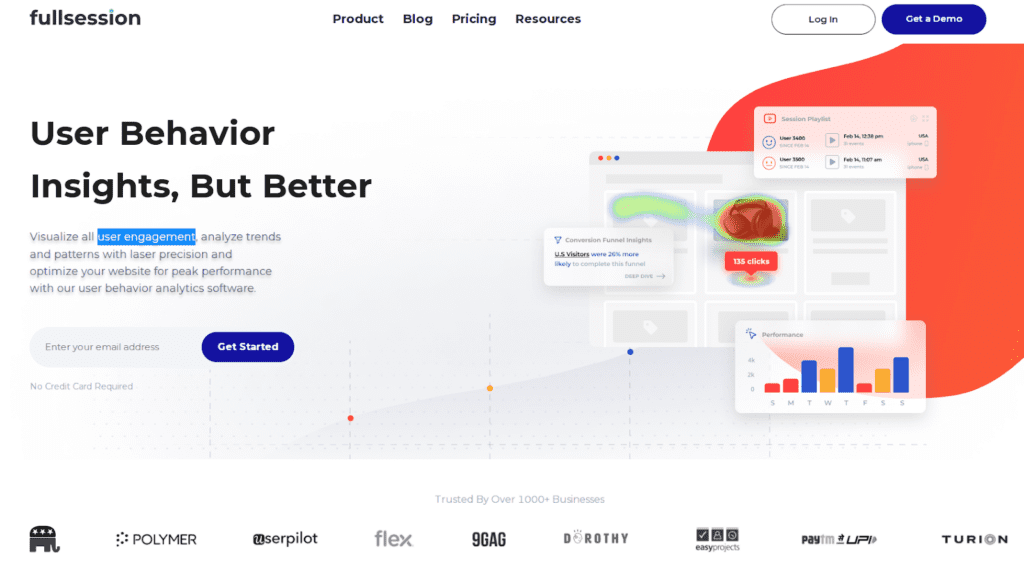
    • FullSession is an all-in-one website optimization solution that helps you capture and visualize all user engagement, analyze trends and patterns with laser precision and improve your site for peak performance.

    Visualize, Analyze, and Optimize with FullSession

    See how to transform user data into actionable insights for peak website performance.

    Website Optimization Tools: An Overview

    website optimization tools

    Image source: Freepik

    Website optimization tools support you in improving your site. They collect data, analyze key metrics and give you actionable advice based on your results.

    For example, you can check usability issues and page speed, fix broken links, or improve SEO performance.

    Some tools focus on specific areas like image compression or code minification. Others offer a more comprehensive approach, tackling multiple aspects of website optimization at once.

    From simple plugins to advanced software, there’s something for everyone.

    Types of website optimization tools available

    Most website optimization tools fall into several main categories:

    1. UX optimization tools
    2. SEO analysis tools
    3. Page speed optimization tools
    4. Conversion rate optimization tools
    5. Website accessibility tools

    Many of these tools have free and paid versions. Free tools often provide basic features, while paid versions offer more advanced features.

    How to choose the best website optimization tools

    Choosing the right optimization tools depends on your specific needs. Start by identifying the areas where your website needs improvement.

    Consider your budget. While there are many useful free tools, paid options often offer more features and support. Look for platforms that provide a free trial to test them before committing.

    Check if the solution is compatible with your website platform. Some tools work better with specific content management systems.

    Read user reviews and compare features of different software. Look for solutions that provide visual reports and actionable optimization suggestions.

    Consider your technical skills. Some tools are user-friendly, while others require more technical knowledge.

    Since we covered the basics, let’s start with our list of the best website optimization tools.

    User Experience (UX) Tools: Create Intuitive User Journeys

    Good UX is key to your website’s success. It affects how users navigate and engage with your content on desktop and mobile devices. A user-friendly interface leads to higher satisfaction and better conversion rates.

    User experience impacts:

    • Time spent on site
    • Bounce rates
    • Conversion rates
    • Brand perception

    The best UX testing tools help you create a more satisfying experience for your website visitors, leading to increased user engagement and loyalty.

    Top UX tools for website owners

    Several UX tools can help you get valuable user insights. These platforms have features like heatmaps, session recordings, and customer feedback tools to help you gather direct user feedback.

    FullSession
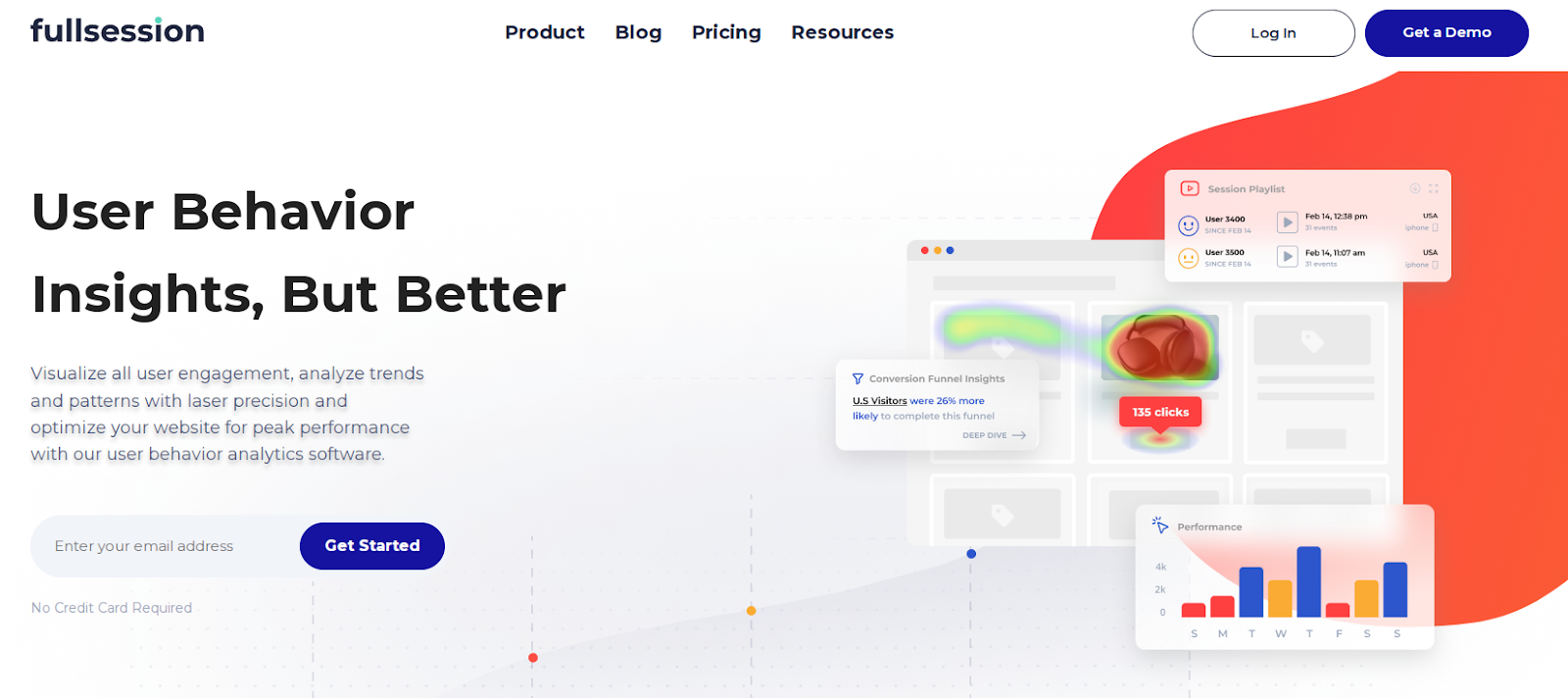
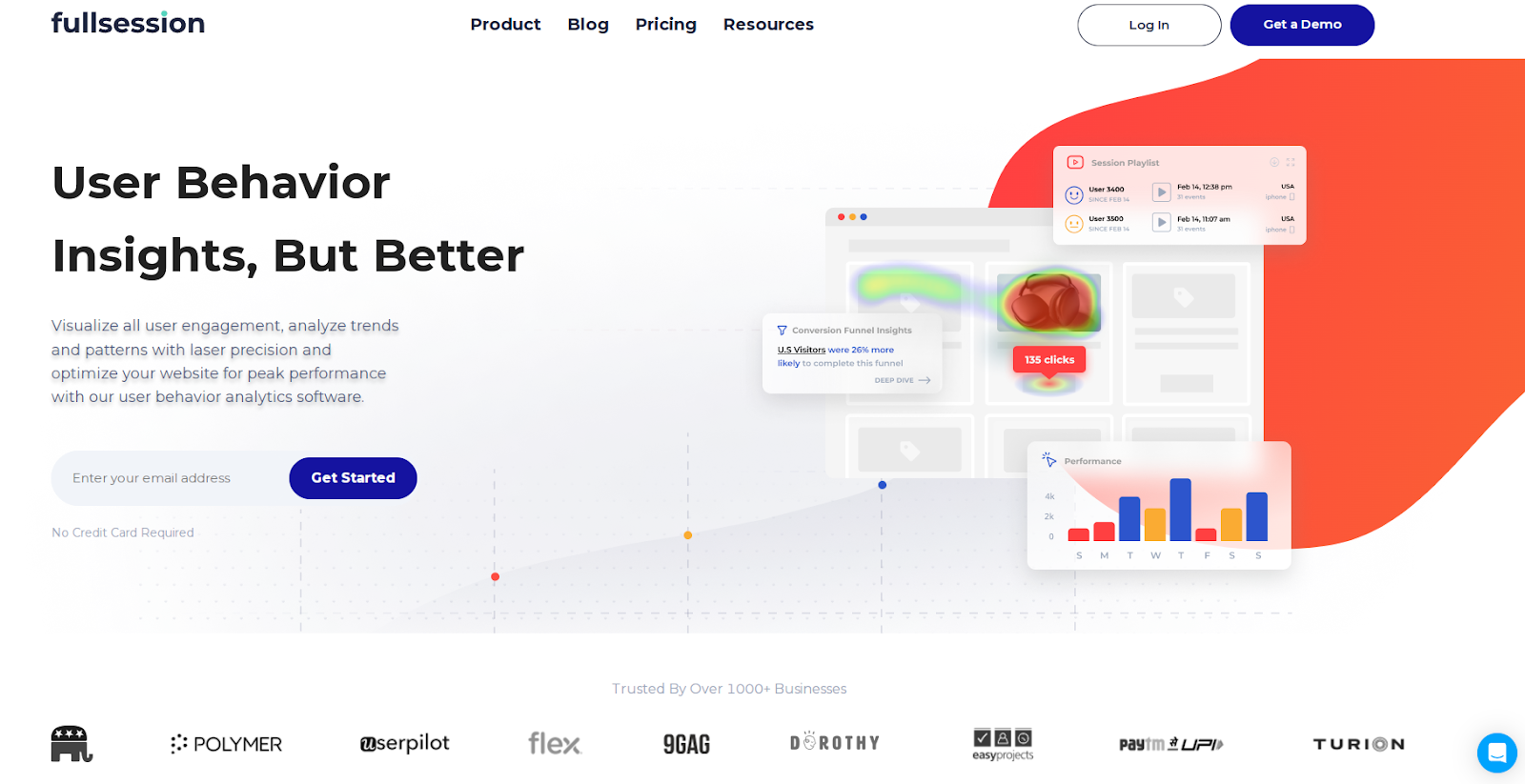
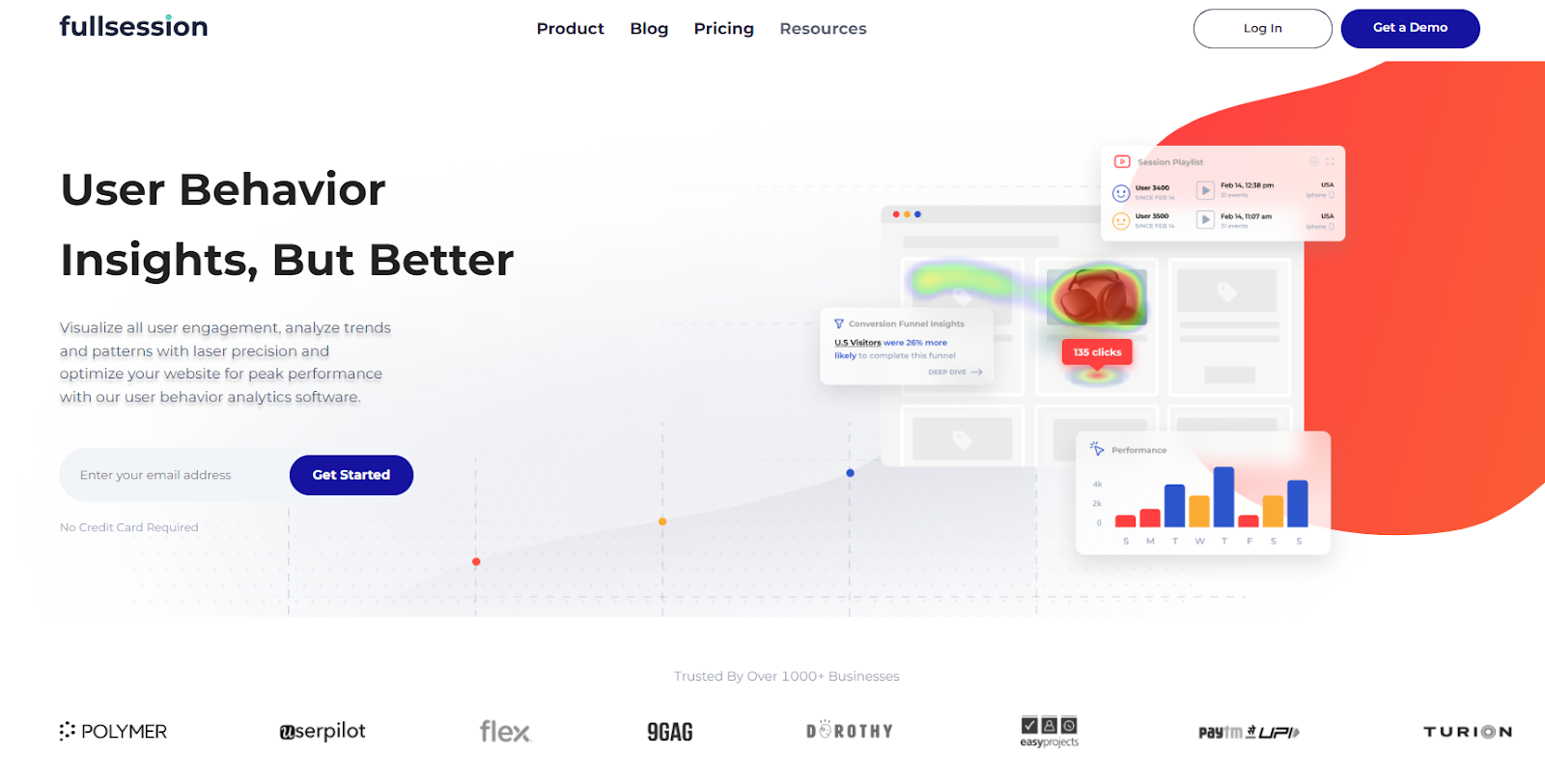
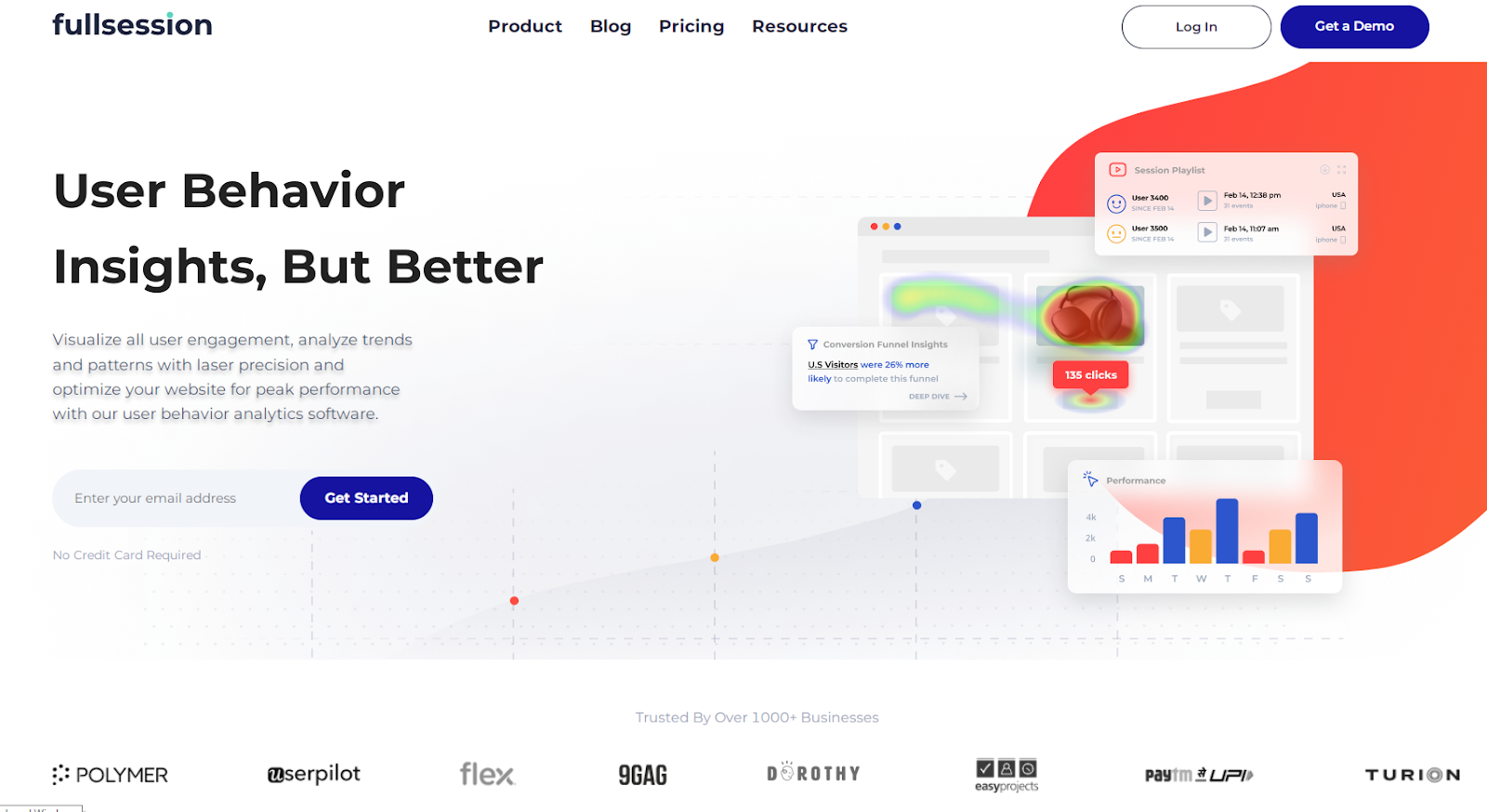
    FullSession user behavior analytics software

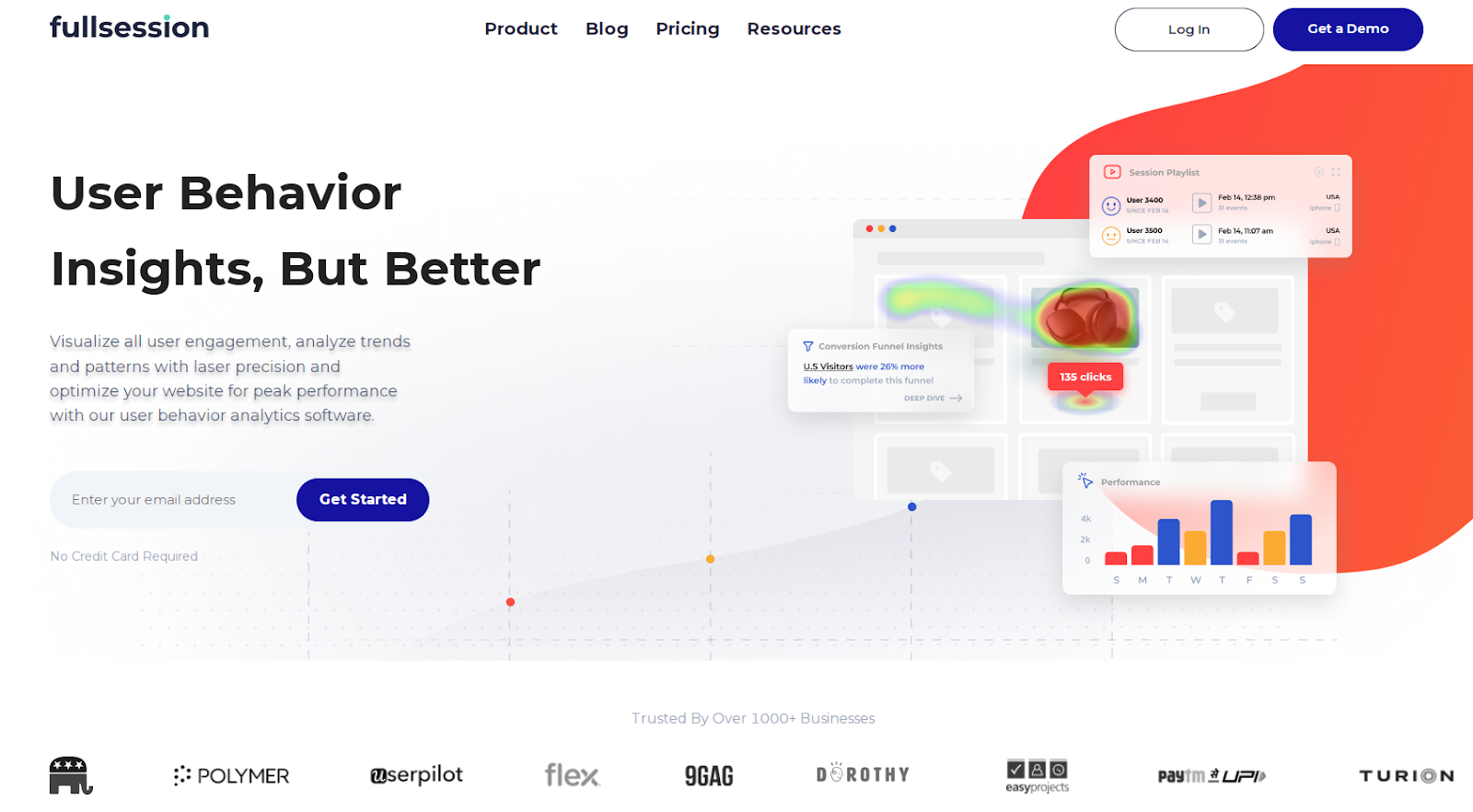
    FullSession is a comprehensive user behavior analytics platform that captures all user interactions, helping you visualize and analyze trends and patterns to optimize your website’s usability, interface, and performance for increased conversions.

    FullSession provides a complete overview of user behavior data in a single interface.

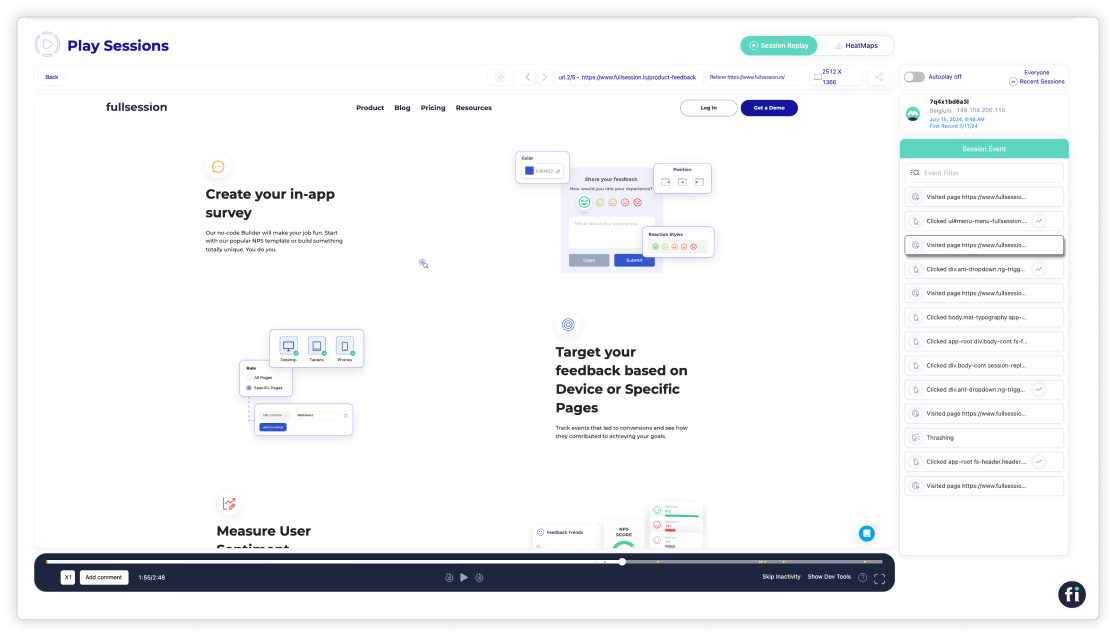
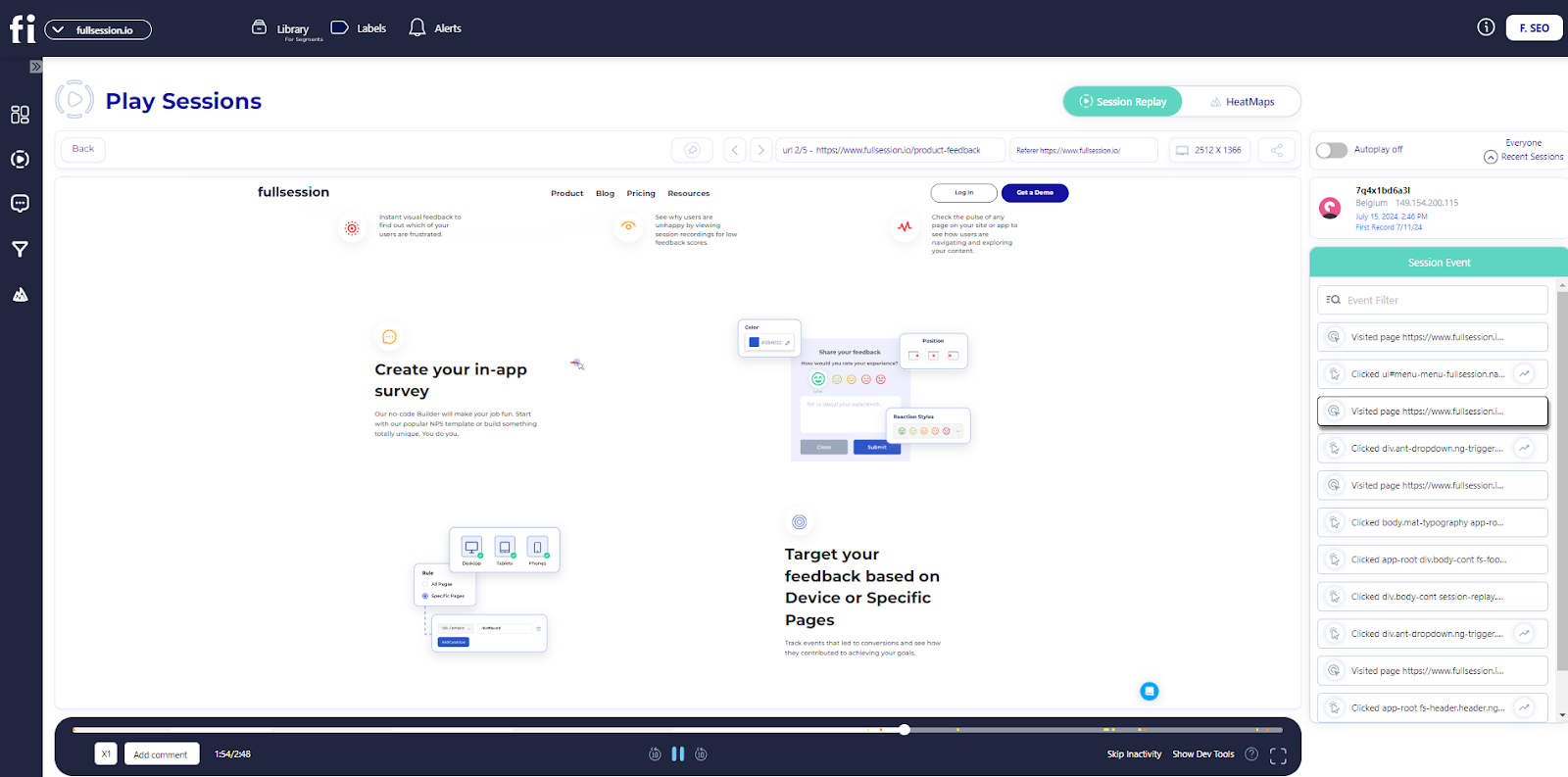
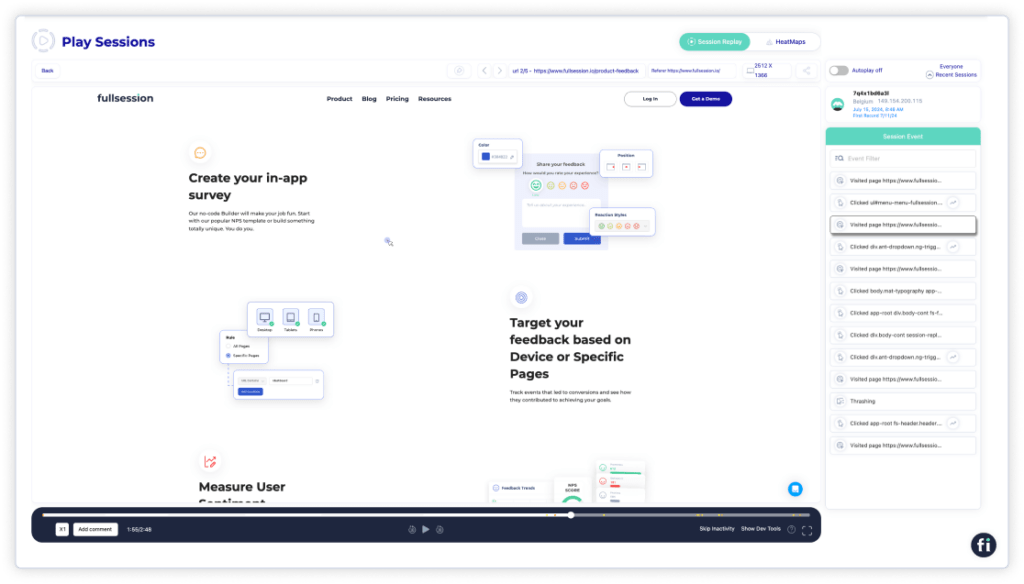
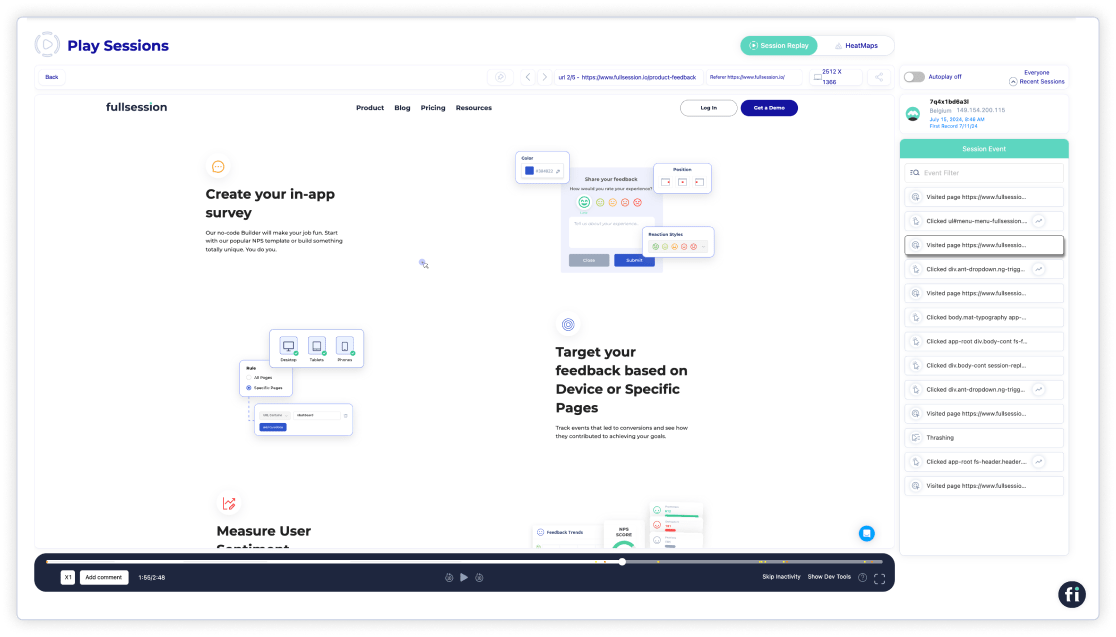
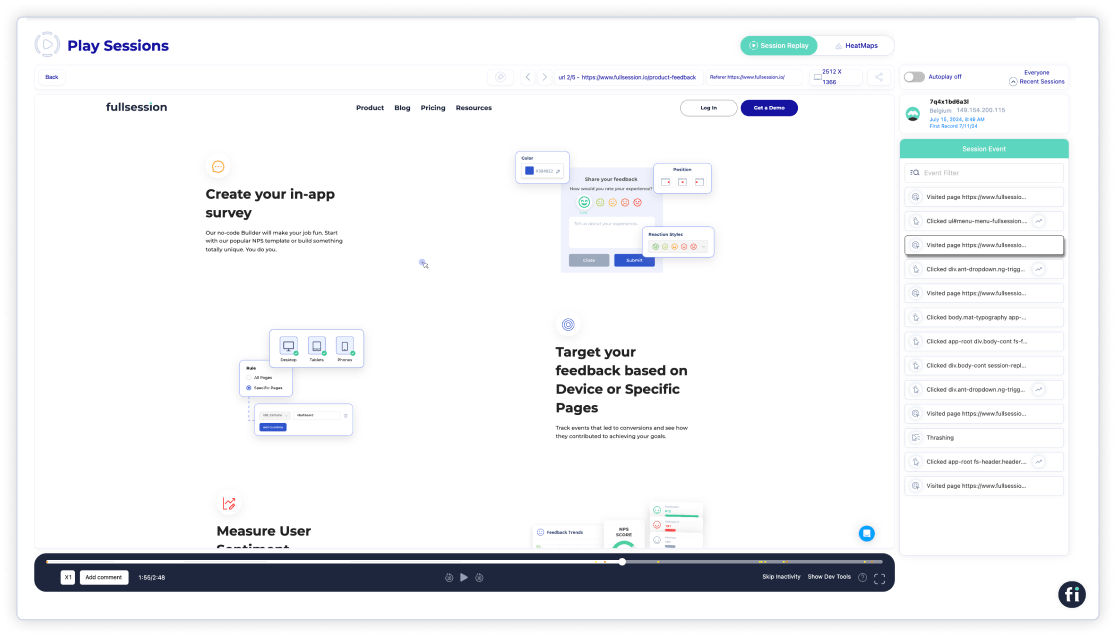
    session recordings and replays

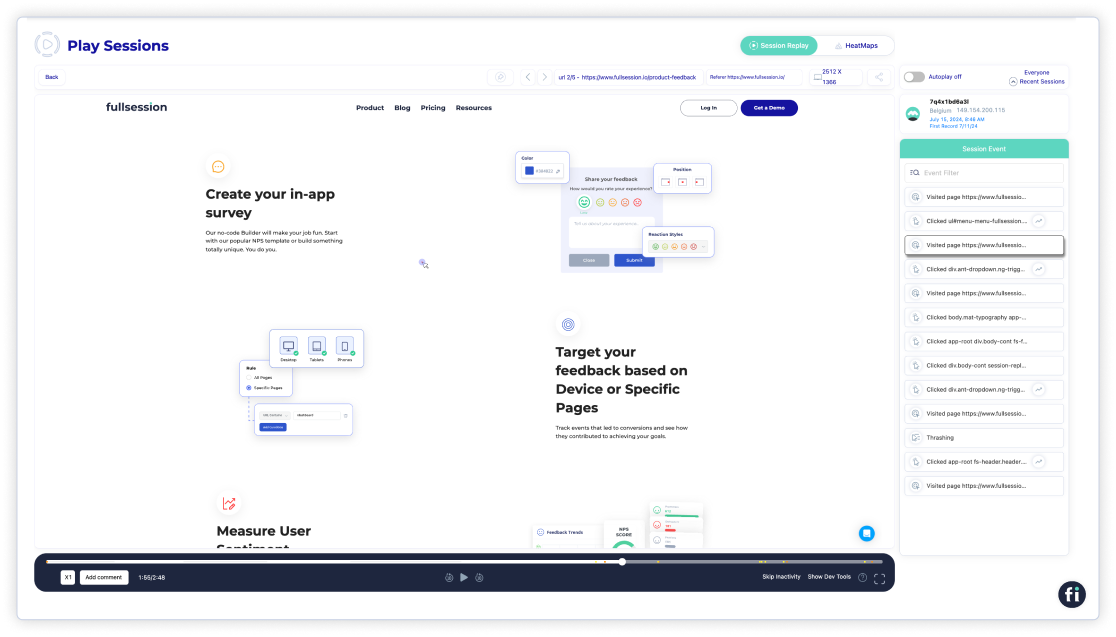
    Forget about spending hours analyzing numbers. Instead, view real-time session recordings and replays to identify what drives or hinders your user experience, affecting the conversion rate. FullSession highlights the crucial stages of each user’s journey, delivering actionable insights instantly.
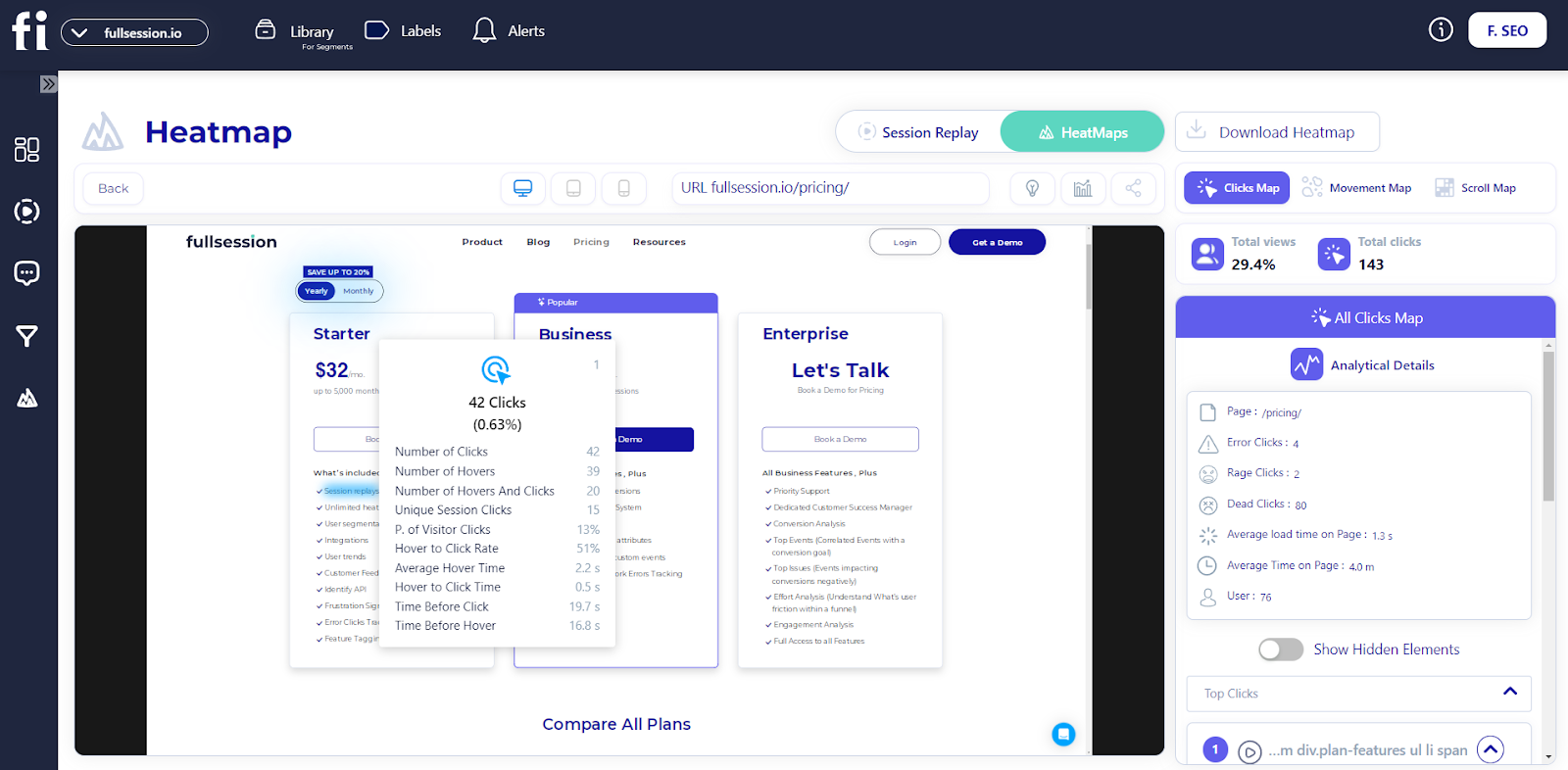
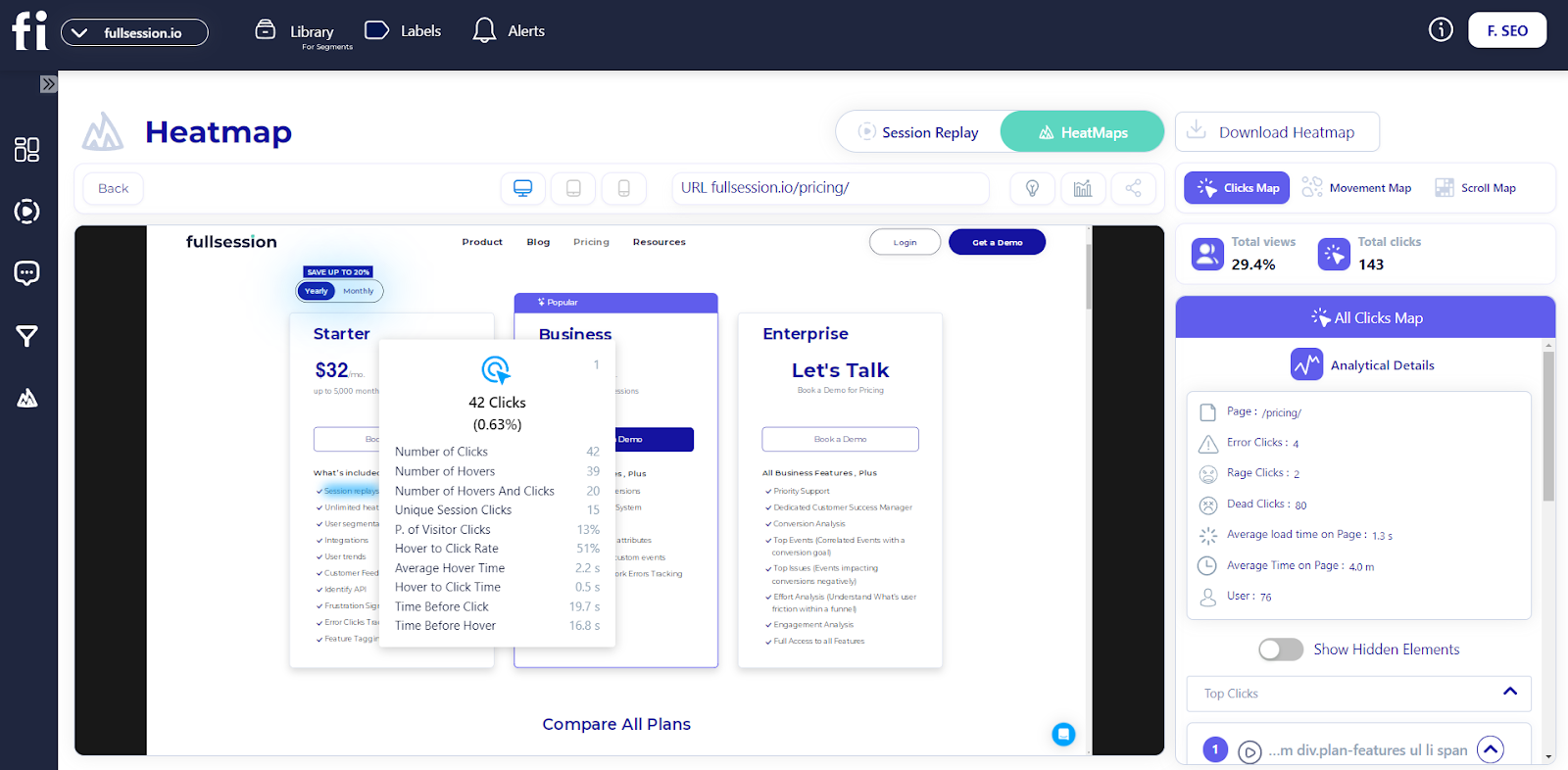
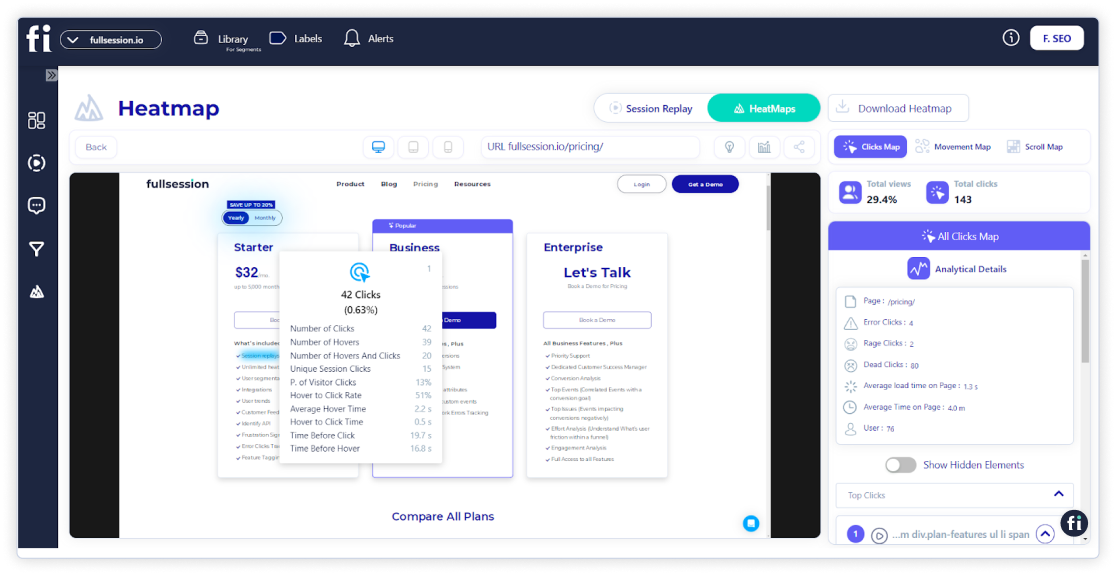
    website heatmaps

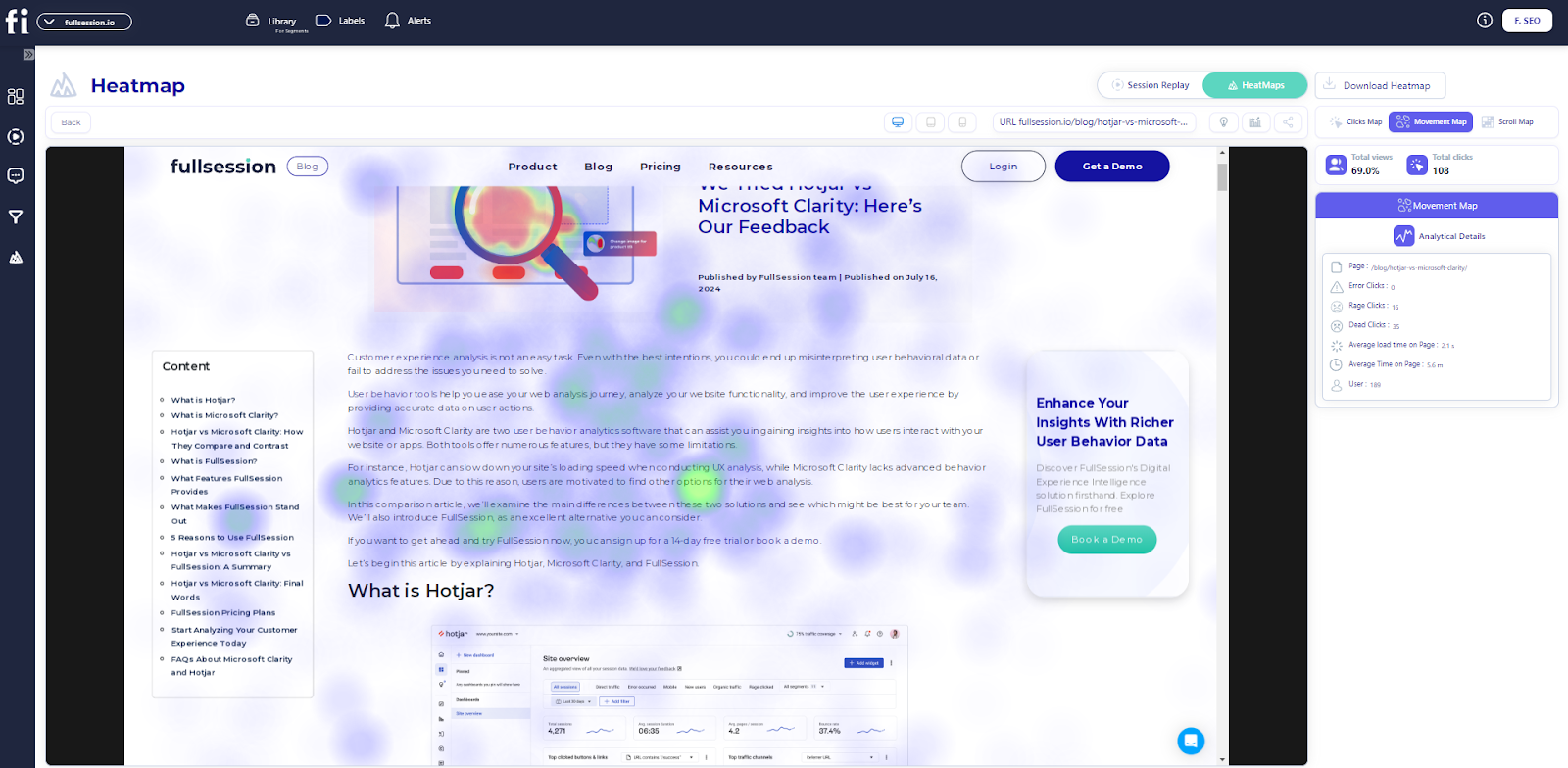
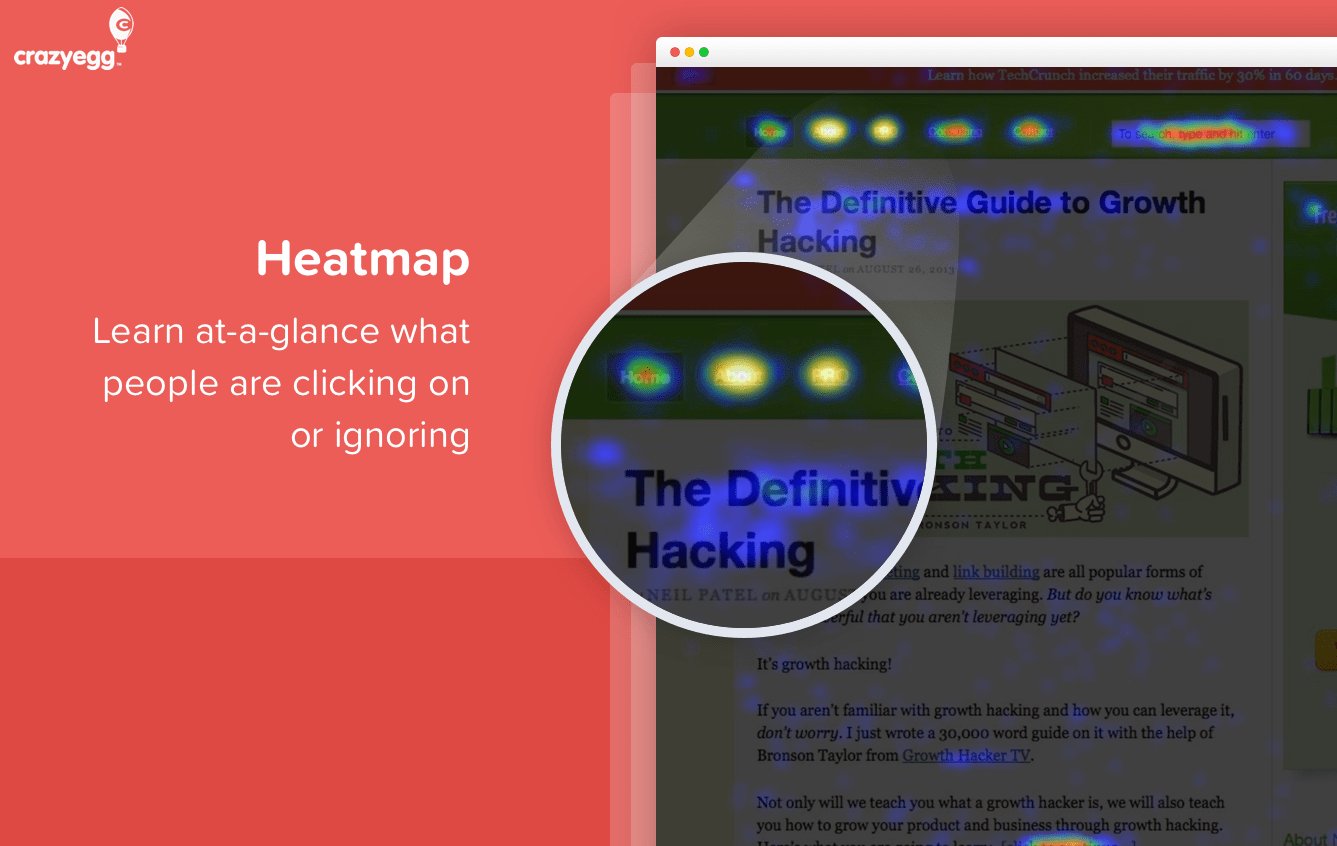
    Employ website heatmap tools to identify effective and ineffective web page elements. Discover which areas of your website users overlook, evaluate page components, and verify if your changes cause better outcomes.

    Identify and remove obstacles preventing visitors from becoming customers. Use conversion rate optimization tools to improve critical stages in your user’s journey and create a streamlined path to conversion through your sales funnel.
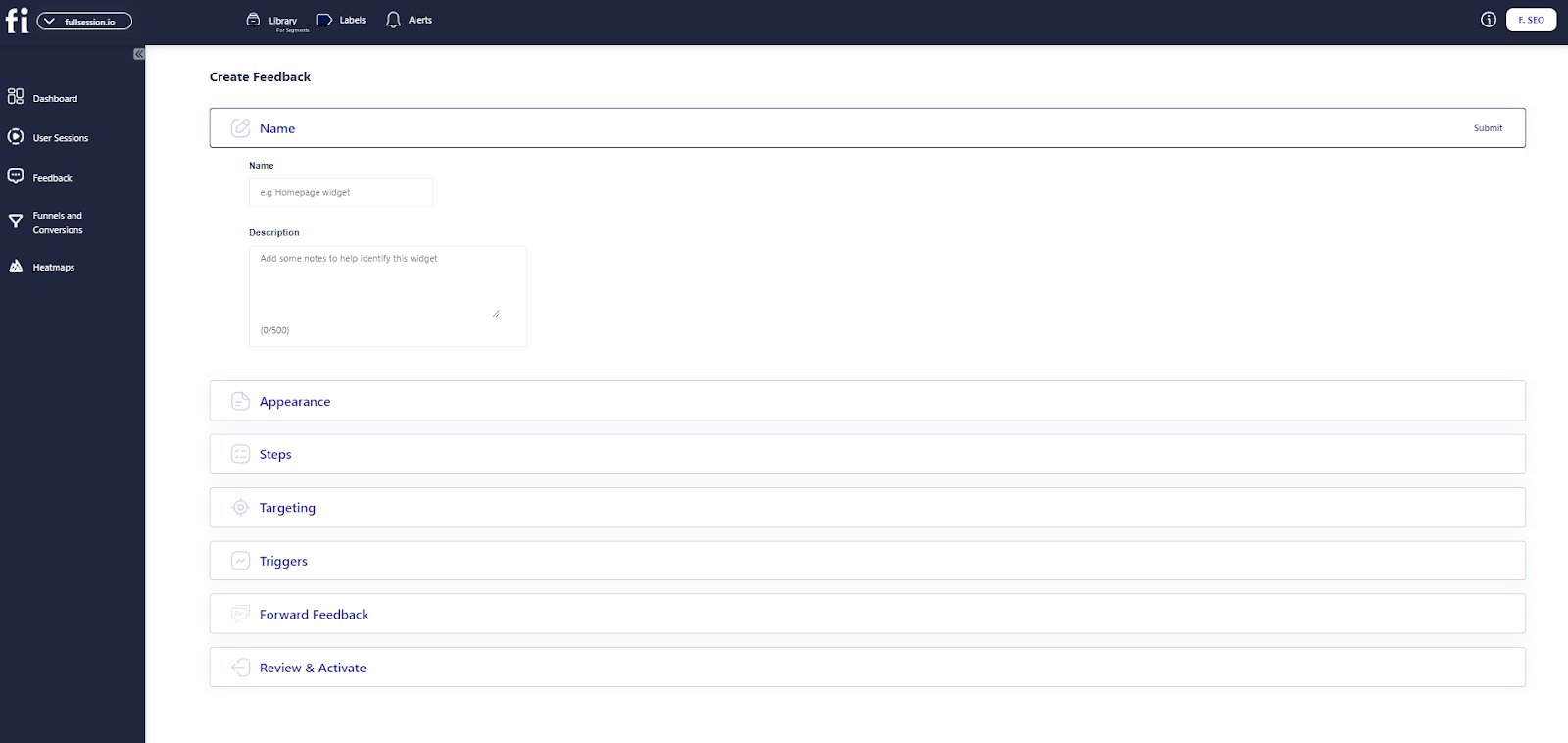
    website feedback forms

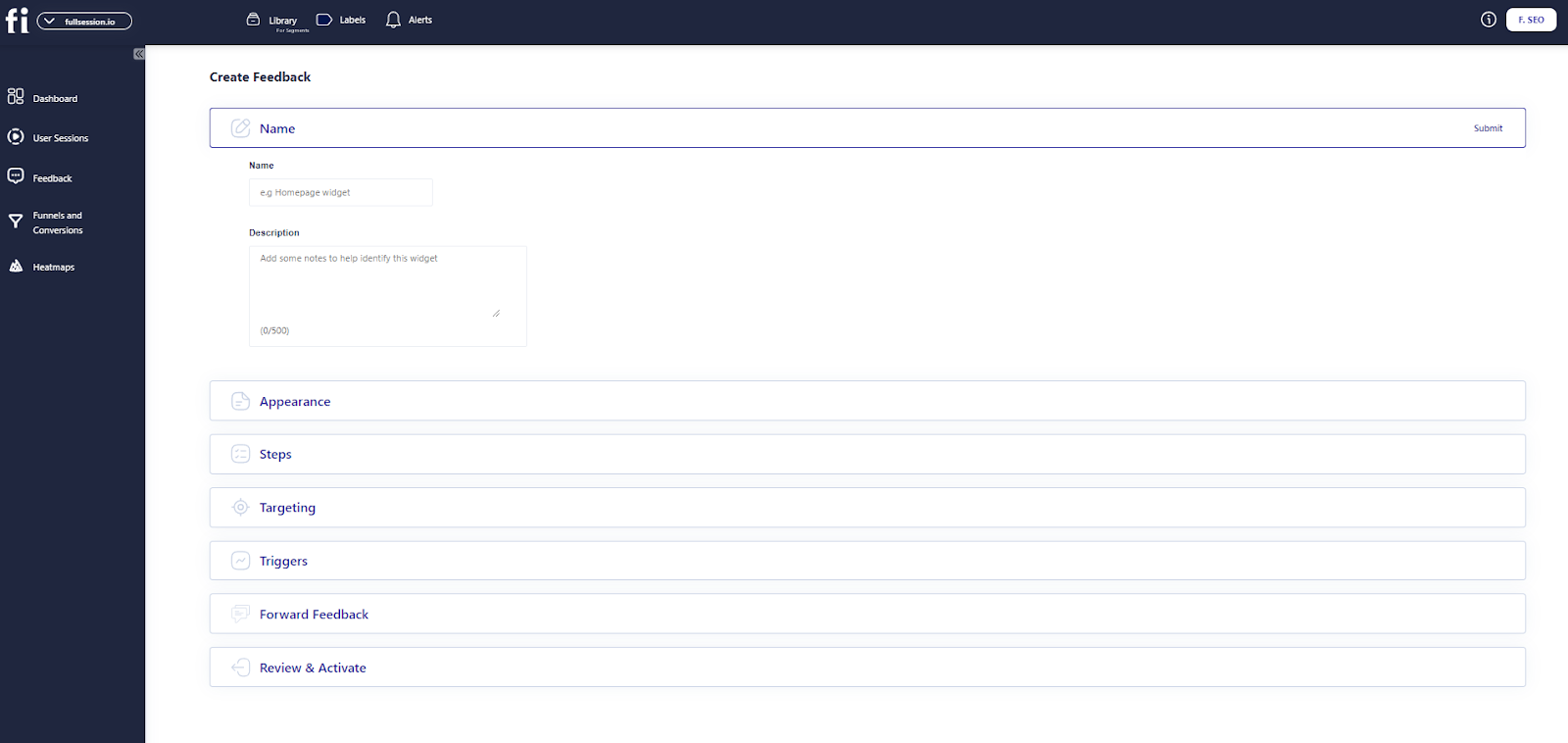
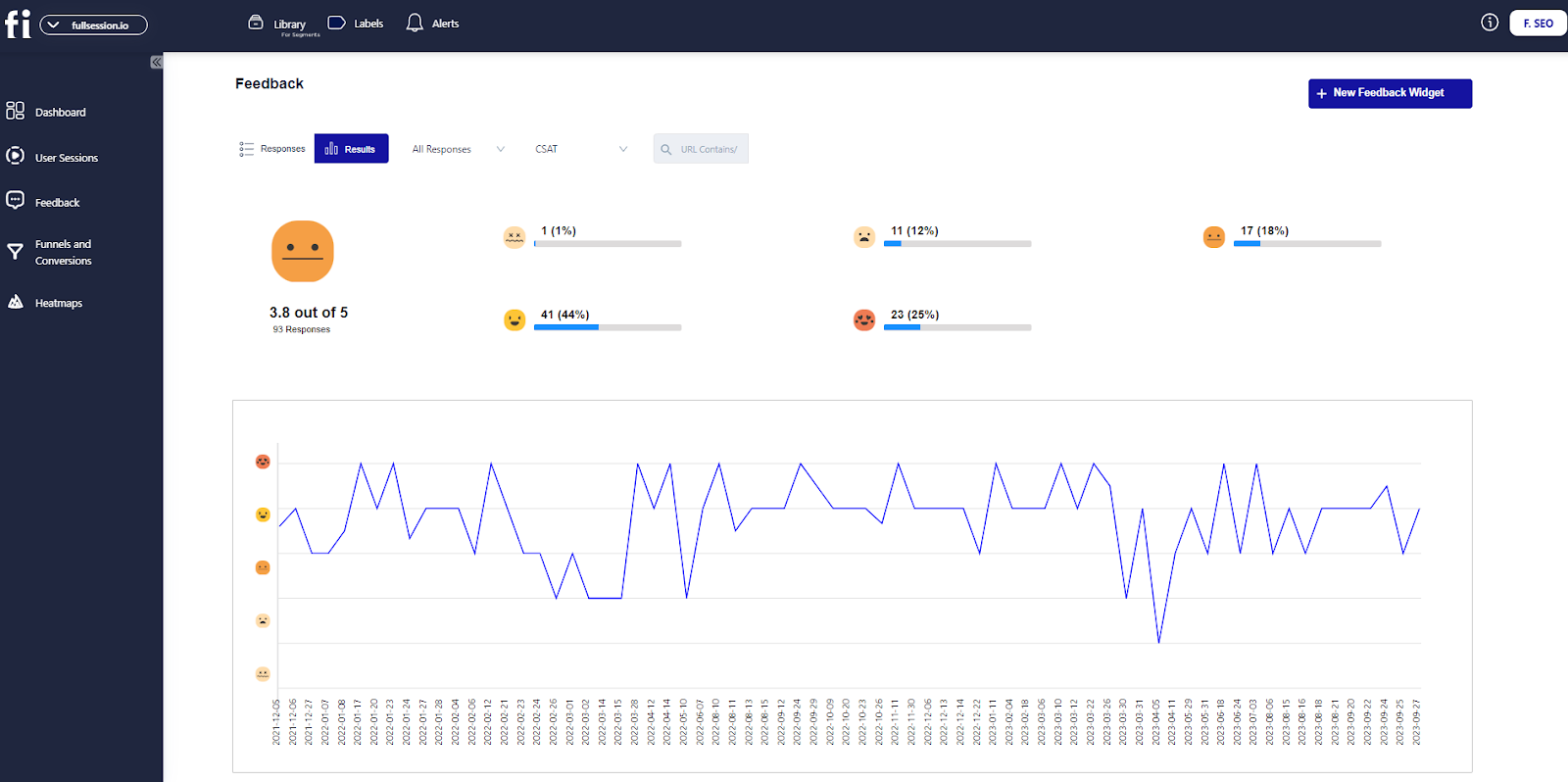
    Gather user feedback in real-time using website feedback forms. Get a clear understanding of their frustrations and swiftly address their pain points. Rather than guessing, you’ll have precise knowledge of what’s causing issues and why.
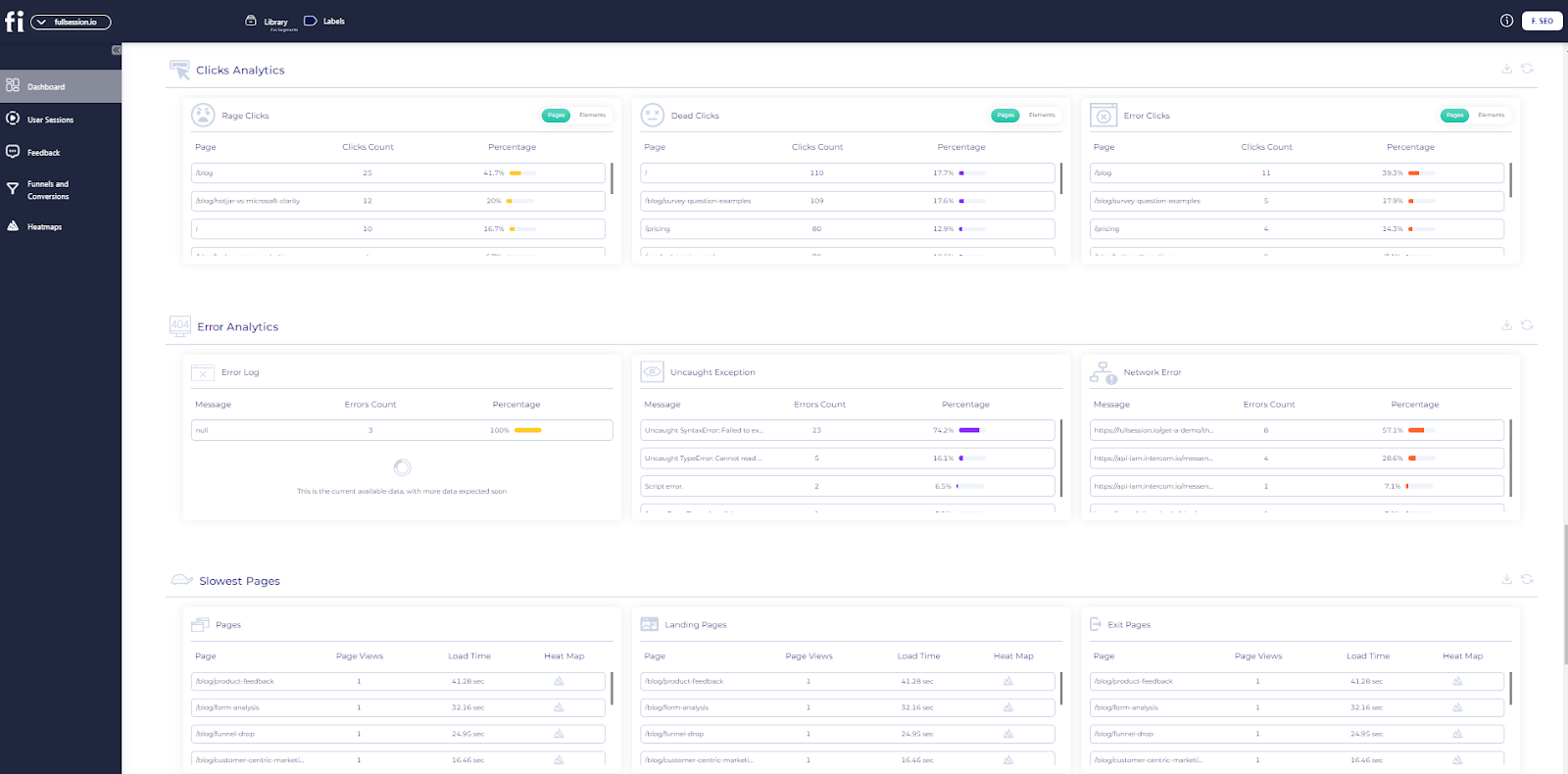
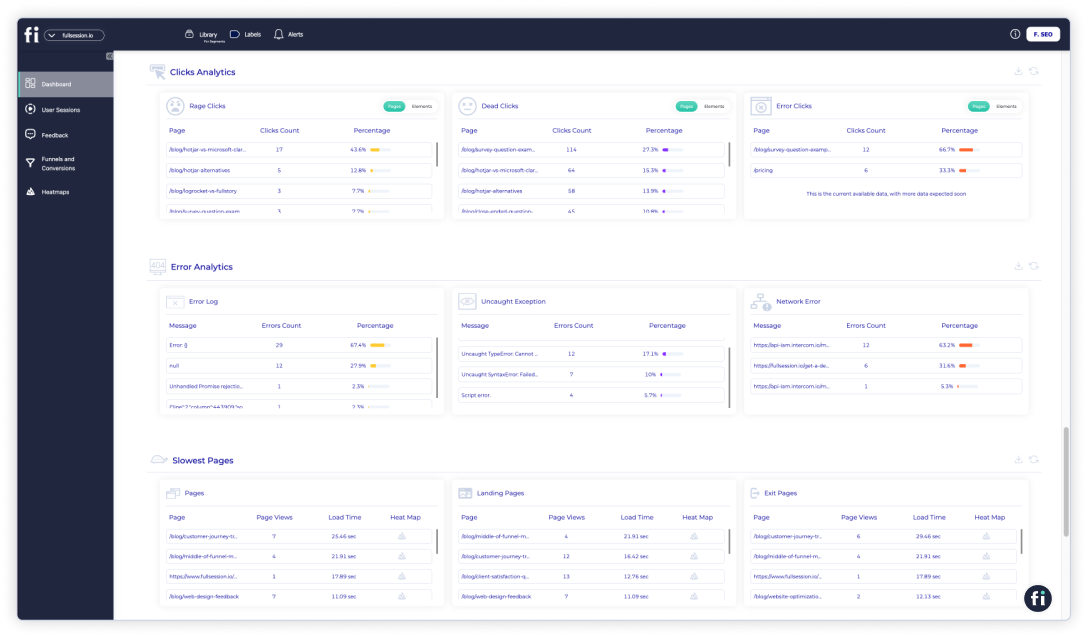
    website error analysis

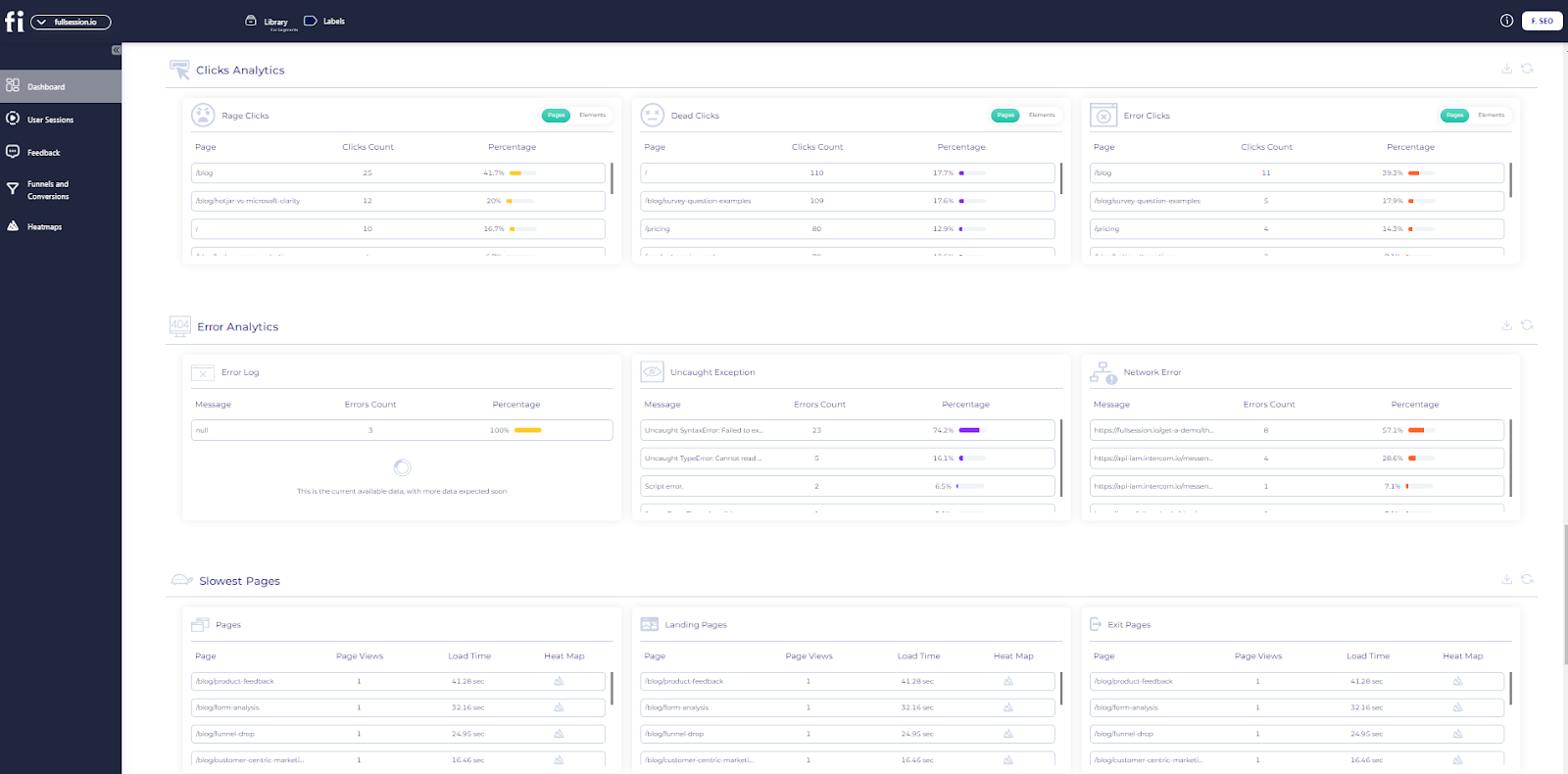
    Identify, analyze, and fix errors that affect user experience with advanced error analysis. Get visual data on error clicks, network issues, console errors, error logs, and uncaught exceptions. Improve the site reliability and user satisfaction of your digital products.

    Rely on FullSession to safeguard your data and protect your users’ privacy. We prioritize security, allowing you to concentrate on improving your site without worrying about data risks.

    Our behavioral analysis software adheres to the most stringent privacy regulations, including GDPR, CCPA, and PCI standards. It means we’re not just tracking website visitor behavior; we’re doing it responsibly.

    Turn User Behavior into Growth Opportunities

    Learn how to visualize, analyze, and optimize your site with FullSession.

    Hotjar
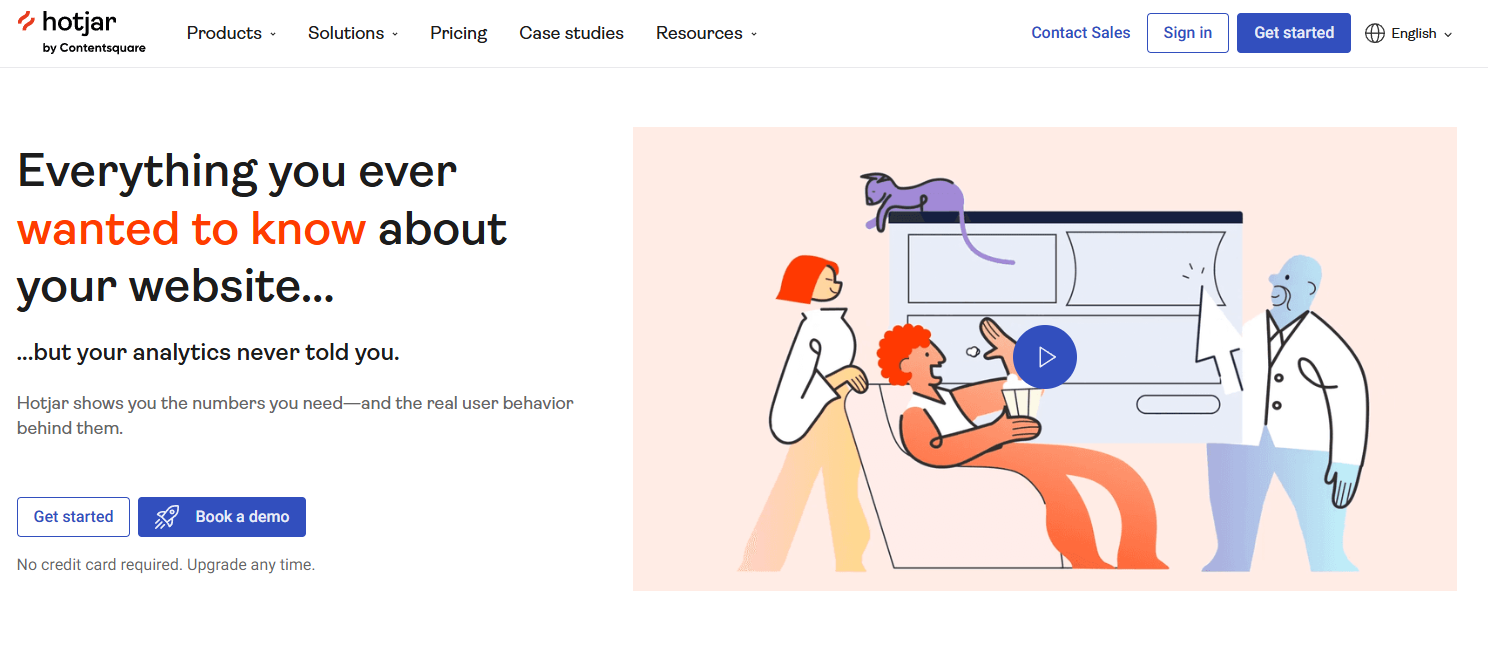
    Hotjar website heatmap and behavior analysis tool

    Hotjar is a full user behavior analytics tool showing how visitors use your website. It helps you understand user behavior to improve their experience.

    Key features include heatmaps showing where users click and scroll and session recordings, which playback individual user interactions. Hotjar also has feedback polls and surveys to collect user input directly.

    Combining insights from surveys and recordings provides a complete understanding of user experience. It helps you make data-driven decisions to optimize your site and potentially increase engagement and conversions.

    Learn more:

    Crazy Egg

    Crazy Egg website analytics platform

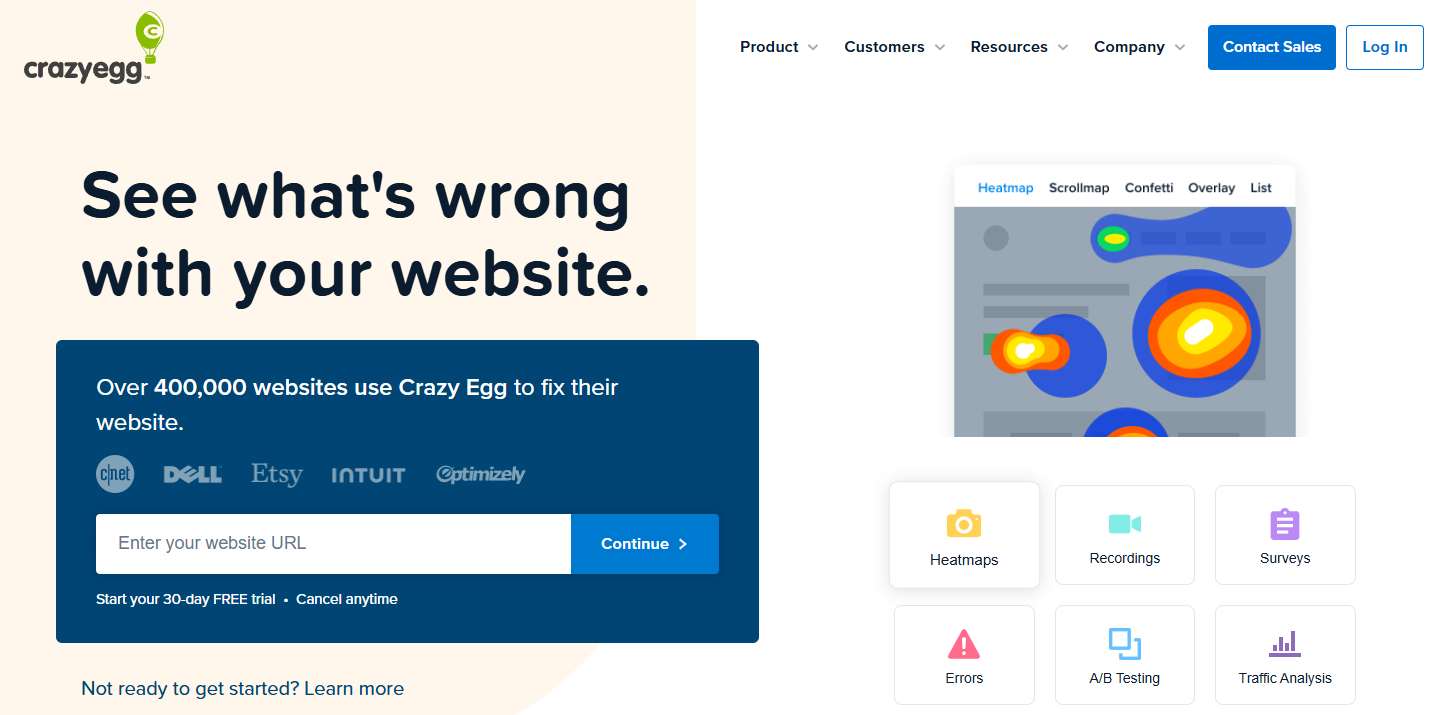
    Crazy Egg is all about visualizing user behavior with a big focus on heatmaps and A/B testing.

    Features include click heatmaps, scroll maps and user recordings. The platform also has strong A/B testing features so you can compare different versions of your pages.

    It helps you optimize page layout and content placement based on real user behavior and potentially increase user experience and conversion rates.

    Learn more:

    FullStory
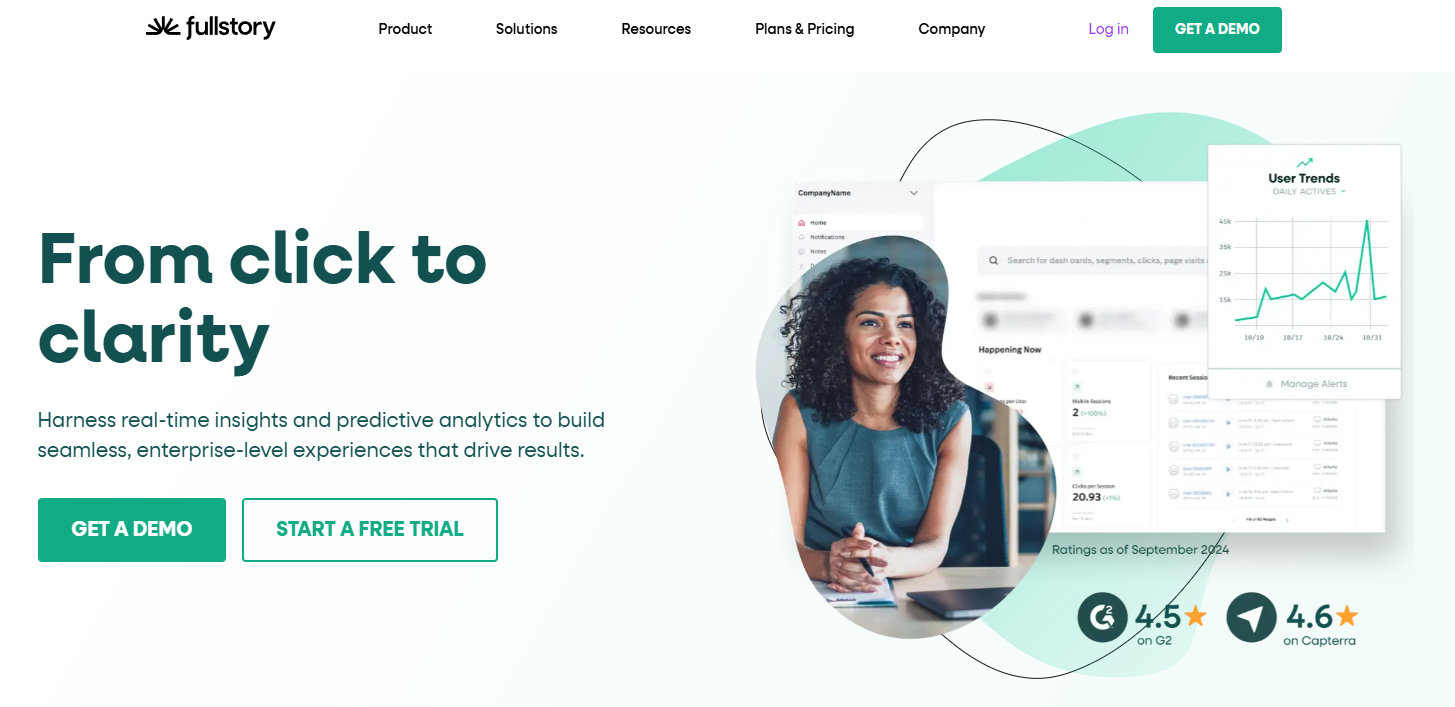
    FullStory digital intelligence platform

    FullStory is a digital intelligence platform that shows detailed session replays and makes customer journey analysis.

    Features include high-fidelity session recordings, conversion funnel analysis and error tracking. The platform uses machine learning to identify and categorize user frustrations automatically.

    You can quickly spot and fix usability issues, understand drop-off points and optimize the overall user experience. It can lead to higher customer satisfaction and potentially higher retention rates.

    Learn more:

    UserTesting
    UserTesting human insight platform

    UserTesting allows for live usability testing with real users for direct feedback. It gathers qualitative insights into user experience and preferences.

    Features include video feedback of users completing tasks on your website or app and written answers to specific questions. You can define your target audience and set up custom test scenarios.

    You can get in-depth qualitative feedback on your site’s usability, design and overall user experience to inform more user-centric design decisions and improvements.

    Learn more: UserZoom vs UserTesting.

    Best practices for improving user experience

    To improve your website’s UX, consider these best practices:

    1. Simplify navigation: Make it easy for users to find what they need.
    2. Optimize page load times: Fast-loading pages improve user satisfaction.
    3. Use clear calls-to-action: Guide users towards desired actions.
    4. Ensure mobile responsiveness: Your site should work well on all devices.
    5. Implement user feedback: Regularly collect and act on user suggestions.
    6. Conduct A/B testing: Compare different design elements to see what works best.

    With UX tools, you can create a more effective website for your visitors leading to increased user engagement, higher conversion rates, and improved overall performance.

    SEO Tools: Boost Rankings and Drive Organic Traffic

    Search Engine Optimization (SEO) helps your site rank higher in search engine results pages. It impacts your site visibility and traffic.

    Higher rankings increase impressions and clicks, attracting potential customers. It also builds authority, credibility and trust with your audience.

    Effective SEO requires ongoing effort. You need to stay updated on search engine changes and best practices. It is where SEO tools come in handy.

    Top SEO tools for website owners

    Many SEO tools are available to help improve your website’s performance in Google search results. Here are some popular options:

    1. WooRank
    2. GrowthBar
    3. Ahrefs
    4. SEMrush
    5. Moz Pro

    These tools offer features like keyword research, site audits, and competitor analysis. They help you track rankings, find link building opportunities, and optimize content.

    WooRank
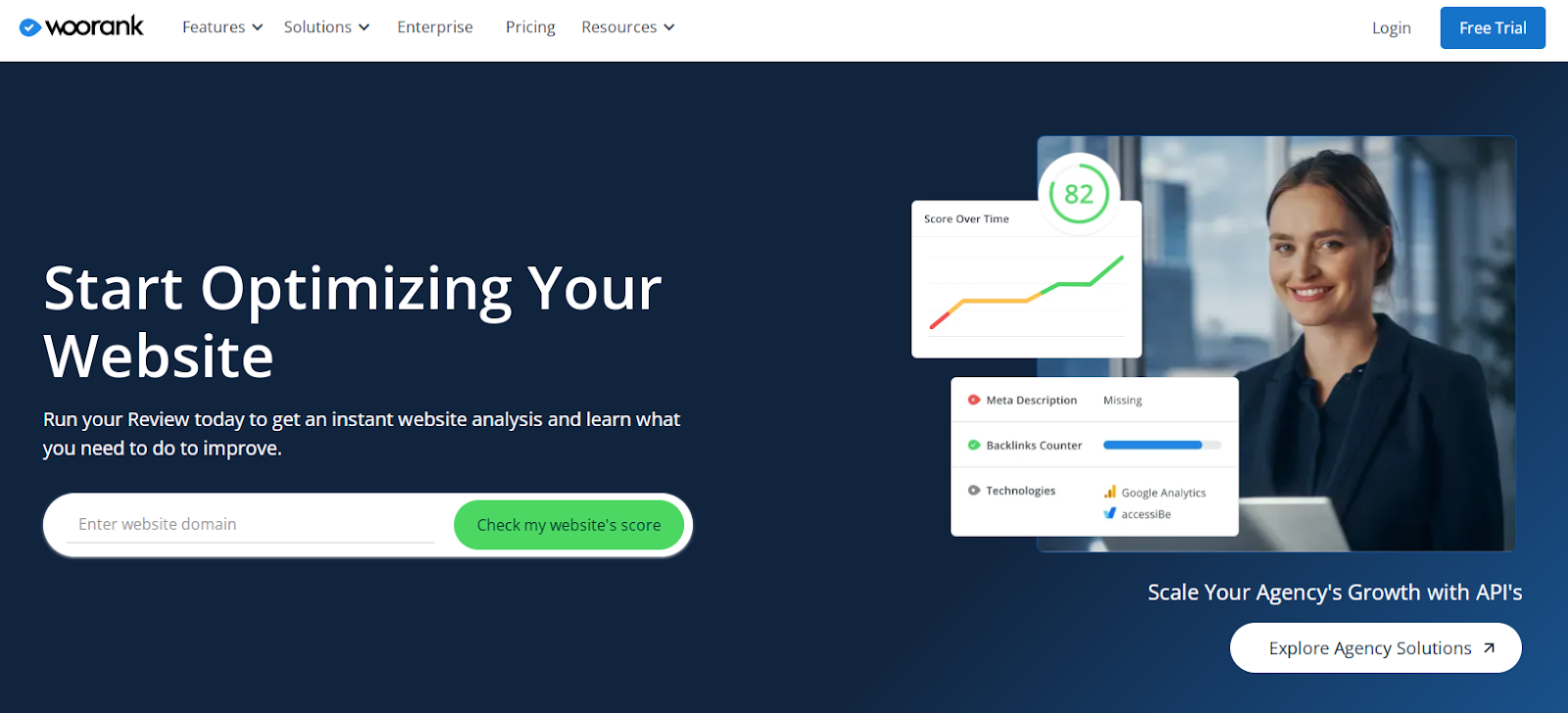
    WooRank website optimization

    WooRank is an SEO audit and website review tool that helps you boost your search rankings. It gives you actionable insights to optimize your website. 

    On-page SEO analysis, keyword tracking and competitor analysis are the main features. WooRank also has a site crawl feature that finds technical SEO issues. 

    You can quickly identify and fix SEO weaknesses and get more search visibility and traffic.

    GrowthBar
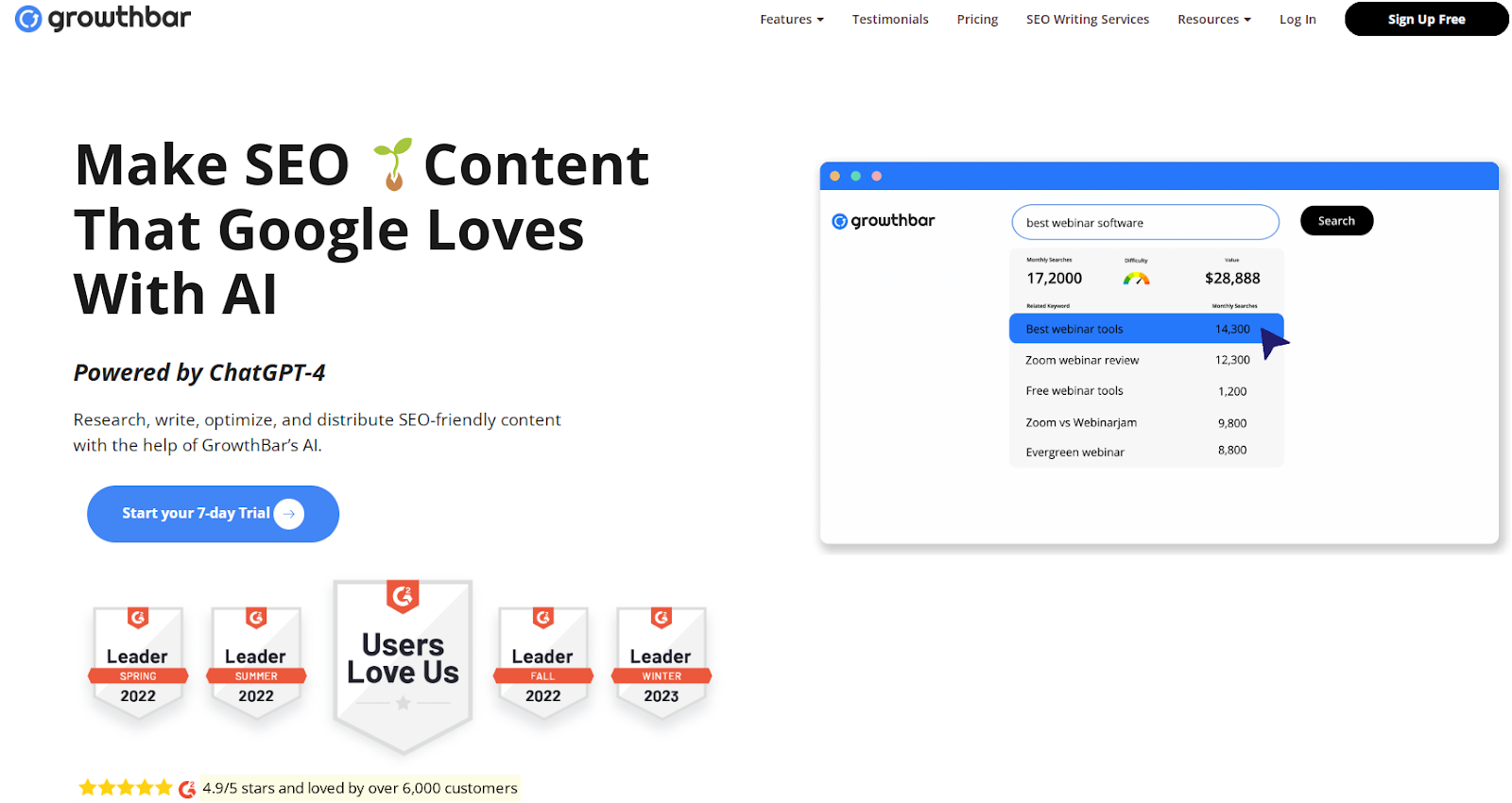
    GrowthBar AI writing tool

    GrowthBar is an SEO tool for content creators and marketers. It simplifies keyword research and content optimization. AI content outlines, keyword suggestions and backlink analysis are the main features. 

    GrowthBar also integrates with Google Search Console for real-time data. You can streamline your content creation process, ensure you follow the best SEO practices, and get higher-ranking content and more traffic.

    Ahrefs

    Ahrefs marketing intelligence platform

    Ahrefs is a full SEO toolset known for its massive backlink database and competitor analysis. It gives you SEO insights and competitor intelligence. 

    The main features are site audits, keyword research, content explorer and rank tracking. Ahrefs also has a unique “Content Gap” feature that shows you the keywords your competitors rank for but you don’t. 

    You can develop data-driven SEO strategies based on competitor insights and complete link analysis.

    SEMrush
    SEMrush seo toolkit

    SEMrush is an all-in-one marketing toolkit with a strong SEO and content marketing focus. 

    It includes a full digital marketing suite. Keyword research, site audit, backlink analysis and position tracking are the main features. 

    SEMrush also has tools for PPC, social media and content marketing. You can manage multiple aspects of your digital marketing from one place.

    Moz Pro
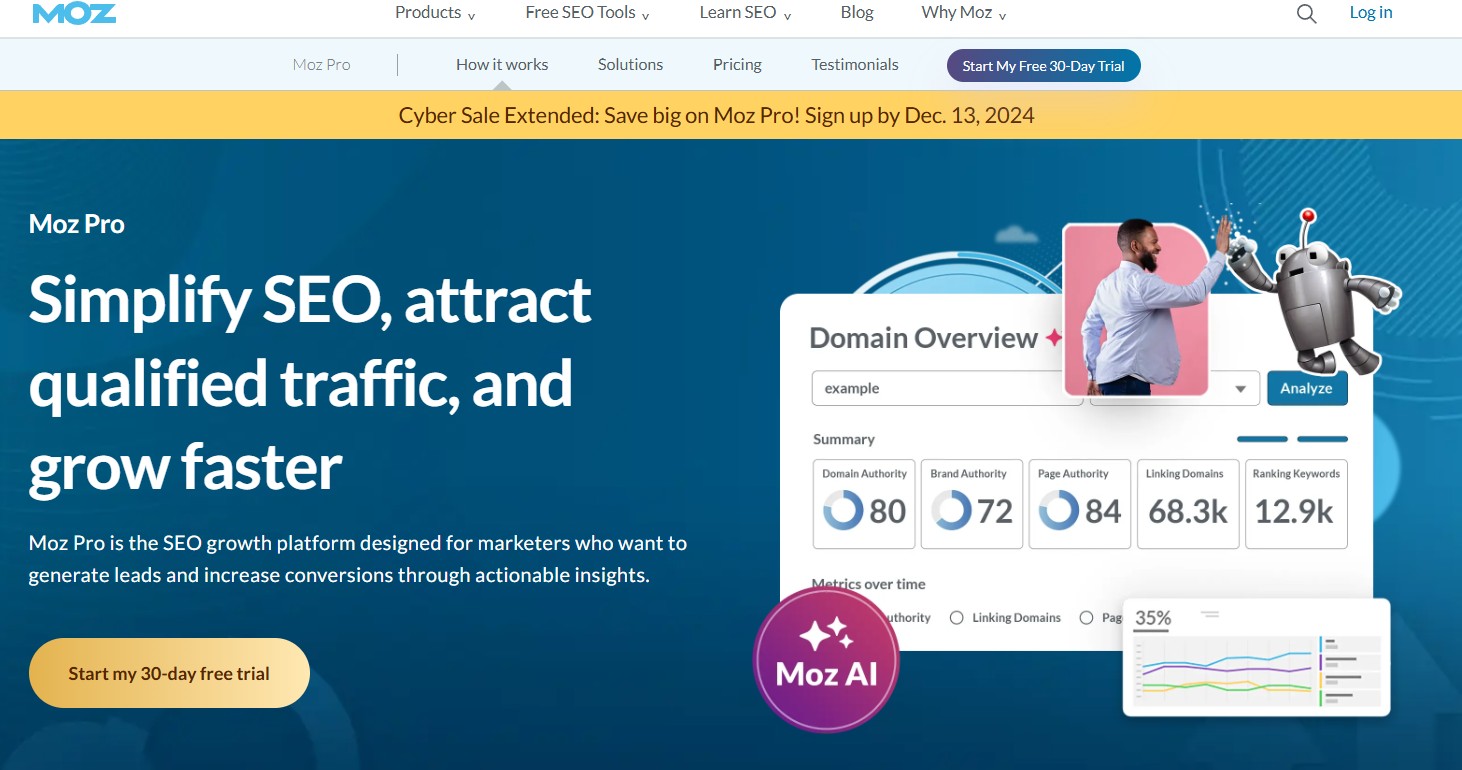
    Moz Pro SEO software suite

    Moz Pro is a complete SEO software suite that boosts search rankings and traffic. It gives you actionable SEO insights and recommendations. 

    The main features are site crawl, keyword research, link research, and rank tracking. Moz Pro has a unique “Page Optimization” feature that gives you specific on-page SEO recommendations. 

    It includes trusted SEO metrics like Domain Authority and gives detailed insights to guide your SEO efforts and increase search visibility and traffic.

    How to use SEO tools effectively

    To get the most out of SEO tools, follow these tips:

    1. Set clear goals for your SEO efforts.
    2. Use multiple tools to get a complete picture.
    3. Focus on actionable data and insights.
    4. Regularly monitor your progress.
    5. Keep learning about SEO best practices.

    Start by auditing your site to find quick wins. Use keyword research to guide your content strategy. Track your rankings and adjust your approach as needed.

    Prioritize fixing technical issues that may hurt your rankings. Pay attention to your competitors’ strategies and learn from their successes.

    Remember, SEO is an ongoing process. Use these tools consistently to stay on top of changes and opportunities in your niche.

    Page Speed Optimization Tools: Accelerate Your Website

    Page speed affects how people use your website. Slow sites make visitors leave quickly. Fast sites keep people around longer. Google looks at page speed when ranking sites. Faster sites often rank higher in search results.

    Slow load times can decrease your conversion rates. People don’t like waiting. They might go to a faster site instead of yours. It means you could lose customers and sales.

    Mobile users expect quick loading. With more people using phones to browse, speed matters even more. A fast mobile site can give you an edge over slower competitors.

    Key metrics for measuring page speed

    To improve speed, you need to measure it. Here are important metrics to track:

    • Time to First Byte (TTFB): How fast your server responds
    • First Contentful Paint (FCP): When the first content appears
    • Largest Contentful Paint (LCP): When the main content loads
    • First Input Delay (FID): How fast your site reacts to user input
    • Cumulative Layout Shift (CLS): How stable your page elements are

    These metrics help you understand different aspects of your site’s performance. They show where you need to focus your optimization efforts.

    Top page speed optimization tools

    Several tools can help you check and improve your website speed. Here are some of the best:

    1. Google PageSpeed Insights
    2. GTmetrix
    3. Pingdom
    4. WebPageTest
    5. Dareboost

    Each tool offers unique features to analyze your site’s performance.

    Google PageSpeed Insights
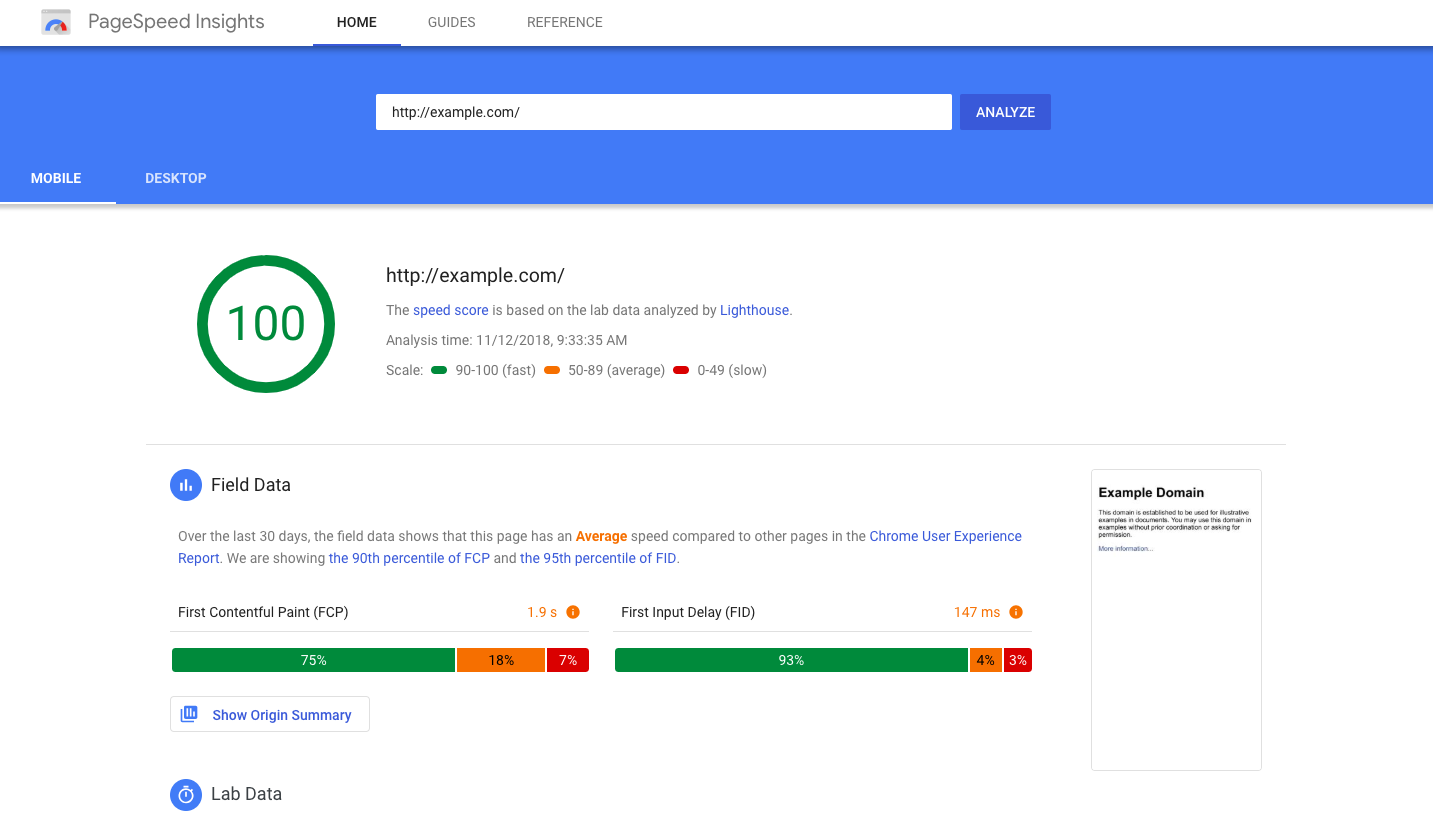
    Google PageSpeed Insights

    Image source: Google for Developers

    Google PageSpeed Insights is a free tool from Google. It checks both mobile and desktop versions of your site. It gives you a score out of 100 for your page speed.

    It offers detailed suggestions to fix issues. These tips cover things like image optimization and code minification. Google PageSpeed Insights uses real-world data from Chrome users to show how your site performs.

    It is great for beginners and experts alike. It’s easy to use and gives actionable advice.

    GTmetrix
    GTmetrix

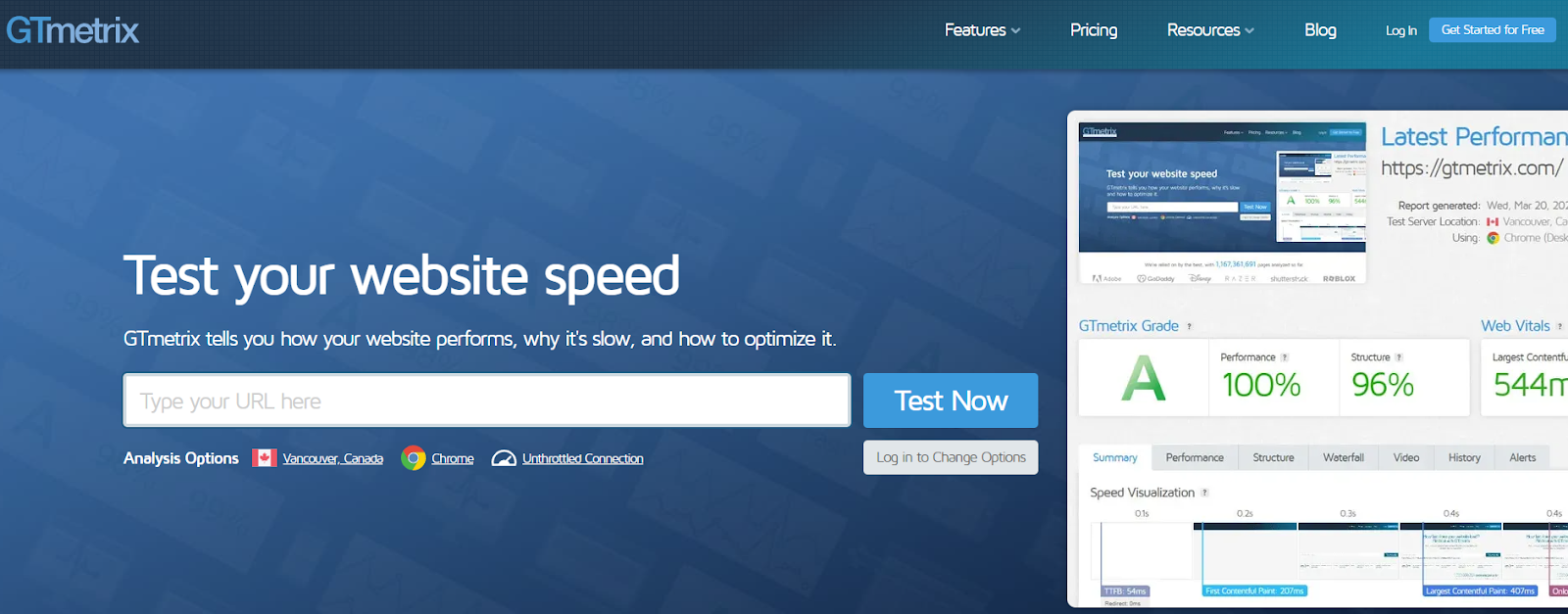
    GTmetrix is a popular tool for checking website performance. It gives you grades for your site’s speed and structure. The tool shows you how long it takes for your page to load fully.

    You get a breakdown of what’s slowing your site down. GTmetrix suggests ways to fix these issues. It can also compare your site to others in your industry.

    The free version is useful, but paid plans offer more features. These include monitoring and alerts for your site’s performance.

    Pingdom
    Pingdom

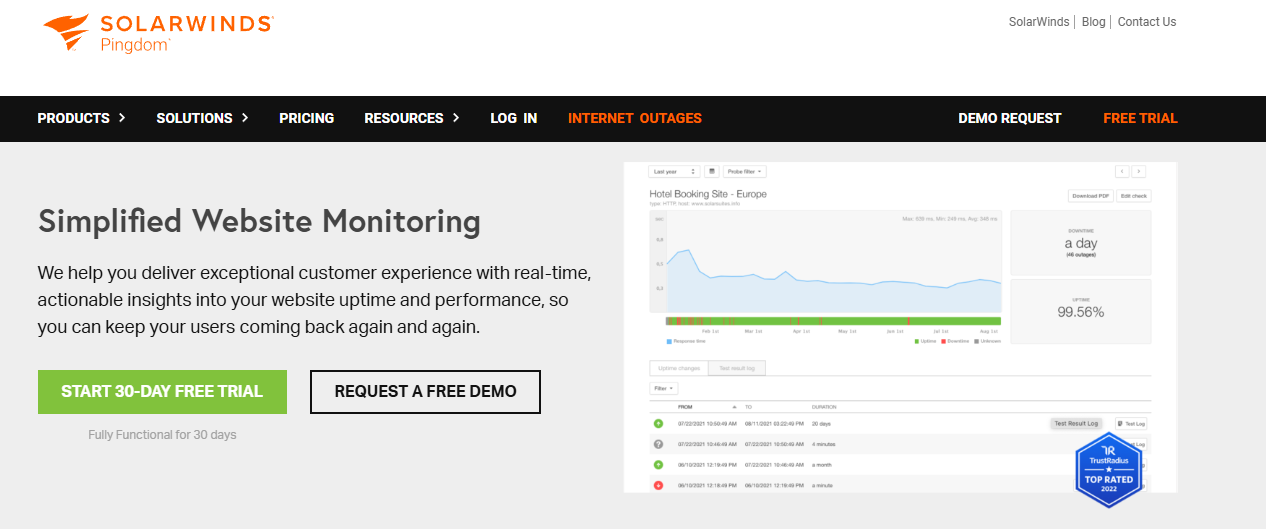
    Pingdom offers a simple interface for checking your site’s speed. It shows you how fast your site loads from different locations around the world. It helps you see how your site performs for users in various countries.

    The tool breaks down each element of your page. You can see which parts take the longest to load. Pingdom gives you a performance grade and suggests improvements.

    It’s good for getting a quick overview of your site’s speed. The paid version offers more detailed monitoring and reporting.

    WebPageTest
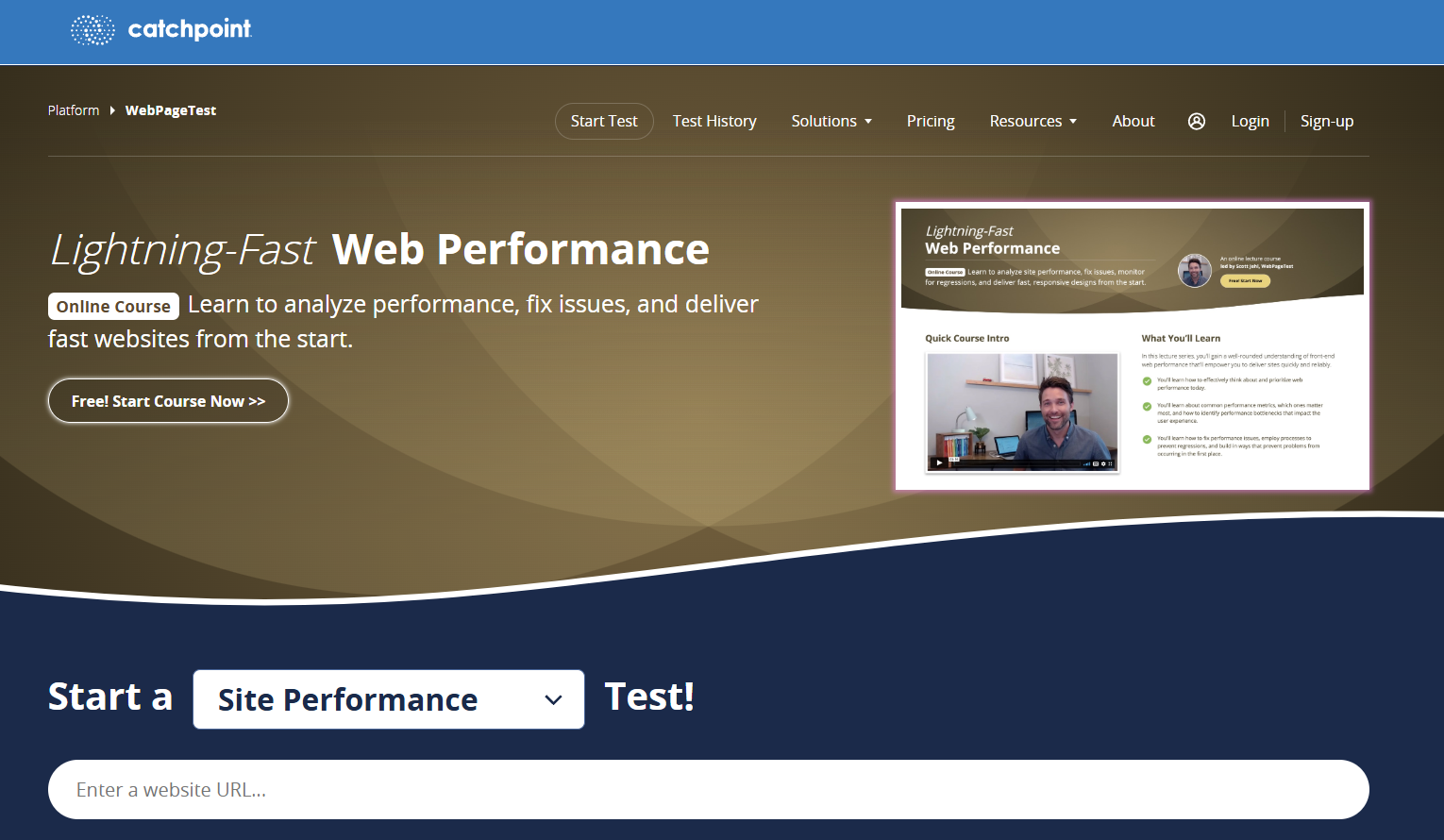
    WebPageTest is a free tool for advanced users. It lets you test your site from many locations and browsers. You can also set up custom test scenarios.

    The tool provides detailed waterfall charts. These show you exactly how your page loads over time. WebPageTest also offers video capture of your page loading.

    It gives you in-depth data about your site’s performance. This includes information on server response times and content delivery.

    Dareboost
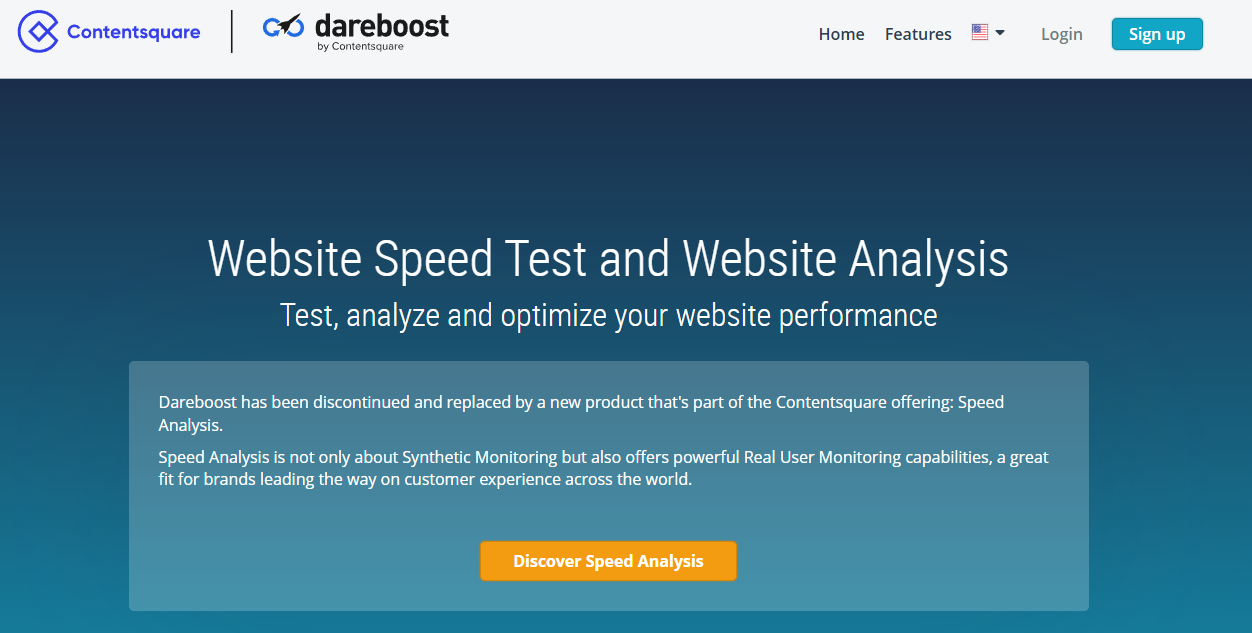
    Dareboost combines speed testing with monitoring features. It checks your site’s speed and gives you a detailed report. The tool suggests ways to improve your performance.

    One unique feature is its ability to compare two versions of your site. It helps you see if the changes you make actually improve speed. Dareboost also offers privacy and security checks.

    The tool is good for both technical and non-technical users. It explains issues in plain language and offers clear fixes.

    Tips for improving website speed using these tools

    Use these tools to find and fix speed issues on your site:

    1. Optimize images: Compress and resize large images.
    2. Minify code: Remove unnecessary characters from your HTML, CSS, and JavaScript.
    3. Use browser caching: Let browsers store static files to load pages faster.
    4. Reduce server response time: Upgrade your hosting or optimize your database.
    5. Enable compression: Use Gzip to reduce the size of your files.
    6. Minimize redirects: Too many redirects slow down your page load time.
    7. Remove render-blocking JavaScript: Load critical JS first and defer the rest.
    8. Use a content delivery network (CDN): Serve your content from servers closer to your users.

    Test your site regularly with these tools. Make small changes and measure the impact. Keep working on your site’s speed to stay competitive and keep visitors happy.

    CRO Tools: Turn Visitors into Customers

    CRO tools offer valuable insights and testing capabilities to optimize websites effectively. It helps you improve user experience and boost conversions.

    With CRO tools, you can:

    • Identify areas of improvement on your website
    • Test different design elements and content
    • Understand user preferences and pain points
    • Increase sales and revenue without more traffic

    CRO tools let you analyze user behavior and make data-driven decisions. It leads to higher conversion rates and better ROI.

    Top CRO tools for website owners

    CRO tools come in various types, each serving different purposes. Here are some top picks:

    1. FullSession
    2. Kissmetrics
    3. VWO (Visual Website Optimizer)
    4. Unbounce
    5. Heap

    Let’s review each one.

    FullSession
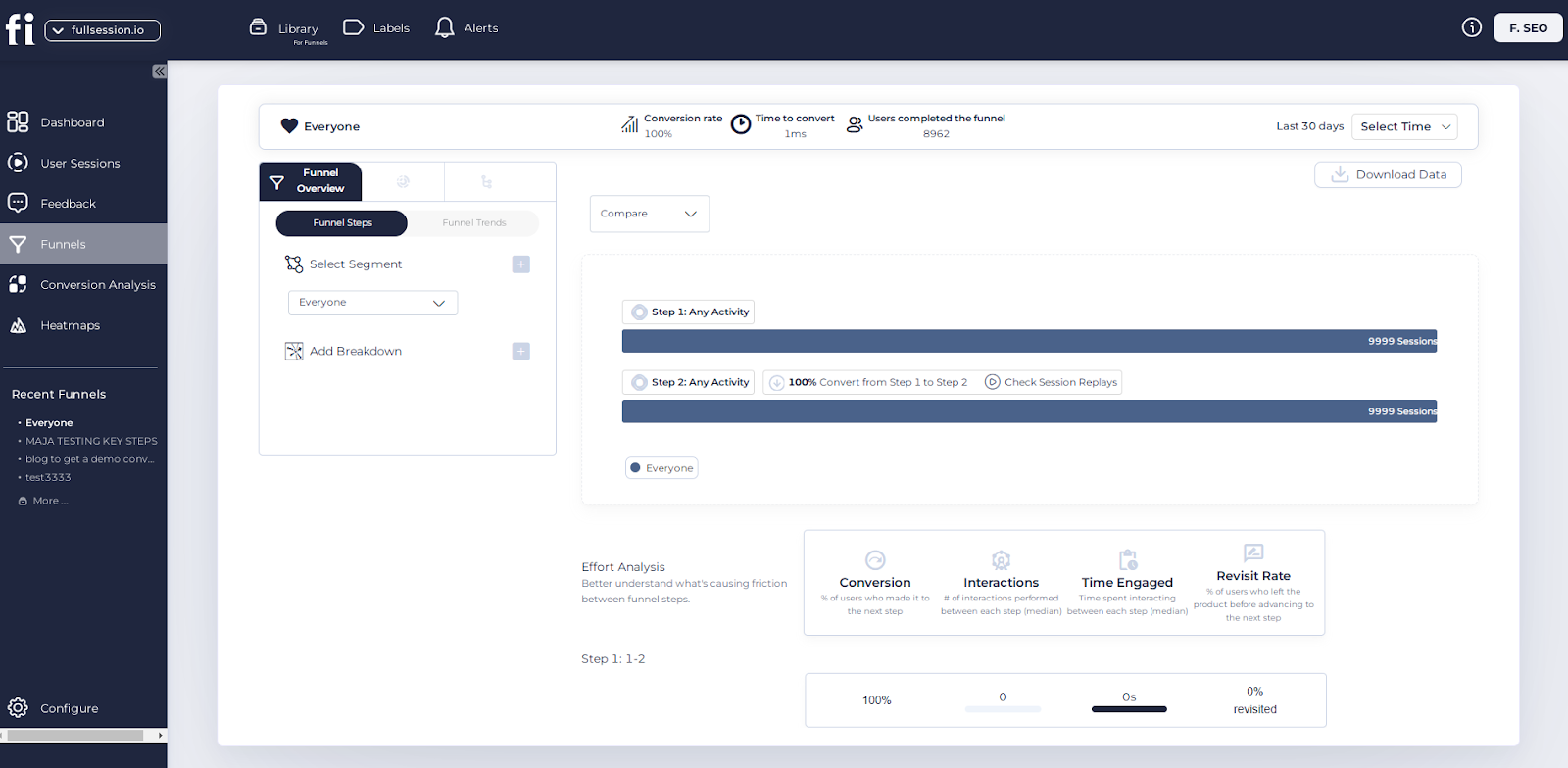
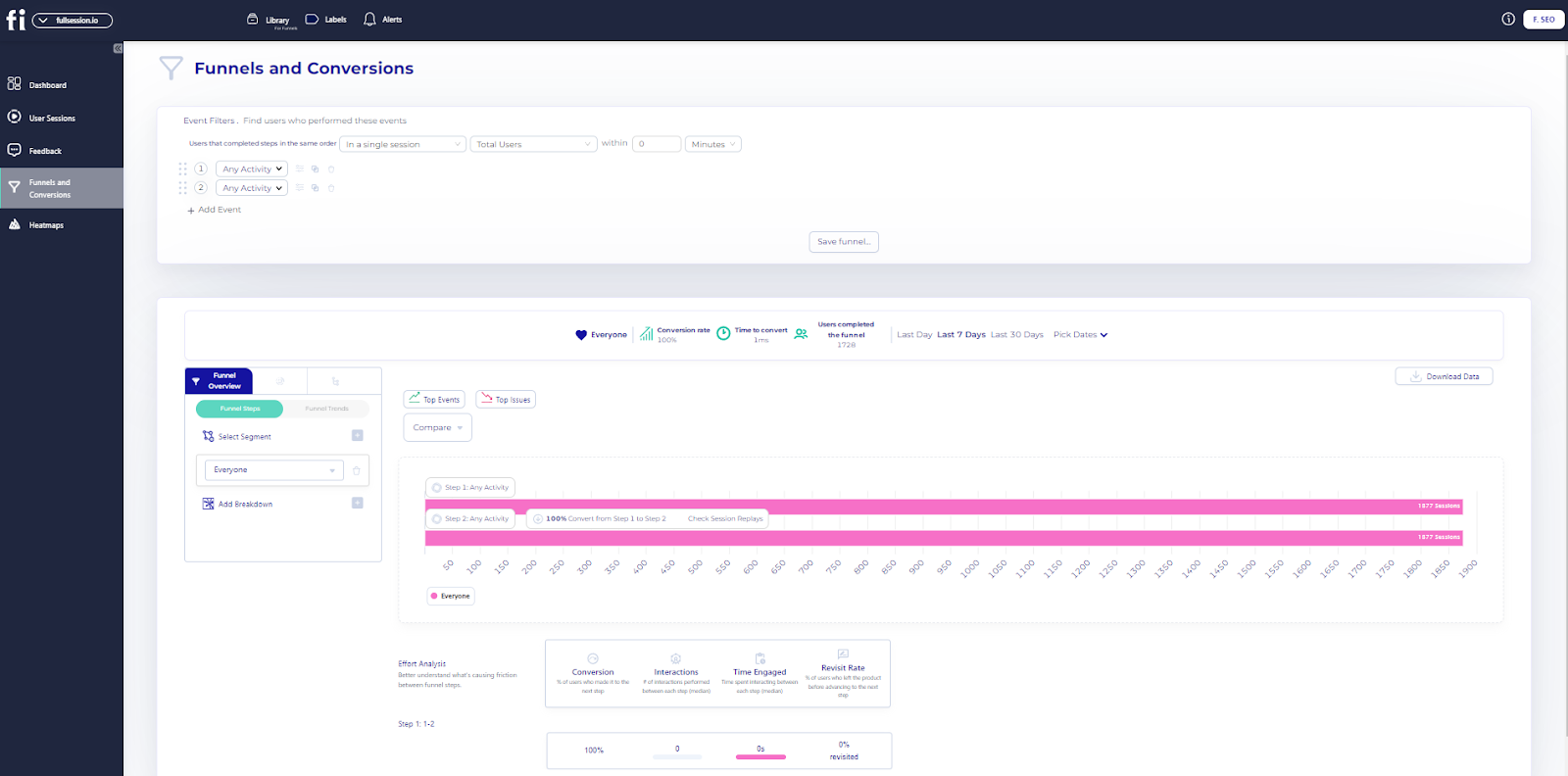
    FullSession funnels

    Besides all the user behavior tools we mentioned previously, FullSession also provides conversion funnel analysis. It lets you track, understand and optimize every step of the user journey so you can make data-driven decisions to improve user experience and conversion rates.
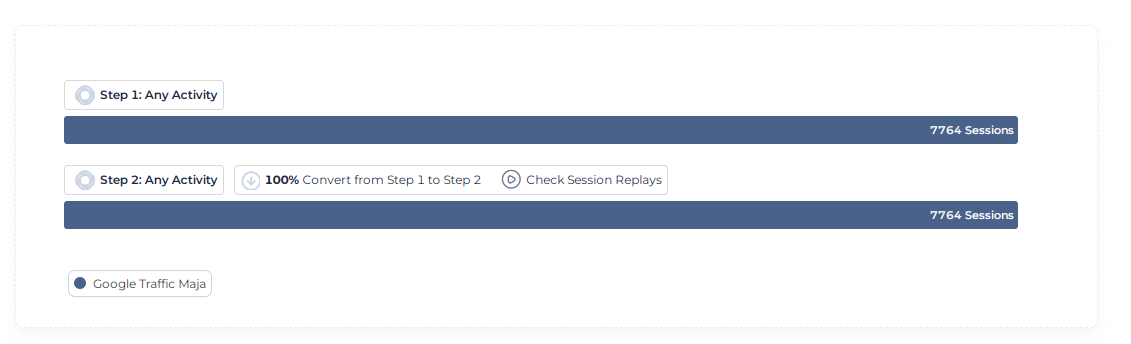
    funnel steps visualization

    The Funnel Steps Visualization is a key part of this feature. You can see users’ flow through each step of your funnel. It helps you identify drop-off points and conversion rates between steps to pinpoint where to improve.
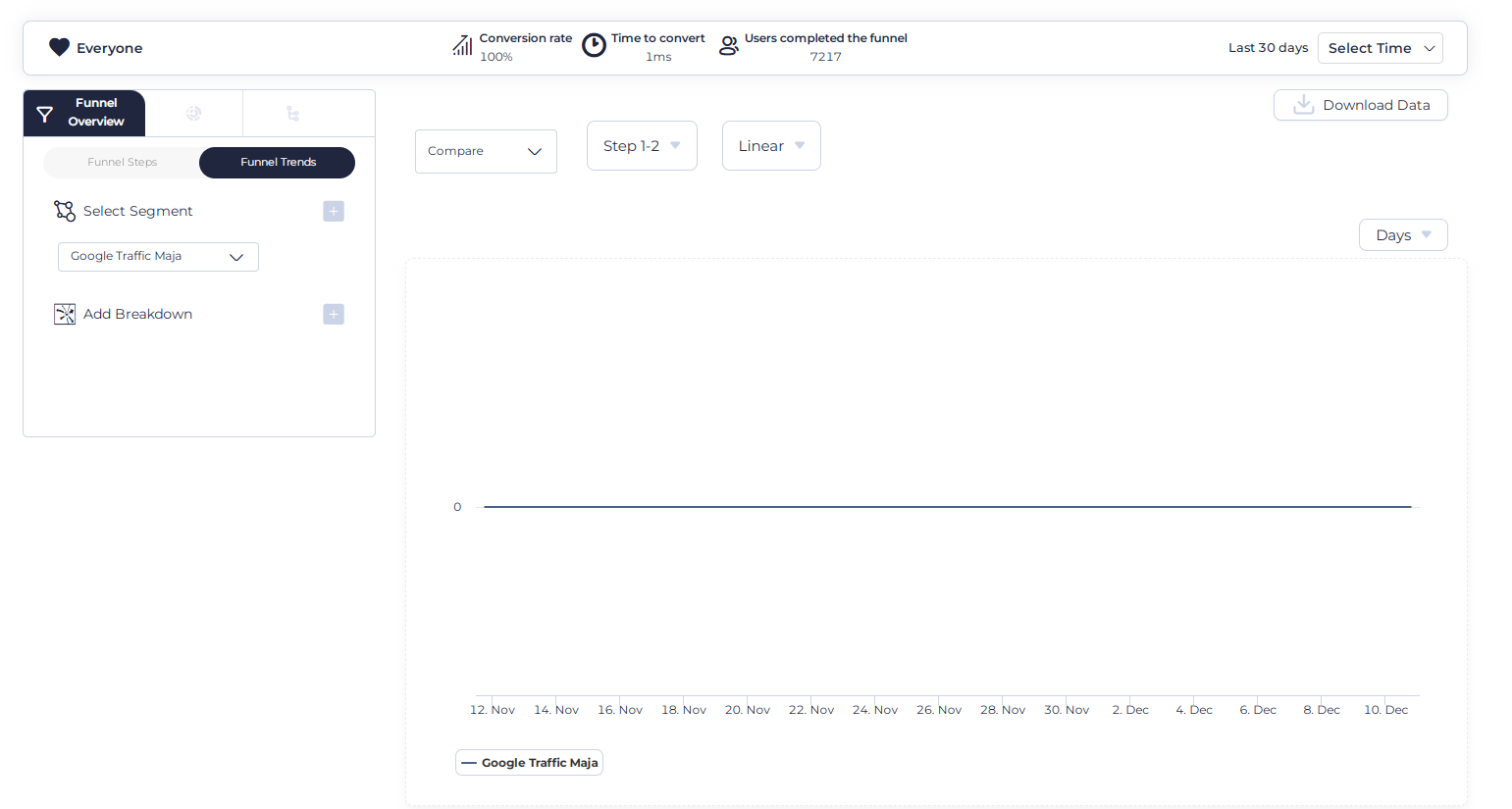
    funnel trends

    The Funnel Trends feature monitors how user flow and conversion rates change over time. This time series analysis helps you identify trends and seasonality in user behavior so you can plan and optimize better.

    The Events Correlations feature shows you the top events that are driving conversions and the top events that are causing drop-offs. It allows you to replicate the good and fix the bad so you can streamline the user journey and improve conversion rates.
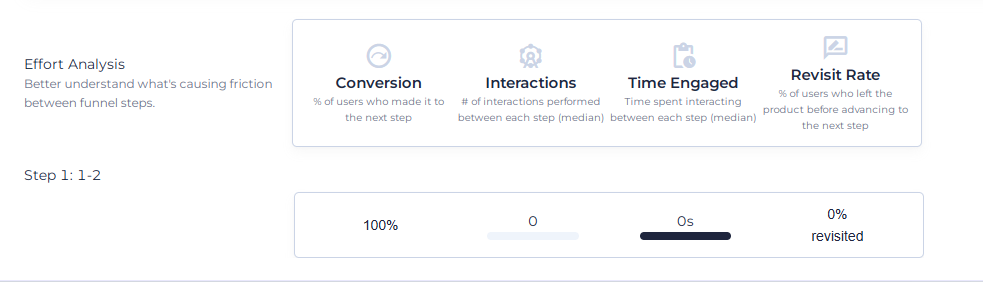
    effort analysis

    The Effort Analysis part gives you a deeper understanding of user engagement in the funnel. It includes metrics like Time Engaged, Top Engaged steps and Revisit Rate. It helps you identify friction points in the funnel, where users struggle, and which steps are most engaging. You can make informed decisions to optimize the user experience and reduce exits from the funnel.

    Finally, FullSession’s Segmentation and Comparison feature lets you dive deeper into funnel performance. You can compare performance across different user segments, device type, geographic location or referral source. You can create tailored strategies for specific user groups and compare funnel performance across periods to identify long-term trends and seasonality.

    This full-funnel analysis can lead to higher conversion rates and, ultimately, more revenue, so FullSession is a must-have tool for any business looking to optimize its online presence.

    Maximize Your Conversion Rate With FullSession

    See how our CRO tools help you improve website performance to drive conversions.

    Kissmetrics
    Kissmetrics event analytics for web

    Kissmetrics is a customer analytics and engagement platform that tracks and analyzes user behavior across the customer lifecycle. Key features include customer journey mapping, cohort analysis, and A/B testing. 

    It helps you understand user interactions, optimize conversion funnels, and personalize marketing efforts. The main benefit is its ability to provide actionable insights for improving customer retention and lifetime value.

    VWO (Visual Website Optimizer)
    vwo digital experience optimization

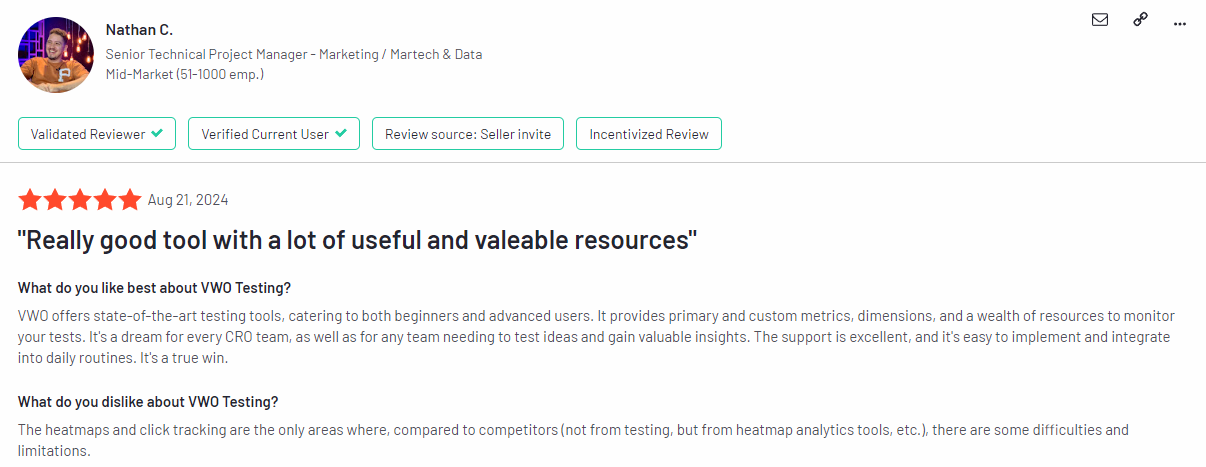
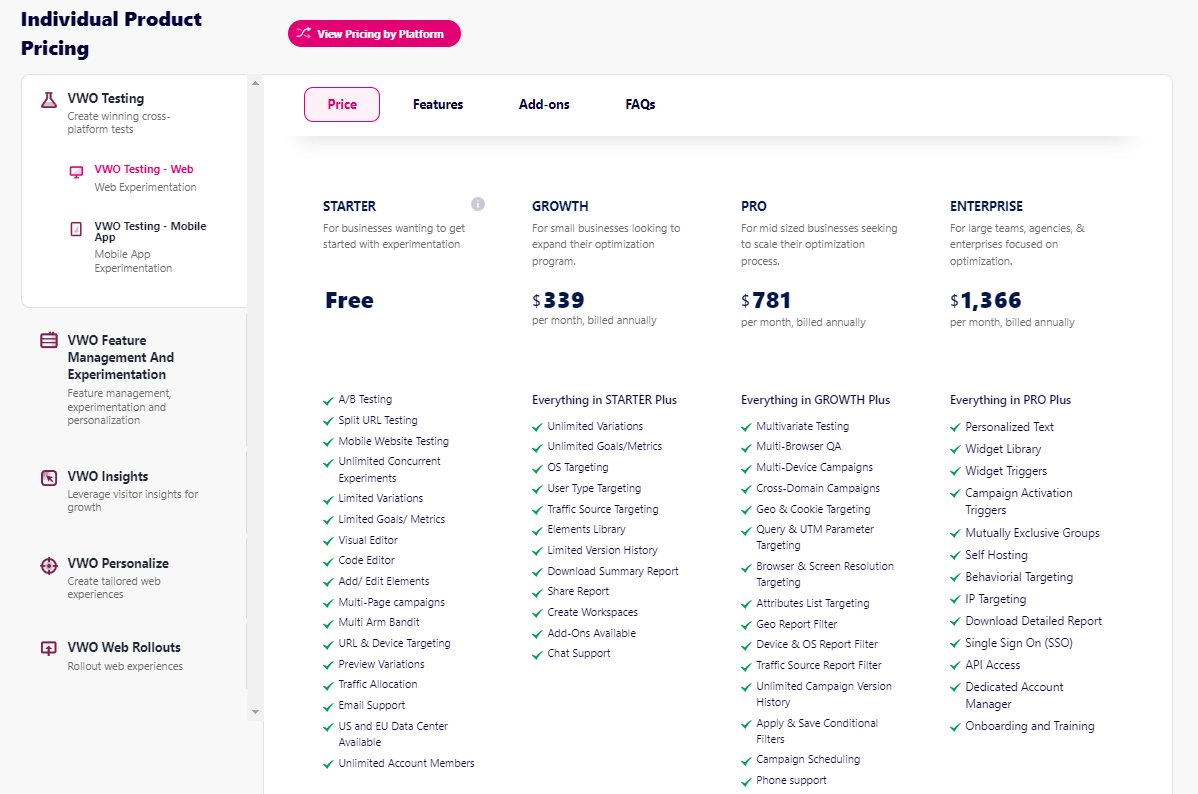
    VWO is a conversion rate optimization platform. It provides tools to test, analyze and improve website conversions. Features include A/B testing, multivariate testing, heatmaps and advanced targeting options for personalization.

    You can create and run complex optimization experiments and see big conversion rate improvements across user segments.

    Learn more: Mouseflow vs VWO.

    Unbounce
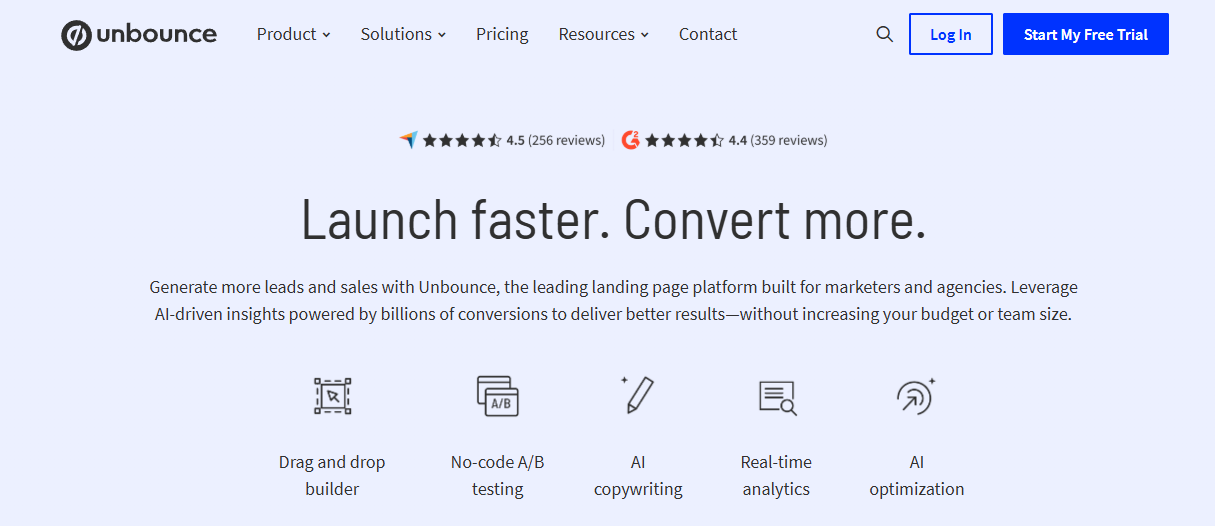
    unbounce cro platform

    Unbounce is a landing page builder and a platform for conversion optimization. It helps you create and test high-converting landing pages without needing developer resources. 

    Features include a drag-and-drop landing page builder, A/B testing and dynamic text replacement for PPC campaigns. Unbounce also has AI powered optimization suggestions. 

    You can create and optimize landing pages for specific campaigns and potentially see higher conversion rates and better ROI on marketing spend.

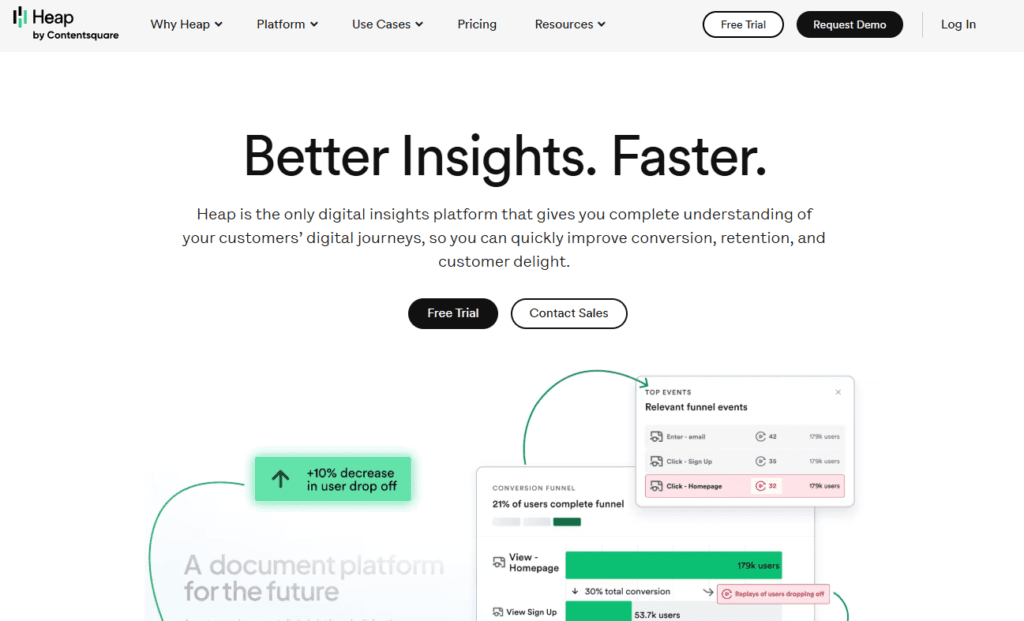
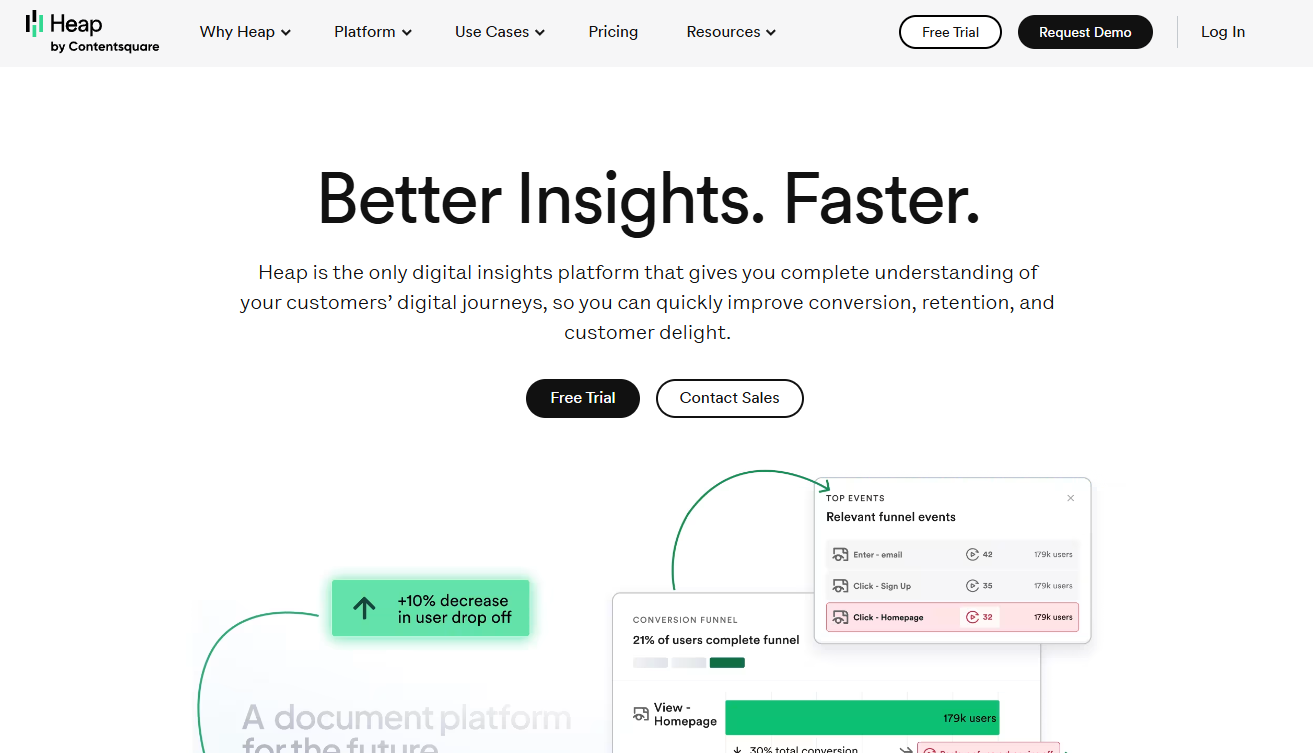
    Heap
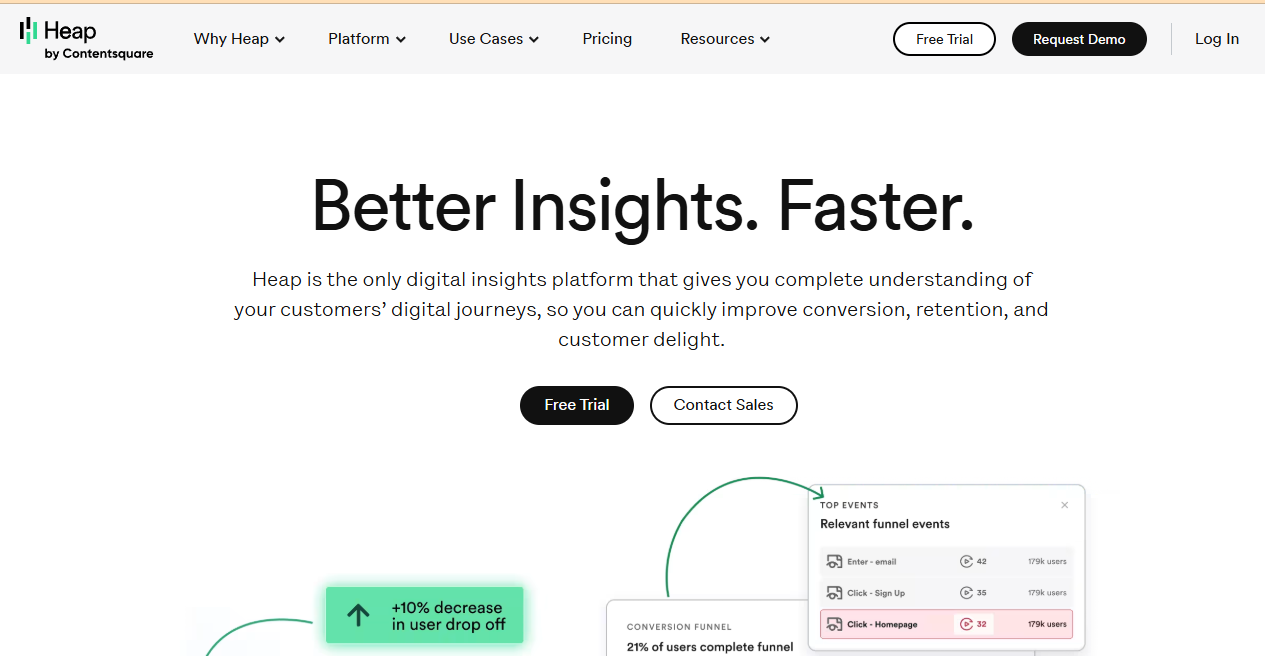
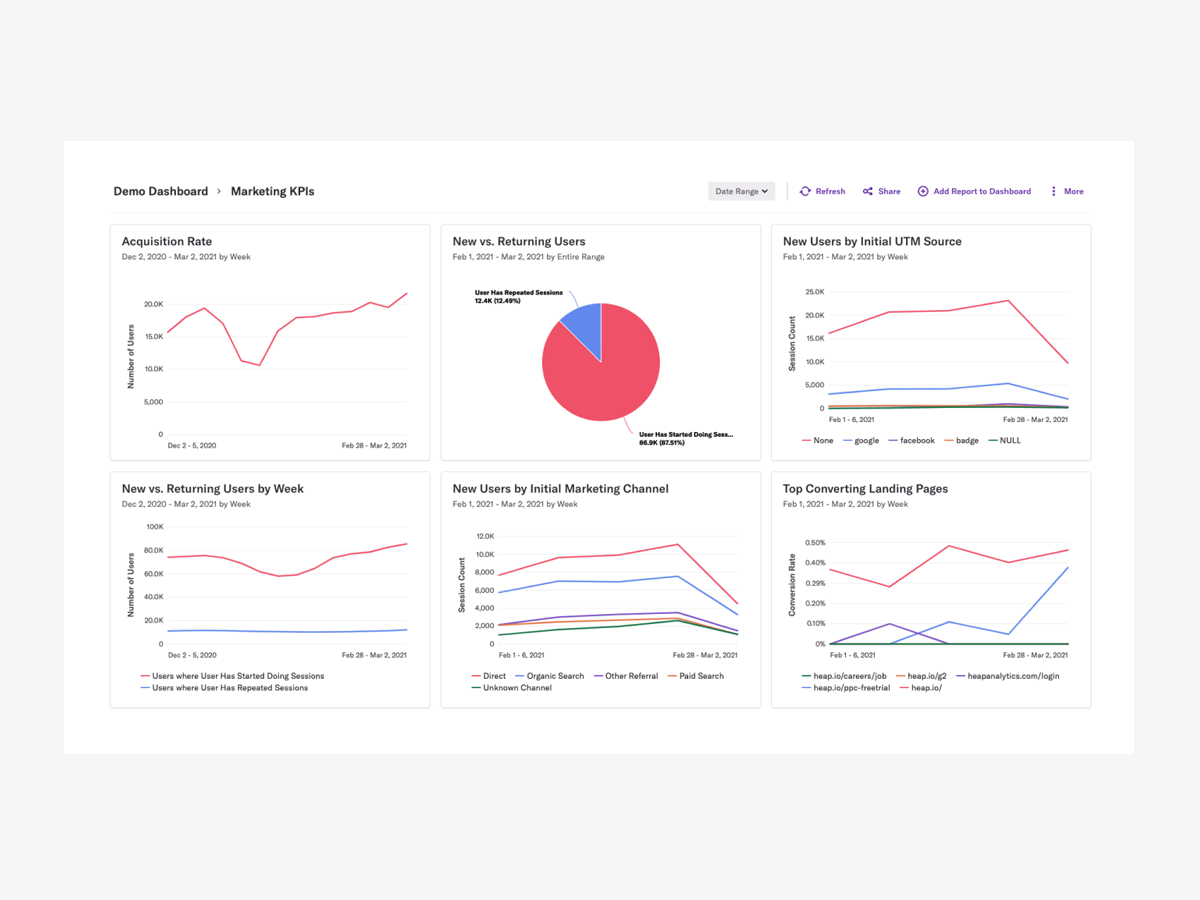
    digital insights platform

    Heap is an automated digital insights platform for user behavior analysis and conversion optimization. It captures all user interactions automatically without manual tagging. Features include retroactive analysis, funnel analysis and user segmentation. 

    Heap also integrates with other business tools. You can analyze any user behavior or conversion path and find unexpected insights that can lead to a better user experience and conversion rate improvements.

    Learn more: Heap alternatives.

    Strategies for effective A/B testing and conversion optimization

    To get the most out of CRO tools, follow these strategies:

    1. Set clear goals for each test
    2. Test one element at a time for best results
    3. Run tests for at least two weeks or until statistical significance
    4. Use both qualitative and quantitative data

    Gather direct user feedback through surveys and interviews. This helps you understand the “why” behind user actions.

    Use session recordings to spot usability issues and user frustrations. This visual data complements your analytics.

    Always base your tests on data and user insights. Avoid making changes based on assumptions or personal preferences.

    Remember to test your entire funnel, not just landing pages. Look for optimization opportunities at every stage of the user journey.

    Regularly review and update your CRO strategy. User preferences and market trends change, so your website should evolve too.

    Website Accessibility Tools: Ensure Inclusivity and Compliance

    Web accessibility makes your site usable for everyone, including those with disabilities. It’s not just good practice – it’s often a legal requirement.

    By making your site accessible, you reach a wider audience and improve user experience for all visitors. Accessible websites are easier to use on mobile devices and often rank better in search results.

    Key accessibility standards (WCAG 2.1)

    WCAG 2.1 (Web Content Accessibility Guidelines) sets the standard for web accessibility. 

    These guidelines focus on four main principles:

    1. Perceivable: Users must be able to see the information presented.
    2. Operable: Users must be able to use the interface.
    3. Understandable: Users need to understand the information and interface.
    4. Robust: Content must be robust enough to work with various technologies.

    Following these guidelines helps you create a site that works for everyone.

    Top accessibility tools for website owners

    Several tools can help you check and improve your site’s accessibility. Here are some top picks:

    1. BrowserStack
    2. WAVE
    3. Tanaguru
    4. Rocket Validator
    5. accessScan

    These tools scan your site for issues and offer suggestions for fixes.

    BrowserStack
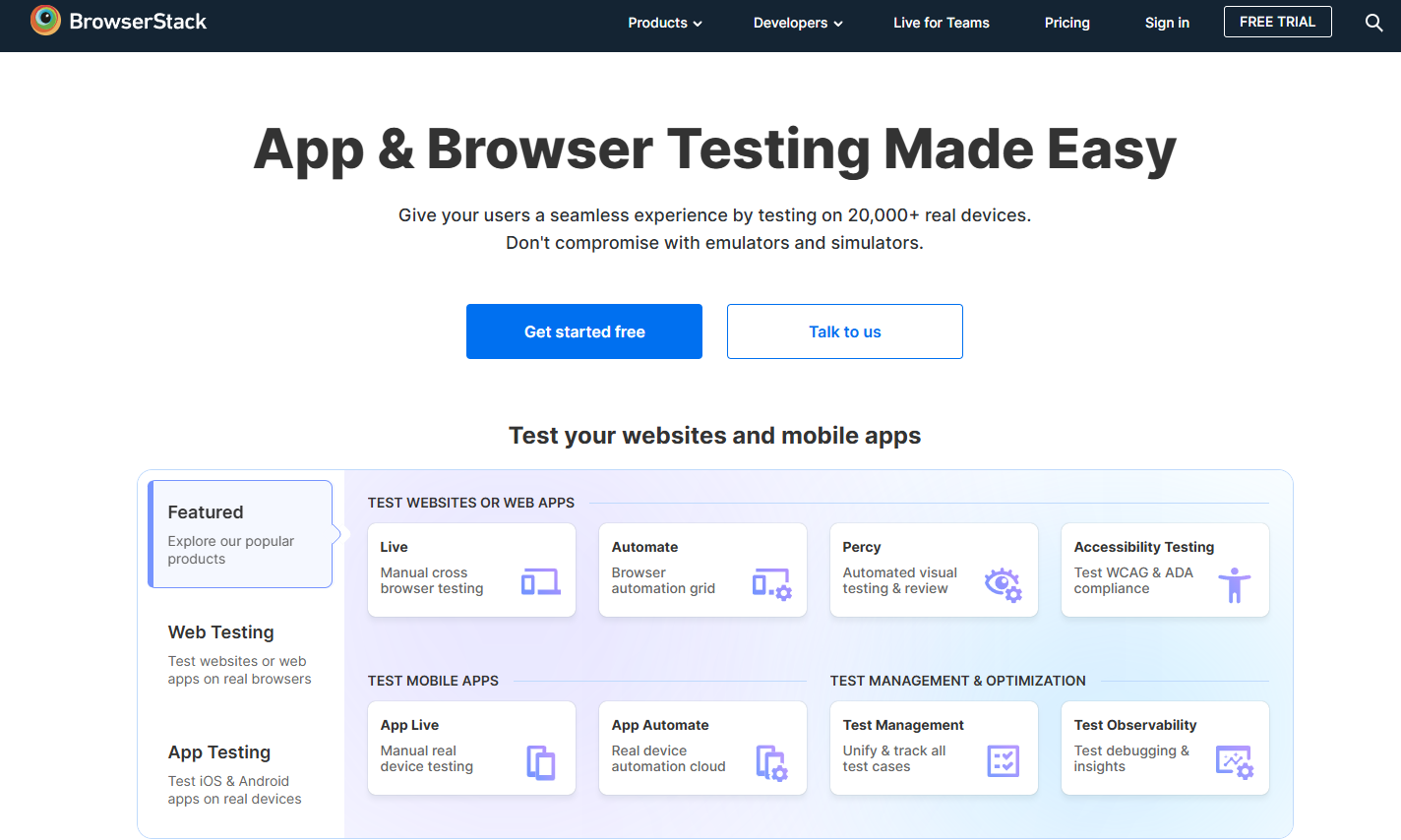
    BrowserStack

    BrowserStack’s Accessibility Testing Tool helps developers and website owners ensure their websites are accessible to everyone. It automates the process of checking web pages against WCAG guidelines. 

    Features include real-time testing across multiple browsers and devices, detailed reports of accessibility issues and integration with popular development workflows. Y

    You can identify and fix accessibility barriers quickly and potentially improve user experience and accessibility compliance.

    WAVE
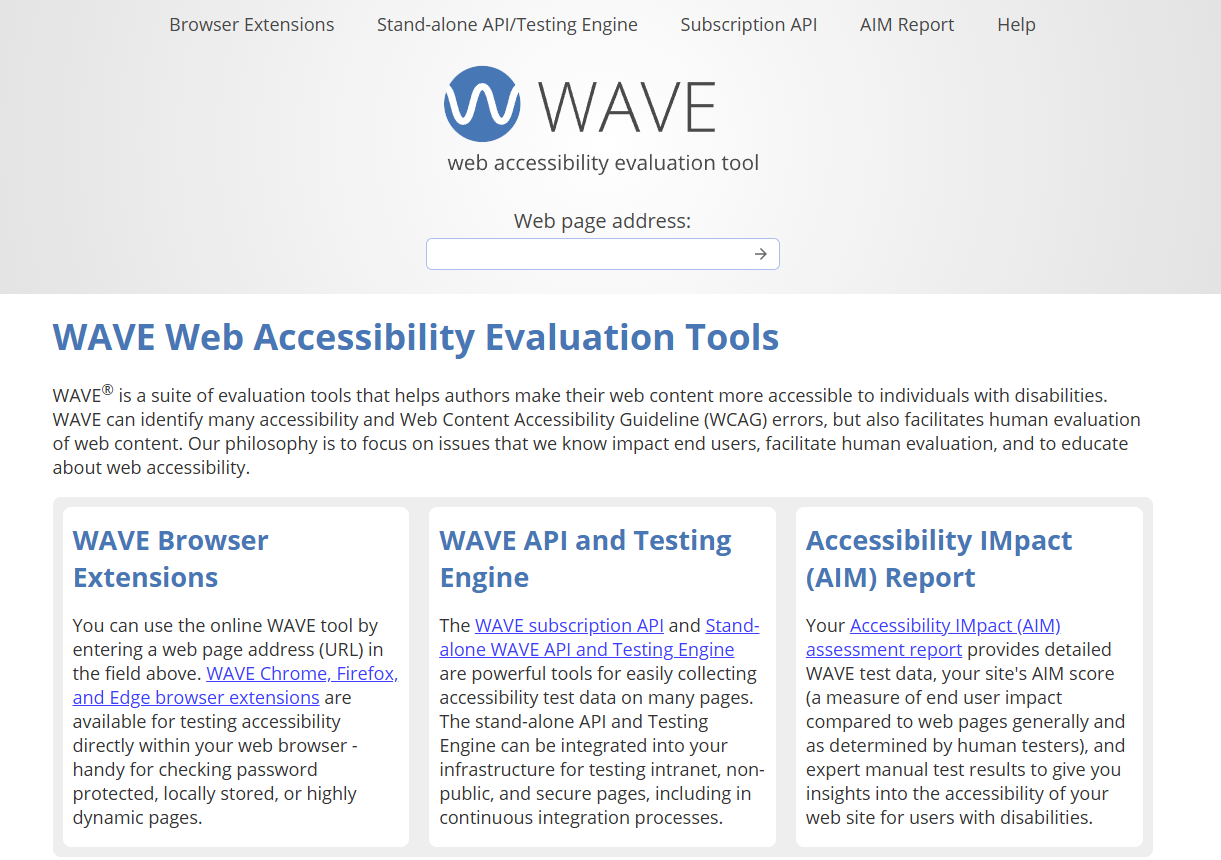
    WAVE Web Accessibility Evaluation Tools

    WAVE (Web Accessibility Evaluation Tool) is a suite of tools that help authors make their web content more accessible to people with disabilities. Its main purpose is to provide visual feedback about the accessibility of web content by injecting icons and indicators into the page. 

    Features include detailed error and alert reporting, contrast checking and structure/order view. The benefit for website owners is its simplicity and the ability to see accessibility errors and good practice.

    Tanaguru
    Tanaguru

    Tanaguru is an open source automated accessibility testing tool for web developers and quality assurance teams. Its main purpose is to automate accessibility checks against WCAG guidelines and other standards. 

    Features include full website scanning, detailed reporting with prioritized issues and ability to run tests via API or command line. You can integrate accessibility testing into your development process and catch issues early to reduce the cost of fixes.

    Rocket Validator
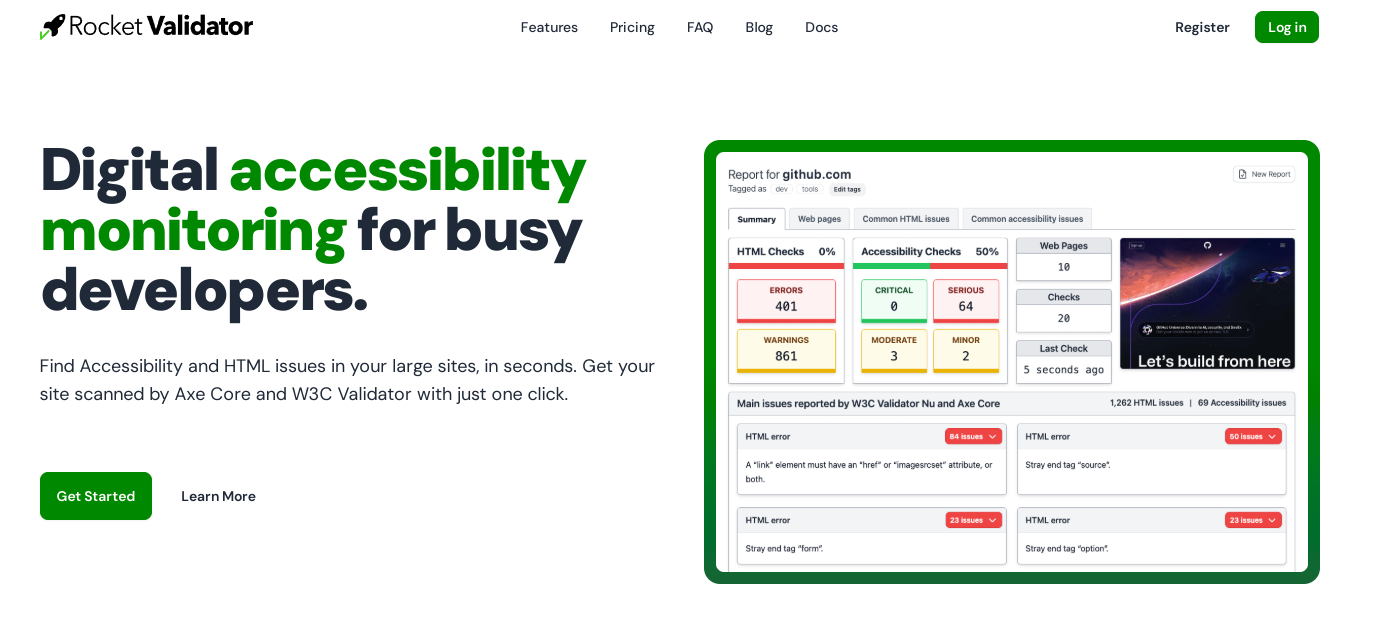
    Rocket Validator is an accessibility and HTML validation tool. Its main purpose is to scan entire websites for accessibility issues and HTML errors. 

    Features include bulk URL checking, detailed reports referencing WCAG success criteria and the ability to schedule regular scans. You can maintain accessibility compliance across large websites with minimal manual effort.

    accessScan
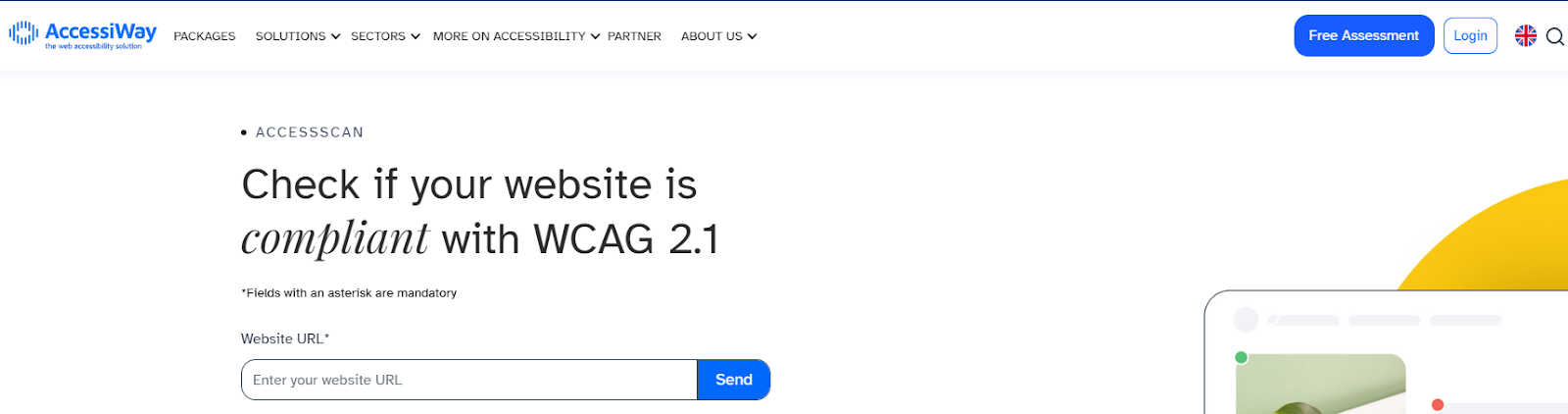
    accessScan is an AI-powered web accessibility testing tool. Its main purpose is to provide fast and accurate accessibility audits using machine learning algorithms. 

    Features include WCAG 2.1 compliance checking, prioritized issue reporting and recommendations for fixes. You can identify and fix accessibility issues quickly, improve user experience, and reduce legal risk of noncompliance.

    How to use these tools to improve website accessibility

    To improve your site’s accessibility:

    1. Run a scan using one or more of the tools mentioned.
    2. Review the results and prioritize issues.
    3. Fix high-priority issues first, such as broken links or missing alt text.
    4. Test your site on different browsers and devices.
    5. Use Google’s Mobile-Friendly Test to ensure your site works well on mobile.
    6. Regularly re-scan your site to catch new issues.

    Remember, accessibility is an ongoing process. Keep checking and improving your site over time.

    Benefits of making your website more accessible

    Making your website accessible offers many benefits:

    1. Wider audience reach: You’ll be able to serve users with disabilities.
    2. Improved user experience: Accessible sites are often easier for everyone to use.
    3. Better SEO: Many accessibility features also improve search engine rankings.
    4. Legal compliance: You’ll meet legal requirements for web accessibility.
    5. Enhanced brand image: Shows you care about all users.

    By using these tools and focusing on accessibility, you create a better website for all users.

    Implementing Website Optimization Tools: Best Practices

    Pick a few key tools to focus on to get the most out of website optimization tools. Don’t try to use every tool at once. Instead, choose tools that address your site’s main issues.

    Set up regular site audits. This will help you spot problems early. Aim for weekly or daily checks to stay on top of issues.

    Use A/B testing tools to try out different versions of your web pages. It lets you see what works best with your visitors. Pick one element to test at a time for clear results.

    Pay attention to user experience (UX) when optimizing. Tools that provide heatmaps and session recordings can show you how people use your site. Use this data to make smart changes.

    Don’t forget about web accessibility. Use tools that check your site against WCAG 2.1 guidelines. This helps make sure everyone can use your site.

    After making changes, always measure their impact. Use analytics tools to track key metrics like page load times and conversion rates. This helps you see if your efforts are paying off.

    Why Choose FullSession for Website Optimization

    FullSession is the top choice for website optimization, offering a range of strong features that can truly transform your approach. Here’s why FullSession should be your go-to tool:

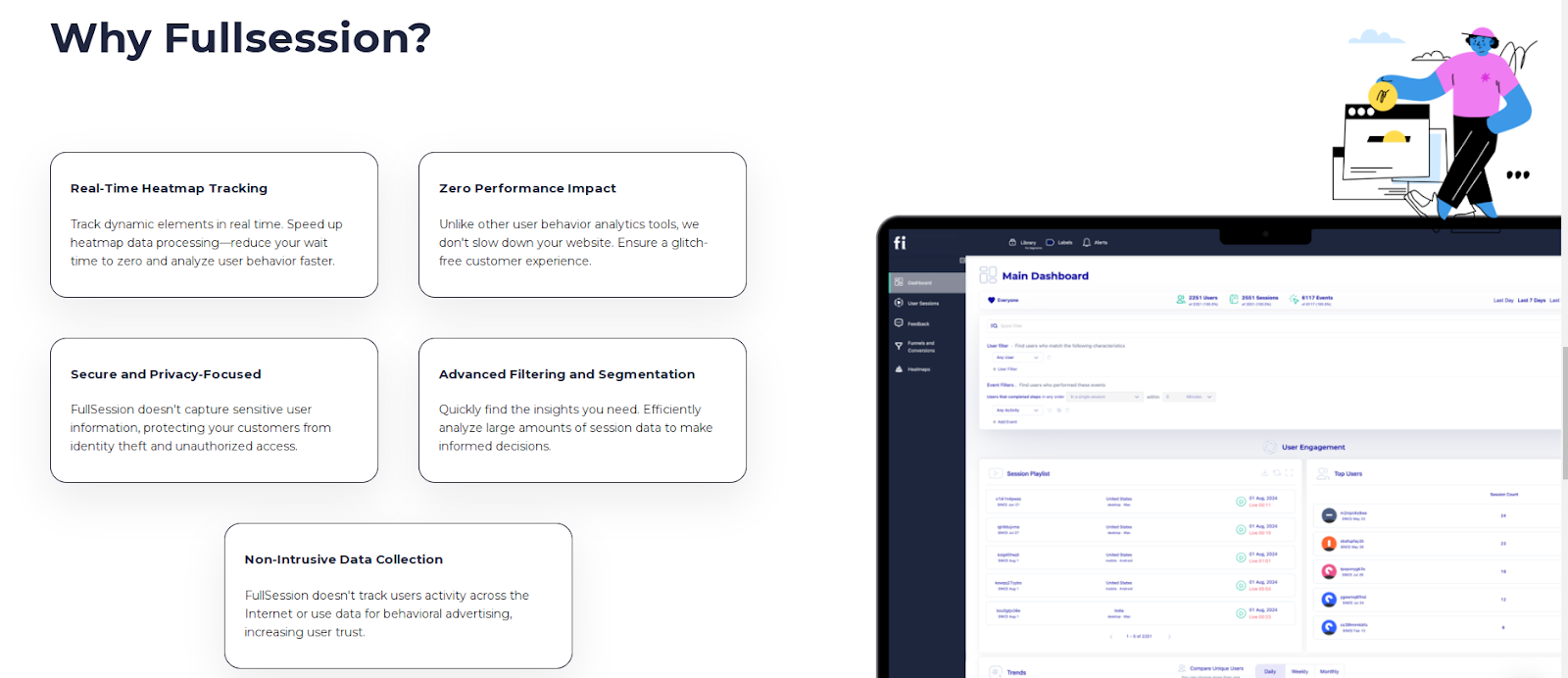
    • Real-time insights on dynamic elements: We track how users interact with your site’s dynamic content as it happens, giving you the most up-to-date and accurate view of user behavior.
    • Lightning-fast heatmaps without slowing you down: Our heatmaps process quickly without putting any drag on your site speed. This means you get valuable data without sacrificing performance.
    • We take privacy seriously: We automatically exclude sensitive information from our recordings, keeping your users’ data safe and your business compliant with privacy regulations.
    • Make sense of big data, fast: Even with tons of data, FullSession helps you zero in on what matters. Our tools sift through the noise to reveal key insights quickly, so you can make informed decisions without delay.
    • Keep data where it belongs: We only track user behavior on your site, preventing any misuse of data and ensuring the insights you get are 100% relevant to your business.
    • Get everyone on the same page: FullSession brings all your teams together on one platform. Whether it’s marketing, design, or development, everyone can access and analyze the same data, making collaboration a breeze.

    By choosing FullSession, you’re not just getting a tool – you’re getting a partner in optimization.

    We combine comprehensive features with a focus on privacy, performance, and teamwork, giving you everything you need to boost your site’s user experience and conversion rates.

    Visualize, Analyze, and Optimize with FullSession

    See how to transform user data into actionable insights for peak website performance.

    Future Trends in Website Optimization Tools

    Website optimization is changing fast. AI will play a bigger role in improving websites. More companies will use AI for content creation and optimization. It could help make your site better and faster.

    Mobile optimization will become even more important. As more people use phones to browse, your site needs to work well on small screens.

    Voice search optimization will grow. You’ll need to adjust your content for how people talk, not just how they type.

    Page speed will remain crucial. Fast-loading pages will be key for a good user experience and higher conversions.

    User experience (UX) will be a top priority. Search engines will favor sites that are easy to use and navigate.

    Video content will become more important for SEO. You might need to add more videos to your site to stay competitive.

    Privacy and security will be big concerns. You’ll need to make sure your site protects user data and follows regulations.

    These trends show that website optimization is about more than just keywords. It’s about creating a fast, user-friendly site that works well on all devices.

    Conclusion About Website Optimization Tools

    Website optimization tools help you analyze and improve various aspects of your website.

    These tools can boost your site’s speed, user experience, and search engine visibility. By using them, you can identify areas that need improvement and make data-driven decisions.

    Each tool offers unique features to help you optimize your website. You can track metrics, perform A/B tests, or generate heatmaps to understand user behavior.

    Remember, website optimization is an ongoing process. Regularly using these tools will help you stay competitive and provide a better experience for your visitors.

    By investing time in website optimization, you can:

    • Increase conversion rates
    • Improve search engine rankings
    • Enhance user satisfaction
    • Reduce bounce rates

    Choose the tools that best fit your needs and budget. With the right combination, you’ll be well-equipped to boost your web performance and achieve your online goals.

    FAQs About Website Optimization Tools

    Let’s answer the most common questions about website optimization tools.

    Which tool helps to optimize the website?

    Many tools can help optimize websites. Google PageSpeed Insights is a popular choice. It analyzes your site’s speed and gives tips to make it faster.

    Other useful tools include GTmetrix and Pingdom. These check your site’s performance and suggest improvements.

    How do I optimize my website?

    To optimize your website, focus on these key areas:

    1. Improve loading speed
    2. Make your site mobile-friendly
    3. Use relevant keywords
    4. Create quality content
    5. Optimize images

    Use tools like FullSession to see how visitors use your site. This can help you make it better.

    What is web optimization?

    Web optimization is the process of making your website better. It aims to improve:

    • Site speed
    • User experience
    • Search engine rankings

    It involves tweaking different parts of your site. This can include code, content, and design.

    What is the best tool to measure website performance?

    There’s no single “best” tool, as needs vary. However, some popular options are:

    • Google Analytics
    • WebPageTest
    • Fullsession

    These tools give you data about your site’s speed and performance. They also offer tips to make your site better.

    Remember, the best solution depends on your specific needs and goals.



  • Web Analytics Tools Comparison: Top 9 Options in 2025

    Web Analytics Tools Comparison: Top 9 Options in 2025

    Web analytics tools are essential for understanding how visitors interact with your website, helping you boost performance, fine-tune the user experience, and increase conversions.

    Take FullSession as an example—it lets you capture all interactions, visualize all user engagement, analyze trends and patterns with laser precision and optimize your website for peak performance. 

    You can start a free trial or get a demo to learn more.

    The best website analytics tools offer powerful insights that drive engagement and growth, but picking the right one can be hard. 

    Each solution has unique features, and it’s easy to feel overwhelmed. This article provides the best web analytics tools comparison to help you make the right choice for your business.

    Key Takeaways

    • FullSession is a user behavior analytics software that helps you optimize website interface, usability and performance. It includes session recordings and replays, website heatmap tools, customer feedback tools, conversion funnel analysis, and error tracking. FullSession is fully compliant with GDPR, CCPA, and PCI standards. Pricing starts at $39/month, with a 20% discount for annual plans. Book a demo today.
    • Mixpanel is a product analytics tool designed to track user interactions and optimize engagement. Its features include event-based tracking, cohort analysis, funnel reports, and A/B testing. Mixpanel is scalable but can get expensive for large teams or heavy data users. The pricing starts at $28/month.
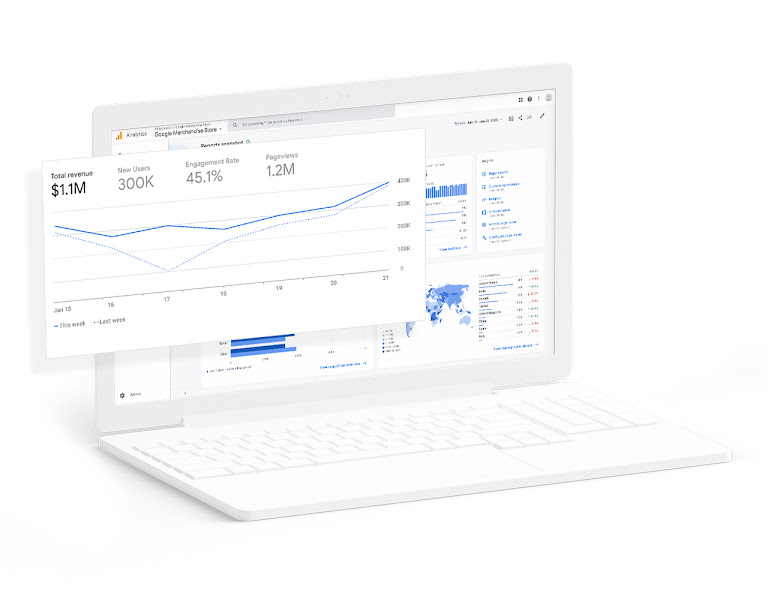
    • Google Analytics is a web analytics tool that provides comprehensive reports on traffic, user behavior, and conversions. It includes real-time reporting, audience insights, and ecommerce tracking. While it’s versatile, the platform can be overwhelming for beginners, and the free version offers limited customization. Google Analytics 360, the premium version, starts at $150,000/year.
    • Amplitude is a product analytics software that helps businesses understand user behavior and improve retention. Its key features include behavioral cohorts, customer journey software, and real-time analytics. Amplitude excels in advanced segmentation, but it can be costly for businesses with high usage needs. The free plan supports up to 10 million events, with paid plans starting at $61/month.
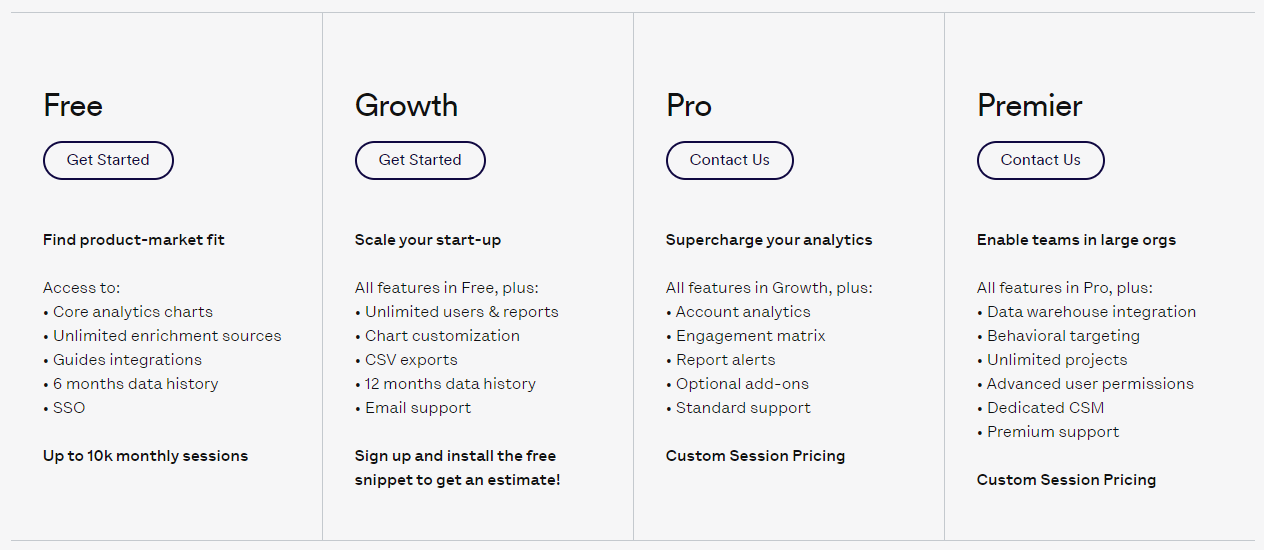
    • Woopra is a customer journey analytics tool designed to track user behavior across multiple touchpoints. It offers real-time analytics, customer profiles, and journey reports. Woopra’s main drawback is its limited customization options in some reports, and the free plan has usage limits that may not suit growing businesses. Paid plans start at $49/month.
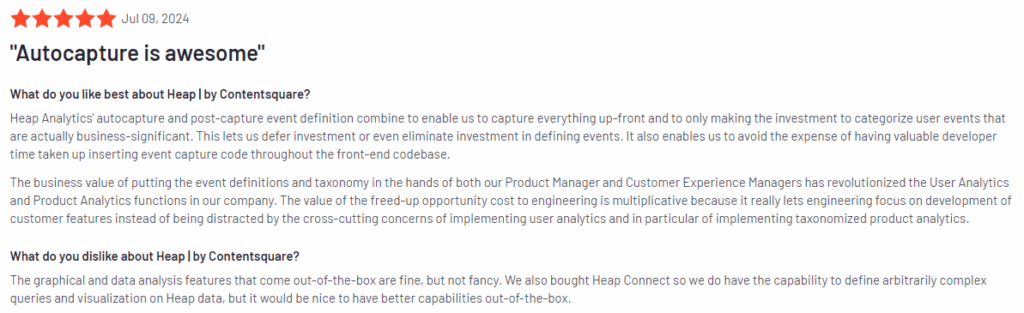
    • Heap is an automatic event tracking software for product analytics. It captures every user interaction without manual setup and provides tools like funnel analysis, user journey mapping, and retention tracking. Heap’s complexity in report customization and its steep pricing for high-volume data users are notable drawbacks. The free plan includes 10,000 sessions/month, with custom pricing available for advanced needs.
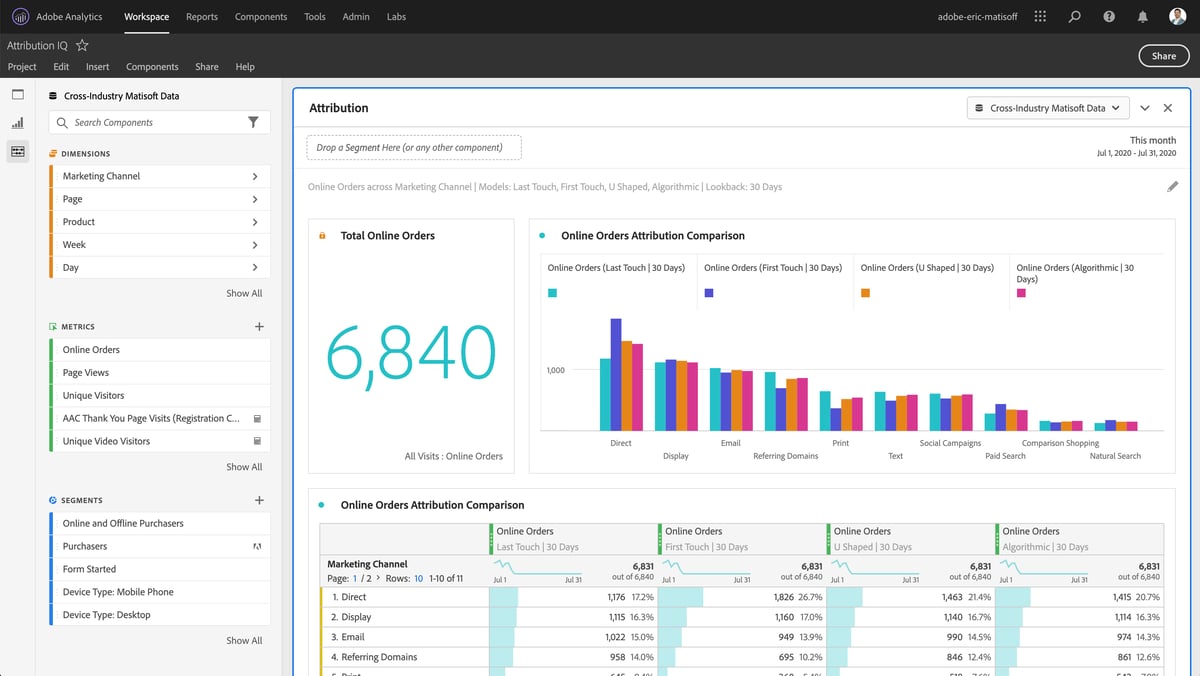
    • Adobe Analytics is an enterprise-level web analytics platform offering advanced segmentation, real-time reporting, and attribution modeling. It integrates with other Adobe products but can be difficult to navigate and requires significant customization. Pricing is tailored to large companies, making it inaccessible for smaller companies.
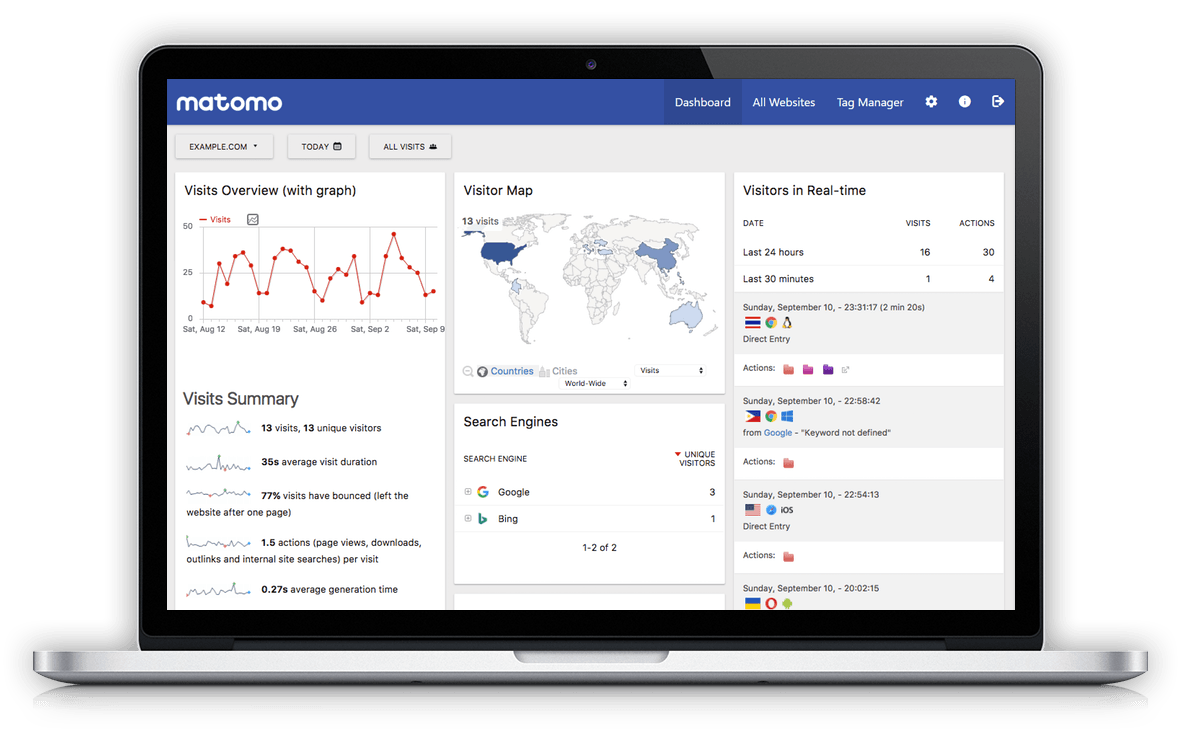
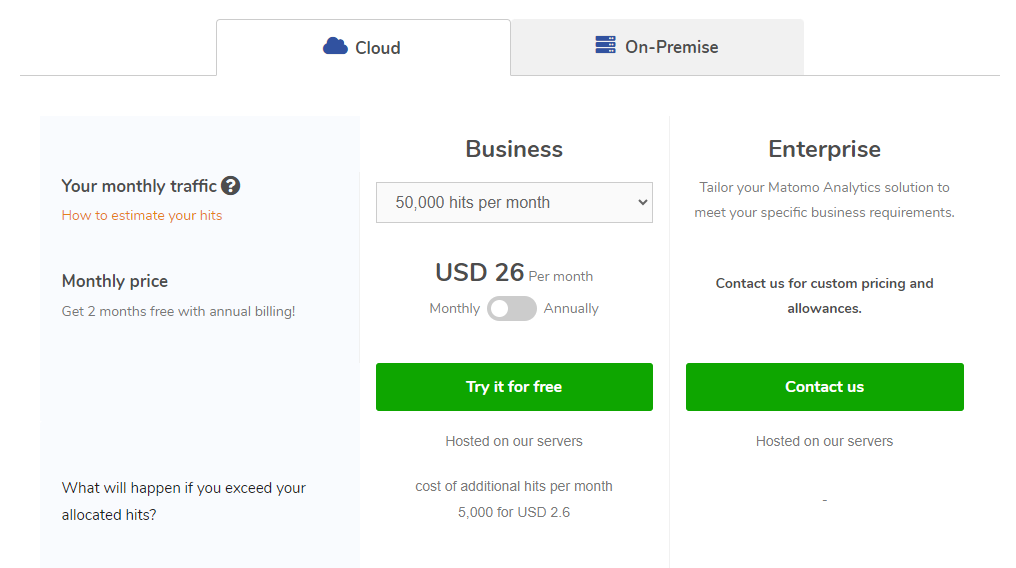
    • Matomo is an open-source web analytics software focused on data privacy and ownership. It offers features like real-time analytics, heatmaps, and customizable dashboards. While Matomo gives full control over data, the self-hosted version requires technical resources, and some advanced features require paid plans. Pricing for Matomo Cloud starts at $26/month.
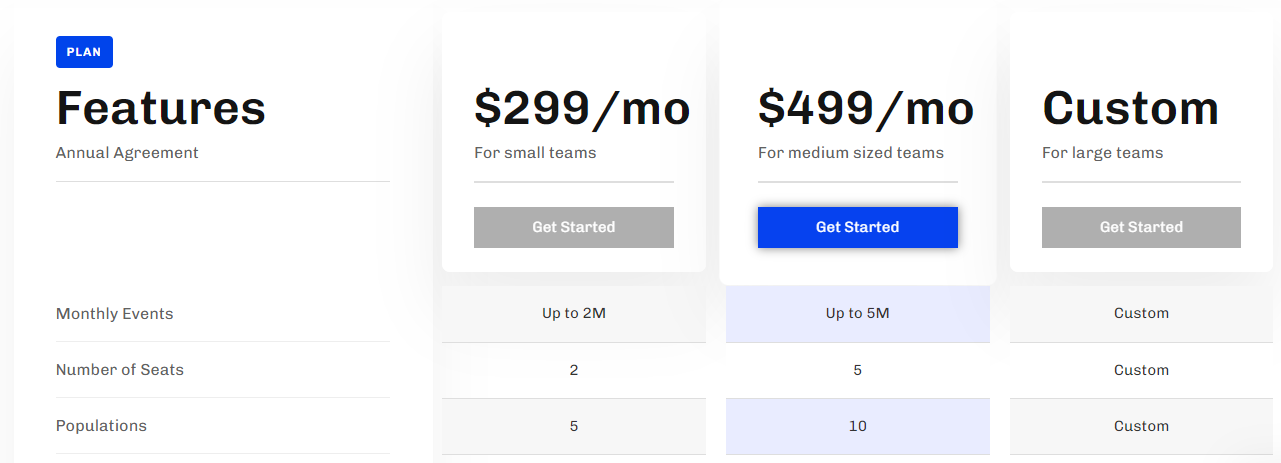
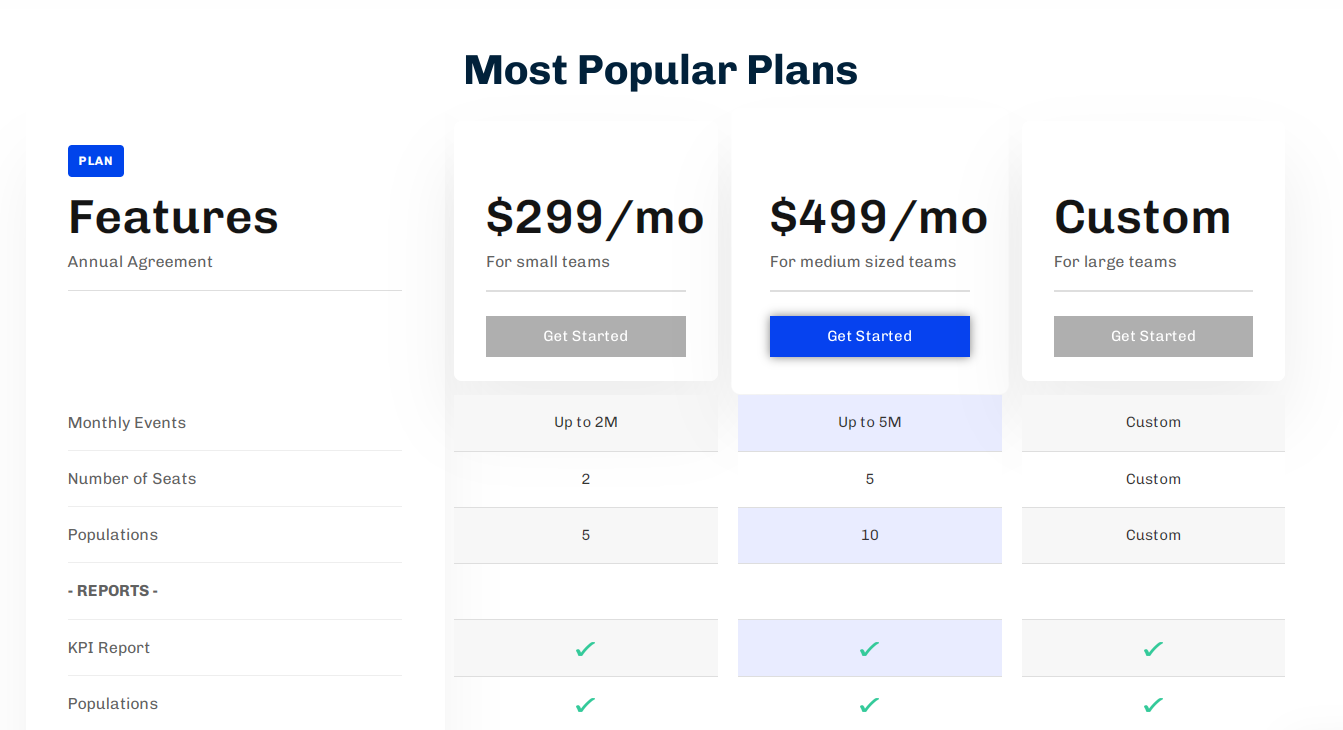
    • Kissmetrics is a customer analytics tool for SaaS and eCommerce businesses, focusing on customer journey tracking, funnel reports, and behavioral segmentation. While it offers strong revenue tracking, its interface can be challenging for beginners, and it lacks real-time tracking features. Pricing starts at $299/month, making it costly for small businesses.

    Visualize, Analyze, and Optimize with FullSession

    See how to transform user data into actionable insights for peak website performance.

    9 Best Web Analytics Tools Right Now

    Our web analytics tools comparison includes the following solutions:

    1. FullSession (Start a free trial or get a demo)
    2. Mixpanel
    3. Google Analytics
    4. Amplitude
    5. Woopra
    6. Heap
    7. Adobe Analytics
    8. Matomo
    9. Kissmetrics

    Let’s start with our review.

    1. FullSession

    Session recording and replay

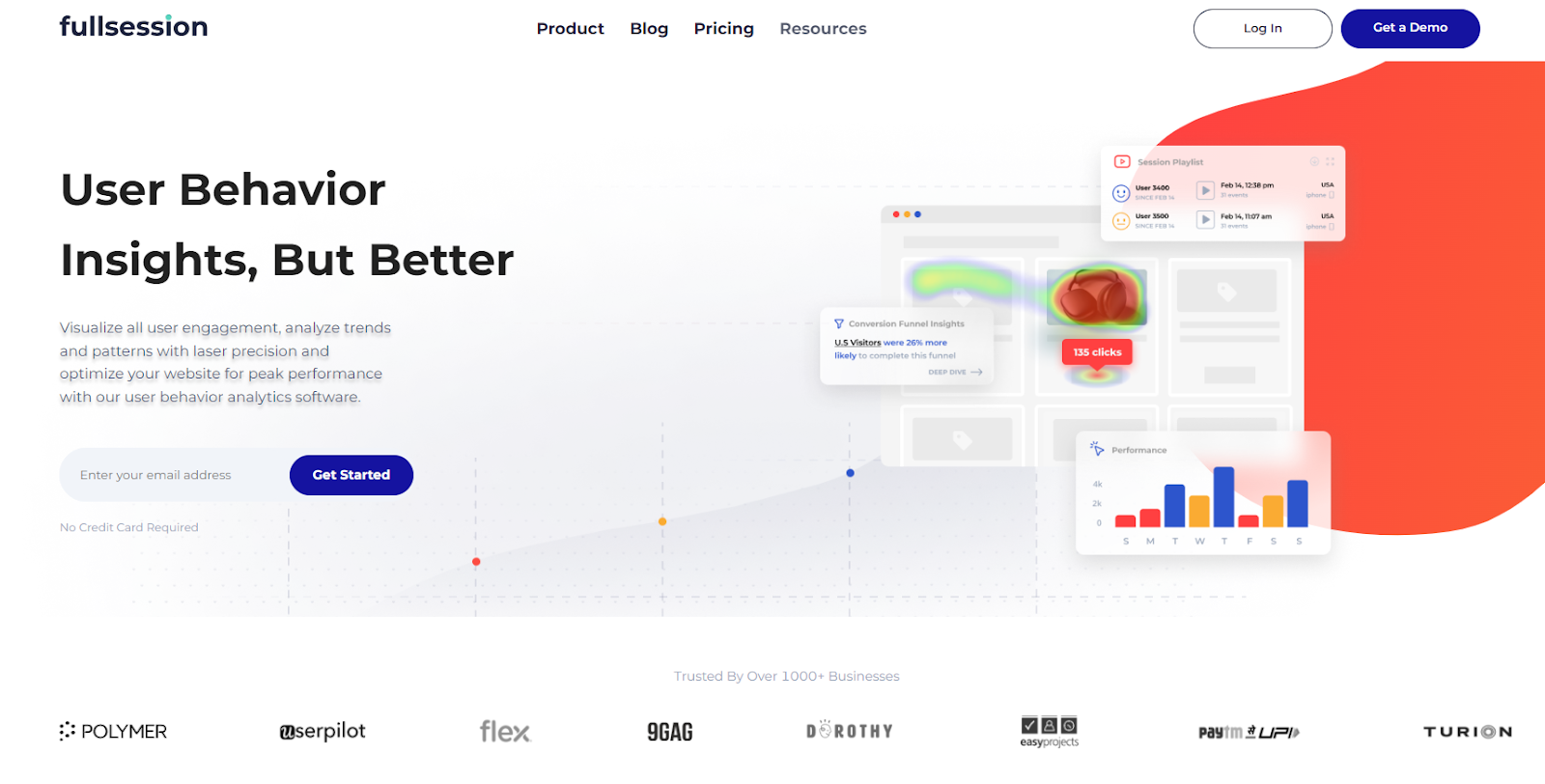
    FullSession is an all-in-one user behavior analytics software that helps you capture all user interactions, visualize and analyze trends and patterns and optimize your website usability, interface and performance to boost conversions.

    With FullSession, you get a 360-degree view of user behavior data in one place.

    Say goodbye to hours of number-crunching. Instead, watch real-time session recordings and replays to see what helps or hurts your conversion rate. FullSession shows you the key parts of each user’s journey, giving you instant insights you can actually use.

    Use UX heatmap tools to spot what’s working or not. See which website areas users ignore, test page elements, and confirm if your changes improve results.

    Find and eliminate the roadblocks that stop visitors from becoming customers. Use conversion rate optimization tools to improve critical points in your user’s journey and make a clear path to conversion through your sales funnel. 

    Capture user feedback in real-time with website feedback forms. Get a clear picture of what’s frustrating them and quickly solve their pain points. Instead of guessing, you’ll know exactly what’s causing issues and why.

    Trust FullSession to keep your data safe and protect your users’ privacy. We take security seriously so you can focus on improving your site without worrying about data risks.

    Our behavioral analysis software follows the strictest privacy rules, including GDPR, CCPA, and PCI standards. It means we’re not just tracking behavior; we’re doing it the right way.

    Turn User Behavior into Growth Opportunities

    Learn how to visualize, analyze, and optimize your site with FullSession.

    Best for

    FullSession is for:

    • E-commerce businesses
    • SaaS companies
    • Digital marketers
    • UX designers
    • Data analysts
    • Quality assurance teams
    • Product development teams
    • Customer support teams
    • Customer experience professionals

    Key features

    • User and event segmentation: Analyze data based on behavior patterns, trends and correlations to improve user journeys, engagement and conversions.
    • Session recordings and replays: Capture user interactions, identify usability issues, and predict future actions without recording sensitive data.
    • Interactive heatmaps: Analyze mouse movements, clicks, and scrolls to identify high and low interaction areas in real-time.
    • Customer feedback forms: Create customized feedback forms to get user input and watch session recordings for additional context.
    • Conversion funnel optimization: Visualize user drop-offs at each step and improve your site to boost conversion rates.
    • Error analysis: Detect and resolve website errors like JavaScript and network issues to ensure a smooth user experience.

    Supported platforms

    FullSession captures user behavior on web platforms and can show mobile user recordings.

    Integrations

    FullSession integrates with platforms like Shopify, WordPress, Wix, and BigCommerce. It also provides native integrations and connects with open APIs, webhooks, and Zapier.

    Customer support

    You can reach FullSession’s support team via live chat and email, or visit the help center.

    Pricing

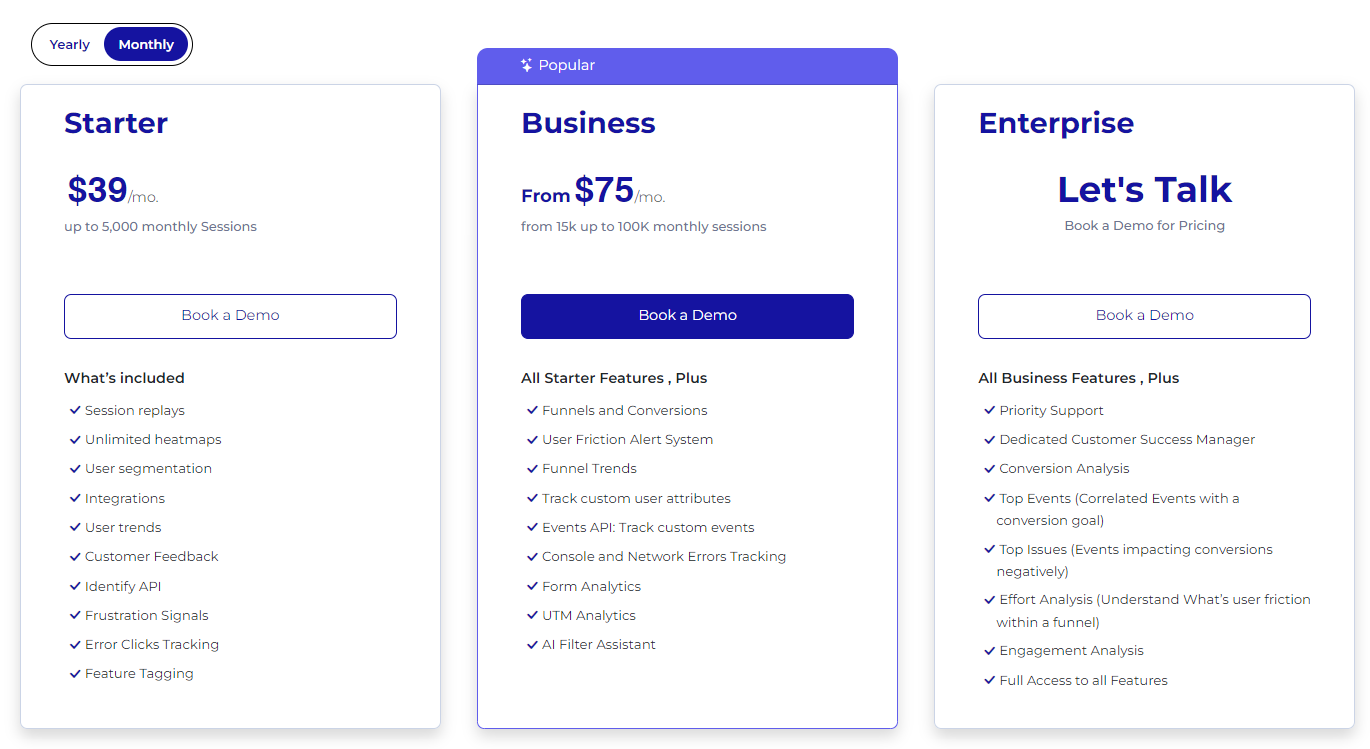
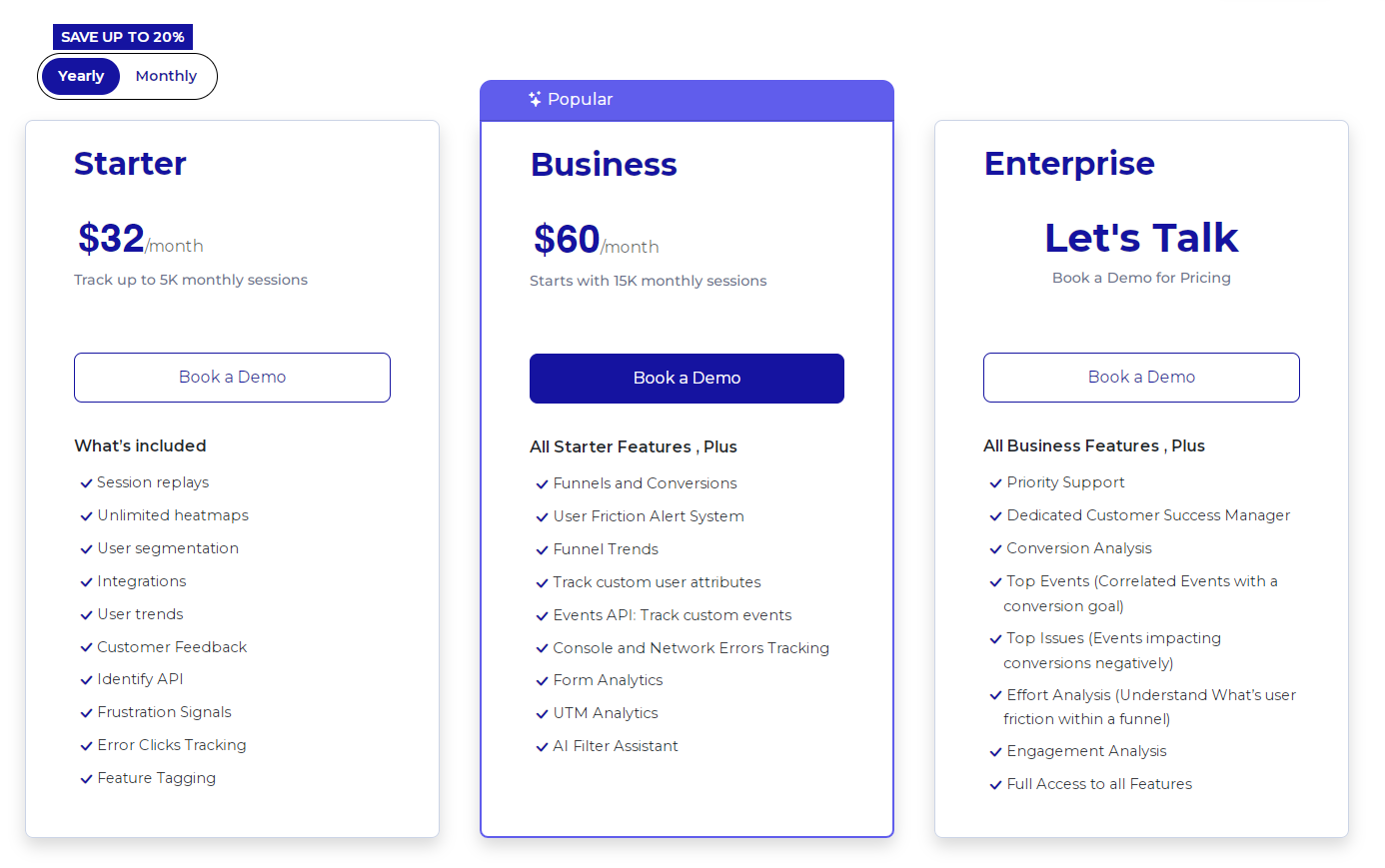
    FullSession pricing

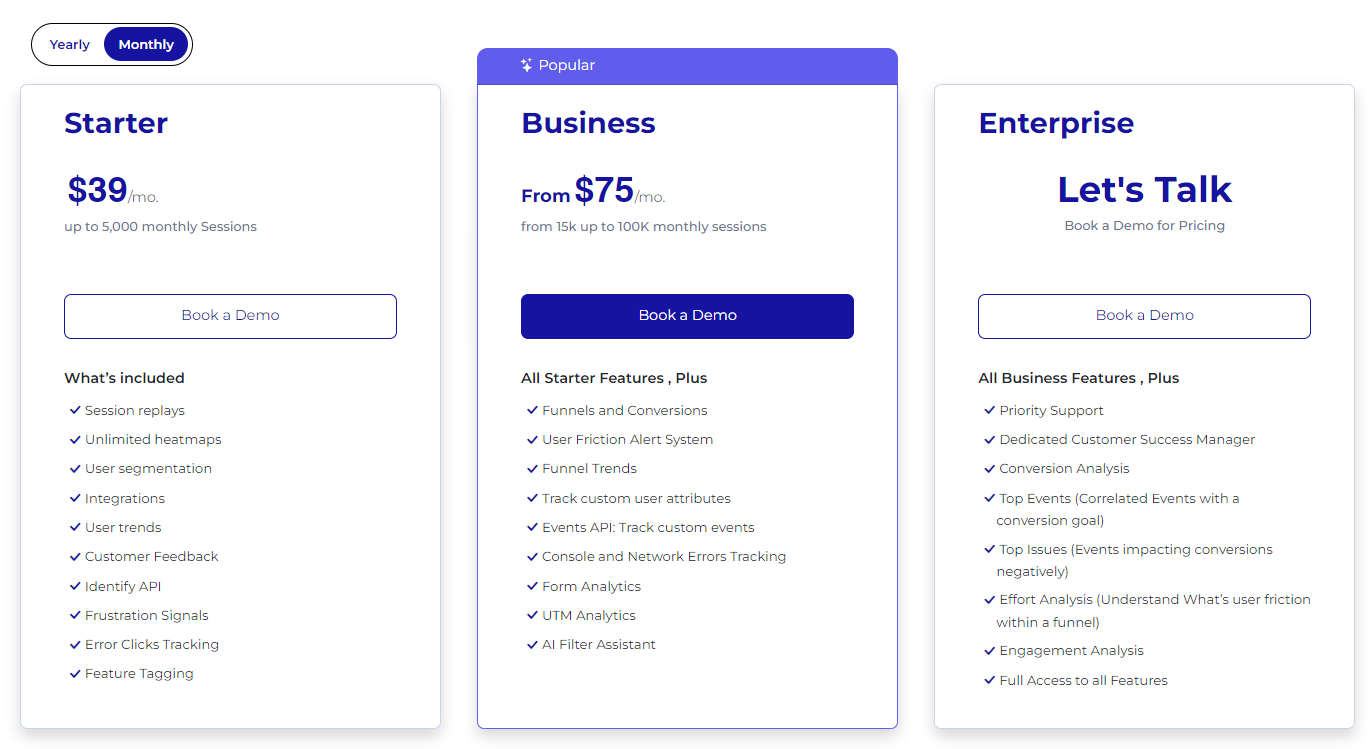
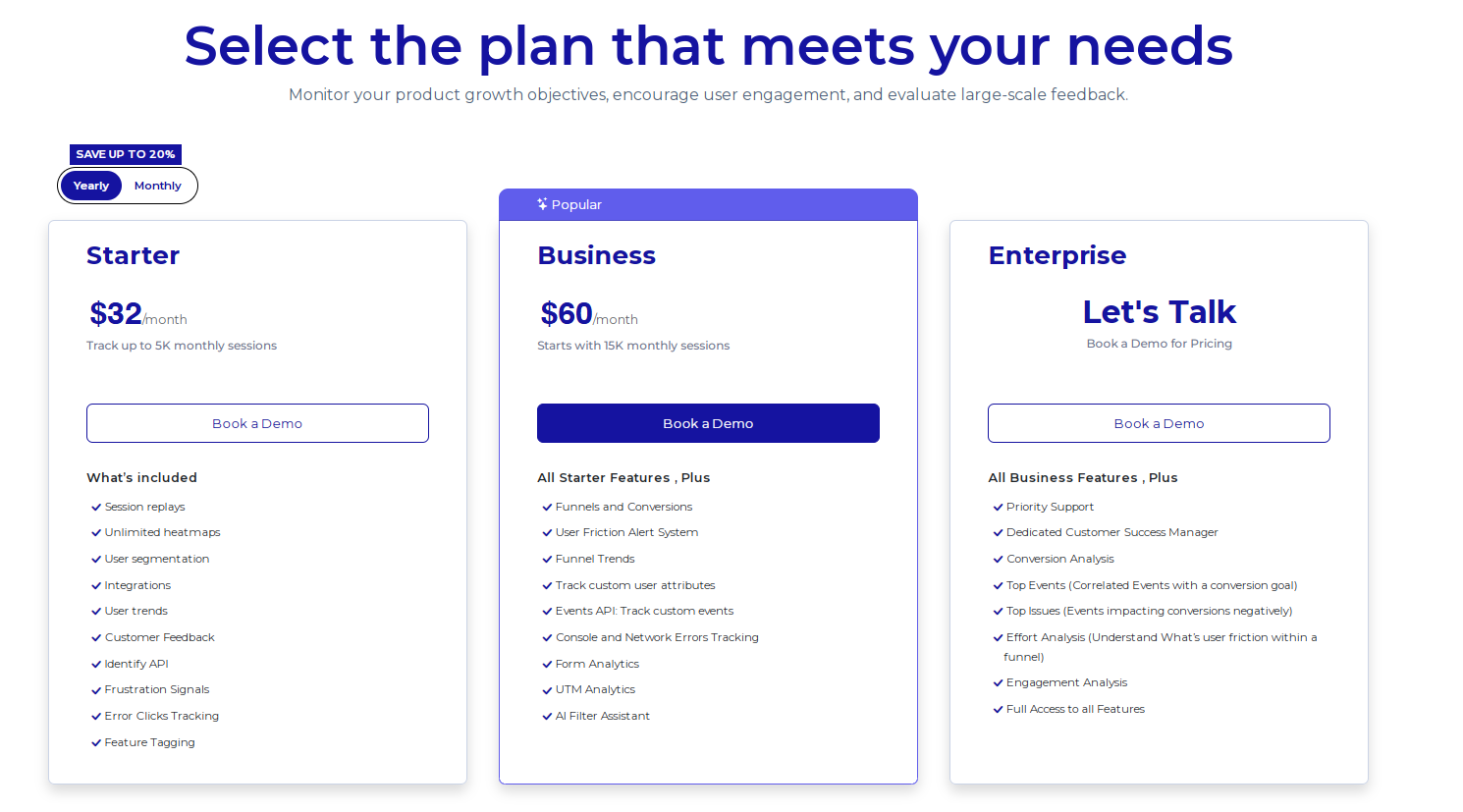
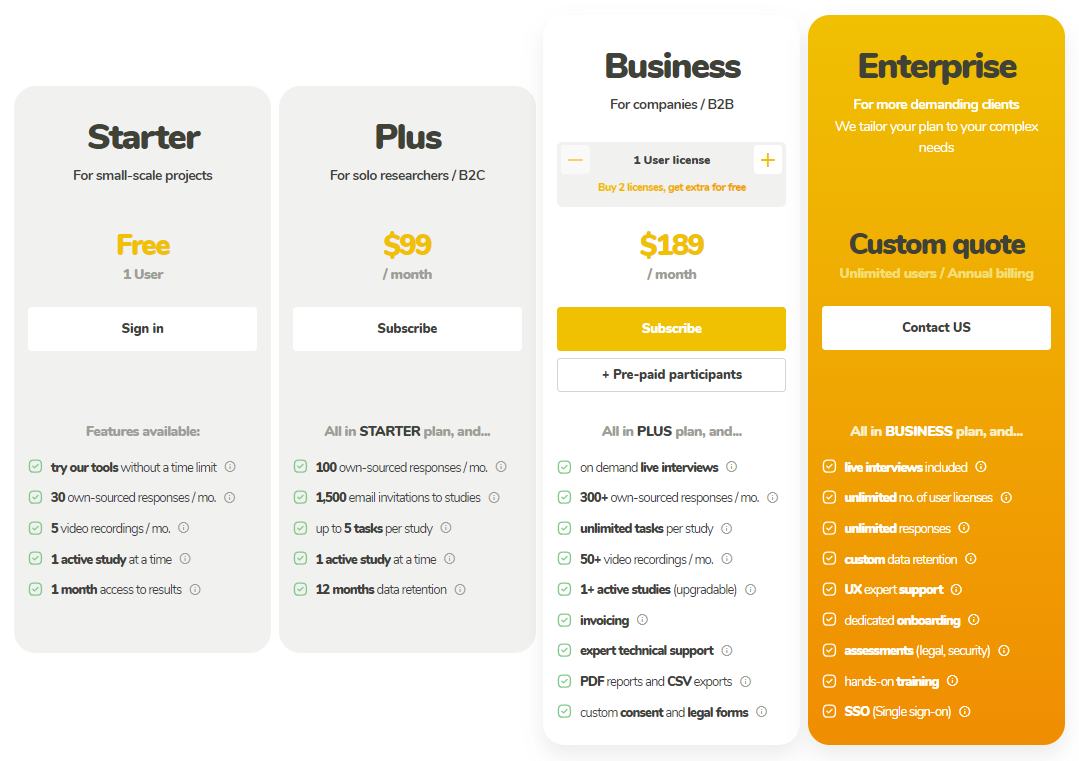
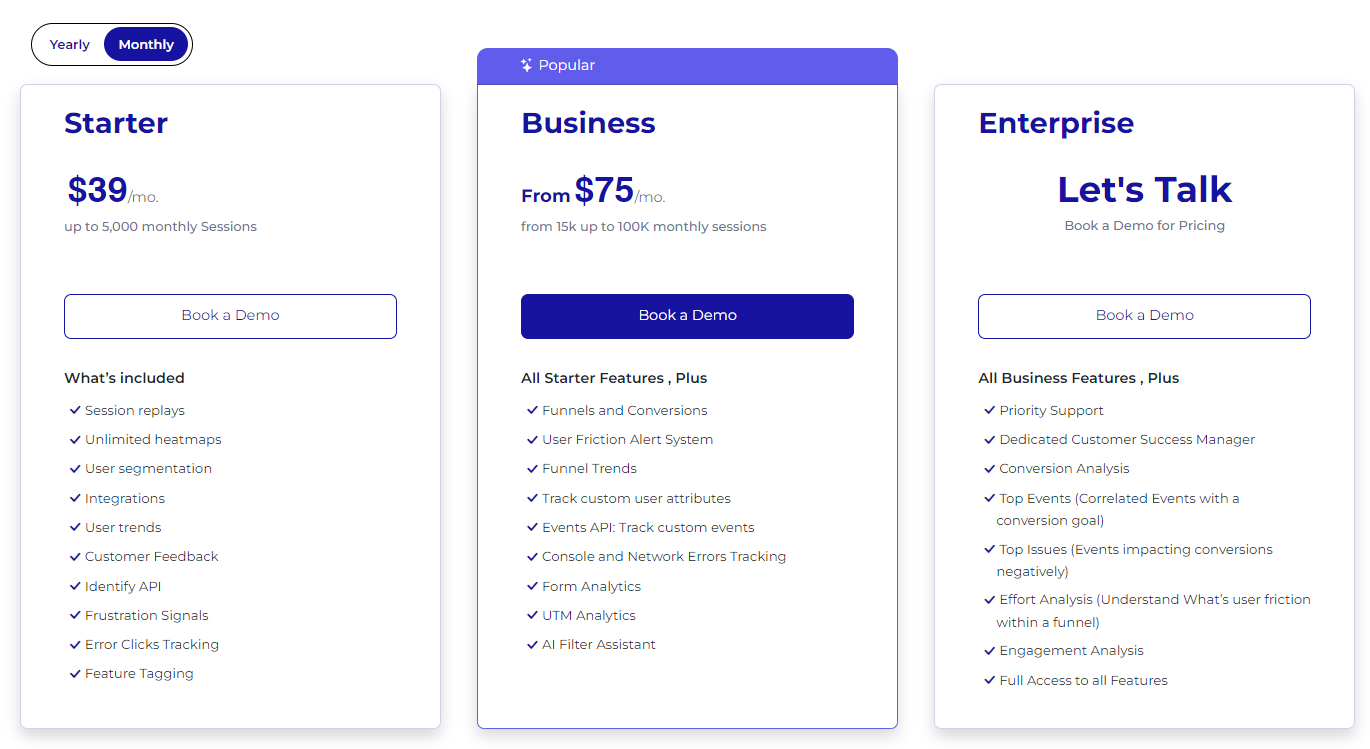
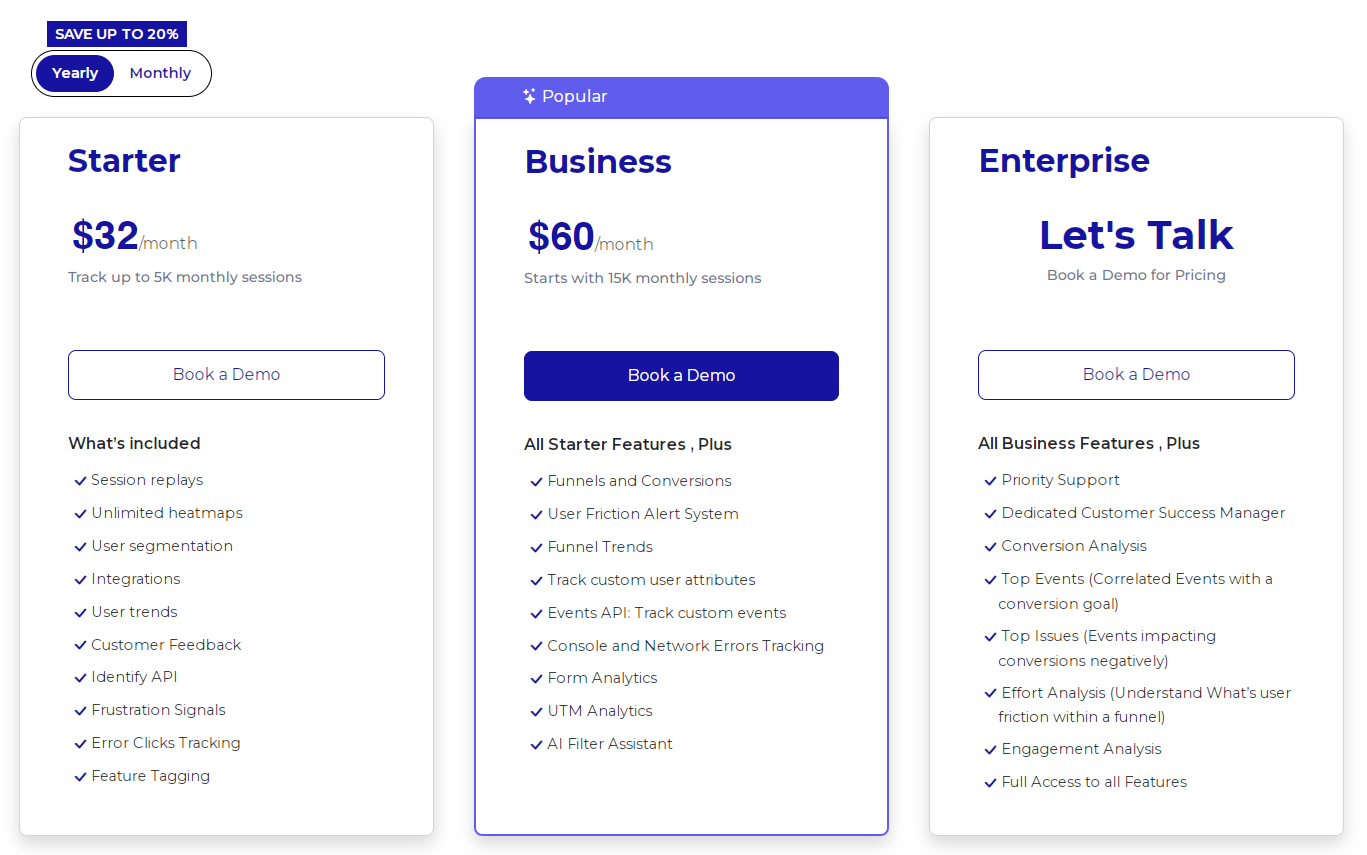
    FullSession offers a free trial and three paid plans—Starter, Business, and Enterprise—making it accessible to businesses of all sizes. 

    The entry-level plan starts at $39/month, with unlimited heatmaps and up to 5,000 session recordings. 

    Annual subscriptions come with a 20% discount. View the Pricing page for more info.

    Pros

    • Track dynamic elements in real time for precise user insights
    • Accelerate heatmap processing with zero impact on site speed
    • Protect user privacy by excluding sensitive data recording
    • Manage extensive data sets effectively and quickly reveal key insights
    • Limit user behavior tracking to your site, preventing data misuse 
    • Facilitate cross-team collaboration and unify team efforts on one platform

    Cons

    • FullSession doesn’t work with mobile apps

    Turn User Behavior into Growth Opportunities

    Learn how to visualize, analyze, and optimize your site with FullSession.

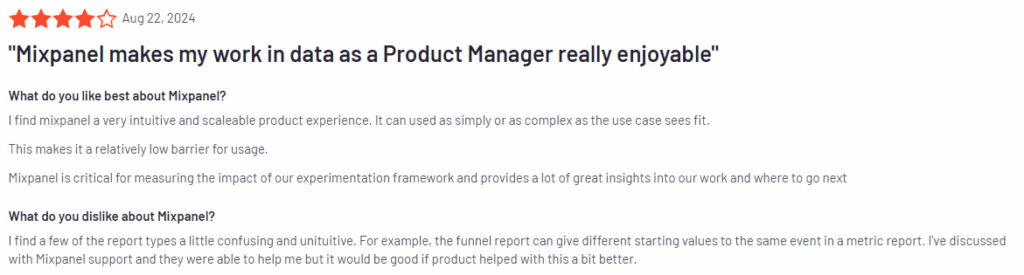
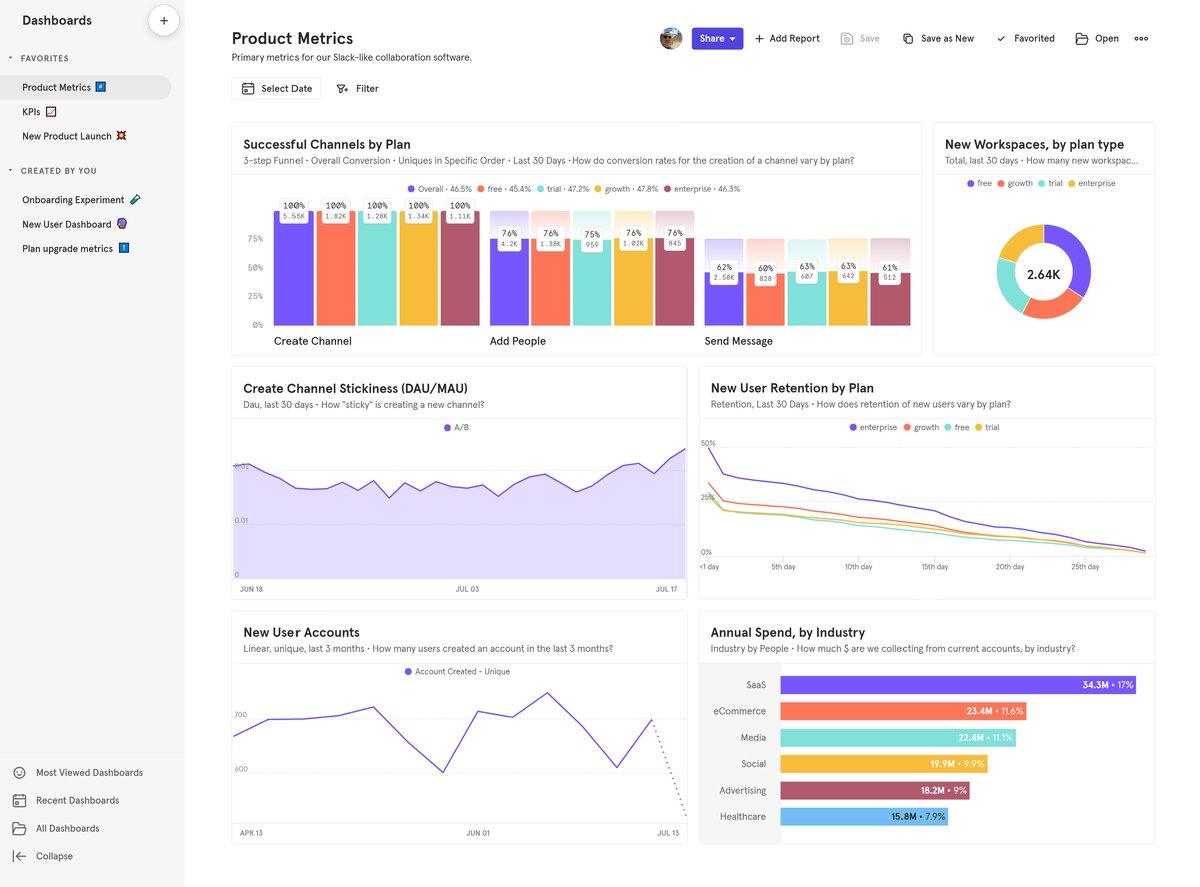
    2. Mixpanel

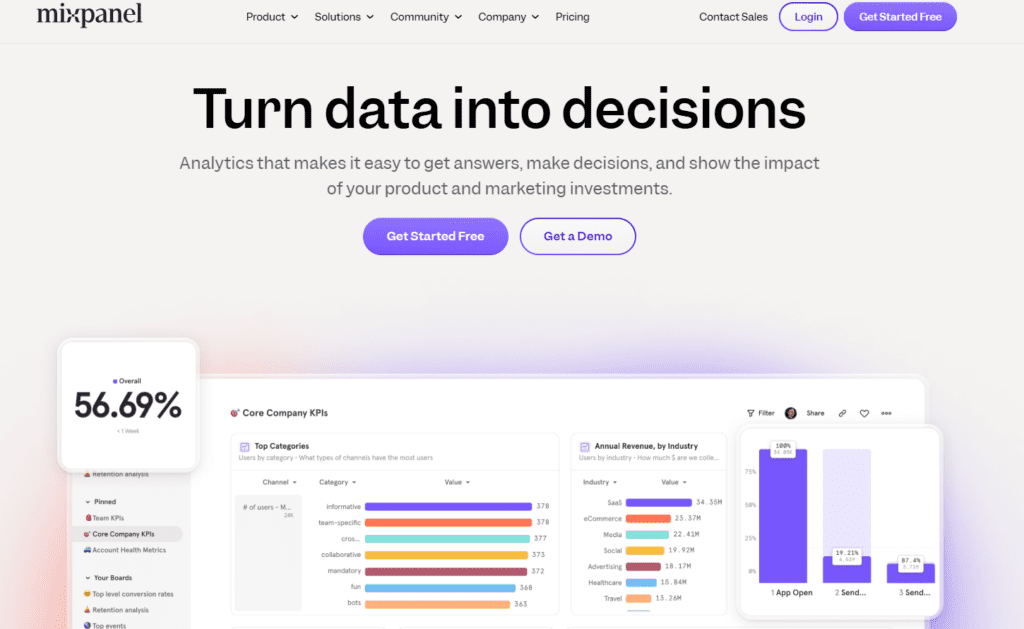
    Mixpanel

    Image source: G2

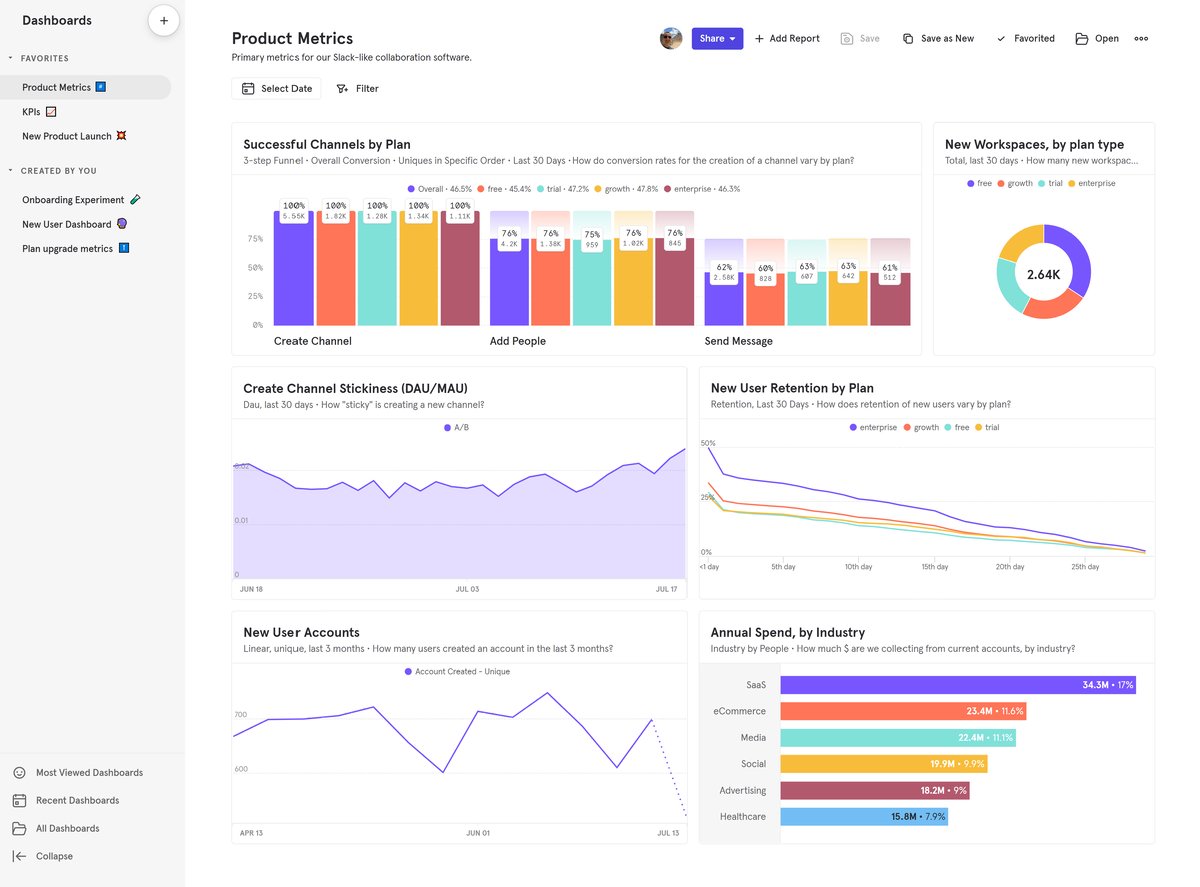
    Mixpanel is a product analytics tool designed to help businesses understand user behavior across their digital products. 

    With a focus on providing actionable insights, Mixpanel allows teams to track specific events, measure user engagement, and make data-driven decisions to improve product experiences.

    Learn more:

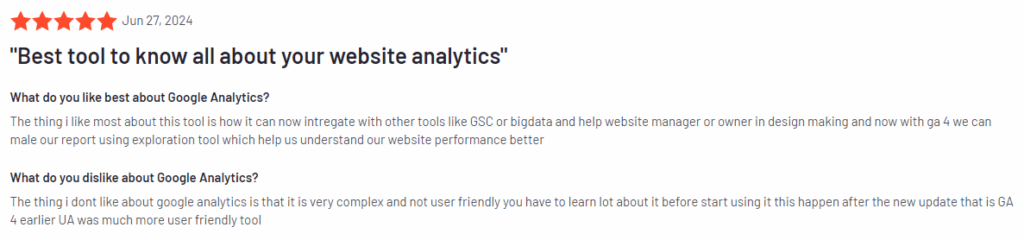
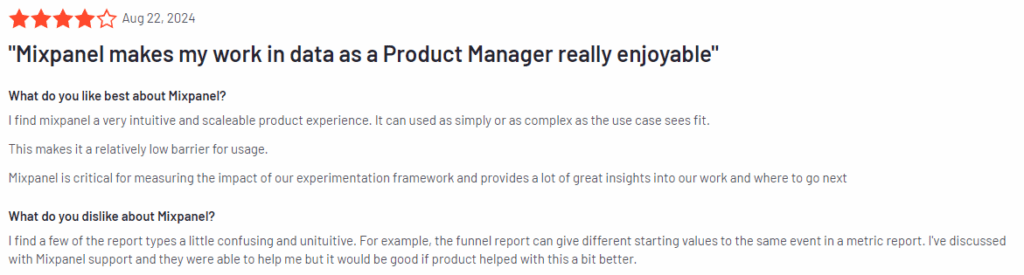
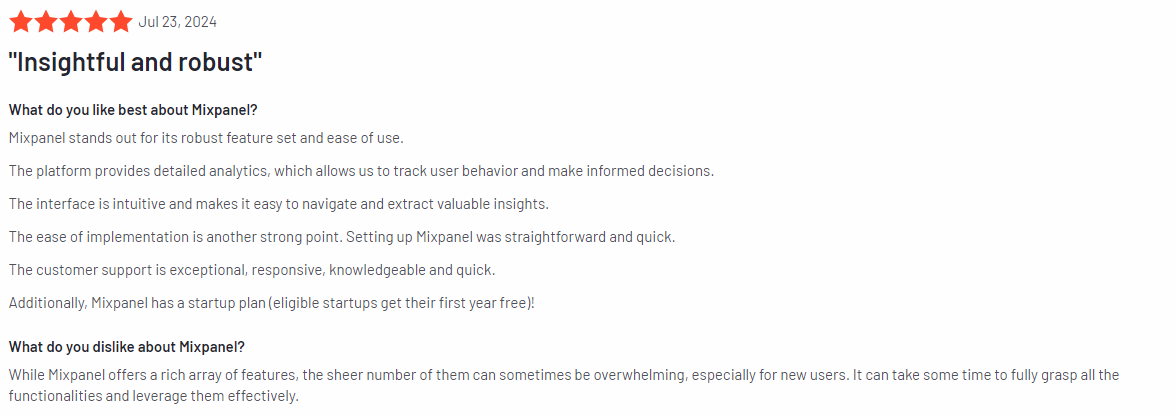
    User rating

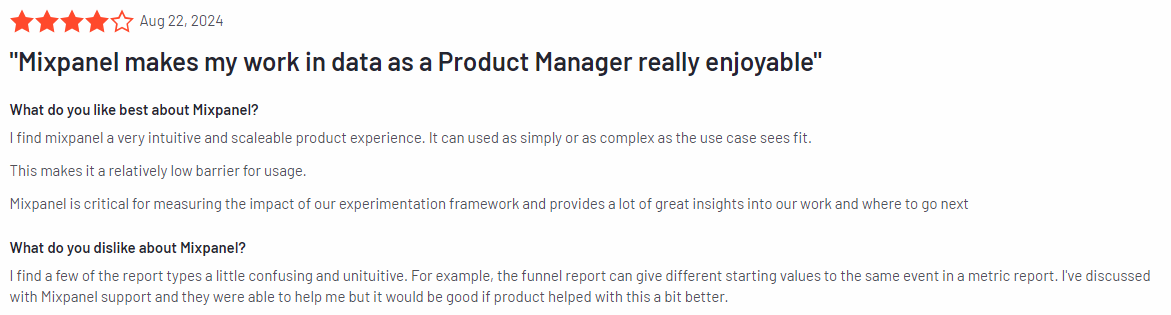
    Mixpanel review

    Image source: G2

    According to the 1,125 G2 reviews, Mixpanel has an average rating of 4.6 out of 5 stars.

    Best for

    Mixpanel is for product managers, SaaS companies, mobile app developers, data-driven marketers, and UX/UI designers who need detailed insights into how users interact with their products.

    Key features

    • Event-based tracking: Track user interactions at a granular level to understand how users navigate your product and what features drive engagement.
    • Cohort analysis: Group users based on shared behaviors and analyze their interactions over time to improve user retention and personalize experiences.
    • Funnels and conversions: Visualize the user journey, identify drop-offs, and optimize funnels to boost conversion rates.
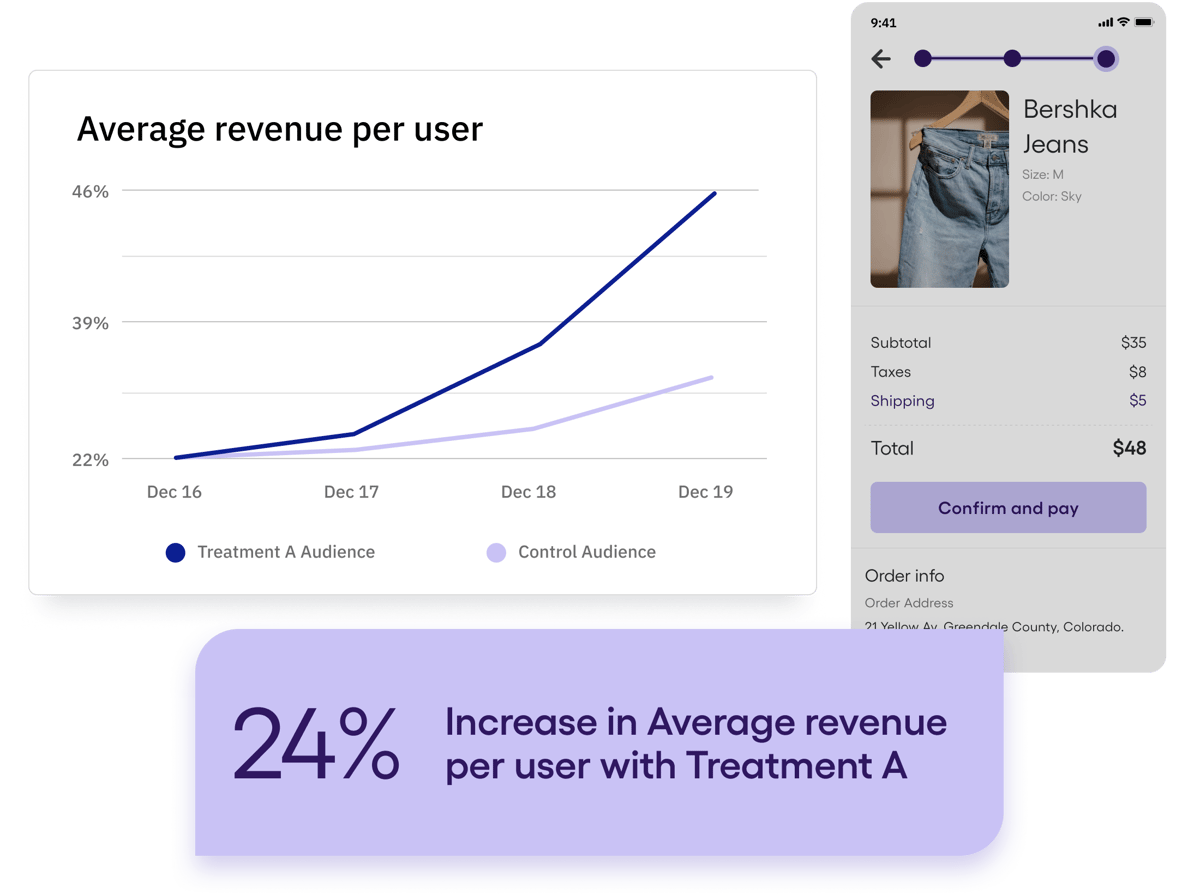
    • A/B testing: Experiment with different design elements and content variations to see which performs better and improve your product incrementally.
    • Retention reports: Measure how well your product retains users over time and gain insights into how to increase long-term engagement.
    • Segmentation tools: Break down your audience by specific attributes or behaviors to uncover valuable trends and insights.

    Supported platforms

    Mixpanel supports web and mobile platforms, with specialized tools for tracking user behavior across websites, iOS, and Android apps.

    Integrations

    Mixpanel integrates with Salesforce, HubSpot, Slack, Segment, and Zapier, making it easier to incorporate data from different sources and automate workflows.

    Customer support

    Mixpanel offers several support channels, including email, live chat, and a detailed knowledge base. For Enterprise customers, there are dedicated account managers and priority support options available.

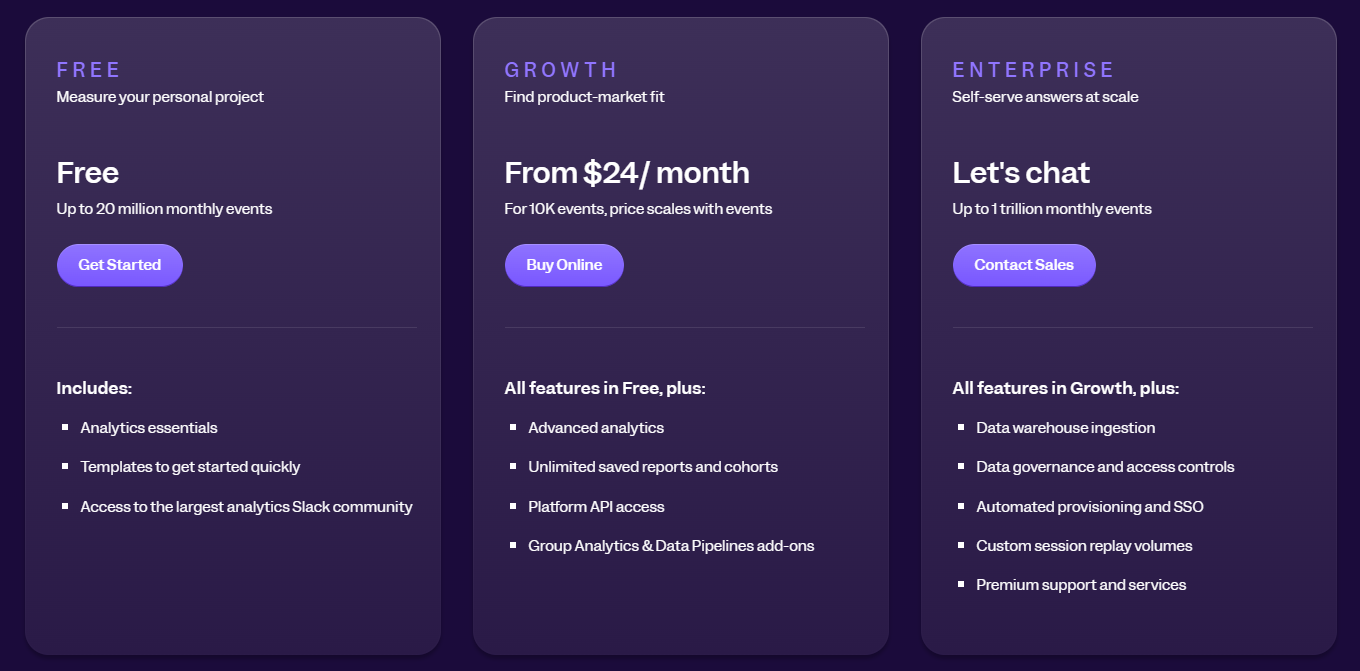
    Pricing

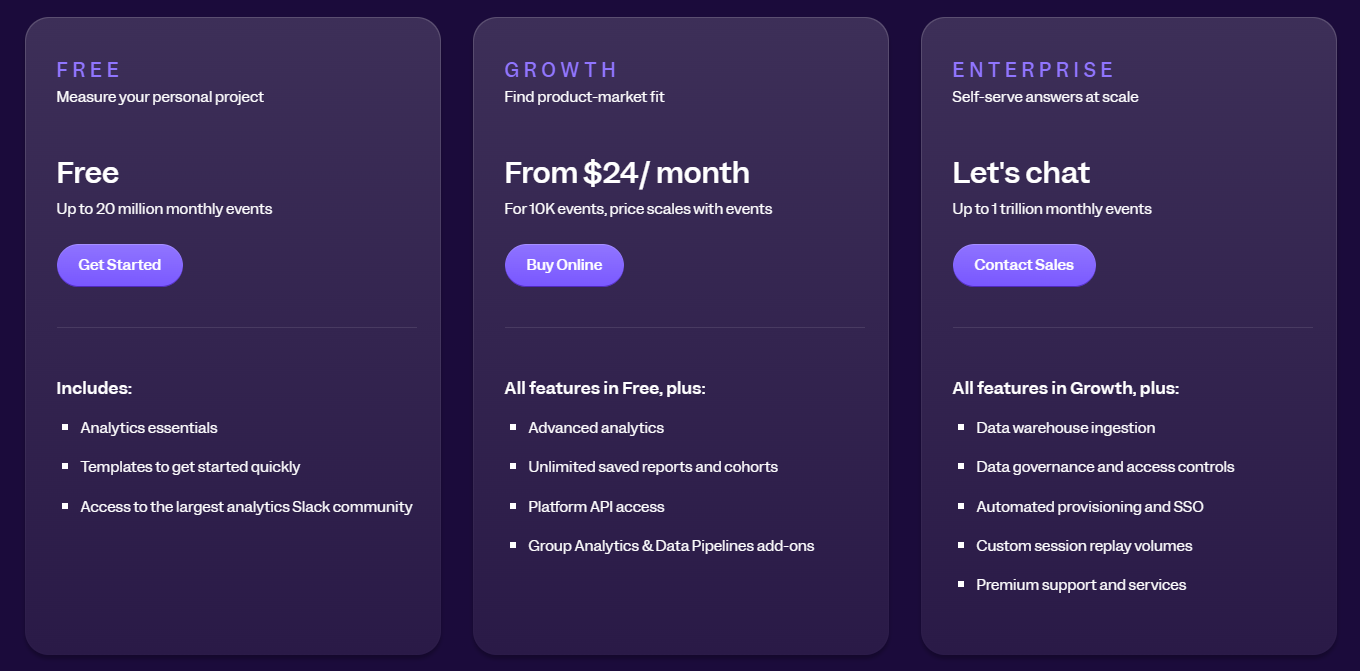
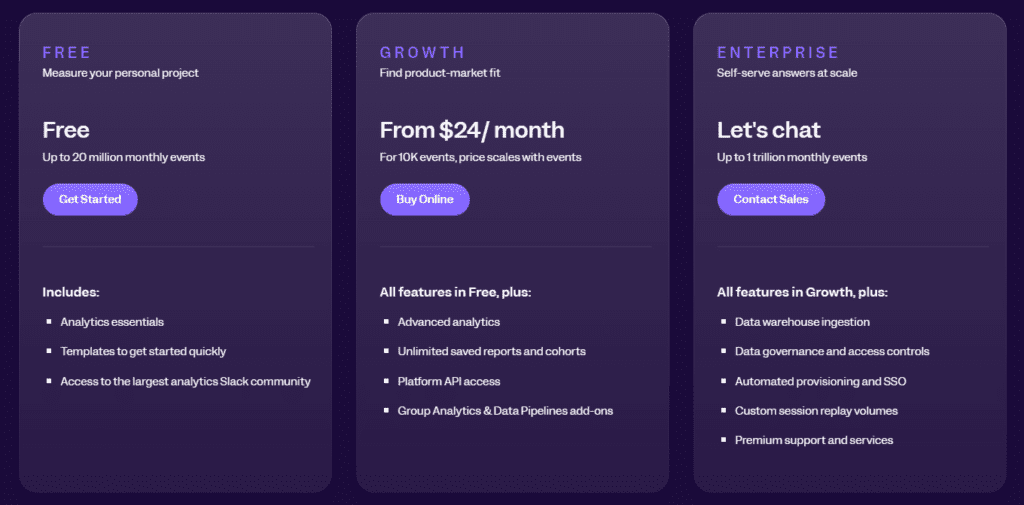
    Mixpanel pricing

    Mixpanel offers a free plan with basic features for small teams, including up to 20 million monthly events. 

    Paid plans start at $28/month, which unlocks additional features like advanced segmentation, platform API access, and priority support. 

    Enterprise-level pricing is available on request, providing scalable solutions for larger teams.

    Pros

    • Customizable event tracking for granular data insights
    • Cohort analysis to boost user retention
    • Easy-to-navigate interface for beginners and advanced users alike
    • Integration with major third-party tools
    • Scalable pricing options for businesses of all sizes

    Cons

    • It can become expensive for larger businesses with high traffic
    • Advanced features may have a steep learning curve for new users

    3. Google Analytics

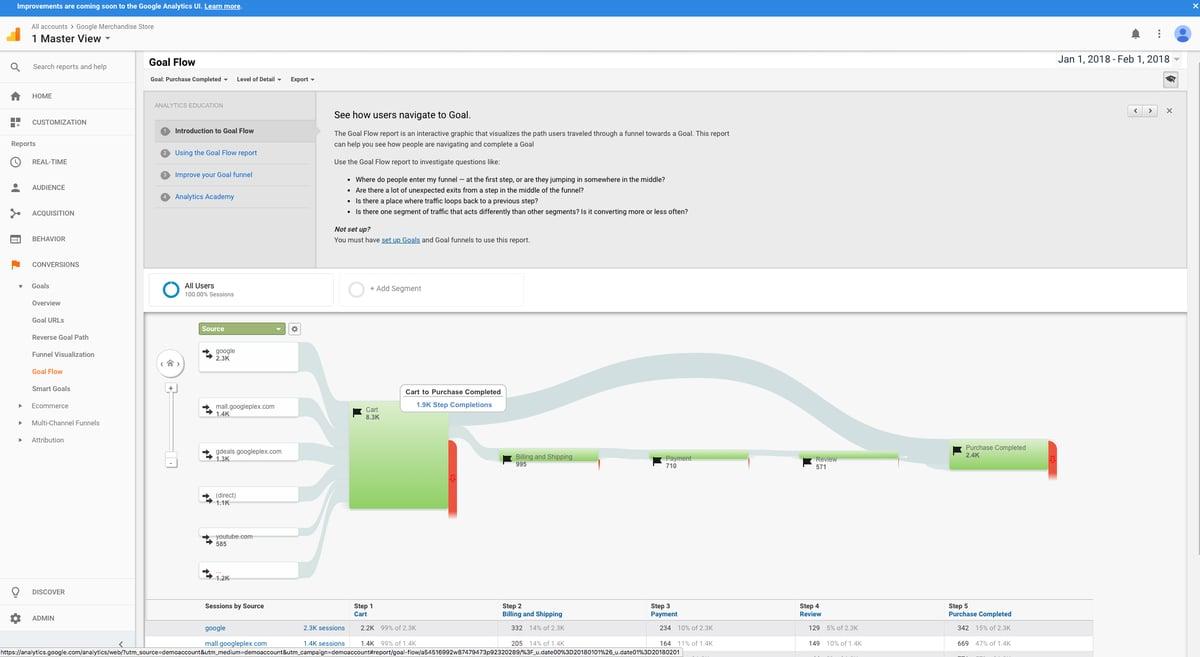
    Google Analytics

    Image source: G2

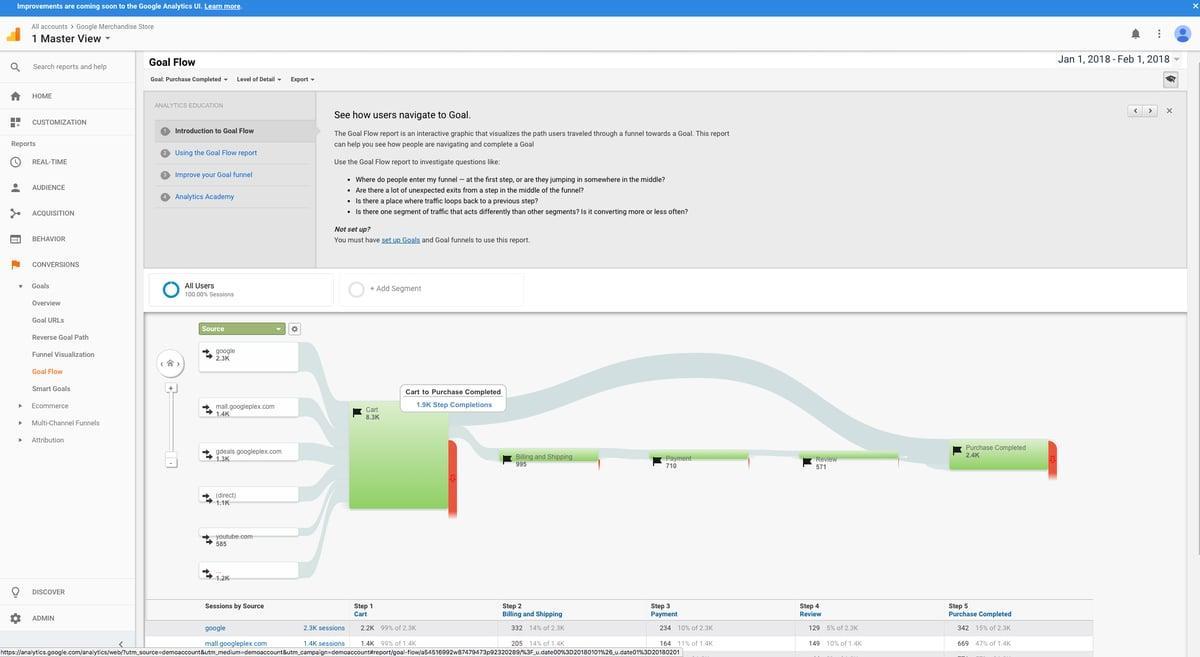
    Google Analytics is free web analytics software that helps businesses track website traffic, user behavior, and conversions. It provides detailed reports on audience demographics, acquisition channels, and engagement.

    Learn more:

    User rating

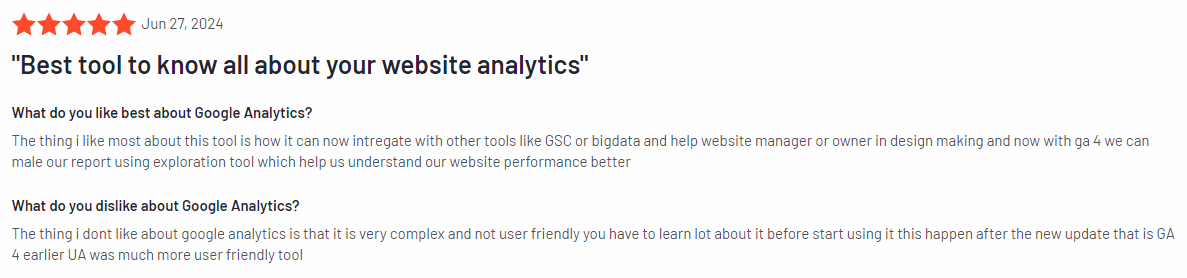
    Google Analytics review

    Image source: G2

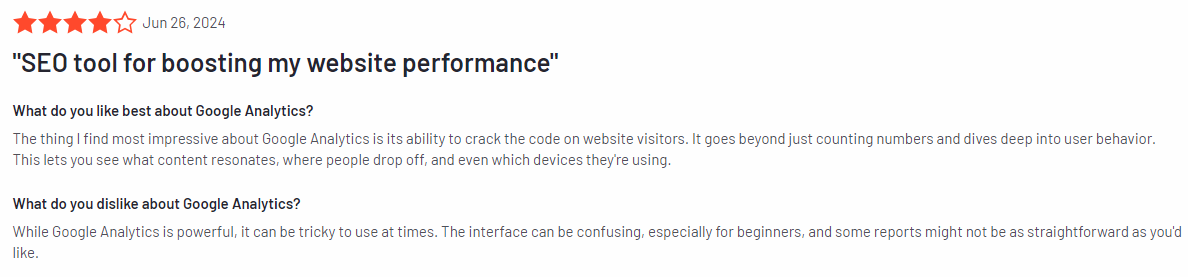
    According to the 6,401 G2 reviews, Google Analytics has an average rating of 4.5 out of 5 stars.

    Best for

    Google Analytics is a good solution for many businesses, from startups to large enterprises, that need detailed insights into website performance. Since it’s free and highly versatile, it’s also a go-to tool for companies just starting with web analytics.

    Key features

    • Real-time reporting: View live website activity to monitor current user behavior and traffic spikes.
    • Audience insights: Gain detailed information on user demographics, interests, and behaviors to tailor your content and marketing efforts.
    • Traffic acquisition tracking: Understand where your website traffic is coming from (organic search, social media, paid ads, etc.).
    • Conversion tracking: Set up goals and track user actions, such as form submissions, downloads, and purchases.
    • Ecommerce tracking: Measure transaction details, revenue, and product performance for online stores.
    • Custom reports and dashboards: Create tailored reports that fit your specific KPIs and metrics.

    Supported platforms

    Google Analytics supports tracking across websites, mobile apps (through Google Analytics for Firebase), and various digital products.

    Integrations

    Google Analytics integrates with the broader Google ecosystem, including Google Ads, Google Tag Manager, Google Search Console, and more. It also connects with third-party platforms like Shopify, WordPress, and other CMS systems, offering robust flexibility for data analysis.

    Customer support

    Google Analytics provides documentation and a help center. Premium users of Google Analytics 360 have access to priority support, including dedicated account managers.

    Pricing

    Google Analytics is free for most users, offering all essential features at no cost. For larger businesses, Google Analytics 360 is available with advanced features and enhanced support, starting at $150,000 per year.

    Pros

    • Free to use with extensive features for tracking and analyzing website data
    • Integrates with other Google products and services
    • Offers a set of reports for tracking audience, acquisition, and conversion
    • Customizable dashboards and reports for tracking specific business metrics
    • Scalable for businesses of all sizes

    Cons

    • Limited customization options in the free version
    • Steep learning curve for beginners due to the complexity of the platform
    • Only provides raw data, not user behavior analytics tools

    4. Amplitude

    Amplitude

    Image source: G2

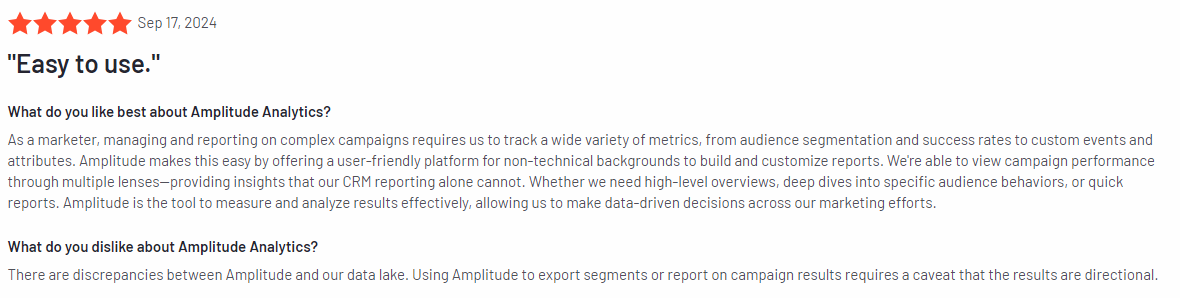
    Amplitude is a product analytics platform that helps teams better understand how users interact with their digital products. Known for its focus on real-time behavioral data and advanced segmentation, Amplitude empowers businesses to optimize user engagement, retention, and overall product experience.

    Learn more: Amplitude alternatives.

    User rating

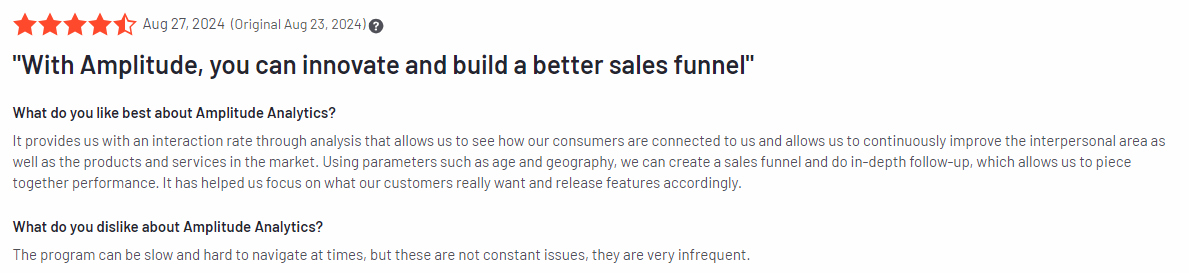
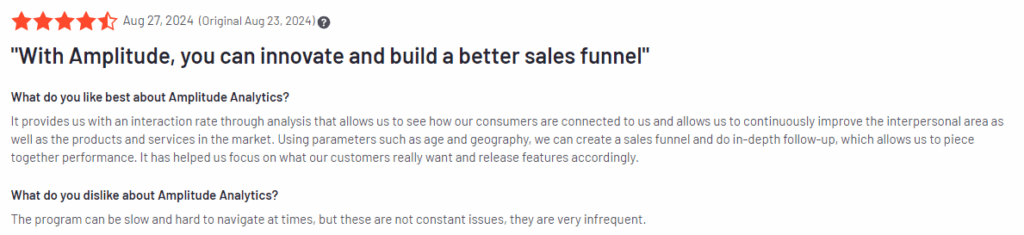
    Amplitude review

    Image source: G2

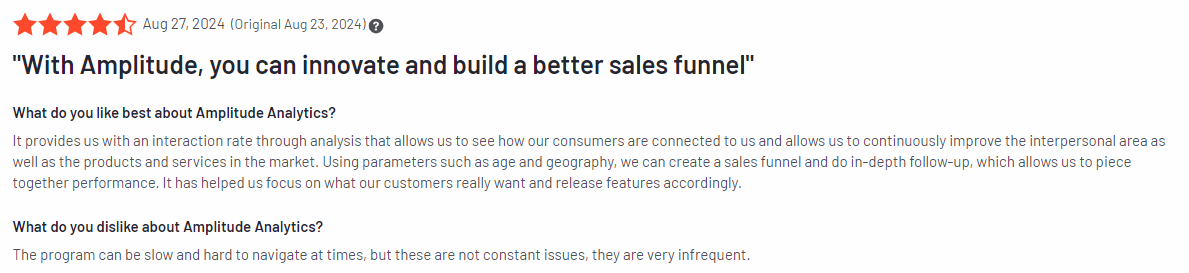
    According to the 2,179 G2 reviews, Amplitude has an average user rating of 4.5 out of 5 stars.

    Best for

    Amplitude is for product teams, growth marketers, data analysts, and SaaS businesses focused on improving user engagement and retention.

    Key features

    • Behavioral cohorts: Create dynamic user groups based on behaviors and actions to understand patterns and target specific audiences.
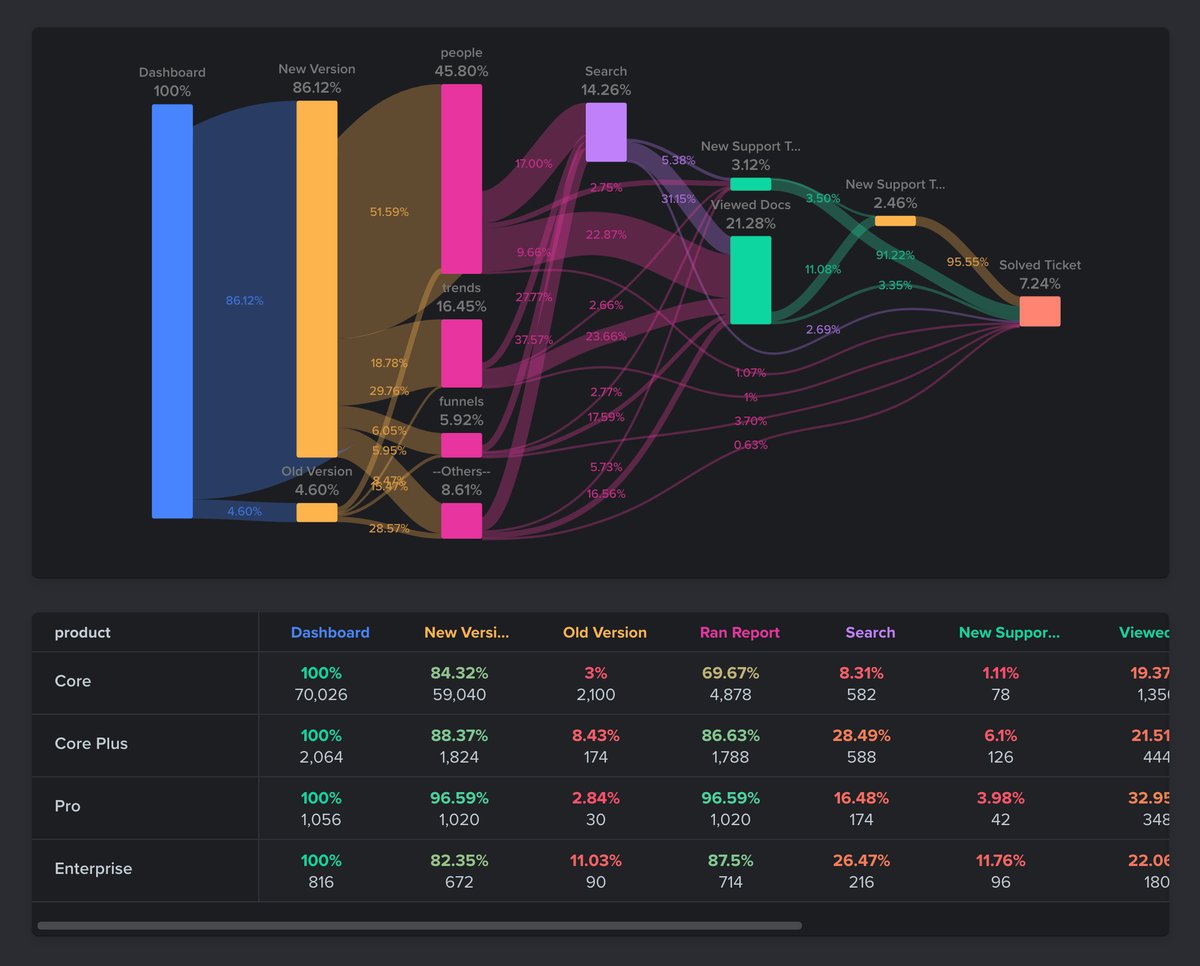
    • Pathfinder and user journeys: Visualize how users navigate your product, identifying common paths and friction points to optimize user flow.
    • Real-time analytics: Get instant insights on user activity to understand how users interact with your product at any given moment.
    • Retention analysis: Measure how well your product retains users and track the long-term impact of product changes on user loyalty.
    • A/B testing: Run experiments on new features or design changes to assess their impact on user behavior and conversion rates.
    • Cross-platform tracking: Monitor user interactions across web, mobile, and other platforms for a complete picture of the user journey.

    Supported platforms

    Amplitude supports web, iOS, Android, and other digital platforms.

    Integrations

    Amplitude integrates with tools such as Salesforce, Segment, Slack, and Mixpanel. It also offers open APIs for custom integrations.

    Customer support

    Amplitude offers support through live chat, email, and an extensive knowledge base. Enterprise users have access to dedicated account managers and priority support options.

    Pricing

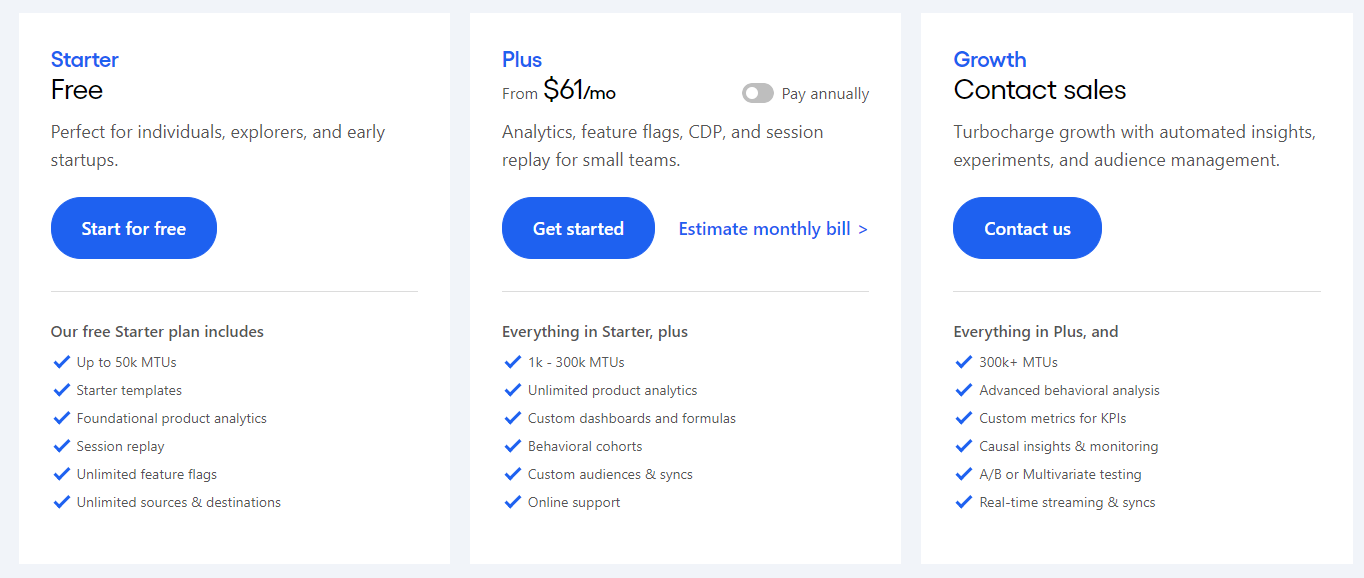
    Amplitude pricing

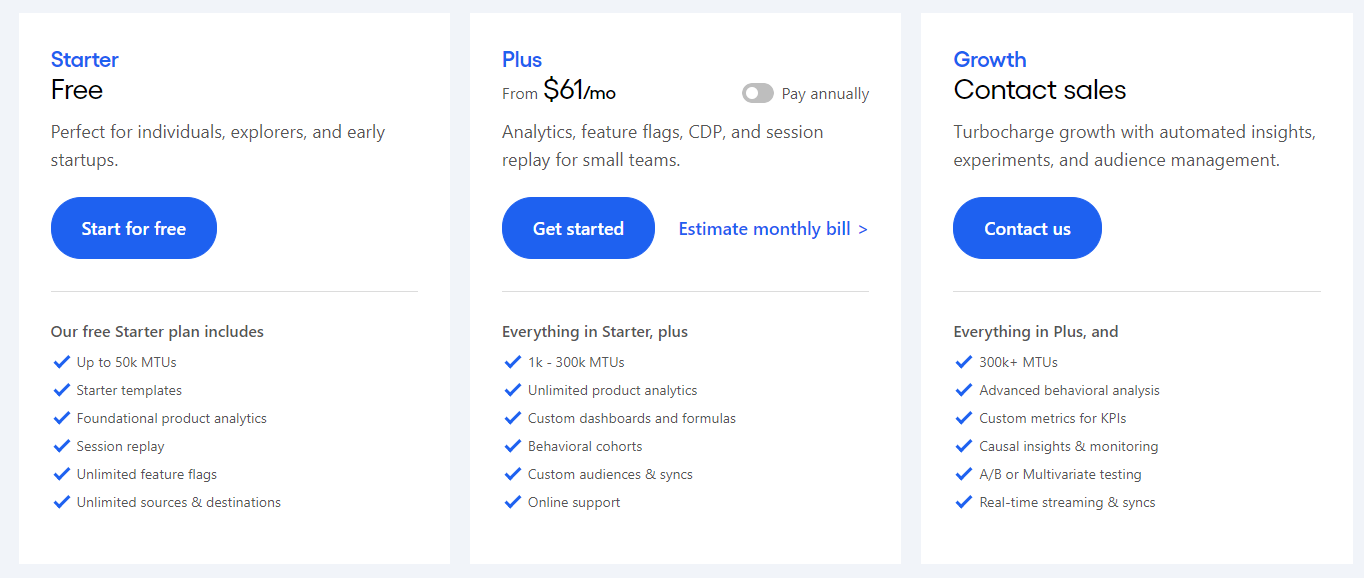
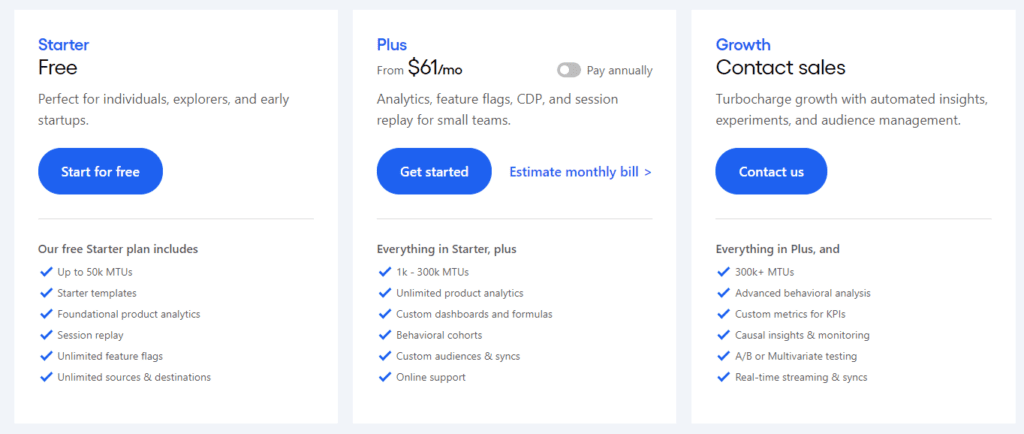
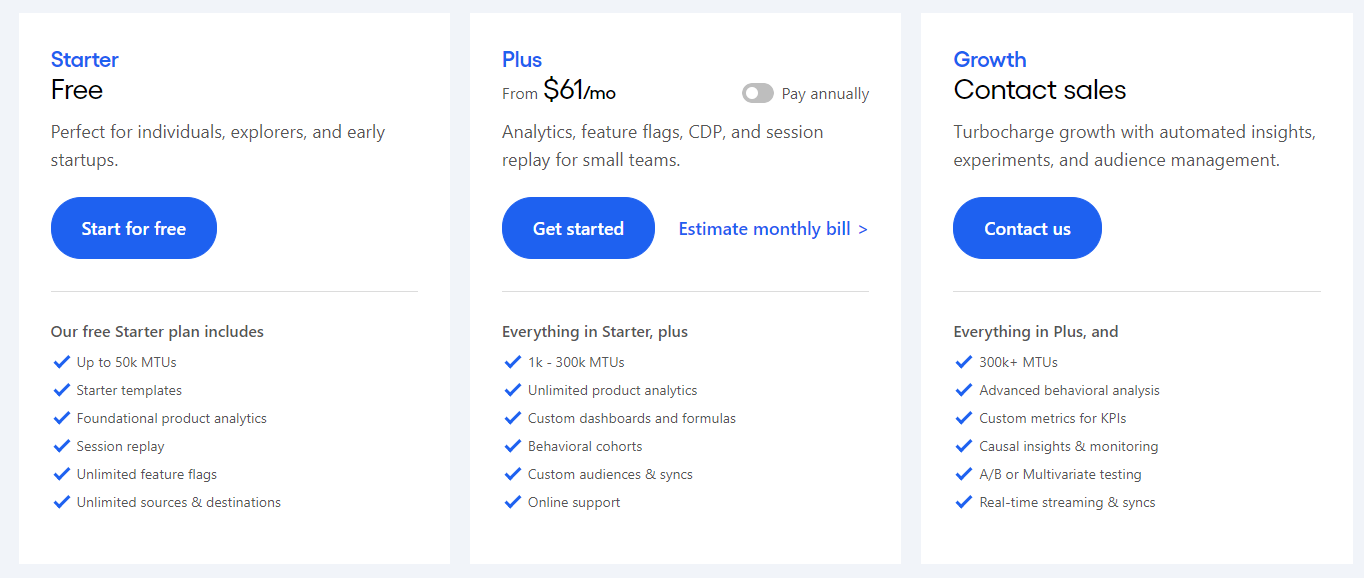
    Amplitude provides a free plan for up to 10 million tracked actions per month, which works for startups and small businesses. 

    Paid plans start at $61/month, offering advanced features like unlimited product analytics and custom dashboards. Custom enterprise pricing is available for larger organizations.

    Pros

    • Detailed behavioral analytics for in-depth insights
    • Segmentation and cohort tools for user analysis
    • Real-time data for quick decision-making
    • Cross-platform tracking for a comprehensive view of user journeys
    • Integration options with other marketing and product tools

    Cons

    • It can be expensive for smaller businesses with high usage needs
    • The complexity of advanced features may require dedicated data analysts
    • Customization options can feel overwhelming without technical expertise
    • The free plan may not provide enough flexibility for growing businesses needing deeper insights

    5. Woopra

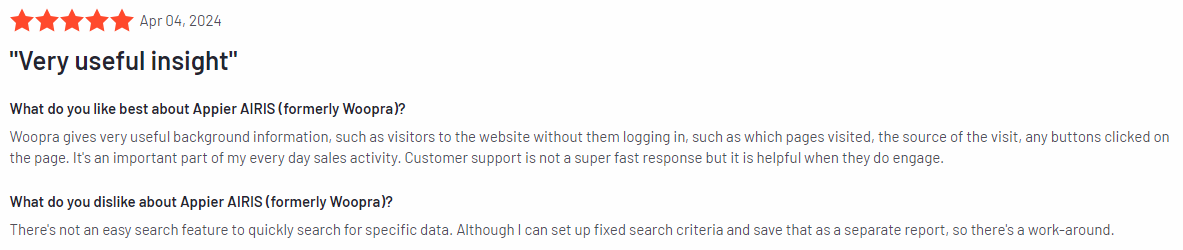
    Appier AIRIS (formerly Woopra)

    Image source: G2

    Woopra (now Appier AIRIS) is a customer journey analytics platform designed to provide businesses with deep insights into user behavior across multiple touchpoints. By integrating data from various sources, Woopra helps teams understand how users interact with their products and services.

    User rating

    Woopra review

    Image source: G2

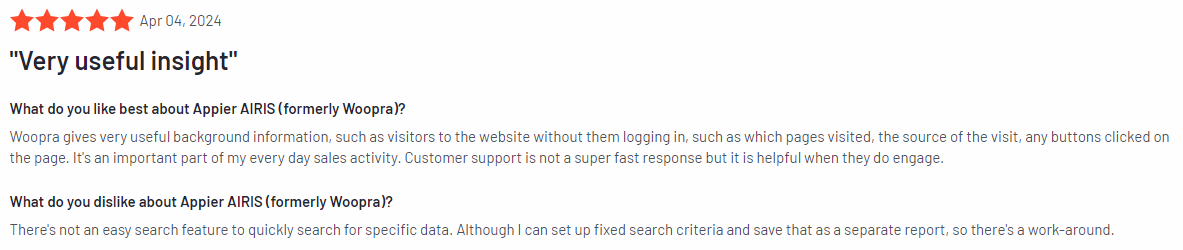
    Woopra has an average rating of 4.5 out of 5 stars, according to 205 reviews on the G2 platform.

    Best for

    Woopra is for businesses that want to track and analyze the entire customer journey across various channels. It benefits eCommerce businesses, SaaS companies, product managers, digital marketers, and customer support teams who want a unified view of customer interactions.

    Key features

    • Customer journey tracking: Visualize the entire customer journey across web, mobile, and offline channels to get a complete understanding of user behavior.
    • Real-time analytics: Monitor user activity in real-time to gain instant insights into how customers interact with your product or website.
    • Segmentation and cohort analysis: Group users based on shared behaviors and analyze how specific segments engage with your product over time.
    • Customer profiles: Create detailed profiles that consolidate data from various sources, offering a 360-degree view of each user.
    • Journey reports: Analyze key touchpoints in the customer journey to identify areas for improvement and optimize conversion funnels.

    Supported platforms

    Woopra supports web, iOS, Android, and desktop platforms, allowing businesses to track user behavior across multiple devices and channels.

    Integrations

    Woopra offers broad integrations, including marketing, customer support, and CRM tools. Some of its notable integrations include Salesforce, HubSpot, Zendesk, Segment, and Google Ads, allowing for comprehensive data collection and analysis.

    Customer support

    Woopra provides support through live chat, email, and an extensive knowledge base. For larger teams, dedicated account managers are available to offer personalized assistance and guidance.

    Pricing

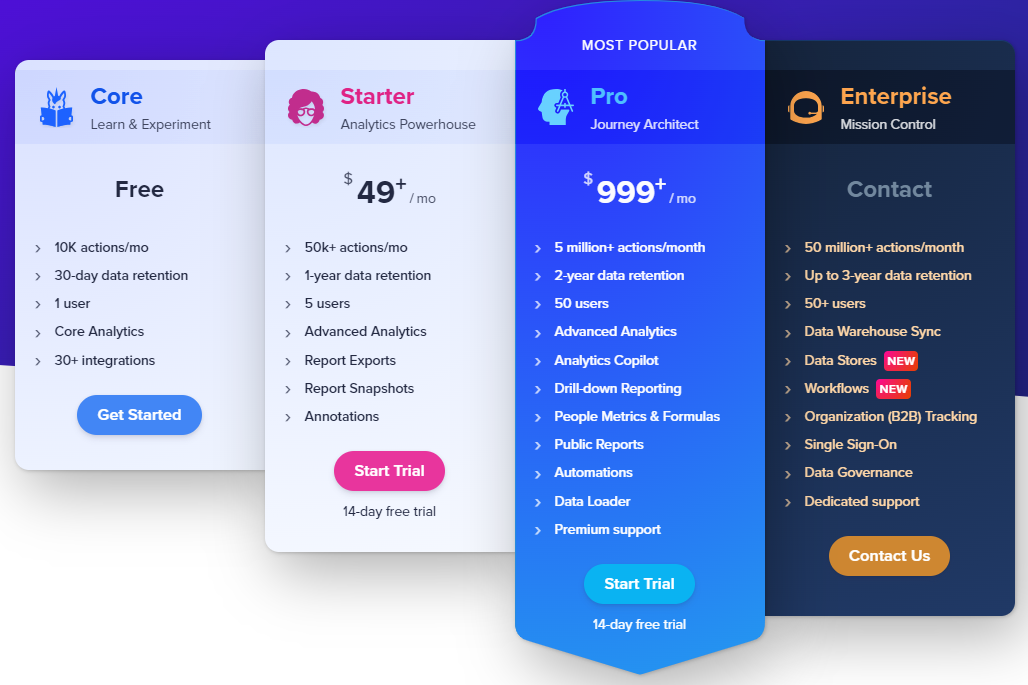
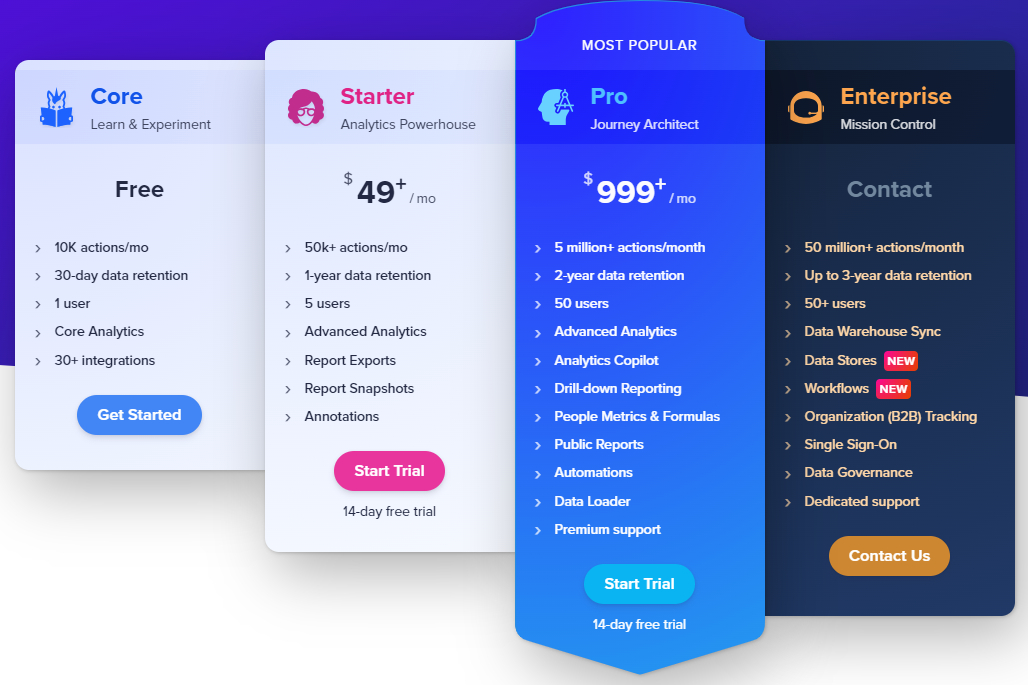
    Woopra pricing

    Woopra offers a free plan with basic features for tracking up to 500,000 actions per month. 

    Paid plans start at $49/month and include advanced features like customer journey reports, retention analysis, and integrations with popular platforms. 

    Custom enterprise pricing is available for large organizations with more extensive needs.

    Pros

    • Customer journey tracking with real-time insights
    • Detailed user profiles that combine data from multiple sources
    • Integration with a variety of marketing and sales tools
    • Intuitive interface that simplifies user behavior analysis
    • Scalable pricing plans to suit different business needs

    Cons

    • It may require technical expertise to set up and configure advanced features
    • Limited customization options for some reports
    • The free plan has usage limits that may not be sufficient for growing businesses
    • Tracking across multiple channels can lead to data complexity, which might overwhelm new users

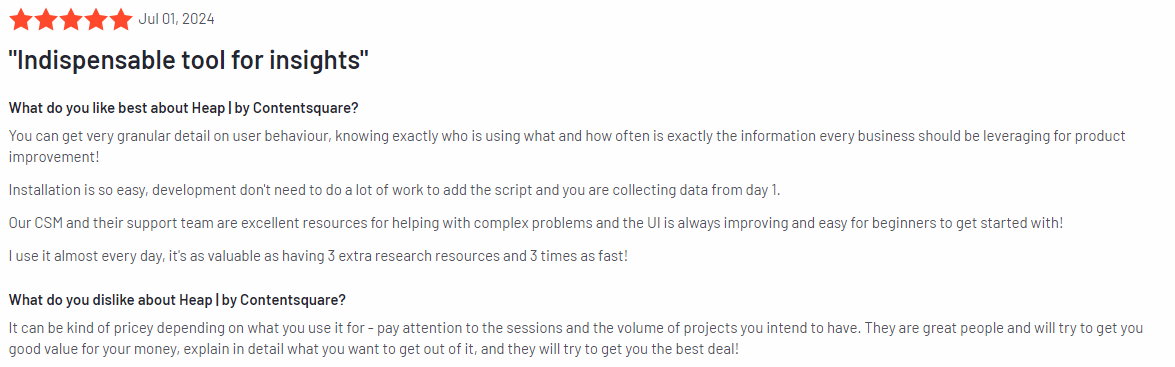
    6. Heap

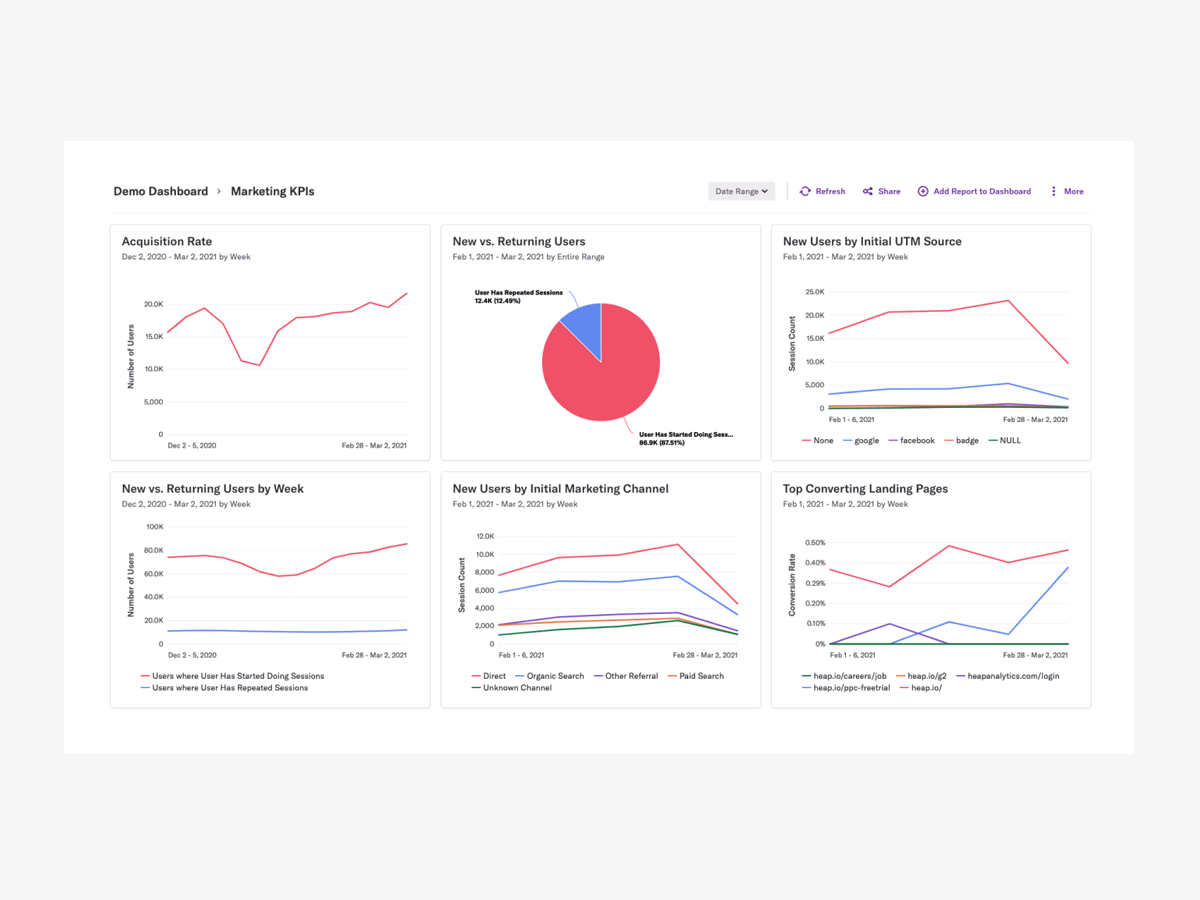
    Heap

    Image source: G2

    Heap is a product analytics tool designed to automatically capture every user interaction across websites and apps. Known for its ability to collect and analyze data without the need for manual tracking, Heap allows businesses to gain comprehensive insights into how users engage with their digital products.

    Learn more: Heap alternatives.

    User rating

    Heap review

    Image source: G2

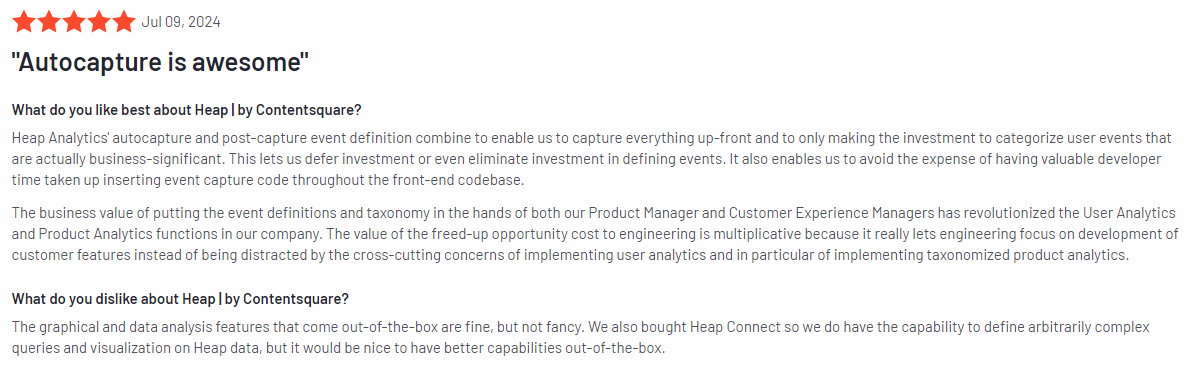
    According to the 1,087 G2 reviews, Heap has an average rating of 4.4 out of 5 stars.

    Best for

    Heap is for product teams, marketers, and UX designers who need to quickly gather in-depth data on user interactions without setting up individual tracking events.

    Key features

    • Automatic event tracking: Automatically capture every user interaction—clicks, swipes, form submissions—without manually setting up event tracking.
    • User journey mapping: Visualize user flows and identify where users drop off, allowing for targeted optimizations in the customer journey.
    • Funnel analysis: Monitor key funnel steps and track where users abandon the process, helping to improve conversion rates.
    • Cohort analysis: Group users based on behavior and track how specific cohorts interact with your product over time.
    • Advanced segmentation: Break down user data based on attributes such as location, device, or behavior to uncover deeper insights.
    • Retention analysis: Track user retention and understand what actions drive repeat engagement, helping you reduce churn.

    Supported platforms

    Heap supports web, iOS, and Android platforms.

    Integrations

    Heap integrates with Salesforce, Marketo, Slack, Segment, and HubSpot. It also offers APIs for custom integrations, allowing businesses to sync Heap data with their existing workflows.

    Customer support

    Heap provides email support and access to a knowledge base for users needing assistance. For Enterprise customers, Heap offers dedicated account managers and premium support options.

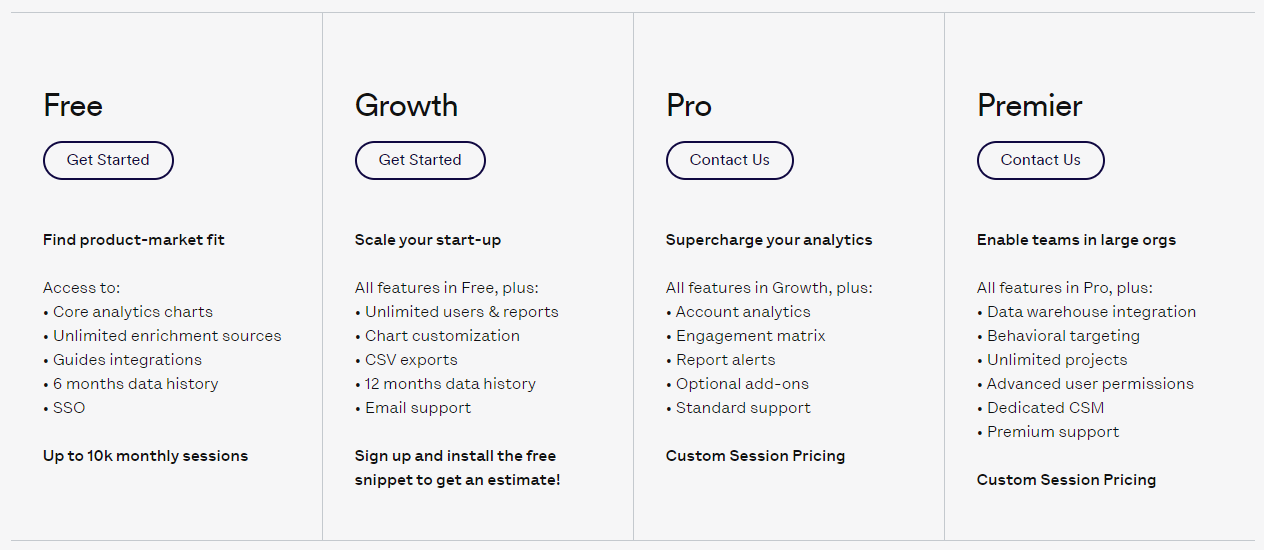
    Pricing

    Heap pricing

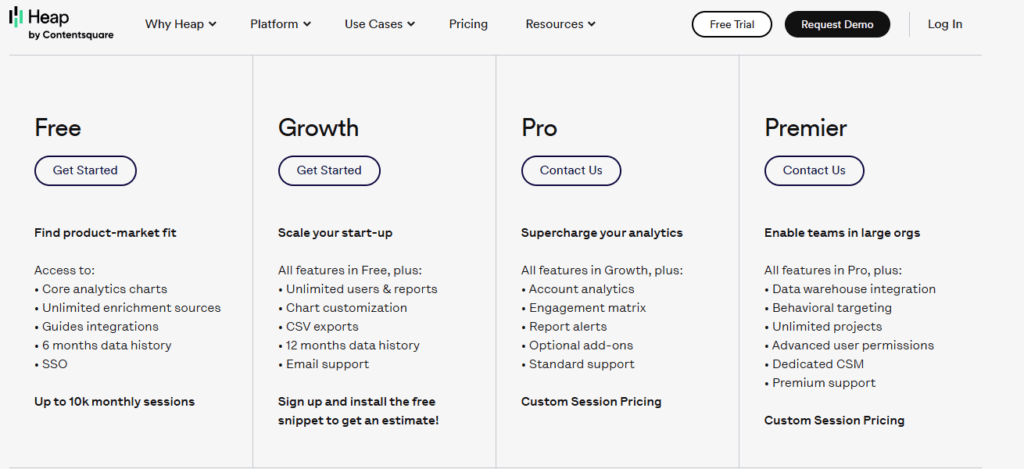
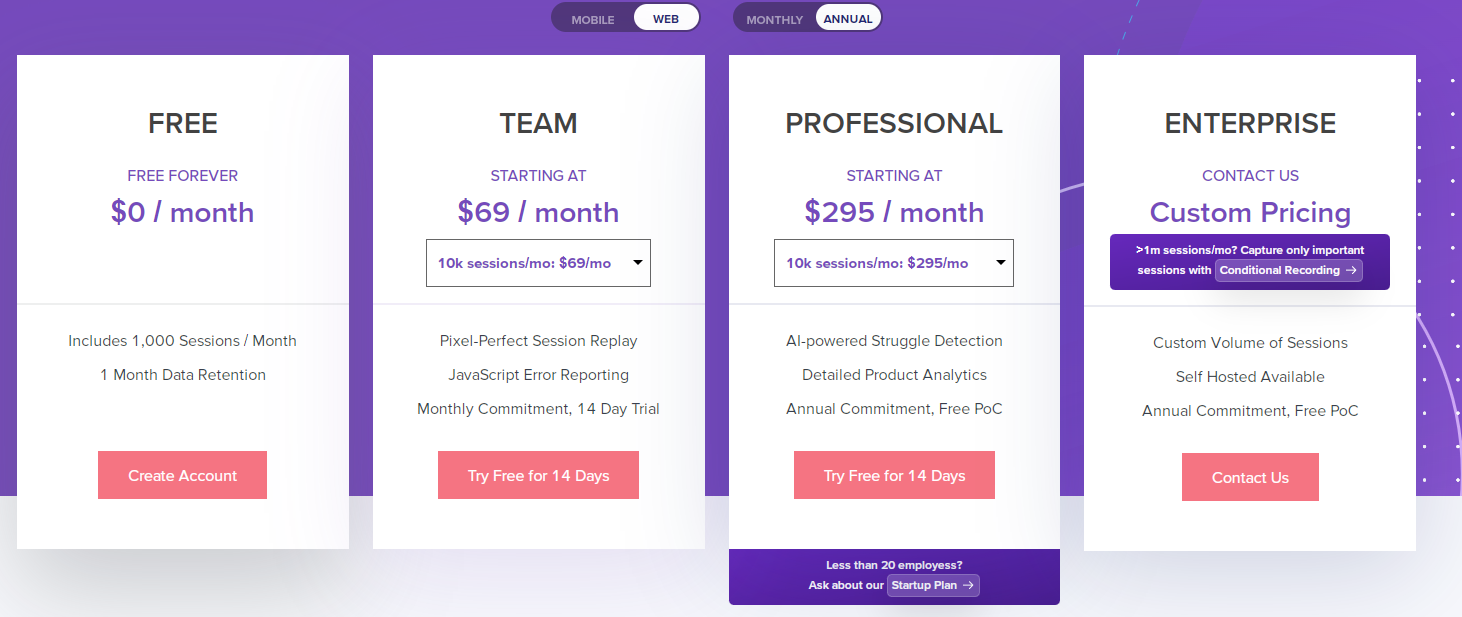
    Heap offers a free plan that includes core analytics features, supporting up to 10,000 sessions per month.

    Paid plans provide for more advanced analytics, custom events, and larger session volumes. 

    Enterprise pricing is available for businesses requiring more extensive data capabilities and additional support. However, pricing is available only upon request.

    Pros

    • Automatic event tracking eliminates the need for manual setup
    • Data collection with minimal configuration required
    • Visualization tools for mapping user journeys and funnels
    • Flexible segmentation options for in-depth user behavior analysis
    • Integrates well with major third-party platforms

    Cons

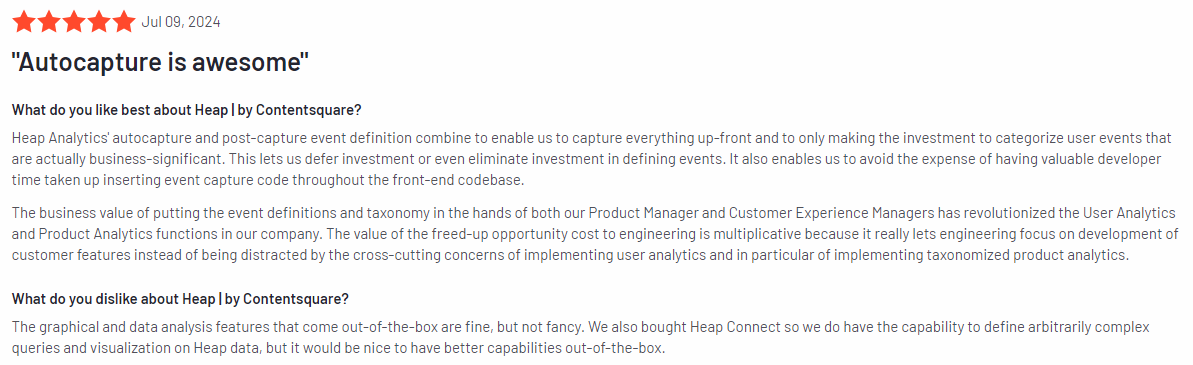
    • Pricing can be steep for smaller businesses, especially as data volume increases
    • The interface can feel overwhelming for new users unfamiliar with data analytics
    • Some users report limitations with customizing reports beyond standard templates
    • Lacks some of the real-time analysis capabilities offered by competitors

    7. Adobe Analytics

    Adobe Analytics

    Image source: G2

    Adobe Analytics is a web analytics platform that offers advanced data collection, analysis, and reporting capabilities. 

    Designed for enterprises, Adobe Analytics helps businesses gain deep insights into user behavior across digital platforms, providing actionable data to optimize customer experiences and improve overall performance.

    User rating

    Adobe Analytics review

    Image source: G2

    Adobe Analytics has an average rating of 4.1 out of 5 stars according to 1,013 reviews on the G2 platform.

    Best for

    Adobe Analytics is for large enterprises, digital marketers, and product teams that need detailed, customizable insights into user behavior across websites, apps, and other digital channels.

    Key features

    • Advanced segmentation: Create highly customizable segments based on user behavior, demographics, and more to better understand different audience groups.
    • Real-time data reporting: Access real-time data on user behavior, allowing teams to make quick decisions based on current user activity.
    • Attribution modeling: Track how different channels and touchpoints contribute to conversions, helping businesses optimize their marketing strategies.
    • Cross-channel analytics: Analyze user interactions across multiple platforms, from websites and mobile apps to offline data sources, for a complete view of the customer journey.
    • Predictive analytics: Use machine learning-powered predictions to forecast trends, behaviors, and potential outcomes.
    • Custom dashboards and reports: Tailor analytics reports to focus on key business metrics, allowing for better decision-making and performance tracking.

    Supported platforms

    Adobe Analytics supports data collection and analysis across web platforms, mobile apps, and various digital touchpoints, including social media and offline data sources.

    Integrations

    Adobe Analytics integrates with the Adobe Experience Cloud, which includes tools like Adobe Target, Adobe Campaign, and Adobe Audience Manager. 

    It also connects with external systems, such as CRM platforms and data warehouses, providing a robust ecosystem for data analysis and marketing.

    Customer support

    Adobe provides customer support for enterprise users, including dedicated account managers, phone support, and access to an extensive knowledge base and online community.

    Pricing

    Adobe Analytics offers customized pricing based on the specific needs and scale of each business. It is generally priced at the enterprise level, making it suitable for large organizations with substantial data and analytics requirements. Businesses must contact Adobe directly for a quote.

    Pros

    • Customization options for tracking and reporting
    • Advanced attribution modeling for detailed marketing insights
    • Integrates with other Adobe Experience Cloud products
    • Real-time analytics for immediate insights
    • Machine learning capabilities for predictive analysis

    Cons

    • Steep pricing makes it inaccessible for smaller businesses
    • The interface can be complex and requires training for new users
    • High customization capabilities can lead to longer implementation times
    • Lacks the simplicity of some other analytics platforms, which could slow down setup for smaller teams

    8. Matomo

    Matomo

    Image source: G2

    Matomo is an open-source web analytics platform designed to give businesses full control over their data while providing powerful insights into user behavior. Unlike other analytics tools, Matomo emphasizes privacy and data ownership, offering users the option to self-host their analytics data.

    User rating

    Matomo review

    Image source: G2

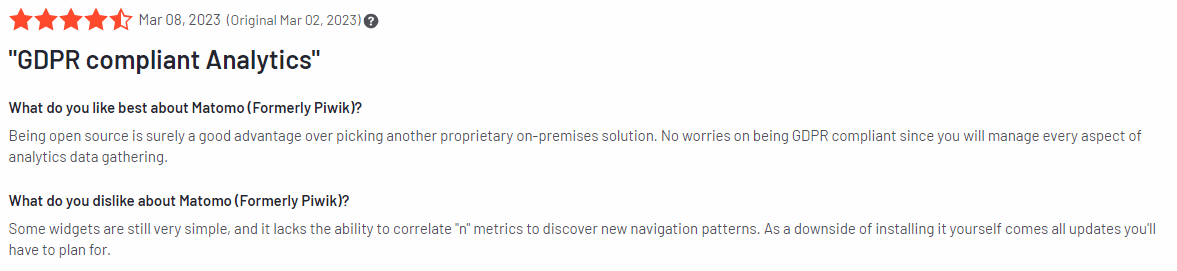
    Matomo has an average rating of 4.2 out of 5 stars, according to 91 reviews on the G2 platform.

    Best for

    Matomo is for businesses and organizations that prioritize data privacy and control. It’s particularly useful for companies that need to comply with strict privacy regulations like GDPR or for those looking to own their data outright.

    Key features

    • Self-hosting option: Matomo allows users to host their analytics data on their own servers, giving them full control and ownership over the data.
    • Privacy-focused analytics: Matomo is designed to comply with privacy regulations such as GDPR and CCPA, making it a great choice for businesses that handle sensitive user information.
    • Conversion optimization: Track user journeys, measure conversions, and identify areas for improvement across your website.
    • Real-time analytics: Get real-time data on user activity, including page views, events, and eCommerce transactions.
    • Heatmaps and session recordings: Visualize how users interact with your website through heatmaps and session replays, helping to identify areas for optimization.
    • Customizable dashboards: Create tailored dashboards that display the most important KPIs and metrics for your business.
    • A/B testing: Experiment with different variations of your website to determine what works best for improving user engagement and conversions.

    Supported platforms

    Matomo supports web platforms and can track user behavior across websites and mobile apps.

    Integrations

    Matomo integrates with content management systems (CMS) and marketing tools, including WordPress, WooCommerce, Magento, and Shopify. It also offers APIs for custom integrations, enabling businesses to connect Matomo with their existing software stack.

    Customer support

    Matomo offers support through a comprehensive online knowledge base, community forums, and email support, for businesses using Matomo Cloud, premium support options are available, including priority support and access to a dedicated customer success manager.

    Pricing

    Matomo pricing

    Matomo is free for users who opt for the self-hosted version, allowing businesses to host and manage their own analytics data.

    Matomo Cloud offers a managed hosting service starting at $26/month, which includes all features without the need for in-house server management. Custom enterprise pricing is available for larger organizations with advanced needs.

    Pros

    • Offers complete control and ownership of your data with a self-hosting option
    • Privacy-focused, making it ideal for businesses needing GDPR and CCPA compliance
    • Heatmaps and session recordings for visual insights into user behavior
    • Customizable dashboards and reports for tailored analytics
    • The free self-hosted version provides a cost-effective analytics solution

    Cons

    • Initial setup can be more complex than cloud-based alternatives
    • Some advanced features require paid plans or additional plugins
    • Self-hosting requires technical resources and server management
    • Limited customer support for free users compared to other platforms
    • Real-time reporting can be slower compared to other analytics tools

    9. Kissmetrics

    Kissmetrics

    Image source: G2

    Kissmetrics is a customer analytics and engagement platform designed to help businesses track user behavior, understand customer journeys, and optimize for conversions. 

    Focusing on SaaS and eCommerce businesses, Kissmetrics enables teams to make data-driven decisions by providing actionable insights into user behavior, funnel performance, and retention.

    User rating

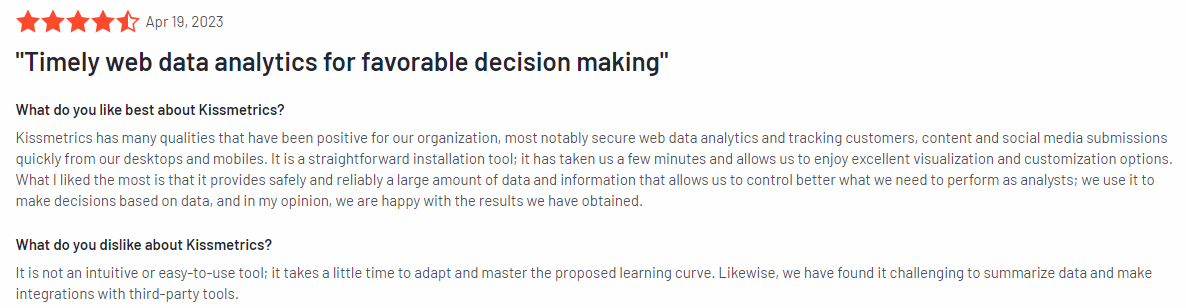
    Kissmetrics review

    Image source: G2

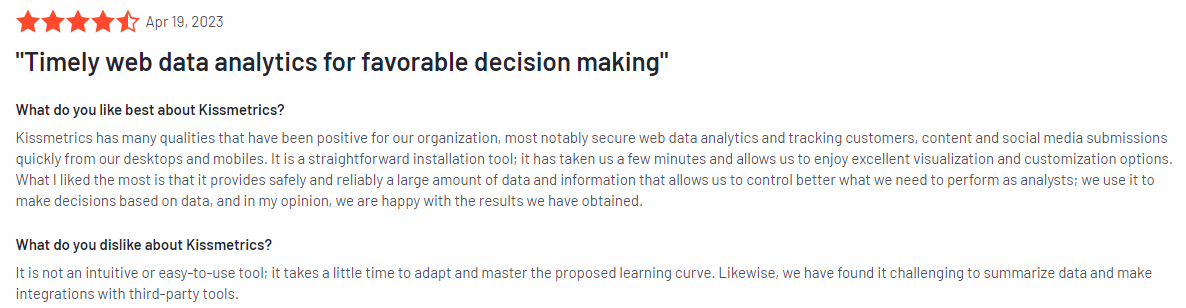
    Based on 168 reviews on the G2 platform, Kissmetrics has an average user rating of 4.1 out of 5 stars.

    Best for

    Kissmetrics is suited for SaaS companies and eCommerce businesses looking to track and improve user engagement and retention. 

    It’s useful for product managers, marketers, and growth teams who want detailed insights into how users interact with their products and where improvements can be made to increase conversion rates and lifetime customer value.

    Key features

    • Customer journey tracking: Track users across multiple touchpoints to understand how they interact with your product from acquisition to retention.
    • Funnel reports: Analyze your funnels in detail to see where users are dropping off and identify opportunities to improve conversion rates.
    • Cohort analysis: Measures and compares how different groups of users (cohorts) behave over time, helping you optimize retention and understand long-term trends.
    • Behavioral segmentation: Segment users based on their actions and behaviors, allowing for targeted marketing and personalization strategies.
    • Revenue tracking: Track revenue at a granular level, helping you understand which behaviors lead to higher customer value.
    • A/B testing integration: Integrate with A/B testing tools to optimize the customer experience and measure the impact of product changes on user behavior.

    Supported platforms

    Kissmetrics supports tracking across websites and mobile apps.

    Integrations

    Kissmetrics integrates with several popular tools, including Shopify, WordPress, Segment, and Zapier. These integrations make it easy to sync user data across platforms and incorporate Kissmetrics insights into your existing workflows.

    Customer support

    Kissmetrics offers support via email and a detailed knowledge base for all users. For higher-tier plans, users can access additional support options, including dedicated account management and onboarding assistance.

    Pricing

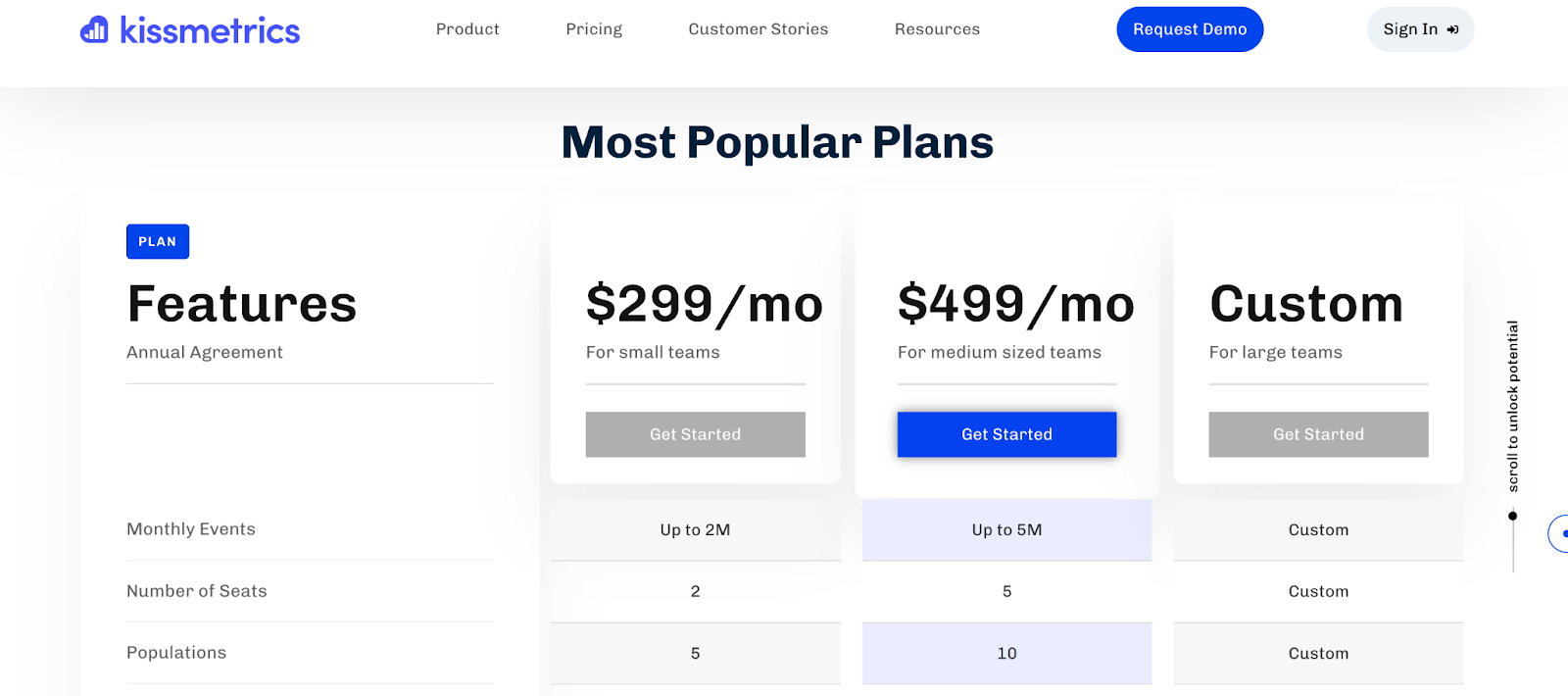
    Kissmetrics pricing

    Kissmetrics offers pricing plans tailored to the needs of SaaS and eCommerce businesses. The starting plan is $299/month, which includes core analytics features, funnel reports, and cohort analysis. 

    More advanced plans are available for larger businesses, with custom pricing based on specific needs and data volumes.

    Pros

    • Tracking of customer journeys from acquisition to retention
    • Funnel and cohort reports for in-depth analysis of user behavior
    • Revenue tracking capabilities, making it ideal for eCommerce
    • Behavioral segmentation allows for personalized marketing and engagement
    • Integrates with popular tools to enhance data collection and analysis

    Cons

    • Pricing may be prohibitive for small businesses or startups
    • The interface can be challenging to navigate for beginners
    • Limited real-time tracking compared to some competitors
    • Requires a learning curve to fully utilize its advanced features

    Best 9 Web Analytics Tools Comparison Table

    Below is a comparison of the top 9 web analytics tools, highlighting key features to help you decide.

    FullSessionMixpanelGoogle AnalyticsAmplitudeWoopraHeapAdobe AnalyticsMatomoKissmetrics
    Real-time tracking
    Heatmaps
    Session recordings
    Conversion funnel analysis
    Error tracking
    Customer feedback tools
    Monthly pricing$39$28Free$61$49FreeCustom pricing$26$299

    Best 9 Web Analytics Tools: Our Verdict

     FullSession web analytics tool

    Out of all the tools, FullSession takes the top spot for delivering powerful insights while keeping user privacy front and center. It’s perfect for businesses looking to boost user experience and drive results.

    Here’s why FullSession stands out:

    • Real-time tracking of dynamic elements for better user insights.
    • Fast heatmap processing without slowing down your site.
    • Privacy-first approach that excludes sensitive data from recordings.
    • Efficient data management to quickly uncover key insights.
    • Site-specific tracking to avoid data misuse.
    • Easy collaboration across teams, all on one platform.

    Ready to level up your analytics? Book a demo today to see FullSession in action!

    Conclusion About Best 9 Web Analytics Tools

    Web analytics tools are essential for any online business looking to optimize user experience, boost engagement, and drive conversions. 

    These tools provide valuable insights into how users interact with your site, helping you make data-driven decisions that can significantly impact your business’s growth and success.

    While all of these popular web analytics tools have their own strengths, FullSession offers the most comprehensive solution with real-time tracking, privacy protection, and seamless team collaboration.

    If you’re serious about improving your website’s performance and understanding your users better, FullSession is the tool for you.

    Book a demo today and discover how FullSession can transform your web analytics strategy!

    FAQs About Best 9 Web Analytics Tools

    Let’s answer the most common questions about web analytics tools.

    What is the most used web analytics tool?

    Google Analytics is the most widely used web analytics tool, offering a free and robust solution for tracking website traffic and user behavior.

    What are the two main types of web analytics tools?

    The two main types are on-site analytics (tracking user behavior directly on your website) and off-site analytics (measuring your site’s performance on the broader web, like search engines or social media).

    What is the best tool for analytics?

    The best tool depends on your needs, but FullSession is ideal for businesses focused on detailed user behavior tracking and privacy, while Google Analytics is great for general traffic monitoring.

    How do web analytics tools work?

    Web analytics tools track and collect data on user behavior by embedding tracking code into your website. This code monitors user actions like page views, clicks, and time spent on-site. The tool then processes this data into reports and insights, helping you understand user engagement, optimize performance, and improve conversions.


  • Digital Experience Analytics: The Ultimate Guide For 2026

    Digital Experience Analytics: The Ultimate Guide For 2026

    Digital experience analytics gives you the tools to track, measure and improve users’ engagement with your digital platforms.

    It lets you collect and analyze user data from websites or apps, combining behavioral data with technical metrics to give you a complete view of the customer journey across various digital touchpoints.

    The best digital analytics tools help you change the user experience, retain more customers and drive business results. Take FullSession as an example.

    It lets you visualize all user engagement, analyze trends and patterns with laser precision and optimize your website for peak performance.

    You can start a free trial or get a demo to learn more.

    Whether new to digital experience analytics or looking to improve your approach, this article will cover the basics and give you a blueprint to create an optimal user journey and increase customer satisfaction.

    What is Digital Experience Analytics?

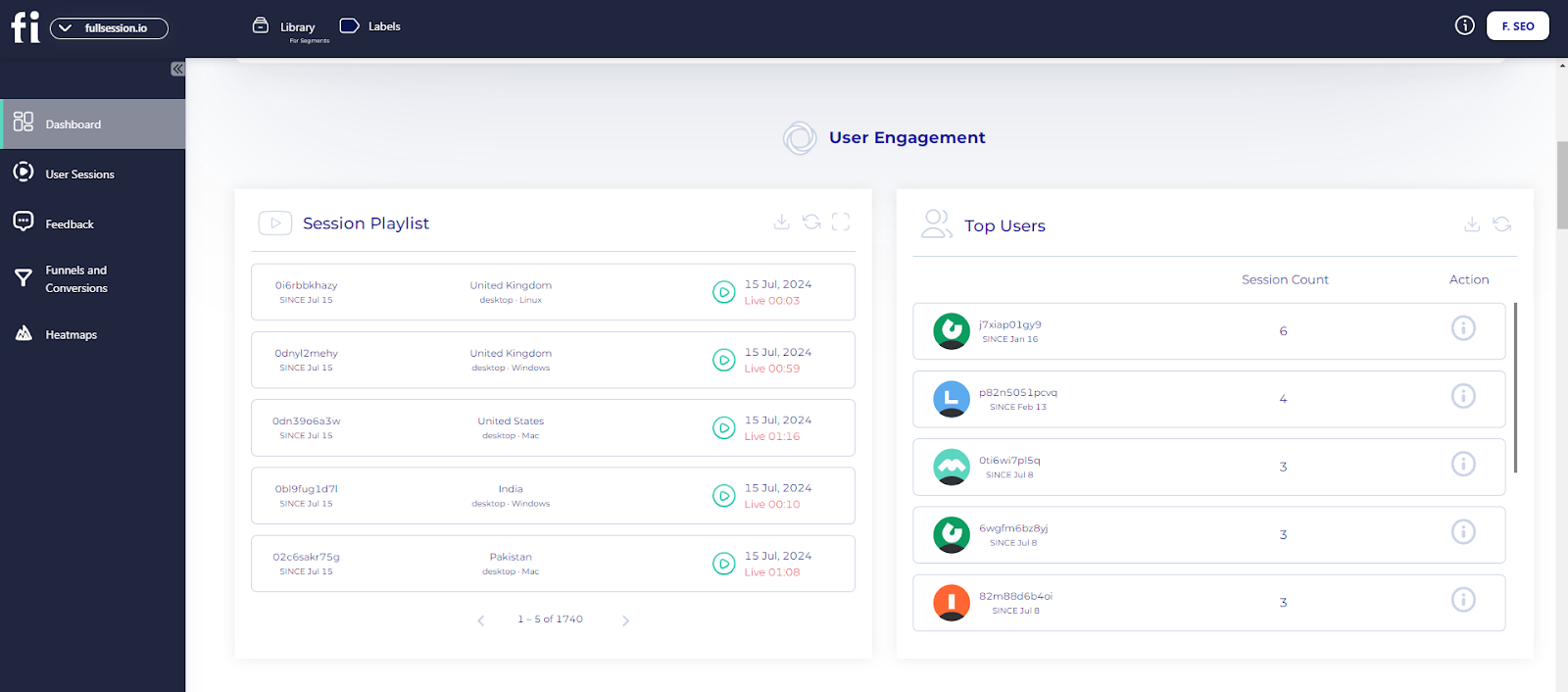
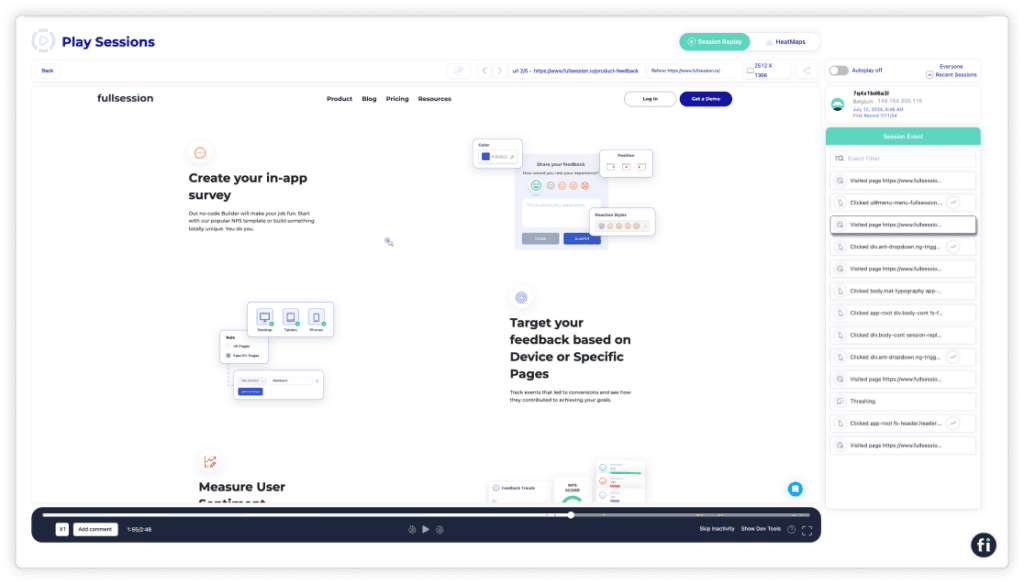
    FullSession session playlist

    Digital experience analytics helps you track users’ interactions with your digital platforms, websites and mobile apps.

    You can better understand user behavior by collecting and analyzing qualitative and quantitative data that offers objective insights through user session tracking.

    For example, tools like Google Analytics can be key in measuring conversion rates and tracking user progression through funnels, providing a detailed overview of user engagement metrics.

    Digital analytics tools will help you make your business more agile while giving customers a seamless and satisfying digital experience.

    Analyze User Behavior With FullSession

    Capture all user interactions, spot trends and patterns and drive improvements without compromising your website performance.

    Why Digital Experience Analytics Matters for Businesses

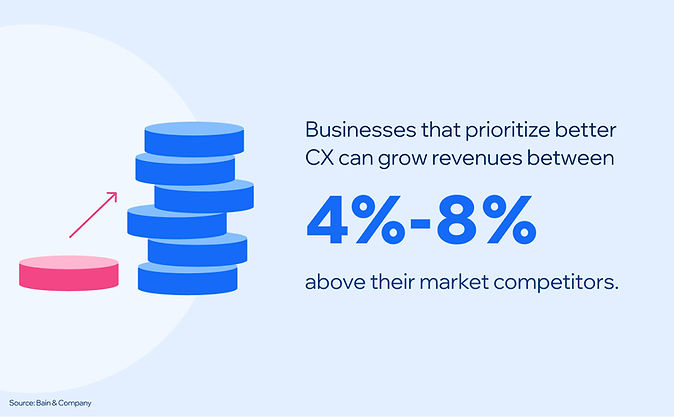
    customer experience stats

    Image source: WiserNotify

    Digital experience analytics is key for understanding your customers and driving business success. Here’s why:

    1. Insight into user behavior and preferences: By analyzing user behavior on your website and apps, you can gain insights into their preferences and tailor user experiences to meet your customers’ needs.
    2. Optimized marketing strategies: Marketing strategies are built on data. Advanced analytics lets you see which marketing campaigns drive traffic and engagement. It will allow you to optimize your strategy and improve conversion rates.
    3. Increased Customer Lifetime Value (CLV): When you understand and meet customer needs, they are more likely to come back and increase their lifetime value for your business. Happy customers become loyal customers.
    4. Competitive advantage: The insights from the data can inform decisions, improve digital interactions and drive sales and customer retention. A better user experience will differentiate your brand from the competition.

    Customer understanding is key to your business strategy. When you know what your customers want, you can serve them better and drive growth for your business.

    How to Use FullSession for Digital Experience Analytics

    FullSession user behavior analytics

    Imagine enjoying all these benefits with a single, comprehensive user behavior analytics software.

    What if you could seamlessly capture all user interactions, visualize trends and patterns, analyze user behavior, and optimize site performance from one intuitive platform?

    Using FullSession for digital experience analytics makes this possible. FullSession offers a robust feature set and provides accurate insights to help you improve user experience and increase conversions.

    You can start a free trial or get a demo to learn more.

    Let’s explore the key components.

    Session recordings and replays

    session recordings and replays

    Session recordings and replays allow you to watch real-time user interactions with your website. You can see mouse movements, clicks and navigation patterns by analyzing these recordings.

    Session recording and replay tools let you revisit these interactions to the smallest detail to fully understand user experience and behavior. You can identify where users get stuck or confused. 

    Observing what happens during these sessions helps you pinpoint the exact problem areas affecting conversions so you can fix them and improve your results.

    Interactive website heatmaps

    ux heatmap tools

    Website heatmap tools visually show user interactions on your web pages. They highlight where users are clicking, hovering and scrolling the most.

    By using FullSession’s click, scroll and mouse heatmaps, you can see dead zones where interaction is lacking. It helps you test new page elements or validate design changes to improve user engagement and experience.

    FullSession mouse heatmaps

    UX heatmap tools show you which parts of a page are getting the most attention and which are being ignored. They help you optimize your site’s visual hierarchy and focus user attention where you want it the most.

    Visualize, Analyze, and Optimize with FullSession

    See how to transform user data into actionable insights for peak website performance.

    Conversion funnel analysis

    conversion funnel analysis

    Conversion funnel analysis is key to understanding how users move through your sales process. FullSession allows you to track each step in your funnels. By seeing where users drop off, you can remove conversion blockers preventing users from taking desired actions.

    It helps you optimize key touchpoints and the entire journey from initial interest to final purchase. You can make specific changes to increase conversion rates and user satisfaction along the funnel by identifying and optimizing problem areas.

    Website feedback tools

    website feedback tools

    Website feedback tools allow you to reach your users directly to get feedback on their experience. You can learn what users expect and where to improve. Customer feedback tools give practical insights to increase user satisfaction and engagement.

    FullSession customer feedback

    FullSession’s feedback mechanisms allow you to act on user input, improve the site interface, usability and performance, and ensure it meets user needs.

    With customer feedback collection tools, you can make strategic changes to increase user retention and develop a more engaging online presence.

    Error tracking

    website error tracking

    Error tracking is key to a smooth user experience. FullSession has tools to monitor and track website issues users are encountering on your site. By knowing these cases, you can fix them quickly to prevent a negative impact on user experience.

    Tracking errors will show you technical glitches and areas that need improvement so users can interact seamlessly. Fixing errors fast can reduce frustration and improve overall satisfaction, leading to better retention and conversion rates.

    Turn User Behavior into Growth Opportunities

    Learn how to visualize, analyze, and optimize your site with FullSession.

    Key Components of Digital Experience Analytics

    Image source: Freepik

    Digital experience analytics has several key components that give you total visibility into user behavior and interactions on digital channels. Here are the main ones.

    Real-time data

    Real-time analytics lets you observe and analyze user behavior as it happens. It helps you spot and respond to issues, understand user behavior in the moment and make changes to the user experience on the fly.

    User segmentation

    User segmentation involves grouping users into segments based on demographics, behavior or purchase history. It lets you conduct a deeper analysis and create personalized marketing strategies to ensure different user segments get the right experience.

    Cohort analysis

    Cohort analysis looks at the behavior and performance of specific user groups over time. This component helps you understand how different cohorts behave, find trends and measure the impact of changes or updates on user retention and engagement.

    Funnel analysis

    Image source: Landingi

    Funnel analysis follows users’ steps to complete a specific goal, like making a purchase or signing up for a service. By examining each step of the conversion funnel, you can see where users drop off and implement changes to reduce friction and increase conversion rates.

    A/B testing and experimentation

    A/B testing and experimentation involve comparing two web pages or app feature versions to see which performs better. It lets you test hypotheses and make data-driven decisions to improve the user experience and get better outcomes.

    Feedback and surveys

    Getting direct feedback from users through surveys and website feedback forms gives you qualitative insights into their experience and satisfaction. It adds to the quantitative data and helps you better understand user needs and wants.

    Performance metrics and KPIs

    Performance metrics and KPIs measure the results of your digital assets. Metrics like page load time, bounce rate and user retention rate give you a snapshot of your platform and show you where to improve.

    With these components of digital experience analytics tools, you can get total visibility of your user experience, make decisions, and continuously optimize your digital platforms for better user engagement and satisfaction.

    Digital Experience Analytics for User Behavior Analysis

    digital experience analytics for user behavior analysis

    Image source: Freepik

    Digital experience analytics gathers extensive data points from different sources to inform understanding of user behavior. It is key for shaping digital experiences as it influences content and design decisions.

    Here are practical examples:

    • Identify navigation patterns: Analytics can reveal how users move through a site. If users frequently leave before reaching the checkout, this indicates a potential issue in the purchase process. Streamlining navigation or simplifying the checkout process can address this.
    • Detect content engagement: Tools like heatmaps show which parts of a page users interact with most. If a section consistently grabs attention, create more content around that topic. If users skip sections, consider revising or removing that content.
    • Monitor interactive elements: You can track interactions with forms, buttons, and sliders. If users abandon forms halfway, it might be too long or confusing. Test shorter forms or provide more precise instructions to improve completion rates.
    • Analyze scroll depth: Understand how far users scroll before leaving. If users don’t reach the bottom of important pages, reorganize content to ensure key information appears earlier.
    • Segment user behavior: Analyze behavior by different user groups. New visitors might need a guided tour, while returning visitors might appreciate quick access to frequently visited pages.
    • Track conversion funnels: Identify where users drop off in the conversion process. If many abandon at the payment stage, it could indicate issues with the payment gateway or lack of options.
    • Record sessions: Playback individual user sessions to reveal unexpected customer behavior, such as confusion over navigation. Use these insights to make targeted improvements.

    Qualitative data offers contextual insights into user experiences, including motivations and frustrations, complementing quantitative data to provide a comprehensive understanding of user behavior.

    This proactive approach improves user experience, boosts engagement, and drives business growth.

    Digital Experience Analytics for Customer Journey Mapping

    digital experience analytics for customer journey mapping

    Image source: Finances Online

    Digital experience analytics is key for customer journey mapping. It shows the entire customer decision-making process so you can identify high-value touchpoints and digital weak points to optimize user interactions.

    Here are some use case examples:

    • Create detailed customer journey maps: Customer journey mapping tools cover stages such as Awareness, Consideration, Purchase, Retention and Advocacy. These maps give you a 360-degree view of the customer experience, capturing actions, thoughts and emotions at each stage.
    • Collect data from multiple sources: Getting insights from surveys, interviews and analytics is key to journey mapping. This data helps you understand user behavior, motivations, and pain points to create accurate and impactful journey maps.
    • Spot pain points and opportunities: The main goal of user journey mapping is to spot pain points and opportunities. Digital experience analytics helps you see where users hit friction or drop off so you can fix these problems and improve the overall experience.
    • Visualize the customer journey: Maps can include columns and rows for each stage. For example, the Awareness stage might include touchpoints like social media ads and blog posts, and the Purchase stage might cover the checkout process and payment options.
    • Break down each stage: Each stage of the customer journey map outlines the touchpoints, actions, thoughts, emotions, pain points and opportunities. For example, during the Consideration stage, users might compare products and read reviews and feel excitement and uncertainty. Knowing these emotions can help you tailor content and interactions to ease concerns and build trust.
    • Ensure cross-channel consistency: By mapping the customer journey, you can ensure consistency across all online and offline touchpoints, so your messaging and branding stay on track.

    With these aspects of digital experience analytics, you can create more effective and engaging customer journeys. It will improve user satisfaction and engagement and drive higher conversion rates and long-term loyalty.

    Digital Experience Analytics for Conversion Rate Optimization

    digital experience analytics for conversion rate optimization

    Image source: Shogun

    Increasing conversion rates boosts immediate revenue and overall business performance. Here’s how to use digital experience analytics for conversion rate optimization:

    • Personalize user experiences: Personalised content based on user behavior increases conversion rates. For example, personalized product recommendations or targeted email campaigns can get users to take the desired action, like buying or signing up for a service.
    • Start A/B testing: Experiment with various elements of your website or app, such as headlines, images, CTAs and layouts. Clear call-to-action buttons increase the likelihood of conversions. Compare different versions and see which performs better to implement the winning variation to improve user experience and conversion.
    • Optimize landing pages: Analytics will show how users interact with your landing pages to spot areas for improvement. For example, if users are bailing out of the page quickly, it might be because the content isn’t engaging or the CTA is unclear. Optimizing landing page elements based on this data helps improve user engagement and drive higher conversion rates.
    • Simplify the checkout: See issues like complicated forms, limited payment options or slow page load times. Simplify the checkout and fix these points for a smoother user experience and higher conversion rates.
    • Improve mobile experience: With users accessing your website on mobile devices, mobile optimization is key to CRO. Optimize page load times, simplify navigation, and ensure forms and buttons are accessible on smaller screens.
    • Increase page load speed: Slow page load times can have a big impact on user experience and conversion rates. Monitor pages with high load times and what’s causing the delay. Optimize images, use browser caching and minimize JavaScript to keep users engaged and more likely to convert.

    This proactive approach will improve user satisfaction and engagement and drive overall business performance by turning more visitors into customers.

    Overcoming Challenges in Digital Experience Analytics

    Digital experience analytics is useful but challenging to implement. Here are the three biggest issues and how to overcome them.

    Data integration complexity

    Combining data from multiple sources is complex. Different platforms use different formats and metrics, so it takes much work to get a single view.

    To overcome this, invest in an analytics tool that supports data integration. FullSession, for example, combines data from multiple touchpoints to give you a single view of user behavior.

    Data overload

    With so much data, it’s hard to know what to focus on and what’s important. It can lead to analysis paralysis, blocking your actions.

    FullSession solves this by providing intuitive dashboards and customizable reports that highlight key metrics and trends so you can focus on actionable insights and drive meaningful change.

    Data accuracy

    Tracking errors, inconsistent data collection methods and technical glitches can compromise data integrity. Regular audits and trustworthy analytics software like FullSession can help maintain data accuracy.

    FullSession’s advanced tracking capabilities ensure precise data collection, minimize errors, and give reliable insights.

    Privacy and compliance

    Non-compliance can result in big fines and damage to your reputation. FullSession is designed with privacy and compliance in mind and respects PCI, GDPR and CCPA standards.

    You can be sure your data practices are secure and compliant and enjoy using the power of analytics for your website optimization efforts.

    By tackling these challenges, you can get the most out of digital experience analytics and improve user experiences and growth.

    Best Practices for Digital Experience Analytics

    Image source: Freepik

    To get the most out of digital experience analytics, focus on clear goals, whether improving customer satisfaction or increasing your Net Promoter Score.

    Use data to test hypotheses. It means testing your ideas with real user interaction and making decisions based on what you find. It will help you discover the biggest areas to improve.

    Consider setting up feedback loops with your users. Listen to their experiences to build trust. A trusted platform like FullSession will encourage users to share their thoughts and give you the most useful data to work with.

    Create dashboards that show key metrics. These will help you track changes over time and spot trends. Easy-to-read charts will help your team quickly understand the current state of user experience.

    Don’t forget about user journeys. Analyze user paths to see what’s working and what’s not on your site. It will help you improve customer experiences by fixing the pain points in their journey.

    Review your analytics tools and strategies regularly. Make sure they align with your business goals and user needs.

    Conclusion About Digital Experience Analytics

    Digital experience analytics is the key to managing and improving your website. 

    You can optimize the user journey, ensuring smoother navigation and better overall satisfaction. By addressing stumbling blocks, you can create a more seamless experience.

    You can identify trends and patterns in user behavior, leading to informed decisions about design and content updates and aligning them with user expectations.

    By reviewing your analytics regularly, you keep your strategies current. As user preferences change, analytics helps you stay ahead of the curve.

    Using digital experience analytics tools and insights, you keep your site user-centric and efficient. It means deeper engagement with your audience and more repeat visits and loyalty.

    Ready to upgrade your digital experience and boost your conversions? Discover the power of FullSession. Sign up today or request a demo to start transforming your website with actionable insights and seamless user interactions!

    FAQs About Digital Experience Analytics

    Let’s answer the most common questions about digital experience analytics.

    What is digital experience analytics?

    Digital experience analytics (DEA) refers to collecting, analyzing, and interpreting data on user interactions with digital platforms such as websites and mobile apps. The goal is to understand user behavior, optimize user experiences, and improve overall business performance.

    What does a digital experience analyst do?

    A digital experience analyst monitors and analyzes user interactions on digital platforms. They use platforms like FullSession to gather data, identify trends, and provide actionable insights. Their work helps improve user experience, drive conversions, and inform strategic decisions.

    What do you mean by digital analytics?

    Digital analytics involves measuring, collecting, analyzing, and reporting data from digital channels. It includes websites, social media, and mobile apps. The goal is to understand user behavior, optimize digital strategies, and achieve business objectives.

    What are the four types of digital analytics?

    The four types of digital analytics are:

    1. Descriptive analytics: Provides insights into what has happened by analyzing historical data.
    2. Diagnostic analytics: Explains why something happened by identifying patterns and correlations in the data.
    3. Predictive analytics: Uses statistical models and machine learning to forecast future outcomes based on historical data.
    4. Prescriptive analytics: Recommends actions to achieve desired outcomes by analyzing data and predicting future trends.


  • Top 9 Behavioral Analysis Software Tools of 2025

    Top 9 Behavioral Analysis Software Tools of 2025

    Behavioral analysis software is a must-have for companies to understand user interactions and optimize digital experiences. These user behavior tools give detailed insights into how users navigate web and mobile apps.

    Behavioral analysis software tracks and analyzes user interactions to reveal patterns in digital engagement. Its purpose is to help you understand user journeys, identify pain points and make smart decisions to increase conversion rates and improve the user experience.

    Take FullSession as an example. This all-in-one user behavior analytics helps you visualize all user engagement, analyze trends and patterns with laser precision and optimize your website for peak performance.

    Selecting the right behavioral analysis tool takes work. You need to find an affordable solution that prioritizes user privacy, provides a complete feature set and enables integration with existing systems and tools to deliver actionable insights without data overload.

    In this post, we’ll look at the top nine behavioral analysis software tools so you can find the right one for your business and get meaningful insights into user behavior and digital performance.

    Key Takeaways

    • FullSession is a user behavior analytics software that helps you capture all customer interactions, visualize user engagement, analyze trends and patterns, optimize website performance and improve the user experience. Its key features includesession recordings and replays,interactive heatmaps,website feedback widgets,conversions and funnels, and error tracking, all while ensuring compliance with GDPR, CCPA, and PCI standards.Pricing starts at $39/month with a 20% discount for annual plans, offering scalability for businesses of all sizes.Book a demo today.
    • Userpilot is a product growth platform focused on improving user engagement and onboarding for SaaS companies. It offers interactive walkthroughs, in-app messaging, behavior-based triggers, user segmentation, and NPS surveys. The main drawbacks include limited customization options for branding in lower-tier plans and a somewhat overwhelming analytics dashboard for beginners. Pricing starts at $299/month, which might be high for startups looking for a cost-effective solution.
    • Google Analytics is a website analytics tool that provides comprehensive reports on traffic and user acquisition, behavior flow, and ecommerce performance. It includes features like real-time reporting, audience insights, and funnel and conversion tracking. Google Analytics can be complex for beginners and shows occasional data inaccuracy due to data sampling. The premium version, Google Analytics 360, starts at $50,000/year, which is quite steep for small to medium-sized businesses.
    • Mixpanel is a product analytics tool that tracks user interactions with web and mobile applications. Its features include event-based tracking, cohort analysis, funnel reports, and A/B testing. While Mixpanel is scalable, its pricing can be high for large teams or heavy data users, starting at $24/month. Additionally, the platform does not offer a wide range of integrations with other tools, which can limit its functionality.
    • Tableau is a data visualization and business intelligence tool known for its interactive dashboards and advanced analytics capabilities. Key features include data blending, real-time data visualization, and integration with numerous data sources. The main drawbacks are its higher cost, which may not be suitable for small businesses, and a steep learning curve for those unfamiliar with data analytics. Pricing starts at $35 per user per month for basic access.
    • Amplitude is a product analytics platform focused on behavioral analysis, cohort segmentation, and funnel visualization. Its key features include predictive analytics, real-time data insights, and custom dashboards. While Amplitude provides a free plan, its pricing tiers, starting at $61/month, might be costly for smaller companies. Additionally, its complex event tracking, slow page load times, and resource-intensive implementation may require a steep learning curve for inexperienced users.
    • Userlytics is a user experience research platform that enables businesses to gather insights into how users interact with their digital products. It offers diverse testing methods, such as screen recording, remote usability testing, and prototype evaluation. Drawbacks include limited integration capabilities, lack of advanced analytics tools, participant scheduling issues and a high cost for extensive user testing. Session-based pricing starts at $99/session, with custom plans available for extensive testing needs.
    • Heap is a digital insights platform that automatically captures every user interaction for detailed behavioral analysis without requiring extensive coding or manual event tracking. It includes funnel analysis, retroactive data queries, cohorts, and segmentation. Heap’s primary drawbacks are a steep learning curve, high data storage costs, limited cross-channel tracking and limited customization. Custom pricing options are available based on specific business needs.
    • UXCam focuses on mobile app analytics, providing session recordings, heatmaps, journey mapping, funnel analysis and crash analytics to inform product design and development decisions. Its drawbacks include basic tracking, complex setup, occasional performance issues and limited customization options. Pricing information is not publicly available.

    Visualize, Analyze, and Optimize with FullSession

    See how to transform user data into actionable insights for peak website performance.

    Best User Behavior Analytics Tools Right Now

    If you’re not sure which platform to choose, you will find helpful reviews of the best user behavioral analytics tools today:

    1. FullSession (Get a demo)
    2. Userpilot
    3. Google Analytics
    4. Mixpanel
    5. Tableau
    6. Amplitude
    7. Userlytics
    8. Heap
    9. UXCam

    Let’s start with our analysis.

    1. FullSession

    Capture all user interactions, visualize key insights, examine trends and patterns in user behavior, and optimize your site for the best results with our advanced behavioral analysis software.

    Unlike traditional analytics tools, FullSession gives you access to a user-friendly platform that provides a complete, 360-degree view of your user behavior data.

    With session recording tools, you can go beyond the basics—watch live user sessions, see how users interact with your site and get the whole picture of the user journey.

    Use website heatmap tools to find the weak spots, test different page elements, validate design changes and improve your site’s interface, usability and overall performance.

    With CRO tools, you can remove conversion barriers, tweak key touchpoints in the customer journey and reduce drop-offs in your funnels.

    Use customer feedback collection tools to find out why users are frustrated and respond fast with solutions to recurring problems.

    Trust FullSession for user behavior analytics. User privacy is our number one priority, and we comply with GDPR, CCPA and PCI regulations.

    Start a free trial or book a demo now.

    User rating

    FullSession scores 5 out of 5 stars on G2.

    Best for

    FullSession is for:

    • E-commerce businesses looking to understand customer behavior
    • SaaS companies aiming to improve user engagement
    • Digital marketers analyzing conversion rates
    • UX designers testing and optimizing website interfaces
    • Data analysts tracking behavior trends
    • Quality assurance teams detecting and resolving issues
    • Product development teams improving features based on user feedback
    • Customer support teams solving user problems quickly
    • Customer experience professionals optimizing the user journey

    Key features

    • Advanced user and event segmentation: Categorize website users based on criteria such as location, device type, or behavior. Get insights into trends, patterns, and correlations to optimize user journeys, improve engagement levels, and drive higher conversion rates.
    • Session recordings and replays: Capture every user interaction on your website, from clicks to scrolls. Replay sessions to analyze usability issues, examine specific user behaviors, and predict future actions. FullSession ensures that sensitive user data is excluded, maintaining privacy compliance.
    • Interactive heatmaps: Access UX heatmap tools that display mouse movement, click activity, and scrolling behavior. Pinpoint areas of high engagement or inactivity, test different page elements to identify top performers, and track how long users take to complete specific tasks. Real-time heatmap data is provided instantly without impacting your website’s performance. Read our guide on how to read a heatmap and what a heatmap is to learn more.
    • Website feedback forms and reports: Create custom, branded feedback forms to collect insights about user satisfaction, challenges, and feature requests. Pair this feedback with session recordings to understand user frustrations and the context behind customer comments, enabling data-driven improvements.
    • Conversion and funnel optimization tools: Visualize and analyze user behavior at every stage of your sales and marketing funnels. Detect where users drop off, discover reasons for abandonment, and test different designs and content strategies to improve conversion rates and optimize the user experience.
    • Error analysis: Automatically identify website issues such as JavaScript errors, network failures, and API call problems. Analyze error logs to pinpoint root causes, troubleshoot effectively, and prevent these problems from negatively impacting user experiences.

    Turn User Behavior into Growth Opportunities

    Learn how to visualize, analyze, and optimize your site with FullSession.

    Supported platforms

    FullSession captures user behavior on websites, web apps and landing pages.

    Integrations

    FullSession integrates with your entire tech stack using open APIs, modern webhooks, and Zapier and also provides native integrations. It works best with Shopify, WordPress, Wix, and BigCommerce.

    Customer support

    You can reach the support team via live chat or email or visit the help center for common queries.

    Pricing

    FullSession offers a free trial and three pricing plans – Starter, Business, and Enterprise.

    FullSession offers a Free plan along with three paid plans: Growth, Pro, and Enterprise. The Free plan is available at $0/month and includes 500 monthly sessions, 30-day data retention, session replay, heatmaps, and frustration signals, perfect for teams just getting started.

    You can also get a 20% discount on all plans with an annual subscription, making it a cost-effective solution for businesses of all sizes. Visit the Pricing page to learn more.

    Pros

    • Track dynamic elements in real time to collect accurate insights into user behavior
    • Speed up heatmap processing without affecting your website’s performance
    • Protect user privacy by automatically excluding sensitive information from recordings
    • Handle extensive data sets efficiently to quickly uncover valuable insights
    • Restrict user behavior tracking to your website to ensure data security
    • Enable seamless collaboration by unifying team efforts on one centralized platform

    Cons

    • FullSession doesn’t work with native mobile apps

    Visualize, Analyze, and Optimize with FullSession

    See how to transform user data into actionable insights for peak website performance.

    2. Userpilot

    Userpilot is a product growth platform designed to help SaaS companies increase user engagement. It focuses on delivering personalized in-app experiences that guide users through your product, enabling them to discover key features and understand the full value of your software.

    User rating

    Userpilot review

    Userpilot has an average user rating of 4.6 out of 5 stars based on 510 reviews on G2.

    Best for

    Userpilot is for SaaS companies and product teams looking to improve user onboarding and boost product adoption. 

    It’s a good option for growth marketers, UX designers, and customer success teams focused on driving feature engagement and reducing churn.

    Key features

    • Interactive walkthroughs: Build personalized onboarding flows to guide new users through your product without writing a single line of code.
    • In-app messaging: Create tooltips, modals, and slideouts to engage users at the right moment.
    • Behavior-based triggers: Deliver messages and experiences based on user actions to keep them engaged and encourage feature adoption.
    • User segmentation: Group users based on their behavior and engagement to deliver targeted in-app experiences.
    • NPS and customer feedback: Run NPS surveys and collect feedback directly from users to find areas for improvement.

    Supported platforms

    Userpilot supports data collection on web-based platforms.

    Integrations

    It integrates with tools like Segment, HubSpot, and Mixpanel, allowing you to collect user behavior data across different platforms.

    Customer support

    Userpilot offers live chat support and a comprehensive knowledge base to help you get the most out of their platform.

    Pricing

    Userpilot’s pricing is based on a monthly subscription model, starting at $299 monthly for the Starter plan. It also offers a Growth plan for $749 per month and an enterprise plan, with custom pricing available upon request.

    Pros

    • Easy-to-use interface with no coding required
    • Personalized onboarding experiences to increase user engagement
    • Segmentation options for targeting specific user groups

    Cons

    • A higher starting price may not be suitable for startups
    • It doesn’t support mobile app onboarding
    • Implementing Userpilot requires some technical work
    • Integration options could be improved

    3. Google Analytics

    Google Analytics is a free website monitoring tool that gives businesses detailed insights into their website traffic, user acquisition, funnels, conversions and user behavior data. 

    It’s one of the most popular tools for tracking online interactions, offering diverse features to help you understand how visitors engage with your site.

    Learn more:

    User rating

    Google Analytics has an average user rating of 4.5 out of 5 stars based on 6,406 reviews on G2.

    Best for

    Google Analytics is suited for small to large businesses, digital marketers, and website owners who need a solution to monitor website traffic and user engagement. 

    Thanks to its easy integration with other Google products, it’s made for diving deep into data analysis.

    Key features

    • Traffic analysis: Track website visits, user locations, and referral sources to understand where your traffic comes from.
    • Audience insights: Segment your users by demographics, interests, behavior, and technology to tailor your strategies.
    • Conversion tracking: Measure goal completions, e-commerce sales, and user interactions to optimize conversion funnels.
    • Custom dashboards: Create personalized dashboards and reports to focus on the metrics that matter most to your business.
    • Real-time data: Monitor live user activity on your site to identify trends and make quick adjustments to your marketing strategies.

    Supported platforms

    Google Analytics works with web-based platforms and supports both desktop and mobile devices.

    Integrations

    Google Analytics integrates with Google Ads, Google Tag Manager, and other third-party platforms, enabling you to increase your analytics capabilities.

    Customer support

    Google Analytics offers a range of support options, including a detailed help center, community forums, and various guides and tutorials to help you make the most of the platform.

    Pricing

    Google Analytics offers a free version suitable for most businesses, as well as Google Analytics 360, a premium version designed for enterprises that need advanced features and dedicated support. 

    Pricing for Google Analytics 360 is available upon request but usually starts at $50,000 per year.

    Pros

    • Completely free for most users, making it accessible to businesses of all sizes who want to analyze user behavior
    • Integration with Google Ads and other marketing tools 
    • Customizable reports and dashboards to focus on specific data points

    Cons

    • The platform can be overwhelming for beginners due to its extensive features
    • Data sampling in the free version may lead to less accurate reporting for large datasets
    • Limited customer support options for free plan users

    4. Mixpanel

    Image source: G2

    Mixpanel is a product analytics tool that helps businesses understand user behavior and drive product growth. It offers in-depth insights into how users interact with your product, enabling you to make data-backed decisions to increase engagement and customer retention.

    Learn more:

    User rating

    Mixpanel has an average user rating of 4.6 out of 5 stars based on 1,126 reviews on G2.

    Best for

    Mixpanel suits product managers, data analysts, and growth teams at SaaS companies or digital product teams looking to get deep insights into user behavior. It helps improve user retention and engagement and drives product optimization.

    Key features

    • Event-based tracking: Track user interactions in real time to understand how they engage with your product and identify areas for improvement.
    • Funnel analysis: Visualize user paths through your app or website to find drop-off points and optimize conversion rates.
    • Cohort analysis: Segment users based on their actions to see how behavior changes over time and inform retention strategies.
    • A/B testing: Run experiments on different product elements to see which versions lead to better user engagement.
    • Custom dashboards: Build personalized dashboards to keep key metrics and insights in one place for easy access.

    Supported platforms

    Mixpanel supports web and mobile platforms.

    Integrations

    Mixpanel integrates with a variety of third-party apps, including data warehouses like Snowflake, marketing platforms like HubSpot, and other digital analytics tools, to help you centralize and analyze your data.

    Customer support

    Mixpanel provides support through live chat, email, and a detailed help center with resources, guides, and community discussions.

    Pricing

    Mixpanel offers a free plan with limited features, suitable for startups and small teams, as well as paid plans starting at $24 per month for additional capabilities. Custom enterprise pricing is also available for larger organizations with advanced needs.

    Pros

    • Event-based tracking for detailed user behavior analysis
    • Easy-to-use interface with customizable dashboards for quick insights
    • Focus on product analytics to drive data-driven decisions

    Cons

    • The free plan has limited data retention, which may restrict historical analysis
    • Can be pricey for small businesses as they scale their usage
    • Requires a learning curve to get the most out of its advanced features

    5. Tableau

    Tableau is a visual analytics and business intelligence tool that helps organizations turn raw user behavior data into meaningful insights. It’s widely recognized for its ability to create interactive, easy-to-understand visualizations that simplify complex data analysis of user behavior patterns.

    User rating

    Tableau has an average user rating of 4.4 out of 5 stars based on 2,147 reviews on G2.

    Best for

    Tableau is best suited for data analysts, business intelligence professionals, and teams across various industries looking to create dynamic visualizations and dashboards. It’s a good option for organizations that need to analyze and interpret large volumes of data with ease.

    Key features

    • Interactive dashboards: Build customizable dashboards that display your data in real time with dynamic charts, graphs, and visuals.
    • Data blending: Combine data from multiple sources to create comprehensive reports without needing extensive technical knowledge.
    • Advanced visual analytics: Use drag-and-drop features to create detailed visualizations that help identify trends, patterns, and outliers.
    • Collaboration tools: Share dashboards and reports with team members or stakeholders to encourage data-driven discussions.
    • Integration with data sources: Connect to a variety of data sources, including databases, spreadsheets, cloud services, and big data platforms.

    Supported platforms

    Tableau works with web-based and desktop platforms. It supports mobile devices, allowing users to access dashboards and insights on the go.

    Integrations

    Tableau integrates with diverse data sources and tools, including Salesforce, Google Analytics, AWS, and SQL databases, enabling seamless data connectivity and analysis.

    Customer support

    Tableau provides online resources, community forums, a knowledge base, and direct support channels for enterprise customers.

    Pricing

    Tableau offers flexible pricing plans, starting with the Tableau Viewer plan at $35 per user per month. For deeper analysis capabilities, the Tableau Explorer plan is available at $70 per user per month.

    The most comprehensive plan, Tableau Creator, costs $115 per user per month, giving full access to Tableau’s advanced suite of data visualization and analytics tools.

    You can only choose annual billing.

    Pros

    • Visualization options for powerful data analysis
    • User-friendly interface that simplifies complex data interpretation
    • Integration with multiple data sources for seamless reporting

    Cons

    • A higher cost compared to other data visualization tools may be a barrier for small businesses, with only annual billing available
    • A steep learning curve for beginners who are not familiar with data analytics
    • Limited customization in the mobile app compared to the desktop version

    6. Amplitude

    Amplitude is a product analytics platform that helps businesses understand user behavior and drive growth. It focuses on tracking user interactions to provide detailed insights into product usage, enabling teams to make data-informed decisions that improve customer engagement and retention.

    Learn more: Amplitude alternatives.

    User rating

    Amplitude has an average user rating of 4.5 out of 5 stars based on 2,184 reviews on G2.

    Best for

    Amplitude suits product teams, data analysts, and growth marketers at digital-first businesses aiming to improve user engagement, optimize product features, and boost conversion rates.

    Key features

    • Behavioral cohort analysis: Segment users based on specific actions or events to understand engagement trends and retention patterns.
    • Funnel analysis: Visualize user flows through your product to identify drop-off points and areas for improvement.
    • Predictive analytics: Leverage machine learning to predict future user actions and optimize for higher engagement and conversions.
    • Custom dashboards: Create personalized dashboards to highlight the metrics that matter most to your team.
    • Real-time analytics: Access up-to-the-minute data to make quick decisions and adapt to changing user behavior.

    Supported platforms

    Amplitude supports web and mobile platforms.

    Integrations

    Amplitude integrates with data platforms like Snowflake, marketing tools like HubSpot, and product development tools, enabling seamless data flow between systems.

    Customer support

    Amplitude offers customer support through live chat, email, and a comprehensive help center with resources and community forums for additional assistance.

    Pricing

    Amplitude provides a flexible pricing structure, starting with a free plan that includes core analytics features suitable for startups and small teams. Paid plans, which offer advanced capabilities and custom features, start at $61 per month.

    Custom pricing is also available for larger businesses with more complex needs.

    Pros

    • Analytics tools for in-depth user behavior insights
    • Predictive analytics to anticipate user actions and trends
    • Flexible and customizable dashboards for targeted analysis

    Cons

    • Higher pricing plans may be out of reach for smaller businesses
    • Learning curve for new users unfamiliar with advanced analytics
    • Limited features in the free plan compared to paid options

    7. Userlytics

    Userlytics is a user testing tool that helps businesses gather valuable insights through usability tests, surveys, and real-world feedback. It allows companies to engage with target audiences directly, watching how they interact with websites, apps, and prototypes.

    User rating

    Userlytics has an average user rating of 4.4 out of 5 stars based on 148 reviews on G2.

    Best for

    Userlytics is for UX designers, product teams, digital marketers, and researchers looking to conduct in-depth usability tests. 

    It’s a good tool for businesses that want to analyze user behavior based on real customer feedback.

    Key features

    • Remote usability testing: Conduct tests with users from around the globe without the need for in-person sessions.
    • Multichannel support: Test websites, mobile apps, prototypes, and digital products across various devices and platforms.
    • Screen recording and user feedback: Capture users’ screen activities, facial expressions, and spoken feedback for a complete view of their experience.
    • Customizable tasks and surveys: Create specific tasks and questions to guide users during tests, ensuring targeted feedback.
    • Advanced participant targeting: Filter and select participants based on demographics, location, behavior, and more for precise testing results.

    Supported platforms

    Userlytics supports testing on desktop and mobile platforms, including iOS, Android, and web-based interfaces.

    Integrations

    Userlytics can integrate with popular project management and communication tools, making it easier to collaborate on UX insights with your team. 

    However, it mainly focuses on delivering standalone insights through its platform.

    Customer support

    Userlytics offers customer support through email, an extensive knowledge base, and helpful video tutorials to guide users through their testing processes.

    Pricing

    Userlytics offers a flexible pricing structure that starts with a pay-as-you-go model, where you pay $99 per participant session, allowing you to manage costs on a project basis. 

    For businesses that require frequent or large-scale testing, Userlytics provides custom plans with advanced features and bulk pricing options. The Enterprise plan starts at $34 per session.

    Pros

    • Easy setup for remote usability testing with global participants
    • Supports multiple devices, including mobile and desktop platforms
    • Detailed user feedback with screen recordings and spoken responses

    Cons

    • Can be pricey for extensive user testing projects
    • Limited integrations compared to some other UX tools
    • The participant recruitment process can take longer for specific demographics

    8. Heap

    Heap is a digital insights platform that automatically captures every user interaction on your website or app without the need for manual tracking. 

    This platform allows businesses to get a complete view of their user journey, providing insights into user behavior, conversion funnels, and engagement patterns.

    Learn more: Heap alternatives.

    User rating

    Heap has an average user rating of 4.4 out of 5 stars based on 1,087 reviews on G2.

    Best for

    Heap is suitable for product managers, growth marketers, data analysts, and UX designers who want to understand user behavior without the hassle of manual tracking.

    Key features

    • Automatic data capture: Collects all user interactions on your website or app without requiring manual setup or tagging.
    • Behavioral analytics: Analyze user behavior patterns to understand what drives engagement and identify growth opportunities.
    • Funnel analysis: Visualize conversion funnels to see where users drop off and optimize the user journey for higher conversions.
    • Retroactive analysis: Run queries on past data to uncover insights without setting up events in advance.
    • Segmentation: Break down your audience into specific groups based on their actions and attributes to deliver personalized experiences.

    Supported platforms

    Heap supports web and mobile platforms.

    Integrations

    Heap integrates with Salesforce, Google Analytics, HubSpot, and more, allowing you to connect your analytics data across multiple platforms.

    Customer support

    Heap offers a range of support options, including live chat, email assistance, and a comprehensive knowledge base with detailed guides and best practices.

    Pricing

    Heap provides a flexible pricing model that begins with a free trial for startups and small teams who need basic analytics capabilities. 

    For businesses that require advanced features, paid plans offer more extensive data analysis, retroactive tracking, and enterprise-level capabilities.

    Custom pricing options are also available for large organizations with specific needs, ensuring that Heap scales with your business as it grows. 

    However, you need to contact their sales team for a direct quote.

    Pros

    • Automatic event tracking saves time and reduces setup complexity
    • Retroactive analysis capabilities for deeper insights into past data
    • Funnel analysis to boost conversion rates

    Cons

    • Higher pricing may be a barrier for smaller businesses
    • Can be overwhelming for beginners due to its extensive features
    • Limited customization options in the free plan compared to paid tiers

    9. UXCam

    UXCam is a mobile app analytics tool that helps businesses understand how users interact with their mobile apps. 

    By providing in-depth insights into user behavior through features like session recordings, heatmaps, and funnel analysis, UXCam enables teams to optimize their app’s interface and boost user engagement using quantitative and qualitative data.

    User rating

    UXCam has an average user rating of 4.6 out of 5 stars based on 195 reviews on G2.

    Best for

    UXCam is suited for mobile app developers, product managers, UX designers, and growth teams looking to gain detailed insights into user interactions within their mobile applications. 

    It’s for businesses focused on identifying pain points, enhancing app usability, and improving overall user satisfaction.

    Key features

    • Session recordings: Capture real-time user interactions to see how they navigate through your app.
    • Heatmaps: Visualize user taps, swipes, and scrolls to understand engagement patterns and identify high-traffic areas.
    • Funnel analytics: Track user journeys to pinpoint drop-off points and optimize conversion paths.
    • Crash analytics: Automatically detect app crashes and analyze the root causes to improve app stability.
    • User journey mapping: Map out the complete user journey to identify friction points and enhance the app’s flow.

    Supported platforms

    UXCam supports both iOS and Android platforms, making it a good choice for mobile app analytics. It provides comprehensive tracking for native mobile apps.

    Integrations

    UXCam integrates with popular tools and platforms like Google Analytics, Mixpanel, and Firebase, allowing you to combine user experience data with your existing analytics and marketing systems.

    Customer support

    UXCam offers customer support through email, live chat, and a detailed help center with guides, tutorials, and FAQs to assist users in getting the most out of the platform.

    Pricing

    UXCam provides a flexible pricing structure, starting with a free plan that includes basic analytics features for small teams and startups.

    For more advanced capabilities, their Growth plan includes additional features like funnel analysis, crash analytics, and priority support. 

    Custom pricing is also available for larger businesses with specific needs and extensive data requirements.

    Pros

    • Focused on mobile app analytics with powerful session recordings
    • Heatmaps offer clear insights into user behavior on app screens
    • Easy integration with other analytics and marketing tools

    Cons

    • Higher-tier plans can be costly for smaller companies
    • The learning curve can be steep for first-time users
    • Limited data retention in the free plan compared to paid options

    Best 9 Behavioral Analysis Software Tools Comparison Table

    Let’s briefly overview all the solutions we analyzed in this article.

    FullSessionUserpilotGoogle AnalyticsMixpanelTableauAmplitudeUserlyticsHeapUXCam
    Session recordings
    Heatmaps
    Conversion funnel analysis
    Error tracking
    User feedback
    A/B testing
    Monthly pricing$39$299Free$24$35$61Pay per participantN/AN/A

    Best 9 Behavioral Analysis Software Solutions: Our Verdict

    After reviewing all the top behavioral analysis software, FullSession is the clear winner for businesses that want to capture, visualize and analyze user behavior data.

    Here’s why:

    • Real-time tracking: FullSession tracks dynamic elements in real-time. It means you can capture and analyze user interactions as they happen and make data-driven decisions faster.
    • Instant heatmap processing: Get real-time heatmap data without impacting your website’s performance. FullSession lets you measure user engagement without slowing down or compromising the functionality of your site.
    • Robust privacy: FullSession excludes sensitive data from recordings. It’s fully compliant with GDPR, CCPA and PCI, so you can collect insights without losing user trust.
    • Fast data management: Manage extensive data sets with FullSession’s advanced tools. Find key insights to inform your optimization efforts and create data-backed strategies.
    • Controlled tracking: Track user behavior only on your website. This extra control layer prevents data misuse and shows you’re serious about data security.
    • Improved team collaboration: FullSession gives teams a single workspace to collaborate. Its tools streamline workflows, cross-team communication and decision-making.

    For businesses that want to get deep user insights while maintaining strong privacy, FullSession has a feature-rich, reliable and secure solution.

    Get a 360° View of User Behavior

    Learn how to visualize and analyze all user interactions in one intuitive dashboard.

    Conclusion About Best 9 Behavioral Analysis Software Solutions

    Behavioral analysis software is a must-have for any online business that wants to stay ahead. 

    These tools give you the power to see exactly how users interact with your website or app, helping you make smarter decisions to boost engagement and drive conversions.

    Whether you’re looking to fine-tune your product features, streamline the user journey, or remove conversion roadblocks, behavioral analysis software can make all the difference.

    If you’re serious about leveling up your user experience, we highly recommend giving FullSession a try. It combines real-time insights, powerful heatmaps, and top-notch privacy features to help you get the most out of your data.

    Ready to take your user experience to the next level? 

    Book a demo with FullSession and see how it can transform the way you understand and optimize user behavior.

    FAQs About Best 9 Behavioral Analysis Software Tools

    Let’s briefly answer the most common questions about behavioral analysis software.

    What is a behavioral analytics tool?

    A user behavior analytics solution tracks and analyzes how users interact with websites, apps, or digital products. 

    It helps businesses understand user behavior patterns, identify issues in the user journey, and make data-driven decisions to enhance engagement, increase conversions, and improve the overall user experience.

    What are the three types of behavior analysis?

    The three main types of behavior analysis are:

    • Descriptive analysis: Observes and records behavior in its natural environment without manipulation to understand the context and triggers.
    • Functional analysis: Involves manipulating variables to determine the cause-and-effect relationship between behavior and its environment.
    • Applied Behavior Analysis (ABA): Uses behavior principles to create interventions that improve specific behaviors, commonly used in clinical settings for behavioral therapy.

    What is behavioral software?

    Behavioral software refers to tools and platforms that collect data and analyze and interpret user actions on digital platforms like websites or apps. 

    It provides insights into user interactions, tracks engagement patterns, and helps identify areas for improvement in the user experience, ultimately leading to more targeted and effective business strategies.


  • Customer Journey Analytics: The Best Guide in 2025

    Customer Journey Analytics: The Best Guide in 2025

    For a website owner, understanding the entire customer journey is the key to success, and that’s where customer journey analytics comes in to help you examine customer interactions across various channels and improve their experience and satisfaction.

    The best customer journey analytics software like FullSession can collect customer data and offer detailed insights into customer behavior, from first contact to post-purchase interactions across multiple business facets. It lets you see where customers face challenges and helps you improve these touchpoints.

    You can start a free trial or get a demo to learn more.

    This article explores practical steps to leverage customer journey analytics to improve user engagement and conversion rates.

    By the end of the article, you’ll have a solid foundation to use customer journey tracking effectively, leading to a more personalized and successful business approach.

    The Basics of Customer Journey Mapping

    customer journey mapping

    Image source: Finance Online

    Customer journey mapping is a process where you visually represent the entire customer journey, meaning customer journey mapping comes before diving into analytics. 

    To create a practical customer journey map, follow these steps:

    1. Set clear objectives: Define what you want to accomplish with your customer journey map.
    2. Gather customer data: Collect information from customers to understand their needs.
    3. Create customer personas: Develop customer profiles representing your typical users, focusing on demographics, goals, and challenges.
    4. Identify touchpoints: Map out every customer interaction with your business across all channels.
    5. Highlight pain points: Identify where customers might face challenges or frustrations.
    6. Update regularly: Ensure your journey map reflects current customer experiences and feedback.

    Customer journey mapping tools let you visualize patterns and trends and identify potential areas for improvement. They also show which journey stages are most urgent and where conversion rates may fall short.

    Using best practices and templates will make your journey mapping process smoother. Start with templates from trusted sources like HubSpot that align with your business goals. Customize those templates to fit your needs. 
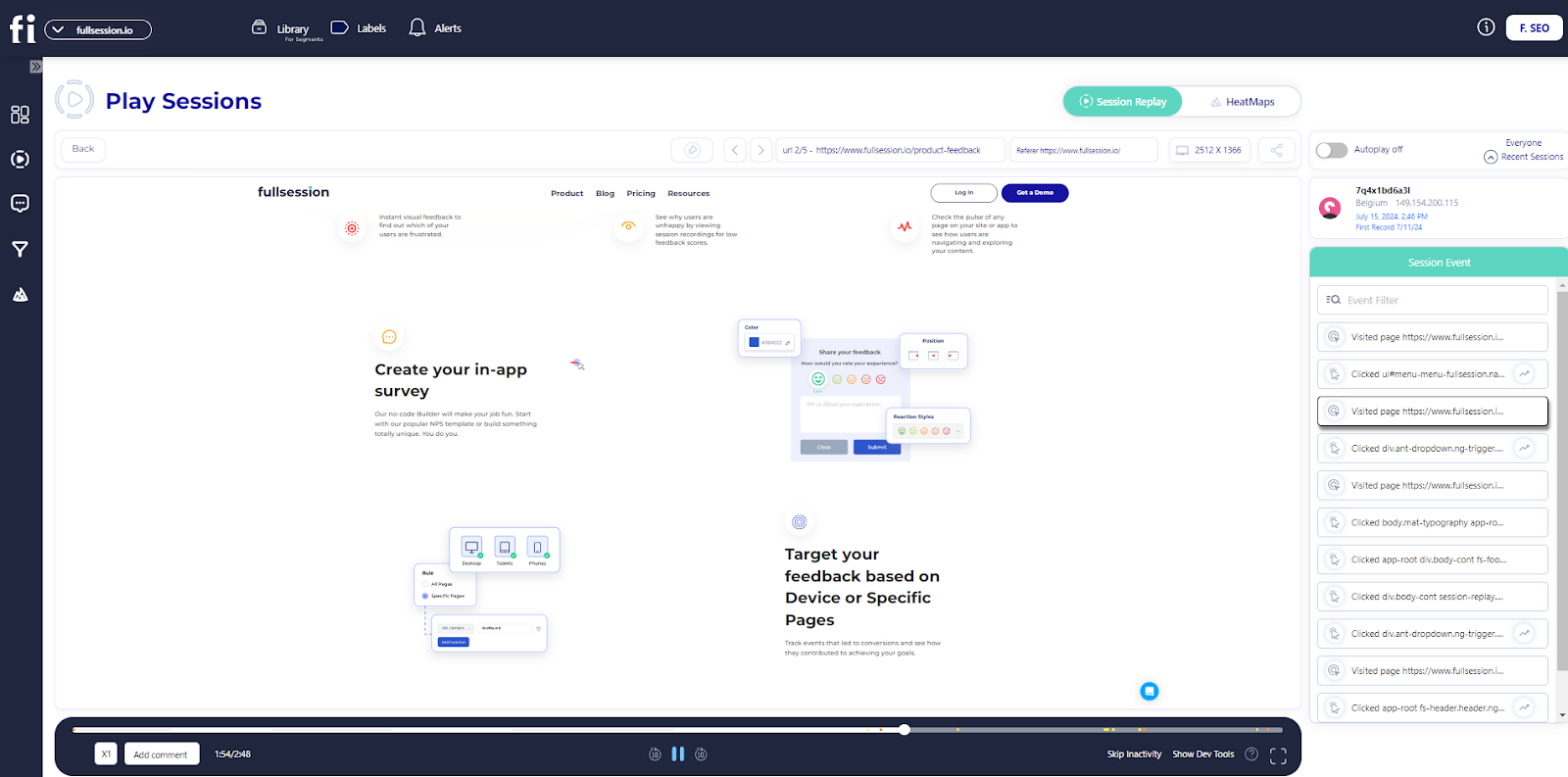
    Don’t overcomplicate the map, and keep it simple and clear. Keep your customer journey maps dynamic and update it often to reflect changes in customer behavior or market trends.

    What is Customer Journey Analytics?

    Customer journey analytics lets you see how people interact with your business. By studying customer journeys, you can see the complete picture of their experience from start to finish. This approach is about improving customer satisfaction by analyzing the data collected at each touchpoint along the journey.

    Key customer journey analytics components include creating a customer journey map outlining the buying process, user actions, emotions, pain points, and solutions. At each stage, you can see what customers want and need to optimize their experience and increase conversion rates.

    Customer journey analytics differs from traditional analytics, like Google Analytics, in that it examines the entire journey the customer takes, not just individual touchpoints.

    Traditional analytics looks at isolated interactions, while journey analytics gives you a holistic view, showing patterns and trends across the whole experience.

    Analyze User Behavior With FullSession

    Capture all user interactions, spot trends and patterns and drive improvements without compromising your website performance.

    Why Invest In Customer Journey Analytics

    Customer journey analytics lets you see all the touchpoints where users interact with your site. Their actions could include browsing, clicking, and purchasing. Having a full view of the journey helps you spot trends and patterns.

    Data analysis will tell you why customers behave in certain ways. Recognizing and meeting customer needs can lead to higher satisfaction and loyalty, so they’ll keep coming back.

    It can guide website improvements, product offerings and marketing strategies. Effective use of customer journey analytics can even increase your conversion rates and revenue.

    Tools for journey tracking and visualization help make sense of the complex web of interactions happening across the site. With this knowledge, you can make smart decisions to improve user engagement and reach business goals.
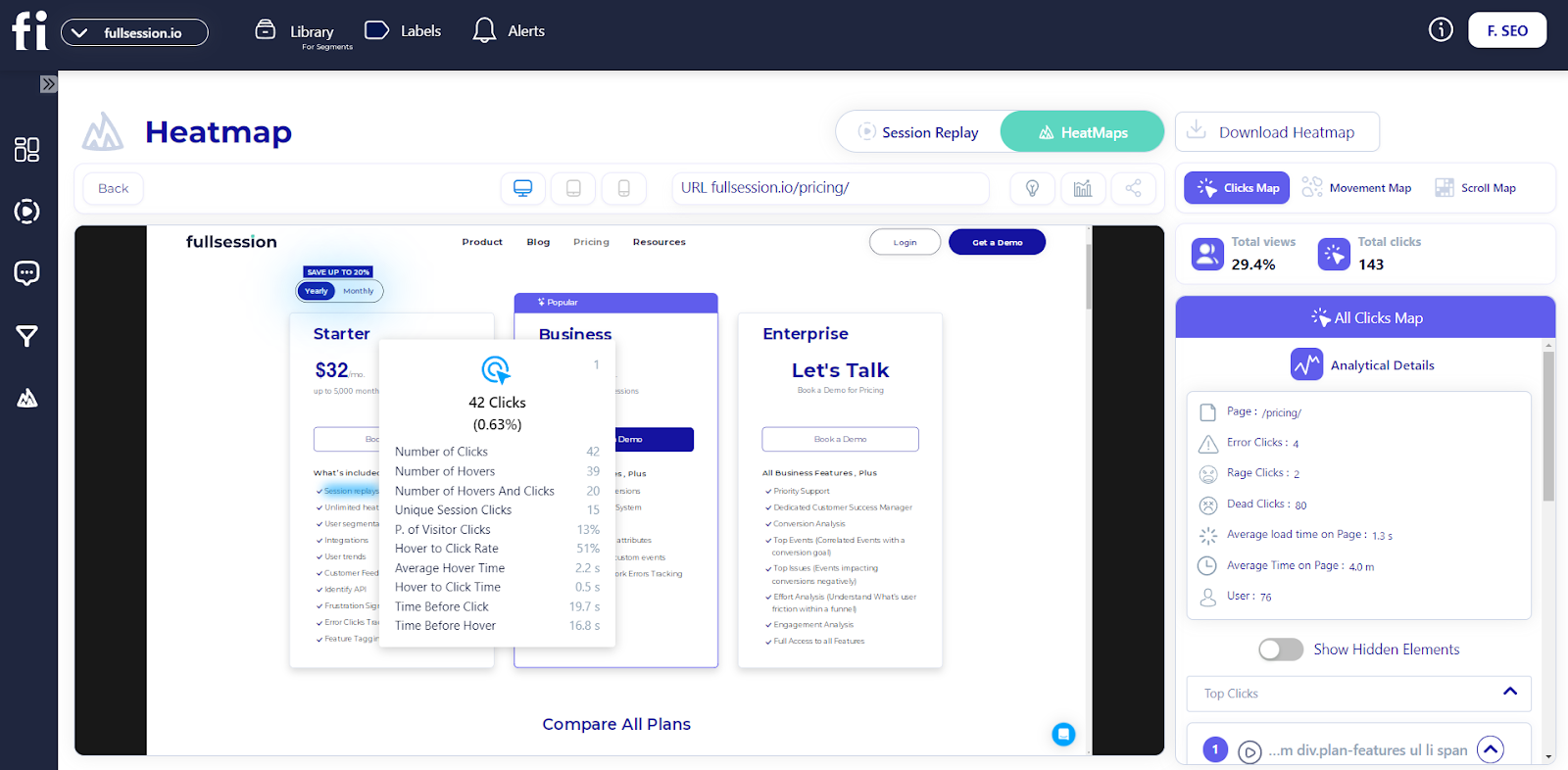
    Using FullSession As A Customer Journey Analytics Platform

    FullSession customer journey analytics software

    When you choose FullSession as your customer journey analytics tool, you get advanced insights into user behavior. It helps you capture, visualize and analyze user engagement with ease.

    The intuitive dashboard gives you a 360-degree view of user behavior data, showing how users interact with your site in real time.

    You can watchuser sessions to see how individuals navigate your site and analyze interaction data to predict customer behavior better.

    Withinteractive heatmaps, you can detect dead zones on your pages to improve your website’s interface, usability and performance. You can test different page elements and validate design changes to see what works best.

    Optimizing key touchpoints in yourconversion funnels is crucial. FullSession helps identify conversion blockers and minimize drop-offs. Based on this feedback, you can ensure a smoother journey for your customers.

    FullSession allows you to gather directuser feedback. You’ll know the reasons behind any user frustration and can act quickly to solve these issues. It improves your customer experience initiatives.

    Security is a top priority with FullSession. It complies with privacy standards like GDPR, PCI and CCPA, making it a reliable and secure customer journey analytics solution. With FullSession, you put your users’ privacy first while gaining the insights you need.

    Visualize, Analyze, and Optimize with FullSession

    See how to transform user data into actionable insights for peak website performance.

    Session recordings and replays

    Session recording and replay tools

    Session recording and replay tools will show how users advance through your site. You can see mouse movements, clicks and scrolling patterns to understand user behavior.

    • Issue identification: Find broken links, bugs and usability problems.
    • Time tracking: See how long users stay on each page.
    • Trend analysis: Get an overview of user interactions to spot trends.
    • Marketing impact: Measure how well campaigns perform based on user activity.
    • Referrals: See which websites or campaigns drive traffic to your site.

    With session recordings and replays, you can also track:

    • Session list: Get an overview of all recorded user sessions.
    • User location and IP address: Identify where your users are coming from.
    • Date and time of the visit: Know when users interact with your site.
    • Device usage: Understand which devices and browsers your users prefer.
    • Visited pages: See which pages are most popular.
    • Session events: Analyze specific user actions within a session.

    You can skip user inactivity to speed up your analysis, apply advanced filters to identify critical events in a user session or share the recording with your team.

    Scroll, click and mouse movement heatmaps

    interactive heatmaps

    With website heatmap tools, you can better understand the customer journey.

    Interactive heatmaps help you see how users engage with your website. They create a visual, color-coded report showing which parts of your site get the most or least engagement.

    In e-commerce, heatmaps help you discover if page elements catch users’ attention. You can find out if users click the product images, call-to-action buttons or face issues with web forms.

    FullSession scroll map

    FullSession provides three main types of interactive heatmaps:

    With FullSession heatmaps, you can capture:

    1. Visited URL: See which pages users are visiting.
    2. Device used: Understand which devices and browsers your users prefer.
    3. Average load time on page: Monitor page performance and its impact on user engagement.
    4. Average time on page: Determine which pages hold users’ attention the longest.
    FullSession mouse movement map

    You can monitor specific user interactions like:

    • Overall clicks: Identify the most engaging elements on your site.
    • Rage clicks: Spot areas where users repeatedly click on unresponsive elements.
    • Dead clicks: Identify clicks on non-interactive elements.
    • Error clicks: Detect areas where users are experiencing issues.

    Additional features:

    1. Share the heatmap: Collaborate with your team by sharing heatmap insights.
    2. Download the heatmap: Save heatmaps for offline analysis or presentations.

    By analyzing these details, you can make strategic changes to improve your site’s performance and user satisfaction.

    Website feedback forms

    FullSession website feedback forms

    Website feedback forms are a great way to learn what users think about your site. These customer feedback collection tools give you immediate insights into your website’s performance to make necessary improvements.

    FullSession customer feedback report

    With FullSession, you can create branded feedback forms, evaluate customer feedback reports to understand their sentiments and get more information about your users:

    • Email address
    • Location
    • The feedback customers submitted
    • Device type
    • Date of feedback
    • URL they engaged with
    FullSession customer feedback

    You can watch connected session recordings to see user actions firsthand and pinpoint where they experience issues to understand their feedback better. 

    Turn User Behavior into Growth Opportunities

    Learn how to visualize, analyze, and optimize your site with FullSession.

    Conversion funnel analysis

    FullSession conversion funnel analysis

    Understanding your conversion funnel is key to improving your user’s experience. With FullSession conversion funnel analysis, you can dig into each step of your funnel to see where users convert or drop off.

    Funnel steps let you visualize this progression, helping you spot where improvements are required.

    Monitoring funnel trends over time lets you track how the user flows, and conversion rates change. This insight can guide you in tweaking your strategy to boost sales or engagement.

    Pinpoint top events that drive conversions. By focusing on users’ actions before they convert, you can amplify these successful steps. Conversely, identifying top issues frustrating users allows you to make necessary fixes.

    Measure how long users engage with specific parts of your product. The time-engaged feature highlights where users might be facing frustrations. Steps with the most interactions could indicate interest or confusion, so optimizing these top-engaged steps is necessary.

    The revisit rate helps you understand how often users exit before moving forward, which can point to stumbling blocks in your funnel. By examining this data, you can rework these areas to make transitions smoother.

    Segment analysis allows you to compare user behaviors between different groups. It is important to tailor experiences to diverse demographics.

    Also, using period comparison allows you to track trends and performance over different periods, allowing for more strategic planning.

    Website error tracking

    FullSession website error tracking

    Understanding website issues is necessary for user experience analysis. FullSession offers one of the best website monitoring tools to identify and fix these problems.

    1. Error clicks: Session replays can highlight where users encounter unresponsive elements. It allows you to fix buttons or links that are not working as they should.
    2. Network errors: You can track server request failures and analyze why specific requests don’t complete. It helps you find server issues that might disrupt your site.
    3. Console errors: Logging JavaScript errors is made easier with session replays. You get to see how these errors affect the user journey on your website.
    4. Error logs: These logs collect important details that make debugging simpler. Having the right information at your fingertips makes it easier to understand what went wrong.
    5. Uncaught exceptions: Manage critical errors by monitoring and handling them before they cause website crashes. It ensures your site remains stable and reliable.
    6. Error trends: Visualizing error patterns over time allows you to see recurring issues. Understanding trends helps you take proactive steps in resolving problems.
    7. Alerts: Get real-time alerts through platforms like Slack. You can customize these notifications to fit your operational needs, ensuring you’re always in the loop.

    Use customer journey analytics to increase your website visitors’ overall reliability and satisfaction.

    Why Choose FullSession for Customer Journey Analytics

    FullSession is perfect for customer journey analytics as it helps you see the entire customer experience on your website. With FullSession, you can track dynamic website elements in real time and get precise user behavior data without slowing down your site.

    FullSession lets you watch actual user sessions and connect data analysis to the real customer experience. It means you can see why users take certain paths in their journey.

    The platform also respects user privacy by not recording any sensitive data. You can manage and analyze large datasets to get instant answers and inform your customer experience strategy.

    Only tracking behavior on your site, FullSession, prevents data misuse. It also allows seamless collaboration across teams to unify efforts to optimize the customer journey in one place.

    FullSession gives you real-time, privacy safe and actionable customer journey analytics to make meaningful changes to the user experience. Its robust, easy-to-use features make it the perfect solution for any business to understand and serve customers.

    How to Start With FullSession

    FullSession pricing

    FullSession is easy and affordable for businesses of all sizes, from small startups to big enterprises. You can start a free trial before committing to a paid plan.

    When you’re ready to subscribe, choose one of the three paid plans: Starter, Business and Enterprise. The Starter plan is just $39/month and includes all the essentials: unlimited heatmaps and session recording up to 5,000 sessions per month.

    As your business grows and your needs change, you can easily upgrade to higher-tier plans. It means you only pay for what you need at each growth stage.

    To get the most value, consider opting for an annual subscription, which gives you 20% off all plans.

    Go to the Pricing page to see the plans in more detail and choose the one that suits your current needs and budget. You can start improving your customer journey analytics and user experience now.

    Improve Your Website Performance

    Learn how to detect and fix website issues before they affect your customer experience.

    How to Boost User Experience With Customer Journey Analytics

    Improving user experience means identifying pain points, personalizing interactions and optimizing touchpoints. Here’s how.

    Identify pain points

    Analyze customer interactions across multiple channels to pinpoint where users face challenges. Use customer feedback platforms to gather insights. Focus on areas with high cart abandonment or dissatisfaction and streamline processes to reduce friction in the customer’s journey.

    Personalize experiences

    Use UX research tools to tailor content and offers to individual preferences. Send personalized emails or product recommendations based on user behavior. This approach helps provide personalized customer experiences, increases engagement and builds customer loyalty.

    Optimize website design

    Improve your website by using user behavior data. Use digital analytics tools to simplify navigation, speed up load times and make key information easily accessible. Use A/B testing to continually improve the user interface and experience.

    Implement data-driven marketing

    Use marketing analytics tools and create marketing campaigns based on customer behavior insight. Segment your audience and time promotions to match buying patterns. Targeted campaigns on social media will increase customer interaction.

    By completing these steps, you can create a smooth customer journey and meet their expectations.

    Using Journey Analytics for Data-Driven Decision Making

    Customer analytics can help you pinpoint issues in real time and improve your business decisions. With customer journey analytics, you can get actionable insights into customer behaviors and preferences to develop strategies that match customer expectations and improve your business outcomes.

    With understanding the end-to-end customer journey and improving the overall customer experience, increased conversions are usually a natural byproduct.

    Identify and track key performance indicators (KPIs) like customer retention rates, conversion rates, and customer satisfaction scores. Focusing on these KPIs helps you measure the success of your strategies and make necessary adjustments.

    Integrating customer analytics with other business systems, such as CRM or ERP, improves data synergy and ensures a unified customer profile, leveraging diverse data sources for a deeper understanding of customer needs.

    Using customer data platforms (CDPs) helps you aggregate data from various touch points and predict customer behavior. You can identify trends and patterns to develop effective marketing campaigns and improve customer experiences.

    You can use customer journey analytics to foster data-driven decisions that support your business goals. Tracking these metrics and integrating data across platforms allows you to achieve practical insights that benefit your overall strategy.
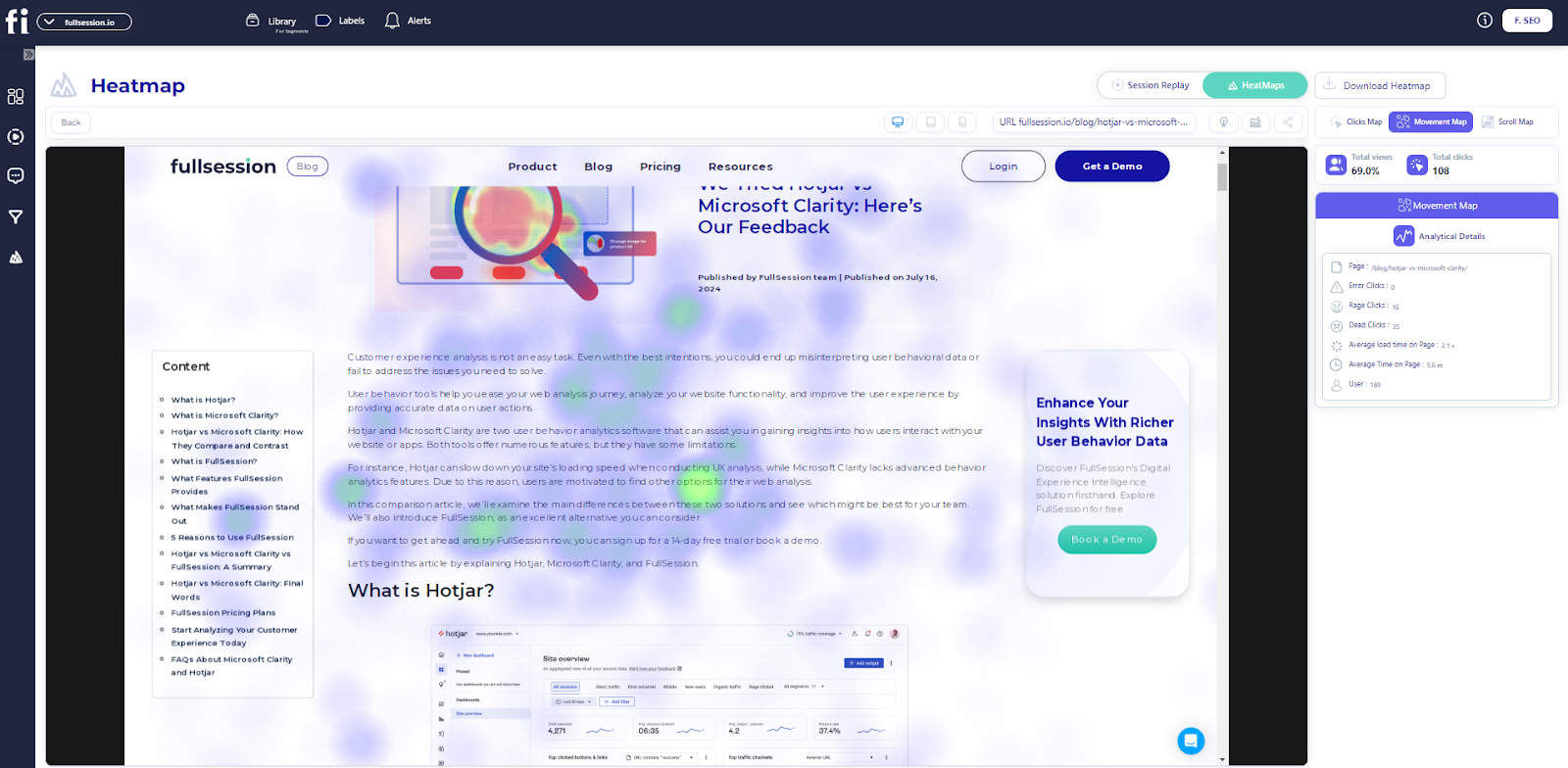
    Retention Strategies Driven By Customer Journey Analytics

    Understanding why users leave, or customer churn analysis, is crucial. Using analytics, you can examine patterns and spot factors that may indicate a risk of losing customers. 

    For instance, a drop in engagement or frequent complaints could signal a potential problem. Tracking customer behavior over time reveals churn patterns, allowing you to identify these risk factors early and act before customers decide to leave.

    Reducing friction in the customer journey decreases customer churn by ensuring a smooth experience at every touchpoint. With insights from customer behavior, you can create targeted campaigns to boost customer loyalty and retain customers. Personalized campaigns can prevent customer churn by addressing specific needs and preferences.

    For example, if data shows a segment prefers discounts, consider offering personalized deals to entice them to stay and become loyal customers.

    Identifying high-value customer interactions increases loyalty by focusing on moments that matter most to your customers. Analytics also help you evaluate how well your strategies work. You can see if your efforts are paying off by measuring key metrics like customer satisfaction or retention rates. If not, you can adjust your approach to better meet your customers’ needs.

    Regular updates to customer engagement strategies help retain customers by aligning with their growing expectations. To keep new customers and reduce customer churn, be proactive.

    Leveraging customer journey analytics helps you understand what makes your customers happy and address issues quickly. Retaining customers leads to a stronger business, turning satisfied clients into lifelong patrons.

    Conclusion About Customer Journey Analytics

    Customer journey analytics can help you understand why your customers make certain choices. Gathering data from different interactions lets you see patterns and preferences. This understanding enables you to make better decisions for your business.

    By looking at the data, you can spot areas where customers might be having issues. Fixing these can improve their experience and satisfaction with your brand.

    Customer journey analytics helps in understanding customer behavior and linking customer actions to business goals. It is important for improving your strategies.
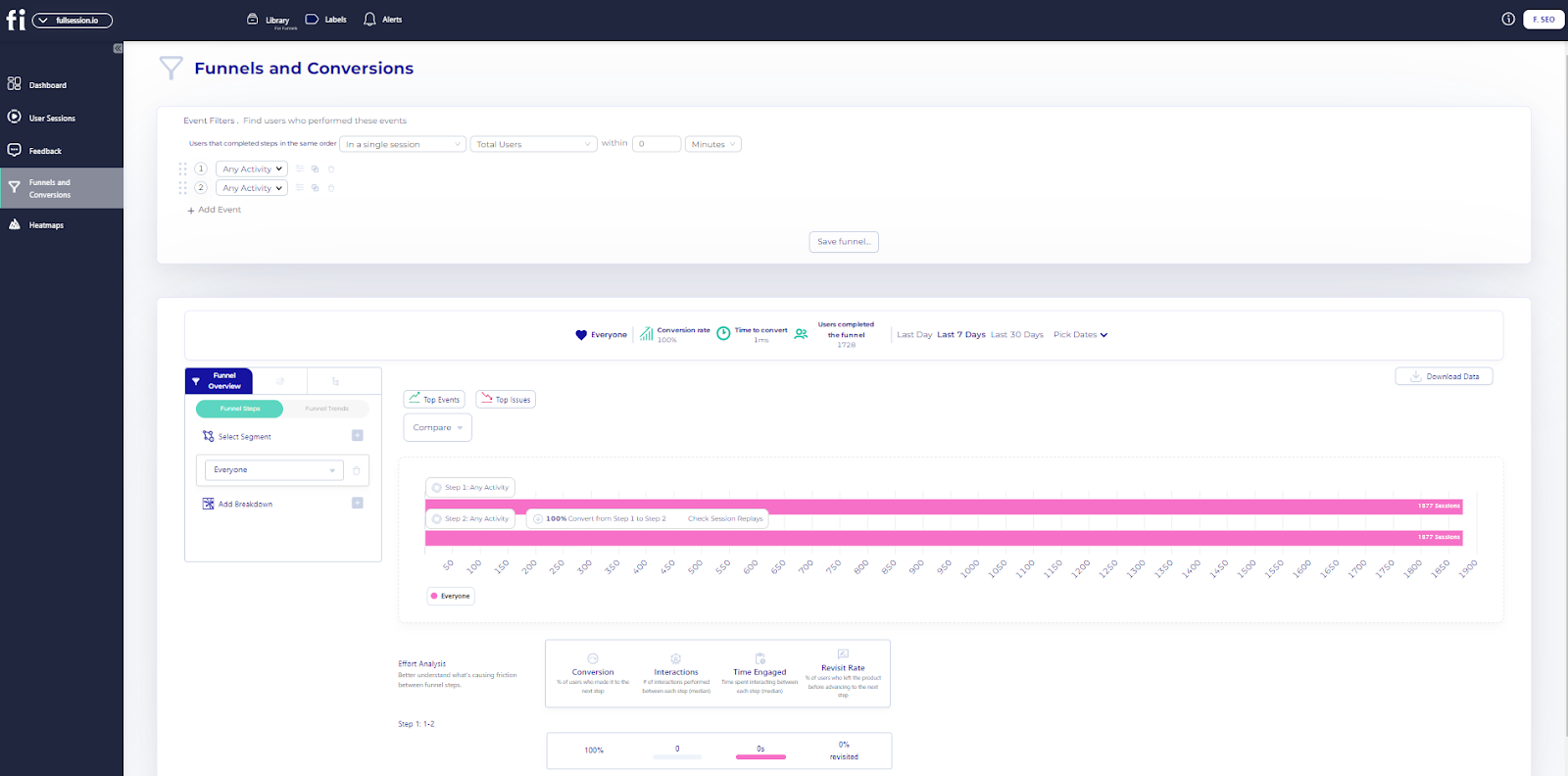
    You’ll be better equipped to meet customer needs and expectations by mapping out customer journeys clearly. It creates a seamless experience that can lead to greater customer loyalty.

    FullSession helps you reach goals by providing an all-in-one user behavior analytics platform that equips you with all the tools you need to map customer journeys, collect key data, visualize and analyze all user interactions and optimize your website to meet their needs.

    You can start a free trial or get a demo to learn more.

    FAQs About Customer Journey Analytics 

    Let’s answer the most common questions about customer journey analytics.

    What is customer journey analysis?

    Customer journey analysis is the process of understanding how customers interact with your brand across multiple touchpoints. It’s about tracking and analyzing every step of the customer’s journey, from the first interaction to the final purchase, to improve their overall journey.

    What is Adobe Customer Journey Analytics?

    Adobe Customer Journey Analytics combines data from multiple sources to give insights into customer behavior. You can drill down, filter and visualize the data to make better decisions for the customer.

    What are events in customer journey analytics?

    Events are specific actions or interactions customers make in their journey. It could be clicking a link, purchasing, or signing up for a newsletter. Tracking events will help you measure customer engagement and find areas to improve.

    What is a user journey?

    User journey is about tracking users’ paths as they move through digital platforms. It gives you insights into user preferences and patterns so you can improve the user experience and satisfaction.

    What is the customer journey?

    Customer journey combines data from multiple sources to get a 360-degree view of customer interactions. Linking behavior to business outcomes helps brands make data-driven decisions.

    How to analyze a customer journey?

    Start by visualizing the customer journey, identifying the key stages, and collecting data at each point. Analyze feedback and data patterns to see trends and areas to improve. Regular analysis will help you tailor your processes to meet customer needs better.

    What are the 5 stages of the customer service journey?

    1. Awareness
    2. Consideration
    3. Purchase
    4. Retention
    5. Advocacy

    What are the 7 steps to map the customer journey?

    1. Set clear objectives
    2. Create buyer personas
    3. Identify touchpoints
    4. Map the current journey
    5. Analyze journey gaps
    6. Redesign the journey
    7. Test and update regularly


  • 5 Best Pendo Competitors and Alternatives to Analyze User Behaviors

    5 Best Pendo Competitors and Alternatives to Analyze User Behaviors

    Pendo is a product experience and digital adoption software offering in-app guidance, product adoption, and feedback tools, so it’s a no-brainer for companies looking to improve user onboarding and customer engagement.

    While Pendo has useful features, the pricing structure can be a barrier for smaller companies. Its free tier provides limited features, and some customers have reported that the analytics don’t always offer practical insights. Additionally, the in-app guidance is limited compared to other solutions.

    The platform lacks integrated support features like real-time chat and a knowledge base. The session replay feature has challenges like short data retention and privacy concerns.

    These limitations have led many users to seek Pendo competitors that better suit their needs.

    FullSession is one such solution. This all-in-one user behavior platform helps you visualize all user engagement, analyze trends and patterns with laser precision and optimize your website for peak performance.

    You can start a free trial or get a demo to learn more.

    We will explore Pendo alternatives in today’s article, comparing their features, benefits, and pricing. We will also explain why FullSession might best fit your business.

    Key Takeaways

    • FullSession is an advanced user behavior analytics software that helps you capture, visualize and analyze all user interactions to optimize your website and improve its interface, usability and performance. Key features include advanced user segmentation, session recordings and replays, website heatmap tools, customer feedback tools, conversion funnel analysis, and error tracking. It complies with GDPR, CCPA, and PCI standards, ensuring user privacy and data security. Pricing starts at $39/month, with a 20% discount for annual subscriptions. Book a demo today.
    • Heap is a digital insights platform that automatically records all user engagement, making setup quick and easy. Its main features include automatic event tracking, funnel analysis, behavioral segmentation, and retention tracking. Heap suits businesses searching for detailed behavioral insights without manual event tagging. However, it can be overwhelming for smaller teams due to the depth of data. Heap offers a free plan, with paid plans based on session volume, requiring custom quotes for large organizations.
    • Mixpanel is a product analytics tool that helps you track user interactions and increase their engagement through data analysis. Its features include event tracking tools, cohort analysis, funnel reports, and A/B testing. Mixpanel is scalable but can become expensive for large teams or businesses with significant data usage. The platform’s pricing starts at $24/month, but advanced features can have a steep learning curve for new users, particularly those unfamiliar with product analytics.
    • UXtweak is a user experience analysis and usability testing platform that helps businesses conduct user tests and gather feedback to improve digital experiences. Features include usability testing, session recordings, heatmaps, surveys, and card sorting. While it helps with gathering detailed feedback and analyzing user behavior, UXtweak lacks in-app guidance and messaging features. UXtweak’s pricing starts at $99/month, with custom pricing available for larger businesses.
    • Amplitude is a product usage analytics platform that helps you track user behavior and analyze engagement over time. Its key features include event tracking, cohort analysis, funnel analysis, retention tracking, and A/B testing. Amplitude suits businesses looking to optimize user journeys and product features. However, it lacks in-app messaging and product adoption tools, which are Pendo’s strengths. Amplitude has a free plan, with paid options based on the number of users and data points tracked, starting at $61/month for the Plus plan.

    Improve Your Website UX and UI

    Capture all user interactions, spot trends and patterns and drive improvements without compromising your website performance.

    5 Top Pendo Competitors Right Now

    Pendo is the leading digital adoption platform, but it may not be what you’re looking for to optimize your web and in-app experiences. Here are some of the best Pendo competitors:

    1. FullSession (Get a demo)
    2. Heap
    3. Mixpanel
    4. UXtweak
    5. Amplitude

    Let’s start with our analysis.

    1. FullSession

    FullSession Pendo competitors

    FullSession is one of the best user behavior tools. It helps you capture, visualize and analyze the entire customer journey.
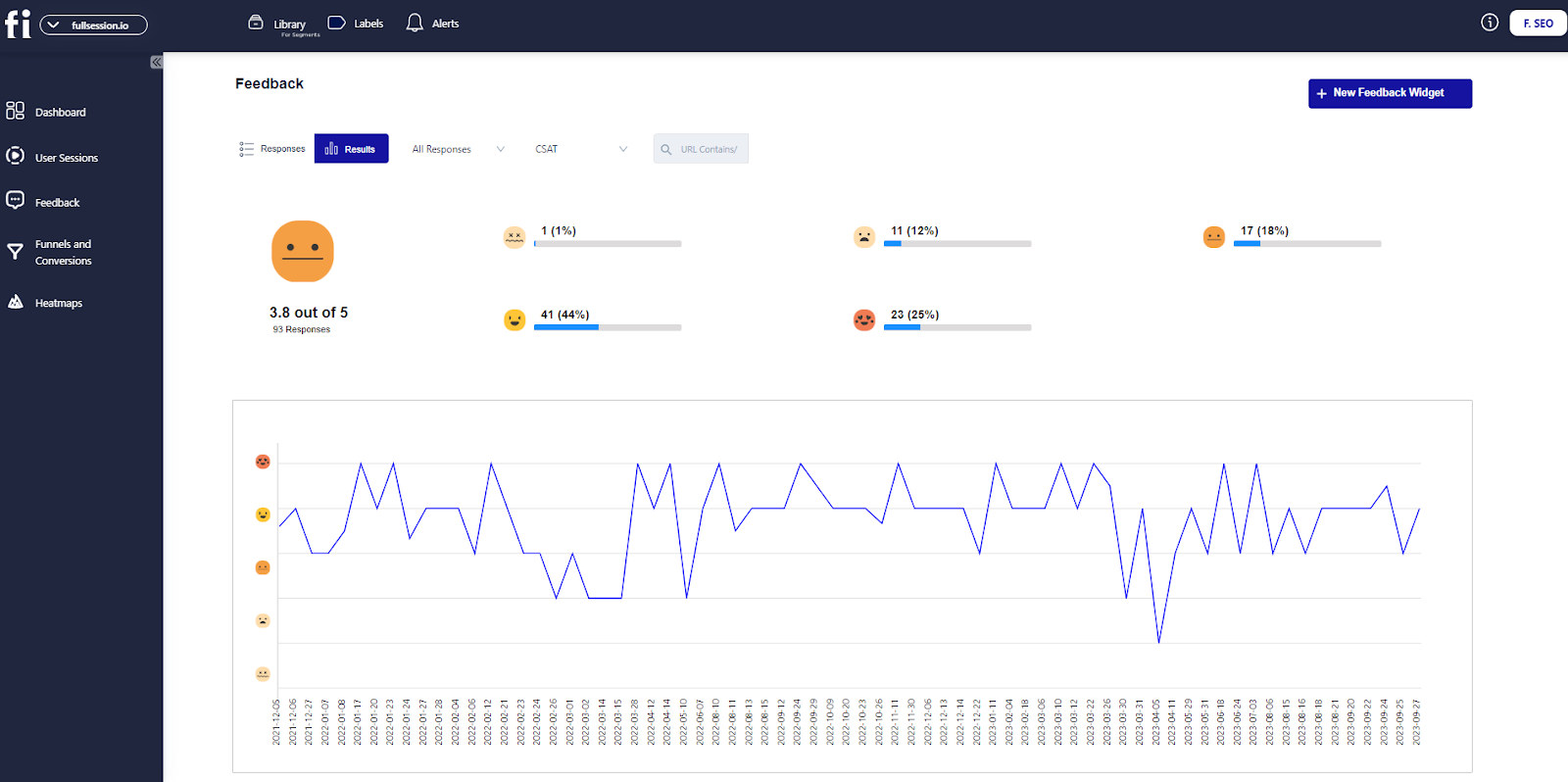
    You’ll get a complete picture of user engagement to evaluate trends and patterns in their behavior and optimize your site, web app or landing page for maximum performance.

    The platform has an intuitive dashboard that consolidates all user behavior data in one place.

    Beyond just stats, FullSession lets you watch real-time session recordings and observe the actual user journey to understand how they navigate your digital platform.

    FullSession session recordings

    Interactive heatmaps help you pinpoint underperforming spots, test diverse page elements, validate design changes and improve your site’s usability and overall performance.

    With CRO tools, you can eliminate conversion blockers, simplify key touchpoints in the user journey and reduce drop-offs in your funnels.
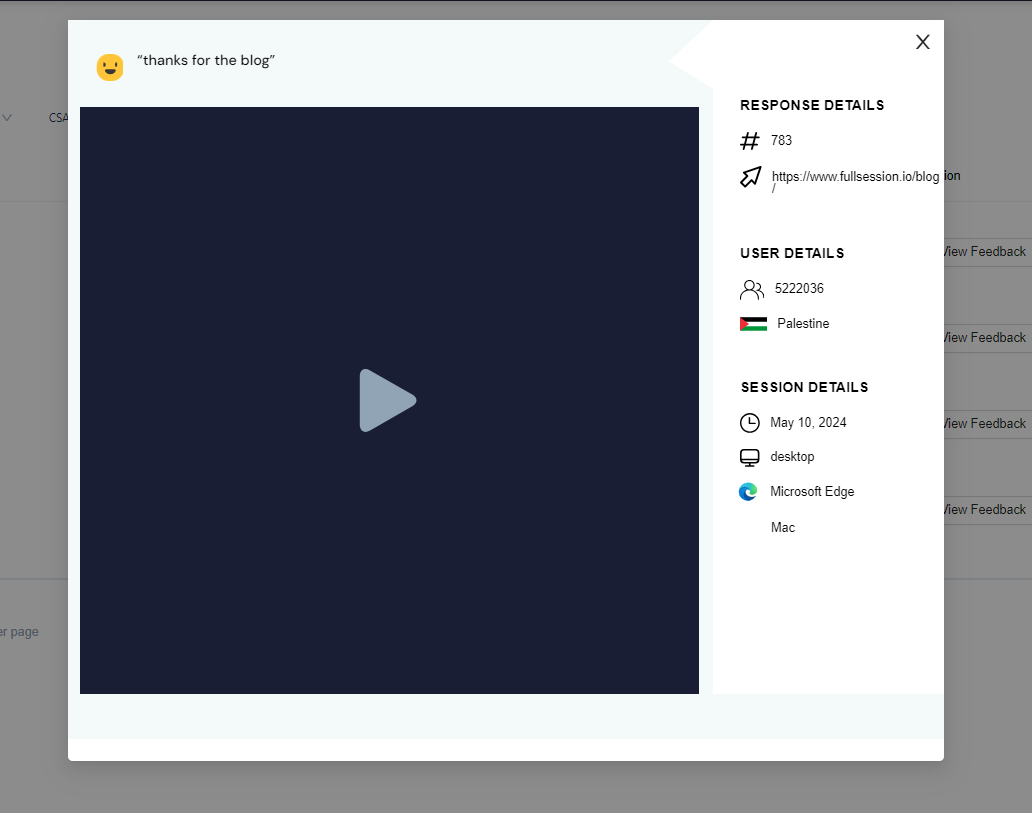
    The platform also provides customer feedback collection tools to understand the root cause of user frustration and fix recurring issues.
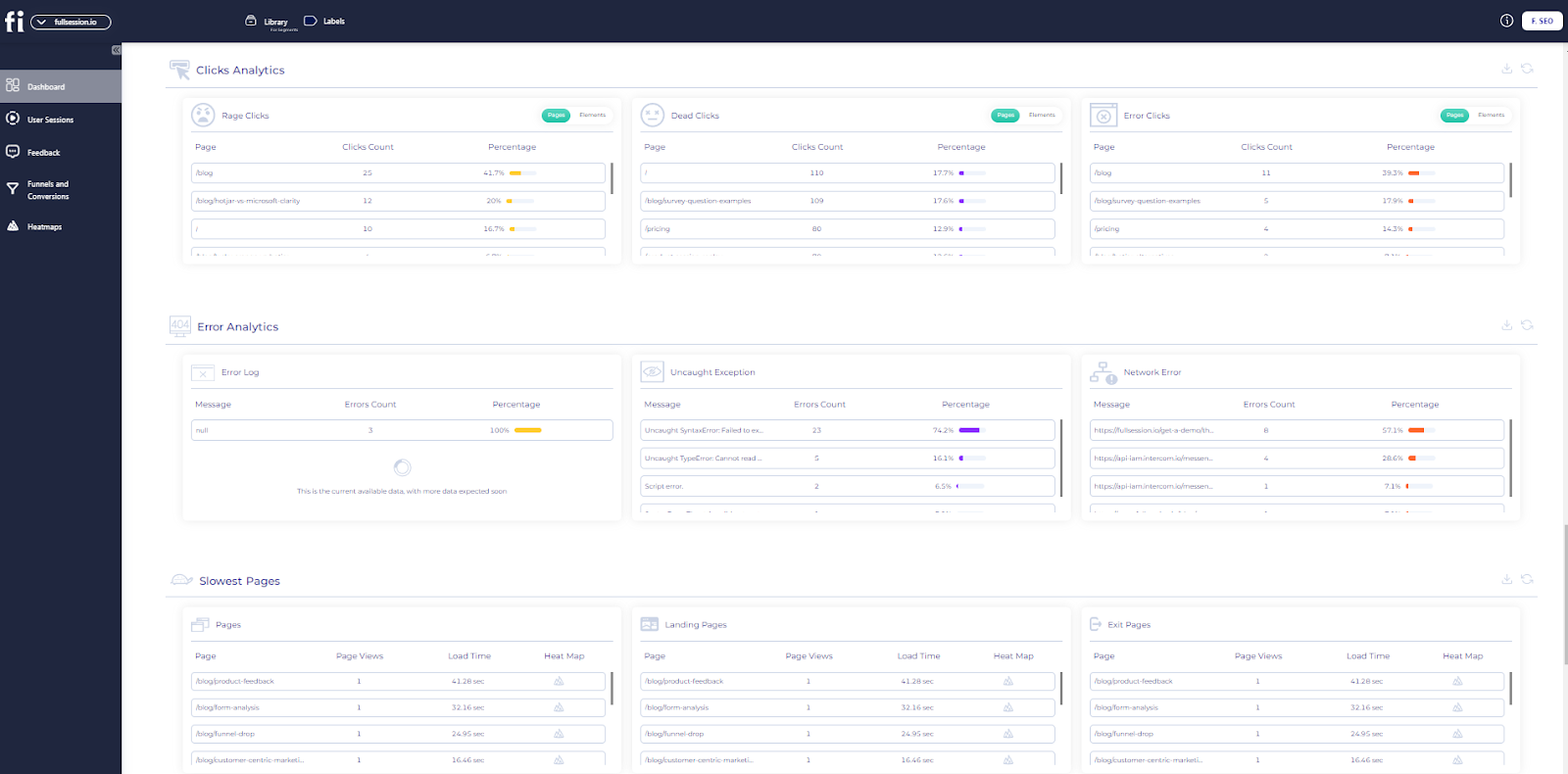
    FullSession takes data security and user privacy seriously and complies with GDPR, CCPA and PCI regulations.

    Start a free trial or get a demo to learn more.

    Use cases

    FullSession is for:

    Key features

    FullSession heatmaps
    • Advanced user and event segmentation: See behavior trends, patterns and correlations to optimize user journeys and increase engagement and conversion rates.
    • Session recordings and replays: Record every user interaction on your website. Replay user sessions, analyze behavior and predict future actions based on historical data. Keep your users’ data private by excluding sensitive data recording.
    • Interactive heatmaps: Switch between mouse movement, click maps and scroll maps. See where users interact most or least, and test different page elements to see what’s performing best and how long it takes to complete key tasks. Get heatmap data in real time with zero processing time and no impact on your website.
    • Website feedback forms and reports: Create custom forms to collect customer feedback on their satisfaction, pain points and feature requests. You can watch a linked session recording to see what happened during the session and why the user gave that feedback.
    • Conversion and funnel optimization tools: See user behavior patterns and why users drop off. Visualize user drop-offs at each step and test different designs and content to improve conversion rates.
    • Error analysis: Automatically detect website issues like JavaScript errors, network issues and failed API calls. Analyze error data to troubleshoot, find the root cause and prevent it from affecting user experience.

    Visualize, Analyze, and Optimize with FullSession

    See how to transform user data into actionable insights for peak website performance.

    How FullSession compares to Pendo

    FullSession user behavior data

    While Pendo helps businesses create in-app guides and track feature adoption, FullSession captures, analyzes, and visualizes all website user activities, providing a broader picture of your performance.

    FullSession is excellent for UX pros and product development teams who need deep, visual insights into user interactions and behavior.  

    Pendo works for product teams that want to drive feature usage without coding. However, it is more expensive due to its user-based pricing. 

    Limitations

    FullSession doesn’t work with native mobile apps.

    Integrations

    FullSession supports open APIs, modern webhooks, native integrations and Zapier. It also works with Shopify, WordPress, Wix, and BigCommerce. 

    Customer support

    FullSession offers live chat and email support, and users can also access a help center filled with guides and troubleshooting resources.

    Pricing

    FullSession pricing

    FullSession offers a free trial and three pricing tiers—Starter, Business, and Enterprise—making it accessible for businesses of all sizes.

    The Starter plan starts at $39 per month and includes unlimited heatmaps and session recordings for up to 5,000 monthly sessions.

    You can also save 20% with an annual subscription. View the Pricing page to learn more.

    Improve Your Website Performance

    Learn how to use FullSession to detect and fix website issues before they affect your customer experience.

    2. Heap

    Heap Pendo competitors

    Heap is a digital insights platform that helps you understand user behavior by automatically capturing every interaction on your website or app. Unlike some Pendo alternatives, Heap doesn’t require manual tracking code implementation, making it much easier to get started.

    User rating

    Heap review

    Image source: G2

    Heap has an average user rating of 4.4 out of 5 stars based on 1,087 reviews on G2.

    Use cases

    Heap is useful for:

    • Product managers seeking insights into feature usage
    • Marketing teams analyzing conversion rates
    • Data analysts looking for detailed behavioral data
    • UX designers optimizing user experience
    • SaaS companies improving user onboarding
    • E-commerce businesses tracking shopping cart abandonment

    Key features

    • Automatic data capture: Heap automatically records every user interaction, so you don’t have to manually tag events.
    • Funnel analysis: Visualize funnel steps to understand where users drop off and what actions they take before leaving.
    • Retention analysis: Track customer retention and identify patterns that keep users coming back to your platform.
    • Behavioral segmentation: Group users based on their behavior to better understand different customer segments and how they interact with your site.
    • Retroactive analysis: Perform analysis on past data without setting up tracking in advance.
    • Integrations: Connect Heap to your existing tech stack and tools like Salesforce, Segment, and Marketo.

    How Heap compares to Pendo

    Heap focuses more on data capture and behavior analysis. If you’re primarily looking for detailed insights into how users interact with your website or app,

    Heap’s automatic tracking and analytics offer a simpler, more flexible solution than Pendo.

    Limitations

    Heap’s focus on automatic data capture can be overwhelming for smaller teams that don’t need such in-depth analytics. It also doesn’t offer in-app guides or walkthroughs like Pendo.

    Integrations

    Heap integrates with platforms like Salesforce, Segment, and Marketo, allowing you to bring behavioral data into your existing workflows.

    Customer support

    Heap provides customer support through email and live chat. There’s also a help center with resources, guides, and best practices for using Heap effectively.

    Pricing

    Heap pricing

    Heap offers flexible pricing with a free plan that includes limited features, making it accessible for startups and small businesses.

    Paid plans are tailored to larger organizations needing advanced analytics and deeper insights, with pricing based on session volume.

    However, you need to contact Heap for a direct quote.

    3. Mixpanel

    Mixpanel Pendo alternatives

    Mixpanel is a product analytics tool that helps you understand how users interact with your apps or websites.

    With a focus on tracking user actions, Mixpanel allows companies to dig into data that shows how users move through their product, where they drop off, and what features they engage with the most.

    Learn more: Hotjar vs Mixpanel vs Clicktale.

    User rating

    Mixpanel review

    Image source: G2

    Mixpanel holds an average rating of 4.6 out of 5 stars based on over 1,126 reviews on G2.

    Use cases

    Mixpanel is a good option for:

    • Product managers looking to understand feature usage
    • SaaS companies tracking user engagement
    • Data analysts examining product performance metrics
    • Marketing teams optimizing user funnels
    • Growth teams improving customer retention
    • Mobile app developers monitoring in-app behavior
    • Startups analyzing early user adoption

    Key features

    • Event tracking: Track every user action within your app or website, from button clicks to page views to understand how users interact with your product.
    • Funnel analysis: See how users move through key funnels in your app or site, where they drop off, and what actions lead to conversions.
    • Cohort analysis: Group users based on product usage data or demographic criteria to analyze their engagement patterns over time.
    • A/B testing: Run experiments to test different versions of your product and see which performs better based on actual user data.
    • Segmentation: Break down user data by demographics, behavior, or custom criteria to gain deeper insights into your audience.
    • Retention tracking: Measure how well your product retains users over time and identify opportunities to improve customer retention.

    How Mixpanel compares to Pendo

    Mixpanel specializes in analyzing user behavior and product performance metrics.

    For those seeking more detailed user engagement analytics than typical digital adoption platforms provide, Mixpanel’s event tracking and user segmentation capabilities prove particularly valuable. 

    Limitations

    Businesses looking for onboarding solutions may find Mixpanel lacking in those areas.

    Integrations

    Mixpanel integrates with tools like Salesforce, HubSpot, and Zapier and supports custom integrations via APIs.

    Customer support

    Mixpanel offers email and live chat support, along with extensive documentation and tutorials in its help center to guide users through setup and advanced features.

    Pricing

    Mixpanel pricing

    Mixpanel provides a flexible pricing structure with a free plan for startups and small teams, offering up to 100,000 monthly tracked users.

    Paid plans are available for larger businesses needing advanced features like deeper data insights and priority support, with pricing tailored to the number of users and events tracked.

    The Growth plan starts at $24 per month.

    4. UXtweak

    UXtweak Pendo competitors

    UXtweak is one of the best UX testing tools that helps you understand how users interact with your websites, apps, and digital products.

    With tools that allow you to conduct in-depth user tests, gather feedback, and analyze user behavior, UXtweak enables you to monitor digital experiences based on accurate data.

    User rating

    UXtweak review

    Image source: G2

    UXtweak has an average rating of 4.7 out of 5 stars based on 39 customer reviews on G2.

    Use cases

    UXtweak is useful for:

    • UX designers conducting usability tests on websites and apps
    • Product managers optimizing product features and interfaces
    • Digital marketers improving landing page performance
    • E-commerce businesses improving the shopping experience
    • SaaS companies seeking feedback on user flows and interface designs
    • Quality assurance teams spotting UX issues before release

    Key features

    • Usability testing: Conduct remote usability tests to gather direct feedback from users as they interact with your web and mobile apps. Identify issues in real time and make improvements based on user responses.
    • Session recordings: Capture user interactions on your site and replay them to understand how visitors navigate and where they encounter friction points.
    • Heatmaps: Analyze mouse heatmap, clicks, and scrolling behavior to visualize areas of interest and uncover usability bottlenecks.
    • Surveys and feedback tools: Collect qualitative data by deploying surveys and feedback forms that capture user opinions, satisfaction, and pain points.
    • Tree testing: Test and improve the structure of your website by understanding how users navigate your menus and links.
    • Card sorting: Optimize your website’s organization by using card sorting to see how users categorize and label content.

    How UXtweak compares to Pendo

    UXtweak is more centered around user research and testing. It is better if you need to conduct usability tests, gather detailed feedback, and analyze how users navigate your digital product. 

    Limitations

    UXtweak is more focused on user research and may not be the best choice for businesses looking for analytics-driven product adoption solutions.

    Integrations

    UXtweak integrates with popular tools like Google Analytics, Slack, and Zapier, allowing you to easily pull data into your existing workflows. It also offers API support for custom integrations.

    Customer support

    UXtweak provides customer support through live chat and email. It has a rich resource center with tutorials, guides, and best practices to help users get the most out of the platform.

    Pricing

    UXtweak pricing

    UXtweak offers a free plan with limited features, making it accessible for small businesses or teams just starting with user research.

    Paid plans offer more advanced features and start at $99 per month, scaling up based on the number of sessions and testing capabilities required. Larger businesses can opt for custom pricing to meet their specific needs.

    5. Amplitude

    Amplitude Pendo competitors

    Amplitude is a product research tool that helps you understand how users engage with your digital products. The platform provides insights into user retention, engagement, and growth, making it easier for teams to make data-driven decisions and improve overall product performance.

    User rating

    Amplitude review

    Image source: G2

    Amplitude has an average rating of 4.5 out of 5 stars on G2, with over 2,186 reviews.

    Use cases

    Amplitude is for:

    • SaaS companies tracking user behavior and feature usage
    • Product managers optimizing product experiences
    • Growth teams improving user retention and engagement
    • Mobile app developers analyzing in-app behavior
    • E-commerce businesses enhancing the customer journey
    • Data analysts uncovering insights from user behavior patterns
    • Marketing teams refining campaigns based on user data

    Key features

    • Event tracking: Capture and analyze every action users take in your product, from clicks to feature usage, to understand how users interact with your app or website.
    • Behavioral cohorting: Group users based on their actions and characteristics to identify patterns in how different segments engage with your product.
    • Funnel analysis: Visualize user journeys and pinpoint where users drop off, allowing you to optimize your conversion paths and improve user flow.
    • Retention analysis: Track how well your product retains users over time and identify what actions drive long-term engagement.
    • Pathfinder: Explore how users navigate your product to discover common paths and unexpected behavior patterns that lead to conversions or drop-offs.
    • A/B testing: Run experiments to test product changes and measure their impact on user behavior and engagement.
    • Advanced analytics: Use Amplitude’s machine learning tools to predict user behavior and identify opportunities for growth and retention.

    How Amplitude compares to Pendo

    Amplitude is primarily geared toward in-depth product analytics and behavioral tracking.

    If your goal is to gather deep insights into how users interact with your product and to optimize their experience based on data, Amplitude is the better choice. 

    Limitations

    Businesses looking for guided user experiences may need to connect Amplitude with another onboarding solution.

    Integrations

    Amplitude integrates with apps like Salesforce, Segment, Slack, and Google Analytics, offering API support for custom integrations.

    Customer support

    Amplitude offers customer support through live chat, email, and a comprehensive help center with tutorials and guides. Enterprise customers also get access to dedicated support teams and account managers.

    Pricing

    Amplitude pricing

    Amplitude offers a free plan with core analytics features, making it suitable for startups and small businesses.

    Paid plans, which include more advanced analytics and machine learning features, are available for larger organizations.

    Pricing depends on the number of users and data points tracked, with custom plans available for enterprises. The Plus plan starts at $61 per month.

    Pendo Competitors: Comparison Table

    Here is a summary of the best Pendo alternatives.

    FullSessionHeapMixpanelUXtweakAmplitude
    Session recordings
    Heatmaps
    User feedback tools
    Funnel analysis
    Error tracking
    Behavioral segmentation
    Monthly pricing$39n/a$24$99$61

    Pendo Competitors: FullSession The Best Solution On the List

    After evaluating the top Pendo competitors, FullSession stands out as the best solution for businesses looking to gain deep insights into user behavior and optimize their websites. 

    FullSession goes beyond basic digital analytics tools by offering powerful user behavior tracking features:

    • Real-time tracking of dynamic elements: FullSession enables you to capture interactions with dynamic website elements, providing precise insights into how users engage with various parts of your site.
    • Accelerated heatmap processing: Unlike other website analytics tools, FullSession delivers heatmap data instantly, with no impact on your website’s performance, ensuring a seamless user experience.
    • Privacy protection: FullSession prioritizes user privacy by automatically excluding sensitive data from recordings, helping you stay compliant with privacy regulations like GDPR and CCPA.
    • Efficient management of large data sets: FullSession handles large volumes of data effortlessly, allowing you to quickly identify key trends and insights that help drive decision-making.
    • Secure tracking limited to your site: With FullSession, you can restrict tracking to your domain, reducing the risk of data misuse and ensuring a high level of security.
    • Cross-team collaboration: The platform promotes teamwork by allowing different departments—such as product, marketing, and customer support—to access unified data, streamlining collaboration and improving overall efficiency.

    If you’re ready to improve your website’s performance and gain valuable insights into user behavior, FullSession is the solution you need.

    Book a demo with FullSession today to see how it can transform your user analytics and drive meaningful improvements for your business.

    Conclusion About Pendo Competitors

    Pendo is undoubtedly an important tool for businesses looking to improve user onboarding, track product adoption, and improve in-app experiences.

    For any online business, having the right tools to understand how users interact with your product is essential to driving growth and improving customer satisfaction.

    While Pendo offers excellent in-app guidance and messaging, it’s not the only solution out there.

    If you’re seeking deeper insights into user behavior on your website, FullSession offers an unmatched set of features, allowing you to track real-time interactions, uncover pain points, and optimize every touchpoint of your customer journey.

    Ready to boost your website’s performance and improve user experience?

    Book a demo and see how its advanced user behavior analytics can take your business to the next level!

    FAQs About Pendo Competitors

    Who does Pendo compete with?

    Pendo competes with platforms like FullSession, Heap, Mixpanel, Amplitude, and UXtweak. FullSession is the top competitor, offering in-depth user behavior analytics and real-time insights to optimize website performance. 

    What makes Pendo different?

    Pendo stands out for its in-app guidance, product tours, and feature adoption tools that help analyze product usage and set up user onboarding checklists. 

    What is the difference between Pendo and GA4?

    Pendo is focused on in-app messaging and onboarding, while Google Analytics 4 (GA4) provides broader web analytics. FullSession bridges the gap with detailed user behavior tracking to help you optimize the user experience.

    What are the weaknesses of Pendo?

    Pendo lacks detailed session recordings and heatmaps that competitors like FullSession offer. It’s more expensive and better suited for in-app guidance, while FullSession provides affordable, comprehensive user behavior insights.


  • 5 Best Alternatives to Google Analytics for Superior Insights

    5 Best Alternatives to Google Analytics for Superior Insights

    Google Analytics is one of the best website visitor tracking software that helps you track, monitor and analyze the performance of your digital products.

    While free, its limitations with data collection methods, migration difficulties, sampling issues, and complexity prompt users to look for alternatives.

    Customers often switch to user behavior tools that go beyond raw data and provide visual insights into user actions, preferences, and engagement levels with their websites or apps.

    For example, FullSession is one of the best digital analytics tools that lets you visualize all user engagement, analyze trends and patterns with laser precision and optimize your website for peak performance.

    You can start a free trial or get a demo to learn more.

    In this article, we’ll compare the best Google Analytics alternatives to help you find the right solution for your business.

    Key Takeaways

    • FullSession is an all-in-one user behavior analytics software that helps you improve your website interface, usability and performance. It offers session recordings and replays, website heatmap tools, customer feedback collection tools, conversion funnel analysis and error tracking. FullSession is GDPR, CCPA and PCI compliant. Integration is seamless with platforms like Shopify, WordPress, Wix and BigCommerce. Pricing starts at $39/month, with a 20% discount for annual plans. Book a demo today.
    • Woopra is one of the best customer journey analytics software that tracks and visualizes the entire user lifecycle. Features include real-time analytics, customer journey mapping, behavioral segmentation and custom reporting. However, Woopra has a steep learning curve for beginners and limited session recording capabilities. It integrates with Salesforce, HubSpot, Zendesk and Slack. Woopra has a free plan; paid plans start at $49/month with custom pricing for larger enterprises.
    • Kissmetrics is an event-tracking tool that records individual user actions to help you improve conversions. Features include funnel reporting, cohort analysis, behavioral segmentation and revenue tracking. Kissmetrics can be expensive for startups and has a steep learning curve for beginners. It has limited data visualization options. Kissmetrics integrates with Salesforce, Zapier, Shopify, WordPress and HubSpot. Pricing is tiered for different business sizes, with the basic plan starting at $299/month.
    • StatCounter is one of the best website analytics tools that provides a clear view of website traffic and visitor behavior. Features include real-time analytics, visitor path tracking, bounce rate analysis and keyword tracking. It lacks advanced features and has limited e-commerce tracking capabilities. StatCounter integrates with WordPress, Shopify, Joomla, and Google Ads. Its paid plans start at $18 for 1,000 monthly recordings.
    • Pendo is product experience and digital adoption software that combines product analytics tools, customer feedback tools and in-app messaging. It can be more expensive than other SaaS analytics tools and requires some setup to tailor analytics to specific product features. It integrates with Salesforce, Slack, HubSpot and Jira. Pricing is not publically available.

    Improve Your Website UX and UI

    Capture all user interactions, spot trends and patterns and drive improvements without compromising your website performance.

    5 Best Google Analytics Alternatives Right Now

    If you’re looking for an alternative to Google Analytics, here are the best ones you can choose from:

    1. FullSession (Get a demo)
    2. Woopra
    3. Kissmetrics
    4. StatCounter
    5. Pendo

    Let’s review each Google Analytics alternative on the list.

    1. FullSession

    FullSession best alternatives to google analytics

    Capture all user interactions, visualize user engagement and analyze trends and patterns on a granular level using FullSession.

    This comprehensive user behavior analytics software with an intuitive dashboard provides a holistic view of user behavior, allowing you to optimize your website, web app or landing page for peak performance.

    Go beyond raw data by observingreal-time user sessions and capturing every aspect of the user journey.

    FullSession session recordings

    Useheatmaps to detectwebsite issues and underperforming page elements, validate design changes, and improve your site’s interface, usability, experience and performance.

    Conduct conversion funnel analysis to optimize key touchpoints in the user journey, minimize drop-offs in your marketing and sales funnels and boost conversions.

    Collectuser feedback to understand pain points and swiftly address recurring issues.

    Protect user privacy and data security by complying with GDPR, CCPA, and PCI standards. 

    Rely on robust data insights while maintaining the highest levels of data protection.

    Start a free trial or get a demo to learn more.

    Use cases

    FullSession is the best option for:

    • E-commerce businesses to boost conversions
    • SaaS companies to improve user retention
    • Digital marketers to analyze campaign performance
    • UX designers to optimize website interfaces
    • Data analysts to examine behavioral trends
    • Quality assurance teams to find bugs
    • Product development teams to test new features
    • Customer support teams to solve user issues
    • Customer experience professionals to improve user satisfaction

    Key features

    FullSession heatmaps
    • Advanced event data and user segmentation: Find relevant sessions quickly to analyze behavior trends and patterns and optimize the user journey.
    • Session recordings and replays: Record user interactions to analyze issues and predict behavior while excluding sensitive data.
    • Interactive heatmaps: Get instant data on user clicks, scrolls and mouse movements to see low engagement areas without slowing down your website.
    • Customer feedback tools: Create branded website feedback forms to collect user feedback, watch session recordings linked to responses for more insight and analyze customer feedback reports.
    • Conversion funnel optimization: See where users drop off in your conversion funnels and experiment with new designs to improve conversion rates.
    • Error detection: Find issues like JavaScript errors and network failures so you can troubleshoot quickly and prevent user frustration.

    Visualize, Analyze, and Optimize with FullSession

    See how to transform user data into actionable insights for peak website performance.

    How FullSession compares to Google Analytics

    Google Analytics provides quantitative data on website performance and user acquisition channels, focusing on metrics such as page views, sessions, bounce rates, and traffic sources. It lacks the visual details to help you understand user interactions at a granular level. 

    FullSession fills that gap by focusing on qualitative data, capturing user behavior trends and patterns, and providing visual insights to show how visitors interact with your site, which helps you understand the “why” behind user actions.

    It lets you see what grabs users’ attention, where they lose interest and how they navigate your pages to help you improve your website, web app or landing page. 

    This Google Analytics alternative is a more intuitive and hands-on way to understand and optimize user journeys.

    Limitations

    FullSession doesn’t support session recording for native mobile apps.

    Integrations

    FullSession connects with popular tools via open APIs, native integrations, webhooks and Zapier. It also integrates with platforms like Shopify, WordPress, Wix and BigCommerce to sync data across your existing systems.

    Customer support

    FullSession has live chat and email support. It also provides a help center with key resources to help you with any issues or questions.

    Pricing

    FullSession pricing

    FullSession has a free trial and three pricing plans – Starter, Business and Enterprise. The entry plan starts at $39 per month and includes unlimited heatmaps and up to 5,000 session recordings per month.

    Annual subscription saves you 20% on all plans. Scale your plan as your business grows, and only pay for what you need. See the Pricing page for more information.

    Visualize, Analyze, and Optimize with FullSession

    See how to transform user data into actionable insights for peak website performance.

    Improve Your Website Performance

    Learn how to use FullSession to detect and fix website issues before they affect your customer experience.

    2. Woopra

    Woopra google analytics alternative

    Woopra is a customer journey analytics platform that covers the entire user lifecycle from first touchpoint to conversion. It helps businesses get deep insights into user behavior to optimize their marketing, product development and customer support.

    User rating

    Woopra review

    Image source: G2

    Woopra has a 4.5/5 rating from 205 reviews on G2.

    Use cases

    Woopra is good for:

    • Marketing teams: Optimize campaigns by understanding user behavior and finding the most effective touchpoints.
    • Sales teams: Track leads and analyze the journey to conversion.
    • Product managers: Get insights into feature usage and user interaction patterns.
    • Customer support teams: Analyze customer queries and behavior for personalized support.
    • SaaS companies: Monitor customer journeys to reduce churn and improve the user engagement strategy.

    Key features

    • Customer journey analytics: Map the entire user journey from start to finish and visualize every touchpoint.
    • Real-time data: Track user behavior in real time so you can make faster decisions.
    • Behavioral segmentation: Group users by their actions so you can tailor your strategies to different audience segments.
    • Custom reports and dashboards: Build reports focusing on the metrics that most matter to you.
    • Integrations: Connect with many platforms for data syncing.

    How Woopra compares to Google Analytics

    Google Analytics gives you broad website traffic analysis, and Woopra offers deep customer journey analytics. 

    Woopra gives you a more precise picture of user behavior to see each step users take on your site.

    This level of detail makes Woopra suitable for optimizing user experiences and maximizing engagement.

    Limitations

    • Woopra’s advanced features can be tricky to learn for beginners
    • Limited session recordings
    • It can be expensive for large data sets

    Integrations

    Woopra integrates with many platforms, including Salesforce, HubSpot, Zendesk, and Slack. Your data will flow smoothly between Woopra and your other business tools.

    Customer support

    Woopra has a live chat, email support and a knowledge base. Their team responds fast and helps users at all levels.

    Pricing

    Woopra pricing

    Woopra’s pricing is tiered. The free plan is suitable for small teams. Paid plans unlock advanced analytics, automation and customization options, and price scales based on the number of actions tracked per month. 

    The Starter plan costs $49/month.

    Enterprise teams can contact Woopra for custom pricing that suits their needs. 

    3. Kissmetrics

    kissmetrics google analytics alternative

    Kissmetrics is a web and mobile event analytics platform that helps you track customer behavior across digital channels. Unlike other website monitoring tools, Kissmetrics focuses on individual users so you can see what they do, what they like and where they convert into paying customers.

    User rating

    Kissmetrics review

    Image source: G2

    Kissmetrics got 4.1/5 from 168 reviews on G2.

    Use cases

    Kissmetrics is for:

    • SaaS companies: Analyze user behavior to increase retention and reduce churn.
    • E-commerce businesses: Understand customer journeys to optimize product offerings and increase sales.
    • Digital marketers: Track campaign performance and see which strategies drive the most engagement.
    • Product managers: Measure feature adoption and user engagement to prioritize product improvements.
    • Customer success teams: Personalize interactions by understanding user behavior and preferences.

    Key features

    • People-based analytics: Track individual users across their journey from the first touchpoint to conversion.
    • Funnel reporting: See where users drop off to understand how to improve conversion rates.
    • Behavioral segmentation: Segment your audience based on their actions so you can tailor your marketing and product strategies.
    • Revenue reporting: Tie user actions to revenue to see which behaviors drive the most income.
    • Cohort analysis: Understand user retention by grouping users based on shared characteristics or behavior.

    How Kissmetrics compares to Google Analytics

    Google Analytics is good for overall website traffic and engagement, but Kissmetrics gives you a deeper look at individual user behavior. 

    Google Analytics gives you page level data, Kissmetrics gives you people based tracking so you can see how specific users interact with your site and what actions lead to conversion.

    Limitations

    • Kissmetrics is expensive for small businesses or startups with limited budgets.
    • The platform has a steep learning curve for beginners new to people-based analytics.
    • Limited visualization options compared to other analytics tools.

    Integrations

    Kissmetrics integrates with many platforms, including Salesforce, Zapier, Shopify, WordPress and HubSpot. Integrating tools across your marketing, sales and support teams is easy.

    Customer support

    Kissmetrics has a live chat, email support and a knowledge base. Their support team is dedicated to helping you get the most out of the platform, providing fast response times and in-depth support.

    Pricing

    Kissmetrics pricing plans are designed for businesses of all sizes. The platform has tiered pricing, a basic plan for startups and small businesses for $299/month and advanced plans for larger enterprises. 

    Each plan has limited monthly event tracking and the number of available seats.

    It’s not the cheapest option, but consider this investment if you’re serious about understanding your customers’ behaviors. 

    4. StatCounter

    StatCounter best alternatives to google analytics

    StatCounter is a simple web analytics tool that gives you a quick and easy view of your website traffic and visitor behavior. It works well for small businesses, bloggers and marketers looking for a straightforward way to track user interactions.

    User rating

    StatCounter review

    Image source: G2

    StatCounter has 4.3/5 stars based on 114 reviews on G2.

    Use cases

    StatCounter is for:

    • Small businesses: Track website traffic to understand visitor trends and improve online presence.
    • Bloggers: Monitor readership and engagement to create more targeted content.
    • Digital marketers: Analyze campaign performance to optimize marketing strategies.
    • Web developers: Identify technical issues that affect user experience.
    • E-commerce sites: Track visitor behavior to boost product sales and customer engagement.

    Key features

    • Real-time analytics: See what’s occurring on your site as it happens so you can respond to traffic changes.
    • Visitor paths: See users’ journey through your site to find high-traffic pages and drop-off points.
    • Bounce rate analysis: Measure the percentage of visitors who leave after viewing only one page to improve user engagement.
    • Keyword tracking: See which search terms bring visitors to your site so you can optimize your content for better SEO.
    • Custom alerts: Set up notifications for big changes in traffic or unusual visitor activity.

    How StatCounter compares to Google Analytics

    StatCounter is more straightforward and less overwhelming than Google Analytics. Google Analytics has more data and features but can be complex for beginners.

    StatCounter gives you simple metrics in an accessible format, so it’s great for users who want a no-hassle approach to tracking visitor behavior.

    Limitations

    • Lacks the advanced features and detailed data analysis
    • Limited support for complex e-commerce tracking
    • It is not suitable for larger businesses that need deep data insights

    Integrations

    StatCounter integrates with major platforms like WordPress, Shopify, Joomla and Google Ads. Integrations help you streamline your analytics and have a single view of your data without switching between tools.

    Customer support

    StatCounter has email support and an online help center. There is no live chat, but their support resources and community forums are helpful for troubleshooting.

    Pricing

    StatCounter pricing

    StatCounter has a free plan with basic features for small sites and individuals. Their paid plans for more advanced tracking and analytics start at $18 for 1,000 monthly recordings.

    5. Pendo

    Pendo best alternatives to google analytics

    Pendo is a product experience platform that helps businesses create better digital experiences. Pendo gives you a complete view of how users interact with your software by combining product analytics, user feedback and in-app messaging.

    User rating

    Pendo review

    Image source: G2

    Pendo has a 4.4/5 rating based on 1,441 reviews on G2.

    Use cases

    Pendo is for:

    • Product managers: Track feature usage and find opportunities for product improvement.
    • SaaS companies: Boost user engagement and ensure smooth onboarding.
    • Customer success teams: Use insights to reduce churn and increase customer satisfaction.
    • Marketing teams: Create in-app messages to promote new features and updates.
    • UX designers: Get user feedback to inform design decisions and optimize user journeys.

    Key features

    • Product analytics: Track user behavior and feature adoption to make data-driven product decisions.
    • In-app messaging: Communicate with users within your app to announce updates, collect feedback or guide them through features.
    • User feedback collection: Collect qualitative data to understand user needs and preferences.
    • Guided onboarding: Create interactive walkthroughs to help new users learn how to use your product.
    • Roadmap visualization: Share your roadmap with stakeholders to align team goals and expectations.

    How Pendo compares to Google Analytics

    Google Analytics is focused on overall website traffic and user engagement. Pendo goes deeper into how users interact with specific features within a product.

    It has in-app messaging and product analytics for SaaS companies and product teams. If you want to improve feature adoption based on user feedback, Pendo is a more targeted solution than Google Analytics.

    Limitations

    • Pendo can be more expensive than other UX testing tools
    • The platform requires some setup to customize analytics for specific product features

    Integrations

    Pendo integrates with popular platforms like Salesforce, Slack, HubSpot and Jira. It helps teams share insights and data across multiple tools to improve collaboration and workflow efficiency.

    Customer support

    Pendo has multiple support options, including live chat, email support and a knowledge base. Their dedicated customer success team also helps users get the most out of Pendo and walks them through best practices.

    Pricing

    Pendo pricing

    The pricing is based on the size of your company and the number of users you want to track. Pendo has a free plan for startups and small teams. Other companies need to ask for a custom quote.

    5 Best Alternatives to Google Analytics: Comparison Table

    Here is a comparison table of Google Analytics alternatives, highlighting their key features and pricing options.

    FullSessionWoopraKissmetricsStatCounterPendo
    Session recordings
    Heatmaps
    Conversion funnel analysis
    Behavioral segmentation
    Real-time data
    Feedback collection
    Monthly pricing$39$49$299n/an/a

    FullSession is the Best Google Analytics Alternative

    FullSession google analytics alternative

    When finding the best alternative to Google Analytics, FullSession is your top choice.

    It has features beyond traditional analytics tools and is perfect for businesses that want to dive deeper into user behavior to improve their online presence.

    With FullSession, you can monitor user engagement with dynamic site elements in real time and get accurate, visual insights into user interactions as they happen.

    Its heatmap processing is fast and efficient and doesn’t impact your website’s performance, so you don’t have to compromise on speed.

    FullSession also prioritizes user privacy by not recording sensitive data and keeping you fully compliant with privacy standards.

    The platform is designed to handle big data so you can quickly spot trends and get actionable insights that inform your strategy.

    FullSession is focused on tracking user behavior only on your website, not misusing data and keeping it secure.

    It enables seamless collaboration by providing a single platform where your teams can work together effortlessly.

    Ready to see FullSession in action? Book a demo today and try it out yourself.

    Conclusion About the Best Google Analytics Alternatives

    Google Analytics has been a staple for businesses to understand website traffic, user engagement and overall performance. It can track many metrics and is the foundation for data-driven decision-making.

    But while it’s solid, it may not always give you the level of insights you need to optimize user experiences and product strategy.

    If you want to go beyond the standard metrics and get a more detailed view of how users interact with your site, FullSession is the great Google Analytics alternative to try.

    Book a demo today and see how it can help you implement user behavior data into growth strategies.

    FAQs About Best Alternatives to Google Analytics 

    Let’s answer the most common questions about the best Google Analytics alternatives.

    Who is Google Analytics’ competitor?

    Google Analytics competitors are FullSession, Adobe Analytics, Woopra, Kissmetrics, StatCounter, and Pendo. These tools go beyond traditional web analytics and focus on user behavior, customer journeys and in-depth data analysis for desktop and mobile apps.

    Is Google Analytics being phased out?

    Yes, Google has announced that Universal Analytics (UA) is discontinued. Users are advised to migrate to Google Analytics 4 (GA4), which has a new data model and tracking capabilities.

    What is Google Analytics 4 replacing?

    Google Analytics 4 (GA4) is replacing Universal Analytics (UA). GA4 has event-based tracking, improved privacy controls and cross-platform measurement, so it’s more suitable for today’s data privacy and multi-device user journeys.

    Why don’t I use Google Analytics?

    Some users don’t use Google Analytics because of data tracking privacy, the steep learning curve or because they need more specific user behavior insights that Google Analytics doesn’t provide. 

    Alternatives like FullSession offer more detailed session recordings, heatmaps and user-focused analytics, which can give you more precise insights to optimize your website.

    What is a free Google Analytics alternative?

    StatCounter is a great free alternative to Google Analytics, especially for those who want simple and easy-to-understand web analytics. 

    It has basic features like real-time visitor tracking, bounce rate analysis and keyword tracking without the complexity of more advanced tools. 

    StatCounter’s user-friendly interface is perfect for small businesses, bloggers and marketers who need basic insights into their website traffic.

    What are the limitations of Google Analytics?

    Google Analytics has its limitations that may not suit every business. One of its main cons is the complexity of the interface, which can be overwhelming for beginners. 

    It focuses more on aggregate data, which makes it hard to track individual user behavior in detail. 

    Google Analytics has limited data sampling in the free version, so the results may not be accurate for larger websites. 

    It also has privacy concerns since data is stored on Google’s servers and doesn’t comply fully with GDPR and other privacy regulations without manual configuration. 

    These downsides make users look for more user friendly and privacy focused alternatives.


  • 5 Best Product Usage Analytics Software in 2025

    5 Best Product Usage Analytics Software in 2025

    Product usage analytics software help businesses track how users interact with their products, providing valuable insights to optimize user experiences and improve performance.

    For example, FullSession offers real-time session recordings and replays, interactive heatmaps, website feedback forms and reports, conversion funnel analysis, and error tracking to give you a complete view of user journeys and their behavior on your website, web app or landing page. 

    These tools can reveal conversion issues, improve user engagement, and drive growth. However, choosing the best product usage analytics tools can be challenging, as features and pricing differ significantly. 

    In this article, we’ll compare top options to help you find the best solution for your needs.

    Key Takeaways

    • FullSession is an all-in-one user behavior analytics software that provides granular insights into customers’ behavior to help you optimize websites, web apps or landing pages. It includes session recordings and replays, website heatmap tools, customer feedback tools, conversion funnel analysis, and error tracking. FullSession fully complies with GDPR, CCPA, and PCI standards. Pricing starts at $39/month, with a 20% discount for annual plans. Book a demo now.
    • Mixpanel is a product analytics tool designed to track user interactions and optimize engagement. Its features include event-based tracking, cohort analysis, funnel reports, and A/B testing. Mixpanel is scalable but can get expensive for large teams or heavy data users. The pricing starts at $28/month, and some advanced features may have a steep learning curve for new users.
    • Amplitude is a product analytics and event-tracking platform built for growth-focused teams that need real-time behavioral insights. It offers behavioral cohorts, funnel analysis, retention tracking, and user path analysis features. Amplitude is highly effective for product optimization but costly for small businesses. Pricing starts at $61/month, and some users find the learning curve steep.
    • Google Analytics is a web analytics tool that tracks website traffic and user behavior. It provides features like traffic tracking, goal setting, and ecommerce reports. However, it lacks detailed user behavior analysis tools and can overwhelm beginners. Advanced features are available through Google Analytics 360, but this comes at a high cost, starting at $150,000/year.
    • Heap is a product insights platform that automates user data collection, allowing teams to track interactions without manual event setup. Key features include auto-capture, funnel analysis, user path analysis, and retention tracking. Heap’s main limitation is its customization options, which some users find limited compared to competitors. Its free plan is suitable for up to 10,000 sessions/month, while pricing for paid plans is available upon request.

    Start a Free Trial to Experience FullSession

    Capture all user interactions, spot trends and patterns and drive improvements without compromising your website performance.

    5 Best Product Usage Analytics Tools Right Now

    Here are in-depth reviews on each product usage analytics tool:

    1. FullSession (Get a demo)
    2. Mixpanel
    3. Amplitude
    4. Google Analytics
    5. Heap

    Let’s begin with our list.

    1. FullSession

    FullSession product usage analytics software

    FullSession is an all-in-one user behavior analytics software that allows you to go beyond numbers and get a complete view of all user interactions with your website, web app or landing page.

    With FullSession, you can visualize user engagement, analyze trends and patterns precisely, and optimize your product according to users’ needs. 

    Whether finding dead zones, optimizing key user touchpoints, or detecting conversion blockers, FullSession helps you improve your website’s interface, usability and overall performance.

    It prioritizes data security and user privacy by complying with GDPR, CCPA, and PCI standards.

    Visualize, Analyze, and Optimize with FullSession

    See how to transform user data into actionable insights for peak website performance.

    Best for

    FullSession is an excellent choice for:

    • E-commerce businesses
    • SaaS companies
    • Digital marketers
    • UX designers
    • Data analysts
    • Quality assurance teams
    • Product development teams
    • Customer support teams
    • Customer experience professionals
    • Product and marketing teams

    Key features

    • Advanced event and user segmentation: Categorize website users based on different criteria to identify trends and patterns in their behavior and optimize user journeys.
    • Session recordings and replays: Capture every user interaction on your site, analyze their behavior, and find and resolve issues in their experience.
    • Interactive heatmaps: See where users click, scroll, and move their mouse and get insights into high and low interaction areas.
    • Website feedback forms: Collect user feedback through branded in-app forms and discover user sentiment, pain points, and feature requests.
    • Conversion and funnel optimization: Detect issues in your marketing or sales funnels to discover why they drop off during the buying process.
    • Error analysis: Automatically detect website bugs like JavaScript errors and network issues to prevent a negative user experience.

    Supported platforms

    FullSession supports web-based platforms, allowing you to track user behavior on desktop and mobile web pages. It does not support behavior tracking for native mobile apps.

    Integrations

    FullSession integrates with your tech stack through open APIs, native integrations, webhooks, and Zapier. Some popular platforms include:

    • Shopify
    • WordPress
    • Wix
    • BigCommerce

    These integrations help streamline workflows and improve data collection across your apps.

    Customer support

    FullSession offers live chat and email support to ensure users have access to quick assistance when needed. A comprehensive help center is also available for those who prefer self-service.

    Pricing

    FullSession offers flexible pricing options to accommodate businesses of different sizes. The Starter plan begins at $39/month. It offers unlimited heatmaps and up to 5,000 session recordings each month. Choosing an annual subscription allows you to save 20%.

    FullSession pricing

    Pros

    • Provides real-time tracking of dynamic elements
    • Quick heatmap processing without affecting website speed
    • Prioritizes user privacy by excluding sensitive data in session recordings
    • Efficient data management with quick insights
    • Facilitates teamwork with unified, cross-team collaboration
    • Affordable pricing that scales as your business grows

    Cons

    • Doesn’t support user behavior tracking for mobile apps

    Improve Your Website Performance

    Learn how to use FullSession to detect and fix website issues before they affect your customer experience.

    2. Mixpanel

    Mixpanel product usage analytics software

    Image source: G2

    Mixpanel helps businesses monitor user behaviors and interactions on their websites and mobile applications. 

    It offers a platform for understanding how users engage with products, featuring tools like event tracking, funnel analysis, A/B testing, and cohort analysis. 

    Learn more:

    User rating

    Mixpanel has a rating of 4.6 out of 5 stars, based on 1,125 user reviews on G2.

    Mixpanel review

    Image source: G2

    Best for

    Mixpanel is for data-driven companies, product managers, and marketing teams that want to analyze user behavior patterns, optimize product engagement, and increase conversions.

    Key features

    • Event tracking: Mixpanel allows you to track user actions across your product, from clicks and sign-ups to specific button interactions, giving you granular insights into user behavior.
    • Funnel analysis: Analyze how users move through key funnels in your product, helping you identify where drop-offs occur and where improvements are needed.
    • A/B testing: Test different variations of your product features and track which version performs best, helping you make data-driven decisions.
    • Cohort analysis: Group users based on their behaviors and interactions, then analyze their patterns over time to understand long-term engagement and retention.
    • Behavioral insights: Get detailed insights into user behavior, such as which features are most popular or which actions lead to conversions, to better understand what drives engagement.

    Supported platforms

    Mixpanel supports web and mobile platforms, making it a flexible solution for companies looking to track user behavior across multiple devices.

    Integrations

    Mixpanel integrates with Slack, Salesforce, Zapier, Segment, and Google Analytics. 

    Customer support

    Mixpanel offers email and live chat support, as well as a comprehensive knowledge base with tutorials and troubleshooting guides.

    Pricing

    Mixpanel offers a free plan with up to 20 million monthly data points for startups or small businesses. The Growth plan starts at $24/month, providing more advanced features for growing companies. Mixpanel offers custom pricing through its Enterprise plan for larger organizations needing additional analytics and support.

    Mixpanel pricing

    Pros

    • Easy-to-use interface with good analytics
    • In-depth event tracking and funnel analysis
    • Cohort analysis for long-term user behavior tracking
    • A/B testing functionality helps refine product features
    • Integrations with third-party tools

    Cons

    • Pricing can become expensive for smaller businesses after exceeding the free plan limits
    • Some users may find the initial setup and learning curve steep
    • Limited support options on lower-tier plans

    3. Amplitude

    Amplitude product usage analytics software

    Image source: G2

    Amplitude is a product analytics tool that helps businesses gain deep insights into user behavior, allowing for better product decisions and improved user engagement. 

    It offers features like behavioral cohorting, real-time analytics, and advanced funnel analysis, making it a good choice for companies focused on growth and optimization.

    Learn more: Google Analytics vs Amplitude.

    User rating

    Amplitude has a 4.5 out of 5-star rating from 2,180 reviews on G2.

    Amplitude review

    Image source: G2

    Best for

    Amplitude is for growth-focused teams, product managers, and marketing professionals who need to analyze user behavior deeply and use those insights to drive long-term product success.

    Key features

    • Behavioral cohorts: Segment users based on their behaviors and actions within your product, allowing you to see how different groups engage over time and what drives retention.
    • Funnel analysis: Visualize how users move through key funnels, such as sign-ups or purchases, to pinpoint drop-off points and improve conversion rates.
    • Real-time analytics: Access live data to track user actions as they happen, allowing you to respond quickly to trends and changes.
    • User path analysis: Understand the journeys users take across your product, from their first interaction to their final conversion, to optimize the experience.
    • Retention analysis: Track user retention over time and see how different features or updates impact long-term engagement.

    Supported platforms

    Amplitude supports web and mobile platforms, offering analytics for both iOS and Android apps, as well as websites. It provides cross-platform tracking so businesses can gain insights into how users interact across multiple devices.

    Integrations

    Amplitude integrates with apps such as Slack, Segment, HubSpot, and Google Analytics. 

    Customer support

    Amplitude offers customer support through live chat, email, and a detailed knowledge base. They also provide onboarding and training resources to help users get the most out of the platform.

    Pricing

    Amplitude’s pricing starts at $61/month, which includes access to core analytics features. Larger teams and enterprises can opt for custom pricing plans that offer advanced analytics, dedicated support, and additional features.

    Amplitude pricing

    Pros

    • In-depth behavioral cohorting and funnel analysis
    • Real-time analytics to track live user actions
    • Retention tracking for long-term engagement insights
    • Intuitive interface with customizable reports
    • Extensive integrations with other tools

    Cons

    • It can be expensive for smaller teams or startups
    • The learning curve may be steep for users new to advanced analytics
    • Limited features in the free plan compared to paid tiers

    4. Google Analytics

    Google Analytics product usage analytics software

    Image source: G2

    Google Analytics is a free web analytics tool that provides businesses with essential data on their website traffic, user behavior, and marketing performance. 

    Whether you run a small blog or a large ecommerce store, Google Analytics offers a comprehensive suite of features that help you track and understand user interactions across your website.

    Learn more: Hotjar vs Google Analytics.

    User rating

    According to 6,404 reviews on G2, Google Analytics holds an average rating of 4.5 out of 5 stars.

    Google Analytics review

    Image source: G2

    Best for

    Google Analytics is suitable for small to medium businesses, content creators, and digital marketers who need insights into website traffic, user behavior, and the effectiveness of marketing campaigns.

    Key features

    • Traffic tracking: Track website visitors and monitor how they arrive at your website, whether it’s through search engines, social media, or direct visits.
    • User behavior analysis: Track which pages users visit, how long they stay, and their overall journey through your site.
    • Audience segmentation: Group users based on demographics, location, device, or behavior for targeted analysis.
    • Goal tracking: Set and track specific goals, such as conversions, sign-ups, or purchases, to measure the effectiveness of your site.
    • Ecommerce tracking: Get detailed insights into sales, product performance, and transaction data for online stores.
    • Custom dashboards and reports: Create customizable reports and dashboards that focus on your business’s most important metrics.

    Supported platforms

    Google Analytics is available for websites and mobile apps. Through its Google Analytics for Firebase integration, it supports iOS and Android platforms, allowing businesses to track user interactions across mobile devices.

    Integrations

    Google Analytics integrates with other Google products, such as Google Ads, Google Search Console, and Google Tag Manager. Additionally, it connects with third-party tools, such as HubSpot, Shopify, and Salesforce, to provide a more complete view of your marketing and sales efforts.

    Customer support

    Google Analytics offers a detailed help center, community forums, and online tutorials. However, live support is typically reserved for Google Analytics 360 (the premium version), making it difficult for basic users to get direct assistance.

    Pricing

    Google Analytics is free for most users and includes all the core features needed for basic website tracking. However, for larger businesses with more complex needs, Google Analytics 360 offers additional features like advanced reporting, unsampled data, and dedicated support, with pricing starting at $150,000 per year.

    Pros

    • Integration with other Google products
    • Customizable dashboards and reports
    • Tracking and goal-setting features
    • Detailed insights into user demographics and behavior

    Cons

    • The interface can be overwhelming for beginners
    • Limited customer support for free users
    • Advanced features like unsampled reports are reserved for the premium version
    • Only provides raw data and lacks user behavior data analysis tools

    5. Heap

    Heap product usage analytics software

    Image source: G2

    Heap is a product analytics tool that automates the collection of user interaction data, making it easier for businesses to track and analyze every click, tap, or swipe on their websites and apps. 

    Unlike other tools that require manual event tracking, Heap automatically captures all user actions, allowing teams to retroactively analyze data without prior setup.

    User rating

    Heap has an average user rating of 4.4 out of 5 stars, according to 1,087 reviews on the G2 platform.

    Heap review

    Image source: G2

    Best for

    Heap is for product managers, UX designers, and data-driven teams who want to track user behavior effortlessly without needing to predefine events. It’s useful for teams that need fast, comprehensive data capture and want to quickly adapt their analysis as product needs evolve.

    Key features

    • Autocapture: Heap automatically tracks all user interactions, allowing you to analyze data retroactively and track events without prior setup.
    • Event visualizer: Identify and tag important user actions directly from your website without the need for coding or extensive setup.
    • Funnel analysis: Visualize user flow through key funnels and see where they drop off, helping you improve conversion rates.
    • User path analysis: Track how users navigate your website or app, allowing you to understand their journey and optimize accordingly.
    • Retention analysis: Monitor user retention over time to see how product updates or features impact long-term engagement.

    Supported platforms

    Heap supports web-based platforms and mobile apps, making it a versatile choice for businesses that need to track user behavior across both websites and mobile devices (iOS and Android).

    Integrations

    Heap integrates with Salesforce, HubSpot, Slack, and Google Analytics, allowing you to enhance your workflows and use data across various platforms.

    Customer support

    Heap offers customer support via email and live chat. Their detailed help center and comprehensive documentation provide resources for users looking to troubleshoot or better understand the platform.

    Pricing

    Heap provides a free plan that includes essential features and allows tracking for up to 10,000 sessions per month. Paid plans offer additional features like advanced analytics, retroactive data, and unlimited event tracking. For enterprises, Heap offers custom pricing based on more extensive needs.

    Heap pricing

    Pros

    • Automatic event tracking saves time and effort
    • Retroactive data analysis allows flexibility without pre-planning
    • User-friendly interface with intuitive event tagging
    • Funnel and retention analysis features
    • Integrations with popular third-party tools

    Cons

    • Some users find the customization options limited compared to competitors
    • The free plan has session limits, which may not be enough for rapidly growing businesses
    • It has a learning curve for those new to automated tracking systems

    Best 5 Product Usage Analytics Tools Comparison Table

    When choosing the best product usage analytics tool, it’s important to consider key features like session recordings, heatmaps, conversion funnel analysis, and error tracking. Below is a comparison of the top 5 tools.

    FullSessionMixpanelAmplitudeGoogle AnalyticsHeap
    Session recordings
    Heatmaps
    Conversion funnel analysis
    Error tracking
    Customer feedback tools
    Monthly pricing$39$24$61Freen/a

    Best 5 Product Usage Analytics Tools: Our Verdict

    After reviewing the top product usage analytics software, it’s clear that FullSession stands out as the best overall option. It offers a comprehensive set of features that not only provide deep insights into user behavior but also improve website performance without compromising user privacy.

    FullSession allows you to track dynamic elements in real time, offering precise insights into how users interact with your site. One of its standout features is the accelerated heatmap processing, which works without slowing down your site. With FullSession, user privacy is a priority, as it ensures sensitive data is excluded from session recordings.

    For businesses handling large amounts of data, FullSession allows you to manage extensive data sets effectively, quickly highlighting key areas for improvement. It also limits user behavior tracking strictly to your site, ensuring that data isn’t misused.

    Ready to take your product analytics to the next level? Book a demo today and see how FullSession can help you optimize your site and gain deeper insights into your users’ needs.

    Conclusion About Best 5 Product Usage Analytics Tools

    Product usage analytics tools are essential for any online business looking to understand how users interact with their website or app.

    These tools provide crucial insights into user behavior, helping businesses identify pain points, improve user experiences, and optimize conversions. By leveraging data-driven insights, companies can make smarter decisions, increase customer satisfaction, and drive growth.

    While each of the product usage analytics software we reviewed offers unique features, FullSession stands out for its comprehensive capabilities, user privacy focus, and ease of collaboration. Whether you need real-time tracking, advanced heatmaps, or robust data management, FullSession is equipped to handle your needs.

    If you’re serious about improving your website’s performance and gaining deeper insights into your users, explore FullSession and see the difference it can make for your business.

    Book a demo today and discover how FullSession can transform your product analytics!

    FAQs About Best 5 Product Usage Analytics Tools

    What is product usage analytics?

    Product usage analytics software involves tracking and analyzing how users interact with a product, such as a website or app. It helps businesses understand user behavior, optimize features, and improve overall user experience.

    What is product analytics software?

    Product usage analytics software helps businesses collect, analyze, and visualize data on user interactions with their products. It offers insights and predictive analytics for user behavior, feature usage, and engagement trends to guide product improvements.

    Can Google Analytics be used for product analytics?

    Google Analytics can provide basic product analytics, such as tracking user traffic and behavior on websites. However, it lacks the more detailed behavioral insights and event tracking that dedicated product analytics tools like FullSession or Mixpanel offer.

    What is software usage analytics?

    Software usage analytics tracks how users interact with a software product. This data helps businesses improve functionality, optimize the user experience, and identify opportunities for growth.

    Why are product analytics tools important?

    Product analytics tools are important because they provide businesses with detailed insights into how users interact with their products. These insights help identify user behavior patterns, highlight areas for improvement, optimize features, and ultimately increase user satisfaction and retention. 

    By using data-driven decisions, businesses can improve their products more effectively and stay competitive in the market.


  • 5 Crazy Egg Competitors and Alternatives for Better UX Analysis

    5 Crazy Egg Competitors and Alternatives for Better UX Analysis

    Crazy Egg is a popular website analytics platform that helps businesses track visitor behavior, spot issues in the user session, and improve their user experience and website performance.

    However, users have reported some limitations and drawbacks.

    Crazy Egg:

    • Lacks usability testing features
    • Lacks features tailored for native app analytics
    • Only allows comparison of two snapshots in heatmaps
    • Exports provide only static “screenshots” of data
    • Offers strong visuals but lacks detailed analytical capabilities

    Some users are also frustrated by the automatic enrollment into an annual subscription, which can be unclear during sign-up. These issues have led many customers to search for Crazy Egg alternatives.

    FullSession is one of the best Crazy Egg competitors. Our comprehensive user behavior analytics tools allow you to visualize all user engagement, analyze trends and patterns with laser precision and optimize your website for peak performance.

    You can start a free trial or get a demo to learn more and experience the difference firsthand.

    In this post, we’ll review the top five Crazy Egg competitors, enabling you to evaluate these best website analytics tools and determine which best aligns with your requirements and business goals.
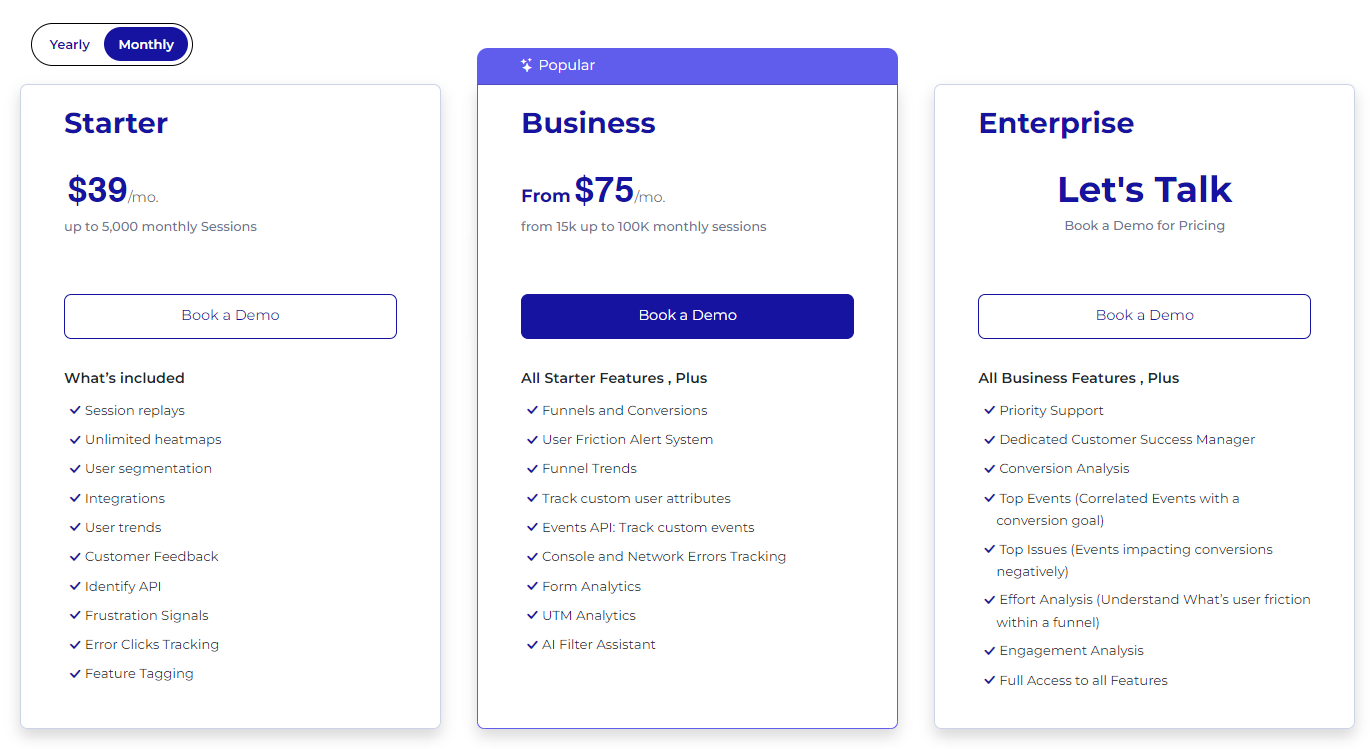
    The Top 5 Crazy Egg Competitors Right Now

    After in-depth research, we have selected the following user behavior tools as the top five Crazy Egg competitors:

    1. FullSession (Get a demo)
    2. Google Analytics
    3. Kissmetrics
    4. LogRocket
    5. SiteSpect

    We’ll evaluate all the tools based on features, integrations, customer support, pricing, pros, and cons.

    1. FullSession

    FullSession crazy egg competitors

    Get a 360-degree view of user behavior data with FullSession. Capture all website visitors’ interactions, analyze trends and patterns in their behavior and optimize your website experience, interface and performance.

    Move beyond stats and surveys and watch real-time user sessions. Analyze how users interact with your site and see every detail of their journey.

    Identify inactivity areas, test different page elements, and validate design modifications.

    Remove conversion barriers and optimize key touchpoints in your marketing and sales funnels.

    Get direct feedback from users to understand why they are frustrated and take action on recurring issues.

    Trust FullSession for behavior analytics. We prioritize user privacy and data security by complying with GDPR, CCPA and PCI standards.

    Start a Free Trial to Experience FullSession

    Capture all user interactions, spot trends and patterns and drive improvements without compromising your website performance.

    Best for

    FullSession is the best UX analytics tool for:

    1. E-commerce businesses
    2. SaaS companies
    3. Digital marketers
    4. UX designers
    5. Data analysts
    6. Quality assurance teams
    7. Product development teams
    8. Customer support teams
    9. Customer experience professionals

    Key features

    Supported platforms

    FullSession supports website tracking, progressive web applications (PWAs) and mobile websites.

    Integrations

    FullSession works with your entire tech stack. It integrates with open APIs, modern web hooks, and Zapier and also provides native integrations. It works best with Shopify, WordPress, Wix, and BigCommerce.

    Customer support

    FullSession provides live chat and email support. You can also visit the help center.

    Pricing

    FullSession pricing

    We offer a free trial and three pricing plans—Basic, Professional and Enterprise— to suit businesses of all sizes, from startups to large corporations.

    This flexible structure means you can start with a plan that fits your current needs and scale up as you grow, so you only pay for what you use.

    The entry-level paid plan includes all the essentials, unlimited heatmaps and session recording for up to 5,000 monthly visits for just $39 per month. You can use advanced analytics without breaking the bank.

    We also offer 20% off all plans for annual billing.

    Our platform integrates with popular e-commerce and content management systems like Shopify, WordPress, Wix and BigCommerce. You can get up and running without any extra setup costs.

    For more info, check out our Pricing page.

    Pros

    • Track dynamic elements in real time for precise user insights
    • Accelerate heatmap processing with zero impact on site speed
    • Protect user privacy by excluding sensitive data recording
    • Manage extensive data sets effectively and quickly reveal key insights
    • Limit user behavior tracking to your site, preventing data misuse 
    • Facilitate cross-team collaboration and unify team efforts on one platform

    Cons

    • FullSession doesn’t work with native mobile apps

    Visualize, Analyze, and Optimize with FullSession

    See how to transform user data into actionable insights for peak website performance.

    2. Google Analytics

    Google Analytics Crazy Egg Competitors

    Google Analytics is a free tool for web and app analytics offered by Google. It helps you track and report website traffic, user engagement, and app performance.

    The latest version, GA4, provides improved capabilities for understanding user interactions across platforms.

    Learn more:

    Best for

    Google Analytics is a good option for marketers, online businesses, developers and business intelligence professionals.
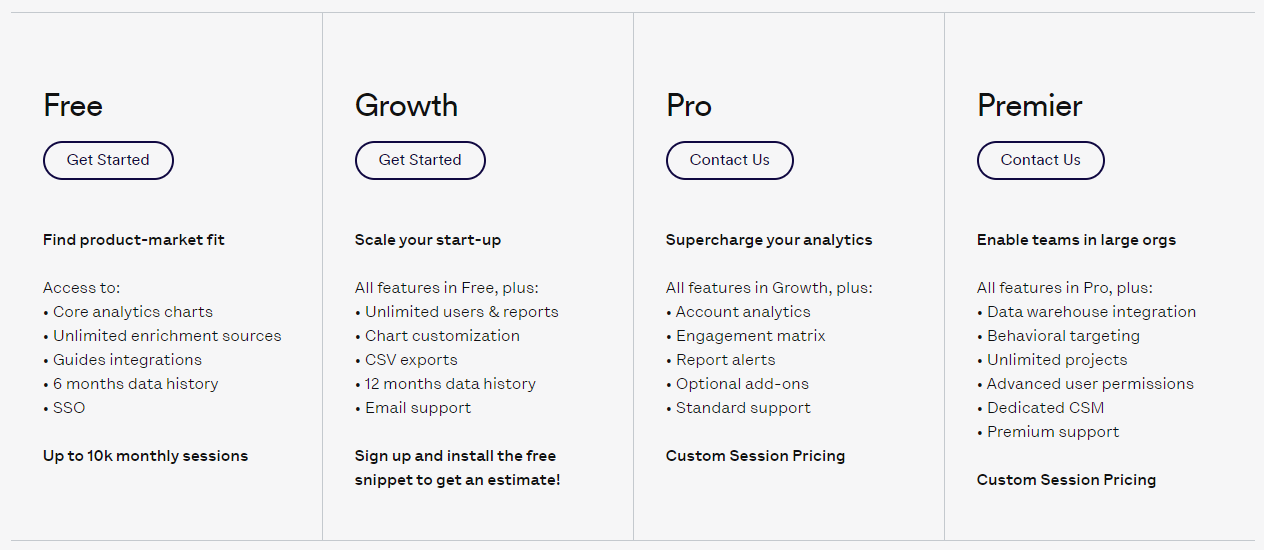
    Key features

    • Event tracking: GA4 uses an event-based model to track user interactions more flexibly than previous versions.
    • Cross-platform tracking: Enables businesses to analyze user journeys across web and mobile platforms.
    • Audience segmentation: Allows for creating custom audiences based on user behavior and demographics.
    • Predictive insights: Uses machine learning to forecast future user actions and trends.

    Supported platforms

    Google Analytics supports web and mobile platforms.

    Integrations

    You can integrate Google Analytics with Google Ads, BigQuery, Google Tag Manager and other Google marketing tools or third-party apps like WordPress, Marketo, Shopify, ZenDesk, and CallRail.

    Customer support

    Google Analytics provides support via email, knowledge base, FAQs, and chat.

    Pricing

    Google Analytics is free for most users. However, the premium version, Google Analytics 360, offers advanced enterprise features at a cost that differs based on specific business needs.

    It starts at $12,500/month or $150,000/year.

    This paid version provides advanced features like attribution modeling, augmented analytics, customizable reports, and more.

    Pros

    • The standard version is free to use
    • Provides detailed insights into user behavior
    • An intuitive dashboard makes data analysis accessible even for beginners.
    • Works seamlessly with other Google products and third-party tools

    Cons

    • Large datasets may result in sampled data, affecting accuracy
    • The wealth of features can be overwhelming for beginners
    • Increasing regulations around data privacy may limit tracking capabilities in the future

    3. Kissmetrics

    Kissmetrics Crazy Egg alternatives

    Kissmetrics is a web and mobile event tracking tool that helps you understand user behavior and optimize your marketing strategies. It tracks individual customer journeys across multiple touchpoints so you can find bottlenecks, reduce churn and increase revenue.

    Best for

    Kissmetrics is good for ecommerce businesses, SaaS companies and marketing teams.

    Key features 

    • Behavior tracking: Tracks individual user actions to show their journey.
    • Funnel analysis: Tracks the entire customer journey from discovery to conversion.
    • Cohort reports: Shows user behavior over time to find trends and engagement levels.
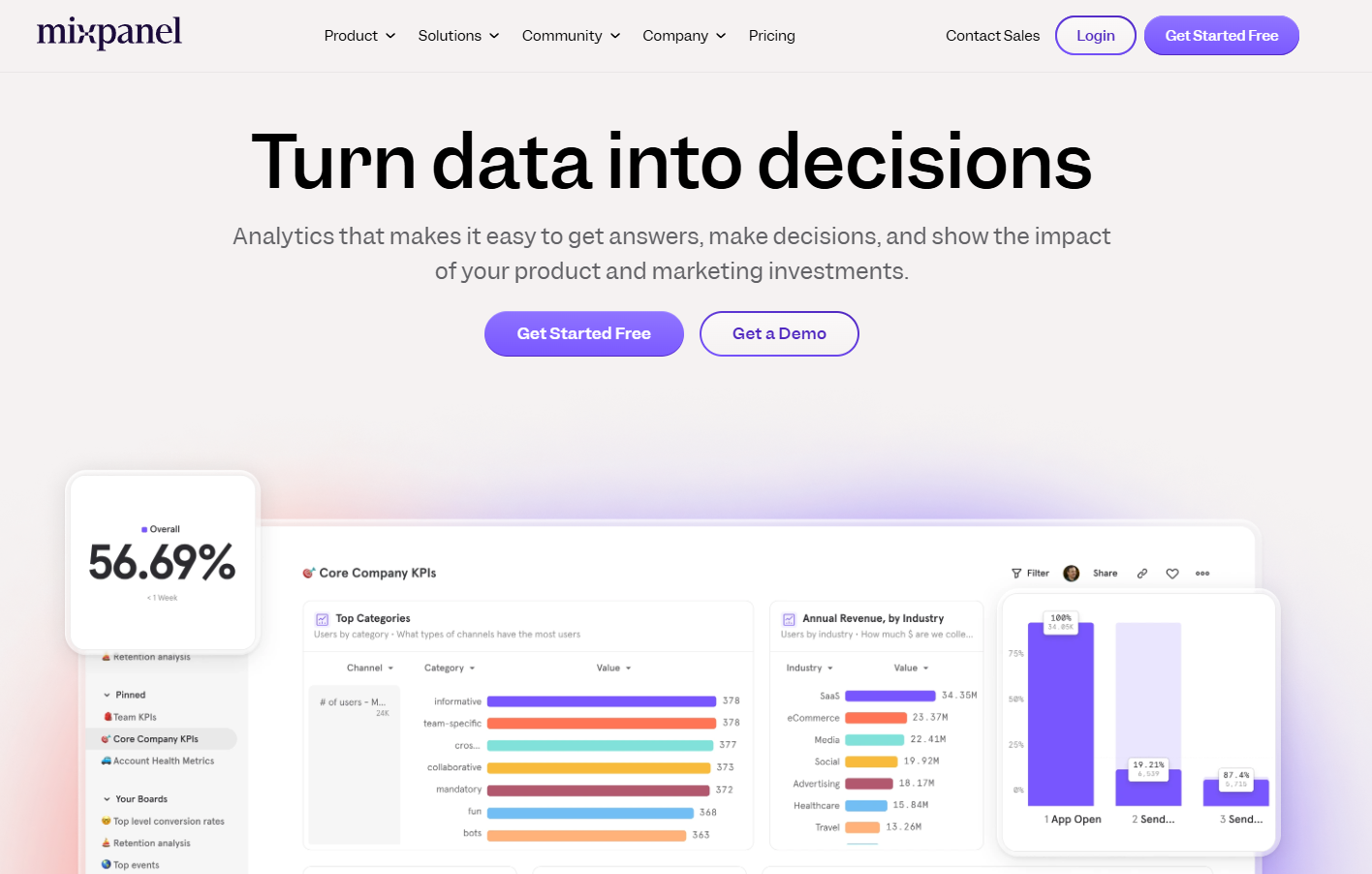
    • A/B testing: Tests different designs and flows for best performance.
    • Data privacy: Customer data is protected throughout the analytics process.
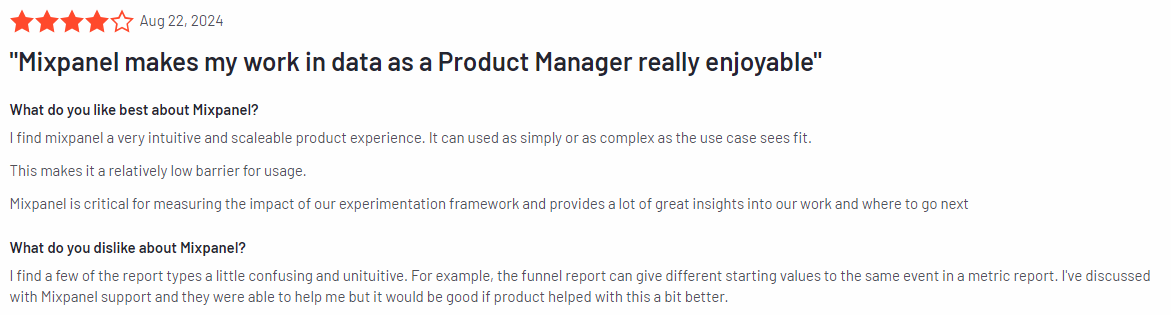
    Supported platforms

    Kissmetrics supports web and mobile applications.
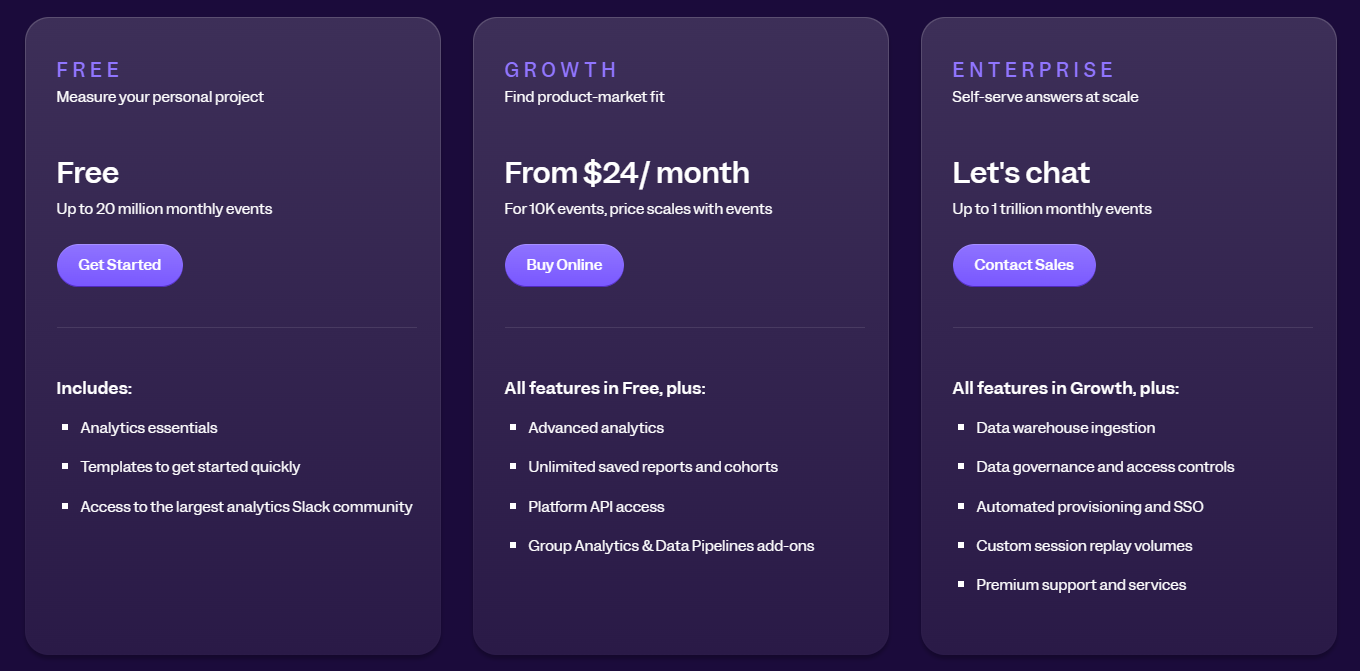
    Integrations

    You can connect Kissmetrics with most email marketing tools, CRM systems and ecommerce platforms such as Shopify, Marketo, HubSpot, Salesforce, and MailChimp.

    Customer support

    Kissmetrics provides support via personalized onboarding for new customers, online documentation and guides, and live real-time chat.

    Pricing

    Kissmetrics pricing plans

    Kissmetrics has simple pricing based on monthly events, seats and features. The entry plan for small teams starts at $299/month and includes up to 2M monthly events, two seats and five populations.

    Kissmetrics limited plan pricing

    You can also create a limited plan by choosing the number of monthly events you want to track and selecting the monthly or annual billing.

    Pros

    • Focuses on individual user behavior, not aggregate data
    • Gives clear recommendations to improve marketing initiatives
    • Easy-to-read dashboard
    • The support team is responsive

    Cons

    • May offer shorter free trials than competitors
    • Advanced features can be complex to learn
    • Costs can skyrocket as event tracking increases

    4. LogRocket

    LogRocket Crazy Egg competitor

    LogRocket is an advanced analytics and session replay tool that helps improve user experience by identifying technical and UX issues within web and mobile applications.

    Using AI technology, LogRocket provides insights into user behavior, allowing you to understand your customers’ challenges and improve product performance.

    Learn more: LogRocket competitors.

    Best for

    LogRocket is suited for software development teams, product managers, UX/UI designers, and customer support teams.

    Key features

    • Session replay: Capture detailed replays of user sessions, including DOM playback, console logs, network logs, and performance data.
    • Product analytics: Track conversion funnels, path analysis, and time series trends to understand user engagement.
    • AI issues detection: Use Galileo AI to proactively identify high-impact technical and UX issues affecting conversion rates.
    • Error tracking: Monitor frequent errors, network failures, and crashes to prioritize fixes.
    • UX Analytics: Get heat maps, click maps, and scroll maps to analyze user interactions on key pages.

    Supported platforms

    LogRocket supports diverse web and mobile platforms, making it versatile for various development environments.

    Integrations

    LogRocket integrates with customer support, marketing and development tools like Slack, Intercom, Segment, Google Analytics, Drift, Trello, Optimizely, and ZenDesk.

    Customer support

    You can reach out for support via email and live chat or check the comprehensive guides and FAQs.

    Pricing

    LogRocket pricing

    LogRocket provides a free plan and a 14-day free trial for its premium pricing tiers. It offers three paid plans for web and mobile analytics. The Team plan starts at $69/month and lets you track up to 10,000 monthly sessions.

    Pros

    • Provides deep analytics that helps identify both technical issues and UX problems
    • An easy-to-navigate dashboard that displays critical metrics
    • Automates the detection of issues with AI, saving time for teams

    Cons

    • The pricing may be high for startups or small teams with limited budgets
    • New users may require some time to fully use all features effectively

    5. SiteSpect

    SiteSpect Crazy Egg competitor

    SiteSpect is an A/B testing and experimentation platform that helps you optimize digital experiences across various channels, including websites, mobile apps, and kiosks.

    With a focus on improving customer engagement and driving conversions, SiteSpect provides tools for testing, personalization, and performance optimization, helping you enhance your online presence.

    Best for

    SiteSpect is suited for product managers, marketing teams, ecommerce businesses and enterprise-level organizations that want to run AB tests and optimize a web or mobile app.

    Key features

    • A/B testing: Conduct experiments to compare different versions of web pages or app interfaces to determine which performs better
    • Personalization: Tailor user experiences based on behavior and preferences to increase engagement
    • API digital transformation engine: Optimize across complex application ecosystems, including IoT devices and OTT platforms
    • Visual editor: Make changes without needing extensive coding knowledge
    • Comprehensive analytics: Collect reliable data free from bots to inform decision-making

    Supported platforms

    SiteSpect supports different platforms, including web and mobile apps and kiosks and OTT devices.

    Integrations

    SiteSpect connects with third-party platforms like Azure, AWS, Segment, Tableau, and IBM analytics.

    Customer support

    You can get support via email, documentation and resources and training programs for new users.

    Pricing

    SiteSpect has no pricing information on its website, so you’d have to contact sales for a quote.

    Pros

    • Fast performance
    • Comprehensive testing capabilities
    • Strong focus on security and stability

    Cons

    • Lack of publicly available pricing information
    • A learning curve for new users unfamiliar with A/B testing methodologies

    Crazy Egg Competitors: A Short Overview 

    So far, we have explained the core features and characteristics of the top five Crazy Egg alternatives. In this section, we will provide a summary so you can quickly make your decision. Check our table below to compare Crazy Egg competitors.

    FeaturesFullSessionGoogle AnalyticsKissmetricsLogRocketSiteSpect
    Real-time Session recording
    Advanced funnel analysis
    Conversion tracking
    Behavioral analytics
    Customer segmentation
    A/B testing
    Customer journey mapping
    Dynamic heatmaps
    Customer feedback and forms
    Survey responsesUnlimitedLimitedLimitedLimitedLimited
    Free trial
    Free version
    PricingStarts at $39 per monthStarts at $12,500/monthStarts at $299/monthStarts at $69/monthNA

    Crazy Egg Competitors: The Verdict

    After reviewing all the options, FullSession is the top Crazy Egg competitor. Our conclusion is based on several key factors that make FullSession better in terms of functionality, performance, and user insights.

    1. Complete analytics: FullSession has a full suite of user behavior tools, including interactive heatmaps, session recordings and replays, website feedback forms, conversion and funnel analysis and error tracking. This gives a more complete picture of user interactions than Crazy Egg’s limited feature set.
    2. Real-time data processing: FullSession shows live heatmap tracking to see how users interact with dynamic page elements in real-time. This means faster data processing and faster user behavior analysis.
    3. Zero performance impact: Unlike many others, FullSession doesn’t slow down your website. It’s optimized for speed and responsiveness so your users have a smooth experience.
    4. Ethical data collection: FullSession is non-intrusive. We don’t track users across the internet or use data for behavioral advertising, so users trust us completely.
    5. Seamless integration: FullSession integrates seamlessly with popular platforms like Shopify, WordPress and BigCommerce so you can get up and running without any extra complexity.
    6. Competitive pricing: FullSession has a more competitive pricing model with the lowest-paid plan including all the features at an affordable price of $39 per month and 20% off all plans for annual billing.
    7. Advanced data filtering and segmentation: FullSession is excellent at data analysis, and it helps you quickly process large volumes of session data and make faster decisions.
    8. Advanced security and privacy measures: FullSession puts user security first by not capturing sensitive information, reducing the risk of unauthorized access or data misuse.

    Crazy Egg is good. But if you’re looking for a complete, user-friendly, privacy-focused solution that doesn’t compromise on features or performance, FullSession is the way to go.

    Start a free trial or get a demo to learn more.

    FAQs About Crazy Egg Alternatives

    Let’s answer the most common questions about the Crazy Egg alternatives.

    What is Crazy Egg? 

    Crazy Egg is a web analytics software that enables businesses to analyze user journey, traffic sources and customer behavior via a website heatmap tool, snapshots, A/B testing, and session recording among other tools used.

    This analytics solution tool helps organizations better understand the customer journey, spot errors impacting conversions, target audience, and get a more precise picture of how various marketing channels perform.

    How does Crazy Egg work?

    You can start using Crazy Egg to monitor your website performance by adding its code snippet to your website. After that, the software begins to track individual landing pages of your website, showing how customers interact with various elements on your web pages.

    For instance, you can use its heat map and snapshot tool to see where users click, the CTAs they don’t click and the elements that boost conversions. Crazy Egg also offers form analytics to analyze user interactions with forms, helping you understand how users engage with forms and identify areas where they drop off or struggle.

    Apart from that, Crazy Egg provides session recording tools that can help you visualize how web visitors navigate your site. You can identify where users are coming from and where they get stuck, so you can make changes to improve your site performance.

    Crazy Egg also lets you perform split testing with its AB testing tool.

    What are Crazy Egg pros?

    It is easy to set up and presents user actions in a simplified way. The software helps you spot where visitors and users experience issues on your site so you can improve the UX.

    What are Crazy Egg cons?

    While the software helps you spot various issues, it doesn’t provide a precise explanation of individual users’ actions. It comes with high pricing.

    What is Crazy Egg pricing?

    Crazy Egg provides three pricing plans. However, prices are not publicly available.

    Does Crazy Egg work on mobile apps? 

    No, Crazy Egg doesn’t work on mobile apps.

    What is a Crazy Egg snapshot? 

    A Crazy Egg snapshot helps you track individual pages on your website. It lets you visualize how people interact with your web content, so you can learn what’s working or where to make improvements. 

    Which is better: Optimizely or Crazy Egg?

    The choice between Optimizely and Crazy Egg depends on your needs, but here’s a general comparison.

    Optimizely is more robust for large-scale A/B testing and personalization. It offers more advanced features for experimentation and is often preferred by larger enterprises.

    Crazy Egg is more user-friendly and focuses on heat maps and visual analytics. It’s often favored by smaller businesses and those new to website optimization.

    Does Crazy Egg integrate with Google Analytics?

    Yes, Crazy Egg does integrate with Google Analytics. It allows users to combine Crazy Egg’s visual data with Google Analytics’ quantitative data for more comprehensive insights into website performance and user behavior.

    What is the point of Crazy Egg?

    Crazy Egg is a website optimisation tool that helps businesses understand and improve user behavior on their websites. 

    Its main purpose is to show you visual insights into how visitors interact with your web pages through heatmaps, scroll maps and click reports. 

    By visualizing user engagement, Crazy Egg allows website owners and marketers to find usability issues, optimize conversions, A/B tests and see user journeys. 

    This data-driven approach means businesses can make informed decisions about layout, content placement and overall user experience, ultimately increasing engagement and conversions. 

    In short, Crazy Egg is an analytics tool for businesses that want to improve their online presence and website performance based on real user behavior.


  • Top 5 Smartlook Alternatives for Better Analytics

    Top 5 Smartlook Alternatives for Better Analytics

    Smartlook has become a popular product analytics tool thanks to its strong web and mobile data analysis with actionable insights.

    Its key features include session replays, heatmaps, funnel analysis and event-tracking tools, which help companies monitor user interaction and understand user behavior during the entire customer journey.

    However, depending on your business needs, you may find better-fit Smartlook alternatives with advanced capabilities, solid integrations and affordable pricing.

    For example, FullSession is advanced user behavior analytics software that offers session recordings and replays, website heatmap tools, user feedback collection, error tracking, and conversion and funnel analysis features. It helps you track the complete user journey without slowing down your site or invading users’ privacy.

    You can start a free trial or get a demo to learn more.

    In this article, we will share the five best Smartlook alternatives, which can offer new ways to improve user experience and increase conversions on your platform.

    Five Leading Smartlook Alternatives Right Now

    Looking beyond Smartlook can open up a whole new world of possibilities for understanding user behavior and making your digital platforms even better for them.

    This is our selection of the top five Smartlook alternatives:

    1. FullSession (Get a demo)
    2. Contentsquare
    3. VWO
    4. UXCam
    5. CUX

    Let’s analyze these competitors that are making waves right now.

    1. FullSession

    FullSession user behavior analytics software

    FullSession is a user behavior analytics software that lets you visualize all user engagement, analyze trends and patterns with laser precision and optimize your website for peak performance. It helps you collect and analyze user behavior data in one intuitive dashboard.

    Go beyond numbers, watch session recordings, see how users navigate your site, and track customer journeys from entry to exit pages.

    Track website visitors’ actions, find dead zones, test different page elements, validate design changes and improve your site’s interface, usability and performance.

    Discover and eliminate conversion blockers, optimize critical touchpoints in the user journey and decrease drop-offs in your marketing and sales funnels.

    Get feedback from users, understand why they’re frustrated and act fast to solve recurring problems.

    Trust FullSession for user behavior analytics. We put your users first and comply with GDPR, CCPA and PCI.

    Start a Free Trial to Experience FullSession

    Capture all user interactions, spot trends and patterns and drive improvements without compromising your website performance.

    Best for

    FullSession is helpful for various industries and roles, including:

    • E-commerce businesses: To analyze customer experience and increase sales team efforts
    • SaaS companies: For better product optimization based on user interactions
    • Digital marketers: To analyze campaigns and improve engagement rates
    • UX designers: To improve design elements based on user behavior
    • Data analysts: For detailed user data analysis to identify trends
    • Quality assurance teams: To spot usability issues and track bug occurrences
    • Product development teams: To understand user needs and improve features
    • Customer success teams: To gain insights into user frustrations
    • Customer experience professionals: For improving user experience, satisfaction and loyalty

    Supported platforms

    FullSession primarily supports web platforms, providing insights into desktop and mobile web interactions. However, it does not currently support mobile applications.

    Key features

    • Custom events segmentation: Group users by different criteria to discover behavior trends and optimize journeys.
    • Session recordings and replays: Capture and replay every interaction to understand user paths and identify issues.
    • Interactive heatmaps: Visualize mouse movements, clicks, and scrolls to identify active and inactive areas on your site.
    • In-app feedback forms and reports: Collect and pair user feedback with session recordings to understand user perspectives using website feedback forms.
    • Conversion and funnel optimization tools: Discover where users drop off and test various page elements to improve conversion rates.
    • Error analysis: Detect and troubleshoot website issues like JavaScript errors to improve user experience.

    Integrations

    FullSession integrates with various third-party apps to fit into your existing tech ecosystem. It works with platforms like Shopify, WordPress, Wix, and BigCommerce. Integration is also possible through open APIs, webhooks and tools like Zapier.

    Customer support

    You can contact the support team via live chat and email. There’s also a comprehensive help center with documentation and guides for self-service support.

    Pricing

    FullSession offers a free trial and flexible pricing plans to suit businesses of all sizes. The Starter plan begins at $39 per month and provides key features for small businesses for up to 5,000 monthly sessions. 

    A 20% discount is available for annual subscriptions, making it a cost-effective user analytics choice as you scale up.

    Pros

    • Tracks dynamic elements in real time, offering precise insights
    • Heatmap data is instantly processed without slowing down your site
    • User privacy is protected, sensitive data is removed from recordings
    • Handles large datasets efficiently, showing crucial insights quickly
    • Limits tracking to your website, preventing any misuse of data
    • Supports collaboration across teams, promoting unified efforts

    Cons

    • FullSession does not currently support tracking on mobile applications.

    Many top brands rely on our user behavior tools to fine-tune their user experiences. Explore how FullSession can transform your digital experience. 

    Visualize, Analyze, and Optimize with FullSession

    See how to transform user data into actionable insights for peak website performance.

    2. Contentsquare

    Contentsquare digital experience intelligence and analytics platform

    Contentsquare is a digital experience intelligence and analytics platform that merged with Clicktale. It provides specific details of every user’s on-page interaction to help you understand the reasons behind customer behavior on your websites and mobile applications. 

    The platform combines advanced analytics with machine learning and human intelligence to give you a clear picture of what you need to improve. It guides you in the right direction by presenting visual reports, scores, and recommendations.

    Learn more: Contentsquare competitors.

    User rating

    Image source: G2

    Contentsquare has 4.7 out of 5 stars on G2 based on 453 reviews, and its tools and features are commended for improving user experiences.

    Best for

    This platform suits e-commerce, finance, travel, and media industries. It works for marketers, product managers, and IT professionals looking to optimize their digital touchpoints.

    Supported platforms

    Contentsquare supports web and mobile applications, helping you improve user experiences across different devices.

    Key features

    • Zone-based heatmaps: Identify high-engagement areas on your webpage to optimize content placement
    • Session replay: Watch user interactions in real-time to understand behavior and improve UX.
    • Journey analysis: Map customer journeys to find friction points and improve the overall experience.
    • Error analysis: Detect and analyze recurring errors to resolve issues quickly.
    • Net Promoter Score (NPS): Measure customer loyalty and satisfaction to inform improvement strategies.

    Integrations

    Contentsquare integrates with many apps, such as Google Analytics, UserZoom, Salesforce, Mopinion, Dynatrace, Botify, and BigCommerce. These integrations help streamline data collection and analysis.

    Customer support

    Contentsquare provides training and help center and FAQs to help you find answers to your questions.

    Pricing

    Contentsquare offers customized pricing, but the details are not publicly available. A demo can provide more personalized information.

    Pros

    • Easy to understand graphic reports
    • It presents complex information in a simple way
    • Helpful data organization
    • Offers courses to learn how to use the platform
    • Allows to compare the previous and current versions of your website including metrics

    Cons

    • Occasionally bugs occur, but the Support Team reacts quickly
    • It takes some time before you understand the program and learn how to use it
    • Complicated mapping
    • Sometimes the platform has problems with reading the status of the mobile version

    3. Visual Website Optimizer (VWO)

    Visual Website Optimizer (VWO) experimentation platform

    Visual Website Optimizer (VWO) is a comprehensive experimentation platform that helps you improve website and application performance through data-driven optimization strategies. Focusing on user behavior analysis, VWO enables you to create personalized digital experiences that drive engagement and conversion.

    Learn more:

    User rating

    Image source: G2

    VWO scores 4.3 out of 5 stars based on 672 reviews on G2. Customers like its ability to deliver actionable insights and a seamless testing experience.

    Best for

    VWO suits industries heavily relying on digital presence, such as retail, SaaS, finance, and media. It’s a good option for product managers, engineers, growth marketers and UX researchers.

    Supported platforms

    VWO is versatile, supporting web and mobile platforms. It helps you monitor and optimize user experiences across all devices.

    Key features

    • A/B testing: Easily create and manage tests to boost conversion rates
    • Session recordings: Gain a detailed view of user interactions to understand behavior
    • Heatmaps: Get visual tools to see which areas of your site attract the most attention
    • Funnel analytics: Detect where users drop off in the journey and address issues
    • Form analytics: Discover and resolve friction points in forms to increase conversions
    • Surveys: Collect qualitative feedback directly from users
    • Personalization: Tailor experiences to suit different user segments for better engagement
    • AI Integration: Use generative AI for campaign setup and optimization suggestions

    Integrations

    VWO integrates with Google Analytics, Optimizely, Mixpanel, and Salesforce, facilitating a seamless data flow between platforms.

    Customer support

    You can reach VWO’s support team via email and live chat. They offer comprehensive resources and assistance to ensure you get the most out of the platform.

    Pricing

    VWO pricing

    VWO’s pricing model is based on monthly tracked users (MTUs), which can lead to confusion and unpredictability of costs. As your traffic increases, so does the price, making it difficult to estimate your monthly expenses accurately.

    Many of VWO’s advanced features are offered as add-ons, meaning the final price can be much higher than expected.

    VWO’s pricing can be particularly steep if you require mobile app testing, as mobile capabilities are often bundled into higher-tier enterprise plans.

    The Growth Plan, suitable for small businesses, starts at $339per month.

    Pros

    • Intuitive and simple interface
    • Includes heatmaps within A/B tests
    • Segments traffic in terms of location, device, and campaign
    • Fast and quality support
    • Intuitive editor

    Cons

    • The over-complicated menu within tests
    • Traffic allocation issues occur
    • Occasionally it breaks down, and that affects reporting
    • Lack of mobile preview options

    4. UXCam

    UXCam mobile app analytics platform

    UXCam is a mobile app analytics platform that helps you improve user experience through in-depth behavioral analysis. Its session recordings, automated data capture, and reporting features can help you quickly discover why users leave the app or have frustrating experiences.

    User rating

    UXCam reviews

    Image source: G2

    UXCam has 4.6 out of 5 stars based on 195 reviews on G2. It received positive feedback from users who find the tool effective for tracking user interactions and resolving issues.

    Best for

    UXCam fits the e-commerce, finance, and gaming industries well. Its insights help user experience (UX) teams, product managers, and mobile app developers.

    Supported platforms

    UXCam supports iOS and Android mobile apps, helping you analyze how users interact with your products on various devices.

    Key features

    • Session replay: Capture and review videos of user sessions to see interactions firsthand and understand frustrations.
    • Heatmaps: Visualize user interactions to identify which areas of the app receive the most engagement.
    • Issue analytics: Track and address real-time technical problems like crashes or UI freezes to streamline debugging.
    • Behavior segmentation: Filter sessions by specific user actions or events for targeted analysis.
    • Privacy compliance: Protect user data with legally compliant protocols that prevent sensitive information from being captured.

    Integrations

    UXCam integrates Segment, Amplitude, Firebase Crashlytics, Firebase Google Analytics, Intercom, and Mixpanel. This allows you to build a comprehensive analytics stack tailored to your needs.

    Customer support

    UXCam offers multiple support options including email and live chat so you can get the help you need when using the platform.

    Pricing

    UXCam pricing

    UXCam offers a free plan with up to 3,000 monthly sessions and basic features. It does not provide clear, publicly available pricing plans.The exact pricing details for paid plans are customized based on your specific requirements and usage.

    Pros

    • Easy to set up
    • Screen activity recording
    • Detailed session tracking
    • Responsive customer service
    • Heatmaps

    Cons

    • Non-transparent pricing
    • Occasional data loss
    • Complicated UI
    • It’s impossible to display some of the recorded sessions

    5. CUX

    CUX UX and analytics automation tool

    CUX is a UX and analytics automation tool that provides insights into user interactions within digital products. Automatically capturing events reveals behavioral patterns within online products. Its conversion rate optimization tool predicts behavior that blocks conversion and helps you maintain sales growth.

    User rating

    CUX reviews

    Image source: G2

    CUX has 4.8 out of 5 stars based on 46 reviews on G2. Users praise its focus on usability and comprehensive analytics.

    Best for

    CUX suits e-commerce, healthcare, fintech, SaaS and education businesses. It helps product managers, marketers and developers improve user experience through data-driven insights.

    Supported platforms

    CUX supports web and mobile applications and e-commerce sites.

    Key features

    • User behavior tracking: Monitor how users interact with your product
    • Heatmaps: Visualize user engagement hotspots on your site
    • Session recordings: Replay user sessions to identify issues and opportunities
    • Funnel analysis: Analyze user journeys to pinpoint drop-off points
    • Conversion waterfalls: Identify missed chances

    Integrations

    CUX integrates with Google Analytics, Google Tag Manager and Shoper.

    Customer support

    If you need help with CUX, you can reach out via email and chat or read detailed online resources.

    Pricing

    CUX pricing

    CUX offers multiple pricing options, depending on the number of seats, projects, page views and data retention. The business plan starts at $107 per month.

    Pros

    • Fast and reliable
    • Delivers a complete history of customer’s visits, not only a single session
    • Enables to check sub-pages in detail
    • Allows to filter the recordings according to the type of behavior
    • Tracks detailed sales funnels

    Cons

    • Sometimes data loading takes a long time
    • The tool freezes occasionally
    • It doesn’t provide data export

    Smartlook Alternatives: A Short Overview 

    We prepared a table to give you a bird’s eye view of the tools mentioned in this article. It includes the essential features of web analytic tools and ratings and pricing models. 

     FullSessionContentsquareVWOUXCamCUX
    User reviews on G2N/A4.74.34.64.8
    HeatmapsYesYesYesYesYes
    Session recordingsYesYesYesYesYes
    Behavioral analyticsYesYesYesYesYes
    Supportemail,help center, guides,chatemail, help center,guides,chatemail, help center,guides,chatemail,help center,guides,chatemail,phone,mail
    Free trialYesNoYesYesYes
    PricingStarts at $39 per monthNot provided by vendorStarts at $399 per monthNot provided by vendorStarts at $107 per month

    Smartlook Alternatives: The Verdict

    Among interesting Smartlook alternatives, few offer a transparent pricing model, and some of the tools are expensive, especially for growing businesses.

    FullSession offers an affordable pricing solution with excellent features, such as session recordings and replays, real-time heatmaps, customer feedback forms, conversion and funnel optimization tools, and error tracking. These features allow you to quickly identify issues with your product and optimize your website interface, usability and performance.

    FullSession should be your top choice because it helps you:

    1. Track dynamic elements in real time for precise user insights
    2. Accelerate heatmap processing with zero impact on site speed
    3. Protect user privacy by excluding sensitive data recording
    4. Manage extensive data sets effectively and quickly reveal key insights
    5. Limit user behavior tracking to your site, preventing data misuse 
    6. Facilitate cross-team collaboration and unify team efforts on one platform

    FullSession doesn’t slow down your website’s performance, so visitors can smoothly navigate 

    the pages while you perform the analysis to provide an optimal experience. 

    Start a free trial or get a demo to see how it can help you make better decisions while developing your website, web app, or landing page.

    Smartlook Alternatives: Frequently Asked Questions

    Let’s answer the most common questions about Smartlook alternatives.

    What is Smartlook?

    Smartlook is an analytics software that provides session recordings of real users browsing your website or mobile app. It lets you analyze user behavior and see how they browse, where they spend most of their time, and what they click on to understand the reasons behind their actions.

    How does Smartlook work?

    Smartlook records screens of website visitors and allows for exact analysis of customer behavior. It helps you detect details about customers’ interactions with your brand by enabling you to analyze a vast amount of data quickly.

    What are Smartlook pros?

    1. Simple UX
    2. Many filtering options help you quickly find what you are looking for
    3. Efficiently helps to create a funnel
    4. Observations of how customers go through funnels are helpful in future development
    5. Lets you see the points where people abandon carts

    What are Smartlook cons?

    1. It doesn’t give you the possibility to compare A/B test recordings or heatmaps on the same video or map
    2. Sometimes, it shows real-time visitors’ actions with a 5-minute delay
    3. Occasionally, some bugs occur 
    4. Certain elements, like images on the customer’s site, don’t show on the recording

    What is Smartlook pricing?

    Smartlook offers four pricing plans:

    • Free plan allows you to record 3,000 sessions per month with basic features
    • Pro plan for $59 a month allows for recording 5,000 sessions
    • Enterprise plan provides a custom solution and pricing

    What is an alternative to Hotjar?

    FullSession is the best Hotjar alternative. It provides an all-in-one user behavior analytics software to capture all user interactions and optimize your website performance.

    What is Smartlook used for?

    You can use Smartlook to understand user behavior on your site. This can help improve the overall user experience and increase conversions.

    Why use Smartlook?

    Choosing Smartlook allows you to gain valuable insights into how people use your website, making it easier to make data-driven decisions.

    Where is Smartlook based?

    Smartlook is based in Brno, Czech Republic. Smartlook has an office in Prague, also in the Czech Republic.