Category: Behavior Analytics

  • What is User Retention? (+ How to Measure & Improve It)

    What is User Retention? (+ How to Measure & Improve It)

    A retained user is someone you’ve satisfied so much that they keep coming back to your brand. In the same vein, a high user retention rate indicates a great number of satisfied customers and good customer loyalty.

    However, it can take a while to reach that level of user retention that all businesses want. First things first, you have to measure how many users are actively using your product or service.

    Let’s take a look at the basics of user retention, how to measure it, and the best ways to improve user retention for the long-term.

    What is User Retention?

    User retention is about how well a company or platform can keep its users coming back. It means making sure that users remain interested and engaged with what you offer and encouraging them to continue interacting with your product or service over time.

    Essentially, it’s the measure of how effective a business is at maintaining a relationship with its users that keeps them returning regularly. This metric is important because it reflects the ongoing value users find in your offerings, which is vital for long-term success and stability.

    User Retention vs. Customer Retention

    User retention and customer retention are quite similar, but they focus on different parts of keeping people involved with a business.

    User Retention is about how well a company keeps its users interested and coming back to interact with its product or service. It’s not just about the people who buy something; it includes everyone who uses the platform.

    Whether they’re paying customers or not, their continued engagement is what counts here. This is especially important for apps and online services where active, consistent use can make or break their success.

    Customer Retention zeroes in on keeping paying customers around and convincing them to keep buying your product or service. It revolves around maintaining relationships with the people who directly contribute to the business’s revenue.

    Basically, while every customer is a user, not every user is a customer. User retention captures the broader audience—anyone who interacts with your service—while customer retention is focused on those who financially support the business. Both are key to a business’s growth, but they target different groups within your audience.

    User emotions symbols

    User Retention vs. Churn Rate

    User retention rate and churn rate are polar opposites, but they are closely related.

    User Retention highlights the positive aspect: it measures the percentage of users who continue to engage with a product or service over a specific period. It helps you understand how many users stick around after their initial contact or subscription.

    High user retention means that a significant number of users find value in what you’re offering, which encourages them to return and engage regularly.

    Churn Rate, on the other hand, focuses on the negative aspect: it measures the percentage of users who stop using a business’s product or service during a given time frame. A high churn rate is a warning signal that users are not finding enough value to continue their engagement, which may indicate potential issues with the product, pricing, customer service, or user experience.

    A lower churn rate increases your chances of having a higher user or customer retention rate. Some amount of churn may be unavoidable, but you’ll want to minimize it as much as possible.

    Why is User Retention So Important?

    User retention can directly impact a business’s bottom line and overall growth. Here’s why focusing on retaining your users can help you grow and succeed:

    It’s Cheaper Than Customer Acquisition

    First up, keeping an existing user is generally much less expensive than finding a new one. Studies and business analyses consistently show that the costs associated with marketing, advertising, and promotions to attract new customers can be steep.

    When you shift focus to retention, you’re investing in the users who already know and use your product, which cuts down on the hefty expenses of winning over new clientele.

    Retained Users Have a Higher Customer Lifetime Value

    Users that stick around tend to spend more money over time. As they grow more comfortable and satisfied with your service or product, their trust in your brand increases, often leading to more frequent purchases and a willingness to try higher-priced offerings.

    Increased customer lifetime value (CLV) is a high-priority metric because it maximizes your revenue significantly without the corresponding cost of acquiring a new customer.

    Loyal Customers Are an Effective Marketing Tool

    Don’t overlook the power of word-of-mouth. Loyal customers don’t just buy more; they often become advocates for your brand.

    Happy and active users are likely to recommend your product to friends and family, write positive reviews, and share their experiences on social media. This organic marketing is cost-effective and tends to result in higher-quality leads, as a recommendation from a trusted friend or family member carries more weight than traditional advertising.

    How to Measure User Retention

    Measuring user retention is crucial for understanding how well your business keeps its customers coming back. Here’s a breakdown of how to do it effectively:

    Choose Your Time Frame

    First, decide on the time frame you want to analyze. This could be days, weeks, months, or even years, depending on the nature of your product or service and how frequently active users are expected to engage with it.

    For mobile apps, you might look at daily or weekly retention, while subscription services might focus on monthly or yearly metrics.

    Calculate Retention Rate

    The retention rate is the percentage of users who return to your product or service after their first visit or purchase within your chosen time frame.

    To calculate it, you need two numbers: the number of users at the start of the period and the number who are still active at the end of the period. The formula looks like this:

    Retention Rate = (# of users at the end of the period ÷ # of users at the start of the period) x 100%

    Two people working on the same desk

    Use Cohort Analysis

    Cohort analysis is a more detailed way to measure retention by grouping users based on their start date. This method allows you to track specific user groups over time and see how changes to your product or marketing strategies affect different cohorts.

    For example, you might compare the retention rates of users who signed up after a major product update versus those who joined before to see if the update has improved user retention rates.

    Leverage Analytics Tools

    There are various analytics tools available that can help simplify the measurement of user retention. Tools like Google Analytics and FullSession offer built-in features to track retention rates and perform cohort analysis.

    These tools can provide visualizations and detailed reports that make it easier to understand your retention data at a glance.

    User Retention Metrics That Matter

    Keeping an eye on key metrics alongside user retention gives you a fuller picture of what’s going on with your service or product. By monitoring different data points, you can spot trends and patterns that might not be obvious just from looking at retention alone.

    For example, you might notice that even though more users are sticking around, they aren’t engaging with your content as deeply if session lengths are dropping. This kind of insight helps you figure out what’s working and what’s not, allowing you to make smarter tweaks to improve the user experience.

    Here are some of the most important user retention metrics that can provide deep insights into user behavior and the health of your business:

    1. Churn Rate

    Customer churn rate is the flip side of the retention rate. It represents the percentage of users who stop using your service during a given time frame. Monitoring churn helps you identify how many users you’re losing, which can prompt a deeper dive into what might be causing them to leave.

    2. Daily Active Users (DAU) and Monthly Active Users (MAU)

    These metrics give you a snapshot of engagement and show how many existing customers interact with your product on a daily or monthly basis. A strong ratio of DAU to MAU can indicate a healthy level of user engagement and regular retention.

    3. Average Revenue Per User (ARPU)

    Understanding how much revenue each user contributes on average can help you gauge the economic impact of retention strategies. If ARPU increases alongside retention improvements, it’s a good sign that your retained users are more valuable.

    4. Repeat Purchase Rate

    For e-commerce platforms, the repeat purchase rate is crucial. It measures how often customers come back to make another purchase. This metric is a direct indicator of customer loyalty and satisfaction.

    Happy customer

    5. Session Length

    Session length tracks how long users stay engaged during each visit to your platform. Longer sessions can indicate higher engagement, which is often correlated with higher retention rates.

    6. Customer Lifetime Value (CLTV)

    CLTV predicts the net profit attributed to the entire future relationship with a customer. By understanding this value, you can better assess how much to invest in retaining users versus acquiring new ones.

    7. Net Promoter Score (NPS)

    NPS measures customer satisfaction and loyalty by asking customers how likely they are to recommend your product or service to others. A high NPS is often associated with high user retention, as satisfied users are more likely to stick around and promote your brand.

    Best Ways to Improve User Retention

    Today’s digital marketplace is highly competitive, and if you don’t pay attention to user retention, you risk falling behind your competitors. Here are some actionable strategies that can help you maximize user retention and turn casual users into loyal patrons.

    Always Be Improving the User Experience

    A smooth, intuitive user experience is a must to retaining customers. Focus on simplifying navigation, speeding up loading times, and making sure your user interface is clean and user-friendly. Remember, there’s no faster way to cause user churn than to have a clunky, difficult-to-use interface.

    Regular updates based on feedback can also show your commitment to their needs and encourage them to stay.

    Take Personalization to the Next Level

    Personalization can make users feel valued and understood. Tailor the user experience based on individual preferences, behaviors, and past interactions. This could mean recommending products, adjusting content displays, or even personalizing communication styles in emails and notifications.

    Upgrade the Onboarding Process

    A strong onboarding process can set the tone for user retention. Make sure that new users understand how to navigate your platform and fully utilize all its features. A good onboarding experience can significantly reduce initial churn by removing barriers to usage.

    Engage with Your Users

    Regular engagement can build strong relationships with your users. Use email newsletters, push notifications, and social media to stay in touch. Offering help, asking for feedback, and updating them about new features keeps your users involved and informed.

    3 people sharing on social media on their phone

    Consider Rewards and Loyalty Programs

    Introduce rewards and loyalty programs to incentivize continued use. This could be through points, special access to new features, discounts, or even public recognition. Such perks make users more likely to return and engage with your platform.

    Monitor and Respond to Feedback

    Actively seek and listen to user feedback. Monitoring reviews, conducting surveys, and engaging in dialogue through social media can provide invaluable insights into what users like and dislike.

    Responding to feedback not only improves the product but also shows users that their opinions are valued, which can improve their loyalty.

    How to Use FullSession to Measure User & Customer Retention

    FullSession is a great tool for digging into what keeps users coming back to your website or what might be pushing them away. Here’s a straightforward guide on how to use FullSession to measure customer retention and find ways to improve it:

    Step 1: Set Up FullSession

    Start by integrating FullSession with your site. It’s pretty straightforward—just like adding a Google Analytics code. Once it’s up and running, it starts tracking how users interact with your site, capturing everything from clicks to scrolls.

    Step 2: Explore Heatmaps

    Heatmaps are super useful for seeing what parts of your site users are drawn to. They show you where people are clicking the most and where they’re spending their time. This visual tool helps you quickly spot which features grab attention and which might be overlooked.
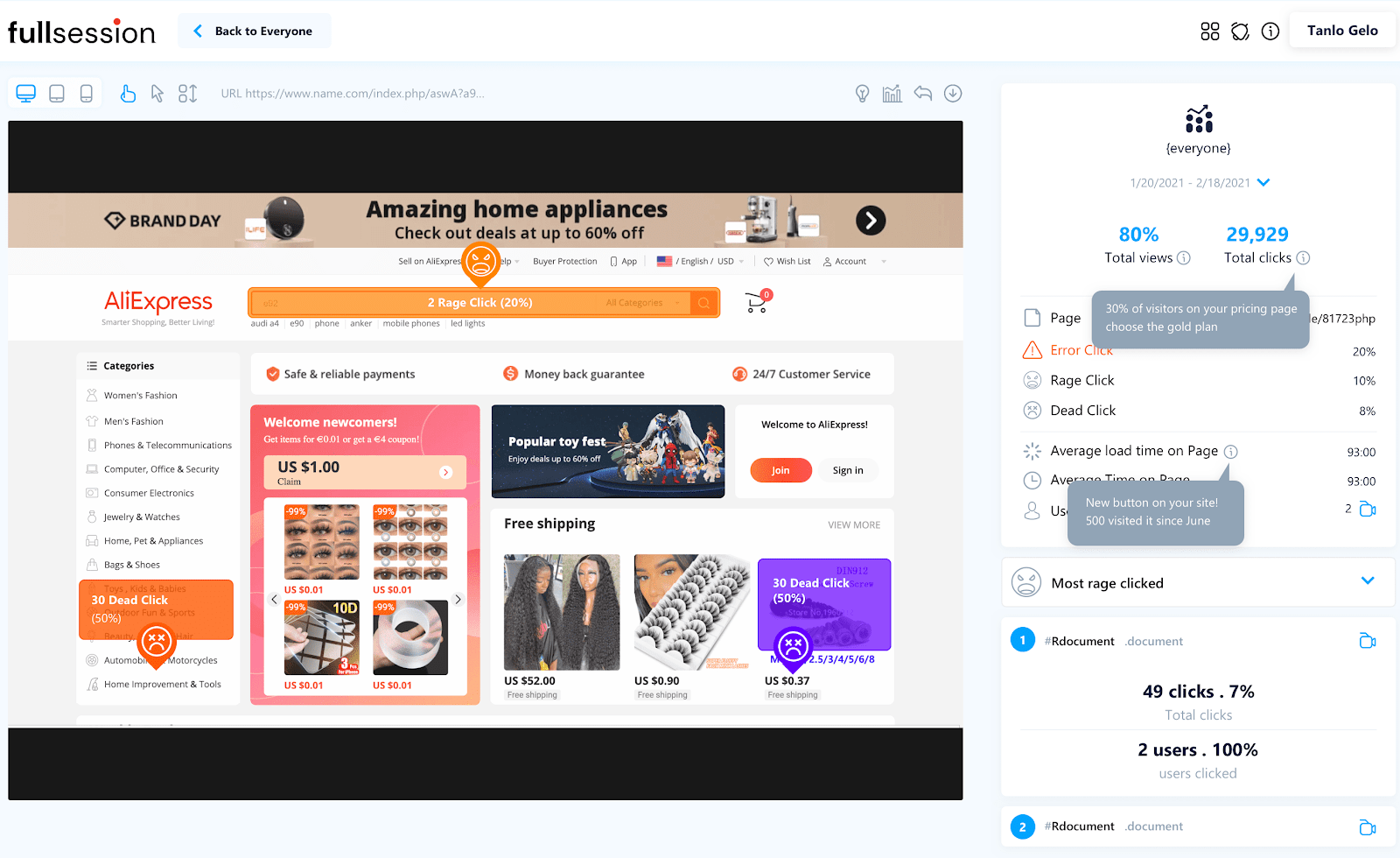
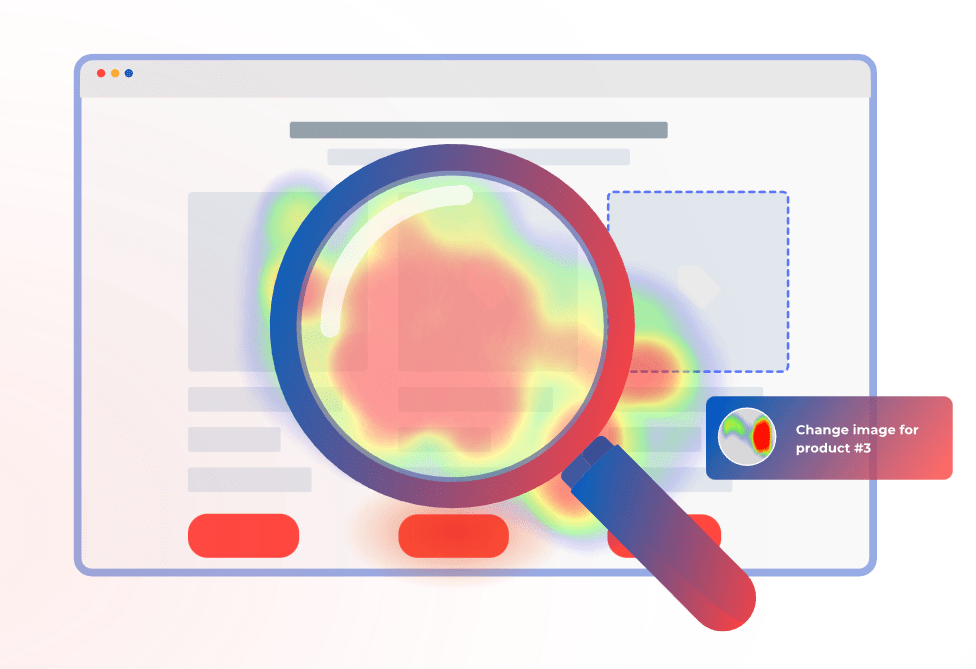
    Fullsession heatmap

    Step 3: Dive Into User Sessions

    With FullSession, you can watch replays of user sessions to follow their journey through your site. These are essentially videos of what each user does, which show you where they get stuck or what keeps them engaged.

    Understanding these paths can help you smooth out any rough spots that might deter users from coming back.

    Step 4: Set Up Event Tracking

    Track key actions you want users to take on your site, like signing up or making a purchase. Seeing how often these events happen gives you clear insight into whether users are really engaging with your site over time.

    Step 5: Segment Your Users

    FullSession lets you break down your users into different groups based on things like where they came from or what device they’re using. This helps you tailor your analysis and pinpoint which groups are sticking around longer than others.

    Step 6: Collect Direct Customer Feedback

    Don’t forget to ask users directly what they think so that you can perform better retention analysis. FullSession has customer feedback tools for popping up quick surveys or feedback forms right on your site. This direct line to user thoughts can be incredibly helpful for figuring out what changes you need to make to keep them around.

    Step 7: Keep an Eye on the Data

    Make it a habit to check in on your FullSession reports regularly. Keeping track of how user behavior shifts over time can clue you into what’s working and what’s not, which helps you tweak your site to better retain users.

    FullSession Pricing Plans
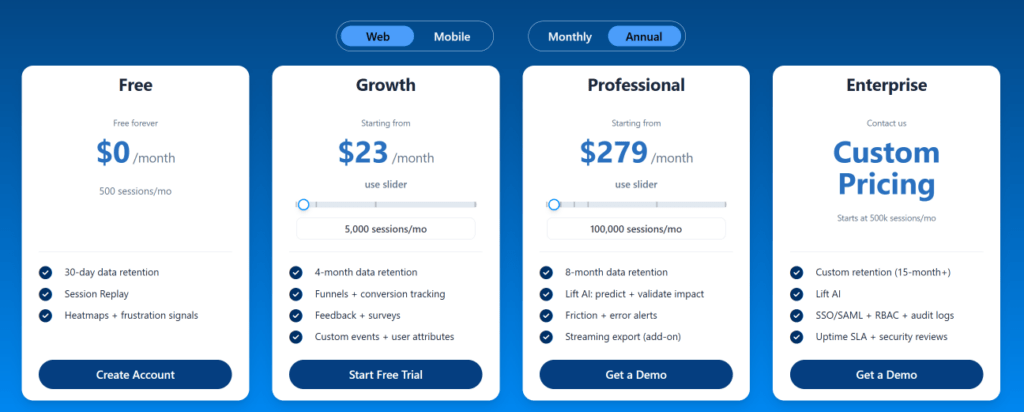
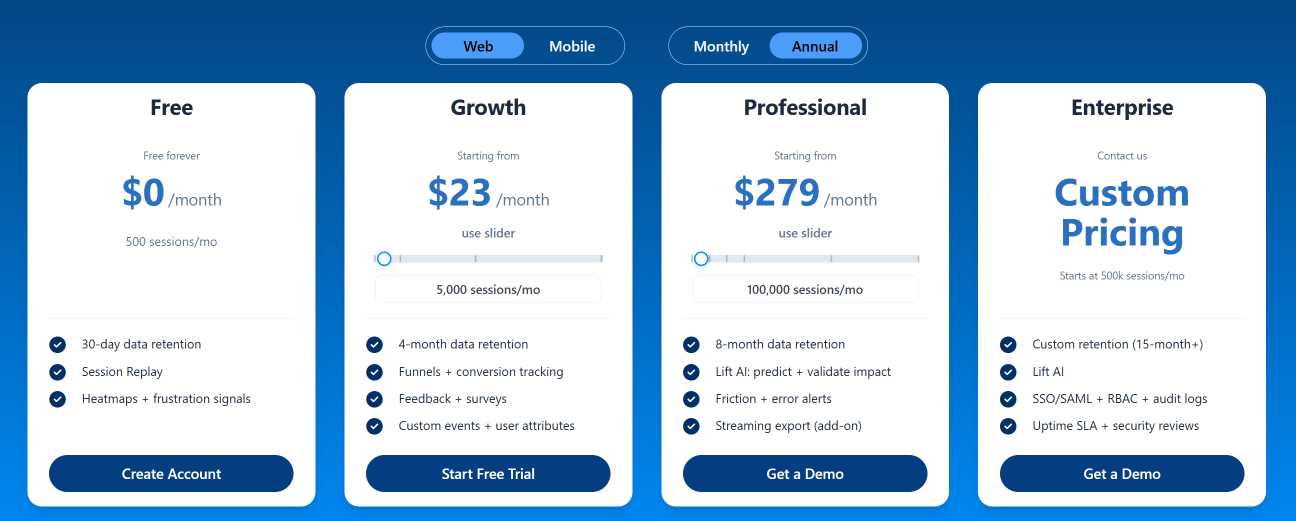
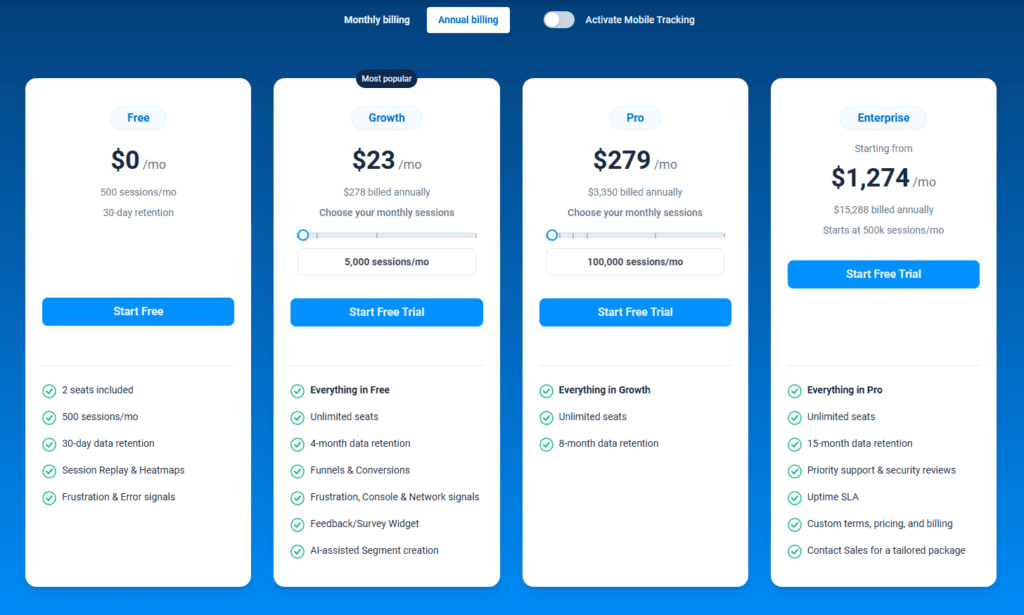
    The FullSession platform offers a 14-day free trial. It provides two paid plans—Basic and Business. Here are more details on each plan.

    • The Starter plan costs $39/month or $32/year and allows you to monitor up to 5,000 monthly sessions with up to 6 months of data storage.
    • The Business plan costs $75/month or $60/year and helps you to track and analyze up to 100,000 monthly sessions with up to 12 months of data storage.
    • The Enterprise plan has custom pricing and offers customizable sessions plus full access to all features.

    Book a demo today.

    Analyze Your User Retention Rate Today

    It takes less than 5 minutes to measure user retention withFullSession, and it’s completely free!

    FAQs About User Retention

    How often should I measure user retention?

    It’s a good idea to keep an eye on user retention pretty regularly. How often you check in can depend on how quickly your business is changing or growing—monthly or quarterly checks are a solid start.

    Can user retention impact my bottom line?

    Definitely. High user retention often translates to more stable and predictable revenue, plus you’ll save a bundle by not having to constantly chase after new customers.

    Does a high churn rate always mean poor user retention?

    Mostly, yes. If lots of people are bailing on your platform, it’s a sign that something might not be clicking. It’s worth taking a closer look to see what’s up.

  • Churn Rate vs. Retention Rate (In-Depth Breakdown)

    Churn Rate vs. Retention Rate (In-Depth Breakdown)

    Churn rate and retention rate are two sides of the same coin. These rates are important for businesses to understand customer behavior. 

    The churn rate measures how many customers stop using a service over a specific period. On the other hand, the retention rate shows us the percentage of existing customers who stay. 

    Both metrics offer valuable insights into customer satisfaction and loyalty. In this blog, let’s examine the debate on the churn rate vs. retention rate. 

    Explore what makes these rates important for companies to stay agile and competitive. And finally, discover how they can guide businesses in making informed decisions to keep their customers happy and engaged.

    Churn Rate vs. Retention Rate

    Understanding customer behavior is important in terms of a business relationship. That’s where metrics like churn rate and customer retention rate come into play. They showcase performance in retaining customers.

    Emotions with paper emojis feedback

    What is Churn Rate?

    Churn rate is the rate in which you lose customers or subscribers over a specific period. The calculation is the number of customers lost, divided by the total customers at the beginning of a period.

    • Affect on Business Health: Churn rate measures the stability and loyalty in a customer base. A stable, low churn rate often correlates with longer term customers, whereas a high churn rate means customers are leaving very soon.
    • Calculation Method: To get the churn rate, divide the lost customers by the starting customer count. Churn rate is typically measured as a percentage.

    Importance of Churn Rate

    The importance of churn rate can be seen in a few different measures about your business and customers.

    • Indicator of Satisfaction: High churn rates raise a red flag about possible customer discontent. They prompt businesses to investigate and make necessary adjustments.
    • Financial Health: The company’s churn rate directly impacts how much revenue the company gets, especially for businesses with a subscription model. A high churn rate can significantly decrease predictable revenue streams.
    • Growth Metric: Investors consider churn rate a pivotal indicator of potential growth. Low churn rates typically attract more investment opportunities.

    Monitoring and Improving Churn Rate

    Effective churn rate monitoring and improvement are important for customer retention.

    • Customer Feedback: Collect feedback and satisfaction surveys to reveal the reasons behind customer departures. Companies use this insight to rectify issues and reduce churn rates.
    • Engagement Strategies: Retention strategies aim to enhance customer loyalty. Businesses can implement targeted campaigns to keep the interest of existing customers.
    • Quality Improvements: Offer product or service upgrades to meet growing customer needs. This approach can directly reduce the number of customers lost.
    5 starts feedback engagement

    Challenges with Churn Rate

    Businesses encounter multiple challenges in managing customer churn rates. Here are some of them.

    • Market Dynamics: Adapting to changes in consumer preferences is essential to preventing a churned customer. Companies must stay ahead of trends to keep customers engaged.
    • Competitive Market: To stand out in a crowded market helps in order to maintain customer interest. When a company offers unique benefits and features, it encourages customers to stay.
    • Data Interpretation: The correct analysis of churn data enables businesses to identify controllable factors. Use data smartly to inform strategies to mitigate customer loss.

    Reducing Churn

    To reduce churn, it is important to keep customer acquisition costs low and maintain a healthy bottom line.

    • Voluntary vs. Involuntary Churn: Voluntary churn means customers choose to leave. On the other hand, involuntary churn refers to losing customers for reasons outside customer control. It’s important to distinguish the specific churn as each type requires different strategies to address.
    • Reduce Customer Churn: Running engagement campaigns and testing your customer base can help you reduce churn.

    Average Churn Rate

    The average churn rate measures the proportion of customers a business loses within a given timeframe compared to the beginning total. This average provides insight into your customer retention rate trends over time. In turn, this allows for strategic adjustments to business practices. 

    Industries vary widely in what constitutes an acceptable average customer churn rate; however, companies benefit from continually minimizing this figure to enhance customer loyalty and stabilize revenue.

    Annual Churn Rate

    The annual churn rate calculates the percentage of customers lost over the course of a year. This metric is crucial for assessing long-term customer retention and satisfaction.

    Hence, this impacts financial planning and business strategy. A lower annual customer churn rate indicates a stable customer base and contributes to healthier and more sustainable growth.

    Customer Acquisition Cost and Churn Rate

    Customer Acquisition Cost (CAC) refers to the total cost of acquiring a new customer, including marketing and sales expenses. The relationship between CAC and churn rate is significant.

    A high churn rate can make CAC unsustainable. This is because the rapid loss of newly acquired customers fails to compensate for the investment made to attract them.

    Businesses that strive for profitability must balance these figures. Companies must lower churn rates and optimize acquisition costs to ensure long-term customer value exceeds the initial expenditure.

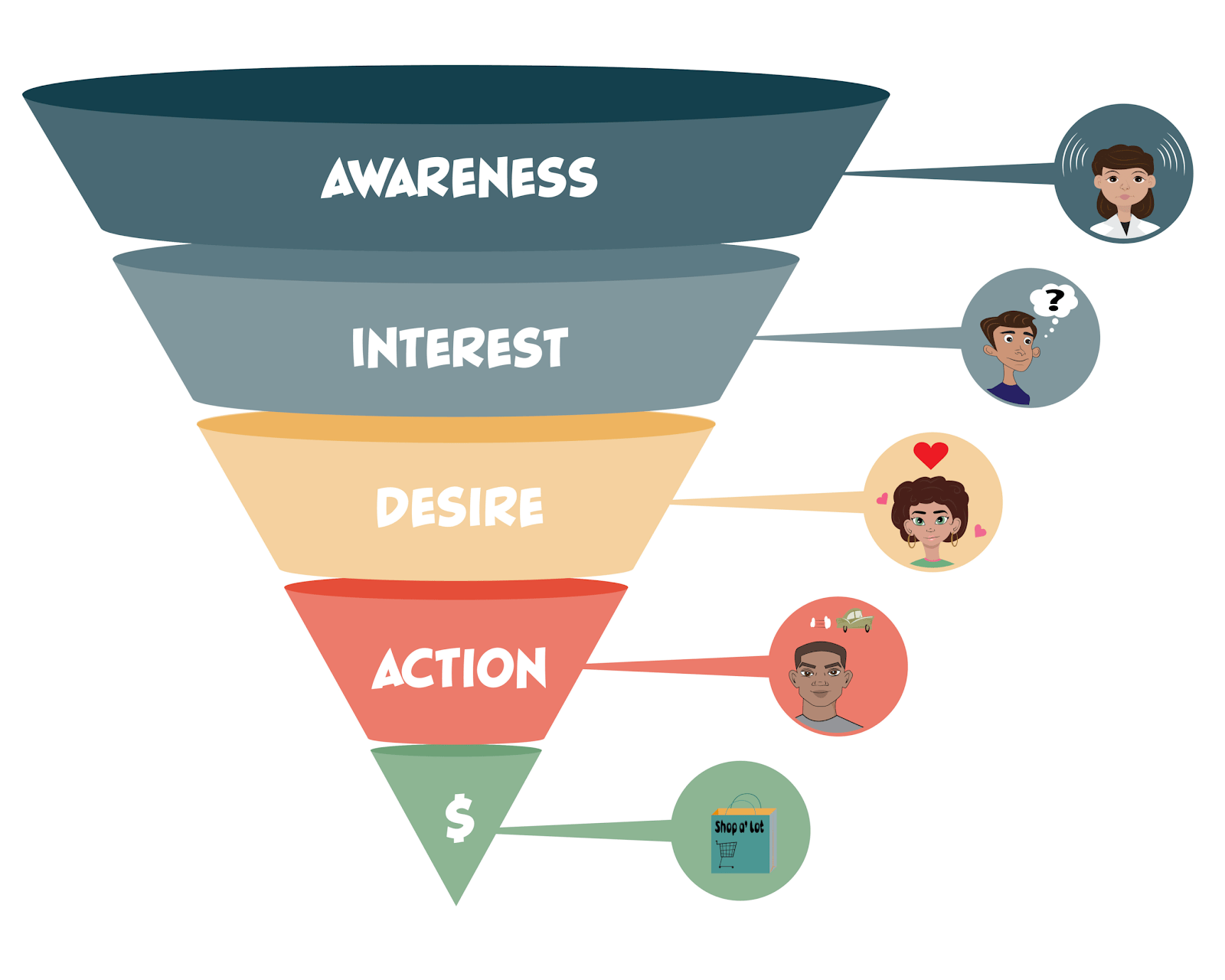
    Customer acquisition funnel

    What is Retention Rate?

    Retention rate is a main metric for evaluating business performance and customer loyalty. It denotes the proportion of customers a company retains over a certain period.

    The rate is calculated through a specific formula based on the number of customers a company retains. This is relative to its number at the start of the period.

    • The aspect of Customer Loyalty: Customer retention rate serves as a parameter of customer loyalty. A high rate implies a high percentage of satisfied customers who continue to use a product or service.
    • Computation Method: The formula for customer retention rate includes subtracting the new customers from the end count, dividing by the initial count, and multiplying by 100. This calculation provides the percentage of customers who stay with the business.

    Importance of Retention Rate

    A good customer retention rate is an essential factor that businesses closely monitor.

    • Customer Lifetime Value: A higher customer retention rate increases the customer lifetime value. This increase benefits the revenue stream and profitability of the company.
    • Business Stability: A consistent customer retention rate represents business stability and increases repeat business. It illustrates a clear indicator of customer satisfaction with the product or the service.
    • Marketing Strategy: Strong customer retention rates suggest the effectiveness of the marketing strategy. It reveals the success of a company in order to keep customers engaged and satisfied.

    Ways to Improve Retention Rate

    Strategies to improve the average customer retention rate often focus on customer satisfaction and engagement.

    • Customer Service: Superior customer service often leads to higher customer retention rates and increases repeat business. Focusing on new customers and existing customers in support is beneficial.
    • Regular Updates: Businesses earn customer loyalty through continuous improvement of products or services. Updates that appeal to user requests results in retaining customers.
    • Personalization: Personalized experiences cater to individual customer preferences. These tailored experiences foster a sense of relationship and improve retention.
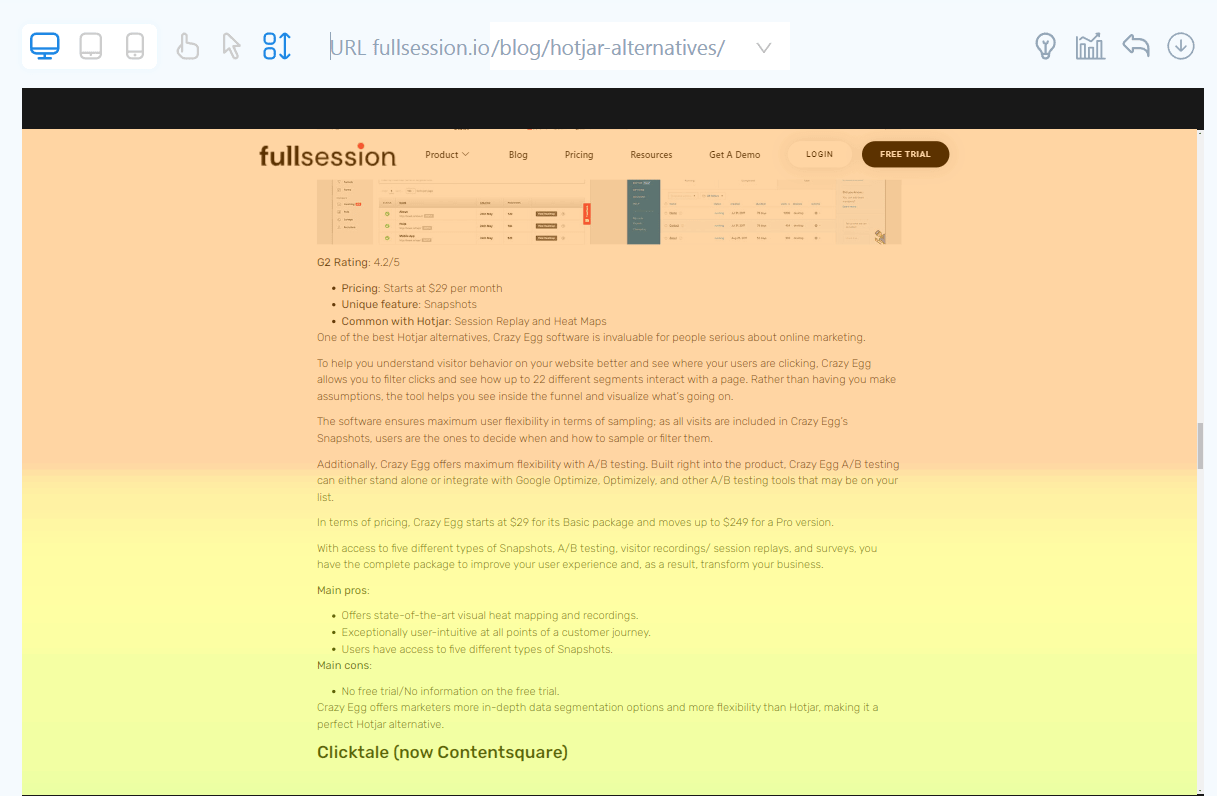
    Website heatmap scroll map

    Challenges with Retention Rate

    Improving customer retention rates requires a company to overcome several challenges.

    • Customer Expectations: To meet the needs of customers is an ongoing challenge. Customer expectations can affect customer churn rate, but also your customer retention rate.
    • Market Competition: Businesses operate within a competitive market. To offer a unique value proposition to maintain a high customer retention rate.
    • Measurement Accuracy: It is important to guarantee accurate measurements of the customer retention rate. Companies need to analyze and interpret data carefully to drive strategic planning effectively.

    Understand and enhance the customer retention rate to strengthen the customer base. It helps the business thrive in a competitive market while the company secure committed, long-term customers.

    Calculating Churn Rate vs Retention Rate

    To keep a business healthy, we must understand how to calculate the churn and customer retention rates, which are important. These rates help determine how well a business keeps its customers over time. Here’s how to do these calculations:

    Churn Rate Formula

    1. To calculate the churn rate, pick a time period (like a month).
    2. Count how many customers left during that time.
    3. Divide the number of customers who left by the total number of customers at the start of the period.
    4. Multiply by 100 to get the percentage.

    Retention Rate Formula

    1. To calculate the retention rate, choose the same time period.
    2. Subtract the number of new customers acquired during this period from the total number of customers at the end of the period.
    3. Divide this number by the total number of customers at the start.
    4. Multiply by 100 to get the retention rate percentage.

    Average Rates

    • Average Churn Rates: This is an industry-specific benchmark. It varies, but knowing it helps businesses understand if they’re above or below the norm.
    • Average Retention Rate: Similarly, this average helps businesses gauge customer loyalty against standard benchmarks.

    High retention rates are good, as they reflect the customers retained. This, in turn, increases repeat business or repeat customers. 

    A low churn rate is also positive, which indicates few customers leave. Companies strive to increase retention and decrease churn to grow and remain profitable.

    Metrics of Customer Retention and Customer Churn

    Understanding the dynamics between churn and retention rates helps businesses maintain a robust customer base.

    • Contrasting Metrics: Churn rate refers to the portion of customers who stop using a business’s services. In contrast, retention rate measures the repeat purchase rate or the percentage of customers a business successfully retains over a given period.
    • Inverse Relationship: Typically, these metrics hold an inverse relationship; as the churn rate rises, the retention rate tends to fall, and vice versa.

    Customer Satisfaction and Loyalty

    Customer satisfaction directly influences customer retention rate and customer churn rate.

    • Loyal Customers: Higher customer satisfaction often results in a base of loyal customers who are more likely to make repeat purchases.
    • Poor Customer Service: Conversely, poor customer service is frequently a primary driver of customer churn, which underscores the importance of excellent customer service to retain customers.

    Financial Implications

    Monthly recurring revenue is generated, and the customer lifetime value hinges significantly on customer retention metrics.

    • Revenue Churn Rate: The revenue churn rate quantifies how much average revenue is lost due to losing customers. This can parallel the number of existing customers but considers the varying revenue each customer represents.
    • Customer Lifetime Value: This value increases as the retention rate improves, which shows why a high retention rate is as significant as acquiring new customers, if not more so.

    Customer Base and Revenue

    The sizes of the existing customer base and the generated revenue allow businesses to measure customer retention effectively.

    • Number of Customers: Track the number of customers who remain versus the number who are acquired or lost. This provides a straightforward representation of churn and retention trends.
    • Revenue Churn vs, Growth: A comparison between revenue churn and revenue gains from new customers or repeat business can help accurately predict a company’s future performance.

    Engagement and Feedback

    In order to retain customers, proactive engagement and a thorough analysis of customer feedback is needed.

    • Customer Feedback: Customer feedback is a valuable source that informs businesses on how to improve retention and minimize churn.
    • Customer Success Team: This team plays a strategic role in order to reduce churn by helping customers achieve success through the use of a product or service. Hence, this improves the overall customer experience.

    Retention Over Time

    Churn rates and retention rates gain significance when observed over regular periods, such as monthly churn and an annual retention rate.

    • Monthly Churn: A company might closely monitor its monthly churn to assess how frequent service or pricing adjustments affect customer behavior.
    • Annual Retention Rate: Examine the annual retention rate to get insight into the longer-term satisfaction and fidelity of the customer base.

    Increase Your Retention Rate With FullSession

    Don’t hesitate to start gaining actionable insights into user behavior by looking at how FullSession works. You can test our solution by signing up for a free trial or scheduling a demo.

    FAQs About Your Churn Rate vs Retention Rate

    What’s the difference between churn rate and retention rate?

    The churn rate calculates the percentage of customers who leave a service, while the retention rate measures the percentage of customers a company retains.

    Why is it important to monitor both churn rate and retention rate?

    Monitoring both rates provides a complete view of customer behavior and company performance. This may indicate areas of success and those that need improvement.

    How can companies improve their retention rate?

    Companies can enhance their retention rate through improvement in their customer service, implement customer feedback, personalize customer interactions, and create a proactive customer success team.

    What impact do churn rate and retention rate have on revenue?

    A high churn rate can lead to revenue loss and increased acquisition costs, while a high retention rate results in stable revenue flows and higher customer value.

    Can a high churn rate ever be beneficial?

    Sometimes, a high churn rate can help identify unprofitable customers, which enables better targeting. However, it generally indicates areas for improvement.

    How often should companies monitor their churn and retention rates?

    Companies should frequently monitor these rates, with the exact frequency that depends on the business model and industry. Consistent monitoring allows timely corrective actions.

  • 7 Best Market Segmentation Tools For Top-Notch Personalization

    7 Best Market Segmentation Tools For Top-Notch Personalization

    Even though you have a very specific Ideal Customer Profile, your target audience will still consist of different types of people. They will have varying interests, attitudes, geographical locations, income levels, and so on. Customers that share similar characteristics belong to the same “segment.”

    So, what does this mean for your marketing campaigns?

    Your target audience will have diverse customer behaviors, needs, and wants. If you want your marketing efforts to be as successful as possible, you need to tailor them in a way that resonates with your different customer segments the most.

    In this guide, we’ll go over the definition of audience segmentation tools, why they are important for your business, and some of the best tools to have in your stack.

    What Are Market Segmentation Tools?

    Market segmentation tools are like smart filters for your customer data. They help businesses sort their customers into groups based on demographic data (age, gender, how much they earn), psychographic data (interests, values), and how they interact with the brand (what they buy, how loyal they are).

    Having access to this kind of customer data makes it easier to figure out who you’re talking to with your marketing campaigns.

    Additionally, segmentation tools crunch numbers and spot patterns in customer data to help businesses understand different chunks of their audience better. With this insight, companies can customize their products and messages to match what specific groups of customers might want or need.

    In doing so, you can make marketing more spot-on and save money by focusing efforts where they’re most likely to pay off.

    What Can a Customer Segmentation Tool Provide?

    Customer segmentation is a non-skippable step if you want to increase customer satisfaction and create more targeted marketing strategies. 

    Here are some of the most important reasons why your business needs to segment customers based on their characteristics:

    More Personalized Marketing Efforts

    Many marketing experts say that personalization is one of the best (if not the best) ways to advance customer relationships. However, not all businesses know the level of personalization they need to truly impact their audience.

    Personalized marketing goes beyond just addressing the customer by name. With customer segmentation tools, you can create content and offers based on specific interests and behaviors.

    For example, if data shows that a particular segment frequently purchases athletic gear, you can customize emails to highlight sports equipment or fitness tips. Additionally, you can create dynamic offers such as first-time buyer discounts for new customers and loyalty rewards for repeat customers to make each group feel uniquely valued and understood.

    Segmentation tools can also allow marketers to create promotions and offers in real-time based on customer behavior and historical data. 

    For instance, if a customer frequently abandons the shopping cart, personalized marketing strategies might include sending them a targeted email with a special discount on the items they left behind or offering free shipping to nudge them towards completion of the purchase.

    Maximized Customer Engagement

    Customer segmentation allows for the design of highly relevant marketing campaigns. If a segment shows a preference for eco-friendly products, then campaigns can be designed to emphasize sustainability.

    Relevance increases the likelihood of engagement. Plus, adding interactive elements like quizzes or polls that reflect the unique interests of each segment can further increase involvement, which can encourage customers to interact more deeply with the brand.

    Lower Ad Expenses

    Online ads are always a huge part of marketing campaigns, but they may not be effective if you don’t have a good understanding of who your customers are.

    Honing in on segments with a higher propensity to buy, such as pet owners for pet care products, can help you ensure that your marketing efforts resonate with an already interested audience. 

    This specificity helps reduce the spread of your resources across a broad, uninterested audience, which can increase the chances that your ads reach and impact those most likely to respond.

    Plus, focused advertising naturally lowers your Cost Per Acquisition (CPA). Because your ads are more likely to reach and convert potential buyers, the amount of money you spend on converting each customer decreases. 

    Personalized Communication Channels

    Different customers have different preferences for how they receive marketing communications. Some may respond better to emails, while others prefer the immediacy of text messages or the visual appeal of social media.

    Customer segmentation tools can help identify the most effective communication channels for each segment and allow marketers to adjust their approach accordingly. 

    For example, younger demographics might be more engaged through Instagram or TikTok, whereas older segments may prefer email newsletters or Facebook.

    Data-Driven UI and UX Optimization

    Segmentation tools often let you see what devices your audience is using to interact with your digital channels. Is a big chunk of your users on the desktop version? Are you seeing more users on mobile? And, more importantly, which channel generates the most conversions?

    These data points can be extremely important for optimizing your user interface (UI) and the user experience (UX). 

    For example, if you are seeing a very low conversion rate on your website’s mobile version, it might mean that you need better mobile optimization.

    Better Customer Retention

    All the advantages we’ve mentioned so far contribute to better customer retention. For one, you can deliver personalized experiences that resonate more deeply with each group. You can also create targeted and relevant communication. 

    Instead of sending generic messages to all your customers, you can tailor your emails, offers, and updates to match the interests and needs of different segments.

    In addition, understanding the specific needs and preferences of different segments can help you provide better customer service. So, if a segment frequently purchases premium products, you might offer them exclusive support or dedicated service lines.

    This kind of attention to detail can improve their overall experience and satisfaction, which can, in turn, lead to higher retention rates.

    women looking at charts

    Key Features of Audience Segmentation Tools

    The best audience segmentation tools are packed with features that help marketers dissect and understand their customer base with precision. They are a must for creating effective marketing strategies tailored to specific groups.

    Here are several key features you should look for in the best customer segmentation tool:

    1. Data Integration

    A robust segmentation tool can integrate data from various sources. This includes demographic information from customer databases, transaction histories from sales software, behavioral data from website analytics, and even social media interactions.

    The ability to pull and synthesize data from these diverse sources is fundamental because it provides a more complete picture of customers and how they interact with the brand.

    2. Advanced Customer Segmentation Analysis

    These tools aren’t just collecting data but can also analyze it with accuracy and precision. They use advanced techniques like artificial intelligence to sort customers into groups based on shared traits and predict future behaviors.

    Machine learning is also in the mix. It can help spot trends that aren’t immediately obvious, which can open up new ways to group your audience.

    3. User-Friendly Interface

    Despite the complex tech behind them, these tools are designed to be easy to use to minimize the learning curve. 

    They usually have clear dashboards and straightforward controls that let you set up and manage segments without needing to be a tech whiz.

    4. Real-Time Data Collection and Segmentation

    Things change fast in the digital world, so being able to segment your audience in real-time is a must if you want to stay ahead of the competition.

    This feature allows you to quickly adapt your marketing strategies based on what’s working right now, like tweaking your campaigns to engage a group that’s suddenly showing more interest.

    5. Customizability and Flexibility

    Every business is different, and a good segmentation tool should be able to meet your needs. Luckily, most of these marketing tools often let you tailor features to suit your specific needs, like creating segments based on criteria that you think are important.

    Whether it’s customer buying habits, preferences, or how often they engage with you, the tool should be able to collect relevant data and show you insightful analytics.

    6. Actionable Insights and Reporting

    The point of customer segmentation is to give you an idea of what you need to do to connect with your customers better.

    After all the number crunching, the tool should also give you clear, actionable insights and detailed reports on each segment. 

    It’s important that these reports are easy to understand and offer solid advice on what to do next so that it helps you make informed decisions on how to approach your marketing.

    Best Customer Segmentation Tools

    When you’re looking to get a better handle on your customer base and personalize your marketing efforts, having the right tools is an absolute must. 

    Here are some top customer segmentation tools that can help you get the job done:

    1. FullSession

    Fullsession market segmentation tool

    FullSession is all about understanding how users interact with your website. 

    It offers features like session recording, heatmaps, and customer journey mapping. They are great for analyzing user behavior on your site—where they click, how long they stay, and what might be stopping them from completing a purchase.

    Plus, you can segment users based on their behavior to pinpoint what works and what doesn’t in your user experience.

    2. Adobe Experience Cloud

    Adobe Experience Cloud is best for those who need to manage large amounts of customer data and want detailed analytics. It offers an all-inclusive suite of marketing tools that work well for large enterprises.

    A standout feature is Adobe Analytics, which is a part of the Adobe Experience Cloud that provides real-time analytics and detailed segmentation capabilities. It allows you to segment audiences based on their behaviors, transactions, and even predictive insights about future behaviors.

    3. Mailchimp

    Mailchimp started as an email marketing tool but has grown into much more. Its segmentation features are particularly user-friendly, which makes it a good option for those who are new to this kind of marketing technology.

    You can segment your mailing lists based on user behavior like past opens and clicks, which helps in sending out emails that are more likely to be read and acted upon.

    Plus, Mailchimp uses machine learning to categorize your customers into segments based on their likely future behaviors. This includes potential spend categories and churn likelihood that can help you design your marketing strategies more effectively and proactively engage with your audience.

    4. Segment

    Segment serves mainly as a customer data platform (CDP) that helps you manage and direct your customer data across different marketing and analytics tools. It simplifies gathering, storing, and using customer data to improve targeting and personalization.

    Overall, it’s especially useful if you’re looking to centralize your customer data operations in one accessible place.

    One of its key features is the Connections feature. It simplifies the data integration process tenfold. Instead of writing custom code to send data to each tool or platform you use, Segment collects all your data and routes it wherever you want it to go with just a few clicks. 

    5. Google Analytics

    Let’s not forget one of the OGs—Google Analytics. The segmentation tool lets you slice and dice your site’s visitor data based on many different criteria. 

    You can segment users by demographics like age, gender, and location, or by their behavior on your site, such as new versus returning visitors, how often they visit, and how engaged they are.

    Also, you can look at the technology side of things, like what browser or device they’re using. This segmentation helps you get a clear picture of who your visitors are and how they interact with your site.

    6. ActiveCampaign

    ActiveCampaign combines email marketing, automation, sales automation, and CRM into a single platform. It’s known for its powerful segmentation features that allow you to tailor content and automate campaigns based on user actions, preferences, and previous interactions.

    This tool is great if you’re looking for deep customization and automation capabilities to engage your customers at various stages of their journey.

    7. Mixpanel

    Mixpanel allows you to create user segments by almost any criteria. Whether it’s users who signed up last week, those who made a purchase, or even users who dropped off after not completing a task, you can track and analyze these specific groups in detail.

    It’s also a great product analytics tool and a great option if you want to focus on product development. Mixpanel allows you to track specific actions that users take within your product, such as clicks, form submissions, or any custom events relevant to your product.

    By analyzing the sequence of events that users follow, Mixpanel helps you map out user journeys. This insight is extremely important for identifying common paths that lead to conversions or uncovering where users might be dropping off.

    Start Segmenting Your Customer Groups Today

    Each user belongs to a specific customer segment, and within that segment is a group of people with similar needs, wants, and characteristics. If you want your marketing campaigns to resonate with these audiences, leveraging customer segmentation tools is the way to go.

    Now that you know what customer segmentation tools can do for you, it’s time to find the right platform for your business. If you want something user-friendly and scalable, start your journey with FullSession!

    How to Use FullSession for Customer Segmentation

    FullSession is a full-stack web analytics tool that serves many marketing goals, including segmenting your customers for better personalization. 

    Here’s a step-by-step guide on how to use FullSession’s robust customer segmentation tool:

    Step 1: Set Up and Integration

    First, make sure you integrate the app with your website properly. This process involves adding a tracking code to the pages you want to monitor. Once set up, FullSession will begin collecting data on how visitors interact with your site.

    Step 2: Data Collection

    Allow some time for FullSession to gather enough data. The platform tracks various user actions, such as clicks, scrolls, and page transitions. It also captures more detailed interactions like text selections and mouse movements. This data will form the basis of your segmentation efforts.

    Step 3: Identify Key Behaviors

    Analyze the collected data to identify key behaviors that are relevant to your business objectives. 

    For example, you might want to segment users based on:

    • The frequency of visits
    • Specific pages they visit
    • Actions taken on a page (e.g., downloading a resource, filling out forms)
    • Engagement level (e.g., time spent on site, interaction with content)

    Step 4: Create User Segments

    Using the behaviors identified in Step 3, create user segments directly in FullSession. You can define segments by any combination of behaviors tracked by the tool. 

    For instance:

    • New visitors vs. returning visitors
    • Users who abandoned a shopping cart vs. those who completed a purchase
    • Users who engage heavily with content vs. those who bounce quickly

    Step 5: Analyze Segments

    With your segments created, use FullSession’s analytics features to delve deeper into each group’s behavior. Look at the aggregated data for trends and patterns that might inform your business strategy.

    For example, if a segment of users who watch a product video tend to make a purchase, you might consider enhancing video content across your site.

    Step 6: Apply Insights

    Use the insights gained from segment analysis to tailor your website and marketing strategies. 

    This could involve:

    • Personalizing content and offers based on user behavior
    • Optimizing the user experience to increase engagement for underperforming segments
    • Adjusting navigation or calls to action to improve conversion rates for specific user groups

    Step 7: Monitor and Refine

    Customer behavior and preferences can evolve, so it’s important to continuously monitor and refine your segments over time. Revisit your segments periodically to ensure they still align with user behavior and business goals.

    Finally, use FullSession to test changes to your website and see how they affect different segments.

    FullSession Pricing Plans

    The FullSession platform offers a 14-day free trial. It provides two paid plans—Basic and Business. Here are more details on each plan.

    • The Starter plan costs $39/month or $32/year and allows you to monitor up to 5,000 monthly sessions with up to 6 months of data storage.
    • The Business plan costs $75/month or $60/year and helps you to track and analyze up to 100,000 monthly sessions with up to 12 months of data storage.
    • The Enterprise plan has custom pricing and offers customizable sessions plus full access to all features.

    Book a demo today.

    Try FullSession’s Customer Segmentation Tool Right Now

    It takes less than 5 minutes to set up your customer segmentation tool with FullSession, and it’s completely free!

    FAQs About Customer Segmentation Software

    Are market segmentation tools suitable for small businesses?

    Yes. There’s a range of tools out there tailored to fit any size of business, ensuring that you can find one that matches your needs and budget.

    How often should I revise my customer segments?

    It’s wise to review your segments at least once a quarter. Markets evolve, and staying updated means staying relevant.

    Can these tools integrate with my existing CRM?

    Many top-tier segmentation tools offer robust integration capabilities with popular CRM systems, making them a seamless addition to your marketing technology stack.

  • What Are Rage Clicks? Causes, Examples, and How to Fix Them

    What Are Rage Clicks? Causes, Examples, and How to Fix Them

    Users do not rage click because they are impatient. They rage click because your interface promised an action and failed to deliver it.

    A button looked clickable but did nothing. A page stalled with no feedback. A form appeared to submit but never confirmed success. In each case, repeated clicking is not random behavior. It is a visible sign of friction.

    Rage clicks matter because they often happen at the exact moments users are trying to complete something important submit a form, open a menu, move to checkout, or continue to the next step.

    In this guide, you’ll learn:

    • what rage clicks are
    • what causes them
    • how to detect them
    • how to diagnose the real issue behind them
    • how to fix them before they hurt conversions

    A rage click happens when a user clicks or taps the same element several times in quick succession because the page does not respond as expected. It usually signals frustration caused by broken functionality, slow feedback, misleading design, or confusing navigation.

    What are Rage Clicks?

    A rage click happens when a user clicks or taps the same area several times in a short span because the interface does not respond the way they expect.

    In UX and behavior analytics, rage clicks are treated as a frustration signal. They often point to:

    • broken or non-responsive elements
    • slow page feedback
    • misleading design
    • confusing navigation
    • blocked interactions on mobile

    Rage clicks matter because they reveal moments where user intent is high but the interface creates friction instead of progress.

    Why rage clicks matter

    Rage clicks are not just a UX annoyance. They often appear on high-intent actions such as:

    • clicking a CTA
    • submitting a form
    • opening a menu
    • applying a filter
    • progressing through checkout
    • moving through onboarding

    When rage clicks happen at these moments, they can lead to abandonment, lost trust, and lower conversion rates.

    What causes rage clicks?

    A single rage click can be random. A pattern of rage clicks usually is not.

    When repeated rapid clicks show up across multiple sessions, they often point to a specific UX, performance, or interface problem. The most common causes are below.

    Dead Links

    Dead or broken links are a common trigger for rage clicks because users expect a clickable element to take them somewhere. When nothing happens, they click again to confirm whether the problem is the page or their own action.

    This kind of failure interrupts the user journey and can quickly push visitors to leave the page altogether.

    Common examples:

    • product links that fail to load
    • CTA buttons that do nothing
    • menu items that lead nowhere
    • links blocked by overlays or script errors

    Slow Loading Times

    Sometimes the click works, but the page gives no clear signal that it worked. Users click again because the interface feels frozen.

    This often happens when:

    • pages take too long to load
    • forms validate too slowly
    • CTA buttons show no loading state
    • filters or menus update with a delay
    • server or script lag interrupts feedback

    The real issue is not just speed. It is the lack of visible response after the first click.

    Misleading Buttons or Elements

    Rage clicks often happen when an element looks interactive but does not behave the way users expect.

    Examples include:

    • images styled like buttons
    • cards that look clickable but are static
    • dropdowns that are only visual, not functional
    • icons that suggest one action but trigger another
    • buttons whose labels do not match the destination

    When design creates false expectations, repeated clicks are a predictable response.

    Confusing Navigation

    Users rage click when they cannot tell where to go next or when navigation behaves inconsistently across the site.

    This usually happens when:

    • menus are poorly labeled
    • navigation patterns change from page to page
    • important links are buried too deeply
    • dropdowns are difficult to use
    • labels rely on internal jargon instead of plain language

    When users cannot find the right next step, repeated clicking becomes a sign of confusion rather than intent.

    Rage clicks vs dead clicks: what is the difference?

    SignalWhat it meansCommon behaviorTypical cause
    Rage clickRepeated rapid clicks on the same areaUser clicks several times in frustrationDelayed response, misleading UI, broken flow
    Dead clickA click with no visible resultUser may click once or several timesNon-responsive element, broken interaction, missing feedback

    How Can You Track Rage Clicks?

    The first step to analyzing user behavior is to detect rage clicks, and the best way to do this is to use user behavior tools like FullSession. With this platform, you have access to features that can help you identify rage clicks and their causes, such as:

    Heatmaps

    Heatmaps offer a visual representation of where users click on a webpage, which can be extremely revealing. They aggregate user clicks to show patterns, including areas of high activity that might indicate frustration or confusion. With heatmaps, you can:

    • Identify High-Activity Zones: Look for areas with an unusually high density of clicks. These “hotspots” often indicate where users expect functionality that isn’t there, such as non-responsive buttons or decorative elements mistaken for interactive ones.
    • Analyze Click Patterns: Patterns can tell you a lot. Are many users clicking repeatedly in one spot? Are there rapid clicks spread over an entire area? This kind of activity can signify that users are trying different spots hoping for a response, suggesting that the interface may be misleading.
    • Compare Different Pages: By comparing heatmaps of different pages, you can identify whether certain design elements consistently lead to rage clicks across your site. This can be important for recognizing design flaws that need a broader strategy adjustment.
    website heatmap

    Session Recordings and Replays

    A session replay or recording gives you a detailed view of their interactions with your website. They can be particularly useful for understanding the context behind rage clicks:

    • Watch User Behavior: Observing how users move through your site can let you see what leads up to a rage click. What was the user trying to do? What might have triggered their frustration? This context is key to understanding why the rage clicks are happening.
    • Identify Usability Issues: Session recordings can help you spot usability problems that might not be obvious from other analytics. For example, if users frequently rage click after navigating through a certain process, there might be something about that process that is confusing.

    How Can You Minimize Rage Clicks?

    Analytics can give you actionable insights into how to address customer frustration and eliminate the things that cause rage clicks. 

    Here are some great strategies to improve the customer experience and keep users happy:

    Optimize Load Times

    Speed is a must-have factor in user satisfaction, and slow loading times are a common trigger for rage clicks.

    To improve your site’s performance, consider compressing images to reduce file sizes without sacrificing quality, minimizing HTTP requests by reducing the number of page elements, using a Content Delivery Network (CDN) to speed up content delivery globally, and optimizing JavaScript and CSS by minifying files and removing unnecessary code.

    Get Rid of Confusing Elements

    Interactive elements should be clearly distinguishable and perform exactly as expected. Design elements should be such that buttons distinctly look like buttons and links are obviously clickable. 

    Avoid designs that could be mistaken for interactive elements to prevent confusion.

    Make Navigation Easy

    Make sure that your website’s navigation is intuitive and straightforward. This involves maintaining a consistent layout across all pages so that users don’t have to relearn their way around each time they visit a different section.

    Use clear, direct language for menu items and links to make sure they are understandable and organize content in a clear hierarchy with breadcrumbs to help users track their navigation path.

    Conduct User Testing

    Regular testing with real users can provide insights into how people interact with your site and highlight customers’ pain points. Gather user feedback through usability testing sessions to get direct responses on what works and what doesn’t.

    You can also use A/B testing to experiment with different versions of your site to determine which elements perform best and which may lead to confusion and rage clicks.

    FullSession Pricing Plans

    The FullSession platform offers a 14-day free trial. It provides two paid plans—Basic and Business. Here are more details on each plan.

    • The Starter plan costs $39/month or $32/year and allows you to monitor up to 5,000 monthly sessions with up to 6 months of data storage.
    • The Business plan costs $75/month or $60/year and helps you to track and analyze up to 100,000 monthly sessions with up to 12 months of data storage.
    • The Enterprise plan has custom pricing and offers customizable sessions plus full access to all features.

    Book a demo today.

    Get Your First Heatmap Right Now

    It takes less than 5 minutes to set up your first website heatmap with FullSession, and it’s completely free!

    FAQs About Rage Clicks

    What is a rage click?

    A rage click happens when a user clicks or taps the same area several times in quick succession because the interface does not respond as expected.

    Why do users rage click?

    Users rage click when they expect something to happen and the page fails to respond clearly, quickly, or correctly.

    What causes rage clicks most often?

    The most common causes are broken links, slow feedback, misleading interface design, confusing navigation, and mobile usability problems.

    What is the difference between rage clicks and dead clicks?

    A dead click is a click with no visible result. A rage click is repeated rapid clicking caused by frustration. A dead click can become a rage click if the user keeps trying.

    Are rage clicks bad for SEO?

    Not directly as a standalone ranking factor, but they can point to UX and performance problems that reduce satisfaction, engagement, and conversions.

    Are rage clicks only a desktop issue?

    No. Rage clicks also happen on mobile, often because of small tap targets, blocked controls, and inconsistent touch behavior.

    How do you detect rage clicks?

    Use a combination of heatmaps, rage click maps, session replay, funnel analysis, form analytics, and performance monitoring.

    How often should you review rage click data?

    Monthly is a solid baseline. For high-traffic or high-conversion pages, weekly review is often better.

  • Marketing Analytics: What it Is, Why it Matters, and How to Start

    Marketing Analytics: What it Is, Why it Matters, and How to Start

    Crafting top-notch marketing campaigns is just half of the work. At the end of the day, you still have to find out if those marketing activities worked as well as they should.

    Marketing analytics is the key to optimizing your campaigns through data-driven decisions. 

    In this guide, we’ll do a deep dive into marketing analytics, why it’s important, and how to apply it to your own business.

    What is Marketing Analytics?

    You’ve launched a handful of marketing campaigns, made tweaks to your conversion strategies, and tapped into a new target cluster. How do you know if these marketing efforts met the goals you set at the beginning?

    When businesses want to measure the effectiveness of just about any strategy, they turn to data. In the case of marketing strategies, you need marketing analytics.

    Marketing analytics is the process of using data to assess the success of your marketing efforts. It goes beyond traditional metrics like sales or lead generation as it delves into finer details, such as customer behavior, engagement levels, campaign performance across different channels, and the overall customer journey.

    There’s no one perfect way to analyze your marketing data. Popular marketing analytics models and methods include:

    • Descriptive Analytics: Focuses on what has happened in the past to guide future marketing strategies.
    • Predictive Analytics: Uses data from past marketing campaigns to predict customer behavior.
    • Prescriptive Analytics: Uses all collected data to identify specific marketing strategies that could lead to higher engagement, conversion rates, or other objectives.

    Savvy businesses will use more than one or a mixture of all methods.

    man looking at stats and charts animated picture

    What Are the 5 Main Types of Marketing Analytics Tools?

    Marketing analytics tools help businesses optimize marketing efforts and demonstrate their value. Since there are multiple avenues of marketing, you might need to use more than one marketing analytics software.

    Here are the five main categories of marketing analytics software:

    1. Web Analytics

    Web analytics involves the measurement, collection, and analysis of web data to understand and optimize website usage.

    It gives you a better understanding of how users interact with your website, which parts of the site are most engaging, and where improvements can be made to improve the user experience.

    2. SEO Analytics

    SEO (Search Engine Optimization) analytics focuses on analyzing and understanding website performance in search engine results pages (SERPs) to improve visibility and rank higher for relevant queries.

    Analyzing these metrics can help you improve your SEO strategies, find high-performing keywords, optimize website content, and maximize overall search engine visibility to drive more organic traffic.

    3. Social Media Analytics

    Social media marketing is one of the most powerful forms of marketing, but it can sometimes be a hit or miss. Analyzing data from your platforms can help you understand social interactions and the performance of social media campaigns.

    Plus, you can craft more targeted marketing initiatives and tailor content to increase engagement and conversions.

    4. Lead Generation and Attribution Analytics

    Lead generation analytics focuses on tracking and analyzing the generation of potential customer interest in products or services. On the other hand, attribution analytics further examines which marketing channels and touchpoints contribute to conversions or sales.

    Both types of analytics can help you identify which lead generation strategies are most effective and how various marketing channels play a part in customer acquisition.

    5. Email Marketing Analytics

    Email marketing analytics allows marketers to upgrade their email campaigns, segment their audiences, and customize content to increase engagement and conversions.

    An effective email marketing analytics tool lets you gather important data, such as click rates, read-through rates, link engagement, and more. For example, using DMARC aggregate reports can help you get a better understanding of your email deliverability.

    Why is Marketing Analytics Important?

    A well-implemented marketing strategy can produce amazing results for your business. However, you want to know exactly how effective it was and how many of your goals you actually met. And this is where marketing analytics tools come in.

    With these tools, you’ll be better at:

    Understanding the Customer Journey and Conversion Funnel

    Your customers are on an adventure of their own from the moment they hear about you until they decide to make a purchase (and beyond). Marketing analytics helps you map out their journey, showing you the paths they take, the stops they enjoy, and where they might get lost.

    Analyzing how your customers move through the conversion funnel lets you identify where you lose potential customers and where you get the most conversions. In turn, you can better optimize your strategies to improve conversion rates.

    Refining Your Marketing Strategies

    The main goal of marketing analytics is to show you what you need to improve and which strategies are working the best. So, marketing analytics allows you to refine your strategies and make sure that your resources are invested in the most effective paths.

    For instance, marketing analytics can pinpoint which marketing channels (social media, email, search engines, etc.) are driving the most engagement, leads, or sales.

    Quantifying Your Claims

    In the world of marketing, claims are your bold flags planted in the ground. But to ensure they’re seen and respected, you need to back them up with solid, quantifiable proof.

    Marketing analytics provides the evidence to support your claims, turning “We believe we’re the best” into “Here’s the data that shows we’re the best.”

    For example, let’s say a clothing brand launches a summer ad campaign on social media, claiming it was a huge hit. Without marketing analytics, that statement is just words. However, the brand can back up its claim with solid numbers:

    “Our summer ad campaign generated a 30% increase in social media engagement and boosted online sales by 25% compared to the previous month.”

    three women discussing a strategy

    Transforming Marketing Data Into Valuable Insights

    Marketing teams can use data analytics to make strategic decisions based on facts. In other words, marketing analytics take out most of the guesswork when strategizing new marketing efforts.

    Marketing teams can also visualize these insights through dashboards, charts, and reports. Visual representations help marketers and decision-makers understand complex data and identify the next best steps.

    Measuring Your ROI

    We’ve already mentioned that marketing analytics can help you evaluate the effectiveness of your marketing performance. From a business owner’s point of view, analytics gives you a clearer view of your return on investment (ROI).

    Marketing analytics aggregates all cost data, including ad spend, marketing tool subscriptions, salaries of marketing personnel, and any other associated costs.

    At the same time, it offers detailed insights into key performance indicators (KPIs) such as click-through rates, conversion rates, customer acquisition cost (CAC), customer lifetime value (CLTV), and more.

    Adding these two segments (plus other variables) helps you clearly see how well your marketing dollars have paid off.

    How to Use Marketing Analytics to Maximize Your Growth

    Using data analytics to evaluate your marketing performance is one of the best ways to determine if your investments are working as well as they should. 

    Here’s a marketing analytics game plan you can start with:

    1. Set Clear Goals

    First up, decide what you’re aiming for. More website visitors? Bigger sales numbers? Keeping your customers coming back? 

    Make your goals clear and keep them realistic. Think about what success looks like for you, but keep it simple—no need for overly complicated targets (save that for later!)

    2. Establish Your Benchmarks

    Take a good look at where you’re at now. How’s your website doing? How do your social media accounts look compared to the competition? Are you reaching your target audience as well as you should?

    It’s always better to go for a more direct approach. Here are some essential KPIs that should be on your radar:

    • Website Traffic: Total number of visits to your website. It’s the big-picture view of your online presence.
    • Conversion Rate: The percentage of visitors who take a desired action (e.g., buying a product or signing up for your membership). It’s all about how effectively you’re turning visitors into customers or leads.
    • Pageviews and Time on Page: Shows how engaging your content is. If people stick around to read, watch, or interact, you’re probably doing something right.
    • Bounce Rate: The percentage of visitors who leave after viewing only one page. A high bounce rate might mean your landing pages aren’t as compelling as they could be.
    • CAC: The total cost of acquiring a new customer. It includes everything from marketing and sales expenses to software costs. Keeping CAC in check while growing is key to a healthy business.
    • CLTV: The total revenue a business can expect from a single customer over the course of their relationship. It’s a big-picture metric that helps you understand the value each customer brings.

    Keep in mind that KPIs can look different from business to business. Make sure you know what metrics you should be tracking before you analyze and measure your marketing performance.

    3. Collect Marketing Data

    Now, it’s time for the most challenging part: collecting your marketing analytics data. Luckily, there are plenty of ways you can do this:

    • Surveys and Questionnaires: Gathering direct feedback from customers about their preferences, satisfaction levels, and product/service expectations.
    • A/B Testing: Comparing two versions of a webpage, ad, or email campaign to see which performs better in terms of engagement, conversions, or other predetermined metrics.
    • Organic Content Engagement: Analyzing how users interact with content that isn’t promoted through paid advertising, such as blog posts, social media posts, and videos. Metrics include likes, shares, comments, and time spent on the page.
    • Paid Ad Engagement: Measuring the effectiveness of paid advertising campaigns on platforms like Google Ads or social media. Key metrics include click-through rate (CTR), conversion rate, cost per click (CPC), and return on ad spend (ROAS).
    • Social Media Analytics: Tracking engagement rates, follower growth, mentions, and hashtag performance to understand how audiences interact with your brand on social platforms.
    • Website Analytics: Using tools to measure website traffic, user behavior, bounce rate, page views per session, and conversions to optimize the user experience and content strategy.

    Teams can also use event tracking tools for marketing to monitor specific actions like CTA clicks, form submissions, signups, checkout steps, and campaign-driven conversions.

    men looking at charts on a tablet

    4. Apply Marketing Analytics Tools

    The next step is to find the right tools for the job. There are tons of analytics tools out there, so pick the ones that fit what you’re trying to do. Here are some of the most popular ones:

    • FullSession: A comprehensive toolbelt for web analytics, including interactive heat maps, session recordings and replays, market segmentation capabilities, and more.
    • Google Analytics: The must-have tool for tracking web traffic, user behavior, and customer acquisition channels. It’s versatile, widely used, and offers both free and paid versions (Google Analytics 4).
    • Sprout Social: Provides top-notch social media management and analytics, including engagement tracking, audience growth analysis, and competitor comparison.
    • SEMrush: A powerful tool for SEO, content marketing, competitor research, PPC, and social media marketing. It’s great for tracking keyword rankings, backlinks, and SEO health.
    • Salesforce Sales Cloud: Offers comprehensive CRM solutions with powerful analytics to track sales performance, customer interactions, and more.
    • Shopify Analytics: If you’re running ane-commerce site on Shopify, its built-in analytics provide insights into sales, customer behavior, and site performance.

    5. Re-Strategize Your Marketing Strategy

    You now have your marketing data and have done deep data analysis. 

    Next, go back to the list of objectives you set before all this. Based on the insights you’ve gathered, how can you improve your marketing efforts so that you meet those goals?

    At this point, it’s time for human talent to take over. Marketers, product developers, customer relationship management teams, and other departments can now work together to improve marketing results and, in turn, the business’s bottom line.

    Use Marketing Data Analytics to Maximize Your ROI

    Marketing efforts without data analysis are pretty much shots in the dark. You won’t know if your campaigns are working, and even if they seem to be successful, you still need to measure by how much.

    Whether you’re new to marketing analytics or want to improve, you need the right digital marketing tools to analyze marketing analytics data effectively. Start with the best web analytics tool on the market: FullSession.

    FullSession Pricing Plans

    The FullSession platform offers a 14-day free trial. It provides two paid plans—Basic and Business. Here are more details on each plan.

    • The Starter plan costs $39/month or $32/year and allows you to monitor up to 5,000 monthly sessions with up to 6 months of data storage.
    • The Business plan costs $75/month or $60/year and helps you to track and analyze up to 100,000 monthly sessions with up to 12 months of data storage.
    • The Enterprise plan has custom pricing and offers customizable sessions plus full access to all features.

    Book a demo today.

    Install Your First Marketing Analytics Tools Right Now

    It takes less than 5 minutes to analyze your marketing campaigns withFullSession, and it’s completely free!

    FAQs About Marketing Analytics

    Is marketing analytics only for big businesses?

    No. Businesses of all sizes can (and should) leverage marketing analytics to improve their strategies.

    How technical do I need to be to use marketing analytics?

    While some technical know-how is helpful, many tools make analytics accessible to non-technical users. Plus, a willingness to learn goes a long way.

    Can marketing analytics predict future trends?

    While not a crystal ball, marketing analytics can help forecast trends based on past and current data, giving you a competitive edge.

  • 17 SaaS Metrics You Need to Track (+ Formulas and Tips)

    17 SaaS Metrics You Need to Track (+ Formulas and Tips)

    The international software-as-a-service (SaaS) industry grew to $237.48 billion in 2022 and is expected to reach over $900 billion by 2030. The market is supersaturated to the point that the competition is kicking the weakest links out before they can even gain traction.

    On the flip side, the SaaS companies sitting on top are perfecting their business strategies, workflows, and services to stay successful. Their secret? Maximizing the wealth of data they have at their fingertips.

    Analytics is your best friend when running a successful SaaS business. Complex data tells you what you’re doing right and how you can be even better. However, keeping track of all the information available is a fool’s errand–if you want to optimize your business, you need to choose the right SaaS metrics to track.

    Let’s look at 17 key metrics SaaS companies should focus on if they want a more straightforward path to success.

    What Are SaaS Metrics?

    SaaS metrics offer a comprehensive overview of a company’s performance and overall health status. Most SaaS businesses measure success by the volume of regular subscribers and how well they can keep current customers.

    SaaS metrics, especially when well-chosen, tell companies if they are hitting these targets. Plus, analyzing these data points identifies opportunities for improvement and helps predict customer retention, which are some of the most crucial aspects of running a SaaS business.

    Why Do Key SaaS Metrics Change Over Time?

    Man walking up arrow held by hand animation

    SaaS businesses don’t keep track of the same metrics, nor do they track all of them. If you want to optimize your company’s growth, choose the right growth metrics depending on your current stage, business model, and goals.

    Picture a SaaS company as a growing kid. When they’re just starting, it’s all about getting those initial users through the door and making sure they stick around—like ensuring a kid eats their veggies and gets enough playtime. At this stage, it’s all about user acquisition and retention. You want to see lots of new faces and make sure they’re happy enough to stay.

    But as the company grows up, things start to shift. It’s no longer just about gathering a crowd; it’s about making serious cash and broadening the horizons. Now, think of this as the teenage years, with more focus on building meaningful relationships and laying the groundwork for the future. For a more mature SaaS company, the game changes to optimize revenue and make sure the customer base doesn’t just grow but becomes more diverse and stable.

    Nevertheless, there are three crucial aspects to any SaaS business model, regardless of age:

    • Profitability: SaaS companies rely on subscriptions to generate profit. You always want to stay in the black, where metrics like gross margin, annual recurring revenue, and monthly recurring revenue (MRR) come in.
    • Growth: A successful SaaS business is constantly growing, whether expanding services or tapping into a new market. Stagnant growth usually follows a decline in profitability, even in traditional businesses.
    • Cash Flow: Successful SaaS companies strive for cash flow positivity through various strategies, such as reasonable upgrades, upselling products, and minimizing delays between expenses and revenue. In contrast, spending more than you receive can easily lead to a downward spiral.

    Additionally, mature SaaS businesses can re-track early-stage metrics as related issues arise. For example, a company seeing a sudden decline in existing customers can review its churn rate to get an idea of what’s happening.

    Most Important SaaS Metrics For Early-Stage Companies

    The biggest concern of SaaS startups is getting their foot in the door, acquiring customers, and keeping any attention that comes their way, all while tackling the challenge of having limited resources. At this stage, the focus is on identifying the most important aspects of the business and figuring out how to optimize them.

    These core metrics are a great starting point for a fresh SaaS business:

    1. Retention Rate

    The retention rate quantifies the percentage of customers who remain subscribed or continue purchasing after their initial transaction, serving as an important indicator of customer satisfaction and product or service value.

    Retention Rate Formula: (number of customers at the end of a given period – number of new customers) ÷ total number of customers at the beginning of that period.

    2. Traffic-to-Lead Rate

    The traffic-to-lead rate shows the percentage of your website visitors that you successfully convert into a lead, whether that means signing up for a newsletter or booking a trial. Tracking this metric helps you determine if your lead-generation strategies are working.

    Traffic-to-Lead Rate Formula: (number of website visits ÷ number of generated leads within the same period) x 100

    3. Customer Conversion Rate

    Once you’ve got potential customers’ attention, the customer conversion rate (also known as the lead-to-customer rate) tells you just how many customers are digging into their pockets to buy what you’re selling. A high conversion rate means your onboarding tactics work well, and customers see your product’s value quickly.

    Customer Conversion Rate Formula: (total number of trial users converted to a paid subscription ÷ total number of trial users.

    4. Churn Rate

    Churn rate measures two types of losses. Customer churn rate shows the percentage of customers giving up their accounts every month compared to your total number of customers. On the other hand, revenue churn quantifies the amount of cash your revenue stream loses every month, calculated as the percentage of your revenue lost from your total revenue.

    Both revenue and customer churn can be helpful indicators of customer attrition and your company’s overall health. However, most SaaS companies find revenue churn more useful; the number of customers lost doesn’t always reflect how much you lose in revenue.

    Churn Rate Formula: (number of churned customers in a given time frame ÷ total number of customers at the beginning of the period) x 100

    5. Daily Active Users and Monthly Active Users

    Daily active users (DAU) and monthly active users (MAU) give you a snapshot of how many people are using your service every day or month. Substantial numbers here suggest your users are really into what you’re offering, which is a good sign for keeping that retention rate healthy. However, you can’t use DAU or MAU on their own.

    The DAU/MAU ratio helps you understand how often existing customers return to the application within a month. A higher ratio indicates that users engage with the service daily, suggesting high user retention and a more engaged, active user base. For instance, a DAU/MAU ratio of 0.5 means that, on average, half of the monthly users use the service daily, a strong indicator of a highly engaging product.

    DAU and MAU Ratio Formula: (number of unique daily active users ÷ number of monthly active users) x 100

    6. Customer Engagement Score (CES)

    CES goes a step further by measuring not just if users log in but how they interact with your product. Are they exploring, clicking, and getting involved? The customer engagement score helps you see which parts of your product are hitting the mark and where you might need to up your game to keep users interested.

    Unlike a single formula that applies universally, the CES is typically customized to each company’s specific context, reflecting how users interact with their product or service. To calculate a CES, companies often consider a variety of factors, including but not limited to:

    1. Frequency of Use: How often a user interacts with the product or service within a given time frame.
    2. Depth of Use: The variety of features or services within the user’s product.
    3. Duration of Use: The amount of time spent during each interaction.
    4. Breadth of Use: The number of different functions or features used.
    5. Recency: How recently the user has interacted with the product or service.
    6. Growth: Increases in usage over time.
    7. Conversion Actions: Specific actions that indicate a higher level of interest or engagement, such as making a purchase, upgrading an account, or completing a set of tasks.

    A company will assign weights to these factors to create a CES formula based on their importance to the business objectives. For example, a SaaS company might consider frequency and depth of use as more critical engagement indicators and assign them higher weights. The formula might look something like this:

    CES=(w1×Frequency)+(w2×Depth)+(w3×Duration)+…CES=(w1​×Frequency)+(w2​×Depth)+(w3​×Duration)+…

    where w1,w2,w3,…w1​,w2​,w3​,… represent the weights assigned to each factor.

    After calculating the scores, companies can segment users into different engagement levels (e.g., low, medium, high) to tailor their marketing, support, and product development efforts accordingly.

    7. Monthly Recurring Revenue (MRR) and Annual Recurring Revenue (ARR)

    Monthly recurring revenue and annual recurring revenue track the steady flow of cash your subscriptions are bringing in each month and year. These metrics are your go-to SaaS revenue recording process, best for understanding how your financial health looks and where it’s headed. They’re critical for planning, budgeting wisely, and ensuring you’re on track to grow and keep your company thriving.

    Annual Recurring Revenue Formula: Total annual contract value ÷ number of years

    Most Important SaaS Metrics for Late-Stage Companies

    Animation of people on browser placing coins and clicking link

    As SaaS companies transition from their early stages of growth to more mature phases, the focus of their metrics shifts towards optimizing revenue, sustainability, and long-term customer value.

    Understanding and leveraging these metrics becomes crucial for steering the company toward continued customer success, and scalability:

    8. Average Revenue Per Account (ARPA)

    ARPA, also known as average revenue per user (ARPU), is a vital metric for gauging the average revenue generated per customer account over a specific period. It offers insights into the revenue impact of your customer base and helps identify trends in upselling and customer growth.

    As your SaaS company matures, ARPA becomes an essential indicator of how well you’re maximizing the value of each customer, guiding strategic decisions around pricing, product development, and customer segmentation.

    Average Revenue Per Account Formula: Monthly recurring revenue ÷ total number of active subscriptions

    9. Activation Rate

    The activation rate is the most important among SaaS metrics as it measures the number of customers who realize the value of your service and activate their accounts.

    A high activation rate is often a predictor of future, customer retention rate and satisfaction, making it a critical metric for understanding the initial user experience and the effectiveness of your product in meeting user needs.

    Activation Rate Formula: number of customers who perform your desired action ÷ total number of users

    10. Customer Acquisition Cost (CAC)

    CAC calculates the total cost of acquiring a new customer, including marketing and sales expenses. It’s a cornerstone metric for assessing the efficiency of your growth strategies and the sustainability of your business model.

    A lower CAC about customer value indicates a healthy, scalable company. Monitoring CAC closely helps late-stage SaaS businesses refine their acquisition strategies to ensure long-term profitability. Remember, the faster you can recover customer acquisition costs, the faster you can reinvest that positive cash flow into your business.

    Customer Acquisition Cost Formula: Total amount of money spent on sales and marketing within a time frame ÷ number of new customers acquired within that time frame

    11. Customer Lifetime Value (CLV)

    Customer lifetime value estimates the total revenue a business can expect from a single customer account throughout their relationship. This metric is crucial for understanding the long-term value of customer relationships and for making informed decisions about how much to invest in customer acquisition and retention.

    A high customer lifetime value indicates a strong, loyal customer base and suggests that the company’s offerings continue to meet and exceed customer expectations over time.

    Customer Lifetime Value Formula: (Revenue x customer lifetime) – customer acquisition cost and maintenance

    12. CLV-to-CAC Ratio

    Comparing your average customer’ lifetime value and customer acquisition cost helps you determine whether your marketing efforts are working. A healthy CLV-to-CAC ratio (typically 3:1 or higher) signifies that a company is spending its resources efficiently, generating significant value from its customers compared to what it spends to acquire them.

    For example, if you earn $1,000 from one customer within a given period, your SaaS business should only spend up to $300 to acquire that customer. This helps ensure you’re not losing money.

    Customer Lifetime Value (CLV) to Customer Acquisition Cost (CAC) Ratio Formula: Customer lifetime value over a period: customer acquisition cost over the same period

    13. Expansion Revenue

    Expansion revenue measures the additional revenue earned from existing customers through the sales process upselling, cross-selling, and upgrades. It’s a testament to a company’s ability to grow its revenue base without solely relying on new customer acquisition.

    High expansion revenue indicates effective account management and product value, contributing to company growth and customer satisfaction. Focusing on this crucial metric can help you fight the negative effects of customer churn.

    Expansion Revenue Formula: Total MRR from upselling and/or cross-selling

    14. CAC Payback Period

    The CAC payback period measures how long it would take you to recoup the costs (typically from sales and marketing) of acquiring a customer. This metric is crucial for understanding cash flow implications and financial health, especially for SaaS businesses where upfront acquisition costs can be significant.

    A shorter payback period improves cash flow and reduces the risk associated with long-term investments in a customer acquisition strategy. This can also be a valuable metric for SaaS companies in the middle of the growth stage who want to avoid potential cash flow issues.

    CAC Payback Period Formula: CAC ÷ MRR from a new customer

    15. Net Promoter Score (NPS)

    Net Promoter Score (NPS) is a straightforward yet powerful tool to measure customer satisfaction and loyalty. It’s based on a simple question: “On a scale of 0 to 10, how likely are you to recommend our product/service to a friend or colleague?”

    Here’s how the NPS is calculated:

    1. Respondents are categorized into three groups based on their rating:
      • Promoters (9-10): These are your most enthusiastic and loyal customers. They will likely sing your praises to friends and colleagues, driving organic growth.
      • Passives (7-8): Satisfied but unenthusiastic customers vulnerable to competitive offerings. They’re happy enough but not blown away.
      • Detractors (0-6): Unhappy customers who can hurt your brand and impede growth through negative word-of-mouth.
    2. Calculate the percentage of Promoters and Detractors: Once you have your survey responses, calculate the percentage of respondents that are Promoters and Detractors. Passives count towards the total number of respondents, normalizing the score, but they don’t directly affect the NPS.
    3. Subtract the percentage of Detractors from the percentage of Promoters: The formula looks like this:

    Net Promoter Score Formula =(Percentage of Promoters)−(Percentage of Detractors)NPS=(Percentage of Promoters)−(Percentage of Detractors)

    The result is your NPS, ranging from -100 (everyone is a Detractor) to 100 (everyone is a Promoter). A positive NPS (>0) is generally good, and a score above 50 is excellent, indicating strong customer loyalty and a customer satisfaction score.

    16. Net Revenue Retention

    NRR measures the percentage of recurring revenue retained from existing customers over a given period, factoring in upgrades, downgrades, and churn. It’s a powerful indicator of customer satisfaction, product-market fit, and the effectiveness of retention strategies.

    High NRR values suggest that a company is not only retaining its customer base but also successfully encouraging additional spending.

    Net Revenue Retention Formula: (Retained revenue ÷ base recurring revenue) x 100

    17. Gross Margin

    Gross margin reveals the profitability of a company’s core activities by subtracting the cost of goods sold (COGS) from total revenue. For SaaS companies, this typically includes the costs associated with delivering the service, such as hosting and support. Monitoring gross margin helps ensure that as the company scales, it does so profitably and that revenue growth outpaces the growth of direct costs.

    Gross Margin Formula: ((Revenue – cost of goods sold) ÷ revenue) x 100

    What SaaS Metrics Can Web Analytics Track?

    Man tracking analytics on dashboard animation

    Web analytics can be a goldmine of data for SaaS companies. These tools track how users interact with your website, providing insights that can help optimize the customer journey, improve product features, and ultimately drive growth. Here are some key SaaS metrics that web analytics can measure:

    1. Traffic-to-Lead Ratio: This measures the effectiveness of your website in converting visitors to leads. By analyzing website traffic and the actions visitors take, you can understand how well your site attracts and captures potential customer interest.
    2. Lead-to-Customer Conversion Rate: Web analytics can track the journey of leads as they progress through your conversion funnel, helping you identify how many leads become paying customers.
    3. Customer Engagement and Product Usage: Integrating web analytics with your SaaS product can help measure how users interact with your product. Metrics such as feature usage, session duration, and frequency of use provide a clear picture of engagement levels, which are vital for customer retention and product development.
    4. Churn Rate: Although web analytics alone may not capture churn directly, it can provide early warning signs of customer dissatisfaction through decreased engagement, reduced session time, or declining frequency of use. These indicators can help you take proactive measures to reduce churn.
    5. Daily Active Users (DAU) and Monthly Active Users (MAU): Web analytics tools can track the number of existing customers who engage with your product daily and monthly, offering insights into your product’s stickiness and regular usage patterns.
    6. Customer Acquisition Cost (CAC): Tracking marketing and advertising expenses alongside conversions from various channels can help you calculate the cost of acquiring a new customer, a critical metric for understanding the efficiency of your marketing efforts.
    7. Page Views per Session and Time on Site: These metrics give you an idea of how engaging your content is. High page views and longer time on site often indicate that visitors find your content valuable, which can be a good indicator of potential lead quality.
    8. Bounce Rate: This represents the percentage of visitors who navigate away from the site after viewing only one page. A high bounce rate might indicate that your landing pages are not relevant or engaging enough for your target audience.
    9. Traffic Sources: Understanding where your traffic comes from (e.g., organic search, paid ads, social media) can help you identify which channels are most effective at driving engaged users and leads, allowing you to allocate your marketing budget more effectively.
    10. Funnel Analysis: Web analytics can help you map out and analyze the customer journey, identifying bottlenecks where users drop off. This analysis is crucial for optimizing the conversion path and improving the overall user experience.

    Install Your First Website Feedback Form Right Now

    It takes less than 5 minutes to set up your first website or app feedback form, with FullSession, and it’s completely free!

    Monitor the Most Crucial SaaS Metrics with FullSession

    Understanding the SaaS metrics most relevant to your company is an excellent starting point for business optimization. You don’t want to waste time tracking metrics that don’t matter. In the same vein, you want a way to track these important metrics efficiently.

    FullSession is an intuitive platform that gives you access to a host of powerful tools, including:

    • Funnel data: Identify which parts of your conversion funnel are causing potential customers to drop out. Track KPIs like site visits, sign-up rates, bounce rates, and more.
    • Session recordings: FullSession offers replays and live recordings of customers using your website, giving you a clear idea of how they navigate your site and things that can cause frustration.
    • Interactive heat maps: Website heatmaps track clicks, scrolls, and dynamic elements like drop-down menus and pop-ups. A heatmap provides a visual representation of which items are gaining the most attention vs. getting ignored, and potential issues like confusing graphics.
    • Customer feedback tools: FullSession lets you integrate customer feedback tools into your website, letting visitors leave instant reviews you can use to optimize your SaaS business.

    FullSession Pricing Plans

    Here are more details on each plan.

    • The Starter plan costs $39/month or $32/year and allows you to monitor up to 5,000 monthly sessions with up to 6 months of data storage.
    • The Business plan costs $75/month or $60/year and helps you to track and analyze up to 100,000 monthly sessions with up to 12 months of data storage.
    • The Enterprise plan has custom pricing and offers customizable sessions plus full access to all features.

    Book a demo today.

    FAQs About SaaS Metrics

    How often should I review my SaaS metrics?

    Ideally, review your key metrics on a monthly basis, but some, like DAUs or MAUs, may require more frequent monitoring.

    Can I use all these metrics from the start?

    While it’s possible, it’s more effective to focus on the metrics most relevant to the current stage and objectives of your SaaS business.

    How do I improve my SaaS metrics?

    Start by identifying areas of weakness or opportunity, then implement targeted strategies, such as improving user onboarding for better activation rates or optimizing marketing strategies to lower CAC.

  • 11 Customer Experience Metrics You Need to Track

    11 Customer Experience Metrics You Need to Track

    You’ve perfected your branding, optimized your conversion funnel, and polished your website until it’s a shiny reflection of your brand’s mission, vision, and quality. Now what?

    The next logical step is to determine if your strategies are working, and one way to do that is to measure customer experience.

    Customer experience is the impression of your buyers throughout the customer journey, the culmination of their feelings, perceptions, and experiences with your brand. While customer experience is highly subjective, you can measure its aspects into quantifiable metrics.

    In this article, we’ll review the top customer experience metrics, how to measure customer experience, and what role web analytics plays.

    What is Customer Experience?

    Customer experience (CX) is the sum of all interactions a buyer has with your brand throughout the customer journey, from the initial website visit to the post-purchase follow-up.

    From a narrower point of view, CX is an effective indicator of how likely the customer is to make repeat purchases and recommend your brand to others.

    So, how do you gauge the effectiveness of your customer experience?

    11 Key Customer Experience Metrics

    Measuring customer experience is the best way to see if current business strategies are working as well as they should. Are your buyers getting what they need from your brand? Does your website need more work? Are there weak points in the customer journey?

    Eliminate the guesswork and use CX metrics instead. Here are the most important metrics for customer experience analysis:

    1. Customer Satisfaction Score

    Customer satisfaction stands as the bedrock of customer experience metrics. The customer satisfaction score (CSAT) is the direct pulse check on how customers feel about a specific interaction or overall experience with your brand, essentially a measure of satisfied customers.

    Customer satisfaction is typically measured through survey questions like, “How satisfied were you with your experience?” and responses on a scale (e.g., 1-5 or 1-10), which offers immediate feedback.

    It’s the go-to metric for gauging short-term satisfaction post-interaction as it allows businesses to identify strengths and areas for improvement quickly.

    How to calculate CSAT: Add up the number of 4 and 5 ratings, divide by the total number of responses, and multiply by 100.

    2. Net Promoter Score (NPS)

    NPS measures customer loyalty and the likelihood of word-of-mouth promotion. By asking customers how likely they are to recommend your brand to others on a scale of 0 to 10, NPS categorizes them into Promoters (9-10), Passives (7-8), and Detractors (0-6).

    • Promoters (score 9-10): Loyal customers who are likely to refer others and fuel growth.
    • Passives (score 7-8): Satisfied but unenthusiastic customers who are vulnerable to competitive offerings.
    • Detractors (score 0-6): Unhappy customers who can hurt your brand through negative word-of-mouth.

    This simple yet powerful metric goes beyond surface-level satisfaction, diving into customers’ emotional connection and loyalty towards your brand. 

    A high NPS is a strong indicator of customer loyalty and future business growth, as it reflects overall satisfaction and the willingness of customers to become brand ambassadors.

    How to calculate NPS: Subtract the percentage of Detractors (0-6 ratings) from the percentage of Promoters (9-10 ratings).

    3. Customer Effort Score

    Customer effort score reveals the ease of customer interactions with your brand. It asks customers to rate the effort they had to exert to resolve their issue, complete a purchase, or achieve their goal.

    The principle behind the Customer Effort Score is that the less effort required, the more satisfied and loyal a customer is likely to be. High effort can lead to frustration and increased customer churn, making CES a very important metric for identifying friction points in the customer journey.

    How to calculate CES: Add up all the individual customer effort ratings and divide by the total number of responses to get the average score.

    4. Churn Rate

    The customer churn rate provides a stark but important measure of how many customers you lose over a specific period.

    High churn rates can signal deep-seated issues with customer satisfaction, product-market fit, or competitive positioning. Monitoring can help you identify trends, understand the impact of changes or improvements on lost customers, and gauge long-term customer loyalty and satisfaction.

    How to calculate Churn Rate: Subtract the number of customers at the end of the period from the number of customers at the beginning, divide by the number of customers at the beginning, and multiply by 100.

    5. Customer Retention Rate

    Customer retention rate (CRR) measures how well a company keeps its customers over a specific period. A high retention rate means customers are happy and loyal, indicating they’re likely to stick around and continue doing business.

    Needless to say, every business needs to focus on customer retention for long-term success. Loyal customers provide steady revenue, cost less to retain than acquire new customers, and often refer others, driving business growth.

    How to calculate CRR: Subtract the number of new customers acquired during the period from the number of customers at the end, divide by the number of customers at the beginning, and multiply by 100.

    6. First Response Time

    First response time (FRT) measures the speed at which your team responds to customer inquiries or service requests. This metric should never be ignored because the initial response to a customer’s concern can set the tone for the interaction.

    A swift first response is often seen as a sign of a company that values its customers and is eager to resolve their issues. In today’s fast-paced world, customers expect quick acknowledgments and a delayed response can lead to frustration and diminished satisfaction, even if the eventual resolution is favorable.

    Generally, an FRT of 24 hours or less is the standard for most businesses.

    How to calculate FRT: Subtract the time of the customer’s initial inquiry from the time of the first response by the support team, then average this time across all inquiries.

    7. First Contact Resolution

    First contact resolution (FCR) measures how often customer issues get completely resolved during the first interaction with support. Unlike first response time, which only looks at how fast a rep replies initially, FCR is all about solving the problem right away.

    A high FCR rate means customers don’t have to keep coming back with the same issue, which makes them happier and more loyal.

    Getting a good FCR should be a priority because it saves customers from the hassle of follow-ups and repeated explanations. This way, customer issues are handled quickly and effectively, which can help lead to exceptional customer experiences.

    How to calculate FCR: Divide the number of customer issues resolved on the first contact by the total number of issues, then multiply by 100.

    8. Average Resolution Time

    Average resolution time takes the concept of response time further by measuring how long it takes to fully resolve a customer’s issue from the moment it’s reported.

    This customer experience metric sheds light on the efficiency and effectiveness of your customer support team. It reflects not just the speed of service but also the quality, as faster resolution times are often indicative of a more efficient problem-solving process.

    However, it’s important to balance speed with thoroughness; the goal is to resolve issues effectively, not just quickly. Monitoring average resolution time helps businesses identify bottlenecks in their support process and opportunities for training or resource allocation to improve overall customer satisfaction.

    How to calculate ART: Add up the total time taken to resolve all customer issues, then divide by the number of resolved issues.

    9. Customer Lifetime Value

    Customer lifetime value (CLV) is the total revenue a business generates from a single customer throughout its relationship with the company.

    CLV helps you understand the long-term value of maintaining positive customer experiences. It goes beyond transactional analysis to evaluate the overall worth of a customer. The customer lifespan value also takes into account repeat purchases, loyalty, and the potential for brand advocacy.

    By increasing CLV, you can justify the investment in customer experience improvements and loyalty programs. Understanding CLV also allows for more targeted marketing and retention efforts, focusing resources on high-value customers or identifying strategies to maximize the value of others.

    How to calculate CLV: Multiply the average purchase value by the average purchase frequency rate, then multiply by the average customer lifespan.

    10. Customer Referral Rate

    Customer referral rate shows how often your current customers recommend your business to others. It’s a clear sign of how happy and loyal they are, indicating they’re pleased enough with their experience to share it with friends, family, and colleagues.

    A high referral rate means customers trust and value your products or services—so much so that they become your brand ambassadors.

    How to calculate Customer Referral Rate: Divide the number of customers who referred others by the total number of customers, then multiply by 100.

    11. Visitor Intent

    Looking at visitor intent aims to understand why people are coming to your website. Are they looking for information, ready to make a purchase, comparing products, or needing customer support? Knowing the reason behind their visit helps you tailor your content and design to meet their needs.

    Figuring out visitor intent can up customer engagement and conversion rates. Plus, when you address their specific intents, you can create more targeted content, improve the user experience, and achieve better results in terms of customer satisfaction and business success.

    How to gauge Visitor Intent: Analyze website analytics, conduct user surveys, monitor search queries, and observe user behavior patterns to understand why visitors come to your site.

    Customer Service Satisfaction Feedback Icon

    How to Measure Customer Experience Accurately

    A well-planned approach is a must if you want to measure customer experience accurately and precisely. It sounds complicated, but don’t worry, we have a few expert tips to help you get started:

    Integrate Feedback Across All Touchpoints

    You can employ a unified system that consolidates feedback across all channels. This could involve integrating customer feedback tools with your website or customer support software.

    Doing this will help you identify patterns and pinpoint areas for improvement that might be missed when viewing channels in isolation.

    Leverage Technology

    Advanced tech is a boon for capturing, analyzing, and acting upon customer experience data. CRM systems, for instance, can track customer interactions and transactions, providing a rich dataset for understanding customer behavior and preferences.

    Similarly, analytics platforms can sift through large volumes of data to identify trends, customer sentiments, and areas of friction within the customer journey. More on this later.

    Act on the Data

    Collecting and analyzing data is only the first step. The real value comes from using these insights to drive action. This means not only addressing immediate issues but also implementing strategic changes based on customer feedback and behavior trends.

    For example, if data reveals a common point of friction in the customer journey, you should look to simplify this process or provide additional support to customers at this stage.

    Acting on data also involves closing the feedback loop with customers, including informing them about the changes made based on their feedback, which can enhance customer satisfaction and loyalty. 

    Showing your customers that their feedback matters helps you foster a more genuine relationship with them.

    Keep It Continuous

    Perhaps the most important aspect of measuring customer experience accurately is recognizing that it is a continuous, cyclical process. Customer expectations and market dynamics evolve, and what satisfies customers today may not suffice tomorrow. 

    Continuous measurement allows businesses to stay ahead of these changes, adapting their strategies and offerings to meet and exceed customer expectations.

    This ongoing process involves regularly updating measurement tools and metrics, soliciting continuous feedback, and staying agile enough to respond to new insights. It also means fostering a culture that values customer feedback and sees CX improvement as a shared goal across the organization.

    Web Analytics and Customer Experience

    Now you know the key metrics to track and best practices to use in your approach. But what tools can you use for customer journey analytics?

    This is where web analytics tools like FullSession come in. Here’s a closer look at the various ways web analytics contributes to improving CX:

    Understanding Customer Behavior

    Web optimization tools track various metrics, such as page views, session duration, bounce rates, and paths through a site. By analyzing this data, you can gain a deep understanding of how customers engage with your online presence.

    For instance, high bounce rates on specific pages might indicate that the content is not meeting users’ expectations, or a common exit point on a purchase path could signal a frustrating checkout process.

    Example: An e-commerce website uses web analytics to discover that a significant number of users spend a lot of time on product comparison pages but do not proceed to checkout. 

    This insight leads to the introduction of a feature that simplifies product comparisons and highlights key benefits, resulting in increased conversion rates.

    Personalization and Targeting

    One of the keys to delivering an exceptional user experience is personalization. Web analytics allows businesses to segment their audience based on behavior, demographics, and other criteria, giving them more personalized content, recommendations, and offers.

    Example: A streaming service uses web analytics to segment its audience based on viewing habits and genre preferences. It then personalizes its homepage for each user segment, showcasing relevant content at the top. 

    This strategy increases user engagement and time spent on the platform as viewers find content that interests them more quickly.

    Identifying Pain Points and Opportunities for Improvement

    Web analytics can highlight areas of a website or app that are underperforming or causing friction for users, making it easier for designers and developers to address issues before they turn away more customers.

    Example: A software company notices through web analytics that there’s a high drop-off rate on the pricing page of their website. 

    Further investigation reveals that users find the pricing options confusing. In response, the company simplifies the pricing structure and adds a FAQ section directly on the pricing page, which leads to a decrease in bounce rates and an increase in sign-ups.

    Measuring the Impact of Changes

    Web analytics serve as a must-have tool for measuring the impact of recent CX improvements. This empirical approach makes sure that decisions are data-driven, reducing the risk of implementing changes that don’t positively affect the customer experience.

    Example: After receiving feedback that the checkout process is too lengthy, an online retailer uses A/B testing to compare the original checkout process with a new, more efficient version. 

    Web analytics show that the streamlined version has higher completion and lower abandonment rates, confirming that the new method provides a better customer experience.

    Predictive Analysis and Strategic Planning

    Advanced web analytics, incorporating AI and machine learning, can predict future customer behavior based on historical data. With this predictive capability, businesses can better anticipate customer needs, preferences, and potential issues before they arise, allowing for strategic planning and proactive CX improvements.

    Example: A travel agency uses web analytics to track seasonal trends in destination searches and bookings. Predictive analytics indicate a growing interest in certain destinations during specific times of the year. The agency proactively creates targeted marketing campaigns and special offers for those destinations, leading to early bookings and increased revenue.

    Improve Customer Experience with FullSession

    Optimize your customer experience strategy with FullSession, an all-in-one tool that shows you all the data you need to improve customer satisfaction and reduce churning. With FullSession, you gain access to:

    • Session recordings and replay: See how your customers navigate your website in real-time. Replay sessions to conduct CX analysis and pinpoint potential issues.
    • Interactive heat maps: Analyze summaries of your clicks, scrolls, and other web interactions with FullSession’s heat maps to identify which items get the most attention and which ones do not.
    • Market segmentation: Use FullSession’s filtering and segmentation tools to see how different groups in your target market interact with your content.
    • Customer feedback integration: Gain instant customer sentiment from happy or unhappy customers through FullSession’s website feedback forms.

    Stop the guesswork and get into the real customer data. Sign up for a free trial today!

    FullSession Pricing Plans

    Here are more details on each plan.

    • The Starter plan costs $39/month or $32/year and allows you to monitor up to 5,000 monthly sessions with up to 6 months of data storage.
    • The Business plan costs $75/month or $60/year and helps you to track and analyze up to 100,000 monthly sessions with up to 12 months of data storage.
    • The Enterprise plan has custom pricing and offers customizable sessions plus full access to all features.

    Book a demo today.

    Install Your First Website Feedback Form Right Now

    It takes less than 5 minutes to set up your first website or app feedback form, withFullSession, and it’s completely free!

    FAQs About Measuring Customer Experience

    How often should I measure customer experience?

    Continuously. Think of it as keeping your finger on the pulse of your customer satisfaction. Regular monitoring helps you catch and address issues before they escalate.

    Can small businesses measure CX without breaking the bank?

    Absolutely! Many tools and strategies are scalable and can be tailored to fit smaller budgets. Focus on key metrics and leverage affordable, high-value tools like FullSession.

    Is NPS really that important?

    Yes, because it gives you a direct line to understanding your customer’s loyalty, which is a strong predictor of business growth. However, it should be used with other metrics for a complete picture.

  • How to Create a User Engagement Strategy (9 Step Checklist)

    How to Create a User Engagement Strategy (9 Step Checklist)

    An engaged user audience is the best type of audience you can have. They click on your links, interact with your content, sign up for your stuff, and–most importantly–make purchases. Not only do they directly benefit your brand, but their engagement also helps increase brand awareness to other potential customers.

    However, keeping users engaged is not as easy as it may seem. An effective user engagement strategy requires a multi-faceted approach involving marketing, product development, web analytics, and more.

    In this article, we’ll review everything you need to know about user engagement, the best strategies to improve it, and the tools you need to optimize for it.

    What is User Engagement?

    Simply put, user engagement is the volume of users actively engaged with your product over a given period.

    In a broader sense, user engagement is about making your audience take notice and interact with your brand in a way that encourages them down the conversion funnel.

    Why is User Engagement Important?

    An effective user engagement strategy is necessary to increase your conversion rate, improving your website’s ability to create relationships with your users. Here are specific reasons why it matters:

    1. Building Meaningful Connections

    A focused user engagement strategy helps your message connect with your target audience. This connection fosters a sense of community and belonging, making your brand more than just a provider of goods or services but a part of your audience’s daily lives.

    2. Driving Brand Loyalty

    User engagement goes beyond the initial click or follow. It’s about creating a series of positive interactions that build trust over time. With every informative article, helpful tutorial, or responsive customer service encounter, you’re laying another brick in the foundation of brand loyalty.

    3. Enhancing Customer Insights

    Engaging with your audience provides valuable feedback and insights into their preferences, behaviors, and pain points. This information will allow you to tailor your offerings, fine-tune your messaging, and innovate to meet your audience’s needs more effectively.

    4. Improving Conversions and Customer Retention

    Engaged users are more likely to convert or perform the desired action, whether purchasing, signing up for your newsletter, or booking a call.

    A strong user engagement strategy also keeps your brand top-of-mind, which increases the likelihood of repeat business and reduces churn.

    5. Creating a Competitive Advantage

    In a competitive market, your user engagement strategy can set you apart. It’s an opportunity to showcase your brand’s unique voice, values, and commitment to your audience.

    While competitors may offer similar products or services, a superior user engagement strategy can make your brand the preferred choice by providing a more rewarding, personalized, and meaningful experience to your users.

    9 Metrics Measure User Engagement

    Viewing feedback from device animation

    Measuring user engagement will help you gauge how effective your current strategies are and determine the quality of the user experience on your website. Key user engagement metrics include:

    Page Views and Unique Visitors

    These basic metrics provide a snapshot of how many people are visiting your website and how frequently. While page views give you the total number of times your pages are viewed, unique visitors tell you how many distinct visitors have landed on your site within a given period.

    Time on Site

    The average amount of time users spend on your site is a strong indicator of how engaging your content is. Longer durations (higher website retention rate) suggest that visitors find your offerings compelling enough to stick around.

    Bounce Rate

    This metric measures the percentage of visitors who leave your site after viewing only one page. A high bounce rate could indicate that your site isn’t meeting the expectations of its visitors or that the user experience is lacking.

    Click-Through Rate (CTR)

    CTR is the ratio of users who click on a specific link to the number of total users who view a page, email, or advertisement. It helps gauge your calls to action (CTAs) and ads perform well.

    Conversion Rate

    Perhaps the most crucial metric, the conversion rate, measures the percentage of users who take a desired action, such as purchasing, signing up for a newsletter, or filling out a contact form. This metric directly ties user engagement to your bottom line.

    Social Shares and Comments

    Engagement on social media platforms can be a valuable indicator of how compelling your content is. High numbers of shares, likes, and comments suggest that your content is resonating with your audience and sparking conversations.

    Feedback and Surveys

    Direct feedback from users through surveys, feedback forms, and direct communication can provide qualitative insights into user engagement. This feedback can reveal what users like about your site or product and what areas need improvement.

    Net Promoter Score (NPS)

    NPS is a metric that measures customer experience and predicts business growth. Asking customers how likely they are to recommend your product or service to others can help gauge overall satisfaction and loyalty.

    Engagement Rate on Content

    For blogs, forums, and other content-driven platforms, measuring the engagement rate (comments, likes, time spent on the page) can help understand how content is performing and what topics are most engaging for your audience.

    8 Ways to Improve Your User Engagement Strategy

    Improvement is all about iteration. Use data to understand what works and what doesn’t, then tweak your tactics. Here are the best actionable ways you can improve user engagement today:

    Tracking User Engagement Metrics

    Keep a close eye on customer engagement metrics with a web analytics tool. This will show data on the metrics we’ve mentioned above.

    Optimizing Your Website

    Your website is your digital storefront. Make it inviting with a clean design, intuitive navigation, and fast loading times. Remember, a user-friendly website is an engagement-friendly website.

    Creating Personalized and Engaging Content

    Tailoring content to meet your audience’s interests and needs can dramatically boost user engagement levels.

    Specific strategies include personalized push notifications, personalized emails, and SEO. SEO helps ensure you’re producing content that your target market actually wants to see.

    Improving the User Experience

    A smooth user experience (UX) is crucial for keeping your audience engaged. Otherwise, you might end up with a high bounce and funnel drop rate. For example, a website that is difficult to navigate will likely frustrate a potential customer and cause them to exit from your site immediately.

    Eliminate any UX hurdles that could cause frustration, such as broken links, confusing layouts, or slow response times. Performing UX analysis is a great place to start.

    Rewarding Engaged Users

    Show your appreciation for engaged users with rewards, be it through exclusive content, discounts, or recognition. This user engagement strategy will help keep existing users engaged and increase the chances of repeat purchases.

    Improving the Product Based on Customer Feedback

    User feedback is a goldmine of insights for your products and services. Use it to refine your product, making it more in tune with what your customers really want. A pro tip is to use product analysis tools to see what customers like and don’t like about your product.

    Aside from being a way to perfect your product, leveraging user feedback will show your audience that you are listening to them–another incredible way to retain active users.

    Making it Easier for Customers to Give Feedback

    Encourage feedback by making the process as easy as pie. Provide multiple channels for feedback and ensure that giving it is as straightforward and hassle-free as possible. For instance, you can use customer feedback tools to integrate feedback options on your website and measure responses easily.

    Using an Omnichannel Approach

    Your audience is spread across multiple social media platforms. An omnichannel approach helps ensure you are present on these platforms and are offering a seamless and integrated user experience across all of them.

    How Does Web Analytics Affect User Engagement?

    viewing app analytics animated image

    Web analytics dives deep into the nuances of user behavior, preferences, and engagement patterns, offering a treasure trove of data that can transform your engagement strategy from guesswork into a precise, targeted effort.

    Here’s a closer look at how web analytics profoundly impacts user engagement:

    • Understanding User Behavior: To improve your user engagement strategy, you must understand how users interact with your website or platform. Web analytics provides detailed insights into user actions, allowing you to spot potential frustration points.

    • Identifying Preferences and Interests: Analytics tools can segment your audience based on various criteria, including demographic details, browsing behavior, and purchase history. This segmentation allows you to tailor your content and marketing efforts to match the preferences and interests of different user groups.

    • Highlighting Engagement Patterns: By analyzing trends over time, web analytics can highlight patterns in user engagement. These insights enable you to optimize your content strategy to align with when your audience is most receptive.

    • Optimizing User Experience: Web analytics tools often include heatmaps, scroll maps, and other features that show how users interact with your site’s interface. This data is invaluable for UX optimization, as it can reveal which elements are attracting the most attention and which are being ignored.

    • Improving Personalization: By understanding individual user behaviors and preferences, you can personalize content, recommendations, and offers to meet their specific needs and interests.

    • Measuring and Improving ROI: Web analytics enables you to measure the effectiveness of your user engagement strategies in real terms, such as increased time on site, higher conversion rates, and improved customer retention.

    • Better Decision Making: With real-time analytics, you can monitor user engagement as it happens, allowing you to be more agile and proactive in your decision-making.

    • Predicting Future Trends: Advanced analytics and predictive modeling can help you anticipate future trends in user behavior and engagement.

    How to Improve Your User Engagement With FullSession

    Use analytics to identify trends, track progress, and pinpoint areas for improvement. Tools like FullSession offer in-depth analytics that can help refine your engagement strategy for maximum impact.

    Here are specific FullSession tools that can help you optimize your customer engagement strategy:

    • Interactive heat maps: A website heat map shows you which items on your website are most effective and which ones you need to improve.

    • Customer feedback tools: FullSession makes it easy to collect feedback from both new and active users.

    • Market segmentation and filtering: FullSession allows you to easily segment and filter users based on different information, such as demographics.

    • Session recordings: Optimizing the user experience is a crucial part of any user engagement strategy. That’s why FullSession offers session recordings to record how your users interact with your website.

    FullSession Pricing Plans

    Here are more details on each plan.

    • The Starter plan costs $39/month or $32/year and allows you to monitor up to 5,000 monthly sessions with up to 6 months of data storage.
    • The Business plan costs $75/month or $60/year and helps you to track and analyze up to 100,000 monthly sessions with up to 12 months of data storage.
    • The Enterprise plan has custom pricing and offers customizable sessions plus full access to all features.

    Book a demo today.

    Install Your First Heatmap Today

    It takes less than 5 minutes to set up your first website heatmap with FullSession, and it’s completely free!

    FAQs About User Engagement

    What is user engagement and its importance?

    User engagement measures how actively involved your audience is with your brand, crucial for converting visitors into loyal customers and advocates. High engagement leads to better brand loyalty, increased word-of-mouth promotion, and higher conversion rates.

    How do I measure user engagement?

    Measure user engagement through critical metrics like page views, time spent on site, bounce rate, click-through rates, conversion rates, and social media interactions. Tools like FullSession offer analytics to track these metrics, providing insights into user behavior and interaction patterns.

    What are some tactics to boost user engagement?

    Enhance user engagement by optimizing your website for a better user experience, personalizing content, rewarding active users, incorporating customer feedback into product improvements, and facilitating accessible feedback channels.

  • Qualitative Data: Definition and Ways to Collect It (+Use Cases)

    Qualitative Data: Definition and Ways to Collect It (+Use Cases)

    Knowing everything about customers sometimes goes beyond numbers. That’s the point of qualitative data—it captures life’s rich narratives beyond mere numbers.

    Dive into this read to get savvy about how these vibrant details shape research in ways spreadsheets never could.

    In this article, we’ll also show you some real-world examples where this data collection method simply shines. Stay tuned to learn more!

    What is Qualitative Data?

    Qualitative data works with non-numerical information collected through methods such as interviews, observations, and open-ended questions. It understands the subject matter deeply and supports a deductive approach.

    Think of it as the vibrant paint on an artist’s palette, ready to tell a story that numbers alone can’t.

    Unlike its quantitative counterpart, which loves to count and measure, qualitative data thrives on capturing the full spectrum of human experiences—those rich textures and shades that bring depth to our understanding.


    Why Qualitative Data Is Important?

    Qualitative data helps market researchers find much more detailed feedback from their customers. Sure, knowing how many people click a button on your website gives you something measurable. But it’s through watching session recordings or analyzing heatmaps provided by tools like FullSession that you get the “juicy” details.

    This type of insight is what sets businesses apart—the ability not just to collect dots but connect them, too.

    You might notice patterns emerge from this silent narrative that reveals more about usage habits than direct questions ever would because let’s face it—who doesn’t tweak the truth now and then?

    The thing about qualitative data? It may be trickier to quantify, yes, but it can see things beyond the line of the “visible.”


    Types of Qualitative Data

    In research and data analysis, it’s often the rich details from qualitative data that bring context and color to our understanding. Let’s see the main collection methods used in qualitative research.

    1. Interviews

    Through interviews, the data collected is rich and nuanced and provides a deep understanding of the participants’ perspectives, experiences, and attitudes. If you want to collect product feedback, interviews allow for detailed and specific responses, thus helping the researcher to comprehend the user’s experience and opinions.

    Such direct interaction ensures that the researcher collects data that is both comprehensive and specific to the study’s objectives

    In business settings for example, customer interviews help companies get under their market’s skin better.

    Such kind of intel is what helps brands stay ahead because they know exactly what makes their customers tick.

    2. Observations

    If interviews let us hear people’s stories firsthand, then observations allow us to watch these tales unfold in real-time sneakily (but ethically). User testing is one powerful tool for UX research to observe user behavior directly.

    This method lets researchers play detective without so much as whispering, “I suspect foul play.”

    It shines when studying how people use products naturally – revealing stumbling blocks they might not even be aware enough to articulate.

    3. Textual Analysis

    Last up is textual analysis – basically book clubbing your way through anything written down or typed up related to your study topic, from social media posts to academic papers.

    It is all about unpacking language patterns plus underlying meanings behind words.

    Beyond spotting trends across tweets or reviews, that technique digs deeper and exposes beliefs and attitudes, even cultural norms embedded within texts, making sure no page gets left unturned or any word misunderstood.

    Use Cases of Qualitative Data

    Qualitative data has many use cases, and it’s pivotal for many industries. We’ll touch base on some of them. Let’s see.

    1. In Business

    In business, companies often use customer interviews to get the nitty-gritty of user experience. It’s like detective work, where every opinion or facial expression can unlock secrets to improving products or services.

    For instance, through customer feedback sessions, businesses might discover that users find their website harder to navigate than a maze without an exit – crucial insight for any web development team.

    2. Healthcare

    The healthcare sector relies heavily on patient narratives because symptoms are not just physical; they’re personal stories.

    When doctors listen closely to these stories of discomfort or pain relief patterns during checkups, they gather reference material that is essential for diagnosis and treatment plans, turning patients into storybooks rather than just another number.

    3. Educational Insights from Classrooms

    Schools are gold mines for qualitative data collection, too. Educators may observe classroom interactions and realize some teaching methods spark excitement.

    Such in-depth analysis can greatly help universities, too. Both schools and universities utilize insights from attendance patterns, engagement levels, and resource usage to inform policy and curriculum development.


    4. Social Sciences

    In social sciences, researchers conduct ethnographic studies by immersing themselves within communities; it’s almost like going undercover but with more note-taking and less drama.

    Such a method could reveal how cultural nuances influence behavior subtly.


    Pros and Cons of Qualitative Data

    When it comes to understanding the intricacies of human behavior, qualitative data might be the right tool for each researcher. Still, it isn’t perfect, but we’re about to find out in the next paragraphs.


    Advantages of Qualitative Data

    Qualitative data gives us stories with depth. Imagine trying to understand why people love their favorite coffee shop; numbers might tell you how many customers come back, but conversations reveal the aroma’s nostalgic pull or the barista’s infectious smile.

    It’s this richness that helps businesses tailor experiences to connect emotionally with customers.

    Beyond anecdotes, qualitative research is flexible by nature—like an improvisational dance rather than rigid choreography.

    Researchers have room to explore unexpected avenues as they emerge during interviews or focus groups.


    Disadvantages of Qualitative Data

    But let’s not get lost in romanticism because there are real challenges, too. For starters, analyzing reams of text from interviews or field notes isn’t for faint-hearted novices—it requires skilled interpreters who can identify patterns without injecting personal bias.

    Furthermore, while quantitative results boast statistical significance and replicability, critics often view qualitative findings through skeptical lenses due to their subjective nature—as if they were trying to decipher abstract art instead of clear graphs.

    There’s also time consumption; where quantitative studies sprint toward conclusions with rapid number-crunching software tools at hand, qualitative data requires some (or all) of the following:

    • Pouring over transcripts
    • Analyzing video recordings
    • Coding textual responses manually takes patience—a luxury in fast-paced environments.

    So, while qualitative research invites us into a world rich with color and texture beyond mere digits’ black-and-white clarity, we must tread carefully around its pitfalls lest our insights slip into subjectivity’s quicksand.


    How to Collect Qualitative Data?

    The process of collecting data for your research includes five steps. Let’s see which they are:

    1. Define Your Research Objectives: Clearly outline what you aim to understand through qualitative research. It’s paramount to pay a lot of attention because you might miss your targets if you do it incorrectly.
    2. Choose Your Data Collection Methods: Select the most appropriate qualitative data collection methods for your study. Each method has its strengths and caters to different types of research questions.
    3. Develop a Data Collection Plan: Prepare your data collection instruments, such as interview guides or observation checklists. Plan the logistics of your data collection. Select participants, schedule sessions, and address ethical considerations, like informed consent.
    4. Collect the Data: Implement your data collection plan. Be attentive and adaptable, as qualitative research often uncovers unexpected insights that may require you to adjust your approach on the go.
    5. Organize and Prepare Data for Analysis: After collecting your data, organize it for analysis. Having your data systematically organized will bring a more effective and thorough analysis process.


    How To Analyze Qualitative Data?

    If you want to analyze qualitative data, you need to use a systematic examination to find out patterns and trends from the collected data.


    1. Thematic Analysis

    Imagine thematic analysis as your research’s highlight reel. It’s about picking out recurring themes across your dataset—whether they’re glowing reviews or gripes about user experience.

    You sift through responses from interviews or focus groups and tag them with codes—a fancy term for labels—to track common threads.

    2. Coding

    Coding is less about ones and zeroes here; it’s more akin to sorting laundry by color and fabric type. Each piece of data gets sorted into categories you’ve created based on their significance to your study’s goals.

    But beware—the wrong coding strategy can leave you tangled in data without any useful insight. And you need someone with technical knowledge.


    3. Leverage Software Tools

    Gone are the days when researchers had to comb through stacks of paper with nothing but sticky notes and sheer willpower. Modern problems require modern solutions, so enter stage left software tools designed specifically for qualitative analysis.

    To make sense of complex user behavior patterns online, FullSession offers session recording features that turn abstract clicks into concrete stories worth reading—and learning from.

    image of session recording details

    Remember, peeling back layers of qualitative data gives context colors—it paints pictures quantitative stats can’t capture alone because life isn’t just black-and-white (or red-and-green bar graphs).

    Qualitative vs Quantitative Data: Which Is Better?

    Both qualitative and quantitative data add a lot of value for your business or organization. We can’t disregard each. That’s why we’ll try to see which one suits your next research better.


    1. Distinguishing Qualities

    The essence of qualitative data lies in its ability to capture the colorful intricacies of human experience, which often elude nominal data. It’s about focusing on behaviors and emotions that tick behind our decisions to understand why people do what they do. Meanwhile, quantitative data zeroes in on hard facts—the who, what, when, and where—with precision but may miss out on context.

    To grasp these differences more clearly:

    • Qualitative: Imagine interviewing someone about their favorite book—it’s all about feelings and opinions.
    • Quantitative: Now consider counting how many books they read last year—a straightforward tally.


    2. Critical Applications

    In business or research settings, context is king when making informed decisions, which makes qualitative insights priceless. For instance:

    • A focus group discussing a new product gives life to customer sentiments beyond mere satisfaction scores.
    • User testing sessions reveal not just if an app feature is used but how it feels intuitively to interact with it—crucial for UX designers crafting memorable digital experiences.
    • In healthcare, patient stories can illuminate subtleties in care quality missed by statistics alone.


    Start Collecting Qualitative Data Right Now

    It takes less than 5 minutes to set up your first website or app feedback form, withFullSession, and it’s completely free!

    After that, you will be able to collect high-quality feedback and avoid the guesswork.

    FullSession Pricing Plans

    Here are more details on each plan.

    • The Starter plan costs $39/month or $32/year and allows you to monitor up to 5,000 monthly sessions with up to 6 months of data storage.
    • The Business plan costs $75/month or $60/year and helps you to track and analyze up to 100,000 monthly sessions with up to 12 months of data storage.
    • The Enterprise plan has custom pricing and offers customizable sessions plus full access to all features.

    Book a demo today.

    Conclusion

    Qualitative data paints the full picture. It digs deep where numbers can’t reach, unveiling the human stories behind statistics.

    Bear in mind these pointers. While qualitative insights offer depth, watch out for biases. Approach analysis with a mix of creativity and rigor to get it right.

    Harness its power wisely: knowing when to use qualitative over quantitative data can make or break your research outcomes—so choose based on what story needs telling.

    FAQs in Relation to Qualitative Data

    What is the main benefit of using qualitative data in research?

    Qualitative data provides depth and detail and provides good insights into the ‘why’ and ‘how’ behind human behaviors and decisions, which numbers alone can’t reveal.

    What is qualitative vs quantitative data?

    Qualitative research explores the ‘why’ through words; quantitative research measures the ‘how much’ with numbers.

    Why might someone choose qualitative research over quantitative?

    If the research goal is to explore concepts or phenomena in-depth rather than to quantify them, qualitative research is the appropriate choice.

    Can qualitative data be quantified for analysis?

    While inherently non-numerical, qualitative data can be categorized and indirectly quantified through coding for thematic analysis and pattern identification.

  • Qualitative vs Quantitative Data: Key Differences, Examples, and When to Use Each

    Qualitative vs Quantitative Data: Key Differences, Examples, and When to Use Each

    Qualitative and quantitative data are two of the most common approaches used in research and data analysis. While both methods help organizations understand user behavior and make informed decisions, they serve different purposes.

    Qualitative data focuses on understanding experiences, opinions, and motivations, while quantitative data measures behaviors using numerical values and statistics.

    In this guide, we’ll explain the key differences between qualitative and quantitative data, explore their advantages and limitations, and show when each method is most useful.

    In this article, we’ll see what they mean, how they differ, and, most importantly, when to use them.

    Understanding Qualitative and Quantitative Data

    Qualitative and quantitative data are fundamental for all kinds of research and data analysis. They both serve a good purpose and choosing one over another is tricky. Let’s see what each brings to the table.


    What is Qualitative Data?

    Qualitative data analysis involves examining non-numerical data to understand concepts, opinions, or experiences.

    It often comes from interviews, open-ended survey responses, or observational studies focusing on the ‘why’ and ‘how’ of human behavior and experiences.

    The data type provides insights that help understand the depth and complexity of the subject under study.

    Examples of qualitative data questions:

    • What are your main reasons for choosing our product over competitors?
    • Can you describe your experience using our customer service?
    • How do you feel about the latest changes we made to our software interface?


    What is Quantitative Data?

    Researchers work with numerical data to analyze quantitative data. It often comes from structured data sources like surveys with closed-ended questions, experiments, and statistical records.

    Quantitative data analysis is used to quantify attitudes, opinions, behaviors, and other defined variables.

    It often uses different statistical tools to identify patterns, trends, or correlations within the data set. Such analysis is essential for making general conclusions and predicting future trends based on the data.

    Examples of quantitative data questions:

    • How many hours per day do you use our product?
    • On a scale of 1 to 10, how satisfied are you with our customer service?
    • How often (in a month) do you encounter issues with our software interface?


    What Are the Main Differences Between Qualitative and Quantitative Data?

    Qualitative DataQuantitative Data
    Focuses on opinions and experiencesFocuses on numerical measurements
    Provides detailed insightsProvides measurable patterns
    Collected through interviews or open responsesCollected through surveys and metrics
    Used to understand motivationsUsed to measure trends

    Qualitative and quantitative data serve different purposes. Qualitative research is more about the individual; thus, you can create a better image of your ideal customer and profile your target audience more precisely.

    However, quantitative data might be a powerful weapon if you can afford a considerable sample size, as you can collect many results and create in-depth charts.

    Yet, both methods have pros and cons, and we will touch base in the next section.


    Advantages and Disadvantages of Qualitative Data

    Qualitative data is available through many methods, like in-depth interviews and observations in a natural setting. It offers broader pictures of human behavior and social phenomena. While qualitative studies excel in interpreting non-numerical data to provide depth and context, they could be better if used by others.


    Advantages of Qualitative Data

    1. Qualitative data gives a more detailed view of people’s attitudes, behaviors, and experiences.
    2. Qualitative studies allow for flexibility in research methods since they adapt to changing behaviors.
    3. Gathering data in natural settings allows qualitative research to spot the complexities and nuances of real-life situations.
    4. The qualitative approach gives a voice to study participants and lets them express their perspectives and experiences in their own words.
    5.  Qualitative data is ideal for exploring new areas of research.


    Disadvantages of Qualitative Data

    1. The interpretation of qualitative data can be highly subjective and depends on the researcher’s perspective so it can be biased.
    2. Due to typically smaller sample sizes and non-standardized data collection methods, the findings from qualitative studies may need to be more usable for colossal sample sizes.
    3. Collecting and analyzing qualitative data, such as transcribing and interpreting in-depth interviews, might be time-consuming and labor-intensive, requiring significant resources.


    Advantages and Disadvantages of Quantitative Data

    Quantitative data shines with its numerical nature and often contrasts with qualitative data collected through open-ended questions. Still, it has its own “place” in many research fields. It provides a strong foundation for statistical analysis and objective conclusions, but like any method, it has its own advantages and disadvantages.


    Advantages of Quantitative Data

    1. Quantitative data offers a significant perk in statistical reliability and is known for its precise and objective analysis that can be replicated and verified.
    2. Quantitative data can be picked up from large populations, which makes it ideal for studies requiring a broad overview.
    3. Numerical data simplifies the process of comparing groups or variables. Doing that will help you make straightforward conclusions and trend analysis.
    4. Due to standardized feedback collection methods, results from quantitative research are often generalizable to a larger population.
    5.  Modern techniques for collecting quantitative data, like surveys and automated data capture, enable efficient and swift data collection


    Disadvantages of Quantitative Data

    1. Quantitative data may need more depth and detail found in qualitative data, potentially overlooking the subtleties of human behavior and experience.
    2. The structured nature of quantitative data collection can be restrictive, limiting the ability to explore unanticipated phenomena during the research process.
    3. Without the contextual background of qualitative data, there’s a risk of misinterpreting quantitative data, significantly when complex human behaviors are reduced to numbers.


    Qualitative vs Quantitative Data: Real-World Examples

    Qualitative and Quantitative data are both solid tools if you want to see how people see your product. Let’s see a couple of examples.


    Qualitative Data Examples

    • Customer Feedback Interviews: Gathering detailed opinions and feelings about a new product through individual interviews.
    • Ethnographic Research: Observing and documenting the behaviors and interactions of a specific cultural group in their natural environment.
    • Case Studies: In-depth analysis of a single event, situation, or individual to comprehensive insights into complex issues.


    Quantitative Data Examples

    • Survey Results: Analyzing responses from 1,000 participants on their product preferences, with 60% preferring Product A over Product B.
    • Educational Achievement: Measuring students’ performance in a standardized test, where 75% scored above the national average.
    • Market Analysis: Evaluating sales data to find that a particular product saw a 30% increase in sales following a marketing campaign.

    How Can FullSession’s Tools Help You Gather Customer Feedback?

    FullSession is entirely focused on providing valuable insights that you can utilize at a later stage. Our Customer Feedback tool will help you understand customers’ demands in much more depth. You can capture and analyze user interactions and draw result-driven conclusions, which are way more efficient than standard “guessing” methods.

    With FullSession, you can quickly discover areas of improvement and bolster your strengths to increase your traffic even more.

    Install Your First Website Feedback Form Right Now

    It takes less than 5 minutes to set up your first website or app feedback form with FullSession, and it’s completely free!

    FullSession Pricing Plans

    Fullsession Pricing

    Here are more details on each plan.

    • The Free plan is available at $0/month and lets you track up to 500 sessions per month with 30 days of data retention, making it ideal for testing core features like session replay, heatmaps, and frustration signals.
    • The Growth Plan starts from $23/month (billed annually, $276/year) for 5,000 sessions/month – with flexible tiers up to 50,000 sessions/month. Includes 4 months of data retention plus advanced features like funnels & conversion analysis, feedback widgets, and AI-assisted segment creation.
    • The Pro Plan starts from $279/month (billed annually, $3,350/year) for 100,000 sessions/month – with flexible tiers up to 750,000 sessions/month. It includes everything in the Growth plan, plus unlimited seats and 8-month data retention for larger teams that need deeper historical insights.
    • The Enterprise plan starts from $1,274/month when billed annually ($15,288/year) and is designed for large-scale needs with 500,000+ sessions per month, 15 months of data retention, priority support, uptime SLA, security reviews, and fully customized pricing and terms.

    Book a demo today.

    Conclusion

    So, you’ve journeyed through the maze of qualitative vs quantitative data. You’ve seen how each has its place—qualitative with its rich, detailed narratives and quantitative with its hard numbers.

    Remember this: Qualitative paints the picture; quantitative frames it. One gives depth, the other scale.

    Combine them, and what do you get? A complete view—a 360-degree take on whatever’s at hand. FullSession can help you blend both, so you can really see the full picture and enjoy much better results.

    FAQs in Relation to Qualitative vs Quantitative Data

    What is the difference between quantitative and qualitative data?

    Difference between quantitative and qualitative data: Quantitative data is numerical and used for measuring and counting, while qualitative data is descriptive and categorizing and conceptualizing.

    What is an example of quantitative data?

    The percentage of people in a survey who rate service as “excellent,” “good,” “average,” “poor.”

    How do you determine if the data is qualitative or quantitative?

    If the data can be counted or measured and expressed in numbers, it’s quantitative. In case it’s descriptive and involves characteristics that can’t be counted, it’s qualitative.