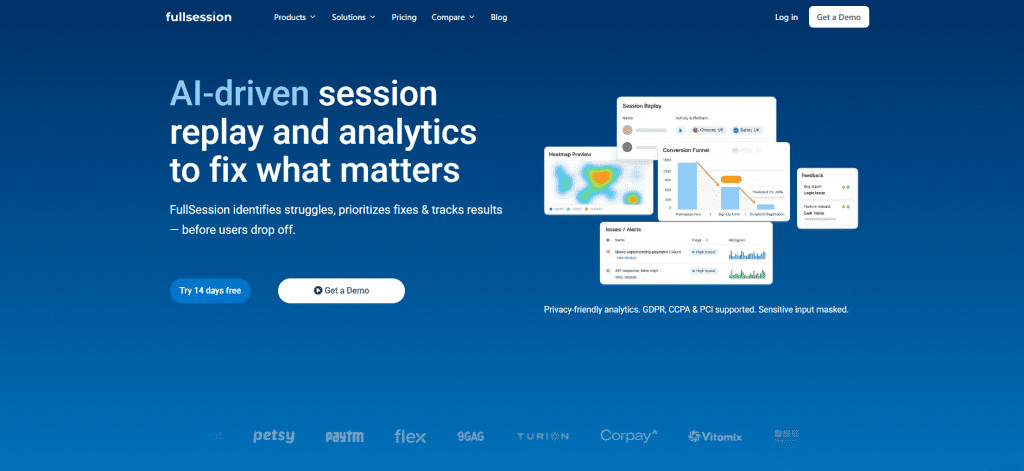
Understanding user behavior is key to evaluating how customers interact with your website, web app, or landing page. You can gain valuable insights by analyzing activities like cart abandonment, button clicks, page navigation, and scrolling.
Scroll maps help uncover visitor interactions, especially on crucial landing pages designed to drive sign-ups and guide customers through the sales funnel. They track how users move through your pages, revealing opportunities for pixel-perfect user experiences.
In this article, we’ll explore scroll maps, their importance, and how to use them to create perfect user journeys. Want to skip ahead and see scroll maps in action with FullSession?
Scroll Your Way to Success With FullSession
Discover how our interactive scroll maps help you visualize user engagement, identify drop-off points, and optimize your content placement for maximum impact.
A scroll map is a tool that analyzes user behavior to help you better understand their actions and figure out what encourages them or prevents them from converting. You can capture scroll maps across different device types (tablet, computer, mobile) and use scroll data presented in visual reports to understand how far down the page your customers scroll.
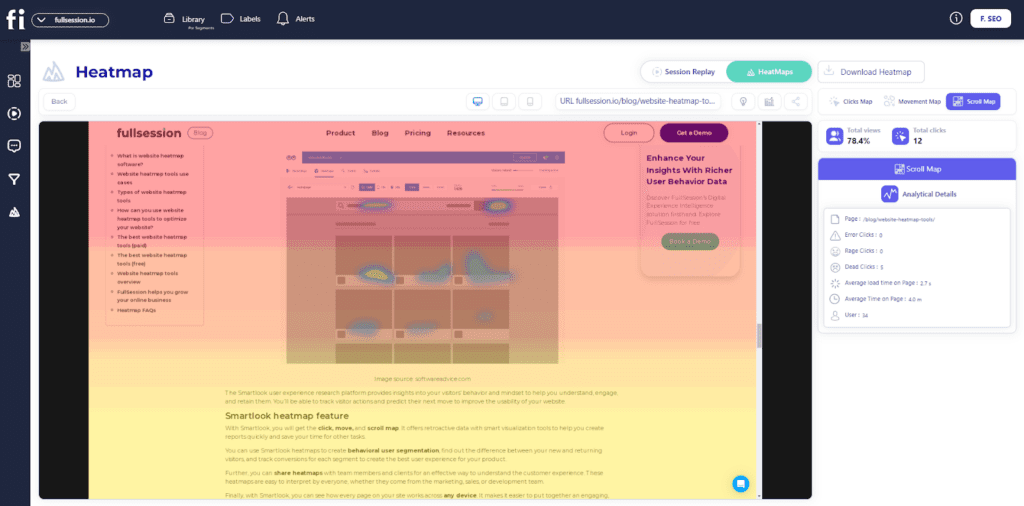
When reviewing your scroll map data, you will see different colors on each page. Red represents the most viewed sections, while cold colors represent the least viewed page sections.
Scroll maps also provide numerical data to show the percentage of individuals who went all the way to the bottom of the page. You can also calculate average fold data showing the parts of pages that receive the most attention from users before they scroll.
Analyzing customers’ scrolling behavior can give you many insights into which pages need improvement to increase visitor engagement and achieve maximum conversions.
While many use the terms scroll maps and heatmaps interchangeably, it’s important to note that they are not the same – here’s why.
Scroll Maps vs. Heatmaps
Scroll maps are only one type of website heatmaps where warmer colors represent the most popular sections on a website, web app, or landing page, while colder colors represent the least engaging ones. For a broader breakdown of heatmap types and how teams use them, see Website Heatmap Tools.
“Heatmaps” act as an umbrella term for all user behavior tools that gather user data based on their activities on your website and visually present it to help you understand how users interact with your web pages.
It helps your product team deduce which page elements work and which don’t. Let’s explore different types of heatmaps.
Scroll maps
Maps that offer a visual representation of website visitors’ scroll behavior. You can see how many users scroll to or before the bottom and how many abandon the page.
Click maps
Maps that show where users click on your page. You can see which elements and buttons are the most effective and which sections require improvement.
Mouse movement maps
These maps track general mouse movement. You can spot different patterns like which parts of pages users hesitate to click. Move maps can also help you optimize complex pages with dynamic elements.
Eye-tracking heatmaps
These maps use sensor-based technology to track the user’s eye movement when they’re on your page. It monitors blinking, pupil dilation, and overall eye activity.
Error click heatmaps
These maps help you visualize which elements trigger errors once the user clicks on them.
Dead-click heatmaps
Dead-click maps show which unclickable elements visitors often mistake for clickable, such as a piece of text or image that resembles a button.
AI-generated heatmaps
AI-generated heatmaps use artificial intelligence to suggest which elements the users will likely pay the most attention to. They use previously-aggregated data to make these assumptions.
Make Every Scroll Count With FullSession
Learn how to visualize, analyze and identify areas for improvement to create a website that users love to explore.
Heatmaps help you learn more about your site visitors’ behavior. Marketers and business owners most commonly use them to determine which website elements require some attention.
They categorize information by color. Warm colors depict parts of pages that customers find the most interesting. In contrast, colder colors represent parts that users interact with the least. These categories are also known as heat zones.
You can create heatmaps for every category, product, and landing page. These help you understand what users click on, how far visitors scroll down, and which parts of pages they completely ignore. For online stores, ecommerce scroll heatmaps can show whether shoppers see key product details, trust signals, shipping information, reviews, and checkout prompts before they leave the page.
How Are Heatmaps Generated?
Third-party software makes it easy to generate heatmaps. When choosing the perfect heatmap tool to gather this type of data, opt for services offering different kinds of user experience analytics tools.
FullSession is comprehensive web analytics software that helps you aggregate and analyze different data sets to make effective UX improvements, such as learning where to place important elements.
It is one of the most effective ways to spot false bottoms, bring in more visitors, and have fewer people bounce before they become converting customers. Aside from interactive heatmaps, FullSession’s key features include:
FullSession offers the most advanced user behavior analytics tools, including three types of heatmaps. Making a click, mouse movement, or scroll map with FullSession is very easy – our software does it automatically in seconds.
Our heatmap data lets you track dynamic elements, unlike other companies that only offer static element tracking.
Instead of waiting for your heatmap to process data every time you want to view it, FullSession lets you track it in real time, reducing the wait time to zero.
The interactive heatmap feature will help you perfect even the most complex pages to minimize user frustrations and reduce the bounce rate.
With advanced user and event filtering options that make the data analysis process more convenient, FullSession lets you take full control over all content on your website. It helps you gain valuable insights into optimizing the overall user experience.
Here’s how you can use FullSession’s heatmap feature:
Visualize heatmap data on different devices
See the URL the user visited
Track the number of total views and total clicks
Watch error clicks
Visualize rage clicks
Monitor dead clicks
See the average load time on the page
See the average time on the page
Track the number of users that visited the page
While most digital customer experience platforms slow down your website significantly when recording sessions, FullSession doesn’t affect its performance whatsoever – your customers will enjoy a glitch-free website. At the same time, you can gather data on their behavior and interests.
Take Control of Your Website Performance
Learn how our interactive scroll maps reveal how users interact with your content, enabling you to create engaging, high-converting pages.
5 Ways Scroll Maps Can Help You Understand Your Customers Better
Let’s have a quick rundown of the five ways how scroll maps can help you analyze and optimize different app pages, category pages, and all other elements on your website.
Learn why visitors leave your website
Scroll maps help determine where your visitors start losing attention during their on-page experience.
When you notice the appearance of cold colors on your scroll map, you’ll know that section is where users lose interest. You can analyze and test different elements from these cold sections to see why they left the page.
Pinpoint false bottoms
“False bottom” refers to parts of a web page that give the impression of being the bottom of the page, even though there is more content beneath.
Because these areas look like the bottom of the page, users often leave before they have a chance to view the content located further down. Pinpointing these issues helps you use the whole page better and learn where to place important elements.
Analyze your page above the fold
Your customers are the most exposed to parts of the page above the fold. A scroll map will calculate the average fold on your pages for desktop and mobile users. It shows you where to place calls to action and other important elements to capture users’ attention.
See how easy it is for customers to find what they want
Sometimes, you may notice raging scroll activity from your customers that results from struggling to find what they want. Understanding how long it takes for users to scroll to important sections will help you prioritize and arrange elements more effectively.
Analyze cross-device experience
Users don’t have the same behavior patterns when browsing their phones as when browsing on desktops.. Scroll maps can identify weak spots across different devices to show you how to optimize each of the layouts to create the best cross-device experience.
Pros & Cons of Using Scroll Maps
Scroll maps are a very effective method of analyzing user behavior. We’ve already discussed the benefits of including scroll maps in your strategy to detect various data patterns. However, they lack versatility and come with certain drawbacks.
Here’s a quick rundown of all the pros and cons associated with using scroll map data.
Pros:
Scroll maps are handy for optimizing pages above the fold
Watching how visitors scroll can show you how easy it is for them to find the desired page elements
You can analyze how users scroll and think of ways to make them scroll even further down the web page
It’s great for helping you design a high-quality, converting page
It allows you to understand how to prioritize content and elements on each page
They are very visual, easy to understand, and a great resource for gathering valuable quantitative and qualitative data
Cons:
Scroll maps are not very useful for web pages that have dynamic elements
The data isn’t always 100% accurate
Collect Your Own Scroll Map Data With FullSession
Scroll maps are only one method for learning more about your customers’ behavior. This information is of great value if you want to provide your users with a great experience when they visit your website pages.
Scroll maps can help you determine which pages must be fixed and optimized. They also help you spot patterns, like finding out which pages perform well, allowing you to apply that same principle to other pages to improve the retention and conversion rate.
FullSession’s advanced user experience analytics can take your website from regular to above industry standard in weeks.
Book a demo to boost your website’s performance and increase conversions.
FullSession Pricing Plans
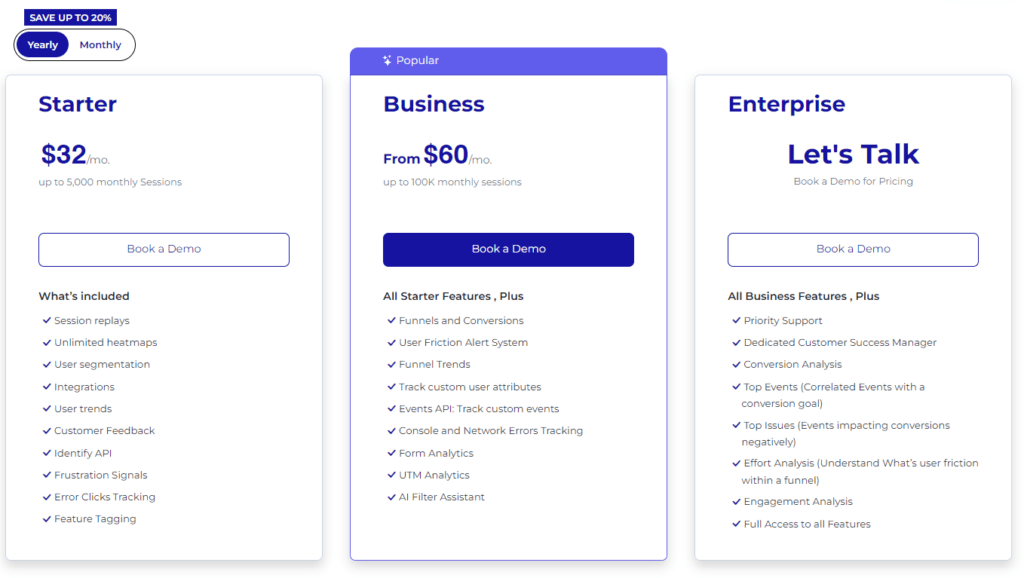
The FullSession platform offers a 14-day free trial. It provides three paid plans—Starter, Business, and Enterprise. You can save up to 20% with a yearly subscription!
Scroll maps visually display how far users scroll down your pages, highlighting which sections grab attention and which get missed. They’re perfect for optimizing content placement and improving user engagement, especially if you have a responsive website design where elements can collapse or drop under each other.
What is the difference between a heatmap and a scroll map?
A heatmap shows where users click, tap, or hover, revealing interaction hotspots. A scroll map, on the other hand, tracks how far down the page users scroll, showing the most and least-viewed parts of the page.
What is an example of a heatmap?
An example of a heatmap is a color-coded overlay on your webpage showing where users click the most. Red areas indicate high activity, while blue areas show less interaction.
What does a heatmap show?
A heatmap displays user interaction patterns, highlighting clicks, taps, and hovers. It visually represents which parts of your webpage are the most and least engaging, guiding you to optimize your layout.
Website visitor tracking is essential for optimizing your website and increasing conversions. It allows you to learn more about who visits your site, where they come from, what websites refer traffic to yours, and other important information.
The right website visitor tracking software also helps you discover whether visitors can find the information they need, where they get confused, and which parts of the journey need improvement.
Many tools are available on the market to help with website visitor tracking. However, not all of them are useful or affordable.
In this guide, we will discuss the essentials of website visitor tracking and focus on free and paid tools to help you choose the right one for your needs. Let’s start with some elementary information.
Visualize, Analyze, and Optimize with FullSession
See how to transform user data into actionable insights for peak website performance.
Website visitor tracking is the process of tracking and recording user behavior.
To track visitors, you need to install a tracking code on your website. It sends information about the site visitors to a third-party tool that collects statistical data and provides reporting.
Why Is Website Visitor Tracking Important?
Website tracking helps you improve your site functionality and boost the customer experience. Here are additional reasons why a website monitoring tool is vital for your business. It helps you:
Analyze user traffic and identify your most profitable customers
Reveal which aspects of your website are causing customers to convert
Focus on the product or service pages that are most likely to sell
Website visitor tracking also helps you identify any potential issues or areas you need to improve on your site.
What Are the Benefits of Website Visitor Tracking?
Since we explained user behavior analytics, it’s time we get to the main point – how web tracking can improve your online business. Here are some core benefits user behavioral analytics brings:
It provides you with a deeper understanding of individuals visiting your website by tracking user activity.
You can see the behavior of repeat visitors and identify their preferences.
You can deliver a personalized shopping experience to individual visitors.
Website visitor tracking can also help you identify potential security threats and fraudulent activity.
What Features Should Visitor Tracking Software Include?
Interactive heatmaps, session recordings and replays, and user feedback allow you to track user behavior, sentiment, and interests when visiting your website. Let’s explain each of these critical features.
Mouse movement maps
Heatmaps visually represent users’ interaction with your website, web app, or landing page. You can use them to make design and usability improvements.
Scroll maps
Scroll maps track how far visitors scroll down on a page or section of your website. You can identify page areas that cause users to leave without interacting with your content.
Click maps
Click maps let you track website visitors as they navigate your website. You can spot low-engagement areas, optimize them to draw more clicks, and help customers find what they need faster.
Session recordings and replays
Session recordings and replays help you watch user visits in real time and determine which website elements are popular or engaging or cause users’ frustration.
User feedback
Sometimes, you need to hear what users think about their experience. User feedback provides insightful, honest thoughts on your product features, tweaks you should implement or avoid, positive and negative points, and what you should do to improve your product.
So far, we’ve explained the basics of website visitor tracking and the features to look out for in good visitor tracking software. In the following sections, we’ll highlight the evaluation parameters and list the top 10 visitor-tracking software you can start using today.
Our Evaluation Parameters for Website Visitor Tracking Tools
In this comparison article, we have evaluated ten website visitor-tracking tools using the following parameters:
Target audience
Deployment
Features list
Integrations
Customer support
Pricing
Pros
Cons
By considering the evaluation parameters above, you can be sure to select a tool that will work well for your business.
The Best Website Visitor Tracking Software in 2024
Many website visitor tracking solutions are on the market, each with benefits and limitations.. Let’s start with our list to help you make your decision faster.
1. FullSession
FullSession is a website tracking solution that helps businesses monitor and analyze user interactions with websites, web apps, and landing pages.
With FullSession, you can track visitor behavior and identify areas where they have issues to solve them and provide an exceptional digital customer experience.
Who uses it?
The FullSession analytics platform is ideal for cross-functional teams, including sales and marketing teams, product teams, and UX research teams. These teams can seamlessly collaborate and have a smooth and productive workflow. It is also popular in the e-commerce industry.
Deployment
FullSession is a web-based, cloud, and SaaS website tracking tool you can deploy by adding its code snippet to your website.
Features
FullSession allows you to make smarter business decisions. You can use it to monitor your website visits, identify strengths and weaknesses, and convert more visitors into paying customers with several analytics features. Let’s throw light on each of them.
1. Session recording and session replay
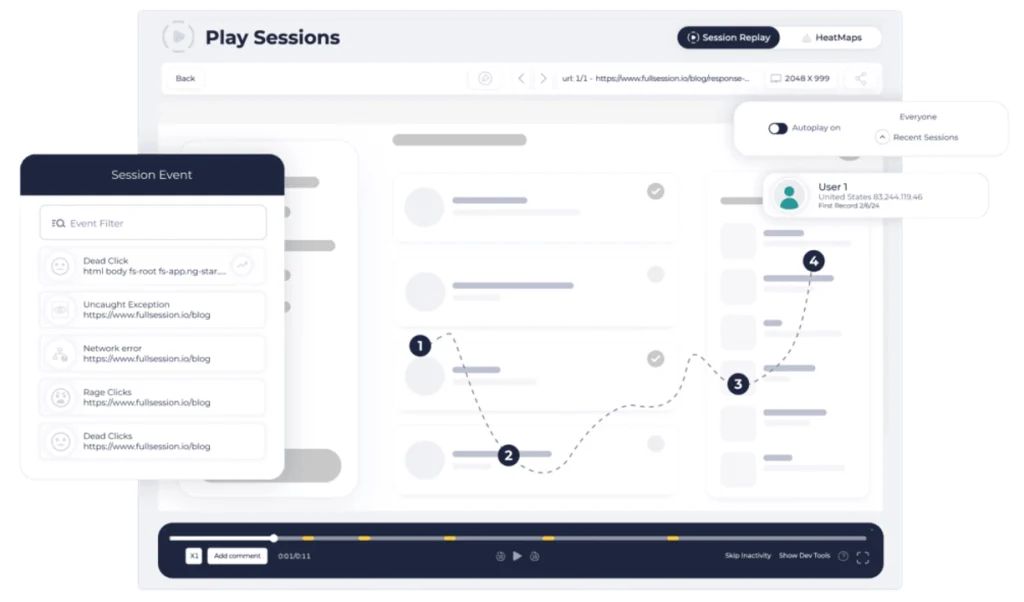
Session recording and session replay give you a clear picture of what users do on your website, including the pages they visit, the buttons they click, their text inputs, funnel drop-offs, and more.
With our session recording and replays, you can access analytics data, such as:
User location and IP address
The URL user visited
Referrals
Average time on page
Total active time on page
Session list
Session event
You can quickly find the session recording you need or skip user inactivity while watching a session replay to save time.
2. Interactive heatmaps
Interactive heatmaps allow you to analyze user behavior to figure out the web elements they interact with and the pages they engage with the most on your site.
Our heatmap feature uses a combination of colors – red, yellow, green, and blue – to depict the level of user engagement across various web pages and elements.
You can also use the FullSession interactive heatmaps to filter user actions and perform the following activities:
Let’s show you examples of each interactive heatmap.
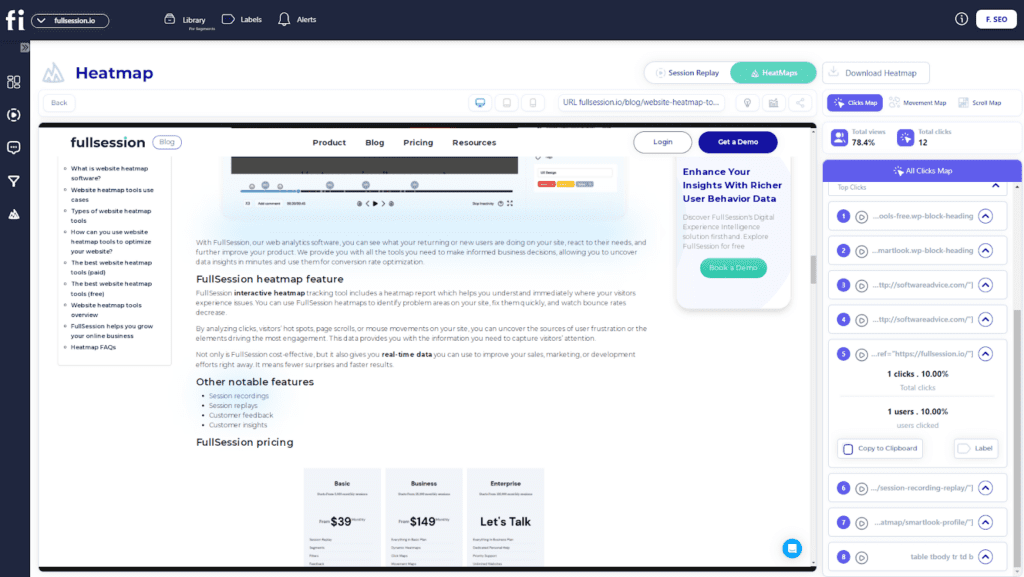
Click map example
Scroll map example
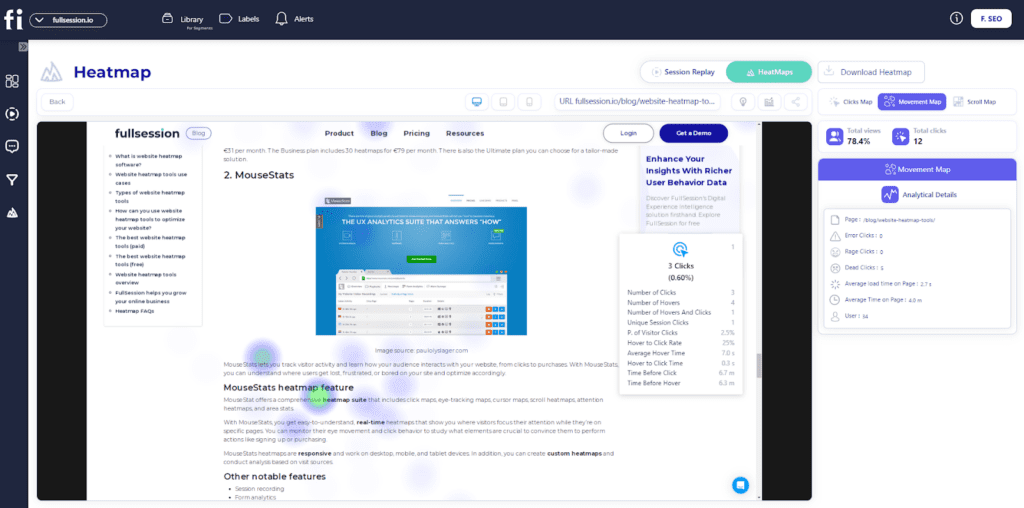
Mouse movement map example
3. Advanced data segmentation
Our advanced segmentation feature allows you to build specific user segments to quickly identify essential user actions and session recordings of significant interest.
4. Insights
The FullSession insights give you a comprehensive overview of significant user activities to easily interpret user data. Its various categories help you evaluate your website performance.
Here are the major ones:
Session playlists
Top users
Segment health
Key pages
User trends
Feedback trends
Device breakdown
General feedback
Browser breakdown
Top referrers
Screen resolution breakdown
Error clicks
Rage clicks
With this feature, you can quickly uncover hidden patterns in user behavior.
5. Customer feedback forms
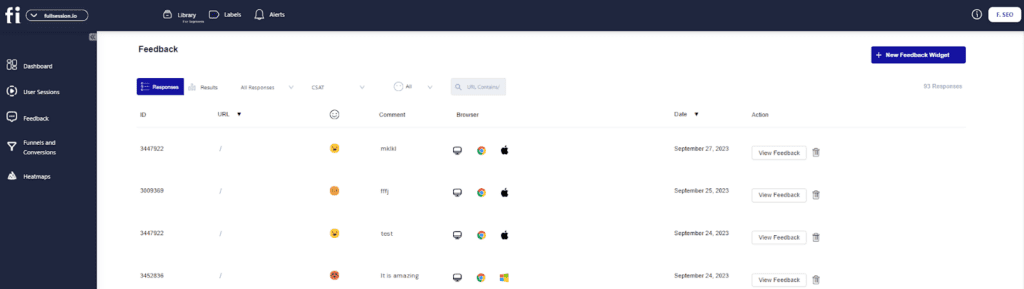
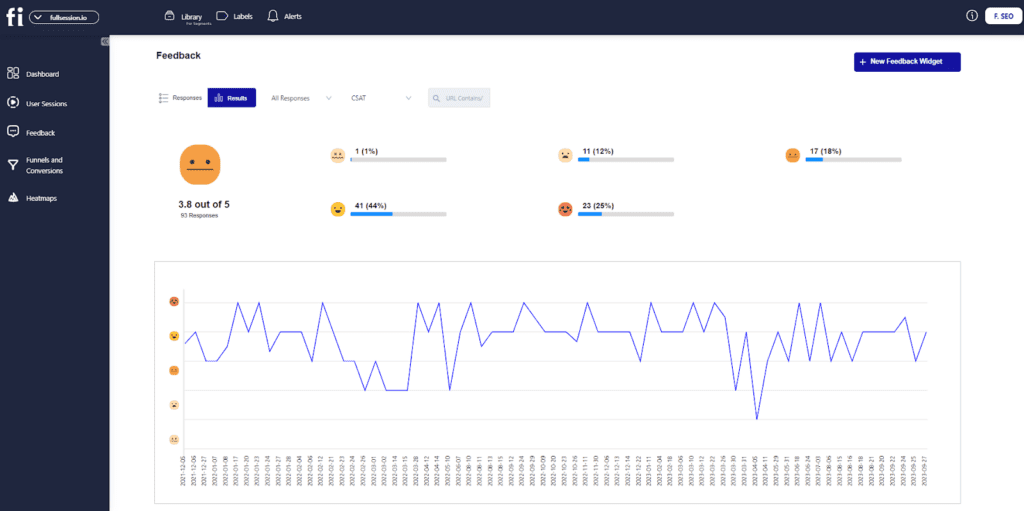
Our customer feedback forms help you receive real-time user feedback to understand users’ actions and sentiments about your site performance. Each customer feedback connects with a session recording, so you can watch what happened during the specific user session.
You can also use our customer feedback report to analyze customer feedback and assess response details. You can see the user ID, the visited page, sentiment, comment, browser type, feedback date, and details.
You can also see your overall results during a specific period.
6. Notes
FullSession notes feature helps you share comments about user activities and evaluate customer issues. You can share the analysis with your team to improve collaboration.
7. Funnel and conversion tracking
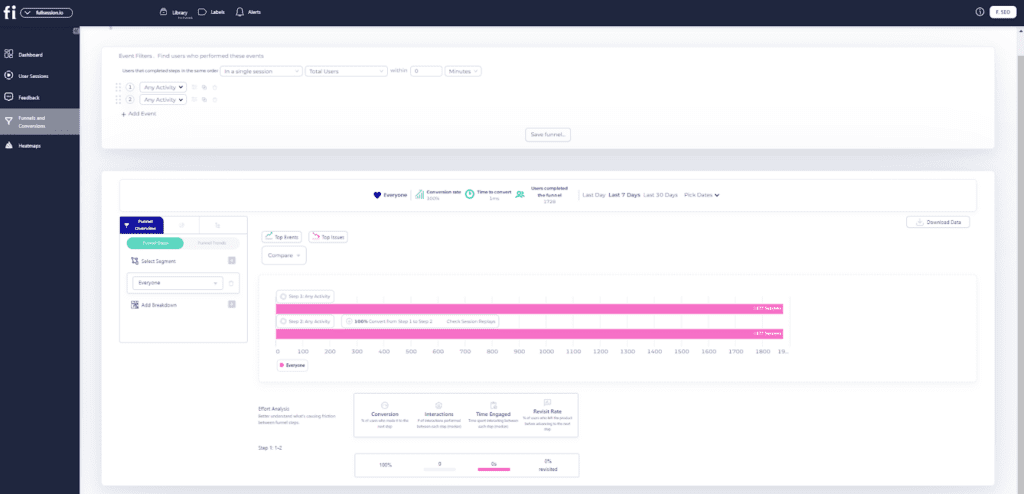
The FullSession funnels feature offers a detailed analysis of user journeys, enabling you to monitor and optimize each stage of your conversion funnel.
It helps identify key actions that drive conversions, detect issues causing drop-offs, and analyze user interactions to improve the user experience.
With this feature, you can:
Visualize funnel steps
Monitor trends
Identify top events and actions
Detect and fix issues
Measure user interaction time
Analyze engagement
Track revisit rates
Compare segment performance
Analyze performance over different time periods
8. Error analysis
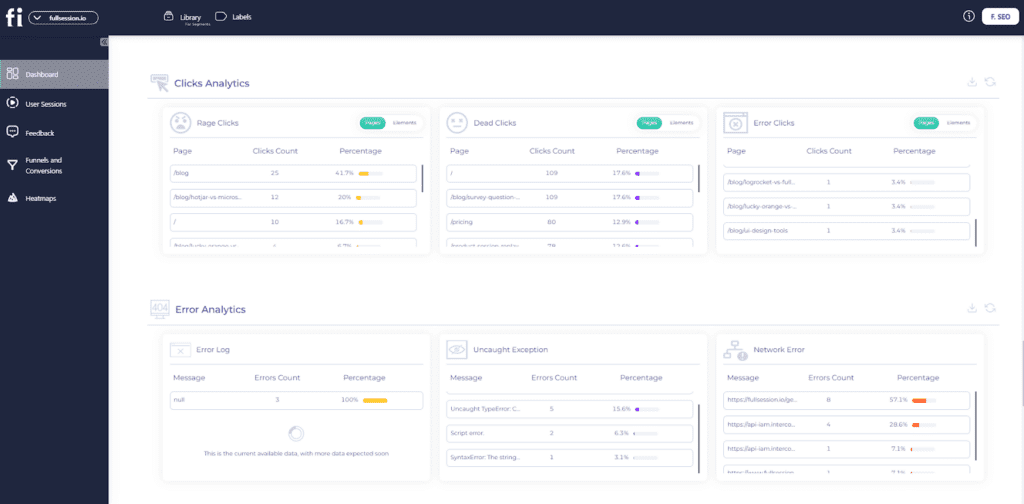
The error analysis feature helps you identify, analyze, and resolve various types of errors impacting user experience.
By leveraging data on error clicks, network errors, console errors, error logs, and uncaught exceptions, FullSession provides actionable insights to enhance reliability and user satisfaction.
This feature allows you to:
Detect non-responsive elements causing errors
Monitor and analyze network errors
Log and filter console errors
Capture detailed error information for debugging
Monitor and resolve unhandled errors
Segment data for deeper insights
Receive real-time alerts and notifications
What makes this tool unique
FullSession provides behavior analytics to understand users’ behavior when navigating your site. It helps you run surveys and collect user feedback to skip the guesswork and understand the motivation behind user actions.
Plus, it provides advanced data segmentation to find issues with laser precision. It also doesn’t slow down your website while collecting and analyzing data.
If you have any issues with FullSession, you can start a live chat or send us an email. You can also check out the FullSession help center or read our guides for additional information.
Pricing
FullSession offers a free trial for our two premium packages, Starter and Business. The annual plan can save you up to 20%.
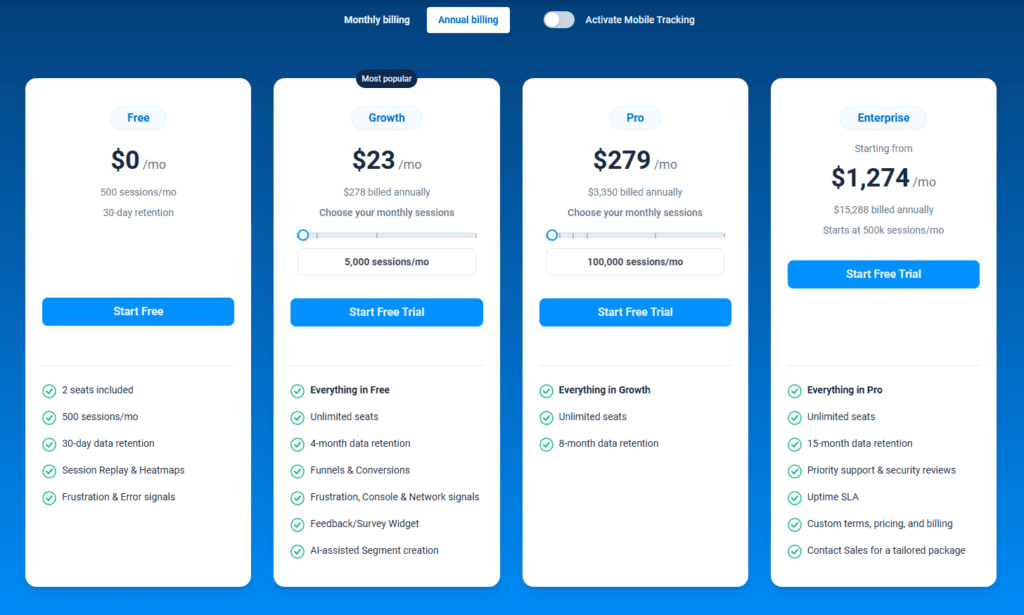
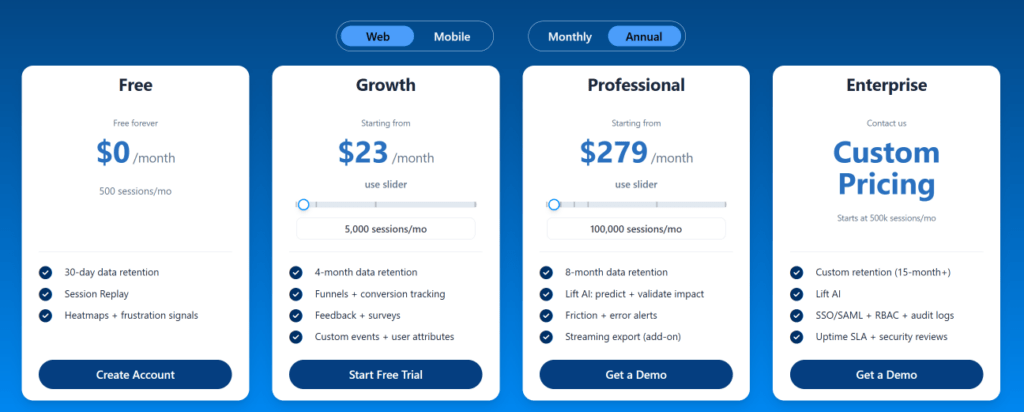
The Free plan is available at $0/month and lets you track up to 500 sessions per month with 30 days of data retention, making it ideal for testing core features like session replay, heatmaps, and frustration signals.
The Growth Plan starts from $23/month (billed annually, $276/year) for 5,000 sessions/month – with flexible tiers up to 50,000 sessions/month. Includes 4 months of data retention plus advanced features like funnels & conversion analysis, feedback widgets, and AI-assisted segment creation.
The Pro Plan starts from $279/month (billed annually, $3,350/year) for 100,000 sessions/month – with flexible tiers up to 750,000 sessions/month. It includes everything in the Growth plan, plus unlimited seats and 8-month data retention for larger teams that need deeper historical insights.
The Enterprise plan starts from $1,274/month when billed annually ($15,288/year) and is designed for large-scale needs with 500,000+ sessions per month, 15 months of data retention, priority support, uptime SLA, security reviews, and fully customized pricing and terms.
We also provide a customized pricing package if your business has specific website analytics needs. Check out our Pricing page.
Pros
It allows you to make accurate CX analysis without slowing down your site loading speed
It provides advanced filtering options to identify critical events in a session faster
You don’t need advanced technical skills to use our analytics platform
Turn User Behavior into Growth Opportunities
Learn how to visualize, analyze, and optimize your site with FullSession.
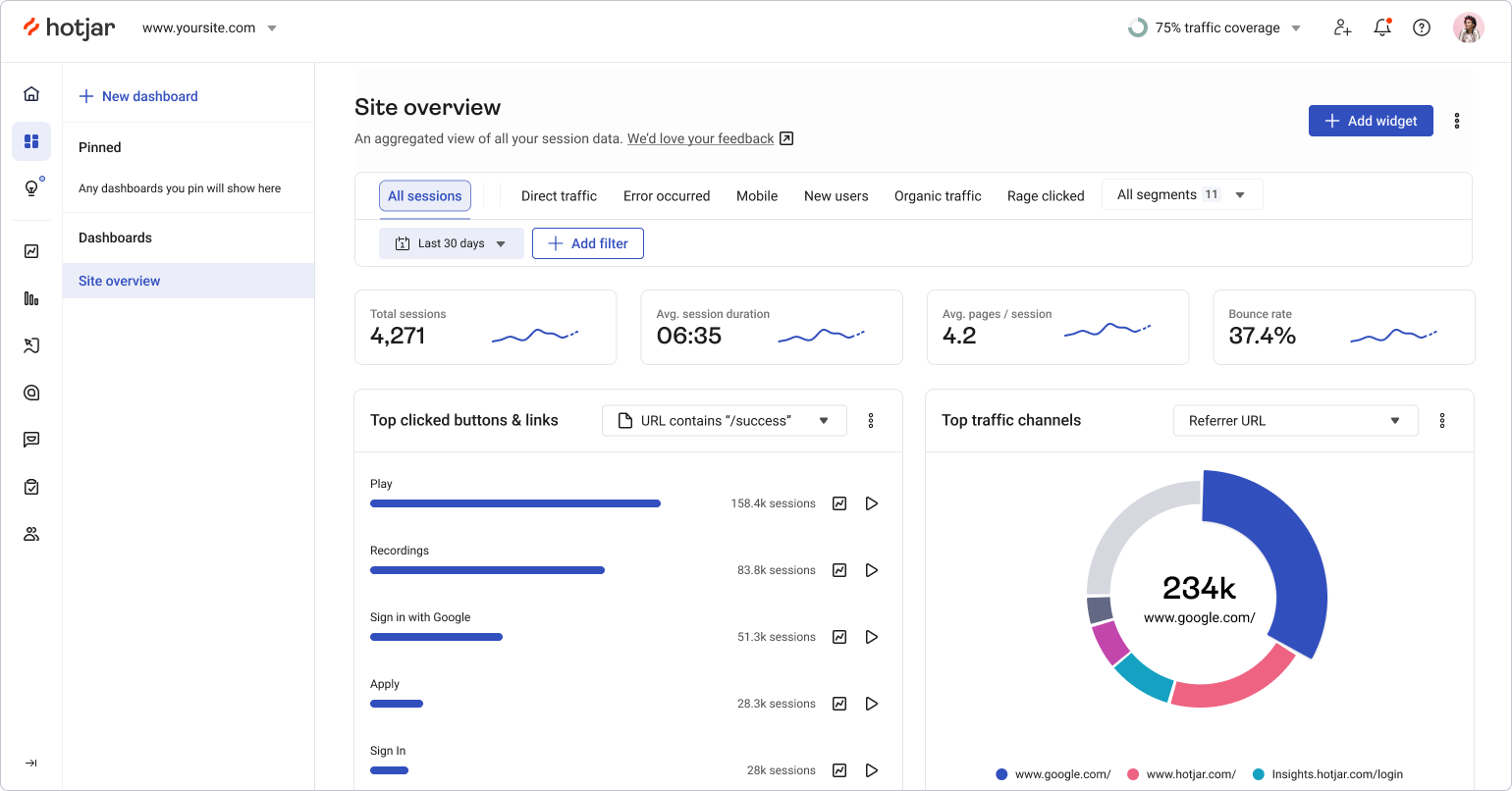
Hotjar is a user behavior tracking tool that helps businesses understand user behavior via session recordings, heatmaps, surveys, form analytics, and website feedback forms.
It is a web-based analytics tool that helps you collect data about visitors’ engagement with your website and identify any usability issues.
User rating
According to Capterra, Hotjar scores 4.7 out of 5 based on 514 user reviews.
Who uses it?
Hotjar is primarily made for UX designers, UX researchers, data analysts, digital marketers, and product teams.
Deployment
Hotjar is a cloud, Saas, and web-based platform, and you can deploy it by installing its Javascript code into your site source code.
Features
With features like heatmaps and visitor recordings, Hotjar can be used by businesses of all sizes to track users, leverage data, generate leads, see how many visitors convert on their website, and boost sales.
If you choose Hotjar, you will get the following features:
Hotjar allows you to uncover hidden user actions and your users’ objections to your website functionality. It helps you skip the guesswork and see the product features your users engage with, including how they click, scroll, and tap across various web pages.
Integrations
Hotjar integrates with popular marketing tools like Slack, HubSpot, Zapier, and more.
Customer support
If you have questions about Hotjar, you can head to the help center for answers. If you need faster assistance, you can also fill out a ticket, read documentation, or find useful guides on their official website.
Pricing
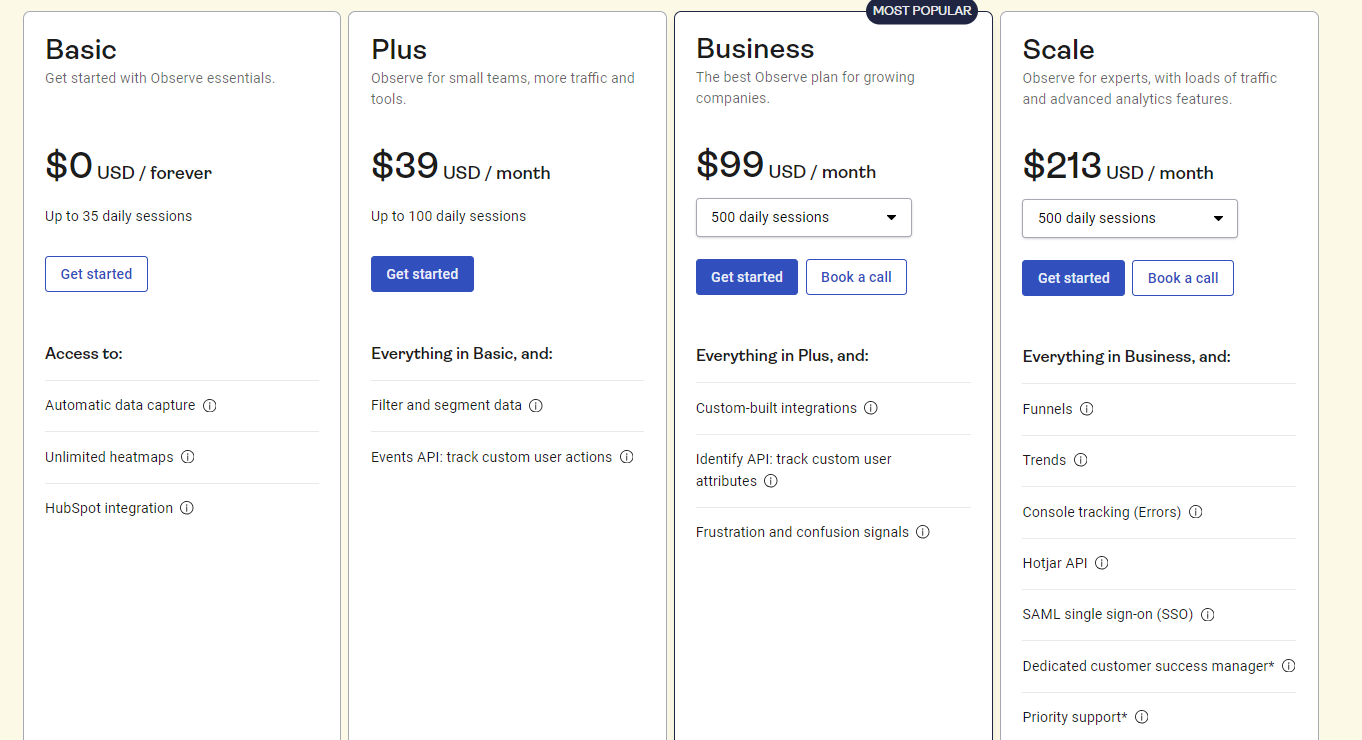
Hotjar currently offers a free basic plan that allows you to track up to 1,050 sessions per month. To improve your conversion rates, you’ll need to upgrade to the paid plan—Observe, Ask, and Engage.
The Observe plan lets you track and analyze user behavior data using heatmaps and session replay. It includes:
Basicplan: costs $0 and allows you to track up to 35 sessions/day
Plusplan: costs $39/month and lets you track up to 100 sessions/day
Business plan: starts from $99/month and lets you track 500 to 270,000 daily sessions
Scaleplan: starts at $213/month and lets you track 500 to 270,000 daily session recordings
The Ask plan helps you understand how your users feel and what they have to say about your site performance via the user feedback tool. It includes:
Basicplan: costs $0 with access to 20 monthly responses
Plusplan: costs $48/month with access to 250 monthly responses
Business plan: starts from $64/month and lets you receive 500 to 100,000 monthly responses
Scaleplan: starts at $128/month and offers access to unlimited monthly responses
The Engage plan helps you automate most of the processes that come with conducting moderated user interviews, including finding interviewees and scheduling. It includes:
Basicplan: costs $0 with access to 3 interviews/month from your own network
Plus plan: costs $39.2/month with access to up to 3 interviews/month from the Hotjar participant pool and unlimited interviews from your own network
Businessplan: starts from $440/month with access to 12 interviews/year from the Hotjar participant pool and unlimited interviews from your own network
Scaleplan: offers customized pricing and access to 20 interviews/month from the Hotjar participant pool and unlimited interviews from your own network
Pros
It has a low learning curve
It provides real-time visitor tracking
Cons
It doesn’t let you track visitor data on mobile apps
You have basic customization options for your surveys
It slows down your website while collecting data
How other solutions compare to Hotjar
Want to learn more about Hotjar and see how it compares to other user behavior tools? Check out our comparison articles
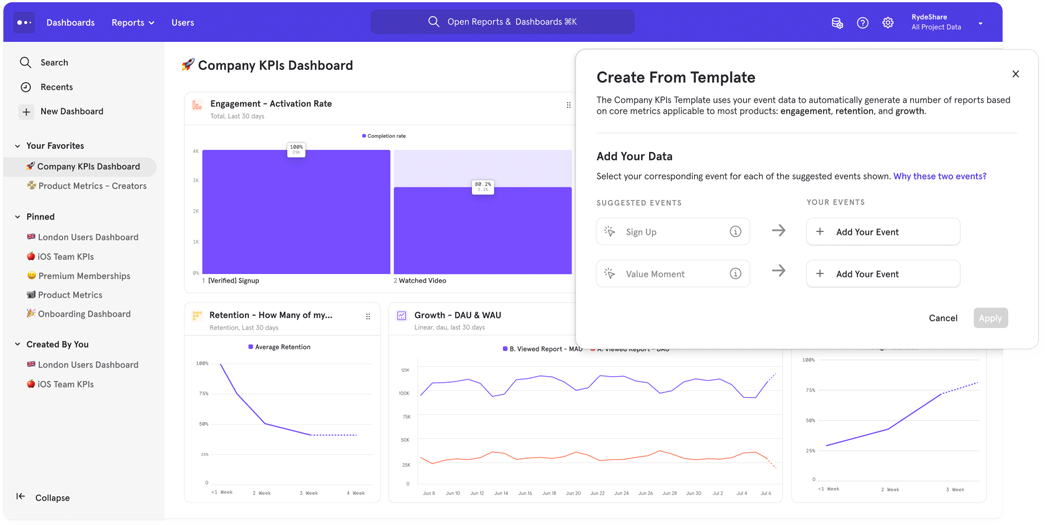
Mixpanel is a product analytics platform that helps you monitor and analyze user engagement and conversion in real time. It lets you track conversions, build funnels, visualize user flows, and create cohorts.
User rating
According to Capterra, Mixpanel scores 4.5 out of 5 based on 138 user reviews.
Who uses it?
Mixpanel is primarily made for product and digital marketing teams.
Deployment
You can deploy Mixpanel by adding its code snippet to your website.
Features
Mixpanel provides various analytics features like:
Conversion tracking
Customer journey mapping
Funnel analysis
Multivariate testing
Predictive analysis
What makes this tool unique
With Mixpanel, you can identify the users that actively engage with your product and those that don’t. It helps you understand the product features that provide the most value and measure the right performance metrics.
Integrations
Mixpanel integrates with third-party apps like AB Tasty, Chameleon, AWS, and more.
Customer support
Mixpanel provides support via email and a knowledge base.
Pricing
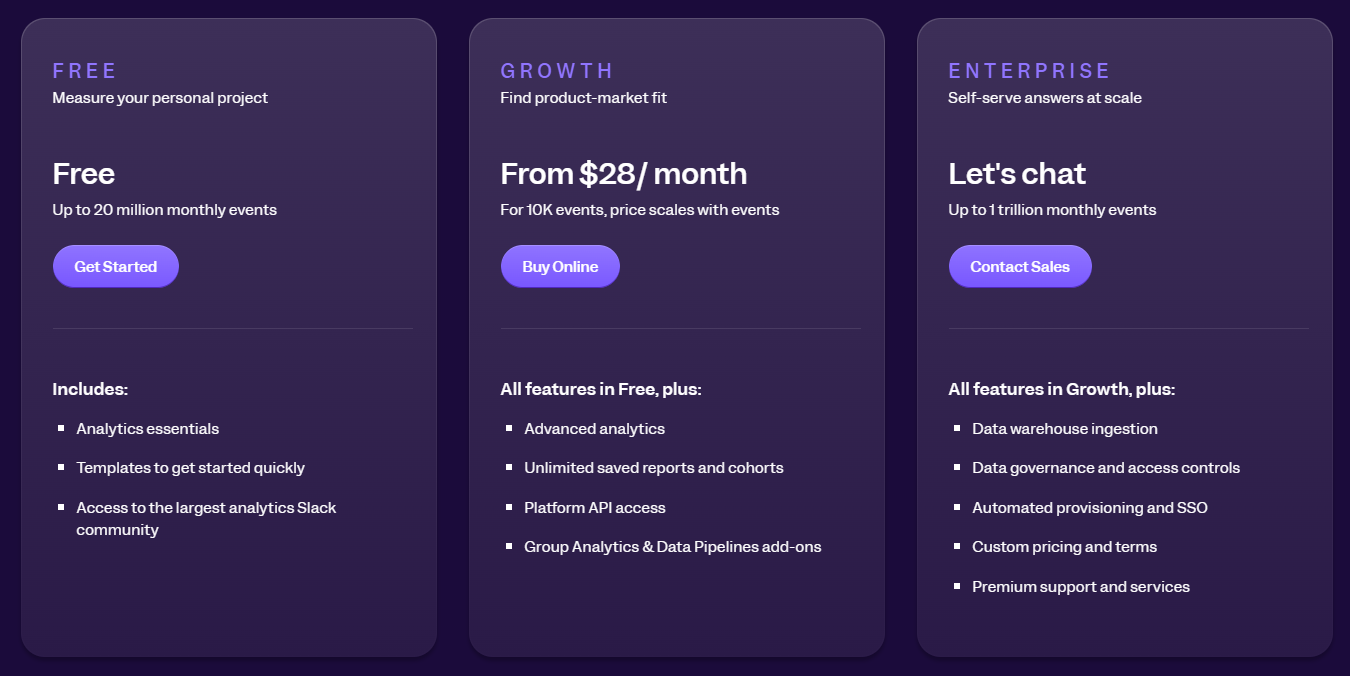
Mixpanel offers a free plan and two premium pricing packages – Growth and Enterprise.
Free plan: allows you to track 20 million monthly events
Growth: starts at $28/month and enables you to build a plan that suits your analytics needs
Enterprise: offers a custom pricing structure and lets you track up to 1 trillion monthly events
Pros
It provides a central analytics platform where you can track and analyze the actions of mobile and website users
Smartlook allows you to track and analyze user behavioral data on your website and mobile apps. It combines quantitative and qualitative analytics features to help you visualize user actions and how they interact with various product features and site elements.
User rating
According to Capterra, Smartlook scores 4.7 out of 5 based on 134 user reviews.
Who uses it?
The Smartlook platform is designed for SMBs, e-commerce brands, web design agencies, UX, marketers, and product teams.
Deployment
Smartlook is a cloud, SaaS, and web-based platform that you can deploy by installing its code snippet on your site.
Features
Smartlook provides various analytics features for tracking website visitors and users. Here are the major ones:
Heatmaps
Session recordings
Event tracking
Funnel analysis
What makes this tool unique
Smartlook provides a funnel feature that allows you to monitor user journeys and identify funnel drop-offs to optimize user flows and improve conversion rates. It can also track user activity, like button clicks, page visits, and more.
Integrations
The Smartlook platform integrates with popular platforms like Segment, Slack, Zapier, Hubspot, and more.
Customer support
Smartlook provides support via email and chat.
Pricing
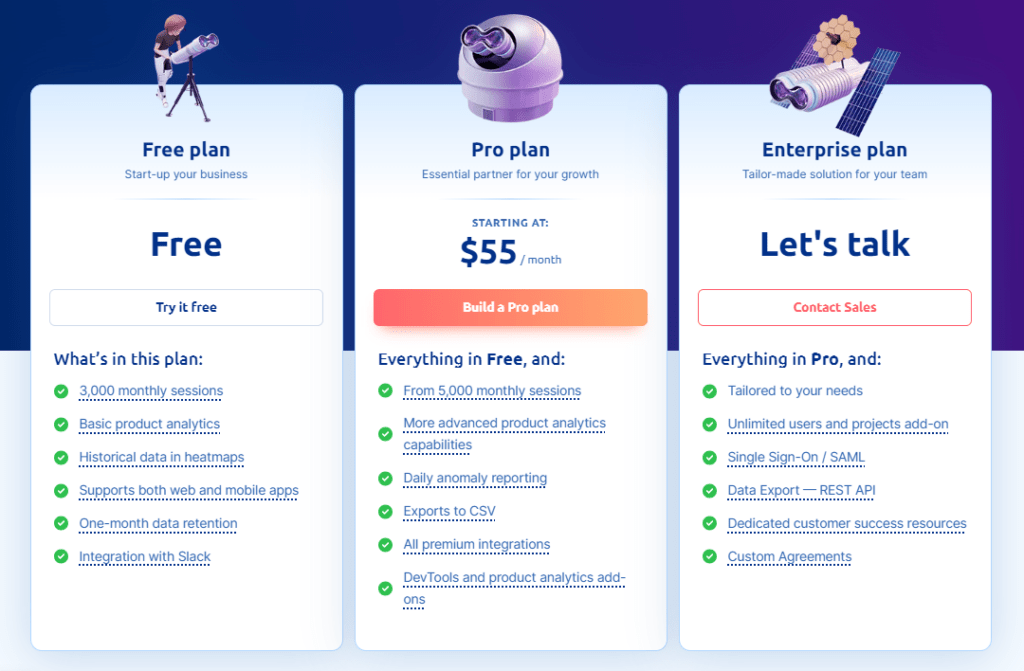
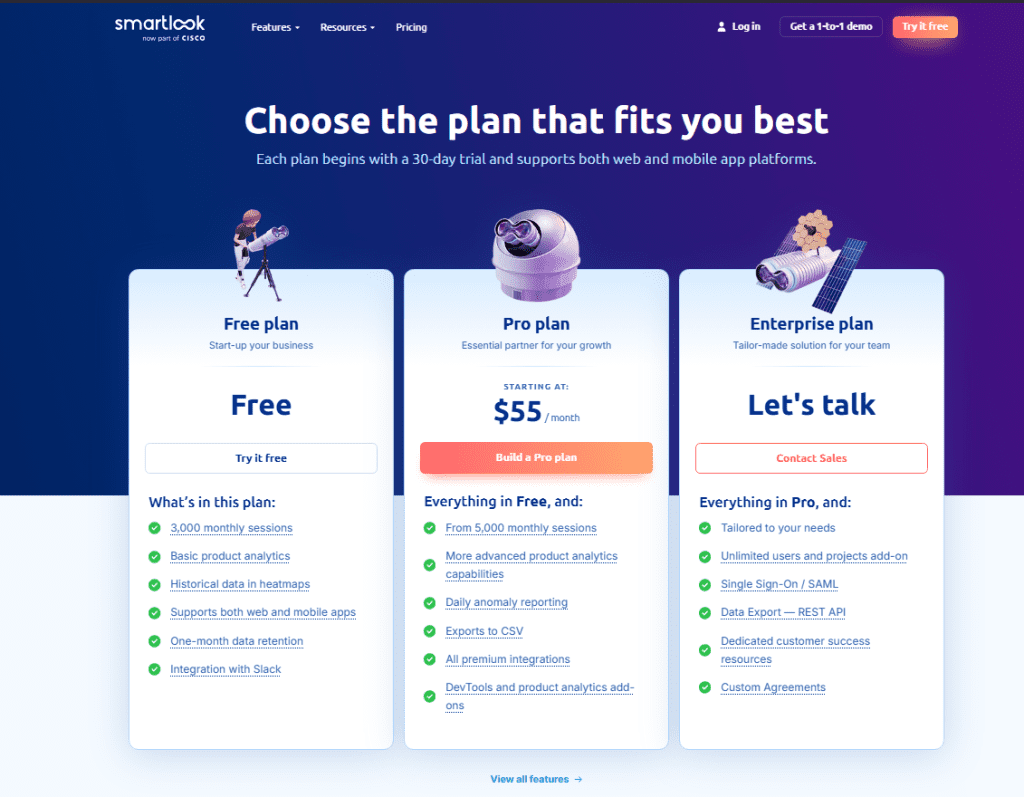
Smartlook offers a 30-day free trial. During this trial period, you can enjoy all the features of the business plan. However, there is a limit of 3,000 monthly sessions.
You do not need to enter your credit card information to start the trial. After 30 days, you can buy a paid plan or return to the free version. Smartlook offers three paid plans:
Pro: 5,000 sessions/month for $55 per month
Enterprise: provides a tailor-made solution, so you need to contact sales reps
Pros
It can automatically record user events on your site
You can use its session recording feature to analyze user behavior and quickly resolve bugs
Cons
The price can get expensive as you scale
It lacks a feedback widget that you can use to collect user feedback
Google Analytics is a free web analytics tool that lets you track where your visitors are coming from, how they interact with your website, and what content on your website is most popular.
User rating
According to Capterra, Google Analytics scores 4.7 out of 5 based on 8,070 user reviews.
Who uses it?
Google Analytics is a popular solution for retail, healthcare, hospitality, real estate, computer software, IT and services, automotive, marketing, and advertising.
Deployment
You can use Google Analytics by installing its code snippet on your website.
Features
You can use Google Analytics to track web page traffic and analyze demographic data, such as your audience’s location, device, and language.
Google Analytics provides many features, but we’ll focus on the most important ones:
User and conversion modeling
Audience reports and demographics
Advertising reports
Acquisition reports
Behavior reports
Conversion reports
User flow reporting
Funnel analysis
Predictive analysis
Data access, filtering, manipulation, and segmentation
Visualization and monitoring
What makes this tool unique
Google Analytics provides a clear understanding of the results of your marketing activities. It offers many customization options for visualizing reports, changes in user behavior, and website content.
Integrations
Google Analytics integrates with popular marketing tools like WordPress, Facebook, Shopify, Zendesk, and more.
Customer support
Google Analytics offers a range of useful articles and guides to help you better understand how your visitors use your site. Also, if you have any issues with your Google Analytics account, you can start a live chat or send an email to customer support.
Pricing
Google Analytics is a free service. You need an email address and a password to start using it. However, you can also use an existing Google account if you already have one.
Google Analytics 360 is a premium version of Google Analytics. Large businesses pay $150,000/year for it.
Pros
You can create custom reports or see traffic data in real-time
It’s great for basic data tracking
Cons
Google Analytics has a high learning curve
It lacks advanced features, such as user behavioral data
This section summarizes the features of the tracking software we explained above.
Features
FullSession
Hotjar
Mixpanel
Smartlook
Google Analytics
Real-time Session recording
✔
✔
✘
✔
✘
Funnel analysis
✘
✘
✔
✔
✔
Conversion tracking
✔
✔
✔
✔
✔
Behavioral analytics
✔
✔
✘
✔
✔
Customer segmentation
✔
✔
✔
✔
✔
A/B testing
✘
✘
✘
✘
✘
Customer journey mapping
✘
✘
✘
✔
✘
Dynamic heatmaps
✔
✘
✘
✘
✘
Free version
✘
✔
✔
✔
✔
Free trial
✔
✔
✔
✔
✔
User feedback
✔
✔
✘
✘
✘
Insights
✔
✔
✘
✔
✔
Monthly pricing
$39
$39
$28
$55
Free
Website Visitor Tracking Software: Our Verdict
A positive customer experience is essential to the success of any business. How customers view your business, products, or services directly impacts their willingness to spend money with you.
That is why you must choose suitable website analytics software to track how users interact with your site. This will help you improve the customer experience while following data privacy laws.
We consider FullSession the best user tracking tool on this list. It provides a wealth of user data and behavior-tracking tools, such as session recordings and replays, three types of interactive heatmaps, website feedback forms, reports, error analysis, and more.
What’s best is that it doesn’t slow your website down and protects the privacy of your users in the process.
Get a 360° View of User Behavior
Learn how to visualize and analyze all user interactions in one intuitive dashboard.
The FullSession platform offers a 14-day free trial. It provides three paid plans—Starter, Business, and Enterprise. Here are more details on each plan.
The Starter plan costs $39/month or $32/year and allows you to monitor up to 5,000 monthly sessions.
The Business plan costs $75/month or $60/year and helps you to track and analyze up to 100,000 monthly sessions.
The Enterprise plan has custom pricing and offers customizable sessions plus full access to all features.
Website tracking is the process of collecting and analyzing visitor interactions on a website. For example, Lucky Orange alternatives track page views, clicks, time spent on pages, and user behavior patterns.
How can a website be tracked?
Websites can be tracked using tools like cookies, pixel tags, and analytics software. These tools monitor visitor activities, collect data, and provide insights into user behavior, helping improve the site’s performance and user experience.
Is website tracking legal?
Yes, tracking user behavior is legal, but it must comply with privacy laws and regulations like the General Data Protection Regulation (GDPR) in the EU and the California Consumer Privacy Act (CCPA). Websites usually need to inform users about tracking and data collection and obtain their consent according to data privacy law, often through a cookie consent banner.
How do I stop website tracking?
You can stop website tracking by using browser settings to block cookies, enabling Do Not Track (DNT) in your browser, or using privacy-focused browsers and extensions that block tracking scripts. Additionally, regularly clearing your browser cookies can help reduce tracking.
Google Analytics tells you that 70% of visitors leave your pricing page without converting. What it can’t tell you is why. That’s where website heatmap tools come in.
A heatmap tool turns raw behavioral data into a visual layer on your web page. These heat maps show exactly where website visitors click, how far they scroll, which sections they ignore, and where they get stuck. That context is what transforms a confusing analytics report into a list of things you can actually fix.
This guide compares seven of the best heatmap software tools available in 2026.
Each entry covers features, pricing, and when the tool fits your stack better than the alternatives, whether you need a dedicated website analytics tool, broader user behavior tools, or a full behavioral analytics platform
Key Takeaways
FullSession: The strongest all-in-one option for teams that need interactive heatmaps, session replay, funnel analysis, and error tracking in a single workflow.
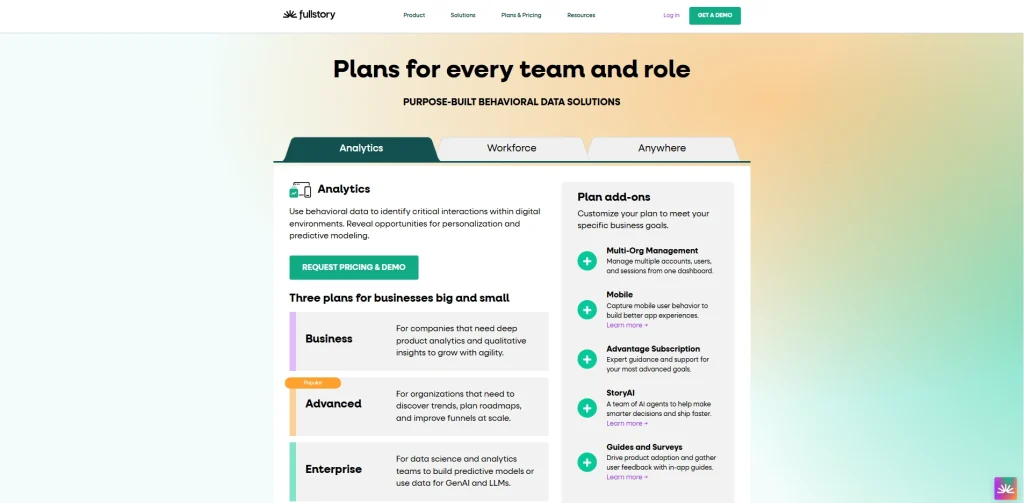
FullStory: Suits enterprise teams that need deep autocapture, conversion maps, and shared behavioral data across product, UX, and engineering.
Hotjar: A solid starting point for small and mid-size teams who want quick heatmap setup paired with surveys and feedback tools.
Smartlook: Works for cross-platform web and mobile tracking, providing session replays, heatmaps, and event analytics to capture user behavior across devices
UXCam: A good choice for mobile-first product teams that need gesture-level heatmaps across iOS, Android, and hybrid frameworks.
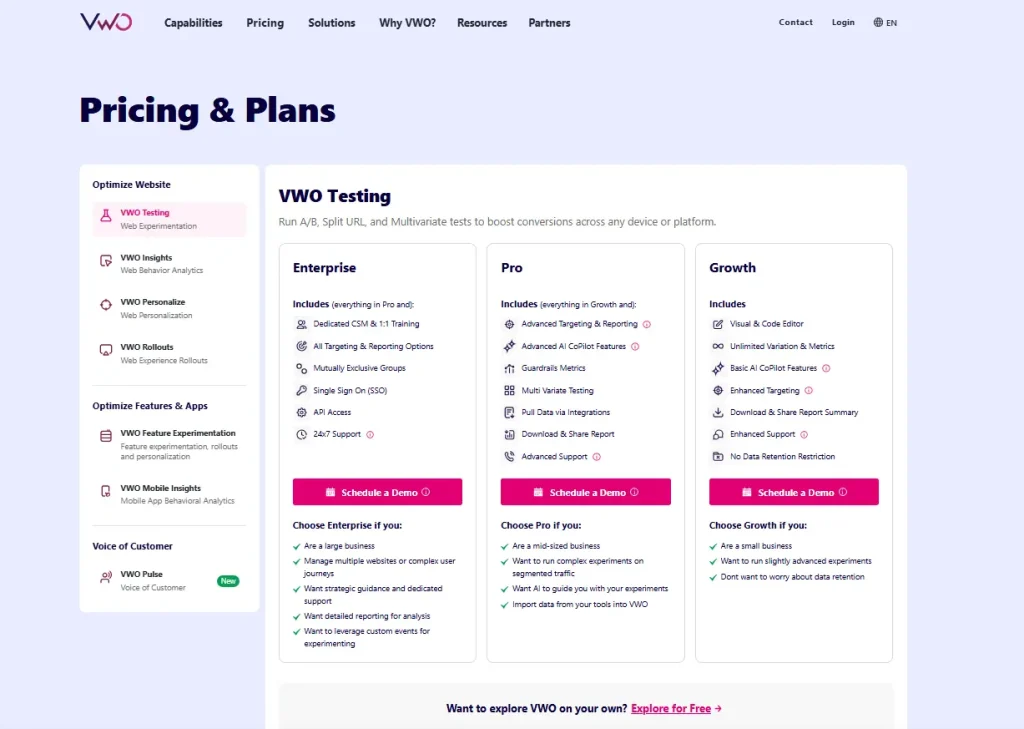
VWO: Suits CRO teams who want to move directly from heatmap findings into A/B tests without switching platforms.
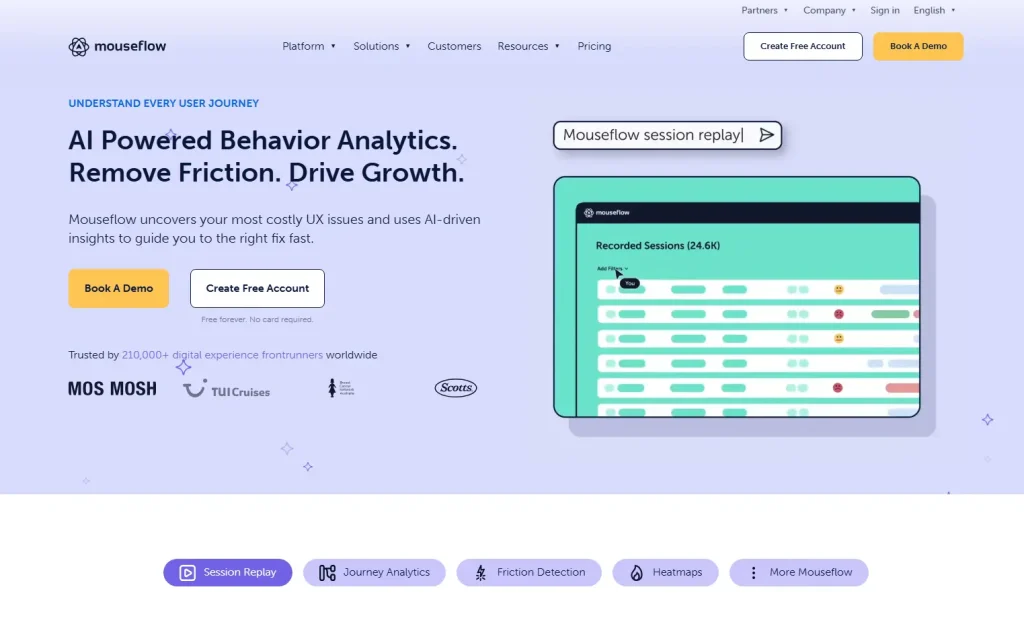
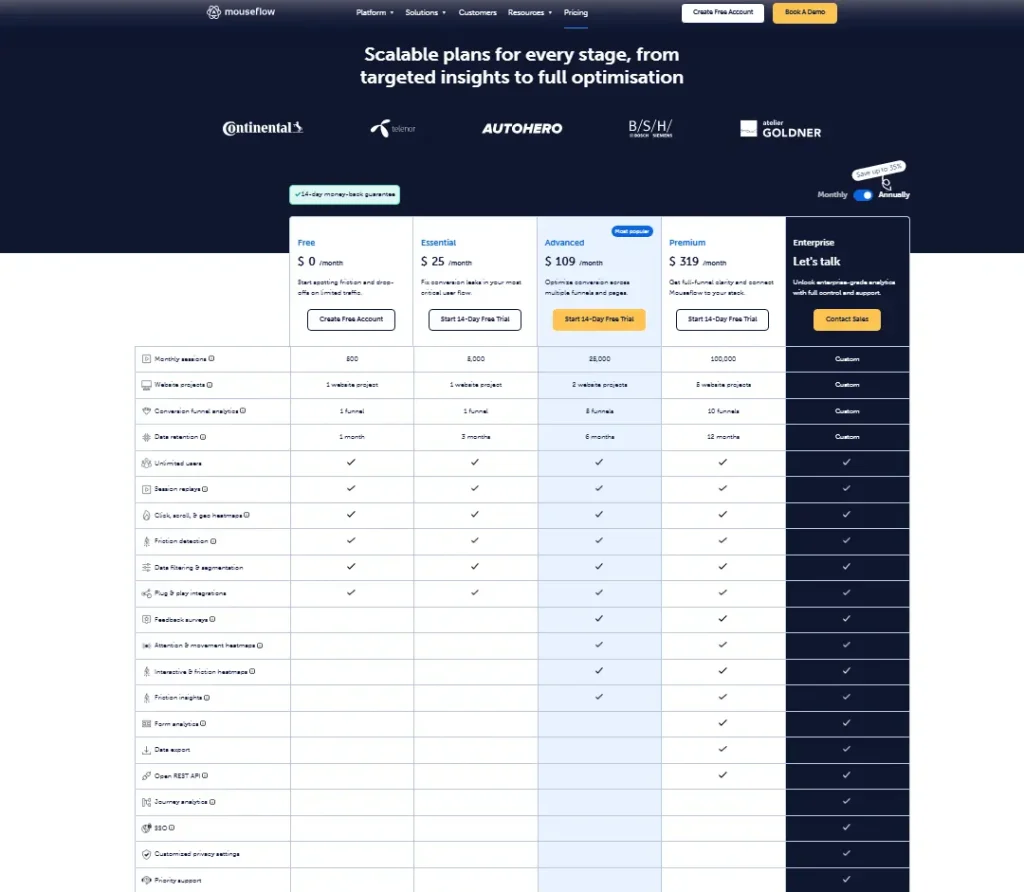
Mouseflow: A feature-rich mid-market option with six heatmap types, form analytics, and AI-assisted session querying via Mina.
Every tool on this list does something well. FullSession stands out because it has advanced features that connect heatmaps to session replay, funnel analysis, feedback surveys and error tracking in one place, so your team spends less time switching between tools and more time actually fixing what’s broken.
It’s privacy-first by default, scales from a free plan to enterprise, and works on modern JavaScript frameworks where screenshot-based tools fall short.
Book a demo and see how it works on your own website.
What to Look for in Website Heatmap Tools
Not all heatmap tools are built the same. Before you commit to a free trial, check out the following features. Ecommerce teams can also compare the best heatmap software for ecommerce when they need tools built for product pages, cart behavior, checkout journeys, and conversion analysis.
Criteria
What to look for
Why it matters
Heatmap types
Click maps, scroll heatmaps, movement-based heat maps, and dynamic heatmaps
Scroll heatmaps show how deep users scroll and where users drop. Dynamic heatmaps track user interaction with live elements accurately. Static heatmaps can break and distort your website heatmap data.
Session replay
Built-in session recordings linked directly to heatmap patterns
Heat maps show where users struggle. Session replay and user session playback explain why, connecting heatmap patterns to real user behavior in context.
Funnel and error tracking
Conversion funnels, funnel analysis, and error logging
Funnel analysis tracks the full user journey across multiple pages. Error tracking surfaces friction in user paths and missed user actions that quietly hurt user satisfaction.
Privacy and compliance
GDPR, CCPA support, and automatic data masking
A website analytics tool must protect user data while still capturing behavioral data and user interaction. Auto-masking keeps sensitive inputs secure by default.
Pricing and setup
Free plan availability, scalable paid plans, and setup via Google Tag Manager
Most heatmap software tools offer a free plan, but limits depend on website traffic and user session volume. Costs can rise quickly, so clear pricing tiers matter.
The Best Website Heatmap Tools at a Glance
Here is how the seven leading website heatmap tools compare.
Below are the 7 best website heatmap tools worth your time in 2026, chosen for how well they help you understand how users interact with your site, improve user engagement and website performance, and turn raw behavioral data into actionable insights.
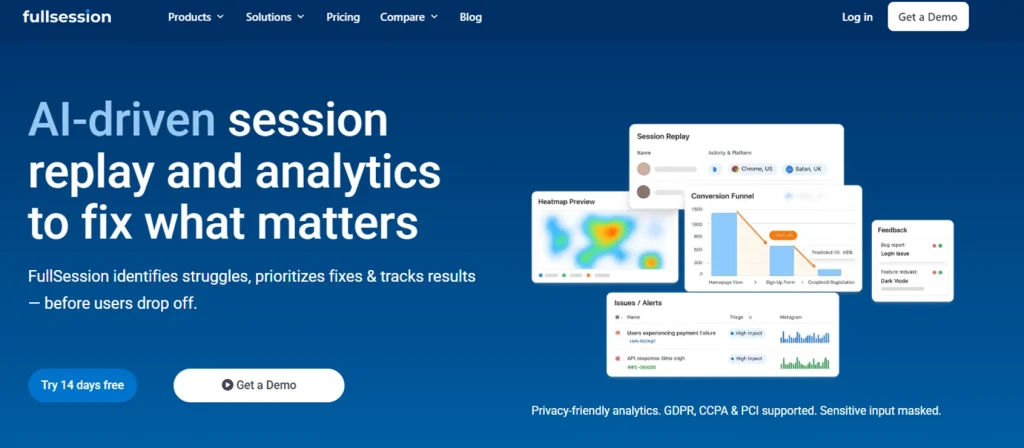
1. FullSession
FullSession is a privacy-first behavioral analytics platform that goes significantly further than a standard heatmap tool.
Instead of giving you a standalone visual overlay, it connects your heatmap data directly to session replay, funnel analysis, error tracking, and user feedback.
That means you don’t just see where users struggle: you understand why.
Best for
Teams that need heatmaps and full behavioral context in one place.
UX designers, CRO practitioners, and product managers at SaaS, ecommerce, and digital businesses who need to move from heatmap observation to root-cause diagnosis without switching tools.
Key features
Interactive heatmaps that track clicks, scroll depth, and mouse movement across dynamic elements, including dropdowns, modals, and single-page application routes. Unlike screenshot-based tools, FullSession captures what actually happens on your live page, not just a static snapshot.
Session replay with direct heatmap linkage. FullSession records user sessions and ties each one to the heatmap patterns that triggered the investigation. Spot a rage-click cluster and jump straight into the specific recordings behind it. No manual filtering required.
Error tracking that automatically surfaces rage clicks, dead clicks, and JavaScript errors so you know when something is technically broken, not just confusing.
In-app feedback tool to collect user input directly on the page. Combine the quantitative website heatmap data you collect with qualitative data from real user responses to create a complete picture of the visitor experience.
Lift AI to process session replay, heatmap, funnel, and error data and identify the most critical friction points. It prioritizes recommendations by severity and expected impact, helping teams focus on what to fix next.
GDPR and CCPA compliance with sensitive inputs masked by default. No manual privacy configuration required.
Pricing
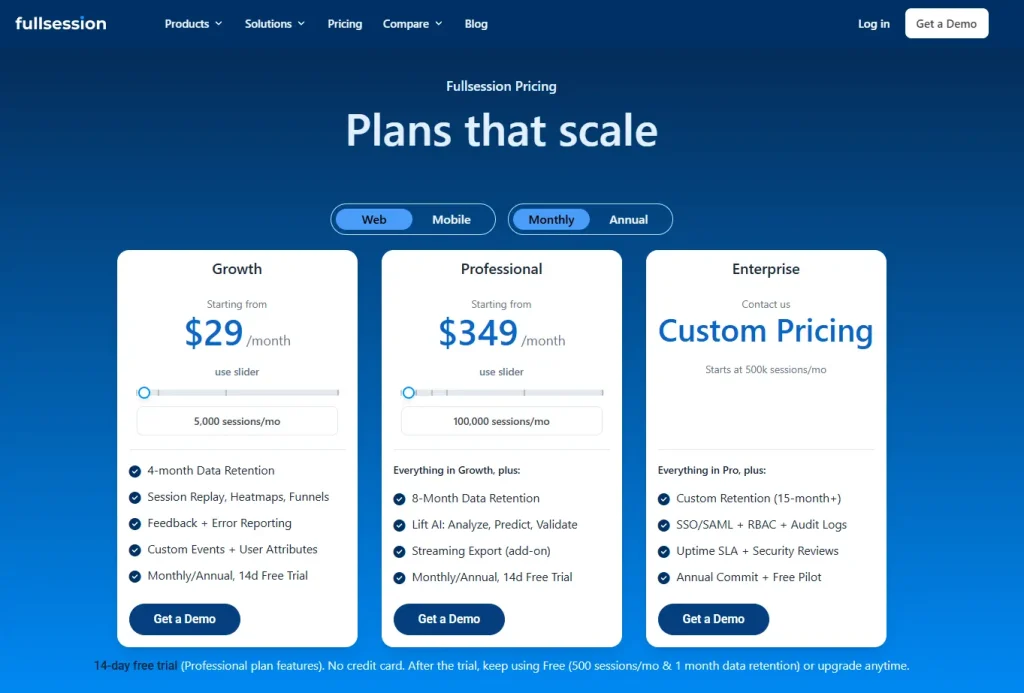
Free plan available at $0/month for up to 500 sessions per month, with 30 days of data retention.
The Growth plan starts at $23/month, billed annually (5,000 sessions/month). Pro plan starts at $279/month billed annually (100,000 sessions/month). An enterprise plan is also available with custom pricing.
Check out all the details on the pricing page before purchasing.
Why choose FullSession
FullSession is the only tool on this list that lets you move from heatmap pattern to session replay to funnel drop-off data in one continuous workflow.
That context is what turns a heatmap observation into actionable insights your team can act on, rather than a starting point for more investigation.
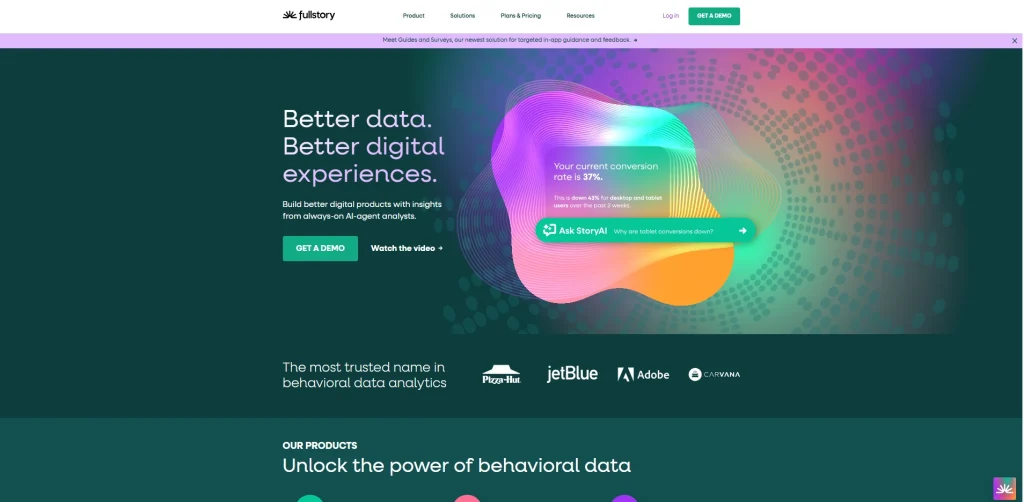
FullStory is a digital experience analytics platform built for organizations that need deep behavioral intelligence across complex digital products.
It offers what it calls Engagement Heatmaps alongside click maps, scroll maps, and a distinctive conversion maps feature that ties specific page elements to your defined conversion goals.
Enterprise product and UX teams in larger organizations where product, engineering, and UX all need shared behavioral data and strong segmentation.
Key features
Click maps and scroll maps shown as overlay reports highlight frustration signals like rage clicks, error clicks, and dead clicks. FullStory also surfaces the top 25 clicked user actions per category, giving you a ranked view of what visitors interact with most.
Conversion maps show which specific page elements are linked to users completing a conversion goal. They connect on-page user interaction directly to business outcomes.
Session replay jump-through. When a heatmap element isn’t performing as expected, you can move directly into FullStory’s diagnostic session replay to see what’s going wrong.
Autocapture of all user interactions, including clicks, scrolls, and page transitions within each user session, without manual tagging.
Segmentation by behavior, geography, device, and custom variables to build precise audience cohorts before running heatmap analysis.
Pricing
Free tier available, capturing up to 1,000 sessions per month. Business, Advanced, and Enterprise plans are custom-priced based on session volume, data retention, and team requirements.
Pricing is not publicly listed.
3. Hotjar
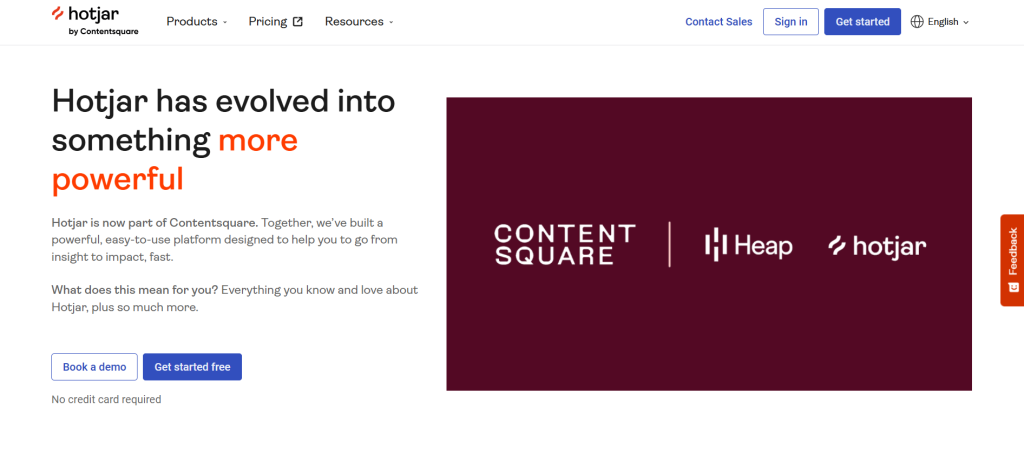
Hotjar provides popular heatmap software. It is now part of the Contentsquare ecosystem following its 2021 acquisition, which has brought new capabilities alongside a shift toward more enterprise-aligned pricing.
The core product remains accessible and familiar for teams that want a quick read on user engagement across their most important pages.
Small and mid-size teams new to behavioral analytics.
Marketers, UX designers, and small teams who want a quick-to-adopt tool with strong built-in survey and feedback capabilities alongside their heatmaps.
Key features
Click and tap maps, scroll maps, and move maps covering the full range of standard heatmap types across desktop, tablet, and mobile.
Engagement zone maps that combine click, move, and scroll data into a single view. This lets you see which parts of your page generate the most interaction without toggling between heatmap types.
Attention maps (added after the Contentsquare integration) and the ability to compare behavior across different test variations or timeframes side by side.
Rage-click maps that show where users get frustrated, with a direct link into session replays to understand why.
Surveys and feedback widgets with over 40 templates and an AI survey generator (Sense). You can connect survey responses to the heatmap session that triggered them.
Funnel analysis with AI-assisted insight surfacing to identify where users drop off across multi-step flows.
Pricing
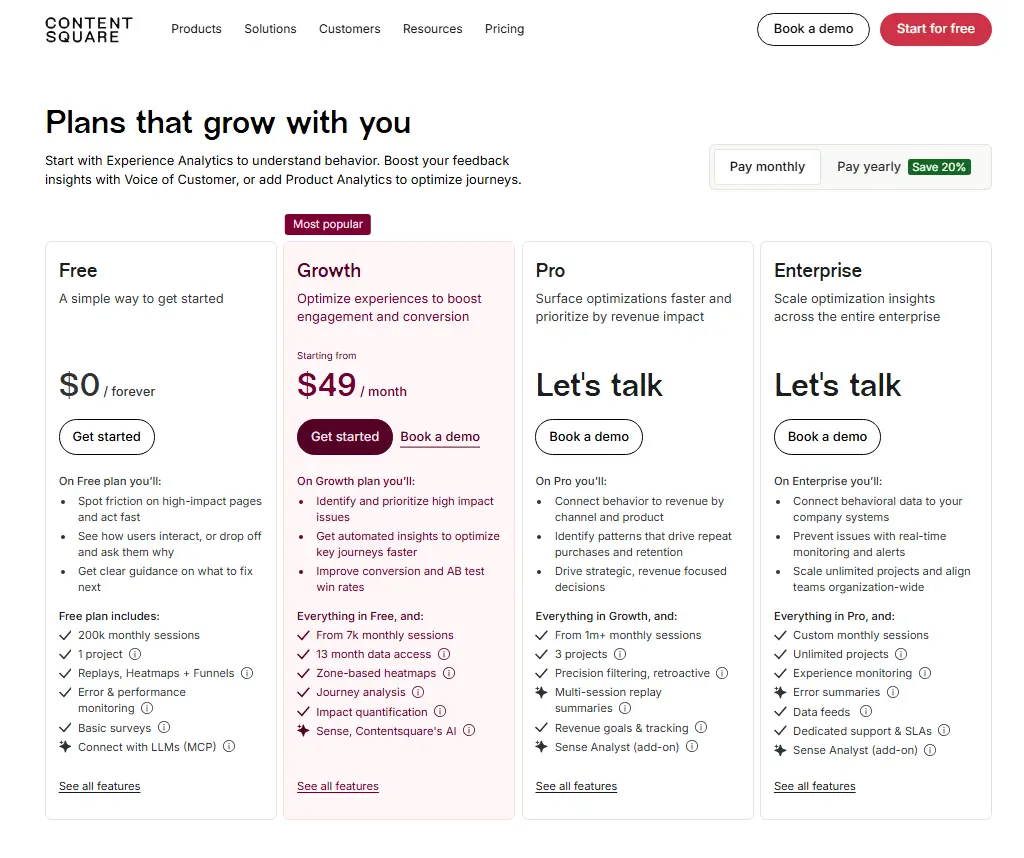
Free plan available for up to 20,000 sessions per month. Paid plans start at $49/month. Enterprise pricing is custom.
Note that Hotjar’s positioning and pricing have evolved since the Contentsquare acquisition.
4. Smartlook
Smartlook is a behavioral analytics platform that has been part of Cisco since its acquisition. Its strongest capability is cross-platform tracking.
It supports websites alongside native iOS and Android apps and hybrid frameworks, including React Native and Flutter, giving it broader platform coverage than most web-focused tools.
Product and development teams that need unified behavioral data across both web and mobile properties.
Key features
Click, scroll, and movement heatmaps with retroactive data population. When you create a new heatmap, Smartlook immediately populates it with historical data you already have. You don’t wait for new sessions to accumulate.
Session recordings with no data sampling by default. Every visitor session is captured, which matters on lower-traffic pages where sampled data produces unreliable heatmaps.
Cross-platform coverage across web, iOS, Android, React Native, and Flutter from a single integration.
Event tracking and funnel analysis without coding, using an automatic event capture system.
Crash reports that let you watch recordings of sessions that ended in a crash, helping engineering teams reproduce and diagnose bugs faster.
Pricing
Free plan available. Pro plan starts at approximately $55/month. Enterprise pricing requires a custom quote.
5. UXCam
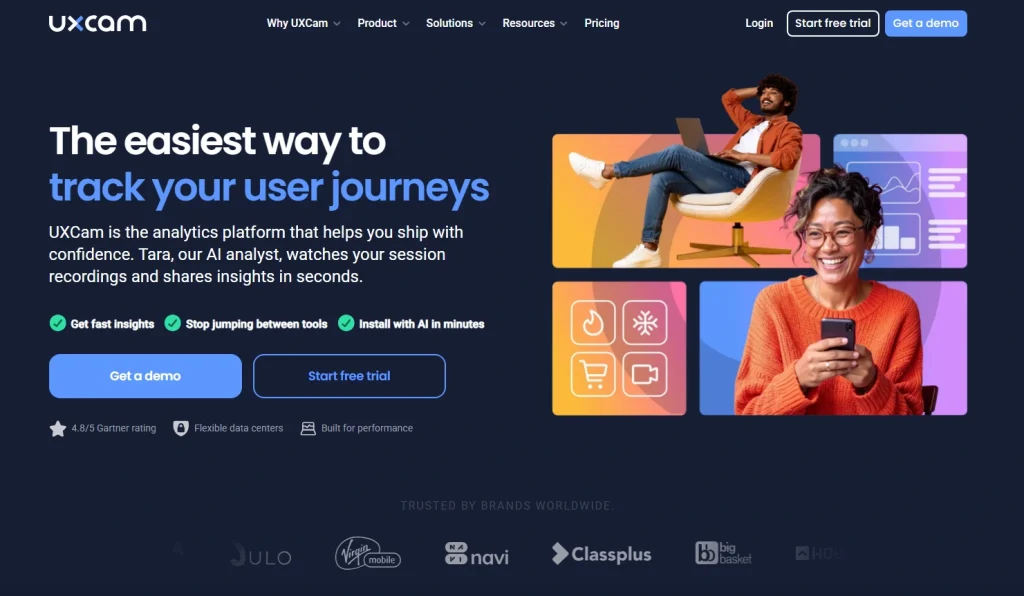
UXCam started as a mobile analytics platform and has since expanded to cover web. Its heatmap capabilities are strongest on mobile, where it captures touch-based gestures.
UXCam also supports usability testing workflows that combine heatmap data with session replay and funnel analysis to validate design decisions before and after release.
Best for
Mobile product teams at consumer app companies and cross-platform organizations that need gesture-level insight across iOS, Android, and hybrid frameworks alongside web analytics.
Key features
Tap, scroll, and rage tap heatmaps for mobile apps. UXCam captures where users press most frequently, where they scroll, and where they repeatedly tap out of frustration on non-responsive elements.
First- and last-touch heatmaps that show where users first interact on a screen and where their final interaction happens before leaving.
Autocapture across iOS, Android, React Native, Flutter, Xamarin, and Cordova. No manual event tagging required.
Session replay is tied directly to heatmap interactions, letting you move from an aggregate touch pattern to individual session context.
Tara AI for AI-driven insights and behavioral analysis across product and UX data, surfacing patterns you would otherwise need to find manually.
GDPR, CCPA, and HIPAA compliance with automatic data anonymization.
Pricing
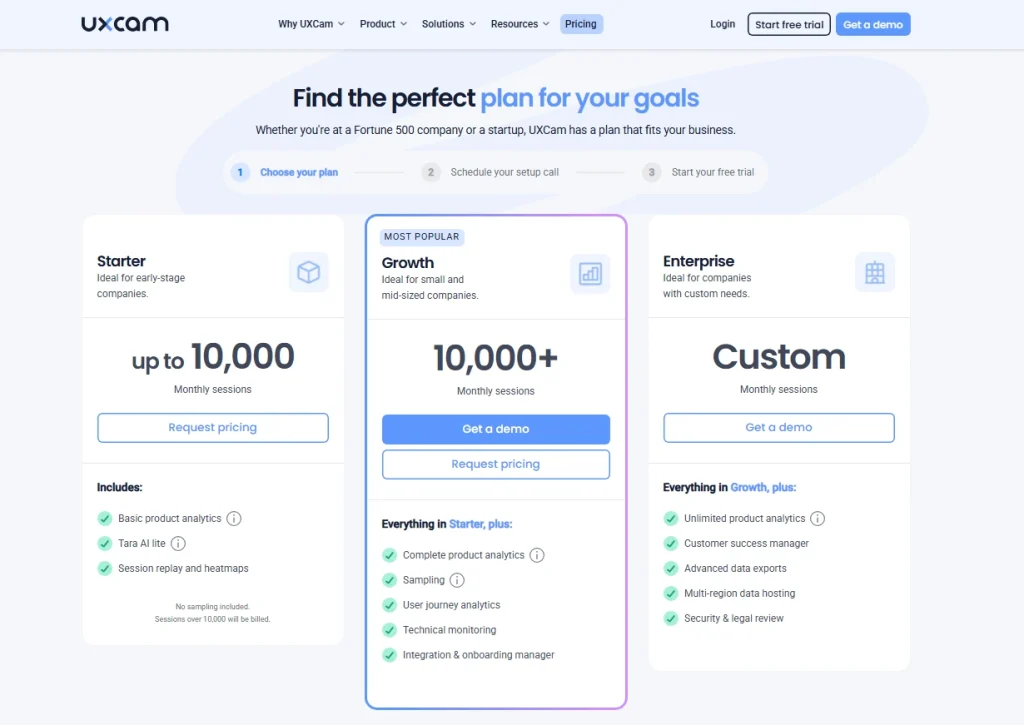
Free plan available with up to 3,000 monthly sessions. Paid plans scale by session volume and platform needs. Pricing details are not publicly available.
6. VWO
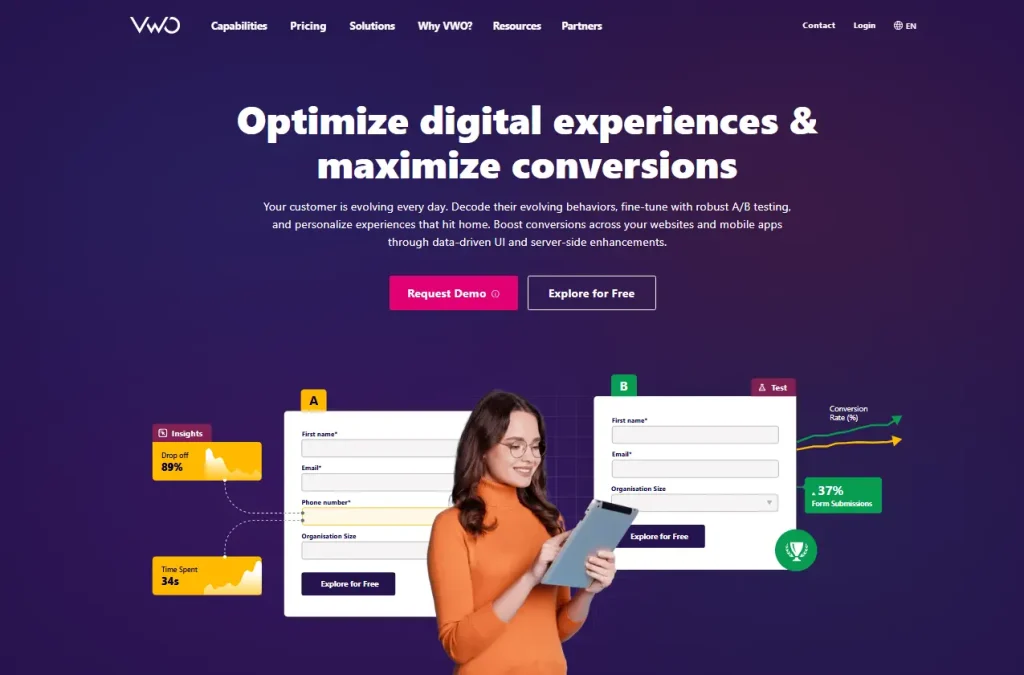
VWO is primarily known as a conversion optimization platform, and its VWO Insights product brings heatmaps, session recordings, form analytics, and surveys into the same environment where you run experiments.
If your workflow runs from heatmap observation to A/B test hypothesis to result validation, VWO reduces tool switching by keeping testing and analysis in one place.
CRO specialists and growth teams at mid-to-large businesses who want to run tests based directly on behavioral data without managing two separate platforms, while combining heatmap analysis with A/B testing.
Key features
Dynamic heatmaps that work across modals, banners, dropdowns, password-protected pages, and dynamic URLs. VWO Copilot, the platform’s AI assistant, analyzes click and scroll behavior and delivers automated insights about UX positives and negatives with recommended fixes.
Side-by-side heatmap comparison across devices, traffic sources, date ranges, audience segments, and A/B test variations. It makes it easy to validate whether a design change actually shifted user behavior.
Form analytics with field-level data, including fill time, interaction duration, and abandoned fields.
Session recordings with filters for rage clicks, dead clicks, funnel drop-off, and user attributes.
Funnel analysis and on-page surveys tightly integrated with the A/B testing workflow.
Pricing
VWO offers a 30-day free trial without credit card required. Paid plans include custom pricing.
Pricing varies by session volume and included features.
7. Mouseflow
Mouseflow is a feature-rich behavior analytics platform in the mid-market category. It offers six distinct heatmap types, which is more than any other tool on this list, and combines them with strong form analytics, journey tracking, friction detection, and an AI layer called Mina.
Digital marketers, UX leads, and analysts who want comprehensive heatmap coverage, including geographic and attention maps, alongside form analytics and AI-assisted session querying.
Key features
Six heatmap types: click maps, scroll maps, movement maps, attention maps, geo maps, and live maps. The attention heatmap combines click and scroll data to show which areas users actively focus on, while geo maps visualize where in the world your traffic comes from.
Friction detection automatically flags rage clicks, dead clicks, and JavaScript errors, plus error logging for 404 errors across sessions, giving you a friction score per session to prioritize which recordings to watch.
Form analytics with field-level dropout data, time-to-complete analysis, and abandoned form replay.
Mina AI, Mouseflow’s natural-language query system for session analysis. Instead of manually filtering through recordings, you describe what you’re looking for, and Mina surfaces the relevant sessions and behavioral patterns.
Conversion funnels and journey mapping to track user paths and visualize drop-off points across multiple pages.
Pricing
Free plan available for up to 500 sessions per month. Paid plans start at approximately $25 to $39/month, depending on annual or monthly billing.
How to Choose the Right Website Heatmap Tool for Your Team
The right choice depends on four things, not just which tool has the longest feature list:
What’s your primary use case? If you need heatmaps as part of a broader behavioral analytics workflow that includes session replay, funnels, and error tracking, FullSession or Mouseflow cover the most ground. If you primarily need heatmaps as a feedback research tool, Hotjar is easier to adopt. If you run structured A/B tests, VWO connects analysis directly to experiments.
Do you need mobile app support? If yes, UXCam, Smartlook, or VWO Insights cover both web and mobile. FullSession, Hotjar, and Mouseflow are web-focused.
What session volume are you working with? Pricing scales with sessions across almost every tool. A free plan with 500 sessions works fine for testing, but if you have significant website traffic or are analyzing high-traffic landing pages, you’ll need to calculate the cost at your actual volume before comparing tools.
What are your compliance requirements? If you handle sensitive user data or serve EU users, verify auto-masking defaults and data residency options directly with the vendor. Don’t rely on a pricing page checkbox as your compliance audit.
For most teams evaluating website heatmap tools in 2026, FullSession offers the strongest starting point because it combines the most relevant analytics features into a single workflow at a transparent, scalable price.
Most website heatmap tools show you where users struggle. FullSession shows you why, and gives you everything you need to fix it without leaving the platform.
This all-in-one platform connects heatmaps to session replay, funnel analysis, and other analytics features like error tracking in a single, uninterrupted workflow. That means faster diagnosis, fewer tools to manage, and no gaps in the data between systems.
Your heatmaps actually work on modern sites. Most tools generate heatmaps from a screenshot of your page. FullSession tracks interactions on your live DOM, so dropdowns, modals, and single-page app routes all get captured accurately. If your site uses React, Vue, or any modern JavaScript framework, this distinction matters.
You go from problem spotted to root cause in one click. Tools like Hotjar and FullStory let you view heatmaps and session replay, but they’re separate experiences. FullSession connects them, so a rage-click cluster on your heatmap becomes a direct entry point into the specific sessions behind it. That’s what cuts your time from “I see a problem” to “I know exactly what happened and why.”
Technical issues don’t slip through the cracks. FullSession captures rage clicks, dead clicks, and JavaScript errors alongside your heatmap data. You don’t need a separate error-monitoring tool to catch the issues that quietly break your conversion rate.
Privacy compliance is handled out of the box. Sensitive inputs are masked automatically. GDPR and CCPA compliance is built in, not bolted on. For teams operating in regulated markets or handling sensitive user data, this removes a compliance task from your setup checklist.
See FullSession in action on your own website. Reach out and discover how interactive heatmaps, session replay, and funnels work together to fix your conversion leaks.
The best website heatmap tools do more than show where users click. They give you the context to understand why visitors behave the way they do and what to change to improve your conversion rate.
FullSession leads this list because it connects heatmaps to session replay, funnels, and error tracking in one platform, so you spend less time investigating and more time optimizing.
If you’re ready to see how that works on your own site, the free plan takes minutes to set up and requires no credit card.
A website heatmap tool is a behavior analytics tool that visualizes how visitors interact with your web pages. It uses color to show where users click most (red or warm colors) and least (blue or cool colors), how far they scroll, and how their mouse moves. This helps teams identify friction points, optimize content placement, and improve conversion rates without relying on guesswork.
What is the best heatmap tool for websites?
The best website heatmap tool depends on your use case. For all-in-one behavioral analytics, FullSession is the strongest option because it combines interactive heatmaps with session replay, funnel analysis, and error tracking in a single workflow. For teams focused on surveys and feedback, Hotjar is a solid entry point. For CRO teams who run A/B tests, VWO integrates heatmap data directly into the testing process. If you’re looking for a free tool, Microsoft Clarity is a good choice.
Does Google Analytics have heatmaps?
No, Google Analytics does not have a built-in heatmap feature. It provides traffic data, conversion tracking, and behavior flow reports, but it cannot show you visually where users click or how far they scroll on a specific page. You need a dedicated heatmap tool alongside Google Analytics to get that level of behavioral detail.
Is Hotjar a heatmap tool?
Yes, Hotjar is a behavioral analytics platform that includes heatmaps as one of its core features. It offers click maps, scroll maps, move maps, and engagement zone maps. It also includes session recordings, surveys, and funnel analysis. Hotjar is now part of the Contentsquare platform following its 2021 acquisition.
What should I look for in a heatmap tool?
Look for a tool that supports dynamic heatmaps for modern web frameworks, integrates session replay so you can investigate the “why” behind heatmap patterns, offers funnel and error tracking to catch conversion leaks, complies with GDPR and CCPA by default, and provides a transparent pricing model that scales with your session volume. A free plan or trial is helpful to validate the data quality before committing.
Roman Mohren is CEO of FullSession, a privacy-first UX analytics platform offering session replay, interactive heatmaps, conversion funnels, error insights, and in-app feedback. He directly leads Product, Sales, and Customer Success, owning the full customer journey from first touch to long-term outcomes. With 25+ years in B2B SaaS, spanning venture- and PE-backed startups, public software companies, and his own ventures, Roman has built and scaled revenue teams, designed go-to-market systems, and led organizations through every growth stage from first dollar to eight-figure ARR. He writes from hands-on operator experience about UX diagnosis, conversion optimization, user onboarding, and turning behavioral data into measurable business impact.
Your analytics dashboard tells you the conversion rate dropped 8% last week. It shows users are abandoning checkout at the payment step.
But it doesn’t show you why the user hesitated before leaving, which error triggered user frustration, or why the same button got three rapid clicks before the session ended.
Session recording tools and session replay tools fill that gap. They capture real user interactions across your website or digital product and turn them into visual playbacks your team can watch.
Instead of guessing, you see what actually happened.
This guide compares five of the best recording software options based on features, use cases, and pricing, so you can choose the right tool for your team. It also shows how session replay fits alongside other user behavior tools when you need a clearer view of what users do, where they struggle, and why they convert or drop off.
Key Takeaways
FullSession is the strongest all-in-one option for UX and CRO teams that need session replay, dynamic heatmaps, conversion funnels, error monitoring, and customer feedback in a single platform with no data sampling.
FullStory suits enterprise teams that need pixel-perfect session replay, AI-powered summaries, and deep behavioral analytics at scale.
LogRocket suits developers and engineering teams who need session replay connected to console logs, network requests, and error monitoring for faster debugging.
Hotjar suits small businesses and marketers who want lightweight session recordings paired with surveys and feedback tools, without developer setup.
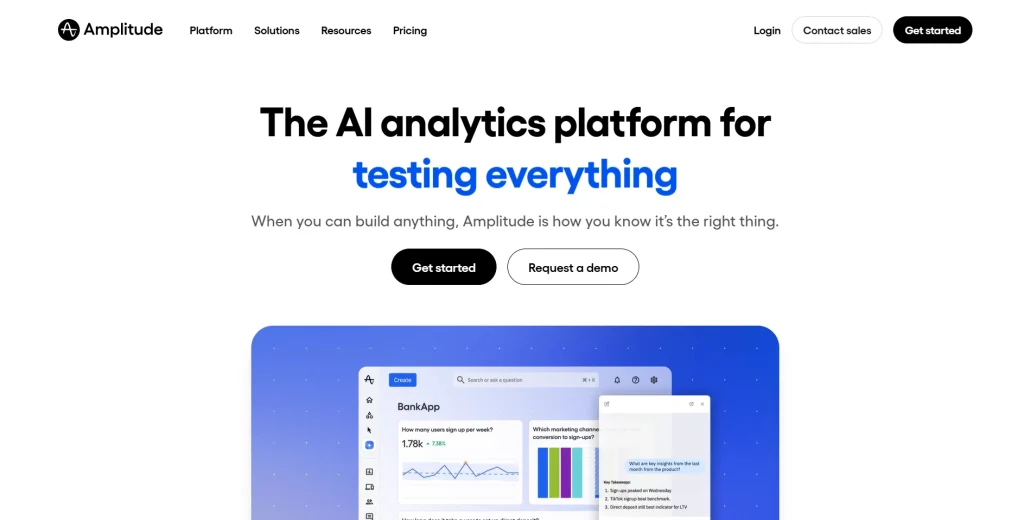
Amplitude suits product and analytics teams already using Amplitude who want session replay integrated directly into their existing workflow.
FullSession is the only tool on this list that covers every capability: session replay, heatmaps, funnels, error monitoring, and feedback, without sending you to a second or third platform.
For ecommerce teams, tool selection should also account for checkout visibility, cart abandonment analysis, product page behavior, mobile shopper friction, and conversion-focused funnel tracking. Teams comparing session replay tools for ecommerce can use those criteria to evaluate platforms built for online store optimization
You go from a drop-off in your funnel to the exact sessions behind it, share the evidence with your team, and fix it faster. No data sampling means you never miss the session that explains the problem.
Session recording replay tools track a wide range of user actions, but not all platforms do it equally well. Here are eight criteria to check before you commit.
Criterion
What to Evaluate
Always-on recording
No data sampling means no missed pain points or rare edge cases. Look for recording software that captures every session by default.
Frustration signal detection
Rage clicks and dead clicks are automatic signals shown when users interact with your site in frustrated or confused ways. A good tool surfaces these without manual review.
Sensitive data masking
Real sessions can expose sensitive data and sensitive information like passwords and payment details. The solution should mask sensitive fields by default, with GDPR and CCPA controls built in.
Event tracking and key events
Key events like form submissions or button clicks turn session recordings into a searchable database. Custom events let you filter for specific recordings.
Analytics integration
Session recordings show what quantitative data alone can’t explain. Connect them to Google Analytics or product analytics to spot user behavior trends and make data driven decisions.
Conversion funnel analysis
Knowing where users drop off in key workflows only helps if you can jump straight to the recordings of those affected users.
Mobile app support
Check whether the tool captures mobile app sessions with the same fidelity as web sessions.
Pricing at scale
Know whether you’re paying per session, per user, or per feature. Costs vary significantly across tools.
The first five criteria, recording completeness, frustration signals, privacy controls, event tracking, and analytics integration, most directly affect the quality of insights your team gets. The last three depend on your specific setup.
The Best Session Replay Tools at a Glance
The table below compares all five tools so you can shortlist quickly.
Tool
G2 Rating
Best For
Top Feature
Starting Price
FullSession
5/5
Ecommerce, UX and CRO teams wanting all-in-one behavioral analytics
Always-on recording, dynamic heatmaps, conversion funnels and Lift AI
Free trial; paid from $23/month
FullStory
4.5/5
Enterprise product and UX teams needing deep behavioral analytics
Pixel-perfect session replay with AI-powered summaries
Free trial, custom pricing
LogRocket
4.6/5
Developers and engineering teams debugging frontend issues
Session replay with console logs, network requests, and error monitoring
Free plan; paid from from $99/month
Hotjar
4.3/5
Small businesses and marketers doing lightweight UX research
Session recordings paired with surveys and heatmaps
Free plan; paid from $49/month via Contentsquare
Amplitude
4.5/5
Product analytics teams wanting replay inside their existing stack
Session replay unified with product analytics and key events
Free plan; paid from $61/month
5 Best Session Recording Tools Worth Your Time
The five tools below cover the most common use cases in the session replay category. Each entry covers an overview, best-fit use case, key features, and pricing. FullSession is listed first because it offers the most complete behavioral analytics workflow for web teams.
1. FullSession
FullSession, a privacy-first UX analytics platform, combines session recording and replay, dynamic heatmaps, conversion funnel analysis, error monitoring, and customer feedback forms in one place. It’s the only tool on this list that covers all five without a separate subscription for each.
The platform installs via a single JavaScript snippet and starts capturing real sessions immediately.
FullSession records every user session by default, with no data sampling at any plan tier. That’s what makes it possible to monitor user actions across rare error paths and low-frequency journeys that sampled tools miss entirely.
Each replay reconstructs a timestamped event timeline. Teams can jump directly to the moment a user encountered an error, abandoned a funnel step, or triggered a frustration signal.
The visual debugging here is practical: you see exactly where and why things broke, without reproducing the issue from scratch. You can also share recordings with stakeholders directly from the platform, so product and engineering teams work from the same evidence.
FullSession helps teams gain empathy with their users by watching real sessions unfold on their digital product. You see what users saw, where they hesitated, and which user properties were logged at each point. That qualitative context turns behavioral data into decisions that improve customer satisfaction.
Best for
Product managers, UX designers, and digital marketers at ecommerce and SaaS companies who need complete behavioral analytics without managing multiple tools.
Key features
Always-on session recording with no data sampling: FullSession captures every session across all plan tiers. The skip inactivity feature lets teams jump to user actions with the highest value.
Dynamic heatmaps: Click maps, scroll maps, and mouse movement maps update in real time. Filter by user segment, device, or date range.
Conversion funnel analysis: Tracks multi-step user journeys and highlights drop-off points. Click directly into the recordings of users who abandoned at any step.
Error monitoring and JavaScript error identification: Errors are flagged in the session replay timeline, so teams can see what happened before and after each error without manual reproduction.
Customer feedback forms with session-linked responses: Feedback connects directly to the matching recording, giving teams the user’s words alongside the visual context.
Lift AI: Analyzes session replay, heatmap, funnel, and error data to surface the highest-impact friction points. Recommendations are ranked by issue severity and predicted fix impact, so teams know exactly what to prioritize next.
Pricing
FullSession’s free plan supports up to 500 sessions per month with 30 days of data retention. You can also choose between mobile and web plans, with monthly or annual subscriptions.
Paid plans start at $29 per month and include Growth, Professional, and Enterprise plan, priced by session volume and retention needs. An 20% annual discount applies to all paid tiers.
Start a free trial and record your first sessions today. No credit card required.
2. FullStory
FullStory, a digital experience analytics platform for enterprise and mid-market teams, captures pixel-perfect session recordings and reconstructs them from a full copy of the page’s Document Object Model.
It’s a strong choice for teams that need advanced features like AI session summaries and journey mapping alongside core session replay.
FullStory’s AI summaries describe each session’s intent, key actions, and outcome before anyone watches it. That’s useful when you’re triaging hundreds of specific recordings and need to find the one that explains a drop-off.
Teams can also share recordings with colleagues across departments without extra configuration.
Enterprise and mid-market product and UX teams that need deep behavioral analytics at scale, with strong journey mapping and cross-team sharing.
Key features
Pixel-perfect session replay: Captures every user interaction with high accuracy, including iframes and single-page application transitions.
AI-powered session summaries: Each session is automatically summarized, so teams can prioritize which recordings to watch.
Funnel and journey mapping: Connects aggregate behavioral data to individual session recordings for faster diagnosis.
Heatmaps and page-level analytics: Click, scroll, and movement heatmaps filterable by segment and time period.
Role-based access control and GDPR compliance: Configurable privacy controls and enterprise-grade security settings.
Pricing
FullStory launched a permanent free tier in August 2025 with 30,000 sessions per month, 12 months of data retention, without unlimited recordings and up to 10 user seats. Information about paid plans is available by contacting FullStory’s sales team.
3. LogRocket
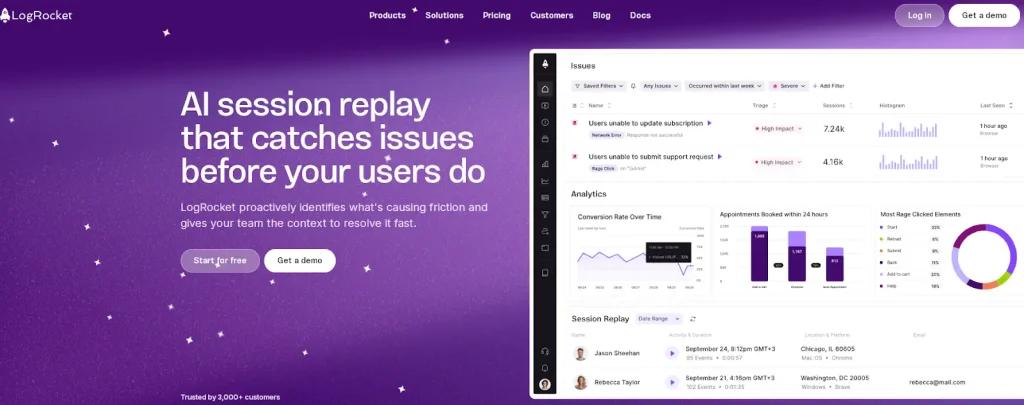
LogRocket, a session replay and product analytics platform designed for frontend development and engineering teams, captures session recordings alongside console logs, network calls, JavaScript errors, and performance metrics.
It gives developers the technical resources they need to debug issues and understand exactly what happened during a session, without asking users to describe the problem.
LogRocket is a strong tool for visual debugging. When an error occurs, the replay view shows the exact sequence of user actions alongside DOM snapshots, console output, and network calls.
The platform integrates with Jira, Sentry, and Datadog, so developers and your support team can open a replay directly from a bug ticket.
Frontend developers and engineering teams who need session replay connected to error monitoring, console logs, and network requests as a unified debugging workflow.
Key features
Pixel-perfect session replay with DOM reconstruction: Captures the full DOM state, including iframes, for a complete visual reproduction.
Console log and network request capture: Every session includes a full log of console output and API responses.
Error tracking and performance monitoring: JavaScript errors link automatically to the recordings where they occurred, alongside Core Web Vitals data.
Product analytics and funnel analysis: Funnel and event tracking tools help product managers identify drop-off points.
Integrations with engineering tools: Native integrations with Jira, Sentry, Datadog, and Intercom.
Pricing
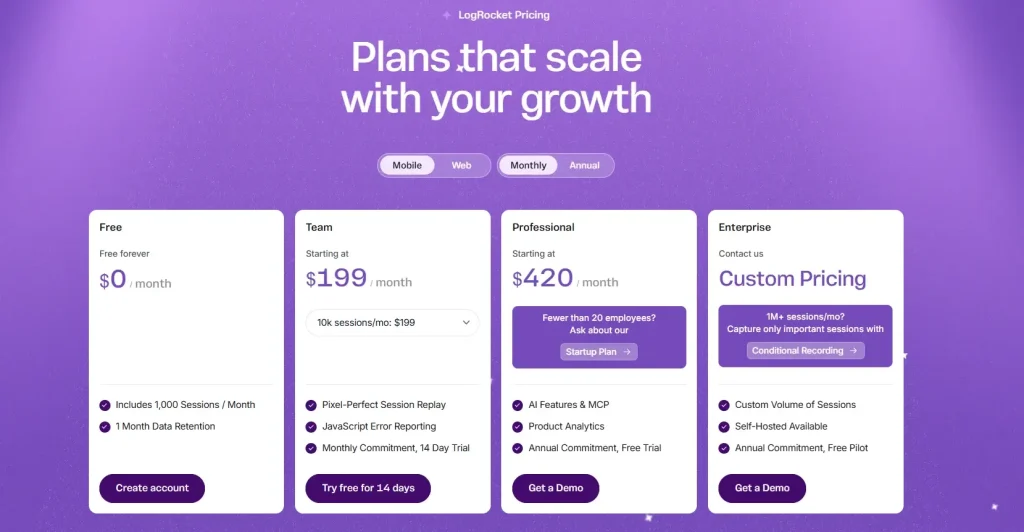
LogRocket’s free plan includes 1,000 sessions per month. The Pro plan starts at $99 per month. The Team plan is approximately $350 per month. For a complete breakdown, read our guide on LogRocket pricing.
4. Hotjar
Hotjar, a This guide compares five of the best recording software options based on features, use cases, and pricing, so you can choose the tool that helps you understand user behavior with clarity.
havior analytics platform built for marketers, UX researchers, and small teams, combines session recordings with heatmaps, on-site surveys, and feedback widgets. It’s an entry-level recording software and doesn’t require developer involvement to configure.
Hotjar uses a session sampling model on lower-tier plans. Once the daily session limit is reached, recording stops until the next day. That’s worth knowing if you’re investigating a specific issue or running a time-sensitive campaign, since some sessions won’t be captured.
Small businesses, marketers, and UX researchers who want session recordings alongside surveys and feedback tools, without needing developer support.
Key features
Session recordings with adjustable playback speed: Watch real sessions at 1x, 1.5x, or 2x. Filter by location, device, browser, and referral source.
Heatmaps for click, scroll, and mouse movement: Click and scroll maps generate automatically from session data. Useful for landing page analysis and content optimization.
On-site surveys and feedback polls: Trigger feedback widgets on specific pages or after user actions, combining behavioral data with direct user input.
User journey segmentation: Segment sessions by user attributes, including location, device type, and referring source.
Pricing
Hotjar’s free plan allows up to 200k monthly sessions. The Plus plan begins at $49 per month. Cost estimates are not available for Pro and Enterprise plans. Hotjar’s pricing is available via Contentsquare’s website.
5. Amplitude
Amplitude, a digital analytics platform for product and data teams at growth-stage and enterprise companies, includes session replay as a native part of its product analytics suite.
It connects each recording directly to the user’s behavioral event data and user properties, so you can filter for specific sessions based on what users actually did in your digital product.
When a product manager spots a drop-off, Amplitude lets them filter for sessions from exactly that user group and watch the recordings immediately. The event timeline syncs with the platform’s analytics data, showing which key events fired at each point in time.
That makes customer satisfaction analysis much faster when it’s tied to real behavioral context.
Product managers and analysts at SaaS companies already using Amplitude who want session replay inside the same workflow without adding a separate tool.
Key features
Session replay unified with product analytics: Connects recordings to the full event history for any user, filterable by any behavioral dimension already tracked.
Frustration signal detection: Rage clicks and dead clicks surface automatically in the session list alongside console logs and network activity.
Default text masking and privacy controls: Sensitive information is masked at the source, with configurable rules for additional PII coverage.
Mobile session replay: Supports iOS, Android, and React Native, plus a standalone SDK for third-party instrumentation.
AI-powered session summaries: Auto-generated summaries flag friction patterns without manual review.
Pricing
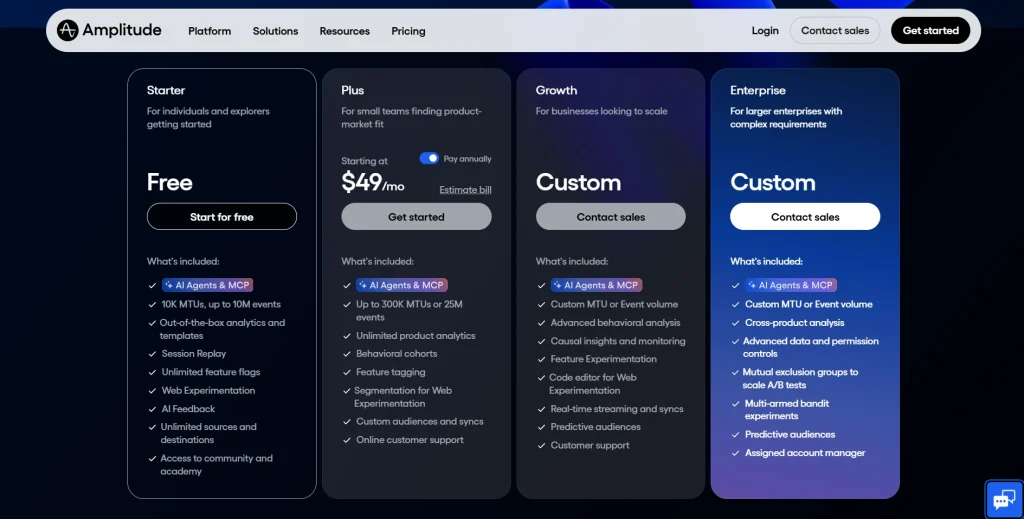
Amplitude’s free tier includes session replay. Paid plans start at $61/month. Growth and Enterprise details are available through Amplitude’s sales team.
Why FullSession is the Best Session Recording and Replay Tool
Most session recording tools tell you what happened. FullSession shows you why.
When a funnel drops or a checkout fails, you don’t need another aggregate chart. You need to watch the exact sessions that led to the problem, see the steps users took before they dropped off, and share that evidence with the team so they can fix it.
That’s what FullSession is built for: getting product, UX, and engineering to the same view of real user behavior, fast.
Stop guessing, start watching. Jump from a funnel drop or error spike directly into the specific sessions behind it. You see full journeys, not just error messages, so you can find root causes in minutes rather than hours.
Reproduce issues in seconds. When something breaks, the replay view shows the exact sequence of user clicks and actions alongside console details, so your team can debug issues without asking users to describe what went wrong.
Give every team the same evidence. Product, UX, and engineering all work from the same session recordings. Vague support tickets become clear stories. Roadmap debates become decisions grounded in what real sessions actually show.
No data sampling at any tier. FullSession records every session by default. Hotjar uses sampling on lower plans. When you miss sessions, you miss the rare events most likely to explain a problem.
One platform instead of three. Teams using LogRocket or Amplitude still rely on other tools for heatmaps and feedback. FullSession connects replays, heatmap patterns, funnel drop-offs, and user feedback in a single dataset.
Built for UX and CRO teams, not just developers. FullSession fits the conversion optimization workflow, which is the most common reason teams adopt session recording tools.
A usable free plan. Session recordings, heatmaps, and funnel analysis up to 500 sessions per month. Enough to evaluate it on real traffic before you commit.
Teams that need to understand user behavior, reduce pain points, and improve the customer experience for their digital product without a fragmented analytics stack will find FullSession the most practical option.
The right session recording and replay tool depends on what your team needs.
LogRocket is a good choice for engineering teams who need error monitoring alongside session replay.
Hotjar works well for small teams that want lightweight UX research without the need for developer setup.
Amplitude suits product teams already using Amplitude for analytics.
FullStory is a good fit for large enterprise teams.
If you need complete behavioral analytics, including session recordings, dynamic heatmaps, funnel analysis, error monitoring, and in-page feedback, all without managing multiple tools, FullSession is the clearest option on this list. Start a free trial and begin recording real sessions on your site today. No credit card required.
FAQs About Session Replay Tools
What is the difference between session recording and session replay?
Session recording captures user interactions as they occur on a website or web application. Session replay is the visual reconstruction of those captured interactions for playback. The terms are used interchangeably across the industry, but session replay specifically refers to the DOM-based reconstruction generated by the recording software, not a literal video of the user’s screen.
Do session replay tools record sensitive user data?
Most session replay tools automatically mask sensitive fields, including passwords, payment information, and personal identifiers, before the data leaves the browser. FullSession, FullStory, LogRocket, Hotjar, and Amplitude all apply default masking to sensitive information. Teams can configure additional rules to exclude specific page elements containing sensitive user information. Check each tool’s privacy documentation before deploying on pages that handle sensitive user data.
How do session replay tools work?
Session replay tools install a lightweight JavaScript snippet on your website. The snippet captures user clicks, scrolls, mouse movements, and changes to the Document Object Model. These events are reconstructed into a visual playback of each user session. These reproductions are event-based rather than screen recordings; they can mask sensitive information while still providing complete insight into how users interact with your site.
Are session replay tools GDPR compliant?
The major session replay tools, including FullSession, FullStory, LogRocket, Hotjar, and Amplitude, offer GDPR-compliant configurations. Compliance depends on how each tool is configured, not only its capabilities. Teams must disclose session recording in their privacy policy, configure data masking to exclude personal identifiers, and set appropriate retention periods before deploying in GDPR regions.
What should I look for in a session recording tool?
Focus on five things: always-on recording with no data sampling, automatic masking of sensitive user data, frustration signal detection, including rage clicks and dead clicks, integration with your existing analytics tools, and pricing that scales predictably with your traffic. If you also need heatmaps, funnel analysis, and feedback forms, prioritize platforms that include all of those capabilities in a single integration.
Roman Mohren is CEO of FullSession, a privacy-first UX analytics platform offering session replay, interactive heatmaps, conversion funnels, error insights, and in-app feedback. He directly leads Product, Sales, and Customer Success, owning the full customer journey from first touch to long-term outcomes. With 25+ years in B2B SaaS, spanning venture- and PE-backed startups, public software companies, and his own ventures, Roman has built and scaled revenue teams, designed go-to-market systems, and led organizations through every growth stage from first dollar to eight-figure ARR. He writes from hands-on operator experience about UX diagnosis, conversion optimization, user onboarding, and turning behavioral data into measurable business impact.
Business gurus always talk about the importance of collecting customer data. But aside from addressing current issues with the information you gather, what do you do with all that historical data?
If you haven’t already, it’s time to introduce a predictive analytics process to your business operations. With a good breadth of customer data to work with (and accurate predictive models), you can come up with better business decisions based on what future customer behavior is likely going to look like.
However, there’s a lot more to this process than meets the eye. We’ll walk you through the essential concepts, benefits, and real-world applications so you can stop relying on intuition and start maximizing your data.
What is Predictive Customer Analytics?
Simply put, predictive customer analytics is all about using your customers’ past actions to guess what they might do next.
Crunching the numbers on past interactions can yield surprising insights into customer motivations. You might just discover which products are on the cusp of becoming customer obsessions or which customers are wobbling on the fence.
Tailor-made marketing, exceptional customer service, and sound business decisions are all within reach when you get it right.
How Can Businesses Use Predictive Analytics?
Once you have enough historical data to analyze, predictive analytics can help take your business to the next growth stage. Here are several ways you can put this powerful tool to work:
Improve Marketing Strategies
Analyzing customer data helps you understand what your customers like so you can tailor your marketing campaigns to really hit home. A deep dive into customer data brings patterns to the surface, plain as day. Consumer psychology is all about cracking the code of human behavior when it comes to buying and selling—what we say, do, and feel as customers.
This means you’ll know what messages click best with different groups (all with varying customer behavior patterns). For example, some people might love getting emails, while others might be more into social media ads.
Plus, predictive analytics can tell you the best times to reach out. When you know when your customers are most likely to pay attention, you can schedule your campaigns to hit at just the right moment. This increases the chances that your messages will be seen and acted on.
You’ll also figure out which channels work best for your audience. If you’re feeling overwhelmed by the sheer number of marketing options, here’s a secret: you don’t need to do it all. By zeroing in on the right channels—think email, social media, or direct mail—you can simplify your strategy, save resources, and actually see some results.
Upgrade Customer Service
Predictive analytics can help you fix issues and meet customer needs before they even become apparent. You can anticipate what your customers might need help with and reach out with support or advice at just the right moment.
For example, suppose the data suggests that a particular product tends to need support after a few months. In that case, you can proactively contact customers with maintenance tips or support options before they encounter any issues.
Anticipating customer needs pays off in spades: it eradicates frustration and replaces it with loyalty that genuinely sticks.
Maximize Sales
Ever wondered how you can know which customers are about to make a purchase or what products they’re interested in? What if you could put your sales team on the scent of the most eager buyers, guiding them toward the products that spark the most interest?
By doing so, you’ll be priming your sales engine to drive more conversions and realize bigger returns.
Imagine being able to sift through your customer data and spot clear trends—like who’s been checking out certain products or who keeps coming back to the same item but hasn’t made a purchase yet.
Predictive analytics helps you understand these patterns and even pinpoints the optimal times to reach out to these customers, perhaps with a personalized offer or a timely nudge that might just close the sale.
Reduce Customer Churn
Predictive data analytics acts like an early warning system that flags customers who might be on the verge of leaving. Armed with this knowledge, you can take proactive steps to keep them on board and prevent churn before it happens.
Think about it: predictive analytics can help you understand not just who might leave but why they might go. Maybe they’ve been experiencing service issues, or perhaps they haven’t engaged with your brand in a while. Whatever the reason, once you know, you can tailor your approach to address their specific concerns.
However, it isn’t just about throwing discounts left and right. It’s about meaningful engagement. You could set up automated triggers for personalized emails that check in with your customers, ask for customer feedback, or offer them content that matches their interests.
Or, why not invite them to exclusive customer events or give them first dibs on new products? These gestures show that you value their business and are committed to keeping their experience fresh and exciting.
Optimize Your Inventory Management
Here’s a huge benefit for eCommerce businesses. Picture this: you’ve got a crystal ball that shows you what customers will crave next season. That’s basically what happens when you crunch sales data, seasonal ups and downs, and broader market vibes. The result? You can prep for the products that’ll fly off shelves.
So, you can make sure your most popular items are always available while also preventing the buildup of unwanted stock that ties up capital.
Go beyond simply tracking stock levels and use predictive analytics to stay one step ahead of the competition, fine-tuning your promotional strategies and pricing tactics to maximize impact. Identify your biggest sales opportunities with ease—and decide when to cut prices on sluggish items or launch a focused promo to get products flying off the shelves.
Are There Downsides to Using Predictive Customer Analytics?
Sure, predictive customer analytics can be super helpful, but it’s not perfect, especially when we talk about accuracy.
Predictive analytics uses data to guess future behaviors, but these predictions are only as reliable as the data you feed into them. If your data is outdated, incomplete, or biased, your predictions won’t be spot on, which means you might end up making decisions based on faulty insights. Not ideal.
There’s also the complexity of human behavior to think about. One of the big hurdles with predictive customer analytics is that it doesn’t always get human behavior right. The thing is, human actions are influenced by a whole mix of factors. Emotions, personal motivations, and current circumstances that predictive algorithms often can’t fully grasp.
It’s a tough reality: despite having access to highly advanced analytics tools, we still can’t always predict how customers will act when they’re faced with real-life situations.
Another snag is the ongoing need for fresh, updated data. Predictive analytics isn’t a set-it-and-forget-it kind of tool; it needs a steady stream of current data to work well. Many SaaS businesses find keeping their data sets consistently updated to be a real chore. Without regular updates, the predictions you get from the tool can end up being way off base.
Best Ways to Put Predictive Analytics into Practice
Now that you know how predictive analytics can benefit your business, the next step is to find out how you can put it into practice.
Of course, using predictive customer analytics can look different, depending on the type of business operations you have, but there are several strategies that should apply to most businesses:
1. Start with Solid Data
The foundation of any effective predictive analytics strategy is high-quality data. Think of it like building a house—if the foundation isn’t solid, the whole structure is shaky. So, before you jump into forecasting and making predictions, take a serious look at the data you’re using.
Data needs to be clean, which means free from errors and inconsistencies, comprehensive, covering all necessary aspects of the information you need, and up-to-date, reflecting the most current situations and trends.
If your data is lacking in any of these areas, your predictions might be off and lead to decisions that could steer your efforts in the wrong direction.
2. Set Specific Goals
You need to know what you want to find out before you analyze historical data. Are you looking to cut down on customer churn, dial in your sales targeting, or maybe you want to take your customer service to the next level? With specific, measurable goals, you create a focused roadmap for your analytics projects.
For example, instead of a broad goal like “improve customer satisfaction,” aim for something more tangible and quantifiable, such as “increase customer satisfaction scores by 10% within six months.” This approach directs your efforts more efficiently and provides a clear standard for measuring outcomes at the same time.
3. Keep Refining Your Models
Keeping your predictive analytics sharp means regularly updating them as things change in the business world. You’ve got to keep feeding them fresh data and tweaking them based on what’s happening right now.
Whenever you roll out your models, you’ll see how they’re doing. Take this feedback and use it to make your models even better. Maybe tweak a few settings, throw in some new data, or even rethink a model if it’s not working. Keeping your analytics up-to-date like this helps ensure they stay on point and useful.
4. Choose the Right Tool(s)
Picking the right predictive analytics tools is key to getting the insights you need to optimize the customer experience. If your main goal is to understand how visitors behave on your website before they convert or drop off, comparing the best website visitor tracking software can help you choose a tool that fits your analytics workflow.
When you’re shopping around for tools, think about what fits your business just right. Consider things like the size of your business and what you actually need the tool to do. You’ll want something that can grow with you as your business expands.
For instance, a tool like FullSession can be a great choice if you’re looking to understand how users interact with your website, which can help you modify things to improve their experience and up your conversions.
Make sure whatever tool you pick is easy to use and meshes well with the systems you already have in place. It’s also a good idea to check out the kind of support and community the tool offers—having help available when you need it can be a real lifesaver.
Dive Into Predictive Data Analysis With FullSession
Leveraging predictive analytics can help you hit multiple goals at once, whether that be increasing customer loyalty, optimizing the customer journey, or tailoring your offerings based on customer preferences.
But how do you accomplish that long list of objectives without stretching your resources too thinly? The solution is simple: FullSession. Here’s a sneak peek at how this powerful platform can help you collect the data you need to predict future outcomes:
Heatmaps: FullSession’s heatmaps give you a colorful visual map of where users click, scroll, and linger on your site. With these patterns, you can pinpoint potential trouble spots or discover the elements that really pull users in.
Session replays and recordings: Imagine being able to shadow your website visitors as they navigate through your site. Session replays and recordings let you do just that, offering a playback of real user interactions. You’ll see where users flourish and where they falter, which helps you get direct insights that help you tweak your site to make it more intuitive and user-friendly.
Customer feedback tools: FullSession also equips you with tools to snag direct feedback from your users and understand the why behind user actions, spot friction points, and collect user-improvement suggestions.
FullSession Pricing Plans
The FullSession platform offers a 14-day free trial. It provides two paid plans—Basic and Business. Here are more details on each plan.
Here are more details on each plan.
The Starter plan costs $39/month or $32/year and allows you to monitor up to 5,000 monthly sessions with up to 6 months of data storage.
The Business plan costs $75/month or $60/year and helps you to track and analyze up to 100,000 monthly sessions with up to 12 months of data storage.
The Enterprise plan has custom pricing and offers customizable sessions plus full access to all features.
Install Your First Predictive Data Tools Right Now
It takes less than 5 minutes to set up your first tools to collect the data and predict future outcomes, withFullSession, and it’s completely free!
FAQs About Predictive Customer Analytics
How accurate is predictive analytics?
Predictive analytics can be incredibly accurate, but like anything dependent on data, its precision relies on the quality and breadth of existing customer data you feed into it. If your data is solid, your predictions will be too. However, it’s important to remember that no tool can predict the future with 100% accuracy—there’s always room for surprises!
Can small businesses benefit from predictive analytics?
Yes. You don’t need big data to make big moves. Even modest datasets can uncover trends and opportunities that might otherwise be missed. For small businesses, this can mean a sharper competitive edge and a better understanding of what your customers want.
Is predictive analytics expensive to implement?
It can be, but it doesn’t have to break the bank. The key is to start with what you need and scale up as you grow. There are plenty of cost-effective tools and technologies available that can match your business’s size and budget. Plus, the return on investment, in terms of insights and efficiency, often outweighs the initial costs.
Customer insight software helps businesses understand how customers behave, what they need, and where they experience friction across the journey. The best tools combine analytics, feedback, segmentation, and reporting so teams can improve customer experience, conversion, and retention.
In this guide, we compare the best customer insight software for 2026, including customer insights platforms for behavior analytics, surveys, feedback collection, and product usage analysis. We’ll also explain how to choose the right customer insight tool based on your business goals, team, and data needs.
If you’re comparing customer insight tools, customer insights software, or even consumer insights software, this breakdown will help you shortlist the right option faster.
What Is Customer Insight Software?
Customer insight software is a category of tools that helps businesses collect and analyze customer data, including behavior, feedback, preferences, and trends. A customer insights platform can help teams understand why customers convert, churn, hesitate, or disengage, then turn those insights into better product, marketing, and customer experience decisions.
Why this should be added
strong featured snippet candidate
strong AI citation block
improves zero-click visibility while also positioning the page as authoritative
Tool
Best For
Type of Insight
Ideal For
FullSession
Website behavior analytics
Session replay, heatmaps, funnels, feedback
Ecommerce, SaaS, CRO teams
SurveyMonkey
Direct feedback collection
Surveys, questionnaires, sentiment
CX and research teams
Google Analytics
Website and traffic analytics
Traffic, channels, conversions
Small to midsize businesses
Userpilot
Product usage insights
In-app behavior, onboarding, segmentation
SaaS and product-led teams
Typeform
Conversational feedback
Surveys and forms
Marketing and customer research
Exploding Topics
Trend discovery
Emerging consumer and market trends
Strategy and market research
Mixpanel
Event-based product analytics
Funnels, retention, cohorts
Product and growth teams
What Are Customer Insight Tools?
Customer insight software helps businesses collect, organize, and interpret customer data so they can better understand behavior, preferences, pain points, and intent. These tools pull insight from sources such as website interactions, surveys, support conversations, product usage, and market signals.
In practice, customer insights software helps answer questions like:
Where are customers dropping off?
What do customers want or expect?
Which segments behave differently?
What experience issues are hurting conversion or retention?
A customer insights platform usually goes a step further by combining multiple sources of customer data into one system for analysis and decision-making.
Main Types of Customer Insight Tools
“Customer insights software” isn’t just one tool; it’s more of an umbrella term for tools designed to collect customer data with the goal of improving the overall customer experience.
These tools come in various forms with each designed to capture different types of data and provide unique insights. Here’s a breakdown of the primary types you might consider for your business:
Analytics Tools
Analytics tools are your go-to for keeping an eye on everything that happens on your website or app. They track where your traffic is coming from, how users are interacting with your content, and where you might be losing their interest. For teams that need deeper visibility into clicks, scrolls, hesitation, and drop-off points, user behavior tools can help turn those interactions into clearer optimization opportunities.
This in-depth insight helps you optimize your site to keep users engaged longer and convert more visits into actions.
Survey Tools
Want to know what your customers think? Survey tools let you ask them directly.
Set up a survey to gather feedback on everything from product satisfaction to service experiences. It’s a straightforward way to tap into your customers’ thoughts and use those consumer insights to make smarter business moves.
Feedback Management Tools
You can keep all your customer feedback in one place with feedback management tools. Whether it’s praise, complaints, or just casual comments, these tools help you track and analyze what your customers are saying across emails, social media, and support tickets.
These tools can guide your next big decision and help you focus on what truly matters to your customers.
Predictive Analytics Tools
As the name suggests, predictive analytics tools take your existing data and turn it into future predictions. They help you foresee customer behaviors and identify trends so you can adjust your strategies in advance.
Whether it’s ramping up for a big sale or tweaking your product lineup, these tools keep you one step ahead.
Customer Segmentation Tools
Split your audience into more manageable groups based on their preferences, behaviors, or demographics using customer segmentation tools.
This allows you to craft marketing messages that resonate more personally with each segment, which helps improve the effectiveness of your campaigns and improve customer engagement.
Social Media Monitoring Tools
What are people saying about your brand online? Social media monitoring tools help you track all the mentions and discussions related to your brand across the social web.
Needless to say, such feedback is invaluable for responding quickly to customer concerns and for harnessing positive sentiment to amplify your brand’s presence.
Customer Insights Software vs Consumer Insights Software
Customer insights software usually focuses on your existing users or customers, including their behavior, needs, journey friction, and feedback. Consumer insights software usually focuses more broadly on market behavior, trends, audience preferences, and category demand.
If your goal is improving conversion, UX, retention, or product experience, customer insights software is usually the better fit. If your goal is market research or trend discovery, consumer insights tools may be more useful.
How to Choose the Right Customer Insights Platform
The best customer insights platform is not the one with the most features. It is the one that helps your team answer the right customer questions and act on them quickly.
1. Start with the insight you need
Decide whether you need behavioral analytics, direct feedback, segmentation, product usage data, or broader consumer trend research.
2. Check your data sources
A strong customer insights platform should integrate with the systems you already rely on, such as analytics tools, CRM platforms, support channels, product data, and survey tools.
3. Evaluate time to value
Choose a platform your team can realistically adopt, use regularly, and turn into action without heavy reporting friction.
4. Look for flexible reporting and segmentation
The best customer insight technology helps you filter data by audience, journey stage, behavior, and business goal.
5. Review privacy and security controls
Because customer insight software often handles sensitive behavior and feedback data, access controls, retention settings, and security standards matter.
6. Compare cost against practical use
Do not pay for enterprise complexity if your team only needs a few core capabilities. Choose based on fit, not feature volume.
Best Customer Insight Software for 2026
To help you choose the right platform, we’ve compared the best customer insight software for 2026. Each tool below stands out for a different use case, from website behavior analytics and surveys to product analytics and consumer trend research.
1. FullSession: Best for Overall Analytics
FullSession is a customer insights platform built for teams that need to understand how visitors actually experience their website. It combines session replay, heatmaps, funnel analysis, form analytics, and feedback tools to help teams identify friction, improve UX, and increase conversions.
It is especially useful for ecommerce, SaaS, and lead-generation teams that want to see where users hesitate, abandon, or struggle during high-value journeys.
Key Features:
Session replay: Watch real user journeys to identify friction, confusion, and abandonment points.
Heatmaps: Visualize clicks, scroll behavior, and engagement hotspots.
Form analytics: Find where users hesitate or drop off in forms.
Feedback tools: Collect customer feedback in context.
Custom dashboards: Monitor metrics tied to conversion and experience improvement.
Best for:
Teams that want behavioral customer insights from website visitors and need to improve conversion, UX, or funnel performance.
Limitations:
Best for digital journey analysis rather than broad market research or enterprise-scale consumer panel research.
2. SurveyMonkey: Best for Surveys
SurveyMonkey is best for collecting structured customer feedback at scale. It helps teams run surveys, gather responses across multiple channels, and analyze sentiment or recurring patterns in customer input.
Whether you’re a small business or a big company, SurveyMonkey lets you modify every question to get the exact insights you need.
Key features:
Customizable templates: Pick from loads of ready-to-go templates that you can customize to make your own.
Advanced analytics: Get the lowdown on your survey results with tools that help you spot trends and understand the big picture.
Multi-channel distribution: Send your surveys out into the world via email, web, social media platforms, or mobile to catch your audience wherever they hang out.
Real-time results: Watch the responses roll in as they happen, so you can quickly make sense of what your audience is telling you.
Best for:
CX teams, research teams, and businesses that rely on direct customer feedback.
Limitations:
Behavioral context is limited compared with analytics tools.
Advanced use cases may require higher-tier plans.
3. Google Analytics: Best Free Foundation for Customer Insights
Google Analytics is best for teams that need a free starting point for traffic, conversion, and website behavior analysis. It gives businesses a baseline view of how users arrive, what they do, and which channels or pages contribute to results.
Regardless of the size of your site or audience, Google Analytics helps you understand where your visitors are coming from, what they’re doing on your site, and how you can improve their experience to increase engagement and conversions.
Key Features:
Traffic analysis: Track where your visitors are coming from, whether it’s search engines, social media, or direct visits.
Behavioral insights: See what pages your users visit, how long they stay, and what actions they take while they’re browsing.
Conversion tracking: Set up goals to monitor how well your site fulfills your target interactions, like signing up for a newsletter or making a purchase.
Audience demographics: Get a breakdown of your audience’s age, gender, interests, and more to tailor your content and marketing strategies.
Limitations:
Complexity for beginners: While it’s incredibly powerful, the sheer amount of data available can be overwhelming for newcomers.
Dependence on proper setup: To get the most out of Google Analytics, it needs to be set up correctly, which can require a bit of technical know-how or external help.
Privacy concerns: With increasing scrutiny over data privacy, some users might be cautious about the extent of data tracking involved.
4. Userpilot: Best for Customer Behavior Analytics
Userpilot takes the guesswork out of understanding user behavior by offering crystal-clear insights into every click and interaction within your product.
Ideal for SaaS companies and any digital business aiming to boost product engagement, Userpilot acts like your own in-product tour guide, which reveals not just what users do, but sheds light on why they do it.
Key Features:
Behavioral triggers: Spot specific actions your users take and use this intel to make their experience smoother and more engaging.
In-app guidance: Roll out handy walkthroughs, tooltips, and pop-ups that help users get the most out of your product without scratching their heads.
Segmentation capabilities: Group users based on their actions and preferences, and tailor the app’s experience to meet their specific needs.
A/B testing: Put different features or user paths to the test to find out what clicks best with your audience and fine-tune your interface based on real data.
Limitations:
Learning curve: Getting a handle on all the bells and whistles can take a bit, so be prepared to climb a bit of a learning curve.
Integration requirements: To truly benefit from Userpilot, it needs to mesh seamlessly with your product, which might need some technical tweaking.
Pricing: While it offers a lot of bang for your buck, keep an eye on costs as they can accumulate, particularly for startups or smaller companies on a tight budget.
5. Typeform: Best for Engaging Customer Feedback Tools
Typeform turns the chore of filling out forms into a delightful experience. It’s designed to engage users with its sleek, conversational interface that feels more like a chat than a traditional survey.
This platform is a favorite among businesses that prioritize user experience and seek to capture deeper, more meaningful insights from their audience.
Key Features:
Conversational UI: Typeform’s user interface is clean and engaging, making it feel like you’re having a conversation rather than filling out a form.
Highly customizable: Adjust every aspect of your forms, from the layout and design to the types of questions and how they’re presented.
Logic jumps: Create dynamic forms that adapt based on how users answer previous questions to keep the customer experience relevant and simple.
Integration capabilities: Easily integrates with other tools such as Google Sheets, Mailchimp, and Slack to automate workflows and streamline data collection.
Limitations:
Pricing can be steep: While Typeform offers a free version, the more powerful features are locked behind higher-priced tiers, which might be a stretch for smaller budgets.
Limited to forms and surveys: Primarily focused on forms and surveys, it may not be enough for more complex data collection needs or analytical tasks.
Dependent on Internet connectivity: Being a web-based platform, its performance is heavily reliant on Internet speed, which can affect the user experience in areas with poor connectivity.
6. Exploding Topics: Best for Predictive Analytics
Exploding Topicscan help you stay ahead of the curve by identifying trends before they hit mainstream awareness. This consumer insights software scours the internet to detect emerging topics and technologies, which gives businesses a critical head start on adapting to new market shifts.
It’s especially valuable for marketers, product developers, and strategists who aim to keep their offerings fresh and aligned with the next big thing.
Key Features:
Trend detection: Exploding Topics uses advanced algorithms to analyze data from across the web, identifying up-and-coming trends in real-time.
Insight reports: Receive detailed reports on new trends, complete with growth metrics and predictive insights to help you understand their potential impact.
Custom alerts: Set up alerts to be notified when new trends start gaining traction, ensuring you never miss an opportunity to innovate or adapt.
Wide coverage: Tracks a broad spectrum of industries and topics, offering valuable insights regardless of your market niche.
Limitations:
Overwhelming data: The volume of data and trends can be overwhelming, making it challenging to distinguish between fleeting fads and genuinely impactful trends.
Requires strategic interpretation: While it identifies trends, the real challenge is interpreting these insights strategically to benefit your business.
Subscription cost: Access to the most robust features and in-depth trend information comes at a premium, which may be cost-prohibitive for smaller businesses or individual entrepreneurs.
This tool is a game-changer for businesses that need to keep their finger on the pulse of user activity, perfect for optimizing marketing tactics on the go, refining app features in a snap, or elevating the customer experience at lightning speed.
Key features:
Event tracking: Dive deep into the details with Mixpanel’s ability to monitor specific actions your users take, from a simple scroll to a complete purchase.
Real-time data updates: Watch your data refresh moment by moment. This up-to-the-minute insight lets you adapt quickly to what your users want and need.
User journey analysis: Map out the routes your users travel on your site or app so you can pinpoint what draws them in and what might be turning them away.
Advanced segmentation: Break down your data by age, gender, activity—you name it. This lets you tailor your strategies to hit the right notes with various user groups.
Limitations:
Learning curve: There’s a bit to learn before you can fully harness the power of Mixpanel. New users might find the array of options and depth of data a bit overwhelming at first.
Integration complexity: To get the most from Mixpanel, it needs to mesh well with your other systems. This can sometimes require some tech gymnastics.
Pricing model: Mixpanel’s pricing can climb as your data needs grow, so keep an eye on your usage to manage costs effectively.
Which Customer Insights Platform Is Right for Your Business?
Best for ecommerce
If you need to understand product-page behavior, checkout friction, and conversion drop-off, choose a behavioral customer insights platform with replay, heatmaps, and funnel visibility.
Best for SaaS
If you need onboarding, activation, feature adoption, and retention insights, choose product analytics or in-app behavior tools.
Best for customer feedback programs
If your workflow depends on surveys, questionnaires, or structured responses, choose tools built for direct feedback collection.
Best for market and trend research
If your goal is to understand demand shifts, audience interests, or category growth, use consumer insights tools focused on market signals and trend detection.
Get a Deeper Understanding of What Your Customers Think
Behavioral data shows what customers actually do, not just what they say. When you can watch journeys, analyze drop-off points, review friction patterns, and compare segments, it becomes much easier to prioritize changes that improve conversion and customer experience.
With FullSession, you gain access to tools that will help you gather customer insights without much effort:
Session recordings and replay: Catch live footage of how visitors explore your website. Use the replay option to review user sessions anytime to get a clear view of customer experiences and areas that might need a fix or two.
Interactive heatmaps: Dive into FullSession’s heatmaps for a colorful display of where users click, scroll, and pause. It’s an easy way to see what grabs attention and what gets ignored, helping you make smarter design choices.
Market segmentation: Slice and dice your audience with FullSession’s robust segmentation tools. See how different customer groups interact with your content to uncover tailored insights that can drive your strategy forward.
Customer feedback integration: Collect customer feedback from users right on your site. FullSession’s customer feedback forms let you hear straight from the horse’s mouth whether you’re nailing customer satisfaction or if there’s room for improvement.
The best customer insight software depends on what you need to learn. Some teams need behavior analytics, others need direct feedback, and others need product or market insight. The right platform is the one that helps your team turn customer data into decisions quickly and consistently.
If your priority is understanding website behavior, friction, and conversion barriers, a behavior-focused customer insights platform such as FullSession may be the strongest fit.
FAQs About Customer Insight Platforms
What is the difference between a customer insights platform and customer insights software?
Customer insights software may refer to a specific tool for analytics, surveys, or segmentation. A customer insights platform usually refers to a broader system that combines multiple data sources and insight workflows in one place.
What is the difference between customer insights software and consumer insights software?
Customer insights software focuses on your existing customers and their journeys. Consumer insights software focuses more broadly on markets, audiences, and category-level behavior.
What are customer insight tools used for?
Customer insight tools are used to analyze customer behavior, collect feedback, identify pain points, segment audiences, and improve business decisions across marketing, product, and customer experience.
What should I look for in customer insight technology?
Look for relevant integrations, clear reporting, segmentation, security controls, usability, and a strong match between the tool’s capabilities and your team’s goals.
Customer behavior moves too fast for traditional analytics to be effective. These days, you need to analyze touchpoints in real-time to provide a satisfying experience across the board.
While historical data can still be a huge help, real-time analytics help you analyze in the moment instead of waiting for changes that can hinder business success.
Below is what you need to know about real-time customer analytics, how it works, the benefits it provides, and how you can use it for your operations.
What is Real-Time Customer Analytics?
Real-time customer analytics is the practice of collecting, processing, and analyzing customer data as it happens. Unlike traditional analytics, which may take hours, days, or even weeks to produce insights, real-time analytics gives you immediate feedback on customer behavior and interactions.
With real-time customer analytics, you can see everything from which products they’re checking out to how they’re navigating through your site. With this live data, you can better understand your customers better so you can make immediate decisions that improve their experience and maximize your sales.
Types of Real-Time Analytics Capabilities
Real-time customer analytics can take many forms, each offering valuable insights to help you connect with your customers. There are six main types:
1. Segmentation Analytics
This type divides your customers into groups based on behaviors and characteristics, like age, location, or buying habits. When you understand these segments, you can tailor your marketing and product recommendations to meet their specific needs.
2. Customer Acquisition Analytics
Customer acquisition analytics focuses on how new customers find and interact with your business. It tracks where your traffic comes from, which marketing channels work best, and what actions lead to conversions.
3. Customer Engagement Analytics
This sub-type looks at how customers interact with your business over time. It tracks metrics like page views, time spent on site, and interactions.
If you see a particular page getting a lot of attention, you can improve it or apply similar strategies elsewhere to keep customers hooked.
4. Customer Satisfaction Analytics
Customer satisfaction analytics measure how happy your customers are with their experience through surveys, reviews, or direct feedback. Real-time data lets you address issues immediately and turn potential negatives into positives. If a customer isn’t satisfied, you can step in and fix it right away.
5. Customer Churn Analytics
This type of customer analytics helps you understand why customers might leave. It tracks behaviors that signal a customer is about to quit. With real-time insights, you can act fast to retain them, like offering a special deal to keep them around.
6. Customer Lifetime Value Analytics
Finally, we have customer lifetime value analytics, which estimates the total value a customer brings over their entire relationship with you.
By analyzing purchase history and behavior in real-time, you can identify high-value customers and focus on keeping them happy with exclusive deals and personalized support.
Different Ways to Use Real-Time Data
Businesses can use real-time customer insights to optimize customer interactions throughout the whole journey. Here are some practical ways to use real-time data:
Customer Service Interactions
When you can monitor user behavior as it happens or immediately after touchpoints, you can identify and address issues before they become problems.
For example, if a user is repeatedly clicking on a button without success, you can step in shortly after with a chat or a helpful pop-up to turn a potential frustration into a positive experience.
Real-time data also allows your support agents to see what the customer is doing, which helps them provide personalized and efficient support. Instead of asking the customer to explain their problem from scratch, the agent can jump right into a solution.
After resolving an issue, you can gather immediate feedback through quick surveys or ratings to help you gauge customer satisfaction and improve your support process.
Product Recommendations
Real-time data lets you offer personalized product suggestions on the spot. If a customer is browsing laptops, you can recommend accessories like cases or external hard drives right then and there.
Aside from improving their customer experience, it also increases your chances of making a sale.
Website Optimization
Rapid analytics is an advantage for website optimization because it gives you a clear picture of how visitors interact with your site. You can see where they’re spending most of their time, which pages they love, and where they’re dropping off, so you know exactly how to improve the customer journey.
If you notice a particular page is causing visitors to leave, you can jump in and adjust the content or layout to make it more engaging and user-friendly. Maybe the page is too cluttered, the info isn’t clear, or the call-to-action needs to be more catchy.
Real-time data also makes it easy to test different versions of a page. You can try A/B testing to see which layout, wording, or images work best. This way, you’re not guessing; you’re making smart decisions based on actual data.
Plus, real-time analytics can catch technical issues that might be annoying your users. If a page is loading slowly or a form isn’t working, you can spot these problems quickly and fix them before they drive users away.
Customer Behavior Insights
Aside from optimizing your website, analytics capabilities embedded into your page can also help you understand customer preferences and how they navigate your site. For example, if people are spending time on product pages but not buying, those pages might need better descriptions or images.
These insights also help you personalize the user experience. If someone frequently visits a specific category, you can tailor recommendations and offers to their interests, making them more likely to buy. Real-time data also allows you to spot popular and underperforming pages, so you can create more content that resonates with your audience.
Marketing Campaign Adjustments
Real-time analytics lets you tweak your marketing campaigns as they unfold so you don’t waste precious time running something that isn’t working. If an email campaign isn’t getting enough clicks, you can instantly change the subject line or call to action to improve engagement. This way, you’re not stuck waiting for post-campaign reports to make adjustments—you can optimize on the go.
This flexibility extends to all types of marketing efforts, from social media ads to content marketing. If a social media ad isn’t performing well, adjust the ad copy, images, or targeting. If a blog post isn’t drawing traffic, update the headline or visuals, or promote it through different channels.
Real-time data also helps you pinpoint the best times to reach your audience and tailor your messages for different segments, which helps make sure your marketing is always effective and efficient.
Inventory Management
Fore-commerce businesses, real-time data helps you manage your inventory more efficiently. If a product is flying off the shelves, you can adjust your stock levels immediately to meet customer demand and avoid running out or overstocking. No more guesswork or tedious estimations.
Event Tracking
Analytics systems can help you monitor events like sales, product launches, or promotions so you get instant insights into how your audience is reacting.
For example, during a sale, you can see which products are selling fast and which ones aren’t. If an item is lagging, you can offer a bigger discount or feature it more prominently. Conversely, if something’s selling out quickly, you can manage inventory and even employ cross-selling strategies.
For product launches, real-time data helps you gauge reception immediately. Track page visits, time spent on product pages, and conversion rates to see if adjustments are needed.
Maybe visitors need more info or better images to make a purchase. Promotions also benefit as you can monitor which channels—email, social media, ads—drive the most traffic and sales.
Dynamic Pricing
Dynamic pricing can give you a competitive advantage, but it won’t make much sense if you use historical data, which may be outdated.
With real-time customer data, however, you can adjust your prices based on current market conditions, demand, and what your competitors are up to. Imagine you spot a surge in demand for one of your products. You can instantly bump up the price to maximize your profit while the demand is high.
On the flip side, if a product is gathering dust on the shelves, you can quickly drop the price to stimulate sales and move that inventory.
Dynamic pricing also lets you stay one step ahead of your competitors. If they slash their prices, you can respond immediately to match or even undercut them, which makes sure you remain the go-to choice for customers.
Why Do You Need to Analyze Customer Data in Real-Time?
Now that we’ve gone over some of the uses of real-time data, it’s easy to see how it can improve customer satisfaction and your overall business profitability. But what other benefits of real-time customer data do you need to consider?
Better Customer Satisfaction and Loyalty
Customer satisfaction is perhaps the most important driving force in sales, which is why real-time analytics is so important. For one, it allows you to understand and respond to customer needs immediately and ensures that they have the best experience with your brand.
Additionally, real-time analytics enables you to personalize the customer journey. By understanding what each customer is looking for, you can offer tailored recommendations, timely assistance, or special offers that match their preferences and behaviors.
Hence, they feel valued and understood, which improves overall satisfaction and customer loyalty.
Reduced Customer Churn
As we’ve mentioned, real-time data gives you instant insights into how they’re behaving, so you can catch early signs that someone might be thinking about leaving.
Reaching out to customers at the right time makes a big difference. If someone hasn’t used your service in a while, a quick reminder, a special offer, or helpful support can bring them back.
Responding quickly to negative feedback shows that you care about their experience and are working to make things better.
Real-time data also helps you see patterns that work against customer retention. You can understand why people might be leaving and take steps to fix those issues, whether it’s improving your product, optimizing customer service, or tweaking your pricing.
Faster Decision-Making
Real-time insights can help you make data-driven decisions responding to changing market conditions or customer behavior. For example, if more customers browse a certain product category, you can anticipate higher demand and adjust your inventory.
Plus, predictive analytics help fine-tune your marketing efforts. Knowing which products or services are gaining interest lets you focus your marketing campaigns more effectively. If you can predict future behavior based on data, you can prepare promotions in advance to capture that interest at its peak.
In addition to all that, you’ll be able to reduce risk and make more sensible business decisions. Trying new strategies or introducing offerings will be less risky because immediate quantitative data and qualitative insights will tell you if they are working.
Lower Costs
Hardware and software systems for real-time analytics can be expensive upfront, but the data-driven decision-making they provide pays off in the long run. More specifically, you can quickly identify inefficiencies and areas where resources are being wasted.
Analytics can help you save money in various aspects of your operations, including customer service, sales, marketing, customer experience management, and more.
How Can FullSession Help With Real-Time Analytics?
FullSession is your go-to tool for mastering real-time customer analytics without the massive learning curve. It has every tool you need to make quick, informed decisions that improve customer satisfaction and drive business growth, including:
Detailed session replays: See exactly how customers navigate your site, spot issues, and find opportunities for improvement.
Heatmaps: Visualize where users click, scroll, and spend the most time to optimize your site layout for better engagement.
Customer feedback tools: Measure customer sentiment and find out what you can improve based on what they need, want, and expect from your brand.
Custom reports: Create reports tailored to your needs, giving you the most relevant insights for your business.
FullSession Pricing Plans
The FullSession platform offers a 14-day free trial. It provides two paid plans—Basic and Business. Here are more details on each plan.
Here are more details on each plan.
The Starter plan costs $39/month or $32/year and allows you to monitor up to 5,000 monthly sessions with up to 6 months of data storage.
The Business plan costs $75/month or $60/year and helps you to track and analyze up to 100,000 monthly sessions with up to 12 months of data storage.
The Enterprise plan has custom pricing and offers customizable sessions plus full access to all features.
Install Your First Website Feedback Form Right Now
It takes less than 5 minutes to set up your first website or app feedback form withFullSession, and it’s completely free!
FAQs About Real-Time Customer Analytics
What types of businesses can benefit from analyzing customer data in real-time?
Almost any business with an online presence can benefit from real-time customer analytics. This includes e-commerce stores, service-based websites, and even blogs looking to improve user engagement.
Is real-time data analysis difficult to implement?
It can be straightforward with the right tools. Platforms like FullSession are designed to be user-friendly, offering easy setup and integration.
How often should I check my real-time analytics?
It depends on your business needs. For some, daily checks might be sufficient, while others may need to monitor data continuously, especially during peak times or major campaigns.
Can real-time analytics replace traditional data analysis?
No, it complements traditional data analysis. While real-time data helps with immediate decisions, traditional data analysis provides a long-term view and deeper insights.
Behind every successful business is a loyal customer base that keeps coming back, leaves positive reviews, and recommends the brand to others.
However, a satisfied customer doesn’t automatically become a loyal one.
Are you seeing good customer satisfaction but not-so-good customer loyalty? If so, then you might need a customer retention strategy to keep those people coming back.
In this guide, we’ll talk about the different types of customer retention platforms, the benefits of having an effective customer retention tool, and the best tools to choose from in 2024.
What Is Customer Retention Software?
Customer retention software includes a range of tools that help businesses keep their customers happy and loyal, which ultimately reduces the chances they’ll leave for a competitor.
These tools are great for sales, marketing, and customer service teams because they help them connect with customers and build lasting relationships. With customer retention software, these teams can personalize the customer experience and create targeted strategies that keep customers coming back.
What Are the Different Types of Customer Retention Tools?
Keeping your customers happy and loyal takes more than just a great product—it requires the right tools to build and maintain strong relationships. Plus, you may need more than one tool to learn how you can keep your customers coming back.
Here’s a look at the different types of customer retention tools and how they can help your business thrive:
Customer Support Software
Customer support software is your frontline defense in customer satisfaction. Tools like live chat, help desks, and ticketing systems make sure your customers get the help they need, exactly when they need it.
In an era when people expect quick responses, these tools are more of a must-have than a nice-to-have.
Quick and efficient issue resolution turns potential frustrations into positive experiences, which helps keep customers coming back.
For example, imagine a customer struggling with a software feature just before a crucial deadline. They use live chat, connect with a support agent, and get immediate help. Their frustration turns to relief as the issue is resolved in a snap.
Customer Feedback Tools
Want to know what your customers really think? Customer feedback tools are your go-to for gathering insights straight from the source—and including the people that really matter, your existing and prospective customers.
Whether it’s through surveys, reviews, or direct feedback channels, these tools help you understand what’s working and what’s not. Listening to your customers’ voices helps you make informed decisions and improve their overall experience.
Customer Relationship Management (CRM) Platform
A CRM is another must-have tool for managing and nurturing customer relationships. CRMs centralize all customer information—contact details, purchase history, communication records, and preferences.
So you can easily access everything you need to understand your customers better and provide top-notch service.
How does a CRM work, exactly? For one, CRM platforms allow you to segment customers based on their behavior and preferences, which lets you tailor your communication and marketing efforts.
Imagine being able to send personalized messages and offers that really resonate with your customers—this kind of targeted interaction is key to building strong, lasting relationships.
When it comes to sales, a CRM platform can streamline your processes by automating tasks like follow-ups, reminders, and lead tracking. No more missed opportunities—your sales team can focus on what they do best: building relationships and closing deals.
Plus, CRMs can also make life easier for your customer service team. When a customer reaches out for help, support agents can quickly pull up their entire history and customer data, which, in turn, helps them provide relevant and efficient assistance.
Behavioral Analytics Tools
Behavioral analytics tools help you understand how customers interact with your products or services. They can help you analyze user behavior—tracking navigation patterns, clicks, and time spent on pages, to gain valuable insights into customer preferences and pain points.
These insights are what you need to optimize the customer experience and drive customer engagement.
For example, you can create highly personalized experiences with analytics. If a customer frequently browses a specific product category, you can send them targeted promotions or recommendations that match their interests.
This level of personalization makes customers feel understood and valued, which increases their loyalty and likelihood to return.
These tools also play a huge role in product development and marketing. You can prioritize updates that will make the most impact by identifying which features are most popular and where users face challenges.
In marketing, understanding how customers respond to different messages and channels helps you fine-tune your strategies for better results. This means more effective campaigns and higher conversion rates.
Customer Loyalty Tools
Want to know the secret to turning first-time buyers into lifelong fans? Customer loyalty tools are the key.
These innovative tools help you set up customer loyalty programs that make every customer interaction more rewarding. Picture a system where each purchase, social media shout-out, or referral earns customers points.
They can redeem these points for cool perks like discounts, freebies, or even exclusive offers, nudging them to keep choosing your brand.
Tailoring experiences is where customer loyalty tools truly take effect. When you dive into purchasing history and customer preferences, you can craft offers that hit the mark.
Say a customer is a coffee enthusiast; sending them a discount for their next espresso could make their day and boost their loyalty. This personal touch makes customers feel special and deepens their connection with your brand at the same time.
Additionally, customer loyalty tools often have features that improve the shopping experience. With mobile apps, customers can track their points, snag special deals, and get updates on exciting new offers right at their fingertips.
This seamless interaction keeps your brand at the forefront of their minds, which increases the chances they’ll buy from you again.
Marketing Automation Tools
Marketing automation tools revolve around making your life easier while keeping your customers engaged. Essentially, these tools take the heavy lifting out of your marketing campaigns by automating the repetitive tasks that can eat up your day.
From sending out emails to managing social media posts and segmenting your customer list, these tools handle it all to help you focus on crafting more creative and impactful content.
With marketing automation, you can set up campaigns that trigger based on specific customer actions or milestones. For instance, if someone subscribes to your newsletter, they can automatically receive a welcome email, and if they fill their cart but don’t check out, an email can nudge them to complete their purchase.
These automations help make sure that you’re always communicating the right message at the right time, without having to manually monitor every interaction.
However, these tools don’t just do the grunt work, but they also help you track the results so you can see what’s working and what isn’t. You can tweak your strategies based on real data and optimize your marketing efforts to better meet the needs of your audience.
This kind of targeted approach means more effective marketing, better customer engagement, and, ultimately, stronger sales.
Social Media Management Software
Social media is an effective platform for customer retention, but let’s face it, it can be incredibly tedious.
This is when you put social media management software in the mix, which can help you stay on top of your social media game without getting overwhelmed. It streamlines all your social media activities, from scheduling posts across different platforms to engaging with followers and analyzing performance metrics.
Overall, this type of software sees to it that your social media presence is consistent, coordinated, and continually engaging for your audience. Visit SocialThink for getting information regarding your presence on Instagram and Facebook.
One of the key benefits of using this software is the ability to schedule posts in advance. You can plan out your content calendar for weeks or even months so that your brand remains active and visible even when you’re busy with other customer retention efforts.
Plus, social media management software provides tools for monitoring mentions, comments, and messages. This means you can quickly respond to your audience, manage any issues that arise, and maintain a positive brand image.
Additionally, this software offers detailed analytics that helps you understand which types of content perform best, who your audience is, and the best times to post.
For example, if you notice that videos about behind-the-scenes processes get more engagement, you can adjust your strategy to include more of that content.
Why Do You Need Customer Retention Software?
Customer retention is an easy enough concept to understand. Basically, it revolves around doing everything you can to keep your customers happy and coming back.
However, achieving good customer retention is easier said than done, especially when you don’t have the right tools to work with.
Before we talk about the best customer retention software tools, here are some of the most important reasons why you need them in the first place:
Saves Money
Let’s face it, retaining customers is way cheaper than finding new ones. Customer retention software helps you hang onto your current customers, which cuts down the hefty costs associated with chasing down new leads and splurging on marketing. This is also known as customer acquisition cost.
Increases Customer Lifetime Value
This type of software isn’t just about keeping customers; it’s about making them more valuable over time. Through targeted marketing, loyalty perks, and regular engagement, customers are encouraged to stick around and spend more. This means more sales without the extra acquisition costs!
Gives You Better Customer Insights
Understanding your customers is non-negotiable, and retention software gives you the insights you need.
Customer retention management software tracks customer behavior and preferences, which helps you figure out what works and what doesn’t. This way, you can modify your offerings to better suit their tastes and keep them happy.
Improves Your Customer Service
The quality of your customer service can make or break a customer’s loyalty, especially after a purchase. No one wants to spend money at a business just to receive poor service afterward.
Customer retention tools help you deliver the service your customers expect. Whether it’s responding quickly to issues, personalizing interactions, or just making customers feel valued, these tools make sure your customers have good reasons to stay loyal.
Minimizes Customer Churn
The primary goal of customer retention software is to create loyal customers. Naturally, the secondary goal is to avoid customer churn.
Customer retention software has a big role in mitigating this issue by giving you a deep understanding of your customer’s needs and behaviors. With this software, you can proactively identify patterns or signals that a customer might be at risk of leaving.
For instance, if a customer’s engagement levels drop or if they start bypassing your products for lower-tier options, the software can flag this change in behavior.
Best Customer Retention Tools of 2024
One of the best ways to improve customer retention is to invest in a toolkit that works for every channel you have, including your websites, social media platforms, mobile apps, etc.
But how do you go about finding the best tools?
Here’s a roundup of the best customer retention tools for 2024, each offering unique features to help you maintain a happy customer base:
1. FullSession
FullSession is a savvy tool for anyone looking to get a grip on how users interact with their website using good old data.
It’s perfect for spotting what’s working and what’s not by capturing and analyzing every move your users make, as well as customer retention metrics that the platform collects automatically.
Whether you’re aiming to drop your bounce rates or increase those conversion rates, FullSession has the tools to make it happen.
Key Features:
Session replays: Watch exactly what your users do on your site as if you’re looking over their shoulders.
Heatmaps: See hot spots on your pages where users click, scroll, and hover, helping you figure out what grabs their attention.
Event tracking: Keep tabs on specific actions users take that matter most for your site’s performance.
Feedback tools: Let your users tell you directly what they think with easy-to-use feedback options.
Pros:
Gives you a full view of user interactions, so you can make smart modifications to your site.
Pinpoints problem areas to improve overall user experience.
Keeps you proactive about website updates instead of just reacting to dips in performance.
Helps you keep making your website better based on real user behaviors.
Boosts customer satisfaction by tackling their pain points head-on.
Best for: Web analytics and user experience optimization.
2. Freshworks
Freshworks is your go-to if you want to keep your customer interactions slick and professional without getting bogged down by complexity.
It’s a versatile tool that not only helps you manage relationships but also integrates your sales and marketing efforts into one smooth operation—perfect for businesses looking to keep everything customer-related in one neat package.
Key Features:
CRM integration: Seamlessly connects with your sales, marketing, and customer support systems to keep all customer interactions in sync.
Automated workflows: Streamlines your processes by automating routine tasks, letting you focus on what really matters.
Multi-channel support: Manages communications across various platforms — from emails to social media, all from one place.
Advanced reporting: Delivers insightful reports and analytics that help you make informed decisions about your business strategies.
Smart ticketing system: Makes sure every customer issue is tracked and resolved without anything slipping through the cracks.
Pros:
Centralizes customer data, which makes it easy to track and manage customer relationships.
Automates the boring stuff, so you can spend more time on high-impact work.
Integrates easily with other tools, which means less hassle in getting things to work together.
Provides deep insights into business operations, helping you fine-tune your approach for better results.
Increases customer satisfaction by ensuring swift and effective issue resolution.
Cons:
Can be a bit of an overkill for very small businesses that don’t need all the bells and whistles.
Might take a little time to fully integrate and configure according to your specific business needs.
Depending on the add-ons and features, costs can add up, so keep an eye on your subscription choices.
Best for: Streamlining customer interactions across sales, marketing, and support.
3. Salesforce
Salesforce is one of the best customer retention solutions when it comes to managing customer relationships. It comes with features that help businesses of all sizes keep a 360-degree view of their customers, from sales to service to marketing.
If you’re aiming to truly understand and connect with your customers at every step of their journey, Salesforce is the tool for the job.
Key Features:
Comprehensive CRM: Offers a complete view of each customer, integrating sales, marketing, and customer service insights.
Customizable dashboards: Allows you to tailor interfaces and reports to meet your specific business needs.
AI-powered insights: Uses artificial intelligence to provide predictive analytics so you can make smarter decisions.
Extensive app ecosystem: Connects with a multitude of third-party apps through its extensive AppExchange marketplace.
Automation capabilities: Streamlines processes with automation across marketing, sales, and service departments.
Pros:
Delivers a detailed understanding of customer interactions across multiple channels.
Customizable to fit the unique processes and workflows of any business.
Rich in features that enhance decision-making and operational efficiency.
Supports extensive integrations, making it flexible in a variety of tech environments.
Promotes productivity with powerful automation tools that save time and reduce errors.
Cons:
Can be quite complex and require a learning curve to fully leverage its capabilities.
High cost, especially when adding multiple modules or custom features.
Sometimes, it is overpowered for smaller businesses that don’t require deep CRM functionalities.
Best for: Deep customer relationship management and analytics across all business sizes.
4. Zendesk
Zendesk is your go-to if you’re all about giving your customer support a major upgrade. Known for making support as smooth as butter, Zendesk has tools that simplify handling queries and resolving issues quickly.
Key Features:
Omnichannel support: Keeps track of customer chats, emails, social media messages, and calls all in one spot.
Automated ticketing system: Automates the nitty-gritty of ticket management so nothing slips through the cracks.
Self-service options: Lets customers help themselves with easy-to-access knowledge bases and forums.
Pros:
Centralizes all customer interactions.
Reduces workload on your support team with robust self-service options.
Keeps you in the know with detailed analytics to fine-tune your support strategies.
Offers lots of customization to fit your specific business needs.
Speeds up customer service with a top-notch automated ticketing system.
Cons:
Costs can climb as you add more features or scale up your plan.
Might take a bit of effort to set up just right for your team’s needs.
Could be a tad overwhelming for smaller teams who don’t need all the bells and whistles.
Best for: Improving your customer support operations
5. Qualaroo
Qualaroo is the tool for diving deep into what your customers think and feel about your services or products. It’s designed for those who want actionable insights without sifting through heaps of data.
If you’re looking to understand the “why” behind customer decisions and improve user experience with real feedback, Qualaroo makes it straightforward and efficient.
Key Features:
Targeted surveys: Sends outsmart, timely surveys to users based on their interaction with your site or app.
NPS (Net Promoter Score): Measures customer satisfaction and loyalty with the industry-standard NPS system.
Sentiment analysis: Uses AI to gauge the tone and mood behind customer feedback, giving you deeper insight.
Customizable questionnaires: This allows you to craft questions that fit the unique aspects of your business.
Pros:
Gets you direct feedback from customers right where it counts
Easy to set up and use, letting you start collecting valuable insights in no time.
Sentiment analysis provides an extra layer of insight into how customers truly feel about your product or service.
Enhances your overall data strategy with powerful integrations.
Cons:
The depth and complexity of data can be overwhelming if not managed properly.
Depending on your customization needs, it might require a bit of technical know-how to get everything set up.
Might not be the best fit for businesses looking for basic feedback tools without the advanced analysis features.
Best for: Gaining deep insights into customer sentiment and improving user experience based on direct feedback.
6. Userpilot
Userpilot aims to optimize the user experience, particularly when it comes to onboarding and adopting new features. If you’re looking to guide your users through your product in a way that feels natural and helpful, Userpilot can help.
It’s perfect for SaaS companies that want to reduce churn and increase feature adoption without overwhelming their users.
Key Features:
Customizable onboarding flows: Create tailored onboarding experiences that guide users through your product’s key features at their own pace.
Feature adoption tracking: Monitors how users interact with new features to help you understand what’s hitting the mark and what’s missing.
In-app messaging: Send targeted messages and tooltips directly within your app to help users when and where they need it.
Behavioral triggers: Set up actions based on user behavior, ensuring that help and hints are offered exactly when users are most likely to need them.
Analytics dashboard: Provides insights into how effective your onboarding and feature adoption strategies are, allowing for continual improvement.
Pros:
Tailors the user journey with personalized onboarding, making sure new users feel welcomed and well-guided.
Keeps users engaged with smart, contextual messaging that improves their experience without being intrusive.
Helps pinpoint where users struggle and what features they love, so you can constantly optimize your product.
Offers a detailed view of user engagement metrics, which is great for tweaking your strategies to perfection.
Cons:
Can require a significant investment of time to set up the initial flows and messages to match your user’s journey.
There’s a learning curve to effectively use all the features and analytics it offers.
The cost might be a consideration for startups or smaller companies just scaling their user base.
Best for: Improving user onboarding and adoption in software applications, especially for SaaS platforms.
7. ActiveCampaign
Last but not least, we have ActiveCampaign, an email marketing tool that automates the nitty-gritty while making sure every message hits just right. Perfect for businesses that want their marketing to be as smart as it is effective, ActiveCampaign can help nurture leads and up conversions with perfectly timed, spot-on emails.
Key Features:
Email marketing automation: Sends out emails automatically but keeps them personal, based on what your customers like and do.
Advanced customer segmentation: Splits your contact list into precise groups based on their actions, so you can keep messages relevant and engaging.
Site Tracking: Links your email efforts to user activity on your website, tailoring messages to their interests.
Lead scoring: Figures out which leads are most likely to buy and helps you focus your energy there.
Pros:
Saves heaps of time with automation while keeping your outreach super effective.
Makes customers feel special with emails that are tailored just for them.
Blends email marketing with CRM for a complete picture of customer interactions.
Provides powerful insights with tracking and analytics to see how your campaigns are doing.
Keeps your sales team laser-focused with smart lead scoring.
Cons:
Might be a bit much for newbies or smaller teams who aren’t used to juggling lots of features.
Takes some time and playing around to really get the hang of everything it offers.
As you scale up features or your contact list, the price can start to climb.
Best for: Businesses ready to automate and personalize their email marketing and CRM efforts, especially those with a medium to large customer base.
Want to Retain Customers With Less Effort?
All customer retention strategies should start with data—when you know who your customers are, you’ll be able to come up with more effective ways to keep them loyal.
FullSession can tell you exactly what you need to know to build an audience of satisfied customers. From heatmaps to session replays, FullSession has the tools to make the process easier.
FullSession Pricing Plans
The FullSession platform offers a 14-day free trial. It provides two paid plans—Basic and Business. Here are more details on each plan.
The Starter plan costs $39/month or $32/year and allows you to monitor up to 5,000 monthly sessions with up to 6 months of data storage.
The Business plan costs $75/month or $60/year and helps you to track and analyze up to 100,000 monthly sessions with up to 12 months of data storage.
The Enterprise plan has custom pricing and offers customizable sessions plus full access to all features.
Find out How to Retain Your Existing Customers Today
It takes less than 5 minutes to set up your first behavioral analytics tools withFullSession, and it’s completely free!
FAQs About Customer Retention Software
What is the primary benefit of customer retention software?
The primary benefit of customer retention software is keeping your existing customers engaged and satisfied. Happy customers are more likely to stay loyal, make repeat purchases, and recommend your brand to others.
How do behavioral analytics tools help with customer retention?
Behavioral analytics tools are like having a crystal ball for understanding your customers. They analyze how customers interact with your website or app, revealing patterns and preferences. With this data, you can tailor your marketing strategies, improve user experiences, and address potential issues before they become deal-breakers.
Can small businesses benefit from customer retention software?
Yes. In fact, small businesses might benefit the most. Customer retention software helps small businesses build strong relationships with their customers, creating a loyal customer base that acts as a brand ambassador.
How can customer feedback tools improve my business?
Customer feedback tools give you direct insights into what your customers think and feel about your products or services. By collecting and analyzing this feedback, you can identify areas for improvement, understand customer pain points, and make informed decisions.
An NPS survey can help you gauge customer loyalty or, more specifically, find out who your loyal customers are (and how many of them are there!).
It asks this one question: “On a scale of 1-10, how likely are you to recommend our product/service to a friend?”
Sounds like you can use just any standard tool to run this survey, right?
Not quite. If you want to collect data, understand what it means for your business, and come up with actionable insights based on that data, you need something more dedicated.
In this guide, we’ll define NPS, NPS software, and how you can use this tool to measure customer satisfaction and loyalty. More importantly, we’ll point you in the direction of the best NPS software tools to help you choose the best one for your business.
Boost Customer Satisfaction and Experience
Learn how our customer feedback tools help you identify recurring issues and user needs.
Net Promoter Score (NPS) is a straightforward yet powerful tool used to measure customer loyalty and satisfaction. It revolves around one core question: “How likely are you to recommend our product/service to a friend or colleague?”
Here’s how it works:
Customers are asked to rate their likelihood to recommend your business on a scale from 0 (not at all likely) to 10 (extremely likely). Based on their answers, you can divide the respondents into three categories:
Promoters (9-10): Enthusiastic and loyal customers who are likely to act as ambassadors for your brand.
Passives (7-8): Customers who don’t express high satisfaction but aren’t dissatisfied either.
Detractors (0-6): Unhappy customers who could harm your business through negative word-of-mouth.
Instead of manually sending out surveys and crunching numbers, this software takes care of it all. It lets you create surveys that fit your brand, send them out through different channels like email or SMS, and gather responses in real-time.
The feedback is then organized in a dashboard where you can easily see how your customers feel. Plus, it offers detailed reports and actionable insights, helping you understand the data better.
Types of NPS Software
Businesses have a few different options when it comes to collecting NPS data. Each type of NPS survey tool has its own benefits, which means you need to choose the best one depending on what you need.
1. Self-Made NPS Tools
Self-made NPS tools are not specifically designed for running NPS surveys but can be adapted for that purpose.
For example, companies often use generic email marketing platforms to deliver simple NPS surveys via email. Although these platforms weren’t developed with NPS in mind, they do offer basic survey capabilities that can be used to collect NPS data.
This kind of approach allows businesses to leverage existing tools they are already familiar with, even if those tools lack the advanced features of dedicated NPS software.
2. NPS Add-Ons
NPS add-ons are additional features or plugins that integrate into your existing software systems, like CRM or customer support platforms. These add-ons help you collect and analyze NPS data without needing a separate tool.
They offer the advantage of seamless integration, which makes it easy to incorporate NPS surveys into your current workflow. This method can be more efficient and cost-effective than dedicated NPS tools because they build on systems you already use.
However, add-ons might offer fewer customization options compared to self-made or dedicated tools, and their effectiveness is tied to the primary software they integrate with.
3. Dedicated NPS Tools
Dedicated NPS tools are specialized software designed specifically for NPS surveys. They come with a comprehensive set of features tailored to collecting, analyzing, and acting on NPS data. These tools offer advanced features like real-time feedback collection, detailed analytics, and automated survey distribution.
Plus, they are user-friendly and scalable and can handle large volumes of feedback and grow with your business. However, they are usually more expensive than self-made tools or add-ons and may require some time to learn and fully utilize all their features.
Why Do You Need an NPS Software to Collect Customer Feedback?
Using an NPS survey tool does more than just automate your customer feedback loop. Here’s why it’s so valuable:
Efficiency
NPS software takes the hassle out of the feedback process. Instead of manually creating surveys, sending them out, and collecting responses, the software does all this automatically.
Naturally, automating this part of your feedback loop frees up your time to focus on what really matters: analyzing feedback and making improvements.
Real-Time Insights
One of the biggest perks of NPS software is the ability to get real-time feedback. As soon as a customer completes a survey, their responses are instantly available. This means you can quickly identify issues and address them before they escalate.
Remember, making the most out of customer sentiment revolves around being proactive rather than reactive, which can make a huge difference in customer satisfaction.
Comprehensive Analysis
Advanced analytics and reporting tools are a major advantage of NPS software. These tools dig deep into customer feedback, which allows you to segment data by various criteria, like demographics or purchase history.
Such a level of analysis helps you pinpoint specific areas for improvement and track the effectiveness of changes over time.
Customization
Most NPS survey tools let you tailor surveys to fit your specific needs. Whether you’re looking to gather feedback on a new product, service, or customer experience, you can customize your surveys accordingly.
Customized surveys help make sure you’re asking the right questions to get the most relevant and actionable feedback.
Scalability
As your business grows, so does the volume of feedback. Good NPS software scales effortlessly with your business and handles large volumes of data without a hitch.
It’s designed for businesses of all sizes so that your feedback collection process remains efficient and effective no matter how large your business grows.
Integration
NPS software can seamlessly integrate with other tools in your tech stack, like CRM systems, helpdesk software, and marketing platforms.
Integration means you can link feedback directly to customer profiles, which makes it easier to track and manage. For instance, if a customer leaves negative feedback, your CRM system can automatically alert your customer service team to follow up.
Better Customer Engagement
Using NPS software shows customers that their feedback is valued. When customers see that you’re actively seeking their input and making improvements based on their suggestions, they’re more likely to feel valued and engaged.
This kind of engagement can lead to increased loyalty and positive word-of-mouth, both of which are important for business growth!
How to Choose the Right NPS Software
Just like any other tool in your stack, you need something that can serve almost all (if not all) of your research goals perfectly. Picking the right NPS software can make a big difference in how effectively you gather and use customer feedback.
So, here are some tips to help you find the best fit for your business:
Define Your Goals and Needs
First, get clear on what you want to achieve with your NPS program. Are you trying to boost customer satisfaction, find areas to improve, or increase loyalty?
Knowing your specific goals will help you figure out which features you need to create NPS surveys.
Think About Your Budget
Your budget matters when choosing NPS software. Prices can range from about $25 per month for basic plans to $199 per month or more for advanced features. Decide how much you’re willing to spend and look for software that offers good value for your money.
However, keep in mind that the adage “you get what you pay for” also applies to NPS feedback tools. That said, it’s probably not a good idea to skimp too much if you’re trying to gain a deep understanding of your customer experience.
Look for Ease of Use
The software should be easy to use. Your team should be able to pick it up quickly without needing a lot of training.
A simple, intuitive interface means you can start collecting and analyzing feedback right away.
Check for Scalability
As your business grows, your NPS software should be able to keep up. Make sure the software can handle more feedback and expand its features as your needs change.
Scalability is key to maintaining efficiency over time.
Customization Options
Good NPS software should let you customize your surveys to fit your brand and specific needs.
Look for tools that allow you to design surveys, choose different question types, and tailor them to different customer segments.
Advanced Analytics and Reporting
To get the most out of your NPS data, you need strong analytics and reporting tools. Look for software that provides in-depth analysis, like trend analysis and segmentation.
Customizable reports are also important so you can focus on the metrics that matter most to your business.
Integration Capabilities
Your NPS software should work well with other tools you use, like CRM systems, helpdesk software, and marketing platforms.
This integration ensures a smooth workflow and helps you link feedback directly to customer profiles so that it’s easier to track and manage.
Data Security
Data security is non-negotiable, especially with sensitive customer feedback. Choose NPS software that offers strong security features like data encryption and secure access controls and complies with data protection regulations.
Remember that protecting your data builds trust with your customers and safeguards your business.
Support and Training
Good customer support and training resources are important.
Look for providers that offer help through tutorials, webinars, and responsive customer service to make sure that any problems can be quickly fixed and you can fully use all the features of the software.
10 Best NPS Software to Upgrade Your NPS Surveys
Not sure which tool to pick for your NPS surveys? We’ve got your back. Here’s a list of the best NPS survey tools to help you narrow down your search. We evaluated each tool based on the following criteria:
Who is it best for
Best features
Pros
Cons
1. FullSession
FullSession is a dynamic web analytics tool that helps businesses get a clear picture of how users interact with their websites. It comes packed with useful features like session replay, heatmaps, and user journey tracking, which give you a front-row seat to your visitors’ experiences.
One of its best features is its NPS tool, which lets you create custom surveys to collect feedback from people already on your site (i.e., prospective customers). In other words, you hear valuable feedback from the people who matter the most, which means the improvements you make are more likely to have tangible effects!
FullSession automates the feedback process to make it easier to get accurate data consistently. Plus, it integrates smoothly with other business tools, so it’s a versatile option for improving customer satisfaction.
Best for: Businesses of all sizes that need a robust, scalable NPS solution with strong analytics and customization.
Best features:
Real-time feedback collection
Customizable surveys
Automated survey distribution
Advanced analytics and reporting
Integration with CRM and other tools
Multiple surveys
Pros:
Comprehensive feature set, including heatmaps, session replays, conversion funnel analysis, and more
Includes a no-code survey builder to make it easy for users to create and deploy surveys quickly without any technical expertise.
Instant insights that help businesses respond to customer feedback quickly
Highly customizable and allows surveys to be tailored to meet specific business needs and branding requirements
Strong integration capabilities to allow seamless data sharing and analysis across various business systems
Capable of handling large volumes of feedback as a business grows
Visualize, Analyze, and Optimize with FullSession
See how to transform user data into actionable insights for peak website performance.
Survicate is an intuitive tool that can help you gather customer insights directly from your website visitors. It’s not just about collecting data; it’s about understanding the why behind user actions.
It offers a suite of features including targeted surveys, feedback widgets, and questionnaires that are easily deployable across various pages of your site.
A standout aspect of Survicate is its NPS tool, which lets businesses create custom surveys tailored specifically for gathering Net Promoter Scores. This can help you pinpoint customer loyalty and areas of improvement based on direct user feedback.
Best for: Companies that need an easy-to-use, effective solution for engaging customers and collecting actionable feedback through NPS surveys.
Best features:
Targeted survey deployment
Customizable NPS surveys
Seamless integrations with major platforms
Real-time response analytics
User-friendly feedback widgets
Pros:
User-friendly interface makes it easy to set up and run surveys
Highly customizable survey options allow for targeted feedback collection
Integrates smoothly with other tools, which improves data utility across platforms
Provides immediate insights with real-time analytics
Cons:
While versatile, it may lack some of the deeper analytics features of more specialized tools
Pricing can escalate quickly with increased responses and premium features
Primarily web-focused, which might limit mobile-specific feedback capabilities
3. SurveySparrow
SurveySparrow turns the traditional survey experience on its head by offering a conversational interface that engages users more effectively. Its user-friendly design mimics a chat, making it more interactive and enjoyable for respondents.
This unique approach helps boost response rates and provides deeper insights into customer sentiments and behaviors.
In terms of NPS features, it allows businesses to design and deploy NPS surveys that feel more like a conversation than a checklist to encourage honest and thoughtful feedback. The tool is designed to work across multiple platforms so that you can reach customers wherever they are—be it on mobile, web, or even via email.
Best for: Businesses looking for a modern, engaging way to conduct surveys and collect NPS data across multiple channels.
Best features:
Conversational survey format
Multi-channel survey distribution
Real-time analytics
Highly customizable templates
Seamless integrations with other business tools
Pros:
The engaging, user-friendly design increases participation rates
Flexible deployment options across various platforms
Robust integration capabilities allow for improved data collection and analysis
Provides immediate insights with detailed analytics
Cons:
The unique conversational format might not suit all types of survey requirements
Some advanced features may require a steeper learning curve
Depending on your needs, pricing may be a consideration as more advanced features are added
4. AskNicely
AskNicely is a customer feedback software that specializes in real-time NPS tracking, which makes it a standout choice for businesses focused on improving customer experience. This tool is designed to automate the feedback loop to allow companies to gather and act on customer insights quickly.
Best for: Businesses that want to leverage real-time feedback to improve customer service and foster loyalty.
Best features:
Automated real-time NPS tracking
Seamless CRM integration
Personalized follow-up workflows
Easy-to-use dashboard for viewing insights
Mobile app for on-the-go feedback management
Pros:
Provides instant feedback that helps businesses respond to customers quickly
Highly customizable to allow surveys to reflect brand identity
Mobile functionality supports a flexible, responsive approach to customer feedback
Cons:
Can be more expensive than some other NPS tools, especially for smaller businesses
The focus on NPS might limit the scope for broader market research or other types of feedback
Requires some setup to fully integrate and utilize all features effectively
5. CustomerGauge
CustomerGauge is designed to not just collect feedback but to directly link it to revenue growth, built for businesses that want to understand how customer loyalty impacts their bottom line.
With CustomerGauge, you can automate the collection of NPS data and integrate this information with financial metrics to see clear connections between customer satisfaction and revenue.
CustomerGauge excels in providing deep insights through its account experience feature, which tracks feedback by account rather than individual transactions. This makes it ideal for B2B companies that manage relationships with accounts over time.
Best for: Companies, especially in B2B sectors, looking to connect customer feedback directly with financial outcomes and who need a robust tool for managing account-based relationships.
Best features:
Integration of NPS data with financial metrics
Account experience tracking for B2B relationships
Automated feedback collection and reporting
Advanced analytics for churn prediction and upsell opportunities
Real-time feedback capabilities
Pros:
Directly ties customer feedback to revenue, providing clear ROI on customer experience initiatives
Tailored for B2B businesses with features specific to account management
Powerful analytics to inform strategic decisions
Automates the collection and actioning of feedback, which helps save time and resources
Cons:
The complexity of features might be overwhelming for smaller businesses or those new to NPS
The focus on financial metrics might not suit all types of businesses
Pricing can be on the higher end because of its advanced features
6. Qualtrics
Qualtrics is one of the best tools for experience management as it offers a versatile platform that handles more than just NPS surveys. It’s great for diving deep into customer, employee, product, and brand experiences.
You can customize surveys extensively to make sure they fit your brand and meet your specific needs. Plus, Qualtrics comes with some pretty advanced tools for analytics, like predictive intelligence and statistical analysis, which can help you pinpoint exactly what makes your customers tick.
Best for: Larger companies or any organization that needs a sophisticated system for managing detailed customer experiences and wants to integrate deep insights into their decision-making process.
Best features:
Highly customizable surveys
In-depth analytics with forward-looking insights
Strong integration with other business tools
Options to distribute surveys across multiple channels
Real-time data collection and insights
Pros:
Flexible customization options allow for surveys that really feel like they’re yours
Powerful analytics tools give you a clear view of customer behaviors and needs
Good integration capabilities make it easy to mesh with your existing tech stack
Can handle big, complex data collection tasks smoothly
Cons:
There’s a bit of a learning curve due to its complexity
It’s on the pricier side, which might be a stretch for smaller businesses
The breadth of features might be overkill if you’re just looking to run basic NPS surveys
7. Promoter.io
Promoter.io is tailored specifically for NPS surveys, which is why it’s a go-to for businesses focused on measuring and understanding customer loyalty. It’s designed to simplify the process of collecting and analyzing NPS feedback to help companies effectively track customer sentiment over time.
This tool stands out for its emphasis on simplicity and effectiveness. It automates the feedback collection process, so you can set it up and forget until it’s time to review the results.
Promoter.io also includes features for managing follow-ups with customers, which helps make sure you’re not just collecting data but also acting on it to make meaningful improvements.
Best for: Companies looking for a straightforward and powerful NPS solution to enhance customer loyalty and satisfaction.
Best features:
Automated NPS survey distribution
Detailed analytics for understanding customer trends
Follow-up capabilities to engage with customers based on their feedback
Integration with other business tools for a seamless data flow
Pros:
Focused exclusively on NPS, providing specialized tools and insights
Automates much of the process to save time and effort
Helps turn feedback into actionable insights quickly
Easy integration with existing systems enhances its utility
Cons:
More focused on NPS than broader market research or other types of feedback collection
Might be limited in customization options compared to more general survey tools
Could be seen as less versatile if you’re looking for a multi-use platform
8. ZonkaFeedback
ZonkaFeedback is an NPS and customer feedback tool that helps you get a grip on how customers feel across various interaction points. With ZonkaFeedback, you can tailor your surveys, send them out through multiple channels like emails, in-store tablets, or websites, and get the results back in real time.
This tool is one of the best when it comes to integrating into your customer’s journey, making it super easy to gather feedback no matter where your customer interacts with your brand.
Moreover, the analytics dashboard makes everything convenient as it gives you all the data you need to spot trends and figure out what’s working and what’s not.
Best for: Businesses that want to tap into customer feedback from all angles and use that data to boost their service or product quality.
Best features:
Feedback collection from multiple channels
Highly customizable survey designs
Immediate insights with real-time analytics
Easy integration with other systems
Automated alerts for following up on feedback
Pros:
Provides a thorough look at customer sentiments across different touchpoints
Lets you keep your surveys on-brand with lots of customization options
Instant data updates so you can quickly respond to customer needs
Smoothly works with other business tools for a hassle-free experience
Cons:
The range of features might be a bit much for smaller teams or those just starting with feedback management
It can get pricey if you go for more advanced features or bigger-scale usage
Setting up and fully using all its features might take some extra time and effort
9. Delighted
Delighted is perfect for businesses that want to quickly and easily gauge customer satisfaction. It’s especially good for companies looking for a no-fuss way to implement NPS surveys without needing a lot of technical know-how.
What sets Delighted apart is its focus on simplicity and speed. You can set up and send out surveys in minutes, and the tool automates much of the process, from collecting responses to generating reports.
The real-time feedback feature means you can see how customers are feeling right away, which is great for making quick adjustments.
Best for: Companies that need a simple, effective tool for sending out NPS surveys and getting quick feedback.
Best features:
Multi-channel survey distribution
Quick setup and easy to use
Real-time feedback collection
Clean, intuitive dashboard
Automated thank-you messages and follow-up emails
Pros:
Super easy to set up and start sending surveys
Lets you reach customers through their preferred communication channel
Immediate insights thanks to real-time data collection
No frills, just what you need to measure customer satisfaction
Cons:
Might lack some of the deeper analytics and customization options of more complex tools
Primarily focuses on NPS, so it might not cover other types of survey needs
Larger organizations might find the features too basic for extensive feedback management strategies
10. SatisMeter
SatisMeter is a user-friendly NPS tool tailored specifically for digital products and SaaS companies looking to capture real-time customer feedback directly within their apps.
Its main appeal is how seamlessly it integrates with web and mobile platforms, which allows companies to gather actionable insights without disrupting the user experience.
What makes SatisMeter stand out is its ability to engage users at the perfect moment in their journey via in-app or in-product surveys that feel like a natural part of the interface. This approach helps boost response rates and provides genuine, instant feedback that is crucial for fast-moving companies.
Best for: SaaS companies and digital product teams that want to understand customer sentiment and gather feedback without leaving their app.
Best features:
In-app survey integration
Real-time customer feedback
Easy-to-use analytics dashboard
Integrations with popular CRM and analytics tools
Customizable survey questions and timing
Pros:
Excellent for collecting immediate user feedback in digital environments
Highly effective at reaching users in the context of their actual product usage
Simplifies the collection and analysis of customer data with an intuitive interface
Customization options that allow surveys to be tailored to specific user segments or points in the customer journey
Cons:
Mainly focused on web and mobile platforms, which might not be as beneficial for businesses outside the digital product space
While versatile within its niche, it may offer limited features for broader market research needs
More focused on real-time feedback, which might not suit businesses looking for detailed long-term trend analysis
Measure All Your Metrics With FullSession
Sure, having an NPS or maybe even a dedicated NPS tool is great, but what if we told you that there’s a better way to collect customer feedback?
FullSession is an all-rounder tool that lets you measure and collect your customer effort score, customer experience, customer satisfaction score, and so much more. As you collect NPS data through our no-code builder, you can combine it with your operational data (e.g., site visits, and time spent) to predict customer behavior and make your insights even more meaningful.
Get access to heatmaps, session replays, customer feedback tools, and more all in one pretty package.
FullSession Pricing Plans
The FullSession platform offers a 14-day free trial. It provides two paid plans—Basic and Business. Here are more details on each plan.
The Starter plan costs $39/month or $32/year and allows you to monitor up to 5,000 monthly sessions with up to 6 months of data storage.
The Business plan costs $75/month or $60/year and helps you to track and analyze up to 100,000 monthly sessions with up to 12 months of data storage.
The Enterprise plan has custom pricing and offers customizable sessions plus full access to all features.
It takes less than 5 minutes to set up your first NPS website or app feedback form withFullSession, and it’s completely free!
FAQs About NPS Software
What is the best NPS software for small businesses?
For small businesses, the best NPS software is usually budget-friendly, easy to use, and can grow with you. A good option is FullSession.
How much does NPS software typically cost?
The cost of NPS software varies a lot depending on what features you need. Basic plans start around $25 per month, while more advanced options can go up to $199 per month.
Can NPS software integrate with my existing CRM?
Yes, most NPS software can connect with popular CRM systems like Salesforce and Zoho CRM, which makes it easier to manage your customer feedback.
How secure is the data collected by NPS software?
Keeping your data safe is a top concern for NPS software providers. Look for features like data encryption, secure access controls, and compliance with regulations.
What are the common challenges when using NPS software?
Common issues include getting enough responses, avoiding survey fatigue, and managing large amounts of feedback. Choosing software that’s easy to use and has good analytics can help overcome these challenges.
It’s one thing to know which of your marketing campaigns are most effective. It’s another to know in which platforms do these marketing campaigns perform the best.
Asking, “How did you hear about us?” can tell you where the bulk of your customers are coming from. This can help you strengthen the marketing channels that work best and eliminate the ones that underperform.
In this guide, we’ll go over the advantages of a “How did you hear about us?” survey, where to put it, and how to create one that will help improve customer acquisition.
What’s the Point of a “How Did You Hear About Us” Survey?
As a customer, you probably answer a “How did you hear about us?” survey every once in a while. All kinds of businesses do it, and it’s a relatively easy method of collecting valuable marketing data.
Most businesses ask this question to new customers.
For example, you buy a product from a company you’ve never engaged with before. They ask “How did you hear about us?” and it’s relatively easy for you, as the customer, to recall where you first heard of or seen the company. Perhaps it’s social media, a Google search, or maybe even word-of-mouth referrals. You pick the best option and move along your day.
But what does the business do with your response? Here are three main goals of a “How did you hear about us?” survey:
Understanding Your Marketing Channels Better
From a business perspective, asking “How did you hear about us?” tells you exactly where your customers are coming from. Sure, it can be easy to measure how many customers discover your platform via digital channels, but customers may discover your business through a different platform before they start engaging.
For example, you may have engaged with a business through their company website, but you first heard about them on Instagram.
A “How did you hear about us?” survey can give you a clear snapshot of which channels are pulling their weight and which might need a rethink. This simple question revolves around gathering insights directly from your customers about how they stumbled upon your business, whether it’s through a specific online ad, a social media post, or a friend’s recommendation.
It can also help you measure the effectiveness of non-digital marketing platforms, such as flyers, brand events, local advertising campaigns, magazine ads, and more.
When you start to see patterns in how customers are finding you, you can better allocate your resources to strengthen the high-performing channels and either improve or phase out the underperforming ones.
Maximizing Customer Engagement
When you understand the routes people are taking to find your brand, you can tailor your messages and campaigns to suit their tastes better. For instance, if you notice a lot of your audience is clicking through from Instagram, you might decide to ramp up your posts and stories there to use that platform’s specific features to connect.
Using this survey info helps you tweak your marketing efforts to not just catch people’s eyes, but to keep them genuinely interested. You can also smooth out any bumps in how people find and interact with you. Say many of your customers mention they found you through a friend. Maybe it’s time to think about a referral program that makes sharing your brand more appealing.
Including this question shows you’re listening and that you care about their experience, which can make customers more likely to stick around and interact more with your brand. It makes your engagements with them feel more thoughtful and targeted, which can improve the customer experience and build a deeper connection.
When to Ask “How Did You Hear About Us?”
Figuring out the best time to ask “How did you hear about us?” can help you gather useful information without annoying your customers too much. Here are a few clever spots to slip in that question without making it awkward:
At the checkout
Whether someone’s wrapping up a shopping spree in your store or clicking through the last steps of an online purchase, asking right then is convenient. They’re already in the right headspace, so it’s a seamless addition to the process.
During the signup process
If your business has a setup where customers need to register an account, tacking on this question feels like a no-brainer. It’s a moment when customers are likely already entering details about themselves, so one more field won’t feel like a big ask.
In follow-up emails
After someone buys something, why not drop the question in a follow-up email or a feedback survey? It’s a great way to ask without putting them on the spot, and it shows you’re interested in their input.
While they’re on the phone
If a customer calls you up with a question or an issue, and after you’ve sorted everything out, it’s a good moment to ask how they first heard about you. It makes the call feel more like a conversation and less like just a problem-solving session.
“How Did You Hear About Us?” Answer Options
When you’re putting together a “How Did You Hear About Us?” survey, having clear and broad answer choices is key to getting good data. Here’s a straightforward way to list out the sample answers that should cover most of the ways customers might stumble upon your business:
Online Channels:
Social media (with options for Facebook, Instagram, Twitter, YouTube, etc.)
Search engine (like Google or Bing)
Email newsletter
Online ads (specifying platforms like Google Ads, Facebook Ads, etc.)
Blogs or articles
Affiliate links
Customer review sites
Offline Channels:
Word of mouth
In-person events or trade shows
Print media (such as magazines, newspapers)
TV or radio advertisements
Direct mail
Other Options:
Referral by friend or family
Partner referral (if you have partnerships with other businesses)
Previously a customer (for returning customers)
It’s also a smart move to include an “Other” option with a space for customers to write in an answer if their source isn’t listed. Doing so helps make sure you capture all possible avenues and alert you to new or niche channels you might not be actively tracking.
Other Ways to Ask “How Did You Hear About Us?”
Mixing up how you ask “How did you hear about us?” can keep things fresh and might even boost the number of responses you get. Here are some alternative ways to phrase the question that might resonate differently with your audience:
What brought you to us today? – This version feels a bit more immediate and personal, making it great for in-person interactions or during a customer service call.
Can you remember what led you to our website? – Perfect for online surveys, this question gently nudges customers to think about their journey to your site.
Which of our ads caught your eye? – This directs the customer’s attention to your advertising efforts and can help you gauge the effectiveness of your current ads.
Did someone recommend us to you? – This is a direct way to track word-of-mouth, which can be incredibly valuable.
Where did you first learn about us? – This broader question can help customers recall their first encounter with your brand, whether it was online, in-store, or through media.
What led you to sign up for this event? – This question helps you understand the direct motivations behind a person’s decision to attend.
How did you find out about this job opening? – This is straightforward and gathers precise data on what channels are effective for recruiting.
How to Make a “How Did You Hear About Us?” Survey
A “How did you hear about us?” survey should be easy to answer for customers yet designed to give you clear, actionable insights. Here’s how to put together a survey that does just that:
1. Define Your Goals
Before diving in, pinpoint exactly what you want to learn from this survey. Are you trying to assess the effectiveness of a new marketing campaign? Or are you more interested in general trends in how customers discover your business?
Having clear goals will help you design the survey to get the answers you need.
2. Choose the Right Tool
There are plenty of survey tools out there like FullSession, Google Forms, SurveyMonkey, or Typeform that offer various features depending on your needs.
Pick one that’s easy to use, both for you and the respondent, and fits your budget.
3. Design Your Questions
Start with the main question. This could be as simple as, “How did you hear about us?” or any of its variations.
Provide specific answer options. List common channels like social media, search engines, word-of-mouth, etc. Include an “Other” option to capture data you might not have considered.
Keep it short and simple. The shorter your survey, the more likely people are to complete it. Stick to a few key questions unless more detailed feedback is crucial for your goals.
4. Integrate the Survey Smoothly
Decide when and where to ask this question. It could be during the checkout process, at the end of a customer service call, or as part of a follow-up email.
Make sure it doesn’t disrupt the customer experience but is easy to access and fill out.
5. Test and Tweak
Before going live, test your survey internally or with a small group of customers to ensure it works as intended. Check if the questions are clear and the form is easy to use.
Use feedback to tweak and improve the survey before rolling it out broadly.
6. Analyze and Act on the Data
Collecting the data is only half the battle. Analyze the responses to see clear patterns and trends.
Use this information to make informed decisions about where to invest in your marketing efforts.
What to Do With Your Survey Data
Once you know how customers discovered your business, it’s time to put your data to work. Here’s how to make the most out of the data you collect:
Adjust Marketing Strategies
Use the insights from your survey to refine your marketing strategies. If you find that a significant number of customers are coming from social media, for instance, you might decide to allocate more of your budget there.
On the flip side, if traditional advertising channels like print or radio are not performing well, you might scale back on these areas to concentrate on more effective methods.
Improve Customer Targeting
Knowing where your customers come from lets you hit the bullseye better.
For example, if you’ve got a bunch of customers coming in from a specific type of blog, beefing up your presence in that space could attract even more people who are into the same content strategy.
Smoothen the Customer Experience
The survey data can reveal insights into the customer journey, which can allow you to modify the experience for the better.
For instance, if many customers mention that they found your website through search engines, you should make sure that your SEO is strong and your website is easy to navigate.
Forecast Trends
Long-term data from these surveys can help you forecast trends and prepare for future changes in consumer behavior.
For example, a gradual shift from finding your business through traditional media to digital platforms could signal a need to shift your marketing focus and resources.
Share Data Across Departments
Make sure the insights from your survey aren’t just siloed within the marketing team.
Share this data across departments—from sales to customer service—to make sure everyone understands customer behaviors and can align their each marketing strategy accordingly.
Collect Customer Feedback the Easy Way With FullSession
“How did you hear about us?” surveys can help you upgrade your current marketing campaigns and prepare for future strategies to maximize customer satisfaction and acquisition.
One of the best places to ask this question is when your target audience is already engaging with your brand on your website.
FullSession gives you access to user-friendly customer feedback tools that will let you create almost any form you can think of. Ask your customers where they found your brand, and FullSession will collect and analyze the data for you.
FullSession Pricing Plans
The FullSession platform offers a 14-day free trial. It provides two paid plans—Basic and Business. Here are more details on each plan.
The Free plan is available at $0/month and lets you track up to 500 sessions per month with 30 days of data retention, making it ideal for testing core features like session replay, heatmaps, and frustration signals.
The Growth Plan starts from $23/month (billed annually, $276/year) for 5,000 sessions/month – with flexible tiers up to 50,000 sessions/month. Includes 4 months of data retention plus advanced features like funnels & conversion analysis, feedback widgets, and AI-assisted segment creation.
The Pro Plan starts from $279/month (billed annually, $3,350/year) for 100,000 sessions/month – with flexible tiers up to 750,000 sessions/month. It includes everything in the Growth plan, plus unlimited seats and 8-month data retention for larger teams that need deeper historical insights.
The Enterprise plan starts from $1,274/month when billed annually ($15,288/year) and is designed for large-scale needs with 500,000+ sessions per month, 15 months of data retention, priority support, uptime SLA, security reviews, and fully customized pricing and terms.
It takes less than 5 minutes to set up your first website or app feedback form, withFullSession, and it’s completely free!
FAQs About “How Did You Hear About Us” Surveys
How often should I run a “How did you hear about us?” survey?
Stick with it regularly. Keep this question rolling during key customer interactions to keep your data fresh and relevant. It helps you stay tuned into how your marketing efforts are panning out over time.
Can this question annoy customers?
Not really, as long as you’re not pushy about it. Most people understand it’s just part of doing business and is usually okay with answering if it might improve their experience.
Do these surveys work for regular stores, too, or just online shops?
They’re great for any business, online or on the main street! Knowing where your customers come from can help you make smarter decisions, not just about marketing but also about how you set up your shop and what you put where.
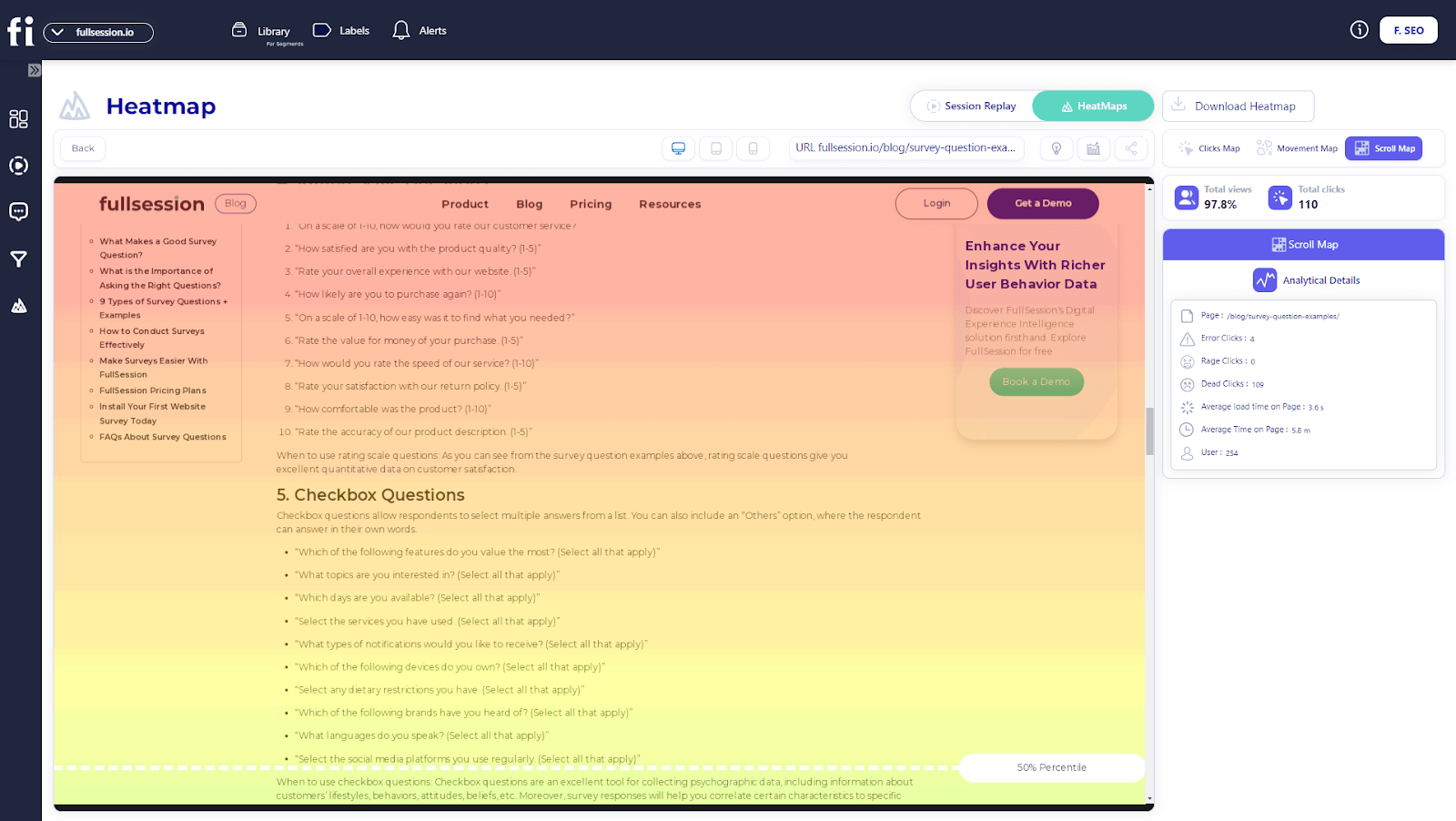
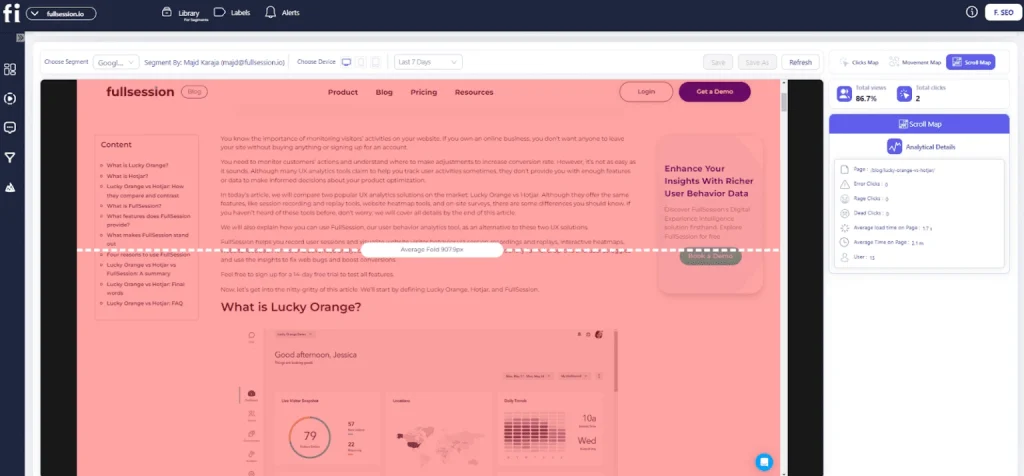
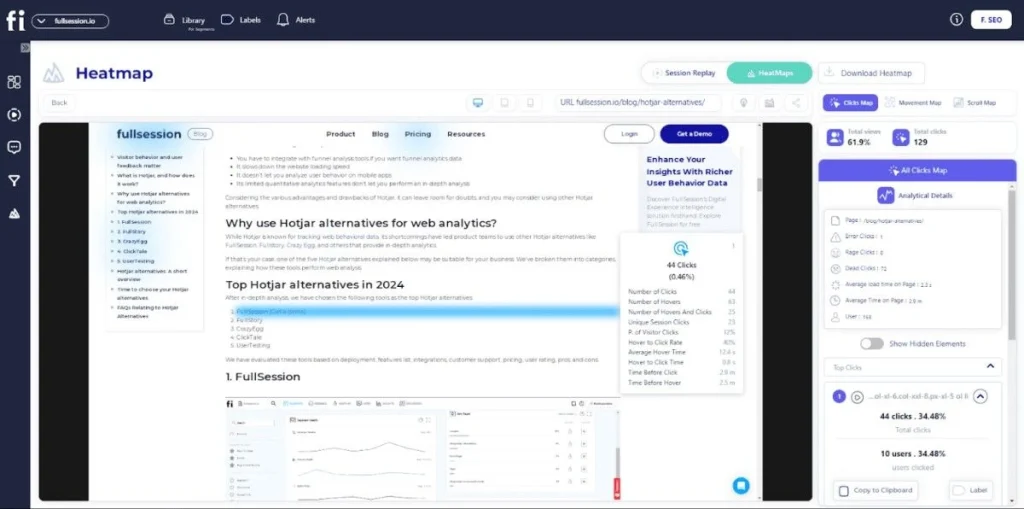
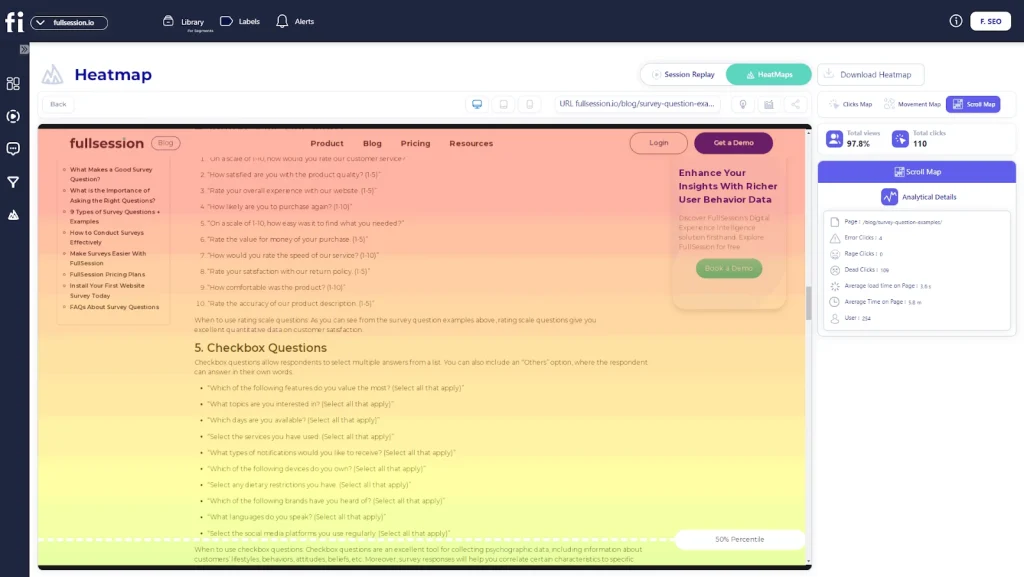
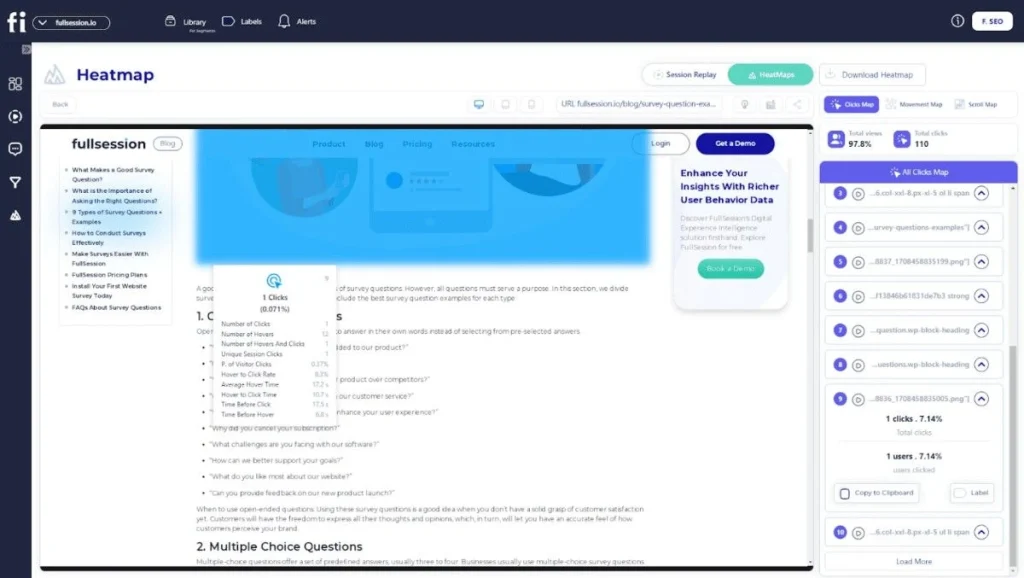
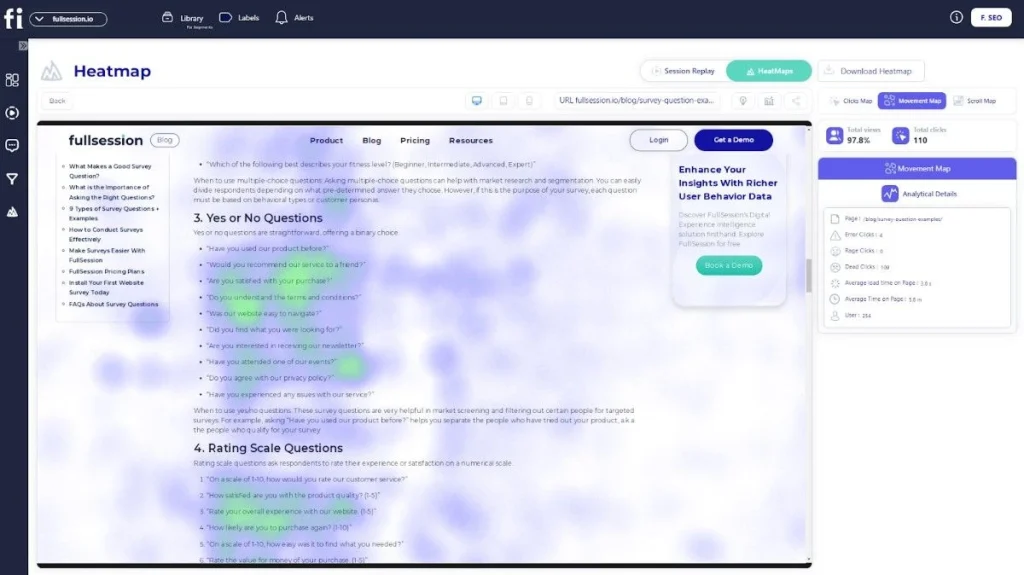
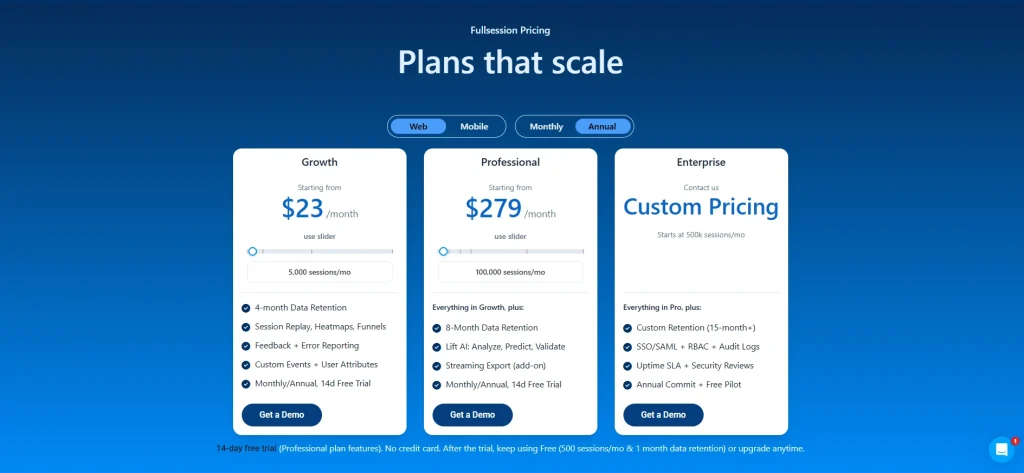

![Website Tracking: How to Do It + 5 Tools [Free & Paid]](https://www.fullsession.io/wp-content/uploads/2022/11/unnamed-7.jpg)