Product · MCP Server
FullSession MCP Server
Ask your AI assistant about your session data in plain language. It picks the right tool, queries FullSession, and answers, no dashboards required.

Three core tools: find sessions, inspect one session, analyze trends.
OAuth 2.1 login, no tokens or config files to paste.
Read-only, and scoped to exactly what you already see in FullSession.
A secure bridge that lets an AI agent query your FullSession data on your behalf, read-only.
What is the FullSession MCP Server?
An MCP server is a secure bridge that exposes a small, read-only set of tools an AI agent can call on your behalf. Instead of navigating dashboards, you ask your assistant a question in plain language; the agent chooses the right tool, queries your session data, and answers. Three core tools do the work, joined by two small helpers (whoami and list_sites) that orient the agent before it digs in.
The three core tools
From a single question to the session behind it
Each tool maps to a job an analyst would otherwise do by hand. Your assistant calls them in plain language, so anyone on the team can ask.
Find the right sessions
Search and filter recorded sessions by time, location, device, page, and duration, or by signs of friction like rage clicks, errors, and abandoned forms. Sort to surface what matters and jump straight to a replay.
Inspect a single session
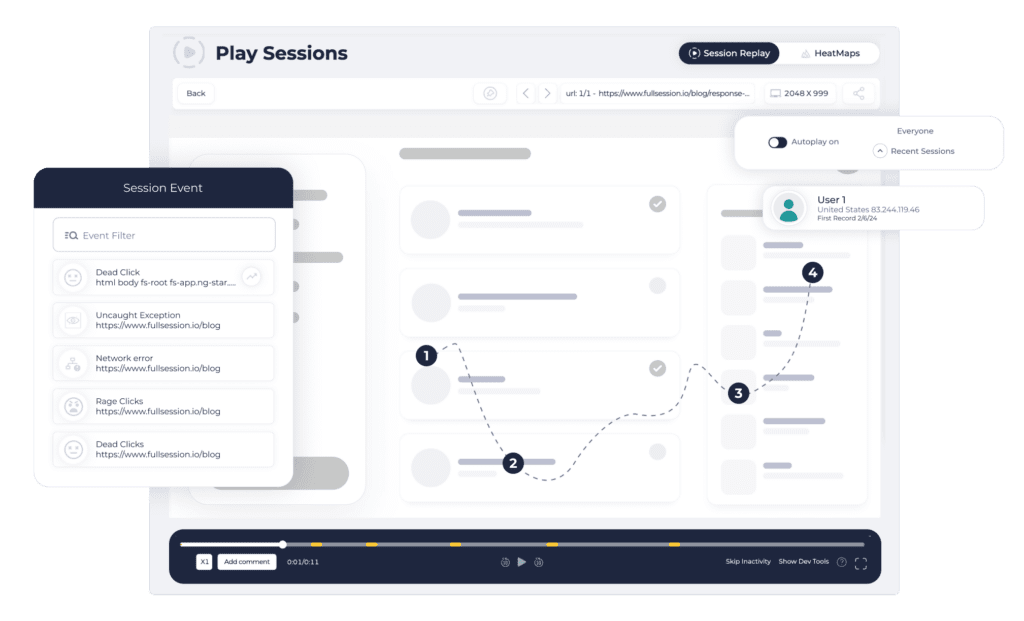
Open one visit in detail: a moment-by-moment timeline, the clicks and errors, the elements that caused confusion, idle time, abandoned forms, and any feedback the visitor left behind.
Analyze trends
Step back to see patterns across all sessions, grouped by country, city, device, browser, landing page, or referrer, measuring counts, duration, errors, or frustration, and comparing any period to the one before.
Two helpers, whoami and list_sites, let the agent confirm who it is and which sites it can reach before it queries anything.
How it fits together
Broad trends, the sessions behind them, the detail of one experience
The tools chain naturally. Your assistant moves from the big picture down to a single moment, all through plain conversation.
Start with the trend
Aggregate across sessions to see what is rising or breaking, grouped by city, device, page, or referrer, versus the period before.
→Find the sessions
Filter down to the exact sessions behind the trend, the frustrated, the errored, the abandoned, sorted worst-first.
→Inspect one experience
Open a single session’s timeline to see precisely what the visitor did, where they struggled, and what they said.
Why teams use it
Your session data, one question away
Skip the dashboard hunt
Ask in plain language instead of clicking through filters, funnels, and replays. The agent picks the right tool and returns the answer.
Anyone on the team can ask
Product, growth, support, and engineering get the same shared, plain-language path into session data, no query syntax to learn.
Safe by design
The whole surface is read-only and inherits your existing permissions, so it never edits, deletes, or reaches beyond what you can already see.
Security & privacy
Built read-only, scoped to you, privacy enforced at capture
How the connection works
Add a URL, sign in, done
FullSession runs a remote MCP server over streamable HTTP, secured with OAuth 2.1 and dynamic client registration. There are no config files to edit and no keys to paste, you add the server URL and your normal FullSession sign-in opens in the browser.
- ✓Short-lived access token (one hour, silently refreshed up to 30 days).
- ✓Inherits exactly the account, sites, and teams the signed-in user can see.
- ✓Every request re-checked against those permissions, the whole surface is read-only.
- ✓Verified live with Claude Desktop, Claude Code, and Cursor.
Your privacy rules carry through
Masking, exclusions, and consent are honored
The server reads the same recorded data the dashboard does, and your privacy rules are enforced at capture time in the visitor’s browser, before anything reaches FullSession. Masked inputs, excluded elements, and consent or opt-out decisions are applied there, so that content never reaches our servers or MCP.
No raw replay stream
The tools never expose the raw replay DOM or event stream, they return summarized metadata, signals, and timelines.
Caveat, identical to the rest of FullSession: identity values you deliberately send via identify() (email, username, custom fields) are stored as provided and will appear in results.
On the near horizon
A self-serve screen to view, rename, and revoke connected clients; finer-grained permission scopes per tool; and per-client rate limits.
Put your session data one question away
Start free and connect your MCP client in minutes, or get a guided walkthrough of how teams query sessions in plain language.
MCP Server FAQ
How the connection works, what it can reach, and how your privacy settings carry through.
Which MCP clients can connect today?
FullSession runs a remote MCP server over streamable HTTP, secured with OAuth 2.1 and dynamic client registration, so any MCP client supporting remote servers with browser login works. There are no config files to hand-edit and no keys to paste. It is verified live with Claude Desktop, Claude Code, and Cursor. ChatGPT Desktop is not supported today, as its connector model differs. You connect by adding the server URL; the client handles the rest.
How do authentication and scoping work?
There are no tokens to copy or manage. You add the FullSession MCP URL to your client, it registers itself automatically, and your normal FullSession sign-in opens in the browser. After you log in, the client receives a short-lived access token (one hour, silently refreshed for up to 30 days). The token inherits exactly the access the signed-in user already has, their account and the specific sites and teams they are permitted to see. Every request is re-checked against those permissions, and the entire surface is read-only.
Is it gated by plan?
There is no plan gate at the moment. Any authenticated FullSession user whose login is linked to a customer account can connect, and access mirrors what that user can already see in the product. It is not restricted to a specific tier, sold as a separate add-on, or hidden behind a request or beta flag. This is current behavior; how MCP is ultimately packaged may change.
Does it honor my privacy settings, masking, exclusions, consent?
Yes. The MCP server reads the same recorded data the dashboard does, and your privacy rules are enforced at capture time by the recorder, in the visitor’s browser, before anything reaches FullSession. Masked inputs, excluded elements, and consent or opt-out decisions are applied there, so that content never reaches our servers and therefore cannot reach MCP either. The tools also never expose the raw replay DOM or event stream, they return summarized metadata, signals, and timelines. One caveat: identity values you deliberately send via identify() (email, username, custom fields) are stored as provided and will appear in results.
What exactly does aggregate_sessions reach?
It is sessions-only. It groups your sessions by dimensions such as country, city, device, browser, OS, landing page, or referrer, and measures session counts, average duration, frustration signals like rage clicks, and errors, both JavaScript and network, including how many sessions had at least one error, with period-over-period comparison. It does not query funnels, heatmap data, or feedback. Across the whole MCP surface, funnels, heatmaps, and feedback are never aggregated; individual feedback appears only as an opt-in section of a single session in get_session.
What is coming next?
On the near horizon: a self-serve screen to view, rename, and revoke connected MCP clients; finer-grained permission scopes per tool; and per-client rate limits. Out of scope by design: the server stays read-only, it never edits, deletes, or triggers anything, and it is focused on sessions, so funnels, heatmaps, and feedback are not exposed as their own tools.