If you’re comparing VWO competitors, you’ve probably already read three listicles that didn’t help you decide anything. They list features, link out for pricing, and leave you back where you started.
Choosing the wrong testing tool leads to weak experiments, unclear results, and decisions based on incomplete analytics data. Teams call tests too early, miss the behavioral context behind the numbers, or stitch multiple tools together without knowing whether the combination fits the team’s workflow.
This article covers 7 VWO alternatives in depth: FullSession, PostHog, Optimizely, AB Tasty, Crazy Egg, Hotjar, and Statsig. Each entry includes what the tool does, who it’s built for, the features that matter, and actual starting prices.
By the end, you’ll know which popular tools fit your team and what to ask in a demo.
Key Takeaways
Every tool on this list solves a real problem. The question is whether it solves yours.
- FullSession is a great tool if you need session replay, heatmaps, funnel analysis, error tracking, in-app feedback, and AI-prioritized friction scoring in one platform with no feature gates.
- PostHog suits engineering teams that want open-source product analytics, feature flags, and A/B testing on a self-hostable platform with SQL access.
- Optimizely fits enterprise teams running multi-channel experimentation programs across web, app, and e-commerce simultaneously, where governance and scale matter more than price.
- AB Tasty works best for mid-market teams in retail and entertainment that need web experimentation and AI-driven personalization in one platform, especially after its January 2026 merger with VWO.
- Crazy Egg is a strong entry point for marketing-led SMBs that want heatmaps and A/B testing without engineering support, at a price that doesn’t require budget approval.
- Hotjar is the right fit for UX researchers and designers who prioritize qualitative insights, surveys, and feedback widgets over running A/B tests directly.
- Statsig is built for engineering teams running high-volume experimentation, where statistical rigor, feature flags, and warehouse-native deployment are non-negotiable.
FullSession connects behavioral data to revenue impact with Lift AI. The platform helps teams prioritize the friction points most likely to affect conversions. It combines session replay, heatmaps, funnels, feedback, error tracking, and AI prioritization in one plan with transparent pricing and a simple setup.
Ready to see how it works? Book a demo, and we’ll show you how Lift AI scores real friction points in under 20 minutes.
How We Picked These VWO Competitors
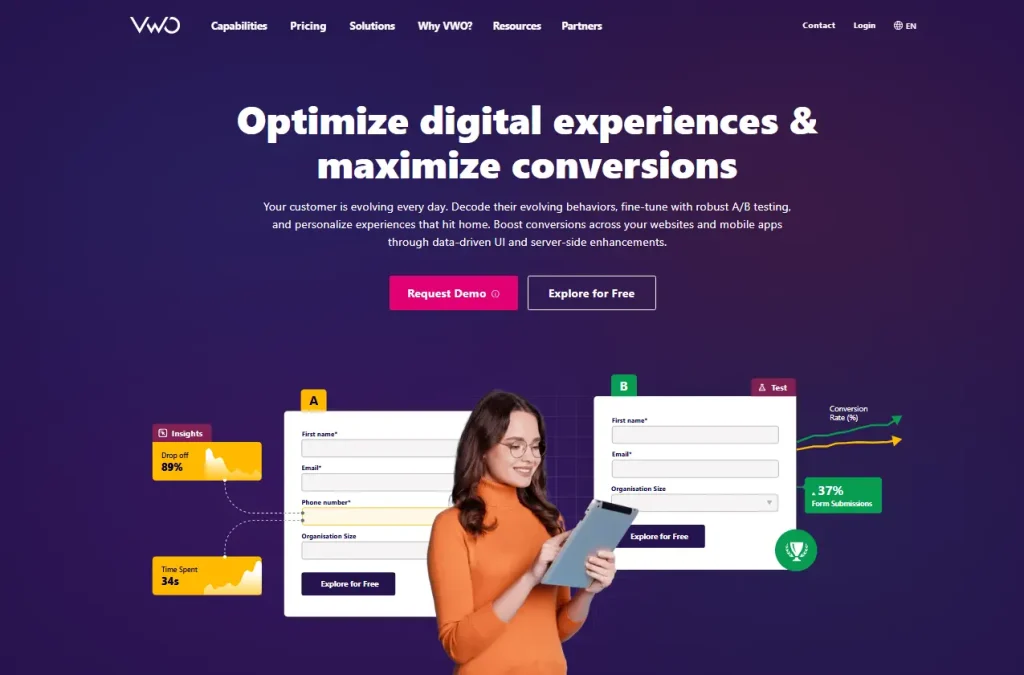
The A/B testing and optimization tools market was valued at $1.5 billion in 2025 and is projected to reach $4.82 billion by 2036, growing at an 11.2% CAGR (Future Market Insights). Plenty of tools want a slice. We narrowed the field using criteria that actually predict whether a tool will work for your team.
Here’s what we looked at:
- A/B testing and experimentation depth. Does the tool support standard A/B tests, multivariate testing, and split URL testing? Does it report statistical significance clearly so marketers can call results with confidence?
- Ease of use for non technical users. Can a marketer set up no code experiments without engineering help, or does every test require a developer?
- Behavioral analytics. Does the tool include session recordings, heatmaps, and funnel analysis natively, or do you need third party tools for that?
- Pricing transparency. Are plans and limits visible on the website, or do you have to contact sales to get a number?
- Free tier or trial availability. Can you test the tool with real website visitors before committing?
- Integrations. Does it connect natively to Google Analytics and other web analytics platforms, your ad platforms, CRM, and existing marketing stack?
- Reporting and visual insights. Are the results easy to read and share with stakeholders who aren’t running the tests?
- G2 rating and real user reviews. What do verified users say about reliability, the support team, and day-to-day usability?
We reviewed each tool against its official website as the primary source, not secondhand summaries.
Best VWO Alternatives at a Glance
The table below shows all 7 tools at a glance. G2 ratings and pricing are current as of May 2026. Use it to shortlist, then read the full entries below for more details.
| Tool | G2 Rating | Best For | Top Feature | Starting Price |
| FullSession | 5.0 | E-commerce, growth, and product teams | Lift AI with session replay | Free trial; paid from $23/mo (billed annually) |
| PostHog | 4.5 | Engineering-led product teams | Open-source product analytics | Free, then usage-based |
| Optimizely | 4.2 | Enterprise marketing teams | Web Experimentation | Custom pricing |
| AB Tasty | 4.4 | Mid-market retail teams | Personalization Engine | Custom pricing |
| Crazy Egg | 4.2 | Marketing-led SMBs | Heatmaps with A/B testing | $29/month |
| Hotjar | 4.3 | UX researchers and designers | Feedback widgets | Free, then $49/month |
| Statsig | 4.7 | Engineering and product teams | Warehouse-native experimentation | Free, then usage-based |
7 Best VWO Competitors in 2026
Each tool below covers a different slice of the CRO and behavioral analytics market. Some focus on experimentation depth, others on qualitative insights, and a few try to do both.
Read each entry against your team’s actual workflow, not just its feature list. The right fit rarely matches the longest list of capabilities.
FullSession
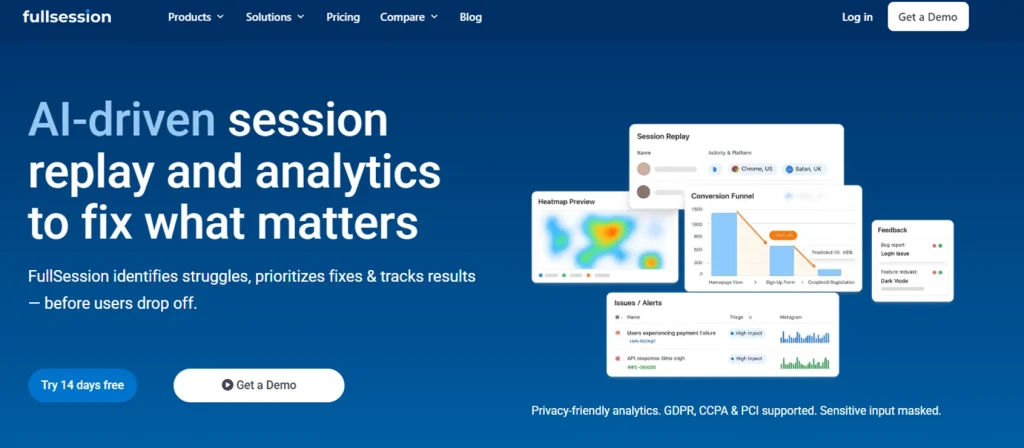
FullSession is a UX analytics and behavioral intelligence platform. It combines session replay, interactive heatmaps, funnel analysis, in-page feedback, error tracking, and Lift AI in one platform, giving teams deeper insights into real user journeys from day one.
There are no surprise feature splits on the current plans. You don’t pay extra to access heatmaps after using session replays, and you don’t lose funnel analysis if you downgrade.
FullSession is built with privacy in mind, including data masking, consent controls, and GDPR, CCPA, and PCI compliance.
Best for
Growth teams, product managers, digital marketers, and ecommerce teams that need to understand why users drop off, hesitate, or fail to convert.
FullSession is useful when GA shows what happened, but your team needs session replays, heatmaps, funnels, and feedback to understand the behavior behind the numbers without separate workflows for technical and non technical users.
Key features
- Session replay: Watch real user sessions on web and mobile, with rage-click and dead-click detection built in.
- Interactive heatmaps: Use click maps to see where users click most, plus move maps and scroll maps across device types, with filters by traffic source.
- Funnel analysis: Build multi-step funnels and jump straight from a drop-off to the replay to see what caused it.
- In-app feedback: Create targeted micro-surveys triggered by behavior, not just page views.
- Error and alerts: Capture JavaScript errors and rage clicks, then route alerts to Slack or email.
- Lift AI: Rank pain points by expected revenue impact, and fix what costs the most first.
- Mobile session replay: Get the full replay on iOS and Android with the same toolset as web.
Pricing
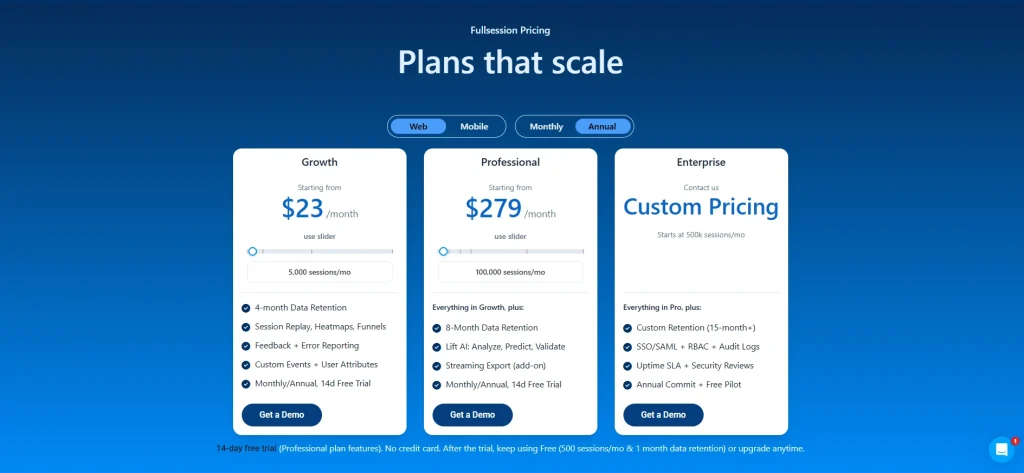
FullSession offers a 14-day free trial with Professional plan features and no credit card required. This lets teams test the platform’s core capabilities before choosing a paid plan.
After the trial, users can keep using the Free plan with 500 sessions/month and 1-month data retention, or upgrade anytime. Teams get a low-risk way to continue collecting behavioral data before moving to a higher-capacity plan.
The Growth plan starts at $23/month billed annually and includes 5,000 sessions/month, 4-month data retention, session replay, heatmaps, funnels, feedback, error reporting, custom events, and user attributes.
This plan suits teams that need a broader view of user behavior, conversion issues, and product friction in one platform.
See full pricing tiers on the FullSession pricing page.
Want to see how FullSession works? Book a demo, and we’ll walk you through session replay, heatmaps, funnel analysis, and Lift AI so you can understand how the platform helps teams find and prioritize user friction.
PostHog
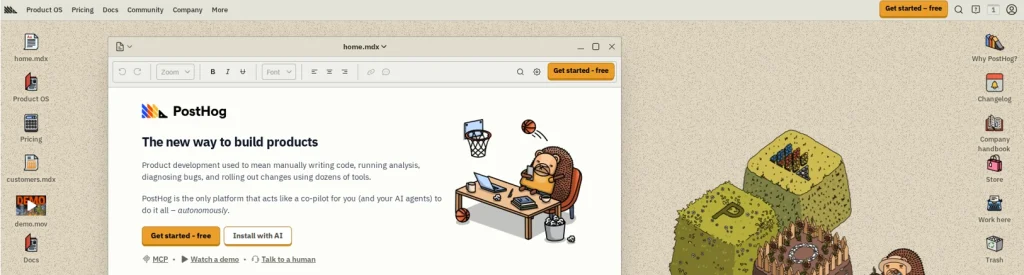
PostHog is an open-source product analytics and experimentation suite. The platform is developer-first and self-hostable, which sets it apart from most tools on this list.
Engineering teams that want SQL access to their event data, full source code visibility, and the option to run on their own infrastructure tend to land here first. The flexibility comes at a cost: you’ll need the technical expertise to get the most out of it.
Learn more about PostHog alternatives.
Best for
Engineering-led product teams at startups and scaleups who want one platform for A/B testing, feature flags, product analytics, and session replay in the same project. If your stack already includes a data warehouse and your PMs write SQL, PostHog fits naturally.
The catch is that the self-hosted option only pays off if you actually have spare engineering hours to maintain it. Cloud-hosted PostHog removes that overhead but moves you back into a managed-service pricing model.
Key features
- A/B testing: Multi-variant experiments with statistical significance reporting.
- Feature flags: Targeted rollouts that let you safely roll new features to a subset of users, plus kill switches and progressive delivery.
- Product analytics: Funnels, retention, paths, and cohorts with SQL access.
- Session replay: Replays tied to user identities and events.
- Surveys: In-app surveys triggered by feature flags or events.
- Autocapture: Track clicks and pageviews without writing tracking code for every event.
Pricing
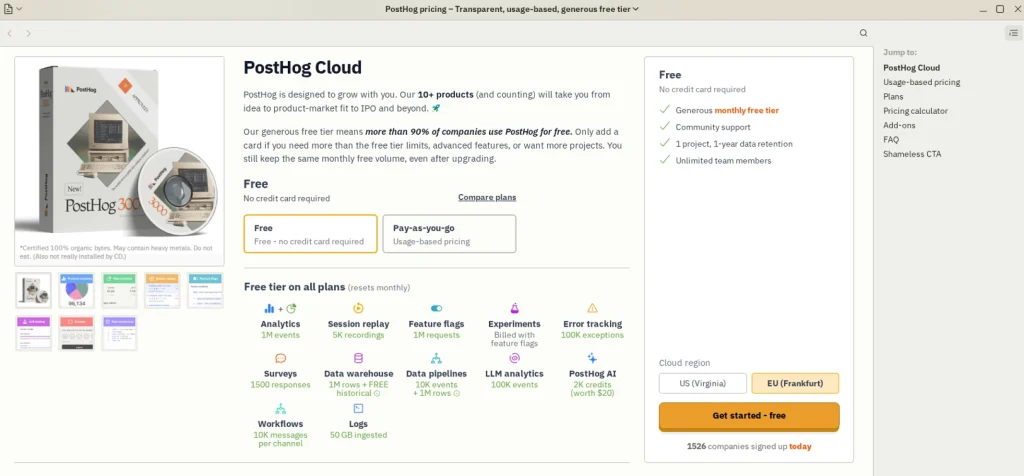
PostHog offers a generous free tier covering 1 million analytics events per month, 5K session recordings, 1 million feature flag requests, and other monthly free limits.
Small teams get a way to run tests and use core product analytics features without paying upfront.
Paid usage scales with event volume, recording volume, feature flag requests, and other product usage. PostHog publishes pricing on the site with free and pay-as-you-go options, so you can estimate your costs without a sales call.
Optimizely
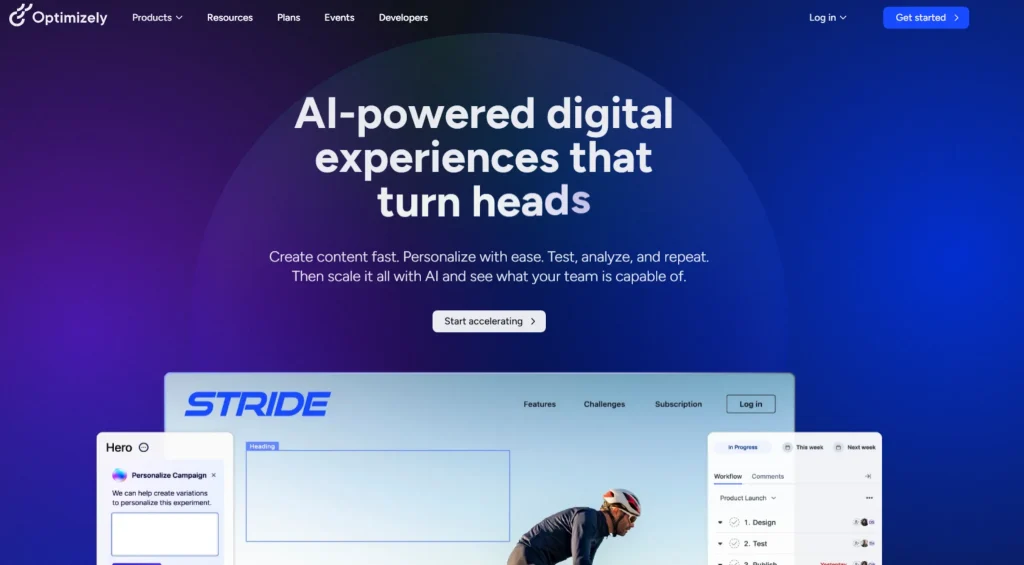
Optimizely is an enterprise digital experience platform covering web experimentation, feature experimentation, content management, and e-commerce optimization. It’s a full content-to-commerce suite, not just a testing tool.
The acquisition history (including Welcome and Zaius) reflects this expansion.
Best for
Enterprise marketing and frontend teams at large enterprises in retail, media, or B2C running complex multi-channel experimentation programs.
If you’re shipping experiments across web, app, and ecommerce simultaneously, running multi page tests in parallel, and need governance to match, Optimizely is built for that scale.
For smaller teams, that same depth becomes expensive overhead they rarely use.
Key features
- Web experimentation: Visual editor for A/B and multivariate testing without code.
- Feature experimentation: Server-side feature flags and rollouts.
- Project management: Workflows, approvals, and stakeholder views for experiment programs.
- Content management system: Headless and traditional CMS modes.
- E-commerce optimization: Personalization tied to product catalogs and cart behavior.
Pricing
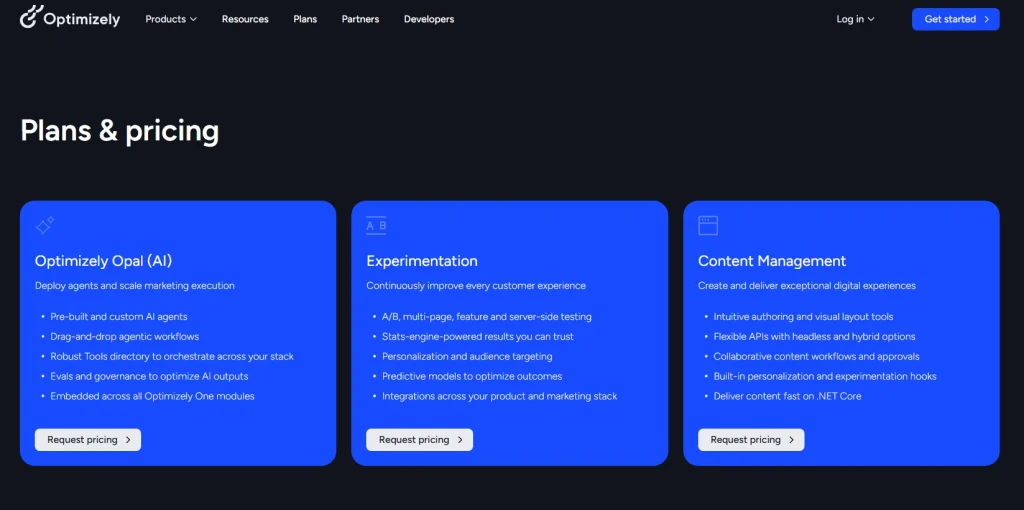
Optimizely doesn’t publish pricing on its website. You’ll need to book a sales call for a quote.
The exact price depends on traffic and feature scope and should be confirmed with Optimizely directly.
AB Tasty
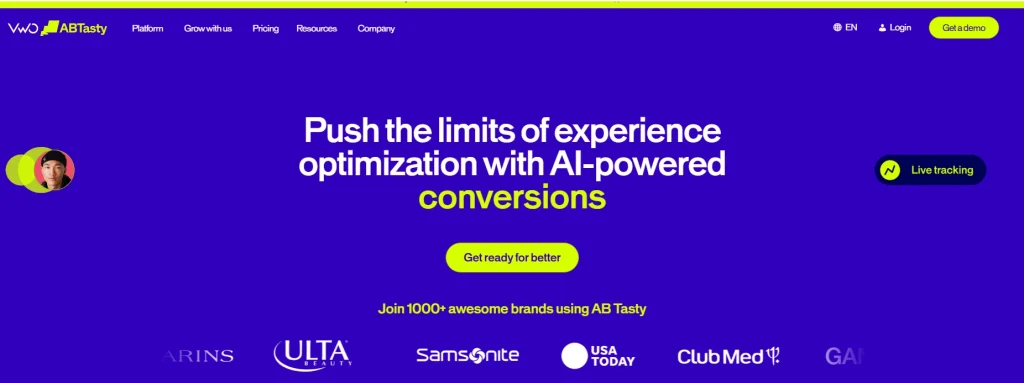
AB Tasty is an omnichannel experimentation and personalization platform. The product combines A/B testing with AI-powered product recommendations and features designed to support e-commerce personalization and product discovery.
In January 2026, AB Tasty and VWO agreed to merge under Everstone Capital, the existing majority shareholder of Wingify (VWO’s parent). Worth knowing if you’re evaluating both side by side, since the two product lines are expected to consolidate over time.
Best for
Marketing teams at mid-market to large retail and entertainment companies who need web experimentation plus personalization in one platform. If your conversion lift depends on tailoring product recommendations and not just headline tests, AB Tasty leans into that use case.
Fashion and beauty retailers running personalized merchandising for repeat visitors get the most out of it. A pure B2B SaaS team running three landing page tests a quarter will leave most of the platform unused.
Key features
- A/B and multivariate testing: Run concurrent variant tests across pages and elements.
- Visual editor: Build experiments without code for marketing-led teams.
- Personalization engine: Rule-based and AI-driven audience targeting.
- AI-powered recommendations: Product recommendations tuned to user behavior.
- Feature flags: Server-side flags for technical teams.
Pricing
AB Tasty doesn’t publish pricing publicly. You’ll need a sales call for a quote, and the platform positions itself as a mid-to-enterprise tool. Setup and onboarding may require more planning than lighter self-serve tools, so factor implementation time and support needs into the evaluation.
Crazy Egg
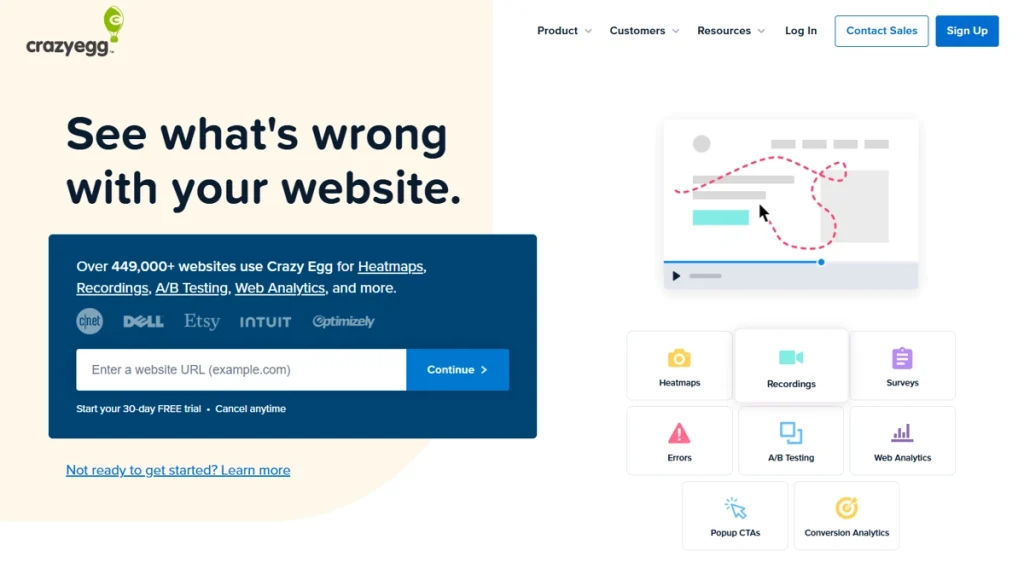
Crazy Egg is a website optimization and A/B testing tool offering heatmaps, session recordings, traffic analysis, and error tracking. It’s one of the longest-standing CRO tools on the market, designed for teams that want practical CRO insights without a complex technical setup.
- Learn more about Crazy Egg competitors
- See Hotjar vs Crazy Egg comparison
Best for
Marketing-led teams at small to mid-market businesses who want A/B testing and heatmap analysis without engineering support. If you’re the only person on your team who’ll use this tool and you’re not a developer, Crazy Egg offers a simple, marketer-friendly interface.
Key features
- Heatmaps: Click, scroll, and movement heatmaps across devices.
- Session recordings: Replays with basic filtering by behavior.
- A/B testing: Visual editor with split tests and goal tracking.
- Traffic analysis: Source and referrer breakdowns tied to behavior.
- Error tracking: Identify pages where users hit errors or bounce.
- Surveys: Lightweight on-page feedback collection.
Pricing
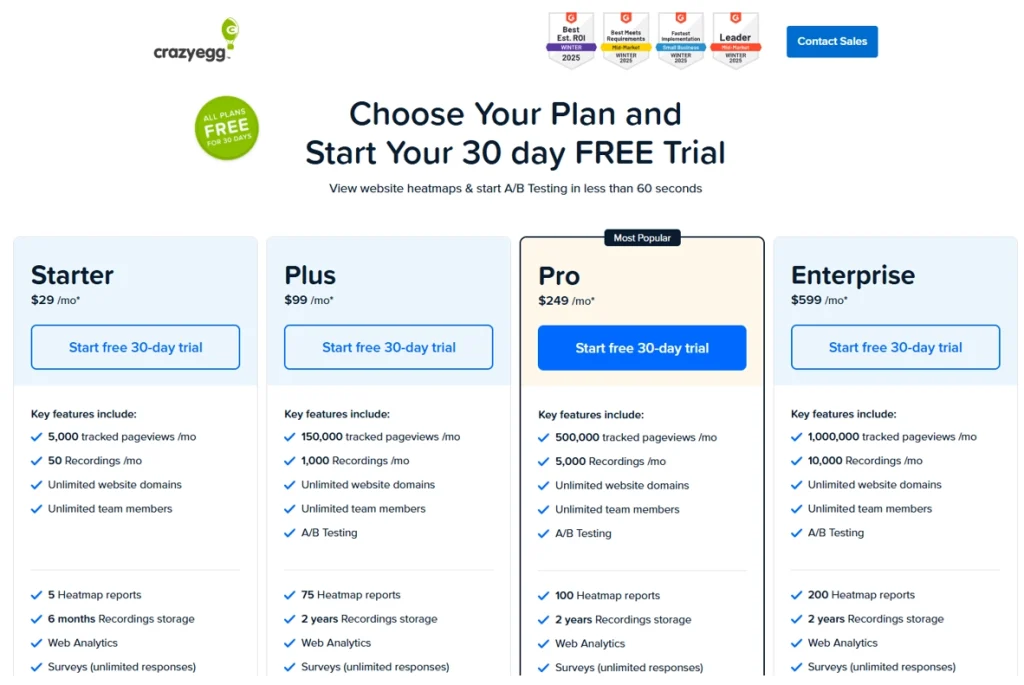
Plans start at $29/month billed annually, with a 30-day free trial available across plans. Crazy Egg publishes pricing on the site and uses a page-views model rather than an MTU model, which can be more predictable for sites with steady traffic.
Hotjar
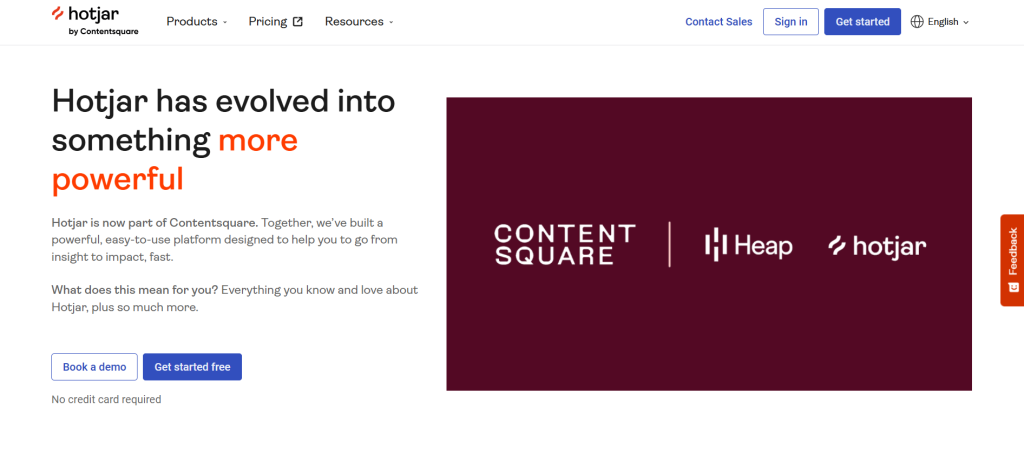
Hotjar is a behavioral analytics platform combining session recordings, heatmaps, and user feedback tools. The product leans heavily into qualitative feedback and surveys, with built in analytics for tracking page-level engagement.
Hotjar is now part of Contentsquare, and several recent product launches have leaned toward enterprise features. Whether that becomes a structural shift depends on Contentsquare’s broader roadmap.
- Learn more about Hotjar alternative
- Check out our detailed Hotjar review
- Find out whether Hotjar slows down your site
Best for
UX researchers, product designers, and marketing teams at small to mid-market companies who prioritize qualitative insights alongside quantitative analytics. If your team relies on user feedback widgets and post-session surveys as core inputs, Hotjar is a natural fit for that workflow.
Research teams often pair it with a separate experimentation tool because Hotjar itself doesn’t run A/B tests, although it’s a strong way to gather feedback from real users. That’s fine if you’ve already settled on a testing platform.
It’s friction if you’re looking for one platform to manage both user insights and experimentation.
Key features
- Session recordings: Filter by behavior, geography, or device.
- Heatmaps: Click, scroll, and move heatmaps with comparison views.
- Feedback widgets: On-page feedback prompts and rating widgets.
- Surveys: Triggered surveys with conditional logic.
- Funnel analysis: Drop-off identification across multi-step flows.
Pricing
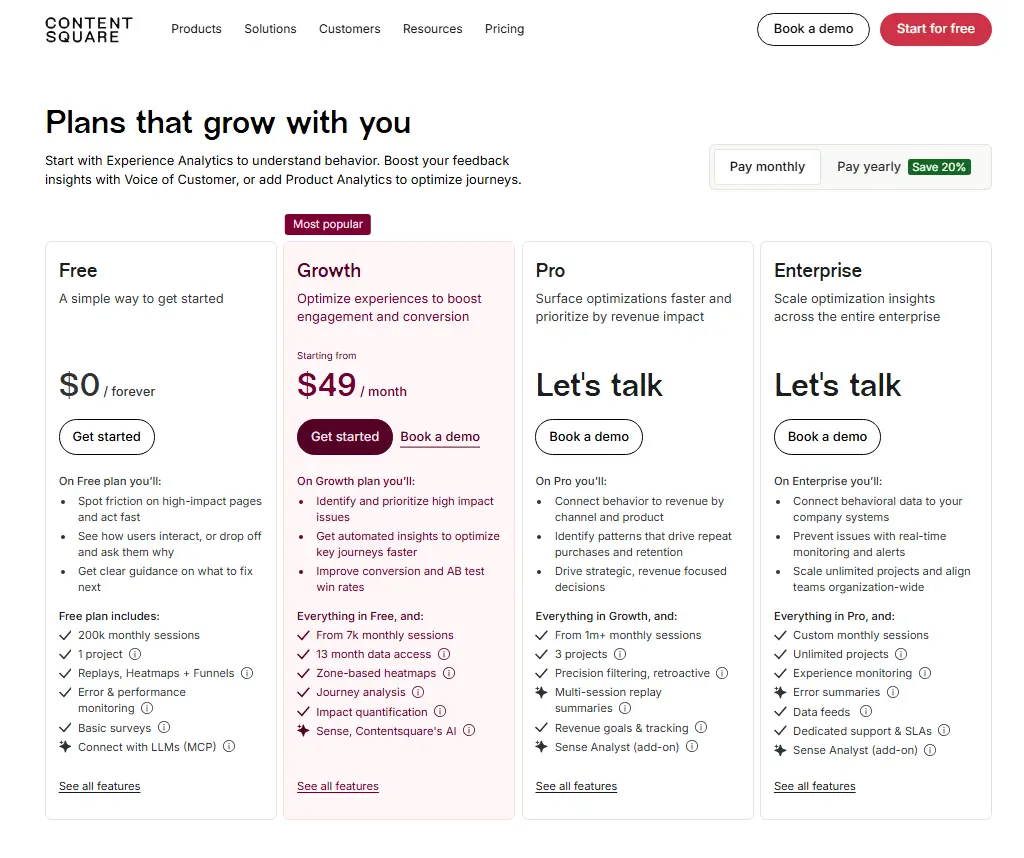
Hotjar’s free plan includes 200k monthly sessions, 1 project, replays, heatmaps, funnels, basic surveys, and error and performance monitoring.
Paid plans start at $49/month for the Growth plan, with Pro and Enterprise pricing available through a demo or sales conversation.
Hotjar pricing now appears on Contentsquare’s website, with monthly and yearly billing options listed for self-serve plans.
Statsig
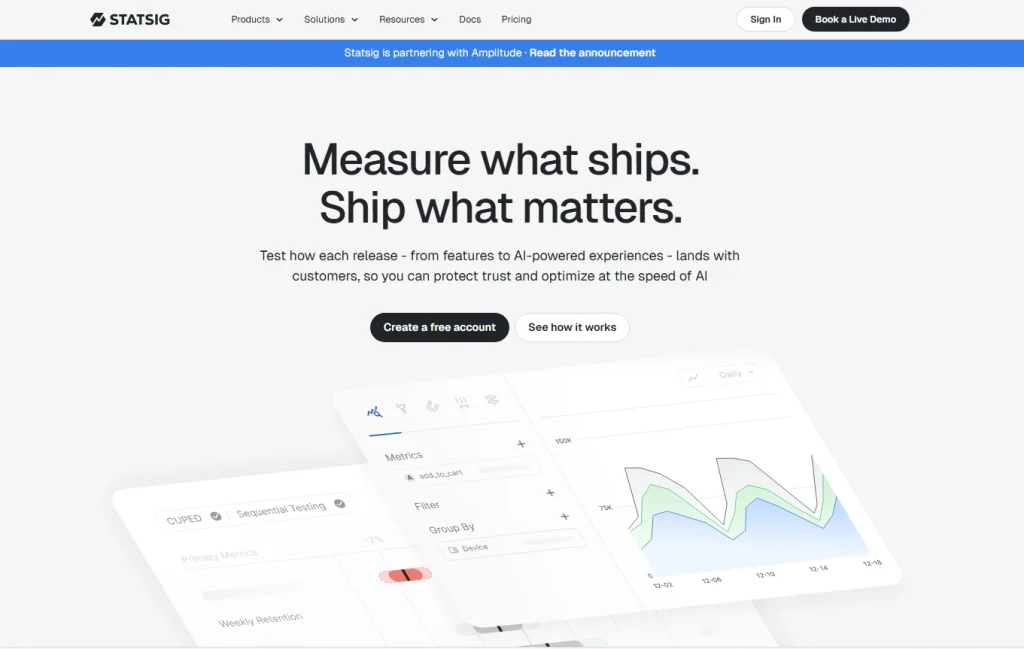
Statsig is an experimentation and feature management platform. It connects with a company’s existing data warehouse, and Statsig has publicly described infrastructure built to stream more than 1 trillion events per day.
That scale shows up in how Statsig handles statistical rigor and sequential testing across heavy traffic, including spikes driven by organic visitors and paid campaigns.
Best for
Engineering and product teams at growth-stage and enterprise companies who need statistically rigorous A/B testing, feature flags, and product analytics integrated with their warehouse data. If your team cares about avoiding peeking bias and your data already lives in Snowflake or BigQuery, Statsig fits naturally.
Teams running fewer than five experiments a month rarely justify the setup cost. The platform shines when you’re shipping dozens of concurrent tests and need guardrails to keep them honest.
Key features
- A/B experimentation: Sequential testing, CUPED variance reduction, and guardrail metrics.
- Feature flags: Targeted rollouts with kill switches and dynamic configurations.
- Product analytics: Funnels, retention, and custom dashboards.
- Session replay: Replays tied to experiment exposures.
- Sequential testing: Reliable early-stopping without inflating false-positive rates.
- Warehouse-native deployment: Run experiments on data already in your warehouse.
Pricing
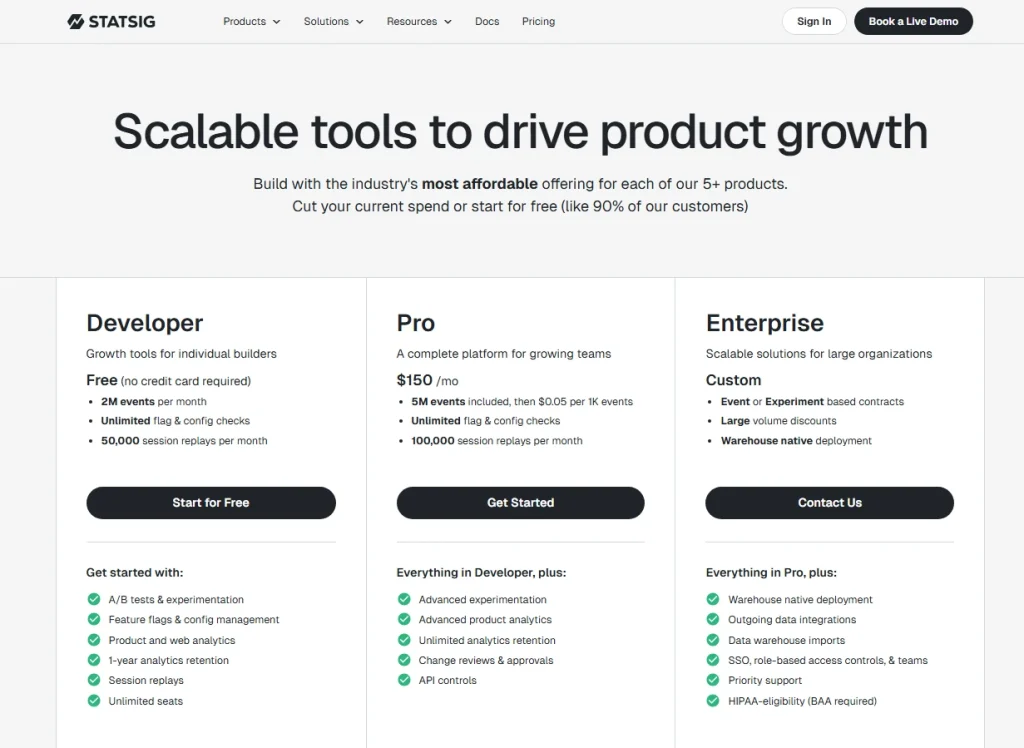
Statsig offers a free Developer plan with 2M events per month, unlimited flag and configuration checks, and 50,000 session replays per month.
The Pro plan starts at $150/month and includes 5M events, then $0.05 per 1K events, unlimited flag and config checks, and 100,000 session replays per month.
Enterprise pricing is custom for larger teams, event or experiment-based contracts, and warehouse-native deployment.
How to Choose Between These VWO Competitors
The right VWO alternative depends on what your team actually does with data, not what features fit on a pricing page.
Lean teams that combine third party tools for analytics, replay, and feedback create a fragmented workflow. The split makes it harder to connect user behavior with clear next steps.
Use the table below to match each variable to your team’s situation before you shortlist.
| Decision variable | What to consider |
| Team technical level | Developer-first tools like PostHog and Statsig assume engineering involvement. Marketing-led tools like Crazy Egg, Hotjar, and FullSession work without it. |
| Qualitative vs. quantitative weighting | Need to know why users act? Prioritize session replay and feedback. Need to know what moves a metric? Prioritize experimentation depth. |
| Pricing model | MTU (monthly tested users) caps drain unpredictably as you scale. Session-based and event-based models are easier to forecast. |
| Session replay depth | Not all replays are equal. Check rage-click detection, mobile support, and filtering options before you commit. |
| A/B testing vs. feature flags | A/B testing improves the page. Feature flags ship the product. Your primary use case shapes the pick. |
| Integration requirements | Google Analytics, Google Ads, your CRM, your warehouse. If a tool can’t connect to your stack natively, the friction adds up. |
For a wider lens on the field, our guide to choosing a UX analytics tool walks through the same trade-offs in more detail. The shortlist that ticks all the boxes for one team rarely matches another’s.
Why Choose FullSession
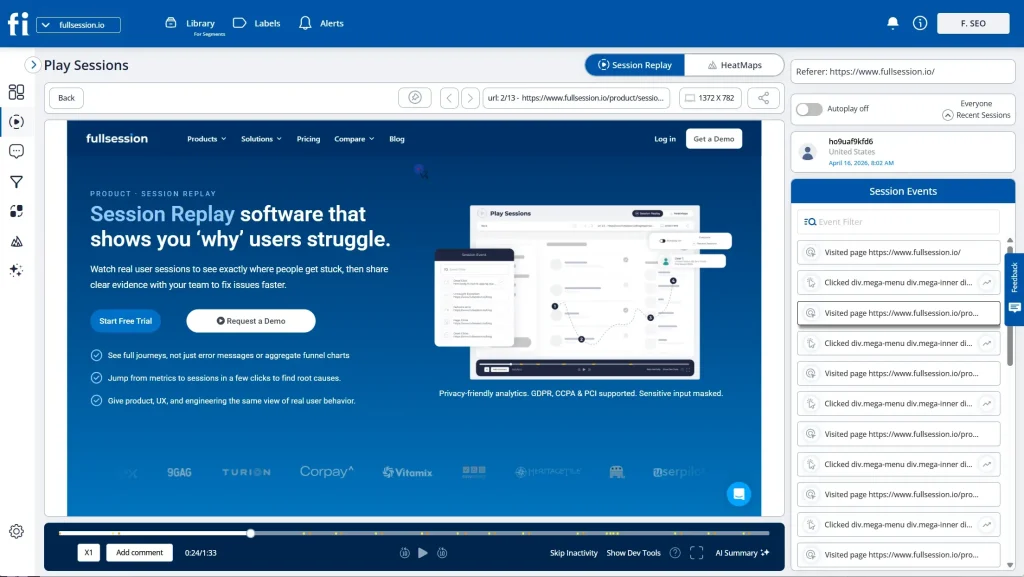
VWO focuses on experimentation. FullSession focuses on the behavior behind the experiments. The platform connects behavioral data to revenue impact through a dedicated AI feature, Lift AI. It ranks pain points by expected business outcome, so your team fixes what costs you the most first.
That’s a different starting question than “what should we test?”
Want to replace VWO without losing ground? FullSession covers the same territory and adds behavioral context on top. You can run experiments, track feature rollouts, and review session replays from one dashboard, without stitching separate tools together.
Most teams comparing VWO alternatives end up paying for three or four separate products: one for replay, one for heatmaps, one for funnels, and one for feedback. FullSession handles it all in one subscription.
VWO is strong at experimentation. FullSession is strong at showing you why users behave the way they do before you run a single test. Used together, they cover both sides. Used separately, FullSession works as a direct replacement if behavioral insight is your priority.
Every specific feature on the current Growth and above plans is available from day one. No hidden fees, no upgrade gates between you and the data you need.
Here’s what you get on every plan:
- All features available on current Growth and above plans. Session replay, heatmaps, funnels, feedback, error tracking, and Lift AI are not split across tiers.
- Transparent pricing starting at $23/month billed annually. No sales call required to see what you’ll pay.
- GDPR, CCPA, and PCI compliant by default, with data masking and consent controls.
- Set up in minutes, not days. Install the snippet, verify data, and watch your first replay the same afternoon.
- A user friendly interface for everyone on your team. Product managers, marketers, engineers, and the support team don’t need training to use our platform.
Want to see how Lift AI scores actual friction points? Book a demo, and we’ll set up a 30-minute walkthrough.
Your Setup Checklist for the First 30 Days
Use this list once you’ve picked a tool and you’re ready to set it up.
- Define your primary conversion goal before setup.
- Install the tracking snippet and verify data is flowing.
- Set up your first funnel to identify the biggest drop-off.
- Enable session replay filtering by traffic source.
- Create a baseline heatmap on your highest-traffic landing page.
- Connect your tool to Google Analytics or your existing web analytics stack.
- Set up error alerts for rage clicks and JavaScript errors.
- Define the metric you’ll use to declare A/B test significance.
- Schedule a 30-day review to assess data quality.
Eight Questions to Ask Every Vendor Before You Sign
Shortlisted two or three tools? Ask each vendor these questions before you sign anything.
- How does pricing scale as our session volume or event count grows?
- Are all features available on the entry-level plan, or are key features locked to higher tiers?
- How do you handle statistical significance, and can we use sequential testing?
- What’s the typical time from signup to first insight?
- Do you support single-page application (SPA) sites?
- Do you integrate with Google Analytics, Google Ads, and our CRM?
- How do you handle GDPR and CCPA compliance?
- What does your onboarding and support process look like for a team our size?
Got your shortlist? Book a demo with FullSession and bring these questions. We answer them all upfront, no slides.
Conclusion About VWO Competitors
There’s no universal answer to which VWO competitor is right for you. The choice depends on your team’s technical level, your data needs, and your budget model.
Engineering teams gravitate toward PostHog and Statsig. Marketing-led teams favor Crazy Egg and Hotjar. Enterprise teams lean on Optimizely and AB Tasty.
If you need behavioral analytics, session replay, and conversion intelligence in one place with transparent pricing and no feature splits, FullSession is built for that.
Start a free trial and capture your first 500 sessions on us.
FAQs About VWO Competitors
Are Wingify and VWO the same?
Wingify is the company that built VWO. VWO (Visual Website Optimizer) is the product.
Wingify launched VWO in 2010 and has expanded the product family since, but the names often get used interchangeably in marketing materials. When people compare “VWO alternatives,” they’re comparing alternatives to the Wingify-built product, not the company itself.
Is VWO a good tool?
VWO is a capable A/B testing and experimentation platform with a long track record, a strong visual editor, and a solid feature set for mid market teams. It works well if you want a dedicated CRO tool with mature testing capabilities.
Teams looking for deeper behavioral analytics, transparent pricing, or one platform that combines replay and testing often evaluate VWO alternatives like FullSession.
What is the difference between VWO and GrowthBook?
VWO is a commercial, all-in-one CRO platform with a visual editor and managed infrastructure. GrowthBook is open-source, developer-first, and integrates directly with your data warehouse.
VWO suits marketing-led teams that want a polished interface. GrowthBook suits engineering teams that want full code visibility and warehouse-native experimentation without a per-seat fee.
Is VWO a SaaS company?
Yes. Wingify, the company behind VWO, runs VWO as a software-as-a-service product.
Customers subscribe to monthly or annual plans, access the platform through a browser, and don’t host any infrastructure themselves. Wingify is headquartered in India and serves customers globally, including SaaS, ecommerce, travel, and media brands across North America and Europe.
Should you try VWO before picking an alternative?
Yes, if you have the time. A short trial on a representative landing page tells you more than any feature matrix.
Run a basic A/B test against a small percentage of traffic, then pick two VWO alternatives from this guide and run the same test on each. The tool that produces clear, fast, and trustworthy results without burning a week of engineering hours is the one to shortlist.

Roman Mohren is CEO of FullSession, a privacy-first UX analytics platform offering session replay, interactive heatmaps, conversion funnels, error insights, and in-app feedback. He directly leads Product, Sales, and Customer Success, owning the full customer journey from first touch to long-term outcomes. With 25+ years in B2B SaaS, spanning venture- and PE-backed startups, public software companies, and his own ventures, Roman has built and scaled revenue teams, designed go-to-market systems, and led organizations through every growth stage from first dollar to eight-figure ARR. He writes from hands-on operator experience about UX diagnosis, conversion optimization, user onboarding, and turning behavioral data into measurable business impact.