Category: UX\UI Research

  • UserZoom vs UserTesting: Which Website Testing Tool to Choose?

    UserZoom vs UserTesting: Which Website Testing Tool to Choose?

    The hardest part of creating a website is making it user-friendly and including relevant content that resonates with your customers’ needs. Statistics show that 88% of online consumers won’t return to a website after only one bad experience.

    Web analytics tools can help you better understand user behavior when browsing your website and provide actionable insights you can use to improve your product’s performance. Two popular user testing tools are UserZoom and UserTesting.

    UserZoom gathers in-depth user feedback through surveys, usability testing, and interviews. However, setting up and analyzing is complex and time-consuming. UserTesting provides real-time user feedback via video recordings but can be costly for small businesses.

    In this article, we’ll explore the key features, strengths, and limitations of these two tools to help you understand which one might best fit your needs.

    We will also present a more comprehensive alternative–FullSession. It offers session recordings and replays, interactive heatmaps, customer feedback forms, funnels and conversions, and error analysis to help you pinpoint customer issues, solve them, and create a product that provides an exceptional user experience. 

    To see how it works, book a demo today.

    Get a 360° View of User Behavior 

    Learn how to visualize and analyze all user interactions in one intuitive dashboard.

    Key Takeaways

    1. UserZoom is suitable for comprehensive quantitative testing. Its features, such as live interviews, usability testing, and surveys, make it ideal for product design and development.
    2. UserTesting focuses on qualitative data with video recordings and real-time user insights. It’s beneficial for identifying usability problems and understanding user perceptions.
    3. FullSession is a better option overall because you get access to all the tools you need to understand user behavior and test your website’s effectiveness. It offers session recordings, interactive heatmaps, customer feedback, error tracking, and funnel and conversion optimization tools to analyze and improve user experience efficiently. Book a demo to see it firsthand. 
    4. FullSession offers transparent pricing starting at $39/month for tracking up to 5,000 sessions, with all key features and unlimited heatmaps. Plus, you’ll get a 20% discount on annual plans. UserZoom and UserTesting require direct contact for pricing information.

    Before we compare UserZoom and UserTesting, let’s discuss FullSession and how it can help you optimize your website’s features.

    What is FullSession?
    FullSession

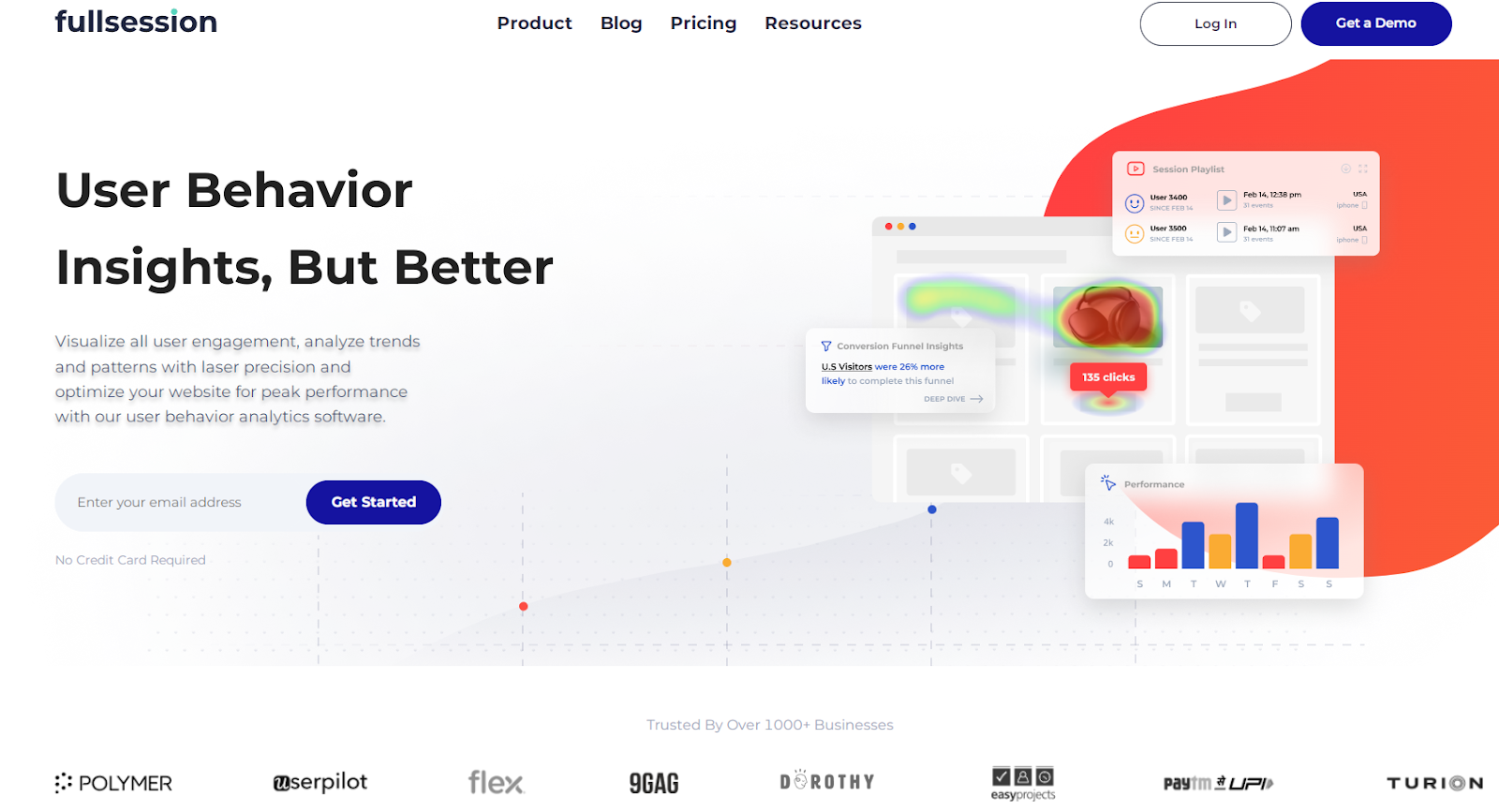
    FullSession is a user behavior analytics software for measuring, monitoring, analyzing and optimizing the effectiveness of your website, web app, or landing page.

    Thanks to its features, you can better understand how the users interact with your product and make business decisions based on qualitative and quantitative data.

    Here’s a closer look at how FullSession can benefit your business:

    • Real-time session recording: See customer interactions as they happen, giving you immediate insights into how users engage with your site.
    • Advanced filtering options: Quickly find specific user actions and events with smart filters, making your analysis a breeze.
    • Dynamic element tracking: Improve engagement by better understanding how users interact with dynamic elements on your site.
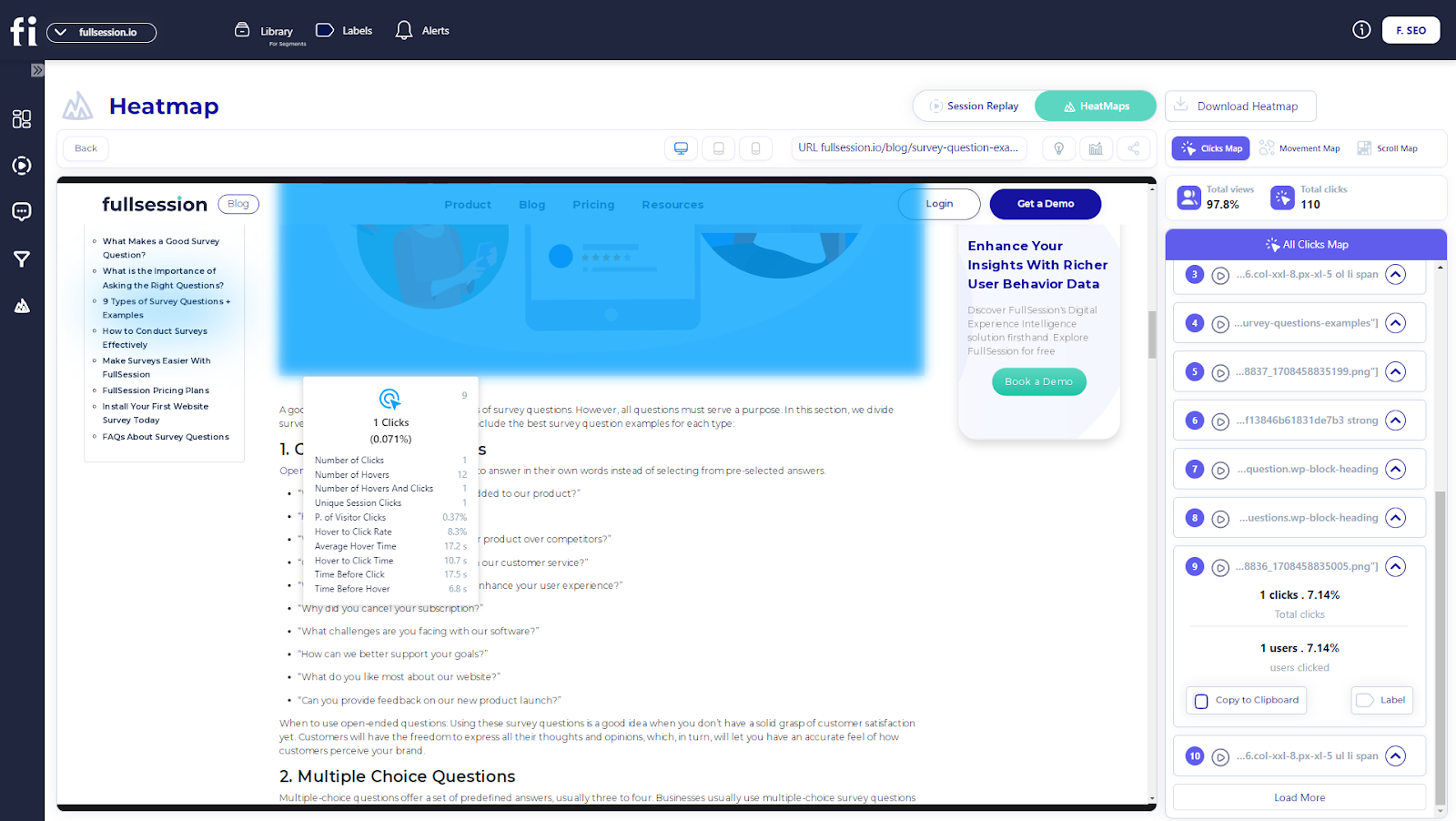
    • Heatmap analysis: Track clicks, mouse movements, and scrolls to see where users are most active—all without slowing down your site.
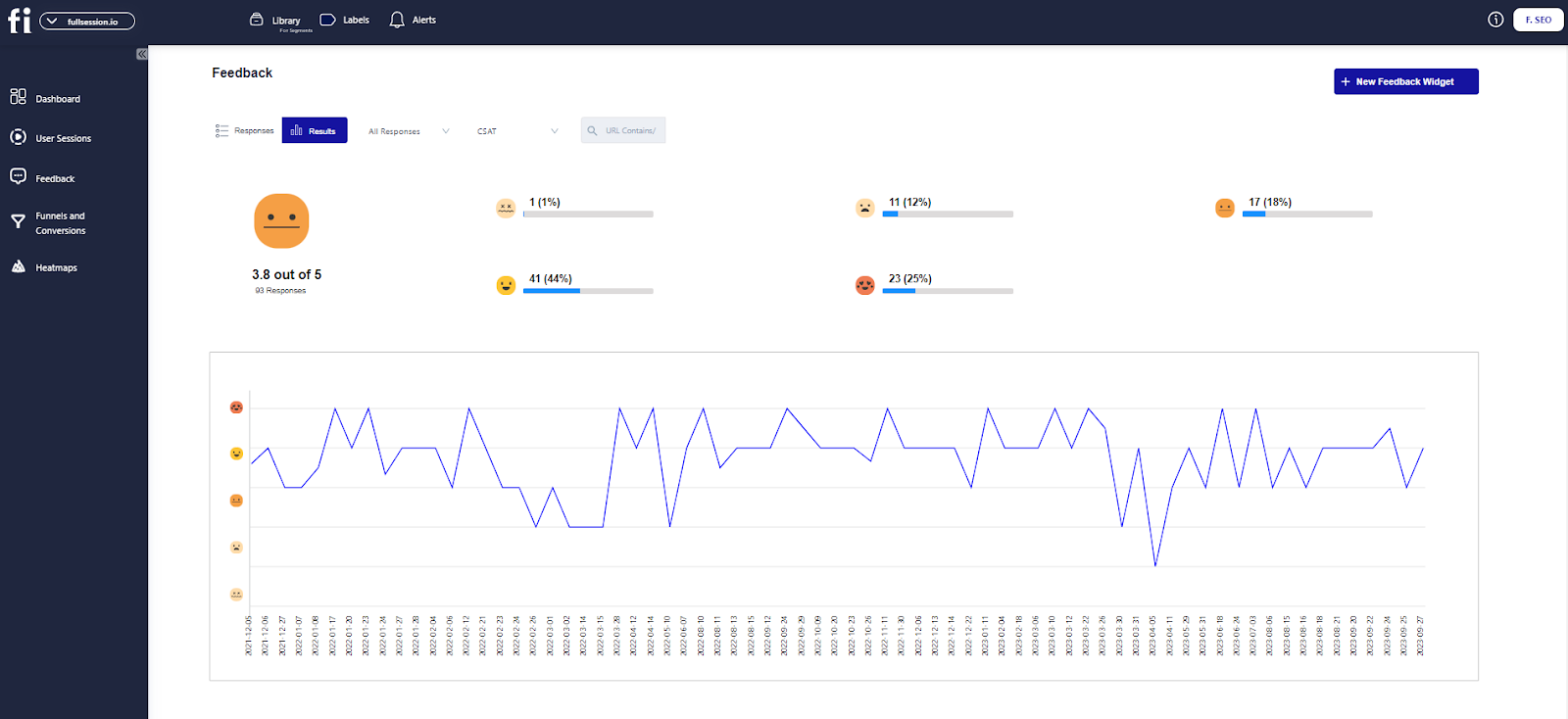
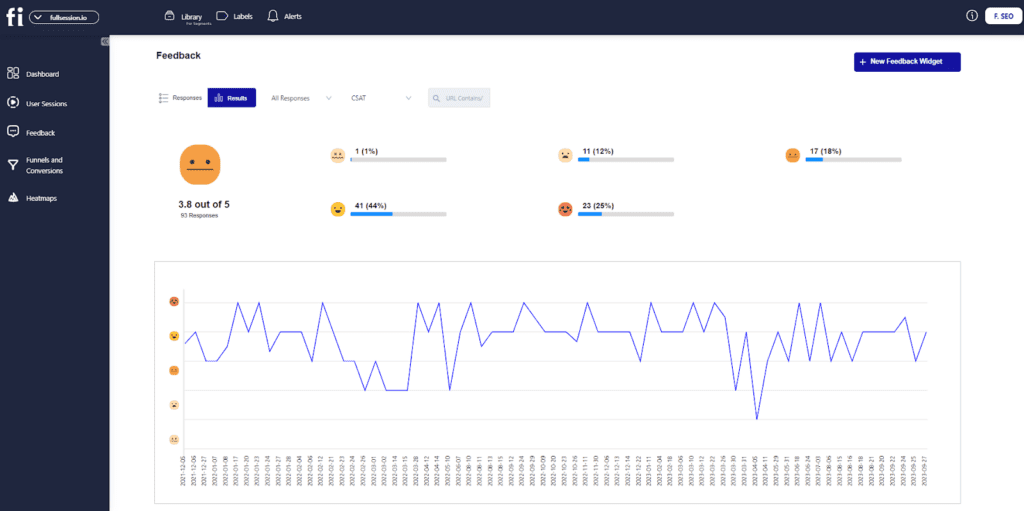
    • Customer feedback tools: Collect direct insights from your audience with surveys like NPS and CSAT, right on your site.
    • Integrated user feedback: Connect user feedback directly to session recordings for a complete picture of what’s working and what’s not.
    • Funnels and conversions: Dive into your conversion funnel to see what’s driving success and where you can make improvements in the user journey.
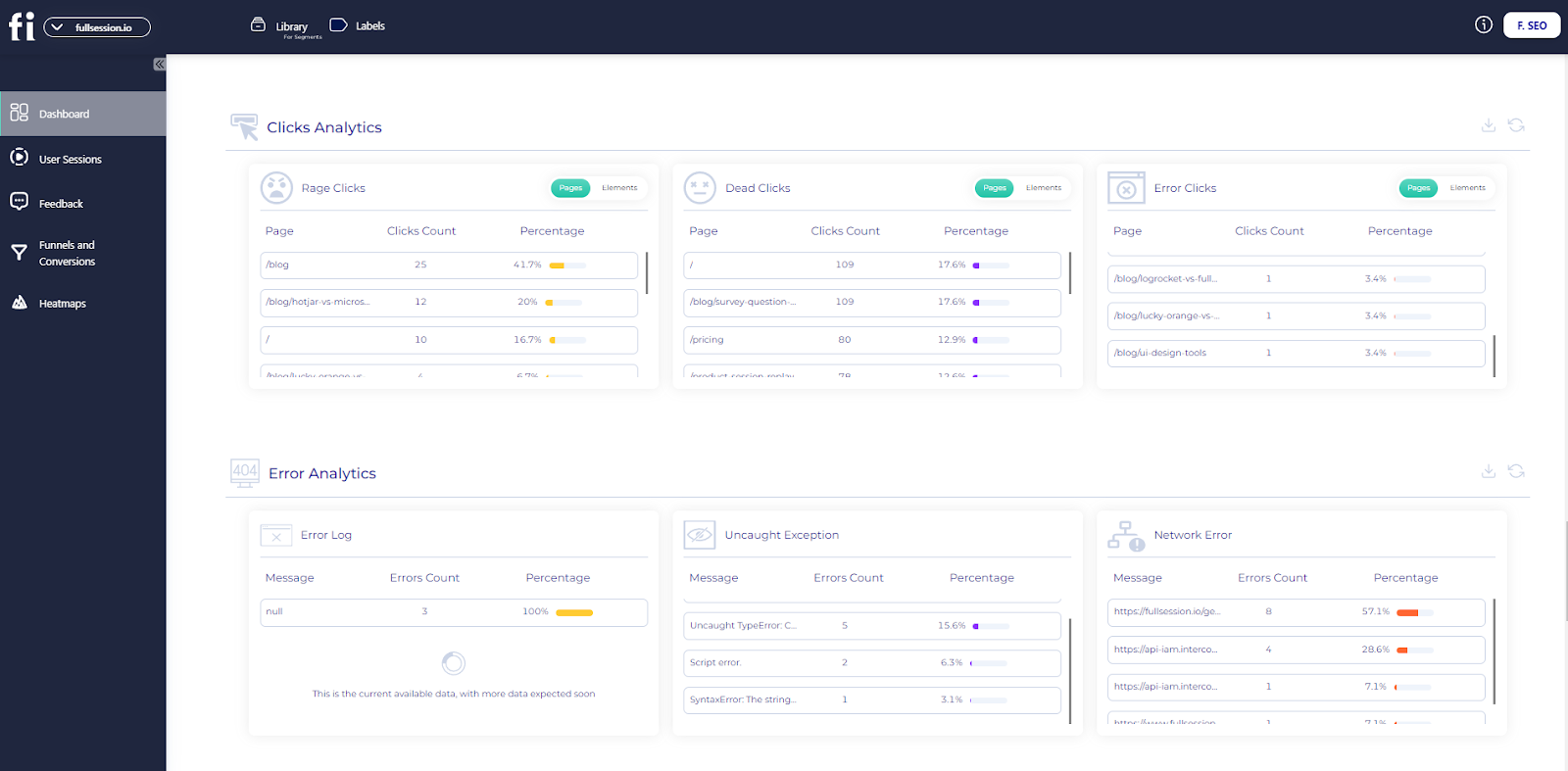
    • Error analysis: Spot and fix issues that impact user experience, from error clicks to network problems, to keep your site running smoothly.
    • Data privacy compliance: Keep user data secure and meet GDPR, CCPA, and PCI standards while automatically excluding sensitive information from recordings.

    Want to see it in action? Book a demo today and discover how FullSession can help transform your website’s performance.

    What is UserZoom?

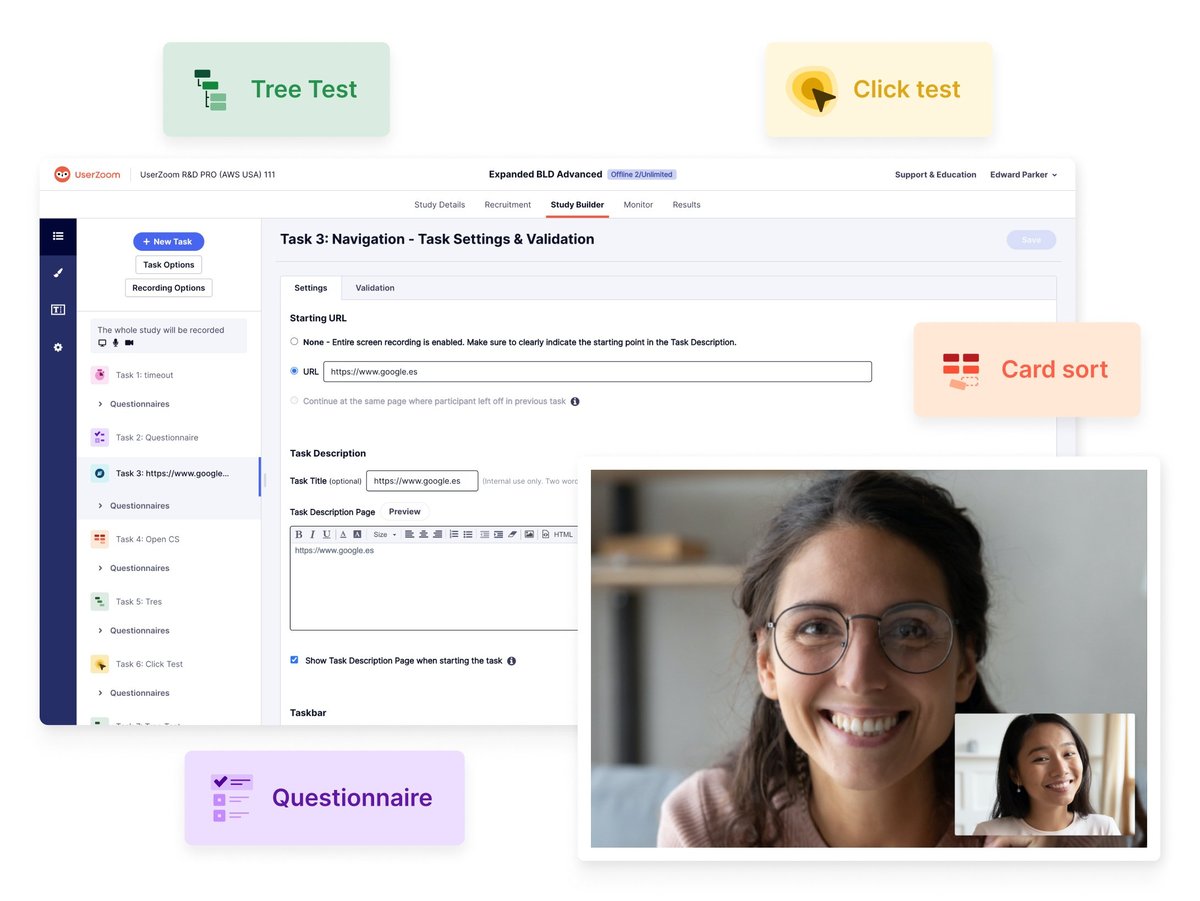
    UserZoom, the platform previously known as Validately and is now part of UserTesting, is a well-known brand in the user testing market.
    UserZoom

    Image source: G2

    You can use the solution to test applications, websites, prototypes, and wireframes. You can carry out interviews, conduct surveys, and usability tests. You can also do card sorting, tree testing, and click testing, among other things.

    UserTesting acquired UserZoom in 2023, but you can use both platforms separately.

    What is UserTesting?

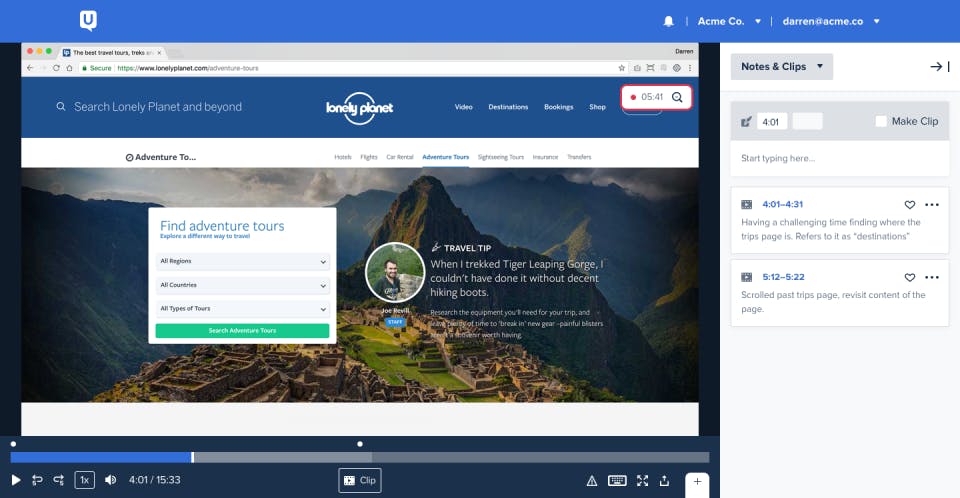
    UserTesting is a platform for testing website or app functionality. It focuses on video recordings and human insights to help you understand users’ authentic experiences when interacting with your product.
    UserTesting

    Image source: G2

    The researchers can observe user reactions to your website or app in real time. They can study facial expressions, emotions, body language, and tone of voice.

    UserTesting allows a good deal of customization. You can create specific questions and tasks and define test groups. You can carry out the tests with members of the UserTesting Contributor Network or invite your test participants. 

    With UserTesting, you can gather, analyze, and draw conclusions from data—it provides transcripts, metrics, and visualizations.

    UserZoom vs UserTesting: How They Compare And Contrast

    We’ve introduced you to the tools outlined in this article. Now, let’s see how they compare. We’ll consider available features, user ratings on popular review platforms, deployment, integrations, languages, pricing, and customer support. We will also examine typical use cases.

    We’ll also highlight how FullSession compares to these tools.

    UserZoom vs UserTesting: Basic differences

    The main difference between these tools is that they serve different purposes or, at the very least, have different focus. 

    UserZoom helps you conduct full-scale user research and detect issues with the user experience. UserTesting, on the other hand, concentrates on website functionality. 

    UserZoom focuses on quantitative testing, which evaluates website usability and customer experience. It’s a complex platform that offers different research methodologies and test types. The downside is that some businesses probably won’t need such a comprehensive tool, and learning to use it might take some time. 

    UserTesting is a more straightforward solution. It’s a good option for product teams that need qualitative data. You can collect video-based human insight, conduct tests, assign specific tasks, and watch how users complete them. This helps you evaluate how users perceive your product.

    If you’re looking for a balanced solution that combines ease of use with powerful insights, FullSession could be the perfect fit. It offers a comprehensive set of tools, including real-time session recordings, heatmaps, funnels and conversions, error analysis, and customer feedback integration, allowing you to analyze both quantitative and qualitative data. 

    FullSession is designed to be user-friendly while providing the depth needed to optimize your website and enhance the user experience.

    Session recordings

    For instance, FullSession allows you to watch recordings of real users interacting with your product—not just test participants who look like your target audience.
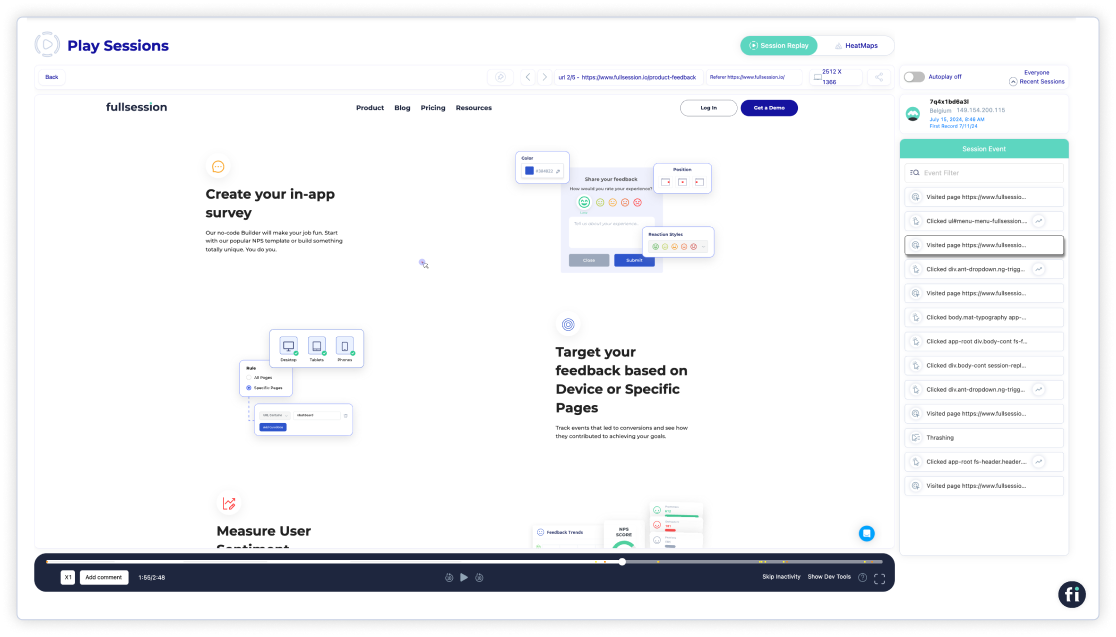
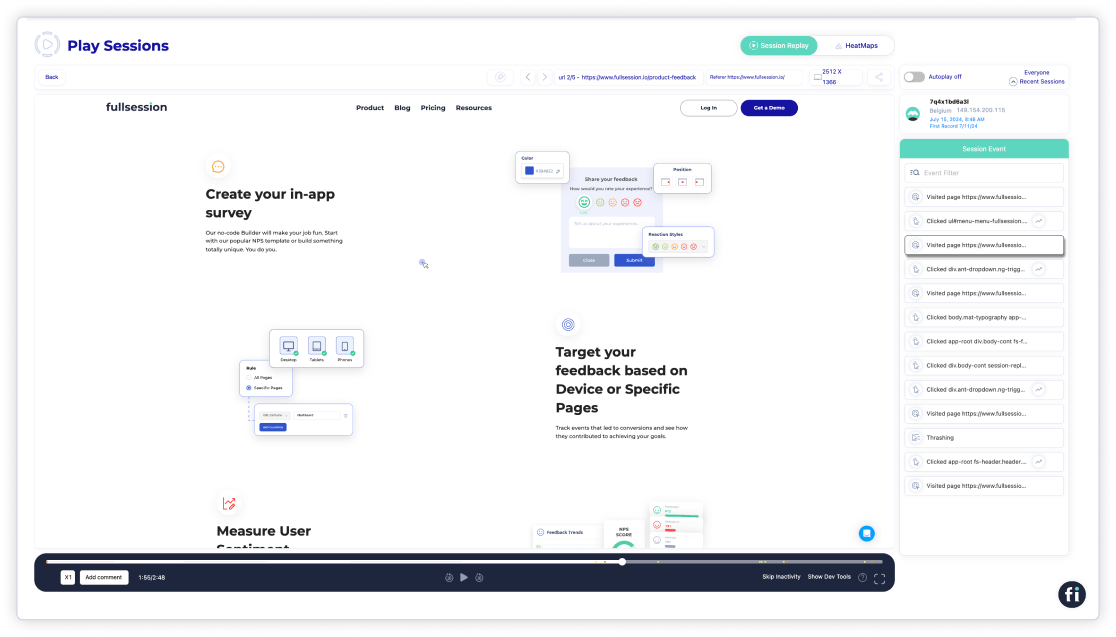
    Session Replay

    Thanks to this feature, FullSession provides more value than the competition. It’s also easier to use because you don’t have to waste time finding participants and carrying out tests. You can conduct research at your own pace and have all user data in one place.  

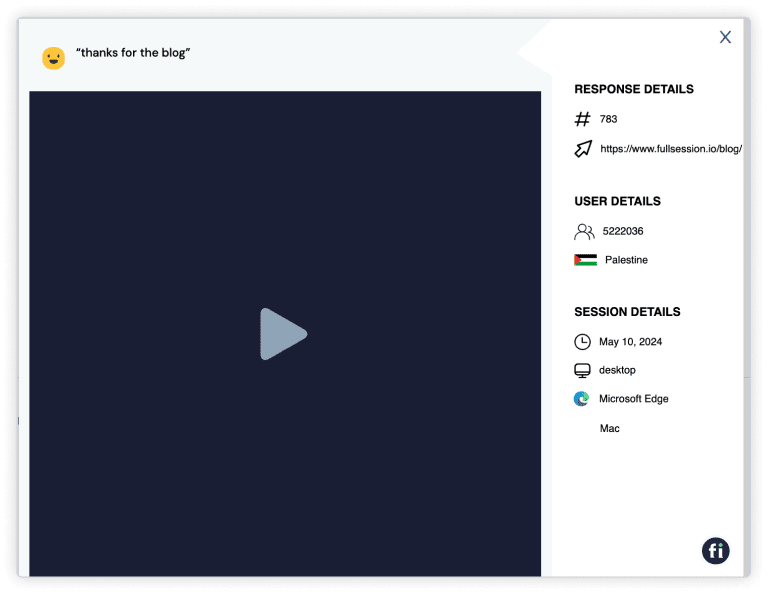
    FullSession helps you spot issues on your website quickly. If users have a negative experience with your product, they can leave feedback, and you can watch session recordings to identify user frustrations and fix them quickly.

    UserZoom vs UserTesting: User ratings

    UserZoom has a 4.2 score on G2 based on 140 reviews. It has a 4.4 rating on Capterra, but there are only ten reviews in this case. 

    UserTesting’s rating on G2 is slightly higher—4.5, based on 685 reviews. Its score on Capterra is slightly lower, at 4.5, based on 127 reviews.

    UserZoom vs UserTesting: Use cases

    Both UserZoom and UserTesting are used by UX researchers, UX designers, marketers, and product managers for UX testing. UserTesting also lists executives and product teams. 

    UserZoom is used in technology, finances, retail, travel, healthcare, gaming, and gambling. Some government entities also employ it.

    UserTesting is also popular in many industries mentioned above but adds others to the list, such as communications, non-profit, media and entertainment, automotive, manufacturing, and education. 

    However, FullSession stands out as the best option if you’re in the eCommerce sector. It’s specifically designed to enhance eCommerce websites by providing deep insights into user behavior through session recordings, heatmaps, conversion funnel analysis, error tracking, and integrated customer feedback. 

    FullSession helps you optimize the shopping experience, boost conversions, and ensure your site meets customer expectations.

    Heatmaps
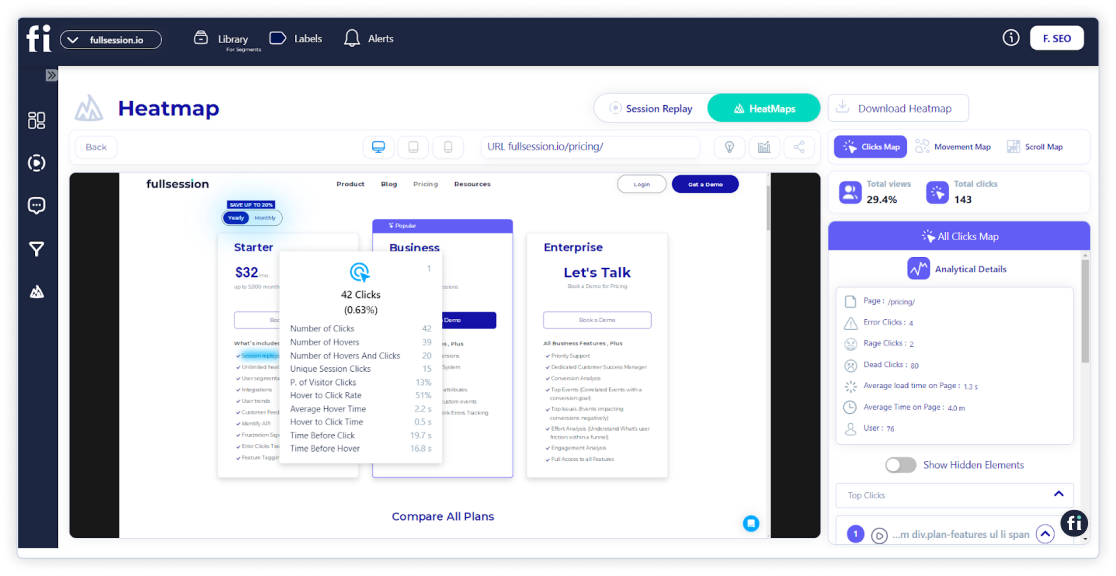
    Heatmaps

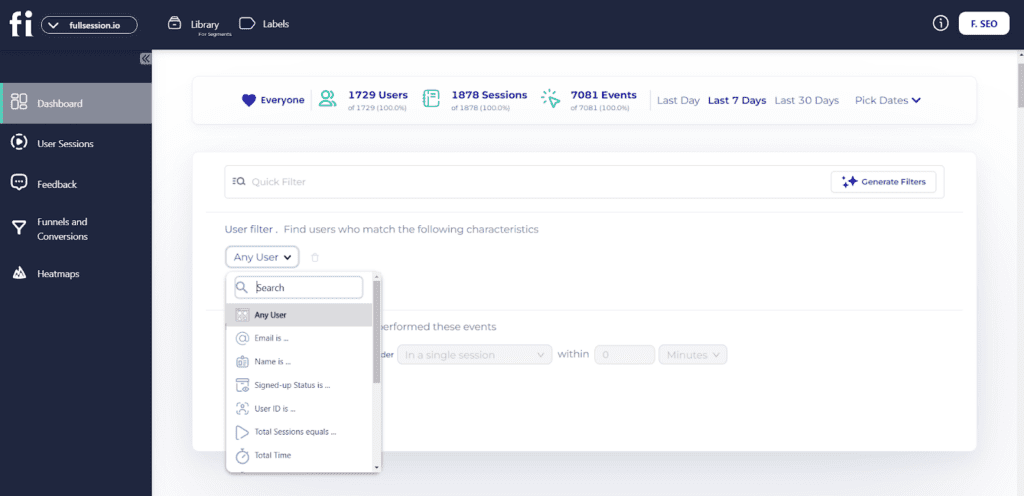
    Take this feature for example. Instead of identifying general issues in session recordings, you can use our advanced filtering feature to segment them and pinpoint specific problems your users have. 

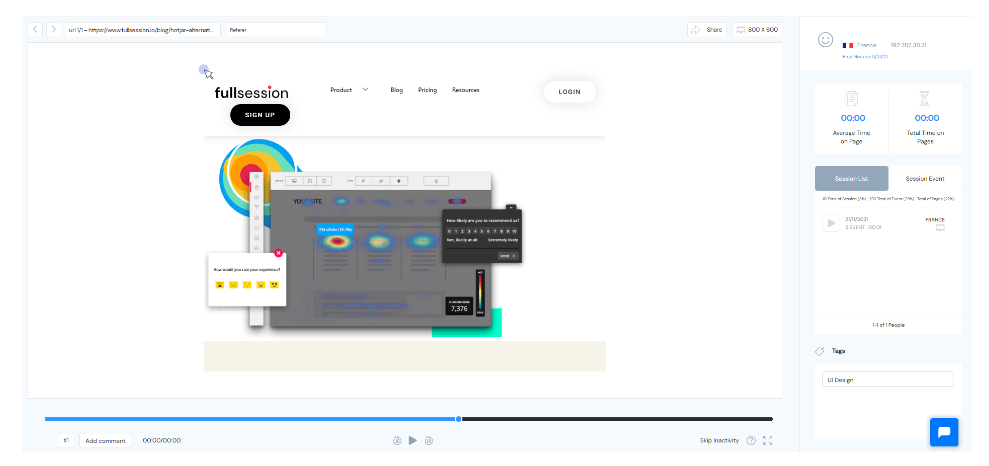
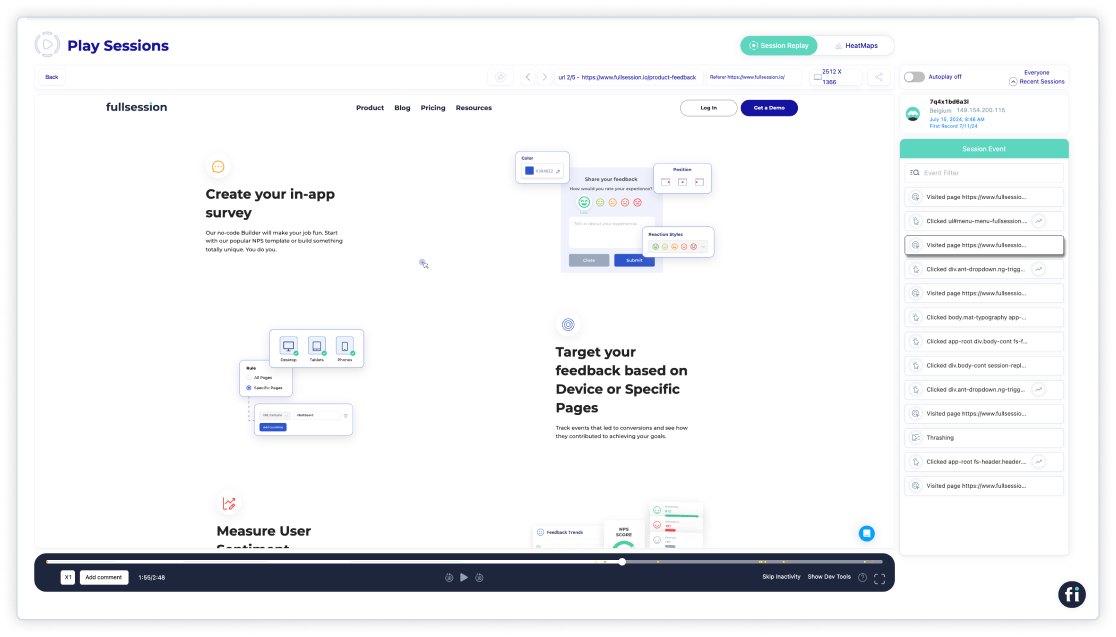
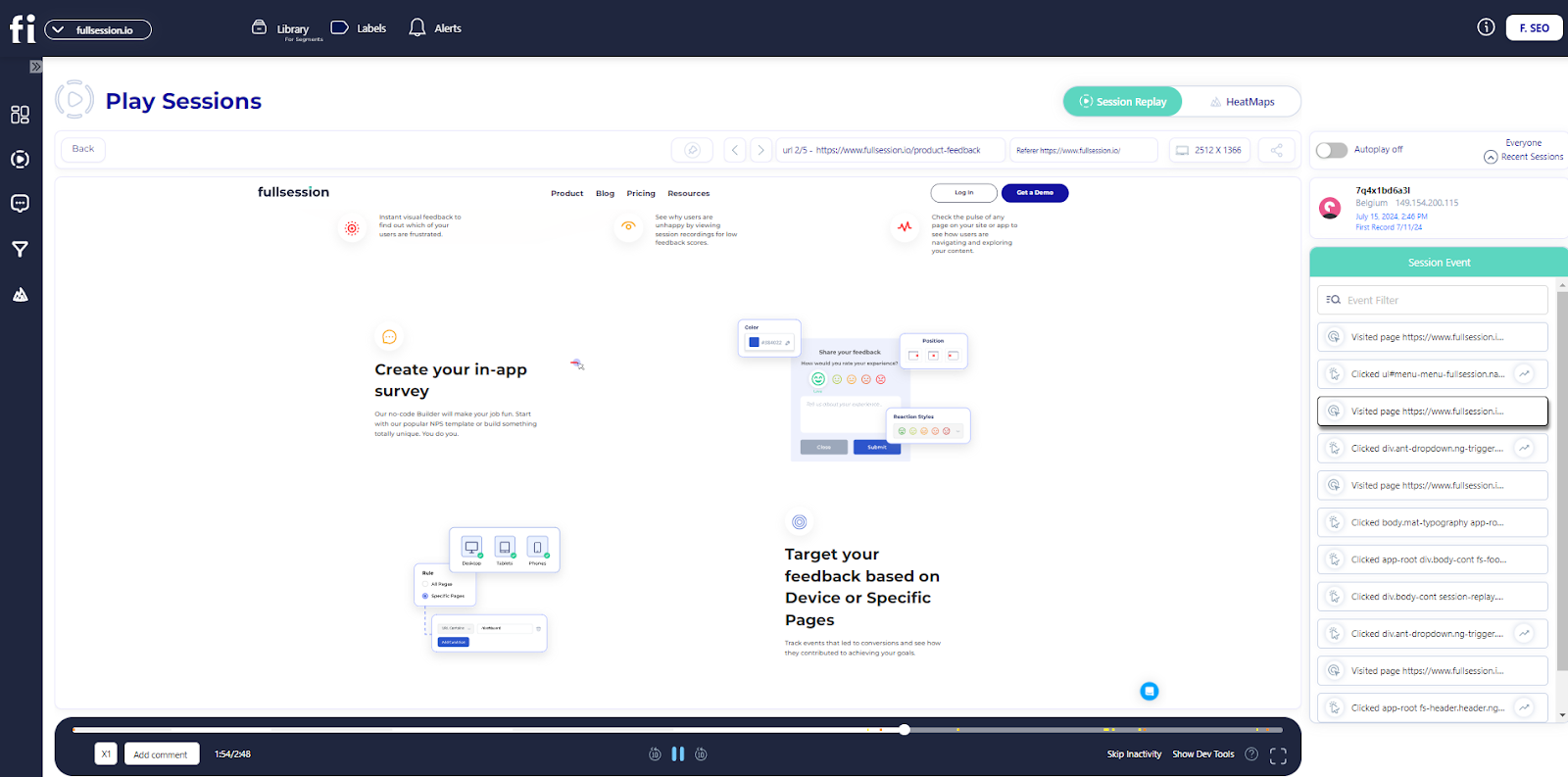
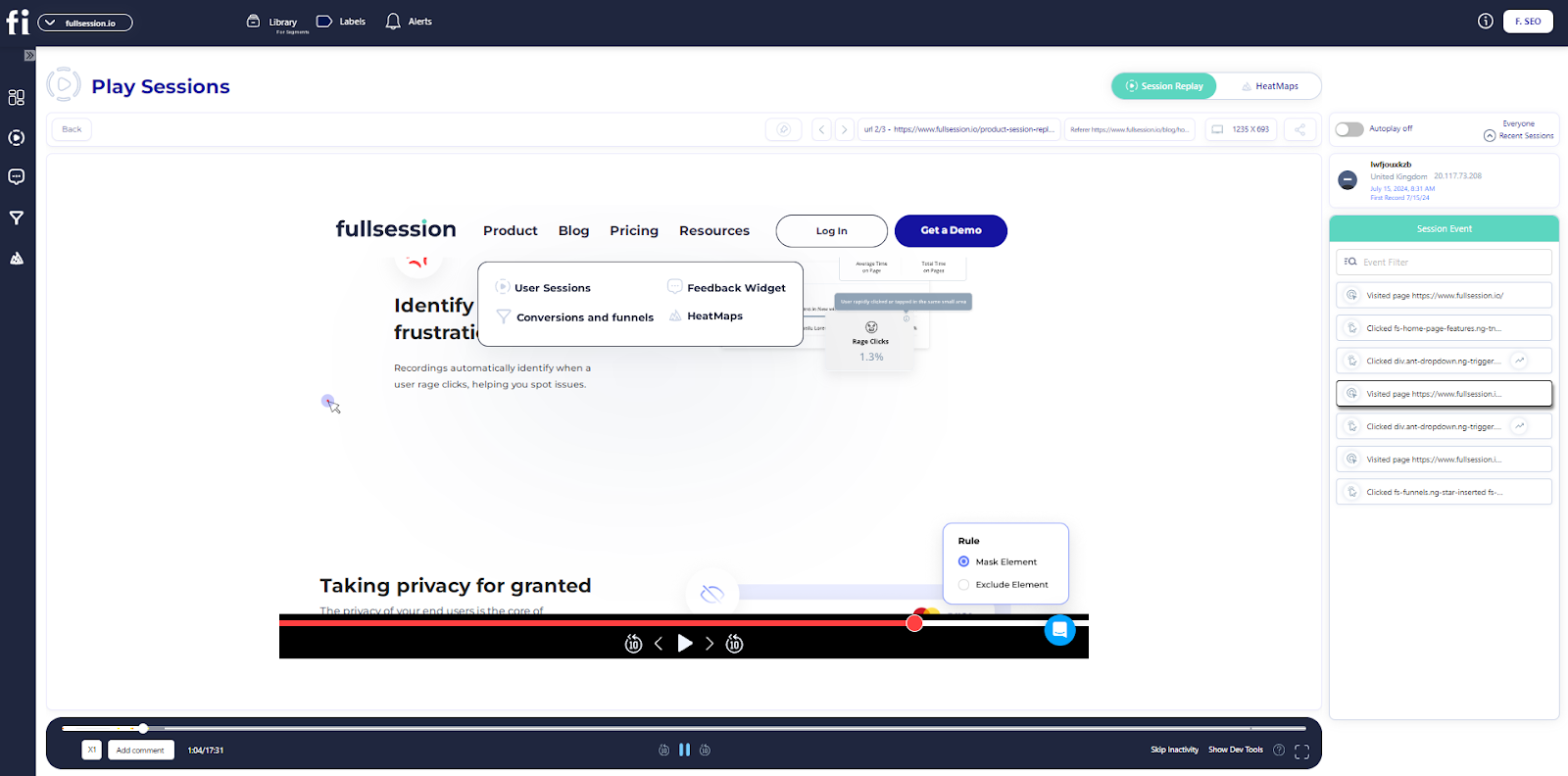
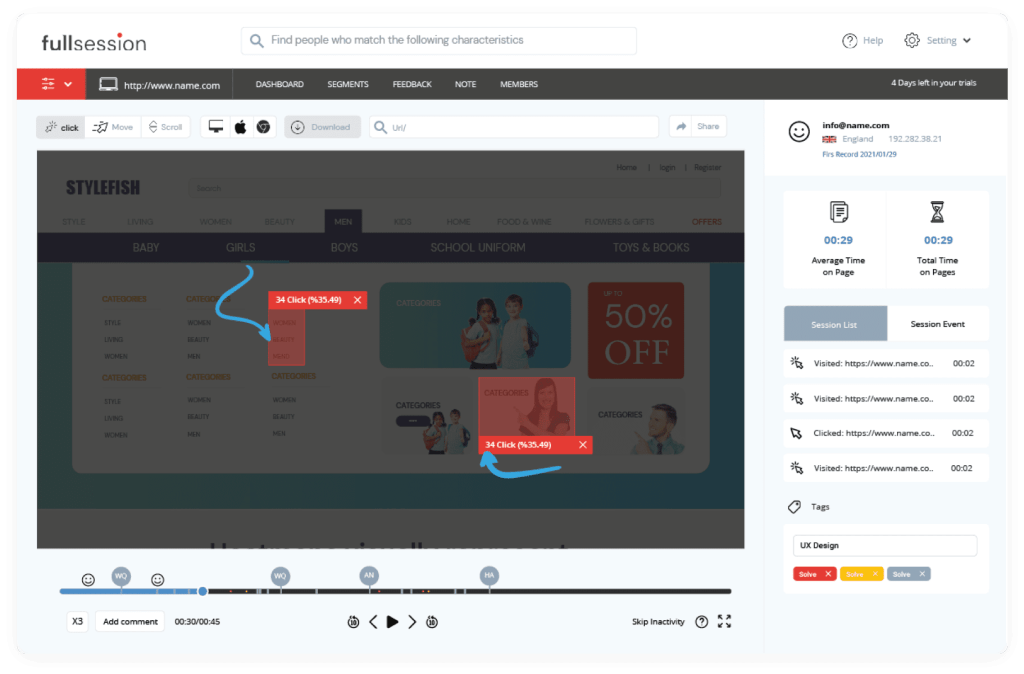
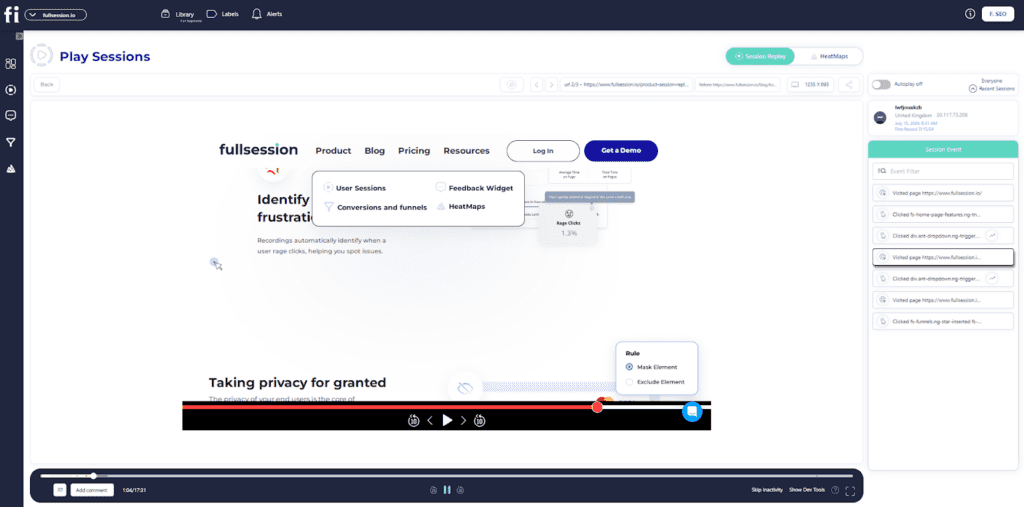
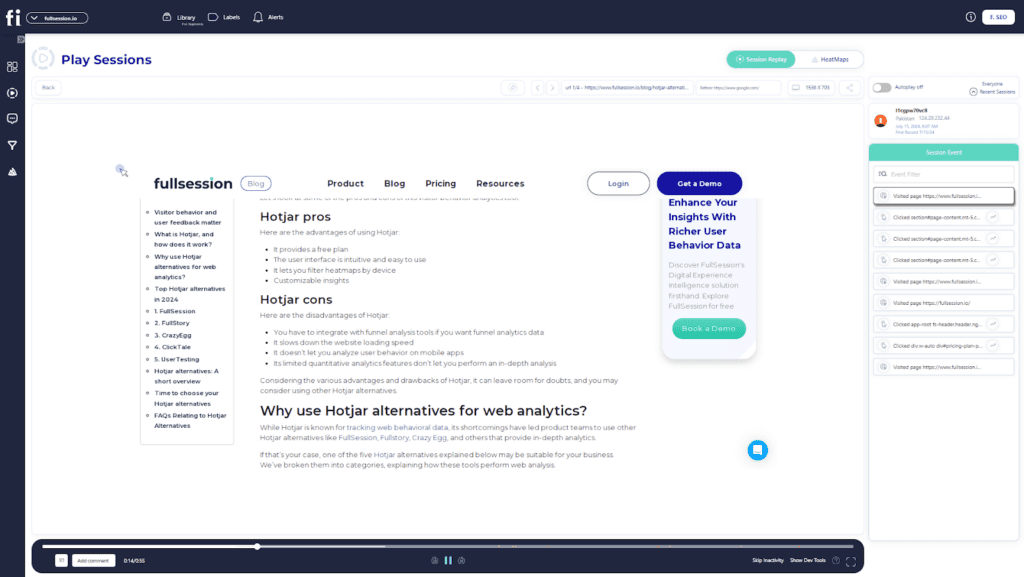
    The recordings show how users navigate the website and track where they click. You can also check how much time they spend on the website overall and compare it to the average time. FullSessions offers you the option to speed up the recordings and skip periods of inactivity.

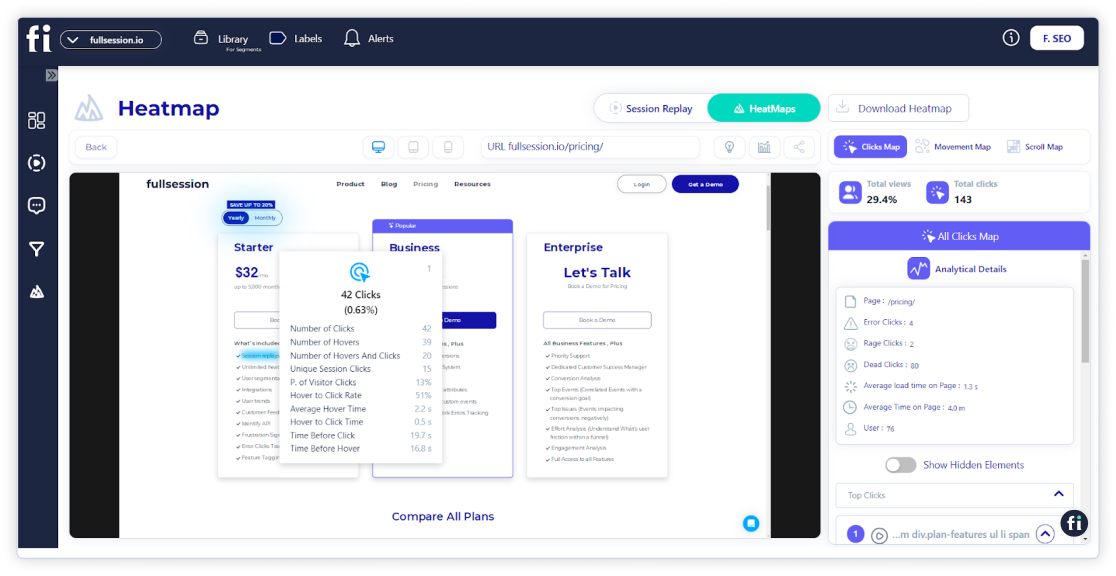
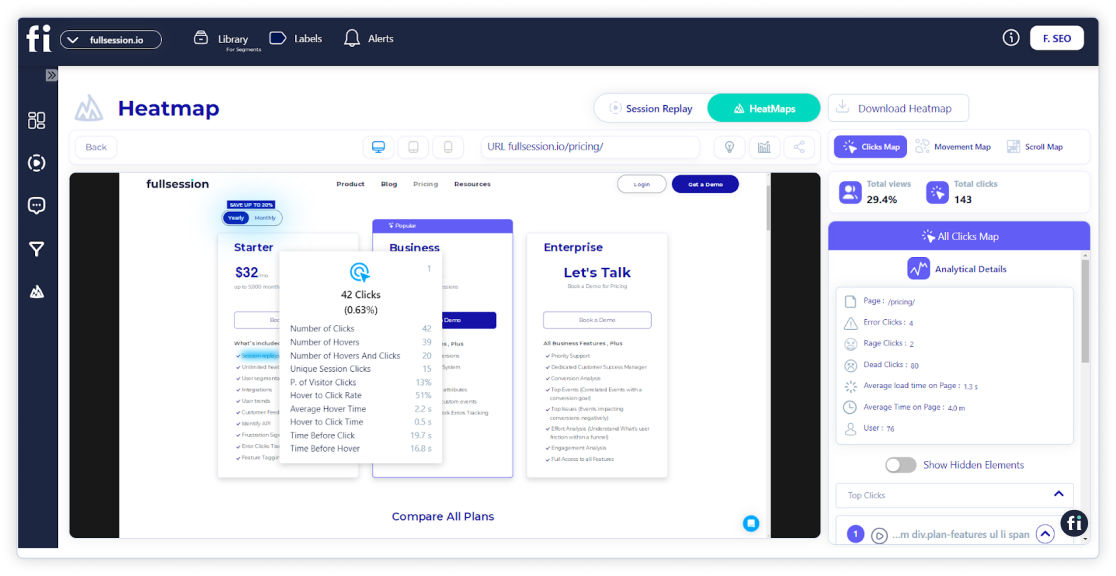
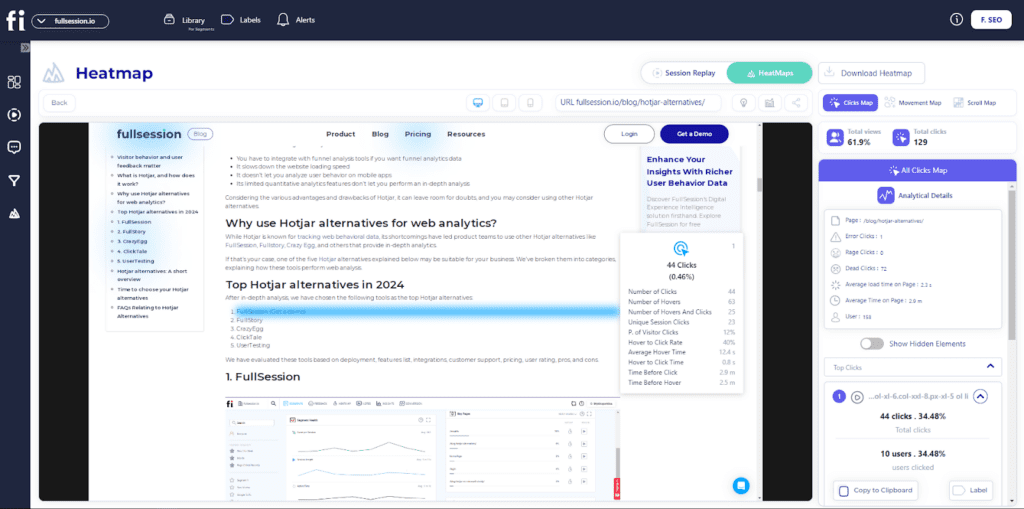
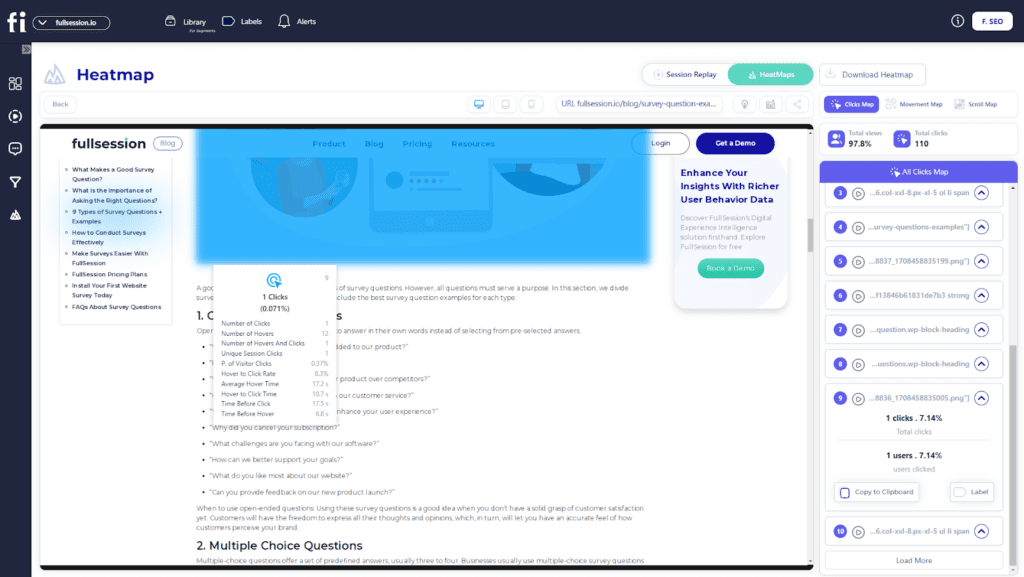
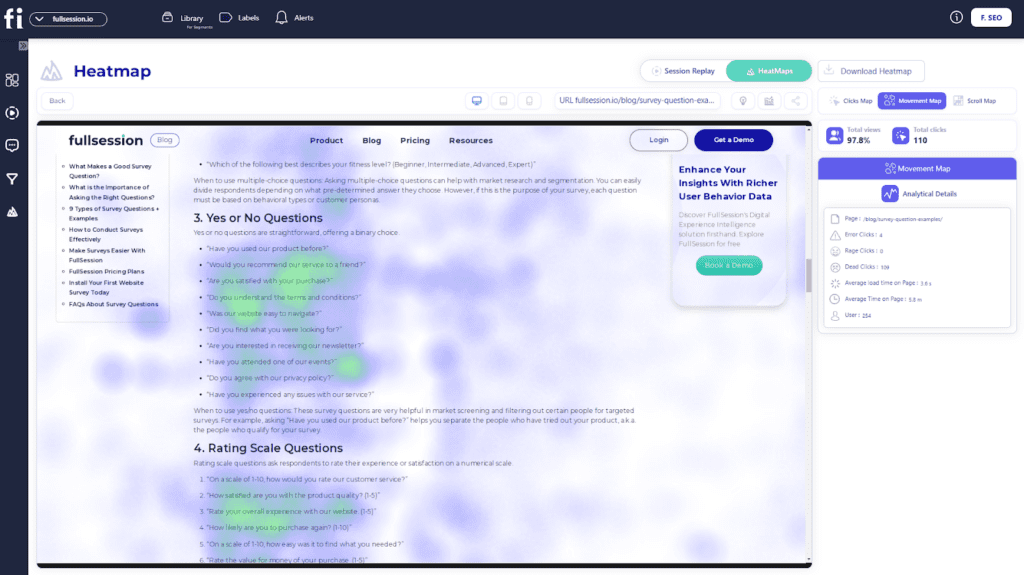
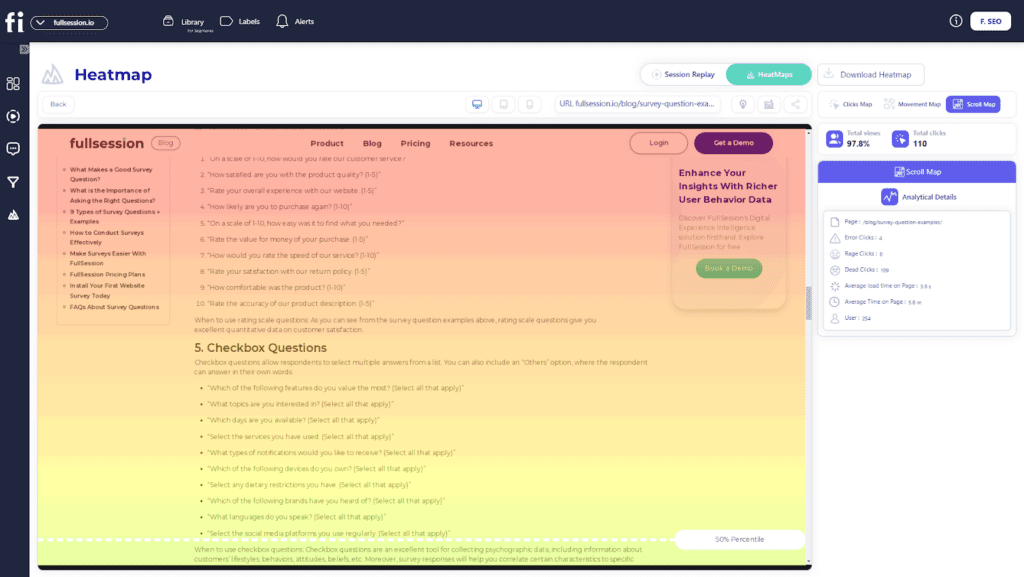
    Heatmaps allow you to see which website elements get the most attention from your users and which don’t. Thanks to this, you’ll be able to address areas that need improvements. With FullSession, you can do all that in real time—you don’t need to wait for the data to be processed.

    FullSession has three different maps to choose from:

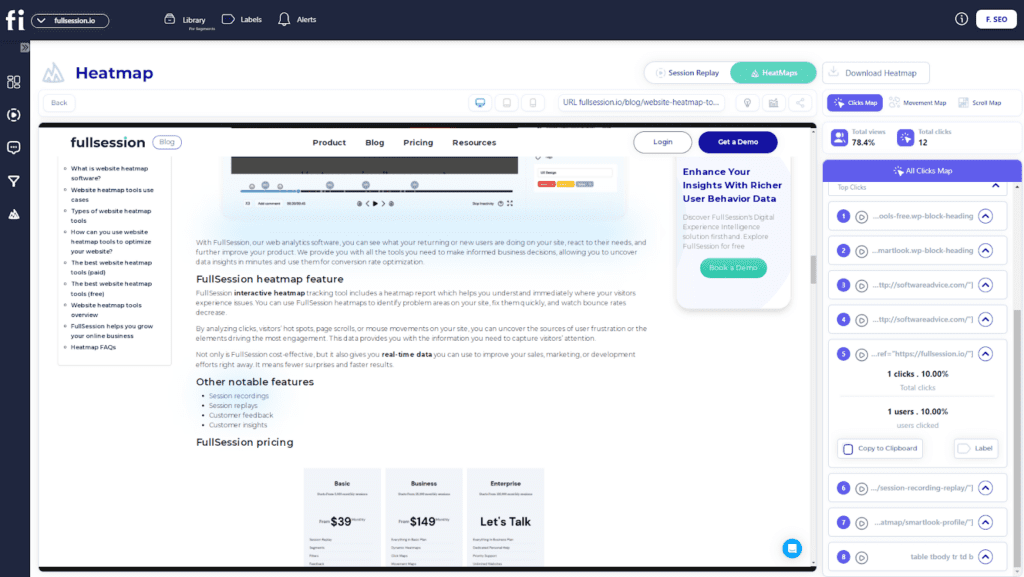
    • Click map: Visualizes where users click on your website, highlighting popular and underutilized areas.
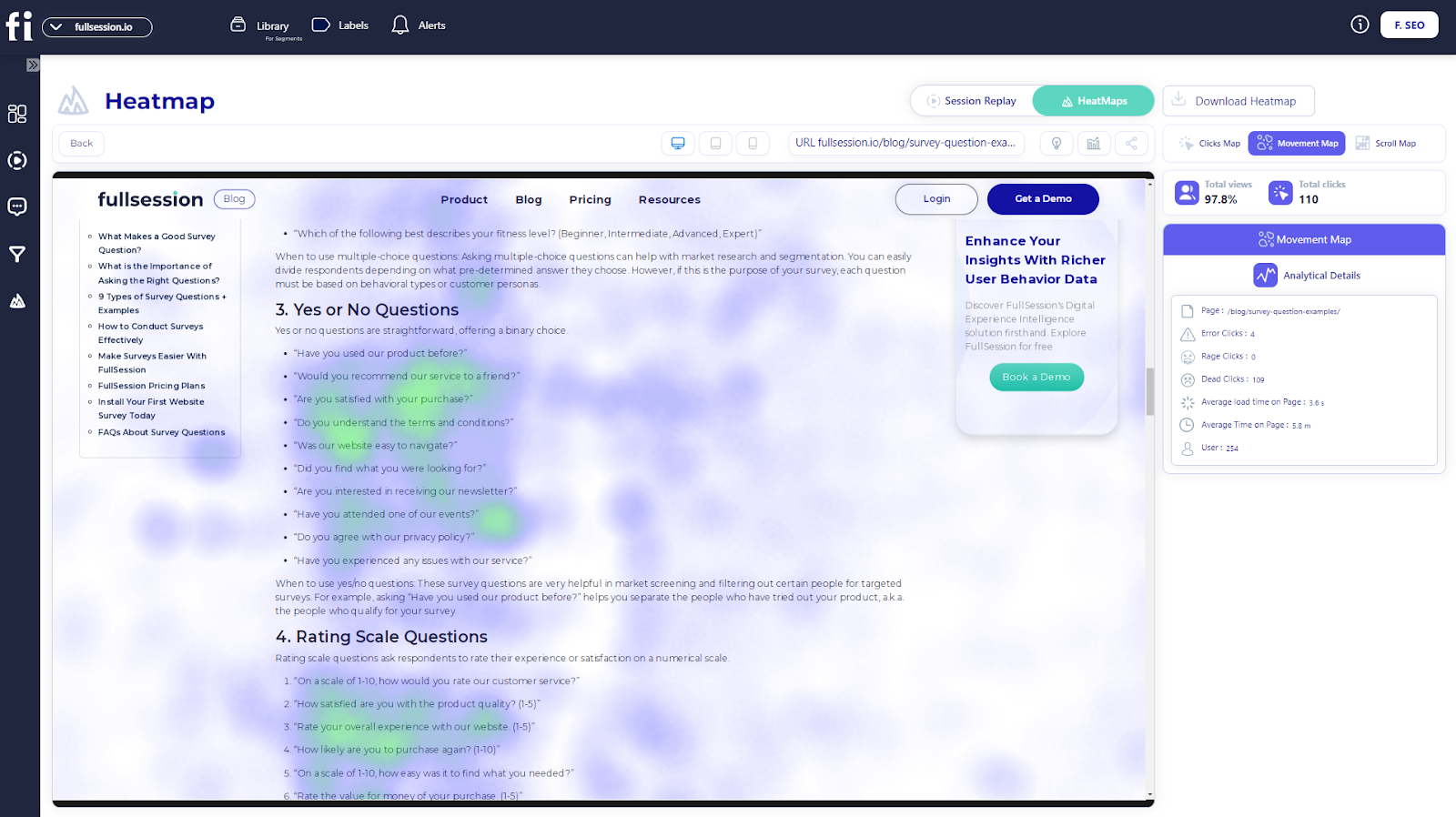
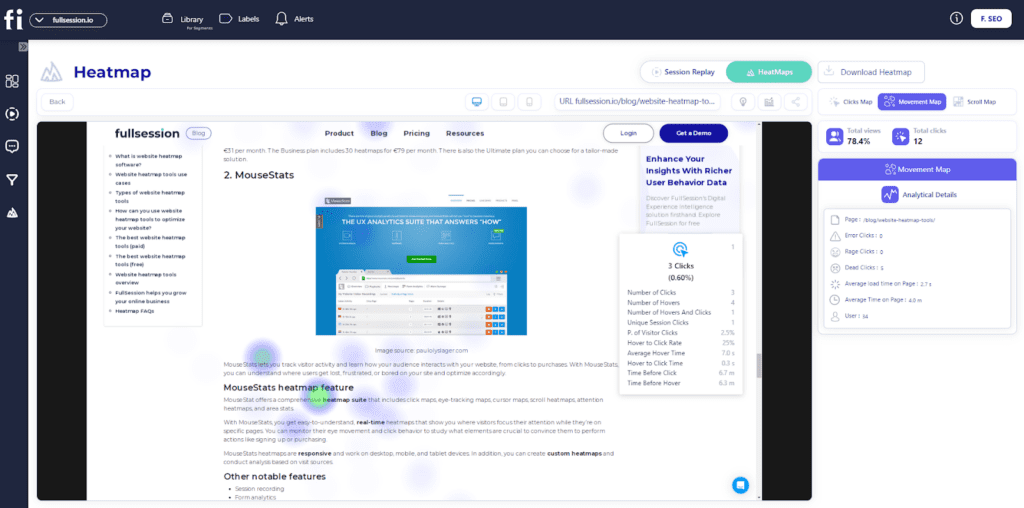
    • Mouse movement map: Tracks mouse movements to show how users navigate and interact with different elements.
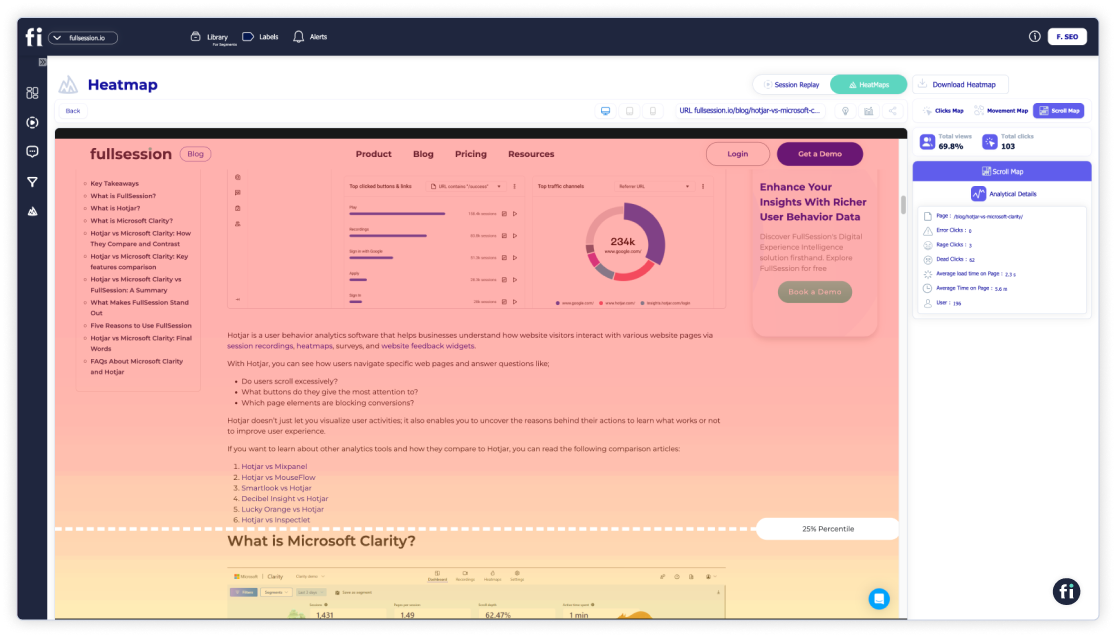
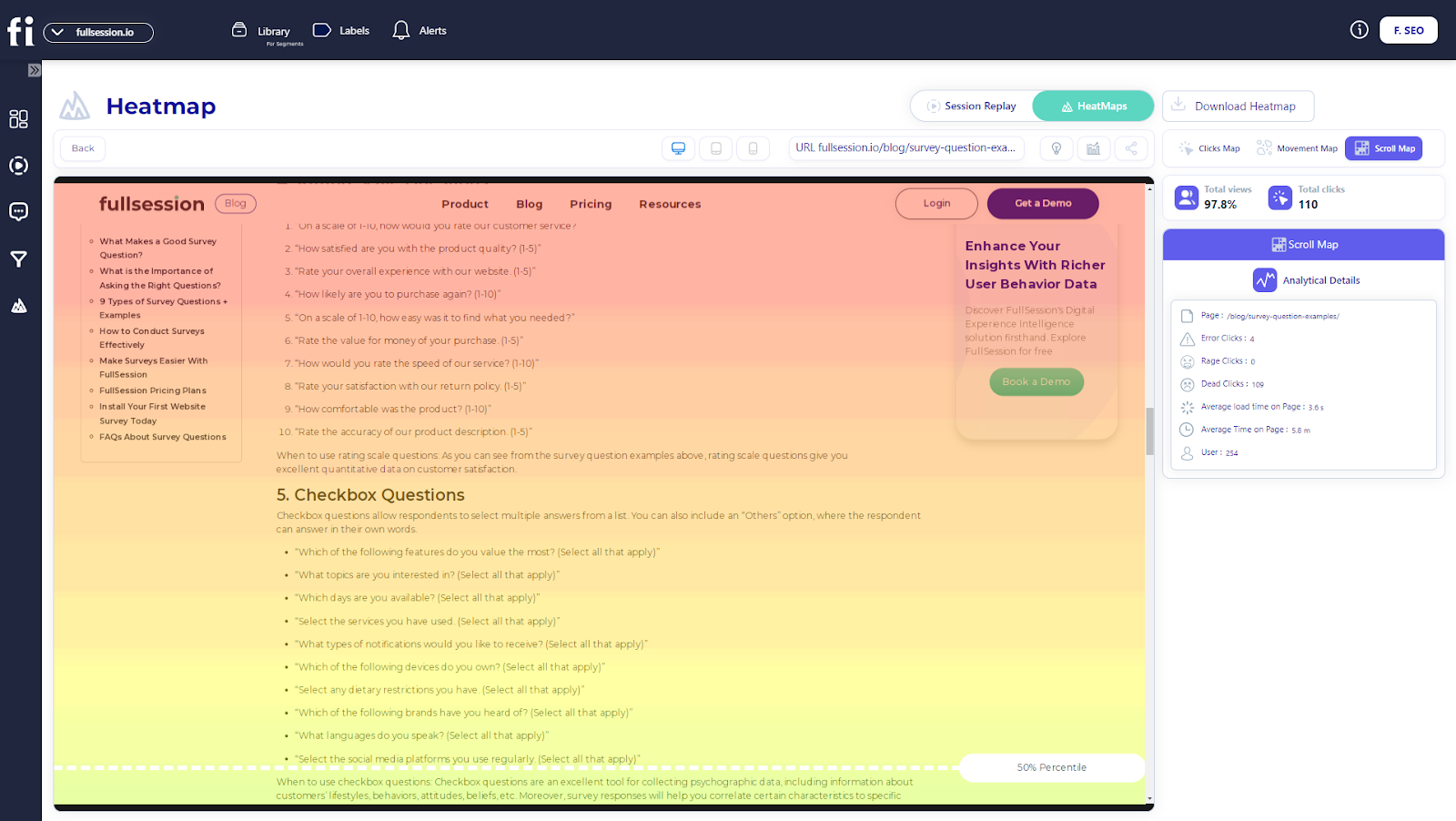
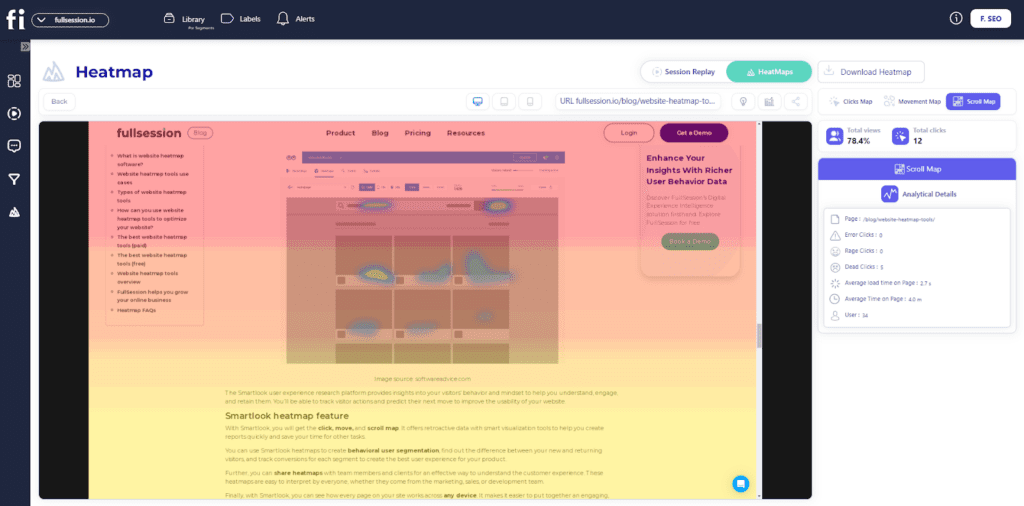
    • Scroll map: Displays how far users scroll down a page, helping identify if critical content is being seen or ignored.

    UserZoom vs UserTesting: Deployment

    Both UserZoom and UserTesting are web applications. To use them, you have to register on their websites and log in to your account.
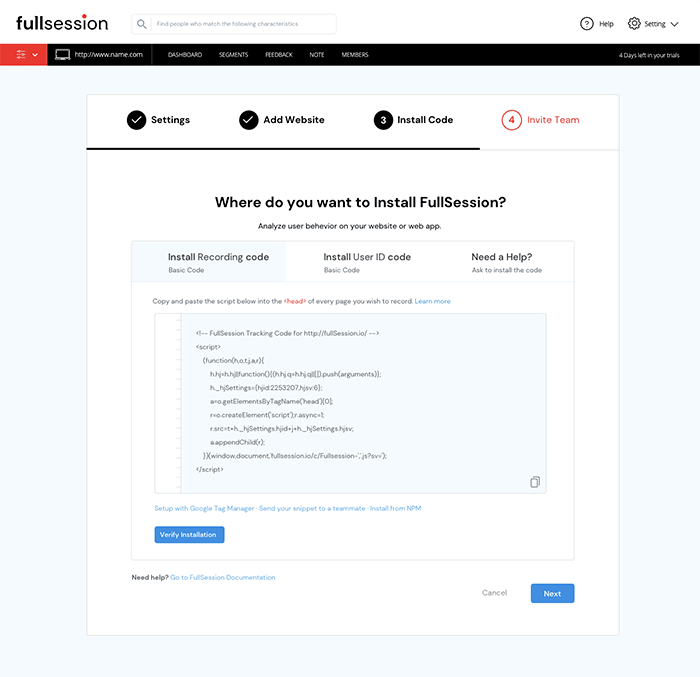
    FullSession deployment

    On the other hand, deploying FullSession is easy. Simply go to Settings > Data Capture and Privacy > FullSession Setup to get the snippet, then paste it into the <HEAD> section of your website’s code or CMS. The snippet automatically captures all user interactions without slowing down your site. 

    For privacy, you can exclude sensitive data by setting up exclusions under Settings > Data Capture and Privacy > Privacy. Once set up, sessions will appear in your dashboard and be ready for analysis.

    UserZoom vs UserTesting: Features

    What makes these research tools tick? Let’s take a look at the key features of each user testing tool.

    FullSessionUserZoomUserTesting
    Session recordingsYesYesYes
    SurveysYesYesYes
    HeatmapsYesYesNo
    Funnel analysisYesYesYes
    Website and mobile apps comparisonYesYesYes
    Key insightsYesYesYes
    Error analysisYesNoNo
    Free trialYesYesYes
    LanguagesEnglish, Arabic, FrenchEnglish, German, and SpanishEnglish and German

    As you can see, UserZoom and UserTesting are more focused on gathering detailed insights through testing. FullSession, on the other hand, gives you all the tools you need to understand user behavior from a more holistic perspective. Here are other notable features:

    Customer feedback

    You can use our software to ask your participants what problems they have and what frustrates them. 

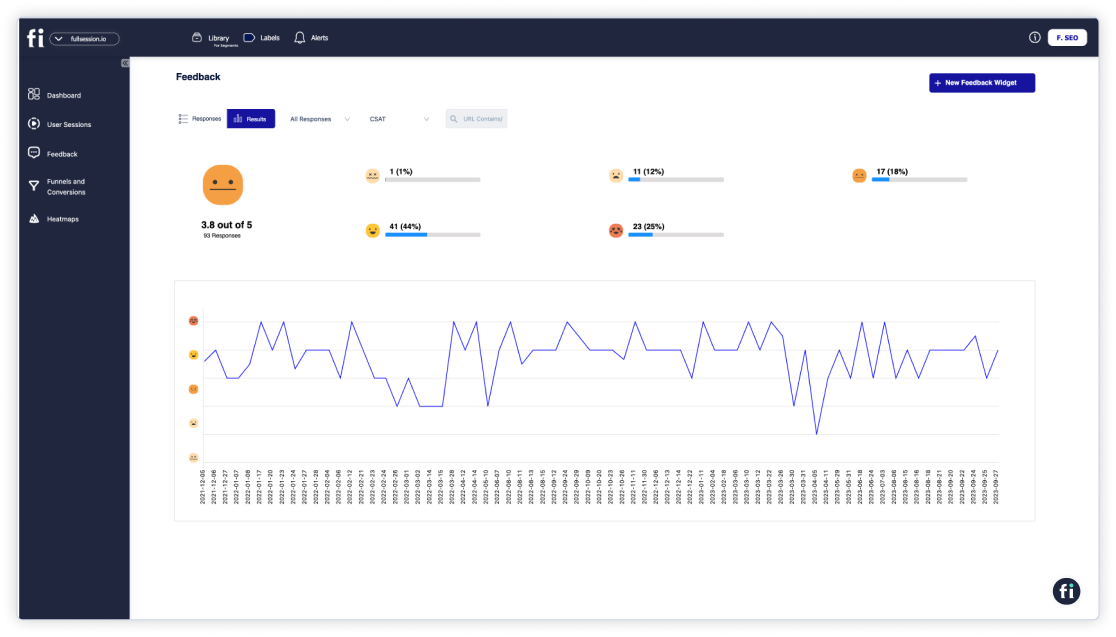
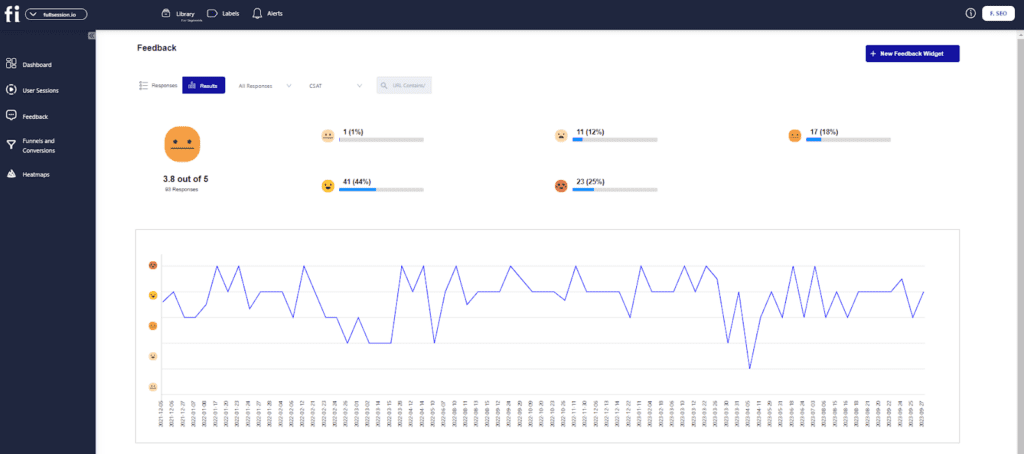
    FullSession offers on-page surveys. You can customize branding elements and add questions such as open-ended, multiple-choice questions, etc. The FullSession interactive feedback widget also includes a scoring scale.
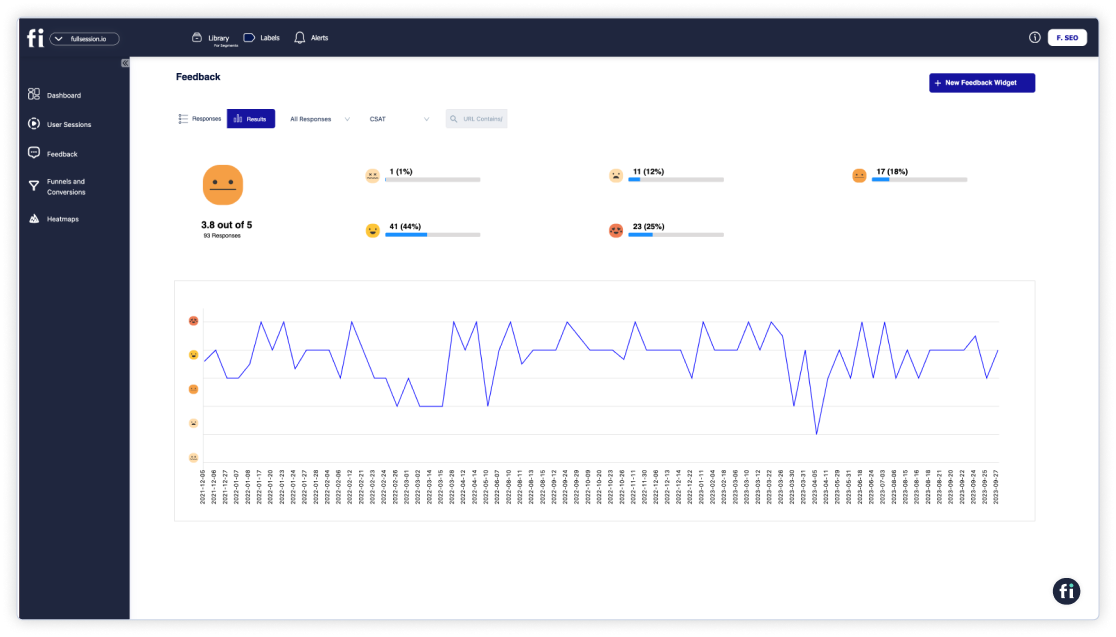
    customer feedback

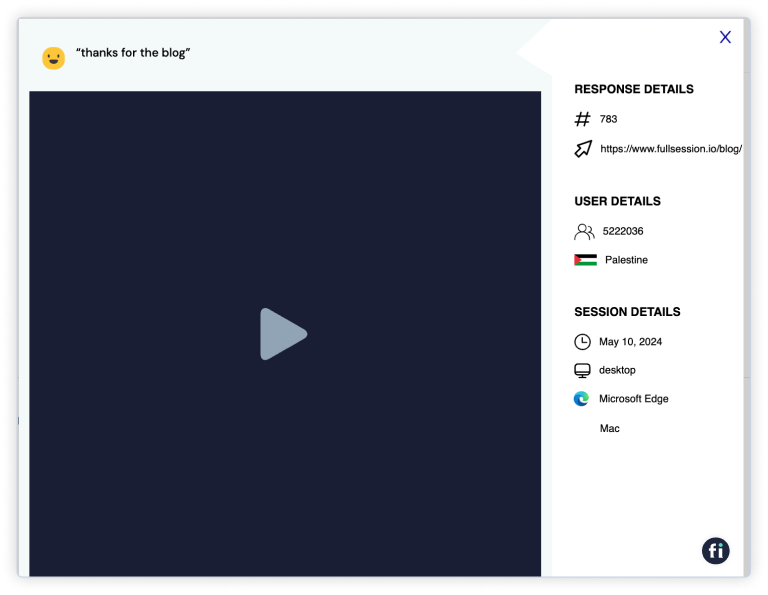
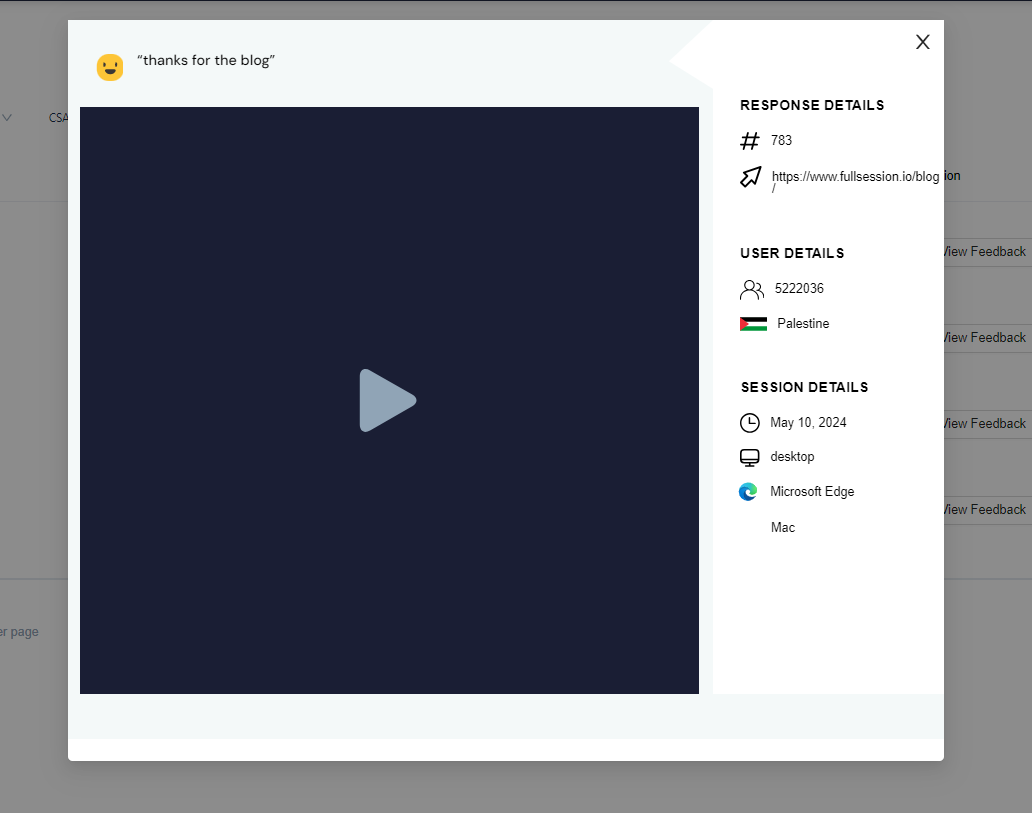
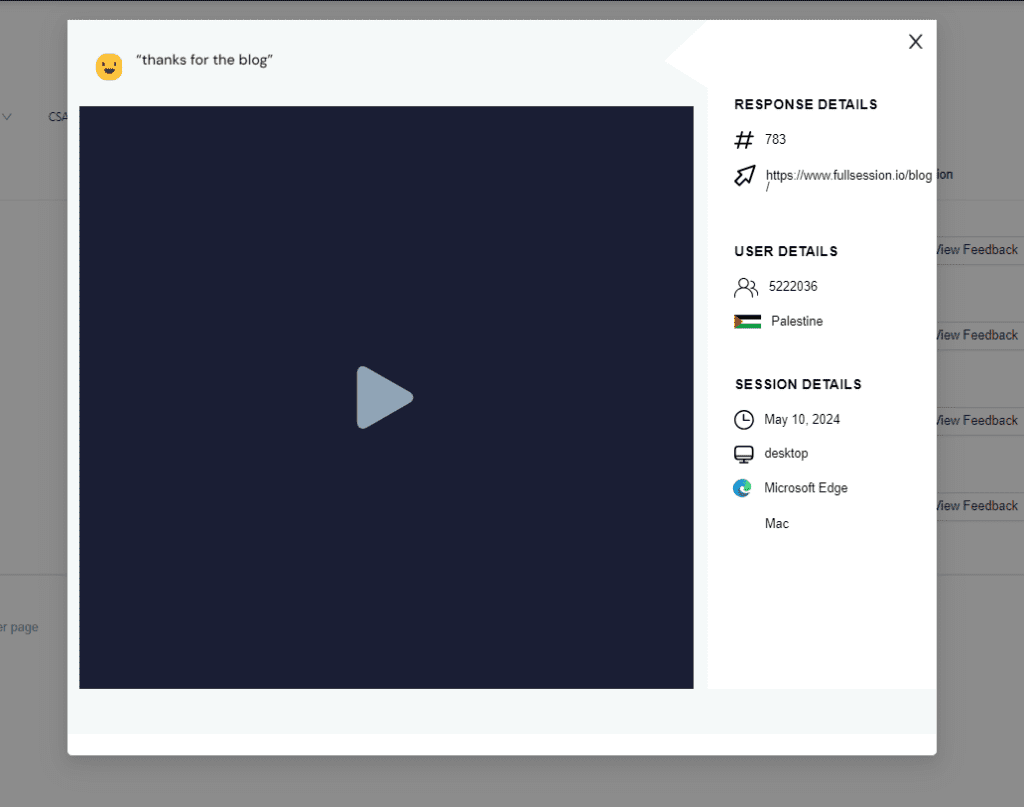
    Our customer feedback widget allows you to gather data and analyze individual feedback by replaying user sessions to see how users’ words relate to their actions.
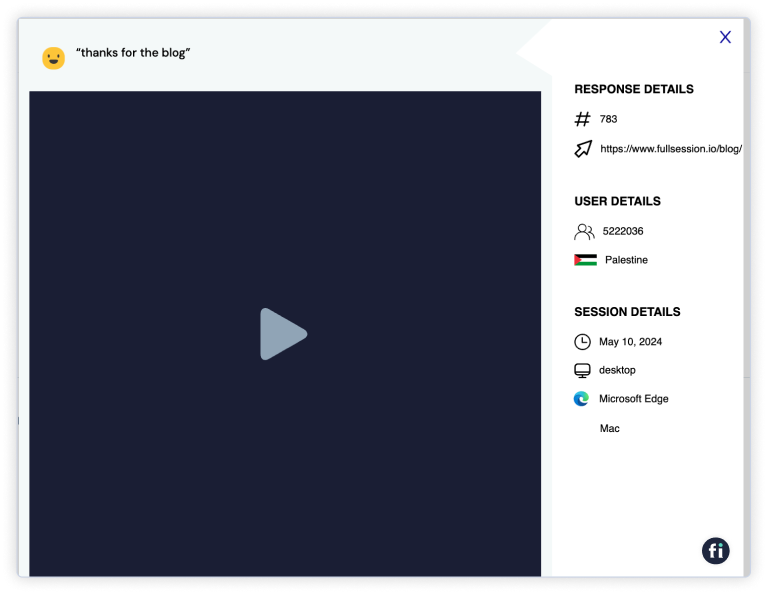
    Session recording for customer feedback

    Thanks to the FullSession search options, you can always jump to a specific session recording to get more details. This allows you to fix these issues and improve the customer experience. 

    Insights

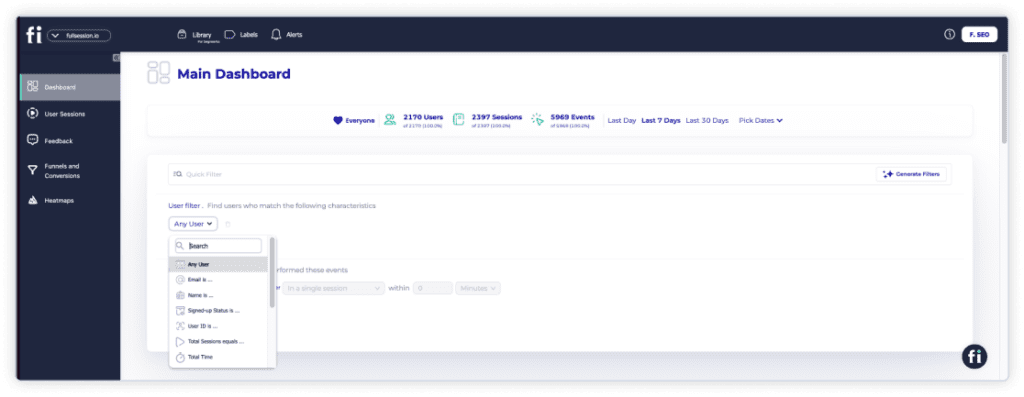
    FullSession will give you insights that provide a comprehensive analysis of the visitors’ behavior on your website. This feature will allow you to detect any friction points that may cause problems. As a result, you’ll be able to reduce unnecessary funnel dropouts and positively affect conversion rates.
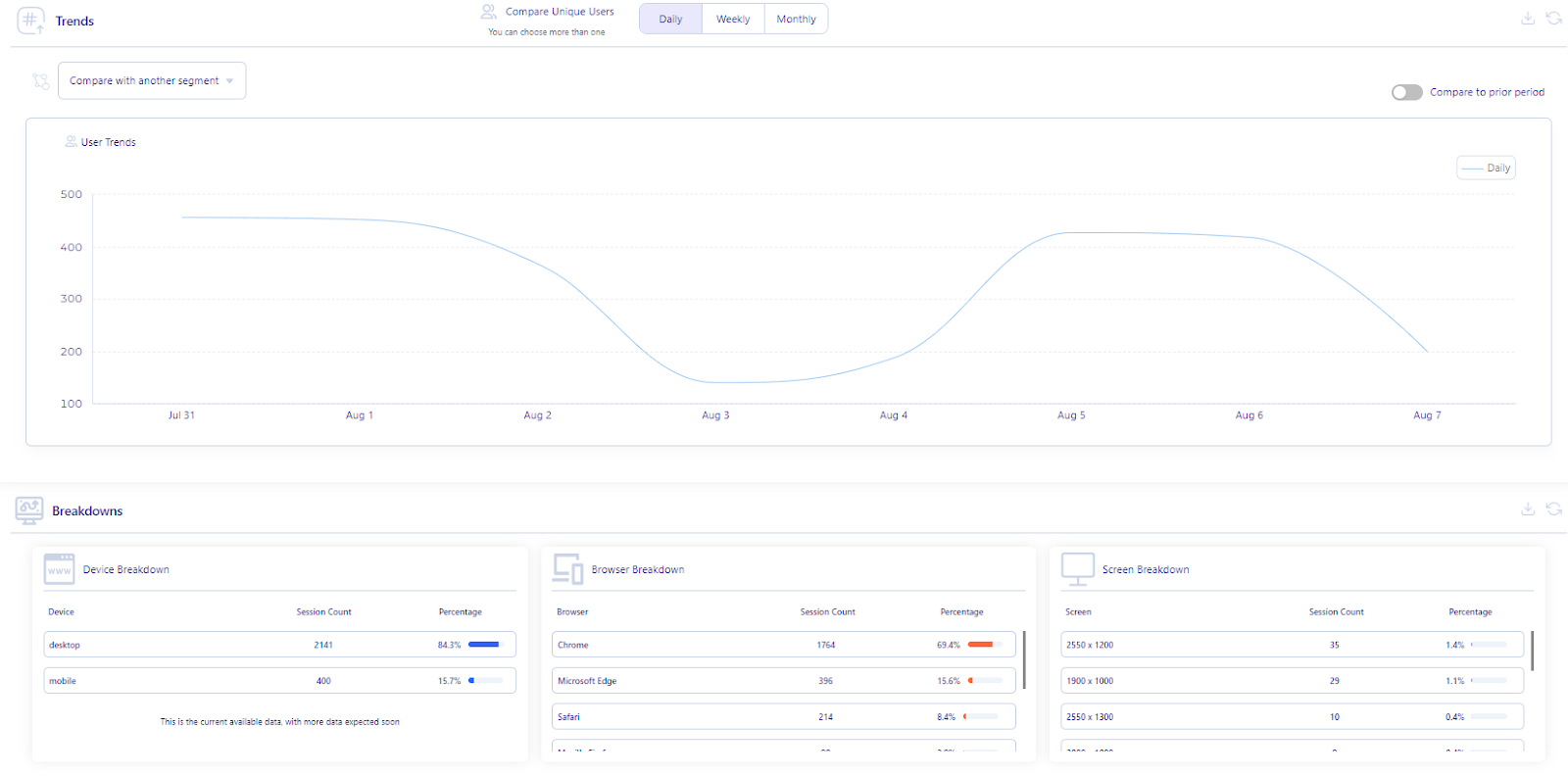
    insights

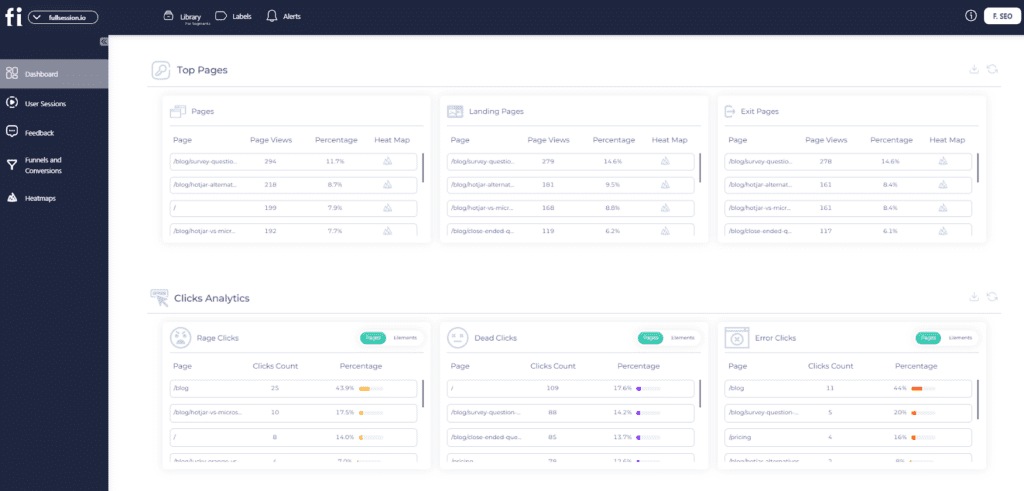
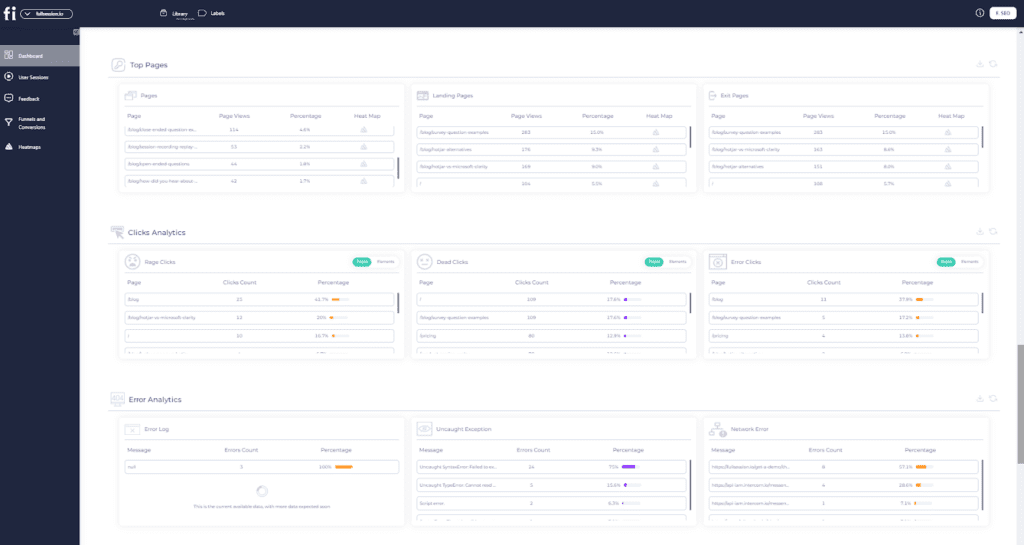
    You can access the essential data directly from the dashboard. Customer insights are divided into three categories:

    User engagement

    • Median scroll depth by device
    • Page load speed by browser
    • Session playlist
    • Top users
    • User trends
    • Breakdowns (based on device, browser, and screen)

    User experience

    • Event per session
    • Session length
    • Active time
    • Feedback data
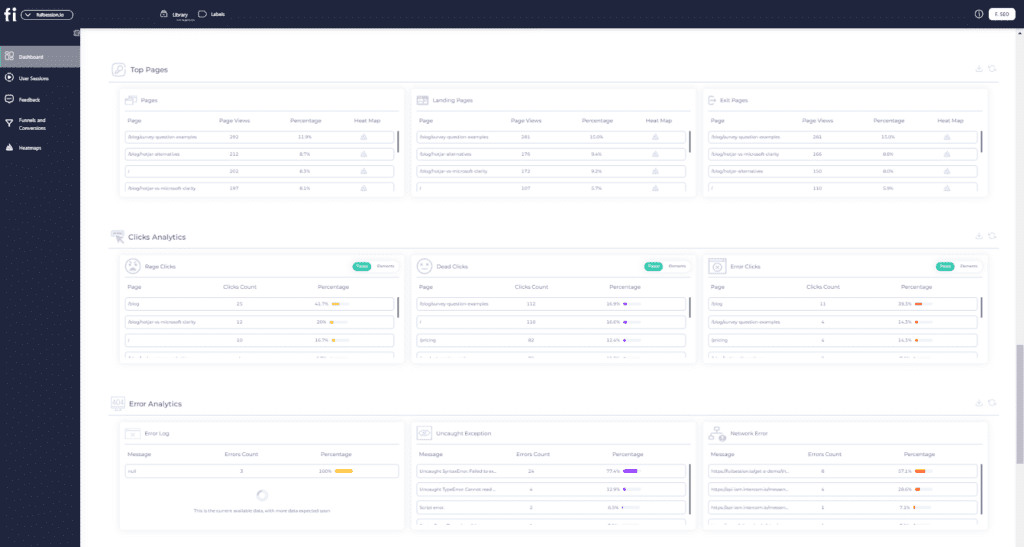
    • Top pages
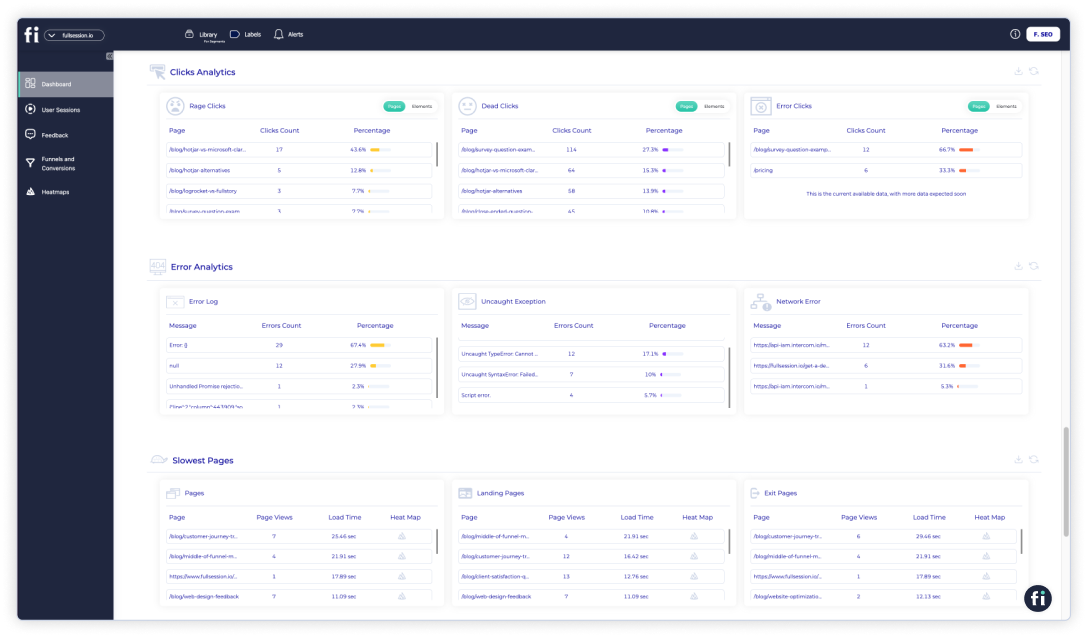
    • Clicks analytics
    • Error analytics
    • Slowest pages (pages, landing pages, and exit pages)

    Marketing channels

    • UTM analytics
    • Top referrers

    Conversion funnel analysis

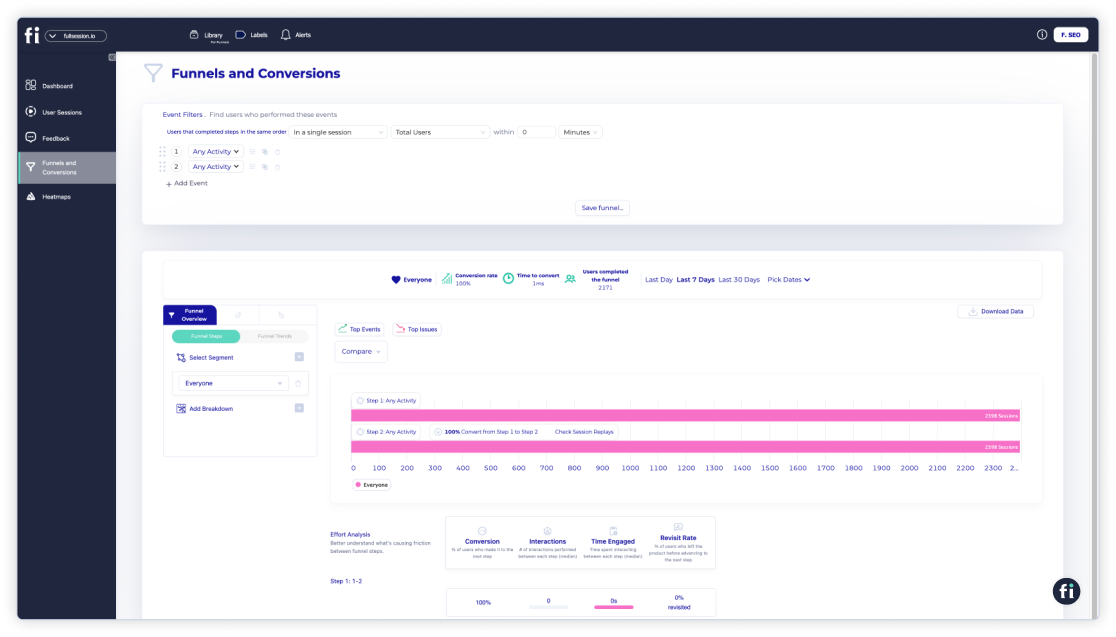
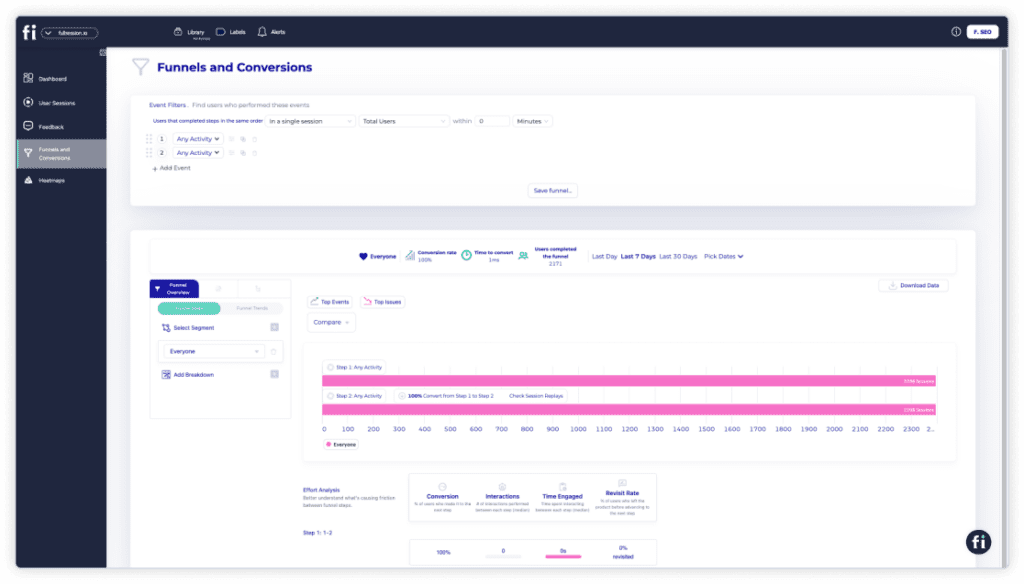
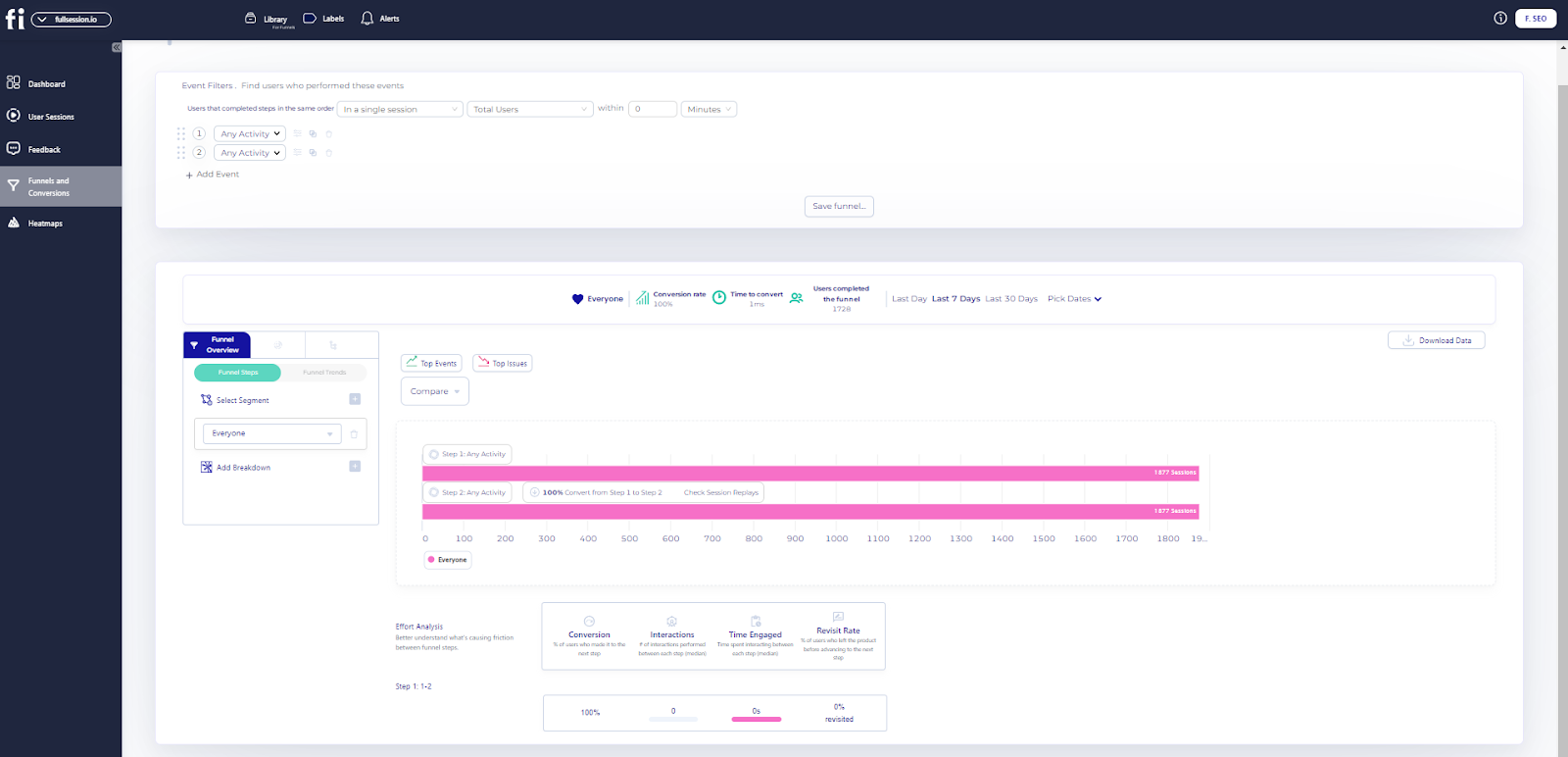
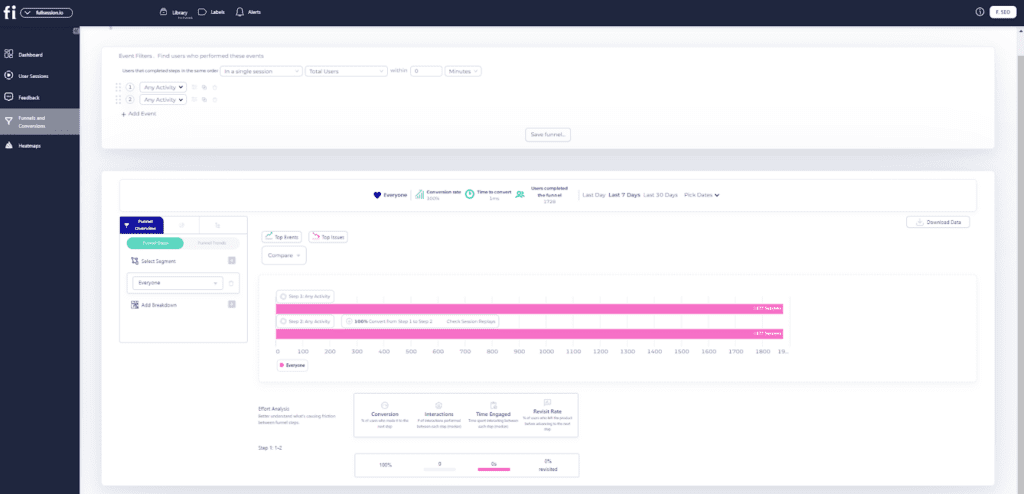
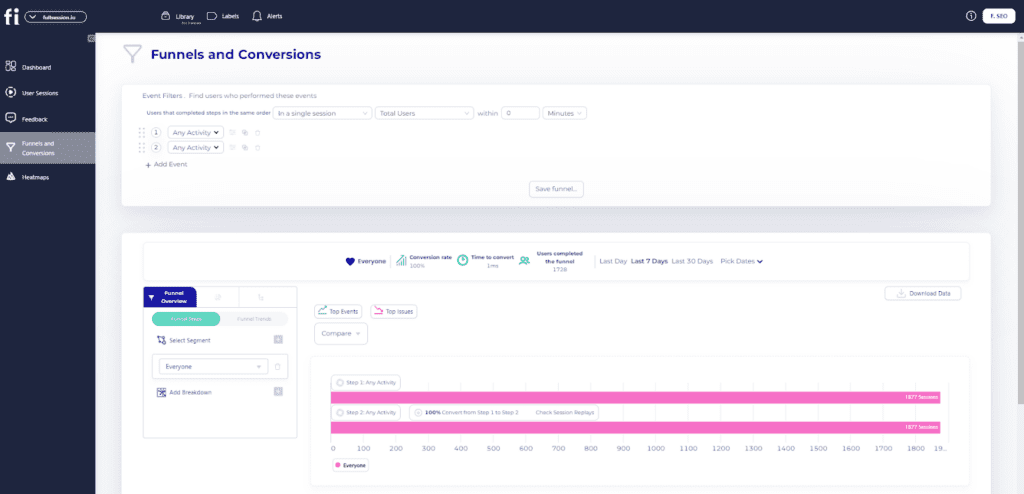
    The FullSession funnels and conversions feature is like having a magnifying glass on your user journey. It helps you see how users move through your funnel, where they’re dropping off, and which steps drive conversions.
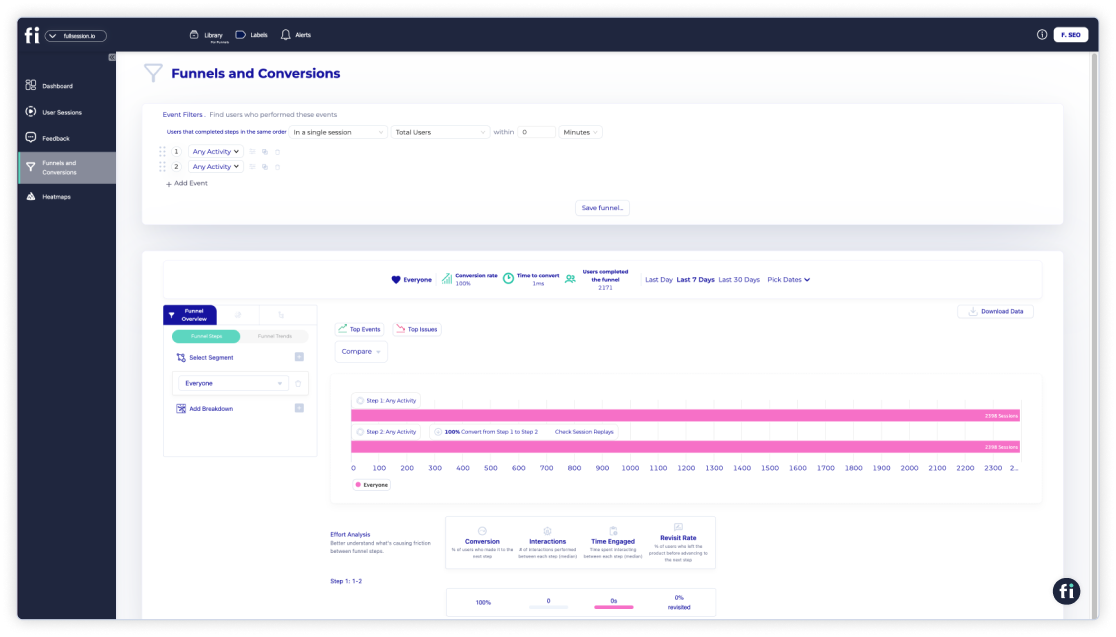
    Fullsession funnels

    You can dive into trends over time, spot what’s working, and fix what’s not. Plus, it breaks down performance by user segments so you can tailor your strategies. Whether you’re tracking engagement or comparing time periods, this tool helps you fine-tune the user experience and maximize conversions.

    Let’s say you’re analyzing your purchase process using the FullSession conversion funnel feature. You set up the funnel to track key steps: Product View, Add to Cart, Checkout, and Purchase Confirmation. The funnel shows how many users complete each step and where they drop off.

    For instance, if many users drop off at the Checkout step, you can use session replays and error analysis to see what’s going wrong—maybe a complicated form or a payment issue. Identifying and fixing these problems can reduce drop-offs and increase conversions in one test.

    Error tracking and analysis

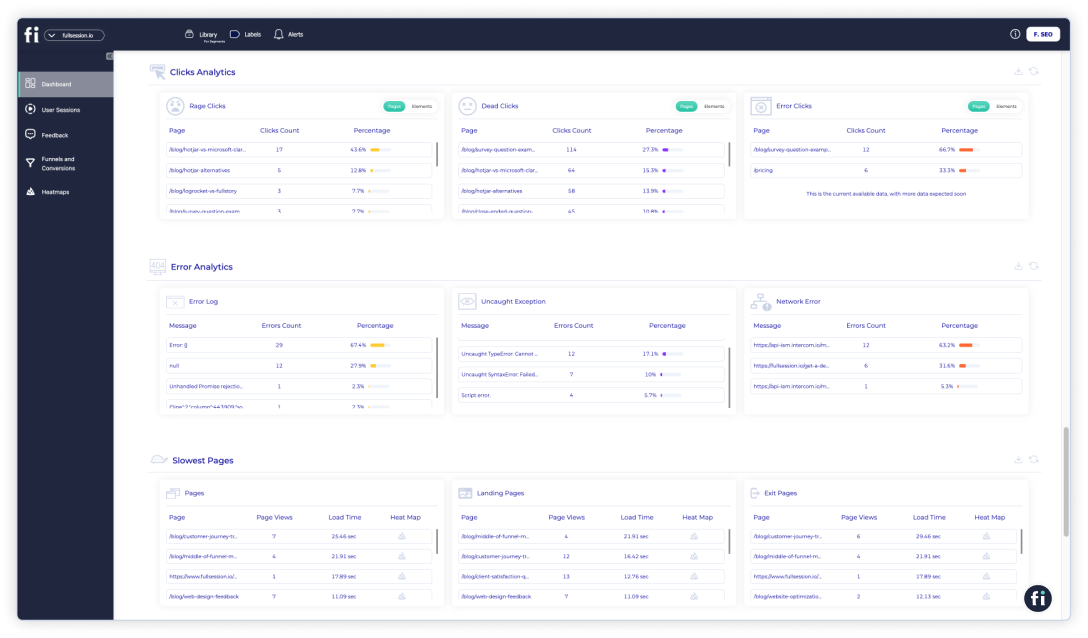
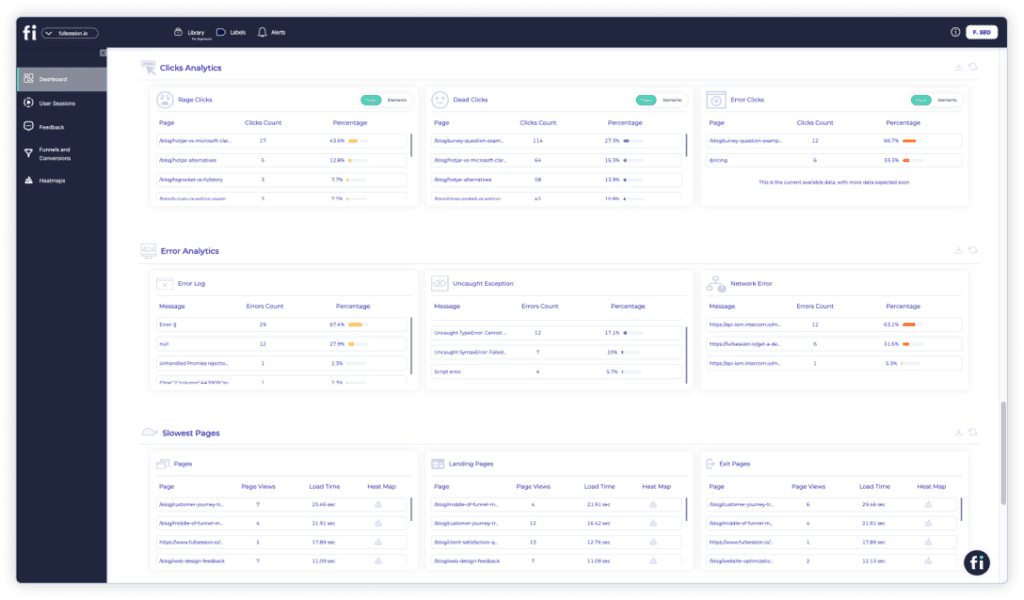
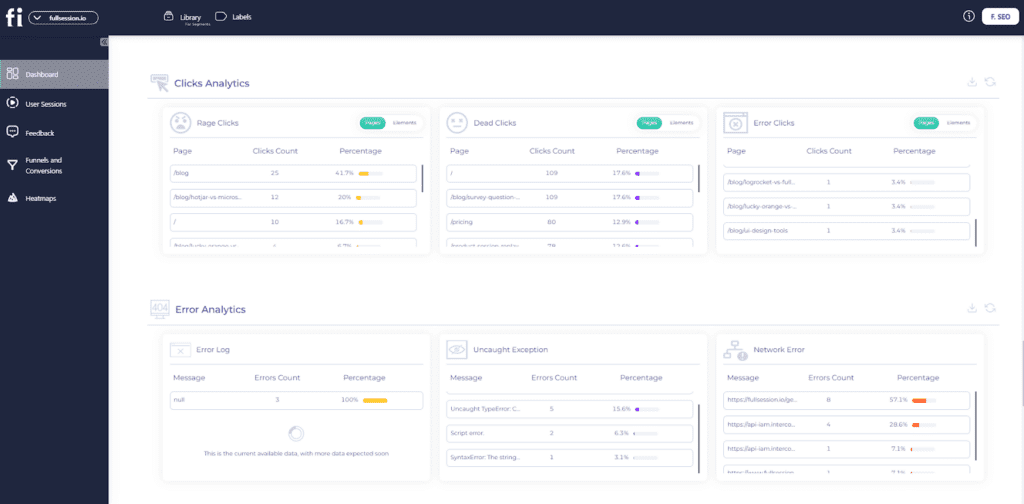
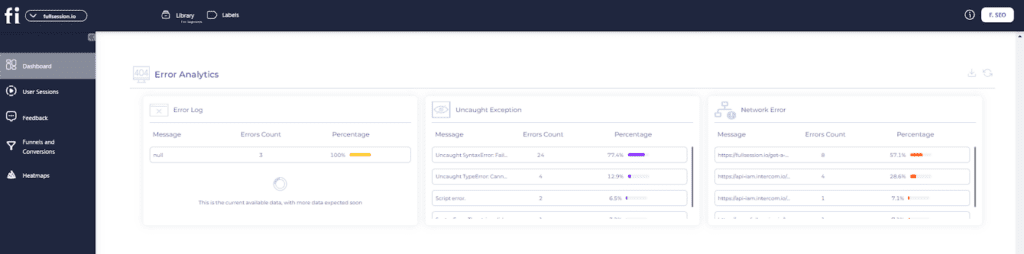
    This feature is like your digital safety net, tracking everything from error clicks, network hiccups, and console errors to uncaught exceptions and error logs. With tools like session replays and error click maps, you can see exactly what went wrong and where.
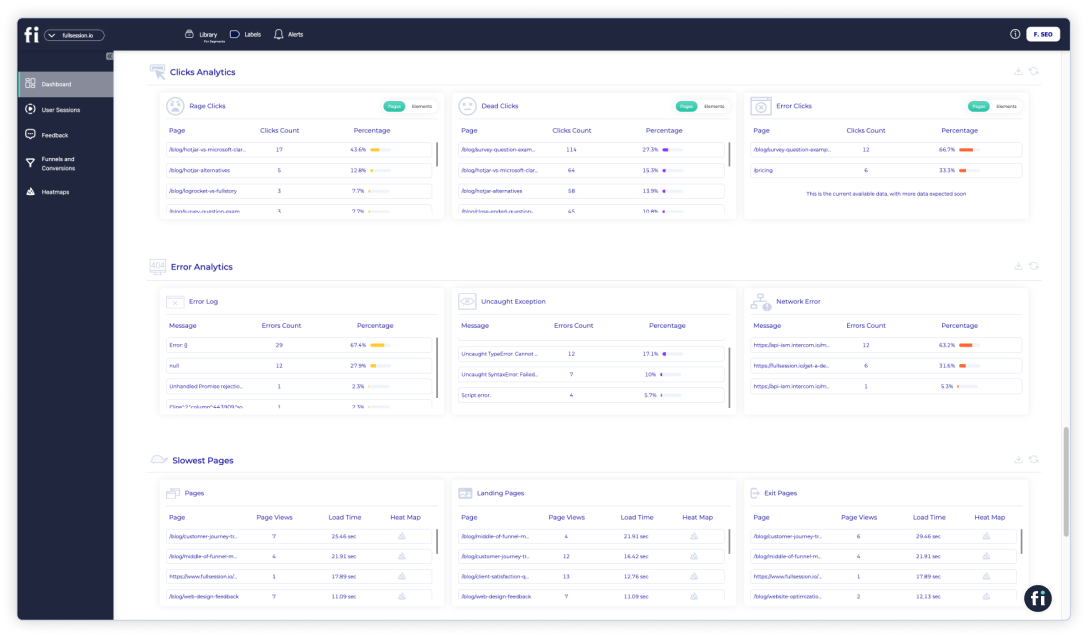
    FullSession error tracking

    Plus, you can monitor trends over time, segment errors by user group, and get real-time alerts via Slack, keeping your app reliable and your users happy.  

    Get a 360° View of User Behavior 

    Learn how to visualize and analyze all user interactions in one intuitive dashboard.

    UserZoom vs UserTesting: Languages

    UserZoom is available in English, German, and Spanish languages. UserTesting supports the same languages, but it doesn’t include Spanish.

    FullSession is available in English, Arabic, and French.

    UserZoom vs UserTesting: Integrations

    You can integrate UserZoom and UserTesting with Slack, Jira, Trello, and more. Recent integrations also include Microsoft Entra for SSO (Single Sign-On), which facilitates secure and seamless user access.

    UserTesting additionally offers integrations with Adobe XD, Google Calendar, Outlook Calendar, Qualtrics, and more.

    Thanks to open APIs and modern webhooks, FullSession integrates with major third-party tools, including Wix, WordPress, BigCommerce, and Shopify.

    UserZoom vs UserTesting: Support

    The UserZoom website has a help center. The company also offers a UserZoom Academy, a collection of helpful articles about UX testing. You can contact UserZoom via phone or email. 

    UserTesting offers a customer help section. You can contact the company via phone, e-mail, Twitter, Facebook, LinkedIn, and Instagram. They also provide extensive support resources, including a knowledge base, community forums, and UserTesting University for training and development.

    FullSession offers top-notch customer support to help you get the most out of the platform. Whether you’re just starting or need help with advanced features, their team is available via live chat, email, and a detailed knowledge base

    UserZoom vs UserTesting: Pricing

    UserZoom offers two basic plans: Quick Start and Enterprise. The first one is best for individuals and small teams. Features include qualitative research methods, automated transcription, video analysis tools, and self-service knowledge base.

    The second option is designed for cross-collaborative teams. It includes all Quick Start features plus quantitative methods (card sorting, tree testing, click testing, surveys), global participant recruitment, a dedicated research partner, and advanced security options.
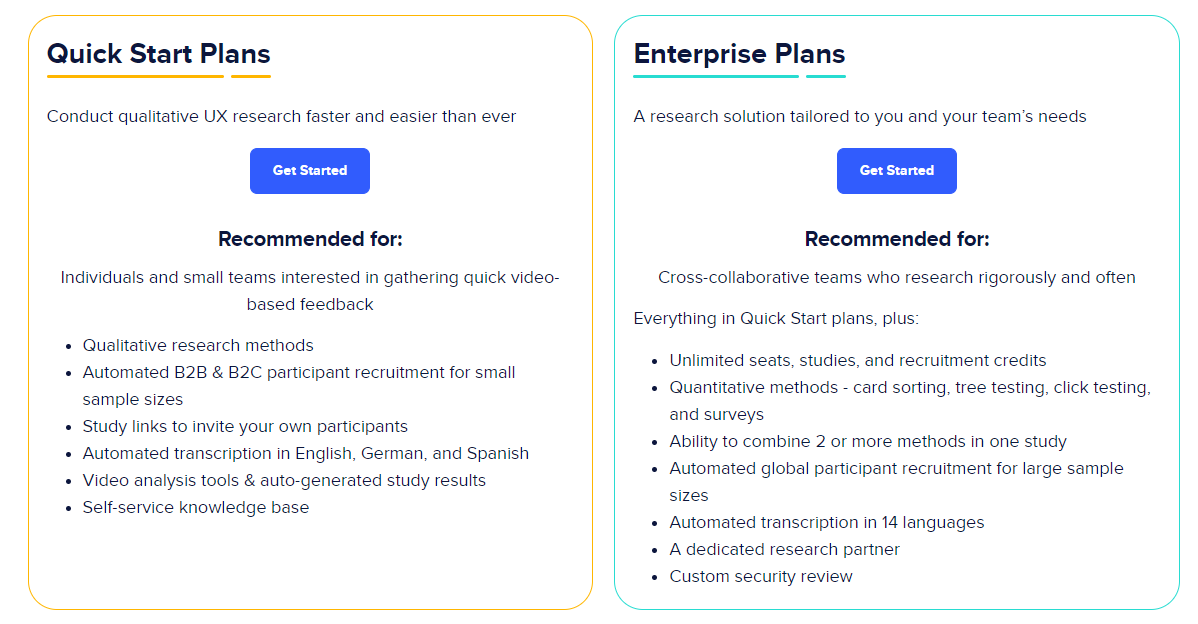
    UserZoom pricing

    UserTesting offers three subscription tiers:

    1. Essentials: Provides access to basic features suitable for collecting user feedback.
    2. Advanced: Includes more tools for comprehensive test creation and research, such as mobile testing and advanced demographic targeting.
    3. Ultimate: Geared towards large companies, offering high security and advanced analysis features.
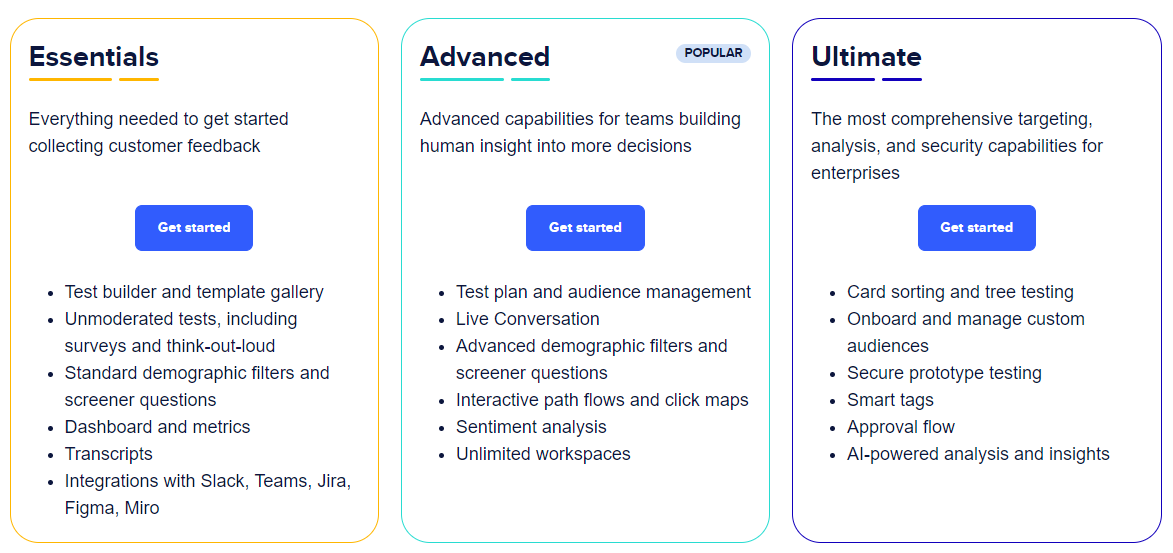
    UserTesting pricing

    Unfortunately, you’ll need to contact the companies directly to get pricing information, as it isn’t available on their websites.

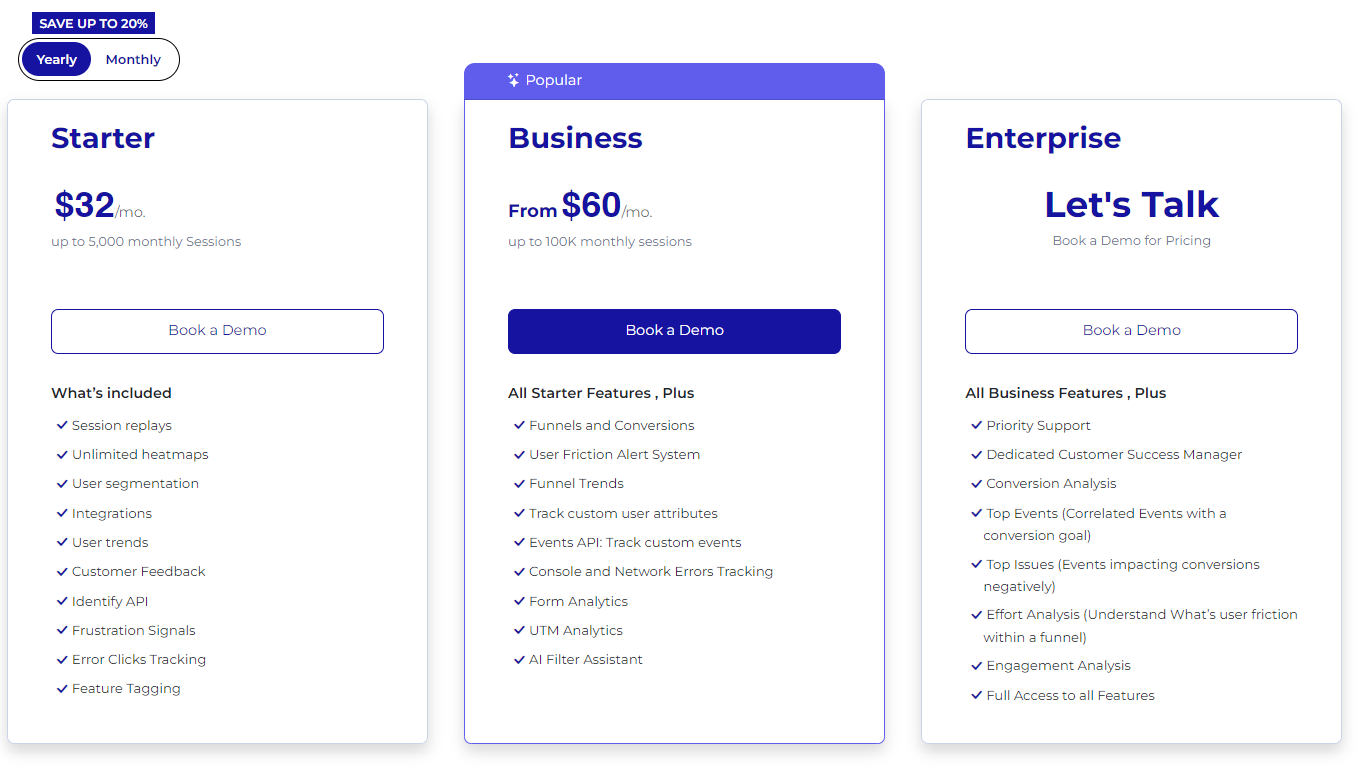
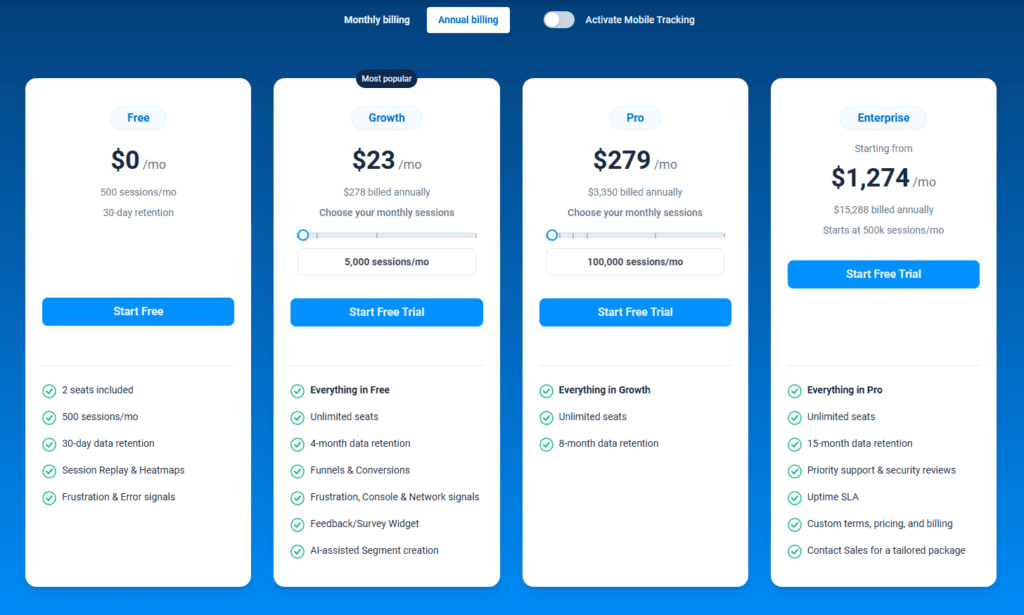
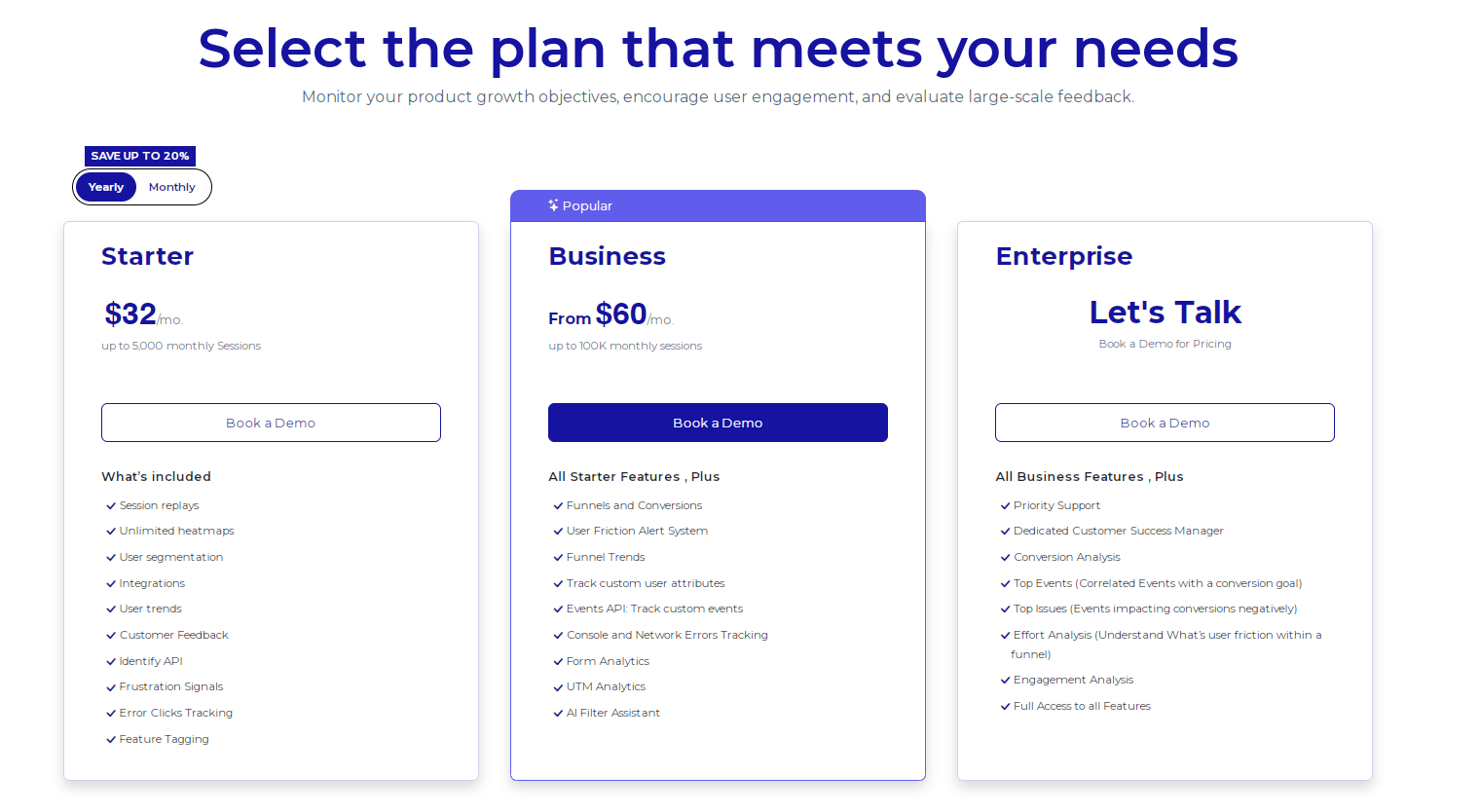
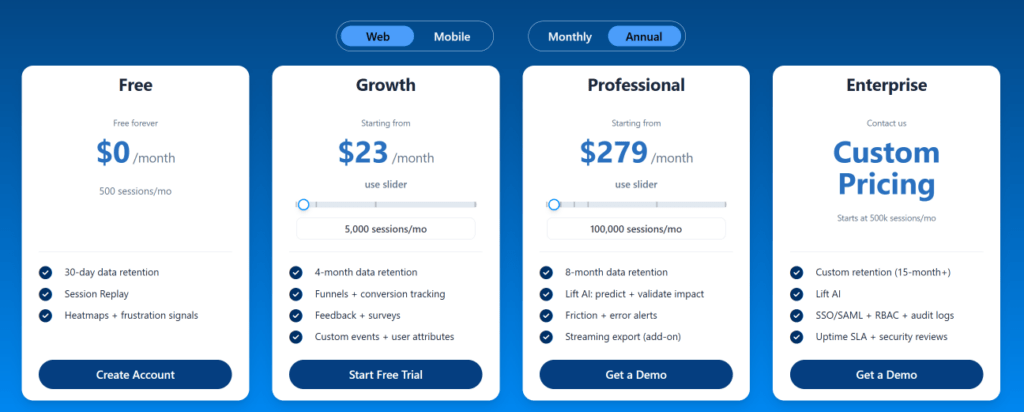
    FullSession offers a 14-day free trial and three paid plans: Starter, Business, and Enterprise. A yearly subscription can save you up to 20%!
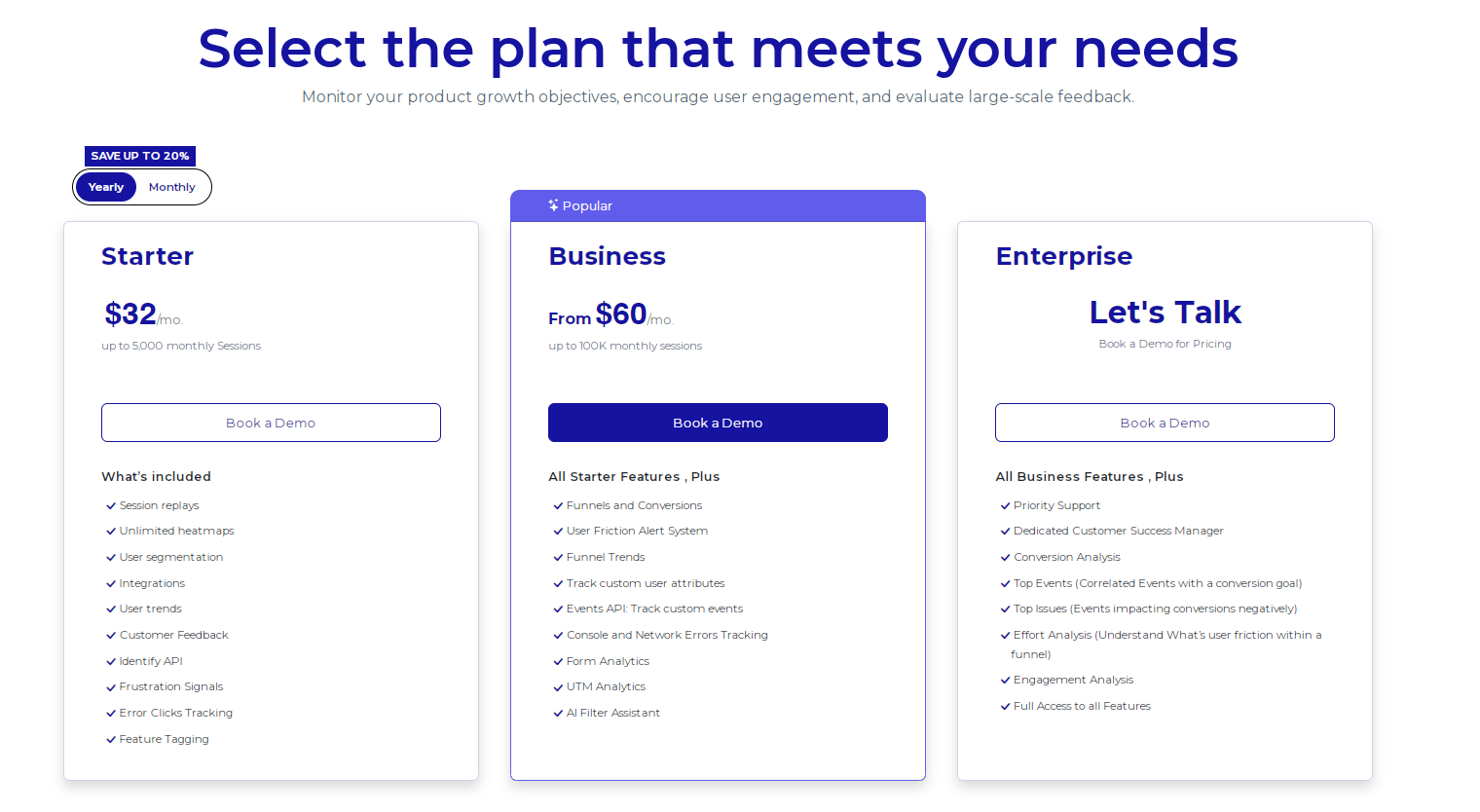
    FullSession pricing

    Here are more details on each plan.

    1. The Starter plan costs $39/month or $32/year and allows you to monitor up to 5,000 monthly sessions
    2. The Business plan costs $75/month or $60/year and helps you to track and analyze up to 100,000 monthly sessions
    3. The Enterprise plan has custom pricing and offers customizable sessions plus full access to all features.

    If you need more information, you can get a demo.

    Why Choose FullSession Over UserZoom and UserTesting?

    FullSession is a comprehensive yet user-friendly behavioral analytics platform packed with valuable features designed to optimize your website’s performance. Thanks to our advanced filtering options and broad analytic tools, you can easily watch session recordings of real users and quickly filter through data—all on a single, intuitive platform.

    With FullSession, you can track dynamic elements in real time, giving you precise insights into user behavior. Our real-time, interactive heatmaps offer up-to-date data without slowing down your site, and the customer feedback feature provides instant visual insights into the elements that frustrate your users.

    We prioritize user privacy by allowing you to exclude sensitive data from recordings, ensuring GDPR, CCPA, and PCI compliance and high security. Plus, FullSession is designed to manage extensive datasets efficiently, quickly revealing key insights to help you optimize conversion rates. You can also limit tracking to your site, preventing any misuse of data.

    FullSession facilitates cross-team collaboration, unifying efforts on one platform and providing pricing transparency with customizable plans that scale with your business. 

    Ready to see how FullSession can enhance user satisfaction on your website? Book a demo today.

    FullSession Pricing Plans

    The FullSession platform offers a 14-day free trial and three paid plans: Starter, Business, and Enterprise. A yearly subscription can save you up to 20%!

    Here are more details on each plan.

    1. The Starter plan costs $39/month or $32/year and allows you to monitor up to 5,000 monthly sessions
    2. The Business plan costs $75/month or $60/year and helps you to track and analyze up to 100,000 monthly sessions
    3. The Enterprise plan has custom pricing and offers customizable sessions plus full access to all features.

    If you need more information, you can get a demo.

    UserZoom vs UserTesting: Final Words

    The simple truth is that people aren’t going to use products—even potentially groundbreaking ones—that they find challenging and cumbersome. You need to test websites or apps to ensure they are easy to use. They need to provide valuable features to solve users’ issues.

    The only effective way is through specialized tools such as FullSession. This cost-effective solution offers the best mix of features—great session recordings, powerful analytical tools, insights, real-time, interactive heatmaps, and new features like conversion funnel and error analysis.

    We have whatever you need to identify potential issues with your product and make your customers happy. 

    If you want to evaluate FullSession yourself, book a demo today!

    FAQs About UserTesting vs UserZoom

    What is user testing?

    User testing helps businesses understand how real users interact with their digital products, such as websites and apps. It involves observing your own users as they complete tasks, gathering feedback, and identifying pain points to improve usability and overall user experience.

    Is UserZoom the same as UserTesting?

    No, UserZoom and UserTesting are distinct platforms, but they have merged under the UserTesting brand to offer comprehensive UX research and usability testing tools.

    Is UserZoom any good?

    Yes, UserZoom is highly regarded for its robust UX research capabilities, offering both qualitative and quantitative testing methods.

    Did UserTesting buy UserZoom?

    Yes, UserTesting acquired UserZoom, and they now operate as a combined entity under the UserTesting brand.

    What’s better than UserTesting and UserZoom?

    UserTesting helps market research teams make data-driven decisions to improve the customer experience, but it’s not perfect for everyone. Alternatives or complementary apps to UserTesting include platforms like FullSession, Optimal Workshop, and Lookback. You can find more alternatives in our comparisons of Mouseflow vs VWO, Hotjar vs FullStory, and Lucky Orange vs Hotjar or Hotjar alternatives.

    Who should use FullSession?

    FulSession offers an intuitive platform for project management teams, product managers, prototype testing teams, customer service teams, marketing professionals, and more.


  • 11 Best Ways To Use UX Analytics Tool For Your Website

    11 Best Ways To Use UX Analytics Tool For Your Website

    Providing a relevant and meaningful user experience is essential for any website, but defining what makes up a good user experience can be challenging.

    Luckily, UX analytics tools can help you better understand user behavior so you can know exactly what kind of UX to offer your users. 

    We created FullSession after thorough research of other UX testing tools on the market. It helps improve the user journey and overall product performance via interactive heatmaps, session recordings, customer feedback forms, conversion funnel analysis, and error tracking.

    With this article, we will help you learn more about UX analytics and show you 11 ways you can use UX analytics tools to reach your goals. First, let’s cover the basics.

    Learn how our interactive heat maps help you find cold spots and dead zones on your site.

    What Is a UX Analytics Tool?

    FullSession dashboard

    A UX analytics tool gathers data on user activity, analyzes that data, and provides reports to help you better understand the user experience. It enables you to optimize your products according to users’ evolving needs.

    It also helps product teams identify what works and doesn’t, providing clear indicators and benchmark results. These insights can be great for determining the effectiveness of a specific design or feature modification before the final implementation.

    A UX analytics tool will help you answer essential questions about product use, such as:

    1. What are the user motivations? 
    2. Can they achieve their desired goal? 
    3. Does it relate to their values?
    4. What can your product do? 
    5. What can users do with it?
    6. How accessible or intuitive is the product? 
    7. Can you improve it in the future?
    8. What are the most significant issues users encounter, and how can you solve them?

    What Are the Most Common UX Analytics Tools?

    There are many different types of UX analytics tools available. You can choose the one that best suits your needs and goals. 

    Combining different tools is the way to go for a comprehensive analysis. Integrations can also be pretty helpful. They allow you to centralize results and conduct data analysis from various sources.

    On the other hand, some solutions, such as FullSession, provide all the necessary features you can use for the UX analysis in one place. 

    Let’s explore the most common types of UX analytics tools.

    Real-time analytics

    Real-time analytics gathers and measures real-time user data. It provides insights into how users interact with your website, such as what they click on, what holds their interest longer, what elements they ignore, etc.

    For example, a real-time analytics tool lets designers and developers react on the spot and solve problems before or as they occur or recognize opportunities for further improvements.

    User flow maps

    User flow maps depict user journeys on websites or mobile apps. They illustrate the user’s path from start to finish and help you understand the quality of their individual experiences. 

    With these maps, you will see how users navigate your website and find out if they reach their goals. An example of such a goal is making a purchase. User flow maps are essential in creating the experience you want your users to have.

    They are also valuable for creating an intuitive user interface, as well as evaluating and modifying user interface elements.

    Funnel analytics

    Funnel analytics provides the information you need to analyze your conversion rates at any given point in your sales or marketing funnel. You can determine which steps in the flow are effective and cause users to drop off to decrease your conversion rates.

    Funnel analytics

    Conversion funnel analysis is a major strength of FullSession. The FullSession funnels and conversions feature is like having a smart guide for your user journeys. It tracks every step of your conversion funnel, helping you see where users are dropping off and what’s working to drive conversions.

    Imagine you’re running an e-commerce site and notice that a lot of users are abandoning their carts right before checkout. With FullSession funnels, you can visualize each step of the funnel and see exactly where these drop-offs are happening. 

    For example, you might discover that users are spending too much time on the payment page, indicating a potential frustration point. By analyzing trends over time, you can see if this issue worsens during certain periods, like a sale. 

    The tool also lets you compare how different segments, like mobile users versus desktop users, interact with the funnel. If mobile users are dropping off more frequently, you could identify and fix mobile-specific issues. 

    FullSession helps you pinpoint these problems and optimize each step to improve conversions, ultimately leading to a smoother user experience.

    Book a demo to see how it works.

    Website usage analytics

    Web analytics collects, measures, and analyzes data from website users’ actions. It compiles data into reports that help you understand how visitors interact with your website. You can monitor web traffic or conduct more complex analyses for market research and website optimization.

    Web analytics tools, such as FullSession, provide resources for understanding user behavior and helping you make informed decisions. With web analytics, you can increase customer retention, attract new prospects, improve your sales funnel, and increase your ROI.

    Heatmap analytics

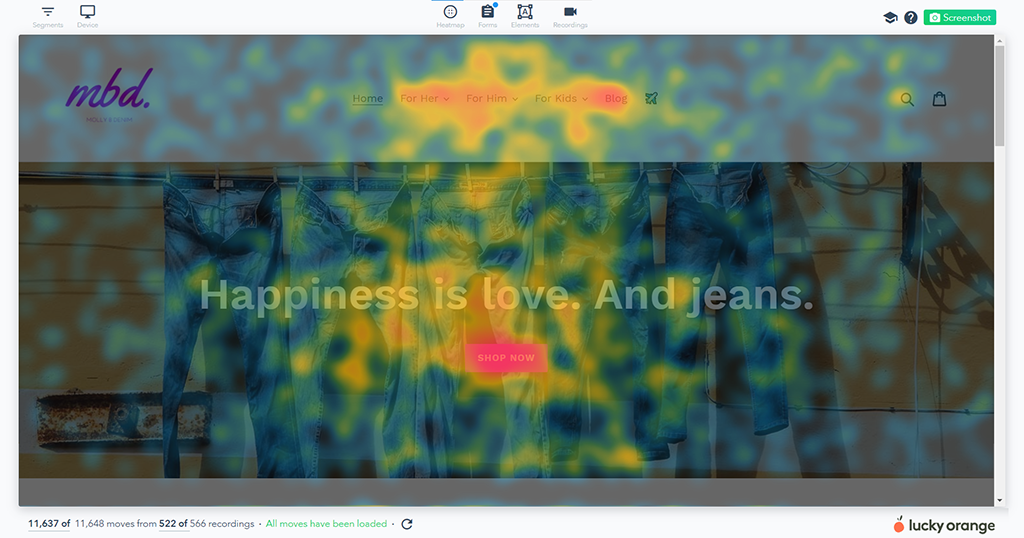
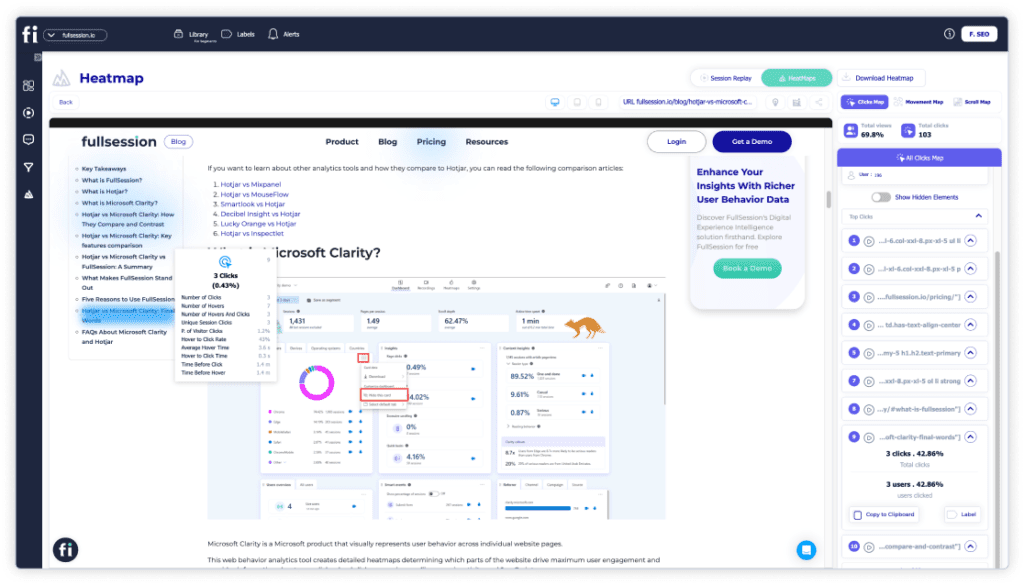
    Heatmap tools, which you can use with FullSession, show you pages with the highest user activity on your website. You see what parts of your site users are interacting with the most, usually by a heat gradient that shows click, scroll, or mouse movement activity.

    Heatmap analytics can help you conduct funnel analysis and monitor user behavior. It also provides insights on increasing user engagement. You can observe your A/B test performance, group your web traffic into segments, and evaluate your conversion paths to make necessary improvements.

    FullSession click map

    FullSession can collect quantitative data and present it into three different types of heatmaps:

    • Click maps: Show where users click on a page, highlighting the most popular areas and helping you understand what grabs their attention.
    • Scroll maps: Reveal how far users scroll down a page, indicating which content keeps their interest and where they tend to lose focus.
    • Mouse movement maps: Track the path of users’ mouse movements, giving insights into how they navigate and interact with your content and where they might be hesitating or focusing their attention.
    FullSession scroll map

    FullSession heatmaps are interactive and provide real-time insights. Real-time data allows for immediate action, and businesses can be proactive, preventing issues or seizing opportunities. On the other hand, aggregated data relies on reports, which could take longer to appear. FullSession eliminates this issue.

    Learn how our interactive heat maps help you find cold spots and dead zones on your site.

    Session recording tools

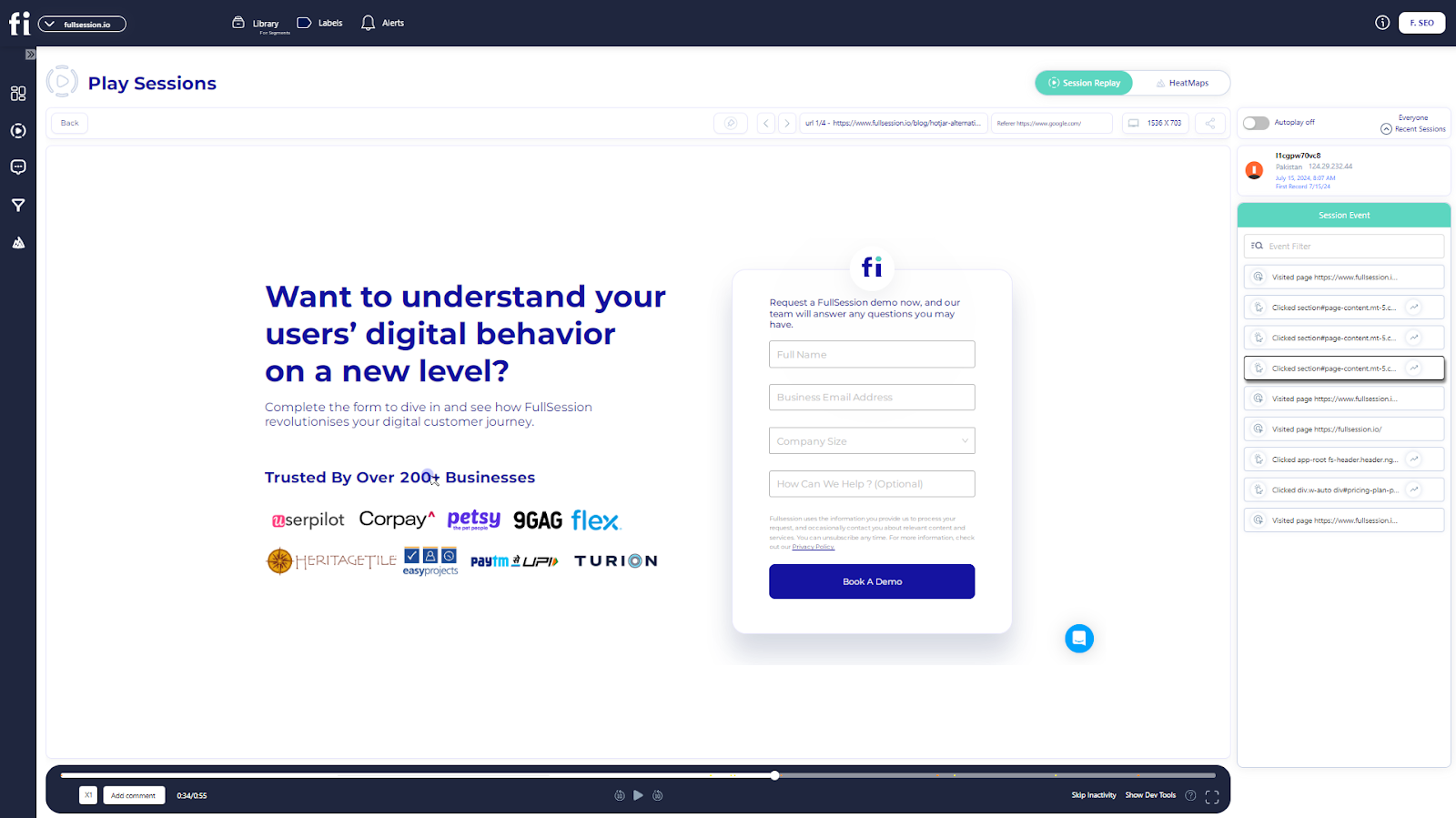
    With session recording tools, such as FullSession, you can record user sessions and play them back to observe users’ online behavior. 

    This feature enables you to log and monitor users’ actions, such as clicks, taps, or mouse movements, in real time. It gives insight into your users’ journey and helps you solve problems more quickly and effectively.

    FullSession session recording dashboard

    This qualitative analytics solution helps you understand:

    1. The user experience on different devices
    2. What parts of your site or web pages attract them the most
    3. Their mouse movement patterns
    4. Where they click the most or stop scrolling on your pages
    5. If there are page elements causing issues

    With this data, you can set up strategies that meet user needs and ultimately improve user experience.

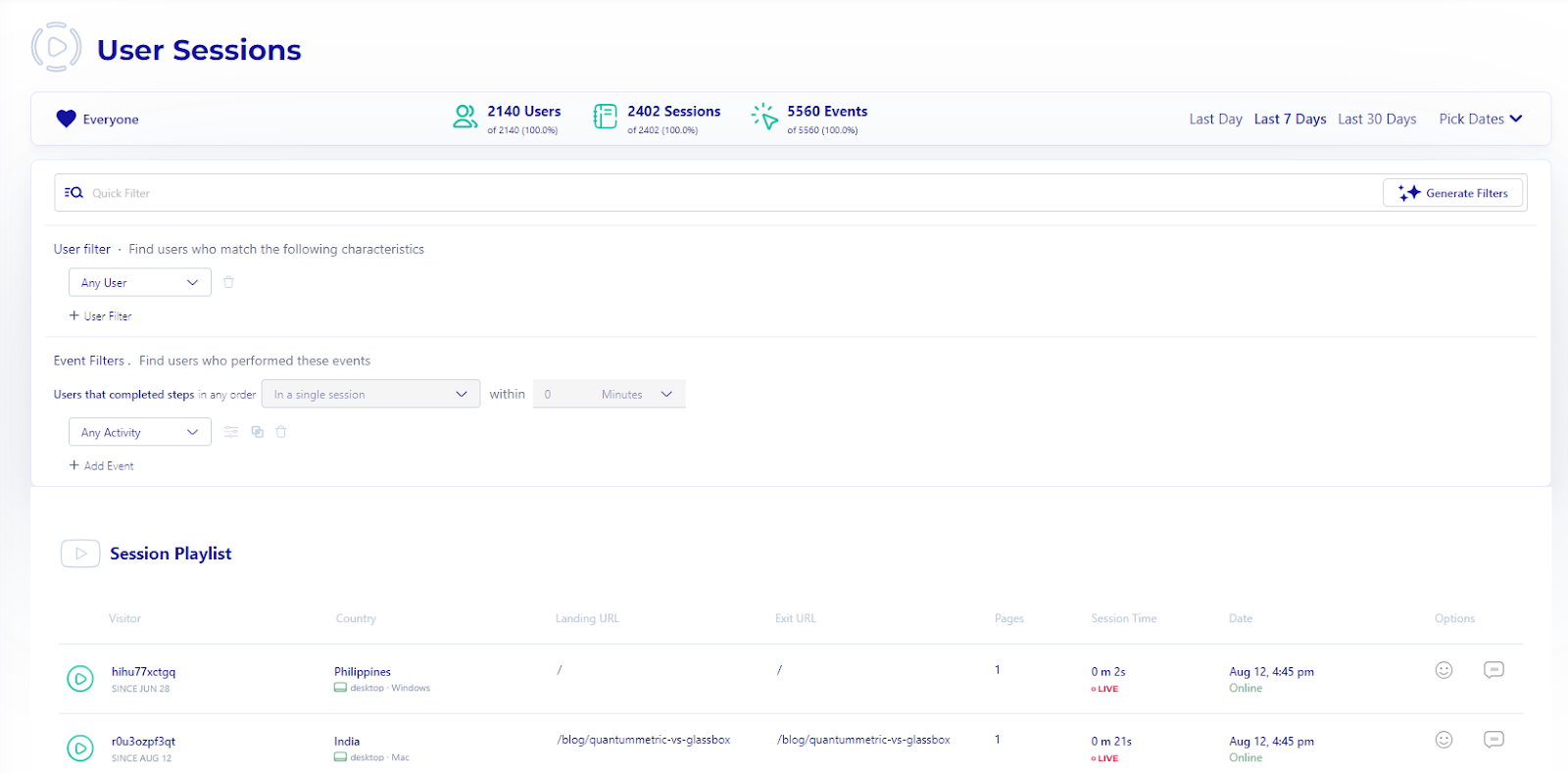
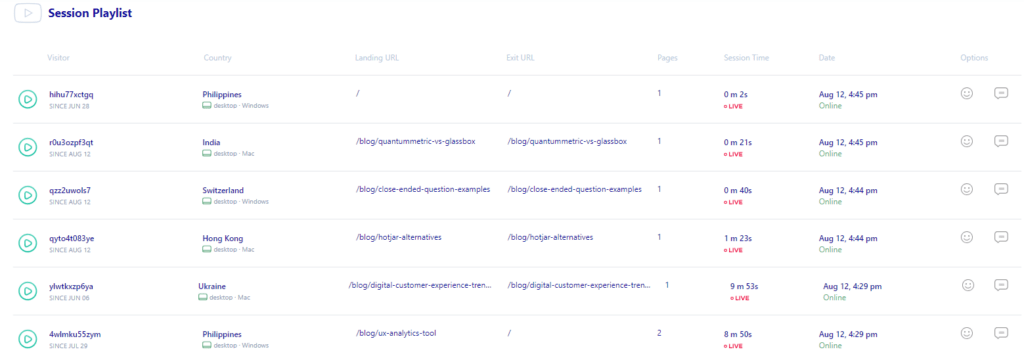
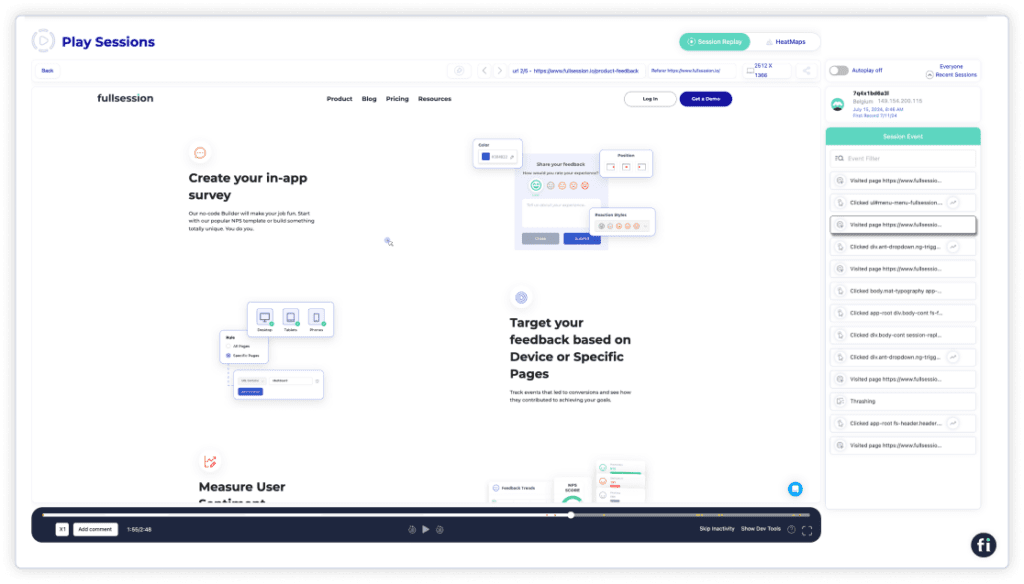
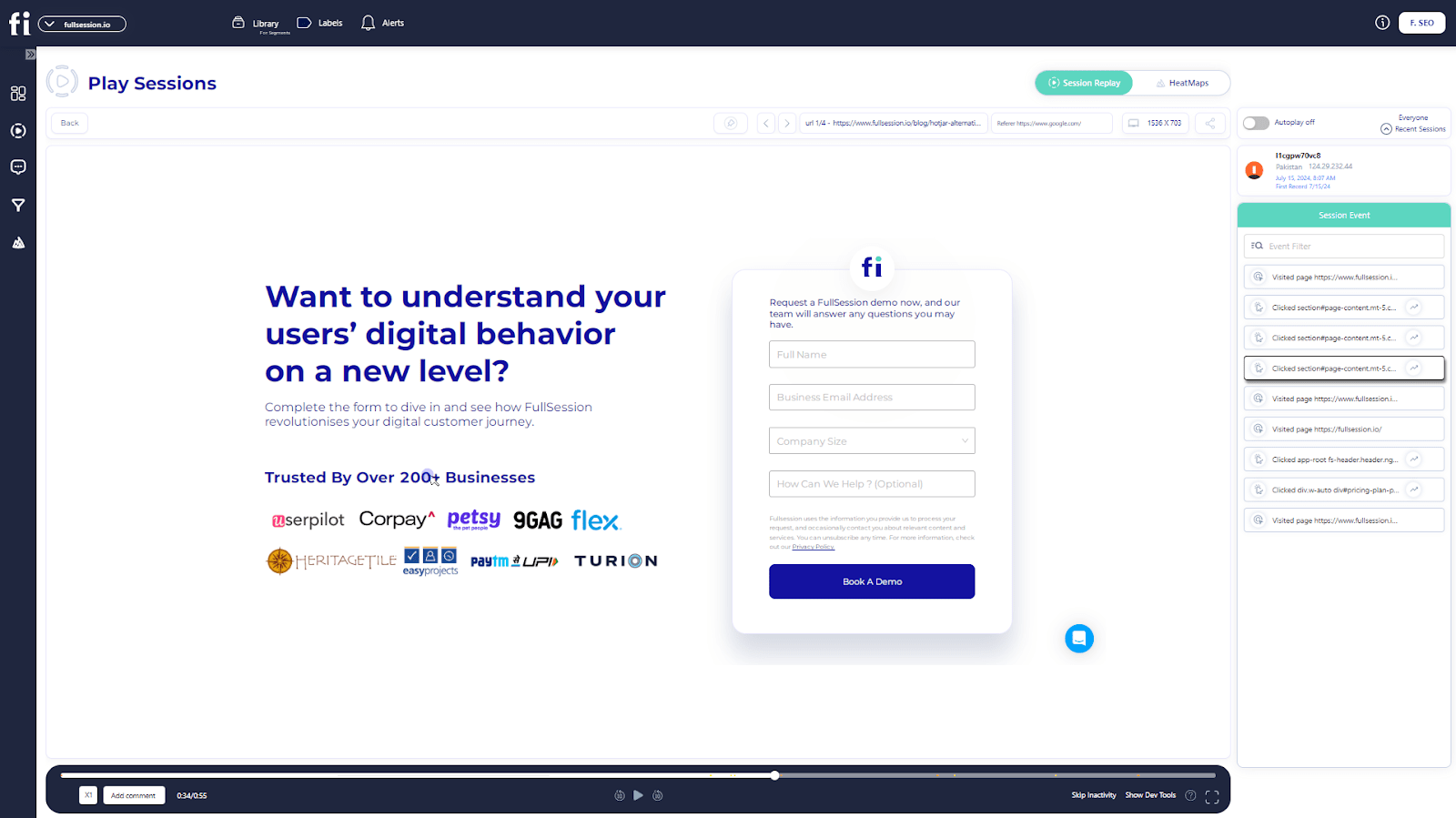
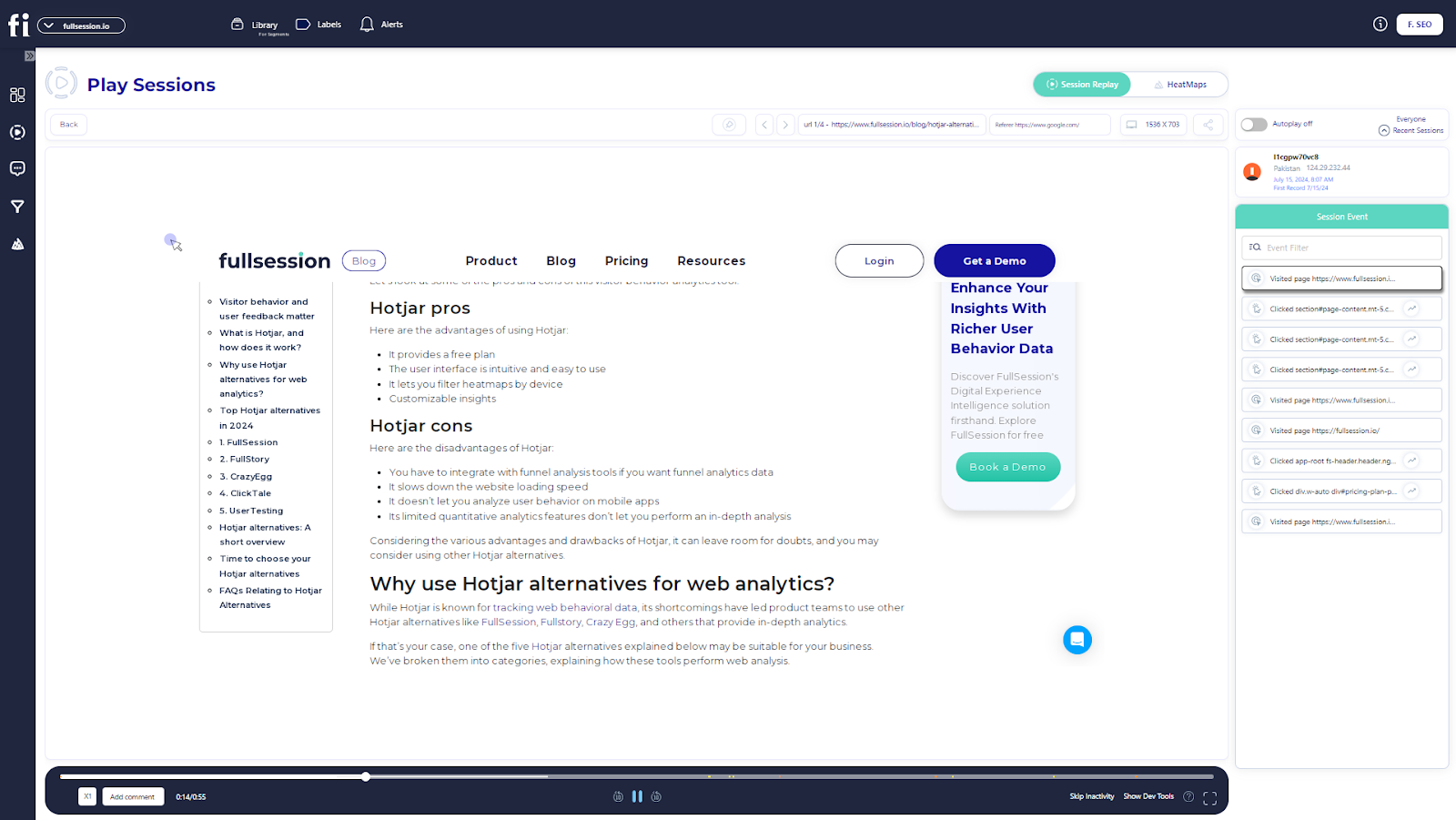
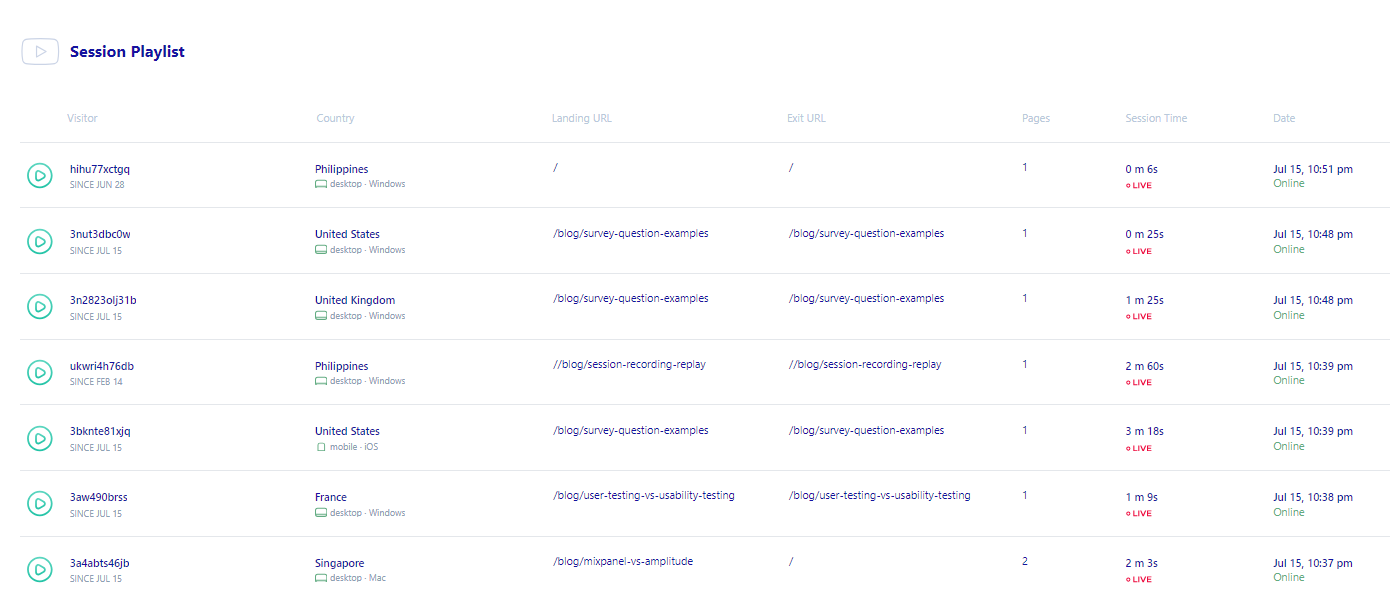
    To watch user sessions with FullSession, click on any of the entries on the Session Playlist.

    FullSession session playlist

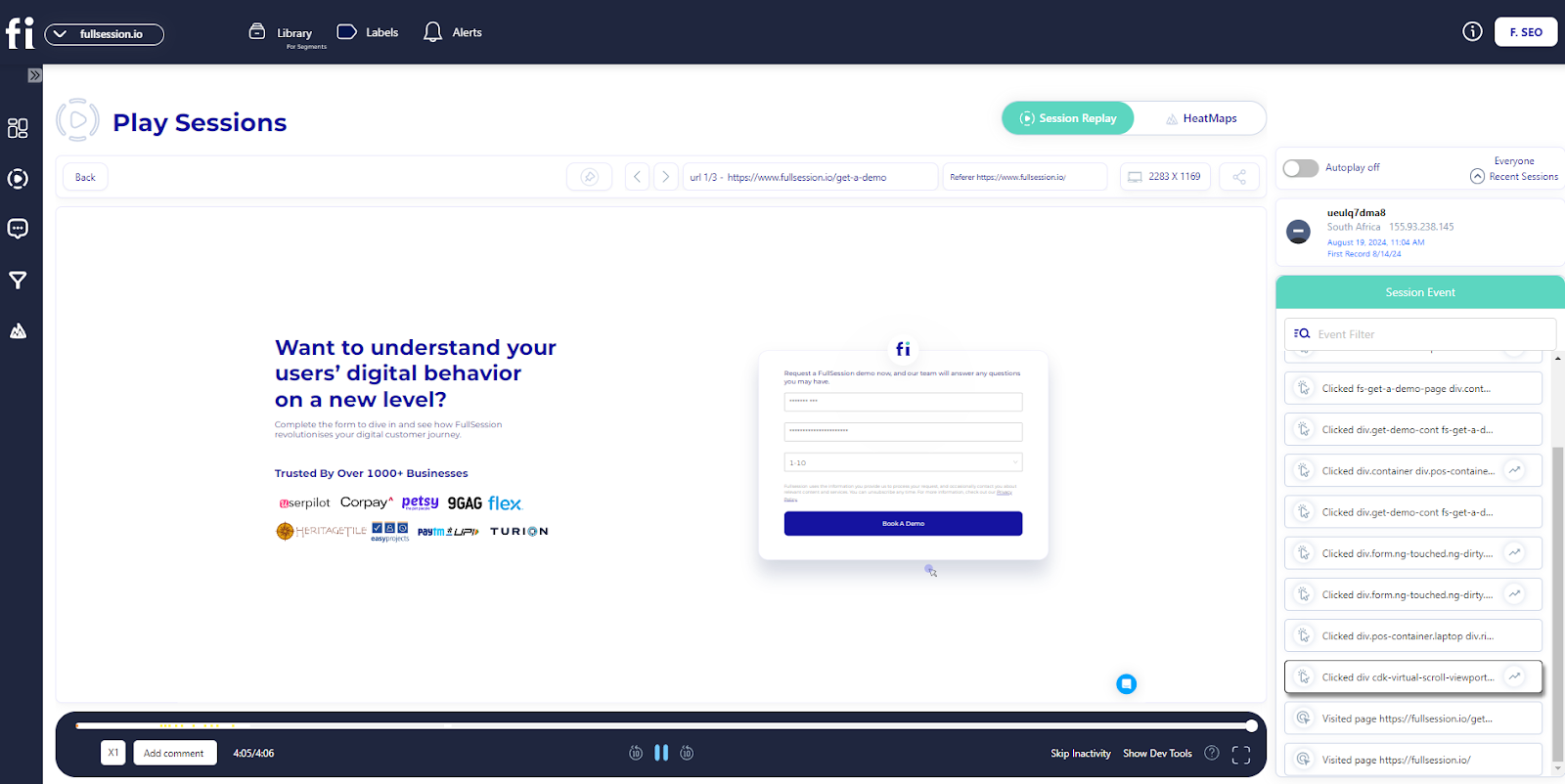
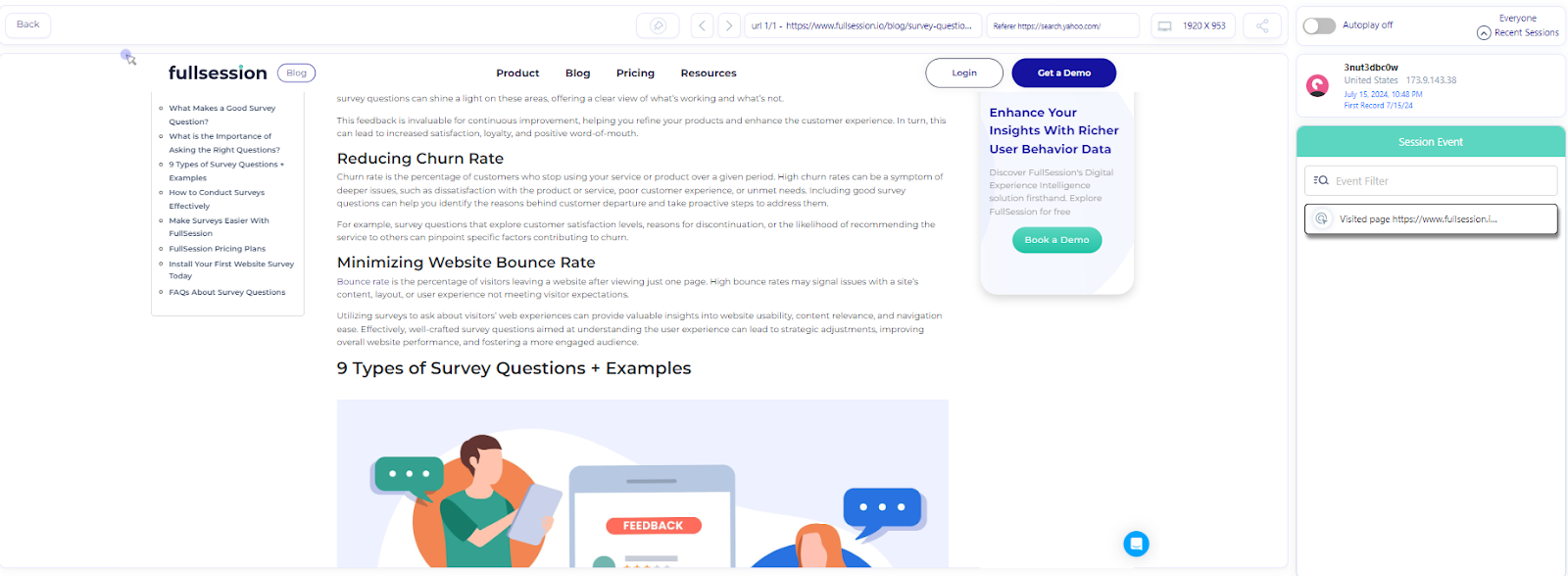
    The recordings will automatically play, and then you can observe your users’ activity.

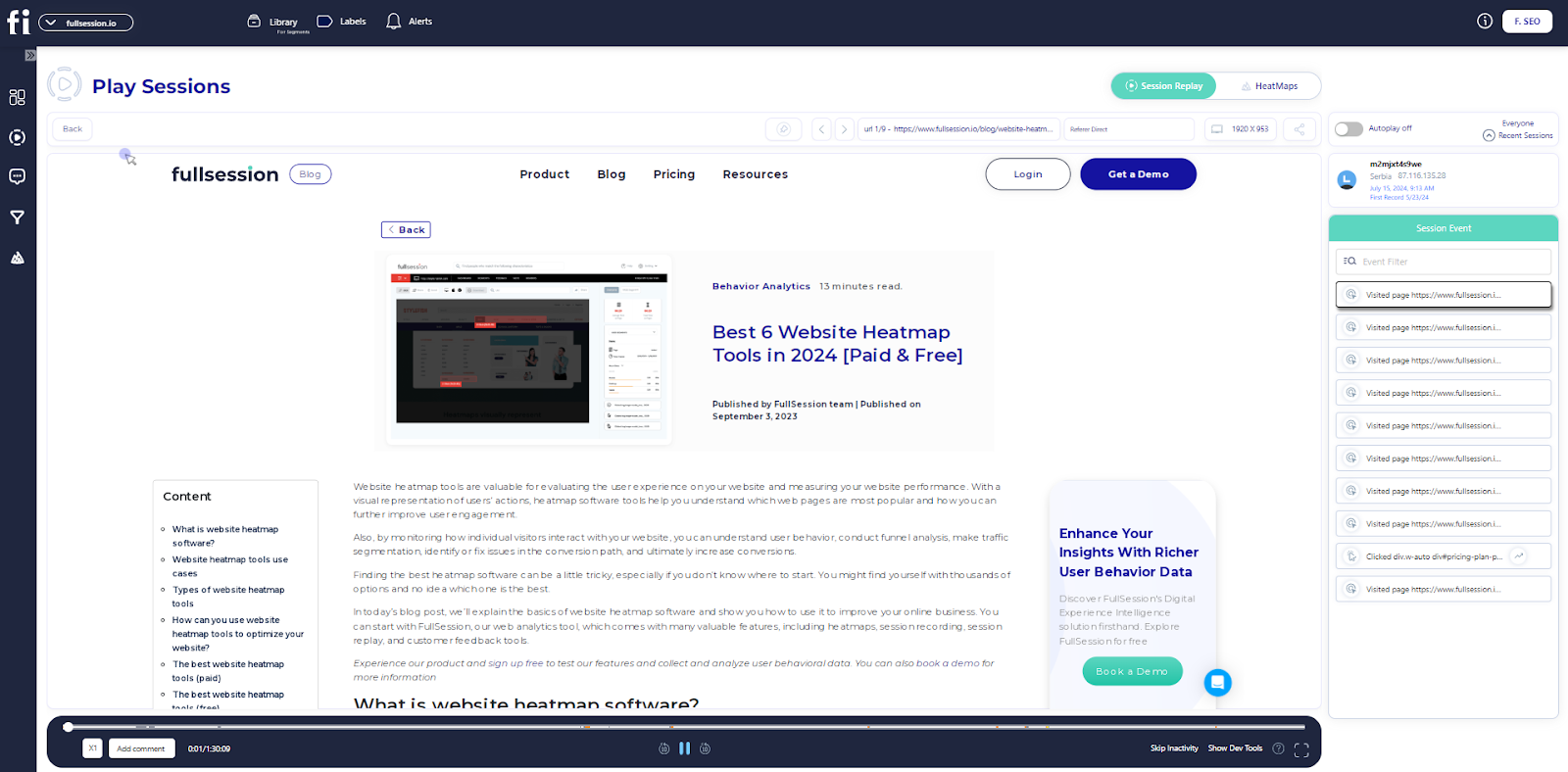
    FullSession session recording

    When you replay a session, you’ll be able to see:

    • Visit source
    • Users’ locations (country and IP address)
    • Pages viewed, and URLs visited by your users
    • The average time a user spends on a page
    • The total time a user spends on pages
    • Session list
    • The session event data
    • Screen resolutions of your users’ devices

    Start a free trial to see how it works.

    Customer feedback tools

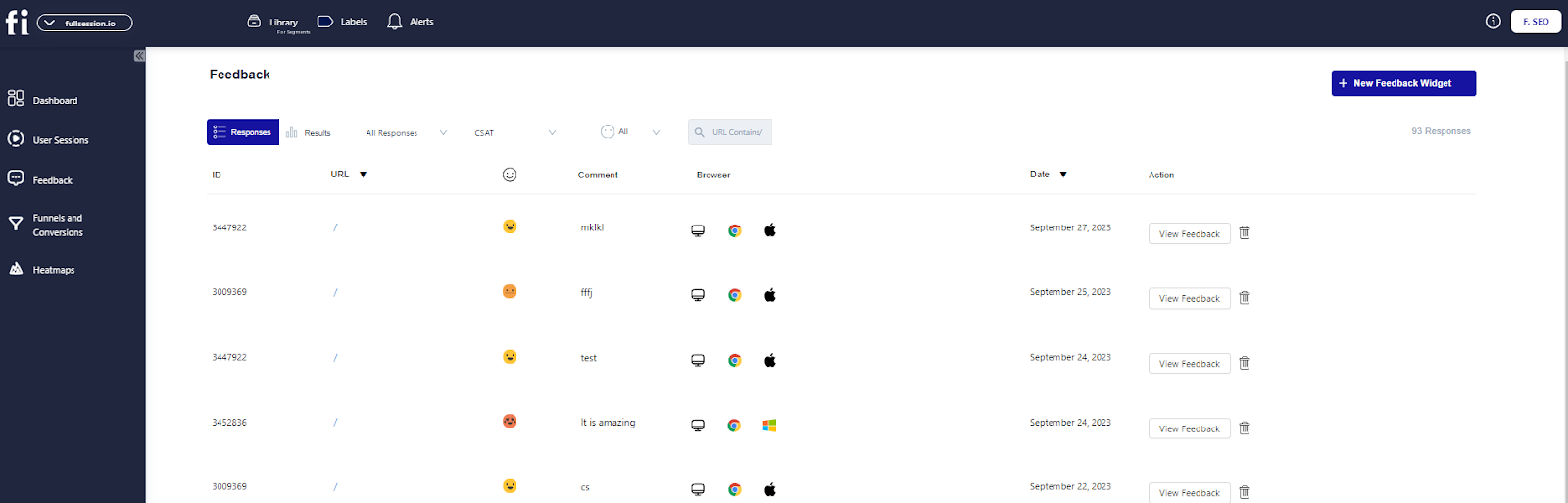
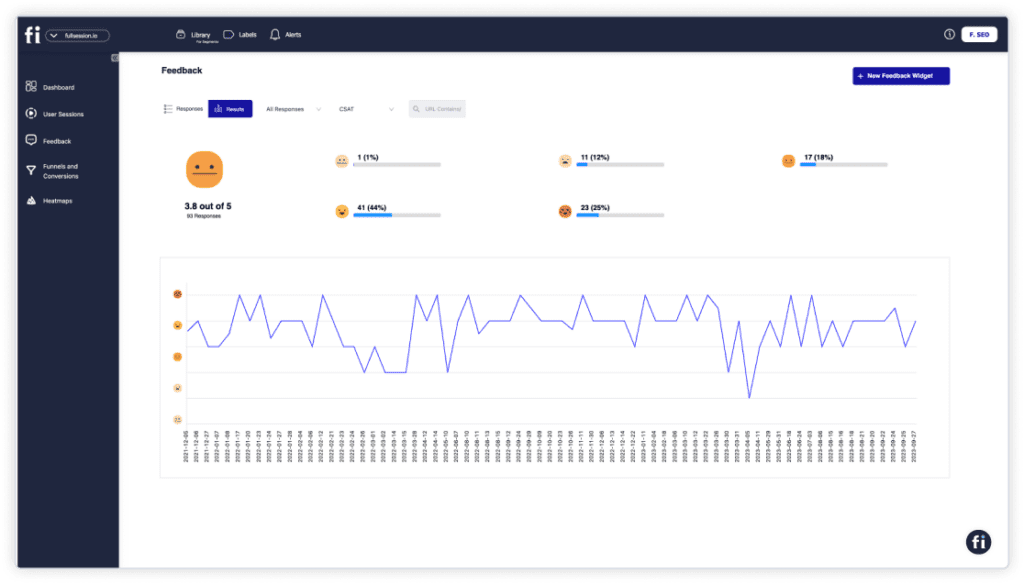
    FullSession customer feedback tool

    It is essential because it provides user feedback in real-time and helps you understand what they’re having trouble with, so you can provide solutions immediately. Also, it helps you optimize your marketing or sales efforts.

    Companies may use sentiment analysis to gain better insights into their customers’ opinions and feedback, based on data from reviews, social media, or surveys. With this data, they can identify trends, improve customer experience, and create better sales strategies over time, based on their sentiment.

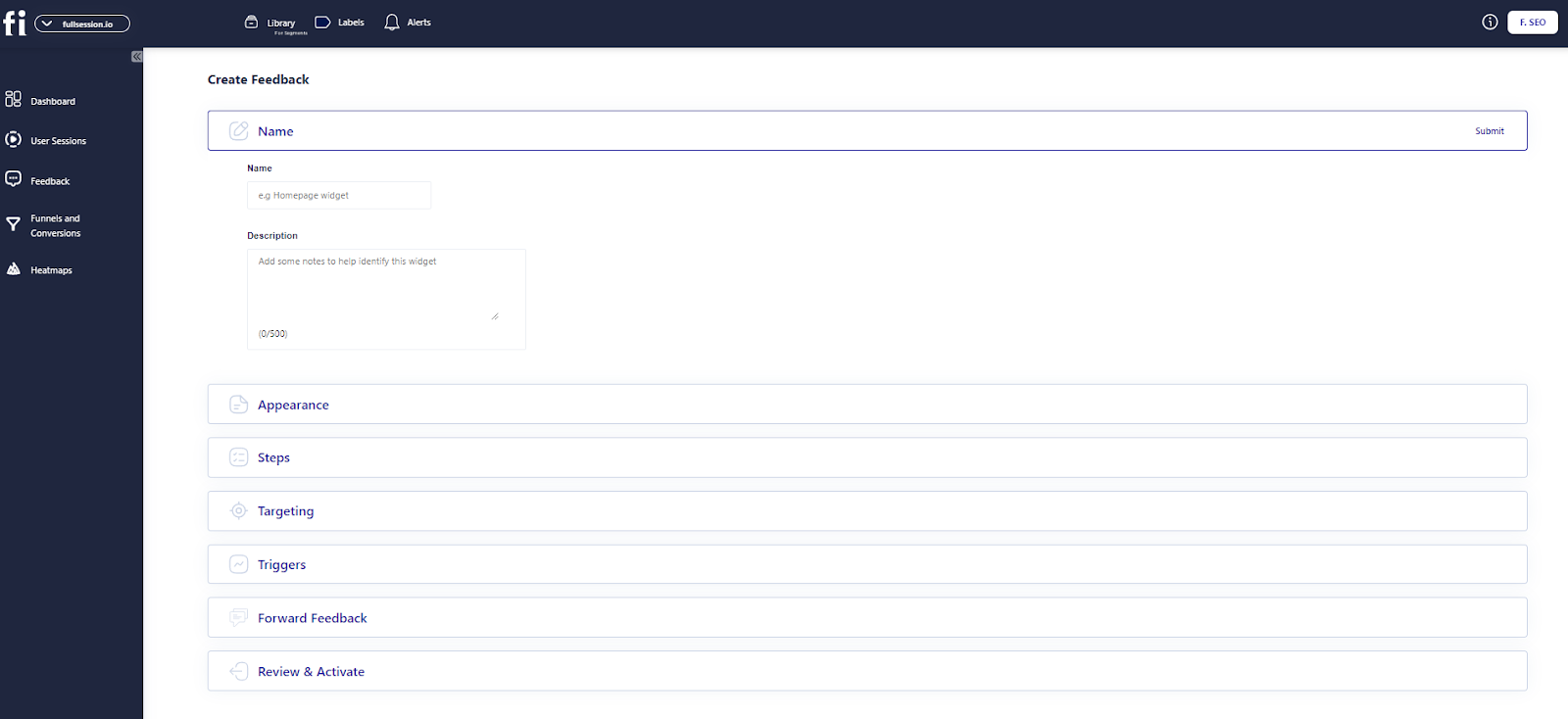
    FullSession lets you customize your own feedback widgets to collect valuable user insights.

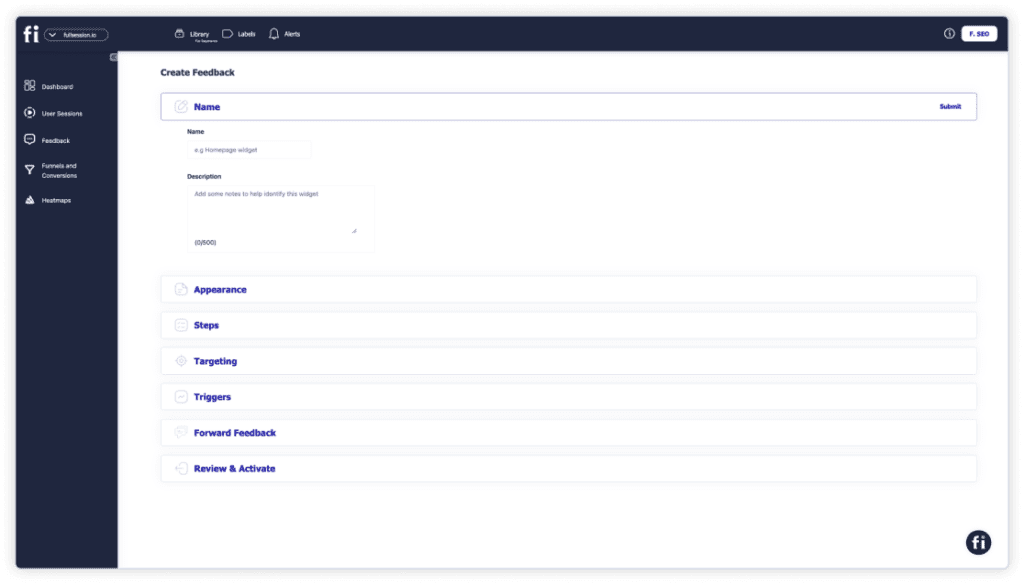
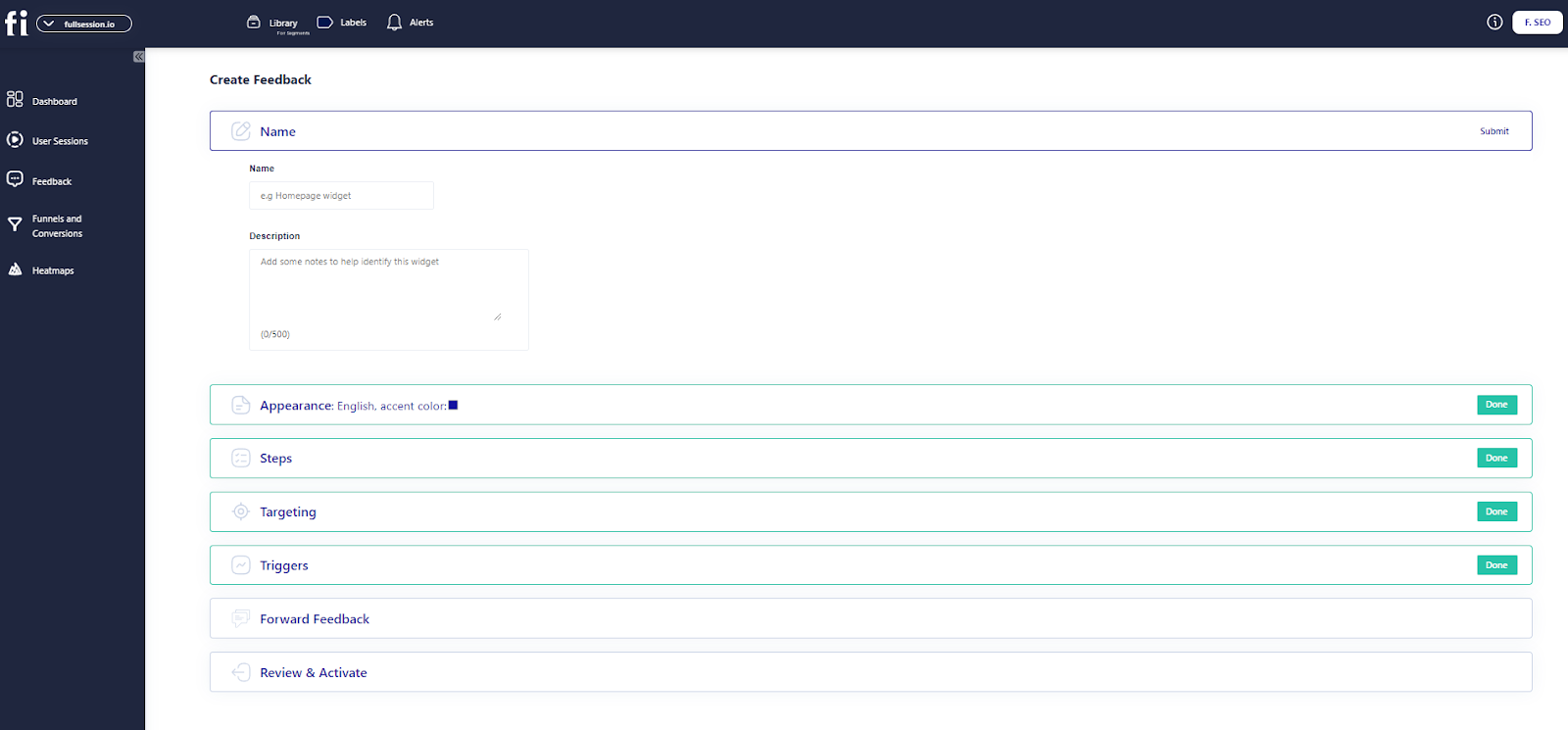
    FullSession create feedback

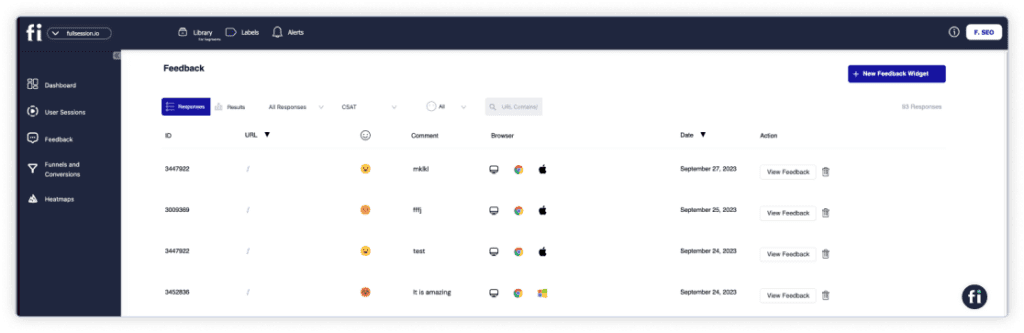
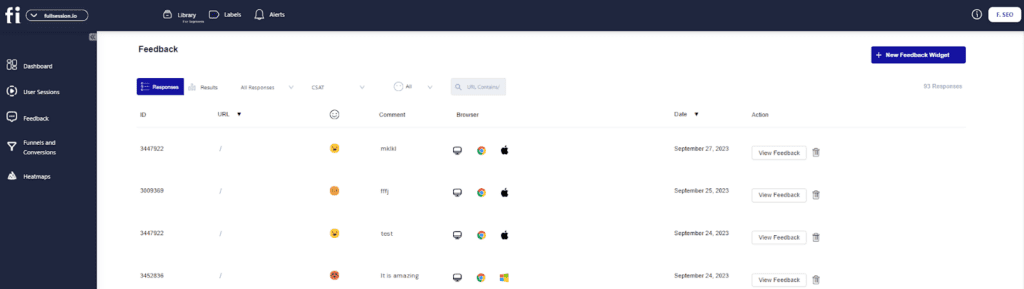
    You can also replay user sessions and view customer feedback attached to each session.

    Session recording for customer feedback

    Seven steps in gathering customer feedback with FullSession

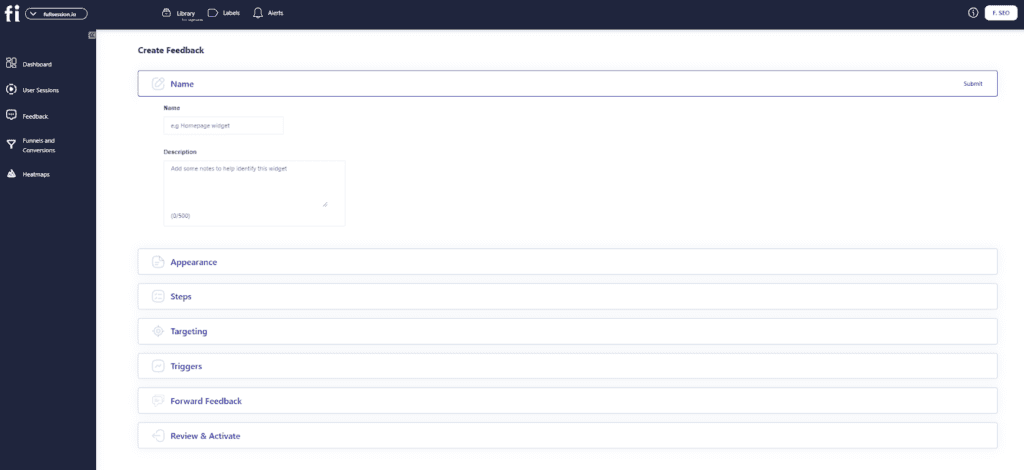
    Find the ‘New Feedback’ widget at the top-right corner of the page.

    incoming feedback

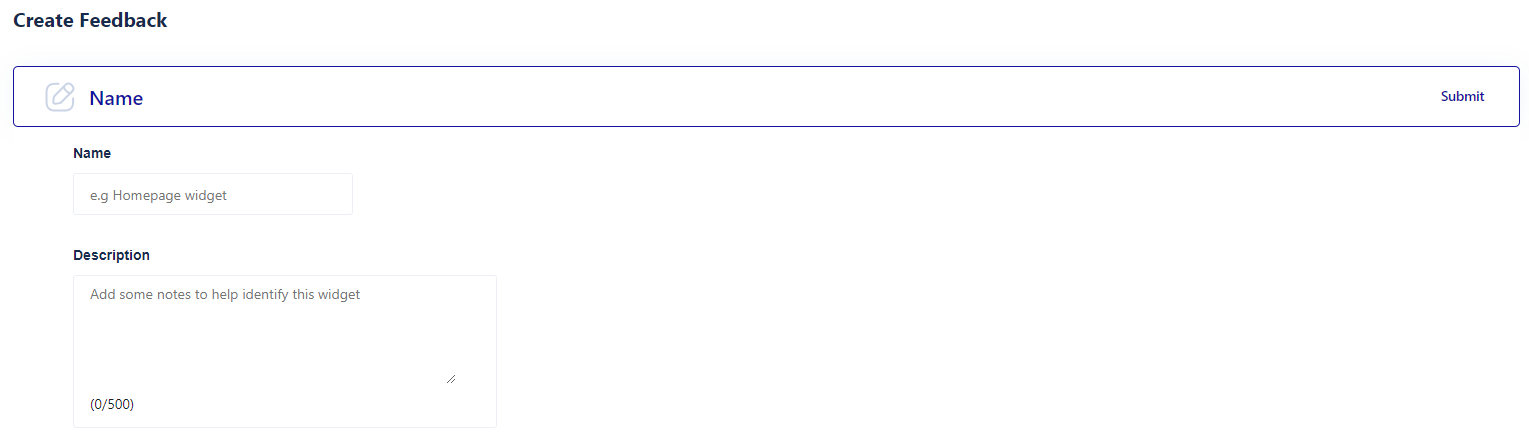
    Add a name and description to the form. It makes it easier to find your form later.

    name adding step

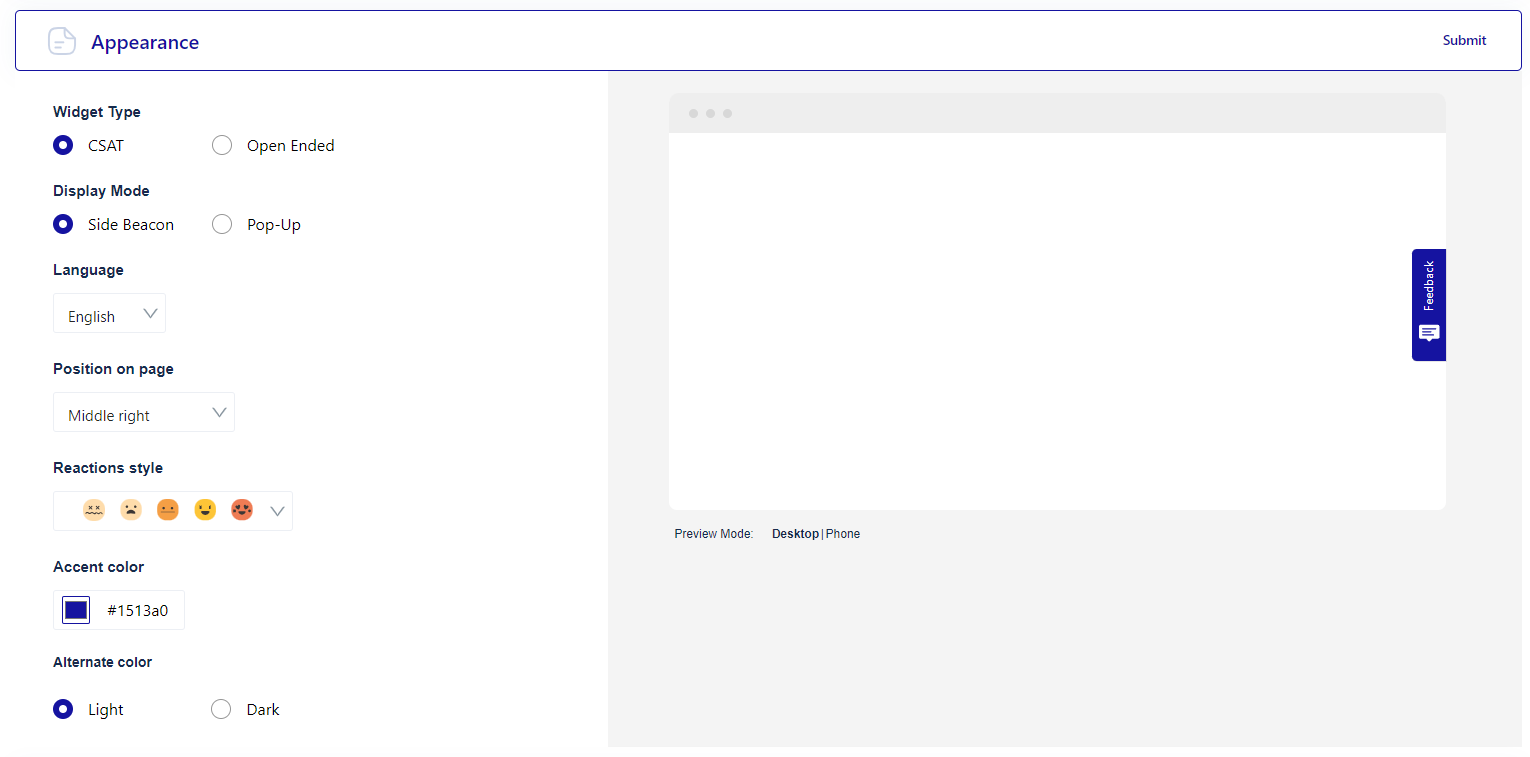
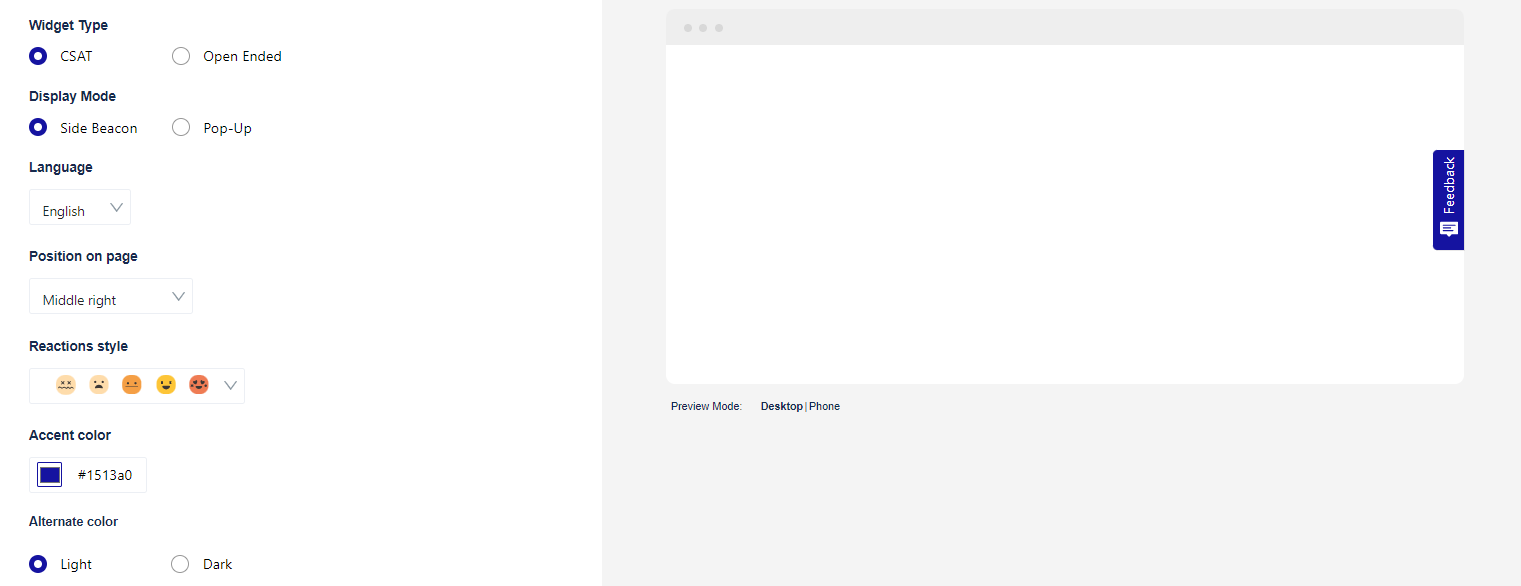
    Next, choose how you want the form to look. You can adjust the language, reactions, colors, and form position. You can also preview the form before publishing.

    If you’re not satisfied with the form design, there is a reset button you can use to start redesigning your form.

    appearance step

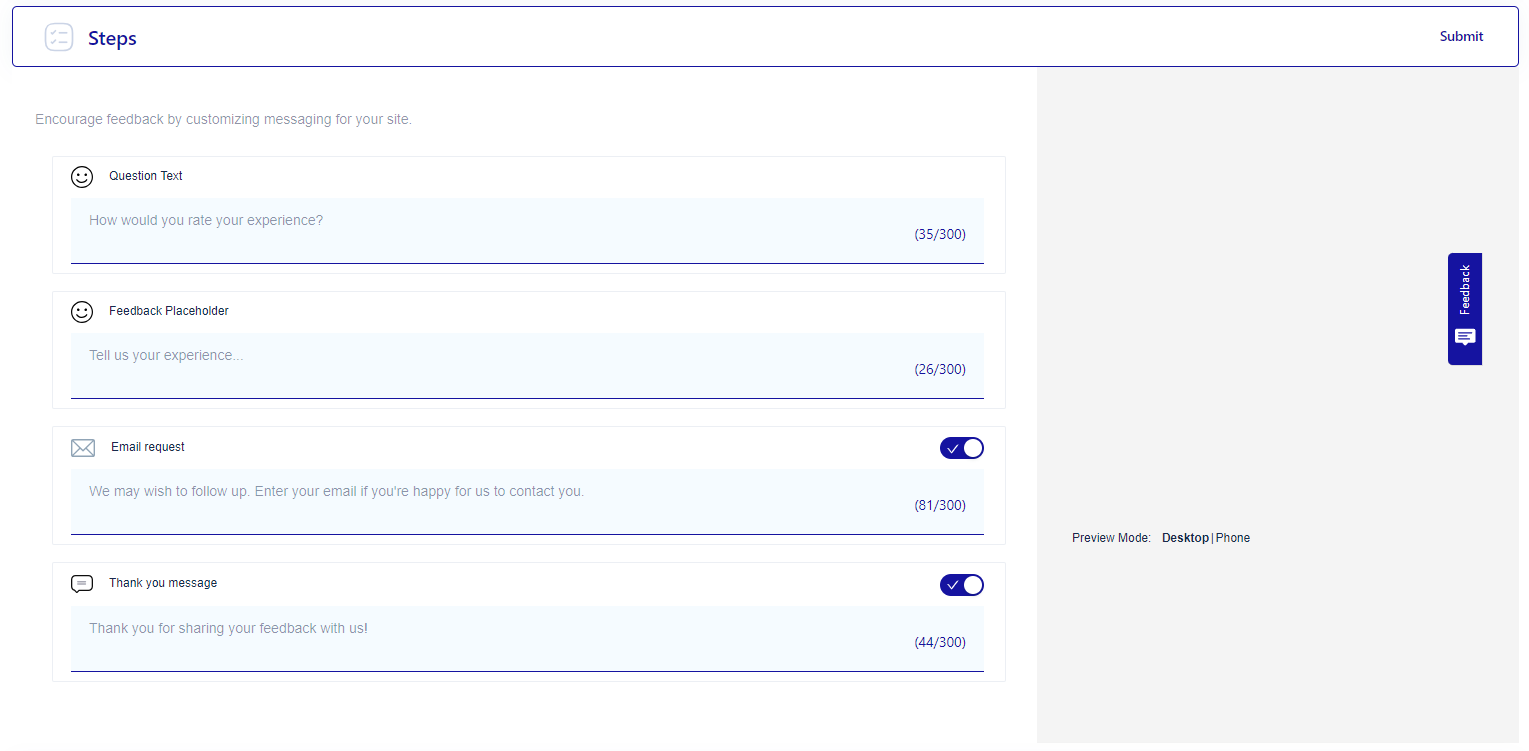
    Now, set up the feedback form’s flow. You can ask how the user feels or request contact details. It’s all up to you.

    feedback steps

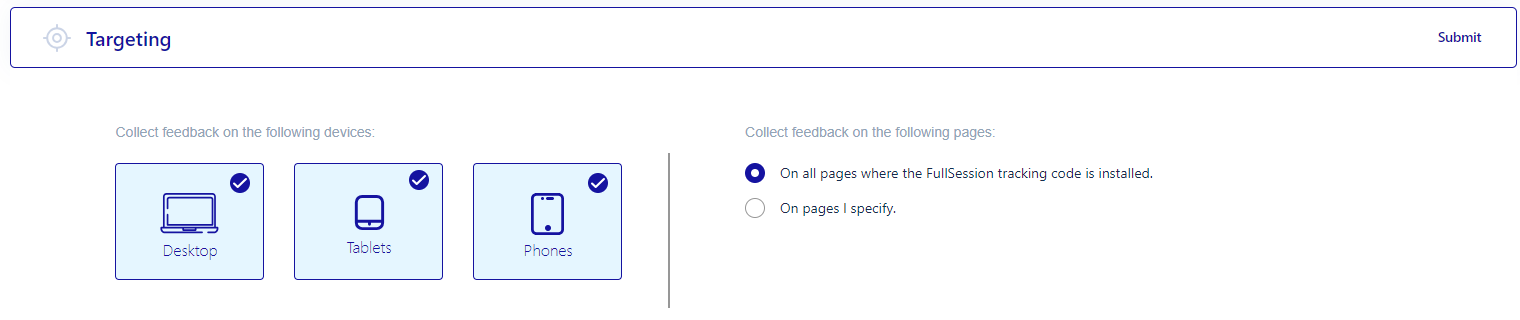
    Target the form’s audience by their devices. The FullSession tracking code lets you choose to collect feedback from all pages or a single one.

    feedback targeting

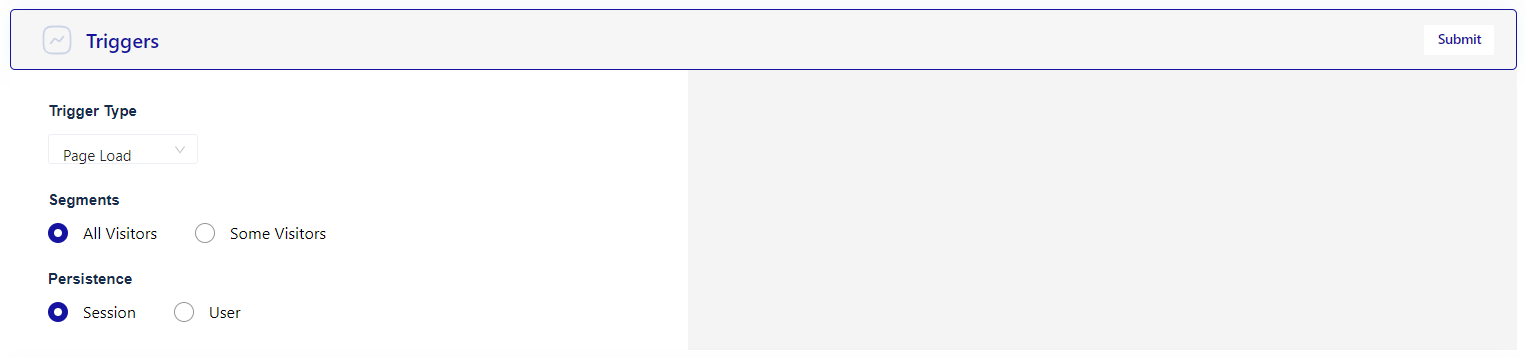
    FullSession also lets you select a trigger type for all user feedback widgets. You can choose when the widget will appear (e.g., after rage clicks, after the page loads), who it will appear to (all visitors or some specific segments only), and how persistent it will be.

    Triggers

    You can choose how you would like to receive the feedback. Choose your email inbox, but remember that you can only receive a certain number of responses daily.

    forward feedback

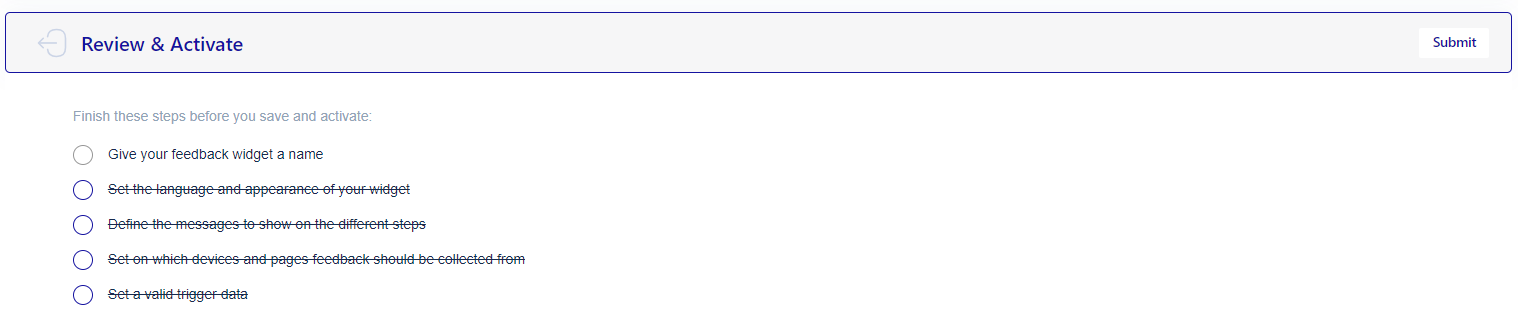
    After reviewing all your steps, you can activate the feedback form and start receiving customer feedback if you are satisfied.

    review feedback

    Error tracking and analysis

    FullSession can reduce your bounce rate via error tracking and analysis. This feature helps you detect, analyze, and fix issues that affect user experience. It covers error clicks, network errors, console errors, error logs, and uncaught exceptions on web and mobile apps.

    Error clicks highlight problematic elements in your application, while network errors reveal issues with server requests that disrupt user activities. Console errors point to underlying JavaScript issues, and error logs offer comprehensive details for effective debugging.

    Error tracking

    Uncaught exceptions are critical errors that need prompt handling to prevent crashes. The feature also includes trend analysis, segmentation, and session replay integration for deeper insights, along with real-time Slack alerts for immediate error resolution.

    Book a demo to see how it works.

    Using FullSession as a UX Analytics Tool

    FullSession is a web analytics software designed to assist you in monitoring, measuring, and analyzing the effectiveness of your website or landing pages.

    FullSession includes session recordings and replays, interactive heatmaps, customer feedback forms, error analysis, and conversion funnel analysis, which help you make better decisions by understanding behavior data and user insights.

    With FullSession, you can track engagement data and compare it across channels, devices, and periods to identify what type of content or website elements perform best or need further improvement. 

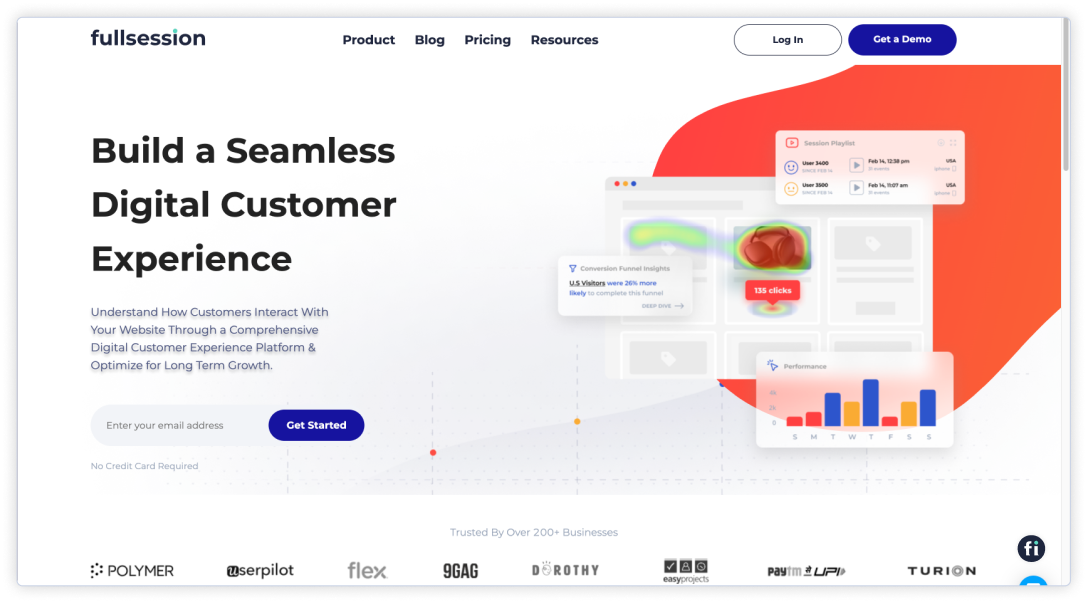
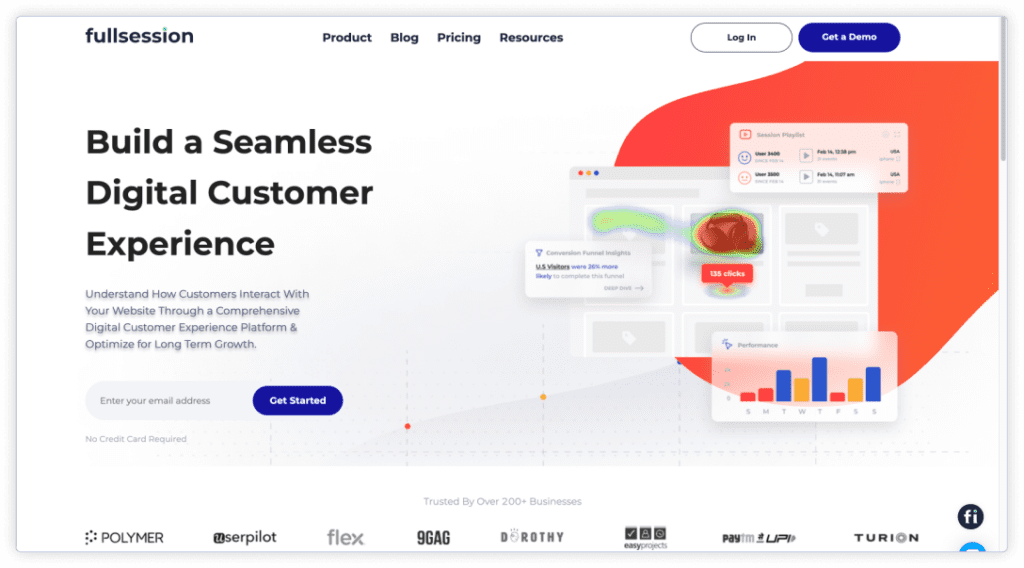
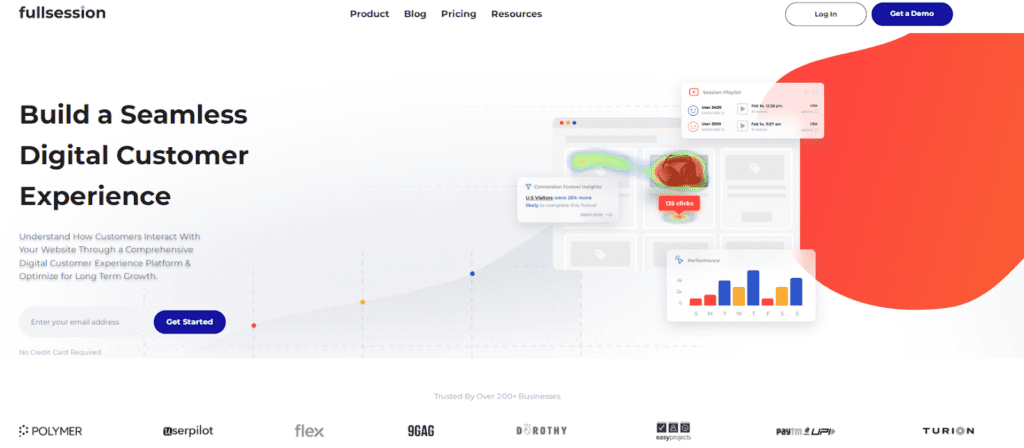
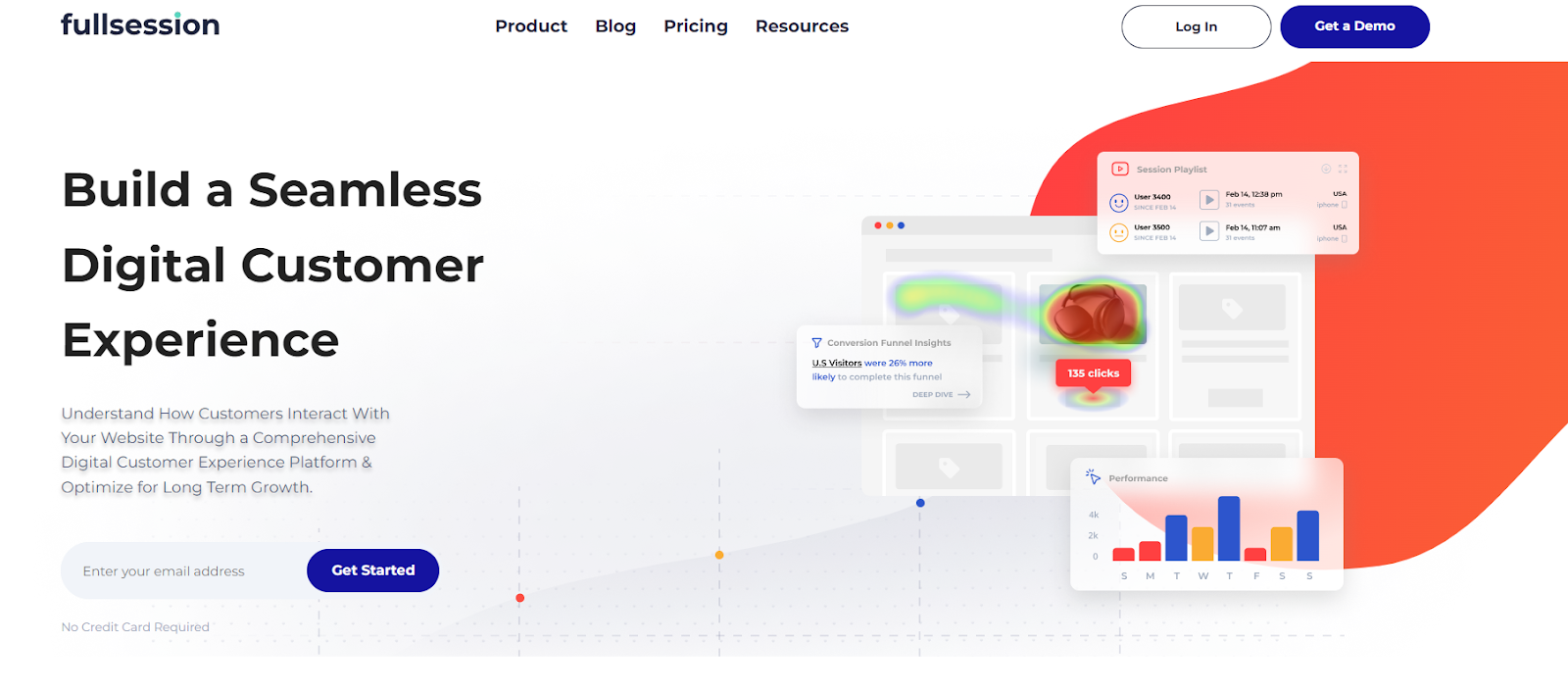
    FullSession homepage

    Plus, FullSession can help you:

    • Monitor dynamic elements in real time to gain accurate user insights
    • Speed up heatmap processing without affecting site performance
    • Safeguard user privacy by omitting the recording of sensitive data
    • Efficiently handle large data sets and swiftly uncover crucial insights
    • Restrict tracking of user behavior to your site, ensuring data is not misused
    • Enhance cross-team collaboration by centralizing efforts on a single platform

    Start a free trial now.

    Install FullSession on your website to monitor user behavior

    On the FullSession site, take a look at the right side of the primary menu. Log in or book a demo.

    fullsession menu

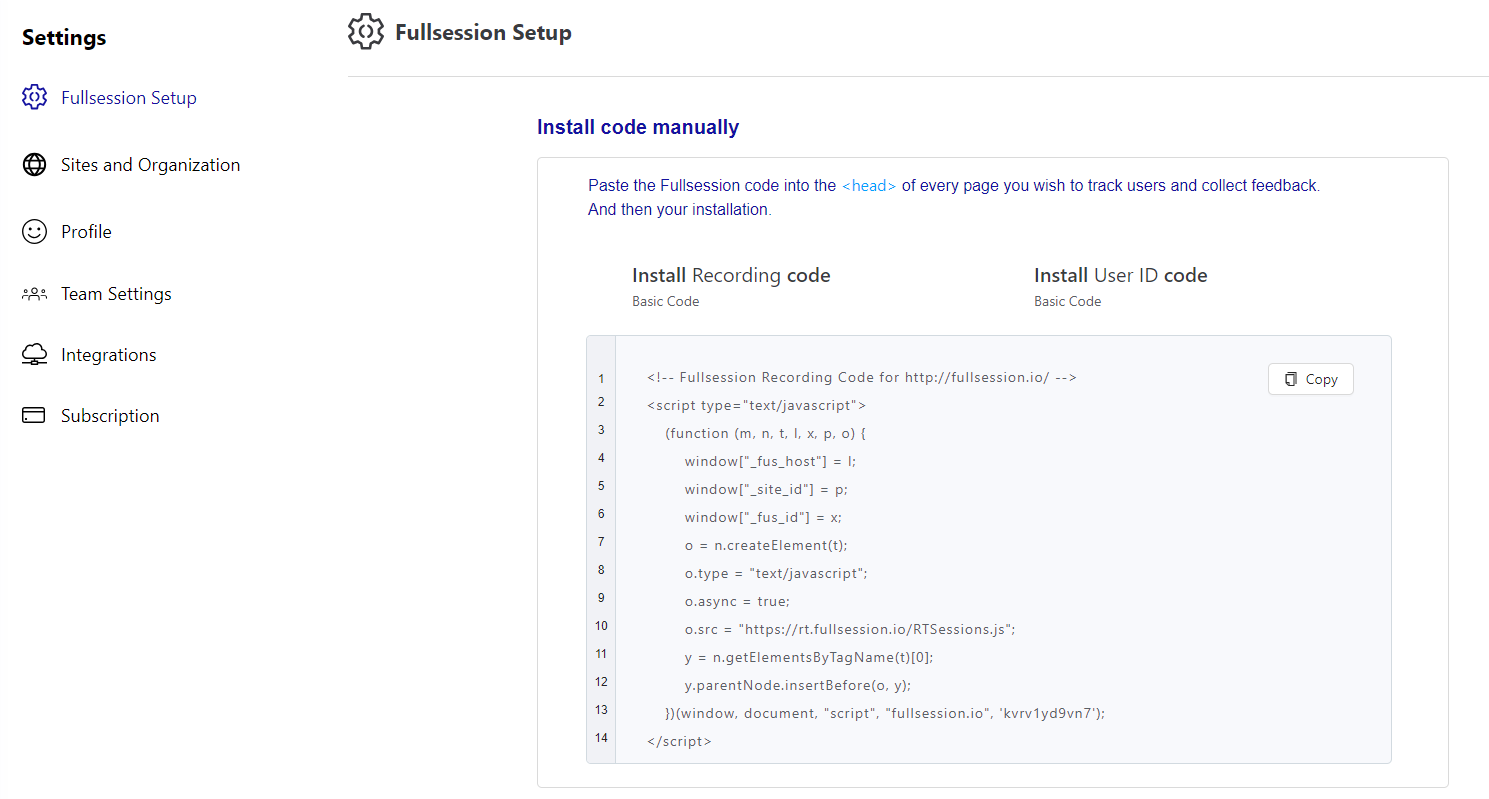
    To start with FullSession implementation, go to Settings, and select FullSession Setup, as seen below.

    fullsession setup

    On your setup page, you will see a FullSession code you can copy to add to your website. On each website page, you want FullSession to track, paste the code below the < head >. 

    That’s it. You can start capturing user behavior in minutes.

    Why Should You Choose FullSession?

    FullSession is your best solution for boosting conversions, increasing site value, and improving user experience and satisfaction. Easy to install and use, FullSession should be your top choice because:

    • FullSession comprehensively analyzes website visitor behavior and friction points through broader analytics tools.
    • FullSession insights let you know what issues might lead to funnel dropouts and affect conversion rates.
    • FullSession has advanced filtering options to understand visitor experience better and identify sessions that seem unusual.
    • FullSession lets you segment users based on specific criteria, such as demographics, location, behavior, and more, for a more in-depth analysis of user behavior insights.
    • FullSession helps identify significant events inside a session to save time and focus on the most critical issues. 
    • FulllSession helps you pinpoint usability issues that can turn away potential conversions via user recordings and heatmaps.
    • FullSession lets you monitor and analyze UX metrics, such as the number of users who return to your website, the number who leave after viewing only one page, the number who click on your CTA, etc.
    • FullSession is more affordable than other traditional analytics tools. 

    Book a demo to learn more.

    What Are the Benefits of Using a UX Analytics Tool?

    UX analytics is essential to any business because it provides quantitative and qualitative data on the overall user experience on your website, web app, landing page, or mobile app.

    Failure to recognize users’ changing needs and adapt to those needs will lead to poorly designed products and reduced user satisfaction. 

    Here are some other advantages of using UX analytics tools.

    UX analytics provides you with facts

    You can’t argue with data obtained from the UX analytics tool. There is very little room for errors or misinterpretations. UX analytics gathers quantitative data based on statistics and presents accurate information on user interactions.

    Analytics is the measurement of performance. For example, it’s easy to calculate differences and measure effectiveness if you implement a solution. Thus, the value of your work becomes more apparent. 

    Analytics generates faster results

    With various tools available to analyze data, questions about improving user experience are answered almost immediately. You can get real-time information when needed, from conversion rates to customer feedback. 

    Compared to other methods, UX analytics is a great way to discover what your visitors think without lengthy processes. With a few clicks in your UX analytics tool, you can get data and use it to improve your design, content, or layout so users don’t drop off your funnel

    It gives a unique insight into website performance

    With analytics, you can analyze user behavior to understand how well your website is performing. It includes your website usage, what aspects don’t provide results, where you need to make improvements, etc. 

    UX analytics gives you access to more website data than any other analysis method to ensure your website is at optimal performance.

    Analytics supports integration with other solutions

    When choosing a UX analytics tool, one factor you should always consider is integration. This aspect covers how well you can combine UX analytics tools with other solutions or if they are stand-alone tools.

    Thanks to these integrations, you can utilize gathered data at any step of the UX design process and use it for multiple use cases. For example, FullSession integrates with major platforms like Wix, Bigcommerce, and WordPress so it can fit into your existing tech stack seamlessly.

    UX analytics data is easily presentable

    Data can often be challenging to explain to laypersons. However, with UX analytics, presenting data on UX-related processes doesn’t require your audience to have expert knowledge. Instead, anyone can easily understand generated reports.

    This ease of presentation comes in handy when defending your work to higher-ups. UX tools provide visual reports that are easy to comprehend. UX researchers and designers can comfortably show the effect of implemented changes to a feature without worrying about any technical jargon. 

    After discussing how beneficial UX analytics can be, let’s cover how to use UX tools. 

    Learn how our interactive heat maps help you find cold spots and dead zones on your site.

    How to Use a UX Analytics Tool to Optimize Your Website

    We’ve covered the basics of UX analytics, so we can discuss the implementation further. To create a compelling user experience with the help of a UX analytics tool, it needs to have certain features–most of which we’ve already covered:

    • Heatmaps use data visualization to show user activity and engagement on your web pages. Recorded data typically includes clicks, scrolling, taps, and insights showing what users most enjoy on your site.
    • Session recordings and replays record user behavior on your website, letting you replay and observe their activity. By understanding what users spend time on, you can improve your site pages for better engagement.
    • Funnel analysis provides data on the areas of your site where users drop off the funnel, allowing you to identify patterns and improve the stages in your funnel with a lower conversion rate.
    • Polls and surveys collect user feedback based on questions you ask in polls and surveys. This information pinpoints what’s wrong with your website and what works well.
    • Detailed insights on user behavior show data on user engagement with your website and their individual preferences. You can use it to map out customer patterns and user segmentation.

    Now that you know everything about UX analytics tools, let’s explore the 11 best ways you can use them to optimize your website performance and increase user satisfaction.

    1. Collect data

    Your first step is to know your audience, and the best way to do this is by collecting data. The data collected with UX tools can help identify problems with usability and functionality, creating space for improvements.

    UX tools can be quantitative or qualitative. Qualitative tools provide opinion-based information that can be gathered in a survey or poll, while quantitative analytics tools provide fact-based, numerical data. For purposes involving user behavior, combining both is most effective.

    2. Get the big picture

    This follow-up step involves grasping the main idea behind the website and assessing your current results. You need to answer the questions of why you created it, who it is for, and how it will meet users’ needs.

    A UX analytics tool helps you get a bird’s eye view of your website performance and see the big picture for further improvements. 

    To assess your results, ask the following questions:

    • What steps have been taken before?
    • What is the team trying to achieve?
    • Which information do we need to collect?
    • What is the timeframe for accomplishing all goals?

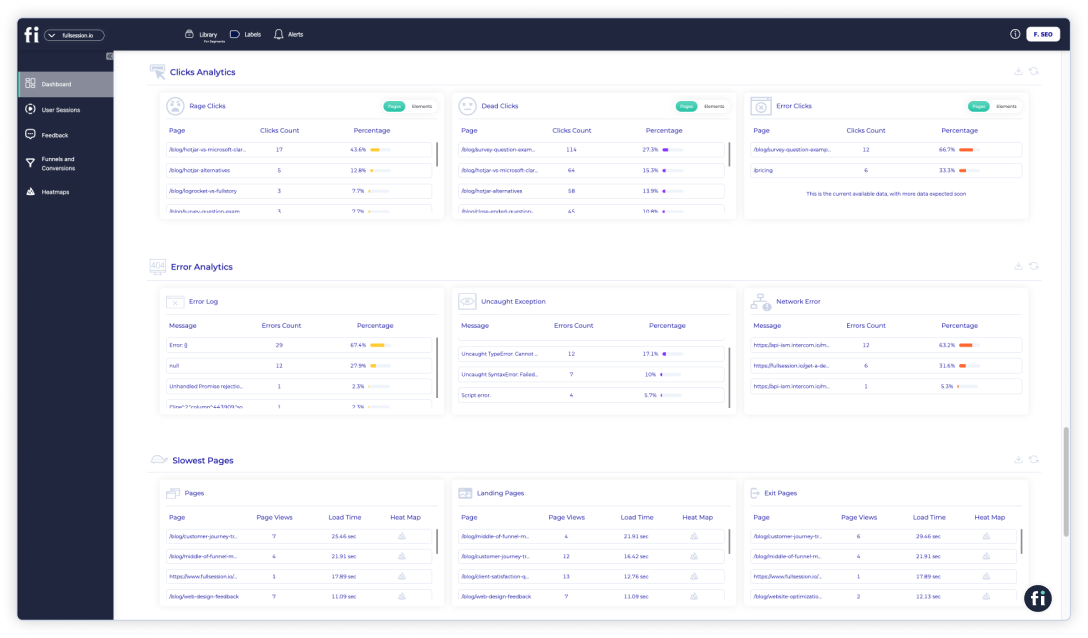
    FullSession helps you find and fix problems on your site by collecting data on user and event properties. To review this data, click on the Insights tab in the menu.

    Insight data

    Now you’ll see a new panel with three sections on your dashboard. You can select a specific time range to get insights for up to one year.

    You get to see data on:

    User engagement

    • Median scroll depth by device
    • Page load speed by browser
    • Session playlist
    • Top users
    • User trends
    • Breakdowns (based on device, browser, and screen)

    User experience

    • Event per session
    • Session length
    • Active time
    • Feedback data
    • Top pages
    • Clicks analytics
    • Error analytics
    • Slowest pages (pages, landing pages, and exit pages)

    Marketing channels

    • UTM analytics
    • Top referrers

    You can use data to build a website tailored to your customers’ needs and create the best experiences. Historical data can also help feed predictive analytics, allowing you to make data-driven decisions based on future user behavior.

    3. Track website traffic

    Monitor website traffic to measure user experience. Web traffic tracking is essential because it reports your site’s overall performance.

    You can find out which parts of your website resonate with users the most and which ones repel them. You can also make modifications as necessary to achieve your goals.  

    4. Identify user groups

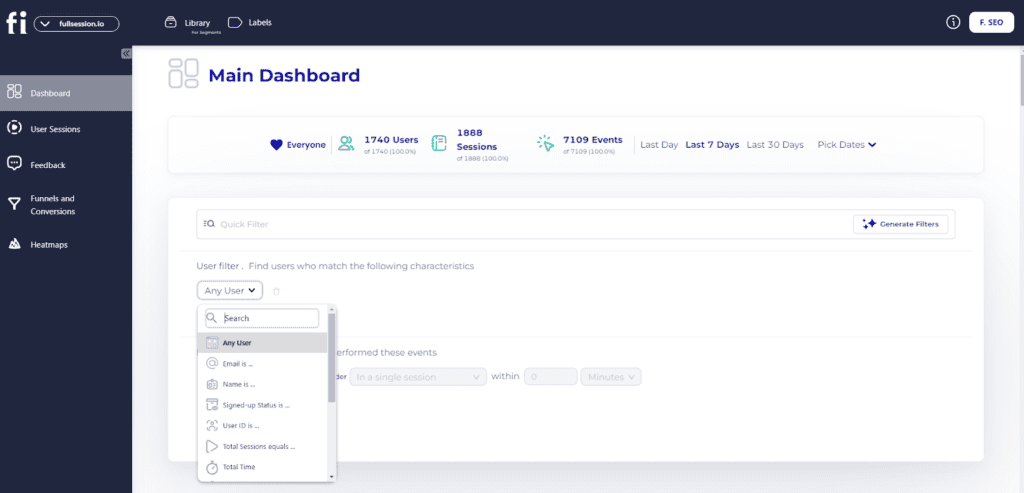
    FullSession filters

    The next important step is to segment users into specific groups based on demographic data, psychographic data, and other parameters. User groups help define your target audience. If you know who uses your product, you can create a user experience that satisfies their needs.

    With FullSession, you can segment user groups by different characteristics, such as the devices or browsers they use, location, language, and so on.

    5. Track your audience’s behavior 

    The next phase in this process is monitoring user behavior. You can identify what will most likely attract and appeal to them and what they will ignore completely. This is an effective way to boost conversion rates.

    For example, with insight into how users move through conversion funnels to reach checkout or form submission, you can figure out what puts them off or causes them to drop off the process. 

    Analyzing user behavior in relation to the user experience is the best way to see if your conversion funnel is working as well as it should. 

    funnels and conversions

    With FullSession funnels and conversions, you can:

    • Explore funnel steps: View how users progress from initial interaction to final conversion, including conversion rates and drop-off rates for each step. This helps identify where users drop off and which steps need optimization.
    • Analyze funnel trends: Monitor changes in user flows and conversion rates over time to spot trends and seasonal variations. Assess long-term performance and adjust your strategies based on these insights.
    • Review events correlations: Identify actions and events that increase conversion rates to highlight successful user behaviors and features. Use these event-tracking insights to replicate successful patterns and improve user journeys.
    • Detect top issues: Pinpoint actions or obstacles that hinder conversions, which helps address issues causing user drop-offs. Implement improvements to reduce friction and improve the user experience.
    • Conduct effort analysis: Measure the time users spend interacting between funnel steps to understand user effort and potential user frustration signals. Analyze the most engaging steps or features to highlight parts of the funnel that capture user interest. Promote and enhance these features to maximize customer retention and conversions.
    • Perform segmentation and comparison: Compare funnel performance across different user segments (e.g., device type, location) to understand interactions of various user groups. Tailor experiences and address segment-specific issues.
    • Do time period comparison: Analyze performance over different time periods to monitor changes in behavior and conversion rates. Based on these insights, adjust marketing strategies and product features.

    6. Optimize your calls-to-action

    The call-to-action button is your golden ticket to driving conversions, but only if it is well-designed. As the name implies, it encourages users to take action on your site, whether making a purchase or subscribing to an offer.

    The UX analytics tool can help identify two issues—why visitors can’t find what they’re looking for and why they leave the landing page without converting. In most cases, you will see that the reason behind a high bounce rate is poor CTA placement.

    7. Improve design, layout, or content

    Data will help you understand the user’s needs, behavior, and content requirements. Make sure your design is intuitive and that the layout allows easy navigation.

    Additionally, invest in your content design so it resonates with your target audience. The more conversational—the better!  

    8. Measure user engagement

    This step entails measuring the overall user activity on your website. Key metrics on user engagement to look out for include: 

    • Clicks
    • Taps
    • Scrolls
    • Screen views
    • Pageviews
    • Video views
    • Time spent on the website
    • Comments and shares on blog posts
    • Sign-ups
    • Form submissions

    9. Increase conversion rates

    You can improve your website’s conversion rates by improving its speed, eliminating friction points, and designing actionable CTAs.

    Alternatively, you can use conversion rate optimization tools to analyze details and make faster improvements. Another important step is to conduct user testing to ensure that your website is user-friendly and conducive to successful conversions.

    10. Reduce bounce rates

    UX analytics tools will provide data on your site performance. Using this information, you can take measures to reduce the number of people who leave your website without completing their user journeys. These measures include:

    • Monitoring your conversion rates
    • Constantly improving UI design to meet user needs and requirements
    • Optimizing site speed and CTAs

    11. Increase time spent on site

    Still drawing on reducing bounce rates, it would be vital if you could keep users on your website longer by eliminating negative experiences, such as slow load times, broken links, unresponsive layouts, and non-clickable items.

    Some of the practical techniques are a clean design, an interactive experience using videos and photos, high readability, and internal linking.

    How FullSession Compares to Other UX Analytics Tools

    How does FullSession fare against competitors? Here is a quick overview.

    Key FeaturesIntegrationsSupportFreeTrialPricing
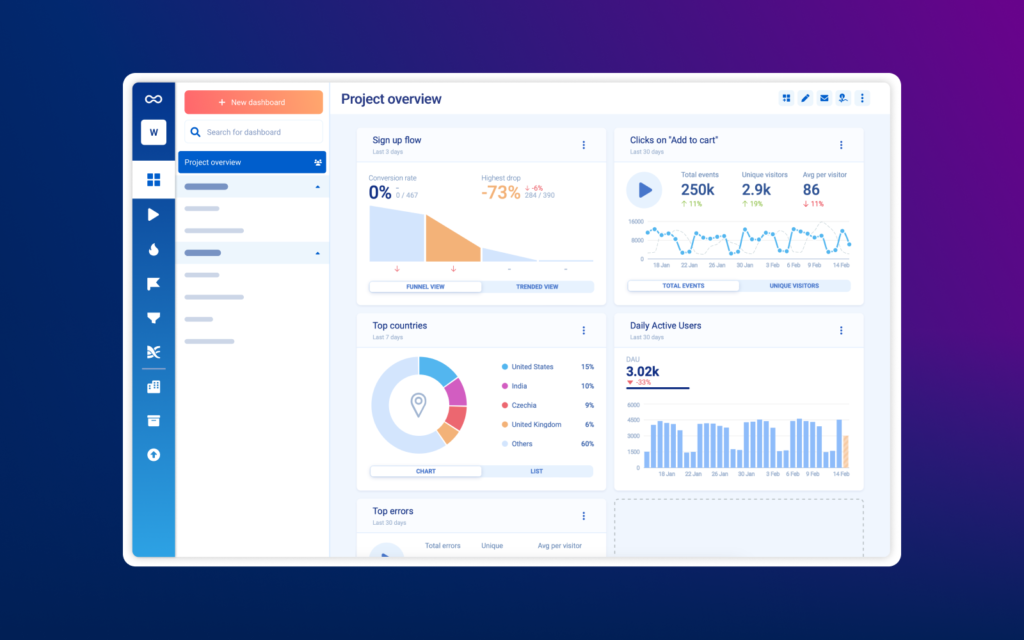
    FullSessionSession recording and replay, interactive heatmaps, customer feedback tools, funnel analysis, error trackingShopify, Big Commerce, Wix, WordPress, Open APIs and modern webhooksEmail, knowledge base, live chat, user guides, documentationYesStarts at $39/month, provides 20% discount on annual plans 
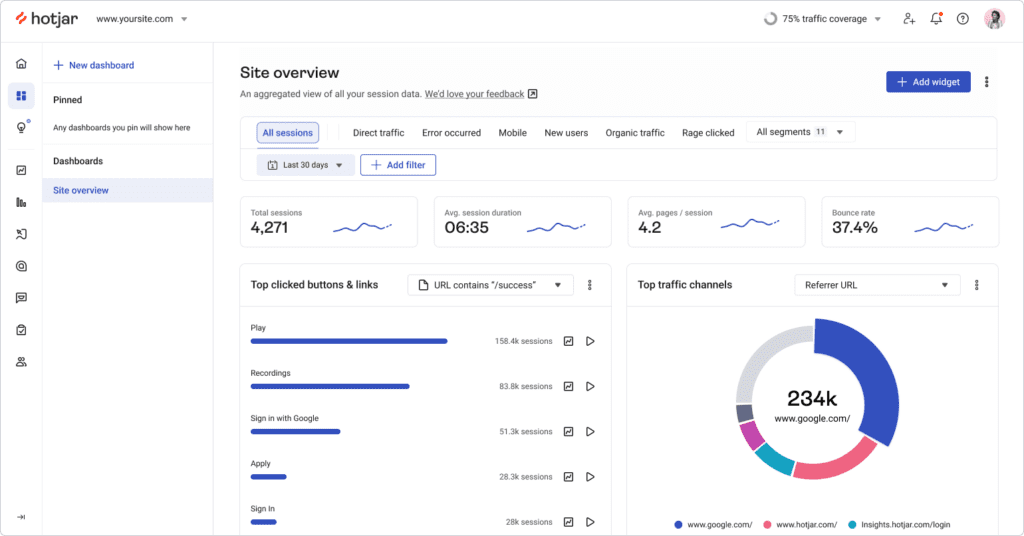
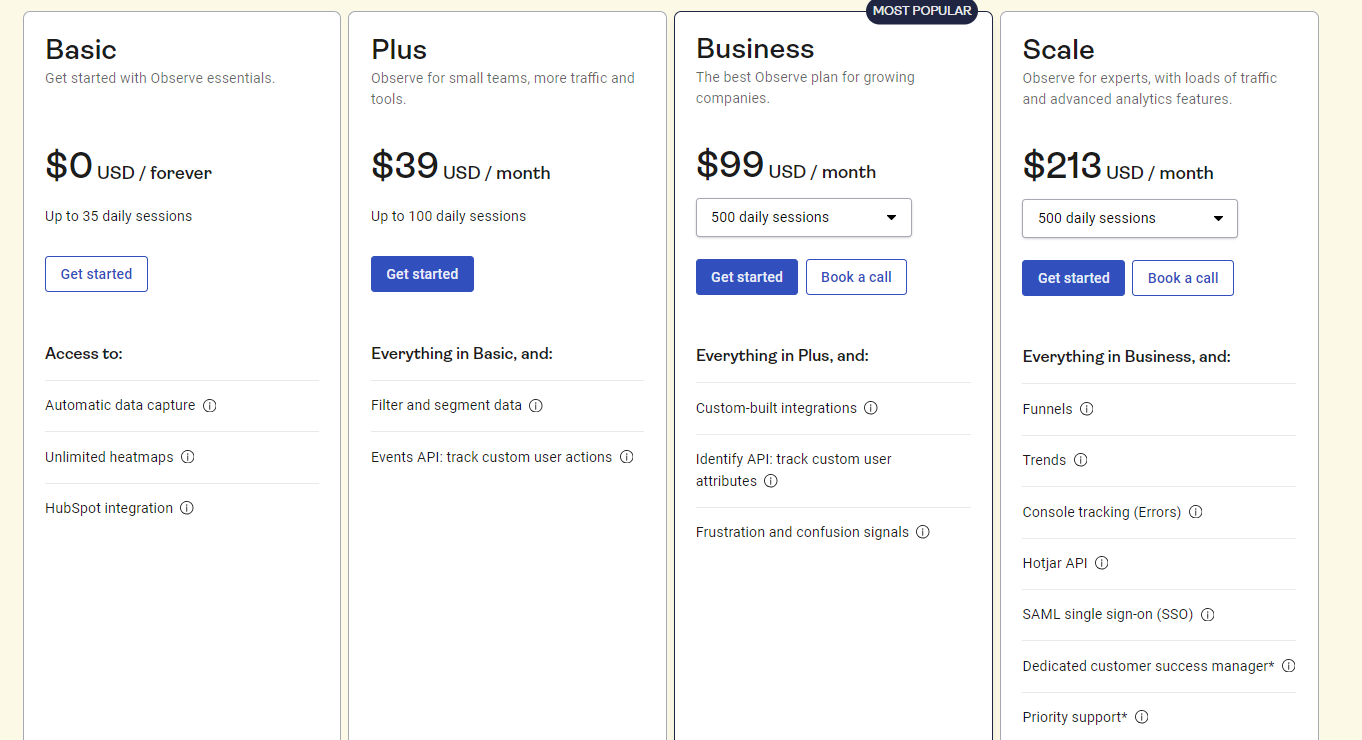
    HotjarHeatmaps, session recordings, surveys and feedback pollsSlack, Segment, Hubspot, Google Optimize, Omniconvert, Optimizely, and ZapierUser guides, documentation, knowledge base, submit a complaint ticketYesStarts at $39/month
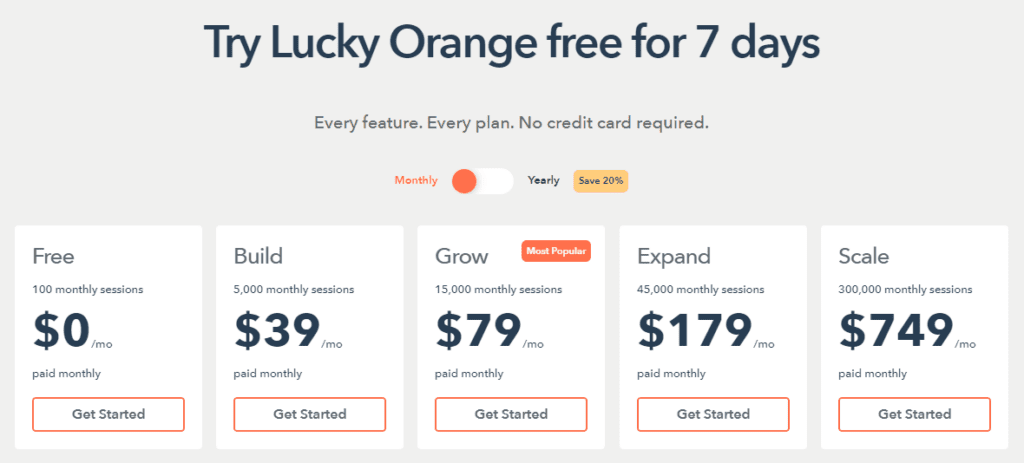
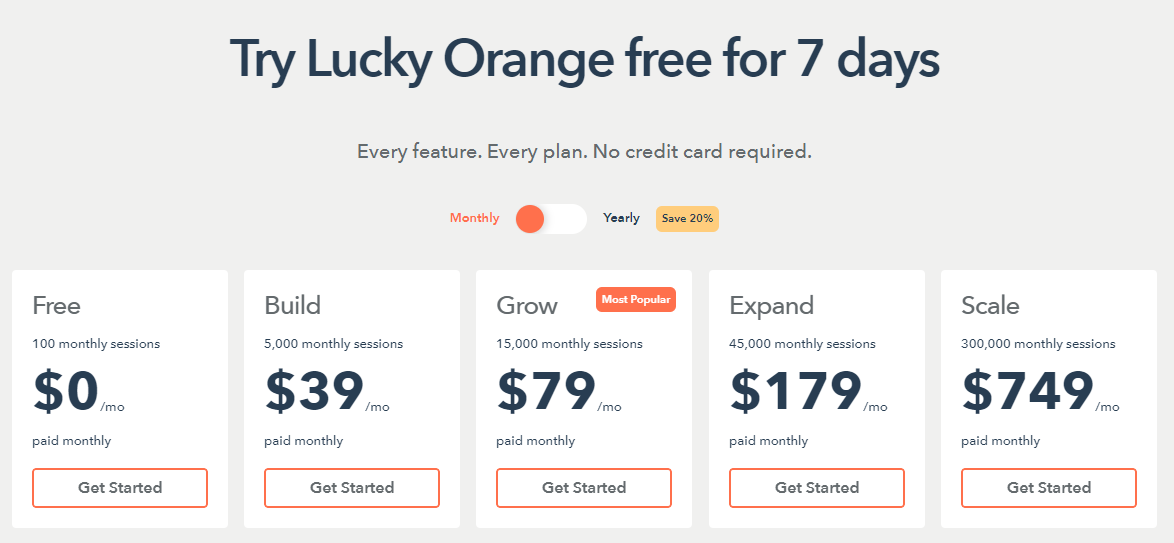
    Lucky OrangeLive chat and session recording, heatmaps, funnelsGoogle Analytics, Adobe DTM, and Hubspot CRMEmail, live chat, phone support, help centerYesStarts at$39/month
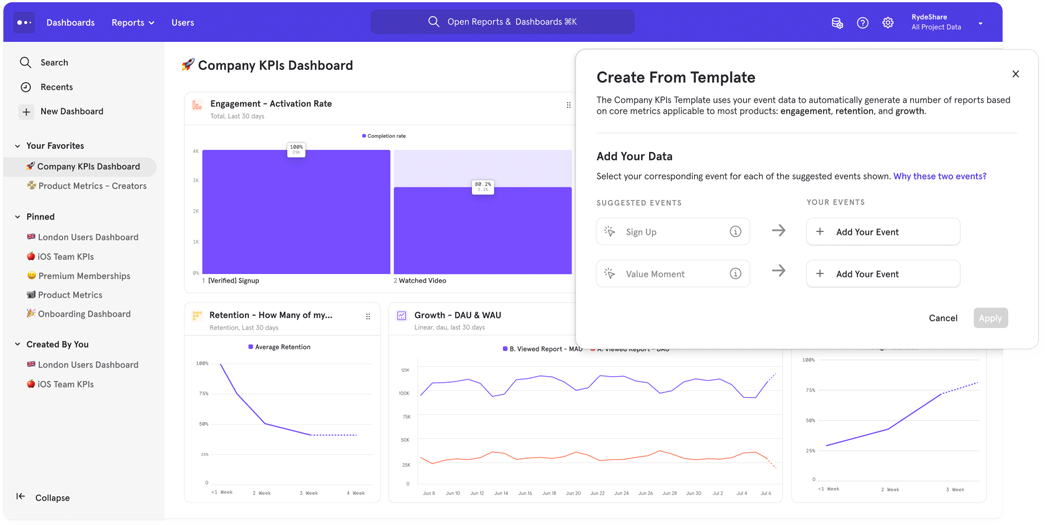
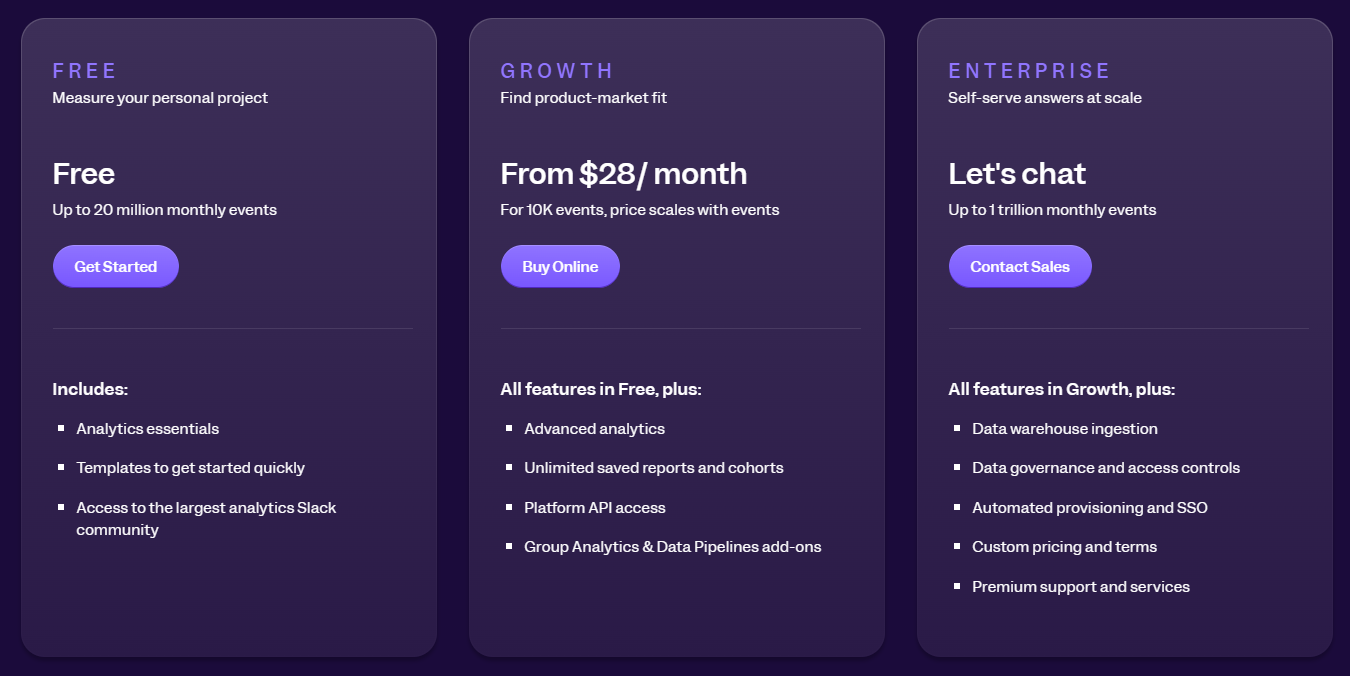
    MixpanelEvent tracking, cohort analysis, A/B testingGoogle Analytics, Zoho, Meya, FullStory, and many othersSubmit a request, help center, documentationYesStarts at$28/month
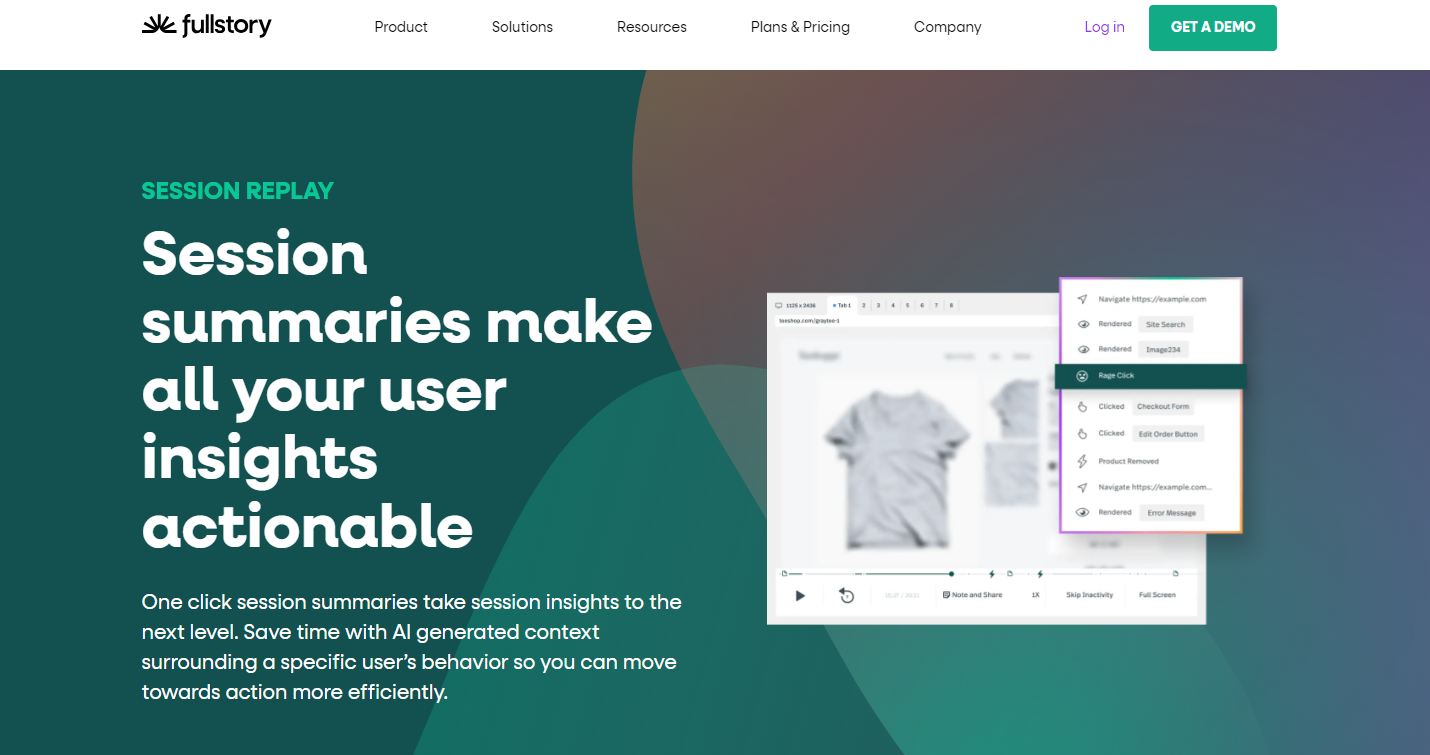
    FullStorySession replay, heatmaps, error monitoringMore than 50 integration optionsKnowledge base or emailYesN/A
    LogRocketSession replay, performance monitoring, error trackingZendesk, Jira, Intercom, Datadog, Pendo, Sentry, and StockpileDocumentation, email, or live chatYesStarts at$99/month

    We’ve also reviewed and compared some of these tools: Lucky Orange vs Hotjar, Mouseflow vs VWO, LogRocket vs FullStory, Smartlook vs Hotjar, Hotjar vs FullStory and more.

    The Best UX Analytics Tool: Final Words

    Improving your website performance has numerous benefits, such as generating more revenue for your business through higher conversion rates. You can also make your user experience more enjoyable. The most guaranteed way to achieve this is to use a UX analytics tool to see how users behave. 

    If you want a one-stop-shop platform, FullSession is the right UX analytics tool for you. With heatmaps, detailed reports, session recordings, error analysis, funnels and conversions, and customer feedback tools, you can optimize your website to improve customer satisfaction and create a website aligned with their needs.

    FullSession offers a 14-day free trial for its paid plans, so you can try all user experience analytics tools before committing.

    Book a demo today to learn more!

    FullSession Pricing Plans

    FullSession offers three premium packages. The annual plan can save you up to 20%.

    FullSession pricing
    1. The Starter plan costs $39/month or $32/year and lets you track up to 5,000 monthly sessions. 
    2. The Business plan starts at $75/month or $60/year and lets you track up to 100,000 monthly sessions.
    3. The Enterprise plan gives you full access to all features. You can book a demo for more details. 

    We also provide a customized pricing package if your business has specific website analytics needs. Check out our Pricing page.

    Let’s take a look at some FAQs for UX analytics tools.

    FAQs About UX Analytics

    What is UX analytics?

    UX analytics is all about understanding how users interact with your product. It tracks their behaviors and preferences to help you improve the overall user experience. Key features of UX analytics tools include session replays, heatmaps, usability testing, A/B testing, and customer feedback tools that collect qualitative and quantitative insights.

    What is the most used UX tool?

    The most comprehensive user behavior analytics tool is FullSession, and it’s affordable, too! It provides valuable insights into user behavior and helps you measure the effectiveness of your designs.

    What is the best tool for analytics?

    There isn’t a one-size-fits-all answer, but tools like FullSession, Hotjar, Pendo, LogRocket and Adobe Analytics are top choices for comprehensive analytics and user behavior tracking. You can also try Google Analytics, a popular UX analytics tool that lets you analyze user paths for free, or Mouseflow if you need form analytics and user interviews.

    Do UX designers use data analytics?

    Yup. UX designers use data analytics and conduct usability tests to inform their design decisions, understand user needs, and create better experiences based on real user data.

    Do UX tools work for mobile?

    The best UX analytics tools, like FullSession, measure customer behavior on both websites and mobile applications. Since 45% of North American web traffic comes from mobile devices, optimizing for mobile should be a priority.


  • User Experience Analysis: How to Design Websites That Get People to Take Action

    User Experience Analysis: How to Design Websites That Get People to Take Action

    Bad user experience on a website is why 88% of online shoppers don’t want to repeat their visit. If you want your customers to return, invest in UX tools, as statistics show us that for every $1 spent, there is a $100 return

    If you want your online business to grow, there’s no doubt that user experience analysis is worth your time and money. In this article, we will discuss best practices to approach UX analysis and the benefits of using UX analytics tools

    We will also show you how easy it is to conduct a comprehensive customer experience analysis using FullSession. Our web analytics software does all the hard work for you. Start a free trial now.

    It helps you determine which features need improvement by tracking and comparing user actions across different devices, channels, and periods.

    Improve Your Website UX and UI

    Capture all user interactions, spot trends and patterns and drive improvements without compromising your website performance.

    Now, let’s talk about user experience analysis and why you should focus on it.

    What Is User Experience Analysis?

    UX analysis includes investigating and assessing how users interact with the UI of a website, web app, or landing page and using the collected data to improve the user experience. The main goal is to improve the user flow and the product’s ease of use.

    What’s the core of successful UX analysis? Understanding the user and empathizing with their expectations, wants, and perceptions of the product. This knowledge is precious since user experience and web design significantly affect conversion rates.  

    Why Is User Experience Analysis Important?

    Effective UX testing methods bring many benefits to your business. Here are some of the most important ones:

    UX analysis helps you find any existing issues on your website

    Since the aim is to create a frictionless and enjoyable experience, it is essential to identify what difficulties the user encounters during a website visit.

    User experience analysis improves SEO 

    It shows you what terms users type into the search bar, what problems they need to solve in the first place, and to what pages they devote most of their time to. Conducting the analysis gives you a clear picture of what keywords you should focus on when designing content for your web pages. 

    UX analysis helps you outrank your competitors 

    There’s no need to copy what they are doing because it may not work in your case. Thanks to UX analysis, you can design your path to success and adequately react to market challenges. 

    Why Should You Design a User-Centric Product?

    Frank Chimero said: “People ignore design that ignores people.

    So, it’s crucial to know the user perspective and do everything to improve your product’s overall performance. By involving UX analysis tools, you’ll learn what you need to focus on to create a user-centered design.

    By doing this, you will:

         1. Become innovative 

    Involving customers in the design process leads to insights that allow the creation of innovative products or services.

         2. Create a positive user experience 

    There is no better advertisement for your business than a satisfied customer who is eager to spread the word about their positive experience with your company. This leads to increased customer loyalty. 

         3. Avoid wasting time and money 

    It is essential to test your product with end-users when it is still possible to make changes at a low cost. 

         4. Boost your sales 

    Creating a user-centric product that fits customers’ needs increases the chance of making repeated purchases.

         5. Become more competitive 

    When you offer products that match your customers’ needs, they are less likely to choose competitors’ products. 

    Who Should Be Involved in Your UX Process?

    To create better products, you need to develop them with user experiences in mind, and you need appropriate people who will help you achieve your product goals. With the growth of awareness about the importance of user experience, we can observe an increasing demand for UX professionals.

    So, how should you organize your UX team? You need to combine different perspectives and expertise from various individuals. Key UX roles include professionals like:

         1. UX researchers

    What are the reasons behind users’ behaviors, and what motivates them? What do they need? The role of a UX researcher is to find answers to these questions by engaging with target users. They conduct carefully planned UX research sessions.

    UX researchers must discuss research requirements with other team members and stakeholders, choose the most appropriate research method, determine research questions, and enlist participants.

    A UX researcher also needs to create a budget for the research project and decide on a timeframe for its completion.

    Finally, there comes the time for their core activity: carrying out the research, conducting data analysis, and reporting results.  

         2. UX designers

    UX designers always consider the end user. Their core task is to ensure that the products and services they develop will be accessible and enjoyable for the user.

    Therefore, UX designers have their role in each part of the UX design process: planning, conducting research, creating prototypes, and testing products with users. 

    A UX designer has to detect how the user’s interaction with a product flows and make the experience as smooth as possible. Their role is to understand the user’s needs and develop creative solutions to their problems. 

    They design the best user flows and devise user journey maps to achieve that. When the design is ready, they try to find out if there’s a need to improve it by conducting user testing

    Visualize, Analyze, and Optimize with FullSession

    See how to transform user data into actionable insights for peak website performance.

    3. UI designers

    UI designers create all the visual parts of a product. Their role is to design screens with interactive elements like menu bars, icons, buttons, and color palettes. 

    While designing a product, they must consider how different screen sizes will display the design. To make the design coherent, they create and maintain style guides.  

    Their goal is to produce a visually engaging user interface that is easy to follow and intuitive. When creating the UI, they start from the user’s point of view. 

    Apart from that, UX designers conduct a competitive analysis of product use and feel and ensure all design elements maintain cohesive branding. 

         4. UX writers

    Users can’t navigate a product without text. They encounter welcome screens, various notifications, calls to action, and error messages on their journey. The UX writer’s role is to create user-friendly copy to guide users and help them achieve their goals. 

    UX writers make product navigation easy by creating a copy for each user touchpoint. Beyond that, they also take care of the UX content strategy. 

    Their qualifications need to combine good writing skills and strong knowledge of the whole design process. They need to show a complete understanding of UX best practices to arrange an excellent user experience while closely collaborating with the UX design team. 

         5. UX managers

    A UX design team needs a wholesome strategy to work correctly. The UX manager role is similar to any other manager’s. Apart from managing performance and budgeting, they need to show a deep understanding of the UX discipline. 

    UX managers must hire the best professionals to create a strong interdisciplinary team with diverse skills and expertise. The manager must also direct the team creatively and help them generate, develop, and refine their ideas. Above all, the manager needs to ensure the team is up to date with the newest trends and always ready to gain new experiences and knowledge. 

    In any case, UX managers need to oversee the work of the UX team toward common goals while having shared values. They have to find a balance between the user needs and the business strategy.

    How do they achieve that? For instance, they run usability testing and present the results to the key stakeholders. 

         6. UX strategists

    The UX strategist takes consumer insights gathered from research, UX best practices, and psychology and, with a consumer-centric approach in mind, helps the company make strategic decisions. The UX strategist injects the customer perspective into the organization’s strategy.

    The strategist has to ensure there is an actual demand for the product that the company will release. The strategist’s responsibilities include stakeholder interviews, competitive analysis, and, above all, user research

    Then, the strategist synthesizes all the discoveries into one strategic process and delivers it in presentation decks and strategy briefs to partners, clients, and colleagues. What’s more, the strategist cooperates with designers and developers to monitor the product’s design and implementation processes to ensure they meet business goals and the original vision.  

    Companies know that by placing the user at the center of their design choices, they are on a good way to outsmart the competition. 

    Now, it’s time to discuss how customer experience analysis looks in detail. 

    The Two Main Types of User Experience Analysis

    How do you pinpoint your audience’s needs and develop a product that will precisely meet these needs? The answer is simple: research is the key.

    UX analysis helps identify issues and find opportunities to solve them. It falls into two important subcategories: quantitative and qualitative data analysis. 

    Quantitative user experience analysis

    Quantitative user experience analysis is all about numbers.

    It gives product teams numerical or statistical data to show how effective their products are. It provides a picture of the final product’s usability, but you can also apply it to comparing competitive products. Finally, it helps you find responses to queries like how many and how often.

    The results of quantitative UX research can be easily presented in charts or graphs. They are relatively free from human bias since they are obtained in a structured testing environment under strict control.  

    Apart from these advantages, quantitative UX research also has some downsides. It doesn’t explain the reasons behind specific trends or patterns; it only gives an overview of what is happening. It can also add up to a lot of costs since, to obtain statistical significance, you need a large sample size.  

    Qualitative user experience analysis

    Qualitative user experience analysis focuses on subjective information. It gives you a picture of how users experience your product and gathers insights from real users to help you find ways of improvement. Qualitative user research explains data obtained by quantitative analysis.

    Qualitative data can show how effective the final product is and influence your choices when the product is still being created. You can conduct qualitative user research at different stages of the design process.

    Qualitative research is also valuable when you need to redesign your website, web app, or landing page.  

    Qualitative UX research is easy to organize: 5-8 participants are enough to conduct a study. It gives the researchers insight into the emotions and minds of the users, as they are often encouraged to think aloud when interacting with a product.

    Now that we know the main types of UX analysis, let’s examine the advantages of conducting it.

    The Benefits of the User Experience Analysis

    UX analysis lets you solve your UX issues quickly and affordably. It helps you avoid negative reviews and increase user retention. But that’s not all. Here’s a list of some of the most important benefits of UX analysis:

         1. Cost reduction 

    It’s incomparably cheaper to find usability issues at an early stage of product development than to fix them as the process progresses.  

         2. Increased conversion rate

    Good UX finds ways to make site navigation as easy as possible. When visitors can easily find what they are looking for without bumping into unnecessary steps, vague calls to action, or over-complex design, the website’s conversion rate can increase by 400%.

         3. Increased customer loyalty

    If your website provides an enjoyable experience, there are higher chances that the customer will return.

    Delivering a good user experience is also the best way to convert visitors into buyers. Happy customers are likely to share word of mouth about the positive experience with your website, product, or app on social media or with ratings and reviews.

         4. Better SEO

    Search engines promote websites that provide a good user experience. If you conduct UX analyses regularly, you increase users’ chances to discover your website, web app, or landing page.

    Now that we know how valuable user experience analysis is let’s examine how FullSession software can help you conduct it.

    How to Perform User Experience Analysis with FullSession

    FullSession lets you find out how your website visitors behave and discover the reasons behind their actions. Equipped with this knowledge, you will know exactly which website elements to improve and how to solve problems effectively. 

    Turn User Behavior into Growth Opportunities

    Learn how to visualize, analyze, and optimize your site with FullSession.

    FullSession provides you with tools to gather both quantitative data and qualitative data. Let’s take a closer look at the features.

    Quantitative UX analysis

    FullSession offers two tools to analyze quantitative data: customer feedback widgets and interactive heatmaps. Here’s how they work.

         1. Customer feedback widget

    customer feedback widget

    How do users experience your website? By creating user feedback forms, you can gather information directly from them. Most users like being helpful, especially when they can see tangible results of their contributions.

    customer feedback form

    You can design your customer feedback form to fit mobile or desktop screens. The user feedback widget lets you choose the page position of the form, reaction style, language, and colors to align the form with your branding. 

         2. Interactive heatmaps

    heatmap

    Aggregated data doesn’t give an accurate picture of user behavior on your website, so relying on it when creating the product can be tricky. 

    This is where FullSession interactive heatmaps come in handy. They give you a real-time picture of visitors’ mouse movements, clicks, and scrolls across your website.

    Heatmaps allow you to monitor the user journey. You will know where exactly in the sales funnel the user got stuck and where he dropped off. This information will empower you to change the design appropriately and welcome each visitor with a more personalized experience. 

    Qualitative UX analysis

    In the UX analysis process, there comes a time to answer why certain events occur. The best way to find a response is by qualitative research.

    FullSession gives you session recording and replay tools to watch visitors on your website in action. The funnels and conversions feature allows you to track and optimize each step of your conversion funnel, while the error analysis feature helps you identify and resolve various types of errors impacting user experience. 

    Here’s a close-up of how these tools work.

         1. Session recordings

    session recording

    The session recordings let you discover what problems users encounter on your website. It will give you a clear picture of what you can improve to avoid repeating the same issues in the future.

    When you log into the FullSession dashboard, you will see what users do in real time: their clicks, mouse movements, taps, and more.

    Head to your dashboard’s Session Playlist to see the list of available session recordings. Click the play button to see the session that interests you. 

    Watching session recordings and tracking website visitors helps you understand what changes are necessary to improve the user flow. For instance, you can watch as users complete tasks and see where they get stuck, which elements interest them the most, where they spend the majority of their time in, and more.

    Start a free trial now.

         2. Session replays

    session replay

    Session replays give you access to several features. With them, you can easily document any valuable data. For example, you can tag recordings, add a comment for your team members, or copy and share session recording links. 

    Session recordings can be watched in full-screen mode, and you can pause, rewind, or fast-forward each session replay up to eight times.

    The session replay feature provides you with the following data:

    • User location and IP address
    • Clicked URL
    • Referrals
    • Visited pages
    • Average time on page
    • Total active time on pages
    • Session list
    • Session event

    After conducting the analysis, the next step is to organize the data correctly.

    3. Funnels and conversions

    funnels and conversions analysis

    With the funnels and conversions feature, you can analyze your user journeys and easily track and improve each step of your conversion funnel. This tool helps you identify the key actions that drive conversions and pinpoint where users tend to drop off, so you can enhance their overall experience. 

    By visualizing funnel steps and monitoring trends, you gain insights into user behavior and can address any issues causing drop-offs. You’ll be able to highlight successful user actions and resolve obstacles, ensuring a smoother user journey. 

    You can also measure how much time users spend on each step to detect potential frustrations. 

    4. Error analysis 

    error analysis

    The error analysis feature helps you detect and fix errors that impact user experience. It provides detailed data on error clicks, network errors, console errors, error logs, and uncaught exceptions, giving you the information you need to improve your site’s reliability. 

    You can examine error clicks to find and fix non-responsive elements that frustrate users. Monitoring network errors helps you resolve connectivity issues. Analyzing console errors and error logs reveals underlying code problems while identifying uncaught exceptions helps prevent application crashes. 

    Real-time Slack alerts keep you informed of significant errors so you can quickly respond and resolve any issues as they arise.

    Book a demo today.

    Use Insights for Website Redesign and Increased Customer Engagement

    Without good organization, you will get lost trying to review thousands of data points. But where to start?

    Here’s a six-step plan to systematize your insights and make good use of them. 

         1. Learn what problems users encounter when using your product

    Use qualitative data to pinpoint the most common issues. For example, if many users indicate that they don’t know how to access a feature your product offers, you will know you should focus on this issue as one of your priorities. 

         2. Sort out your UX data by adding categories and tags

    When organizing your data, you may discover that attempts to complete specific tasks cause similar issues for different users. Group them according to categories and add tags that will help you filter your data quickly. 

    It can also be helpful to divide your data by user segments. By looking at how different groups interact with your product, you can spot unique patterns and trends, tailor strategies, and use resources more effectively. 

         3. Identify repeating patterns and pain points users encounter

    Session recording analysis will show you the reasons why the issues occur. Then, you should group the issues around specific actions, find out how many users experience similar problems, and identify how often they happen. 

         4. Categorize fixes in terms of importance

    Once you discover what type of friction users experience with your product, look at your list of issues and decide what problems need to be addressed in the first place.

    Instead of focusing on minor issues that only annoy visitors but don’t cause them to bounce off, focus on critical problems that prevent users from converting.

         5. Prepare a report

    After gathering your data, conducting user analysis, and deciding on your top priorities, you can present the results to your product team.

    You should emphasize the critical issues and give them all the details. Support it with evidence in the form of screenshots or session replays. Don’t forget to add information about what’s working well to motivate your team. 

    Use FullSession to Design a Perfect Website

    These days, online businesses need to show a customer-centric approach to be successful. How the users interact with your website and their experience should influence the choices you make when designing, implementing, and improving your website.  

    FullSession provides comprehensive web analytics tools that help you analyze visitor behavior in detail, discover friction points that cause funnel dropouts, and decrease conversion rates. Our advanced filtering options give you a better picture of visitors’ digital experience and help you pinpoint sessions where user flow is interrupted. 

    With FullSession, you can track critical metrics and access data visualization in real time. It also gathers data analysis and lets you track visitor behavior without affecting your website’s performance.

    And that’s just the tip of the iceberg. Book a demo today to learn more about our top-notch features.

    FullSession Pricing Plans

    FullSession pricing plans

    The FullSession platform offers a 14-day free trial. It provides three paid plans: Starter, Business, and Enterprise. A yearly subscription can save you up to 20%!

    Here are more details on each plan.

    • The Starter plan costs $39/month or $32/year and allows you to monitor up to 5,000 monthly sessions with up to 6 months of data storage.
    • The Business plan costs $75/month or $60/year and helps you to track and analyze up to 100,000 monthly sessions with up to 12 months of data storage.
    • The Enterprise plan has custom pricing and offers customizable sessions plus full access to all features.

    Book a demo today.

    Track Your UX Metrics With FullSession

    Setting up your web analytics dashboard with FullSession takes less than 5 minutes, and it’s completely free!

    Get a demo now.

    FAQs About UX Analysis

    What is an example of UX analysis?

    For an e-commerce site, a UX analysis might involve examining why users abandon their carts. By reviewing session recordings, surveying users, and testing different checkout designs, you can pinpoint issues and improve the checkout process.

    What does a user experience analyst do?

    A UX analyst investigates how people use a website or app. Using data and user feedback, they identify pain points and work with the team to enhance the user experience, ensuring it’s smooth and intuitive.

    What is UX analytics?

    UX analytics involves tracking and analyzing data on user interactions, like click rates and navigation paths. This helps identify what works well and what needs improvement, leading to a more user-friendly experience.

    What are the five levels of the user experience process?

    1. Strategy: Define goals and user needs.
    2. Scope: Decide on features and content.
    3. Structure: Organize information and navigation.
    4. Skeleton: Design the layout and interface.
    5. Surface: Create the visual design.

    Each level builds on the last to create a cohesive user experience.

    How much does UX analysis cost?

    It depends on your platform. For FullSession, you can start conducting UX analysis methods for just $32 a month. If you want to start small, you can use a free platform like Google Analytics.


  • We Tried Lucky Orange vs Hotjar: Here’s Our Feedback

    We Tried Lucky Orange vs Hotjar: Here’s Our Feedback

    You know the importance of monitoring visitors’ activities on your website. If you own an online business, you don’t want anyone to leave your site without purchasing or signing up for an account.

    You must monitor customers’ actions and understand where to adjust your website to increase the conversion rate.

    However, it’s not as easy as it sounds. Although many UX analytics tools claim to help you track user activities sometimes, they don’t provide you with enough features or data to make informed decisions about your product optimization.

    In today’s article, we will compare two popular UX analytics solutions: Lucky Orange vs Hotjar. Although they offer the same features, like session recording and replay tools, website heatmap tools, and on-site surveys, there are some differences you should know.

    We will also explain how you can use FullSession, our user behavior analytics tool, as an alternative to these two UX solutions.

    FullSession helps you record user sessions and visualize website visitor behavior via session recordings and replays, interactive heatmaps, website feedback forms, error analysis, funnel and conversion tracking, and advanced analytics. Start a free trial now.

    This way, you can track the customer journey, identify funnel drop-offs and user struggles, and use the insights to fix web bugs and boost conversions.

    Now, let’s get into the nitty-gritty of this article. We’ll start by defining Lucky Orange, Hotjar, and FullSession.

    What is Lucky Orange?

    Image source: G2

    Lucky Orange is a website conversion optimization tool for analyzing user behavior and identifying issues blocking conversions.

    Lucky Orange’s web analytical features include session recordings, dynamic heatmaps, surveys, form analytics, and conversion funnels. These tools allow you to discover website bugs and address visitors’ concerns.

    Learn more: Lucky Orange alternatives.

    What is Hotjar?

    Hotjar is a customer behavior analytics tool that lets you go beyond traditional analytics data like pageviews, bounce rate, or traffic by showing how and why website visitors interact with your website and mobile apps.

    With Hotjar, you can better understand user behavior and improve the overall user experience via behavior analytics features like heatmaps, session recordings, forms, and surveys.

    When you use Hotjar, you can uncover user objections and web elements blocking conversions and optimize your site accordingly.

    Lucky Orange vs Hotjar: How They Compare and Contrast

    Lucky Orange and Hotjar undoubtedly provide a user behavior analytics service that helps you collect and analyze user behavioral data.

    In this section, we will compare and contrast the similarities and fundamental differences between the two solutions.

    Lucky Orange vs Hotjar: Basic differences

    The significant differences between Lucky Orange and Hotjar include the following:

    1. Lucky Orange can collect data on dynamic website elements and display real-time analytics data. At the same time, Hotjar doesn’t show real-time data. Instead, it focuses on reconstructing overall user events.
    2. Both tools collect and retain user data differently. For instance, Hotjar collects all analytics data from anonymous users and retains data for up to 365 days, which means you’ll have access to user data to keep track of user struggles and overall user sessions throughout the year. Lucky Orange collects data from individual users and provides 30-day data retention. This method is ideal for site owners who want to identify pending user issues and provide immediate support.
    3. Lucky Orange offers real-time data analysis and live support to individual users. At the same time, Hotjar helps you gain insights into user behavior to improve customer satisfaction.

    Lucky Orange vs Hotjar: User rating

    Regarding user rating, Capterra shows that Hotjar scores 4.7 out of 5 based on 515 user reviews, while Lucky Orange scores 4.7 out of 5 based on 211 user reviews.

    Lucky Orange vs Hotjar: Use cases

    Hotjar and Lucky Orange provide web analytics solutions for industries such as e-commerce, research analysis, digital marketing, and product development.

    Lucky Orange vs Hotjar: Deployment

    You can start using Lucky Orange and Hotjar similarly. All you need to do is install their Javascript codes on your website. The code snippet gathers analytics data like user clicks, scroll patterns, page views, and text inputs.

    Lucky Orange vs Hotjar: Features

    In this section, we’ll explore the various features both web optimization solutions have in common and move on to those that differentiate them.

    1. Session recordings
    2. Heatmaps
    3. Form analytics and surveys
    4. Conversion Funnels

    Hotjar and Lucky Orange provide the session recording feature, but there are some significant differences.

    With Lucky Orange, you can watch live user sessions, which means seeing what website visitors do in real time. You can also track users anonymously and identify them by their IP addresses.

    A significant benefit of Lucky Orange’s session recording feature is the ability to use Live Chat to initiate conversations with users as they navigate your site in real time.

    On the other hand, Hotjar enables you to watch user recordings, but not in real time. It also keeps users anonymous by hiding their names and IP addresses.

    While session recordings help you see how different users interact with your web elements, heatmaps let you visualize the web elements that users give the most and least attention to.

    Heatmaps

    Heatmaps enable you to visualize user behavioral data via colors. Red shows you the website pages with the highest engagement, and blue highlights those with the lowest engagement.

    Lucky Orange and Hotjar provide heatmaps. With Hotjar, you can use its heatmap to visualize user clicks, scrolls, and mouse movements. Hotjar lets you combine different versions of your web pages into a single heatmap to visualize user behavior easily.

    Lucky Orange provides color-based heatmap snapshots and collects data on dynamic elements. It is where Hotjar falls short, as its users cannot always track every piece of information they need.

    Form analysis and surveys

    Both Lucky Orange and Hotjar provide form analysis and surveys. You can use both platforms to set up on-site surveys to learn what website users think and feel about your website’s performance. 

    Form analysis helps you analyze your website forms’ performance and determine which fields have issues and negatively affect the user experience.

    Lucky Orange provides conversion funnel visualization for tracking customer journeys and identifying conversion touchpoints that matter the most. This feature lets you see where website visitors and users drop off the sales funnel and fix conversion roadblocks.

    Lucky Orange vs Hotjar: Languages

    Both Lucky Orange and Hotjar provide services in English.

    Lucky Orange vs Hotjar: Integrations

    Lucky Orange provides integrations with popular third-party software, such as Google Analytics, ClickFunnels, Google Tag Manager, WordPress, Omniconvert, and more.

    Hotjar enables you to connect with other apps, such as ClickFunnels, Google Tag Manager, WordPress, Omniconvert, and more.

    What’s more, both tools offer similar integration options. For instance, they use Zapier to provide integrations with additional tools like SalesForce, MailChimp, Slack, Airtable, etc.

    Lucky Orange vs Hotjar: Support

    Lucky Orange and Hotjar support services are quite different in terms of customer support teams.

    You can contact the Hotjar support team by submitting tickets via its online portal. For additional support, Hotjar also provides a knowledge base.
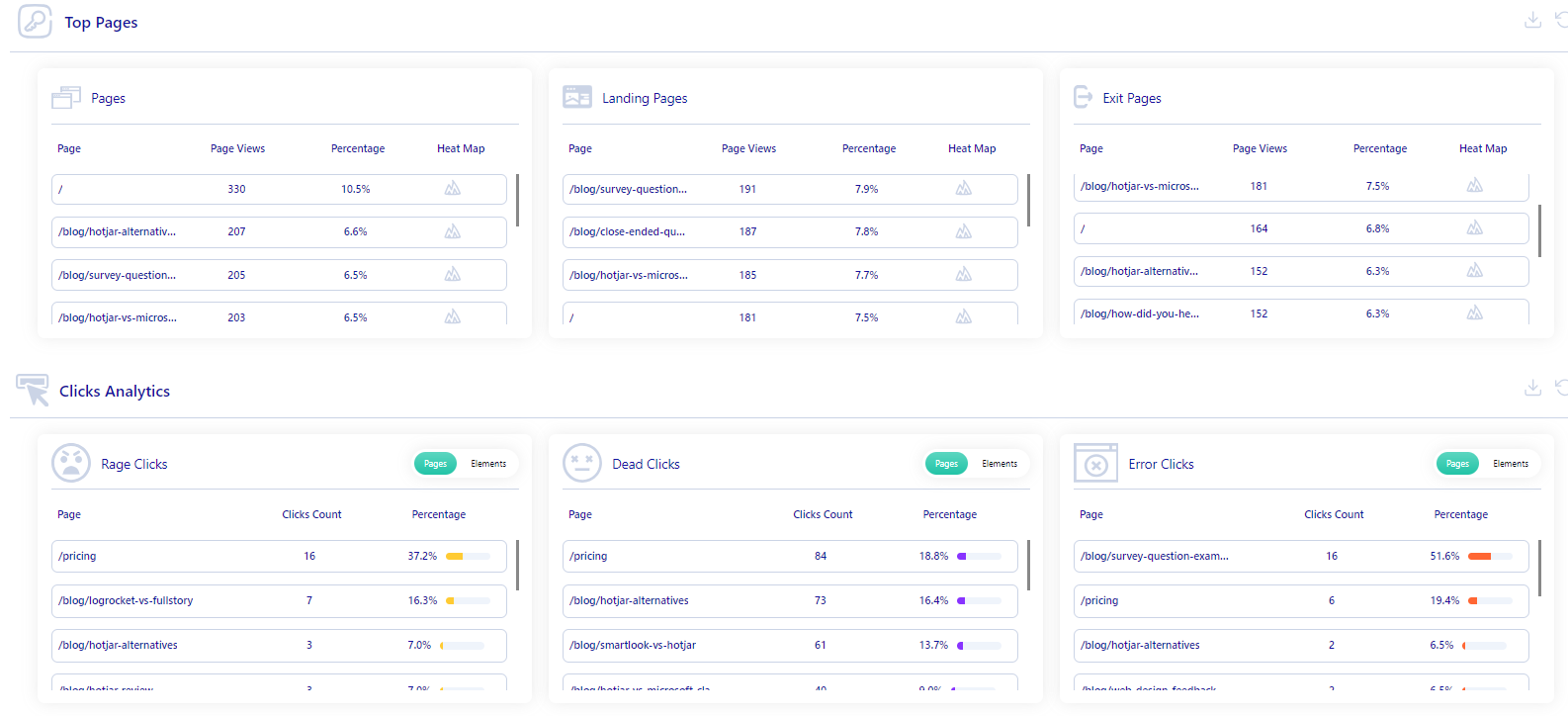
    Lucky Orange, on the other hand, provides support via chat, email tickets, and a knowledge base.
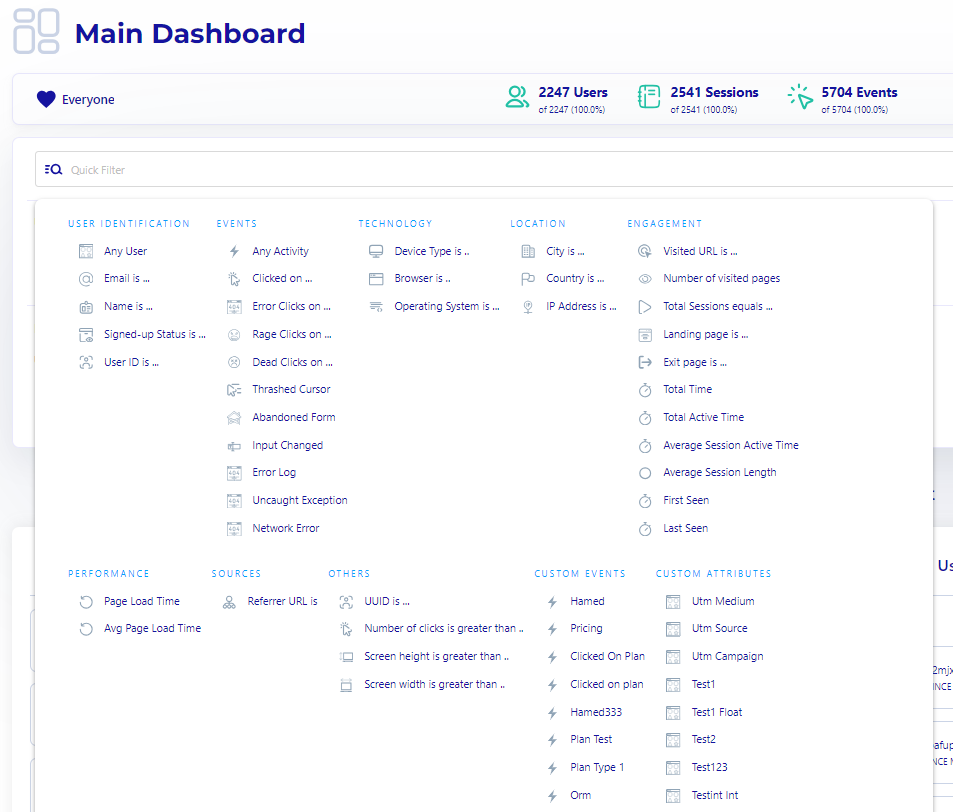
    Now, let’s discuss the pricing plans for each software.

    Lucky Orange vs Hotjar: Pricing

    These products have different pricing structures. Hotjar offers a free version of its software and charges a monthly and yearly fee for its premium packages. 

    Lucky Orange doesn’t offer a free version but provides a free trial for its premium packages.

    Lucky Orange pricing

    The pricing plans for Lucky Orange are divided into six tiers, each offering a seven-day free trial. Here’s a detailed breakdown of each plan:

    1. Free—costs $0/month and offers 100 sessions/month
    2. Build—costs $39/month and provides 5,000 sessions/month
    3. Grow—costs $79/month and offers 15,000 sessions/month
    4. Expand—costs $179/month and lets you have 45,000 sessions/month
    5. Scale—costs $749/month and offers 300,000 sessions/month
    6. Enterprise—provides a customized plan, so you need to contact the sales team to book a call

    Hotjar pricing

    As for Hotjar, it provides three paid plans—Observe, Ask, and Engage. The Observe plan helps you track customer events using web analytics features like heatmaps and session recording. It includes:

    • Basic—costs $0 and allows you to track up to 35 sessions/day
    • Plus—costs $39/month and lets you track up to 100 sessions/day
    • Business—starts from $99/month and lets you track 500 to 270,000 daily sessions
    • Scale—starts at $213/month and lets you track 500 to 270,000 daily session recordings

    The Ask plan lets you discover how your users feel and what they have to say via the feedback tool. It is divided into:

    • Basic—costs $0 with access to 20 monthly responses
    • Plus—costs $48/month with access to 250 monthly responses
    • Business—starts from $64/month and lets you receive 500 to 100,000 monthly responses
    • Scale—starts at $128/month and offers access to unlimited monthly responses

    Lastly, the Engage plan allows you to automate recruitment, scheduling, and hosting for moderated user interviews. It is divided into:

    • Basic—costs $0 with access to 3 interviews/month from your own network
    • Plus—costs $39.2/month with access to up to 3 interviews/month from the Hotjar participant pool and unlimited interviews from your own network
    • Business—starts from $440/month with access to 12 interviews/year from the Hotjar participant pool and unlimited interviews from your own network
    • Scale—offers customized pricing and access to 20 interviews/month from the Hotjar participant pool and unlimited interviews from your own network

    So far, we’ve explained how Hotjar and Lucky Orange compare and contrast based on different parameters. If you want to know how Hotjar compares to Crazy Egg, you can check out our Hotjar Vs Crazy Egg comparison article.

    Now, let’s explain our web analytics software, FullSession, which also helps you track website visitor behavior and monitor your website performance.

    What is FullSession?

    FullSession, our customer behavioral analytics solution, helps digital marketers, product teams, and e-commerce businesses track and analyze how customers interact with various web elements, such as call-to-action buttons, form fields, drop-down menus, and more.

    With this data, you can better understand user behavior, identify issues affecting your site’s core functionality, and make necessary adjustments.

    What Features Does FullSession Provide?

    FullSession offers web analytics features that provide comprehensive insights into your site’s overall performance, including areas where visitors experience issues and drop off the marketing or sales funnel. 

    Its key features include

    1. Session recordings and replays
    2. Interactive heatmaps (click, mouse movement, and scroll maps)
    3. Advanced user behavior data analytics
    4. User feedback tools
    5. Advanced user and event segmentation and filtering options
    6. Notes for improved collaboration
    7. Funnel and conversion tracking
    8. Error analysis

    Let’s go further into how each feature works.

    Session recordings

    With session recording and replay, you can watch how users navigate and behave across various web pages and better understand visitor click patterns, scroll patterns, mouse hovering, and form fills.

    Our session recording and replay feature allows you to filter analytics data using the following criteria:

    • User location and IP address
    • Clicked URL
    • Referrals
    • Average time on page
    • Total active time on page
    • Session list
    • Session event

    Customer session recordings are a great way to capture both behavioral data and device and browser information. You can determine how many visitors access a particular page, which areas of the site are most popular, which pages users leave before purchasing, and more.

    Interactive heatmaps

    Interactive heatmaps help you visualize the web elements that gain the highest and lowest engagement. This feature allows you to identify where web page users spend most of their time, where users click via click maps, and how far they scroll with scroll maps.

    For instance, if you own an e-commerce site, you can see the products your customers give the most and least attention to. It can help you know what to focus on or eliminate to increase sales.

    What’s more, our interactive heatmap provides behavioral data such as

    • Average time on page
    • Error clicks
    • Rage clicks
    • Dead clicks
    • The total number of views and clicks
    • The total number of visitors that visited a particular page
    • Average load time on page

    This data lets you quickly filter user events and optimize your website for increased conversions.

    Click map example

    Mouse movement map example

    Scroll map example

    Insights

    FullSession offers a powerful analytics dashboard that provides valuable insights to help you visualize the overall user events using categories like:

    • Segment health
    • User trends
    • Feedback trends
    • Top users
    • Key pages
    • Device breakdown
    • Browser breakdown
    • Screen resolution breakdown
    • Error clicks
    • Rage clicks

    This feature lets you quickly identify conversion blockers and improve your site’s functionality.

    Customer feedback widgets

    The customer feedback widget helps you to understand the “why” behind user actions. With this feature, you can collect real-time feedback about how users feel and their thoughts on their experience with your site.

    Our customer feedback report includes different categories that can help you better understand the feedback you collect. For instance, you can see the basic user information, the input they left, their device type, the feedback date, and the URL they visited.

    What’s best, each customer feedback is connected to a specific session recording so you can watch and understand why the customer left negative feedback.

    Segments

    Segments help you save precious time while conducting your user behavior analysis. You can use many different filters, such as user identification, events, technology, performance, sources, engagement, and location.

    With just a few clicks, you can find user sessions that raise an eyebrow and share your findings with your team members.

    Notes help you jot down key user actions and share them with your team for better collaboration. You can also use them to evaluate customer issues and make adjustments where needed.

    Conversions enable you to track conversion rates using analytics data like the average number of users and time to convert. With this data, you can identify if your product is successful or not.

    Funnel and conversion tracking

    The FullSession funnels and conversions feature offers a detailed analysis of user journeys, allowing you to track and optimize each step of your conversion funnel. Once you visualize user progression and identify drop-off points, you can pinpoint areas needing improvement. 

    It helps monitor conversion trends over time, understand key user actions, and detect issues affecting conversion rates. The tool also allows for segment analysis and time period comparisons to tailor strategies to different user groups and seasonal trends.

    Error analysis

    The error analysis feature helps you detect, analyze, and resolve errors affecting user experience by leveraging detailed data on various error types. It offers actionable insights to improve your digital products’ reliability and user satisfaction. 

    By detecting error clicks, network failures, console errors, error logs, and uncaught exceptions, FullSession enables you to pinpoint and quickly fix issues that cause user frustration.

    It also provides real-time alerts and notifications via Slack, allowing your team to respond swiftly to significant errors. 

    What Makes FullSession Stand Out

    At first glance, FullSession may share similarities with Lucky Orange and Hotjar. However, many traits make FullSession stand out from these solutions. Here are the significant ones:

    • Hotjar can significantly slow your site’s performance while conducting website analysis. At the same time, FullSession can help you make the proper UX analysis without affecting your site’s performance.
    • FullSession provides a central analytics platform that helps cross-functional teams to collaborate and share analytics data efficiently.
    • With FullSession, you can track how customers interact with your web elements and collect customer feedback to improve your site’s performance and boost conversions.
    • FullSession enables you to visualize dynamic web elements and identify the web pages with the highest and least engagement.

    Now that we’ve covered some of FullSession’s unique characteristics let’s discuss why It is an excellent solution for tracking visitor behavior and user events.

    Four Reasons to Use FullSession

    Here are four primary reasons to use FullSession to conduct web analysis and analyze user behavior:

    • Our user behavioral analytics software is easy to set up and use. You don’t need advanced technical skills to perform CX analysis.
    • With FullSession, you’ll get access to advanced filters that you can use to create specific user segments and identify user events that raise an eyebrow.
    • FullSession provides a powerful insights feature that gives you a bird’s eye view of user behavioral data, including funnel drop-offs that block conversions.
    • With FullSession, you can quickly identify areas where users experience setbacks as they navigate your site.

    So far, we’ve explained the significant similarities and differences between Lucky Orange and Hotjar and compared FullSession with these tools. Let’s briefly summarize each solution’s essential features, similarities, and differences.

    Lucky Orange vs Hotjar vs FullSession: A summary

    In this section, we’ve provided a table summarizing the main points we’ve covered so far so that you can quickly understand how Lucky Orange, Hotjar, and FullSession compare and contrast.

    Features/similarities and differencesLucky OrangeHotjarFullSession
    Real-time session recording
    Funnel analysis
    Customer segmentation
    Customer journey mapping
    Conversion tracking
    Interactive heatmaps
    Surveys and customer feedback
    Insights 
    Free version
    Free trial 
    Analysis of dynamic elements
    Customer support

    Lucky Orange vs Hotjar: Final Words

    Lucky Orange and Hotjar are useful for tracking and analyzing user behavioral data. However, both tools have strengths and weaknesses. 

    While Lucky Orange is ideal for providing real-time support for individual users, it retains data for only 30 days, so you can’t keep track of user interactions and overall user sessions throughout the year.

    Hotjar is good analytics software for collecting incoming feedback. It helps you understand what users think and feel about your website’s performance. Ultimately, it would be best to choose a tool based on the scope of data you want to analyze and the one that meets your web analytics needs.

    If you want to learn more about similar tools, we’ve also explained the functionality of other web analytics tools. You can read our in-depth article on Hotjar alternatives or our in-depth reviews, such as Hotjar vs Mouseflow and Hotjar review.

    Choose the Option You Need: FullSession

    FullSession, our website analytics solution, is a valuable tool that provides detailed reports on various user actions through real-time session recordings and replays, interactive heatmaps, and a customer feedback widget.

    Our software is well-priced and offers advanced filters to help you create unique user segments and perform accurate CX analysis without affecting your site’s performance.

    FullSession Pricing Plans

    Fullsession Pricing

    The FullSession platform offers a 14-day free trial and three paid plans: Starter, Business, and Enterprise. A yearly subscription can save you up to 20%!

    Here are more details on each plan.

    • The Free plan is available at $0/month and lets you track up to 500 sessions per month with 30 days of data retention, making it ideal for testing core features like session replay software, website heatmap software, and frustration signals, and frustration signals.
    • The Growth Plan starts from $23/month (billed annually, $276/year) for 5,000 sessions/month – with flexible tiers up to 50,000 sessions/month. Includes 4 months of data retention plus advanced features like funnels & conversion analysis, feedback widgets, and AI-assisted segment creation.
    • The Pro Plan starts from $279/month (billed annually, $3,350/year) for 100,000 sessions/month – with flexible tiers up to 750,000 sessions/month. It includes everything in the Growth plan, plus unlimited seats and 8-month data retention for larger teams that need deeper historical insights.
    • The Enterprise plan starts from $1,274/month when billed annually ($15,288/year) and is designed for large-scale needs with 500,000+ sessions per month, 15 months of data retention, priority support, uptime SLA, security reviews, and fully customized pricing and terms.

    Book a demo today.

    Track User Behavior the Easy Way With FullSession

    Setting up your web analytics dashboard with FullSession takes less than 5 minutes, and it’s completely free!

    Get a demo now.

    FAQs About Lucky Orange and Hotjar

    What is the difference between Lucky Orange and Hotjar?

    Lucky Orange offers a broader range of features, including real-time analytics, visitor recordings, heatmaps, and live chat. Hotjar, on the other hand, focuses primarily on heatmaps, user feedback, and session recordings, making it more specialized in those areas.

    Is Lucky Orange worth it?

    It can be. Lucky Orange provides a comprehensive set of tools that give you deep insights into user behavior, making it an excellent investment for anyone looking to improve their website’s performance and user experience. You can also check out Smartlook.

    What is Lucky Orange used for?

    Lucky Orange tracks and analyzes visitor behavior on your website. It offers features like heatmaps, session recordings, live chat, and visitor polls, helping you understand how users interact with your site and identify areas for improvement.

    Does Lucky Orange slow down the website?

    Lucky Orange shouldn’t slow down your website as it first fully loads your website and then downloads the required resources to start running. However, some users have recorded a prolonged load time using Lucky Orange.


  • The Definitive Guide to Session Recording and Replay

    The Definitive Guide to Session Recording and Replay

    The user experience significantly impacts the success of your website, web app, or landing page. If users can’t find what they’re looking for or if the site feels clunky and slow, they won’t stay long.

    Session recording tools help you monitor and review user activity on multiple pages. Based on behavior analytics, you can tweak your site to provide future visitors with an even better experience.

    FullSession, our user behavior analytics platform, provides you with session recordings and replays to troubleshoot users’ issues with your site. It also gives you access towebsite heatmap tools, customer feedback tools, funnels and conversion, and error analysis to get a complete picture of your website performance.

    Start a Free Trial to Experience FullSession

    Discover how our session recordings and replays help you capture the entire user journey.

    In this guide, we will explain the essentials of recording sessions and provide a list of helpful tools that offer this feature. We will also explain why FullSession is the best solution for your business.

    Let’s introduce session recordings and replays.

    What is Session Recording?

    session recording tool

    A session recording tracks your website visitors’ behavior to help identify bottlenecks and pain points during the customer journey

    A session recording captures navigation, mouse movements, scrolling patterns, form fills, clicks, and more.

    What is Session Replay?

    Session replays are recordings of everything that happens during a website session. It includes all the clicks, scrolls, keystrokes your users make, and other interactions with your web pages.

    You can use this information to make your site more user-friendly and improve the overall experience for visitors.

    What Are the Benefits of Session Recording and Replay?

    Session recording and replays provide many benefits to your business. With these features, you can:

    • Understand user needs and preferences: See how users interact with your website or application, gaining insights into what they find valuable, confusing, or frustrating. It helps tailor your product to meet user expectations better and enhance satisfaction.
    • Improve customer support: Evaluate user behavior leading up to a reported issue. It allows for accurate diagnosis and quick solutions, reducing time spent on back-and-forth communications and enhancing the overall customer support experience.
    • Improve the user experience: Identify common pain points and obstacles users face, enabling informed decisions about design and functionality changes. Enhancing user experience increases satisfaction and loyalty and boosts conversion rates.
    • Troubleshoot product issues: Use session replays to identify and replicate bugs or issues, speeding up the troubleshooting process for your development team and ensuring a more stable and reliable product.
    • Test new features: Observe real-time user interactions with new features to assess whether they are intuitive and beneficial. It allows for refinement before fully rolling out the features.
    • Improve product design: Through session replays, highlight design flaws or navigation struggles, provide concrete evidence to guide design improvements, and make your product more user-friendly and efficient.
    • Identify areas for improvement: Reveal trends and patterns indicating broader issues, helping to pinpoint areas to focus efforts for maximum impact on user satisfaction and business outcomes.

    While valuable, session recordings and replays can’t record all user activities. Let’s explain.

    What Are the Limitations of Session Recording and Replay?

    When it comes to session recordings, there are a few drawbacks to be aware of:

    • Partial activity capture: It can’t capture all user activities, such as sensitive data or personal information, due to privacy reasons.
    • Excluded interactions: It excludes interactions that occur outside the recorded environment, like email communications or phone calls.
    • Time-consuming analysis: Analyzing session recordings can be time-consuming, requiring a dedicated team or advanced analytics tools to extract actionable insights effectively.

    Let’s discuss the sensitive data in the following section.

    Do Session Recordings and Replays Protect Users’ Privacy?

    session recording dashboard

    Data security has become more critical than ever due to security issues.

    People are more concerned about hackers and security breaches than ever before, so they’re paying more attention to how businesses handle their private information.

    Transparency regarding privacy disclosures is crucial to any business hoping to avoid legal consequences related to information compromise, security infringement, and cybercrime.

    FullSession gathers user data without invasive tracking

    FullSession, our session recording software, will help you stay on top of your customers’ activities while protecting them from identity theft and unauthorized access. We don’t capture user information typed in by hand.

    FullSession doesn’t have access to sensitive information, such as credit card details or login credentials. It doesn’t track users’ activity across the Internet, and you can’t use it for behavioral advertising purposes.

    Instead, FullSession provides a technical solution for understanding how users interact with your product.

    FullSession is GDPR, CCPA, and PCI compliant, which means your data practices meet strict privacy and security standards.

    Analyze User Behavior in Real-Time

    Discover how our session recordings and replays help you capture the entire user journey.

    What is Session Replay Software?

    Session recording tools are software applications that record the users’ browser activity as they navigate your website. The three main components of session recording tools are screen recording, bug tracking, and user experience analytics.

    You can use user behavior data to improve the website’s usability, performance, and security. You can also identify potential website issues before they affect your conversion rates.

    How to Record User Sessions with FullSession

    To start using FullSession and our session recording tool, get a demo. Complete the registration process, and add our site tracking code to your source code if you are installing FullSession for the first time.

    We will start gathering data without affecting your site performance and show them in easy-to-understand visual reports.

    Once you log in to your account, you will see our analytics dashboard, which includes the Session Playlist. It shows all recorded sessions with details such as user ID, date and time, location, device, and operating system.

    session playlist

    Select a session recording from the list and click the green Play button to watch a session replay. You will be redirected to the new panel, where you can see all essential information about the session.

    play button

    In the top menu, you can see the URL, referring page, heatmap tab, screen resolution, and an option to share the recording with your team.

    In the bottom menu, you can set up the replay speed up to eight times faster, add a comment, see the session duration, skip inactivity, or open developers’ tools.

    bottom menu bar

    What data can you get with session recording and replay?

    session recording and replay tool

    On the right side of the panel, you will see additional data related to the session recording:

    1. User location and IP address
    2. The URL user visited
    3. Referrals
    4. Average time on page
    5. Total active time on page
    6. Session list
    7. Session event
    8. Tags

    Improve Your Website Performance

    Learn how to detect and fix website issues before they affect your customer experience.

    How to Track User Behavior with FullSession

    Tracking user behavior with FullSession provides valuable insights into how visitors interact with your website. FullSession offers many tools to help you understand and optimize user experience, including heatmaps, conversion funnels, and error analysis. 

    With these features, you can identify areas for improvement, improve user engagement, and increase conversions.

    Let’s take a closer look at each feature.

    Heatmaps

    Clicking on the heatmaps tab in the session recording panel allows you to access additional features to evaluate user behavior during the session.

    You can select the device type and choose between the click map, cursor map, or scroll map. If you’re new to heatmaps, you can read our guide on how to read a heatmap. It’s an excellent feature for conducting a customer experience analysis.

    Here are some examples to help you understand how our heat maps work.

    Click map example

    click map

    Mouse movement map example

    mouse movement map

    Scroll map example

    scroll map

    What data can you get with interactive heatmaps?

    Our interactive heat maps boost your session recordings with the following:

    • Preview the heatmap on different devices
    • See the URL the user visited
    • See the number of total views and total clicks
    • Watch error clicks
    • Track rage clicks
    • Monitor dead clicks
    • See the average load time on the page
    • See the average time on the page
    • Track the number of users that visited the page

    You can use this data to filter essential customer actions and improve your website performance.

    Funnels and conversions

    funnels and conversions

    FullSession’s funnels and conversions feature allows you to visualize and analyze the steps users take to complete a desired action on your website. Once you identify where users drop off in the funnel, you can pinpoint areas for improvement and optimize your website to increase conversions. 

    This feature helps you understand user paths and make data-driven decisions to improve the overall user experience.

    Error analysis

    error analysis

    FullSession’s error analysis feature allows you to detect, analyze, and resolve different types of errors that impact user experience. 

    It leverages comprehensive data on error clicks, network errors, console errors, error logs, and uncaught exceptions to provide actionable insights to improve user satisfaction and reliability of your digital products. 

    How FullSession Connects User Feedback with Session Recordings

    FullSession helps you get customer feedback by creating and placing a website feedback form on your website. We provide a handy form creator you can use to set up your questions, align form appearance with your branding, and select devices and pages to show the form. 

    create feedback dashboard

    We present results in the customer feedback report.

    customer feedback report

    When a user leaves feedback on your site, you can watch a connected session recording and replay the video to understand better what happened during the session.

    session recording with user and session details

    If the user leaves negative feedback, you can assess the issue and improve your site layout, features, or content.

    9 Reasons to Start Using FullSession Today

    Our session recording software allows you to spot missing information and hidden user trends. Here are nine reasons to start using FullSession for your website tracking needs.

    1. Spot bugs faster

    FullSession lets you gather data on what’s happening behind the scenes. It allows you to see where errors happen, how often they happen, and what causes them. 

    You can solve issues by fixing code, testing features, or altering the design.

    2. Accelerate your website development

    You can use FullSession during the development phase to see if your navigation is complex, the checkout process isn’t smooth, the images aren’t loading, or a new feature doesn’t work as expected. 

    It helps you improve the overall product quality and ensure everything works harmoniously.

    3. Convert visitors into paying customers

    FullSession helps improve the user flow to increase conversions and create an optimized website or a landing page design tailored to your users’ needs.

    You can improve their engagement with the page’s content, help people find what they’re looking for faster, or provide the information they previously missed.

    4. Solve user interface issues

    Regarding the user interface, you need a tool to fix errors and identify what went wrong. FullSession lets you access recordings in real time, allowing you to view interactions at the time of the problem without disrupting the customer experience.

    You can then use your findings to create a solution that improves your UI for future customers.

    5. Identify and fix customer frustration points

    If your session replays show that many users drop off or don’t complete the desired steps on your website, it’s time to take action. 

    FullSession will help you identify user frustration points and create a solution to reduce these issues.

    6. Detect security threats and understand how they happen

    With FullSession, you can use automatic event tracking to identify any signs of suspicious user activity. It’s also helpful in validating that your security features work as expected. 

    You can analyze captured data, determine the nature of the threat, and take action.

    7. Improve customer experience and satisfaction

    FullSession can show you how customers interact with your website and provide valuable information that is difficult for humans to gather through conversation-based research methods like surveys or interviews.

    Watching a session replay can improve outcomes for both customer support staff and customers. It allows your reps to provide more efficient solutions since they can see what happened during each session.

    8. Gather data without slowing your website down

    Unlike other website session recording tools like Hotjar, FullSession allows you to capture analytics data and make accurate UX analyses without slowing down your site.

    9. Find critical events in session recordings quickly and easily

    FullSession provides a skip-inactivity feature that lets you quickly find important events in a session. 

    You can also use advanced filtering and segmentation to find necessary data in a blink of an eye.

    How to Sign Up for FullSession

    FullSession offers a 14-day free trial. If you need more information, you can book a demo.

    Other Session Recording Tools You Can Try

    You have come to the right place if you are looking for session replay tools for your website. We’ve researched instead of you and analyzed top vendors for session recording besides our FullSession solution. Continue reading to learn more.

    1. Microsoft Clarity

    Microsoft Clarity

    Microsoft Clarity helps you see how people use your site. It makes it easy to identify problems and opportunities and to test new ideas. It is GDPR-compliant and built on an open-source basis. It’s a good solution for online businesses, from bloggers to digital marketers and product teams.

    Features list

    Microsoft Clarity allows you to record visitor behavior on your site. It provides rich data for improving your site, like mouse tracking, click tracking and scroll monitoring.

    Recordings are available for most sessions and usually appear 30 minutes after the start of the session, but they may take up to 2 hours to process. Remove the Microsoft Clarity code for page URLs you don’t want to track.

    With Microsoft Clarity, you can:

    • See how your visitors use your product
    • Save recordings as favorites to watch later
    • Playback or pause recordings to dive into details
    • Search, filter, or segment recordings by specific attributes
    • Identify users’ pain points
    • Explore potential issues that damage the user experience
    • Share recordings with your team or clients
    • Connect your account with Google Analytics
    • Block internal traffic from recordings

    Pros

    Apart from free usage, Microsoft Clarity also has other benefits. Here are some of them:

    • It is easy to use and set up
    • It helps you track and analyze how visitors navigate your web pages using session recordings, heatmaps, and an advanced dashboard

    Cons

    Microsoft Clarity also has some drawbacks. Here are some of them:

    • Some users complain that the site takes time to load and analytics data doesn’t always load properly
    • It lacks user survey and feedback features

    To learn more about this product, read our Hotjar vs Microsoft Clarity comparison.

    2. Inspectlet

    Inspectlet

    Inspectlet offers automatic event tracking and reveals the exact steps people take on your site. You can set up conversion funnels to make personalized site experiences for your customers, gather data on mouse movement, scrolls, and clicks, and see how visitors move around your site.

    Features list

    With the help of Inspectlet, you can better understand your customers’ perspectives. With Inspectlet, you can:

    • Record users and monitor their behavior
    • Capture users’ actions with screenshots
    • Use targeted tracking
    • Filter recordings to find the ones that you’re most interested in
    • Tag users and sessions with specific labels
    • Run A/B testing
    • Get form analytics and track form metrics
    • Monitor your site or app for any issues, such as Javascript errors

    Pros

    Here are some of the pros of Inspectlet:

    • It removes the guesswork by showing you what your users see and do on your website
    • Inspectlet is easy to set up and implement

    Cons

    Here are some of the cons of Inspectlet

    • The pricing gets high as you scale
    • Some users complain of bad customer support

    To learn more about this product, read our Hotjar vs Inspectlet comparison.

    3. Hotjar

    Hotjar

    Hotjar helps you understand how visitors use your website. With Hotjar, you can improve the user experience and conversion rates and increase sales. With session recordings, surveys, polls, and visitor recording features, Hotjar helps you reach more customers and meet your business goals.

    Features list

    Hotjar helps you make data-driven decisions on how to improve your online presence. Here is the list of Hotjar features:

    • Heatmaps to track mouse movements, scrolls, and clicks
    • Session recording to identify usability issues
    • Session replay software that help you pinpoint specific issues during a user session
    • Conversion funnel optimization to improve conversion rate
    • Form analytics to see how your leads interact with your forms
    • User feedback polls
    • Incoming feedback to let users share their opinions in real-time
    • Surveys to ask questions and get the information you need
    • Usability testing recruitment

    Pros

    Here are some of the pros of Hotjar:

    • Hotjar provides advanced behavioral analytics features that provide a holistic view of your visitors’ actions and actual user journeys
    • It enables you to create custom tags to mark interesting user recordings for reference

    Cons

    Here are some of the cons of Hotjar:

    • It doesn’t provide a funnel analysis tool
    • Its heatmaps don’t track dynamic elements

    Our Hotjar Reviews and Comparison Articles

    Want to learn more about Hotjar and its alternatives? Feel free to check out our in-depth articles:

    4. Lucky Orange

    Lucky Orange

    Image source: G2

    Lucky Orange lets you capture user actions through screen recording or session replay. This allows you to quickly identify UX problems that appear on-screen and fix them before they affect your website’s performance.

    It’s a good solution for UX designers, product managers, market researchers, digital marketers, and anyone who wants to gather insights about their customer’s behavior.

    To learn how this tool compares to other UX analytics solutions, read our article on Lucky Orange alternatives.

    Features list

    Lucky Orange helps you improve your site performance by providing data to support decisions about creating more effective web performance strategies.

    Here is what you get with Lucky Orange:

    • Session recording and session replay
    • Live chat for customer support
    • Conversion funnel optimization
    • Detailed visitor profiles
    • Recordings history
    • Announcement sharing
    • Announcement placement options and intelligent triggers
    • Dynamic heatmaps
    • Unlimited and customizable dashboards
    • Form analytics
    • Fully customizable surveys with a pre-launch preview

    Pros

    Here are some of the pros of Lucky Orange:

    • It includes a wide range of analytics features that allow you to understand user behavior
    • It enables you to capture analytics data points and record user actions in real-time

    Cons

    Here are some of the cons of Lucky Orange:

    • Its load time can be slow
    • It can be challenging to learn its features

    5. Mixpanel

    Mixpanel

    Mixpanel is a valuable analytics tool everyone can use. It requires no coding skills, and you can easily integrate it with your website. Mixpanel allows you to track user activity and collect real-time data from your website or mobile app to optimize your product performance.

    Features list

    With MixPanel, you can measure how your visitors interact with your website based on over 70 metrics. It helps you optimize your online presence and make it more effective by constantly collecting and analyzing data.

    Here is the shortlist of Mixpanel features:

    • User behavioral analytics and interactive reports
    • Custom dashboards
    • Custom alerts for changes in metrics
    • Result sharing among teams
    • Advanced session recording and session replay segmentation options
    • Marketing and sales funnels monitoring
    • Data integration and management
    • Data privacy and transfer regulations

    Pros

    Here are some of the pros of Mixpanel:

    • It gives you a central analytics platform that provides valuable insights into user behavior
    • It is easy to set up and deploy

    Cons

    Here are some of the cons of Mixpanel:

    • Its customer segmentation feature lacks advanced functionalities
    • Mixpanel requires technical skills and knowledge to implement the tool

    To see how Mixpanel compares to other UX solutions, read our article on Mixpanel alternatives.

    6. FullStory

    FullStory

    FullStory captures both quantitative and qualitative data to let you drive digital transformation and growth. You can integrate FullStory with your existing tech stack.

    It allows you to record and replay sessions as they happen, dive into the deep details of each interaction, and discover moments that will transform your understanding of your customers’ needs.

    Features list

    With FullStory, you can see what people did while using your product. It records everything from clicks and mouse movements to scroll behavior.

    Here is the list of FullStory features:

    • Advanced record and session replay options
    • Skip inactivity feature
    • Users and sessions filtering
    • Developers’ tools and bug reports
    • Conversion funnel optimization
    • Click and scroll heatmaps
    • Team collaboration tools
    • Privacy control features
    • Out-of-the-box implementation with JavaScript frameworks

    Pros

    Here are some of the pros of FullStory:

    • It records every user interaction, including rage clicks, missed content, text inputs, and more
    • It is easy to set up and implement

    Cons

    Here are some of the cons of FullStory:

    • Its broad range of functionalities can be time-consuming and challenging to learn
    • The cost of the tool gets expensive as you scale

    You can check out our article on FullStory competitors to learn more about this solution. You can also read our LogRocket vs FullStory or LogRocket competitors comparison.

    Session Recording Tools: Our Verdict

    session recording and replay tool

    Session recording and replay allow you to use accurate data and make impactful changes to your product. However, you must choose the right tools to help you make the proper UX analysis without affecting your site performance.

    FullSession will help you during your session recording journey. Our web analytics platform doesn’t slow down your site while collecting data and provides advanced segmentation and filtering options to help you find questionable user sessions faster.

    It can also help you identify areas for improvement and focus your efforts where they will have the most significant impact.

    FullSession Pricing Plans

    FullSession pricing

    The FullSession platform offers a 14-day free trial. It provides three paid plans: Starter, Business, and Enterprise. A yearly subscription can save you up to 20%!

    Here are more details on each plan.

    • The Starter plan costs $39/month or $32/year and allows you to monitor up to 5,000 monthly sessions with up to 6 months of data storage.
    • The Business plan costs $75/month or $60/year and helps you to track and analyze up to 100,000 monthly sessions with up to 12 months of data storage.
    • The Enterprise plan has custom pricing and offers customizable sessions plus full access to all features.

    Book a demo today.

    Get a Better Understanding of User Behavior with FullSession

    It takes less than 5 minutes to set up your session replays, heatmaps, and other analytics tools with FullSession, and it’s completely free!

    Get a demo now.

    FAQs about Session Recordings and Replays

    What is a session recording?

    A session recording captures a user’s interactions with a website or application, including clicks, scrolls, and navigation paths. It allows businesses to replay user sessions to understand behavior, identify issues, and improve the user experience.

    What is session replay used for?

    Session replay is used to review and analyze user interactions with a website or application. Like other traditional web analytics tools, it helps businesses understand user behavior, identify usability issues, diagnose bugs, improve customer support, enhance the user experience, and test new features effectively.

    How do you analyze session recordings?

    Analyzing session recordings involves a qualitative research approach that includes many tasks, such as:

    • Creating unique customer segments and comparing them
    • Identifying user behavioral patterns
    • Identifying website bugs and glitches and more

    When you assess the data, you can start with website optimization.

    How do I record a web session?

    If you want to know what your users are doing on your website and see their clicks, scrolls, and mouse movements, you should consider installing session recording.

    FullSession currently offers a free trial to let you test all available features and see if our tool is a good fit for your business. Book a demo now.

    How does session replay capture user experience?

    Session replay captures user experience via a tracking code you install on your website. The session replay tool logs data from visitors’ interactions on your website once you’ve installed the code.

    What is the primary purpose of session replay?

    Session replay reconstructs a visitor’s entire journey on your website so you can track website issues and find ways to fix them quickly.


  • Website Tracking: How to Do It + 5 Tools [Free & Paid]

    Website Tracking: How to Do It + 5 Tools [Free & Paid]

    Website visitor tracking is essential for optimizing your website and increasing conversions. It allows you to learn more about who visits your site, where they come from, what websites refer traffic to yours, and other important information.

    The best website visitor tracking software also helps you discover if people can find the information they need or get confused at any point in the process.

    Many tools are available on the market to help with website visitor tracking. However, not all of them are useful or affordable.

    We recommend you start using FullSession, our web analytics tool, which helps you build a seamless customer experience with features like session recording and replay tools, website heatmap, and customer feedback tools.

    In this guide, we will discuss the essentials of website visitor tracking and focus on free and paid tools to help you choose the right one for your needs. Let’s start with some elementary information.

    Visualize, Analyze, and Optimize with FullSession

    See how to transform user data into actionable insights for peak website performance.

    What Is Website Visitor Tracking?

    Website visitor tracking is the process of tracking and recording user behavior

    To track visitors, you need to install a tracking code on your website. It sends information about the site visitors to a third-party tool that collects statistical data and provides reporting.

    Why Is Website Visitor Tracking Important?

    Website tracking helps you improve your site functionality and boost the customer experience. Here are additional reasons why a website monitoring tool is vital for your business. It helps you:

    1. Analyze user traffic and identify your most profitable customers
    2. Reveal which aspects of your website are causing customers to convert
    3. Focus on the product or service pages that are most likely to sell

    Website visitor tracking also helps you identify any potential issues or areas you need to improve on your site.

    What Are the Benefits of Website Visitor Tracking?

    Since we explained user behavior analytics, it’s time we get to the main point – how web tracking can improve your online business. Here are some core benefits user behavioral analytics brings:

    1. It provides you with a deeper understanding of individuals visiting your website by tracking user activity.
    2. You can see the behavior of repeat visitors and identify their preferences.
    3. You can deliver a personalized shopping experience to individual visitors.

    Website visitor tracking can also help you identify potential security threats and fraudulent activity.

    What Features Should Visitor Tracking Software Include?

    Interactive heatmaps, session recordings and replays, and user feedback allow you to track user behavior, sentiment, and interests when visiting your website. Let’s explain each of these critical features.

    Mouse movement maps

    Heatmaps visually represent users’ interaction with your website, web app, or landing page. You can use them to make design and usability improvements.

    Scroll maps

    Scroll maps track how far visitors scroll down on a page or section of your website. You can identify page areas that cause users to leave without interacting with your content.

    Click maps

    Click maps let you track website visitors as they navigate your website. You can spot low-engagement areas, optimize them to draw more clicks, and help customers find what they need faster.

    Session recordings and replays

    Session recordings and replays help you watch user visits in real time and determine which website elements are popular or engaging or cause users’ frustration.

    User feedback

    Sometimes, you need to hear what users think about their experience. User feedback provides insightful, honest thoughts on your product features, tweaks you should implement or avoid, positive and negative points, and what you should do to improve your product.

    So far, we’ve explained the basics of website visitor tracking and the features to look out for in good visitor tracking software. In the following sections, we’ll highlight the evaluation parameters and list the top 10 visitor-tracking software you can start using today.

    Our Evaluation Parameters for Website Visitor Tracking Tools

    Image source: Freepik

    In this comparison article, we have evaluated ten website visitor-tracking tools using the following parameters:

    • Target audience
    • Deployment
    • Features list
    • Integrations
    • Customer support
    • Pricing
    • Pros
    • Cons

    By considering the evaluation parameters above, you can be sure to select a tool that will work well for your business.

    The Best Website Visitor Tracking Software in 2024

    Many website visitor tracking solutions are on the market, each with benefits and limitations.. Let’s start with our list to help you make your decision faster.

    1. FullSession

    FullSession is a website tracking solution that helps businesses monitor and analyze user interactions with websites, web apps, and landing pages.

    With FullSession, you can track visitor behavior and identify areas where they have issues to solve them and provide an exceptional digital customer experience.

    Who uses it?

    The FullSession analytics platform is ideal for cross-functional teams, including sales and marketing teams, product teams, and UX research teams. These teams can seamlessly collaborate and have a smooth and productive workflow. It is also popular in the e-commerce industry.

    Deployment

    FullSession is a web-based, cloud, and SaaS website tracking tool you can deploy by adding its code snippet to your website.

    Features

    FullSession allows you to make smarter business decisions. You can use it to monitor your website visits, identify strengths and weaknesses, and convert more visitors into paying customers with several analytics features. Let’s throw light on each of them.

    1. Session recording and session replay

    Session recording and session replay give you a clear picture of what users do on your website, including the pages they visit, the buttons they click, their text inputs, funnel drop-offs, and more.

    With our session recording and replays, you can access analytics data, such as:

    1. User location and IP address
    2. The URL user visited
    3. Referrals
    4. Average time on page
    5. Total active time on page
    6. Session list
    7. Session event

    You can quickly find the session recording you need or skip user inactivity while watching a session replay to save time.

    2. Interactive heatmaps

    Interactive heatmaps allow you to analyze user behavior to figure out the web elements they interact with and the pages they engage with the most on your site.

    Our heatmap feature uses a combination of colors – red, yellow, green, and blue – to depict the level of user engagement across various web pages and elements.

    You can also use the FullSession interactive heatmaps to filter user actions and perform the following activities:

    • Preview the heatmap on different devices
    • See the URL the user visited
    • See the number of total views and total clicks
    • Watch error clicks
    • Track rage clicks
    • Monitor dead clicks
    • See the average load time on the page
    • See the average time on the page
    • Track the number of users that visited the page

    You can use these analytics data to filter necessary customer actions and optimize your site functionality for better performance.

    FullSession provides three types of heatmaps:

    1. Click map
    2. Scroll map
    3. Mouse movement map

    Let’s show you examples of each interactive heatmap.

    Click map example
    Scroll map example
    Mouse movement map example
    3. Advanced data segmentation

    Our advanced segmentation feature allows you to build specific user segments to quickly identify essential user actions and session recordings of significant interest.

    4. Insights

    The FullSession insights give you a comprehensive overview of significant user activities to easily interpret user data. Its various categories help you evaluate your website performance.

    Here are the major ones:

    • Session playlists
    • Top users
    • Segment health
    • Key pages
    • User trends
    • Feedback trends
    • Device breakdown
    • General feedback
    • Browser breakdown
    • Top referrers
    • Screen resolution breakdown
    • Error clicks
    • Rage clicks

    With this feature, you can quickly uncover hidden patterns in user behavior.

    5. Customer feedback forms

    Our customer feedback forms help you receive real-time user feedback to understand users’ actions and sentiments about your site performance. Each customer feedback connects with a session recording, so you can watch what happened during the specific user session.

    You can also use our customer feedback report to analyze customer feedback and assess response details. You can see the user ID, the visited page, sentiment, comment, browser type, feedback date, and details.

    You can also see your overall results during a specific period.

    6. Notes

    FullSession notes feature helps you share comments about user activities and evaluate customer issues. You can share the analysis with your team to improve collaboration.

    7. Funnel and conversion tracking

    The FullSession funnels feature offers a detailed analysis of user journeys, enabling you to monitor and optimize each stage of your conversion funnel. 

    It helps identify key actions that drive conversions, detect issues causing drop-offs, and analyze user interactions to improve the user experience.

    With this feature, you can:

    • Visualize funnel steps
    • Monitor trends
    • Identify top events and actions
    • Detect and fix issues
    • Measure user interaction time
    • Analyze engagement
    • Track revisit rates
    • Compare segment performance
    • Analyze performance over different time periods
    8. Error analysis

    The error analysis feature helps you identify, analyze, and resolve various types of errors impacting user experience. 

    By leveraging data on error clicks, network errors, console errors, error logs, and uncaught exceptions, FullSession provides actionable insights to enhance reliability and user satisfaction.

    This feature allows you to:

    • Detect non-responsive elements causing errors
    • Monitor and analyze network errors
    • Log and filter console errors
    • Capture detailed error information for debugging
    • Monitor and resolve unhandled errors
    • Segment data for deeper insights
    • Receive real-time alerts and notifications

    What makes this tool unique

    FullSession provides behavior analytics to understand users’ behavior when navigating your site. It helps you run surveys and collect user feedback to skip the guesswork and understand the motivation behind user actions.

    Plus, it provides advanced data segmentation to find issues with laser precision. It also doesn’t slow down your website while collecting and analyzing data.

    Integrations

    The FullSession platform allows website owners to connect with third-party apps like WordPress, Shopify, BigCommerce, and Wix.

    Customer support

    If you have any issues with FullSession, you can start a live chat or send us an email. You can also check out the FullSession help center or read our guides for additional information.

    Pricing

    Fullsession Pricing

    FullSession offers a free trial for our two premium packages, Starter and Business. The annual plan can save you up to 20%.

    1. The Free plan is available at $0/month and lets you track up to 500 sessions per month with 30 days of data retention, making it ideal for testing core features like session replay, heatmaps, and frustration signals.
    2. The Growth Plan starts from $23/month (billed annually, $276/year) for 5,000 sessions/month – with flexible tiers up to 50,000 sessions/month. Includes 4 months of data retention plus advanced features like funnels & conversion analysis, feedback widgets, and AI-assisted segment creation.
    3. The Pro Plan starts from $279/month (billed annually, $3,350/year) for 100,000 sessions/month – with flexible tiers up to 750,000 sessions/month. It includes everything in the Growth plan, plus unlimited seats and 8-month data retention for larger teams that need deeper historical insights.
    4. The Enterprise plan starts from $1,274/month when billed annually ($15,288/year) and is designed for large-scale needs with 500,000+ sessions per month, 15 months of data retention, priority support, uptime SLA, security reviews, and fully customized pricing and terms.

    We also provide a customized pricing package if your business has specific website analytics needs. Check out our Pricing page.

    Pros

    • It allows you to make accurate CX analysis without slowing down your site loading speed
    • It provides advanced filtering options to identify critical events in a session faster
    • You don’t need advanced technical skills to use our analytics platform

    2. Hotjar

    Hotjar

    Hotjar is a user behavior tracking tool that helps businesses understand user behavior via session recordings, heatmaps, surveys, form analytics, and website feedback forms.

    It is a web-based analytics tool that helps you collect data about visitors’ engagement with your website and identify any usability issues.

    User rating

    According to Capterra, Hotjar scores 4.7 out of 5 based on 514 user reviews.

    Who uses it?

    Hotjar is primarily made for UX designers, UX researchers, data analysts, digital marketers, and product teams.

    Deployment

    Hotjar is a cloud, Saas, and web-based platform, and you can deploy it by installing its Javascript code into your site source code.

    Features

    With features like heatmaps and visitor recordings, Hotjar can be used by businesses of all sizes to track users, leverage data, generate leads, see how many visitors convert on their website, and boost sales.

    If you choose Hotjar, you will get the following features:

    • Heatmaps
    • Session recording and replay
    • Conversion funnels analytics
    • Form analytics
    • User feedback polls
    • Incoming feedback
    • Surveys
    • User testing recruitment

    What makes this tool unique

    Hotjar allows you to uncover hidden user actions and your users’ objections to your website functionality. It helps you skip the guesswork and see the product features your users engage with, including how they click, scroll, and tap across various web pages.

    Integrations

    Hotjar integrates with popular marketing tools like Slack, HubSpot, Zapier, and more.

    Customer support

    If you have questions about Hotjar, you can head to the help center for answers. If you need faster assistance, you can also fill out a ticket, read documentation, or find useful guides on their official website.

    Pricing

    Hotjar pricing

    Hotjar currently offers a free basic plan that allows you to track up to 1,050 sessions per month. To improve your conversion rates, you’ll need to upgrade to the paid plan—Observe, Ask, and Engage.

    The Observe plan lets you track and analyze user behavior data using heatmaps and session replay. It includes:

    • Basic plan: costs $0 and allows you to track up to 35 sessions/day
    • Plus plan: costs $39/month and lets you track up to 100 sessions/day
    • Business plan: starts from $99/month and lets you track 500 to 270,000 daily sessions
    • Scale plan: starts at $213/month and lets you track 500 to 270,000 daily session recordings

    The Ask plan helps you understand how your users feel and what they have to say about your site performance via the user feedback tool. It includes:

    • Basic plan: costs $0 with access to 20 monthly responses
    • Plus plan: costs $48/month with access to 250 monthly responses
    • Business plan: starts from $64/month and lets you receive 500 to 100,000 monthly responses
    • Scale plan: starts at $128/month and offers access to unlimited monthly responses

    The Engage plan helps you automate most of the processes that come with conducting moderated user interviews, including finding interviewees and scheduling. It includes:

    • Basic plan: costs $0 with access to 3 interviews/month from your own network
    • Plus plan: costs $39.2/month with access to up to 3 interviews/month from the Hotjar participant pool and unlimited interviews from your own network
    • Business plan: starts from $440/month with access to 12 interviews/year from the Hotjar participant pool and unlimited interviews from your own network
    • Scale plan: offers customized pricing and access to 20 interviews/month from the Hotjar participant pool and unlimited interviews from your own network

    Pros

    • It has a low learning curve
    • It provides real-time visitor tracking

    Cons

    • It doesn’t let you track visitor data on mobile apps
    • You have basic customization options for your surveys
    • It slows down your website while collecting data

    How other solutions compare to Hotjar

    Want to learn more about Hotjar and see how it compares to other user behavior tools? Check out our comparison articles

    1. Hotjar review
    2. Hotjar alternatives
    3. Hotjar vs Crazy Egg
    4. Lucky Orange vs Hotjar
    5. Hotjar vs FullStory
    6. Hotjar vs Crazy Egg vs Mouseflow vs FullStory
    7. Hotjar vs Google Analytics
    8. Hotjar vs Microsoft Clarity
    9. Hotjar vs Inspectlet
    10. Hotjar vs Mixpanel vs Clicktale
    11. Smartlook vs Hotjar
    12. Decibel Insight vs Hotjar

    3. Mixpanel

    Mixpanel

    Mixpanel is a product analytics platform that helps you monitor and analyze user engagement and conversion in real time. It lets you track conversions, build funnels, visualize user flows, and create cohorts.

    User rating

    According to Capterra, Mixpanel scores 4.5 out of 5 based on 138 user reviews.

    Who uses it?

    Mixpanel is primarily made for product and digital marketing teams.

    Deployment

    You can deploy Mixpanel by adding its code snippet to your website.

    Features

    Mixpanel provides various analytics features like:

    • Conversion tracking
    • Customer journey mapping
    • Funnel analysis
    • Multivariate testing
    • Predictive analysis

    What makes this tool unique

    With Mixpanel, you can identify the users that actively engage with your product and those that don’t. It helps you understand the product features that provide the most value and measure the right performance metrics.

    Integrations

    Mixpanel integrates with third-party apps like AB Tasty, Chameleon, AWS, and more.

    Customer support

    Mixpanel provides support via email and a knowledge base.
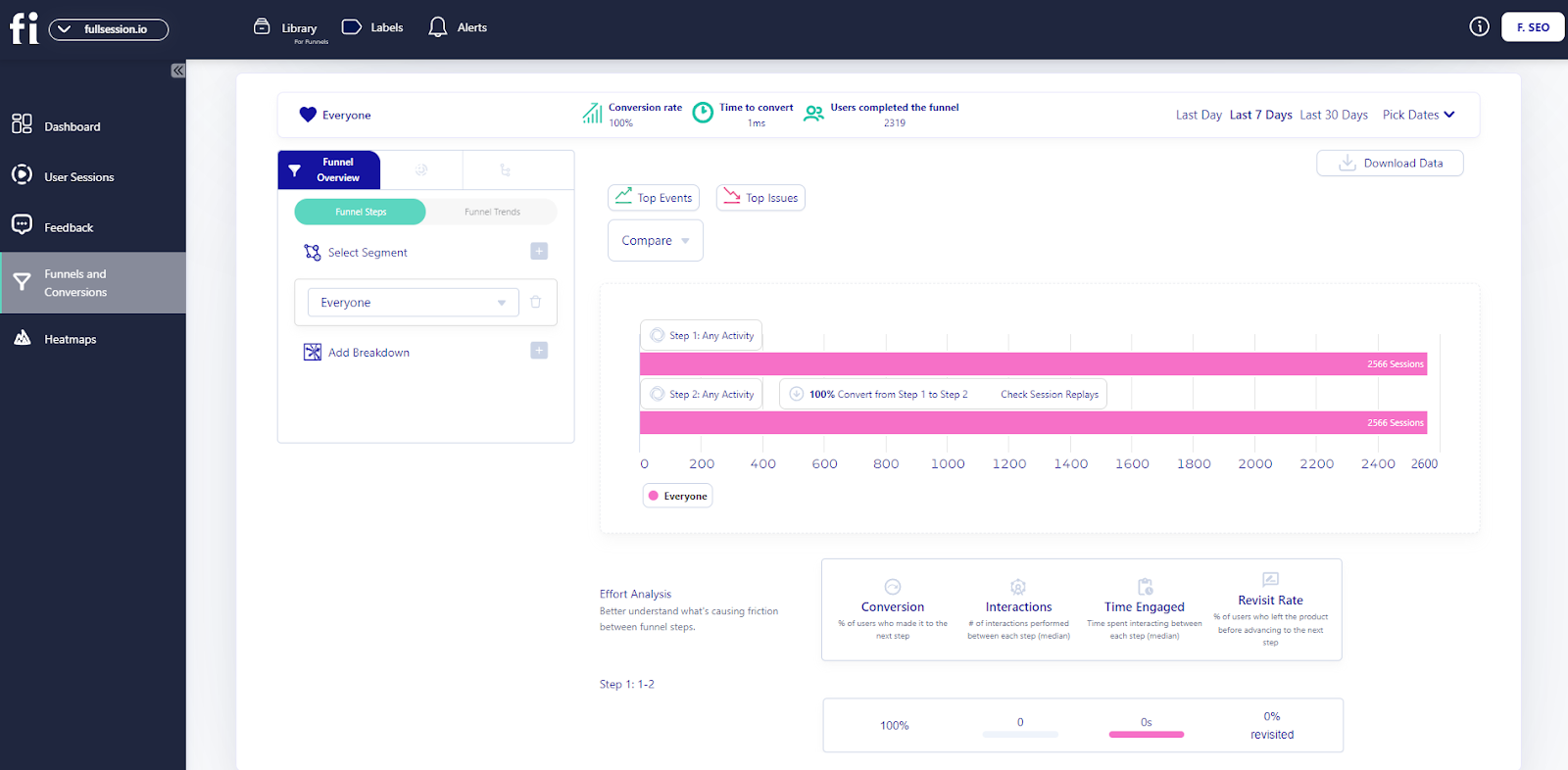
    Pricing

    Mixpanel pricing

    Mixpanel offers a free plan and two premium pricing packages – Growth and Enterprise.

    1. Free plan: allows you to track 20 million monthly events
    2. Growth: starts at $28/month and enables you to build a plan that suits your analytics needs
    3. Enterprise: offers a custom pricing structure and lets you track up to 1 trillion monthly events

    Pros

    • It provides a central analytics platform where you can track and analyze the actions of mobile and website users
    • It is easy to set up and deploy

    Cons

    • Customer segmentation lacks advanced functionalities
    • The UI is not ideal for a non-technical audience

    Read our article on Mixpanel alternatives to understand how it compares to other platforms.

    4. Smartlook

    Image source: G2

    Smartlook allows you to track and analyze user behavioral data on your website and mobile apps. It combines quantitative and qualitative analytics features to help you visualize user actions and how they interact with various product features and site elements.

    User rating

    According to Capterra, Smartlook scores 4.7 out of 5 based on 134 user reviews.

    Who uses it?

    The Smartlook platform is designed for SMBs, e-commerce brands, web design agencies, UX, marketers, and product teams.

    Deployment

    Smartlook is a cloud, SaaS, and web-based platform that you can deploy by installing its code snippet on your site.

    Features

    Smartlook provides various analytics features for tracking website visitors and users. Here are the major ones:

    • Heatmaps
    • Session recordings
    • Event tracking
    • Funnel analysis

    What makes this tool unique

    Smartlook provides a funnel feature that allows you to monitor user journeys and identify funnel drop-offs to optimize user flows and improve conversion rates. It can also track user activity, like button clicks, page visits, and more.

    Integrations

    The Smartlook platform integrates with popular platforms like Segment, Slack, Zapier, Hubspot, and more.

    Customer support

    Smartlook provides support via email and chat.

    Pricing

    Smartlook offers a 30-day free trial. During this trial period, you can enjoy all the features of the business plan. However, there is a limit of 3,000 monthly sessions. 

    You do not need to enter your credit card information to start the trial. After 30 days, you can buy a paid plan or return to the free version. Smartlook offers three paid plans:

    • Pro: 5,000 sessions/month for $55 per month
    • Enterprise: provides a tailor-made solution, so you need to contact sales reps

    Pros

    • It can automatically record user events on your site
    • You can use its session recording feature to analyze user behavior and quickly resolve bugs

    Cons

    • The price can get expensive as you scale
    • It lacks a feedback widget that you can use to collect user feedback

    Read our article on Smartlook alternatives to see how it compares to other platforms.

    5. Google Analytics

    Google Analytics

    Google Analytics is a free web analytics tool that lets you track where your visitors are coming from, how they interact with your website, and what content on your website is most popular.

    User rating

    According to Capterra, Google Analytics scores 4.7 out of 5 based on 8,070 user reviews.

    Who uses it?

    Google Analytics is a popular solution for retail, healthcare, hospitality, real estate, computer software, IT and services, automotive, marketing, and advertising.

    Deployment

    You can use Google Analytics by installing its code snippet on your website.

    Features

    You can use Google Analytics to track web page traffic and analyze demographic data, such as your audience’s location, device, and language.

    Google Analytics provides many features, but we’ll focus on the most important ones:

    • User and conversion modeling
    • Audience reports and demographics
    • Advertising reports
    • Acquisition reports
    • Behavior reports
    • Conversion reports
    • User flow reporting
    • Funnel analysis
    • Predictive analysis
    • Data access, filtering, manipulation, and segmentation
    • Visualization and monitoring

    What makes this tool unique

    Google Analytics provides a clear understanding of the results of your marketing activities. It offers many customization options for visualizing reports, changes in user behavior, and website content.

    Integrations

    Google Analytics integrates with popular marketing tools like WordPress, Facebook, Shopify, Zendesk, and more.

    Customer support

    Google Analytics offers a range of useful articles and guides to help you better understand how your visitors use your site. Also, if you have any issues with your Google Analytics account, you can start a live chat or send an email to customer support.

    Pricing

    Google Analytics is a free service. You need an email address and a password to start using it. However, you can also use an existing Google account if you already have one.

    Google Analytics 360 is a premium version of Google Analytics. Large businesses pay $150,000/year for it.

    Pros

    • You can create custom reports or see traffic data in real-time
    • It’s great for basic data tracking

    Cons

    • Google Analytics has a high learning curve
    • It lacks advanced features, such as user behavioral data

    Read our Google Analytics vs Amplitude comparison to see the differences between these platforms.

    Visitor Tracking Tools: A Short Overview

    This section summarizes the features of the tracking software we explained above.

    FeaturesFullSessionHotjarMixpanelSmartlookGoogle Analytics
    Real-time Session recording
    Funnel analysis
    Conversion tracking
    Behavioral analytics
    Customer segmentation
    A/B testing
    Customer journey mapping
    Dynamic heatmaps
    Free version
    Free trial
    User feedback
    Insights
    Monthly pricing$39$39$28$55Free

    Website Visitor Tracking Software: Our Verdict

    A positive customer experience is essential to the success of any business. How customers view your business, products, or services directly impacts their willingness to spend money with you.

    That is why you must choose suitable website analytics software to track how users interact with your site. This will help you improve the customer experience while following data privacy laws.

    We consider FullSession the best user tracking tool on this list. It provides a wealth of user data and behavior-tracking tools, such as session recordings and replays, three types of interactive heatmaps, website feedback forms, reports, error analysis, and more.

    What’s best is that it doesn’t slow your website down and protects the privacy of your users in the process.

    Get a 360° View of User Behavior

    Learn how to visualize and analyze all user interactions in one intuitive dashboard.

    FullSession Pricing Plans

    The FullSession platform offers a 14-day free trial. It provides three paid plans—Starter, Business, and Enterprise. Here are more details on each plan.

    1. The Starter plan costs $39/month or $32/year and allows you to monitor up to 5,000 monthly sessions.
    2. The Business plan costs $75/month or $60/year and helps you to track and analyze up to 100,000 monthly sessions.
    3. The Enterprise plan has custom pricing and offers customizable sessions plus full access to all features.

    Book a demo today.

    FAQs About Website Tracking Tools

    What is website tracking?

    Website tracking is the process of collecting and analyzing visitor interactions on a website. For example, Lucky Orange alternatives track page views, clicks, time spent on pages, and user behavior patterns.

    How can a website be tracked?

    Websites can be tracked using tools like cookies, pixel tags, and analytics software. These tools monitor visitor activities, collect data, and provide insights into user behavior, helping improve the site’s performance and user experience.

    Is website tracking legal?

    Yes, tracking user behavior is legal, but it must comply with privacy laws and regulations like the General Data Protection Regulation (GDPR) in the EU and the California Consumer Privacy Act (CCPA). Websites usually need to inform users about tracking and data collection and obtain their consent according to data privacy law, often through a cookie consent banner.

    How do I stop website tracking?

    You can stop website tracking by using browser settings to block cookies, enabling Do Not Track (DNT) in your browser, or using privacy-focused browsers and extensions that block tracking scripts. Additionally, regularly clearing your browser cookies can help reduce tracking.


  • 8 Session Replay Tools Compared (2026): Who Each One Is Best For

    8 Session Replay Tools Compared (2026): Who Each One Is Best For

    If you’re choosing a session replay tool, the hard part isn’t understanding what replay is, it’s deciding what you need: privacy controls, filtering, performance impact, integrations, retention, and pricing.

    This comparison breaks down 8 popular options and highlights who each tool fits best, so you can shortlist faster.

    Looking for the basics first?

    If you want the definition, benefits, limitations, privacy considerations, and how session recording + replay works end-to-end, read our complete guide: The Definitive Guide to Session Recording and Replay

    Start a Free Trial to Experience FullSession

    Discover how our session recordings and replays help you capture the entire user journey.

    8 Session Replay Tools to Evaluate (2026)

    Why settle for a mediocre website or app performance? With session recording software, you can record, review, and analyze users’ actions in real-time to boost engagement rates and conversions. Check out the list below to get your hands on the best session recording software.

    1. FullSession

    FullSession is a user behavior analytics software that helps you capture and analyze user behavioral data across your web pages, landing pages, or web apps. It allows you to identify funnel drop-offs, usability issues, and bugs preventing your web visitors from converting into paying customers.

    Our analytics software is primarily for web designers, product managers, UX/UI researchers, and digital marketers. We are also popular in the e-commerce industry.

    You can deploy the FullSession platform by starting a free trial and adding our code snippet to the source code of your website.

    FullSession also allows you to integrate with third-party platforms like Shopify, BigCommerce, Wix, and WordPress.

    FullSession features

    FullSession provides web analytics tools that let you see user actions and monitor user engagement with your website. 

    With FullSession features, you can identify best-performing web content, website bugs, and other usability issues you must solve to provide customers with the optimal user experience.

    Let’s explain each feature.

    1. Session replay (with filtering and debugging context)

    FullSession session replay reconstructs each session with a time-stamped event timeline, so you can quickly spot where users struggled and what happened right before drop-offs or errors.

    You can also use our session recording and replay feature to

    • Identify Javascript errors, user frustration, usability issues, or poor-performing content
    • Analyze usage patterns
    • Track users’ clicks, scroll behavior, and mouse movements
    • Track the pages that users engage with the most
    • Monitor the time they spend on each web page
    • Analyze the performance of specific marketing campaigns

    Website session recording tools help you gain a bird’s-eye view of your website’s performance and understand how to optimize it further.

    You can analyze recorded sessions using user data points like

    • User location and IP address
    • Clicked URL
    • Referrals
    • Visited pages
    • Average time on page
    • Total active time on pages
    • Session list
    • Session event

    We also have a skip inactivity feature that lets you skip segments of user sessions to save time and focus on activities that give you valuable insights.

    2. Interactive heatmaps

    Interactive heatmaps let you visualize how users interact with your website elements, like buttons, headers, CTAs, and form fields. Our heat map feature provides behavioral data to improve your website tracking efforts.

    • Scroll maps help you analyze how far users scroll on your web page
    • Click maps help you visualize where users click
    • Mouse movement map lets you see how users navigate your website

    These features help determine if users are missing the most valuable website areas. With this insight, you can remove distracting website elements, fix broken ones, and improve conversion rates.

    The FullSession interactive heat maps can also help you to

    • Visualize heatmap data on different devices
    • See the URL the user visited
    • Track the number of total views and total clicks
    • Watch error clicks
    • Visualize rage clicks
    • Monitor dead clicks
    • See the average load time on the page
    • See the average time on the page
    • Track the number of users that visited the page
    Click map example
    Mouse movement map example
    Scroll map example
    3. Advanced filtering and segmentation

    Our advanced segmentation and filtering options allow you to create unique customer segments, filter important user events, and identify questionable user recordings and session replays.

    4. Advanced analytics

    The FullSession platform provides an advanced analytics dashboard that lets you quickly identify significant patterns in user actions. It includes different categories that will improve your interpretation of user behavioral data.

    Here are the main ones:

    • Session playlist
    • Top users
    • User trends
    • Device, browser and screen breakdown
    • Health segment
    • Feedback
    • Top pages
    • Clicks analytics
    • Error analytics
    • Slowest pages
    • UTM analytics
    • Top referrers

    With this feature, you can gain insight into user behavior and uncover hidden customer struggles in every user activity.

    5. Customer feedback forms

    Our customer feedback forms allow you to collect real-time user feedback to understand users’ actions, including what they think about their digital experiences and your site’s performance.

    We also provide a customer feedback report to help you analyze the feedback you collect from your customers. It includes several categories that will help you dig deeper into user feedback.

    For instance, you can see a full breakdown of the user profile and feedback details. They include the user’s email address, country, comments submitted, device type, feedback date, and URL visited.

    Each user feedback you collect is connected to a session recording so you can watch and understand what happened during a session.

    6. Notes

    The notes feature allows you to leave comments about user events to improve website analysis and deeply evaluate customer issues. 

    You can write down significant customer actions, share them with your team, and improve collaboration during project development.

    7. Funnels and conversions

    The FullSession funnels and conversions feature offers an in-depth analysis of user journeys, allowing you to monitor, comprehend, and optimize every stage of your conversion funnel. 

    It helps you identify crucial actions that drive conversions, detect issues causing drop-offs, and analyze user interactions to improve the overall user experience. Its main features include:

    • Funnel steps: Visualize user progression through each funnel step, showing conversion and drop-off rates. Track user movement percentages and compare metrics across segments and time periods.
    • Funnel trends: Monitor changes in user flows and conversion rates over time. Spot trends and seasonal variations in user behavior to adjust strategies accordingly.
    • Top events: Identify key actions and events boosting conversion rates. Use insights to replicate successful patterns and optimize journeys.
    • Top issues: Detect actions or obstacles reducing conversion rates. Implement fixes to reduce friction and enhance the user experience.
    • Time engaged: Measure user interaction time between funnel steps to understand user effort. Find areas where excessive time indicates frustration or complexity.
    • Top engaged: Analyze the most engaging funnel steps or features, then enhance engaging features to improve retention and conversion.
    • Revisit rate: Track users leaving the product before advancing to find potential issues. Optimize steps to streamline journeys and reduce exits.
    • Segment analysis: Compare funnel performance across user segments, such as device type, location, or referral source. Tailor experiences based on segment-specific interactions.
    • Time period comparison: Analyze performance over different periods to identify trends. Adjust strategies based on temporal insights to maintain or improve performance.
    8. Error analysis

    FullSession error analysis helps identify, analyze, and resolve errors impacting user experience by leveraging data on error clicks, network errors, console errors, error logs, and uncaught exceptions. 

    This feature provides actionable insights to improve the reliability and user satisfaction of digital products.

    • Error clicks: This method detects non-responsive elements causing client-side JavaScript errors and uses session replays and error click maps to identify and fix issues.
    • Network errors: Monitors server request failures due to timeouts, DNS errors, or server unavailability and analyzes error impact by URL, status code, and request method to resolve connectivity issues.
    • Console errors: Logs JavaScript error messages and events. It also filters and analyzes errors to identify and fix codebase issues, using session replays for context.
    • Error logs: This feature captures detailed error information, including messages, stack traces, and timestamps, and facilitates accurate debugging and issue resolution for an optimized application.
    • Uncaught exceptions: Monitors critical unhandled errors to prevent application crashes and ensures proper error handling and resolution to enhance stability.
    • Error trends and segmentation: Segments data by user attributes, session properties, and error types for deeper insights, visualizes error trends and impacts over time to monitor platform health and validate fixes, and integrates session replays to see errors from the user’s perspective.
    • Alerts and notifications: Integrates with Slack for real-time error alerts and customizes notifications for various error types, ensuring quick team responses.

    Why should you choose FullSession?

    Here are four reasons to choose FullSession to perform web analysis

    • FullSession helps you perform UX analysis without affecting your website performance and page loading time.
    • FullSession can track and analyze user behavior to identify website visitors’ struggles and conversion blockers.
    • Our analytics software provides advanced filtering options that enable you to identify critical user actions and understand each user’s digital experience.
    • FullSession provides a central analytics platform that lets you and your team collaborate more efficiently.

    As you can see, FullSession provides many benefits, so don’t waste time anymore. Start your free trial to create a perfect digital experience for your customers.

    Pricing

    Fullsession Pricing

    FullSession doesn’t include a free plan, but we offer a free trial. The annual subscription allows you to save 20% on our premium plans.

    Here are more details on each plan.

    • The Free plan is available at $0/month and lets you track up to 500 sessions per month with 30 days of data retention, making it ideal for testing core features like session replay, website heatmap​, and frustration signals.
    • The Growth Plan starts from $23/month (billed annually, $276/year) for 5,000 sessions/month – with flexible tiers up to 50,000 sessions/month. Includes 4 months of data retention plus advanced features like funnels & conversion analysis, feedback widgets, and AI-assisted segment creation.
    • The Pro Plan starts from $279/month (billed annually, $3,350/year) for 100,000 sessions/month – with flexible tiers up to 750,000 sessions/month. It includes everything in the Growth plan, plus unlimited seats and 8-month data retention for larger teams that need deeper historical insights.
    • The Enterprise plan starts from $1,274/month when billed annually ($15,288/year) and is designed for large-scale needs with 500,000+ sessions per month, 15 months of data retention, priority support, uptime SLA, security reviews, and fully customized pricing and terms.

    2. Hotjar

    Hotjar

    Investing in a tool like Hotjar can help you improve the user experience and your company’s profits. With session recordings and session replay tools, you can watch what your users are doing online and discover issues in actual user journeys, from the entry page to the exit page.

    You can observe how customers use your site, make design changes, and compare the effects of those changes. It is the favorite tool of UX designers, but it can benefit all teams working in the Information Technology industry.

    Unlike traditional web analytics tools such as Google Analytics, which provide raw data, Hotjar offers sensitive data presented in visual reports, providing immediate feedback on whether your changes have the desired effect.

    Hotjar features

    Hotjar is a qualitative web analytics solution that helps you make informed decisions about your website’s usability, navigation structure, and content organization. Here is a list of Hotjar’s features.

    • website heatmap software​
    • Session recording
    • Session replay tools
    • Conversion funnels
    • Form analytics
    • User feedback pop-up widget
    • Incoming feedback
    • Surveys
    • Usability testing recruitment

    Hotjar gives you a bird’s eye view of your website visitors. You can use it to see how users behave on your site, where they’re clicking, and what they’re paying attention to. 

    If you want to learn how Hotjar compares to its competitors, you can read our Hotjar alternatives comparison.

    Hotjar pricing

    Hotjar pricing

    Hotjar provides a free version. Its paid plans include the Observe, Ask, and Engage plans. If you pay annually, you can get a 20% discount.

    The Observe plan lets you visualize user behavior with heatmaps and see users’ actions with session recording. It is divided into:

    • Basic—costs $0 and allows you to track up to 35 sessions/day
    • Plus—costs $39/month and lets you track up to 100 sessions/day
    • Business—starts from $99/month and lets you track 500 to 270,000 daily sessions
    • Scale—starts at $213/month and lets you track 500 to 270,000 daily session recordings with full access to all features

    Our Hotjar Reviews and Comparison Articles

    Want to learn more about Hotjar and its alternatives? Feel free to check out our in-depth articles:

    3. Inspectlet

    Inspectlet

    With Inspectlet, you’ll have always-on visitor recordings that allow you to step into your customer’s shoes to improve and potentially increase your sales conversion rate. Also, it has an advanced setup that lets you gather data on desktop or mobile devices.

    Inspectlet features

    If you want to know more about the user experience on your website or landing page, Inspectlet is a good place to start. Here is the Inspectlet features list.

    • Automatic event tracking
    • Session recording and session replay tools
    • Screenshots utility
    • Eye-tracking heatmaps, click heatmaps, and scroll heatmaps
    • User-targeted tracking options
    • Advanced filtering options
    • Session and user tagging
    • A/B testing
    • Feedback surveys
    • Form analytics
    • Bug reports

    Inspectlet pricing

    Inspectlet pricing

    Inspectlet offers a free plan and five paid plans. Here are more details of each plan:

    • Free plan – provides access to 2,500 session recordings
    • Micro plan – starts at $39 per month and allows you to track 10,000 session recordings
    • Startup plan – starts at $79 per month and gives you access to 25,000 recorded sessions
    • Growth plan – starts at $149 per month and allows you to analyze 50,000 recorded sessions
    • Accelerate plan – starts at $299 per month and enables you to track 125,000 session recordings
    • Enterprise plan – starts at $499 per month and gives you access to 250,000 recorded sessions

    If you want to read more about how Inspectlet compares to Hotjar, you can check out our review.

    4. Mouseflow

    Mouseflow

    If your site visitors aren’t converting, Mouseflow can tell you why. The service lets you replay the whole visit and see what areas people struggled with the most. You’ll be able to pinpoint and fix problems easily and boost conversions on the web or mobile apps.

    Read our Mouseflow vs VWO comparison to learn more.

    Mouseflow features

    We all want to know what our users think. Mouseflow is a tool that provides an in-depth analysis of your website’s visitors. Here is Mouseflow’s feature list.

    • Click, scroll, attention, movement, geo, and live heatmaps
    • Session recordings and session replay tools
    • Conversion funnel optimization tool
    • Form analysis and optimization
    • User feedback

    Mouseflow pricing

    Mouseflow pricing

    Would you like to use the free forever or paid plan? The free forever plan (500 sessions/month) is good for small businesses and websites but offers limited features. 

    However, if your website has a high monthly traffic, we recommend one of Mouseflow’s paid plans.

    • Starter costs $39 per month for 5,000 sessions/month
    • Growth costs $129 per month for 15,000 sessions/month
    • Business costs $259 per month for 50,000 sessions/month
    • Pro costs $499 per month for 150,000 sessions/month
    • Enterprise offers customized pricing for 200,000+ sessions/month

    Each paid plan has a free trial period. If you need more than 200,000 recordings/month, you can contact Mouseflow sales reps for more information.

    5. Contentsquare

    Contentsquare

    Contentsquare (formerly ClickTale) is a cloud-based session recording software that lets you gain insight into how your customers interact with your digital products. It provides information on web navigation, browsing patterns, and general behaviors of your users on web or mobile apps.

    This session recording and session replay tool is ideal for measuring the goals of marketing campaigns, improving conversion rates, enhancing customer experience, and boosting sales.

    Contentsquare features

    Contentsquare is a platform that fits all your digital needs. It’s one place where marketers, product managers, and IT can use the session replay feature to get customer data and do their jobs better. Here is the list of Contentsquare’s features.

    • Customer journey analysis
    • Zone-based heatmaps
    • Session replay tool
    • AI insights
    • Mobile app analysis
    • Merchandising analysis
    • Friction, page error, and site error detection
    • Impact quantification
    • APIs and web analytics integration

    Contentsquare pricing

    Contentsquare provides a record-everything service. Pricing information is unavailable on the official site, and customers need to contact sales reps for more information. It is worth noting that Contentsquare has subscription-based pricing.

    To learn more about this tool, read our article on Contentsquare competitors.

    6. Smartlook

    Smartlook

    The Smartlook session recording and session replay software is an invaluable tool that can help you see everything your customers do on their screens. 

    You’ll be able to see visitors click, their inputs into form fields, where they spend the most time, and how they go through each page of your website or mobile apps, thanks to an easy-to-use SDK.

    It’s a tool that helps you stay compliant with GDPR. You can install it quickly and easily on your website by adding a small code snippet or using Google Tag Manager.

    If you want to learn more about this tool and its competitors, you can read our article on Smartlook alternatives.

    Smartlook features

    Smartlook helps you get inside your visitor’s mind. You can track where they get stuck on your website and then use that information to improve the user experience. Here is the list of Smartlook features.

    • Session recording and session replay with advanced filtering options
    • Heatmaps you can segment by device type or visitor type
    • Automatic event tracking, statistics, and breakdown
    • Conversion funnels optimization
    • Analytics and reporting
    • Retention tables to understand user engagement and identify churn

    Bonus features for mobile devices

    • User recording on Android or iOS devices
    • Wireframe mode to help you focus on UI elements
    • Games recording and analytics
    • WebGL to see graphic elements of your apps on different devices

    Smartlook pricing

    Smartlook

    Smartlook offers a 30-day free trial. During this trial period, you can enjoy all the features of the business plan. However, there is a limit of 3,000 monthly sessions. 

    You do not need to enter your credit card information to start the trial. After 30 days, you can buy a paid plan or return to the free version. Smartlook offers three paid plans:

    • Pro with 5,000 sessions/month for $55 per month
    • Enterprise provides a tailor-made solution, so you need to contact sales reps

    7. Lucky Orange

    Lucky Orange

    Lucky Orange has a user-friendly interface that allows you to completely control your recordings. It is a good tool for UX designers, product managers, market researchers, digital marketers, and others.

    With session recording and session replay features, you can see mouse movements, scrolls, taps, and gestures on the virtual desktop screen. 

    To learn how this tool compares to other UX analytics solutions, read our article on Lucky Orange alternatives.

    Lucky Orange features

    Lucky Orange lets you optimize your website’s performance fast. It provides data to back up decisions in a useful way for both solo entrepreneurs and large corporations. 

    Here is the list of Lucky Orange’s features:

    • Session recording and session replay
    • Live chat for customer support
    • Conversion funnel optimization to remove roadblocks
    • Detailed visitor profiles with recording history
    • Announcement sharing with placement options and intelligent triggers
    • Dynamic heatmaps
    • Unlimited and customizable dashboards to focus on important data
    • Form analytics
    • Fully customizable surveys with a pre-launch preview

    Lucky Orange pricing

    Lucky Orange pricing

    It offers a free plan for one website. The free plan includes 100 sessions per month, unlimited recordings, and 30 days’ worth of data. 

    Paid plans provide more insights, and you can test them out with a free trial. Also, it offers a 20% discount for yearly payments. Check more pricing details below.

    • Build package includes 5,000 sessions for $39/month
    • Grow package includes 15,000 sessions for $79/month
    • Expand package includes 45,000 sessions for $179/month
    • Scale package includes 300,000 sessions for $749/month
    • Enterprise package lets you create a plan based on your needs

    8. FullStory

    FullStory

    FullStory is like having an extra set of eyes on the inside. It’s like having someone at your place who can see what people are doing while you’re not around. FullStory has a holistic view of your online customer experience.

    FullStory is a platform that combines quantitative and qualitative data to drive digital transformation and growth. It tells you what seems to matter most these days—what appeals to your customers.

    You can check out our article on FullStory competitors to learn more.

    FullStory features

    FullStory lets you get a complete picture of what users do on your website. Here are more details of the FullStory features:

    • Advanced record and session replay options with skip inactivity feature
    • Users and sessions filtering based on any action
    • Developers’ tools and bug reports
    • Conversion funnel optimization
    • Click and scroll heatmaps
    • Collaboration tools include notes, alerts, email digest, and Slack integration
    • Privacy control features
    • Out-of-the-box implementation with JavaScript frameworks

    FullStory pricing

    FullStory pricing

    FullStory offers a free plan for basic needs. It gives you access to 5,000 sessions.

    There are three paid plans—Business, Advanced, and Enterprise–but the downside is that it doesn’t provide transparent pricing for each plan on its website. 

    1. The Business plan offers a 14-day trial and allows you to track up to 5,000 sessions 
    2. The Advanced plan offers everything in the Business plan plus premium product analytics features
    3. The Enterprise plan offers a customized plan, so you’d have to contact sales or request a demo

    So far, we’ve explained the top eight session recordings and replay tools to help you understand user behavior. In the next section, we’ll present a table summarizing the features of each tool to make a quick overview.

    Feature Comparison Matrix (Session Replay Tools)

    The table below provides a short overview of the session recordings and replay software we mentioned above.

    FeaturesFullSessionHotjarInspectletMouseFlowClicktaleSmartlookLucky OrangeFullStory
    Real-time Session recording
    Funnel analysis
    Conversion tracking
    Behavioral analytics
    Customer segmentation
    A/B testing
    Customer journey mapping
    Dynamic heatmaps
    Free version
    Free trial
    Surveys and customer feedback
    Insights
    Monthly pricing$39$39$39$39n/a$55$39n/a

    Session Recording Tools: Our Verdict

    Fullsession

    As we conclude this comprehensive article, we hope it has provided you with enough information to select suitable session recording tools for your website tracking needs.

    There are so many session recording solutions available, each with differing strengths and weaknesses, so it’s critical to choose a solution that works for you and your team.

    FullSession is the best option for your website. Our UX analytics tool provides real-time session recordings and replay tools that help you monitor users as they browse your website.  

    With this feature, you can better understand user behavior, figure out where users are having issues, and use the insight to improve conversions. And it’s not just session replays. 

    You also get access to a suite of tools to understand your customers’ needs and wants, including heatmaps, conversion funnel analysis, error tracking, customer feedback tools, and more.

    FullSession Pricing Plans

    Fullsession pricing

    The FullSession platform offers a 14-day free trial. It provides three paid plans—Starter, Business, and Enterprise. You can save up to 20% with a yearly subscription!

    Here are more details on each plan.

    1. The Starter plan costs $39/month or $32/year and allows you to monitor up to 5,000 monthly sessions.
    2. The Business plan costs $75/month or $60/year and helps you to track and analyze up to 100,000 monthly sessions.
    3. The Enterprise plan has custom pricing and offers customizable sessions plus full access to all features.

    If you need more information, you can get a demo.

    Try FullSession’s Session Recording Features Today

    It takes less than 5 minutes to view your first user session with FullSession, and it’s completely free!

    FAQs About Session Replay Tools

    Let’s answer the most common questions about session recording tools.

    What are session recording tools?

    session recording tool

    Session recording tools are qualitative research tools that help you record user actions while browsing web pages. 

    Product teams, UX and UI researchers, marketers, and site owners use website session recording software to capture data and analyze user behavior.

    What are session replays?

    Session playback helps you focus on the video and pay closer attention to how visitors interact with your website or app. It allows you to spot all crucial details about users’ behavior.

    Some analytics tools, like FullSession, even let you set up the playback speed of your videos to help you save time during the analysis. Fixing all critical issues you noticed during session replays will improve your customers’ digital experience.

    How can session recordings help you monitor user sessions?

    With session recordings, you can watch recordings of how users interact with your website, web app, or landing page in real-time.

    You can track:

    • How long has the user engaged with your site
    • How many pages they viewed
    • Determine what areas of your site need improvement
    • Determine if you need to redesign your web elements
    • Understand if there are any usability issues.
    • Identify bugs and Javascript errors
    • Learn about customers’ preferences and behaviors

    It helps you tailor your products and services to meet users’ needs.

    How does session recording let you track user behavior?

    a quote about investing in UX and the ROI it brings

    Image source: Intechnic

    Session recordings help you understand and capture data about user navigation on your website and issues they encounter during their visit. You can watch sessions to learn:

    • What your website visitors see on different screen resolutions.
    • What page elements catch attention and engage customers.
    • Where users click or how far they scroll on pages.
    • Users’ mouse movements

    How to choose the best session recording tool?

    There is no one-size-fits-all answer to this question, as the best session recording tool for your needs will depend on several factors.

    However, when choosing a session recording and replay tool, some things to consider include

    • Ease of use: You should choose software that is easy to use and set up so you can start recording sessions quickly.
    • Recording quality: Make sure the tool you choose produces high-quality recordings that will be easy to watch and understand.
    • Compatibility: To avoid headaches, ensure that the tool you choose is compatible with the devices and software you’re using.
    • Pricing: Consider your budget when selecting a session recording and replay tool, as some options can be expensive.

    What is a session recording?

    Session recording is a qualitative research tool that helps you record user sessions in real-time. Product teams can replay the recordings and better understand user behavior by analyzing data, including the user’s clicks, scrolls, mouse movements, etc.

    What is session replay software?

    Video recording can provide website owners with a lot of information about user sessions. 

    Session replay software helps you understand customer behavior in depth and choose marketing strategies that better suit their needs.

    To analyze patterns that occur when users browse through your website or use its interface, you can invite visitors for usability testing and watch and replay videos of their behavior.

    Why is session recording important?

    Session recording lets you learn more about how visitors browse your website, including where they click and what content they view. It will help you understand your visitors’ needs and wants. This method can also allow developers to reproduce bugs and fix technical problems as soon as they happen.

    How do I start a session recording?

    We will take our FullSession as an example because it consists of six easy steps.

    1. Start your free trial
    2. Add your first and last name
    3. Add the URL of your website or web app
    4. Choose where you want to install FullSession
    5. Get your Recording code or User ID code
    6. Verify the installation
    7. Invite your team members

    That was easy, and it will take you only a few minutes to start with the session recording.

    Does Google Analytics have user session recordings?

    Google Analytics is an excellent tool for tracking data and analytics relating to your website’s traffic, but it doesn’t collect everything you need to know.

    For example, if a site visitor accesses a series of pages to fill out a form, you may wonder whether they reached a particular point in that form or not.

    Or perhaps you want to know why they even came to your site in the first place. In both cases, session recording and replay tools allow you to see what users do on your site to understand their actions and improve your website accordingly.

    What is a session replay tool? 

    A session replay tool records and plays back user interactions on a website, allowing you to see exactly how users navigate, click, scroll, and interact with your site. It helps identify usability issues and understand user behavior better.

    What is a session capture tool? 

    A session capture tool records user sessions on your website, collecting data on mouse movements, clicks, form inputs, and page views. This data is then used to create session replays, which can be analyzed to improve user experience and identify any issues users may face.

    How to implement session replay? 

    To implement session replay, follow these steps:

    1. Register for FullSession.
    2. Follow the installation instructions, which typically involve adding a small JavaScript snippet to your website’s code.
    3. Adjust settings to specify which pages or events you want to record.
    4. Once set up, the tool will start recording user sessions automatically.
    5. Use the tool’s dashboard to review session replays, identify issues, and make improvements to your website.


  • 8 Best CX Tools for an Unbeatable Customer Experience

    8 Best CX Tools for an Unbeatable Customer Experience

    The customer experience will ultimately define the success of your business.

    Provide an awesome user experience, and your prospect will likely become a repeat customer. But when you fail to meet their expectations, you might lose that potential customer and even face negative word-of-mouth in the process.

    Luckily, there are a multitude of customer experience tools that can help you make the journey as smooth, satisfying, and personalized as possible. Let’s explore these tools, what they do, and how you can find the best ones.

    What Is Customer Experience?

    Customer experience (CX) is a term that always gets thrown around, but what exactly does it mean?

    At its core, customer experience is the sum of all interactions a customer has with a company, from browsing a website to receiving a product or service and everything in between. It’s not just about the quality of the product or service itself but the overall journey a customer goes through.

    What is the role of the customer journey in customer experience?

    The customer journey maps out every step a customer takes with your brand, from the first hello to the final thank you—and every moment in between. It’s this journey that sculpts the customer experience, which paints a vivid picture of their overall satisfaction and feelings toward your brand

    In the past, customer experience was often limited to face-to-face interactions in a physical store. Today, it’s a multi-faceted concept that includes digital interactions, social media engagements, and even post-purchase support. The rise of e-commerce and digital communication channels has expanded the ways in which customers interact with businesses.

    Common Touchpoints

    So, what are the common customer touchpoints for online companies?

    • Website visit
    • Social media interaction
    • Email communication
    • Online chat
    • Customer reviews and testimonials
    • Search engines
    • Online advertisements
    • Content marketing
    • Mobile app
    • E-commerce platforms
    • Customer service
    • User account and profile management
    • Order fulfillment
    • Post-purchase engagement
    • Community engagement
    • Surveys and feedback forms
    • Payment process
    • Returns and exchanges

    Understanding the customer journey, including all of these touchpoints, makes it easier for you to gain actionable insights into optimizing the overall customer experience. However, this endeavor can be downright tedious if you do it all by hand.

    This is where customer experience tools come in.

    What Are Customer Experience Tools?

    Customer experience tools are smart software solutions designed to improve every interaction your business has with its customers.

    These tools do the heavy lifting in several key areas: they gather real-time feedback through surveys and social media platforms, dive deep into data to uncover trends and issues and ramp up communication efforts with features like live chat and personalized messaging (and this is just the tip of the iceberg).

    With these tools, you’re not just meeting expectations. You’re creating memorable experiences that keep customers coming back for more.

    5 Types of Customer Experience Tools

    Each type of CX tool serves a specific purpose, from grabbing insights to smoothing out support interactions. These tools help businesses at various points in the customer journey so that every touchpoint is an opportunity to impress.

    Let’s dive into the main types of CX tools that can help transform customer interactions from good to great.

    1. Customer Feedback Tools

    Direct feedback from your customers shows you exactly where you’re knocking it out of the park and where you might be dropping the ball. 

    Making changes based on this feedback and other customer expectations hits two birds with one stone: fixing potential issues and letting your audience know that you’re listening to them.

    Customer feedback tools help you tap directly into what your customers think and feel about your products or services. These tools come in various flavors, like online surveys, quick polls, and feedback forms that you can pop into your website or app. 

    They also include review platforms where customers can leave detailed feedback.

    Types of Feedback Tools

    These are some of the most used feedback tools:

    • Surveys and polls

    These can be sent after a customer buys something or interacts with your service. They help you gather both the nitty-gritty details, customer insights, and the big-picture views from your customers.

    • Feedback widgets

    These little widgets fit snugly into your site or app, which makes it super easy for customers to drop feedback without a hassle.

    • Net Promoter Score (NPS) tools

    These specifically measure customer loyalty by asking how likely customers are to recommend the business to others, typically on a scale of 0-10.

    2. Customer Service and Support Software

    Good customer support and customer service are a must for crafting a stellar customer experience. They act as your front line, directly addressing issues and keeping customers satisfied. 

    When you nail this interaction, you not only solve immediate problems but also build trust, which encourages customers to return.

    Customer service and support software help your business handle customer interactions smoothly and effectively. It is what you need to keep customers happy and loyal by promptly dealing with their questions, complaints, and issues. 

    Software Elements

    Here’s a rundown of what this software typically includes and why it’s a must-have:

    • Ticketing systems

    Think of these as the backbone of your customer support setup. They help you keep every customer query organized, prioritized, and trackable from start to finish. 

    • Live chat systems

    For real-time help, live chat lets customers get instant answers to their questions. This can really boost how customers feel about your service because they’re not left waiting.

    • Knowledge bases

    These are packed with articles, FAQs, and guides to help customers help themselves. This means fewer direct requests for your team to handle to free them up to tackle more complex issues.

    • Automated responses and chatbots

    These handy tools deal with common questions and problems automatically. They’re a big plus for speeding up support and keeping things scalable, no matter how many customers you have.

    • Help desk analytics

    This is where you get the big picture. Analytics help you see trends, track how well your support agents are doing, and figure out how satisfied your customers are, which gives you insights necessary to keep improving.

    3. Customer Data Analytics

    Analyzing customer data helps you understand exactly what your customers want and need. By digging into this data, you can see clear patterns in behavior and preferences so that you can tailor your products and services to better fit your customers’ expectations.

    This level of personalization makes customers feel valued and understood, which significantly upgrades their experience with your brand. Plus, by keeping a close eye on customer feedback and other metrics, you can quickly spot areas that need improvement so that you’re always evolving and improving.

    Customer data analytics tools are must-haves for businesses looking to really understand their customers and fine-tune their strategies with solid data. These tools are all about collecting, crunching, and making sense of the entire customer journey to give you the insights you need.

    How Customer Data Analytics Tools Work

    Here’s how they generally work:

    • Data collection

    These tools pull in data from everywhere—your website visits, social media interactions, purchase history, and even customer feedback. Whether it’s from your own CRM or external platforms like Twitter or Facebook, they gather it all.

    • Data processing and integration

    Once all that data is collected, it’s time to sort it out and bring it together into one big customer database. This step is crucial because it merges information from various touchpoints, which gives you a full picture of each customer’s journey.
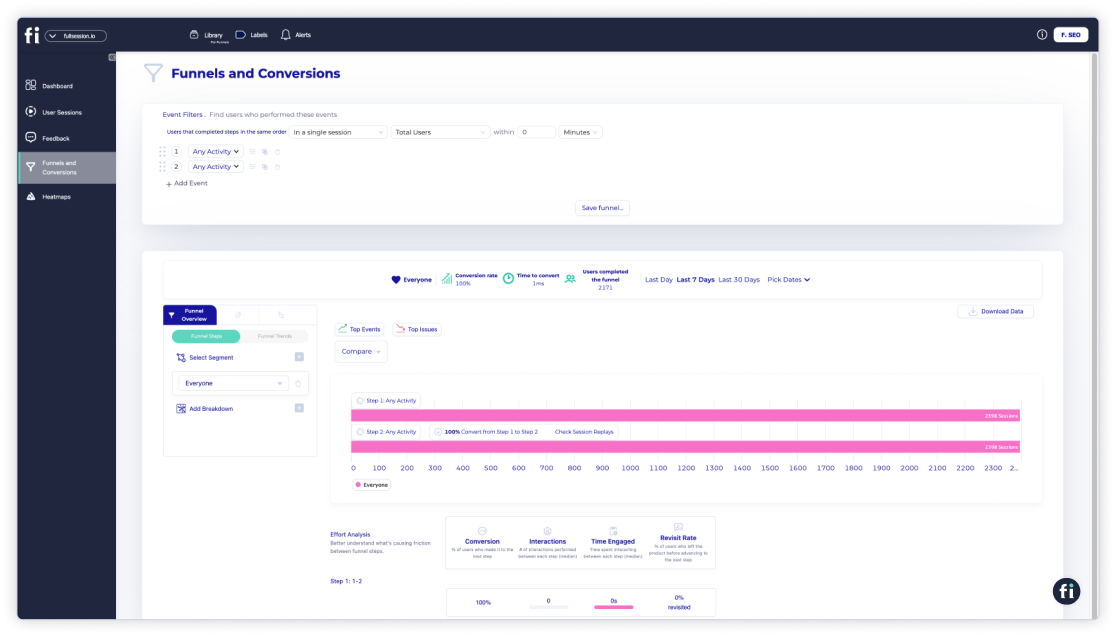
    • Analysis and reporting

    Now comes the next part: digging into that data to find patterns and insights. These tools use smart tech like predictive modeling and machine learning to guess future customer moves and preferences. The findings usually pop up in easy-to-read dashboards that show you the key trends and numbers at a glance.

    • Actionable insights

    The end goal? To turn all those insights into real plans and actions. Whether it’s deciding on new marketing campaigns, tweaking your product, or improving customer service, these tools help you make decisions based on customer behavior, expectations, and other data.

    4. Customer Engagement and Communication Tools

    Engaging with customers and maintaining open lines of communication makes them feel valued and heard, which is crucial for building trust and loyalty. When customers know they can reach out and receive a prompt, thoughtful response, they’re more likely to have a positive view of your brand.

    Also, regular communication keeps your customers informed and engaged with your latest offerings and developments, which can improve their overall experience and satisfaction.

    These tools are all about helping you connect with your customers in ways that really resonate. They are versatile and designed to simplify and spice up the conversations between you and your customers.

    Benefits of Customer Engagement and Communication Tools

    Here’s a quick rundown on what these tools are about and why they’re so handy:

    • Email marketing platforms

    These tools let you send personalized emails to different groups of customers. You can set them up to automatically send out welcome messages, and birthday discounts, or nudge customers who’ve left items in their shopping carts.

    • Social media management tools

    Perfect for keeping up with your social game. Post content, reply to comments, and keep tabs on customer communications, all from one place.

    • Live chat software

    Nothing beats chatting in real-time. When customers have questions while browsing your site, live chat lets you swoop in with answers right when they need them.

    • Customer Relationship Management (CRM) systems

    These aren’t just for tracking customer info. Many CRMs come with features that let you call, email, or message customers directly, making it easy to keep in touch.

    5. Customer Onboarding Platforms

    Good customer onboarding is like giving your new customers a VIP tour of your product or service. It’s crucial for setting the stage for a positive, lasting relationship.

    This initial phase is your golden opportunity to show customers the value of what they’ve just purchased and how to make the most of it. 

    When done right, good onboarding can turn potential frustration into excitement and confidence. It helps new users feel supported and understood, reducing confusion and the likelihood of early drop-offs.

    Additionally, effective onboarding helps ensure that customers fully grasp your product’s features and benefits, boosting their likelihood of continued use and satisfaction.

    Common Features of Customer Onboarding Platforms

    Customer onboarding platforms are specialized tools designed to welcome new customers and help them get the most out of your products or services right from the start. Some common features include:

    • Step-by-step tutorials

    These platforms often include interactive guides or tutorials that walk new customers through the setup and use of the product or service, making the learning curve much smoother.

    • Welcome emails and sequences

    Automated email sequences can be set up to deliver timely information, tips, and resources to new users to keep engagement high and start the relationship off on the right foot.

    • Progress tracking

    Some platforms offer features that allow customers and businesses alike to track progress through the onboarding process. This makes sure that customers do not miss important steps and can see their advancement.

    • Personalization options

    Personalization is key to making customers feel valued. Onboarding platforms can often be customized to address customers by name, provide relevant content based on their interests or past behaviors, and adjust the onboarding experience to fit their specific needs.

    • Integration capabilities

    To provide a seamless experience, many onboarding platforms integrate with other business tools like CRM systems, customer support software, and more.

    customer service written on a paper

    Why Do You Need Customer Experience Software?

    From the descriptions of these tools alone, it’s easy to see how they can help you optimize your customer journeys. But let’s take a deeper look into the advantages of using customer experience management tools:

    Simplifies Operations

    CX software smooths out your operations by automating tasks like handling support tickets and collecting customer feedback. Automation means your team won’t get bogged down with routine tasks, which leads to quicker and more efficient operations. 

    No more stress about customer queries piling up or important feedback getting missed—everything gets captured and addressed.

    With CX software, you make sure nothing slips through the cracks, freeing up your team to focus on tasks that optimize the customer experience. This not only saves time but also boosts overall efficiency so that every customer interaction is more effective.

    Improves Personalization

    CX tools are great for ramping up the personalization of your customer interactions. By digging into the data these tools collect, businesses can really fine-tune how they connect with each customer.

    Think about it: recommending products that a customer is likely to love based on their past buys or simply greeting them by name when they log in. These touches make experiences feel a lot more tailored and special.

    Personalization like this doesn’t just make customers feel good; it boosts their satisfaction because they see that your business genuinely understands and cares about their preferences.

    Makes Decision-Making Smarter

    CX software provides you with comprehensive analytics that transforms decision-making from guesswork to a precise strategy. For example, you have detailed insights into customer behaviors, preferences, and specific pain points, all readily accessible thanks to analyzing customer feedback.

    This wealth of information allows you to make informed decisions that directly maximize customer satisfaction. 

    You can fine-tune your products to align perfectly with what your customers truly want, adjust your services to address real issues they face and optimize every interaction to make sure it resonates well.

    Increases Customer Retention

    Increasing customer retention is all about consistently delivering a smooth, personalized experience that makes customers want to come back for more.

    CX software plays a crucial role in this by helping you understand and cater to individual customer needs. For example, it can track a customer’s purchasing history and preferences, allowing you to tailor offers and communications that resonate deeply with them.

    When each interaction feels personal and relevant, CX software helps keep your customers happy and deeply engaged at the same time. This level of attention turns occasional users into loyal fans who are more likely to stick with your brand over time.

    CX software also provides tools to monitor customer satisfaction and react quickly to any signs of discontent. This proactive approach makes sure that small issues are addressed before they break customer relationships.

    Increases Customer Loyalty and Advocacy

    Increasing customer loyalty and advocacy ties into increasing customer retention because both are all about making sure every experience with your brand is a standout.

    CX software is key here, as it helps make every interaction with your brand a positive one. For instance, by constantly analyzing customer feedback and behaviors, this software lets you get ahead of their needs.

    When customers get this kind of tailored and attentive service consistently, they’re more likely to stick around and even become cheerleaders for your brand. They start sharing their great experiences with others, turning word-of-mouth into one of your most effective marketing tools.

    Happy customers don’t just keep coming back. They bring new folks with them, spreading the word about how awesome it is to do business with you.

    8 Best CX Tools in 2024

    When it comes to choosing your customer experience tool, here are 8 best options in 2024:

    1. FullSession

    Fullsession customer experience tools

    FullSession is one of the best website monitoring tools that helps businesses get what’s happening on their websites. It comes with intuitive features like session replay, heatmaps, and event tracking, which give you a visual breakdown of how users move and interact on your site.

    By showing you every click, scroll, and interaction, FullSession lets you see what works and what doesn’t. This insight is incredibly helpful for modifying your site to make it better for users, which can help boost your conversion rates and grow your business.

    Key Features

    • Session replay: Captures user sessions to show you exactly how visitors navigate your site, including where they click, scroll, and what they interact with.
    • Heatmaps: Gives you a color-coded view of where users click the most, which helps spot the hotspots and confusing parts of your page.
    • Event tracking: Lets you keep an eye on specific actions users take on your site, like when they fill out forms or use certain features.
    • Error identification: Automatically spots and logs any JavaScript errors users run into, making it easier to fix problems quickly.

    Pros

    • Gives you a clear picture of user behavior to help you get a better grasp on how visitors use your site.
    • Points out which parts of your site could be tweaked to improve user experience and increase conversions.
    • Aids your tech team in spotting and fixing errors fast, ensuring a smoother experience for users.

    2. Zendesk

    Zendesk is a customer service powerhouse that helps businesses simplify how they handle customer interactions across multiple channels.

    Whether it’s through email, chat, social media, mobile apps, or phone calls, Zendesk brings everything together in one place to make it easier for support teams to deliver quick and consistent service. 

    It’s designed to increase customer satisfaction by offering responsive and seamless support that can grow with your business.

    Key Features

    • Omnichannel support: Combines different communication channels like email, live chat, social media, and phone into one platform, so your support team can provide a unified customer experience.
    • Automated ticketing system: Makes managing support requests a breeze. From receiving and routing tickets to resolving them and following up, everything is in order.
    • Self-service options: Features customizable help centers, knowledge bases, and community forums that allow customers to help themselves, which cuts down the need for direct support.
    • Advanced analytics: Delivers detailed insights with reports and analytics that help you understand customer trends and improve service strategies.

    Pros

    • Zendesk automates many aspects of customer service, from ticket routing to responses, which helps reduce the workload on support staff and speeds up resolution times.
    • With quick responses and effective solutions, customers are more likely to have a positive experience.
    • As your business grows, Zendesk scales with you, accommodating an increasing volume of customer interactions without losing performance.

    Cons

    • With its vast array of features, Zendesk can be overwhelming to set up and customize without proper training or technical knowledge.
    • While offering a wide range of powerful tools, Zendesk can be expensive, especially for small businesses or those just starting out.
    • Relying heavily on automated systems might lead to less personal interaction with customers, which can be a negative for those valuing the human touch in customer service.

    3. Qualtrics XM

    Qualtrics XM is an all-in-one experience management platform that lets businesses gather, analyze, and act on customer feedback from various touchpoints. 

    It’s pretty much a multi-function tool for understanding everything from customer and product insights to brand and employee experiences.

    Known for its analytics and easy-to-use survey tools, Qualtrics XM helps companies make informed decisions based on up-to-the-minute feedback.

    Key Features

    • Multichannel feedback collection: This tool makes it easy to collect feedback from various sources, such as online surveys, social media, in-app interactions, and more.
    • Advanced data analysis: Packed with powerful analytics tools, Qualtrics XM helps you dive deep into your data. Whether you’re looking for simple insights or complex patterns, it gives you the clarity you need to make smarter decisions.

    Pros

    • Qualtrics XM excels in pulling together insights from across your entire operation, which makes it easier to see how everything from product changes to customer service improvements can affect your business.
    • The platform’s robust data analysis capabilities mean you can really get to grips with what your data is telling you
    • It’s designed to grow with your business, handling more data and more complex analyses as your needs expand.

    Cons

    • There’s a bit of a learning curve with all its features, so it might take some time to get the hang of everything.
    • Given its extensive capabilities, Qualtrics XM can be on the pricier side, which might be a hurdle for smaller businesses or startups.
    • Because it’s so data-centric, there’s a risk of over-relying on analytics and potentially missing out on the qualitative nuances that raw customer feedback can offer.

    4. Adobe Experience Manager

    Adobe Experience Manager (AEM) is a content management system that helps businesses keep their websites, mobile apps, and forms looking sharp and running smoothly. 

    It’s part of Adobe’s digital marketing suite and is all about making it easier for teams to manage their content and deliver a tailored, cohesive digital experience across all customer touchpoints.

    Key Features

    • Digital Asset Management (DAM): Keeps all your digital goodies like photos, videos, and media files neatly organized in one spot for easy access.
    • Content Management System (CMS): A solid CMS that lets you whip up, manage, and fine-tune digital content across various platforms.
    • Personalization: Leverages some smart tech like AI and machine learning to dish out personalized content to users based on what they like and do on your site.
    • Multilingual content management: Makes it a breeze to create and manage content in multiple languages, perfect for reaching an audience that spans the globe.

    Pros

    • AEM really shines when it comes to managing large volumes of content and media across multiple channels, all from one place.
    • Its personalization capabilities mean you can give each visitor a unique experience
    • Supports global campaigns easily with its multilingual management features, which help you connect with customers worldwide.

    Cons

    • It can be pretty complex to get the hang of, especially if you’re new to managing such comprehensive systems.
    • The cost might be on the higher side, which could be a stretch for smaller businesses or those just dipping their toes into extensive content management.
    • Given its robust features, setting up and maintaining AEM might require more resources and time than simpler systems.

    5. Guru

    Guru is a knowledge management tool that revolutionizes how teams access and use information. It slots right into daily workflows, so everyone can pull up vital company know-how on the fly, whether answering customer questions or sharing accurate info with colleagues.

    A major benefit is that Guru makes sure your team’s collective knowledge is always at their fingertips, organized, and easy to retrieve, which keeps everyone in sync and your customer support spot-on.

    Key Features

    • Browser and application extensions: Guru integrates directly into browsers and apps your team uses daily, making it super accessible without switching between tools.
    • AI suggests: Uses artificial intelligence to nudge team members with relevant information based on what they’re working on.
    • Verification workflow: Keeps your knowledge base fresh and accurate with reminders for experts to review and update content regularly.
    • Analytics dashboard: Provides insights into how your team uses the knowledge base, highlighting popular content and identifying gaps that need filling.

    Pros

    • Guru helps keep your team aligned with consistent access to up-to-date company knowledge.
    • Its AI-driven suggestions provide the right info at the right time, which reduces search time and increases productivity.
    • The easy integration with existing tools means minimal disruption to your team’s workflow.

    Cons

    • There might be a learning curve as your team adapts to incorporating Guru into their daily routines.
    • Depending on your organization’s size, the cost can add up, especially if you’re leveraging more advanced features.
    • Managing the knowledge base requires ongoing commitment so that the information remains relevant and useful.

    6. Survicate

    Survicate simplifies collecting insights with surveys, Net Promoter Scores (NPS), and customer satisfaction metrics across different platforms like websites, emails, or mobile apps. 

    With Survicate, you can engage customers directly, asking the right questions at the right time to gather crucial data that helps shape better business strategies.

    Key Features

    • Customizable surveys: You can tweak surveys to fit your brand’s style and tone to make them seamless for your customers.
    • Targeted survey distribution: Set up surveys to reach the right customers at optimal times, like right after purchase or during key interactions.
    • Integration capabilities: Survicate smoothly integrates with your existing tech stack, including CRM systems and marketing tools, so that you can leverage the feedback across your business operations.
    • Real-time analytics: Instantly see how your surveys are performing with real-time analytics that help you make quick adjustments and understand customer sentiments as they evolve.

    Pros

    • Survicate makes it easy to get closer to your customers by providing straightforward tools to collect and analyze feedback.
    • Its customization options make sure that surveys feel natural and engaging to respondents, which can improve response rates.
    • The ability to integrate with other systems means that all customer insights are right where you need them.

    Cons

    • There’s a bit of a setup involved, especially when customizing surveys and setting up integrations, which might take some time.
    • While powerful, the analytics features may require a learning curve to fully utilize their potential.
    • Depending on your needs, the cost of advanced features and higher-tier plans might add up, especially for smaller businesses.

    7. LiveAgent

    LiveAgent is a versatile customer support tool that brings all your communication channels—emails, live chat, social media, and phone calls—into one place.

    It’s designed to simplify the support process so that customer service teams can handle customer inquiries quickly and efficiently. With features like real-time chat and ticket management, LiveAgent helps you deliver prompt, consistent support, which makes sure every customer feels heard and valued.

    Key Features

    • Omnichannel support: Manage all your customer communications from one interface, whether they come from email, live chat, social media, or calls.
    • Real-time chat: Engage with customers instantly on your website, providing immediate answers and support when they need it most.
    • Ticket management: Turn every inquiry into a ticket for easy tracking, prioritization, and resolution.
    • Automation and rules: Automate routine tasks and set up rules to route tickets to the right team members.
    • Knowledge base integration: Offer self-service options with a comprehensive knowledge base and self-service customer portal, which reduces the number of incoming queries.

    Pros

    • LiveAgent brings all your communication channels together so that it’s easier to provide seamless customer service.
    • The real-time chat feature ensures customers get instant support for better satisfaction.
    • Ticket management helps keep your support organized and efficient, making sure every customer issue is tracked and addressed.

    Cons

    • The initial setup and customization can be a bit complex and time-consuming.
    • The wide array of features might be overwhelming for smaller teams or businesses new to advanced customer support systems.
    • Costs can add up, especially for startups and small businesses, depending on the features you need.

    8. Userpilot

    Userpilot is a handy tool for user onboarding and product adoption, designed to help businesses enhance their users’ experience. It lets you create personalized, in-app experiences without any coding, ensuring that new users get the guidance they need right when they need it.

    Userpilot helps boost user engagement and retention by making sure users can easily understand and use all the features of your product.

    Key Features

    • In-app guidance: Create interactive walkthroughs, tooltips, and tutorials to guide users through your product so they understand key features and functionalities.
    • User segmentation: Target specific user groups with tailored experiences based on their behavior, demographics, or stage in the user journey.
    • Customization: Design and deploy in-app experiences without any coding, allowing for quick adjustments and personalized user journeys.
    • Analytics and insights: Track user interactions and gather data on how users engage with your in-app experiences, which helps you refine and improve your onboarding processes.
    • Feedback collection: Integrate feedback forms and surveys directly within the app to gather user insights and improve the overall product experience.

    Pros

    • Userpilot makes it easy to create personalized onboarding experiences without needing any coding skills.
    • In-app guidance helps users quickly understand and adopt key features.
    • The ability to segment users and tailor experiences makes sure that each user gets the most relevant guidance.

    Cons

    • Setting up and customizing the in-app experiences can be a bit time-consuming.
    • The range of features might be more than smaller businesses need, which could lead to underutilization.
    • Depending on your business’s scale and needs, Userpilot’s pricing might be a bit steep for startups and small companies.

    Create Exceptional Customer Experiences With FullSession

    Optimizing the customer experience starts with analyzing data. Is your website easy to navigate? Are your customers finding what they need with ease? What do your metrics look like?

    FullSession has the tools to give you the insights you need to resolve customer issues and meet evolving customer expectations. If you’re ready to take your CX to the next level, find out what FullSession can do today.

    FullSession Pricing Plans

    The FullSession platform offers a 14-day free trial. It provides two paid plans—Basic and Business. Here are more details on each plan.

    • The Starter plan costs $39/month or $32/year and allows you to monitor up to 5,000 monthly sessions with up to 6 months of data storage.
    • The Business plan costs $75/month or $60/year and helps you to track and analyze up to 100,000 monthly sessions with up to 12 months of data storage.
    • The Enterprise plan has custom pricing and offers customizable sessions plus full access to all features.

    Book a demo today.

    Install Your First Website Feedback Form Right Now

    It takes less than 5 minutes to set up your first website or app feedback form, withFullSession, and it’s completely free!

    FAQs About CX Tools

    Do small businesses need CX tools?

    Yes. No matter the size of your business, understanding and enhancing customer interactions is key. Even small businesses can benefit from CX tools, which help turn casual shoppers into loyal customers. Plus, there are plenty of affordable options designed specifically for smaller operations.

    Are CX tools difficult to implement?

    Not really. Most tools today are pretty straightforward, with user-friendly interfaces and step-by-step guides. Many even offer live support and tutorials to help you get up and running quickly. So, no need to worry about a steep learning curve.

    Can CX tools integrate with other software?

    Yes, they can! Many CX tools are designed to work seamlessly with other systems like CRM and marketing automation software. This integration helps you manage all your customer data in one place, making your life a whole lot easier.

    What’s the ROI on investing in CX tools?

    The ROI can be significant. By improving customer satisfaction and loyalty, CX tools can lead to repeat business and positive word-of-mouth. Plus, they can streamline operations and reduce costs related to customer service issues.

    Do I need technical skills to use CX tools?

    Most CX tools are designed to be user-friendly, even for those without a tech background. They come with easy-to-follow instructions and often have customer support teams ready to help with any questions.

  • Categorical vs Quantitative Data: How Are They Different?

    Categorical vs Quantitative Data: How Are They Different?

    Data collection and analysis is the starting point of every effective marketing campaign. Do you want to refine your ideal customer profile? Create more personalized marketing strategies? Or find out exactly what motivates them to buy?

    Whatever the case may be, customer-centric marketing should start with data. But what kind of data do you need?

    Data can be classified into two main categories: categorical and quantitative. 

    In this guide, we’ll dive deep into the definition, benefits, and applications of each category, as well as their key differences. At the end, we’ll also talk about how to collect categorical and quantitative data.

    What is Quantitative Data?

    Quantitative data revolves around numbers and measurable details, which is perfect when you need exact figures to back up your insights. This type of data is all about precision, recorded in numerical form, which reduces bias because it remains constant no matter who is measuring.

    It’s a key tool for statistical analysis because it makes it possible to spot trends, deduce patterns, and make predictions with a high degree of accuracy. Plus, it can handle both small and large data sets, which is why it is incredibly versatile for broad applications.

    Common examples of quantitative data include:

    • Age
    • Income
    • Height and weight
    • Temperature

    Types of Quantitative Data

    Quantitative data can be classified into four main categories. Each type is unique in how it can be measured and analyzed, which offers different insights depending on what you’re studying.

    1. Continuous Data

    Continuous data can take any value within a given range. This type isn’t limited to specific numerical values and can include fractions and decimals. You can get infinitely precise measurements, depending on how fine-tuned your measuring tool is.

    Examples of continuous data include temperature, time, and height.

    2. Discrete Data

    Discrete data, on the other hand, consists of distinct and separate values. This type of data is countable in a finite amount of steps, and each step is distinct and separate—no in-betweens.

    Anything that needs to be counted as a whole can be an example of discrete data, such as a student in a classroom, a car in a parking lot, or books on a shelf.

    3. Interval Data

    Interval data is a type of continuous data that includes measurements where the intervals between values are meaningful. The key feature of interval data is that it doesn’t have a true zero point. 

    This means while you can add and subtract values, operations like multiplication and division aren’t valid because the zero point on an interval scale is arbitrary.

    Common examples of interval data are temperature in Celsius or Fahrenheit and the time of day on a 12-hour clock. The difference between 20°C and 30°C is the same as between 30°C and 40°C, but 0°C does not mean the absence of temperature. 

    For the latter example, 10:00 AM to 12:00 PM represents the same interval as 2:00 PM to 4:00 PM, but 0:00 doesn’t imply ‘no time’.

    4. Ratio Data

    Ratio data is similar to interval data in that it has meaningful intervals. However, it also features a true zero point. This point makes it possible to perform all arithmetic operations, including meaningful multiplication and division.

    Ratio data allows for the comparison of both differences and relative magnitudes. Examples include data such as weight, age, and height.

    Pros of Quantitative Data

    Quantitative data can be incredibly valuable for a lot of reasons, including:

    • Straightforward and trustworthy: Numbers are straightforward. They provide clear, unbiased facts that are easy to trust because they’re less open to personal interpretation.
    • Great for analysis: With numbers, you can dive deep into stats to spot trends, figure out what’s linked to what, or see if something causes another thing.
    • Widely applicable: You can often use numbers from a small group to guess things about a bigger crowd, which is really handy in areas like public health or market trends.
    • Clear-cut evidence: Quantitative data gives you hard evidence to test out theories and check if your guesses hold up under scrutiny. Plus, it lets you keep things under control while you experiment.
    • Easy to share: It’s relatively easy to turn numbers into charts or graphs that make your points clear to everyone, whether it’s in a report or a presentation.

    Cons of Quantitative Data

    While quantitative data can be very easy to use and have a lot of applications, it’s not without its downsides. Potential pitfalls of quantitative data include:

    • Misses the why: Quantitative data is great at telling you how many or how much, but it’s not so hot at telling you why things happen. This can leave out important details about people’s reasons or feelings.
    • Can oversimplify: By aiming to make broad generalizations, you might miss the complex, subtle stuff about human behavior and social patterns, which could lead to conclusions that aren’t quite right.
    • Can be pricey and slow: Gathering a bunch of numbers, especially through surveys or experiments, can take a lot of time and money, which might be tough for smaller projects or teams.
    • Not so flexible: Once you’ve started collecting your data, it’s hard to change your approach if you stumble on something unexpected or want to explore a new angle.
    • Complex stats: Using statistical methods is powerful, but it can get pretty complex. If you’re not careful or if you mess up the math, you could end up with wrong conclusions, which could throw everything off.

    When Do You Use Quantitative Data?

    Quantitative data is your best friend when you’re looking to make decisions that need to be backed by hard evidence. Here’s a breakdown of when it’s particularly useful in marketing:

    Assessing Market Size and Share

    When you’re sizing up the market, quantitative data is your best bet. It helps you understand just how many potential customers are out there and what slice of the market you can realistically capture. 

    This is crucial for forecasting sales, planning inventory, and setting realistic growth targets.

    Tracking Marketing Performance

    Numbers don’t lie when it comes to figuring out how well your marketing campaigns are doing. You can use quantitative data to monitor everything from web traffic and click-through rates to social media engagement and ad conversions.

    Each quantitative variable helps you see what’s working and what’s not and how to adjust your strategies for better results.

    Consumer Behavior Analysis

    Want to know how often customers buy your product, which demographics are the most loyal, or how price changes affect sales? Quantitative data gives you the insights you need. 

    It can help you identify buying trends, spending habits, and other patterns that can inform product development and targeted marketing strategies.

    A/B Testing

    Quantitative data is essential for A/B testing, where you compare two versions of a campaign to see which one performs better. 

    By looking at clear metrics like conversion rates, you can make informed decisions about the elements of your marketing strategies, from email subject lines to landing page designs.

    ROI Measurement

    Understanding the return on investment (ROI) for your marketing activities is crucial, and this is where quantitative data shines. 

    Crunching numbers on costs versus benefits can help you figure out which activities are worth investing in and which ones might need to be dropped or tweaked.

    Competitor Analysis

    Quantitative data helps you keep an eye on your competitors by analyzing market shares, pricing strategies, and other measurable aspects. 

    Numerical data can inform your competitive strategy, helping you find a niche or take advantage of a competitor’s weak spot.

    What is Categorical Data?

    Categorical data refers to information that can be sorted into categories or groups. Unlike quantitative data, which deals with numbers and amounts, categorical data is all about characteristics and qualities. 

    It’s used to label or describe attributes of a sample, such as types, names, or classifications.

    Categorical data is particularly useful for identifying patterns or trends within specific groups, which is why it’s often necessary in fields like marketing, sociology, and public health, where understanding how different segments of the population vary is crucial.

    In marketing, common categorical variables include:

    • Marital status
    • Gender
    • Preferences
    • Attitudes and behaviors

    Types of Categorical Data

    Categorical data can be split into two main types, each with unique characteristics that dictate how they can be used in data analysis and interpretation.

    1. Nominal Data

    Nominal data is the simplest form of categorical data. It involves categorizing data without any intrinsic ordering to the categories.

    The labels or names used for nominal data are purely qualitative and are used to distinguish one group from another based on some kind of attribute or characteristic. The key point with nominal data is that the categories cannot be ranked or ordered in any meaningful way.

    A good example of a categorical variable can be blood type, gender, zip code, or color.

    2. Ordinal Data

    Ordinal data, on the other hand, involves categories that have an inherent order or ranking among them, but the intervals between the ranks may not be equal or even known. This type of data is more informative than nominal because the order of the values adds an additional layer of information.

    Examples of ordinal variables include educational attainment, customer satisfaction, and socioeconomic status.

    Pros of Categorical Data

    Categorical data is extremely useful when you’re sorting through loads of qualitative information. Here’s why it can be useful in your marketing data analysis:

    • Cuts through the clutter: Categorical data breaks down complex info into neat categories. It makes information easier to digest and is great for creating clear charts and graphs.
    • Makes qualitative data workable: This type of data can turn fuzzy qualities into clear-cut groups you can actually analyze with stats to spot trends and dig into patterns.
    • Enhances comparisons: By neatly sorting data, it’s much easier to line up and compare different sets of stats, like seeing how various age groups responded in a survey.
    • Keeps data manageable: Categories reduce the chaos of massive datasets by organizing them into simpler chunks, which makes everything easier to manage and less prone to errors.

    Cons of Categorical Data

    Categorical data is great for sorting things into neat boxes, but it’s got a few drawbacks that you should keep in mind:

    • Limited statistical analyses: With categorical data, you’re working with labels, not numbers, so your toolbox for statistical analysis isn’t as full. You can’t dive into deeper metrics like means or standard deviations or complex mathematical operations, which can make your analysis shallow.
    • Might miss the details: Sometimes categorical data is a bit too broad. If your categories aren’t super precise, you might lose some important nuances and make your data less informative than it could be.
    • Can be a bit subjective: Deciding how to categorize data can bring in a bit of personal bias. Different people might categorize the same data in different ways, which can mess with consistency and reliability.
    • Tends to oversimplify: By its nature, categorical data groups individual differences into large buckets. This can hide the smaller, more intricate patterns that might actually be key to understanding what’s really going on.
    • Risk of bias: The way you set up your categories can lead to biased outcomes. If the categories are too broad or don’t cover all possibilities, your results might skew in one direction or another.

    When Do You Use Categorical Data?

    Businesses and marketers often use both categorical data and quantitative data to get a handle on customer behavior, market trends, and business operations. Here are some key situations where categorical data is particularly useful:

    Market Segmentation

    Categorical data is ideal for segmenting the market into specific groups based on characteristics like age, gender, or income level. 

    Segmentation helps businesses tailor their marketing strategies to target each segment so that the messaging resonates with the intended audience.

    Brand Perception Analysis

    Understanding how customers perceive your brand can be crucial for your marketing strategy. Categorical data comes into play when analyzing survey responses about brand attributes like quality, reliability, or value. 

    This data helps identify strengths and weaknesses in how the brand is viewed, guiding improvements in marketing efforts.

    Customer Satisfaction Surveys

    To gauge how happy customers are with your products or services, categorical data is used to categorize responses into levels such as “very satisfied,” “satisfied,” “neutral,” “dissatisfied,” and “very dissatisfied.”

    Analyzing this data provides clear insights into customer satisfaction and areas that require enhancement.

    Product Feature Preferences

    When launching a new product or improving an existing one, understanding what features are most important to your customers is key. 

    Categorical data can help categorize customer preferences for various features, which, in turn, can guide product development to align with customer demands.

    What Are the Differences Between Quantitative and Categorical Variables?

    Quantitative and categorical variables are like two different tools in a researcher’s toolkit, each suited for specific types of data analysis. 

    Quantitative variables deal with numbers and amounts—things you can measure precisely, like height, weight, or the number of people in a room. You can crunch these numbers with all sorts of math operations to uncover trends, make predictions, or test theories.

    On the flip side, categorical variables are all about grouping things based on characteristics or qualities, not numbers. Think of it like sorting things into buckets. These variables might label things like types of cuisine (Italian, Chinese, Mexican) or responses to a survey (agree, disagree, neutral).

    While quantitative variables get analyzed with stats techniques that handle numbers (like finding averages or plotting graphs), categorical variables use methods suited for sorting and counting—like seeing how many people fall into different survey response categories.

    Quantitative data is great when you need concrete numbers to back up your research, like in experiments or financial analysis. Categorical data, however, might be better when you’re looking at traits or categories, perfect for when you’re trying to understand market segments or social behaviors.

    How to Collect Categorical and Quantitative Data

    Collecting categorical and quantitative data can seem like a tricky task, but with the right approach, you can gather the info you need smoothly. Here’s a straightforward look at how to do it:

    Collecting Quantitative Data

    1. Surveys and questionnaires: Create survey questions that need numerical answers, like how old someone is, their income, or how often they do a particular activity. Use scales to convert more subjective info into hard numbers.
    2. Experiments: Set up experiments where you can measure results in numbers. For example, if you’re testing a new medicine, you might rate its effectiveness on a scale from 0 to 10.
    3. Observational studies: Just watch and record. Count things like how many people pop into a store or how long they take to complete a task on your website.
    4. Secondary data sources: Dig into existing data sets like financial records or website stats—lots of numbers are already waiting for you. Of course, it helps to have a good data management system in place.

    Collecting Categorical Data

    1. Surveys and questionnaires: Craft questions with multiple-choice answers, checkboxes, or dropdowns to categorize responses. Make sure your categories cover all possible answers and don’t overlap.
    2. Interviews and focus groups: You can gather loads of qualitative data from conversations, which you can then sort into categories based on what you’re collecting data for.
    3. Observation: Keep an eye out for behaviors or characteristics, and slot them into categories, like rating customer service as good, average, or poor based on what you see.
    4. Secondary research: Use data that’s already been sorted into categories from previous studies or reports. This can be a huge time-saver.
    5. Direct categorization: Sometimes, you might need to sort things yourself, like organizing books into genres or customers into their specific career niches.

    Make Data Collection Effortless With FullSession

    Categorical and quantitative data each have their own strengths and weaknesses. In marketing, however, you will need to use both if you want to get valuable insights.

    Luckily, you can make data collection less of a hassle with FullSession. With web analysis, you can collect all the pertinent data you need to understand your customers better. 

    Try FullSession today and get access to multiple data collection tools, such as heatmaps, session recordings, and customer feedback tools.

    FullSession Pricing Plans

    Fullsession Pricing

    The FullSession platform offers a 14-day free trial. It provides two paid plans—Basic and Business. Here are more details on each plan.

    • The Free plan is available at $0/month and lets you track up to 500 sessions per month with 30 days of data retention, making it ideal for testing core features like session replay, heatmaps, and frustration signals.
    • The Growth Plan starts from $23/month (billed annually, $276/year) for 5,000 sessions/month – with flexible tiers up to 50,000 sessions/month. Includes 4 months of data retention plus advanced features like funnels & conversion analysis, feedback widgets, and AI-assisted segment creation.
    • The Pro Plan starts from $279/month (billed annually, $3,350/year) for 100,000 sessions/month – with flexible tiers up to 750,000 sessions/month. It includes everything in the Growth plan, plus unlimited seats and 8-month data retention for larger teams that need deeper historical insights.
    • The Enterprise plan starts from $1,274/month when billed annually ($15,288/year) and is designed for large-scale needs with 500,000+ sessions per month, 15 months of data retention, priority support, uptime SLA, security reviews, and fully customized pricing and terms.

    Book a demo today.

    Start Analyzing Categorical and Quantitative Variables Today

    It takes less than 5 minutes to set up your data analysis tools withFullSession, and it’s completely free!

    FAQs About Categorical and Quantitative Data

    Can quantitative and categorical data be used together?

    Absolutely! Combining both types of data can provide a more holistic view of a situation. For instance, in market research projects, quantitative data might tell you how many people bought a product, while categorical data can tell you which demographic groups preferred it. This synergy allows for more nuanced insights and strategic decision-making.

    Which type of data is easier to collect?

    Generally, categorical data is easier to collect as it often involves simpler methods like observations or surveys where respondents choose from predefined options. However, ease of collection can vary widely depending on the scope of the study and the tools available.

    What are the common mistakes made when analyzing quantitative and categorical data?

    One common mistake in analyzing quantitative data is misinterpreting correlation as causation — just because two variables move together doesn’t mean one causes the other. For categorical data, a typical error is overgeneralization from small or non-representative samples, which can lead to biased conclusions about broader groups.

  • What Are Rage Clicks And How Can You Avoid Them?

    What Are Rage Clicks And How Can You Avoid Them?

    Imagine you’re trying to buy something from a website. You click on the product link, and….nothing happens? You click and click, and still nothing happens. Frustrated, you exit the website and find something else.
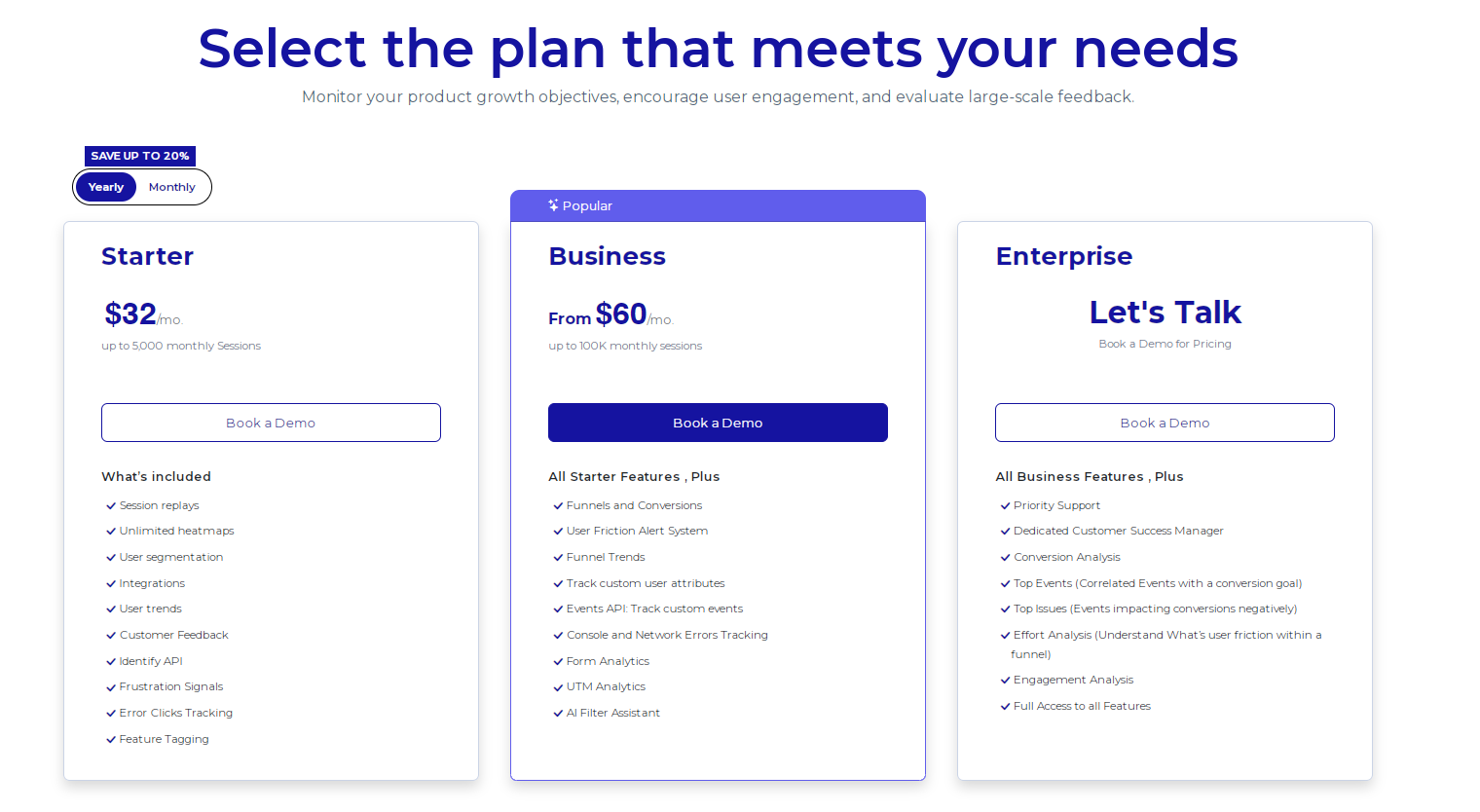
    This is rage clicking, and we’ve all done it at some point. On the customer side, a rage click is a sign of user frustration, but the worst thing that can happen is that they need to find another website. On the business side, however, you’re missing out on a potential sale.

    Rage clicks are an important yet often forgotten metric that can affect your brand’s success. 

    In this guide, we explore what rage clicks are, why they happen, and what you can do to prevent them.

    What are Rage Clicks?

    Rage clicks happen when you click multiple times on something on a website because it’s either not responding or not behaving the way you thought it would. Picture yourself furiously clicking that ‘submit’ button on a form that just won’t go through or tapping repeatedly on a link that turns out to be dead.

    This kind of clicking spree usually pops up when a user gets impatient or frustrated with a webpage. Rage clicks are the ultimate user frustration signals—maybe a button looks clickable but does nothing, a page loads too slowly, or navigation is about as clear as mud.

    These moments of frustration are not just annoying; they point to areas where the website could be losing out on effectively engaging a user. Each rage click is a little red flag that something could be improved to make the user’s experience smoother and less irritating.

    What Causes Rage Clicking?

    A rage click can be a one-off. But what if it happens for ten users? Fifty? A hundred? If you’re seeing an uptick in rage clicks, there is likely something wrong with your web page. 

    Here are some of the most common causes of rage clicks:

    Dead Links

    Dead or broken links are one of the most common causes of rage clicks. When a user clicks on something that looks like a link, they expect it to lead to somewhere. When it doesn’t, the user repeatedly clicks until they realize that the link is broken.

    Broken links can easily lead to a poor user experience. They are frustrating and ultimately disrupt the user’s browsing flow. 

    For some, dead links are a small issue, and they move on to something else. But for others, these issues can be enough to cause them to exit the page entirely.

    Slow Loading Times

    Most users expect a page to load within five seconds at least. Any longer than that, and they may end up either leaving or rage clicking until the page finally loads. Either way, slow loading times can be a huge roadblock to a positive user experience.

    This delay can be particularly aggravating if users are trying to complete time-sensitive tasks, like making a purchase during a flash sale or filling out forms before a deadline. In such cases, every second counts, and any delay can feel like an eternity.

    Plus, slow loading times are not just an inconvenience. They can also be a deal-breaker and cause users to abandon the site altogether in search of faster alternatives.

    Misleading Buttons or Elements

    Misleading or broken elements and buttons on a website can cause a great deal of user frustration and increase your rage clicks. These are elements that look interactive—like buttons, icons, or links—but don’t behave as expected.

    For example, an image that looks like a button might do nothing when clicked, or what appears to be a dropdown menu may turn out to be just a static graphic.

    This confusion can also stem from elements that are interactive but lead to unexpected outcomes. For instance, a button labeled “More Information” that redirects users to a sign-up page instead of providing additional details can be misleading.

    Similarly, icons that resemble commonly used symbols (like a gear for settings or a magnifying glass for search) but serve different functions can mislead users, leading to clicks born out of confusion and the hope that repeated attempts might yield a different result.
    Such design choices can disrupt the user experience, as people waste time interacting with elements that don’t help them achieve their goals.

    Confusing Navigation

    Many users rage click when a website’s layout is not intuitive and makes it difficult for them to find what they are looking for. Instead of a smooth journey through different pages and sections, users encounter a puzzling maze that lacks clear signposts.

    These pain points might stem from poorly labeled menus, inconsistent navigation patterns across pages, or an overly complex or cluttered interface. 

    For example, a menu that changes location from page to page can disorient users, as can the use of technical or jargon-heavy labels that are not immediately understandable to the average visitor.

    Additionally, if key information is buried under multiple layers of navigation or if essential links are hidden within dropdown menus that are hard to access, users can become frustrated. They might click repeatedly in various areas hoping to stumble upon the right path, which only increases their irritation and the likelihood they will leave the site altogether.

    frustrated man using a laptop

    How Can You Track Rage Clicks?

    The first step to analyzing user behavior is to detect rage clicks, and the best way to do this is to use a web analytics tool like FullSession. With this platform, you have access to tools that can help you identify rage clicks and their causes, such as:

    Heatmaps

    Heatmaps offer a visual representation of where users click on a webpage, which can be extremely revealing. They aggregate user clicks to show patterns, including areas of high activity that might indicate frustration or confusion. With heatmaps, you can:

    • Identify High-Activity Zones: Look for areas with an unusually high density of clicks. These “hotspots” often indicate where users expect functionality that isn’t there, such as non-responsive buttons or decorative elements mistaken for interactive ones.
    • Analyze Click Patterns: Patterns can tell you a lot. Are many users clicking repeatedly in one spot? Are there rapid clicks spread over an entire area? This kind of activity can signify that users are trying different spots hoping for a response, suggesting that the interface may be misleading.
    • Compare Different Pages: By comparing heatmaps of different pages, you can identify whether certain design elements consistently lead to rage clicks across your site. This can be important for recognizing design flaws that need a broader strategy adjustment.
    website heatmap

    Session Recordings and Replays

    A session replay or recording gives you a detailed view of their interactions with your website. They can be particularly useful for understanding the context behind rage clicks:

    • Watch User Behavior: Observing how users move through your site can let you see what leads up to a rage click. What was the user trying to do? What might have triggered their frustration? This context is key to understanding why the rage clicks are happening.
    • Identify Usability Issues: Session recordings can help you spot usability problems that might not be obvious from other analytics. For example, if users frequently rage click after navigating through a certain process, there might be something about that process that is confusing.

    How Can You Minimize Rage Clicks?

    Analytics can give you actionable insights into how to address customer frustration and eliminate the things that cause rage clicks. 

    Here are some great strategies to improve the customer experience and keep users happy:

    Optimize Load Times

    Speed is a must-have factor in user satisfaction, and slow loading times are a common trigger for rage clicks.

    To improve your site’s performance, consider compressing images to reduce file sizes without sacrificing quality, minimizing HTTP requests by reducing the number of page elements, using a Content Delivery Network (CDN) to speed up content delivery globally, and optimizing JavaScript and CSS by minifying files and removing unnecessary code.

    Get Rid of Confusing Elements

    Interactive elements should be clearly distinguishable and perform exactly as expected. Design elements should be such that buttons distinctly look like buttons and links are obviously clickable. 

    Avoid designs that could be mistaken for interactive elements to prevent confusion.

    Make Navigation Easy

    Make sure that your website’s navigation is intuitive and straightforward. This involves maintaining a consistent layout across all pages so that users don’t have to relearn their way around each time they visit a different section.

    Use clear, direct language for menu items and links to make sure they are understandable and organize content in a clear hierarchy with breadcrumbs to help users track their navigation path.

    Conduct User Testing

    Regular testing with real users can provide insights into how people interact with your site and highlight customers’ pain points. Gather user feedback through usability testing sessions to get direct responses on what works and what doesn’t.

    You can also use A/B testing to experiment with different versions of your site to determine which elements perform best and which may lead to confusion and rage clicks.

    FullSession Pricing Plans

    The FullSession platform offers a 14-day free trial. It provides two paid plans—Basic and Business. Here are more details on each plan.

    • The Starter plan costs $39/month or $32/year and allows you to monitor up to 5,000 monthly sessions with up to 6 months of data storage.
    • The Business plan costs $75/month or $60/year and helps you to track and analyze up to 100,000 monthly sessions with up to 12 months of data storage.
    • The Enterprise plan has custom pricing and offers customizable sessions plus full access to all features.

    Book a demo today.

    Get Your First Heatmap Right Now

    It takes less than 5 minutes to set up your first website heatmap with FullSession, and it’s completely free!

    FAQs About Rage Clicks

    Can rage clicks affect website ranking?

    Yes. Search engines consider user engagement and satisfaction as ranking factors. High levels of frustration can lead to poor metrics, affecting SEO.

    Are rage clicks only common on desktop interfaces?

    No, rage clicks happen on mobile devices, too, often due to unresponsive buttons or difficult-to-navigate menus.

    How often should I check for rage clicks on my website?

    It’s a good idea to review your website analytics monthly to keep an eye on any emerging patterns that suggest user frustration.