Category: Behavior Analytics

  • Product Metrics In-Depth Guide: What They Mean and How to Use Them

    Product Metrics In-Depth Guide: What They Mean and How to Use Them

    Keeping tabs on your product performance is crucial to any business, but it can be challenging to measure the right metrics. Even if you have a solid internal structure for monitoring your products, figuring out exactly how each one is doing can be tricky.

    Product metrics are standard measurements that allow you to evaluate the performance of various aspects of a product. You can determine the adjustments you need to make to keep your customers happy and continue to drive revenue. 

    You use specialized software to track this data. Our FullSession web analytics platform lets you collect user behavior data with session recording and replay tools. You can also create customer feedback forms, which allow you to get valuable information directly from users browsing your website, web app, or landing page.

    FullSession offers plenty of ways to improve your product design or features. It’s an excellent UX analytics tool. It helps product teams, UI designers, UX researchers, and digital marketers, and it’s an invaluable addition to the toolset of a product manager. To see how FullSession works, start your 14-day free trialor demo.

    However, product metrics aren’t always straightforward, and there are various metrics you can track. In this article, we’ll explain what metrics you should pay attention to. We’ll also show you how FullSession helps you collect valuable product metrics data.

    What are product metrics?

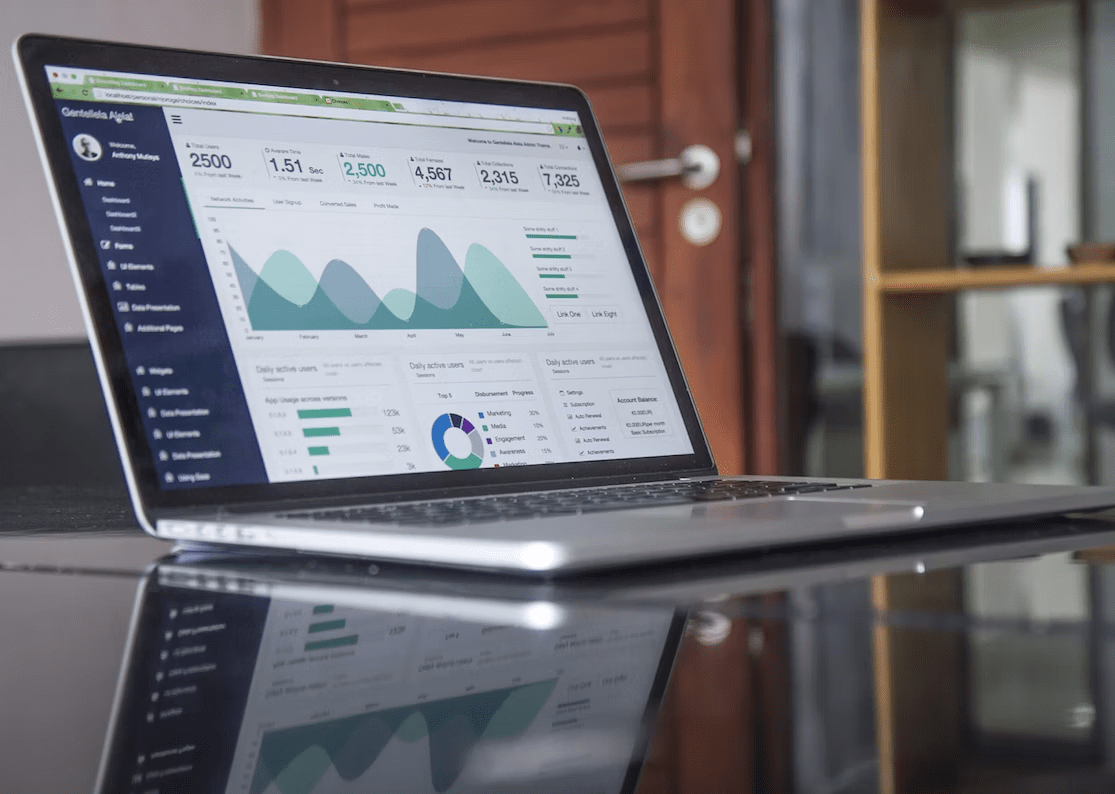
    laptop showing metrics

    Image source: Pexels

    A product metric is a measure of the performance of a product, usually in the form of a numerical value. 

    You can use them to evaluate marketing campaigns’ effectiveness and track changes in customer behavior over time. Product metrics are also helpful in determining whether your business is profitable.

    There are different types of product metrics that businesses can track. 

    • Sales metrics show the number of units sold and the revenue generated by your products.
    • Conversion metrics track the number of users who sign up for your service and become customers.
    • Engagement metrics describe how often users interact with the site and how engaged they are with its content.
    • Retention metrics show the percentage of users returning to the site after a certain period.

    You know the definition of product metrics, but how exactly do they differ from Key Performance Indicators (KPIs)? Let’s explain in the following section.

    Product metrics vs product KPIs: What’s the difference?

    Key Performance Indicators are specific types of metrics. The main goal of tracking KPIs is to measure a product’s performance against the competition or progress towards completing a particular business goal. They always have to be objective and can’t depend on the opinions or feelings of users. Some examples of KPIs:

    1. Customer retention
    2. Sales growth

    On the other hand, non-KPI metrics aren’t goal-oriented, and you can’t use them to measure the entire business’s performance. Tracking these metrics isn’t as crucial as tracking KPIs, but they can still be helpful. 

    They can give an insight into how your company is doing in specific areas, such as sales or conversions. Some examples of non-KPI metrics: 

    1. Lead-to-conversion rate
    2. Return rate

    Business metrics are another type of statistic you probably heard about. Why are they important? Let’s explain in the next section.

    Business metrics vs product metrics: Which matters more?

    people looking at a laptop

    Image source: Pexels

    Business metrics focus on the financial performance of a product or company and other aspects that can affect how well the business is doing. Some examples of business metrics include:

    • Recurring revenue (monthly or annual)
    • Average customer lifetime value

    Product metrics provide broader data to shape or change your product at various stages of its development. Some examples:

    • User adoption
    • Customer retention rate

    In other words, you primarily use business metrics to measure the success or failure of a product. In contrast, product metrics help you achieve that success in the first place. 

    For example, they can highlight a significant issue with your solution that you can eliminate to get more customers and increase your revenue. It makes product metrics more important overall. 

    Consider FullSession, if you want to collect data quickly. Start your free trial or contact us right now to get a demo of our platform.

    Why are product metrics important?

    Product metrics are essential as they help you measure your product’s success and inform how people interact with it. They can also help you identify critical areas of improvement if necessary.

    Choosing the right metric for your business is crucial as each type has different uses and implications. For example, the retention rate is suitable for identifying the areas of your product that are working well and those that need improvement. 

    Conversely, the conversion rate can help you identify what in your solution attracts the most users. You can boost these metrics using CRO tools.

    How to pick the right product metrics

    There are no good or bad metrics, but each metric has its use case. You need to know what to track in your specific situation.

    First, you need to consider what you want to achieve because you need to match the metrics you track with your goals. For example, product teams and UX designers will probably be interested in engagement data and other customer-oriented metrics. 

    On the other hand, business specialists will focus on data regarding clients and revenue. Also, it’s essential to look at tracking metrics as an ongoing process. Don’t just collect data because you did it last month. Shift your focus and concentrate on different data points when your goals change or when you need additional information for a specific project.

    How to use product metrics to optimize your product

    Product metrics are data points that help you optimize your product. They allow you to understand how it’s performing and whether it’s meeting the needs of your users. This kind of data can help you in several different ways:

    • You can use it to evaluate various aspects of your product, including sales volume, conversion rates, engagement, and retention. You can track how well it does on the market.
    • Using product metrics, you can better understand what’s working or not. For example, you can learn which features draw customers and which they avoid whenever they can. You can use this information to make improvements as necessary.

    Of course, to successfully use metrics in your product optimization, you need to know which ones to track and which to avoid. Let’s evaluate the critical product metrics you can start monitoring today.

    Nine product metrics to track in 2022
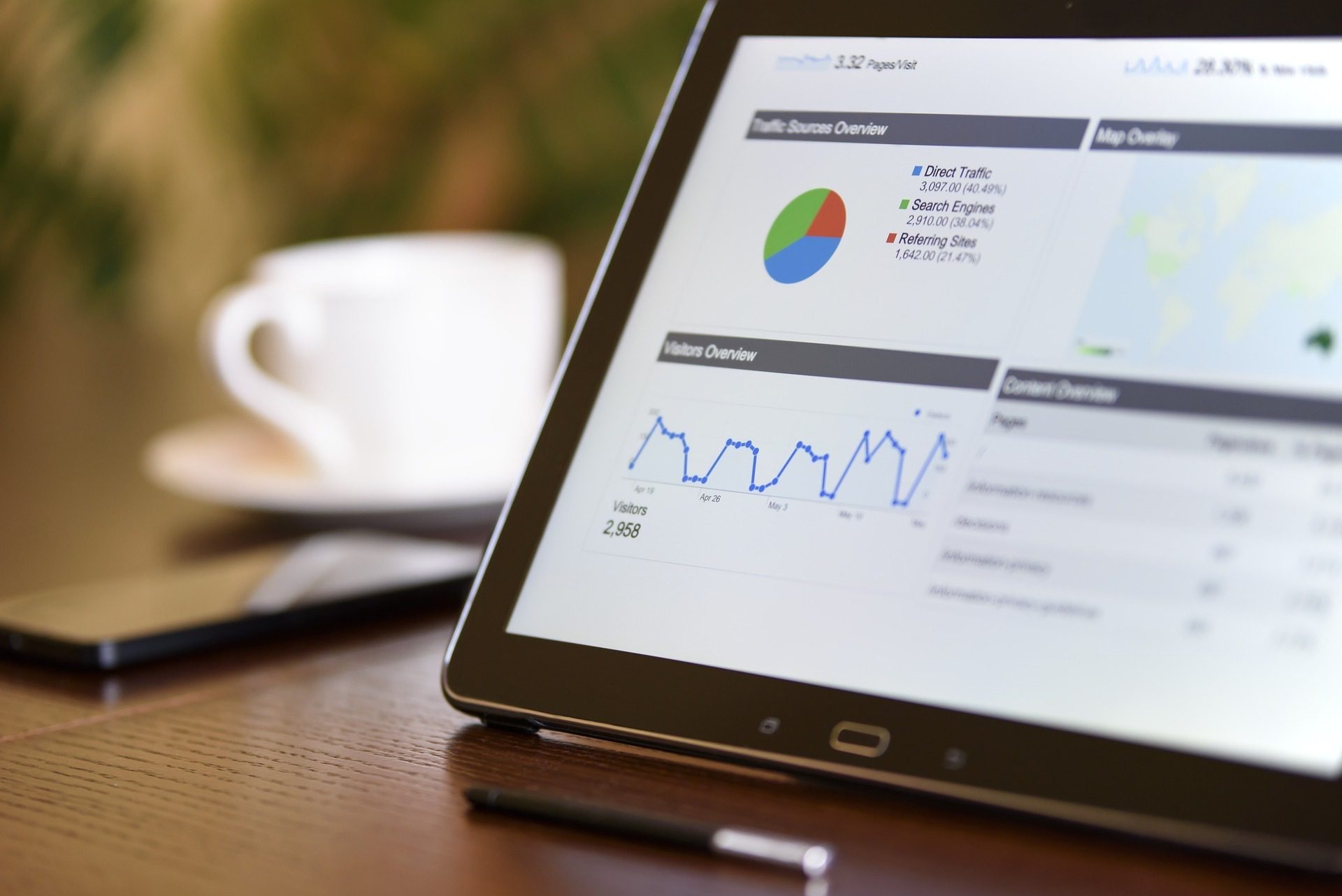
    product metrics data on a tablet

    Image source: Pixabay

    Here are the most important metrics you should track if you want your digital product to be successful.

    1. Bounce rate

    Bounce rate allows you to track how many people visited one page on your website and then decided to leave. A high bounce rate is an indication of severe problems with user experience. Technical issues can also cause it – for example, slow load times.

    1. Retention rate

    Customer retention rate tells you how many people stayed with your brand after a specified time. It helps you optimize your marketing efforts. Low retention rates can also point toward a problem with the product, such as a poorly designed interface, a slow website, or a lack of a feature.

    1. Net promoter score

    NPS – Net Promoter Score – measures how many customers like your product enough to recommend it to their friends. You can use FullSession website feedback forms to get this data to ask users to rate your product. 

    To calculate NPS, ignore neutral scores, and substruct the percentage of people who don’t like your solution (detractors) from the percentage of those who do (promoters).

    1. Customer satisfaction score

    CSS helps you measure the level of satisfaction with your product or a specific feature. It’s another metric you can track through customer feedback tools. You can ask people to rate the product or an aspect of it, sum up all the scores you got, and divide the result by the number of respondents.

    1. Churn rate

    It is the opposite of the retention rate. This metric measures how many people left your brand during a specified time. You can focus on two aspects: the raw number of customers or the revenue you lost. 

    The churn rate is easy to calculate. Take the number of customers you have at the end of the specified period, and divide it by the number of clients you had when that period began. 

    1. Session duration

    It allows you to see how much time people spend on your website. It helps you understand why you lose customers, primarily when combined with metrics such as bounce and churn rates.

    You can analyze data thoroughly using a web analytics platform like FullSession. It’ll allow you to watch how users with short sessions interact with your product, so you can identify and eliminate the issue that’s hurting your business.

    1. The number of sessions per user

    Tracking the number of sessions per individual user helps you measure customer engagement – it shows you how popular your product is among your users. You can track this metric easily by looking at how often people log in or by counting visits from a specific IP address.

    1. Active user ratio

    One of the easiest ways to track a digital product’s growth is to look at how many people actively use it. You can get this information by looking at how many subscribers you have. Businesses usually track monthly active users, but you can also look at yearly, weekly, or daily active users.

    1. Monthly recurring revenue

    The best measure of a company’s success is usually the amount of money it makes. Stable income is often the most important for businesses, and you can track it by looking at monthly recurring revenue. How to calculate it? 

    Add the revenue generated through new subscriptions to your revenue at the beginning of the month. Then subtract the money you lost – you can get it by tracking the churn rate. While it’s not a critical metric, it’s also a good idea to consider the customer acquisition cost to see how much gaining new customers costs you.  

    As you can see, plenty of metrics offer insights into your business operation and product value. That doesn’t mean, however, that you should track everything. Consider an investment in FullSession to collect valuable data easily. You can start a 14-day free trial right now.

    Two metrics to avoid during your analysis

    Some metrics aren’t as valuable, and you probably shouldn’t waste time tracking them. Here are some examples:

    1. Clicks – the number of clicks alone doesn’t give you much information. You can boost it artificially, and it doesn’t help you understand user engagement.
    2. The number of users or page views – there’s no real point in tracking the total number of users who visit your website. Active users are what matters. People who don’t perform actions on the page will never become customers.

    Look at your product and choose metrics that align with your goals. You also need to select the right software to collect product data. We think FullSession is your best option, so in the following sections, we will explain how it works and helps you track product metrics.

    How FullSession helps you evaluate your product 
    fullsession

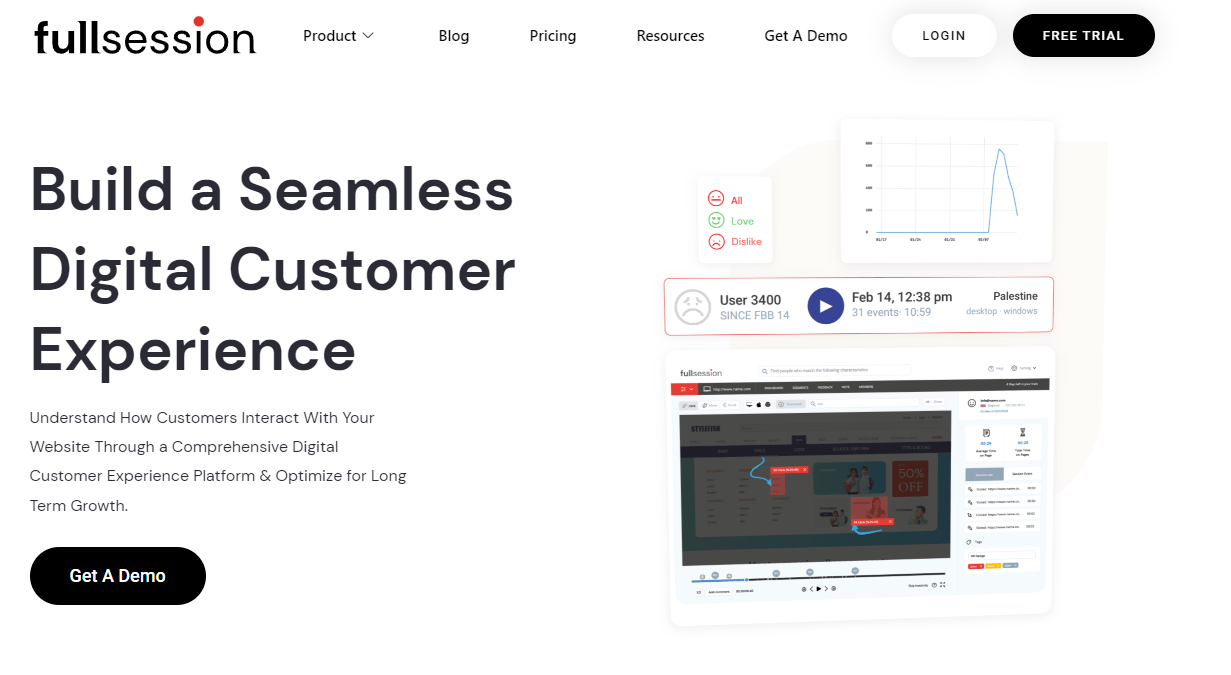
    FullSession platform helps you track various metrics regarding your digital product – a website, web app, or landing page. 

    Our software doesn’t rely on hired testers – it lets you observe real users. FullSession uses website visitor tracking. You can watch session recordings and replays and use interactive heatmaps to track users’ clicks, scrolls, and mouse movements. FullSession also provides website feedback forms to help you collect customer feedback. 

    Our platform has advanced filtering and segmentation features, so finding the data you’re interested in is never a problem. You can also leave notes to your co-workers to share your findings easily.

    FullSession is a great way to track the crucial metrics you need to measure. It helps you boost conversion rates and improve the UX of your solution.

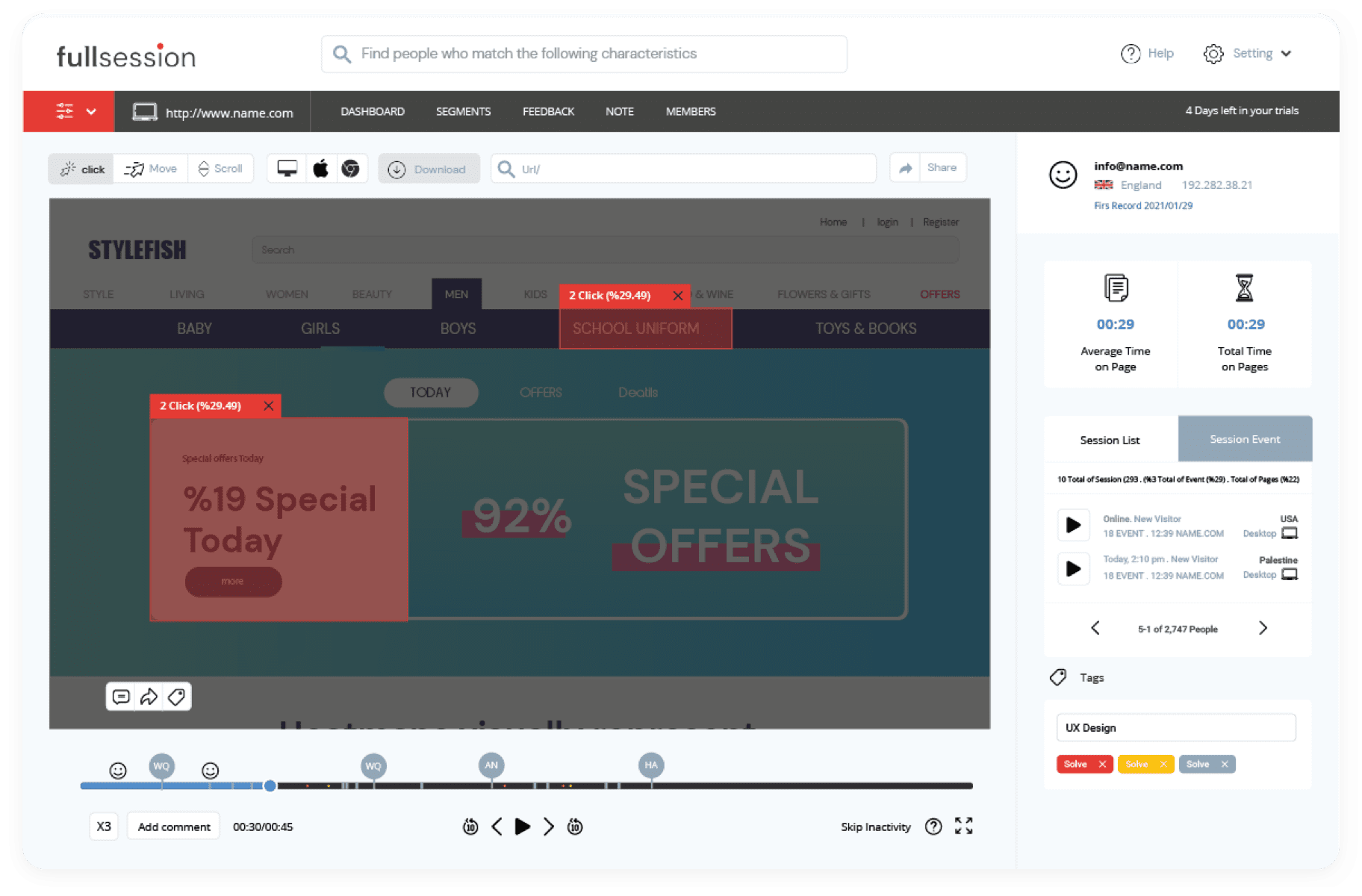
    Session recording and replay
    session replay

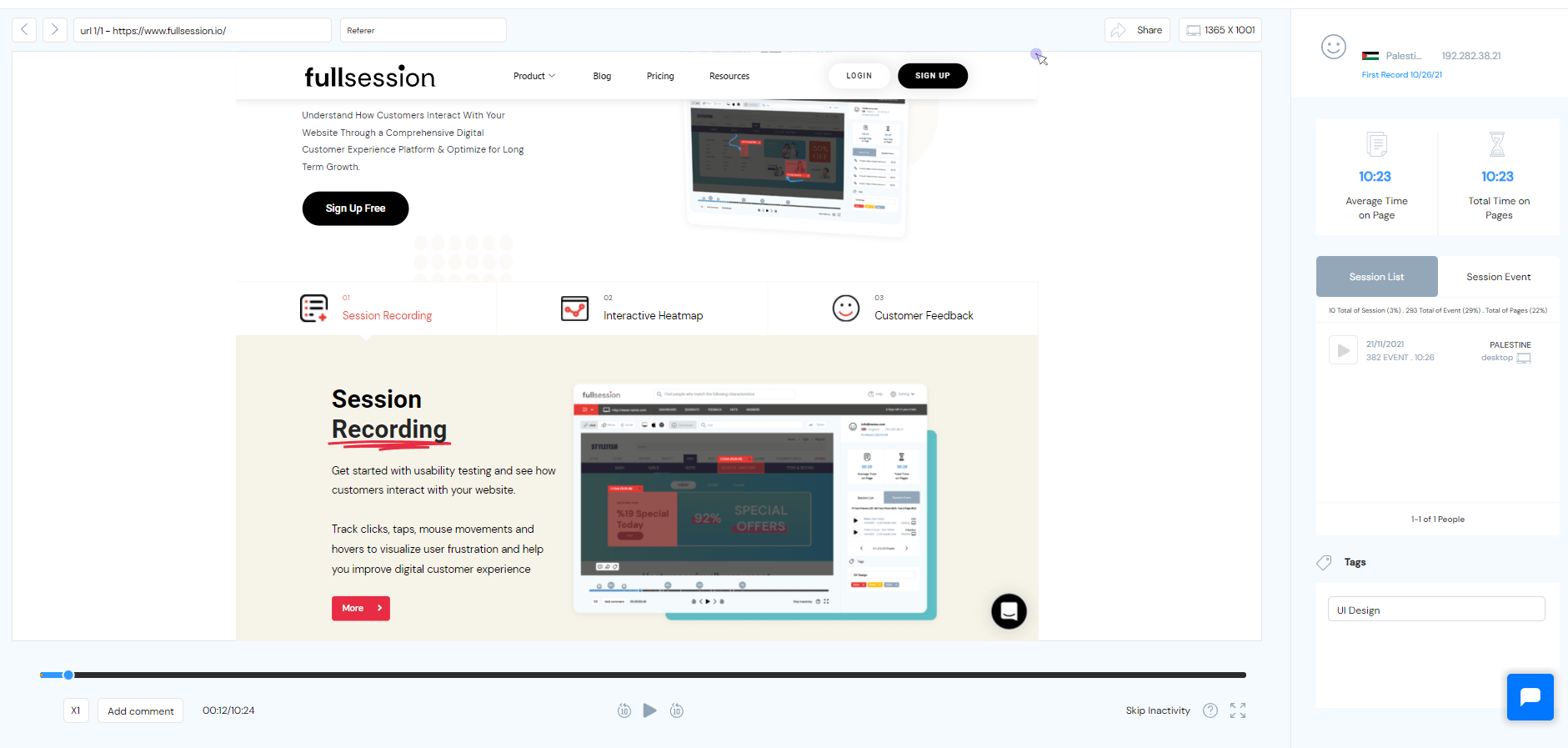
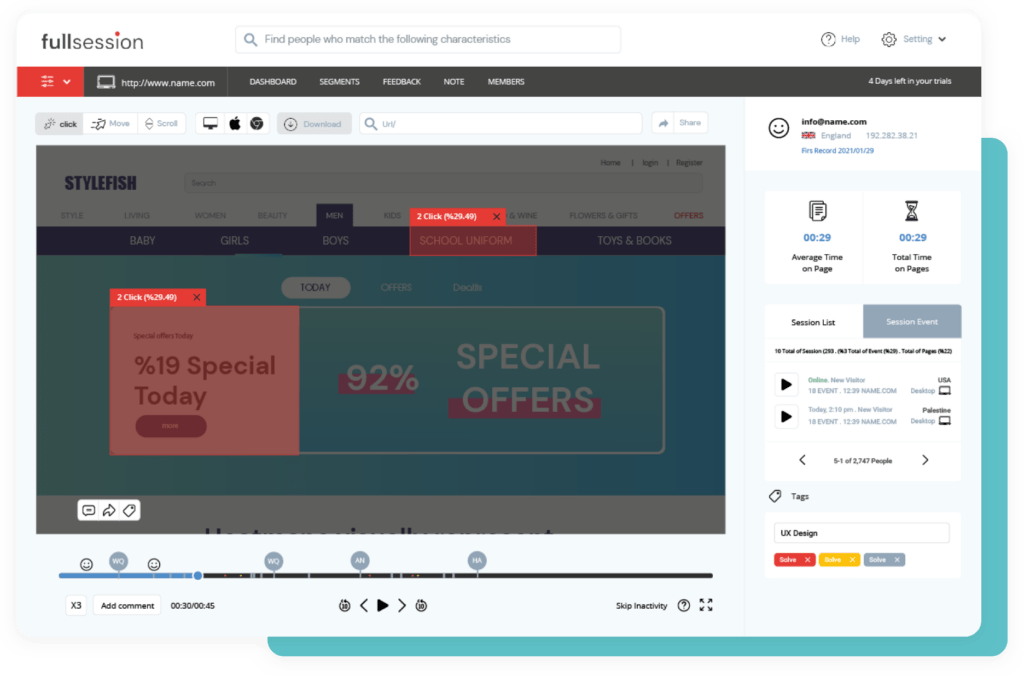
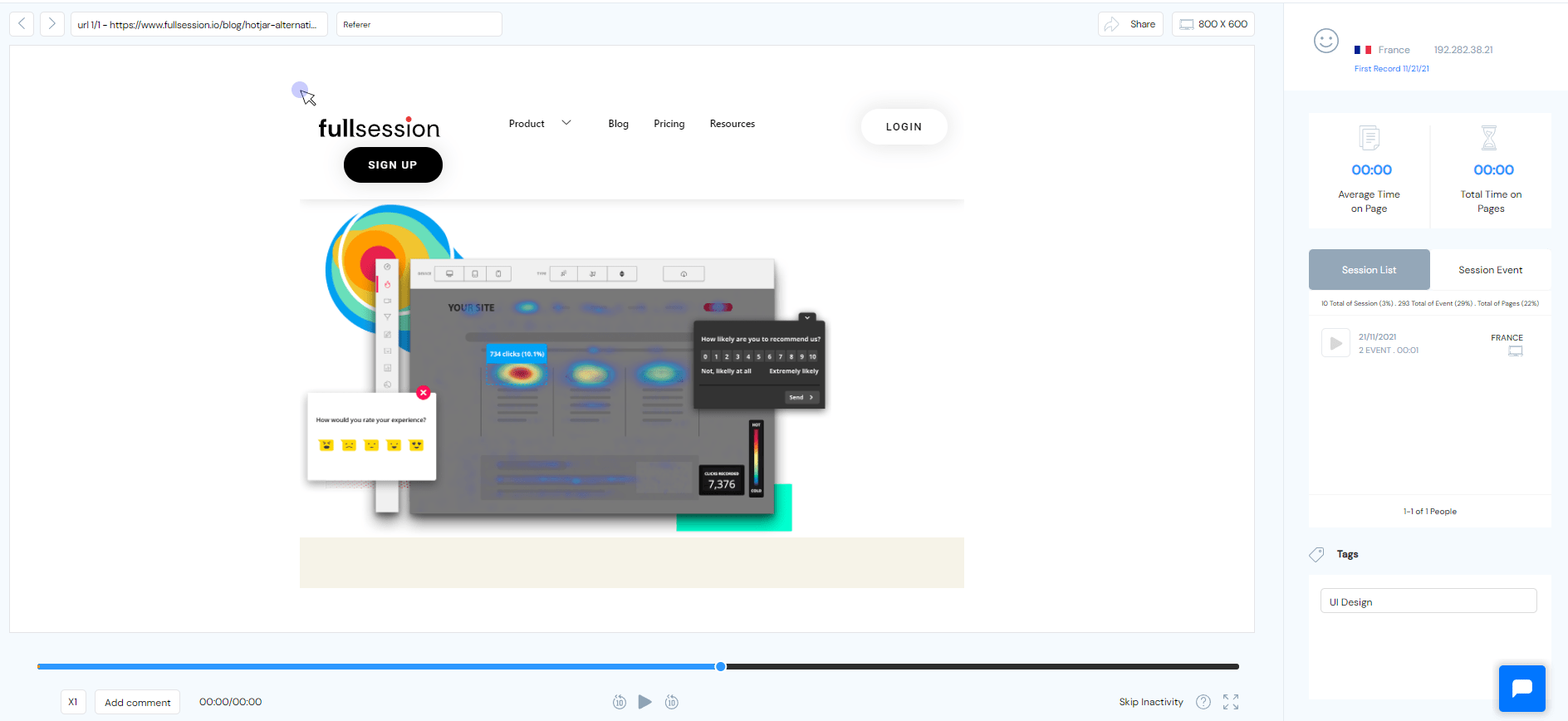
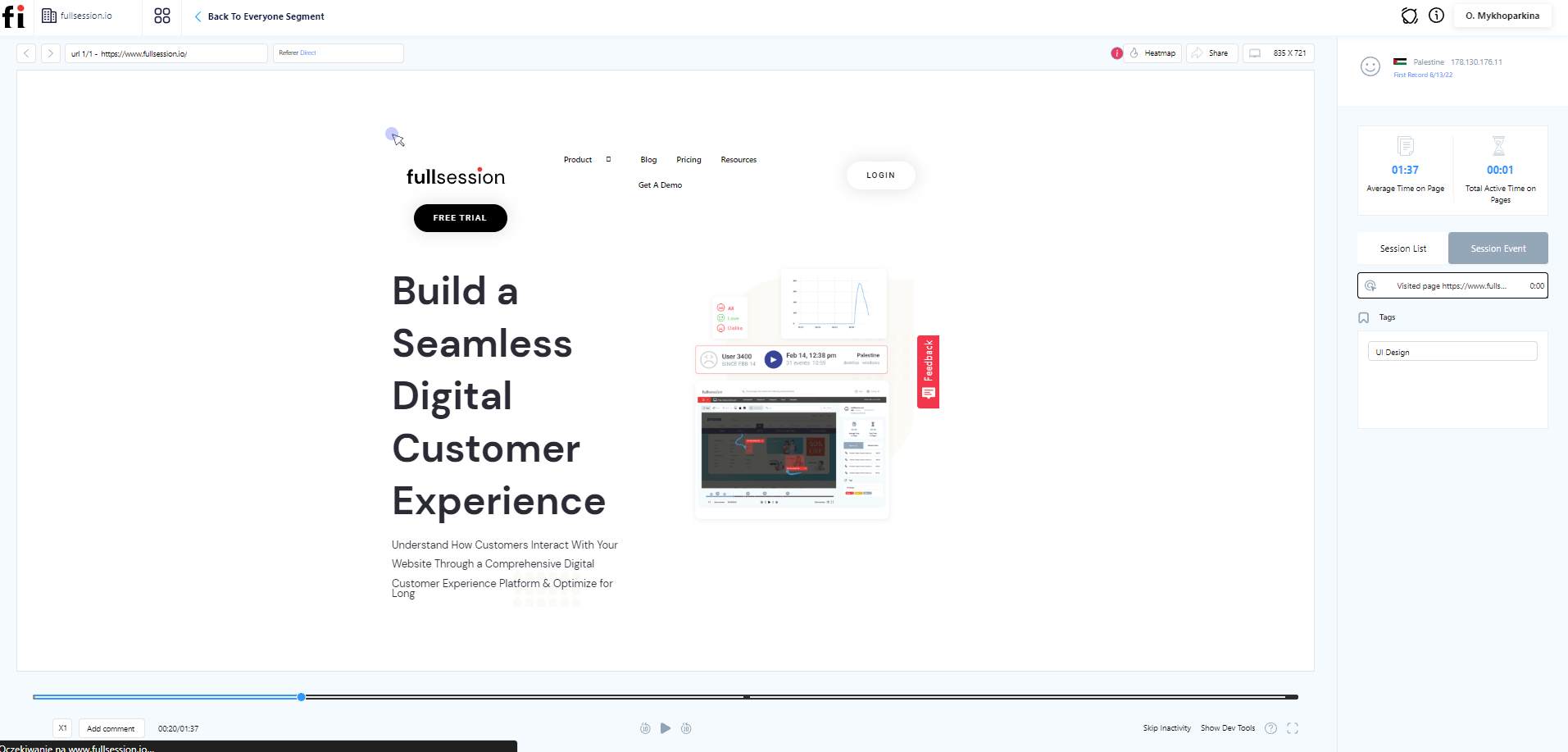
    With this feature, you can watch recordings of real people interacting with your product. You observe what causes them problems and can draw conclusions on how to improve things. You can skip periods of inactivity or pause, fast forward, and rewind session replay. 

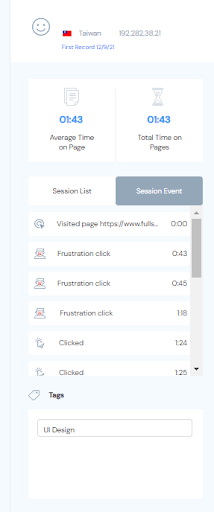
    FullSession session recording and replay data

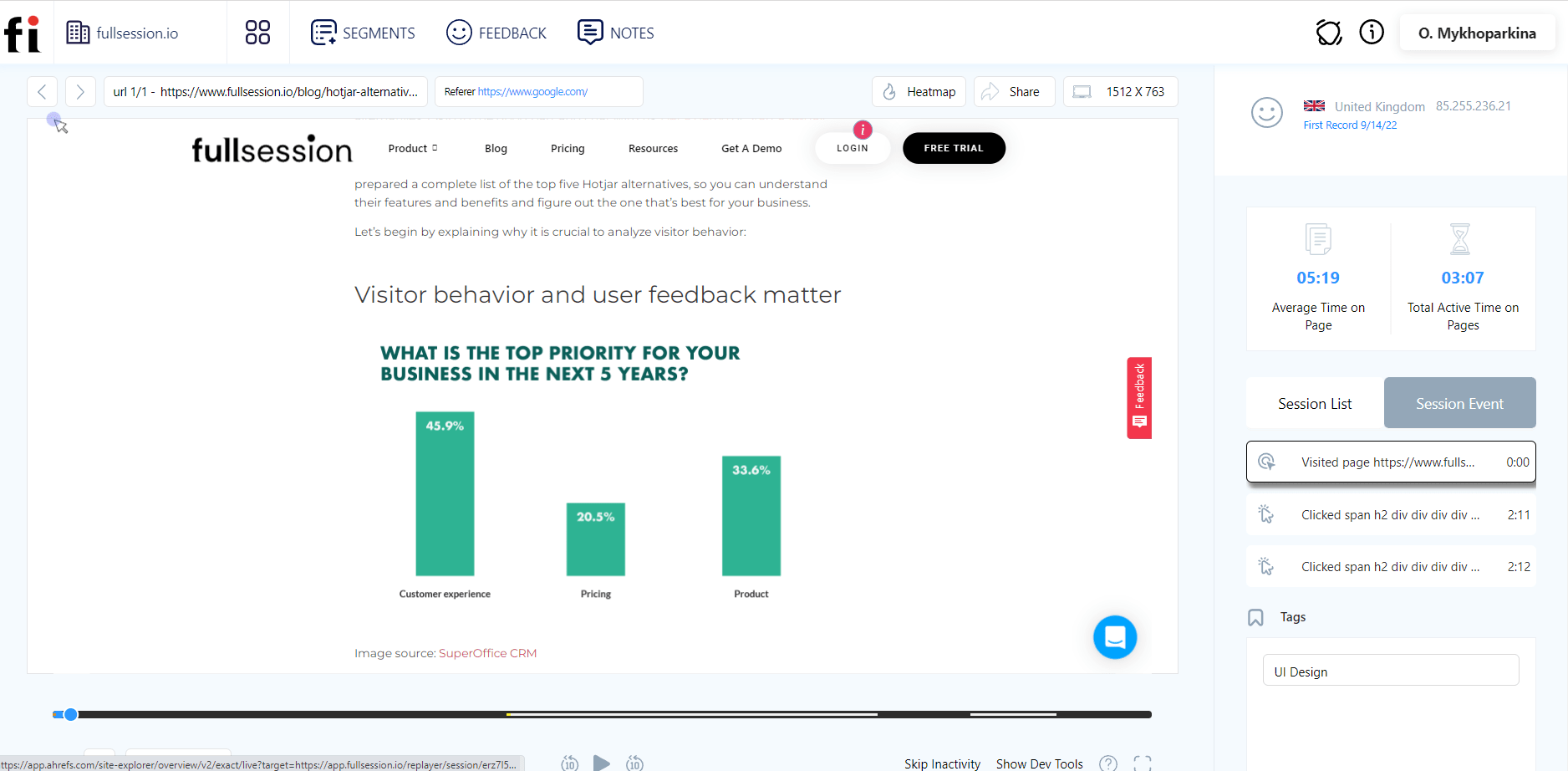
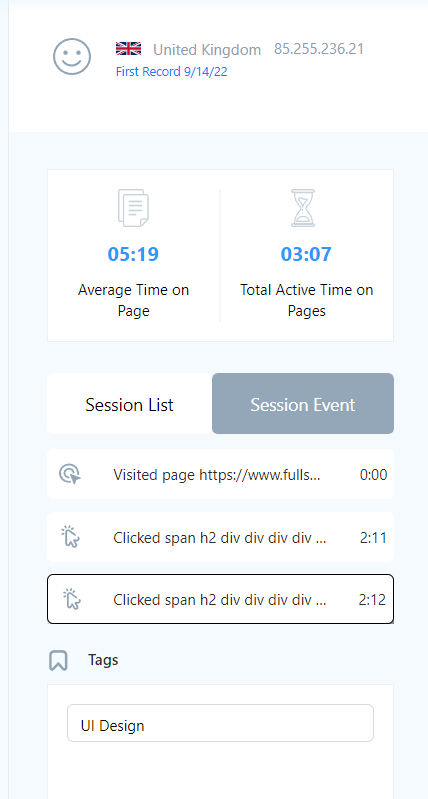
    You can use FullSession to monitor different periods – years, months, weeks, or days. Here is the data you can track using these features. Highlighted entries directly correlate with some of the product metrics mentioned in this article.

    • The country and IP address of users 
    • Screen resolutions
    • Average time on page
    • Total time spent on pages
    • Visit source
    • Pages/URLs users visited
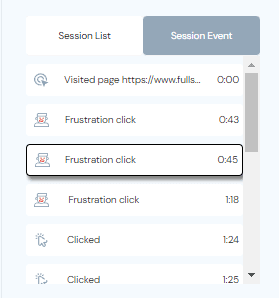
    • Session list
    • The session event data

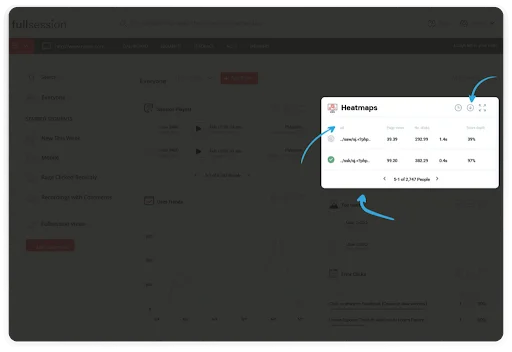
    Interactive heatmaps

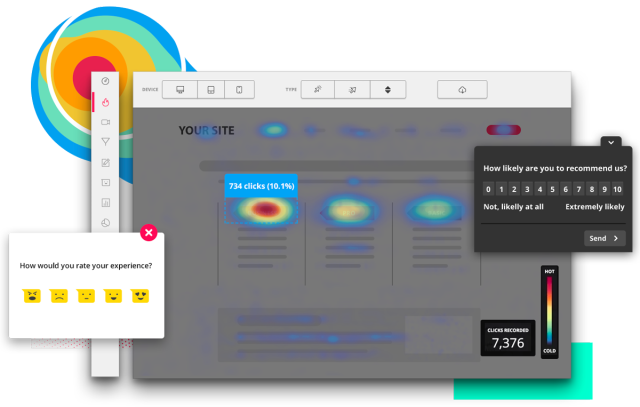
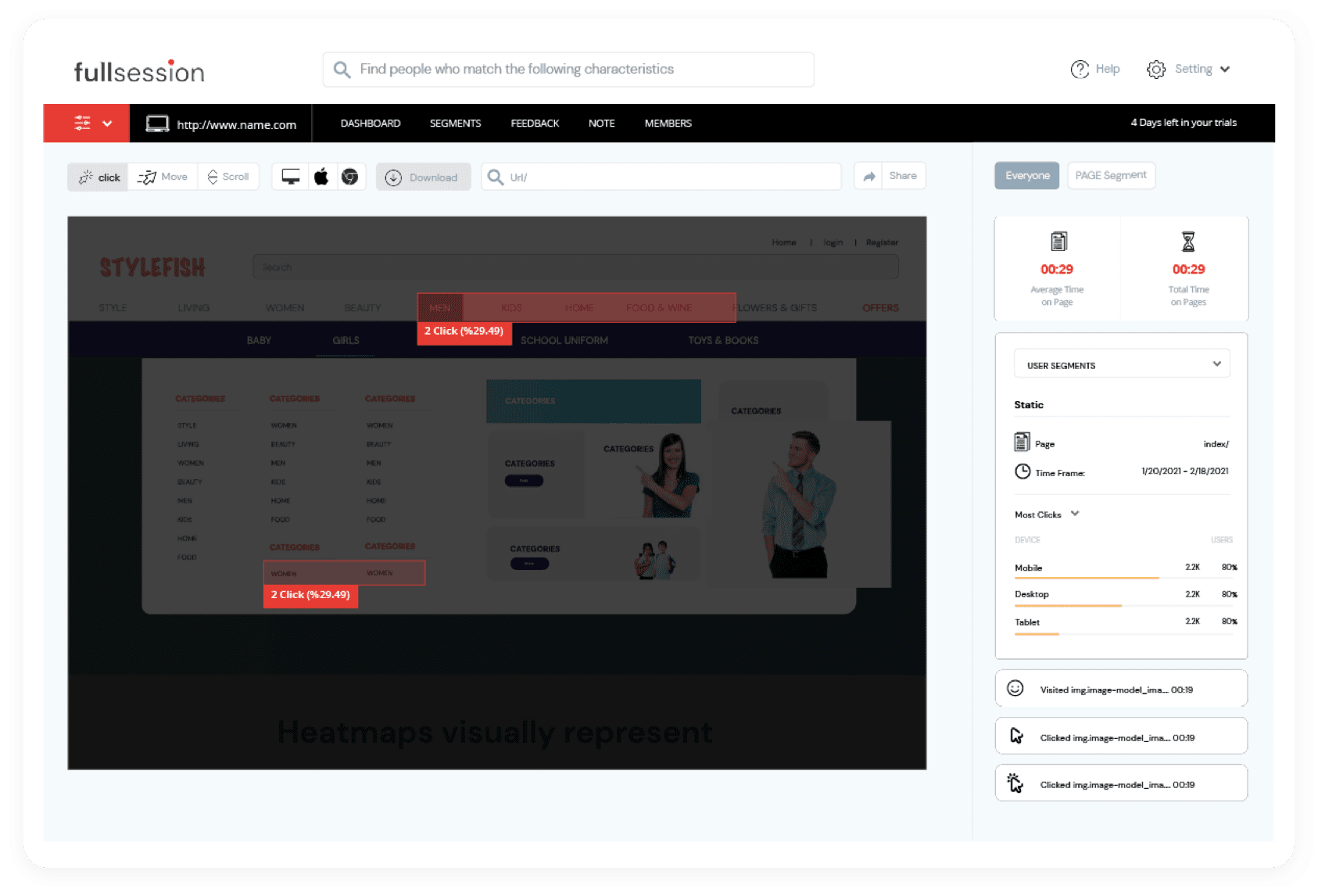
    You can use website heatmap tools to track users’ actions – you will see them in the form of graphic reports. Heatmap lets you notice issues that make people leave prematurely and helps you boost conversion rates. 

    FullSession provides three types of heatmaps: movement maps, scroll maps and click maps. We have a detailed guide that’ll show you how to read a heatmap if you’re interested in this subject.

    Clicks maps
    click maps

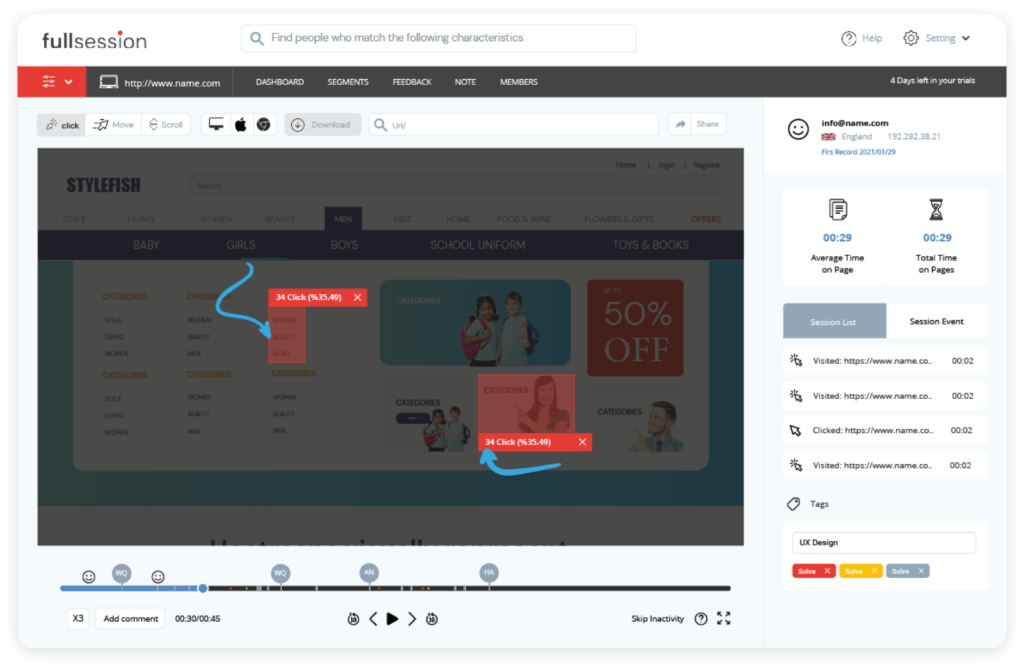
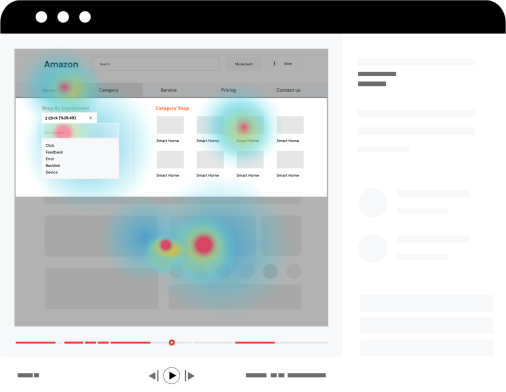
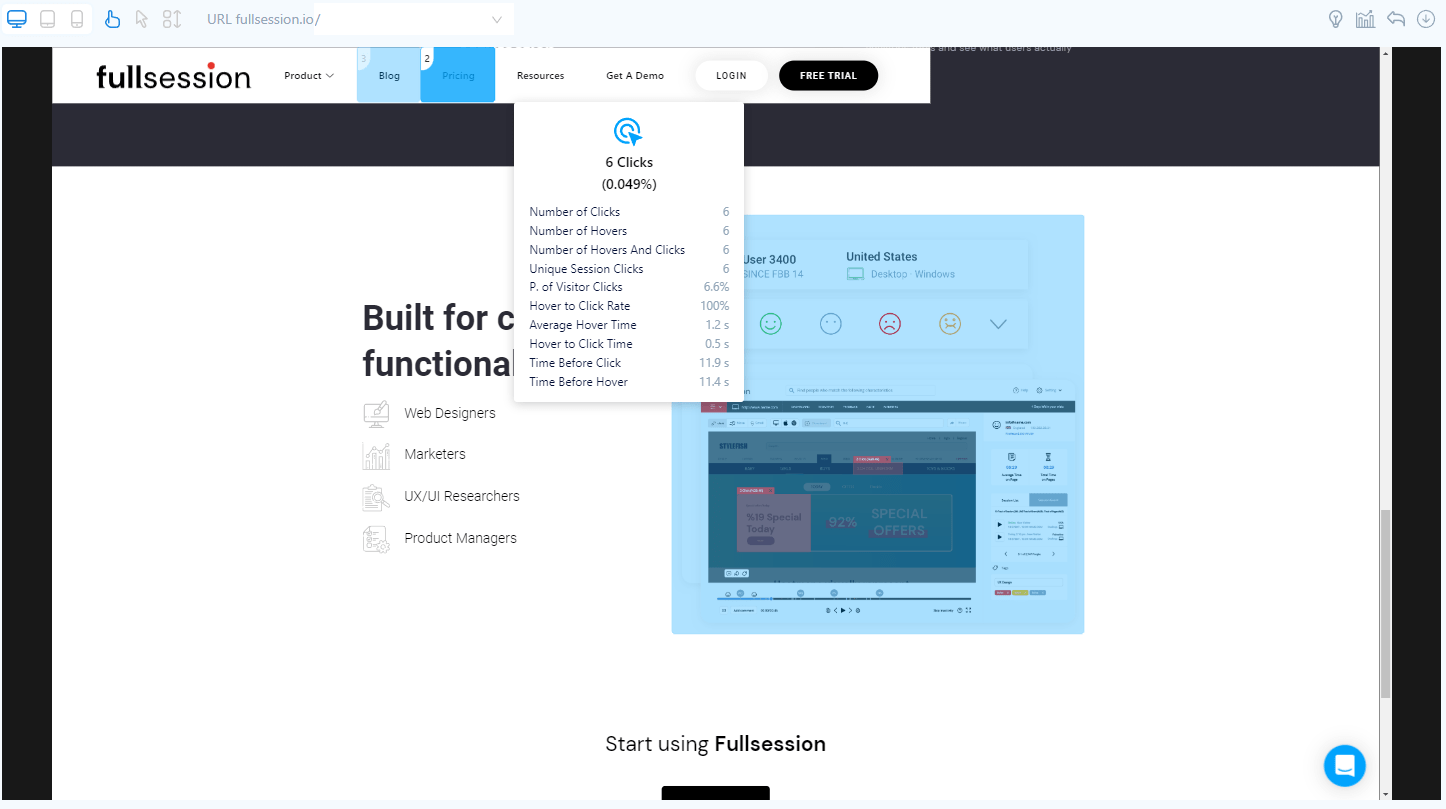
    Click tracking lets you see what areas of the page – buttons, headers, CTAs – users clicked. 

    Movement heatmaps
    movement maps

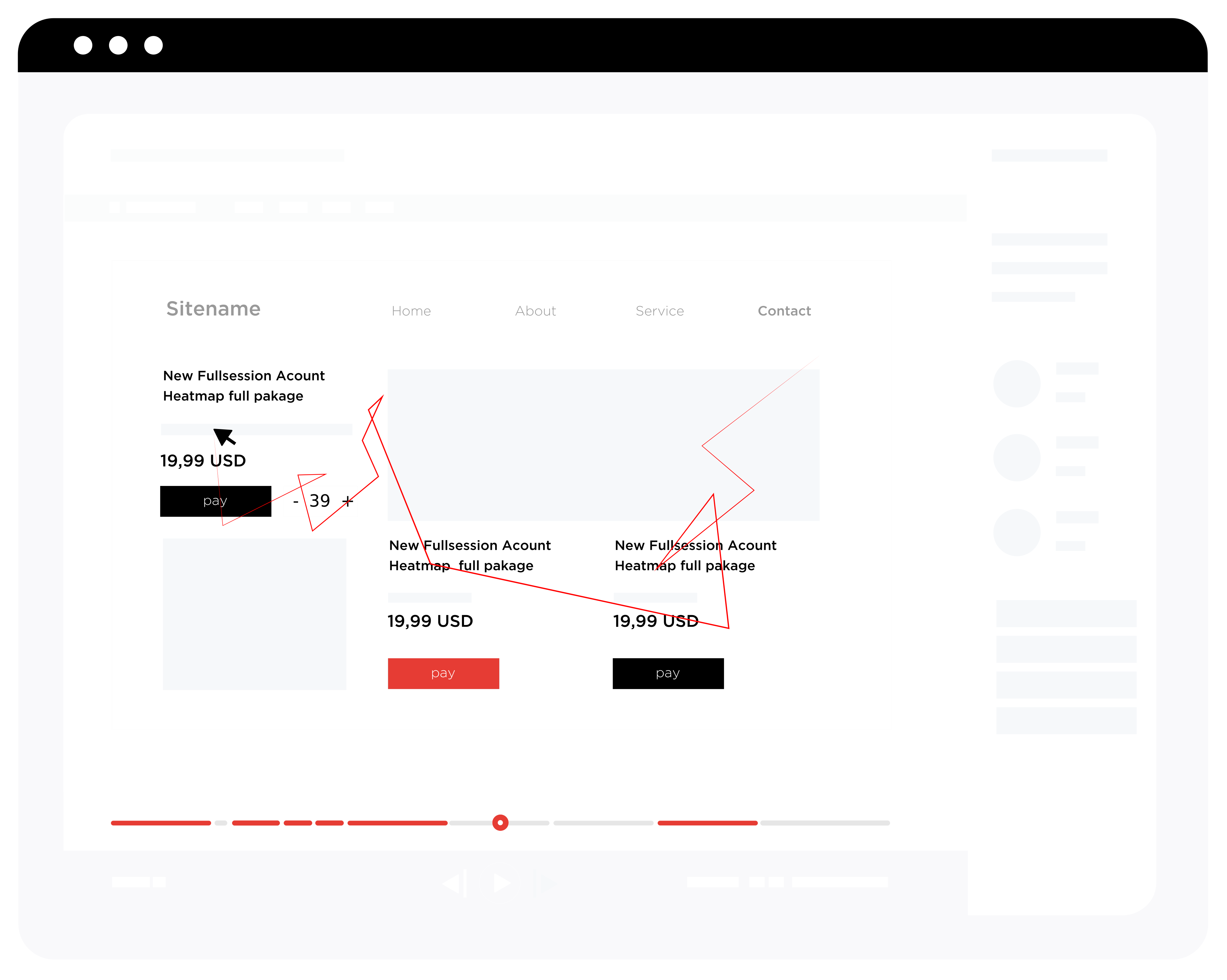
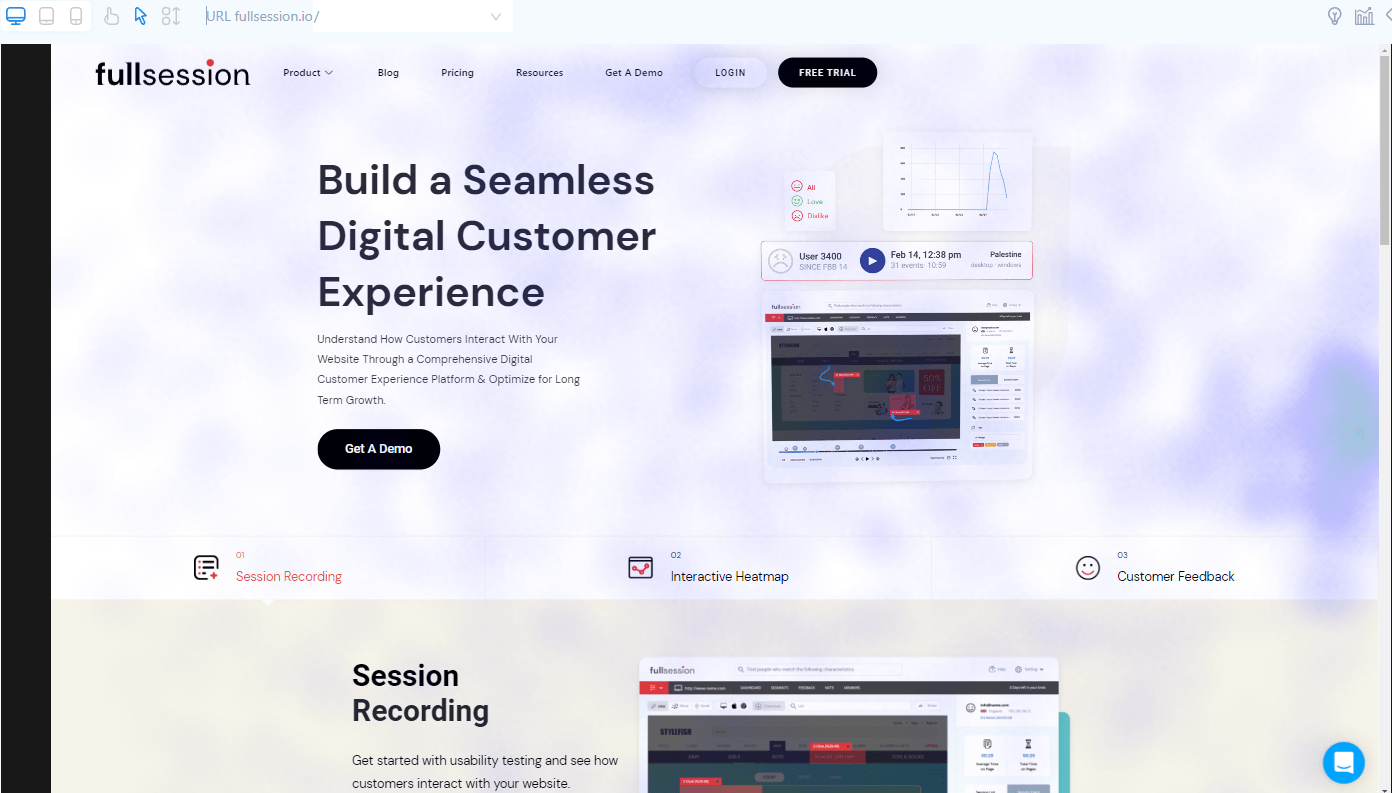
    With movement heatmaps, you can observe the user’s cursor movement. You can use them to track customer journey on the website and check what causes people problems.

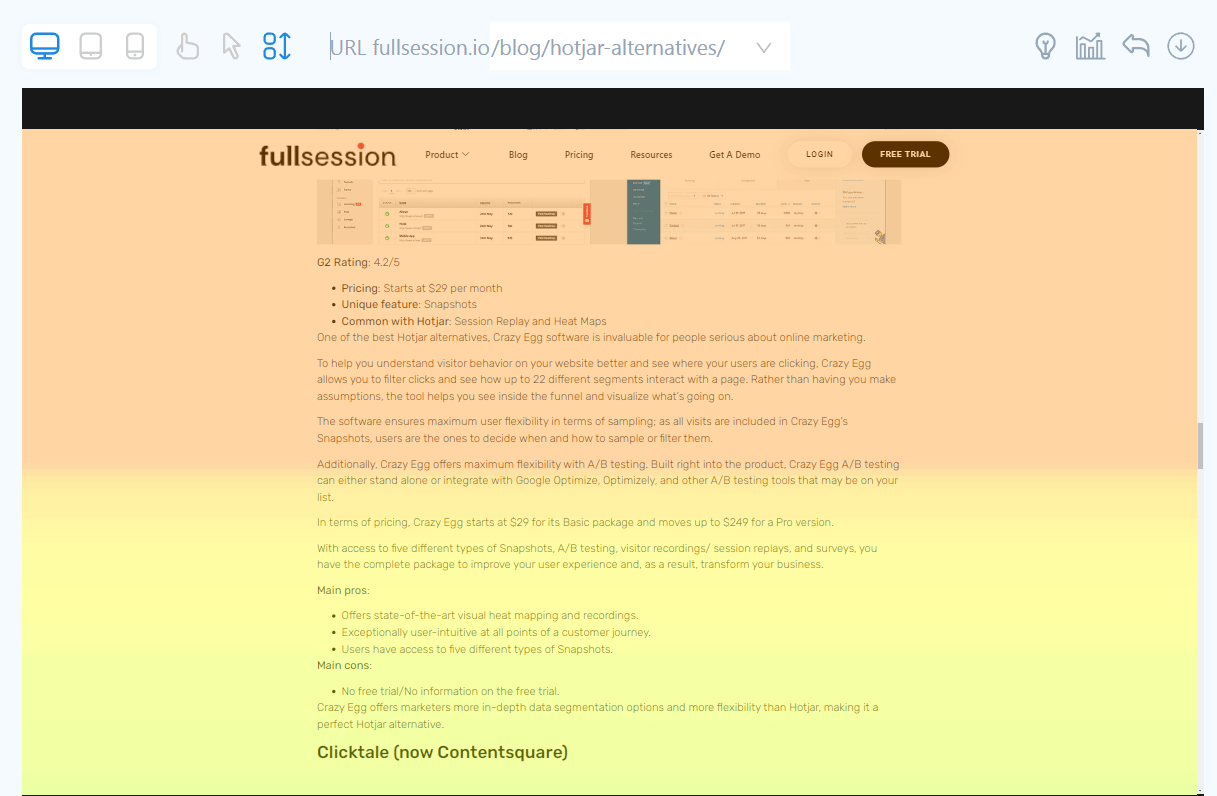
    Scroll maps
    scroll maps

    You use scroll maps to check how far users scroll down on the page. It can be helpful when you want to decide where to place an ad or CTA (Call to Action).

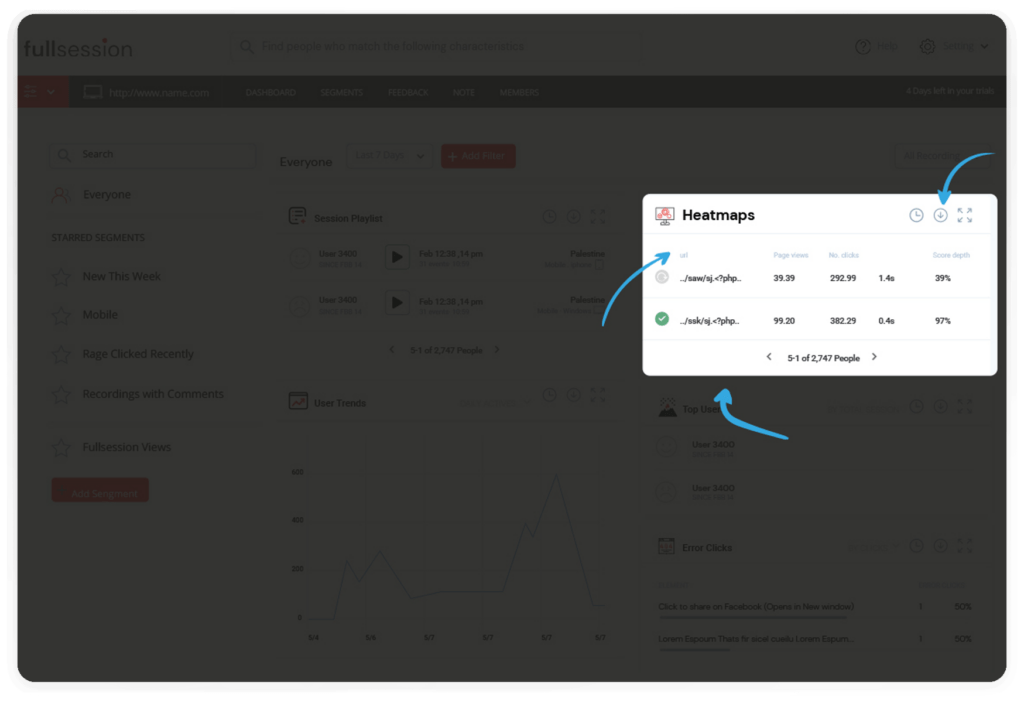
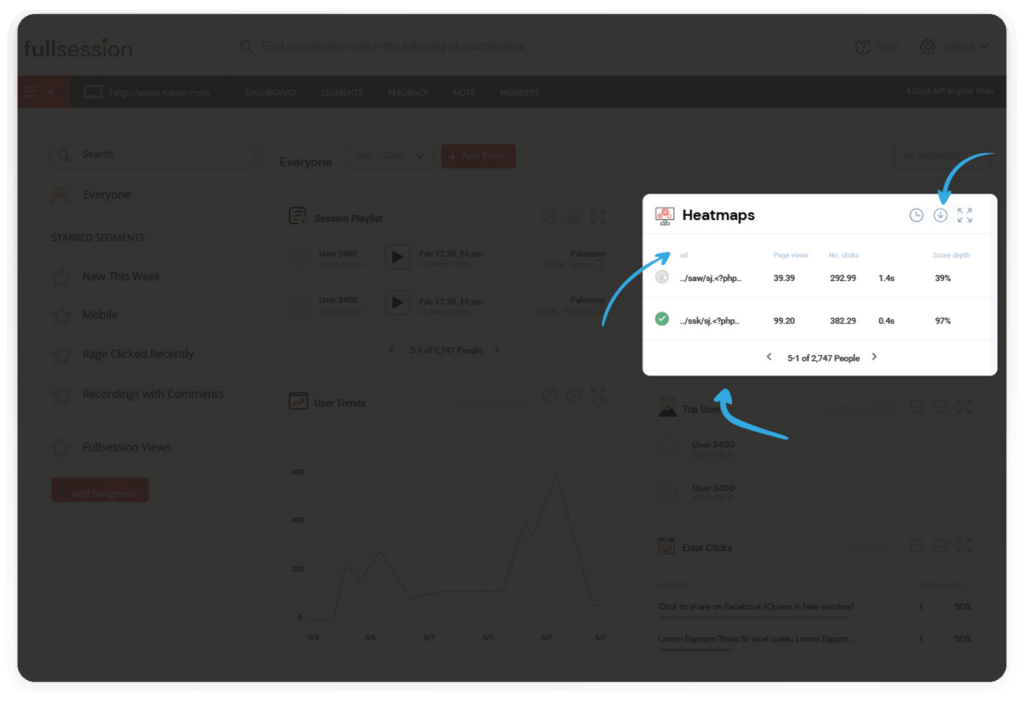
    FullSession heatmap data

    Here are the types of data you can collect thanks to the FullSession interactive heatmaps feature. Once again, we’ve highlighted points correlated with product metrics.

    1. The visited URL
    • User engagement data
    • The number of visitors
    1. Total views count
    2. The total number of clicks
    • The average page load time
    • The average time on page
    • Error data
    • The number of dead clicks
    • The number of rage clicks

    Advanced filtering and segmentation

    Our advanced filtering feature helps you find specific events during sessions that may interest you. You don’t have to waste time watching entire recordings – you can focus on fragments that matter. It’s an excellent way to save time, especially when cooperating with other team members.
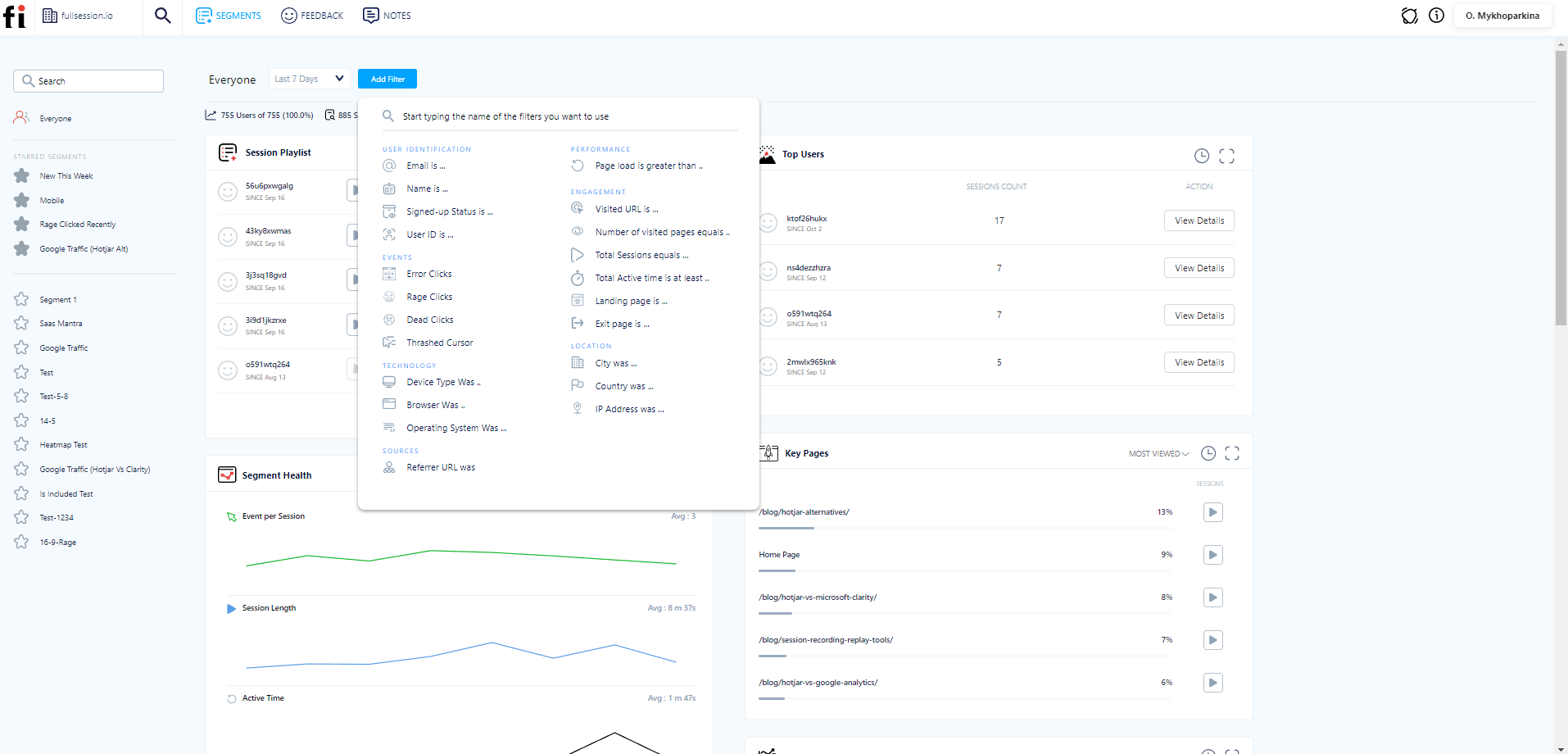
    user segmentation and filtering

    Advanced analytics 

    Our metrics page gives you easy access to all the crucial information. It makes noticing correlations between different data points easier.
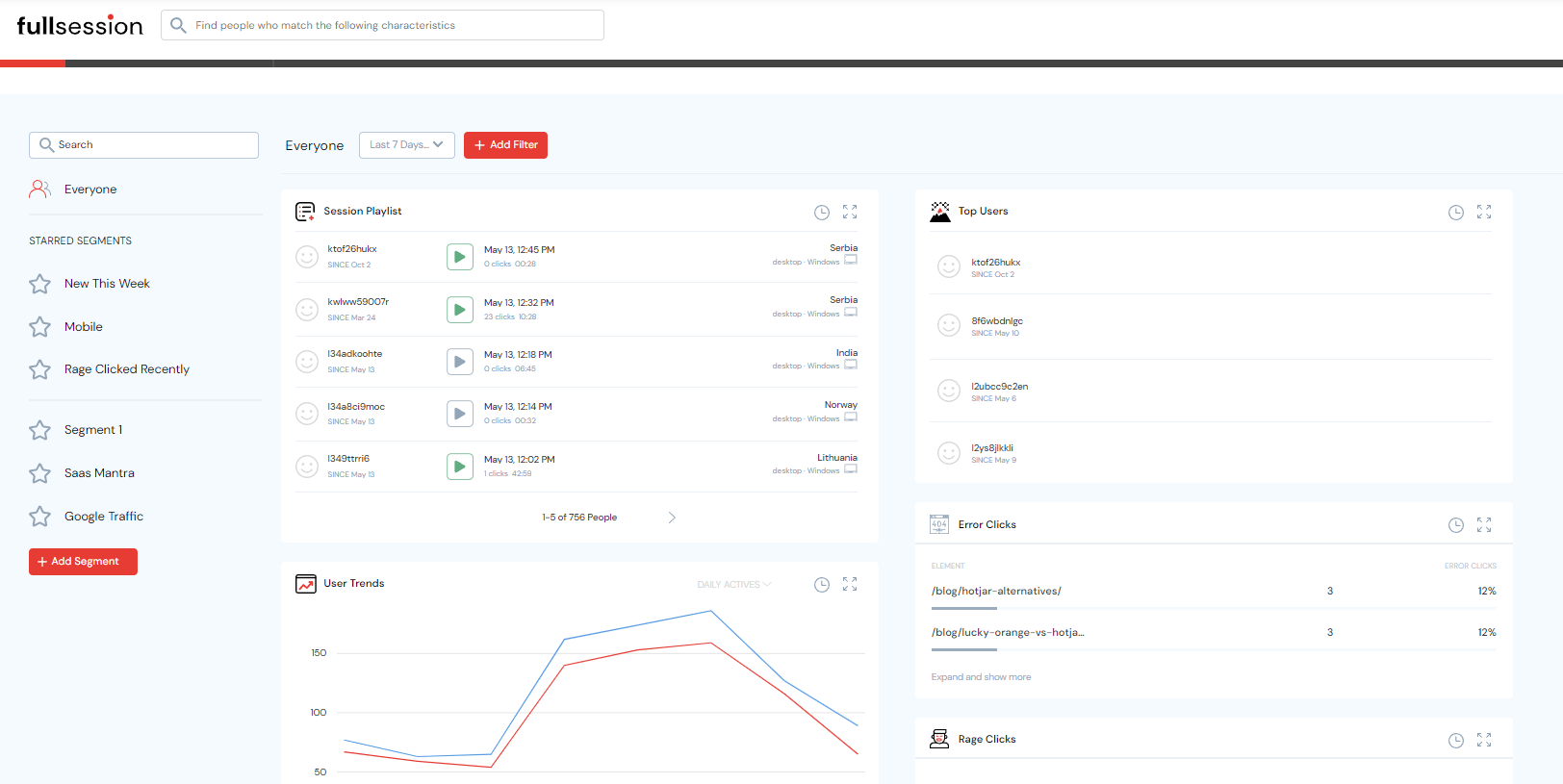
    user analytics

    FullSession analytics data

    Here’s what you can find on the metrics page:

    • Average load speeds
    • Page load data
    • Median scroll depth
    • The number of dead clicks
    • Console errors
    • The number of error clicks
    • The number of rage clicks 
    • Resolutions used
    • Percentage of sessions on mobile devices

    Again, we’ve highlighted some entries to emphasize their importance, but you can use all of the data to track some aspects of your digital product.

    Customer feedback forms

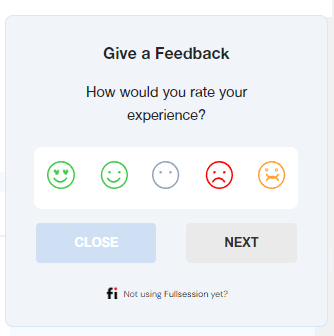
    You can get customer feedback to improve your understanding of users’ needs. FullSession provides almost the same feature as specialized NPS software. You can use the collected feedback to pinpoint customers’ issues when using your product.
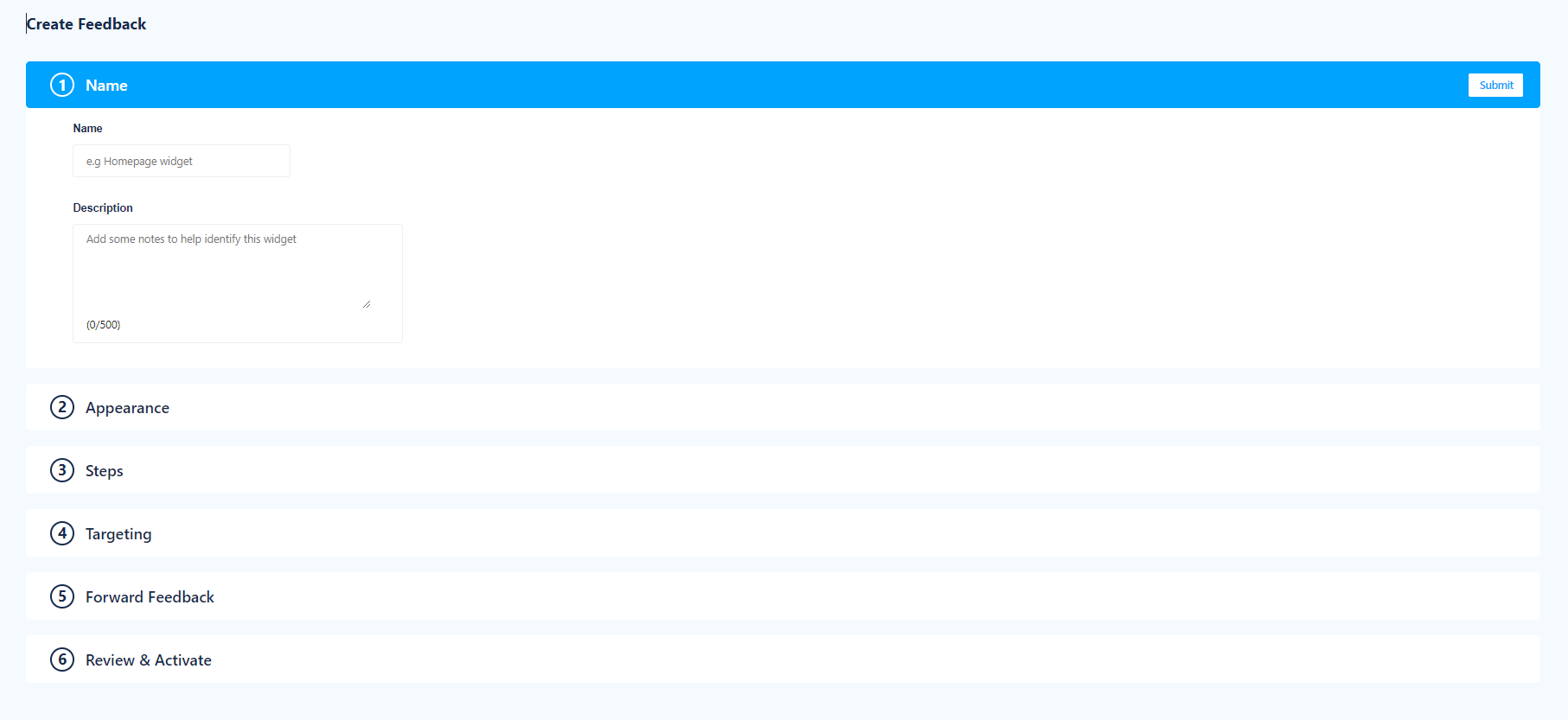
    customer feedback

    Creating a customer feedback form with FullSession is easy:

    1. Start a free trial
    2. Log in to your account
    3. Click the Feedback tab on the topmost bar
    4. Click the + New Feedback Widget button
    5. Enter all the required information.
    6. Choose the appearance
    7. Define the steps of the feedback process
    8. Specify the website pages you want to display the forms 
    9. Select devices to show website feedback forms

    That’s it. Users should now see your feedback form. You can also send data directly to your e-mail.
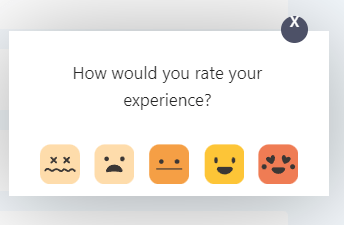
    customer feedback widget

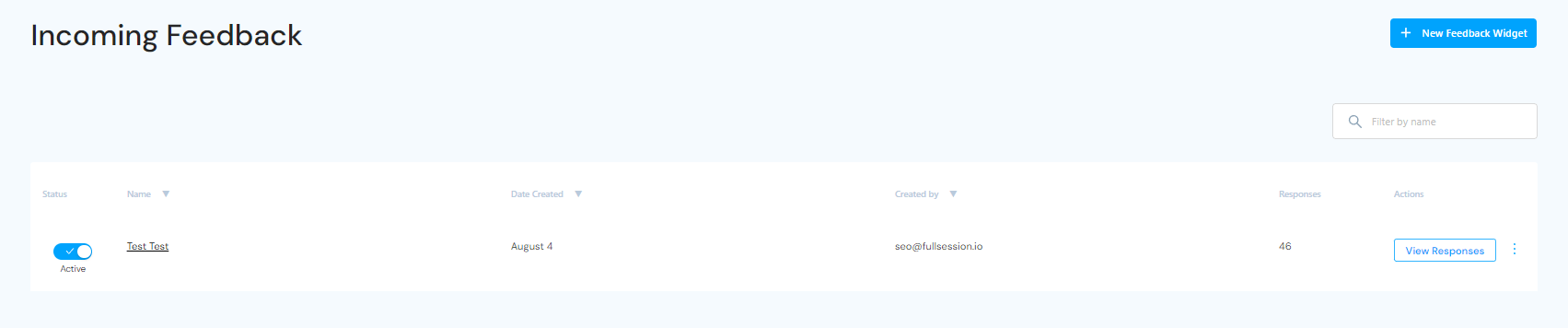
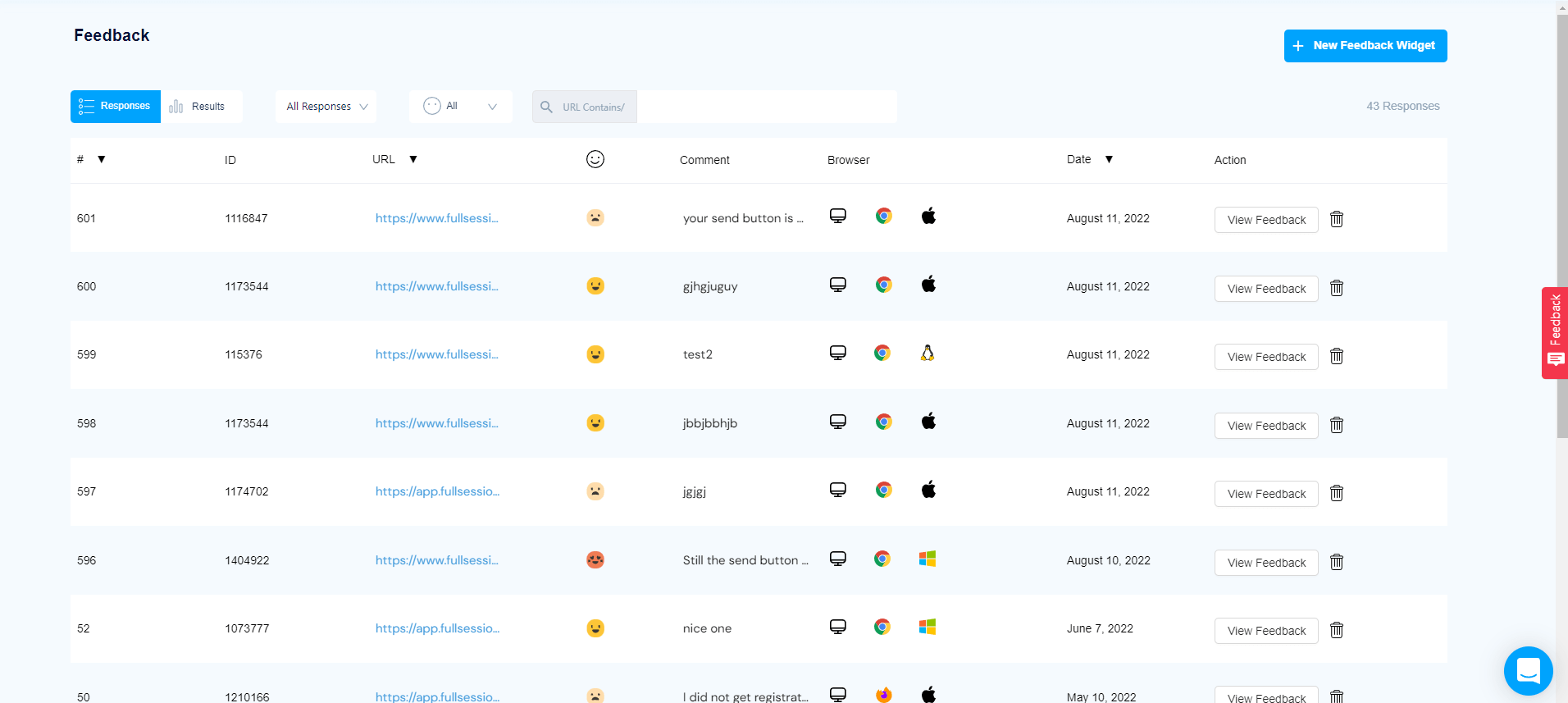
    The Feedback tab on our dashboard provides information regarding each entry, such as name, author, date of creation, number of responses, and activity status.
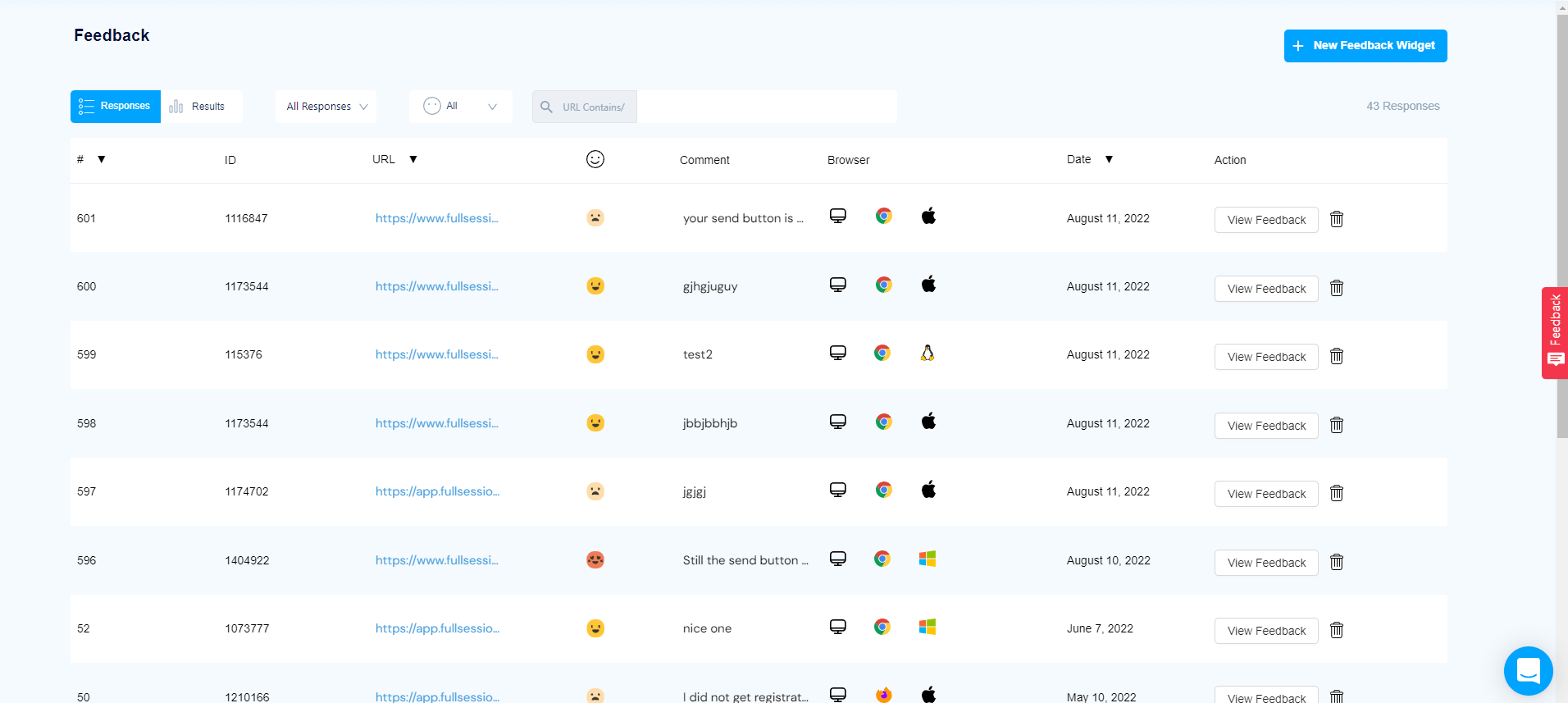
    customer feedback dashboard

    On the rightmost tab, Actions, you can click a link to view each response. When you follow it, you’ll also get more details about these entries:

    • The page URL
    • Date
    • The browser used by the person
    • Form’s ID
    • User sentiment (rating)
    • User comments

    Website feedback forms and session recordings

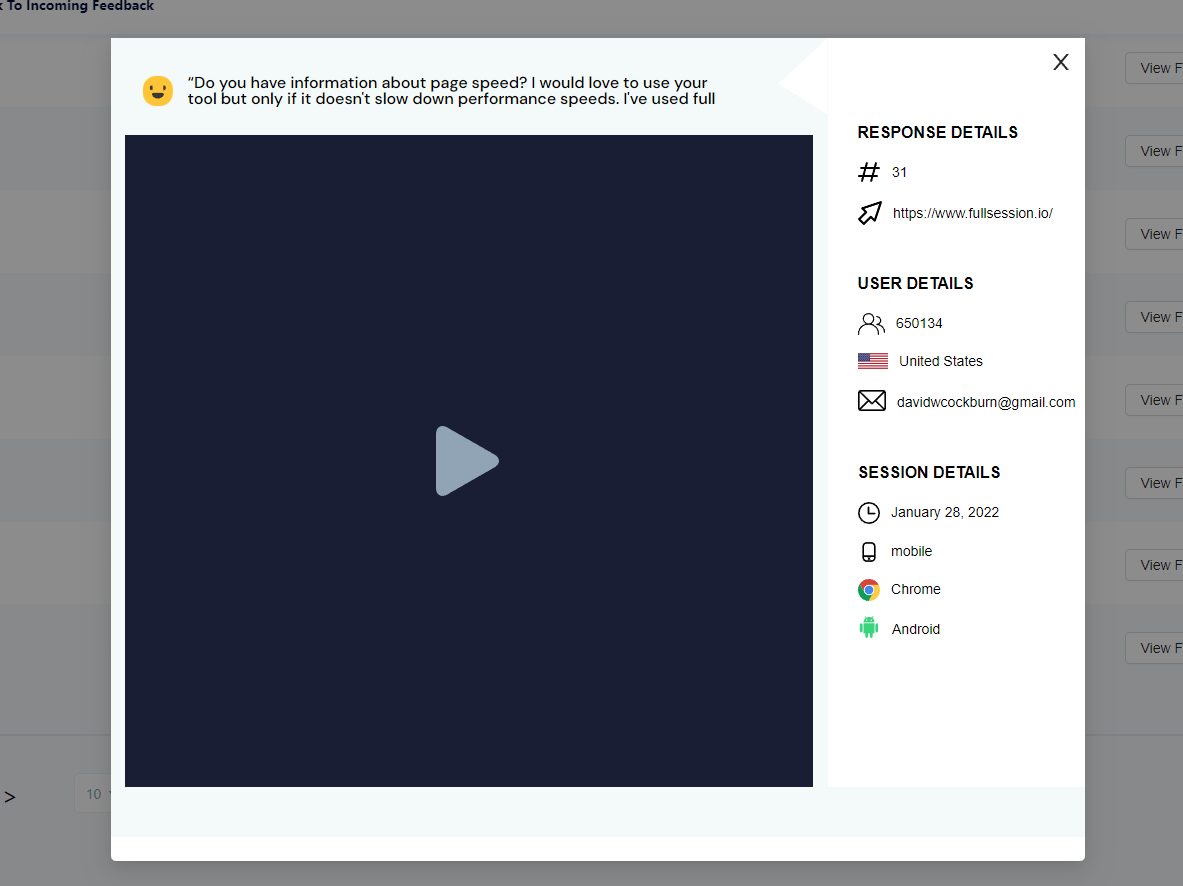
    The customer feedback tools offered by FullSession provide additional context for session recordings. Users describe their problems, which helps you understand what you see on the screen when you watch a video. You can find recordings directly on the Feedback tab, so everything is easy to follow.
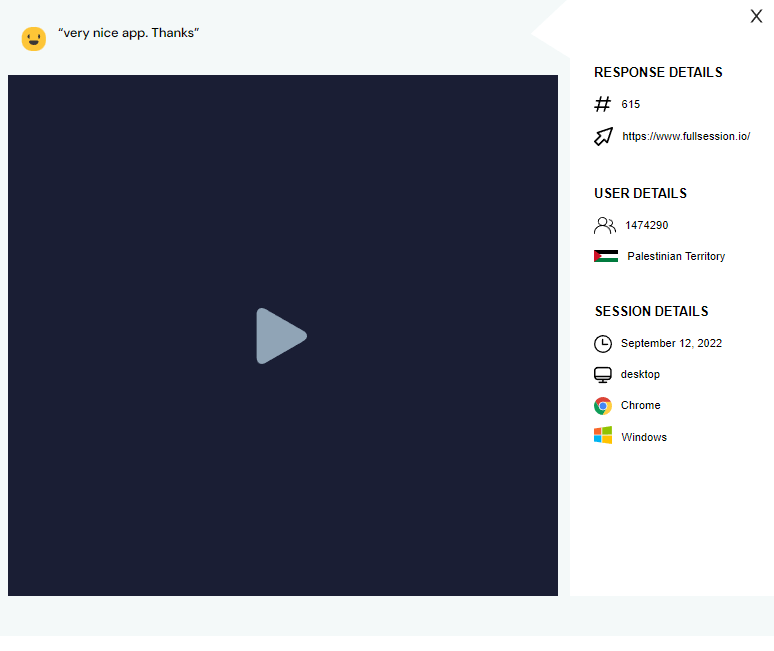
    session replay for customer feedback

    Customer feedback reports

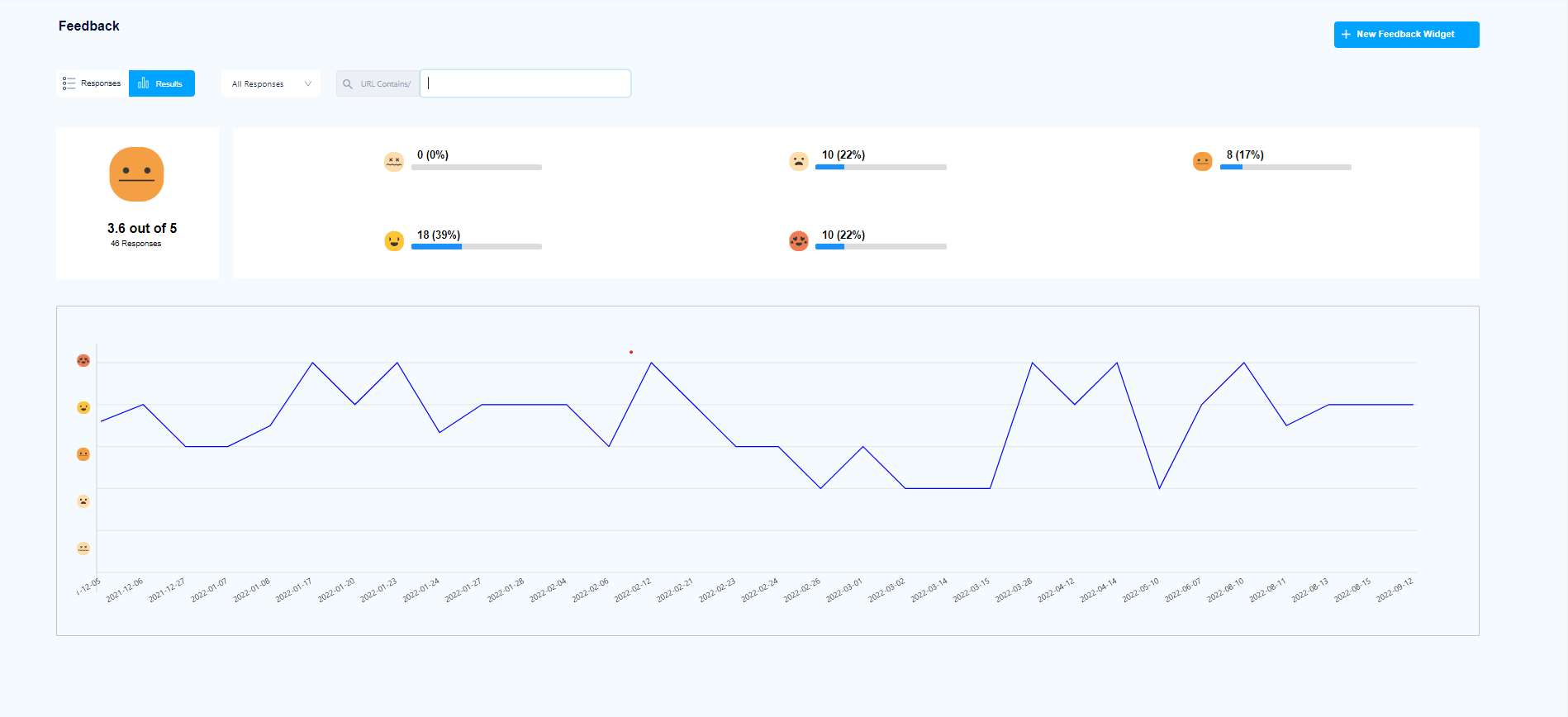
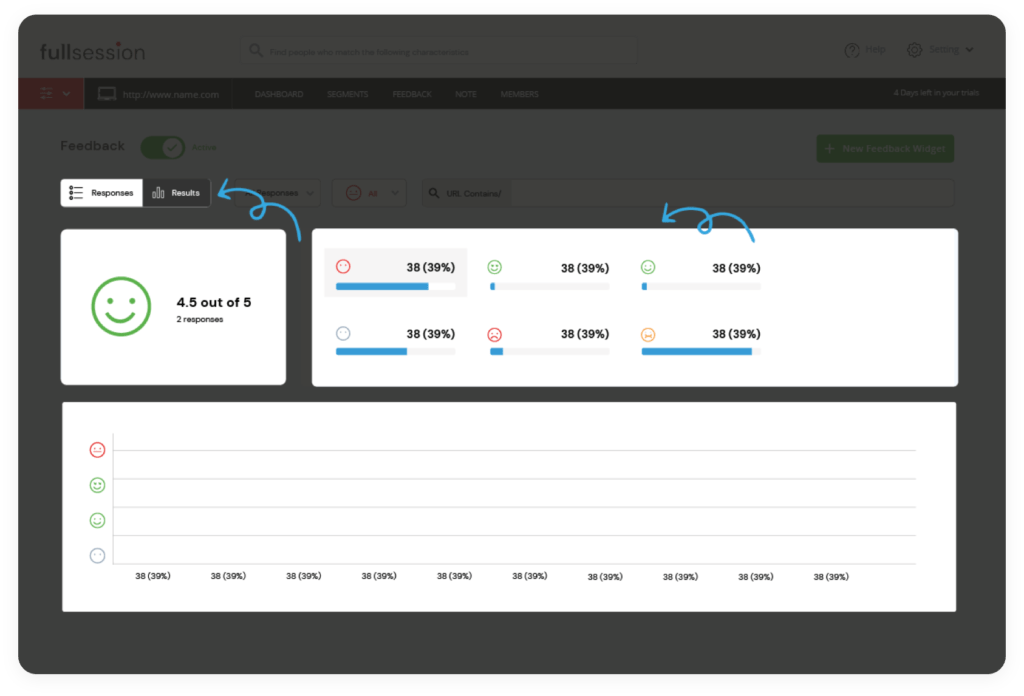
    Our Results tab provides an overview of all customer feedback entries. You can specify the time and view any customer feedback report you want. The graph shows the results you got on specific dates, along with ratings.
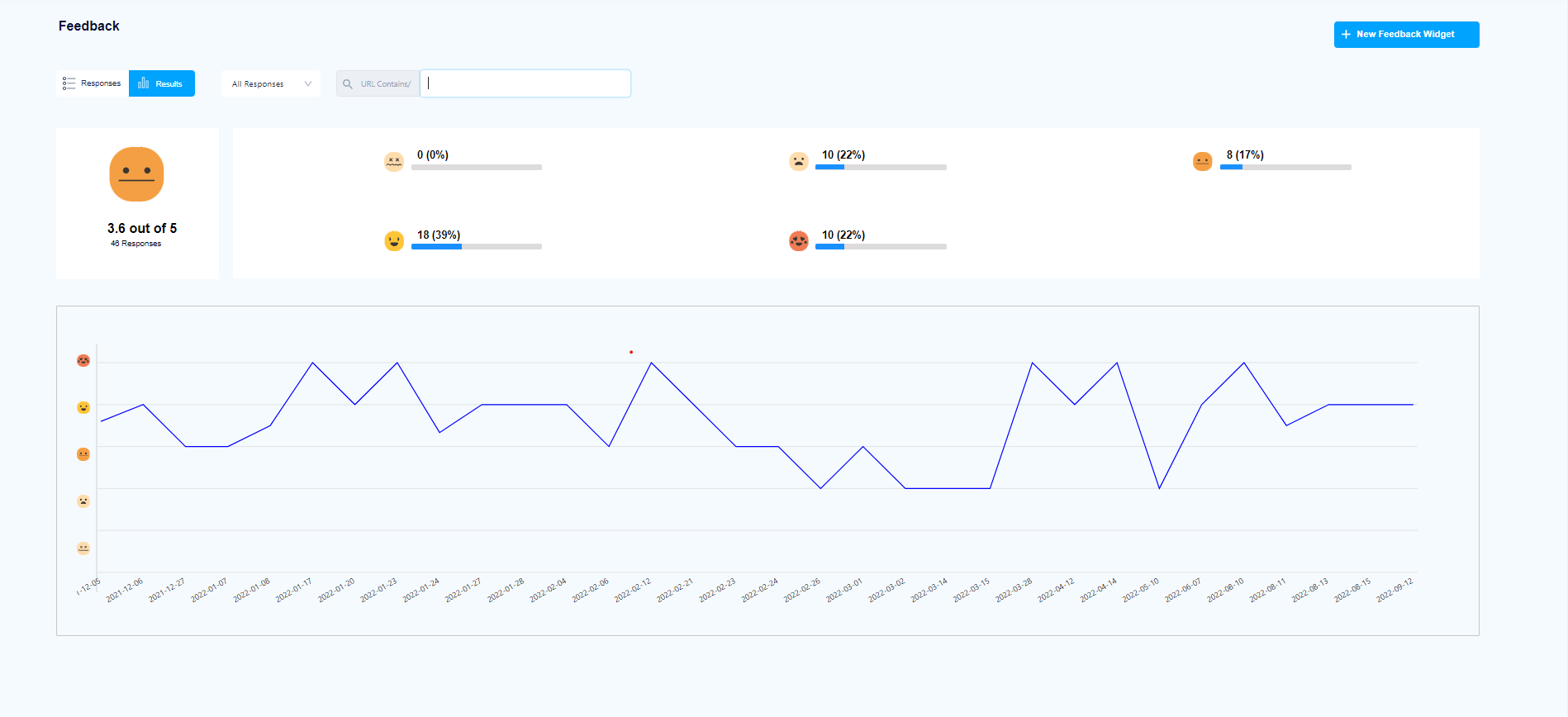
    customer feedback results

    Notes

    We created FullSession for cross-functional teams. Various specialists can use FullSession, so sharing insights is essential. We’ve made it easy by giving you the option to create notes that different groups and individuals can see. It’s a handy way to share your findings and considerably improves team cooperation. 

    Conversions

    You can use FullSession to track conversion rates through statistics such as time to convert or the percentage of converted users.

    As you can see, our platform can be immensely helpful when you have a digital product and are interested in tracking various metrics.

    Product metrics: Summing up

    Just as there are different ways to track your business success, there are numerous ways to track your product performance. 

    You can choose among many metrics. You can track retention rates, churn rates, and use a web analytics platform that helps you better understand your product performance, growth, or trends.

    Regardless of what type of product, service, or company you’re in, it’s essential to have an effective tracking system in place, and our FullSession can help you with that. You can use it to view session recordings and analyze interactive heatmaps to see what drives users to your product and pushes them away. You can also measure many aspects of your business by connecting directly with your users through customer feedback forms. 

    Our platform will help you identify issues and provide the data you need to improve customer satisfaction. If you want to check FullSession out, you can create an account and start a 14-day free trial. You can also contact us right now to get a demo.

    Product metrics: FAQ

    Here are answers to some questions regarding product metrics you can find on the Internet.

    What are the product metrics?

    Product metrics are data points that help you optimize your product. They allow you to understand how your product is performing and whether it is meeting the needs of your users. You can use them to evaluate different aspects of your product, including sales volume, conversion rates, engagement, and retention.

    What are the 5 most important metrics for the performance of the product?

    Here are five metrics that are incredibly important for digital products:

    1. Bounce rate
    2. Retention rate
    3. Net promoter score
    4. Customer satisfaction score
    5. Recurring revenue

    What are the 4 types of metrics?

    You can divide product metrics into the following categories:

    • Sales metrics
    • Conversion metrics
    • Engagement metrics
    • Retention metrics

    How do you find product metrics?

    The best way is to use specialized web analytics or product analytics platform such as our FullSession – it gives you easy access to valuable data. To use FullSession, start your 14-day free trial.


  • Product Analytics: the Ultimate Guide in 2022

    Product Analytics: the Ultimate Guide in 2022

    Digital innovation has a lasting effect on businesses worldwide. Companies now build online products and sell services differently than a few decades ago. Due to this reason, product analytics has become more crucial than ever. 

    Businesses must create an effective, customer-centric marketing strategy and continuously optimize their products and services if they want to succeed. You can connect your website, web app, or landing page with product analytics software and acquire data on your product performance to understand where you need to make improvements.

    One such solution is FullSession, our web analytics platform that lets you gather user behavior data with interactive heatmaps, session recordings, and replays. You can also use customer feedback forms to gather valuable information about the user experience with your product. 

    FullSession provides the data you need to understand customers’ actions and improve your website design or functionality accordingly. It’s a valuable solution for marketers, designers, UX researchers, product managers, and many other specialists. 

    To see how FullSession works, you can start your 14-day free trial or get a demo.

    With the help of this article, you will learn everything you need about product analytics. We will provide an overview of what it is, why it matters for your business, and explain how to use FullSession to analyze your product. Let’s begin with some basic information.

    What is product analytics?

    Product analytics is the process of tracking, measuring, and optimizing product performance. Product analytics helps you understand what users do with your product, how they feel about it, and whether it meets their needs. 

    By analyzing data from product analytics software tools, you can understand customer behavior, identify opportunities for growth and improvement and make informed decisions about further product development.

    The importance of product analytics in product development

    four people looking at a laptop

    Image source: Pexels

    As you embark on your product development journey, it’s essential to understand the potential impact of product analytics. 

    Gathering relevant data early on can help you make informed decisions about the right products to build and choose the proper marketing channels to promote them. At the same time, you can spot user trends and patterns that could help you improve your product along the way.

    Product analytics tools are also crucial when you want to implement new features – you can make informed decisions based on user behavior instead of guesswork. 

    Data collected by product analytics platforms can also help you formulate a broader strategy for your business. It can be an invaluable asset, especially when preparing to make critical decisions.

    Product analytics tools vs web analytics tools: The key differences

    The main difference between product and web analytics software is that the former provides behavioral data – information about customer actions and user engagement. 

    Web analysis, on the other hand, focuses on providing raw, statistical data. Platforms like Google Analytics don’t give additional context and in-depth information regarding user intent. 

    Product analytics platforms are generally more comprehensive and provide better data and detailed insights than web analytics tools.

    If you are looking for an in-depth analysis of the differences between web analytics and product analytics software, check out our comparison articles: Google Analytics Vs Amplitude and Hotjar Vs Google Analytics.

    Product analytics vs marketing analytics: What you need to know

    Marketing analytics focuses on collecting data regarding marketing efforts – their effectiveness on various channels, costs, etc. Marketing analytics tools don’t provide in-depth information regarding user behavior and engagement on the website. 

    It’s where product analytics software comes in. These tools allow you to gather data from different sources and analyze customer journey phases instead of focusing solely on user acquisition and conversion. 

    They help you understand the reasons behind customer behavior and what motivates or discourages them from using your product or service.

    7 product analytics use cases

    Product analytics platforms improve your business in many ways. You can use them for the following purposes:

    1. Trends analysis – identify important trends and milestones, and evaluate feature adoption rates or other aspects of your product.
    2. Customer journey analysis – track users’ journey on your website. Understand what works and what doesn’t.
    3. Retention analysis – understand how many users return to your website and why.
    4. Attribution analysis – notice customer touchpoints, and see what makes your product successful.
    5. Conversion analysis – track conversion rates and identify drivers that can help you increase revenue.
    6. UX analysis – notice touchpoints, collect feedback, and gather data to conduct the customer experience analysis
    7. Cohort analysis – divide your customers into subsets and use behavior analytics to tailor your product to the needs of specific customer groups.

    As you can see, product analysis can be pretty helpful for a business. What kinds of data can you collect using such platforms?

    What product analytics data can you gather

    Product analytics tools allow you to gather all kinds of data. Here are some examples:

    • Acquisition data – you can see who your customers are and through which channels they access your website.
    • Retention statistics – product analytics tools let you check whether users stay or leave and analyze the reasons behind their behavior.
    • Conversion rates customer journey tracking helps you see how users convert into paying customers.
    • Customer loyalty – you can use product analytics to track your users’ behavior and measure their loyalty to your brand.
    • Customer experience data – you can track various statistics regarding user experience, such as rage clicks, dead clicks, funnel drop-offs, etc.

    Product analytics can be helpful for many teams and specialists thanks to the different metrics these tools provide.

    Who benefits the most from product analytics?

    Product analysis is a growing field that impacts many different disciplines. Various teams and specialists can use product analytics data to optimize products. 

    For example

    • Marketing teams
    • Product managers
    • Business analysts
    • Software developers
    • Team leaders
    • Project managers
    • UX designers 
    • UX researchers
    • Executives (CEOs, CTOs, etc.)
    • Data scientists
    • Sales specialists
    • Marketing managers

    As you can see, the list of specialists who should be interested in product analytics is quite long. There are also several reasons why it’s useful for companies.

    3 product analytics benefits to evaluate today

    product analytics on a paper

    Image source: Pexels

    Product analytics is the discipline of collecting, analyzing, and reporting data regarding a product over time. Product analytics helps you understand 

    • How your product performs compared to competitors
    • How customer behavior changes over time
    • Key trends you can learn from the data

    Product analytics offers a variety of benefits for businesses in many different industries. Together with other types of research methods, such as data analytics and UX analysis, it can help your company grow. Let’s explain how.

    1. Improving the product

    If you understand how users interact with your product over time, you can optimize it and improve the user experience. For example, if you notice that users don’t use your product in the late afternoon, you might decide to start a promotion or develop a feature that’ll help draw them to your app in the evening.

    1. Understanding market demand

    By analyzing past customer behavior, you can learn about the types of products users are most interested in buying. You can then use this information to guide future product development decisions, like whether you should categorize products differently.

    1. Optimizing business processes

    By monitoring customer behavior over time, you can identify opportunities for improvement in your business processes. For example, if you notice that customers spend a lot of money on a particular product, you can adjust its price or further improve it to increase revenue.

    3 product analytics drawbacks

    There are several drawbacks associated with product analytics. Let’s look at the most critical issues. 

    1. It can be expensive – product analytics requires specialized tools and people with skills and knowledge to interpret data. It can generate substantial costs.
    2. It won’t always give you an advantage – the data might be challenging to interpret, and you have no guarantee you’ll be able to identify the cause of your issues. 
    3. It can be time-consuming – product analytics can also be time-consuming. It takes time to set up the system and then collect and analyze data.

    When choosing a product analytics software for your business, these drawbacks are worth considering. Let’s share some tips on evaluating product analytics tools.

    How to choose the right product analytics platform for your business?

    You should choose a tool that provides you with all kinds of data you need and doesn’t affect your website’s performance. Ease of use is another important consideration – for example, the ability to segment your audience and filter sessions is invaluable when you want to quickly access the data you’re interested in. 

    Our FullSession provides all that and more. Want to see how it works? Start your free trial or get a demo.

    Let’s explain all the essential features you can use daily to assess your product performance.

    How product teams use FullSession for product analytics

    Fullsession product analytics tool

    FullSession is a product analytics platform. You can use it when analyzing websites, landing pages, and web apps. It allows website visitor tracking

    It provides heatmaps, enabling you to track user behavior – mouse movement, clicks, and scrolls. 

    Our advanced filtering and segmentation features help you quickly find your needed data. You can also collect helpful customer feedback with forms. Collaboration with other team members is simplified because you can leave them notes on session recordings.

    The data you gather helps guide your product in the right direction. You can understand your users better and improve user experience to increase conversion rates.

    FullSession works in real-time and doesn’t rely on hired testers – you observe real users. It’s an excellent way to eliminate user testing costs.

    Registration and deployment

    fullsession deployment

    Before you start using FullSession, you’ll need to register your account. We’re currently offering a 14-day free trial! You can also get a demo to ask all questions regarding our product.

    You’ll also have to install a code snippet on your website. We provide guides that show how to integrate FullSession with popular platforms: WordPress, Shopify, Wix, and BigCommerce

    Session recording and replay

    session recording

    FullSession allows you to watch recordings of users visiting your website. You can use session recordings and replays to check how people interact with your product and what problems they encounter. It helps you identify issues to make your solution better. You can also analyze your website’s navigation architecture.

    user activity monitoring

    FullSession allows you to monitor user activity in different periods – days, weeks, months, and years. Our platform’s intuitive interface makes watching the recordings very easy. You can watch them in full-screen mode, pause, rewind, fast forward, and skip periods of inactivity.

    FullSession session recording and replay data

    • Screen resolutions of used devices
    • The locations of users (IP address, country) 
    • Visit source
    • Pages/URLs visited by users
    • Average time on page
    • Total time spent on pages
    • Session list
    • The session event data

    Interactive heatmaps

    interactive heatmaps

    FullSession gives you access to interactive heatmaps that present user behavior in graphic reports. Website heatmap tools help discover growth opportunities or issues that make people leave your website. There are three heat maps to choose from: click maps, mouse movement maps, and scroll maps

    Clicks maps

    You can use click tracking to visualize patterns and see what users clicked on the visited pages. You can see an example screenshot below.

    clickmaps

    Movement heatmaps

    Mouse movement heatmaps let you track cursor movements. You can see how users moved on the website, where the cursor hovered, etc.

    movement maps

    Scroll maps

    The third type of heatmaps allows you to see scroll depth. You can check how far users scroll down on your website, which is essential when you want to decide where to place CTAs on your web pages.

    scroll maps

    FullSession heatmap data

    • User engagement on different devices
    • The URL user visited
    • Number of users who visited the page
    • The number of total views 
    • The number of total clicks
    • The average load time on page
    • The average time on page
    • Data regarding errors
    • Total count of rage clicks and dead clicks

    Advanced filtering and segmentation

    FullSession advanced filtering allows you to single out events during sessions that you consider important or otherwise interesting. Thanks to this, you or your team members don’t have to watch entire sessions to find specific details. 

    You can simply focus on highlighted sections, which makes cooperation easier and faster.

    user segmentation

    Advanced analytics 

    FullSession allows you to easily track all the essential data in one place. You can use it to boost conversion rates and reduce funnel dropouts.

    data analytics

    FullSession data categories

    • Session playlist
    • Top users
    • Segment health
    • Key pages
    • User trends 
    • Feedback trends
    • Device breakdown
    • Browser breakdown
    • Screen resolution breakdown
    • Top referrers
    • Error clicks
    • Rage clicks

    Customer feedback forms

    customer feedback

    You can use our platform to create website feedback forms, which help you gather insights directly from your users – like limited customer interviews. 

    create customer feedback forms

    You can name and describe each form, set up your questions, specify devices to collect feedback, and choose the pages where you will display the form. You can also customize the form design and align it with your branding. 

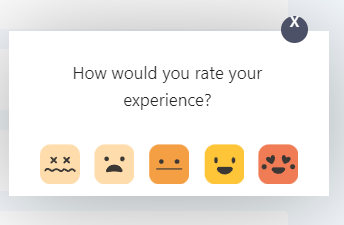
    FullSession gives you the option to provide users with a scoring scale so they can evaluate elements or features of your website.

    feedback widget

    You can assess results any time you want by clicking the Feedback tab on our dashboard. You’ll see the following details: 

    • Form name
    • Date of creation
    • Author
    • Status – whether it’s active or inactive
    • The number of responses
    customer feedback response

    There’s also an Actions tab that contains a link you can click to view responses. It opens up another screen with additional information:

    • The URL of the page the user evaluated
    • Form ID
    • User comments
    • User sentiment
    • Date
    • Browser used

    session replay for customer feedback

    Website feedback forms and session recordings

    Our customer feedback tools allow you to gain additional insights and data to provide context for session recordings. Customers can use website feedback forms to tell you about issues they’ve faced, such as a broken link or a page that doesn’t load. You can watch the recordings directly from the Feedback tab to see the reasons behind each feedback.

    Customer feedback reports

    FullSession also has a Results tab which allows you to get a broader overview of customer feedback for a specific period. You can see the results, which summarize the number of users and their overall experience with your website, web app, or landing page. Below is a graph that shows how feedback changes over time.

    Notes

    customer feedback results

    We understand you can’t do everything by yourself. FullSession was made for both individuals and teams. It allows you to leave notes to share important information with your team members, making cooperation easier.

    Conversions

    Our platform allows you to track conversion rates. You can check various statistics, like the percentage of converted users and the time to convert. It’s an easy way to evaluate the effectiveness of your ads or other marketing efforts.

    Why choose FullSession for product analytics?

    Our FullSession is a powerful product analytics solution that you can use to analyze user behavior and make your product better. It’s easy to install and lightweight – our code doesn’t affect your website’s performance.

    The platform lets you see real user interactions – you don’t have to depend on artificial tests and hired participants. You can simply watch a session recording and analyze interactive heat maps. You can also use feedback forms to communicate with your customers and get additional context for the acquired data. 

    There are several reasons to consider using FullSession for product analysis:

    1. Real users instead of hired testers – you can see real interactions, which means you get data you can trust.
    2. Lightweight – FullSession code doesn’t affect performance negatively.
    3. Different kinds of data – you can access session recordings, heatmaps, and customer feedback. Everything is in one place.
    4. Ease of use – FullSession is a well-designed, intuitive product analytics tool.
    5. Segmentation and filtering – you can easily find sessions and data you need and single out events during a session.

    As you can see, FullSession is a powerful software. Our platform can be a substantial help for your business.

    Product analytics: Key takeaways 

    Product analytics can help your company improve the performance of your product over time and reach your target audience more effectively. It can also help you make more informed marketing decisions, like which channels to prioritize or which features to develop. It’s an essential tool in the arsenal of every digital business that wants to prosper and grow.

    You must implement product analytics software on your website to be able to collect all this data. A solution like FullSession allows you to view session recordings and analyze interactive heatmaps. You can also gather customer feedback and link it to each session recording to understand the user behavior and comments. 

    Our platform is a great tool when you want to assess issues and provide solutions to increase your customer satisfaction. If you’re interested in testing FullSession, you can create an account right now and start a 14-day free trial. You can also contact us to get a demo.

    Product analytics: FAQ

    Do you have further questions regarding product analytics? Here’s some additional information.

    Why is product analytics essential?

    Product analysis allows you to understand your customers better. It shows you what they do, and you can use this knowledge to create better products and generate more revenue.

    What are successful product analytics techniques?

    There are several different product analysis techniques you can use to your advantage:

    1. Retention analysis
    2. Customer journey analysis
    3. Attribution analysis
    4. Cohort analysis
    5. Trends analysis

    Each serves a different purpose and focuses on different kinds of data.

    How do you measure product analytics?

    You use KPIs (Key Performance Indicators) and product analytics metrics. Examples include the percentage of users who logged back in, bounce rate, percentage of users who used a feature, and churn rate.

    How does the product analytics tool work?

    Product analytics platform like Hotjar or Smartlook work by tracking actions users take on your websites, such as mouse movements, clicking, swiping, scrolling, and filling out forms. It’s a valuable source of many kinds of qualitative and quantitative data.

  • How to Record Your Website Visitors in 10 Easy Steps

    How to Record Your Website Visitors in 10 Easy Steps

    Whether you’re a seasoned analytics professional or this is your first foray into web analytics, you’ve probably stumbled across the growing number of web analytics tools available today. While some of these tools can help businesses solve problems and provide all the data they need, others are not worth the time.

    That’s why we created FullSession: a web analytics tool that is easy to use and gives you everything you need in one place. FullSession has tons of features and is perfect for any business: from large corporations to individuals with one website.

    Today, we will dive into details, help you learn more about session recording and session replay tools, and show you how to record website visitors using FullSession. It will give you all the insights you need to make informed decisions about your online presence. Don’t take our word for it, register your account and start testing FullSession today.

    Record website visitors with ease using session recording tools

    Traditional web analytics tools, such as Google Analytics, are useful for measuring how your site is performing. These tools provide vital insights, like the number of visitors you’re getting, the average time they spend on the site, how they found your site, and much more. But there are limitations to what these tools can tell you. For example, many of them won’t tell you anything about the individual browsing your site.

    The FullSession website analytics tool is different because it provides session recording and replay features and helps you record website visitor behavior. With FullSession, you can watch session recordings to see what visitors are doing on your site, what they’re looking at, what they’re interested in, or what issues they have.

    With this information, you’ll know what kinds of content to produce and how to optimize your site for target audiences. With FullSession, you can:

    • Record all your sessions on the website or landing page
    • Watch recordings of your visitor actions in real-time
    • Learn more about your site visitors
    • Watch user flow from the entry page to the exit page
    • Monitor and optimize the customer journey
    • Replay user actions such as clicks, taps, scrolls, mouse movements, or keyboard strokes
    • Replay individual user sessions
    • See how actual website visitors interact with your product
    • Better understand user behavior and user actions
    • Use session recordings and session replays for training or support purposes

    If you are a product owner, developer, UX designer, or marketer, you will find FullSession extremely valuable when making product decisions. It quickly delivers answers to unique questions related to your website, saving you time and money. If you’re looking for a simple way to get actionable product insights in real-time, you should start using FullSession today.

    Record visitors and protect their sensitive data

    Information security has vital importance for individuals and businesses. Rather than being a secondary thought, information security should be a top priority. More users are concerned about how businesses handle their private information, especially in light of recent security breaches and data leaks.

    Session replay solutions have a lot of benefits. They help you understand user behavior and optimize your online presence. When you record user sessions, the most important thing is to know what actions you can record and how to use customer data properly. These tools must be fully GDPR compliant.

    FullSession allows your company to record each click, tap, scroll, mouse movement, and form entry that a user makes when interacting with your website or app. It captures only the data visible on the screen, not sensitive information your users input manually, such as credit card details or login credentials. Also, it doesn’t track or monitor your users’ activity across the Internet.

    How to use FullSession to record website visitors

    Our web analytics solution helps you understand your users. We’ve implemented a series of intuitive features that make it easier for you to analyze user data and make informed decisions to improve conversion rates and digital engagement.

    Now that we’ve gone through some basic information about FullSession, it’s time to go through its key features to help you get a deeper sense of the product. In this section, we’ll go over a step-by-step guide for integrating your website with FullSession to help you start recording your website visitors.

    Step 1: Create a free account

    While browsing the FullSession website, you will see a “Sign up” button on the right side of the primary menu.

    fullsession header

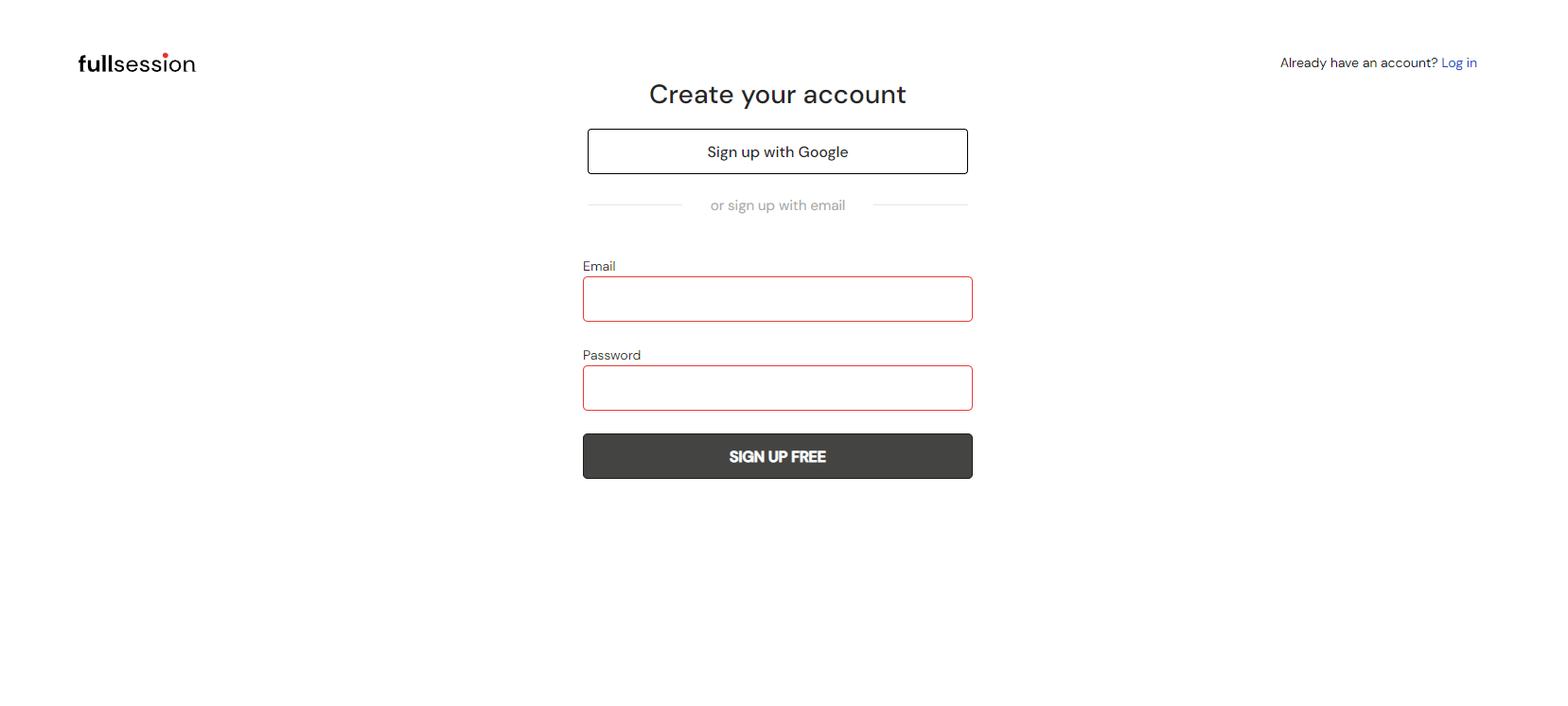
    Once you click on it, you should start creating your account. You can use Google or input your email address and password. After the input, click on the “Sign up for free” button to continue the process.

    fullsession create your account

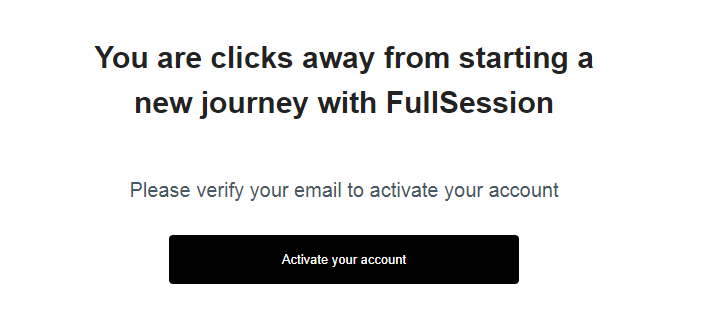
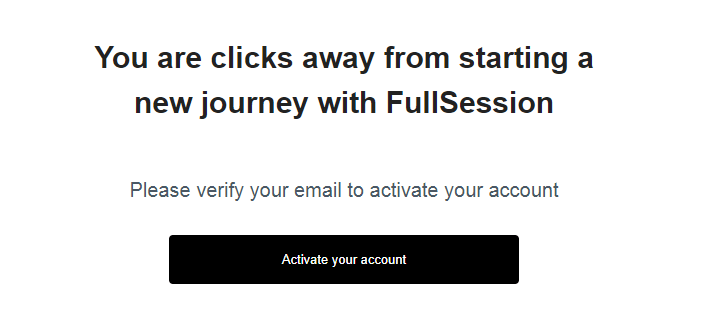
    You will see a confirmation note that you’ve successfully registered to FullSession. Check your inbox or spam folder to find the verification email. Click on the Activate your account button and sign in to your new account.


    fullsession account activation

    Step 2: Integrate FullSession with your website or web app

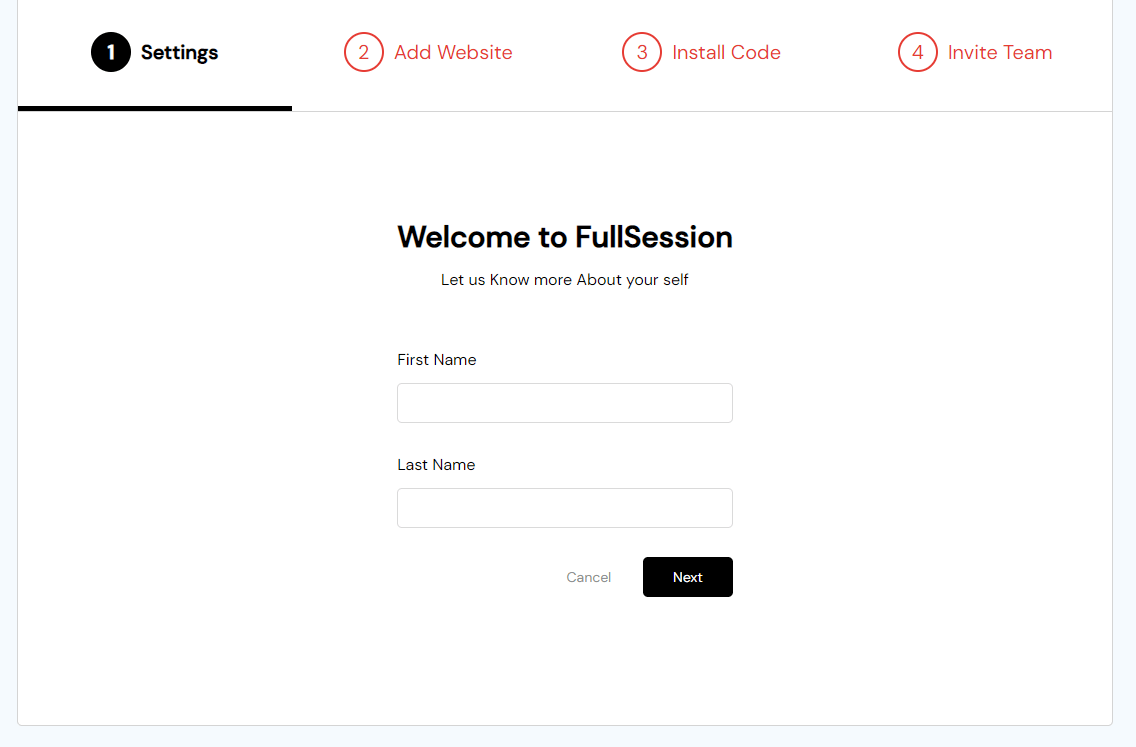
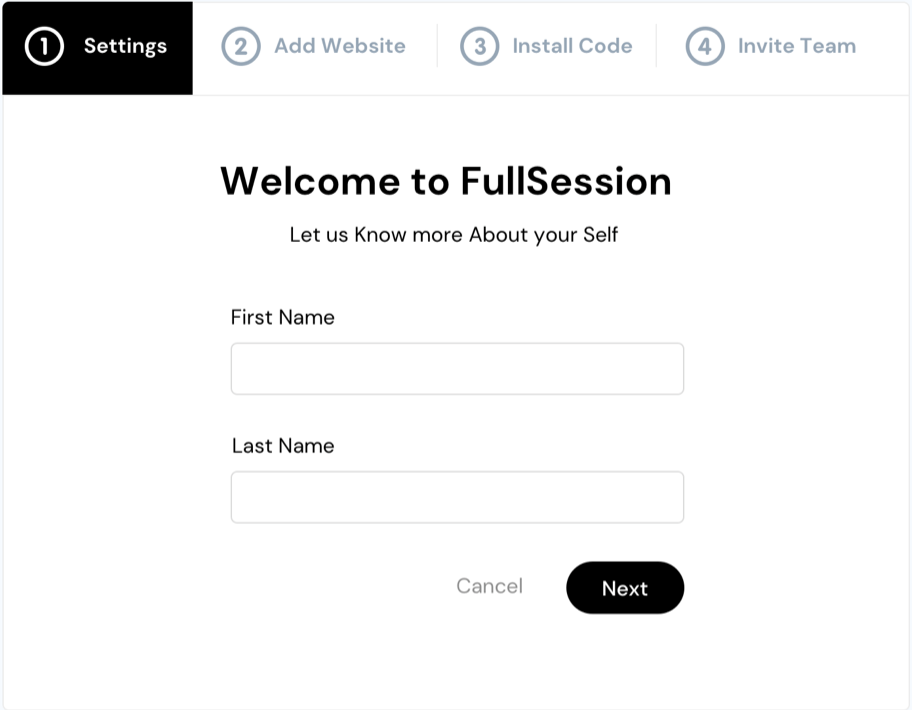
    You will be redirected to a new page where you need to follow four simple steps to add FullSession to your website. First, add your first name and last name.

    fullsession account settings


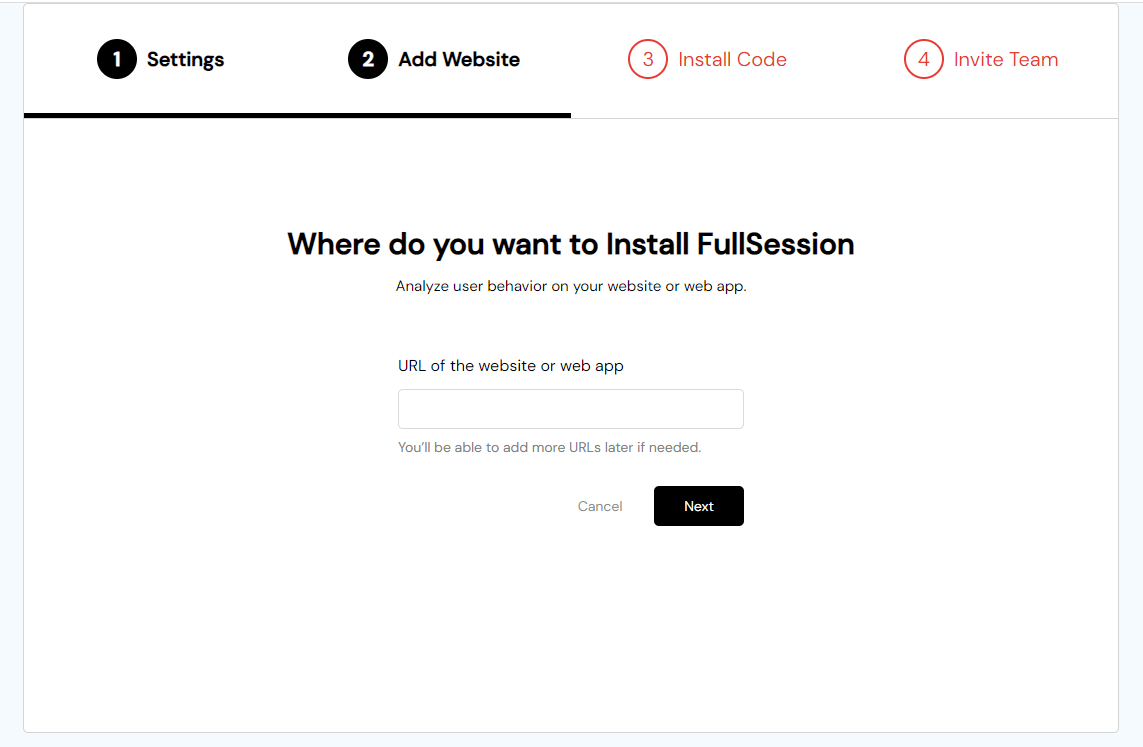
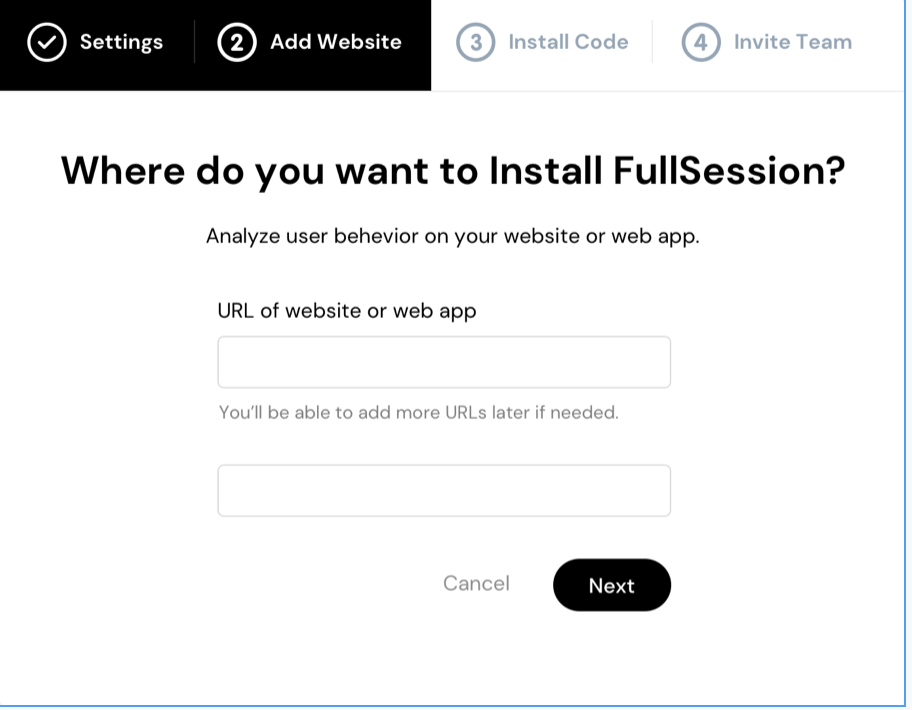
    Next, choose where you want to install FullSession. Here, you’ll need to add a URL of the website or web app. If necessary, you can always add more URLs later. Click on the Next button when you finish.

    fullsession add website step

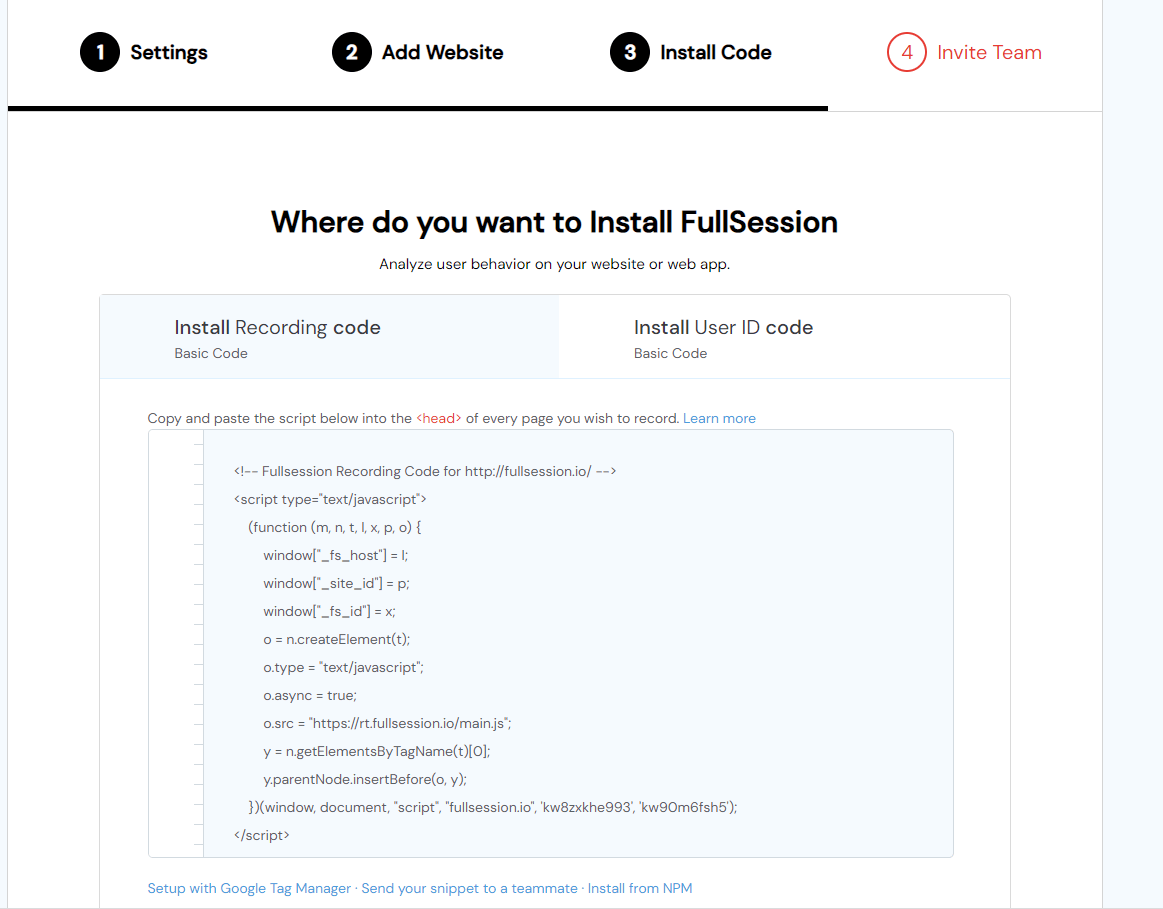
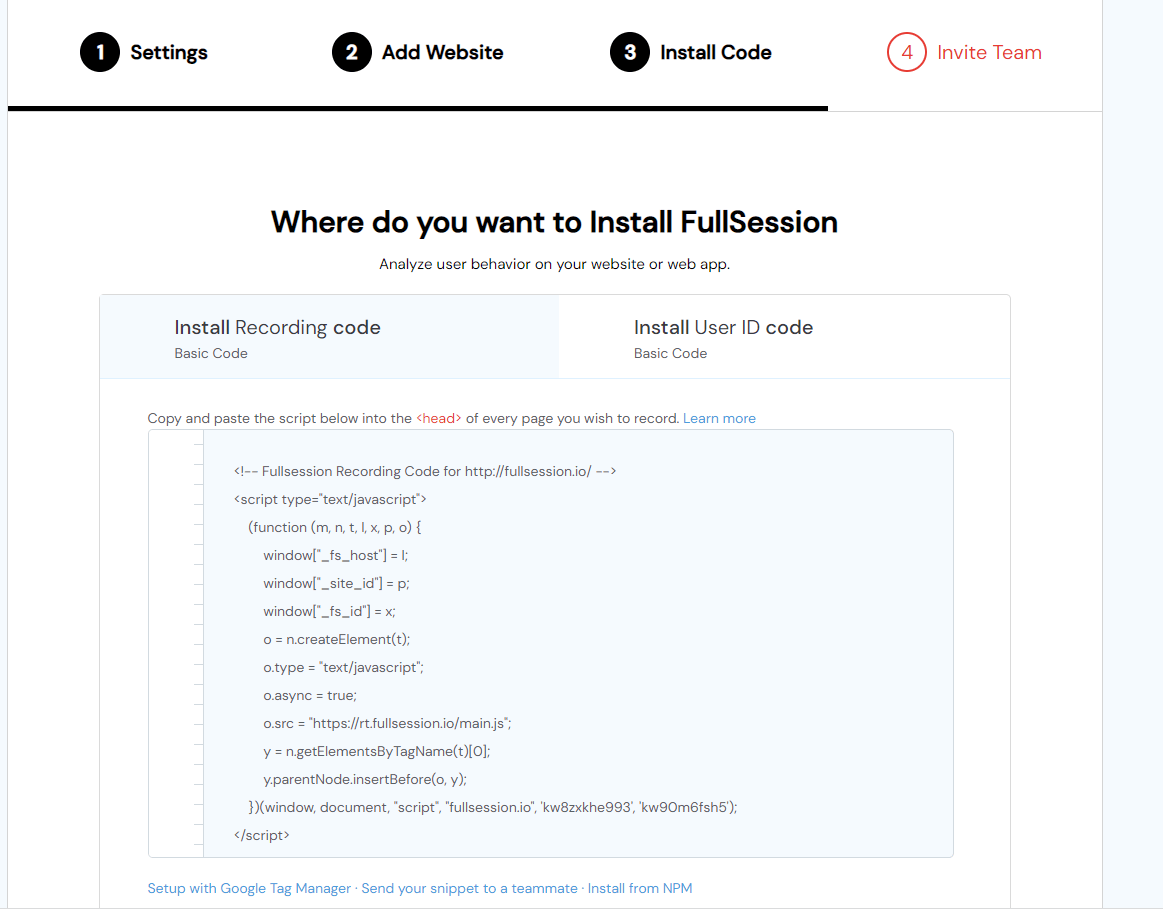
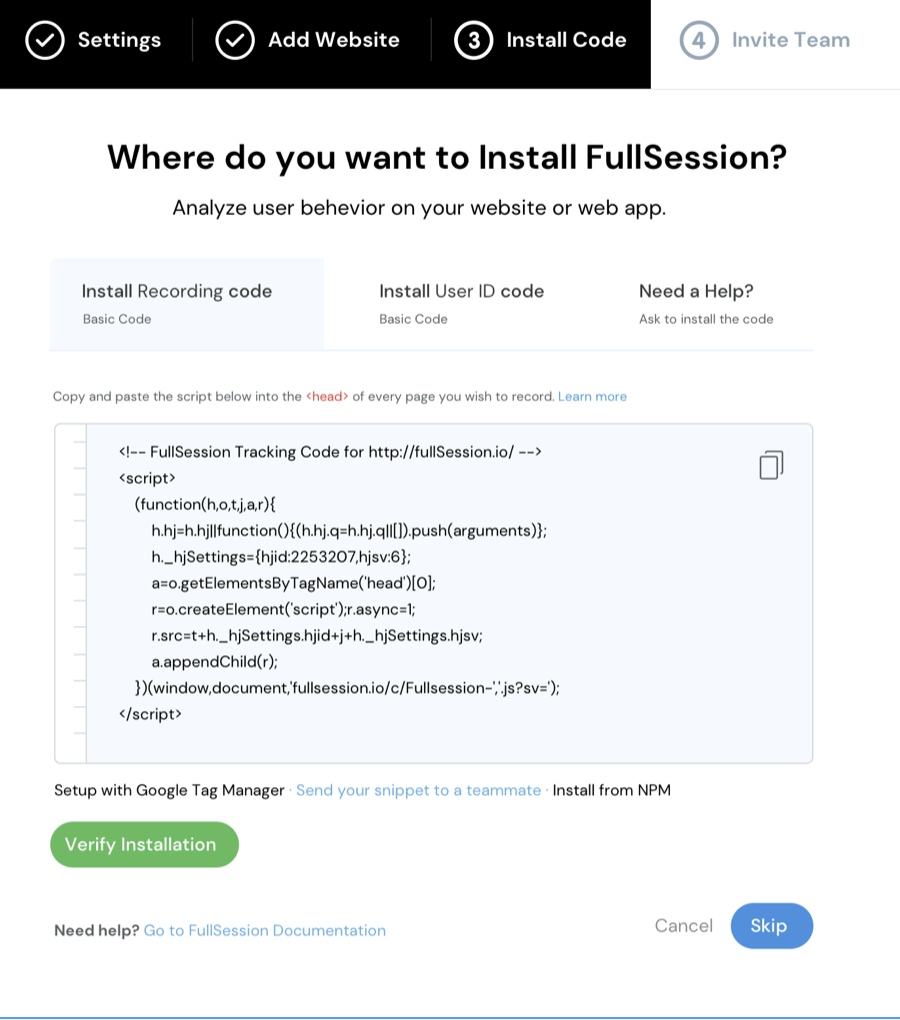
    Then you need to install the FullSession tracking code for automatic event tracking. You can choose whether to install the recording code or the User ID code. In both cases, you need to copy and paste a script below theof the particular page you want to record. In the last step, you need to click on the Verify Installation button below the script.

    fullsession installation step

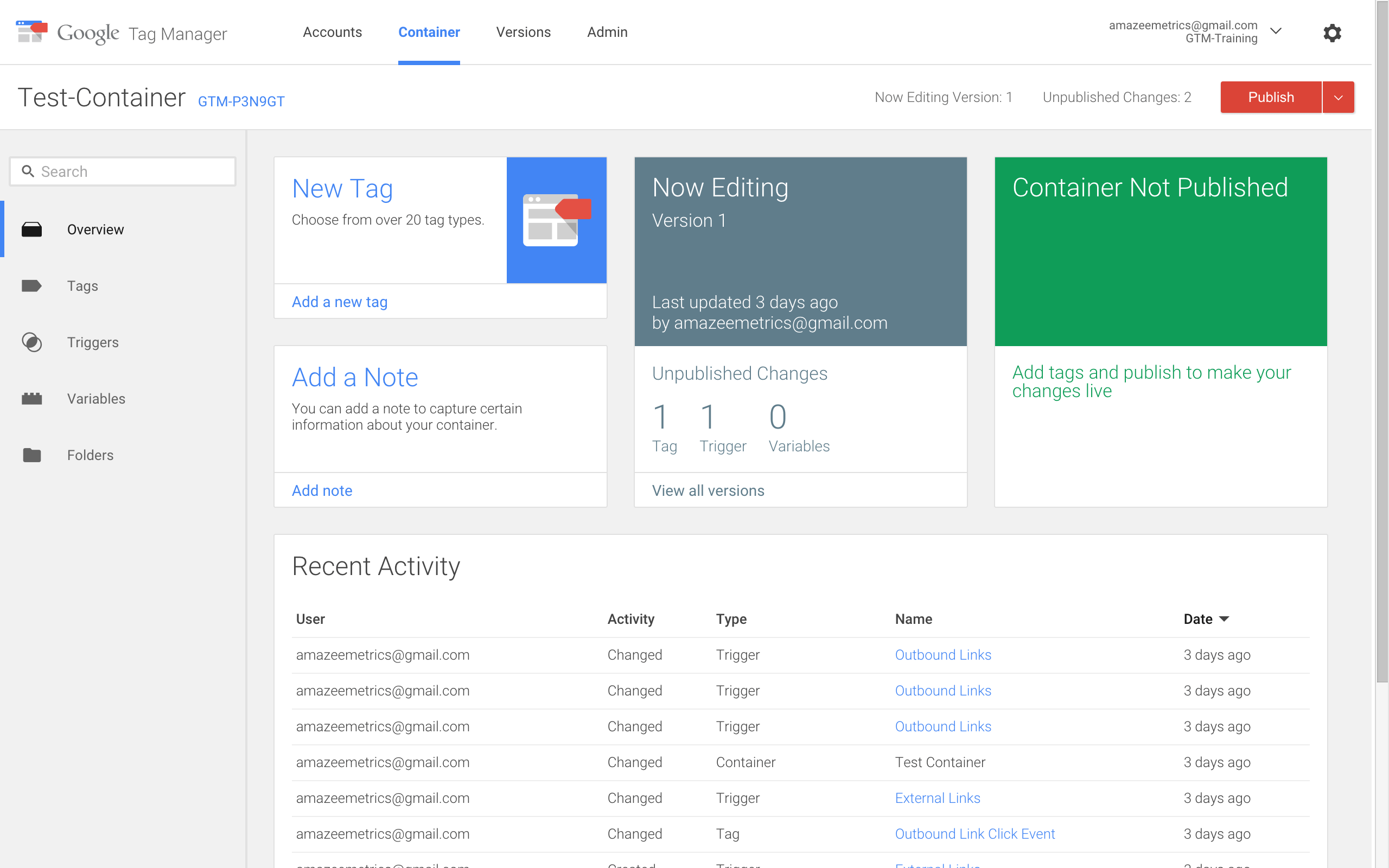
    Also, you can finish the setup process with Google Tag Manager, send the code snippet to your team member or install it from NPM. In case you need any help, you can check out FullSession documentation.

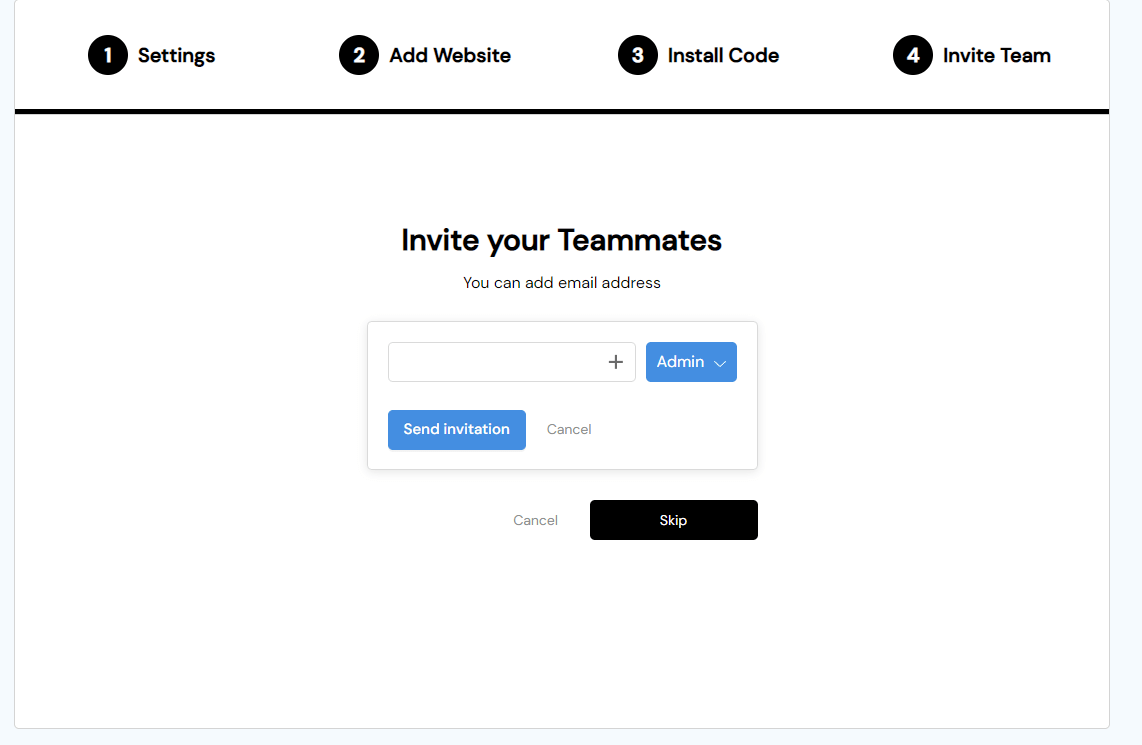
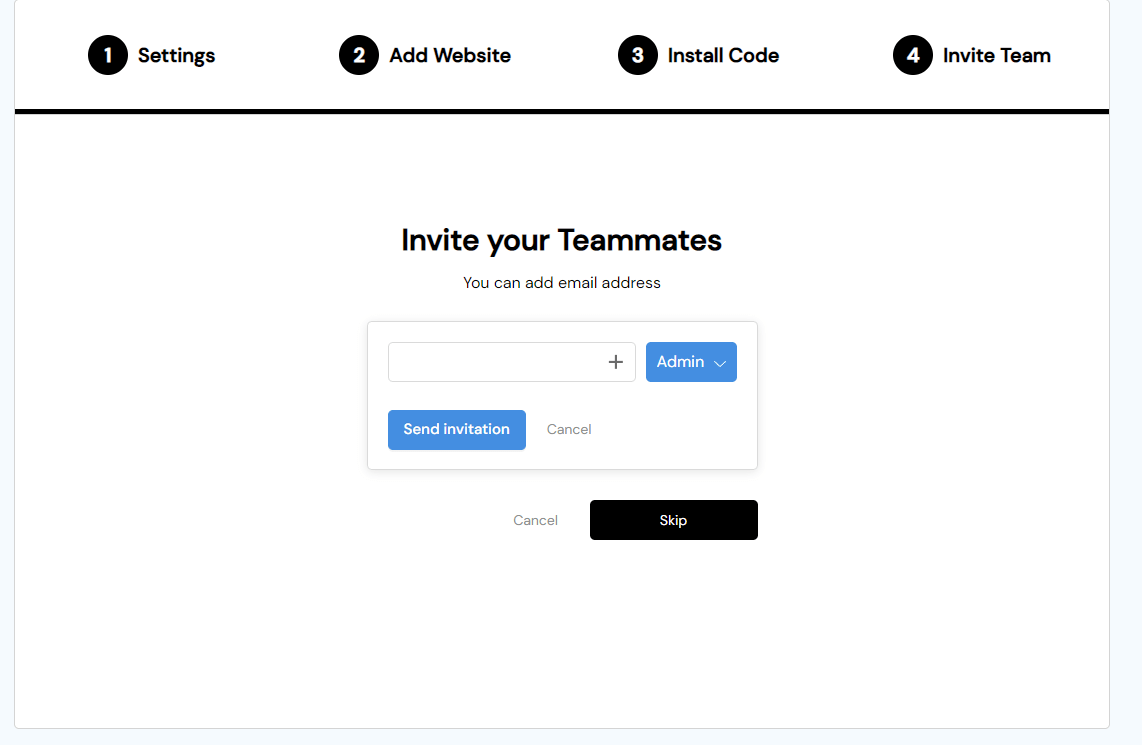
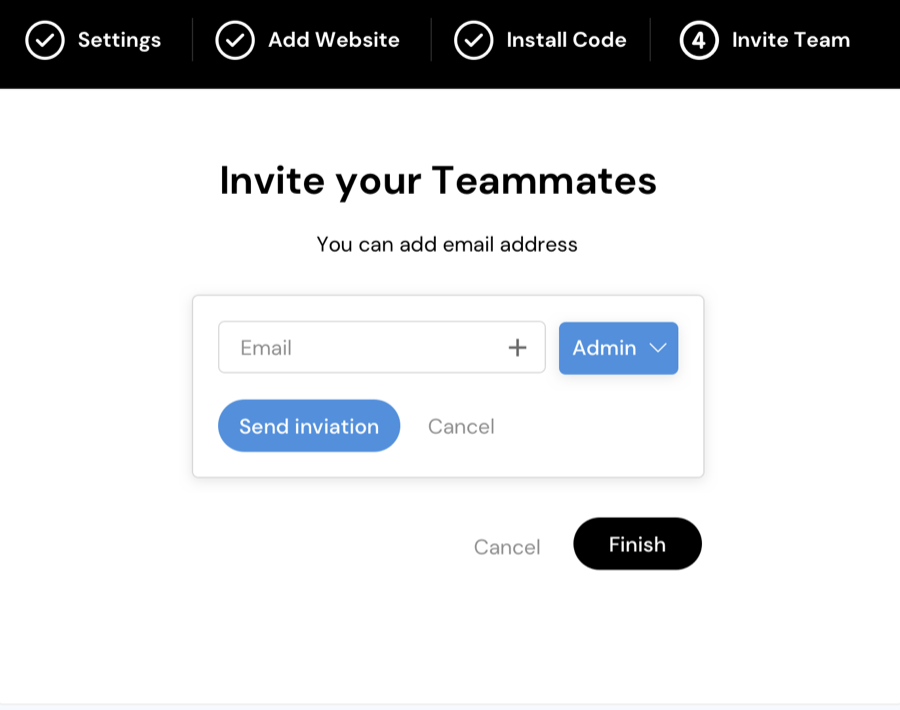
    Finally, you can invite your team members by adding their email addresses and setting up their user roles (User/Admin).

    fullsession invite team step

    Step 3: Check your dashboard for a quick overview

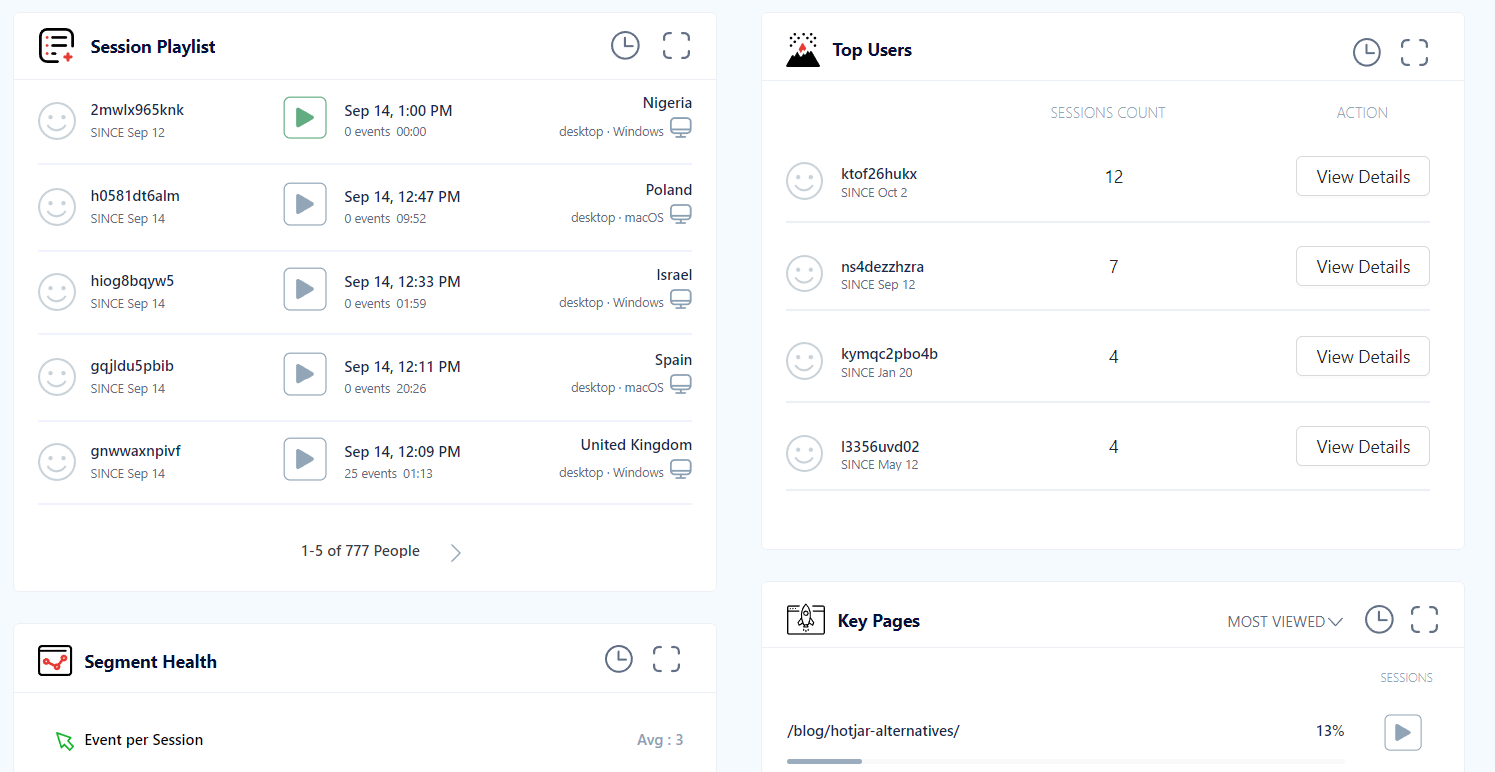
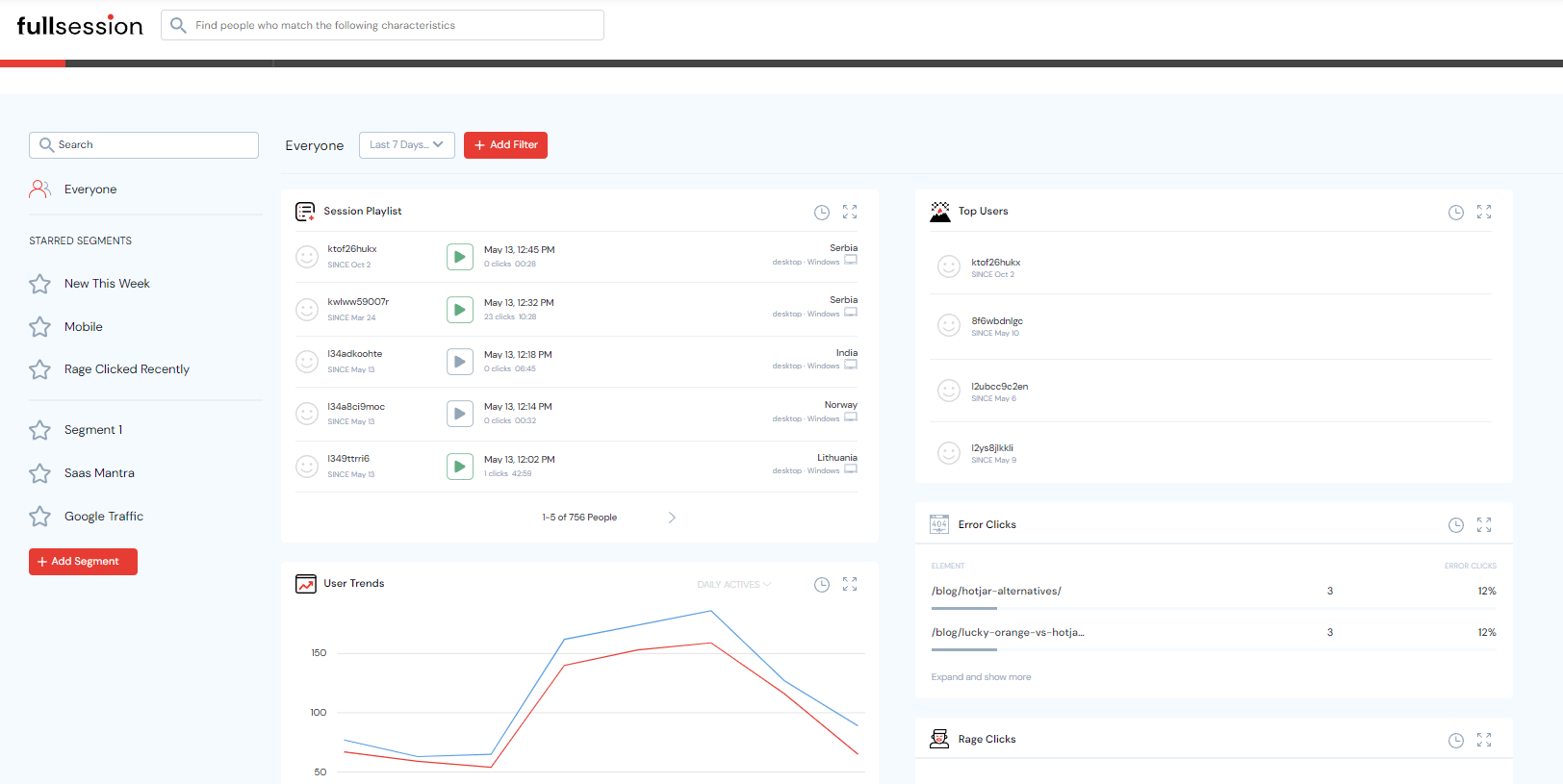
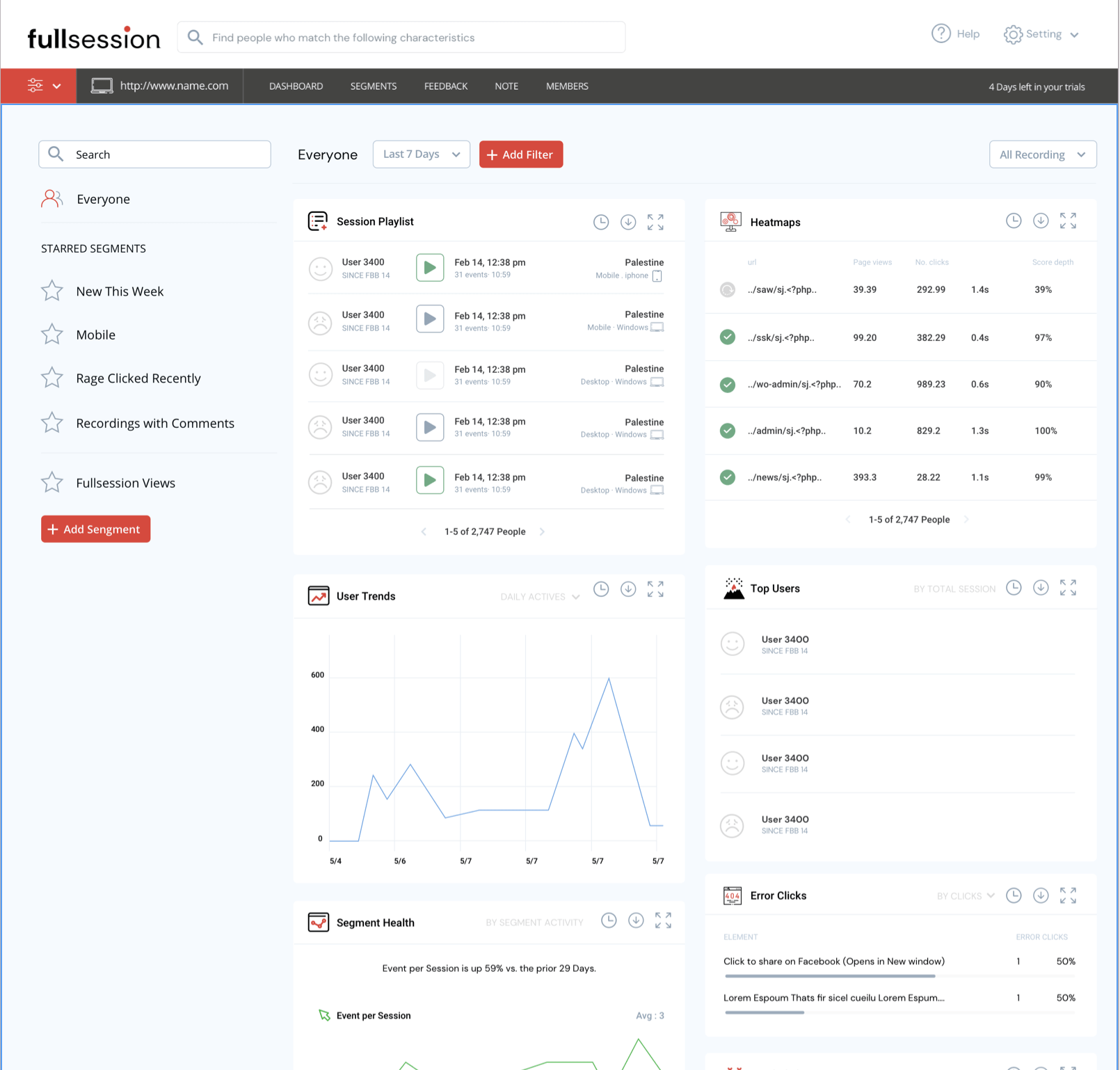
    fullsession dashboard

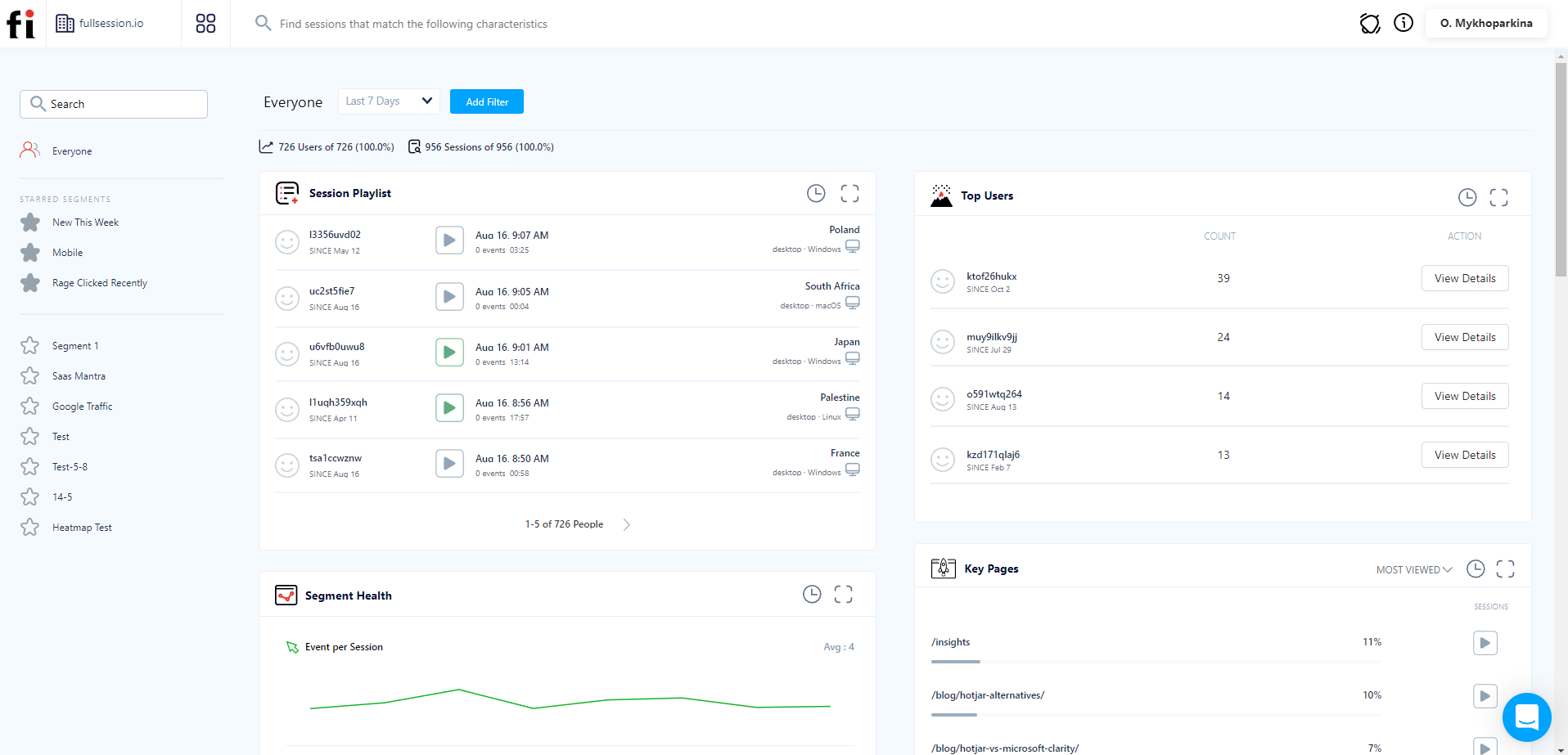
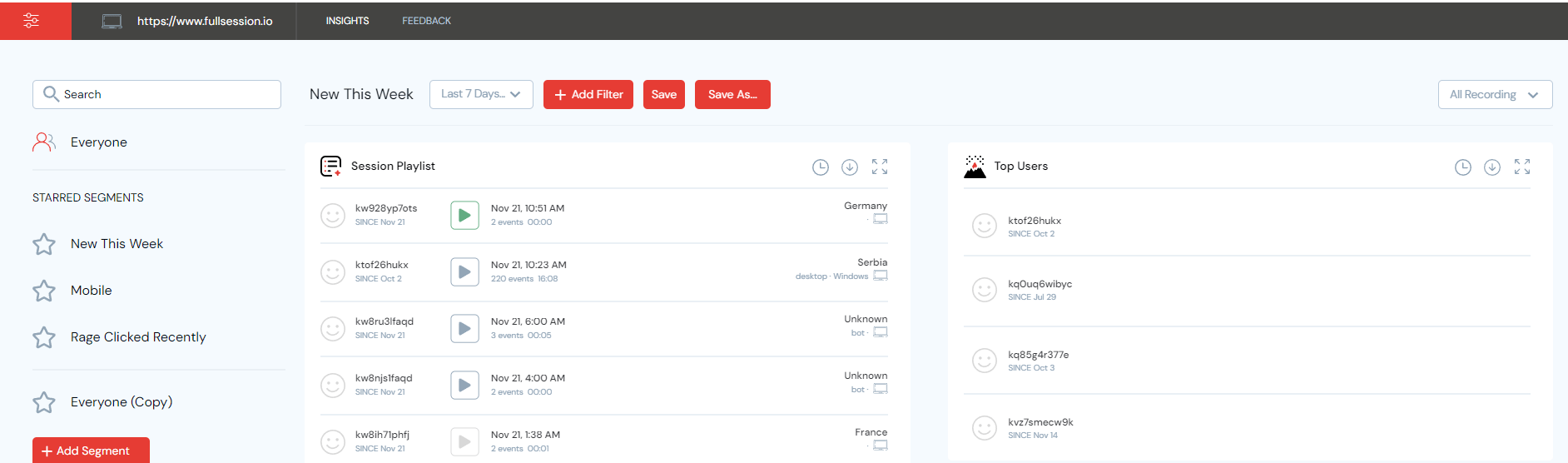
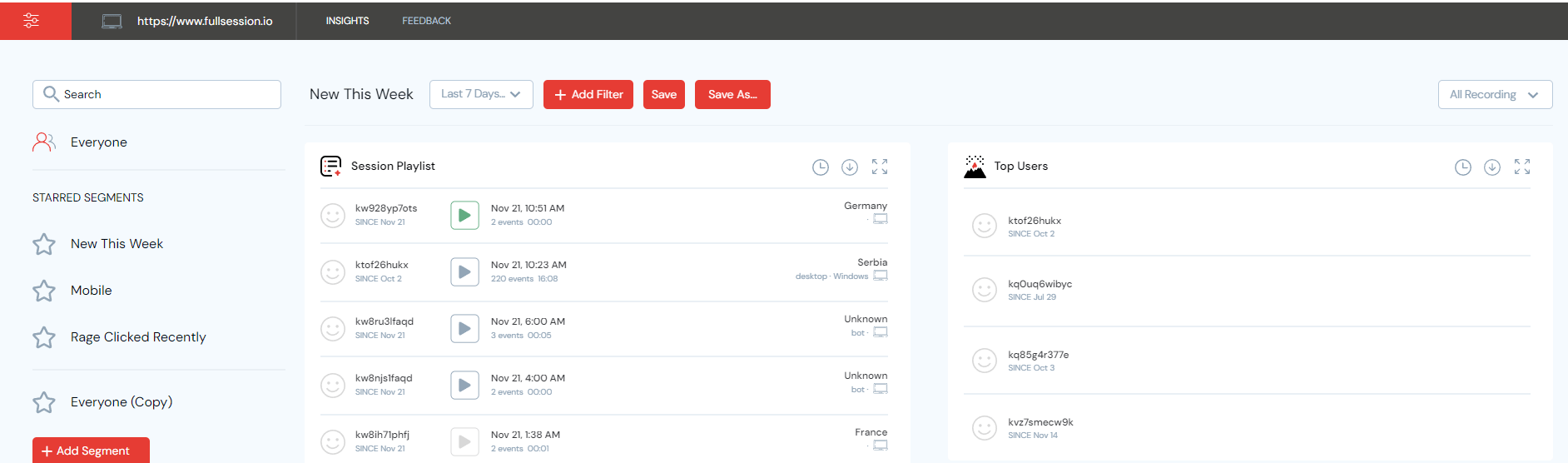
    The FullSession dashboard is a great starting point for your website visitor analytics. You can set a time frame you want to focus on. You can analyze data from a specific range, such as the last 7 days or all time. Custom ranges are also available.

    The FullSession, a well-known visitor recording tool, allows you to:

    • View recordings and session replays in a session playlist
    • View your top users
    • Spot user trends and monitor their activities daily, weekly, monthly, or yearly
    • See segment health with details such as event per session, session length, and active time
    • See error and rage clicks with details such as elements and percentage
    • See what browsers your visitors use with browser breakdown
    • See who are your top referrers
    • Use desktop or mobile device breakdown to see what device visitors use the most
    • See screen resolution breakdown

    Step 4: Watch session recordings and session replays

    Now that you understand the basics of the FullSession dashboard, you’re ready for the next step. When you record visitors, you can see where your visitors land and how they flow through your website, from the entry page to the exit page.

    You can watch video recordings to identify user behavior you can’t see otherwise and understand frustration signals before they become issues. Also, you can use session recordings for bug reports, UI adjustments, conversion funnels improvement, conversion rate optimization, creating guides and tutorials for your users, and more.

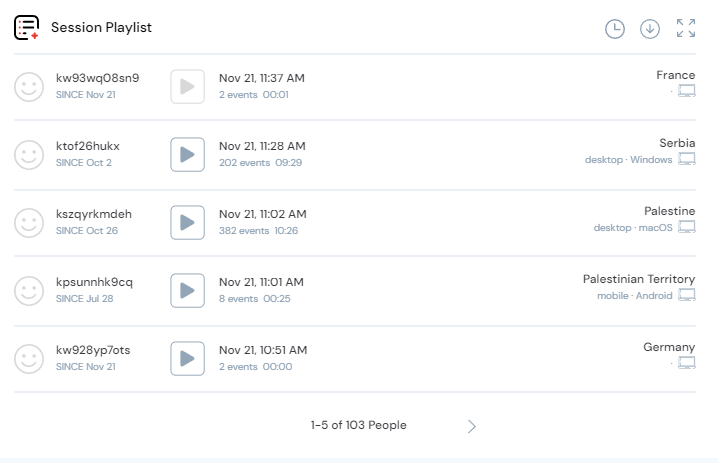
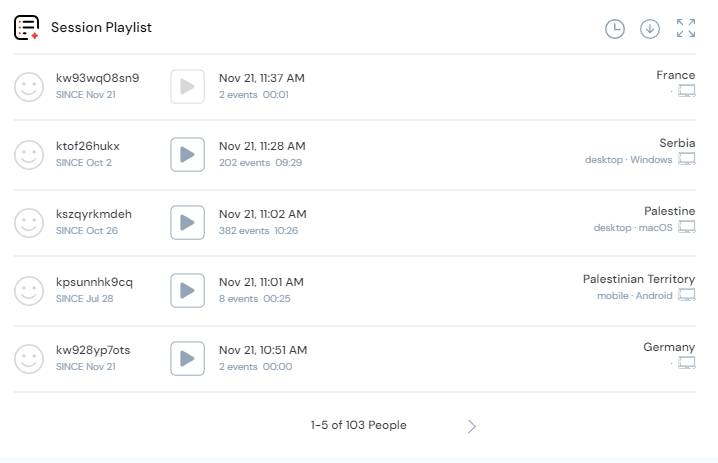
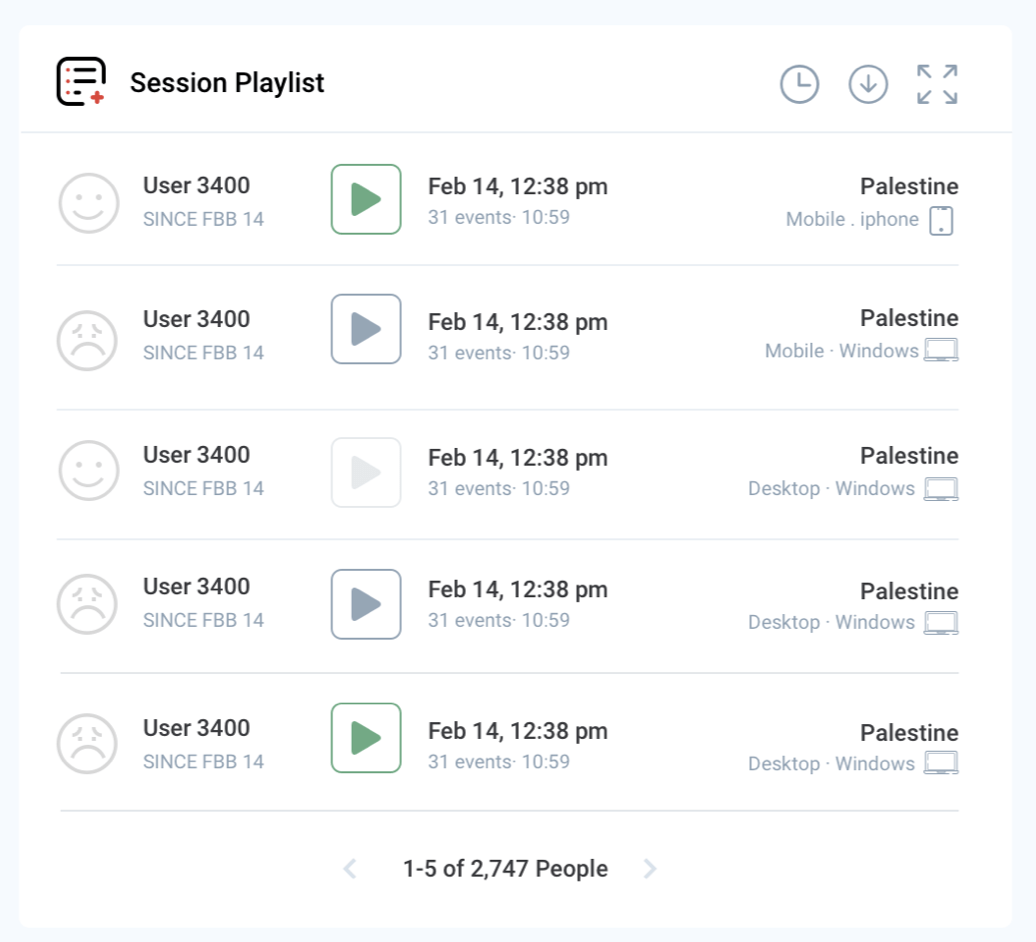
    Session replays are available any time you’re ready to analyze them. To watch a recording, go to the Session Playlist section of your dashboard, find the recording you’re interested in and click on a Play button.

    fullsession session playlist

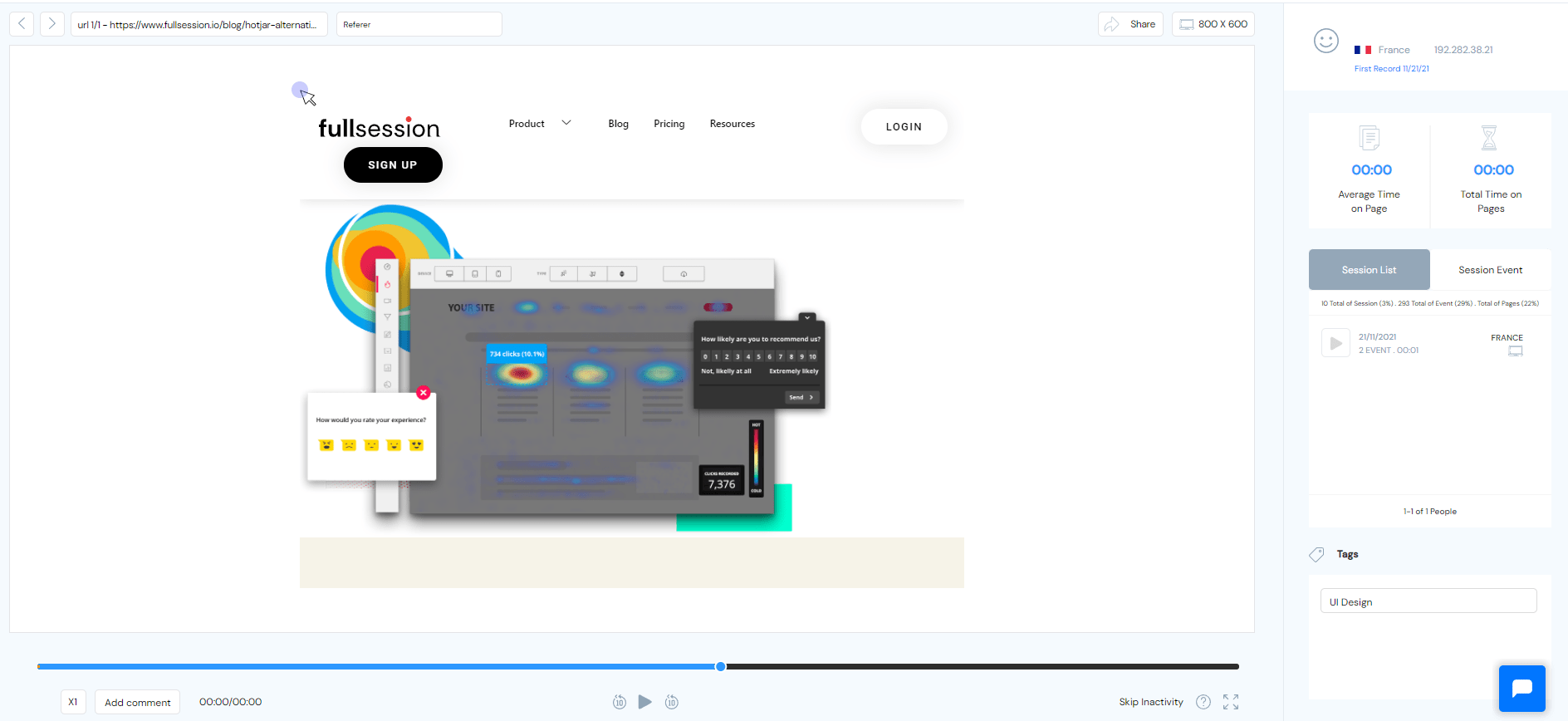
    After that, you will be able to watch a session replay in a new window. FullSession offers a visual tool for understanding how website visitors interact with your website. It lets you view recordings of real users’ browsing sessions on your web pages.

    fullsession session recording tool

    FullSession helps you better understand how your current site works, what’s missing, and where to focus your efforts on improving the user experience. During a session replay, you can see the following:

    • Visit source
    • Users locations (country and IP address)
    • Pages viewed and URLs visited by your users
    • Average time spent on a page
    • Total time spent on pages
    • Session list
    • The session event data
    • Screen resolutions of your users’ devices

    FullSession offers time-saving and interactive features that enable you to streamline and enhance your session replays. With FullSession, you can:

    • Watch session recording in full-screen mode
    • Add comment to leave an observation mark for your team members
    • Pause, rewind, and fast forward a session replay up to eight times
    • Skip the timing strap or user inactivity
    • Tag recording
    • Copy and share session recording links with other people


    FullSession helps you focus on the details that matter when analyzing your session replays. See your errors, turn your mistakes into strengths, and use insights to optimize your website performance.

    Step 5: Search and filter your website visitor recordings

    It’s natural to be curious about how your customers are using your product. Are they using it the way you expected? What features are they not using? Are they running into any issues that you overlooked?

    Every customer is different and behaves differently when using your website. That’s why it’s crucial to use FullSession advanced filtering options to learn more about each group of your customers and deliver an experience that meets their needs.

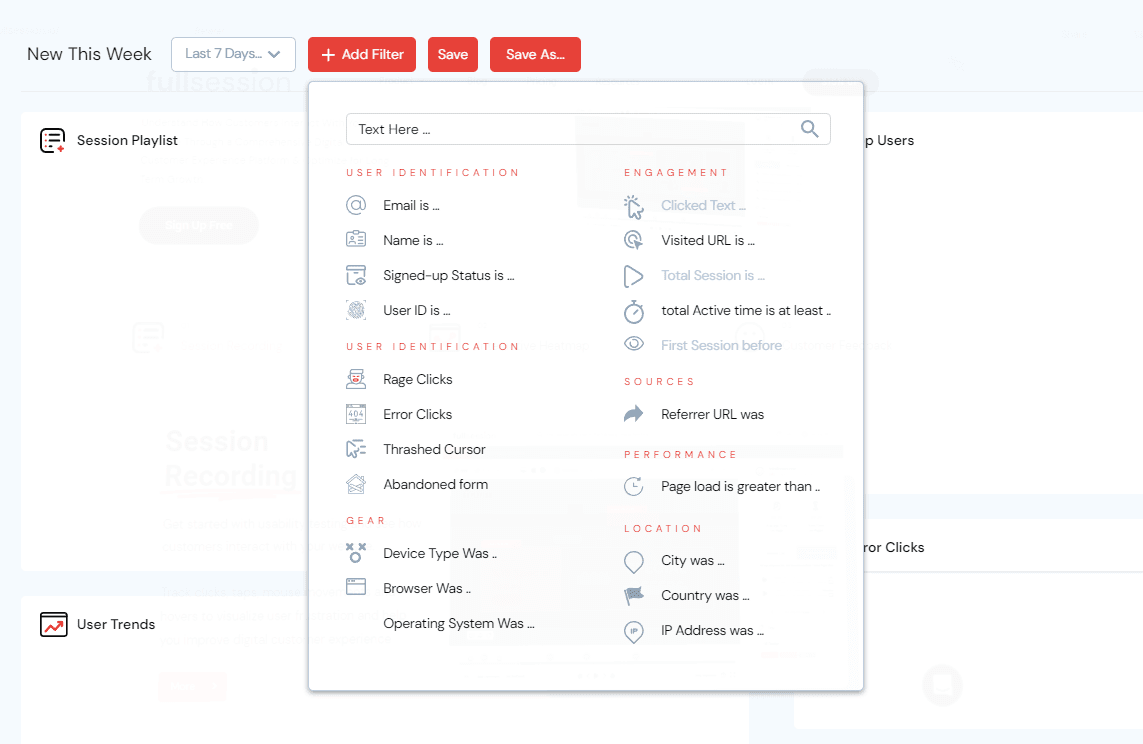
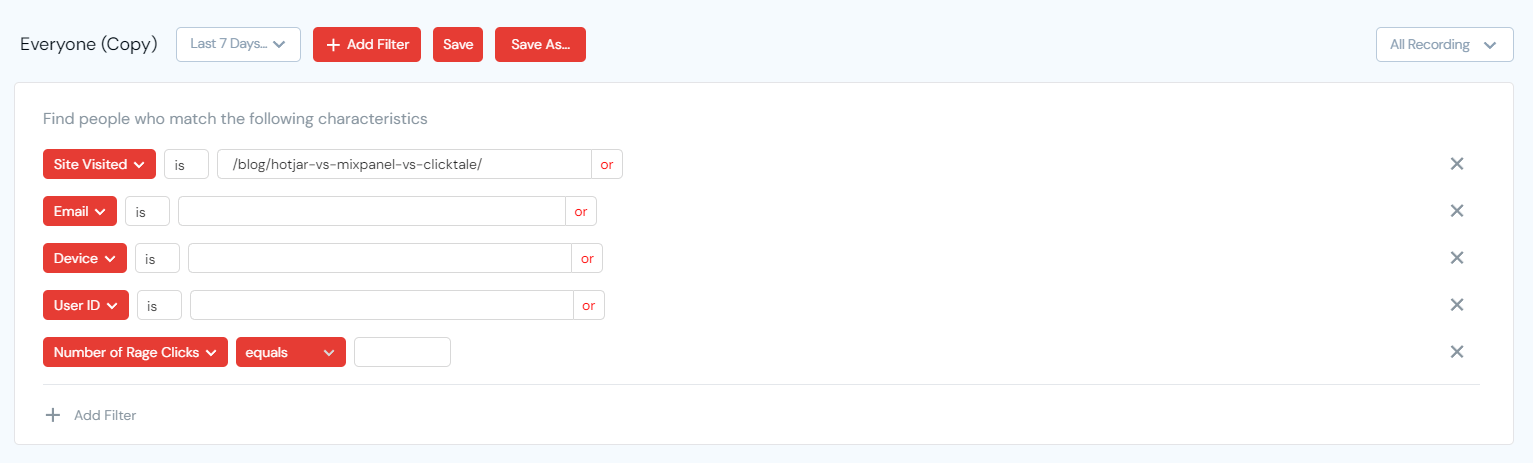
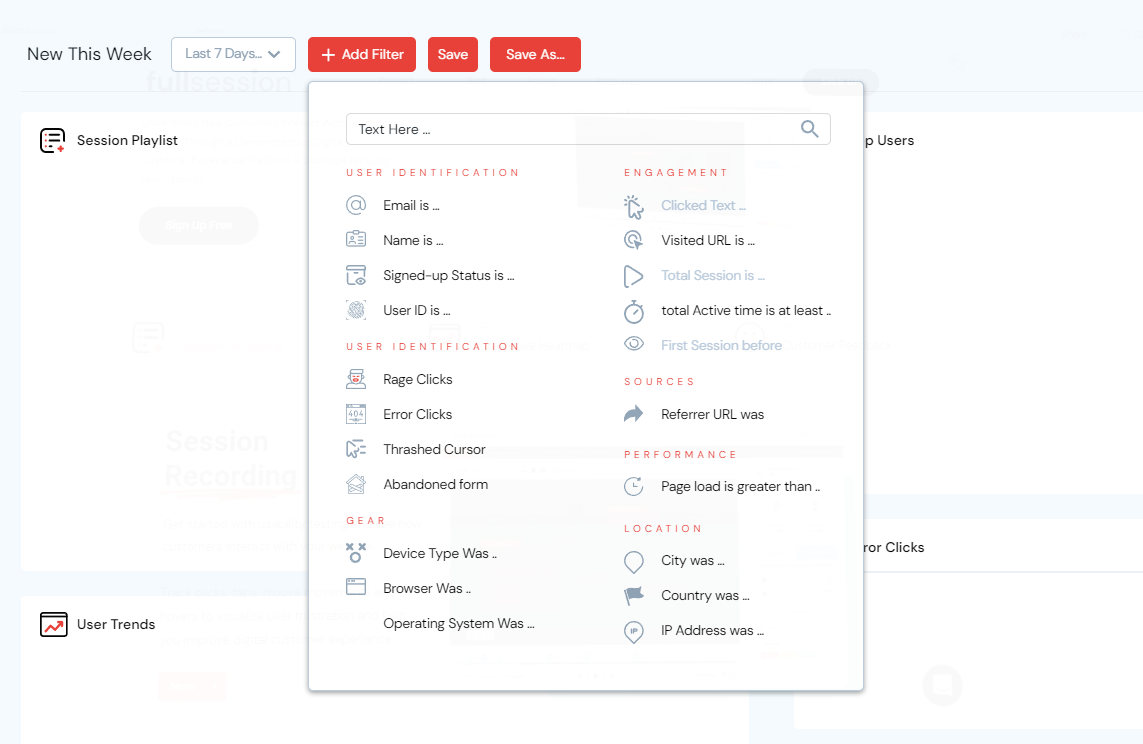
    To filter recordings and isolate sessions, go to the FullSession dashboard and click on the red button Add Filter to see the complete filter list in a drop-down menu.

    fullsession session filters

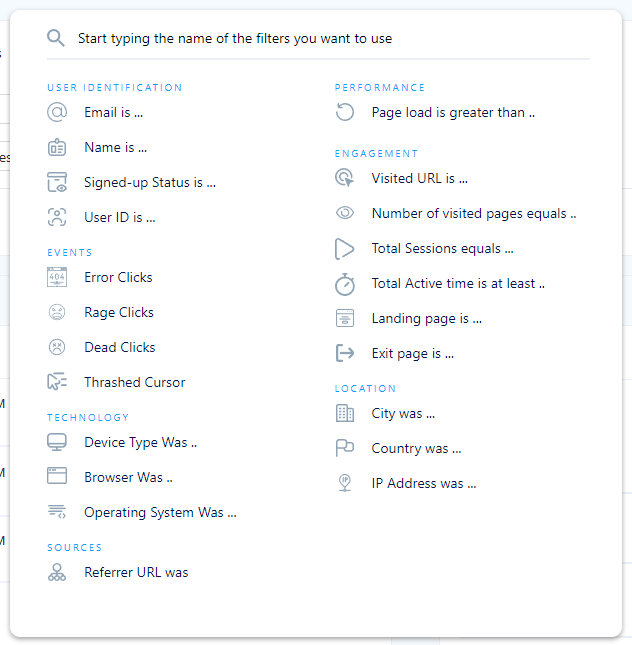
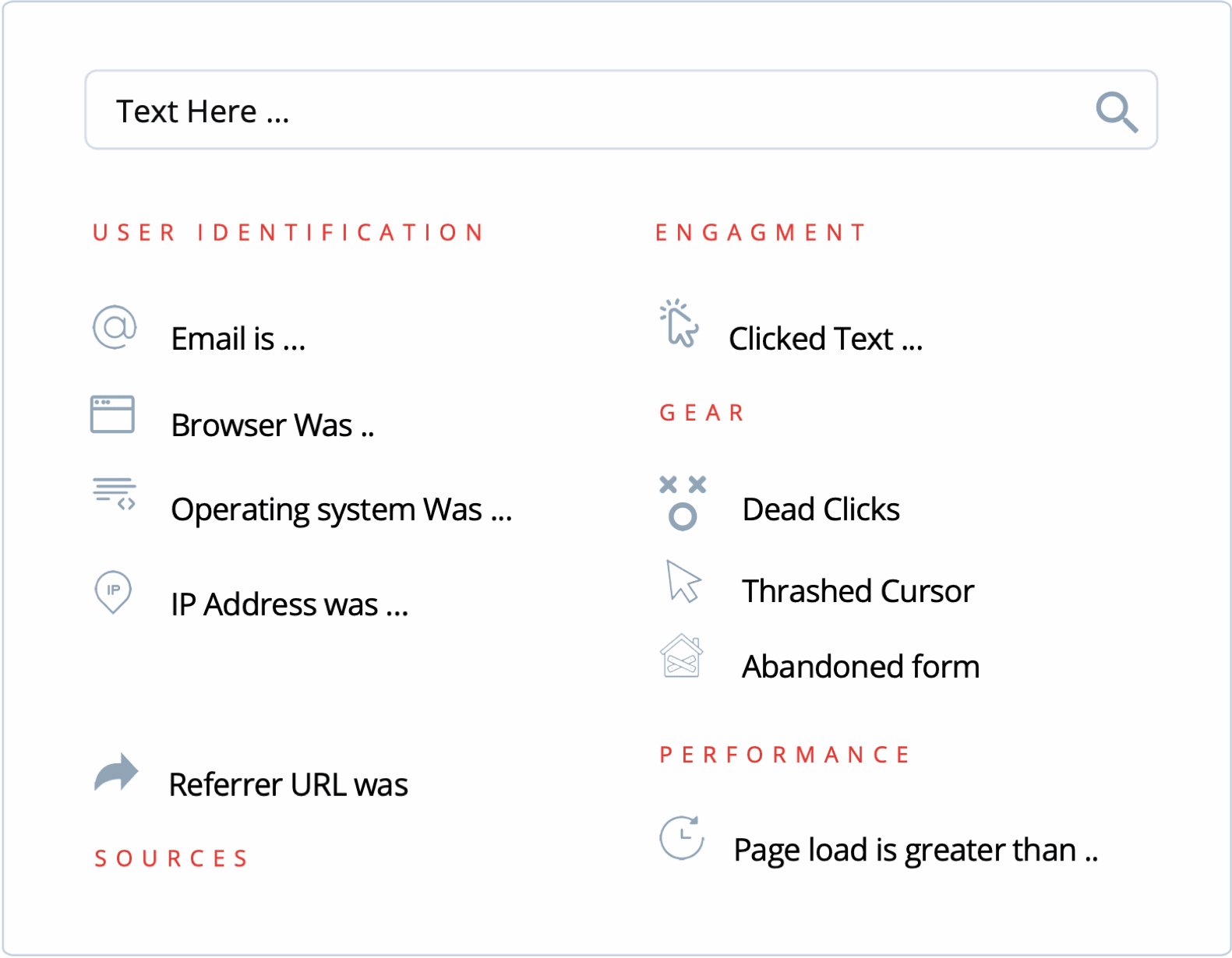
    With FullSession advanced filtering options, you can filter users by:

    • Email, name, signed up status, or User ID
    • Actions such as rage and error clicks, trashed cursor, or abandoned form analytics
    • Device type, operating system, or browser
    • Certain pages they visited or minimal active time on site
    • Referrer URL
    • Page load time
    • City, country, or IP address
    fullsession advanced filters

    The FullSession search bar gives you the same advanced filtering options as the advanced filter, leaving no step out of your customer’s journey.

    Step 6: Segment recordings of your website visitors

    By using advanced analytics and creating recording segments, you can learn why users are dropping off or getting stuck on your websites. Perhaps it’s a confusing call-to-action? Maybe the page is too cluttered? Or, perhaps users are just confused about what to do next. Using data to identify drop-off points can help you address these concerns and build a better site that converts your prospects into customers.

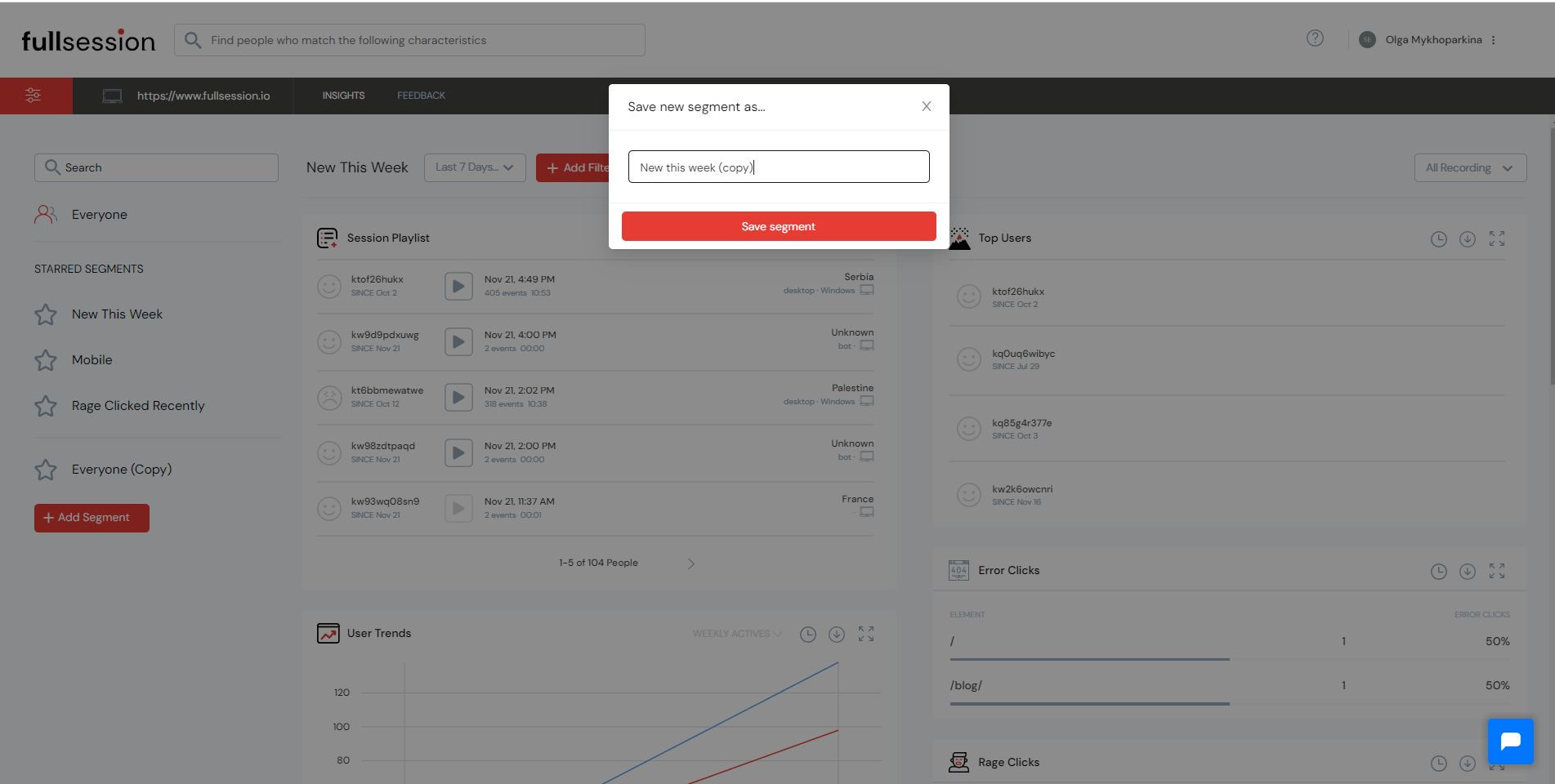
    To create a segment, click on the red button Add Segment beneath the left menu. Add a name to your segment and save it. It will be visible on the left side of the dashboard.

    fullsession add segment

    After that, you will see a menu on the right side of your dashboard that lets you filter users by demographic and behavioral attributes. For example, if you need a user with a particular period of inactivity, or a user in a specific location, or a user with a specific device, you can choose to search for these attributes.

    fullsession demographic and behavioral attributes

    Then choose from a list of available session replays, the one that best fits your needs, and start analyzing your visitors’ behavior.

    Step 7: Understand digital engagement

    fullsession session recording

    Today’s customers want a seamless, personalized, and engaging experience. And if you can’t learn how to provide a great digital experience, you will be left behind. FullSession gives you more data and helps you solve this problem with session recording and session replay tools.

    If you want to increase your website’s performance, you need to monitor your website’s digital engagement in real-time. It will let you see what’s happening when it’s happening, letting you spot issues and bugs that directly affect your users. In addition, if a customer is having trouble with your product, you can instantly provide them with a solution by reaching out.

    Step 8: Combine session recordings with other tools

    We have a list of features many customers ask for but we haven’t developed them yet. We’re always working hard to improve our product, and that’s why we decided to launch some enhancements next year. Here is a short overview to help you understand the benefits of combining these new tools with session recording and session replay.

    Real-time and interactive heatmaps

    fullsession heatmaps

    When it comes to website heatmap tools, FullSession helps you process data in real-time and get accurate insights. It avoids aggregated data that doesn’t give you a complete understanding of your visitors’ experiences.

    Heatmaps help you see users’ clicks, scrolls, taps, and mouse movements on your website or landing page. You can identify friction points and areas of improvement, see if your users can find what they need, and why they are dropping off at certain points.

    Through heatmaps, you can also see where users focus their attention the most. You can learn what is important to your customers and enhance your website pages accordingly.

    Customer feedback

    fullsession customer feedback

    FullSession automatically tracks visitor behavior and provides you real-time feedback on how users are interacting with your website or app. With this information, you can create feedback polls to ask them questions about their experience, solve problems as they arise, and make product improvements. On top of this, you can view recordings of past sessions to learn why customers left bad feedback. This feature is now available.

    If you want to start using the Incoming Feedback, you need to go to your dashboard and choose the Feedback option in the menu.

    fullsession menu bar

    You will see a new panel with the general overview of all polls you’ve created, including their status, name, date of creation, responses, and who created the poll.


    How to use the Incoming Feedback widget

    If you want to create a new poll, you need to click on the red New Feedback Widget button in the upper right corner.

    fullsession incoming feedback widget

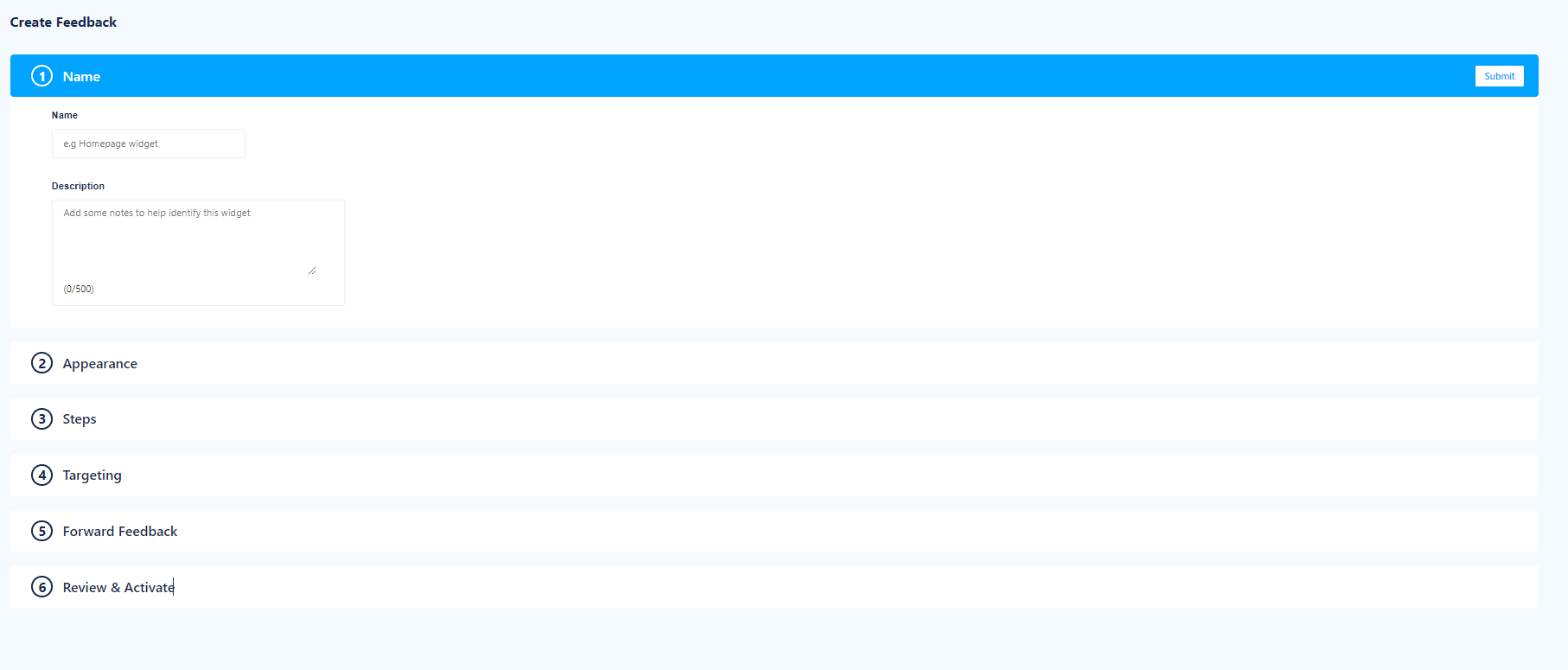
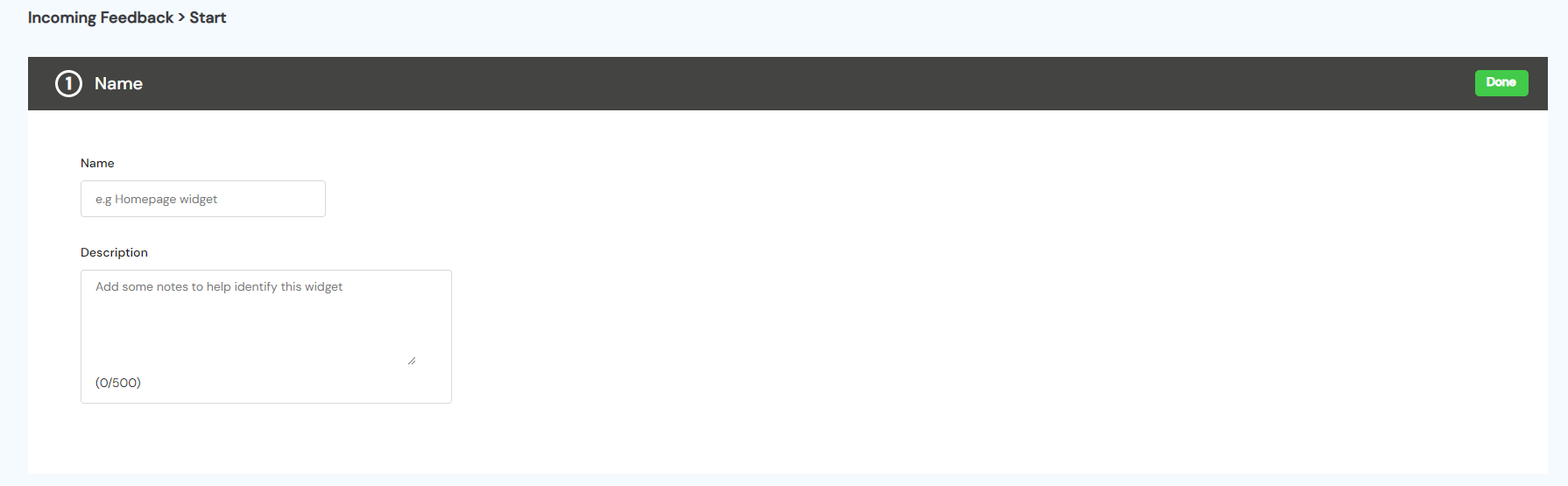
    You will see a new panel with all available options, and you need to go through each step and add all necessary information. Start with adding a name and description to your poll to recognize it easily in the Feedback overview. When you finish, click on the green Done button.

    fullsession name adding step

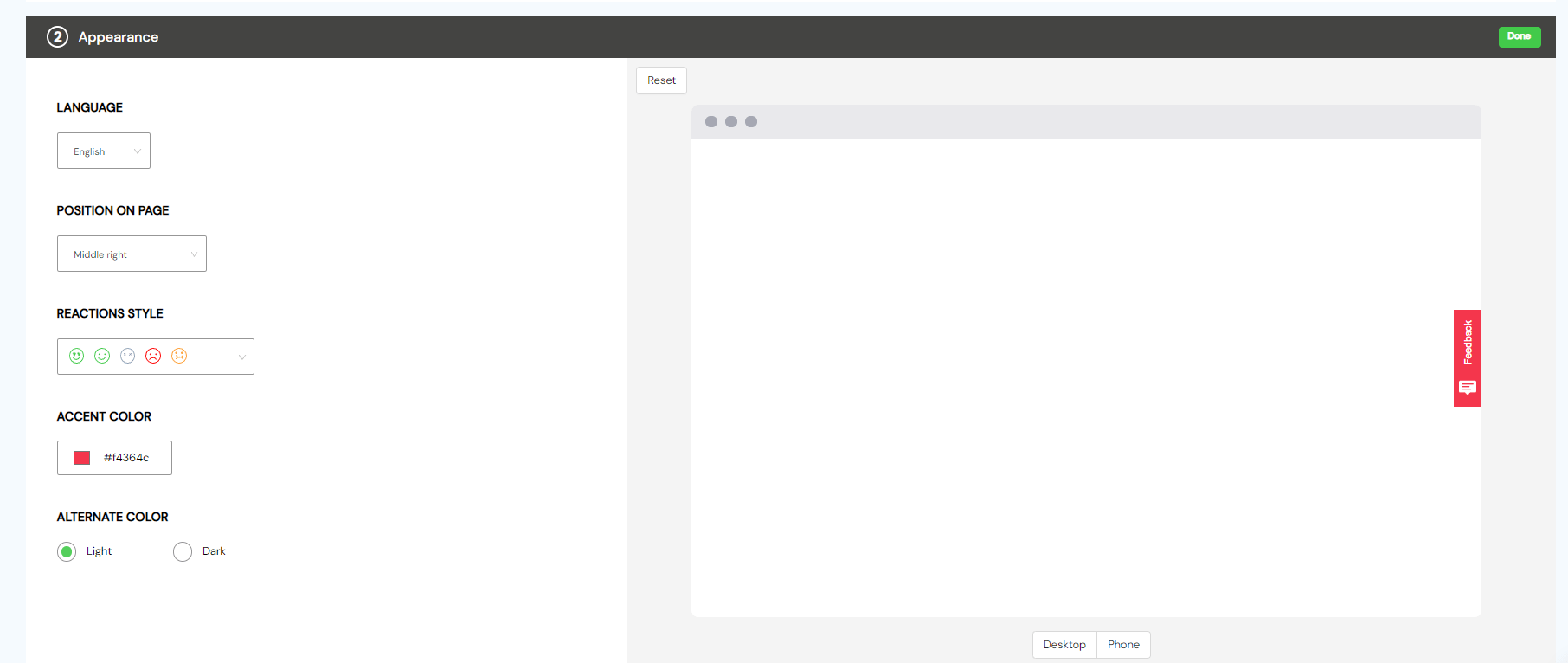
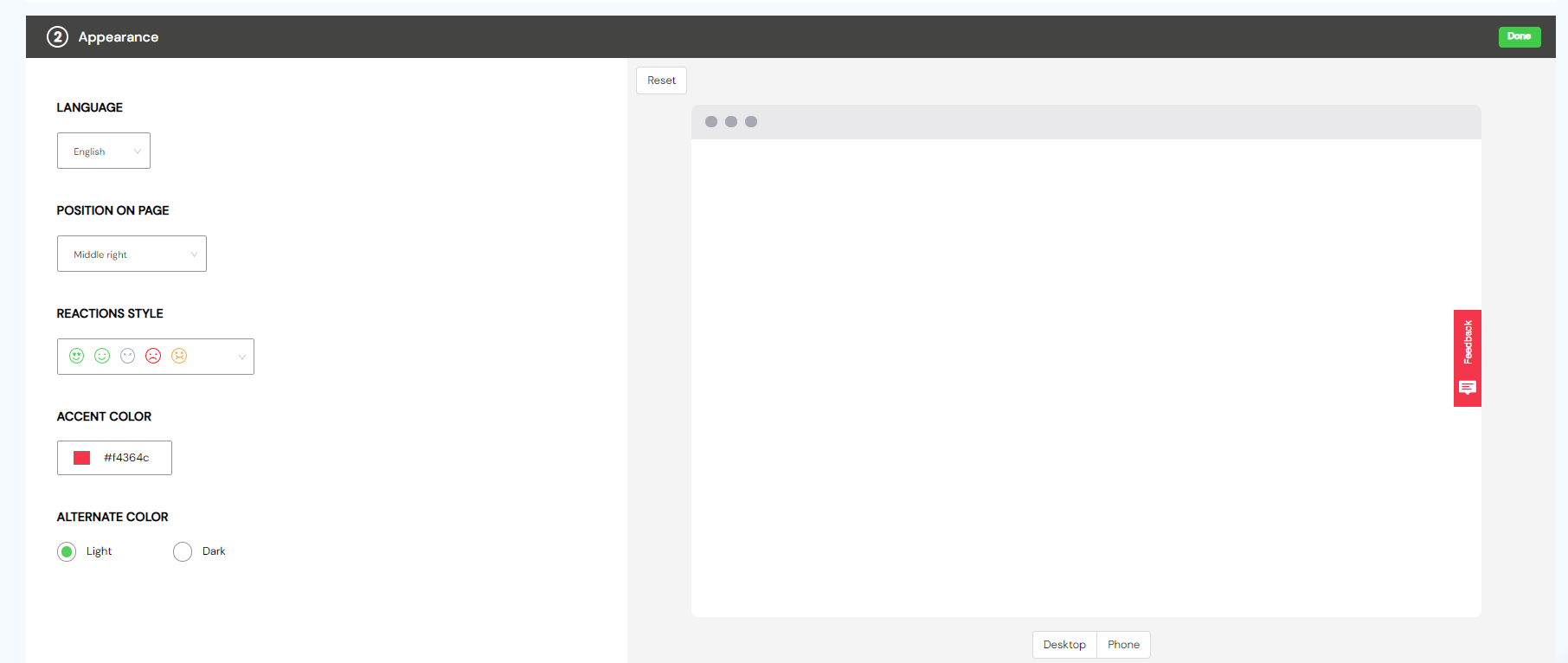
    Next, in the Appearance tab, you can customize your widget and define how the poll will look on desktop or mobile devices. You can set the language, position on the page, define reactions style, and add accent or alternate color.

    fullsession appearance tab

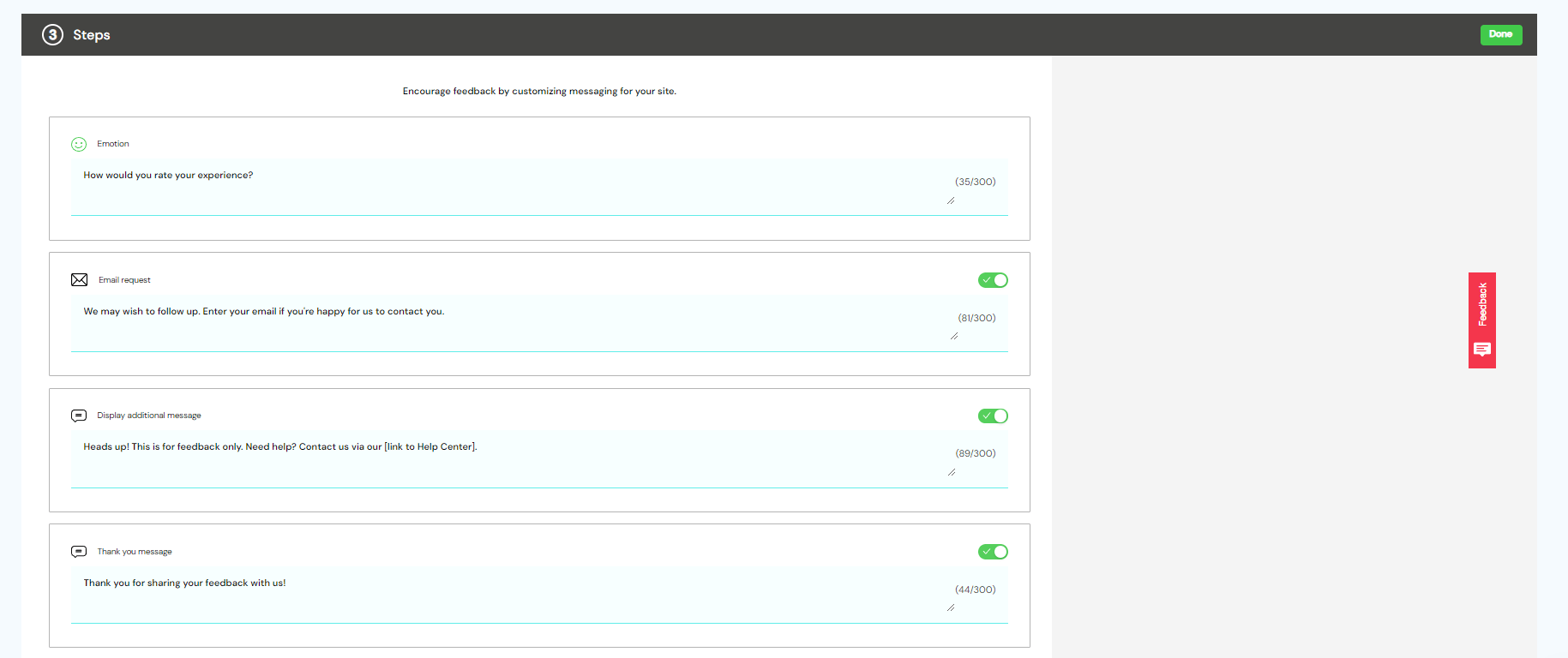
    In the Steps section, you can customize messaging to encourage feedback from your customers. It’s important to know that there is a 300 character limit, so write your messages short and sweet.

    fullsession steps action

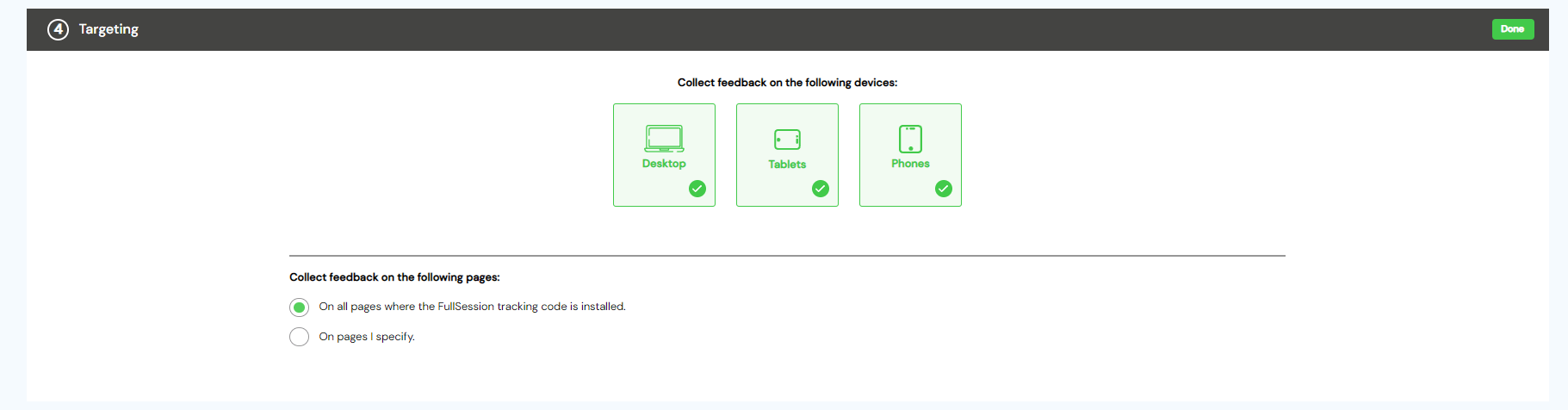
    In the Targeting step, you can choose to collect the user feedback on desktop, tablet, or mobile devices. You need to select at least one option. Then you can define if you want to collect feedback on all your website pages or a particular page you are most interested in. In either case, you need to install the tracking code on your website.

    fullsession targeting step

    In the Forward feedback, you can choose to receive your customers’ responses in your inbox. The number of responses you receive depends on the pricing plan you’ve chosen. Check your daily limits.

    fullsession forward feedback step

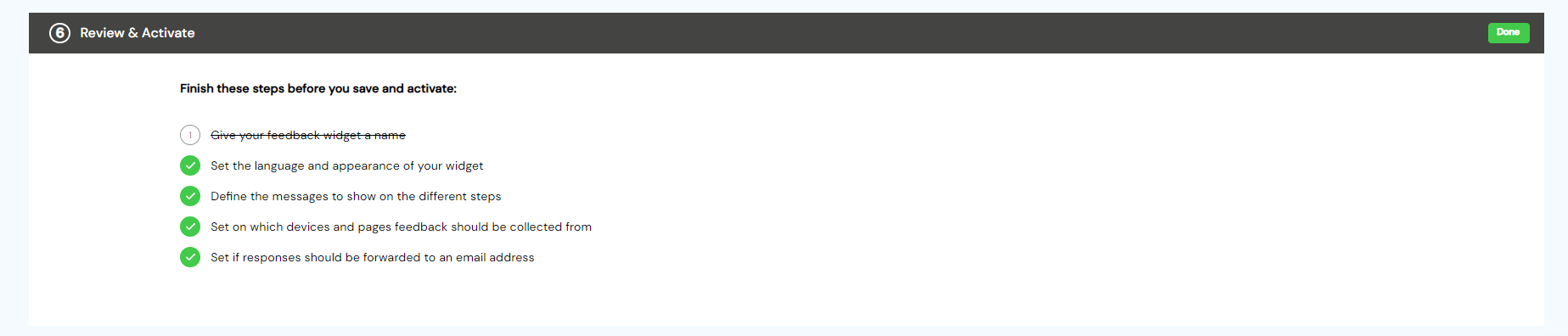
    Finally, the Review and Activate step helps you see if you’ve finished all previous steps successfully or you’ve missed something important. Go back and check the crossed section. When you finish, click on the green Done button in the right corner.

    fullsession review and activate step

    Set your Incoming Feedback widget as inactive or active and start collecting customers’ feedback.

    fullsession start incoming feedback step


    Step 9: Integrate FullSession with other solutions

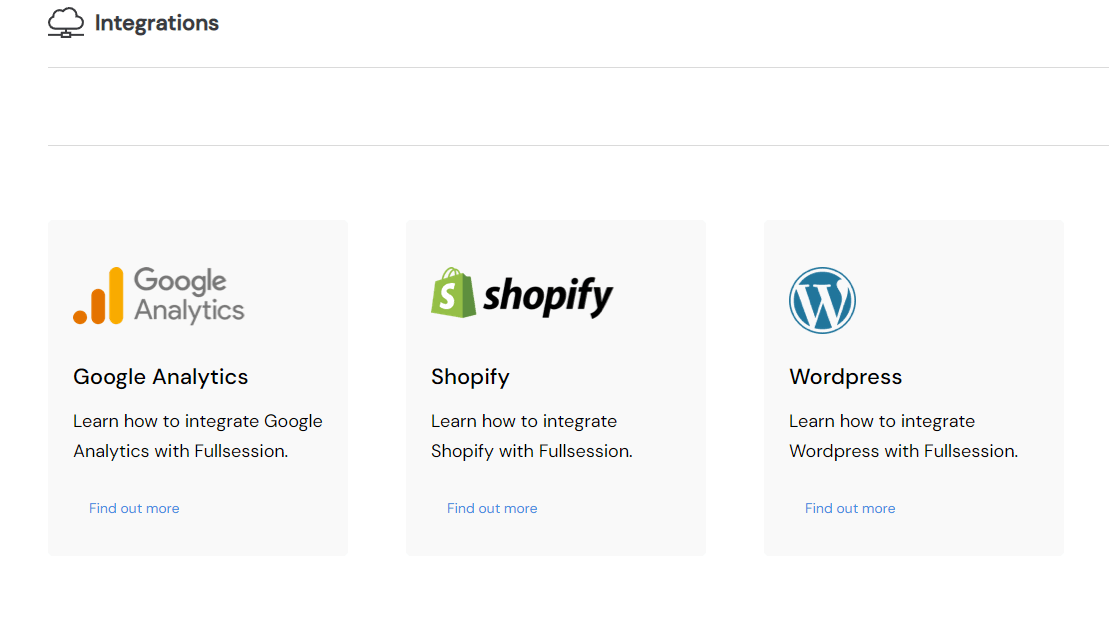
    fullsession integrations

    You can integrate a session recording tool with a web analytics platform, customer analytics platform, and survey data source. It results in a holistic view of users’ interactions with your website, more detailed than traditional web analytics tools, which only give you the big picture.

    Because this data comes directly from the actual website visitors, who can be tracked and surveyed, you’ll know exactly which layouts and content pieces work best and which need more improvement. Later, you can use these insights to change your product and measure its impact on your conversion rate.

    Currently, you can integrate FullSession with Shopify, Big Commerce, Wix, and WordPress.

    Step 10: Get insights on your website performance

    FullSession gives you a complete picture of what’s happening on your websites and how your users behave. It tells you the whole story, from real-time visitor insights to page-level engagement data.

    All this information helps you make meaningful, data-backed decisions about the redesign, content updates, and A/B tests to improve the user experience.

    To see the insights in the FullSession dashboard, click on the Insights tab in the menu.

    fullsession menu

    You will see a new panel that has three sections:

    • Total count of dead clicks
    • Understand user engagement
    • Key performance indicators

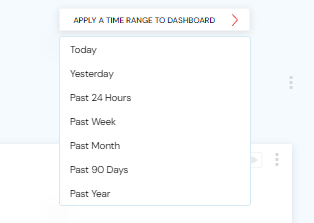
    You can apply a time range to your dashboard and get insights for up to one year.

    fullsession time range

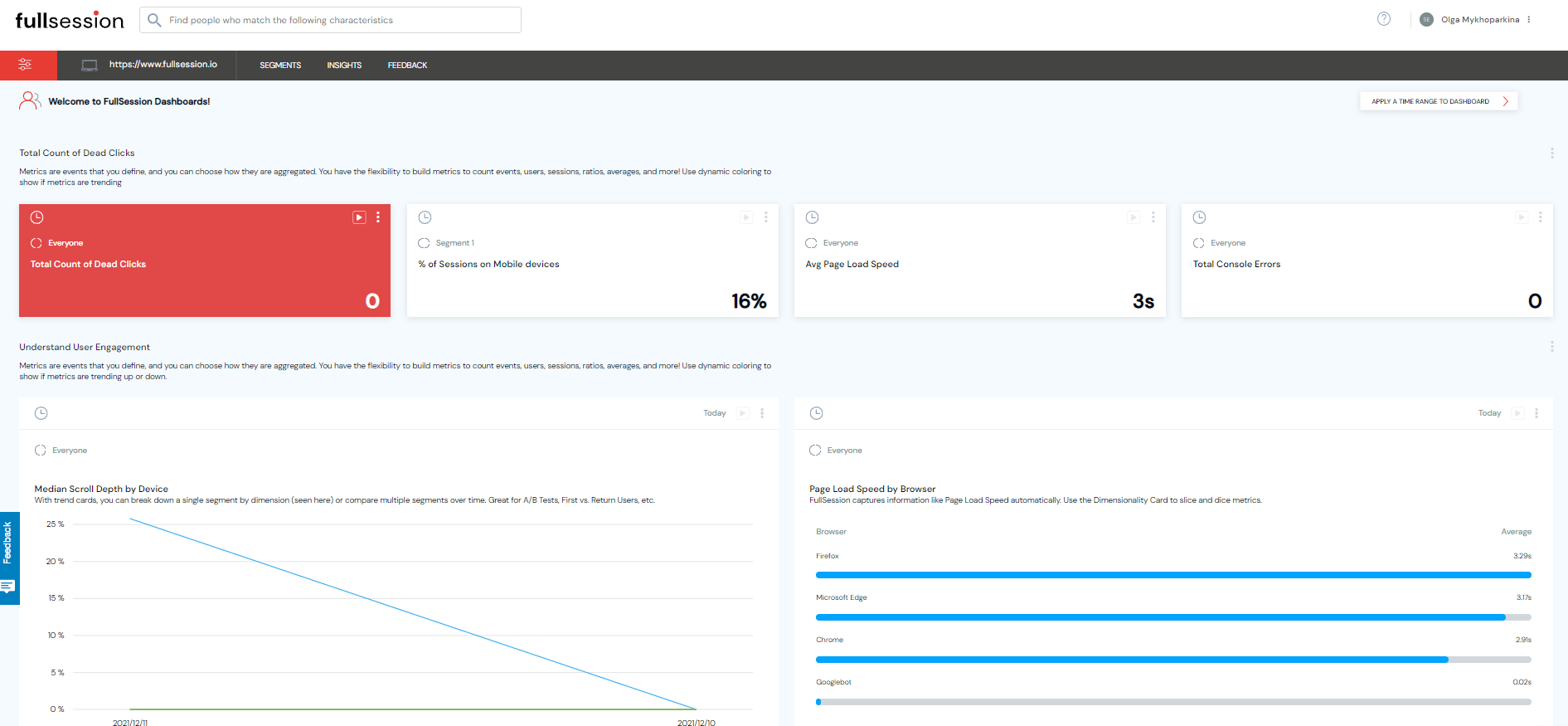
    Total count of dead clicks

    Dead clicks are exactly what they sound like: clicks that produce no results. Slow response times and broken elements can frustrate users and lead to a negative user experience. Dead clicks mean that the UX is broken, and there is an issue with the website you need to fix.

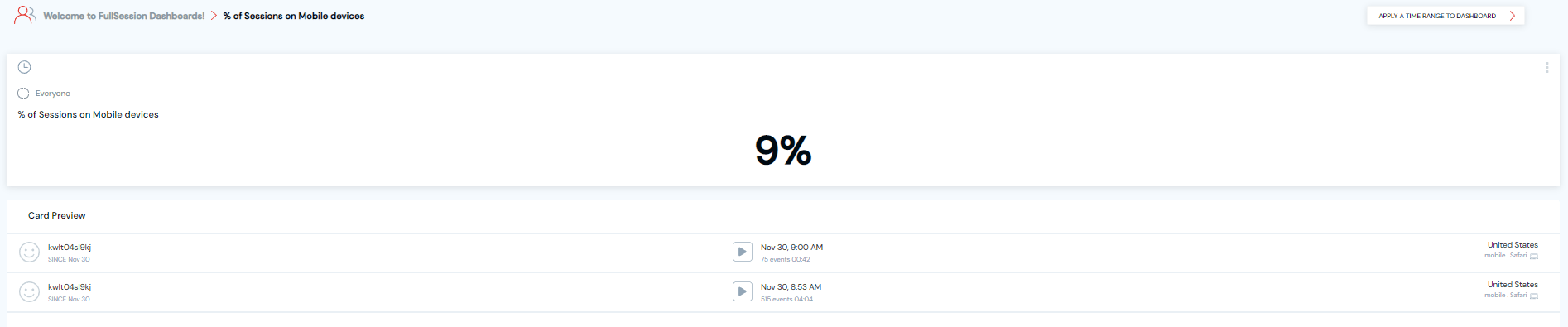
    With FullSession Insights, you can see:

    • Total count of dead clicks
    • % of Sessions on Mobile devices
    • Avg Page Load Speed
    • Total Console Errors
    fullsession insights

    Also, you can see all users’ behavior or apply the advanced filtering options to narrow down your search. You can view details and watch session recordings to understand what’s happening on your website.

    fullsession advanced filtering

    Understand user engagement

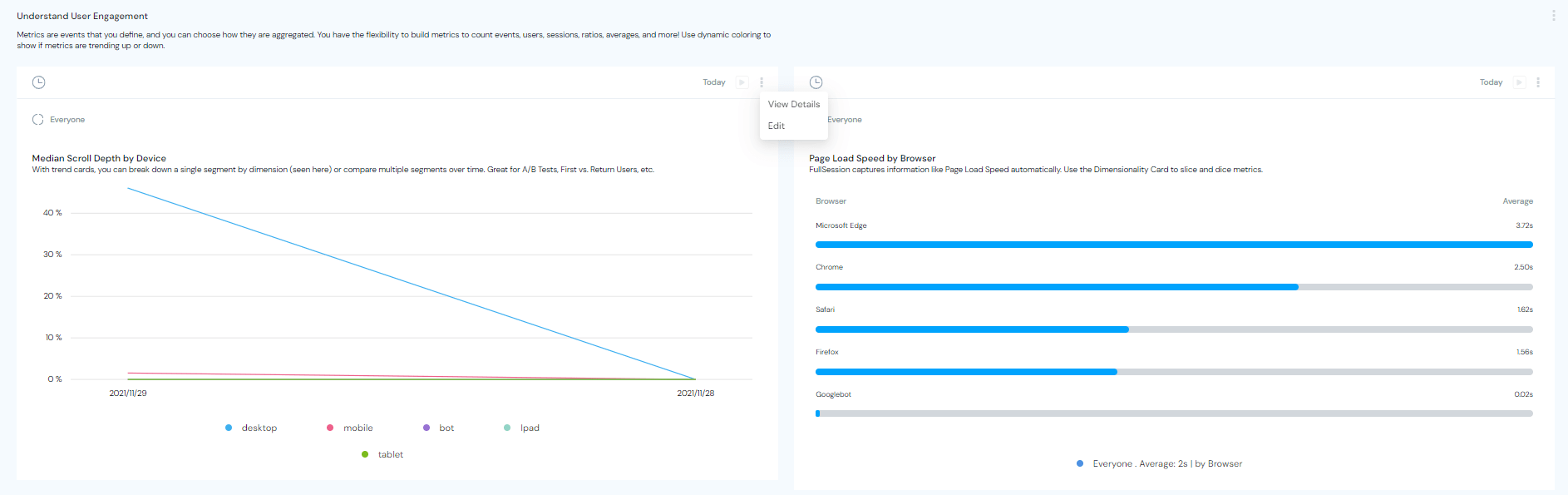
    FullSession Insights helps you understand user behavior, from what people view to how long they stay on your website. Trend cards help you see performance over time or compare multiple segments.


    You can even use it to A/B test a scenario internally before making changes to your website. Also, FullSession automatically captures information like page load speed so you can focus on what matters.


    With FullSession, you’ll get data on:

    • Median scroll depth by device
    • Page load speed by browser
    fullsession data

    As in the previous case, you can see all users’ behavior or filter your search to find specific recordings.

    Key performance indicators

    KPIs, or Key Performance Indicators, are numbers that tell you how you’re doing and whether or not you’re on target to achieve your goals.

    With FullSession Insights, you will get the following data:

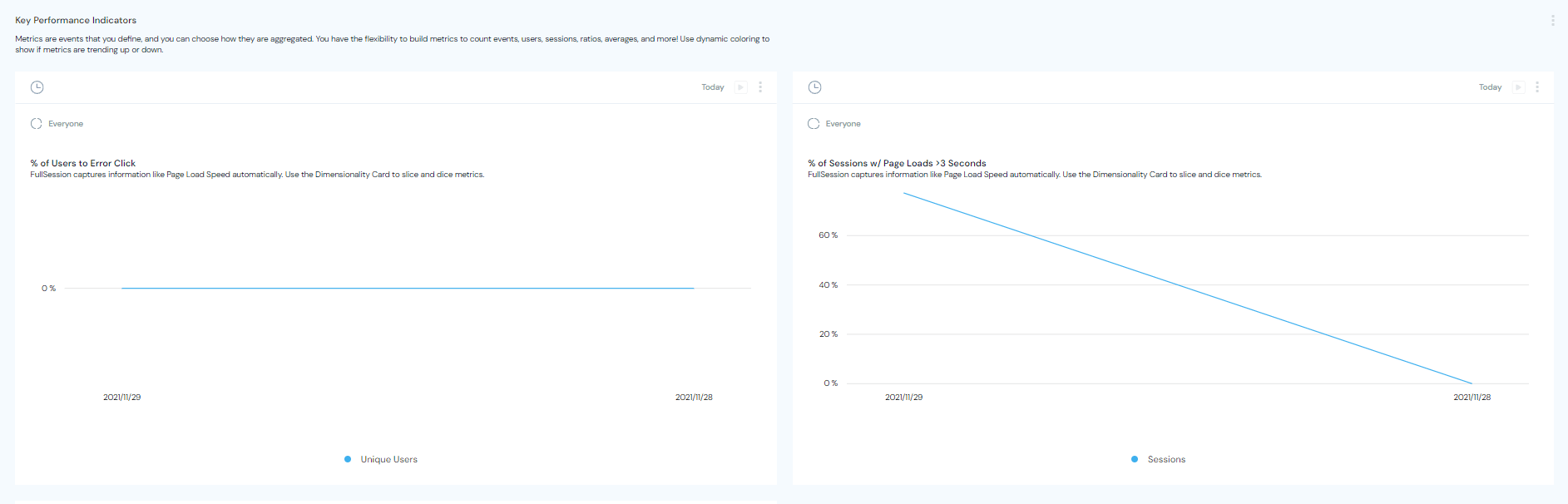
    • % of Users to Error Click
    • % of Sessions w/ Page Loads
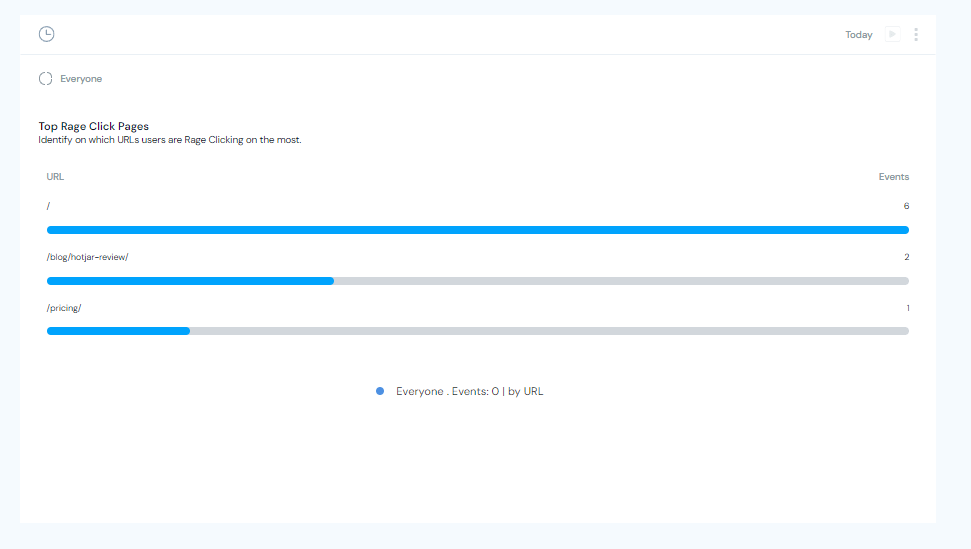
    • Top Rage Click Pages


    fullsession kpi data


    fullsession top rage click pages data


    The main purpose of KPIs is to help you take action regarding your performance, to give you reliable information about how your website is doing to make decisions, adjust your product’s strategy and improve its overall performance. KPIs help you stay on track and make adjustments wherever necessary

    If you’re interested in integrating FullSession into your website, you can start with a free account to test all available features. There are no hidden charges, no upfront costs, and you don’t need to enter your credit card information.

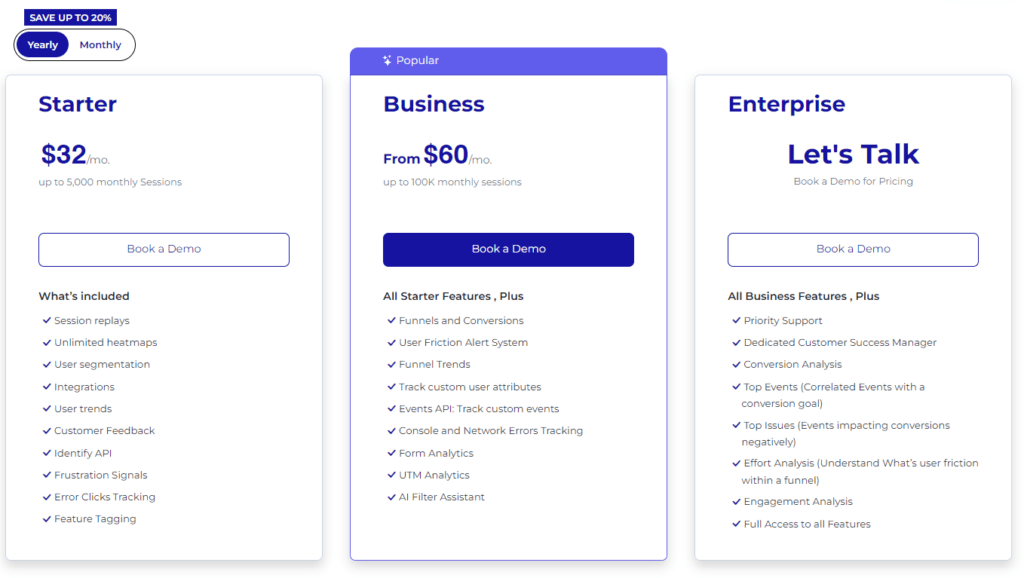
    If you like our key features, you can choose one of two paid plans. Each plan includes the same set of features but differs in monthly sessions and team member quota:

    • The Basic plan lets you record 3,000 sessions and invite 3 team members for $39/month
    • The Business plan lets you record 15,000 sessions and invite 5 team members for $99/month


    If you’re not happy with these pricing plans, we can create a custom solution tailored to your business needs. You’ll get all the premium features, including:


    • Custom number of sessions
    • Custom invoicing
    • Priority support
    • Dedicated onboarding and implementation

    Other popular tools for session recordings and session replay

    Besides FullSession, there are other popular visitor recording tools that brands use to engage customers and solve problems. Let’s make a short overview and see how they compare.


    FullSession

    Microsoft Clarity

    Inspectlet

    Hotjar

    FullStory

    User reviews

    N/A

    4.7 out of 5 on Capterra

    4.0 out of 5 on Capterra

    4.7 out of 5 on Capterra

    4.6 out of 5 on Capterra

    Deployment

    Cloud, SaaS, Web-Based


    Cloud, SaaS, Web-Based


    Cloud, SaaS, Web-Based

    Desktop – Mac, Windows, Linux


    Cloud, SaaS, Web-Based

    Mobile – Android, iPhone


    Cloud, SaaS, Web-Based


    Support

    Guides, Email

    Helpdesk, Knowledge base, FAQ, Email support

    Email, FAQs,Knowledge Base, Phone Support, Chat


    Email, FAQs, Knowledge Base, Chat


    Email, FAQs, Knowledge Base, Phone Support, Chat


    Free plan

    Yes

    Yes

    Yes

    Yes

    Yes

    Pricing

    Starts at $39


    Free

    Starts at $39


    Starts at $39

    N/A

    Start using FullSession today

    FullSession has everything you need to analyze your site traffic in one single place. Whether you’re a beginner or an advanced analytics user, you will be able to take control of your site’s performance and make informed decisions about your online presence.

    Don`t waste time trying to understand complicated numbers and graphs. FullSession is easy to use, provides you data in real-time and allows you to keep your finger on the pulse of your business at all times. The best part? FullSession has a free plan to let you test all available features. Register your account today and start optimizing your website performance.


  • Decibel Insight vs Hotjar: How They Compare

    Decibel Insight vs Hotjar: How They Compare

    We all know this scenario: you encounter a website with a brilliant idea, but then you quickly find out that its layout is far from perfect and makes using the website a real struggle. You shrug and look for an alternative – maybe even one that’s less functional, but at least you can use it without frustration.

    Website usability is significant. According to statistics, 70% of online businesses fail due to poor UX. Many experts from diverse fields – digital marketers, UX designers, sales teams, and software developers – realize the importance of understanding their users.  

    The best way to determine whether your site meets user expectations is to use web analytics tools. They allow you to analyze the behavior of people visiting your website, web app, or landing page and give you data you can use to solve any issues they encounter.  The tricky part is choosing the right UX research platform. There are many solutions on the market, and they differ significantly.  

    FullSession is an excellent option. Thanks to our powerful features, such as interactive heatmaps, customer feedback forms, and session recordings and replays, you’ll have plenty of tools to identify underlying issues that may hinder the user experience. You can then solve them quickly to ensure your customers get the best experience possible. If you’re interested in checking it out, just create your account and start your 14-day free trial.
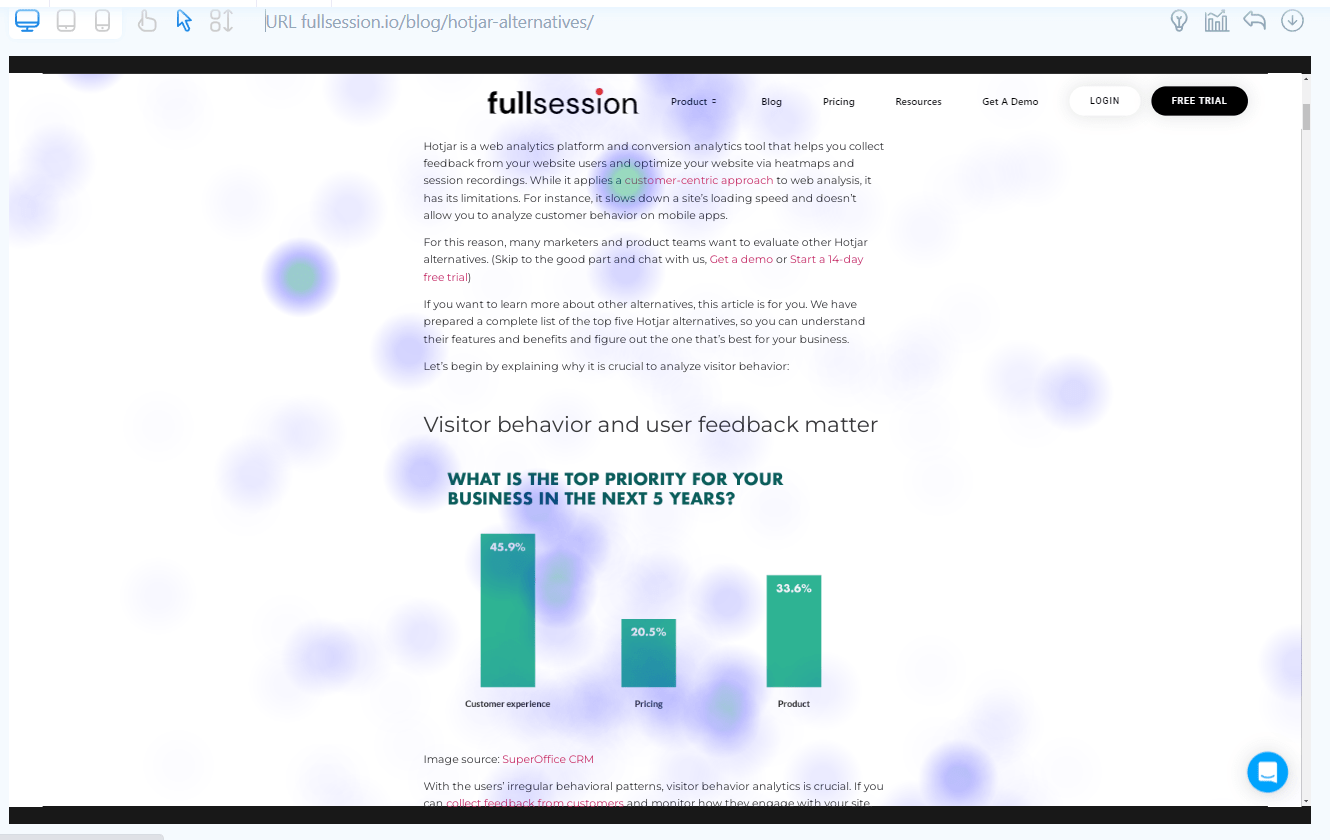
    If you’re interested in other solutions, Hotjar and Decibel Insight might be interesting choices. Read our Decibel Insight vs Hotjar comparison to see how they stack up against each other and why FullSession might be a better option for your business.

    What is Hotjar?

    hotjar tool

    Image source: webdesignledger.com

    Hotjar is a web analytics platform built from two distinct components. The first one – called Observe – lets you watch recordings of real users interacting with your website and visualize their behavior thanks to heatmaps. These features allow you to gather data you can use to eliminate bugs and user pain points – usability issues that hinder their experience.

    You can use the second part of the Hotjar solution – Ask – to easily create customizable surveys and get live feedback from users. You can employ both on-site and external questionnaires. Hotjar also offers a survey template feature to simplify things and a question bank you can copy questions from. 

    If you want to know more about this solution, check out our full Hotjar review with an in-depth analysis of various features.

    What is Decibel Insight?

    decibel insight tool

    Image source: G2

    Decibel Insight is a platform you can use for analyzing digital experiences to improve customer experience (CX), increase conversions, and boost sales. It allows you to analyze heatmaps and watch session recordings and offers solid tools for analyzing the data and drawing conclusions.

    The Decibel Insight brand also covers a second product – the Decibel for App solution, which you can use for optimizing in-app experiences.

    Decibel Insight vs Hotjar: How they compare and contrast

    You now know which solutions we will analyze in this article, so it’s time for the comparison. We’ll take several things into account. We’ll look at available features, deployment, languages, integrations, and pricing. We’ll also consider the user ratings on popular review sites and the level of customer support they offer. 

    Decibel Insight vs Hotjar: Basic differences

    You can employ both tools for more or less the same purpose, and they have some same features, such as heatmaps and session replays. However, Decibel Insight emphasizes data analysis instead of user feedback. It also seems more challenging to use than Hotjar. 

    On the other hand, you can use Hotjar to evaluate applications, while Decibel has its Decibel for App solution explicitly created for that purpose.

    Decibel Insight vs Hotjar: User ratings

    Hotjar has an 8.5 score on TrustRadius based on 265 user reviews. Decibel Insight’s rating on the same platform is lower – 7.8. based on 11 user reviews.

    Decibel Insight vs Hotjar: Use cases

    Product managers, product designers, and UX researchers can use Hotjar effectively. The platform is popular in many industries. Retail, gaming, and tech are some of the examples. 

    Decibel Insight website doesn’t mention any specific use cases, but it’s easy to see how web analysts and marketers can find the solution valuable. Customer stories and logos suggest many different industries use this software, including medical, retail, automotive, transport, and tech.

    Decibel Insight vs Hotjar: Deployment

    Both Hotjar and Decibel Insight are web platforms. You can use them by logging in to your account and setting up several configuration options (properties, tags, privacy, etc.). You’ll also have to install a browser plug-in and insert some code into your web page to use all features. The details differ slightly for each solution, but you can find them in the documentation. You can also contact the companies if you need help.

    Decibel Insight vs Hotjar: Features

    Decibel Insight has a decent list of features:

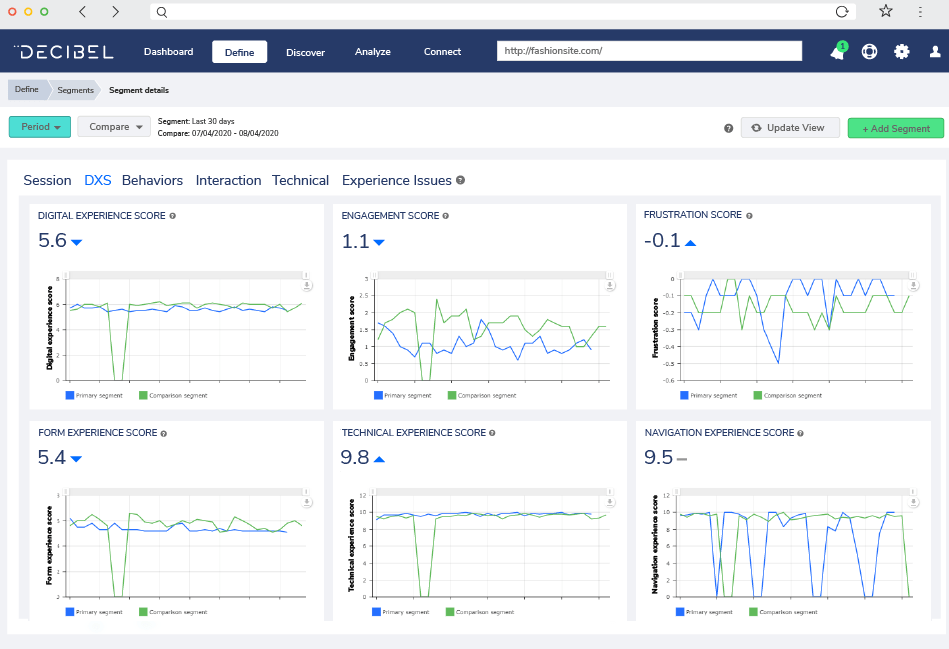
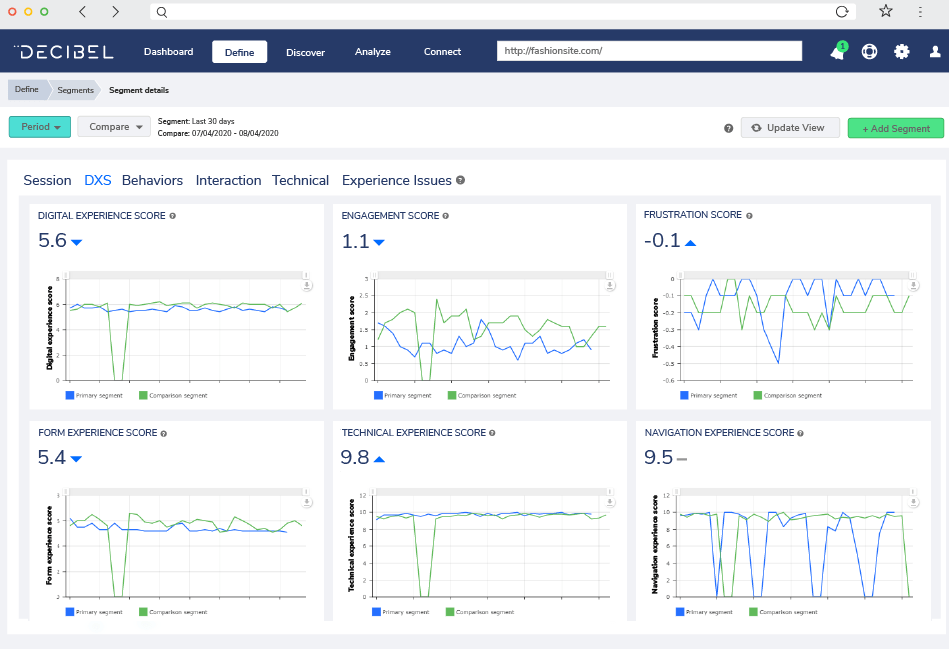
    • Digital experience score (DXS) – DXS is a scoring system that evaluates the state of online experiences based on five ratings called Technical, Form, Navigation, Frustration, and Engagement
    • Session replay – you can watch your users interact with the site. Important sessions are flagged automatically
    • Heatmaps – they show you how users move on your website, what draws their attention, and what they avoid
    • Customer journeys – the feature allows you to visualize the path users take on the website and helps you better understand navigation issues
    • Form analytics – the feature helps you find issues with forms on your site
    • Smart segmentation – you can segment the data any way you want to pinpoint issues that are interesting from your perspective
    • Integrations – they help you enhance various aspects of the software further and offer additional options such as the voice of customer (VoC), web analytics, and A/B testing
    • Revenue impact & opportunity – an AI-enhanced system that helps identify opportunities for revenue on a website

    Hotjar offers the following features:

    • Heatmaps – they illustrate the movement of users on the website, and show which parts of it work well, and which customers avoid
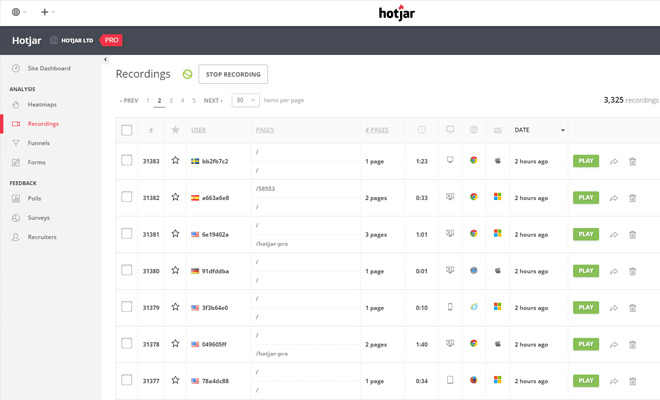
    • Recordings – you can watch playbacks of users interacting with your product and map their whole journey from beginning to end
    • Feedback – a real-time suggestion box that lets the users express their negative and positive thoughts about your solution. They can also highlight parts of the page they like or dislike, to provide you with more context
    • Surveys – you can gather data and validate ideas by using Ask built-in surveys
    • Survey templates – you can use templates to simplify the process of creating surveys and gather feedback much faster
    • Unlimited team members – the service doesn’t have user limits on any of the subscription plans
    • Multi-device support – you can use Hotjar on website versions designed for any device, i.e. desktop, mobile and tablet
    • Easy installation – you can set it up in seconds, but you can also customize some features with the help of a software developer 
    • Smarter visitor targeting – you can target visitors by device, specific user attributes or the URL address
    • Export and share – you can share insights easily by copying and sending a link
    • Reliable customer support – the company will respond within two workdays

    As you can see, thanks to such features as the Digital experience score, Form analytics, and Revenue impact and opportunity, Decibel Insight is a broader analysis tool. Hotjar focuses more on actual web analysis and offers plenty of customer feedback options that the other solution doesn’t have.

    Decibel Insight vs Hotjar: Languages

    Decibel Insight website doesn’t support any languages besides English.

    Most of Hotjar is English-only, except for user-facing features such as Feedback and Surveys. You can customize and use Feedback in 38 different languages, while Surveys are available in 42 languages.

    Decibel Insight vs Hotjar: Integrations

    You can integrate Decibel Insight with Adobe Marketing Cloud, Analytics, Target, Audience Manager, Campaign, Monetate, Optimizely, Google Tag Manager, Google Analytics, Qualtrics, Qubit, Iperceptions, Qualaroo, Medallia, Oracle Maxymiser, OpenText, Slack, Usabilla and Tealium.

    Hotjar has many integrations, including Slack, Segment, Hubspot, Google Optimize, Optimizely, Omniconvert, and Zapier.

    Decibel Insight vs Hotjar: Support

    Decibel Insight doesn’t offer a help center in a traditional form. There’s a glossary and webinars, but they don’t necessarily talk about the solution itself. Both of these sources cover a broader set of UX optimization topics. 

    You can contact the company via LinkedIn, Twitter, and phone or by submitting a ticket on the website. Hotjar also has a detailed documentation page. 

    Decibel Insight vs Hotjar: Pricing

    Decibel Insight has two subscription tiers: Growth and Enterprise. The most significant difference between them is the web page views limit, and some features and integrations – such as Adobe, Medallia, Usabillia, and Qualtrics – are also reserved for the pricier Enterprise option. There’s also an All Levels plan for Decibel for App.

    Unfortunately, the website doesn’t offer any information regarding the pricing. You’ll have to contact the company directly to learn more about the pricing plans.

    Hotjar Observe has a free version limited to 35 sessions per day or 1050 sessions per month and somewhat limited features. You can also use Hotjar Ask for free and get 20 responses per month. Just as in Observe’s case, you don’t get access to the complete feature set.

    Observe has three paid subscriptions. Plus costs $31 per month, the Business is $79 per month, and in the case of the third one – Scale – you negotiate the price individually. In Ask’s case, the Plus version costs $47 per month, and the Business costs $63 per month. Just as Observe, Ask also has a Scale plan, and it works the same way – you contact the company and customize the price and features. 

    There’s also a unique Observe (Basic), and Ask (Business) package that costs $113 per month and has a 15-day free trial. In all cases, you can reduce the price by 20% if you decide to pay annually. 

    What is FullSession?

    fullsession tool

    FullSession is a solution you can use to conduct a complex web analysis. Our platform allows you to check how effective your website, landing page, or web app is in real-life scenarios. Its powerful features help you collect valuable data you can use to guide your product in the right direction. Understanding the users’ needs and the problems they face when interacting with the website is critical, and we offer you a solution to do that quickly and effortlessly.

    What features FullSession provides

    Here are some of the features you can find in our FullSession web analytics platform:

    • Session recordings

    session recordings

    You can watch recordings of real users visiting your website to determine how users perceive it and spot problems and bugs. You can speed these recordings up and skip periods of inactivity. 

    The session recordings allow you to evaluate website and page navigation and give you information about the time users spend on the website. You also save time and money since you don’t have to find test participants to evaluate your website performance. You can watch real user interaction instead and make improvements.

    FullSession session recording feature gives you the ability to:

    • View recordings and session replays
    • See top users and referrers
    • Identify user trends
    • Monitor user activity in different time spans – daily, weekly, monthly, or yearly
    • Evaluate segment health – see active time, event per session, and session length
    • See browser breakdown, device breakdown, and screen resolution breakdown
    • See error and rage clicks with details such as elements and percentage
    • Interactive heatmaps

    interactive heatmaps

    Heatmaps help you understand which elements drive user engagement and which they avoid. It gives you hints about issues that need fixing. The great thing is that it all happens in real-time. There’s no need to wait for data aggregation and processing – you’ll instantly have it in your hands. 

    This feature gives you the option to:

    • See where the users click and tap and how far they scroll
    • Track mouse movements
    • Find friction points and areas that need improvement
    • Check if your users can find what they need on the site
    • Learn why they leave the website before converting
    • Insights

    insights

    FullSession provides you with an analysis of the user behavior on your website. You can use this to find friction points and fix problems that affect the experience negatively. It’s an excellent way to boost conversion rates and reduce funnel dropouts. You can find a lot of valuable data in the panel located on FullSession’s dashboard:

    • The number of dead clicks
    • The percentage of sessions carried out on mobile devices
    • The number of console errors
    • The average load speed of pages
    • Median scroll depth by device
    • Page load speed by browser
    • The percentage ratio of users to error click
    • Page load data for sessions
    • Pages that cause rage clicking most often
    • Customer Feedback

    customer feedback

    Thanks to FullSession on-page surveys, you can easily ask your website’s visitors various customizable questions. You can also use interactive feedback widgets with a scoring scale to help the users evaluate aspects of your product. You can analyze the data and watch session recordings to get the proper context.

    In the Feedback panel, you can do the following things:

    • Create new polls, along with a name and description
    • Customize the questions and design
    • Choose devices to collect feedback
    • Select pages  to display the form
    • Check the status, name, date of creation, responses, and the poll’s author
    • Activate an option that’ll send feedback directly to your e-mail

    What makes FullSession stand out

    FullSession is an intuitive web analytics platform with plenty of powerful features that’ll help you improve your website, web app, or landing page.

    Our solution is based on real interactions – you can watch session recordings of people who interact with your website and conduct a deeper analysis of their behavior with interactive heatmaps. Using customer feedback forms, you can learn about users’ honest opinions about your product. 

    FullSession’s advanced filtering options will help you find the information you need in a given moment very quickly and easily. Our platform is an excellent tool for tracking and identifying significant events in a single session. You can boost your conversion rates by using our advanced analytics to improve your marketing or sales funnel. 

    We’ve also ensured that our solution can fulfill its function without affecting your website’s performance, as FullSession doesn’t slow down your website.

    7 reasons to use FullSession 

    Here are several reasons why FullSession is worth considering:

    1. It shows you how real users interact with your website – instead of hiring testers, you see the experiences of real people, which means you get accurate data
    2. It’s straightforward  to use – our intuitive interface was designed to make all the important information available in one place
    3. It doesn’t slow down websites – you can use FullSession without fearing that it’ll make the experience worse for your users
    4. It offers a wealth of data – you can track different kinds of engagement data and compare multiple devices, periods, and channels
    5. It’s based on real-time research – our solution allows you to watch the experiences users have with your website in real-time. 
    6. It gives you valuable insights – FullSession will help you evaluate user engagement. You can also use our software to find friction points and optimize your sales and marketing funnels.
    7. It offers advanced filtering options – you can find sessions you’re interested in very quickly, and identifying events during that session is also very easy. No more wasting time!

    Decibel Insight vs Hotjar vs FullSession: A summary

     LanguagesSupportPricingFree trial or version
    HotjarEnglish, German, Spanish, French, Italian, Dutch, and PortugueseDocumentation, tickets.Observe starts at  $31 per month

    Ask starts at $47 per month 

    Yes – both trial and version
    Decibel InsightEnglishTwitter, LinkedIn, phoneUnknownNo mention on the website
    FullSessionEnglishHelp center, e-mailStarting at $39/monthYes

    Decibel Insight vs Hotjar vs FullSession: The verdict

    If you want your website – or one that belongs to your client or employer – to be successful, you need to eliminate issues that may break the user experience. The product can’t just be functional at a basic level – that won’t be enough. It has to be user-friendly and spark good emotions in people that interact with it.

    The best way to find underlying issues is to use software designed specifically with that goal in mind. Such solutions give you plenty of options to check every critical aspect and ensure there are no bugs or problems visible to the users.

    Our FullSession stands tall among similar platforms. It offers some of the best features – interactive heatmaps, session recordings, insights, and plenty of tools you can use to analyze the data you collect. Whatever you may need to make your product better, we have it. 

    Want to check what FullSession has to offer? Just sign up for our free trial!

  • The Definitive Guide to Behavior Analytics in (Updated 2024)

    The Definitive Guide to Behavior Analytics in (Updated 2024)

    Behavior analytics is a new and emerging trend in data science. Fueled by the rise of digital technologies, it continues to grow at an exponential rate. You can use behavioral analytics to gather user data and predict user behavior on websites, online stores, blogs, social media apps, and more.

    By using behavioral or event tracking tools, you can analyze click-through rates, bounce rates, and other behavioral indicators to predict future trends, adjust your site or app to optimize the user experience, and increase user engagement.

    To succeed in a crowded marketplace, read this guide and discover how to use behavioral analytics to boost your online performance. Learn more about some of the most popular tools and resources that can help you collect data, analyze it, and use it to create a better customer experience.

    If you’re new to behavioral analytics, you can start with FullSession, our web analytics tool that helps businesses track, analyze, and optimize their online performance. Our customers love the simplicity of tracking key metrics and visualizing data in real-time, and you will love it too! Create your account today and start a 14-day free trial.

    What is behavior analytics?

    Behavioral analytics is a key strategic tool that allows companies to identify ways in which users interact with digital environments. Tracking how users behave will help you learn what your users want, how they use your products or services, and where they get stuck.

    The behavioral analysis provides compelling data available in real-time to let you see your users’ clicks, taps, scrolls, mouse movement, navigation, and UX issues or help you get users’ feedback.

    Collecting data on the full customer journey and users’ actions helps you make accurate predictions and data-driven decisions to solve your complex marketing or development challenges.

    What you can predict with user behavior analysis

    If you are a business owner, a product manager, or you work in a product team or marketing team, you can turn to a behavioral analytics tool to predict:

    • Purchasing behavior
    • Marketing responsiveness
    • The probability of closing leads
    • Customers product or service choices
    • Customers that are most likely to churn
    • The most engaging content based on previous interactions
    • Page elements that get the most attention
    • Navigation path during user flow

    You can use behavioral analytics for both online and offline efforts by looking at users’ interactions with your brand across multiple touchpoints, including advertising campaigns, social media platforms, customer service interactions, and more.

    The behavioral analysis gives you the full picture of your product’s performance and provides you with the behavioral data you need to make better decisions about the direction your marketing or development efforts should take.

    How does behavioral analytics differ from Google Analytics?

    Analyzing Visitor Behavior

    Google Analytics is an analytics service that tracks website traffic and creates reports with raw data. It collects data points from multiple platforms and provides detailed statistics about your traffic, including customer demographics and interests, visit sources, time spent on site, funnel analysis, and more.

    You can use Google Analytics to evaluate different marketing campaigns, track the effect of SEO efforts and find out what type of content resonates with your potential customers. It monitors the website performance against set goals.

    Google Analytics is good for understanding what your users are doing on your site, but it doesn’t track user behavior. It tracks user interactions. Google Analytics lets you monitor what users are doing, while behavioral analytics helps you understand why they are doing it.

    Behavior analytics sets a new approach

    Behavioral analytics differs from Google Analytics in the type of data it collects. It’s a concept in business analytics that focuses on understanding the behavioral patterns of the people who visit your website and shows you what users are interested in.

    It extends beyond the raw data in Google Analytics and shows you visual reports. Behavioral data helps you get accurate profiles of your customers, increase engagement, and improve conversion rates.

    User behavior insights combine data from user experience tools and Google Analytics to help you optimize a website’s design, layout, and content. It requires a holistic approach to implement suggested changes on your website.

    What can you do with behavioral analytics?

    Behavioral analytics completely changes the way we see user data. With recent advancement in big data processing, we can better understand human behavior by analyzing what people are doing online.

    Behavioral analytics lets you:

    1. Use it as a marketing tool to run experiments and see how users react
    2. Increase time spent on a website
    3. Make better marketing or product decisions
    4. Improve the user journey
    5. Improve conversion rates
    6. Increase revenue
    7. Test new features
    8. Make user segmentation
    9. Monitor users progress
    10. Define who your loyal customers are
    11. Track user actions on desktop and mobile applications
    12. Improve the way marketing teams, customer service reps, and data analysts use behavioral data
    13. Conduct regular analysis of your product’s performance
    14. Determine errors in your web or mobile app

    You never know what your customers are going to do next. That’s why monitoring their behavior is essential if you want to stay ahead of the game. Pay attention to your behavioral data, and use this information to predict future behavior.

    If you can understand the patterns, you can provide users with more personalized experiences and drive additional user value and loyalty.

    What are the benefits of user behavior analytics?

    With the right behavioral analytics software, such as FullSession, your team will answer any questions about customer behavior. Behavioral analytics is crucial for companies that want to optimize conversions, engagement, and customer retention.

    The benefits of using behavioral analytics are wide-ranging. Some examples include:

    1. Improved understanding of consumer needs and behaviors
    2. Ability to create more targeted marketing campaigns
    3. Enhanced ability to analyze user experience on websites and apps
    4. Validation for business decisions
    5. Personalization of product experience
    6. Increased knowledge on retention, conversion, and customer lifetime value
    7. Improved content strategy
    8. Faster innovation in product development

    We recommend you start using FullSession today. It tracks UX patterns, monitors user behavior, and analyses conversions. With its heat maps, session recordings, customer feedback, and detailed reports, you can optimize your website to improve customer satisfaction and increase conversions. Continue reading to find out more about FullSession.

    How to track user behavior with FullSession

    Now that we’ve gone over some basic information about FullSession, let’s go through its key features. FullSession offers several analytics tools that will help you gather valuable data into how your website visitors behave.

    We’ll make a short overview, walk you through the process of integrating your site with FullSession, and help you start recording and analyzing website visitors’ activity. For a complete guide, read our article on recording website visitors.

    How to start your free trial

    If you’re browsing the FullSession site, take a look at the right side of the primary menu. You can start creating your account by clicking on the Sign Up Free button.

    Click to Action FullSession main signup

    After adding your email address and password or using your Google Account to fill out the form, click on the Sign Up for Free button to continue the process.

    Create your account

    Great! You just signed up for FullSession. Check your inbox or spam folder to find the confirmation email. Click on the Activate Your Account button and sign in to your new FullSession account.

    email confirmation FullSession activation account

    Connect FullSession to your website by following four simple steps. Start with adding your first and last name.

    installation wizard

    Next, you’ll need to add FullSession to your website or web app. To do this, enter the site URL where you’re installing FullSession. Also, you can add more URLs later. Click the Next button.

    installation wizard

    Installing FullSession tracking is fast and easy. To begin event tracking, choose either the recording code or the User ID code. In both cases, copy and paste a script below the <head> of the page you want to track. Verify your installation by clicking on the Verify Installation button below the script.

    installation wizard

    Also, you have a few other options. You can use Google Tag Manager, send the code snippet to your team member, or install the tracking code from NPM. If you have any issues, you can check out FullSession documentation.

    And, of course, you can invite your team members. To let them access your FullSession dashboard, add their email addresses and set up their user roles.

    installation wizard

    What you can learn from FullSession dashboard

    fullsession segment dashboard

    In the FullSession dashboard, you can view and manage your website visitor insights in real-time. Adjust the time frame, limit your data to specific ranges, or look at all-time data. FullSession allows you to analyze data from any point in the website’s history.

    FullSession helps you:

    • View session playlist with unique users’ session recordings and session replays
    • Learn who are your top users
    • Spot user trends
    • Monitor users’ activities daily, weekly, monthly, or yearly
    • Monitor segment health
    • See the percentage of error and rage clicks on website elements
    • See browser breakdown
    • See who are your top referrers
    • Use desktop or mobile device breakdown
    • See screen resolution breakdown

    How to use session recordings and replays for behavior analytics

    Session recordings are visual representations of real users’ behavior on your website or app. You can use them to pinpoint the source of users’ issues and address them effectively. With this information, you can make the necessary changes to ensure your users never encounter these problems again.

    To watch the session recording, click on the Play button in the Session Playlist section of your dashboard.

    session playlist

    After that, you will be able to watch a session replay. This tool helps clarify how visitors interact with your site by recording their browsing sessions on your web pages.

    fullsession session recording view

    When you replay a session, you’ll be able to see the following data:

    • Visit source
    • Users locations (country and IP address)
    • Pages viewed and URLs visited by your users
    • The average time a user spends on a page
    • The total time a user spends on pages
    • Session list
    • The session event data
    • Screen resolutions of your users’ devices

    FullSession offers many features to make it easy to document your session replays. With FullSession, you can:

    • Watch session recording in full-screen mode
    • Add comment to leave an observation mark for your team members
    • Pause, rewind, and fast forward a session replay up to eight times
    • Skip the timing strap or user inactivity
    • Tag recording
    • Copy and share session recording links with other people

    Also, you can search, segment, and filter your data by using various attributes.

    FullSession advanced filter

    How to use interactive heat maps for behavior analytics

    FullSession interactive heat maps let you track your online visitors’ clicks, mouse movements and scroll across your website in real-time to help you understand how to improve your conversion rate. It prevents product and UX teams from falling into the trap of relying on aggregated data that provides a less-than-accurate picture of visitor behavior.

    fullsession heatmap selection view

    Heat map holds valuable information. It helps you monitor the user journey and show you why the user drops off and where he gets stuck in your marketing or sales funnel. Knowing this information makes it possible to create more personalized experiences for each visitor.

    This feature is currently under development, and we plan to launch it next year.

    Why use FullSession customer feedback tool

    FullSession Feedback tool

    Using behavioral data, you can create user feedback polls to gather information about your users’ experience with your product or service and optimize your marketing or sales efforts. Users like to feel they can contribute to a business, especially when their contributions lead to tangible results.

    create feedback widget in FullSession

    You can fully customize your questions with specific details, such as language, page position, reactions style, color, and more. You can also define your poll design on mobile and desktop devices. Once you have enough insights from polls, you can develop improved strategies to grow your online business.

    How FullSession Insights help you understand your website performance

    FullSession helps you find and fix problems on your site by automatically collecting all kinds of data on user and event properties. To view data on FullSession, go to the Insights tab in the menu.

    FullSession Insight dashboard

    Now you’ll see a new panel with three sections on your dashboard. You can select a specific time range to get insights for up to one year.

    Total counts of dead clicks let you see:

    • Total count of dead clicks
    • % of Sessions on Mobile devices
    • Avg Page Load Speed
    • Total Console Errors

    With understanding user engagement, you’ll get data on:

    • Median scroll depth by device
    • Page load speed by browser

    With key performance indicators, you will see:

    • % of Users to Error Click
    • % of Sessions w/ Page Loads
    • Top Rage Click Pages

    Use data to build a website tailored to your customers’ needs, using high-quality standards, best practices, and user-centered methodology. Don’t just build pages, use FullSession to craft the best experiences.

    Why choose FullSession as a behavioral analytics provider

    FullSession is the go-to solution for businesses looking to boost conversions, increase site value, and improve customer satisfaction. It provides users with advanced features such as session recording and replay, website heatmap tools, customer feedback tools, and insights.

    It’s simple to use, easy to deploy and works on any website. Here’s how FullSession differentiates from its competitors:

    1. With FullSession, you’ll identify behavior patterns and friction points through advanced analytics.
    2. FullSession provides data on visitor behavior and can identify where people are dropping off in the conversion process.
    3. FullSession has advanced filtering options that help you understand how visitors interact with your site. It also lets you identify sessions where something seems off.
    4. FullSession can help you identify what matters in your sessions by highlighting the major events.
    5. FullSession provides conversion optimization through behavior and activity tracking.
    6. Tools like Hotjar will make your website slower and may not be worth the wait. FullSession will give you the right customer experience analysis without affecting site speed.

    At FullSession, we think you shouldn’t invest in a monthly subscription until you know it works for you. That’s why we don’t charge anything at all, not even a credit card fee until you decide to subscribe to a paid plan. If you decide our service isn’t for you, just cancel your account for a full refund. No questions asked and no risk, just try it out!

    Own 2024 With FullSession

    As technology progresses and becomes more advanced, businesses need to understand the latest innovations and use them to their advantage. Behavioral analytics is a way for brands to truly understand their customers and create the necessary engagement to drive conversion.

    FullSessions sets itself apart from other web analytics solutions. It provides you with many advanced features for top-level engagement, conversion rate optimization, and user interaction tracking — not to mention it comes at an affordable price.

    It’s easy to use, so there’s no need to hire a team of developers or manage multiple applications. FullSession takes care of everything. Just connect it with your website and start monitoring user behavior today.

    FullSession pricing plans

    FullSession Pricing

    Here are more details on each plan.

    • The Starter plan costs $39/month or $32/year and allows you to monitor up to 5,000 monthly sessions with up to 6 months of data storage.
    • The Business plan costs $75/month or $60/year and helps you to track and analyze up to 100,000 monthly sessions with up to 12 months of data storage.
    • The Enterprise plan has custom pricing and offers customizable sessions plus full access to all features.

    Book a demo today.

    FAQs In Relation To Behavior Analytics

    In this guide, we’ve gone through the basics of behavioral analytics and its major benefits. We hope it helps you understand its importance in business analytics. Now, let’s wrap things up and answer some of the most frequently asked questions about behavioral analytics.

    Why is behavioral analytics important?

    The more you know your audience, the better. Behavioral data such as customer preferences and past purchases, favorite product categories, and even social media activity helps businesses become more customer-centric.

    With behavioral data, brands can form a complete picture of their audience’s wants and needs, leading to better opportunities for product development, customer acquisition, and retention, as well as marketing automation.

    What is the best behavioral data analytics software?

    With so many solutions out there, it’s tough to pick the right tool. But that’s where we can help. Whether you’re looking for a tool that lets you optimize website traffic or analyze customer interactions, we recommend you start using FullSession.

    To test our product and give it a spin, we’re offering a 14-day free trial. In this period, you can use every feature of FullSession with no limits to see if we’re the right fit for your business. If so, you can continue enjoying all the great features with our paid plans or a customized plan based on your needs.
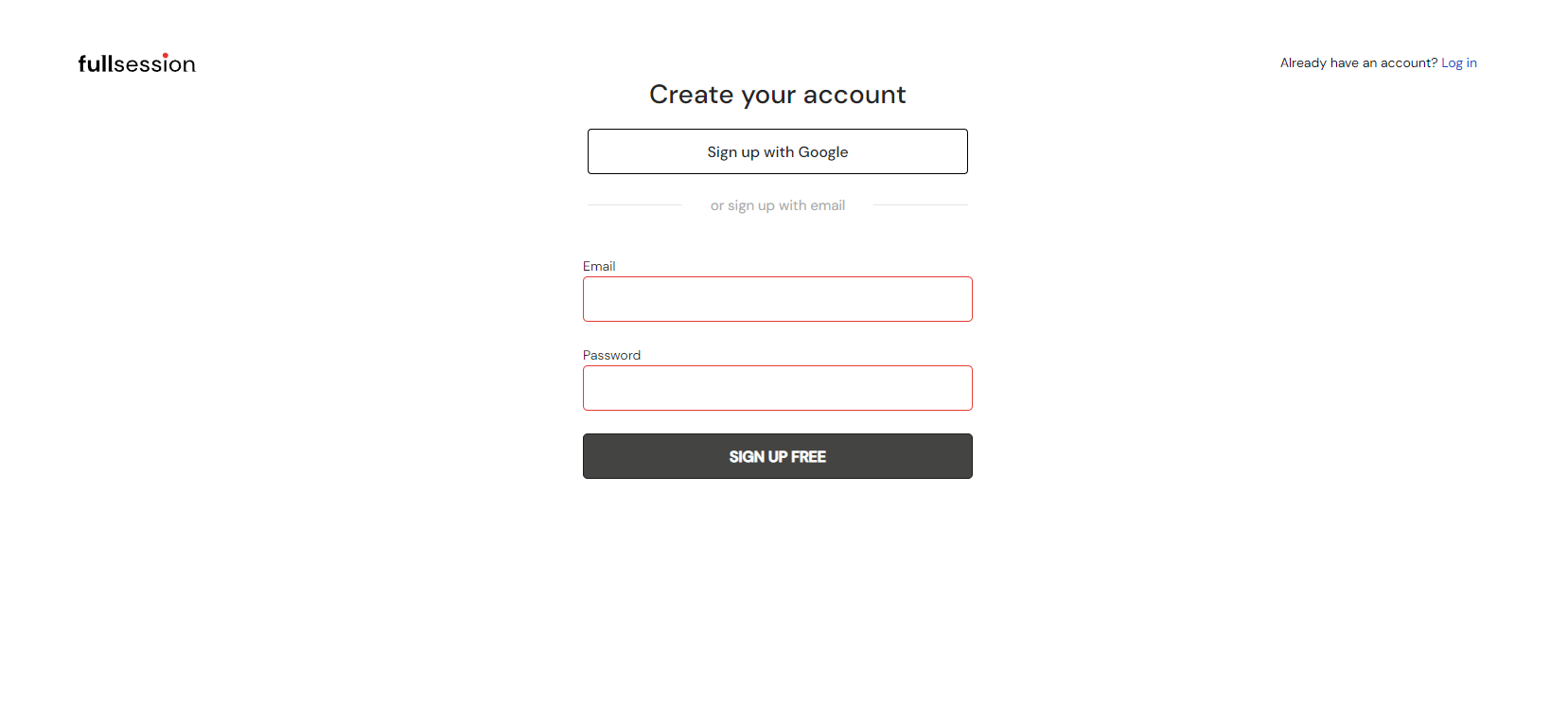
    What are the objectives of behavioral analytics tools?

    Behavioral analytics is the process of capturing user actions, categorizing them, and then drawing insights from the data. You may use this information to change website design or the way you deliver content to users. This, in turn, can influence users to take certain actions such as clicking on a specific link, filling out a purchase form, or sharing content with their audience on social media.

    What are examples of behavioral data?

    Behavioral data is a record of users’ activity on your site. Some examples of behavioral data include browsing activity, search query information, app activity usage, pages view history, videos watched, product feedback, support queries, and cursor tracking. This data can be used to determine how visitors use your site, what works well for them, and what doesn’t, resulting in an improved user experience.

    Why do we need behavioral analytics?

    Today, businesses have more data points than ever before. This can be overwhelming and leave people with a feeling that they’re not getting the right information at the right time. Behavioral data takes things a step further, allowing brands to predict customer behavior, future needs, and even lifetime values in order to make smarter business decisions.

    Why should companies use behavioral analytics?

    Customer behavioral data is a crucial part of developing an effective marketing strategy. Knowing your customer inside and out can tell you how to reach out to them, which advertising channels will be most effective, and what messaging resonates with them. Your customers are your business, know them well.

  • Click Tracking 101: The Whats, Whys, and Hows

    Click Tracking 101: The Whats, Whys, and Hows

    Click tracking lets you monitor and record where visitors click on your website, web app, and landing page or tap on mobile devices. Click data is valuable for making informed product development decisions, from placing CTA buttons on a page to what color scheme to use to get more engagement.

    Also, click tracking helps you analyze what works best for each advertising campaign to increase conversions and decrease bounce rates. Every click signals to the marketer that something is working, whether it’s a headline, an image, a call-to-action button text, or other elements. It helps you determine what users are interested in and where they spend most of their time.

    In this blog post, you will learn how click tracking works and how to use FullSession to track link clicks on your website. You can run A/B tests and create session recordings or heatmaps easily by installing the tracking code on your website. All you need is a FullSession account and a few minutes of your time.

    What is click tracking?

    Click trackers monitor click events to help you see what is working or not on your website or mobile app. The real value lies in converting the user clicks data into insights that inform you how to build better products.

    Product, marketing, sales, and UX teams use click data to identify areas of your site that have low conversion rates or show technical issues that might hamper site performance.

    When used in online advertising, click tracking helps you analyze the effectiveness of your marketing campaigns. You can identify where visitors land, how they navigate through your site, and ultimately where they click to buy your products or use your services.

    How does click tracking work?

    Automatic click tracking tools are simple to set up. You just place a piece of code on each page, and each time a visitor clicks a unique link, the tool records this event and shows you click data in reports. With this information, you can determine which pages are most effective and what calls-to-action are most appealing.

    You can use website heatmap tools like FullSession, CrazyEgg, or Hotjar to find out where your visitors click, the reasons they leave your website, and what makes them convert into customers.

    The most common click tracking tools

    Heatmap

    Heatmaps and session recordings are the two most common tools for businesses to collect user behavior data, and FullSession, our web analytics tool, offers both. Heatmaps are visual representations of clicks, page scrolls, mouse movements, and general user behavior. They’re a vital part of developing UX strategies by showing you exactly where users interact with your site and where they don’t.

    Session recordings allow you to view and analyze every step of a single user session. They depict the full experience a user has with your website, from the moment they enter your site until they leave.

    If you don’t track visitor clicks, you will lose a lot of valuable information as it can help you improve user experience and increase sales, leads, and conversions.

    Google Analytics and Google Tag Manager for user click data

    google analytics

    Compared to UX click tracking tools, such as FullSession, Google Analytics provides raw data about traffic sources, including search engines, social media channels, direct visits, referrals from other websites, etc.

    Google Analytics is a good solution if you want to know what content works best on your site, which links send traffic, and where visitors come from.

    It also helps you understand how to improve your online visibility by using SEO techniques such as keyword research, SEO copywriting, and backlinking.

    google tag manager

    Its tool, Google Tag Manager, lets you add Google Analytics tracking code to your website, along with event tracking for goals, button click tracking, email tracking, shopping carts, and more.

    Rather than adding the Google Analytics tracking code directly to your site, you can add it through Google Tag Manager in one place, reducing the risk of accidentally breaking your site by editing the core Google Analytics tag.

    In each case, Google Analytics lacks context to help you get a complete picture of your website performance. For best results, you should combine it with click tracking tools to get a more holistic view of the user click data.

    What user clicks you shouldn’t track

    There are some clicks you should not track on a website. These are known as ghost clicks or phantom clicks, and they can be dangerous for your analytics data. One or a combination of the following three things often causes ghost clicks:

    • Bugs in your web application
    • A client-side scripting error
    • Misconfigured analytics software

    These clicks come from many sources, including viruses and bots. Fortunately, you can use filters to weed out these clicks. To avoid privacy violations, you should not track any clicks on a website or app if the users did not consent to have their clicks tracked.

    The 9 reasons to use click tracking tools

    Click tracking software, such as FullSession, is a must-have for any company that sells digital products or services. Turn click-tracking into an opportunity to understand your website visitors’ interaction, analyze traffic statistics, and monitor your website’s performance over time.

    Here are some of the benefits of click tracking:

    1. It lets you look at the marketing data on a more granular level
    2. It helps you optimize your marketing strategy
    3. It allows you to monitor sales and provides data on your advertising campaigns
    4. It is useful for social media marketing campaigns and email click tracking
    5. It helps you track your website’s performance and provides valuable insights
    6. It lets you identify which content or products on your website are generating the most clicks
    7. It helps you find out what brings users to your site
    8. It enables you to find and fix website errors
    9. It provides an analysis of user experience

    Click tracking tool helps you increase your revenue through improved conversion rates and better engagement with your customers. It’s like a GPS for your business, helping you understand exactly how your potential customers are interacting with your brand on the web at every step of the process, so you can make appropriate changes to enhance the user experience and maximize sales.

    The 6 drawbacks to using click tracking

    A good click tracker will help you interpret data and take actionable steps in improving your conversion rate. However, click tracking is not without its drawbacks. Here are some of the issues you should be aware of.

    1. Click tracker doesn’t capture the user intent. It can’t always tell the difference between a user clicking on a result because they’re interested in the content and one who is just scrolling down the page.
    2. It can sometimes be difficult to distinguish between a user clicking on a result to share it and the one interested in the content wanting to read more.
    3. Depending on the tool you choose to track clicks, it can become too expensive.
    4. It doesn’t provide immediate feedback on whether or not your website has been optimized for conversions.
    5. Click tracking may not accurately measure engagement on different types of content.
    6. Click tracking tools are sometimes slow to deliver results and accurate data.

    However, with the right tools, you can track each click. With heat maps, click maps, and detailed reports, FullSession shows you where users click on the page, so you can optimize your website to increase their satisfaction.

    How to track clicks with FullSession

    FullSession helps you adjust your website’s design and content to improve organization, usability, and user experience.  It gives you all of the information you need to grow traffic, boost engagement and improve conversion rates at every step of the customer journey.

    Tracking your website visitors is critical for seeing how people use your site and what they’re interested in. We’re going to show you how FullSession works and give you a step-by-step guide, taking you from sign-up to tracking, so you can start watching the clicks of all your website visitors.

    1. Start a free trial

    While browsing FullSession, you’ll see a Sign-Up button in the top-right corner of the homepage. The button is highlighted and easy to spot. Click on it to start the sign-up process.

    Register your account by filling out the required fields with your email address and password, or sign up with a Gmail account. After the input, click the Sign-Up Free button to get started.

    We’ll send you a confirmation email to the address you registered with. Check your inbox or spam folder and click on the verification link in that email. Click on the Activate account button and sign in to complete the registration process and access FullSession.

    2. Connect FullSession with your website
    Once you log in, follow four simple steps to get started. First, add your first name and last name.

    sign up for fullsession

    Now you need to add the URL of the website or web app where you want to place the FullSession tracking code. If you need to add more URLs, you can do it later. Click Next when you finish.

    install fullsession

    To begin tracking events on your website, choose to install the recording code or the User ID code. Below the <head> of the webpage, you want to track, copy and paste the script. Verify that you have properly integrated the script into your site by clicking on the Verify Installation button.

    install code for fullsession

    If you use Google Tag Manager, you don’t need a developer to change the code manually. Send a code snippet to your team member or install it from NPM. If you get stuck along the way, there’s plenty of documentation to help you out.

    Use invite-only access to invite your team members to your account. To add a new team member, enter the email address of the person you want to invite and set their role as user or admin. It helps you quickly determine who has access to which features.

    invite your teammates to fullsession

    Congratulations! Now you can start using FullSession to track your users’ behavior, understand how they navigate through your website or web app, reach them at the right time and keep them coming back. It will help you improve your user experience and optimize your website for conversions.

    3. Understand the FullSession dashboard

    fullsession dashboard

    FullSession collects everything you need to know about your visitors in one place and only displays meaningful data. You can set time frames for analytics, such as the last seven days or all time. Custom time frames are also available to help you track data about individual sessions.

    FullSession lets you do the following:

    • Watch individual user session recording and replay
    • Learn who your top users are
    • Spot user trends to project future events
    • Monitor user activities
    • Get data such as event per session, session length, and active time on site
    • See the percentage of error and rage clicks on website elements
    • See the browser, device, and screen resolution breakdown
    • Learn more about your top referrers

    Now that you’ve got a better idea of how FullSession works, let’s dive into the details of session replays and recordings. As you’ll soon see, session replays are an excellent way to record and share user behavior, enabling you to extract valuable insights about users’ interactions and gather performance metrics for product development purposes.

    4. Track clicks with session recordings and replays

    Session recordings and replays are among the most important FullSession features. Session recordings capture each segment of user behavior on your site or app, while session replays let you review what happened during a user session as it happened.

    By reviewing session recordings and replays, you can pinpoint trouble spots and tweak your sites to ensure more users convert into customers.

    With FullSession, session replays are available for you to watch at any time. To watch a recording, access the FullSession dashboard and go to the Session Playlist section. Choose the recording you want to watch and click on a Play button.

    fullsession session recording playlist

    After that, you’ll be able to watch a recording of the user session in a new window. It lets you see what real users do on your web pages, where they hover, where they click, and how they scroll so you can enhance your website’s design and make it more user-friendly. If you want to learn more, please read our blog post about  website visitor recording.

    session recording view

    Now, let’s focus on click tracking in your session recordings. When you start watching your session recording, you can find important information on the right side of the panel. It shows you where your users come from, their IP address, the date of the first session recording, the average time spent on the page, and the total time spent on pages while browsing your website.

    Most importantly, it shows you the session list and session events. These tabs give you insight into what was happening on your site during the recording. You can see how many times your users clicked an element on the page and whether they were frustrated or delighted with their experience.

    fullsession analytics per visitor

    You can filter your searches on FullSession to only include relevant results. It allows you to narrow down both your audience and your search queries.

    This feature is helpful for businesses that often need to find specific recordings or sessions for rage clicks, dead clicks, error clicks, or trashed cursors. It ensures that your team is never overwhelmed with irrelevant data.

    fullsession visitor details

    User click data types

    Regular click data provides you with more information into how users navigate your site. You can see their clicks, issues they might have on different devices or browsers, and if they click on a single element or several elements of the same page.

    These clicks are significant for link tracking and usually mean that the user has completed the visit without encountering any problems.

    Rage clicks are an indication of user frustration. When users are dissatisfied with your page, they may repeatedly click a certain element or a region on the screen. Rage clicks are often associated with slow loading times, confusing layouts, or broken elements of your website.

    Knowing what causes rage clicks can help you optimize your site to prevent them from happening in the first place. Rage clicks are less likely to occur on websites with a clean layout and high-quality elements that load quickly.

    session recording events list

    Error clicks result in technical issues, and you should solve them immediately when they occur. An error click signals you the visitor is trying to interact with your website, but the JS element they are interacting with is not working. For example, if a user clicks on a button, but nothing happens, you will know that the button code has an error and needs fixing.

    Dead clicks usually lead to nowhere, as nothing happens after a user action. Dead clicks are referred to as links that don’t lead to a page but instead show an error message or send you to an unrelated page. These clicks are usually the result of faulty programming and misunderstanding of how users interact with a web page.

    With click tracking, you’ll be able to perform A/B tests on different elements of your site to see what works and refine your overall strategy accordingly.

    5. Combine session recordings with heat maps

    Interactive Heatmap

    We always listen to our customers and develop new features based on their suggestions. Our interactive heat maps will help you see how visitors move through your site and gain deep insights to increase conversions and customer satisfaction. We haven’t developed this feature yet, and we plan to launch it next year.

    Heatmap helps you understand user behavior

    FullSession allows for real-time analysis of page performance and engagement. You can see precisely how users are interacting with your web pages and then make immediate changes to improve their experience.

    Heatmaps give you a visual representation of how users interact with your website or landing page. You can see what areas they’re tapping, clicking, and scrolling, which helps you identify friction points and areas of improvement. Seeing where users drop off can reveal a lot about why it’s happening.

    With heatmaps, you can see where users focus their attention. By identifying areas of customers interest and enhancing those elements, you will show your customers that you’re listening to their needs and improving the experience accordingly.

    6. Track user clicks in Insights

    The new FullSession Insights lets you view all your data in one place. From visitor insights to page-level engagement data, it’s now easier than ever to monitor your performance and stay ahead of competitors.

    To start analyzing your data, click on the Insights tab in the primary menu. The reports are divided into three sections, and we’ve made it easier for you to see insights for up to one year.

    Total count of dead clicks

    Dead clicks represent lost revenue, missed opportunities, and a terrible customer experience. With FullSession Insights, you can see:

    Total count of dead clicks
    % of Sessions on Mobile devices
    Avg Page Load Speed
    Total Console Errors

    Understand user engagement

    FullSession Insights let you analyze user behavior and show you how to improve your website performance. Trend cards replace guesswork with data and show you relevant results, comparing multiple segments over time.

    With FullSession Insights, you can see:

    Median scroll depth by device
    Page load speed by browser

    Key performance indicators

    KPIs are the numbers you can use to tell if you’re doing well. If your KPIs aren’t moving in the right direction, you’ll have some clear data you can use to make changes and improve your website.

    With FullSession Insights, you will get the following data:

    % of Users to Error Click
    % of Sessions w/ Page Loads
    Top Rage Click Pages

    You can use KPIs to track your success over time. If you don’t have them, you will not have a clear picture of your website performance. Use FullSession insights to understand each metric and know what it means in terms of results.

    FullSession pricing plans

    FullSession Pricing

    Here are more details on each plan.

    • The Starter plan costs $39/month or $32/year and allows you to monitor up to 5,000 monthly sessions with up to 6 months of data storage.
    • The Business plan costs $75/month or $60/year and helps you to track and analyze up to 100,000 monthly sessions with up to 12 months of data storage.
    • The Enterprise plan has custom pricing and offers customizable sessions plus full access to all features.

    Book a demo today.

    Stay on top of your site’s performance with FullSession.

    FullSessions performance tracking capabilities make it ideal for users who want to keep tabs on on-site engagement, conversion rates, user interaction, and more. You don’t need to integrate with different tools or have advanced technical knowledge of code and APIs because FullSession takes care of everything.

    With straightforward metrics, FullSession enables you to monitor your site’s performance in real-time and make data-driven decisions. Register your account today and start optimizing your website, web app, or landing page.

    FAQs In Relation To Click Tracking

    We’ve created a list to answer the most frequently asked questions about click trackers. If you don’t see an answer to your question, feel free to contact us via email at hello@FullSession.io, and we’ll try to get back to you as soon as we can.

    Which software should I use for click tracking?

    FullSession is a web analytics tool that lets you track user sessions and easily pinpoint the most engaging areas of your site. With our 14-day free trial, you can check out all available features and make sure our tool is the best fit for your business.

    Basic and Business plans have the same features but differ in the number of sessions tracked and team member quota. If you need a customized plan, we can create a solution based on your business needs.

    Why is click tracking important?

    Users’ click tracking is a great way to get feedback on your site, which can be crucial in finding ways to make it more appealing. When people find what they’re looking for, you’ll see a dramatic increase in your conversion rate. The better the user experience you provide, the more likely they are to return and spend time on your site or app.

    What is after-click tracking?

    The term after-click tracking or post-click tracking (PCT) describes a method of determining which links or buttons on an advertisement led to the customer’s purchase. After the user clicks on an ad, this process allows for the correlation between ads and sales conversions.

    This information can help companies better understand their customers’ preferences and purchase habits, which will help them reach their target audience more effectively in the future.

    Also, PCT can offer valuable information about future marketing campaigns, especially if you want to know where people are dropping off in your funnel or what type of adverts will appeal to your audien

  • An Expert Comparison of Hotjar vs Crazy Egg

    An Expert Comparison of Hotjar vs Crazy Egg

    In 2021, user behavior is king, that is – understanding user behavior and predicting your website visitors’ next move.

    As assumption is the base of all slip-ups, especially for those running a website or an online store, you need to be very careful with the way you scan your web pages and collect your incoming feedback. Data collection is not as easy as it may seem.

    Unfortunately, not much can be achieved by analyzing the number of filled-out forms, placed orders, or support chats on your website pages.

    To make decisions that will drive your business forward and help increase your conversion rate optimization (CRO), you need to gather data based on website analytics and other marketing tools to understand user behavior and its motives.

    With the right set of tools that examine each significant user action using heatmaps, session recordings, and others, you’ll tackle the right points of customer feedback – everything from what they do on your website to what their usual interaction process with your pages is.

    Crazy Egg and Hotjar: Why start with these two?

    A lot of people want to know what the best heatmapping tool is and how they can collect data effortlessly.

    Being among the most popular tools that offer heatmap reports and user session recordings, Hotjar and Crazy Egg position themselves at the very top as the best digital marketing tools out there.

    However, as there are hardly any differences between the two, users have difficulty picking between them on their own. And, that’s why we’re here!

    Read on to find out which heatmapping software between Hotjar vs Crazy Egg is the better option, and ultimately, make an informed decision about which would be the better conversion tool for your site.

    Crazy Egg vs Hotjar: Main Differences

    Go through this Crazy Egg vs. Hotjar comparison to spot the main differences between these two tools and decide which one is best for your business needs.

    • Hotjar offers a free plan of 15 days and includes an always free version (free forever plan), whereas Crazy Egg offers the option of a full 30-day free trial.
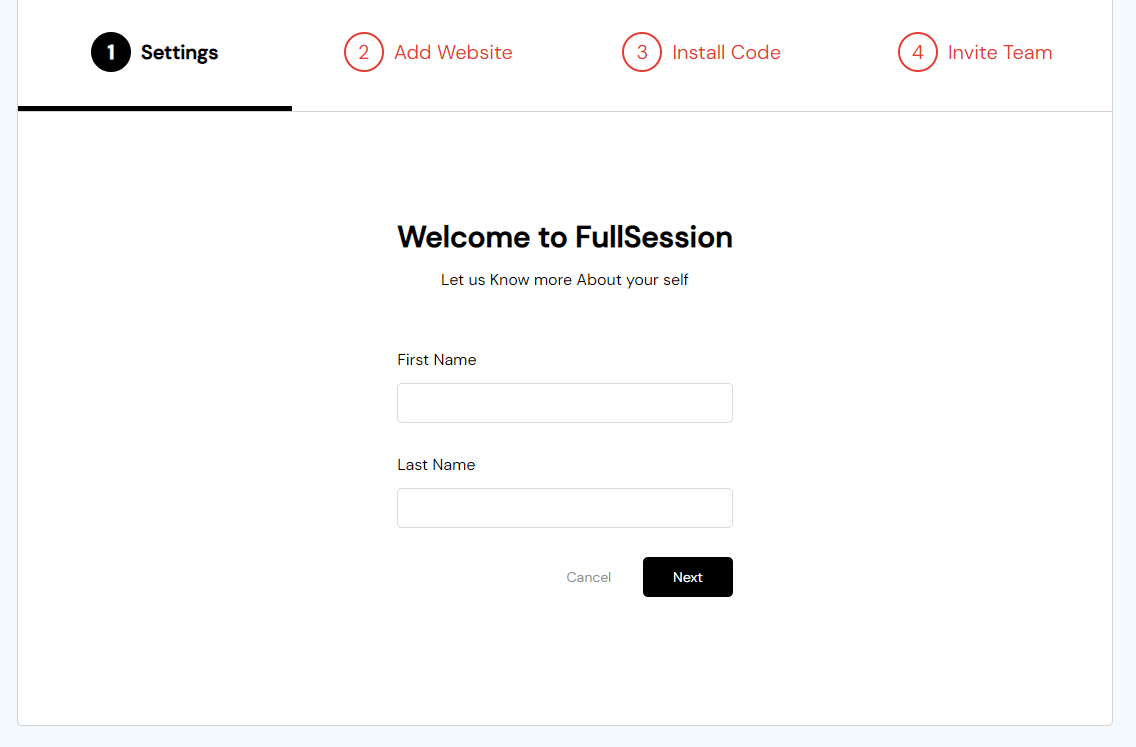
    • Compared to Crazy Egg, Hotjar is presently used by almost twice as many websites.
    • While Hotjar shows how far visitors scroll, Crazy Egg scrollmaps show how long visitors spend on a specific page.
    • Hotjar provides users with surveys (onsite and email) whereas Crazy Egg does not.
    • Crazy Egg doesn’t offer feedback widgets while Hotjar does.
    • HotJar offers access to the API while Crazy Egg does not.
    • In addition to clicks, Hotjar tracks mouse movements, too, while Crazy Egg tracks clicks only.

    In addition, HotJar’s JavaScript files have been reported to conflict with some of the JavaScript libraries some websites use. If that happens to you, you can switch to Crazy Egg as Crazy Egg users haven’t yet reported experiencing compatibility problems.

    The role of website data

    Website data gives you the necessary insight to take informed action, capture and digest your users’ data, see how they interact with your website. It also helps you understand which areas your website visitors fancy the most and why, and how you can help them find a solution they seek.

    In that sense, no matter the size of your organization or the industry you are in, don’t hesitate to invest in the best heatmapping software for your business.

    In return – you will boost or spike resurgence in your conversion rate to drive leads, subscriptions, sign-ups, and sales through the roof. What is more, you will almost certainly reduce your bounce rate, as well.

    Hotjar vs Crazy Egg: Basics you should know

    Comparing Crazy Egg and Hotjar makes it clear that both solutions are high-quality, trusted tools that will help you collect feedback from users by using site analytics. What are site analytics, anyway? Simply put, they are Google Analytics on steroids.

    According to four-year statistics captured by Datanyze, a trusted analytics and tracking firm, both Hotjar and Crazy Egg are used in over 100,000 busy, Alexa-ranked sites on the web.

    Also, as you collect and capture user data, Hotjar and Crazy Egg make understanding your prospects an insightful, visual and fun experience, helping you get deeper insights and paint the big picture of how your users interact overall.

    Similarities between Hotjar and Crazy Egg

    Hotjar vs Crazy Egg similarities continue to roll out from there, serving different client experiences for different webmasters. What are these experiences?

    #1 Simple use and sign-on

    If you are a marketer who wants to capture your users/visitors’ aspirations vividly, signing on to either of these two tools is a fantastic idea.

    Our research and general experience with Hotjar and Crazy Egg is that both tools have an approachable learning curve and are easy to learn. They plug into your website and guide you to an immediate sign-up page and a form that needs filling.

    Hotjar and Crazy Egg guide you through the initial steps of installing the code, their features resources, and the application of the same.

    If at any point you stutter, Crazy Egg shines together with Hotjar here, allowing users to email a webmaster friend or use Google Tab Manager to roll out the code.

    Upon signing up, you’ll immediately get an account that will let you view, review, and control a cluster of aspects.

    Hotjar is exceptionally fantastic here in that you can group other similar or related sites and view and configure them from one dash.

    #2 Customer support

    Too many scrambled eggs here when it comes to Crazy Egg support. At the time of writing, Crazy Egg delivered support directly proportional to the parcel of your pricing scheme. Meaning, when you use its free trial and cheaper plans, the platform support you’ll get is – well – cheaper.

    There have been numerous complaints about generic responses from Crazy Egg agents, and not much assistance provided.

    Hotjar, however, is an entirely different story. Both live chat support and phone support were offered on the Hotjar website, with customer support agents very agile, helpful, and reliable at the time of writing.

    Even when you contact Hotjar via emails or chatbot messages, they will take a short time to respond and make sure they leave you with the answer to questions you were initially perplexed about. What a game changer this Hotjar, right?

    #3 Platform integrations and compatibility

    While on the topic of support, you can use Hotjar tracking features and Hotjar analysis on a number of devices and operating systems – whether mobile devices, desktop, laptops, or mac.

    Using your Hotjar account’s dashboard, you will get to monitor and track what your users clicked, tapped, and scrolled through.

    Crazy Egg users will get similar functionalities with a slight difference – Crazy Egg integrates with different third-party sites.

    #3.1. Google Analytics

    Although both Hotjar and Crazy Egg are basically Google Analytics alternatives – as a loud testament – neither of the two integrates with Google Analytics. Thus the in-page analytics for form analytics, content, and web page analytics will differ from what you may have used to get with Google Analytics.

    What does this mean for you, the user?

    The analytics you get won’t be any less helpful than those with Google. Instead, you’ll get better metrics that will help you gauge the success of your site.

    #3.2. Dropbox and Google Drive

    Sorry to disappoint, but Dropbox and Google Drive do not make the final cut into either Crazy Egg or Hotjar.

    Yes, plugging into these two for backing up heatmap reports and analytics and syncing that information with multiple devices in different locations would be helpful, but – it is what it is.

    Here’s another info you (maybe) won’t like: Neither of the two tools integrates with Slack, Salesforce Sales Cloud, Twitter, Facebook, and Campaign Monitor.

    #3.3. Optimizely, Boast, and Bitium & HubSpot Marketing and Shopify

    Crazy Egg advocates rejoice because your favorite tool integrates with both Optimizely, Boast, and Bitium.

    For instance, when you integrate with Optimizely, setting up heatmaps will be an automated task where their user recordings and heat map tool get tagged by source, giving you extra options to store more visitors’ actions data.

    Hotjar does not integrate with Optimizely, Boast, and Bitium, but it does with HubSpot Marketing and Shopify instead.

    That means that Hotjar will serve you just right if you are gearing your site towards inbound marketing and funneling.

    In fact, while Crazy Egg is more about capturing the data to understand what places and site feature your website users are interacting with, Hotjar is highly pitched towards helping you gain data that can take you to boost your funneling.

    #3.4. A/B testing

    Initially, Crazy Egg does not support A/B testing like Hotjar. Nevertheless, suppose you want to utilize A/B testing to decode how visitors interact with your site’s UX. In that case, you can integrate your Crazy Egg account with UserTesting, and you should get the result you are after.

    #3.5. UX design issues & user behavior

    If you are looking to identify your website’s UX design issues along with your website visitors and users’ behavior, Hotjar could be right up your alley.

    This website analytics tool also integrates particularly well with WordPress and Magento, some of the best systems and business applications.

    #4 Supported devices

    Here comes the tricky part –

    As both Hotjar and Crazy Egg are web-based platforms, the companies still don’t offer a mobile app to help you see what individual users engage in while on the go. You can, however, see what mobile device visitors are doing on your site at any time.

    Nonetheless, you can use either user analytics tool with your Windows, Mac, or Linux devices. But while Crazy Egg leads here as it comes with Android and iPad/iPhone support, Hotjar is conspicuously missing both.

    Again, it is up to you to decide exactly what matters to you and your website goals.

    Hotjar vs Crazy Egg: Feature Comparison

    Both Hotjar and Crazy Egg offer a number of features which we’ll take a quick look at.

    Hotjar platform features

    Hotjar offers impressive tools.

    • Heatmaps

    Heatmaps enable you to see what people are clicking, what device they are using, where and how far down they scroll, and what source they came from.

    The “hottest,” fiery-colored white patches signify where most visitors are going, interacting with, or clicking on.

    A heatmap tool helps you gather a ton of valuable data.

    • Session recordings

    This fantastic tool lets you track and monitor your website visitors’ actual visits and interactions in real-time and motion with session replay. Proper session recording helps you learn precisely how they interact with particular features of your site.

    • Polls and surveys

    Another amazing duo of tools at Hotjar is to help you gather constructive user feedback. Information gathered through pools and surveys lead towards optimizing your site for better user experiences or any other website goals.

    • Recruiting user testers

    For those of you who would like to reach out to individual users and hire them autonomously, Hotjar gives you the power to do so! Why recruit user testers?

    Because who better than real-life users to ask about ways to improve your UX design; this unique feature allows for their incoming feedback to be an honest overview of their browsing experience on your website and ways they think it needs changing.

    • Conversion Funnels (CRO Tools for boosting Conversion Rate)

    Conversion funnels help you learn how people are progressing through a series of desired actions encouraging you to come up with ways to motivate them to take your desired action.

    Crazy Egg features

    Here are the features CE offers.

    • Heatmaps

    Crazy Egg offers only Heatmaps, which further branch into more sub-features. These features work almost the same way Hotjar’s tool do.

    The least engaging spots are indicated in blue, while the most clicked ones are shown in red, letting you focus on optimizing either some more.

    • Confetti

    Confetti is a tool that displays hotspots like taking an X-ray of your web site. If you have thick text and multimedia on your site, confetti can appear a little cramped.

    • Scrollmaps

    Scrollmaps indicate how far down your website the visitors are getting helping you come up with ways to motivate them to browse further down your pages or decide where to place your call to action tags.

    • Overlays

    This feature helps you get a grasp on the number of user clicks and how many link views a particular page is getting.

    Crazy Egg vs. Hotjar Pricing

    The all-important question on everyone’s mind is: How much do these tools cost, and which one pays off more?

    With all the factors, comparing the two plans isn’t the easiest thing to do, nor a fair one. For that reason, here’s each tool’s basic pricing model and the plan they offer laid out for you to decide on.

    Crazy Egg Pricing

    At Crazy Egg, the pricing model is rather straightforward.

    As you go up and sign up for a more expensive plan, you can track more page views and record more sessions. To that end, there are four primary pricing plans available and a fifth option to build a custom plan just for you.

    Crazy Egg packages:

    • Basic: $24 per month
    • Standard: $49 per month
    • Plus: $99 per month
    • Pro: $249 per month
    • Custom (for individuals per order)

    In addition, Crazy Egg offers a 30-day free trial on all four of its pricing tiers if they so wish.

    Hotjar Pricing

    Hotjar costs come a a simple, user-friendly pricing structure and a set of competitive pricing plans that work for most businesses. That said, there are four plans to choose from.

    • Basic: € 0/ forever
    • Plus: € 39/month
    • Business: € 99/month
    • Scale: € 389/month

    As of recently, Hotjar features a “Hotjar Partner Program” that – as advertised on Hotjar website – invites you to introduce your clients to Hotjar, and you can earn up to 25% recurring revenue for every Hotjar referral.

    Hotjar also offers a 15-day free trial. Check out these Hotjar alternatives.
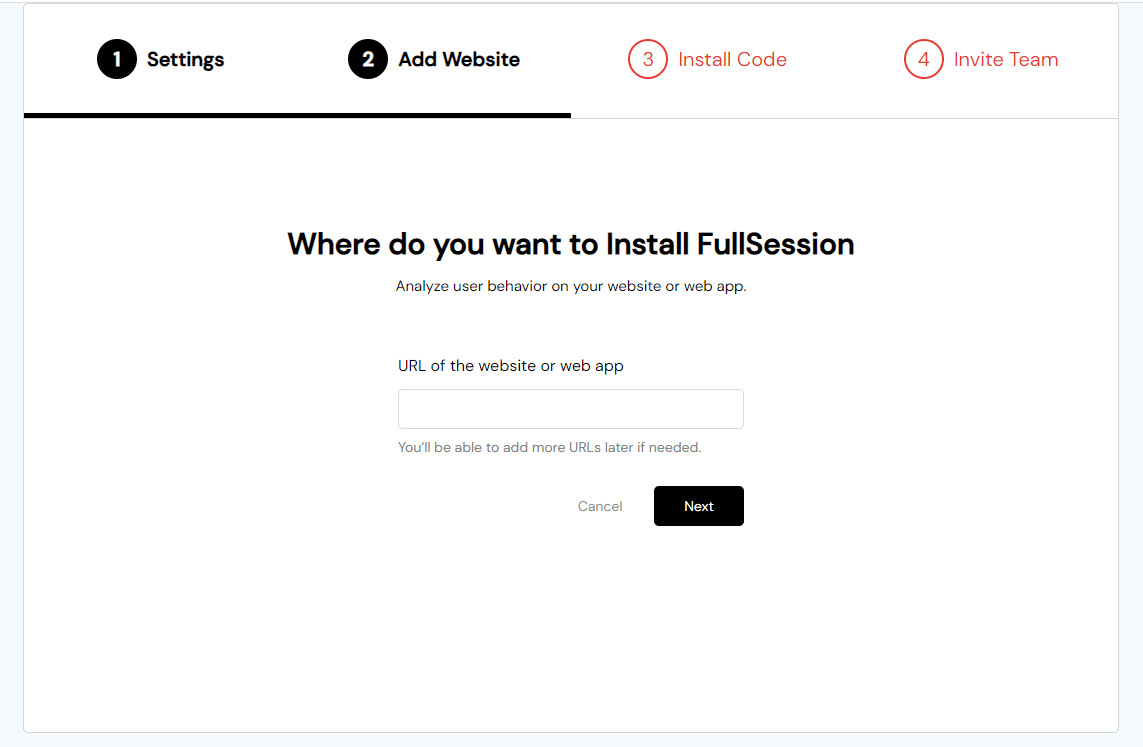
    Hotjar vs. Crazy Egg: Comparison Conclusion

    Figuring out which tool between Hotjar and Crazy Egg should choose is not an easy task. Both come with a set of incredible features that suit different marketers and website owners differently.

    To opt for a better website and conversion rate optimization solution, assess your goals to help you learn what your users want and need, how and how often they interact with your website, and almost with what zeal. Either tool will help you access this information by literally enabling you to see it on your site.
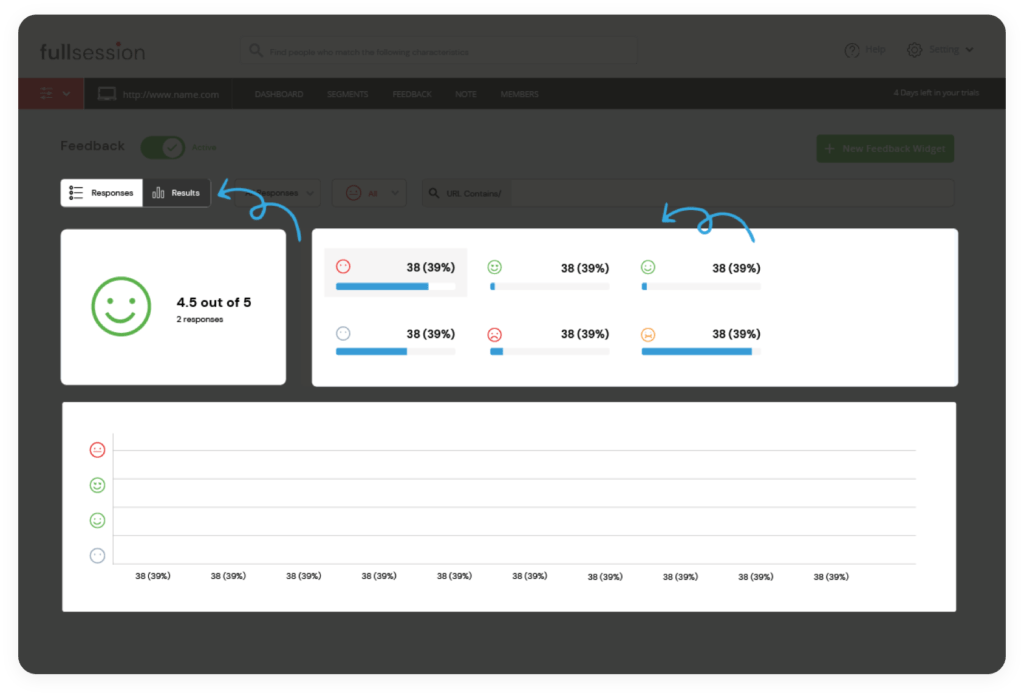
    Either Hotjar or Crazy Egg offers users an amazing experience, depending on what they need. The tools help you optimize landing pages and opt-in forms, fix user experience glitches, and boost conversions, increase loyalty and rocket sales. It’s up to you to pick which tool will push for that to happen.

  • 9 Amazing Ways Session Recording Enhance Digital Customer Experience

    9 Amazing Ways Session Recording Enhance Digital Customer Experience

    Use session recording to optimize CTA placement, fix bugs and errors, and eliminate confirmation bias

    Session recording, also known as session replay, is emerging as a key tool for digital customer experience specialists who want to identify website user pain points and improve overall customer experience.

    Not that long ago, when designers, marketers, and developers wanted to gain insight into how users interact with web pages, they had to rely on recruited end-users and complicated, error-prone usability studies. These studies would examine how users navigate through a site. While there were pros to this approach, there were also plenty of drawbacks. Some of the drawbacks were while users could say they were frustrated at a certain point and may have had difficulty explaining just what it was that frustrated them.

    Now, much better & improved digital customer experience intelligence can be gained through session recording and session replay videos, which can reveal digital customer experience trends and be employed by your digital experience manager.

    What is a session replay video?

    Session replay videos are recordings that show the exact tracking of a mouse, page scrolling, tap locations, page clicks, page-to-page navigation, and total session duration. While simple analytics tools can provide some of that information, like session duration, they can’t show mouse direction, which is a much clearer indicator of how users navigate a site and where the hang-ups may be.

    Session replays are literal replays of user page interactions — basically like looking over the shoulder of a user in real-time. They show you what users do, how they do it, where they struggle, and what is slowing or blocking conversions. They also allow you to empathize with page visitors and understand their experiences with the goal of building a stronger page.

    Digital experience managers: Use session replay to identify problems and increase conversions

    With powerful session replay tools at your disposal, you can map digital engagement and generate a detailed explanation of how users navigate around your site. Pair that with behavioral analytics software, and you have unparalleled insight into improvements you can make to your user interface.

    Once generated, session recordings are easy to share and watch, which makes it easy for teams to collaborate before making tough decisions about layout and optimization.

    Just because you have session replay video capabilities is not enough. You need to know how to use that information to make changes to your pages that will drive conversions.

    Here are the top nine ways to use session recordings to improve your site performance

    1. Find out if users are seeing the CTA

    Of course, you know where the CTA is — you agonized over the wording, timing, and location. But that does not mean users will necessarily see it. Your CTA could be hidden with poor or unclear wording, or be obfuscated by nearby elements. Or it could even simply be difficult to find based on color choice and background images. If users miss your CTA or don’t understand what it will deliver to them, the effectiveness of your entire site is compromised!

    2. Understand if users run into any errors

    You can improve digital engagement by understanding where users may encounter errors. The most common errors are 500 internal server errors, 401 unauthorized errors, 400 bad requests, 403 forbidden, 404 not found, 503 services unavailable, and connection refused by the host. Encountering any of these throws up major red flags for users and drives traffic away.

    3. Discover any bugs on the site

    Session replay can be highly useful for identifying common website bugs. Use it to discover problems like browser incompatibility, validation fields, date control, or crashes caused by button clicks. Like it does for errors, running into any of these will raise alarms with users. And it brings your traffic to a virtual standstill.

     4. Gain insight into whether your UI is confusing website visitors
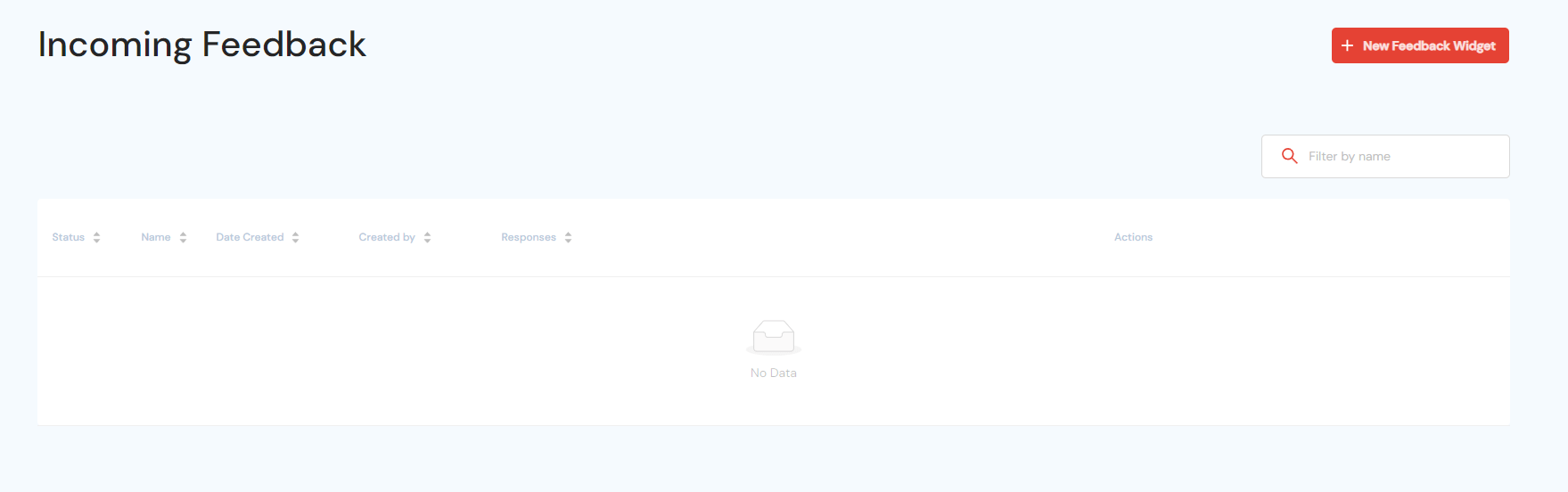
    With detailed session playback, you can understand how your UI design may throw off users. It could happen either by sending them to the wrong pages or wasting time looking for contact, sign-up checkout, or shopping cart buttons. The session playback can be useful regardless of user platforms. The tracking is just as easy on phones and tablets as it is on desktops and laptops.

    5. Eliminate confirmation bias in your own UX analysis

    Confirmation bias is the tendency to adopt a specific view or determination and then place outsized value on information that backs that view up — to the expense of perhaps more pertinent information which argues against it. Put another way, if your hunch is that users can’t find your CTA button, then session playback can shows if that’s right or not.

    6. Identify aimless scrolling

    Aimless scrolling means users are moving around your page and between pages. And they are not seeing the content they are looking for. By understanding precisely where users track their mouses, you can effectively place key website components.

    7. Learn if users hesitate to click the CTA button — an indication they may not trust the seller

    If users hover around CTA buttons but don’t click, this may indicate they don’t trust the site, the button, or the transaction process. Identifying the reasons behind that are another matter, but knowing it’s there is the first step in addressing it.

    8. Uncover content layout snafus

    Website design can be tricky — are your important links hidden or require too much scrolling to find?. Session recording will tell you if the links must be moven to more optimal locations.

    9. Search for best patterns in digital customer experience hiccups

    A single or even a handful of wayward visitors does not necessarily mean your site has fundamental UX/UI issues. But a pattern of confused and frustrated visitors who eventually give up shows that you have critical errors you need to address — now. Look for patterns like users who click on dead areas. And observe patterns where visitors click on a particular link only to click back to the previous page immediately. Also, look for patterns in which visitors fill out forms incorrectly (like first name/last name or city/state mixups). And visitors who may mistakenly highlight sections of the page. Patterns like these are cue cards that you have UX/UI issues to fix.

    Intelligent tools like those from Fullsession can identify these problems and more, allowing you detailed, smart insight into how visitors interact with your page and into digital customer experience trends. Fullsession provides behavioral analytics software that improves digital customer experience to show you precisely how users engage with your site and its content.

  • What is Website Heatmap Tracking tool? | Best Benefits of using Heatmaps

    What is Website Heatmap Tracking tool? | Best Benefits of using Heatmaps

    A website heatmap is a graphical representation of the data on your website pages. Different values of the data are represented by different colors which reveal the user activity. Website heatmap tracking tools are an amazing way to figure out the sections of your web pages where your users spend the most time, the sections where they click or scroll, and the sections that they ignore.

    Why use website heatmap tracking tools?

    To increase the level of digital engagement

    By identifying user’s clicks, scrolls, behavior on your website, it becomes easier to identify critical digital engagement touchpoints. Thus it helps you make the necessary changes to the website to make it more engaging for the users. And also it would enhance the digital customer experience. In the absence of a higher level of digital engagement, you can formulate new strategies to reinforce users’ digital engagement on your business website.

    To find out the user issues on the website

    Sometimes, there are some sections of your website that may propose any sort of complexities or difficulties to the users. As a result, there are chances that those users stop returning to your website in the future. To avoid losing clients due to a bad digital customer experience, a free website heatmap tool will help you figure out user issues and resolve them.

    Identify if users are utilizing the main buttons or sections

    Behavioral analytics software such as those provided by FullSession identify if the users are utilizing the main buttons or visiting the main sections of your website. Website heatmap software would help you find out if your users are clicking on the CTA’s (call to action) buttons or not. It may also show you if your website users are accessing the important sections of your website or not. Thus, you would be aware of the fact if your website’s main sections/buttons are effective or if they are not catching the customers’ attention.

    To see what elements are distracting or attracting customers

    It happens sometimes that few sections of a website distract the visitors from the main or important sections. At the same time, they could be attracted by the sections that are not important. Many free Website heatmap tools will show you a graphical representation of what attracts or distracts the customer

    What sections need improvements or reorganization

    Through website heatmap, you can detect which sections of your website need improvement or reorganization. It becomes easier to identify sections of your website that should appear on top to grab the user’s attention. And it will also give you an idea about which sections should come later. Similarly, it can also help you identify the essential changes that your website needs for a better user experience. Through digital analytics, you can make sure to maximize the conversion rate. And increase revenue on your website by improving the digital experience for value-driven for your customers.

    Website Heatmap for improved optimization

    Behavioral analytics software plays a crucial role in improved optimization of the varying segments of your website. For better optimization, FullSession, heat mapping tool allows you to segment your visitors’ interactions by multiple filters such as geography, traffic sources, user attributes, device, etc.

    Try FullSession interactive heatmap tracking tool!

    FullSession interactive heatmap offers you a  dynamic digital experience to make the best use of heatmaps. Static website heatmaps only plot graphical representation on static pages such as landing pages. FullSession interactive website heatmaps will allow you to have a live and dynamic experience. Whether dynamic URLs on your website such as sliders, side panels, drop-down menus, popups, or specific elements, they would always be tracked without being missed. Instead of waiting for processed data on a static website heatmap, you can now access real-time data to track customers’ behavior.