.svg)

Chatbot vs live chat: when to use AI, a person or both
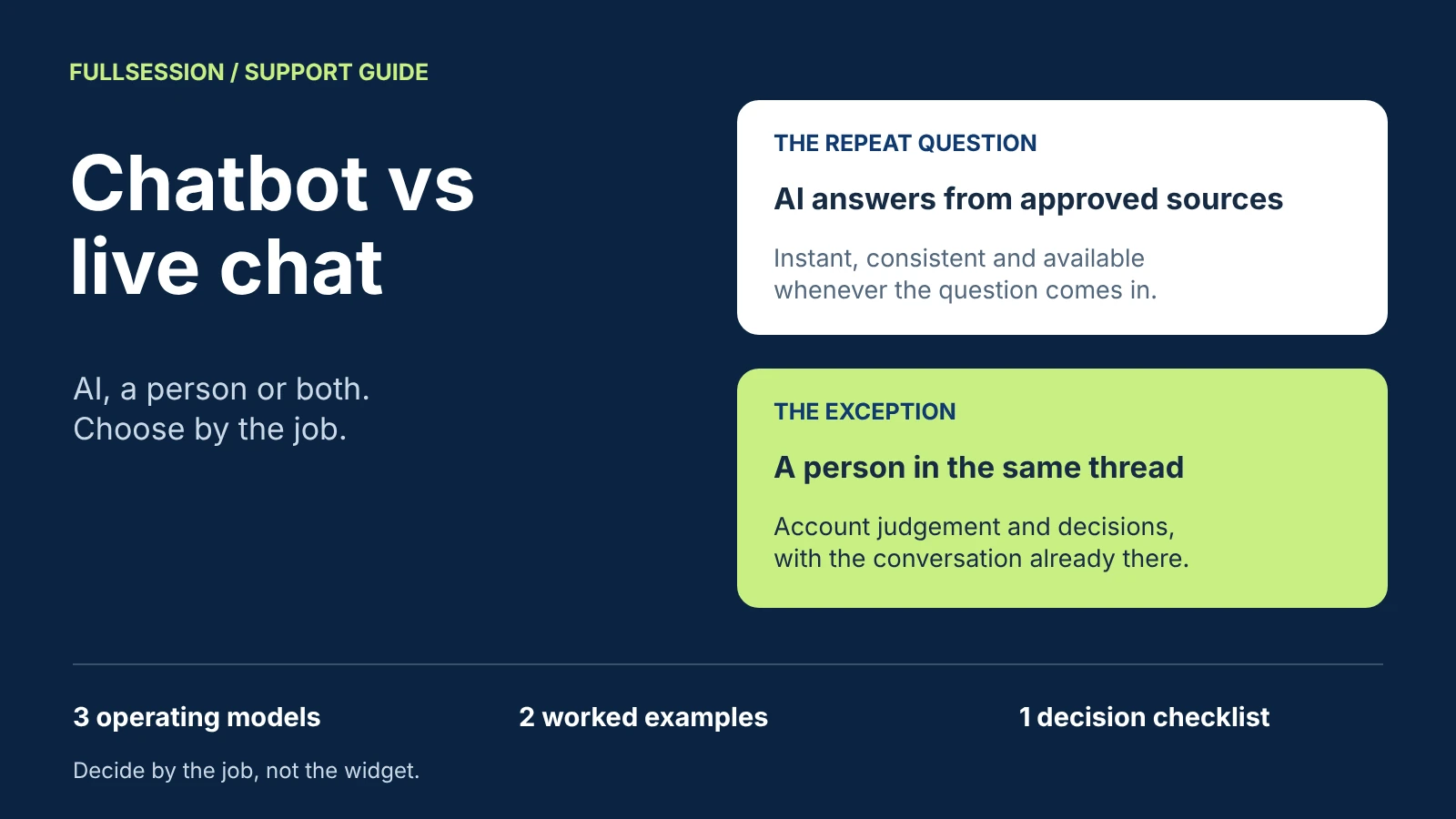

Use an AI chatbot for questions that repeat and have an approved answer, live chat for exceptions that need a person's judgment or authority, and both in one conversation when your queue holds both, which most support and sales queues do. Chatbot vs live chat is a choice of operating model, not of widget. It decides who answers first, what happens outside staffed hours, who owns an exception and what you pay for. A chatbot alone leaves exceptions with nowhere to go. Live chat alone puts a person on every repeat question and ties coverage to staffed hours. Combining them works only when a person takes over the same conversation, with its context, and the customer is told honestly how long the wait will be.
FullSession Support & Sales Desk is built for that third model. Max AI answers support and sales questions from the sources you approve and can co-drive supported steps in your product. Visitors always know when they are talking to Max, and can ask for a person at any time. Your team takes over in the same thread, from one shared inbox that holds the conversation and available context. The Desk app, shared inbox and human chat are included with Max, with no seat fees. See how the Desk works.
Below are the jobs each model handles, two worked examples and the cost of each model by billing unit. A downloadable operating-model checklist turns the comparison into a decision for your own queue. The examples use a fictional company and are illustrative, not product recordings or customer results. Desk capabilities, prices and vendor billing units come from each company's own pages, checked 19 October 2026.
Chatbot, live chat or both: the three operating models
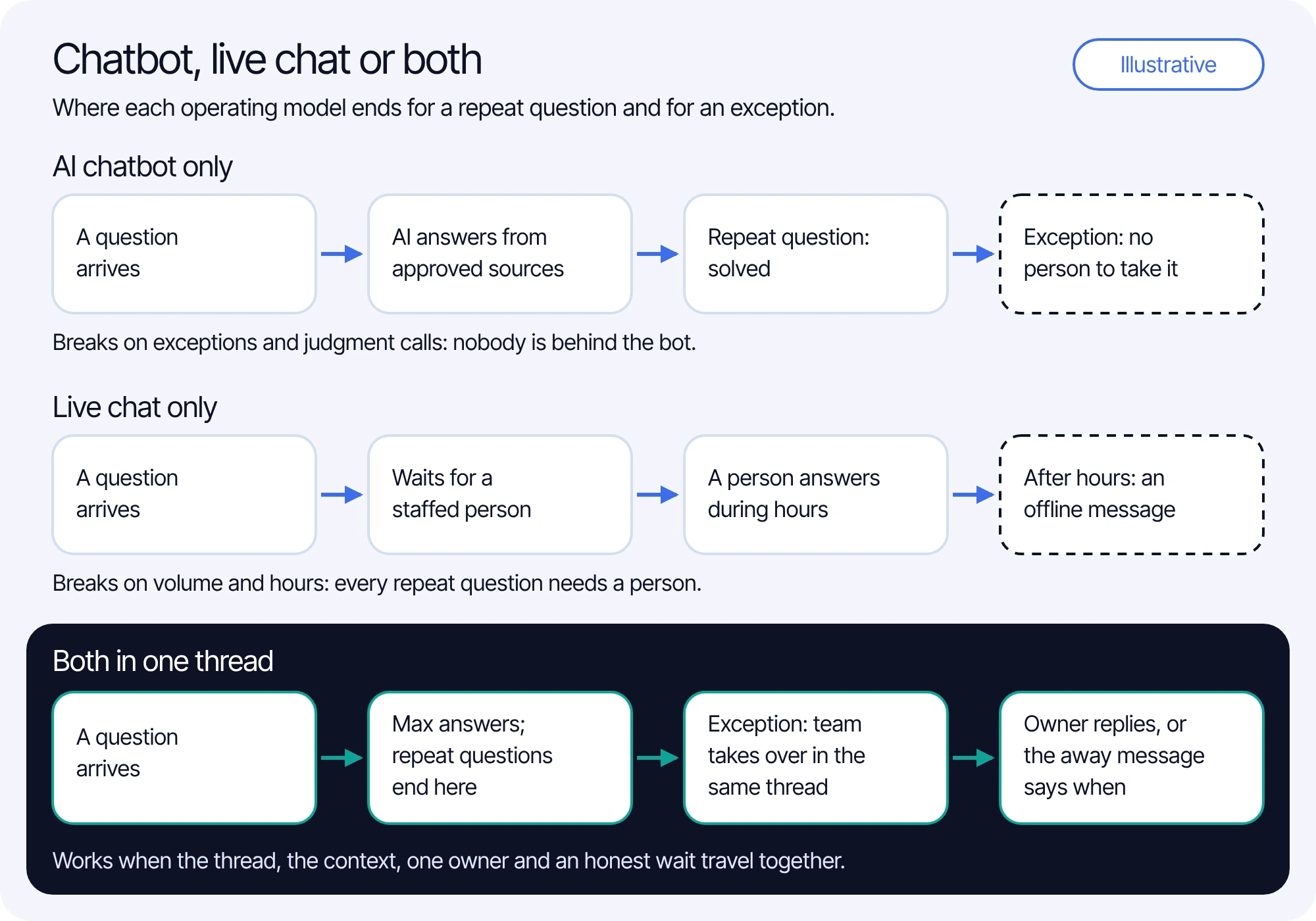
AI chatbot only. Software answers every conversation. A current AI chatbot answers in its own words from sources you approve and, if it is built for it, takes supported actions; an older rule-based bot follows scripted menus. If the customer needs a person, the path is a form, an email address or another channel.
Live chat only. A person answers every conversation in real time, during the hours you staff. Outside those hours the widget shows an offline message or a form, and the question waits for the next shift.
Both in one thread. The AI answers first. A person takes over the same conversation when the customer asks for one or your policy requires it, and replies inside the thread the customer already has. It is the model behind most "use both" advice, and the hardest to get right, because everything depends on what the handover carries.
Which jobs each approach handles well
Compare the models by the jobs in your queue, not by feature lists. The assessments below are editorial judgments about fit, not measured results.
Each model has a failure point. A chatbot alone fails in the lower rows, where a decision needs authority and nobody is behind the bot. Live chat alone fails in the upper rows, on volume and hours: every repeat question uses a person's time, and coverage ends when the shift does. The combined model fails in three specific ways: the handover loses the context, the bot makes it hard to reach a person, or the away message promises a reply nobody is staffed to send.
Live chat alone is still the right model for some teams. If you have a low volume of high-value conversations, each needing judgment, or a policy that requires a person for every reply, a chatbot adds little. A chatbot alone can fit a narrow, well-documented question set when customers are clearly told where exceptions go instead. For most queues, the mix of repeat questions and exceptions makes both in one thread the practical default. Which repeat questions to automate first is a rollout decision covered in the support automation guide.
Worked example 1: a repeat question
Harbor Invoicing is a fictional invoicing app. At 2:15 pm on a Tuesday, during office hours, a customer named Marco asks inside the app: "How do I export last quarter's invoices to CSV?" Harbor has an approved help article on exports, and export is available on Marco's plan. The support team is busy with three billing exceptions. The example is illustrative, not a recording or a customer result.
In the combined model, nobody on Harbor's team touched Marco's question, and the three billing exceptions kept their attention. If Max had answered wrongly, the fix would be the export article, not more staff. The chatbot knowledge base guide covers preparing those sources.
On billing, one Max conversation covers one user in one thread for a fixed 24 hours from Max's first substantive answer, guidance or supported action. Marco's follow-up questions, a co-driven step and a switch from text to voice all stay inside that one conversation.
Worked example 2: an account-specific exception
At 10:05 am, Ines, a workspace admin at a Harbor customer, writes: "We removed three seats on the 3rd but were billed for 12 this month. Can you refund the difference?" Harbor's policy says seat reductions apply at the next renewal, and any refund outside that needs approval from the billing team. Harbor's MCP server lets Max read a workspace's seat history; it does not permit refunds. Omar on the billing team holds the approval. This example is also illustrative.
Max is not the right owner of this decision. It did the parts it is permitted to do, the policy and the facts, so Omar received a conversation ready to decide instead of an interview to run. Had Ines asked for a person in her first message, before any substantive help from Max, the handover would not be billed at all.
Not every exception arrives this neatly. If Omar is out, the conversation waits until someone is assigned. If Ines writes after hours, the away message says when the team is back and her question waits in the same thread. A person does not take over instantly by default, so the first human reply should state when the next update will come, at a time the team can meet.
What makes "both" work: one thread, the context and an owner
The combined model depends on three conditions: the person replies in the conversation the customer already has; the context travels with it, including the transcript, what was tried, the account context you permit and the page; and one named person owns the next reply, with an honest time for it.
In FullSession Desk, the product supplies the thread, the context and the assignment; the honest reply time is your team's commitment. Your team takes over in the same thread, and replies from Max are labeled in the transcript, so no one mistakes them for a colleague's. One shared inbox holds the conversation and available context. You can assign conversations and control who can view them, and add internal notes that stay internal. On your website, you can let visitors choose Max or a person. You set office hours in your team's time zone with an away message, visitors can still leave a question after hours, and a returning visitor picks up the same thread. With Core CX / UX, the teammate also sees what Max said, the page and the recording before replying, when that session was captured. Outside office hours, Max answers the same way it does during them; when a question needs a person, Max explains that the reply may wait until your team is back.
The handover itself, including triggers, the context to transfer and how to test an unavailable teammate, is covered step by step in the chatbot-to-human handoff guide.
The three models, step by step:
- AI chatbot only: a question arrives, the AI answers from approved sources, and a repeat question is solved. An exception has no person to take it.
- Live chat only: a question arrives and waits for a staffed person, who answers during hours. After hours, the customer sees an offline message.
- Both in one thread: a question arrives and Max answers, so repeat questions end there. An exception or a request for a person moves to your team in the same thread. The assigned owner replies, or the away message says when the team is back.
What each model costs, by billing unit
Chat tools bill in different units, and the unit decides what makes your bill grow. Live chat is usually priced per seat: you pay for each person who answers, whether five chats arrive or five hundred. AI agents are usually priced by usage: a resolution, an outcome or a conversation, each defined by the vendor. Compare what each unit counts before comparing prices.
With Max, the Desk app, shared inbox, human chat and supported integrations are included, with no seat, MAU, app or per-lead fees. Human replies add no charges, and a handoff before substantive Max help is free. Greetings, clarification-only exchanges, human-only chat and internal tests are not billed. You pay $99 or your conversation charges, whichever is higher, so 1,000 AI-assisted conversations in a month cost $390, and the minimum applies at 253 conversations or fewer. Taxes, third-party subscriptions and optional Core CX / UX recording (from $39.20/mo billed annually) are separate.
In a combined model on a seat-priced tool, you pay for the AI's usage and for every seat your coverage needs. On Desk, the AI cost tracks how many users Max helps, and the human side has no seat line, so the number of people you staff follows your exceptions and the reply times you promise. Your team's time is never free, so count it in either model. For a full budget across vendors and volumes, use the AI chatbot pricing guide.
How to choose: a decision checklist
Start from your own queue. Take a recent sample of conversations, such as the last 100, and sort each one into the jobs in the comparison table. Then answer five questions:
- How many conversations in the sample have an approved answer you would let software give?
- Which exceptions need authority, who holds it, and during which hours?
- What hours do you staff, and what wait can you honestly promise outside them?
- Which account data and actions should the AI be permitted to use, and through which connection?
- Which billing unit moves the way your volume and staffing move?
If repeat questions with approved answers make up a large part of the sample and exceptions are a smaller, steady share, both in one thread is the model to test. If nearly every conversation needs judgment, or each one is a high-value sales conversation with a known buyer, live chat with a person first can be the better fit. If you choose a chatbot alone, write down where exceptions go and tell customers before they need it. Sales conversations follow the same logic: the AI answers pricing and plan questions and a person owns negotiation, as the lead generation chatbot guide shows from buying question to demo request.
The operating-model checklist adds a queue sample sheet, a job-to-owner map, an hours and waits record, a billing-unit worksheet and a walkthrough test with blank observation fields.
See AI answers and a human takeover in a Desk walkthrough
Bring one repeat question and one exception from last month's queue. We will walk through how Max answers a question like your repeat one, then the takeover in the same thread, assignment and office hours on the exception, and, if you use Core CX / UX, where a captured session appears.
Chatbot vs live chat questions
Neither wins on every job. An AI chatbot is better for repeat questions with an approved answer, and live chat is better for exceptions that need judgment or authority. Most support queues have both, so the practical choice is an AI that answers first and a person who takes over in the same conversation, with an honest wait when nobody is available.
Part of them. It can explain the policy, gather the facts and use the account data and actions you permit. The decision on a refund outside policy, a contract term or a sensitive request belongs to a person. In FullSession Desk, Max answers what it can, and your team takes over in the same thread, assigned to the person who holds the decision.
It depends on the billing unit. Live chat is usually priced per seat, and AI agents per resolution, outcome or conversation. Max costs $0.39 per AI-assisted conversation with a $99 monthly minimum credited toward conversations, and the Desk, shared inbox and human chat are included with no seat fees. Count your team's time in every model.
Max answers the same way it does during office hours. When a question needs a person, Max explains that the reply may wait until your team is back, the away message says when that is, and the question stays in the same thread for your team to pick up.
Three conditions. The person replies in the conversation the customer already has, the context travels with it (the transcript, what was tried, the account context you permit and the page), and one named person owns the next reply with an honest time for it.
See what’s costing you, and prove whats fixing it is worth
Watch the real journey, rank every issue by revenue impact, and validate the result against baseline.






.svg)
.svg)
212 E Stone Path St Derby, KS 67037 Phone: +1 415-649-4222



All systems operational.