.svg)

Watch the real journey behind any drop-off.
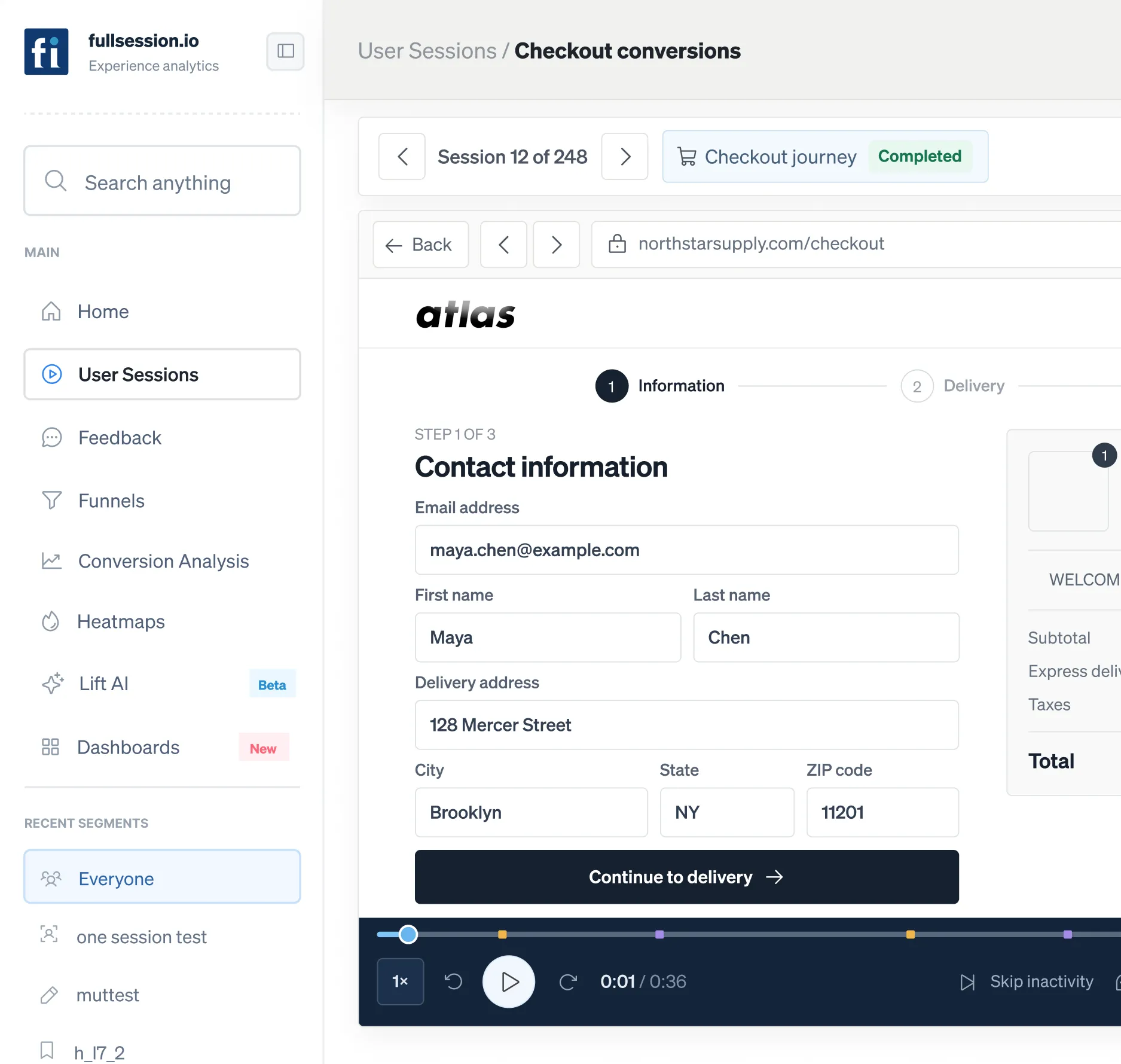
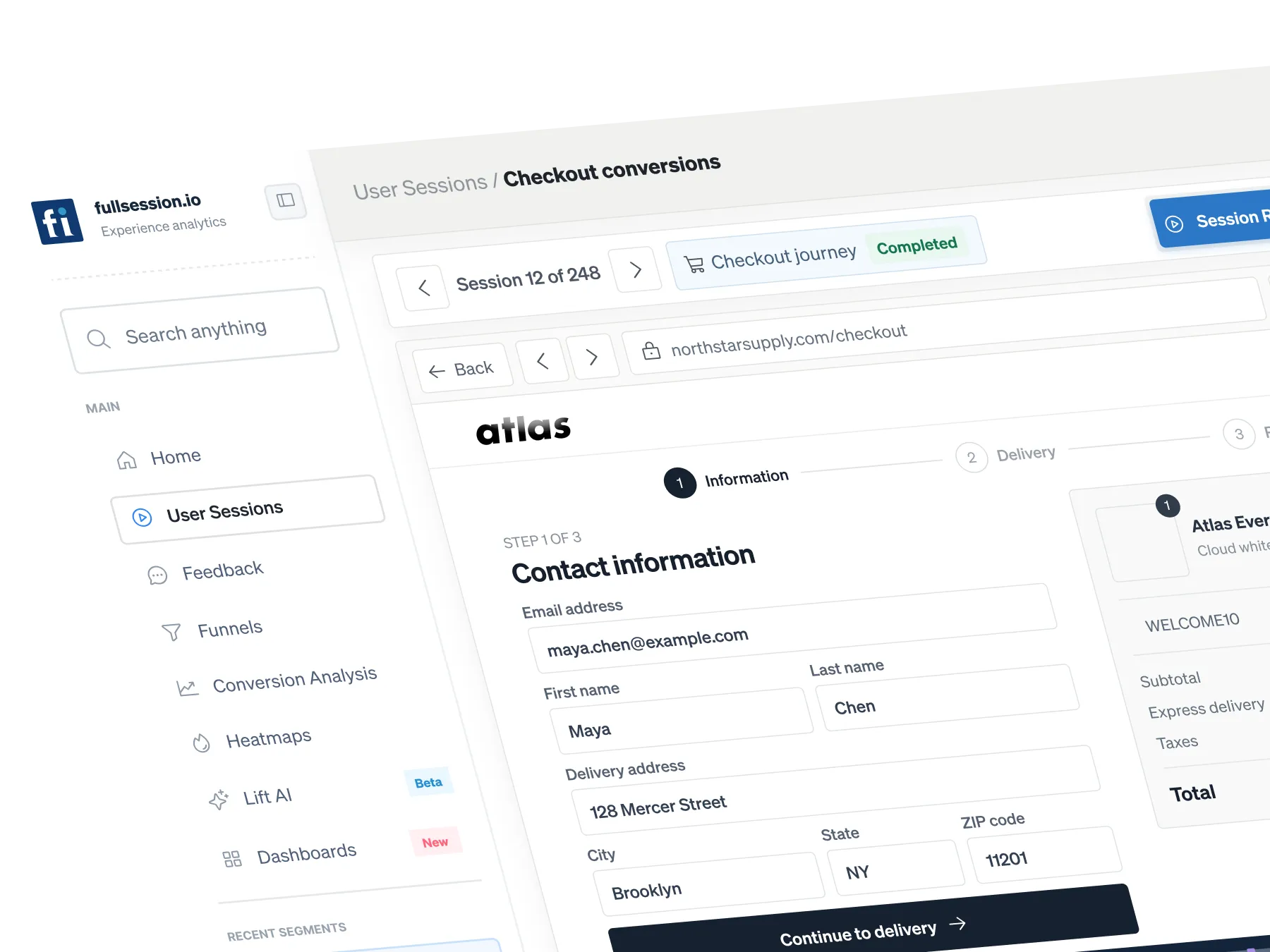
FullSession reconstructs the exact journey a visitor took through your site or app, action by action, with console, network, and page-performance context attached.






.svg)

What can you do with Session Replay?
Analytics tell you a step converts poorly. They rarely tell you why. The reason is in the session: the validation that misfires, the dead tap on a promo that was never clickable, the layout that breaks on one device. Until you can watch it, every fix is a negotiation between opinions.

Go from a leaking step to the session that caused it.
Jump straight from a funnel drop, an error cluster, or a heatmap dead zone into the exact recordings behind it.

Diagnose in one pass.
Full journey, console and network errors, and page performance in the same timeline, so a vague bug report becomes a reproducible case.

Spend your review time where the money is.
Lift AI ranks every issue by revenue impact, so the sessions you open are attached to the highest-value fix on the board.
Session Replay software
that connects privacy, analytics,
and speed
FullSession captures rich interaction data, not heavy screen video, so you can search, filter, and share insights quickly without compromising user privacy.
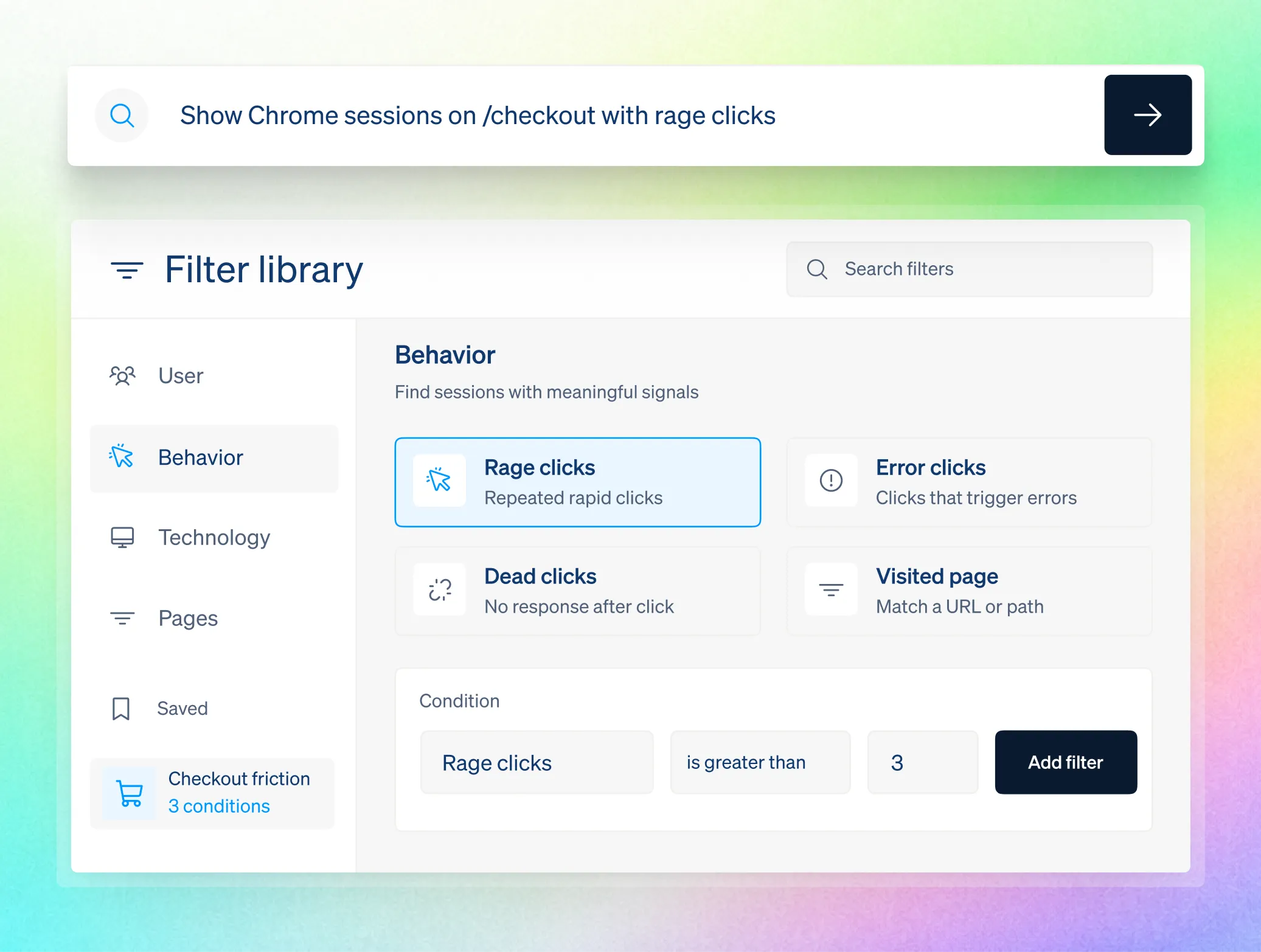
Filter sessions by frustration signals, errors, funnel exits, devices, locations, or saved segments. Open Lift AI recommendations and supporting session evidence instantly.
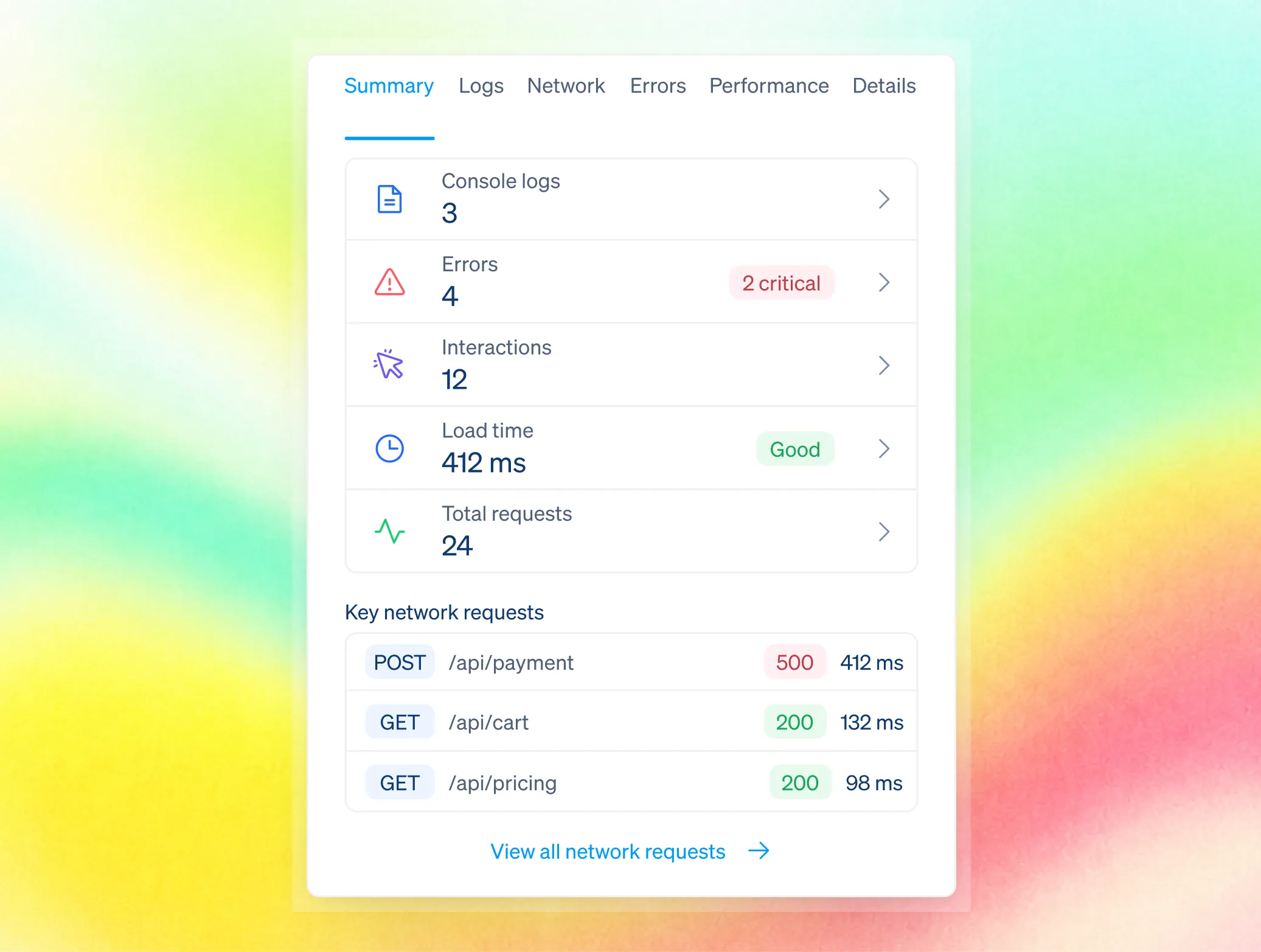
Each replay captures logs, network requests, errors, performance data, and the exact interaction helping support verify issues and engineers reproduce them without customer recordings.
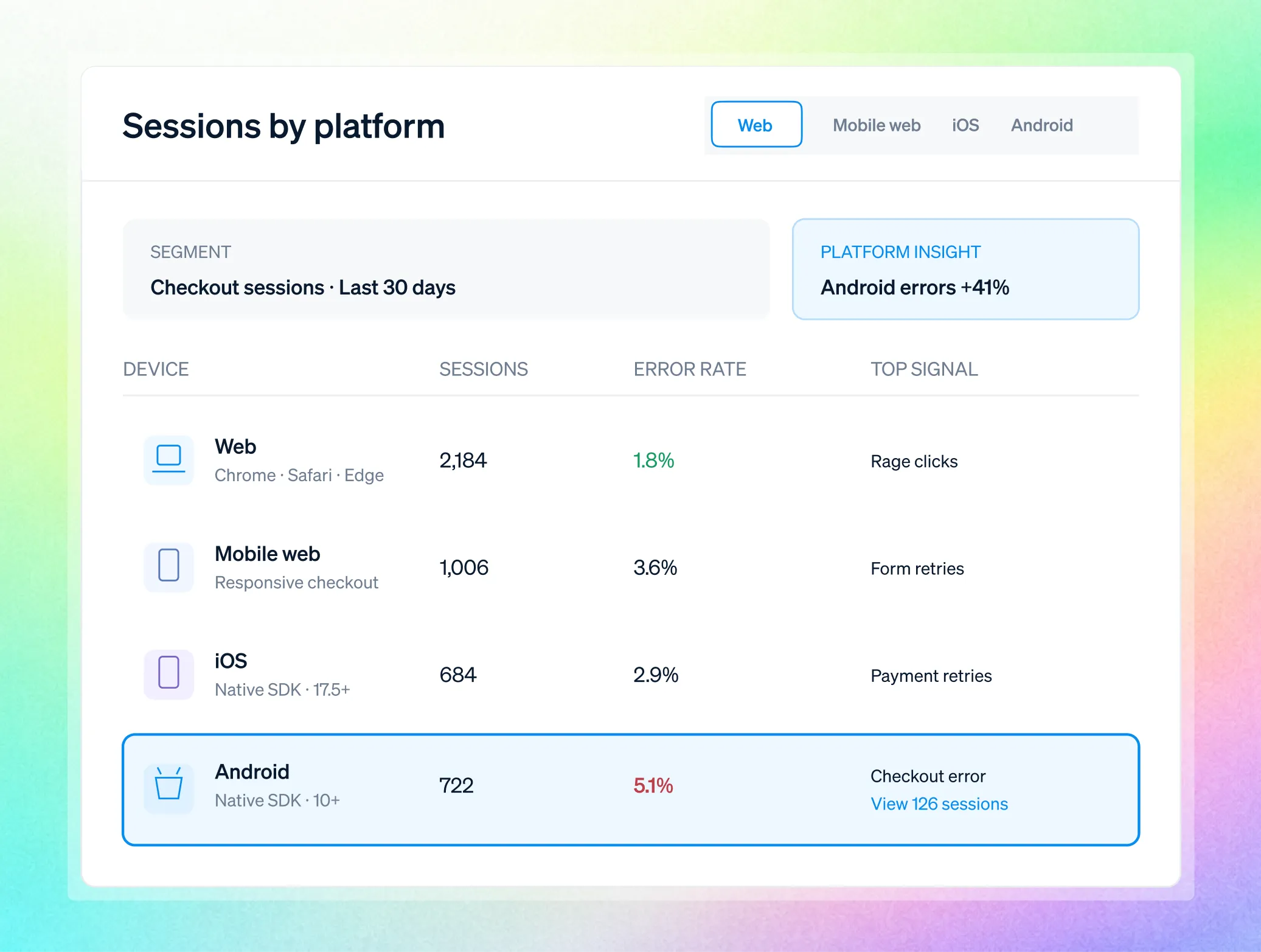
FullSession supports web, mobile web, and native iOS and Android through its Mobile SDKs. Segment sessions by device to isolate platform-specific issues quickly.
Analytics tell you a step converts poorly. Lift AI ranks every issue by revenue impact so you start with the fix that recovers the most.
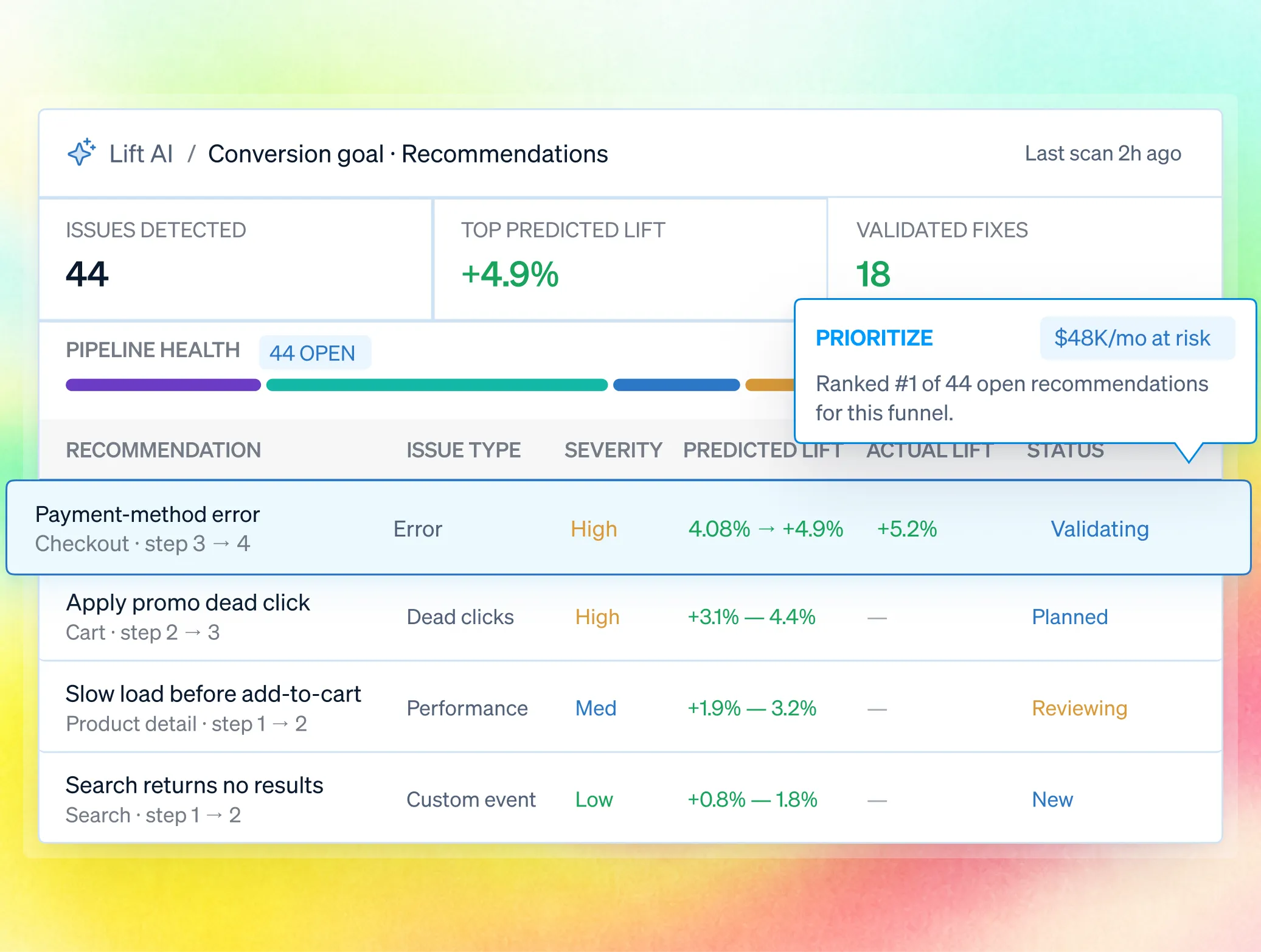

One workflow for every team accountable for the outcome.
Bring Product, UX, Growth, Engineering, and Support into one shared workflow—from identifying friction to prioritizing fixes and measuring impact. Every team works from the same evidence and stays aligned on the outcome.

.avif)

Build the roadmap on what users actually did, and confirm the release moved the number.

Watch the abandonment path behind a leaking step, then take a ranked, revenue-backed test into the next planning cycle.
.avif)
.avif)

Reproduce revenue-blocking issues with full technical context and triage by business impact.
.avif)
.avif)
Is Session Replay safe for
sensitive data?
Yes, and it is built for security review, not around it.Masking and blocking happen at capture, in the visitor's browser, so protected values never reach FullSession.

Mask fields, elements, or entire pages at capture, so sensitive data never reaches FullSession. Add playback masking and honor user consent or opt-out preferences.

Control access with role-based permissions, SSO/SAML, and audit logs. Customize retention and support GDPR, CCPA, and PCI requirements.

Enterprise-ready security reviews, uptime SLAs, and independently verified safeguards. Data is hosted in the US, with European residency available on request.
Teams use FullSession to turn behavior into proven outcomes.
"FullSession shows us exactly where users get stuck without digging through hours of recordings. It’s where we start when we know there’s something wrong and needs fixed. It was easy to launch and the FullSession team is super responsive and helpful."

12x
5x


Frequently Asked Questions.
A faithful reconstruction of a real visitor's journey through your site or app, with the clicks, scrolls, errors, and performance context that explain what they experienced. In FullSession every replay links to the funnels, errors, and ranked opportunities around it.
No. Sensitive inputs are masked or blocked at capture, in the browser, before anything reaches us. You control the rules, and consent and opt-out are honored.
A recorder hands you sessions and leaves interpretation to you. FullSession connects replay to heatmaps, funnels, errors, and feedback, and Lift AI ranks which sessions sit behind the most revenue.
No. The SDK is lightweight and asynchronous, off the critical rendering path, with configurable sampling and compression for high-traffic pages.
From 30 days on Free up to 15 months and beyond on Enterprise, with retention you configure and audit logs over access.
Yes, iOS and Android via the Mobile SDKs, in addition to web and mobile web.
Yes. The MCP server (https://www.fullsession.io/product/mcp-server/) brings FullSession into Claude and Cursor, so your team can ask for the sessions behind a problem in plain language and act on the answer.
See what’s costing you, and prove whats fixing it is worth
Watch the real journey, rank every issue by revenue impact, and validate the result against baseline.





.svg)
.svg)
212 E Stone Path St Derby, KS 67037 Phone: +1 415-649-4222



All systems operational.