.svg)

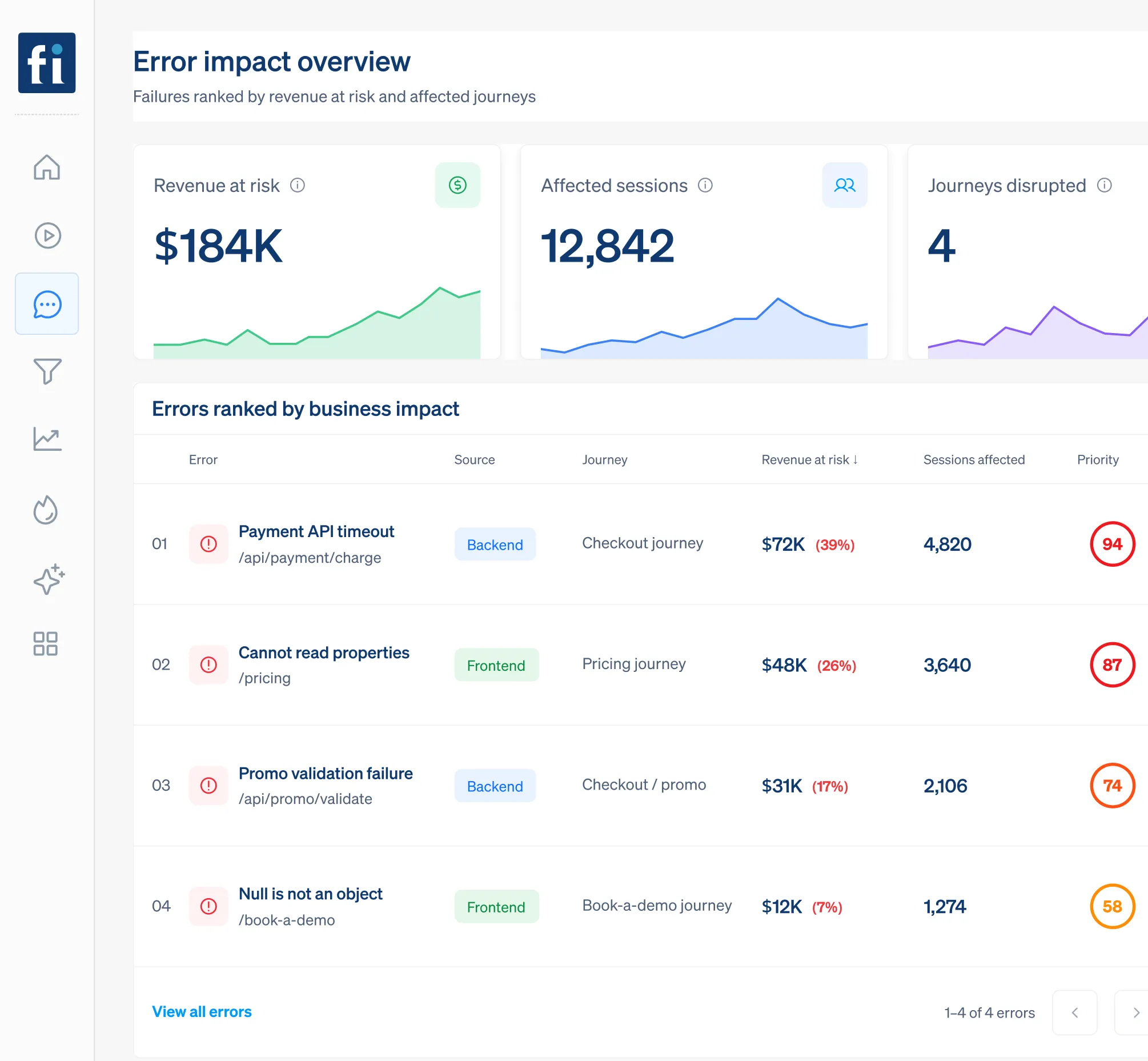
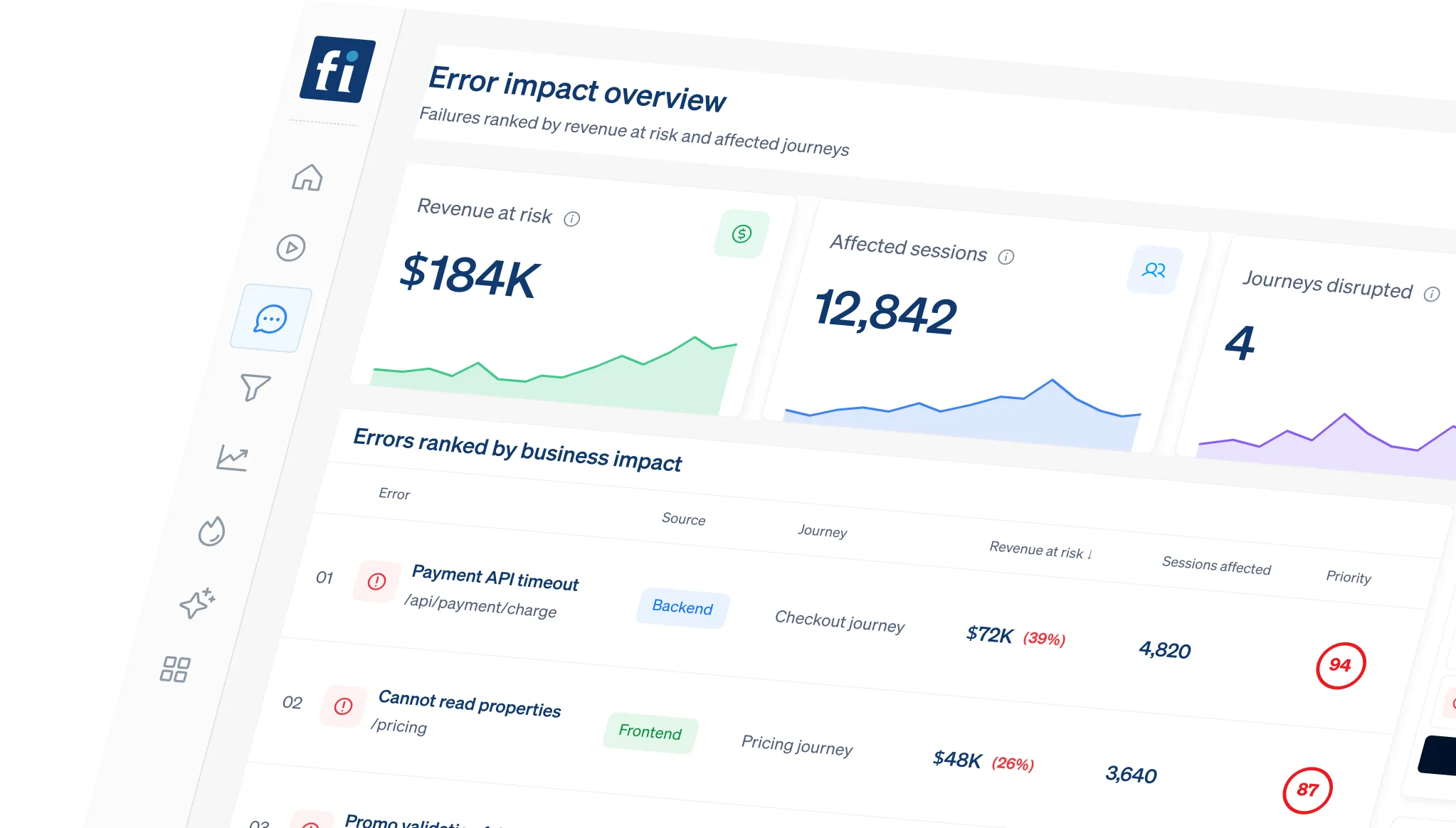
Triage by revenue, not by whichever error is loudest in the log.
Track frontend and backend failures in the sessions and journeys they disrupt. Rank by business impact and alert engineers with evidence attached.






.svg)

What can you do with Errors & Alerts?
An error log tells engineering that something threw. It rarely says whether a customer cared, or which of forty open errors should be fixed before the next release rather than after the next incident.

See the failure in context.
Open the session where the error fired and watch what the visitor experienced before, during, and after.

Size the damage.
How many sessions hit it, how many of those were high-intent, and what the failure is costing.

Get alerted before support does.
Set thresholds on new or worsening errors and get notified with the affected sessions already attached.
See the sessions behind
every spike
Move from alert → impacted users → replay, console, and funnel context, so you can reproduce issues fast and ship confident fixes.
Connect JavaScript errors, failed requests, API failures, and server exceptions to the same replay and journey.
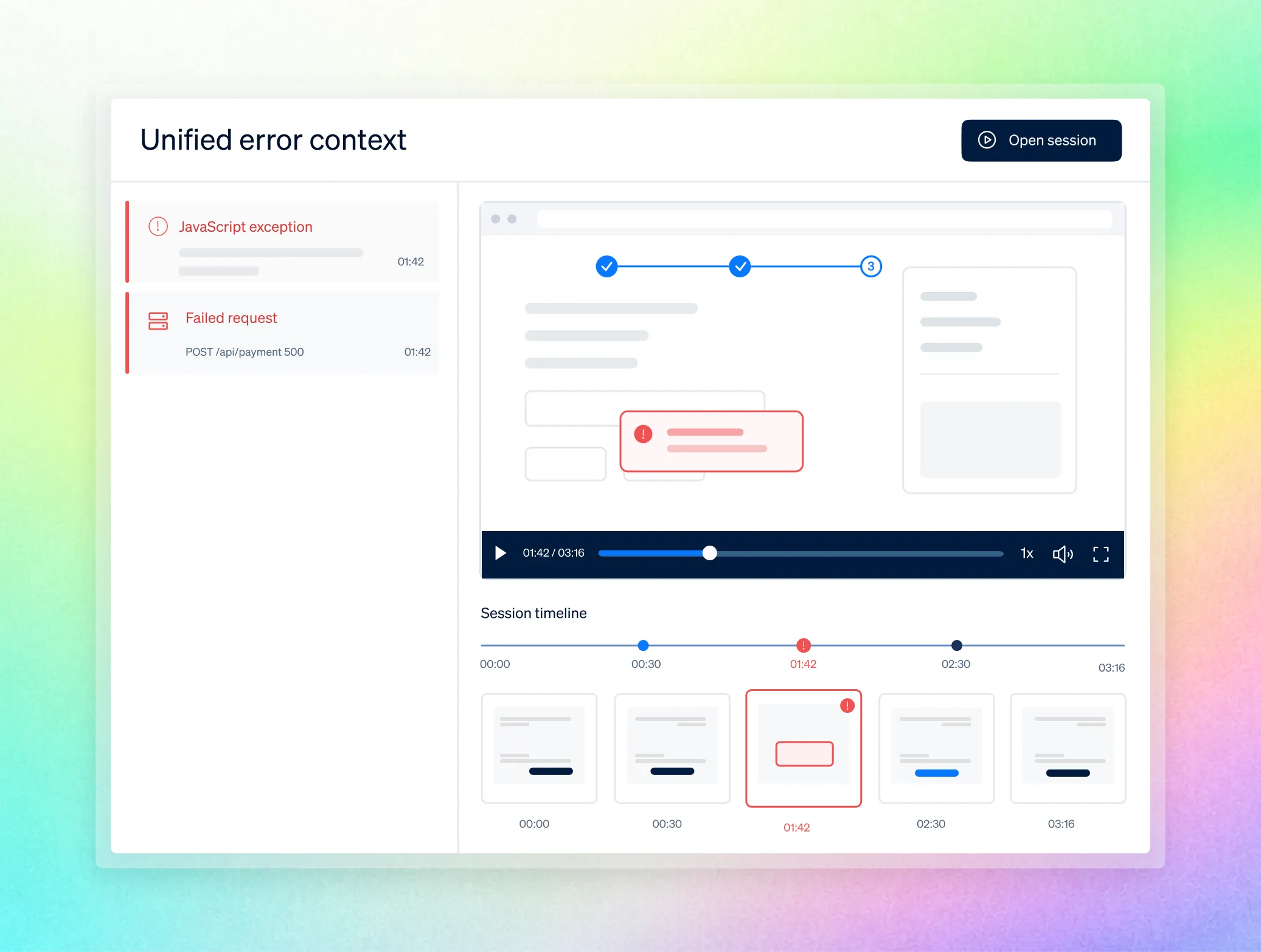
Set thresholds by error type, frequency, and severity. Each alert arrives with affected sessions and reproduction context.

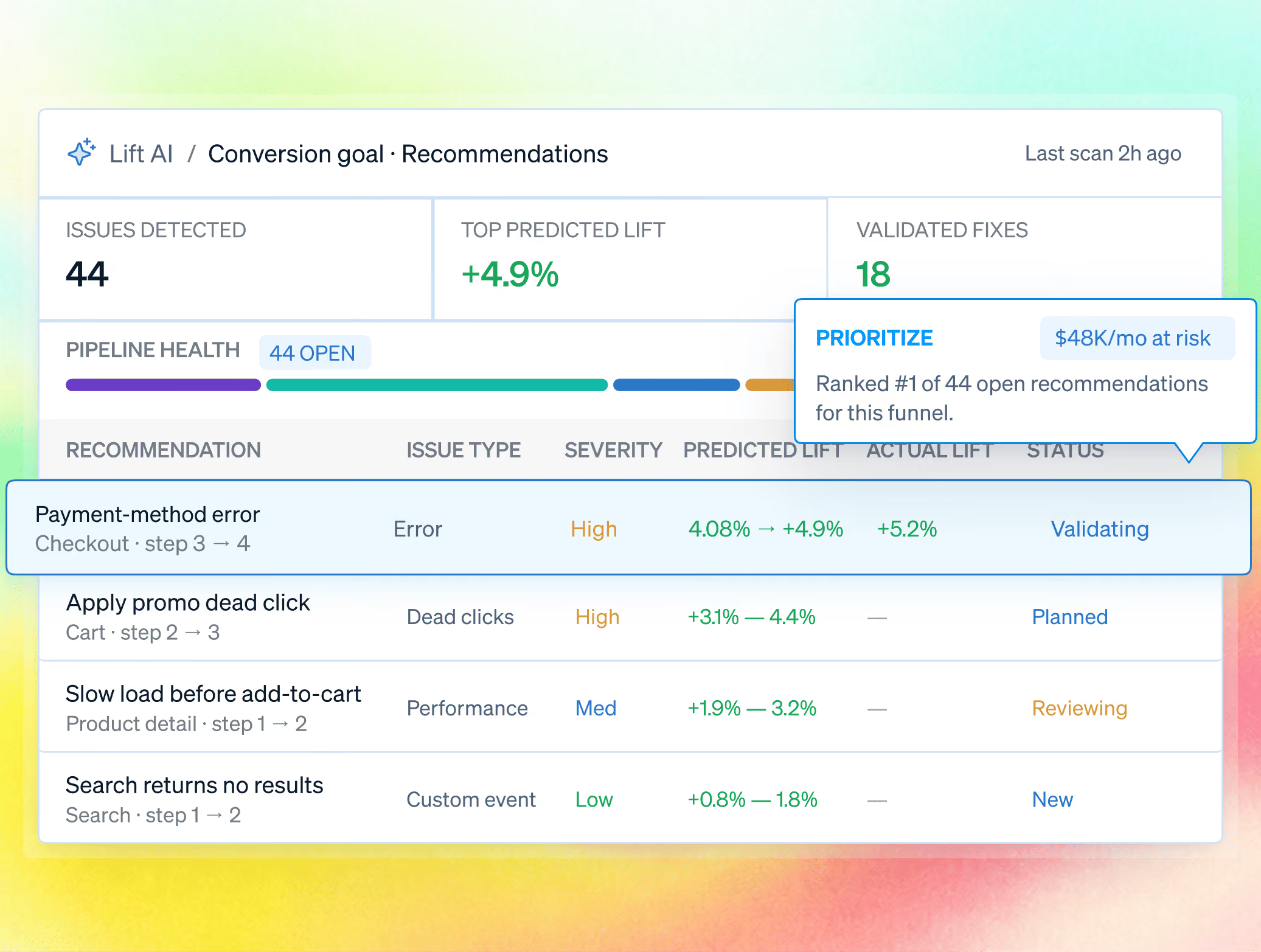
Pull session, console, and network evidence into Claude or Cursor through the MCP server to find the errors hurting high-intent users.

Prioritize errors by their impact on critical journeys and business goals rather than raw occurrence volume.

One workflow for every team accountable for the outcome.
Bring Product, UX, Growth, Engineering, and Support into one shared workflow—from identifying friction to prioritizing fixes and measuring impact. Every team works from the same evidence and stays aligned on the outcome.

.avif)


.avif)
.avif)

.avif)
.avif)
Is it safe for sensitive pages?
Yes, and it is built for security review, not around it. Masking and blocking happenat capture, in the visitor's browser, so protected values never reach FullSession.

Masking and blocking happen directly in the visitor’s browser, so protected values never reach FullSession. Sensitive data stays private from the moment it is captured.

Control access with RBAC, SSO/SAML, audit logs, and custom retention. Governance features are available on Professional and included as standard on Enterprise.

FullSession supports GDPR, CCPA, and PCI-ready payment flows, backed by security reviews and an uptime SLA. Data is hosted in the US, with European residency available on request.
Teams use FullSession to turn behavior into proven outcomes.
"FullSession shows us exactly where users get stuck without digging through hours of recordings. It’s where we start when we know there’s something wrong and needs fixed. It was easy to launch and the FullSession team is super responsive and helpful."

12x
5x


Frequently Asked Questions.
Not necessarily. It runs alongside your stack and adds the session, journey, and revenue context a stack-trace-first tool does not carry.
Frontend exceptions and failed client-side requests, and backend failures such as failed API calls and server exceptions, all linked to the session.
Yes, by error type, frequency, and severity threshold.
Yes, the affected sessions are attached.
From real behavior across sessions, funnels, and technical signals tied to your goal, with a predicted lift and confidence for each opportunity.
Yes, provided their role has access, they can open the linked session and confirm what happened.
Fix the errors that cost you customers, not the ones that shout loudest.
Watch the real journey, rank every issue by revenue impact, and validate the result against baseline.






.svg)
.svg)
212 E Stone Path St Derby, KS 67037 Phone: +1 415-649-4222



All systems operational.