.svg)

Send what FullSession finds into the tools your team already runs on.
Route sessions and ranked signals into the systems where work happens—with native connectors, Zapier, and the integration you need built on request.






.svg)

What you can do with integrations
An integration should make it faster to act on what you see, not add another dashboard to check.

Put the session where the work is.
Attach a replay link to a CRM contact or support conversation, so teams open the exact experience behind a high-intent lead or escalation.

Trigger the next step automatically.
Fire a workflow when a funnel converts or an alert trips, routing the right context to the right team without anyone copying a link.
Carry context into every replay.
Filter and review sessions by experiment variant or user trait, so every result arrives with the evidence behind it.
Integrations in depth
Connect the systems your team relies on, route the right evidence automatically, and get the exact connector your workflow still needs.
Use native connectors for HubSpot, Intercom, Segment, Optimizely, Zapier, Shopify, and BigCommerce, plus Wix, WordPress, GTM, or a manual install.
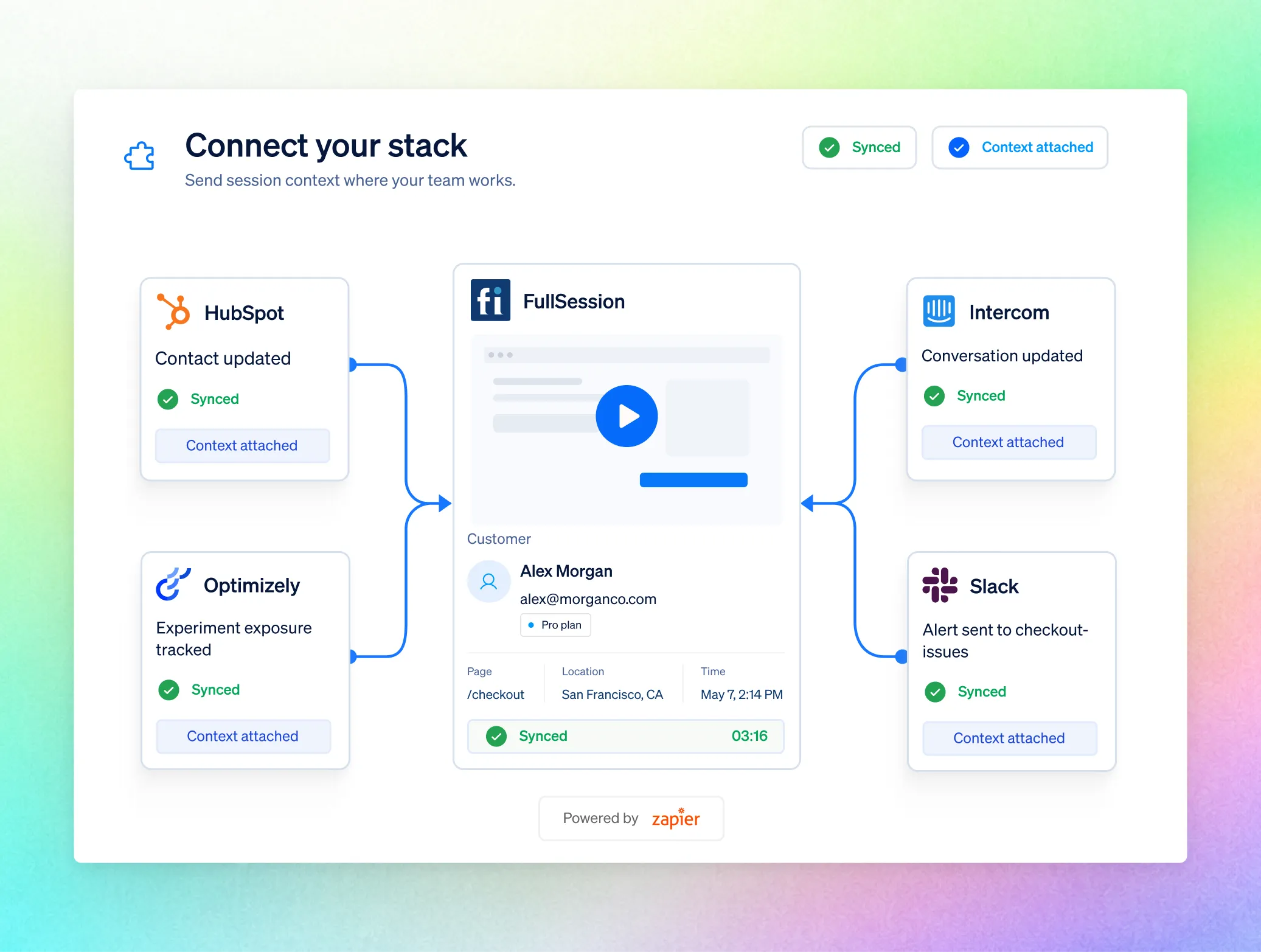
Send replay links, struggle signals, identity traits, experiment context, funnel conversions, and alerts into the workflow that should act next.

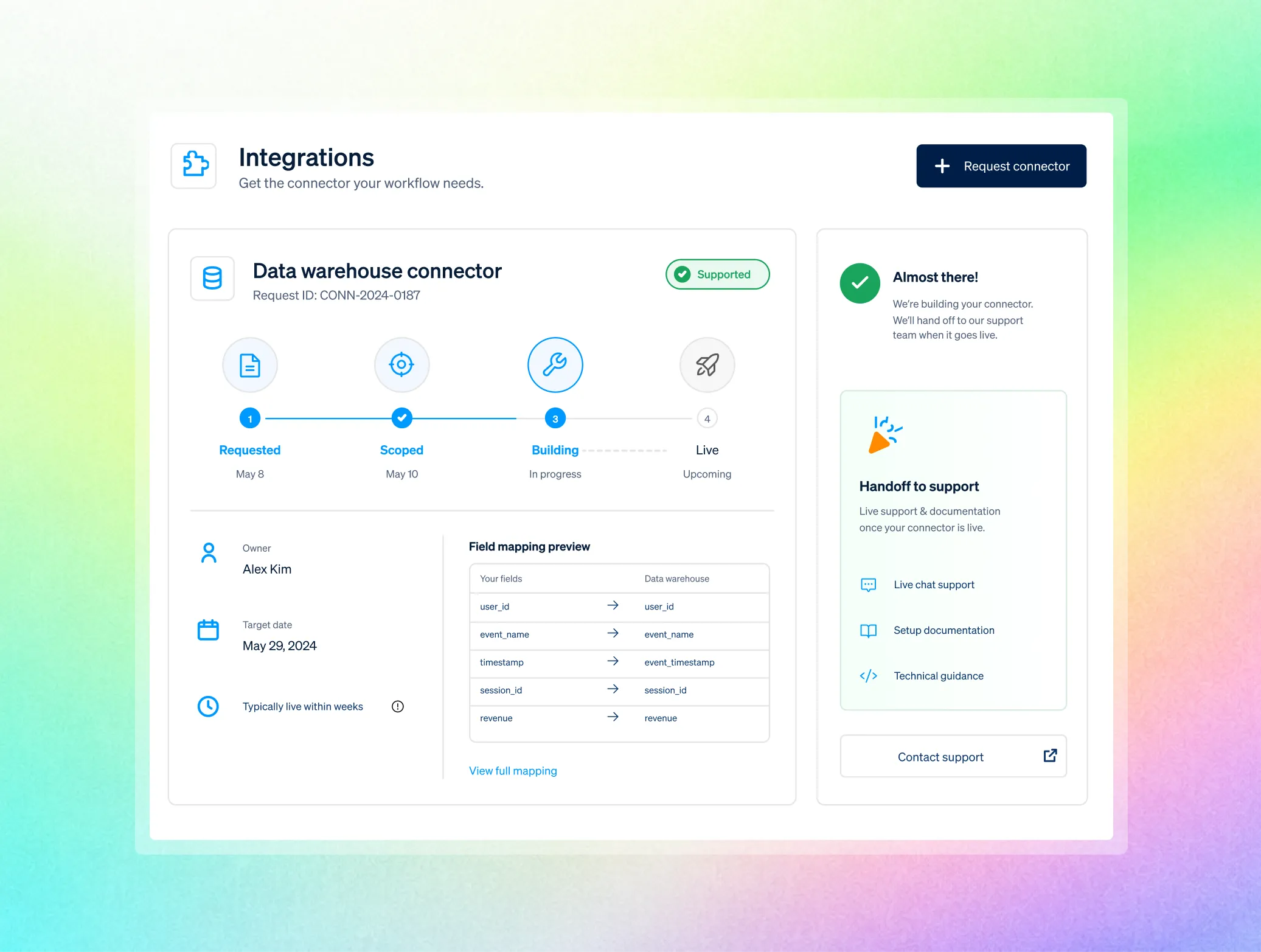
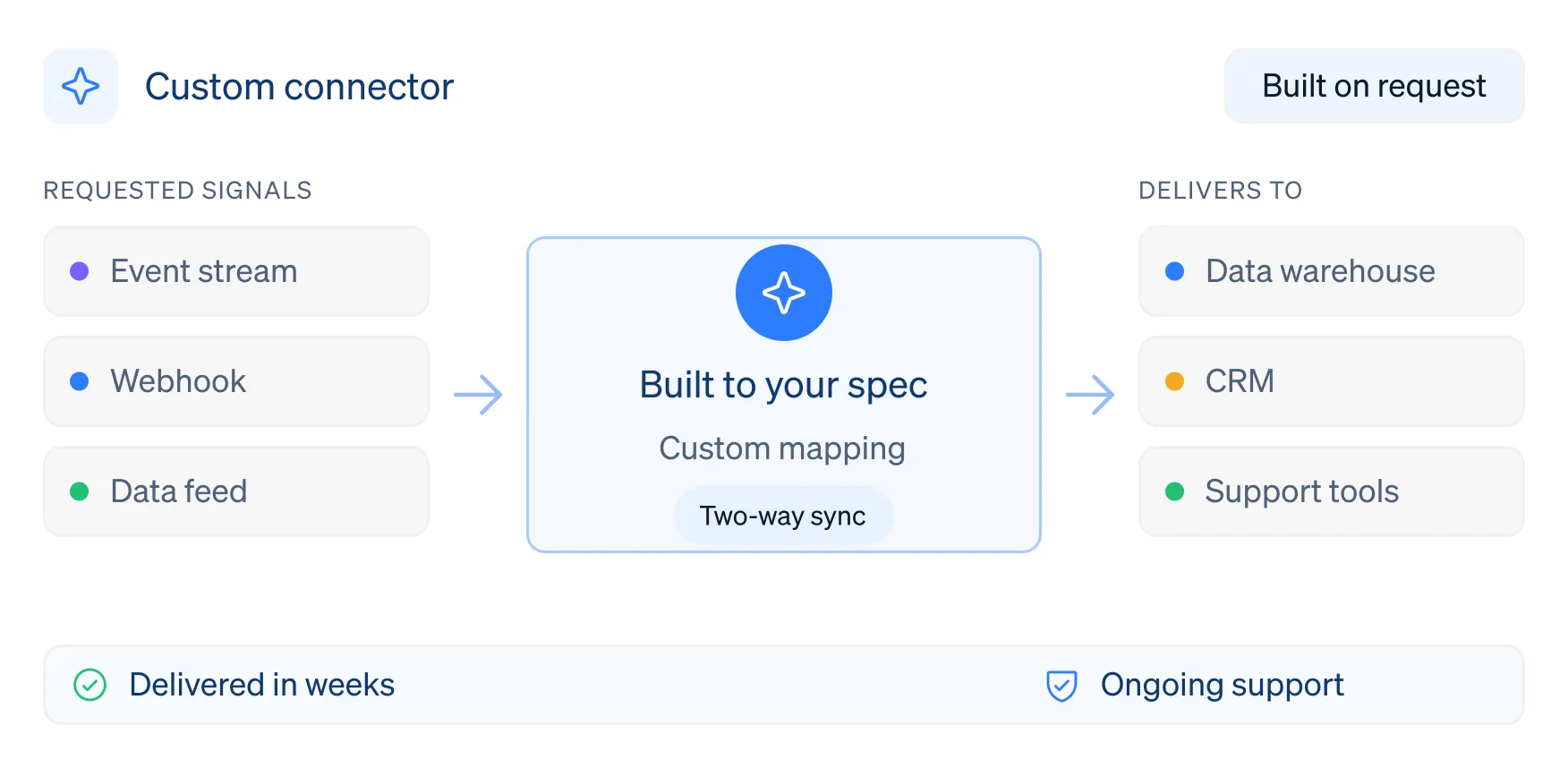
Tell us the tool and the job it must do. For qualified customers, we scope, build, and support the exact integration—typically within weeks.

Current Native integrations, built and supported

HubSpot
Sync FullSession contacts into HubSpot with a direct link, allowing revenue teams to move from lead to experience in one click.

Intercom
Bring recordings and struggle signals into contact profiles, and segment contacts on recent activity or frustration events.

Segment
Capture sessions and pass events and user traits into FullSession through your existing Segment pipeline.

Optimizely
Sync FullSession contacts into HubSpot with a direct link, allowing revenue teams to move from lead to experience in one click.

Zapier
Bring recordings and struggle signals into contact profiles, and segment contacts on recent activity or frustration events.

Shopify
Capture sessions and pass events and user traits into FullSession through your existing Segment pipeline.
The integration you need, built on request
Platforms compete on catalog length. We deliver the connector your workflow needs. "Integration" varies: data feeds, event streams, webhooks, or two-way syncs. We create what you describe and build it within weeks for qualified customers.
Who uses integrations

.avif)

Route funnel and alert events to Slack and sync sessions to the CRM your revenue team lives in.

Push errors with reproduction context straight into your tracker through Zapier or a built-on-request connector.
.avif)
.avif)

Keep experiment context attached to the sessions behind a result.
.avif)
.avif)
Are integrations safe to enable?
Connect only what you need. Protection and governance rules are applied before any evidence is routed downstream.

Enable integrations per site, so every team connects only the systems and signals it actually needs.

Masking and blocking happen in the visitor’s browser, so routed data already excludes everything you chose to protect.

RBAC, SSO/SAML, audit logs, GDPR, CCPA, PCI-ready payment flows, and US or EU residency support controlled rollouts.
Frequently Asked Questions.
Native integrations with HubSpot, Intercom, Segment, Optimizely, and Zapier, plus Shopify and BigCommerce with custom ecommerce events, and installs on Wix, WordPress, Google Tag Manager, or a manual snippet.
We build it. For qualified customers we ship the specific connector your workflow needs, typically within weeks, and support it afterward.
Yes, through Zapier, on events like funnel conversions and alerts, into thousands of downstream apps.
No. Segment is one option for passing identity and event data in, not a requirement.
Experiment and variation context attaches to sessions, so you filter and review recordings by variant when reading a result.
No. Installation is the snippet or a platform install; integrations route data between FullSession and the other tools in your stack once you are live.
Connect the tools you have, and tell us the one you need next.
Native integrations and Zapier today, plus a team that builds the connector your workflow depends on, typically within weeks.





.svg)
.svg)
212 E Stone Path St Derby, KS 67037 Phone: +1 415-649-4222



All systems operational.