.svg)

See where attention, intent, and engagement break down.
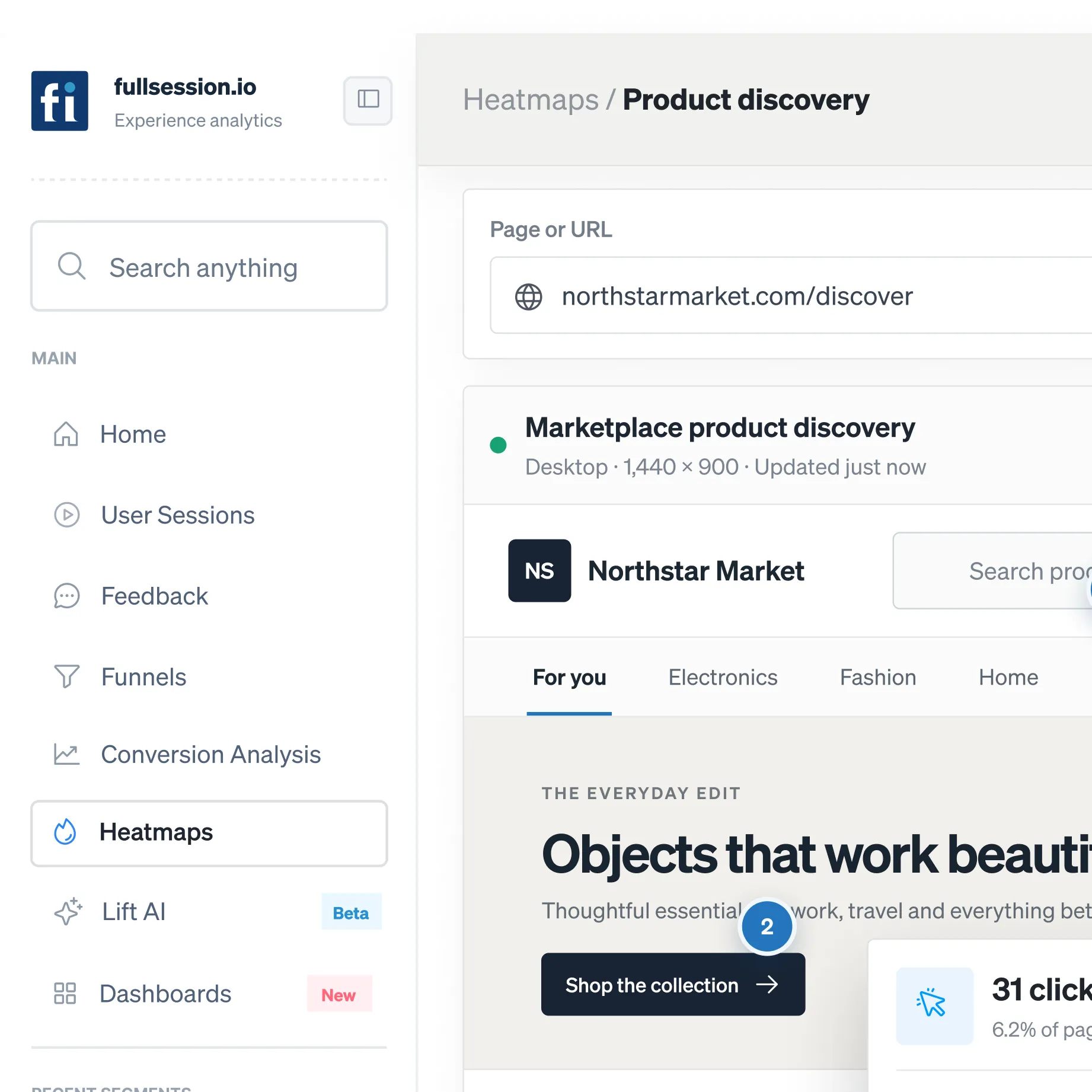
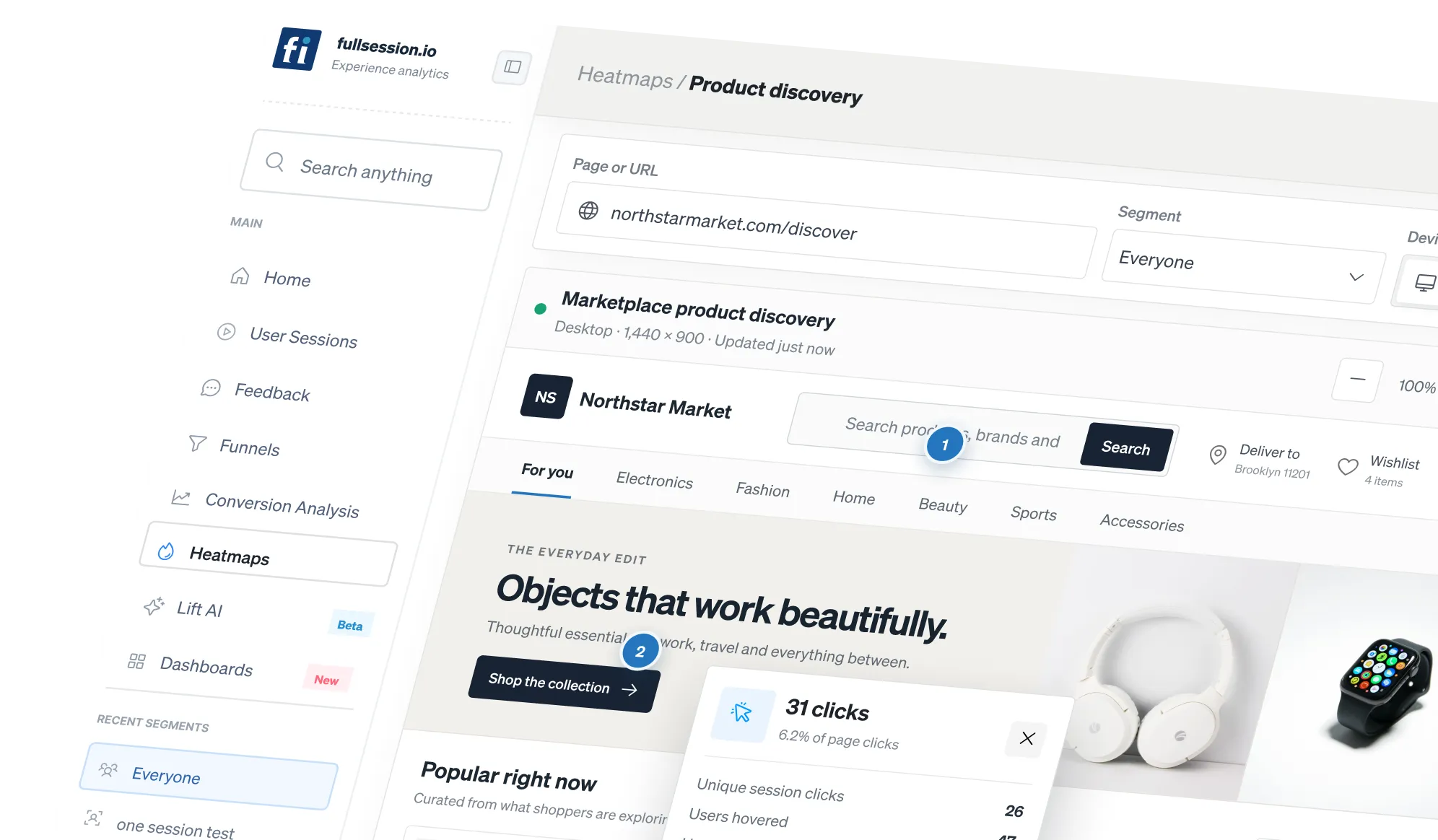
See click, movement, and scroll behavior across desktop and mobile. Open any hot or dead zone to watch the sessions behind it.







.svg)

What can you do with Heatmaps?
A heatmap that only shows where clicks landed is a snapshot. The useful question is what happened next: did the click work, did the visitor hesitate, did they leave straight after.

Find the dead zones that cost money.
Dead clicks on elements that were never clickable, CTAs below the fold nobody reaches, promos that draw taps and go nowhere.

Compare properly. Desktop and mobile run separately
Desktop and mobile run separately by default due to differing behaviors. Split further by source, new versus returning, or date range.

Click through to the truth
Every zone links to the sessions behind it, so a pattern becomes an observation rather than an interpretation.
Visualize where users click, scroll, and engage in real time.
Move from a visual pattern to the exact behavior behind it, then compare versions without losing the context of dynamic pages.
See whether a click worked, confused the visitor, or led to abandonment—then open the exact sessions behind every zone.

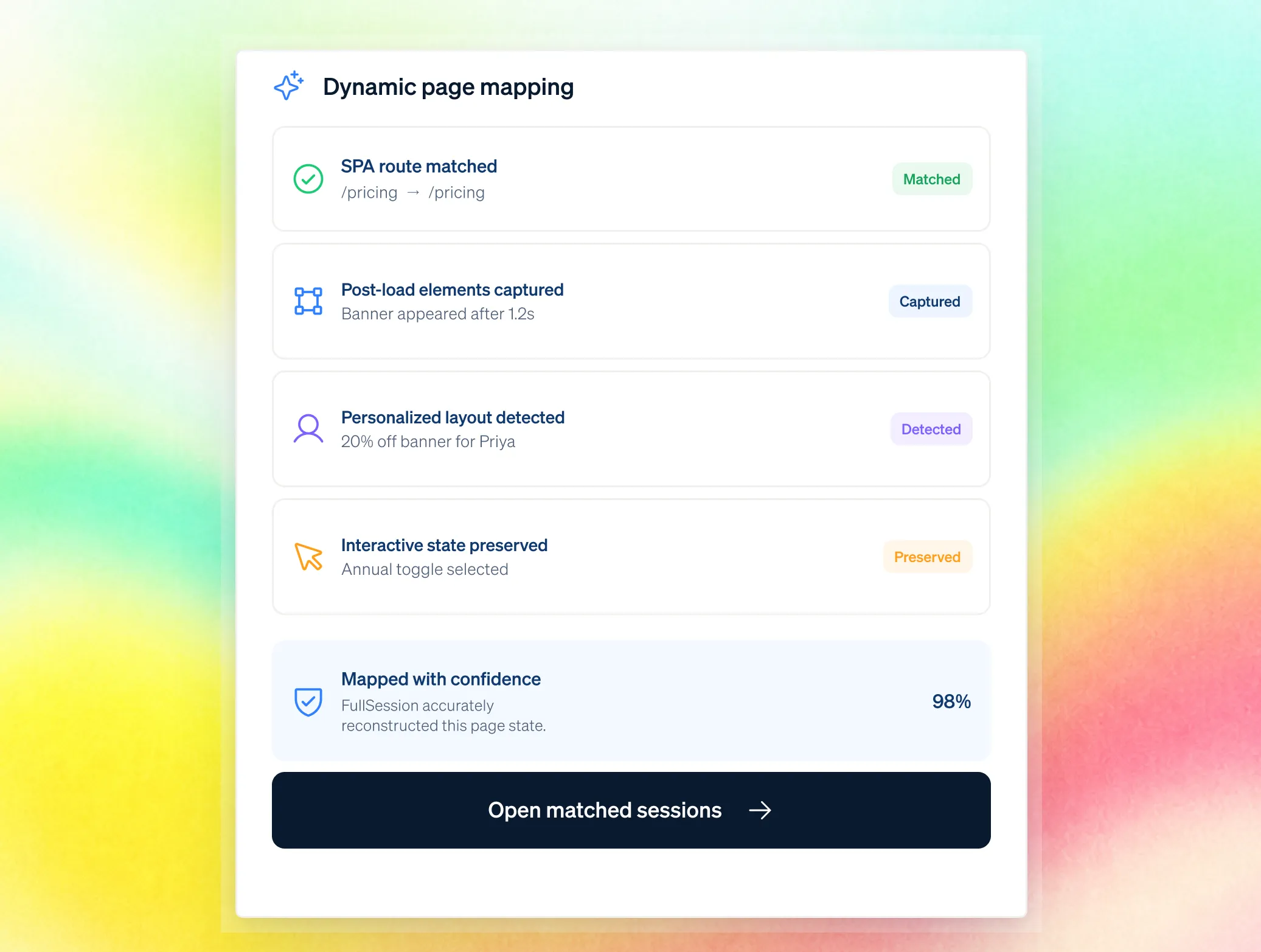
See the page exactly as each visitor experienced it, including post-load and interactive changes across SPAs and personalized layouts.
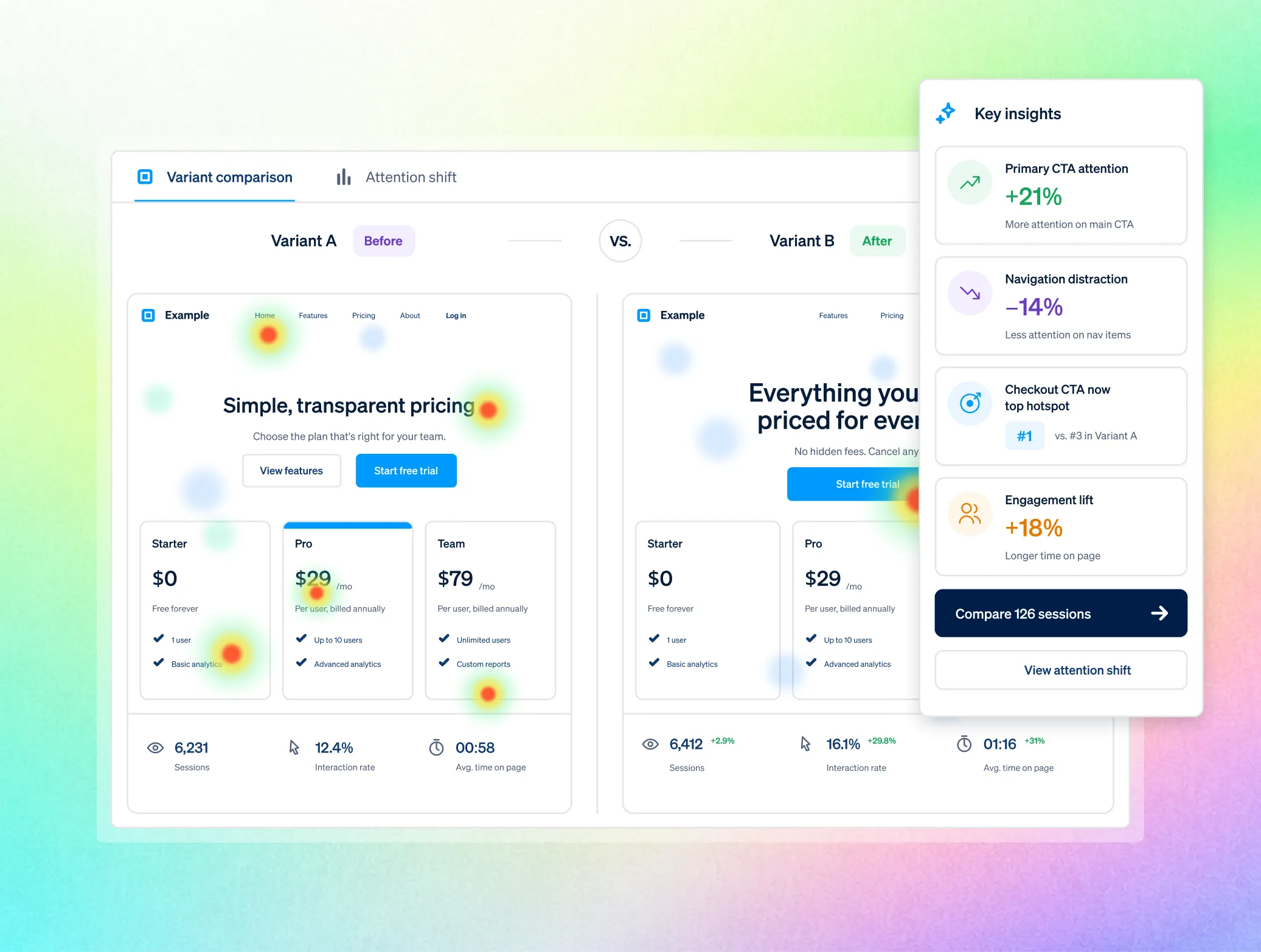
Compare before and after or two live variants to see whether attention moved to the elements you intended.
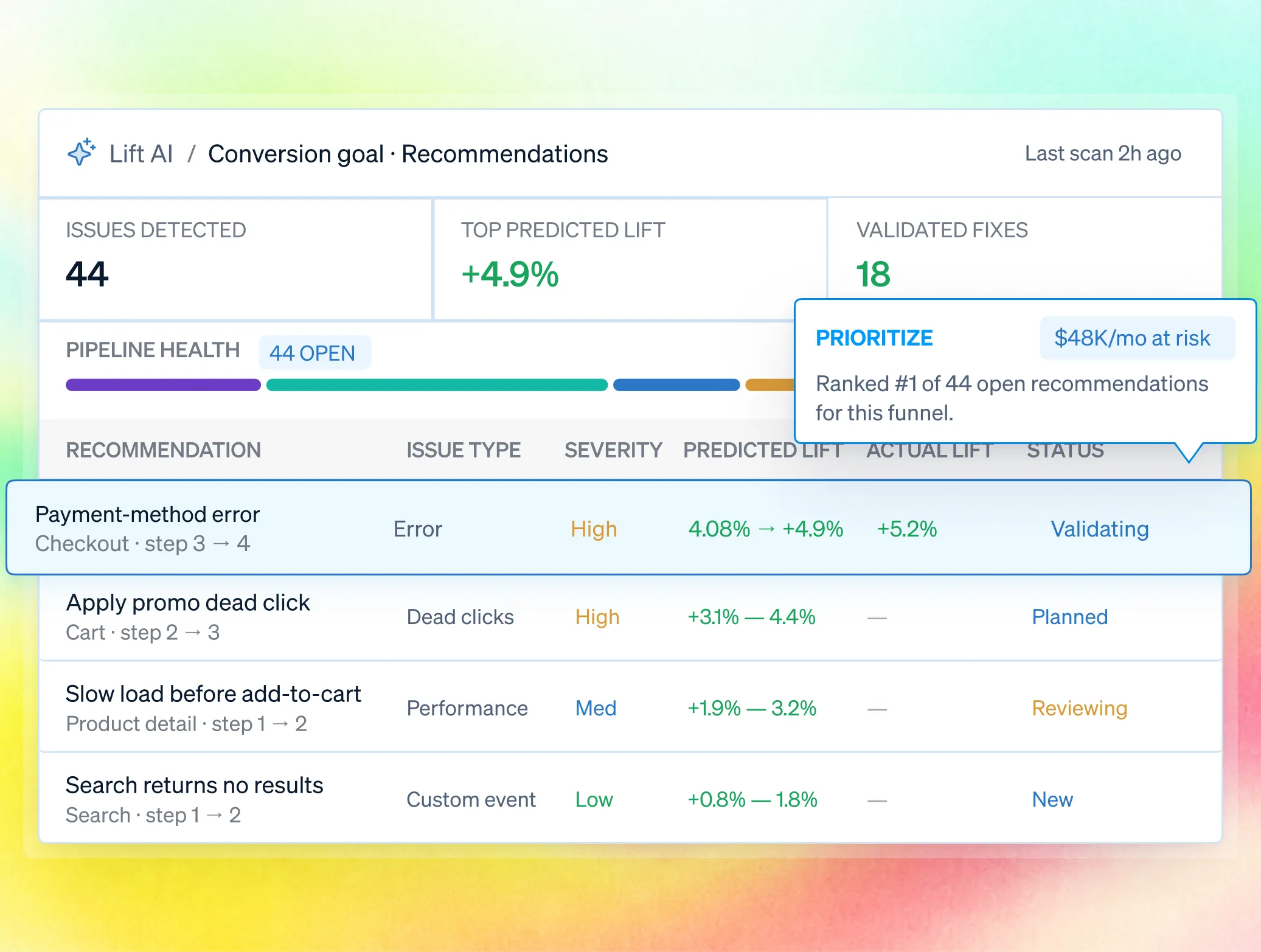
Rank heatmap issues across your site by their impact on attention, CTAs, and revenue.

One workflow for every team accountable for the outcome.
Bring Product, UX, Growth, Engineering, and Support into one shared workflow—from identifying friction to prioritizing fixes and measuring impact. Every team works from the same evidence and stays aligned on the outcome.

.avif)

Confirm a new layout changed behavior instead of relocating the same drop-off.

Spot where campaign traffic loses attention before a test is designed
.avif)
.avif)

Tell a design problem from a technical one: a dead click on a broken element versus an ignored working button.
.avif)
.avif)
Is it safe for sensitive pages?
Yes, and it is built for security review, not around it. Masking and blocking happen at capture, in the visitor's browser, so protected values never reach FullSession.

Masking and blocking happen directly in the visitor’s browser, so protected values never reach FullSession. Sensitive data stays private from the moment it is captured.

Control access with RBAC, SSO/SAML, audit logs, and custom retention. Governance features are available on Professional and included as standard on Enterprise.

FullSession supports GDPR, CCPA, and PCI-ready payment flows, backed by security reviews and an uptime SLA. Data is hosted in the US, with European residency available on request.
Teams use FullSession to turn behavior into proven outcomes.
"FullSession shows us exactly where users get stuck without digging through hours of recordings. It’s where we start when we know there’s something wrong and needs fixed. It was easy to launch and the FullSession team is super responsive and helpful."

12x
5x


Frequently Asked Questions.
A visual map of click, movement, and scroll behavior built from real recorded sessions, shown separately for desktop and mobile.
No. One install covers the site and maps generate automatically for pages that receive traffic.
Yes, every zone links to the underlying recordings.
Yes. Maps reflect the page as rendered for each visitor, including post-load changes.
No. It points you at the highest-value problem across the site; the map is where you confirm what is actually happening.
Masked at capture, before anything reaches us.
See where your pages lose people, and what fixing it is worth.
Watch the real journey, rank every issue by revenue impact, and validate the result against baseline.





.svg)
.svg)
212 E Stone Path St Derby, KS 67037 Phone: +1 415-649-4222



All systems operational.