.svg)

Lead generation chatbots: from a buying question to a demo request
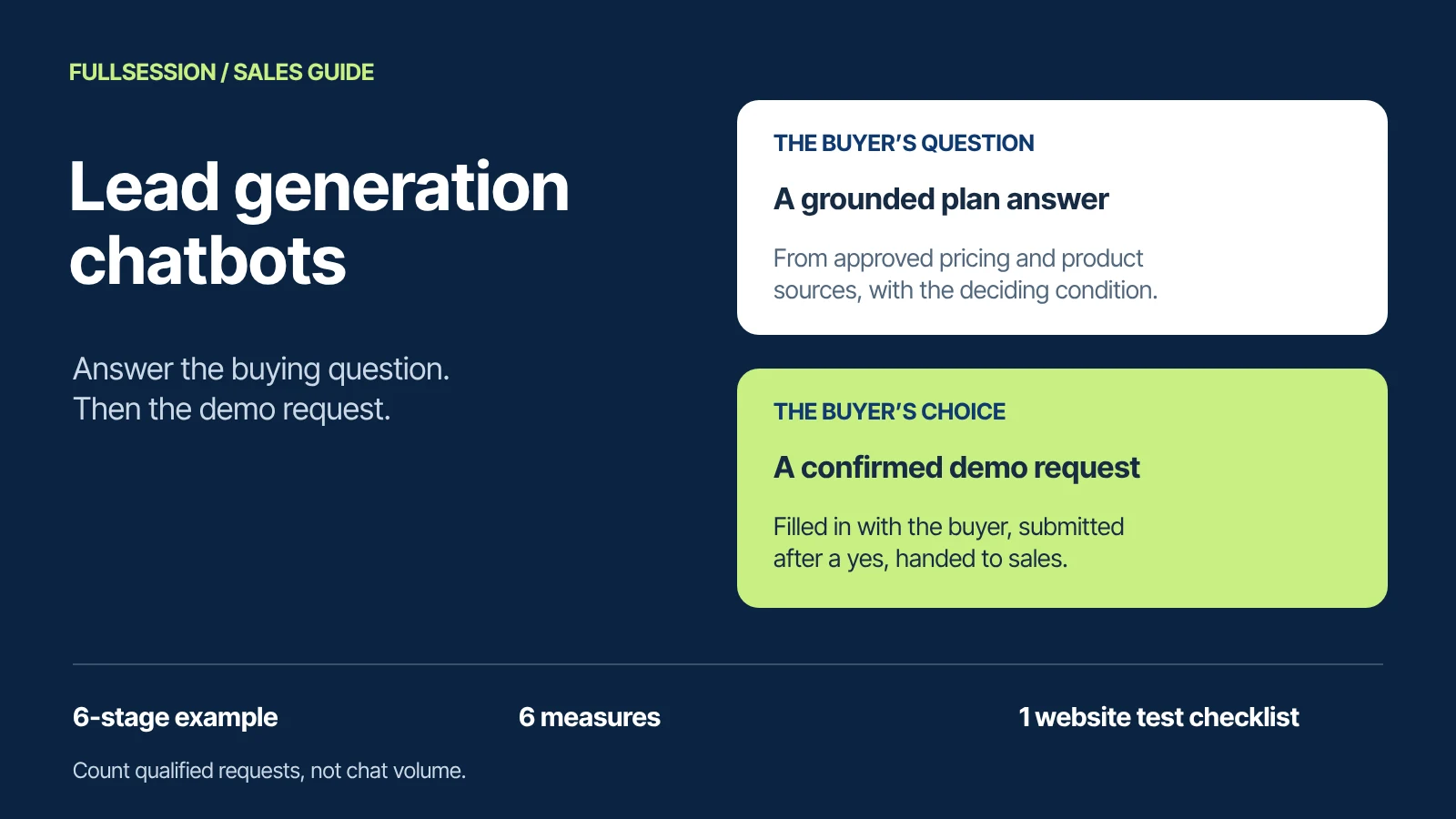

A lead generation chatbot should earn the demo request by answering the buying question first. The sequence that works is short: answer from approved product and pricing information, let the buyer choose the next step, help them complete it with an explicit confirmation, then pass the request to sales with the conversation attached. A chatbot that asks for an email address before it answers anything is a form with a typing animation.
FullSession Max AI is built for this sequence on your website. It answers from your pricing and product pages, takes buyers to the right plan or fills in the demo request with them, and passes ready buyers to sales, where your team takes over in the same thread. There is no per-lead fee: Max costs $0.39 per AI-assisted conversation with a $99 monthly minimum credited toward usage, and the Desk, shared inbox and human chat are included.
This guide walks through one complete conversation, from the first pricing question to the record your sales team receives. The company, buyer and conversation are fictional and illustrative, written to show what to configure and test; they are not a recorded Max session or a customer result. Max capabilities and prices come from FullSession's Support & Sales Desk page and Desk pricing, checked 19 October 2026. To run the same journey on your own site, use the website test checklist.
What should a lead generation chatbot help a buyer do?
A buyer on your pricing page usually has one question standing between them and the next step: does this plan cover my situation, what will it cost at my size, does it work with what we already use. A useful lead generation chatbot does three jobs, in order.
- Give a useful answer. Answer from approved product and pricing sources, state the condition that decides the answer, and say plainly when a question is outside what it knows.
- Offer next steps the buyer chooses. Plan details, a trial, a demo request or a person. The buyer picks; the chatbot does not push every conversation toward a meeting.
- Complete the chosen step and hand it over. Fill in the request with the buyer, show exactly what will be sent, submit only after confirmation, show a receipt, and give sales the conversation so nobody asks the buyer to repeat themselves.
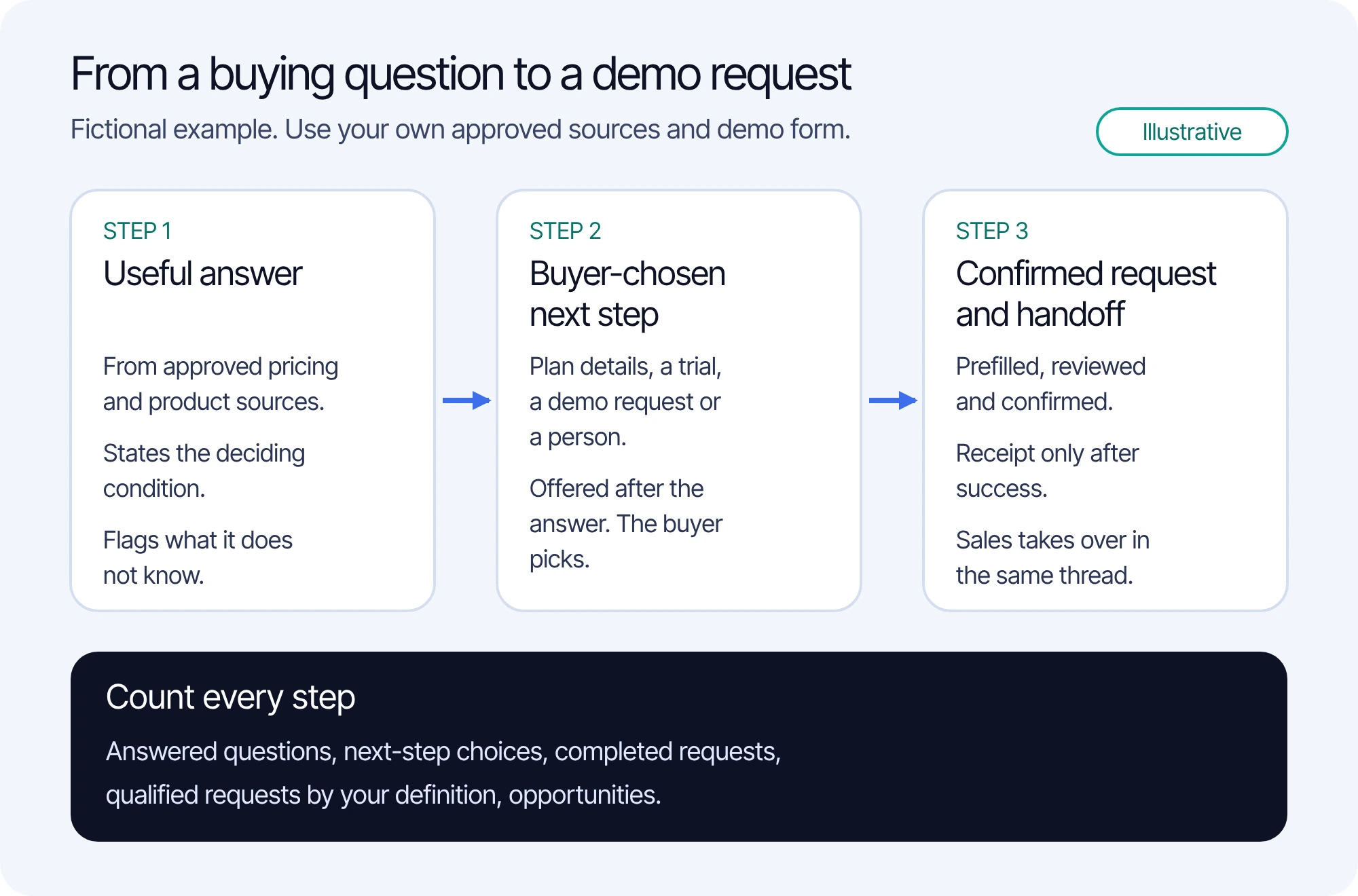
Each step produces something you can count. That is what separates useful buying help from chat activity, and it is the basis for the measurement section below.
What does a complete question-to-demo-request conversation look like?
Corvane is a fictional company selling invoice-approval software in three plans: Starter, Team and Business. Maya Lindgren, a fictional finance operations lead at a firm with three legal entities, is on Corvane's pricing page. Corvane has connected its approved pricing and product pages and made its demo-request form a supported next step. Each stage below shows the exchange, then what to notice.
1. The buying question and the approved source
Maya: Does the Team plan handle approval workflows for three legal entities?
The answer depends on one passage in Corvane's approved pricing page, invented for this example:
Approved source, Corvane pricing page: Team includes approval workflows for one legal entity. Business adds multi-entity approvals and consolidated reporting. Business is quoted after a demo.
What to notice: the question is specific and commercial. A general product description would not answer it; the plan condition does. If your approved pages do not state conditions like this one, fix the source before you judge any chatbot's answer.
2. The grounded answer, including what it does not know
Max: Team covers approval workflows for one legal entity, so it would not cover all three. Business adds multi-entity approvals and consolidated reporting, and it is quoted after a short demo. Source: Corvane pricing page, Business plan.
Maya: Got it. Does it sync with our ERP?
Max: Corvane's approved information doesn't list your ERP, so I can't confirm that. If you request a demo, I'll include the ERP question so the team can answer it. I can also bring in a person now.
What to notice: the answer states the deciding condition and its source, names the plan that fits and treats the ERP question as an open item instead of guessing. An invented yes would become a sales problem a week later. The offer of a person is real: visitors always know when they are talking to Max, and can ask for a person at any time.
3. The buyer chooses the next step
Max: Would you like to see the Business plan details, start with Team for one entity, or request a demo of multi-entity approvals?
Maya: Request a demo.
What to notice: three useful options, offered after the answer, and the buyer chose. Record that choice. A next-step choice is one of the clearest signals that the answer helped, and it is easy to leave out of chat reporting.
4. The demo request, with required confirmation
Max: I'll fill in Corvane's demo request with you. From our conversation I have your interest, multi-entity approvals on Business, for three legal entities, and one open question about ERP sync. I still need your first and last name, business email and country.
Maya: Maya Lindgren, maya@example.com, United States.
Max: Here is the request I'll submit:
- First name: Maya
- Last name: Lindgren
- Business email: maya@example.com
- Country: United States
- What you'd like to see: multi-entity approvals on Business, three legal entities
- Anything else: Does Corvane sync with our ERP?
Submit this request?
Maya: Yes, submit it.
What to notice: Max reuses what Maya already said, asks only for the missing fields, shows the complete request and submits only after an explicit yes. Make that confirmation a written requirement of your setup, then test the other branches as well: the buyer edits a field, declines, or leaves halfway. In each of those cases nothing should be submitted without the confirmation. Max co-drives your website instead of describing the steps, so the request it fills in with the buyer is your own demo form. Confirm the exact fields, the confirmation wording and the success message in your walkthrough.
5. The receipt the buyer sees
Max: Your demo request was submitted. Corvane's team will reply by email within one business day. You can keep asking questions here, and a teammate can join this conversation.
What to notice: "submitted" is a claim about the form, not about the chat, so it should appear only when the submission actually succeeded. If the submission fails or its result is unknown, the buyer should be told so and offered a person, and the request should not be resubmitted blindly into a duplicate. The receipt also states what happens next using your real follow-up commitment; the one-business-day reply is Corvane's invented policy. Because a returning visitor picks up the same thread, Maya can come back to this conversation later.
6. The handoff your sales team receives
On the team side, your team shares one inbox with the conversation and available context, and you can assign conversations and control who can view them. A teammate who replies does so in the same thread, so Maya does not start again. The table lists what a good handoff contains in this example. Use it as the standard to verify in your own setup; it describes required content, not a screenshot.
When Max fills in your existing demo form, the submission follows that form's normal route into your sales process, and the conversation gives the rep the context behind it. Confirm both during setup. With optional Core CX / UX, your team also gets the recording of the buyer's session when that session was captured.
Which knowledge, actions and confirmations does the journey depend on?
The conversation worked because four things were in place before Maya arrived. Check each separately: a strong answer can hide a weak request step, and a smooth form can hide a wrong answer.
Approved knowledge is where most buying-answer problems start. Max answers from approved knowledge sources you connect, such as your docs, pricing, help center and support portal, and it connects to your application MCP for permitted data and actions. If a plan condition, limit or integration is not written down in an approved source, the honest answer is the one Maya got about her ERP.
Keep a short list of buying questions that should never be improvised: custom discounts, contract terms, security reviews and integrations you have not published. These belong with a person. The chatbot's job is to say so and carry the question into the request.
When should a person enter the buying conversation?
Bring a person in when the buyer asks for one, when the question needs judgment outside approved sources, and when the request is complete and sales owns the next reply. With Max, the visitor can ask for a person at any time, and your team takes over in the same thread, so the rep sees the answer, the choice and the request rather than starting cold.
Set hours in your team's time zone with an away message; visitors can still leave a question after hours. Decide who owns those questions the next morning and how quickly they get a reply.
How do you measure qualified requests and opportunities?
Count each step of the journey separately. A single chatbot-leads number mixes curious visitors, support questions, spam and serious buyers, and it cannot tell you which step to fix. The six measures below run from activity to pipeline. Only the last two are sales outcomes, and both use your team's definitions.
The gaps between adjacent measures tell you where to work. Correct answers followed by few next-step choices suggest the offered steps do not suit the page. Many choices but few completed requests point at the request step: too many fields, an unclear confirmation or failed submissions. Many completed requests but few qualified ones point at targeting, or at answers that attract the wrong buyers.
Track two guardrails beside the six measures: answers a reviewer marks wrong or unsupported, and requests that failed or were duplicated. A rising request count with rising wrong answers is not progress.
Write your qualified-request definition before launch
A qualified request is your team's decision, made in your own review. Write the rule down before the chatbot goes live and apply it the same way to chat-assisted and form-only requests. A workable definition has five parts:
- Fit: the company type and size range you sell to, stated in the request or verifiable.
- Need: a use case your product serves, such as Maya's multi-entity approvals.
- Role: the requester evaluates or influences the purchase.
- Contactability: a working business email address.
- Exclusions: existing customers with support issues, job seekers, vendors, competitors and spam.
Name who applies the definition, how quickly and where the result is recorded. The website test checklist includes a fill-in template. One definition for every source is what makes a comparison between chat-assisted and form-only requests fair.
Know the limits of attribution
A demo request that followed a chat was assisted by the chat; it was not necessarily caused by it, because some buyers would have filled in the form anyway. Before launch, decide how you will mark chat-assisted requests, for example a hidden field or source value your form already supports, and confirm it survives submission. Compare matched periods on the same pages, and account for campaigns, pricing changes and seasonality. Treat a before-and-after change as a signal to investigate, not as proof of lift.
What does a buying conversation cost with Max?
Max costs $0.39 per AI-assisted conversation across support, sales and Customer Success, with a $99 monthly minimum credited toward your conversations rather than added. There are no per-lead, seat or MAU fees, so a buying conversation that ends in a confirmed demo request costs the same as one that ends with a plan answer. The Desk app, shared inbox, human chat and supported integrations are included; optional Core CX / UX recording, third-party subscriptions and taxes are separate. Your workspace owner sets the spending limit.
At 1,000 AI-assisted conversations in a month, the bill is 1,000 × $0.39 = $390, including the Desk. At 253 conversations or fewer, the $99 minimum applies. See current Max pricing. To budget several vendors side by side, use the AI chatbot pricing guide.
Billing note: one conversation covers one person in one conversation thread for a fixed 24 hours from Max's first substantive answer, guidance or supported action. Greetings, clarification-only exchanges, unaccepted proactive offers, human-only chat, internal tests, failed starts and handoffs before substantive help are not billed, and human replies add no charges. Maya's journey above, including the demo request, is one conversation, and a later reply from sales adds no charge.
Per-lead pricing works differently. Fin's current pricing lists Qualifications, where Fin matches a prospect to qualification criteria you defined and routes them, at $9.99 each, and its other outcome types at $0.99 (checked 19 October 2026). With Max, a successful buying conversation carries the same price as any other conversation. If you are still choosing a platform, compare Intercom alternatives for support and website sales.
How should you test the journey on your own website?
Run the journey on your own pricing page before launch, with test identities and a test form destination. The website test checklist is a plain-text file with the qualified-request template and the cases below, each with blank observation fields. Fill them in from what actually happens.
- A plan question your approved pages answer, and one they do not.
- A buyer who chooses plan details or a trial instead of a demo.
- A demo request where the buyer edits a field, declines confirmation or leaves halfway.
- A confirmed request, checked against the record your form produces.
- A failed or uncertain submission, checked for an honest message and no duplicate.
- A request for a person mid-conversation, and a question left after hours.
- A returning visitor who picks up the same thread.
- The chat-assisted marker on the submitted request.
Record what the buyer saw and what sales received in each case. Expected behavior is not an observation; leave a field blank until you have seen the result.
Lead generation chatbot questions
How does a lead generation chatbot help a website buyer?
It answers the buying question from approved product and pricing information, states the condition that decides the answer, and offers next steps the buyer chooses, such as plan details, a trial, a demo request or a person. Max AI does this on your website and passes ready buyers to sales, where your team takes over in the same thread.
How can a chatbot help complete a demo request?
It fills in the request with the buyer, reusing what they already said and asking only for missing fields, shows the complete request, submits only after an explicit confirmation and shows a receipt once the submission succeeds. Max can fill in the demo request with the buyer; confirm the fields and submission path in your own setup.
Which metrics distinguish useful buying help from empty chat activity?
Count answered buying questions, next-step choices, completed demo requests, qualified requests by your team's written definition, and opportunities, each separately. Conversation volume alone measures activity. Pair those measures with guardrails for wrong answers and failed or duplicate requests, and treat chat-assisted requests as assisted, not caused.
Bring a buying question to a Desk walkthrough
Bring one real buying question from your pricing page and the demo request you want buyers to complete. We will walk through Max's answer from your approved sources, the buyer's choice, the request with confirmation and what your sales team receives, and confirm the setup your form needs.
See what’s costing you, and prove whats fixing it is worth
Watch the real journey, rank every issue by revenue impact, and validate the result against baseline.






.svg)
.svg)
212 E Stone Path St Derby, KS 67037 Phone: +1 415-649-4222



All systems operational.