.svg)

Understand what’s happening. Know what to do next.
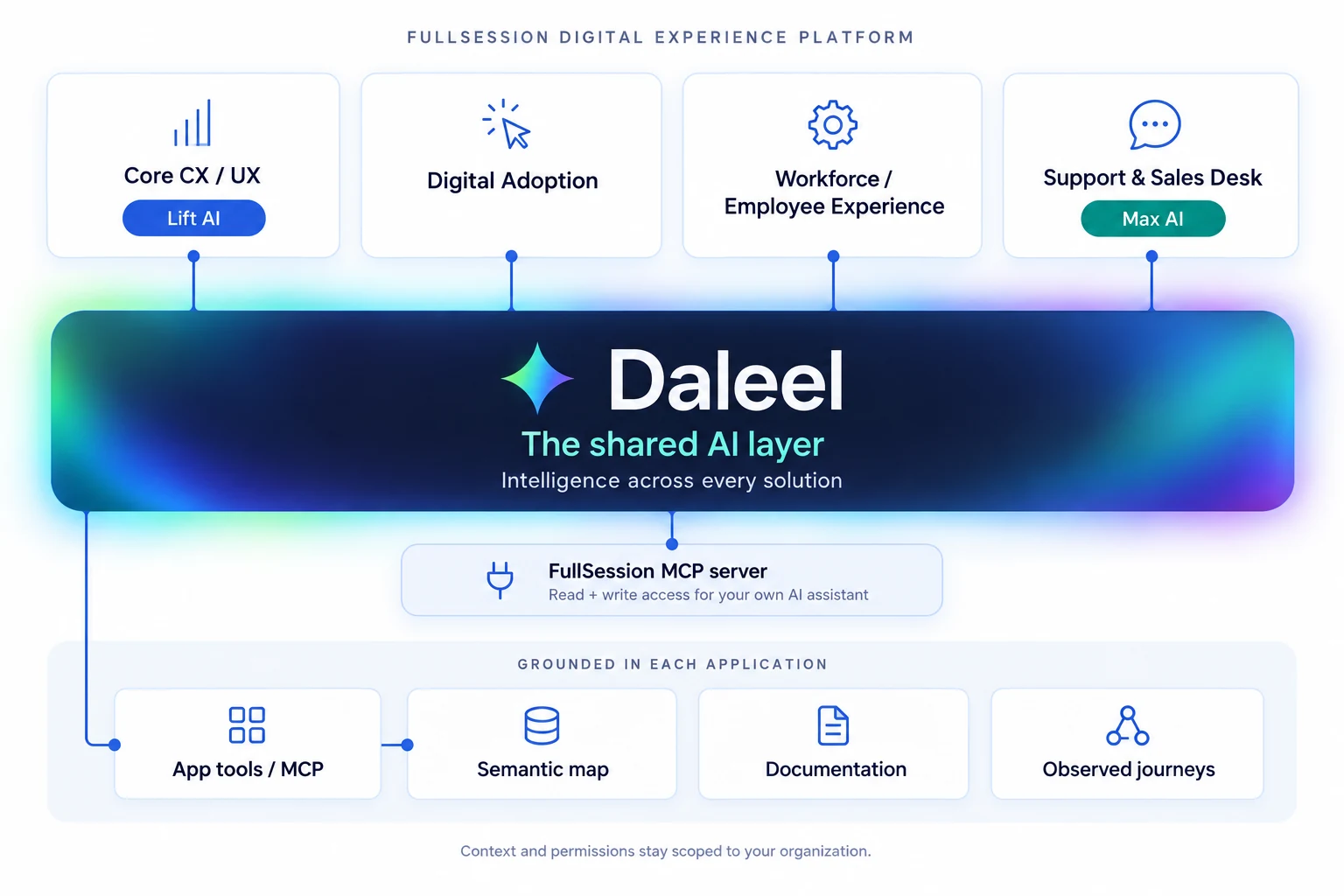
Meet Daleel, the AI layer across all FullSession solutions. Daleel is a product and domain expert helping you work from a question to evidence, a recommendation and a supported action.






.svg)

Useful AI starts with understanding the work.
Daleel means guide and evidence. That is the expectation behind the name: help someone find the way forward, and give them something they can check.

Know the product.
Inside FullSession, that begins with the product your team uses and the journeys you capture.

Follow the evidence.
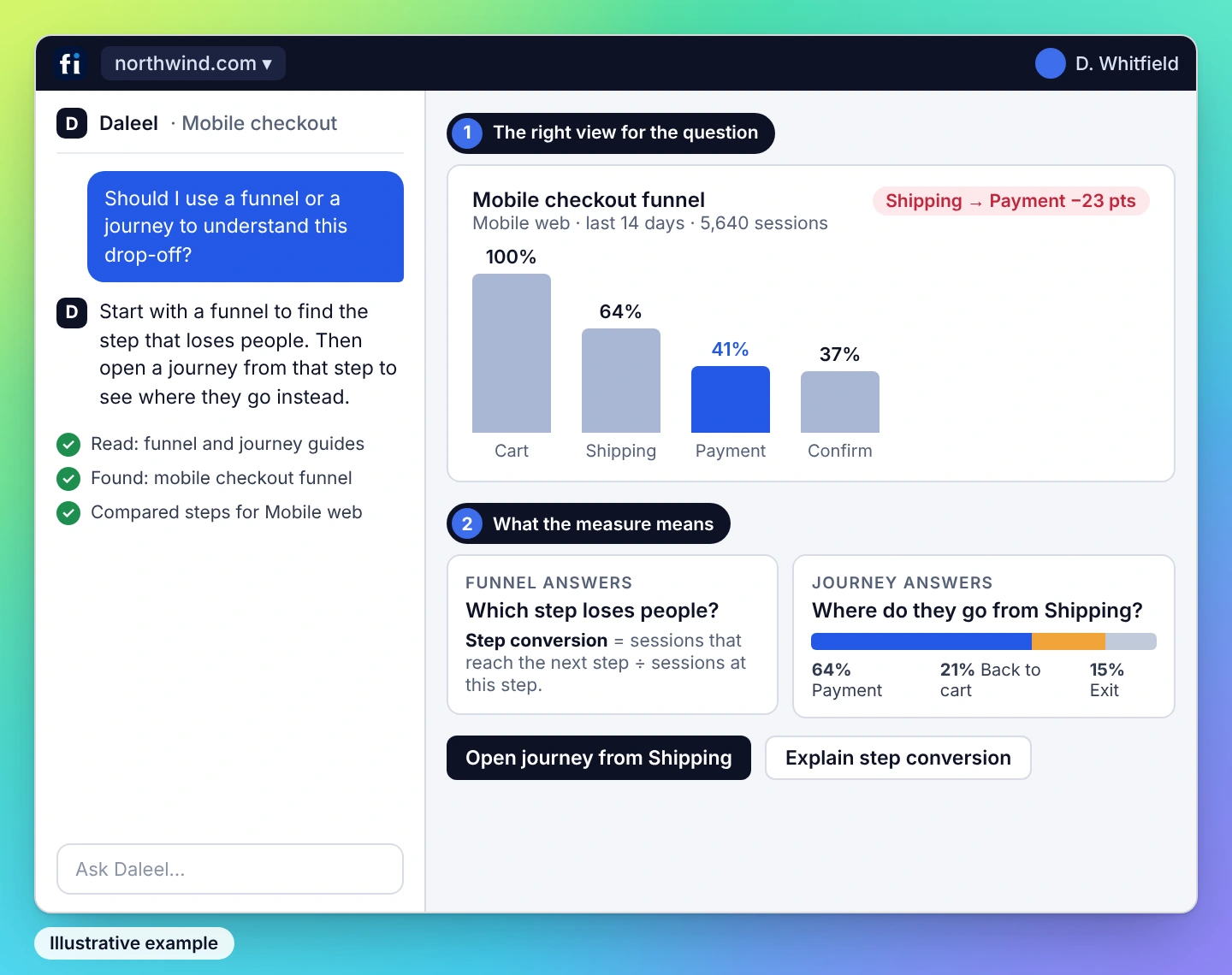
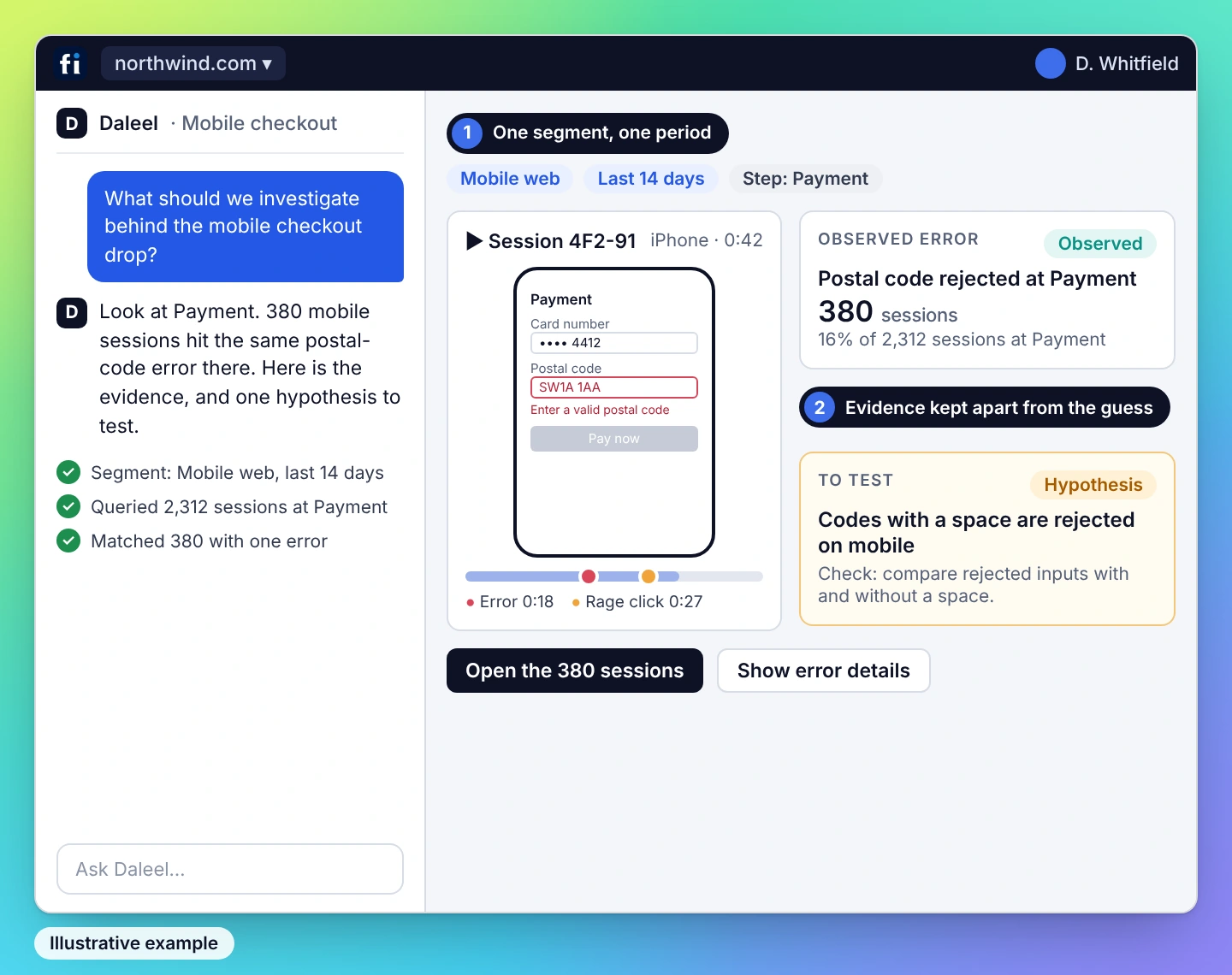
Ask about a tool, investigate friction or work through a strategy. Use the captured journey and product context to understand what happened.

Choose the next step.
The answer should help you make a decision you can check, with the evidence and permissions behind any supported action.
Expertise for the whole investigation.
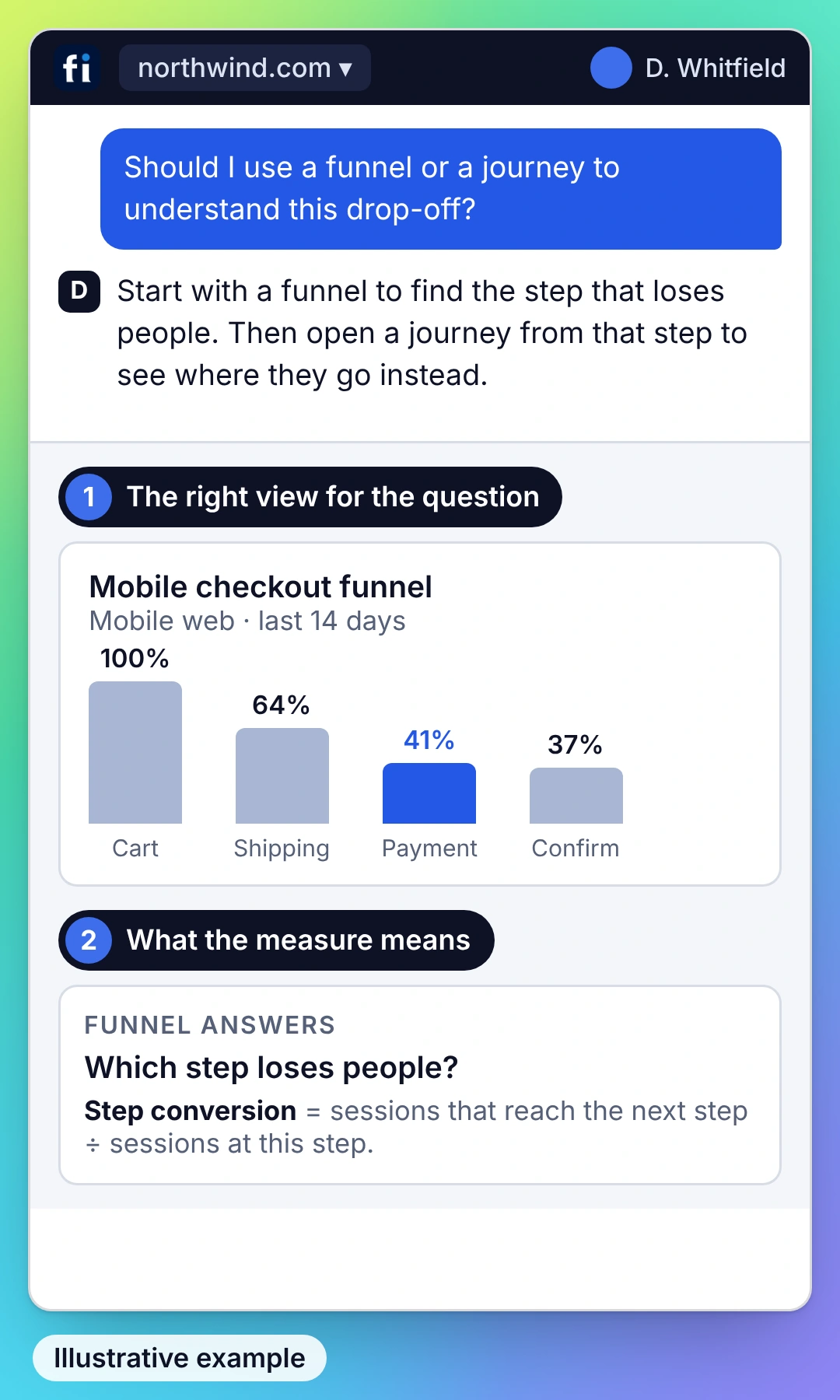
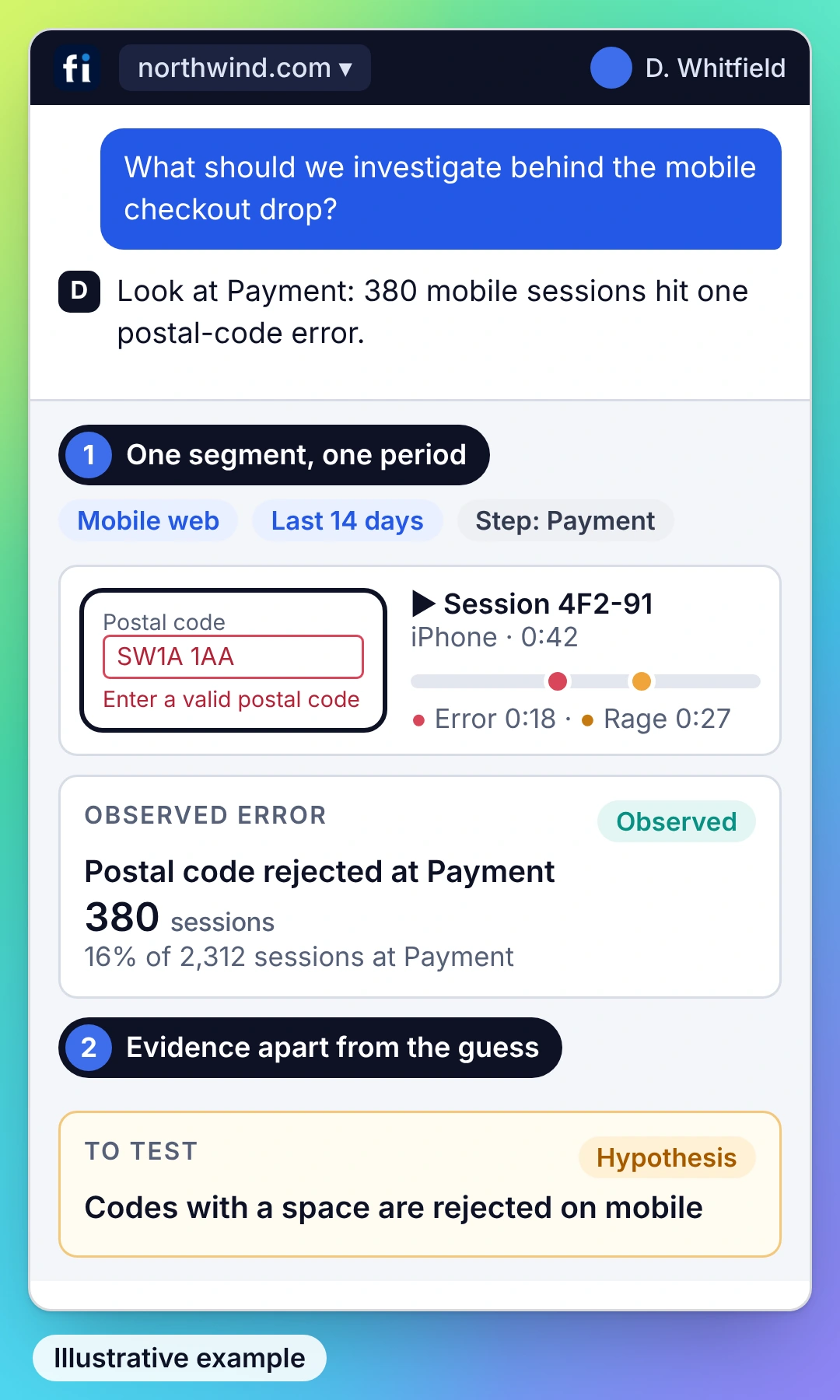
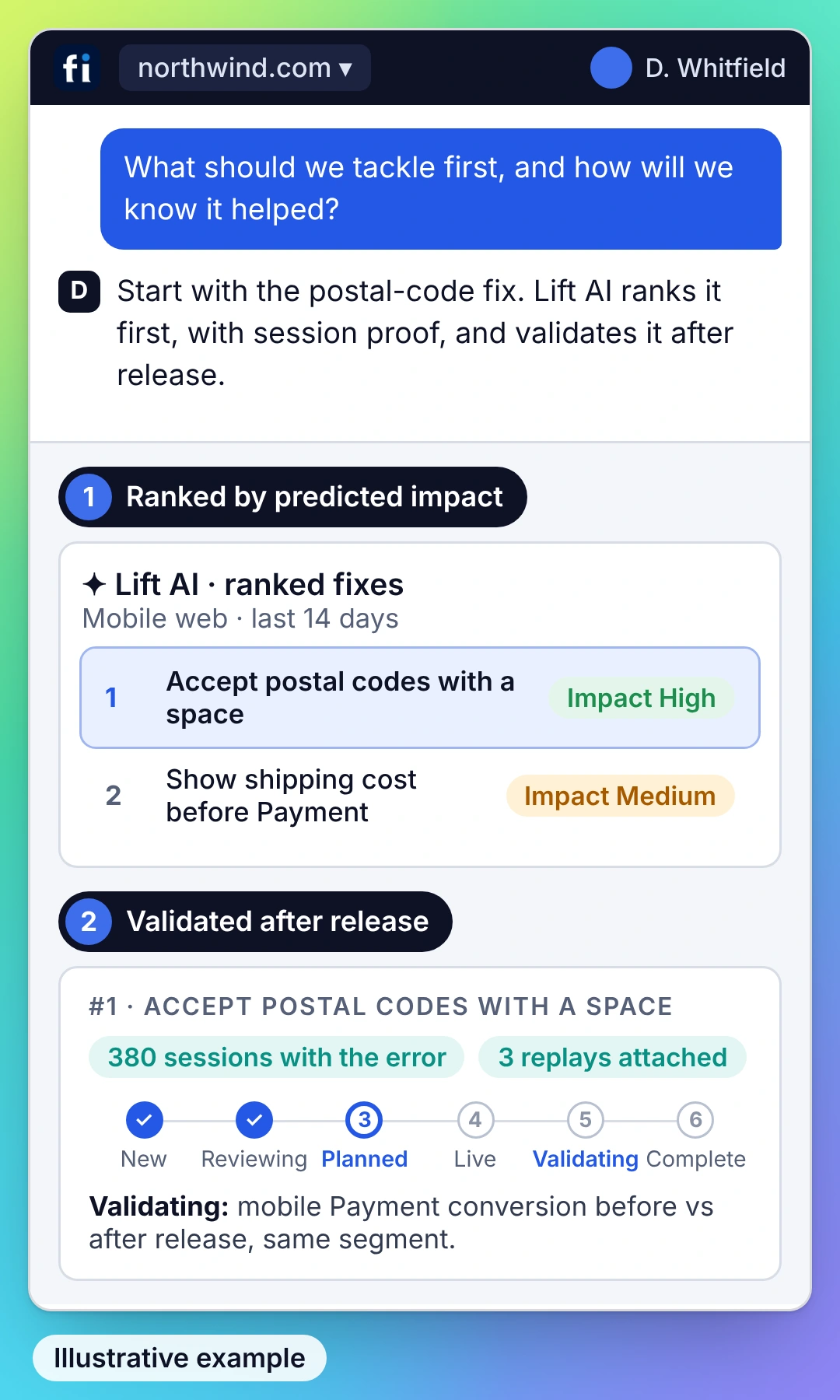
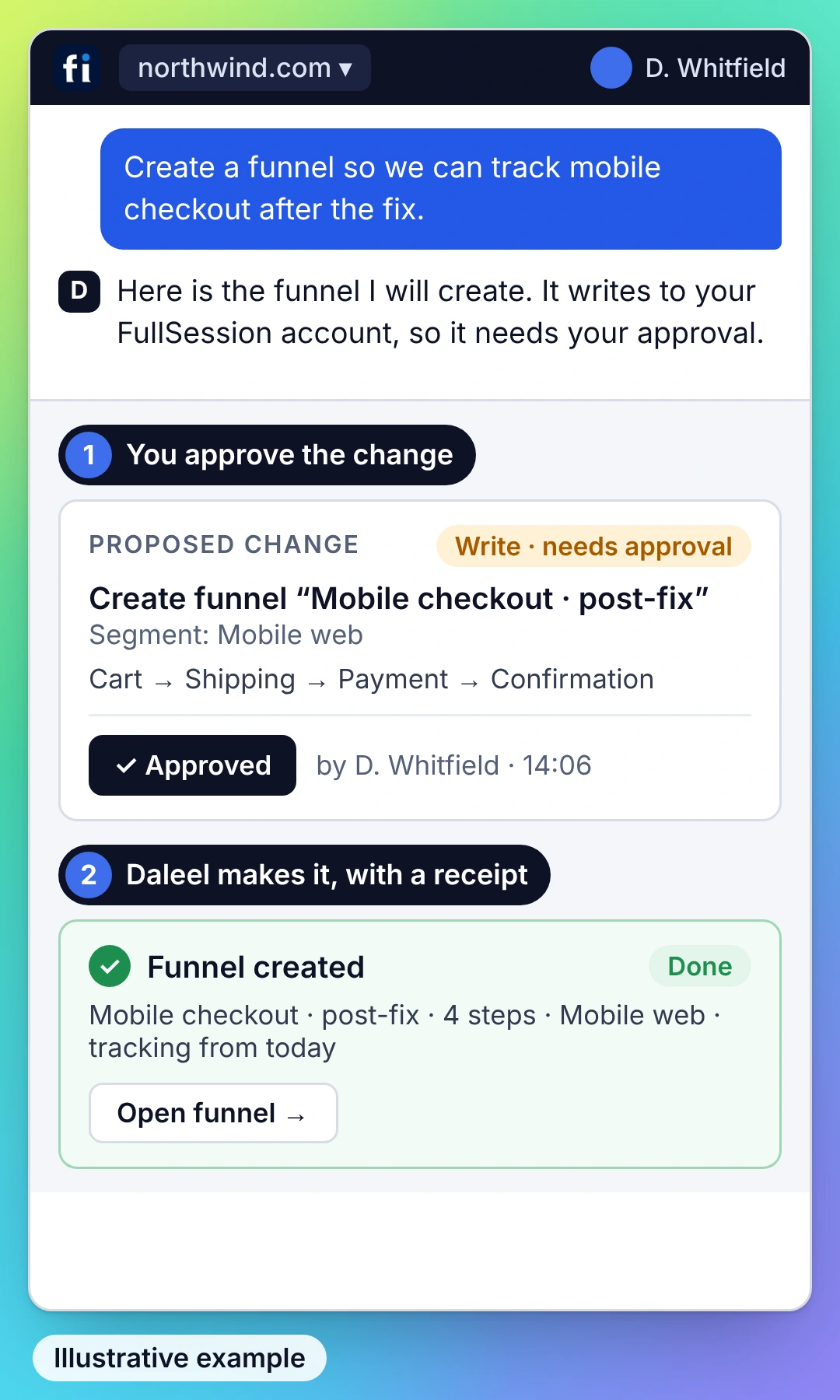
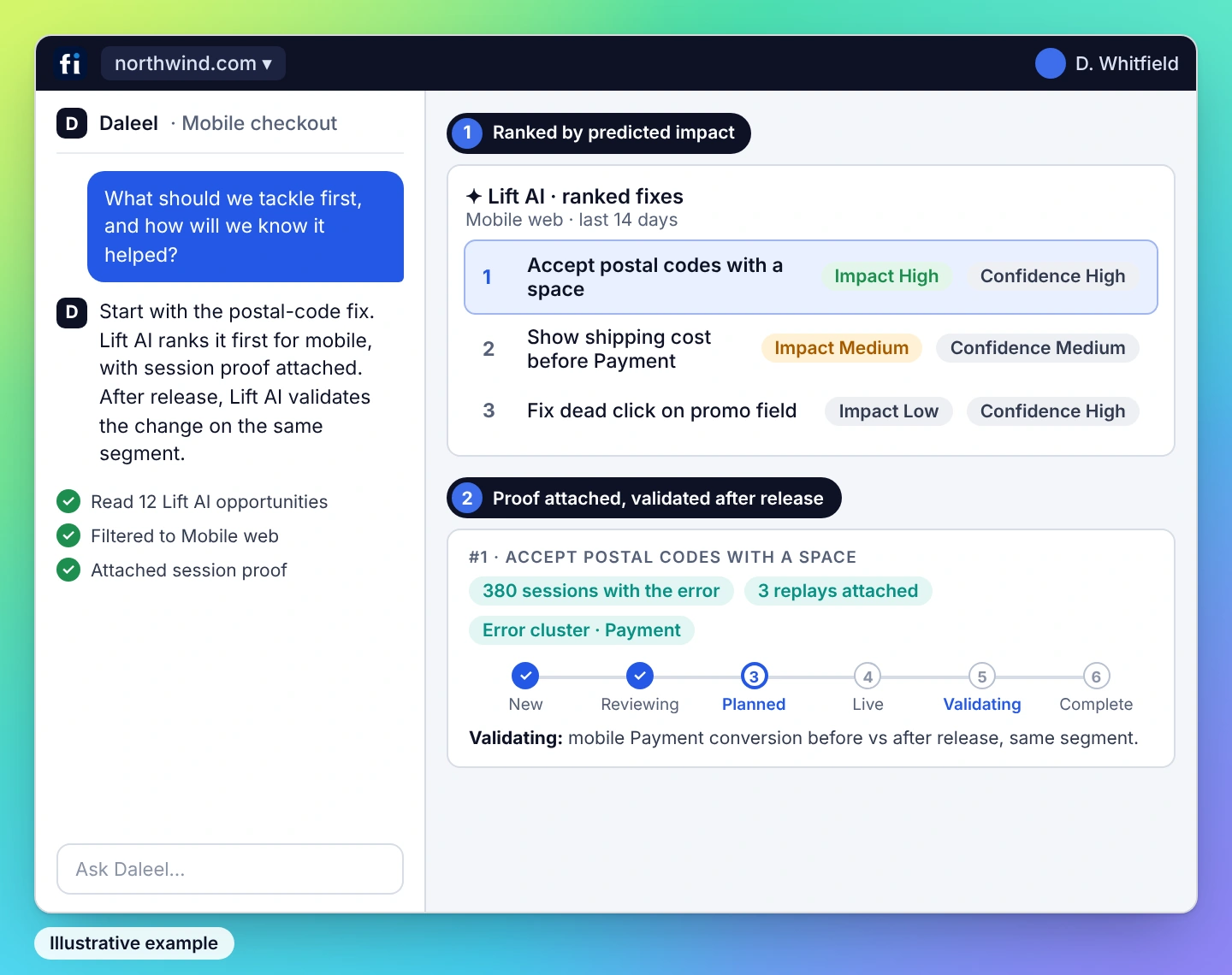
Learn, investigate, decide and act. Explore four ways Daleel supports the work around Core CX, with a concrete question in each view.
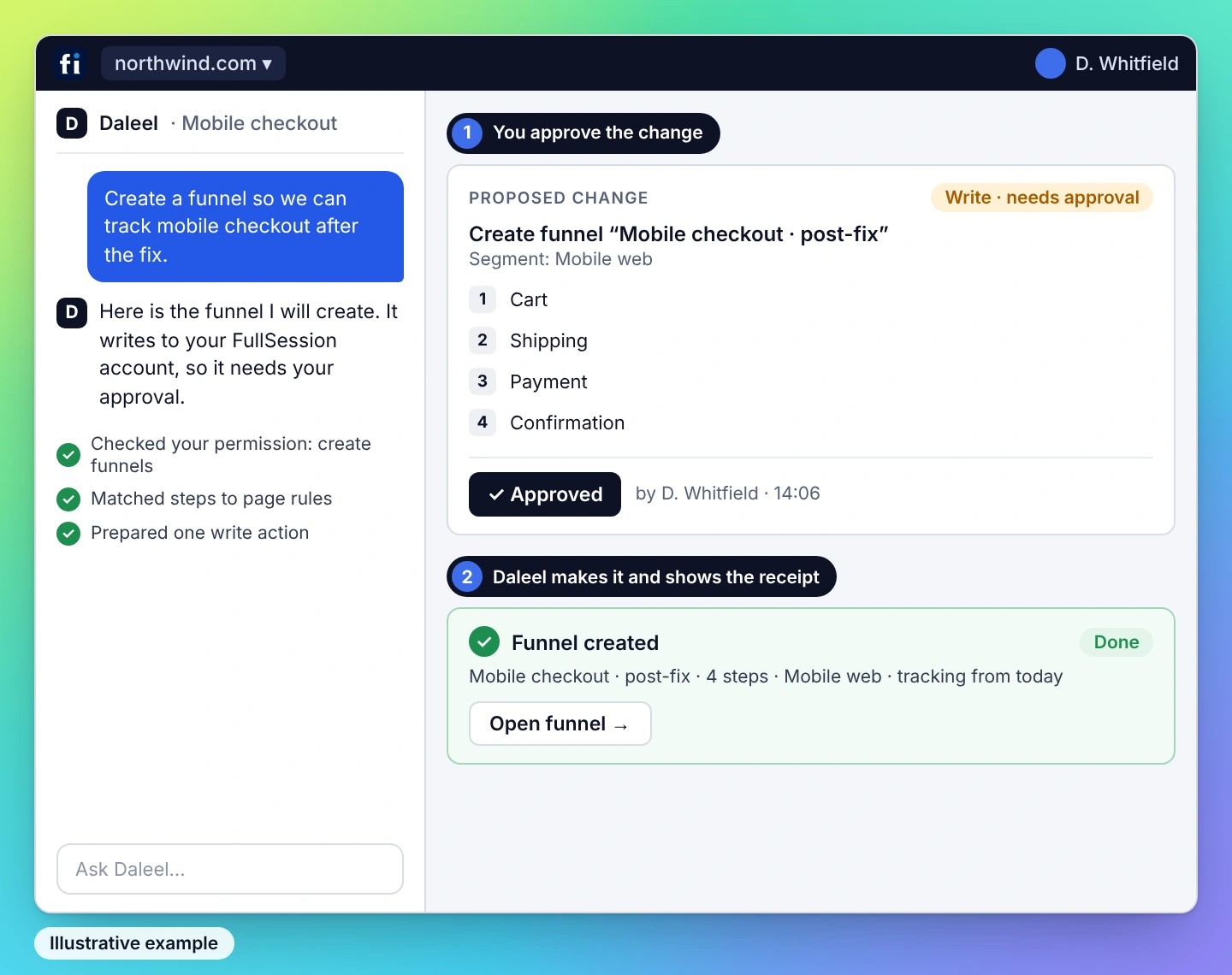

You choose how far Daleel goes.
A helpful explanation and an action in your system require different authority. The approval model makes that distinction explicit.

.avif)

Explain the next step. An answer grounded in the available product knowledge and evidence. The person decides what to do.

Take me to the right place. Open the relevant screen or identify a control where the application map is reliable. Navigation depends on supported coverage.
.avif)
.avif)

Get the change ready. Stage a supported change for a person to review and commit. Write access and permission are required.
.avif)
.avif)
Carry it out within my authority. Execute a supported action within the approved scope and show the result. The available tools and your policy set the boundary.
An answer needs context. An action needs more.
A document explains what should happen. The product and its observed journeys help explain what actually happens. Daleel’s grounding model brings those perspectives together.

Supported functions and their permissions, exposed through tools such as MCP.

Where a task lives in the interface and what its controls mean.

The policies, instructions and intent the interface cannot explain on its own.
Successful paths and failed attempts in your application, with evidence to investigate.
Choose the work you want to improve.
Daleel is the shared intelligence. The solution determines the job, the audience and the available capabilities. ONE AI LAYER · FOUR SOLUTIONS.
Understand customer journeys and prioritize improvements. Start with replay, heatmaps, funnels and journeys; use Lift AI to rank and validate opportunities.
Answer support questions in context and help website visitors find a useful next step, with people able to take over the conversation.
Learn moreFind rework in internal processes and guide employees through supported workflows. Detect and Coach connect the finding to the next step. Explore Workforce below.
Learn moreHelp users complete tasks in your application with guidance shaped by their goal and actions bounded by your permissions. Explore Adoption preview — in development.
BRING YOUR OWN AI ASSISTANT
Connect through MCP.
Use FullSession’s read and write tools from your own assistant for supported workflows. MCP connects your assistant to FullSession data and actions.
Explore the MCP server →Understand the scope before you choose.
For access, capture and retention controls, explore Security & Governance.
Daleel is the shared AI layer in the FullSession Digital Experience Platform. It combines product context, behavioral evidence and domain expertise to help people understand an issue, choose a next step and carry out supported actions. Core CX is the starting point; additional solution experiences are in development.
No. Choose the FullSession solution that fits your goal. Daleel is the intelligence within the platform, not a fifth solution or a separate pricing tier. Availability and scope depend on the solution.
Lift AI is part of Core CX: it ranks opportunities, predicts impact and validates changes. Daleel has a broader role as the shared AI layer, bringing FullSession product expertise, CX/UX reasoning and supported action into the conversation.
The approval model runs from Answer and Navigate to Prepare and Complete. Your organization sets the permitted scope and level of approval per surface and action. Complete allows execution within that authority; it does not provide unrestricted access to an application.
The requirements follow the task. Documentation can support answers; navigation needs reliable knowledge of the interface. Preparing or completing a change needs supported action tools and permissions. Browser coverage, application behavior and organizational policy determine the usable scope.
Yes. FullSession’s MCP server provides read and write capabilities for supported workflows with your own assistant. MCP supplies access to data and tools. Daleel supplies the FullSession product experience and intelligence built around them.
No. The grounding model is scoped to your organization. The developing memory and guidance experiences use context from your own application and the journeys observed there, not another customer’s activity.
Core CX and Lift AI are available, as are FullSession MCP read and write tools. Recommendation-and-execution is demonstrable within FullSession. FullSession Workforce connects Detect and Coach. Max is live. Digital Adoption is in development. Continuous grounding and documentation-drift monitoring are proposed capabilities; ask to see the exact workflow relevant to you.
“Show me the evidence. Then show me what I can do.”
See Daleel work through a question in FullSession, explain the recommendation and carry out a supported next step. Talk about your goals during a Daleel demo.






.svg)
.svg)
212 E Stone Path St Derby, KS 67037 Phone: +1 415-649-4222



All systems operational.