.svg)

Chatbot-to-human handoff: context, ownership and a worked example
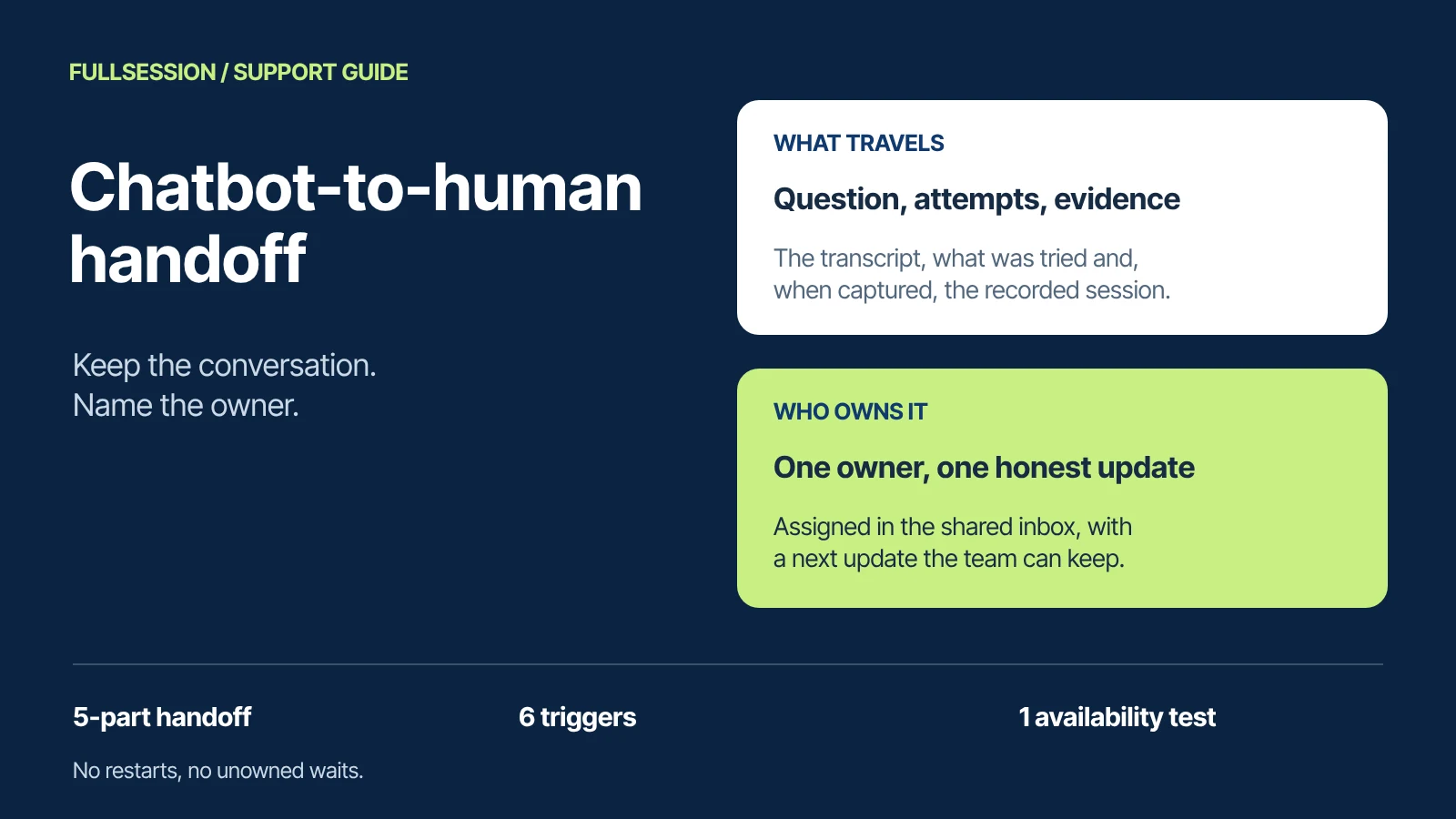

A useful chatbot-to-human handoff moves the conversation to a person without restarting it. The person who takes over can see what the customer asked, what the chatbot already answered and tried, and the evidence available. One named owner is responsible for the next reply, and the customer is told honestly when they will hear back. If the customer has to repeat the story, or nobody owns the reply, the handoff has failed, even if the transfer technically worked.
FullSession Support & Sales Desk is built around that standard. Max AI answers the question, and customers always know when they are talking to Max and can ask for a person at any time. Your team takes over in the same thread, with Max's answers already there, from one shared inbox that holds the conversation and available context. You can assign the conversation, set office hours with an away message, and let customers leave a question after hours. Add Core CX / UX and the handoff also carries the recorded session when one was captured. Human chat is free, and there are no seat fees. See the Desk's published capabilities.
Below: the triggers, the context to transfer, ownership, waits, and an annotated before-and-after conversation for a fictional SaaS company. A downloadable handoff checklist includes an availability test record. Desk capabilities and prices come from FullSession's published pages, checked 19 October 2026. The example conversation is illustrative, not a product recording or a customer result.
What a complete chatbot-to-human handoff includes
A handoff is an ownership change. Before it, the chatbot owns the next reply. After it, a person does, and the customer should be able to tell which is which. Five pieces of information make that change useful, and they are also the five fields of the checklist.
The conversation itself is the container. When the person replies in the same thread, the first three parts are already on screen above the reply. Assignment supplies the fourth, and the teammate's first message should state the fifth.
When the conversation should move to a person
Write handoff triggers as rules you can test, not as a general instruction to escalate when needed. These six triggers cover the common cases. The first one should never depend on the others.
In Desk, the first trigger is part of the product: customers can ask for a person at any time, and on your website you can let visitors choose Max or a person. Write the other five as team policy, confirm in your walkthrough how each one is set up for Max, then test each with a real question from your own queue.
A handoff is the correct result when a person is needed. A lower handoff rate is an improvement only if the conversations that stay with the chatbot end with the problem solved.
What context should travel with the handoff
The receiving person needs enough to act without interviewing the customer again. Transfer these items:
- The full transcript. The teammate should read the conversation, not a ticket subject line. In Desk, replies from Max are labeled in the transcript, so no one mistakes them for a colleague's.
- What the chatbot answered, and from which source. The teammate can then check whether a help article was wrong, out of date or misapplied.
- The steps already attempted, with their state. “Clicked Save twice, value reverted” is useful. “The change may have saved” and “the change failed” lead to different next steps.
- The customer and account context you permit. Plan, role or workspace details, limited to what your connection is allowed to expose. With Max, your MCP server supplies the data you choose to expose.
- The page and the session, when captured. Where the customer was and what they did. With Core CX / UX, the teammate sees what Max said, the page and the recording of a captured session before replying.
- The open question. The one thing still unresolved, in a sentence.
A recording answers a question the customer often cannot. “Save does nothing” could be a validation error, a permission rule, a network failure or a defect. A recording shows the click and the page's response, helping the teammate narrow the cause and choose the next check before asking the customer to repeat the steps. In FullSession, recording comes with Core CX / UX, a separate plan from $39.20/mo billed annually. Recordings depend on your Core plan, capture settings and retention, so a handoff includes one only when that customer's session was captured. If your chatbot and replay tool are separate products, check how they connect and which plans that needs: Fullstory, for example, documents a Fin integration that returns its AI session summary to Fin and is part of its Anywhere: Activation product. See how FullSession session replay works.
Keep the transfer inside your data rules. In Desk, what customers type in the chat follows the same masking rules as every other input FullSession records, and replay masking happens at capture, in the browser.
A worked FullSession Desk handoff, before and after
The example uses a fictional SaaS company, Acme Reports, and a fictional customer, Priya, who is a workspace admin. Priya changes her workspace's default time zone and clicks Save. The page appears to accept the change, then the old value returns. Acme's help center has an approved article on workspace settings. Both versions start with the same message. The transcripts are illustrative designs, not recordings from FullSession or results from a customer deployment.
The teammate is equally capable in both versions. What changed is what the handoff carried: the question, the attempted steps, the evidence, the owner and the next update. The 3:00 pm promise is Acme's commitment, not a product timer: Desk keeps the conversation, labeled answers and assignment together, and the team staffs for the reply time it states.
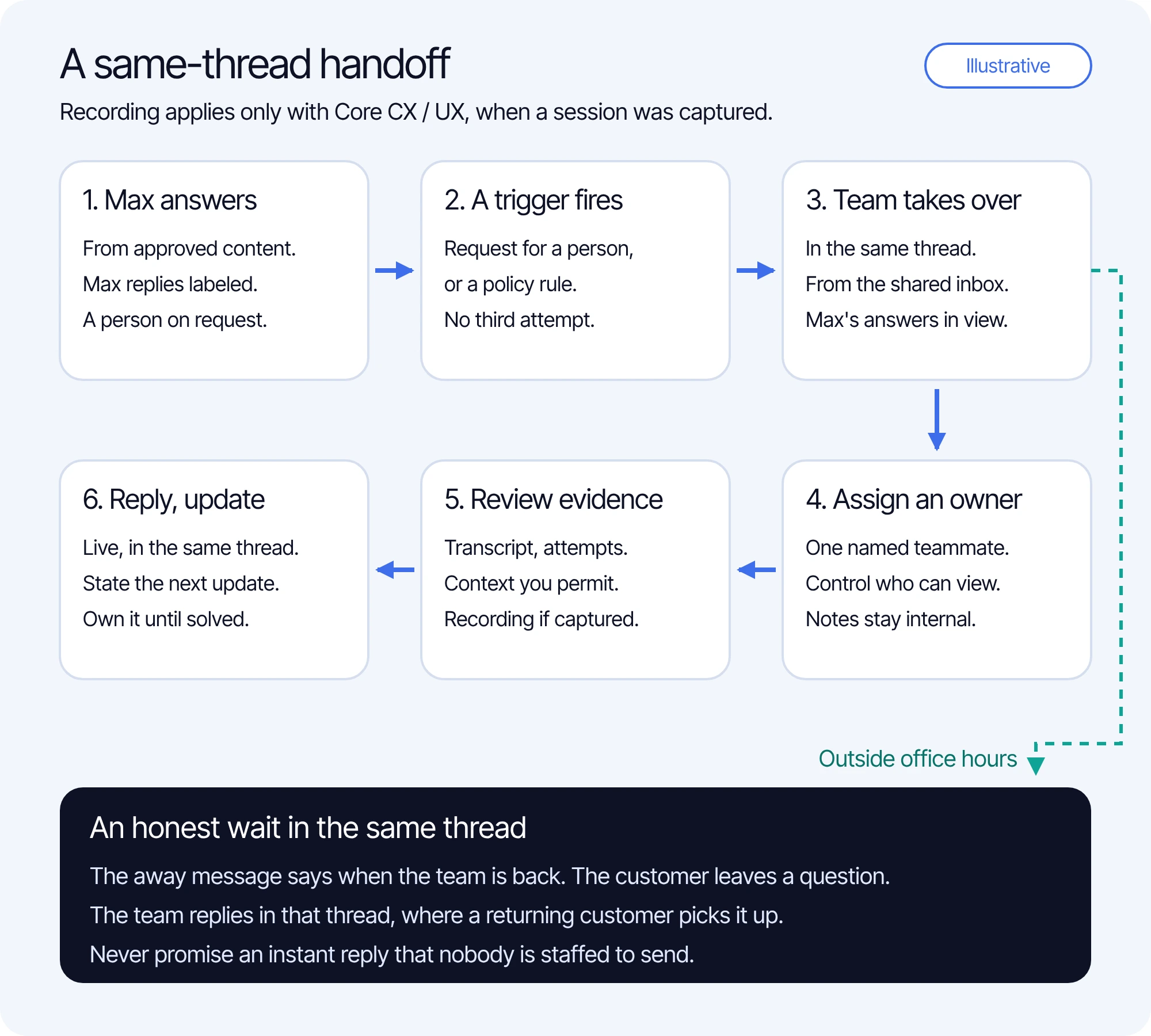
The same flow, step by step, including the path when nobody is available:
- Max answers from approved knowledge, and every Max reply is labeled.
- A trigger fires: the customer asks for a person, or your policy requires one.
- Your team takes over in the same thread, from the shared inbox.
- A teammate is assigned and reviews the conversation, available context and, with Core CX / UX, the recording when a session was captured.
- The teammate replies with the next update and keeps the conversation until it is resolved.
- Outside office hours, the away message says when the team is back, the customer can still leave a question, and the team replies in the same thread, where the returning customer picks it up.
What happens when a teammate is unavailable
An honest wait is better than a fast promise nobody keeps. In Desk, you set hours in your team's time zone with an away message, customers can still leave a question after hours, and a returning customer picks up the same thread. That gives you the parts of a good after-hours handoff. The wording and the staffing are yours.
Write the away message as a promise you can keep. Say when the team is back, invite the customer to leave the question in the conversation, and say where the reply will appear. For example: “Our support team is offline until 9:00 am Central on Monday. Leave your question here and we'll reply in this conversation when we're back.” Avoid “someone will be with you shortly” unless someone is watching the inbox. If your message mentions another channel, such as email, confirm in your own setup that replies actually reach the customer there before you promise it.
During office hours, when everyone is busy, the same rule applies: assign quickly, and make the first human reply state the next update time rather than a minute estimate. Keep the customer in the same thread instead of sending them to a form. Start each business day with the questions left overnight, assigning each one and replying with an update time.
Test this before customers find the gaps. The handoff checklist includes an availability test record with blank fields for what you observe:
Expected results describe documented behavior. Record what you actually observe, with the date and device. If a step differs, fix the setup or change the promise before launch.
What a handoff costs with Max AI
With Max, a handoff never adds a charge of its own. A handoff before substantive Max help is not billed. Once Max has delivered substantive help, the one $0.39 conversation charge stands, and human replies add no charges. The Desk app, shared inbox and human chat are included, with no seat fees. There is no additional Desk seat fee for the teammate who takes over. One conversation covers one user in one thread for a fixed 24 hours from Max's first substantive answer, guidance or supported action, and the $99 monthly minimum is credited toward conversations, not added. See current Max pricing. For a full budget across vendors, use the AI chatbot pricing guide.
The vendors count different things. Max bills AI-assisted conversations. Fin bills outcomes at most once per conversation, such as a resolution or a Procedure handoff, where Fin completes a Procedure you configured to end in a handoff; Fin does not bill escalations when a customer asks for a human or shows frustration. Equal counts are illustrative and do not establish identical workloads or guaranteed savings. The example excludes taxes, optional Core recording, Fin sales qualifications and other add-ons. Sources checked 19 October 2026: Fin pricing, Fin outcome definitions and Intercom plan terms.
How to test and measure the handoff
Before launch, take one real question that ended in a transfer last month and run it through the before-and-after checks above. Then run each trigger once, and run the availability test. If you keep Zendesk, HubSpot, Freshdesk or another supported helpdesk, Max also works inside it, so run the same tests in the inbox your team actually uses. After launch, review handoffs weekly with these measures:
Set targets from your own baseline; another company's rates do not predict yours. When a measure moves, read the transcripts behind it before changing a trigger.
Chatbot handoff questions support teams ask
What should a chatbot transfer when a person takes over?
The conversation itself, plus five items: the question in the customer's words, what the chatbot answered and tried, the available evidence, the next owner and the promised next update. In FullSession Desk, the teammate takes over in the same thread, so the transcript and Max's labeled answers are already there.
What should happen when no teammate is available?
Say so plainly, say when the team is back, and let the customer leave the question in the same conversation. In FullSession Desk, you set office hours in your team's time zone with an away message, customers can still leave a question after hours, and a returning customer picks up the same thread. Never promise an instant reply.
How can a session recording help explain the support question?
It shows what the customer did and how the page responded, such as a Save click that changed nothing, so the teammate can diagnose before asking more questions and share the session with engineering. In FullSession, recording comes with the separate Core CX / UX plan, and a handoff includes one only when that customer's session was captured.
See a support handoff in a Desk walkthrough
Bring one support question your team hands over today, plus the after-hours case you worry about. We will walk through Max's answer, the takeover in the same thread, assignment and office hours, and, if you use Core CX / UX, the recorded session behind the question.
See what’s costing you, and prove whats fixing it is worth
Watch the real journey, rank every issue by revenue impact, and validate the result against baseline.






.svg)
.svg)
212 E Stone Path St Derby, KS 67037 Phone: +1 415-649-4222



All systems operational.