.svg)
The Soroco alternative for measurable workflow improvement.
Considering a Soroco alternative? FullSession Workforce connects recurring rework, estimated operating cost and in-app coaching, so your team can improve the process and track the result on the same work.
Process intelligence. In-app coaching. Measured improvement. Detect covers the analysis scope; Coach is priced by coached employee and requires Detect.
.webp)












.svg)

From the first finding to the next completed task.
FullSession combines the evidence to find costly work, the guidance to improve it and the measures to show what changed. Here is how the capabilities and operating requirements compare.
Swipe to compare the platforms →
.avif)
Comparison sources · checked 22 September 2026. Competitor descriptions refer to the linked product and documentation pages. Compare the relevant product, package and deployment.
1. Soroco platform and approach ↗ 2. Soroco Scout data privacy FAQ ↗ 3. Soroco Scout for Ops ↗The same customer detail. Three separate lookups.
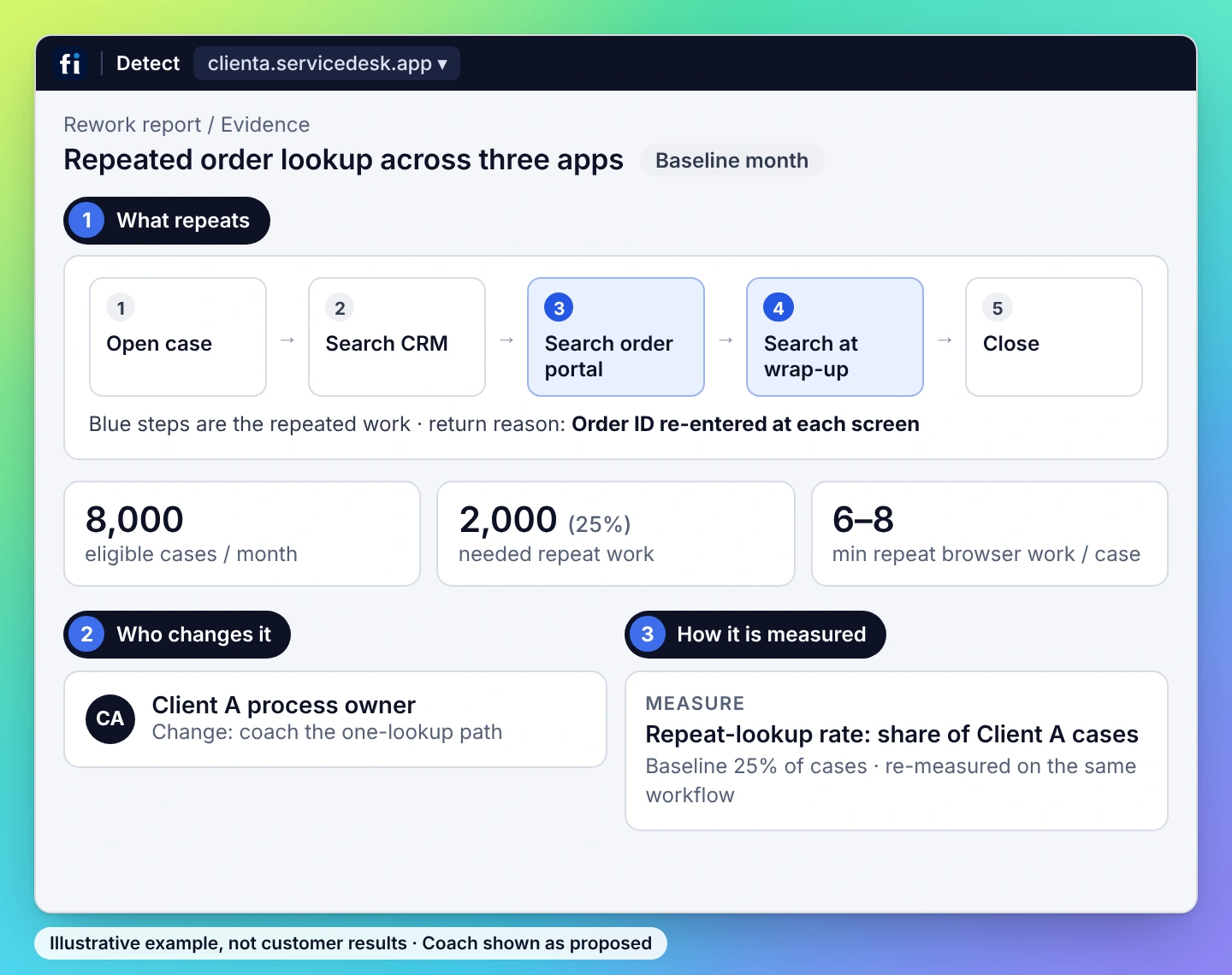
A service case crosses a CRM, an order portal and a wrap-up screen. The employee searches for the same detail again at each handoff. Find the repeat work inside that client’s approved applications and improve the handling path.
Trace the browser-side case workflow within one client account, with its own capture and reporting scope.
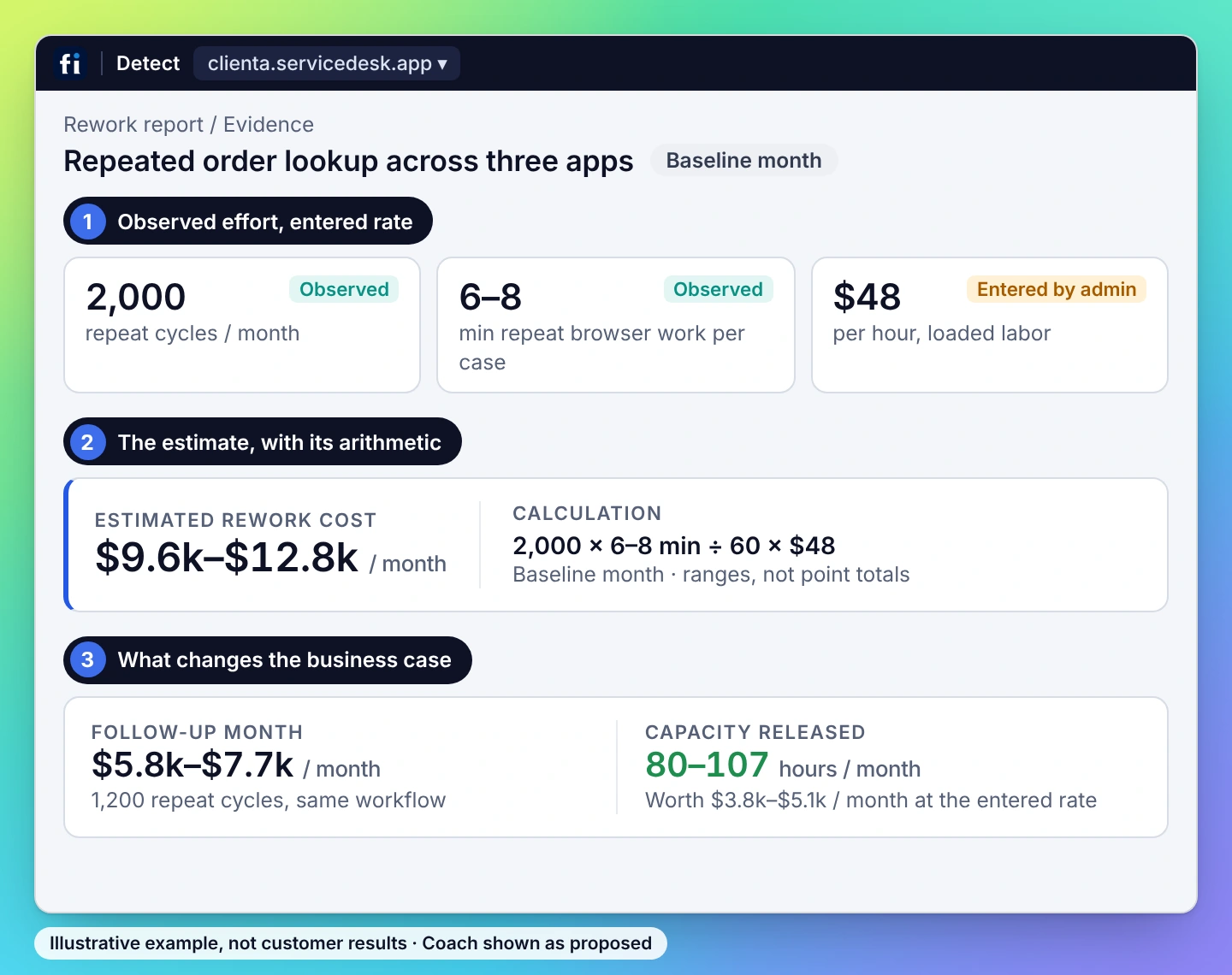
Separate repeated effort from app wait. Use observed effort and explicit volume and cost assumptions.
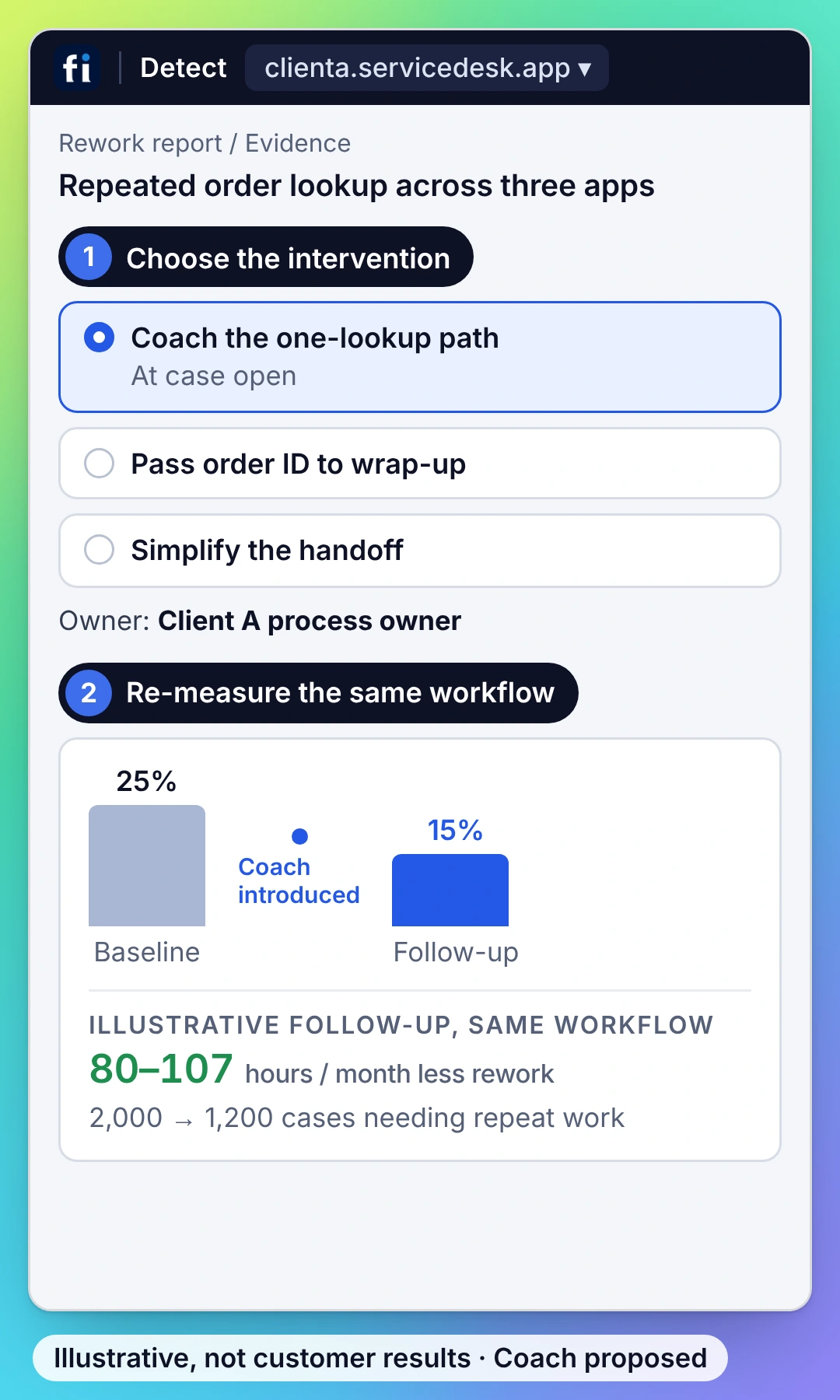
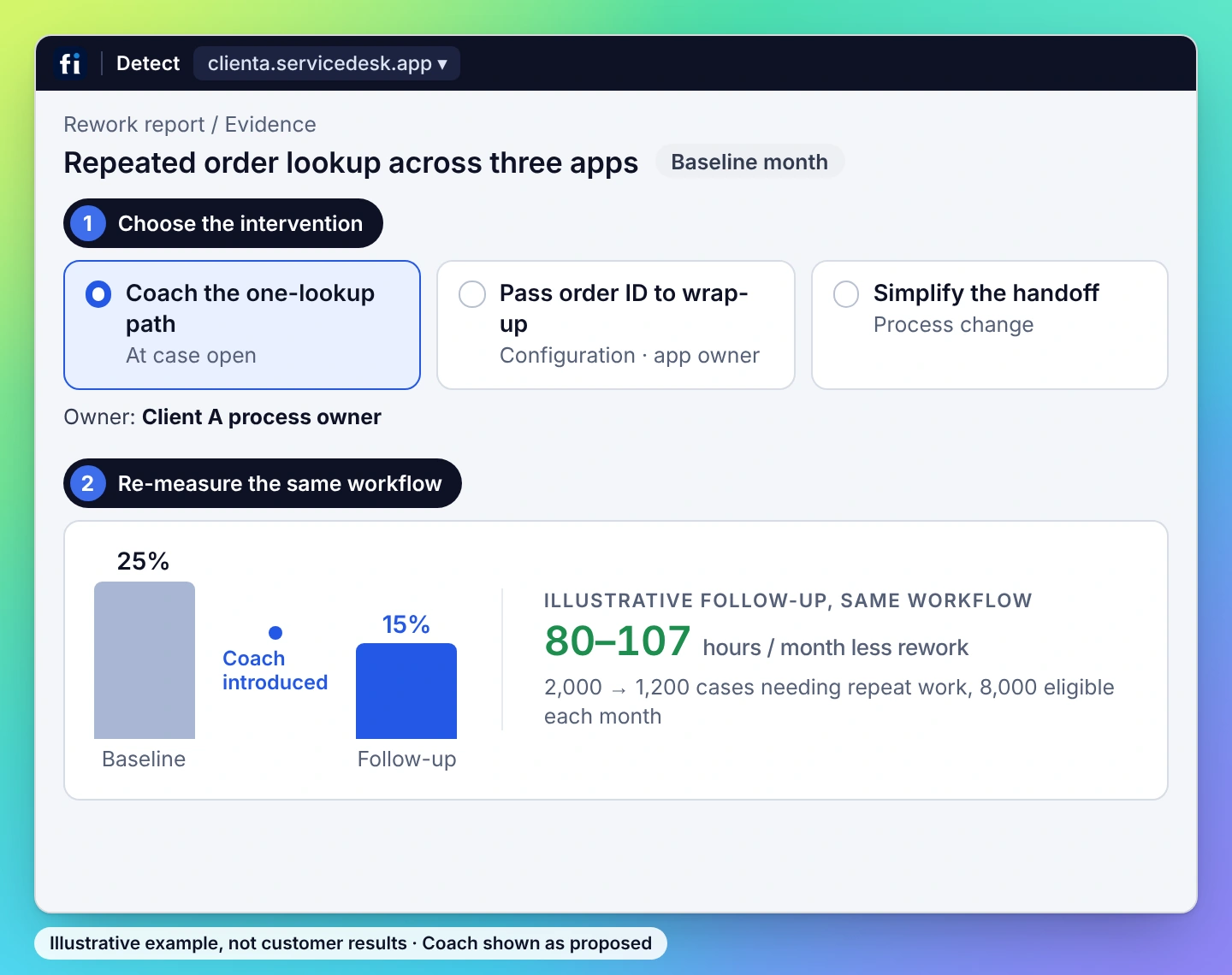
Coach the approved lookup sequence or bring a configuration finding to the application owner. Then compare repeat touches and observed browser handling effort for equivalent cases. Include phone time only when separately evidenced.


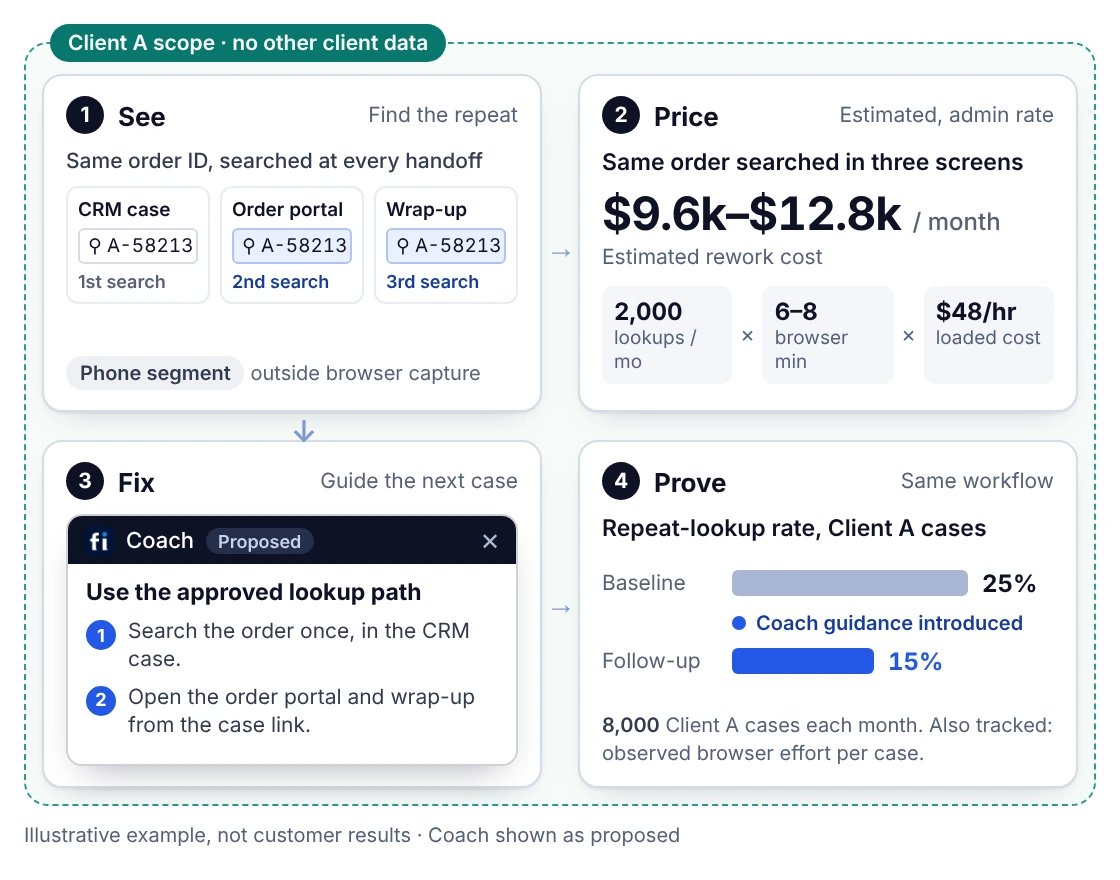
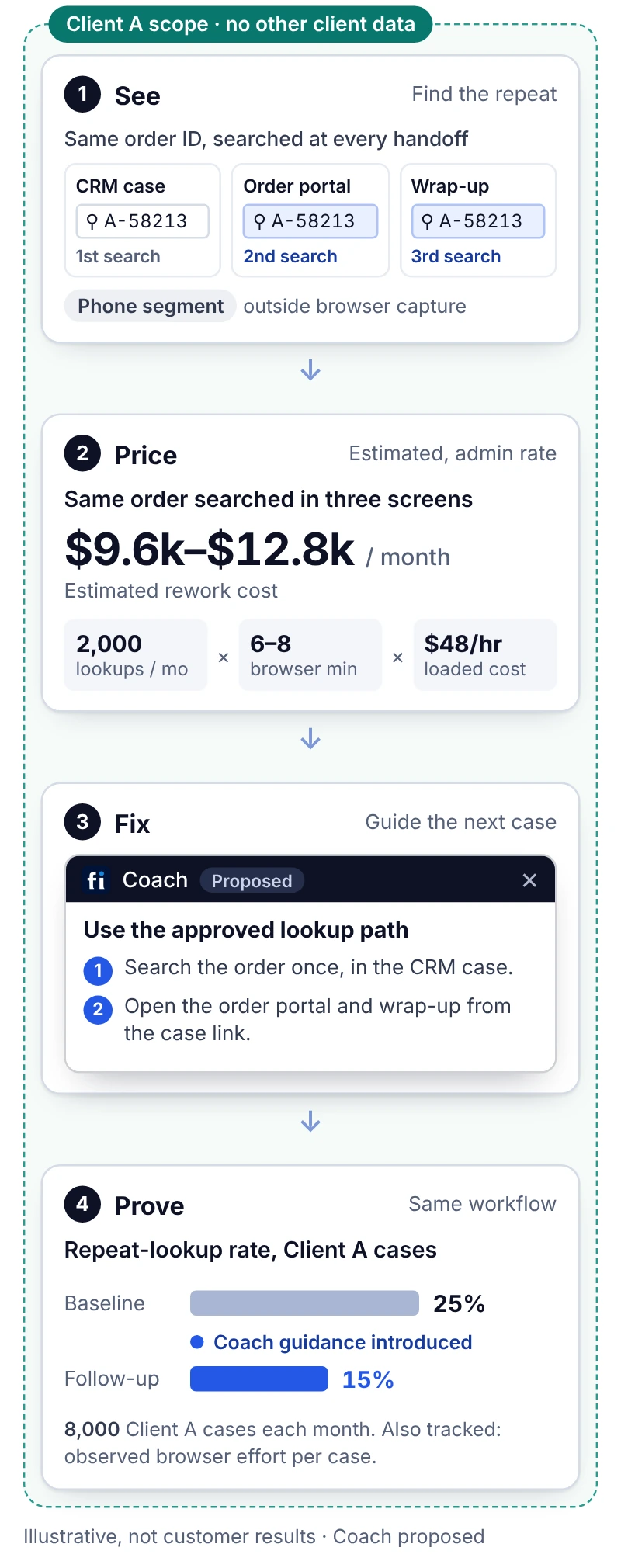
Bring the operating result into the evaluation.
FullSession Workforce connects process intelligence with employee guidance and measurable operating improvements. Detect identifies costly repeat work in internal web applications. Coach supports the approved handling path. Configuration and process changes address other causes, with follow-up measurement tied to the same workflow and operating scope.
Why choose FullSession over Soroco?
Name the repeat work that consumes capacity. Assign the intervention to Coach, an app owner or a process owner. Measure the changed workflow within the same client or team.
One problem. One intervention. One measure.
A finding with an operating cost, an intervention employees can use and follow-up on the same process.
Operations gets the task to improve; Finance gets inspectable cost inputs; IT gets a controlled deployment. All three can inspect the same work.
Illustrative workflow; no promised savings or customer result.
Detect + Coach + re-measure.
01 Trace
Trace the recurring problem to the steps and evidence behind it.
02 Price
Combine observed repeat effort, frequency and the customer’s loaded-cost assumption.
03 Coach
Bring the approved procedure into the application beside the task.
04 Prove
Compare equivalent cases for repeat touches and handling effort after the change.
Keep required quality checks intact. Changes depend on the approved workflow and permissions.
See Detect + Coach in action
Start with a useful workflow. Build the scope around it.

01 · Set the capture boundary.
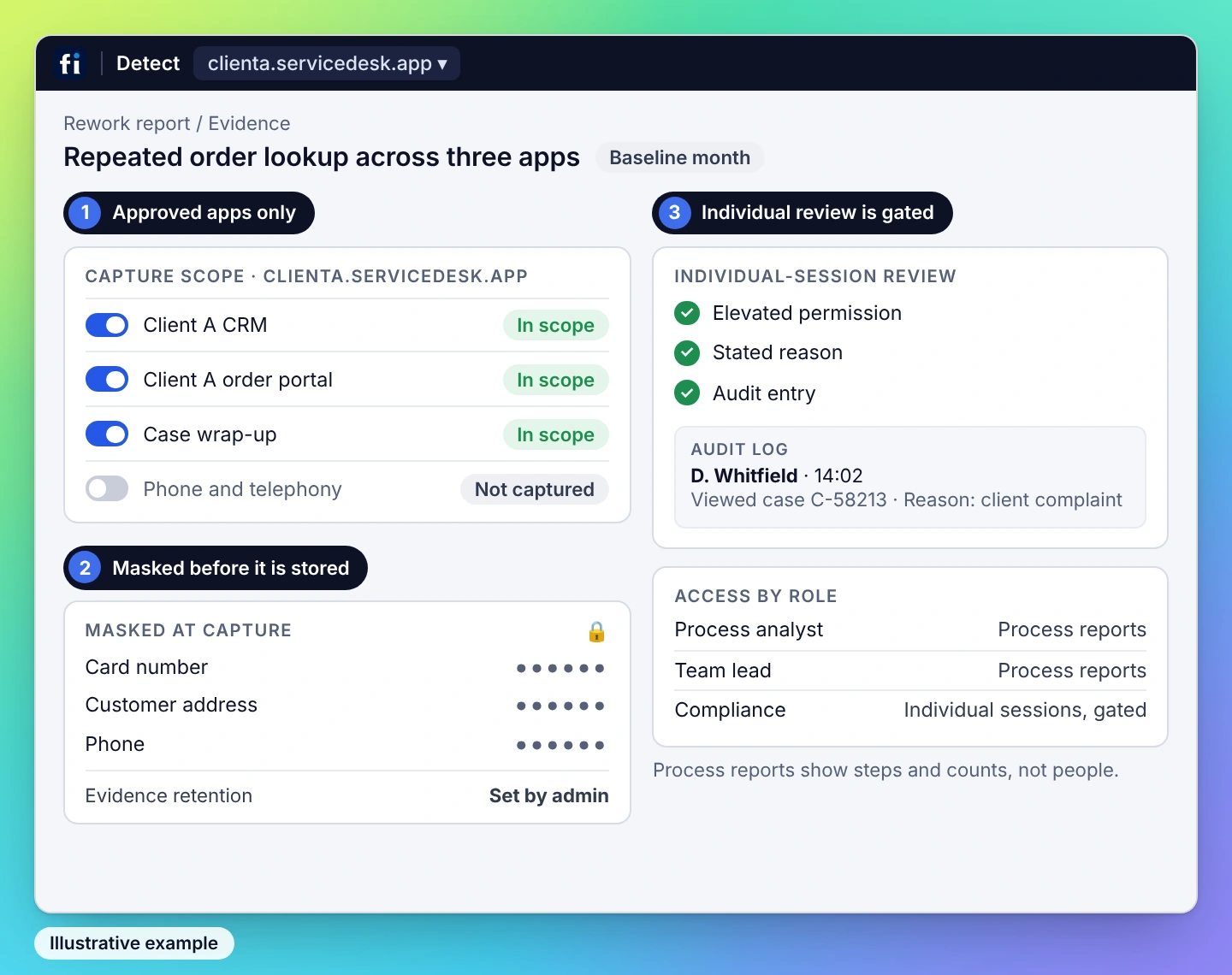
Select the team and approved browser apps. Configure capture, masking, reporting access and retention, then deploy the extension.

02 · Connect the finding to an action.
Validate the evidence and baseline. Add the approved procedure for Coach, and name the application or process owner for other changes.

03 · Agree how improvement is measured.
Choose comparable cases, repeat-touch and handling-effort measures, and the quality checks that remain part of the process.
Protect captured information
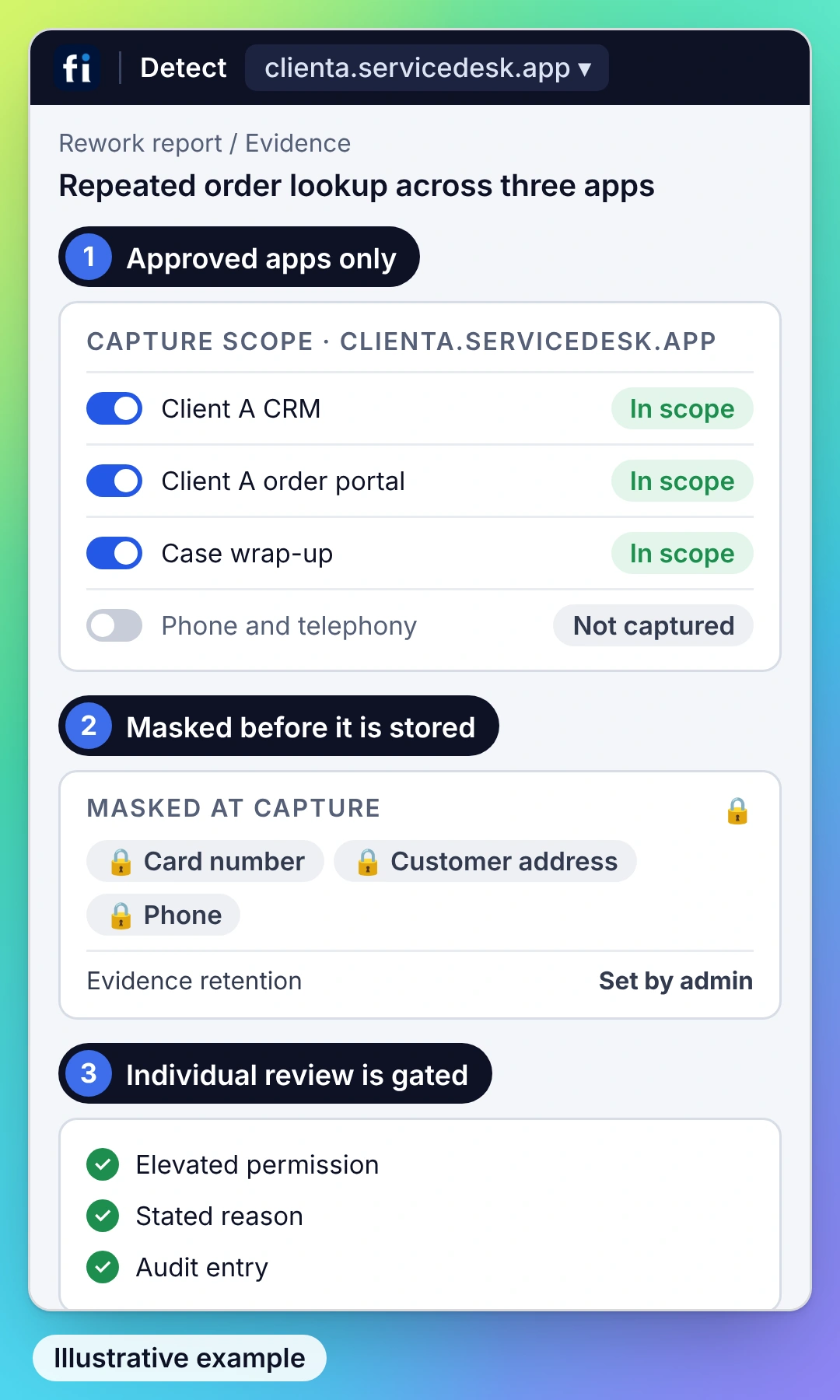
Limit observation to approved applications and configure masking and retention for the process. Keep client or business scopes clearly defined.

Control access to evidence
Use role-based access. Individual-session review on Detect Business and Enterprise requires elevated permission, a stated reason and an audit entry.

Detect for the work. Coach for the employees who need help.
Scope Detect by team, application and process. Add Coach by coached employee. Include access controls, retention, deployment and support in the proposal. Coach is paired with Detect.

Small repeated steps. A cost worth changing.

Repeat work per case
2 minutes
A repeat lookup may take minutes. Across thousands of cases, that effort becomes capacity your team could put elsewhere.
Cases with that repeat work
3,000 / month
At this illustrative volume, two minutes of repeat work adds up to 100 hours of repeated effort each month.
Loaded hourly cost
$45
Use your own loaded-cost assumption. The model gives Operations the task to change and Finance an estimate it can inspect.
ILLUSTRATIVE INPUTS · NOT A CUSTOMER RESULT. 2 ÷ 60 × 3,000 × $45 = $4,500 estimated monthly cost of that effort. This is the opportunity to investigate. Measured improvement and realized financial benefit are assessed after the change.
Explore plansSee what changes for your part of the business.
Operations needs a better process. Finance needs a credible value case. IT needs a controlled deployment. FullSession connects those questions to the same work. ONE FINDING. ANSWERS FOR THE BUYING TEAM.
Find repeated searches within one client workflow. Guide the approved handling path.
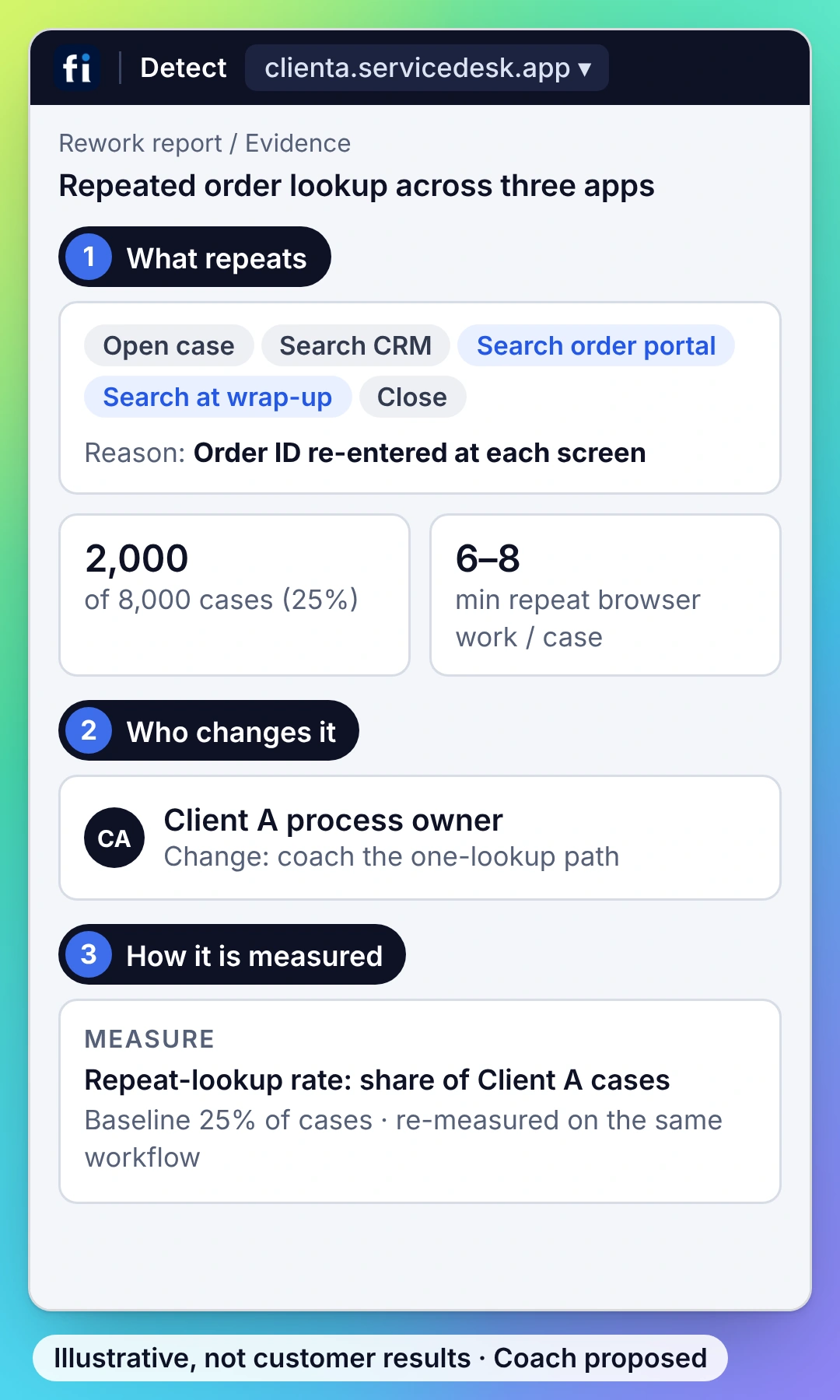
Price repeated browser effort and track the capacity change within the same account.
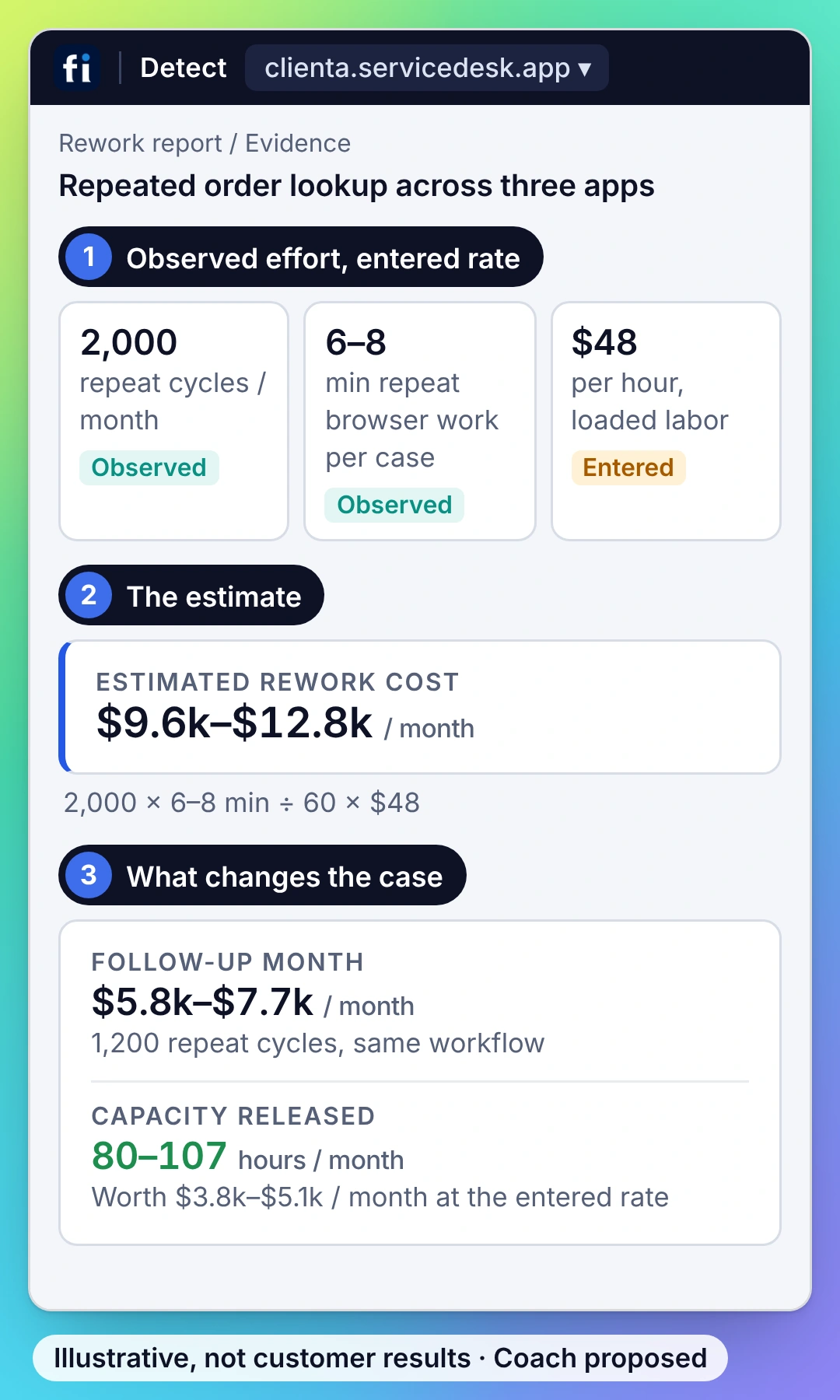
Keep client capture, reporting and access separate across approved applications.
Assign the intervention and compare the same case type within the same client scope.
What you need to know about FullSession.
Value, implementation, coaching and the details your buying team needs.
Why choose FullSession as a Soroco alternative?
Choose FullSession when you want a direct path from a costly process finding to a change in everyday work. Detect supplies the evidence and cost estimate; Coach delivers in-app guidance; application and process owners handle the other interventions. The follow-up uses the same workflow measures so your team can see what changed.
Does FullSession require event logs from our systems of record?
No. FullSession Workforce observes the work in approved browser applications. That captures repeated steps and failed attempts that may never become a completed transaction in a system-of-record log. Define the workflow and application coverage around the operational question you want to answer.
Can we use FullSession across multiple teams or client accounts?
Yes. Scope the teams, processes and applications in the deployment. For client delivery, keep capture, reporting and access organized around the client account. Compare results within the relevant case type and client scope, then use that evidence in the operating or account review.
What does deployment involve?
Choose the team and browser applications, configure capture and masking, and deploy the Workforce extension. Validate a representative workflow and its evidence, then establish the baseline. For Coach, supply the approved procedure and define where guidance belongs. Your application owner handles configuration changes when the finding calls for one.
How does FullSession calculate the cost of rework?
The estimate combines repeated handling effort, occurrence volume and your loaded hourly cost. For example, two minutes of repeat work on 3,000 cases represents 100 hours; at a $45 loaded hourly cost, that is $4,500 in estimated monthly effort. Those are illustrative inputs, not a customer result or a promised saving. The follow-up measures how the workflow actually changed.
How does FullSession protect sensitive information?
Define the approved applications and capture boundaries, apply masking and set retention for the process. Control who can inspect the evidence. Individual-session access in Detect Business and Enterprise requires elevated permission, a reason and an audit entry. Review your identity, residency and DPA requirements as part of the deployment.
What is included in a Workforce proposal?
The proposal scopes Detect for the teams, applications and processes to analyze, then adds Coach for the employees receiving in-app guidance. Coach requires Detect. Include the deployment, access controls, retention and support requirements so the package matches the work you need to improve.
Which applications does FullSession Workforce cover?
FullSession observes approved browser-based internal applications and the work between them. Scope the relevant CRM, operations portal, browser ERP or other internal web workflow during setup. If a process includes desktop tools or phone work, identify those steps separately so the measures describe the evidence actually captured.
See the finding. Watch Coach help. Inspect the result.
See FullSession turn a recurring workflow problem into a practical improvement.






.svg)
.svg)
212 E Stone Path St Derby, KS 67037 Phone: +1 415-649-4222



All systems operational.