.svg)
Get more done with the team you have.
FullSession Workforce finds costly rework across your internal web applications, helps employees take a better path with in-app coaching, and measures the impact on the same workflow.






.svg)

Your employees are your biggest asset. Their broken workflows are your biggest source of rework.
FullSession Workforce combines process intelligence and in-app coaching for internal web applications. Detect identifies recurring rework and estimates its operating cost. Coach helps employees follow an approved path. Re-measurement shows what changed.
Recover capacity.
Reduce repeat touches so the same team can handle more volume.
Lower cost per case.
Prioritize recurring work with a measurable operating cost.
Put better methods into practice.
Help employees follow approved workflows inside the application.
Keep hiring in step.
Use recovered capacity to absorb more volume, cover attrition or delay another hire.
Find costly rework. Put a better process into practice.
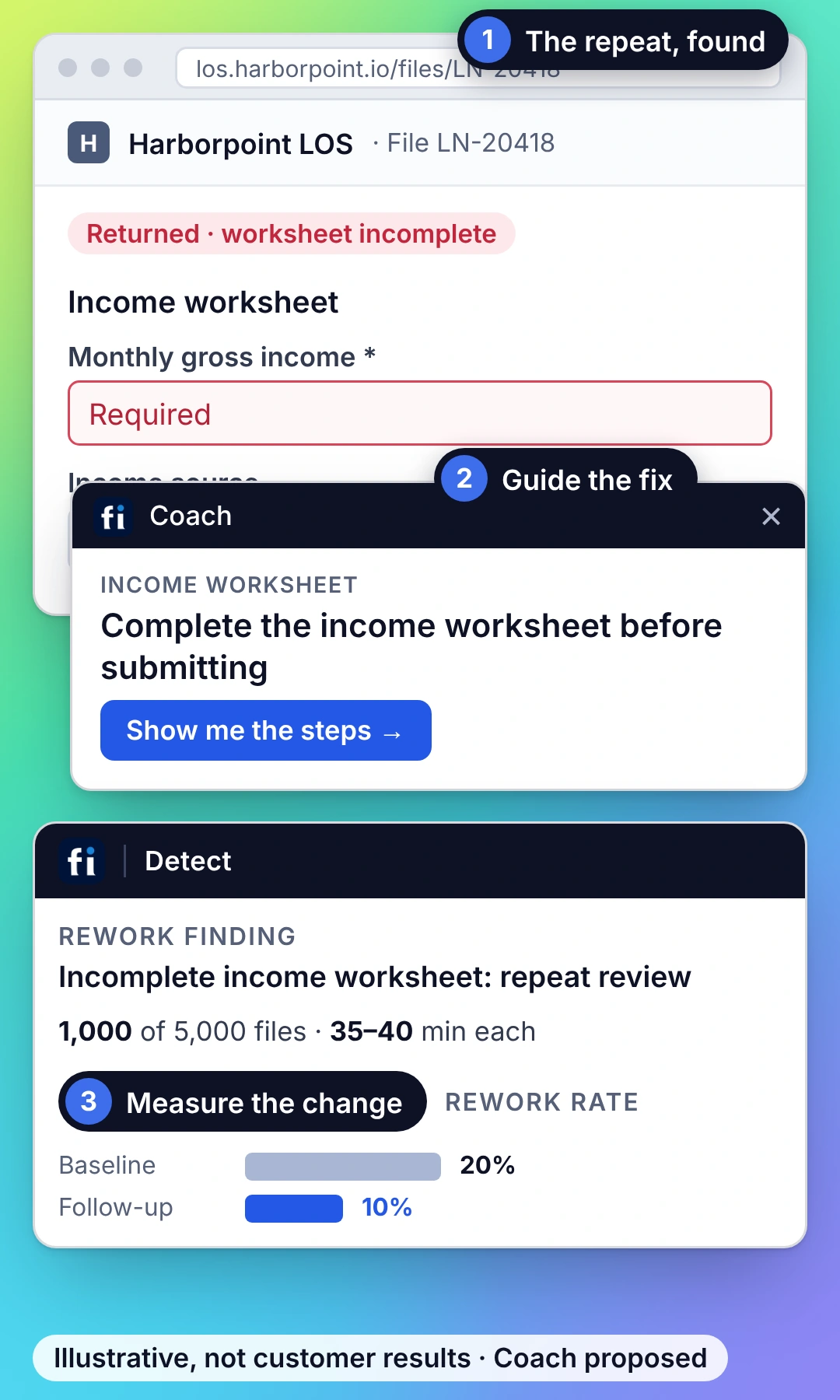
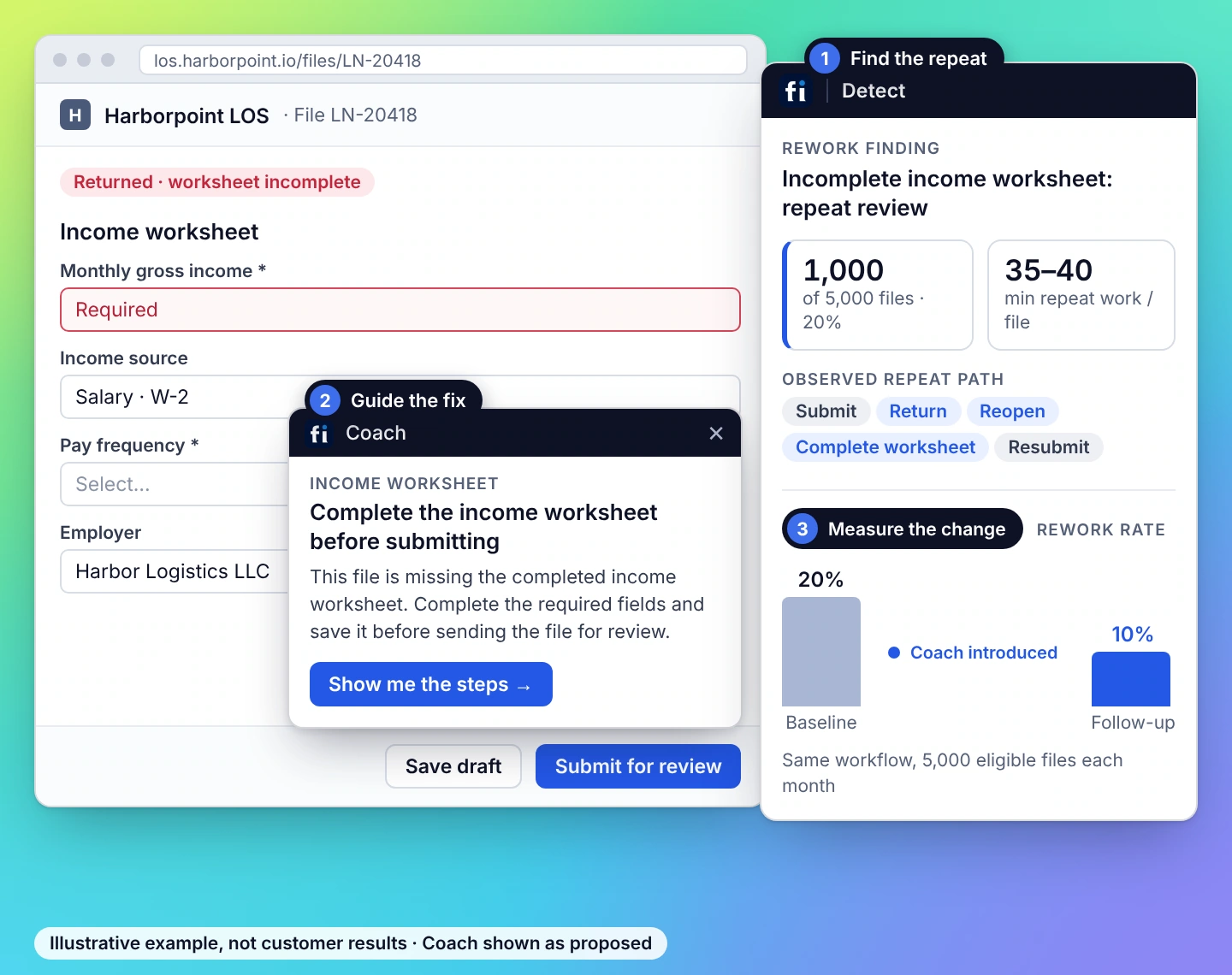
Find repeat work, estimate its operating cost, then help employees follow a better path. This illustrative income-worksheet example connects the finding to coaching and follow-up measurement.
The finding

An incomplete income worksheet sends the same loan file through another review. Inspect the repeat touches and cost assumptions before choosing what to change.
The improvement cycle

Detect · See
Find repeat lookups, returns and failed submissions. Follow the workflow evidence to see where avoidable touches add effort.
Detect · Price
Connect repeat work to frequency, handling time and your cost assumptions. Prioritize the recurring work worth fixing.
.webp)
Coach · Fix
Guide employees through an approved path, adjust your application, or remove an unnecessary step with the process owner.
.webp)
Re-measure · Prove
Compare repeat touches, effort and quality with the baseline for equivalent work. Confirm the shorter path is still correct.
Help employees get it right in the flow of work.
Coach brings approved guidance into the task using observed workflows and your procedures. In the loan-file example, Coach helps the employee complete the required income worksheet before submitting. The file moves forward with the checks it needs. Then measure whether repeat submissions and reviews fall. Coach is paired with Detect; supported actions depend on the application and its permissions. Daleel is FullSession’s shared AI layer.


How the capacity estimate is calculated.
Time per repeated occurrence × occurrences in scope gives estimated capacity. Apply your loaded hourly cost to estimate its labor value. Keep measured inputs and assumptions visible. That value becomes a financial benefit when the capacity is used or an actual expense is avoided.
TIME
COUNT


Find the capacity hidden in your team’s everyday work.
Explore the repeated work, the intervention and the measures that matter to your team.
Find recurring exceptions in approved browser apps, guide the document-check sequence, and measure touches per completed file.
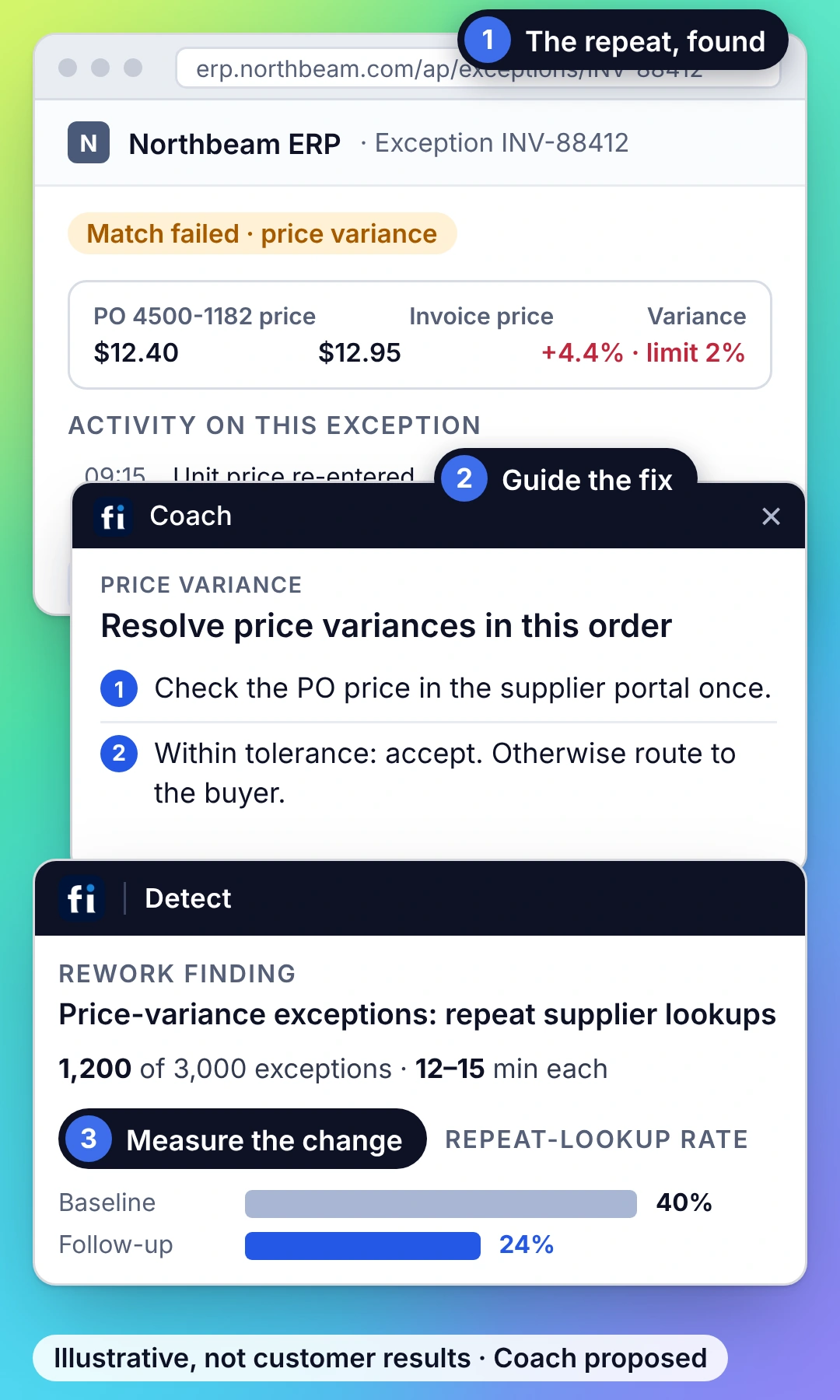
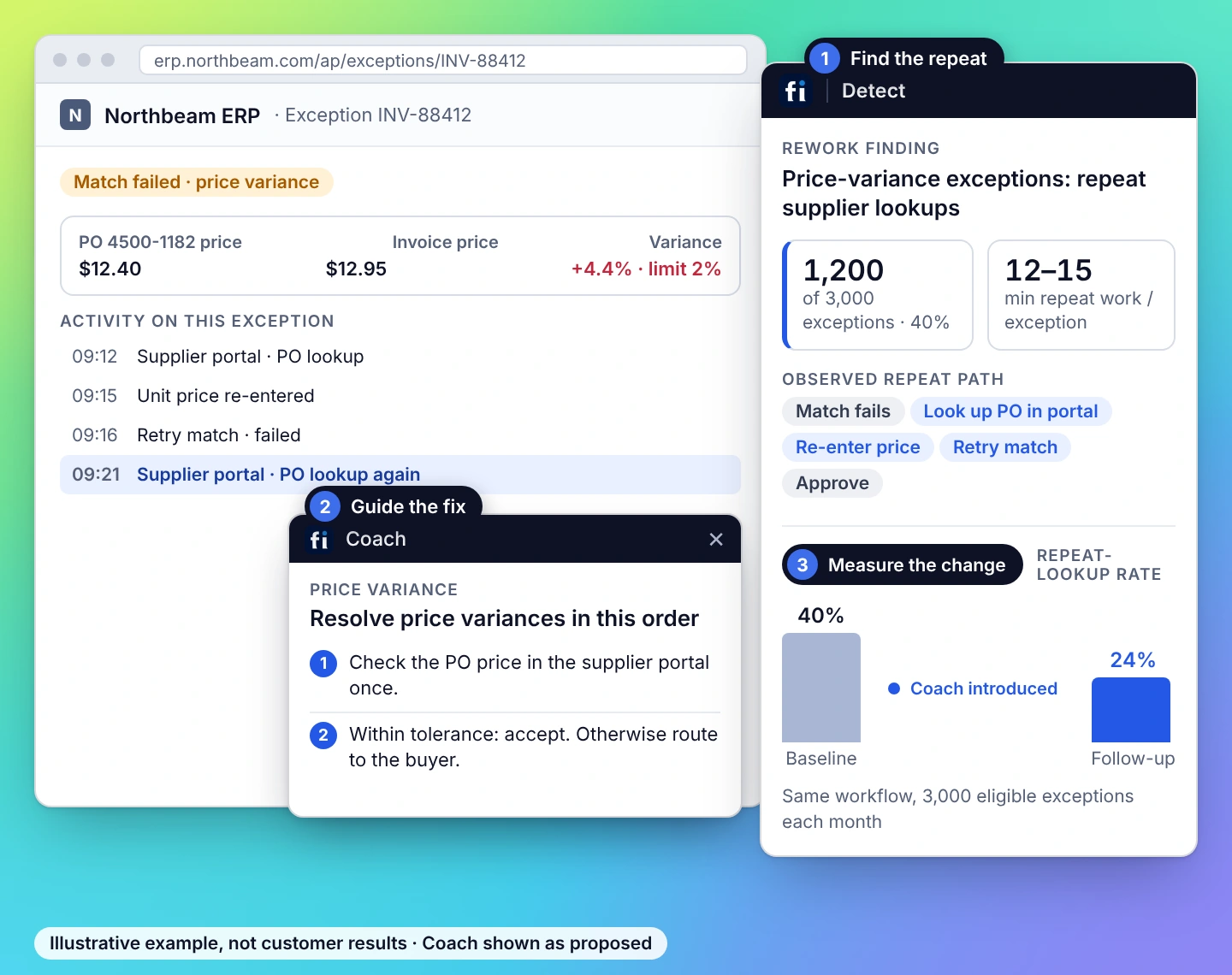
Trace repeat lookups and re-entry in browser-based AP, AR and reconciliation. Improve the approved exception path, then compare equivalent close periods.
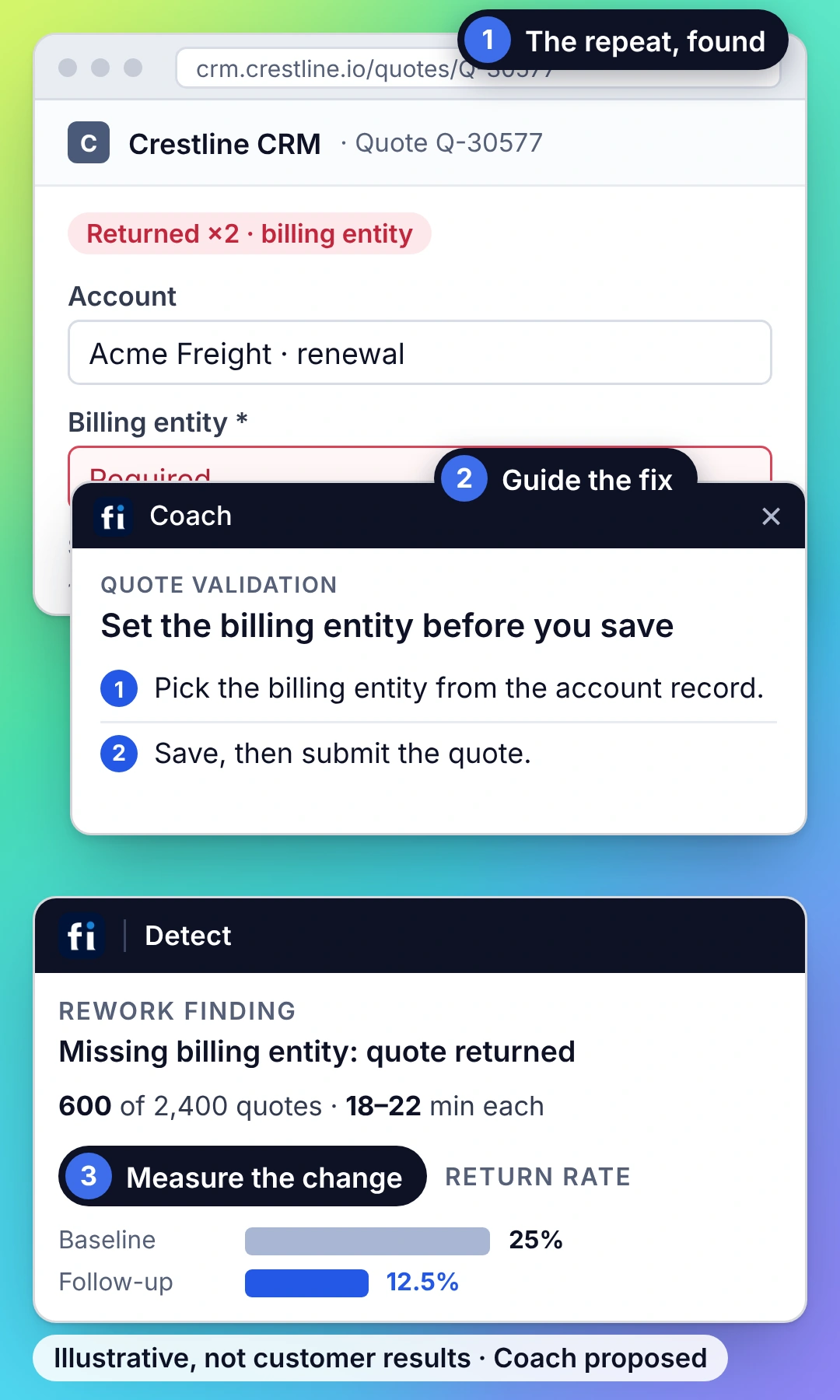
Find failed saves and quote revision loops in approved CRM and CPQ tools. Coach the reviewed path and check required data stays complete.
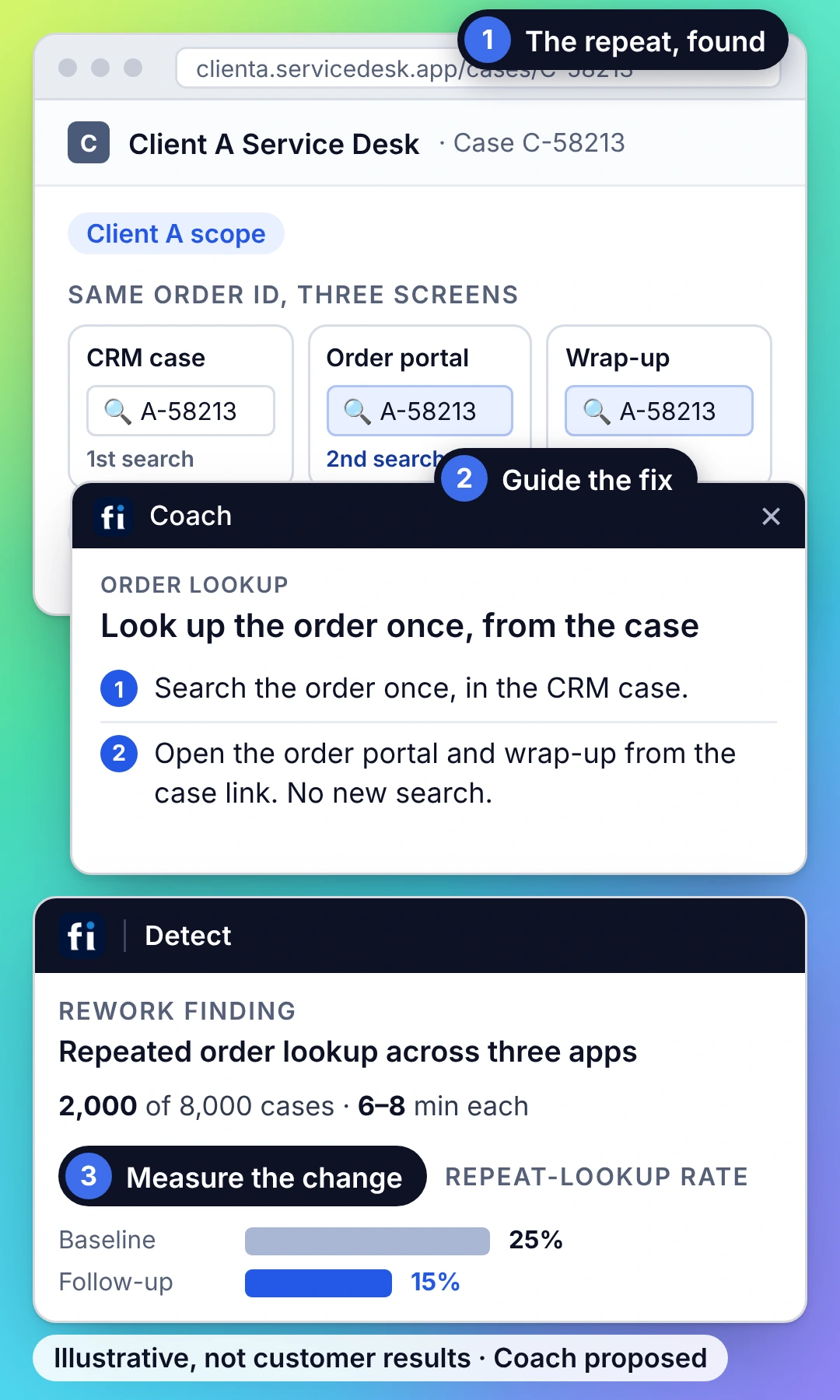
Find repeat searches, app waits and re-entry within each client’s approved browser workflow. Coach a reviewed path and measure touches per case.
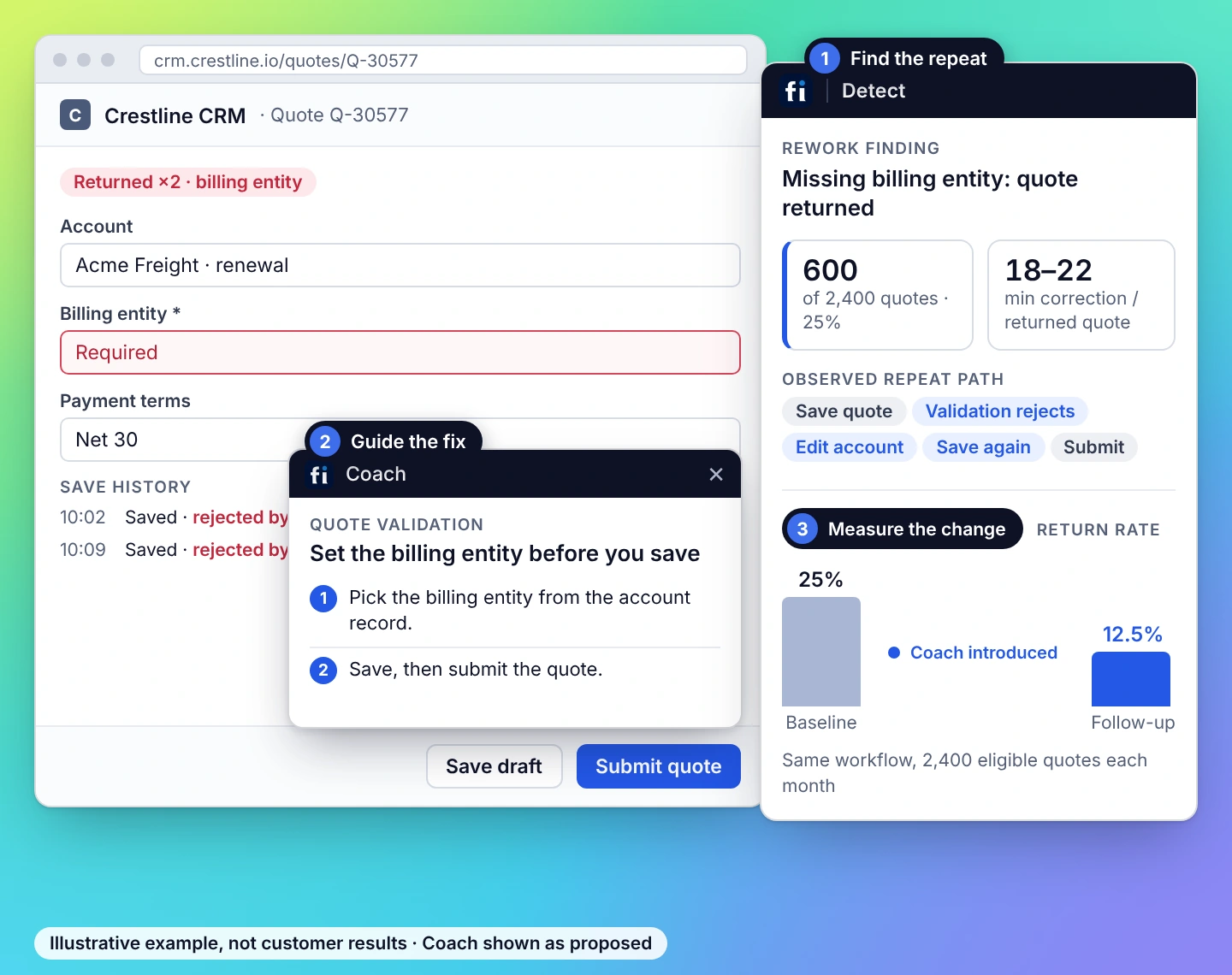
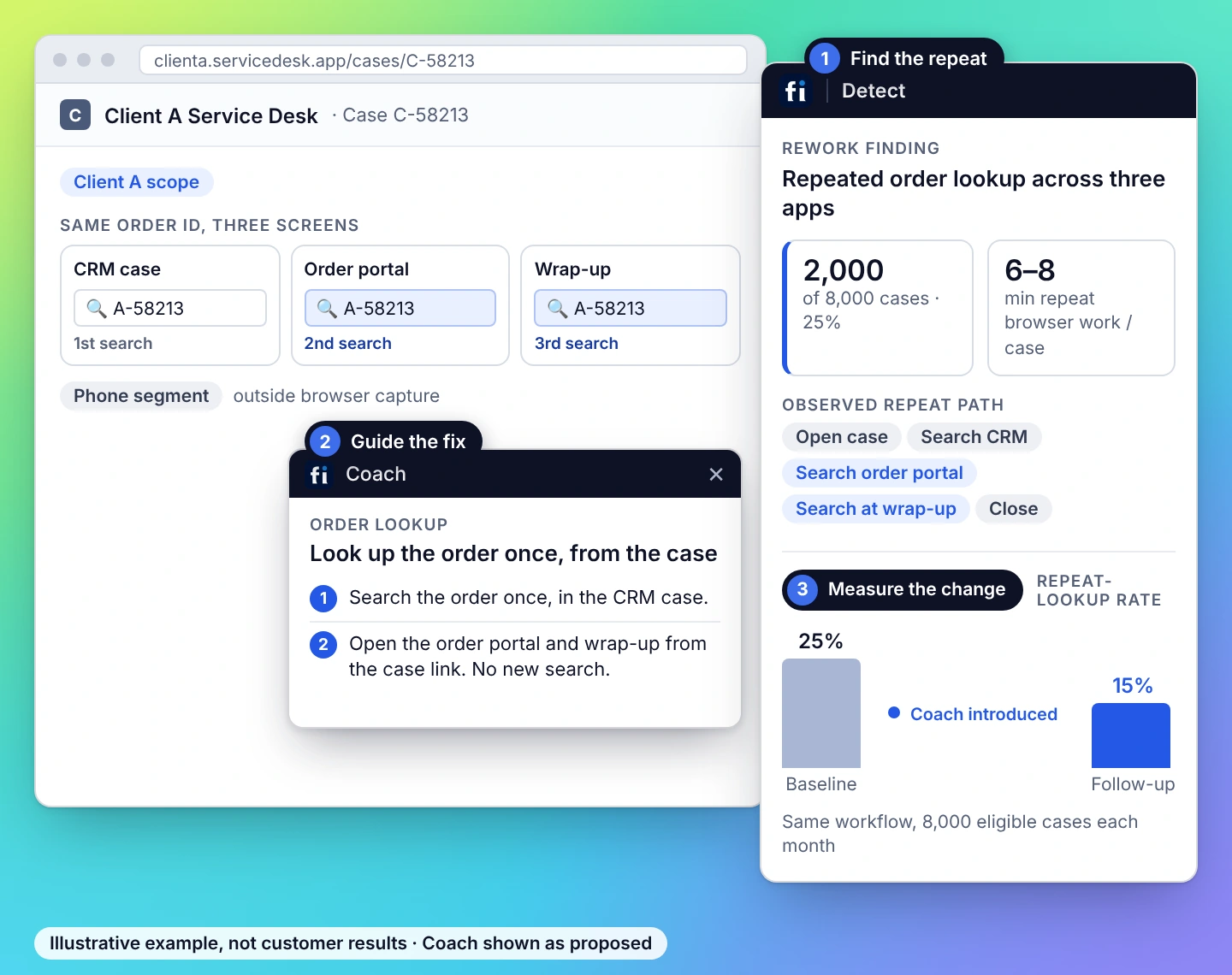
Improve the process. Build employee trust.
Choose the applications in scope, make capture boundaries clear and control access to the evidence. Workforce uses a browser extension for approved web applications, with reporting centered on processes and teams.


Start with one workflow.
Choose a recurring process, define the result that matters and agree how Detect and Coach will help test the opportunity. Pricing follows the teams, applications, processes and employees in scope.
.avif)
Name the recurring work.
Choose a team, a process and the browser applications it uses. Identify the owner who can change a setting or approve a process change.
.avif)
Agree what a useful result means.
Define the repeat touches, observed handling time and quality checks to measure. Review capture boundaries and governance with IT.
.avif)
Scope Detect and Coach.
Start with the process to analyze. Add Coach for employees who need guidance. Confirm application coverage and commercial terms for that scope.
Start with the workflow you most want to improve.
Choose a recurring process. Define the result that matters. Plan how Detect and Coach will help you test the opportunity.
What to know before you evaluate.
FullSession Workforce combines process intelligence and in-app coaching for internal web applications. Detect identifies recurring rework and its estimated operating cost. Coach helps employees follow approved workflows, and follow-up measurement shows how the process changed.
Detect examines repeated steps, navigation and available failure evidence within approved web applications. A finding connects the recurring activity to its frequency, observed effort and the cost assumptions used to prioritize it.
Process mining commonly uses transactional event logs; task mining examines how people carry out work through application interactions. FullSession’s Workforce approach starts with observed browser workflows to identify repeat work and guide improvements. It covers the approved web applications rather than the entire desktop.
A finding can lead to in-app coaching, an application configuration change or the process owner’s removal of a redundant step. Coach supports approved work; application owners make configuration changes. Actions beyond guidance depend on the supported tools and approval policy for that application.
Establish the original rate of repeat touches, handling effort and required quality checks. Compare equivalent work after the intervention. Keep projected capacity value separate from measured improvement and from an actual avoided expense.
Within Workforce, Coach is paired with Detect. Pricing starts with the teams, applications and processes to analyze, then the employees who need coaching. Standalone application guidance is evaluated under Digital Adoption.
Yes, on Detect Business and Enterprise, with elevated permission, a stated reason and an audit entry. Reporting starts with processes and teams. The evaluation establishes the approved capture and access policy for the deployment.
It means the experience of completing work in internal applications: fewer repeat entries, clearer handoffs and help at the point of need. Workforce focuses on those everyday workflows.
Choose a recurring process and the applications it uses. Together we define a useful result, review application coverage and governance, and scope your evaluation.
Evaluating Workforce for your team?
What could your team do with less rework?
Start with one recurring workflow. Identify the opportunity, choose the change and agree how to measure the result.





.svg)
.svg)
212 E Stone Path St Derby, KS 67037 Phone: +1 415-649-4222



All systems operational.