.svg)

Zendesk alternatives: compare the support workflows your team actually needs
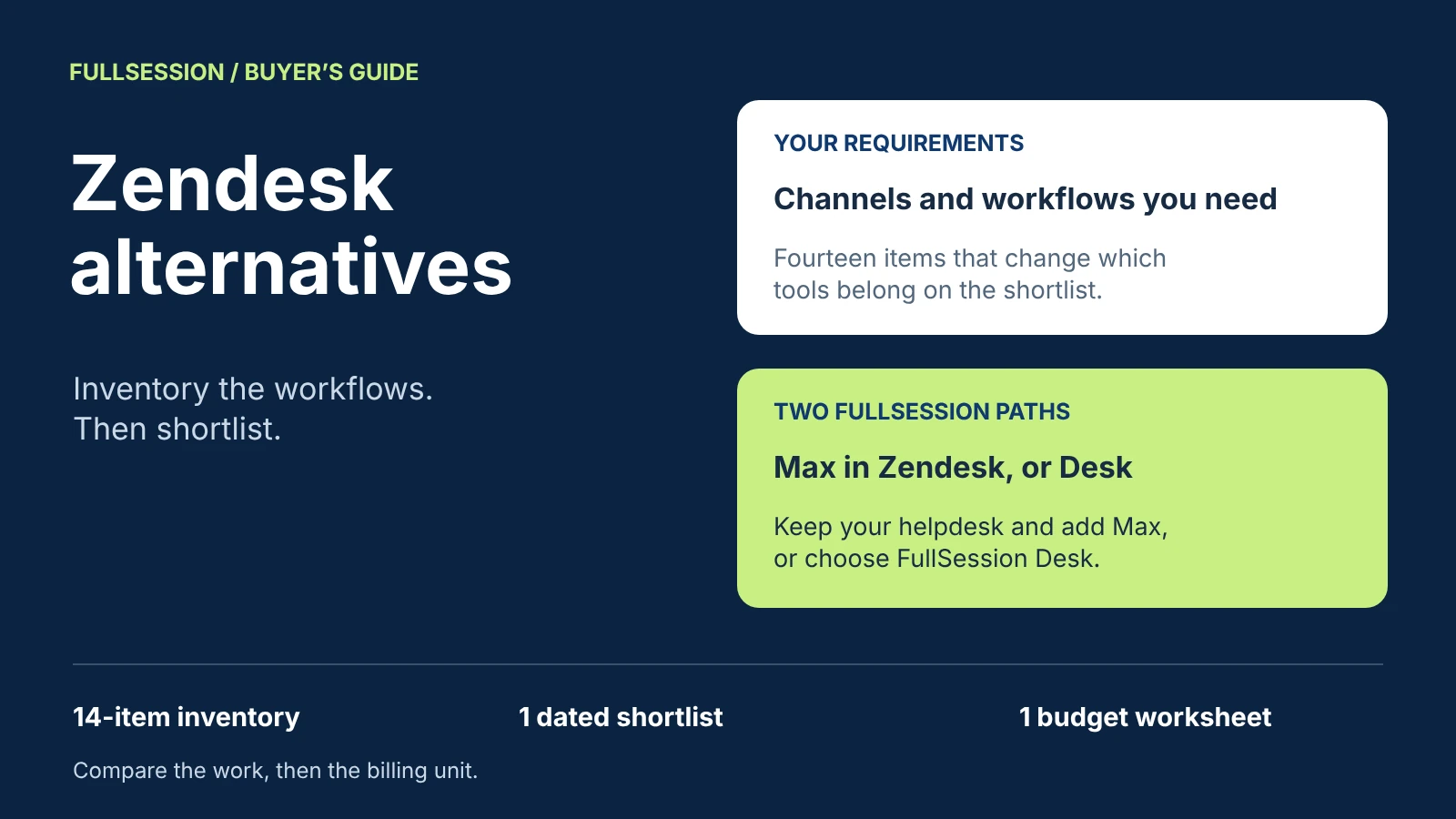

The right Zendesk alternative depends on which parts of Zendesk your team actually uses. Before you compare products, list the channels you answer (email, website chat, in-app chat, phone, social and messaging apps) and the workflows you depend on (ticketing, SLA policies, macros, routing, a knowledge base, an AI agent, reporting and integrations). If you need a full multichannel helpdesk, the documented options below are Freshdesk, Help Scout, Intercom, HubSpot Service Hub, Gorgias and Front, and each bills in a different unit: per seat, by ticket volume, or per AI resolution, outcome, session or conversation.
FullSession gives you two further paths, and they solve different problems. If Zendesk still fits your channels, keep it and add Max AI, the agent in FullSession Support & Sales Desk: Max runs inside Zendesk, HubSpot, Freshdesk and other supported helpdesks. If most of your support happens in chat on your website and inside your web app, FullSession Desk gives you Max with an included shared inbox, human chat and supported integrations, no seat fees, and $0.39 per AI-assisted conversation. Desk covers website and in-product AI conversations with human chat in a shared inbox; teams that also run email, phone or social ticketing, SLA policies or macros keep their helpdesk for that work and run Max inside it. See what Desk includes.
The free support requirements inventory turns the steps below into a worksheet for your team. Prices and capabilities come from each vendor's own pages, checked 19 October 2026, in USD before tax.
Why teams look for a Zendesk alternative
Zendesk prices its customer service plans per agent. On its pricing page, checked 19 October 2026, Support Team costs $19 per agent per month paid yearly and covers email and ticketing, routing, macros, prebuilt dashboards, automations and triggers. Suite Team, at $55, adds AI agents, a knowledge base, omnichannel routing, messaging and live chat, and telephony. Suite Professional, at $115, adds skills-based routing and an IVR phone tree, and Suite Enterprise is quoted by sales. Zendesk's help center lists SLA policies on Suite Growth, Professional, Enterprise and Enterprise Plus, and the pricing comparison does not show them on Suite Team.
Zendesk AI agents are billed per automated resolution, which Zendesk defines as a customer request “successfully resolved by the AI agent, without any escalation to a human agent.” Each plan includes an allowance whose quantity “varies depending on your plan and agent count.” Beyond it, the pricing page lists committed automated resolutions at $1.50 and pay-as-you-go resolutions at $2.00. Zendesk's help center describes automated resolution tiers introduced on 18 May 2026, in which assisted escalations and contained resolutions do not count against the allowance. Copilot is a separate add-on at $50 per agent per month, paid yearly.
That model suits a service operation that spans many channels and many agents, which is what Zendesk is built for. Teams look elsewhere for reasons of fit: they pay per agent for channel and workflow depth they use lightly, most of their volume now arrives as chat on the website or inside the product, they want an AI billing unit that matches how they measure the work, or they want an agent that can complete a supported task in their product, not only answer a question about it. Each reason points to a different shortlist, which is why the inventory comes first.
Start with a support requirements inventory
Mark each requirement as must-have, useful or not needed, and write down the evidence behind the mark: contact volume by channel over the last 90 days, the response times you promise in contracts, the macros your team used last month. A requirement is a must-have only if losing it would break a promise to customers or stop a team from doing its job.
One rule follows from the inventory. If email ticketing, phone, SLA policies or field-changing macros are must-haves, you need a full helpdesk: keep Zendesk, with or without Max inside it, or compare the helpdesk alternatives in the next section. If your must-haves are website chat, in-app help, an AI agent, a shared inbox and assignment, FullSession Desk is in scope, and so are the helpdesks.
Zendesk alternatives compared against the inventory
The shortlist covers products that appeared in a sample of Zendesk-alternative search results on 19 October 2026 and publish their pricing. Every cell comes from the vendor's own pricing or help pages, checked that day and linked below each table. “Not documented” means the pages we checked do not state it, not that the product lacks it. Confirm the plan you would buy in a demo.
Channel sources, checked 19 October 2026: Zendesk pricing, Freshdesk pricing and Freshdesk Omni, Help Scout pricing, Intercom plan terms, HubSpot Service Hub pricing, Gorgias plan guide, Front pricing and FullSession Support & Sales Desk.
Workflow and pricing sources, checked 19 October 2026: Zendesk pricing and Zendesk SLA plan availability, Freshdesk pricing and Freddy AI add-ons, Help Scout pricing, Intercom pricing and Fin pricing, HubSpot Service Hub pricing and HubSpot Customer Agent pricing, Gorgias pricing, Front pricing and FullSession Desk pricing.
Where each alternative fits, and the trade-off to check
No product here is the best Zendesk alternative for every team. Each fits a particular inventory and has one thing worth testing first.
Freshdesk: ticketing at a per-agent price
Freshdesk fits teams whose must-haves are email ticketing and a knowledge base, priced per agent from $19 on Growth, with SLA policies from Pro. The trade-off: chat, phone and messaging sit in Freshdesk Omni, priced from $29 per agent billed annually, so price the Freshworks product that covers your channel inventory, not only the ticketing plan.
Help Scout: a shared inbox with chat and messaging
Help Scout fits teams that work from a shared inbox and want email, chat, SMS and messaging apps on one plan from Standard. AI Answers is billed per resolution, defined as a conversation resolved without human assistance. The trade-off: phone runs through an integration, so call-heavy teams should price that integration too.
Intercom: messenger-first support with Fin
Intercom fits teams whose volume starts in a website or in-app messenger, with a shared inbox, ticketing and Fin as the AI agent. The trade-off: seats, Fin outcomes and usage-billed phone and messaging all move the bill. The Intercom alternatives guide covers that comparison in depth.
HubSpot Service Hub: support inside the CRM
HubSpot fits teams that already run sales and marketing in HubSpot and want tickets, calling and chat on the same platform. The knowledge base, macros and WhatsApp sit on Professional and Enterprise, which carry one-time onboarding fees of $1,500 and $3,500. Customer Agent costs 50 HubSpot Credits, or $0.50, per resolved conversation, according to HubSpot's announcement updated 13 April 2026. The trade-off: put the onboarding fee into the first year's budget, and ask how a conversation handed to a person is classified.
Gorgias: ecommerce support priced by tickets
Gorgias fits ecommerce teams that support orders from a store platform, with the helpdesk priced by ticket volume rather than per agent. The trade-off: your bill follows ticket volume, so model a peak season month, not an average one.
Front: shared email first
Front fits teams that run support from shared email and want rules, macros and more channels from Professional. The trade-off: Starter supports only one channel type, so a team with email and chat needs Professional or higher.
Two FullSession paths: add Max to Zendesk, or choose FullSession Desk
FullSession does not ask you to choose between an AI agent and your helpdesk. Max is the same agent on both paths: it answers from approved knowledge such as your documentation, help center, pricing page, marketing site and support portal, uses your MCP server for the data and actions you choose to expose, and can co-drive a fix inside your web app, help a buyer choose a plan or complete a demo request, and guide new users through setup, with progress remembered across visits. Visitors always know they are talking to Max and can ask for a person at any time. What changes between the paths is where your team works and what you pay for.
Path 1: keep Zendesk and add Max inside it
The Desk page states that Max runs inside Zendesk, HubSpot, Freshdesk and other supported helpdesks, that supported integrations are included and that third-party subscriptions are separate. Email ticketing, phone, SLA policies, macros and your reports stay where they are, and you add an agent that answers from approved knowledge and uses the data and actions your MCP server permits. Decide early whether Max replaces Zendesk AI agents for the conversations it handles, so that two agents never answer the same customer, and confirm in the walkthrough how a handoff arrives in your Zendesk queue. The chatbot-to-human handoff guide lists what that handoff should carry.
Path 2: choose FullSession Desk
FullSession Desk is a web chat and AI agent desk. Your team takes over in the same thread, with Max's answers already there and labeled, and can assign conversations, control who can view them, add internal notes, @mention a colleague and set office hours with an away message; visitors can still leave a question after hours. Chat inputs follow the same masking rules as other inputs FullSession records, permissions are set per site, and SSO/SAML, custom roles and audit logs are listed under Enterprise controls.
Path 2 fits when your must-haves are website chat, in-app help, an AI agent, a shared inbox and assignment, and then you stop paying per agent for capabilities you were not using. When your inventory also marks email, phone or social ticketing, SLA policies or macros as must-haves, keep that work in Zendesk and run Max inside it (Path 1), or split it: Desk for website and in-app chat, Zendesk for the rest.
What is priced separately on either path
Session recording comes with Core CX / UX, a separate plan from $39.20 per month billed annually. With it, a teammate can see the page and the recorded session behind a conversation when that session was captured; recordings depend on your Core plan, capture settings and retention. See how FullSession session replay works. Third-party subscriptions such as Zendesk, taxes and separately agreed services are also outside the Max price.
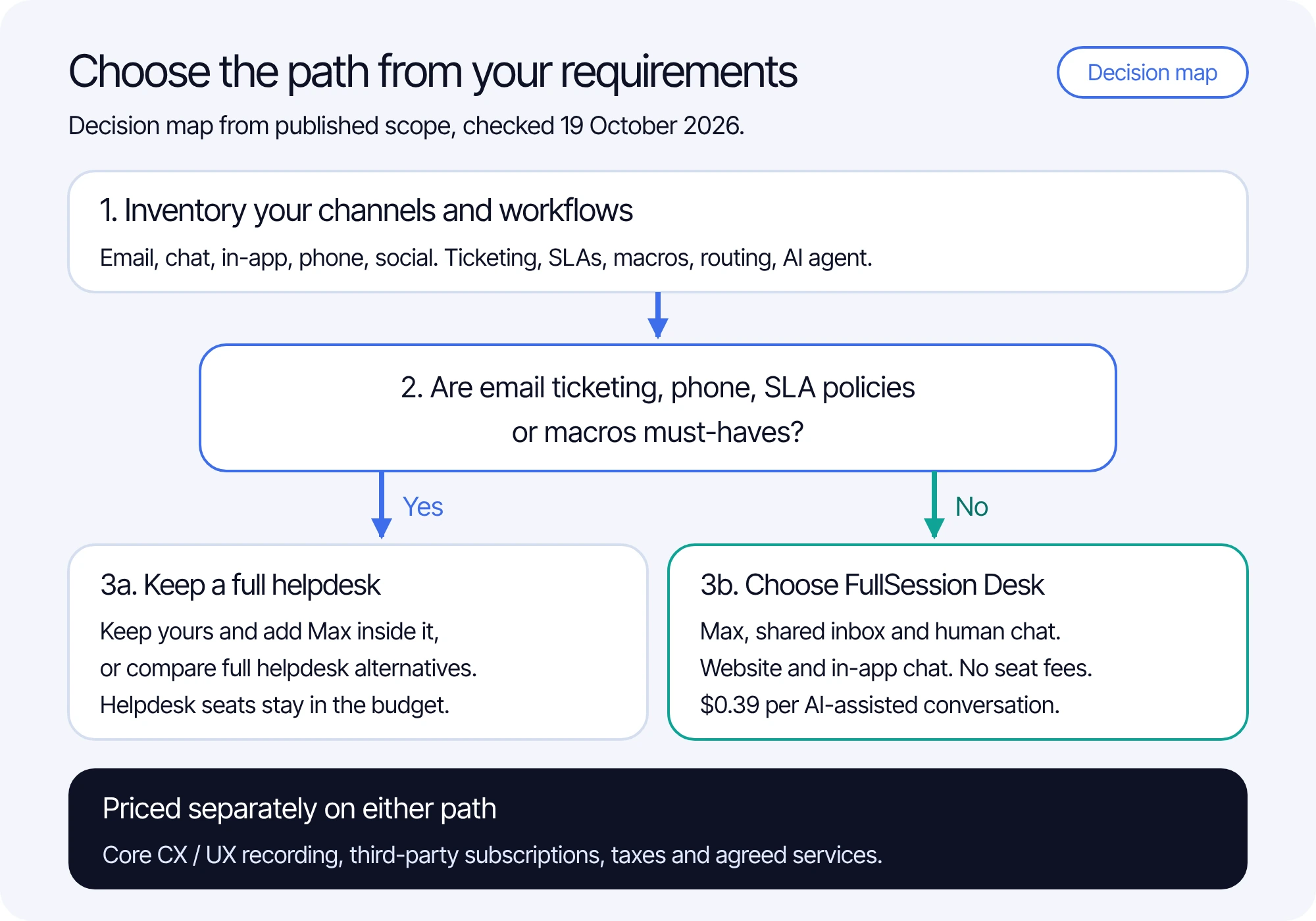
The decision map in text:
- Inventory your channels and workflows, and mark each one must-have, useful or not needed.
- Ask whether email ticketing, phone, SLA policies or macros are must-haves.
- If yes, keep a full helpdesk, with Max added inside it, or compare the helpdesk alternatives. Seats stay in the budget.
- If no, choose FullSession Desk: Max, a shared inbox and human chat for website and in-app chat, with no seat fees.
- Either way, Core CX / UX recording, third-party subscriptions and taxes are priced separately.
Compare billing units, not headline prices
Plan pricing grows with headcount at the per-seat vendors and with ticket volume at Gorgias; FullSession Desk has no seat fees, so its bill follows Max's AI-assisted conversations. AI agents add a second unit, and the units count different events: automated resolutions (Zendesk), sessions (Freshdesk), resolutions (Help Scout, HubSpot), outcomes (Intercom Fin) and conversations (Front, FullSession). A lower price per unit does not make a product cheaper if the unit counts more events. Build each estimate from four inputs: the seats your team needs, monthly AI volume in that vendor's own unit, channel add-ons such as voice minutes or WhatsApp, and one-time onboarding fees.
For Max, the monthly AI charge is the higher of $99 or $0.39 per AI-assisted conversation, so 1,000 conversations cost $390 and the $99 minimum applies at 253 conversations or fewer. One conversation covers one user in one thread for a fixed 24 hours from Max's first substantive answer, guidance or supported action. Greetings, clarification-only exchanges, human-only chat and handoffs before substantive Max help are not billed, and human replies add no charges. On Path 1 add your Zendesk subscription; on Path 2 the shared inbox and human chat are already included. See current Desk pricing, and use the AI chatbot pricing guide for a full budget across vendors.
Compare both Desk options in a walkthrough
Bring your completed requirements inventory and two real conversations from last month: one your team handled by email or chat, and one a customer needed help completing inside your product. We will walk through both paths against your must-haves, Max inside your current helpdesk and FullSession Desk on its own, and show where each one fits.
Zendesk alternative questions support teams ask
It can when your support runs mainly through chat on your website and inside your web app, where Desk includes Max, a shared inbox, human chat and supported integrations with no seat fees. Teams that also run email, phone or social ticketing, SLA policies or macros keep Zendesk for that work and run Max inside it, or split the queue: Desk for website and in-app chat, Zendesk for the rest.
Yes. Max runs inside Zendesk, HubSpot, Freshdesk and other supported helpdesks, so your SLA policies, macros and reports stay in Zendesk. Supported integrations are included, the Zendesk subscription stays separate, and Max costs $0.39 per AI-assisted conversation with a $99 monthly minimum credited toward conversations. If you also keep Zendesk AI agents, decide which agent answers which conversations, and confirm in a walkthrough how handoffs reach your queue.
Zendesk bills AI agents per automated resolution beyond an allowance that varies by plan and agent count: $1.50 committed or $2.00 pay-as-you-go on its pricing page, checked 19 October 2026. Alternatives bill per outcome, session, resolution, credit or conversation, so compare what each unit counts, not only its price.
Email ticketing, phone, SLA policies and field-changing macros. If any of them is a must-have, keep a full helpdesk, with Max inside it, or compare the helpdesk alternatives. If your must-haves are website chat, in-app help, an AI agent, a shared inbox and assignment, FullSession Desk is in scope too.
The monthly AI charge is the higher of $99 or $0.39 per AI-assisted conversation, so 1,000 conversations cost $390 and the minimum applies at 253 or fewer. Keeping Zendesk, you add your Zendesk subscription. With FullSession Desk, the shared inbox and human chat are included with no seat fees.
See what’s costing you, and prove whats fixing it is worth
Watch the real journey, rank every issue by revenue impact, and validate the result against baseline.






.svg)
.svg)
212 E Stone Path St Derby, KS 67037 Phone: +1 415-649-4222



All systems operational.