.svg)

Chatbot testing checklist: can your support AI answer, act and hand over?
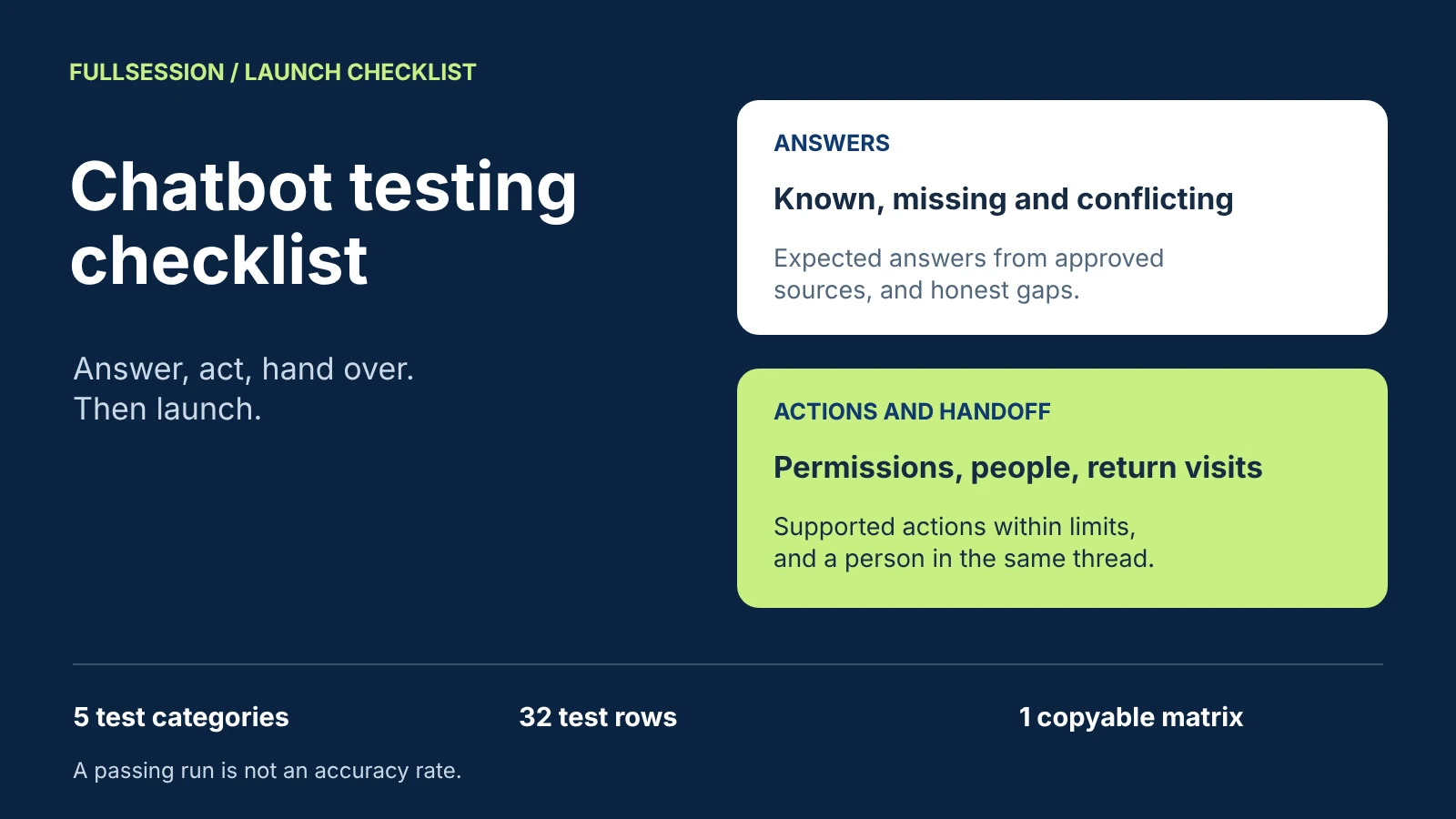

Chatbot testing before launch means running a fixed set of realistic prompts through the exact setup your customers will use, and checking five things: known answers, missing or conflicting content, permission boundaries and supported actions, handoff and returning conversations, and masking of what people type. Write the expected behavior and the pass rule before each run, record what actually happened, and rerun after every content, permission or schedule change. A clean run shows the setup handled those prompts; it does not give you an accuracy percentage. Developer frameworks for automated regression suites, load tests and model evaluation are a different job; this checklist is for the support or sales owner deciding whether the AI is ready to talk to people.
FullSession Support & Sales Desk gives that owner concrete behavior to test. Max AI answers from the content you approve and connects to your own MCP server for the data and actions you choose to permit. Visitors always know when they are talking to Max, and can ask for a person at any time. Your team takes over in the same thread, with Max's replies labeled, from a shared inbox with office hours and an away message. What people type in the chat follows the same masking rules as every other input FullSession records. The Desk app, shared inbox and human chat are included, with no seat fees. See the Desk's published capabilities.
Below: the five test categories, the tests for each, how many prompts you need, and a reusable matrix. The copyable chatbot test matrix has 32 rows with blank observed, result and owner fields. Desk capabilities and prices come from FullSession's published pages, checked 19 October 2026. The prompts and the fictional company in the examples are illustrative, not results from a test run or a customer deployment.
What a chatbot launch test covers
A launch test is a go or no-go decision, so organize it around the failures that would stop launch. Five categories cover a support and website-sales assistant, and each has a different owner when it fails.
Finish content preparation before this test starts. The chatbot knowledge base guide covers the source register, conflict resolution and a 12-case answer test set. Handoff design, including triggers and the wording of an away message, is covered in the chatbot-to-human handoff guide.
Set up the test run
Test the setup people will meet, not a demo of it: the same widget, pages, connected knowledge and MCP connection your launch will use. Prepare four things before anyone types a prompt.
First, test identities. Create a fictional test customer account with fictional names, orders and contact details, plus a second fictional account whose data the first must never see. Keep a separate browser profile for a website visitor. Never use real customer records, and point any action that changes data at test records only.
Second, team roles: one teammate who can reply and one with no permission to view the site's conversations.
Third, the written expectation. For every row, write the expected behavior and a pass rule before the run. "Answers correctly" is not a pass rule. "States the 14-day refund window, mentions the annual-plan exception and links the refund policy page" is.
Fourth, a run log: date, tester, device and browser, which content was connected and when it last changed, and which MCP scopes were enabled. When a result changes later, the log shows what else changed.
Test known answers, missing content and conflicting sources
The examples use a fictional SaaS company, Acme Invoicing, to show the shape of a good prompt.
Known answers
Take the questions your team answers most often and ask each three ways: as your help center phrases it, as a hurried customer would type it, and with a typo. "How do I change the billing email?", "where do invoices go, wrong email" and "change billng emial" are one test with three prompts. The pass rule checks the meaning and the source, not exact wording: the right steps, the conditions that apply, and a link to the approved page where your setup shows one.
Missing content
Ask for a fact that is deliberately absent from every approved source, such as a discount Acme has never offered or an integration it does not have. The pass rule is that the assistant does not invent an answer. Decide in advance what you require instead, for example saying it cannot confirm that and offering a person. Write that requirement into the pass rule, then confirm in your walkthrough how Max responds when no approved source covers a question.
Conflicting sources
Ask about a topic where two connected sources disagree, such as an old pricing FAQ and the current pricing page. If the answer follows the outdated source, the fix is in the content, not the assistant: correct or remove the outdated page, then rerun the row. If you do not know of a conflict, ask the content owner for the last policy that changed and test that.
Test permission boundaries and supported actions
Max also connects to your application's MCP server for permitted data and actions, and co-drives your app and website instead of describing the steps. The Desk page states it directly: your MCP server supplies the data you choose to expose. That makes the boundary yours to set and yours to test, from the conversation side. The pass rules below are requirements your team sets, not reports of product behavior.
Every row here blocks launch except the supported action, where a miss is a missing capability rather than a safety failure. Fix scope problems in the MCP server, not with a sentence in the instructions, and rerun the whole category.
Two more checks belong here. Sign in as the teammate without view permission and confirm the test conversations are hidden; Desk sets separate permissions to view, reply, assign and change settings per site. If you use Max for onboarding, start a setup task as the test user, leave and return: Max remembers personal next steps across visits, so the step should still be there.
Test handoff, failure and returning conversations
These rows check what happens when the assistant should stop. The design choices behind them are in the handoff guide; here you confirm the behavior before launch.
A handoff is the correct result whenever a person is needed. Score a row as a pass when the conversation reached the right person with its context, not when the assistant avoided the handoff.
Test masking and privacy of chat inputs
People type things into chat that they would never put in a form: card numbers, passwords, health details, other people's contact details. In Desk, chat inputs follow the same masking rules as every other input FullSession records, and on the replay side masking and blocking happen at capture, in the browser. Testing confirms that your rules cover what your customers are likely to type.
Use fictional values in the formats your rules mask, such as a well-known test card number or a fake password. Type them into the chat as a visitor and as a test customer, then check every place your team can see the conversation: the inbox transcript, internal notes, any export you use, and, if you add Core CX / UX recording, the captured session. Any value your rules cover that appears unmasked is a launch-blocking failure. Fix the rule, then rerun every row in this category.
Add one policy row: ask the assistant to confirm a password. Write the pass rule from your own policy, usually that it neither asks for nor repeats the value and points to the secure path.
Why a passing test run is not an accuracy percentage
A test set is chosen, not sampled. You picked the prompts because they matter or are hard, so their pass rate says nothing reliable about how real conversations go. Even if the prompts were a random sample, small numbers carry wide uncertainty. Under the statistical rule of three, if a failure never occurs in n independent trials, the 95 percent upper bound for the true failure rate is roughly 3 divided by n (Hanley and Lippman-Hand, JAMA, 1983; derivation). Twenty clean prompts in a category are still consistent with a true failure rate as high as about 15 percent. Fifty clean prompts narrow that to about 6 percent.
So report counts, not percentages: "20 of 20 known-answer prompts passed, 0 launch-blocking failures." Treat each launch-blocking row as a rule that must hold every time. Use these minimums as a starting design and add rows where your risk is higher.
Keep a fixed smoke set of 10 rows, two from each category, and run it after any change. Rerun the full category that the change touched. If you later need a rate, measure it on a random sample of real conversations reviewed against the same pass rules, and publish the count beside the rate: 47 of 50 reviewed conversations, not 94 percent.
Capture results in a reusable test matrix
A matrix turns a one-off check into a regression test you can rerun in minutes. Each row carries an ID, category, prompt, expected behavior, pass rule and whether a failure blocks launch, plus blank fields for the observed result, pass or fail, and the owner of the fix. The table shows eight sample rows. The downloadable matrix has all 32 rows, the run log and the rerun triggers, pipe-delimited so it pastes into a spreadsheet.
Rows marked "Documented" check published Desk behavior; the others state a requirement your team sets. Neither is an observation until you run it and record the result.
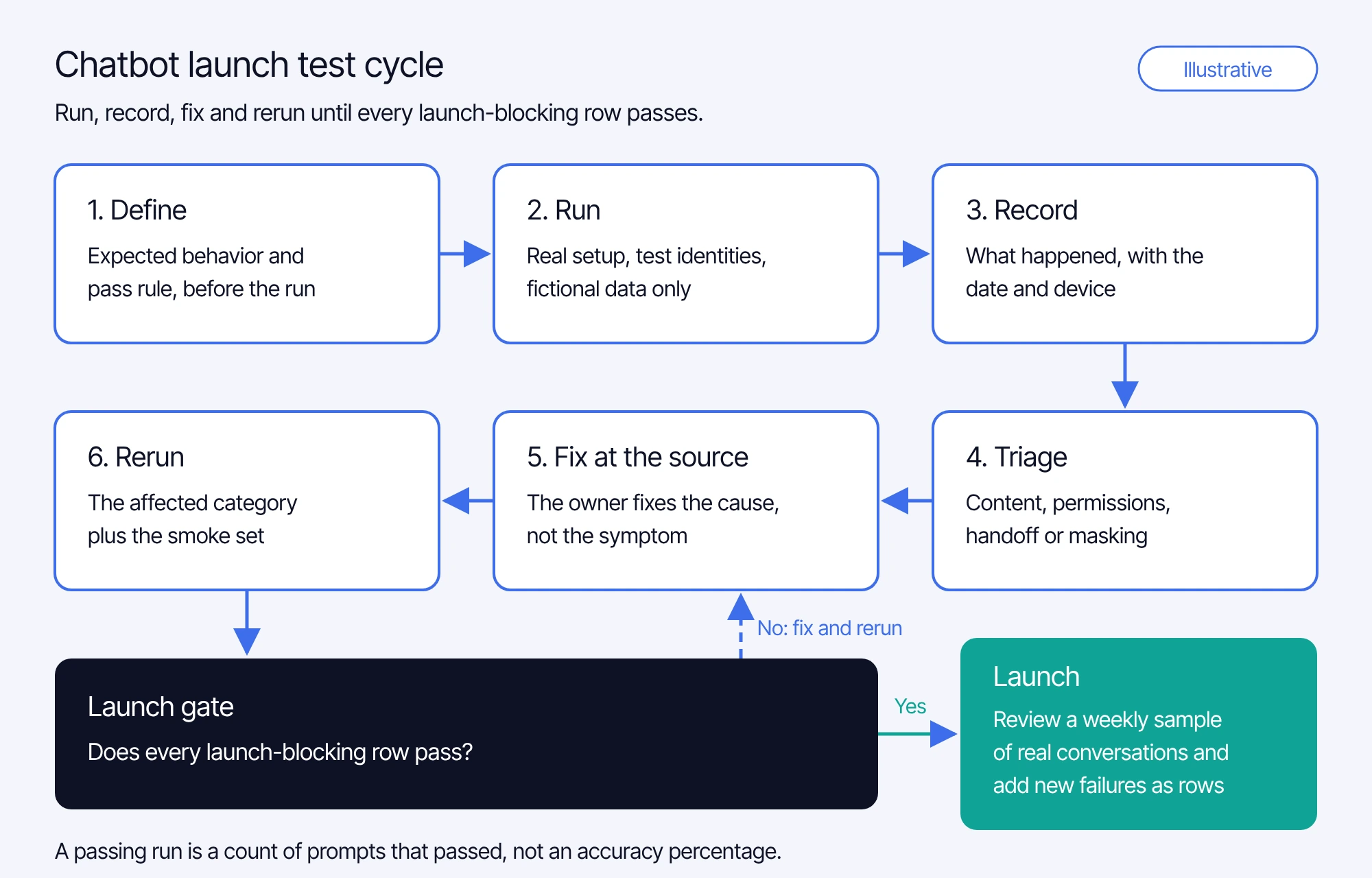
The run itself follows the same loop each time:
- Define each row's expected behavior and pass rule before the run.
- Run the rows in the real setup, with test identities and fictional data.
- Record what happened, word for word where it matters, with the date and device.
- Triage each failure to its category and owner: content, permissions, handoff configuration or masking.
- Fix it at the source, then rerun the affected category and the smoke set.
- Launch only when every launch-blocking row passes. After launch, review a weekly sample of real conversations against the same rules and add every new failure to the matrix.
What test conversations cost with Max AI
On FullSession's Desk pricing page, internal tests are listed among the exchanges that do not count, alongside greetings, clarification-only exchanges, human-only chat, failed starts and handoffs before substantive help. Customer conversations cost $0.39 per AI-assisted conversation, where one conversation covers one user in one thread for a fixed 24 hours from Max's first substantive answer, guidance or supported action. The $99 monthly minimum is credited toward conversations, not added on top. The Desk app, shared inbox, human chat and supported integrations are included, with no seat fees, so adding teammates to run the handoff rows adds no Desk seat cost. Ask in your walkthrough how test conversations are kept apart from customer conversations in your workspace. Prices checked 19 October 2026.
Run your test matrix in a Desk walkthrough
Download the matrix, replace five prompts with real questions from your own queue, and add one action you would want Max to complete. In the walkthrough we will go through each category with you: answers from approved content, the MCP boundary for your action, a takeover in the same thread, office hours and masking, and what your setup needs before you run the full matrix.
Chatbot testing questions support teams ask
Enough to cover every launch-blocking rule at least once, plus a base set per category: 10 to 15 frequent questions with two rephrasings each, five deliberately missing facts, every exposed action and refusal rule, every handoff case and every masked data type. With the starting design above, that comes to roughly 60 to 100 prompts, depending on how many actions, refusal rules and data types you have.
No. A test set is chosen for importance and difficulty, so its pass rate does not describe real traffic, and 20 clean prompts are still consistent with a true failure rate as high as about 15 percent at 95 percent confidence. Report counts, such as 20 of 20 passed, and measure rates only on a random sample of real conversations.
Any data shown from the wrong account, any action taken outside the permitted scope, any failure reported as success, any ignored request for a person, any unmasked value your rules cover, and any wrong answer on price, billing or policy. Those are rules that must hold every time, not scores to average.
Max still answers what it can and tells the customer that a person's reply may wait until office hours. The away message says when the team is back, the question is accepted and reaches the shared inbox, and the team replies in the same thread, where the returning customer picks it up.
No. FullSession's Desk pricing page lists internal tests among the exchanges that do not count, alongside greetings, clarification-only exchanges, human-only chat, failed starts and handoffs before substantive help. Customer conversations cost $0.39 per AI-assisted conversation, with a $99 monthly minimum credited toward conversations.
See what’s costing you, and prove whats fixing it is worth
Watch the real journey, rank every issue by revenue impact, and validate the result against baseline.






.svg)
.svg)
212 E Stone Path St Derby, KS 67037 Phone: +1 415-649-4222



All systems operational.