.svg)

How to install FullSession on Shopify
May 8, 2026

Table of contents

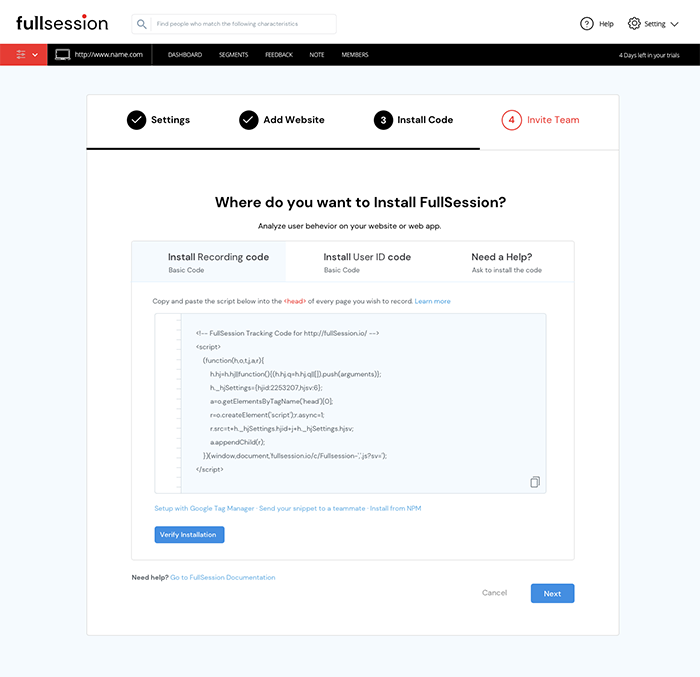
- Copy the FullSession code that shows on your setup page.
- Open your Shopify dashboard.
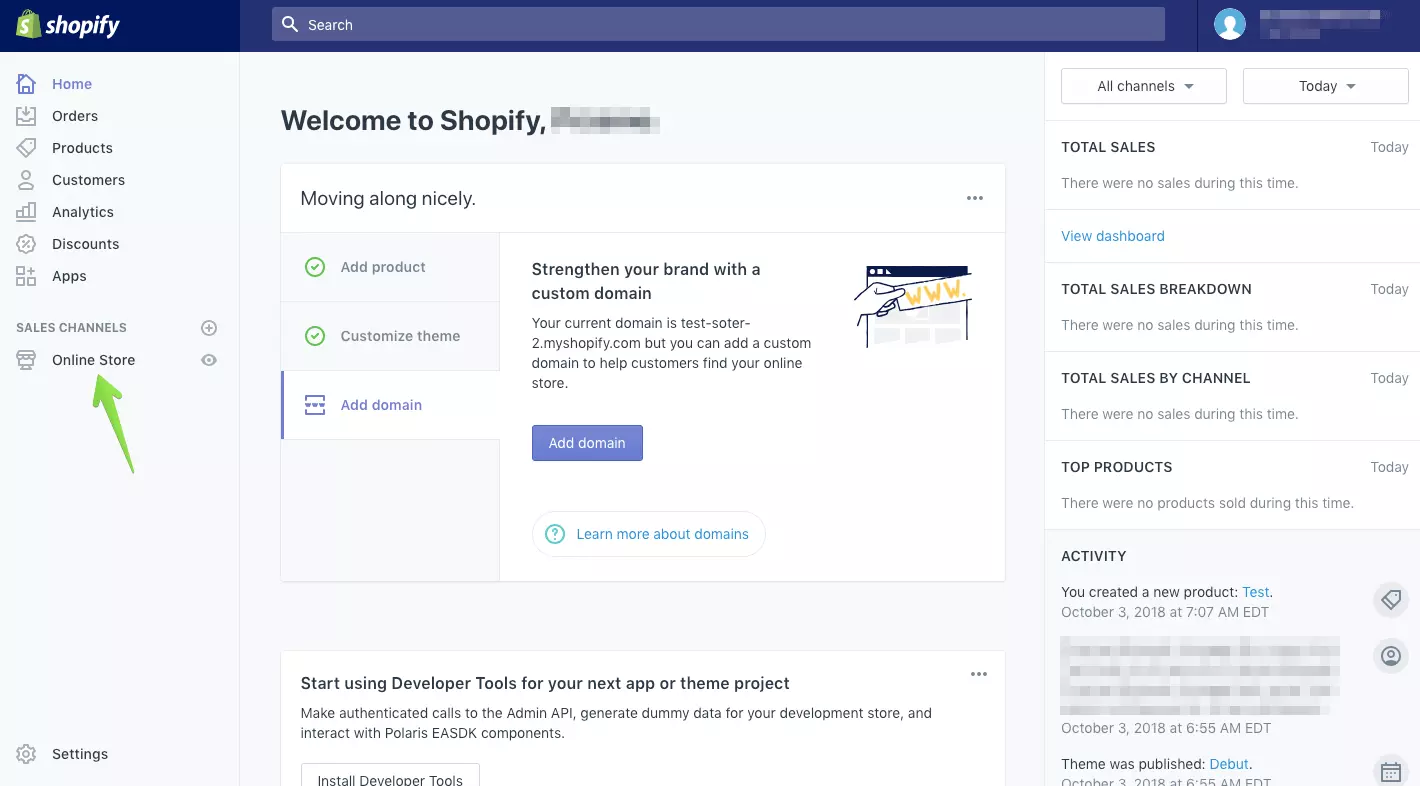
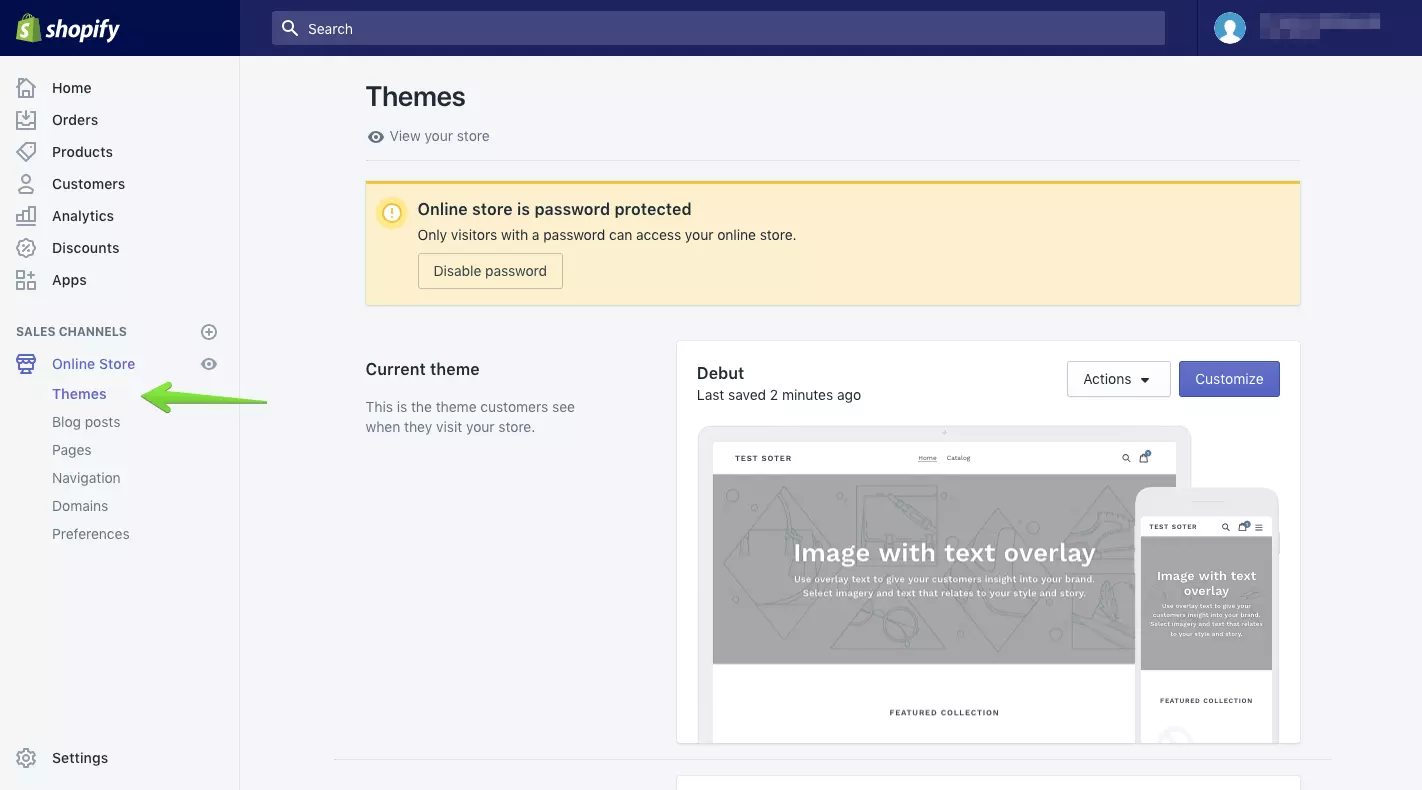
- Go to the Online Store section and click Themes.
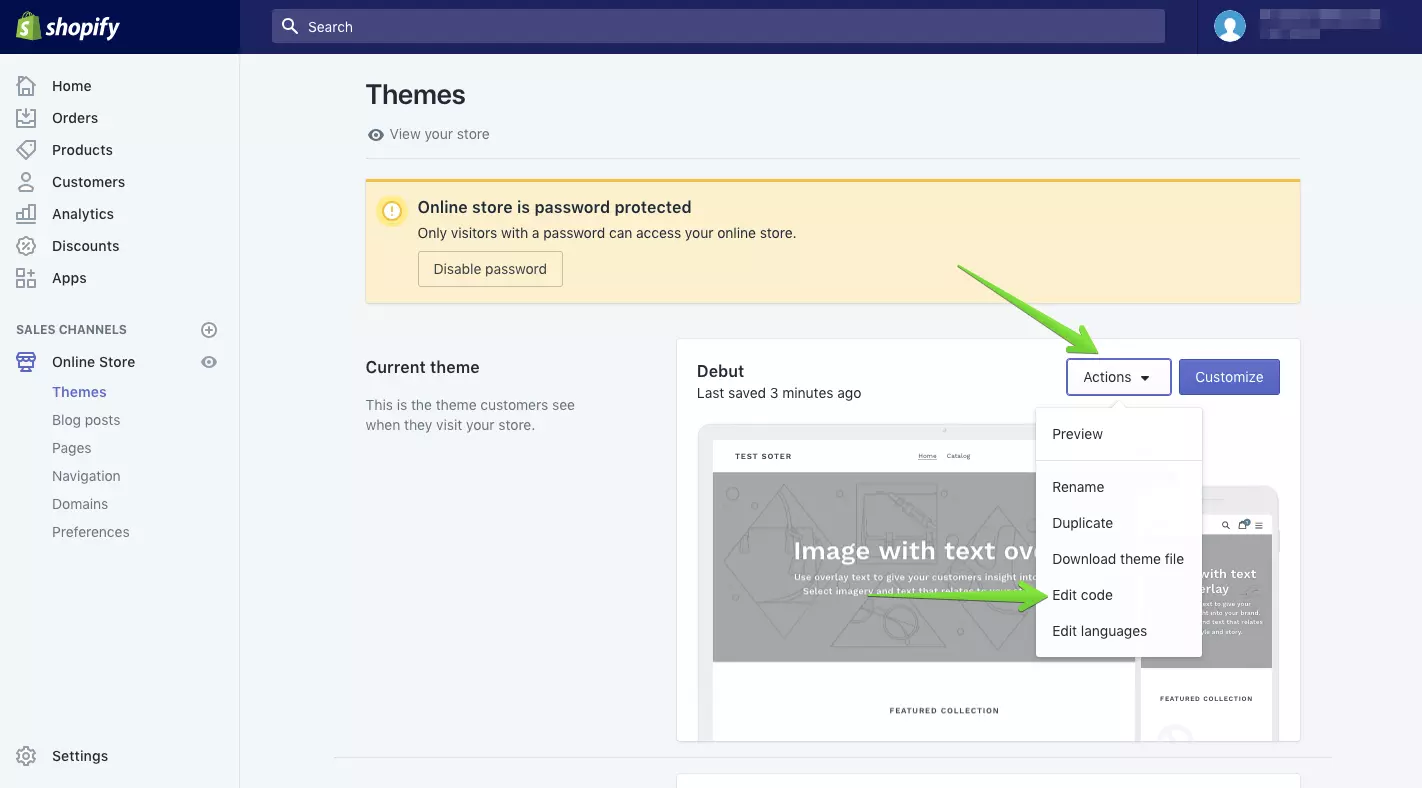
- On your current theme, click Actions and then Edit Code.
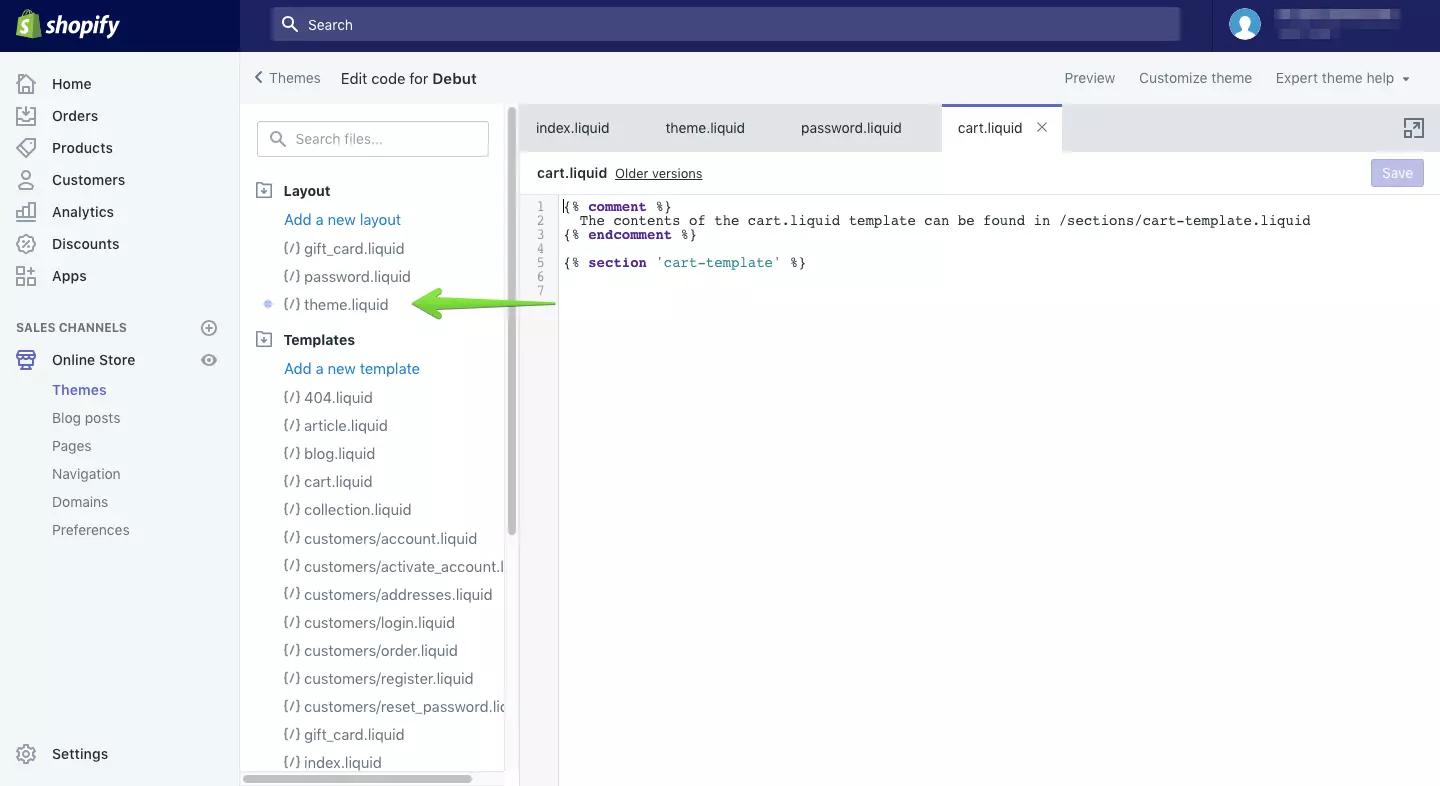
- Click theme.liquid.
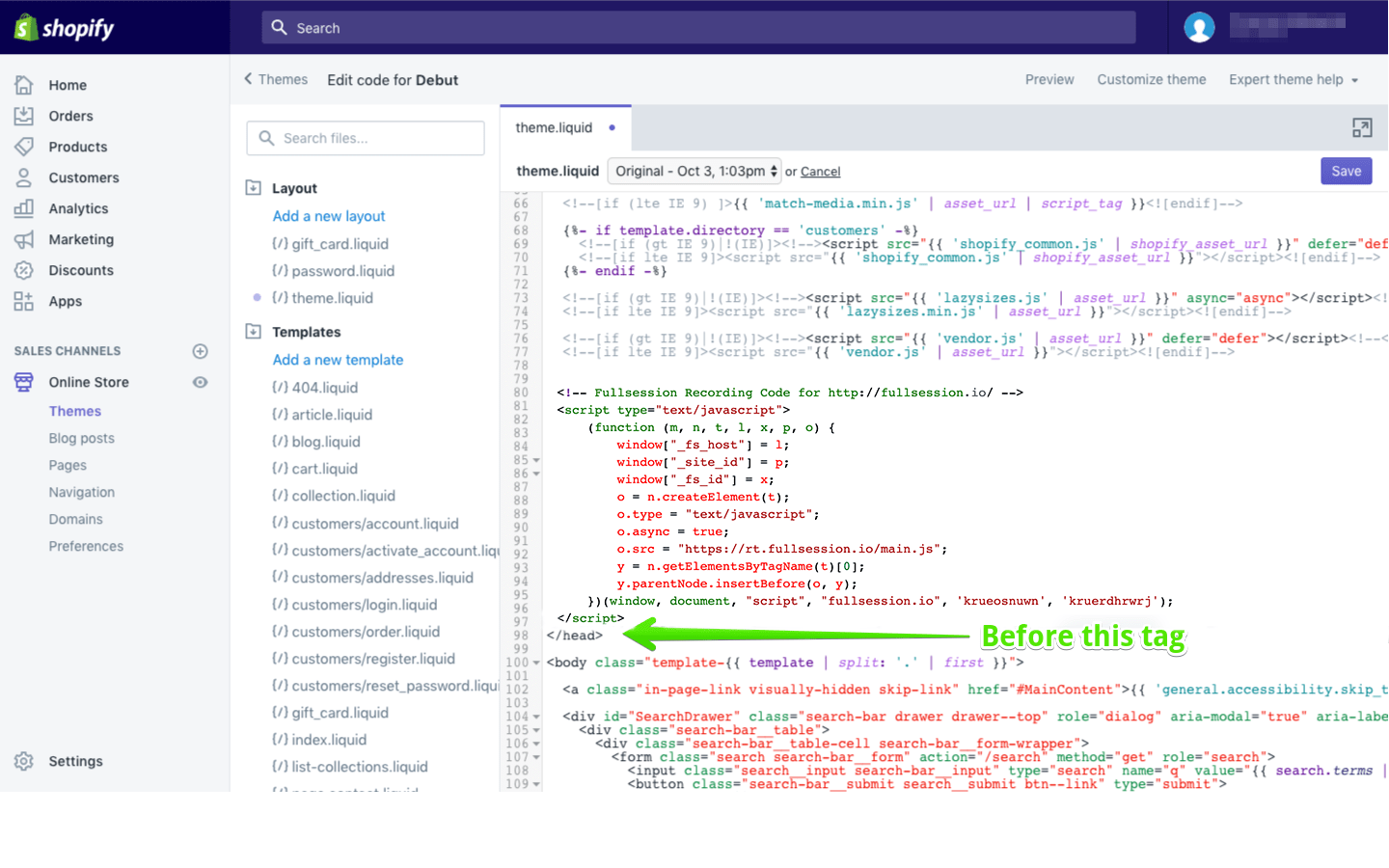
- Paste the copied FullSession code before the closing body tag.
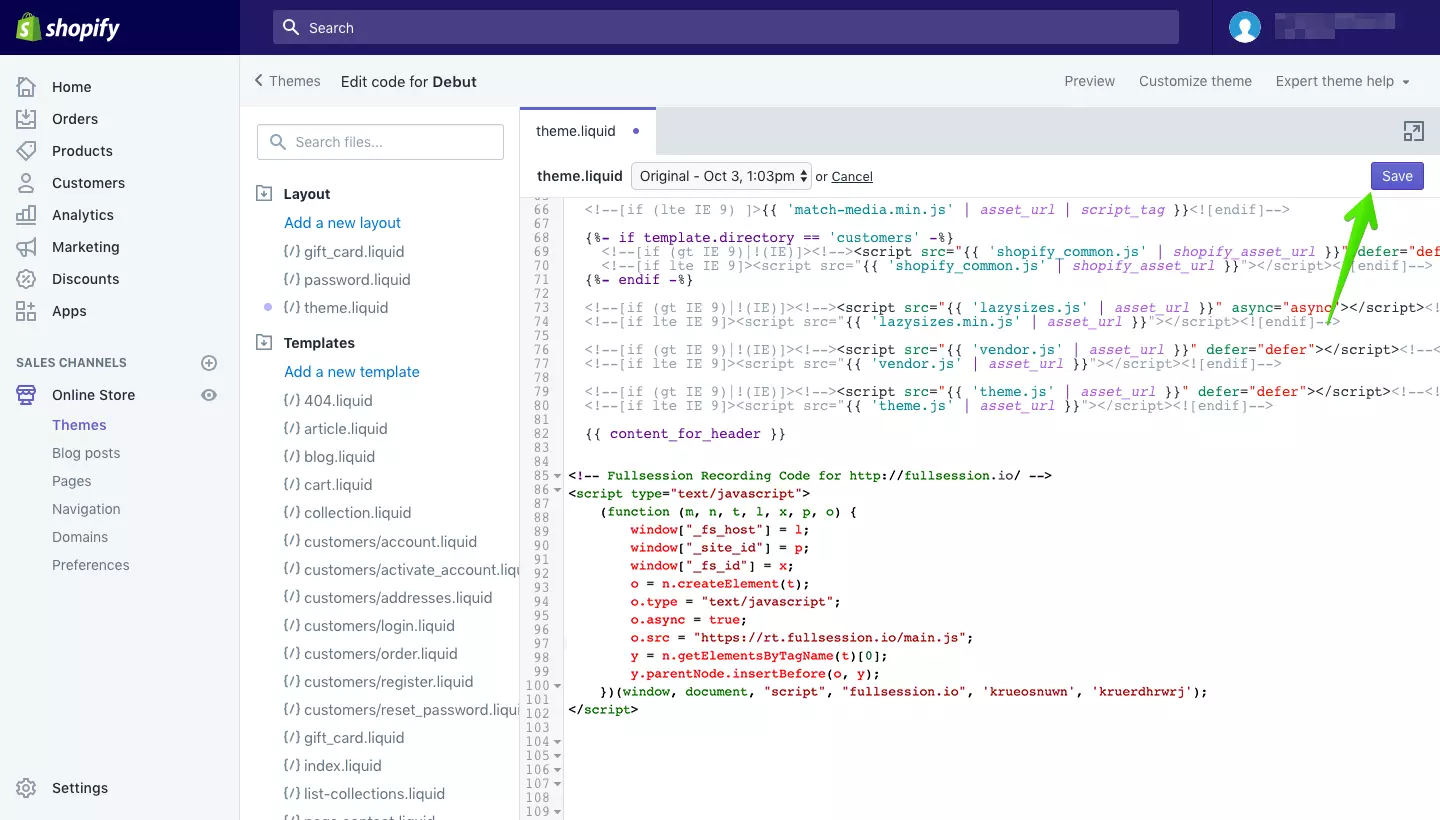
- Save your work and you are good to go.
See what’s costing you, and prove whats fixing it is worth
Watch the real journey, rank every issue by revenue impact, and validate the result against baseline.






.svg)
.svg)
212 E Stone Path St Derby, KS 67037 Phone: +1 415-649-4222



All systems operational.