.svg)
.svg)

8 Contentsquare Competitors and Alternatives (2026)

Contentsquare is a digital experience analytics platform, but its enterprise-first pricing, long implementation timelines, and contract-heavy sales process make it less suitable for most product and growth teams.
That can create a gap for teams that need digital experience analytics, session replay, and funnel analysis without committing to an enterprise rollout.
If you’ve been quoted a number that requires board approval, or if your onboarding is measured in months, you’re on the right page.
Contentsquare competitors are digital analytics tools with similar core features, including session replay, heatmaps, funnel analysis, and journey mapping. They differ in pricing, technical complexity, and the types of teams they’re built for.
This article compares FullSession, FullStory, Microsoft Clarity, Glassbox, Quantum Metric, PostHog, Heap, and Hotjar.
Each tool was evaluated on pricing transparency, setup complexity, depth of behavioral data, and AI capability, with side-by-side comparisons, pricing breakdowns, and a four-step decision framework included.
Key Takeaway
- FullSession brings session replay, heatmaps, funnel analysis, error tracking, and Lift AI together on one platform with minimal setup. It’s the most practical option for SaaS and ecommerce growth teams without the enterprise overhead.
- FullStory holds its spot in enterprise tech stacks because of retroactive behavioral analysis. It lets teams analyze user behavior after the fact, even for issues or questions they didn’t anticipate before launch.
- Microsoft Clarity is the only free option with no session cap. Small teams that need behavioral visibility on a zero budget should start here.
- Glassbox treats compliance as core architecture, not a configuration option. Financial services and healthcare teams default to it for exactly that reason.
- Quantum Metric ties friction points directly to revenue impact and automatically shows issues without relying on manual analysis.
- PostHog is the open-source platform that hands engineering-led teams full control over their data, their stack, and their costs.
- Heap Analytics lets product and data teams query historical customer behavior they never planned to track. The instrumentation bottleneck disappears from retroactive analytics work.
- Hotjar is the only tool on this list that pairs behavioral data with attitudinal data in one interface. If your workflow depends on understanding the why behind what users do, it’s the strongest fit.
FullSession stands out for teams that want transparent pricing, minimal setup, and full digital experience analytics in one platform. It combines session replay, heatmaps, funnel analysis, error tracking, and AI prioritization without requiring an enterprise-level setup.
We’ll walk you through the platform and show what it can reveal from real user data.
What to Look for in Contentsquare Competitors
A good Contentsquare alternative should do more than record user sessions. It should help teams understand user behavior, connect customer experience issues to business impact, and prioritize fixes based on evidence.
The right tool should make user sessions, journey analytics, and friction points easier to review without creating unnecessary technical complexity.
Use these criteria before choosing a digital experience analytics tool.
- Session replay quality: Look for clear session recordings, filters for specific sessions, and context around users’ click patterns, device type, traffic sources, console logs, and JavaScript errors.
- Heatmap depth: Click maps, scroll maps, and attention maps should help teams see how users interact with digital products, not just display color overlays.
- Funnel analysis: The tool should show where users drop off in checkout, signup, onboarding, or form flows without heavy manual tracking.
- Journey analytics: Strong tools show complex customer journeys across pages, devices, marketing channels, and multiple sessions.
- Setup complexity: Some platforms require technical expertise and event planning. Others work with minimal setup and feel user-friendly for marketing and product managers.
- Pricing transparency: Transparent pricing helps teams compare tools quickly. Custom pricing can still make sense for enterprise teams, but it slows evaluation.
- AI and prioritization: Better platforms show friction points, connect them to business growth, and quantify revenue impact before teams spend hours in dashboards.
Your best choice depends on whether your team needs basic session replay, deeper journey analytics, product analytics, or revenue-focused prioritization. Use these criteria to avoid paying for multiple tools or enterprise features your team won’t fully use.
Quick Comparison of the Top 8 Experience Analytics Tools
Use this comparison to evaluate each tool quickly by best fit, core capabilities, setup needs, and pricing model before reading the detailed breakdowns below.
Top 8 Contentsquare Alternatives for Experience Analytics
These Contentsquare competitors help teams analyze user behavior, use session replays and heatmaps, and improve digital experience insights, often with less complexity and lower pricing than enterprise-focused tools.
1. FullSession
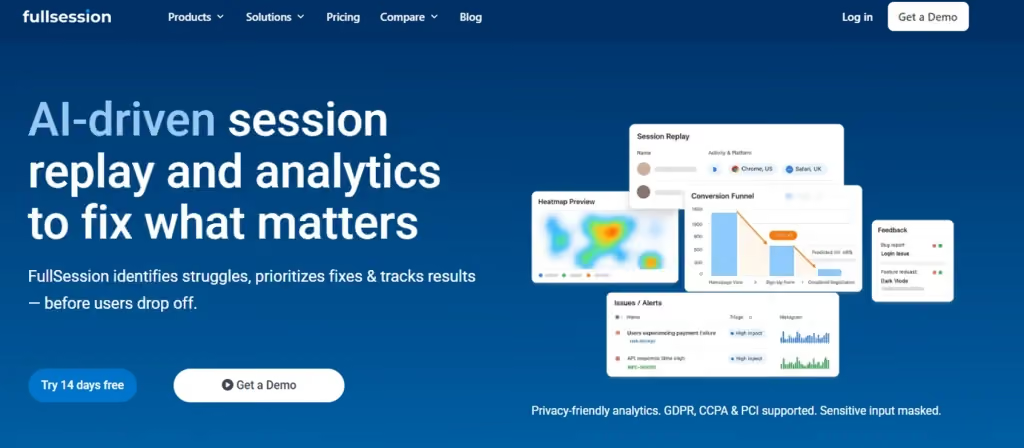
FullSession is a digital analytics platform that combines session replay, heatmaps, funnel analysis, error tracking, and in-page feedback in one workspace. It helps teams see how users engage, where friction appears, and which fixes should be handled first.
Its Lift AI scans behavioral analytics data, ranks issues by expected business impact, and helps teams validate fixes after changes go live. Teams can review new user sessions and funnel behavior without switching between multiple tools.
FullSession also supports privacy-conscious analysis with controls for masking sensitive user data, so teams can review real user sessions, feedback, and error tracking without exposing personal information unnecessarily.
Best for
SaaS, ecommerce, and growth teams that want a user-friendly platform for digital experience analytics, customer behavior review, and revenue-focused prioritization without enterprise overhead.
Key features
- Session replay: Pixel-perfect recordings with advanced filtering by behavior, device, and error type to find the specific sessions you need fast.
- Interactive heatmaps: Click, scroll, and attention maps built from actual session data, showing where users engage and stop on every page.
- Lift AI: Scans behavioral data and ranks friction points by predicted revenue impact, so your team prioritizes the fix that matters first.
- Funnel analysis: Visualizes drop-off across checkout, onboarding, and form completion flows with click-through to replays at any abandonment point.
- Error and alert Tracking: Automatic detection of JavaScript errors and rage clicks, with alerts linked to relevant recordings.
- In-Page Feedback: Contextual feedback widgets tied directly to session recordings for behavioral context on every response.
Pricing
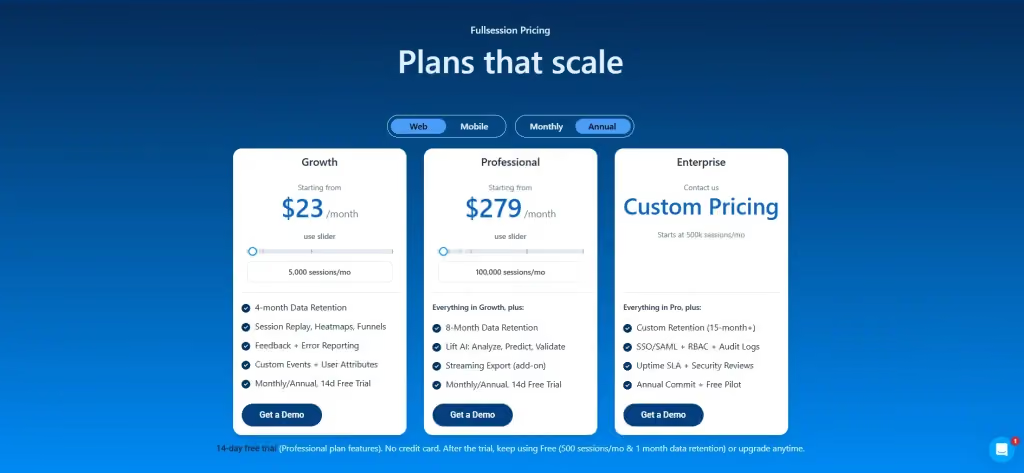
FullSession has a free plan with 500 sessions per month, 30-day data retention, 2 seats, and 1 domain.
The Growth plan starts at $23/month when billed annually for 5,000 sessions per month. The Professional plan starts at $279/month when billed annually for 100,000 sessions per month.
A 14-day free trial includes Professional plan features. Teams can stay on the free plan or upgrade based on session volume and feature needs.
See all details on the pricing page.
Book a demo to review session replay, funnels, feedback, and Lift AI on real user sessions.
2. FullStory
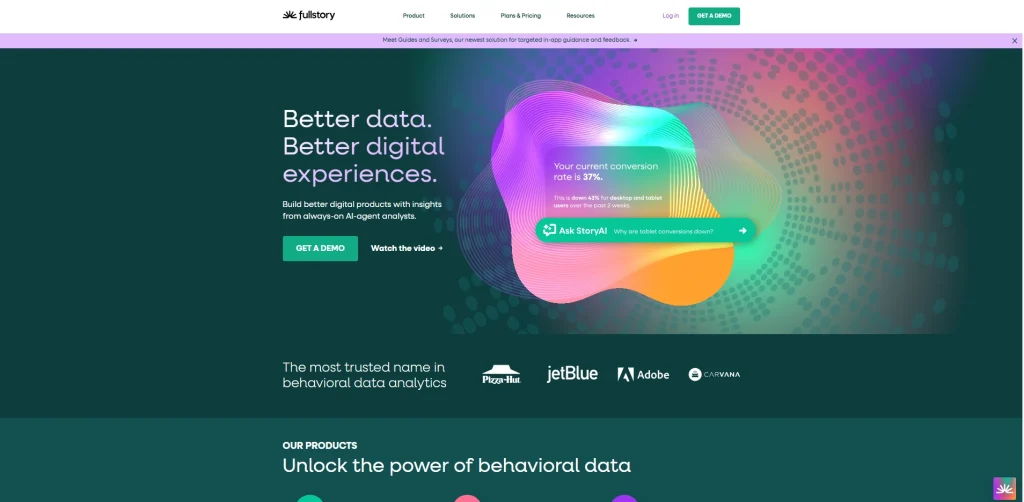
FullStory is a digital experience intelligence platform built around high-fidelity session replay and retroactive behavioral search. It automatically captures user interactions from the start, so teams can search past sessions and analyze behavior later without needing to define every event before setup.
That makes it useful for enterprise teams that need to search large behavioral data sets and review complex customer journeys over time.
- See how FullSession compares to FullStory.
- Check out FullStory competitors to learn more.
Best for
Enterprise product, UX, and analytics teams that need granular behavioral analytics, retroactive search, and strong coverage across web and mobile app experiences.
Key features
- Session Replay: High-fidelity recordings with pixel-level event capture and retroactive queryability across the full data history.
- Autocapture: Records all user interactions at setup without manual event configuration.
- Heatmaps: Click and scroll maps built from aggregated session data across pages and user segments.
- Funnel Analysis: Multi-step funnel visualization with drop-off identification and segmentation by user properties.
- Frustration Signals: Automatic detection of rage clicks, dead clicks, and thrash clicks without manual configuration.
- Mobile SDK: Native iOS and Android session capture available as an add-on.
Pricing
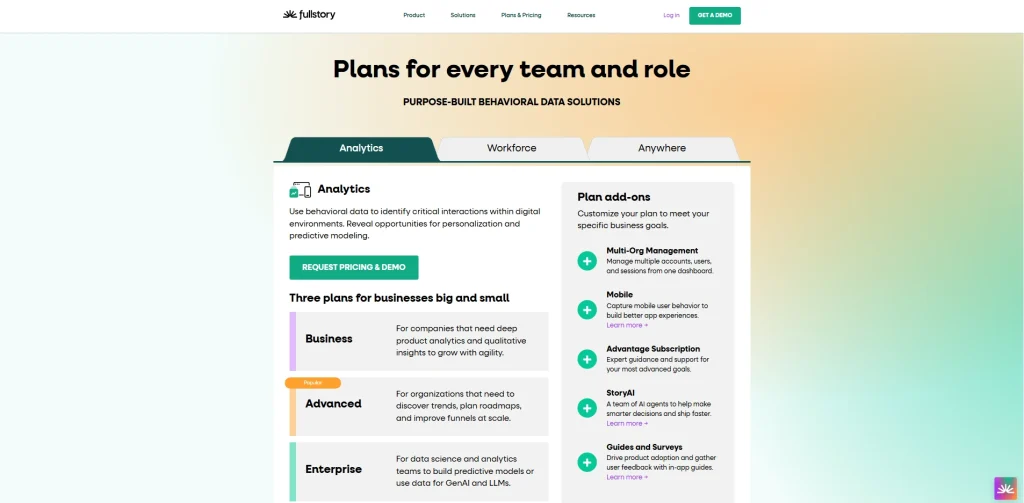
FullStory offers a free plan with 30,000 monthly sessions and 12 months of data retention. Paid Business, Advanced, and Enterprise plans come with custom pricing.
3. Microsoft Clarity
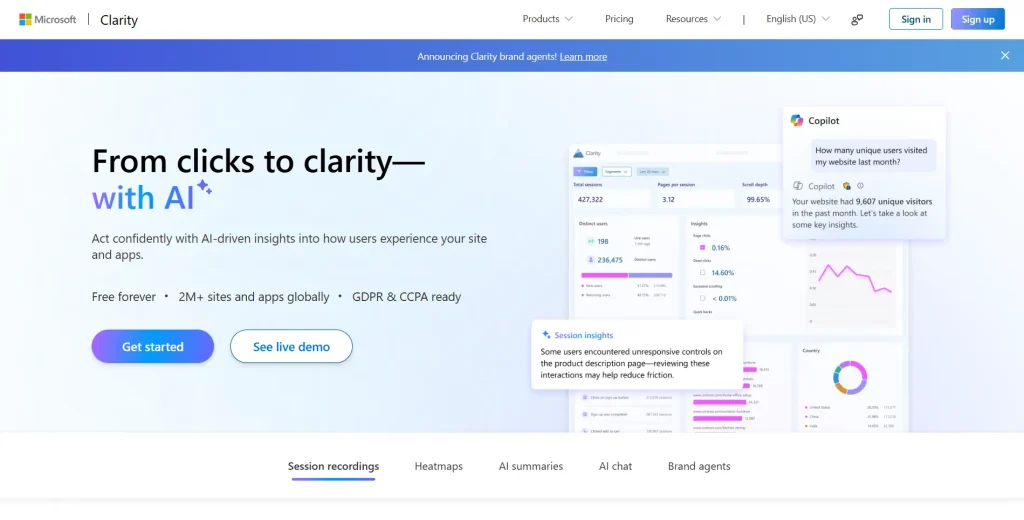
Microsoft Clarity is a free web analytics tool for session recordings, heatmaps, and basic behavioral analytics. It works well beside Google Analytics because teams can move from aggregate traffic sources and campaign performance into specific sessions.
Clarity isn’t built for advanced journey analytics or revenue impact analysis. It’s useful when the main need is free visibility.
- Explore the FullSession vs Microsoft Clarity comparison.
- Compare Microsoft Clarity and Hotjar.
Best for
Solo marketers, small teams, and budget-constrained website owners that need basic session replay, heatmaps, and visual insights without paid software.
Key features
- Session Replay: Unlimited recordings with rage click, dead click, and excessive scroll detection at no cost.
- Heatmaps: Click and scroll maps covering desktop and mobile with no traffic limits or sampling restrictions.
- AI Insights (Copilot): AI-powered session summaries and natural language querying of behavioral data for non-technical users.
- Google Analytics Integration: A native GA4 connector to jump from aggregate traffic sources data to the specific sessions behind any behavioral anomaly.
- Mobile Recordings: Session capture for iOS and Android, included in the free tier.
Pricing
Microsoft Clarity is free to use, with no paid tiers, no traffic limits, and access to session recordings, heatmaps, and AI insights at no cost.
4. Glassbox

Glassbox is a digital experience analytics platform for large organizations that need session replay, journey analysis, governance, and compliance controls. It’s built for teams that handle sensitive customer data and need audit logs, role-based access, and data policies built into the platform.
Its strength isn’t speed of setup. Its strength is controlled enterprise deployment.
Read the complete comparison guide QuantumMetric vs Glassbox.
Best for
Enterprise teams in financial services, healthcare, insurance, and other regulated industries need compliance-focused customer journey analytics.
Key features
- Session Replay: Full web and mobile session capture with compliance-grade data masking for regulated environments.
- Journey Analytics: End-to-end customer journey mapping across multiple platforms and touchpoints, covering the full customer journey rather than isolated page interactions.
- Struggle Analysis: Automatic identification of frustration signals and errors that correlate with abandonment.
- Compliance Controls: Role-based access, data retention policies, and audit logs built into the platform.
- Revenue Impact Quantification: Connects UX friction to estimated revenue loss to support prioritization decisions.
Pricing

Glassbox offers custom pricing across its published plan options. Teams need to contact sales for an exact quote based on usage, platform needs, and support requirements.
5. Quantum Metric

Quantum Metric is built for enterprise teams that need real-time digital experience analytics, anomaly detection, and business metrics tied to customer behavior. It’s especially relevant for high-traffic digital products where small conversion changes carry a major revenue impact.
Felix AI helps identify technical performance shifts, behavioral anomalies, and issues that may affect the full customer journey.
Best for
Enterprise analytics, product, and technology teams in retail, travel, financial services, and other high-volume digital businesses.
Key features
- Session Replay: Full replay with AI-generated summaries powered by Felix AI.
- Felix AI (Agentic): Detects performance and behavioral issues, shows business impact, and starts remediation without a human building the analysis first.
- Interaction Heatmaps: Zone-based and click heatmaps tied to conversion and revenue metrics rather than raw interaction counts.
- Journey Analytics: Visualization of complex customer journeys spanning multiple sessions, devices, and marketing channels.
- Anomaly Detection and Alerts: Proactive monitoring with automatic alerts when user behavior or technical performance shifts unexpectedly.
Pricing
Quantum Metric uses custom enterprise pricing based on digital properties, session volume, platform capabilities, and customer success needs.
6. PostHog
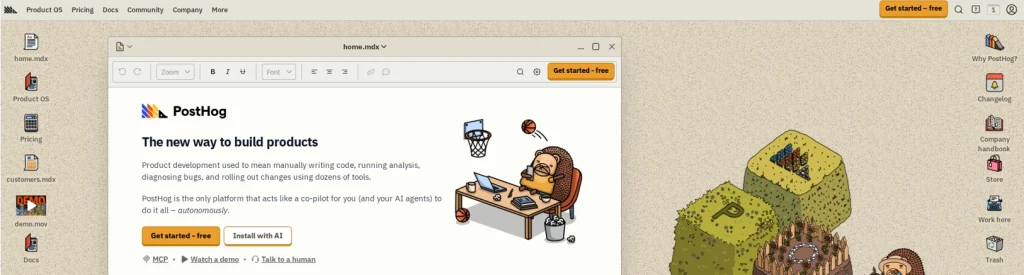
PostHog is an open-source product analytics platform with session replay, heatmaps, feature flags, and experimentation built into one workspace. It’s a strong fit for engineering teams that want full control over the data they collect and the stack that powers their analytics.
Self-hosting is supported, which appeals to teams with strict data residency or governance requirements.
Discover a better PostHog alternative.
Best for
Engineering-led product teams that want product analytics, session replay, and experimentation under one open-source platform.
Key features
- Session Replay: Recording with filtering by user properties, feature flags, and error events, making it easy to debug how a specific cohort experiences the product.
- Product Analytics: Event-based funnel, retention, and cohort analysis in the same workspace as behavioral data.
- Feature Flags and Experiments: Controlled rollouts and A/B testing built in, so shipping new features doesn’t require a separate platform.
- Error Tracking: Frontend error capture linked directly to session replays.
- Heatmaps: Click and scroll maps included at no additional cost.
- Built-in Data Warehouse: Connect and query external data without a separate integration layer.
Pricing
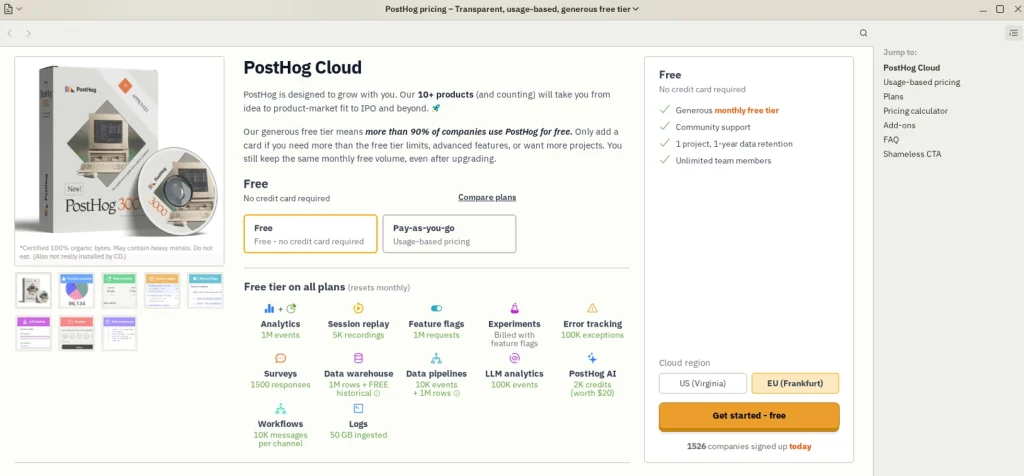
PostHog has a free plan with 1M analytics events and 5K session replays per month. Paid pricing is usage-based after the free tier, with product analytics starting from $0.00005/event and session replay from $0.005/recording.
7. Heap Analytics
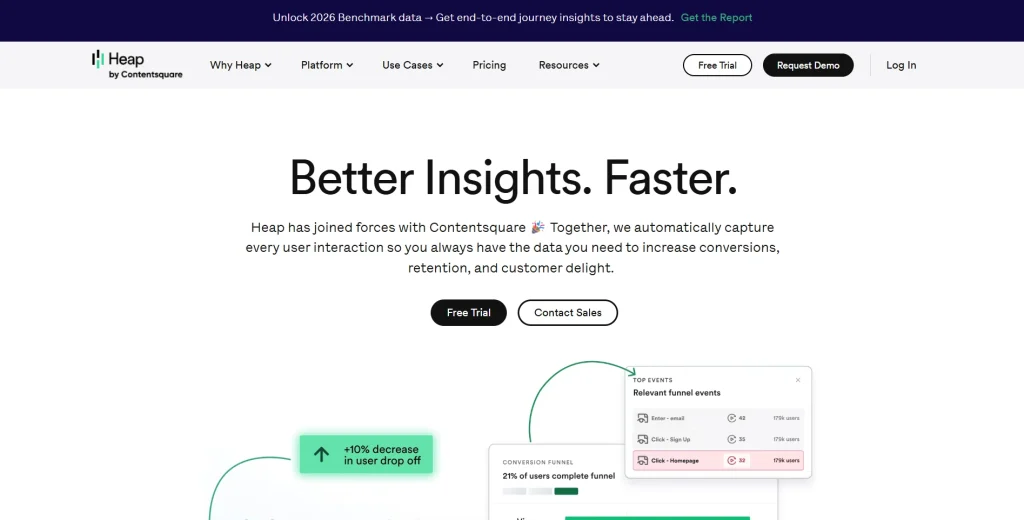
Heap Analytics is a product analytics platform that autocaptures user interactions across web and mobile. Its main value is retroactive analysis.
Product managers and data teams can review historical user paths and behavior, even when those events weren’t defined in advance.
Read our guide on Heap alternatives to learn more.
Best for
Product managers and data teams that need autocapture, historical analysis, and user paths without relying on manual tracking setup.
Key features
- Autocapture: Records every user interaction at setup without manual tracking, building a retroactively queryable behavioral database from day one.
- Retroactive Analysis: Query historical data for events never explicitly instrumented, removing the planning bottleneck from analytics work.
- Funnel Analysis: Multi-step funnel reporting with drop-off identification and cohort breakdowns.
- Journey Mapping: User path analysis showing the actual navigation sequences visitors take, including user journeys your team never anticipated.
- Data Warehouse Integrations: Syncs with Snowflake, BigQuery, and Redshift without manual data exports.
Pricing
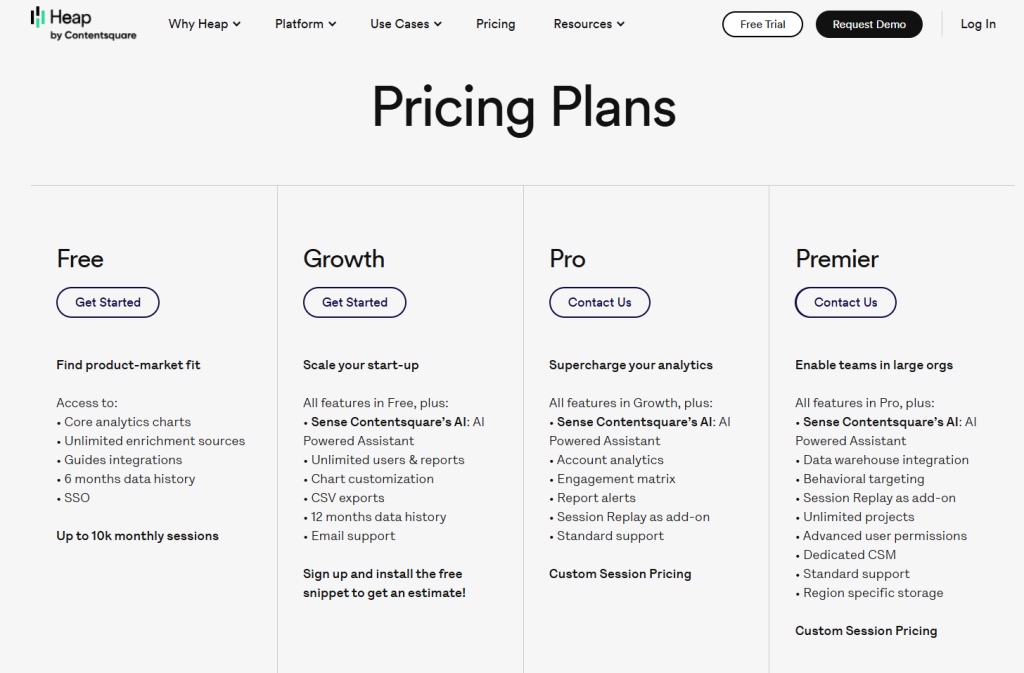
Heap offers a free plan for up to 10K monthly sessions with 6 months of data history. Growth pricing requires installing the free snippet for an estimate, and Pro and Premier use custom session pricing.
Heap is now part of the Contentsquare group, so teams should review current packaging and roadmap fit before choosing it as an alternative.
8. Hotjar
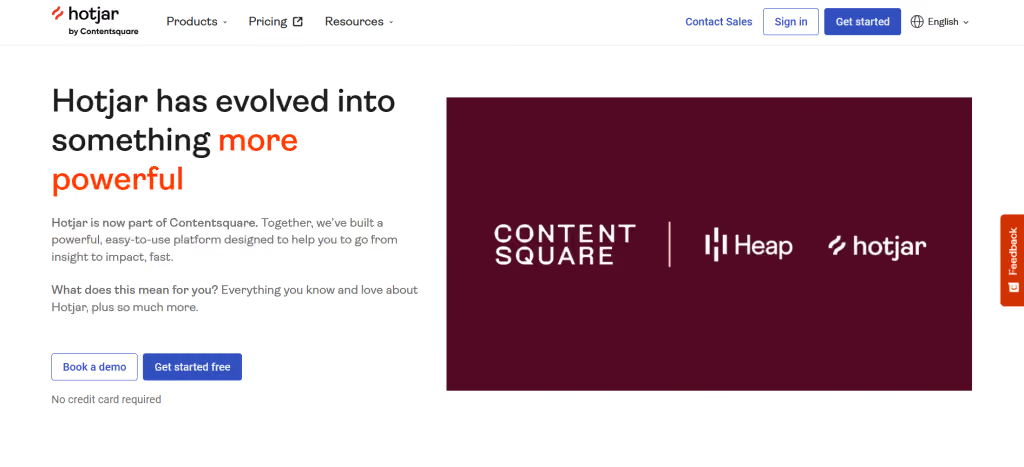
Hotjar is a behavioral analytics and feedback platform for teams that need heatmaps, session recordings, surveys, and feedback widgets. It focuses on combining what users do with what users say.
That makes it useful for UX research, conversion rate optimization, and customer experience work where qualitative feedback matters as much as behavior data.
- Read our in-depth Hotjar review
- See how Hotjar impacts website performance
- Check the FullSession vs Hotjar feature breakdown
- Learn more about Hotjar alternatives
Best for
UX researchers, CRO specialists, and marketing teams at SMBs and mid-market companies who want behavioral evidence plus direct user feedback without developer involvement.
Key features
- Session Recordings: Visual recordings with filtering by device, behavior, and engagement level.
- Heatmaps: Click, scroll, and move maps across pages with desktop and mobile views side by side.
- Surveys and Feedback Polls: On-site and email surveys with NPS, open-ended questions, and AI-summarized responses.
- Funnel Analysis: Conversion funnel visualization with drop-off reporting that shows exactly where users click away from multi-step flows.
- 365-Day Data Retention: Access to up to one year of behavioral data on higher-tier plans for seasonal trend analysis and campaign performance review.
Pricing
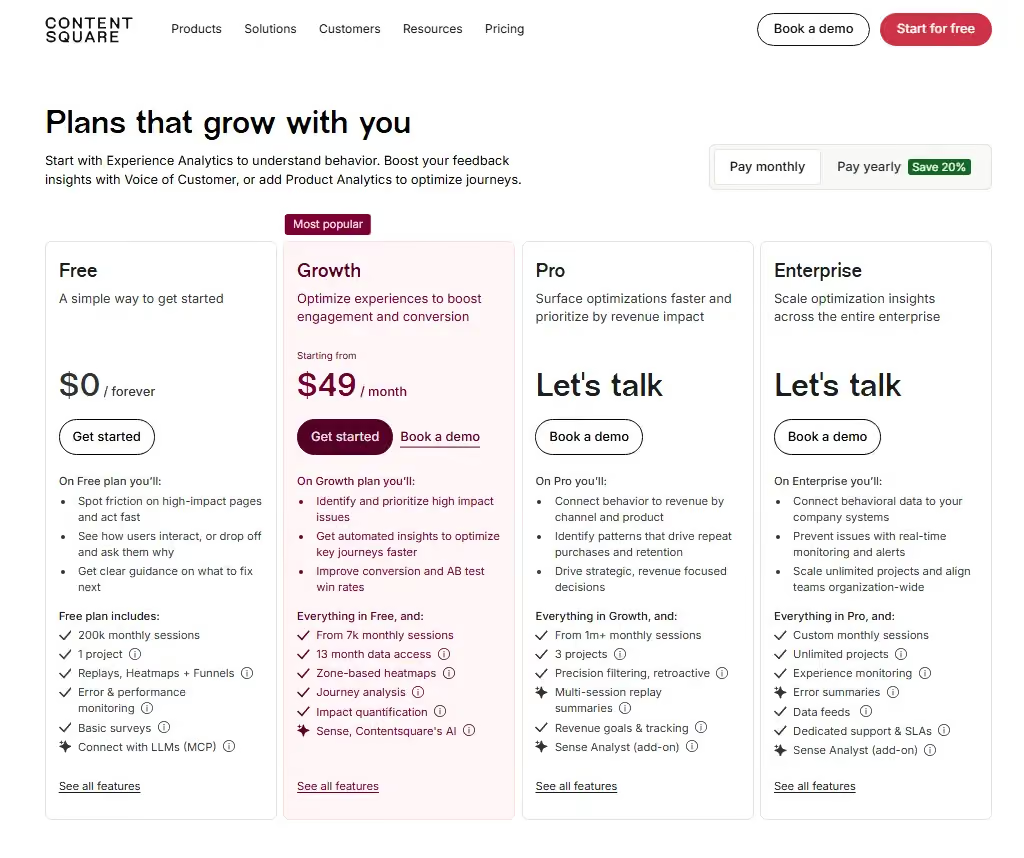
Hotjar is now part of Contentsquare. Pricing is listed under the Contentsquare suite, including a Free plan, a Growth plan starting at $49/month, and custom pricing for Pro and Enterprise plans.
How to Choose the Right Analytics Tool for Your Team
Choosing the right digital experience analytics tool depends on four decisions you make before booking a single demo. Work through these in order, and you’ll eliminate half the list.
- Define your primary use case: Are you debugging UX friction (session replay first), tracking product adoption (product analytics first), or trying to prioritize fixes based on revenue impact (AI quantification first)? A team whose main problem is checkout abandonment needs different core capabilities than one focused on onboarding drop-off after new features launch.
- Audit your team’s technical depth: Tools like PostHog and Glassbox reward teams with genuine technical expertise and engineering capacity. FullSession and Hotjar are user-friendly and can be set up in minutes without developer involvement. Map the tool’s actual requirements to your team’s real capacity, not its aspirational capacity.
- Verify pricing fit before the demo: Several tools on this list don’t publish pricing. Ask for a ballpark range in your first outreach. If it doesn’t fit the budget, move on. You’ll save two weeks of evaluation time per tool.
- Test with your own traffic: A 14-day trial on your own site tells you more than any demo. Confirm that session quality, filter depth, and heatmap accuracy meet your needs on actual traffic before committing. Your own traffic shows the edge cases that break lightweight tools.
Which Option Is Right for You?
Choosing the right platform depends on your team’s priorities, budget, and the level of insight and usability you need from your analytics tools.
Best overall: FullSession
Choose FullSession if you want session replay, heatmaps, funnel analysis, error tracking, feedback, and AI prioritization in one platform with transparent pricing, full privacy compliance, and minimal setup.
Best for enterprise: FullStory, Quantum Metric
Choose FullStory for retroactive behavioral analysis across large data sets, or Quantum Metric for enterprise journey analytics, anomaly detection, and revenue impact analysis.
Best free tool: Microsoft Clarity
Choose Microsoft Clarity if you need free basic session replay, heatmaps, and visual insights without a paid analytics tool.
Best for product analytics: PostHog, Heap
Choose PostHog if your team wants open-source product analytics and experimentation, or Heap if you need autocapture and retroactive user behavior analysis.
Best for UX research: Hotjar
Choose Hotjar if your team needs session recordings, heatmaps, surveys, and feedback to understand why users interact with a page in a certain way.
Best for compliance: Glassbox
Choose Glassbox if your team works in a regulated industry and needs governance, data controls, and compliance-focused customer journey analytics.
Why Choose FullSession for Experience Analytics
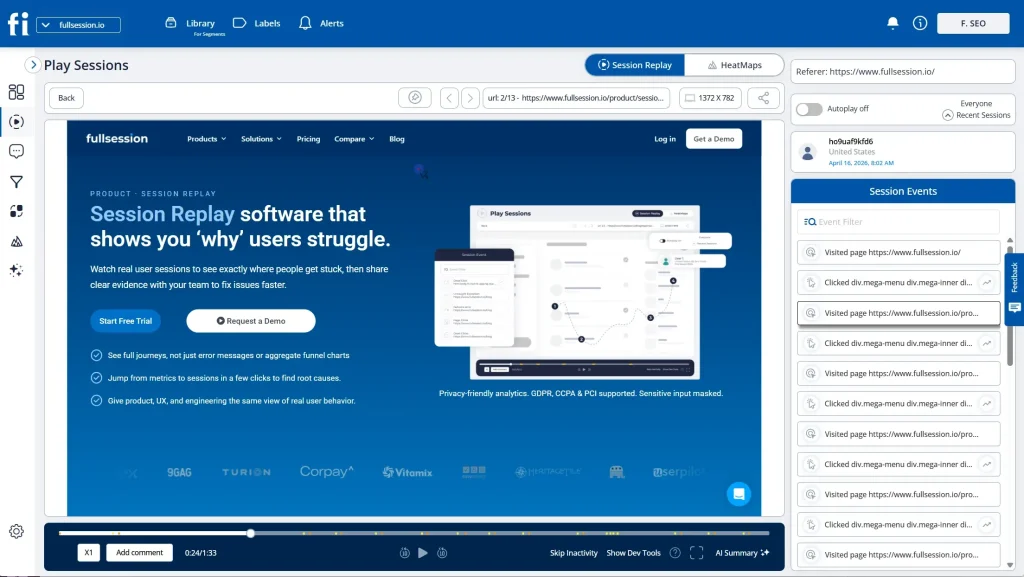
FullSession is a practical Contentsquare alternative for teams that want to understand user behavior without adding multiple tools to their tech stack. It brings session replay, heatmaps, funnel analysis, error tracking, and user feedback into one platform.
Teams can review what happened, where users struggled, and which issues are affecting the customer experience.
The platform is especially useful for product, growth, CRO, and engineering teams that need actionable insights from real user sessions. Teams can review user journeys, identify funnel drop-offs, inspect rage clicks, track JavaScript errors, and connect feedback to the session recordings behind it.
FullSession also cuts setup friction. Instead of a long enterprise rollout or heavy manual tagging, teams can start collecting behavioral analytics data with minimal setup. Filters help you find the specific sessions, pages, devices, or errors you need to review.
Lift AI adds another layer by helping teams prioritize fixes based on likely business impact. Rather than only showing friction points, it helps teams understand which issues may deserve attention first, then validate whether those fixes improved user sessions, funnel behavior, and overall digital experience analytics data after changes go live.
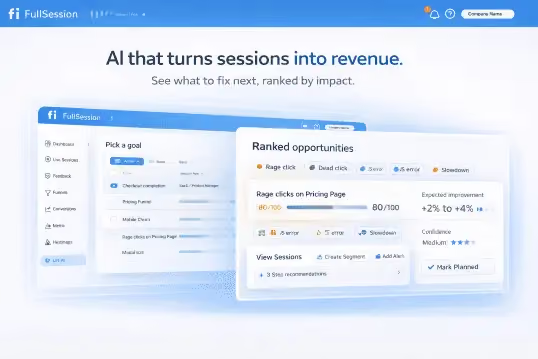
For teams that need behavioral depth, transparent pricing, and a user-friendly workflow without enterprise complexity, FullSession is a strong option to consider.
Book a demo or start a free 14-day trial.
Conclusion About Contentsquare Competitors
Your selection of the best Contentsquare competitor depends on your team’s budget, technical depth, and primary use case.
Enterprise teams may prefer FullStory, Glassbox, or Quantum Metric for deeper governance, journey analytics, and large-scale behavioral analysis.
Engineering-led teams may find PostHog or Heap more suitable for product analytics, autocapture, and retroactive user behavior tracking. Teams with limited budgets may prefer Microsoft Clarity or Hotjar for basic session replay, heatmaps, and feedback.
For teams that want session replay, heatmaps, funnel analysis, error tracking, feedback, and AI prioritization in one platform, FullSession is a strong option. It balances behavioral depth with transparent pricing and minimal setup.
It also helps teams validate fixes after updates go live by reviewing fresh user sessions, funnel behavior, feedback, and error tracking data.
Before choosing any tool, test it on real user sessions, compare pricing models, and confirm it can turn digital experience analytics into actionable insights.
FAQs About Contentsquare Alternatives
PostHog is an open-source, developer-first product analytics platform with session replay, feature flags, and A/B testing built in. Contentsquare is an enterprise-focused digital experience analytics platform built primarily for UX and journey analysis at scale. PostHog is self-hostable with publicly listed usage-based pricing. Contentsquare is cloud-only with custom enterprise contracts.
No. Hotjar is part of the Contentsquare product group following its 2021 acquisition, but it is positioned differently from the core Contentsquare platform.
Contentsquare has strong enterprise reviews and is well-regarded in the digital experience analytics space, particularly among large organizations with dedicated analytics teams and enterprise budgets.
Yes. Contentsquare uses AI across its Sense platform for session summarization, anomaly detection, and automated insight generation.
Contentsquare is a French-founded, US-headquartered B2B SaaS company specializing in digital experience analytics. Founded in Paris in 2012, it now serves enterprise clients globally across retail, financial services, travel, and technology sectors.
Yes. Contentsquare achieved unicorn status following its Series E funding round in 2021, when it raised $500 million at a reported $2.8 billion valuation.
See what’s costing you, and prove whats fixing it is worth
Watch the real journey, rank every issue by revenue impact, and validate the result against baseline.






.svg)



All systems operational.