Are you tired of using Mouseflow for your website analytics? Do you need more advanced features or a fresh approach to understanding your users?
Don’t worry, you’re not alone!
In this article, we will help you find the best Mouseflow alternative that can help you dig deeper into user behavior, satisfaction, and retention. You’ll discover new ways to improve your website performance and keep visitors happy.
Which Mouseflow Alternative Should You Pick?
We’ve got a great list of choices for the Mouseflow alternative that might be just what you need. Let’s share the top options:
ProProfs Qualaroo: Customer feedback collection and survey tool that provides targeted surveys, sentiment analysis, and A/B testing to gather user opinions and insights about your product. Pricing for this qualitative analytics solution starts at $39.99/month.
LogRocket: Error tracking and session replay platform featuring JavaScript error tracking, performance monitoring, and session replay with console logs. Paid plans start at $69/month.
Lucky Orange: Website optimization tool offering session recordings, dynamic heatmaps, form analytics, and conversion funnels to improve conversion rates. Pricing starts at $39/month.
Pendo: Product experience and digital adoption software with in-app guides, feature usage tracking, and user feedback collection to improve product adoption. Pricing info is unavailable.
Take some time to check out each option and see which one feels right for you!
1. FullSession
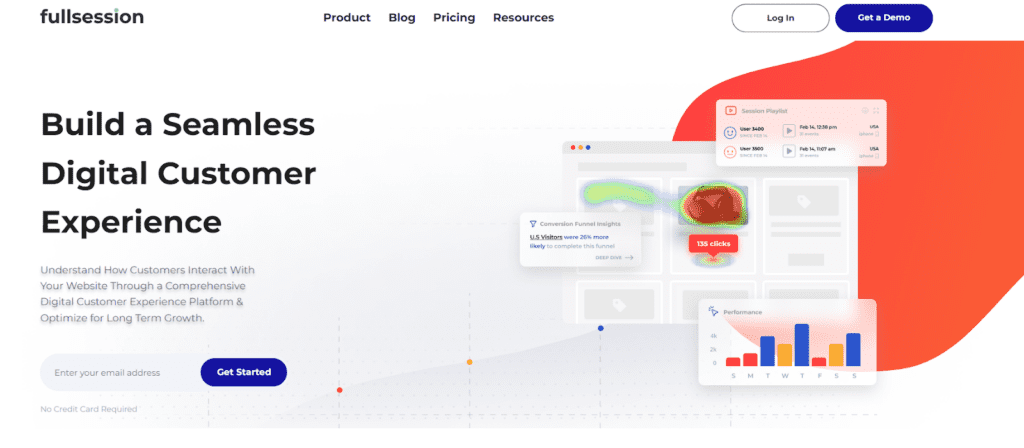
Capture all user interactions, visualize trends and patterns, analyze user behavior, and optimize your site’s interface, usability, experience and performance with FullSession, our user behavior analytics software.
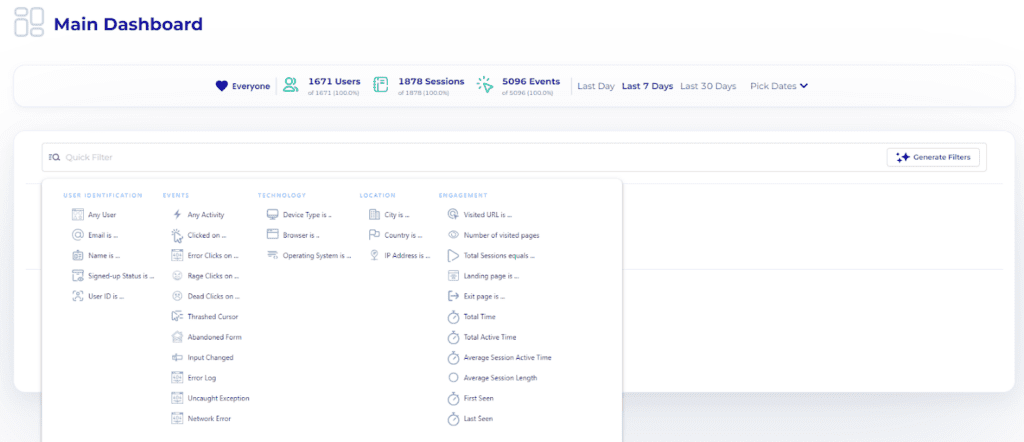
View all user behavior data in one clear, simple dashboard.
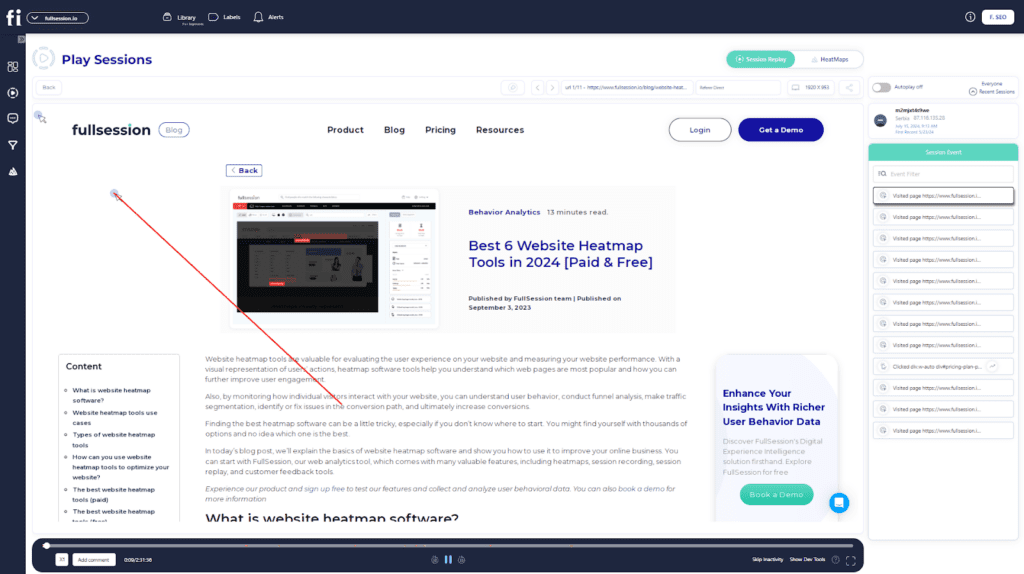
Look beyond basic stats – watch live session recordings and see precisely how people engage with your site from start to finish.If you’re comparing different platforms for this use case, this guide to Session Recording Replay Tools can help you evaluate the best options before choosing a solution.
Find underperforming areas, try out different designs, confirm what works, and make your site easier and faster to use with UX heatmap tools.
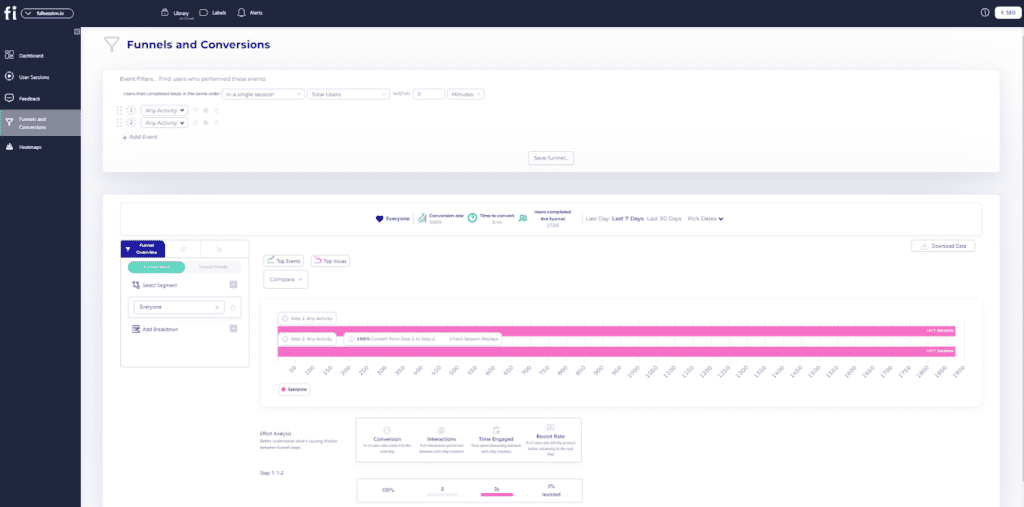
Spot and fix issues that stop sales, improve key user journey stages and keep more visitors moving through your funnel with conversion funnel analysis.
Hear directly from users about their problems, understand why they get frustrated, and quickly solve common issues with customer feedback collection tools.
Choose FullSession for safe, private analytics. We protect your users’ privacy through GDPR, CCPA, and PCI compliance.
Smart filters: Find trends, patterns and correlations in user behavior to improve user journeys and boost conversions.
Session playback: Observe all interactions, spot issues, and predict future behavior while protecting users’ privacy.
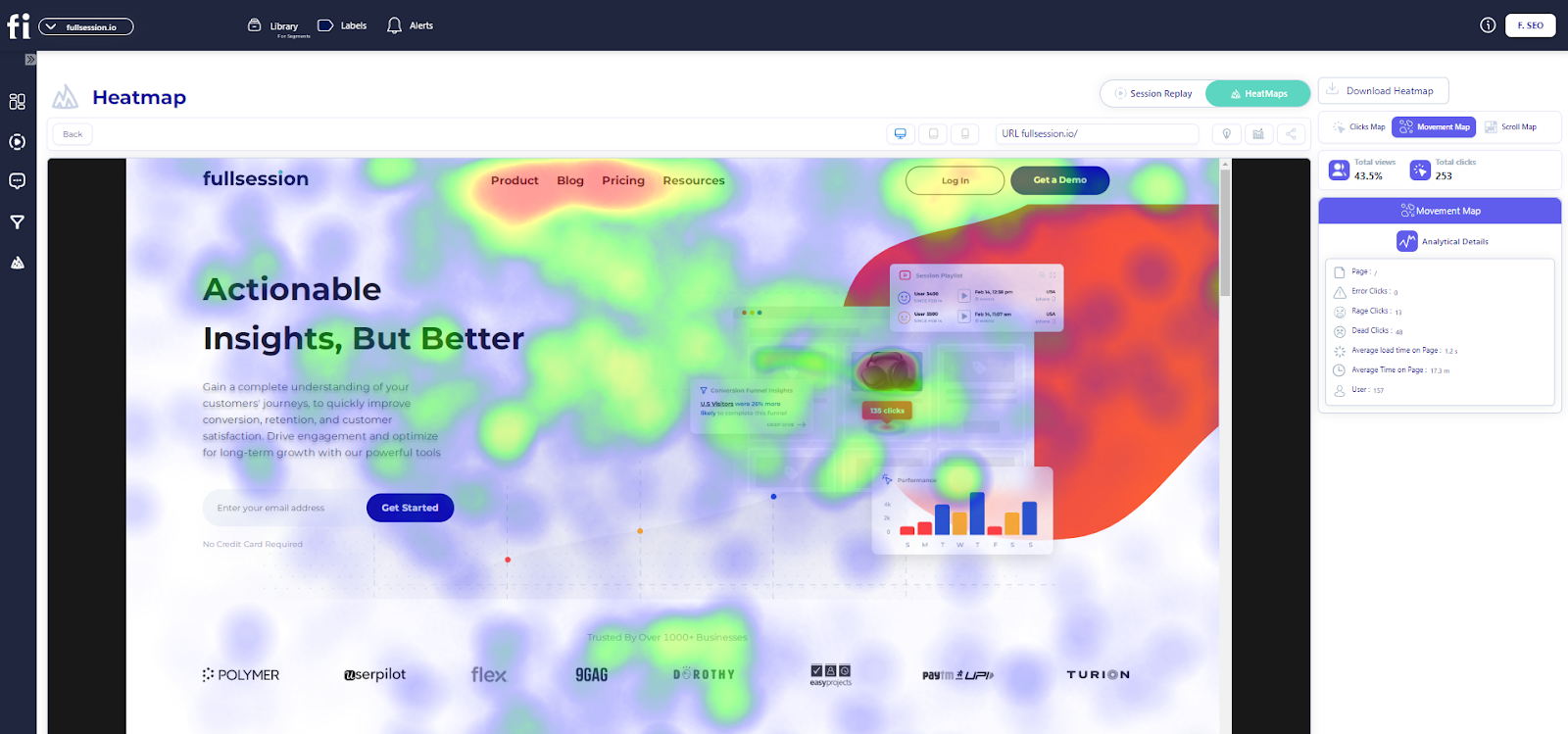
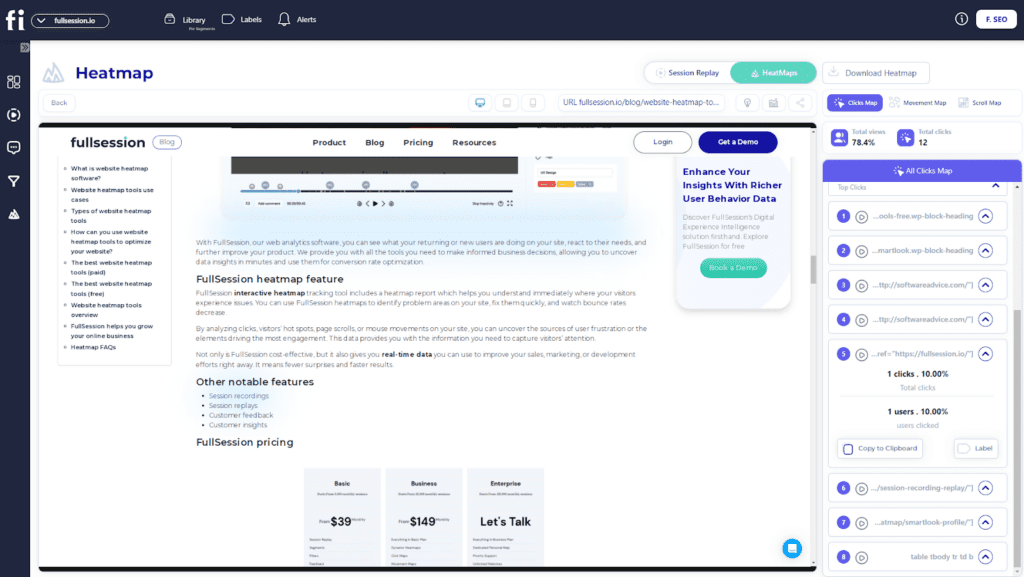
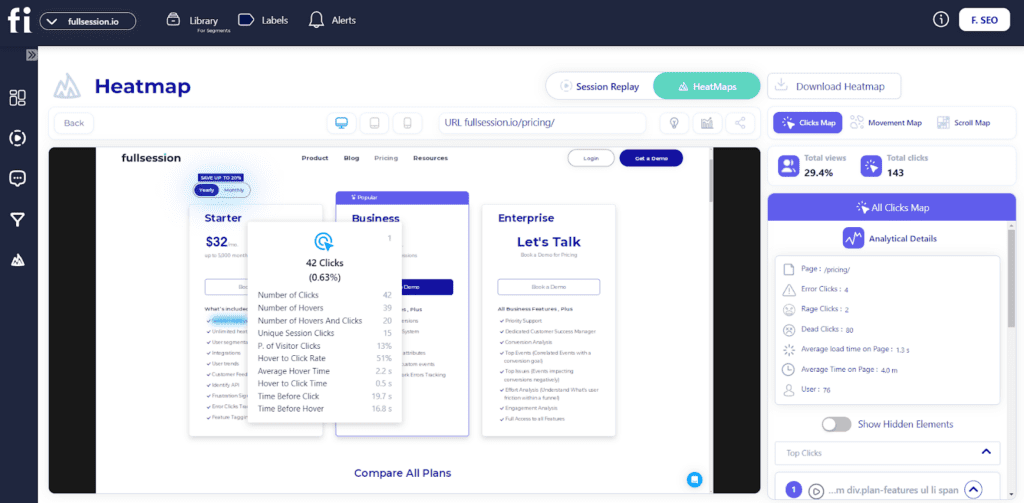
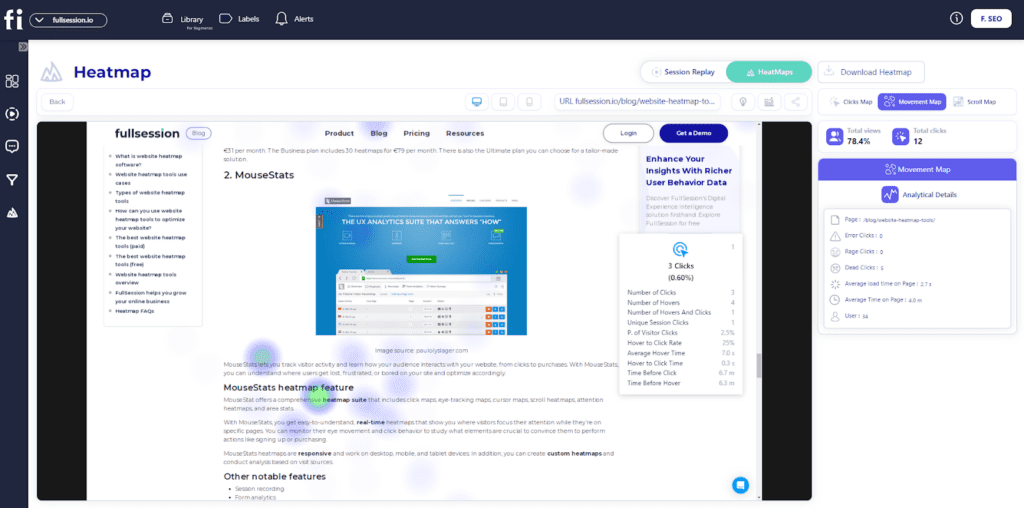
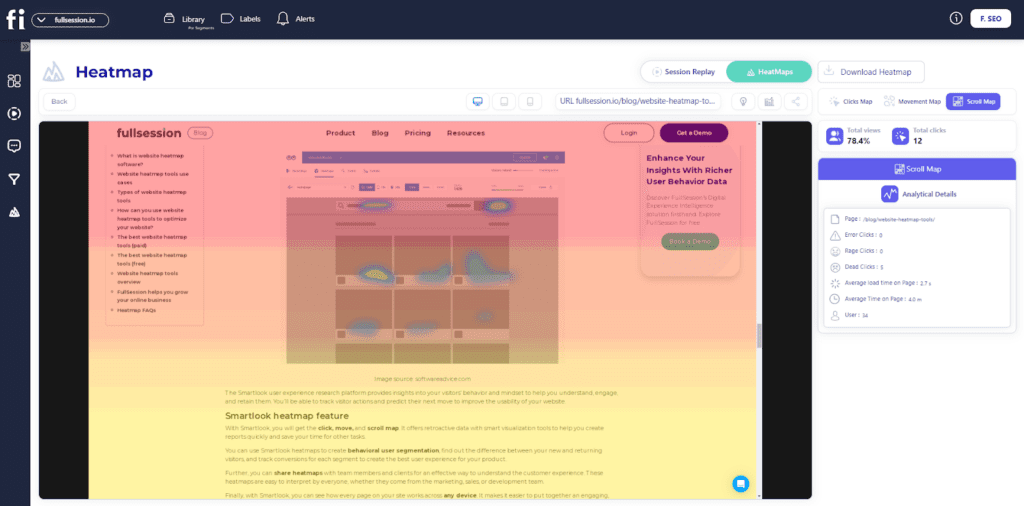
Dynamic heatmaps: See where users click, move, and scroll to find hot and cold spots on your site. Get heatmap data with zero impact on site speed.
User feedback: Collect insights with branded website feedback forms and link them to session recordings for additional context.
Conversion funnel analysis: Identify drop-off points and experiment with design, content or layout to improve conversion rates.
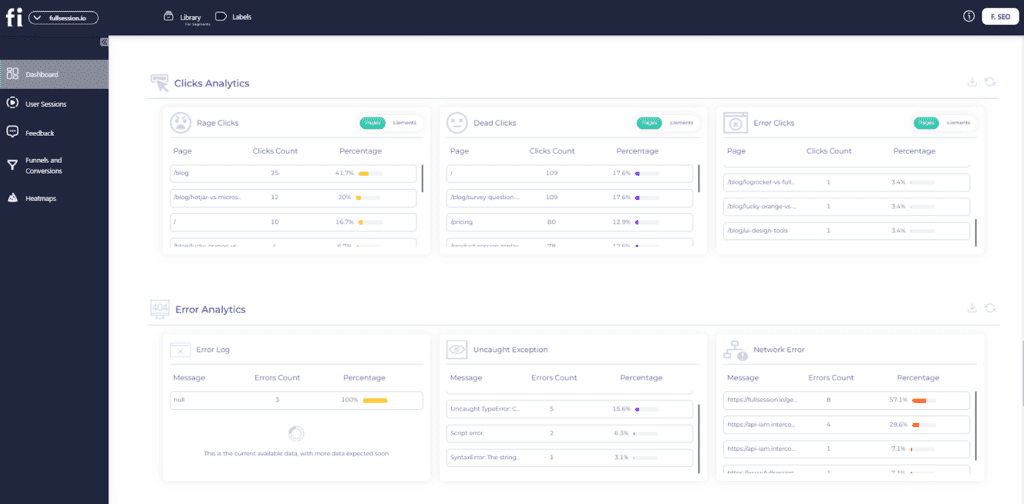
Error tracking: Automatically detect and fix website issues by finding JavaScript errors, network problems and failed API calls to keep the user experience smooth.
FullSession also integrates with Shopify, WordPress, Wix, and BigCommerce. It connects with open APIs, modern webhooks, and Zapier and also provides native integrations.
Pros
Track dynamic elements in real time for precise user insights
Accelerate heatmap processing with zero impact on site speed
Protect user privacy by excluding sensitive data recording
Manage extensive data sets effectively and quickly reveal key insights
Limit user behavior tracking to your site, preventing data misuse
Facilitate cross-team collaboration and unify team efforts on one platform
Enterprise: For big businesses with lots of visitors
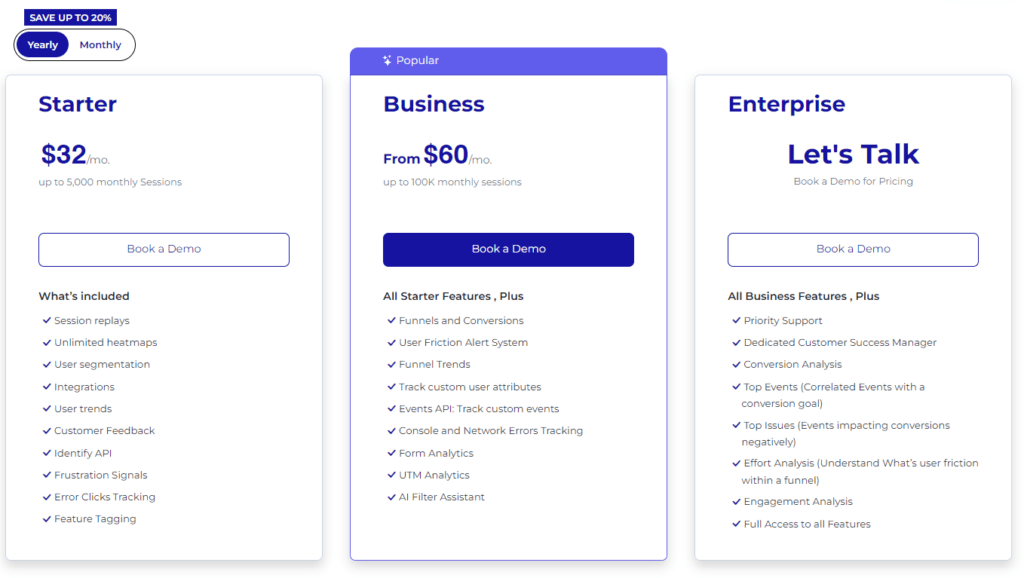
The Starter plan costs $39 per month. It lets you track up to 5,000 visitors monthly and includes all the main features.
Want to save some money? With annual payment, you get 20% off.
Not sure which plan is right for you? No worries! You can start small and upgrade later if you need to. FullSession grows with your business, so you only pay for what you need.
ProProfs Qualaroo is a user feedback and survey tool that helps you gather actionable insights from your website visitors and customers.
It offers broad features for creating and deploying targeted surveys, analyzing responses, and improving user experience.
Whether you’re figuring out why customers abandon their carts or how they feel about your site navigation, ProProfs Qualaroo offers the user feedback tools to ask the right questions at the right time.
Key features
Targeted surveys: Create and deploy surveys based on user behavior and demographics.
AI-powered insights: Automatically analyze open-ended responses using natural language processing.
Skip logic: Customize survey flow based on user responses.
Multiple question types: Choose from various question formats to suit your needs.
Integration capabilities: Connect with popular analytics and CRM tools.
Pros
Easy to set up and use
Flexible targeting options
Real-time reporting and analytics
Mobile-friendly surveys
A/B testing capabilities
Cons
Limited customization options for survey design
Higher pricing compared to some competitors
Some advanced features are only available in higher-tier plans
Pricing
ProProfs Qualaroo provides a free plan with up to 50 responses and a Business plan starting at $79.99 monthly. You can also include a White Label Package for $30 per month.
3. LogRocket
LogRocket is a comprehensive product analytics and session replay platform that helps software teams improve user experience and troubleshoot issues.
It combines session replay, product analytics, and error tracking to provide a holistic view of user interactions and application performance.
Session replay: Capture and replay user sessions to visualize interactions and diagnose issues.
Product analytics: Track user behavior and engagement across web and mobile apps.
Error tracking: Automatically detect and report JavaScript errors and API failures.
Performance monitoring: Measure and optimize application speed and responsiveness.
User frustration detection: Identify pain points in user experience using AI-powered analysis.
Pros
Comprehensive suite of tools in one platform
Detailed session replay with console logs and network requests
Advanced filtering and search capabilities
Integrations with popular development and analytics tools
Privacy-focused with data masking options
Cons
Steeper learning curve due to extensive features
It can be resource-intensive on client-side
Pricing may be high for smaller teams or projects
Pricing
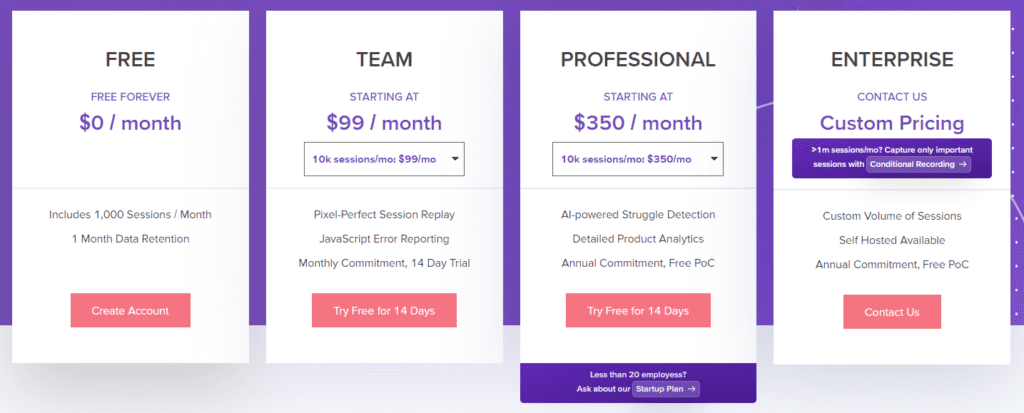
LogRocket provides a free plan to record up to 1,000 sessions/month with three available seats and one month of data retention.
Paid plans start at $99/month for tracking 10,000 sessions/month with up to 10 seats and one-month data retention. For a fuller breakdown of plans and costs, see LogRocket pricing.
4. Lucky Orange
Lucky Orange is a comprehensive website optimization tool that helps you understand user behavior. It provides real-time insights into visitor interactions, helping you boost conversions and improve user experience.
It includes features like real-time analytics, heatmaps, and session replay, and it even has interactive polls and a live chat option.
It lets you chat with users directly as they browse, which can help you provide support and collect feedback on the fly.
Dynamic heatmaps: Visualize user clicks, movements, and scrolls on your website.
Session recordings: Replay visitor sessions to understand user behavior and pain points.
Live chat: Engage with visitors in real-time to provide support and collect feedback.
Form analytics: Track form submissions and identify where users abandon forms.
Conversion funnels: Analyze user journeys and identify drop-off points in your conversion process.
Pros
User-friendly interface with an intuitive dashboard
Real-time data updates for immediate insights
Extensive suite of tools in one platform
Affordable pricing options
Integration with popular platforms like HubSpot
Cons
Limited customization options for some features
Can be resource-intensive on websites with high traffic
Some advanced features only available in higher-tier plans
Pricing
Lucky Orange provides a free plan with up to 100 monthly sessions and four paid plans, starting at $39/month for recording up to 5,000 sessions with 60 days of data storage.
5. Pendo
Pendo is a product experience platform that helps software teams understand and guide their users.
It combines product analytics, user feedback, and in-app guidance to improve user onboarding, feature adoption, and overall product experience.
Pendo is helpful for SaaS companies and enterprise software providers.
Product analytics: Track user behavior, feature usage, and engagement metrics.
In-app guides: Create and deploy targeted in-app messages, tooltips, and walkthroughs.
Feedback collection: Gather user insights through in-app surveys and polls.
User segmentation: Create custom segments based on user behavior and attributes.
Roadmapping: Prioritize product development based on user data and feedback.
Pros
A comprehensive suite of product experience tools
Advanced analytics with custom event tracking
No-code guide builder for easy in-app messaging
Integrations with popular tools and platforms
Strong data visualization capabilities
Cons
Steeper learning curve due to extensive features
It can be resource-intensive for smaller applications
Higher pricing compared to some competitors
Some users report occasional performance issues
Pricing
Pendo’s pricing is custom-based, and specific rates are not publicly disclosed. Prospective customers are encouraged to contact Pendo for a personalized quote.
Mouseflow Alternatives: How They Stack Up
Let’s look at how some popular Mouseflow alternatives compare.
Tool
Key Features
Best For
Pricing
FullSession
User behavior analytics, session recordings and replays, dynamic heatmaps, conversion funnel analysis and error tracking
UX/UI analysis, customer journey mapping, website and conversion rate optimization
Each alternative to Mouseflow has its strengths, so think about what matters most for your business. Do you need detailed user behavior data? Are you more interested in gathering feedback? Your choice will depend on your specific needs and budget.
What is the Best Mouseflow Alternative? Our Verdict
Among the many Mouseflow alternatives for website optimization and user behavior analysis, FullSession is the top choice because of its advanced features and functionality.
FullSession’s real-time tracking of dynamic elements gives you exceptional insights into user interactions with complex, changeable website components.
The platform’s fast heatmap processing doesn’t slow down your website, which is important for user experience and SEO.
FullSession prioritizes user privacy and security by excluding sensitive data from recordings so you comply with data regulations, building customer trust.
The software gives you key insights from large datasets in seconds so you can make fast and confident data-driven decisions.
Unlike some competitors, FullSession limits tracking to your site, so you prevent data misuse and get super relevant insights.
As a single platform for cross-team collaboration, FullSession helps improve communication and coordination across marketing, development and UX design teams.
Let’s answer the most common questions about Mouseflow.
What is Mouseflow?
Mouseflow is a website analytics and user behavior tracking tool that offers features like session replay, heatmaps, funnels, and form analytics to help businesses understand and optimize their users’ experiences.
Mouseflow’s key features include session recordings, heatmaps (click, move, and scroll), conversion funnels, form analytics, user feedback tools, and website analytics.
What is better than Mouseflow?
While “better” is subjective, FullSession offers advantages over Mouseflow, such as real-time tracking of dynamic elements, faster heatmap processing, superior data privacy measures, and efficient handling of large data volumes. Google Analytics is another free alternative to Mouseflow for website owners looking for raw data.
Why do you need a Mouseflow alternative?
You might consider a Mouseflow alternative if you need more advanced features, better performance, improved privacy controls, enhanced data handling capabilities, or a more cost-effective solution for your specific use case.
Is Mouseflow legal?
Yes, Mouseflow is legal when used in compliance with data protection regulations like GDPR and CCPA. However, it’s crucial to implement it correctly and inform users about data collection practices.
Why use Mouseflow?
Mouseflow can help businesses understand user behavior, identify user interface issues, optimize conversion rates, and improve website performance through its analytics and visualization tools.
How do I set up Mouseflow?
To set up Mouseflow:
Create a Mouseflow account
Add your website
Install the Mouseflow tracking code on your site (either manually or via a plugin)
Configure your settings and preferences
Start collecting and analyzing data
Review and adjust your privacy settings and ensure compliance with relevant data protection laws.
Customer journey analytics software helps businesses track, analyze, and improve how users move across touchpoints from first visit to conversion. In this guide, we compare the best customer journey analytics tools by features, pricing, integrations, and use case so you can choose the right platform for your team.
Not every customer journey analytics tool is built for the same team, so it’s important to compare platforms based on data depth, usability, integrations, and reporting capabilities.
In this guide, we compare the best customer journey analytics software to help you choose the right platform for your team.
Key Takeaways
FullSession is an all-in-one user behavior analytics software that helps optimize your website interface, usability and performance. Its key features include session recordings and replays, website heatmap tools, customer feedback tools, conversion funnel analysis and error tracking. FullSession prioritizes user privacy and data security and complies with GDPR, CCPA, and PCI standards. It integrates with your tech stack via Zapier, open APIs and webhooks. Pricing starts at $39/month, with a 20% discount for annual subscriptions. Book a demo now.
Woopra is customer journey analytics software that tracks and visualizes the entire user lifecycle. Core features include real-time analytics, customer journey mapping, behavioral segmentation, and custom reporting. Woopra’s drawbacks include a steep learning curve for new users and limited session recording capabilities. It integrates with tools like Salesforce, HubSpot, Zendesk, and Slack. Woopra offers a free plan, with paid plans starting at $49/month, and custom pricing is available for enterprise-level users.
Mixpanel is a product analytics platform that helps businesses understand user behavior and make data-driven decisions. Its features include real-time reporting, event segmentation, funnel analysis, and A/B testing. Although Mixpanel offers advanced segmentation features, its learning curve can be steep, and pricing may become expensive for larger teams. It integrates with Slack, Salesforce, HubSpot, and Zendesk. Mixpanel offers a free plan for up to 100,000 users, with paid plans starting at $24/month.
Insider is a customer journey orchestration platform that focuses on increasing user engagement and retention. It provides AI-driven segmentation, personalized recommendations, multichannel orchestration, and predictive analytics. Insider provides e-commerce personalization but may require time to master its advanced features. Integrations include Shopify, Salesforce, Google Analytics, and HubSpot. Pricing is customized based on business needs, and no pricing information is available on their website.
Salesforce is a CRM platform with a comprehensive set of tools for managing customer interactions, tracking website visitors and sales, and improving marketing efforts. Key features include Customer 360, sales automation, AI-driven insights (Einstein), and marketing automation. Salesforce’s complexity can be a drawback for new users, and customization may require technical expertise. It integrates with Slack, Google Analytics, QuickBooks, and Zendesk. Pricing starts at $25/user/month for basic CRM features, with higher tiers for more advanced functionality.
Start a Free Trial to Experience FullSession
Capture all user interactions, spot trends and patterns and drive improvements without compromising your website performance.
FullSession is an all-in-one user behavior analytics software that captures all user interactions on websites, web applications, online shops and landing pages.
It helps you record, visualize and analyze all aspects of the customer journey, from initial interactions to friction points in conversion funnels.
FullSession enables you to determine areas of concern, improve website design and functionality and improve overall user satisfaction. It leads to increased traffic, more qualified leads and higher conversion rates.
FullSession prioritizes data security by following GDPR, CCPA, and PCI regulations. Its advanced security measures protect sensitive user data.
User and event segmentation: Categorize website users based on diverse criteria. Identify behavior trends, patterns and correlations to optimize user journeys, improve engagement and conversion rates.
Session recordings and replays: Capture every action your users take on your website. Replay sessions to analyze behavior, solve issues, and predict future trends—all while keeping sensitive data secure.
Interactive heatmaps: View how users navigate your website by tracking mouse movement, clicks, and scrolls. These interactive heatmaps give instant feedback without affecting site performance, so you can see which page elements work best or need improvement.
Feedback forms and reports: Use custom in-app forms to gather user feedback. You can pair these with session recordings to better understand user frustrations and make targeted improvements.
Conversion and funnel optimization: Track where users drop off during key processes and make tweaks to boost conversions. Visualize the entire funnel and test different content or designs to see what works best.
Error detection: Flag automatically website issues like JavaScript errors and failed API calls. Troubleshoot problems before they harm the user experience.
Visualize, Analyze, and Optimize with FullSession
See how to transform user data into actionable insights for peak website performance.
FullSession tracks user behavior on websites and web-based platforms. It also includes the ability to record mobile user behavior through mobile-friendly websites.
Integrations
FullSession connects with various tools and platforms through open APIs, native integrations, webhooks, and Zapier. Popular integrations include Shopify, WordPress, Wix, and BigCommerce, making it easy to connect with your existing tech stack.
Customer support
You can reach the support team via live chat or email or visit the knowledge base.
Pricing
FullSession offers a free trial and three pricing plans—Starter, Business, and Enterprise. The Starter plan begins at $39/month. It includes up to 5,000 monthly session recordings, customer feedback tools, error tracking and unlimited heatmaps.
For those interested in an annual subscription, FullSession offers a 20% discount, giving businesses the flexibility to choose a plan that fits their needs and scale as they grow.
Woopra is a customer journey analytics tool that gives businesses real-time insights into how users interact with their products across different channels.
Whether you’re looking to understand the complete customer lifecycle or monitor individual user behavior, Woopra’s intuitive interface and robust reporting make it easy to pinpoint key trends and optimize user engagement.
Woopra has 205 reviews on G2, with an average user rating of 4.5 out of 5.
Best for
Woopra is for SaaS companies, e-commerce businesses, and marketing teams that need real-time insights into user behavior. It’s also a good choice for product managers, customer success teams, and data analysts who want to track customer journeys across multiple touchpoints and improve user engagement.
Key features
Customer journey tracking: Woopra maps out customer journeys in real time, allowing you to see how users move through different stages, from acquisition to retention.
Real-time analytics: Get instant data on user behavior, so you can make quick decisions to improve the customer experience.
Event-based segmentation: Segment users based on actions they take, such as clicks, purchases, or page views, and target them with personalized experiences.
Automated workflows: Set up workflows to trigger specific actions, like sending personalized emails based on user behavior.
App analytics: Monitor how users interact with your app, providing valuable insights into engagement and feature usage.
Custom reporting: Woopra offers customizable reports that allow you to focus on the metrics that matter most to your team.
Supported platforms
Woopra works across web and mobile platforms.
Integrations
Woopra integrates with Salesforce, Zendesk, Slack, Google Ads, and Marketo, helping you streamline data collection and create personalized customer experiences.
Customer support
Woopra provides email support, live chat, and a comprehensive knowledge base to help users get the most out of the platform.
Pricing
Woopra offers a free plan for small businesses with basic tracking needs. The paid plans start at $49/month. The paid tiers unlock advanced features such as deeper segmentation, unlimited data retention, and custom reports. Enterprise plans are also available with custom pricing.
Pros
Real-time customer journey tracking
Seamless integrations with major platforms
Customizable reports to fit specific business needs
Automated workflows to enhance customer engagement
Cons
Limited features on the free plan
Some advanced tools require a steep learning curve
More expensive than other tools for similar features
3. Mixpanel
Mixpanel is a popular product analytics tool that helps businesses understand how users engage with their products. It provides detailed insights into user behavior, allowing teams to make data-driven decisions that improve user experience and increase customer retention.
Mixpanel has an average user rating of 4.6 out of 5 stars based on 1,126 reviews on G2.
Best for
Mixpanel is suited for product teams, SaaS businesses, and digital marketers who want to understand user behavior on a granular level.
Key features
Product analytics: Track and measure how users interact with your product over time, giving you insights into engagement and user flow.
Real-time reporting: Access up-to-the-minute data to see how users are engaging with your product and identify trends as they happen.
User and event segmentation: Segment users based on actions, demographics, or behavior, and tailor your strategies based on these customer insights.
Funnels and retention analysis: Visualize where users drop off and track retention rates over time to optimize key stages in your product.
A/B testing: Run experiments to test different features, designs, or messaging and find out what works best for your users.
Supported platforms
Mixpanel supports both web and mobile platforms.
Integrations
Mixpanel integrates with Slack, Salesforce, HubSpot, and Zendesk, providing a smooth data flow between your favorite business apps.
Customer support
Mixpanel offers email support, an extensive knowledge base, and a community forum where users can ask questions and share best practices.
Pricing
Mixpanel comes with a free plan with basic analytics features and up to 100,000 tracked users. Paid plans start at $24 per month, unlocking advanced features like custom reports, retention analysis, and more in-depth user segmentation.
Enterprise plans are available for businesses needing more extensive data analysis and additional support.
Pros
Real-time product analytics
Advanced segmentation features
Easy-to-use reporting interface
Seamless integration with popular tools
Cons
The learning curve for advanced features
Pricing can get expensive for larger teams
Limited support on the free plan
4. Insider
Insider is a customer journey orchestration platform that helps businesses deliver personalized experiences across multiple channels.
With a focus on customer engagement and retention, Insider provides advanced AI-driven tools that allow marketers to create tailored experiences, predict user behavior, and optimize customer journeys.
Insider has an average user rating of 4.8 out of 5 stars based on 1,027 reviews on G2.
Best for
Insider is suited for e-commerce businesses, digital marketers, and customer success teams that want to enhance user engagement with personalized experiences.
Key features
Customer segmentation: Use AI-driven insights to segment users based on behavior, preferences, and demographics, allowing for more targeted campaigns and customer journey mapping.
Personalized recommendations: Deliver personalized product or content recommendations based on user behavior, boosting conversions and engagement.
Multichannel orchestration: Manage and automate customer experiences across web and mobile apps, email, SMS, and other digital channels.
Predictive analytics: Insider’s AI predicts user behavior, enabling businesses to anticipate actions like churn or conversion, and tailor experiences accordingly.
A/B testing and optimization: Run experiments to test different campaigns, designs, or messaging, and use data to optimize customer journeys for better performance.
Supported platforms
Insider supports web, mobile apps, email, SMS, and other digital channels, working with diverse platforms to track and engage customers across their journey.
Integrations
Insider integrates with Shopify, Salesforce, Google Analytics, and HubSpot, helping businesses streamline their data and optimize customer engagement.
Customer support
Insider offers live chat, email support, and a knowledge base. Additionally, it provides customer success managers with personalized assistance to ensure businesses get the most out of the platform.
Pricing
Insider offers custom pricing based on the specific needs of each business, including factors such as the size of the user base and desired features. Businesses can request a demo and a tailored quote by contacting the Insider team directly.
Pros
AI-driven customer segmentation and predictive analytics
Seamless multi channel orchestration
Strong focus on personalization for e-commerce businesses
Customizable campaigns with A/B testing capabilities
Cons
No pricing available on their website
Advanced features may require a learning curve
Some users report the need for deeper analytics features
5. Salesforce
Salesforce is a widely known customer relationship management (CRM) platform that offers a comprehensive set of tools to manage customer interactions, track sales leads, and optimize marketing campaigns.
Salesforce has an average user rating of 4.4 out of 5 stars based on 22,793 reviews on G2.
Best for
Salesforce is for medium to large enterprises, sales teams, and marketing departments that need a robust CRM to manage customer relationships.
It’s suitable for businesses looking for a scalable solution to track sales pipelines, automate workflows, and gain detailed insights into customer data.
Key features
Customer 360: Offers a complete view of every customer, combining data from sales, service, marketing, and commerce to deliver personalized experiences.
Sales automation: Automate repetitive tasks such as follow-ups, lead assignments, and data entry, allowing sales teams to focus on closing deals.
AI-driven insights (Einstein): Salesforce’s AI, called Einstein, provides predictive analytics to help businesses make smarter decisions by forecasting sales outcomes and customer behavior.
Marketing automation: Salesforce Marketing Cloud enables businesses to create and manage campaigns across email, social media, and mobile channels.
AppExchange integrations: Access thousands of third-party integrations through Salesforce’s AppExchange, allowing you to connect with tools like Slack, Mailchimp, and Microsoft Dynamics.
Supported platforms
Salesforce is available across web platforms and offers mobile apps for iOS and Android, allowing businesses to manage customer interactions on the go.
Integrations
Salesforce integrates with Slack, Google Analytics, QuickBooks, and Zendesk, providing businesses with a seamless way to manage data and enhance workflows.
Customer support
Salesforce provides customer support via phone, email, and live chat for Enterprise users. They also offer a knowledge base, an active community forum, and training resources through Salesforce Trailhead.
Pricing
Salesforce offers several pricing tiers, depending on the features and scale needed. Plans start at $25 per user per month for the basic Salesforce Starter Suite, which includes core CRM features.
Enterprise plans are available for larger businesses needing more advanced features, with custom pricing depending on the scope of implementation.
Pros
Comprehensive CRM with powerful sales, marketing, and customer service tools
Extensive integration options through AppExchange
Scalable platform suited for businesses of all sizes
AI-driven insights with Einstein for better decision-making
Cons
Steeper learning curve for new users
Customization can be complex without technical expertise
Best 5 Customer Journey Analytics Tools Comparison Table
When it comes to choosing the right customer journey analytics tool, it’s essential to compare the key features that matter most. Below is a comparison of the top 5 tools.
FullSession
Woopra
Mixpanel
Insider
Salesforce
Conversion funnel analysis
✔
✔
✔
✔
✔
Error tracking
✔
✘
✘
✘
✘
Session recording
✔
✔
✘
✘
✘
Heatmaps
✔
✘
✘
✔
✘
User segmentation
✔
✔
✔
✔
✔
Feedback tools
✔
✘
✘
✘
✔
Monthly pricing
$39
$49
$24
n/a
$25
Best 5 Customer Journey Analytics Tools: Our Verdict
After evaluating the top tools, FullSession stands out as the best choice for businesses looking to optimize customer journeys. It excels in providing real-time insights by tracking dynamic elements, allowing you to pinpoint exactly how users interact with your site. One of its standout features is fast heatmap processing that doesn’t slow down your website, making it a seamless experience for your team and users.
FullSession is also highly privacy-conscious, ensuring that sensitive data is never recorded, giving you peace of mind when it comes to compliance. The platform is built to handle large data sets efficiently, quickly highlighting key insights that help improve user experiences.
Additionally, it focuses solely on your website, keeping your data safe and secure from misuse.
FullSession fosters collaboration across teams, ensuring everyone is on the same page by centralizing key metrics and insights on one platform.
Interested?
Book a demo today to see how FullSession can transform your customer journey tracking!
Conclusion About Best 5 Customer Journey Analytics Tools
Customer journey analytics tools are essential for any online business that wants to truly understand its users. These tools help you visualize the entire user experience, from the first interaction to conversion, and uncover critical insights that can improve your website or app performance.
Whether you’re tracking behavior, identifying pain points, or optimizing key customer touchpoints, using the right tool can make all the difference.
Among the top options, FullSession shines as a comprehensive solution that combines real-time tracking, advanced data management, and strong privacy protection. If you’re ready to take your user analytics to the next level and improve your site’s performance, FullSession is worth exploring.
Book a demo with FullSession today and discover how it can enhance your customer journey insights!
FAQs About Best Customer Journey Analytics Software
Let’s answer the most common questions about the best customer journey analytics software.
How do I see customer journey in analytics?
Customer journey analytics tools let you visualize how users move through your website or app. You can track touchpoints, user behavior, and interactions, helping you figure out customer needs and spot areas to improve the user experience and boost conversions.
Can Google Analytics track user journey?
Yes, Google Analytics can track user journeys by analyzing behavior flow and conversion paths. However, it may not offer as detailed insights as specialized web analytics tools like FullSession.
How do you create a customer journey in analytics?
To create a customer journey in analytics, use a tool that tracks key touchpoints, such as website visits, purchases, or interactions. These tools help you segment users, map their paths, and analyze where improvements are needed.
What is customer journey mapping software?
A customer journey map allows you to visually represent and analyze the stages users go through while interacting with your business. It helps identify friction points, optimize touchpoints, and enhance the overall experience for the full customer journey.
Selecting the best analytics tool for your company isn’t always easy. Without the right information, you could end up with a tool that doesn’t fit your needs, which can really affect your website’s success.
Contentsquare is a web analytics tool that helps businesses better understand the customer journey and spot funnel drop-outs and user frustrations via session replay and zone-based heatmap tools.
Despite these benefits, it still has shortcomings, such as a high learning curve and a limiting pricing plan, that motivate users to evaluate other alternatives.
FullSession, our user experience analytics solution, helps you monitor user behavior, learn more about customers’ needs, and optimize your website accordingly. It provides valuable features such as session recordings and replays, interactive heatmaps, customer feedback forms and reports, funnel and conversion optimization tools, and error analysis.
These features help you capture the entire user journey, visualize trends and patterns in their behavior, and optimize your website, web app, or landing page.
Start a Free Trial to Experience FullSession
Capture all user interactions, spot trends and patterns and drive improvements without compromising your website performance.
In today’s article, we will compare the top five Contentsquare competitors so you can quickly evaluate them and choose the one that suits your business needs. You will learn more about their features and benefits and how to use each to increase conversion rates.
Key Takeaways
Contentsquare is a digital experience analytics platform that allows organizations to gain insights into customer behavior using tools like session replay and zone-based heatmaps. Despite its broad feature set, Contentsquare has some limitations, such as a steep learning curve, lack of transparent pricing, and potential difficulties for users without technical expertise.
FullSession offers a robust suite of features such as session recordings, interactive heatmaps, error analysis, funnels and conversions, and customer feedback forms. These tools help you track user behavior, identify pain points, and optimize your websites to boost conversions—all without compromising site performance. FullSession starts at only $39 a month or only $32 a month if you sign up for the annual plan. Check out the pricing page to learn more or book a demo.
LiveSession captures detailed customer interactions through session replays, using engagement scoring to prioritize key interactions. This makes it ideal for improving user experience and engagement. However, its analytics beyond session replays are limited, potentially requiring additional tools. Its unique strength is its focus on engagement scoring. Paid plans start at $65/month.
LeadFeeder excels in lead generation by monitoring website visitors and identifying high-intent prospects, making it valuable for B2B companies. Its standout feature is its ability to pinpoint high-intent leads. It integrates seamlessly with CRM tools for efficient lead management. However, its narrow focus on lead generation may not suit businesses needing broader analytics. Its paid plan starts at $99 per month.
Dreamdata is tailored for B2B companies, offering specialized marketing attribution tools to analyze customer journeys and optimize marketing efforts. It excels in understanding which channels drive conversions, though it may be less comprehensive for broader marketing needs. Premium plans start at $999/month.
AB Tasty provides AI-powered A/B testing and customer segmentation tools to improve user experiences and boost conversions. It’s ideal for businesses focused on data-driven experimentation, but its specialized focus may require additional tools for broader analytics.
Let’s take a closer look at each Contentsquare competitor.
The Top 5 Contentsquare Competitors in 2024
After conducting in-depth research, we have created a list with the following tools as the top five Contentsquare alternatives. Continue reading to learn more about each solution and evaluate whether it fits your business needs.
1. FullSession
FullSession is an advanced user behavior analytics software that allows you to capture and visualize how customers engage with your website, web apps, or landing pages.
You can analyze trends and patterns in their behavior and optimize your website for peak performance.
It provides features like session recordings and replays, customer feedback forms, real-time website heatmap tools, error tracking, and conversion funnel analysis.
With FullSession, you can gain a bird’s eye view of your customer behavioral data points in a single, intuitive dashboard, identify bottlenecks in the customer journey, and use these insights to improve your website conversion rates.
The FullSession platform is built primarily for product managers, marketing teams, web designers,UX researchers, and UX designers. Our web analytics tool is also the most popular in thee-commerce industry.
Deployment
FullSession is a cloud, software as a service (SaaS), web-based software, and you can deploy it by adding its code snippet to your website.
Features list
FullSession provides powerful analytics features that let you gather data on users’ actions and behaviors. The features include:
Session recordings and replays help you understand user frustration and observe customer actions such as clicks, scrolls, hovers, taps, and mouse movements in real-time
Interactive heatmaps let you visualize data and help you analyze how users interact with website elements like form fields, drop-down menus, headers, and call-to-action buttons so you can easily optimize your site and increase conversions
Customer feedback enables you to create website forms, ask customers about their overall digital experience on your website, and get detailed reports about their feedback
Advanced analytics helps you gather and analyze customer behavioral data to spot funnel drop-outs and user struggles that affect conversion rates easily. You can find this feature in the FullSession dashboard
Conversion funnel analysis allows you to monitor, understand, and refine every conversion funnel stage. This tool is built to help you identify crucial actions that lead to conversions, detect issues causing drop-offs, and assess user interactions to improve your conversion funnels and the overall user experience.
Error analysis helps you identify, analyze, and address website errors. With detailed data on error clicks, network issues, console errors, error logs, and uncaught exceptions, FullSession provides valuable insights to boost the reliability and user satisfaction of your digital products.
What makes this tool unique
FullSession lets you track dynamic elements in real time with instant heatmaps. This means you don’t have to wait to track and analyze user behavior; you can get data and make changes immediately.
FullSession provides advanced user analytics and a session replay feature that helps you skip user inactivity and spot specific events inside a session. You can even replay sessions connected to negative customer feedback and watch what happened. This way, you can save time and better understand your customers.
FullSession protects user privacy by not capturing sensitive information. It also doesn’t track user activity across the Internet or use data for targeted advertising.
This tool also comes with advanced filtering and segmentation to group data by user demographics, events, geographical location, and other key points. This allows you to make data-driven decisions for each group based on user behavior.
While other real-time analytics tools like Hotjar might affect website performance, our web analytics solution enables you to analyze visitor behavior without slowing down your website.
The platform’s integration capabilities allow it to connect with open APIs, modern webhooks, native integrations, and Zapier. FullSession integrates easily with Shopify, BigCommerce, Wix, and WordPress.
Customer support
You can contact our support team via email and live chat. You can also visit our help center.
Pricing
The FullSession platform offers a 14-day free trial. It provides three paid plans with more advanced features—Starter, Business, and Enterprise. A yearly subscription can save you up to 20%.
With FullSession, you can track dynamic elements in real time for precise user insights and data-driven decision-making
FullSession accelerates heatmap processing without impacting your site speed or app performance
It ensures user privacy by excluding sensitive data from being recorded
FullSession allows you to manage extensive datasets efficiently, quickly revealing in-depth insights
It limits user behavior tracking to your site, preventing any potential data misuse
FullSession facilitates cross-team collaboration, unifying efforts on one platform
It organizes customer behavioral data and provides advanced filtering options that help you find real user sessions faster and segment users by your interests
FullSession boasts a user-friendly interface to help make sure it’s easy to use for everyone
Cons
FullSession does not work for mobile apps, but you can monitor key metrics for mobile users like engagement, frequency of use, dead clicks, etc.
FullSession: The Best Alternative to Contentsquare
See how to transform user data into actionable insights for peak website performance.
LiveSession is a digital analytics software that enables businesses to understand how site visitors interact with web pages via session replays, event tracking, and click and heatmap tools.
With LiveSession, you can identify JavaScript errors and bottlenecks that affect conversions and use the insight to improve the overall customer experience across multiple digital environments.
User rating
Capterra shows that LiveSession scores 4.6 out of 5 based on 28 customer reviews.
Who uses it
LiveSession is primarily intended for product managers, UX designers, e-commerce brands, development, and customer service teams.
Deployment
LiveSession is a cloud, SaaS, and web-based platform you can deploy by adding its code snippet to your website.
Features list
LiveSession provides extensive features that enable companies to understand visitor behavior and identify customer pain points on their website. These features include:
LiveSession provides an engagement score that lets you skip unnecessary user activity to save time and focus only on the recordings with the most valuable user actions.
It provides a funnel feature that lets you analyze customer behavior that leads to increased or decreased conversions. This way, you can figure out what works and replicate it to improve the customer experience.
Integrations
With LiveSession, you can connect with popular tools like Google Analytics, Segment, Drift, WordPress, Wix, and more. LiveSession also integrates with Shopify and BigCommerce.
Customer support
You can email the customer support team or access the platform’s knowledge base for additional support.
Pricing
LiveSession provides a free plan to watch up to 1,000 session recordings per month. It offers three pricing plans, each with a 14-day free trial.
Basic plan costs $65/month and gives you access to 5,000 sessions/month
Pro plan costs $99/month and gives you access to 10,000 sessions/month
Enterprise plan offers a custom plan that starts from 100,000 sessions/month
Pros
LiveSession is easy to set up and provides an intuitive UI
It provides conversion funnels that let you identify user actions that lead to conversions
Cons
The software lacks some advanced filtering options that let you filter recordings by user actions
Leadfeeder is a lead generation software that helps businesses track website visitors and identify web pages they visit and the sources they come from. It is now part of Dealfront, a combination of Echobot and Leadfeeder.
This analytics platform helps you identify leads with high buying intent who visit your site. You can use the insight to improve your lead generation efforts.
User rating
According to Capterra, LeadFeeder scores 4.3 out of 5 based on 132 customer reviews.
Who uses it
LeadFeeder is primarily intended for B2B sales and marketing teams.
Deployment
LeadFeeder is a cloud, SaaS, web-based software, and you can deploy it by installing the LeadFeeder tracker script on your site.
Features list
LeadFeeder provides numerous features that can help you to identify leads that engage with your website. Some of its core features include:
Website visitor tracking
Sales prospecting
Lead segmentation
Lead database integration
Alerts/notifications
Campaign analytics
Contact database
What makes this tool unique
LeadFeeder is quite different from the other Contentsquare competitors mentioned in the list. While the platform provides technical data on your app or site’s digital performance, it serves more lead generation purposes.
The platform provides web analytics data that you can use to uncover the companies that engage with your website. You get to see the type of web content they engage with, the traffic source that referred them, and their stage in the user journey.
Integrations
LeadFeeder integrates with marketing tools such as PipeDrive, MailChimp, HubSpot, Zapier, Slack, Google Analytics, and Active Campaign.
Customer support
LeadFeeder provides support 24/7 via a live rep, email, chat, and a knowledge base.
Pricing
LeadFeeder provides a free plan that lets you view up to 100 leads that have visited your site in the last seven days. Its premium plan starts at €99 a month. It offers a 14-day free trial and enables you to track an unlimited number of leads for an unlimited period.
Pros
LeadFeeder helps marketing and sales teams track leads at different stages in the buying journey as they navigate through your site
The platform is intuitive and easy to set up
Cons
It can be challenging to find a qualified lead in an enterprise company that has as many as 10,000 employees
Pricing can be expensive because the pricing model is based on the number of leads that you track
You may end up paying for unqualified leads that don’t suit your buyer personas
LeadFeeder doesn’t provide session recordings, heatmaps, and customer feedback forms
Dreamdata is a marketing attribution software that helps users track and analyze marketing channels’ performance and critical user activities that impact revenue.
With Dreamdata, you can gain insight into every stage of the customer journey and analyze crucial performance metrics such as paid performance, return on ad spend, revenue attribution per channel, and more.
User rating
According to Capterra, Dreamdata scores 4.8 out of 5 based on 51 customer reviews.
Who uses it
The Dreamdata platform is built for B2B companies with a long sales cycle and multiple stakeholders involved in the buying decisions.
Deployment
Dreamdata is a SaaS, cloud, and web-based platform that you can deploy by adding its code snippet to your website.
Features list
Dreamdata provides an extensive list of features. Some of them include:
Customer journey mapping
Conversion tracking
Campaign analytics
Dashboard
Campaign management
Form analysis
What makes this tool unique
Dreamdata cleans and gathers revenue data points you can analyze, offering deep insights into the metrics behind your marketing campaigns and customer segments.
You can use the Dreamdata platform to track every step of the customer journey and aspect of marketing channels to drive ROI.
Integrations
The Dreamdata software integrates with numerous marketing, CRM, website tracking, and sales tools, such as HubSpot, SalesForce, Zoho, Marketo, Zapier, and Segment.
Customer support
Dreamdata provides support via emails, phone, chat, a knowledge base, and a Slack community.
Pricing
The Dreamdata has three pricing tiers—Free, Team, and Business.
The Free plan includes two months of user activity history and is suitable for B2B companies that want to start their revenue attribution journey and run experiments on the Dreamdata platform.
The Team plan suits small to medium-sized companies with advanced attribution modeling. It costs $999/month and includes two years of user activity history.
The Business plan is perfect for medium-sized businesses that want to measure their go-to-market performance. It costs $2,499/month and includes three years of user activity history plus a dedicated customer success manager.
The Enterprise plan is more suitable for large enterprises that need unlimited access to tools designed to understand user behavior. You need to contact their sales team for pricing.
Pros
Dreamdata provides a visual report and dashboard that lets you understand key performance metrics better
The software is quick and easy to set up
Cons
It can get overwhelming and confusing to implement the software due to the extensive list of features it provides
You might find it hard to understand some of the tool’s technical terminologies if you don’t have technical knowledge
Dreamdata is significantly more expensive than other tools on this list, starting at $999 a month for the Team plan
AB Tasty is customer experience software that uses artificial intelligence to help organizations run experiments and learn which specific features drive the most engagement and conversions.
User rating
According to Capterra, AB Tasty scores 4.6 out of 5 based on 11 customer reviews.
Who uses it
The customer experience analytics tool is built for marketing, product, and engineering teams.
Deployment
AB Tasty is a SaaS, cloud, web-based platform, and you can deploy it by adding its code snippet to your site.
Features list
AB Tasty provides numerous features that include:
Customer segmentation and targeting
Conversion rate optimization
Heatmaps
Behavioral targeting
Campaign segmentation
Real-time results
What makes this tool unique
AB Tasty helps users create a better customer experience by testing specific customer segments and gaining insights from user feedback.
The software also provides a personalization feature that allows you to use artificial intelligence to build customer segments, creating a more personalized customer experience.
Integrations
AB Tasty integrates with popular martech tools like SalesForce, Tealium, Heap, Oracle, etc.
Customer support
You can contact the AB Tasty customer support team via email, chat, FAQs, phone, and a knowledge base.
Pricing
A/B Tasty doesn’t provide a transparent pricing tier on its website. You’d need to contact the sales team for a free demo and custom quote.
Pros
A/B Tasty provides an intuitive interface where you can drag and drop web elements to run an A/B test
The software is easy to set up and deploy
Cons
Some web pages can take time to load after installing the JavaScript snippet
There is a learning curve when it comes to implementing the visual editor
Contentsquare Competitors: A Short Overview
So far, we’ve explained the key features of the top five Contentsquare competitors. Here’s a short overview so you can easily visualize the most important features of each software:
Features
FullSession
LiveSession
LeadFeeder
Dreamdata
AB Tasty
Conversion tracking
✔
✔
✘
✔
✔
Real-time session recordings
✔
✘
✘
✘
✘
Customer feedback
✔
✘
✘
✘
✔
Live heatmaps
✔
✘
✘
✘
✔
Funnels and conversions
✔
✔
✘
✘
✘
A/B testing
✘
✘
✘
✘
✔
Dynamic heatmaps
✔
✘
✘
✘
✘
User segmentation
✔
✔
✔
✔
✔
Campaign analytics
✔
✘
✔
✔
✔
Engagement score
✔
✔
✘
✘
✘
Free trial
✔
✔
✔
✔
✔
Activity dashboard
✔
✔
✔
✔
✔
Error tracking
✔
✔
✘
✘
✘
Pricing
$39/month
$65/month
€99/month
$999/month
n/a
Contentsquare Competitors: The Verdict
In this comparison article, FullSession stands out as the best Contentsquare competitor. Our customer experience software provides a central analytics hub where cross-functional teams can collaborate to optimize the customer journey and improve products seamlessly.
With FullSession, you can go beyond traditional analytics tools by tracking dynamic elements in real time, offering precise user insights that are crucial for understanding and improving website performance.
Our platform accelerates heatmap processing without impacting site speed, providing immediate data. We also prioritize user privacy by excluding sensitive data from session recordings, allowing you to analyze behavior while protecting your customers.
FullSession is designed to manage extensive datasets efficiently, quickly revealing key insights that help you identify factors impacting conversions and make informed changes. Additionally, FullSession limits user behavior tracking to your site, preventing data misuse and ensuring compliance with privacy standards.
Skip the guesswork and gain actionable insights with features like session recordings, interactive heatmaps, error analysis, conversion funnel analysis, and customer feedback tools.
The FullSession platform offers a 14-day free trial. It provides three paid plans—Starter, Business, and Enterprise. A yearly subscription can save you up to 20%.
Here are more details on each plan.
The Starter plan costs $39/month or $32/year and allows you to monitor up to 5,000 monthly sessions.
The Business plan costs $75/month or $60/year and helps you to track and analyze up to 100,000 monthly sessions.
The Enterprise plan has custom pricing and offers customizable sessions plus full access to all features.
As we conclude this comparison article, we hope it has provided the answers you need to choose the right web analytics solution for your business. If you want to learn about other user behavior tools, you’re free to check out some of our comparison articles:
Contentsquare is a digital experience analytics platform that helps organizations understand the how and why behind customer behavior via session replay, struggle analysis, and zone-based heatmaps tools.
Contentsquare helps product managers, UX teams, and marketers gain complete visibility into hidden customer actions, better understand the customer journey, and optimize the sales funnel.
How does Contentsquare work?
Contentsquare gathers user interaction data with a code snippet. This snippet logs user interactions, such as page views, mouse movements, app installs, button clicks, scrolls, and more.
The web analytics software identifies events in customer journeys to help you make improvements, detects recurring friction points that affect conversions, and shows you the most visited web pages and where funnel drop-offs occur.
If you have a mobile app, you can use the platform’s detailed analysis feature to gain insight into how customers navigate your app. You can understand why they uninstall the app or become customers and use the insights to customize the customer journey.
What are Contentsquare pros?
Contentsquare has some advantages that include the following:
It provides a wide range of features that spans almost every aspect of user behavior
Contentsquare provides real-time customer behavioral data that helps you understand page engagement and customer friction points
The analytics platform presents valuable data in the form of scores and reports that are easy to understand
Contentsquare has AI and machine learning capabilities that can automate web and mobile app analytics
What are Contentsquare cons?
Some of the disadvantages of Contentsquare include the following:
Using the web analytics platform requires more training and a longer time to understand due to its extensive features
Contentsquare provides some pricing plans that limit how long you access behavioral data on your digital platforms
The product can be challenging to use if you don’t have any technical knowledge
Contentsquare Pricing
Contentsquare doesn’t provide a transparent pricing package on its website. You must contact the sales team to schedule a demo and evaluate your web analytics needs.
Who are the competitors of Contentsquare?
Main competitors include companies like FullSession, FullStory, Quantum Metric, Lucky Orange alternatives, Hotjar alternatives, LogRocket and Dreamdata. These companies also offer digital experience analytics, session replay, heatmaps, usability testing, retention analysis, and other tools to help businesses understand user behavior and optimize their websites and apps.
What kind of company is Contentsquare?
Contentsquare is a digital experience analytics company that helps businesses understand how users interact with their websites and mobile apps. The company provides insights into user behavior through features like heatmaps, session replays, and conversion analytics, enabling businesses to optimize their digital experiences and improve user engagement.
Who is the owner of Contentsquare?
Contentsquare was founded by Jonathan Cherki, who currently serves as the company’s CEO. While the company has received substantial investment from various venture capital firms, it remains under the leadership of Cherki and the management team.
What can you do with Contentsquare?
Contentsquare allows analyzing user behavior on your website or mobile app, gaining insights through heatmaps and user sessions, for analytics, and identifying areas for optimization. The platform helps you understand what drives user engagement, discover friction points, and improve conversion rates, ultimately enhancing the overall digital experience for your users.
Customer feedback is vital for creating an excellent customer experience and keeping users happy with your brand.
The best customer feedback tools can help you gather these insights to reveal and solve user issues, make smarter business decisions, improve your products and services, and measure customer loyalty.
However, many small businesses struggle to find the time and resources to implement effective feedback systems.
To help you overcome this challenge, today, we’ll explore some of the top customer feedback tools that can help you collect, organize, and analyze feedback to learn more about your users and their challenges and prepare proper resolutions.
Short on time? Start with FullSession.
Our user behavior analytics software includes customizable website feedback forms and detailed customer feedback reports to capture specific details about user problems, understand the reasons behind their frustration, and act promptly to provide immediate solutions.
Start a Free Trial to Experience FullSession
Learn how our customer feedback tools help you identify recurring issues and user needs.
FullSession is one of the best user behavior analytics software that helps you visualize all user engagement, analyze trends and patterns with laser precision and optimize your website for peak performance. It combines session recordings, heatmaps, and customer feedback collection tools, helping you capture every aspect of the user journey. FullSession also includes advanced features like user and event segmentation, conversion funnel analysis, and error tracking, making it a robust platform for optimizing your website performance and the user experience. The pricing starts at $39 per month with a 20% discount on annual plans. Book a demo to see how it works, or visit the Pricing page for more details.
Hotjar offers heatmaps, session recordings, and feedback polls, enabling businesses to gather real-time insights into user behavior. It’s suitable for small to medium-sized businesses looking to enhance their website UX based on direct user feedback. Hotjar’s pricing starts at $39 per month for basic features, with higher tiers available for advanced capabilities. However, customization options for feedback widgets are limited. Check out these Hotjar alternatives.
Mopinion is an all-in-one feedback management solution, offering highly customizable forms for websites, mobile apps, and email. With advanced analytics and real-time issue management, it’s suitable for companies that require deep customization of their feedback processes and analytical tools. Mopinion’s pricing starts at $259 per month, though the interface might be complex for those without technical expertise.
UserReport focuses on simple and easy-to-integrate feedback solutions, allowing companies to gather user opinions through surveys and feedback forms. It also provides user profiling and analytics to segment responses, making it a good choice for businesses looking for straightforward feedback collection. It has limited advanced analytics compared to more feature-rich tools. You can contact their sales team for pricing.
ProProfs Survey Maker is designed for easy feedback collection, offering a wide range of pre-made templates and customizable surveys. It’s suitable for small businesses that need to create surveys quickly and without technical skills. The pricing starts at $19.99 per month, providing an affordable option for basic feedback collection, though it lacks in-depth analytics and more advanced features found in other tools.
Turn User Behavior into Growth Opportunities
Visualize, analyze, and optimize with FullSession.
What Are the Best Customer Feedback Tools in 2024?
There are many customer feedback tools available for your business. Some offer limited features free of charge, while others provide full-featured services for a monthly fee.
We’ve done extensive research to help you speed up your decision-making process. Continue reading to find out the best customer feedback tools in 2024.
1. FullSession
FullSession is a user behavior analytics software that helps you collect behavioral data faster than ever before.
It helps you capture and analyze user behavior trends and patterns, identify problem areas and potential website usability issues, improve the user experience, and optimize your web pages to boost conversions.
FullSession makes digital experience analytics accessible to everyone so you can focus on building your business without wasting time trying to understand the numbers.
We make user behavior analytics simple by combining and showing visual data in one place to help you find the insights you need faster and optimize your website for peak performance in days, not months.
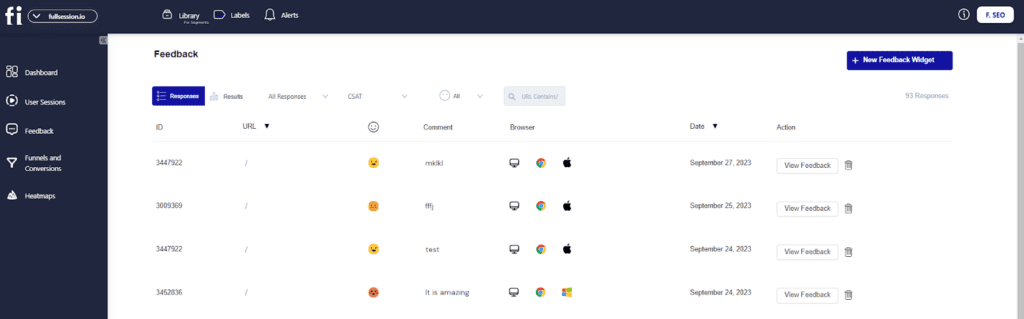
FullSession automatically captures, stores, and shows customer responses during website visits. Our interactive feedback widget helps you evaluate negative experiences in real time and provide immediate solutions for any issues as they happen. With FullSession, you can track customer satisfaction levels and get in-depth feedback about customer experience.
Incoming Feedback tool
With FullSession Incoming Feedback, you can create unlimited feedback polls, surveys, or feedback forms. Your customers can leave comments about your products and services without leaving your site. You can also include open-ended questions to measure customer satisfaction with qualitative data.
Our feedback tool is customizable and fits any website, web app, or landing page. You can add it to a highly visible place on your web page and ask users for their honest opinions as they browse your website.
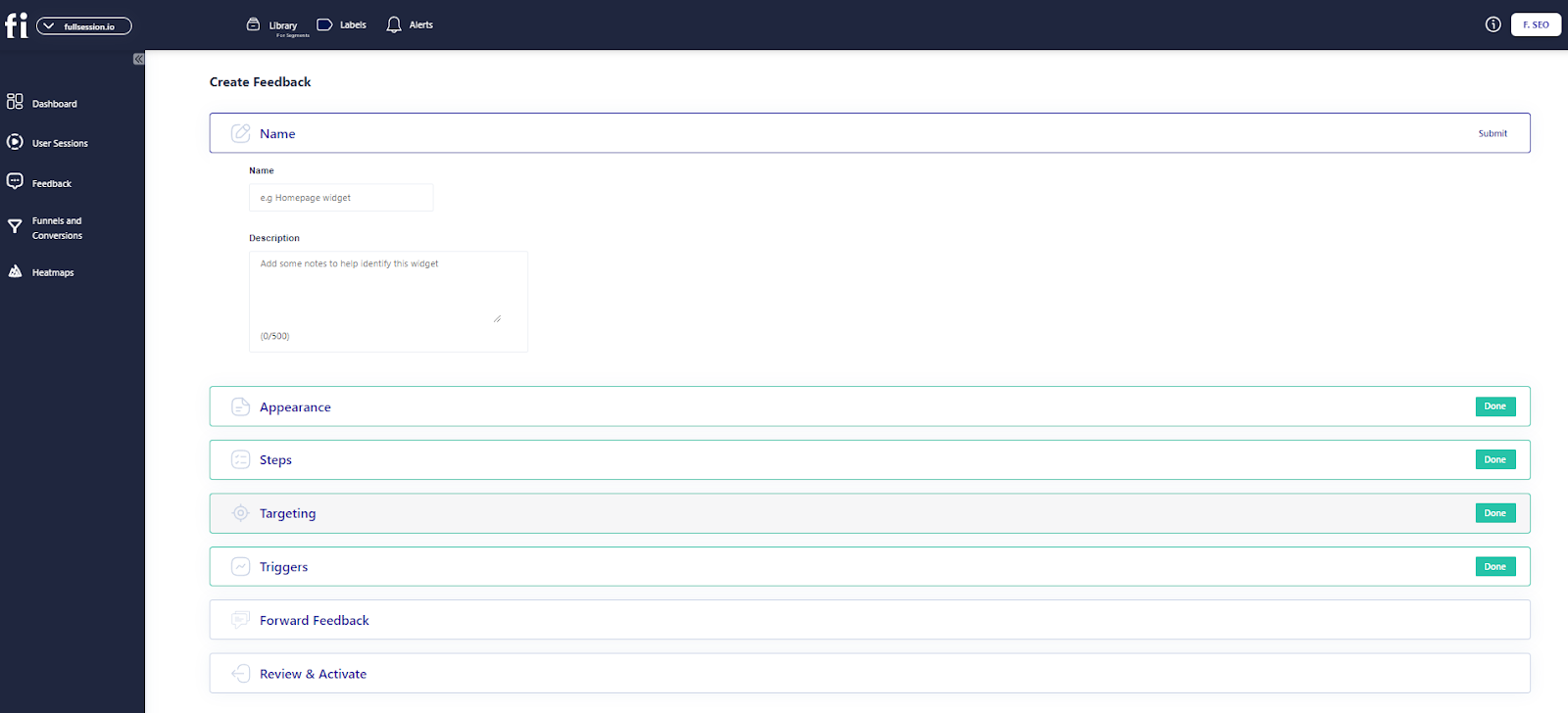
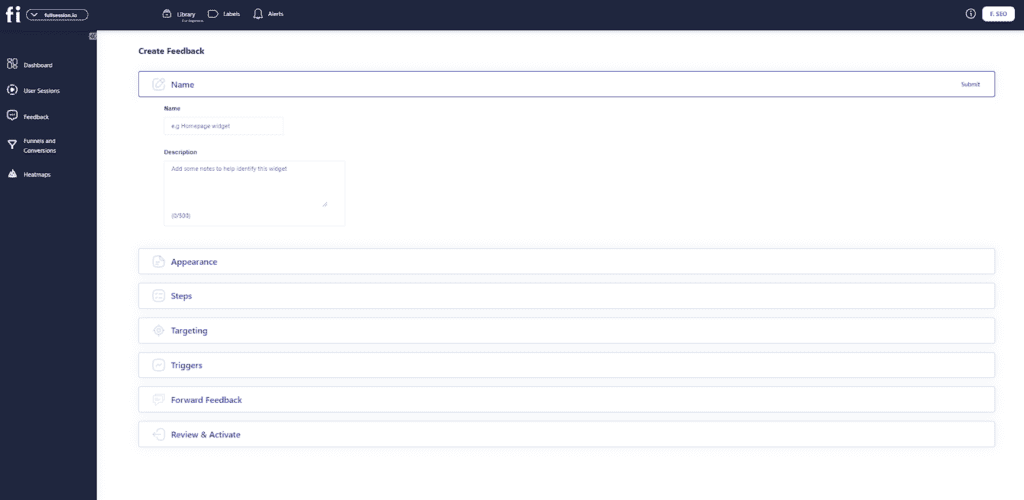
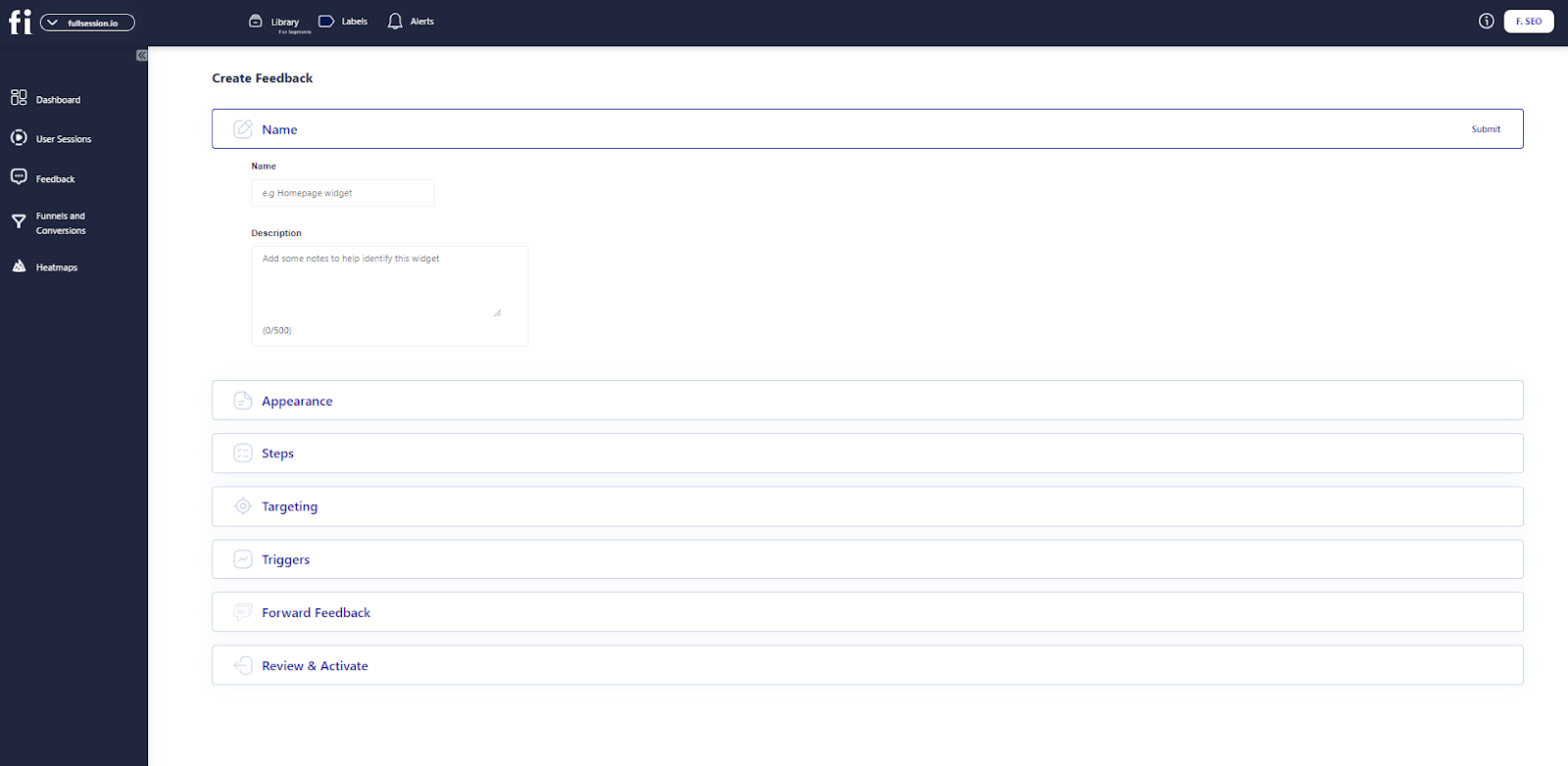
You can customize each feedback widget with these options:
Appearance: Customize the survey type, display mode, language, position on page, reaction style, accent color, and alternate color.
Steps: Input your question text, feedback placeholder, email request, and thank you message.
Target: Choose which users you would like to target (people on desktops, tablets, and/or phones).
Trigger type: Select the trigger type for your survey, e.g. upon page load, when a user rage clicks, or when a user scrolls to a specific point.
Forward feedback: Decide if you want responses forwarded to your email.
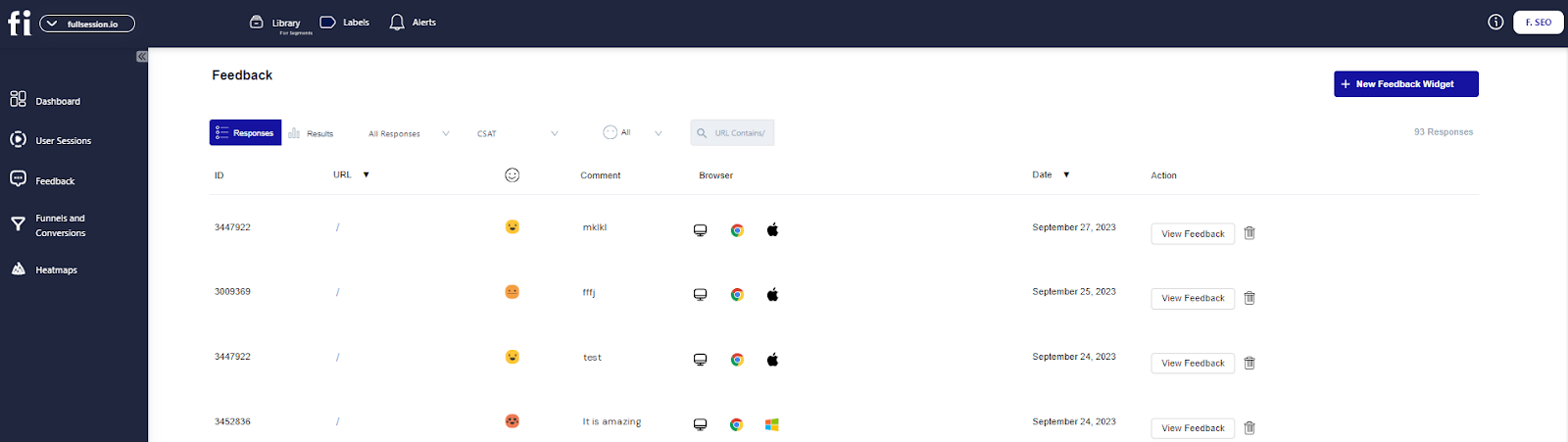
Track customer responses directly on the dashboard and use the reports to improve your website. FullSession will organize feedback for you.
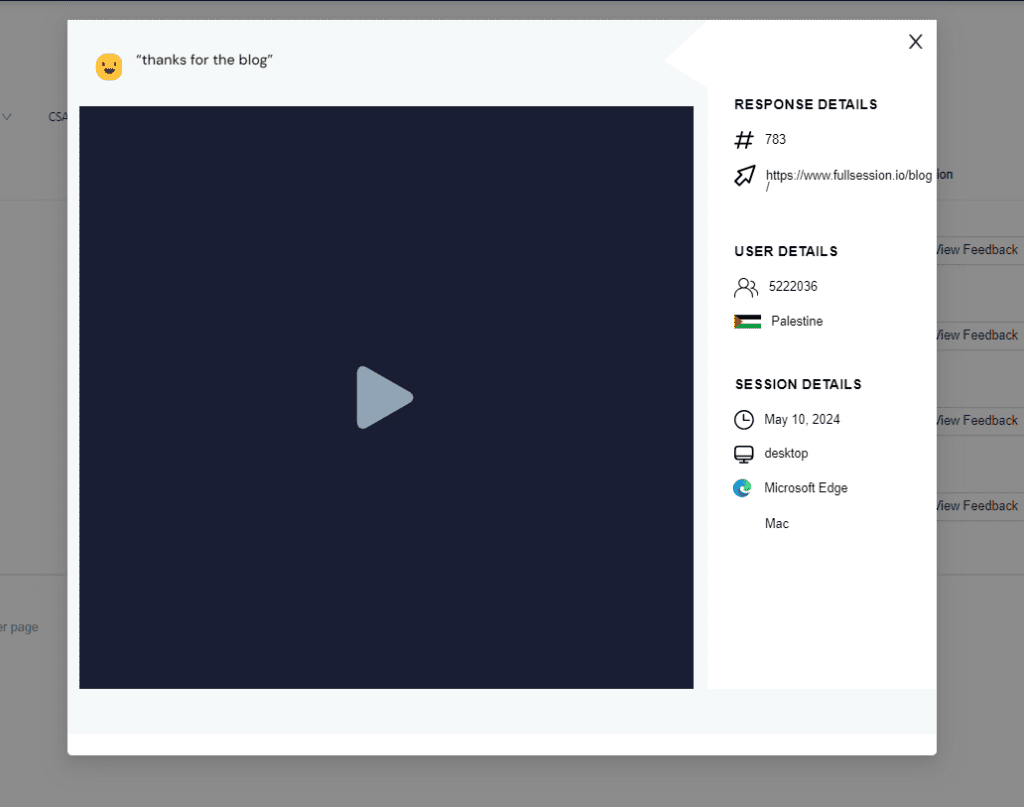
With our session recordings, you can watch sessions to understand how users behave while browsing your website. If customers leave negative feedback, you can use session recordings to quickly pinpoint the issue and fix it, improving customer experience in the process.
Net promoter score (NPS)
NPS is an effective tool that gathers actionable survey data and helps you improve customer loyalty and retention. It measures how likely a customer is to promote your brand based on their overall experience with your business.
Use FullSession to poll your customers and see what they have to say. You will know whether or not they would recommend your brand to others. This information gives you insight into how well your site is performing. If something needs fixing, you will know. It will help you bring in more customers to increase repeat purchases and lifetime value.
An increase in the NPS score means that there’s been an increase in customer satisfaction, which you can attribute to the level of service you provide. Excellent customer experience is one of the key points that customers value above all else.
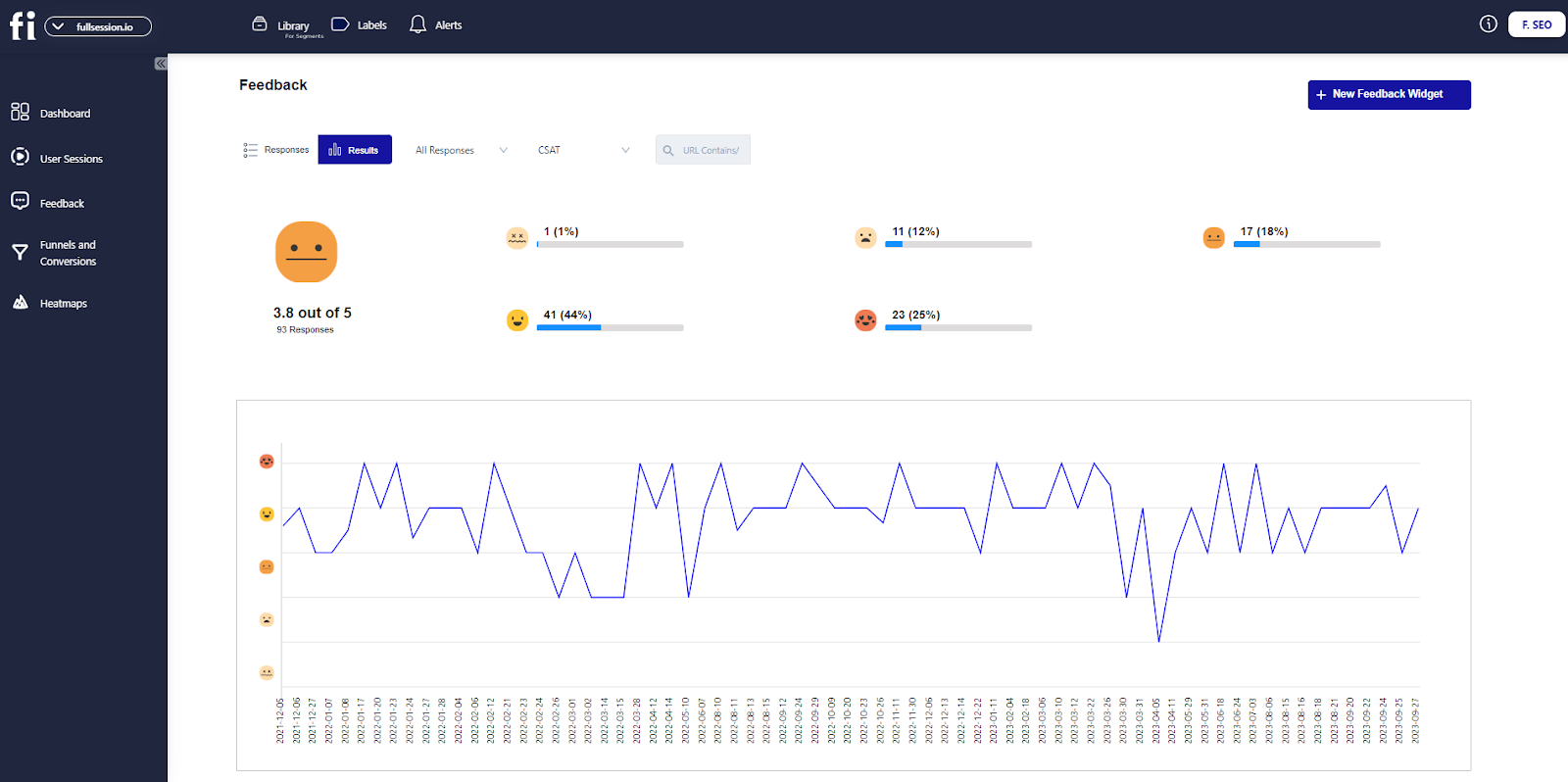
Also, you can use our intuitive experience management solution to measure Customer Satisfaction Score (CSAT) to ensure customers are happy with the products and services you provide.
Hotjar is a customer engagement platform that provides real-time visual feedback on your website visitors’ behavior. If users can’t find what they want on your website or are frustrated with the checkout process, you’ll know immediately.
Hotjar helps you gain actionable insights into key elements of your site to identify issues you may otherwise overlook. It improves your website development process, helps you build a new online business from scratch, or ensures your current website reaches your business goals.
Hotjar customer feedback tool
Hotjar provides valuable insights into your site’s performance and usability. With in-depth reporting, you can easily improve the customer experience.
As a result, you’ll increase conversion rates, grow new audiences, and build deeper relationships with existing customers. Here is a breakdown of Hotjar customer feedback tools.
Customers want to know their feedback is valuable. When browsing your website, users can highlight web page elements they like or dislike, providing constructive feedback you can use to improve your website performance.
Based on users’ responses, you can see which pages have high or low feedback scores. You can see why customers are less engaged in specific website areas using visual feedback tools, such as session recordings. The more you know about your customers and their experience on your site, the easier it will be to tailor it to their needs.
With Hotjar, you get unlimited feedback widgets, unlimited storage, and localization in more than 40 languages. Hotjar allows for easy setup and sharing of customer feedback with team members.
Customer survey tools
A customer survey helps you hear the voice of the customer and gain insight into their needs, goals, and concerns. With Hotjar, you can run targeted surveys during each step of the user journey and get instant feedback to improve your user experience.
Using Hotjar, you can create a survey from scratch or use a professional-looking template from the Hotjar template base. Also, Hotjar lets you create engaging surveys using drag & drop builder. You don’t need any design, coding, or scripting skills to change your surveys. Also, you can change the appearance of your surveys to match your company’s branding.
It lets you create unlimited surveys to gather actionable insights from your site visitors. You can keep the survey results as long as you want or automatically send them to your team members.
Other features
Heatmaps
Session recording and replay
Conversion funnels
Form analytics
User testing recruitment
Hotjar support
If you have issues with Hotjar, you can read tutorials, installation guides, and FAQs, send an email, or submit a ticket.
Hotjar pricing
Hotjar currently offers a free basic plan that allows you to track up to 20 responses per month. If you want to significantly improve your conversion rates, you’ll need to upgrade to a paid plan.
The Ask plan allows you to capture valuable insights via surveys. You can choose from one of the following:
Plusplan: costs $48/month and lets you collect 350 monthly responses
Business plan: starts from $64/month and lets you collect 500 to 100,000 monthly responses
Scaleplan: starts at $128/month and lets you collect unlimited monthly responses
Mopinion is a customer feedback tool for distributing customer surveys on your website, mobile app, or email. Surveys are easy to customize, and no coding is required.
Customizable dashboards give you insights into the customer experience to make better decisions and improve the customer journey.
Mopinion lets you get customers’ responses in real time and provides you with results with visual feedback. You can set up form triggers based on user actions so they only appear when users have issues with your site. That way, you can track customer sentiment and get a big picture of what’s working and what isn’t.
Stay on top of your website feedback data as it comes in, create alerts, assign tasks integrating Mopinion with project management solutions such as Asana, and discuss results with your digital team. Mopinion takes away all the hassle so you can focus on what you do best.
Mopinion customer feedback tool
Mopinion is the only software that allows you to get actionable user feedback across all digital channels. It’s an add-on for your existing marketing tools that gives you deeper insights into what your customers think and how they behave.
You can use all your survey data to improve your development strategy, which will lead to happier customers and more revenue for your business.
Mopinion makes it easy to create responsive, branded surveys with drag-and-drop functionality or by choosing a predefined template. Each survey is fully customizable, and you can integrate it with your site, app, or email design.
You can combine many question types and metrics such as Customer Effort Score, Net Promoter Score, and similar. Also, depending on your target audience, you can translate survey questions into multiple languages.
You can combine user feedback with rich website data to understand hidden issues and decide based on user actions. You can show or hide feedback forms, set your favorite form position, and receive quantitative and qualitative data by integrating your web analytics tools with Mopinion.
With Mopinion’s visual feedback tool, users can capture their screens and submit screenshots with a short description of the problem they’re facing. This allows for real-time conversations about specific issues and saves time by avoiding lengthy emails.
Also, to send surveys by email, paste the HTML embed code into the body of your email. This will allow you to get answers faster and gain customer insight.
Other features
Unlimited feedback forms
Unlimited feedback responses
In-page feedback
Full API access
Multi-language surveys
Feedback translations
Mopinion support
If you need any help with Mopinion, you can send an email, start a live chat, watch webinars, visit the knowledge base, or read the documentation on the official website.
Mopinion pricing
Mopinion offers two premium plans. The Standard plan costs $329 monthly for up to 500,000 pageviews on one domain. The Enterprise plan offers customized pricing for unlimited domains and pageviews.
UserReport is an insightful tool for collecting feedback from your users. It helps you extract valuable and actionable user insights to improve your website, products, or services.
With UserReport, customers can tell you what they think about your business, their favorite products, or what challenges they’ve encountered during the checkout process. This information can help you make data-driven decisions about which parts of your site could use some improvement.
UserReport customer feedback tool
With UserReport, you can use two interactive widgets: a survey widget and a product feedback widget. The first one helps you ask your users about their experience and what they want to accomplish.
The second one gathers more detailed experiences with your web app or website. Both parts work together to help you get the information you need to increase your conversion rates.
You can use a survey to hear the voice of the customer, do sentiment analysis, and get data about users’ demographics like age and gender. You will understand behavior patterns, distribute customer satisfaction surveys, or calculate NPS to learn if users are pleased with your products or services.
Visitors can also opt not to participate in a survey. The tool will not be shown to them again after their initial refusal.
It can be difficult to design a survey that is appealing to your target audience. To reach a wider audience, you can brand it with colors and logos, ask personalized questions, and translate it into 60 languages.
It works on desktop, mobile, and tablet devices. You can export the survey results as PDF, XCEL, CSV, or SPSS for later use or choose to receive an overview of your monthly progress straight to your inbox.
Feedback widget
UserReport focuses on building productive relationships between customers and businesses. Its real-time feedback widget has an engaging visual interface.
UserReport lets users give you development ideas in many ways — from desktop, tablet, and mobile devices. Users can post ideas, vote on others’ ideas, discuss updates, and prioritize the list of things you should focus on, helping you follow trends in their feedback submissions.
With the UserReport dashboard, you can easily manage user-submitted ideas by letting them know which you plan to implement or not.
You can place the feedback widget on any area of your website and customize it to match your website’s design. You can add your text, choose colors, or add your logo. You can also set it as active or inactive.
If you have questions about UserReport, you can visit the support center, read FAQs, report a bug, submit an idea, start a live chat, or submit a request.
UserReport pricing
UserReport doesn’t publicly disclose its pricing. You can contact their sales department for more information. You can start with a free account, and no credit card is required to sign up.
ProProfs Survey Maker lets you create and deploy fun and easy surveys to fill out, look great on any device, and engage your new or loyal customers.
Adding a professional look, feel, and sentiment to your surveys will help you instantly collect data from your customers, reducing bounce rates and customer frustration in the process. You don’t need any coding or design skills.
ProProfs survey is a customer feedback platform that offers 100+ customizable templates and 1,000,000+ questions that you can choose from to create a survey that fits your brand.
It lets you collect honest responses on many topics and gain insights into customers’ satisfaction with your products, services, processes, and more. You can share your surveys with a link, on social media or embed them on your website.
ProProfs customer feedback tool
ProProfs provides many different ways to run your surveys. With its 20 question types, ratings and buttons, scoring, and branching, you have more than enough ways to get your questions answered.
Each survey is fully customizable, and you can add your brand’s colors and style to match your website or web app.
ProProfs allows you to schedule surveys or run them automatically without any extra effort. ProProfs also saves your time by automatically scoring the results of your surveys. You can evaluate results in the intelligent reporting dashboard and take further action based on customer insights.
You can choose how you want your questions to flow: on a single page, with breaks, or in a conversational format. You can also randomize the order of your questions and shuffle the answer options to keep the user interested and provide a more engaging experience.
Other features
Customizable surveys
NPS surveys
In-app surveys
Popup surveys
Forms
Sidebar forms
Assessments
Quizzes
Tests
Polls
Integration with Google Analytics, Salesforce, and Zendesk
ProProfs support
If you have any issues with ProProfs, you can visit the help center, start a live chat, send an email, submit a ticket, or call phone support.
ProProfs pricing
The ProProfs free plan lets you create unlimited surveys but limits the number of respondents to 10 people per month.
The paid plan costs $19.99 and lets you create unlimited surveys.
Customer Feedback Tools: A Short Overview
Let’s overview the best customer feedback tools and their most important features.
FullSession
Hotjar
Mopinion
UserReport
ProProfs
Unlimited surveys
Yes
Yes, in paid plans
Yes
Yes
Yes
Templates
No
Yes
Yes
Yes
Yes
Customization and branding
Yes
Yes
Yes
Yes
Yes
Localization
Yes
Yes
Yes
Yes
Yes
Session recordings
Yes
Yes
Yes
No
No
Heatmaps
Yes
Yes
No
No
No
Free trial
Yes
Yes
No
Yes
Yes
Paid plans
Starts at $39/month
Starts at $48/month
Starts at $329/month
N/A
Starts at $19.99/month
You can narrow down your decision by comparing other feedback tools. Here are a few comparison guides to help you get started:
Take Control of Business Metrics That Matter With FullSession
If customers aren’t happy, they’ll do whatever they can to get what they want — whether it’s finding a competitor with better prices, navigating elsewhere to find an answer to their problem, or abandoning purchase entirely.
The result is the same: You’ve lost sales and money. More importantly, you’ve lost customers.
When you use FullSession to track key metrics, you can see everything from broad overviews to the smallest details in real time. It gives you maximum insight and allows you to grow your online business.
With broad analytics tools, advanced filtering options, behavior analysis tools, and a user-friendly interface, FullSession gives you clarity on your business results to help you grow.
With complete access to these advanced tools, you can:
Customize feedback widgets for more targeted surveys
Connect customer feedback with session recordings to see more context
Observe dynamic elements in real time to gain precise user insights
Boost heatmap processing speed with no impact on site performance
Ensure user privacy by omitting sensitive data from recordings
Efficiently manage large data sets to quickly uncover key insights
Confine user behavior tracking to your site so you can prevent data misuse
Streamline cross-team collaboration by centralizing efforts on one platform
We don’t lock you in with a long-term contract or any hidden fees, and you can cancel your account anytime. Book a demo today to see why FullSession is the best customer feedback tool for your business.
FullSession Pricing Plans
FullSession offers a 14-day free trial and three paid plans: Starter, Business, and Enterprise. A yearly subscription can save you up to 20%.
Here are more details on each plan.
The Starter plan costs $39/month or $32/year and allows you to monitor up to 5,000 monthly sessions.
The Business plan costs $75/month or $60/year and helps you to track and analyze up to 100,000 monthly sessions.
The Enterprise plan has custom pricing and offers customizable sessions plus full access to all features.
Customers want to talk about their experiences. When customers can leave honest reviews, they are more inclined to put in the time and effort to share the details that matter.
It is an excellent way to learn what customers have to say about your business and creates an opportunity for more word-of-mouth advertising.
Product or service reviews are a valuable asset to your brand because they bring trust and authenticity to your business. Customers can rate products, leave comments on product pages, or submit suggestions for future improvements, but they can also use multiple channels to rate their experience.
For example, they can rate their experience on social media, through surveys or in-person feedback, using online review tools, in their blog posts or video recordings. Customer feedback software lets you collect, analyze, and manage user feedback and cultivate customer relationships.
With the right customer feedback tool, you can:
Receive feedback from customers promptly
Identify problems early on and fix them before they become significant issues
Build a relationship with your customers, which can lead to more sales
Collect feedback about products and services after the purchase
Improve the quality of products and services
Track results of marketing and sales campaigns
Your customers know your business the best
Ignoring customer feedback is a big mistake. These days, if customers feel ignored or unvalued, they may not return to your business. If you want to make customers feel appreciated and reward their loyalty, you need to take their opinions seriously and improve your business accordingly.
If you want to know how satisfied customers are, you need to capture customer feedback regularly. It helps you understand customer pain points and optimize your website performance to suit their needs. Let’s explore all available options for collecting customer feedback.
Customer feedback tools types
Feedback collection tools come in many forms, and each has its purpose. You can use them to monitor and enhance customer satisfaction while getting insights to improve your products, services, website, web app, or landing page.
Here are some of the top customer feedback tools you can try.
Measure customer happiness with Net Promoter Score (NPS)
Net Promoter Score (NPS) is a simple but effective customer survey tool for customer sentiment analysis. It is a two-step process that lets survey takers answer a simple question: How likely would you recommend our company/product/service to a friend or colleague?
In the first part of the survey, customers respond to your question by choosing a number between 0-10, indicating whether they would recommend your company or not.
It’s easy to break down what customers loved and didn’t love about your product or service. The second part of the survey lets users explain why they feel that way.
There’s no ambiguity, no confusion, and no difficulty in answering. According to the responses your customers provided, they can be:
Detractors (6 or below) — These are the people who do not provide any value to your brand or business. They’ll bring it down with every negative review or complaint they can.
Passives (7/8)— These are people who may give you a chance but don’t love your company.
Promoters (9/10) – These are your core customers who not only love your brand but love to spread the word.
The results of Net Promoter Score surveys are easy to interpret. You can use them to identify your brand advocates and detractors and identify the gaps to target retention and growth strategies.
Improve your marketing strategy with social feedback tools
The community feedback tools mine social media to reveal hidden trends within micro-communities. You can gather customer data to improve your marketing strategy and create a more personalized experience for your audience.
These tools help you collect customer feedback on your brand in real time — whether on Facebook, Twitter, Instagram, or TikTok.
When choosing a community feedback tool, look for one with an easy survey template. This way, you can deliver feedback surveys on social media that gather your customers’ feedback in no time.
Get crystal clear insights with online surveys
Online surveys provide relevant answers to burning questions. Which traffic sources are driving online conversions? What are users’ primary motivations for visiting your website? Are customers satisfied with your product or service offerings? The results reveal insights into visitor intentions and user behavior on your website.
The pop-up survey is the most common form of an online survey that collects customer responses with minimal impact on their browsing sessions. You can use it to collect contact information from visitors who want to learn more about your products or services. You will get clear, actionable insights that can help with site optimization.
Get customers’ trust with online reviews
Online reviews build trust with potential customers, answer questions about your product or service, and encourage users to engage with your business.
It lets you share your brand story and company history, boost your reputation, and increase sales. You can use online review software to collect feedback on all aspects of your business, including products, services, websites, or customer service.
Online reviews can impact your conversion rates. For example, when users want to decide what products or services to use, they can visit review sites to learn what other users said about their experience with your brand.
Additionally, online reviews boost search engine rankings — making them an even more effective tool for online marketers. Online reviews are the new word-of-mouth and the best way to increase exposure and boost search results.
Get rid of the guesswork with user testing tools
Before developing a website or web app, your product team needs to ensure that it has everything your customers want. You can conduct user testing with your target audience before investing time and money in product development.
By watching how your potential customers use product mockups and listening to how they describe their experience, you will get enough information to steer the design phase in the right direction.
User testing isn’t just about asking a few questions. The best testing includes multiple feedback forms and data, including task-based testing, session recording and replay, and collection of written or spoken responses. This will help you determine your users’ issues and resolve them faster.
What are the benefits of using customer feedback tools?
Customer feedback is significant for any online business because it allows you to gather qualitative and quantitative feedback on your products and services, make necessary improvements, and stay ahead of the curve.
Here are some other reasons why you should start collecting customer feedback data. It helps you:
Identify and address issues quickly and efficiently
Improve the quality of customer interactions
Identify new opportunities and trends in the market
Make decisions about which products or services to develop
Determine whether you are meeting customer needs
Measure the impact of marketing efforts on customer behavior
Learn more about customer satisfaction with your products or services
Build relationships with customers based on mutual trust and respect
Collect feature requests for product improvement
Whether asking for advice or simply hearing customers’ thoughts on a new product, listening to customer feedback is essential to stay competitive.
Are there any drawbacks to using customer feedback tools?
There are a few potential drawbacks to using customer feedback tools you should know about.
Sometimes, customers don’t want to provide feedback
Some feedback can be false or misleading to get a reaction from your business
Sometimes, user feedback can be difficult to interpret
Feedback processing can sometimes be too difficult or time-consuming
Negative feedback can lead to poor morale among employees or decreased productivity
Without proper feedback management, it can be difficult to respond to all the feedback you received
You might need a separate project management tool to manage all your surveys
Nevertheless, it’s crucial to gather customer feedback and analyze customer insights regularly. The sooner you can address concerns and questions, the better your brand will look in your customers’ eyes.
What are some customer feedback tools?
Some popular customer feedback tools include FullSession, Mopinion, and ProProfs Survey Maker. These feedback management tools allow businesses to create surveys, collect feedback, and analyze responses to gain insights into customer satisfaction and preferences. Some also connect to project management tools to make feedback management easier.
What are the five methods of obtaining feedback from customers?
There are different methods for measuring customer satisfaction via feedback:
Surveys: Use online or in-person surveys to ask customers directly about their experiences.
Interviews: Conduct one-on-one interviews to gather in-depth insights.
Feedback Forms: Implement feedback forms on your website or app to collect ongoing feedback.
Social Media: Monitor and engage with customers on social media platforms to gather informal feedback.
Focus Groups: Organize focus groups to discuss products or services and obtain detailed opinions.
Which tool is used for feedback?
Tools like FullSession, SurveyMonkey, Typeform, Lucky Orange alternatives, and Google Forms are commonly used for collecting customer feedback. These platforms offer customizable survey options and analytics to help you understand customer opinions and boost customer satisfaction.
What is the free tool to collect feedback?
Google Forms is a popular free tool for collecting feedback. It allows you to create surveys, distribute them to your audience, and analyze the responses, all at no cost. It’s an excellent option for businesses and individuals looking for a budget-friendly solution to gather feedback. However, the best customer feedback platforms often come at a price.
What is customer feedback management?
Customer feedback management involves systematically collecting, analyzing, and acting on customer feedback to improve products, services, and customer experiences. By using tools like surveys and reviews, businesses can identify areas for improvement, resolve issues, and improve customer satisfaction, ultimately fostering stronger customer relationships and loyalty.
Choosing the right user behavior platform is crucial for understanding how your website visitors interact with your site and making improvements to boost your results.
Today, we’ll explore two popular options: Hotjar vs Inspectlet. Product teams favor both solutions, but each has its advantages and drawbacks.
For example, Hotjar can sometimes slow down your website and become costly as your needs grow. We break that down in more detail in does Hotjar slow down my site?. Inspectlet, on the other hand, can experience instability during user session recording, which may affect the reliability of the data you collect.
These are some reasons why users can’t decide which option offers a better balance of features, performance, and cost-effectiveness.
In this comparison article, we’ll explore the main differences between Hotjar and Inspectlet to help you decide which is best for your team.
We’ll also introduce FullSession, an all-in-one user behavior analytics software with features like session recordings and replays, interactive heatmaps, conversion optimization tools, funnel tracking, and error analysis.
Start a Free Trial to Experience FullSession
See how to transform user data into actionable insights for peak website performance.
Hotjar is known for its comprehensive features, including heatmaps, session recordings with advanced filtering, user interviews, and website polling. These capabilities make it a robust choice for companies needing advanced analytics. It also integrates with third-party apps like HubSpot and Google Analytics and complies with privacy regulations like GDPR and CCPA.
Inspectlet provides detailed insights into user interactions through session recordings, dynamic heatmaps, error tracking, A/B testing, and form tracking. It is particularly beneficial for businesses looking to optimize user experiences and increase conversion rates. It integrates with solutions like HubSpot and Shopify and adheres to GDPR compliance. However, Inspectlet’s terms grant it rights to use the data collected, which may raise privacy concerns for some users.
FullSession is the best alternative, combining the strengths of both solutions while introducing unique features. It provides real-time analysis of user engagement with dynamic content without compromising website performance. It captures all user interactions with your site, offers visual reports, and allows you to analyze critical user behavior data in one place to boost your website optimization. FullSession also ensures strong data security and user privacy with GDPR, CCPA, and PCI compliance. Book a demo today to see how FullSession works.
Inspectlet’s pricing plans start at $39 monthly for 10,000 user sessions with limited data storage and basic features. Hotjar and FullSession also start at $39 per month. However, FullSession provides access to all essential features and supports tracking up to 5,000 sessions per month, whereas Hotjar limits you to 100 sessions daily. FullSession also offers a 20% discount on its annual plans, making it a more cost-effective choice for businesses with higher traffic. For more information, visit the Pricing page.
FullSession is the top choice with its extensive feature set, advanced tracking for dynamic elements, robust data privacy compliance, and competitive pricing.
Book a demo today to learn how FullSession boosts your website optimization efforts.
Now, let’s start comparing the features and benefits of these analytics tools.
What is FullSession?
FullSession is advanced user behavior analytics software that helps you visualize all user engagement, analyze trends and patterns with laser precision, and optimize your website for peak performance.
Here’s a closer look at its key features:
Real-time session recording: Capture customer interactions as they happen, gaining immediate insights into user behavior and engagement.
Advanced filtering options: Use sophisticated filters to effortlessly identify specific user actions and events during sessions, streamlining your analysis process.
Dynamic element tracking: Get insights into how users interact with dynamic elements on your site, improving your understanding of user engagement.
Heatmap analysis: Track clicks, mouse movements, and scrolls to visualize user activity. Our heatmaps process data quickly without compromising site speed.
Customer feedback tools: Implement user surveys, including NPS and CSAT, to gather valuable insights directly from your audience.
Integrated User Feedback: Connect user feedback to session recordings for a comprehensive view of user sentiments and pain points.
Funnels and conversions: Analyze each stage of your conversion funnel to identify strengths and weaknesses in your user journey.
Error analysis: Examine various errors affecting user experience, including error clicks and network issues, to improve site reliability.
Data privacy compliance: Comply with GDPR, CCPA, and PCI standards, ensuring robust data security while automatically excluding sensitive information from recordings.
Book a demo today to see how our advanced user behavior analytics can transform your website.
Hotjar is a web analytics software that helps your company streamline the user testing process. You can see the website visitors’ behavior, optimize conversion funnels, test landing pages, and get feedback through surveys. You can use it to:
Collect data without interrupting your users
Help users convert by understanding what they need
Track users’ behavior in real time
With this tool, you can see your customers’ clicks, mouse movements, page scrolls, and keystroke patterns. This data lets you find out what your users do on each page of your website or web app so you can:
Your website is important. It needs to be informative, useful, and user-friendly. You need to ensure that it lives up to its full potential by using the right tools and metrics.
Hotjar features
If you compare Hotjar with other tools, you will see that it allows you to get these metrics by capturing user actions, storing them in a database, and providing visual reports. It can improve your websites or landing pages with the following features:
Traditional web analytics tools, such as Google Analytics, help you gather data about your website’s performance. For example, you can see how many buyers come to your site and how long they stay. However, you can’t see what’s happening during their sessions.
With Google Analytics, you can see the numbers. With Hotjar, you can see the reason behind those numbers.
You can use Hotjar with Google Analytics for best results. It will help you better understand how users behave on your site and draw conclusions to make improvements.
Inspectlet is advanced web analytics software that allows you to learn more about the user experience on your website or landing pages. It reveals the exact steps people take on your site so you can find new ways to increase your conversion rate and sales.
Inspectlet features
Inspectlet offers many useful features, such as:
Session recording for watching videos of individual user behavior on your site
Screenshots utility to capture user’s mouse movement, scroll, or click
User-targeted tracking options such as visitor country
Advanced filtering options to find videos of users or events you’re interested in
Session and user tagging
Eye-tracking, click, and scroll heatmaps
A/B testing to make data-driven decisions for your company
Feedback surveys to get answers from each person who uses your site
Form analytics to track form metrics and improve your form’s performance
Error logging to track all JavaScript errors, network requests, form issues, and other custom business logic
It can be very helpful for businesses that want to know how their online customers feel about their website features, featured products, or services. So, if you need a better understanding of your customers’ perspectives, Inspectlet is a great place to start.
Hotjar vs Inspectlet: Vendor Comparison
Now that we’ve covered the basic features of these software solutions let’s see how these vendors compare in different categories.
Hotjar vs Inspectlet: Basic differences
Hotjar allows you to monitor your visitors in real time. Features such as heat maps, visitor recording, and website polling can help you improve your site in many ways.
It is a good option for companies that need advanced analytics or for marketing and product teams, designers, customer support teams, UX designers, or researchers.
Inspectlet is a great tool for freelancers, SMEs, large enterprises, non-profits, and public administrations.
Its well-known features, such as website recording, heatmaps, and A/B testing, enable brands to analyze user behavior, identify website errors, boost user conversions, and create better customer experiences.
FullSession also offers features designed to optimize your website: session recordings, heatmaps, customer feedback tools and reports, funnel and conversion optimization tools, and error analysis.
Hotjar vs Inspectlet: Desktop platforms and mobile platforms
There is a key difference between these vendors: Inspectlet offers mobile analytics, while Hotjar is limited to website and web app insights only.
FullSession, however, can record sessions on websites, landing pages, and web apps from desktop and mobile devices. For example, you can use FullSession to view session replays on cellphones, tablets, or any other mobile device to learn if your website is optimized for mobile.
Hotjar vs Inspectlet: Languages and integration
Currently, Inspectlet is only available in English. Hotjar supports multiple languages for features such as Surveys and Incoming Feedback, and its dashboard is only available in English.
Hotjar offers more integrations than Inspectlet and shows you the data you need in one place. It integrates with other solutions such as Hubspot, Google Optimize, Omniconvert, Optimizely, and Zapier.
On the other hand, if you decide to use Inspectlet, you can integrate it with Hubspot, Squarespace, Shopify, and Google Tag Manager.
FullSession is available in English, French, and Arabic. It integrates with major third-party tools thanks to open APIs and modern webhooks, including but not limited to:
Shopify
Big Commerce
Wix
WordPress
Hotjar vs Inspectlet: Training and support
Both tools offer training programs and different support types.
Hotjar’s site offers a lot of useful information, including tutorials to get started, installation guides, and frequently asked questions. It also offers helpful articles that can help you maximize the benefits of this tool. Support is available through email and tickets.
Inspectlet has a documentation section on its website with answers to all questions you might have about its features. You can contact the support team by email or phone if you can’t find what you’re looking for.
FullSession has a dedicated support team available via email and live chat. You can access a comprehensive knowledge base with detailed guides and tutorials and personalized onboarding assistance so you can focus on optimizing your user experiences.
Hotjar vs Inspectlet: Pricing
Since both tools have free plans, you can try them out to see which one you like better. However, you’ll get more features with Inspectlet’s free plan.
There are some limitations to keep in mind, though. Inspectlet offers limited data storage unless you upgrade to more expensive plans. On the other hand, Hotjar can get very expensive as your traffic increases.
Hotjar pricing
Hotjar has three paid plans:
Observe Plan: Heatmaps and recordings range from $39/month for up to 100 daily sessions to $213/month for tracking 500 to 270k daily sessions
Ask Plan: Surveys and feedback features range from $48/month for 250 monthly responses to $128/month for unlimited responses
Engage Plan: The cost of user interviews ranges from $39.2/month for three monthly interviews to $440/month for 12 interviews
Inspectlet pricing
On the other hand, Inspectlet has five pricing plans that include different sets of features beyond their free service:
Micro: $39 per month for 2,500 recorded sessions per month on one website
Startup: $79 per month for 25,000 sessions a month on up to three websites
Growth: $149 per month for 50,000 sessions a month on ten websites
Accelerate: $299 per month for 125,000 monthly sessions on up to 20 websites
Enterprise: $499 per month for 250,000 sessions per month on 40 websites
FullSession pricing
Unlike Hotjar and Inspectlet, FullSession provides all essential features—unlimited heatmaps, session recordings, surveys, conversion and funnel tracking, error tracking, and user feedback—into one seamless platform to simplify user experience management and conversion rate optimization.
FullSession provides a free trial and a 20% discount on annual plans.
The Starter Plan, at $32/month, includes all core features and supports tracking up to 5,000 monthly sessions. The Business Plan, at $60/month, encompasses all advanced features and allows tracking up to 100,000 monthly sessions, offering exceptional value for money.
We also offer a customizable Enterprise plan tailored to your specific needs.
So, which software is better? It depends on what you’re trying to achieve. Both software have pros and cons, but based on user reviews, Hotjar wins when it comes to analyzing how visitors interact with your site.
Hotjar, with a score of 8.3 out of 10 based on TrustRadius reviews, has much to offer in customer experience analytics, feedback, and insight features. It gives you a holistic view of your user’s behavior and is more straightforward to use.
But if you want a web analytics platform that offers all of Hotjar’s features plus more without breaking the bank, FullSession might be one of the best Hotjar alternatives to consider.
Aside from standard features like session recordings, heatmaps, and customer feedback tools, FullSession takes it a step further with conversion funnel analysis, error tracking, advanced user and event segmentation, as well as the ability to capture all user behavior without slowing down your website.
Capture All User Interactions With FullSession
What makes FullSession the web analytics platform out of all the options out there?
FullSession is a web analytics software that provides all the insights you need to make informed business decisions. Here’s what differentiates FullSession from its competitors:
Broader analytics tools for visitor behavior and friction points analysis for precise user insights
Comprehensive analysis of issues that may lead to funnel dropouts and affect conversion rates
Faster heatmap processing without slowing down your website
Advanced filtering options to better understand visitors’ digital experience
Identification of major events inside a session that saves time and gives you focus
No-code customer feedback tools to gather valuable insights through NPS surveys, pop-ups, and more
Advanced error analysis to avoid error events that lead to certain users making U-turns on your website after only viewing one page
In-depth conversion funnel analysis to further optimize every step in your funnel
User privacy protection by excluding sensitive data from recordings
Better cross-collaboration features to let your team work seamlessly on a single platform
Hotjar is a powerful tool for gathering data and making insightful analyses, but it comes at a price. It will significantly decrease your website’s load time, making FullSession a better option.
You can get the data and insights you need faster because FullSession will not affect your website performance.
Both Inspectlet and Hotjar offer visitor recording features, but Inspectlet is not always smooth, according to some user reviews. FullSession, meanwhile, is.
Book a demo today and try out all available features!
Hotjar vs Inspectlet: The Verdict
Both Hotjar and Inspectlet are solid choices for analyzing user behavior and fine-tuning your website, but each has its own set of pros and cons.
Hotjar is great for its wide range of analytics and user feedback tools, though it can slow your site down and get pricey as your needs grow. Inspectlet, on the other hand, shines with its session recordings and error tracking but might struggle with stability, which could affect the accuracy of your data.
That’s where FullSession steps in. It’s like getting the best of both worlds without the drawbacks. FullSession gives you deep insights into user behavior, tracks errors effectively, and processes heatmaps quickly—all without slowing down your site.
Plus, it’s priced competitively, fully compliant with data privacy regulations, and designed for smooth collaboration across your team.
If you’re looking for a tool that offers everything you need to optimize your website, FullSession is definitely worth a look.
Book a demo and see how it can help boost your user experience and conversion rates.
Want to learn more about other web analytics tools? Check out other comparison guides:
One thing many users complain about is the price. Hotjar can get pretty expensive as your needs grow, and you might not get all the features you want in a single bundle. Plus, depending on your plan, it stores data for a limited time only, which may not be ideal if you need long-term analysis or historical insights.
What is the difference between User Testing and Hotjar?
User testing involves observing real users completing tasks to gather qualitative insights. Hotjar collects quantitative data through visual heatmaps, session recordings, and feedback polls, providing broader behavior patterns across your site. You can also check out Lucky Orange alternatives.
Is Inspectlet legal?
Yes, Inspectlet is legal. It collects data in compliance with privacy laws, but website owners must inform their visitors about the use of such tracking tools. Typically, this is done through a privacy policy and obtaining user consent where necessary when installing their tracking code, especially in jurisdictions with stringent data protection regulations.
What is Inspectlet used for?
Inspectlet tracks and analyzes user behavior on websites via user recordings, heat maps, A/B testing, and form analytics. It helps businesses understand user interactions, identify issues, and improve conversion rates and website performance.
There are nearly two billion websites nowadays and around five billion active internet users around the globe. If you have an online business, people worldwide visit your website 24/7.
It’s not easy to stand out from the crowd in such a vast ocean of easily accessible information. Anonymous raw data collection is no longer enough to understand how your website performs. You need to be aware of potential friction points throughout the customer journey to ensure customer satisfaction.
To make improvements, you need to ask your customers what they struggle with. Combine this feedback with your data on user behavior, and you’ll get an excellent source of information to optimize your product or service.
With FullSession user behavior analytics software, you can track customer engagement data, identify trends and bottlenecks in their journey, and spot page elements causing user frustration. It helps you resolve issues and boost user experience quickly.
In this article, we’ll discuss how to use FullSession to collect customer feedback through website feedback forms and understand user sentiment with detailed feedback reports.
Before we discuss this in more detail, let’s explain the customer feedback report and how it can benefit your business.
What Is a Customer Feedback Report?
A customer feedback report presents the key findings of customer feedback analysis. It shows what your customers say or how they feel about your products or services.
These reports allow you to set product development priorities.
Stakeholders benefiting from a customer feedback report:
Business leaders: Identify new priorities and set objectives.
Product developers: Highlight valuable product features or the need for new ones.
Designers (Product & UX): Spot obstacles in the customer journey.
Developers (Front-end & Back-end): Identify bugs, instability, or security issues.
Marketing team: Discover new market opportunities.
You need proper customer feedback tools like FullSession and a good plan to gauge customer satisfaction and improve the customer experience.
First, you must collect customer feedback. Second, you must conduct a feedback analysis. This requires combining the feedback with quantitative data on user behavior. Then, you must convert everything to numbers that point to valuable conclusions.
Start a Free Trial to Experience FullSession
Learn how our customer feedback tools help you identify recurring issues and user needs.
Why Is It Important to Get Feedback From Customers?
The universal answer sounds simple. Companies need to know what value their customers get from their products or services. We are talking about the customer perspective and not what the product managers think.
Customer feedback shows how much your product offering matches the clients’ needs and expectations.
Digital channels eliminate personal interactions that would happen in an offline setting. That’s why you need multiple data sources to evaluate customer satisfaction.
Here are the most common sources of customer feedback that digital product owners can use:
Product reviews–on social media, on-site, app stores, etc.
Customer support tickets
Logs from the live chats
CRM data filled in by account managers
Remember that this customer feedback data comes from various sources, so it’s important to consider the context to understand its significance.
For example, customer service teams gather real-time insights that show the problems customers face and how they feel in the moment. On the other hand, post-purchase surveys depend on customers remembering their experiences.
While these details matter, the most important thing is to start by collecting feedback. First, get a good sample of data, and then measure customer satisfaction in your report.
Why Is It Important to Measure Customer Satisfaction?
Customer satisfaction is an excellent indicator of the customer experience (CX) you provide. In a survey by Gartner, 81% of respondents said they expected future competition to be based primarily on customer experience.
Another survey by PWC indicated that 73% of all people consider customer experience when making purchase decisions. More than half (59%) of US respondents said they would ignore a brand after several bad experiences. One bad experience is enough for 17% of the clients to walk away permanently.
Measuring customer satisfaction will allow you to draw a clear picture and spot areas for improvement that can save you money in the long run. Here’s how improved customer satisfaction helps you stay ahead of the competition:
Each point in this list is important enough by itself. That’s why all businesses should collect and analyze customer feedback and use data to measure customer satisfaction. Let’s discuss the advantages of high customer satisfaction.
Improved customer retention
It costs more to get new clients than to keep the current ones. That’s why you should consider all aspects of the customer experience carefully. Don’t stop sending feedback requests after the first customer feedback survey.
For example, you can use confirmation emails to gather feedback after every online purchase. This will not be too much work because every purchase is a different experience, even for loyal customers.
Remember that collecting and analyzing customer feedback are continuous processes. To ensure business growth, you must know what your clients think at all times. You can’t afford the assumption that the experience will stay the same if everything is fine now.
Ensured long-term business success
A loyal core customer base is critical for future-proofing your business. Satisfied customers can be significant when a company is going through tough times.
They are cheaper to retain, and you can rely on their purchases when you can’t afford aggressive spending on new customer acquisition.
Lower acquisition costs
Acquiring new customers costs a lot, especially in industries with fierce competition based on product features and price. This is also true for mature markets with well-known competing brands, each with a solid customer base. That’s why you should always explore opportunities to improve customer satisfaction.
Other costs would go down when your customers are satisfied. A great example is the cost of providing customer support. More support tickets mean you need more people to handle them.
Also, when the customer contacts the support team, it’s too late, and the experience is already not optimal. Your clients end up dealing with issues instead of enjoying the experience. Why go down this spiral when you can ensure excellent customer satisfaction ahead of time?
Lower price pressure
Satisfied customers are less likely to venture into the unknown when they can rely on a familiar experience with your product or service. Your happy customers will always prefer to stay in this comfort zone unless something disrupts it.
A slight price difference won’t be a deal-breaker for your loyal customers. It’s not worth the effort to go out there for just a few cents less.
Keep in mind that this is valid for products and services with similar value. If your competition is constantly innovating and adding more value, they may be able to convert even people with positive customer sentiment about your brand.
Continuous product improvements
Customer satisfaction, or the lack of it, is a primary driver for innovation. When your clients look for specific features, you must consider them, especially when the competition is restless.
You can conduct keyword analysis to see what customers mention over and over in the feedback or perhaps manual analysis to look for clues on what to improve.
Loyalty is good for customer retention, but it can’t compensate for value disparity. If you lag in product improvements for too long, someone will steal your customers. Industries with high innovation rates are a great example of how being first is always better.
Word-of-mouth promotion
Satisfied customers feel good about their purchases. Their positive experience makes them eager to promote the products and services they buy. They can enthusiastically explain what features and qualities they like and why.
Word-of-mouth marketing is a priceless addition to your marketing effort. People will believe your happy customers because the feedback is genuine. That’s why word-of-mouth marketing is so influential. It raises the NPS and customer satisfaction score and turns your clients into a marketing force.
The Benefits of a Customer Feedback Report
The customer feedback report is an insightful study of customer feedback. It explains how and why your customers are satisfied or dissatisfied and helps you understand customer satisfaction in the context of consumer behavior.
The customer feedback report is more than just numbers. You need to analyze the data you gather. It shows which steps and factors in the customer journey affect the experience.
We identified five main benefits of the customer feedback report:
Importance to all stakeholders
Points out competitive advantages
Points out areas for improvement
Gives actionable insights
Assists in goal setting and priorities
A good customer feedback report is conclusive and shows facts and dependencies that you didn’t know before. It adds more knowledge about your customer behavior and allows you to better understand your clients’ needs.
Here are some additional comments about each of the listed benefits.
Importance to all stakeholders
The customer feedback report can benefit various teams and individuals in a company. It’s not only for top-level executives but also for other managers and supervisors. The key findings can enable decision-making across all levels of the organization.
Also, the customer feedback report can suggest actions in any aspect of the customer experience. Depending on the insights, it can aid marketing professionals, product designers, product owners, tech teams, or support teams.
Points out competitive advantages
Everyone loves and celebrates positive customer feedback.
Businesses don’t collect feedback only to know what they are doing wrong. Your customers can also tell you what you are doing right. You gain valuable insights about your competitive advantages. This knowledge can guide your marketing, sales, or product development efforts.
Points out weaknesses
Customer responses in the customer feedback report can show weaknesses that require immediate attention. These could be product or service flaws that directly cause customer dissatisfaction.
Disadvantages can also relate to how you promote and position your product. Setting unrealistic expectations can affect the experience of an otherwise good product of decent value.
Gives actionable insights
If the findings of the customer feedback report confirm what you already know, then the customer insights are non-actionable. If you are already doing what’s necessary for improvement, no further action is needed.
An actionable customer insight points to meaningful positive change that you need to work for. A helpful customer feedback report shows what you don’t know and suggests how to apply this new knowledge.
Assists in goal setting and priorities
The key findings in a customer feedback report can motivate managers to rethink their priorities. It depends on how urgent the required action is and the dangers of not taking it.
Priorities can often move up or down the list because of new information.
Boost Customer Satisfaction and Experience
Learn how our customer feedback tools help you identify recurring issues and user needs.
FullSession offers two main ways to collect feedback from your website visitors. The first one is the website feedback form. It allows you to ask directly how your customers feel while browsing, offers real-time feedback collection, and is easy to create from your FullSession account.
You can customize the form’s appearance and define the questions your users must answer to complete the satisfaction survey. Set the form language (English, French, or Arabic), position the form on the page, and see the desktop or mobile preview.
You can install the customer feedback form on all website pages or only on selected ones. Targeting by device type is also available.
The second way to collect customer feedback is to track user behavior in real time. With good observation and analysis, you will learn what your users do and where they struggle.
If a negative comment raises a flag, replay the browsing session for this user. See what actually happened and how the visitor interacted with your content. Look for critical events like error clicks and anger clicks with interactive heatmaps. Anything that shows the source of the frustration will help you understand the reasons for negative feedback.
Also, you can use FullSession heatmaps to learn where on the screen the users are looking at the most. It shows what content or feature grabs more attention and has more interactions. Then you can match this information with the user action events you get from the session replay.
The two methods complement each other and work well together. Combine direct customer feedback with behavioral insights to make better conclusions and filter valuable data from the noise.
FullSession Customer Feedback Report Example
The FullSession customer feedback report has two main sections – the report results and the list of feedback submissions.
FullSession can categorize feedback and summarize the results. You can see how many users are happy with the experience, neutral, or unhappy. You can click on any response type to see all submissions from your feedback channels.
The list contains all answers and also shows additional user comments. Here, you can see the user’s device type, operating system, browser, and the page where the user submitted the form. Click on any line item to see more details and replay the recorded browsing session.
This will help you track the user’s interactions on the page and learn more about their behavior and experience right before the feedback submission.
How to Analyze a Customer Feedback Report With FullSession
To analyze customer feedback, we recommend starting with an overview and then going deeper into the response types you are interested in. It will allow you to get a sense of the overall customer sentiment. Then you can investigate the answers from each response category, e.g., like, dislike, or neutral.
Pay attention to users who took the time to submit additional comments, especially if they are longer than one sentence. Replay the browsing sessions to analyze customer feedback manually. See what happened and spot any friction points or mishaps that affected the experience. Use the event tracker to speed up the replay and focus on the events that matter.
Also, match this knowledge with the info from the FullSession heatmap tool. It will show what content and features grab the users’ attention and what they ignore.
Then you can adjust your layout so critical content and elements are within the user’s line of sight. It should eliminate frustration and contribute to a better overall experience.
Customers appreciate it when their opinion is valued, but they don’t want to spend too much time filling out feedback forms. Businesses are responsible for conducting balanced surveys that gather valuable information without asking for too much customer effort.
You can collect feedback on various topics for various reasons. It all depends on what you need to know right now. For example, you can launch a survey about a new feature of your web app.
The possibilities are endless, but here are 14 practical examples of how you can use customer feedback to your advantage.
1. Analyze your customers’ needs
It should be pretty straightforward. Just ask your customers what they need. It could be a product feature, a website feature, or a preference for the shopping process.
Let’s say, for example, that you sell shoes online and nothing else. You don’t have a massive platform that’s a one-stop shop for everything. End users don’t buy batches of shoes regularly and don’t need to track multiple orders. In this case, you can assume the users might prefer to skip creating an account and just enter their payment information at checkout.
It may sound logical at first, but it’s not necessarily true. It may be accurate, but only for a small number of your customers. There’s one way to find out: just ask. This will allow you to direct your effort based on customers’ pain points and spend your budget on things that matter.
2. Improve customer satisfaction
Ask your customers how satisfied they are and what improvements they want to see. Again, don’t change anything that works well.
Also, perform sentiment analysis carefully. Compare positive to negative responses. Try to figure out if there are groups of customers who want opposite things. Find a balanced solution that improves overall satisfaction and customer perception across all customer segments.
Be aware of the difference between the product and the overall experience. Let’s go back to the example of online shoe purchase.
A customer could be delighted with his new pair of shoes and still say he wouldn’t shop from your website again. Keep asking until you figure it out. Then you can start planning improvements.
3. Increase customer loyalty and advocacy
People feel more valued when they know their voice is being heard. The very act of requesting feedback can tip the scales in your favor.
Use customer feedback to power decision-making. Customers will see the results and know they contributed to your improvements, making them feel like stakeholders. This kind of involvement will increase loyalty, and loyal customers will be more likely to engage in word-of-mouth promotion.
4. Improve customer experience
Most customer satisfaction surveys ask users to evaluate aspects of their experience and put them on a scale. It can limit the feedback to the questions you listed for the survey. Keep in mind that something else may be more critical to the customer.
Use an open-ended customer feedback form to allow users to express what matters most to them. Keep in mind that open-ended questions require more effort to answer. Don’t include too many of them, and keep the survey short and easy to complete.
Last, make sure you go through all answers and label them correctly. It will allow you to turn this qualitative data into numeric data. Then you can quickly summarize the numbers into crucial findings.
5. Identify new opportunities
Customer feedback can be positive and show what things you excel at. If customers see different aspects of your service as your advantage, you can use that insight to stay ahead of the competition. Also, your respondents can help you arrive at conclusions few others have thought about. If acted upon, it will help you stay on the cutting edge.
The feedback may show surprising new opportunities that you never explored before.
6. Enhance your product and service offerings
The data from your satisfaction survey will help you find out what is important to your customers. If we retake the retail example, you can use the findings to add new product groups to your online store.
You can also start a premium service with more customer benefits. It would ensure that you cover more market segments and expand your client base.
7. Improve SEO and site performance
We mentioned product reviews as one of the sources of customer feedback. It’s a special one because reviews are public. They allow future users to research and form opinions about your product or service before buying.
Customer reviews have the power to set expectations. They can also boost your search engine rankings. Positive reviews can qualify you for rich snippets that display your star rating.
If your customer feedback report shows high satisfaction, it’s wise to encourage your users to rate your product or service or leave a review online. This is another form of word-of-mouth promotion. In this case, it’s not just other clients who pick it up—search engines do this, too.
8. Improve marketing efforts
There are two areas to explore here. The first one is how to promote and position your product or brand based on current customer opinions and sentiments. The second is how to use word-of-mouth promotion by satisfied customers.
You need to know who your customers are and what’s important to them. The best way to learn is to gather feedback, whether that be through quick satisfaction surveys or in-depth interviews.
Customers are likely to trust genuine feedback from other people. You can use feedback analysis to make data-driven decisions. You can also publish feedback from current buyers to recruit future customers and drive customer loyalty.
10. Increase conversion rates
Conversion rate is one of the most used KPIs in e-commerce. It is simple to calculate but very difficult to link to other business factors.
The conversion rate could be low for many reasons. Bad design, poorly selected market segments, and an intimidating checkout process are just a few examples of why your visitors don’t become buyers.
Use feedback surveys to ask customers why they visit your website and their intentions. They could be researching a product online but not sure if they would buy it. It is one of many possibilities.
The more users participate in your survey, the greater the significance of the feedback. Gather as many opinions as possible to ensure small data samples do not mislead you.
11. Obtain insights for innovation and change
Insight implies deep understanding, which is essential for making informed decisions. Innovation can be costly, and you must be sure you are going in the right direction. Nowadays, data is the most important factor that motivates strategic decisions.
12. Identifying inefficiencies
When your customers tell you what they need and value, match this against what you do in your daily operations. Clients are sensitive to the amount of effort they must put in to get what they need.
Use customer feedback to optimize your service and create a frictionless experience. Ideally, every interaction with your customers should be effortless for them and as easy and cost-effective as possible for you.
13. Gain knowledge of customer trends
Overall, mobile devices drive more traffic and sales in e-commerce. However, the picture may be different when you break it down by industry. According to the Statista survey on retail website visits in the first quarter of 2024, mobile traffic in retail was 77% globally.
It is just one example of a consumer trend native to a given industry that doesn’t match the global overalls. That’s why it’s important to work with data relevant to your business case.
Use customer feedback together with behavior analytics to define your customer trends. Record user browsing sessions and replay them to see what your customers look at, what they struggle with, or when they abandon the cart. It will enable you to propose changes based on the findings in your unique situation.
14. Optimize future customer acquisition
Here again, you can complement customer feedback with advanced web analytics. Use tools like FullSession to see which pages your visitors were referred from and how many customers came from each platform.
Watch the time on site, the bounce rate, and the conversion rate. This will help you identify the most efficient lead-generation channels.
Feedback also helps you to know your customers better. Thanks to customer satisfaction surveys, you can grow your knowledge of customer segments and their value to the business. It will allow an acquisition effort that targets prospects who behave like your best customers.
Customer Feedback Report: The Key Takeaway
Customer feedback is a valuable source of information, and that value is likely to increase in the digital future. A good understanding of the client’s needs and struggles helps businesses to make the right decisions, keep their customers, and recruit new ones.
A customer feedback report is a practical way to summarize and present key insights from user feedback, both positive and negative reviews. However, you need the right tools to collect and analyze feedback data to prepare the report. This is where FullSession helps a lot.
With FullSession, you can run online surveys while getting advanced user behavior analytics. You can record and replay browsing sessions to find out how visitors use your website and outline friction points and areas for improvement.
It also offers heatmaps to see how users interact with your site, funnels and conversion tracking to dive deep into user journeys, and error analysis to track, examine, and correct issues affecting user experience.
FullSession lets you:
Track dynamic elements in real time for precise insights
Accelerate heatmap processing with no impact on site speed
Protect user privacy by excluding sensitive data
Manage data sets effectively and quickly reveal insights
Limit tracking to your site to prevent data misuse
Facilitate cross-team collaboration on one platform
The FullSession platform offers a 14-day free trial and three paid plans: Starter, Business, and Enterprise. A yearly subscription can save you up to 20%!
Here are more details on each plan.
The Free plan is available at $0/month and lets you track up to 500 sessions per month with 30 days of data retention, making it ideal for testing core features like session replay, heatmaps, and frustration signals.
The Growth Plan starts from $23/month (billed annually, $276/year) for 5,000 sessions/month – with flexible tiers up to 50,000 sessions/month. Includes 4 months of data retention plus advanced features like funnels & conversion analysis, feedback widgets, and AI-assisted segment creation.
The Pro Plan starts from $279/month (billed annually, $3,350/year) for 100,000 sessions/month – with flexible tiers up to 750,000 sessions/month. It includes everything in the Growth plan, plus unlimited seats and 8-month data retention for larger teams that need deeper historical insights.
The Enterprise plan starts from $1,274/month when billed annually ($15,288/year) and is designed for large-scale needs with 500,000+ sessions per month, 15 months of data retention, priority support, uptime SLA, security reviews, and fully customized pricing and terms.
Install Your First Website Feedback Form Right Now
It takes less than 5 minutes to set up your first website or app feedback form with FullSession, and it’s completely free!
FAQs About Customer Feedback Reports
How do you write a customer feedback report?
To write a customer feedback report, collect feedback via customer surveys and other tools, organize data points, analyze key trends, and present findings with actionable insights. Use clear headings and visuals to enhance understanding.
What should be included in a feedback report?
A feedback report should include an introduction, data collection methods, key findings, trends analysis, actionable recommendations (e.g., new marketing strategies), and supporting visuals like charts or graphs for survey data. You can use a feedback analysis template to start.
How do you summarize customer feedback?
Summarize customer feedback by identifying common themes, highlighting positive and negative trends, and condensing the information into key points and actionable quantitative or qualitative insights.
What is an example of good customer feedback?
Good customer feedback is specific, actionable, and balanced. For example, “The checkout process was quick and easy, but adding a guest checkout option would improve the experience further.”
An effective survey is the best way to collect customer feedback. It can help you improve your product, refine your market research, develop new marketing strategies, and so much more.
But what makes a survey effective?
It boils down to two key elements: using software like FullSession and asking the right survey questions. Well-crafted survey questions can provide clear insights from your audience, guiding you on what steps to take next.
However, designing a survey can be challenging—you want to ensure that every question serves a purpose.
In this article, we’ll explore everything you need to know about creating survey questions, complete with 90 examples and practical use cases.
We will also show you how to use FullSession to create customer feedback forms, measure user sentiment and evaluate detailed reports on user experience and satisfaction.
Get Immediate Feedback From Customers
Learn how our customer feedback tools help you identify recurring issues and user needs. We’ll show you how everything works and help you detect and fix website issues before they affect your customer experience.
FullSession is a user behavior analytics software that enables you to visualize all user interactions, analyze trends and patterns with laser precision and optimize your website for peak performance.
Key features include:
Customer feedback forms and reports: It helps you build customer feedback forms with a drag-and-drop editor, collect user feedback in real-time and evaluate customer sentiment with detailed reports.
Session recordings and replays: FullSession records user sessions and enables playback of every customer interaction, helping you pinpoint usability issues and improve the overall user experience.
Click, scroll, and mouse movement heatmaps: This feature helps you visualize user engagement by tracking clicks, scrolls, and mouse movements to identify high or low user interaction areas.
Funnel analysis and conversion tracking: FullSession helps you find and remove conversion blockers, optimize key touchpoints in the user journey, and minimize drop-offs in your funnels.
Error tracking: It monitors and logs website errors to quickly identify and address issues that may affect user experience.
How to Create a Customer Feedback Form With FullSession
You must build a feedback form using FullSession’s intuitive tools to create an effective customer survey. Our platform offers a user-friendly drag-and-drop editor that allows you to quickly create CSAT (Customer Satisfaction) surveys or open-ended question forms.
You can:
Set the name and description of your survey and personalize its appearance with options such as display mode, language, position on the page, reaction styles, and accent colors.
Outline the steps users need to follow when providing their feedback.
Choose which devices you want to collect responses from, including desktops, tablets, and phones.
Decide whether to display the form on all website pages or specific pages.
Activate triggers to determine when the form should appear on the page, such as after a certain amount of time or when a user scrolls to a specific point.
Choose to receive survey responses via email for easy monitoring and analysis.
Carefully review all settings to ensure everything is configured correctly, then activate your customer feedback form to start collecting valuable insights.
After activating your feedback form, it will appear on your website. Depending on your chosen settings, the form may look similar to this one.
As your customers respond to your survey questions, FullSession will gather and present all the data in clear, easy-to-understand visual reports.
For every customer response you receive, FullSession provides comprehensive details, including:
Customer ID: A unique identifier for each respondent.
Visited URL: The specific webpage where the customer submitted the feedback.
User sentiment: An analysis of the customer’s feelings, whether positive, negative, or neutral.
Comments: Any additional feedback or thoughts shared by the customer.
Browser: The web browser the customer used when providing feedback.
Date of feedback: The exact date when the customer submitted the response.
You can also check the results and spot trends in customer feedback.
Our customer feedback forms allow you to gather real-time insights into user sentiments regarding your site’s performance. Each feedback submission is linked to a session recording, enabling you to watch the specific user interactions that led to their comments.
Additionally, you can access click, mouse movement, and scroll heatmaps to evaluate customer engagement on your web pages. This data helps you identify areas where users may be experiencing frustration, allowing you to implement quick solutions to improve their experience.
FullSession also prioritizes your users’ privacy above all else. Our security user behavior analytics and commitment to GDPR, CCPA, and PCI standards guarantees robust protection and utmost respect for user data.
Transform Digital Experiences with FullSession
Join over 200 businesses using our user behavior analytics software.
Now that we’ve covered creating a customer feedback form using FullSession, let’s explore practical survey questions. These questions can make or break the quality of the feedback you receive, so it’s crucial to get them right.
What Makes a Good Survey Question?
Understanding the anatomy of a good survey question can transform your approach to data collection, ensuring you gather information that’s both actionable and insightful. Let’s dive deeper into the elements that make a survey question effective:
Clarity is Key: Questions should be straightforward and leave no room for interpretation, ensuring uniform understanding across all respondents.
Conciseness Matters: Keep questions short and to the point. Avoid unnecessary wording that could confuse or disengage your audience.
Bias-Free Questions: Ensure questions are neutral and do not lead respondents toward a particular answer. This maintains the integrity of your data.
Avoiding Ambiguity: Specify the context clearly and ask questions in a way that allows for direct and clear answers, eliminating confusion.
Ensuring Relevance: Each question should have a clear purpose and be directly related to your survey’s objectives, avoiding any irrelevant inquiries.
Easy to Answer: Design questions in a format that is straightforward for respondents to understand and respond to, whether open-ended, multiple-choice, or using a rating scale.
Keep these points in mind as you prepare to write your survey questions. It also helps to refer back to these goals after drafting your survey so you can see if you hit each mark.
What is the Importance of Asking the Right Questions?
The primary goal of a survey is to collect information that would help meet a specific goal, whether that be gauging customer satisfaction or getting to know your target audience more. Asking the right survey questions is the best way to achieve that goal. More specifically, a good survey can help you with:
Informed Decision-Making
A solid foundation of data is essential for any business decision, and the right survey questions point you in the direction of the most valuable information.
Survey responses serve as a basis for the strategic decisions that can propel a business forward or redirect its course to avoid potential pitfalls. By understanding what your audience truly wants or needs, you can tailor your products or services to meet those demands more effectively.
Uncovering Customer Preferences
Today’s consumers have more options than ever before, and their preferences can shift with the wind. Asking the right survey questions helps you tap into the current desires of their target market, uncovering trends and preferences that may not be immediately obvious.
This insight allows you to adapt your products, services, and marketing messages to resonate more deeply with the target audience, fostering loyalty and encouraging engagement.
Identifying Areas for Improvement
No product, service, or customer experience is perfect, but the path to improvement lies in understanding where the gaps are. The right survey questions can shine a light on these areas, offering a clear view of what’s working and what’s not.
This feedback is invaluable for continuous improvement, helping you refine your products and enhance the customer experience. In turn, this can lead to increased satisfaction, loyalty, and positive word-of-mouth.
Reducing Churn Rate
Churn rate is the percentage of customers who stop using your service or product over a given period. High churn rates can be a symptom of deeper issues, such as dissatisfaction with the product or service, poor customer experience, or unmet needs. Including good survey questions can help you identify the reasons behind customer departure and take proactive steps to address them.
For example, survey questions that explore customer satisfaction levels, reasons for discontinuation, or the likelihood of recommending the service to others can pinpoint specific factors contributing to churn.
Minimizing Website Bounce Rate
Bounce rate is the percentage of visitors leaving a website after viewing just one page. High bounce rates may signal issues with a site’s content, layout, or user experience not meeting visitor expectations.
Utilizing surveys to ask about visitors’ web experiences can provide valuable insights into website usability, content relevance, and navigation ease. Effectively, well-crafted survey questions aimed at understanding the user experience can lead to strategic adjustments, improving overall website performance, and fostering a more engaged audience.
9 Types of Survey Questions + Examples
A good survey consists of two or more types of survey questions. However, all questions must serve a purpose. In this section, we divide survey questions into nine categories and include the best survey question examples for each type:
1. Open Ended Questions
Open-ended questions allow respondents to answer in their own words instead of selecting from pre-selected answers.
“What features would you like to see added to our product?”
“How did you hear about our service?”
“What was your reason for choosing our product over competitors?”
“Can you describe your experience with our customer service?”
“What improvements can we make to enhance your user experience?”
“Why did you cancel your subscription?”
“What challenges are you facing with our software?”
“How can we better support your goals?”
“What do you like most about our website?”
“Can you provide feedback on our new product launch?”
When to use open-ended questions: Using these survey questions is a good idea when you don’t have a solid grasp of customer satisfaction yet. Customers will have the freedom to express all their thoughts and opinions, which, in turn, will let you have an accurate feel of how customers perceive your brand.
2. Multiple Choice Questions
Multiple-choice questions offer a set of predefined answers, usually three to four. Businesses usually use multiple-choice survey questions to gather information on participants’ attitudes, behaviors, and preferences.
“Which of the following age groups do you fall into? (Under 18, 19-25, 26-35, 36-45, 46-55, 56+)”
“What is your primary use of our product? (Personal, Business, Educational)”
“How often do you use our service? (Daily, Weekly, Monthly, Rarely)”
“Which of our products do you use? (Product A, Product B, Product C, All of the above)”
“What type of content do you prefer? (Blogs, Videos, Podcasts, eBooks)”
“Where do you usually shop for our products? (Online, In-store, Both)”
“What is your preferred payment method? (Credit Card, PayPal, Bank Transfer, Cash)”
“Which social media platforms do you use regularly? (Facebook, Twitter, Instagram, LinkedIn)”
“What is your employment status? (Employed, Self-Employed, Unemployed, Student)”
“Which of the following best describes your fitness level? (Beginner, Intermediate, Advanced, Expert)”
When to use multiple-choice questions: Asking multiple-choice questions can help with market research and segmentation. You can easily divide respondents depending on what pre-determined answer they choose. However, if this is the purpose of your survey, each question must be based on behavioral types or customer personas.
3. Yes or No Questions
Yes or no questions are straightforward, offering a binary choice.
“Have you used our product before?”
“Would you recommend our service to a friend?”
“Are you satisfied with your purchase?”
“Do you understand the terms and conditions?”
“Was our website easy to navigate?”
“Did you find what you were looking for?”
“Are you interested in receiving our newsletter?”
“Have you attended one of our events?”
“Do you agree with our privacy policy?”
“Have you experienced any issues with our service?”
When to use yes/no questions: These survey questions are very helpful in market screening and filtering out certain people for targeted surveys. For example, asking “Have you used our product before?” helps you separate the people who have tried out your product, a.k.a. the people who qualify for your survey.
4. Rating Scale Questions
Rating scale questions ask respondents to rate their experience or satisfaction on a numerical scale.
“On a scale of 1-10, how would you rate our customer service?”
“How satisfied are you with the product quality? (1-5)”
“Rate your overall experience with our website. (1-5)”
“How likely are you to purchase again? (1-10)”
“On a scale of 1-10, how easy was it to find what you needed?”
“Rate the value for money of your purchase. (1-5)”
“How would you rate the speed of our service? (1-10)”
“Rate your satisfaction with our return policy. (1-5)”
“How comfortable was the product? (1-10)”
“Rate the accuracy of our product description. (1-5)”
When to use rating scale questions: As you can see from the survey question examples above, rating scale questions give you excellent quantitative data on customer satisfaction.
5. Checkbox Questions
Checkbox questions allow respondents to select multiple answers from a list. You can also include an “Others” option, where the respondent can answer in their own words.
“Which of the following features do you value the most? (Select all that apply)”
“What topics are you interested in? (Select all that apply)”
“Which days are you available? (Select all that apply)”
“Select the services you have used. (Select all that apply)”
“What types of notifications would you like to receive? (Select all that apply)”
“Which of the following devices do you own? (Select all that apply)”
“Select any dietary restrictions you have. (Select all that apply)”
“Which of the following brands have you heard of? (Select all that apply)”
“What languages do you speak? (Select all that apply)”
“Select the social media platforms you use regularly. (Select all that apply)”
4. When to use checkbox questions: Checkbox questions are an excellent tool for collecting psychographic data, including information about customers’ lifestyles, behaviors, attitudes, beliefs, etc. Moreover, survey responses will help you correlate certain characteristics to specific market segments.
6. Rank Order Questions
Rank order questions ask respondents to prioritize options according to their preference or importance.
“Rank the following features in order of importance to you. (Highest to Lowest)”
“Please rank these product options based on your preference. (1 being the most preferred)”
“Rank these factors by how much they influence your purchase decision. (Most to Least)”
“Order these services by how frequently you use them. (Most frequent to Least frequent)”
“Rank these issues by how urgently you think they need to be addressed. (Most urgent to Least urgent)”
“Please prioritize these company values according to what matters most to you. (Top to Bottom)”
“Rank these potential improvements by how beneficial they would be for you. (Most beneficial to Least beneficial)”
“Order these content types by your interest level. (Most interested to Least interested)”
“Rank these brands by your preference. (Favorite to Least favorite)”
“Prioritize these activities by how enjoyable you find them. (Most enjoyable to Least enjoyable)”
When to use rank order questions: Respondents must already be familiar with your brand or products to answer these questions, which is why we recommend using these for customers in the middle or bottom of your conversion funnel.
7. Likert Scale Questions
Likert scale questions measure the intensity of feelings towards a statement on a scale of agreement or satisfaction. Usually, these survey questions use a 5 to 7-point scale, ranging from “Strongly Agree” to “Strongly Disagree” or something similar.
“I am satisfied with the quality of customer service. (Strongly Agree, Agree, Neutral, Disagree, Strongly Disagree)”
“The product meets my needs. (Strongly Agree to Strongly Disagree)”
“I find the website easy to navigate. (Strongly Agree to Strongly Disagree)”
“I feel that the pricing is fair for the value I receive. (Strongly Agree to Strongly Disagree)”
“I would recommend this product/service to others. (Strongly Agree to Strongly Disagree)”
“I am likely to purchase from this company again. (Strongly Agree to Strongly Disagree)”
“The company values customer feedback. (Strongly Agree to Strongly Disagree)”
“I am confident in the security of my personal information. (Strongly Agree to Strongly Disagree)”
“The product features meet my expectations. (Strongly Agree to Strongly Disagree)”
“Customer service resolved my issue promptly. (Strongly Agree to Strongly Disagree)”
When to use Likert scale questions: You can use these survey question examples in different types of surveys, such as customer satisfaction (CSAT) surveys. Likert scale questions give you precise measurements of how satisfied respondents are with a specific aspect of your product or service.
8. Matrix Survey Questions
Matrix survey questions allow respondents to evaluate multiple items using the same set of response options. Many companies combine matrix survey questions with Likert scales to make the survey easier to do.
“Please rate the following aspects of our service. (Customer support, Product quality, Delivery speed)”
“Evaluate your level of satisfaction with these website features. (Search functionality, Content relevance, User interface)”
“Rate the importance of the following factors in your purchasing decision. (Price, Brand, Reviews)”
“Assess your agreement with these statements about our company. (Innovative, Ethical, Customer-focused)”
“Rate your satisfaction with these aspects of our product. (Ease of use, Durability, Design)”
“Evaluate these aspects of our mobile app. (Performance, Security, Features)”
“Rate how well each of the following describes our brand. (Trustworthy, Innovative, Responsive)”
“Assess your satisfaction with these elements of our service. (Responsiveness, Accuracy, Friendliness)”
“Rate the effectiveness of these marketing channels for you. (Email, Social Media, Print Ads)”
“Evaluate your agreement with these workplace policies. (Flexibility, Diversity, Wellness initiatives)”
When to use matrix survey questions: Ask matrix survey questions when you want to make your survey more convenient to answer, as they allow multiple questions on various topics without repeating options. This is particularly helpful when you want to cover many points of interest in one survey.
9. Demographic Questions
Lastly, demographic questions collect basic information about respondents, aiding in data segmentation and analysis.
“What is your age?”
“What is your gender? (Male, Female, Prefer not to say, Other)”
“What is your highest level of education completed?”
“What is your employment status? (Employed, Self-employed, Unemployed, Student)”
“What is your household income range?”
“What is your marital status? (Single, Married, Divorced, Widowed)”
“How many people live in your household?”
“What is your ethnicity?”
“In which city and country do you currently reside?”
“What is your occupation?”
When to use demographic questions: From the survey question examples, you can easily tell that these questions aim to collect information on your respondents’ backgrounds, which will be helpful in creating buyer personas and improving market segmentation.
How to Conduct Surveys Effectively
Surveys can help you accomplish many things for your business, but only if you do it right. Creating the perfect survey isn’t just about crafting the best survey questions, you also have to:
1. Define Your Objectives
Before crafting your survey, be clear about what you want to achieve. Whether it’s understanding customer satisfaction, gauging interest in a new product, or collecting feedback on services, having specific objectives will guide your survey design and ensure you ask the right questions.
2. Know Your Audience
Understanding who your respondents are will help tailor the survey to their interests and needs, increasing the likelihood of participation. Consider demographics, behaviors, and preferences to make your survey relevant and engaging to your target audience.
3. Choose the Right Type of Survey Questions
Utilize a mix of the nine types of survey questions to gather a wide range of data. Balance open-ended questions for qualitative insights with closed-ended questions for easy-to-analyze quantitative data. Ensure each question aligns with your objectives and is clear and concise.
4. Keep It Short and Simple (KISS)
Respondents are more likely to complete shorter surveys. Aim for a survey that takes 5-10 minutes to complete, focusing on essential questions only. A straightforward and intuitive survey design encourages higher response rates.
5. Use Simple Language
Avoid technical jargon, complex words, or ambiguous terms. The language should be accessible to all respondents, ensuring that questions are understood as intended.
6. Ensure Anonymity and Confidentiality
Assure respondents that their answers are anonymous and their data will be kept confidential. This assurance can increase the honesty and accuracy of the responses you receive.
7. Test Your Survey
Pilot your survey with a small group before full deployment. This testing phase can help identify confusing questions, technical issues, or any other aspects of the survey that might hinder response quality or quantity.
8. Choose the Right Distribution Channels
Select the most effective channels to reach your target audience. This could be via email, social media, your website, or in-app notifications, depending on where your audience is most active and engaged.
9. Offer Incentives
Consider offering incentives to increase participation rates. Incentives can range from discounts, entry into a prize draw, or access to exclusive content. Ensure the incentive is relevant and appealing to your target audience.
10. Analyze and Act on the Data
After collecting the responses, analyze the data to extract meaningful insights. Use these insights to make informed decisions, implement changes, or develop strategies that align with your objectives. Sharing key findings and subsequent actions with respondents can also demonstrate the value of their feedback and encourage future participation.
11. Follow Up
Consider following up with respondents after the survey, especially if you promised to share results or if you’re conducting longitudinal studies. A follow-up can reinforce their importance to your research and maintain engagement over time.
12. Iterate and Improve
Surveys are not a one-time activity. Regularly conducting surveys and iterating based on previous feedback and results can help you stay aligned with your audience’s changing needs and preferences.
Make Surveys Easier With FullSession
These survey question examples are a great place to start in creating efficient and effective surveys. Why not take it a step further by integrating a customer feedback tool on your website?
FullSession lets you collect instant feedback with an intuitive in-app survey. You can:
Build unique surveys
Target feedback based on users’ devices or specific pages
Measure survey responses
You can also:
Track dynamic elements in real time for precise user insights
Accelerate heatmap processing with zero impact on site speed
Protect user privacy by excluding sensitive data recording
Manage extensive data sets effectively and quickly reveal key insights
Limit user behavior tracking to your site, preventing data misuse
Facilitate cross-team collaboration and unify team efforts on one platform
Turn User Feedback into Growth Opportunities
Discover how our advanced feedback tools can help you understand user sentiments and address their needs effectively.
The FullSession platform offers a 14-day free trial. It provides two paid plans—Basic and Business. Here are more details on each plan.
Here are more details on each plan.
The Free plan is available at $0/month and lets you track up to 500 sessions per month with 30 days of data retention, making it ideal for testing core features like session replay, heatmaps, and frustration signals.
The Growth Plan starts from $23/month (billed annually, $276/year) for 5,000 sessions/month – with flexible tiers up to 50,000 sessions/month. Includes 4 months of data retention plus advanced features like funnels & conversion analysis, feedback widgets, and AI-assisted segment creation.
The Pro Plan starts from $279/month (billed annually, $3,350/year) for 100,000 sessions/month – with flexible tiers up to 750,000 sessions/month. It includes everything in the Growth plan, plus unlimited seats and 8-month data retention for larger teams that need deeper historical insights.
The Enterprise plan starts from $1,274/month when billed annually ($15,288/year) and is designed for large-scale needs with 500,000+ sessions per month, 15 months of data retention, priority support, uptime SLA, security reviews, and fully customized pricing and terms.
It takes less than 5 minutes to set up your first website or app survey form, with FullSession, and it’s completely free!
FAQs About Survey Questions
How many questions should I include in my survey?
Aim for 10-15 questions to keep surveys short and engaging, ideally taking 5-10 minutes to complete. Focus on questions that directly support your objectives.
How can I ensure my survey questions are not biased?
Use neutral language, avoid assumptions, balance answer choices, and pre-test your survey with a diverse group to identify and correct biases.
How do I increase my survey response rate?
To boost response rates, ensure your survey is concise and relevant to the audience. Use engaging questions, offer incentives where appropriate, and communicate the value of respondents’ feedback. Choose the right distribution channels to reach your target audience effectively.
If you are comparing LogRocket and FullStory, the real question is not which platform has more features. It is which one best matches your team’s workflow. LogRocket is usually a better fit for engineering-led debugging and issue investigation, while FullStory is often a stronger fit for product, UX, support, and ecommerce teams that need broader digital experience insights. This guide compares their features, pricing signals, strengths, and limitations so you can choose the right tool faster.
LogRocket is generally better for teams that want session replay tied closely to logs, stack traces, network requests, and front-end debugging. FullStory is usually better for teams that need broader digital experience analytics, journey analysis, and cross-functional UX insight. If your priority is debugging, start with LogRocket. If your priority is customer friction and conversion analysis, start with FullStory.
In this comparison, we’ll look at where LogRocket and FullStory overlap, where they differ, which teams they fit best, and what tradeoffs matter most when choosing between them. We’ll also briefly cover when it makes sense to compare other FullStory competitors if neither platform fits your workflow.
Before comparing features and pricing, here is a quick definition of each platform and the kind of team it typically serves best.
What is LogRocket?
LogRocket is a session replay and product analytics platform focused heavily on front-end debugging, issue investigation, and performance visibility. It helps engineering and product teams connect user sessions with logs, errors, network activity, and other technical context.
What is FullStory?
FullStory is a digital experience analytics platform that helps teams understand customer behavior across websites and apps through session replay, behavioral signals, journey analysis, heatmaps, and product analytics. It is typically positioned for broader cross-functional use across product, UX, ecommerce, support, and digital teams.
LogRocket vs FullStory: How They Compare and Contrast
LogRocket shares some similarities with FullStory. However, you can still do some things with LogRocket that you can’t do with FullStory and vice-versa.
In this section, we’ll evaluate each tool’s strengths and weaknesses so you can determine its best-case scenario for use.
LogRocket vs FullStory: Key differences at a glance
LogRocket and FullStory have significant differences; here are some of them.
Choose LogRocket if your main goal is debugging front-end issues, reproducing bugs faster, and connecting session replay to technical evidence.
Choose FullStory if your main goal is understanding customer friction, improving journeys, and giving product, UX, support, and growth teams shared behavioral insight.
LogRocket is usually stronger for developer-led troubleshooting.
FullStory is usually stronger for broader digital experience analysis across teams.
Both offer session replay and analytics, but they are strongest in different workflows.
Now that we’ve introduced LogRocket and FullStory and highlighted their differences let’s explore their user ratings, use cases, pricing, integrations, and features further.
Category
LogRocket
FullStory
Best for
Engineering and debugging
Product, UX, ecommerce, journey analysis
Main strength
Technical issue investigation
Customer friction and experience analysis
Session replay
Strong
Strong
Heatmaps
Available
Available
Product analytics
Strong
Strong
Error diagnostics
Stronger emphasis
Less central
Cross-team usability
Moderate
Stronger
Pricing transparency
More public
More sales-led
LogRocket vs FullStory: Who each tool is best for
LogRocket is best for:
engineering teams
product teams working closely with developers
teams that prioritize debugging and incident triage
teams that need replay linked with technical evidence
FullStory is best for:
UX and research teams
ecommerce and growth teams
customer support teams
cross-functional product teams focused on friction and conversion
How we evaluated LogRocket and FullStory
This comparison focuses on the factors most buyers care about most: team fit, debugging depth, replay usefulness, product analytics, pricing transparency, and cross-functional usability. Rather than comparing every feature equally, this guide focuses on which platform is more useful for specific workflows.
Decision checklist before you choose
Before choosing LogRocket or FullStory, ask:
Who will use this tool every week?
Is our main problem debugging issues or understanding user friction?
Do we need public pricing clarity before talking to sales?
Do we need replay mainly for engineering, or for UX and conversion analysis?
Will multiple teams need access to the same behavioral data?
How important are retention, segmentation, and support workflows?
FullSession: The Best Alternative
See how to transform user data into actionable insights for peak website performance.
For instance, LogRocket combines network requests, custom logs, and stack traces with session replay to help you see the issues ruining the user experience and your site’s performance. With this advanced functionality, you’ll see a bug on your website and understand why it happened.
FullStory, on the other hand, focuses on helping you provide immediate customer support with its session replay feature. You can link customer complaints to a session replay.
When a customer submits a ticket regarding an issue, your support team can watch a replay to see what the user did before sending the ticket.
Heatmaps
Another feature that LogRocket and FullStory provide is the heat map. This engagement map lets you visualize how users interact with your web elements, including their scroll patterns, the pages they give the most attention to, and what they choose to ignore.
With the LogRocket heatmap feature, you can create a conversion rate heatmap to help you visualize the user flow that will most likely lead to a conversion. You can also include the specific page you want to track within the LogRocket metrics tab.
FullStory also uses heatmap to help you visualize the best-performing web pages and understand how customers behave when navigating your site. With the FullStory heat map, you can use scroll maps to see how far a user scrolls on your web pages. This web analytic tool also offers click maps to help you see where users click on your website.
Product analytics
The final feature LogRocket and FullStory offer is product analysis. This feature helps you to optimize your product for increased conversions and sales.
LogRocket makes tracking key performance indicators (KPIs) like sessions, retention rates, bounce rates, and time on site easy. You can also use LogRocket’s conversion tools to track customer purchases and form submissions on your website or in native apps.
It also helps you create visual reports and detect user trends. You can segment sessions with multiple filters, create custom metrics, and see why your conversions decrease with revenue and funnel analytics.
FullStory allows you to quantify the customer experience for better product usage. For instance, you can automatically capture and filter visitors and sessions based on specific user events, from pageviews to signups to purchases.
LogRocket vs FullStory: Integrations
Both LogRocket and FullStory integrate with common product, support, and analytics tools. The main buying question is not whether integrations exist, but whether the integrations support your team’s workflow. If your stack is engineering-heavy, LogRocket may feel more natural. If multiple business teams need access to behavioral insight, FullStory may fit better.
LogRocket vs FullStory: Support
Both tools offer customer support resources, but the bigger question is how easily each platform can be used by the people who need it most. LogRocket is often a more natural fit for technical users, while FullStory may be easier to justify across product, UX, support, and growth teams..
LogRocket vs FullStory: Pricing
Now that we’ve reviewed the key features and other important aspects of LogRocket and FullStory let’s discuss prices.
LogRocket pricing
LogRocket pricing can alter significantly based on your needs. It offers one free and three premium plans: Team, Professional, and Enterprise. Here are more details on each plan:
Free plan – costs $0 and allows you to track 1,000 sessions/month
Team plan – starts at $99/month, and you can test it with a 14-day free trial. It includes up to 50,000 sessions/month
Professional plan – starts at $350/month and allows you to track 10,000 to 1 million sessions/month
Enterprise plan – has custom pricing and allows you to track more than 1 million sessions
FullStory pricing
FullStory doesn’t provide a transparent pricing structure on its website. Still, it mentions some basic details about its plans:
A free-forever plan has limited features and allows you to record 1,000 sessions/month
When you sign up for a free trial, you can test the Business edition for 14 days and record up to 5,000 sessions. It offers access to a demo version you can explore
The Advanced plan offers premium product analytics tools and everything included in the Business plan
If you’re interested in the Enterprise version, you can contact a sales representative
Although FullStory doesn’t reveal its pricing plans on its website, user reviews have shown that FullStory is more expensive than LogRocket. Either way, both tools have a free plan that lets you test all features before you decide which one to use.
Before looking at alternatives, here is the bottom-line decision framework for choosing between LogRocket and FullStory.
Which tool should you choose?
hoose LogRocket if:
your engineering team is the primary buyer
you need replay tied to technical debugging context
front-end issue investigation is your top priority
developers need faster bug reproduction and triage
Choose FullStory if:
product, UX, support, or ecommerce teams will use the platform regularly
customer friction and journey analysis matter most
you want broader cross-functional visibility into user behavior
conversion and experience optimization are more important than technical debugging alone
Choose neither yet if:
you have not defined who will own the tool
you only need lightweight replay
you have not mapped the workflows you want to improve
pricing and retention requirements are still unclear
What is FullSession?
FullSession, our user experience analytics software, helps businesses analyze user behavior and uncover hidden customer struggles, website bugs, Javascript errors, and more.
With this insight, you can fix your website, web app, or landing page issues and optimize them to increase performance and improve usability.
FullSession is primarily designed for digital marketers, product managers, and developers. Our tool is also popular in the e-commerce industry.
While our analytics software shares similar features with LogRocket and FullStory, it has some traits that make it stand out.
In the next section, we’ll highlight these traits and explain the features of FullSession and how you can use them to achieve your product goals.
FullSession provides user behavioral analytics tools that provide actionable insights into your site’s performance and how customers engage with various web elements.
With FullSession features, you can identify web content with the highest customer activity, spot user trends, and make changes to improve the customer experience.
Let’s explore each feature.
1. Session recordings and replays to monitor user interactions
A session recording is a time-stamped record of the activities occurring during a user session. With session recordings and replays, you can get an unbiased look at how people use your site.
You can use this feature for many purposes, such as:
Identifying usability issues, broken links, or missing content
Tracking the effectiveness of specific marketing campaigns
Session recordings and replays help you understand the most popular parts of your site, where you should focus your efforts, and prioritize your time and resources.
Additionally, with our skip inactivity feature, you don’t have to spend endless hours watching user sessions with little activity. You can focus on user events with the most value.
2. Interactive heatmaps to watch how users interact with your website
Session recordings are great for seeing what users do on your site, but how do you identify the web pages with the highest engagement? That is where our interactive heatmaps come in.
Our website heatmap tool visually represents how visitors engage with your website’s elements. It shows the most engaging products, headers, buttons, form fields, call-to-actions, blog posts, and website text.
Even more, the heatmap feature helps you analyze the scroll depth of your web pages via scroll maps and see the areas users click via click maps. You can examine the mouse movement map to see how visitors behave on your pages.
This way, you can use our heatmaps as an early warning system for potential problems, such as navigation issues or low engagement data, to improve your website and increase sales.
You can also use FullSession interactive heatmaps to filter user events. You can:
Preview the heatmap on different devices
See the URL the user visited
See the number of total views and total clicks
Watch error clicks
Track rage clicks
Monitor dead clicks
See the average load time on the page
See the average time on the page
Track the number of users that visited the page
Click map example
Mouse movement map example
Scroll map example
3. Advanced analytics
FullSession provides an advanced analytics dashboard that gives you a comprehensive overview of the overall users’ actions. Here are the main categories you’ll find in our analytics dashboard:
Session playlist
Top users
Segment health
Key pages
User trends
Feedback trends
Device breakdown
Browser breakdown
User feedback trends
Top referrers
Screen resolution breakdown
Error clicks and rage clicks
With this feature, you can quickly spot user trends, customer issues, and conversion blockers and evaluate customers’ browsing sessions.
4. Customer feedback widget to get user feedback
The website feedback form lets you better understand users’ actions by collecting real-time feedback about their digital experiences and thoughts on your site’s functionality.
You can use this feature to collect user feedback to understand why users behave the way they do.
We also provide a customer feedback report to help you analyze the feedback you collect using several categories. For example, you can see the user details, such as their email address, country, the comments they submitted, their device type, the feedback date, and the URL they visited.
Customer feedback is directly connected to a session recording, so you can replay the session and understand what happened if the customer has left negative feedback.
5. Advanced segmentation and filtering options
Advanced segmentation and filtering options let you create specific user segments to filter important user events and identify sessions that raise an eyebrow.
6. Notes with sharing feature
The FullSession platform provides notes that enable you to comment on customer behavior and share them with your team.
You can assess the challenging areas and improve your product performance.
7. Funnel and conversion tracking
The FullSession funnels and conversions feature lets you track conversion goals using metrics like time to convert and user percentages, which gives you powerful insights into your marketing strategy.
By pinpointing successful campaigns and areas for improvement, you can maximize your strategy for the best budget value.
This tool helps identify crucial actions that drive conversions and dive deep into user journeys. As a result, you can monitor and optimize every stage of your conversion funnel much more easily. More specifically, Funnels can help you:
Track conversion goals and user percentages to see what’s working.
Gain actionable insights to refine your marketing strategy.
Identify and amplify successful marketing campaigns.
Visualize where users convert or drop off.
Spot trends and seasonal changes in user behavior.
Identify and replicate key actions that boost conversions.
Detect and fix issues causing user drop-offs.
Measure and address user frustration at each step.
Enhance engaging features for better retention and conversions.
Reduce exit points by tracking users leaving early.
Compare and tailor experiences for different user segments.
Analyze performance over time to adjust strategies effectively.
8. Error analysis
FullSession Error Analysis helps you pinpoint, analyze, and resolve errors that affect user experience by using data on error clicks, network errors, console errors, error logs, and uncaught exceptions.
This feature provides actionable insights to improve the reliability and user satisfaction of your digital products. With it, you can:
Identify and fix non-responsive elements using session replays and error click maps.
Monitor and resolve server request failures and connectivity issues by analyzing URLs, status codes, and request methods.
Log and filter JavaScript errors to address codebase issues with contextual session replays.
Capture detailed error information for accurate debugging and resolution.
Monitor critical unhandled errors to prevent application crashes and enhance stability.
Segment and visualize error data by user attributes and session properties to gain deeper insights and validate fixes.
Set up real-time error alerts and notifications via Slack for quick team responses.
What Makes FullSession Stand Out?
Despite some similarities with LogRocket and FullStory, FullSession stands out from these solutions because of many traits. Let’s dive into each of them.
Our advanced segmentation and filtering options allow you to create unique user segments and quickly locate specific user events that interest you, thereby improving the customer experience.
FullSession offers advanced analytics tools to track and analyze visitor behavior. These tools allow you to easily identify funnel drop-offs and make changes to solve them.
FullSession helps you understand how user actions impact conversions and funnels.
With FullSession, you can visualize how web visitors and users engage with dynamic web elements like drop-down menus, form fields, page headers, CTA buttons, and more, enabling you to optimize your site for better performance.
So far, we’ve highlighted the significant traits that make FullSession stand out. In the next section, we’ll explain why FullSession is a great tool for tracking visitor behavior and user events.
Four Reasons to Use FullSession
Here are four primary reasons to use FullSession for your web analytics needs:
FullSession allows you to track and analyze user experience data without slowing down your website.
Our user behavioral analytics software is well-priced, and we offer a free trial for user session capture and evaluating behavioral reports.
FullSession is easy to deploy and use. Conducting user experience analysis does not require advanced technical knowledge.
With FullSession, you can quickly identify areas where users experience setbacks as they navigate your site.
Let’s briefly summarize each solution’s essential features, similarities, and differences.
LogRocket vs FullStory vs FullSession: A Summary
LogRocket vs FullStory vs FullSession: A Summary” followed by a simplistic feature table.
If your priority is…
Best fit
Reproducing bugs and debugging front-end issues
LogRocket
Understanding customer friction across journeys
FullStory
Balancing replay, heatmaps, feedback, and conversion insight
FullSession
LogRocket vs FullStory: Final Words
LogRocket and FullStory are both strong platforms, but they solve slightly different problems. LogRocket is usually the better choice when technical debugging and issue investigation are the priority. FullStory is usually the better choice when the goal is to understand customer behavior, friction, and digital experience across teams. The best decision comes down to workflow fit, not feature count.
FAQs About LogRocket and FullStory
Is LogRocket better than FullStory?
LogRocket is better for engineering-led teams that need session replay tied closely to logs, errors, and front-end debugging. FullStory is better for teams that need broader digital experience analytics and journey insight.
What is the main difference between LogRocket and FullStory?
The main difference is focus. LogRocket is more debugging- and engineering-oriented, while FullStory is more broadly focused on customer behavior, friction, and digital experience analysis across teams.
Which tool is better for product teams?
That depends on the product team. Product teams working closely with developers may prefer LogRocket. Product teams focused on UX, journey analysis, and conversion friction may prefer FullStory.
Which tool is better for session replay?
Both are strong, but LogRocket is usually stronger for technical debugging, while FullStory is stronger when replay is used as part of broader customer journey analysis.
When should I consider an alternative?
Consider an alternative if LogRocket feels too engineering-focused, FullStory feels too sales-led or expensive to evaluate, or your team wants a more balanced mix of replay, heatmaps, conversion insight, and feedback tools.
Business gurus always talk about the importance of collecting customer data. But aside from addressing current issues with the information you gather, what do you do with all that historical data?
If you haven’t already, it’s time to introduce a predictive analytics process to your business operations. With a good breadth of customer data to work with (and accurate predictive models), you can come up with better business decisions based on what future customer behavior is likely going to look like.
However, there’s a lot more to this process than meets the eye. We’ll walk you through the essential concepts, benefits, and real-world applications so you can stop relying on intuition and start maximizing your data.
What is Predictive Customer Analytics?
Simply put, predictive customer analytics is all about using your customers’ past actions to guess what they might do next.
Crunching the numbers on past interactions can yield surprising insights into customer motivations. You might just discover which products are on the cusp of becoming customer obsessions or which customers are wobbling on the fence.
Tailor-made marketing, exceptional customer service, and sound business decisions are all within reach when you get it right.
How Can Businesses Use Predictive Analytics?
Once you have enough historical data to analyze, predictive analytics can help take your business to the next growth stage. Here are several ways you can put this powerful tool to work:
Improve Marketing Strategies
Analyzing customer data helps you understand what your customers like so you can tailor your marketing campaigns to really hit home. A deep dive into customer data brings patterns to the surface, plain as day. Consumer psychology is all about cracking the code of human behavior when it comes to buying and selling—what we say, do, and feel as customers.
This means you’ll know what messages click best with different groups (all with varying customer behavior patterns). For example, some people might love getting emails, while others might be more into social media ads.
Plus, predictive analytics can tell you the best times to reach out. When you know when your customers are most likely to pay attention, you can schedule your campaigns to hit at just the right moment. This increases the chances that your messages will be seen and acted on.
You’ll also figure out which channels work best for your audience. If you’re feeling overwhelmed by the sheer number of marketing options, here’s a secret: you don’t need to do it all. By zeroing in on the right channels—think email, social media, or direct mail—you can simplify your strategy, save resources, and actually see some results.
Upgrade Customer Service
Predictive analytics can help you fix issues and meet customer needs before they even become apparent. You can anticipate what your customers might need help with and reach out with support or advice at just the right moment.
For example, suppose the data suggests that a particular product tends to need support after a few months. In that case, you can proactively contact customers with maintenance tips or support options before they encounter any issues.
Anticipating customer needs pays off in spades: it eradicates frustration and replaces it with loyalty that genuinely sticks.
Maximize Sales
Ever wondered how you can know which customers are about to make a purchase or what products they’re interested in? What if you could put your sales team on the scent of the most eager buyers, guiding them toward the products that spark the most interest?
By doing so, you’ll be priming your sales engine to drive more conversions and realize bigger returns.
Imagine being able to sift through your customer data and spot clear trends—like who’s been checking out certain products or who keeps coming back to the same item but hasn’t made a purchase yet.
Predictive analytics helps you understand these patterns and even pinpoints the optimal times to reach out to these customers, perhaps with a personalized offer or a timely nudge that might just close the sale.
Reduce Customer Churn
Predictive data analytics acts like an early warning system that flags customers who might be on the verge of leaving. Armed with this knowledge, you can take proactive steps to keep them on board and prevent churn before it happens.
Think about it: predictive analytics can help you understand not just who might leave but why they might go. Maybe they’ve been experiencing service issues, or perhaps they haven’t engaged with your brand in a while. Whatever the reason, once you know, you can tailor your approach to address their specific concerns.
However, it isn’t just about throwing discounts left and right. It’s about meaningful engagement. You could set up automated triggers for personalized emails that check in with your customers, ask for customer feedback, or offer them content that matches their interests.
Or, why not invite them to exclusive customer events or give them first dibs on new products? These gestures show that you value their business and are committed to keeping their experience fresh and exciting.
Optimize Your Inventory Management
Here’s a huge benefit for eCommerce businesses. Picture this: you’ve got a crystal ball that shows you what customers will crave next season. That’s basically what happens when you crunch sales data, seasonal ups and downs, and broader market vibes. The result? You can prep for the products that’ll fly off shelves.
So, you can make sure your most popular items are always available while also preventing the buildup of unwanted stock that ties up capital.
Go beyond simply tracking stock levels and use predictive analytics to stay one step ahead of the competition, fine-tuning your promotional strategies and pricing tactics to maximize impact. Identify your biggest sales opportunities with ease—and decide when to cut prices on sluggish items or launch a focused promo to get products flying off the shelves.
Are There Downsides to Using Predictive Customer Analytics?
Sure, predictive customer analytics can be super helpful, but it’s not perfect, especially when we talk about accuracy.
Predictive analytics uses data to guess future behaviors, but these predictions are only as reliable as the data you feed into them. If your data is outdated, incomplete, or biased, your predictions won’t be spot on, which means you might end up making decisions based on faulty insights. Not ideal.
There’s also the complexity of human behavior to think about. One of the big hurdles with predictive customer analytics is that it doesn’t always get human behavior right. The thing is, human actions are influenced by a whole mix of factors. Emotions, personal motivations, and current circumstances that predictive algorithms often can’t fully grasp.
It’s a tough reality: despite having access to highly advanced analytics tools, we still can’t always predict how customers will act when they’re faced with real-life situations.
Another snag is the ongoing need for fresh, updated data. Predictive analytics isn’t a set-it-and-forget-it kind of tool; it needs a steady stream of current data to work well. Many SaaS businesses find keeping their data sets consistently updated to be a real chore. Without regular updates, the predictions you get from the tool can end up being way off base.
Best Ways to Put Predictive Analytics into Practice
Now that you know how predictive analytics can benefit your business, the next step is to find out how you can put it into practice.
Of course, using predictive customer analytics can look different, depending on the type of business operations you have, but there are several strategies that should apply to most businesses:
1. Start with Solid Data
The foundation of any effective predictive analytics strategy is high-quality data. Think of it like building a house—if the foundation isn’t solid, the whole structure is shaky. So, before you jump into forecasting and making predictions, take a serious look at the data you’re using.
Data needs to be clean, which means free from errors and inconsistencies, comprehensive, covering all necessary aspects of the information you need, and up-to-date, reflecting the most current situations and trends.
If your data is lacking in any of these areas, your predictions might be off and lead to decisions that could steer your efforts in the wrong direction.
2. Set Specific Goals
You need to know what you want to find out before you analyze historical data. Are you looking to cut down on customer churn, dial in your sales targeting, or maybe you want to take your customer service to the next level? With specific, measurable goals, you create a focused roadmap for your analytics projects.
For example, instead of a broad goal like “improve customer satisfaction,” aim for something more tangible and quantifiable, such as “increase customer satisfaction scores by 10% within six months.” This approach directs your efforts more efficiently and provides a clear standard for measuring outcomes at the same time.
3. Keep Refining Your Models
Keeping your predictive analytics sharp means regularly updating them as things change in the business world. You’ve got to keep feeding them fresh data and tweaking them based on what’s happening right now.
Whenever you roll out your models, you’ll see how they’re doing. Take this feedback and use it to make your models even better. Maybe tweak a few settings, throw in some new data, or even rethink a model if it’s not working. Keeping your analytics up-to-date like this helps ensure they stay on point and useful.
4. Choose the Right Tool(s)
Picking the right predictive analytics tools is key to getting the insights you need to optimize the customer experience.
When you’re shopping around for tools, think about what fits your business just right. Consider things like the size of your business and what you actually need the tool to do. You’ll want something that can grow with you as your business expands.
For instance, a tool like FullSession can be a great choice if you’re looking to understand how users interact with your website, which can help you modify things to improve their experience and up your conversions.
Make sure whatever tool you pick is easy to use and meshes well with the systems you already have in place. It’s also a good idea to check out the kind of support and community the tool offers—having help available when you need it can be a real lifesaver.
Dive Into Predictive Data Analysis With FullSession
Leveraging predictive analytics can help you hit multiple goals at once, whether that be increasing customer loyalty, optimizing the customer journey, or tailoring your offerings based on customer preferences.
But how do you accomplish that long list of objectives without stretching your resources too thinly? The solution is simple: FullSession. Here’s a sneak peek at how this powerful platform can help you collect the data you need to predict future outcomes:
Heatmaps: FullSession’s heatmaps give you a colorful visual map of where users click, scroll, and linger on your site. With these patterns, you can pinpoint potential trouble spots or discover the elements that really pull users in.
Session replays and recordings: Imagine being able to shadow your website visitors as they navigate through your site. Session replays and recordings let you do just that, offering a playback of real user interactions. You’ll see where users flourish and where they falter, which helps you get direct insights that help you tweak your site to make it more intuitive and user-friendly.
Customer feedback tools: FullSession also equips you with tools to snag direct feedback from your users and understand the why behind user actions, spot friction points, and collect user-improvement suggestions.
FullSession Pricing Plans
The FullSession platform offers a 14-day free trial. It provides two paid plans—Basic and Business. Here are more details on each plan.
Here are more details on each plan.
The Starter plan costs $39/month or $32/year and allows you to monitor up to 5,000 monthly sessions with up to 6 months of data storage.
The Business plan costs $75/month or $60/year and helps you to track and analyze up to 100,000 monthly sessions with up to 12 months of data storage.
The Enterprise plan has custom pricing and offers customizable sessions plus full access to all features.
Install Your First Predictive Data Tools Right Now
It takes less than 5 minutes to set up your first tools to collect the data and predict future outcomes, withFullSession, and it’s completely free!
FAQs About Predictive Customer Analytics
How accurate is predictive analytics?
Predictive analytics can be incredibly accurate, but like anything dependent on data, its precision relies on the quality and breadth of existing customer data you feed into it. If your data is solid, your predictions will be too. However, it’s important to remember that no tool can predict the future with 100% accuracy—there’s always room for surprises!
Can small businesses benefit from predictive analytics?
Yes. You don’t need big data to make big moves. Even modest datasets can uncover trends and opportunities that might otherwise be missed. For small businesses, this can mean a sharper competitive edge and a better understanding of what your customers want.
Is predictive analytics expensive to implement?
It can be, but it doesn’t have to break the bank. The key is to start with what you need and scale up as you grow. There are plenty of cost-effective tools and technologies available that can match your business’s size and budget. Plus, the return on investment, in terms of insights and efficiency, often outweighs the initial costs.
Demographic and psychographic data come together to create the user persona: a snapshot of a subgroup of your existing user base.
Products that resonate deeply with users start with understanding their thought processes. By mapping the common ground between your audience, you’ll forge an unshakeable connection that sparks loyal customers.
Imagine creating products and services that instinctively understand your audience’s motivations and behaviors—that’s exactly what your design team can do with these insights.
Chances are, you’ve got a vague definition of a user persona. But to craft one that genuinely pays off, we need to dig past the obvious and get into the nitty-gritty.
In this guide, we’ll delve into the what, why, and how of creating personas that speak to your business objectives to help you create a more targeted, effective marketing strategy.
A Review of the User Persona
User personas are like detailed snapshots of the folks you’re designing for. Picture this: each persona is a one-page bio that includes not just a name and photo but also personal details and clear goals.
These aren’t just made-up characters; they’re built from real observations of actual or potential users to give you a true-to-life glimpse of your audience.
With user personas, you gain a boots-on-the-ground understanding of your users’ daily struggles and desires, and that intel empowers your team to craft products and marketing messages that truly resonate. What users want and need isn’t a mystery anymore.
This approach gets to the heart of it by using concrete data to inform decisions, leaving room for collaboration and moving forward as a united front.
User Personas vs. Market Segments
User personas and market segments are both useful for understanding who you’re dealing with, but they do it in different ways.
Market segments sort people into big groups based on things like age, where they live, or how much they earn. User personas take it a step further by bringing those numbers to life. They bring those statistics to life and create a detailed profile of an individual who represents a segment of your audience.
User Personas vs. Buyer Personas
Another distinction we have to make is user personas vs. buyer personas. User personas dive into the world of the people who actually use your product. Picture being able to read the minds of your users.
What would they tell you? They’d reveal their needs, behaviors, and pet peeves with your product. That’s what you get when you focus on understanding them.
On the flip side, the buyer persona is all about figuring out who’s going to buy your product. These personas get into the nitty-gritty of the buyer’s role in the purchasing process, what makes them decide to buy, and how they like to shop.
Elements of a User Persona
Building a user persona is like sketching out a detailed character for a story. Here are the essential bits that bring this character to life:
Demographics: Start with the basics—age, gender, job, education level, and how much they make. These are the building blocks that help you get a clear picture of who your persona is.
Psychographics: This is where you dive into what makes your persona tick. What are their values, interests, and lifestyle choices? It’s all about getting into their head to see what drives their decisions.
Goals and motivations: Figure out what your persona is aiming to achieve with your product. Understanding their goals and what motivates them to achieve them can help you align your product just right.
Challenges and pain points: Pinpoint the obstacles standing between your persona and their objectives. Armed with this insight, you can identify how your product can meet their specific needs.
Behavior patterns: Look at how they typically behave with similar products or services. What are their habits, and how do they like to engage with technology or brands?
Preferred communication channels: Where does your persona usually hang out for information? Whether it’s emails, social media, or face-to-face chats, knowing this helps you figure out where to direct your marketing efforts.
Brand interactions: Think about their past experiences with your brand or others in the market. What worked for them, and what didn’t?
Decision-making process: Understand how your persona makes choices. Are they quick to decide, or do they mull overloads of information first?
What is User Persona Research?
Now that all that is out of the way, let’s talk about user persona research⎯the first step to creating marketing personas.
Persona research focuses on turning data into realistic, relatable characters that your team can really understand and work with. This kind of research usually involves collecting insights through surveys and interviews and analyzing data to sketch out the key traits of your different user types.
Types of User Personas
When you’re setting up user personas for your project, it’s good to know there are a few different types you might want to consider: primary, secondary and served personas. Product development and marketing success depend on carefully considering each component.
Primary Persona
Your primary persona is your main focus. This is the typical user of your product—the one you’re really aiming to please. Most of your design and development decisions will revolve around meeting this user’s needs and expectations.
Secondary Persona
Then you have your secondary personas. These people are still important but don’t represent most of your users. They have specific needs that are a bit different from your primary users but still important enough to be considered in your planning.
Think about it: by considering these secondary personas, you’re casting a wider net and ensnaring a broader audience with your product.
Served Persona
Lastly, there are served personas. These users might not directly interact with your product but they benefit from its use.
For example, if you’re creating an app for kids to learn math, the kids are your primary personas, but parents and teachers might be your served personas. They’re the ones who might decide to buy the app and support its use, even though they’re not the ones using it day-to-day.
6 Steps to Creating Personas for Your Business
Building user personas isn’t just helpful; it’s important for nailing your product development and marketing. Here’s how you can roll out personas that really reflect who your users are and what they need.
1. Create Your User Research Plan
Starting off on the right foot with user persona creation means nailing down a solid user research plan. This is your blueprint for gathering the insights you’ll need to build accurate and useful personas. Here’s how to get cracking:
Define your objectives: What do you need to know about your users? Are you trying to understand their buying behavior, usage patterns, or pain points? Setting clear goals helps you focus your research efforts effectively.
Choose your methods: Decide on the research methods that will best help you achieve your objectives. Will you conduct surveys to reach a wide audience or do in-depth interviews for more nuanced insights? Maybe you’ll use a mix of both, along with observational studies or usability tests.
Plan your resources: Consider what resources you’ll need, such as a budget, tools, and team members. Who will design the surveys? Who will conduct the interviews? Make sure you have all the pieces in place.
Set a timeline: Research doesn’t happen overnight. Draft a realistic timeline for each phase of your research, from preparing questionnaires to analyzing data. This helps keep your project on track and ensures you’re making progress toward developing those personas.
Identify your sample: Who will you be studying? Define the criteria for participants in your research. Make sure they represent a diverse cross-section of your target audience to make your personas as comprehensive as possible.
2. Collect Quantitative Data
When it comes to crafting user personas, you’ll want some solid numbers to back up your insights. Here’s how you can collect that all-important quantitative data:
Survey Data
Surveys are your go-to for scooping up a bunch of info fast from a lot of people. You’ll want to ask questions that cover the basics like age, job, and where they live, plus get into their habits and what they think of your product.
Keep your survey questions straightforward to avoid any mix-ups and to make sure you’re getting clear, usable answers. Tools like SurveyMonkey or Google Forms can help you whip up a survey in no time and analyze the results easily.
Behavioral Data Analytics
Behavioral analytics helps you understand how users actually interact with your product. You can use tools likeFullSession to see what parts of your website or app users visit the most, where they spend their time, and what they click on. Doing so helps you figure out what features catch their attention and where they might be hitting snags.
3. Collect Qualitative Data
Once you’ve got your numbers lined up from quantitative research, it’s time to add some color to those black-and-white stats with qualitative data. This kind of data helps you understand the full story behind your users, which gives the depth and realism of your persona. Here’s how to go about it:
User Interviews
Grab some time with your users for one-on-one chats. You can do these interviews in person, over the phone, or through video calls.
Want to know what motivates your users, what frustrates them, and what they expect from your product? This method has got you covered.
Focus Groups
Put together a small group of users and get the conversation flowing. Bring people together in a focus group and watch the conversations spark. New ideas and insights start flowing, and it’s amazing what can emerge.
Just remember to keep things on track and make sure everyone gets a chance to speak up.
Observational Studies
Sometimes the best way to learn isn’t by asking but by observing. Watch how people use your product in their own environment. This can help you spot where they struggle or what they really enjoy without the filter of a questionnaire or interview setting.
4. Segment Your Data
Once you’ve completed qualitative and quantitative research, the next step is to organize it into clear groups. When analyzing user behavior, look for the common ground that ties it together—it’s about recognizing those threads that weave a fabric of understanding.
You’ll likely stumble upon users who share common ground, whether they tackle the same pain points, hail from similar industries, or are simply drawn to your product for the same motives.
From there, you can start grouping these insights into meaningful user segments. These could be anything from user demographics to how often they use your product. Grouping users by their priorities gives you a bird’s eye view of what drives them.
5. Create User Personas
Once you’ve sorted your data into different segments, it’s time to bring those abstract numbers to life by creating user personas. These are essentially detailed characters that represent the various types of users you’re targeting. Here’s how to go about crafting them:
Pull together key traits: Start by collecting the essential details from each data segment—things like age, job, lifestyle, needs, and preferences. This mix of demographics andbehaviors will help flesh out each persona to make them more than just a statistic.
Weave a story: Give each persona a backstory that connects all their traits into a single, coherent story. What’s a typical day for them? What challenges do they face? How do they make decisions? This story should make each persona feel real and relatable.
Give them a name and a face: Assign each persona a name, a face, and even a few personal quirks or hobbies. Make your users three-dimensional, and suddenly, your team’s design thinking shifts; you’ll see a significant uptick in innovation driven by a genuine desire to make a positive impact on people’s lives.
Outline their goals and challenges: Clearly lay out what each persona is trying to achieve and the obstacles they encounter. This helps your team understand how to tailor your product or service to meet these specific needs.
Get feedback and refine: Once you’ve drafted your personas, share them around with your team for input. Refining your personas leads to shockingly accurate profiles that literally put you in your customers’ shoes, so you can empathize with their needs.
6. Share Your Personas
After you’ve created your user personas, it’s time to get them in front of your whole team. Put together straightforward documents or slides with each persona’s main details and store them where everyone can easily find them, like on a shared drive or an internal wiki.
Call a team meeting to explore these freshly minted personas. Share the story behind their creation and showcase how they inform different aspects of your projects. To really connect with your target audience, invite your personas to the table, so to speak. Encourage your team to keep these personas in mind as they tackle their daily tasks, whether in design, marketing, or product development.
Keep the door open for feedback, too—personas should evolve based on new insights and user data. Regularly check in on how these personas are being used and measure their impact on your projects to make sure they’re truly helping to steer your strategies in a user-focused direction. This way, everyone stays on the same page, and your efforts will remain centered around the user.
What Are the Benefits of Creating User Personas?
The first step in product development is to create personas to guide your decisions throughout the process. Here’s a breakdown of the key benefits:
Get to Know Your Users
Imagine being able to step into the shoes of your ideal customer, understanding their thoughts, feelings, and needs as if you were them—that’s essentially what user personas allow you to do. Ask yourself: What gets your users excited? What keeps them up at night?
Keep Everyone on the Same Page
Having detailed personas means your whole team, from designers to marketers, can keep a laser focus on who they’re serving. By taking this approach, you can rest assured that every piece of work—be it a new feature or a marketing push—is carefully crafted to meet the exact needs and desires of your users.
Design That Delivers
When you design with specific personas in mind, you’re more likely to create features that users will love. This means less guesswork and fewer missteps, which leads to better user satisfaction and less frustration with your product.
Marketing That Resonates
Knowing exactly who you’re talking to makes all the difference in marketing. With personas, your messages can be tailored to speak directly to different segments of your audience, making your campaigns more engaging and effective.
Smoother Team Communication
User personas provide a common reference point for everyone in your organization, making discussing and deciding product strategies easier. When we’re all speaking the same language, communication flows freely, and projects progress with ease.
User Persona Template
It can be tricky to create a user persona from scratch without prior experience, so we’ve created a template you can use to start:
Persona Name: [Give your persona a fictional name that reflects their character]
Pain points: Dislikes frequent updates that disrupt usability
Preferred Communication Channels:
Receives information via email, tech blogs
Best times to reach: Evening
Buying Decision Factors:
Look for functionality, integration capabilities, and developer community support.
Quotes:
“I need tools that work as hard as I do and are as smart as the tech I create.”
Additional Notes:
Highly valued customer service and technical support.
Tech-savvy Tom is all about using the latest gadgets and software to stay ahead. He’s a young software engineer who needs tools that mesh well with his busy, tech-filled life. Companies can catch Tom’s eye by developing cutting-edge products that highlight seamless integration and usability.
Marketing strategies should focus on showing off these high-tech features through platforms like tech blogs and LinkedIn, where Tom is likely hanging out. Also, having a support team that’s quick to help with tech issues would definitely keep him happy and loyal.
User Persona Example 2: Health and Wellness App User
Persona Name: Active Annie
Demographic Information:
Age: 42
Gender: Female
Location: Austin, TX
Occupation: Freelance Nutritionist
Education Level: Bachelor’s Degree
Income Range: $65,000 – $80,000
Psychographics:
Personality Traits: Energetic, health-conscious
Values: Wellness, self-care
Interests/Hobbies: Yoga, cooking, blogging about health
Lifestyle: Active, community-focused
Tech Savviness:
Devices Used: Smartphone, tablet
Preferred Platforms: Android
Goals and Motivations:
Primary Goal: Maintain a healthy lifestyle and inspire others to do the same.
Secondary Goals: Find new wellness techniques and share them with her audience.
Challenges and Pain Points:
Major Challenges: Finding reliable, easy-to-understand health tracking tools.
Minor Challenges: Overwhelmed by the amount of unverified health information online.
Brand Interactions:
Previous interactions: Uses several fitness trackers
Favorite features: Accurate tracking, motivational insights
Pain points: Apps that offer poor user experience or inaccurate data
Preferred Communication Channels:
Receives information via social media, wellness podcasts
Best times to reach: Morning
Buying Decision Factors:
Trustworthiness of the app, user reviews, and scientific backing.
Quotes:
“I want an app that helps me stay on track and gives me real results without the fuss.”
Additional Notes:
Actively participates in online wellness communities.
Active Annie is a middle-aged nutritionist who’s really into her health and always scouting for apps that track her wellness accurately. She’s not just about keeping fit; she wants tools that motivate and inform.
Businesses in the health and fitness industry should target Annie with apps that are backed by science and easy to use. They should use social media and wellness podcasts for promotions, emphasizing real user stories and expert approvals to build credibility.
Community events or wellness challenges could also engage her deeply and make her a fan of their products.
Collect Useful Persona Data With FullSession
Crafting user personas involves a lot of data collection and statistical analysis–tedious work that not every company has the time for. Luckily, FullSession has just what you need to create more accurate user personas:
Behavioral recording: FullSession captures user sessions, showing you real-time interactions such as mouse movements, clicks, and scrolls. Step into the shoes of your website visitors and observe their actions firsthand. You’ll uncover patterns, identify patterns, and isolate obstacles that are hindering their progress, giving you the power to refine their journey.
Heatmaps: Heatmaps are great for visually showing where users are clicking, moving, and scrolling on your site. They help you identify hot spots of activity and areas that might be overlooked to give you a clearer idea of what catches users’ attention and what doesn’t.
Event tracking: With FullSession, you can track specific actions that users take, like filling out forms, downloading content, or viewing pages. This feature takes the guesswork out of understanding your users, connecting the dots between their actions and what they really want.
Feedback tools: FullSession includes tools that let you collect direct feedback from your users. Whether through on-site surveys or feedback forms, this feature allows you to hear straight from the users about their experiences, expectations, and any challenges they encounter.
FullSession Pricing Plans
The FullSession platform offers a 14-day free trial. It provides two paid plans—Basic and Business. Here are more details on each plan.
Here are more details on each plan.
The Free plan is available at $0/month and lets you track up to 500 sessions per month with 30 days of data retention, making it ideal for testing core features like session replay, heatmaps, and frustration signals.
The Growth Plan starts from $23/month (billed annually, $276/year) for 5,000 sessions/month – with flexible tiers up to 50,000 sessions/month. Includes 4 months of data retention plus advanced features like funnels & conversion analysis, feedback widgets, and AI-assisted segment creation.
The Pro Plan starts from $279/month (billed annually, $3,350/year) for 100,000 sessions/month – with flexible tiers up to 750,000 sessions/month. It includes everything in the Growth plan, plus unlimited seats and 8-month data retention for larger teams that need deeper historical insights.
The Enterprise plan starts from $1,274/month when billed annually ($15,288/year) and is designed for large-scale needs with 500,000+ sessions per month, 15 months of data retention, priority support, uptime SLA, security reviews, and fully customized pricing and terms.
Install Your First Website Feedback Form Right Now
It takes less than 5 minutes to set up your first website or app feedback form withFullSession, and it’s completely free!
FAQs About Researching User Personas
What’s the difference between user personas and buyer personas?
User personas focus on your product’s actual target users, delving into their daily habits and needs.
Buyer personas, on the other hand, are all about the individuals making the purchase decisions, often including their job roles, industries, and decision-making power.
How often should I update my personas?
Keep your personas fresh and relevant by reviewing them at least once a year. As your market and user base evolve, updating your personas ensures your strategies remain on point and effective.
Can I have more than one primary persona?
Yup! Having multiple primary personas can be beneficial if you’re targeting distinct user groups with different needs. Just make sure you manage your resources so each persona gets the attention it deserves to keep your strategies sharp.
What’s the difference between a user persona and a customer profile?
User personas and customer profiles serve similar purposes but are used differently. A user persona is a semi-fictional character that represents a key user type within your target audience, crafted from both data and a bit of creative storytelling to embody their needs, behaviors, and goals.
On the other hand, a customer profile is generally a more data-driven representation that includes specific information about segments of your customer base, focusing on demographics, buying patterns, and historical data without the narrative element of personas.

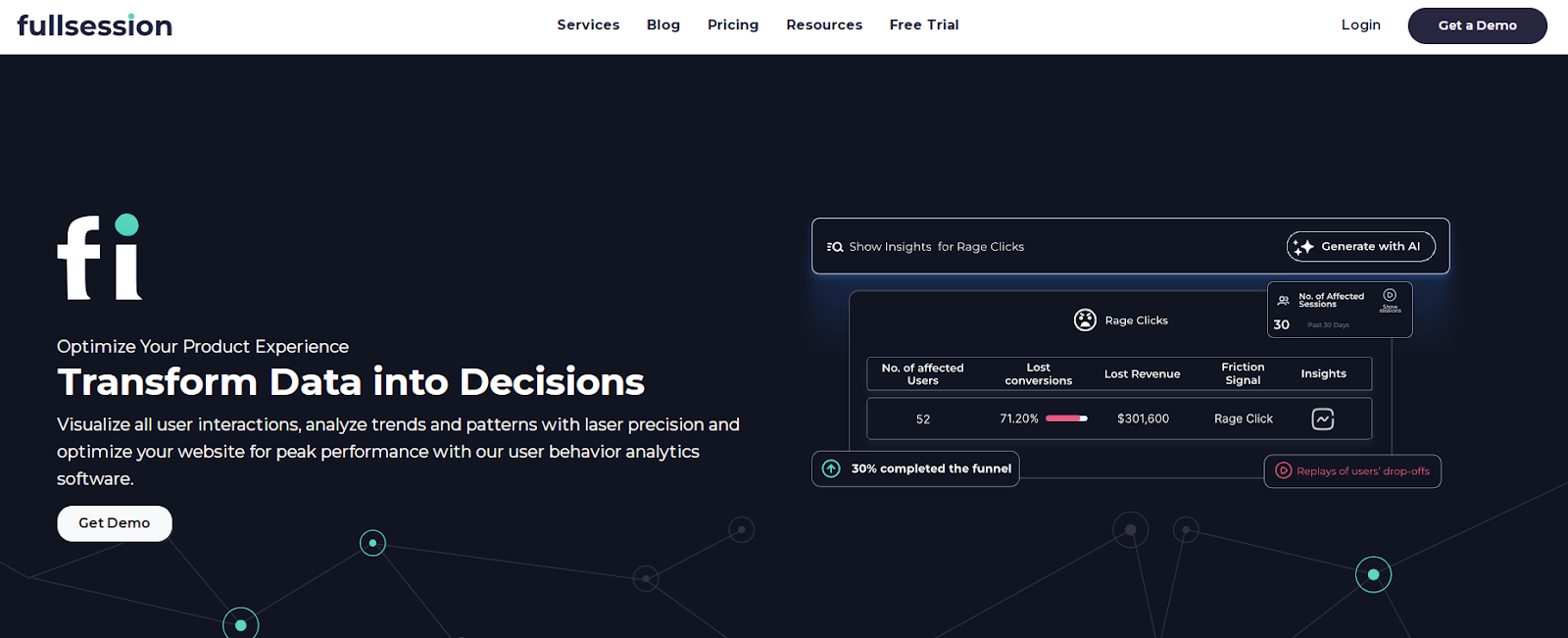

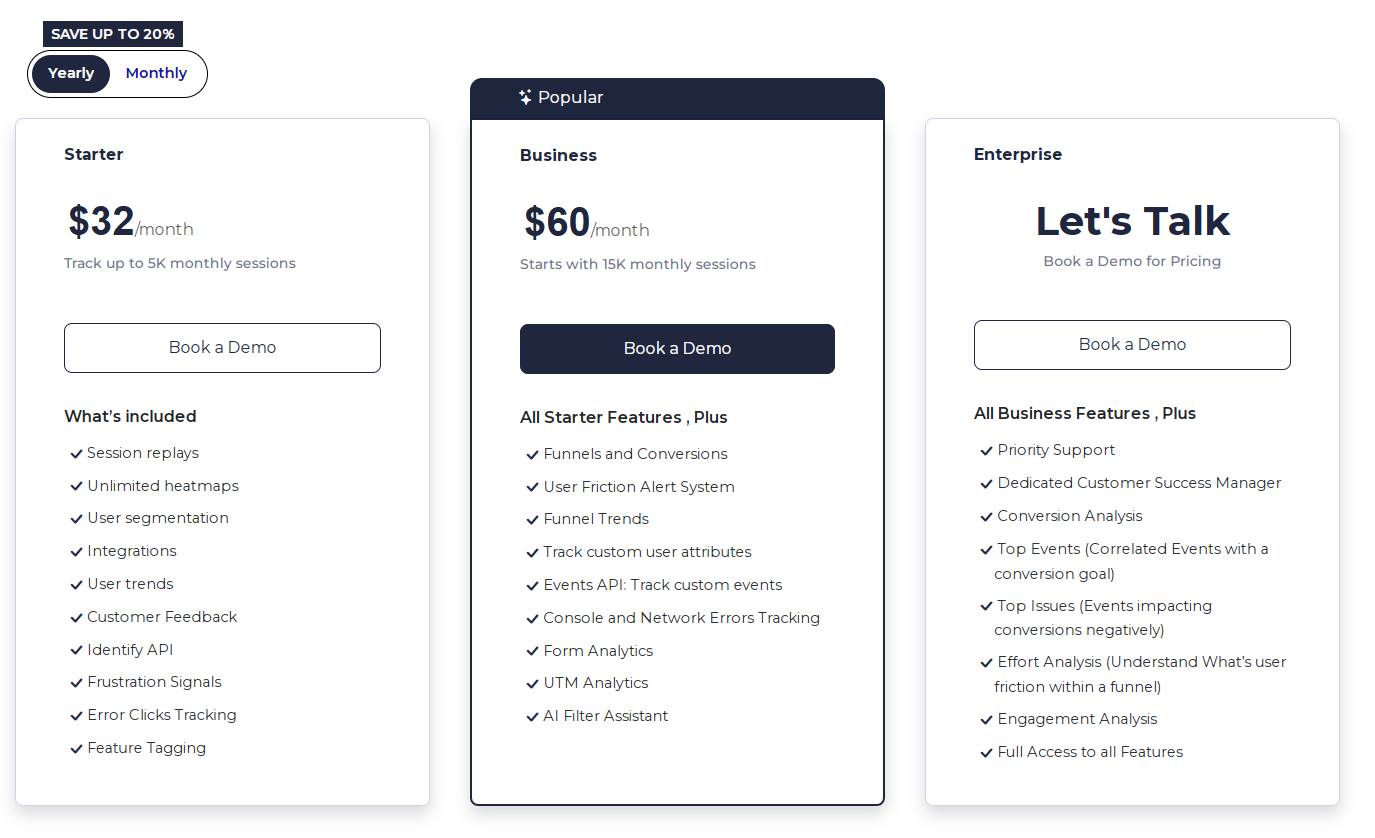
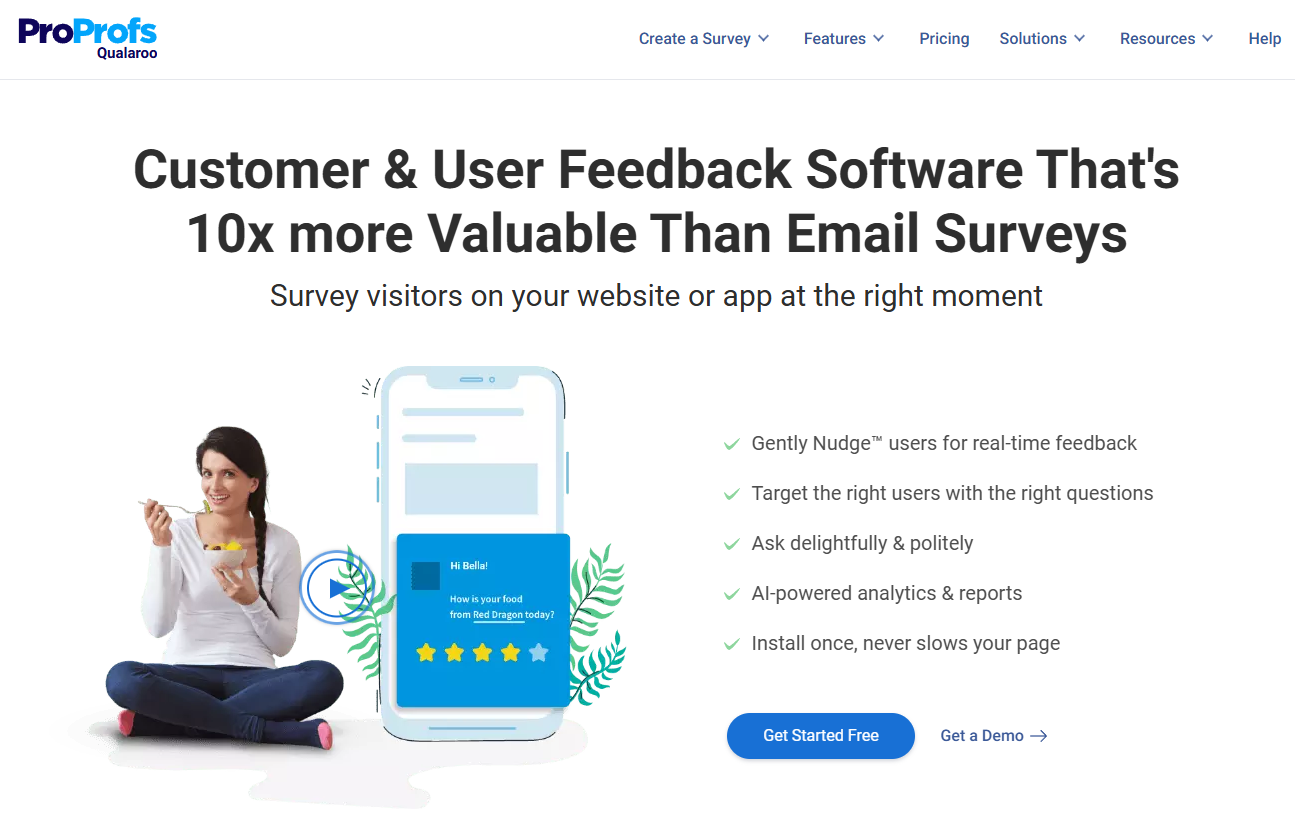
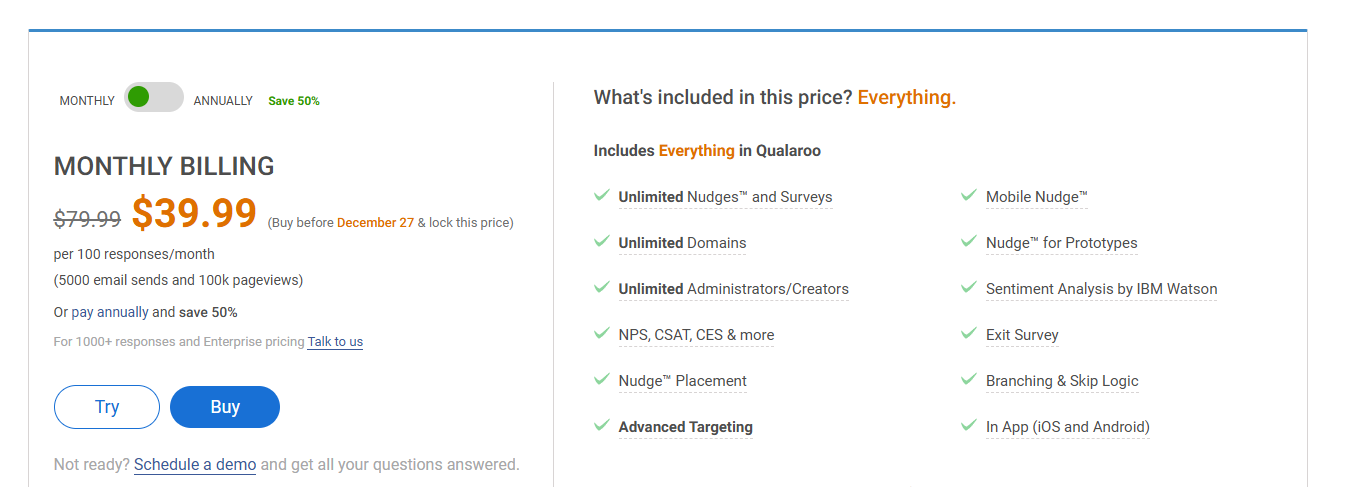
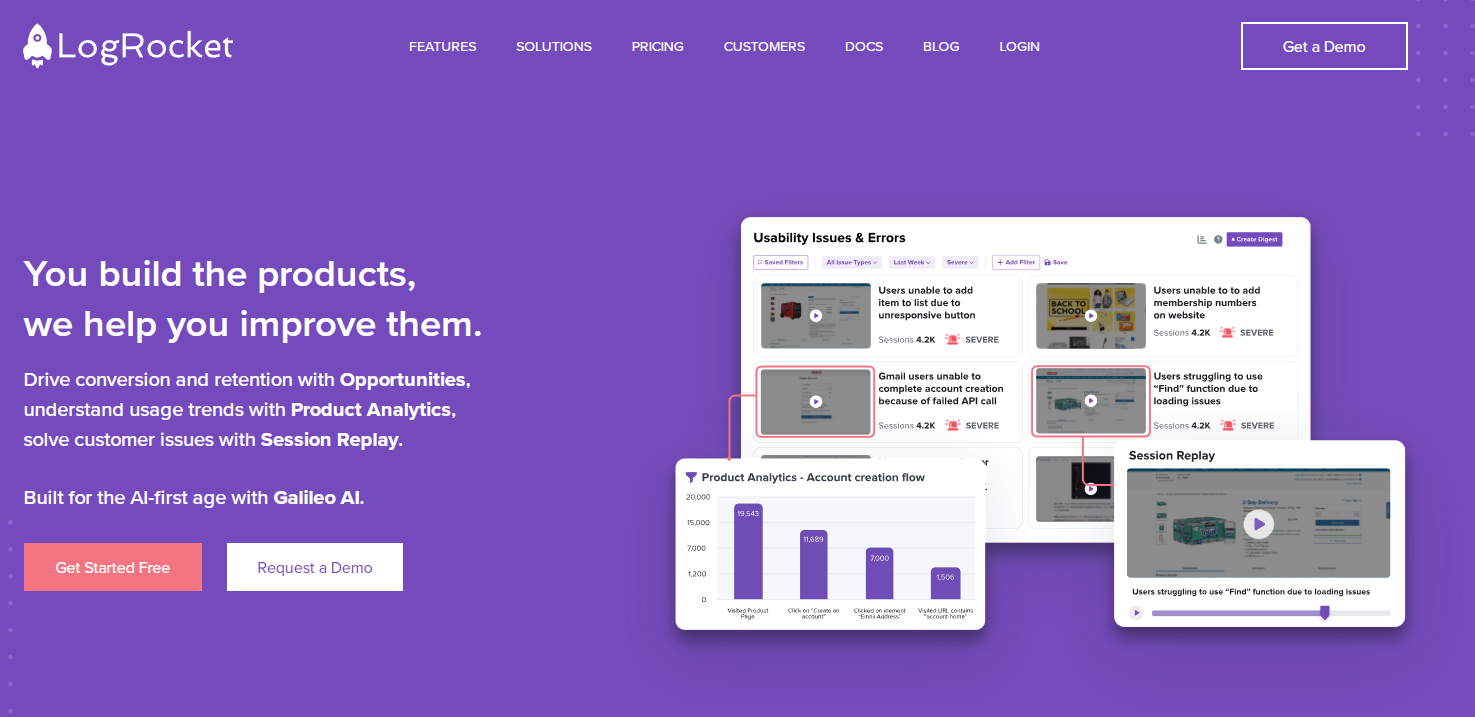
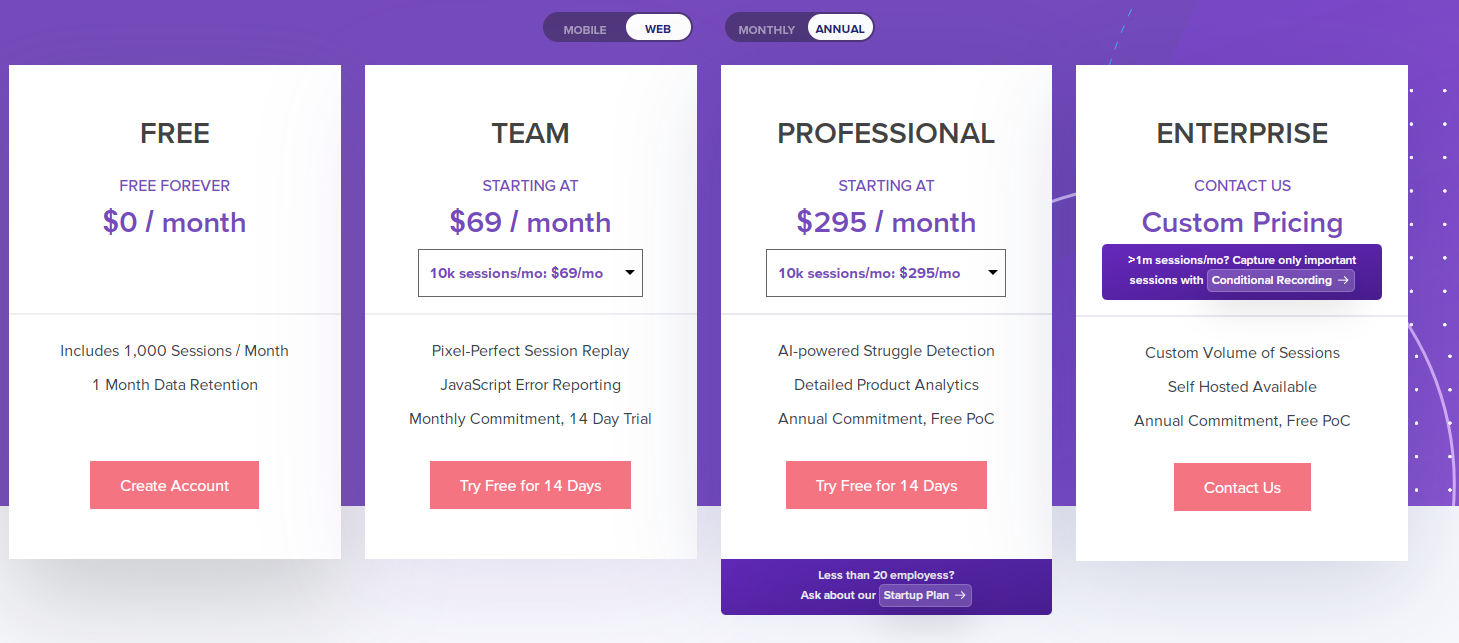
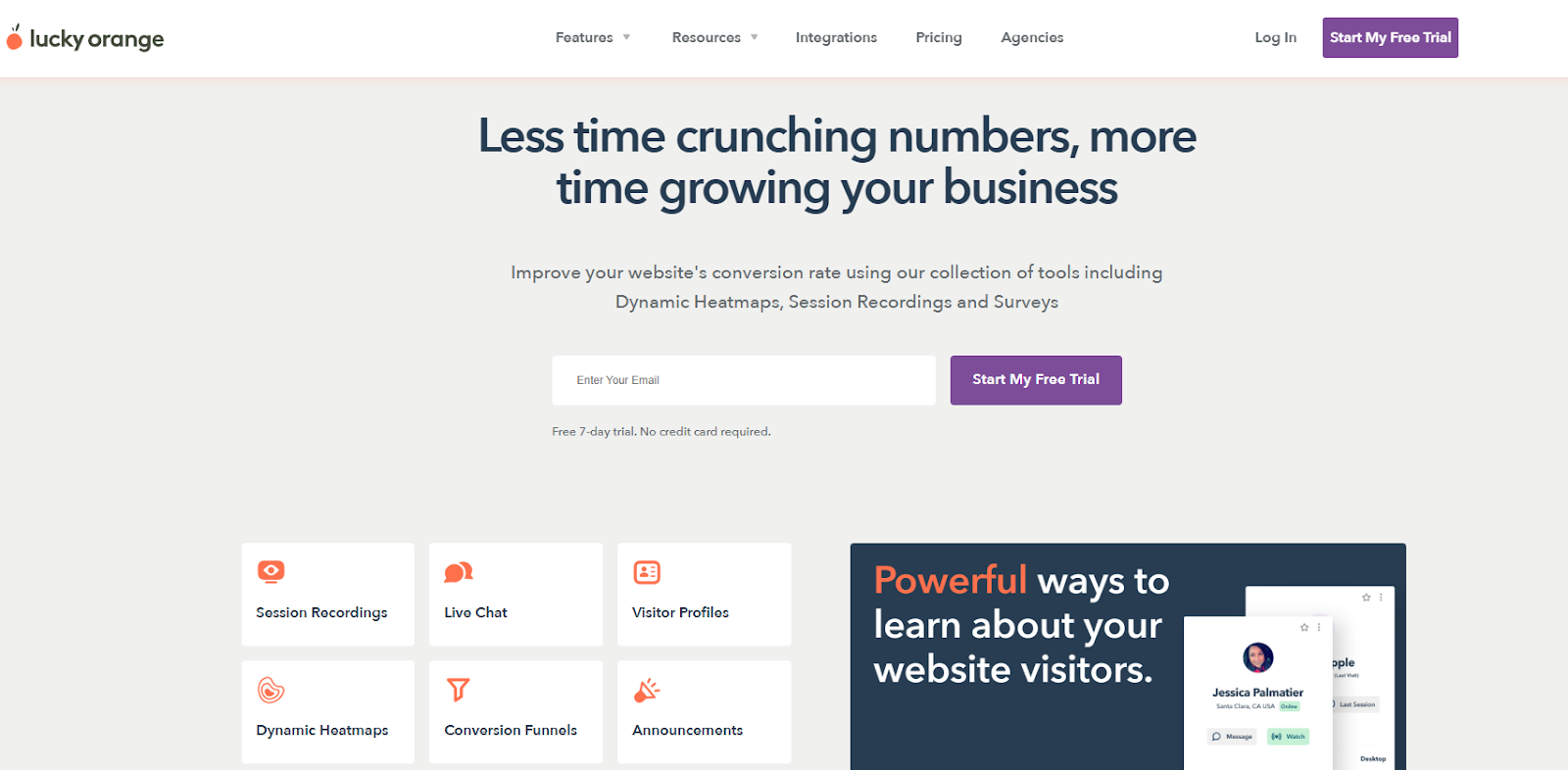
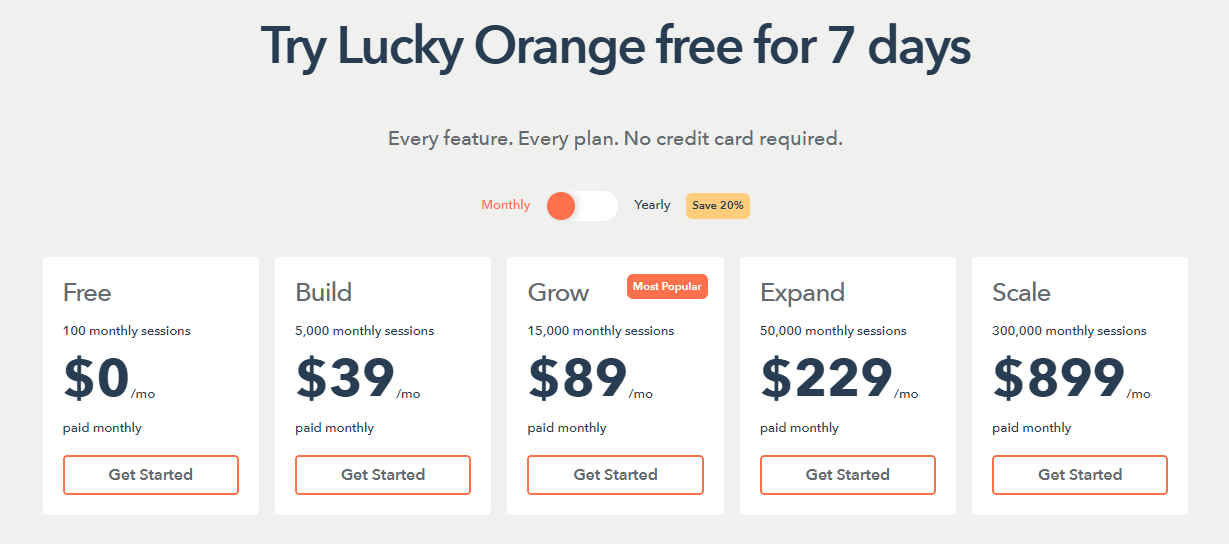
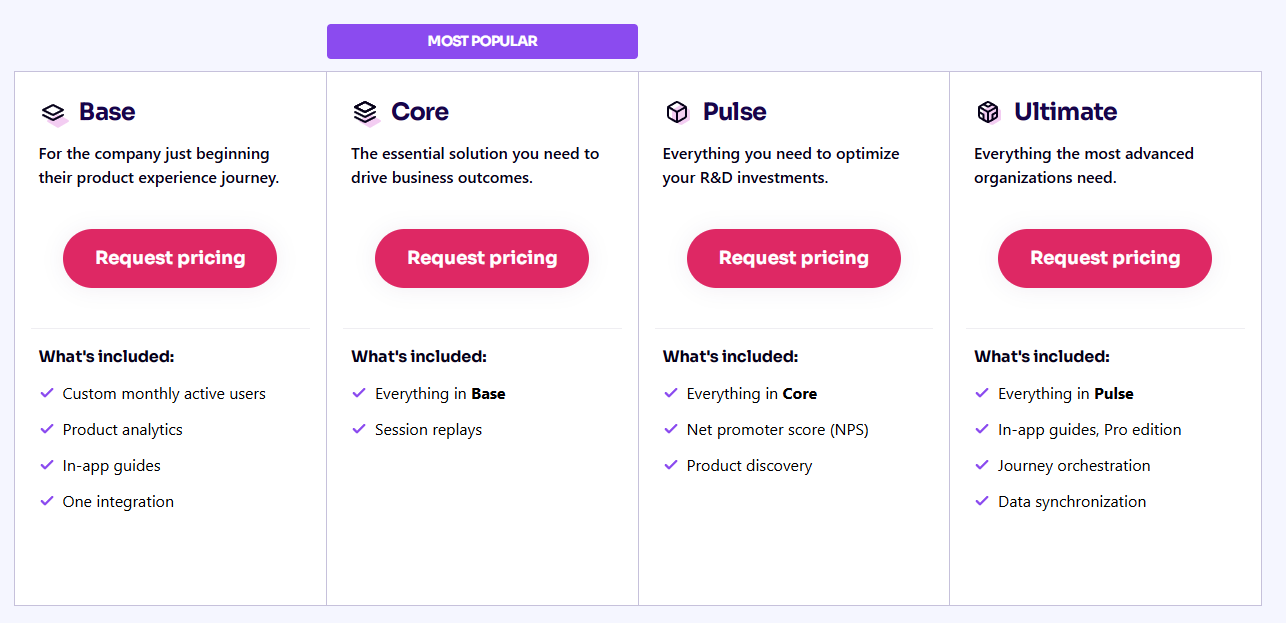
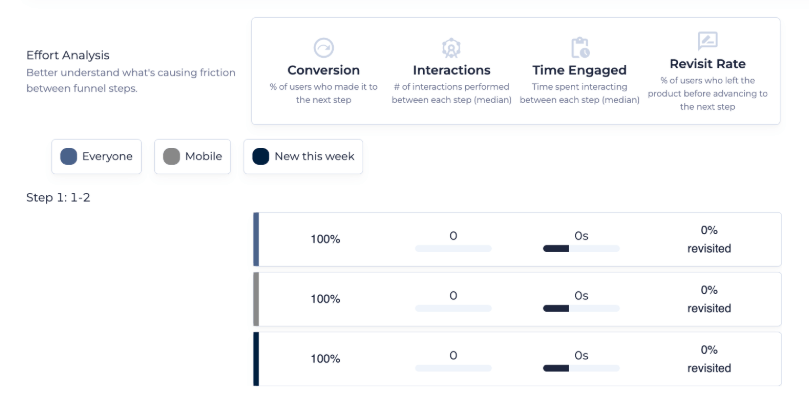

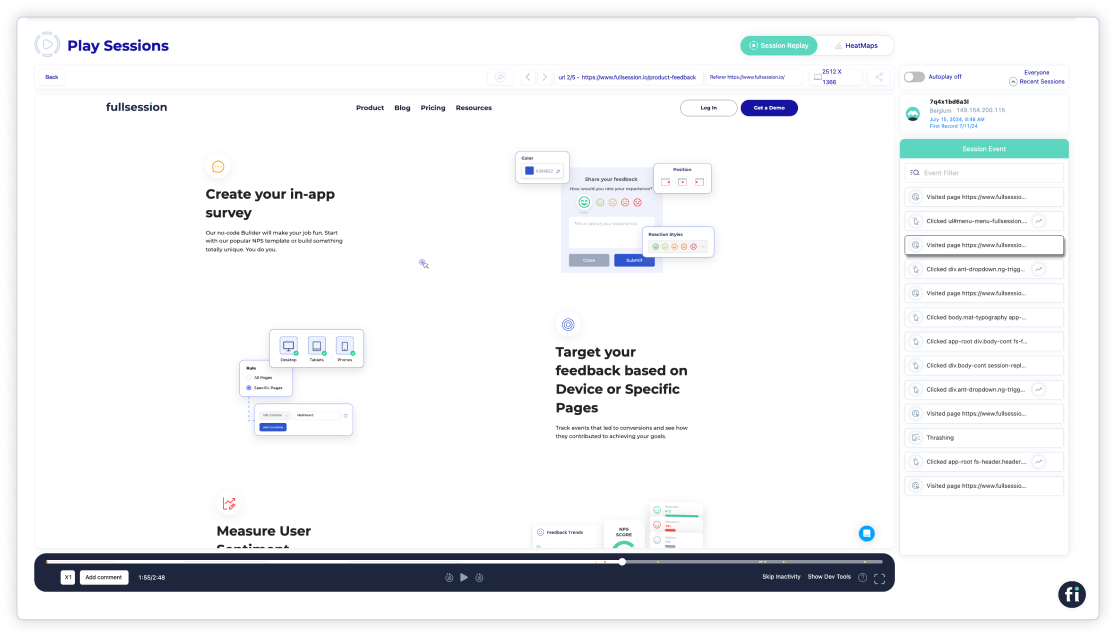
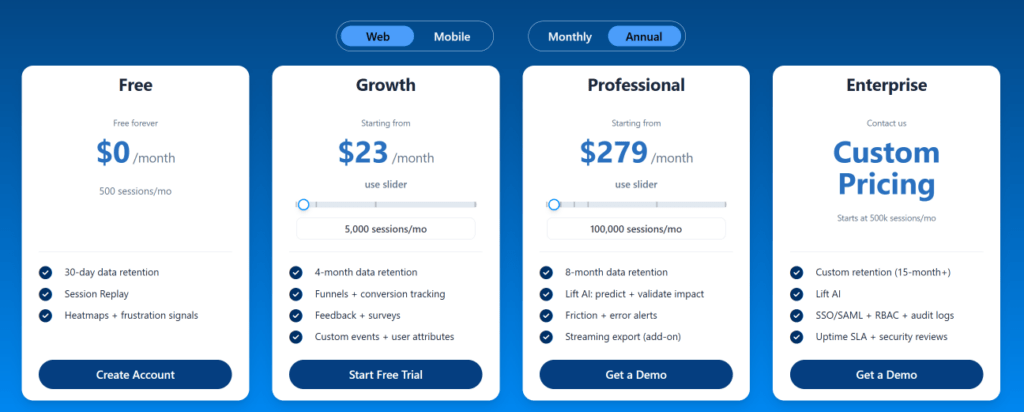
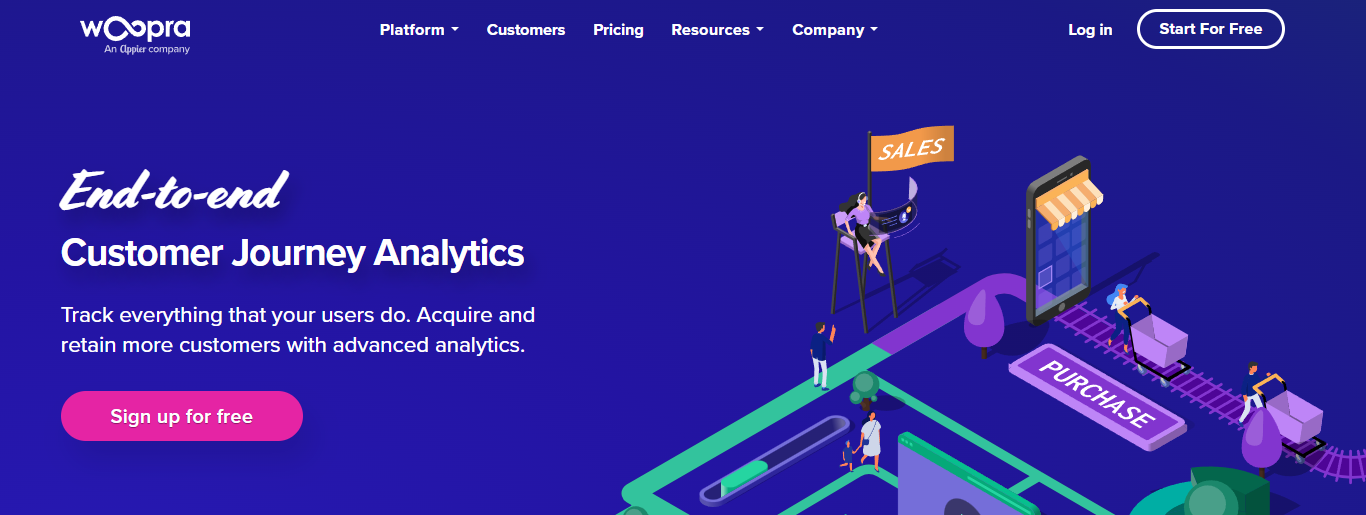
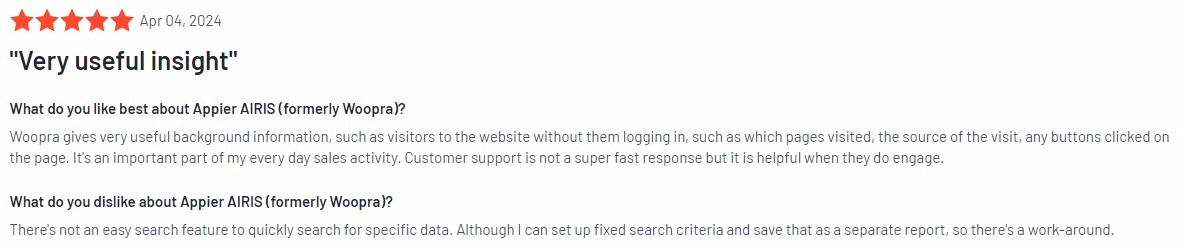
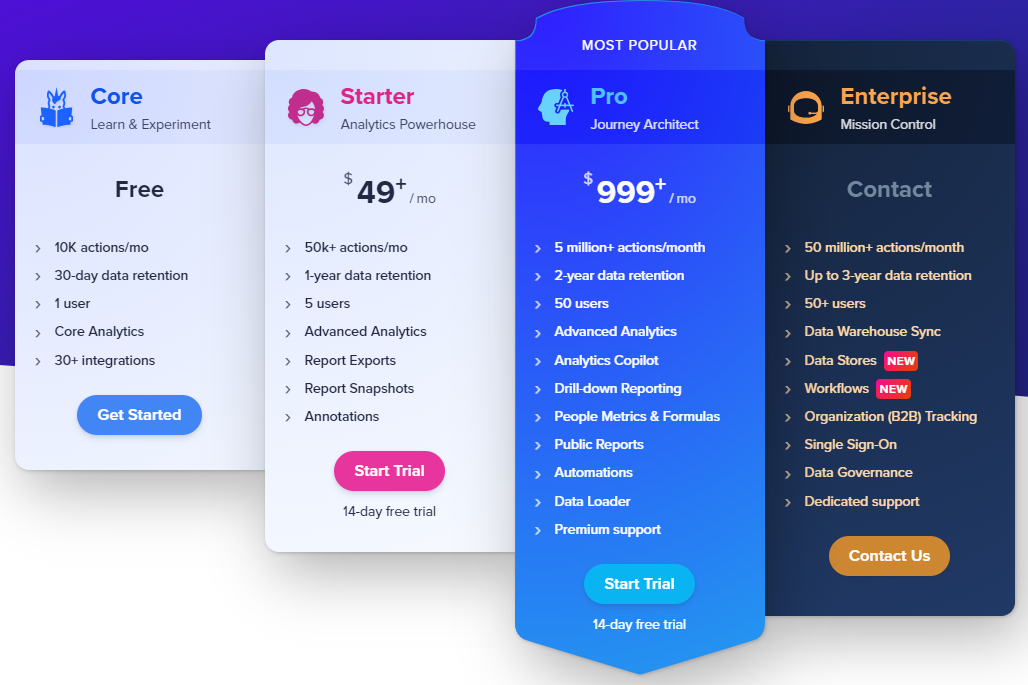
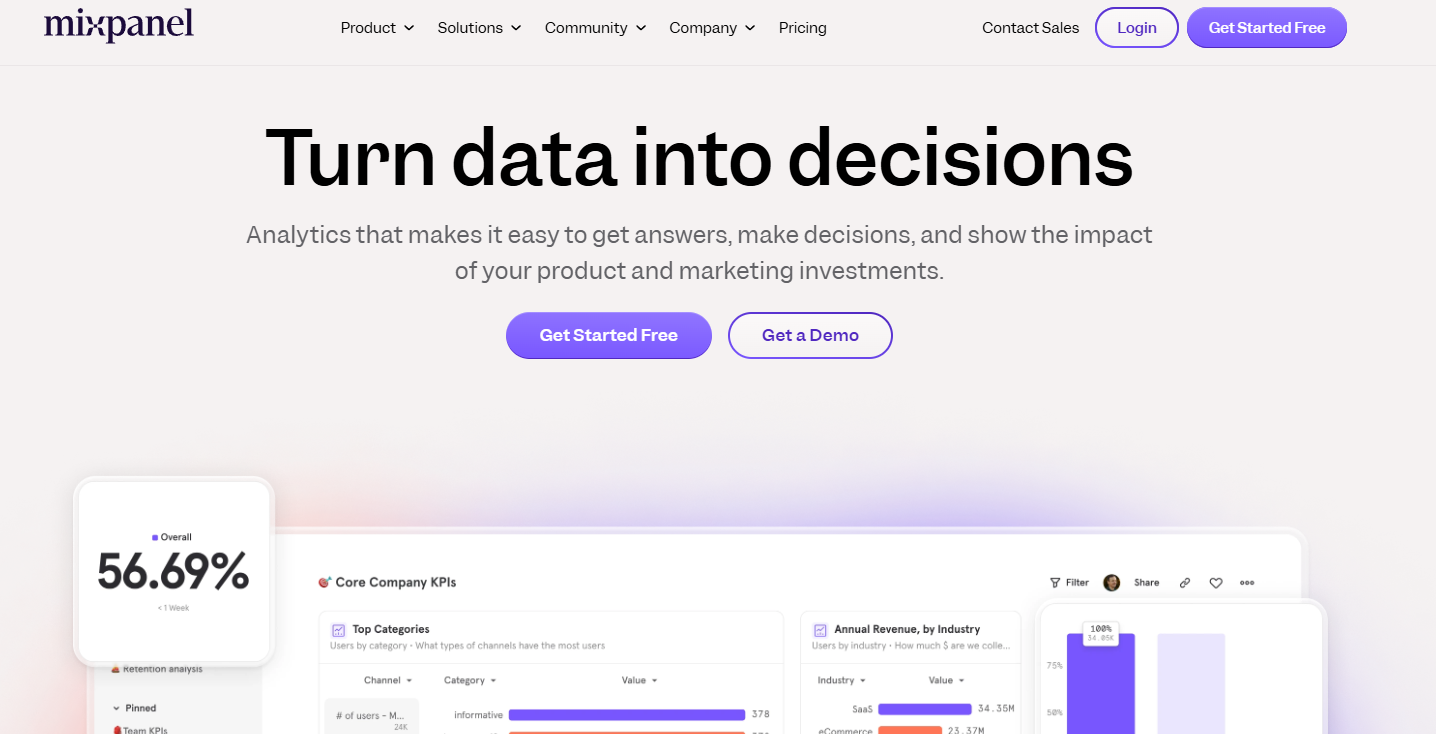
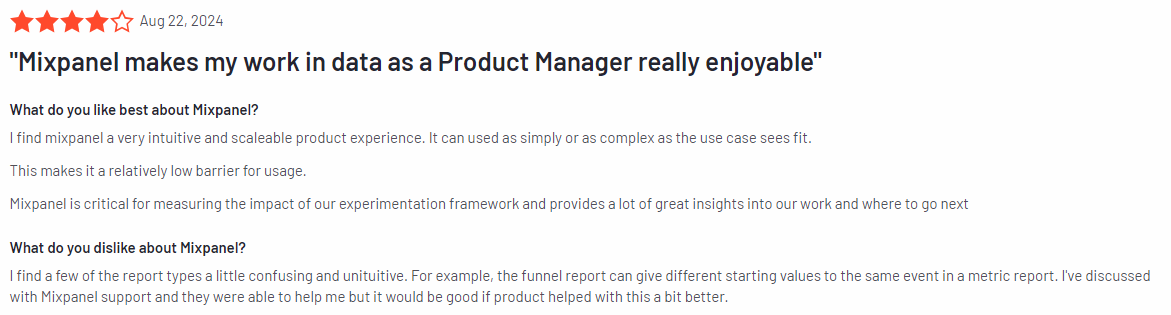
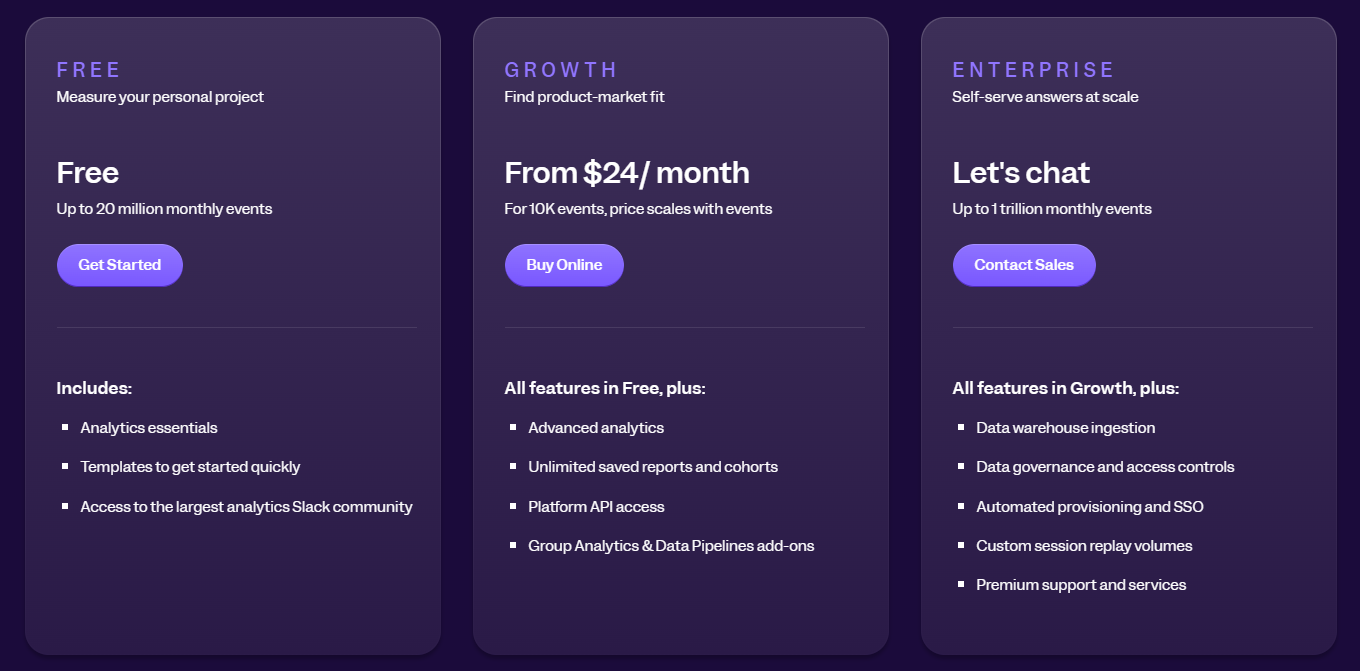
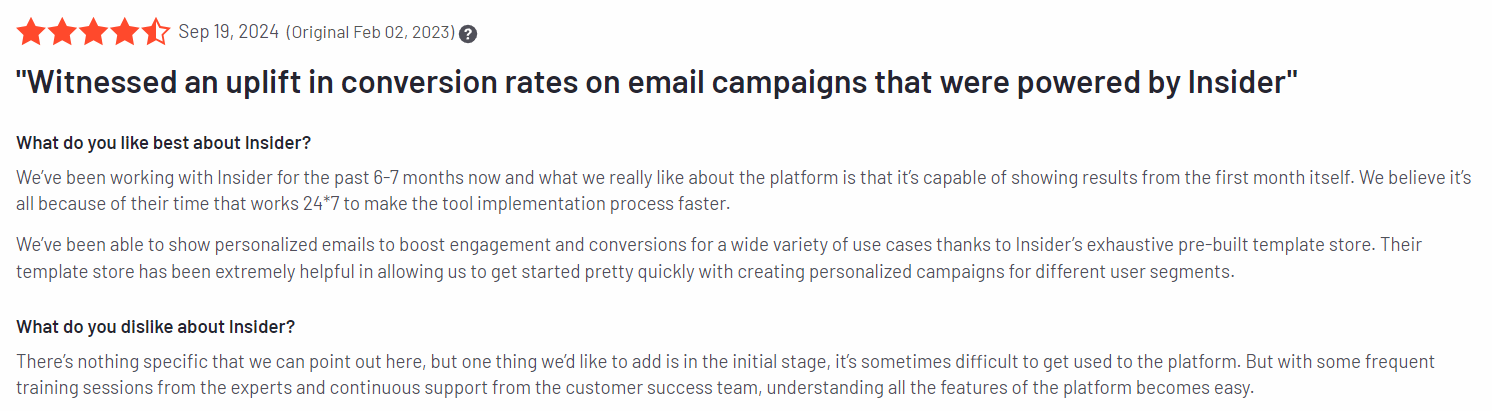
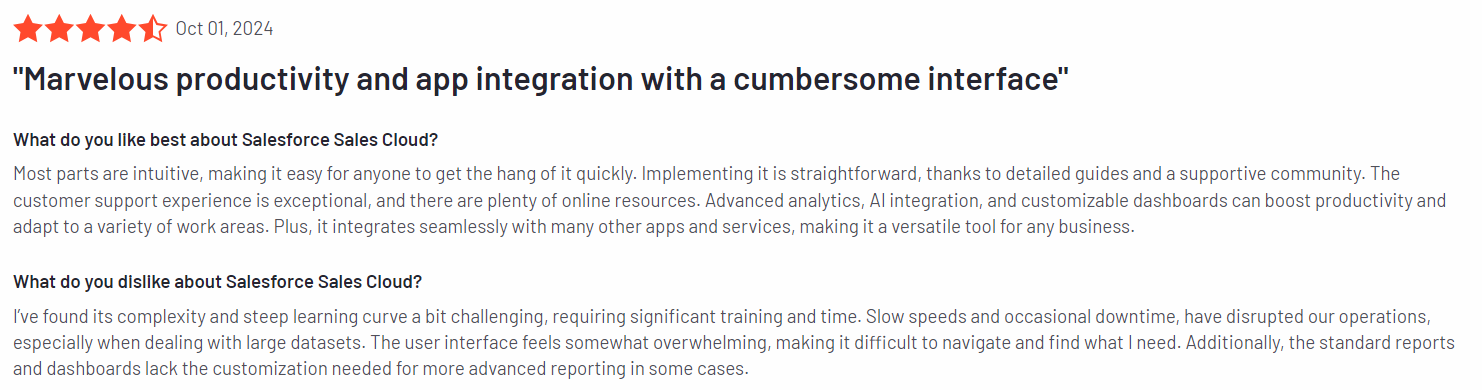
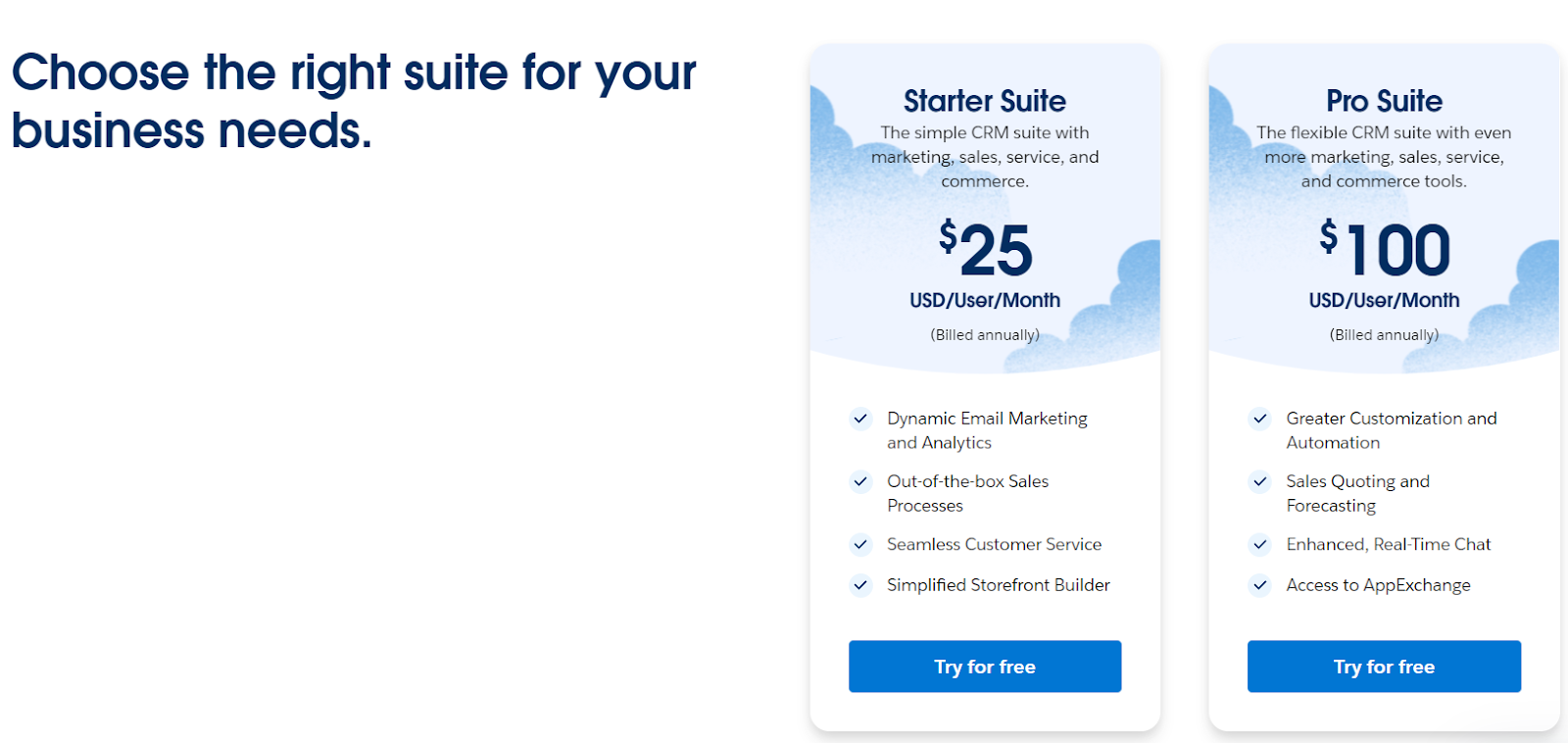
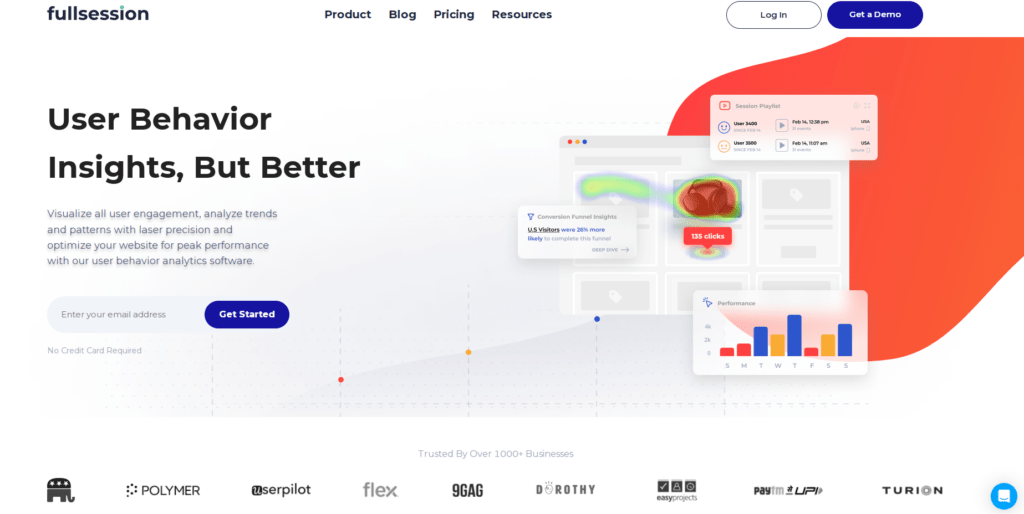
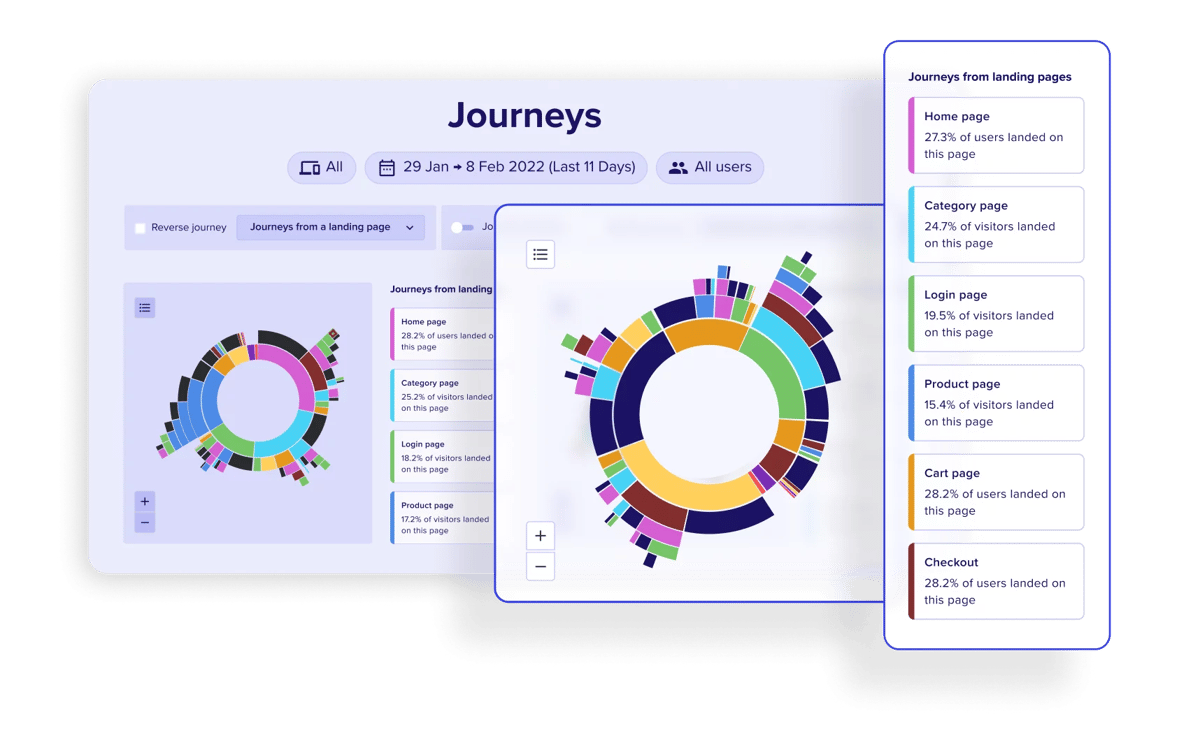
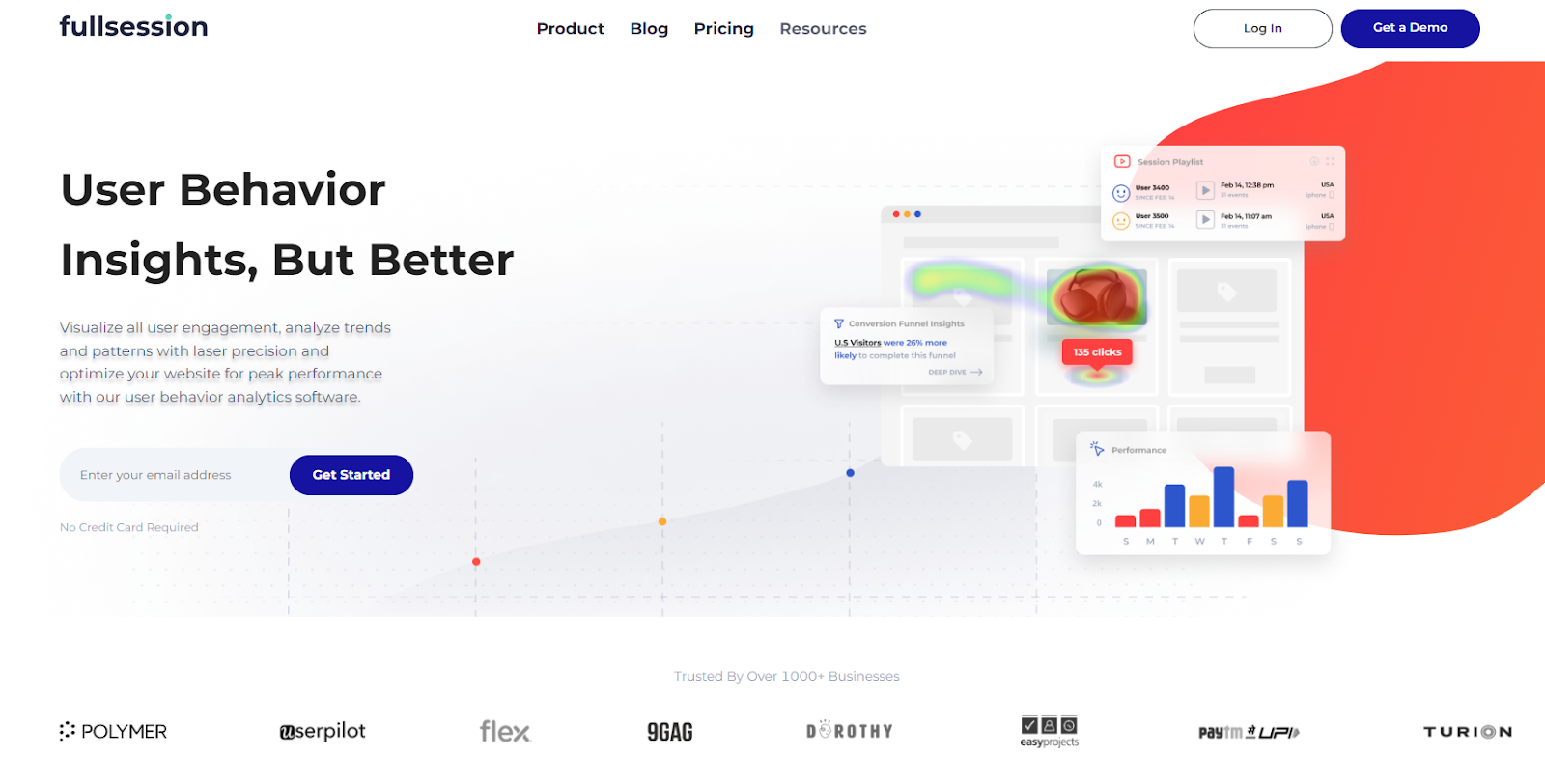
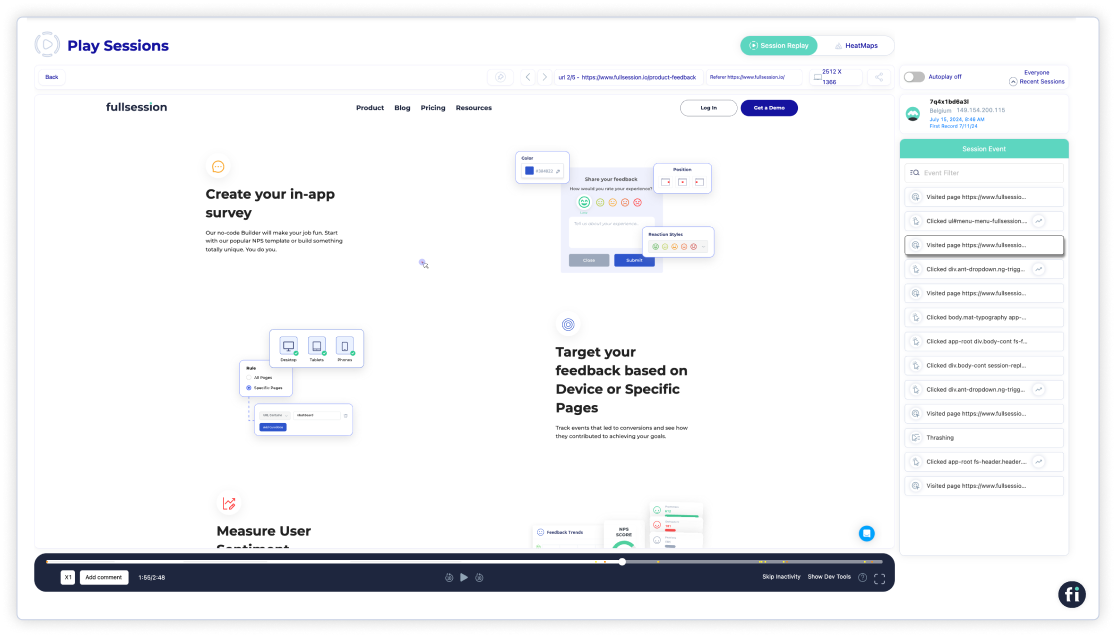
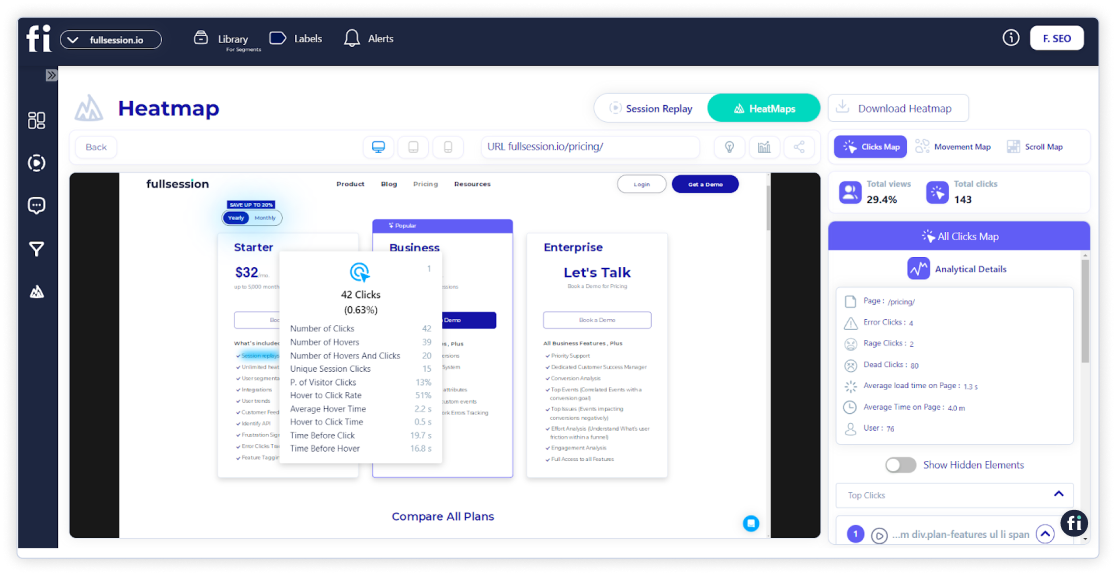
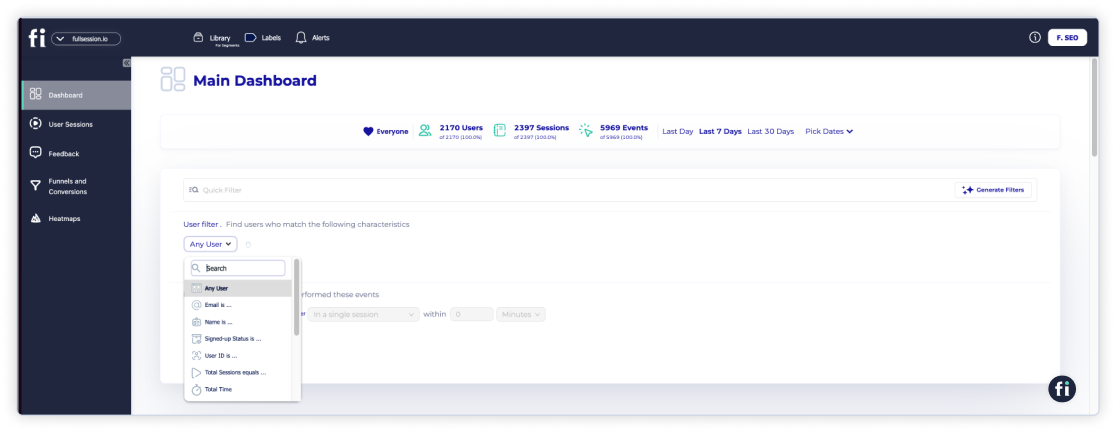
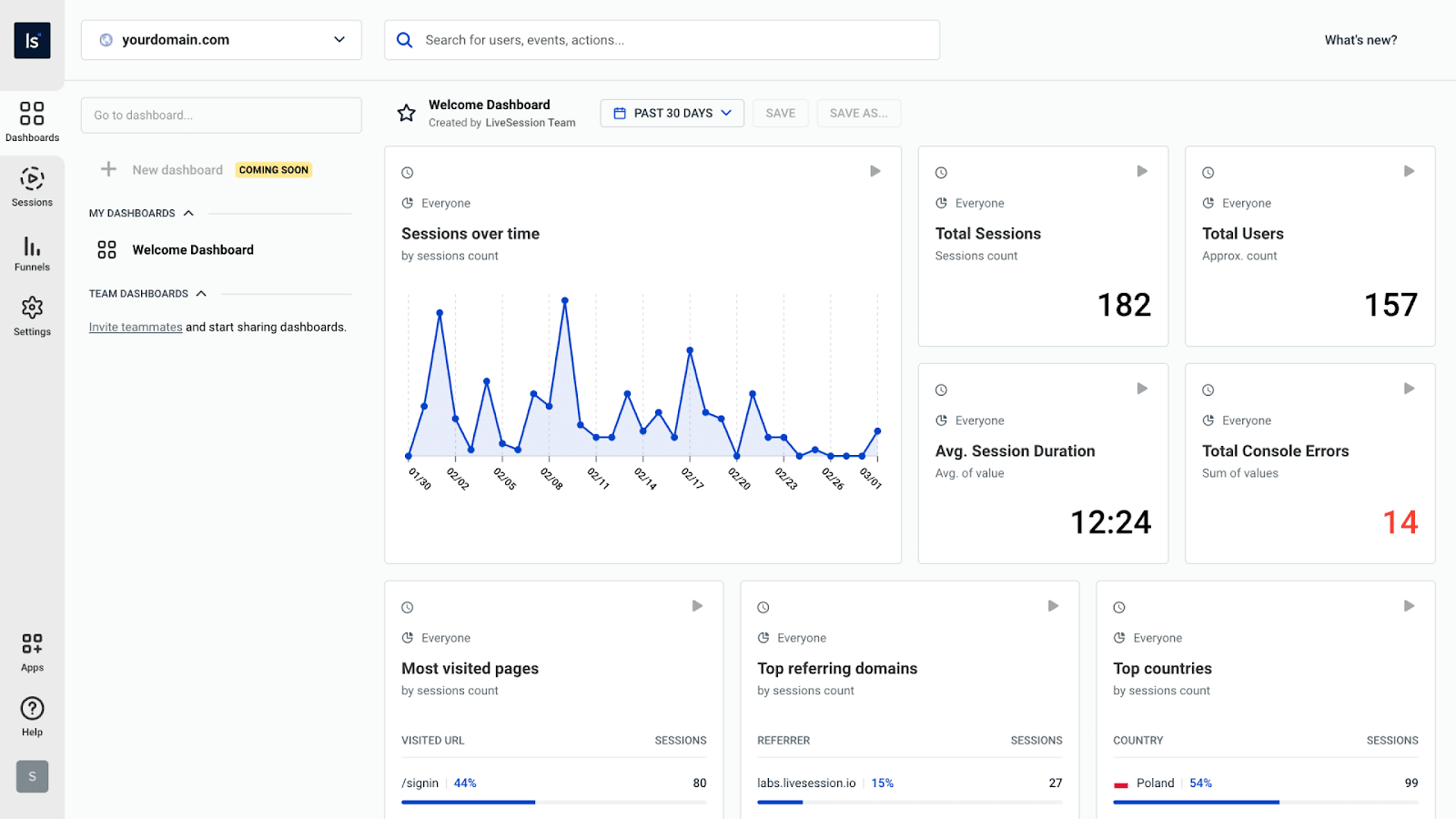
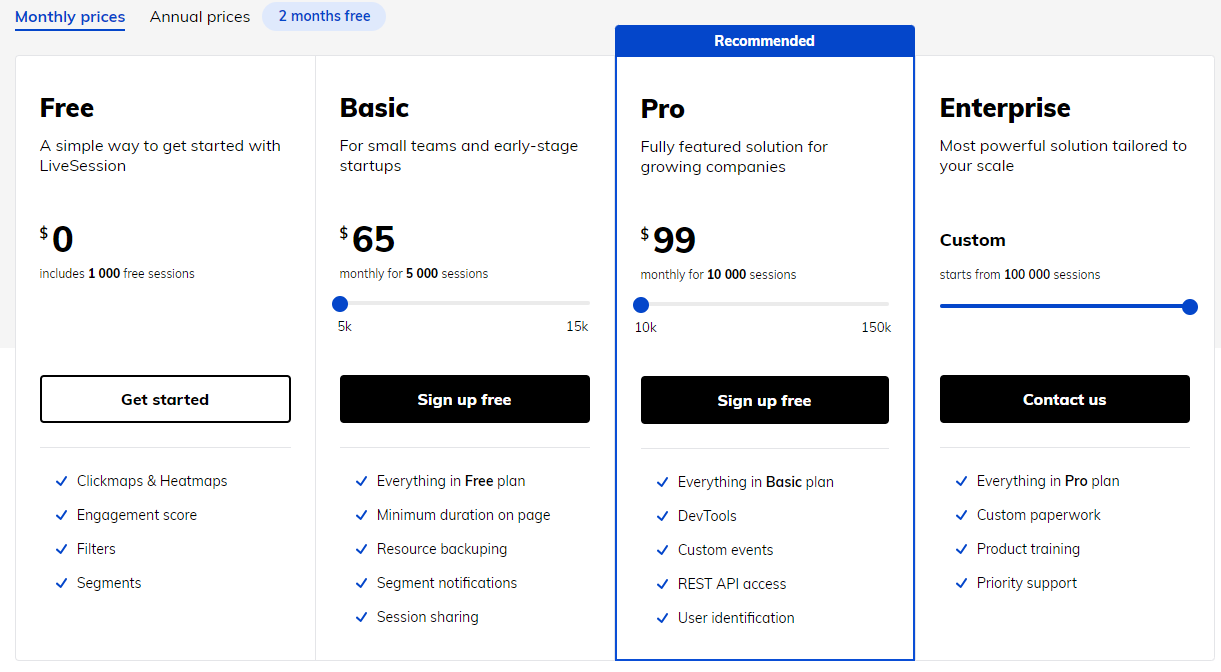
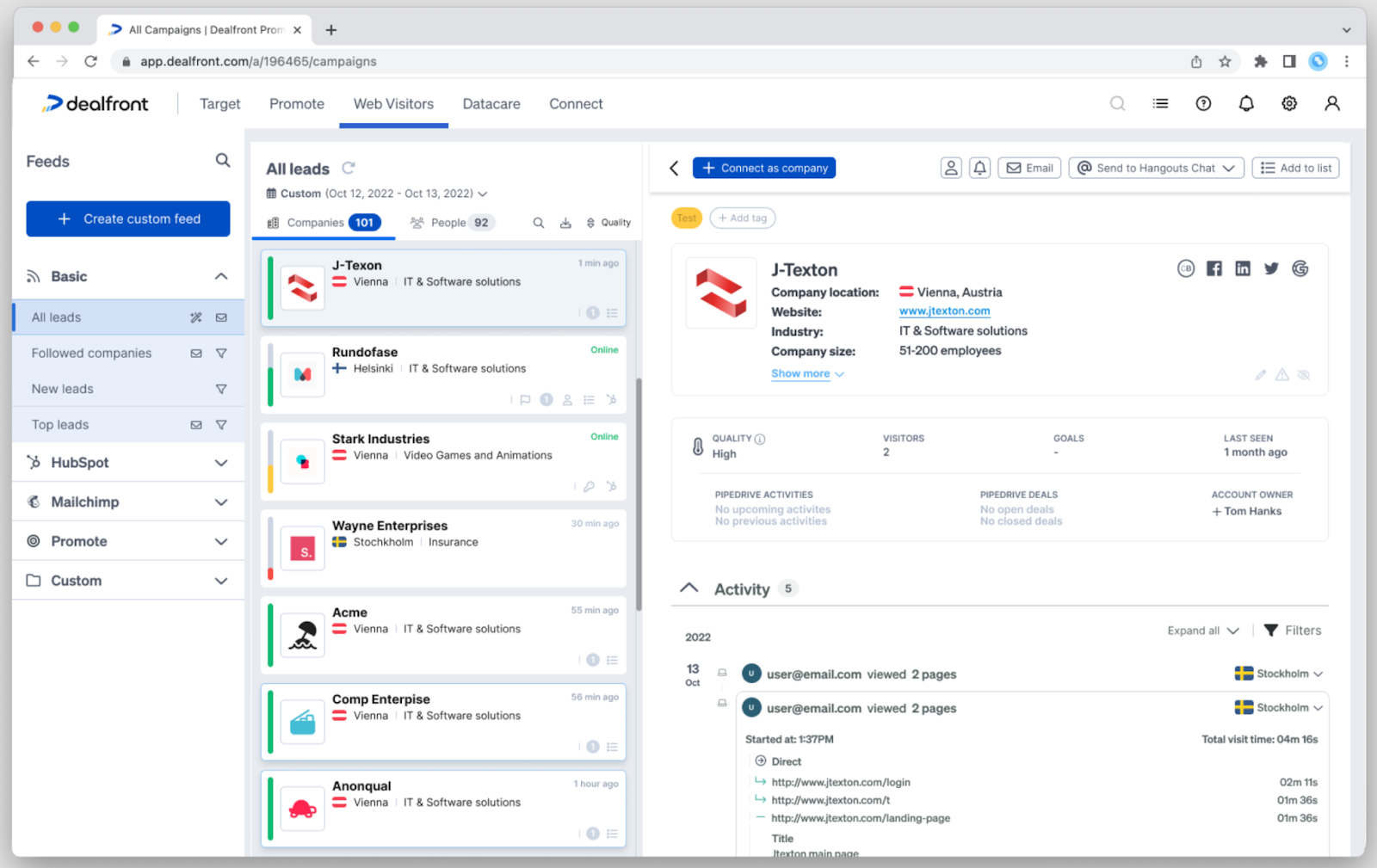
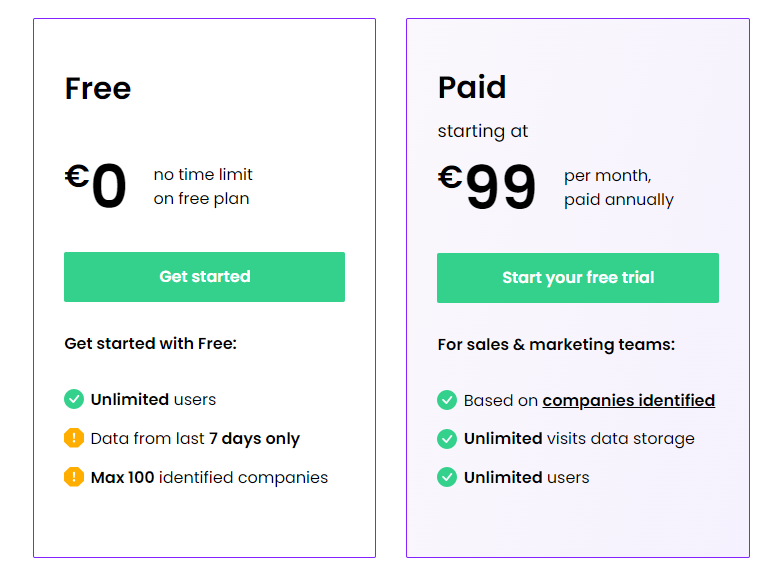
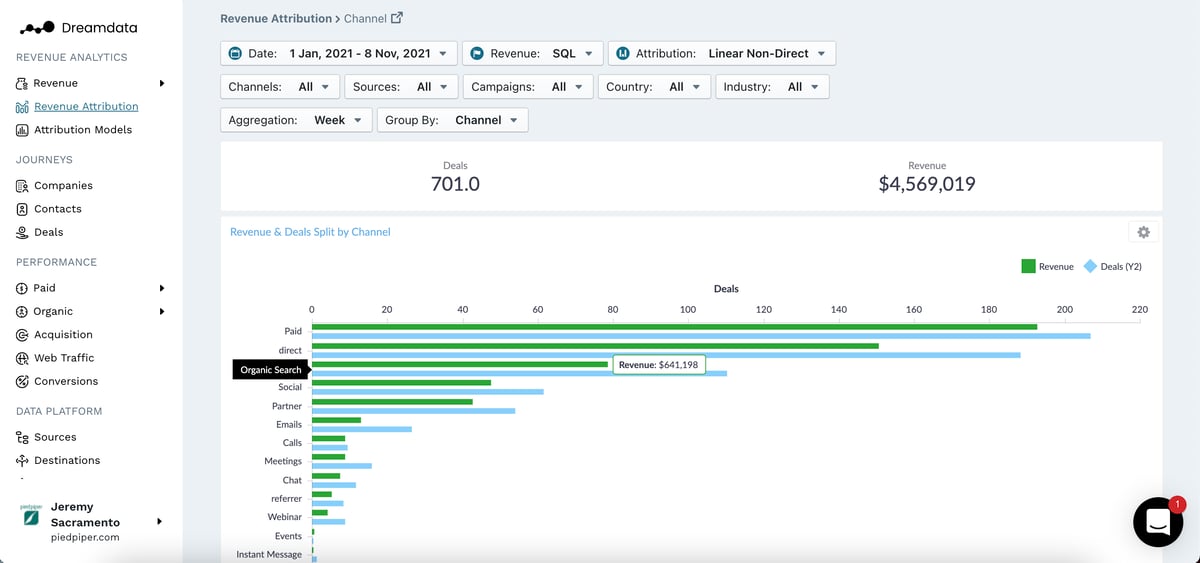
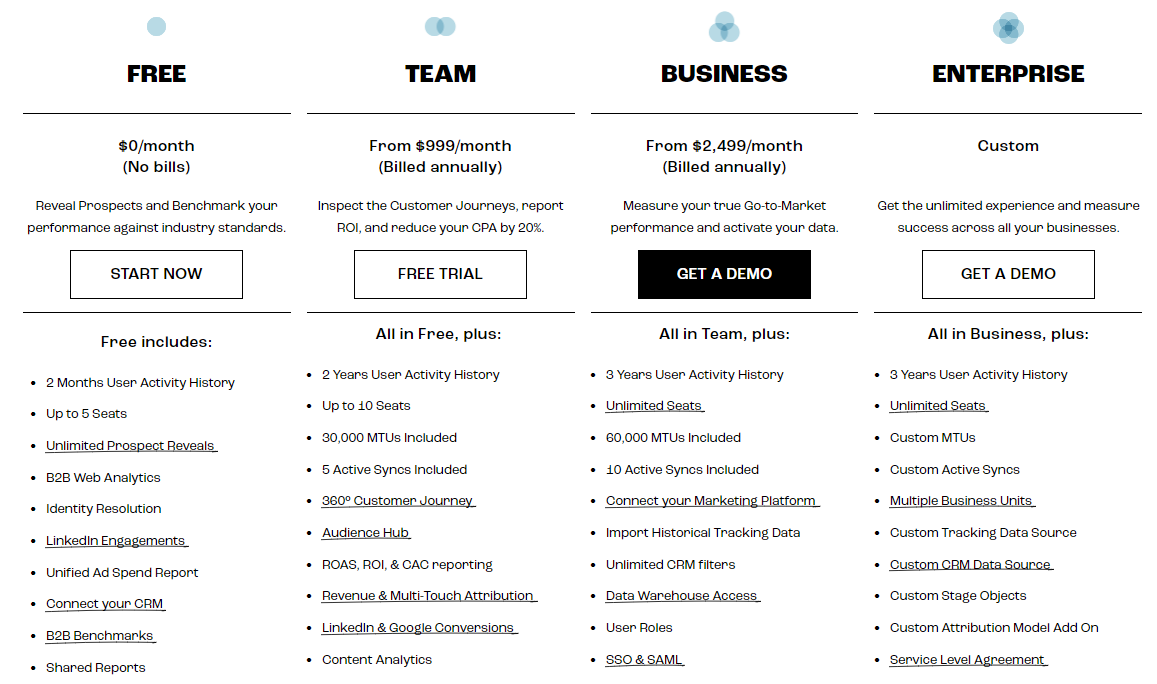
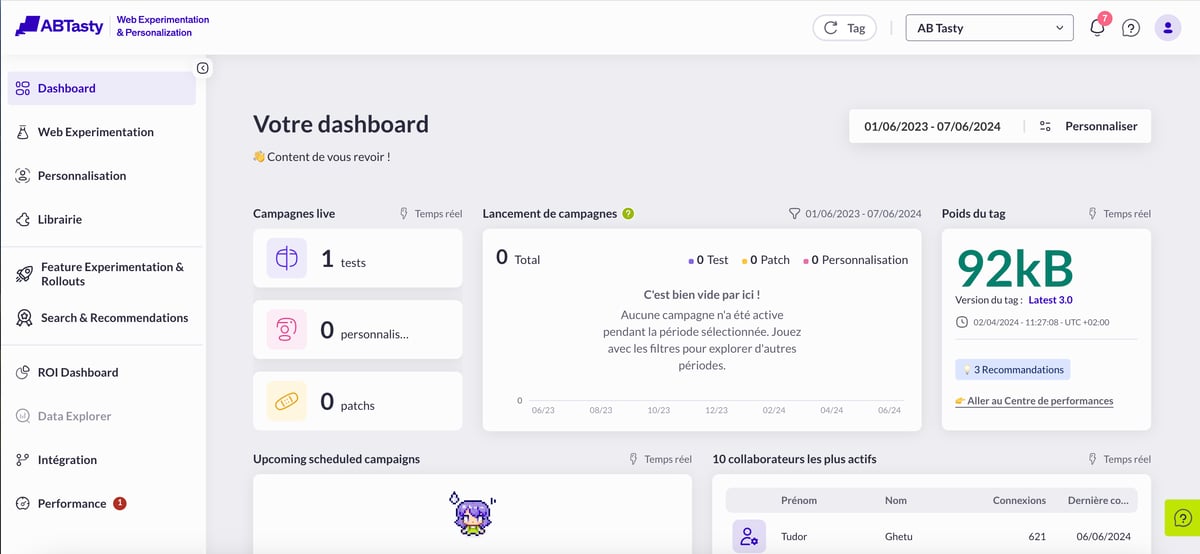
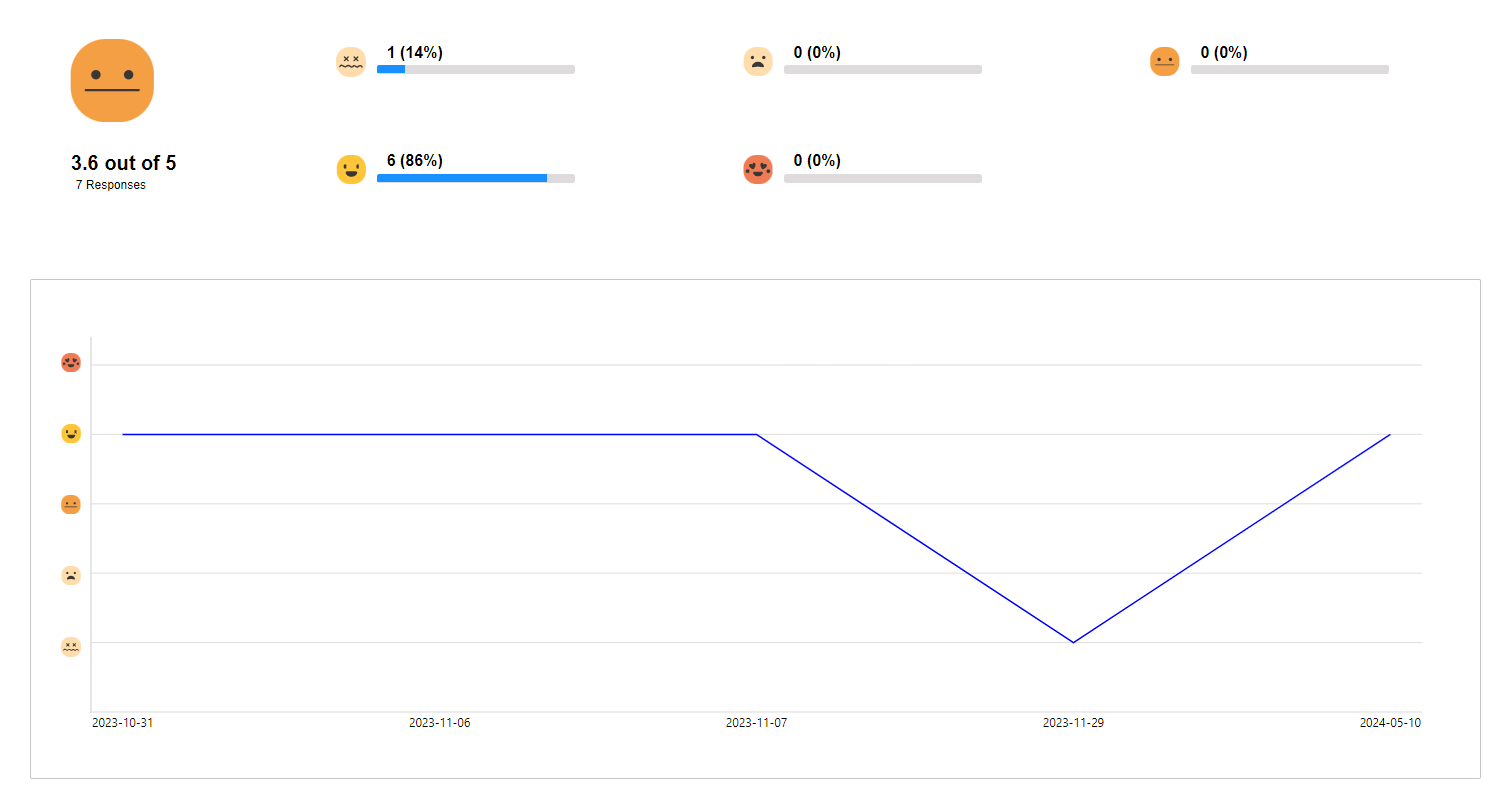
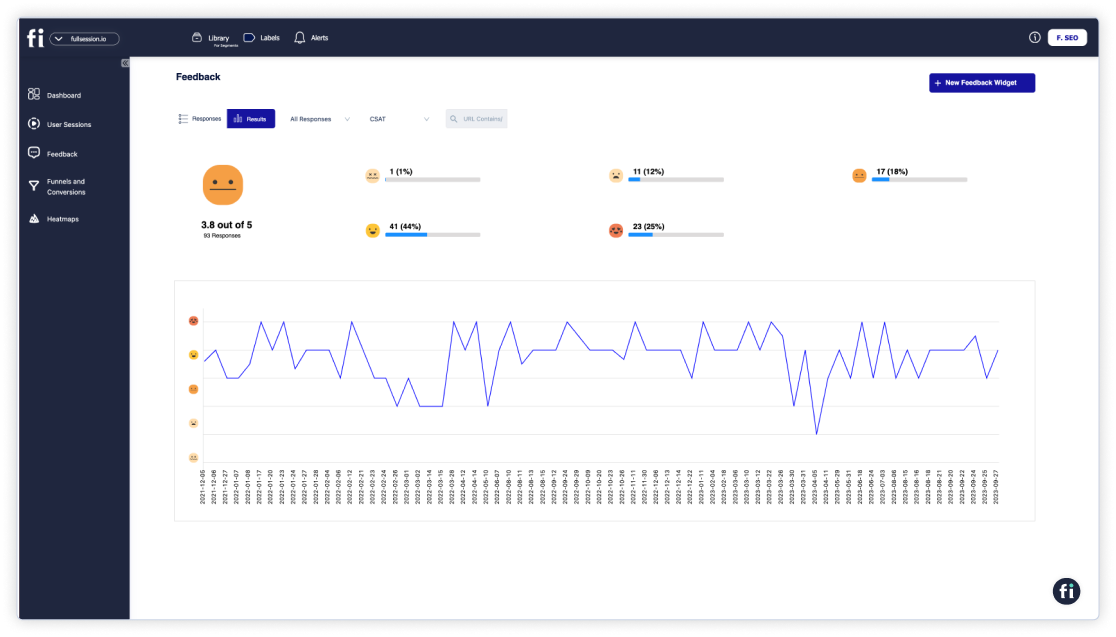
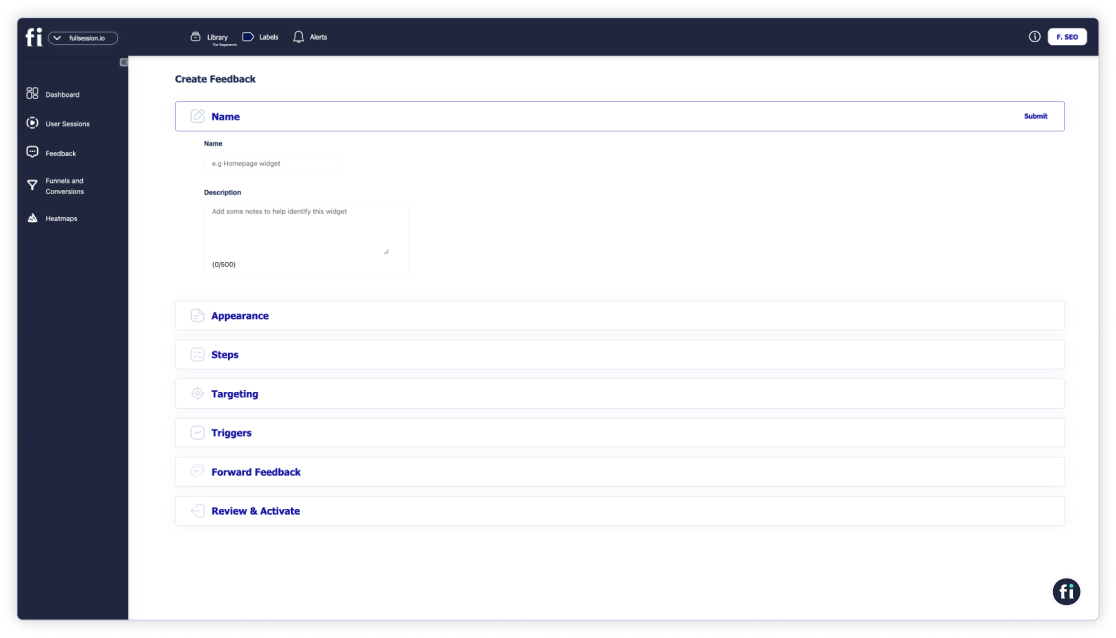
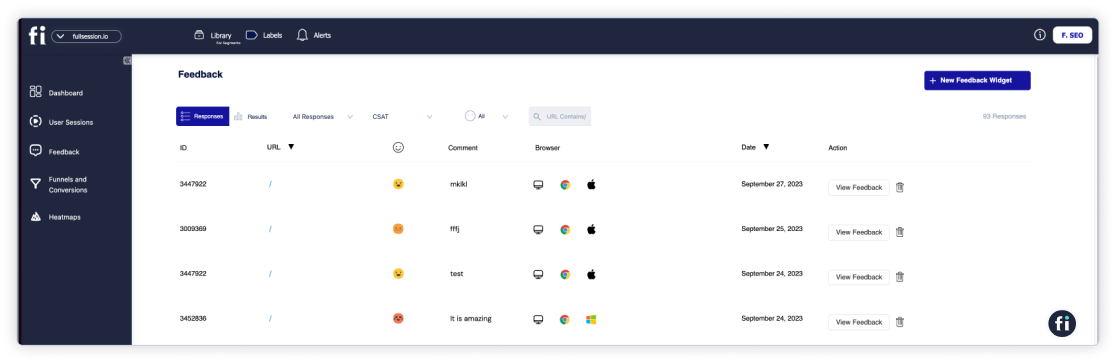
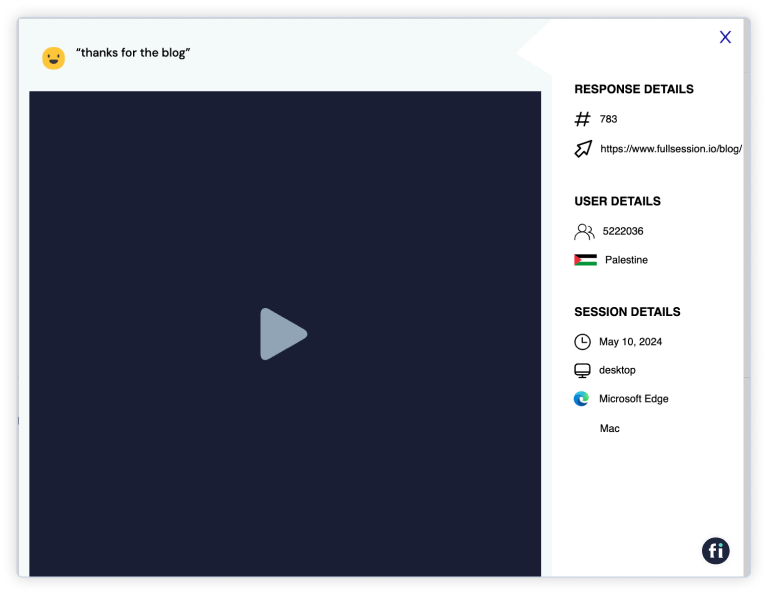
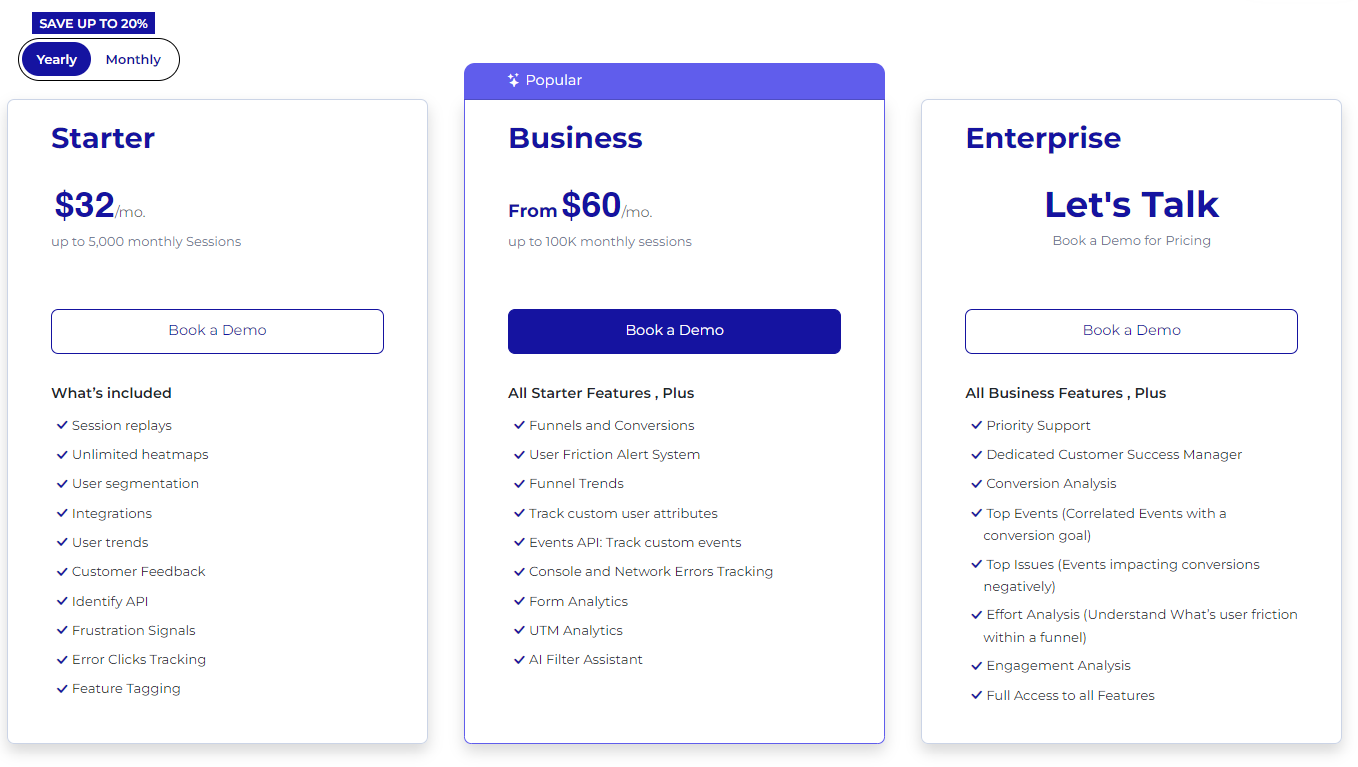
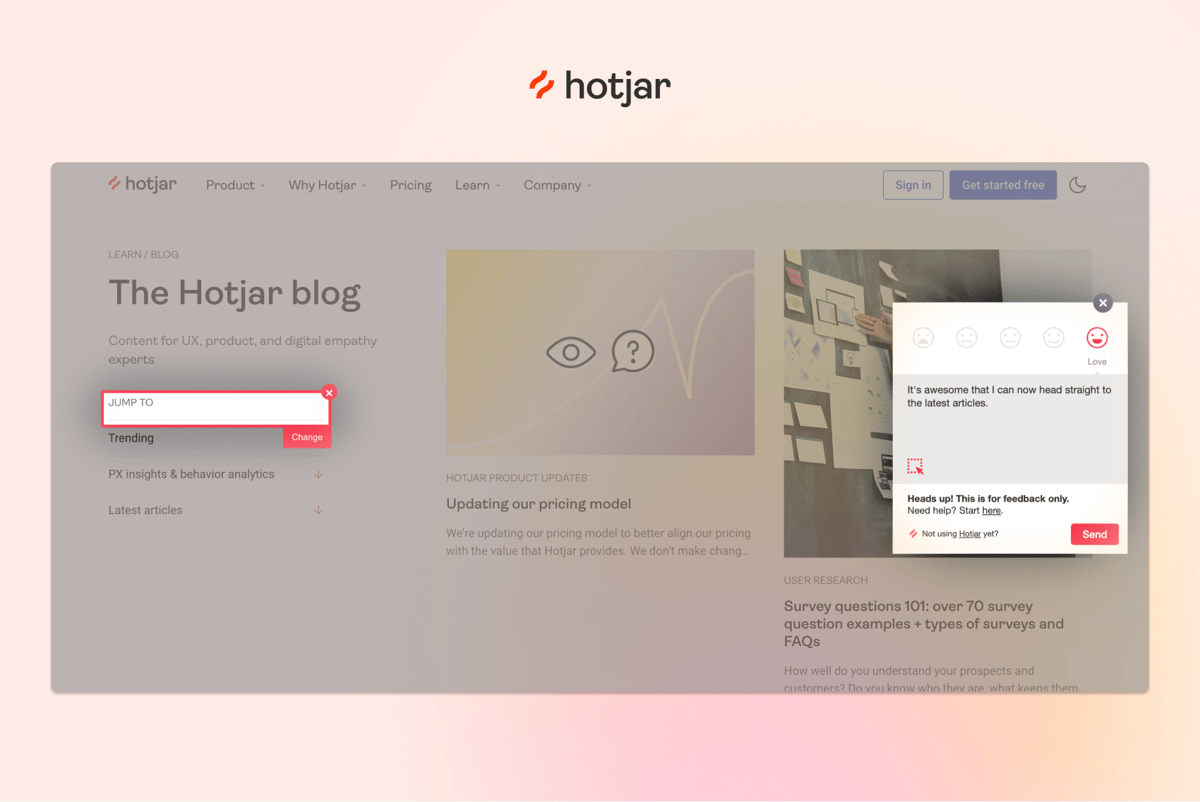
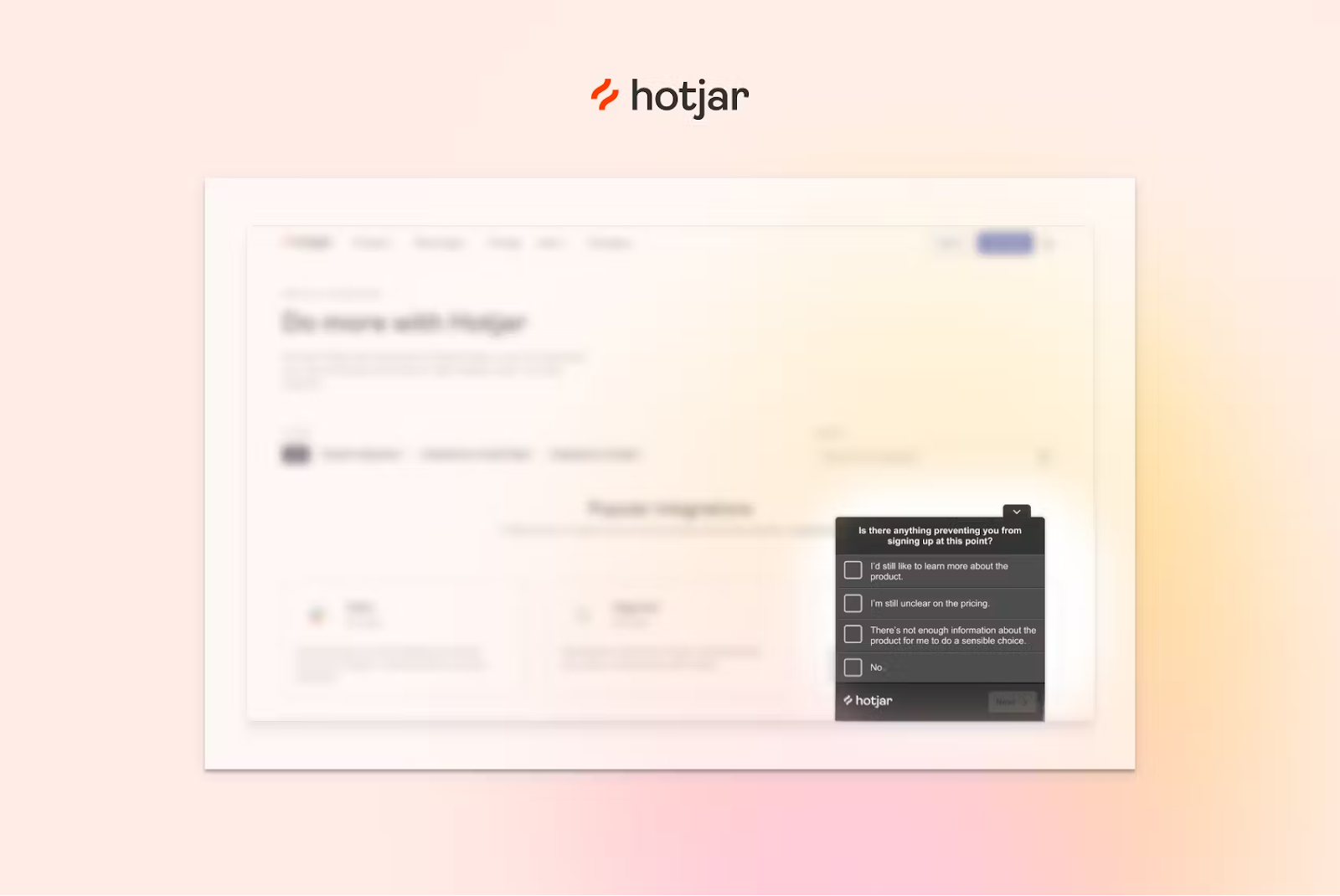
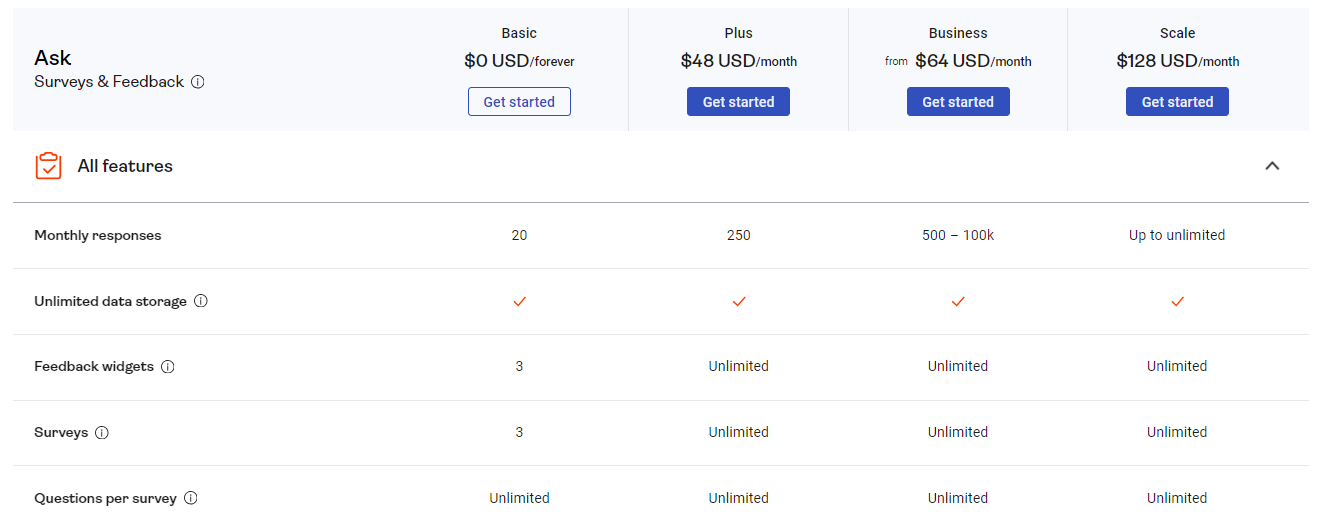
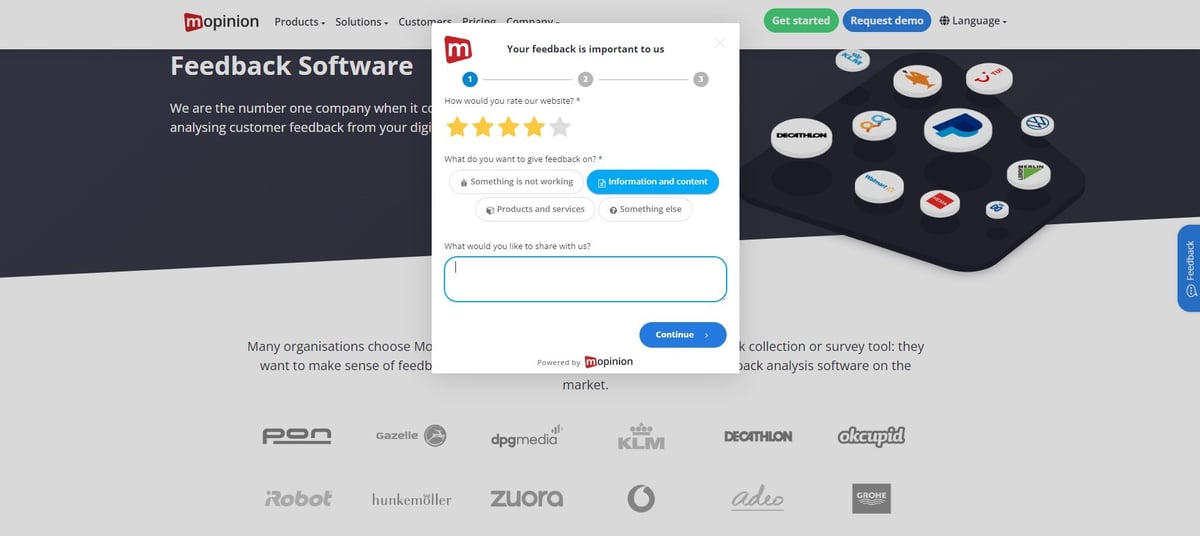
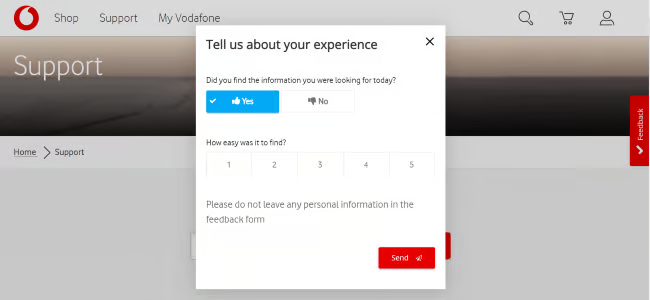
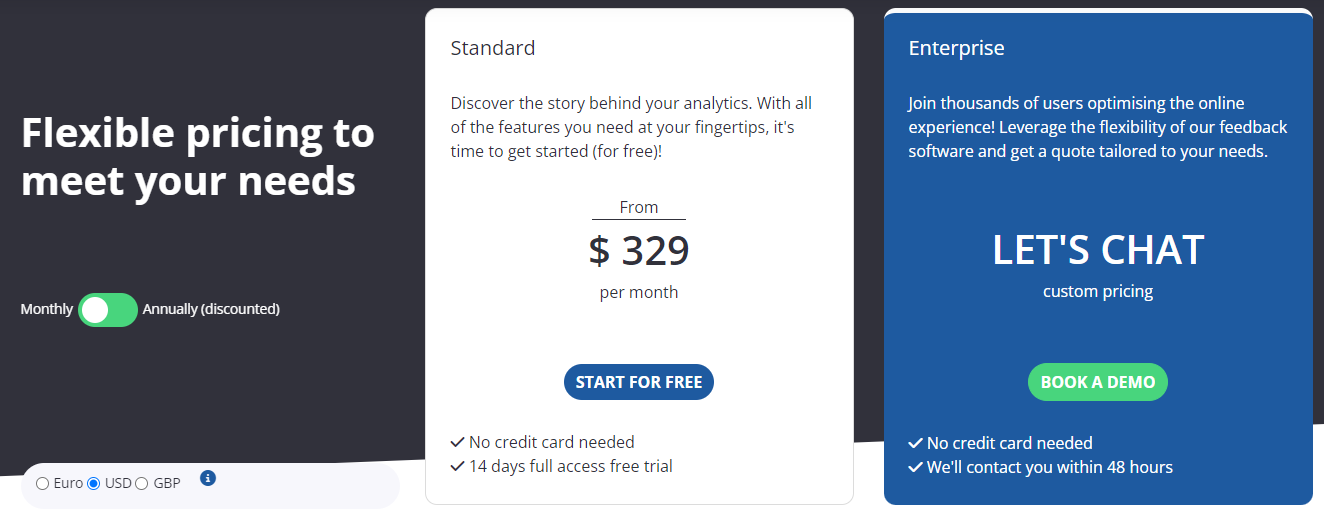
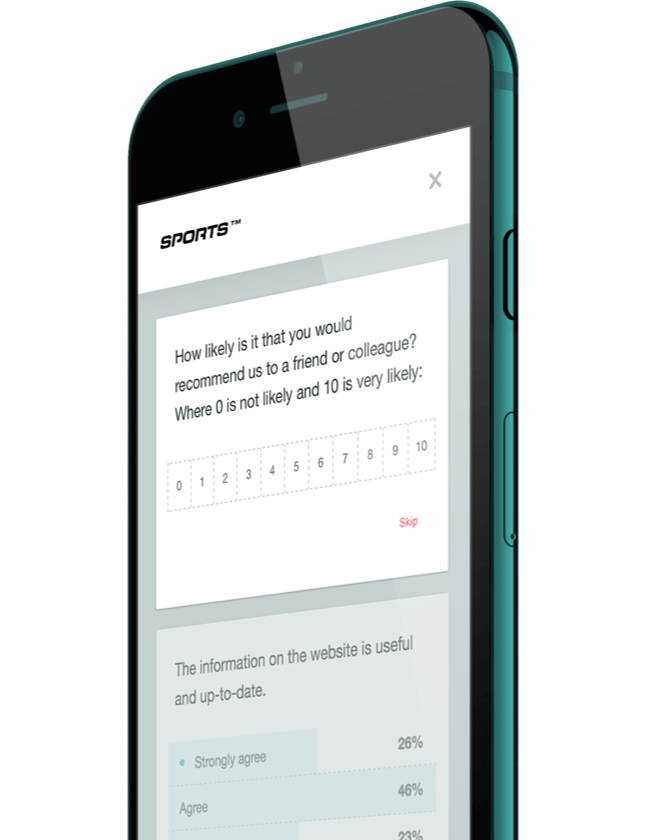
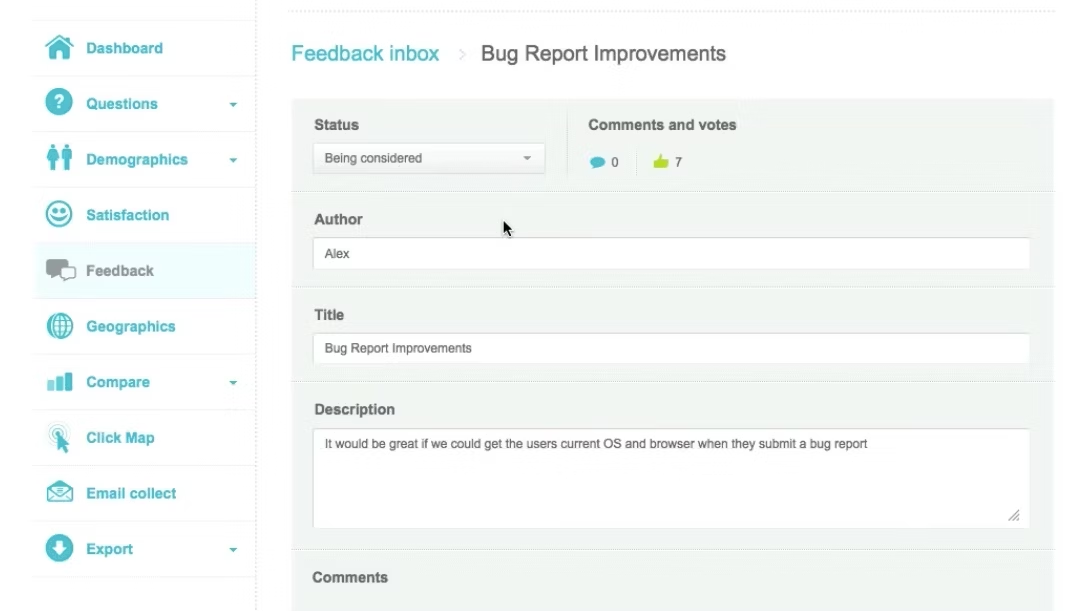
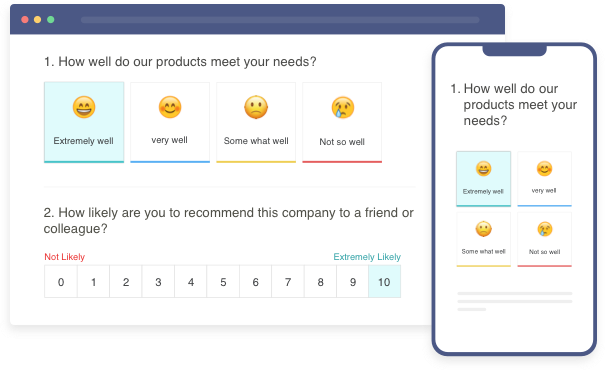
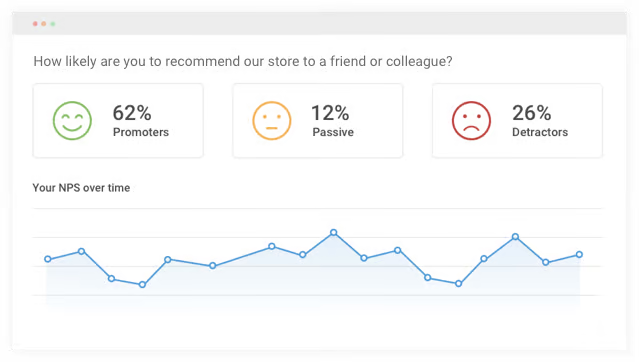
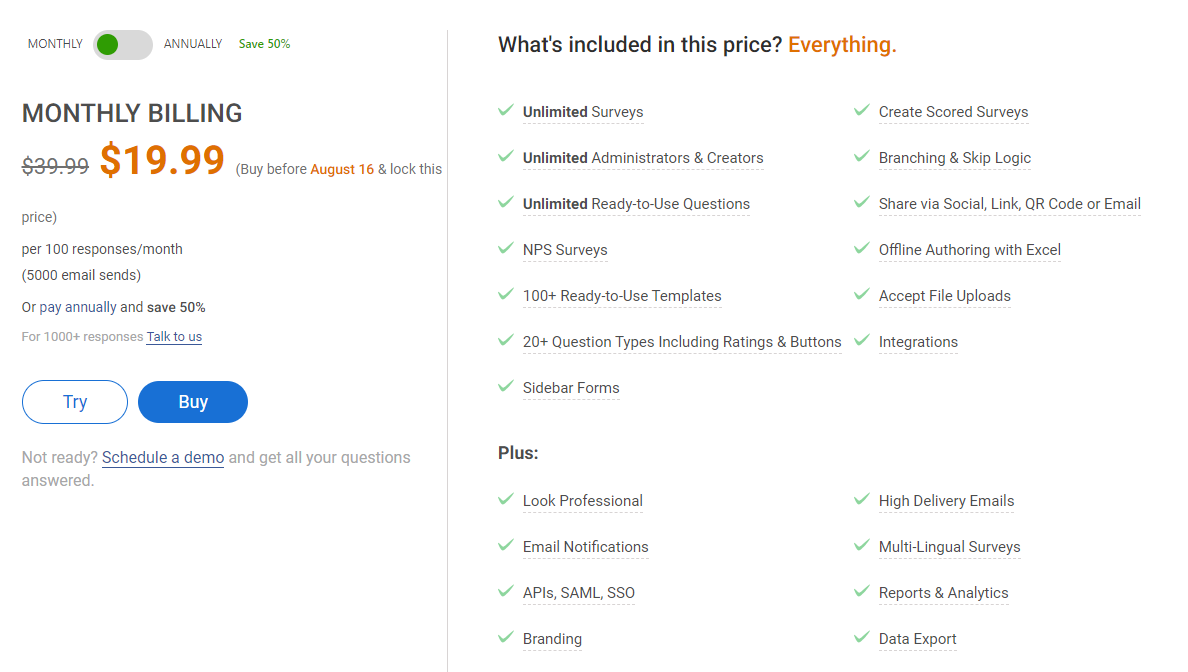
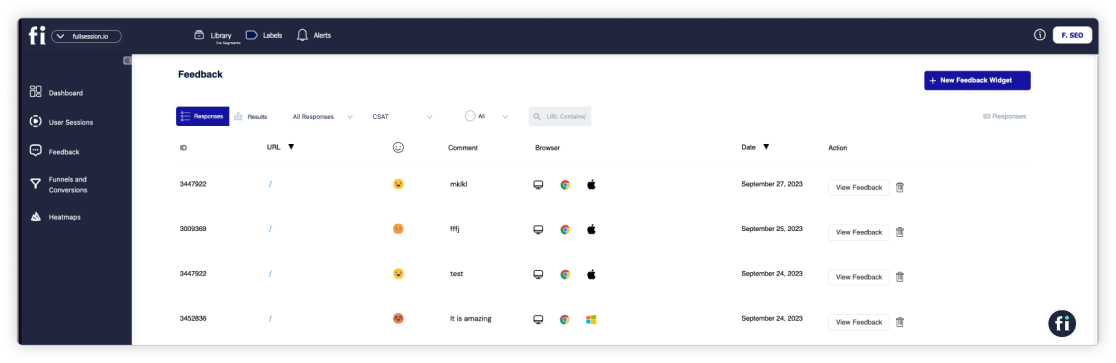

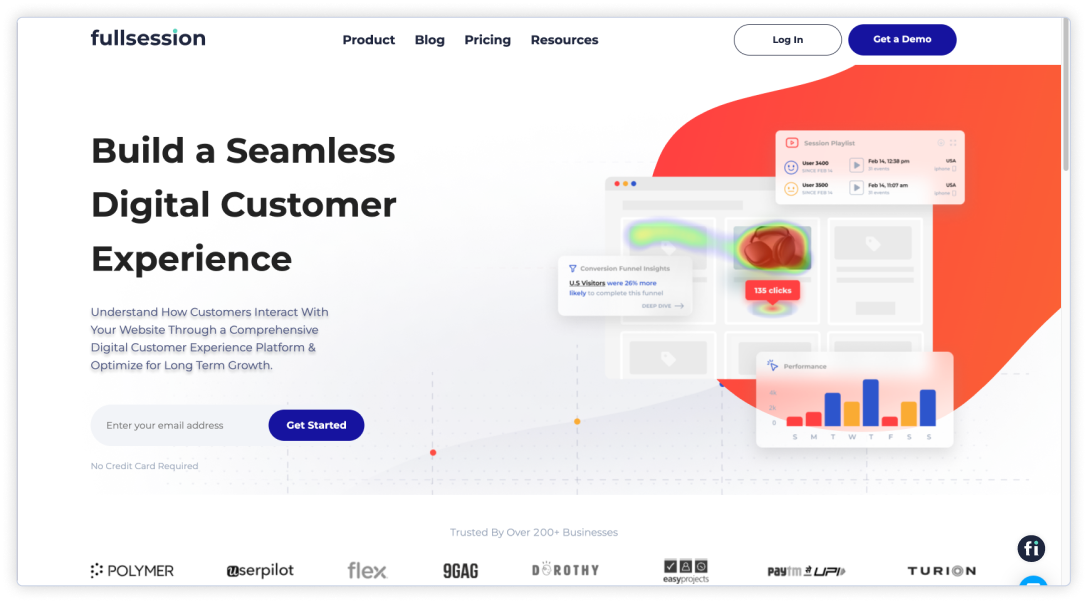
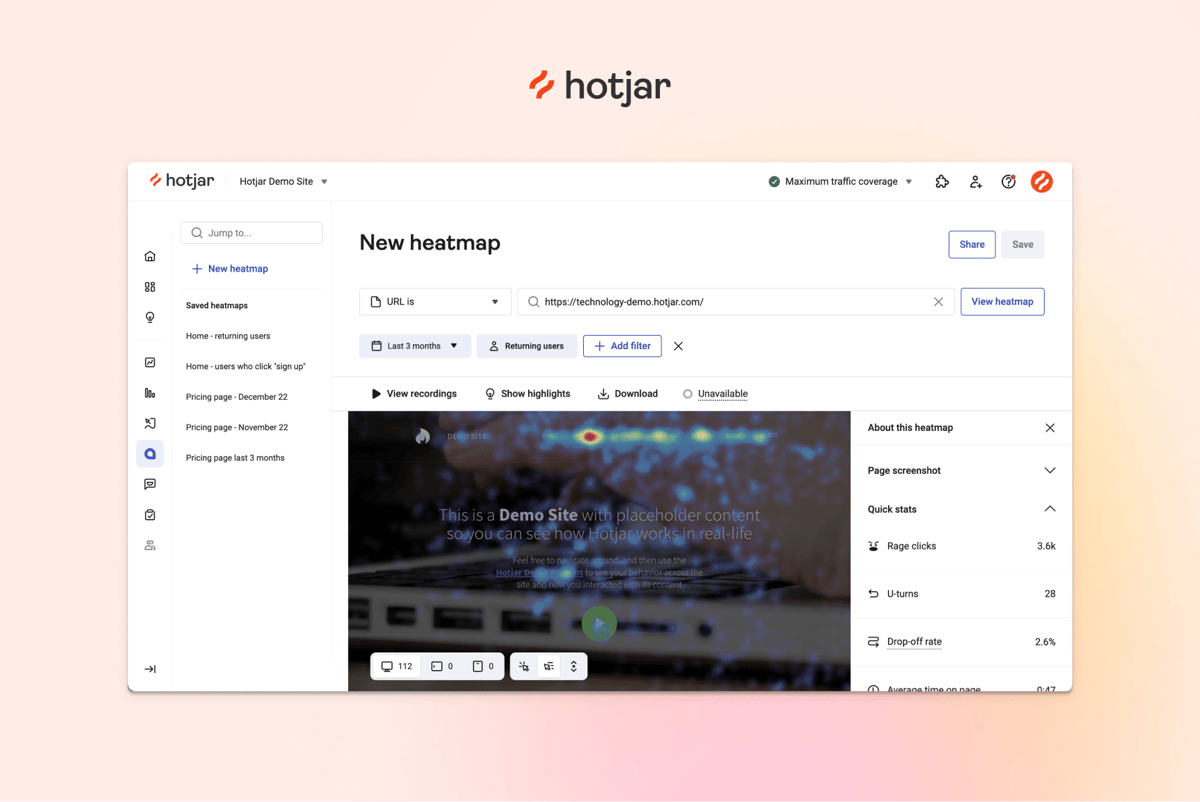
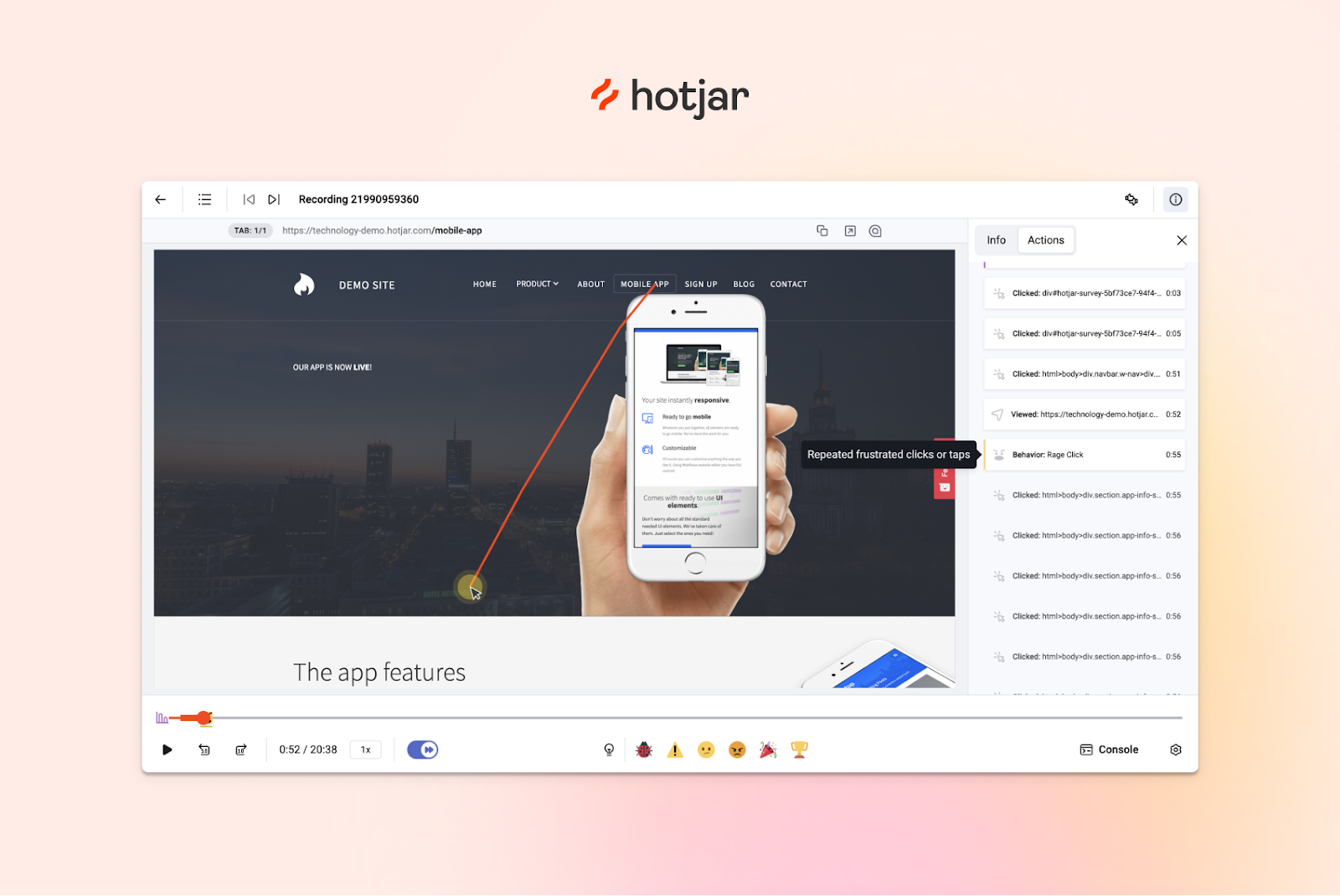
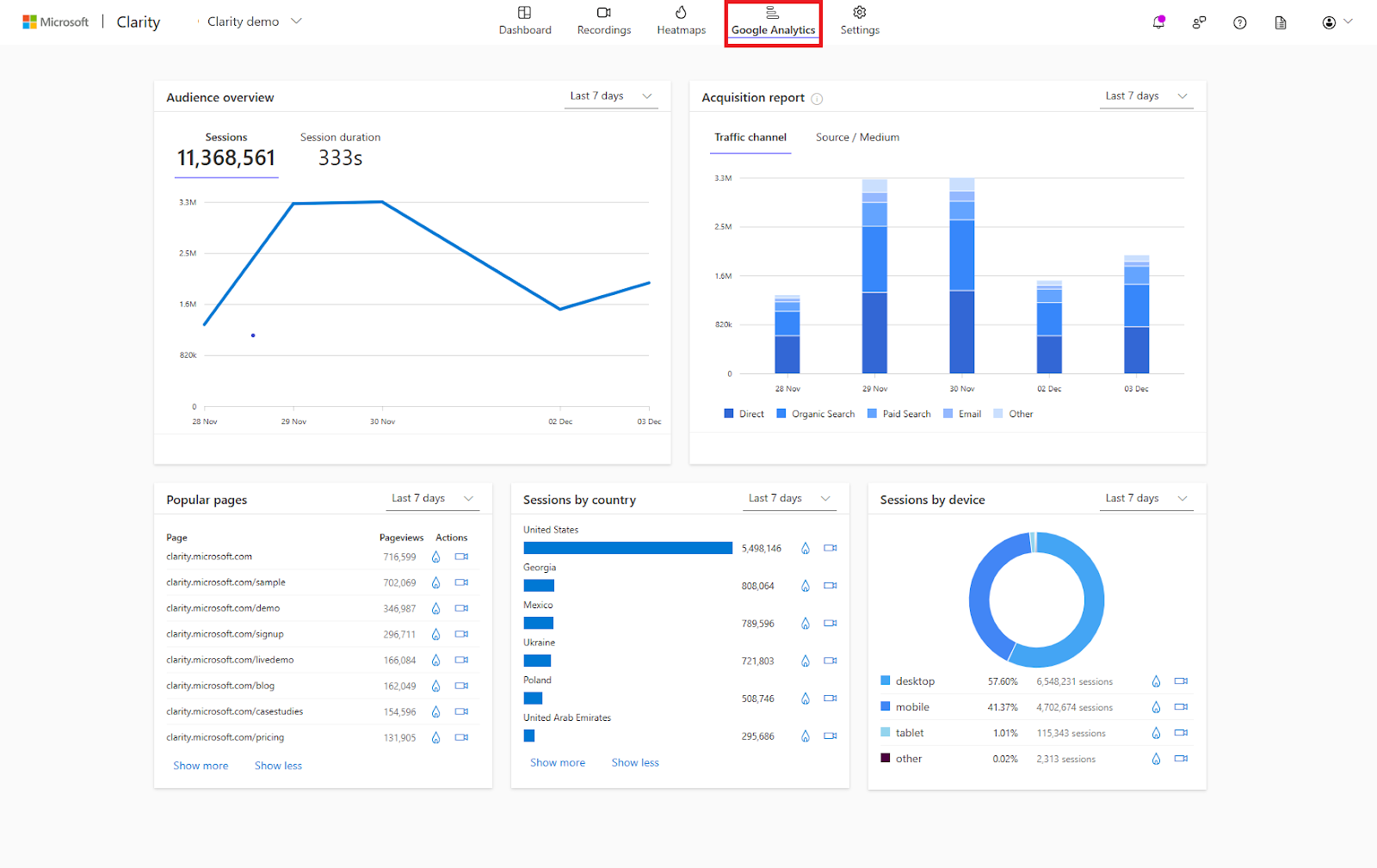
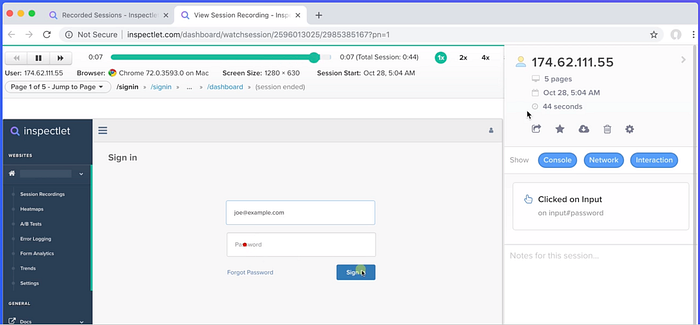
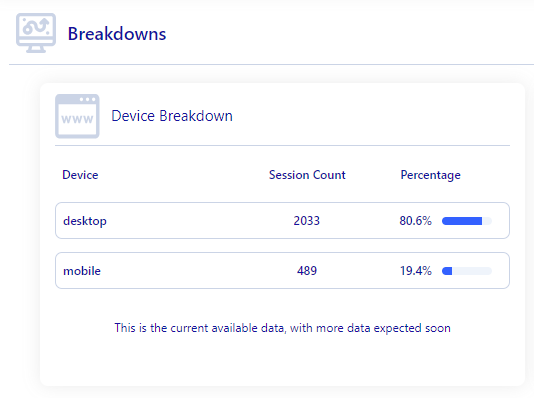
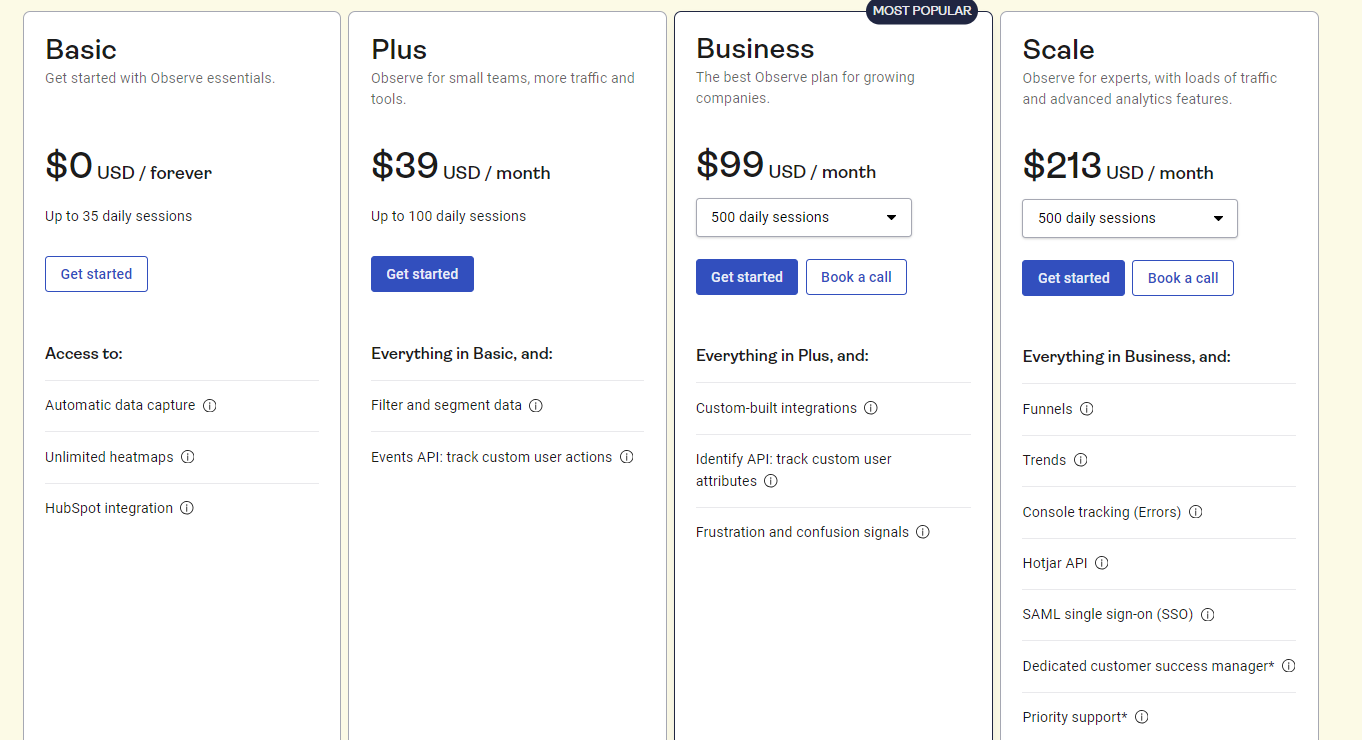
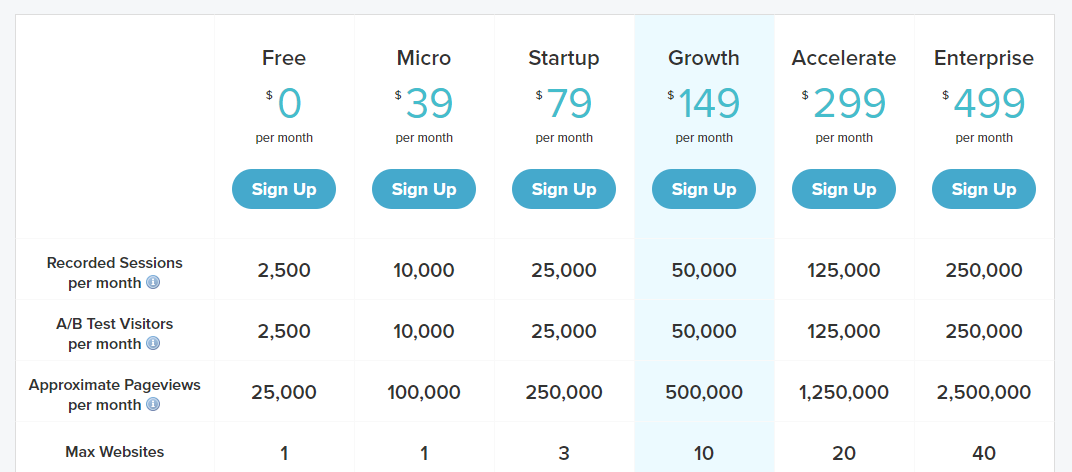
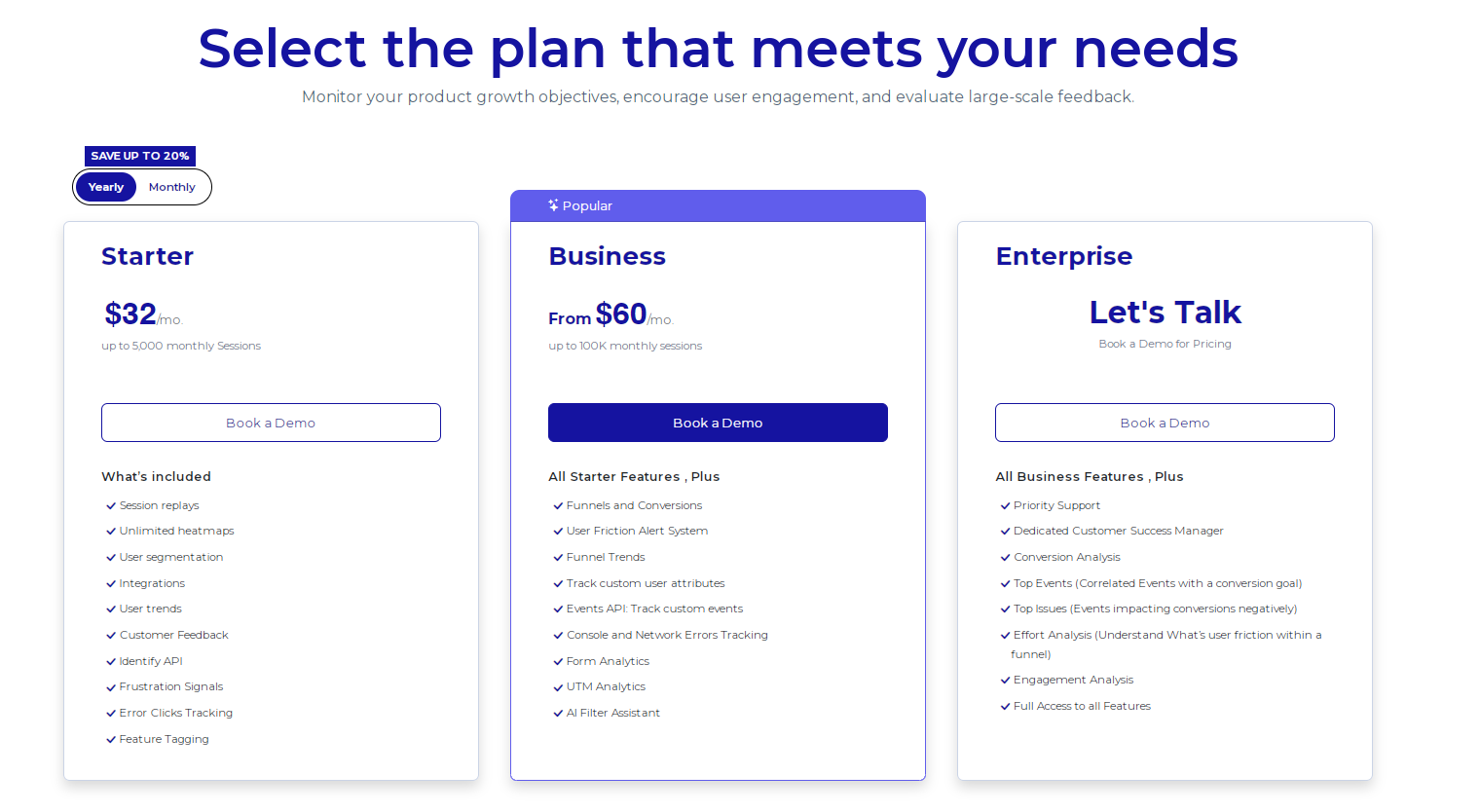
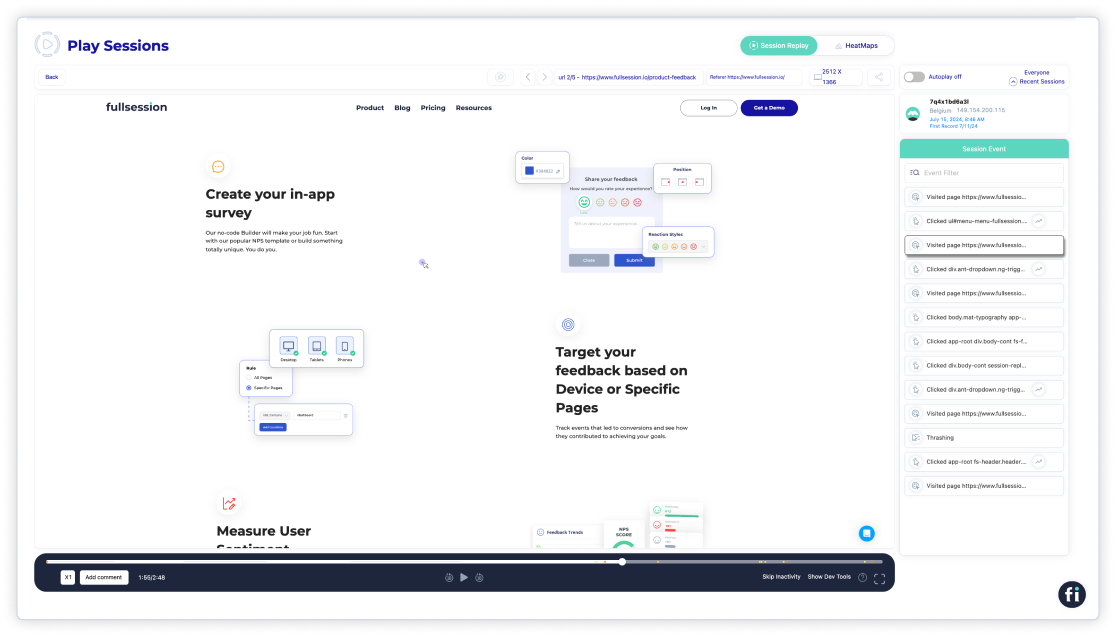
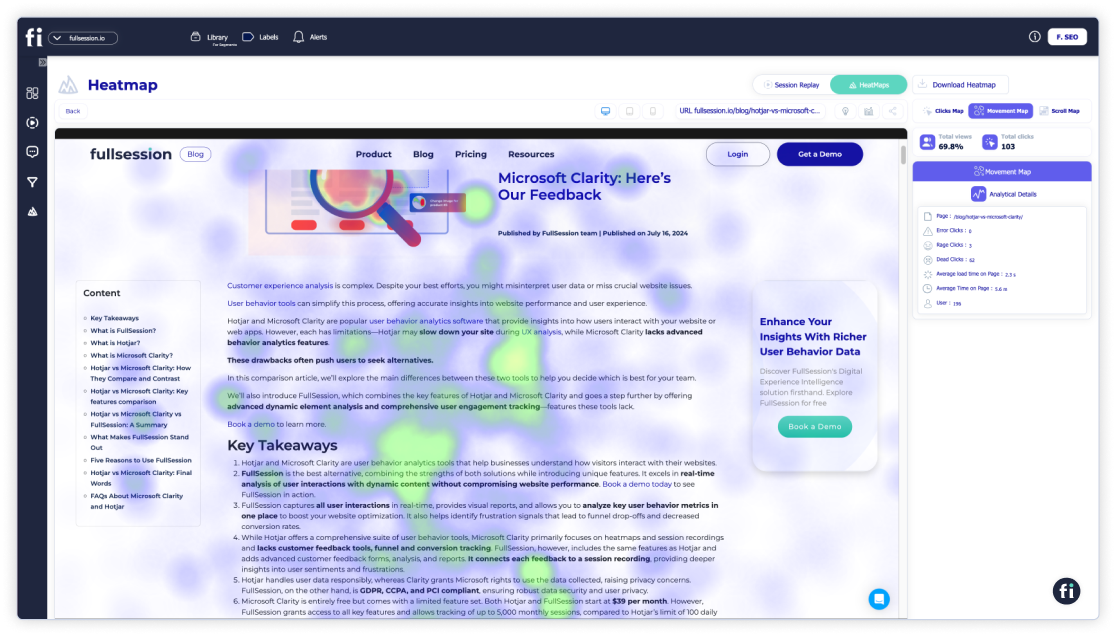
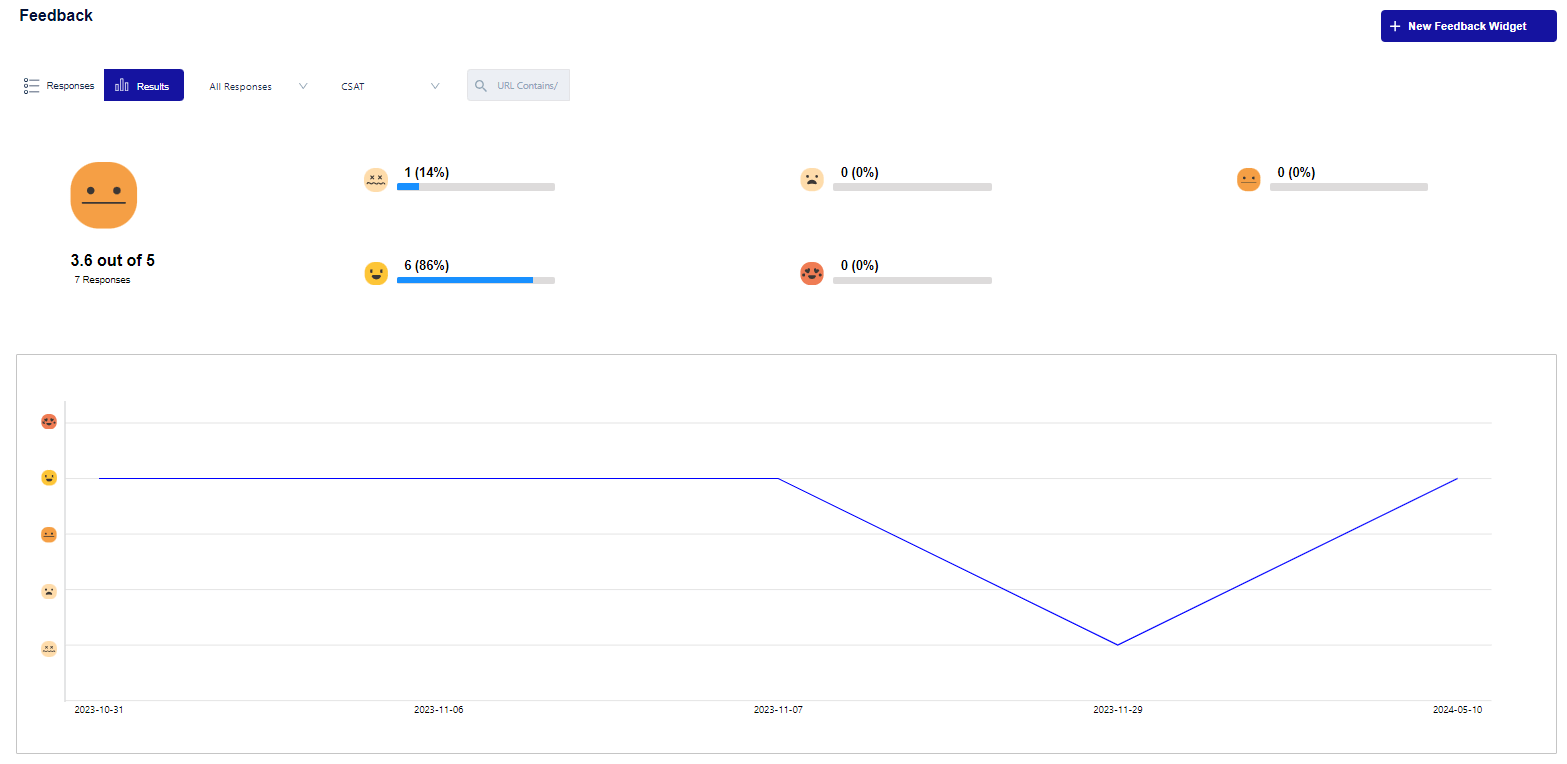
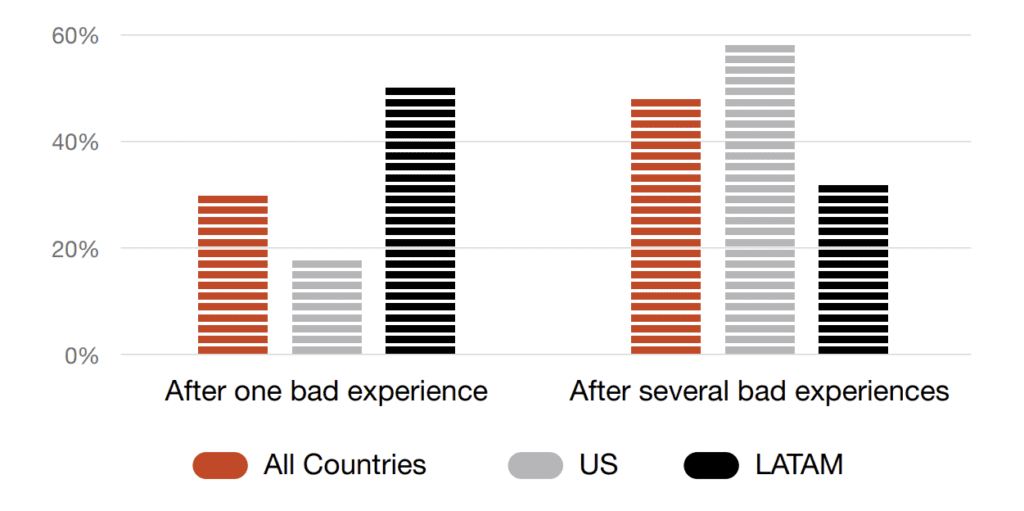
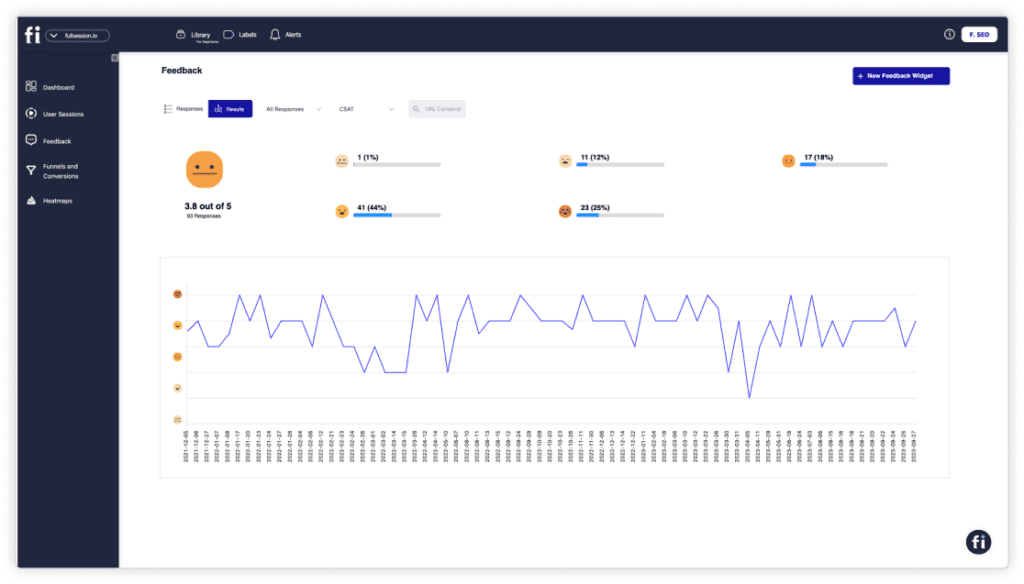
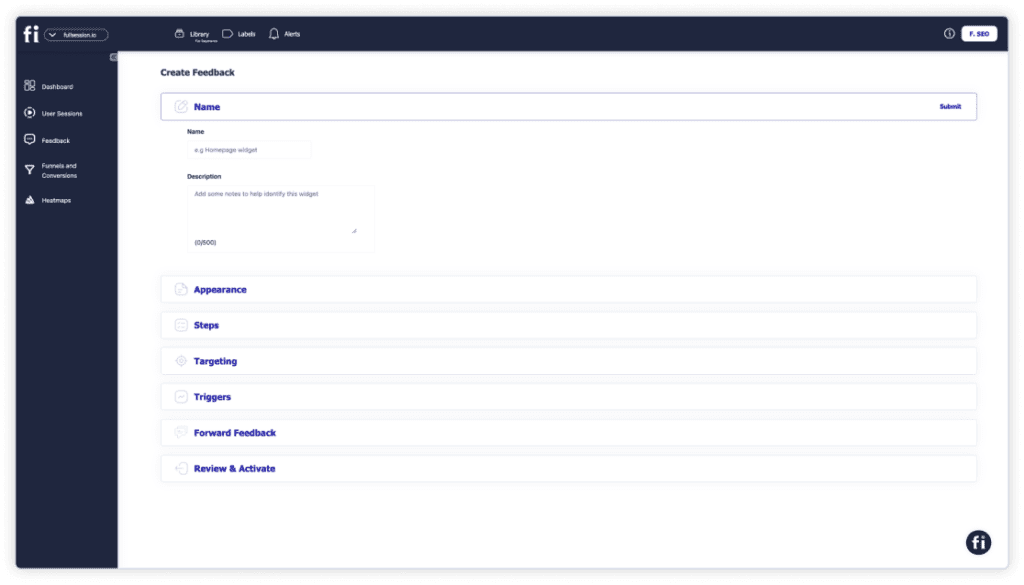
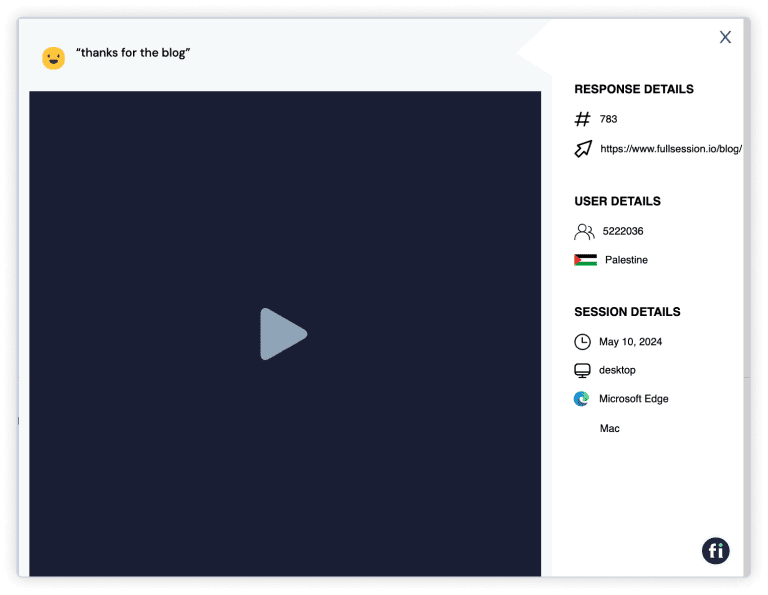
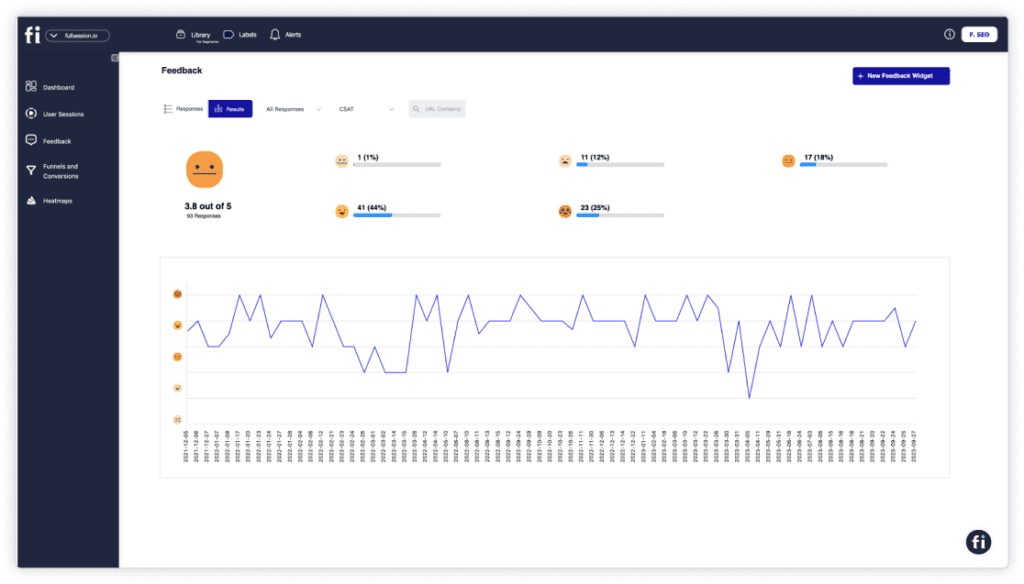
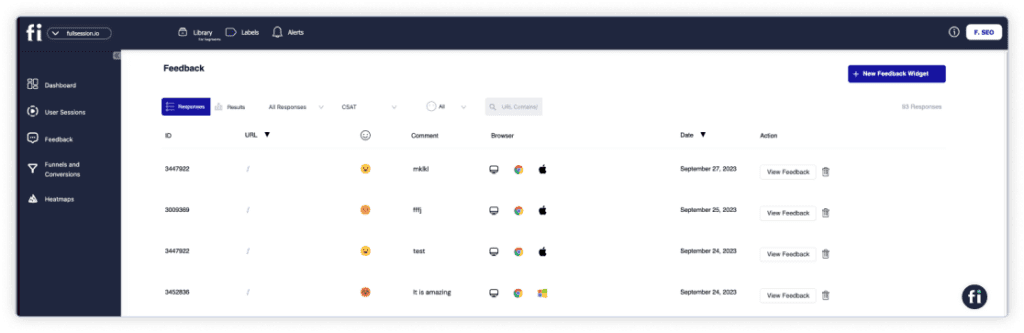
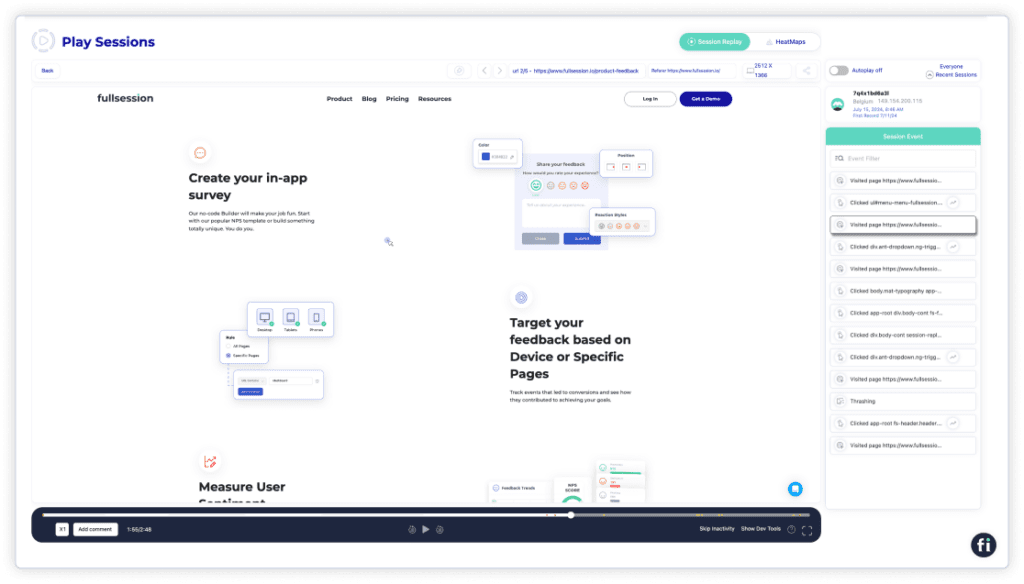
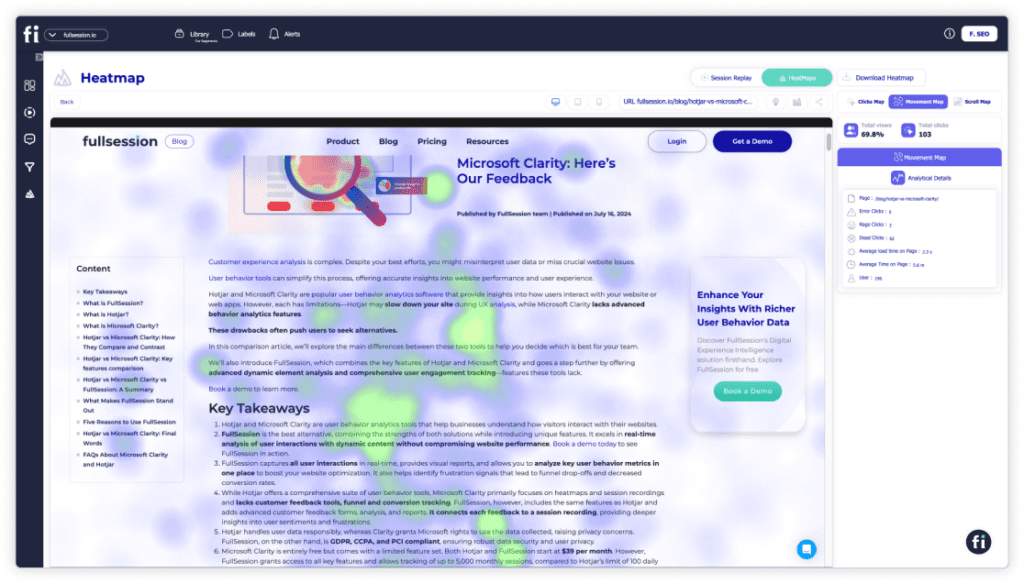






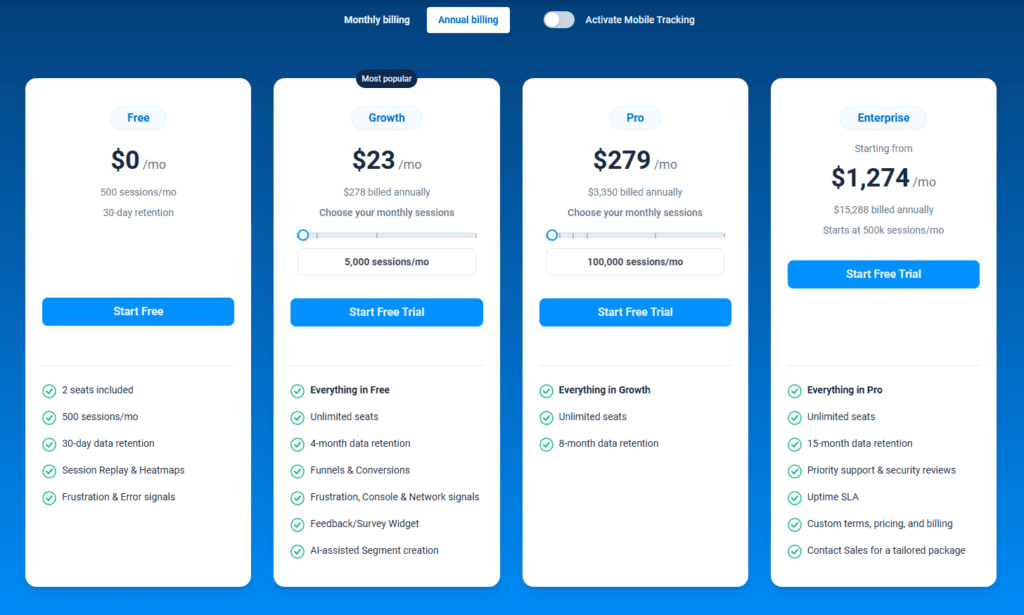
![90 Survey Question Examples [+ How to Create Customer Feedback Form]](https://www.fullsession.io/wp-content/uploads/2024/02/Survey-animation.png)