LogRocket competitors are worth evaluating when the tool stops covering your full digital experience stack.
LogRocket is solid for engineering-led debugging, but heatmaps, funnel analysis, and mobile coverage either sit behind higher tiers or cost extra on top of your existing plan.
If key features require an upgrade just to unlock, the math changes fast.
This guide covers seven LogRocket alternatives. For each one, you’ll find what it does, who it suits, which features matter, and confirmed starting prices. Every tool entry delivers detailed insights, so you won’t need a second source.
Want to see how FullSession stacks up against LogRocket?
Book a demo, and we’ll walk you through it.
Key Takeaways
- FullSession covers session replay, heatmaps, funnel analysis, feedback, and error analysis in one platform at the lowest starting price on this list.
- FullStory is the strongest choice for enterprise teams that need autocapture and queryable behavioral data across the full customer journey.
- Sentry wins on error tracking depth, making it the default pick for engineering teams debugging front-end and back-end issues across 100+ platforms.
- Microsoft Clarity is the only completely free option, with unlimited session recordings and no credit card required.
- Smartlook is the most complete tool for teams managing both web and native mobile apps under one subscription.
- Hotjar suits UX researchers and marketers who need heatmaps, on-site surveys, and user interview recruitment without developer involvement.
- Datadog is the right call when session replay needs to connect directly to back-end traces, logs, and infrastructure monitoring.
Most teams on this list solve one or two problems well. FullSession solves five in a single dashboard, at a price that doesn’t require a sales call to unlock.
For product, UX, and growth teams that want to move from session data to conversion insight without stitching tools together, it’s the clearest choice here.
Ready to see it on your own site?
Start your free 14-day trial and explore session replay, heatmaps, and funnel analysis on your real user data. No credit card required.
Why Teams Search for LogRocket Competitors
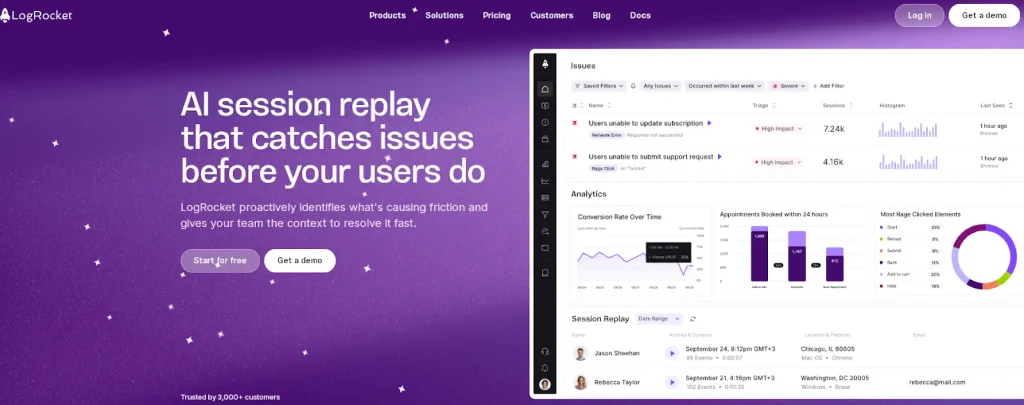
LogRocket holds a strong position for engineering-led debugging. But there are five consistent reasons teams start looking elsewhere.
- LogRocket pricing jumps sharply between tiers. The Team plan covers session replay and basic error tracking. Funnel analysis, product analytics, and AI-powered features like Galileo only unlock at Professional, which starts at $295 per month on an annual contract. That’s a steep gap for teams that need more than debugging.
- Heatmaps aren’t a core part of the product. LogRocket includes basic click and scroll maps, but they’re treated as a secondary feature rather than a primary analytics layer. Teams that want heatmaps as a central workflow tool tend to find the implementation thin.
- Mobile coverage costs extra. Web and mobile sessions are billed separately. For teams managing both platforms, that means two session budgets, two billing lines, and a higher total cost than most alternatives charge for equivalent coverage.
- The tool is built for engineers, not the whole team. Product managers, UX researchers, and growth marketers can use LogRocket, but the interface and default workflows reflect its debugging roots. Non-technical users report a steeper learning curve than with tools designed for cross-functional teams.
- Data retention on entry plans is short. The Team plan retains one month of data. That rules out quarter-over-quarter comparisons, seasonal analysis, and retroactive investigation of incidents older than 30 days.
If any of these gaps match your current situation, the seven tools below are worth a close look. You can also compare broader Session Recording Replay Tools if your main priority is finding the right replay platform, not only a LogRocket replacement.
Key Features to Evaluate Across LogRocket Alternatives
Not every tool on this list solves the same problem. The way users interact with a product on web and mobile apps differs a lot, and the behavior analytics needs follow.
Before you read the individual reviews, here are six dimensions that separate these platforms.
- Session replay fidelity: How accurately does the session replay reconstruct what the user actually saw? DOM-based replay is the gold standard.
- Error tracking depth: Some tools surface JavaScript errors as a side feature. Others, like Sentry, build their entire product around it.
- Heatmap support: LogRocket doesn’t include heatmap tools on its Team plan. Several alternatives do, at a lower starting price.
- Mobile app coverage: If you need session replay on native iOS or Android, your list gets shorter fast.
- Pricing model transparency: Per-session pricing with published rates is far easier to budget for than custom quotes.
- Team fit: A tool tuned for engineers is a different product from one built for product managers or marketers.
Session replay features, user engagement metrics, and actionable insights differ across tools, so pick one that aligns with your team’s workflow and how they use analytics.
LogRocket Competitors at a Glance
Here’s a side-by-side view of the seven tools covered in this guide. Pricing comes from official sources as of May 2026.
| Tool | G2 Rating | Best For | Top Feature | Starting Price |
| FullSession | 5.0 / 5 | Product managers, UX designers, CRO specialists, and e-commerce teams | Session replay + heatmaps + funnels + feedback in one platform | Free plan at $0/month; Professional from $279/month |
| FullStory | 4.5 / 5 | Enterprise digital experience analytics | Autocapture with queryable behavioral data | Free tier, custom pricing |
| Sentry | 4.5 / 5 | Engineering teams debugging errors | Error tracking with stack traces and session context | Free plan, paid from $29/month |
| Microsoft Clarity | 4.4 / 5 | Small teams and budget-constrained organizations | Unlimited free sessions with heatmaps | Free, always |
| Smartlook | 4.6 / 5 | Teams tracking web and mobile together | Full-volume recording across web and native mobile | Free plan, paid from $55/mo |
| Hotjar | 4.3 / 5 | UX researchers and marketing teams | Journey analysis, Zone-based heatmaps and Sense, Contentsquare’s AI | Free plan, paid from $49/mo |
| Datadog | 4.4 / 5 | Engineering teams on cloud infrastructure | RUM session replay connected to full-stack observability | RUM from $1.50 per 1,000 sessions |
The 7 Best LogRocket Alternatives Reviewed
LogRocket competitors serve different needs. Some help engineering teams debug errors, while others help product, UX, and growth teams understand user behavior through replays, heatmaps, funnels, and customer feedback.
The reviews below explain what each tool does best, who it fits, and how it compares on features and pricing.
1. FullSession
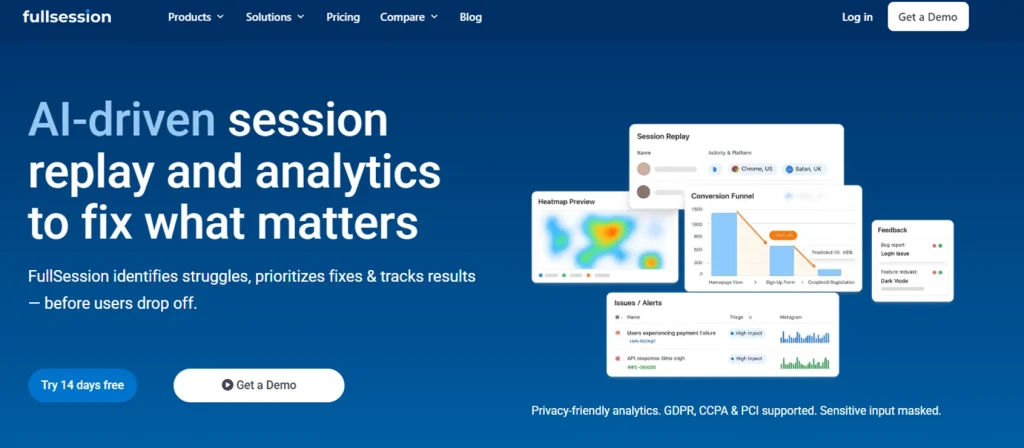
FullSession is a web behavior analytics platform that combines session replay, interactive heatmaps, funnel analysis, in-page feedback, and error analysis in a single platform.
It captures technical data about each session alongside behavioral signals, giving teams a comprehensive suite of tools to understand user interactions from first page load to conversion.
What sets it apart is the integration of Lift AI, which scans behavioral data to surface the highest-priority fixes for your team.
FullSession is built privacy-first, with full GDPR, CCPA, and PCI compliance out of the box.
It is the best LogRocket alternative for teams that want qualitative and quantitative insight beyond debugging.
If your workflow involves watching session recordings, analyzing where users scroll, running funnel analysis, and collecting customer feedback in one place, FullSession covers it without stitching multiple tools together.
Some teams use session data to deliver personalized guidance to users through in-app guides and targeted onboarding flows. FullSession’s behavioral data integrates with the tools that enable that.
It’s a strong fit for product teams, UX researchers, growth marketers, and ecommerce teams at SaaS and direct-to-consumer companies. It’s less suited to teams whose primary use case is back-end observability or infrastructure monitoring.
See FullSession in action on your own site.
Book a demo and get a personalized walkthrough with no commitment required.
Key features
- Pixel-perfect session replay reconstructs each session with a timestamped event timeline, rage clicks, dead clicks, and error detection before a drop-off.
- Interactive heatmaps cover clicks, mouse movement, and scroll depth in real time with dynamic element tracking, so data stays current rather than batched.
- Conversion funnels show step-level drop-offs with segment comparison, so you can see whether mobile users, paid traffic, or a specific cohort drives churn.
- In-page feedback widgets collect direct user input tied to the session replay, so you always have context alongside the rating or comment.
- Lift AI scans user activity patterns to predict which friction points carry the highest revenue impact, cutting the time your team spends reviewing sessions.
- Error tracking captures JavaScript errors, rage clicks, and broken flows tied directly to session replays, so your team sees exactly what the user experienced when something went wrong.
- Mobile session replay records user interactions on mobile devices with the same fidelity as web, giving you a unified view of behavior across platforms.
Pricing
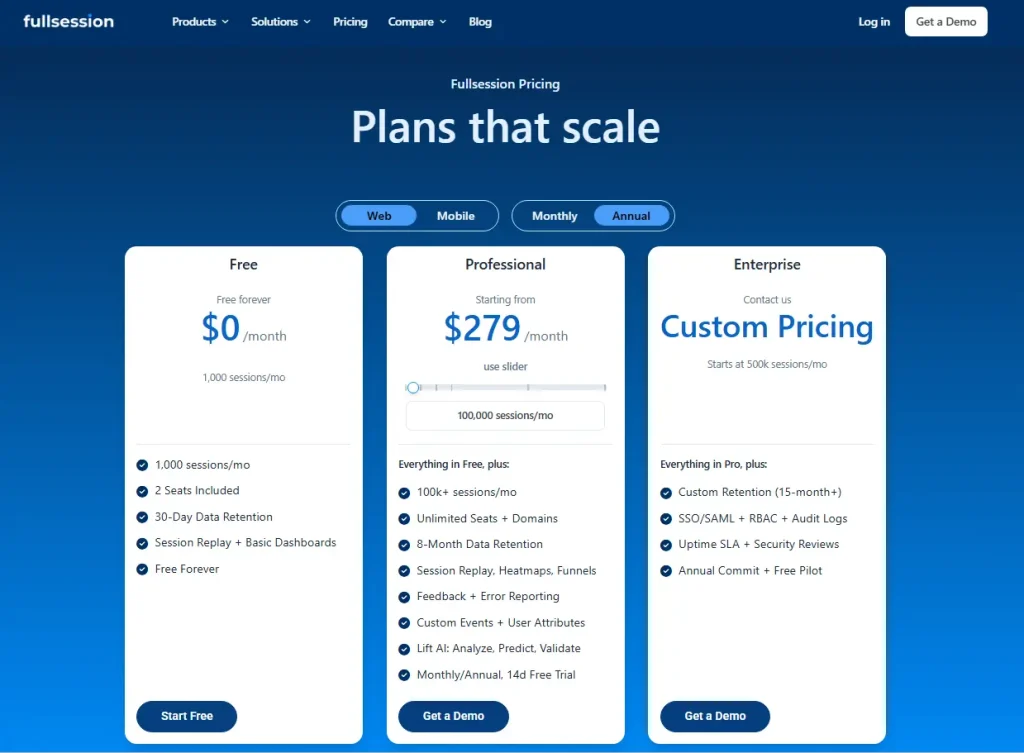
FullSession offers a free plan at $0/month with 1,000 sessions/month, 2 seats, 30-day data retention, and session replay + basic dashboards.
The Professional plan starts from $279/month and includes 100,000 sessions/month, unlimited seats and domains, 8-month retention, heatmaps, funnels, feedback, error reporting, custom events, user attributes, and Lift AI.
For larger teams, Enterprise custom pricing starts at 500k sessions/month with custom retention, SSO/SAML, RBAC, audit logs, SLA, security reviews, and a free pilot.
Visit FullSession pricing plans.
Ready to see it for yourself?
Start your free 14-day trial and explore session replay, heatmaps, and funnel analysis on your own site. No credit card required.
2. FullStory
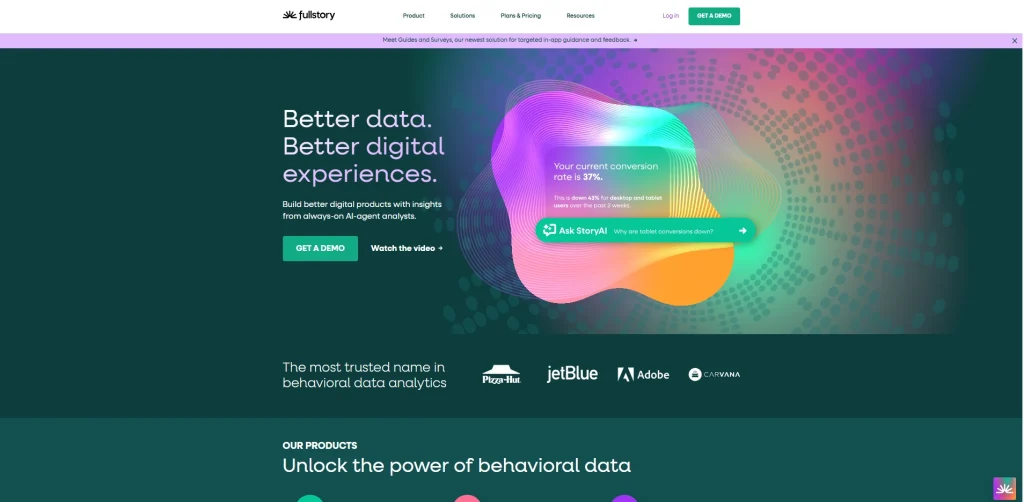
FullStory is a digital experience analytics platform that autocaptures every user interaction without manual event tagging and structures that data as queryable behavioral output. Its primary category is enterprise digital experience intelligence.
Three things set FullStory apart on this list: its tagless capture model, StoryAI for session summaries and friction detection, and data warehouse integrations with Snowflake, BigQuery, and Redshift.
FullStory works best for product managers, UX leads, customer success teams, and support teams at mid-size to enterprise companies where cross-functional visibility into the customer journey is the primary need.
It’s a stronger fit for teams focused on experience optimization and journey analysis than for teams whose main workflow is front-end debugging.
- See how FullSession compares to FullStory.
- Learn more about FullStory competitors.
- Read more about FullStory vs LogRocket.
Key features
- Full autocapture records every click, scroll, and interaction without requiring developers to define events in advance, so retroactive analysis is possible.
- Session replay covers both web and native mobile apps with frustration signal detection, including rage clicks and dead clicks baked in.
- Journey analysis maps user paths across multiple sessions to identify the key flows that lead to conversion and the friction points that don’t.
- StoryAI generates AI-powered session summaries and surfaces behavioral patterns across large session volumes without manual review.
- Data warehouse integrations connect behavioral data from real user sessions to CRM, revenue, and product data for downstream analysis.
Pricing
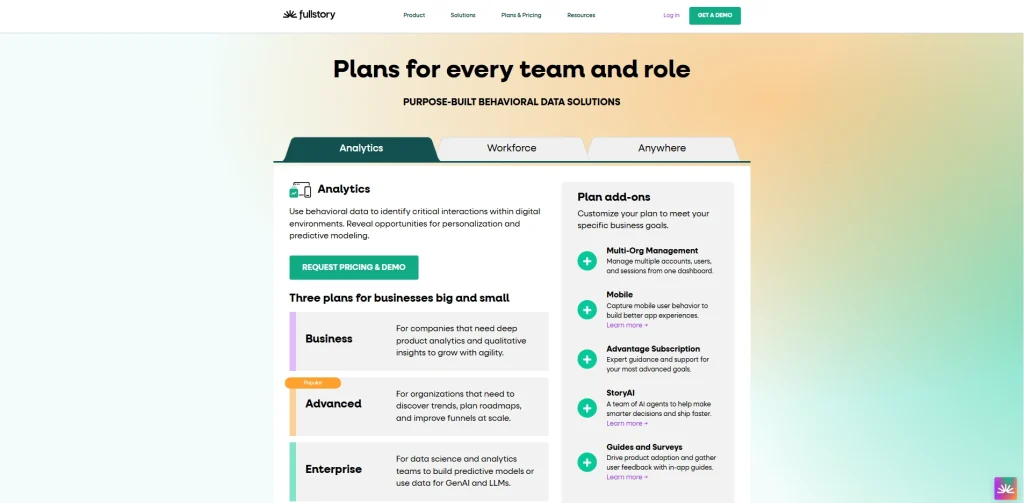
Free tier includes 30,000 sessions per month with 12 months of data retention, but limited feature access. Paid plans include custom pricing.
3. Sentry
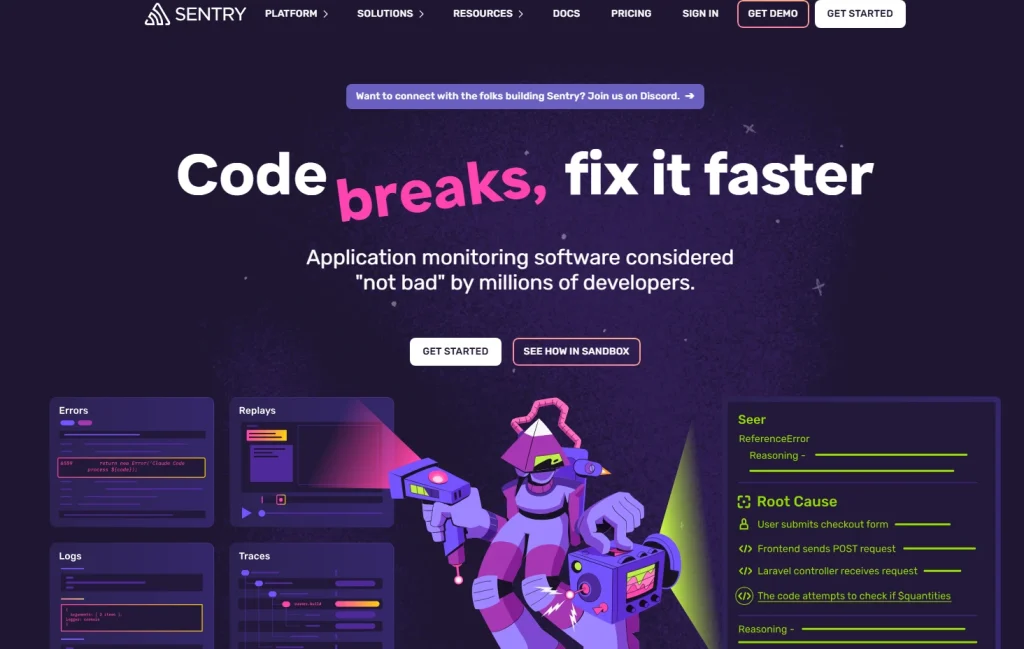
Sentry is an error monitoring and application performance management platform built for engineering teams.
Sentry approaches digital products from the code level. It captures exceptions, stack traces, release trends, and performance regressions, with session replay added as a debugging context layer rather than a UX research tool.
That framing matters because Sentry and LogRocket have the closest use case, but they aren’t interchangeable.
Sentry is the right choice for engineering and product teams that need deep JavaScript error analysis, back-end tracing, and multi-platform error monitoring. It supports over 100 frameworks and languages, including Python, Ruby, Go, and native mobile.
Teams that primarily want to understand user behavior patterns rather than identify bugs will find Sentry’s UX analytics thin compared to the other tools on this list.
Key features
- Error tracking captures full stack traces with source maps, environment variables, and release-based filtering so engineers can reproduce and assign issues fast.
- Session replay ties directly to error context, showing DOM events, console logs, and network requests alongside the replay.
- Performance monitoring tracks transaction traces, slow queries, memory usage, and load time regressions across front-end and back-end systems.
- Issue workflow integrates with GitHub and Jira for triage, severity scoring, and alert routing so bugs move through the team without manual hand-offs.
- Broad platform support covers JavaScript, Python, Ruby, Go, iOS, Android, and React Native under one account.
Pricing
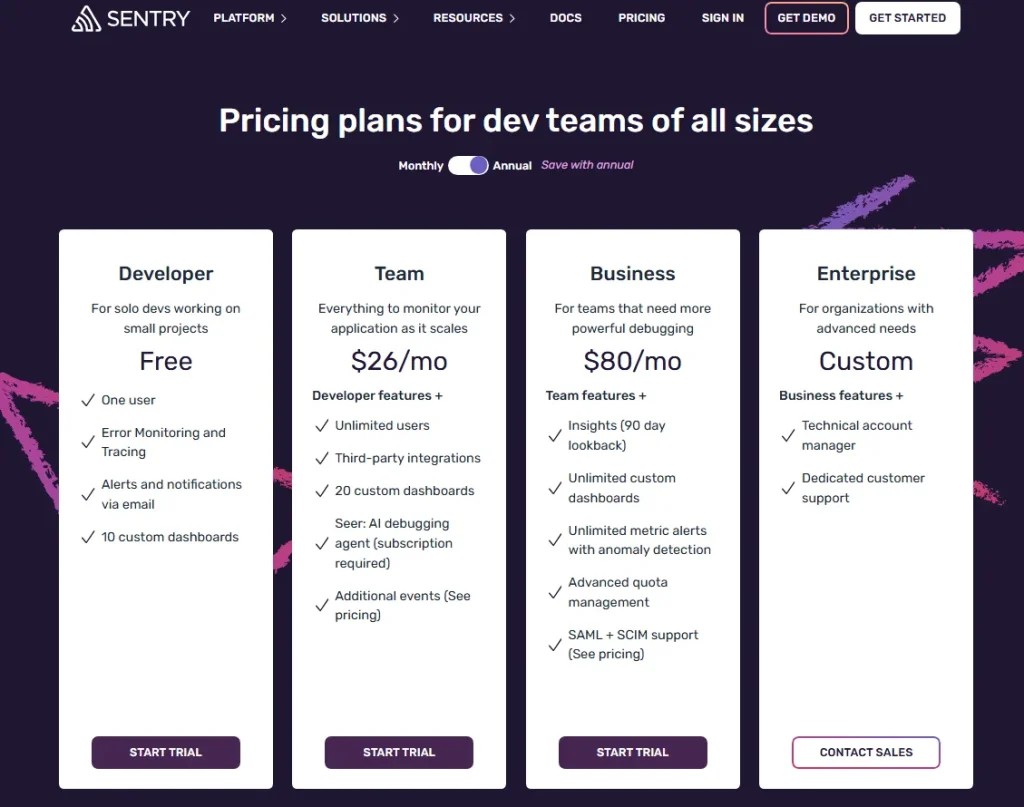
The free developer plan covers 5,000 errors and 50,000 transactions per month. Team plan starts at $26 per month.
Business plan starts at $80 per month. Enterprise pricing is custom.
4. Microsoft Clarity
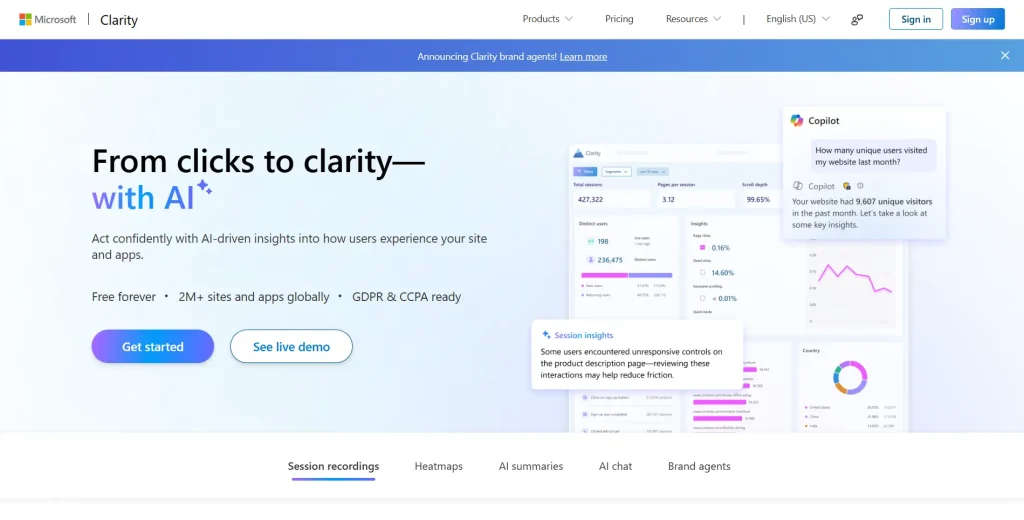
Microsoft Clarity is a free web analytics and session recording tool from Microsoft. Its primary category is lightweight behavior analytics for web teams.
Microsoft Clarity is the only tool on this list that’s completely free with no session cap. The trade-off is 30-day data retention, no funnel analysis, no feedback tools, and limited filtering.
Microsoft Clarity works best for early-stage teams, content publishers, and small businesses that need basic behavioral insight without a budget commitment. It’s a practical starting point for teams that have never used a session replay tool before.
Teams that need to track user behavior across multi-step funnels, run A/B testing analysis, or retain data beyond 30 days will quickly hit its ceiling.
- See how FullSession compares with Microsoft Clarity.
- Learn more about Hojtar vs Microsoft Clarity.
Key features
- Unlimited session recordings with no monthly cap on the free plan, covering every visit without sampling or throttling.
- Click, scroll, and heatmap data across all recorded pages with basic segmentation by device and traffic source.
- Copilot AI integration lets teams query session data using natural language, which speeds up surface-level analysis for non-technical users.
- Frustration signals flag rage clicks, dead clicks, and quick backs automatically so teams can spot UX problems without manually reviewing sessions.
- Native integration with Google Analytics and Microsoft Advertising connects behavioral data to traffic and campaign performance in one view.
Pricing
Free with no paid plans. Data retention is capped at 30 days. No session volume limits.
5. Smartlook
Smartlook is a qualitative analytics platform with native session replay and heatmap coverage across web and native mobile apps, including iOS, Android, React Native, Flutter, and Unity. Its primary category is cross-platform behavior analytics.
Its defining feature is full-volume recording at 100% of sessions with no sampling. It also offers retroactive event definition, which lets you create an event today and see its historical data in past sessions.
Smartlook is the right pick for product teams managing mobile apps alongside web experiences who need unified behavioral analytics without separate tools per platform. Its mobile support is meaningfully stronger than most LogRocket alternatives here.
Teams that primarily need web analytics with deep funnel customization or feedback collection may find FullSession or FullStory a better fit.
- Learn more about Smartlook alternatives.
- Read more about Smartlook vs Hotjar.
Key features
- Full-volume session recording across web and native mobile apps without sampling or throttling, so no user journey is missed.
- Retroactive event definition means behavioral questions can be answered using data collected before the team decided to track a specific interaction.
- Click, scroll, and touch heatmaps on both web and mobile with no extra setup, giving teams mobile analytics and web data in the same interface.
- Funnel analysis tracks user journeys across web and mobile at the same time and flags where users abandon each step.
- Crash reports for native mobile apps include session replay context for each crash, so engineers see exactly what happened before the app failed.
Pricing
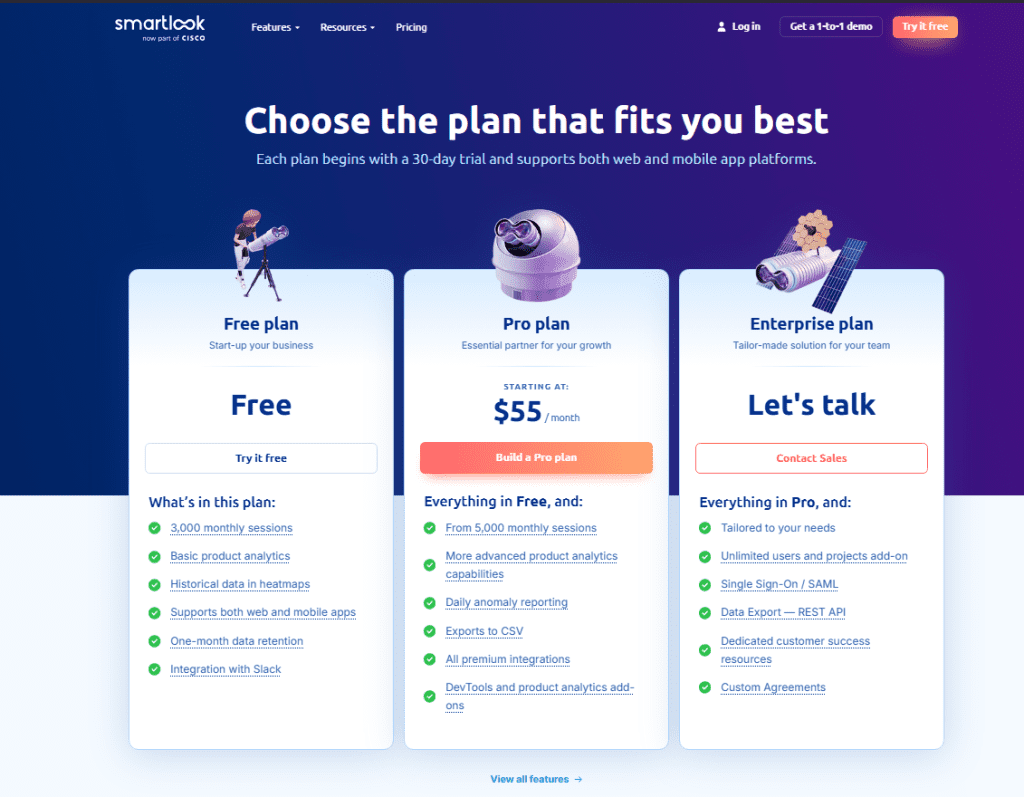
The free plan includes 3,000 sessions per month with heatmaps and basic event analytics. Pro plan starts at $55 per month (billed annually) for 5,000 sessions. Enterprise pricing is custom.
Cisco acquired Smartlook in 2023 and has now announced end-of-sale and end-of-life dates for Smartlook. The last day to order is May 31, 2026; the last day to renew or add to an existing subscription is August 31, 2026; and the last date of support is August 31, 2027.
6. Hotjar
Hotjar is a behavior analytics and user feedback platform now operating under the Contentsquare umbrella following its 2021 acquisition. Its primary category is qualitative UX research for web teams.
Hotjar is built for non-technical users. The interface works without developer involvement.
Its distinctive advantage over most tools on this list is the combination of heatmaps, session recordings, on-site surveys, and user interview recruitment in a single subscription. Marketing teams and UX researchers are the most common users.
Hotjar is the right fit for UX research and conversion rate optimization teams that want to collect qualitative insights alongside quantitative data, without connecting to a separate feedback tool. It doesn’t support mobile apps at any price tier.
Teams that need mobile support, deep funnel analysis, or engineering-level error tracking should look at other options on this list.
- See how FullSession compares with Hotjar.
- Learn if Hotjar slows down your site.
- Read more about Hotjar alternatives.
- Learn more about Lucky Orange vs Hotjar.
Key features
- Session replay captures real user sessions with scroll depth, rage clicks, and click tracking. You can filter by device, traffic source, and behavior segment.
- Click, move, and scroll heatmaps show where users scroll and where their attention concentrates, with user segmentation for targeted analysis.
- On-site surveys and feedback widgets collect direct user responses tied to specific pages or triggers, adding qualitative context to session data.
- Hotjar Engage provides user interview recruitment and moderated remote session tools to gather structured user feedback at scale.
- Funnel analysis tracks user journeys and shows converted users versus those who dropped off, though filtering is more limited than dedicated funnel tools.
Pricing
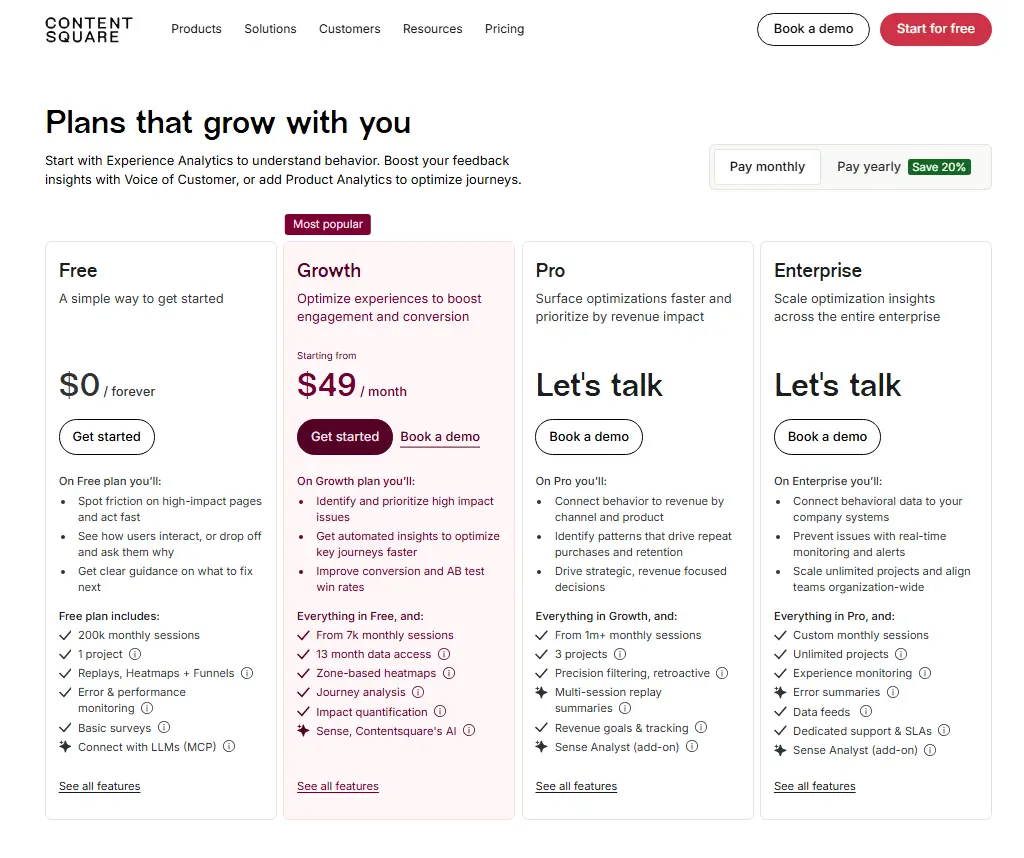
The free plan includes 200,000 monthly sessions with one project. Growth plan starts at $49 per month, or $39 per month when billed annually, and includes 7,000 monthly sessions, 13-month data access, zone-based heatmaps, journey analysis, impact quantification, and Sense, Contentsquare’s AI.
Pro and Enterprise plans are available with custom pricing for higher-volume teams that need more advanced analytics, deeper insights, and tailored support.
7. Datadog
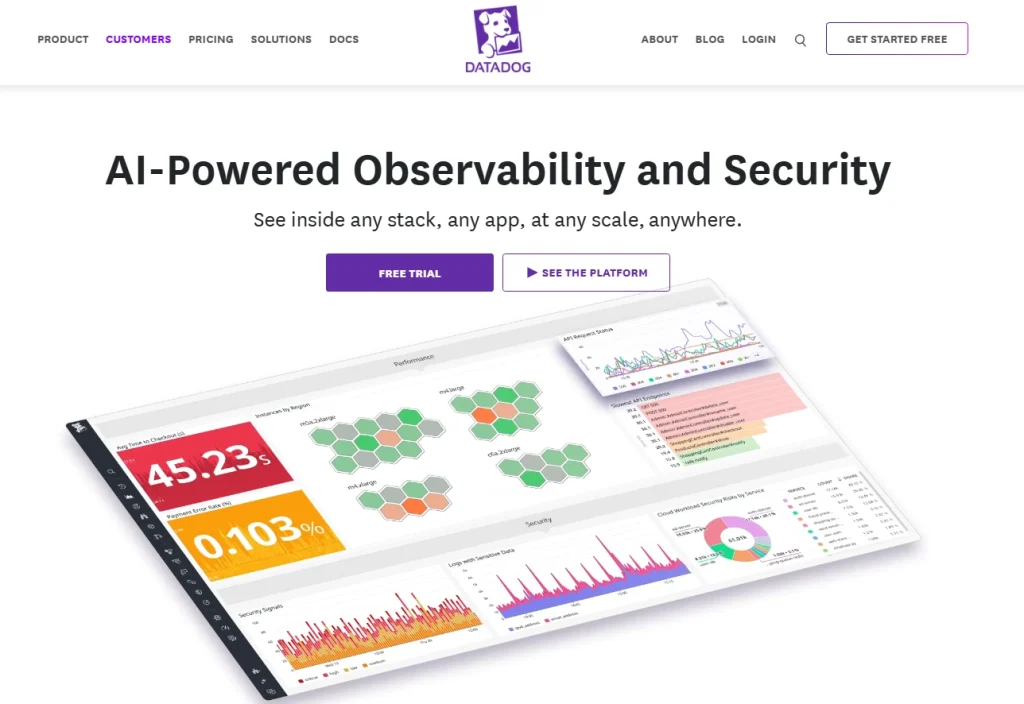
Datadog is a cloud monitoring and observability platform that includes real user monitoring and session replay as components of its broader infrastructure and application monitoring suite. Its primary category is full-stack APM and infrastructure observability.
Datadog is fundamentally different from every other tool here. Session replay isn’t the product. It’s one feature inside a platform built for engineering teams managing cloud systems.
Datadog’s replay value lies in its connection to back-end traces, server metrics, and log lines from the same moment.
It isn’t a UX research tool or a conversion optimization platform.
Product managers or marketing teams evaluating Datadog as a session replay solution will find a better fit elsewhere on this list.
Key features
- Real user monitoring captures session data including network requests, console logs, performance metrics, and JavaScript errors with full replay alongside each session.
- Full-stack observability connects front-end user sessions to back-end traces and infrastructure dashboards so engineering teams can trace a user-reported issue end to end.
- Mobile support covers iOS and Android with crash reporting, performance profiling, and session replay for mobile app analytics.
- AI-powered anomaly detection alerts on performance regressions and error spikes across the monitoring stack before users report them.
- Customizable dashboards combine front-end behavioral data with server metrics, cloud performance indicators, and APM data in a single view.
Pricing
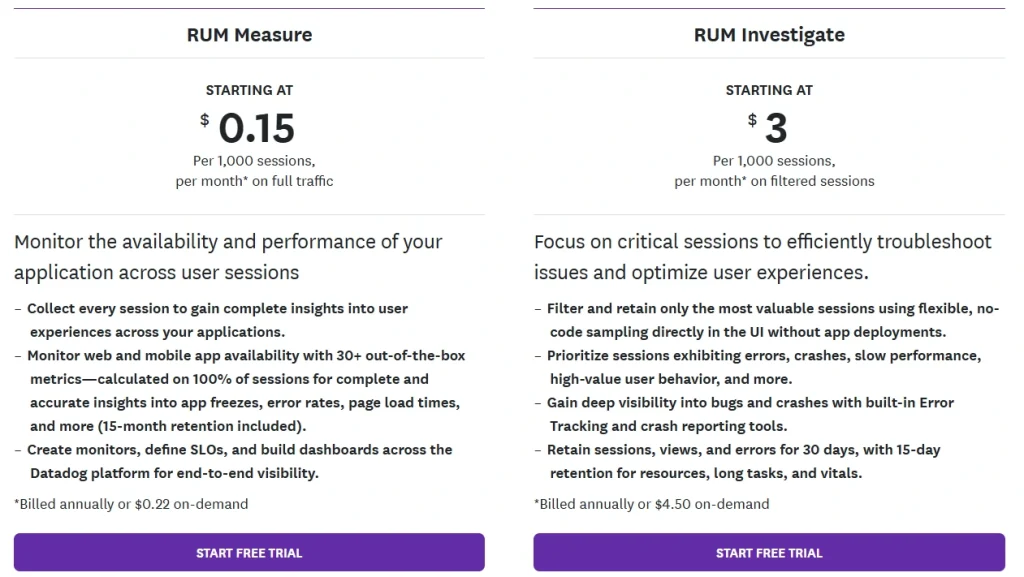
Real User Monitoring starts at roughly $1.50 per 1,000 sessions. Session replay is priced separately at roughly $1.50 per 1,000 replays.
Costs scale quickly at higher session volumes. Enterprise custom pricing is available.
Best LogRocket Alternative Recommendations by Team
The best LogRocket alternative depends entirely on what your team is actually trying to do. Here’s a practical breakdown by team type.
| Team Type | Recommended Tool | Primary Reason |
| Product managers, UX designers, CRO specialists, and e-commerce teams | FullSession | Session replay + funnels + error analysis in one platform; clear pricing; no dev dependency to get started |
| Engineering and product teams | Sentry | Best error tracking depth with session context; supports 100+ platforms; free tier covers most early-stage needs |
| UX and CX teams | FullStory | Autocapture with journey analysis; strong for enterprise cross-functional workflows; 30,000 session free tier |
| Marketing teams | Hotjar | Heatmaps + surveys + user interviews in one tool; accessible for non-technical users; no dev required |
| Support teams | FullSession or FullStory | Session replay tied to user identity so support agents can see exactly what a user did before raising a ticket |
| Mobile-first teams | Smartlook | Native iOS, Android, React Native, and Flutter support with full-volume recording and cross-platform funnels |
| DevOps and infrastructure | Datadog | Session replay connected to back-end traces, logs, and server metrics in a single observability stack |
| Budget-constrained teams | Microsoft Clarity | Completely free, unlimited sessions, no credit card; limited depth but covers the basics at zero cost |
How to Pilot and Choose Between LogRocket Alternatives
A side-by-side tool comparison is a starting point, not a decision. Here’s a practical five-step process for moving from shortlist to choice.
- Define your primary workflow. Debugging and error monitoring is a different need from conversion optimization or mobile analytics. Be specific before evaluating any tool.
- Shortlist two or three tools based on the team-fit table above. Testing more than three in parallel wastes time and muddies the comparison.
- Run a parallel trial. Install each tool on a single live URL for two weeks. Compare session replay quality, filtering depth, and how long it takes a non-technical team member to find a useful insight without help.
- Test pricing at your current session volume and projected growth over 12 months. Per-session pricing models can look cheap at trial scale and become expensive at production volume.
- Check integration requirements. Confirm the tool connects to your CRM, error alerting system, and data warehouse if applicable. A tool that doesn’t fit your stack creates a parallel workflow nobody uses.
If Mouseflow is also part of your shortlist, this Mouseflow competitor comparison can help you narrow the options before testing similar behavior analytics tools.
Pricing, Integrations, and Privacy Considerations
Before you finalize your shortlist, three practical factors often get overlooked until it’s too late.
Pricing model comparison
FullSession uses transparent pricing published on its pricing page with session-based tiers and a 20% annual discount. Sentry and Smartlook also publish starting prices clearly.
FullStory and Datadog require a sales conversation for most plans beyond the free tier.
Microsoft Clarity is free with no paid plans. Hotjar’s pricing has become less predictable since the Contentsquare acquisition, with legacy plans and new plans sometimes at different rates.
Privacy compliance
FullSession, FullStory, Hotjar, and Smartlook all confirm GDPR and CCPA compliance on their official sites. Sentry is GDPR-compliant and offers HIPAA BAA on enterprise plans.
Microsoft Clarity is GDPR-compliant.
Datadog maintains SOC 2 Type II certification and offers HIPAA compliance on enterprise contracts. If your industry requires HIPAA or PCI compliance, verify directly with each vendor before trialing.
Data retention
Data retention varies a lot across this group. Microsoft Clarity retains 30 days. LogRocket’s Team plan retains one month.
FullSession’s paid plans start at four months and extend to 15+ months on higher tiers.
FullStory’s free tier includes 12 months of retention. Shorter retention windows hurt your ability to run quarter-over-quarter comparisons or investigate incidents from weeks prior.
Integrations
FullSession integrates with Shopify, BigCommerce, Wix, WordPress, Segment, and Slack, among others. A full list is available on the FullSession integrations page.
It currently has fewer native third-party integrations than some of the larger competitors. However, we welcome integration requests as part of any enterprise engagement. If it’s a blocker to adoption, we build it. Responsiveness is something we can still offer that the larger players can’t.
Sentry integrates with GitHub, Jira, PagerDuty, and most major CI/CD tools. FullStory connects to Salesforce, HubSpot, and Segment.
Datadog integrates with over 650 technologies across its observability suite.
Is FullSession the Best LogRocket Alternative?
For most web-focused product and UX teams, yes. FullSession covers the widest range of use cases in a single platform at the lowest starting price among the tools reviewed here.
Most teams pay for three or four separate tools to cover what FullSession handles in one subscription: session replay, interactive heatmaps, conversion funnels, error monitoring, in-app feedback, and mobile session replay for iOS and Android.
Everything connects on the same dashboard from day one, with no upgrades required to unlock the features you expected from the start.
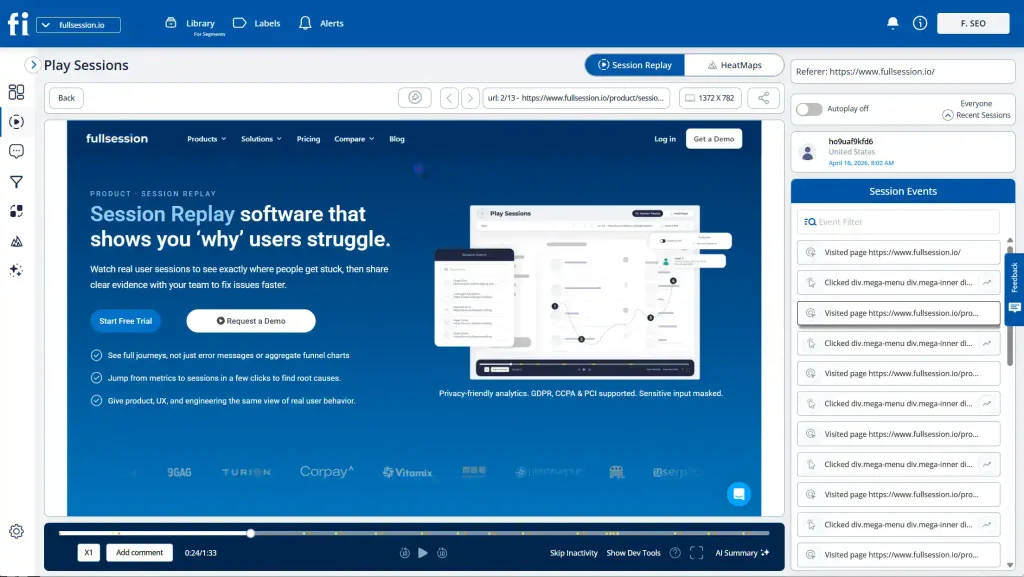
The Play Sessions interface gives your team immediate access to every session with an events panel showing each interaction in sequence. The HeatMaps tab is one click away from any session. The Errors and Alerts dashboard surfaces broken user flows before they reach a support ticket.
Rage click and error detection alerts your team the moment users encounter problems, so you can fix issues before customers report them.
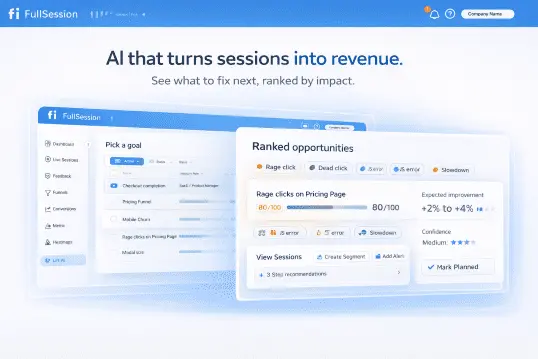
Lift AI takes it a step further. Instead of leaving your team to manually review sessions and guess what to prioritize, it scans behavioral data, ranks friction points by expected revenue impact, and links each priority directly to the relevant replays.
When a fix ships, Lift AI validates whether it moved the needle. You don’t just learn what to fix. You confirm it worked.
The platform is built for the whole team, not just engineers:
- Product managers, marketers, and customer success teams can navigate it without a training session
- Filters, session search, and heatmap views get you to actionable insights in clicks
- The SDK runs asynchronously, leaving your Core Web Vitals untouched
- Every pricing tier is published publicly, starting at $23 per month (billed annually), so you can evaluate fit before talking to sales
Book a demo and we’ll walk you through all the features.
Final Words About LogRocket Competitors
The right tool depends on what your team is actually trying to accomplish. If the primary goal is engineering-level error tracking and front-end debugging, Sentry is the cleaner choice.
If you need enterprise digital experience analytics with data warehouse integration, FullStory is worth the premium.
If you track both web and mobile, Smartlook is the most complete option. And if budget is the constraint, Microsoft Clarity gives you unlimited recordings at no cost.
For product teams, UX researchers, and growth marketers who want session replay, heatmaps, funnels, feedback, and error analysis in one platform, FullSession is the strongest option on this list. The pricing is transparent.
The fastest way to evaluate any tool is to test it on your own site.
Start a free 14-day trial of FullSession and see session replay, heatmaps, and conversion funnels on your real user data. No credit card required.
FAQs About LogRocket Alternatives
What is the best free alternative to LogRocket?
Microsoft Clarity is the only completely free alternative with unlimited session recordings and no monthly session cap. It covers basic heatmaps and frustration signals at zero cost.
The trade-off is 30-day data retention, no funnel analysis, no feedback tools, and limited filtering. It’s best for small teams testing whether behavior analytics is worth the investment before committing to a paid tool.
Is FullSession better than LogRocket?
FullSession is a better fit for product and UX teams that want session replay alongside heatmaps, funnel analysis, and in-page feedback in a single platform. LogRocket is better for engineering teams whose primary workflow is front-end debugging with Redux state capture and deep error monitoring.
The two tools serve different core jobs. If your team is optimizing conversion and user experience rather than debugging code, FullSession is the stronger choice.
Does LogRocket have a free plan?
Yes. LogRocket’s free plan includes 1,000 sessions per month, one project, and one month of data retention. Heatmaps, product analytics, and AI-powered features aren’t available on the free tier.
The 1,000-session cap runs out quickly for production applications, which makes the free plan better suited to early-stage projects than ongoing monitoring.
Which LogRocket alternative is best for mobile apps?
Smartlook is the strongest option for teams that need session replay across both web and native mobile apps. It supports iOS, Android, React Native, Flutter, and Unity under one subscription with full-volume recording and no sampling.
Datadog is a better fit when mobile monitoring needs to connect to back-end infrastructure. FullSession and FullStory offer web replay but have more limited native mobile support.
What are the main differences between LogRocket and Hotjar?
LogRocket is primarily an engineering tool that combines session replay with error tracking, console logs, and network request monitoring. Hotjar is primarily a UX and CRO tool built around heatmaps, session recordings, and direct user feedback through surveys and interviews.
LogRocket targets developers debugging front-end issues. Hotjar targets marketers and UX researchers understanding user behavior. The tools address different problems and different team workflows.

Roman Mohren is CEO of FullSession, a privacy-first UX analytics platform offering session replay, interactive heatmaps, conversion funnels, error insights, and in-app feedback. He directly leads Product, Sales, and Customer Success, owning the full customer journey from first touch to long-term outcomes. With 25+ years in B2B SaaS, spanning venture- and PE-backed startups, public software companies, and his own ventures, Roman has built and scaled revenue teams, designed go-to-market systems, and led organizations through every growth stage from first dollar to eight-figure ARR. He writes from hands-on operator experience about UX diagnosis, conversion optimization, user onboarding, and turning behavioral data into measurable business impact.