Every user who leaves your site without converting had a reason. A form field that confused them, a button that didn’t respond, a page that took too long to load. Traditional analytics won’t show you any of it.
That’s the gap user behavior analytics tools are built to close.
These behavioral analytics tools capture how visitors actually interact with your website or product, where they click, where they hesitate, and where they drop off, and turn that raw behavioral data into actionable data your team can use to fix what’s blocking revenue.
Below you’ll find a quick comparison table, in-depth entries for eight leading user behavior tools, and an explanation of why FullSession, our privacy-first UX analytics platform, outperforms the rest.
Key Takeaways
- FullSession is the best all-in-one option: session replay, heatmaps, funnels, feedback, and Lift AI in one plan starting at $23/month (annually)
- Hotjar (via Contentsquare) works for qualitative research, advanced surveys, and teams that need 365-day data retention
- Microsoft Clarity is a free option: unlimited recordings, heatmaps, and frustration signals at zero cost
- Mixpanel is the go-to for product teams that need deep event-based tracking and retention analysis
- Amplitude fits scale-up and enterprise teams, connecting user behavior data to customer lifetime value and experimentation
- FullStory suits enterprise teams that need complete automatic data capture with no manual tagging
- Heap works for product teams that want to ask new questions about historical data without waiting on engineering
- Google Analytics is the baseline every team needs, but it can’t show you why users behave the way they do
Most teams don’t have a visibility problem. They have a prioritization problem. Watching sessions and reviewing heatmaps still leaves your team debating what to fix first.
FullSession solves that with Lift AI, which scans your behavioral data and ranks friction points by expected revenue impact so you always know exactly where to focus next.
Start a free trial and see your first session replays, heatmaps, and Lift AI recommendations within minutes of setup. No credit card required.
What Are User Behavior Analytics Tools?
User behavior analytics tools capture the actions visitors take on your website or product, including clicks, scrolls, funnel drop-offs, and frustration signals. They combine quantitative data with qualitative data to analyze user behavior and reveal not just what is happening but why.
Teams use these insights to identify patterns in customer behavior, improve customer satisfaction, and make changes that directly impact revenue.
Unlike UEBA tools, which monitor network users and devices to detect security threats, user behavior analytics tools focus on improving the digital experience through features like session replay, website heatmap tools, funnels, and feedback, not securing the infrastructure behind it.
The 5 core feature types
| Feature type | What it does |
| Session replay | Records and plays back individual user journeys page by page |
| Heatmap tools | Aggregates clicks, scrolls, and movement into visual page overlays |
| Funnel analysis | Shows where users drop off across multi-step flows |
| Event tracking | Logs specific user actions like clicks, form submissions, or video plays |
| Feedback tools | Collects direct customer feedback via surveys, NPS, and ratings |
How to choose the right tool
Not all tools cover all five types. Some focus on session replay, while others work more like product analytics or event tracking tools for measuring specific actions such as clicks, form submissions, video plays, and funnel events. The right tool depends on what customer behavior you need to understand, whether your team can handle manual tagging, and what your budget allows for data analytics and retention.
For more context, see session replay and session recording and replay tools, or read about UX analytics tools to understand how different types fit together
Comparison: Best User Behavior Analysis Tools at a Glance
| Tool | G2 Rating | Best For | Top Feature | Starting Price |
| FullSession | 5.0/5 | All-in-one UX analytics with prioritization AI | Lift AI: ranks friction by business impact | Free; Growth from $23/month (annually) |
| Hotjar (Contentsquare) | 4.3/5 | Qualitative research and advanced surveys | Multi-question surveys + user interviews | Free; Growth from $49/month |
| Microsoft Clarity | 4.5/5 | Free heatmaps and session recordings | Free forever, no session limits | $0 (completely free) |
| Mixpanel | 4.5/5 | Product analytics and event-based tracking | Funnels, retention analysis, user flow | Free; Growth from $140/month for 1.5M events |
| Amplitude | 4.5/5 | Digital experience intelligence at scale | Session replay + advanced segmentation | Free; Plus from $61/month |
| FullStory | 4.5/5 | Enterprise session replay | Fullcapture: automatic data capture | Free plan; Business custom pricing |
| Heap(Contentsquare) | 4.4/5 | Retroactive event analysis | Retroactive analysis of historical data | Free plan; Growth custom pricing |
| Google Analytics | 4.5/5 | Baseline traffic and acquisition analytics | Free event tracking + Google Ads integration | Free (GA4); 360 from $50,000/year |
FullSession, our behavioral analysis software, is the only tool on this list that doesn’t just track user behavior but tells you what to fix first.
With Lift AI, an intuitive interface, and a 5.0/5 G2 rating, it combines session replay, heatmaps, funnels, feedback, and prioritization intelligence in one plan starting at $23/month (annually).
Book a FullSession demo to learn more.
The 8 Best User Behavior Tools in 2026
The user behavior tools below were evaluated on feature depth, pricing transparency, and team fit.
1. FullSession: Best All-in-One User Behavior Analytics Tool
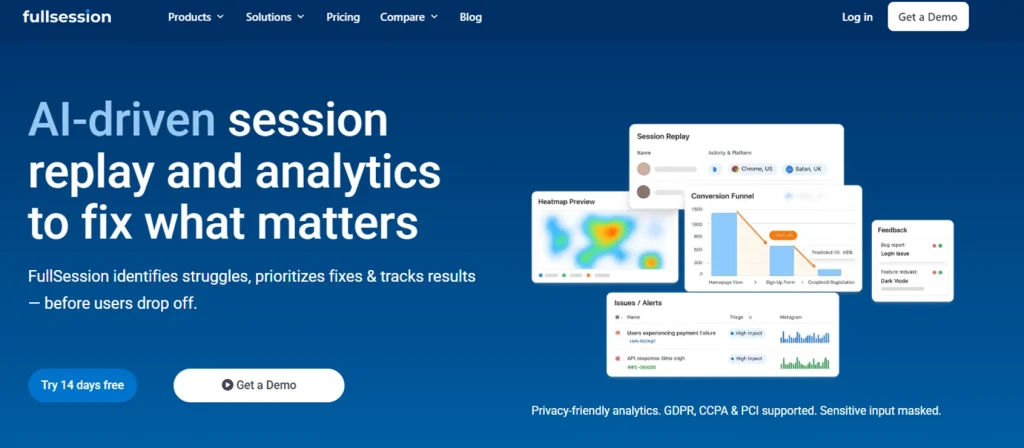
FullSession, a privacy-first UX analytics platform, combines session replay, interactive heatmaps, conversion funnels, error analysis, and in-app feedback in one subscription. Every feature is available from day one with no forced splits between products.
Best for
Product managers, growth teams, and digital marketers at SaaS companies and ecommerce businesses who need more than raw behavioral data.
FullSession is the right fit if your team is tired of watching sessions without knowing which ones matter, or reviewing heatmaps without a clear next action. It’s built for teams that want to move from observation to decision faster.
Key features
- Session replay: pixel-accurate recordings with funnel-to-session jump so teams watch the exact sessions behind any drop-off
- Interactive heatmaps: clicks, scroll depth, and mouse movement visualized without affecting Core Web Vitals
- Lift AI: an artificial intelligence prioritization engine that ranks friction points by business impact and links each to the relevant session replays
- Conversion funnels: multi-step user journey mapping that surfaces the highest-impact drop-off steps
- Error analysis and alerts: catches rage clicks, JavaScript errors, and broken flows automatically
- In-app feedback: linked to session replays, so every piece of user feedback comes with the behavioral context behind it
- Privacy compliance: GDPR, CCPA, and PCI compliant; sensitive form inputs masked by default
Pricing
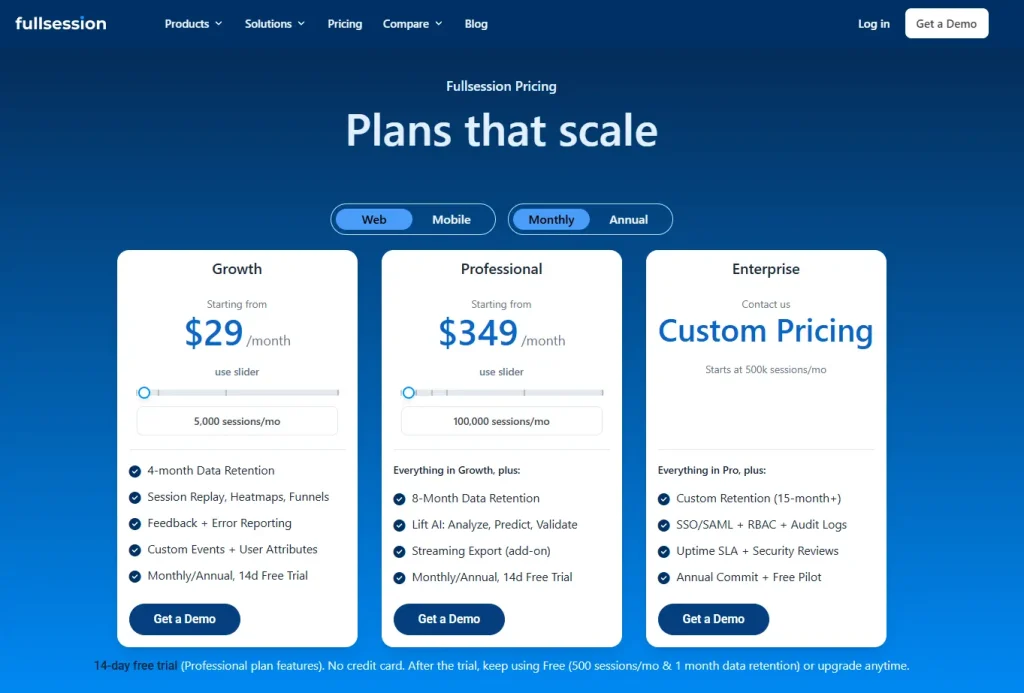
- 14-day free trial, no credit card required
- Free: $0, 500 sessions/month, 30-day data retention
- Growth: from $23/month (annual), 5,000 sessions, 4-month data retention
- Pro: from $279/month (annual), 100,000 sessions, 8-month data retention
- Enterprise: Custom pricing, 500,000+ sessions, 15-month retention, unlimited seats and domains
Book a demo now.
2. Hotjar (via Contentsquare): Best for Qualitative Research
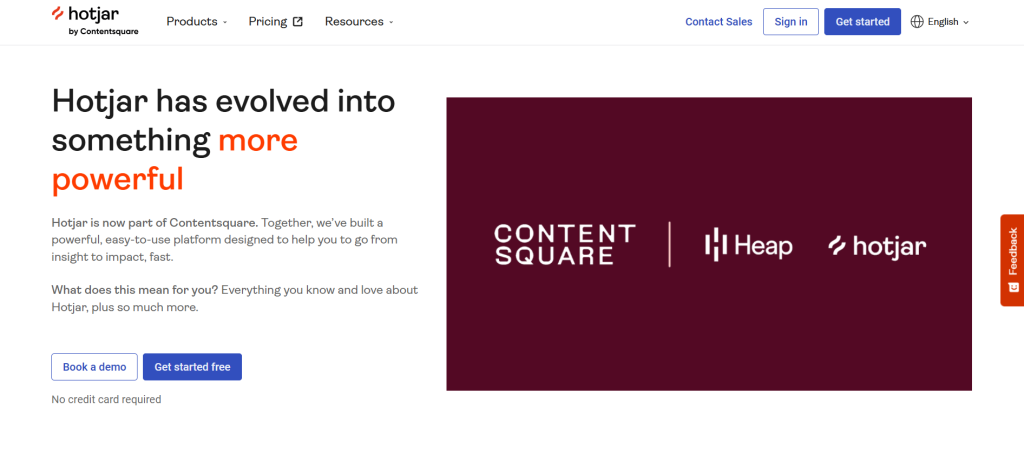
Hotjar is a behavior analytics and user feedback platform that merged into Contentsquare, the enterprise digital experience analytics company, in July 2025. New customers sign up via Contentsquare’s unified plan; existing customers are migrating from legacy Observe and Ask structures through 2026.
- See Lucky Orange vs Hotjar for a feature comparison
- Browse Hotjar alternatives if the migration uncertainty matters.
- Compare Contentsquare alternatives before committing to the unified Contentsquare ecosystem.
Best for
UX researchers and teams that need advanced survey flows, moderated user interviews, and 365-day data retention.
Key features
- Heatmaps: click, scroll, and move maps with engagement zones showing where users spend the most time and where users focus their attention
- Session recordings: historical pattern analysis and behavior tracking across user groups
- Surveys: multi-question flows with NPS, open-ended questions, and AI summary reports
- External distribution: sends surveys via email or social, not just on-site
- Engage: a dedicated tool for moderated user interviews inside the platform
- Sense AI: behavioral insights on Growth plans and above
Pricing
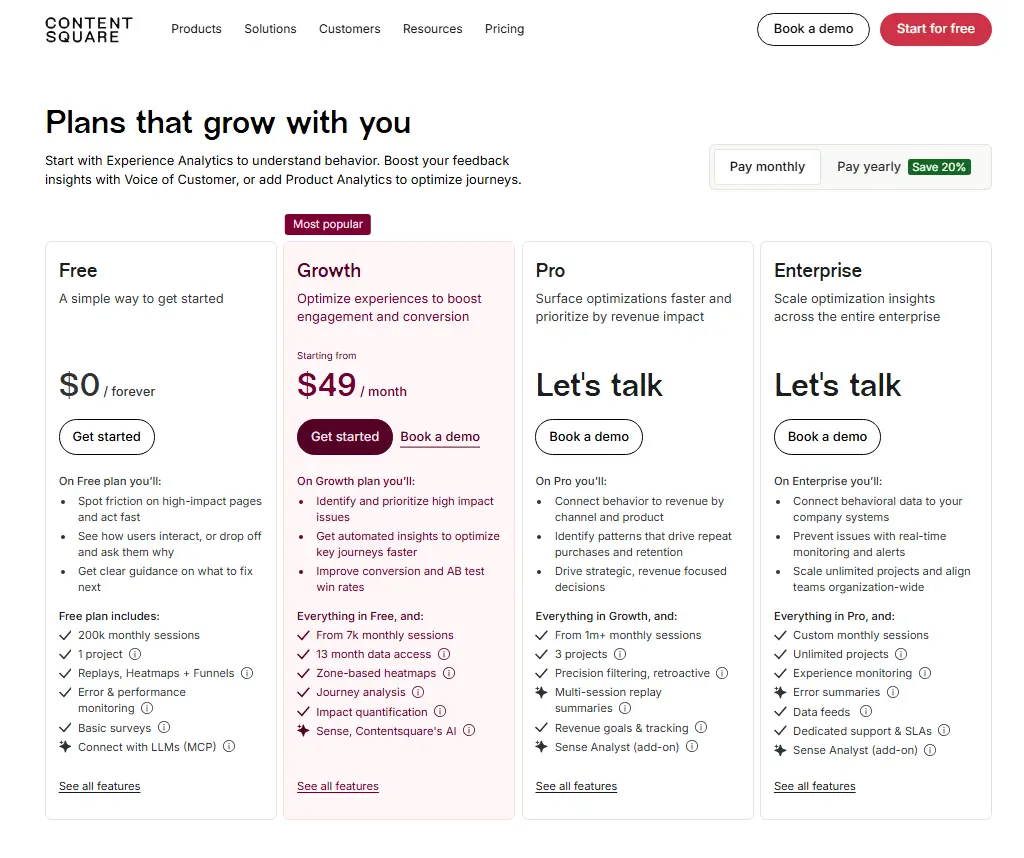
- Free: 200,000 sessions/month
- Growth: from $49/month (annual)
- Pro and Enterprise: custom pricing, not publicly listed
See how FullSession compares to Hotjar.
3. Microsoft Clarity: Best Free Option
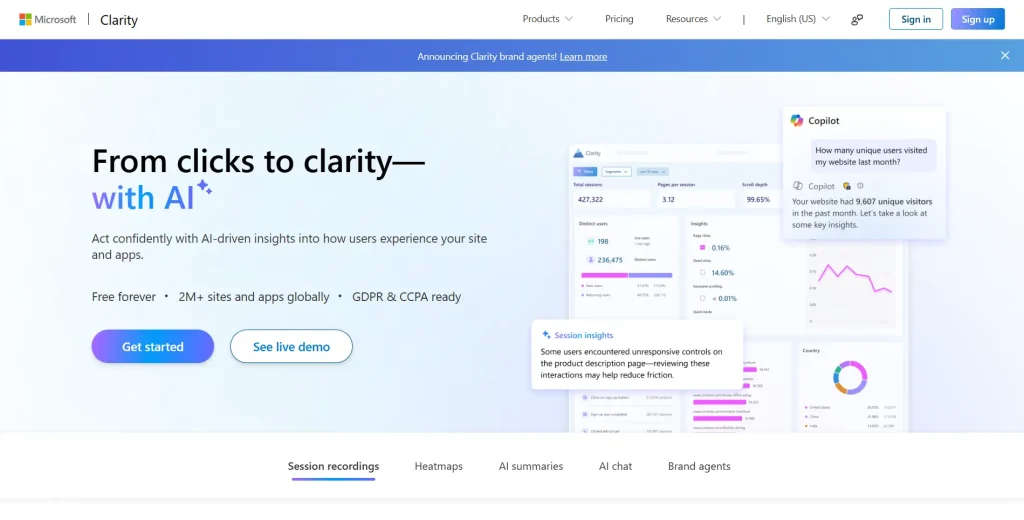
Microsoft Clarity is a completely free behavior analytics tool that provides session recordings and heatmaps with no session caps and no feature gating. It’s the strongest entry point for teams seeking visual insights into user behavior at zero cost.
Best for
Small businesses, startups, and teams using a free plan to identify patterns in how users behave on their website. Its intuitive interface and one-click Google Analytics integration make it easy to combine with GA4.
Key features
- Session recordings: unlimited recordings with no daily or monthly cap
- Heatmaps: click, scroll, and area heatmaps with AI Copilot summaries across up to 250 sessions
- Frustration signals: rage click, dead click, and excessive scroll detection with automatic tagging
- Code-free funnels: multi-step user journey tracking, no engineering required
- Google Analytics integration: combines quantitative data with session-level behavioral insights
- Mobile apps: lightweight SDK for Android and React Native
- Privacy: GDPR and CCPA ready with automatic input masking by default
Pricing
- Free forever, no session limits, no paid version
4. Mixpanel: Best for Product Analytics
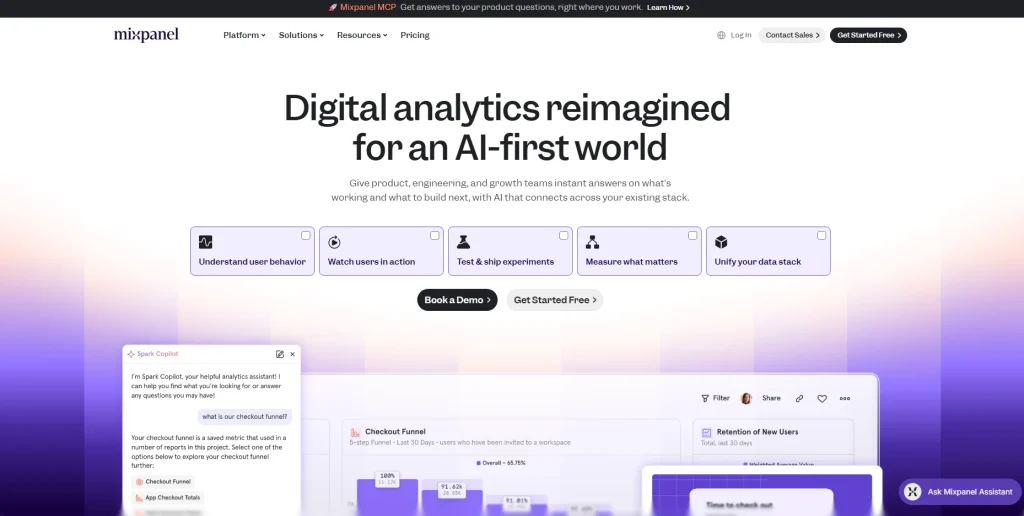
Mixpanel is a product analytics tool built around event-based tracking. It logs every user action as a discrete event, making it suitable for retention analysis and user flow visualization across web apps and mobile apps.
- Learn more about Mixpanel alternatives.
- See how Mixpanel compares to Hotjar and Contentsquare.
Best for
Product managers at SaaS companies who need deeper insights into feature adoption, cohort behavior, and customer retention metrics tied to specific user attributes.
Key features
- Event tracking: custom events with autocapture to reduce manual tagging during tracking setup
- Funnels: multi-step conversion analysis with breakdown by user attributes
- Retention analysis: cohort analysis with behavioral cohort segmentation
- User flow: visualization of every path users take through your product
- Advanced segmentation: advanced analytics across any combination of event properties
- Spark AI: artificial intelligence query builder for plain-language product questions
- Session replay: integrated with event data to bridge quantitative and qualitative views
- Data residency: US or EU options for GDPR compliance
Pricing
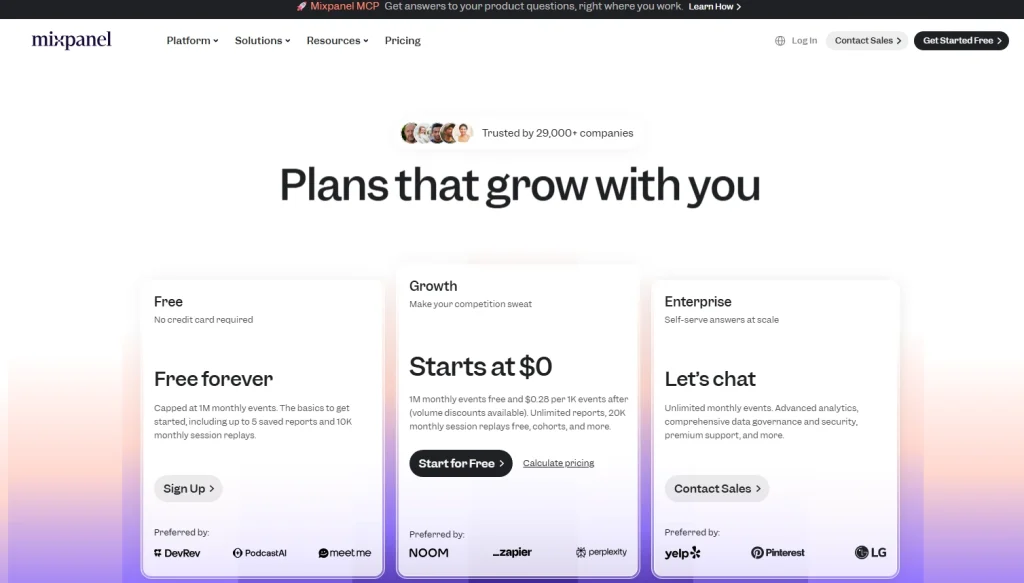
- Free: up to 1 million events/month
- Growth: from $140/month for 1.5M events
- Enterprise: custom pricing
5. Amplitude: Best for Digital Experience Intelligence
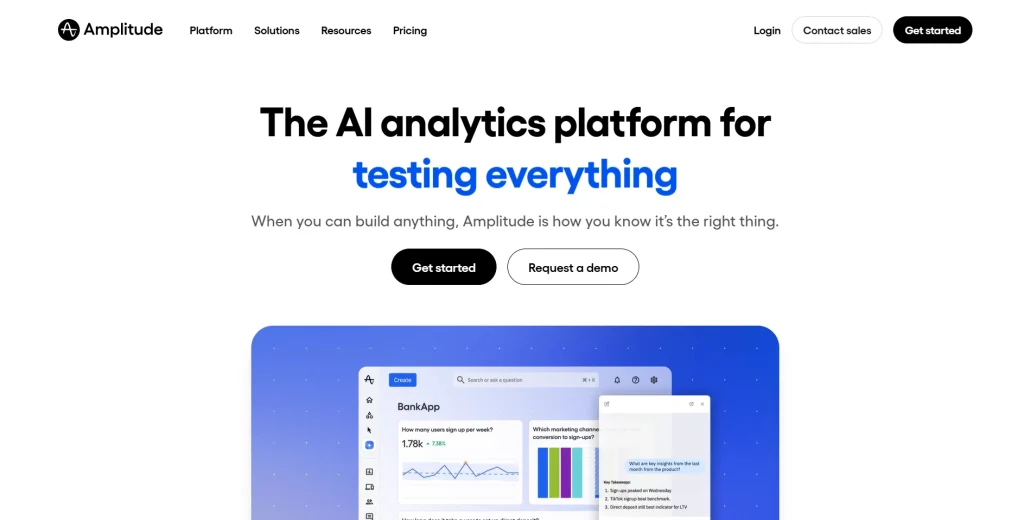
Amplitude is a digital analytics platform connecting product analytics, session replay, and experimentation in one place. It connects user behavior data to business outcomes, such as customer lifetime value, across the full customer journey.
- Check out Amplitude alternatives.
- See how Amplitude compares to Google Analytics.
Best for
Scale-up and enterprise growth teams that need advanced behavioral analytics with A/B experimentation, machine learning algorithms, and customer retention reporting at high user volumes.
Key features
- Event tracking: event-based tracking with unlimited sources and destinations
- Session replay: integrated with event data for connecting behavioral data to product outcomes
- Advanced segmentation: behavioral cohorts and machine learning-powered predictive analysis
- Experimentation: A/B testing and multivariate feature flags from Growth plans
- Causal insights: monitoring which product changes actually drive customer retention
- AI Agents: artificial intelligence automation for behavioral insights and visibility
- Data warehouse integration: Snowflake and BigQuery on enterprise plans
Pricing
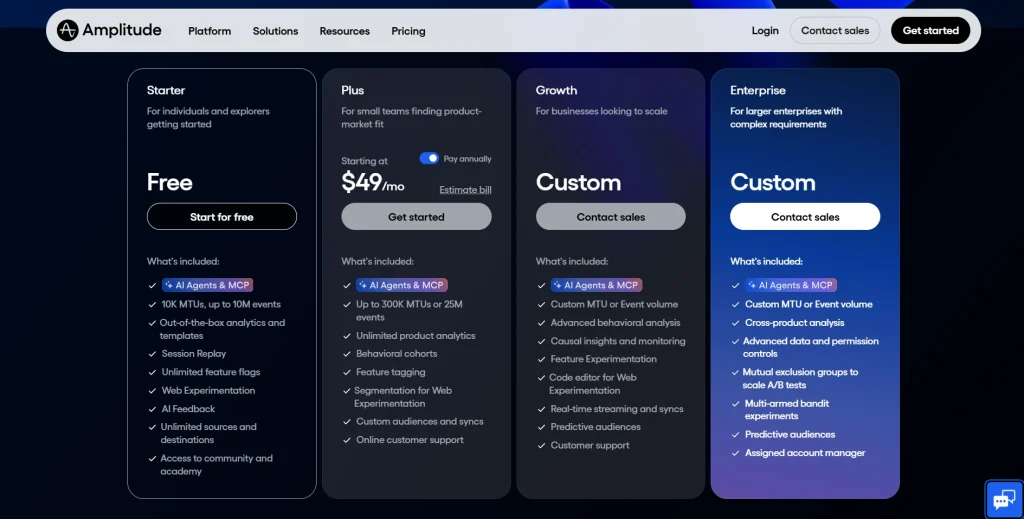
- Starter: free, up to 10,000 MTUs
- Plus: from $49/month, up to 300,000 MTUs
- Growth and Enterprise: custom pricing based on volume and feature requirements
6. FullStory: Best for Enterprise Session Replay
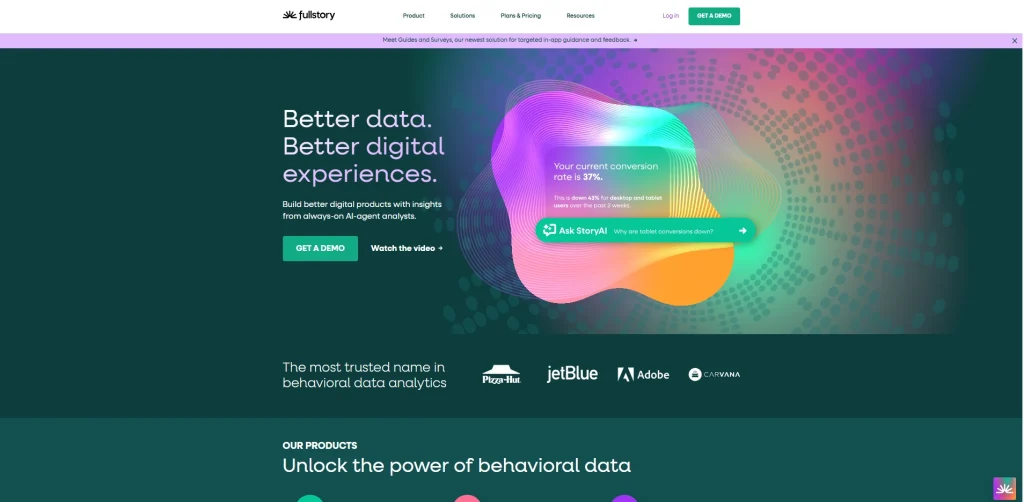
FullStory differentiates through Fullcapture, its automatic data-capture technology that records all user interactions from day one without manual tagging. It’s built for enterprise teams that need SOC 2 and ISO 27001-certified behavioral data at scale.
- Learn more about FullStory competitors.
- See how FullStory compares to FullSession.
Best for
Enterprise product, UX, and customer support teams that need complete session replay with no gaps from untagged events, and deep integrations with Salesforce, Jira, and Optimizely.
Key features
- Fullcapture: tag-free automatic data capture, recording all user interactions from the first session
- Session replay: pixel-perfect accuracy with rage click and dead click detection
- StoryAI: artificial intelligence behavioral insights and automated session summaries
- Guides and Surveys: contextual customer feedback and in-app user onboarding
- Heatmaps and funnels: visual engagement analysis and conversion tracking
- Privacy: built-in PII redaction with configurable masking rules
- Integrations: 50+, including Salesforce, Google Analytics, Slack, Jira, and Optimizely
Pricing
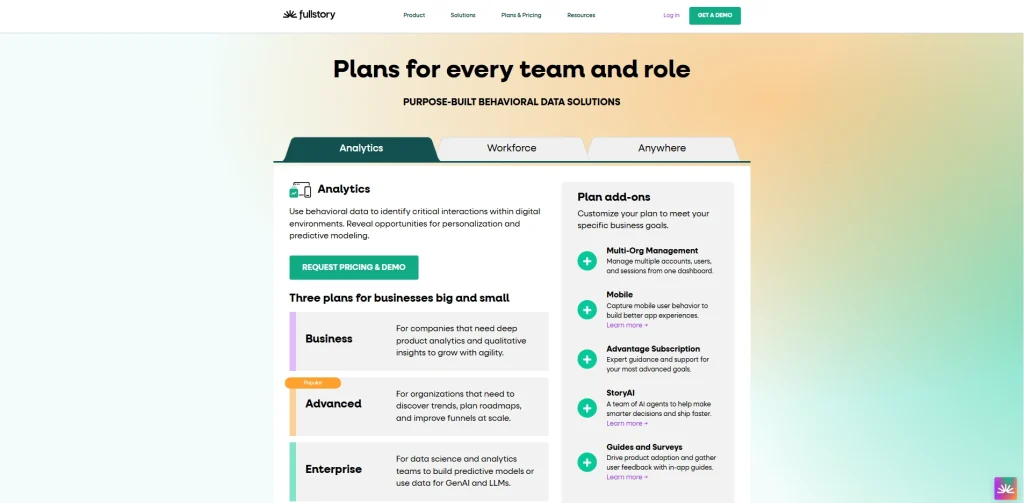
- Free: basic session insights, 30,000 monthly sessions and 12-month data retention
- Business, Advanced, and Enterprise: custom pricing, not publicly disclosed
7. Heap: Best for Retroactive Event Analysis
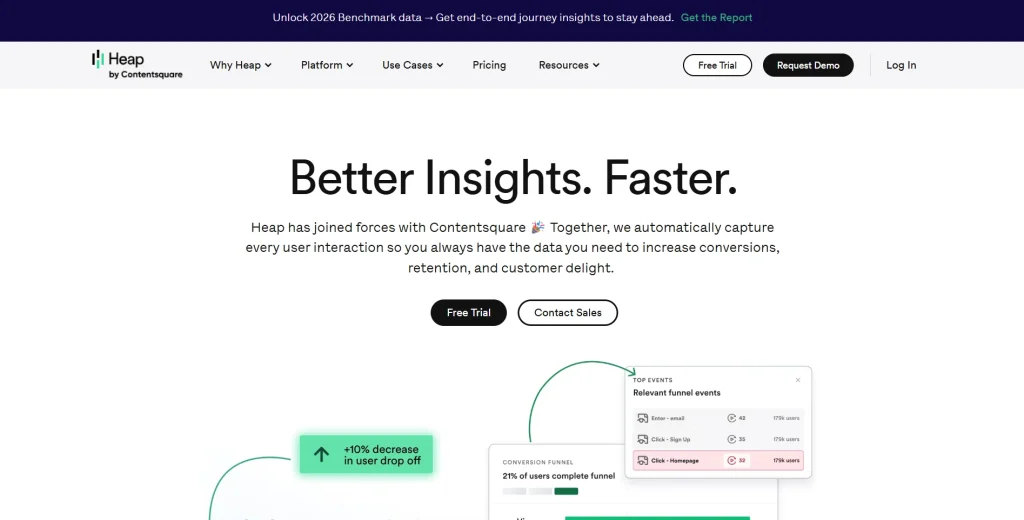
Heap automatically captures every user interaction from the moment you install the snippet, with no manual tagging required. Instead of deciding upfront what to track, your team can define and analyze events after the fact, against data that was already collected.
That means you can answer questions about user behavior that weren’t on your radar when you launched, without writing a single line of new code.
Learn more about Heap alternatives.
Best for
Product and growth teams that need to ask new questions about historical data without waiting on development cycles, especially where engineering resources are limited.
Key features
- Automatic data capture: all user interactions across web and mobile apps captured from installation
- Retroactive analysis: create and analyze new events against historical data
- Funnel analysis: user journey mapping with engagement matrix reports
- Account analytics: B2B account-level behavioral tracking
- Virtual Events: advanced segmentation and event grouping without code
- Session replay and heatmaps: available as a paid add-on on paid plans
- Identity analytics: connects anonymous sessions to identified users across devices
Pricing
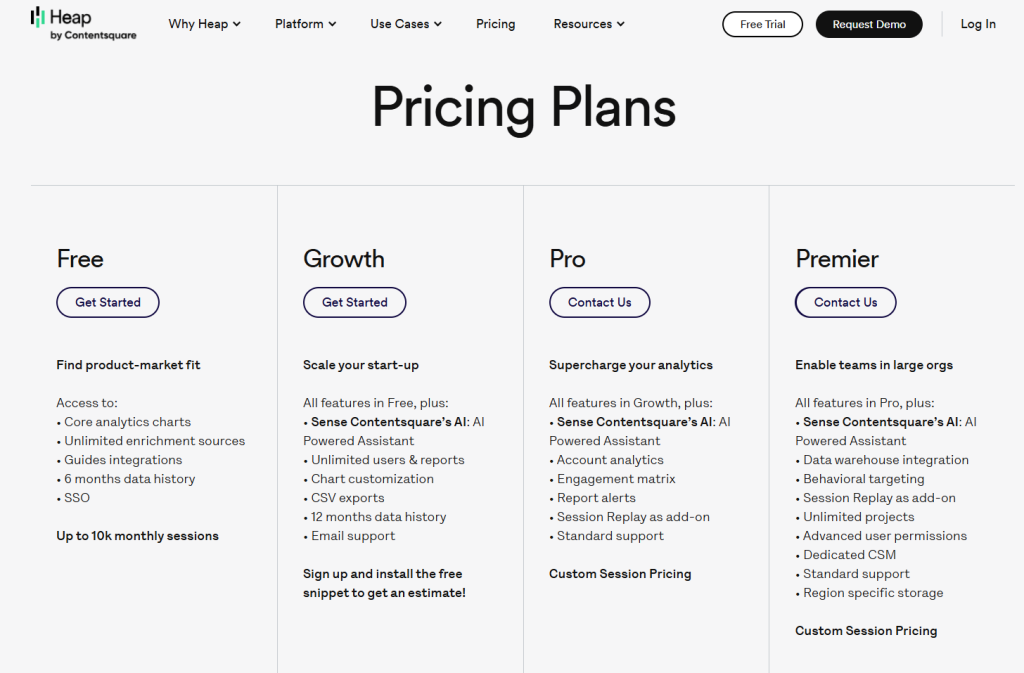
- Free: core analytics, up to 10,000 sessions/month
- Growth, Pro, and Premier: custom pricing, not publicly listed
8. Google Analytics (GA4): Best Baseline Analytics Tool
Google Analytics 4 (GA4) is the most widely used analytics tool in the world. It tracks traffic sources, user flow, and conversions using an event-based model. GA4 tells you what is happening at the aggregate level, but can’t show you why, which is where behavioral analytics tools provide deeper insights.
Best for
Any team that needs baseline traffic, acquisition, and conversion data. GA4 works best alongside a behavioral analytics tool: GA4 shows users drop off at checkout; FullSession shows the session replays explaining why.
Key features
- Event tracking: free tracking across websites and mobile apps
- User flow: path analysis showing how visitors interact with your site’s navigation
- Audience segmentation: by user groups, traffic source, device, and user attributes
- Cross-platform tracking: unifies web and app data using Google Signals
- BigQuery export: free raw data export for SQL and big data analytics
- Google integrations: direct connection with Google Ads, Search Console, and Marketing Platform
Pricing
- GA4: completely free
- Analytics 360: from approximately $50,000/year (enterprise, reseller pricing)
Quick Overview of User Behavior Tools
| Tool | All features in one plan | Prioritization AI | Entry paid price | Performance impact | Data retention |
| FullSession | Yes | Lift AI | $23/mo(annually) | Async, minimal | 4-15 months |
| Hotjar | Partial | No | $49/mo | ~100-200ms | 365 days |
| Microsoft Clarity | Yes | No | Free | Low | Unlimited |
| Mixpanel | No | No | $140/mo | Low | 12 months |
| Amplitude | No | No | $49/mo | Low | 12 months |
| FullStory | No | No | Custom | Low | Custom |
| Heap | No | No | Custom | Low | 6 months |
| Google Analytics | Yes | No | Free | Low | 14 months |
Is FullSession the Best User Behavior Analytics Tool?
There are strong, well-established tools in this category, and depending on your team’s needs, some of them are genuinely worth considering. But for teams that need to move from behavioral data to business decisions, FullSession consistently stands out.
Here’s what puts it near the top.
One platform, everything included
Most teams end up paying for three or four tools to cover what FullSession handles in one subscription: session replay, heatmaps, funnels and conversion tracking, error and alert monitoring, in-app feedback collection, and mobile replay for iOS and Android.
Everything is connected, on the same dashboard, from day one. No stitching tools together. No upgrade to unlock the features you expected.
An interface built for real teams, not analysts
Behavioral analytics tools are only useful if your team actually uses them. FullSession is built with a clean, intuitive UI that product managers, marketers, engineers, and support staff can navigate without a training session.
Filters, session search, and heatmap views are designed to get you to an insight in clicks, not workflows.
Lift AI: from observation to action
The most expensive problem in analytics isn’t missing data. It’s the gap between seeing a problem and knowing what to fix first.
Lift AI, FullSession’s AI prioritization engine, goes further than a summary feature. It scans behavioral data, ranks friction points by expected revenue impact, and links each priority directly to the session replays where the issue occurs.
And when a fix ships, Lift AI validates whether it actually moved the needle. You don’t just learn what to fix. You confirm it worked.
Performance your site won’t feel
FullSession’s SDK runs asynchronously on a separate thread, leaving your Core Web Vitals untouched. You get full behavioral coverage without the performance penalty.
A support team that treats you like a customer, not a ticket
FullSession’s Customer Success team is known for fast, individualized responses, not auto-replies or queue-based support.
When something isn’t working or when you need help getting more from the platform, you reach a person who knows the product and prioritizes your outcome.
The team actively tracks feature requests, including third-party integration requirements, and regularly ships what customers ask for.
The platform you use six months from now will be shaped, in part, by feedback from teams like yours.
Transparent pricing, exceptional value
FullSession’s Growth plan starts at $23/month, billed annually and includes 5,000 sessions, full heatmaps, funnels, feedback, and Lift AI. Every pricing tier is published publicly so you can evaluate the fit before ever talking to sales.
When you factor in the breadth of features, the depth of AI capability, and the level of support included, FullSession delivers a value-to-price ratio that’s difficult to find elsewhere in the category.
Privacy built in from day one
Sensitive form inputs are masked by default. The platform supports GDPR, CCPA, and PCI compliance out of the box, with no additional privacy modules or custom configuration required.
Book a demo to see the platform in action.
Conclusion About User Behavior Tools
Google Analytics tells you what is happening. Microsoft Clarity shows some of the behavior behind it, for free. Mixpanel and Amplitude deliver deeper insights into event data and retention, but require careful setup and scale into expensive custom pricing.
FullStory and Heap offer powerful automatic data capture for enterprises willing to pay for it. Hotjar provides qualitative depth but is navigating a platform transition.
FullSession combines session replay, heatmaps, funnels, in-app feedback, and Lift AI in one plan for $23/month. It’s the only tool on this list that delivers prioritized, evidence-backed recommendations, so your team can act on actionable data instead of debating what to fix next.Book a demo and see how it compares against your current setup.
FAQs About User Behavior Analytics Tools
What are user behavior analysis tools?
User behavior analytics tools capture how visitors interact with websites and products through clicks, scrolls, session paths, and form interactions. They combine session replay, heatmaps, funnel analysis, event tracking, and user feedback to reveal why users behave the way they do and which friction points are blocking conversions.
How do user behavior analytics tools differ from Google Analytics?
Google Analytics shows aggregate data: page views, bounce rates, and traffic sources. User behavior analytics tools show the why behind that data, capturing how users interact with your pages and delivering actionable insights from session recordings, heatmaps, and direct user feedback. GA4 reveals the metric. Tools like FullSession reveal the customer behavior driving it.
What is the best free user behavior tool?
Microsoft Clarity is the strongest completely free option, with unlimited session recordings, heatmaps and no session limits. FullSession, a privacy-first UX analytics platform, also offers a free plan with 500 sessions per month and a 14-day full-feature trial. GA4 is best for free traffic data, but doesn’t include session replay.
How do I choose the right user behavior tools?
Define what customer behavior you need to understand. UX and CRO teams need session replay and heatmaps to identify patterns in user activity. Product teams need event-based analytics for retention reporting. Check whether the tool supports automatic data capture or requires manual tagging, then compare pricing and data retention periods.
What is the difference between user behavior analytics and UEBA?
User behavior analytics (UBA) in UX means tracking how visitors interact with websites to improve conversion and experience. UEBA (user and entity behavior analytics) is a cybersecurity category that uses machine learning algorithms to detect insider threats by monitoring normal behavior patterns in corporate networks. They share a name but serve entirely different use cases.
Which user behavior analytics tool is best for ecommerce?
FullSession is the strongest choice. Lift AI identifies the highest-impact friction points in checkout flows and product pages ranked by expected revenue impact. It starts at $23/month (annually) with session replay, heatmaps, funnels, and in-app feedback included.

Roman Mohren is CEO of FullSession, a privacy-first UX analytics platform offering session replay, interactive heatmaps, conversion funnels, error insights, and in-app feedback. He directly leads Product, Sales, and Customer Success, owning the full customer journey from first touch to long-term outcomes. With 25+ years in B2B SaaS, spanning venture- and PE-backed startups, public software companies, and his own ventures, Roman has built and scaled revenue teams, designed go-to-market systems, and led organizations through every growth stage from first dollar to eight-figure ARR. He writes from hands-on operator experience about UX diagnosis, conversion optimization, user onboarding, and turning behavioral data into measurable business impact.