FullStory competitors are digital experience analytics tools that replace or supplement FullStory’s session replay, behavioral analytics, and user journey capabilities.
Most teams start looking for a switch for one of three reasons: pricing that requires a sales conversation before you can get started, session replay that requires you to manually tag events for full value, or a feature set that doesn’t quite match what product and UX teams need day to day.
This guide covers the 10 best FullStory alternatives so you can compare features, pricing, and fit in one place.
What to Look for in a FullStory Alternative
Before comparing specific tools, be clear about what you actually need. Most teams replacing FullStory aren’t just swapping one session replay tool for another. They’re rethinking how they understand user behavior across web and mobile apps and how that data connects to business decisions.
If your team is still defining what replay should show, start with this breakdown of session recording replay
- Pricing transparency: Can you start a trial without talking to sales? FullStory requires a sales conversation for most paid plans. Several FullStory alternatives offer self-serve signup and published pricing from day one.
- Session replay depth: Does the tool capture frustration signals, error clicks, and rage clicks without slowing down your site? App performance matters. A heavy SDK creates its own problems.
- Advanced behavioral analytics: Heatmaps, funnels, user paths, and view retention graphs are often locked to higher tiers or sold as a separate tool. Confirm what’s included at each price point.
- Mobile analytics support: If customers interact with your product across multiple devices, web and native iOS or Android, you need a tool that covers both without requiring a separate tool for mobile.
- Ease of use for non-technical users: A platform that only engineers can operate limits value. Customer success teams, product managers, and marketers all need to track user behavior and extract actionable insights without heavy engineering resources.
- Privacy and compliance: GDPR, CCPA, and PCI compliance aren’t optional. Sensitive data masking should be on by default, not configured after implementation.
Match the tool to your primary workflow. A developer-focused team debugging production errors needs different key metrics than a product team improving activation funnels.
FullStory Competitors at a Glance
Here’s a quick side-by-side view of all 10 tools before the detailed breakdowns.
| Tool | G2 Rating | Best For | Top Feature | Starting Price |
| FullSession | 5 | Ecommerce, product and UX teams needing session replay, heatmaps, and funnels in one platform | Real-time interactive heatmaps + Lift AI | Free trial; paid from $23/mo (billed annually) |
| LogRocket | 4.6 | Engineering teams debugging front-end issues | Galileo AI for automated issue detection | Free plan; Team from $99/mo |
| Smartlook | 4.6 | Mobile-first and ecommerce teams | Native mobile SDK with crash reporting | Free plan; paid from $55/mo |
| Amplitude | 4.5 | Data-mature teams focused on retention and experimentation | Behavioral cohorts and A/B testing | Free plan; paid from $61/mo |
| Heap | 4.4 | Fast-moving teams that can’t wait for manual tagging | Full autocapture with retroactive event definition | Free plan (10,000 sessions/mo); paid on request |
| Glassbox | 4.9 | Enterprise teams in regulated industries | Compliance-grade session replay with AI struggle detection | Contact sales |
| PostHog | 4.5 | Engineering-led startups wanting open-source flexibility | Feature flags, A/B testing, and session replay combined | Free (1M events, 5,000 replays); usage-based paid |
| Pendo | 4.4 | B2B SaaS teams focused on onboarding and adoption | In-app guides that deliver personalized guidance at scale | Free trial; paid on request |
| Hotjar | 4.3 | UX designers and marketers wanting accessible heatmaps | Easy heatmaps and user feedback surveys | Free plan; Growth from $49/mo |
| Quantum Metric | 4.6 | Enterprise retail and financial services teams | Felix AI for autonomous journey analysis | Contact sales |
1. FullSession
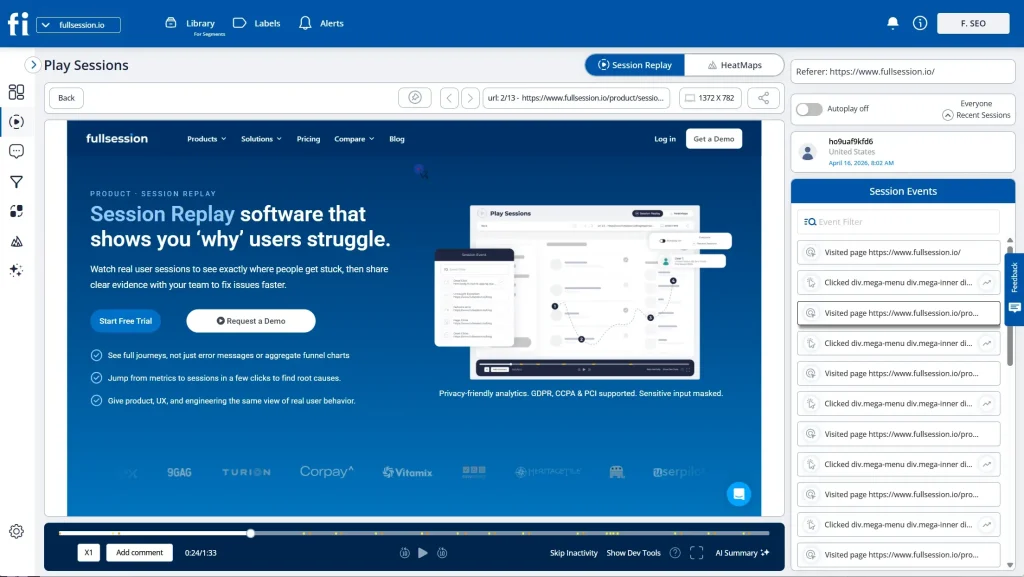
FullSession is a privacy-first user behavior analytics platform and digital experience intelligence platform that combines session replay, interactive heatmaps, conversion funnels, customer feedback widgets, and error tracking in a single dashboard.
Lift AI, FullSession’s AI prioritization engine, automatically surfaces the sessions that matter most, ranks friction points by expected revenue impact, and validates whether fixes actually moved the needle after they ship.
Start a free trial to see how it works.
Best for
Ecommerce teams, product managers, UX designers, customer success teams, and engineers can all track user behavior and extract valuable insights from the same interface, without heavy engineering resources or manual event configuration.
Key features
- Session recordings with rage-click, error-click, and dead-click detection across multiple sessions
- Interactive heatmaps with real-time processing to see how users interact with every page element
- Conversion funnels with jump-to-replay so you can watch exactly where users struggle in key flows
- Error and alert monitoring that surfaces broken user flows before they reach a support ticket
- In-app feedback widgets for collecting customer feedback directly inside the product
- Lift AI with automated insights that rank friction points by expected revenue impact and validate fixes after they ship
- GDPR, CCPA, and PCI DSS compliant, with sensitive inputs masked by default, no custom configuration required
Pricing
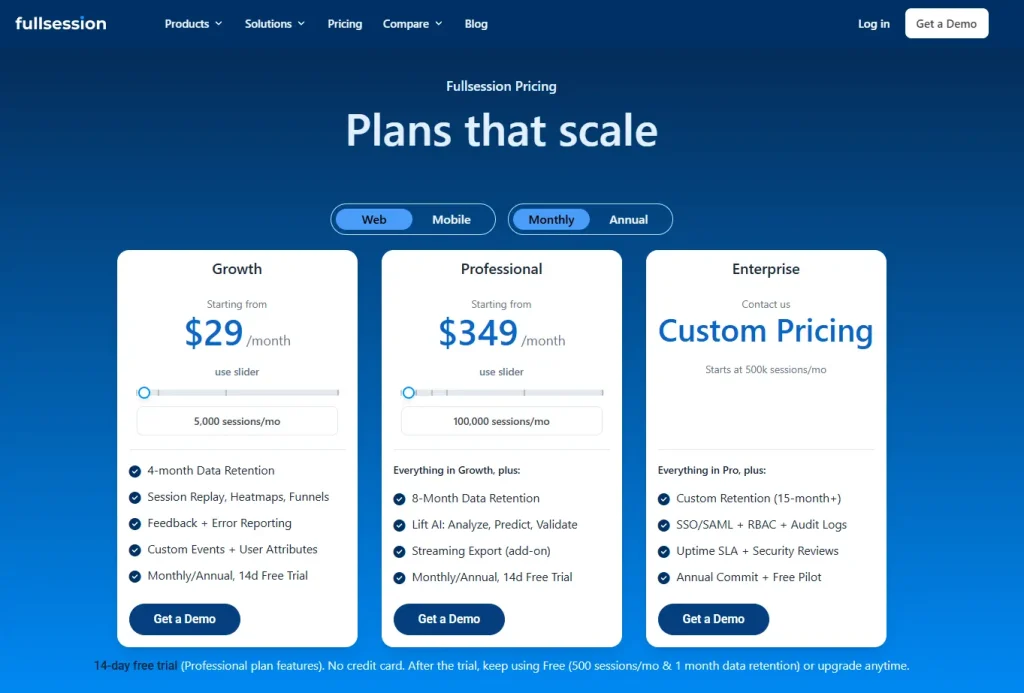
- Free plan: 500 sessions/month, 30-day data retention
- Growth plan: from $23/month (billed annually) for 5,000 sessions/month, 4-month data retention
- Pro plan: from $279/month (billed annually) for 100,000 sessions/month, 8-month data retention
- Enterprise: custom pricing with all the features, unlimited sessions and 15-month data retention
Book a demo or start a free 14-day trial. No credit card required.
2. LogRocket
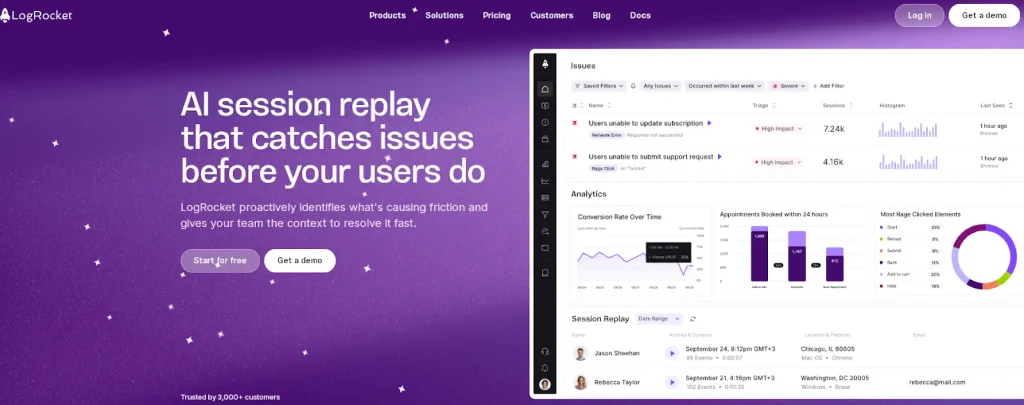
LogRocket is a session replay and product analytics tool built around front-end debugging, error tracking, and network log capture.
It connects user sessions to JavaScript errors, console logs, network requests, and performance data, making it valuable for engineering teams that need to reproduce and fix production issues fast.
Galileo AI automatically shows the most impactful sessions, cutting the engineering resources spent on manual testing.
Compared to FullStory, LogRocket offers more technical depth for developer workflows but less coverage for UX and conversion analytics.
- See how LogRocket compares to FullStory.
- Learn more about LogRocket competitors.
Best for
Engineering and product teams where connecting session replay to technical evidence, stack traces, error logs, and performance data is the primary workflow.
Key features
- Session replay capturing console logs, network requests, and performance data in a single view
- Galileo AI for automated issue detection, session prioritization, and weekly Issues Digest
- Product analytics with funnel analysis, user paths, and segmenting data by behavior
- Error tracking with JavaScript error capture and custom events support
- Performance monitoring, including memory usage and app performance metrics
Pricing
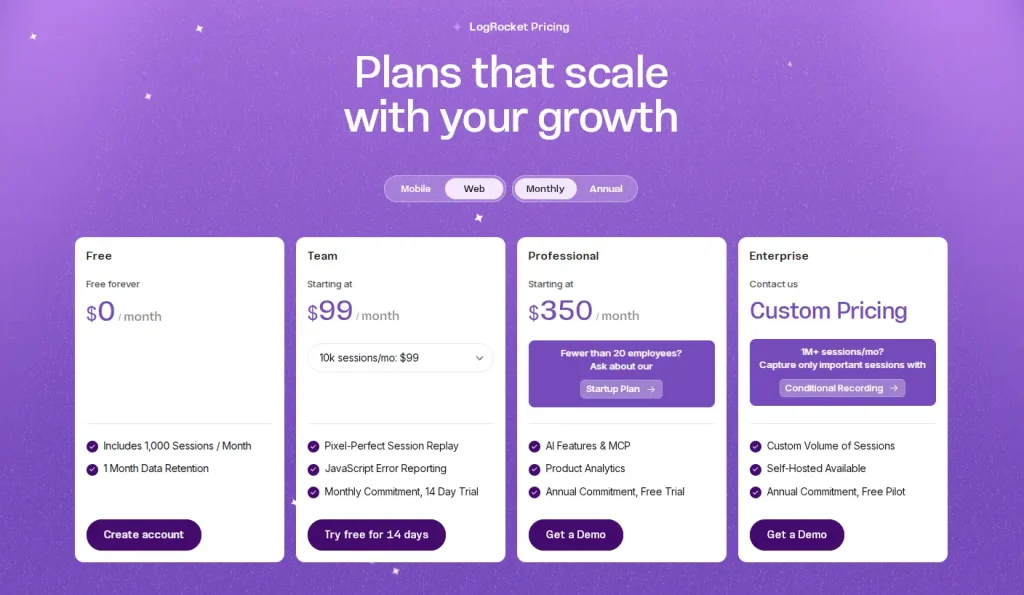
LogRocket includes a free plan. Paid plans start from $99/month for core session replay and analytics. Read our guide on LogRocket pricing for a full breakdown.
3. Smartlook
Smartlook covers both web and native mobile apps in one subscription. Session recordings, heatmaps, event tracking, funnel analysis, and crash reporting are all included. Its native mobile SDK captures in-app user behavior, including taps, gestures, and crashes, making it one of the more complete options for teams managing a product across web and mobile apps simultaneously.
- Learn more about Smartlook alternatives.
- See how Smartlook compares to Hotjar.
Best for
Ecommerce and mobile-first product teams that need a unified view of how users interact with their product across web and iOS or Android applications.
Key features
- Session recordings with retroactive filtering by user attributes, device, and behavior across multiple sessions
- Heatmaps for click, scroll, and move behavior on both web and mobile screens
- Funnel analysis with automatic drop-off detection to identify where users struggle
- Event tracking with custom events support, so you can track user behavior without having to manually tag events every time
- Native mobile SDK with crash reports for iOS and Android
Pricing
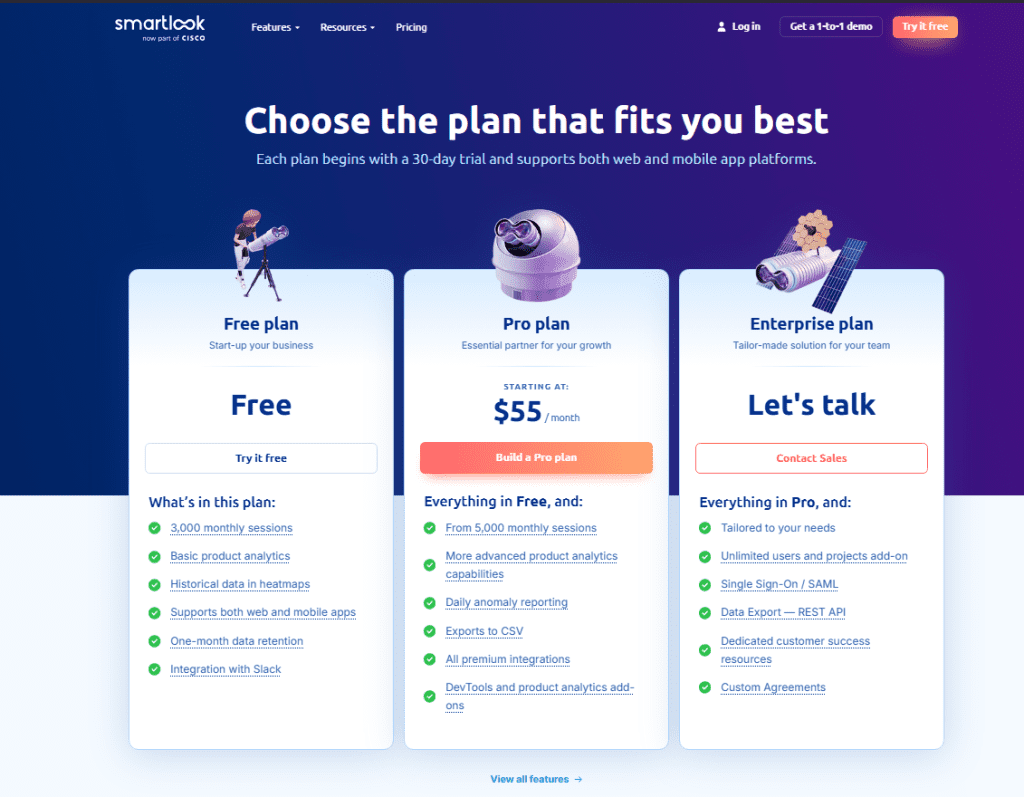
- Free plan: up to 3,000 sessions/month, 1-month data retention, basic features
- Paid plans start at approximately €55/month with advanced analytics and daily anomaly detection
4. Amplitude
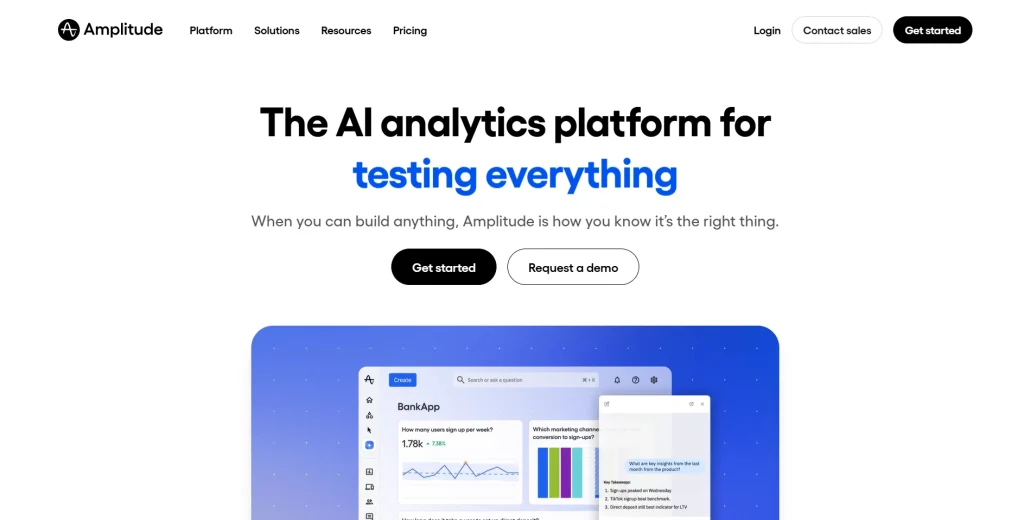
Amplitude is one of the popular product analytics tools. It’s built for deep behavioral cohort analysis, view retention graphs, user path analysis, and customer experience experimentation. Session replay was added later as a module and is less mature than dedicated replay tools.
FullStory starts with replay and adds analytics. Amplitude starts with analytics and adds replay. For data-mature teams that spend most of their time in quantitative analysis, Amplitude often fits better.
- Learn more about Amplitude alternatives.
- See how Amplitude compares to Mixpanel.
- Learn how Google Analytics compares to Amplitude.
Best for
Product and data teams at larger organizations where retention analysis, behavioral cohorts, and A/B testing across multiple devices are the primary workflow.
Key features
- Behavioral cohorts, funnel analysis, and user paths to understand user journeys end-to-end
- Retention graphs and engagement metrics for tracking user engagement over time
- A/B testing and feature flag capabilities for in-product experimentation
- Predictive analytics and AI insight builder for understanding user behavior patterns
- Session replay available as an add-on module from certain tiers
Pricing
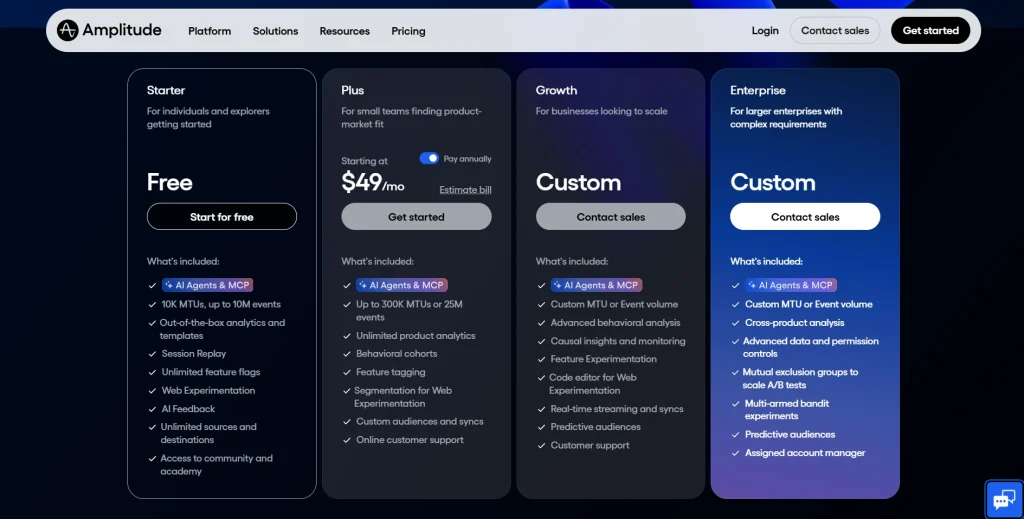
- Free plan: core analytics features with limited session volume
- Paid plans start at approximately $61/month; enterprise pricing on request
5. Heap
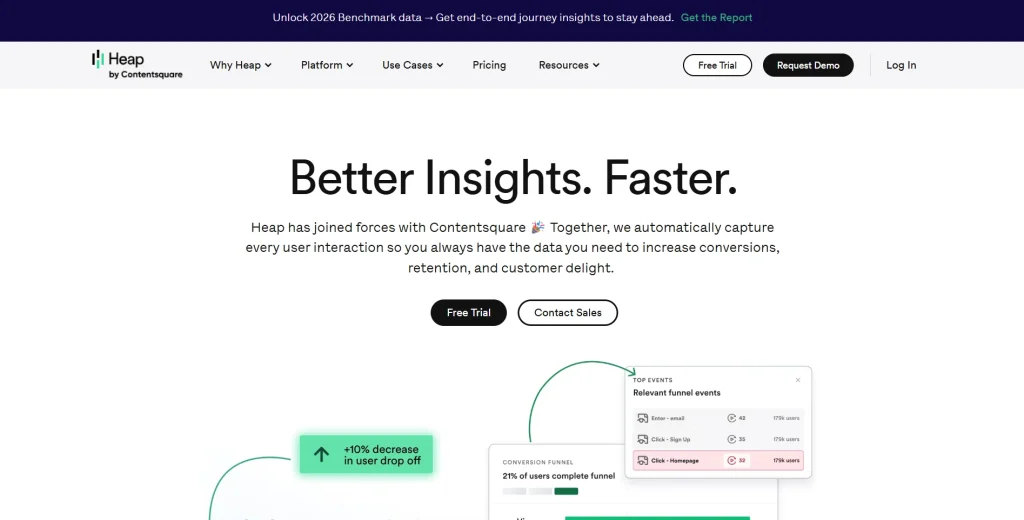
Heap is a digital insights platform owned by Contentsquare since 2023. Its core capability is full autocapture: Heap records every user interaction without requiring manual event setup.
Events can be defined retroactively, meaning you can analyze past behavior from before you knew what questions to ask. That’s a significant advantage over tools that require you to manually tag events before collecting useful data.
Learn more about Heap alternatives.
Best for
Fast-moving product teams that launch features rapidly and can’t wait for manual event tagging, or teams that need retroactive data access for historic user journeys.
Key features
- Full autocapture of every user interaction with no need to manually tag events or pre-configure tracking
- Retroactive event definition, so you can analyze past behavior without re-instrumentation
- Funnel analysis, user paths, and retention tracking to map complete user journeys
- Data governance tools for managing large volumes of custom events across multiple tools and integrations
- Session replay available in higher tiers
Pricing
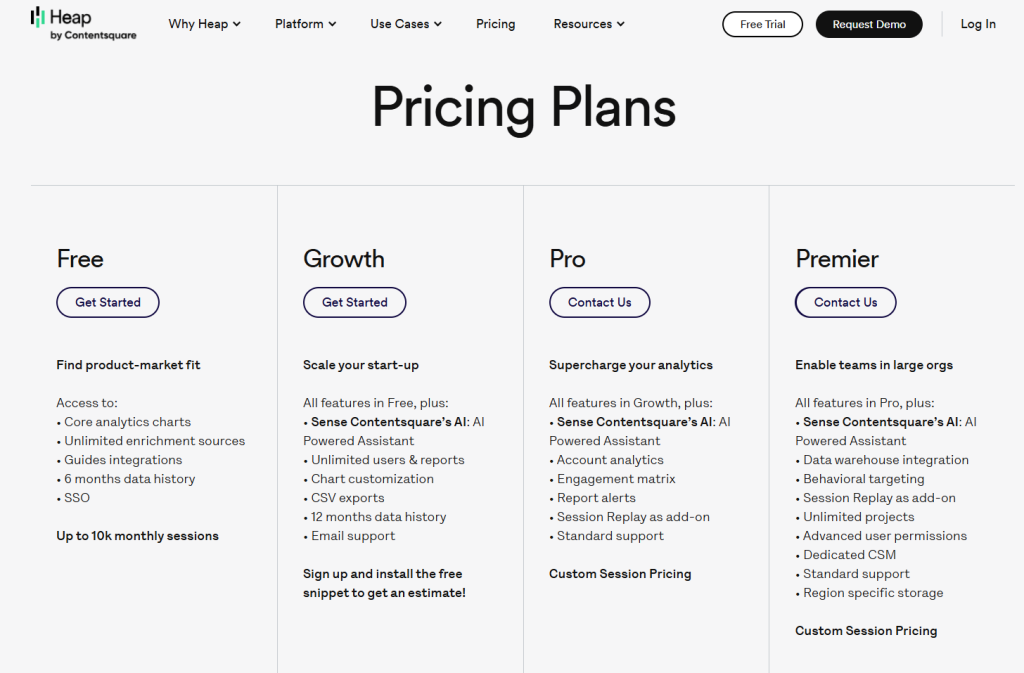
- Free plan: up to 10,000 sessions/month with 6-month data retention
- Paid plans: pricing available on request
6. Glassbox

Glassbox is an enterprise digital experience analytics platform built for regulated industries. The focus is compliance-grade session capture, data governance, and AI-powered struggle detection across complex customer journeys.
Most mid-market teams won’t need it. But if you’re in financial services, insurance, or healthcare and a compliance failure carries real regulatory risk, it’s worth a serious look.
See how Glassbox compares to Quantum Metric.
Best for
Enterprise teams in financial services, insurance, and healthcare that need audit-grade behavioral data, built-in compliance, and AI-powered journey analytics without the configuration overhead.
Key features
- Patented session replay with PCI, PII, and HIPAA-compliant data masking by default
- AI-powered frustration and struggle signal detection across complete customer journeys
- Mobile app analytics with native SDK for tracking user behavior on iOS and Android
- Cross-session customer journey analytics with identity stitching across multiple devices
- Performance monitoring and advanced features for understanding app performance at enterprise scale
Pricing
Pricing not publicly available. Custom quote is based on volume and deployment.
7. PostHog
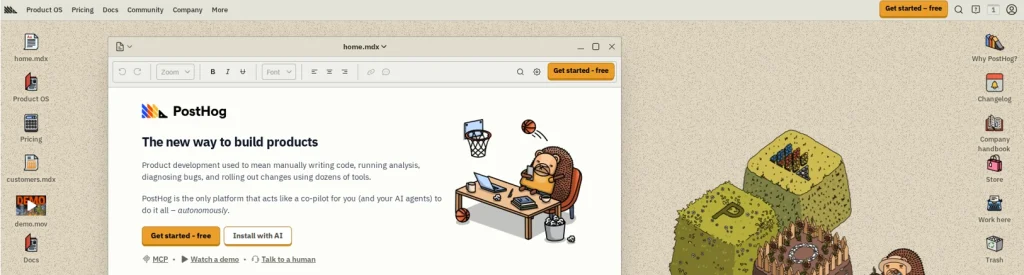
PostHog is an open-source product analytics platform that covers session replay, feature flags, A/B testing, surveys, and error tracking in one place. The self-hosted option means your data stays on your infrastructure, full stop.
The setup is developer-friendly, the documentation is thorough, and the roadmap is public. You can see exactly where the product is heading.
Learn more about PostHog alternatives.
Best for
Engineering and product teams at B2B SaaS startups that want all the same features, session replay, analytics, feature flags, A/B testing, and surveys, in one open-source platform with full control over their data.
Key features
- Session replay with console logs, network monitoring, and performance data in one view
- Product analytics, including funnels, user paths, retention analysis, and the ability to track events automatically with autocapture
- Feature flags and A/B testing with statistical significance calculations built in
- Automated insights and user surveys for collecting customer feedback at scale
- Open-source with a self-hosted option, so you don’t share data with a third-party platform
Pricing
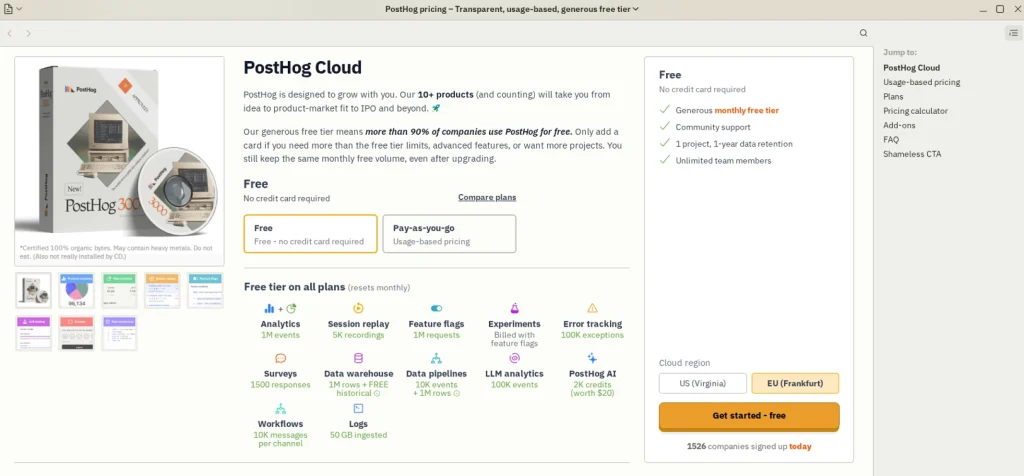
- Free tier: 1 million events and 5,000 session replays per month
- Paid plans: transparent usage-based pricing above the free tier
8. Pendo
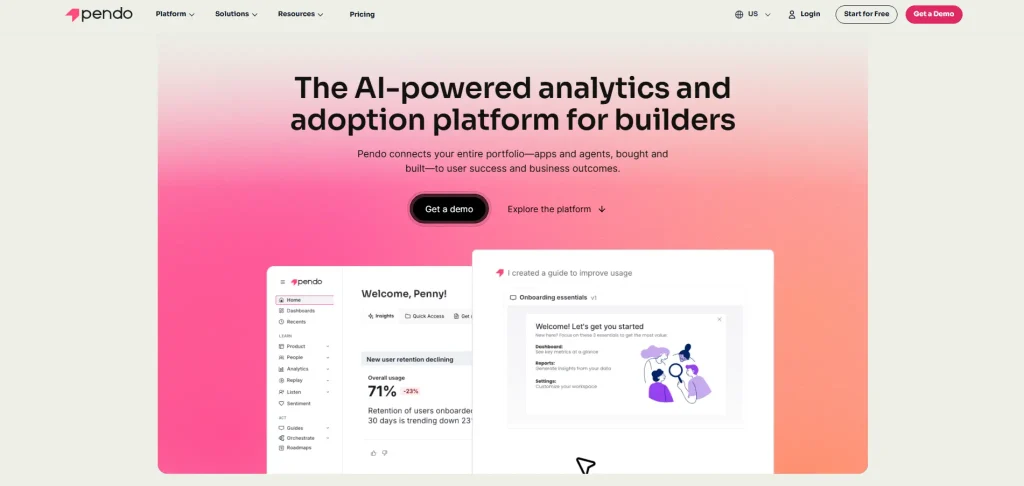
Pendo is a product analytics tool and in-app guidance platform. It isn’t primarily a session replay tool. It’s built around user onboarding, in-app walkthroughs, and adoption analytics.
Its ability to deliver personalized guidance at scale inside a live product, through lightboxes, banners, and tooltips, makes it different from most tools on this list.
Teams that need both observation and activation often find that Pendo handles activation well but need a complementary tool for deeper session replay and heatmap analysis.
Learn more about Pendo competiors.
Best for
Product teams at B2B SaaS companies focused on improving user onboarding, driving feature adoption, and delivering personalized guidance to users as they interact with the product.
Key features
- Product analytics with user segmentation and engagement metrics across user flows
- In-app guides, including lightboxes, banners, and tooltips, to deliver personalized guidance at the right moment
- User feedback via NPS surveys and polls collected directly inside the product
- Mobile support for iOS and Android event tracking and in-app experiences
- Retention analysis and view retention graphs to identify where users drop off over time
Pricing
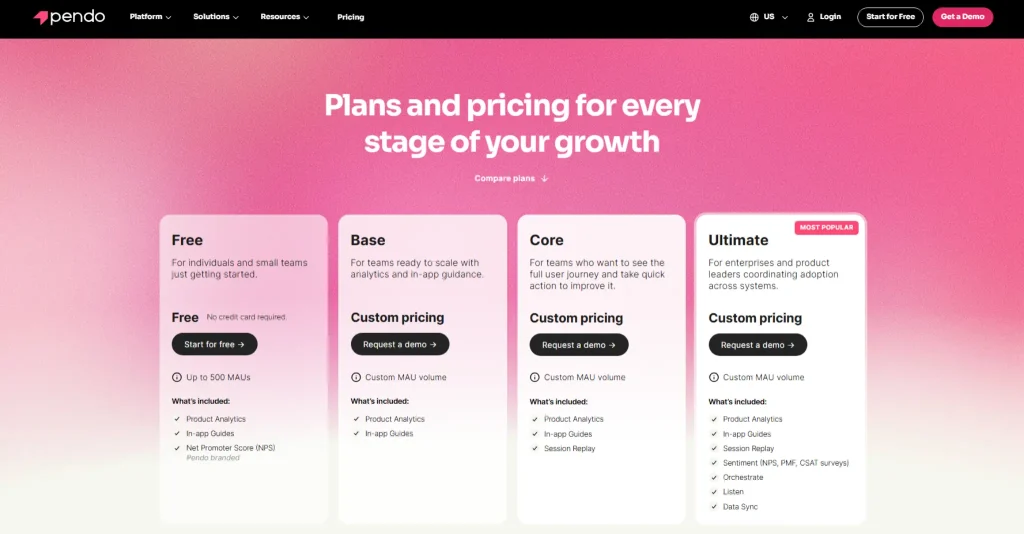
- Free trial available
- Paid plans: four tiers, pricing not publicly disclosed.
9. Hotjar
Hotjar is a popular behavioral analytics tool, known for accessible heatmaps and user feedback collection. Contentsquare acquired it in 2021. It kept its self-serve, non-technical, user-friendly experience while gaining broader enterprise integration options.
It’s a strong entry point for teams new to understanding user behavior on the web, though it offers less depth in session replay filtering, product analytics, and error tracking than more comprehensive platforms.
- Check out if Hotjar slows down your website.
- See how Hotjar compares to FullSession.
- Learn more about Hotjar alternatives.
- Read more about Lucky Orange vs Hotjar.
Best for
UX designers, marketers, and product teams at small to mid-size companies looking for an accessible behavioral analytics starting point with strong heatmaps and user feedback tools that don’t require engineering resources to operate.
Key features
- Heatmaps for click, scroll, and move behavior to see how users interact with every page without a separate tool
- Session recordings with basic filtering to replay how customers interact with your site
- Feedback tools, including on-page surveys, polls, and incoming feedback widgets for collecting customer feedback
- User flow analysis to track where visitors enter, navigate, and exit across multiple sessions
- Integrations with Google Analytics, Jira, HubSpot, and other tools for a connected workflow
Pricing
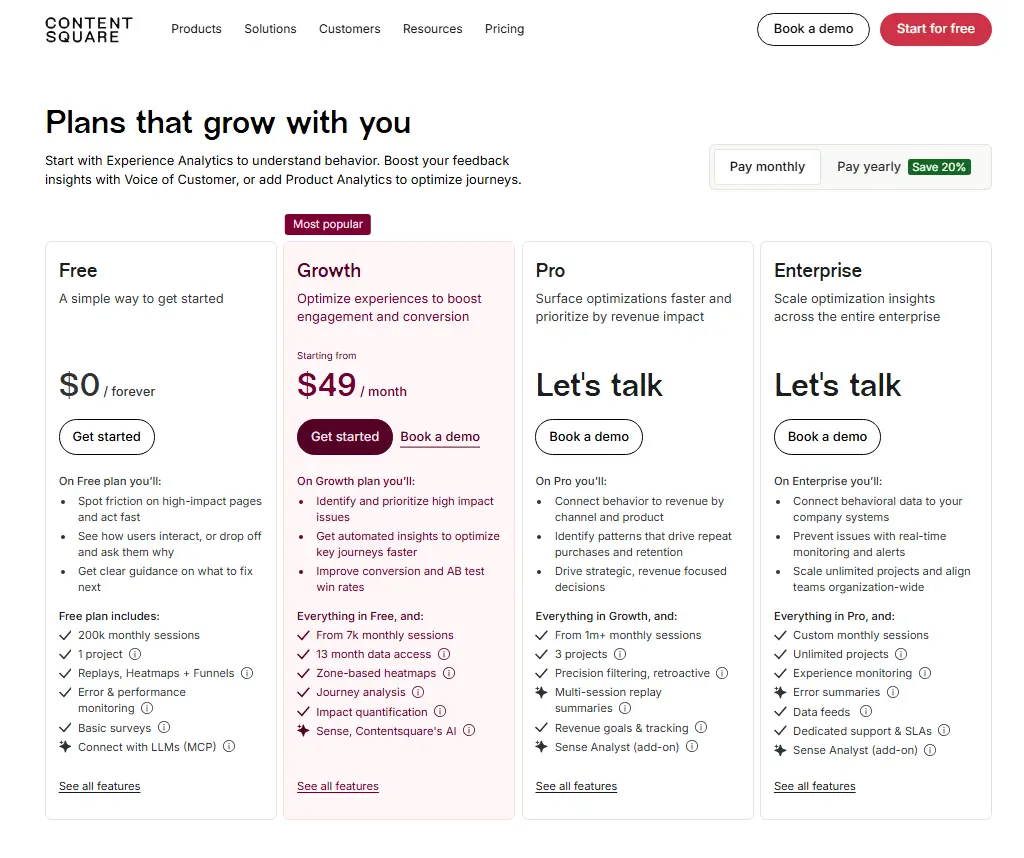
- Free plan: limited daily sessions and basic features
- Growth plan: $49/month for up to 10M monthly sessions
Other pricing details are available via Contentsquare’s website.
10. Quantum Metric
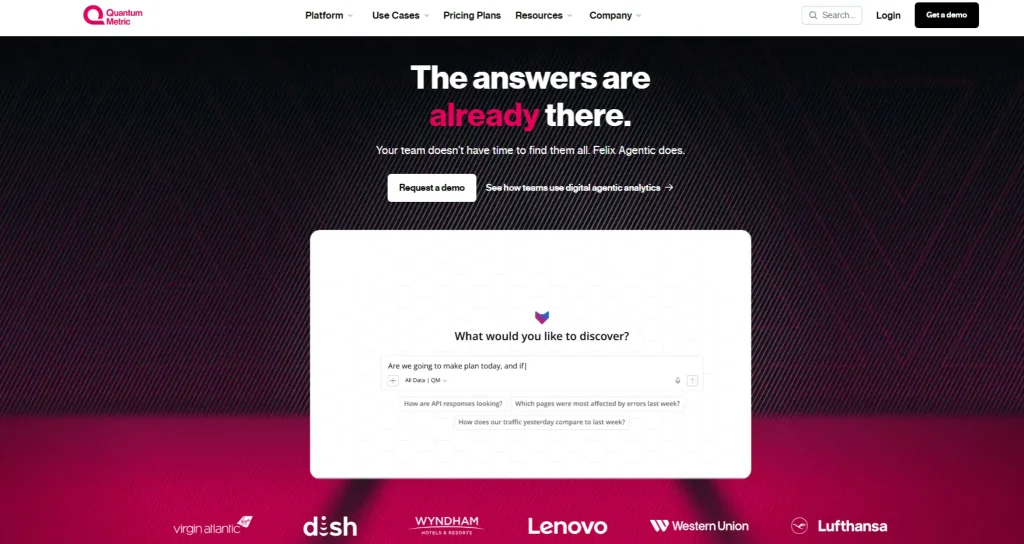
Quantum Metric is an enterprise digital experience intelligence platform built for large organizations in retail, financial services, and travel. It autocaptures over 300 behavioral metrics out of the box.
Its Felix AI feature autonomously analyzes customer journeys, summarizes multiple sessions, and finds opportunity areas without requiring an analyst to manually build every report.
For most mid-market teams, it’s too heavy and too expensive. For enterprises managing millions of sessions monthly, its AI capabilities deliver genuinely differentiated value.
Best for
Enterprise teams in retail, financial services, and travel that need high-volume session capture, predictive analytics, AI-powered opportunity quantification, and integration with Adobe Analytics or Salesforce.
Key features
- Session replay with autocapture of over 300 key metrics, no manual configuration required for core performance data
- Felix AI for autonomous customer journey analysis, predictive analytics, and automated insights from session data
- Patented mobile app analytics with native SDK for tracking user behavior across iOS and Android
- Interaction heatmaps, opportunity analysis, and real-time alerts for monitoring app performance at scale
- Advanced segmenting data capabilities and data governance for enterprise teams managing complex user journeys
Pricing
Pricing not publicly available. You need to reach out for a custom quote.
If replay depth is one of your main concerns, this guide to Session Recording Replay Tools can help you compare what modern replay platforms should include.
Is FullSession the Best FullStory Alternative?
There are strong, well-established tools in this category. Depending on your team’s needs, some of them are genuinely worth considering. But for teams that need to move quickly from behavioral data to business decisions, without juggling multiple tools or negotiating enterprise contracts, FullSession consistently stands out.
Here’s what puts it near the top.
One platform, everything included
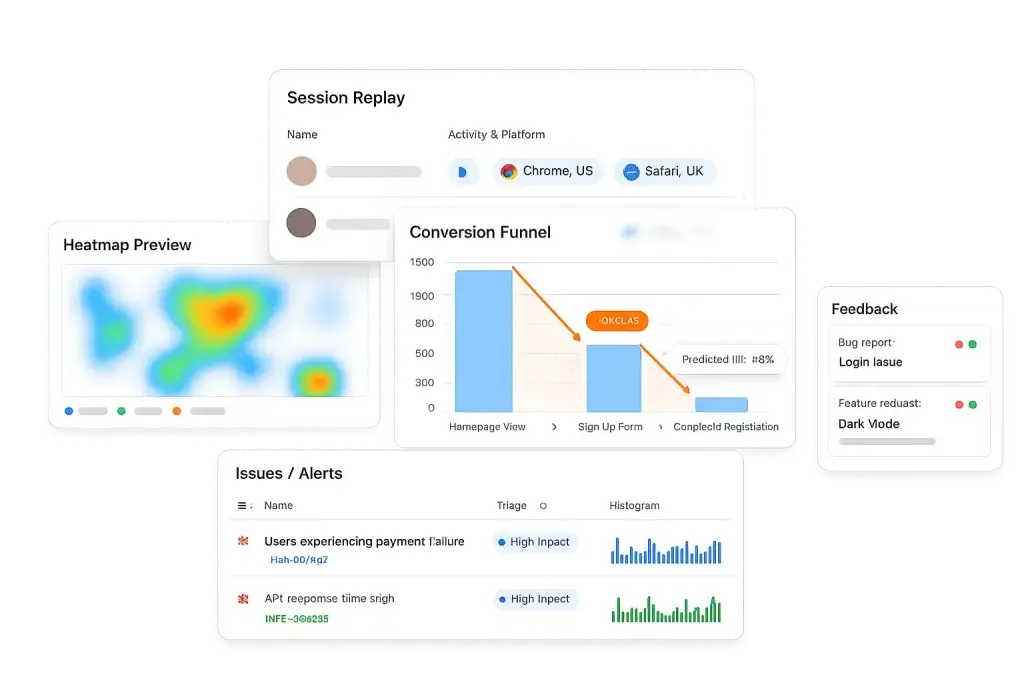
Most teams end up paying for three or four separate tools to cover what FullSession handles in one subscription: session replay, interactive heatmaps, conversion funnels, error and alert monitoring, in-app feedback, and mobile session replay for iOS and Android.
Everything is connected on the same dashboard from day one. No stitching other tools together. No upgrade to unlock the advanced features you expected.
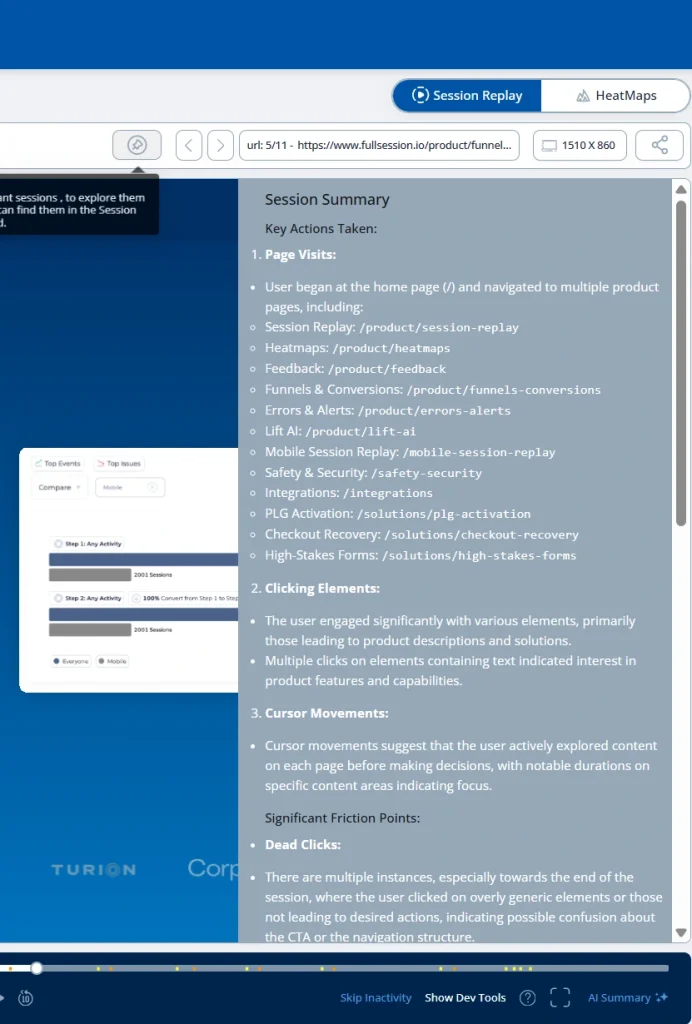
The Play Sessions interface gives your team immediate access to every session, with an events panel that shows each interaction in sequence: pages visited, elements clicked, navigation path, and timestamp. The HeatMaps tab is one click away from any session.
The Errors and Alerts dashboard surfaces broken user flows before they reach a support ticket.
Lift AI: from observation to action
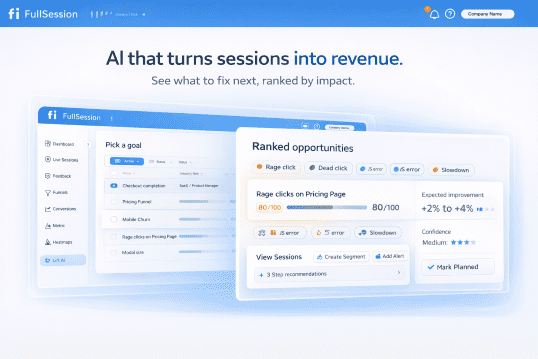
The most expensive problem in analytics isn’t missing data. It’s the gap between seeing a problem and knowing what to fix first. Lift AI, FullSession’s AI prioritization engine, goes further than a summary feature.
It scans behavioral data, ranks friction points by expected revenue impact, and links each priority directly to the session replays where the issue occurs.
When a fix ships, Lift AI validates whether it actually moved the needle. You don’t just learn what to fix. You confirm it worked.
An interface built for real teams
Behavioral analytics tools are only useful if your team actually uses them. FullSession’s interface is clean enough for product managers, marketers, and customer success teams to navigate without a training session.
Filters, session search, and heatmap views are designed to get you to actionable insights in clicks. Non-technical users can track user behavior, review user journeys, and understand key metrics without pulling in engineering resources.
Proactive detection, not reactive firefighting
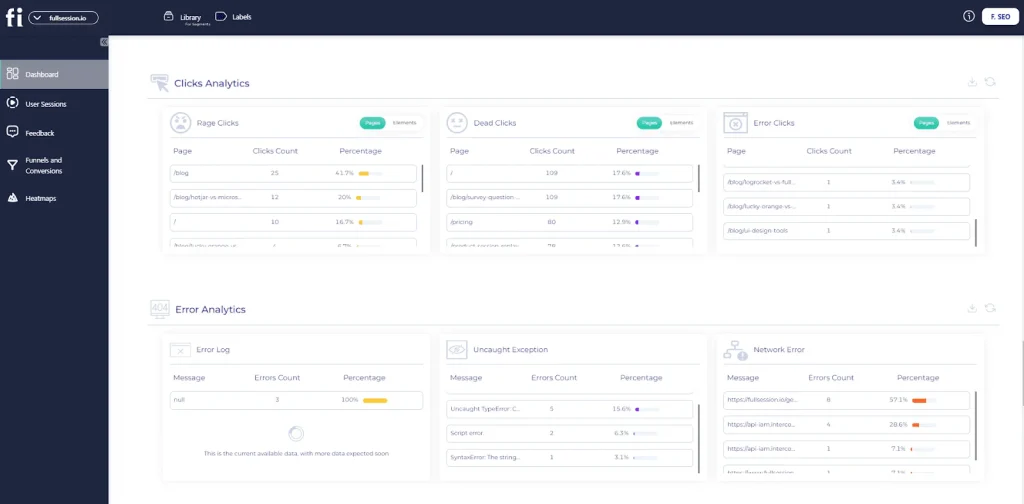
Rage clicks and error detection alerts your team the moment users encounter problems. You see issues before they escalate to a support ticket.
Instead of waiting for customers to report broken flows, FullSession shows where users struggle in real time, giving your team the context to act immediately.
Performance your site won’t feel
FullSession’s SDK runs asynchronously on a separate thread, leaving your Core Web Vitals untouched. You get full behavioral coverage across web and mobile apps without the app performance penalty that heavier SDKs introduce.
Transparent pricing, exceptional value
FullSession’s Growth plan starts at $23/month, billed annually. It includes 5,000 sessions, full heatmaps, funnels, feedback, and Lift AI. Every pricing tier is published publicly so you can evaluate the fit before talking to sales.
Most platforms charge separately for session replay, heatmaps, funnels, and error tracking. FullSession bundles all the features and advanced AI at a single transparent price, with no hidden tiers to unlock the same features you expected from day one.
Privacy built in from day one
Sensitive form inputs are masked by default. GDPR, CCPA, and PCI DSS compliance come built in, with no additional privacy modules or custom configuration required.
Support that treats you like a friend
FullSession’s Customer Success team is known for fast, personalized responses rather than queue-based auto-replies. When something isn’t working, you reach a person who knows the product and prioritizes your outcome.
The team actively tracks feature requests, including third-party integrations, and ships them regularly. The platform you use six months from now will be shaped, in part, by feedback from teams like yours.
Book a demo to see how FullSession handles your specific use case.
Final Words About FullStory Competitors
Each tool in this guide serves a different primary need.
- LogRocket is purpose-built for front-end debugging.
- Smartlook is a good fit for teams managing both web and native mobile apps.
- Amplitude and Heap are built for pure product analytics, with Heap adding the advantage of full autocapture.
- Glassbox and Quantum Metric are built for regulated enterprise environments at scale.
- Pendo is the go-to for in-app guidance and user onboarding.
- Hotjar is the easiest entry point for teams new to behavioral analytics.
- PostHog stands out for open-source flexibility with feature flags and full data control.
If you need session replay, heatmaps, funnels, and error tracking in one platform at transparent pricing, FullSession is the closest fit. It’s built for product and UX teams that want to move from behavioral data to decisions fast, without juggling multiple tools or talking to sales first.
Start a free 14-day trial with no credit card required, or book a personalized demo to see the full platform in action.
FAQs About FullStory Alternatives
What are the best FullStory alternatives?
The best FullStory alternatives are FullSession, LogRocket, Smartlook, Amplitude, Heap, Glassbox, PostHog, Pendo, Hotjar, and Quantum Metric.
FullSession is the top pick for product and UX teams that need session replay, heatmaps, and funnels in one self-serve platform at transparent pricing. LogRocket is best for engineering-led debugging. PostHog is the strongest option for teams that want open-source flexibility with feature flags built in.
Is FullStory free?
FullStory offers a free plan with up to 1,000 sessions per month and one month of data retention. Paid plans, Business, Advanced, and Enterprise, require contacting sales for pricing. The lack of transparent self-serve pricing is one of the main reasons product teams start evaluating FullStory competitors.
What is FullStory best used for?
FullStory is best used for digital experience analytics across enterprise and mid-market teams. It’s particularly strong for session replay, frustration signal detection, and giving cross-functional teams, product, UX, and customer success, a shared view of how customers interact with websites and mobile apps. Teams focused on understanding user behavior at scale and identifying where users struggle in critical flows are its core use case.
Does FullStory have a competitor that includes mobile analytics?
Yes. FullSession, Smartlook, Glassbox, Quantum Metric, and PostHog all offer mobile analytics with native SDK support for iOS and Android. Smartlook is most commonly cited for native mobile session replay in cross-platform products. PostHog supports iOS, Android, React Native, and Flutter. Glassbox and Quantum Metric offer patented mobile analytics capabilities for enterprise deployments across multiple devices.
What is the cheapest FullStory alternative?
PostHog and FullSession offer the most accessible pricing. PostHog has a free tier with 1 million events and 5,000 session replays per month. FullSession’s Growth plan starts at $23/month, billed annually for 5,000 sessions. Hotjar also offers a free plan and paid plans from $49/month. All three provide self-serve access without requiring a sales conversation.
Is there a FullStory alternative with no manual event tagging?
Yes. Heap, FullSession, and PostHog all offer autocapture that removes the need to manually tag events before collecting useful data. Heap is specifically built for retroactive event definition, meaning you can analyze past behavior without re-instrumentation. FullSession captures all interactions automatically and surfaces them through heatmaps, funnels, and replay without requiring pre-configured custom events for core analysis.

Roman Mohren is CEO of FullSession, a privacy-first UX analytics platform offering session replay, interactive heatmaps, conversion funnels, error insights, and in-app feedback. He directly leads Product, Sales, and Customer Success, owning the full customer journey from first touch to long-term outcomes. With 25+ years in B2B SaaS, spanning venture- and PE-backed startups, public software companies, and his own ventures, Roman has built and scaled revenue teams, designed go-to-market systems, and led organizations through every growth stage from first dollar to eight-figure ARR. He writes from hands-on operator experience about UX diagnosis, conversion optimization, user onboarding, and turning behavioral data into measurable business impact.