Mouseflow is a solid tool for teams that need visual behavior analytics alongside their website analytics stack. It records user sessions, generates heatmaps, tracks form analytics, and collects feedback polls in one place.
For many teams, though, Mouseflow pricing may become less cost-effective as teams scale. Session volume caps, data retention limits, limited customization options, and a steep learning curve push organizations to look for something better suited to their needs.
This article helps you find the best Mouseflow alternative. We evaluated six platforms across the features that matter most: session recordings, heatmaps, form analytics, friction detection, data retention, mobile app analytics, and pricing transparency.
The goal is to show where each behavior analytics platform fits, including which tools support user behavior analysis, user feedback, event tracking, and actionable data without creating unnecessary cost or setup complexity.
Whether you’re dealing with budget constraints or you simply need more depth from your behavior analytics platform, the options below give you a concrete comparison to work from.
Key Takeaways
This section gives you a quick summary of which Mouseflow alternative fits each use case, so you can compare tools before reviewing the full details.
- FullSession: The strongest all-in-one option for teams that need session replay, heatmaps, form analytics, funnel analysis, error tracking, mobile session replays, and AI-powered recommendations in a single subscription without hidden module costs.
- Hotjar: The right pick for UX researchers and teams whose primary need is qualitative feedback, NPS surveys, and moderated user interviews alongside standard behavior analytics.
- Microsoft Clarity: The only genuinely free option on this list, well-suited to small businesses and early-stage teams that need basic heatmaps and session recordings without any budget commitment.
- Crazy Egg: Better suited for marketing and CRO teams that want to run A/B tests and diagnose conversion problems from the same platform, without needing deep form analytics.
- FullStory: The enterprise choice for data and product teams that require retroactive event querying, data warehouse integration, and pixel-accurate session capture at scale.
- Lucky Orange: A practical fit for small businesses and support teams that want to combine live visitor observation with built-in chat, at one of the lowest starting prices in the category.
FullSession keeps session recordings, heatmaps, form analytics, user feedback, friction detection, and AI insights in one behavior analytics platform, so you can understand user behavior and act faster without relying on multiple tools.
Nothing is gated behind expensive tiers or add-on purchases.
For teams moving away from Mouseflow’s session caps and limited customization, FullSession offers a full behavior analytics coverage and transparent pricing.
Our team offers a no-pressure walkthrough of the platform.
Book a demo today.
Why Teams Are Looking For Mouseflow Alternative
Mouseflow focuses on visual behavior data: session replay, heatmaps, form analytics, and feedback polls. It handles these features reliably. Users switch to Mouseflow competitors for four common reasons.
- Pricing that jumps sharply: Mouseflow pricing starts at $31/month (annual, 5,000 sessions on the Starter tier) and escalates to $219/month on the Business plan. Teams that grow their traffic quickly get forced into expensive upgrades.
- Session volume caps: Every paid tier limits the number of user sessions recorded per month. When users spend significant time on your site or your traffic spikes, these caps create blind spots.
- Data retention limits: The free plan retains data for one month. Paid plans extend this to three to twelve months, depending on tier, which makes historical trend analysis difficult for teams on mid-range plans.
- Limited customization: Users report that customization options are restricted on lower tiers. The user interface also carries a steep learning curve for new team members.
These limitations are why many teams compare Mouseflow competitors when they need more flexible session volume, clearer pricing, stronger customization options, and deeper behavior analytics.
Six Criteria That Separate Good Tools From Weak Ones
Before comparing Mouseflow competitors, define the criteria. Every tool in this list is assessed across six dimensions.
- Session recording quality – Does the tool capture all user interactions accurately, including rage clicks, scroll depth, and mobile gestures?
- Heatmap types – Does it offer click, scroll, move, and attention maps, or only a subset?
- Form analytics depth – Can you see field-level data, not just overall completion rates?
- Friction or error detection – Does the analytics tool show JavaScript errors, dead clicks, and rage clicks automatically?
- Data retention and compliance – How long is data stored, and does the tool support GDPR requirements?
- Pricing transparency – Are all features and prices published publicly, and are there hidden costs for advanced features?
These criteria reflect both qualitative and quantitative data that product, marketing, and engineering teams need to make decisions with confidence.
You can only understand where user engagement drops off (whether in a funnel step, a form field, or a page section) when your tool measures all six dimensions reliably.
Top Mouseflow Alternatives at a Glance
The table below summarizes all six tools before diving into the details. Each was evaluated across heatmap session recordings, form analytics, friction detection, and pricing.
| Tool | G2 Rating | Best For | Top Feature | Starting Price |
| FullSession | 5.0 | SaaS and e-commerce teams needing all-in-one behavior analytics | Lift AI plus full-stack behavior analytics | Free trial; Growth plan $23/month annually |
| Hotjar / Contentsquare | 4.3 | UX researchers needing qualitative research depth | Surveys, NPS, and user interviews | $49/month |
| Microsoft Clarity | 4.5 | Small businesses with budget constraints | Free session recordings and heatmaps | Free tier |
| Crazy Egg | 4.2 | Marketing teams running A/B tests | Built-in A/B testing | $29/month |
| FullStory | 4.5 | Enterprise teams with data warehouse needs | Retroactive autocapture querying | Custom pricing |
| Lucky Orange | 4.6 | Small businesses wanting live chat plus analytics | Live visitor chat integrated with session data | $39/month |
Best Mouseflow Alternative for Behavior Analytics
This section highlights the best Mouseflow alternative for teams that need stronger behavior analytics, session replay, heatmaps, user feedback, and clearer insight into where users struggle.
FullSession
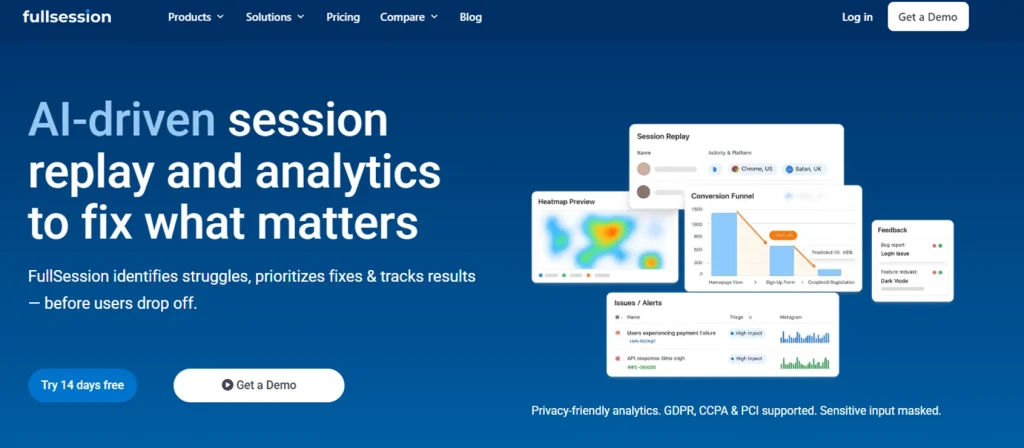
FullSession is a behavior analytics platform that combines session replay, heatmaps, funnel analysis, error tracking, and feedback collection in one platform.
Lift AI analyzes user behavior across sessions and highlights patterns that may indicate friction, such as repeated clicks, drop-offs, errors, or moments where users struggle. Instead of requiring teams to manually review every recording, it turns those patterns into AI insights that help teams decide which issues to investigate first.
FullSession also supports privacy-conscious behavior analytics with features such as data masking and controls for handling sensitive user interactions. This helps teams review session replay, user feedback, and form analytics while reducing the risk of exposing personal or confidential information.
Best For
Cross functional teams that need qualitative and quantitative data to improve user engagement, reduce drop-offs, and track user behavior across the full journey.
FullSession is especially useful for product, marketing, UX, customer service, and engineering teams at SaaS and ecommerce companies that need a complete picture of user behavior across both web and mobile apps without managing multiple tools.
Key Features
- Session replay: Records user sessions so teams can see clicks, scrolls, page movement, and user interactions in context. This helps product, marketing, and engineering teams understand where users struggle instead of relying only on web analytics.
- Heatmaps: Shows where users click, scroll, and spend attention across key pages, helping teams identify patterns in user behavior and improve page layouts.
- Funnels and conversion analysis: Tracks conversion funnels so teams can see where users drop off and which steps create the most friction in the user journey.
- Error tracking: Connects technical errors to real user sessions, so teams can reproduce issues faster and understand how broken elements affect the user experience.
- Feedback tools: Collect user feedback inside the experience and link it with behavioral context, so teams can combine qualitative and quantitative data before making changes.
- Lift AI: Shows AI insights from behavior patterns, helps prioritize friction points by likely impact, and validates whether fixes reduce user struggle after changes go live, so teams can focus on improvements that matter most.
- Mobile app analytics: Supports behavior analysis across web and mobile apps, including mobile session replay for teams that need visibility beyond the website.
Pricing
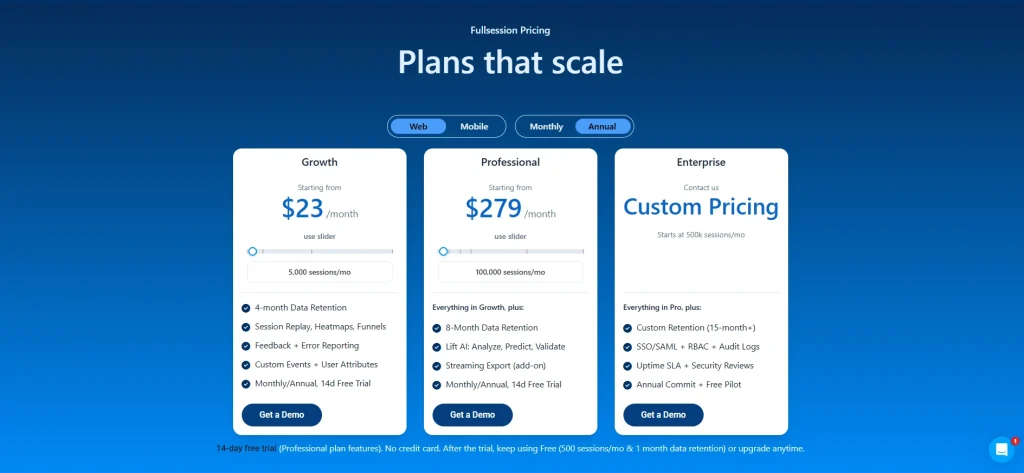
FullSession uses transparent, session-based monthly and annual pricing. The Growth plan starts at $23/month, billed annually for 5,000 sessions/month.
The Professional plan starts at $279/month billed annually for 100,000 sessions/month and adds 8-month data retention plus Lift AI.
Enterprise uses custom pricing and starts at 500,000 sessions/month with custom retention, SSO/SAML, RBAC, audit logs, and security reviews.
A 14-day free trial is available, and the free plan includes 500 sessions/month with 1 month data retention.
Hotjar
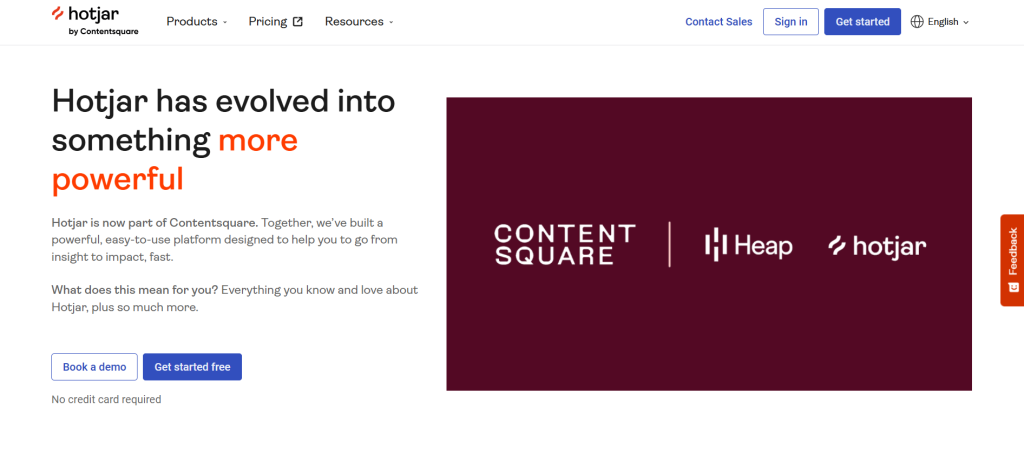
Hotjar is one of the most widely adopted behavior analytics tools on the market. It pairs heatmaps and session recordings with qualitative research features such as surveys, feedback, and user interviews.
Hotjar is now part of Contentsquare. As of July 1, 2025, Hotjar’s tools, including Heatmaps, Recordings, and Surveys, are available within the Contentsquare product suite.
What distinguishes Hotjar from several other behavior analytics tools is its user interview capability through Hotjar Engage, which supports participant recruitment, scheduling, and moderated research sessions.
- See the FullSession vs Hotjar breakdown
- Learn more about Hotjar alternative
- Check out our detailed Hotjar review
- Find out whether Hotjar is affecting your site’s performance
Best For
UX researchers, content teams, and marketing professionals who need on-site survey capabilities and qualitative research tools alongside standard heatmaps and recordings.
Key Features
- Session replay : Standard recording of user sessions with filtering and segmentation options.
- Heatmaps: Click and scroll maps across desktop and mobile.
- Form analytics: Basic field-level drop-off tracking available on paid plans.
- Feedback polls: Multi-question on-site survey flows, including NPS and open-ended responses.
- User interviews: Moderated remote sessions built directly into the platform. This capability sets Hotjar apart from most competitors on this list.
- Funnels: Conversion path analysis to identify where users abandon journeys.
Pricing
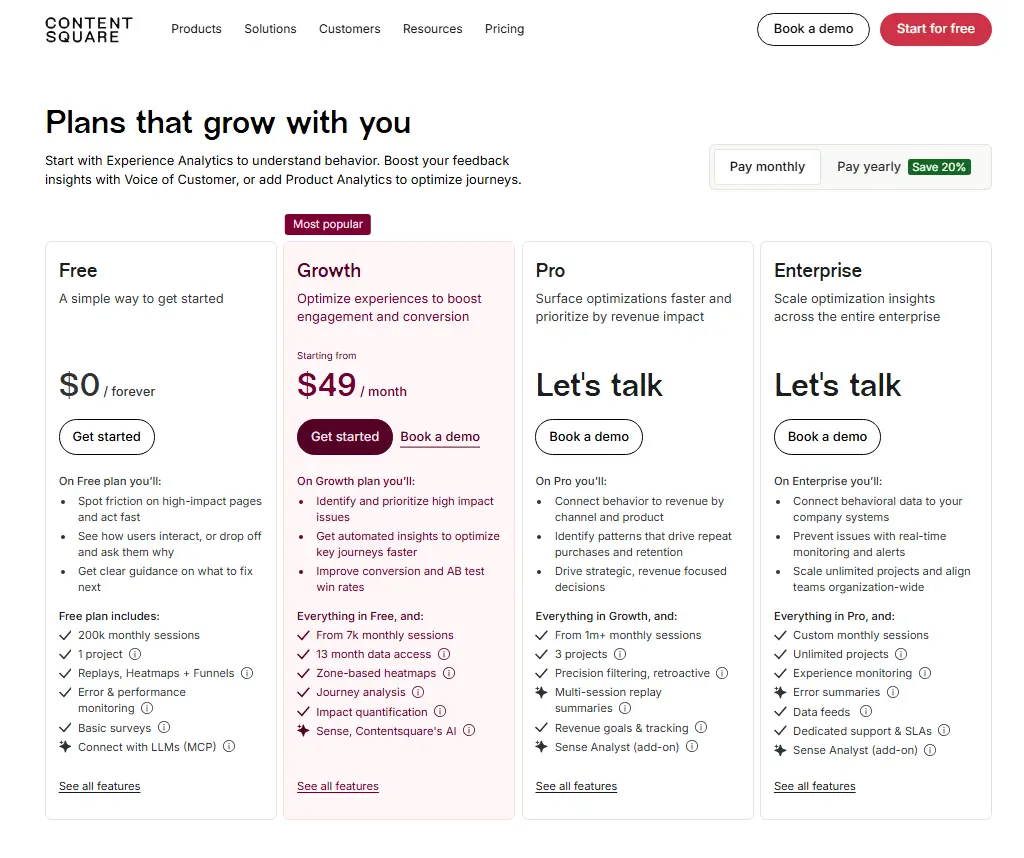
Hotja’s free plan includes 200k monthly sessions, 1 project, replays, heatmaps, funnels, error and performance monitoring, and basic surveys.
The paid Growth plan starts at $49/month with 700k monthly sessions, 13 months of data access, 3 projects, zone-based heatmaps, journey analysis, impact quantification, and Contentsquare AI features.
Microsoft Clarity
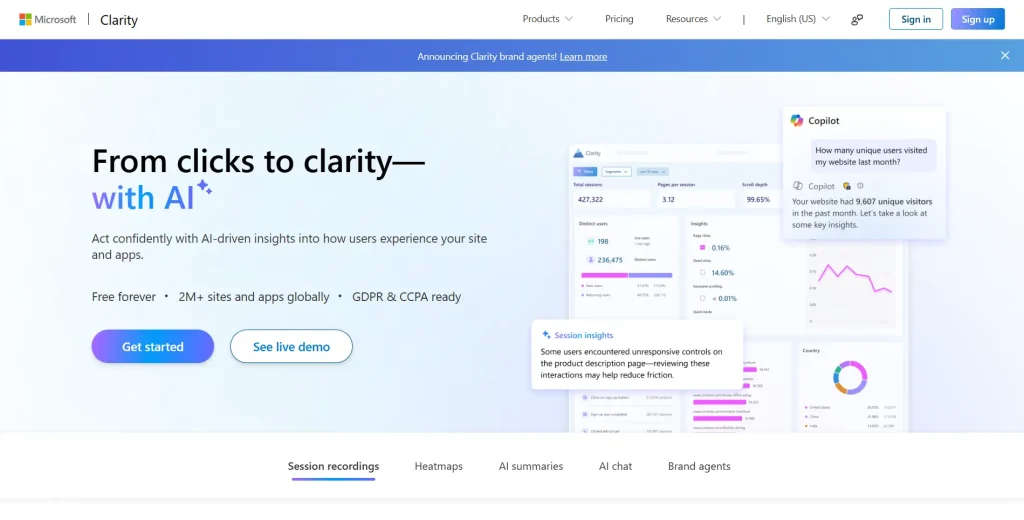
Microsoft Clarity is a free tool from Microsoft that provides session recordings and heatmaps with no session caps and no paid tier whatsoever.
It integrates directly with Google Analytics 4 and Microsoft Advertising, which makes it useful for teams that already rely on those platforms for their web analytics.
This makes Microsoft Clarity useful for basic user behavior visibility, but less complete for teams that need form analytics, user feedback, longer data retention, or deeper journey analysis.
What sets Clarity apart from every other tool on this list is its zero-cost model. There are no paid plans, no session limits, and minimal setup required.
The trade-off is depth: data retention is capped at 30 days, and there’s no form analytics, funnel analysis, or feedback survey capability.
- See how Microsoft Clarity compares with Hotjar
- Learn the differences between FullSession and Microsoft Clarity
Best For
Website owners, small businesses, and early-stage startups with budget constraints who need basic behavior visibility without any financial commitment.
Key Features
- Session replay: Full recording of user sessions with rage click and dead click flagging.
- Heatmaps: Click and scroll maps across all tracked pages.
- Rage click and dead click detection: Automatic flagging of frustration signals with no configuration needed.
- Copilot AI integration: Insight summaries available through Microsoft Copilot for teams in the Microsoft ecosystem.
- Google Analytics integration: Direct GA4 linking, so teams can pair quantitative data from Google Analytics with session-level behavior data.
Pricing
Microsoft Clarity is free to use, with no paid plans, traffic limits, or forced upgrades. It includes session recordings, heatmaps, and behavior analytics features at no cost.
Clarity retains standard recordings for 30 days, while heatmap data and favorited or labeled sessions can be retained for up to 13 months.
Crazy Egg
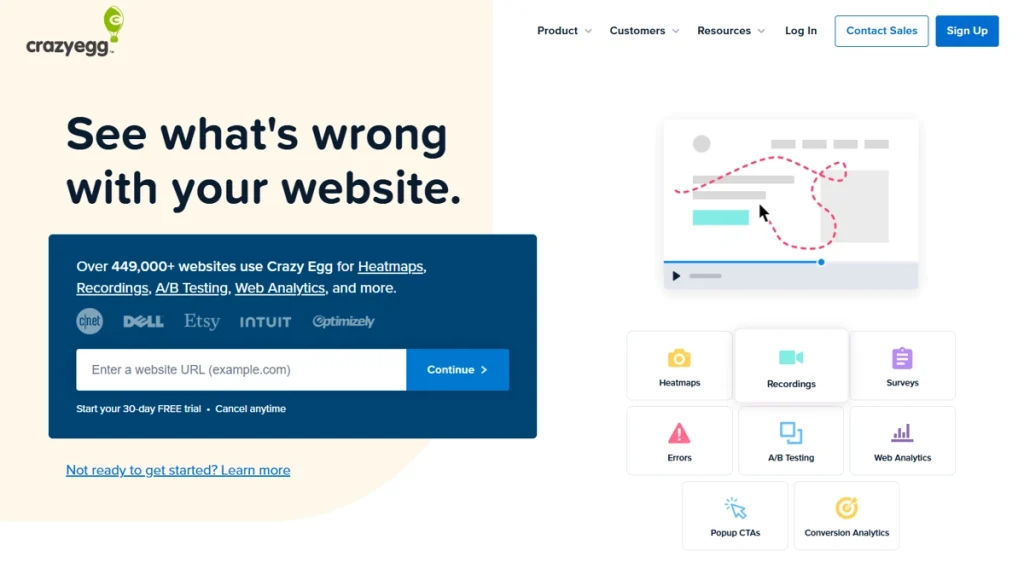
Crazy Egg is a visual analytics platform that combines heatmaps and session recordings with a built-in A/B testing feature. That makes it one of the few tools on this list that covers both behavior diagnostics and on-site experimentation in a single product.
This is useful when teams want to connect what users click, where they scroll, and where they drop off with actual testing workflows. Instead of only reviewing user behavior, Crazy Egg helps marketing teams turn visual analytics into page experiments.
It targets marketing teams and CRO specialists who want to diagnose conversion problems and run tests to fix them without switching between other tools.
Unlike FullSession or Hotjar, Crazy Egg doesn’t offer dedicated form analytics or friction scoring natively. Traffic source segmentation is a standout feature that helps teams understand whether users click differently based on where they arrive from.
- Learn more about Crazy Egg competitors
- Compare Hotjar, Crazy Egg, Mouseflow, and FullStory
- See how Crazy Egg compares with Clarity for activation tracking
Best For
Small and mid-sized marketing teams and CRO specialists who run frequent split tests and need visual analytics to inform experiment design.
Key Features
- Session replay: Standard recording with playback controls and basic filtering.
- Heatmaps: Click, scroll, confetti, and move maps offering multiple ways to interpret page behavior.
- Scroll maps: Dedicated scroll depth visualization to show how far users scroll before dropping off.
- A/B testing: Built-in split testing without requiring a separate experimentation tool.
- Traffic source analysis: Segments recordings and heatmap data by traffic source so teams can compare behavior from paid, organic, and referral visitors.
- Error tracking: Basic JavaScript error logging. No dedicated friction scoring or automated frustration detection.
Pricing
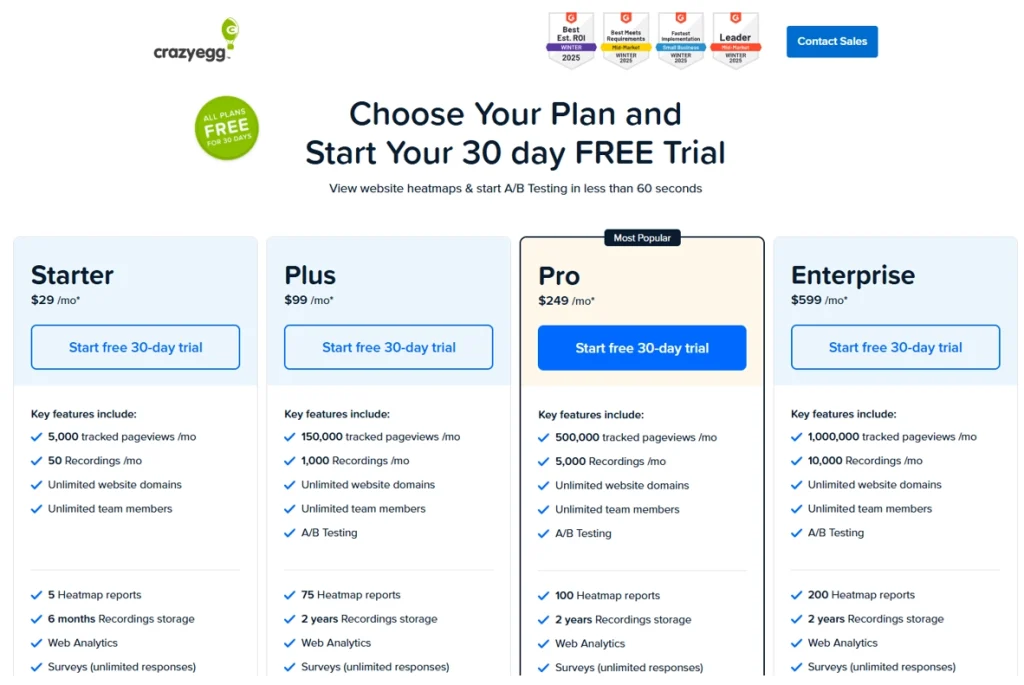
Crazy Egg offers plans with heatmaps and recordings starting at $29/month. Its pricing is based on tracked pageviews, heatmap reports, and monthly session recordings rather than unlimited session capture.
A free plan is available, but paid features such as A/B testing, Popup CTAs, and error tracking start at higher tiers. Crazy Egg says it does not charge overages on top of the selected subscription plan.
FullStory
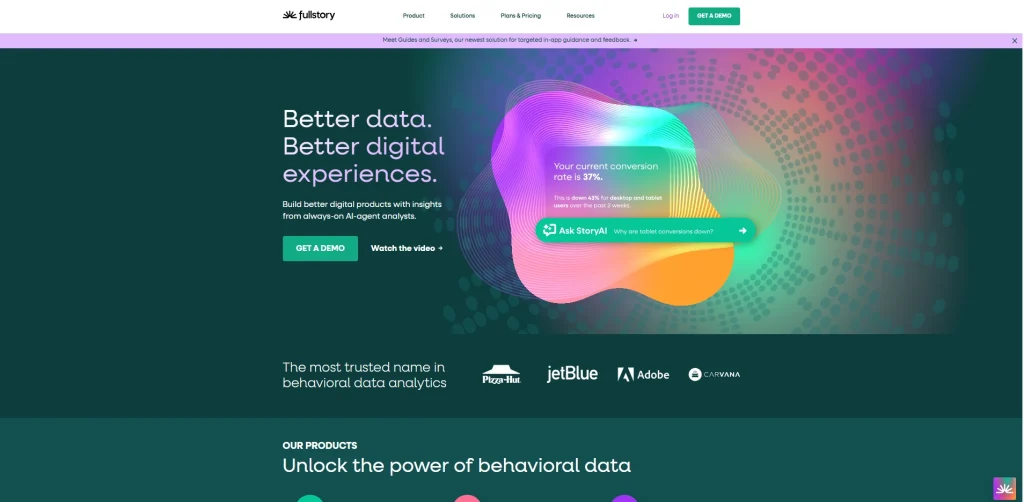
FullStory is an enterprise-grade digital experience intelligence platform built for organizations that need pixel-accurate session replay, retroactive data querying, and behavioral data that integrates with data warehouses.
This makes FullStory useful for enterprise teams that need deeper journey analytics, technical debugging, and long-term behavioral data analysis across complex products. It is especially relevant when product and engineering teams need to investigate user interactions after an issue has already happened.
The platform captures every user interaction without pre-tagging, so teams can query data retroactively for key events they did not define in advance. That capability distinguishes FullStory from every other tool on this list.
Journey analytics is one of FullStory’s core strengths. The platform can reconstruct full user journeys across sessions and highlight drop-offs in ways that simpler tools cannot.
- Check out our FullSession vs FullStory comparison
- Explore the LogRocket vs FullStory comparison
- Discover a better FullStory competitors
- See our Hotjar vs FullStory comparison guide
Best For
Enterprise product and data teams that need advanced journey analysis, retroactive event querying, technical debugging, and behavioral data that connects with broader data infrastructure.
Key Features
- Session replay: Pixel-accurate recording of all user interactions with no pre-tagging required.
- Autocapture: Records all interactions retroactively, so past user sessions can be queried for new events. Useful for journey analysis after the fact.
- Heatmaps: Page-level aggregated click and scroll visualization.
- Funnel analysis and journey analytics: Conversion funnels and cross-session user journey mapping at enterprise scale.
- Error tracking: Frustration signals, rage click detection, and console log integration for engineering teams.
- Data export and warehouse integration: Direct data pipeline support for teams using Snowflake, BigQuery, or similar platforms. Mobile replay is available on enterprise-level packages.
Pricing
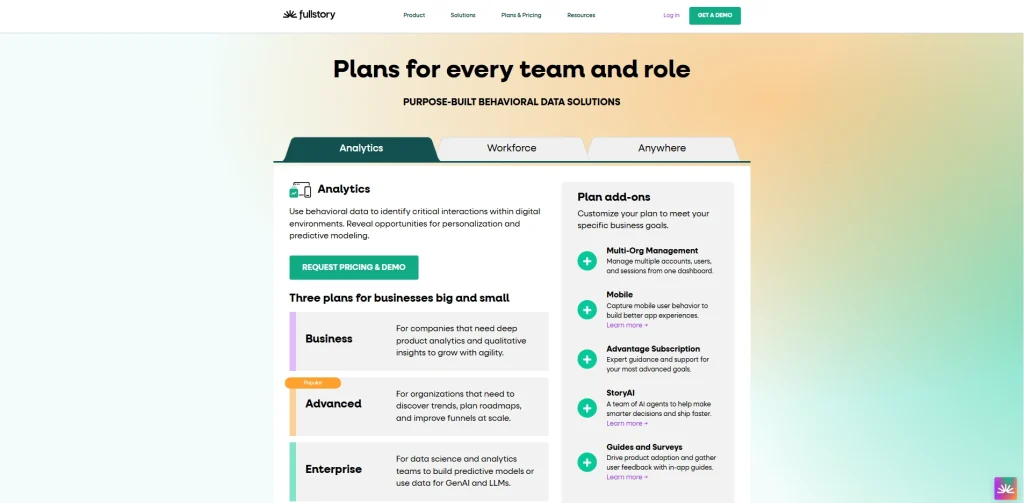
FullStory has a free plan with 30,000 monthly sessions, 12 months of data retention, session replay, basic analytics, and debugging tools for up to 10 users.
Paid plans are not listed with public prices. FullStory offers Business, Advanced, and Enterprise plans, with pricing available by request based on features, session volume, add-ons, and team needs.
Lucky Orange
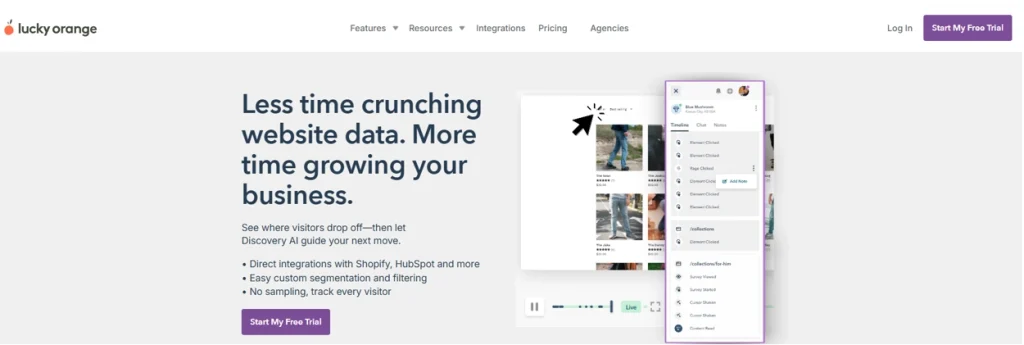
Lucky Orange is a behavior analytics tool that combines heatmaps, session recordings, live chat, form analytics, and conversion funnels in one platform. It is designed for teams that want to understand how web visitors behave and also engage them directly when they need help.
Its intuitive interface keeps the learning curve relatively low, which makes it practical for small businesses, support teams, and website owners that need quick access to user behavior insights. The live view feature also lets teams watch active user sessions in real time, helping them spot friction and respond faster.
- See how it compares to the FullSession vs Lucky Orange breakdown
- Learn more about Lucky orange alternatives
- Read the Lucky Orange vs Hotjar complete comparison guide
Best For
Small businesses and customer support teams want to combine real-time visitor observation with the ability to engage visitors directly from the same dashboard. It’s one of the more affordable tools on this list and targets small businesses and customer support-oriented teams.
Key Features
- Session replay: Full recording, including a live view mode that lets teams observe active web visitors in real time.
- Dynamic heatmaps: Click, scroll, and move maps that update in near real-time as new sessions come in.
- Form analytics: Field-level drop-off analysis showing where users abandon form submissions.
- Live chat: Built-in chat widget integrated with session data, so support agents can see exactly what a visitor did before they reached out.
- Feedback polls: On-site micro-surveys to collect user feedback at key moments.
- Conversion funnels: Step-by-step funnel analysis to show where drop-offs occur in multi-step flows.
Pricing
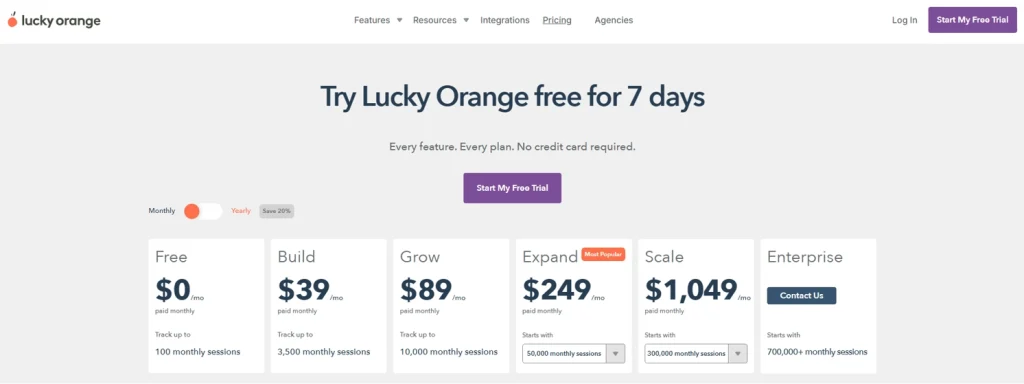
Lucky Orange monthly plans start at $39/month on the Build plan for up to 3,500 monthly sessions.
The Grow plan is $89/month for up to 10,000 monthly sessions, while Expand starts at $249/month for 50,000 monthly sessions.
How the Six Tools Stack Up on Core Capabilities
| Capability | FullSession | Hotjar / Contentsquare | Microsoft Clarity | Crazy Egg | FullStory | Lucky Orange |
| Session recordings | Yes | Yes | Yes | Yes | Yes | Yes |
| Heatmaps | Yes | Yes | Yes | Yes | Yes | Yes |
| Form analytics | Yes | Basic / paid plans | No | No | Limited / custom | Yes |
| Friction detection | Yes, with Lift AI | Limited | Rage clicks and dead clicks | Basic error logging | Yes | Basic |
| User feedback | Yes | Yes | No | No | Limited | Yes |
| Mobile app analytics | Yes | Limited | No | No | Enterprise plans | No |
| Journey analysis | Yes | Yes | Limited | Limited | Advanced | Basic |
| AI insights | Yes | Yes, through Contentsquare AI | Copilot summaries | No | Enterprise AI capabilities | No |
| Data retention | Plan-based | Plan-based | Limited | Plan-based | Custom | Plan-based |
| Free plan | Yes | Yes | Yes | No, trial available | Yes | Yes |
| Transparent pricing | Yes | Yes | Free only | Yes | No | Yes |
Microsoft Clarity is strongest for free basic visibility, Hotjar leads on qualitative research, Crazy Egg is useful for A/B testing, FullStory fits enterprise journey analysis, and Lucky Orange works well for small teams that want live chat with session data.
FullSession offers the broadest behavior analytics coverage across session recordings, form analytics, friction detection, mobile app analytics, user feedback, AI insights, and transparent pricing.
Why Choose FullSession
FullSession is a strong Mouseflow alternative for teams that want behavior analytics, session replay, heatmaps, form analytics, error tracking, user feedback, and AI insights in one platform.
Complete behavior analytics in one workspace
FullSession brings session replay, heatmaps, funnels, form analytics, error tracking, and feedback tools together, so teams can track user behavior across the full user journey without switching between multiple tools.
Faster friction detection with Lift AI
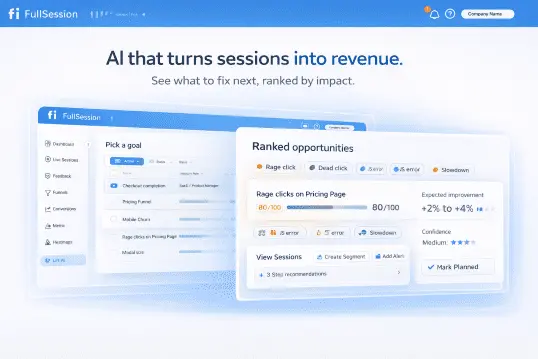
Lift AI reviews user behavior patterns, identifies where users struggle, and helps prioritize issues by likely business impact. After fixes go live, it can also help teams validate whether those changes reduce friction, giving product, marketing, and engineering teams a clearer path from user insights to action.
Web and mobile app coverage.
FullSession supports behavior analytics across websites and mobile apps, including mobile session replay for iOS and Android. This is useful for teams that need to understand user interactions across both web and mobile experiences.
Transparent pricing and fewer hidden costs
FullSession publishes its plans, session limits, and included features clearly. That makes it easier for teams with budget constraints to compare costs before committing and avoid surprise add-ons for core analytics features
Book a demo of FullSession and see how the full platform works.
Form Analytics: Field-Level Insights
Form analytics measures more than whether a form was submitted. It tracks field-level completion rates, the specific fields where users drop off, time spent per field, and the rate at which users re-enter values. Re-entries signal that something about the field is confusing.
This detail matters for checkout flows, lead generation pages, and onboarding sequences, where a single poorly designed field can cause significant revenue loss.
Of the six tools in this article, the following offer native form analytics:
| Tool | Form Analytics Available |
| FullSession | Yes, all plans |
| Mouseflow | Yes, Growth tier and above |
| Lucky Orange | Yes, all plans |
| Hotjar | Basic, paid plans |
| Crazy Egg | No |
| Microsoft Clarity | No |
For teams where form submissions are a primary conversion event, choosing a tool without form analytics means accepting a major blind spot in your event tracking data.
Friction Detection and Debugging
Friction detection helps teams find where users struggle before they leave. It can identify signals such as rage clicks, dead clicks, JavaScript errors, broken elements, and confusing interactions.
Without automation, teams often need to review session replay manually to find these issues. Friction scores make that process faster by prioritizing the user sessions most likely to show a problem.
FullSession’s Lift AI provides strong friction detection in this comparison. It combines rage click detection, JavaScript error surfacing, and impact-ranked recommendations, helping teams focus on issues that are likely to matter most. Mouseflow also includes a Friction Score feature that rates session friction automatically.
FullStory captures frustration signals and console logs, which is useful for engineering teams debugging production issues. Microsoft Clarity detects rage clicks and dead clicks. Hotjar detects rage clicks, while Crazy Egg offers basic JavaScript error logging without deeper pattern-level scoring.
For teams that know users struggle but cannot easily see why, automated friction detection can shorten the path from issue discovery to diagnosis.
Data Retention and Compliance
Data retention determines how long historical session data is available for analysis. For teams running A/B tests, seasonal campaigns, or long onboarding cycles, short retention windows mean losing context before patterns become visible.
Retention by tool:
- FullSession – Growth plan includes 12+ months of data retention, while Enterprise plans cover 15+ months with custom retention options.
- Mouseflow – Free plan retains data for one month. Paid plans extend to three to twelve months, depending on tier.
- Hotjar – Retention varies by plan. Verify the direct given Contentsquare migration.
- Microsoft Clarity – 30 days, regardless of usage level. No exceptions.
- FullStory – Custom retention by contract. Typically longer for enterprise plans.
- Lucky Orange – Varies by plan. Paid plans include at least 30 days with options for more.
All tools in this list support basic GDPR compliance mechanisms, including data masking and opt-out options. Teams serving EU users should verify each tool’s data processing agreement and hosting location before committing.
The combination of qualitative and quantitative data is only useful if you can retain enough history to draw valuable insights from it. Treat retention as a first-class selection criterion, not an afterthought.
Limits, Basic Features, and Customization Tradeoffs
Common complaints about Mouseflow center on three areas: limited customization on lower tiers, basic features that place advanced functionality behind higher plans, and session volume caps that can force teams into earlier upgrades.
Users also report that the user interface has a learning curve, especially for non-technical team members. Customization options for dashboards and alerting may also be restricted until higher tiers.
Across the six alternatives, FullSession and FullStory offer deeper customization options, including configurable dashboards, segment-based filtering, and flexible event tracking.
Hotjar and Lucky Orange focus more on an intuitive interface than deep customization. That can be a useful trade-off for small teams that want to get insights quickly without heavy setup.
Microsoft Clarity offers the least customization, but that is expected for a free tool with minimal setup. Crazy Egg sits in the middle, with useful configuration for heatmaps and A/B tests, but less depth for session analysis.
Pricing, Free Plan, and Hidden Costs
The table below summarizes pricing across all six tools on the lowest available paid plan.
| Tool | Free Plan | Lowest Paid Plan | Sessions on Lowest Paid | Pricing Model |
| FullSession | Yes | $23/month annual or $29/month monthly | 5,000 sessions/mo | Session-based |
| Contentsquare / Hotjar | Yes | $49/month | 700k monthly sessions | Session-based |
| Microsoft Clarity | Yes | No paid plans | No traffic limits | Free only |
| Crazy Egg | No, 30-day trial | $29/month | 5,000 tracked pageviews + 50 recordings/mo | Traffic/pageview-based |
| FullStory | Yes | Custom pricing | Quote-based | Custom / session-based |
| Lucky Orange | Yes | $39/month | 3,500 monthly sessions | Session-based |
Watch for four hidden cost patterns in this category: session overage fees charged when monthly caps are exceeded, add-on modules that gate form analytics or API access behind a separate purchase, data export treated as a paid feature, and API access restricted to higher tiers only.
This matters because the lowest listed price does not always reflect the real cost for teams that need advanced features, longer data retention, or higher session volume. Before choosing an analytics tool, teams should check which features are included in each paid plan and which ones require an upgrade.
Mouseflow, for example, gates form analytics and API access behind the Growth tier or higher. That detail can make the effective price significantly higher than the listed Starter plan suggests.
FullSession publishes all features and pricing publicly for every tier on its pricing page. FullStory has no transparent self-serve pricing, which makes cost evaluation difficult without a sales conversation.
This helps teams compare total cost more accurately, especially when advanced features, data retention, API access, or higher session volume are tied to specific plan levels. A lower entry price can become less useful if the required behavior analytics features are only available after upgrading.
Migration Checklist: Moving From Mouseflow
Six steps to move between platforms without losing data or disrupting your team’s workflow:
- Export historical data from Mouseflow before canceling. Download session recordings, heatmap reports, and form analytics summaries for any reporting periods you’ll need to reference later.
- Document your current setup. Record your existing funnel configurations, form tracking rules, feedback poll structures, and any custom event tracking definitions.
- Run both tools in parallel for two to four weeks. Install the new tool’s script alongside Mouseflow to collect side-by-side data and confirm that the new platform is capturing user sessions accurately.
- Recreate funnels and event tracking in the new platform. Map your existing conversion funnels and key events into the new tool’s configuration before switching over fully.
- Validate data masking for sensitive fields. Confirm that credit card numbers, passwords, and personal data fields are masked correctly in the new tool before canceling Mouseflow.
- Confirm data retention settings match your reporting cycle. Make sure the new platform’s retention window covers the minimum period you need before canceling your Mouseflow subscription.
Switching analytics platforms doesn’t have to be disruptive. Running tools in parallel during the transition gives teams confidence in the new data before cutting the cord on the old one.
Conclusion on Choosing the Mouseflow Alternative
Choosing a Mouseflow alternative comes down to how much visibility your team needs across user behavior, session replay, heatmaps, form analytics, user feedback, friction detection, mobile app analytics, and data retention.
- Microsoft Clarity works well for small teams that need a free tool for basic website analytics.
- Hotjar is useful for qualitative research and feedback.
- Crazy Egg fits marketing teams that want visual analytics with A/B testing.
- FullStory is better suited to enterprise teams that need advanced journey analysis and retroactive data querying.
- Lucky Orange is a practical option for small businesses that want session recordings, heatmaps, and live chat in one place.
For teams that want a more complete behavior analytics platform with session recordings, form analytics, AI insights, friction detection, user feedback, and transparent pricing, FullSession is the strongest Mouseflow alternative on this list.
You can start a free trial with no credit card required.
FAQs About Mouseflow Alternative
What is similar to Mouseflow?
The tools most similar to Mouseflow are FullSession, Hotjar, and Lucky Orange. All three offer session replay, heatmaps, and form analytics in a single platform. For teams that need a completely free tool, Microsoft Clarity is the closest equivalent for session recordings and heatmaps without the cost. The best Mouseflow alternative for any given team depends on whether session depth, qualitative research, or pricing is the primary constraint.
Is Mouseflow free?
Mouseflow offers a free plan limited to 500 sessions per month with one month of data retention. Paid plans start at $31/month billed annually on the Starter tier, which includes 5,000 sessions. Form analytics and API access require the Growth tier or higher. That increases the effective cost for teams that need those capabilities.
What is the difference between Hotjar and Mouseflow?
Hotjar focuses on qualitative research (surveys, user interviews, and NPS collection) alongside standard heatmaps and session recordings. Mouseflow focuses on behavior analytics with stronger form analytics and friction scoring. Both offer session replay and heatmaps, but their strengths point in different directions: Hotjar for research and feedback, Mouseflow for form optimization and friction identification. Following Hotjar’s merger with Contentsquare in 2025, Hotjar’s pricing and plan structure are in transition, so verify current details before making a decision.
Does Mouseflow use AI?
Mouseflow includes AI-assisted friction detection and session filtering that automatically surfaces high-frustration sessions. It doesn’t offer a named AI insight layer comparable to FullSession’s Lift AI engine, which continuously analyzes user behavior data to predict, fix impact and recommend actions. FullStory’s autocapture querying also enables AI-powered retroactive analysis. Mouseflow’s AI capabilities are useful for session triage but are more limited in scope than the dedicated AI engines offered by FullSession and FullStory.

Roman Mohren is CEO of FullSession, a privacy-first UX analytics platform offering session replay, interactive heatmaps, conversion funnels, error insights, and in-app feedback. He directly leads Product, Sales, and Customer Success, owning the full customer journey from first touch to long-term outcomes. With 25+ years in B2B SaaS, spanning venture- and PE-backed startups, public software companies, and his own ventures, Roman has built and scaled revenue teams, designed go-to-market systems, and led organizations through every growth stage from first dollar to eight-figure ARR. He writes from hands-on operator experience about UX diagnosis, conversion optimization, user onboarding, and turning behavioral data into measurable business impact.