Your analytics dashboard tells you the conversion rate dropped 8% last week. It shows users are abandoning checkout at the payment step.
But it doesn’t show you why the user hesitated before leaving, which error triggered user frustration, or why the same button got three rapid clicks before the session ended.
Session recording tools and session replay tools fill that gap. They capture real user interactions across your website or digital product and turn them into visual playbacks your team can watch.
Instead of guessing, you see what actually happened.
This guide compares five of the best recording software options based on features, use cases, and pricing, so you can choose the right tool for your team. It also shows how session replay fits alongside other user behavior tools when you need a clearer view of what users do, where they struggle, and why they convert or drop off.
Key Takeaways
- FullSession is the strongest all-in-one option for UX and CRO teams that need session replay, dynamic heatmaps, conversion funnels, error monitoring, and customer feedback in a single platform with no data sampling.
- FullStory suits enterprise teams that need pixel-perfect session replay, AI-powered summaries, and deep behavioral analytics at scale.
- LogRocket suits developers and engineering teams who need session replay connected to console logs, network requests, and error monitoring for faster debugging.
- Hotjar suits small businesses and marketers who want lightweight session recordings paired with surveys and feedback tools, without developer setup.
- Amplitude suits product and analytics teams already using Amplitude who want session replay integrated directly into their existing workflow.
FullSession is the only tool on this list that covers every capability: session replay, heatmaps, funnels, error monitoring, and feedback, without sending you to a second or third platform.
For ecommerce teams, tool selection should also account for checkout visibility, cart abandonment analysis, product page behavior, mobile shopper friction, and conversion-focused funnel tracking. Teams comparing session replay tools for ecommerce can use those criteria to evaluate platforms built for online store optimization
You go from a drop-off in your funnel to the exact sessions behind it, share the evidence with your team, and fix it faster. No data sampling means you never miss the session that explains the problem.
Book a demo to see how it works on your own site.
What to Look for in Session Recording Tools
Session recording replay tools track a wide range of user actions, but not all platforms do it equally well. Here are eight criteria to check before you commit.
| Criterion | What to Evaluate |
| Always-on recording | No data sampling means no missed pain points or rare edge cases. Look for recording software that captures every session by default. |
| Frustration signal detection | Rage clicks and dead clicks are automatic signals shown when users interact with your site in frustrated or confused ways. A good tool surfaces these without manual review. |
| Sensitive data masking | Real sessions can expose sensitive data and sensitive information like passwords and payment details. The solution should mask sensitive fields by default, with GDPR and CCPA controls built in. |
| Event tracking and key events | Key events like form submissions or button clicks turn session recordings into a searchable database. Custom events let you filter for specific recordings. |
| Analytics integration | Session recordings show what quantitative data alone can’t explain. Connect them to Google Analytics or product analytics to spot user behavior trends and make data driven decisions. |
| Conversion funnel analysis | Knowing where users drop off in key workflows only helps if you can jump straight to the recordings of those affected users. |
| Mobile app support | Check whether the tool captures mobile app sessions with the same fidelity as web sessions. |
| Pricing at scale | Know whether you’re paying per session, per user, or per feature. Costs vary significantly across tools. |
The first five criteria, recording completeness, frustration signals, privacy controls, event tracking, and analytics integration, most directly affect the quality of insights your team gets. The last three depend on your specific setup.
The Best Session Replay Tools at a Glance
The table below compares all five tools so you can shortlist quickly.
| Tool | G2 Rating | Best For | Top Feature | Starting Price |
| FullSession | 5/5 | Ecommerce, UX and CRO teams wanting all-in-one behavioral analytics | Always-on recording, dynamic heatmaps, conversion funnels and Lift AI | Free trial; paid from $23/month |
| FullStory | 4.5/5 | Enterprise product and UX teams needing deep behavioral analytics | Pixel-perfect session replay with AI-powered summaries | Free trial, custom pricing |
| LogRocket | 4.6/5 | Developers and engineering teams debugging frontend issues | Session replay with console logs, network requests, and error monitoring | Free plan; paid from from $99/month |
| Hotjar | 4.3/5 | Small businesses and marketers doing lightweight UX research | Session recordings paired with surveys and heatmaps | Free plan; paid from $49/month via Contentsquare |
| Amplitude | 4.5/5 | Product analytics teams wanting replay inside their existing stack | Session replay unified with product analytics and key events | Free plan; paid from $61/month |
5 Best Session Recording Tools Worth Your Time
The five tools below cover the most common use cases in the session replay category. Each entry covers an overview, best-fit use case, key features, and pricing. FullSession is listed first because it offers the most complete behavioral analytics workflow for web teams.
1. FullSession
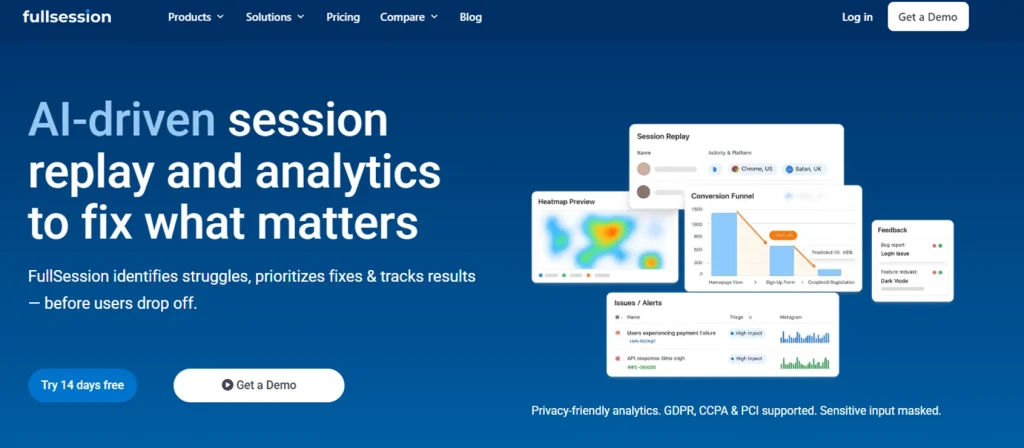
FullSession, a privacy-first UX analytics platform, combines session recording and replay, dynamic heatmaps, conversion funnel analysis, error monitoring, and customer feedback forms in one place. It’s the only tool on this list that covers all five without a separate subscription for each.
The platform installs via a single JavaScript snippet and starts capturing real sessions immediately.
FullSession records every user session by default, with no data sampling at any plan tier. That’s what makes it possible to monitor user actions across rare error paths and low-frequency journeys that sampled tools miss entirely.
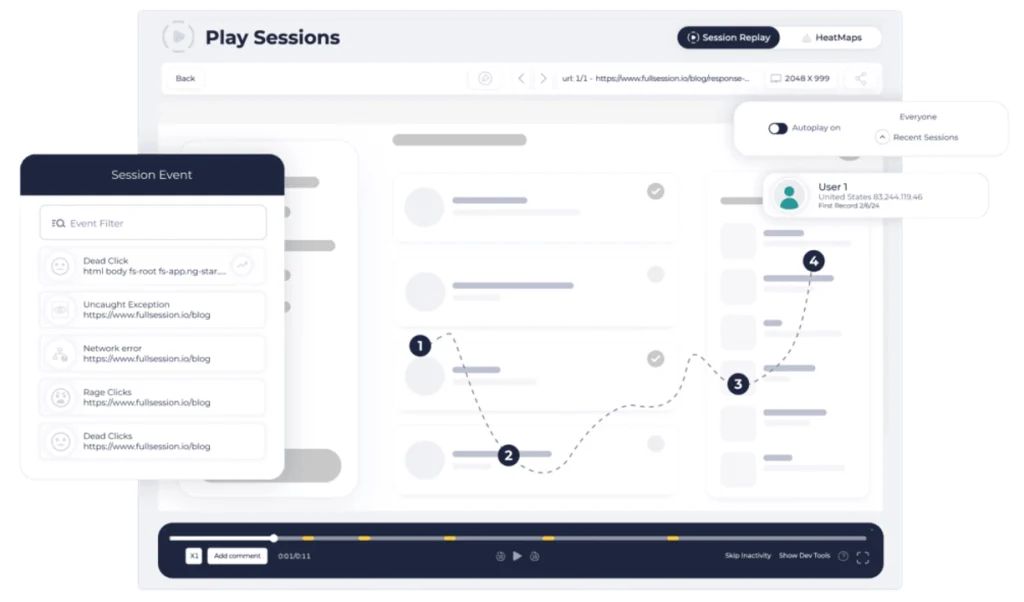
Each replay reconstructs a timestamped event timeline. Teams can jump directly to the moment a user encountered an error, abandoned a funnel step, or triggered a frustration signal.
The visual debugging here is practical: you see exactly where and why things broke, without reproducing the issue from scratch. You can also share recordings with stakeholders directly from the platform, so product and engineering teams work from the same evidence.
FullSession helps teams gain empathy with their users by watching real sessions unfold on their digital product. You see what users saw, where they hesitated, and which user properties were logged at each point. That qualitative context turns behavioral data into decisions that improve customer satisfaction.
Best for
Product managers, UX designers, and digital marketers at ecommerce and SaaS companies who need complete behavioral analytics without managing multiple tools.
Key features
- Always-on session recording with no data sampling: FullSession captures every session across all plan tiers. The skip inactivity feature lets teams jump to user actions with the highest value.
- Dynamic heatmaps: Click maps, scroll maps, and mouse movement maps update in real time. Filter by user segment, device, or date range.
- Conversion funnel analysis: Tracks multi-step user journeys and highlights drop-off points. Click directly into the recordings of users who abandoned at any step.
- Error monitoring and JavaScript error identification: Errors are flagged in the session replay timeline, so teams can see what happened before and after each error without manual reproduction.
- Customer feedback forms with session-linked responses: Feedback connects directly to the matching recording, giving teams the user’s words alongside the visual context.
- Lift AI: Analyzes session replay, heatmap, funnel, and error data to surface the highest-impact friction points. Recommendations are ranked by issue severity and predicted fix impact, so teams know exactly what to prioritize next.
Pricing
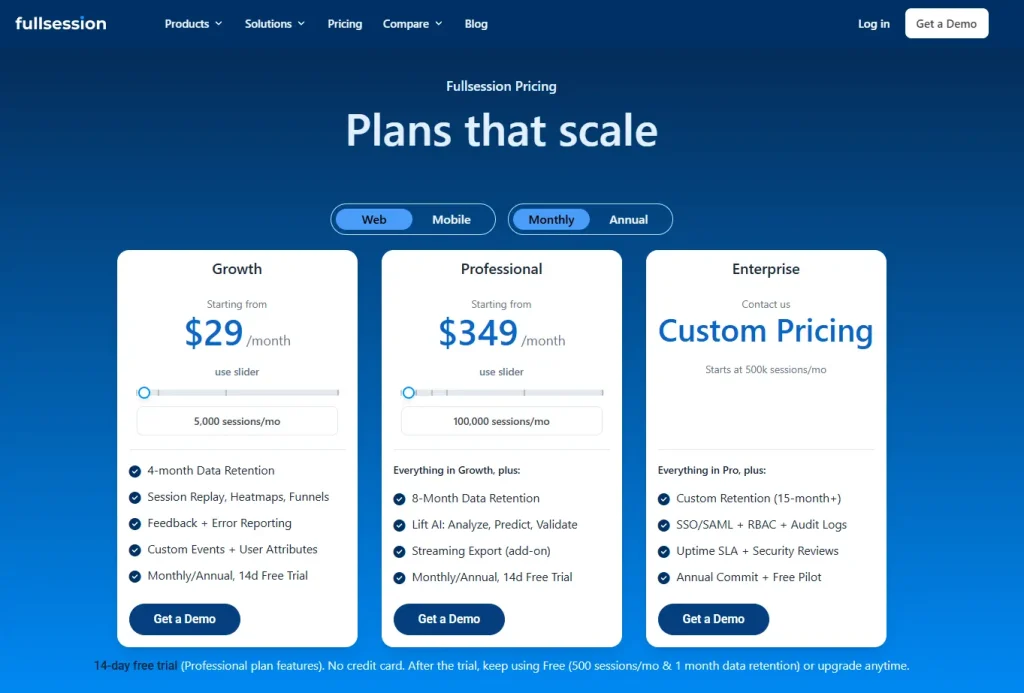
FullSession’s free plan supports up to 500 sessions per month with 30 days of data retention. You can also choose between mobile and web plans, with monthly or annual subscriptions.
Paid plans start at $29 per month and include Growth, Professional, and Enterprise plan, priced by session volume and retention needs. An 20% annual discount applies to all paid tiers.
Full details are available at the pricing page.
Not ready for a demo?
Start a free trial and record your first sessions today. No credit card required.
2. FullStory
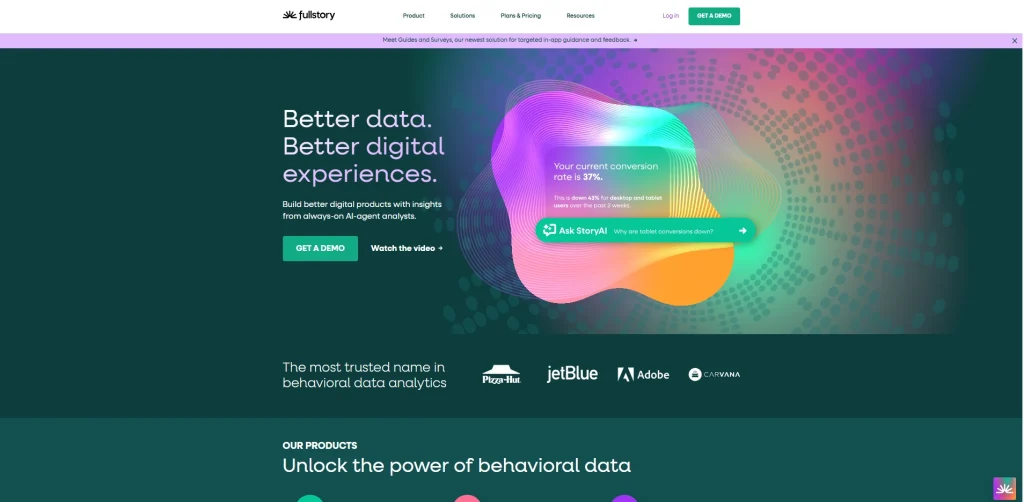
FullStory, a digital experience analytics platform for enterprise and mid-market teams, captures pixel-perfect session recordings and reconstructs them from a full copy of the page’s Document Object Model.
It’s a strong choice for teams that need advanced features like AI session summaries and journey mapping alongside core session replay.
FullStory’s AI summaries describe each session’s intent, key actions, and outcome before anyone watches it. That’s useful when you’re triaging hundreds of specific recordings and need to find the one that explains a drop-off.
Teams can also share recordings with colleagues across departments without extra configuration.
Learn more about FullStory competitors.
See how FullSession compares to FullStory.
Best for
Enterprise and mid-market product and UX teams that need deep behavioral analytics at scale, with strong journey mapping and cross-team sharing.
Key features
- Pixel-perfect session replay: Captures every user interaction with high accuracy, including iframes and single-page application transitions.
- AI-powered session summaries: Each session is automatically summarized, so teams can prioritize which recordings to watch.
- Funnel and journey mapping: Connects aggregate behavioral data to individual session recordings for faster diagnosis.
- Heatmaps and page-level analytics: Click, scroll, and movement heatmaps filterable by segment and time period.
- Role-based access control and GDPR compliance: Configurable privacy controls and enterprise-grade security settings.
Pricing
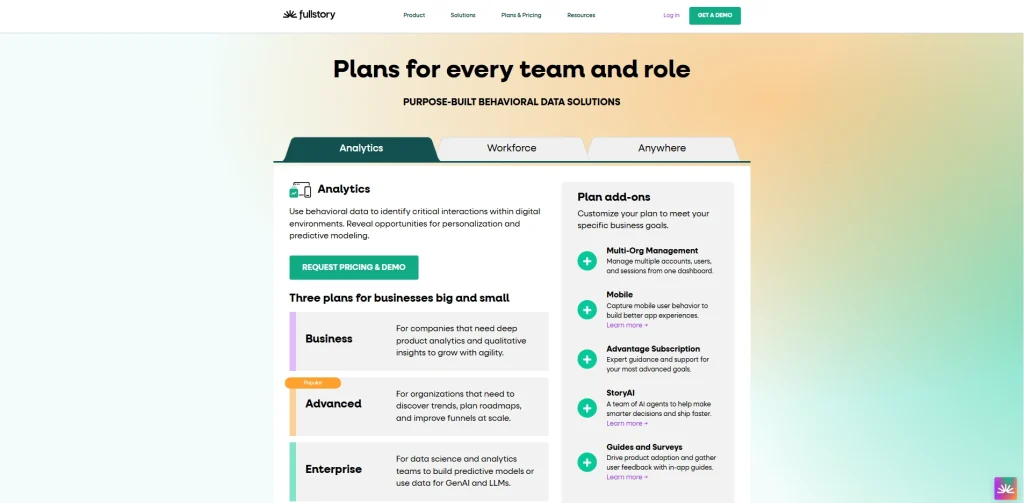
FullStory launched a permanent free tier in August 2025 with 30,000 sessions per month, 12 months of data retention, without unlimited recordings and up to 10 user seats. Information about paid plans is available by contacting FullStory’s sales team.
3. LogRocket
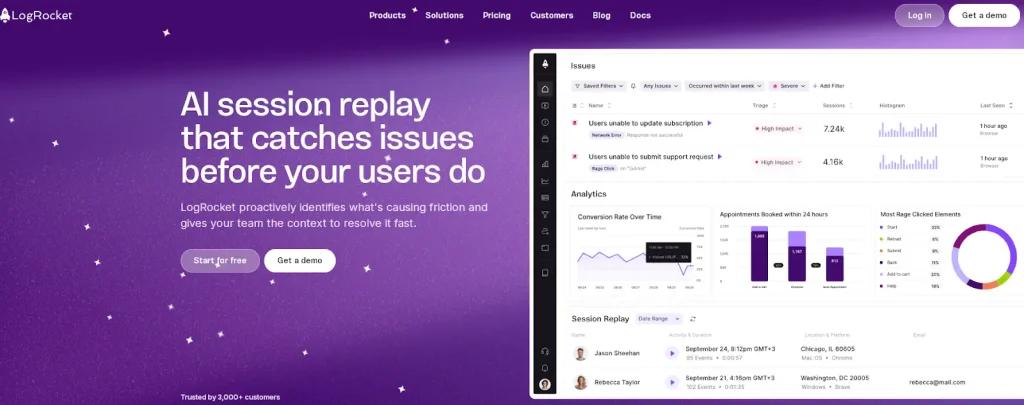
LogRocket, a session replay and product analytics platform designed for frontend development and engineering teams, captures session recordings alongside console logs, network calls, JavaScript errors, and performance metrics.
It gives developers the technical resources they need to debug issues and understand exactly what happened during a session, without asking users to describe the problem.
LogRocket is a strong tool for visual debugging. When an error occurs, the replay view shows the exact sequence of user actions alongside DOM snapshots, console output, and network calls.
The platform integrates with Jira, Sentry, and Datadog, so developers and your support team can open a replay directly from a bug ticket.
Learn more about LogRocket alternatives.
See how LogRocket compares with FullSession.
Best for
Frontend developers and engineering teams who need session replay connected to error monitoring, console logs, and network requests as a unified debugging workflow.
Key features
- Pixel-perfect session replay with DOM reconstruction: Captures the full DOM state, including iframes, for a complete visual reproduction.
- Console log and network request capture: Every session includes a full log of console output and API responses.
- Error tracking and performance monitoring: JavaScript errors link automatically to the recordings where they occurred, alongside Core Web Vitals data.
- Product analytics and funnel analysis: Funnel and event tracking tools help product managers identify drop-off points.
- Integrations with engineering tools: Native integrations with Jira, Sentry, Datadog, and Intercom.
Pricing
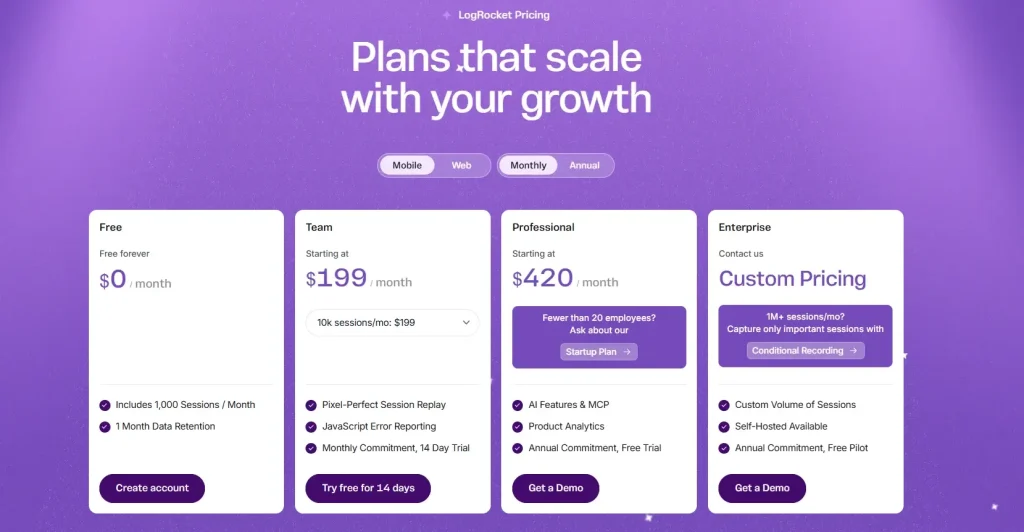
LogRocket’s free plan includes 1,000 sessions per month. The Pro plan starts at $99 per month. The Team plan is approximately $350 per month. For a complete breakdown, read our guide on LogRocket pricing.
4. Hotjar
Hotjar, a This guide compares five of the best recording software options based on features, use cases, and pricing, so you can choose the tool that helps you understand user behavior with clarity.
havior analytics platform built for marketers, UX researchers, and small teams, combines session recordings with heatmaps, on-site surveys, and feedback widgets. It’s an entry-level recording software and doesn’t require developer involvement to configure.
Hotjar uses a session sampling model on lower-tier plans. Once the daily session limit is reached, recording stops until the next day. That’s worth knowing if you’re investigating a specific issue or running a time-sensitive campaign, since some sessions won’t be captured.
For more on Hotjar, see:
- Our list of Hotjar alternatives
- How Hotjar compares to FullSession
- How Smartlook and Hotjar compare for session recording
- How Lucky Orange and Hotjar differ for conversion optimization
Best for
Small businesses, marketers, and UX researchers who want session recordings alongside surveys and feedback tools, without needing developer support.
Key features
- Session recordings with adjustable playback speed: Watch real sessions at 1x, 1.5x, or 2x. Filter by location, device, browser, and referral source.
- Heatmaps for click, scroll, and mouse movement: Click and scroll maps generate automatically from session data. Useful for landing page analysis and content optimization.
- On-site surveys and feedback polls: Trigger feedback widgets on specific pages or after user actions, combining behavioral data with direct user input.
- User journey segmentation: Segment sessions by user attributes, including location, device type, and referring source.
Pricing
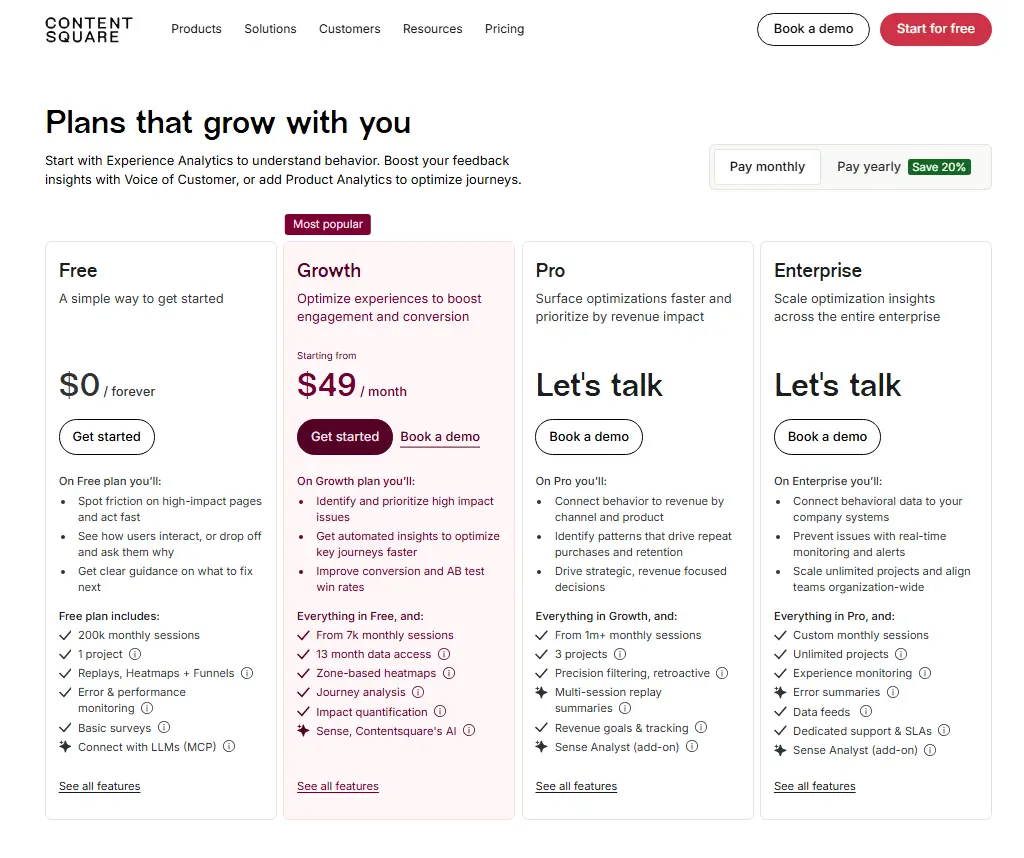
Hotjar’s free plan allows up to 200k monthly sessions. The Plus plan begins at $49 per month. Cost estimates are not available for Pro and Enterprise plans. Hotjar’s pricing is available via Contentsquare’s website.
5. Amplitude
Amplitude, a digital analytics platform for product and data teams at growth-stage and enterprise companies, includes session replay as a native part of its product analytics suite.
It connects each recording directly to the user’s behavioral event data and user properties, so you can filter for specific sessions based on what users actually did in your digital product.
When a product manager spots a drop-off, Amplitude lets them filter for sessions from exactly that user group and watch the recordings immediately. The event timeline syncs with the platform’s analytics data, showing which key events fired at each point in time.
That makes customer satisfaction analysis much faster when it’s tied to real behavioral context.
Learn more about Amplitude alternatives.
See how Amplitude compares to Google Analytics.
Best for
Product managers and analysts at SaaS companies already using Amplitude who want session replay inside the same workflow without adding a separate tool.
Key features
- Session replay unified with product analytics: Connects recordings to the full event history for any user, filterable by any behavioral dimension already tracked.
- Frustration signal detection: Rage clicks and dead clicks surface automatically in the session list alongside console logs and network activity.
- Default text masking and privacy controls: Sensitive information is masked at the source, with configurable rules for additional PII coverage.
- Mobile session replay: Supports iOS, Android, and React Native, plus a standalone SDK for third-party instrumentation.
- AI-powered session summaries: Auto-generated summaries flag friction patterns without manual review.
Pricing
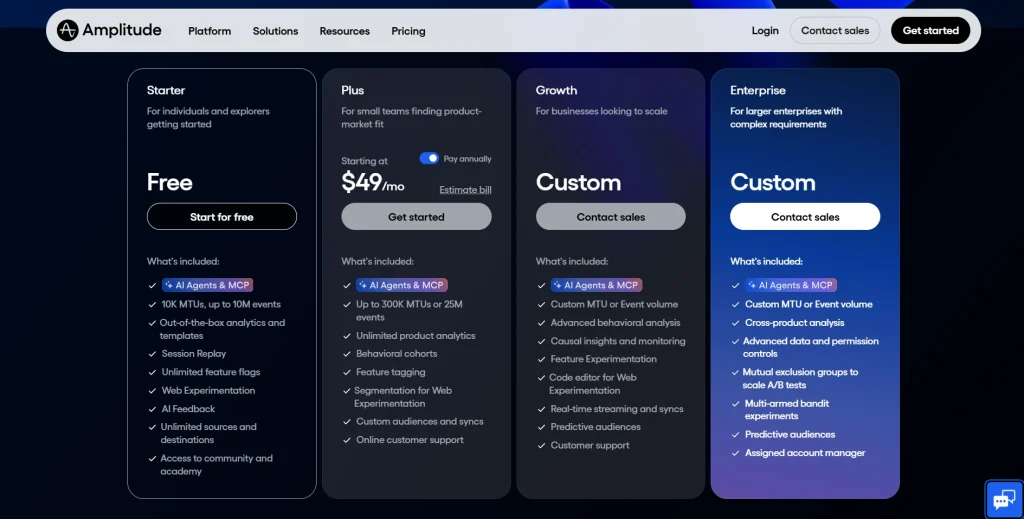
Amplitude’s free tier includes session replay. Paid plans start at $61/month. Growth and Enterprise details are available through Amplitude’s sales team.
Why FullSession is the Best Session Recording and Replay Tool
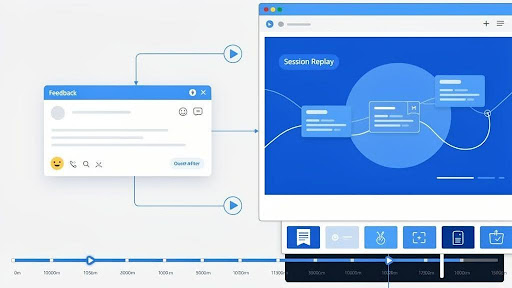
Most session recording tools tell you what happened. FullSession shows you why.
When a funnel drops or a checkout fails, you don’t need another aggregate chart. You need to watch the exact sessions that led to the problem, see the steps users took before they dropped off, and share that evidence with the team so they can fix it.
That’s what FullSession is built for: getting product, UX, and engineering to the same view of real user behavior, fast.
- Stop guessing, start watching. Jump from a funnel drop or error spike directly into the specific sessions behind it. You see full journeys, not just error messages, so you can find root causes in minutes rather than hours.
- Reproduce issues in seconds. When something breaks, the replay view shows the exact sequence of user clicks and actions alongside console details, so your team can debug issues without asking users to describe what went wrong.
- Give every team the same evidence. Product, UX, and engineering all work from the same session recordings. Vague support tickets become clear stories. Roadmap debates become decisions grounded in what real sessions actually show.
- No data sampling at any tier. FullSession records every session by default. Hotjar uses sampling on lower plans. When you miss sessions, you miss the rare events most likely to explain a problem.
- One platform instead of three. Teams using LogRocket or Amplitude still rely on other tools for heatmaps and feedback. FullSession connects replays, heatmap patterns, funnel drop-offs, and user feedback in a single dataset.
- Built for UX and CRO teams, not just developers. FullSession fits the conversion optimization workflow, which is the most common reason teams adopt session recording tools.
- A usable free plan. Session recordings, heatmaps, and funnel analysis up to 500 sessions per month. Enough to evaluate it on real traffic before you commit.
Teams that need to understand user behavior, reduce pain points, and improve the customer experience for their digital product without a fragmented analytics stack will find FullSession the most practical option.
Book a demo and get a live walkthrough.
Conclusion About Session Recording Tools
The right session recording and replay tool depends on what your team needs.
- LogRocket is a good choice for engineering teams who need error monitoring alongside session replay.
- Hotjar works well for small teams that want lightweight UX research without the need for developer setup.
- Amplitude suits product teams already using Amplitude for analytics.
- FullStory is a good fit for large enterprise teams.
If you need complete behavioral analytics, including session recordings, dynamic heatmaps, funnel analysis, error monitoring, and in-page feedback, all without managing multiple tools, FullSession is the clearest option on this list. Start a free trial and begin recording real sessions on your site today. No credit card required.
FAQs About Session Replay Tools
What is the difference between session recording and session replay?
Session recording captures user interactions as they occur on a website or web application. Session replay is the visual reconstruction of those captured interactions for playback. The terms are used interchangeably across the industry, but session replay specifically refers to the DOM-based reconstruction generated by the recording software, not a literal video of the user’s screen.
Do session replay tools record sensitive user data?
Most session replay tools automatically mask sensitive fields, including passwords, payment information, and personal identifiers, before the data leaves the browser. FullSession, FullStory, LogRocket, Hotjar, and Amplitude all apply default masking to sensitive information. Teams can configure additional rules to exclude specific page elements containing sensitive user information. Check each tool’s privacy documentation before deploying on pages that handle sensitive user data.
How do session replay tools work?
Session replay tools install a lightweight JavaScript snippet on your website. The snippet captures user clicks, scrolls, mouse movements, and changes to the Document Object Model. These events are reconstructed into a visual playback of each user session. These reproductions are event-based rather than screen recordings; they can mask sensitive information while still providing complete insight into how users interact with your site.
Are session replay tools GDPR compliant?
The major session replay tools, including FullSession, FullStory, LogRocket, Hotjar, and Amplitude, offer GDPR-compliant configurations. Compliance depends on how each tool is configured, not only its capabilities. Teams must disclose session recording in their privacy policy, configure data masking to exclude personal identifiers, and set appropriate retention periods before deploying in GDPR regions.
What should I look for in a session recording tool?
Focus on five things: always-on recording with no data sampling, automatic masking of sensitive user data, frustration signal detection, including rage clicks and dead clicks, integration with your existing analytics tools, and pricing that scales predictably with your traffic. If you also need heatmaps, funnel analysis, and feedback forms, prioritize platforms that include all of those capabilities in a single integration.

Roman Mohren is CEO of FullSession, a privacy-first UX analytics platform offering session replay, interactive heatmaps, conversion funnels, error insights, and in-app feedback. He directly leads Product, Sales, and Customer Success, owning the full customer journey from first touch to long-term outcomes. With 25+ years in B2B SaaS, spanning venture- and PE-backed startups, public software companies, and his own ventures, Roman has built and scaled revenue teams, designed go-to-market systems, and led organizations through every growth stage from first dollar to eight-figure ARR. He writes from hands-on operator experience about UX diagnosis, conversion optimization, user onboarding, and turning behavioral data into measurable business impact.