PostHog is a solid open source platform for product analytics, feature flags, session replay, error tracking, and A/B testing. But not every team needs a developer-first analytics stack.
Some teams need simpler reporting, clearer usage-based pricing, stronger qualitative insights, or a platform that helps non-technical users understand user behavior without relying on engineering teams.
The best PostHog alternatives help teams track product data, review real user sessions, analyze funnels, and improve business outcomes without adding unnecessary complexity.
This guide compares 10 PostHog alternatives across product analytics features, analytics session replay, feature flag capabilities, A/B testing, pricing, compliance, and team fit.
Source note for May 2026: Pricing, free tier limits, data residency, and compliance docs change often. This article avoids fixed claims where vendors use calculators, usage-based pricing, custom pricing, or sales-led enterprise plans.
Key Takeaway
- FullSession is best for non-technical teams that need session replay, funnel analysis, heatmaps, user feedback, error alerts, and behavioral analytics in one workflow.
- FullStory works for enterprise teams that need digital experience analytics and structured behavioral data at scale.
- LogRocket fits engineering teams that need session replay, console logs, network tracking, and error tracking for frontend debugging.
- Mixpanel fits growth and marketing teams that need event-based product analytics, user paths, custom dashboards, and flexible reporting.
- Amplitude fits product teams that need a mature analytics core with funnel analysis, behavioral cohorts, product data, and experimentation.
- Heap works for teams that want autocapture and retroactive analysis without a heavy upfront event tracking setup.
- Fathom Analytics fits privacy-focused teams that need simple website analytics instead of deep product analytics session replay.
- Matomo fits compliance-first teams that need an open source platform, self-hosting, and full data ownership.
- Statsig fits teams that need a feature flagging platform, statistical significance, and experimentation workflows.
- LaunchDarkly fits enterprise engineering teams that need advanced feature management, governance, and safe releases.
FullSession is the strongest fit for teams that need to understand user behavior without relying on multiple tools or heavy engineering support. It combines session replay, funnel analysis, heatmaps, user feedback, error tracking, and behavioral analytics in one workflow, making it easier for product teams, growth teams, marketing teams, and customer support teams to find friction and act faster.
Book a demo to see how FullSession can help your team turn real user sessions into clearer product and conversion decisions.
When to Evaluate PostHog Alternatives for Product Analytics
Teams usually compare PostHog alternatives when one of these issues starts slowing the team down:
- Pricing needs tighter forecasting. PostHog’s usage-based model can work well, but teams should model event volume, session replays, feature flags, and monthly active users before scale increases.
- Non-technical users need self-serve access. Product, growth, marketing, and support teams may need reports they can use without SQL or developer support.
- Session replay quality matters. Compare replay fidelity, filters, retention, rage clicks, console logs, mobile coverage, and debugging workflows with dedicated replay tools.
- Compliance needs a closer review. Confirm PostHog Cloud region, EU hosting, SOC 2 documentation, data export options, security features, and enterprise plans before making a switch.
- A/B testing needs are more advanced. High-volume experimentation teams should compare statistical controls, multivariate testing, sequential testing, and feature flag capabilities.
These criteria help teams decide whether PostHog still fits the stack or whether another product analytics tool would reduce friction and improve decision-making faster.
Key Features to Compare Across PostHog Alternatives
- Product analytics depth: Can the platform answer funnel, retention, cohort, and user journeys questions without a data engineering team?
- Session replay quality: Does it capture real user sessions with enough context to explain user behavior and user interactions?
- Feature flags and A/B testing: Does it support unlimited feature flags, feature management, flag-tied experiments, and statistical significance?
- Non-technical usability: Can non-technical teams create reports, review sessions, and build custom dashboards without SQL?
- Pricing transparency: Is pricing flat-rate, seat-based, event-based, or a usage-based pricing model?
- Data controls: Does the platform support EU hosting, self-hosting, data warehouse export, and compliance documentation?
Team fit: Does the tool serve product teams, engineering teams, growth teams, marketing teams, or customer support teams best?
10 PostHog Competitors at a Glance
Use this table to compare each PostHog alternative by primary use case, strongest capability, pricing style, and limitation to check before buying.
| Tool | G2 Rating | Best For | Top Feature | Pricing Model |
|---|---|---|---|---|
| FullSession | 5.0 | Non-technical e-commerce, product, and growth teams | Lift AI, session replay plus funnel analytics combined | Free trial; Growth plan $23/month annually |
| FullStory | 4.5 | Enterprise UX and digital experience teams | Digital experience analytics plus DX Data | Free plan available; paid plans sales-led |
| LogRocket | 4.6 | Engineering teams are debugging frontend issues | Session replay with error tracking | From $99/mo |
| Mixpanel | 4.5 | Growth and marketing teams, self-serve analytics | Event-based product analytics | Free tier; usage-based paid pricing |
| Amplitude | 4.5 | Scaling B2C and enterprise product teams | Full product analytics suite plus Experiment | Free tier; Plus pricing varies by MTUs |
| Heap | 4.4 | Teams wanting autocapture without tagging | Automatic event capture | Free plan; paid estimate/demo |
| Fathom Analytics | 4.6 | Privacy-first teams needing simple web metrics | GDPR-compliant website analytics | From $15/mo |
| Matomo | 4.2 | Teams requiring full data ownership | Open source, self-hosted analytics | Free self-hosted; Cloud varies by traffic |
| Statsig | 4.7 | Engineering teams running high-velocity experiments | Feature flags plus experimentation at scale | Free tier; usage-based paid pricing |
| LaunchDarkly | 4.5 | Enterprise engineering teams managing releases | Feature management, targeting, governance, and release safety | Free Developer plan; paid plans vary |
Pricing verified from official pages at time of writing. Confirm before purchasing.
The 10 Best PostHog Alternatives and Competitors
The tools below are compared across product analytics, session replay, feature flags, A/B testing, web analytics, pricing, compliance, and team fit. Each platform solves a different part of the analytics stack, so start with the workflow your team needs to improve first.
1. FullSession
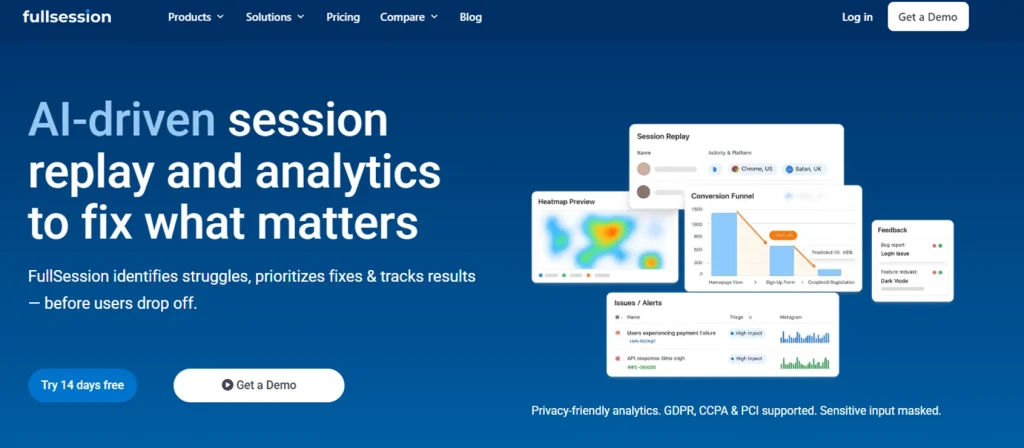
FullSession is a behavioral analytics platform that combines session replay, heatmaps, funnel analysis, user feedback, error alerts, and Lift AI in one workflow. It helps product teams, growth and marketing teams, and customer support teams study user behavior without moving between multiple tools.
Best for
Product management, growth and marketing teams, and customer support teams that need qualitative insights, behavioral data, funnel analysis, and practical website analytics without heavy engineering dependency.
Key features
- Session replay: Replays real user sessions with timelines, rage clicks, dead clicks, and error context so teams can see what happened before drop-offs.
- Heatmaps: Click maps, scroll maps, and attention maps show how users engage with pages, dynamic elements, and product flows.
- Conversion funnels: Funnel analysis breaks down drop-offs by step, segment, source, device, or cohort.
- User feedback: In-page feedback connects comments and ratings to matching replay sessions.
- Lift AI: Prioritizes friction points by expected business impact so teams can focus on business outcomes.
- Error and alert tracking: Connects JavaScript errors, network failures, and broken flows to user journeys.
- Mobile session replay: Helps teams compare behavior across web and mobile apps.
Pricing
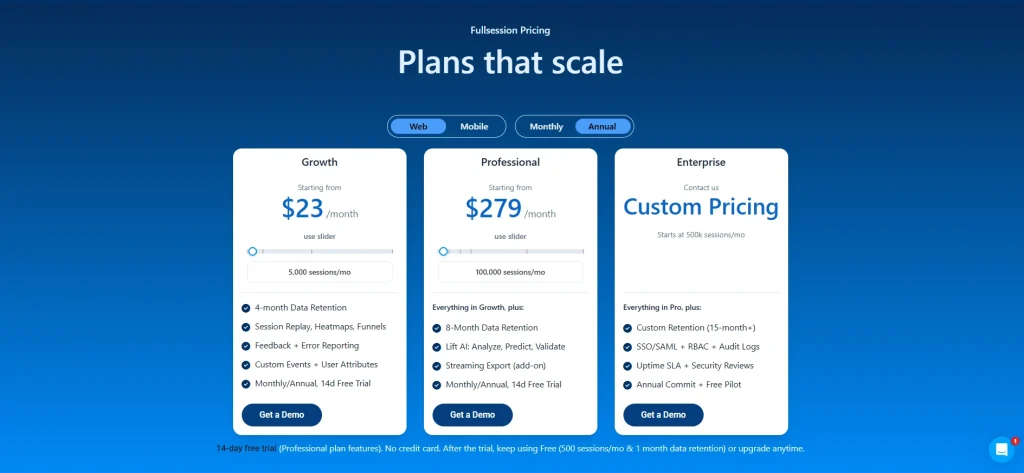
FullSession offers a free plan for teams that want to start with basic session replay access.
Growth plans start at $23/month billed annually for 5,000 sessions per month, while Professional plans start at $279/month billed annually for 100,000 sessions.
Enterprise plans use custom pricing based on traffic volume, retention, and support needs.
See FullSession pricing plans. Book a demo to see howFullSession helps your team turn real user sessions into clearer product decisions.
2. FullStory
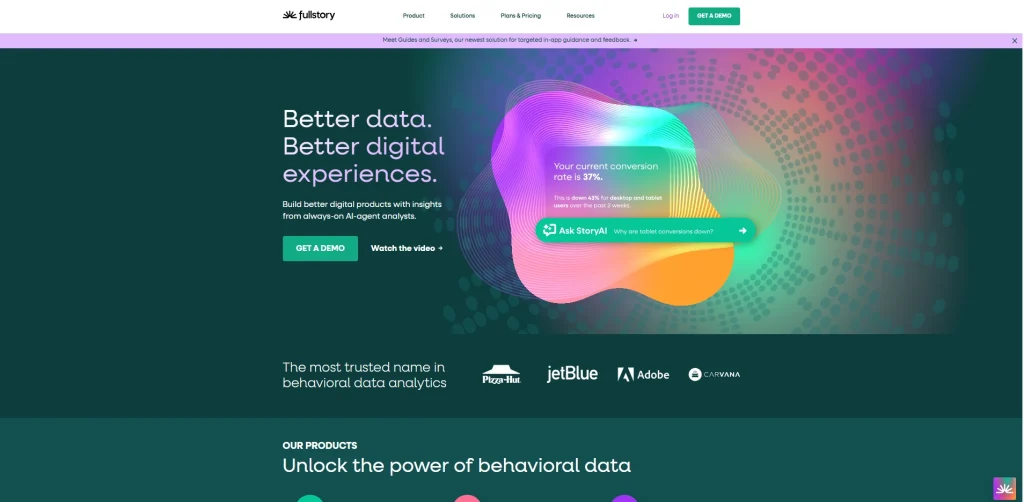
FullStory is a digital experience analytics platform for enterprise teams that need to analyze user interactions across web and mobile apps. Its DX Data layer turns session behavior into structured product data for deeper investigation.
- See how FullSession compares to FullStory.
- Check out FullStory competitors to learn more.
Best for
Enterprise product teams, UX researchers, and design teams that need high-fidelity session replay and shared behavioral data across product, engineering, and research workflows.
Key features
- Session replay: Captures detailed user sessions with privacy controls and retroactive analysis options.
- DX Data: Turns behavioral signals into structured data that teams can query and share.
- Funnel analysis: Connects user paths and funnel drop-offs to replay clips for visual diagnosis.
- Product analytics features: Tracks rage clicks, errors, conversion signals, and user behavior patterns.
- Mobile apps and data export: Supports mobile replay and export workflows to data warehouse destinations such as BigQuery and Snowflake.
Pricing
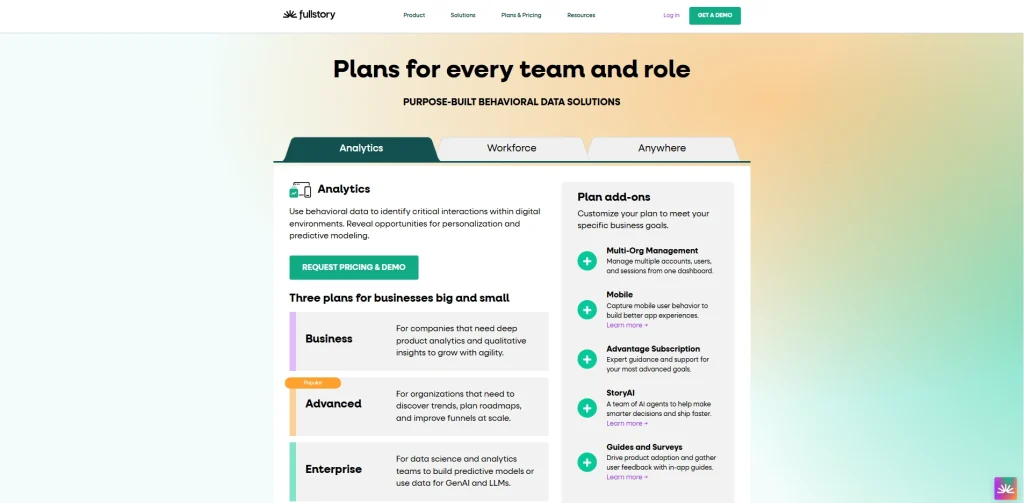
FullStory offers a free plan for smaller teams. Advanced and enterprise plans are sales-led and usually depend on session volume, retention, and feature access.
3. LogRocket
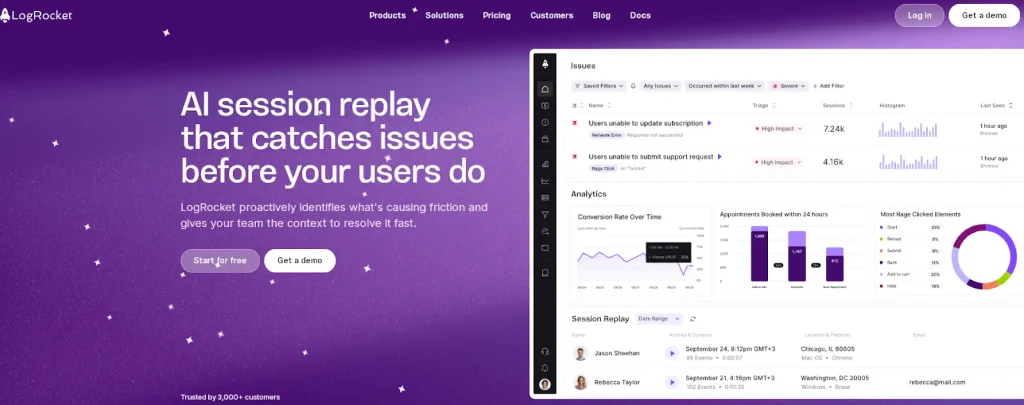
LogRocket is a session replay and error tracking platform built for engineering teams that need to debug frontend issues in production. It combines session replay, console logs, network logs, and performance monitoring.
- Learn more about LogRocket competitors.
- Read our FullSession vs LogRocket comparison
Best for
Engineering teams and front-end developers that need to reproduce bugs, investigate JavaScript errors, monitor regressions, and connect technical issues to user journeys.
Key features
- Session replay with error context: Shows real user sessions with console logs, Redux state, network requests, and JavaScript errors.
- Error tracking: Groups errors automatically and attaches session clips to each issue.
- Performance monitoring: Tracks page load time, Core Web Vitals, and latency by session.
- Product analytics and custom events: Supports basic funnel analysis, user paths, and developer-defined event tracking.
- Integrations: Connects with Jira, Linear, Sentry, Datadog, Segment, and similar tools.
Pricing
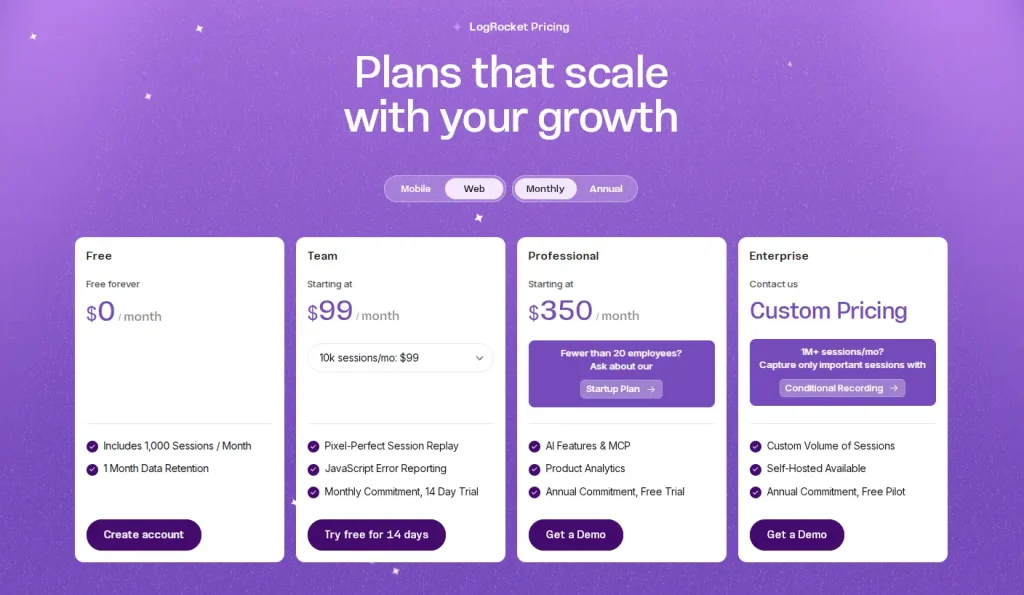
LogRocket offers a limited free plan. Paid plans use usage-based pricing, with higher-volume and enterprise plans depending on sessions and features.
Learn more about LogRocket Pricing
4. Mixpanel
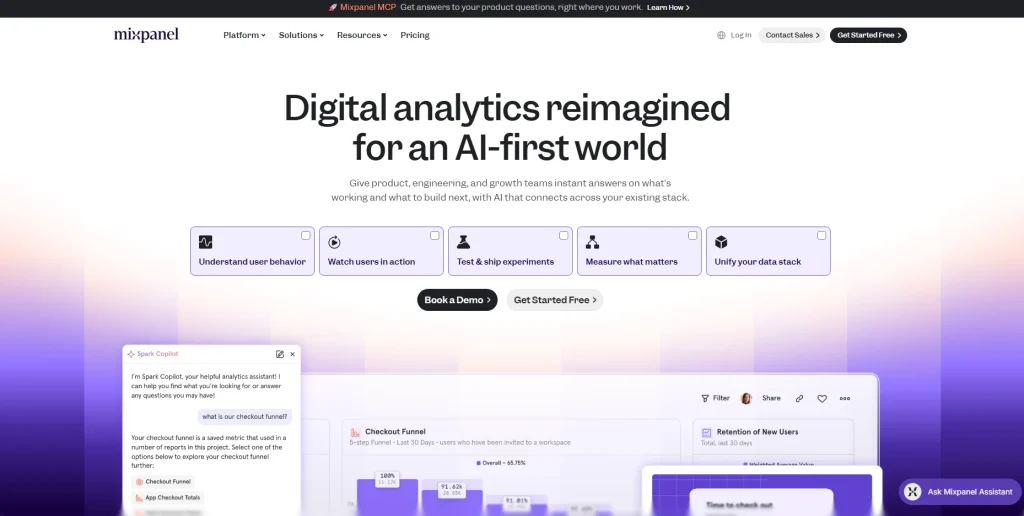
Mixpanel is an event-based product analytics tool for tracking how users move through a product over time. It is often used by growth and marketing teams that need flexible event tracking, retention analysis, and user paths.
- Learn more about Mixpanel alternatives
- Compare Hotjar vs Mixpanel vs Contentsquare
Best for
Growth teams, product managers, and marketing teams at SaaS, ecommerce, and consumer app companies that need self-serve product analytics without a full data team.
Key features
- Funnel analysis: Builds multi-step funnels with conversion breakdowns by cohort, property, and date range.
- Retention analysis: Shows how user behavior changes after specific events or actions.
- Custom events and user paths: Tracks defined user interactions and maps paths between product steps.
- Custom dashboards: Lets teams share product data, campaign performance, and user journeys in one workspace.
- Data export: Supports event and cohort exports to Snowflake, BigQuery, Redshift, and related warehouse tools.
Pricing
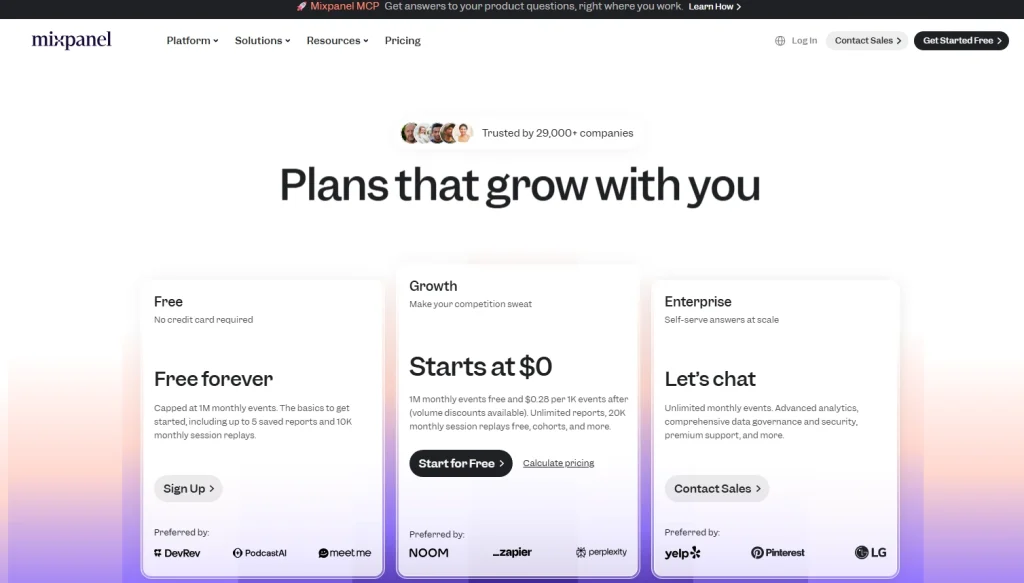
Mixpanel offers a free tier and then usage-based pricing tied to event volume. Enterprise plans add governance, security features, and support with custom pricing.
5. Amplitude
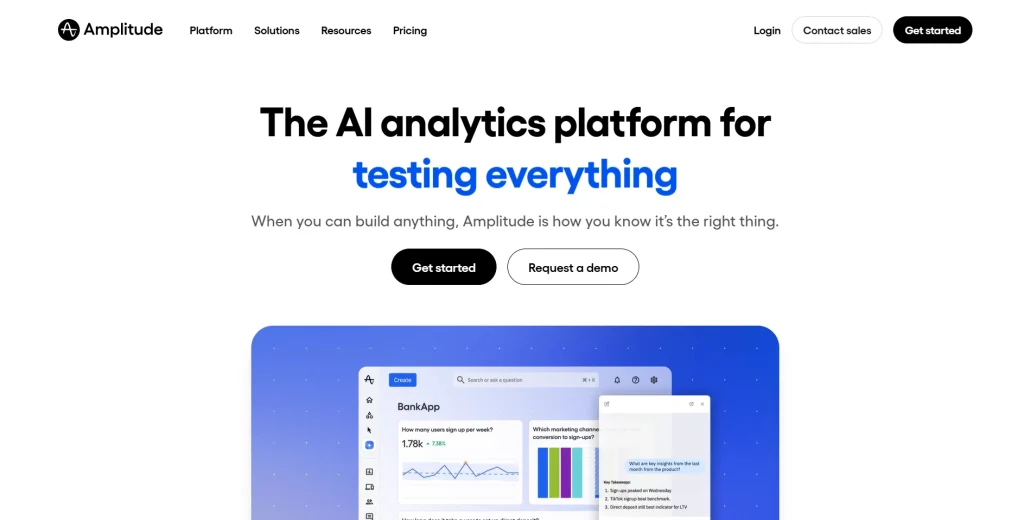
Amplitude is a product analytics platform for scaling product teams that need behavioral analysis, experimentation, and feature flags in one analytics core. It offers deeper product analytics features than basic web analytics tools and supports product managers who need cohort, funnel, and retention workflows.
- Learn more about Amplitude alternatives.
- See how Amplitude compares with Google Analytics.
Best for
Product managers and growth teams at B2C apps, mobile apps, and enterprise SaaS companies that need product analytics, experimentation, and behavioral cohorts.
Key features
- Product analytics: Provides funnels, retention, user flows, user journeys, and behavioral cohorts through a visual query builder.
- Amplitude Experiment: Supports A/B testing, feature flags, multi-variate testing, and statistical significance controls.
- Behavioral analytics: Helps teams understand user behavior at individual and cohort levels.
- Session replay and feature flags: Links replay to product events and supports flag-based rollouts.
- Custom dashboards and multi-touch attribution: Helps marketing teams connect acquisition activity to product behavior.
Pricing
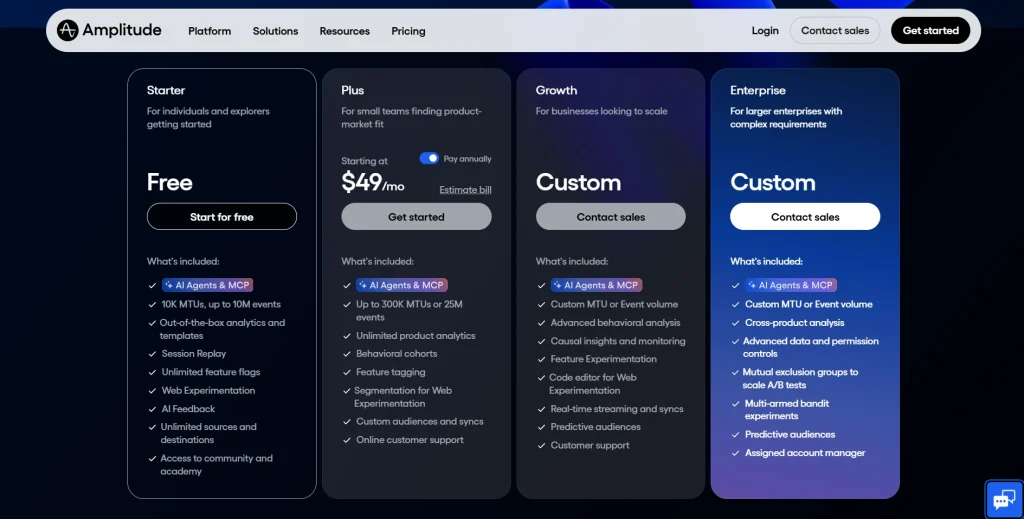
Amplitude offers a free tier with product analytics, session replay, and feature flags. Paid plans vary by monthly tracked users, monthly active users, events, and advanced features.
6. Heap
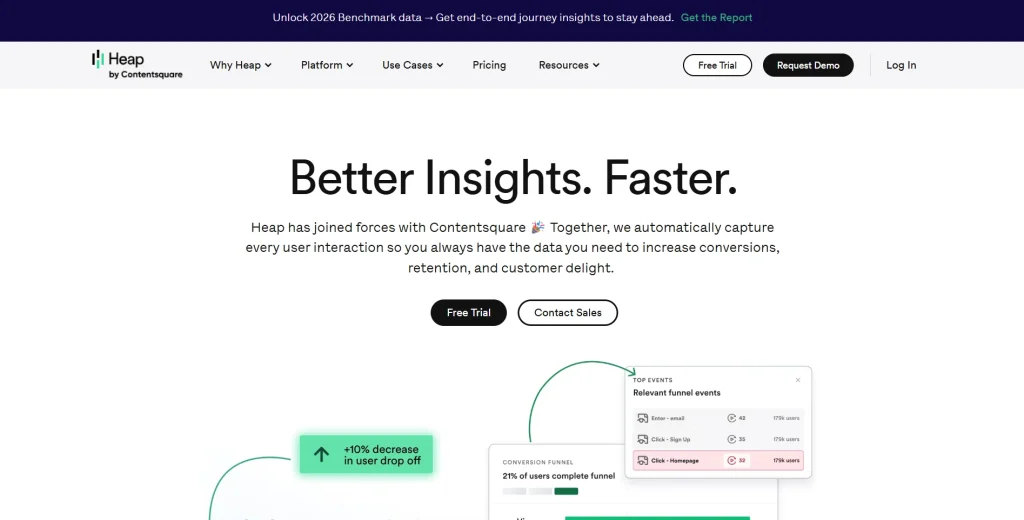
Heap is a product analytics tool built around autocapture. It records clicks, taps, swipes, form submissions, page views, and other user interactions without requiring developers to define every event upfront. For users, this means Heap is now part of the broader Contentsquare analytics platform.
Read our guide on Heap alternatives to learn more.
Best for
Product teams that need retroactive analysis and behavioral data but have limited engineering bandwidth for detailed event tracking setup.
Key features
- Autocapture: Records user interactions automatically after installation.
- Retroactive analysis: Let teams analyze events that were not manually tagged in advance.
- Funnel analysis and session replay: Connects funnel steps to replay clips for deeper diagnosis.
- Behavioral data segmentation: Builds cohorts using behavioral and demographic attributes.
- Integrations: Connects with Salesforce, HubSpot, Zendesk, and major data warehouse tools.
Pricing
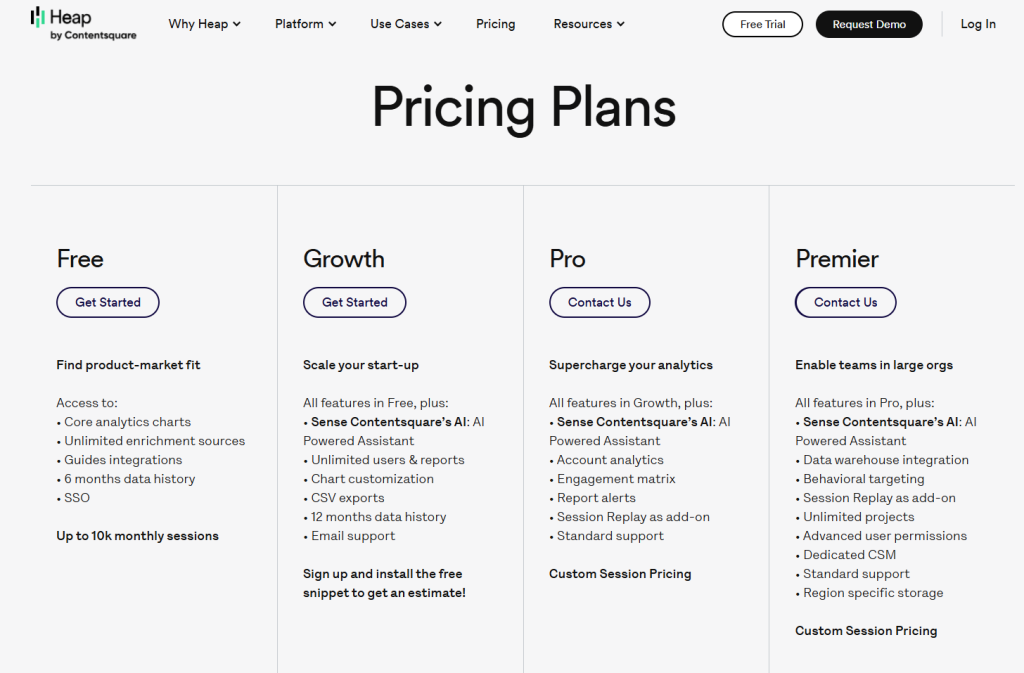
Heap offers a free plan for smaller teams. Growth, Pro, and Enterprise plans are usually estimate-led or demo-led and depend on session volume, data retention, and feature access.
7. Adobe Analytics
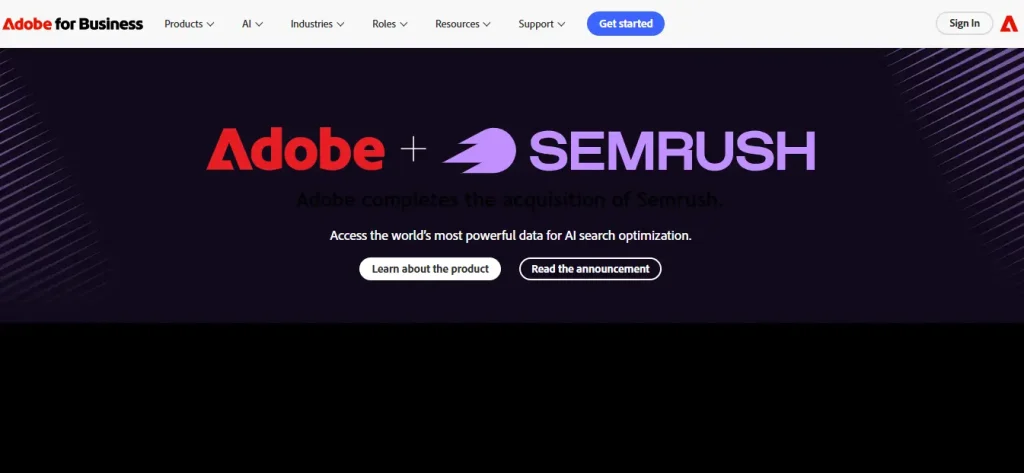
Fathom Analytics is a privacy-first website analytics tool and a simple alternative to Google Analytics. It focuses on clean traffic reporting without tracking cookies. It does not provide deep product analytics, feature flags, or session replay.
Best for
Marketing teams, publishers, and marketing and ecommerce teams that need simple website analytics, referral data, lightweight custom events, and privacy-focused reporting.
Key features
- Cookie-free tracking: Avoids cookies and personal data collection for privacy-focused reporting.
- Website analytics: Tracks page views, visitors, bounce rate, referrers, UTM data, and conversions.
- Uptime monitoring and email reports: Send uptime alerts and scheduled traffic summaries.
- Custom events: Tracks basic conversion goals and form submissions through JavaScript.
- Data export: Provides CSV and API access for traffic data.
Pricing
Fathom Analytics uses flat-rate pricing starting at $15/month for up to 100,000 monthly page views. Plans include unlimited sites, data exports, and privacy-focused analytics features.
8. Matomo
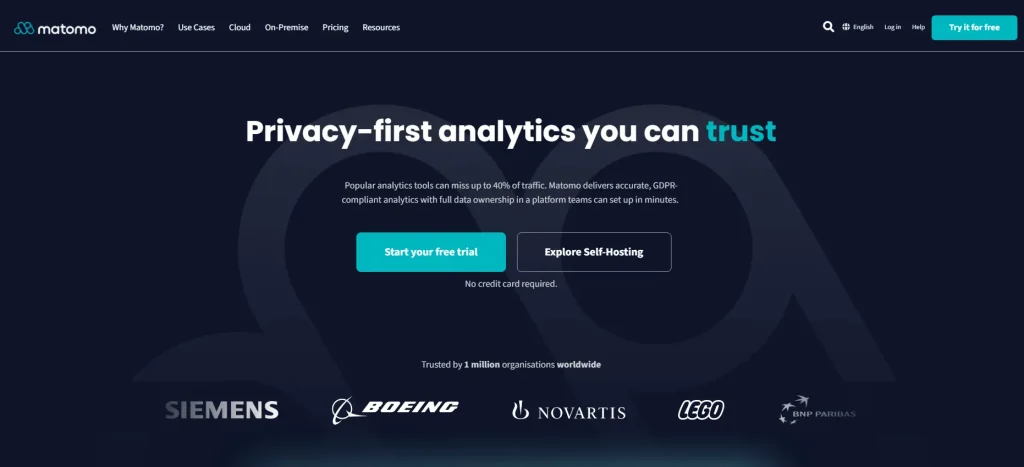
Matomo is an open source platform for web analytics and product analytics use cases where teams need full data ownership. It is often used as a self-hosted alternative to Google Analytics for privacy and compliance-focused organizations.
Best for
Compliance-first teams, public sector organizations, and businesses that need self-hosting, data ownership, and control over their analytics data.
Key features
- Self-hosting: Gives teams on-premise control so product data stays within their infrastructure.
- Web and mobile apps tracking: Tracks websites and mobile apps through SDKs.
- Funnel analysis and event tracking: Supports conversion funnels and flexible custom events, with some capabilities tied to premium modules.
- Security features: Includes role-based access control, two-factor authentication, and audit logs.
- Data export: Provides raw data access through APIs and avoids vendor lock-in.
Pricing
Matomo offers a free self-hosted plan. Matomo Cloud pricing scales by traffic volume and feature requirements. Enterprise deployments and compliance-focused setups use custom pricing.
9. Statsig
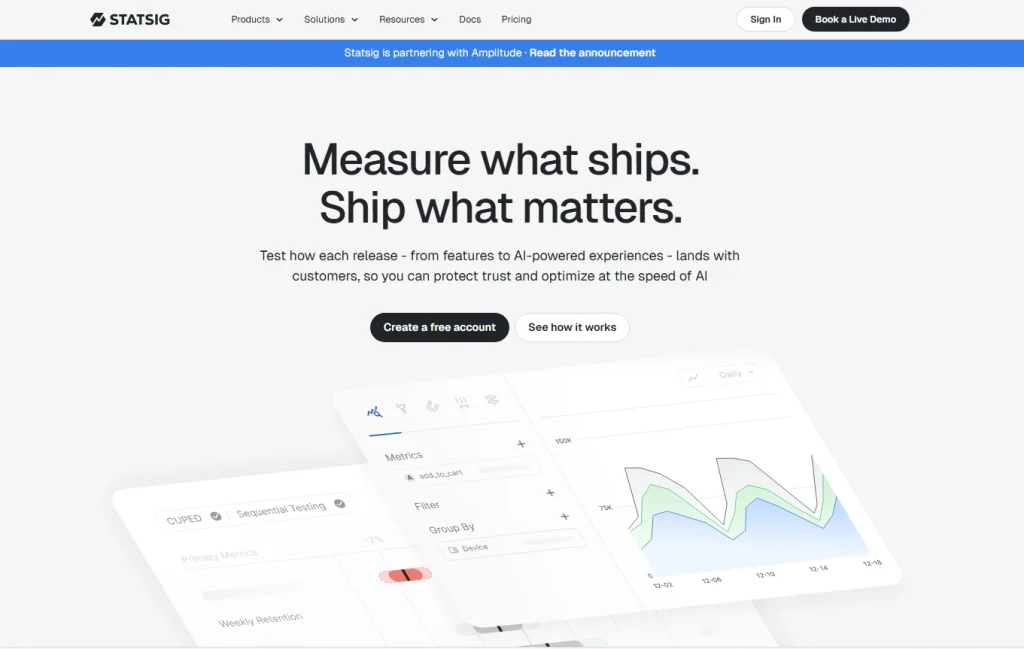
Statsig is a feature flagging platform and experimentation engine for engineering and product teams. It focuses on feature flags, A/B testing, metric analysis, rollout controls, and warehouse-native experimentation workflows.
Best for
Engineering teams and product managers who run frequent experiments, manage feature rollouts, and need statistical significance controls without replacing the full analytics stack.
Key features
- Unlimited feature flags: Supports targeted rollouts by segment, country, device, or custom property.
- A/B testing with statistical significance: Supports sequential testing, CUPED-style variance reduction, and multi-metric experiment dashboards.
- Feature management: Includes scheduled rollouts, kill switches, targeting rules, and a developer-friendly console.
- Metrics layer: Connects business outcomes to warehouse-native metrics from Snowflake, BigQuery, or Redshift.
- Product analytics and console logs: Offers basic product analytics features and diagnostics alongside experiment results.
Pricing
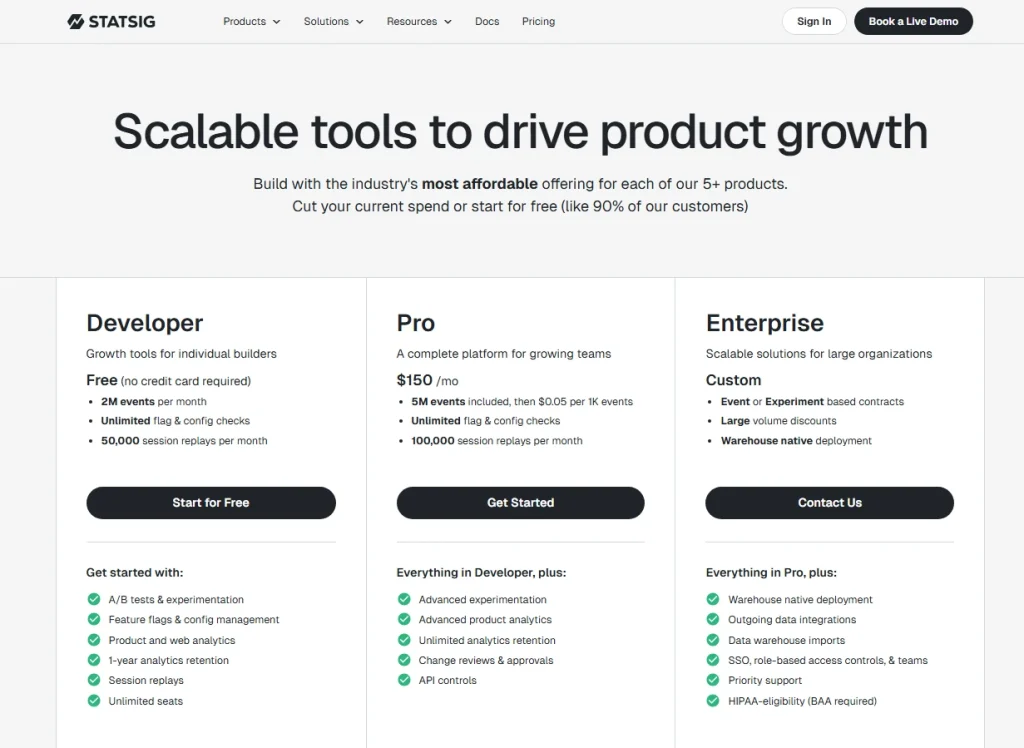
Statsig offers a generous free tier and then usage-based pricing for additional events and advanced usage. Enterprise plans include custom pricing and warehouse-native deployment options.
10. LaunchDarkly
LaunchDarkly is an enterprise feature management platform for safe and controlled software releases. It is not a traditional product analytics tool. Most teams pair LaunchDarkly with dedicated analytics tools for product analytics, behavioral analytics, and session replay.
Best for
Enterprise engineering teams with strict governance, audit, release safety, and multi-region infrastructure needs.
Key features
- Feature flag delivery: Supports global flag evaluation with high availability requirements.
- Targeting rules: Targets users by properties, device attributes, segments, and custom contexts.
- Progressive rollouts: Supports percentage rollouts, controlled exposure, and rollback workflows.
- Audit logs and integrations: Tracks flag changes and connects with Datadog, Dynatrace, Jira, ServiceNow, and data pipelines.
- Enterprise security: Supports SSO/SAML, SCIM provisioning, role-based access control, and governance features.
Pricing
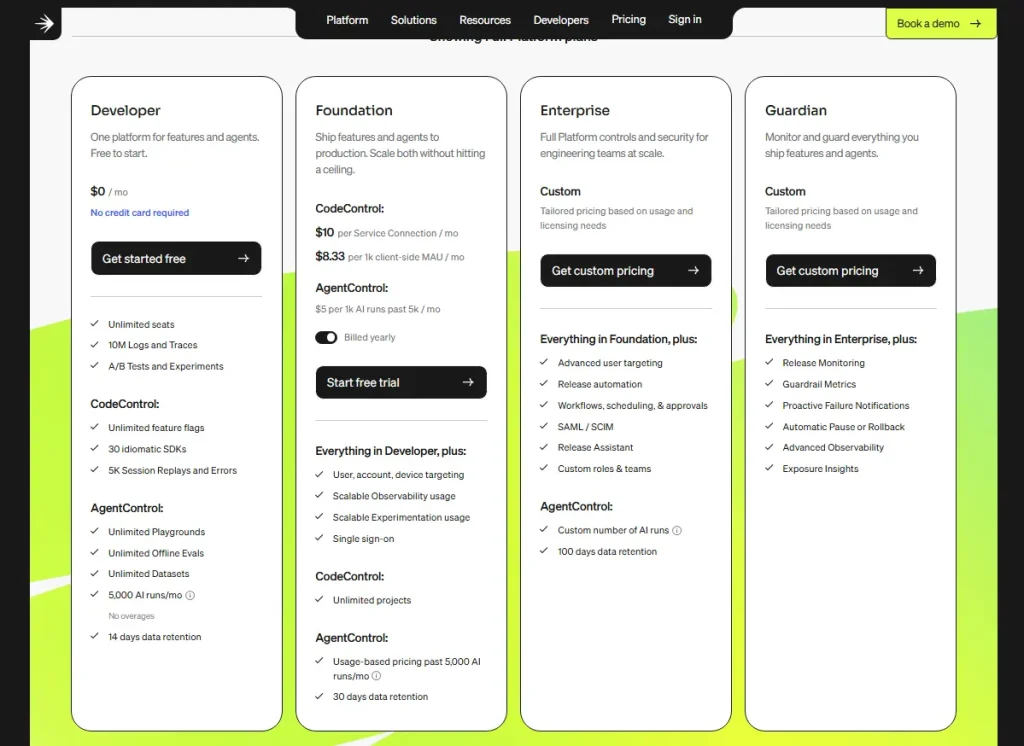
LaunchDarkly offers a free developer plan for small teams. Foundation and Enterprise plans scale based on service connections, feature flag usage, governance, and security needs. Enterprise pricing is custom.
Experimentation and A/B Testing (B Testing) Considerations
A/B testing capability varies across these tools. Some platforms include native experimentation. Others support analytics, session replay, or feature management but need another tool for controlled tests.
Teams with advanced A/B testing needs should compare statistical significance methods, multi-variate testing, sequential testing, feature flag capabilities, and experiment-to-session replay workflows before choosing a platform.
| Tool | Native A/B Testing | Feature Flags | Statistical Significance | Self-Serve Setup | SOC 2 |
| FullSession | No (integrates via flags) | No | N/A | Yes | Yes |
| FullStory | No | No | N/A | No | Yes |
| LogRocket | No | No | N/A | Yes | Yes |
| Mixpanel | Limited / evolving | No | Check current plan | Yes | Yes |
| Amplitude | Yes (Amplitude Experiment) | Yes | Yes | Yes | Yes |
| Heap | No | No | N/A | Yes | Yes |
| Fathom Analytics | No | No | N/A | Yes | N/A |
| Matomo | Yes (A/B Testing plugin) | No | Yes | Yes | Not publicly confirmed |
| Statsig | Yes | Yes (unlimited) | Yes (CUPED) | Yes | Yes |
| LaunchDarkly | Yes | Yes | Yes | Setup varies by plan | Yes |
For a dedicated analytics tool focused on A/B testing at scale, compare Statsig and Amplitude Experiment. Both support experimentation workflows, but the right choice depends on whether your team needs deeper product analytics, feature flag capabilities, or warehouse-native metrics.
For feature flag capabilities without a full product analytics suite, compare LaunchDarkly and Statsig. LaunchDarkly is stronger for enterprise feature management, release governance, and safe rollouts, while Statsig is stronger when feature flags need to connect closely with experimentation and business outcomes.
For qualitative validation, pair experimentation with FullSession’s session replay so teams can watch what happened inside real user sessions. This helps product teams, growth teams, and engineering teams understand why users behaved a certain way after a test, feature rollout, or product change
Pricing, Data Residency, and Compliance Checklist
PostHog’s usage-based pricing model is a common evaluation point because bills can depend on event volume, session replay, feature flags, and other product activity.
Teams should forecast product data volume before making any platform their analytics core, especially if monthly active users, custom events, or replay usage may grow quickly.
Most analytics platforms use one of three models: usage-based pricing, seat-based pricing, or flat-rate freemium pricing.
Usage-based pricing can be flexible but harder to predict, seat-based pricing may be easier to budget, and flat-rate freemium pricing can work well for smaller teams with simpler analytics needs.
Enterprise plans often use custom pricing when security features, retention, support, compliance documents, data export, or advanced features are included. Before choosing a platform, confirm what is available on the selected plan and which features require a higher-tier contract.
| Tool | Pricing Model | Starting Price | EU Hosting | Self-Host | SOC 2 |
| FullSession | Session-based | From $23/month billed annually | Yes | No | Yes |
| FullStory | Free plus sales-led paid plans | Custom / sales-led | Yes | No | Yes |
| LogRocket | Usage-based | From $99/month | No | No | Yes |
| Mixpanel | Event-based | From $0 after free event allowance, then $0.28 per 1K events | Yes | No | Yes |
| Amplitude | MTU / plan-based | From about $49/month, varies by MTUs | Yes | No | Yes |
| Heap | Free plus estimate/demo-led | Custom / estimate-led | Yes | No | Yes |
| Fathom Analytics | Flat-rate | From $15/month | Yes EU servers | No | N/A |
| Matomo | Flat-rate / Free | Cloud pricing varies by traffic; self-hosted is free | Yes | Yes | Confirm current status |
| Statsig | Usage-based | Free tier, then usage-based; Pro includes 5M events with overages | Check current region options | No | Yes |
| LaunchDarkly | Plan / usage-based | From $12/month for Foundation | Yes | No | Yes |
If your team has strict data residency needs, compare each platform’s hosting options before choosing a tool. Matomo gives the clearest self-hosting option, while Fathom Analytics supports privacy-first website metrics.
PostHog Cloud offers a separate EU region, but teams must choose the right region during setup. This matters because region selection, data export, and retention settings can affect compliance reviews later.
FullSession is also relevant here because it supports EU data hosting and SOC 2 documentation while keeping session replay, funnel analysis, heatmaps, user feedback, and error tracking in one workflow. That makes it useful for teams that need behavioral analytics but still have security, compliance, and data residency requirements.
For audits, confirm whether SOC 2 coverage is Type I or Type II, whether the selected plan includes security features, and whether data export is available without a higher-tier contract.
Start a free trial for session replay access.
How to Match Tools to Teams: Engineering-First vs Growth-First vs Compliance-First
The right PostHog alternative depends on who owns the analytics stack and who needs to act on the data.
- Engineering-first teams prioritize debugging, feature flag governance, console logs, and data pipeline flexibility. LogRocket fits frontend debugging, Statsig fits experimentation and feature management, and LaunchDarkly fits enterprise release governance.
- Growth-first teams need self-serve product analytics, funnel analysis, qualitative insights, and user behavior context. FullSession fits session replay and funnel workflows, Mixpanel fits event-based querying, and Amplitude fits product analytics plus experimentation.
- Compliance-first teams need EU hosting, self-hosting, security features, data export, and audit-ready documentation. Matomo fits full data sovereignty, Fathom Analytics fits privacy-first website analytics, and FullSession fits teams that need behavioral analytics with EU hosting support.
Decision Framework and Final Recommendations
| Team profile | Priority | Recommended tools | Why |
| Engineering-first | Debugging, flags, data pipeline control | LogRocket, Statsig, LaunchDarkly | Deep technical telemetry, flag governance, and warehouse-native metrics |
| Growth-first | Self-serve insights, funnel analysis, qualitative context | FullSession, Mixpanel, Amplitude | No-code usability, event-based querying, behavioral analytics, and experimentation |
| Compliance-first | Data sovereignty, EU hosting, audit readiness | Matomo, Fathom Analytics, FullSession | Self-hosting, cookie-free analytics, SOC 2 docs, and EU data residency options |
| Marketing and e-commerce | Website traffic, attribution, conversion tracking | Fathom Analytics, Mixpanel, FullSession | Privacy-first website analytics, multi-touch attribution, and low-overhead reporting |
The right tool depends on workflow, budget, compliance requirements, and data needs, not the longest feature list. A compliance-first team choosing a tool without the right data controls will face friction immediately. A growth team choosing a developer-centric platform may leave product managers waiting on tickets.
Start with the team profile that owns your analytics stack, match it to a shortlist, and run a two-week parallel evaluation before migration.
For teams that need a practical middle ground, FullSession can support this evaluation by combining session replay, funnel analysis, heatmaps, user feedback, and error tracking in one workflow, so teams can validate user behavior before making a full migration decision.Start a free trial for session replay access.
Why Choose FullSession
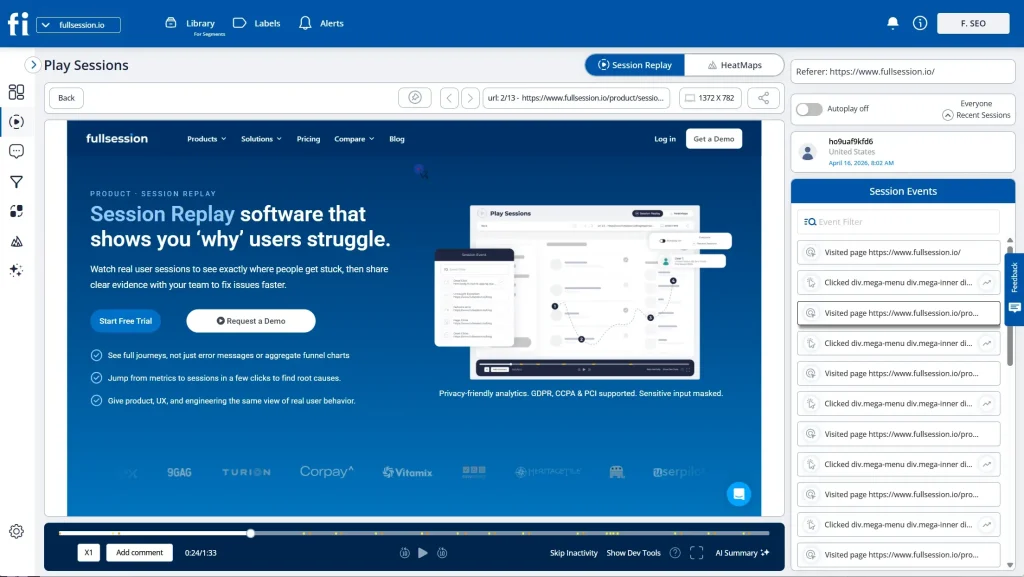
FullSession is built for teams that need to understand user behavior, diagnose friction, and act on behavioral data without switching between multiple tools.
It combines session replay, funnel analysis, heatmaps, user feedback, error tracking, Lift AI, transparent pricing, EU data hosting, and SOC 2 documentation in one workflow for product teams, growth and marketing teams, and customer support teams.
Qualitative and quantitative insights in one place
Many product analytics tools show aggregate data but miss the context behind user behavior.
FullSession connects quantitative funnel analysis with qualitative session replay, so teams can see where users drop off and then watch the exact session clips behind that pattern.
This helps product managers, growth operators, customer support teams, and engineering teams understand real user behavior, identify broken user flows, and prioritize fixes based on evidence.
Less engineering dependency for non technical teams
PostHog is often stronger for engineering teams. FullSession is easier for non technical users who need to open a funnel report, click a drop-off, and review related session replay clips without waiting for custom setup.
That makes it easier for non technical teams to pull qualitative insights from behavioral data, monitor product usage, and act on friction faster.
One platform for replay, funnels, feedback, and errors
FullSession brings session replay, funnel analysis, heatmaps, user feedback, and error alerts into a unified platform. Teams can review what happened, why it happened, and where users struggled from the same dashboard.
This is useful for teams that currently juggle multiple tools for product analytics session replay, user surveys, funnel analysis, website analytics, and error tracking.
Lift AI helps teams prioritize fixes
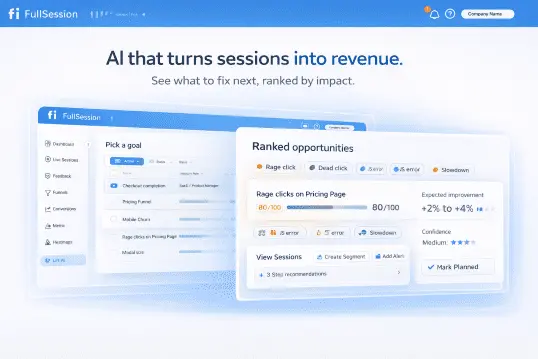
Not every friction point has the same business impact. Lift AI reviews user behavioral data and helps identify issues most likely to affect conversion, user adoption, feature adoption, and customer satisfaction.
That helps teams focus on fixes that improve business outcomes, reduce support load, and move users through the product with less guesswork.
Transparent pricing and compliance support
FullSession publishes pricing with a free plan and clear plan limits, which helps teams evaluate cost before a sales call. It also supports EU data hosting and SOC 2 documentation for teams with data residency and security review needs.
FullSession is not a replacement for every feature flagging platform, data warehouse, or dedicated experimentation system. But for teams that need practical behavioral analytics in one place, it can reduce overlap in the analytics stack and help teams move from insight to decision faster.
Book a demo and see how FullSession fits your analytics stack.
Migration and Evaluation Plan From PostHog
A parallel evaluation period reduces risk and confirms whether the replacement covers what your team actually uses.
- Audit your current PostHog usage. Review the last 90 days of funnels, feature flags, session replay, event tracking, custom events, dashboards, and data export usage.
- Map requirements to a shortlist. Use the tables above to cut the list to two or three candidates. Include your data engineering team if your analytics stack feeds a data warehouse.
- Run a two-week parallel test. Install the candidate alongside PostHog Cloud on a non-critical page or product flow. Compare event tracking completeness, session replay fidelity, dashboard usability, and non-technical team adoption.
- Migrate data and deprecate PostHog. Export historical product data first. Then move event tracking, dashboards, and internal training in phases to avoid duplicated analytics data across two systems.
A clean cutover plan prevents duplicate reporting, reduces data quality issues, and gives teams time to validate user journeys before retiring the previous analytics core.
Conclusion
Choosing the right PostHog alternative depends on what your team needs most: deeper product analytics, stronger feature flag capabilities, clearer web analytics, better session replay, or simpler reporting for non-technical users.
PostHog is still a strong open source platform for engineering-led teams, but it may not be the right fit for every analytics stack. Teams that need advanced experimentation can compare Statsig and Amplitude, while teams focused on data ownership can review Matomo or Fathom Analytics.
For teams that want practical behavioral analytics without relying on multiple tools, FullSession is a strong option. It combines session replay, funnel analysis, heatmaps, user feedback, error tracking, and qualitative insights in one workflow, helping product teams, growth teams, marketing teams, and customer support teams understand user behavior faster.
Before switching, shortlist two or three tools, compare pricing, compliance, data export, and team usability, then run a parallel test before migration.
Book a demo to see how FullSession can help your team review real user sessions, find friction, and make clearer product decisions.
FAQs on PostHog Competitors
Who are PostHog competitors?
PostHog competitors in the product analytics space include Amplitude, Mixpanel, FullSession, LogRocket, Heap, FullStory, Statsig, Matomo, Fathom Analytics, and LaunchDarkly.
Each competes in a different area: Amplitude and Mixpanel on analytics depth, FullSession on session replay and behavioral analytics, Statsig and LaunchDarkly on feature flag capabilities, and Matomo on data ownership.
What is the difference between Amplitude and PostHog?
Amplitude is a dedicated analytics platform focused on self-serve behavioral analysis, retention, and experimentation. PostHog is an open source platform that combines product analytics, session replay, feature flags, and error tracking for developer-led teams.
Amplitude often fits product and growth teams. PostHog often fits engineering-led organizations.
What is the difference between PostHog and FullStory?
PostHog combines product analytics, feature flags, error tracking, and session replay. FullStory is a digital experience analytics platform focused on reconstructing user sessions and organizing behavioral data at enterprise scale.
FullStory is stronger for enterprise replay and DX analysis, while PostHog is stronger for developer-led product analytics and feature flag workflows.
What is the difference between PostHog and Matomo?
PostHog is a product analytics platform with session replay, feature flags, and experimentation for software teams. Matomo is an open source web analytics platform focused on self hosting, data ownership, and compliance.
Matomo is stronger for data sovereignty. PostHog is stronger for product analytics features and feature management.
Which PostHog alternative is best for non technical users?
FullSession, Mixpanel, and Amplitude are strong options for non technical users. FullSession is stronger when teams need session replay, funnel analysis, heatmaps, user feedback, and qualitative insights in one workflow.
Mixpanel and Amplitude are stronger when teams need deeper event-based product analytics and custom dashboards.
Which PostHog alternative is best for feature flags?
Statsig and LaunchDarkly are the strongest choices for feature flags and feature management. Statsig is useful when experimentation and metrics are central.
LaunchDarkly is useful when enterprise release governance and feature flag delivery are the main priorities.

Mohamed oversees operations and finance at FullSession and has contributed to the company’s UX analytics knowledge base.