Hotjar built its reputation by making session recordings and heatmaps easy to access. For a long time, it was the natural starting point for anyone who wanted to see how people actually use their website. But as the tool changed and teams’ needs grew, the cracks started to show.
If you’re reading this, you’re probably dealing with one of a few familiar situations:
- Daily session limits tied to your plan
- Pricing that jumped after your traffic scaled
- No way to track what happens inside your mobile app
- Funnel analysis that requires a developer just to set up
This guide covers the 7 best Hotjar alternatives we’ve tested and compared. For each one, you’ll find a breakdown of key features, current pricing, G2 user review scores, and a clear verdict on who it’s best for.
Our top recommendation is FullSession, and we’ll explain exactly why.
Key Takeaways
- FullSession is the most complete Hotjar replacement for ecommerce, product and growth teams, combining session replay, heatmaps, funnels, error tracking, mobile app coverage, and Lift AI in one platform with no performance overhead.
- Microsoft Clarity is the right choice if your budget is zero and your needs are basic: free forever, no session caps, no funnel analysis.
- PostHog suits engineering-led teams that want open-source infrastructure and are comfortable with a developer-heavy setup.
- Mouseflow is the specialist pick for ecommerce and form optimization, with deep form-level analytics.
- FullStory is built for enterprise teams that need retroactive data querying and data warehouse integration, at an enterprise price.
- Crazy Egg works best for CRO-focused marketing teams that want A/B testing bundled alongside heatmaps without a separate tool.
- Lucky Orange is affordable for small businesses, particularly those on Shopify or WordPress, who also want live chat.
For teams that have outgrown basic tools and need session replay, heatmaps, funnels, error tracking, customer feedback tools, and mobile replay in one platform, FullSession is the most complete option available, starting at $23/month on the annual plan ($29/month on monthly).
It is the only tool on this list that combines zero performance impact, full mobile app coverage, and Lift AI, which turns behavioral data into a prioritized list of fixes ranked by revenue impact, without splitting features across separate modules or pricing tiers.
Book a demo to see it in action.
Why Teams Are Switching to Hotjar Competitors
Four problems come up consistently across teams that start looking for Hotjar competitors:
- Pricing that doesn’t scale well: Hotjar’s session-based pricing tiers jump sharply as traffic grows. What starts as affordable quickly becomes costly, and the pricing free plan rarely includes the features growing teams actually need. Read our full Hotjar review for a closer look at where the pricing model breaks down.
- Performance overhead: Hotjar’s tracking script adds weight to your pages and increases Time to Interactive, which directly affects Core Web Vitals. For teams where page speed matters for both UX and SEO, that’s a meaningful trade-off.
- No mobile app tracking: Hotjar is a website analytics tool. If any part of your product lives in a mobile app, Hotjar gives you no visibility into that experience at all.
- Limited event tracking and funnel analysis: Setting up event tracking in Hotjar requires JavaScript and a paid plan. Funnel analysis either isn’t available or requires stitching things together with Google Analytics. For teams that want actionable insights without involving a developer, that adds real friction.
Keep these four issues in mind as you read through the alternatives below.
How to Choose Between Hotjar Alternatives
Choosing the right alternative to Hotjar means matching what it does well to what your team actually needs for user behavior analysis.
The nine criteria below cover the key features: session replays, website heatmap tools, funnels, and everything else that separates a tool worth paying for from one that just looks good in a demo.
Learn more about session recording replay
| Criteria | What to Check |
| Session replay quality | Does it capture dynamic elements (SPAs, AJAX)? Do recordings link to errors and funnel steps? |
| Heatmap performance cost | Does the tracking script affect page load and Core Web Vitals? |
| Funnel analysis | Can non-technical users build funnels visually, or does it require a developer? |
| Feedback and surveys | Are survey responses linked directly to session recordings, or do they sit in isolation? |
| Event tracking | Does the tool use autocapture, or does setup require manual JavaScript tagging? |
| Mobile app coverage | Is there native SDK support for iOS and Android, or is it web-only? |
| AI and prioritization | Does AI surface summaries only, or does it rank issues by business impact? |
| Pricing scalability | Do costs grow unpredictably with traffic, and are key features locked behind higher tiers? |
| Integrations | Does it connect to your CRM, data warehouse, or support platform? |
If your team needs strong scores across all nine without stitching together multiple tools, FullSession is the starting point we recommend.
Start a free trial, no card required.
Quick Comparison: Hotjar Alternatives at a Glance
Here’s a quick overview of the main Hotjar competitors in 2026.
| Tool | G2 Rating | Best For (use case) | Top Feature | Starting Price |
| FullSession | 5 / 5 | Ecommerce, product & growth teams needing full behavioral analytics | Lift AI + zero performance impact | $23/month |
| Microsoft Clarity | 4.5 / 5 | Basic session recording at zero cost | Unlimited free sessions + AI summaries | Free |
| PostHog | 4.5 / 5 | Engineering-led product teams | Open-source all-in-one analytics platform | Free tier + usage-based |
| Mouseflow | 4.6 / 5 | E-commerce conversion & form optimization | Friction score + form analytics | €39/month |
| FullStory | 4.5 / 5 | Enterprise digital experience intelligence | Retroactive data querying (StoryAI) | Custom (enterprise) |
| Crazy Egg | 4.2 / 5 | CRO teams running A/B tests | Built-in A/B testing + heatmaps | $29/month |
| Lucky Orange | 4.6 / 5 | Small businesses needing affordable all-in-one | Live chat + session recordings | $39/month |
7 Best Hotjar Alternatives in 2026: In-Depth Breakdown
Now, let’s take a closer look at each solution on this list to help you decide the best fit for your needs.
1. FullSession
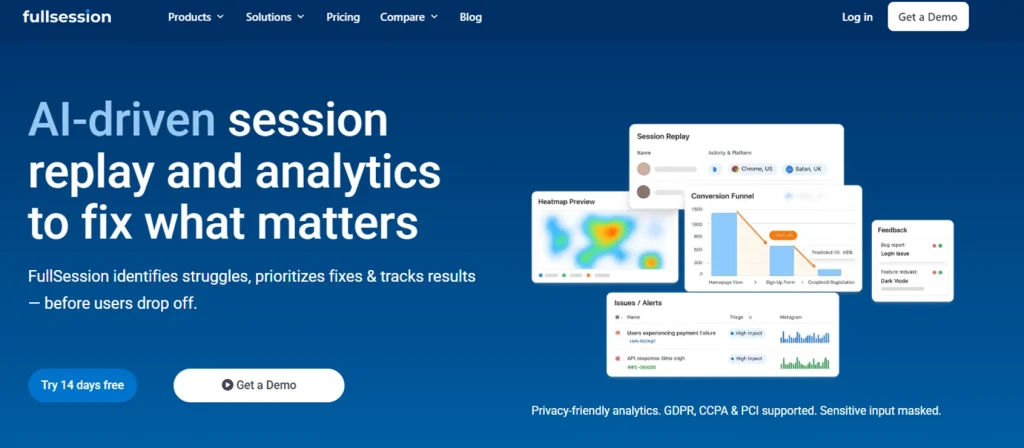
FullSession is a comprehensive analytics platform built for ecommerce, product and growth teams who need complete behavioral visibility without slowing their site down.
It covers everything Hotjar does and goes further with built-in funnels, error tracking, mobile session replay, and an AI layer called Lift AI that shows which UX problems are costing you the most revenue.
It’s the only tool on this list that combines real-time dynamic element capture, zero performance impact, and AI-powered prioritization at a price that works for growing SaaS teams.
If you want to understand user behavior and watch user interactions across every touchpoint without stitching together multiple tools, FullSession is your best choice.
See how FullSession compares to Hotjar to learn more.
Best for
- Ecommerce businesses: Spot where customers drop off and fix the issues causing cart abandonment
- SaaS companies: Make onboarding smoother and help users actually adopt key features
- Digital marketers: Fine-tune funnels and landing pages to boost conversions
- UX designers: See how people really interact with your product to make smarter design decisions
- Data analysts: Dig into detailed user behavior to uncover meaningful insights
- QA teams: Quickly find, reproduce, and fix bugs reported by users
- Product teams: Focus on building features that users actually need and use
- Customer support teams: Understand and resolve issues faster by reviewing real user sessions
- Customer experience professionals: Identify friction points and improve the overall user journey
Features
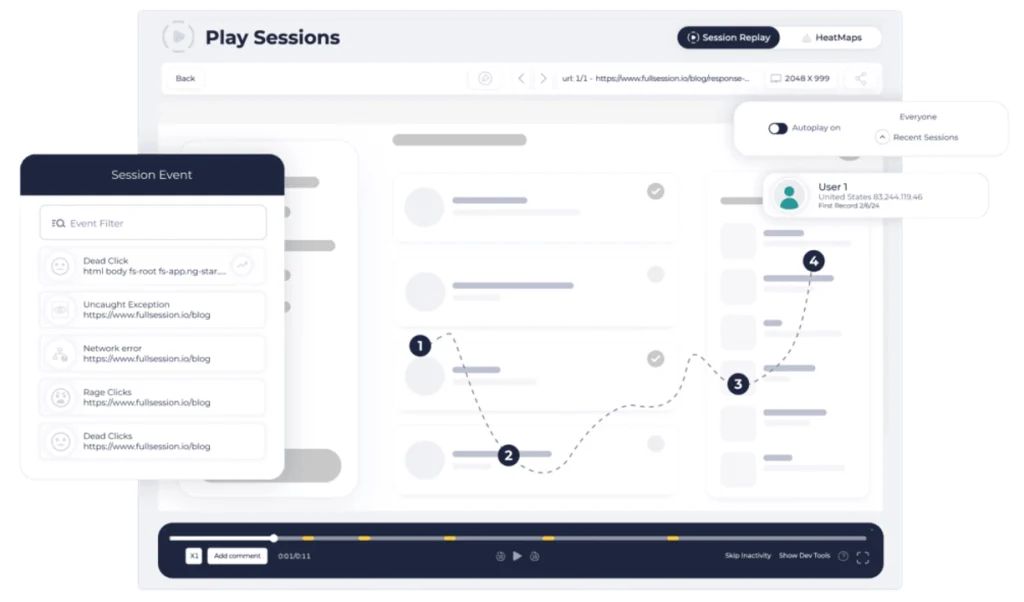
- Session recording and replay: FullSession captures every interaction in real time, including dynamic elements like single-page app transitions, AJAX-loaded content, and animated components. Recordings are pixel-perfect and linked directly to error events and funnel drop-offs.
- Mobile session replay: Full session recording for iOS and Android apps, giving product teams the same behavioral depth on mobile that they get on the web.
- Interactive heatmaps: Click, scroll, and attention maps are generated without adding any load to your pages. That’s the key difference from most competitors, whose scripts measurably slow down page rendering.
- Funnel and conversion tracking: A no-code visual funnel builder lets you measure drop-off at every step and jump directly into session recordings from any stage. See the funnel and conversion tracking for more detail.
- Error and alert detection: Automatically captures JavaScript errors, rage clicks, and broken user flows. Each error links to a session recording so engineering teams can reproduce and fix bugs without lengthy back-and-forth.
- Lift AI: FullSession’s AI layer analyzes patterns across all sessions, identifies friction points, and ranks them by estimated revenue impact. Instead of spending hours manually reviewing user recordings, Lift AI tells you what to fix next. Lift AI also makes impact predictions and tracks the actual impact after the fix.
- Customer feedback widget: In-page feedback forms capture real user feedback and link it automatically to the corresponding session recording, so every response comes with full behavioral context.
- User segmentation: Advanced filtering lets you create specific user segments based on device, behavior, location, or event history. This makes it easy to isolate and study exactly the groups that matter.
- Integrations: Connects with popular third-party tools, including Segment, Intercom, HubSpot, Jira, Slack, and Google Analytics, so FullSession fits into your existing workflow.
Pricing
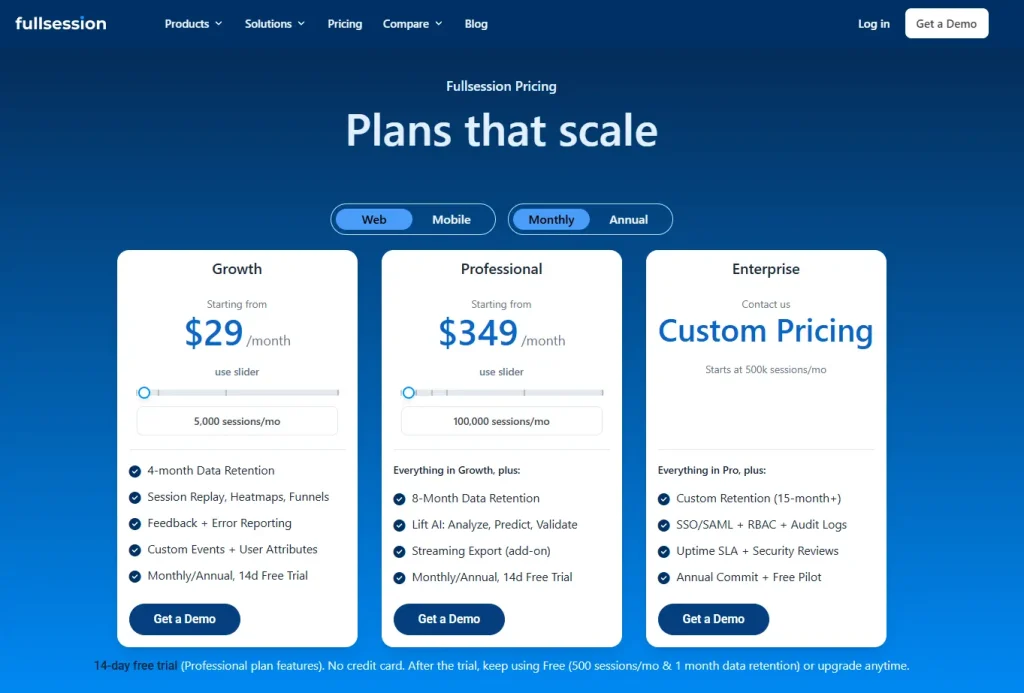
Subscription-based with monthly or annual billing, with a starting price of $29/month on monthly billing and $23/month on annual billing. Annual plans include a 20% discount.
All paid plans have a 14-day free trial. Full details are available on the FullSession pricing page.
Book a demo to see what you get before you commit.
2. Microsoft Clarity
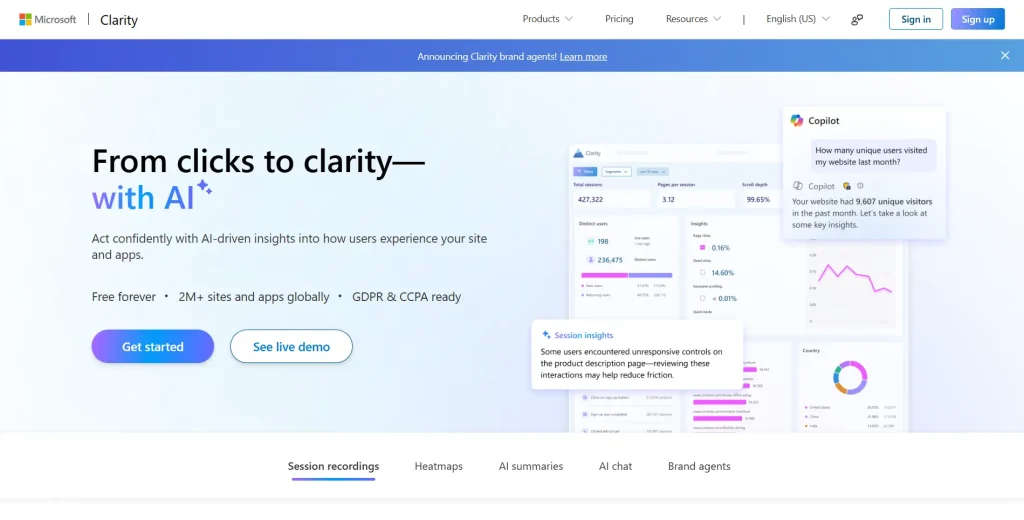
Microsoft Clarity is a free behavior analytics tool offering session recordings, heatmaps, and AI-powered summaries. Backed by Microsoft’s infrastructure, it’s used on over two million sites globally and is a solid starting point for teams with no analytics budget.
It’s a simple website feedback and behavior tool. It doesn’t offer funnel analysis, event tracking, or feedback forms, but for basic recording and heatmaps, it works well and costs nothing.
If you are comparing free and paid Session Recording Replay Tools, Clarity is usually a good baseline, but growing teams may need deeper filtering, funnels, and mobile replay.
For a full breakdown, see how Hotjar compares to Microsoft Clarity.
Best for
Solo founders and small marketing teams who don’t need advanced analytics features and want basic session recordings and heatmaps at zero cost.
Features
- Session recordings: Full user session playback with a Highlights feature that automatically surfaces key moments. Useful for quickly identifying where users interact with friction-heavy areas of your site.
- Heatmaps: Click, scroll, and area heatmaps with AI summaries showing behavior trends. You can compare heatmap patterns across different page versions.
- AI summaries: One-click AI-generated takeaways from behavioral data that enable users to extract patterns from sessions without watching each one manually.
- AI chat interface: A conversational interface where you can ask questions about your analytics data in plain language.
- Brand agents: A newer feature that deploys an AI shopping assistant on your site using behavioral signals from Clarity data.
Pricing
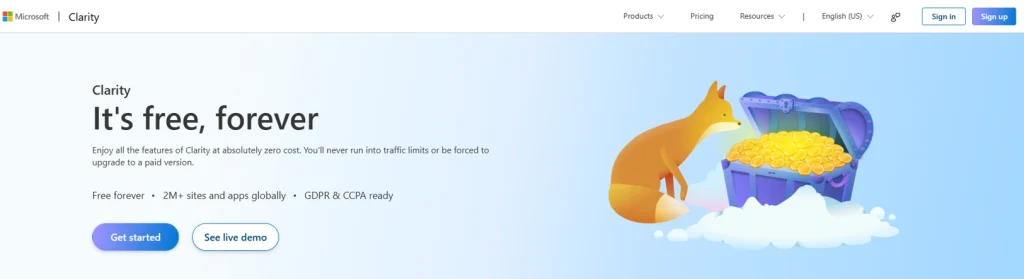
Free forever, with no session or pageview caps.
Microsoft doesn’t currently offer a paid tier for Clarity.
All features are available at no cost.
3. PostHog
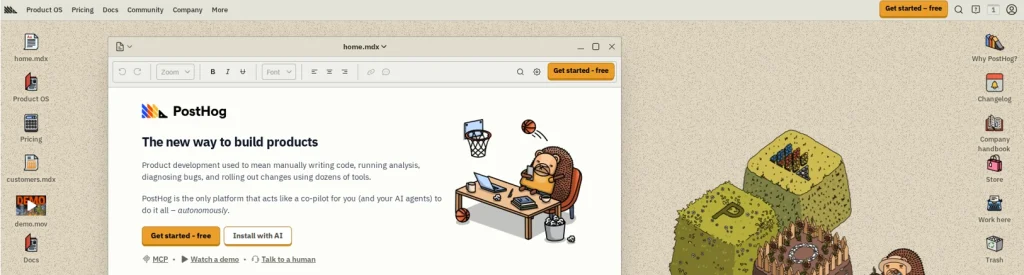
PostHog is an open-source product analytics platform that combines session replay, heatmaps, A/B testing, feature flags, funnel analysis, and feedback tools into a single platform.
It’s built for engineering-led teams who want a single data infrastructure that replaces multiple tools.
As both a web analytics tool and product analytics platform, PostHog goes well beyond what Hotjar offers. The added depth brings added complexity, though. It’s not designed for non-technical users, and teams without developer support will find the setup steep.
Read our guide to learn more about PostHog alternatives.
Best for
Engineering-led product teams at startups who want an open-source all-in-one data platform.
Features
- Session replay: Web and mobile session recordings with event timelines, captures console errors and logs, and network request monitoring. Recordings connect directly to error events and feature flag changes for faster debugging.
- Heatmaps: Click and scroll heatmaps integrated into the product analytics layer, so you can view behavior patterns alongside funnel and retention data.
- Product analytics: Full funnel analysis, retention cohorts, user path analysis, and SQL access for custom queries. This is significantly more powerful than Hotjar’s analytics layer and enables in-depth analysis of user journeys.
- A/B testing and feature flags: A built-in experiment runner and safe feature rollout management, neither of which Hotjar offers.
- Event tracking: A flexible custom event tracking system for both web and mobile. Enables quantitative data collection on any user action without pre-tagging requirements.
- User surveys: In-app surveys including NPS, CSAT, and custom questionnaires, deployable across web and mobile.
- Mobile SDK support: Native support for iOS, Android, React Native, and Flutter, covering the full mobile app analytics stack.
Pricing
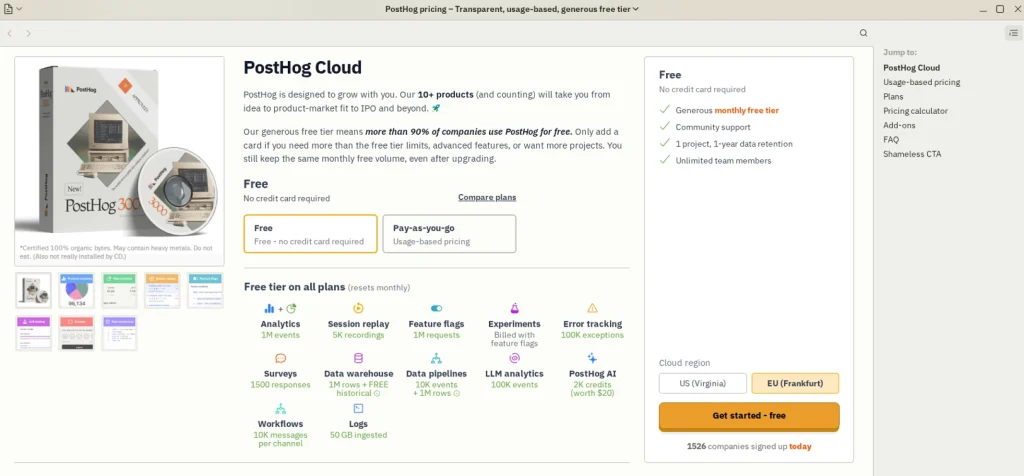
Usage-based, with a free tier included, starting at $0.00005 per event beyond free tier limits.
4. Mouseflow
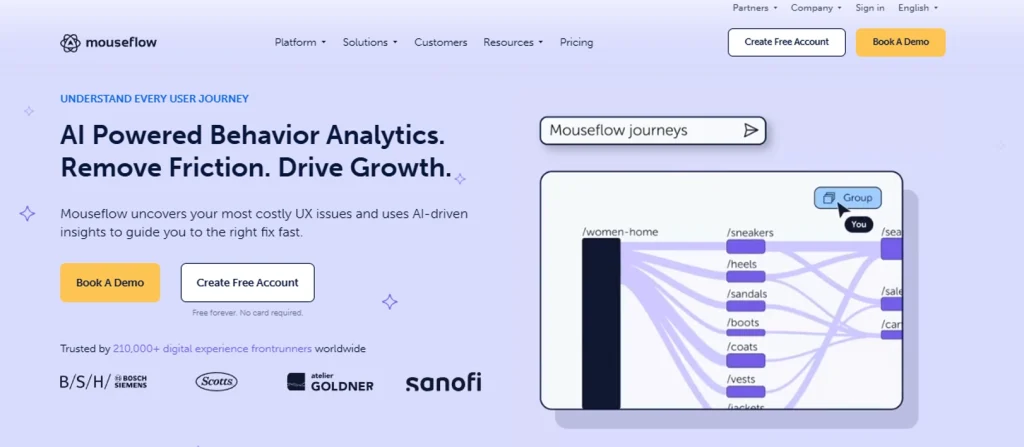
Mouseflow is a behavior analytics platform focused on session replay, heatmaps, form analytics, friction detection, and conversion funnels.
It targets digital marketing and e-commerce teams who want to understand where users drop off and why, with particular strength in form-level analysis.
Its clean user interface lets teams build funnels and analyze form behavior without needing developer support.
- See how Hotjar compares to Mouseflow.
- Discover a better Mouseflow alternative
Best for
E-commerce and digital marketing teams focused on checkout funnel and form completion optimization.
Features
- Session replay: Full user session recordings with filtering by friction score, rage clicks, and behavioral signals. Helps teams focus on the user sessions that reveal the most about conversion problems.
- Heatmaps (six types): Click maps show exactly where users click, while scroll, movement, attention, geo, and live heatmaps add richer context about where visitors look and hesitate.
- Friction score: Automatically flags sessions where users experience frustration, including rage clicks, error clicks, and excessive back-and-forth navigation.
- Form analytics: Field-level analysis showing which form inputs cause abandonment, hesitation, or repeated corrections.
- Conversion funnels: A multi-step funnel builder to track where users drop off across any page flow, with direct links to session replays from each step.
- Mina AI: AI-generated insights from session data to surface patterns without manual review.
- Journey analytics: Macro-level visualization of user paths across multiple pages, showing how user engagement flows through a site over time.
- Integrations: Works with Google Tag Manager, HubSpot, Optimizely, and Google Analytics for teams with an established stack.
Pricing
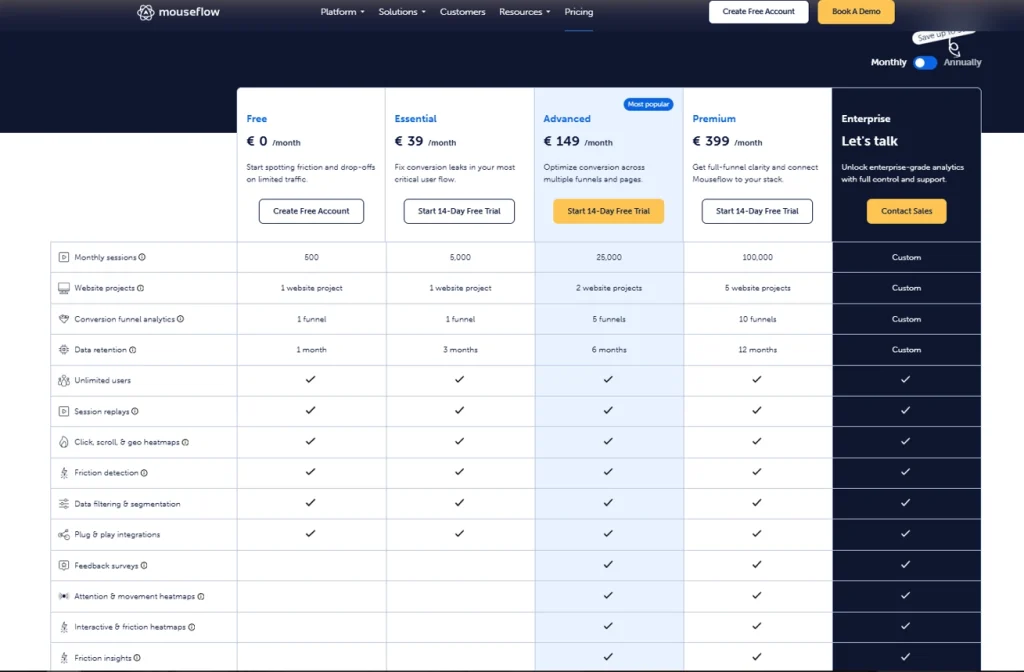
Session-based monthly subscription, with a free plan, starting at €39/month.
See the side-by-side analysis in our FullSession vs Mouseflow comparison.
5. FullStory
FullStory is an enterprise-grade digital experience analytics platform that captures every user interaction across web and mobile and makes that data retroactively queryable.
It’s designed for large organizations with compliance requirements, data engineering resources, and a need for deep behavioral data that integrates with data warehouses.
The pricing and complexity make its user behavior analytics unsuitable for most teams outside of enterprise, though.
Read our Hotjar vs FullStory comparison for a detailed breakdown.
Learn more about FullStory competitors.
Best for
Enterprise product and data teams that need behavioral data analytics to understand user interactions and drive revenue growth across digital platforms.
Features
- Session replay: Complete, pixel-accurate session playback across web and mobile with no pre-tagging required. Every click, scroll, and form interaction is captured automatically.
- Product analytics: Funnel analysis, retention cohorts, and user journey analysis. The platform lets teams analyze user behavior without needing to define events in advance.
- Mobile app analytics: Full behavioral capture for iOS and Android apps under the same platform as web data.
- StoryAI: AI agents that automate pattern detection and surface anomalies across the full behavioral dataset. A significant step up from basic AI summaries.
- Retroactive data querying: One of FullStory’s most distinctive features. Teams can ask questions about past user behavior even if no tracking was set up for that event beforehand.
- Data ecosystem (Anywhere): Pushes behavioral data to external data warehouses and real-time personalization platforms for downstream activation.
- Customer support integration: Links session recordings to customer support tickets so support teams can see exactly what a user did before submitting a complaint.
Pricing
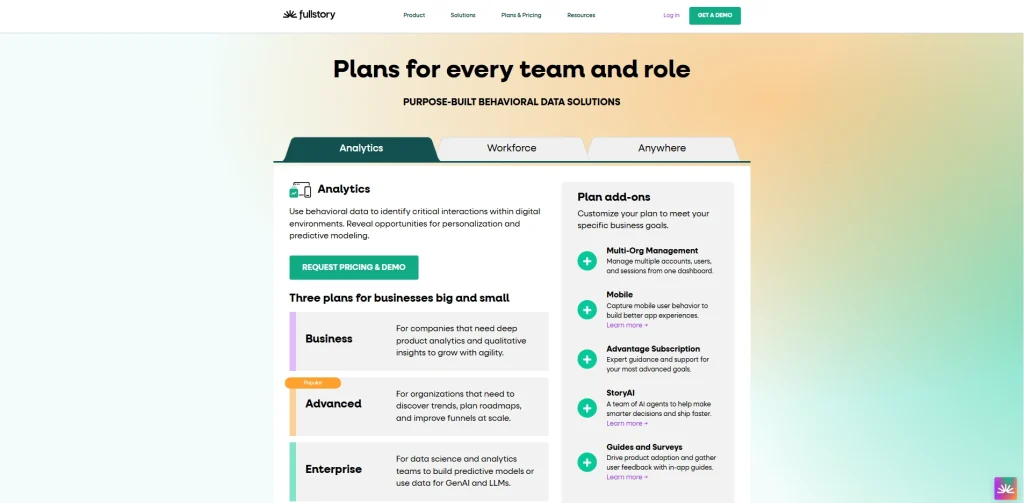
Custom enterprise pricing only. You need to contact FullStory for a quote.
6. Crazy Egg
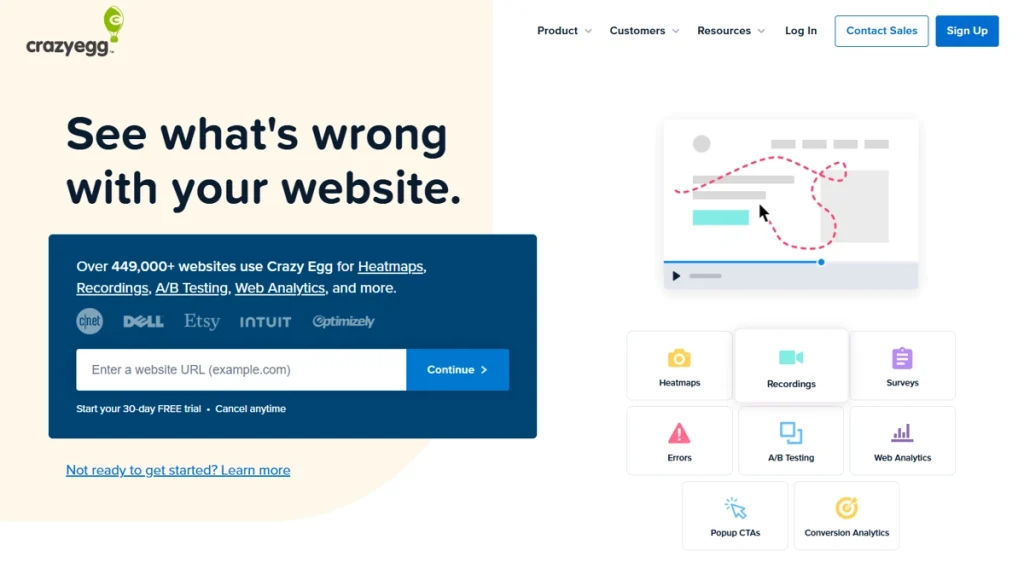
Crazy Egg is a website optimization tool that combines heatmaps, session recordings, A/B testing, conversion funnels, and pop-up CTAs. It targets CRO-focused marketing teams who want to run experiments alongside their behavioral data without needing a separate testing platform.
Its clean, user-friendly interface makes it easy to set up and start generating user insights quickly, even without a dedicated analyst.
The depth of behavioral analytics is limited compared to tools like FullSession, though.
Check out Crazy Egg alternatives to learn more.
Best for
CRO-focused marketing teams at established companies that run frequent A/B tests alongside heatmaps.
Features
- Heatmap reports: Click maps, scroll maps, confetti maps showing individual click data, and overlay reports. Mouse movement tracking reveals where visitors hover and hesitate before deciding.
- Session recordings: User session playback with error tracking and filtering by behavior or traffic source.
- A/B testing: A built-in visual A/B and multivariate test builder. Teams can create and launch tests on live pages without writing code.
- Conversion funnels: Multi-step funnel visualization to identify drop-off pages and link directly to related session recordings.
- Popup CTAs: An on-page popup and CTA builder for conversion optimization, embedded within the analytics platform.
- Surveys: Simple on-page survey tools for collecting quick user feedback at specific points in the user journey.
- Web analytics: A free built-in web analytics layer covering traffic source, bounce rate, and basic engagement metrics alongside the behavioral tools.
Pricing
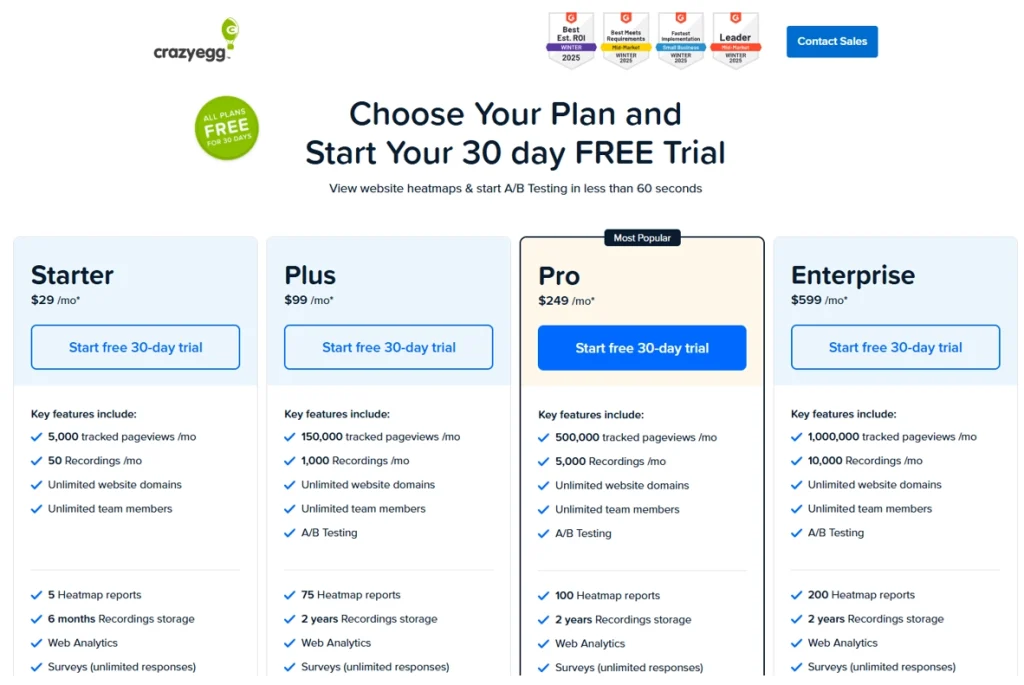
Pageview-based monthly subscription, with a 30-day free trial, and a business plan starting at $29/month.
7. Lucky Orange
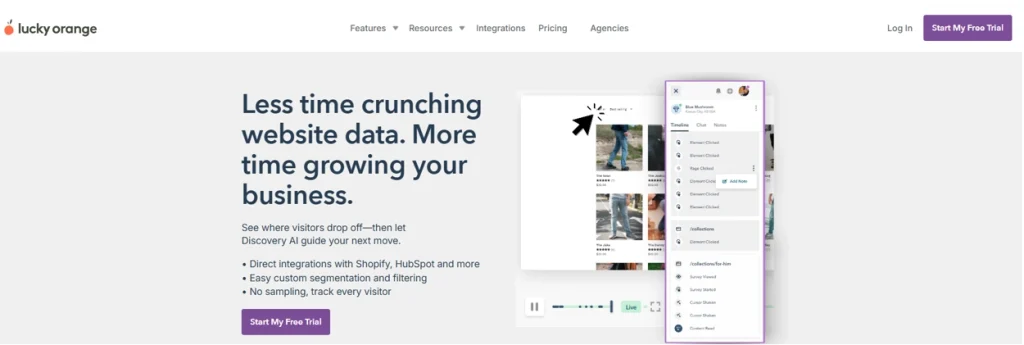
Lucky Orange is an affordable all-in-one conversion optimization platform offering heatmaps, session recordings, survey tools, conversion funnels, live chat, and a Discovery AI feature.
It targets small businesses and agencies that want behavioral analytics and customer communication in one low-cost tool.
It connects directly with Shopify, HubSpot, WordPress, and BigCommerce, making it a natural fit for e-commerce and small business teams on those platforms.
See how Lucky Orange compares to Hotjar.
Learn more about Lucky Orange alternatives.
Best for
Small businesses and agencies that need session recordings, heatmaps, and live chat in one affordable platform.
Features
- Session recordings: Full visitor journey replays with event timeline and tagging. No session sampling, so every visit is tracked regardless of plan tier.
- Heatmap tools: Click maps, scroll maps, and move maps showing mouse movement patterns and hesitation zones across any page.
- Conversion funnels: A multi-step funnel builder with drop-off visibility and direct links to session recordings from each step.
- Feedback surveys: On-page survey tools that let you collect customer feedback at specific moments, including post-checkout and exit-intent triggers.
- Live chat: A built-in live chat widget for real-time visitor communication. One of the few tools on this list that combines live chat with behavioral analytics.
- Discovery AI: Automatically identifies where visitors drop off and recommends the next optimization steps without manual analysis.
- User research tools: Visitor profiles that compile interaction history, session recordings, and chat logs into a single timeline per user, useful for user researchers who need full context.
Pricing
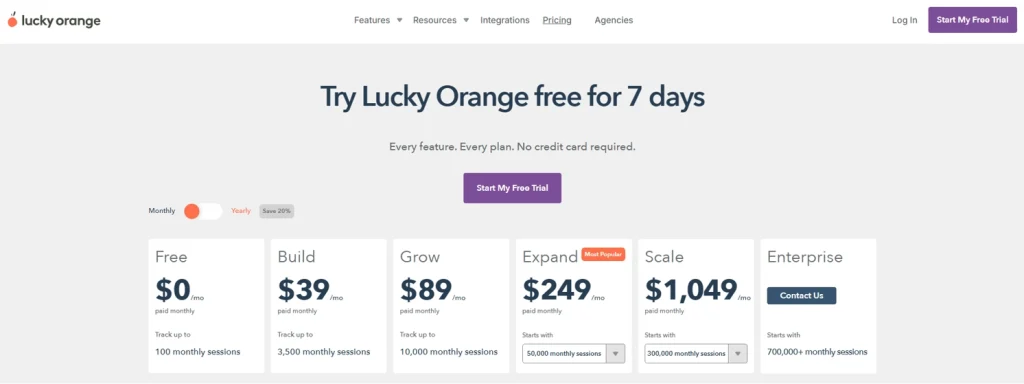
Flat-rate monthly subscription, with a free trial available and starting at $39/month.
See our full FullSession vs Lucky Orange breakdown.
Why FullSession Is the Best Hotjar Alternative
Every tool on this list has strengths. Microsoft Clarity is the right call if your budget is zero. PostHog is the right call for developer teams that want open-source infrastructure. FullStory is the right call for enterprises with data engineering teams and compliance requirements.
But if you are an ecommerce, product or growth team looking for the most complete alternative to Hotjar, FullSession wins across several key dimensions compared to other tools.
Hotjar is well-suited for lightweight UX research and on‑site surveys. FullSession is built for high-value journeys: finding friction in onboarding, checkout, and forms, then prioritizing fixes by revenue impact. Here is the head-to-head comparison.
| Feature | FullSession | Hotjar |
| Session replay (web) | Yes, near real‑time, supports dynamic elements | Yes, standard |
| Session replay (mobile app) | Yes, iOS and Android | No |
| Heatmaps | Yes, zero performance impact | Yes, slows page load |
| Funnel analysis | Yes, no-code visual builder | Limited, requires integration with other tools (e.g., GA) |
| Error and alert detection | Yes, JS errors, rage clicks, alerts | Rage clicks, basic error signals |
| Feedback forms | Yes, linked to session recordings | Yes, standalone feedback |
| AI-powered prioritization | Yes, Lift AI (revenue-impact ranking) | Yes, via Contentsquare’s Sense AI (session replay summaries) |
| Event tracking | Yes, no code required | Requires manual JavaScript event setup |
| User segmentation | Yes, advanced filters and segments | Basic segmentation |
| Mobile app surveys | Yes | No |
| Google Analytics integration | Yes | Yes |
| Page performance impact | None | Measurable TTI increase |
| Pricing model | All core features included in each paid plan | Modular: Observe, Ask, and Product Analytics priced separately |
| Starting paid price | $29/month (monthly), $23/month (annual) | $49/month via Contentsquare |
| Enterprise plans | Yes, custom pricing | Yes, via Contentsquare enterprise tiers |
See the full FullSession vs Hotjar breakdown to compare every feature side by side.
FullSession has four clear advantages over Hotjar:
- Performance: FullSession’s tracking script has zero impact on page load. Hotjar’s script measurably increases Time to Interactive, which shows up directly in Core Web Vitals. For any team where site speed affects SEO or conversions, that is a real, ongoing cost. We break that down in more detail in Does Hotjar Slow Down My Site?.
- Mobile coverage: Hotjar is web-only. FullSession captures session replays across iOS and Android apps with the same depth as the web, so teams with hybrid products do not need a separate tool.
- AI that prioritizes, not just summarizes: Lift AI analyzes patterns across your entire user base, identifies the highest-impact friction points, and tells you what to fix first, ranked by estimated revenue impact. Hotjar has no equivalent.
- Bundled pricing vs modular billing: Hotjar splits its product into separate modules: Experience Analytics, Voice of Customer, and Product Analytics are each priced independently. FullSession includes all features across all paid plans. As soon as your team needs more than basic heatmaps and surveys, the total cost of Hotjar climbs quickly. FullSession does not.
Book a demo, and we will show you exactly where FullSession closes the gaps Hotjar leaves open.
Conclusion About Hotjar Alternatives
The right question is not which tool has the longest feature list. It is which one actually fits the way your team works, what you need to see, and what makes sense to pay for as you grow.
If this guide has made one thing clear, it is that the gap between a basic setup and one that actually moves the needle is bigger than most pricing pages let on.
Session limits hit faster than expected. Mobile coverage is an afterthought on most tools. Billing gets complicated the moment you need more than one feature set. And performance overhead is easy to ignore until it shows up in your Core Web Vitals.
Before you commit to anything, run the evaluation criteria from earlier in this guide against what you are using today. If you are already paying for two or three tools to fill gaps, you already have your answer.
FullSession was built for exactly this situation.
Our plans cover session replay on web and mobile, heatmaps that don’t slow your pages down, no-code funnels, error tracking, feedback tied directly to recordings, and Lift AI, which ranks friction points by revenue impact so your team knows what to fix first.
Nothing is gated behind a higher tier or sold as an add-on. You do not need a developer to get started. And it costs less per month than Hotjar’s entry paid plan.
If your team has grown past the basic features and needs a tool that keeps up, this is where to start. Book a demo or start free, no card required.
FAQs About Hotjar Alternatives
What is the best free alternative to Hotjar?
Microsoft Clarity is the best free alternative if your only requirements are basic session recordings and heatmaps. It’s free forever with no session limits and includes AI-powered summaries. If you also need funnel analysis, feedback collection, or more advanced filtering to gain insights from your data, FullSession’s free plan (500 sessions per month) is a better starting point, as it offers a far broader feature set.
Is there a free version of Hotjar?
Yes. Hotjar offers a free plan with limited daily sessions and access to basic heatmaps and recordings. For most growing teams, the free limits are hit quickly. FullSession also offers a free plan with session replays, heatmaps, and funnels, with paid tiers starting at a lower price than the equivalent Hotjar plan.
What are the alternatives to Hotjar for session recording?
The strongest session replay tools as alternatives to Hotjar are FullSession, Microsoft Clarity, PostHog, Mouseflow, and FullStory. FullSession covers web and mobile app sessions and links recordings to funnels and error data. Clarity is the best zero-cost option. PostHog is the strongest for developer teams. Mouseflow suits ecommerce session analysis well. FullStory is built for enterprise teams.
Why is Hotjar so expensive?
Hotjar separates its Observe and Ask products, meaning you pay for behavioral analytics and user feedback tools independently. Session limits on each tier escalate quickly with traffic growth, and costs compound as you add modules. Tools like FullSession bundle all features at a single price point, which tends to work out significantly cheaper for scaling products.
Does Hotjar work on mobile apps?
Hotjar doesn’t offer meaningful mobile app tracking on standard plans. It’s a web-only tool. If your product includes a mobile app, you need a tool that supports native SDKs. FullSession offers full mobile app session replay for iOS and Android as part of its standard plans.
Is Lucky Orange better than Hotjar?
Depends on your needs. Lucky Orange is cheaper and bundles live chat with recordings and heatmaps, making it a better fit for small businesses. Hotjar is stronger for UX research and surveys. Neither covers mobile apps well.
Is Hotjar now Contentsquare?
Contentsquare acquired Hotjar in 2021, but Hotjar still runs as its own product with separate pricing and branding. For most users, nothing has changed day to day.
What is the difference between Mixpanel and Hotjar?
Mixpanel shows you what users are doing, in aggregate, through events and retention data. Hotjar shows you how individual users behave through recordings and heatmaps. One is quantitative, the other qualitative. Many teams end up running both, which is exactly why all-in-one platforms like FullSession exist.

Roman Mohren is CEO of FullSession, a privacy-first UX analytics platform offering session replay, interactive heatmaps, conversion funnels, error insights, and in-app feedback. He directly leads Product, Sales, and Customer Success, owning the full customer journey from first touch to long-term outcomes. With 25+ years in B2B SaaS, spanning venture- and PE-backed startups, public software companies, and his own ventures, Roman has built and scaled revenue teams, designed go-to-market systems, and led organizations through every growth stage from first dollar to eight-figure ARR. He writes from hands-on operator experience about UX diagnosis, conversion optimization, user onboarding, and turning behavioral data into measurable business impact.