
You can see exactly how many people visited your product pages last month. You can see how many products were bought. But what about the gap in between? The thousands of shoppers who browsed, clicked around, and left without buying?
That’s what the best heatmap software for ecommerce is built to show you.
Heatmaps translate raw data about customer behavior into color-coded visuals, visually representing where people click, how far they scroll, and where they lose interest. For ecommerce teams, that’s the difference between guessing why your conversion rate is low and knowing exactly which page elements are costing you sales.
This guide covers the seven best ecommerce heatmap tools available in 2026, including a comparison table, a selection framework, and a direct answer on which tool is worth your time.
Key Takeaways
- FullSession: for teams that want heatmaps, session replay, funnel analysis, and Lift AI in one platform, with behavior data connected directly to conversion outcomes.
- Hotjar: for teams that want heatmaps paired with built-in surveys and feedback widgets in a single subscription.
- Microsoft Clarity: for teams that need completely free heatmap analytics with no session caps, paywalls, or upgrade pressure.
- Mouseflow: for teams focused on form analytics, with the deep per-field abandonment tracking across checkout flows.
- Crazy Egg: for teams that want heatmaps and A/B testing natively bundled in the same subscription.
- Inspectlet: for teams on headless or SPA storefronts that need DOM-based dynamic heatmaps that stay accurate as the page changes.
- FullStory: for enterprise ecommerce teams that need journey analytics, BI integrations, and data export pipelines at scale.
Most ecommerce teams need more than a standalone heatmap. They need heatmap data connected to session context, funnel drop-offs, and a clear signal of what to fix first. That’s what FullSession delivers.
Book a demo to learn more.
Six Heatmap Types Every Ecommerce Team Should Know
Not every heatmap shows the same thing. Knowing the difference before you choose a tool will save you from paying for heatmap data that doesn’t answer the question you’re actually trying to answer.
| Heatmap Type | What It Shows | Best Used For on Ecommerce Sites |
| Click maps | Where visitors tap or click, including dead clicks on non-interactive elements | Finding missed CTAs, ignored add-to-cart buttons, and navigation issues |
| Scroll heatmaps | How far down the page visitors scroll before leaving, showing scroll depth by percentage | Checking whether shoppers reach pricing, reviews, or the add-to-cart button |
| Move / eye-tracking heatmaps | Cursor movement patterns that approximate where visitors focus visual attention | Identifying which product content your target audience reads vs. skips |
| Geo heatmaps | Geographic origin of traffic overlaid on behavior data | Spotting regional differences in user interactions and localization gaps |
| Aggregate heatmaps | Pooled interaction data across all sessions in a single color-coded view | Day-to-day pattern spotting; helps optimize user experience decisions across high-traffic pages |
| Dynamic heatmaps | Live DOM interactions that update accurately as page elements shift | Accurate tracking on headless storefronts, React apps, and Shopify 2.0 themes |
Static vs dynamic heatmaps in ecommerce
One difference separates modern tools from outdated ones: static versus dynamic heatmaps.
Static heatmaps overlay click data on a page screenshot, which breaks badly when your storefront uses interactive filters, tabbed content, or any JavaScript-driven element.
Dynamic heatmaps record the actual page structure instead, so user actions are always attributed to the right element regardless of how the page changes.
If your store runs on Shopify 2.0, Hydrogen, or any SPA framework, dynamic heatmap support is a hard requirement, not a nice-to-have.
How We Selected These Best Ecommerce Heatmap Tools
Eight tools made this list. Here’s the framework we used to evaluate them.
- Ecommerce-specific features: Does the tool help you optimize product pages, checkout flows, cart behavior, or payment forms? Generic website analytics and raw website performance data don’t count.
- Heatmap types supported: Does it offer click, scroll, and move data? Does it support dynamic heatmaps for modern storefronts?
- Session recording integration: Heatmaps show patterns. Session recordings show why. A tool that connects both in one view delivers dramatically more actionable insights than one that doesn’t.
- Mobile tracking accuracy: Touch interactions behave differently than mouse clicks. A tool that can’t accurately capture mobile behavior is a real liability for any ecommerce brand. According to Shopify, 72% of all ecommerce sales now come from mobile devices.
- Pricing model fit: Some tools charge by pageview, others by session. Some cap features on lower tiers. We evaluated whether each pricing model makes sense for a typical ecommerce traffic volume.
What we didn’t evaluate: CRM integrations, enterprise data warehouse connectors, or features unrelated to behavior analytics. This list stays focused on ecommerce heatmap use cases.
Comparison Table: 8 Best Heatmap Tools for Ecommerce
| Tool | G2 Rating | Best For | Top Feature | Starting Price |
| FullSession | 5.0 | All-in-one ecommerce analytics | Heatmaps + session replay + Lift AI | $23/mo (billed annually) |
| Hotjar | 4.3 | Heatmaps + on-site feedback | Surveys and feedback widgets | $49/mo |
| Microsoft Clarity | 4.5 | Zero-budget ecommerce teams | Completely free, unlimited sessions | $0 |
| Mouseflow | 4.6 | Checkout form optimization | Per-field form abandonment tracking | $39/mo |
| Crazy Egg | 4.2 | A/B testing + heatmaps | Built-in split testing | $29/mo |
| Inspectlet | 4.1 | Headless and SPA storefronts | DOM-based dynamic heatmaps | $39/mo |
| FullStory | 4.5 | Enterprise ecommerce brands | Journey analytics at scale | Not available |
| Smartlook | 4.6 | Web + mobile app tracking | Native mobile app heatmaps | $55/mo |
Top 8 Best Heatmap Software for Ecommerce
Here are the seven best heatmap tools for ecommerce in 2026, evaluated across features, pricing, and fit for different store types and team sizes.
1. FullSession: best for deep user behavior analytics
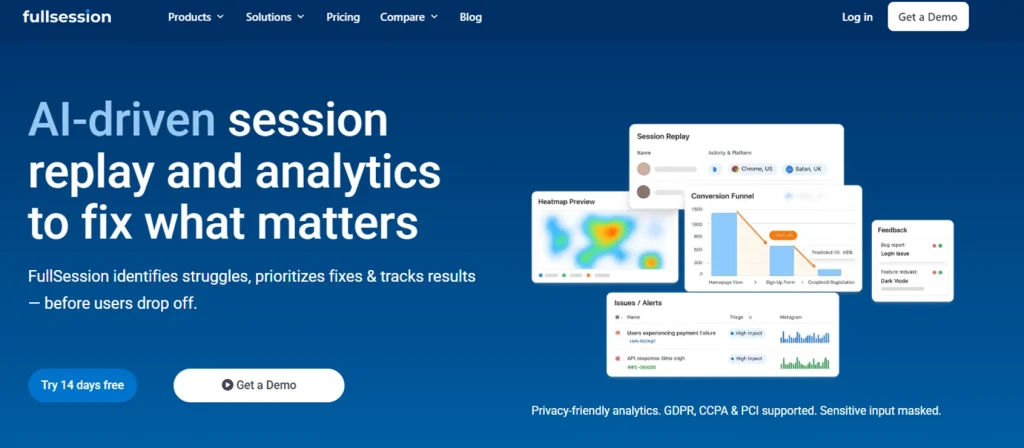
FullSession is a user behavior analytics platform built for ecommerce and SaaS teams that need more than a standalone heatmap.
What separates it from every other tool on this list is what it delivers in one dashboard: interactive heatmaps, session replay, conversion funnels, error detection, and Lift AI, which predicts the revenue attribution impact of UX issues before you spend time fixing them.
You’re not just seeing where people click. You’re seeing which clicks lead to purchases and which signal frustration.
Start a free trial today.
Best for
Ecommerce and product teams that want heatmap data connected directly to conversion analysis, without stitching together multiple paid tools.
Key features:
- Pixel-perfect session replay reconstructs each visit with a timestamped event timeline, rage clicks, dead clicks, and error flags so you can see exactly what happened before a drop-off.
- Interactive heatmaps track clicks, mouse movement, and scroll depth in real time with dynamic element support, so the data reflects your live page rather than a static snapshot.
- Conversion funnels break down drop-offs at each step with segment comparison, letting you isolate whether mobile users, paid traffic, or a specific cohort is driving abandonment.
- In-page feedback widgets capture direct visitor input linked to the corresponding session replay, so every rating or comment comes with full behavioral context.
- Lift AI analyzes behavior patterns across your site and ranks friction points by estimated revenue impact, so your team focuses on fixes that move the needle.
- Error and alert tracking logs JavaScript errors and broken flows tied to individual session replays, giving your team the exact user context when something breaks.
- Mobile session replay captures interactions on mobile devices at the same fidelity as web, so you get consistent behavioral data across every platform your customers use.
Pricing
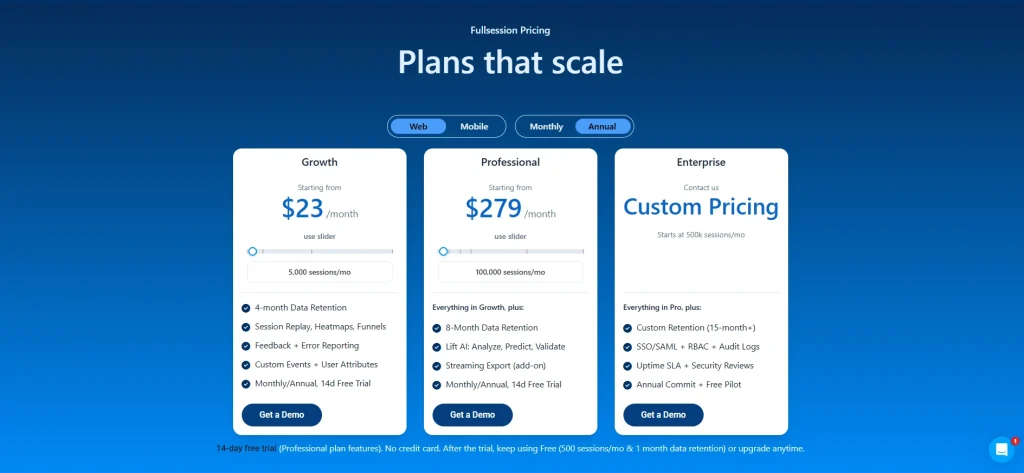
FullSession’s pricing includes a free plan that covers up to 500 sessions per month. The Growth plan starts at $23/month billed annually (5,000 sessions, four months retention). The Pro plan starts at $279/month for up to 100,000 sessions, with Enterprise pricing available for high-volume stores.
Book a demo today.
2. Hotjar: best for lightweight UX research on ecommerce sites
Hotjar, now part of Contentsquare, is a web analytics and customer feedback platform most ecommerce teams will already recognize.
What sets it apart from others on this list is its native integration of feedback tools. It pairs heatmaps with built-in surveys and feedback widgets. It’s a user-friendly option that most marketers can get running in under an hour, without any developer involvement.
- Check out our detailed Hotjar review.
- Read more about Hotjar alternatives.
- Find out whether Hotjar is affecting your site’s performance.
Best for
Ecommerce teams that want to combine visual behavior data with qualitative input from visitors, without paying for a separate feedback platform.
Key features
- Click, scroll, and move heatmaps across web pages
- Session recordings with rage click and dead click detection
- On-site surveys and feedback widgets for collecting visitor input at key moments
- Funnel tracking to identify where visitors drop out of multi-step flows
- Integrations with tools like Google Analytics, HubSpot, and Shopify
Pricing
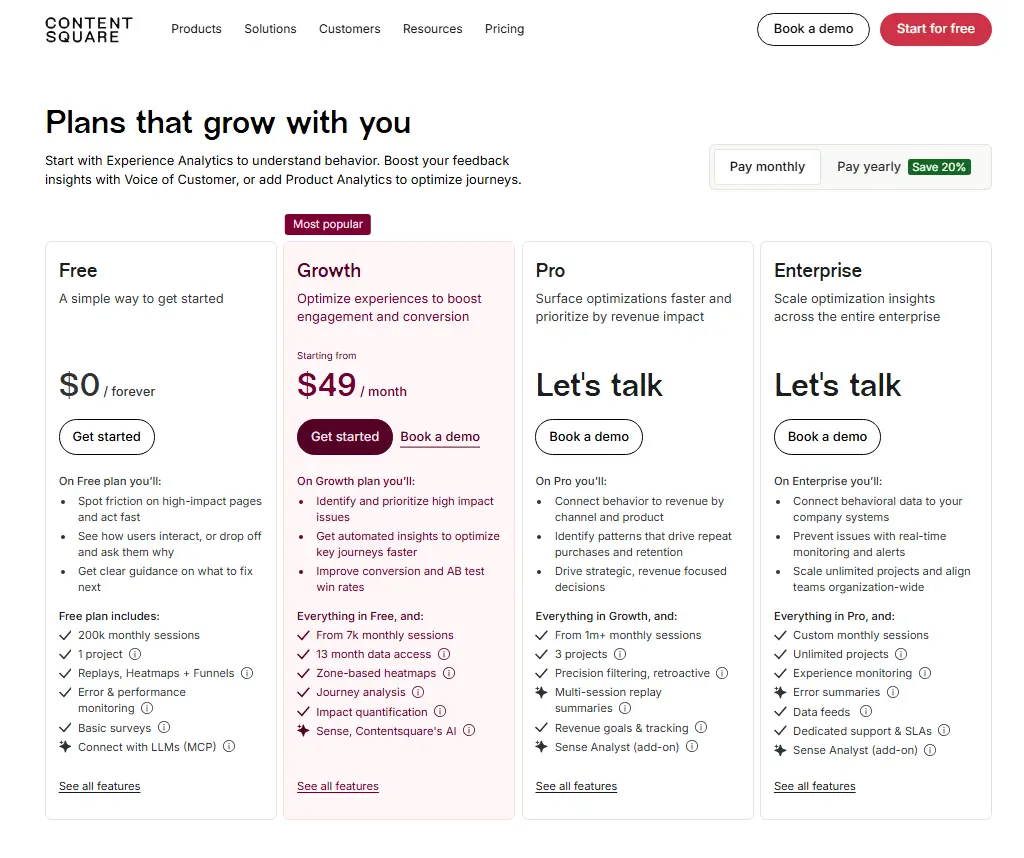
Hotjar provides a free plan. Paid plans start at $49/month, though pricing for higher tiers is not publicly available. Higher-tier plans include advanced filters, segments, and funnel tracking, the features most relevant for ecommerce conversion analysis.
3. Microsoft Clarity: best free heatmap tool for ecommerce
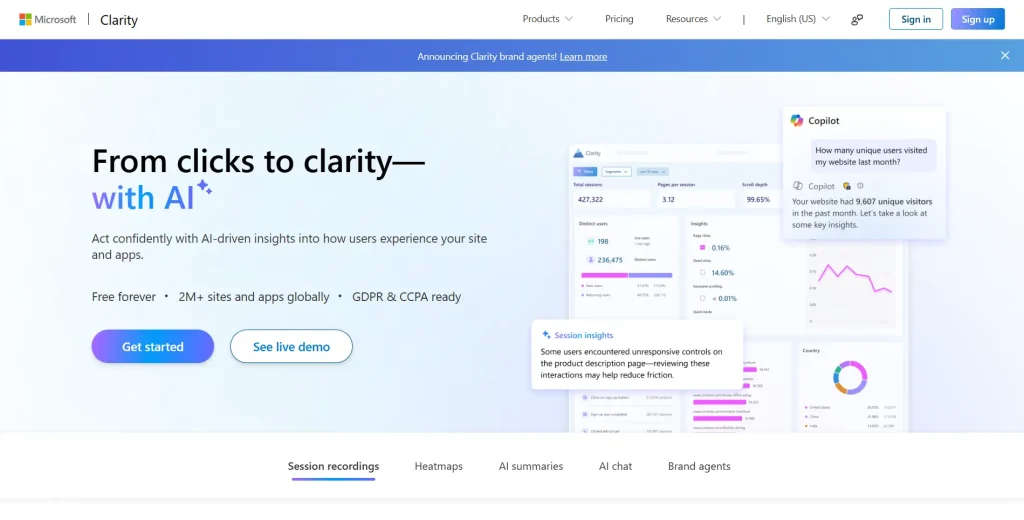
Microsoft Clarity sits in a category of its own: completely free web analytics with no hidden upgrade paths. There are no session caps, no feature paywalls, and no upgrade pressure.
Microsoft funds it as part of its broader developer ecosystem, so users get a well-resourced, actively maintained product at zero cost.
For ecommerce teams that want a deeper understanding of on-site behavior before committing budget to paid tools, it’s a good starting point.
- See how Microsoft Clarity compares with Hotjar.
- Learn the differences between FullSession and Microsoft Clarity.
Best for
Early-stage online store owners or ecommerce teams testing heatmap analytics before committing to paid tools.
Key features
- Unlimited heatmaps and session recordings with no monthly caps
- Rage click and dead click detection for spotting broken elements on product pages
- Native integration with Google Tag Manager for fast, no-code installation
- Direct connection to Google Analytics for combining behavioral data with traffic data
- Copilot AI summaries of session insights built into the dashboard
Pricing
Microsoft Clarity is completely free with no paid plans and no usage limits. The caveat is that it lacks form analytics, funnel tracking, and segmentation. That’s where paid tools earn their cost for more complex stores.
4. Mouseflow: best for checkout form and funnel analysis
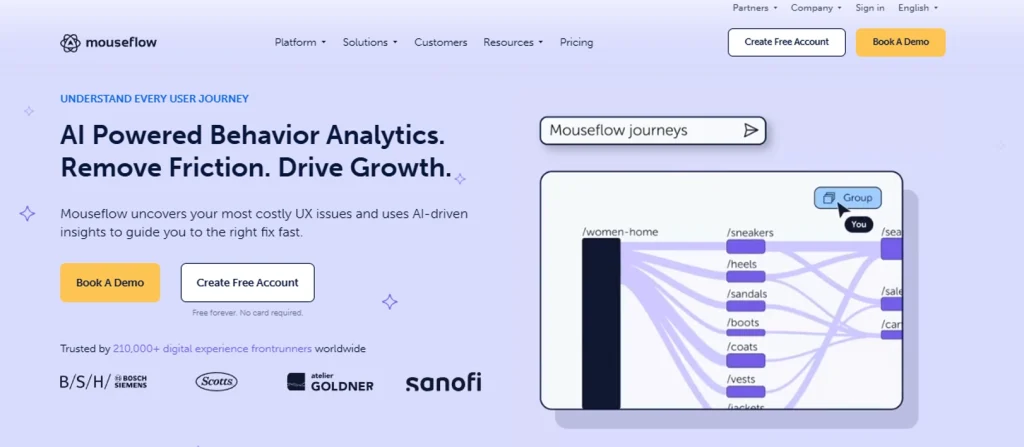
Mouseflow is a session replay and heatmap platform with a particularly strong focus on form behavior.
It tracks not just which forms get abandoned, but which specific fields cause visitors to quit, how long each field takes to complete, and how often users refill a field after an error.
For ecommerce teams worried about payment form drop-off, that level of detail is rare in this category of analytics tools.
- See how Mouseflow compares to FullSession.
- Learn more about Mouseflow vs VWO.
- Discover the best Mouseflow alternatives.
Best for
Ecommerce teams focused on diagnosing checkout friction, reducing cart abandonment, and improving payment form completion rates.
Key features
- Click, scroll, movement, attention, and geo heatmaps across five visualization types
- Per-field form analytics tracking abandonment rate, time-to-complete, and re-entry frequency
- Funnel analysis showing drop-off at each step of a multi-stage checkout flow
- Friction score that automatically flags pages with high frustration signals
- Session replay with filtering by user segment or frustration signal
Pricing
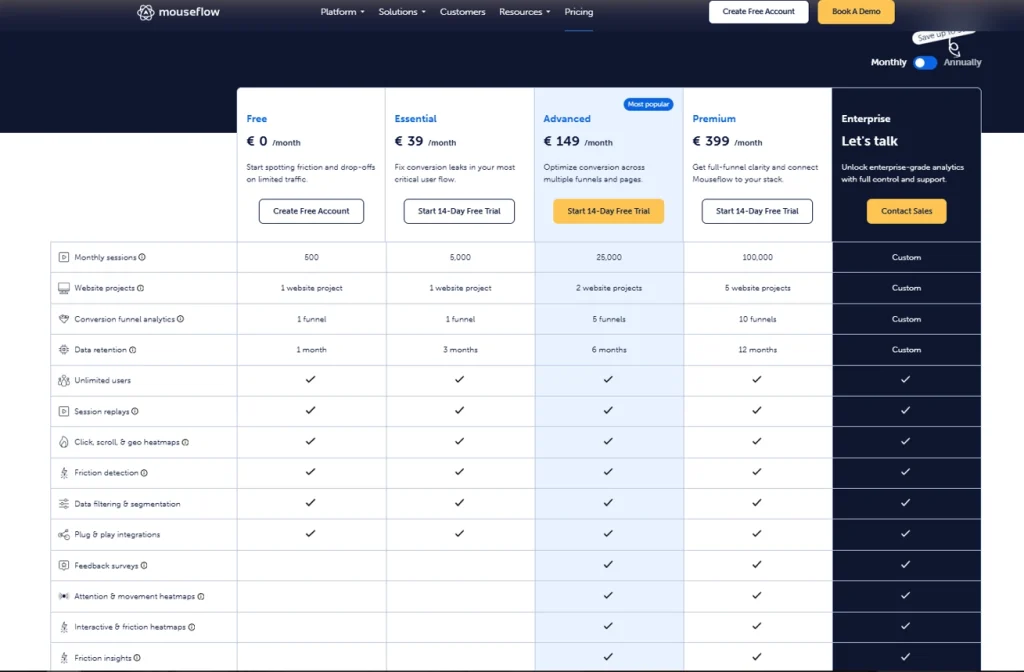
Paid plans start at $39/month for 5,000 sessions, rising to $399/month for 50,000 sessions. Form analytics and friction scoring are included across all paid tiers, not locked behind the highest plan.
5. Crazy Egg: best for ecommerce teams running A/B tests
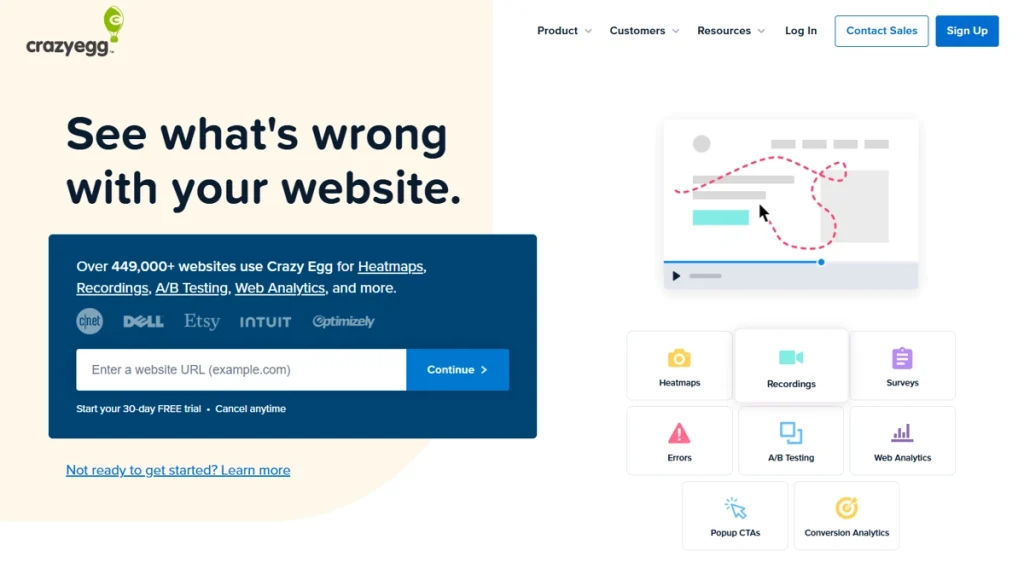
Crazy Egg combines heatmapping with built-in A/B testing. It natively includes a split testing engine in the same subscription, removing the need for a separate experimentation platform.
The entry-level pricing model is also among the most accessible for small ecommerce stores that want to run A/B testing alongside heatmap analysis without managing two vendor relationships.
Learn more about Crazy Egg competitors.
Best for
Ecommerce marketers who need heatmap data and the ability to run controlled experiments on landing pages without adding another tool to their stack.
Key features
- Click, scroll, confetti, and overlay heatmaps for multiple visualization perspectives
- Built-in A/B testing for testing layout, copy, and design changes directly in the platform
- Session recordings with filtering by traffic source or device
- Traffic analysis showing where visitors come from and how their visitor behavior differs by channel
- Error tracking to surface broken interactions before they affect customer satisfaction
Pricing
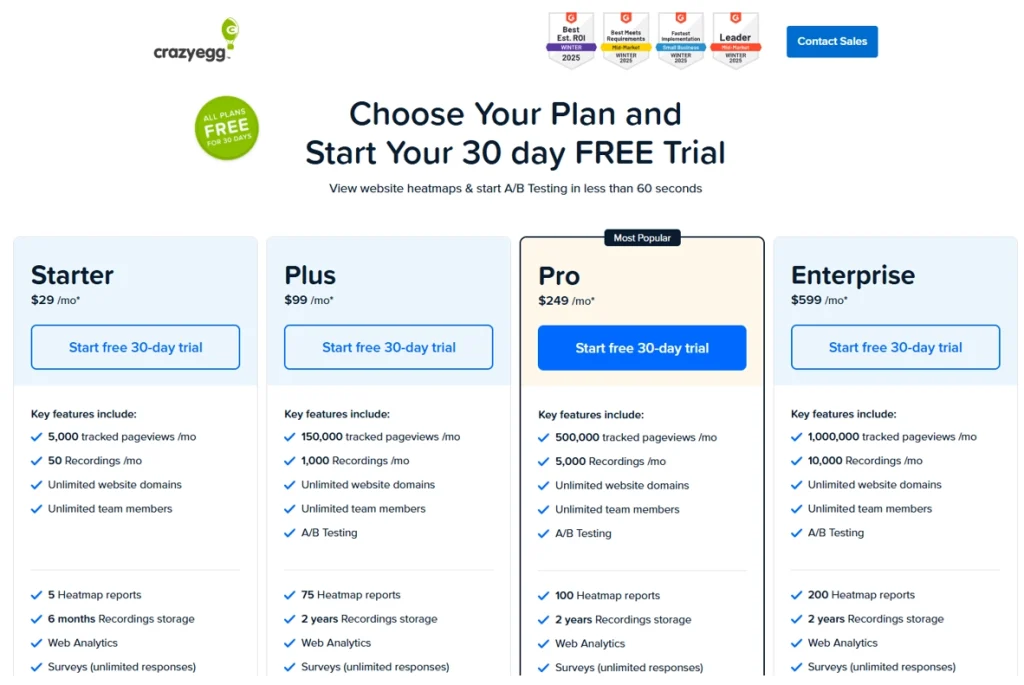
Paid plans start at $29/month for up to 5,000 monthly page views. The Plus plan covers 150,000 page views at $99/month. All plans are billed annually.
6. Inspectlet: best for dynamic heatmaps on SPA storefronts
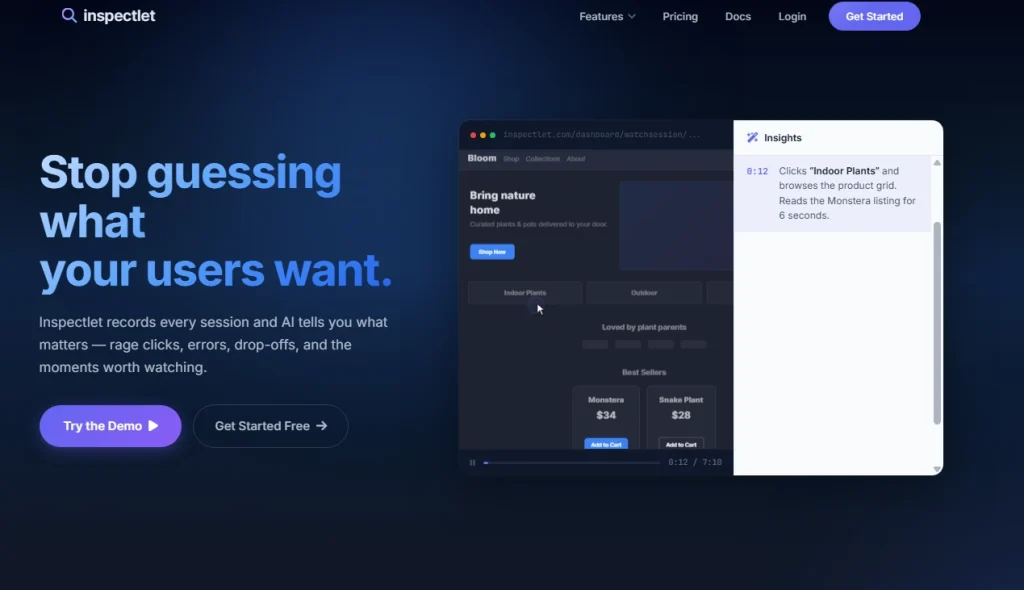
Inspectlet is a session analytics platform with dynamic heatmap technology at its core. It’s suited for headless or SPA-based stores because of its DOM-recording approach.
Rather than overlaying click data on a screenshot, it records the actual page structure and renders the heatmap on the live page.
There’s no steep learning curve for teams already comfortable with session replay tools, and the accuracy improvement on modern storefronts is significant.
Learn more about Hotjar vs Inspectlet.
Best for
Ecommerce developers and CRO teams managing headless commerce setups, Shopify Hydrogen builds, or React-based storefronts where click attribution accuracy is non-negotiable.
Key features
- Dynamic heatmaps built on DOM recording rather than static screenshots
- Eye tracking heatmaps that approximate where visitors focus their visual attention using cursor movement data
- Session replay with developer console logs included for technical debugging
- A/B testing built into the same platform for rapid experimentation
- Form analysis and error logging for identifying broken interactions at checkout
Pricing
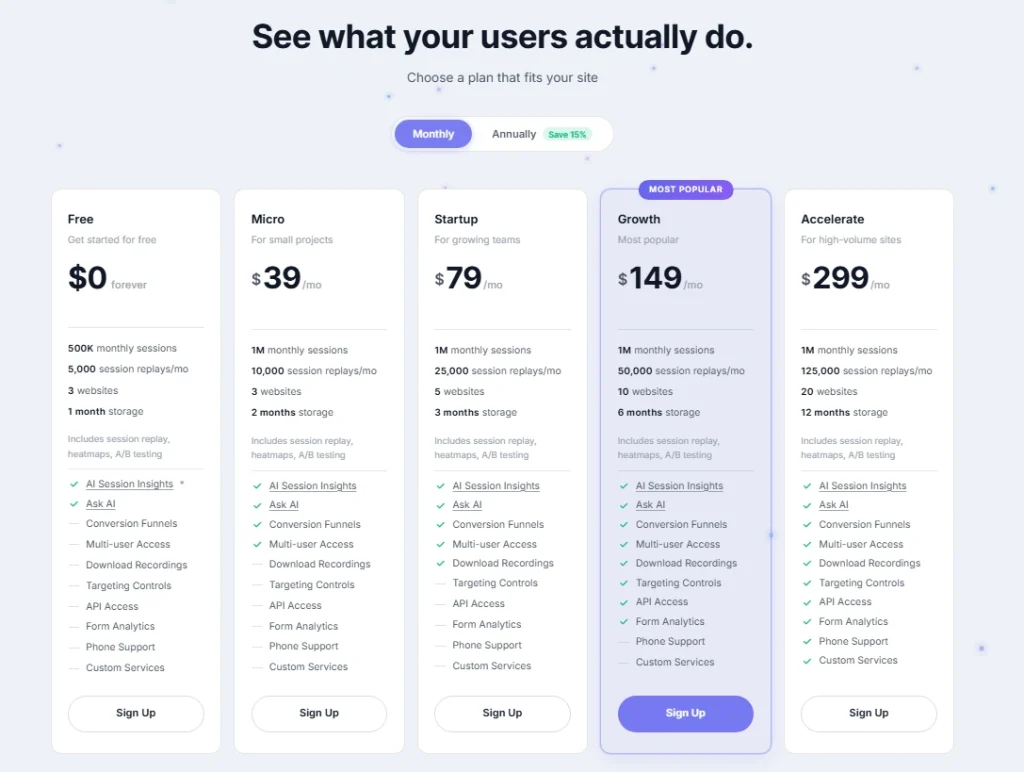
Paid plans start at $39/month for 3 websites. All plans include session replays, heatmap tools and A/B testing.
7. FullStory: best enterprise heatmap tool for ecommerce
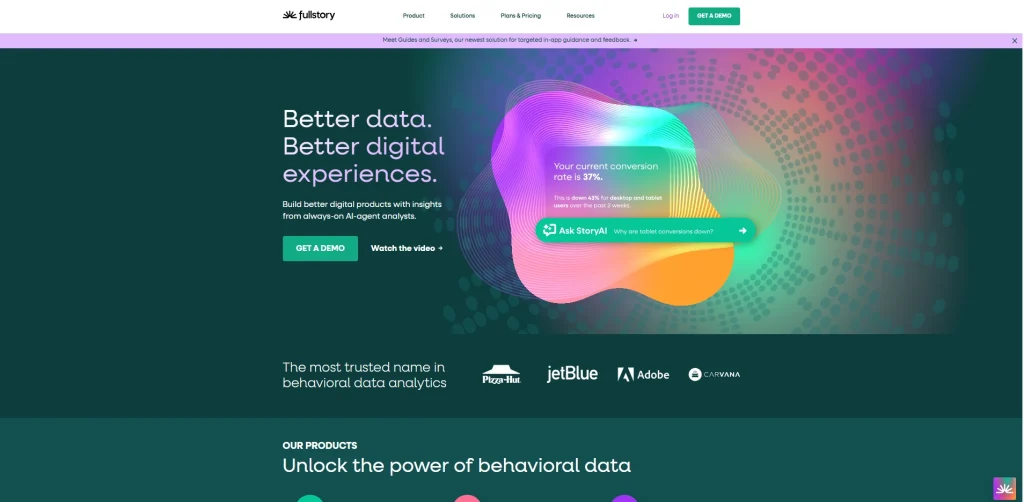
FullStory is an enterprise digital experience analytics platform where heatmaps are one module inside a broader suite that includes journey analysis, advanced segmentation, BI integrations, and data export pipelines.
Teams choose it when they need enterprise features and enterprise support alongside behavioral data. It’s not just a heatmap overlay but a complete data infrastructure for understanding how visitors interact with their store at scale.
- Learn more about FullStory competitors.
- See how FullStory compares to FullSession.
Best for
Enterprise ecommerce brands and large retailers that need behavioral analytics integrated with BI systems, data warehouses, or cross-functional reporting workflows for deeper analysis of the full purchase cycle.
Key features
- Click map analytics with retroactive data access across historical sessions
- Session replay at scale with advanced segment filtering and cohort comparison
- Journey analytics showing complete user paths across multi-session visits for a deeper understanding of purchase behavior
- Data export to BigQuery, Snowflake, and other BI tools
- Enterprise-grade privacy controls and data loss prevention settings
Pricing
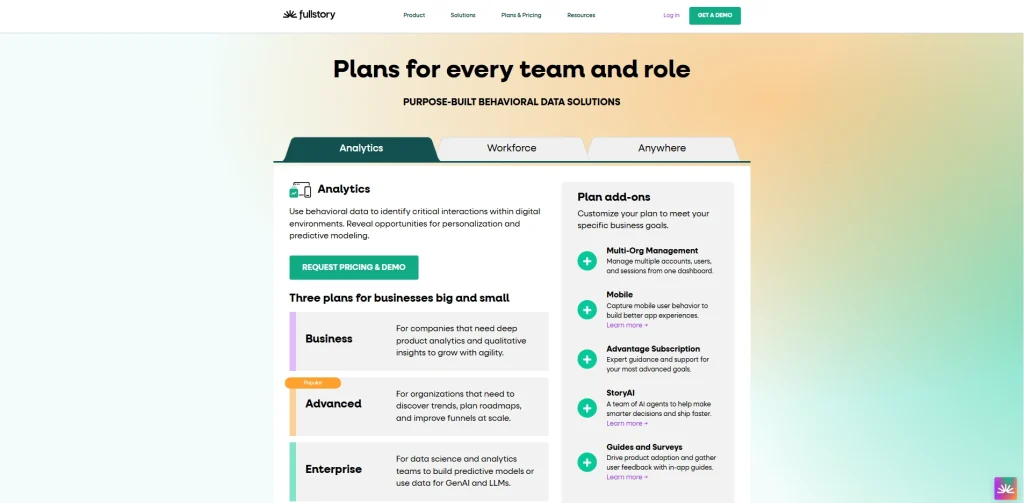
FullStory uses custom enterprise pricing. A 14-day trial is available before entering contract discussions.
8. Smartlook: best for multi-device heatmap tracking

Smartlook is a product analytics and session recording platform with heatmap capabilities across web and mobile. It’s built for ecommerce brands with a dedicated iOS or Android mobile app and has native mobile app heatmap support.
Heatmap functionality extends beyond the browser to actual app interfaces running across multiple operating systems, tracking how users interact with your app just as clearly as on the web.
Best for
Ecommerce brands operating both a web store and a native mobile app who need unified behavioral data across both platforms without running separate analytics setups.
Key features
- Click, scroll, and move heatmaps for web, with heatmap functionality extended to native mobile app interfaces
- Session replay covering both web and mobile app sessions in one interface
- Conversion events tracking for custom actions like add-to-cart and checkout initiation
- Event-based funnel analysis connecting behavior to specific outcomes
- Rage click and frustration signal detection across multiple operating systems
Pricing
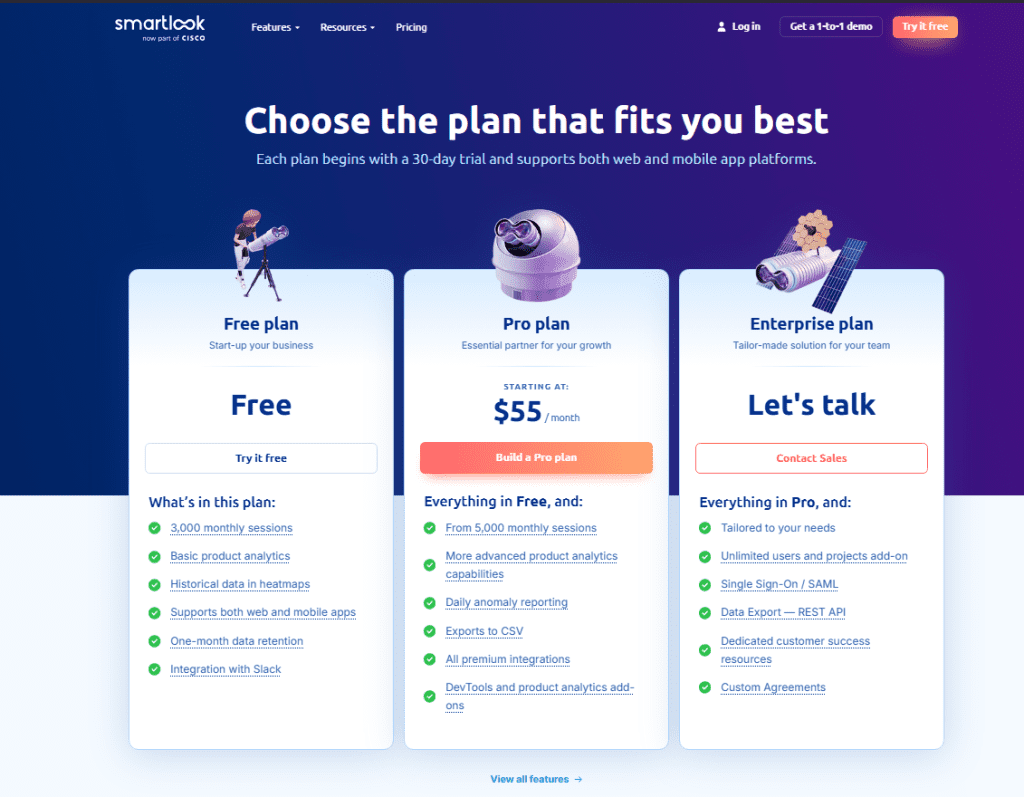
The Power plan starts at $55/month for 5,000 sessions and adds funnels, events, and longer data retention. Enterprise plans with custom volumes are available on request.
Following its acquisition by Cisco, Smartlook is being phased out as a standalone product and will reach End of Sale on May 31, 2026.
How to Choose the Right Heatmap Tool for Ecommerce
A heatmap tool is only useful if it answers the specific question you’re trying to answer. Tools like Hotjar work well for teams that want a quick entry point into heatmap analytics. FullSession, FullStory, and Inspectlet are better suited when you need more depth.
Here’s a five-step framework for making the right call.
- Define your store’s biggest conversion problem first. Checkout abandonment, low product page engagement, poor mobile UX, and weak landing page performance all call for different tools and different data. Know which one you’re solving before you evaluate anything else.
- Check your tech stack before selecting a tool. If your storefront runs on Shopify 2.0, a headless framework like Hydrogen, or any React-based setup, static heatmap tools will misplace click data. You need a tool that supports dynamic heatmaps. This single requirement immediately narrows your options.
- Estimate your monthly session volume and match it to the pricing model. A tool that caps at 500 sessions per month will tell you nothing useful if your store gets 50,000 visits. Match the tool’s data volume limits to your actual traffic before committing.
- Decide which companion features you actually need. Heatmaps paired with session recordings give you dramatically more insight than heatmaps alone. If you also need A/B testing, form analytics, or customer feedback collection, a multi-feature platform saves you from paying for multiple separate subscriptions. Don’t pay for advanced features you won’t use. Do pay for the ones that directly address your conversion rate optimization goals.
- Test mobile tracking accuracy on your own site before committing. Every tool in this guide claims mobile support, but how accurately each one captures visitor behavior from touch devices varies. For any store where mobile visitors drive a material share of revenue, this validation step isn’t optional.
For a detailed look at where your shoppers drop off at each step, read the guide to conversion funnel analysis on the FullSession blog.
Which Option Is Best for You
| If you are… | Choose… |
| Just starting with heatmaps and have no budget | Microsoft Clarity |
| Looking for heatmaps plus on-site visitor surveys | Hotjar |
| Focused on diagnosing checkout and payment form drop-offs | Mouseflow |
| Running A/B tests alongside your heatmap analysis | Crazy Egg |
| Managing a headless or SPA-based storefront | Inspectlet |
| An enterprise brand needing behavioral analytics at scale | FullStory |
| Running both a web store and a native mobile app | Smartlook |
| Wanting heatmaps, session replay, funnel analysis, and AI prioritization in one place | FullSession |
Is FullSession the Best Heatmap Software for Ecommerce?
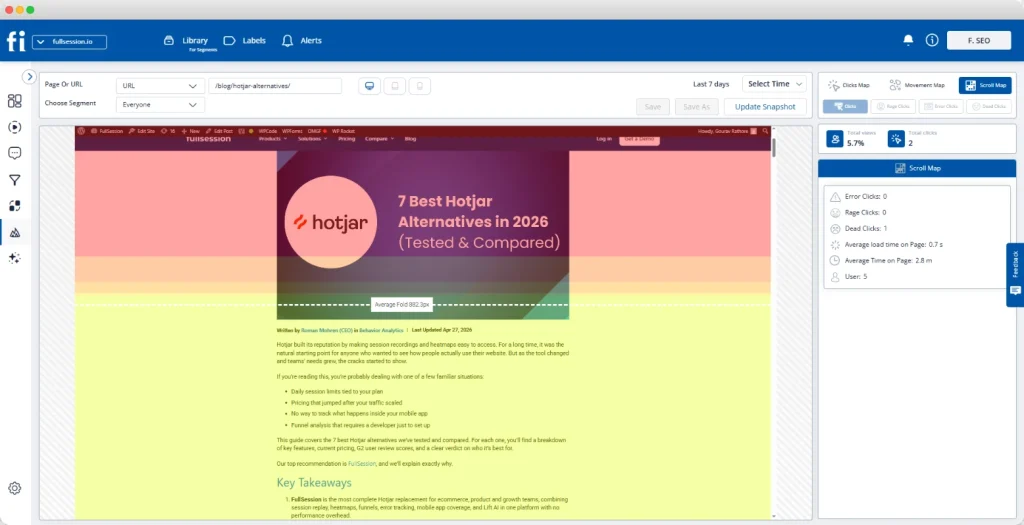
FullSession’s heatmaps work accurately on dynamic storefront elements: dropdowns, modals, sticky navigation, and single-page application views, without misattributing click data the way static screenshot tools do. That matters on any modern Shopify or headless build.
The heatmap data doesn’t sit in isolation either. It’s connected to session replay, so when you spot an unusual click pattern, you can watch the actual sessions behind it with one click. It’s also tied to funnel tracking, so you can see whether a specific user interaction correlates with conversions or drop-offs. That level of in-depth analysis is what standalone heatmap tools can’t deliver.
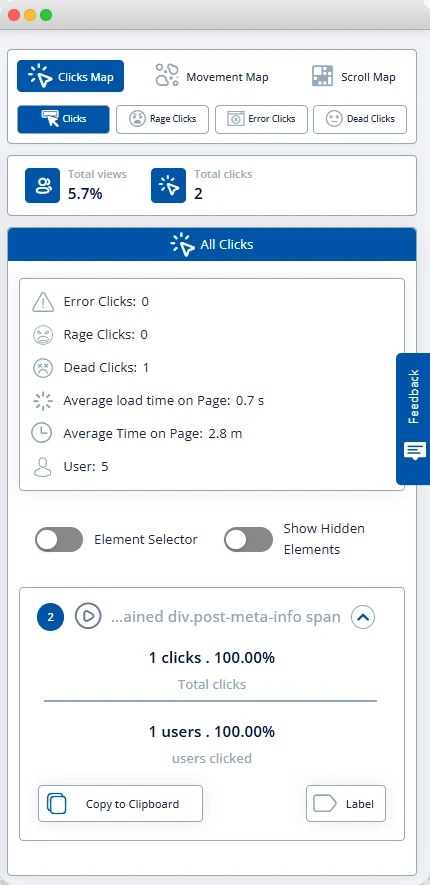
Lift AI goes further still. It scans aggregate heatmaps and behavioral signals across your site and surfaces the issues most likely to affect revenue, ranked by estimated impact. You don’t have to guess where to start. The platform tells you which page-level changes and marketing campaigns are worth prioritizing.
Pricing scales well, too. From a free plan for small stores through to an enterprise tier for large operations, FullSession delivers improved performance visibility without locking its most useful features behind a wall.
Where a competitor is genuinely the better fit: if you have no budget, Microsoft Clarity is the right answer. If your team needs behavioral data feeding into BI tools, FullStory is worth the investment. If A/B testing is central to your workflow, Crazy Egg is the more efficient all-in-one choice.
For ecommerce teams running complex storefronts, FullSession combines heatmaps with deeper behavioral analysis in a single platform.
Book a demo of FullSession and see how the full platform works.
Conclusion About Best Heatmap Software for Ecommerce
The best heatmap software for ecommerce shows you not just where people click, but what those clicks mean for your conversion rate.
A heatmap disconnected from your session data and your funnel gives you visually appealing data points without the context to act on them. It looks informative. It rarely changes anything.
FullSession gives you that context. Heatmaps, session replay, funnel analysis, and AI-driven prioritization in one platform, built for ecommerce teams that want to boost conversions, not manage dashboards.
Ready to see your store through your shoppers’ eyes?
Book a demo or start a free trial and have your first heatmap running today.
FAQs About Best Heatmap Software for Ecommerce
What is the best heatmap tool for ecommerce?
FullSession is the strongest all-in-one choice for most ecommerce teams. It combines interactive heatmaps with session replay, conversion funnel analysis, and AI-driven issue prioritization in a single platform. For teams with no budget, Microsoft Clarity is the best free option. It offers unlimited heatmaps and session recordings at no cost, with no upgrade required.
Are website heatmaps useful for ecommerce?
Yes. Website heatmaps reveal where shoppers click, how far they scroll, and where they hesitate on product pages and during checkout. That behavioral data answers questions that web analytics platforms like Google Analytics can’t. Specifically, why visitors aren’t converting, not just that they’re leaving.
What is the difference between a click map and a scroll map?
A click map shows where visitors tap or click on a page, including which buttons get used and which elements attract dead clicks. A scroll map shows how far down the page visitors scroll before leaving. On a product page, scroll maps tell you whether shoppers are actually reaching your reviews, size guides, or add-to-cart button, or abandoning well above the fold.
Does Google Analytics have heatmaps?
No. Google Analytics is a web analytics platform focused on traffic, sessions, and goal completions. It doesn’t include heatmap or session replay functionality. To get visual behavior data on top of your existing Google Analytics setup, you need a dedicated heatmap tool. Several tools in this guide, including Microsoft Clarity and FullSession, integrate directly with Google Analytics so you can combine both data streams and track key metrics in one workflow.

Roman Mohren is CEO of FullSession, a privacy-first UX analytics platform offering session replay, interactive heatmaps, conversion funnels, error insights, and in-app feedback. He directly leads Product, Sales, and Customer Success, owning the full customer journey from first touch to long-term outcomes. With 25+ years in B2B SaaS, spanning venture- and PE-backed startups, public software companies, and his own ventures, Roman has built and scaled revenue teams, designed go-to-market systems, and led organizations through every growth stage from first dollar to eight-figure ARR. He writes from hands-on operator experience about UX diagnosis, conversion optimization, user onboarding, and turning behavioral data into measurable business impact.