Every day, ecommerce stores lose revenue to errors nobody reports. A checkout button stops working. A payment form throws a JavaScript error on mobile. A discount code field silently rejects valid inputs.
The best analytics software for e-commerce teams doesn’t just show traffic and conversion numbers. It shows you what broke, where it broke, and which users left because of it. This article covers eight platforms evaluated for error detection, funnel visibility, user behavior data, ecommerce reporting, and pricing.
Each entry includes practical guidance on which tool fits which ecommerce business, whether you need to analyze ecommerce data across your full funnel or zero in on a broken checkout flow.
Book a demo to see how FullSession helps ecommerce teams connect error tracking, user behavior data, and funnel analysis in one workflow.
Key Takeaway
- FullSession is best for ecommerce teams that need error detection, session replay, heatmaps, funnel analysis, and user behavior data in one workflow.
- Google Analytics 4 works well for free ecommerce reporting, traffic analysis, Google Ads integration, and tracking key metrics across marketing channels.
- Mixpanel supports product and ecommerce teams with funnel analysis, cohort retention, and customer behavior insights based on event data.
- Hotjar helps UX teams review heatmaps, session recordings, surveys, and page-level feedback to understand how users interact with key pages.
- Contentsquare supports enterprise ecommerce teams with advanced analytics, journey analysis, AI insights, and experience monitoring at scale.
- Looker Studio helps teams build free ecommerce reporting dashboards using analytics data from GA4, Google Ads, Search Console, and other sources.
- Supermetrics helps marketing teams consolidate marketing data from ad platforms, ecommerce platforms, CRM systems, and reporting destinations.
- Adobe Analytics supports large online businesses with predictive analytics, customer journey analytics, advanced segmentation, and enterprise-level data collection.
FullSession is the most practical option for ecommerce stores that need to move from problem detection to action quickly. It connects technical errors, customer interactions, session replay, heatmaps, and funnel drop-offs in one place, so teams can see what broke, who it affected, and where to focus first.
See how FullSession helps ecommerce teams connect error tracking, user behavior data, and funnel analysis in one workflow.
See exactly what’s breaking on your ecommerce store
FullSession shows you JS errors, rage clicks, and funnel drop-offs with session replay tied to every alert.
How We Selected These E-Commerce Analytics Tools
Ecommerce analytics platforms vary enormously in what they measure and how they surface problems. We evaluated every tool against the same criteria, sourcing each feature and pricing claim directly from the tool’s official website.
Here’s what we looked at:
- Error detection: Does the tool automatically surface JavaScript errors, broken interactions, or checkout failures? Or does it need manual configuration?
- Funnel and session visibility: Can you see where users drop off and watch session recordings tied to those points?
- Pricing transparency: Is pricing public? Is there a free tier to test before you commit?
- Ease of implementation: Can a non-technical ecommerce manager install it, or does data collection require engineering?
- Ecommerce integrations: Does the tool connect to Shopify, WooCommerce, BigCommerce, or Magento without custom development?
- Data depth: Does the tool deliver reliable key performance indicators and key metrics with real behavioral context, not just aggregate numbers? The best ecommerce analytics software surfaces actionable insights your team can act on immediately.
- AI and automation: Does the tool surface problems on its own, or do you build every report from scratch?
Quick Comparison: 8 Ecommerce Analytics Software Options
Use this table to compare the eight ecommerce analytics platforms across the main criteria for tracking errors, understanding user behavior, and improving ecommerce reporting.
| Tool | Error Detection | Funnel & Session | Ease of Install | Integrations | AI & Automation | Pricing |
|---|---|---|---|---|---|---|
| FullSession | Automatic JS errors, network issues, rage clicks | Funnels + session replay | No engineering needed | Shopify, WooCommerce, BigCommerce, Magento | Lift AI prioritizes friction points | Free plan. From $23/month annually |
| Google Analytics 4 | Manual setup only | Funnel reports, no replay | Developer support may be needed | Native Google platforms | Data-driven attribution | Public. GA4 free. GA360 custom |
| Mixpanel | Limited for error detection | Strong funnels + replay allowance | Low-code setup | Warehouse + CRM connectors | Auto-insights on events | Free to 1M events. Usage-based after |
| Hotjar | No native JS error tracking | Funnels + page-level replay | No engineering needed | Standard site install | Limited | Free tier; Growth from $49/month |
| Contentsquare | Experience monitoring | Full journey + replay | Needs implementation support | Enterprise multi-channel | AI experience insights | Free; Growth from $49/month; custom pricing |
| Looker Studio | None | Reporting only | Connector setup | Google + third-party connectors | Limited | Free. Pro is paid |
| Supermetrics | None | Pipeline/reporting only | Connector setup | 100+ marketing and ecommerce sources | Scheduled automation | From €39/month annually |
| Adobe Analytics | Partial, usually custom setup | Full cross-channel funnels | Dedicated team needed | Adobe Experience Cloud | Predictive analytics | Custom pricing |
8 Best Analytics Tools for E-Commerce Error Tracking and Performance
These ecommerce analytics tools help teams track errors, analyze user behavior, improve funnel analysis, and connect performance issues to clearer ecommerce reporting.
FullSession
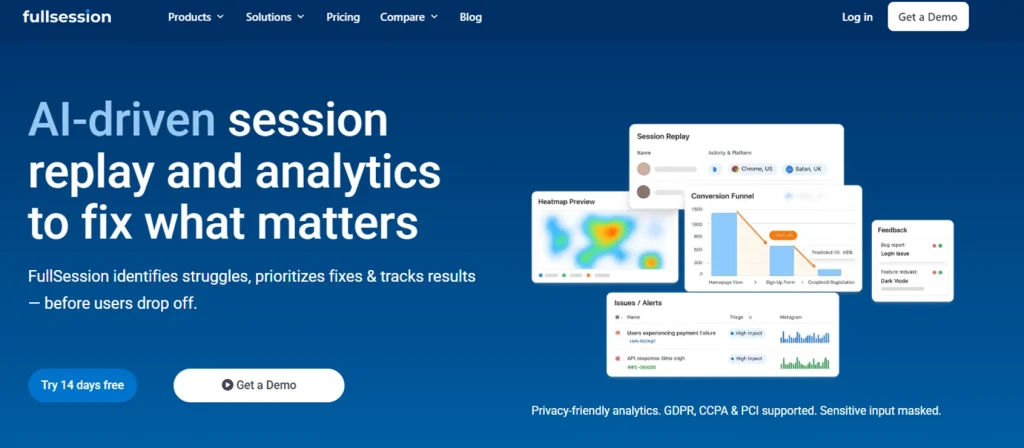
FullSession is a behavioral analytics and error-tracking platform built for ecommerce teams that need to find broken interactions and conversion issues faster. It combines ecommerce session recording and replay, automatic JavaScript error detection, heatmaps, funnel analysis, and AI-assisted prioritization in one workflow. Teams move from an error alert to the affected session replay without switching tools.
Best for
Ecommerce managers and CRO teams that need to detect technical errors, review customer interactions, track performance metrics, and connect session evidence to conversion issues.
Key features
- Session replay: Records customer interactions across each session so teams can review user behavior, spot friction, and jump to errors or abandoned funnel steps.
- Errors and alerts: Detects JavaScript errors, network issues, and broken interactions, with real-time alerts linked to session recordings and technical context.
- Heatmaps: Shows click, scroll, and engagement patterns so ecommerce teams can see how heatmaps reveal checkout optimization opportunities on key pages.
- Funnels and conversions: Tracks funnel analysis across pages or event sequences, with drop-off points linked to filtered session replays.
- Lift AI: Reviews behavioral data, errors, and friction points to help teams focus fixes on expected impact, not just frequency.
- In-page feedback: Collects real-time customer feedback on key pages and connects responses with session data for clearer customer insights.
Pricing
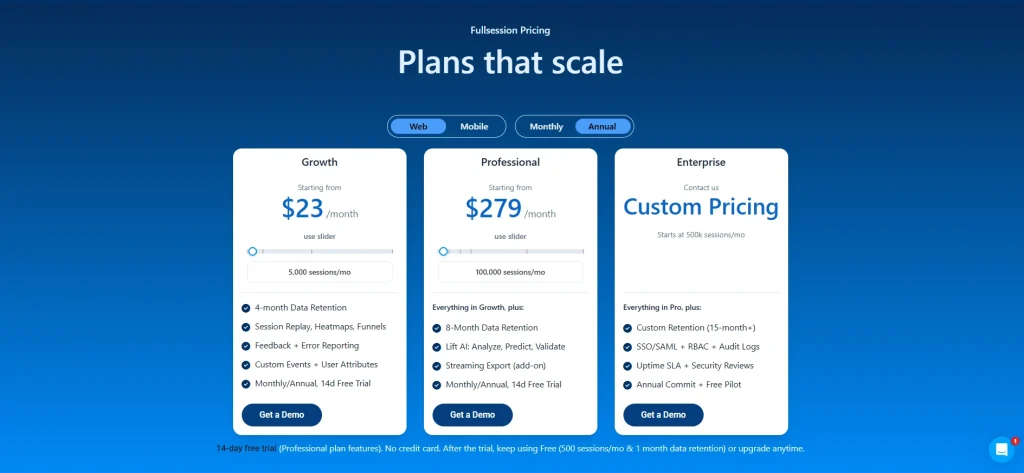
FullSession offers a Free plan with 500 sessions per month. The Growth plan starts at $23/month billed annually for 5,000 sessions per month, with a 14-day free trial available. The Professional plan starts at $279/month billed annually.
Enterprise pricing is custom for larger ecommerce stores and online businesses. Check current FullSession pricing packages.
Book a demo to see how FullSession helps ecommerce teams review session replay, JavaScript errors, rage clicks, and funnel drop-offs in one workflow.
See exactly what’s breaking on your ecommerce store
FullSession shows you JS errors, rage clicks, and funnel drop-offs with session replay tied to every alert.
Google Analytics 4

Google Analytics 4 (GA4) is Google’s current web analytics platform, built on an event-based data model that replaced Universal Analytics as the standard for ecommerce web analytics. It integrates directly with Google Ads, Search Console, and Merchant Center, making it the default starting point for teams whose marketing efforts run through Google’s platforms.
GA4 doesn’t offer native error detection. Tracking JavaScript errors requires manual configuration by a developer. For marketing data, attribution, and ecommerce reporting, it’s a practical, low-cost foundation.
Best for
Ecommerce teams that need free cross-channel traffic analytics, Google Ads integration, and foundational ecommerce reporting as the base of their stack.
Key features
- Event-based tracking: Records every interaction as an event, so teams can track custom actions like checkout steps, video plays, and scroll depth.
- Ecommerce reporting: Provides built-in reports for product performance, funnel completion, and revenue by channel.
- Funnel analysis: Builds closed and open funnel explorations across event sequences, showing completion and abandonment at each step.
- Audience builder: Creates custom segments by behavior, demographics, or ecommerce actions, then exports them to Google Ads to create targeted campaigns based on real purchase intent.
- Google Ads integration: Connects ad spend, campaign performance, and conversions in one view to support data-driven decisions on what drives purchases.
Pricing
Google Analytics 4 is free to use. Google Analytics 360 is the enterprise version, with custom pricing for larger properties that need higher limits, advanced support, and expanded data collection.
Mixpanel
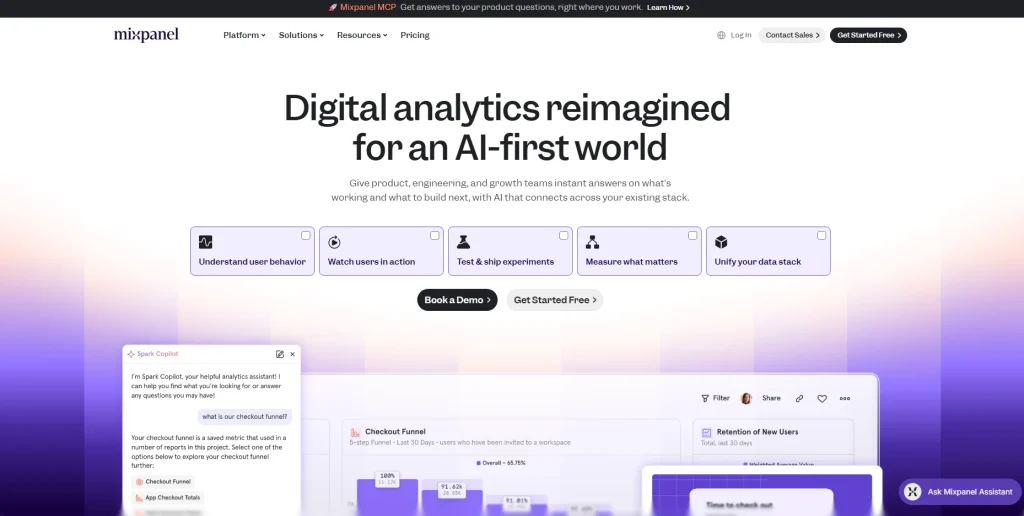
Mixpanel is a product analytics platform built to help teams understand customer behavior, retention, and funnel performance for digital products and ecommerce stores. Its event-based architecture lets teams build cohort analyses, retention curves, and multi-step funnels without writing SQL.
It doesn’t include native error tracking or session replay. Mixpanel suits teams focused on customer lifetime value tracking, customer journey analysis, and behavioral segmentation. It’s built to analyze customer data across cohorts and lifecycle stages on top of an existing traffic layer.
Best for
Ecommerce and product teams that need granular funnel analysis, cohort retention tracking, and customer demographics segmentation to see how user groups move through their store.
Key features
- Funnel analysis: Builds multi-step funnels with time-to-convert data and drop-off rates, showing where the customer journey breaks down.
- Cohort retention: Groups users by acquisition date, behavior, or property and tracks return rates, a key input for customer lifetime value.
- Flows report: Shows the paths users take, including unexpected routes and loops, without a predefined sequence.
- Custom dashboards: Turns key metrics into shareable dashboards, so teams can monitor ecommerce KPIs without rebuilding reports.
- Data integration: Connects to BigQuery, Snowflake, and Databricks to combine event data with order management and CRM systems data.
Pricing
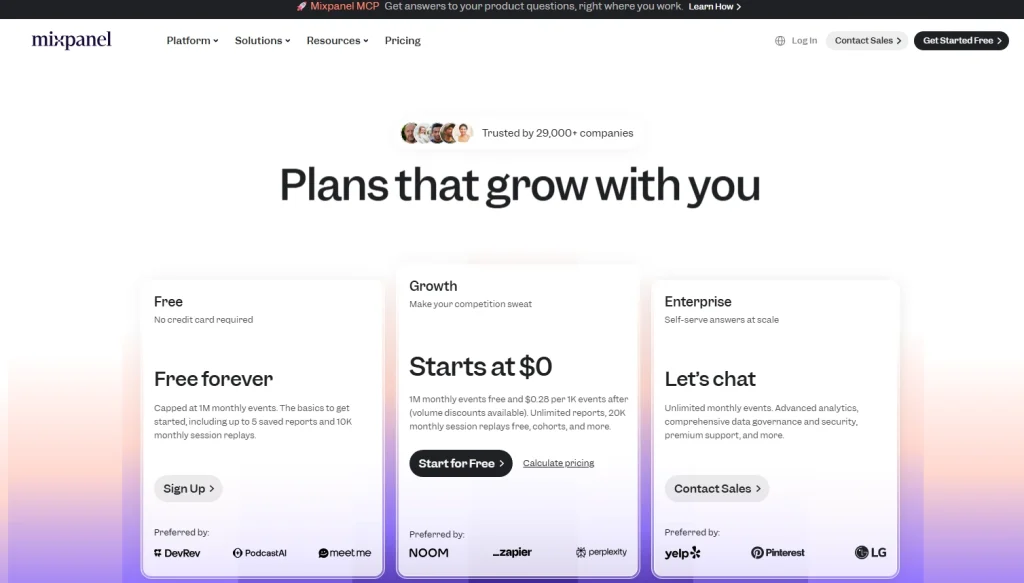
Mixpanel offers a Free plan with up to one million monthly events. Paid usage starts after the free event limit and is priced based on event volume.
Hotjar
Hotjar is a behavior analytics and user feedback platform built around heatmaps, session recordings, and on-site surveys. It gives UX teams visual evidence of how user behavior plays out on specific pages: where users focus, where they give up, and what they say when prompted.
It doesn’t include automatic error detection or JavaScript error alerts. For a feature-level breakdown, see the best heatmap software for ecommerce comparison and the FullSession vs Hotjar breakdown.
Best for
UX designers and conversion specialists who need visual page-level behavior data and qualitative feedback for optimizing marketing campaigns and design decisions.
Key features
- Heatmaps: Builds click, move, and scroll heatmaps for desktop and mobile, showing aggregate user behavior patterns across key pages.
- Session recordings: Records individual sessions with click and scroll data, filterable by page, device, country, and custom events.
- On-site surveys: Deploys targeted questions based on user behavior, such as exit intent or time on page, to collect feedback during moments of friction.
- Feedback widgets: Adds a persistent feedback button so users can leave qualitative feedback at any point in the customer journey.
- Funnels: Tracks completion rates across defined page sequences, showing where users drop off during checkout, sign-up, or other conversion paths.
Pricing
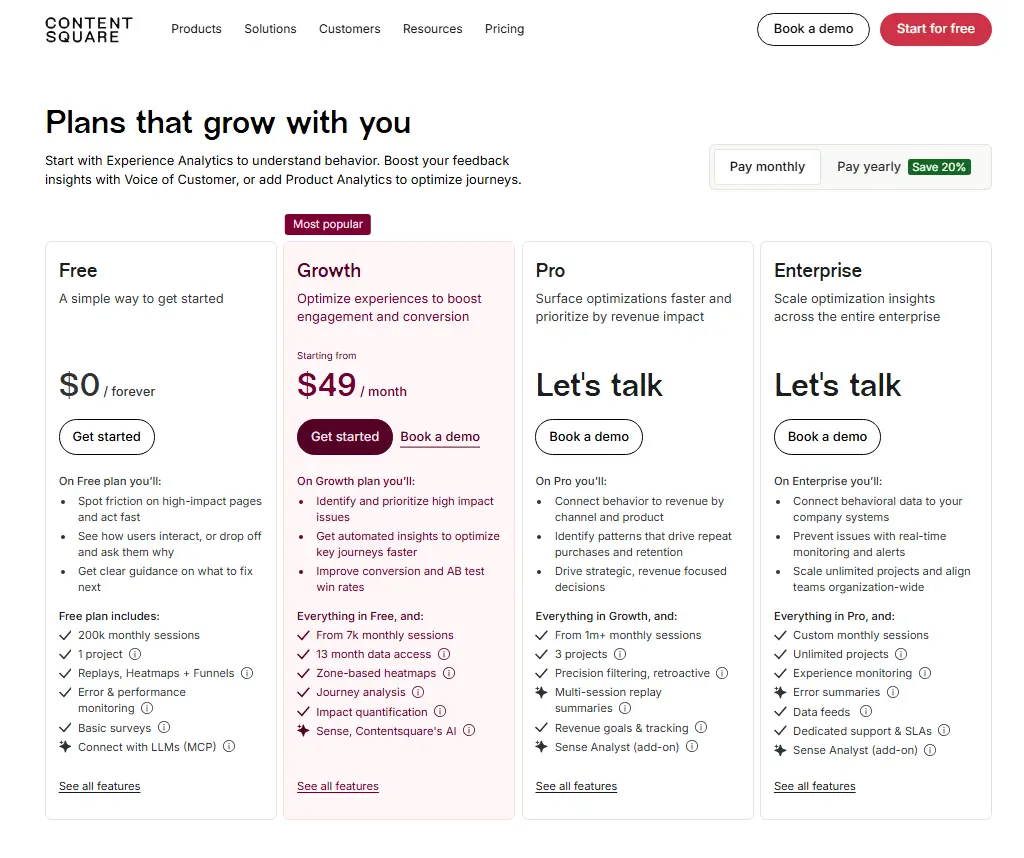
Hotjar is now part of Contentsquare, with Free and Growth plans available. Growth starts at $49/month, while Pro and Enterprise use custom pricing for larger teams.
Contentsquare

Contentsquare is an enterprise digital experience platform covering heatmaps, session replay, journey analysis, and AI-powered experience monitoring at scale. Its Experience Monitoring capability surfaces anomalies in customer journey patterns that may point to technical issues. That makes it one of the top ecommerce analytics platforms for large retail organizations that need to identify trends across a full digital estate.
It doesn’t publicly list pricing and targets teams with dedicated analytics resources. See how it compares in the FullSession vs Contentsquare breakdown.
Best for
Enterprise ecommerce and digital teams at large retail brands that need experience analytics and AI-powered insights across high-traffic, multi-channel environments.
Key features
- Zone-based heatmaps: Maps interactions at the element level, showing how content zones, product images, CTAs, and navigation perform.
- Journey analysis: Shows full paths across the site, including entries, exits, and loops, to identify trends that lead to conversion or abandonment.
- Experience monitoring: Detects anomalies in behavioral metrics that may signal a technical issue, such as a sudden drop in scroll depth or a spike in rage clicks.
- Voice of customer: Integrates surveys and feedback, connecting qualitative responses to behavioral data in one environment.
- AI insights: Uses machine learning to surface pages, segments, and interactions with high conversion impact.
Pricing
Contentsquare offers a Free plan and a Growth plan starting at $49/month. Pro and Enterprise plans use custom pricing for teams that need higher session volume, revenue tracking, and dedicated support.
Looker Studio

Looker Studio (formerly Google Data Studio) is a free business intelligence tool. It turns marketing data, sales data, and ecommerce data from multiple sources into shareable interactive dashboards. It doesn’t collect or store data itself. It connects to existing sources and shows what they contain.
For ecommerce teams, its value lies in consolidating analytics data from GA4, Google Ads, and Search Console into a single view. It has no error tracking, and teams using it to bridge data silos should verify source data quality before relying on historical sales data for reporting.
Best for
Marketing directors and data analysts who need to consolidate multi-source ecommerce reporting into shareable dashboards for stakeholder review and budget decisions.
Key features
- Data connectors: Connects to GA4, Google Ads, Sheets, BigQuery, and other data sources to pull analytics data into one reporting view.
- Dashboard builder: Provides a drag-and-drop interface for charts, tables, and scorecards that update as source data refreshes.
- Calculated fields: Lets teams create custom metrics in the reporting layer, such as blended ROAS, without changing the original data source.
- Cross-channel reporting: Combines paid, organic, email, and direct marketing data in one dashboard for a clearer view of traffic and revenue.
- Sharing and collaboration: Publishes reports as view-only links or embeds, so stakeholders can review ecommerce reporting without direct source access.
Pricing
Looker Studio is free to use. Looker Studio Pro is available as a paid upgrade for teams that need enterprise-level sharing, collaboration, and content management.
Supermetrics
Supermetrics is a marketing data pipeline tool. It extracts data from advertising platforms, social networks, SEO tools, and ecommerce platforms, then routes it into destinations like Looker Studio, Google Sheets, BigQuery, and Excel. Its role is data integration and movement, not analysis.
Ecommerce teams use it to consolidate ecommerce analytics data from CRM systems and ad platforms into a single pipeline, managing marketing budget allocation and customer acquisition costs across channels. It has no behavioral analytics or error tracking.
Best for
Marketing analysts and performance teams that pull data from multiple ad platforms and need to automate extraction and consolidation into a single reporting destination.
Key features
- Multi-source extraction: Connects to marketing and ecommerce sources, including Meta Ads, Google Ads, TikTok, Shopify, and HubSpot.
- Attribution data aggregation: Pulls conversion and attribution data into a unified reporting structure, reducing manual reconciliation across dashboards.
- Looker Studio connector: Provides a dedicated connector for data blending inside Google’s dashboard environment.
- Automated refresh: Schedules data extraction from hourly to daily, so dashboards reflect current sales performance without manual exports.
- Data transformation: Applies filters, custom metrics, and field mappings during extraction, so marketing data arrives ready to use.
Pricing
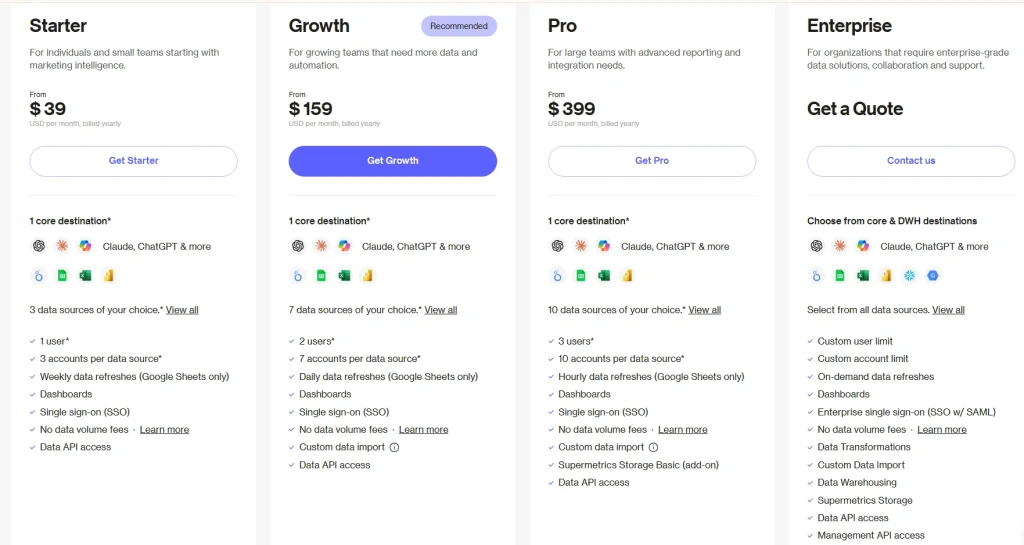
Supermetrics plans start at €39/month billed annually. Pricing varies by destination, data sources, users, and refresh needs, with custom options available for larger teams.
Adobe Analytics
Adobe Analytics is an enterprise-grade data analytics platform within the Adobe Experience Cloud, built for large-scale data collection across web, mobile, and connected devices. Its Analysis Workspace gives enterprise teams a customizable environment for segmentation, attribution modeling, and multi-channel reporting.
It’s one of the most capable and popular ecommerce analytics tools for online businesses that need analytics at serious scale. It enables online businesses to model future customer behavior from historical patterns, forecast average order value (AOV) and revenue trajectories, and optimize inventory management based on projected demand. Setup typically requires a dedicated analytics engineering team or an Adobe implementation partner.
Best for
Enterprise ecommerce organizations with dedicated analytics teams that need deep custom segmentation, sales performance tracking, advanced attribution modeling, and Adobe Experience Cloud integration.
Key features
- Analysis workspace: Gives analysts a freeform environment to build custom reports and visualize data across different metric combinations.
- Predictive analytics: Uses machine learning to forecast key metrics such as conversion rate, revenue, and inventory management demand, while helping teams spot anomalies in historical sales data.
- Advanced segmentation: Supports granular segments by behavioral, demographic, and technographic attributes across reports.
- Cross-channel attribution: Offers multiple attribution models, including algorithmic attribution, to show which touchpoints contribute to purchases across multiple marketing channels.
- Customer journey analytics: Connects behavioral data across devices and channels into a person-level view of the full path to purchase.
Pricing
Adobe Analytics uses custom pricing based on business needs, analytics products, data volume, and implementation requirements.
How to Choose the Right E-Commerce Analytics Tool for Your Store
The right ecommerce analytics tool depends on the problem you’re solving, not the feature count. Answer these three questions before evaluating any platform.
Do you need behavioral data or marketing attribution?
These require different right analytics tools. Behavioral platforms like FullSession, Hotjar, and Mixpanel show you how customers interact with your site. Attribution tools like GA4, Supermetrics, and Looker Studio show you which marketing channels and sales channels drive revenue.
Running only one layer leaves blind spots. Most mid-market stores need both to avoid data silos between behavioral context and marketing strategies. Tracking ecommerce KPIs accurately means having visibility across both layers: what users do in your online store and what your marketing spend is generating.
Is error detection a priority?
Unexplained drops in ecommerce metrics often mean silent technical errors are driving users away. General-purpose platforms show you the drop. A dedicated error and behavioral analytics platform shows you which button or form broke, which sessions it affected, and the exact data-driven decisions needed to fix it.
Do you need one platform or a tool stack?
Most mid-market stores run two layers across multiple marketing channels: one for marketing attribution data and one for behavioral and error analytics. Enterprise operations consolidate into a single platform like Adobe Analytics or Contentsquare. There’s no universal answer, only the one that fits your current bottleneck.
Decision guide
| If you need… | Tool category | Example tool |
|---|---|---|
| To find and fix checkout errors, JS failures, and rage clicks | Behavioral and error analytics | FullSession |
| To track where marketing budget goes across channels | Attribution and traffic analytics | GA4 + Supermetrics + Looker Studio |
| To understand how users move through your product | Product and funnel analytics | Mixpanel |
| To see where users click, scroll, and drop off on a page | Heatmap and feedback tools | Hotjar |
| Enterprise-scale journey analysis across multiple brands | Enterprise experience analytics | Adobe Analytics or Contentsquare |
Which Option Is Right for Your Ecommerce Team?
The right choice depends on the problem your ecommerce store needs to solve first. There’s no shortage of marketing tools and marketing platforms to choose from, but the valuable insights you actually need depend on where your biggest gaps are.
You need to find and fix what’s breaking
FullSession is the strongest fit. It connects error detection, session replay, heatmaps, and funnel analysis, so teams move from a performance drop to the exact customer interactions behind it. Review session recording and replay tools compared to see how the options stack up.
You need to understand where your marketing budget goes
A GA4, Supermetrics, and Looker Studio stack covers this well. GA4 handles ecommerce data collection and reporting, Supermetrics consolidates marketing data from multiple channels, and Looker Studio turns that into shareable ecommerce reporting dashboards.
You need enterprise-scale analytics
Adobe Analytics and Contentsquare suit larger teams managing multiple brands, regions, or channels. Both provide advanced analytics, but they require more implementation support and use custom pricing.
You need both layers
Most mid-market ecommerce businesses benefit from layering tools: one for marketing attribution and another for behavioral analytics and error tracking. That combination gives teams both strategic visibility and the session-level context needed to act on what they find.
Not ready to talk? Try it free for 14 days
No credit card required. Set up in minutes and start watching your real users.
Why FullSession Works for E-Commerce Teams
FullSession is built for ecommerce teams that need more than standard ecommerce analytics. Here’s what sets it apart from the other tools in this list.
Error detection that connects to session evidence
Most ecommerce analytics software shows you that something went wrong. FullSession shows you what went wrong, who it happened to, and exactly what the user experienced. Every JavaScript error and broken interaction links directly to a session replay, so your team spends less time guessing and more time fixing.
All key layers in one workflow
FullSession brings together the tools most ecommerce teams run separately:
- Session replay to review individual customer journeys
- Heatmaps to see aggregate click and scroll behavior across key pages
- Funnel analysis to pinpoint where users drop out of the purchase path
- Errors and alerts to catch broken checkout flows and JS failures automatically
- In-page feedback to collect qualitative customer data in context
No data silos. No switching platforms. The connection between an error and its impact on conversion is visible in one place.
AI prioritization with Lift AI
The Lift AI layer reviews behavioral data, errors, and friction points and ranks them by expected business impact. Instead of reviewing every issue manually, your team focuses on the problems most likely to affect customer retention, average order value, and sales performance. That means you get valuable insights on what to fix first, not just a list of everything that went wrong.
Setup without engineering support
FullSession works with Shopify, WooCommerce, and BigCommerce without heavy engineering. A non-technical ecommerce manager can get it running and start capturing user behavior data quickly.
Flexible pricing for any team size
FullSession offers a Free plan, paid plans starting at $23/month billed annually, and a 14-day free trial. See the full capability set on the FullSession Errors and Alerts product page.
Book a demo to see how FullSession helps ecommerce teams connect technical errors, user behavior, and funnel drop-offs in one workflow.
Conclusion
Your analytics stack should match the problem you’re trying to solve. GA4, Supermetrics, and Looker Studio cover marketing performance, sales channels, and ecommerce reporting at a lower cost.
For stores losing revenue to broken checkout flows, JavaScript errors, rage clicks, or unexplained funnel drop-offs, aggregate analytics data isn’t enough. You need session-level evidence that shows what happened and why it affected users.
FullSession connects error detection, session replay, heatmaps, and funnel analysis in one workflow. It helps ecommerce teams review user behavior data, spot performance issues, and make data-driven decisions with clearer context.
Not ready to talk? Try it free for 14 days
No credit card required. Set up in minutes and start watching your real users.
Frequently Asked Questions
What is the best tool for tracking ecommerce errors?
FullSession is built for ecommerce error tracking. It detects JavaScript errors, network failures, and broken checkout interactions automatically, with no manual event configuration.
Each alert links directly to a session recording, so you can see what broke and who it affected without stitching together separate tools.
What analytics tools do ecommerce stores use?
Most ecommerce stores run two layers: one for traffic and marketing attribution, such as Google Analytics 4, Supermetrics, and Looker Studio, and one for behavioral and error analytics, such as FullSession, Hotjar, and Mixpanel.
Enterprise stores may consolidate ecommerce analytics into platforms like Adobe Analytics or Contentsquare.
How do I track ecommerce KPIs?
Start by identifying which key metrics matter most, such as conversion rate, average order value, cart abandonment, customer lifetime value, and revenue by channel.
GA4 tracks many ecommerce KPIs for free. Mixpanel adds cohort-level retention analysis. FullSession connects KPI drops to the specific user interactions and technical errors causing them.
What is the difference between web analytics and ecommerce analytics?
Web analytics measures traffic, page views, and general user behavior. Ecommerce analytics focuses on purchase-related metrics like checkout funnel completion, cart abandonment, and revenue by SKU.
Ecommerce analytics tools connect on-site behavior to transaction data in ways general web analytics tools usually do not.
Do I need a separate tool to track JavaScript errors on my ecommerce site?
Not if you use FullSession. It detects JavaScript errors automatically alongside session recordings and behavioral data.
GA4, Hotjar, and Mixpanel do not track JavaScript errors natively. You would need custom events in GA4 or a dedicated error monitoring tool like Sentry added separately.

Roman Mohren is CEO of FullSession, a privacy-first UX analytics platform offering session replay, interactive heatmaps, conversion funnels, error insights, and in-app feedback. He directly leads Product, Sales, and Customer Success, owning the full customer journey from first touch to long-term outcomes. With 25+ years in B2B SaaS, spanning venture- and PE-backed startups, public software companies, and his own ventures, Roman has built and scaled revenue teams, designed go-to-market systems, and led organizations through every growth stage from first dollar to eight-figure ARR. He writes from hands-on operator experience about UX diagnosis, conversion optimization, user onboarding, and turning behavioral data into measurable business impact.