Category: UX\UI Research

  • 17 Best UI Design Tools of 2026

    17 Best UI Design Tools of 2026

    Maybe you’re creating a new website from scratch. Or perhaps re-launching an existing website with multiple improvements. Either way, you need user interface design tools to make sure your website is 1) aesthetically pleasing and 2) user-friendly.

    You don’t have to be a UI designer to know that this endeavor requires more than one tool. But while there are dozens of UI design tools at your disposal, only a few are worth your time and money.

    In this guide, we talk about the basics of UI design, the different types of UI design software you need, and the best tools that belong in all UI kits for any type of business.

    What is UI Design?

    User Interface (UI) Design is the art of designing the visual and interactive aspects of a digital interface, like an app or a website. UI focuses on the look and feel of the interface, optimizing elements such as:

    • Color palettes
    • Typography
    • Icons
    • Buttons
    • Navigation
    • Overall layout

    The goal behind UI design is to create interfaces that are not just visually appealing but also user-friendly and efficient for accomplishing tasks. In other words, good UI design is supposed to create an aesthetically pleasing product that is both easy to navigate and runs as smoothly as possible.

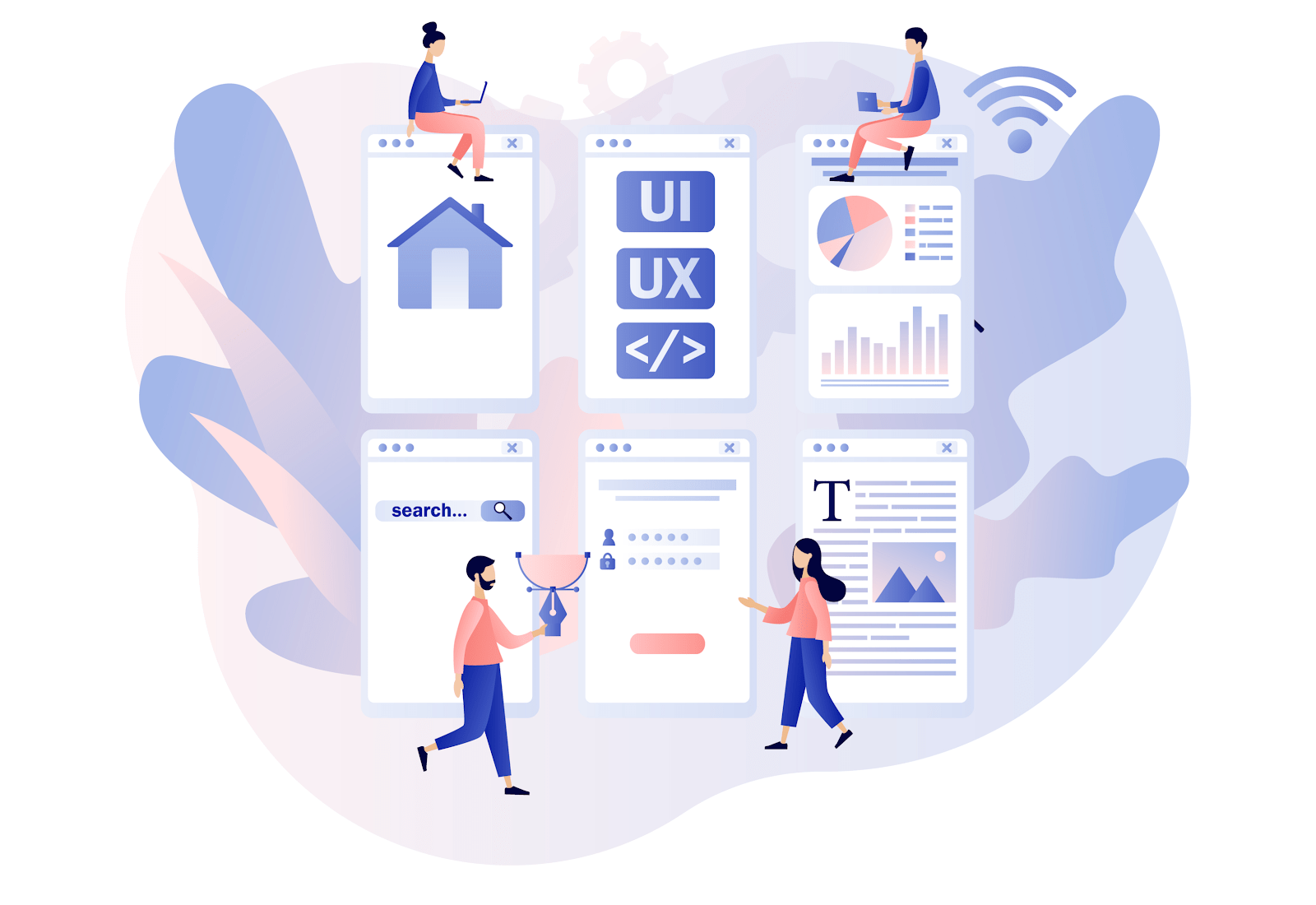
    man working on ui and ux design animated picture

    UI vs. UX

    Some people might confuse UI and UX for each other, but they are actually very different. UI Design is the cosmetic aspect of the digital product. More specifically, UI deals with the visual elements that users interact with on the screen, focusing on creating an interface that is aesthetically pleasing and makes sense.

    On the flip side, User Experience (UX) design is all about creating a product that gives a meaningful and relevant experience to users. UX involves the design of the entire process of acquiring and integrating the product, including aspects of branding, design, usability, and function.

    UI and UX design work hand in hand. A stunning interface without a thoughtful user experience can lead to a product that’s beautiful but difficult to use. On the flip side, a great user experience is limited by an unappealing user interface.

    5 Types of UI Design Tools You Need
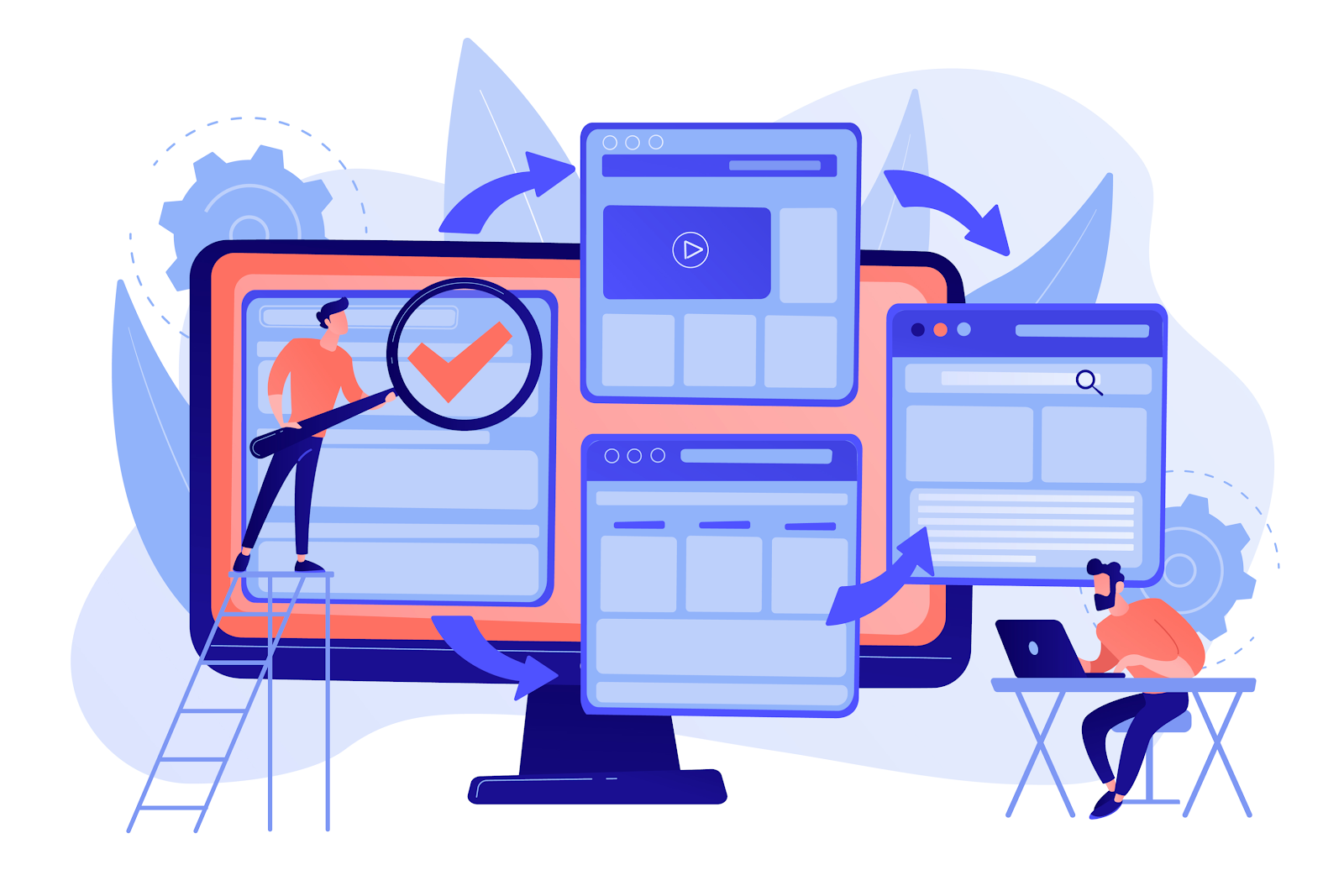
    user interface of a website animated picture

    Creating a user interface that beats your competitors requires a set of specialized tools, each designed to tackle different stages of the design process. From initial concept to final handoff, here’s a breakdown of the types of UI design tools you’ll need to bring your digital visions to life:

    Wireframing Tools

    Before diving into the deep end of visual design, wireframing tools help lay the foundation. These are the digital sketchpads where you map out the structure and layout of your interfaces.

    Wireframing helps you create blueprints for your project, focusing on usability and functionality without getting sidetracked by design details like colors or typography. It’s the stage where you plan the placement of elements to ensure a logical flow and intuitive user experience.

    Key Features to Look For: Simplicity, ease of use, and the ability to quickly iterate designs.

    Prototyping Tools

    Once the wireframes are in place, UI designers use prototyping tools to bring these static images to life. The main goal of prototyping is to create interactive mockups that simulate the real user experience.

    Creating a prototype allows designers and stakeholders to test the functionality of an app or website before it goes into development. In turn, designers and developers can pinpoint issues early on to avoid wasting time.

    Key Features to Look For: Interactivity, animation capabilities, and real-time collaboration.

    Visual Design Tools

    With the structure and interactivity mapped out, visual design tools add the final aesthetic touches. These tools are what you need to refine the visual details, including color schemes, typography, icons, and images.

    It’s where the brand’s visual identity comes into play, ensuring the product is not only functional but also visually appealing.

    Key Features to Look For: Advanced design features, high-quality asset generation, and comprehensive typography options.

    User Testing Tools

    Designing with the user in mind is important if you want your website to appeal to your target audience, and user testing tools make this process systematic and insightful.

    User testing tools help gather feedback from real users, providing data on how people interact with your designs. You can use this feedback to make informed decisions to improve usability and ensure the product meets users’ needs.

    Key Features to Look For: Usability testing, A/B testing capabilities, and analytics.

    Design Handoff Tools

    Finally, design handoff tools bridge the gap between UI designers and developers. These tools provide developers with all the necessary design specifications, assets, and code snippets needed to turn the design into a functional product.

    Overall, the goal is to ensure a smooth transition from design to development, with clear communication and minimal room for error.

    Key Features to Look For: Integration with design and development environments, auto-generation of specs, and version control.

    The 17 Best UI Design Tools of 2024

    man and woman creating a website animated picture

    Building UI kits can take a lot of time and effort, and sometimes, it’s just not feasible to do trial and error when it comes to choosing UI design systems. So, we’ve handpicked the best of the best UI design tools for you to add to your stack:

    1. FullSession

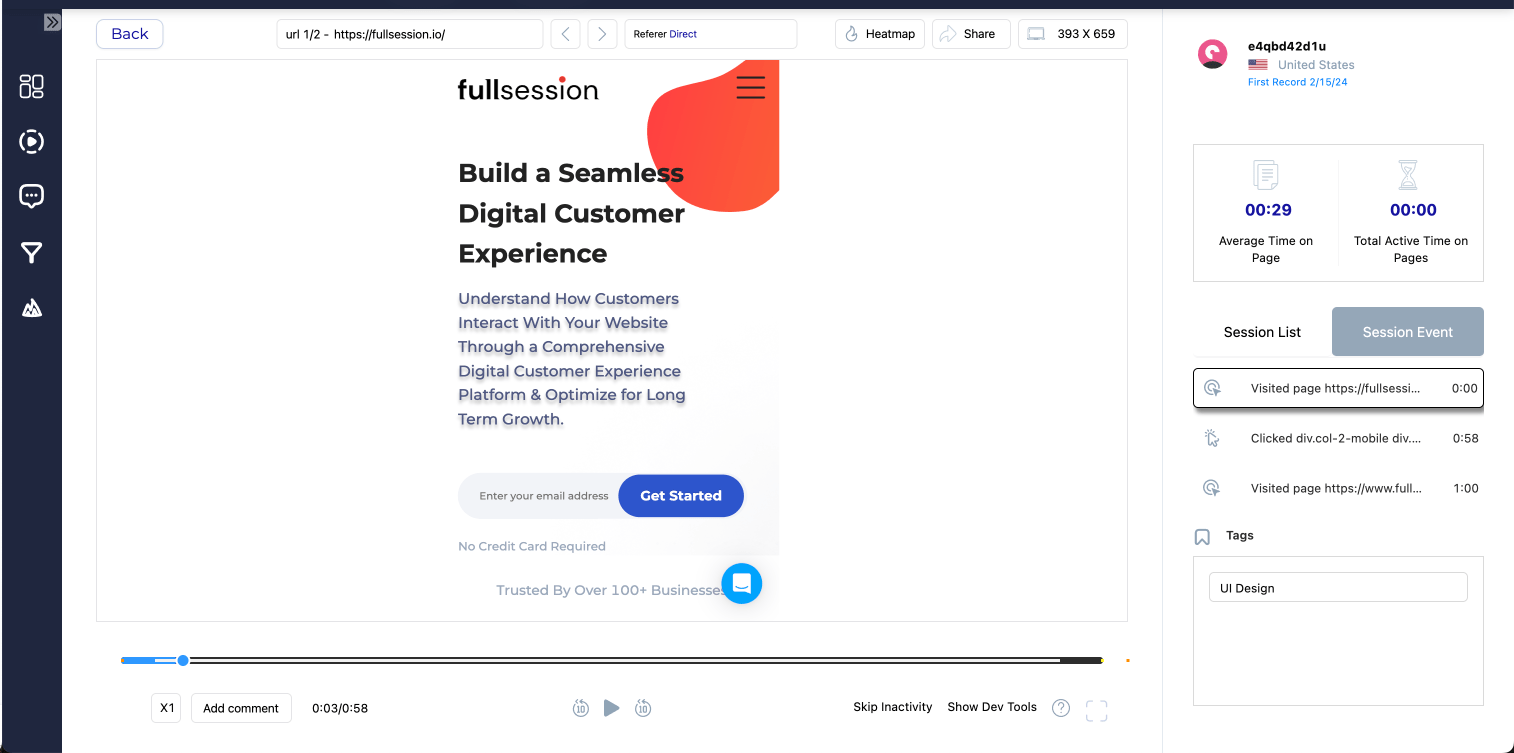
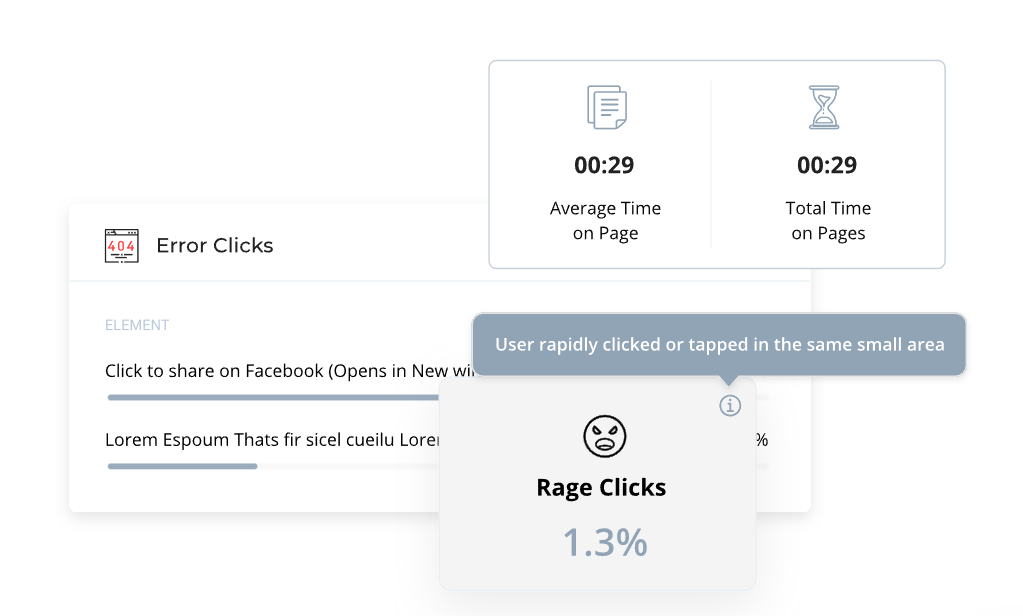
    What if you need to relaunch a website? Before you can re-design your UI and UX, you need to find out how your current website is performing and compare your metrics with your new goals.

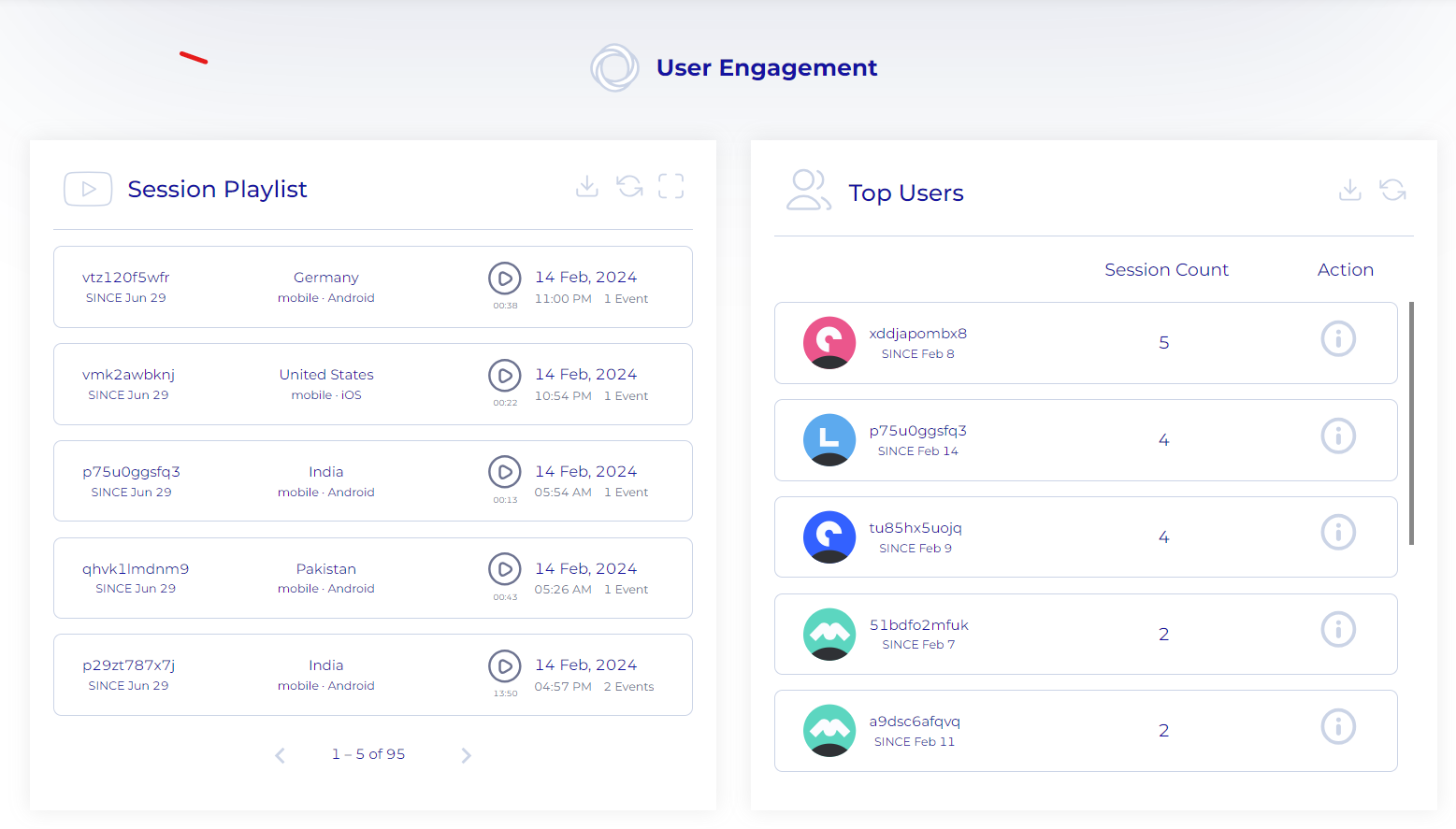
    FullSession gives you a full range of tools to help you evaluate how your website is performing. These include interactive heat maps, session recordings, customer feedback tools, and market segmentation capabilities–all of which give you a clear picture of what your strengths and weaknesses are. 

    From there, you can design a new UI that better serves your target audience.

    2. Figma

    Figma continues to be a go-to for UI design, thanks to its stellar collaboration features that let designers team up on projects simultaneously, no matter where they are in the world. With everything from wireframing to prototyping and crafting detailed designs, Figma does it all, serving as an all-in-one hub for UI work.

    What’s more, Figma takes teamwork to the next level, offering unmatched options for working together in real-time. The cherry on top? Its plugins allow you to tweak your workflow to fit just about any design requirement you might have.

    3. Adobe XD

    Adobe XD has continued to enhance its offerings, providing an intuitive interface and seamless integration with other Adobe Creative Cloud Suite applications. It allows UI designers to leverage assets from Photoshop or Illustrator effortlessly.

    Its auto-animate function brings complex animations to life in functional prototypes, while the repeat grid feature simplifies the duplication of design components. Specifically, its user-friendly approach and streamlined process for developing interactive prototypes make it a hit among designers eager to add smooth transitions and build intricate user flows without stepping out of the design space.

    4. Sketch

    Exclusive to Mac, Sketch has been a mainstay for UI designers thanks to its vector-based interface and extensive plugin ecosystem. In 2024, designers really appreciate how easy Sketch makes wireframing and how its awesome symbols library acts like a digital whiteboard, smoothing out the design journey.

    Also, Sketch’s knack for vector-based design means you get pinpoint accuracy and can easily tweak things to fit screens of any size. Plus, the community around Sketch is buzzing, offering loads of plugins and extras to beef up what you can do with it.

    5. InVision Studio

    InVision Studio excels in interactive prototyping. Its timeline animation and dynamic interaction capabilities enable designers to create detailed animations and transitions, providing a closer look at the final user experience.

    The design capabilities are complemented by InVision’s cloud platform, where prototypes can be shared and feedback can be gathered efficiently.

    6. Axure RP

    For designers who need to create complex, data-driven prototypes, Axure RP stands out as the premiere UI design tool. It offers advanced functionality like conditional logic, dynamic content, and adaptive views, catering to detailed prototyping needs without requiring code.

    7. Affinity Designer

    Affinity Designer made it to our top list for its speed, smooth performance, and vector design capabilities. It’s a formidable tool for creating detailed, pixel-perfect visuals. The software’s one-time purchase model is a significant draw for freelancers and studios looking to avoid monthly subscriptions.

    8. Marvel

    Marvel’s super user-friendly and clear-cut, making it a breeze for designers, no matter their experience level. The best part is how it plays nicely with other design tools, smoothing the path from your first draft to a working prototype.

    Even better, Marvel doesn’t skimp on the prototyping power for the sake of simplicity. It packs a punch with loads of interactive features for you to test out your designs and see how they feel to users.

    man testing a website animated picture

    9. Zeplin

    Zeplin is specifically designed to improve the handoff process from design to development. It automatically cranks out precise specs, assets, and bits of code, cutting down on confusion and making the development phase zip by faster. Its knack for teamwork and linking up with well-liked design and dev tools places Zeplin as a must-have in any UI designer’s arsenal.

    10. Balsamiq

    Balsamiq isn’t just memorable for its quirky name; it shines by making wireframing straightforward and swift. Its doodle-like interface prompts you to unleash your creativity, zeroing in on how things function rather than how they appear. It’s perfect for those initial brainstorming moments and the early phases of design planning.

    Overall, it’s an excellent tool for quickly conveying concepts without getting bogged down in design details.

    11. Principle

    Principle excels in creating interactive and animated prototypes, especially for mobile apps. Its easy-to-use interface allows designers to craft complex animations and interactive designs that can mimic the fluidity of final products.

    Additionally, Principle is particularly valued for its ability to demonstrate responsive gestures and transitions, making it a go-to for mobile UI/UX designers looking to elevate the user experience with motion.

    12. Origami Studio

    Developed by Facebook, Origami Studio is a free tool that specializes in designing interactive and immersive UIs. It offers deep integration with Sketch and Figma, allowing designers to import their designs easily.

    Origami Studio shines in its ability to prototype complex animations and interactions, making it a favorite for designers looking to push the boundaries of UI design.

    13. Protopie

    Protopie is a UI designer’s top pick for its ability to create highly interactive prototypes without needing to write code. It offers a wide range of interaction triggers and gestures, making it possible to prototype complex interactions that feel real.

    Protopie’s strength lies in its detailed control over animations and its compatibility across various platforms, including web, iOS, and Android.

    14. Framer

    Framer is a powerful UI design tool for prototyping and interactive design that blends the boundaries between design and code. Its code-based approach allows for the creation of highly customizable interactions and animations.

    But don’t sweat it if you’re not into coding—Framer has a visual side that’s super designer-friendly. Plus, if you and your team are all about React, Framer fits right in, making it a breeze to move from design to development.

    15. Adobe After Effects

    While not a traditional UI design tool, Adobe After Effects offers unparalleled capabilities in animation and motion graphics. Designers use it to create intricate animations for UI elements that can be exported as JSON files via Lottie by Airbnb.

    16. Overflow

    Overflow is a real gem for making user flow diagrams. It lets designers map out the whole trip a user takes on apps or websites, which really helps in getting and sharing what the user experience is like.

    It’s awesome at putting together detailed, good-looking user flows and works like a charm with Sketch and Figma. This makes Overflow a must-have for UX designers who are all about plotting out seamless user journeys.

    17. Maze

    Maze has shot up to be a favorite in user testing because it can quickly turn designs into prototypes you can test out, all without needing to code. It’s super smooth with popular design tools like Sketch, Adobe XD, and Figma, letting you easily bring in your designs and set up interactive tests.

    What makes Maze particularly valuable is its real-time analytics dashboard, which provides instant feedback on how users interact with your designs. This data-driven approach helps identify usability issues early, allowing designers and product teams to make informed decisions based on user behavior and feedback.

    Start the User Interface Design Process with FullSession
    people holding elements of a website animated picture

    Before you take your pick of UI and UX tools to start crafting your website, ask this important question first: “What do my users need and want?” And if you are redesigning an existing website, “How can I improve my current UI?”

    Eliminate the guesswork with FullSession, a web analytics tool that tells you exactly how your users interact with your website, which elements they like the most, and what they might be having trouble with.

    FullSession equips you with the tools that you need to understand your users better, such as:

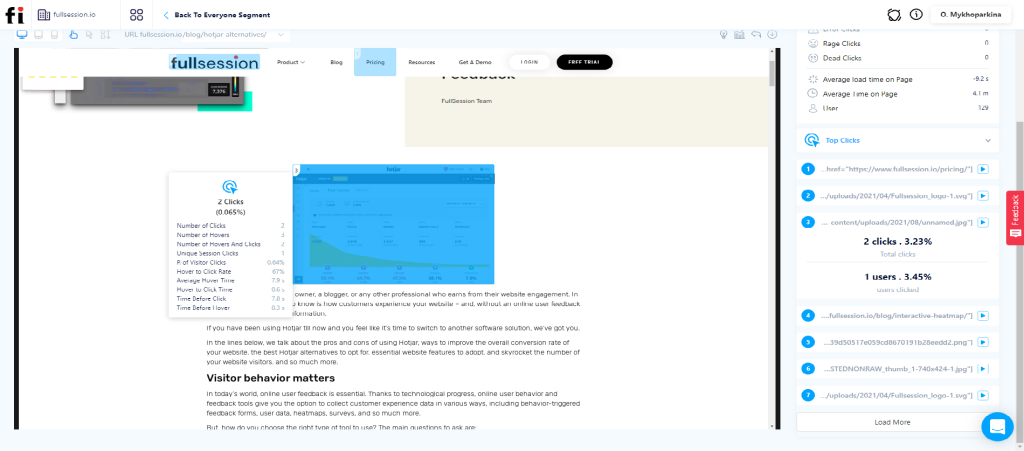
    • Interactive heat maps: See where your users are clicking, what they are ignoring, and potential frustration points that may be blocking their path to conversion.
    • Session recordings and replays: Find out how your users are interacting with your website and identify points for improvement.
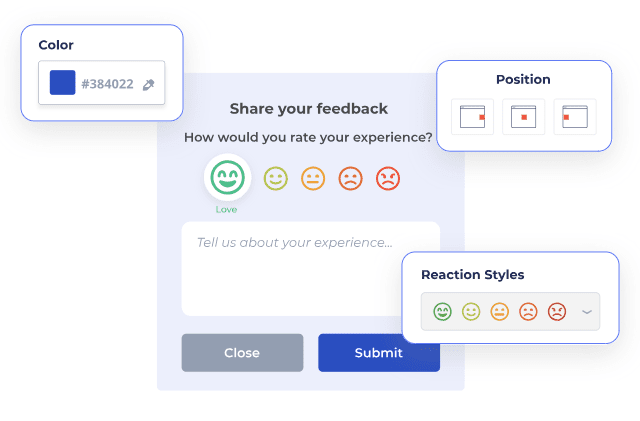
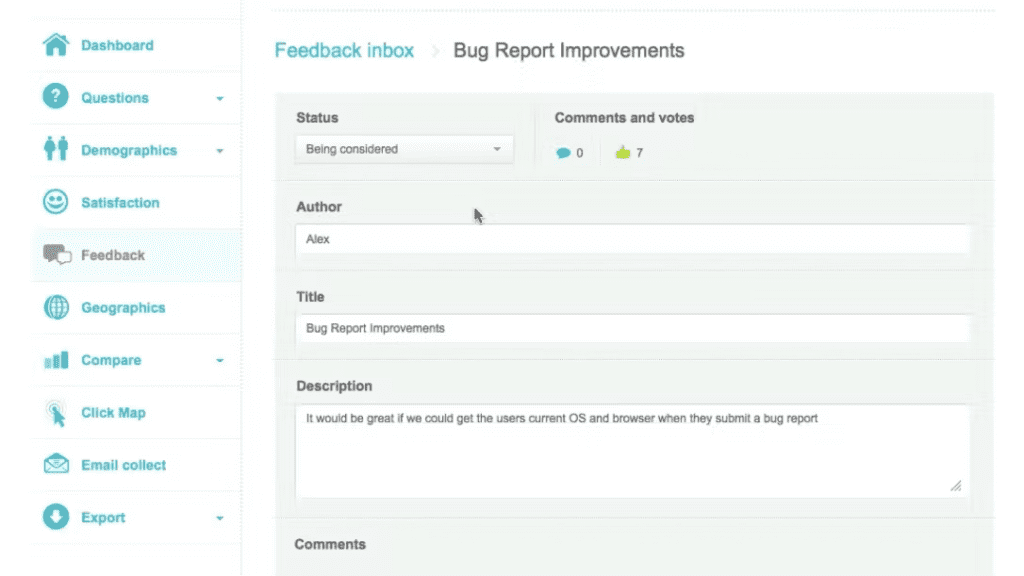
    • Customer feedback tools: Gain valuable insights from customer feedback by creating custom feedback forms. No coding knowledge required!

    FullSession Pricing Plans
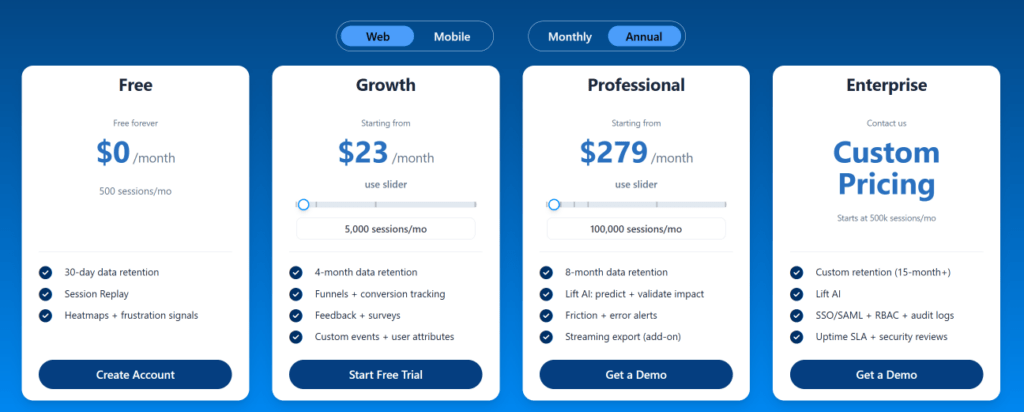
    The FullSession platform offers a 14-day free trial. It provides two paid plans—Basic and Business. Here are more details on each plan.

    • The Starter plan costs $39/month or $32/year and allows you to monitor up to 5,000 monthly sessions with up to 6 months of data storage.
    • The Business plan costs $75/month or $60/year and helps you to track and analyze up to 100,000 monthly sessions with up to 12 months of data storage.
    • The Enterprise plan has custom pricing and offers customizable sessions plus full access to all features.

    Book a demo today.

    Find Out What Your Users Need

    It takes less than 5 minutes to set up your first website or app feedback form, withFullSession, and it’s completely free!

    FAQs About UI Design Tools

    Do I need to be an expert in all these tools?

    Not at all! Mastery of a few key tools that fit into your workflow and enhance your design process is more valuable than a superficial knowledge of many. It’s about finding the right set of tools that complement your skills and the specific needs of your project.

    Can I get by with free versions, or should I invest in paid subscriptions?

    Many UI design tools offer robust free versions that are sufficient for beginners and solo designers. Yet, when you dive into more intricate projects or start collaborating with a team, splurging on paid subscriptions might be worth it.

    You’ll get access to fancy features, better ways to work together, and more storage space. All of this can really amp up how much you get done and the awesomeness of your designs.

    How important is it to stay updated with the latest tools?

    Keeping up with the latest tech tools is pretty crucial. The digital world moves fast, and new tools are always popping up, helping you stay ahead of the game and streamline your design workflow. But there’s a catch – it’s just as important not to get too dazzled by every new gadget that comes along.

    Sticking to the tools you know well can let you hone your skills to a fine point. So, it’s all about finding that sweet spot between exploring new tech and mastering the tools you already use.

  • What is a UX Researcher: Everything You Need to Know

    What is a UX Researcher: Everything You Need to Know

    The user experience is how a person feels when interacting with a system, product, or service. Naturally, companies want that experience to be as positive as it can be, which is more likely to lead to conversions and, ultimately, a better bottom line.

    To do that, companies analyze the user experience and find the best ways to improve it. But who’s behind all of this?

    In this guide, we’ll dive into user research and the indispensable person behind it all–the UX researcher.

    What is UX Research?

    UX research, also known as user experience research or simply user research, is the systematic investigation done to understand users’ needs, motivations, behaviors, and how they interact with products and services. 

    User experience analysis employs various methodologies to gather insights that can inform and guide the design process, ensuring that the end product resonates with the target audience and improves their overall experience.

    The main goal is to bridge the gap between users and designers, providing evidence-based data that can drive design decisions. By focusing on the user, UX testing helps in creating products that are not only aesthetically pleasing but also functional, accessible, and user-friendly.

    Plus, UX research allows designers and developers to anticipate user issues, preferences, and expectations, leading to the creation of products that truly meet users’ needs and solve their problems effectively.

    What is a UX Researcher?

    A UX researcher is essentially a digital detective with a keen eye for user behavior and a heart for empathy. 

    They blend analytical prowess and a deep understanding of human behavior to enhance digital experiences. Their main task is to dig deep into what users need, desire, and expect and how they interact with digital interfaces in their everyday lives.

    At a glance, a UX researcher is someone who:

    • Understands the issue or problem
    • Uses a variety of UX research methods to understand how users behave in the context of the issue or problem
    • Gathers data and insights that can be useful in creating actionable ideas or solutions
    • Consolidates their results and works with the rest of the team and stakeholders to determine viable solutions to the problem

    What Does a UX Researcher Do?

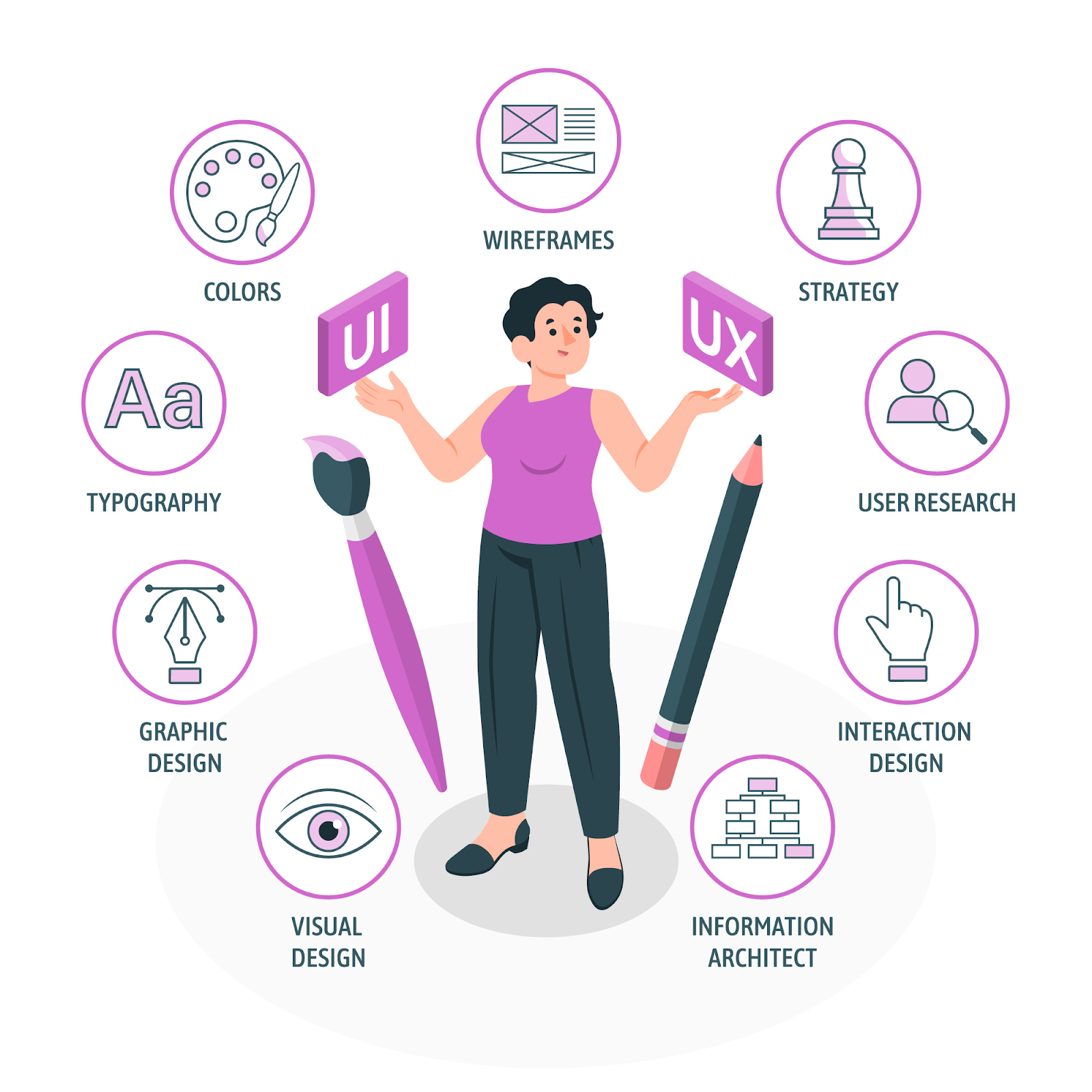
    woman holding ux and ui signs surrounded by design elements animated picture

    It’s easy to summarize the job of a UX researcher into a few simple sentences, but the role is much deeper than that. To fully understand what a UX researcher does and why they are crucial for any business, let’s look into the core responsibilities of the job:

    User Recruitment

    A typical UX research strategy starts by identifying and recruiting a representative sample of the target user base. This involves defining criteria for participants that reflect the diversity of the product’s user group, ensuring that the research outcomes are relevant and inclusive.
    Example: To recruit users for testing a new fitness app, a UX researcher might post an announcement on social media platforms and fitness forums targeting individuals interested in health and fitness. 

    They might specify looking for a mix of fitness levels, from beginners to seasoned athletes, to ensure a diverse range of feedback on the app’s usability and features.

    Interested participants will be asked to sign up through a short online form, which will screen for eligibility based on predefined criteria like age, fitness level, and smartphone usage.

    Data Collection and Observation

    Next, the UX researcher collects valuable data on how users interact with a product or service. This phase is crucial for observing real user behavior, preferences, and challenges in interaction with the design. Common research methods UX researchers use include:

    • User interviews
    • Surveys
    • Field studies
    • Usability testing

    Example: For the fitness app, the UX researcher will conduct usability testing where participants are asked to complete specific tasks within the app, such as setting up a workout plan, tracking a workout session, and accessing fitness reports.

    During these sessions, the researcher observes how easily users navigate the app, noting any confusion or difficulties encountered. They also collect verbal feedback by asking participants to think aloud as they use the app, providing insights into their thought processes and experiences.

    Data Analysis

    After gathering the data, the UX researcher moves onto a meticulous analysis phase to understand the underlying patterns, trends, and specific issues users face while interacting with the product. 

    This process requires both qualitative research, such as user comments, feedback, and observational notes, and quantitative research, including task completion rates, time spent on various tasks, and frequency of use of different app features.

    The researcher uses various analytical techniques and tools to organize and interpret the data. For example, thematic analysis may be applied to qualitative data to identify common themes in user feedback, while statistical analysis might be used to understand user behavior patterns through quantitative data.

    By cross-referencing observations from user behavior with direct feedback, the researcher can pinpoint not just the obvious pain points but also subtler aspects of the user experience that might not be immediately apparent.

    Example: In analyzing the data collected from the fitness app usability tests, the UX researcher discovers several key insights. For instance, a significant number of users struggled to find how to customize their workout plans, a feature that was buried deep within the app’s menu.

    Additionally, quantitative data reveals a high dropout rate at the workout tracking feature, suggesting usability issues. By identifying these patterns, the researcher highlights critical areas for improvement. Furthermore, positive feedback on the app’s social sharing feature suggests users enjoy this aspect, pointing towards an area to develop further.

    Collaboration

    Armed with research insights, the UX researcher collaborates closely with UX designers, product managers, developers, and other stakeholders. They communicate their findings effectively, ensuring that the user’s voice is heard and integrated into the design process.

    UX researchers might make buyer personas and “information radiators” or journey maps better to communicate their findings across different design and development teams.

    Example: After identifying key insights from the data analysis, the UX researcher arranges a collaborative workshop with the fitness app’s design and development teams. During this session, the researcher presents the findings, emphasizing the need for a more intuitive navigation system to make the workout customization feature easily accessible. 

    They also highlight the user feedback on the social sharing feature, suggesting it as a key area for further development to enhance user engagement.

    Together, they brainstorm solutions, such as redesigning the app’s interface to include a more prominent ‘Customize Workout’ button on the home screen and enhancing the social sharing feature with more interactive elements. The development team discusses technical feasibility while the design team sketches initial concepts.

    What Are the Necessary Skills For UX Researchers?

    Whether you’re an aspiring UX researcher or looking to hire one, it’s important to know what skills the job entails. UX researchers require a unique blend of skills to effectively uncover user needs and translate them into actionable insights for product development. 

    Here are some essential skills:

    Empathy

    The ability to understand and share the feelings of others is critical. UX researchers must be able to put themselves in the users’ shoes and genuinely grasp their experiences, challenges, and needs.

    Analytical Thinking

    It is essential to sift through data, both qualitative and quantitative, to identify patterns, trends, and insights. UX researchers must analyze data, user feedback, and behavior to make informed recommendations.

    Effective Communication

    UX researchers must articulate their findings and insights clearly and persuasively to stakeholders, designers, and developers. This includes writing reports, presenting findings, and facilitating workshops.

    Curiosity

    A strong desire to learn and understand user behavior and technology trends is vital. UX researchers should always be asking questions and seeking out new information to stay ahead of the curve.

    Problem-solving

    It is crucial for user experience researchers to be able to think critically and creatively to solve problems. They must devise research strategies and methods to uncover insights that can address complex design challenges.

    Collaboration

    UX research is highly collaborative, requiring the ability to work effectively with cross-functional teams, including designers, developers, product managers, and stakeholders.

    Technical Proficiency

    While not necessarily needing to code, familiarity with research software and tools, as well as a basic understanding of design and development processes, can significantly enhance a UX researcher’s effectiveness.

    What Tools Do UX Researchers Use?

    ux researchers working animated picture

    UX researchers use a variety of tools to conduct their research, analyze data, and share insights. 

    Here are several of the most commonly used tools:

    Survey and Questionnaire Tools

    Platforms like FullSession, Google Forms, Typeform and its alternatives are used to create and distribute surveys and conduct quantitative and qualitative research.

    Usability Testing Software

    Tools like UsabilityHub, UserTesting, and Lookback allow researchers to conduct remote usability testing, record user sessions, and analyze how target users interact with a product.

    Analytics Tools

    Google Analytics and FullSession provide insights into user behavior on websites and apps, helping researchers understand how users navigate and where they might encounter issues.

    User Interview Platforms

    Zoom, Microsoft Teams, and Skype are commonly used for conducting remote interviews, allowing researchers to gather in-depth qualitative data.

    Prototyping Tools

    Figma, Sketch, and Adobe XD are used not only by designers but also by researchers to create and test wireframes and prototypes, facilitating quick iterations based on user feedback.

    Data Analysis Software

    Excel, SPSS, and NVivo help in organizing, analyzing, and visualizing data, making it easier to identify patterns and insights.

    Journey Mapping Tools

    FullSession, Lucidchart, and UXPressia enable researchers to create user journey maps that visualize the user’s experience through different stages of interacting with a product or service.

    Collaboration and Project Management Tools

    Slack, Trello, and Asana facilitate communication and collaboration among user experience researchers and other stakeholders, ensuring that insights and recommendations are effectively integrated into the product development process.

    How to Hire the Right UX Researcher

    Any business that wants to maximize its online potential needs a UX researcher. But just like any role, hiring great user researchers can be challenging. 

    So, here are some tips to help you hire the right person for your team:

    • Look for a Strong UX Research Portfolio: Look for a variety of research methods and in-depth case studies in their portfolio.
    • Assess Research Skills: Ensure they have expertise in both qualitative and quantitative research. Test their ability to analyze data and extract meaningful insights. This could be through discussing past projects or through a practical test.
    • Evaluate Communication Skills: Assess their ability to articulate findings and influence design decisions clearly. The candidate should be able to clearly articulate their findings and how they’ve impacted design decisions in past projects.
    • Test for Adaptability and Curiosity: Check for a continuous learning mindset and problem-solving capabilities. The best UX researchers are those who are curious and constantly learning. Ask about how they’ve adapted to new tools or methodologies.
    • Prioritize Cultural Fit: Since UX researchers often work closely with designers, product managers, and developers, it’s important they can collaborate effectively. 
    • Consider a Practical Assignment: A practical assignment can give you insight into the candidate’s thinking process, their approach to research, and how they present their findings. This could be a small research task related to your product or a case study presentation of their previous work.

    Upgrade Your UX Research Projects with FullSession

    UX research is necessary for the most fundamental business goals: better customer satisfaction, conversion rate, and profitability. Behind it all is the UX researcher, someone who understands how users interact with the product and why they feel what they feel and uses data-driven strategies to improve the overall UX.

    However, great UX research skills are not enough for an effective UX strategy. A savvy UX researcher will also know how to leverage tools to make quantitative and qualitative user research easier and more effective.

    Whether you’re a beginner in the UX research career or want to supplement your current team’s arsenal, put FullSession at the top of your list. FullSession is an intuitive web analytics tool that gives you access to everything you need to analyze your target users, including:

    FullSession Pricing Plans

    The FullSession platform offers a 14-day free trial. It provides two paid plans—Basic and Business. Here are more details on each plan.

    • The Starter plan costs $39/month or $32/year and allows you to monitor up to 5,000 monthly sessions with up to 6 months of data storage.
    • The Business plan costs $75/month or $60/year and helps you to track and analyze up to 100,000 monthly sessions with up to 12 months of data storage.
    • The Enterprise plan has custom pricing and offers customizable sessions plus full access to all features.

    Book a demo today.

    Improve Your Website’s User Experience Right Now

    It takes less than 5 minutes to install tools that improve your website’s user experience withFullSession, and it’s completely free!

    FAQs About UX Research

    How important is UX research for small businesses?

    Incredibly important. Understanding your users can help you punch above your weight, making your offerings more competitive and tailored to your audience’s needs.

    Is UX research expensive?

    It can be, but it doesn’t have to be. There are many low-cost methods to gain valuable insights, and the return on investment in understanding your users can be substantial.

    Do I need a degree to become a UX researcher?

    Not necessarily. While a degree in fields like psychology, human-computer interaction, or design can be helpful, many UX researchers come from diverse backgrounds and transition into the field through bootcamps, online courses, and self-study. What’s crucial is a solid understanding of research methodologies, user empathy, and the ability to analyze and communicate findings effectively.

  • 8 Crucial Steps for a Successful Website Relaunch

    8 Crucial Steps for a Successful Website Relaunch

    Does your website look outdated? Is it getting harder and harder to generate leads? Or perhaps you want to make your website more mobile-friendly? 

    Whatever the reason may be, a site overhaul requires a careful, step-by-step approach to be successful.

    In this guide, we’ll walk you through the 8 key steps to an effective website launch, including the most important aspects you need to consider and useful tips to make this process as easy as possible.

    What Calls for a Website Relaunch?

    Launching a new website is often a complex, expensive, and time-consuming process. In other words, it’s not something businesses do on a whim, and there’s usually a major reason for doing an overhaul. 

    Here are the most common reasons that call for a website relaunch:

    Outdated Design

    If your website looks like a relic from the early 2000s, it’s a clear sign that a refresh is overdue. Web design trends evolve rapidly, and an outdated site can harm your brand’s image, making it seem behind the times.

    Poor User Experience (UX)

    User expectations have skyrocketed, and a site that’s difficult to navigate, confusing, or slow is a surefire way to drive potential customers away. A relaunch can address these issues, making your site intuitive, user-friendly, and accessible.

    Non-Responsive Design

    With the majority of internet traffic coming from mobile devices, a website that doesn’t perform well on smartphones and tablets is practically invisible to a vast segment of the market. A mobile-friendly, responsive design is non-negotiable.

    Underperforming Metrics

    If your website is experiencing high bounce rates, low conversion rates, or declining traffic, these are clear indicators that something isn’t working. A relaunch allows you to diagnose and fix these issues.

    Rebranding

    When your business undergoes a rebranding, your website should reflect these changes. Whether it’s a new logo, color scheme, or a shift in messaging, your site must align with your current brand identity to maintain consistency and reinforce your brand in the minds of your audience.

    SEO and Content Strategy Overhaul

    Search engines and SEO best practices are constantly evolving. A website relaunch offers the perfect opportunity to revamp your content strategy, improve SEO, and ensure your site is optimized for the latest search engine requirements.

    8 Key Steps for Launching a New Website

    Every business knows the effort, time, and money it takes to launch a new website. That said, it’s crucial to do it right the first time. 

    Follow these steps to ensure your website redesign and launch is as hassle-free as possible:

    Step 1: Plan the User Experience and User Interface

    Planning the UX and UI sets the foundation for how users will interact with your site, affecting everything from customer satisfaction to conversion rates. Here’s a step-by-step guide to ensure your UX and UI planning hits the mark:

    Understand Your Audience and the User Journey

    To lay a solid foundation for your website’s design and functionality, start by conducting thorough user research. By employing surveys, interviews, and analyzing user analytics, you can gather valuable insights about both your current and potential users. 

    This data serves as the basis for creating detailed personas, which are profiles that encapsulate the characteristics, needs, challenges, and behaviors of your typical users. 

    With these personas in hand, the next step is to map out user flows. These are visual representations of the paths users might take when interacting with your website, such as making a purchase or signing up for a newsletter. 

    It’s also essential to identify key interactions within these user flows. These are the moments that require special attention, both in terms of user interface (UI) design and functionality. 

    Plan Your Website Redesign Strategy

    Incorporating SEO principles into your user interface (UI) design ensures that your content is easily accessible and indexable by search engines while also maintaining clear and intuitive navigation for users. 

    Adopting a content-first design philosophy is equally important. By letting the content dictate the design process, you ensure that the website truly resonates with your audience’s needs and interests. This strategy involves designing around your content rather than trying to fit your content into an already-defined design.

    Accessibility should be a fundamental consideration in your design process. If you ensure your website is accessible to people with disabilities, you not only adhere to the Web Content Accessibility Guidelines (WCAG) but also open your website to a wider audience. 

    This includes implementing features such as text-to-speech compatibility, keyboard navigation, and proper contrast ratios.

    Lastly, responsive design is a must in today’s multi-device world. Your UI must provide an optimal browsing experience across a variety of devices and screen sizes. This means designing flexible layouts that adjust and look great whether they’re viewed on a desktop, tablet, or smartphone. 

    Set Up the First Steps to UX Design

    Beginning the design process with low-fidelity wireframes is a practical approach to drafting the basic layout and structure of your website’s pages. These preliminary sketches serve as the blueprint, allowing for the exploration of different design concepts without a significant investment of time or resources. 

    Once these wireframes are in place, the next step is to engage in an iterative process of refinement. This involves soliciting feedback from stakeholders and potential users to hone in on the most effective and user-friendly design. 

    The insights gained during this phase are invaluable. They guide adjustments and improvements to the wireframes to better meet your audience’s needs and expectations.

    Following the refinement of wireframes, the process moves on to the creation of high-fidelity mockups. This stage transforms the basic wireframes into detailed and polished designs, incorporating elements such as color schemes, typography, and imagery. These mockups provide a more accurate representation of the final website.

    An essential aspect of this design journey is ensuring brand consistency throughout the user interface. It’s important that the UI reflects your brand’s identity and consistently applies design elements that resonate with your brand image. 

    Step 2: Benchmark Your Current Website Metrics

    Benchmarking your current website metrics gives you a clear picture of how your website is performing and what needs to be improved through your website redesign. 

    Here are the top key performance indicators (KPIs) you need to measure to gain valuable insights:

    • Total Visits: The overall number of visits to your website.
    • Unique Visitors: The count of distinct individuals visiting your site within a given period.
    • Traffic Sources: Where your traffic comes from (e.g., Google search, social media, other blogs).
    • Bounce Rate: The percentage of visitors who leave after viewing only one page, indicating their engagement level.
    • Pages Per Session: Average number of pages viewed during a session, reflecting user engagement and interest.
    • Average Session Duration: The average amount of time spent on your site per visit.
    • Conversion Rate: The percentage of visitors who complete a desired action (e.g., purchases, newsletter sign-ups, call bookings).
    • Lead Generation: The number of new leads or contacts obtained through the website.
    • Page Load Time: How quickly your site loads, as it impacts both SEO and user experience.
    • Exit Pages: Pages from which users most frequently leave your site, potentially indicating issues with content or usability.
    • Mobile Responsiveness: How well your site performs on mobile devices, impacting user experience and search rankings.
    • 404 Errors: The number of broken links or pages affecting user experience and SEO.
    • Security: Indicators of your website’s security (e.g., SSL certificate status), which can influence trust and search rankings.
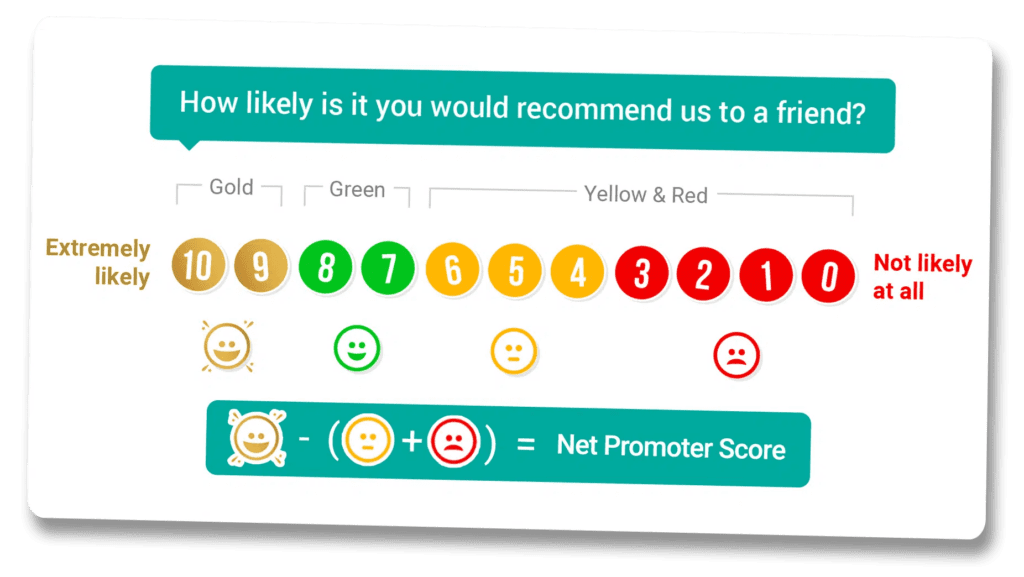
    • Net Promoter Score (NPS): Measures overall customer loyalty and satisfaction.
    • Customer Surveys/Feedback: Direct insights from users about what they like and dislike about your website.

    Step 3: Identify Your Website Redesign Goals

    Now that you’ve planned out the UX and benchmarked your current website’s metrics, it’s time to ask the big question: “Why?” Why are you designing a new website? Any significant change to your existing website needs a good reason behind it.

    Common goals involved in a website relaunch include:

    • The site needs to look good and function well on a variety of devices
    • Refreshing the site’s look 
    • Optimizing loading times
    • Optimizing content, structure, and technical elements to improve SEO 
    • Updating and adding content 
    • Implementing the latest security protocols
    • Adding new functionalities, such as chatbots, forums, and e-commerce capabilities
    • Ensuring the website is accessible to people with disabilities

    Step 4: Develop Your New Website

    Here comes the most important and perhaps most difficult step of the process: designing and developing your new website. 

    In this step, five critical elements must be addressed: technology, design and page structure, content, media, and SEO.

    Technology

    For a successful website relaunch, it’s essential to build your site on cutting-edge technology to ensure it’s not only secure but also lightning-fast. This means upgrading to the latest versions of your Content Management System (CMS) and ensuring that the backend, like PHP, is up-to-date.

    Additionally, tidying up your web space and database by removing any unnecessary content is crucial, as this excess baggage can significantly drag down your site’s speed.

    When it comes to hosting, you should opt for a provider that meets and exceeds your technical standards. 

    While high-quality hosting solutions might have a steeper price tag than the more common shared hosting options, the investment pays off. Superior hosting not only enhances your website’s loading times and overall performance but also ensures continuous support.

    Design and Page Structure

    The design and page structure of your website should echo the essence of your corporate identity (CI). The CI encompasses specific guidelines related to the logo, slogan, color spectrum, typography, visual language, and other design elements. 

    Adhering to certain design standards is another must when planning your website relaunch, particularly in terms of responsiveness and mobile optimization. The digital world demands that your website flawlessly adjusts to numerous mobile devices, requiring a design that is adaptable to various screen sizes. 

    Beyond mobile optimization, the overall page structure must be user-friendly and intuitive, allowing users to understand and navigate your website pages easily. This often entails designing a straightforward menu system that avoids excessive hierarchy and nested submenus, ensuring all pages are readily accessible.

    Content Optimization

    Effective content optimization involves more than refining the structure and grammar; it involves a keen focus on the content’s relevance and currency.

    To keep your website dynamic and engaging, you must periodically review and update your texts. Any outdated information should be removed, making room for new content that highlights the latest services or products your company offers.

    Adapting the language and tone of your content is equally important to resonate with your target audience. The content should reflect the language and style that your website visitors prefer.

    For websites undergoing a relaunch on a different Content Management System (CMS) than initially used, transferring posts becomes a technical concern. Fortunately, tools like WP All Import for WordPress facilitate the exportation and re-importation of posts, streamlining the process of migrating content to the new platform.

    Media Optimization

    A website redesign is a great opportunity to revamp your media, including photos, illustrations, and videos. With today’s higher-resolution screens, outdated media can look blurry or pixelated and reduce your website’s overall appeal.

    Firstly, all visual content should be carefully selected and optimized to ensure it aligns with your brand identity and communicates the intended message to your audience. High-quality, relevant images and videos can significantly boost user engagement.

    However, it’s essential to strike a balance between quality and performance. 

    Visuals should be optimized for web use to prevent slow loading times, which can bring down the user experience and negatively affect your site’s SEO rankings. Techniques such as compression and choosing the right file formats can help maintain image and video quality while minimizing file sizes.

    If your website features a significant amount of video content, it’s advisable to host these videos on external platforms like YouTube or Vimeo and embed them on your site. This can reduce the load on your server and ensure smoother playback for users.

    Search Engine Optimization

    Search Engine Optimization (SEO) is a necessary component for any website looking to enhance its visibility online. Designing your new site with SEO at the forefront can help you bring in more website traffic and, ultimately, conversions.

    A foundational aspect of SEO involves the optimization of both textual and visual content. For text content, this means crafting copy that is structured around specific keywords and resonates with your audience.

    Tools for keyword research range from sophisticated paid platforms offering in-depth analysis and options to basic yet effective searches directly on search engines themselves. A go-to technique is to integrate these keywords into your blog articles, meta descriptions, and headings.

    When it comes to visual content, you need to pay attention to meta and alt tags. These tags not only facilitate accessibility by describing the visual content to users who might not be able to see them but also help search engines understand and categorize the images on your site.

    Plus, optimizing the file size, format, and name of your images can further boost your SEO efforts. Keeping file sizes manageable ensures quicker page load times, a factor that search engines take into account. 

    Using standard file formats like PNG, SVG, JPG, or GIF and including relevant keywords in your file names also helps in making your visual content more discoverable.

    Step 5: Perform Testing and Improvements

    With the bulk of the work behind you, the focus shifts to ensuring your newly enhanced website operates seamlessly across a variety of platforms and devices. A thorough testing and refinement strategy is essential for a successful public launch. 

    Begin with functional testing to ensure all internal and external links are intact and direct users to the intended pages. 

    Additionally, submit forms on the website to confirm they’re correctly processing information. Don’t forget to assess all interactive elements, including search functions, navigation menus, and any bespoke features, to guarantee their optimal functionality.

    Compatibility testing is equally important. Verify that your website presents accurately across different web browsers such as Chrome, Firefox, Safari, and Edge, along with their various versions. Then, test the site on a range of devices.

    Plus, evaluate the website’s performance on different operating systems, including Windows, macOS, iOS, and Android, to spot any system-specific issues.

    Performance testing should not be overlooked. Use tools like Google PageSpeed Insights to analyze page loading times and obtain recommendations for enhancements. Additionally, conduct stress tests by simulating peak traffic conditions to understand how the website copes under pressure and to identify any potential failure points. 

    Step 6: Announce Your Website Relaunch

    After all that hard work, you want your audience to notice your website redesign and the best way to do that is through a curated website announcement strategy.

    Announcing your website relaunch is an exciting opportunity to re-engage with your audience and attract new visitors. Here are a few tips for a successful website launch:

    • Create Teaser Posts: Build anticipation by sharing sneak peeks of the new design and features on social media, email newsletters, and your existing website.
    • Leverage Social Media: Use all your social media platforms for your redesign announcement, share behind-the-scenes content, and engage with your audience through polls or teasers.
    • Send Out a Press Release: Draft a compelling press release highlighting the improvements and new features of your website and distribute it to local news outlets and industry influencers.
    • Update Your Email Signature: Include a brief note about the upcoming website relaunch in your email signature with a link to a preview or the launch date announcement.
    • Host a Virtual Launch Event: Organize a webinar or live stream on your social media channels to walk your audience through the new website and showcase key features and improvements.
    • Offer Special Promotions: Entice users to visit your new website by offering launch-specific promotions, discounts, or exclusive content.
    • Engage with Influencers and Brand Ambassadors: Partner with influencers or brand ambassadors in your industry to spread the word about your website relaunch.
    • Utilize Paid Advertising: Consider using paid search and social media ads targeting keywords related to your business and the relaunch to attract a wider audience.
    • Update Your Business Listings and Profiles: Make sure all your business listings (Google My Business, LinkedIn, etc.) and profiles reflect the relaunch and direct users to check out the new website.
    • Send Digital Newsletters: Announce your website relaunch through a series of digital newsletters to your prospects and customers.

    Step 7: Go Live

    Congratulations—you’ve completed a website redesign! Your efforts will culminate in the most awaited part of the process: introducing your new site to the world.

    A good time to launch your new business website is when there’s not a lot of traffic. This sounds counterintuitive, but launching when there are not many people viewing your redesigned site provides a smooth transition.

    Step 8: Monitor Performance

    Launching your redesigned website is not the last step. In the following weeks or months, go back to your benchmark metrics and goals to determine if your new site is working as well as it should. 

    Here are key questions to guide your monitoring efforts:

    • Is the navigation intuitive?
    • Are there any broken links or errors?
    • Is the website mobile-friendly?
    • Which pages are most visited?
    • What is the bounce rate?
    • How are interactive elements performing?
    • What is the conversion rate?
    • Are there any technical issues affecting performance?
    • How does the site perform across different browsers and devices?
    • How is the website ranking for targeted keywords?
    • Is the content effectively driving traffic?
    • Are meta descriptions and titles optimized and effective?
    • What feedback are users providing?

    How to Take Your Website to the Next Level

    A website relaunch will eventually become necessary. In any case, knowing how to approach this process efficiently will pay off.

    You don’t have to be a web development expert to design your own website, but you do need to know when and why you need to improve it. FullSession gives you the full toolbelt to measure and analyze the metrics that matter, including intuitive tools like:

    Whether you need regular monitoring or a complete analysis to justify an overhaul, FullSession’s data-driven approach can make the process hassle-free.

    FullSession Pricing Plans

    Fullsession Pricing

    The FullSession platform offers a 14-day free trial. It provides two paid plans—Basic and Business. Here are more details on each plan.

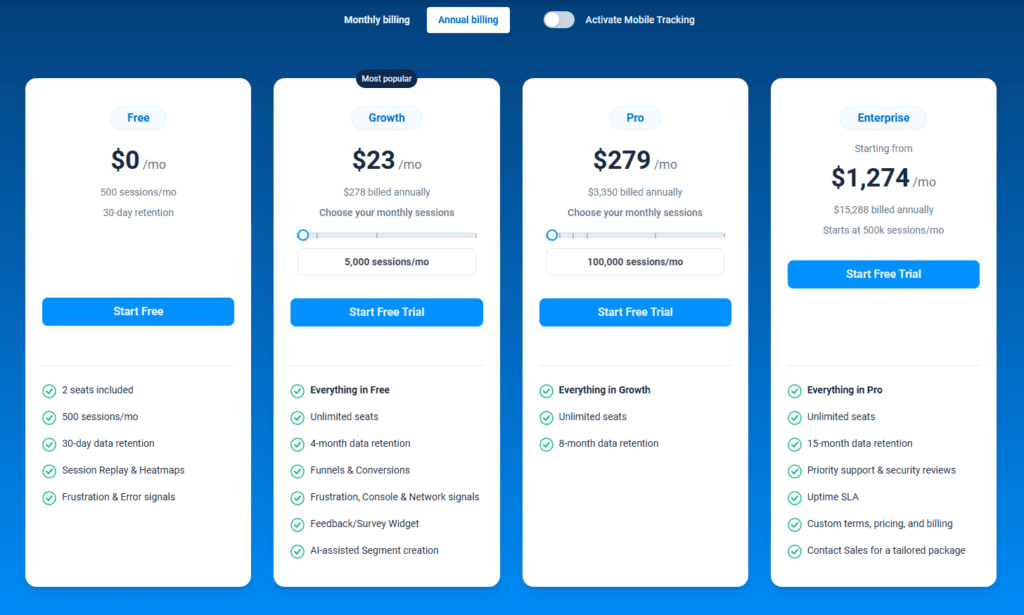
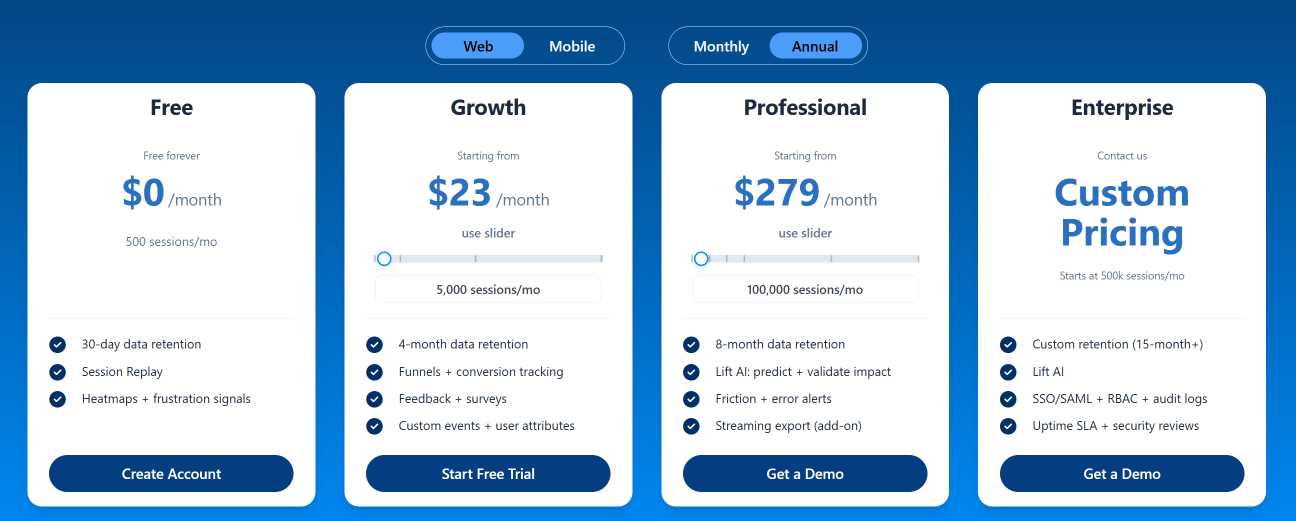
    • The Free plan is available at $0/month and lets you track up to 500 sessions per month with 30 days of data retention, making it ideal for testing core features like session replay, heatmaps, and frustration signals.
    • The Growth Plan starts from $23/month (billed annually, $276/year) for 5,000 sessions/month – with flexible tiers up to 50,000 sessions/month. Includes 4 months of data retention plus advanced features like funnels & conversion analysis, feedback widgets, and AI-assisted segment creation.
    • The Pro Plan starts from $279/month (billed annually, $3,350/year) for 100,000 sessions/month – with flexible tiers up to 750,000 sessions/month. It includes everything in the Growth plan, plus unlimited seats and 8-month data retention for larger teams that need deeper historical insights.
    • The Enterprise plan starts from $1,274/month when billed annually ($15,288/year) and is designed for large-scale needs with 500,000+ sessions per month, 15 months of data retention, priority support, uptime SLA, security reviews, and fully customized pricing and terms.

    Book a demo today.

    Improve Your Website Right Now

    It takes less than 5 minutes to improve your website, withFullSession, and it’s completely free!

    FAQs About Website Relaunch

    How often should I consider a website relaunch?

    There’s no one-size-fits-all answer, but every 2-5 years is a good rule of thumb to stay current with design trends and technological advances.

    Will my SEO rankings be affected by a relaunch?

    A well-executed relaunch can actually improve your SEO rankings, especially if you’re upgrading the site’s performance, mobile-friendliness, and content quality.

    How long does a website relaunch take?

    The timeline varies depending on the complexity of your site and the extent of changes. Typically, a relaunch can take anywhere from a few weeks to several months.

  • 7 Best Practices For Giving Good Web Design Feedback

    7 Best Practices For Giving Good Web Design Feedback

    A new website design rarely gets approved without further tweaks and improvements. As a business owner, it’s natural to want a web design that checks all your boxes, resonates with your brand identity, and follows web design best practices. But how can you achieve this in the most efficient way possible?

    Working with a talented web designer is the best first step. However, even the best website designers need helpful feedback to give you exactly what you want.

    This is where many business owners run into trouble; How can you give contextual feedback if you’re not a web designer?

    Don’t worry, you don’t need to be a website design expert to give feedback that will help your designer produce the results you need. In this guide, we’ll dive into the ins and outs of web design feedback and how to provide feedback that will work.

    Why Does Web Design Feedback Matter?

    Your website’s UI and UX design will have a direct impact on your business’ success. Think of your page as a storefront, if it doesn’t look appealing, you’ll have trouble getting customers to come inside, much less buy something.

    That said, giving effective feedback during the design process is crucial. It is essential for achieving multiple success points, including:

    Alignment with Vision and Goals

    Your website is a digital embodiment of your brand’s vision and goals. Feedback ensures that every element of the design aligns with what you aim to achieve, whether it’s increasing brand awareness, boosting sales, or providing valuable information.

    Without good web design feedback, there’s a risk of the final product straying from your initial vision, potentially missing the mark with your target audience.

    Better User Experience

    The user experience (UX) is one of the most essential aspects of web design, right next to the user interface (UI). With effective website design feedback, you can help your designer identify potential frustration points, such as poor navigation, too much clutter, or a confusing layout.

    In turn, your website designer knows exactly what they need to fix to improve the overall user experience.

    Efficiency and Cost-effectiveness

    Iterative feedback throughout the design process can save time and resources in the long run. Addressing issues early on prevents costly redesigns or corrections after the site has been launched. Plus, you’ll pay for fewer hours for revisions and other changes, which can definitely add up.

    Innovation and Creativity

    Feedback can also spark creativity and innovation that can lead to a better website design. By challenging designers to rethink certain aspects or try new approaches, feedback can lead to more creative solutions that enhance the website’s appeal and functionality.

    Smooth Launch

    Giving frequent and effective web design feedback can help ensure you have the perfect website just before launching. No one wants to run into any problems on launch day, so it pays to address any issues as early as possible to stay on track for your website opening.

    7 Best Practices for Giving Effective Web Design Feedback

    Web design layout animated

    Providing helpful website design feedback can be a challenge, especially if your knowledge of web design is limited. You can exactly say “I don’t like this” or “Make the website pop” and leave it at that. Instead, you would want to give feedback based on clear objectives and realistic expectations.

    Here are several tips that can help you do just that:

    1. Understand the Basics of Web Design

    You don’t have to be a web designer to give feedback that will likely lead to results, but it’s important to know the basics, at least. Familiarize yourself with the fundamentals of web design, including layout principles, color theory, and UX design. This knowledge will help you articulate your feedback more effectively and understand the implications of your requests.

    Plus, you would want to recognize the technical and practical constraints your design team might face, such as browser compatibility or mobile responsiveness, to help you set realistic expectations.

    2. Give Direct and Actionable Feedback

    The golden rule of giving any type of feedback is to be specific. Instead of saying, “I don’t like this,” pinpoint exactly what you’re reacting to and suggest an alternative. For instance, “The font size on the homepage feels too small for easy reading; could we try increasing it?”

    Whenever possible, combine your critique with a suggestion. This approach is more constructive and can accelerate the review process.

    3. Do It Often and Frequently

    Set up periodic checkpoints throughout the design process. Regular feedback can prevent significant deviations from your vision and reduce the need for major overhauls later.

    An experienced web designer or web design agency shouldn’t need a lot of hand-holding, but it’s crucial that you are active in your involvement throughout the process.

    4. Avoid Vague Phrases

    This is a common mistake that a lot of clients make. Instead of using ambiguous terms like “make it pop” or “more dynamic,” explain what those terms mean to you. For example, “Could we use a brighter color palette to highlight our call to action?”

    For a clearer approach, try referencing other websites or designs that embody the qualities you’re aiming for. Visual examples can provide a clear direction and inspiration.

    5. Communicate With Your Web Designers

    Treat your design team as collaborators in the creative process and encourage an open discussion whenever possible. Open communication and mutual respect foster a productive environment where feedback is welcomed and valued.

    However, remember to be understanding of their perspective (they’re professionals, after all!). Be open to explanations about design choices. There might be reasons behind certain decisions that aren’t immediately apparent. For example, you may be wondering why there are limited visual elements on a page, but the designer intentionally left a lot of white space to avoid clutter.

    6. Use a Web Design Feedback Tool

    Some clients provide feedback by compiling annotated screenshots on Google Docs or using color-coded spreadsheets to give different feedback on various design elements. While these techniques can be effective for some, they might not work well if you have a lengthy design process.

    A more efficient approach is to use a website feedback tool like InVision or Figma, which allows for entering and managing feedback directly on the visual elements. This kind of tool helps keep the feedback organized and avoids confusion from varying naming conventions or cluttered files. Plus, it stores the feedback all in one place, ensuring that every team member is on the same page.

    A more efficient approach is to use a website feedback tool like InVision or Figma, which allows for entering and managing feedback directly on the visual elements. This kind of tool helps keep the feedback organized and avoids confusion from varying naming conventions or cluttered files. Plus, it stores the feedback all in one place, ensuring that every team member is on the same page.

    7. Collect Feedback from Your Visitors

    If you’re doing a website design overhaul, feedback from your existing visitors can provide valuable insights into how your current design is doing in terms of functionality, appeal, UX, and other important aspects.

    The best way to do this is to integrate a website feedback tool that can help you collect visual feedback on various elements on your site. Platforms like FullSession let you create your own website feedback form to gather valuable easily quantifiable data on your website’s quality.

    Install Your First Website Feedback Form Right Now

    It takes less than 5 minutes to set up your first website or app feedback form, withFullSession, and it’s completely free!

    Example of Website Design Feedback Based on Different Steps

    Web design creation animated

    Let’s break down a simplified version of a web design process and examples of constructive feedback at key points. This scenario will illustrate how feedback can effectively guide the design from conception to completion, ensuring the final product meets the project’s goals and audience needs.

    1. Discovery and Research

    In this initial phase, the team gathers information about the client’s business, target audience, objectives, and competitors.

    Good Feedback Example:

    “I appreciate the competitor analysis. However, our brand values sustainability and innovation, which seem underrepresented in the current direction. Can we explore design concepts and ideas that emphasize these values more clearly?”

    2. Wireframing

    Wireframes are created to lay out the basic structure of the web pages, focusing on usability and the user journey, without yet adding design elements like colors or images.

    Good Feedback Example:

    “The wireframe for the product page is straightforward, which is great. I’m concerned, though, that the call-to-action (CTA) button might get overlooked in its current position. Could we try placing it above the fold and see if it feels more intuitive?”

    3. Design Mockups

    Based on the wireframes, detailed mockups are designed, incorporating the site’s visual elements, such as color palettes, typography, and imagery.

    Good Feedback Example:

    “The mockups capture the vibrant, youthful energy of our brand well. The font choice for the headings, though, feels a bit too formal. Could we explore a few more options that might be a tad more playful but still easy to read?”

    4. Prototype Development

    Interactive prototypes are developed from the mockups, allowing stakeholders to experience and interact with the design as if it were a live website.

    Good Feedback Example:

    “Navigating the prototype gives a good sense of the user flow. However, the transition animations between pages feel a bit slow, which could affect the user experience negatively. Can we speed those up for a smoother transition?”

    5. User Testing

    The prototype is tested with real users to gather feedback on usability and overall experience. This feedback is then used to refine the design.

    Good Feedback Example:

    “User testing highlighted that our sign-up process might be a bit too lengthy, leading to drop-offs. Can we streamline this process, perhaps by reducing the number of fields or by adding a social media sign-up option?”

    6. Final Design Adjustments and Development

    Based on all the feedback received, final adjustments are made to the design, and the website is developed and launched.

    Good Feedback Example:

    “The final design looks fantastic, and the adjustments have really paid off. Before we go live, let’s ensure all the social media links are correctly set up and test the site across different devices one more time to make sure everything is responsive.”

    7. Post-Launch Review

    After the site is live, it’s important to continue monitoring its performance and gathering feedback for further improvements.

    Good Feedback Example:

    “Now that the site is live, initial feedback has been overwhelmingly positive. Let’s schedule a review in three months to analyze performance data and decide if there are any areas we can optimize further based on real user interactions.”

    Good Web Design Feedback Creates Better Websites

    Constructive feedback is necessary if you want anything to improve, whether that be employee performance, product quality, or your website design. Use these best practices and feedback examples to get better at providing effective feedback and, in turn, help create the website your business deserves.

    If you are overhauling your website’s design or performing user testing, FullSession can help you collect valuable feedback and turn it into data that you can easily analyze. With FullSession’s customer feedback tools, you can customize your own in-app survey and collect instant feedback from visitors–no coding needed.

    FullSession Pricing Plans

    The FullSession platform offers a 14-day free trial. It provides two paid plans—Basic and Business. Here are more details on each plan.

    • The Starter plan costs $39/month or $32/year and allows you to monitor up to 5,000 monthly sessions with up to 6 months of data storage.
    • The Business plan costs $75/month or $60/year and helps you to track and analyze up to 100,000 monthly sessions with up to 12 months of data storage.
    • The Enterprise plan has custom pricing and offers customizable sessions plus full access to all features.

    Book a demo today.

    FAQs About Web Design Feedback

    How much feedback is too much?

    While regular feedback is crucial, there’s a fine line between being thorough and micromanaging. Aim for quality over quantity, and trust your team’s expertise.

    Should I use technical terms when giving feedback?

    Use technical terms if you’re comfortable with them, but don’t feel pressured to. Clarity is key, whether that comes through technical jargon or plain language.

    How can I ensure my feedback is constructive?

    Focus on the issue, not the person. Use “I” statements to express how you feel about the design and suggest specific improvements.

    Can I give feedback even if I don’t have a design background?

    Absolutely! Your perspective as a business owner or stakeholder is invaluable, especially when it comes to understanding your audience’s needs and preferences.

  • What is Content Design? (+ 5 Step Checklist That We Use)

    What is Content Design? (+ 5 Step Checklist That We Use)

    Graphic designers, content writers, copywriters, programmers, and web designers are all part of the standard roster for creating and running a website. However, a lot of people forget one crucial member of the dream team to tie it all together–the content designer.

    But what is content design? And how does it play into your business’ success?

    In this article, we’ll go over what content design is and 5 best practices you can implement.

    What is Content Design?

    Content design is your website’s content strategy, including text, images, maps, videos, and other graphics that aim to communicate with your audience.

    The goal of content design revolves around understanding user journeys and crafting content that speaks directly to their needs, desires, and pain points.

    Content Design vs. UX Writing

    In the digital realm, “content design” and “UX writing” are often used interchangeably, but they serve unique roles in improving user experience. While they work towards improving user engagement and satisfaction, each plays a distinct part in this journey.

    UX Writing

    UX writing is creating the text users encounter while navigating through a website, app, or software. This includes:

    • Buttons: The text on call-to-action (CTA) buttons like “Buy Now,” “Learn More,” or “Sign Up.” These few words are powerful enough to guide users towards taking action.
    • Error Messages: When something goes wrong, a well-crafted error message can turn a moment of frustration into an opportunity for clarity and even humor.
    • Instructions and Guidelines: Simple, direct instructions that help users complete tasks without confusion.
    • Form Labels and Navigation Menus: These texts help users understand where to input data and how to move around the site or app efficiently.

    Content Design

    Content design goes beyond the text on a button or an instruction label. It involves:

    • Strategic Content Planning: Determining what content is needed where based on user research and business goals. This includes mapping information so that it’s easy for users to find what they’re looking for.
    • Visual and Interaction Design Integration: Working alongside UI/UX designers to ensure that text, visuals, and layout work harmoniously. Content design considers how content is presented visually and interacts with other elements on the page.
    • Content Governance and Consistency: Developing a consistent tone of voice and style across all platforms and pieces of content. This includes everything from blog posts and marketing copy to instructional content and policy information.
    • Accessibility and Inclusivity: Ensuring content is accessible to all users, including those with disabilities. This involves following best practices for readability, using inclusive language, and making content understandable for a wide audience.

    What Does a Content Designer Do?

    Illustration titled “What Does a Content Designer Do?” showing hand-drawn content layout sketches with text blocks, page wireframes, and a hand holding a red pencil.

    Content designers are writers, editors, strategists, and architects all rolled into one. They combine content strategy, journey mapping, marketing, UX writing, and other facets of website optimization to present information most logically and engagingly possible.

    Here’s a deeper look into what content designers do:

    Understand Target Audiences Using Data

    Content designers start with data. They sift through analytics, user feedback, and market research to build a comprehensive understanding of their target audience. This process includes:

    • Identifying User Needs and Preferences: Understanding what users are looking for, the problems they’re trying to solve, and how they prefer to consume content.
    • Segmentation: Recognizing that different groups within the audience may have unique needs and tailoring content to suit these different segments.
    • Behavior Analysis: Using tools and metrics to track how users interact with content, identifying what captures their attention, what confuses them, and what drives them to take action.

    This data-driven approach ensures that content strategies are not based on guesswork but on accurate insights into user behavior and preferences.

    Structuring Information for User-Friendliness

    Content designers organize information architecture to ensure users can easily navigate digital products. This includes:

    • Creating Logical Hierarchies: Ensuring content is organized in a way that makes sense to the user, with clear headings, subheadings, and a logical flow of information.
    • Simplifying Complex Information: Breaking down complicated concepts into digestible chunks that users can easily understand and act upon.
    • Designing for Accessibility: Making sure content is accessible to everyone, including those with disabilities, by following best practices for readability, using alt text for images, and ensuring compatibility with screen readers.

    The goal is to remove any barriers that might prevent users from accessing and understanding the content, enhancing the overall user experience.

    Collaborating with UX/UI Designers, Developers, and Marketers

    Content designers do not work in isolation; they are part of a multidisciplinary team. Their role involves:

    • Bridging the Gap Between Departments: Acting as the connective tissue between UX/UI design, development, and marketing teams to ensure a unified approach to content.
    • Incorporating Design and Development Insights: Working closely with designers to ensure that the visual elements complement the content and with developers to understand the technical constraints and possibilities.
    • Aligning with Marketing Goals: Ensuring that content aligns with the brand’s voice and marketing objectives, helping to drive brand recognition and loyalty.

    This collaborative approach ensures that content is not only well-designed but also strategically aligned with business goals and user needs.

    Writing and Editing Content That Drives Action

    At the heart of content design is the creation of content itself. Content designers:

    • Craft Compelling Narratives: Write content that engages users, tells a story, or conveys information that resonates with the target audience.
    • Persuasive Call-to-Actions: Develop clear, compelling CTAs that encourage users to take the desired action.
    • Iterate Based on Feedback: Use A/B testing and user feedback to refine and improve the content, ensuring it continues to meet user needs and business objectives.

    Good content designers are skilled communicators, adept at translating complex ideas into clear, compelling, and actionable content.

    The Role of Content Design in UI and UX

    Great content design is the backbone of an effective user interface (UI) and optimized user experience (UX), which, in turn, are essential aspects of a conversion funnel that works.

    Both content designers and UI/UX writers contribute to your business’ success by:

    Seamless Navigation

    One of the primary goals of content design is to ensure that users can find what they’re looking for with minimal effort. Content designers strategize the organization of information to align with user expectations, using familiar navigation patterns and clear, descriptive labels.

    Information Presented In a Simple Way

    Content design is crucial in how information is laid out on a page, contributing significantly to a logical flow that users can easily follow. Content designers prioritize hierarchy and structure by using headings, subheadings, bullet points, and paragraphs effectively to create a hierarchy that guides the user’s eye through the content logically.

    Context matters, too. Content designers create solutions ensuring content is presented in context, with related information grouped and advanced concepts built upon foundational knowledge. This structured approach not only aids comprehension but also enhances the overall usability of the digital product.

    Maintaining Brand Voice Consistency

    A consistent brand voice across all platforms is vital for building trust and recognition. Content design ensures that every text reflects the brand’s personality and values, from the homepage to the error messages.

    The content designers’ process will create designs while keeping brand identity in mind. A unique, consistent voice helps establish a strong brand identity that users can relate to and remember. Furthermore, when the brand voice is consistent, it creates a seamless experience for users across different platforms and touchpoints, reinforcing the brand’s message and values.

    Content designers work closely with brand teams to encapsulate and express the brand’s essence through every word on the digital platform.

    Increasing Engagement and Conversion Rates

    At its heart, content design is about creating engaging experiences that drive users to take the desired action. This involves developing content that captures interest and encourages users to engage more deeply with the product, whether through reading, sharing, or exploring.

    Similar to copywriters and content writers, a content designer will design CTAs that are compelling and easy to find, guiding users toward conversion points like purchases, sign-ups, or downloads.

    By focusing on engagement, content designers play a direct role in improving key metrics like dwell time, bounce rates, and conversion rates.

    Top 5 Content Design Best Practices

    Workspace photo showing a laptop with a concept sketch on screen, alongside a notebook, coffee cup, and glasses under the heading “Top 5 Content Design Best Practices.

    You can tell your content design is great if it resonates with your target audience. But just like any other aspect of website optimization, creating an effective content design strategy is not that easy.

    That said, here are our top five content design best practices to help you get started:

    1. Start with User Research: Understanding your audience is the foundation of effective content design. Conduct thorough user research to gain insights into your users’ needs, preferences, and behaviors. This can include customer surveys, interviews, user testing, and analysis of user data.
    2. Embrace Clarity and Simplicity: In content design, less is often more. Use clear, concise language that your audience can easily understand. Especially avoid industry jargon.
    3. Maintain Consistency Across All Platforms: Consistency in tone, style, and formatting is key to building trust and familiarity with your audience.
    4. Utilize Visuals Purposefully: Visuals are a powerful tool in content design, capable of conveying complex information quickly and effectively.
    5. Iterate Based on Feedback and Testing: The digital landscape is ever-evolving, and so should your content design. Regularly test your content’s effectiveness through A/B testing, user feedback, and UX analysis.

    How Can Web Analytics Help Optimize Content Design?

    Photo of two people reviewing analytics on a laptop screen with pie charts and line graphs under the heading “How Can Web Analytics Help Optimize Content Design?

    As you can see, content design is not exactly a straightforward process. It requires efficient collaboration across multiple teams and constant analysis to anticipate user needs. Additionally, your branding must be solid from the get-go to ensure your strategies remain consistent.

    With all that in mind, how can you make the content design process easier?

    Web analytics is the go-to solution for many web design processes and something you should always have in your toolbelt. It can streamline your content design strategy by:

    • Identifying High-Performing Content: User behavior analytics tools track various metrics that help identify which pieces of content are most engaging to your audience. Metrics such as page views, time spent on a page, and social shares offer clear indicators of content that resonate.
    • Spotting User Experience Issues: One of the most valuable aspects of web analytics is its ability to highlight potential website issues. High bounce rates, for example, can indicate that a page isn’t meeting users’ expectations, perhaps due to irrelevant content or poor design.
    • Segmenting Audience Interaction: Different segments of your audience may interact with your content in distinct ways. Web analytics allows you to segment your audience based on various criteria, which can reveal valuable insights into how different groups prefer to consume content, what topics they find most engaging, and how they navigate your site.
    • Making Data-Driven Decisions: Instead of relying on intuition or general best practices, content designers can use analytics to understand what works and what doesn’t for their specific audience.

    Refine Your Content Design Strategy with FullSession

    Web analytics provide a window into the user’s experience and offer actionable insights that can drive significant improvements in content design.

    With an effective web analytics tool like FullSession, your content designers won’t have to rely on intuition or third-party data. You get direct access to valuable metrics and powerful tools like:

    • Interactive Heat Maps: FullSession’s website heat map shows you which elements are getting clicks and which ones are getting no attention, helping your content designers strive for an engaging and intuitive user interface.
    • Session Recordings: Content designers need to know how your audience is interacting with your user interface. Session recording and replay show you exactly how visitors use your website, which can tell you where the frustration points are.
    • Customer Feedback Tools: FullSession lets you integrate tools that collect instant feedback from your web visitors. Content designers can use this feedback to optimize the user’s journey and minimize funnel drops.

    FullSession Pricing Plans

    Here are more details on each plan.

    • The Starter plan costs $39/month or $32/year and allows you to monitor up to 5,000 monthly sessions with up to 6 months of data storage.
    • The Business plan costs $75/month or $60/year and helps you to track and analyze up to 100,000 monthly sessions with up to 12 months of data storage.
    • The Enterprise plan has custom pricing and offers customizable sessions plus full access to all features.

    Book a demo today.

    Install A Better UX Analytics Tool Today

    It takes less than 5 minutes to set up your first website or app with FullSession, and it’s completely free!

    FAQs About Content Design

    Can good content design improve SEO rankings?

    Absolutely! By improving user engagement and reducing bounce rates, content design can positively impact your SEO efforts.

    Is content design only important for digital products?

    While it’s crucial for digital platforms, the principles of content design apply to any medium where information needs to be effectively communicated.

    How often should I update my content design?

    Regular reviews are key. The digital landscape changes rapidly, so staying on top of user feedback and the latest trends is essential.

  • What Is Mobile Analytics? And How Can It Improve UX?

    What Is Mobile Analytics? And How Can It Improve UX?

    According to recent statistics, more than 55% of website traffic comes from mobile devices. That said, optimizing your website for mobile is just as important as perfecting your desktop interface. One way to do that is through mobile analytics.

    Understanding your mobile audience is a must to gain more insight into your website metrics. If your site isn’t optimized for mobile, chances are you’ll be missing out on conversions.

    In this guide, we’ll go through everything you need to create great user retention and experience through mobile analytics.

    What is Mobile Analytics?

    analytics on mobile

    Mobile analytics provides improved user understanding of mobile websites, gathering and interpreting data from the mobile version of websites and mobile apps.

    Mobile analytics has different parts to the process, which can be broken into 3 categories:

    1. Data gathering: The process of using mobile app analytics platforms tools and software to gather mobile analytics data, e.g., user interactions.

    2. Data analysis: Understanding user behavior analytics on your mobile site or mobile apps.

    3. Optimization: Applying usage data to optimize your funnel and increase conversions on your mobile site.

    Mobile analytics is a necessity to capture conversions across all of your site visitors, some being mobile users.

    Why is Mobile Analytics Important?

    Mobile surfing has long surpassed desktop use as smartphones have become a commodity. Most websites were quick to optimize for mobile to retain their existing audiences and attract new ones.

    This means that you likely have strong competition, regardless of your industry or niche. Plus, it doesn’t take much for a mobile web visitor to click out of your site.

    Photo of several people sitting and using smartphones under the heading “Why is Mobile Analytics Important?

    Here are possible reasons that can contribute to a high exit rate:

    • Slow-loading web pages

    • Cluttered website design

    • Poor readability

    • Navigation issues

    • Information overload

    • Poor mobile optimization

    These factors can affect both desktop and mobile interfaces, but let’s focus on the last point. With poor mobile optimization, images may be too small or text may be hard to read. The site can look wonky and overall difficult to navigate.

    Again, it doesn’t take much for a web user to bounce and find another website.

    Mobile analytics provides valuable insights into how can customers view your website through their mobile phones. Furthermore, it can be invaluable when employing a mobile-first strategy, which can help designers ensure the website is optimized for all devices.

    Examples of Mobile Analytics Metrics

    Mobile analytics helps you keep track of multiple parameters or metrics. Common examples include:

    User Demographics

    Knowing your app users’ age, where they’re from, what kind of device they use, and other details gives you a peek into who they are. In-depth knowledge of user demographics can be extremely useful for creating strategies to improve user engagement based on target audiences while eliminating a lot of the guesswork.

    Additionally, you can determine whether your current marketing strategy is working (i.e. if your target audience is actually visiting your site).

    Behavioral Data

    Mobile analytics tools help developers analyze user engagement and user behavior. Understanding how long users stay engaged, how often they open the mobile websites, which features they use, and how they interact, is a must for optimizing site or app performance.

    Primarily, you get to see the specific parts of your site that need the most work.

    Daily and Monthly Active Users

    Mobile analytics measures the number of users who engage on your mobile website daily and monthly, deep-diving into data that would determine what needs to be improved on your mobile sites.

    Mobile Analytics vs. Web Analytics

    Illustration showing a person holding a smartphone with analytics dashboards overlaid on the screen, alongside a laptop displaying charts and graphs under the heading “Mobile Analytics vs. Web Analytics.”

    Mobile analytics tools give you the details on how users interact with your mobile site on their phones, helping you understand user behavior. How they click, swipe, and use all sorts of features. On the other hand, web analytics shows how your website is doing overall.

    Mobile analytics focuses more on individual users compared to web analytics, especially if your site comes with an app version. It can be easier to segment users and analyze their behavior with mobile web or app analytics.

    By understanding both, you can use mobile analytics tools to incorporate strategies to optimize your website based on how you would want users to view your website on a small phone screen.

    Common Mistakes When Tracking Mobile Analytics

    Companies that use mobile analytics can unlock a powerful new tool to improve user engagement, conversions, and other measurements of success. However, there are still a lot of pitfalls to be wary of, such as:

    Failing to Set Goals

    Mobile web or mobile app analytics tools provide a wide variety of information to help you optimize your site for all users. This is primarily a great thing except when you fail to set clear objectives.

    What are your current optimization goals, and what key metrics do you need to track to meet those goals? Set clear objectives to ensure you don’t waste your time tracking data and not knowing what to do with it.

    Ignoring Mobile-Specific Metrics

    While desktop web analytics track clicks, scrolls, and keyboard actions, mobile users scroll, pinch, and tap the screen to navigate. Mobile analytics platforms sometimes fail to measure app-specific actions like screen swipes.

    Zeroing in on One Success Metric

    There are plenty of ways to use mobile analytics to measure success, and it helps to prioritize a few metrics at a time. However, that doesn’t mean you should focus on one and put the others on the back burner.

    For instance, you might see a huge number of clicks on your landing page. Great! But are visitors going further than that?

    Tracking Everything

    Inversely, it doesn’t make sense to try and track everything all at once. Sure, all metrics have some level of importance, but that doesn’t not everything will be relevant to your goals. Focus on the most important metrics depending on what you want to improve in the user journey.

    Jumping to Conclusions

    When you know how mobile analytics work, you should know not to take things at face value. Mobile and web analytics give you numbers to work off of, not a definite conclusion or a sign of success.

    Picture this: you’re trying to see why there are a lot of abandoned carts. You check the user behavior data and see that some customers complete the entire purchasing process, indicating there’s nothing wrong with the site’s shop functionality. You assume they just change their minds before purchasing, but should you have dug deeper, you would have discovered a major bug for one segment, say, Android users.

    Overlooking User Privacy

    There are clear boundaries you cannot cross regarding customer data privacy in relation to mobile analytics. Ensure your web or mobile app analytics tools are in line with current privacy policies.

    Stopping at Analysis

    Mobile analytics solutions provide important insights into improving your site’s overall UX and UI. However, analytics platforms can also determine pain points in your marketing campaigns and help you improve them based on user behaviors on marketing-specific elements.

    Who Should Get a Mobile Analytics Tool?

    Any company can benefit from a clear view of user engagement metrics. For some people, however, mobile analytics becomes a necessity. These include:

    • Marketing teams: These tools make it easier for marketing teams to advance strategies and, ultimately, generate more leads.

    • Designers: Developers and designers won’t need to spend hours finding bugs that downgrade the user experience on mobile devices. Mobile analytics tools help technical teams find these errors right away.

    • Customer success and support teams: These teams can work hand in hand with developers to analyze user sessions and determine where things are going wrong and what needs improvement.

    How to Track Mobile Analytics with FullSession

    With FullSession, you can filter web analytics to show only mobile users, giving you insights on user engagement, and experience, along with other valuable metrics.

    analytics tracking with fullsession

    More specifically, you can track user behavior such as session length, frequency of use, and navigation paths on mobile websites.

    Aside from the metrics mentioned above, here are some of the ways FullSession can help optimize your site for mobile devices.

    Dead Clicks

    Dead clicks may indicate broken elements or links, high latency issues, and a confusing user interface. FullSession shows you the pages and elements that generate these dead clicks, pointing you to a much easier fix.

    Top Referrers

    FullSession’s analytics platform shows where you get the most visitors from, including web browsers and internal links. This data can help you improve SEO, particularly when it comes to link building.

    Heatmaps

    Website heatmap tools allow you to see how users engage with the website, where they’re clicking, and which elements they’re ignoring. Analyzing a website heatmap will help you understand what items attract the most attention, what information is most important to users, which elements contribute to conversion, and how users interact with them.

    Live Sessions

    FullSession gives you access to live and recorded sessions to provide a visualization of how users navigate your site on desktop and mobile. These sessions can help you monitor user behavior and spot frustration signals.

    User Feedback

    FullSession lets you ask customers for instant feedback to figure out where their pain points are. More importantly, you can target feedback based on the device your visitor is using, which would also help with better user segmentation.

    Track Mobile Analytics on Your Site With FullSession

    It takes less than 5 minutes to set up your mobile analytics tracking, with FullSession, and it’s completely free!

    FullSession Pricing Plans

    Here are more details on each plan.

    • The Starter plan costs $39/month or $32/year and allows you to monitor up to 5,000 monthly sessions with up to 6 months of data storage.
    • The Business plan costs $75/month or $60/year and helps you to track and analyze up to 100,000 monthly sessions with up to 12 months of data storage.
    • The Enterprise plan has custom pricing and offers customizable sessions plus full access to all features.

    Book a demo today.

    FAQs About Mobile Analytics

    How often should I check my mobile analytics?

    It depends on how much traffic you’re getting. Checking it weekly is a good starting point in mobile analytics but regular monitoring is recommended to analyze user behavior and make more adjustments.

    Is mobile analytics only for big companies?

    No. A lot of successful companies use mobile analytics regardless of size.

    Is it too late to start using mobile analytics?

    If you’re just starting a new site, having a mobile analytics tool can help you optimize using a mobile-first strategy. Nevertheless, it’s not too late even if your website has already been up for months or years.

  • Website Retention Rate: Definition, Role, And 5 Quick Tips

    Website Retention Rate: Definition, Role, And 5 Quick Tips

    Are you struggling to keep users engaged on your website? Well, you’re not alone. With so much competition for online attention, retaining visitors can be a challenge.

    Did you know that improving website retention can increase user satisfaction and conversion rates?

    In this article, we’ll show you how to do just that. Ready to boost your website’s retention?

    What Is Website Retention Rate?

    The retention rate is like a scoreboard for your website. It tells you how many customers stick around after their first visit. Think of it as a way to measure how good you are at keeping visitors interested in what you offer.

    The better the score, the more people come back, showing they liked what they saw and want more.

    A high customer retention rate means customers enjoy their experience on your site. They’re sticking with you instead of going somewhere else. This could lead to brand loyalty and can make your business stronger over time.

    Keeping this score up is a big deal because it’s cheaper to keep an existing customer than to find a new one.

    Why Are User Retention Rates Important for Ecommerce Brands?

    Understanding the retention rate is just the start. Websites need to keep visitors coming back. A good customer retention rate shows users like your site and want to stick around. It’s a sign that you’re doing something right in offering a valuable customer experience.

    Websites with good retention rates can make more money over time. So, for e-commerce platforms or SaaS businesses, keeping customers happy turns into long-term income growth.

    On top of that, loyal users spread the word about great brands, saving on advertising costs and building a reputation through word-of-mouth. Remember, customer acquisition costs are five times what it would cost to retain users.

    How to Measure and Calculate Customer Retention Rate?

    Measuring and calculating the website retention rate is key to understanding customer loyalty. It shows you how well your site keeps visitors coming back. Let’s see how to do it in a few steps:

    1. Choose a specific time period for analysis, like a month or a quarter.
    2. Find out the number of customers you had at the start of that period.
    3. Count how many of those same customers are still with you at the end of the time period.
    4. Subtract the total number of new customers gained during that time from your end total.
    5. Take the remaining number of original customers and divide it by the starting number.
    6. Multiply that result by 100 to calculate retention rate percentages.

    What Are Website Retention Rate Industry Benchmarks?

    Industry benchmarks for retention rates give you a yardstick to measure your own site’s performance. We’ve got key metrics like overall retention rate and customer retention that can tell us a lot about how we’re doing.

    For instance, an average customer retention rate hovers around 75% across various industries. SaaS companies aim even higher — above 80% is good, and over 85% is the target for enterprise-level services for repeat customers.

    5 Tips and Strategies to Improve Website Retention

    Website retention rates depend a lot on various strategies that are proven to work. Let’s see five of them, which can boost your scores in the long term.

    1. User-friendly design

    You have to engage visitors with user-friendly website design. You can use white space effectively to improve user experience. Prioritize UX for better conversion rates and retention, and learn how to use UX analytics tools like FullSession.

    Implement clear CTAs and navigation to add a few extra percentages on user engagement on your site. High-quality content boosts visitor satisfaction and retention rates.

    Next on, optimize the mobile experience for your site since more and more people are using their smartphones to access websites. Easy-to-use interfaces encourage repeat visits and drive customer loyalty.

    2. Use clear CTAs

    Clear and compelling calls to action (CTAs) are crucial for guiding website visitors toward the desired actions. Use language that is direct and specific, matching the CTA with the customer’s stage in their journey.

    It’s essential to test and optimize CTAs for maximum effectiveness, ensuring they stand out against the background.

    Crafting effective CTAs requires a deep understanding of user behavior and mindset. By using contrast and vivid wording, you can prompt visitors to take desired actions and enhance overall retention on your website.

    3. Offer high-quality and relevant content

    Crafting high-quality and, more importantly, relevant content, is simply paramount for boosting website retention rates. When you provide valuable information and address the needs of your audience, you can increase user engagement and optimize your whole website.

    Visuals and personalized offers are also big factors in keeping users interested and coming back for more. Personalizing content for each customer is essential for you if you want to boost customer retention.

    Developing a robust content strategy that caters to the specific interests of your target audience can significantly improve user retention rates.

    Keeping offerings relevant and tailored to the preferences of your users will enhance their overall experience on your website, leading to increased retention and satisfaction levels.

    4. Improve customer service experience

    To enhance the customer service experience, focus on personalized interactions and timely responses to customer inquiries. Encourage customer feedback through multiple channels, such as surveys or social media, to gain insights into their needs and preferences.

    By actively listening to customers and addressing their concerns promptly, you can foster a strong sense of trust and loyalty.

    You can also apply efficient communication channels to consistently exceed customer expectations and can elevate the overall service experience – ultimately contributing to improved retention rates by nurturing long-term relationships with customers.

    5. Personalize your message

    No two visitors are alike—so why treat them as if they were? Personalization has emerged as one heck of a strategy for keeping folks interested long enough to turn them into repeat visitors.

    When you tailor experiences based on previous interactions or preferences shown during visits—you create an online environment so spot-on it feels like their own customized corner of the internet.

    The kind of attention to detail not only delights users but also significantly boosts engagement and loyalty, making sure your site stands out.


    How to Measure Website Retention Rate?

    When it comes to tracking and measuring retention, there are several relevant metrics and key performance indicators (KPIs) that can provide valuable insights. Let’s check them out in the next lines.

    Feature location

    To gauge the effectiveness of your website features, tracking where users spend the most time and interact extensively can provide valuable insights into user preferences and behaviors.

    Identify key feature locations that attract high engagement and offer opportunities to improve those aspects further, aligning them with user needs and expectations.

    Additionally, understanding which features are underutilized or overlooked can guide strategic improvements to elevate overall user experience and retention rates.

    Understanding where users frequently engage on your website provides essential data for optimizing layouts, content placement, and navigation paths to enhance user satisfaction and encourage prolonged interaction.

    Comments

    Comments are a valuable source of feedback for website improvement. Engaging with comments can provide insights into user experience and identify areas for enhancement, such as content relevance or usability. Customer feedback is essential if you want to improve the repeat customer rate.

    Responding promptly to comments also demonstrates attentive customer service, fostering a positive relationship with visitors.

    Monitoring comment sentiment can help gauge customer satisfaction and overall site enjoyment. Utilizing comments as a tool for interaction can build community engagement, encouraging repeat visits and brand loyalty.

    Relevant mobile app metrics

    Mobile app performance metrics provide valuable insights into the technical performance of an app. Essential mobile app KPIs and engagement metrics include retention rate, churn rate, and monthly active users (MAUs). Here are some relevant mobile app metrics to consider:

    1. Ecommerce Retention Rate: Measures how many users return to an app after their first visit, and offers insights into user loyalty and the effectiveness of your app’s features.
    2. Churn Rate: Indicates the percentage of users who stop using the app over a specific period, helping assess user dissatisfaction or identifying areas for improvement.
    3. Monthly Active Users (MAUs): Tracks the number of unique users who engage with the app within a given month, providing a snapshot of ongoing user engagement.


    User Engagement Patterns

    Getting the user engagement patterns gives us insights into why customers either stay glued or bounce. A low bounce rate whispers tales of content so gripping that users simply can’t let go. But wait, there’s more. Tracking how often customers come back lets you peek into their loyalty levels.

    If you find them returning often, congrats – your site is likely brewing something irresistible. However, if your customer churn rate exceeds the efforts of your expensive marketing campaigns, maybe it’s time to re-think your concepts.


    Net Promoter Score

    The net promoter score (NPS) might sound unfamiliar but think of it as the ultimate popularity contest where every vote counts big time. It measures whether your visitors would shout from rooftops about your site or whisper its name only under duress.

    With customer satisfaction surveys acting as ballots in this election for brand love, high scores point toward rave reviews while low ones… well, let’s say they require immediate damage control maneuvers.


    Bounce Rate

    Gazing at your ecommerce store analytics and wondering why visitors treat your site like a hot potato leads us right to one culprit: the infamous bounce rate. High bounciness means users flee at first sight without clicking around – yikes.

    On the flip side though—low rates hint at an engaging experience where people hang out longer than family during holidays.

    Now look here; none said improving these metrics was going to be all sunshine and rainbows —it takes grit and strategy sharper than grandma’s knitting needles.

    See How To Improve Your Website Retention Rate Right Now

    It takes less than 5 minutes to set up your first website or app feedback form, with FullSession, and it’s completely free! Let’s see how to do it in 5 steps.

    1. Analyze User Behavior: Use FullSession’s session recordings to watch how users interact with your website. Identify where they face issues or drop off.
    2. Find the Engagement: Implement interactive heatmaps to visualize where users click, hover, and scroll. See which areas of your site get the most interaction and which are ignored.
    3. Collect User Feedback: Set up FullSession feedback forms to directly ask users for their input on your website’s usability and their experience.
    4. Optimize Conversion Paths: Use FullSession’s funnels to track user journeys and pinpoint where potential customers exit before converting. Make data-driven changes to improve these pathways.
    5. Iterate and Test: After making changes based on FullSession’s insights, continue to monitor new user interactions to test the effectiveness of your changes, and iterate further as needed.

    FullSession Pricing Plans

    Fullsession Pricing

    Here are more details on each plan.

    • The Free plan is available at $0/month and lets you track up to 500 sessions per month with 30 days of data retention, making it ideal for testing core features like session replay, heatmaps, and frustration signals.
    • The Growth Plan starts from $23/month (billed annually, $276/year) for 5,000 sessions/month – with flexible tiers up to 50,000 sessions/month. Includes 4 months of data retention plus advanced features like funnels & conversion analysis, feedback widgets, and AI-assisted segment creation.
    • The Pro Plan starts from $279/month (billed annually, $3,350/year) for 100,000 sessions/month – with flexible tiers up to 750,000 sessions/month. It includes everything in the Growth plan, plus unlimited seats and 8-month data retention for larger teams that need deeper historical insights.
    • The Enterprise plan starts from $1,274/month when billed annually ($15,288/year) and is designed for large-scale needs with 500,000+ sessions per month, 15 months of data retention, priority support, uptime SLA, security reviews, and fully customized pricing and terms.

    Book a demo today.

    Conclusion

    Remember, the website retention rate is your golden ticket. It’s about more than just drawing a crowd; it’s keeping them on board. This means turning casual browsers into loyal fans.

    You’ve learned that calculating and understanding this rate can shape the future of your business. And with personalization and community building, you create an experience that resonates.

    Now go forth! Apply these insights to spark growth, foster customer loyalty, and make sure those visitors keep returning. And if you utilize FullSession, you can get way more insights and deliver what your customers need.

    FAQs in Relation to Website Retention Rate

    What does it mean when customers are churned from a website?

    When customers stop using your website or service, they’re considered churned. It’s like losing friends on a playground; you want to find ways to keep them coming back!

    Can gamification improve how long people stay on my site?

    Absolutely! Adding game-like elements – think points, rewards programs, or challenges – can make your website more fun and sticky, just like how playing games keeps kids hooked for hours.

    Why should I care about the lifetime value of my customers?

    Think of customer lifetime value (CLV) like a high score in a video game—you want it to be as big as possible because it means more money for your business over time.

    How can segmentation help with keeping visitors on my site longer?

    Segmentation is grouping your users by interests or behavior—it’s like inviting just the right players to join in your game based on what they enjoy doing the most.


  • Top 9 Website Optimization Strategies: The Complete 2026 Guide

    Top 9 Website Optimization Strategies: The Complete 2026 Guide

    Creating a strong product or service is important, but it is rarely enough on its own. If your website creates friction, loads slowly, or fails to meet user expectations, visitors will leave and choose a competitor instead. That is where effective website optimization strategies matter: they help improve visibility, user experience, and conversion performance.

    In this guide, we’ll cover practical website optimization strategies that can help you improve search visibility, strengthen user experience, and build a website that performs better across the full customer journey.

    Website Optimization Strategies at a Glance

    Website optimization strategies are the methods used to improve a site’s visibility, speed, usability, and conversion performance. The most effective approach combines SEO, technical improvements, mobile usability, better content, UX, and ongoing testing so the website is easier to find, easier to use, and more likely to convert.

    What is Website Optimization?

    Website optimization, or as industry professionals know it, Search Engine Optimization (SEO), is the process of improving a website to increase its visibility when people search for products or services that are related to the business in search engines like Google, Bing, etc.

    If you want to optimize your website, you need to apply multiple techniques, as Google Search Console takes multiple factors into the picture:

    1. Site speed
    2. Website content quality
    3. Mobile compatibility
    4. Website organization, etc.

    The more boxes you tick, the better your user experience will be.

    Why Is Website Optimization Important?

    Website optimization is important because it helps a site attract qualified traffic, improve user experience, and increase conversions. A well-optimized website is easier for search engines to understand and easier for visitors to use, which supports both rankings and business results.

    What Are The Goals of Website Optimization?

    Website optimization, after all, wants to optimize the website resources and achieve the full potential of the product or service. But what are the main targets?

    • Increase the web traffic
    • Improve the user experience
    • Boost the conversion rates
    • Build more brand visibility and awareness
    • Achieve a better ROI (Return-on-Investment).

    9 Best Website Optimization Strategies

    Website optimization strategies are crucial if you want to improve user experience and achieve your business goals. They are the difference between a successful business and a promising one that hasn’t lived up to expectations. Let’s see the 9 crucial website optimization strategies that can make or break your website

    1. Incorporate Mobile-First Design

    With over half of global web traffic coming from mobile devices, a responsive design isn’t just smart. It’s essential. Such a strategy means designing your site for smaller screens first and then scaling up. The payoff? A much better user experience could help keep those ever-impatient mobile users engaged.

    The key is simplicity and speed. Think big buttons, responsive layouts, minimalistic menus, and lightning-fast load times. Google loves this approach, too, because it aligns with their focus on mobile-first experience—so much so that they’ve made mobile-friendliness a ranking factor. 

    2. Optimize Content Using On-Page SEO Best Practices

    You can have the sleekest website around, but without strong content and on-page SEO, the right audience may never find you. Content optimization helps search engines understand your pages and helps visitors find the answers they are looking for. Here are some of the most useful on-page SEO practices to apply:

    • Focus on creating high-quality, informative, and engaging content. Your content should provide real value to your audience and answer their questions, needs, and interests. Well-researched, original, and relevant content is more likely to attract more readers.
    • Try to answer search intent. You don’t need SEO tools to see it. Just use Google or a SERP API to get these insights. 
    • Identify and target the right keywords that your audience is searching for. Use these keywords strategically in your content – in titles, headings, the body of the text, and meta descriptions.
    • Organize your content using header tags (H1, H2, H3, etc.). It helps search engines understand the structure and key points of your content.
    • Include relevant images, videos, infographics, and other multimedia elements. These can help explain complex topics, break up text, and engage users. 
    • Regularly update your content to keep it current and relevant. It is especially important for topics that change frequently.

    3. Spend Some Time on Technical SEO

    Technical SEO is the part that is related to how well the site is structured. It is crucial for improving a website’s structure and ensuring it’s easily navigable by both users and search engines. Some of the aspects of the strategy focus on:

    • Improving site structure for better crawlability and indexing by Google.
    • Fix technical errors, broken links, and redirect issues
    • Make sure the robots.txt file is accurately guiding search engine crawlers.
    • Use Google Search Console to monitor site indexing and address any issues.
    • Conduct content audits to find and improve or remove underperforming content.
    • Do not forget about the core web vitals, as they can significantly boost your visibility.

    4. Improve User Experience (UX)

    User experience optimization is one of the most important website optimization strategies. When a website becomes easier to navigate, faster to use, and clearer to understand, visitors are more likely to stay longer, engage more deeply, and complete important actions.

    Websites optimized for UX do more than look polished. They reduce friction, make information easier to find, and guide users toward the next step with less effort. When a site feels intuitive, people are more likely to trust it and return.

    5. Improve Page Load Speed

    Website speed is among the ranking factors which often gets underestimated. Site speed can sometimes be a deciding factor for user retention and engagement. A faster loading site improves user experience and is favored in search engine rankings. 

    Some key strategies to improve page load speed include (but are not limited to) optimizing image sizes, leveraging browser caching, minifying CSS, JavaScript, and HTML files, using a content delivery network (CDN), and ensuring efficient server response times. 

    6. Optimize Images and Videos

    Media optimization is an important part of website performance. Large image and video files can slow down pages and create friction for users. Compress images without compromising quality, use appropriate file formats, and keep media assets as lightweight as possible.

    Use the appropriate file formats (JPEG, PNG, etc.) and implement lazy loading for images to load only when they come into the user’s viewport.

    7. Analyze Your Performance and Monitor Progress

    Website optimization only works when you measure the results. Tracking performance helps you identify what is improving, what is underperforming, and where technical or UX issues may still be blocking progress

    You can use tools like Google Analytics and Google Search Console to track website performance with key metrics such as traffic, bounce rate, conversion rate, and page load times.

    8. Include Link Building

    Link building is an effective optimization strategy, as it helps Google understand that you are a trustworthy source. When other credible sources cite or link back to your website, it signals authority and boosts your search rankings.

    Outreach support can save time, but the strongest link building strategies are still based on publishing genuinely useful content and building relationships that lead to credible mentions and backlinks.

    Link building can improve your authority and increase the likelihood that your pages rank more competitively. The most sustainable way to earn external links is to publish useful content and build real relationships that lead to relevant mention

    9. Test, Test, Test

    No matter what tactics you use, you cannot improve website performance consistently unless you know what works and what does not. A/B and multivariate testing help you make decisions based on evidence rather than guesswork.

    Both testing methods can significantly boost site performance. A/B testing is ideal for gaining clear insights into single changes, while multivariate testing is best for optimizing multiple aspects of a page simultaneously. But the latter is a bit more complicated, so have that in mind.

    What Are the Benefits of Optimizing Your Website?

    The benefits of website optimization will impact the functionality of your site and contribute to your brand’s image and online visibility. Here are some of the key benefits you’ll gain:

    • Better user experience: Website optimization strategies lead to better page loading speed and responsiveness. A user-friendly interface encourages visitors to engage for longer and interact with you content more.
    • Improved traffic: Once your website is at the top of search results, it will get increased traffic. The more people visit it and interact with it, the longer it will remain at the top position.
    • Increased conversion rates: A well-optimized website will positively impact conversion rates. This will ensure higher conversion rates, whether it’s sales, sign-ups, or other actions.
    • Positive impact on brand image: A fast, user-friendly, and technically sound website will have a positive impact on your brand image. Visitors usually associate a well-optimized site with professionalism and trustworthiness.
    • Analytics-driven decision-making: Optimization also involves constant monitoring and analysis of website performance metrics. When you use analytics tools, you gain insights into user behavior, preferences, and trends. It also allows you to easily identify areas for future improvements.

    How FullSession Supports Website Optimization

    interactive heatmaps

    If you want your business to succeed, you need to know your target audience very well. It means being aware of every action they take on your website. Knowing your customers’ behavior will help you understand what they want. Where did they click and why? 

    FullSession offers useful features that can help you track this. Let’s take a look at how they work.

    1. Session Recordings

    The session recording tool allows you to get a detailed overview of your customers’ behavior on your website. It captures the real-time journey of your customers as they navigate through your website by recording mouse movements, clicks, and interactions.

    This tool will help you find pain points and areas of interest. You can also spot and fix any usability issues, technical glitches, or other challenges they may encounter during their visit.

    2. Interactive Heatmaps

    Interactive heatmaps can help you visualize user engagement patterns by highlighting areas of high and low activity on your website. They can be applied to pages and specific elements or forms.

    The main benefit of website heatmap tools is that you can see which sections of your website are receiving the most attention. Use this data to optimize your content, calls-to-action and any visual elements.

    3. Funnel Optimization

    Funnel optimization keeps an eye on how users move through certain paths on your website, like buying something or filling out a form. This tool lets you see where users stop and leave the website. Then you can make those paths better so more people finish what they came to do.

    This way, you can base your website optimization strategies on concrete data rather than assumptions. Once you know which areas to optimize, it will lead to higher conversion rates.

    Optimize Your Website With FullSession

    It takes less than 5 minutes to get your website optimization tools, with FullSession, and it’s completely free!

    FullSession Pricing Plans

    Here are more details on each plan.

    • The Starter plan costs $39/month or $32/year and allows you to monitor up to 5,000 monthly sessions with up to 6 months of data storage.
    • The Business plan costs $75/month or $60/year and helps you to track and analyze up to 100,000 monthly sessions with up to 12 months of data storage.
    • The Enterprise plan has custom pricing and offers customizable sessions plus full access to all features.

    Book a demo today.

    Conclusion

    Website optimization strategies work best when they are treated as an ongoing process rather than a one-time fix. Improving speed, usability, content quality, technical SEO, and measurement together gives your site a better chance to rank, engage visitors, and convert traffic into results

    Tune in to FullSession for even more insight into refining your site’s performance. Make it a magnet for both new visitors and loyal customers alike.

    FAQs About Website Optimization Strategies

    How do you optimize a website?

    To tune up your site, focus on loading times, mobile-friendliness, SEO practices, quality content, and strong call-to-actions. It’s all about the user journey.

    What are some techniques for improving website performance?

    You can boost your site speed if you compress images, minimize code bloat, and ditch unnecessary plugins.

    What is website performance optimization?

    Website performance optimization is a process that wants to improve the site’s speed, efficiency, and usability to improve user experience, increase engagement, and boost search engine rankings.

    What are website optimization strategies?

    Website optimization strategies are strategies that aim to improve the general website health, rank it higher in search engines (like Google), and bring more traffic.

    Why is website optimization important for SEO?

    Website optimization matters for SEO because it helps search engines crawl, understand, and rank your pages more confidently. It also improves the experience people have when they arrive, which strengthens the value of the traffic you earn.

    Which website optimization strategy should you start with first?

    Start with the changes that remove the biggest blockers. For most websites, that means fixing technical errors first, then improving mobile usability, page speed, and the content on your highest-value pages.

    How often should you update website optimization strategies?

    Website optimization is not a one-time project. Review your most important pages regularly, especially after ranking changes, UX issues, site redesigns, or shifts in user behavior. A monthly or quarterly review cycle is a practical baseline for most teams.


  • Heat Map Examples and Tips to Make Data-driven Decisions

    Heat Map Examples and Tips to Make Data-driven Decisions

    Website heatmaps visually represent user behavior and actions. They help you discover actionable insights, improve site performance and optimize the user experience. Understanding how users interact also helps you improve the design and functionality of your website.

    In this blog post, we will cover everything you need to know about heat maps, including what they are, how they work, and why they’re essential.

    We’ll also focus on FullSession heat maps and explain how to use them to make data-driven decisions and grow your business. To evaluate our heat map feature while reading, start a free trial.

    Let’s start with some basic information.

    The basics of heat maps for monitoring user behavior

    fullsession heatmap page


    The website heat map shows where users click, scroll, and move their mouse while navigating your web page.

    Unlike Google Analytics which shows raw data points and numeric data, website heatmap presents all data in a visually appealing way.

    Heat map data analysis shows a series of colored dots, with different colors representing various types of user action. For example, red might indicate a high concentration of clicks, while blue might illustrate low user engagement.

    Why are heat maps important?

    worried woman looking at her laptop

    Image source: Pexels


    Heat maps allow you to understand the areas of your website where users encounter problems.

    They offer a comprehensive view of user behavior beyond simple metrics such as page views or clicks. You can find website issues such as broken links or slow load times and fix all causes of user frustration.

    It leads to increased engagement, longer session duration, and higher conversion rates.


    What are the benefits of using heat maps on your site?

    cohort 1 and cohort 2 comparison


    There are many benefits of using heat maps on your site, including the following.

    • Increased user engagement: Heat maps help you understand what content resonates with your audience or doesn’t, allowing you to improve your site accordingly.
    • Better optimization efforts: With heat maps, you can identify which pages are performing well or underperforming, helping you focus your efforts in the right direction.
    • Cost-effectiveness: Heat maps provide a cost-effective way to gather data about user actions compared to expensive user testing or surveys.
    • Improved customer satisfaction: Using heat maps to understand user behavior and frustration, you can make design changes that will enhance the overall user experience, leading to increased customer satisfaction.
    • Easy to analyze data: Heat maps visually represent user behavior, making them easy to understand and interpret, even if you have limited data analysis experience.
    • Data-driven decisions: With heat maps, you can make data-driven decisions about website design and optimization instead of relying on assumptions or gut instincts.
    • Actionable insights: Heat maps provide actionable insights that can inform design decisions and drive business success, such as improving the user experience, increasing conversions, and fixing technical issues.


    As you can see, you can improve the overall quality of your website, leading to a better reputation for your business.

    How do heat maps work?

    fullsession generate heatmap page

    To use heat maps for your website optimization, you need to employ behavior analytics tools such as FullSession.

    Our software collects information about user interaction and presents it in a visual format that is easy to understand.

    You can configure the software to focus on specific user actions, allowing you to zero in on particular aspects of the user experience you want to analyze and optimize.

    You might focus on clicks on specific page elements, such as buttons, links, or images, or track user engagement with certain page parts, such as video, to understand the level of interest and engagement with your website content.

    You can understand your strengths and weaknesses and identify improvement opportunities by combining the insights from our website heatmap tools with session recording tools, conversion funnel tracking, and website feedback forms.

    Start your free trial or get a demo to evaluate all features.

    When should you use website heat maps?

    woman coding on a laptop

    Image source: Pexels


    Here are a few situations when you should use website heat maps.

    • To improve website navigation: You can use mouse tracking to identify the most popular pages or pages hidden from users’ reach. This information helps you improve your site navigation and reduce the bounce rate.
    • To optimize your landing pages: You can use scroll maps to see how far down users scroll, where they lose interest and exit your landing page. It is helpful when considering where to place CTAs and other conversion elements.
    • To understand user feedback: You can track the time spent on specific pages, the number of clicks on particular links, and understand where users had problems during their sessions since you can track error, rage or dead clicks.

    By analyzing individual data points correctly, you can gain valuable insights and improve the overall user experience of your website.

    How to start with heat maps using FullSession

    fullsession error clicks data


    FullSession is our all-in-one CRO tool that allows you to track user behavior on your site. Here’s how to create heat maps with FullSession.

    Sign up and start your free trial

    The first step is to sign up for a FullSession account. It is a quick and straightforward process; you can start using our platform immediately.

    Install the FullSession tracking code

    fullsession heatmap installation steps page

    Once you have signed up, you’ll need to install the FullSession tracking code on your website. This code will allow FullSession to track and monitor user behavior and collect heatmap data.

    Start collecting heat map data

    You can start collecting data on user actions with the tracking code installed. FullSession will start tracking clicks, scrolls, and mouse movements in real-time, allowing you to see how users interact with your site.

    Choose the type of heat map and a web page you want to analyze

    FullSession provides several interactive heat maps, including click map, scroll map, and mouse tracking heatmaps. Choose the type of heat map best for your needs and select the website pages you want to evaluate.

    Explore complex data in an easy way

    FullSession allows you to monitor key metrics such as the number of total views, clicks, average page load time, and average time spent on a page.

    Additionally, FullSession can detect and alert you to negative user behaviors, such as errors, rage clicks, or dead clicks, which can indicate dissatisfaction with your website or application.

    FullSession heat map examples

    FullSession provides several heat maps, each designed to give you a unique perspective on user behavior. Let’s briefly discuss each one.

    Click maps

    fullsession click maps page

    Click maps visually represent where users click on your site. Click tracking shows which elements of your site get the most clicks and which parts users ignore. You can learn about popular content, navigation patterns, and call-to-action effectiveness.

    Scroll map

    fullsession scroll map page

    A scroll heat map shows how far down the page users scroll. This heat map provides insights into whether users are finding the information they need or abandoning the page early.

    You can assess content engagement, optimize page length and monitor how different devices and screen sizes affect the user’s ability to view content on the page.

    Mouse tracking heatmaps

    fullsession mouse movement heatmap page

    A mouse movement heat map is a graphical representation of how users navigate your site. You can watch where users move their mouse and where they pause. You can identify patterns and areas of your site that are confusing or not user-friendly and make changes to improve the user experience.

    How to use FullSession heat maps to make data-driven decisions

    fullsession heatmap page

    Heat maps are only useful if you know how to use them. Here are some tips for using data vizualization.

    Identify key metrics to track

    Before using heat maps, it’s essential to identify which metrics are most important to track. It will help you focus on the most relevant data to your website goals.

    Set goals and targets

    Once you have identified your key metrics, you should set goals and targets for your website. It will give you a clear idea of what you want to achieve with your heat map analysis.

    Interpret the data

    Once you have set your goals, you can start interpreting the data from your heat maps. Look for patterns and trends in user behavior, and pay close attention to areas of your site where user engagement is low.

    Analyze user behavior

    Analyze user behavior by examining the heat maps and other data you have collected. Identify areas of your site where users are struggling, and look for ways to improve the user experience.

    Understand the context

    It’s critical to understand the context in which user behavior occurs. For example, if a particular page on your site has a high bounce rate, consider what might be causing users to leave.

    Identify problem areas

    Once you have studied how users interact with your site and grasped the context in which they are using it, you can pinpoint the areas that cause problems or confusion. These could be sections that are challenging to navigate, difficult to use, or users cannot find what they are searching for.

    Inform design changes

    Using the insights from your heat maps, you can inform design changes to your site. Make changes that will improve the user experience and help achieve your goals.

    Integrate heat maps with other web analytics tools

    Heat maps are just one tool in your optimization toolkit. Integrating heat maps with other analytics tools, such as session recording and replays, conversion funnel tracking, website forms and customer feedback reports, will give you a complete picture of user behavior to make informed decisions.

    Test solutions and track the results

    Once you have made changes to your site, it’s essential to test your solutions and track the results. It will help you see the impact of your modifications and determine whether further optimization is necessary.

    Repeat the process

    Heat map analysis is an ongoing process. As you adjust your site and gather more data, you should repeat the process to ensure optimal customer satisfaction.

    Will FullSession heat maps slow down your website?

    person using a tablet

    Image source: Pexels

    One of the common concerns among website owners is that using heat maps might slow down their website. However, with FullSession, you can rest assured that this will not be the case.
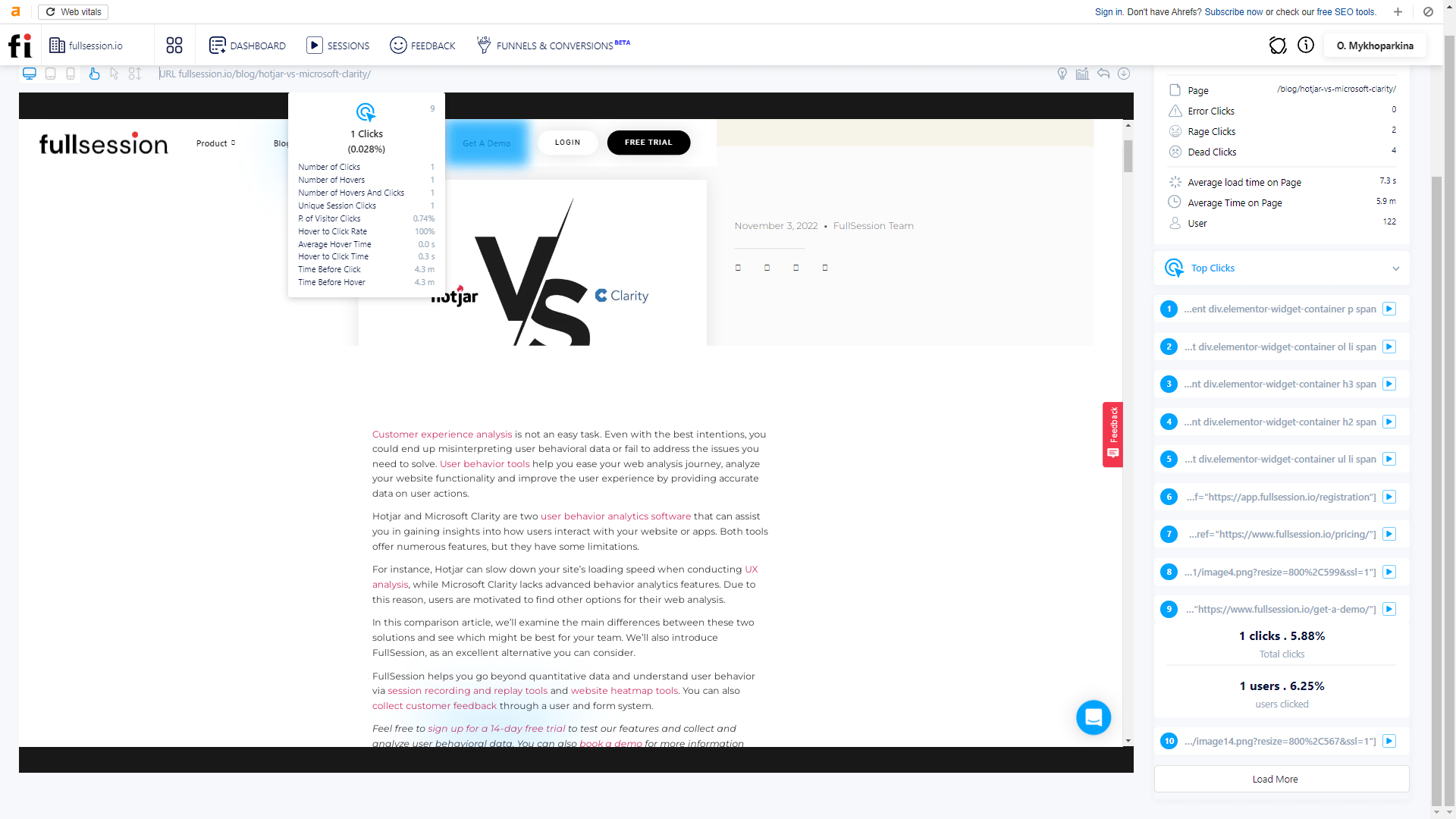
    Our interactive heatmaps are lightweight and fast, ensuring they will not impact the performance of your website.

    FullSession uses advanced technology to collect and process data in real time, allowing you to make data-driven decisions quickly and effectively.

    The heat maps are rendered on demand, so they do not slow down your website while you are viewing them. Furthermore, FullSession only collects data from a sample of your website visitors, which helps to reduce the impact on your website performance.

    You can be confident that FullSession heat maps will give you peace of mind while you use the tool to optimize your site.

    Start optimizing your website with FullSession

    Now that you understand the importance of heat maps and how to use FullSession to create them, it’s time to start optimizing your website.

    From identifying critical metrics to tracking and setting goals and targets, FullSession makes it easy to analyze your data and make changes that will drive results.

    Whether you’re looking to improve your conversion rate or increase user engagement, FullSession has all features you need to make your website successful.

    So why wait? Start your free trial today, and see the results for yourself!


  • How Customer Feedback Loops Help Your Business Thrive

    How Customer Feedback Loops Help Your Business Thrive

    Aside from you and your team, the people who know your brand best are your customers.

    That said, your customers are the best sources of feedback if you want to improve your offerings and pinpoint areas where you might be lacking. Better yet, most customers are more than willing to share their thoughts with you.

    A customer feedback loop is the continuous process of collecting feedback, analyzing it, and implementing changes based on the insights you discover. But what does this process look like in real life?

    In this guide, we’ll go over the stages of customer feedback loops, why they’re important, and how you can create an effective loop for your company.

    Customer feedback emojis paper

    What is a Customer Feedback Loop?

    A customer feedback loop is basically how companies keep tabs on what their customers think about their products or services and make improvements based on that feedback.

    It starts with gathering opinions through things like surveys, social media, and reviews. Then, you dig into this feedback to spot trends and figure out what’s working and what’s not. Based on these insights, you might tweak a product, improve a service, or make other changes.

    After that, you can reach out to the customers who gave feedback to let them know what’s been done—this shows they’re actually listening and care about what their customers have to say. Finally, you can watch how these changes play out to make sure they’re really solving the issues. This feedback loop helps businesses stay connected with their customers’ needs and keep improving over time.

    Why You Need a Customer Feedback Loop

    A well-established customer feedback loop is a must-have if you want your business to succeed in today’s market and surpass your competitors. Here are several ways customer feedback loops can help your business thrive:

    Gathering Feedback For Product Teams

    A well-established customer feedback loop is a must for keeping a product team on track and helping them make all sorts of improvements. Here’s why it matters:

    • Understanding the customer journey: When teams get feedback, they really see the product through their customers’ eyes. This can highlight where customers are having a tough time and where they’re loving the experience, which can help the team smooth out the rough patches and double down on what’s working.
    • Segmentation strategy: Feedback also reveals different kinds of customers and what each group really cares about. Some might want more features, while others might value simplicity. This lets the team tailor the product more precisely to make sure they’re hitting the right notes for each group.
    • Quality assurance: Customers often point out what’s wrong or could be better, which is invaluable data for quality assurance. This helps the team fix bugs or tweak things to improve quality and keep users happy.
    • Innovation opportunities: Sometimes, customers come up with ideas for new features or even new products. These suggestions can lead to real innovations that set the product apart and meet customers’ needs even better.

    Gathering Feedback For Customer Service Teams

    Gathering feedback is incredibly valuable for customer service teams because it helps them see where they’re knocking it out of the park and where they need to up their game. Here’s a breakdown of why it’s so important:

    • Identifying customer pain points: Understanding exactly where customers are running into trouble can revolutionize your customer service strategies. When customers highlight these problems, the customer service team can work to clarify, fix, or improve these aspects.
    • Improving response time: Feedback often includes how customers feel about the time it takes to get their issues resolved. If there’s a trend of customers mentioning slow responses, it’s a clear signal that the team needs to find ways to speed things up.
    • Maximizing customer retention: The way a company handles customer service can make or break its relationship with customers. When service teams listen to feedback and act on it, they show customers that their concerns are taken seriously. This can turn a potentially negative experience into a positive one, encouraging loyalty.
    Customer support agent at desk

    Gathering Feedback For Sales Teams

    The sales team is responsible for driving revenue and growing the business, which is why a customer feedback loop is a non-negotiable to maximize their operations. Gathering feedback helps them stay sharp and adapt to what their customers really want. Here’s how feedback makes a big difference:

    • Discovering new opportunities: Sometimes, customer feedback can point out needs or wants that haven’t been addressed yet. By listening to what customers are saying, the sales team can discover these new opportunities and potentially increase their sales and expand their market.
    • Creating new strategies: The insights from customer feedback can tell the sales team what’s working and what’s not, from the way they communicate to the kind of follow-ups they do. For example, if customers like a more personal touch or need more detailed product information early on, the team can adjust their approach to meet these preferences.
    • Collecting insights into competitive positioning: Feedback often includes how customers see the company compared to the competition. This can guide them to highlight certain features more, adjust pricing, or even suggest improvements to stay ahead.

    Maximizing Your Revenue and Profitability

    A functional customer feedback loop can help you increase your business’s revenue and profitability in a number of ways. Regularly collecting feedback and acting on it can help you quickly sort out any issues. This customer feedback strategy reduces the hassle of dealing with returns and complaints and generally keeps customers happier.

    Plus, when customers see that you’re actually listening and making changes based on their feedback, they’re more likely to stick around. It’s way cheaper to keep existing customers happy than to always be chasing new ones. And if they’re really satisfied, they’ll probably buy more from you and even tell their friends about your business, which means more sales without spending extra on marketing.

    4 Stages of a Customer Feedback Loop

    The average customer feedback loop includes five key stages. Let’s go over them one by one.

    Step 1: Gather Customer Feedback

    The “collection” part of a customer feedback loop is all about gathering as much input as you can from your customers. You want to pull in feedback from a bunch of different places like online surveys, social media comments, direct emails, and even conversations that happen during customer support calls.

    The more feedback you collect, the clearer the picture you’ll get about what your customers love, what frustrates them, and what they think could be better.

     You can collect feedback in a lot of ways. Some of the best customer feedback tools include:

    • Surveys: One of the most common methods, surveys can be sent via email, presented on websites, or even conducted in person. They can include multiple-choice questions, Likert scales, or open-ended questions to gather quantitative and qualitative data.
    • Interviews: Conducting one-on-one interviews, either in person, over the phone, or through video calls, allows for deeper insights into customer experiences and opinions. This method is particularly valuable for detailed explorations of customer satisfaction.
    • Focus groups: Bringing together a group of customers to discuss their experiences with your product or service can provide rich qualitative data and insights into customer needs and preferences.
    • Feedback forms: Embedded on your website or app, feedback forms are an easy way for customers to leave feedback at their convenience. These forms can be tailored to specific aspects of the user experience you want to explore.
    • Social media: Monitoring social media platforms where customers may spontaneously share their opinions and experiences can provide real-time feedback. Engaging with customers on these platforms can also encourage more feedback.
    • User activity data: Analyzing how customers interact with your website or product can indirectly provide feedback. Metrics like usage frequency, session duration, and feature usage can highlight areas that are either appealing or problematic.
    • Net Promoter Score (NPS): NPS surveys ask customers to rate the likelihood that they would recommend your product or service to others. NPS can be a strong indicator of customer satisfaction and loyalty.
    • Customer support interactions: Feedback can also be collected during support calls or chats. Customers often share their grievances and suggestions during these interactions.
    • Transactional emails: Follow-up emails after a purchase or interaction asking for feedback on the experience can be an effective method to gather timely, relevant customer feedback data.
    • Customer Effort Score (CES): This metric is used to evaluate how easy it is for customers to interact with a company, typically after a service interaction. CES helps businesses understand how much effort customers need to exert to get their issues resolved, use a product, or complete a transaction.
    Feedback on desktop computer

    Step 2: Analyze Customer Feedback

    Start by organizing the feedback—sort it into categories like product issues, service experiences, or improvement suggestions. Don’t forget about negative feedback!

    If you’ve got numbers, like ratings or Net Promoter Scores, crunch them to see overall trends or satisfaction levels. For text responses, like comments or open-ended survey answers, look for common themes or repeated phrases that can clue you into broader sentiments or issues.

    It’s also useful to track these trends over time to see if things are getting better or if new problems are popping up. Comparing your current feedback with past data or industry benchmarks can show you how well you’re doing and what you need to focus on.

    However, not every piece of feedback will need immediate action—figure out which issues are the most urgent or affect the most customers. The end goal here is to turn this analysis into a clear plan of action and decide on practical steps that can help improve your product or service based on what your customers are really saying.

    Step 3: Implement Changes Based on Insights

    After you collect customer feedback and extract actionable insights from your findings, it’s time to make improvements based on your data. Begin by creating detailed action plans that outline what needs to change, who’s going to handle it, and when it should be done.

    Implementing changes could mean:

    • Addressing product feature requests
    • Revamping your customer service protocol
    • Redesigning your website
    • Tweaking your branding imagery or messaging
    • Getting rid of annoying marketing messages
    • Adding more services

    It’s important to get everyone on board, so make sure to loop in the relevant teams—like engineering, marketing, or customer support—so they can lend their expertise. Since you can’t tackle everything at once, prioritize your actions based on how much they’ll impact customer satisfaction and what’s feasible with your resources.
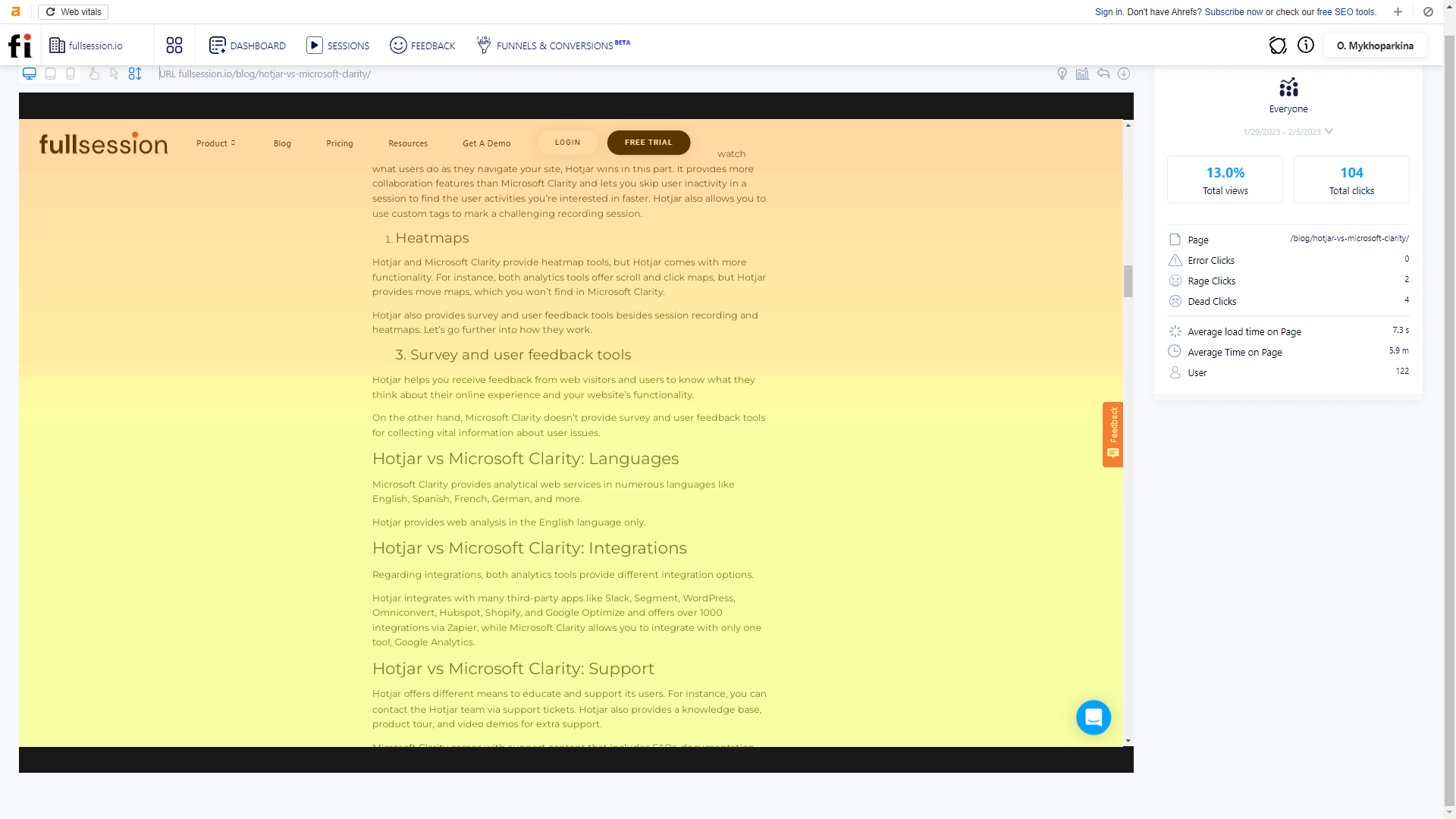
    Step 4: Close the Feedback Loop

    Closing the customer feedback loop simply means letting your customers know about the changes you’ve made using their insights.

    A simple update through email, social media, or on your website about the changes you’ve implemented can make all the difference. It’s also nice to throw in a thank you to show your appreciation for their help. If their feedback led to a big improvement or a new feature, why not share that story more widely?
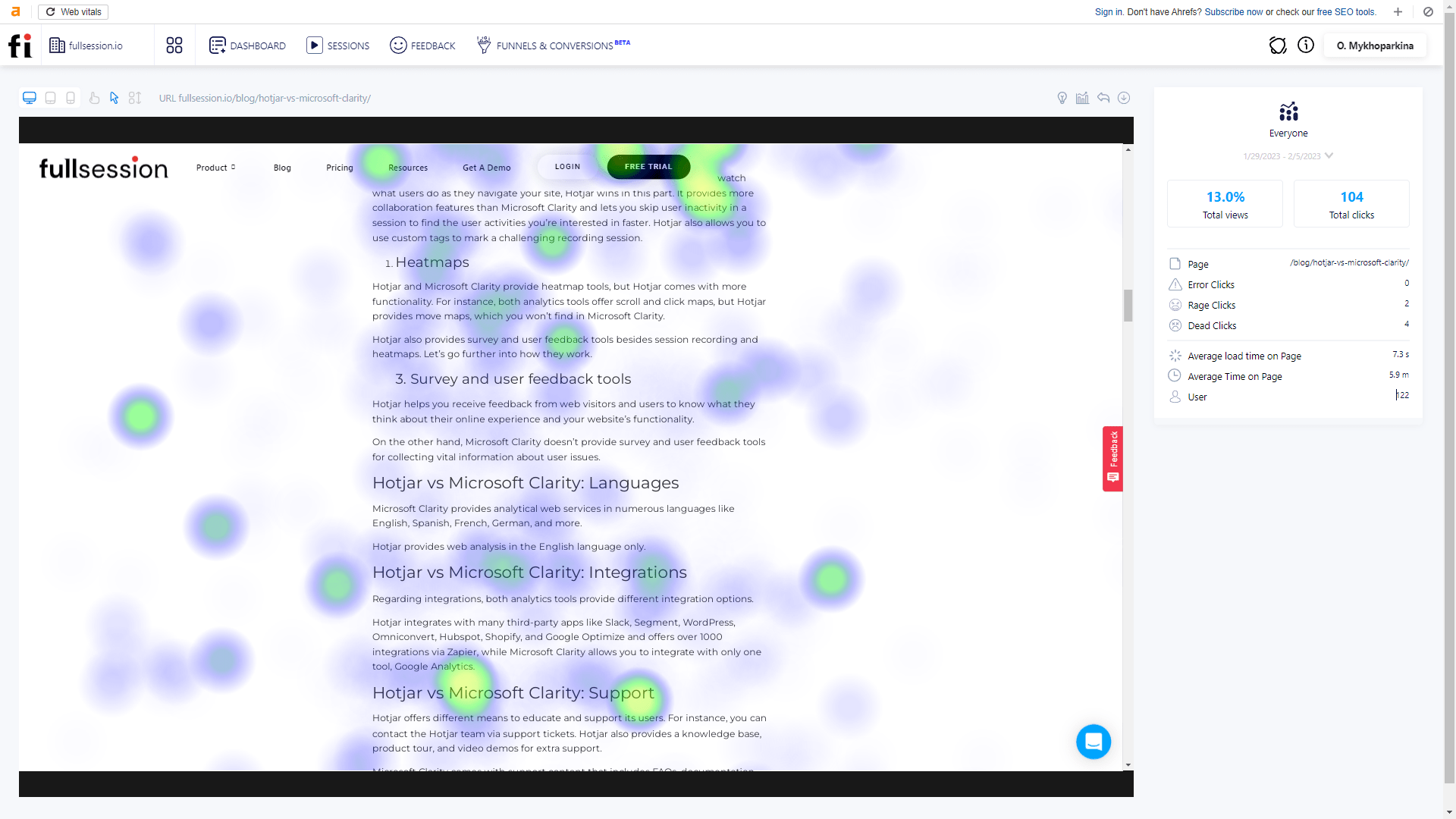
    Doing so highlights how customer opinions are shaping your business, which can encourage more feedback and show that you’re committed to continuous improvement. Keep inviting feedback, too, and make it clear that this is an ongoing conversation and their thoughts are always welcome.

    Every now and then, it’s also smart to check in on how the whole feedback process is working—ask yourself if you’re really capturing the feedback you need and acting on it effectively. For those customers who gave particularly crucial feedback, a personal follow-up can further show that you’re attentive and committed to making sure they’re happy with the way things turned out.

    Best Practices for Customer Feedback Loops

    Establishing a successful customer feedback loop is sometimes easier said than done. So, we’ve observed some of the best businesses and found out a few best practices that they employ:

    Encourage Honest Feedback

    To really understand what your customers think, you need to make them feel comfortable being honest. This means setting up easy ways for them to give feedback, like online forms or quick surveys, and reassuring them that their responses are anonymous.

    When customers know their feedback is taken seriously and used to make improvements, they’re more likely to open up and share their true feelings.

    Gather Feedback From Different Channels

    Not everyone likes to give feedback the same way. Some might prefer to fill out a survey, while others might want to chat on social media or even in person.

    Offering various ways for customers to share their thoughts can help you hear from more people and get a broader perspective on what’s working and what isn’t.

    Act Swiftly

    After gathering customer feedback, especially if it’s about a problem, act on it quickly. This shows your customers that you’re really listening and care about fixing issues fast. Plus, addressing problems promptly can prevent them from getting bigger and hurting your relationship with your customers.

    Segment Your Customers

    Break down feedback by customer types, like new vs. long-term users to tailor your actions more closely to meet specific needs and issues that different groups might be facing. Here are a few examples of customer groups:

    • First-time customers
    • Customers who have been with your brand for more than six months, a year, or more
    • Website visitors who dropped from your funnel
    • Customers who bought from you only once
    • Customers grouped by state, city, or country
    • Customers grouped by age or gender
    • Visitors who haven’t opened your emails
    • Existing customers who haven’t purchased anything in a while
    Network of people

    Make Your Life Easier with Automation

    Using automation to manage customer feedback can make your job a lot easier and your responses quicker and more effective. With the help of AI and machine learning, you can sift through tons of feedback fast, spotting trends and themes that might otherwise take ages to find.

    These technologies can sort feedback into categories like product issues or service complaints, and they can even pick up on the mood behind the messages—whether customers are happy, frustrated, or something in between.

    Plus, analytics tools like FullSession can provide real-time insights, which is useful in today’s fast-paced markets where customer preferences can change quickly. Being able to react swiftly and smartly to what your customers are saying can really boost your product and service levels.

    Incentivize Feedback

    Sometimes customers need a little nudge to give feedback. Offering things like discounts, entry into a prize draw, or small gifts can encourage more people to share their thoughts. In turn, you can increase the amount and variety of feedback you get.

    Plus, incentives can help improve customer loyalty and satisfaction.

    Share What You Do With Customer Feedback

    Sharing what you do with customer feedback revolves around being transparent and showing your customers that their voices are heard. When you openly discuss the feedback you’ve received and explain the steps you’re taking in response, it does wonders for trust.

    A great way to do this is through regular updates in your newsletters or on a dedicated section of your website. This informs your customers about the improvements you’re making and publicly acknowledges the role their input plays in shaping your business.

    This kind of openness can encourage more customers to provide feedback because they know that their suggestions could be featured and lead to real changes. It’s a powerful way to demonstrate your commitment to customer satisfaction and make your feedback loop a key part of your customer relationship strategy.

    Customer Feedback Loop Example

    Company: “Trendy Tech Gear,” an online retailer specializing in the latest technology accessories.

    Step 1: Collection

    Trendy Tech Gear regularly sends out post-purchase email surveys to customers asking them to rate their customer experience and the products they bought. They also monitor reviews on their product pages and keep an eye on social media mentions and comments.

    Step 2: Analysis

    After collecting a month’s worth of feedback, the team at Trendy Tech notices several reviews pointing out that the checkout process is confusing, particularly the payment options section.

    Customers are also frequently mentioning on social media that they love the product range but wish there were more eco-friendly packaging options.

    Step 3: Action

    With this feedback in mind, the Trendy Tech team decides to:

    • Redesign the checkout process to make payment steps clearer and more user-friendly. They introduce better labeling and a simplified layout.
    • Switch to eco-friendly packaging for their products and highlight this change on their product pages and in marketing materials to align with their customers’ values.

    Step 4: Follow-Up

    Trendy Tech sends an email to customers who had provided the specific feedback about the checkout process and packaging, explaining the changes made. They also post updates on their website and social media channels detailing the new checkout interface and the switch to eco-friendly packaging, inviting further comments and suggestions.

    Step 5: Monitoring

    Over the following months, Trendy Tech closely monitors customer feedback on the new checkout process and the reception of the eco-friendly packaging. They use customer satisfaction surveys and track comments on social media and product reviews to gauge the impact of these changes.

    Finally, sales data and repeat customer rates are also analyzed to assess the financial impact of the updates.

    Dive Deeper into Customer Feedback With FullSession

    Web analytics is your new best friend when it comes to establishing effective customer feedback loops. Lucky for you, you’re already in the right place.

    FullSession is an analytics tool that deserves a spot in your business toolbelt. With a FullSesion plan, you can gain access to the following features:

    • Session replays: Watch how users interact with your site to see exactly where they might be running into problems or getting frustrated.
    • Heatmaps: Get a visual of where customers click the most and least. Heatmaps give you a clear picture of hot spots and dead zones on your pages.
    • User behavior analytics: Dive into the data to understand user actions better and help you spot trends and areas that need attention.
    • On-site polls and surveys: Directly collect feedback from your users right on your site, combining what they say with what they do.

    FullSession Pricing Plans

    Here are more details on each plan.

    • The Starter plan costs $39/month or $32/year and allows you to monitor up to 5,000 monthly sessions with up to 6 months of data storage.
    • The Business plan costs $75/month or $60/year and helps you to track and analyze up to 100,000 monthly sessions with up to 12 months of data storage.
    • The Enterprise plan has custom pricing and offers customizable sessions plus full access to all features.

    Book a demo today.

    Install Your First Website Feedback Form Right Now

    It takes less than 5 minutes to set up your first website or app feedback form, withFullSession, and it’s completely free!

    FAQs About Customer Feedback Loops

    How do you collect customer feedback?

    Collecting feedback can be done via various channels such as surveys, social media, customer interviews, support interactions, and feedback forms on websites. It’s important to use multiple channels to capture a wide range of opinions and experiences.

    How often should you go through a customer feedback loop?

    The frequency of running through a customer feedback loop can depend a lot on what kind of business you’re in and how much feedback you’re actually getting. Generally, though, it’s a smart idea to check in on what your customers are saying regularly—like every month or every quarter. This routine helps you stay in tune with what your customers expect from you and keeps you up-to-date with any shifts in the market.

    How can you measure the effectiveness of a customer feedback loop?

    To figure out if your customer feedback loop is doing its job, you should keep an eye on a few key indicators. Watching changes in customer satisfaction levels and user feedback can give you a clear picture of how well the changes you’re making are resonating with your customers. You can also directly ask customers what they think about the updates you’ve implemented. To make this easier, you can use some handy tools like NPS surveys, CES, and CSAT.

    What are negative feedback loops?

    A negative customer feedback loop happens when businesses take customer complaints and use them to make their products or services better. It starts with customers pointing out what they don’t like, and the business then digs into these issues, figures out what’s wrong, and makes changes to fix them. Although “negative” sounds bad, it’s actually a good process because it leads to improvements. This kind of loop helps companies turn unhappy feedback into a chance to improve and keep customers satisfied.