![Featured image for a Mixpanel alternatives article showing the Mixpanel logo and the headline “5 Best Mixpanel Alternatives for 2026 [Compared & Reviewed]” on a blue background.](https://www.fullsession.io/wp-content/uploads/2026/04/best-mixpanel-alternatives-2026-compared-and-reviewed.webp)
If your team is evaluating Mixpanel alternatives, you’re probably circling the same question: does your product analytics platform show you why users behave the way they do, or just what they do?
Mixpanel has long been a solid tool for organizing customer data around events and analyzing user behavior across digital products. For many teams, it still delivers real value.
But the combination of quantitative and qualitative data that modern product decisions require is something Mixpanel wasn’t built to provide on its own.
You get the funnel drop-off numbers. You don’t get the session recording that explains why users left.
This gap is exactly why teams start exploring other options. This guide covers the five best analytics tools most often considered as alternatives to Mixpanel.
Key Takeaways
- FullSession is the best Mixpanel alternative for product and UX teams that need behavioral analytics and qualitative session data in one place, without buying a second tool.
- PostHog is a good option for engineering-led teams that want open-source, self-hostable infrastructure combining product analytics, feature flags, and A/B testing.
- Amplitude suits enterprise teams running complex, multi-product behavioral analysis who need predictive analytics and advanced cohort modeling at scale.
- Heap works for teams that want complete event coverage from day one without any manual tracking setup, including retroactive access to historical data.
- FullStory works best for mid-market and enterprise customer experience teams that need session-level behavioral data tied directly to business performance metrics.
No other tool on this list combines session replay, heatmaps, conversion funnels, direct user feedback, and AI-native insights in a single implementation the way FullSession does.
For most product teams, that means one less tool to buy, one less dataset to reconcile, and a much faster path from a drop-off metric to the fix that resolves it.
Book a demo to see it in action.
Why Product and Marketing Teams Are Looking for Mixpanel Alternatives
Mixpanel became the default product analytics platform when Google sunset Universal Analytics in 2023, and for good reason. It brought serious event tracking capability to teams that had outgrown GA.
For many teams, it still does the job well.
That said, some structural constraints become harder to ignore as products and teams grow. Five reasons consistently push teams to look elsewhere:
- Permanent data gaps: Every event must be configured before it happens. Miss it once, and that historical data is gone; there’s no way to retrieve it retroactively.
- Unpredictable pricing: Costs scale with event volume, so high-traffic launches and growth periods can lead to billing surprises.
- Quantitative data only, no qualitative layer: Funnels and cohorts are strong, but there’s no native session replay or heatmaps. Getting qualitative context alongside your quantitative data means paying for a second tool and reconciling two disconnected datasets.
- Data accuracy and governance concerns: Funnel reporting inconsistencies are well documented, and the November 2025 security breach, in which an attacker accessed customer names, emails, and marketing analytics data, prompted enterprise buyers, including OpenAI, to formally exit the platform.
- Steep learning curve: Non‑technical users can run basic reports in the UI, but complex analyses and custom metrics often require SQL knowledge or involvement from a data analytics team, which can slow down experimentation and iteration.
If any of these sound familiar, the tools below are worth a close look.
What to Look for in a Mixpanel Alternative
Before comparing tools, define what “better than Mixpanel” means for your team. These are the criteria that guided every evaluation in this guide.
| Criteria | What to check |
| Qualitative and quantitative coverage | Does the tool track user behavior at the event level and provide a session replay layer? The strongest product analytics tools combine both. |
| Web and mobile coverage | Can it follow users across web and mobile without requiring separate implementations? |
| Accessibility for non-technical users | Can product teams and marketing teams run analysis without depending on engineering? Tools that allow this save time and cut bottlenecks. |
| Ability to collect user feedback | Does it let you collect user feedback directly inside the product, so you can pair behavioral signals with what users actually say? |
| Data retention and export | How far back can you look, and can you extract performance metrics for analysis outside the platform? |
| Pricing clarity | What will you pay at two and five times your current traffic? Check this before committing to any plan. |
Run every tool on this list through these six criteria against your own requirements. The right answer depends on your team’s size, technical capacity, and what gap you most need to close.
The Best Mixpanel Alternatives at a Glance
Here’s a brief overview of the best alternatives to Mixpanel for product-focused teams. If you’re comparing other analytics tools beyond these five, the same evaluation framework applies.
| Tool | G2 Rating | Best For (Use Case) | Top Feature | Starting Price |
| FullSession | 5 / 5 | Ecommerce, product, growth and UX teams needing behavioral + qualitative insight in one platform | Lift AI, session replay, heatmaps and conversion funnels in a single workspace | From $29/month (free plan, 14-day free trial) |
| PostHog | 4.5 / 5 | Engineering-led product teams wanting open-source, all-in-one infrastructure | Open-source platform combining product analytics, feature flags, and A/B testing | Usage-based(Free tier) |
| Amplitude | 4.5 / 5 | Enterprise product teams running complex cross-product behavioral analysis | Predictive behavioral analytics and deep customer cohort modeling | From $49/month(Free tier) |
| Heap | 4.4 / 5 | Teams wanting complete event coverage with no manual setup | Autocapture: every user interaction recorded from day one, retroactively queryable | Custom(Free tier) |
| FullStory | 4.5 / 5 | Mid-market digital experience and customer experience teams | Session replay with AI-powered journey analytics and frustration signal detection | Custom |
5 Best Mixpanel Alternatives Worth Your Time
Here’s a closer look at how each tool works, who it’s built for, and where it stands out.
FullSession is a behavioral analytics and digital experience platform built to give product and UX teams a complete view of the customer journey from a single workspace. Where Mixpanel shows you event counts and funnel metrics, FullSession shows you the real user sessions behind those numbers.
1. FullSession
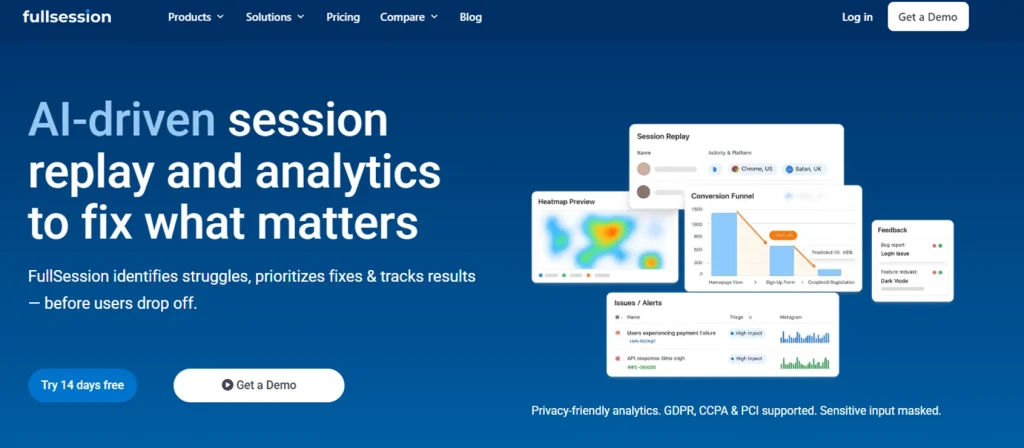
FullSession is a behavioral analytics and digital experience platform built to give product and UX teams a complete view of the customer journey from a single workspace. Where Mixpanel shows you event counts and funnel metrics, FullSession shows you the real user sessions behind those numbers.
You can watch exactly how users interact with every element of your product. When someone pauses or abandons a flow, you can jump from the drop-off metric directly to the session recording that explains why, without switching tools.
The platform captures user sessions from the moment a visitor lands on the site. It records all clicks, scrolls, taps, and user interactions across user journeys without requiring your engineering team to predefine every event.
This eliminates the retroactive data gap that makes manual event tracking so costly in Mixpanel.
Best For
Product teams at B2B SaaS companies that need to diagnose website performance and conversion drop-offs using both behavioral signals and direct user feedback, without needing SQL knowledge or a dedicated data analyst.
Key features
- Session recordings: FullSession captures high-fidelity session recordings of how users navigate your product in real time. Filter by rage clicks, error interactions, or user segments to surface the sessions that matter most.
- Session replay: Watch real user sessions with pixel-perfect accuracy. FullSession’s replay player includes timeline scrubbing, speed controls, and activity-skip to reduce time-to-insight.
- Interactive heatmaps: Visualize click, scroll, and attention patterns across every page. FullSession processes heatmaps without impacting website performance, even on high-traffic pages.
- Funnels and conversions: Build conversion funnels, measure drop-off at each step, and enable customer journey mapping from first pageview through to checkout or activation.
- Feedback: Collect direct user feedback through in-page widgets linked to session replays, so every survey response has a corresponding behavioral recording.
- Errors and alerts: Detect JavaScript errors, rage clicks, and broken flows in real time. Alerts fire on specific user interactions to reduce mean time to resolution.
- Lift AI: An AI-powered behavioral intelligence layer that scans session data, identifies friction patterns, and delivers actionable insights on which issues to fix first.
- Mobile analytics: FullSession extends mobile session replay and heatmap capabilities, making it a strong choice for teams building across web and mobile applications.
Pricing
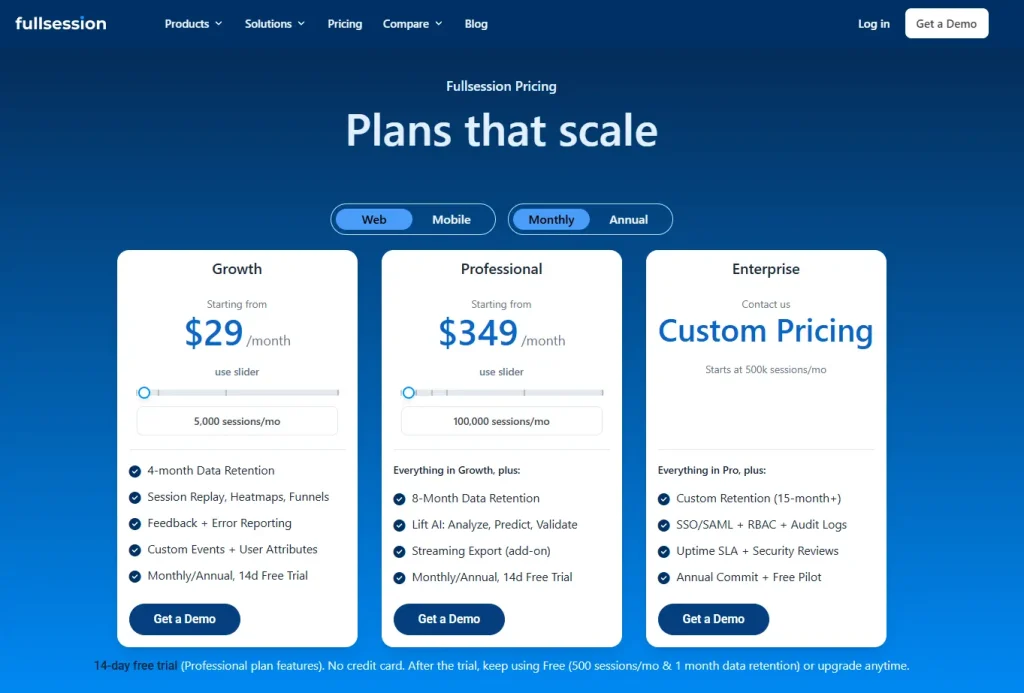
FullSession offers a 14-day free trial with no credit card required.
Paid plans start at $29/month (Growth, up to 5,000 monthly sessions) and $349/month (Professional, up to 100,000 monthly sessions).
An Enterprise plan with custom session volumes and full feature access is available on request. Check out all the details on the Pricing page.
Annual billing saves up to 20%.
Book a demo and see exactly how FullSession captures session replays, heatmaps, and funnels in one platform.
2. PostHog
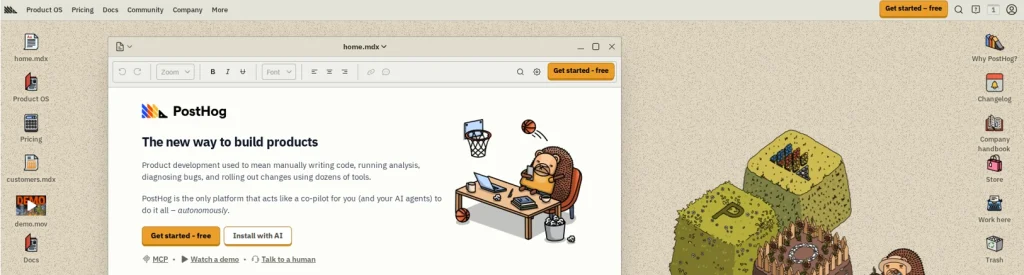
PostHog is an open-source developer platform that combines product analytics, session replay, feature flags, A/B testing, user surveys, error tracking, website analytics, and a built-in data warehouse.
It’s the broadest platform on this list by feature scope. PostHog is designed for engineering-led product teams that want to own their analytics infrastructure without paying for multiple specialist tools.
Read our guide to learn more about PostHog alternatives.
Best for
Engineering teams and data-savvy product managers at startups and mid-size companies who want an open-source, self-hostable platform.
Key features
- Product analytics: Funnel analysis, retention curves, user paths, and custom trends reports. Power users can query analytics data directly using a built-in SQL editor for raw data access.
- Session replay: Record and replay user sessions with console logs, network activity, and DOM explorer. PostHog’s session replay includes 90 days of data retention across all plans, including the free tier.
- A/B testing: Run A/B tests with up to 10 test variations per experiment. For teams that need to run A/B tests across multiple product flows without a separate experimentation platform, PostHog automatically calculates statistical significance and recommended sample sizes.
- Feature flags: Controlled feature rollouts with percentage-based targeting, user property conditions, and instant kill-switch capability.
- Data warehouse: Import and query data from Stripe, Zendesk, HubSpot, and other sources alongside your product data. This removes the need for a separate warehouse integration for most teams.
Pricing
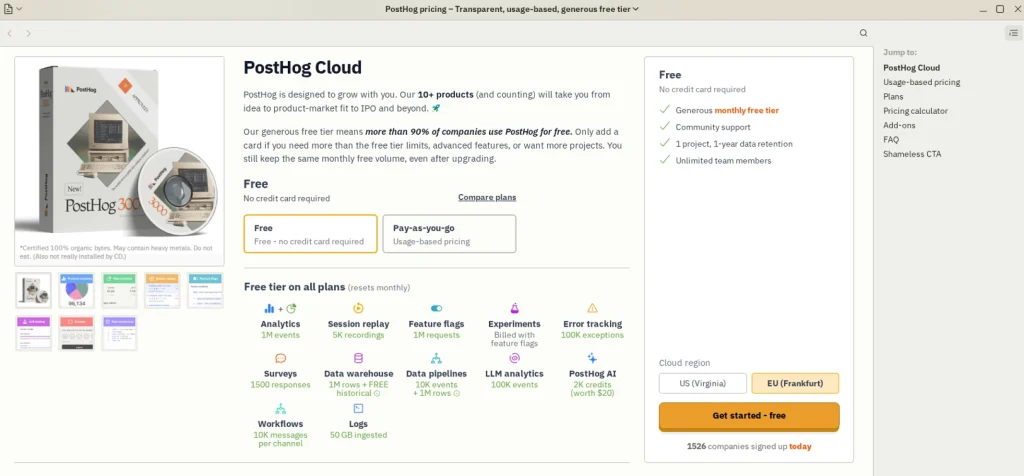
PostHog offers a free tier: 1 million analytics events and 5,000 session recordings per month, with unlimited team members. Paid plans use usage-based pricing on a pay-as-you-go basis.
3. Amplitude
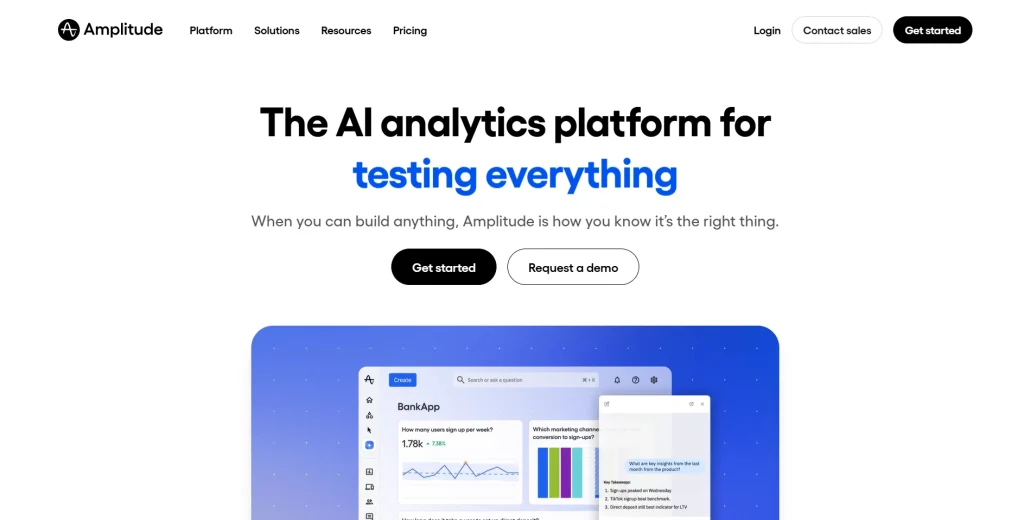
Amplitude is a product intelligence platform built for organizations that run complex, multi-dimensional analysis of customer behavior. It provides behavioral cohorts, funnel analysis, retention modeling, customer journey analysis, session replay, feature flags, and experimentation.
Amplitude is particularly strong for teams with dedicated data functions who need to model customer lifetime value and long-term product engagement patterns across multiple products.
Learn more about Amplitude alternatives.
See how Amplitude compares with Google Analytics.
Best for
Enterprise product teams and data teams at digital-first companies that need predictive analytics, advanced segmentation, and cross-product behavioral intelligence at scale.
Key features
- Behavioral cohorts: Build cohorts based on specific user actions and analyze how engagement and retention change across segments over time.
- Customer journey analysis: Amplitude’s journey reports map the full customer journey analysis from acquisition through activation, retention, and expansion, supporting complete customer journey mapping across your product lines.
- Predictive analytics: Amplitude uses machine learning to predict future user behavior, including churn probability and conversion likelihood, enabling proactive product interventions.
- Customer lifetime value modeling: Track and optimize customer lifetime value across product lines and user segments. Few other analytics tools on this list match this capability at the same depth.
- User feedback: Connect user feedback from NPS surveys and in-app prompts alongside your quantitative analysis for a joined view of customer behavior.
Pricing
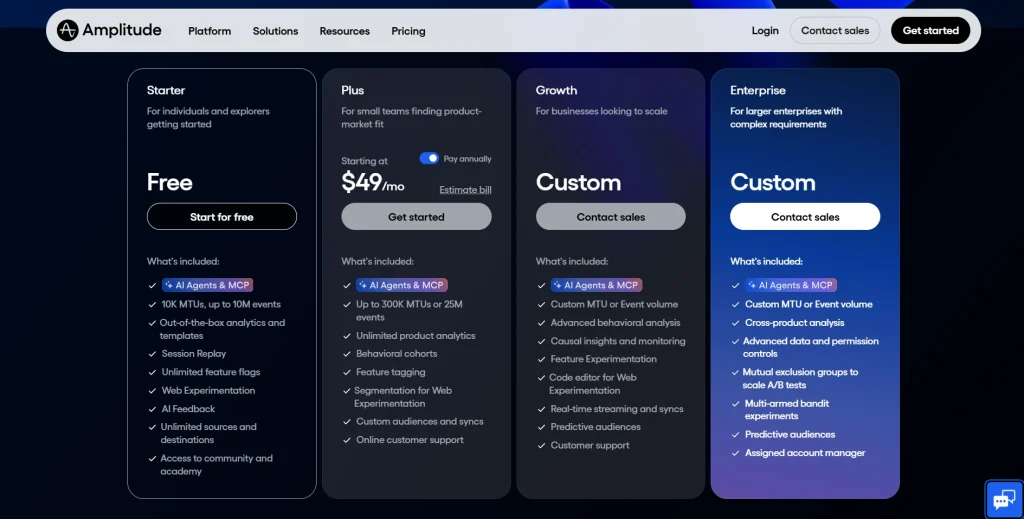
Amplitude offers a free Starter plan for up to 10,000 monthly tracked users and up to 10M events. The Plus plan starts at $49/month and scales with usage.
Growth and Enterprise plans require custom pricing. Amplitude bills by monthly tracked users rather than event volume, which provides more cost predictability than pure event-volume pricing.
4. Heap
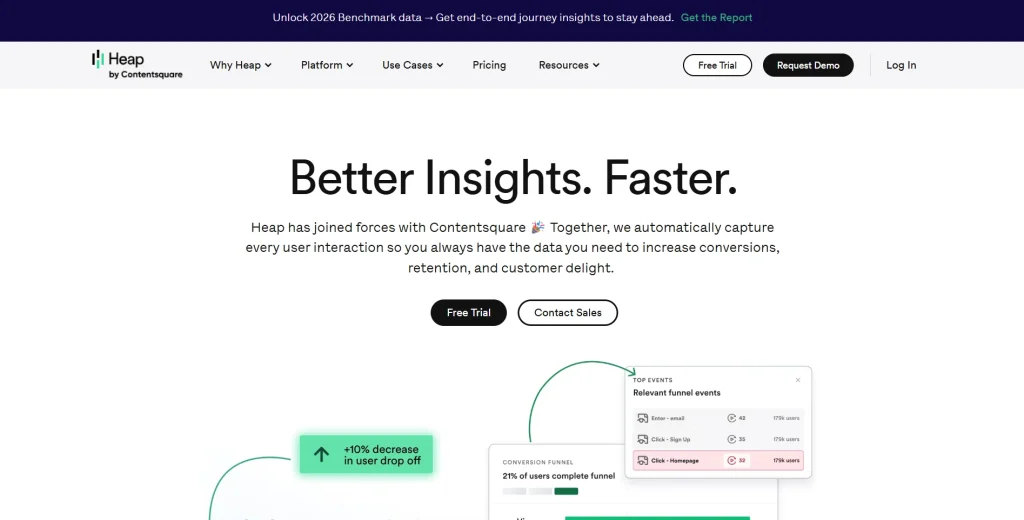
Heap, now part of Contentsquare, is a digital insights platform built around autocapture. Rather than requiring teams to predefine what to track, Heap automatically records every user interaction on your site or app from the moment you install it.
You can then define what those interactions mean retroactively.
This makes it valuable for teams that want to access historical data on behavior without redefining events after the fact.
Best for
Product and UX teams at B2B SaaS companies and consumer apps that want comprehensive event coverage without engineering overhead, and who need to ask retroactive questions about user behavior.
Key features
- Autocapture: Heap automatically records all clicks, taps, gestures, and page views. You collect data on every interaction without writing any tracking code, eliminating the gaps that come from manual tracking.
- Virtual events: Retroactively name, modify, and merge events from captured interaction data. You can create events for actions that happened before you knew they mattered and access historical data that other tools would have missed.
- Customer journey analytics: Build a complete picture of how users move through your product with funnel analysis, path mapping, and customer journey reports built on fully automated data capture.
- Collecting event data without manual tracking: Heap captures everything automatically, so teams avoid the risk of missing important events.
- Session replay: Heap’s one-click session replay brings instant context to analytics reports. Jump from a drop-off metric to a recording of a real session in one click.
Pricing
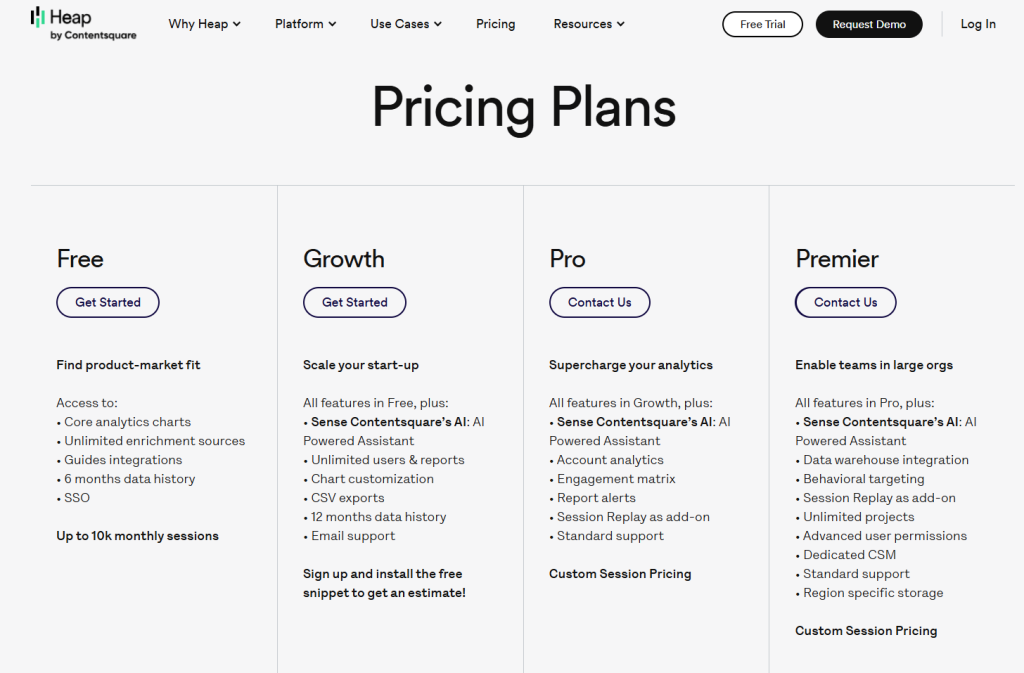
Heap offers a free plan for small teams. The Growth plan starts at approximately $3,600/year based on reported buyer data. Pro and Premier plans are custom-quoted and session-volume-based. Heap supports iOS and Android for mobile app tracking.
Read our guide on Heap alternatives to learn more.
5. FullStory
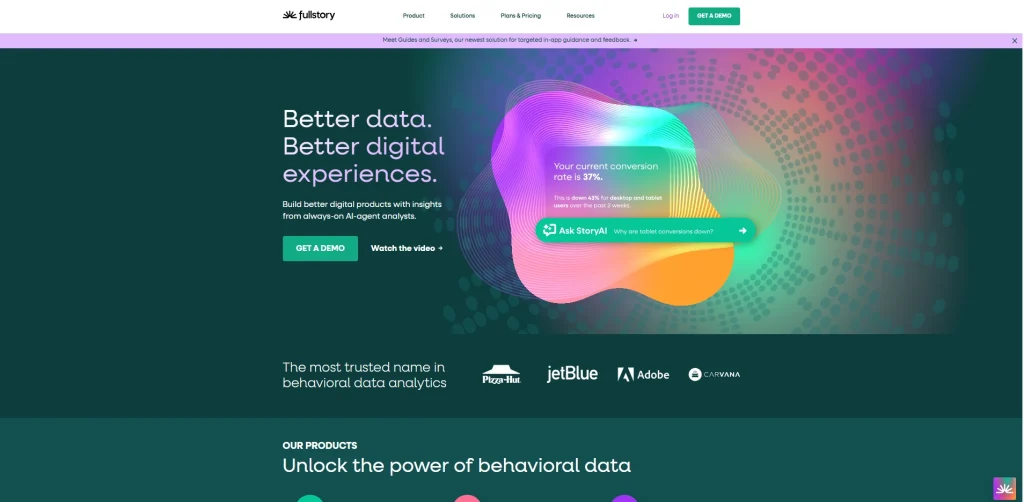
FullStory is a behavioral data platform and digital experience analytics solution built for teams that need to understand how users engage with web and mobile applications at scale. It combines session replay, heatmaps, funnel analysis, and AI-powered journey analytics.
The platform is strong for customer experience teams focused on analyzing user behavior across complex digital properties.
See how FullSession compares to FullStory.
Check out FullStory competitors to learn more.
Best for
Mid-market and enterprise product, UX, and customer experience teams that need detailed session-level behavioral data linked to business performance metrics.
Key features
- Session replay with Fullcapture: FullStory’s autocapture technology automatically records customer behavior across web and mobile applications, removing the need for manual tracking.
- Heatmaps and frustration signals: FullStory detects rage clicks, dead clicks, and error clicks. These overlay on heatmap visualizations to show exactly where users engage and where they struggle.
- Funnels and conversion analysis: Build funnels and measure drop-off rates tied to session recordings. Analyzing user behavior at each step takes minutes rather than days of manual configuration.
- StoryAI: FullStory’s AI layer automatically surfaces trends, anomalies, and journey patterns, reducing the time spent manually analyzing data for both product and data teams.
- Performance metrics and advanced web analytics: FullStory captures page load time, web vitals, and advanced web analytics signals alongside behavioral data, giving engineering and product teams a combined view of site health and user experience.
Pricing
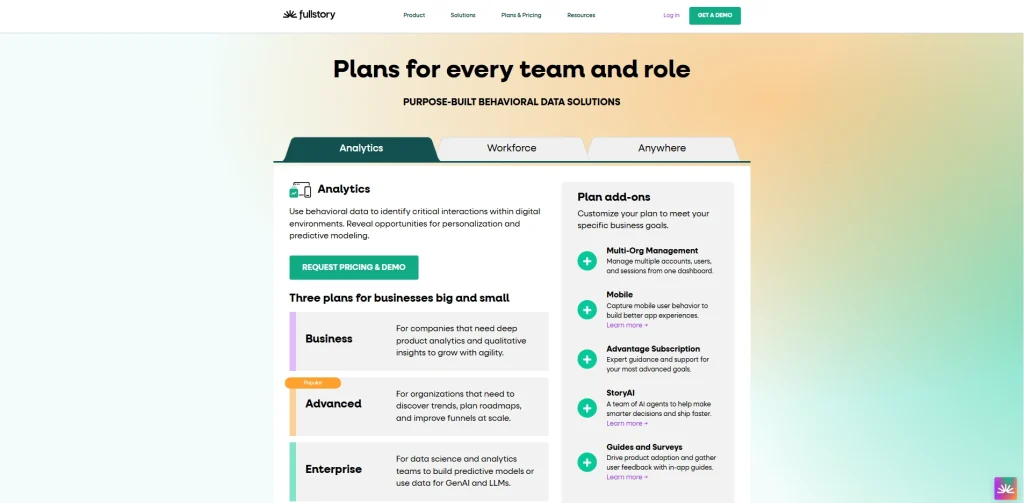
FullStory offers a permanent free plan with up to 30,000 sessions per month, 12 months of data retention, and 10 user seats.
Paid plans (Business, Advanced, Enterprise) are custom-quoted based on session volume.
A negotiation‑analytics site reports average SMB spend at ~$29,803/year and higher.
Why FullSession Is the Best Alternative to Mixpanel
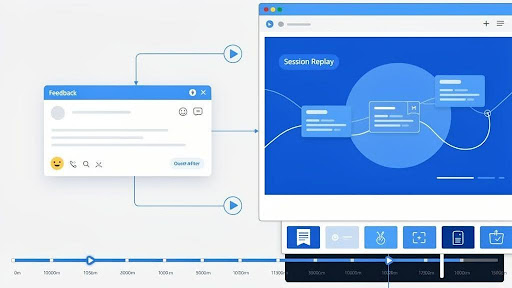
Mixpanel answers the “what.” FullSession answers the “why.”
The core limitation of Mixpanel isn’t its feature set within its own category. It’s what the category itself excludes.
Mixpanel has a quantitative and qualitative gap built into its architecture, and it has never closed it. You get analytics data on event counts, cohort retention, and funnel drop-offs. You don’t get product data linked to a recording of what a user actually experienced at the moment they dropped off.
Closing that gap in a Mixpanel workflow requires a second tool. That means a second budget line, a second implementation, and a second dataset to reconcile before you can understand user behavior at the level required to improve conversion or retention.
FullSession closes that gap in a single platform. Every behavioral signal, from aggregate analytics data on funnel performance to the session recordings that explain the numbers, lives in one workspace.
Product and UX teams can move from a metric to a session to a user feedback response without switching tabs, exporting CSVs, or waiting on engineering. It delivers the quantitative and qualitative picture that modern product decisions require, from one implementation.
Here’s how the two platforms compare on the capabilities that matter most:
| Feature | Mixpanel | FullSession |
| Session Replay | Not available natively; requires a separate qualitative tool | Full pixel-perfect replay with filtering by rage click, error click, and user segment |
| Heatmaps | Not available; teams must use a separate heatmap tool | Click, scroll, and attention heatmaps processed without impacting page speed |
| Conversion Funnels | Yes, strong event‑based funnels and cohorts | Yes, with direct jump to session recording at drop-off point |
| In-page User Feedback | Not available; feedback is typically handled via separate tools | Feedback widgets linked to session replays for full behavioral context |
| Error and Rage-click Detection | Basic error signals; no native rage‑click or session‑linked error detection | Real-time error alerts and rage-click detection with linked session context |
| AI Insights | No native AI‑based friction‑ranking or conversion‑impact predictions | Lift AI predicts conversion impact of each identified friction point |
| Mobile Analytics | Limited; uses separate SDKs and workflows from web | Web and mobile supported natively within the same workspace |
| Pricing Model | Event‑volume‑based; can spike with campaigns or product launches | Session-volume, usage-based, more predictable as products scale |
| Free Trial | Yes, with a free plan (limited features and usage) | Free plan, 14-day free trial, and no credit card required |
| Learning Curve for Non-technical Users | High for advanced use; many teams need SQL or strong event‑schema knowledge | Low: visual-first interface built for product and UX teams without SQL dependency |
FullSession isn’t just a Mixpanel alternative for teams that need session replay. It’s the platform that replaces Mixpanel and the second qualitative tool your team would otherwise need to buy alongside it.
For teams that need advanced web analytics dashboards, SQL access to raw data, or open-source, self-hosted infrastructure, PostHog or Amplitude may be a better fit.
For everyone else, building a product analytics stack that covers both behavioral depth and qualitative insight, FullSession is the most complete starting point on this list.
Book a demo and see exactly how FullSession captures session replays, heatmaps, and funnels in one platform.
If your team is also comparing product adoption and in-app guidance platforms, this guide to Pendo alternatives can help you evaluate tools built around user analytics, onboarding, feedback, and feature adoption.
Conclusion About Mixpanel Alternatives
The right Mixpanel alternative depends on what your team actually needs to make better product decisions.
If your primary need is to understand why users behave the way they do, not just what they do, FullSession is the most complete tool on this list. It covers behavioral analytics, session replay, heatmaps, and direct feedback collection, which no other platform here offers in a single implementation.
Start your free trial and have real user sessions running in your product within minutes.
Book a demo if you’d prefer a guided walkthrough of how FullSession captures session replays, heatmaps, and funnels in one platform.
FAQs About Alternatives to Mixpanel
What is the best alternative to Mixpanel?
FullSession is the best alternative to Mixpanel for product and UX teams that need both behavioral analytics and qualitative session data in a single platform. It combines session replay, heatmaps, conversion funnels, user feedback, and AI-powered insights into a single tool.
For engineering-led teams that prioritize open-source infrastructure and feature flag management, PostHog is a strong alternative. For enterprise teams running complex cross-product behavioral analysis with a dedicated data function, Amplitude is worth evaluating.
Is Google Analytics a good Mixpanel alternative?
No. Google Analytics is designed for web analytics and marketing measurement, tracking page views, traffic sources, and campaign attribution. Mixpanel is a product analytics tool built for event-based behavioral analysis of how users interact with a product after they arrive.
The two serve fundamentally different purposes.
Adobe Analytics falls into the same category as Google Analytics: a marketing-focused platform rather than a product analytics replacement. If your team needs product behavior analysis, the tools on this list are the right starting point, not web analytics platforms.
What is cheaper than Mixpanel?
PostHog’s free tier includes 1 million analytics events per month, making it the most generous free option on this list. FullSession offers a 14-day free trial with no credit card required, and paid plans start at $29/month.
Amplitude’s Starter plan is free for up to 50,000 monthly tracked users.
If cost predictability matters as much as base price, session-volume pricing models like FullSession’s and FullStory’s tend to be more foreseeable than event-volume pricing as user interactions grow.
Does PostHog replace Mixpanel?
For engineering-led product teams, PostHog can fully replace Mixpanel. It covers product analytics, session replay, feature flags, A/B testing, surveys, and includes a built-in data warehouse with raw SQL query access.
For non-technical product managers and marketers who need a visual-first interface to understand user behavior without writing queries or managing event schemas, FullSession is a more accessible path to the same outcomes.
Is Amplitude better than Mixpanel?
For enterprise product and data teams that need predictive analytics, advanced cohort modeling, and multi-product customer journey analysis at scale, Amplitude’s capabilities exceed Mixpanel’s in meaningful ways.
Amplitude shares Mixpanel’s core limitation, though: both offer only quantitative analysis, and neither includes native session replay or heatmaps.
If your team needs qualitative context alongside quantitative analysis, neither tool alone meets the full need. FullSession is the only tool on this list that addresses both on a single platform without requiring integrations.
What are the main reasons teams switch from Mixpanel?
Five reasons come up consistently. Manual event tracking requires engineering resources and creates permanent data gaps for untracked events. Usage-based pricing scales unpredictably with event volume as a product grows.
There’s no native session replay or heatmaps, which forces teams to buy and reconcile a second qualitative tool. The learning curve is steep for non-technical team members who need self-service access to product data.
Following the November 2025 security breach, data governance concerns have prompted enterprise buyers to formally re-evaluate their vendor stack.

Roman Mohren is CEO of FullSession, a privacy-first UX analytics platform offering session replay, interactive heatmaps, conversion funnels, error insights, and in-app feedback. He directly leads Product, Sales, and Customer Success, owning the full customer journey from first touch to long-term outcomes. With 25+ years in B2B SaaS, spanning venture- and PE-backed startups, public software companies, and his own ventures, Roman has built and scaled revenue teams, designed go-to-market systems, and led organizations through every growth stage from first dollar to eight-figure ARR. He writes from hands-on operator experience about UX diagnosis, conversion optimization, user onboarding, and turning behavioral data into measurable business impact.