Author: Mohamed Sehwail

  • 7 Best Practices For Giving Good Web Design Feedback

    7 Best Practices For Giving Good Web Design Feedback

    A new website design rarely gets approved without further tweaks and improvements. As a business owner, it’s natural to want a web design that checks all your boxes, resonates with your brand identity, and follows web design best practices. But how can you achieve this in the most efficient way possible?

    Working with a talented web designer is the best first step. However, even the best website designers need helpful feedback to give you exactly what you want.

    This is where many business owners run into trouble; How can you give contextual feedback if you’re not a web designer?

    Don’t worry, you don’t need to be a website design expert to give feedback that will help your designer produce the results you need. In this guide, we’ll dive into the ins and outs of web design feedback and how to provide feedback that will work.

    Why Does Web Design Feedback Matter?

    Your website’s UI and UX design will have a direct impact on your business’ success. Think of your page as a storefront, if it doesn’t look appealing, you’ll have trouble getting customers to come inside, much less buy something.

    That said, giving effective feedback during the design process is crucial. It is essential for achieving multiple success points, including:

    Alignment with Vision and Goals

    Your website is a digital embodiment of your brand’s vision and goals. Feedback ensures that every element of the design aligns with what you aim to achieve, whether it’s increasing brand awareness, boosting sales, or providing valuable information.

    Without good web design feedback, there’s a risk of the final product straying from your initial vision, potentially missing the mark with your target audience.

    Better User Experience

    The user experience (UX) is one of the most essential aspects of web design, right next to the user interface (UI). With effective website design feedback, you can help your designer identify potential frustration points, such as poor navigation, too much clutter, or a confusing layout.

    In turn, your website designer knows exactly what they need to fix to improve the overall user experience.

    Efficiency and Cost-effectiveness

    Iterative feedback throughout the design process can save time and resources in the long run. Addressing issues early on prevents costly redesigns or corrections after the site has been launched. Plus, you’ll pay for fewer hours for revisions and other changes, which can definitely add up.

    Innovation and Creativity

    Feedback can also spark creativity and innovation that can lead to a better website design. By challenging designers to rethink certain aspects or try new approaches, feedback can lead to more creative solutions that enhance the website’s appeal and functionality.

    Smooth Launch

    Giving frequent and effective web design feedback can help ensure you have the perfect website just before launching. No one wants to run into any problems on launch day, so it pays to address any issues as early as possible to stay on track for your website opening.

    7 Best Practices for Giving Effective Web Design Feedback

    Web design layout animated

    Providing helpful website design feedback can be a challenge, especially if your knowledge of web design is limited. You can exactly say “I don’t like this” or “Make the website pop” and leave it at that. Instead, you would want to give feedback based on clear objectives and realistic expectations.

    Here are several tips that can help you do just that:

    1. Understand the Basics of Web Design

    You don’t have to be a web designer to give feedback that will likely lead to results, but it’s important to know the basics, at least. Familiarize yourself with the fundamentals of web design, including layout principles, color theory, and UX design. This knowledge will help you articulate your feedback more effectively and understand the implications of your requests.

    Plus, you would want to recognize the technical and practical constraints your design team might face, such as browser compatibility or mobile responsiveness, to help you set realistic expectations.

    2. Give Direct and Actionable Feedback

    The golden rule of giving any type of feedback is to be specific. Instead of saying, “I don’t like this,” pinpoint exactly what you’re reacting to and suggest an alternative. For instance, “The font size on the homepage feels too small for easy reading; could we try increasing it?”

    Whenever possible, combine your critique with a suggestion. This approach is more constructive and can accelerate the review process.

    3. Do It Often and Frequently

    Set up periodic checkpoints throughout the design process. Regular feedback can prevent significant deviations from your vision and reduce the need for major overhauls later.

    An experienced web designer or web design agency shouldn’t need a lot of hand-holding, but it’s crucial that you are active in your involvement throughout the process.

    4. Avoid Vague Phrases

    This is a common mistake that a lot of clients make. Instead of using ambiguous terms like “make it pop” or “more dynamic,” explain what those terms mean to you. For example, “Could we use a brighter color palette to highlight our call to action?”

    For a clearer approach, try referencing other websites or designs that embody the qualities you’re aiming for. Visual examples can provide a clear direction and inspiration.

    5. Communicate With Your Web Designers

    Treat your design team as collaborators in the creative process and encourage an open discussion whenever possible. Open communication and mutual respect foster a productive environment where feedback is welcomed and valued.

    However, remember to be understanding of their perspective (they’re professionals, after all!). Be open to explanations about design choices. There might be reasons behind certain decisions that aren’t immediately apparent. For example, you may be wondering why there are limited visual elements on a page, but the designer intentionally left a lot of white space to avoid clutter.

    6. Use a Web Design Feedback Tool

    Some clients provide feedback by compiling annotated screenshots on Google Docs or using color-coded spreadsheets to give different feedback on various design elements. While these techniques can be effective for some, they might not work well if you have a lengthy design process.

    A more efficient approach is to use a website feedback tool like InVision or Figma, which allows for entering and managing feedback directly on the visual elements. This kind of tool helps keep the feedback organized and avoids confusion from varying naming conventions or cluttered files. Plus, it stores the feedback all in one place, ensuring that every team member is on the same page.

    A more efficient approach is to use a website feedback tool like InVision or Figma, which allows for entering and managing feedback directly on the visual elements. This kind of tool helps keep the feedback organized and avoids confusion from varying naming conventions or cluttered files. Plus, it stores the feedback all in one place, ensuring that every team member is on the same page.

    7. Collect Feedback from Your Visitors

    If you’re doing a website design overhaul, feedback from your existing visitors can provide valuable insights into how your current design is doing in terms of functionality, appeal, UX, and other important aspects.

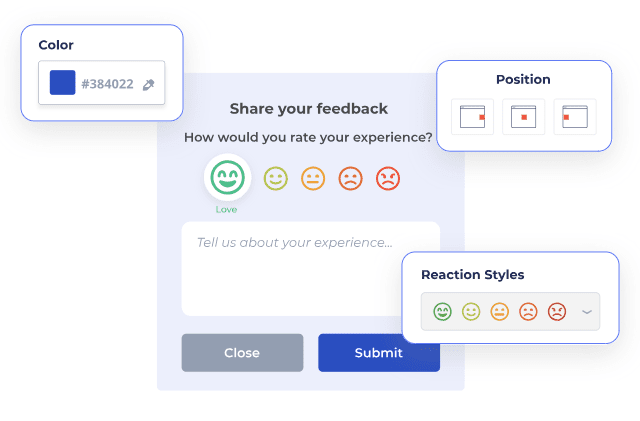
    The best way to do this is to integrate a website feedback tool that can help you collect visual feedback on various elements on your site. Platforms like FullSession let you create your own website feedback form to gather valuable easily quantifiable data on your website’s quality.

    Install Your First Website Feedback Form Right Now

    It takes less than 5 minutes to set up your first website or app feedback form, with FullSession, and it’s completely free!

    Example of Website Design Feedback Based on Different Steps

    Web design creation animated

    Let’s break down a simplified version of a web design process and examples of constructive feedback at key points. This scenario will illustrate how feedback can effectively guide the design from conception to completion, ensuring the final product meets the project’s goals and audience needs.

    1. Discovery and Research

    In this initial phase, the team gathers information about the client’s business, target audience, objectives, and competitors.

    Good Feedback Example:

    “I appreciate the competitor analysis. However, our brand values sustainability and innovation, which seem underrepresented in the current direction. Can we explore design concepts and ideas that emphasize these values more clearly?”

    2. Wireframing

    Wireframes are created to lay out the basic structure of the web pages, focusing on usability and the user journey, without yet adding design elements like colors or images.

    Good Feedback Example:

    “The wireframe for the product page is straightforward, which is great. I’m concerned, though, that the call-to-action (CTA) button might get overlooked in its current position. Could we try placing it above the fold and see if it feels more intuitive?”

    3. Design Mockups

    Based on the wireframes, detailed mockups are designed, incorporating the site’s visual elements, such as color palettes, typography, and imagery.

    Good Feedback Example:

    “The mockups capture the vibrant, youthful energy of our brand well. The font choice for the headings, though, feels a bit too formal. Could we explore a few more options that might be a tad more playful but still easy to read?”

    4. Prototype Development

    Interactive prototypes are developed from the mockups, allowing stakeholders to experience and interact with the design as if it were a live website.

    Good Feedback Example:

    “Navigating the prototype gives a good sense of the user flow. However, the transition animations between pages feel a bit slow, which could affect the user experience negatively. Can we speed those up for a smoother transition?”

    5. User Testing

    The prototype is tested with real users to gather feedback on usability and overall experience. This feedback is then used to refine the design.

    Good Feedback Example:

    “User testing highlighted that our sign-up process might be a bit too lengthy, leading to drop-offs. Can we streamline this process, perhaps by reducing the number of fields or by adding a social media sign-up option?”

    6. Final Design Adjustments and Development

    Based on all the feedback received, final adjustments are made to the design, and the website is developed and launched.

    Good Feedback Example:

    “The final design looks fantastic, and the adjustments have really paid off. Before we go live, let’s ensure all the social media links are correctly set up and test the site across different devices one more time to make sure everything is responsive.”

    7. Post-Launch Review

    After the site is live, it’s important to continue monitoring its performance and gathering feedback for further improvements.

    Good Feedback Example:

    “Now that the site is live, initial feedback has been overwhelmingly positive. Let’s schedule a review in three months to analyze performance data and decide if there are any areas we can optimize further based on real user interactions.”

    Good Web Design Feedback Creates Better Websites

    Constructive feedback is necessary if you want anything to improve, whether that be employee performance, product quality, or your website design. Use these best practices and feedback examples to get better at providing effective feedback and, in turn, help create the website your business deserves.

    If you are overhauling your website’s design or performing user testing, FullSession can help you collect valuable feedback and turn it into data that you can easily analyze. With FullSession’s customer feedback tools, you can customize your own in-app survey and collect instant feedback from visitors–no coding needed.

    FullSession Pricing Plans

    FullSession Pricing

    The FullSession platform offers a 14-day free trial. It provides two paid plans—Basic and Business. Here are more details on each plan.

    • The Starter plan costs $39/month or $32/year and allows you to monitor up to 5,000 monthly sessions with up to 6 months of data storage.
    • The Business plan costs $75/month or $60/year and helps you to track and analyze up to 100,000 monthly sessions with up to 12 months of data storage.
    • The Enterprise plan has custom pricing and offers customizable sessions plus full access to all features.

    Book a demo today.

    FAQs About Web Design Feedback

    How much feedback is too much?

    While regular feedback is crucial, there’s a fine line between being thorough and micromanaging. Aim for quality over quantity, and trust your team’s expertise.

    Should I use technical terms when giving feedback?

    Use technical terms if you’re comfortable with them, but don’t feel pressured to. Clarity is key, whether that comes through technical jargon or plain language.

    How can I ensure my feedback is constructive?

    Focus on the issue, not the person. Use “I” statements to express how you feel about the design and suggest specific improvements.

    Can I give feedback even if I don’t have a design background?

    Absolutely! Your perspective as a business owner or stakeholder is invaluable, especially when it comes to understanding your audience’s needs and preferences.

  • Questionnaire vs Survey: 4 Key Differences and Why They Matter

    Questionnaire vs Survey: 4 Key Differences and Why They Matter

    Surveys and questionnaires gather information from a specific group to meet a goal. In marketing, both are indispensable tools for gaining insights into customers’ behavior and opinions of a brand.

    However, surveys are questionnaires, but not all questionnaires are surveys. And no, we shouldn’t use these terms interchangeably.

    Learn the key differences between survey vs questionnaire and why this matters, especially when it comes to customer feedback.

    What is a Questionnaire?

    Think of a questionnaire as your straightforward tool for information gathering. It usually includes a series of written questions aimed at collecting responses from participants. Typically, participants answer open-ended questions and closed-ended questions, or a combination of both.

    Questionnaires ask questions and collect data without any added complexity, allowing the questions themselves to guide the collection of insights. Each result will give you information about that specific respondent but won’t give you a bird’s eye view of whatever you’re asking the customer about.

    What is a Survey?

    On the other hand, surveys go a step further than questionnaires. They include both the set of questions and the analysis of data gathered.

    A survey provides a comprehensive overview by taking you through the process of collecting data and then digging deeper into the reasons behind the answers. It involves the collection, analysis, and interpretation of information to understand a group of people or a particular topic better.

    Surveys Vs. Questionnaires: What Are The Key Differences?

    Customer service surveys on mobile animated

    Both surveys and questionnaires play a huge role in various research methods. In marketing, you may use questionnaires and surveys simultaneously or separately, depending on your research goals.

    To make it easier for you to determine which one to use, let’s dive deeper into their key differences:

    1. Types of Data You Can Collect

    Questionnaires are typically designed to collect quantitative data, which can be quantified and used for statistical analysis. This might include yes/no questions, multiple-choice questions, or rating scales.

    While surveys can also collect quantitative data, they are handy for qualitative research. This includes open-ended questions that allow respondents to provide more detailed and nuanced answers, offering insights into their thoughts, feelings, and motivations. 

    A good example would be demographic questions for surveys that might collect both quantitative and qualitative responses.

    2. Primary Purpose

    The main goal of a questionnaire is to collect specific information directly related to the questions asked. It’s a tool for rapid data collection, focusing on gathering as many responses as possible from the target audience.

    On the other hand, a survey goes beyond just collecting data; it aims to analyze data to uncover patterns, trends, and insights from the responses to help you meet specific goals. In other words, surveys are questionnaires but with added data analysis.

    For instance, job applications collect data with no intention of statistical analysis. They just gather information necessary for HR purposes. Inversely, customer satisfaction surveys gather data with questions designed to measure certain metrics afterward and meet specific market research goals.

    3. Data Analysis

    Questionnaires don’t always require the data collector to perform any necessary analysis after the data has been gathered. The questionnaire itself is a means to an end, with the analysis process being separate and dependent on the goals of the data collector.

    For example, when you give an employee a health screening questionnaire, you’re not aiming to analyze or evaluate the workplace’s overall health status. Instead, you’re just trying to see if that one respondent has any health conditions that you, as an employer, should know about.

    On the flip side, surveys include the analysis as part of the process. They are often designed with the end analysis in mind, incorporating elements that enable the understanding and interpretation of the data within the survey process itself.

    4. Data Collection Methods

    Questionnaires can be distributed in various ways, including paper forms, online forms, or via email. The focus is on efficiently gathering data, so the method of distribution is chosen based on reaching the largest number of respondents in the specific target audience.

    Surveys can also use these methods but might include additional approaches, such as interviews or focus groups, for collecting personal accounts. Surveys may employ a mixed-method approach to ensure both quantitative and qualitative data are gathered effectively.

    When to Use a Survey vs Questionnaire

    Surveys and questionnaires have unique strengths, depending on the circumstances and your current marketing goals. Here’s how to know when to conduct questionnaires vs surveys:

    Use a Questionnaire When:

    1. You Need Quick, Specific Answers

    Questionnaires are the way to go if you’re looking for straightforward responses to specific questions without needing immediate analysis or interpretation. They are best for collecting factual data quickly and efficiently.

    2. Budget and Time are Limited

    Questionnaires are simpler to create and distribute, so they can be more cost-effective and quicker to deploy than surveys. They’re ideal when you need to gather data on a tight budget or schedule.

    3. You’re Gathering Large Quantities of Data

    If your goal is to collect a large volume of data from many people, the simplicity and directness of questionnaires make them a suitable choice. They can be easily scaled and distributed widely to gather information from a broad audience.

    Use a Survey When:

    1. You Seek Depth and Insight

    Surveys are your best bet when you’re interested in not just what your respondents think but also why they think that way. If your objective is to explore opinions, beliefs, and attitudes in depth, the analytical component of surveys allows for a more nuanced understanding of quantitative and qualitative data.

    2. You Have the Resources for Analysis

    Surveys require more time and resources for proper execution, including the analysis of responses. Create surveys when you have the means to analyze the data thoroughly and are prepared to invest in interpreting the results for actionable insights.

    3. Interaction and Engagement Matter

    Surveys often allow for more interaction with respondents, providing opportunities to engage them in more meaningful ways. This is particularly important when the quality of the response is as critical as the response itself.

    How to Conduct an Effective Survey or Questionnaire

    FullSession Feedback Survey Creator

    Creating questionnaires and surveys requires different approaches. Here are essential steps and tips for each to ensure you collect valuable, actionable intelligence for any research project:

    Conducting an Effective Questionnaire

    1. Define Your Objectives: Identify what you want to learn from your questionnaire. This will help you create questions that are direct and to the point.
    2. Keep It Simple: Use clear, concise language. Avoid jargon, technical terms, and long sentences. The easier your questionnaire is to understand, the more likely you are to receive accurate responses.
    3. Use a Logical Structure: Group related questions together, starting with general questions and moving towards more specific ones. This flow helps respondents provide more thoughtful answers.
    4. Offer Multiple-Choice Questions: These are easier and quicker for respondents to answer and simplify the data analysis process. However, ensure to include “other” options where necessary to not limit responses.
    5. Pilot Test Your Questionnaire: Before launching it widely, test your questionnaire with a small group similar to your target audience. This can help identify confusing questions or technical issues.
    6. Consider the Mode of Distribution: Decide whether an online platform, email, in-person, or another method is most effective for reaching your target audience. Choose the most accessible and convenient option for them.
    7. Analyze Data Systematically: Even though questionnaires are more straightforward, analyzing the data systematically will help you draw accurate conclusions.

    Conducting an Effective Survey

    1. Establish Clear Goals: Know precisely what you want to achieve with your survey. Understanding your end goal will guide the type of questions you ask and the people you target.
    2. Craft Engaging Questions: Use a mix of closed and open-ended questions to gather quantitative data and qualitative insights. Ensure questions are unbiased and structured to encourage honest, thoughtful responses.
    3. Segment Your Audience: Tailor your survey to specific segments of your audience to ensure the questions are relevant to them. This will increase engagement and the quality of the data collected.
    4. Use an Appropriate Platform: Whether it’s online surveys, phone interviews, or mail-in surveys, choose a platform that suits your audience’s preferences and the nature of the information you’re seeking.
    5. Keep it Brief: Respect your respondents’ time. A survey that takes too long to complete may lead to respondent fatigue, resulting in incomplete responses or a high dropout rate.
    6. Test Your Survey: Before the official launch, conduct a pilot test with a small, representative segment of your target audience to catch any issues with question clarity or survey flow.
    7. Analyze and Interpret Data Carefully: Beyond numerical analysis, interpret open-ended responses to understand the nuances behind the data. This might require qualitative data analysis techniques.
    8. Follow-up: If your survey is longitudinal or if you promised to share results with participants, make sure to follow up. This not only builds trust but also encourages participation in future surveys.

    Conduct Surveys and Questionnaires With FullSession

    Contrary to popular belief, gathering information from customers should be a constant process. Aside from conducting periodical surveys and questionnaires, let customers provide instant feedback on your website whenever they please.

    FullSession lets you create customer feedback tools right on your website. FullSession will gather instant customer feedback from all your web visitors and automatically load relevant statistical information on your dashboard. Easy, intuitive, and powerful.

    FullSession Pricing Plans

    FullSession Pricing

    The FullSession platform offers a 14-day free trial. It provides two paid plans—Basic and Business. Here are more details on each plan.

    • The Starter plan costs $39/month or $32/year and allows you to monitor up to 5,000 monthly sessions with up to 6 months of data storage.
    • The Business plan costs $75/month or $60/year and helps you to track and analyze up to 100,000 monthly sessions with up to 12 months of data storage.
    • The Enterprise plan has custom pricing and offers customizable sessions plus full access to all features.

    Book a demo today.

    Install Your First Website Survey Right Now

    It takes less than 5 minutes to set up your first website or app survey form, with FullSession, and it’s completely free!

    FAQs About Surveys and Questionnaires

    How long should my survey or questionnaire be?

    The length of your survey or questionnaire should balance the need for comprehensive data with the attention span and availability of your respondents. As a rule of thumb, aim for a questionnaire that takes 5-10 minutes to complete and a survey that can be completed within 15-20 minutes. 

    How can I improve response rates?

    To improve response rates, ensure your survey or questionnaire is concise, relevant, and easy to complete. Clearly communicate the purpose and how the data will be used to benefit respondents. Offering incentives, ensuring anonymity, and choosing a convenient distribution method can also significantly boost participation. 

    Should I use open-ended or close-ended questions?

    It depends on your data collection goals. Use closed-ended questions when you need quantitative data that’s easy to analyze, such as demographic information or specific preferences. Open-ended questions are better suited for gathering qualitative insights, such as opinions, experiences, and suggestions. A mix of both can provide a comprehensive understanding of your respondents, balancing depth of insight with analytical simplicity.

  • 50 Close-Ended Questions Examples (+ Free Survey Guide)

    50 Close-Ended Questions Examples (+ Free Survey Guide)

    Close-ended questions allow you to create surveys that are easy to answer for respondents. In turn, it will be easier for you to collect quantitative data and conduct statistical analysis on any particular aspect you want to study.

    Unlike open-ended questions, these questions only require a one-word answer or a selection from a pre-determined list of answer choices. They’re easy, quick, and extremely useful when you want to collect data on a large scale.

    Still, these questions require careful analysis and have certain limitations you should consider. In this guide, we will explore the different types of close-ended questions, some examples for each category, and the pros and cons of close-ended questions from a marketing perspective.

    What are Close Ended Questions?

    Close-ended questions offer survey respondents a predetermined list of answers to choose from. Usually, a customer answers these questions with a single-word answer, such as “yes/no” “true/false” or “agree or disagree.”

    Closed-ended questions are designed to gather survey responses that are easy to quantify and analyze. For example, asking your customers, “Do you like Product A?” and offering a simple “yes” or “no” selection gives you an easy method to see how many customers like your product.

    Closed-Ended Questions vs. Open-Ended Questions

    A closed-ended question is structured so that the respondent can choose from a list of options, making them particularly useful for efficient and simple quantitative analysis.

    An open-ended question, on the other hand, allows respondents to answer freely in their own words, offering richer, more detailed insights. These questions are invaluable in collecting qualitative data where depth, detail, and the exploration of new ideas are essential.

    Here are the key differences between close-ended questions and open-ended questions at a glance:

    Open-Ended QuestionClosed-Ended Question
    Allows participants to answer in their own wordsLimited and pre-determined answer choices
    Focuses on collecting qualitative dataCollects quantitative data
    Requires more time to answerEasy to answer
    Responses may be tedious to analyzeProvides easily quantifiable data

    When Should You Use Close-Ended Questions?

    Open-ended questions and closed-ended questions have their unique pros and cons. Deciding which type you should use will depend on several factors, such as:

    • The type of data you want to collect
    • Your goals
    • Resources available
    • Your target audience

    Based on these factors, asking closed-ended questions is best applicable when:

    You’re Collecting Quantitative Data

    Quantitative data collection aims to gather measurable, numerical insights. Closed-ended questions are perfect for this task because they provide structured responses that you can easily count and analyze, which is why we use them as the foundation of statistical analysis techniques applied to surveys.

    Whether it’s tallying yes/no responses or aggregating ratings on a scale, these questions convert subjective opinions into objective numbers, making it straightforward to quantify trends, preferences, and behaviors.

    You Want to Collect Survey Responses at Scale

    When conducting surveys, especially those targeting a broad audience, efficiency and scalability are key. Closed-ended questions allow respondents to choose from a set of predefined answers quickly, significantly reducing the time and effort required to complete the survey.

    This factor is crucial for achieving a high response rate in large-scale surveys, as participants are more likely to complete the survey if it’s perceived as quick and straightforward.

    You’re Looking For a Specific Set of Responses

    In some market research scenarios, you might be seeking information that falls within specific parameters or looking to validate a hypothesis. Closed-ended questions help you direct the focus of your survey to the precise data points you’re interested in.

    For example, a company wants to determine how much their customers spend on groceries monthly. Instead of letting participants answer freely, the survey will offer a set of fixed responses to keep the data simple:

    • Less than $100
    • $100-$200
    • $200-$300
    • More than $300

    By limiting responses to a predefined set of options, you can ensure that the collected data is directly relevant to your research questions, making it easier to draw meaningful conclusions.

    You Want to Make the Survey Easy to Answer

    It’s important to understand that people are busy, and most individuals will rarely take the time to answer a complicated survey.

    With that in mind, you want to use closed-ended questions to make surveys more user-friendly. These questions eliminate the need for respondents to formulate their own answers, which can sometimes be a barrier to participation, especially for those who may find open-ended questions daunting or time-consuming.

    50 Close-Ended Questions Examples

    Close-ended questions fall into five main categories, including dichotomous questions, multiple choice questions, rating scale questions, ranking order questions, and checklist-style questions. Let’s elaborate on each question type and explore several examples:

    1. Dichotomous Questions

    Dichotomous questions are a subset of closed-ended questions where respondents are given two mutually exclusive options to choose from, typically “Yes” or “No”, “True” or “False”, or any other pair of opposite answers.

    These questions are designed to elicit a clear, concise response, making them incredibly useful for surveys and research that require straightforward, binary quantifiable data. Include this type of question in your survey in situations where you need a clear distinction between two categories of responses for data analysis.

    Examples of closed-ended dichotomous questions include:

    1. Have you ever purchased a product from our website?
      • Yes
      • No
    2. Do you agree with the new company policy on remote work?
      • Agree
      • Disagree
    3. Is this your first time attending our annual conference?
      • Yes
      • No
    4. Would you recommend our service to a friend or colleague?
      • Yes
      • No
    5. Are you currently employed?
      • Yes
      • No
    6. Do you own a smartphone?
      • Yes
      • No
    7. Is the information on our website easy to understand?
      • Yes
      • No
    8. Have you experienced any side effects after using the medication?
      • Yes
      • No
    9. Do you believe that climate change is a serious threat to our planet?
      • Yes
      • No
    10. Did you find our customer service representative helpful?
      • Yes
      • No

    2. Multiple Choice Questions

    Multiple-choice questions provide respondents with several options to choose from. Unlike dichotomous questions, which offer only two choices, these questions present a wider range of answers, typically three or more.

    The options for multiple-choice questions usually represent different categories or preferences. This format allows for more nuanced data collection by capturing a variety of responses that can reflect differing opinions, behaviors, or characteristics among the participants.

    1. What is your age group?
      • Under 18
      • 18-24
      • 25-34
      • 35-44
      • 45 and above
    2. How often do you use our product?
      • Daily
      • Weekly
      • Monthly
      • Rarely
      • Never
    3. What is your primary reason for choosing our service?
      • Quality
      • Price
      • Customer service
      • Convenience
      • Other (please specify)
    4. Which of the following best describes your employment status?
      • Employed full-time
      • Employed part-time
      • Self-employed
      • Unemployed
      • Retired
      • Student
    5. How satisfied are you with our customer service?
      • Very satisfied
      • Somewhat satisfied
      • Neutral
      • Somewhat dissatisfied
      • Very dissatisfied
    6. What type of content do you prefer on our blog?
      • How-to guides
      • Industry news
      • Case studies
      • Interviews
      • Opinion pieces
    7. Which social media platform do you use the most?
      • Facebook
      • Instagram
      • Twitter
      • LinkedIn
      • Snapchat
      • TikTok
    8. How did you hear about us?
      • Online advertising
      • Social media
      • Word of mouth
      • News article
      • Other
    9. What is your highest level of education?
      • Some high school
      • High school graduate
      • Some college
      • College graduate
      • Postgraduate degree
    10. For which of the following purposes do you primarily use our product?
      • Personal use
      • Business use
      • Educational use
      • Entertainment
      • Other (please specify)

    3. Rating Scale Questions

    Rating scale questions ask respondents to rate a particular item, experience, or service on a predefined scale. These scales can vary in range, typically from 3 to 10 points, with each point on the scale representing a level of agreement, frequency, quality, or satisfaction.

    Rating scales are highly versatile and can be customized to measure various factors such as importance, likelihood, satisfaction, and performance. They provide quantitative data that may be more meaningful than dichotomous or multiple-choice questions, allowing for a detailed analysis of opinions and behaviors.

    1. How satisfied were you with your recent purchase?
      • 1 (Not at all satisfied)
      • 2
      • 3
      • 4
      • 5 (Very satisfied)
    2. On a scale from 1 to 10, how likely are you to recommend our services to a friend or colleague?
      • 1 (Not likely at all)
      • 10 (Extremely likely)
    3. Please rate the quality of our customer service.
      • 1 (Poor)
      • 2
      • 3 (Average)
      • 4
      • 5 (Excellent)
    4. How important is price to you when choosing this type of service?
      • 1 (Not important)
      • 2
      • 3 (Moderately important)
      • 4
      • 5 (Very important)
    5. Rate your level of agreement with the following statement: The product meets my needs.
      • Strongly disagree
      • Disagree
      • Neither agree nor disagree
      • Agree
      • Strongly agree
    6. How often do you use our product?
      • Never
      • Rarely
      • Sometimes
      • Often
      • Always
    7. Rate the ease of use of our online platform.
      • Very difficult
      • Difficult
      • Neutral
      • Easy
      • Very easy
    8. How would you rate the value for money of the product?
      • Very poor value
      • Poor value
      • Average value
      • Good value
      • Excellent value
    9. Please rate your overall experience with our website.
      • Very unsatisfactory
      • Unsatisfactory
      • Neutral
      • Satisfactory
      • Very satisfactory
    10. How comfortable were you during your visit to our facility?
      • Extremely uncomfortable
      • Uncomfortable
      • Neutral
      • Comfortable
      • Extremely comfortable

    4. Ranking Order Questions

    Ranking order questions ask respondents to arrange a list of items in a specific order based on their preference, importance, satisfaction, or any other criteria specified by the question.

    This type of question can help you understand priorities and preferences among a set of options, as it forces respondents to make choices that reveal the relative importance or appeal of each item. Like rating scale questions, rank order questions are particularly useful for collecting customer feedback.

    1. Rank the following features in order of importance to you when purchasing a new smartphone. (1 being the most important)
      • Camera quality
      • Battery life
      • Storage capacity
      • Screen size
      • Price
    2. Please rank these product categories based on your personal preference for receiving them as gifts. (1 being your most preferred)
      • Books
      • Electronics
      • Clothing
      • Gift cards
      • Home goods
    3. Rank the following factors by how significantly they influence your decision to choose a restaurant. (1 being the most significant)
      • Menu variety
      • Price
      • Location
      • Ambiance
      • Reviews
    4. Rank these customer service aspects in order of importance to you. (1 being the most important)
      • Speed of service
      • Friendliness of staff
      • Knowledge of staff
      • Availability of support
    5. Please rank these social media platforms based on how frequently you use them. (1 being the most frequently used)
      • Facebook
      • Instagram
      • Twitter
      • LinkedIn
      • TikTok
    6. Rank the following types of holiday destinations in order of your preference. (1 being your most preferred)
      • Beach
      • Mountain
      • City
      • Countryside
      • Adventure park
    7. Please rank these factors in order of their importance to you when choosing an employer. (1 being the most important)
      • Salary
      • Work-life balance
      • Company culture
      • Career advancement opportunities
      • Location
    8. Rank the following online shopping factors according to how much they matter to you. (1 being the most important)
      • Free shipping
      • Product variety
      • Price discounts
      • User reviews
      • Return policy
    9. Please rank these methods of learning new skills based on your personal preference. (1 being your most preferred)
      • Online courses
      • In-person workshops
      • Reading books
      • Mentorship
      • Self-experimentation
    10. Rank the following environmental concerns based on how urgent you believe they are. (1 being the most urgent)
      • Climate change
      • Plastic pollution
      • Deforestation
      • Air quality
      • Water scarcity

    5. Checklist-Style Questions

    Checklist-style questions are a form of survey question where respondents are presented with a list of answer options and asked to select all that apply to them.

    Unlike ranking or rating questions, checklist-style questions do not require respondents to evaluate or prioritize the options. Instead, these questions are used to gather data on the presence or absence of certain attributes, behaviors, preferences, or experiences among a population. They are particularly useful for identifying patterns, trends, or similarities within a group.

    1. Which of the following social media platforms do you use regularly? (Select all that apply)
      • Facebook
      • Instagram
      • Twitter
      • LinkedIn
      • TikTok
      • Snapchat
    2. What types of content do you prefer to consume online? (Select all that apply)
      • News articles
      • Blogs
      • Videos
      • Podcasts
      • E-books
      • Webinars
    3. Which of the following features are important to you in a mobile app? (Select all that apply)
      • User-friendly interface
      • Fast loading times
      • High-quality content
      • Offline accessibility
      • Regular updates
      • Privacy and security
    4. What dietary restrictions do you follow? (Select all that apply)
      • Vegetarian
      • Vegan
      • Gluten-free
      • Dairy-free
      • Nut-free
      • Halal
      • Kosher
    5. Which of the following activities interests you? (Select all that apply)
      • Hiking
      • Reading
      • Cooking
      • Photography
      • Gaming
      • Yoga
      • Painting
    6. What factors influence your decision to purchase a product online? (Select all that apply)
      • Price
      • Brand reputation
      • Reviews and ratings
      • Free shipping
      • Easy return policy
      • Product variety
    7. Which of the following services have you used in the last month? (Select all that apply)
      • Food delivery
      • Ride-sharing
      • Online banking
      • Streaming services
      • Telehealth appointments
    8. What types of emails would you like to receive from us? (Select all that apply)
      • Special offers and discounts
      • New product announcements
      • Company news
      • Tips and how-to guides
      • Customer stories and testimonials
    9. Which of the following health and wellness practices do you engage in? (Select all that apply)
      • Regular exercise
      • Meditation
      • Balanced diet
      • Regular health check-ups
      • Mindfulness practices
    10. What reasons do you have for visiting our website? (Select all that apply)
      • To purchase products
      • To browse new arrivals
      • To compare prices
      • To read product reviews
      • To seek customer support
      • To find inspiration

    Advantages and Disadvantages of Using Closed-Ended Questions

    At a glance, using close-ended questions is an easy and quick way to gather quantifiable data. Plus, there are plenty of scenarios where they are more applicable than open-ended questions. However, there are still drawbacks to this type of survey question.

    Pros of Using Closed-Ended Questions

    1. Ease of Analysis: Survey responses are easy to quantify, making data analysis more straightforward. This is particularly beneficial for large datasets where manual analysis of responses to open-ended questions would be too tedious.
    2. Quick to Answer: Participants can quickly select an answer from pre-determined answer options, reducing the time it takes to complete the survey. This can help improve response rates as respondents are less likely to abandon the survey due to time constraints or survey fatigue.
    3. Standardization: Closed-ended questions ensure that all respondents have the same set of options, leading to better uniformity in the data collected.
    4. Less Ambiguity: By providing specific response options, closed-ended questions reduce the chances of ambiguity in responses. This can lead to more accurate data collection, as respondents are less likely to misinterpret the question.

    Cons of Using Closed-Ended Questions

    1. Limited Depth of Insight: Closed-ended questions can restrict the depth of insight you can gain from a survey. Respondents are confined to the options provided, which may not fully capture their opinions or experiences.
    2. Potential for Bias: The way options are framed can introduce bias, influencing how respondents choose their answers. Additionally, the researcher’s assumptions may be embedded in the choices provided, which may not align with the respondent’s perspectives.
    3. Over-Simplification: Complex issues may be oversimplified into discrete options, which can lead to a loss of nuance in the data collected. This oversimplification can mask underlying trends or patterns in the data.

    Know When to Use Close-Ended Questions

    Close-ended survey questions are an essential tool for gaining direct insight into specific aspects that you want to study, such as customer preferences and backgrounds. Still, it’s crucial to understand that limiting possible answers can make survey findings less meaningful if you do it in scenarios where you should be asking open-ended questions.

    Use this guide to create surveys that align with your research objectives and gather more valuable insights. For customer feedback or website user research, use FullSession to make data collection easier.

    FullSession’s customer feedback tools let you create in-app survey questions to collect instant feedback on your website. Plus, you get access to other powerful tools when you sign up with FullSession:

    FullSession Pricing Plans

    The FullSession platform offers a 14-day free trial. It provides two paid plans—Basic and Business. Here are more details on each plan.

    • The Free plan is available at $0/month and lets you track up to 500 sessions per month with 30 days of data retention, making it ideal for testing core features like session replay, heatmaps, and frustration signals.
    • The Growth Plan starts from $23/month (billed annually, $276/year) for 5,000 sessions/month – with flexible tiers up to 50,000 sessions/month. Includes 4 months of data retention plus advanced features like funnels & conversion analysis, feedback widgets, and AI-assisted segment creation.
    • The Pro Plan starts from $279/month (billed annually, $3,350/year) for 100,000 sessions/month – with flexible tiers up to 750,000 sessions/month. It includes everything in the Growth plan, plus unlimited seats and 8-month data retention for larger teams that need deeper historical insights.
    • The Enterprise plan starts from $1,274/month when billed annually ($15,288/year) and is designed for large-scale needs with 500,000+ sessions per month, 15 months of data retention, priority support, uptime SLA, security reviews, and fully customized pricing and terms.

    Book a demo today.

    Install Your First Website Survey Form Right Now

    It takes less than 5 minutes to set up your first website or app survey form, with FullSession, and it’s completely free!

    FAQs About Close-Ended Questions

    Can closed-ended questions be used for all types of research?

    While versatile, they are best suited for quantitative research and situations where specific, comparable data is required.

    How can I ensure my close-ended questions are effective?

    Keep them clear and concise, and ensure the response options cover all likely answers without overlapping.

    Are close-ended questions biased?

    They can be, especially if the response options are leading or limiting. It’s crucial to design them with care to minimize bias.

  • Best 12 Examples of Demographic Questions for Surveys

    Best 12 Examples of Demographic Questions for Surveys

    Utilizing demographic survey questions gives you a clear idea of who your customers are–more specifically, where they live, how old they are, what religion they follow, and so on. For most people, this information is a solid representation of one’s persona, even if it’s just a glimpse.

    However, good marketing teams only need that glimpse to create effective marketing strategies.

    Today, we’ll discuss the definition of demographic questions, why demographic data is important, and the most common demographic questions to include in your survey. Additionally, we’ll talk about best practices to collect demographic information so you can be sure you do it the right way.

    What are Demographic Survey Questions?

    Businesses include demographic questions in surveys or market research to gather specific information about the background characteristics of survey respondents.

    These questions aim to collect data on various personal and social attributes such as respondent age, gender, ethnicity, education level, employment status, etc., which we can typically categorize as quantitative data as there are a limited number of possible answers.

    Including demographic questions in surveys can help you collect demographic information with a larger scope, which will, in turn, help you tailor your marketing strategies faster and more accurately.

    When Should You Include Demographic Questions?

    The rule of thumb is to include demographic questions only if demographic information is necessary for your market research. Plus, it’s best to keep questions about gender identity, ethnicity, religion, and other potentially sensitive topics sparingly (or only if they are absolutely necessary for your survey).

    Remember, people are becoming more and more wary of businesses that collect their personal information, so you don’t want to include too many demographic questions in a survey, especially if they’re not needed. Limiting your use of demographic questions can also help avoid survey fatigue and let respondents focus on the most important parts of your survey.

    Why Are Demographic Survey Questions Important?

    Before we talk about the different types of demographic survey questions, let’s dive into why we should be gathering this information in the first place.

    The primary purpose of demographic data is to help businesses gain a better understanding of their target audience. This, in turn, will lead to better market research, customer segmentation, and overall business strategy. Here’s a deeper dive into why these questions are so crucial:

    Create and Develop More Accurate Buyer Personas

    Buyer personas are semi-fictional characters that represent your ideal customers. By including demographic questions in surveys, businesses can gather concrete data about their actual customer base, enabling them to craft more accurate and detailed buyer personas.

    This precision allows for the development of highly targeted marketing strategies, product development, and customer service approaches that resonate deeply with each segment of the audience. Essentially, demographic data transforms buyer personas from vague sketches into vivid portraits, ensuring marketing efforts hit the mark more consistently.

    Understand Your Target Audience Better

    Understanding your target audience goes beyond knowing their age or location; it’s about grasping the context of their lives, their daily challenges, preferences, and how they make informed decisions

    Demographic survey questions uncover the layers of social and personal factors that influence consumer behavior. This understanding enables businesses to empathize with their audience, tailoring communication and offerings to meet the audience’s needs more effectively.

    Identify Trends

    Markets are dynamic, with trends shifting under the influence of cultural, economic, and social changes. Demographic data collected over time can highlight these shifts, offering insights into emerging trends before they become mainstream.

    For businesses, it means being able to anticipate market movements, adapt offerings, and stay ahead of competitors. Whether it’s a growing preference for sustainable products among younger demographics or an increased demand for home delivery services in certain areas, understanding these trends is crucial in capturing market share.

    Confirm the Validity of Survey Responses

    Not all surveys are created equal, and not all responses genuinely reflect your target market. Demographic questions can serve as a litmus test for the validity of the data collected.

    By analyzing responses across different demographic segments, businesses can identify outliers or inconsistencies that may indicate misunderstanding of questions or even fraudulent responses. This validation process is crucial for ensuring the reliability of the survey data, which we often use as the basis for major business decisions.

    12 Most Common Demographic Questions

    Your demographic survey questions should aim to collect data most relevant to your marketing goals. Here are some of the most common questions you can include in your next survey:

    1. Gender

    Gender is one of the most fundamental demographic survey questions. However, it’s a complicated and potentially sensitive topic that needs a careful approach. You want to ask this question in a way that remains respectful and open to different types of answers.

    First, use the word “gender” instead of “sex,” as the former is more subjective and will allow respondents to answer questions differently. Traditionally, “sex” was used to ask participants about their biological sex, which some respondents may not identify with.

    Example: “What gender do you identify as?”

    Possible answer options:

    • Female
    • Male
    • Transgender
    • Nonbinary
    • Prefer not to say
    • Other (please specify)

    Include a free response box for survey respondents who would like to input another answer that’s not among the options.

    2. Age

    Age affects consumer preferences, needs, and media consumption habits. Knowing the age distribution helps in creating age-appropriate marketing messages and choosing the right platforms for advertising.

    For example, products targeting millennials may require different marketing strategies and channels than those aimed at Gen Zs.

    Example: “How old are you?”

    Possible answer options:

    • Under 18 years old
    • 19 – 30 years old
    • 31 – 45 years old
    • 46 – 55 years old
    • 55+
    • Prefer not to say

    You can tailor these age ranges depending on how precise you want to be and the distinct age group you’re targeting. For instance, if your target audience is young adults, you might want to divide these ranges further, e.g., 18-21, 22-25, 26-29, etc.

    3. Ethnicity

    Ethnic background influences cultural practices, traditions, and preferences. By acknowledging the ethnic composition of your audience, you can create culturally sensitive and relevant marketing campaigns that resonate with diverse groups, potentially increasing customer loyalty and brand trust.

    Example: “What is your race/ethnicity?”

    • African-American
    • Asian
    • Hispanic or Latino
    • Native Hawaiian or Pacific Islander
    • Native American
    • White/Caucasian
    • Multiple
    • Other (please specify)
    • Prefer not to say

    4. Location

    Geographic information allows you to curate more localized marketing strategies, as different regions may have varying preferences, weather patterns, and cultural norms that affect consumer behavior.

    Localized strategies can include region-specific products, local advertising, and even local language use in marketing materials.

    However, the way you collect this information will depend on your target audience. For example, if you’re based in the US, you would want a drop-down list of all 50 states. If you’re a local business, you should ask the city, town, or zip code.

    Example: “Where do you currently live?”

    Possible answer options:

    • North America
    • Europe
    • Asia
    • Africa
    • South America
    • Caribbean Islands
    • Other
    • Prefer not to say

    If you’re asking a question with too many possible answers, like a city or zip code, use a free response box to make it easier for both you and your respondents.

    5. Education Level

    Collecting responses on your audience’s level of education can help you segment customers more effectively and build more accurate buyer personas.

    For example, higher education levels like PhDs might correlate with higher income, influencing purchasing decisions and preferences for premium products.

    Example: “What is your highest educational attainment?

    Possible answer options:

    • Some high school
    • High school or GED
    • Some college
    • Bachelor’s degree
    • Associate’s degree
    • Master’s degree
    • Doctoral degree
    • Professional degree
    • Trade school
    • Prefer not to say

    Important tip: Avoid using language like “less than high school” or “no degree” to avoid invoking negative feelings about non-accomplishment. Use terms like “some high school” or “some college” instead.

    6. Marital Status

    Marital status and family structure have a significant impact on buying decisions, especially for products and services related to housing, leisure, and family activities.

    Marketing efforts can be customized to appeal to singles, couples, or families with children, making them more relevant and effective.

    Example: “What is your current marital status?”

    Possible answer options:

    • Single
    • Married
    • Divorced
    • Widowed
    • Separated
    • Prefer not to say

    7. Employment Status

    Employment status affects consumers’ lifestyles, daily routines, and disposable income. For instance, marketing luxury products might be more effective among employed individuals or those with higher job titles, whereas budget-friendly options could be targeted at students or part-time workers.

    Example: “What is your employment status?”

    Possible answer options:

    • Part-time
    • Full-time
    • Contractual
    • Unemployed, looking for work
    • Unemployed, not looking for work
    • Retired
    • Not able to work
    • Other (please specify)
    • Prefer not to say

    8. Household Income

    Household income is the total amount of money earned by people living in the same house, including the respondent, their spouse, and other people living in their home. Usually, surveys collect this information by asking respondents about their annual household income.

    Income levels can help you improve the affordability and appeal of products and services, depending on the results you get. For example, this information can guide pricing strategies, promotional offers, and product development to match the financial capacity and willingness to pay of different segments.

    Example: “What is your annual household income?”

    Possible answer options:

    • Less than $25,000
    • $25,000-50,000
    • $50,000-$70,000
    • $70,000-100,000
    • $100,000-$150,000
    • More than $150,000
    • Prefer not to say

    Like other demographic questions with potential answers in ranges, you can widen or narrow these ranges based on the goals of your survey and your target audience.

    9. Family and Dependents

    Dependents, especially kids, play a big role in customer’s buying preferences and personal values. Demographic questions that ask about the family structure and caregiver responsibilities can help you develop products and services that cater to the unique needs of single individuals, couples, and families at different stages of their life cycle.

    Additionally, recognizing the needs of caregivers, including those caring for elderly family members or individuals with disabilities, can open opportunities for specialized products and services.

    Example: “How many dependents do you have?”

    Possible answer options:

    • None
    • 1
    • 2
    • 3
    • 4 or more
    • Prefer not to say

    Note that not all dependents are kids, so if you want to focus on families with children, you can ask the question in a different way, e.g., “How many children do you have?”

    10. Language

    Understanding your audience’s language preferences helps ensure effective communication and engagement. Multilingual marketing materials and campaigns can significantly increase reach and resonance among diverse linguistic groups, improving customer experience and inclusivity.

    Additionally, people’s native languages may go hand in hand with cultural influence, traditions, and norms, which are factors that can further affect customer behavior.

    Example: “What languages can you speak fluently? Select all that apply”

    Possible answer options:

    • English
    • Spanish
    • Italian
    • French
    • Mandarin
    • Arabic
    • Hindi
    • Russian
    • Portuguese
    • Urdu
    • Indonesian
    • German
    • Japanese
    • Tagalog
    • Vietnamese
    • Others (please specify)
    • Prefer not to say

    Alternatively, you can ask, “What is the primary language spoken in your home?”

    11. Religion

    Religious beliefs can influence consumer behavior, ethical considerations, and product preferences. Businesses operating in culturally diverse markets need to be aware of religious sensitivities to avoid missteps and to tailor products and marketing campaigns that respect cultural and religious norms.

    Like gender, it’s important to phrase this question respectfully and with an open mind.

    Example: “If applicable, please select your religion from the following:”

    Possible answer options:

    • Roman Catholicism
    • Christianism
    • Judaism
    • Hinduism
    • Buddhism
    • Islam
    • None
    • Other (please specify)
    • Prefer not to say

    12. Political Preferences

    While often considered sensitive, political affiliation can offer insights into the values and social issues important to your audience.

    Brands that align with or support certain values or causes can foster deeper connections with segments of their audience, although this approach requires careful navigation to avoid alienation and potential biases.

    Example: “What best describes your political views?”

    Possible answer options:

    • Slightly Liberal
    • Very Liberal
    • Neutral
    • Slightly Conservative
    • Very Conservative
    • Prefer not to say

    Best Practices for Collecting Demographic Data

    Demographic questions are a powerful tool in market research, but there is a right way to include these in your online surveys. These tips should help you ensure every demographic question counts and your survey respondents won’t exit the page before finishing:

    Identify the Goals of Your Survey

    Before crafting your customer survey, be crystal clear about what you want to achieve. Each demographic question should serve a purpose toward these goals. For instance, if understanding the geographic distribution of your customer base to tailor regional marketing efforts is a goal, include a question about geographic location.

    When you identify these goals head-on, you can avoid asking unnecessary questions and increasing the risk of fatigue among survey participants.

    Limit Your Questions

    Keeping your survey concise respects your respondents’ time and increases the likelihood of completion. A survey bogged down with numerous unnecessary questions can lead to respondent fatigue, resulting in drop-offs or less thoughtful responses.

    Prioritize questions that yield crucial data for your demographic research goals. Additional questions can be tempting but may dilute the focus and reduce the overall response rate. Remember, quality over quantity should guide your approach to selecting demographic questions.

    Choose Which Survey Questions are Mandatory

    Deciding which demographic questions are mandatory requires a balance between the need for comprehensive data and respecting respondent comfort and privacy. Mandatory questions should be limited to those critical for the analysis and interpretation of the survey results.

    Be mindful of demographic questions that ask for sensitive information. For example, questions about income, religion, or political preferences can be perceived as intrusive. Offering respondents the option to skip these questions can prevent discomfort and maintain trust.

    Choose the Best Place for Demographic Survey Questions

    Most companies put demographic questions at the end of the survey to avoid making respondents uncomfortable right at the very start. Putting these questions towards the end can also help reduce survey fatigue and improve completion rates.

    Use Demographic Questions in Your Next Survey

    As you can see, every demographic question we’ve talked about is asked to gain deeper insights into your desired audience, particularly their backgrounds and buying habits. Still, all demographic questions you include in your survey must serve a purpose, depending on your current goals.

    With this guide, asking demographic questions should be a breeze. Use these demographic examples and best practices to create effective surveys from here on out.

    Want to get better at collecting customer feedback? Complement your marketing surveys with FullSession‘s customer feedback tools. Design your own in-app survey and collect visual feedback from website visitors instantly–no coding required.

    Install Your First Website Survey Tool Right Now

    It takes less than 5 minutes to set up your first website or app survey form, with FullSession, and it’s completely free!

    FullSession Pricing Plans

    Fullsession Pricing

    The FullSession platform offers a 14-day free trial. It provides two paid plans—Basic and Business. Here are more details on each plan.

    • The Free plan is available at $0/month and lets you track up to 500 sessions per month with 30 days of data retention, making it ideal for testing core features like session replay, heatmaps, and frustration signals.
    • The Growth Plan starts from $23/month (billed annually, $276/year) for 5,000 sessions/month – with flexible tiers up to 50,000 sessions/month. Includes 4 months of data retention plus advanced features like funnels & conversion analysis, feedback widgets, and AI-assisted segment creation.
    • The Pro Plan starts from $279/month (billed annually, $3,350/year) for 100,000 sessions/month – with flexible tiers up to 750,000 sessions/month. It includes everything in the Growth plan, plus unlimited seats and 8-month data retention for larger teams that need deeper historical insights.
    • The Enterprise plan starts from $1,274/month when billed annually ($15,288/year) and is designed for large-scale needs with 500,000+ sessions per month, 15 months of data retention, priority support, uptime SLA, security reviews, and fully customized pricing and terms.

    Book a demo today.

    FAQs about Demographic Survey Questions

    Won’t asking personal questions scare people away?

    It’s all about the approach. Ensure anonymity and emphasize the value their responses bring to improving their experience.

    How can I ensure the data I collect is used ethically?

    Transparency is key. Be clear about how you’ll use the data, stick to your word, and protect their information like it’s your own.

    Can demographic questions be tailored for B2B surveys?

    Absolutely! Adjust the lens to focus on business demographics such as industry, company size, and role in the decision-making process.

  • Best 11 Conversion Rate Optimization Tools You Need In 2025

    Best 11 Conversion Rate Optimization Tools You Need In 2025

    So, you’ve driven a sizeable number of visitors to your website. They’re looking at your products, perusing your blog pages, and scrolling through your landing page. You might think that the hardest part is over, but unfortunately, you’re just now getting to it.

    A large number of visitors is meaningless if you can’t convert them into paying customers. Luckily, you don’t have to go through this grueling process alone. Meet your new best friends: conversion rate optimization tools.

    In this guide, you’ll get to learn all about conversion rate optimization tools, why they’re important, and 11 of the best CRO tools you should add to your toolbelt ASAP.

    What is Conversion Rate and Why Is it Important?

    Picture this: your website is like hosting a grand event, and to spread the word, you dispatch 100 invitations out into the digital expanse. On the big day, if only 5 out of those 100 invitees step through the door, making a purchase or signing up, your event’s conversion rate clocks in at 5%.

    Conceptually, this metric is easy to understand, but it is one of the most crucial metrics to look out for if you want your business to succeed. To put it simply, the conversion rate offers a clear measure of your website’s effectiveness in turning website visitors into paying customers.

    However, why should the conversion rate command your attention more than the sheer volume of invitations you’ve sent?

    The answer lies in its ability to gauge the success of your digital gathering. A great conversion rate signals that your online party is the place to be, buzzing with activity and engagement. On the other hand, a low conversion rate might indicate it’s time to jazz up your invitation strategy or rethink the event’s allure altogether.

    In other words, your conversion rate tells you if your strategies are working as well as they should or if you need to improve to bring in more customers.

    What Are Conversion Rate Optimization Tools?

    upwards stock overlaying analytics animation

    Conversion rate optimization tools, also known as CRO tools, are designed to identify barriers that prevent visitors from taking desired actions on your website, such as making a purchase, signing up for a newsletter, or filling out a contact form.

    They offer valuable insights into user behavior, preferences, and interaction patterns, with user behavior data allowing you to make data-driven decisions to improve the overall user experience and, in turn, your conversion rate.

    How Do Conversion Rate Optimization Tools Work?

    CRO tools help you identify and fix issues that are preventing you from getting those conversions you want. Sometimes, they do this more directly, such as pinpointing the exact issues on your website. Other times, CRO tools provide more general insights, such as showing you which website version works better.

    At a glance, here are several functions of conversion rate optimization software:

    • Analyzing User Behavior: Through heatmaps, session recordings, and user interaction analysis, CRO tools give you a visual and quantitative insight into how users navigate your site. You can see what attracts their attention, where they spend most of their time, and where they drop off.
    • Testing and Experimentation: A/B testing and multivariate testing features allow you to compare different versions of your web pages to determine which elements perform better in terms of engaging users and encouraging conversions.
    • Gathering User Feedback: Direct feedback tools, such as surveys and feedback forms, enable you to collect qualitative data from your users. This direct line of communication helps uncover reasons behind user actions, preferences, and any obstacles they face.
    • Enhancing Landing Pages: Specific tools are dedicated to optimizing landing pages, making it easier to create, test, and refine page elements without extensive coding knowledge. These tools focus on maximizing the impact of first impressions and encouraging immediate action.
    • SEO and Content Optimization: Some CRO tools offer features to improve your site’s visibility and attractiveness through search engine optimization (SEO) and content effectiveness. This function helps you determine if your marketing content is contributing to conversions.

    Types of Conversion Rate Optimization Tools

    Choosing the best conversion rate optimization tools is not a one-size-fits-all situation. The types of CRO tools that will work best for your business depend on your current goals, conversion strategies, and, of course, the nature of your business.

    Here’s a quick run-down of the different types of conversion rate optimization software you may find useful:

    • Web Analytics and Conversion Tracking Tools: Conversion rate optimization starts with web analytics. Web analytics tools like Google Analytics and FullSession are crucial in tracking conversion-related metrics, such as the overall conversion rate, the effectiveness of conversion funnels, and customer journey mapping.
    • A/B Testing and Experimentation Software: A/B testing will help you understand what web version resonates with your audience. CRO testing tools will allow you to experiment with different versions of web pages, forms, or content to identify which variation achieves higher conversion rates.
    • User Behavior Analytics and Heat Mapping Platforms: Behavior analytics tools track user activity, showing you how they navigate your website, which elements they engage with, and where they might encounter issues. Similarly, heat mapping tools offer visual representations of user interactions, such as clicks, scrolls, and mouse movements, identifying areas that attract the most attention and those that may need improvement.
    • Customer Feedback Mechanisms: Direct feedback from users can uncover valuable insights into their preferences, pain points, and overall satisfaction. Customer feedback tools can help you collect responses via integrated surveys, polls, and feedback forms on your website.
    • Personalization and Targeted Content Delivery: Personalization tools help you tailor content, recommendations, and offers based on individual user behavior, demographics, preferences, or past interactions, all to improve user experience.
    • Landing Page Optimization Solutions: Creating and refining landing pages that convert is easier with landing page builder tools. This CRO tool often offers customizable templates, A/B testing capabilities, and seamless integration with analytics platforms.
    • Popup and Overlay Creators: Engaging visitors with timely messages and offers can help nudge them towards conversion. Popup builders are designed to capture attention with conversion-focused overlays, such as special promotions or calls to action, at strategic moments in the visitor’s journey.

    11 Best Conversion Rate Optimization Tools You Should Have in Your Roster

    magnet to find leads animation

    Are your conversion rate optimization efforts not working as well as they should? If so, you might need a little help from some top CRO tools.

    As you know by now, optimizing your conversion rate. However, there are dozens of conversion optimization tools on the market today, all with unique offerings and functions. How do you know which ones would work?

    Here’s a rundown of the best conversion rate optimization tools you should consider:

    1. FullSession

    FullSession session recording dashboard

    FullSession is an intuitive web analytics tool that is designed to help you know and understand your users better. It’s an all-in-one software that makes it easy to track user behavior through multiple channels, such as session recordingsinteractive heat maps, and integrated customer survey tools.

    FullSession is designed to improve your site’s conversion rate, ranking top among the best website optimization tools.

    Pros

    • Easy Integration: FullSession can be easily integrated into most websites without extensive coding knowledge, making it accessible to businesses of all sizes.
    • Enhanced User Experience: By identifying usability issues and barriers to conversion, FullSession helps craft a more intuitive and user-friendly website experience.
    • Segmentation and Filtering: Users can filter data to analyze specific user groups or behaviors. This feature is handy for tailoring your analysis to particular campaigns, user demographics, or behaviors.

    Cons

    • Learning Curve: While FullSession is designed to be user-friendly, the span of its features and data can be overwhelming for new users. It may take some time to become proficient in using the platform to its full potential.
    • Data Overload: With so much data available, users may find it challenging to identify actionable insights if they don’t know what metrics to prioritize.

    Install Our Conversion Rate Analytics Tool Today!

    It takes less than 5 minutes to set up the best web analytics tools inside your dashboard on FullSession, and it’s completely free!

    2. Google Analytics

    A powerhouse in the realm of web analytics, Google Analytics is indispensable for anyone serious about CRO. It provides comprehensive insights and visual data into user behavior, traffic sources, and conversion paths, allowing you to pinpoint where you need to improve to drive more website conversions.

    Pros:

    • Comprehensive Data Analysis: Google analytics Offers deep insights into user behavior, traffic sources, and conversion metrics.
    • Free to Use: Google Analytics is a free website optimization tool for its basic version.
    • Integration: Seamlessly integrates with other Google services and many third-party tools.

    Cons:

    • Complexity for Beginners: The vast array of features within Google Analytics’ visual editor can be overwhelming for new users.
    • Data Privacy Concerns: As with any Google product, there are concerns regarding user data privacy and how information is used.

    Overall, Google Analytics gives you in-depth insights into your site visitors, conversions, and important quantitative data. And it’s a free tool!

    3. Optimizely

    Optimizely is a popular web analytics tool and our first choice for A/B testing. It helps marketers experiment with different website elements to discover what maximizes user engagement and conversion rates.

    Plus, its user-friendly interface and powerful analytics make it a go-to for data-driven decision-making, especially for those without much web development experience.

    Pros:

    • Ease of Use: Intuitive interface for setting up and running A/B tests without extensive technical knowledge.
    • Advanced Targeting: Offers detailed targeting options to run experiments on specific segments of your site visitors.
    • Robust Reporting: Provides clear, actionable insights from A/B testing experiments.

    Cons:

    • Cost: Can be expensive for small businesses or individuals just starting out with optimization.
    • Learning Curve: While user-friendly, there’s a learning curve to utilize all its features fully.

    4. Unbounce

    Unbounce is a leading landing page platform that lets you design, test, and launch landing pages without any need for coding. This conversion tool is a drag-and-drop builder and visual editor, coupled with A/B testing capabilities, which makes it a top CRO tool for creating high-converting landing pages.

    Pros:

    • Templates: A wide variety of templates tailored for different industries and conversion goals.
    • Dynamic Text Replacement: Enhances PPC campaigns by dynamically altering text to match search queries.

    Cons:

    • Price: Plans can be pricey, especially for startups or small businesses.
    • Limited Customization: While there are many templates, customization options can be limited for more advanced users.

    5. VWO (Visual Website Optimizer)

    VWO offers a wide variety of A/B testing and conversion optimization research tools, which help provide insights into how changes to your website can affect user behavior. Data from VWO can help you identify strategies for incremental improvements, which should ultimately lead to lead generation and better conversions.

    Pros:

    • Form Analytics: VWO analyzes the performance of your website forms, helping gauge the user experience while filling them out.
    • Easy Integration: Easily integrates with other tools and platforms, enhancing its utility.
    • Customer Support: Notable for its strong customer service and extensive documentation.

    Cons:

    • Cost: Pricing can be steep as you scale up in terms of traffic and features needed.
    • Complex Features: Some features may require a steep learning curve to use effectively.

    6. LeadPages

    LeadPages specializes in landing page creation and lead capture solutions. This nifty CRO tool is designed to help you quickly build and deploy landing pages that convert, with easy integrations into email marketing and CRM platforms.

    Pros:

    • High-Converting Templates: Offers a wide selection of templates designed to maximize conversions.
    • Lead Capture Tools: Built-in tools for capturing leads directly from landing pages.
    • Ease of Use: User-friendly interface suitable for non-technical users.

    Cons:

    • Limited Customization: Advanced users may find the customization options too basic.
    • Page Loading Speed: Some users report slow loading speeds for pages created with LeadPages.

    7. SEMRush

    While primarily an SEO tool, SEMRush offers features beneficial for CRO, including site audits to see website traffic and examine user flow. SEMRush identifies technical issues that might be hindering your conversion rate and content analytics, which can help you gauge how your content performs in lead generation and driving conversions.

    Pros:

    • SEO Integration: Offers tools for optimizing conversion rate alongside SEO efforts. Using SEMRush helps you focus individually on SEO for lead generation.
    • Comprehensive Toolkit: Includes features for site audit, competitor analysis, and more.
    • Content Marketing Tools: Provides insights into content performance and user engagement.

    Cons:

    • Overwhelming for Beginners: The wide array of features can be daunting for new users.
    • Cost: The subscription can be expensive for small businesses or freelancers.

    8. ConvertKit

    Personalization is one of the best conversion rate optimization strategies, but it can be tedious without automation.

    ConvertKit is an email marketing tool that comes out on top in automation and segmentation, allowing you to send targeted messages to different segments of your audience. This personalization can significantly increase engagement and conversions from your email campaigns.

    Pros:

    • Segmentation and Personalization: Excellent tools for targeting specific audience segments.
    • User-Friendly: Designed with bloggers and creatives in mind, making it easy to use.
    • Automation: Robust automation capabilities for personalized email campaigns.

    Cons:

    • Limited Design Options: The email templates and design options are relatively basic.
    • Price: While it offers a free plan, advanced features require a paid subscription.

    9. Hello Bar

    Hello Bar is a conversion rate optimization tool designed to grab visitors’ attention with customizable, targeted messages and chat tools. Whether it’s gathering email addresses or directing users to a landing page, Hello Bar can help increase website conversion rates with minimal effort.

    Pros:

    • Simplicity: Easy to set up and use for creating engaging pop-ups and headers.
    • Customization: Offers a decent level of customization for messages and calls to action.
    • Integration: Easily integrates with other marketing tools and platforms.

    Cons:

    • Limited Features on Free Plan: The free version is quite limited in functionality.
    • Can Be Intrusive: If not used sparingly, pop-ups can detract from the user experience.

    10. Kissmetrics

    Kissmetrics provides deep insights into user behavior and conversion tracking. With its focus on analytics and user engagement, it helps you understand the entire customer journey, from first interaction to conversion, allowing for targeted improvements.

    Pros:

    • Deep Behavioral Insights: Tracks and analyzes individual user behavior over time.
    • Segmentation: Allows for detailed segmentation of your audience for targeted analysis.
    • Integration: Offers strong integration options with other marketing tools.

    Cons:

    • Pricing: The cost can be high for small businesses or startups.
    • Complexity: The depth of features comes with a learning curve to fully leverage its capabilities.

    11. Instapage

    Instapage stands out for its advanced landing page platform that emphasizes personalization and performance. With features like heatmaps, A/B testing, and AdMap for matching ads to relevant landing pages, it’s a powerful tool for maximizing ROI on ad spend and improving conversion rates.

    Pros:

    • Personalization: Offers advanced personalization features for landing pages.
    • Optimization Tools: Includes heatmaps, A/B testing, and more for optimizing pages.
    • Ease of Use: Intuitive design interface that doesn’t require coding skills.

    Cons:

    • Cost: Higher pricing compared to some other landing page builders.
    • Features vs. Price: Some users feel the cost is not justified by the features offered, especially for smaller traffic volumes.

    Conversion Rate Optimization Doesn’t Have to Be Complicated

    Stock upwards graph over tablet with analytics animation

    Conversion rate optimization is just a fancy term for improving your conversion rate in any way possible, so don’t get overwhelmed. With these insights and CRO tools at your disposal, you can start identifying and tracking key performance indicators that will ultimately lead you to an optimal conversion rate.

    Not sure what CRO tool to get? Don’t worry, we get it. If you want to start with something simple yet extremely value-adding, add FullSession to your roster of web analytics tools.

    With FullSession, you get access to:

    • Session recordings and replays: Watch how your website visitors navigate your site and identify potential issues that may be blocking conversions, and overall improve customer experience.
    • Interactive heat maps: Get a visual on what elements your audience is paying attention to vs. which ones they are ignoring (a.k.a. elements you need to improve).
    • Customer feedback tools: Create feedback forms, and gain insights for conversion rate optimization directly from the people you want to convert: website visitors and prospects. Ask things such as open-ended questions to learn exactly how your target market feels about what you offer.

    FullSession Pricing Plans

    FullSession Pricing

    The FullSession platform offers a 14-day free trial. It provides two paid plans—Basic and Business. Here are more details on each plan.

    • The Starter plan costs $39/month or $32/year and allows you to monitor up to 5,000 monthly sessions with up to 6 months of data storage.
    • The Business plan costs $75/month or $60/year and helps you to track and analyze up to 100,000 monthly sessions with up to 12 months of data storage.
    • The Enterprise plan has custom pricing and offers customizable sessions plus full access to all features.

    Book a demo today.

    FAQs About Conversion Rate Optimization Tools

    Can I use multiple CRO tools at once?

    Absolutely! In fact, using a combination of tools can give you a more comprehensive view of how to optimize your conversions.

    Is CRO only for e-commerce sites?

    No way! Any website aiming to achieve a specific action from its visitors, be it signing up for a newsletter or downloading a white paper, can benefit from CRO.

    How often should I analyze my conversion rate?

    Regularly! Conversion rates can fluctuate due to various factors, so it’s crucial to keep an eye on them and adjust your strategy accordingly.

  • 17 SaaS Metrics You Need to Track (+ Formulas and Tips)

    17 SaaS Metrics You Need to Track (+ Formulas and Tips)

    The international software-as-a-service (SaaS) industry grew to $237.48 billion in 2022 and is expected to reach over $900 billion by 2030. The market is supersaturated to the point that the competition is kicking the weakest links out before they can even gain traction.

    On the flip side, the SaaS companies sitting on top are perfecting their business strategies, workflows, and services to stay successful. Their secret? Maximizing the wealth of data they have at their fingertips.

    Analytics is your best friend when running a successful SaaS business. Complex data tells you what you’re doing right and how you can be even better. However, keeping track of all the information available is a fool’s errand–if you want to optimize your business, you need to choose the right SaaS metrics to track.

    Let’s look at 17 key metrics SaaS companies should focus on if they want a more straightforward path to success.

    What Are SaaS Metrics?

    SaaS metrics offer a comprehensive overview of a company’s performance and overall health status. Most SaaS businesses measure success by the volume of regular subscribers and how well they can keep current customers.

    SaaS metrics, especially when well-chosen, tell companies if they are hitting these targets. Plus, analyzing these data points identifies opportunities for improvement and helps predict customer retention, which are some of the most crucial aspects of running a SaaS business.

    Why Do Key SaaS Metrics Change Over Time?

    Man walking up arrow held by hand animation

    SaaS businesses don’t keep track of the same metrics, nor do they track all of them. If you want to optimize your company’s growth, choose the right growth metrics depending on your current stage, business model, and goals.

    Picture a SaaS company as a growing kid. When they’re just starting, it’s all about getting those initial users through the door and making sure they stick around—like ensuring a kid eats their veggies and gets enough playtime. At this stage, it’s all about user acquisition and retention. You want to see lots of new faces and make sure they’re happy enough to stay.

    But as the company grows up, things start to shift. It’s no longer just about gathering a crowd; it’s about making serious cash and broadening the horizons. Now, think of this as the teenage years, with more focus on building meaningful relationships and laying the groundwork for the future. For a more mature SaaS company, the game changes to optimize revenue and make sure the customer base doesn’t just grow but becomes more diverse and stable.

    Nevertheless, there are three crucial aspects to any SaaS business model, regardless of age:

    • Profitability: SaaS companies rely on subscriptions to generate profit. You always want to stay in the black, where metrics like gross margin, annual recurring revenue, and monthly recurring revenue (MRR) come in.
    • Growth: A successful SaaS business is constantly growing, whether expanding services or tapping into a new market. Stagnant growth usually follows a decline in profitability, even in traditional businesses.
    • Cash Flow: Successful SaaS companies strive for cash flow positivity through various strategies, such as reasonable upgrades, upselling products, and minimizing delays between expenses and revenue. In contrast, spending more than you receive can easily lead to a downward spiral.

    Additionally, mature SaaS businesses can re-track early-stage metrics as related issues arise. For example, a company seeing a sudden decline in existing customers can review its churn rate to get an idea of what’s happening.

    Most Important SaaS Metrics For Early-Stage Companies

    The biggest concern of SaaS startups is getting their foot in the door, acquiring customers, and keeping any attention that comes their way, all while tackling the challenge of having limited resources. At this stage, the focus is on identifying the most important aspects of the business and figuring out how to optimize them.

    These core metrics are a great starting point for a fresh SaaS business:

    1. Retention Rate

    The retention rate quantifies the percentage of customers who remain subscribed or continue purchasing after their initial transaction, serving as an important indicator of customer satisfaction and product or service value.

    Retention Rate Formula: (number of customers at the end of a given period – number of new customers) ÷ total number of customers at the beginning of that period.

    2. Traffic-to-Lead Rate

    The traffic-to-lead rate shows the percentage of your website visitors that you successfully convert into a lead, whether that means signing up for a newsletter or booking a trial. Tracking this metric helps you determine if your lead-generation strategies are working.

    Traffic-to-Lead Rate Formula: (number of website visits ÷ number of generated leads within the same period) x 100

    3. Customer Conversion Rate

    Once you’ve got potential customers’ attention, the customer conversion rate (also known as the lead-to-customer rate) tells you just how many customers are digging into their pockets to buy what you’re selling. A high conversion rate means your onboarding tactics work well, and customers see your product’s value quickly.

    Customer Conversion Rate Formula: (total number of trial users converted to a paid subscription ÷ total number of trial users.

    4. Churn Rate

    Churn rate measures two types of losses. Customer churn rate shows the percentage of customers giving up their accounts every month compared to your total number of customers. On the other hand, revenue churn quantifies the amount of cash your revenue stream loses every month, calculated as the percentage of your revenue lost from your total revenue.

    Both revenue and customer churn can be helpful indicators of customer attrition and your company’s overall health. However, most SaaS companies find revenue churn more useful; the number of customers lost doesn’t always reflect how much you lose in revenue.

    Churn Rate Formula: (number of churned customers in a given time frame ÷ total number of customers at the beginning of the period) x 100

    5. Daily Active Users and Monthly Active Users

    Daily active users (DAU) and monthly active users (MAU) give you a snapshot of how many people are using your service every day or month. Substantial numbers here suggest your users are really into what you’re offering, which is a good sign for keeping that retention rate healthy. However, you can’t use DAU or MAU on their own.

    The DAU/MAU ratio helps you understand how often existing customers return to the application within a month. A higher ratio indicates that users engage with the service daily, suggesting high user retention and a more engaged, active user base. For instance, a DAU/MAU ratio of 0.5 means that, on average, half of the monthly users use the service daily, a strong indicator of a highly engaging product.

    DAU and MAU Ratio Formula: (number of unique daily active users ÷ number of monthly active users) x 100

    6. Customer Engagement Score (CES)

    CES goes a step further by measuring not just if users log in but how they interact with your product. Are they exploring, clicking, and getting involved? The customer engagement score helps you see which parts of your product are hitting the mark and where you might need to up your game to keep users interested.

    Unlike a single formula that applies universally, the CES is typically customized to each company’s specific context, reflecting how users interact with their product or service. To calculate a CES, companies often consider a variety of factors, including but not limited to:

    1. Frequency of Use: How often a user interacts with the product or service within a given time frame.
    2. Depth of Use: The variety of features or services within the user’s product.
    3. Duration of Use: The amount of time spent during each interaction.
    4. Breadth of Use: The number of different functions or features used.
    5. Recency: How recently the user has interacted with the product or service.
    6. Growth: Increases in usage over time.
    7. Conversion Actions: Specific actions that indicate a higher level of interest or engagement, such as making a purchase, upgrading an account, or completing a set of tasks.

    A company will assign weights to these factors to create a CES formula based on their importance to the business objectives. For example, a SaaS company might consider frequency and depth of use as more critical engagement indicators and assign them higher weights. The formula might look something like this:

    CES=(w1×Frequency)+(w2×Depth)+(w3×Duration)+…CES=(w1​×Frequency)+(w2​×Depth)+(w3​×Duration)+…

    where w1,w2,w3,…w1​,w2​,w3​,… represent the weights assigned to each factor.

    After calculating the scores, companies can segment users into different engagement levels (e.g., low, medium, high) to tailor their marketing, support, and product development efforts accordingly.

    7. Monthly Recurring Revenue (MRR) and Annual Recurring Revenue (ARR)

    Monthly recurring revenue and annual recurring revenue track the steady flow of cash your subscriptions are bringing in each month and year. These metrics are your go-to SaaS revenue recording process, best for understanding how your financial health looks and where it’s headed. They’re critical for planning, budgeting wisely, and ensuring you’re on track to grow and keep your company thriving.

    Annual Recurring Revenue Formula: Total annual contract value ÷ number of years

    Most Important SaaS Metrics for Late-Stage Companies

    Animation of people on browser placing coins and clicking link

    As SaaS companies transition from their early stages of growth to more mature phases, the focus of their metrics shifts towards optimizing revenue, sustainability, and long-term customer value.

    Understanding and leveraging these metrics becomes crucial for steering the company toward continued customer success, and scalability:

    8. Average Revenue Per Account (ARPA)

    ARPA, also known as average revenue per user (ARPU), is a vital metric for gauging the average revenue generated per customer account over a specific period. It offers insights into the revenue impact of your customer base and helps identify trends in upselling and customer growth.

    As your SaaS company matures, ARPA becomes an essential indicator of how well you’re maximizing the value of each customer, guiding strategic decisions around pricing, product development, and customer segmentation.

    Average Revenue Per Account Formula: Monthly recurring revenue ÷ total number of active subscriptions

    9. Activation Rate

    The activation rate is the most important among SaaS metrics as it measures the number of customers who realize the value of your service and activate their accounts.

    A high activation rate is often a predictor of future, customer retention rate and satisfaction, making it a critical metric for understanding the initial user experience and the effectiveness of your product in meeting user needs.

    Activation Rate Formula: number of customers who perform your desired action ÷ total number of users

    10. Customer Acquisition Cost (CAC)

    CAC calculates the total cost of acquiring a new customer, including marketing and sales expenses. It’s a cornerstone metric for assessing the efficiency of your growth strategies and the sustainability of your business model.

    A lower CAC about customer value indicates a healthy, scalable company. Monitoring CAC closely helps late-stage SaaS businesses refine their acquisition strategies to ensure long-term profitability. Remember, the faster you can recover customer acquisition costs, the faster you can reinvest that positive cash flow into your business.

    Customer Acquisition Cost Formula: Total amount of money spent on sales and marketing within a time frame ÷ number of new customers acquired within that time frame

    11. Customer Lifetime Value (CLV)

    Customer lifetime value estimates the total revenue a business can expect from a single customer account throughout their relationship. This metric is crucial for understanding the long-term value of customer relationships and for making informed decisions about how much to invest in customer acquisition and retention.

    A high customer lifetime value indicates a strong, loyal customer base and suggests that the company’s offerings continue to meet and exceed customer expectations over time.

    Customer Lifetime Value Formula: (Revenue x customer lifetime) – customer acquisition cost and maintenance

    12. CLV-to-CAC Ratio

    Comparing your average customer’ lifetime value and customer acquisition cost helps you determine whether your marketing efforts are working. A healthy CLV-to-CAC ratio (typically 3:1 or higher) signifies that a company is spending its resources efficiently, generating significant value from its customers compared to what it spends to acquire them.

    For example, if you earn $1,000 from one customer within a given period, your SaaS business should only spend up to $300 to acquire that customer. This helps ensure you’re not losing money.

    Customer Lifetime Value (CLV) to Customer Acquisition Cost (CAC) Ratio Formula: Customer lifetime value over a period: customer acquisition cost over the same period

    13. Expansion Revenue

    Expansion revenue measures the additional revenue earned from existing customers through the sales process upselling, cross-selling, and upgrades. It’s a testament to a company’s ability to grow its revenue base without solely relying on new customer acquisition.

    High expansion revenue indicates effective account management and product value, contributing to company growth and customer satisfaction. Focusing on this crucial metric can help you fight the negative effects of customer churn.

    Expansion Revenue Formula: Total MRR from upselling and/or cross-selling

    14. CAC Payback Period

    The CAC payback period measures how long it would take you to recoup the costs (typically from sales and marketing) of acquiring a customer. This metric is crucial for understanding cash flow implications and financial health, especially for SaaS businesses where upfront acquisition costs can be significant.

    A shorter payback period improves cash flow and reduces the risk associated with long-term investments in a customer acquisition strategy. This can also be a valuable metric for SaaS companies in the middle of the growth stage who want to avoid potential cash flow issues.

    CAC Payback Period Formula: CAC ÷ MRR from a new customer

    15. Net Promoter Score (NPS)

    Net Promoter Score (NPS) is a straightforward yet powerful tool to measure customer satisfaction and loyalty. It’s based on a simple question: “On a scale of 0 to 10, how likely are you to recommend our product/service to a friend or colleague?”

    Here’s how the NPS is calculated:

    1. Respondents are categorized into three groups based on their rating:
      • Promoters (9-10): These are your most enthusiastic and loyal customers. They will likely sing your praises to friends and colleagues, driving organic growth.
      • Passives (7-8): Satisfied but unenthusiastic customers vulnerable to competitive offerings. They’re happy enough but not blown away.
      • Detractors (0-6): Unhappy customers who can hurt your brand and impede growth through negative word-of-mouth.
    2. Calculate the percentage of Promoters and Detractors: Once you have your survey responses, calculate the percentage of respondents that are Promoters and Detractors. Passives count towards the total number of respondents, normalizing the score, but they don’t directly affect the NPS.
    3. Subtract the percentage of Detractors from the percentage of Promoters: The formula looks like this:

    Net Promoter Score Formula =(Percentage of Promoters)−(Percentage of Detractors)NPS=(Percentage of Promoters)−(Percentage of Detractors)

    The result is your NPS, ranging from -100 (everyone is a Detractor) to 100 (everyone is a Promoter). A positive NPS (>0) is generally good, and a score above 50 is excellent, indicating strong customer loyalty and a customer satisfaction score.

    16. Net Revenue Retention

    NRR measures the percentage of recurring revenue retained from existing customers over a given period, factoring in upgrades, downgrades, and churn. It’s a powerful indicator of customer satisfaction, product-market fit, and the effectiveness of retention strategies.

    High NRR values suggest that a company is not only retaining its customer base but also successfully encouraging additional spending.

    Net Revenue Retention Formula: (Retained revenue ÷ base recurring revenue) x 100

    17. Gross Margin

    Gross margin reveals the profitability of a company’s core activities by subtracting the cost of goods sold (COGS) from total revenue. For SaaS companies, this typically includes the costs associated with delivering the service, such as hosting and support. Monitoring gross margin helps ensure that as the company scales, it does so profitably and that revenue growth outpaces the growth of direct costs.

    Gross Margin Formula: ((Revenue – cost of goods sold) ÷ revenue) x 100

    What SaaS Metrics Can Web Analytics Track?

    Man tracking analytics on dashboard animation

    Web analytics can be a goldmine of data for SaaS companies. These tools track how users interact with your website, providing insights that can help optimize the customer journey, improve product features, and ultimately drive growth. Here are some key SaaS metrics that web analytics can measure:

    1. Traffic-to-Lead Ratio: This measures the effectiveness of your website in converting visitors to leads. By analyzing website traffic and the actions visitors take, you can understand how well your site attracts and captures potential customer interest.
    2. Lead-to-Customer Conversion Rate: Web analytics can track the journey of leads as they progress through your conversion funnel, helping you identify how many leads become paying customers.
    3. Customer Engagement and Product Usage: Integrating web analytics with your SaaS product can help measure how users interact with your product. Metrics such as feature usage, session duration, and frequency of use provide a clear picture of engagement levels, which are vital for customer retention and product development.
    4. Churn Rate: Although web analytics alone may not capture churn directly, it can provide early warning signs of customer dissatisfaction through decreased engagement, reduced session time, or declining frequency of use. These indicators can help you take proactive measures to reduce churn.
    5. Daily Active Users (DAU) and Monthly Active Users (MAU): Web analytics tools can track the number of existing customers who engage with your product daily and monthly, offering insights into your product’s stickiness and regular usage patterns.
    6. Customer Acquisition Cost (CAC): Tracking marketing and advertising expenses alongside conversions from various channels can help you calculate the cost of acquiring a new customer, a critical metric for understanding the efficiency of your marketing efforts.
    7. Page Views per Session and Time on Site: These metrics give you an idea of how engaging your content is. High page views and longer time on site often indicate that visitors find your content valuable, which can be a good indicator of potential lead quality.
    8. Bounce Rate: This represents the percentage of visitors who navigate away from the site after viewing only one page. A high bounce rate might indicate that your landing pages are not relevant or engaging enough for your target audience.
    9. Traffic Sources: Understanding where your traffic comes from (e.g., organic search, paid ads, social media) can help you identify which channels are most effective at driving engaged users and leads, allowing you to allocate your marketing budget more effectively.
    10. Funnel Analysis: Web analytics can help you map out and analyze the customer journey, identifying bottlenecks where users drop off. This analysis is crucial for optimizing the conversion path and improving the overall user experience.

    Install Your First Website Feedback Form Right Now

    It takes less than 5 minutes to set up your first website or app feedback form, with FullSession, and it’s completely free!

    Monitor the Most Crucial SaaS Metrics with FullSession

    Understanding the SaaS metrics most relevant to your company is an excellent starting point for business optimization. You don’t want to waste time tracking metrics that don’t matter. In the same vein, you want a way to track these important metrics efficiently.

    FullSession is an intuitive platform that gives you access to a host of powerful tools, including:

    • Funnel data: Identify which parts of your conversion funnel are causing potential customers to drop out. Track KPIs like site visits, sign-up rates, bounce rates, and more.
    • Session recordings: FullSession offers replays and live recordings of customers using your website, giving you a clear idea of how they navigate your site and things that can cause frustration.
    • Interactive heat maps: Website heatmaps track clicks, scrolls, and dynamic elements like drop-down menus and pop-ups. A heatmap provides a visual representation of which items are gaining the most attention vs. getting ignored, and potential issues like confusing graphics.
    • Customer feedback tools: FullSession lets you integrate customer feedback tools into your website, letting visitors leave instant reviews you can use to optimize your SaaS business.

    FullSession Pricing Plans

    FullSession Pricing

    Here are more details on each plan.

    • The Starter plan costs $39/month or $32/year and allows you to monitor up to 5,000 monthly sessions with up to 6 months of data storage.
    • The Business plan costs $75/month or $60/year and helps you to track and analyze up to 100,000 monthly sessions with up to 12 months of data storage.
    • The Enterprise plan has custom pricing and offers customizable sessions plus full access to all features.

    Book a demo today.

    FAQs About SaaS Metrics

    How often should I review my SaaS metrics?

    Ideally, review your key metrics on a monthly basis, but some, like DAUs or MAUs, may require more frequent monitoring.

    Can I use all these metrics from the start?

    While it’s possible, it’s more effective to focus on the metrics most relevant to the current stage and objectives of your SaaS business.

    How do I improve my SaaS metrics?

    Start by identifying areas of weakness or opportunity, then implement targeted strategies, such as improving user onboarding for better activation rates or optimizing marketing strategies to lower CAC.

  • Categorical Data: How to Use It For Website Conversions

    Categorical Data: How to Use It For Website Conversions

    Anyone who’s taken a statistics class is probably already familiar with qualitative and quantitative data. One includes numerical values and the other describes qualities or traits. One can be counted, and the other cannot, plain and simple. But wait, are we forgetting another type of data?

    Categorical data takes qualitative data and divides them into specific categories. It seems complicated at first glance, but as you read further, you’ll find that it’s the most simple form of data to collect and analyze.

    In this guide, we’ll go over the details of categorical data, how it differs from quantitative data, its applications in the business world, and much more.

    What is Categorical Data?

    Categorical data is defined as qualitative data divided into distinct groups or categories. This is different from numerical data, which consists of numbers that can be calculated. Categorical data focuses on classification instead of values that can be added, subtracted, or measured.

    For example, if you had a collection of different fruits, categorical data would organize them according to specific characteristics, such as color or fruit kind.

    Types of Categorical Data

    Categorical data primarily branches into two distinct types: nominal and ordinal data. Each type has specific characteristics and applications, emphasizing the importance of understanding the differences to use the most appropriate analytical approaches and accurately interpret the results.

    The two main types of categorical variables are:

    Nominal Data

    Nominal data, also known as “label” or “named” data, is the most basic type of categorical data. The main characteristic of nominal data is that it distinguishes between things or subjects based on name or category without assuming any kind of order or ranking among the categories.

    Essentially, nominal data labels and categorizes data, but the categories have no underlying numerical value or hierarchical position.

    Ordinal Data

    Ordinal data differs from nominal data as it not only categorizes and labels but also assigns a clear order or ranking to the categories. This form of categorical data is distinguished by the relative order of the categories, implying a hierarchy or sequence. However, the separations between these ranks or places are not always equal or quantifiable.

    Features of Categorical Data

    With its unique characteristics and analytic approaches, categorical data is essential to many fields, such as business intelligence, research, and statistics. Handling and interpreting this kind of data effectively involves an understanding of its features.

    Here’s a closer look at the key features of categorical data:

    1. Categories: Categorical data is defined by the way it’s organized into groups or categories. These categories are typically determined by similar characteristics among the data fragments and are not numerical. For instance, a survey might categorize respondents by their favorite type of music, with options such as rock, jazz, classical, and pop.
    2. Qualitative Data: Since categorical data describes traits or attributes rather than quantity, it is fundamentally qualitative. Instead of measuring or counting the data, it offers insights into the type or nature of the data.
    3. Interval Scale: Ordinal data, a subtype of categorical data, involves categories with a meaningful order or ranking among them. However, the intervals between these rankings are not necessarily consistent or quantifiable. An interval scale, more common in quantitative data, has equal distances between points, which is not a feature of ordinal categorical data but is relevant when considering the relationship between different types of data.
    4. Analysis: Categorical data analysis often involves statistical procedures that differ from those used for numerical data. Chi-square testing, logistic regression, and frequency distribution analysis are standard methods for identifying patterns, correlations, and differences between categories.
    5. Numeric Values: Interestingly, categorical data can sometimes take on numeric values, but these numbers serve as labels rather than quantitative measures. For example, a survey might use numbers to represent different categories of satisfaction (e.g., 1 for ‘Very Unsatisfied’, 2 for ‘Unsatisfied’, etc.), but these numbers simply categorize responses rather than indicate any mathematical value.

    Categorical Data Examples

    Data analysis animation

    Categorical data is widely used in a variety of sectors and scenarios, showing its broad applicability and effectiveness. Here are some situations demonstrating how categorical data is used in real-world contexts:

    • Feedback Ratings: Customer feedback in surveys often uses categories like “satisfied,” “neutral,” or “dissatisfied.”
    • User Engagement Types: Interactions on social media platforms can be categorized into likes, shares, comments, etc.
    • Accommodation Types: Options are categorized into hotels, hostels, bed and breakfasts, or vacation rentals.
    • Course Categories: Academic courses can be categorized by their subject area, such as sciences, humanities, arts, etc.
    • Customer Types: Shoppers might be classified based on their behavior or purchasing patterns, such as “frequent buyers,” “first-time visitors,” or “seasonal shoppers.”
    • Census Data: Information collected includes categories like marital status, employment status, and educational attainment.
    • Credit Risk Ratings: Credit scores are often categorized into ranges such as “excellent,” “good,” “fair,” and “poor.”
    • Climate Zones: Geographic areas are categorized by climate types, such as tropical, arid, temperate, or polar.
    • Species Classification: Organisms are classified into categories like mammals, birds, reptiles, amphibians, or insects.

    What is Numerical Data?

    Numerical data, often known as quantitative data, is information presented in numerical form and can be quantified or measured. This type of data is characterized by its ability to undergo mathematical operations, such as addition, subtraction, multiplication, and division, allowing a wide range of statistical analysis.

    Numerical data is used in a variety of industries, including science, finance, and social research, as a basis for quantitative analysis, projections, and decision-making processes.

    Types of Quantitative Data

    Quantitative data is divided into two types: discrete data and continuous data. Each type has distinct properties that make it suitable for different analytical methods.

    Discrete Data

    Discrete data consists of countable numbers representing unique entities or categories that cannot be split. The main feature of discrete data is that it contains a finite or countably infinite number of values. This type of qualitative data is typically represented by whole numbers.

    Some examples of discrete data include the number of students in a classroom, the number of cars in a parking lot, and the number of books on a shelf.

    Continuous Data

    Continuous data can have any value within a specific range, including fractions and decimals. This form of data is measured rather than counted, and it often involves observations or measurements that fluctuate indefinitely along a continuum.

    Examples of continuous numerical data include the height of individuals, weight produce in the grocery store, and the temperature of a room throughout the day.

    Categorical and Numerical Data: What’s the Difference?

    User analysis animation

    Categorical data is qualitative in nature, meaning it describes attributes or properties that are not inherently numerical. On the other hand, numerical data (sometimes known as quantitative data) deals with numbers and values that can be measured or quantified.

    Key Differences Between Categorical and Numerical Data

    You need to understand the differences between categorical and numerical data to be able to each type effectively. Let’s take a closer look at how these two types of data differ:

    1. Nature of Data: The key difference between these two data types is in the nature of the data itself—categorical data is qualitative and concerned with traits, whereas numerical data is quantitative and focused on measurable quantities.
    2. Statistical Analysis: The types of statistical analyses that can be performed vary greatly. Categorical data analysis may include frequency counts, mode, or chi-square tests, while numerical data analysis may involve a broader range of mathematical computations such as mean, median, standard deviation, and correlation coefficients.
    3. Visualization Techniques: When it comes to data visualization, categorical data can be presented as bar charts, pie charts, and histograms (for ordinal data) that highlight the distribution across categories. Line graphs, scatter plots, and histograms (for discrete data) are commonly used to show numerical data, highlighting trends, correlations, or value distributions.
    4. Data Collection Methods: The methods used to collect the type of data may also differ. Categorical data is often collected via surveys, observations, or established classifications. On the other hand, numerical data usually comes from measuring and counting.

    How Does Categorical Data Apply in Business?

    Shopping on tablet animation

    Categorical data provides valuable information that businesses can use to guide decision-making, improve customer experiences, and optimize operations. Here are some of the most common applications of categorical data in business:

    eCommerce

    Categorical data helps organize goods into specific categories such as apparel, electronics, and home goods, which improves site navigation and search functionality. This categorization enables targeted marketing methods and simplifies the shopping experience for customers by making it easier to find the products they want.

    Additionally, customer segmentation enables customization of marketing efforts and recommendations based on purchasing habits, preferences, or demographics, thereby increasing conversion rates and promoting client loyalty.

    Categorizing transactions based on their type, such as online purchases or in-store pickups, also provides a deeper understanding of customer behavior. This benefit allows businesses to fine-tune their inventory management and logistics strategies.

    Customer Service

    Customer service benefits significantly from the strategic application of qualitative data. Businesses can speed up the resolution process by categorizing customer inquiries and complaints and routing them to the right departments. Plus, this categorization helps optimize service ticket prioritizing by ranking issues based on urgency or severity, assuring that the most crucial concerns are addressed first.

    Customer Feedback

    Customer surveys are a vital tool in measuring customer satisfaction and preferences. These surveys often ask customers to rate their level of satisfaction across multiple characteristics of the product or service, using categories like “very satisfied” to “dissatisfied,” to help businesses identify operational strengths and weaknesses.

    Plus, asking customers to select their preferences from a specified list of categories can provide meaningful insights into current consumer trends and preferences, which can prove extremely useful for adapting products and services to better suit market demand.

    How Can You Collect Categorical Data?

    Categorical data collection is an essential part of generating insights that guide business decisions and improvement efforts. You can collect this type of data using different methods, such as:

    • Surveys and Questionnaires: Surveys and questionnaires are some of the most direct ways to collect categorical data. They can be created with multiple-choice questions, checkboxes, or drop-down menus allowing respondents to select from specified categories. For example, a survey may ask participants to use a Likert scale to indicate their age group, income range, or level of satisfaction with a service.
    • Observational Studies: Observational research involves gathering data by observing participants in their natural setting without interfering. This method can categorize behaviors, actions, and events that are not often self-reported or easily recorded. A store, for example, may use observation to categorize shopper activities such as browsing, pricing comparison, and purchasing.
    • Transactional Data Analysis: Businesses can gather categorical data by reviewing transactional records. This involves classifying transactions according to specific criteria, such as the type of product purchased, the payment method utilized, or the time of purchase. Transactional data analysis can reveal patterns in consumer behavior, preferences, and purchase trends.
    • Social Media and Online Analytics: Social media sites and web analytics tools provide an abundance of numerical and categorical data. Businesses who track social media interactions can categorize comments, likes, and shares to evaluate public sentiment, discover trends, and understand consumer preferences. Similarly, website analytics can divide visitor data based on demographics, site behavior, and conversion actions, providing useful insights for digital marketing and content strategy.

    How Can Categorical Data Help Your Website Analysis

    Collecting qualitative data for your business often requires multiple approaches to cover a wider scope of people and categorical variables. Unfortunately, this can take up a lot of time, which you may not have enough of.

    This is where web analytics tools like FullSession come in handy. FullSession automatically collects both qualitative and quantitative data from your website that can help you optimize multiple aspects of your business. Plus, it can translate categorical data into quantitative data for easier statistical analysis.

    Don’t let data collection intimidate you. With FullSession, you can gather different types of categorical data and gain deeper insights into what you can improve for a better conversion rate.

    FullSession Pricing Plans

    FullSession Pricing

    The FullSession platform offers a 14-day free trial. It provides two paid plans—Basic and Business. Here are more details on each plan.

    • The Starter plan costs $39/month or $32/year and allows you to monitor up to 5,000 monthly sessions with up to 6 months of data storage.
    • The Business plan costs $75/month or $60/year and helps you to track and analyze up to 100,000 monthly sessions with up to 12 months of data storage.
    • The Enterprise plan has custom pricing and offers customizable sessions plus full access to all features.

    Book a demo today.

    Install A Better Web Analytics Tool Within Minutes

    It takes less than 5 minutes to set up your first website analytics tool with FullSession, and it’s completely free!

    FAQs About Categorical Data


    Details

    How important is categorical data for businesses?

    Categorical data is crucial for businesses as it aids in market segmentation, customer profiling, and trend analysis, enabling targeted marketing strategies and informed decision-making.

    Can businesses use categorical data to improve customer service?

    Yes, businesses can use categorical data to classify customer inquiries and feedback, which helps in prioritizing and efficiently addressing customer needs.

    Can categorical data be used to monitor business performance?

    Absolutely. By categorizing sales, customer feedback, and service quality, businesses can identify performance trends and areas for improvement, guiding strategic adjustments.

  • How to Build An Ecommerce Conversion Funnel That Works

    How to Build An Ecommerce Conversion Funnel That Works

    No matter how good your product is, customers aren’t going to be lining up to buy it without an effective eCommerce conversion funnel.

    There are different stages of the buyer’s journey you need to strengthen if you want to maximize conversions. These make up the conversion funnel and, in eCommerce, it will be the driving force of your business’ success.

    But what is an eCommerce conversion funnel? And how do you make it work? In this guide, we’ll talk about everything you need to know to optimize your conversion funnel, including funnel stages, optimization best practices, and tools that can help you create an unrivaled funnel.

    What is an eCommerce Conversion Funnel?

    An eCommerce conversion funnel represents the customer’s journey on your website, starting from the moment they learn about your online store until they make a purchase. The funnel concept helps eCommerce businesses understand how potential customers move through different stages of the buying process and find ways to improve the customer journey.

    Elements of a Traditional Conversion Funnel

    people gettin sent into funnel illustration

    Before we dissect the eCommerce conversion funnel model, we must review the stages of a traditional sales funnel to better understand the customer journey.

    A traditional conversion funnel is divided into four stages: Awareness, Interest, Desire, and Action. Here is a deeper look into each stage:

    Awareness

    The awareness stage is all about drawing attention to your brand or product. It’s the digital equivalent of making a first impression, where the goal is to stand out and be noticed by potential customers. Effective strategies in this stage involve SEO, social media, and content marketing to cast a wide net.

    Interest

    Once you’ve caught their attention, the next step is to keep potential customers engaged. The interest stage involves providing your audience with valuable information about your products or services, highlighting features and benefits that meet their needs or solve their problems.

    Desire

    At this point, interest evolves into a genuine desire to own your product or use your service. This stage is crucial for building an emotional connection with your audience, making them feel that they not only need but want what you’re offering. Techniques such as testimonials, reviews, and demonstrations can help transform interest into desire.

    Action

    Perhaps the most important stage of the customer journey is the action stage, where desire propels the customer into making a purchase. However, you don’t want potential paying customers to change their minds at the last minute. So, the focus here is on creating a seamless and frictionless checkout process, offering clear calls to action, and providing various payment options to facilitate the buying process.

    Ecommerce Sales Funnel Stages

    Most eCommerce businesses follow the AIDA sales funnel model, but we can look at each stage from a more specific point of view. A typical eCommerce site will adhere to the following model:

    1. Attracting Traffic First things first, you must attract your target audience to your eCommerce site. Unlike physical stores that rely on location and foot traffic, eCommerce sites must employ digital marketing strategies such as SEO, pay-per-click advertising, social media marketing, and content marketing to increase visibility and attract visitors.
    2. Engaging Users Once visitors land on your site, your job now is to keep their attention. Remember, most website visitors appreciate a user-friendly website design, clear navigation, compelling product descriptions, and attractive visuals. At this stage, the aim is to capture potential customers’ interest and encourage them to explore your site deeper, reducing the bounce rate and increasing the time spent on the site.
    3. Converting Visitors to Leads Now that you have website visitors who are interested in your offerings, the next goal is to push them further into your eCommerce funnel. Focus on converting casual visitors into leads by encouraging them to take some form of action. This could be signing up for a newsletter, creating an account, adding items to a cart, or engaging with online chat support. These actions signal a higher level of interest and provide opportunities for businesses to collect valuable information for further engagement.
    4. Closing the Sale Sales closing is where all your efforts culminate into the desired action: a purchase. For an eCommerce business, closing strategies typically involve streamlining the checkout process, offering multiple payment options, ensuring security and privacy in transactions, and addressing any last-minute hesitations or questions that might prevent a sale. Clear CTAs and reassurances about product quality and return policies can also help seal the deal.
    5. Nurturing Post-Purchase The eCommerce funnel doesn’t end with a closed sale. After customers buy something from you, the focus shifts to turning them into loyal customers. This includes follow-up communication, customer service support, requests for feedback, and personalized marketing efforts. By creating a positive post-purchase experience, your business can foster loyalty, encourage repeat business, and generate word-of-mouth referrals from existing customers.

    The Benefits of an Optimized eCommerce Conversion Funnel

    people walking into sales funnel illustration

    You’ll know that your eCommerce conversion funnel works if you’re getting a high volume of sales. But it’s not just about your desired endpoint. Optimizing your eCommerce funnel also helps you unlock the following benefits:

    • Improved Customer Insights: Optimizing your eCommerce funnel starts with analysis, which will provide valuable data on customer behavior, preferences, and pain points. These insights can help you better understand what drives your customers at each step of their journey and tailor your approach more effectively to engage them.
    • Increased Customer Loyalty: A positive and memorable shopping experience can significantly impact customer satisfaction, fostering a sense of loyalty and trust in your brand. Happy customers are more likely to become repeat buyers and are often willing to become vocal advocates for your brand, sharing their experiences with friends and family or through social media. It’s essentially free marketing!
    • Cost Efficiency in Marketing: Optimizing each stage of the conversion funnel can help you allocate your marketing budget more effectively. Targeted strategies ensure that you’re spending money where it’s most likely to lead to conversions, reducing wasted spend on broad, ineffective campaigns.
    • Greater Competitive Edge: An optimized conversion funnel can set your eCommerce site apart from competitors, attracting customers who seek convenience, reliability, and a seamless buying process.

    5 Actionable Tips for eCommerce Conversion Funnel Optimization

    Optimizing your eCommerce conversion funnel requires a variety of strategies designed to improve the customer journey in all stages of the funnel. We’ve mentioned a few general tips in the sections beforehand, but here are more specific tactics you can use:

    1. Upgrade Product Discovery

    An effective eCommerce funnel starts with optimized strategies for the awareness stage. You can attract more website visitors through:

    • SEO Optimization: Use keyword research to build product pages and blog content, making it easier for potential customers to find you through search engines. For example, if you sell eco-friendly kitchenware, ensure your pages are optimized for searches like “eco-friendly cooking utensils” or “sustainable kitchen gadgets.”
    • Social Media Advertising: Leverage targeted ads on platforms like Instagram or Facebook, focusing on interests that align with your products. For instance, targeting ads at users interested in sustainability if you’re selling eco-friendly products.

    2. Create an Engaging Website

    Improving the shopping experience in an online store and a physical store shares some similarities; you must create an attractive environment for potential customers and remove anything that can make them walk out. Try:

    • Website Design and Usability: Ensure your website is easy to navigate and visually appealing. For example, Overnight Glasses uses clear categories for their products, high-quality images, and a responsive design that works well on both desktop and mobile devices . Session recording tools can help you with this.
    • Interactive Content: Implement tools like quizzes or product finders that help users identify the best products for their needs, thus increasing engagement and the likelihood of conversion.
    • Eliminating Frustration Points: Identify and discard any element that can cause users to exit before they move deeper into the marketing funnel ( funnel drops ). For example, you should address slow loading times and get rid of visual clutter, as these can easily cause visitors to exit your page.

    3. Focus on Lead Conversion

    Once you capture the interest of your target audience, you don’t want to waste those potential sales. Here are a few strategies that can help you push them further into your conversion funnel:

    • Email Sign-up Incentives: Offer a discount or free guide in exchange for email sign-ups to nurture leads through email marketing. For example, a “10% off your first order” discount can encourage users to provide their email address.
    • Live Chat Support: Implement live chat functionality to answer visitors’ questions in real-time, helping to remove barriers to conversion.
    • Social Proof: User feedback from previous customers to showcase your products’ quality. This can help customers lingering at the window to finally walk into your store saying, “If there are already people in here, then the store must be good.”

    4. Make Purchasing Easy

    One thing that can turn away prospective customers is a complicated checkout page. Perfect one of the last stages of your eCommerce conversion funnel through:

    • Simplified Checkout Process: Reduce the number of steps in your checkout process and eliminate unnecessary fields in the checkout form to minimize friction. For example, allow guest checkout without the need to create an account.
    • Multiple Payment Options: Include various payment methods such as credit cards, PayPal, and newer options like Apple Pay or Afterpay to cater to different preferences.
    • Secure Checkout: Use safe checkout badges from recognized companies to make customers feel more secure about making purchases from your website.

    5. Foster Repeat Business

    The primary goal of an eCommerce funnel is to lead to a purchase, but your efforts shouldn’t end there. Take advantage of the opportunity to create repeat customers with:

    • Personalized Follow-up Emails: Send customized thank-you emails post-purchase, and follow up with personalized product recommendations based on previous purchases.
    • Loyalty Programs: Create a loyalty program that rewards customers for repeat purchases. For instance, a points system where points can be redeemed for discounts on future purchases encourages customers to return.
    • Post-Purchase Support: Extend your customer service to customers that have already completed their purchases. This might include simplifying returns, offering replacements for damaged items, and providing multiple options for contacting your brand. Even if something went wrong with their purchase, you still have the chance to make it right.

    How to Measure the Efficiency of Your eCommerce Sales Funnel

    products and shopping bag illustration animation

    How do you determine if your eCommerce conversion funnel is working as well as it should? The number of sales? Yes, possibly, but it is not the only indicator of a successful funnel.

    For a more nuanced approach, track key performance indicators that can help you measure the efficiency of your marketing funnel, including:

    • Conversion Rate: The overall conversion rate is the most direct measure of your funnel’s efficiency. It tells you the percentage of website visitors who make a purchase. Monitoring conversion rates at each funnel stage can help identify where potential customers drop off and where improvements can be made.
    • Traffic Sources: Understanding where your traffic comes from (e.g., organic search, paid ads, social media, email marketing) can help you determine which channels are most effective at bringing potential customers into your funnel.
    • Bounce Rate: The bounce rate indicates the percentage of visitors who leave your site after viewing only one page. A high bounce rate could suggest that your landing pages are not engaging or relevant enough to encourage further exploration.
    • Average Order Value (AOV): This measures the average amount spent each time a customer places an order on your site. Increasing your AOV is a sign of an effective sales funnel, as it indicates that customers are finding more value in your offerings.
    • Cart Abandonment Rate: This metric shows the percentage of shoppers who add items to their cart but leave without completing the purchase. A high cart abandonment rate can indicate issues with the checkout process, such as unexpected costs, complicated navigation, or lack of payment options.
    • Customer Lifetime Value (CLV): CLV predicts the total value your business can expect from a single customer account throughout its relationship with your brand. It’s a good measure of customer satisfaction and the viability of your online business.
    • Email Open and Click-Through Rates: For eCommerce sites that use email marketing as part of their funnel, tracking the open and click-through rates of emails can provide insights into how effectively your messages engage potential customers and drive them back to your site.

    Why Optimize Your Marketing Funnel

    Sales funnels are the heart of all types of business. In eCommerce where revenue heavily relies on digital marketing, having an effective eCommerce sales funnel helps you improve all aspects of your business.

    All that said, optimizing eCommerce funnels is rarely an easy process. Luckily, there are AI tools that can supplement every step of the optimization process from analysis to automation.

    Create an Effective eCommerce Conversion Funnel with FullSession

    The first step of eCommerce sales funnel optimization is analyzing your business’ website, a central factor that affects your conversion rates. But how do you pinpoint what is working and what’s not? And where do you even get started?

    FullSession is a web analytics tool that helps track valuable metrics of your eCommerce conversion funnel. Here’s a snapshot of what FullSession offers:

    • Funnel data: Find out which parts of your conversion funnel are causing your prospects to drop out. Track KPIs like site visits, sign-up rates, bounce rates, and more.
    • Session recordings : FullSession offers replays and live recordings of customers using your website, giving you a clear idea of how they navigate your site and what can cause frustration.
    • Interactive heat maps: Website heatmaps track clicks, scrolls, and dynamic elements like drop-down menus and pop-ups. A heatmap provides a visual representation of which items are gaining the most attention vs. getting ignored, and potential issues like confusing graphics.
    • Customer feedback tools: FullSession lets you integrate customer feedback tools into your website, letting visitors leave instant reviews on product pages, checkout pages, and more. This feedback provides more insights into eCommerce conversion funnel optimization.

    FullSession Pricing Plans

    FullSession Pricing

    Here are more details on each plan.

    • The Starter plan costs $39/month or $32/year and allows you to monitor up to 5,000 monthly sessions with up to 6 months of data storage.
    • The Business plan costs $75/month or $60/year and helps you to track and analyze up to 100,000 monthly sessions with up to 12 months of data storage.
    • The Enterprise plan has custom pricing and offers customizable sessions plus full access to all features.

    Book a demo today.

    FAQs About Ecommerce Conversion Funnels

    How often should I review my Ecommerce conversion funnel?

    Regularly! Market trends and consumer behaviors change, so it’s wise to review and tweak your funnel every quarter.

    Is it worth investing in specialized software for funnel optimization?

    If you’re serious about maximizing conversions, specialized software like FullSession can provide valuable insights and automation tools to streamline the process.

  • What is Content Design? (+ 5 Step Checklist That We Use)

    What is Content Design? (+ 5 Step Checklist That We Use)

    Graphic designers, content writers, copywriters, programmers, and web designers are all part of the standard roster for creating and running a website. However, a lot of people forget one crucial member of the dream team to tie it all together–the content designer.

    But what is content design? And how does it play into your business’ success?

    In this article, we’ll go over what content design is and 5 best practices you can implement.

    What is Content Design?

    Content design is your website’s content strategy, including text, images, maps, videos, and other graphics that aim to communicate with your audience.

    The goal of content design revolves around understanding user journeys and crafting content that speaks directly to their needs, desires, and pain points.

    Content Design vs. UX Writing

    In the digital realm, “content design” and “UX writing” are often used interchangeably, but they serve unique roles in improving user experience. While they work towards improving user engagement and satisfaction, each plays a distinct part in this journey.

    UX Writing

    UX writing is creating the text users encounter while navigating through a website, app, or software. This includes:

    • Buttons: The text on call-to-action (CTA) buttons like “Buy Now,” “Learn More,” or “Sign Up.” These few words are powerful enough to guide users towards taking action.
    • Error Messages: When something goes wrong, a well-crafted error message can turn a moment of frustration into an opportunity for clarity and even humor.
    • Instructions and Guidelines: Simple, direct instructions that help users complete tasks without confusion.
    • Form Labels and Navigation Menus: These texts help users understand where to input data and how to move around the site or app efficiently.

    Content Design

    Content design goes beyond the text on a button or an instruction label. It involves:

    • Strategic Content Planning: Determining what content is needed where based on user research and business goals. This includes mapping information so that it’s easy for users to find what they’re looking for.
    • Visual and Interaction Design Integration: Working alongside UI/UX designers to ensure that text, visuals, and layout work harmoniously. Content design considers how content is presented visually and interacts with other elements on the page.
    • Content Governance and Consistency: Developing a consistent tone of voice and style across all platforms and pieces of content. This includes everything from blog posts and marketing copy to instructional content and policy information.
    • Accessibility and Inclusivity: Ensuring content is accessible to all users, including those with disabilities. This involves following best practices for readability, using inclusive language, and making content understandable for a wide audience.

    What Does a Content Designer Do?

    Sketch of content and text on a page, sketched by a pink colored pencil in hand

    Content designers are writers, editors, strategists, and architects all rolled into one. They combine content strategy, journey mapping, marketing, UX writing, and other facets of website optimization to present information most logically and engagingly possible.

    Here’s a deeper look into what content designers do:

    Understand Target Audiences Using Data

    Content designers start with data. They sift through analytics, user feedback, and market research to build a comprehensive understanding of their target audience. This process includes:

    • Identifying User Needs and Preferences: Understanding what users are looking for, the problems they’re trying to solve, and how they prefer to consume content.
    • Segmentation: Recognizing that different groups within the audience may have unique needs and tailoring content to suit these different segments.
    • Behavior Analysis: Using tools and metrics to track how users interact with content, identifying what captures their attention, what confuses them, and what drives them to take action.

    This data-driven approach ensures that content strategies are not based on guesswork but on accurate insights into user behavior and preferences.

    Structuring Information for User-Friendliness

    Content designers organize information architecture to ensure users can easily navigate digital products. This includes:

    • Creating Logical Hierarchies: Ensuring content is organized in a way that makes sense to the user, with clear headings, subheadings, and a logical flow of information.
    • Simplifying Complex Information: Breaking down complicated concepts into digestible chunks that users can easily understand and act upon.
    • Designing for Accessibility: Making sure content is accessible to everyone, including those with disabilities, by following best practices for readability, using alt text for images, and ensuring compatibility with screen readers.

    The goal is to remove any barriers that might prevent users from accessing and understanding the content, enhancing the overall user experience.

    Collaborating with UX/UI Designers, Developers, and Marketers

    Content designers do not work in isolation; they are part of a multidisciplinary team. Their role involves:

    • Bridging the Gap Between Departments: Acting as the connective tissue between UX/UI design, development, and marketing teams to ensure a unified approach to content.
    • Incorporating Design and Development Insights: Working closely with designers to ensure that the visual elements complement the content and with developers to understand the technical constraints and possibilities.
    • Aligning with Marketing Goals: Ensuring that content aligns with the brand’s voice and marketing objectives, helping to drive brand recognition and loyalty.

    This collaborative approach ensures that content is not only well-designed but also strategically aligned with business goals and user needs.

    Writing and Editing Content That Drives Action

    At the heart of content design is the creation of content itself. Content designers:

    • Craft Compelling Narratives: Write content that engages users, tells a story, or conveys information that resonates with the target audience.
    • Persuasive Call-to-Actions: Develop clear, compelling CTAs that encourage users to take the desired action.
    • Iterate Based on Feedback: Use A/B testing and user feedback to refine and improve the content, ensuring it continues to meet user needs and business objectives.

    Good content designers are skilled communicators, adept at translating complex ideas into clear, compelling, and actionable content.

    The Role of Content Design in UI and UX

    Great content design is the backbone of an effective user interface (UI) and optimized user experience (UX), which, in turn, are essential aspects of a conversion funnel that works.

    Both content designers and UI/UX writers contribute to your business’ success by:

    Seamless Navigation

    One of the primary goals of content design is to ensure that users can find what they’re looking for with minimal effort. Content designers strategize the organization of information to align with user expectations, using familiar navigation patterns and clear, descriptive labels.

    Information Presented In a Simple Way

    Content design is crucial in how information is laid out on a page, contributing significantly to a logical flow that users can easily follow. Content designers prioritize hierarchy and structure by using headings, subheadings, bullet points, and paragraphs effectively to create a hierarchy that guides the user’s eye through the content logically.

    Context matters, too. Content designers create solutions ensuring content is presented in context, with related information grouped and advanced concepts built upon foundational knowledge. This structured approach not only aids comprehension but also enhances the overall usability of the digital product.

    Maintaining Brand Voice Consistency

    A consistent brand voice across all platforms is vital for building trust and recognition. Content design ensures that every text reflects the brand’s personality and values, from the homepage to the error messages.

    The content designers’ process will create designs while keeping brand identity in mind. A unique, consistent voice helps establish a strong brand identity that users can relate to and remember. Furthermore, when the brand voice is consistent, it creates a seamless experience for users across different platforms and touchpoints, reinforcing the brand’s message and values.

    Content designers work closely with brand teams to encapsulate and express the brand’s essence through every word on the digital platform.

    Increasing Engagement and Conversion Rates

    At its heart, content design is about creating engaging experiences that drive users to take the desired action. This involves developing content that captures interest and encourages users to engage more deeply with the product, whether through reading, sharing, or exploring.

    Similar to copywriters and content writers, a content designer will design CTAs that are compelling and easy to find, guiding users toward conversion points like purchases, sign-ups, or downloads.

    By focusing on engagement, content designers play a direct role in improving key metrics like dwell time, bounce rates, and conversion rates.

    Top 5 Content Design Best Practices

    Concept board on a laptop

    You can tell your content design is great if it resonates with your target audience. But just like any other aspect of website optimization, creating an effective content design strategy is not that easy.

    That said, here are our top five content design best practices to help you get started:

    1. Start with User Research: Understanding your audience is the foundation of effective content design. Conduct thorough user research to gain insights into your users’ needs, preferences, and behaviors. This can include customer surveys, interviews, user testing, and analysis of user data.
    2. Embrace Clarity and Simplicity: In content design, less is often more. Use clear, concise language that your audience can easily understand. Especially avoid industry jargon.
    3. Maintain Consistency Across All Platforms: Consistency in tone, style, and formatting is key to building trust and familiarity with your audience.
    4. Utilize Visuals Purposefully: Visuals are a powerful tool in content design, capable of conveying complex information quickly and effectively.
    5. Iterate Based on Feedback and Testing: The digital landscape is ever-evolving, and so should your content design. Regularly test your content’s effectiveness through A/B testing, user feedback, and UX analysis.

    How Can Web Analytics Help Optimize Content Design?

    Hands pointing at data points on a laptop

    As you can see, content design is not exactly a straightforward process. It requires efficient collaboration across multiple teams and constant analysis to anticipate user needs. Additionally, your branding must be solid from the get-go to ensure your strategies remain consistent.

    With all that in mind, how can you make the content design process easier?

    Web analytics is the go-to solution for many web design processes and something you should always have in your toolbelt. It can streamline your content design strategy by:

    • Identifying High-Performing Content: User behavior analytics tools track various metrics that help identify which pieces of content are most engaging to your audience. Metrics such as page views, time spent on a page, and social shares offer clear indicators of content that resonate.
    • Spotting User Experience Issues: One of the most valuable aspects of web analytics is its ability to highlight potential website issues. High bounce rates, for example, can indicate that a page isn’t meeting users’ expectations, perhaps due to irrelevant content or poor design.
    • Segmenting Audience Interaction: Different segments of your audience may interact with your content in distinct ways. Web analytics allows you to segment your audience based on various criteria, which can reveal valuable insights into how different groups prefer to consume content, what topics they find most engaging, and how they navigate your site.
    • Making Data-Driven Decisions: Instead of relying on intuition or general best practices, content designers can use analytics to understand what works and what doesn’t for their specific audience.

    Refine Your Content Design Strategy with FullSession

    Web analytics provide a window into the user’s experience and offer actionable insights that can drive significant improvements in content design.

    With an effective web analytics tool like FullSession, your content designers won’t have to rely on intuition or third-party data. You get direct access to valuable metrics and powerful tools like:

    • Interactive Heat Maps: FullSession’s website heat map shows you which elements are getting clicks and which ones are getting no attention, helping your content designers strive for an engaging and intuitive user interface.
    • Session Recordings: Content designers need to know how your audience is interacting with your user interface. Session recording and replay show you exactly how visitors use your website, which can tell you where the frustration points are.
    • Customer Feedback Tools: FullSession lets you integrate tools that collect instant feedback from your web visitors. Content designers can use this feedback to optimize the user’s journey and minimize funnel drops.

    FullSession Pricing Plans

    FullSession Pricing

    Here are more details on each plan.

    • The Starter plan costs $39/month or $32/year and allows you to monitor up to 5,000 monthly sessions with up to 6 months of data storage.
    • The Business plan costs $75/month or $60/year and helps you to track and analyze up to 100,000 monthly sessions with up to 12 months of data storage.
    • The Enterprise plan has custom pricing and offers customizable sessions plus full access to all features.

    Book a demo today.

    Install A Better UX Analytics Tool Today

    It takes less than 5 minutes to set up your first website or app with FullSession, and it’s completely free!

    FAQs About Content Design

    Can good content design improve SEO rankings?

    Absolutely! By improving user engagement and reducing bounce rates, content design can positively impact your SEO efforts.

    Is content design only important for digital products?

    While it’s crucial for digital platforms, the principles of content design apply to any medium where information needs to be effectively communicated.

    How often should I update my content design?

    Regular reviews are key. The digital landscape changes rapidly, so staying on top of user feedback and the latest trends is essential.

  • 11 Customer Experience Metrics You Need to Track

    11 Customer Experience Metrics You Need to Track

    You’ve perfected your branding, optimized your conversion funnel, and polished your website until it’s a shiny reflection of your brand’s mission, vision, and quality. Now what?

    The next logical step is to determine if your strategies are working, and one way to do that is to measure customer experience.

    Customer experience is the impression of your buyers throughout the customer journey, the culmination of their feelings, perceptions, and experiences with your brand. While customer experience is highly subjective, you can measure its aspects into quantifiable metrics.

    In this article, we’ll review the top customer experience metrics, how to measure customer experience, and what role web analytics plays.

    What is Customer Experience?

    Customer experience (CX) is the sum of all interactions a buyer has with your brand throughout the customer journey, from the initial website visit to the post-purchase follow-up.

    From a narrower point of view, CX is an effective indicator of how likely the customer is to make repeat purchases and recommend your brand to others.

    So, how do you gauge the effectiveness of your customer experience?

    11 Key Customer Experience Metrics

    Measuring customer experience is the best way to see if current business strategies are working as well as they should. Are your buyers getting what they need from your brand? Does your website need more work? Are there weak points in the customer journey?

    Eliminate the guesswork and use CX metrics instead. Here are the most important metrics for customer experience analysis:

    1. Customer Satisfaction Score

    Customer satisfaction stands as the bedrock of customer experience metrics. The customer satisfaction score (CSAT) is the direct pulse check on how customers feel about a specific interaction or overall experience with your brand, essentially a measure of satisfied customers.

    Customer satisfaction is typically measured through survey questions like, “How satisfied were you with your experience?” and responses on a scale (e.g., 1-5 or 1-10), which offers immediate feedback.

    It’s the go-to metric for gauging short-term satisfaction post-interaction as it allows businesses to identify strengths and areas for improvement quickly.

    How to calculate CSAT: Add up the number of 4 and 5 ratings, divide by the total number of responses, and multiply by 100.

    2. Net Promoter Score (NPS)

    NPS measures customer loyalty and the likelihood of word-of-mouth promotion. By asking customers how likely they are to recommend your brand to others on a scale of 0 to 10, NPS categorizes them into Promoters (9-10), Passives (7-8), and Detractors (0-6).

    • Promoters (score 9-10): Loyal customers who are likely to refer others and fuel growth.
    • Passives (score 7-8): Satisfied but unenthusiastic customers who are vulnerable to competitive offerings.
    • Detractors (score 0-6): Unhappy customers who can hurt your brand through negative word-of-mouth.

    This simple yet powerful metric goes beyond surface-level satisfaction, diving into customers’ emotional connection and loyalty towards your brand. 

    A high NPS is a strong indicator of customer loyalty and future business growth, as it reflects overall satisfaction and the willingness of customers to become brand ambassadors.

    How to calculate NPS: Subtract the percentage of Detractors (0-6 ratings) from the percentage of Promoters (9-10 ratings).

    3. Customer Effort Score

    Customer effort score reveals the ease of customer interactions with your brand. It asks customers to rate the effort they had to exert to resolve their issue, complete a purchase, or achieve their goal.

    The principle behind the Customer Effort Score is that the less effort required, the more satisfied and loyal a customer is likely to be. High effort can lead to frustration and increased customer churn, making CES a very important metric for identifying friction points in the customer journey.

    How to calculate CES: Add up all the individual customer effort ratings and divide by the total number of responses to get the average score.

    4. Churn Rate

    The customer churn rate provides a stark but important measure of how many customers you lose over a specific period.

    High churn rates can signal deep-seated issues with customer satisfaction, product-market fit, or competitive positioning. Monitoring can help you identify trends, understand the impact of changes or improvements on lost customers, and gauge long-term customer loyalty and satisfaction.

    How to calculate Churn Rate: Subtract the number of customers at the end of the period from the number of customers at the beginning, divide by the number of customers at the beginning, and multiply by 100.

    woman buying online

    5. Customer Retention Rate

    Customer retention rate (CRR) measures how well a company keeps its customers over a specific period. A high retention rate means customers are happy and loyal, indicating they’re likely to stick around and continue doing business.

    Needless to say, every business needs to focus on customer retention for long-term success. Loyal customers provide steady revenue, cost less to retain than acquire new customers, and often refer others, driving business growth.

    How to calculate CRR: Subtract the number of new customers acquired during the period from the number of customers at the end, divide by the number of customers at the beginning, and multiply by 100.

    6. First Response Time

    First response time (FRT) measures the speed at which your team responds to customer inquiries or service requests. This metric should never be ignored because the initial response to a customer’s concern can set the tone for the interaction.

    A swift first response is often seen as a sign of a company that values its customers and is eager to resolve their issues. In today’s fast-paced world, customers expect quick acknowledgments and a delayed response can lead to frustration and diminished satisfaction, even if the eventual resolution is favorable.

    Generally, an FRT of 24 hours or less is the standard for most businesses.

    How to calculate FRT: Subtract the time of the customer’s initial inquiry from the time of the first response by the support team, then average this time across all inquiries.

    7. First Contact Resolution

    First contact resolution (FCR) measures how often customer issues get completely resolved during the first interaction with support. Unlike first response time, which only looks at how fast a rep replies initially, FCR is all about solving the problem right away.

    A high FCR rate means customers don’t have to keep coming back with the same issue, which makes them happier and more loyal.

    Getting a good FCR should be a priority because it saves customers from the hassle of follow-ups and repeated explanations. This way, customer issues are handled quickly and effectively, which can help lead to exceptional customer experiences.

    How to calculate FCR: Divide the number of customer issues resolved on the first contact by the total number of issues, then multiply by 100.

    8. Average Resolution Time

    Average resolution time takes the concept of response time further by measuring how long it takes to fully resolve a customer’s issue from the moment it’s reported.

    This customer experience metric sheds light on the efficiency and effectiveness of your customer support team. It reflects not just the speed of service but also the quality, as faster resolution times are often indicative of a more efficient problem-solving process.

    However, it’s important to balance speed with thoroughness; the goal is to resolve issues effectively, not just quickly. Monitoring average resolution time helps businesses identify bottlenecks in their support process and opportunities for training or resource allocation to improve overall customer satisfaction.

    How to calculate ART: Add up the total time taken to resolve all customer issues, then divide by the number of resolved issues.

    9. Customer Lifetime Value

    Customer lifetime value (CLV) is the total revenue a business generates from a single customer throughout its relationship with the company.

    CLV helps you understand the long-term value of maintaining positive customer experiences. It goes beyond transactional analysis to evaluate the overall worth of a customer. The customer lifespan value also takes into account repeat purchases, loyalty, and the potential for brand advocacy.

    By increasing CLV, you can justify the investment in customer experience improvements and loyalty programs. Understanding CLV also allows for more targeted marketing and retention efforts, focusing resources on high-value customers or identifying strategies to maximize the value of others.

    How to calculate CLV: Multiply the average purchase value by the average purchase frequency rate, then multiply by the average customer lifespan.

    10. Customer Referral Rate

    Customer referral rate shows how often your current customers recommend your business to others. It’s a clear sign of how happy and loyal they are, indicating they’re pleased enough with their experience to share it with friends, family, and colleagues.

    A high referral rate means customers trust and value your products or services—so much so that they become your brand ambassadors.

    How to calculate Customer Referral Rate: Divide the number of customers who referred others by the total number of customers, then multiply by 100.

    11. Visitor Intent

    Looking at visitor intent aims to understand why people are coming to your website. Are they looking for information, ready to make a purchase, comparing products, or needing customer support? Knowing the reason behind their visit helps you tailor your content and design to meet their needs.

    Figuring out visitor intent can up customer engagement and conversion rates. Plus, when you address their specific intents, you can create more targeted content, improve the user experience, and achieve better results in terms of customer satisfaction and business success.

    How to gauge Visitor Intent: Analyze website analytics, conduct user surveys, monitor search queries, and observe user behavior patterns to understand why visitors come to your site.

    customer experience metrics

    How to Measure Customer Experience Accurately

    A well-planned approach is a must if you want to measure customer experience accurately and precisely. It sounds complicated, but don’t worry, we have a few expert tips to help you get started:

    Integrate Feedback Across All Touchpoints

    You can employ a unified system that consolidates feedback across all channels. This could involve integrating customer feedback tools with your website or customer support software.

    Doing this will help you identify patterns and pinpoint areas for improvement that might be missed when viewing channels in isolation.

    Leverage Technology

    Advanced tech is a boon for capturing, analyzing, and acting upon customer experience data. CRM systems, for instance, can track customer interactions and transactions, providing a rich dataset for understanding customer behavior and preferences.

    Similarly, analytics platforms can sift through large volumes of data to identify trends, customer sentiments, and areas of friction within the customer journey. More on this later.

    Act on the Data

    Collecting and analyzing data is only the first step. The real value comes from using these insights to drive action. This means not only addressing immediate issues but also implementing strategic changes based on customer feedback and behavior trends.

    For example, if data reveals a common point of friction in the customer journey, you should look to simplify this process or provide additional support to customers at this stage.

    Acting on data also involves closing the feedback loop with customers, including informing them about the changes made based on their feedback, which can enhance customer satisfaction and loyalty. 

    Showing your customers that their feedback matters helps you foster a more genuine relationship with them.

    Keep It Continuous

    Perhaps the most important aspect of measuring customer experience accurately is recognizing that it is a continuous, cyclical process. Customer expectations and market dynamics evolve, and what satisfies customers today may not suffice tomorrow. 

    Continuous measurement allows businesses to stay ahead of these changes, adapting their strategies and offerings to meet and exceed customer expectations.

    This ongoing process involves regularly updating measurement tools and metrics, soliciting continuous feedback, and staying agile enough to respond to new insights. It also means fostering a culture that values customer feedback and sees CX improvement as a shared goal across the organization.

    Web Analytics and Customer Experience

    Now you know the key metrics to track and best practices to use in your approach. But what tools can you use for customer journey analytics?

    user metrics

    This is where web analytics tools like FullSession come in. Here’s a closer look at the various ways web analytics contributes to improving CX:

    Understanding Customer Behavior

    Web optimization tools track various metrics, such as page views, session duration, bounce rates, and paths through a site. By analyzing this data, you can gain a deep understanding of how customers engage with your online presence.

    For instance, high bounce rates on specific pages might indicate that the content is not meeting users’ expectations, or a common exit point on a purchase path could signal a frustrating checkout process.

    Example: An e-commerce website uses web analytics to discover that a significant number of users spend a lot of time on product comparison pages but do not proceed to checkout. 

    This insight leads to the introduction of a feature that simplifies product comparisons and highlights key benefits, resulting in increased conversion rates.

    Personalization and Targeting

    One of the keys to delivering an exceptional user experience is personalization. Web analytics allows businesses to segment their audience based on behavior, demographics, and other criteria, giving them more personalized content, recommendations, and offers.

    Example: A streaming service uses web analytics to segment its audience based on viewing habits and genre preferences. It then personalizes its homepage for each user segment, showcasing relevant content at the top. 

    This strategy increases user engagement and time spent on the platform as viewers find content that interests them more quickly.

    Identifying Pain Points and Opportunities for Improvement

    Web analytics can highlight areas of a website or app that are underperforming or causing friction for users, making it easier for designers and developers to address issues before they turn away more customers.

    Example: A software company notices through web analytics that there’s a high drop-off rate on the pricing page of their website. 

    Further investigation reveals that users find the pricing options confusing. In response, the company simplifies the pricing structure and adds a FAQ section directly on the pricing page, which leads to a decrease in bounce rates and an increase in sign-ups.

    Measuring the Impact of Changes

    Web analytics serve as a must-have tool for measuring the impact of recent CX improvements. This empirical approach makes sure that decisions are data-driven, reducing the risk of implementing changes that don’t positively affect the customer experience.

    Example: After receiving feedback that the checkout process is too lengthy, an online retailer uses A/B testing to compare the original checkout process with a new, more efficient version. 

    Web analytics show that the streamlined version has higher completion and lower abandonment rates, confirming that the new method provides a better customer experience.

    Predictive Analysis and Strategic Planning

    Advanced web analytics, incorporating AI and machine learning, can predict future customer behavior based on historical data. With this predictive capability, businesses can better anticipate customer needs, preferences, and potential issues before they arise, allowing for strategic planning and proactive CX improvements.

    Example: A travel agency uses web analytics to track seasonal trends in destination searches and bookings. Predictive analytics indicate a growing interest in certain destinations during specific times of the year. The agency proactively creates targeted marketing campaigns and special offers for those destinations, leading to early bookings and increased revenue.

    Improve Customer Experience with FullSession

    Optimize your customer experience strategy with FullSession, an all-in-one tool that shows you all the data you need to improve customer satisfaction and reduce churning. With FullSession, you gain access to:

    • Session recordings and replay: See how your customers navigate your website in real-time. Replay sessions to conduct CX analysis and pinpoint potential issues.
    • Interactive heat maps: Analyze summaries of your clicks, scrolls, and other web interactions with FullSession’s heat maps to identify which items get the most attention and which ones do not.
    • Market segmentation: Use FullSession’s filtering and segmentation tools to see how different groups in your target market interact with your content.
    • Customer feedback integration: Gain instant customer sentiment from happy or unhappy customers through FullSession’s website feedback forms.

    Stop the guesswork and get into the real customer data. Sign up for a free trial today!

    FullSession Pricing Plans

    FullSession Pricing

    Here are more details on each plan.

    • The Starter plan costs $39/month or $32/year and allows you to monitor up to 5,000 monthly sessions with up to 6 months of data storage.
    • The Business plan costs $75/month or $60/year and helps you to track and analyze up to 100,000 monthly sessions with up to 12 months of data storage.
    • The Enterprise plan has custom pricing and offers customizable sessions plus full access to all features.

    Book a demo today.

    Install Your First Website Feedback Form Right Now

    It takes less than 5 minutes to set up your first website or app feedback form, with FullSession, and it’s completely free!

    FAQs About Measuring Customer Experience

    How often should I measure customer experience?

    Continuously. Think of it as keeping your finger on the pulse of your customer satisfaction. Regular monitoring helps you catch and address issues before they escalate.

    Can small businesses measure CX without breaking the bank?

    Absolutely! Many tools and strategies are scalable and can be tailored to fit smaller budgets. Focus on key metrics and leverage affordable, high-value tools like FullSession.

    Is NPS really that important?

    Yes, because it gives you a direct line to understanding your customer’s loyalty, which is a strong predictor of business growth. However, it should be used with other metrics for a complete picture.