Your shoppers are reaching the checkout and walking away. They’ve added items to their shopping cart, started the ecommerce checkout process, and then left without completing their final purchase.
The best ecommerce checkout optimization software helps you fix that. Some tools rebuild the checkout experience itself. Others give you the behavioral data to see exactly which part of your checkout flow is failing and why.
This article compares five tools across both categories so you can find the right fit for your online store.
Key Takeaway
- FullSession is the right choice if you need to understand why shoppers abandon checkout, not just that they do. It’s the only tool here that shows you the behavior behind the drop-off.
- Checkout Champ suits high-volume DTC brands that need full control over their checkout design and flow without relying on developers for every change.
- Bold Commerce is built for enterprise and omnichannel brands that need a headless, API-first checkout they can deploy across multiple channels and storefronts.
- Shopify Checkout is the default choice for Shopify merchants who want a fast, reliable, conversion-optimized checkout with no extra setup required.
- Stripe Checkout works best for developers and global businesses that need broad currency support and a payment-focused checkout they can deploy quickly.
Most of these tools improve the checkout experience. FullSession tells you what’s actually wrong with it. If your checkout is leaking revenue and you can’t see where, session replay, funnel analytics, and form field data give you the diagnosis before you spend time and budget on fixes that may not address the real problem.
Book a demo to see exactly where your checkout loses revenue.
Why E-commerce Checkout Optimization Software Matters
Checkout abandonment is a revenue problem, not just a conversion rate metric. Every shopper who reaches your checkout page has signaled buying intent. Recovering even a fraction of those abandoned carts adds real revenue without increasing ad spend.
Most ecommerce teams get stuck because they’re trying to fix checkout friction they can’t actually see.
Your online store might look fine on the surface: the form fields are there, the payment button works. But something in the entire shopping experience is pushing potential customers out the door right before they commit.
Two distinct categories of checkout software exist, and they solve different problems.
- Checkout platforms like Shopify Checkout and Stripe Checkout improve the ecommerce checkout experience itself. They handle payment processing, mobile optimization, and conversion-focused defaults like autofill and one-click purchasing, making the online shopping experience smoother for many customers.
- Checkout analytics tools like FullSession show you why your current checkout is failing. They provide the diagnostic layer that connects funnel drop-off data to actual shopper behavior, so you can see which steps, fields, and devices are costing you completed sales.
Fixing checkout requires both. A checkout recovery solution built on guesswork wastes engineering time and damages customer satisfaction. You need to know what’s broken before you decide what to change.
That’s why investing in checkout recovery as a deliberate practice, not a one-time fix, is what separates teams that improve consistently from teams that stay stuck.
Criteria for Choosing a Checkout Optimization Tool
Not every error monitoring tool is built for ecommerce. A platform that works well for a mobile app development team may give you raw stack traces with no connection to your checkout funnel, no Shopify integration, and no way Not every checkout tool solves the same problem. Evaluate any option against these six criteria before committing:
- Checkout flow visibility: Can the tool show you where and why shoppers drop off at each checkout stage?
- Mobile optimization support: Does it show friction specific to mobile shoppers and mobile devices?
- Payment method flexibility: Does it support multiple payment options, including Apple Pay, Google Pay, mobile wallets, and flexible payment options like buy-now-pay-later?
- A/B testing and experiment validation: Can you test changes and measure impact on completed purchases?
- Integration and platform compatibility: Does the checkout tool connect to your existing stack without a rebuild?
- Pricing and scalability: Does the pricing model match your session volume or transaction scale?
The tool that scores well on all six is the one worth your time. The one that doesn’t is just adding complexity to a problem you already have.
5 Ecommerce Checkout Optimization Software Worth Evaluating
| Tool | G2 Rating | Best For | Top Feature | Starting Price |
| FullSession | 5.0/5 | Ecommerce CRO & checkout analytics | Lift AI, session replay + funnel analytics | $23/month (billed annually) |
| Checkout Champ | 4.9/5 | High-volume DTC brands needing full checkout control | Customizable checkout flows + A/B testing | $300/month + 1% of gross sales |
| Bold Commerce | 3.5/5 | Enterprise brands needing headless/API-first checkout | API-first headless checkout architecture | $24.99/month +2% transaction fee |
| Shopify Checkout | 4.4/5 | Shopify merchants prioritizing speed and reliability | Shop Pay one-click checkout | $39/monthIncluded with Shopify paid plans |
| Stripe Checkout | 4.3/5 | Developers and global businesses needing payment flexibility | 135+ currencies + 30+ languages + Link autofill | Pay-as-you-go 2.9% + 30¢ per successful card charge |
Pricing verified from official pages at time of writing. Confirm before purchasing.
Best Ecommerce Checkout Optimization Software in 2026
These are the five tools worth your attention right now, each solving a different piece of the checkout problem.
1. FullSession
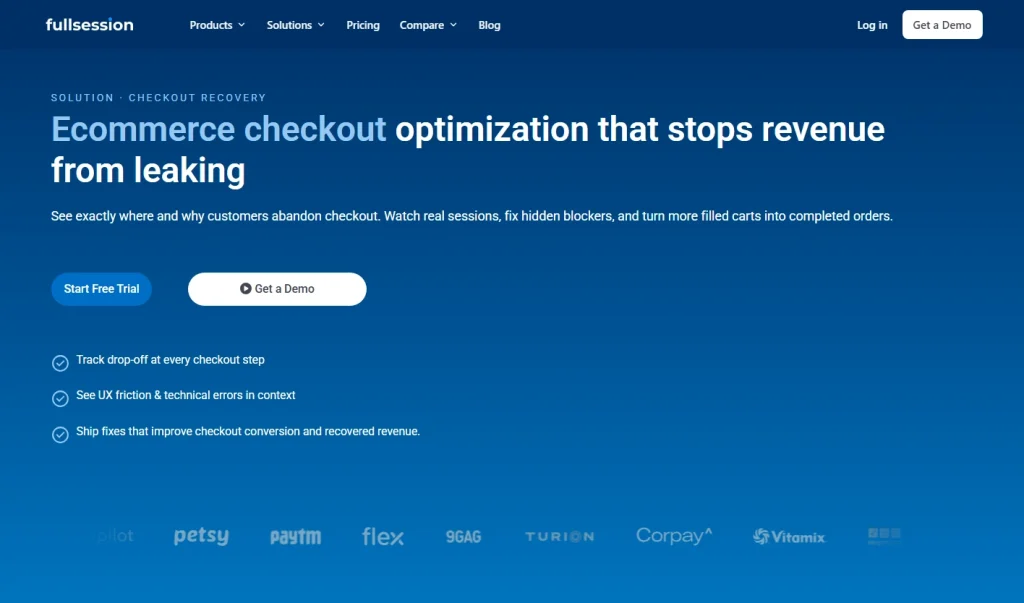
FullSession is a behavior analytics platform that helps ecommerce teams understand exactly why shoppers abandon checkout.
It connects funnel data to session replays, heatmaps, and form analytics so teams can see the UX friction, errors, and hesitation points behind every abandoned cart, not just where the numbers drop.
It serves ecommerce managers, CRO teams, and engineers who need to move from “we know checkout is leaking” to “here is what to fix and why.”FullSession includes an ecommerce session recording infrastructure. It doesn’t replace your checkout platform. It explains what your current platform can’t show you.
Best for
Ecommerce and growth teams that need to diagnose and prioritize checkout friction using behavioral data rather than guesswork.
Key features
- Checkout funnel analytics: Maps every step from cart to confirmation and tracks drop-off rates by device, traffic source, and customer cohort.
- Session replay for checkout: Records real user sessions on checkout pages so teams can watch hesitation, rage clicks, and error-triggered exits in context.
- Heatmaps and scroll maps: Shows where shoppers click, scroll, and stop on checkout screens, including mobile-specific behavior that desktop heatmaps miss.
- Form field analytics: Identifies which specific checkout form fields, such as shipping address, payment details, and coupon codes, cause abandonment or repeated re-entry.
- Lift AI: Analyzes behavior and error data to surface the highest-impact checkout fixes ranked by estimated revenue impact.
Pricing
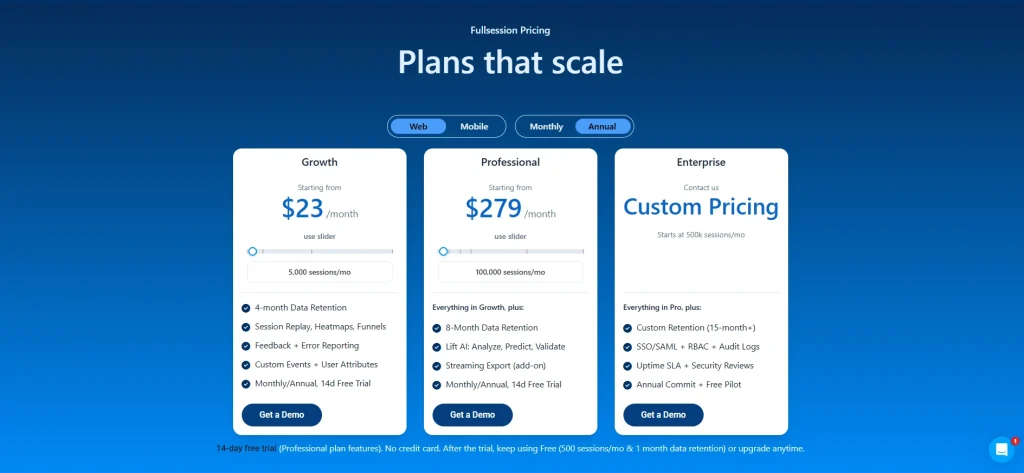
Free plan: 500 sessions/month. Growth plan starts at $23/month (billed annually) for 5,000 sessions/month. 14-day free trial on paid plans. Check out all details on the pricing page.
See Exactly Where Your Checkout Loses Revenue
No long setup. FullSession connects to your store in minutes and shows you real sessions behind every abandoned cart.
2. Checkout Champ
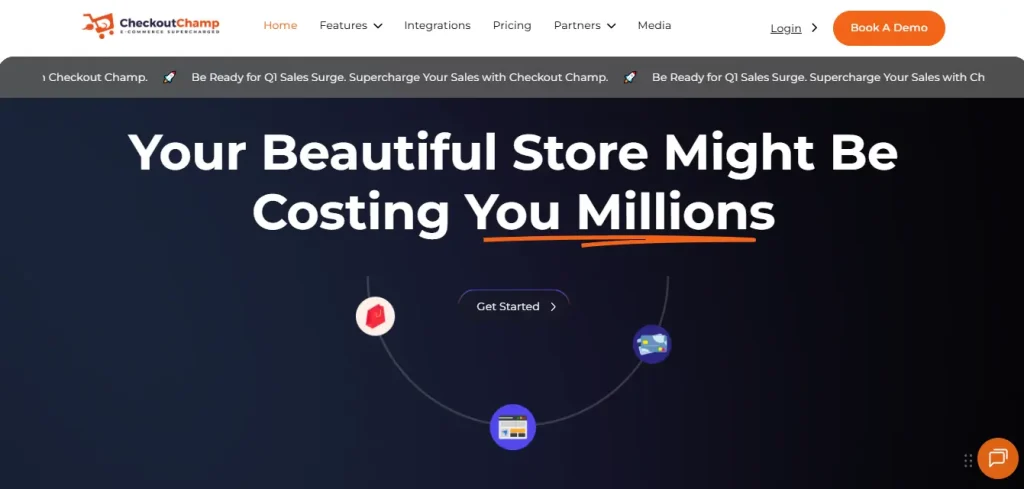
Checkout Champ is an all-in-one ecommerce platform that replaces a store’s native checkout with a fully customizable alternative. It supports one-page and multi-step checkout flows, A/B testing, subscription billing, and upsell sequences, all from a single dashboard.
It’s built for direct-to-consumer brands running high purchase volumes that need to improve conversion at every step of the buying journey without depending on a developer for every layout change.
Best for
High-volume DTC and subscription-based brands that have outgrown their platform’s native checkout and need deep customization without custom engineering.
Key features
- Customizable checkout flows: Drag-and-drop builder for one-page and multi-step checkout experiences with brand-matched design.
- A/B split testing: Native split testing across checkout page elements, pricing, and upsell sequences with funnel-level reporting.
- Subscription billing: Recurring billing support across any merchant account with no additional fees, supporting subscribe-and-save models.
- 270+ payment gateway integrations: Connects to Stripe, NMI, Authorize.net, PayPal, digital wallets, and buy-now-pay-later options to cover diverse payment options.
- Analytics and reporting suite: Dashboard covering conversion rates, average order value, cart abandonment, and fulfillment performance.
Pricing
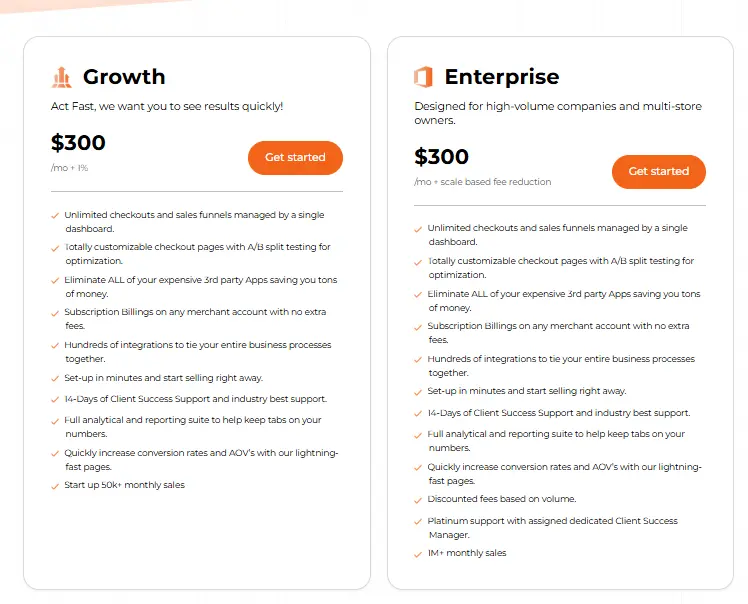
Subscription plus revenue share. Growth plan starts at $300/month plus 1% of gross sales. Enterprise plan available with volume-based fee reductions.
3. Bold Commerce (Headless Checkout)
Bold Commerce’s Checkout Experience Suite is a headless, API-first checkout solution that decouples the checkout experience from a store’s frontend. Enterprise brands can deploy custom checkout flows on their website, in a mobile app, or across connected commerce channels without being constrained by a platform’s native checkout.
Best for
Enterprise and omnichannel retailers on Shopify, BigCommerce, or custom stacks that need a headless checkout with built-in subscriptions and flexible pricing logic.
Key features
- API-first headless architecture: Separates checkout frontend from commerce backend, enabling deployment across any channel or device.
- Built-in subscriptions and pricing: Native subscription management and dynamic pricing rules without third-party apps.
- Pre-built checkout templates: Out-of-the-box templates for faster launch, customizable via open APIs.
- Multiple payment options support: Accepts major credit cards, digital wallets, and BNPL with flexible gateway configuration.
- Omnichannel commerce deployment: Enables checkout on connected devices, social commerce, and alternative frontends via API.
Pricing
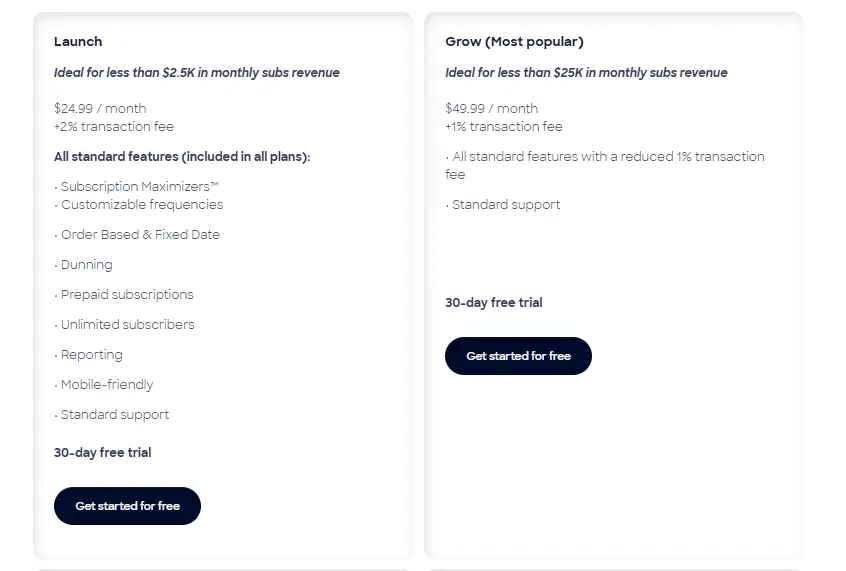
Subscription plus transaction fee. Launch plan starts at $24.99/month plus 2% transaction fee. It goes up to $399.99/month plus 0.9% transaction fee.
4. Shopify Checkout
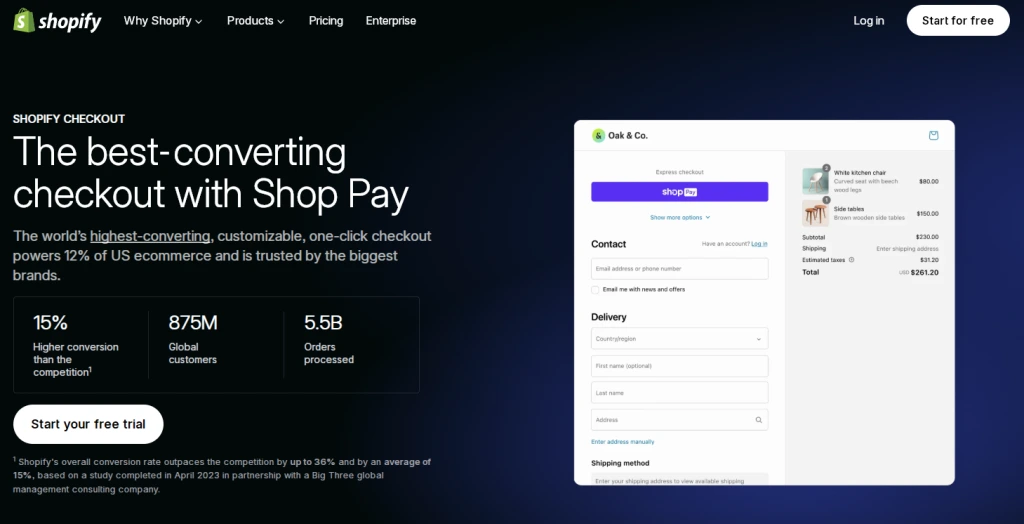
Shopify Checkout is the native checkout experience built into the Shopify platform, covering every step from cart review through payment confirmation. Shopify reports that its checkout converts 15% better on average than comparable platforms, driven by Shop Pay’s one-click purchase capability and its automatic optimization for mobile devices.
Best for
Shopify merchants at any scale who want a reliable, fast, and conversion-optimized checkout without building a separate checkout tool.
Key features
- Shop Pay one-click checkout: Autofills payment and shipping details for repeat customers, reducing checkout to a single confirmation step.
- Mobile-optimized single page checkout: Responsive layout tuned specifically for mobile users, who make up the majority of ecommerce traffic.
- 135+ currencies and 30+ languages: Built-in international support for global selling without additional configuration.
- Checkout extensibility (Shopify Plus): Lets merchants customize checkout logic, discount rules, and accepted payment methods using Shopify Functions.
- Automatic payment method optimization: Dynamically surfaces the preferred payment method most likely to convert based on the customer’s location and device.
Pricing
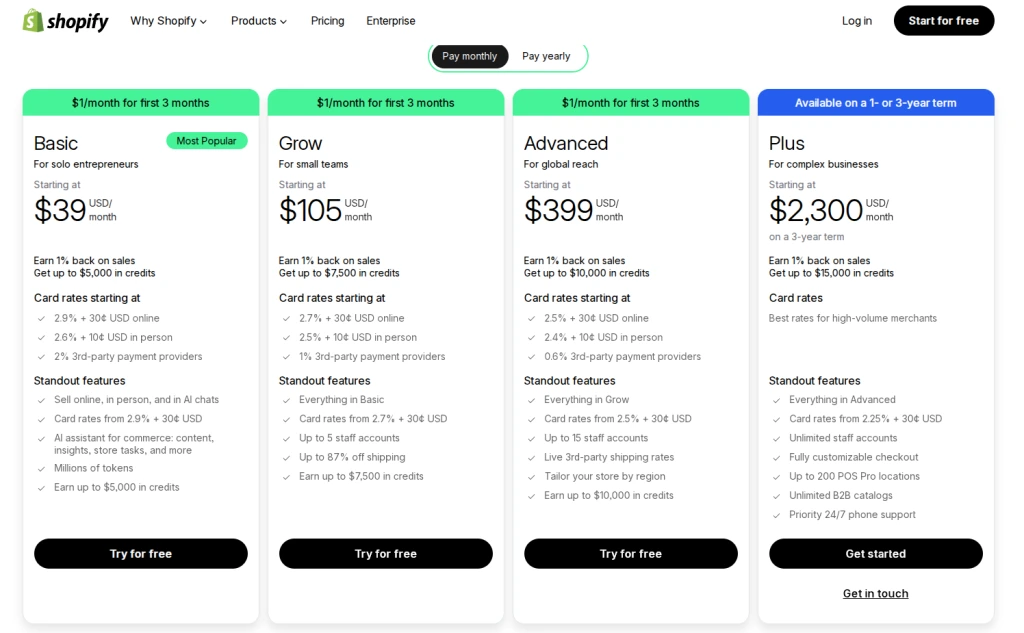
Included with all Shopify plans. Basic plan starts at $39/month. Deep checkout customization requires Shopify Plus at $2,300/month (3-year contract).
5. Stripe Checkout
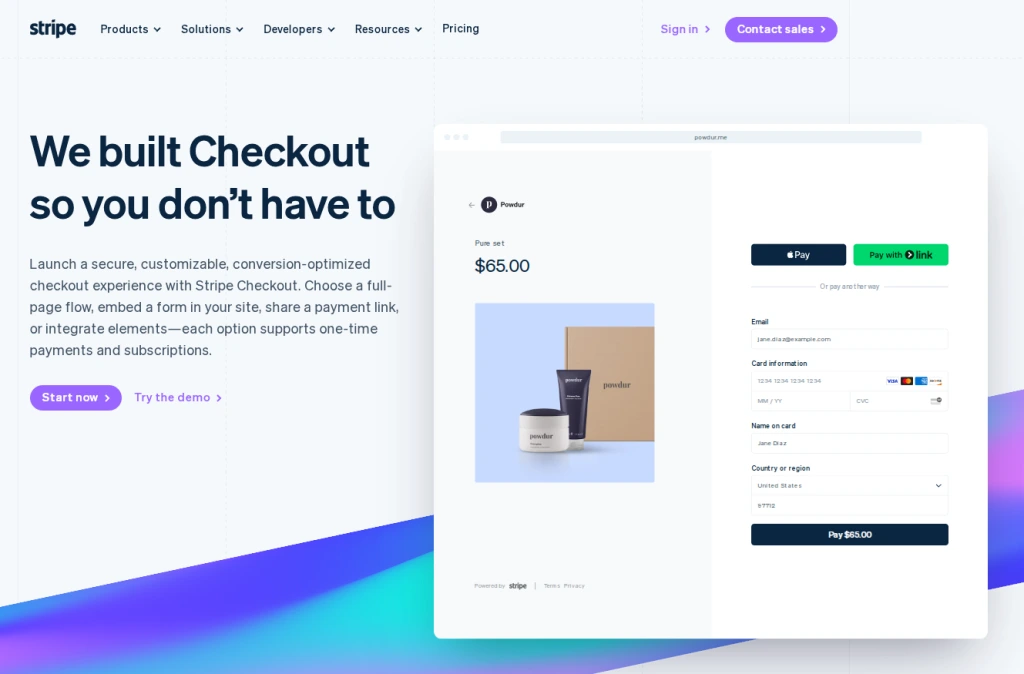
Stripe Checkout is a prebuilt, hosted or embedded payment form that developers can deploy with minimal code. It handles the full payment flow from card entry through confirmation, with built-in support for 30+ languages, 135+ currencies, fraud prevention, and tax collection.
Its Link feature autofills payment and shipping details for returning Stripe network users, making the online purchase faster for shoppers who buy frequently across Stripe-powered stores.
Best for
Developers and global businesses that need a fast-to-deploy, payment-focused checkout with broad currency support and minimal maintenance overhead.
Key features
- Link autofill: Autofills saved payment and address details for returning customers, allowing customers to complete their final purchase in fewer steps.
- 30+ languages and 135+ currencies with adaptive pricing: Localizes checkout language, currency, and payment method display automatically by location.
- Apple Pay and Google Pay out of the box: Supports major digital wallets and mobile wallets with no additional configuration required.
- Real-time card validation: A validation tool that gives customers immediate feedback as they enter payment details, reducing errors before they happen.
- Embedded or hosted deployment: Supports full-page hosted, embedded form, or payment link checkout with consistent security across all modes.
Pricing
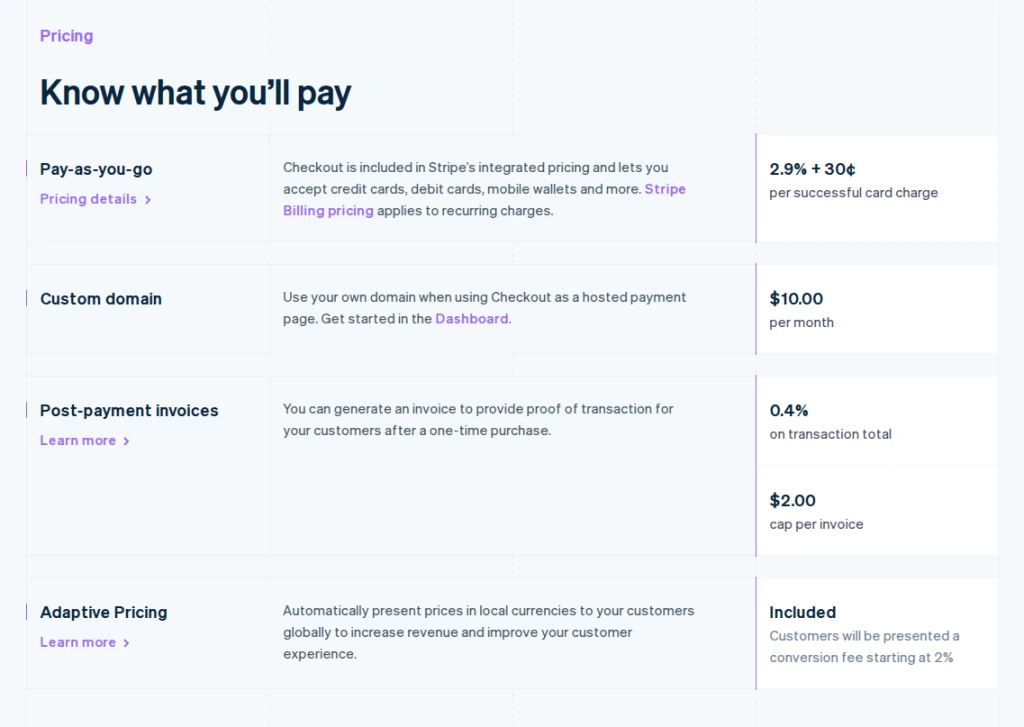
Pay-as-you-go with no monthly fee. Standard rate: 2.9% plus 30 cents per successful card transaction in the US.
Which Option Is Best for Your Business
The right e-commerce checkout optimization software depends on what problem you’re actually trying to solve.
| If you… | Consider… |
| Need to diagnose why checkout drops off and see real shopper behavior | FullSession |
| Run a high-volume DTC operation and need full checkout control | Checkout Champ |
| Are on Shopify and want a reliable, fast, native checkout | Shopify Checkout |
| Need a developer-deployed payment solution with global currency support | Stripe Checkout |
| Operate an enterprise or omnichannel brand needing headless checkout flexibility | Bold Commerce |
If your checkout platform is already solid but conversion is still suffering, the problem is likely a diagnostic gap, not a platform gap.
Understanding where and why shoppers leave your checkout process is the highest-leverage place to start if you want to increase revenue per visitor across your entire site.
Why Choose FullSession
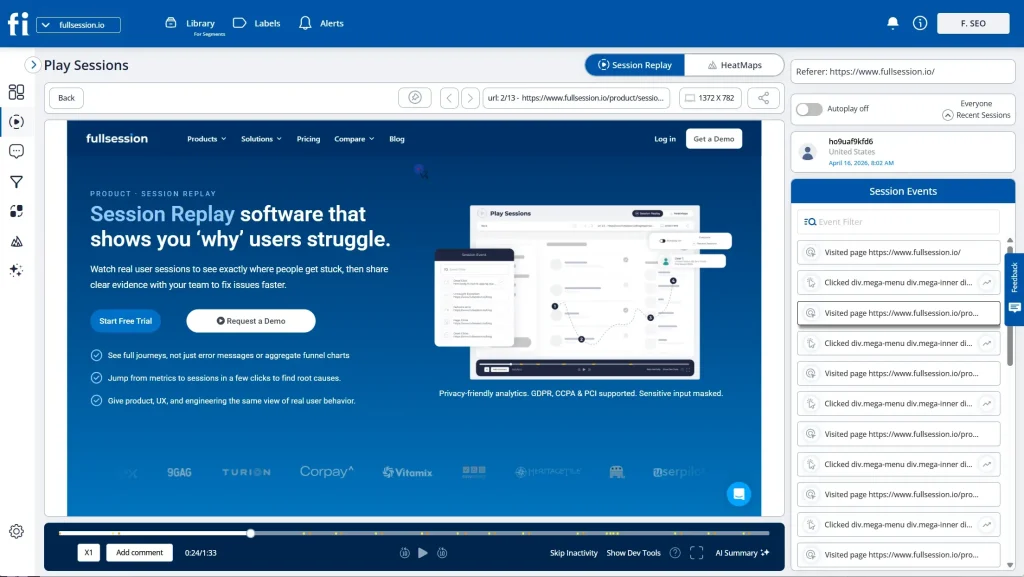
Most ecommerce teams know their checkout is underperforming. What they don’t know is exactly why. Checkout platforms improve the ecommerce checkout experience, but they can’t show you the friction, errors, and hesitation points that cause shoppers to abandon right before the final purchase.
That’s the gap FullSession fills.
FullSession gives every team that owns ecommerce revenue a shared view of what’s actually happening in checkout.
For Heads of Ecommerce, that means seeing how much revenue leaks at each checkout step and where to focus next. For Growth and CRO leaders, it means prioritizing experiments on real behavior and error data, not assumptions, so fewer customers slip through unnoticed.
For UX and product teams, it means watching real sessions to see where mobile users hesitate, rage-click, or abandon.
For Engineering, it means reproducing hard-to-find checkout issues with session replays and error context, rather than guessing from logs.
The 7-Day Checkout Recovery Playbook built into FullSession’s workflow gives teams a structured process from baseline measurement to first live fix in one week:
- Day 1: Map cart, shipping, payment, and confirmation as a funnel; baseline step drop-off rates.
- Day 2: Segment by device and traffic source; identify the biggest revenue-leak step.
- Day 3: Watch sessions behind that step; separate UX friction from technical failures.
- Day 4: Use heatmaps on key checkout screens to validate CTA visibility and scroll behavior, mobile first.
- Day 5: Ship one or two fixes covering field validation, error handling, or UI clarity, then monitor.
- Day 6: QA across devices and key segments; confirm behavior improves before scaling.
- Day 7: Measure conversion change on the targeted step and build a prioritized “next 3 fixes” list.
Lift AI removes the prioritization debate entirely. Teams see a ranked list of checkout fixes by estimated revenue impact. The highest-revenue fix goes first, every time.
FullSession works alongside your existing checkout platform. It doesn’t replace Shopify Checkout or Stripe. It’s the analytics layer that helps you optimize whichever checkout you run.
For teams using session replay tools for ecommerce to recover lost revenue, FullSession provides the diagnostic depth that no native platform dashboard offers.
If you want to reduce friction without guessing where it is, FullSession is where you start.
Start Diagnosing Checkout Drop-Off Today
Get access to session replay, heatmaps, and funnel analytics free for 14 days. No credit card required.
How to Reduce Cart Abandonment and Recover Abandoned Carts
Reducing cart abandonment starts with identifying where shoppers leave, not just that they’re leaving. Abandonment at the shipping step has a different cause than abandonment at the payment step. Treating them the same wastes time.
- Identify the drop-off step. Use funnel analytics to see exactly where in the checkout stage sequence abandonment spikes. Look for ecommerce revenue leaks, the steps where the drop-off rate jumps significantly compared to adjacent steps.
- Diagnose the cause with session replay. Filter sessions that were abandoned at the target step. Watch for rage clicks, hesitation, error messages, and form re-entry patterns that signal friction.
- Address the most common causes first. Unexpected shipping costs at the payment step, forced account creation before a guest checkout option is offered, a slow checkout process on mobile devices, and confusing form validation are the top culprits. Fix the biggest one first.
- Implement quick wins. Encourage customers to check out as guests by making the guest checkout option prominent. Show free shipping thresholds on the cart page early. Add a progress indicator. Make shipping options and shipping fees visible before the payment step. This is how you help customers feel secure before they commit. Trust signals and security badges, including SSL certificates, reassure customers who hesitate at payment and help them complete their online purchase with confidence.
- Run post-abandonment recovery. Email and SMS sequences linked back to a pre-filled cart recover purchases from shoppers who left your online store but haven’t ruled out buying. Combine them with targeted incentives to reduce bounce and checkout abandonment at the bottom of your funnel.
How to Use Session Replay and Analytics to Improve the Checkout Experience
Session replay connects the quantitative “where” of checkout drop-off to the qualitative “what” of actual shopper behavior. Here’s how to use it systematically.
- Define your checkout funnel steps in FullSession. Set up Cart, Shipping, Payment, and Confirmation stages so drop-off is tracked accurately at each point.
- Identify the step with the highest drop-off rate. Your funnel dashboard shows this immediately. Start where conversion loss is greatest.
- Watch replays of sessions that dropped off at that step. Look for rage clicks, hesitation before form fields, re-entry of payment details, and error messages. These are behavioral signals of friction that standard analytics never surfaces.
- Cross-reference with heatmap data to diagnose checkout friction. Heatmaps show where shopper attention goes and where it doesn’t. Use ecommerce heatmap tools alongside session replay for a complete picture of how customers feel at each step.
- Use form field analytics to pinpoint the specific cause. Identify which field triggers drop-off, which fields get re-entered most often, and which are abandoned before submission, whether it’s a billing address label, a payment details error, or a confusing coupon code field.
- Ship a fix and monitor recovery for five to seven days. Change one thing, then watch the drop-off rate at that step. You can apply the same approach when you analyze your onboarding funnel. The diagnostic method transfers directly.
Use FullSession to start diagnosing checkout drop-off today. Get access to session replay, heatmaps, and funnel analytics free for 14 days, no credit card required.
How to A/B Test Checkout Page Optimization Effectively
A/B testing validates checkout fixes before you roll them out to all traffic. Most teams test incorrectly: ending tests too early, running too many variables at once, or measuring the wrong outcomes.
- Test one element at a time. CTA button placement, single-page checkout versus multi-step layout, payment method display order, free shipping threshold visibility, and trust badge placement are all valid. Multiple simultaneous changes make it impossible to attribute results.
- Set up tracking in FullSession. Pass variant IDs into FullSession as session attributes so you can filter session replays by variant and watch behavior in each version.
- Validate with session replay before declaring a winner. Quantitative data tells you which variant won. Session replay tells you why. Validating checkout A/B tests with session replay prevents false positives from seasonal or traffic-mix effects.
- Wait for statistical significance. Never end a test early because one variant looks promising after 48 hours.
- Measure completed purchases, not clicks. Focus on checkout step conversion rate and final purchase rate. These are the metrics that reflect real customer expectations being met.
Conclusion About the Best Ecommerce Checkout Optimization Software
Improving your ecommerce checkout process requires two things: a checkout experience that removes friction, and visibility into what that friction actually looks like for your shoppers.
Checkout Champ, Shopify Checkout, Stripe Checkout, and Bold Commerce each improve the checkout experience in different ways, suited to different platforms, team sizes, and requirements.
For ecommerce teams dealing with persistent checkout abandonment, they can’t explain with standard analytics; behavioural data is the missing piece.
FullSession sits in a different category. It’s the diagnostic layer that shows you why shoppers abandon, which specific fields and steps are driving drop-off, and which fixes will recover the most revenue across your entire site.
When you can see exactly what happens in every abandoned session, checkout process optimization becomes a repeatable, measurable practice, one that builds loyal customers and protects the revenue your online store is already earning.
See exactly where your checkout loses revenue. FullSession connects to your store in minutes and shows you real sessions behind every abandoned cart.
Book a demo and start recovering lost revenue today.
See Exactly Where Your Checkout Loses Revenue
No long setup. FullSession connects to your store in minutes and shows you real sessions behind every abandoned cart.
FAQs About the Best Ecommerce Checkout Optimization Software
What is ecommerce checkout optimization software?
Ecommerce checkout optimization software helps online retailers reduce cart abandonment and improve checkout conversion rates.
It covers checkout platforms that improve the ecommerce checkout experience itself, and analytics tools that diagnose why the current checkout is failing. Most online stores need both to minimize cart abandonment and turn more potential customers into completed orders.
What causes high cart abandonment rates during checkout?
The most common causes are unexpected shipping costs at the payment step, no guest checkout option offered early enough, a slow checkout process on mobile devices, limited accepted payment methods, security concerns, and confusing form fields.
Removing these friction points improves customer satisfaction and helps more shoppers complete their online purchase.
How do I choose the best checkout optimization tool for my ecommerce store?
Evaluate any checkout tool against six criteria: checkout flow visibility, mobile optimization support, payment method flexibility, A/B testing capability, integration fit, and pricing model.
If you don’t know which step in your ecommerce checkout process is causing drop-off, start with an analytics tool before investing in a platform replacement.
Can session replay help reduce cart abandonment?
Yes. Session replay connects quantitative drop-off data to the behavior that caused it, including rage clicks, error messages, form re-entry, and hesitation patterns that standard dashboards never surface.
It’s one of the most user-friendly and effective approaches to checkout process optimization, letting teams fix the actual cause of abandonment and meet real customer expectations rather than guessing.
Is Shopify Checkout or Stripe Checkout better for conversion?
It depends on your setup. Shopify Checkout is the stronger choice for merchants on the Shopify platform because it is fast, optimized, and requires no extra integration.
Stripe Checkout is better for developers building custom checkout experiences or serving online shoppers across multiple countries and currencies at scale.

Roman Mohren is CEO of FullSession, a privacy-first UX analytics platform offering session replay, interactive heatmaps, conversion funnels, error insights, and in-app feedback. He directly leads Product, Sales, and Customer Success, owning the full customer journey from first touch to long-term outcomes. With 25+ years in B2B SaaS, spanning venture- and PE-backed startups, public software companies, and his own ventures, Roman has built and scaled revenue teams, designed go-to-market systems, and led organizations through every growth stage from first dollar to eight-figure ARR. He writes from hands-on operator experience about UX diagnosis, conversion optimization, user onboarding, and turning behavioral data into measurable business impact.