Author: Mohamed Sehwail

  • CRO for Mobile: Definition, Advantages, and Best Practices

    CRO for Mobile: Definition, Advantages, and Best Practices

    Traffic share of mobile traffic for all types of businesses is increasing year by year, which comes as no surprise since we spend more than half our time on mobile instead of desktop.

    But what does this mean for businesses?

    Simply put, you’re missing out on a big chunk of your target market if you’re not optimized for mobile. It doesn’t take a lot for a mobile user to exit a site and find something else if yours is slow, wonky, unresponsive, or simply unattractive.

    So, we’ve compiled some of the best strategies for mobile conversion rate optimization. Let’s talk about mobile CRO, what it entails, and what mobile analytics data matters most in your optimization efforts.

    What is CRO for Mobile and Why Does it Matter?

    CRO for mobile tailors the optimization process for mobile devices and aims to increase the percentage of visitors who take desired actions on your site or app, like making a purchase or subscribing.

    It’s important because a significant chunk of web traffic now comes from mobile users. If your mobile experience isn’t smooth and engaging, you’re likely missing out on conversions.

    Essentially, CRO for mobile ensures your digital presence resonates well with the on-the-go lifestyle of today’s users, making every visit count. A website optimized for both mobile and desktop users is more likely to see the following advantages:

    • Improved User Experience: A well-optimized mobile site or app just feels better to use. This means visitors stick around longer, explore more, and are more likely to take the actions you want them to.
    • Higher Conversion Rates: This is the big one. Better mobile CRO means more visitors do what you’re hoping they’ll do, whether that’s buying something, signing up for a newsletter, or filling out a contact form.
    • Increased Revenue: More conversions naturally lead to more revenue. If your mobile site is a smooth operator, you’ll see a healthier bottom line.
    • Better Search Engine Rankings: Search engines love sites that deliver great mobile experiences. So, good mobile CRO can also bump you up in search results, bringing even more visitors your way.
    • Lower Customer Acquisition Costs: By increasing the efficiency of your mobile site, you get more from your existing traffic. This means you don’t have to spend as much to attract new customers.
    • Edge Over Competitors: If your mobile experience is top-notch and theirs isn’t, guess where customers are more likely to go? Yep, right to you.
    • Higher Customer Retention: A great mobile experience doesn’t just attract new visitors; it keeps them coming back. Happy users are loyal users, and they’re more likely to recommend your brand to others.

    Best Strategies for Mobile Conversion Rate Optimization

    Optimizing your website for mobile devices requires multiple approaches. Of course, mobile CRO can look different from brand to brand, but in general, here are several strategies every business should adopt:

    Identify Your Goals for CRO for Mobile

    Start by pinpointing exactly what you’re hoping to achieve with your mobile site. Whether it’s increasing sales, boosting newsletter sign-ups, or driving app downloads, having clear objectives will shape your optimization efforts.

    Understanding your target audience is crucial here; different demographics might have varied preferences and behaviors on mobile sites.

    Common examples of mobile CRO goals include:

    • Boost purchase numbers through the mobile site or app.
    • Raise the number of mobile users signing up for newsletters or updates.
    • Drive more app downloads from mobile site visitors.
    • Increase completion and submission of forms on mobile.
    • Increase interactions with offers exclusive to mobile users.
    • Reduce the number of users abandoning their cart on mobile.
    • Drive more traffic to high-value web pages or new listings on mobile.
    • Increase the average time spent on the mobile site.

    Use Analytics Data

    Leveraging analytics is like having a roadmap to your users’ behaviors. Analyzing how the average mobile user interacts with your site—identifying where they drop off, what they click on, and how they navigate—can help you make informed decisions on what to tweak.

    For example, you can use interactive heat maps to get a clear visual of where your mobile users are clicking, how they are scrolling, and what elements they pay attention to the most. With this data, you can identify potential roadblocks to conversion and strengthen your best features.

    Focus on Easy Navigation

    Mobile users value speed and simplicity. Your site’s navigation should be intuitive, guiding users effortlessly to their desired destination.

    This means having a clear, concise menu and ensuring that calls to action (CTAs) are prominently displayed and easy to tap. Remember, if users can’t find what they’re looking for quickly, they’re likely to leave.

    Side by side ecommerce mobile store

    Consider the Thumb Zone

    Designing for mobile means acknowledging that most users will navigate with one hand, typically using their thumb. This ‘thumb zone’, the easy-to-reach area of the screen, should be where you place key interactive elements.

    Making sure that buttons and links are within this zone minimizes user effort and improves the overall experience.

    Increase Load Speed

    Speed is always going to be a priority for mobile device users. These users expect pages to load almost instantaneously, and even a slight delay can lead to frustration and abandonment. According to Google, the recommended load time is 5 seconds or less on mobile devices with 3G connections.

    To keep your site speedy on mobile phones and tablets, optimize image sizes to reduce load time, minimize redirects, and consider implementing Accelerated Mobile Pages (AMP) for faster loading content. Other strategies include:

    • Minimize the use of redirects to cut down on additional HTTP requests.
    • Leverage browser caching to store elements of your site locally on users’ devices.
    • Use content delivery networks (CDNs) to distribute the load and speed up access for users worldwide.
    • Enable compression to reduce the size of your CSS, HTML, and JavaScript files.
    • Minify CSS, JavaScript, and HTML by removing unnecessary characters without changing functionality.
    • Optimize and reduce the use of web fonts, considering the impact on load times.
    • Evaluate and streamline any third-party scripts to prevent them from bogging down your site’s performance.
    • Implement lazy loading for images and videos, loading these elements as they are needed rather than all at once.
    Mobile speed dial on mobile phone

    Reduce Annoying Pop-Ups

    Pop-ups can be a real pain on mobile, often disrupting the user’s flow or even blocking essential content. While they might be used sparingly for important messages or offers, make sure they’re not intrusive or difficult to dismiss.

    A mobile-friendly approach might involve timed pop-ups that appear after the user has engaged with your site for a certain period, or exit-intent pop-ups that offer value without being a nuisance.

    Simplify the Checkout Process

    A complicated checkout can quickly deter potential customers. On mobile, where screen real estate is limited, and patience runs thin, simplifying this process is even more important.

    This could mean reducing the number of steps to purchase, offering easy payment options like digital wallets, and minimizing the information required from the user. A straightforward, secure, and speedy checkout is key to converting those on-the-fence visitors into paying customers.

    Adapt Visual Elements for Mobile Devices

    Mobile screens come in various sizes and resolutions, which makes it very important that your visual content is adaptable and responsive. Images and videos should load quickly and display correctly across all devices, text should be legible without zooming, and interactive elements should be sized for easy tapping.

    The goal is to create an engaging visual experience that draws users in without sacrificing load time or usability.

    Optimize for Mobile Actions

    Mobile users interact with content differently than desktop users, often using gestures like swiping, tapping, and zooming. Optimizing your site to accommodate these actions can greatly improve the user experience.

    This could involve swiping through product images, tapping for more details, or pulling down to refresh content. Tailoring your site’s design and functionality to these actions not only makes it more intuitive but also leverages the unique capabilities of mobile devices to engage mobile visitors more deeply.

    mobile furniture store side by side landing page

    Solve Other UX Issues

    Addressing UX issues for mobile CRO goes beyond just speeding up load times. Here are other important areas to focus on when optimizing mobile websites:

    • Clear Call-to-Action (CTA) Buttons: Make sure your CTA buttons stand out and are easy to tap, with compelling text that encourages action.
    • Streamlined Forms: Minimize the number of fields in forms and consider using autofill to make form completion faster and easier.
    • Readability: Use legible fonts and ensure there is enough contrast between text and background colors. Keep paragraphs short and sweet for easier reading on small screens.
    • Touch Targets: Make buttons and links large enough to be easily tapped without the risk of hitting the wrong target.
    • Accessible Design: Ensure your mobile site is accessible to all users, including those with disabilities. This includes using alt tags for images and ensuring voice control compatibility.
    • User Feedback: Implement a simple way for users to give feedback about their experience. This can provide valuable insights for further improvements.
    • Personalization: Tailor the mobile experience to individual users where possible, such as suggesting products based on past behavior.
    • Security and Trust Signals: Clearly display security badges and use HTTPS to reassure users that their data is safe, especially on pages where they’re expected to enter personal or payment information.

    Modify Your Copywriting

    Since mobile screens are smaller and users often browse on the go, the copy needs to be concise, engaging, and easy to read. Start by prioritizing clarity and brevity; get straight to the point without sacrificing the message’s essence. This means using shorter sentences and paragraphs, which can help maintain the reader’s attention and make the text easier to digest on small screens.

    It’s also important to front-load your content with the most important information by following the inverted pyramid style often used in journalism. This approach ensures that users get the value of your message even if they don’t scroll through the entire piece. The use of compelling headlines and subheadings can further guide users through the content, breaking it into manageable chunks that are easier to navigate on a mobile interface.

    For calls-to-action, clarity and urgency are key. On a mobile website, you have less space to convince users to take action, so make sure your CTAs are direct and placed prominently within the user’s thumb zone.

    Metrics that Matter in Increasing Your Mobile Conversion Rate

    When aiming to increase your mobile conversion rate, monitoring specific metrics can provide insights into where you’re succeeding and where you might need to adjust your strategy.

    mobile analytics

    Here are some key metrics to keep an eye on:

    • Mobile Conversion Rates: The percentage of mobile visitors who take a desired action (e.g., making a purchase, signing up for a newsletter). It’s the ultimate measure of your mobile site’s effectiveness.
    • Bounce Rate on Mobile: Tracks how many visitors leave your mobile site after viewing only one page. A high bounce rate could indicate that your landing pages aren’t engaging or relevant to your audience.
    • Page Load Speed: The speed at which your mobile pages load. Slow load times can frustrate users and lead to higher bounce rates and lower conversion rates.
    • Average Session Duration: The amount of time users spend on your mobile site during a session. Longer sessions can indicate more engaging content or effective user experience.
    • Mobile Cart Abandonment Rate: The rate at which users add items to their cart but do not complete the purchase. This can highlight issues in the checkout process.
    • Top Exit Pages on Mobile Version: Identifying which pages users are most likely to leave your site from can help pinpoint areas where the user experience may be lacking.
    • Click-Through Rate (CTR) on Mobile: The percentage of users who click on a call-to-action link or button. This can measure how compelling your CTAs are.
    • Traffic Source for Mobile Users: Understanding where your mobile traffic is coming from (organic search, social media, paid ads, etc.) can help you optimize your marketing efforts for better engagement and conversion.
    • Mobile vs. Desktop Conversion Rates: Comparing conversion rates across devices can highlight if your mobile experience is underperforming compared to your desktop site.
    • User Feedback and Satisfaction Scores: Direct feedback from users about their mobile experience can provide actionable insights beyond what quantitative metrics can show.

    Tackle Mobile Conversion Rate Optimization with FullSession

    FullSession is your new best friend when it comes to analyzing mobile user behavior. Start optimizing your site for mobile with these powerful tools:

    • Heat Maps: Heat maps visually represent where users are clicking, tapping, and scrolling on your mobile site. This color-coded data helps identify which elements are attracting the most attention and which are being ignored.
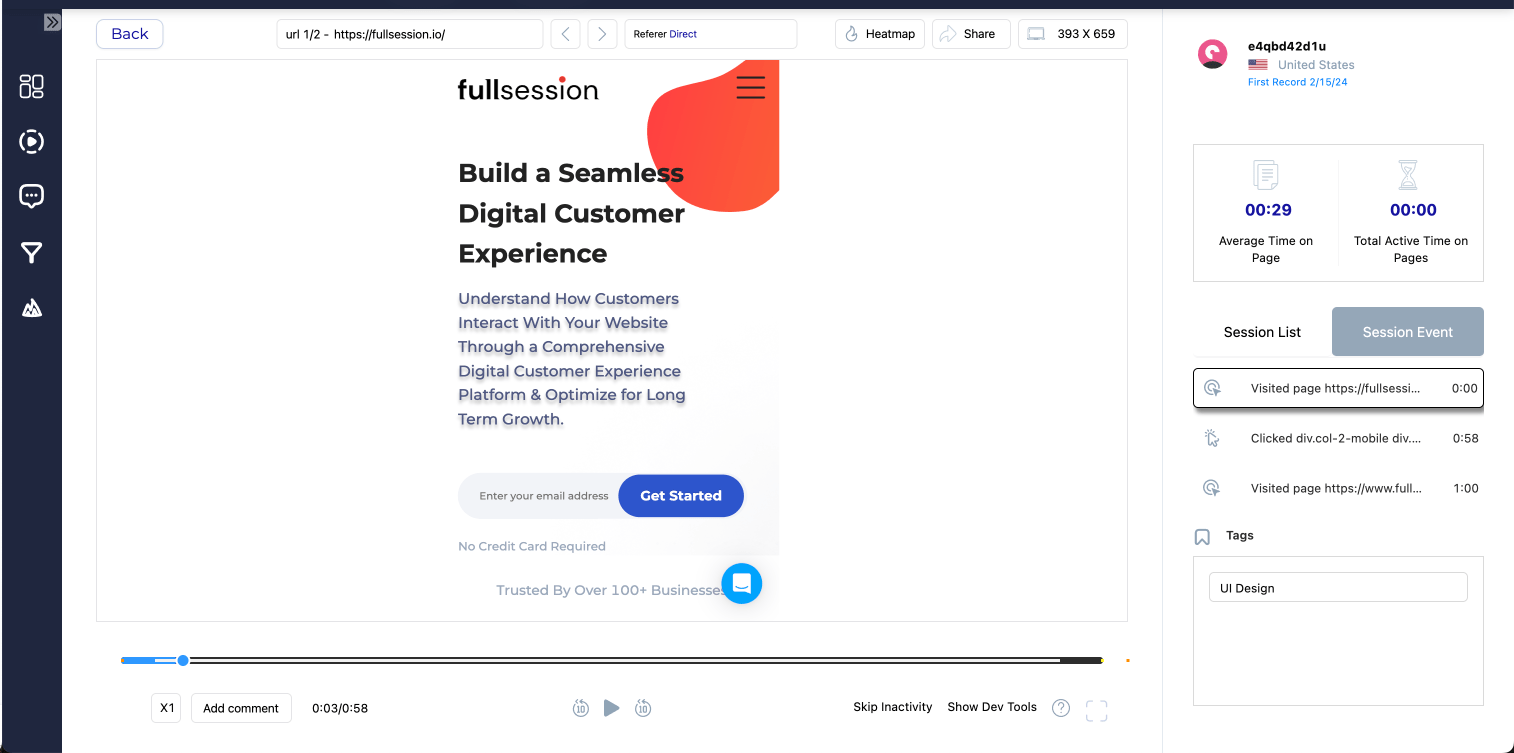
    • Session Recordings: Session recordings are like a window into the user’s journey, offering a play-by-play of their interactions with your mobile site. By watching real users navigate your site, you can spot friction points, confusing navigation, or issues that lead to drop-offs.
    • Customer Feedback Tools: Direct feedback from users is invaluable. Customer feedback tools let you gather qualitative data on what users like or dislike about your mobile site, what features they find useful, or where they encounter problems.
    • Market Segmentation and Filtering: Understanding that not all users are the same is key to effective mobile CRO. Market segmentation and filtering allow you to analyze behavior patterns across different segments of your user base—such as new versus returning visitors, users from different geographic locations, or users on different mobile devices.

    FullSession Pricing Plans

    FullSession Pricing

    The FullSession platform offers a 14-day free trial. It provides two paid plans—Basic and Business. Here are more details on each plan.

    • The Starter plan costs $39/month or $32/year and allows you to monitor up to 5,000 monthly sessions with up to 6 months of data storage.
    • The Business plan costs $75/month or $60/year and helps you to track and analyze up to 100,000 monthly sessions with up to 12 months of data storage.
    • The Enterprise plan has custom pricing and offers customizable sessions plus full access to all features.

    Book a demo today.

    Install Your First Mobile Analytics Tool Right Now

    It takes less than 5 minutes to set up your first website analytics tool with FullSession, and it’s completely free!

    FAQs About CRO for Mobile

    Can I use the same CRO strategies for both desktop and mobile?

    While some strategies overlap, mobile requires specific considerations due to screen size, navigation, and user behavior differences.

    How often should I analyze my CRO performance?

    Regularly. Trends change, and what worked yesterday might not work tomorrow. Keep analyzing and adapting, and always be on the lookout for possible areas for improvement.

    Ideally, you should set a schedule for reviewing your CRO performance. This could range from weekly to monthly, depending on the size of your business and the volume of your web traffic.

    Is CRO for mobile a one-time fix?

    Far from it. CRO is an ongoing process of testing, learning, and optimizing to keep up with evolving user expectations and technological advancements. Keep looking for ways to improve the experience for mobile users.

    Can I use the same design for my mobile site as my desktop site?

    While you can start with the same design, it’s important to adapt and optimize the design for mobile device usage. This involves responsive design adjustments, optimizing navigation for touch screens, resizing images and text for readability, and ensuring interactive elements are easily clickable.

  • 11 Types of Survey Response Bias & How to Resolve Them

    11 Types of Survey Response Bias & How to Resolve Them

    A survey is supposed to give you reliable and actionable opinions from your audience. However, response bias can be a huge roadblock to getting the most accurate results you need.

    What is response bias and its different kinds? What happens when you use inaccurate responses? And how can you avoid response bias in your survey research methods?

    In this article, we’re covering it all.

    What is Survey Response Bias?

    The common response bias definition is when participants provide answers that are systematically different from their true thoughts or feelings.

    Many factors can contribute to response bias, such as how questions are asked, the environment in which the survey is taken, or the respondent’s personal biases, like wanting to appear in a positive light or misunderstanding what’s being asked.

    Here’s a good example: Imagine a beverage company launches a new soft drink and then sends out a survey to find out what people think about it. The survey includes a question like, “On a scale of 1 to 10, how much did you enjoy our new soft drink?”

    Now, suppose the survey is conducted at a promotional event where free samples of the drink are being given out. In that case, attendees might feel inclined to give higher ratings than they truly believe, either to be polite because they received something for free or because they think a positive response might lead to more freebies.

    This leads to response bias in the survey results, showing a more favorable opinion of the new drink than the general public might actually have.

    Types of Response Bias & Their Causes

    Response bias can take many different forms. Here’s a breakdown of the 11 different types and their common causes:

    1. Extreme Response Bias

    Extreme response bias happens when people consistently choose the most extreme options on a survey, such as “strongly agree” or “strongly disagree,” regardless of their actual feelings. It’s as if every question prompts an all-or-nothing stance.

    Some participants may turn to extreme responding if the question makes it seem like it is the “correct” one. Extreme response bias typically happens in Likert scales, where respondents are asked to answer from a range of Strongly Agree to Strongly Disagree (or something along those lines).

    Example: In a customer feedback survey about a hotel stay, a guest rates all aspects either 1 or 10 on a 10-point scale despite their more nuanced experience. This all-or-nothing approach doesn’t accurately reflect their stay.

    Possible Outcome: The hotel management might conclude that their services are either perfect or abysmal, which is not necessarily true. This can lead to misguided efforts to overhaul or maintain services that actually require more detailed adjustments.

    2. Neutral Response Bias

    With neutral response bias, respondents prefer sticking to the middle ground, often selecting “neutral” or “no opinion.” It’s like deciding not to decide, which can skew the data towards a falsely moderate viewpoint.

    This type of bias can happen when the survey includes irrelevant or uninteresting questions. Respondents might not have any significant feelings or thoughts about the topic in question, which leads to them choosing a neutral response. Survey fatigue is also a common culprit.

    Example: When asked about their satisfaction with a new software update, several users select “Neither satisfied nor dissatisfied” for every question because they haven’t fully explored the new features yet and prefer not to commit to a positive or negative judgment.

    Possible Outcome: The software development team may interpret the high number of neutral responses as a general satisfaction with the update. The result? Missing out on critical feedback necessary for improvement or bug fixes.

    3. Non-Response Bias

    Non-response bias (sometimes called late response bias) is when the opinions of those who do not respond to the survey differ from those who do. If a specific group is less likely to answer, their absence can tilt the results in one direction or another.

    Example: A survey about workplace culture is sent out, but primarily younger employees respond, while older employees tend not to participate. The results might skew towards the views and experiences of the younger demographic and miss the perspectives of the older workforce.

    Possible Outcome: The company might implement policies or programs to improve workplace culture for younger employees. However, it might overlook the needs and concerns of older staff members and worsen the workplace environment for a significant portion of the workforce.

    4. Acquiescence Bias

    Also known as “yea-saying,” acquiesce bias happens when individuals agree with statements without truly considering their feelings. Some respondents may do this to avoid conflict or because they think that’s what the surveyor wants to hear.

    Researchers may see acquiescence bias if they include leading survey questions that sound like they want a specific answer. It can also happen in situations where survey respondents feel like there is a potential for consequences if they choose negative answers, such as in job satisfaction surveys.

    Example: In a survey asking about the effectiveness of a new company policy, some employees might agree with positive statements about the policy, even if they have reservations. They believe the agreement is expected or will be viewed more favorably.

    Possible Outcome: The company continues to roll out similar policies because it believes they have broad employee support. What can happen is decreased morale and engagement among employees who feel their true opinions aren’t considered.

    5. Dissent Bias

    The opposite of acquiescence bias, “nay-saying,” is when people are inclined to disagree with survey items, regardless of their actual opinions. It’s a contrarian approach to survey responses and can happen when survey respondents simply want to get the survey over and done with.

    Another possible reason is that they dislike the brand or the person asking them to answer the survey. Either way, it can significantly affect survey data.

    Example: A political opinion survey might find respondents systematically disagreeing with statements supporting any government action, not because of reasoned opposition to each action but from a general distrust or disapproval of the government.

    Possible Outcome: Policy-makers might conclude there’s widespread opposition to any government action. The survey data can potentially halt beneficial initiatives or spending resources to address dissatisfaction that isn’t as pervasive as it appears.

    6. Voluntary Response Bias

    Voluntary response bias can happen when individuals choose to respond to a survey out of a strong feeling about the subject. This means the responses are likely to be overly positive or negative, not representing the average view. 

    Plus, respondents with this kind of bias may not be able to give impartial answers.

    Voluntary response bias typically occurs when researchers rely too much on their volunteer respondents. They miss out on a good chunk of data from a broader scope of people with unbiased opinions.

    Example: A call for feedback on a public forum about a video game update might attract predominantly those who feel strongly about the changes. The survey then leaves out the more moderate or indifferent gamers, thus skewing the feedback.

    Possible Outcome: The game developers might prioritize changes based on the vocal feedback of a passionate minority. The survey may alienate the silent majority of players who were satisfied with the update or had different concerns.

    7. Demand Bias

    Demand characteristics are a common field in psychology and psychiatric research. In the context of surveys, they translate to demand bias.

    This type of response bias can happen when participants in a study or survey change their behavior or responses based on their perceptions of what the researchers want to see. In other words, they are too eager to please.

    Demand bias is particularly common in psychological experiments or surveys where the purpose is apparent to the participants. As a result, respondents subconsciously or consciously change their answers to align with perceived expectations.

    Example: In a study aimed at assessing the effectiveness of a new educational strategy, researchers inform participants that they are testing whether the strategy enhances learning outcomes. Knowing the study’s goal, participants might work harder or pay more attention than they normally would. They want to show that the strategy is effective, even if, under normal circumstances, its impact is next to nothing.

    Possible Outcome: The study concludes that the new educational strategy significantly improves learning outcomes, which leads to its widespread adoption. However, once implemented on a larger scale without the controlled conditions of the study, it does not demonstrate the same level of effectiveness because the real-world application lacks the motivational factor of wanting to meet the researchers’ expectations.

    8. Cognitive Bias

    Cognitive biases involve errors in thinking that affect how questions are understood and answered. These can lead to misinterpretation or reliance on stereotypes, which may affect the accuracy of responses.

    Example: When asked whether they prefer traditional books or eBooks, some might choose traditional books not because of a direct comparison of the formats but due to a nostalgic bias favoring their memories of physical books.

    Possible Outcome: Publishers and bookstores might invest heavily in traditional book formats. They underestimate the market demand for eBooks based on a perception that doesn’t accurately reflect current reading habits.

    9. Social Desirability Bias

    Another common type of response bias is social desirability bias. Respondents might answer in a way that they believe will be viewed favorably by others, also known as a socially desirable response. Deep down, they want to appear as “socially correct” as possible.

    There are many possible causes of social desirability bias. Sensitive questions are number one, such as those that ask about income, alcohol consumption, personal health, religion, and so on. Another potential cause is poor wording or leading questions.

    Example: In a survey on exercise habits, respondents might overstate their weekly physical activity because they believe being active is socially approved and desirable, even if they aren’t exercising as much as they claim.

    Possible Outcome: Health campaigns continue to target areas and demographics they believe are less active. As a result, they overlook or misidentify groups that actually engage in less physical activity but have reported otherwise.

    10. Order Bias

    The sequence of answer choices can influence responses. For example, people might favor the first option (primacy effect) or last (recency effect) simply due to their position.

    Example: In a taste test survey asking participants to rank their favorite flavors of ice cream from a list, the options listed first and last are chosen more frequently than those buried in the middle, regardless of the actual preference.

    Possible Outcome: The ice cream company might phase out or fail to promote flavors that were listed in the middle of the survey options. However, they can miss out on market opportunities for these flavors that didn’t receive a fair assessment.

    11. Confirmation Bias

    Lastly, we have a type of bias that can affect the researchers. When they evaluate survey responses, they might look for data or patterns that confirm their hypotheses or goals–either consciously or unconsciously. 

    This is called confirmation bias, and it is a common cause of inaccurate results and interpretations.

    Example: Imagine a team of researchers conducting a survey to determine public opinion on renewable energy. The researchers strongly believe that the majority of the public supports the expansion of renewable energy initiatives. As they analyzed the survey responses, they paid more attention to and gave more weight to the responses that indicated strong support for renewable energy.

    Possible Outcome: The researchers’ final report emphasizes a high level of public support for renewable energy. Policymakers and stakeholders might then allocate resources based on this skewed representation of public opinion.

    What Happens When You Don’t Fix Survey Response Bias?

    When survey response bias isn’t tackled, you’re essentially flying blind. What can happen with unresolved survey response biases?

    First of all, you can end up with data that doesn’t truly reflect the opinions or behaviors of your target group. This means any conclusions drawn from the survey are likely not correct.

    Secondly, decisions based on bad data are not going to end well. Whether it’s a business strategy, a new policy, or a research conclusion, if the foundation is off, the results won’t be effective.

    Lastly, time, money, and effort can all be wasted if they’re directed by misleading information. This could involve investing in the wrong areas, developing products people don’t want, or implementing policies that don’t solve the intended problems.

    How to Create Surveys That Avoid Response Bias

    Creating surveys that dodge response bias involves careful planning and execution. Here are some strategies to help you get started:

    1. Know Your Audience: Understand who you’re surveying. Tailor the language, tone, and content of your survey to match their understanding and expectations.
    2. Survey Question Design is Key: Create your survey questions to be clear, concise, and neutral. Avoid leading or loaded questions that suggest a “correct” answer. Direct questions lead to direct answers.
    3. Balance Your Options: When providing response options, make sure they cover a broad and balanced range. This includes not only the extremes but also the middle ground, allowing respondents to express their opinions without feeling pushed to one side accurately.
    4. Offer Anonymity: Guaranteeing respondents’ anonymity can significantly reduce social desirability bias. People are more likely to be honest when they know their answers cannot be traced back to them.
    5. Randomize Answer Choices: If your survey platform allows, randomly select the order of questions and answer choices for each respondent. This tactic helps combat order bias by ensuring that no particular response is favored just because of its position.
    6. Include an “Out”: Always provide an option for respondents to select “Don’t know” or “Prefer not to say.” This prevents people from giving inaccurate answers just because they feel compelled to choose an option.
    7. Widen Your Audience: Include different segments of your target market to avoid voluntary response bias.

    Use a No-Code Customer Feedback Tool to Avoid Survey Bias

    FullSession gives you a host of customer feedback tools for conducting research or data collection. Whether you’re testing out a new product or getting to know your audience better, FullSession is your one-stop shop for market solutions.

    FullSession Pricing Plans

    Fullsession Pricing

    The FullSession platform offers a 14-day free trial. It provides two paid plans—Basic and Business. Here are more details on each plan.

    • The Free plan is available at $0/month and lets you track up to 500 sessions per month with 30 days of data retention, making it ideal for testing core features like session replay, heatmaps, and frustration signals.
    • The Growth Plan starts from $23/month (billed annually, $276/year) for 5,000 sessions/month – with flexible tiers up to 50,000 sessions/month. Includes 4 months of data retention plus advanced features like funnels & conversion analysis, feedback widgets, and AI-assisted segment creation.
    • The Pro Plan starts from $279/month (billed annually, $3,350/year) for 100,000 sessions/month – with flexible tiers up to 750,000 sessions/month. It includes everything in the Growth plan, plus unlimited seats and 8-month data retention for larger teams that need deeper historical insights.
    • The Enterprise plan starts from $1,274/month when billed annually ($15,288/year) and is designed for large-scale needs with 500,000+ sessions per month, 15 months of data retention, priority support, uptime SLA, security reviews, and fully customized pricing and terms.

    Book a demo today.

    Install Your First Website Survey Form Right Now

    It takes less than 5 minutes to set up your first website or app feedback form, with FullSession, and it’s completely free!

    FAQs About Survey Response Bias

    Can you ever completely eliminate response bias?

    While it’s tricky to eliminate completely, you can significantly reduce its impact with careful design and awareness.

    How does anonymity help in reducing bias?

    Anonymity reduces the fear of judgment, encourages honesty, and reduces the urge to give socially desirable responses.

    Why is randomizing answer choices important?

    It prevents patterns (like always choosing the first option) from skewing the results, ensuring each choice is equally likely to be selected.

    Can offering incentives lead to response bias in surveys?

    Yes, offering incentives can sometimes lead to response bias, as it might attract respondents who are more interested in the reward than providing honest answers. It’s important to balance the need to increase participation with the potential impact on data quality.

  • A Beginner’s Guide to Psychographic Segmentation

    A Beginner’s Guide to Psychographic Segmentation

    Psychographic segmentation tells you how you can connect with your audience groups and maximize your conversions.

    What motivates your customers to buy? What type of marketing campaigns are they most likely to respond to? What psychographic traits can make them hate or love your brand? Psychographic segmentation answers all these questions and more.

    In this guide, we’ll introduce you to psychographic segmentation, explore the different variables involved, and explain how you can apply this research method to perfect every marketing campaign.

    What is Psychographic Segmentation?

    Psychographic segmentation takes marketing to a whole new level and dives deep into what really makes consumers tick. It’s not just about the surface-level stuff like how old they are, whether they’re male or female, or how much money they’re making. Here are some psychographic examples.

    Instead, it’s about getting to the heart of their personalities, figuring out what they value in life, and understanding their attitudes, hobbies, and lifestyles. It focuses on figuring out why people lean towards certain products or brands, why they shop the way they do, and why some ads just click with them.

    While other methods, like demographics or where people live, can tell you a lot, they don’t get to the crux of what drives a person’s buying decisions. Psychographic segmentation zeroes in on the internal stuff—the motivations, how people see themselves and their place in the world, and what they’re aiming for.

    With a deep understanding of these psychographic segments, companies can craft their marketing messages to hit right where it counts and resonate with their target audience on a personal level.

    What Are Psychographic Segmentation Variables?

    Psychographic segmentation variables add depth, flavor, and personality to your marketing strategies. Let’s break down what each of these variables brings to the table:

    Personality Traits

    Think of personality traits as the core of what makes each person unique. Are they adventurous or more of a homebody? Optimistic or a bit more cautious? 

    Understanding these traits helps brands create messages that feel like they’re speaking directly to someone rather than shouting into the void.

    Lifestyle Preferences

    This variable focuses on how people live their day-to-day lives. Are they health enthusiasts? Night owls? Academics? 

    Tailoring your approach to fit these lifestyles means your message is more likely to land in a place that resonates.

    Activities, Interests, and Opinions (AIO)

    Here’s where you get into the nitty-gritty of what people do for fun, what they’re passionate about, and what opinions they hold dear.

    Are they DIYers, avid readers, or sports fanatics? Do they care deeply about environmental issues or education? Aligning your brand with these aspects can create a powerful sense of connection.

    Social Class

    The social class touches on the economic, cultural, and social layers that influence how people see themselves and their buying behaviors. In addition to income, it also includes aspirations and values associated with different social strata.

    Understanding social status can help you position your products or services in a way that feels accessible and appealing to each class segment.

    Attitudes

    Attitudes are about people’s feelings and viewpoints toward various aspects of life, including work, leisure, and consumption. 

    Understanding these variables can give you valuable data to either challenge them, reinforce them, or present something that shifts them in a favorable direction for your brand.

    Why Should You Use Psychographic Segmentation?

    Psychographic or behavioral segmentation is a necessary step in creating an effective marketing strategy. Even if you have already created your ideal customer profile, you still have to get to know your actual target audience better and understand what they are like in real life.

    Understand Your Customers’ Needs Better

    Psychographic segmentation gives you a good grasp of the psychological aspects of consumer behavior. More specifically, it helps you to understand not just what your customers are buying but why they’re buying it.

    This understanding goes beyond superficial traits. It allows you to uncover the underlying motivations, desires, and needs of your audience. It’s like getting inside their heads and hearts, which in turn, helps you to serve them better.

    Personalize Your Marketing Messages

    Personalized marketing stands out in a space bombarded with generic advertising. People aren’t interested in ads where it’s clear they are not the target market. 

    Even if they are, a lack of personalized marketing campaigns can make them feel like you’re casting a huge net instead of a hook meant for them and them only.

    Psychographic segmentation allows you to tailor your messaging to capture the specific segments of your audience. 

    Whether through customized email campaigns, targeted ads, or bespoke content, speaking directly to your customers’ unique interests, values, and lifestyles makes your brand more relevant and appealing to them.

    Improve Customer Engagement

    When your marketing messages hit the right chord, user engagement naturally follows. 

    By maximizing psychographic segmentation, you can create content and campaigns that are more engaging and interesting to your audience—so much so that they’re bound to click, like, or comment.

    This leads to higher interaction rates across your marketing channels, be it through social media likes and shares, increased website visits, or more participation in promotions and events. Essentially, you’re creating a conversation that your customers want to be part of.

    Maximize Funnel Conversions

    Funnel conversion is the ultimate goal for marketing campaigns, and your efforts to increase personalization and engagement contribute to it.

    Psychographic segmentation sharpens your marketing funnel by making sure that the messages and offers your potential customers receive are highly relevant and compelling to them. 

    This relevance boosts the likelihood of conversions at every stage of the funnel, from initial awareness to final purchase, by aligning your value proposition with their psychographic profile.

    Promote Brand Loyalty

    Finally, when customers feel understood and valued by a brand, their loyalty deepens. 

    Psychographic segmentation enables you to continually align your products, services, and messaging with the evolving preferences and expectations of your audience.

    Ongoing relevance among your target market fosters a strong emotional connection with your brand. This turns casual buyers into loyal advocates who are more likely to repeat purchases and recommend your brand to others. Remember, word-of-mouth marketing is the best kind!

    How to Collect Psychographic Segmentation Data

    Psychographic data can come from many different places. Here are a few examples:

    1. Surveys and Questionnaires

    Surveys and questionnaires are the main part of market research. They’re direct, versatile, and can be customized to collect the information you need about your audience’s psychographic characteristics.

    Plus, they’re easy to conduct on a large scale and aren’t that expensive compared to other psychographic market segmentation methods.

    To get the most out of them:

    • Craft Insightful Questions: Ask about interests, hobbies, values, attitudes, and lifestyle choices to get a clear picture of the person behind the responses.
    • Make It Easy and Engaging: Keep it short, sweet, and visually appealing to encourage completion. Offering incentives, such as discount codes or freebies, can also increase response rates.
    • Use Open-Ended Questions: While yes/no questions are easy to analyze, open-ended questions can provide richer, more nuanced insights into the five psychographic segmentation variables.

    2. Customer Interviews and Focus Groups

    Interviews and focus groups allow you to dive deeper into your consumers’ minds and explore their attitudes, feelings, and opinions in more detail. 

    Here are a few helpful tips:

    • Encourage Open Discussion: The less structured, conversational approach helps reveal deeper customer insights than surveys might miss.
    • Look for Non-Verbal Cues: Body language and tone can often tell you more about a person’s true feelings than their words.
    • Select Participants Wisely: Make sure your target groups or interviewees are representative of your target audience for accurate insights.

    3. Web Analytics

    Your website is a gold mine of psychographic data, revealing not just who visits but how they interact with your content. 

    Remember to:

    • Analyze Behavior Flow: Understand how visitors navigate your site, which pages they linger on, and where you lose their interest. Interactive heat maps and session recordings are great tools for this.
    • Track Engagement Metrics: Look at what content generates the most engagement, such as comments, shares, and time spent on the page.
    • Segment Users: Use analytics to segment visitors based on their behavior, which can be indicative of their interests and preferences.

    4. Social Media Analytics

    If a good chunk of your target audience spends a lot of their time on social media, using social media analytics is a no-brainer. Psychographic and demographic data from Facebook, Instagram, LinkedIn, and other platforms can supplement your current customer personas.

    Here’s what to do:

    • Monitor Interactions: Pay attention to which posts your audience engages with most, what they share, and the conversations they’re having.
    • Listen to the Conversation: Tools like social listening can help you catch unfiltered opinions and discussions about your brand and relevant topics.
    • Analyze Demographics and Interests: Most social platforms offer analytics that provide insights into the interests, purchasing habits, and preferences of your followers.

    What to Do With Psychographic Data

    Collecting psychographics can be a tedious process, but it’s just half of the work. What you do with that data is much more important. Of course, this will depend on your industry and the type of business you have, but in general, the application of psychographic segmentation can include:

    • Refining or developing products and services that speak directly to the desires, needs, and lifestyles of your target segments.
    • Tailoring your campaigns to reflect the language, tone, and values that your research shows will resonate most strongly with each segment.
    • Creating highly targeted ads that speak directly to what matters most to them.
    • Customizing the user experience on your website or app.
    • Tracking emerging trends and shifts in consumer behaviors and attitudes.
    • Making broader business strategies, including product development, customer service, and even choosing business partners or sponsorships that align with your audience’s values and interests.

    Psychographic Segmentation Examples

    The most successful companies use psychographic segmentation to keep their target market engaged and loyal. Take a look at these real-life psychographic segmentation examples:

    Nike

    Nike targets consumers who value athleticism, health, and fitness. Their marketing often features inspiring stories of perseverance and achievement, resonating with individuals who see athleticism not just as a hobby but as a core part of their identity.

    Apple

    Apple focuses on consumers who appreciate innovation, design, and simplicity. Their marketing emphasizes sleek design, ease of use, and a creative lifestyle, appealing to tech enthusiasts and creative professionals alike.

    Patagonia

    Patagonia targets environmentally conscious consumers who value sustainability and outdoor activities. Their marketing and brand messaging focus on environmental conservation, appealing to customers who prioritize eco-friendly products and practices.

    Spotify

    Spotify uses psychographic segmentation to target music enthusiasts and podcast listeners who value personalization and discovery. Their playlists and recommendations are tailored to individual tastes, appealing to users who see music as a way to express their identity and mood.

    Master Psychographic Segmentation With FullSession

    Web analytics is often the best starting point for collecting psychographic data. The data is already there, and all you have to do is analyze it before you create marketing campaigns, re-design your website, or make other significant business changes.

    However, analyzing psychographic information is easier said than done, which is why you need something like FullSession to guide you. FullSession is a powerful stack of tools that give you a deeper understanding of your target market. These include:

    • Interactive Heat Maps: Get a visual on what your web visitors are engaging with or otherwise ignoring. Identify issues like dead links or confusing layouts.
    • Session Recordings and Replays: Watch exactly how your users are interacting with your website. This can help you pinpoint frustration points and highly performing elements.
    • Customer Feedback Tools: Gather instant feedback from your web visitors to supplement your quantitative and qualitative data.
    • Market Segmentation and Filtering Tools: Perform psychographic and demographic segmentation to see how your current marketing efforts are working and who they work the best for.

    FullSession Pricing Plans

    Fullsession Pricing

    The FullSession platform offers a 14-day free trial. It provides two paid plans—Basic and Business. Here are more details on each plan.

    • The Free plan is available at $0/month and lets you track up to 500 sessions per month with 30 days of data retention, making it ideal for testing core features like session replay, heatmaps, and frustration signals.
    • The Growth Plan starts from $23/month (billed annually, $276/year) for 5,000 sessions/month – with flexible tiers up to 50,000 sessions/month. Includes 4 months of data retention plus advanced features like funnels & conversion analysis, feedback widgets, and AI-assisted segment creation.
    • The Pro Plan starts from $279/month (billed annually, $3,350/year) for 100,000 sessions/month – with flexible tiers up to 750,000 sessions/month. It includes everything in the Growth plan, plus unlimited seats and 8-month data retention for larger teams that need deeper historical insights.
    • The Enterprise plan starts from $1,274/month when billed annually ($15,288/year) and is designed for large-scale needs with 500,000+ sessions per month, 15 months of data retention, priority support, uptime SLA, security reviews, and fully customized pricing and terms.

    Book a demo today.

    Install Your First Web Analytics App Right Now

    It takes less than 5 minutes to discover your psychographic segments with FullSession, and it’s completely free!

    FAQs About Psychographic Segmentation

    Isn’t psychographic segmentation just for big brands?

    Not at all! Businesses of all sizes can—and should—leverage psychographic segmentation to deepen customer relationships and drive engagement.

    How often should I collect psychographic data?

    Regularly. As your audience evolves, so should your understanding of them. Think of it as an ongoing conversation.

    Can I combine psychographic segmentation with other types?

    Absolutely. Combining psychographics with demographic or geographic segmentation can provide a more three-dimensional view of your audience.

  • Concept Testing: Everything You Need to Know

    Concept Testing: Everything You Need to Know

    Whether you’re testing new products, pricing structures, or marketing ideas, you want to run it by the people whose feedback matters the most: your target audience. This is called concept testing.

    In this article, we’ll dive deep into the definition of concept testing, the benefits of concept testing, concept testing use cases, and how to run a concept test.

    What is Concept Testing?

    Concept testing is a research methodology used to evaluate consumer response to a product, service, idea, or marketing campaign before you launch it to the market. The goal is to validate the appeal, usability, and potential success of the concept from the perspective of the end-user or consumer.

    In other words, concept testing is seeing whether your product, service, or idea will resonate with your target audience or not. Essentially, it’s like determining if what you have right now is more likely to be a success or a flop.

    What is the Point of Concept Testing?

    pros and cons animated - concept testing

    Concept testing is a necessary step in the early development stage of a product, service, marketing message, or branding idea. However, some businesses might think otherwise and go straight into prototyping or further product development.

    While the alternative might seem like a faster and more cost-effective approach, these benefits of concept testing should convince you to take the right route:

    Saves Time and Money

    Diving headfirst into development without a clear indication of market demand or user interest is like navigating a maze blindfolded.

    Concept testing acts as the guide that helps you identify viable paths and dead ends before you invest significant time and financial resources. Validating your concept early on can help you avoid the sunk costs associated with developing products or services that lack product market fit. In turn, concept testing makes the development process focus on what truly matters to your target audience.

    Reduces Mistakes

    Mistakes in product development are not just common; they’re expected. However, the goal is to catch and address these mistakes as early as possible.

    Concept testing serves as a feedback loop and offers critical insights into potential misalignments between the product and its intended users’ expectations or needs.

    Supports the Development Process

    Aside from validating ideas, concept testing supplements the development process with incredibly nuanced insights into consumer preferences, behavior, and expectations.

    Such feedback can inspire innovation and uncover opportunities to add features or make changes that you haven’t thought of before. These improvements can further increase your concept’s value proposition and, consequently, its market appeal.

    Increases Profitability

    Making sure that a concept aligns with market demands and consumer preferences can help maximize your profitability.

    Products or services that resonate well with the target audience are more likely to bring you higher sales, command premium pricing, and foster brand loyalty. The early identification of a winning concept allows you to allocate your marketing and production budgets more effectively, which helps maximize your return on investment (ROI).

    Concept Testing Methods

    Before we dive into how to concept test, let’s talk about the three main concept testing methods you can consider. Each method will have its unique strengths and weaknesses, depending on the particular concept you want to test.

    Comparative Testing

    Comparative testing involves presenting multiple concepts to the target audience at the same time to determine which one resonates the most.

    This concept testing method is particularly useful for deciding between variations of a concept, making it easier to decide which features or aspects are most appealing. In turn, you can decide which concept to develop further.

    Example: a beverage company tests three new flavored waters—cucumber mint, peach ginger, and lemon lavender—by setting up tasting booths at shopping malls. Survey participants try all flavors and then rank them, providing the company with direct comparisons to determine the most appealing flavor based on consumer preferences.

    Monadic Testing

    In monadic testing, each respondent evaluates a single concept in isolation and provides detailed feedback on its strengths and weaknesses.

    This approach offers insights into a single concept in depth without the influence of direct comparison, which is why it’s the go-to method for in-depth analysis.

    Example: A tech company developing a new smartwatch focuses on three features: fitness tracking, health monitoring, and battery life.

    They divide participants into groups, with each group evaluating only one feature through detailed information and mock-ups. The monadic testing method allows the company to gather in-depth feedback on each feature without comparison interference.

    Sequential Monadic Testing

    The sequential monadic testing method combines elements of both comparative and monadic testing. This method has respondents evaluate multiple concepts one after the other and allows for detailed feedback on each concept.

    However, there is still room for some level of comparison, which can provide a balanced view of each concept’s merits.

    Example: A streaming service evaluating two new UI designs conducts a study where participants use and assess each design in sequence. They interact with UI Design A, complete a survey, and then repeat the process with UI Design B.

    This method combines detailed individual feedback with the ability to compare preferences for the UI designs based on the same participants’ experiences.

    How to Create an Effective Concept Testing Survey

    testing concepts animated

    The best way to conduct marketing concept testing is via surveys. Surveys can measure both quantitative and qualitative data, are easy to conduct at scale, and are relatively cost-effective.

    Regardless of what concept testing method you choose, there are several best practices to keep in mind:

    Set Clear Objectives

    Before drafting your survey, pinpoint exactly what you hope to learn. Your objectives might include understanding consumer perception of your product, gauging interest in a new feature, or assessing price sensitivity.

    These goals will shape your survey’s structure and content and help ensure each question will lead to meaningful and usable insights.

    Use Various Survey Questions

    Diversity in survey question types can widen the feedback and insights you receive. Mix open-ended questions to capture nuanced opinions and stories, multiple-choice questions for straightforward, quantifiable data, and ranking or rating questions to gauge preferences and priorities.

    Here are a few examples of concept test questions:

    • How likely are you to use/buy this product if it were available today?
    • Which of the following features of [Product/Service] do you find most appealing?
    • How would you improve this product/service? (Open-ended)
    • How well does this concept align with your perception of our brand?
    • What words come to mind when you think about this concept? (Open-ended)
    • Compared to our current offering, how would you rate this new concept?
    • If you had to choose between [Concept A] and [Concept B], which would you prefer?

    Ask Demographic Questions

    Understanding who your respondents are can be as important as understanding their opinions. Include questions about age, gender, location, and other relevant demographics at the beginning of your survey.

    Demographic data lets you segment responses and tailor your analysis. Therefore, you can see how different groups perceive your concept, which can be invaluable for targeted marketing strategies.

    Consider Likert Scales

    Likert scales are a powerful tool for measuring attitudes and opinions across a spectrum. They ask respondents to indicate their level of agreement or disagreement with a statement on a scale (e.g., from “Strongly Agree” to “Strongly Disagree”).

    These scales can provide clear, quantifiable insights into how your target audience feels about various aspects of your concept, from overall appeal to specific features.

    Include High-Quality Images

    If you’re testing a visual concept, make sure that the images you include are high-resolution. The same applies when you’re doing a comparison test on two or more concepts, such as logos, social media templates, and typography.

    Clear and detailed visuals allow respondents to fully appreciate the nuances of the design, color schemes, and other aesthetic aspects, which leads to feedback that is more accurate and reflects their true perceptions and preferences.

    Ask Multiple Follow-questions

    Initial responses often only scratch the surface of consumer perceptions and preferences, which is why asking follow-up questions is a must. These questions provide clarity and detail and allow researchers to understand the nuances behind participant feedback.

    Deeper insights are crucial for fine-tuning concepts, addressing specific concerns, and potentially uncovering innovative ideas or unexpected market trends that initial questions might not reveal. Plus, follow-up questions help you validate initial findings and back decisions based on data.

    When Should You Use Concept Testing?

    Concept testing is a versatile tool that you should use at various stages of the development and marketing process. However, there are a handful of situations where concept testing becomes a must rather than a nice-to-have:

    Product Development

    At the heart of product development, concept testing can validate your idea before you commit significant resources to it. In other words, concept tests let you know whether your product is heading in the right direction or not.

    Concept testing helps you assess market needs, understand consumer preferences, and identify potential improvements or adjustments. Whether it’s a completely new product or an update to an existing line, concept testing can save time, reduce costs, and increase the likelihood of market acceptance.

    New Website or Re-Design

    An entirely new website or a major website relaunch is both expensive and time-consuming. Either way, you wouldn’t want your investment to go to waste.

    When you’re either kicking off a brand-new website or revamping one that already exists, diving into concept testing can reveal what users prefer in terms of design and experience. Conducting a concept test helps you create a site that is visually appealing and user-friendly. Plus, you can gauge if your content communicates your message to the intended audience the way you want it to.

    new website launch animated

    Brand Testing

    Introducing a new brand or refreshing an existing one might come with a mix of negative and positive reactions. So, you need concept testing to gauge how existing and potential customers view your brand as a whole. This process might include logo testing, comparison testing for two different taglines, and gathering reactions about your typography.

    Essentially, concept testing for branding answers critical questions: Does your brand’s voice echo in the hearts and minds of your audience? Are your values in harmony with those of your consumers? Does your visual identity captivate and communicate effectively?

    Ad Testing

    Concept testing can serve as a preventative measure against misfires before you deploy marketing campaigns. It evaluates audience reaction to various elements of your ads, such as the messaging, visuals, and calls to action.

    Then, you can use the feedback for further improvement and ensure the campaign resonates with and motivates your target demographic.

    New Pricing Structure

    Changing your pricing model is bound to come with some risks, especially if you’re raising the prices of your most popular products or services.

    You can use concept testing to gauge customers’ reactions to price changes and understand perceptions of value at different price points. The results of your concept test make it easier to develop a pricing strategy that maximizes both revenue and customer satisfaction.

    Marketing Messages

    The success of your marketing efforts heavily depends on the clarity, appeal, and resonance of your messages with your audience.

    Concept testing helps you determine which messages are most effective at engaging and converting your target audience. Plus, it serves as a helpful guide in honing your overall communications strategy.

    What Concept Tests are NOT

    Concept testing is not a replacement for product development, market research, ongoing customer feedback systems, or the ideation phase. Instead, it’s an early-stage technique to gather insights on initial concepts, mainly done to save resources and make sure you’re heading the right way.

    In some cases, it can also be an effective method to identify the most promising concept among multiple options. This benefit can be particularly useful when you find yourself at a crossroads with more than one product idea with lots of potential.

    Gather Invaluable Customer Feedback With FullSession

    In-depth concept testing is the secret to creating successful products that don’t require you to empty your development and market research budget. You’re not just finding out whether you’re heading in the right direction–you’re also saving resources that you would have otherwise unnecessarily spent without early-stage testing.

    Want another way to save money? Use FullSession to see how your target audience feels about your product ideas, design concepts, existing features, and more.

    FullSession gives you access to the best analytics tools, including:

    • Interactive Heat Maps: Get visuals on where your users are clicking, what elements they find most interesting, and which ones they are ignoring.
    • Customer Feedback Tools: Customize your own feedback forms and find out what your users really think about your website.
    • Session Recordings and Replays: See how your users are interacting with your website and the potential frustration points they might be encountering.
    • Market Segmentation and Filtering: Divide users into distinct categories for more comprehensive market research.

    FullSession Pricing Plans

    FullSession Pricing

    The FullSession platform offers a 14-day free trial. It provides two paid plans—Basic and Business. Here are more details on each plan.

    • The Starter plan costs $39/month or $32/year and allows you to monitor up to 5,000 monthly sessions with up to 6 months of data storage.
    • The Business plan costs $75/month or $60/year and helps you to track and analyze up to 100,000 monthly sessions with up to 12 months of data storage.
    • The Enterprise plan has custom pricing and offers customizable sessions plus full access to all features.

    Book a demo today.

    Install Your First Concept Testing Survey Right Now

    It takes less than 5 minutes to set up your first website or app feedback form, with FullSession, and it’s completely free!

    FAQs About Concept Testing

    How often should I do concept testing?

    Whenever you’re making significant changes or introductions, the frequency depends on your pace of innovation and market dynamics. If you’re in a sector that’s constantly evolving, such as technology or fashion, you might find yourself engaging in concept testing more frequently to stay ahead of the curve. On the other hand, in more stable industries, you might dial it back a bit.

    Is concept testing expensive?

    It can vary, but the cost of not doing it—like launching a flop—can be far greater. For instance, digital surveys or focus groups can be relatively cost-effective, especially if you have access to an engaged customer base willing to provide feedback. On the other end of the spectrum, more extensive, in-depth testing methodologies involving prototype development or hiring external agencies can significantly increase costs.

    Can I do concept testing in-house?

    Conducting concept testing in-house is entirely feasible and can be an excellent way to maintain control over the process while keeping costs down. Many businesses successfully implement internal surveys, utilize social media polls, or conduct informal focus groups using their existing resources. 

  • 17 Best UI Design Tools of 2025

    17 Best UI Design Tools of 2025

    Maybe you’re creating a new website from scratch. Or perhaps re-launching an existing website with multiple improvements. Either way, you need user interface design tools to make sure your website is 1) aesthetically pleasing and 2) user-friendly.

    You don’t have to be a UI designer to know that this endeavor requires more than one tool. But while there are dozens of UI design tools at your disposal, only a few are worth your time and money.

    In this guide, we talk about the basics of UI design, the different types of UI design software you need, and the best tools that belong in all UI kits for any type of business.

    What is UI Design?

    User Interface (UI) Design is the art of designing the visual and interactive aspects of a digital interface, like an app or a website. UI focuses on the look and feel of the interface, optimizing elements such as:

    • Color palettes
    • Typography
    • Icons
    • Buttons
    • Navigation
    • Overall layout

    The goal behind UI design is to create interfaces that are not just visually appealing but also user-friendly and efficient for accomplishing tasks. In other words, good UI design is supposed to create an aesthetically pleasing product that is both easy to navigate and runs as smoothly as possible.

    man working on ui and ux design animated picture

    UI vs. UX

    Some people might confuse UI and UX for each other, but they are actually very different. UI Design is the cosmetic aspect of the digital product. More specifically, UI deals with the visual elements that users interact with on the screen, focusing on creating an interface that is aesthetically pleasing and makes sense.

    On the flip side, User Experience (UX) design is all about creating a product that gives a meaningful and relevant experience to users. UX involves the design of the entire process of acquiring and integrating the product, including aspects of branding, design, usability, and function.

    UI and UX design work hand in hand. A stunning interface without a thoughtful user experience can lead to a product that’s beautiful but difficult to use. On the flip side, a great user experience is limited by an unappealing user interface.

    5 Types of UI Design Tools You Need

    user interface of a website animated picture

    Creating a user interface that beats your competitors requires a set of specialized tools, each designed to tackle different stages of the design process. From initial concept to final handoff, here’s a breakdown of the types of UI design tools you’ll need to bring your digital visions to life:

    Wireframing Tools

    Before diving into the deep end of visual design, wireframing tools help lay the foundation. These are the digital sketchpads where you map out the structure and layout of your interfaces.

    Wireframing helps you create blueprints for your project, focusing on usability and functionality without getting sidetracked by design details like colors or typography. It’s the stage where you plan the placement of elements to ensure a logical flow and intuitive user experience.

    Key Features to Look For: Simplicity, ease of use, and the ability to quickly iterate designs.

    Prototyping Tools

    Once the wireframes are in place, UI designers use prototyping tools to bring these static images to life. The main goal of prototyping is to create interactive mockups that simulate the real user experience.

    Creating a prototype allows designers and stakeholders to test the functionality of an app or website before it goes into development. In turn, designers and developers can pinpoint issues early on to avoid wasting time.

    Key Features to Look For: Interactivity, animation capabilities, and real-time collaboration.

    Visual Design Tools

    With the structure and interactivity mapped out, visual design tools add the final aesthetic touches. These tools are what you need to refine the visual details, including color schemes, typography, icons, and images.

    It’s where the brand’s visual identity comes into play, ensuring the product is not only functional but also visually appealing.

    Key Features to Look For: Advanced design features, high-quality asset generation, and comprehensive typography options.

    User Testing Tools

    Designing with the user in mind is important if you want your website to appeal to your target audience, and user testing tools make this process systematic and insightful.

    User testing tools help gather feedback from real users, providing data on how people interact with your designs. You can use this feedback to make informed decisions to improve usability and ensure the product meets users’ needs.

    Key Features to Look For: Usability testing, A/B testing capabilities, and analytics.

    Design Handoff Tools

    Finally, design handoff tools bridge the gap between UI designers and developers. These tools provide developers with all the necessary design specifications, assets, and code snippets needed to turn the design into a functional product.

    Overall, the goal is to ensure a smooth transition from design to development, with clear communication and minimal room for error.

    Key Features to Look For: Integration with design and development environments, auto-generation of specs, and version control.

    The 17 Best UI Design Tools of 2024

    man and woman creating a website animated picture

    Building UI kits can take a lot of time and effort, and sometimes, it’s just not feasible to do trial and error when it comes to choosing UI design systems. So, we’ve handpicked the best of the best UI design tools for you to add to your stack:

    1. FullSession

    What if you need to relaunch a website? Before you can re-design your UI and UX, you need to find out how your current website is performing and compare your metrics with your new goals.

    FullSession gives you a full range of tools to help you evaluate how your website is performing. These include interactive heat maps, session recordings, customer feedback tools, and market segmentation capabilities–all of which give you a clear picture of what your strengths and weaknesses are. 

    From there, you can design a new UI that better serves your target audience.

    2. Figma

    Figma continues to be a go-to for UI design, thanks to its stellar collaboration features that let designers team up on projects simultaneously, no matter where they are in the world. With everything from wireframing to prototyping and crafting detailed designs, Figma does it all, serving as an all-in-one hub for UI work.

    What’s more, Figma takes teamwork to the next level, offering unmatched options for working together in real-time. The cherry on top? Its plugins allow you to tweak your workflow to fit just about any design requirement you might have.

    3. Adobe XD

    Adobe XD has continued to enhance its offerings, providing an intuitive interface and seamless integration with other Adobe Creative Cloud Suite applications. It allows UI designers to leverage assets from Photoshop or Illustrator effortlessly.

    Its auto-animate function brings complex animations to life in functional prototypes, while the repeat grid feature simplifies the duplication of design components. Specifically, its user-friendly approach and streamlined process for developing interactive prototypes make it a hit among designers eager to add smooth transitions and build intricate user flows without stepping out of the design space.

    4. Sketch

    Exclusive to Mac, Sketch has been a mainstay for UI designers thanks to its vector-based interface and extensive plugin ecosystem. In 2024, designers really appreciate how easy Sketch makes wireframing and how its awesome symbols library acts like a digital whiteboard, smoothing out the design journey.

    Also, Sketch’s knack for vector-based design means you get pinpoint accuracy and can easily tweak things to fit screens of any size. Plus, the community around Sketch is buzzing, offering loads of plugins and extras to beef up what you can do with it.

    5. InVision Studio

    InVision Studio excels in interactive prototyping. Its timeline animation and dynamic interaction capabilities enable designers to create detailed animations and transitions, providing a closer look at the final user experience.

    The design capabilities are complemented by InVision’s cloud platform, where prototypes can be shared and feedback can be gathered efficiently.

    6. Axure RP

    For designers who need to create complex, data-driven prototypes, Axure RP stands out as the premiere UI design tool. It offers advanced functionality like conditional logic, dynamic content, and adaptive views, catering to detailed prototyping needs without requiring code.

    7. Affinity Designer

    Affinity Designer made it to our top list for its speed, smooth performance, and vector design capabilities. It’s a formidable tool for creating detailed, pixel-perfect visuals. The software’s one-time purchase model is a significant draw for freelancers and studios looking to avoid monthly subscriptions.

    8. Marvel

    Marvel’s super user-friendly and clear-cut, making it a breeze for designers, no matter their experience level. The best part is how it plays nicely with other design tools, smoothing the path from your first draft to a working prototype.

    Even better, Marvel doesn’t skimp on the prototyping power for the sake of simplicity. It packs a punch with loads of interactive features for you to test out your designs and see how they feel to users.

    man testing a website animated picture

    9. Zeplin

    Zeplin is specifically designed to improve the handoff process from design to development. It automatically cranks out precise specs, assets, and bits of code, cutting down on confusion and making the development phase zip by faster. Its knack for teamwork and linking up with well-liked design and dev tools places Zeplin as a must-have in any UI designer’s arsenal.

    10. Balsamiq

    Balsamiq isn’t just memorable for its quirky name; it shines by making wireframing straightforward and swift. Its doodle-like interface prompts you to unleash your creativity, zeroing in on how things function rather than how they appear. It’s perfect for those initial brainstorming moments and the early phases of design planning.

    Overall, it’s an excellent tool for quickly conveying concepts without getting bogged down in design details.

    11. Principle

    Principle excels in creating interactive and animated prototypes, especially for mobile apps. Its easy-to-use interface allows designers to craft complex animations and interactive designs that can mimic the fluidity of final products.

    Additionally, Principle is particularly valued for its ability to demonstrate responsive gestures and transitions, making it a go-to for mobile UI/UX designers looking to elevate the user experience with motion.

    12. Origami Studio

    Developed by Facebook, Origami Studio is a free tool that specializes in designing interactive and immersive UIs. It offers deep integration with Sketch and Figma, allowing designers to import their designs easily.

    Origami Studio shines in its ability to prototype complex animations and interactions, making it a favorite for designers looking to push the boundaries of UI design.

    13. Protopie

    Protopie is a UI designer’s top pick for its ability to create highly interactive prototypes without needing to write code. It offers a wide range of interaction triggers and gestures, making it possible to prototype complex interactions that feel real.

    Protopie’s strength lies in its detailed control over animations and its compatibility across various platforms, including web, iOS, and Android.

    14. Framer

    Framer is a powerful UI design tool for prototyping and interactive design that blends the boundaries between design and code. Its code-based approach allows for the creation of highly customizable interactions and animations.

    But don’t sweat it if you’re not into coding—Framer has a visual side that’s super designer-friendly. Plus, if you and your team are all about React, Framer fits right in, making it a breeze to move from design to development.

    15. Adobe After Effects

    While not a traditional UI design tool, Adobe After Effects offers unparalleled capabilities in animation and motion graphics. Designers use it to create intricate animations for UI elements that can be exported as JSON files via Lottie by Airbnb.

    16. Overflow

    Overflow is a real gem for making user flow diagrams. It lets designers map out the whole trip a user takes on apps or websites, which really helps in getting and sharing what the user experience is like.

    It’s awesome at putting together detailed, good-looking user flows and works like a charm with Sketch and Figma. This makes Overflow a must-have for UX designers who are all about plotting out seamless user journeys.

    17. Maze

    Maze has shot up to be a favorite in user testing because it can quickly turn designs into prototypes you can test out, all without needing to code. It’s super smooth with popular design tools like Sketch, Adobe XD, and Figma, letting you easily bring in your designs and set up interactive tests.

    What makes Maze particularly valuable is its real-time analytics dashboard, which provides instant feedback on how users interact with your designs. This data-driven approach helps identify usability issues early, allowing designers and product teams to make informed decisions based on user behavior and feedback.

    Start the User Interface Design Process with FullSession

    people holding elements of a website animated picture

    Before you take your pick of UI and UX tools to start crafting your website, ask this important question first: “What do my users need and want?” And if you are redesigning an existing website, “How can I improve my current UI?”

    Eliminate the guesswork with FullSession, a web analytics tool that tells you exactly how your users interact with your website, which elements they like the most, and what they might be having trouble with.

    FullSession equips you with the tools that you need to understand your users better, such as:

    • Interactive heat maps: See where your users are clicking, what they are ignoring, and potential frustration points that may be blocking their path to conversion.
    • Session recordings and replays: Find out how your users are interacting with your website and identify points for improvement.
    • Customer feedback tools: Gain valuable insights from customer feedback by creating custom feedback forms. No coding knowledge required!

    FullSession Pricing Plans

    FullSession Pricing

    The FullSession platform offers a 14-day free trial. It provides two paid plans—Basic and Business. Here are more details on each plan.

    • The Starter plan costs $39/month or $32/year and allows you to monitor up to 5,000 monthly sessions with up to 6 months of data storage.
    • The Business plan costs $75/month or $60/year and helps you to track and analyze up to 100,000 monthly sessions with up to 12 months of data storage.
    • The Enterprise plan has custom pricing and offers customizable sessions plus full access to all features.

    Book a demo today.

    Find Out What Your Users Need

    It takes less than 5 minutes to set up your first website or app feedback form, with FullSession, and it’s completely free!

    FAQs About UI Design Tools

    Do I need to be an expert in all these tools?

    Not at all! Mastery of a few key tools that fit into your workflow and enhance your design process is more valuable than a superficial knowledge of many. It’s about finding the right set of tools that complement your skills and the specific needs of your project.

    Can I get by with free versions, or should I invest in paid subscriptions?

    Many UI design tools offer robust free versions that are sufficient for beginners and solo designers. Yet, when you dive into more intricate projects or start collaborating with a team, splurging on paid subscriptions might be worth it.

    You’ll get access to fancy features, better ways to work together, and more storage space. All of this can really amp up how much you get done and the awesomeness of your designs.

    How important is it to stay updated with the latest tools?

    Keeping up with the latest tech tools is pretty crucial. The digital world moves fast, and new tools are always popping up, helping you stay ahead of the game and streamline your design workflow. But there’s a catch – it’s just as important not to get too dazzled by every new gadget that comes along.

    Sticking to the tools you know well can let you hone your skills to a fine point. So, it’s all about finding that sweet spot between exploring new tech and mastering the tools you already use.

  • Marketing Analytics: What it Is, Why it Matters, and How to Start

    Marketing Analytics: What it Is, Why it Matters, and How to Start

    Crafting top-notch marketing campaigns is just half of the work. At the end of the day, you still have to find out if those marketing activities worked as well as they should.

    Marketing analytics is the key to optimizing your campaigns through data-driven decisions. 

    In this guide, we’ll do a deep dive into marketing analytics, why it’s important, and how to apply it to your own business.

    What is Marketing Analytics?

    You’ve launched a handful of marketing campaigns, made tweaks to your conversion strategies, and tapped into a new target cluster. How do you know if these marketing efforts met the goals you set at the beginning?

    When businesses want to measure the effectiveness of just about any strategy, they turn to data. In the case of marketing strategies, you need marketing analytics.

    Marketing analytics is the process of using data to assess the success of your marketing efforts. It goes beyond traditional metrics like sales or lead generation as it delves into finer details, such as customer behavior, engagement levels, campaign performance across different channels, and the overall customer journey.

    There’s no one perfect way to analyze your marketing data. Popular marketing analytics models and methods include:

    • Descriptive Analytics: Focuses on what has happened in the past to guide future marketing strategies.
    • Predictive Analytics: Uses data from past marketing campaigns to predict customer behavior.
    • Prescriptive Analytics: Uses all collected data to identify specific marketing strategies that could lead to higher engagement, conversion rates, or other objectives.

    Savvy businesses will use more than one or a mixture of all methods.

    man looking at stats and charts animated picture

    What Are the 5 Main Types of Marketing Analytics Tools?

    Marketing analytics tools help businesses optimize marketing efforts and demonstrate their value. Since there are multiple avenues of marketing, you might need to use more than one marketing analytics software.

    Here are the five main categories of marketing analytics software:

    1. Web Analytics

    Web analytics involves the measurement, collection, and analysis of web data to understand and optimize website usage.

    It gives you a better understanding of how users interact with your website, which parts of the site are most engaging, and where improvements can be made to improve the user experience.

    2. SEO Analytics

    SEO (Search Engine Optimization) analytics focuses on analyzing and understanding website performance in search engine results pages (SERPs) to improve visibility and rank higher for relevant queries.

    Analyzing these metrics can help you improve your SEO strategies, find high-performing keywords, optimize website content, and maximize overall search engine visibility to drive more organic traffic.

    3. Social Media Analytics

    Social media marketing is one of the most powerful forms of marketing, but it can sometimes be a hit or miss. Analyzing data from your platforms can help you understand social interactions and the performance of social media campaigns.

    Plus, you can craft more targeted marketing initiatives and tailor content to increase engagement and conversions.

    4. Lead Generation and Attribution Analytics

    Lead generation analytics focuses on tracking and analyzing the generation of potential customer interest in products or services. On the other hand, attribution analytics further examines which marketing channels and touchpoints contribute to conversions or sales.

    Both types of analytics can help you identify which lead generation strategies are most effective and how various marketing channels play a part in customer acquisition.

    5. Email Marketing Analytics

    Email marketing analytics allows marketers to upgrade their email campaigns, segment their audiences, and customize content to increase engagement and conversions.

    An effective email marketing analytics tool lets you gather important data, such as click rates, read-through rates, link engagement, and more. For example, using DMARC aggregate reports can help you get a better understanding of your email deliverability.

    Why is Marketing Analytics Important?

    A well-implemented marketing strategy can produce amazing results for your business. However, you want to know exactly how effective it was and how many of your goals you actually met. And this is where marketing analytics tools come in.

    With these tools, you’ll be better at:

    Understanding the Customer Journey and Conversion Funnel

    Your customers are on an adventure of their own from the moment they hear about you until they decide to make a purchase (and beyond). Marketing analytics helps you map out their journey, showing you the paths they take, the stops they enjoy, and where they might get lost.

    Analyzing how your customers move through the conversion funnel lets you identify where you lose potential customers and where you get the most conversions. In turn, you can better optimize your strategies to improve conversion rates.

    Refining Your Marketing Strategies

    The main goal of marketing analytics is to show you what you need to improve and which strategies are working the best. So, marketing analytics allows you to refine your strategies and make sure that your resources are invested in the most effective paths.

    For instance, marketing analytics can pinpoint which marketing channels (social media, email, search engines, etc.) are driving the most engagement, leads, or sales.

    Quantifying Your Claims

    In the world of marketing, claims are your bold flags planted in the ground. But to ensure they’re seen and respected, you need to back them up with solid, quantifiable proof.

    Marketing analytics provides the evidence to support your claims, turning “We believe we’re the best” into “Here’s the data that shows we’re the best.”

    For example, let’s say a clothing brand launches a summer ad campaign on social media, claiming it was a huge hit. Without marketing analytics, that statement is just words. However, the brand can back up its claim with solid numbers:

    “Our summer ad campaign generated a 30% increase in social media engagement and boosted online sales by 25% compared to the previous month.”

    three women discussing a strategy

    Transforming Marketing Data Into Valuable Insights

    Marketing teams can use data analytics to make strategic decisions based on facts. In other words, marketing analytics take out most of the guesswork when strategizing new marketing efforts.

    Marketing teams can also visualize these insights through dashboards, charts, and reports. Visual representations help marketers and decision-makers understand complex data and identify the next best steps.

    Measuring Your ROI

    We’ve already mentioned that marketing analytics can help you evaluate the effectiveness of your marketing performance. From a business owner’s point of view, analytics gives you a clearer view of your return on investment (ROI).

    Marketing analytics aggregates all cost data, including ad spend, marketing tool subscriptions, salaries of marketing personnel, and any other associated costs.

    At the same time, it offers detailed insights into key performance indicators (KPIs) such as click-through rates, conversion rates, customer acquisition cost (CAC), customer lifetime value (CLTV), and more.

    Adding these two segments (plus other variables) helps you clearly see how well your marketing dollars have paid off.

    How to Use Marketing Analytics to Maximize Your Growth

    Using data analytics to evaluate your marketing performance is one of the best ways to determine if your investments are working as well as they should. 

    Here’s a marketing analytics game plan you can start with:

    1. Set Clear Goals

    First up, decide what you’re aiming for. More website visitors? Bigger sales numbers? Keeping your customers coming back? 

    Make your goals clear and keep them realistic. Think about what success looks like for you, but keep it simple—no need for overly complicated targets (save that for later!)

    2. Establish Your Benchmarks

    Take a good look at where you’re at now. How’s your website doing? How do your social media accounts look compared to the competition? Are you reaching your target audience as well as you should?

    It’s always better to go for a more direct approach. Here are some essential KPIs that should be on your radar:

    • Website Traffic: Total number of visits to your website. It’s the big-picture view of your online presence.
    • Conversion Rate: The percentage of visitors who take a desired action (e.g., buying a product or signing up for your membership). It’s all about how effectively you’re turning visitors into customers or leads.
    • Pageviews and Time on Page: Shows how engaging your content is. If people stick around to read, watch, or interact, you’re probably doing something right.
    • Bounce Rate: The percentage of visitors who leave after viewing only one page. A high bounce rate might mean your landing pages aren’t as compelling as they could be.
    • CAC: The total cost of acquiring a new customer. It includes everything from marketing and sales expenses to software costs. Keeping CAC in check while growing is key to a healthy business.
    • CLTV: The total revenue a business can expect from a single customer over the course of their relationship. It’s a big-picture metric that helps you understand the value each customer brings.

    Keep in mind that KPIs can look different from business to business. Make sure you know what metrics you should be tracking before you analyze and measure your marketing performance.

    3. Collect Marketing Data

    Now, it’s time for the most challenging part: collecting your marketing analytics data. Luckily, there are plenty of ways you can do this:

    • Surveys and Questionnaires: Gathering direct feedback from customers about their preferences, satisfaction levels, and product/service expectations.
    • A/B Testing: Comparing two versions of a webpage, ad, or email campaign to see which performs better in terms of engagement, conversions, or other predetermined metrics.
    • Organic Content Engagement: Analyzing how users interact with content that isn’t promoted through paid advertising, such as blog posts, social media posts, and videos. Metrics include likes, shares, comments, and time spent on the page.
    • Paid Ad Engagement: Measuring the effectiveness of paid advertising campaigns on platforms like Google Ads or social media. Key metrics include click-through rate (CTR), conversion rate, cost per click (CPC), and return on ad spend (ROAS).
    • Social Media Analytics: Tracking engagement rates, follower growth, mentions, and hashtag performance to understand how audiences interact with your brand on social platforms.
    • Website Analytics: Using tools to measure website traffic, user behavior, bounce rate, page views per session, and conversions to optimize the user experience and content strategy.
    men looking at charts on a tablet

    4. Apply Marketing Analytics Tools

    The next step is to find the right tools for the job. There are tons of analytics tools out there, so pick the ones that fit what you’re trying to do. Here are some of the most popular ones:

    • FullSession: A comprehensive toolbelt for web analytics, including interactive heat maps, session recordings and replays, market segmentation capabilities, and more.
    • Google Analytics: The must-have tool for tracking web traffic, user behavior, and customer acquisition channels. It’s versatile, widely used, and offers both free and paid versions (Google Analytics 4).
    • Sprout Social: Provides top-notch social media management and analytics, including engagement tracking, audience growth analysis, and competitor comparison.
    • SEMrush: A powerful tool for SEO, content marketing, competitor research, PPC, and social media marketing. It’s great for tracking keyword rankings, backlinks, and SEO health.
    • Salesforce Sales Cloud: Offers comprehensive CRM solutions with powerful analytics to track sales performance, customer interactions, and more.
    • Shopify Analytics: If you’re running an e-commerce site on Shopify, its built-in analytics provide insights into sales, customer behavior, and site performance.

    5. Re-Strategize Your Marketing Strategy

    You now have your marketing data and have done deep data analysis. 

    Next, go back to the list of objectives you set before all this. Based on the insights you’ve gathered, how can you improve your marketing efforts so that you meet those goals?

    At this point, it’s time for human talent to take over. Marketers, product developers, customer relationship management teams, and other departments can now work together to improve marketing results and, in turn, the business’s bottom line.

    Use Marketing Data Analytics to Maximize Your ROI

    Marketing efforts without data analysis are pretty much shots in the dark. You won’t know if your campaigns are working, and even if they seem to be successful, you still need to measure by how much.

    Whether you’re new to marketing analytics or want to improve, you need the right digital marketing tools to analyze marketing analytics data effectively. Start with the best web analytics tool on the market: FullSession.

    FullSession Pricing Plans

    FullSession Pricing

    The FullSession platform offers a 14-day free trial. It provides two paid plans—Basic and Business. Here are more details on each plan.

    • The Starter plan costs $39/month or $32/year and allows you to monitor up to 5,000 monthly sessions with up to 6 months of data storage.
    • The Business plan costs $75/month or $60/year and helps you to track and analyze up to 100,000 monthly sessions with up to 12 months of data storage.
    • The Enterprise plan has custom pricing and offers customizable sessions plus full access to all features.

    Book a demo today.

    Install Your First Marketing Analytics Tools Right Now

    It takes less than 5 minutes to analyze your marketing campaigns with FullSession, and it’s completely free!

    FAQs About Marketing Analytics

    Is marketing analytics only for big businesses?

    No. Businesses of all sizes can (and should) leverage marketing analytics to improve their strategies.

    How technical do I need to be to use marketing analytics?

    While some technical know-how is helpful, many tools make analytics accessible to non-technical users. Plus, a willingness to learn goes a long way.

    Can marketing analytics predict future trends?

    While not a crystal ball, marketing analytics can help forecast trends based on past and current data, giving you a competitive edge.

  • How to Test Product Market Fit: The Ultimate Guide

    How to Test Product Market Fit: The Ultimate Guide

    Your product may be set to be the most revolutionary thing to grace your industry, but how do you know whether it will soar upon launch or crash and burn?

    This is where product market fit comes in, and all startups go through this process. In essence, product market fit is when your product serves the needs of your target audience so well that it can practically sell itself.

    The concept of product market fit is easy to grasp, but the process is more complicated beyond the surface level. 

    In this guide, we’ll dive into the ins and outs of product market fit, why it’s important, and a step-by-step guide on how to achieve it.

    What is Product Market Fit?

    Product market fit (PMF) is when your product or service solves the needs of your target market and provides them with a strong value proposition.

    Marc Andreessen, a prominent figure in Silicon Valley and co-founder of the venture capital firm Andreessen Horowitz, provided a foundational definition of Product Market Fit (PMF) in 2007. He describes PMF as a situation in which a company’s product is so in demand that it can essentially sell itself.

    According to Andreessen, achieving Product-Market Fit means finding a good market for a product that can satisfy that market.

    Understanding the Product Market Fit Pyramid

    Dan Olsen introduced the Product Market Fit Pyramid as a conceptual framework to help companies achieve product-market fit.

    This pyramid is a structured approach that breaks down the complex process of achieving product-market fit into five interrelated layers. It guides product teams through a systematic process from understanding user needs to delivering a product that meets those needs.

    Source: Dan Olsen

    Product market fit happens when the choices you make in the top three layers of the pyramid resonate with the target customer. 

    However, you must first start at the bottom two layers, which involves identifying your target market and figuring out what needs they need to be met.

    Olsen recommends spending more time understanding the problem and the underserved customer before focusing on your solution. Many startups fail when they focus on their proposed solutions before they truly understand who they are targeting and what their needs are.

    woman filling out a survey animated picture

    Why is Product Market Fit Essential to Business Success?

    From a bird’s eye view, achieving product market fit means you’re serving your target customers exactly the way they need you to. In turn, the resources you’ve allocated are returning profit, and you’re seeing a positive bottom line.

    However, let’s take the time to look at the role of product market fit in business success a little more closely:

    Customer Satisfaction and Loyalty

    When your product fits the market like a glove, it means you’re solving a real problem or fulfilling a genuine need for your customers. This satisfaction is the bedrock of customer loyalty, as happy customers are more likely to stick around.

    Organic Growth and Word-of-Mouth

    A product that hits the PMF sweet spot tends to generate buzz organically. Satisfied customers become advocates, spreading the word to friends, family, and colleagues. This word-of-mouth marketing is gold—it’s authentic, persuasive, and, best of all, free.

    Easier Customer Acquisition

    A product that’s in demand and fits the market well typically sees higher conversion rates. Marketing and sales efforts yield better results because the message resonates more strongly with the target audience, so it’s easier to attract and convert leads.

    Sustainability and Growth

    Achieving product market fit is an important milestone that can set the stage for sustainable growth. Once you hit PMF, you can then start focusing on optimizing your growth rate.

    Competitive Advantage

    In a crowded market, the products that best meet target customer needs are the ones that stand out. PMF provides a significant competitive edge, making it harder for competitors to lure away your customers if your product best solves their problems.

    Fundraising and Investment Opportunities

    For startups especially, demonstrating that your product has achieved market fit can open doors to investment and funding opportunities. Investors are more inclined to invest in businesses with proven market demand, as this significantly lowers their risk.

    How to Test Product Market Fit

    Testing for product market fit is an iterative process that hinges on understanding your customers deeply and tailoring your product to meet their needs as closely as possible. This process typically involves seven steps:

    Step 1: Identify Your Target Customer

    The first step is to identify what market you’re targeting and the characteristics of the customers within that market. This often involves a mix of demographic and psychographic analysis to sketch out a clear picture of your ideal customer. Think about their age, location, hobbies, and lifestyle.

    Creating detailed customer personas at this stage can be incredibly helpful. They provide a tangible reference point for whom you’re aiming to serve with your product.

    Step 2: Understand the Needs of Your Target Customer

    Once you know who your customers are, the next step is to get into their shoes and really understand what they need. This means rolling up your sleeves and diving into market research—conduct surveys, hold interviews, or run focus groups to unearth the real challenges they face. 

    What are your potential customers trying to achieve, and how can you help them?

    Additionally, a keen eye on your competition can reveal unmet needs and opportunities for differentiation, guiding you toward how your product can fill those gaps.

    Step 3: Define Your Unique Value Proposition 

    With a clear understanding of your target customers and their needs, it’s time to articulate your unique value proposition (UVP). 

    A value proposition is the total of a buyer’s perceived benefits from your product. This is where you define how your product solves your customers’ problems in ways that other products don’t.

    Your UVP should spotlight what sets your product apart, focusing on the unique benefits and features that make it the superior choice. Consider zeroing in on a niche problem with a limited target market before you scale to advanced solutions, especially if you’re a startup with limited resources.

    Step 4: Identify Your Minimum Viable Product (MVP)

    The concept of the MVP is central to the lean startup methodology—identify the most basic version of your product that still solves your customers’ problems. This step is about distilling your product down to its essence, focusing on core features that deliver real value without the frills.

    The MVP serves as your initial offering to test the market’s response to your core value proposition. When you keep your MVP simple, it’s easier to test and develop it through customer feedback.

    Step 5: Build an MVP

    With the blueprint of your MVP in hand, it’s time to build your prototype. This phase is all about turning theory into reality, creating a functional product that embodies your UVP with just the necessary features.

    The aim here is speed and efficiency; develop your MVP swiftly, but ensure it’s a credible representation of what your product stands for.

    Step 6: Test Your MVP With Target Customers

    Now comes the moment of truth—introducing your MVP to a select group of target customers. This pilot testing phase is crucial for observing how real users interact with your product in a natural setting.

    It’s not just about whether they use your product but also how they use it, which features resonate with them, and where they encounter difficulties.

    Step 7: Collect Feedback and Improve

    The final step in this initial cycle is all about learning from the feedback you’ve gathered. This involves collecting and measuring both qualitative and quantitative metrics through various methods, such as:

    Use this feedback to refine your product, making necessary adjustments to better meet your customers’ needs. Amplify the features your test customers love the most and improve or eliminate the things they don’t like.

    Now, the question is: how do you know if you have product market fit?

    two people next to a target animated picture

    How to Tell if You Have vs Don’t Have Product Market Fit

    It can be way too easy to conclude that you have product market fit when, in fact, you don’t. To get this potential issue out of the way, let’s talk about how to tell if you have product market fit vs when you don’t:

    Signs You Have Product Market Fit

    You most likely have achieved product market fit if you see:

    • High Customer Satisfaction: Customers not only use your product but love it. They’re often enthusiastic and provide positive customer feedback. Plus, you’re seeing a positive net promoter score (NPS) and customer satisfaction score (CSAT).
    • Organic Growth: You’re experiencing word-of-mouth referrals. New customers find you through the recommendations of existing ones without you having to spend a fortune on marketing. You also notice a lower customer acquisition cost (CAC).
    • High Retention Rates: Once customers start using your product, they stick around. A strong retention rate indicates that your product is not just a passing interest but a lasting solution.
    • Increased Usage: Users are engaging with your product frequently. Whether it’s daily, weekly, or monthly, the usage fits the expected pattern for your type of product and shows that it’s become a part of their routine.
    • Customers Pay for Your Product: This might sound obvious, but if customers are willing to pay for your product—and especially if they’re willing to prepay or sign long-term contracts—that’s a strong signal of product market fit.
    • Ease of Sales: Selling your product doesn’t feel like pushing a boulder uphill. Potential customers understand its value and are eager to adopt it without needing heavy persuasion.

    Signs You Don’t Have Product Market Fit

    In contrast, you might not have achieved product market fit if you experience:

    1. Low Customer Engagement and Feedback: If customers aren’t using your product much or providing feedback, it’s a sign they’re not finding it valuable or compelling.
    2. High Churn Rate: Customers try your product but quickly leave. High churn rates suggest that your product isn’t meeting long-term needs or expectations.
    3. Difficulty in Acquiring Customers: If acquiring each new customer feels like a battle, it might be a sign that your product isn’t resonating with the target market.
    4. Reliance on Heavy Discounts or Promotions: Needing to offer discounts or promotions to attract users constantly can indicate a lack of genuine interest or value perception in your product.
    5. Lackluster Word-of-Mouth: If your customers aren’t naturally talking about or recommending your product to others, it’s often a sign that it’s not making a significant impact on their lives.
    6. Feedback Indicates a Mismatch: Direct feedback from customers that your product doesn’t solve their problem, or doesn’t do it well enough, is a clear indication that you haven’t found the right market fit.

    How to Measure Product Market Fit

    Learning how to determine product market fit can be tricky if you aren’t sure what metrics to look at. Businesses need to measure product market fit to understand how well their products serve market demand and to do that, they need to ask specific questions and track key metrics.

    Questions to Ask

    Surveys are the best tool to measure product market fit through user feedback. A mixture of close-ended questions, open-ended questions, and multiple-choice questions tends to work best for most business models.

    Open-ended questions

    Open-ended questions allow respondents to answer in their own words, providing qualitative data. They are invaluable for uncovering insights that might not be anticipated by the survey creators. 

    In measuring PMF, open-ended questions offer depth and detail, revealing the reasons behind user behaviors, preferences, and sentiments.

    They can uncover nuanced feedback on user experience, suggestions for improvement, and detailed perceptions of the product’s value.

    • What do you like most about our product?
    • If you could change one thing about our product, what would it be?
    • Why do you prefer our product over alternatives? Please explain.

    Close-ended questions

    Close-ended questions provide respondents with a set of predefined answers, producing quantitative data. They are easy to analyze and can quickly highlight trends and patterns in how a product meets market needs.

    In PMF surveys, close-ended questions are useful for measuring specific aspects of user interaction and satisfaction, such as frequency of use, preference over competitors, and the likelihood of recommending the product (Net Promoter Score, NPS).

    • Have you recommended our product to anyone?
      • Yes
      • No
    • Do you find our product easy to use?
      • Yes
      • No
    • Are you likely to continue using our product in the next 6 months?
      • Yes
      • No
      • Unsure

    Multiple choice questions

    Multiple choice questions offer respondents a list of predefined options from which they can select one or more answers. This format is particularly effective for categorizing user responses into distinct groups or preferences, making the data easier to collect and analyze.

    When measuring PMF, multiple choice questions can efficiently gauge user preferences, behaviors, and characteristics. They can quantify aspects such as feature popularity, usage frequency, and satisfaction levels.

    • What is the primary reason you use our product?
      • To save time
      • Ease of use
      • Cost-effectiveness
      • Unique features not available elsewhere
      • Other (Please specify)
    • How often do you use our product?
      • Daily
      • Weekly
      • Monthly
      • Rarely

    Key Metrics to Track

    What metrics do you need to look into to determine product market fit? There are quite a few key performance indicators (KPIs) that play crucial roles in measuring PMF, but here are the most important ones:

    Customer Retention Rate

    Retention rate measures how many customers continue to use your product over a specific period. High retention rates are a strong signal of PMF, indicating that users find continued value in your product.

    Churn Rate

    Conversely, churn rate is the percentage of customers who stop using your product during a certain time frame. A low churn rate suggests that you’re maintaining a good fit with your market’s needs.

    Net Promoter Score (NPS)

    NPS gauges customer satisfaction and loyalty by asking customers how likely they are to recommend your product on a scale of 0 to 10. A high NPS indicates that your customers are not only satisfied but also enthusiastic advocates of your product.

    Usage Frequency

    This metric tracks how often users engage with your product. Regular use suggests that your product is an essential part of their routine or workflow, signaling a strong product-market fit.

    Growth Rate

    A steady or accelerating rate of new user acquisition can indicate that your product is resonating with the target market. It’s important to differentiate organic growth from growth driven by marketing spend, as the former is more indicative of PMF.

    Conversion Rate

    The conversion rate from trial to paid customers or from first-time visitors to active users can reveal how compelling your value proposition is to potential customers. High conversion rates often reflect a product that effectively meets market needs.

    Customer Feedback and Sentiment Analysis

    Qualitative feedback from user reviews, surveys, and direct communications can provide deep insights into customer satisfaction and areas for improvement. Positive sentiment generally correlates with good product-market fit.

    Achieve Product Market Fit With Data-Driven Insights

    Reaching product market fit is all about finding a good market and developing your product to serve that market perfectly. But, as you can tell by now, that process is quite complicated. More precisely, it requires a lot of data.

    FullSession can help you collect, measure, and analyze all the data you need with a full stack of intuitive tools:

    • Session recordings and replays capture and store user interactions with your product, allowing you to watch replays of user sessions. It provides a visual understanding of how users navigate your platform, where they spend time, and where they encounter issues.
    • Interactive heatmaps visually represent where users click, scroll, and move within your web pages or app interfaces. This data is aggregated from multiple sessions to highlight patterns of interaction.
    • Customer feedback tools make direct communication with users easy through surveys, feedback forms, and suggestion boxes embedded within your product or sent via email.
    • Market segmentation tools analyze user data to segment your audience based on demographics, behavior, and usage patterns. Segmentation can be as simple or complex as needed, ranging from basic demographic splits to more nuanced behavior-based groups.

    FullSession Pricing Plans

    FullSession Pricing

    The FullSession platform offers a 14-day free trial. It provides two paid plans—Basic and Business. Here are more details on each plan.

    • The Starter plan costs $39/month or $32/year and allows you to monitor up to 5,000 monthly sessions with up to 6 months of data storage.
    • The Business plan costs $75/month or $60/year and helps you to track and analyze up to 100,000 monthly sessions with up to 12 months of data storage.
    • The Enterprise plan has custom pricing and offers customizable sessions plus full access to all features.

    Book a demo today.

    Test Product Market Fit With FullSession

    It takes less than 5 minutes to set up your tools for product market fit testing, with FullSession, and it’s completely free!

    FAQs About Product Market Fit

    How long does it take to find product-market fit?

    It’s not an overnight affair. It can take several iterations and months of testing and feedback. Startups should focus on measuring and testing product market fit during their first few months or years.

    Can product-market fit change over time?

    Absolutely. Markets evolve, and so do customer needs. Thus, your product-market fit will change along with the tides. Keep your ear to the ground to make sure you keep your PMF positive.

    Is the product-market fit the same for every industry?

    While the concept is universal, the specifics can vary wildly between industries and market segments. 

  • Macro Conversion vs Micro Conversion: A Comprehensive Guide

    Macro Conversion vs Micro Conversion: A Comprehensive Guide

    Regardless of what your business is offering, the number of people who become successful conversions ultimately affects your bottom line and, in turn, your overall business health. As a business leader or marketing manager, your job is to find out what affects that number and figure out how to maximize it.

    Let’s start with the end goal: conversions. Within these successful conversions are two types of actions: macro conversions and micro conversions. What exactly are these subtypes, and why do they matter? And if we look at the bigger picture, which is more important?

    In this article, we’ll answer all of these questions. 

    What is a Macro Conversion?

    A macro conversion is your business’s main goal; it’s the action you’re leading customers toward by optimizing your conversion funnel. Usually, a macro conversion means a sale or purchase. 

    However, macro conversions can differ depending on the business type. Here are a few examples:

    • e-Commerce: Completing a purchase or signing up for a subscription service.
    • B2B: Requesting a demo or trial or filling out a contact form for more information.
    • SaaS Companies: Subscription to a paid plan or renewal of a subscription.
    • Real Estate: Scheduling a viewing appointment or submitting a mortgage pre-approval application.
    • Blogs: Subscribing to updates or purchasing an affiliate product.
    • Events and Conferences: Purchasing a ticket or signing up for VIP or premium access.

    In other words, a macro conversion is an action that leads to your business earning money or a customer’s commitment to purchasing from you in the future.

    What is a Micro Conversion?

    On the flip side, micro conversions are smaller actions that, while not immediately revenue-generating, indicate a user’s interest and engagement with your site. Examples of micro conversions might include:

    • Signing up for a newsletter
    • Downloading a white paper or e-book
    • Creating an account
    • Watching a demo video

    Micro conversions are the stepping stones that guide a visitor toward the ultimate goal of a macro conversion. We can divide micro conversions into two categories:

    Process-Based Micro Conversions

    These are small actions that prospects make along the customer journey that indicate they intend to convert at some point in the future. Examples of process-based micro-conversions include:

    • Adding card information to their account
    • Viewing a pricing page
    • Using a tool or calculator on your website
    • Downloading a trial version
    • Adding items to their cart

    Engagement-Based Micro Conversions

    On the other hand, secondary or engagement-based micro conversions indicate that a customer is actively engaging with your business but don’t directly lead to a macro conversion.

    However, these actions show that the customer is engaged with your product and service and might move further down the conversion funnel in the future. Secondary micro-conversion examples include:

    • Subscribing to your newsletter
    • Following you on social media
    • Spending a significant amount of time on informative content
    • Commenting on a blog post or participating in a forum
    • Service queries

    Macro and Micro Conversions: What’s the Difference?

    woman looking at stats and percentages animated picture

    Macro and micro conversions are two sides of the same coin in digital marketing. Each represents a different type of customer action that collectively paints a comprehensive picture of your marketing’s effectiveness and the customer journey.

    But what are the specific differences between these two types?

    First, macro conversions have a direct impact on a business’s main goals and revenue, while micro conversions are steps along the user’s journey that lead up to a macro conversion. 

    Secondly, macro conversions represent a high level of commitment and engagement with the brand or product, usually culminating in a transaction or agreement. Micro conversions, however, indicate preliminary engagement and interest, showing that a user is considering a brand’s offerings.

    Now, how do micro and macro conversions play out in conversion rate optimization?

    For macro conversions, optimization efforts are focused on converting leads into customers or achieving the end goal. With micro conversions, the focus is on improving the customer experience and engagement to guide users through the sales funnel gently.

    Tracking Micro Conversions and Macro Conversions: Why Does it Matter?

    men, dollar signs and an arrow pointing up animated picture

    Generally speaking, you should track micro conversions and macro conversions simultaneously. Macro conversions are ultimately more important because they represent the end goal for your customers. However, that doesn’t mean micro conversions should take the back burner.

    The key is to balance your macro goals with your micro goals. Focus on your macro conversions to optimize your overall conversion rate and, in turn, improve your bottom line. But don’t forget those micro conversions—these might be secondary goals, but they help push customers down the funnel.

    Tracking both micro and macro conversions can help your business unlock the following advantages:

    1. Optimizing the Customer Journey

    By tracking micro conversions, you can identify where potential customers drop off or experience issues, allowing you to smooth out these friction points and improve the overall user experience.

    Plus, understanding the steps users take before a macro conversion helps you optimize these pathways or customer journeys, making it easier for other users to follow in their footsteps.

    2. Better Audience Segmentation and Personalization

    Tracking micro conversions helps you understand the different intents behind user actions, enabling you to segment your audience more effectively based on their behavior. 

    With better segmentation, you can personalize your marketing messages, ads, and content to match the specific interests and behaviors of different user segments, increasing the likelihood of conversion.

    3. Improving Marketing ROI

    Knowing which micro conversions lead to macro conversions allows you to allocate your marketing budget more effectively and focus on channels and strategies that drive meaningful engagement.

    From there, you can refine your ad campaigns to target behaviors that are more likely to lead to sales, which improves your return on ad spend.

    4. Gaining a Holistic View of Performance

    While macro conversions show the end goal, micro conversions offer insights into the journey. Together, they provide a holistic view of your website’s performance and user engagement.

    This comprehensive tracking enables a cycle of testing, learning, and optimizing, ensuring continuous improvement in your strategies and website design to meet user needs and business goals better.

    5. Supporting Long-Term Growth

    By acknowledging and optimizing for micro conversions, you’re effectively nurturing potential customers and building a relationship with them even before they make a purchase.

    Each micro-conversion is an opportunity to engage with your audience, creating multiple touchpoints that can increase brand recall and loyalty and support long-term growth.

    The Role of Macro and Micro Conversions in Conversion Rate Optimization (CRO)

    We’ve discussed the key benefits of tracking macro and micro conversions simultaneously. However, how do these conversion types affect your conversion rate optimization strategy?

    Macro Conversions: The Ultimate Goal

    Macro conversions, such as completing a purchase or signing up for a service, serve as the ultimate benchmarks for the success of a CRO strategy. They are the end goals that directly impact a business’s bottom line.

    CRO efforts are often centered around increasing the rate at which website visitors complete these macro conversions. This includes optimizing landing pages, checkout processes, and lead capture forms to make it as easy as possible for users to complete the desired action.

    Micro Conversions: The Pathway to Success

    Micro conversions offer detailed insights into how users interact with a website before they reach a macro conversion. Tracking actions like page views, downloads, and time spent on the site helps identify what attracts and engages users.

    By analyzing your micro conversion rate, you can pinpoint areas of the website that are performing well and those that need improvement. This can involve optimizing content, improving navigation, or enhancing the user experience to encourage more users to take the steps that lead to a macro conversion.

    Balancing the Two in CRO

    Integrated Strategy

    An effective CRO strategy balances the focus on both macro and micro conversions. While the ultimate goal is to increase macro conversions, understanding and optimizing the pathways through micro conversions is crucial for guiding more users to that endpoint.

    Testing and Personalization

    Using A/B testing and personalization based on user behavior and micro-conversion rates allows businesses to create more targeted and effective conversion paths. 

    For instance, if data shows that users who watch a demo video are more likely to sign up for a trial, businesses can optimize their site to encourage more users to watch the demo.

    Incremental Improvements

    CRO is about making incremental improvements that collectively enhance the user journey toward a macro conversion. Focusing on improving micro conversions can help you make small, data-driven changes that significantly impact overall conversion rates.

    How to Monitor Micro and Macro Conversions

    magnifying glass and data charts animated picture

    Monitoring your macro and micro conversions requires a similar approach to tracking just about any key metric you can think of. Here’s a general approach to tracking macro and micro conversion rates:

    Start with Quantitative Data

    On the quantitative side, tracking includes measuring conversion rates—specifically, the percentage of visitors who complete both macro conversions (like sales or sign-ups) and micro conversions (such as newsletter subscriptions or adding items to a cart).

    For example, you can use product analysis tools to measure the number of macro conversions you’re getting within a specific period. If your business model centers on sales, use Google Analytics to gather valuable insights on what and how much your customers are ordering.

    You may have to use multiple analytics tools to measure micro-conversion events, as these can vary far and wide. Use tools like FullSession’s website heatmaps and session recordings to see how users interact with your website and identify actions that improve your conversion rates the most.

    Track Qualitative Data

    Quantitative data tells you the “what, when, where, and how,” while qualitative data shows you the “why.”

    Qualitative data can be gathered through various means such as user feedback collected via surveys, feedback buttons, or direct interviews, which help in understanding the user experience and any conversion barriers faced.

    For example, you can use FullSession’s session recording feature to watch a failed conversion. The quantitative data tells you this user dropped off at the checkout page. 

    With a recording, you can look for clues as to why this happened–perhaps confusing shipping information or an extremely slow-loading checkout page.

    Map the Customer’s Path

    Creating a customer journey map (CJM) offers a visual overview of all the touchpoints customers encounter, from discovering a product page to adding an item to the cart and entering their payment information.

    This visualization is crucial for identifying process-based micro-conversions and understanding how these smaller interactions cumulatively lead to significant macro-conversions. Additionally, it illuminates which micro-conversions have the most direct impact on your bottom line, allowing for targeted optimization efforts where they’re most needed.

    To construct a CJM, start by gathering insights directly from your customers. Use good survey questions to ask users how they first heard about your business, providing a foundation for understanding the initial steps of the journey.

    Then, use tools like FullSession to create surveys and delve into their navigation paths, revealing how they find and interact with your site. This data should include the pages they visit, the order of these visits, and any repeat interactions that may occur before a conversion.

    Iterate and Optimize Regularly

    All this work boils down to regular synthesis of your data and optimization of your conversion funnel. This final step is where the rubber meets the road, turning data-driven insights into actionable changes that enhance the user experience and streamline the path to conversion.

    Targeted adjustments should be made to eliminate any identified barriers that may be blocking potential conversions. This could involve redesigning certain elements of your website, tweaking your content strategy, or adjusting your navigation structure to make key actions more intuitive for users.

    However, before rolling out major changes, it’s important to employ A/B testing to validate your hypotheses about what will positively impact your conversion rates. 

    This methodical approach allows you to compare the performance of your current website or campaign elements directly against the proposed changes, ensuring that any modifications you implement are based on evidence of their effectiveness.

    Upgrade Your Marketing Strategy with Data-Driven Insights

    Macro conversions have economic value for your business, while micro conversions are secondary actions that may lead to primary conversions but don’t necessarily generate revenue. Both are important and will affect your bottom line.

    If you want to optimize your conversion funnel, the best first step is to track your macro conversion rate and the micro conversions that contribute to it. FullSession gives you a full stack of tools to do just that, including:

    FullSession Pricing Plans

    FullSession Pricing

    The FullSession platform offers a 14-day free trial. It provides two paid plans—Basic and Business. Here are more details on each plan.

    • The Starter plan costs $39/month or $32/year and allows you to monitor up to 5,000 monthly sessions with up to 6 months of data storage.
    • The Business plan costs $75/month or $60/year and helps you to track and analyze up to 100,000 monthly sessions with up to 12 months of data storage.
    • The Enterprise plan has custom pricing and offers customizable sessions plus full access to all features.

    Book a demo today.

    Track Macro and Micro Conversions the Easy Way

    It takes less than 5 minutes to set up your funnel optimizing tools, with FullSession, and it’s completely free!

    FAQs About Micro and Macro Conversions

    Can a micro conversion turn into a macro conversion?

    In some cases, yes. The goal of tracking micro conversions is to nurture those engagements into macro conversions over time.

    Should I prioritize macro conversions over micro conversions?

    While macro conversions are your ultimate goal, paying attention to micro conversions is crucial for understanding and improving the user journey toward those larger conversions.

    How often should I review my conversion data?

    Regularly, but within reason. Monthly reviews are good practice, but some businesses may benefit from weekly analysis, especially if they’re making rapid changes to their marketing strategies.

  • What is a UX Researcher: Everything You Need to Know

    What is a UX Researcher: Everything You Need to Know

    The user experience is how a person feels when interacting with a system, product, or service. Naturally, companies want that experience to be as positive as it can be, which is more likely to lead to conversions and, ultimately, a better bottom line.

    To do that, companies analyze the user experience and find the best ways to improve it. But who’s behind all of this?

    In this guide, we’ll dive into user research and the indispensable person behind it all–the UX researcher.

    What is UX Research?

    UX research, also known as user experience research or simply user research, is the systematic investigation done to understand users’ needs, motivations, behaviors, and how they interact with products and services. 

    User experience analysis employs various methodologies to gather insights that can inform and guide the design process, ensuring that the end product resonates with the target audience and improves their overall experience.

    The main goal is to bridge the gap between users and designers, providing evidence-based data that can drive design decisions. By focusing on the user, UX testing helps in creating products that are not only aesthetically pleasing but also functional, accessible, and user-friendly.

    Plus, UX research allows designers and developers to anticipate user issues, preferences, and expectations, leading to the creation of products that truly meet users’ needs and solve their problems effectively.

    What is a UX Researcher?

    A UX researcher is essentially a digital detective with a keen eye for user behavior and a heart for empathy. 

    They blend analytical prowess and a deep understanding of human behavior to enhance digital experiences. Their main task is to dig deep into what users need, desire, and expect and how they interact with digital interfaces in their everyday lives.

    At a glance, a UX researcher is someone who:

    • Understands the issue or problem
    • Uses a variety of UX research methods to understand how users behave in the context of the issue or problem
    • Gathers data and insights that can be useful in creating actionable ideas or solutions
    • Consolidates their results and works with the rest of the team and stakeholders to determine viable solutions to the problem

    What Does a UX Researcher Do?

    woman holding ux and ui signs surrounded by design elements animated picture

    It’s easy to summarize the job of a UX researcher into a few simple sentences, but the role is much deeper than that. To fully understand what a UX researcher does and why they are crucial for any business, let’s look into the core responsibilities of the job:

    User Recruitment

    A typical UX research strategy starts by identifying and recruiting a representative sample of the target user base. This involves defining criteria for participants that reflect the diversity of the product’s user group, ensuring that the research outcomes are relevant and inclusive.

    Example: To recruit users for testing a new fitness app, a UX researcher might post an announcement on social media platforms and fitness forums targeting individuals interested in health and fitness. 

    They might specify looking for a mix of fitness levels, from beginners to seasoned athletes, to ensure a diverse range of feedback on the app’s usability and features.

    Interested participants will be asked to sign up through a short online form, which will screen for eligibility based on predefined criteria like age, fitness level, and smartphone usage.

    Data Collection and Observation

    Next, the UX researcher collects valuable data on how users interact with a product or service. This phase is crucial for observing real user behavior, preferences, and challenges in interaction with the design. Common research methods UX researchers use include:

    • User interviews
    • Surveys
    • Field studies
    • Usability testing

    Example: For the fitness app, the UX researcher will conduct usability testing where participants are asked to complete specific tasks within the app, such as setting up a workout plan, tracking a workout session, and accessing fitness reports.

    During these sessions, the researcher observes how easily users navigate the app, noting any confusion or difficulties encountered. They also collect verbal feedback by asking participants to think aloud as they use the app, providing insights into their thought processes and experiences.

    Data Analysis

    After gathering the data, the UX researcher moves onto a meticulous analysis phase to understand the underlying patterns, trends, and specific issues users face while interacting with the product. 

    This process requires both qualitative research, such as user comments, feedback, and observational notes, and quantitative research, including task completion rates, time spent on various tasks, and frequency of use of different app features.

    The researcher uses various analytical techniques and tools to organize and interpret the data. For example, thematic analysis may be applied to qualitative data to identify common themes in user feedback, while statistical analysis might be used to understand user behavior patterns through quantitative data.

    By cross-referencing observations from user behavior with direct feedback, the researcher can pinpoint not just the obvious pain points but also subtler aspects of the user experience that might not be immediately apparent.

    Example: In analyzing the data collected from the fitness app usability tests, the UX researcher discovers several key insights. For instance, a significant number of users struggled to find how to customize their workout plans, a feature that was buried deep within the app’s menu.

    Additionally, quantitative data reveals a high dropout rate at the workout tracking feature, suggesting usability issues. By identifying these patterns, the researcher highlights critical areas for improvement. Furthermore, positive feedback on the app’s social sharing feature suggests users enjoy this aspect, pointing towards an area to develop further.

    Collaboration

    Armed with research insights, the UX researcher collaborates closely with UX designers, product managers, developers, and other stakeholders. They communicate their findings effectively, ensuring that the user’s voice is heard and integrated into the design process.

    UX researchers might make buyer personas and “information radiators” or journey maps better to communicate their findings across different design and development teams.

    Example: After identifying key insights from the data analysis, the UX researcher arranges a collaborative workshop with the fitness app’s design and development teams. During this session, the researcher presents the findings, emphasizing the need for a more intuitive navigation system to make the workout customization feature easily accessible. 

    They also highlight the user feedback on the social sharing feature, suggesting it as a key area for further development to enhance user engagement.

    Together, they brainstorm solutions, such as redesigning the app’s interface to include a more prominent ‘Customize Workout’ button on the home screen and enhancing the social sharing feature with more interactive elements. The development team discusses technical feasibility while the design team sketches initial concepts.

    What Are the Necessary Skills For UX Researchers?

    Whether you’re an aspiring UX researcher or looking to hire one, it’s important to know what skills the job entails. UX researchers require a unique blend of skills to effectively uncover user needs and translate them into actionable insights for product development. 

    Here are some essential skills:

    Empathy

    The ability to understand and share the feelings of others is critical. UX researchers must be able to put themselves in the users’ shoes and genuinely grasp their experiences, challenges, and needs.

    Analytical Thinking

    It is essential to sift through data, both qualitative and quantitative, to identify patterns, trends, and insights. UX researchers must analyze data, user feedback, and behavior to make informed recommendations.

    Effective Communication

    UX researchers must articulate their findings and insights clearly and persuasively to stakeholders, designers, and developers. This includes writing reports, presenting findings, and facilitating workshops.

    Curiosity

    A strong desire to learn and understand user behavior and technology trends is vital. UX researchers should always be asking questions and seeking out new information to stay ahead of the curve.

    Problem-solving

    It is crucial for user experience researchers to be able to think critically and creatively to solve problems. They must devise research strategies and methods to uncover insights that can address complex design challenges.

    Collaboration

    UX research is highly collaborative, requiring the ability to work effectively with cross-functional teams, including designers, developers, product managers, and stakeholders.

    Technical Proficiency

    While not necessarily needing to code, familiarity with research software and tools, as well as a basic understanding of design and development processes, can significantly enhance a UX researcher’s effectiveness.

    What Tools Do UX Researchers Use?

    ux researchers working animated picture

    UX researchers use a variety of tools to conduct their research, analyze data, and share insights. 

    Here are several of the most commonly used tools:

    Survey and Questionnaire Tools

    Platforms like FullSession, Google Forms, Typeform and its alternatives are used to create and distribute surveys and conduct quantitative and qualitative research.

    Usability Testing Software

    Tools like UsabilityHub, UserTesting, and Lookback allow researchers to conduct remote usability testing, record user sessions, and analyze how target users interact with a product.

    Analytics Tools

    Google Analytics and FullSession provide insights into user behavior on websites and apps, helping researchers understand how users navigate and where they might encounter issues.

    User Interview Platforms

    Zoom, Microsoft Teams, and Skype are commonly used for conducting remote interviews, allowing researchers to gather in-depth qualitative data.

    Prototyping Tools

    Figma, Sketch, and Adobe XD are used not only by designers but also by researchers to create and test wireframes and prototypes, facilitating quick iterations based on user feedback.

    Data Analysis Software

    Excel, SPSS, and NVivo help in organizing, analyzing, and visualizing data, making it easier to identify patterns and insights.

    Journey Mapping Tools

    FullSession, Lucidchart, and UXPressia enable researchers to create user journey maps that visualize the user’s experience through different stages of interacting with a product or service.

    Collaboration and Project Management Tools

    Slack, Trello, and Asana facilitate communication and collaboration among user experience researchers and other stakeholders, ensuring that insights and recommendations are effectively integrated into the product development process.

    How to Hire the Right UX Researcher

    Any business that wants to maximize its online potential needs a UX researcher. But just like any role, hiring great user researchers can be challenging. 

    So, here are some tips to help you hire the right person for your team:

    • Look for a Strong UX Research Portfolio: Look for a variety of research methods and in-depth case studies in their portfolio.
    • Assess Research Skills: Ensure they have expertise in both qualitative and quantitative research. Test their ability to analyze data and extract meaningful insights. This could be through discussing past projects or through a practical test.
    • Evaluate Communication Skills: Assess their ability to articulate findings and influence design decisions clearly. The candidate should be able to clearly articulate their findings and how they’ve impacted design decisions in past projects.
    • Test for Adaptability and Curiosity: Check for a continuous learning mindset and problem-solving capabilities. The best UX researchers are those who are curious and constantly learning. Ask about how they’ve adapted to new tools or methodologies.
    • Prioritize Cultural Fit: Since UX researchers often work closely with designers, product managers, and developers, it’s important they can collaborate effectively. 
    • Consider a Practical Assignment: A practical assignment can give you insight into the candidate’s thinking process, their approach to research, and how they present their findings. This could be a small research task related to your product or a case study presentation of their previous work.

    Upgrade Your UX Research Projects with FullSession

    UX research is necessary for the most fundamental business goals: better customer satisfaction, conversion rate, and profitability. Behind it all is the UX researcher, someone who understands how users interact with the product and why they feel what they feel and uses data-driven strategies to improve the overall UX.

    However, great UX research skills are not enough for an effective UX strategy. A savvy UX researcher will also know how to leverage tools to make quantitative and qualitative user research easier and more effective.

    Whether you’re a beginner in the UX research career or want to supplement your current team’s arsenal, put FullSession at the top of your list. FullSession is an intuitive web analytics tool that gives you access to everything you need to analyze your target users, including:

    FullSession Pricing Plans

    FullSession Pricing

    The FullSession platform offers a 14-day free trial. It provides two paid plans—Basic and Business. Here are more details on each plan.

    • The Starter plan costs $39/month or $32/year and allows you to monitor up to 5,000 monthly sessions with up to 6 months of data storage.
    • The Business plan costs $75/month or $60/year and helps you to track and analyze up to 100,000 monthly sessions with up to 12 months of data storage.
    • The Enterprise plan has custom pricing and offers customizable sessions plus full access to all features.

    Book a demo today.

    Improve Your Website’s User Experience Right Now

    It takes less than 5 minutes to install tools that improve your website’s user experience with FullSession, and it’s completely free!

    FAQs About UX Research

    How important is UX research for small businesses?

    Incredibly important. Understanding your users can help you punch above your weight, making your offerings more competitive and tailored to your audience’s needs.

    Is UX research expensive?

    It can be, but it doesn’t have to be. There are many low-cost methods to gain valuable insights, and the return on investment in understanding your users can be substantial.

    Do I need a degree to become a UX researcher?

    Not necessarily. While a degree in fields like psychology, human-computer interaction, or design can be helpful, many UX researchers come from diverse backgrounds and transition into the field through bootcamps, online courses, and self-study. What’s crucial is a solid understanding of research methodologies, user empathy, and the ability to analyze and communicate findings effectively.

  • 8 Crucial Steps for a Successful Website Relaunch

    8 Crucial Steps for a Successful Website Relaunch

    Does your website look outdated? Is it getting harder and harder to generate leads? Or perhaps you want to make your website more mobile-friendly? 

    Whatever the reason may be, a site overhaul requires a careful, step-by-step approach to be successful.

    In this guide, we’ll walk you through the 8 key steps to an effective website launch, including the most important aspects you need to consider and useful tips to make this process as easy as possible.

    What Calls for a Website Relaunch?

    Launching a new website is often a complex, expensive, and time-consuming process. In other words, it’s not something businesses do on a whim, and there’s usually a major reason for doing an overhaul. 

    Here are the most common reasons that call for a website relaunch:

    Outdated Design

    If your website looks like a relic from the early 2000s, it’s a clear sign that a refresh is overdue. Web design trends evolve rapidly, and an outdated site can harm your brand’s image, making it seem behind the times.

    Poor User Experience (UX)

    User expectations have skyrocketed, and a site that’s difficult to navigate, confusing, or slow is a surefire way to drive potential customers away. A relaunch can address these issues, making your site intuitive, user-friendly, and accessible.

    Non-Responsive Design

    With the majority of internet traffic coming from mobile devices, a website that doesn’t perform well on smartphones and tablets is practically invisible to a vast segment of the market. A mobile-friendly, responsive design is non-negotiable.

    Underperforming Metrics

    If your website is experiencing high bounce rates, low conversion rates, or declining traffic, these are clear indicators that something isn’t working. A relaunch allows you to diagnose and fix these issues.

    Rebranding

    When your business undergoes a rebranding, your website should reflect these changes. Whether it’s a new logo, color scheme, or a shift in messaging, your site must align with your current brand identity to maintain consistency and reinforce your brand in the minds of your audience.

    SEO and Content Strategy Overhaul

    Search engines and SEO best practices are constantly evolving. A website relaunch offers the perfect opportunity to revamp your content strategy, improve SEO, and ensure your site is optimized for the latest search engine requirements.

    8 Key Steps for Launching a New Website

    Every business knows the effort, time, and money it takes to launch a new website. That said, it’s crucial to do it right the first time. 

    Follow these steps to ensure your website redesign and launch is as hassle-free as possible:

    Step 1: Plan the User Experience and User Interface

    Planning the UX and UI sets the foundation for how users will interact with your site, affecting everything from customer satisfaction to conversion rates. Here’s a step-by-step guide to ensure your UX and UI planning hits the mark:

    Understand Your Audience and the User Journey

    To lay a solid foundation for your website’s design and functionality, start by conducting thorough user research. By employing surveys, interviews, and analyzing user analytics, you can gather valuable insights about both your current and potential users. 

    This data serves as the basis for creating detailed personas, which are profiles that encapsulate the characteristics, needs, challenges, and behaviors of your typical users. 

    With these personas in hand, the next step is to map out user flows. These are visual representations of the paths users might take when interacting with your website, such as making a purchase or signing up for a newsletter. 

    It’s also essential to identify key interactions within these user flows. These are the moments that require special attention, both in terms of user interface (UI) design and functionality. 

    Plan Your Website Redesign Strategy

    Incorporating SEO principles into your user interface (UI) design ensures that your content is easily accessible and indexable by search engines while also maintaining clear and intuitive navigation for users. 

    Adopting a content-first design philosophy is equally important. By letting the content dictate the design process, you ensure that the website truly resonates with your audience’s needs and interests. This strategy involves designing around your content rather than trying to fit your content into an already-defined design.

    Accessibility should be a fundamental consideration in your design process. If you ensure your website is accessible to people with disabilities, you not only adhere to the Web Content Accessibility Guidelines (WCAG) but also open your website to a wider audience. 

    This includes implementing features such as text-to-speech compatibility, keyboard navigation, and proper contrast ratios.

    Lastly, responsive design is a must in today’s multi-device world. Your UI must provide an optimal browsing experience across a variety of devices and screen sizes. This means designing flexible layouts that adjust and look great whether they’re viewed on a desktop, tablet, or smartphone. 

    Set Up the First Steps to UX Design

    Beginning the design process with low-fidelity wireframes is a practical approach to drafting the basic layout and structure of your website’s pages. These preliminary sketches serve as the blueprint, allowing for the exploration of different design concepts without a significant investment of time or resources. 

    Once these wireframes are in place, the next step is to engage in an iterative process of refinement. This involves soliciting feedback from stakeholders and potential users to hone in on the most effective and user-friendly design. 

    The insights gained during this phase are invaluable. They guide adjustments and improvements to the wireframes to better meet your audience’s needs and expectations.

    Following the refinement of wireframes, the process moves on to the creation of high-fidelity mockups. This stage transforms the basic wireframes into detailed and polished designs, incorporating elements such as color schemes, typography, and imagery. These mockups provide a more accurate representation of the final website.

    An essential aspect of this design journey is ensuring brand consistency throughout the user interface. It’s important that the UI reflects your brand’s identity and consistently applies design elements that resonate with your brand image. 

    Step 2: Benchmark Your Current Website Metrics

    Benchmarking your current website metrics gives you a clear picture of how your website is performing and what needs to be improved through your website redesign. 

    Here are the top key performance indicators (KPIs) you need to measure to gain valuable insights:

    • Total Visits: The overall number of visits to your website.
    • Unique Visitors: The count of distinct individuals visiting your site within a given period.
    • Traffic Sources: Where your traffic comes from (e.g., Google search, social media, other blogs).
    • Bounce Rate: The percentage of visitors who leave after viewing only one page, indicating their engagement level.
    • Pages Per Session: Average number of pages viewed during a session, reflecting user engagement and interest.
    • Average Session Duration: The average amount of time spent on your site per visit.
    • Conversion Rate: The percentage of visitors who complete a desired action (e.g., purchases, newsletter sign-ups, call bookings).
    • Lead Generation: The number of new leads or contacts obtained through the website.
    • Page Load Time: How quickly your site loads, as it impacts both SEO and user experience.
    • Exit Pages: Pages from which users most frequently leave your site, potentially indicating issues with content or usability.
    • Mobile Responsiveness: How well your site performs on mobile devices, impacting user experience and search rankings.
    • 404 Errors: The number of broken links or pages affecting user experience and SEO.
    • Security: Indicators of your website’s security (e.g., SSL certificate status), which can influence trust and search rankings.
    • Net Promoter Score (NPS): Measures overall customer loyalty and satisfaction.
    • Customer Surveys/Feedback: Direct insights from users about what they like and dislike about your website.

    Step 3: Identify Your Website Redesign Goals

    Now that you’ve planned out the UX and benchmarked your current website’s metrics, it’s time to ask the big question: “Why?” Why are you designing a new website? Any significant change to your existing website needs a good reason behind it.

    Common goals involved in a website relaunch include:

    • The site needs to look good and function well on a variety of devices
    • Refreshing the site’s look 
    • Optimizing loading times
    • Optimizing content, structure, and technical elements to improve SEO 
    • Updating and adding content 
    • Implementing the latest security protocols
    • Adding new functionalities, such as chatbots, forums, and e-commerce capabilities
    • Ensuring the website is accessible to people with disabilities

    Step 4: Develop Your New Website

    Here comes the most important and perhaps most difficult step of the process: designing and developing your new website. 

    In this step, five critical elements must be addressed: technology, design and page structure, content, media, and SEO.

    Technology

    For a successful website relaunch, it’s essential to build your site on cutting-edge technology to ensure it’s not only secure but also lightning-fast. This means upgrading to the latest versions of your Content Management System (CMS) and ensuring that the backend, like PHP, is up-to-date.

    Additionally, tidying up your web space and database by removing any unnecessary content is crucial, as this excess baggage can significantly drag down your site’s speed.

    When it comes to hosting, you should opt for a provider that meets and exceeds your technical standards. 

    While high-quality hosting solutions might have a steeper price tag than the more common shared hosting options, the investment pays off. Superior hosting not only enhances your website’s loading times and overall performance but also ensures continuous support.

    Design and Page Structure

    The design and page structure of your website should echo the essence of your corporate identity (CI). The CI encompasses specific guidelines related to the logo, slogan, color spectrum, typography, visual language, and other design elements. 

    Adhering to certain design standards is another must when planning your website relaunch, particularly in terms of responsiveness and mobile optimization. The digital world demands that your website flawlessly adjusts to numerous mobile devices, requiring a design that is adaptable to various screen sizes. 

    Beyond mobile optimization, the overall page structure must be user-friendly and intuitive, allowing users to understand and navigate your website pages easily. This often entails designing a straightforward menu system that avoids excessive hierarchy and nested submenus, ensuring all pages are readily accessible.

    Content Optimization

    Effective content optimization involves more than refining the structure and grammar; it involves a keen focus on the content’s relevance and currency.

    To keep your website dynamic and engaging, you must periodically review and update your texts. Any outdated information should be removed, making room for new content that highlights the latest services or products your company offers.

    Adapting the language and tone of your content is equally important to resonate with your target audience. The content should reflect the language and style that your website visitors prefer.

    For websites undergoing a relaunch on a different Content Management System (CMS) than initially used, transferring posts becomes a technical concern. Fortunately, tools like WP All Import for WordPress facilitate the exportation and re-importation of posts, streamlining the process of migrating content to the new platform.

    Media Optimization

    A website redesign is a great opportunity to revamp your media, including photos, illustrations, and videos. With today’s higher-resolution screens, outdated media can look blurry or pixelated and reduce your website’s overall appeal.

    Firstly, all visual content should be carefully selected and optimized to ensure it aligns with your brand identity and communicates the intended message to your audience. High-quality, relevant images and videos can significantly boost user engagement.

    However, it’s essential to strike a balance between quality and performance. 

    Visuals should be optimized for web use to prevent slow loading times, which can bring down the user experience and negatively affect your site’s SEO rankings. Techniques such as compression and choosing the right file formats can help maintain image and video quality while minimizing file sizes.

    If your website features a significant amount of video content, it’s advisable to host these videos on external platforms like YouTube or Vimeo and embed them on your site. This can reduce the load on your server and ensure smoother playback for users.

    Search Engine Optimization

    Search Engine Optimization (SEO) is a necessary component for any website looking to enhance its visibility online. Designing your new site with SEO at the forefront can help you bring in more website traffic and, ultimately, conversions.

    A foundational aspect of SEO involves the optimization of both textual and visual content. For text content, this means crafting copy that is structured around specific keywords and resonates with your audience.

    Tools for keyword research range from sophisticated paid platforms offering in-depth analysis and options to basic yet effective searches directly on search engines themselves. A go-to technique is to integrate these keywords into your blog articles, meta descriptions, and headings.

    When it comes to visual content, you need to pay attention to meta and alt tags. These tags not only facilitate accessibility by describing the visual content to users who might not be able to see them but also help search engines understand and categorize the images on your site.

    Plus, optimizing the file size, format, and name of your images can further boost your SEO efforts. Keeping file sizes manageable ensures quicker page load times, a factor that search engines take into account. 

    Using standard file formats like PNG, SVG, JPG, or GIF and including relevant keywords in your file names also helps in making your visual content more discoverable.

    Step 5: Perform Testing and Improvements

    With the bulk of the work behind you, the focus shifts to ensuring your newly enhanced website operates seamlessly across a variety of platforms and devices. A thorough testing and refinement strategy is essential for a successful public launch. 

    Begin with functional testing to ensure all internal and external links are intact and direct users to the intended pages. 

    Additionally, submit forms on the website to confirm they’re correctly processing information. Don’t forget to assess all interactive elements, including search functions, navigation menus, and any bespoke features, to guarantee their optimal functionality.

    Compatibility testing is equally important. Verify that your website presents accurately across different web browsers such as Chrome, Firefox, Safari, and Edge, along with their various versions. Then, test the site on a range of devices.

    Plus, evaluate the website’s performance on different operating systems, including Windows, macOS, iOS, and Android, to spot any system-specific issues.

    Performance testing should not be overlooked. Use tools like Google PageSpeed Insights to analyze page loading times and obtain recommendations for enhancements. Additionally, conduct stress tests by simulating peak traffic conditions to understand how the website copes under pressure and to identify any potential failure points. 

    Step 6: Announce Your Website Relaunch

    After all that hard work, you want your audience to notice your website redesign and the best way to do that is through a curated website announcement strategy.

    Announcing your website relaunch is an exciting opportunity to re-engage with your audience and attract new visitors. Here are a few tips for a successful website launch:

    • Create Teaser Posts: Build anticipation by sharing sneak peeks of the new design and features on social media, email newsletters, and your existing website.
    • Leverage Social Media: Use all your social media platforms for your redesign announcement, share behind-the-scenes content, and engage with your audience through polls or teasers.
    • Send Out a Press Release: Draft a compelling press release highlighting the improvements and new features of your website and distribute it to local news outlets and industry influencers.
    • Update Your Email Signature: Include a brief note about the upcoming website relaunch in your email signature with a link to a preview or the launch date announcement.
    • Host a Virtual Launch Event: Organize a webinar or live stream on your social media channels to walk your audience through the new website and showcase key features and improvements.
    • Offer Special Promotions: Entice users to visit your new website by offering launch-specific promotions, discounts, or exclusive content.
    • Engage with Influencers and Brand Ambassadors: Partner with influencers or brand ambassadors in your industry to spread the word about your website relaunch.
    • Utilize Paid Advertising: Consider using paid search and social media ads targeting keywords related to your business and the relaunch to attract a wider audience.
    • Update Your Business Listings and Profiles: Make sure all your business listings (Google My Business, LinkedIn, etc.) and profiles reflect the relaunch and direct users to check out the new website.
    • Send Digital Newsletters: Announce your website relaunch through a series of digital newsletters to your prospects and customers.

    Step 7: Go Live

    Congratulations—you’ve completed a website redesign! Your efforts will culminate in the most awaited part of the process: introducing your new site to the world.

    A good time to launch your new business website is when there’s not a lot of traffic. This sounds counterintuitive, but launching when there are not many people viewing your redesigned site provides a smooth transition.

    Step 8: Monitor Performance

    Launching your redesigned website is not the last step. In the following weeks or months, go back to your benchmark metrics and goals to determine if your new site is working as well as it should. 

    Here are key questions to guide your monitoring efforts:

    • Is the navigation intuitive?
    • Are there any broken links or errors?
    • Is the website mobile-friendly?
    • Which pages are most visited?
    • What is the bounce rate?
    • How are interactive elements performing?
    • What is the conversion rate?
    • Are there any technical issues affecting performance?
    • How does the site perform across different browsers and devices?
    • How is the website ranking for targeted keywords?
    • Is the content effectively driving traffic?
    • Are meta descriptions and titles optimized and effective?
    • What feedback are users providing?

    How to Take Your Website to the Next Level

    A website relaunch will eventually become necessary. In any case, knowing how to approach this process efficiently will pay off.

    You don’t have to be a web development expert to design your own website, but you do need to know when and why you need to improve it. FullSession gives you the full toolbelt to measure and analyze the metrics that matter, including intuitive tools like:

    Whether you need regular monitoring or a complete analysis to justify an overhaul, FullSession’s data-driven approach can make the process hassle-free.

    FullSession Pricing Plans

    Fullsession Pricing

    The FullSession platform offers a 14-day free trial. It provides two paid plans—Basic and Business. Here are more details on each plan.

    • The Free plan is available at $0/month and lets you track up to 500 sessions per month with 30 days of data retention, making it ideal for testing core features like session replay, heatmaps, and frustration signals.
    • The Growth Plan starts from $23/month (billed annually, $276/year) for 5,000 sessions/month – with flexible tiers up to 50,000 sessions/month. Includes 4 months of data retention plus advanced features like funnels & conversion analysis, feedback widgets, and AI-assisted segment creation.
    • The Pro Plan starts from $279/month (billed annually, $3,350/year) for 100,000 sessions/month – with flexible tiers up to 750,000 sessions/month. It includes everything in the Growth plan, plus unlimited seats and 8-month data retention for larger teams that need deeper historical insights.
    • The Enterprise plan starts from $1,274/month when billed annually ($15,288/year) and is designed for large-scale needs with 500,000+ sessions per month, 15 months of data retention, priority support, uptime SLA, security reviews, and fully customized pricing and terms.

    Book a demo today.

    Improve Your Website Right Now

    It takes less than 5 minutes to improve your website, with FullSession, and it’s completely free!

    FAQs About Website Relaunch

    How often should I consider a website relaunch?

    There’s no one-size-fits-all answer, but every 2-5 years is a good rule of thumb to stay current with design trends and technological advances.

    Will my SEO rankings be affected by a relaunch?

    A well-executed relaunch can actually improve your SEO rankings, especially if you’re upgrading the site’s performance, mobile-friendliness, and content quality.

    How long does a website relaunch take?

    The timeline varies depending on the complexity of your site and the extent of changes. Typically, a relaunch can take anywhere from a few weeks to several months.