
AI can now generate a wireframe, write the microcopy, and spin up five layout variations before your coffee is cold. What it cannot do is tell you which of those five a real person will understand, trust, and get through without stalling. That gap, between producing a design and knowing it works, is the whole challenge of using AI in UX.
The useful question is not whether to use AI in design. Most teams already do. It is where AI genuinely helps, where it quietly leads you astray, and how to tell the difference. This guide covers all three, and the step most articles skip: validating an AI-assisted design against how users actually behave.
QUICK TAKEAWAY
AI is excellent at the making: research analysis, prototyping, copy, accessibility checks, and UI production. It is unreliable at judgment, because it copies common patterns rather than what is right for your users. Treat AI output as a fast first draft, then confirm it against real behavior with funnels, replays, and heatmaps before you trust it.
Where AI actually helps in the UX workflow
AI is not one feature bolted onto design; it shows up at several stages, and it is far more useful at some than others. Over half of designers now report using AI weekly, and the average toolkit has grown from a few tools to many in a single year, according to the State of AI in Design report. The table below maps where it fits and what it does at each stage.
| Stage | What AI does well | Example capabilities |
|---|---|---|
| Research and analysis | Summarize research, find patterns in behavior | Clustering feedback, flagging anomalies |
| Ideation and prototyping | Turn a sketch or prompt into a working prototype | Sketch-to-UI, variant generation |
| UX copy | Draft microcopy, labels, and error messages | Generative copy from persona and context |
| Accessibility | Catch common barriers early | Contrast, alt text, WCAG checks |
| Personalization | Adapt content and layout to segments | Dynamic content, adaptive interfaces |
| UI production | Generate assets and speed up handoff | Icons, color palettes, design-to-code |
The pattern across that table is consistent. AI is strong wherever the task is generating options or processing volume, and it saves real hours in the exploration and production stages. What it does not do is tell you whether the option it produced is the right one for the people who will use it. For that, you have to leave the design tool and look at behavior. Our overview of UX analytics tools covers the measurement side that pairs with these generation tools.

The catch: AI makes design faster, not righter
AI models are trained on what is common, so they are very good at producing designs that look correct because they resemble everything else. That is a strength for speed and a trap for quality. A layout that follows the average can still confuse your particular users, and a model optimizing for engagement can slide into dark patterns without anyone deciding to. In the State of AI in Design survey, a notable share of designers named exactly that risk, worrying AI would spread manipulative patterns under the banner of optimization.
Accessibility is the clearest example of the gap between looking done and being done. Even with AI tooling widely available, the 2025 WebAIM Million found an average of 51 detectable accessibility errors per home page. AI can flag contrast and missing alt text, but it cannot feel what it is like to navigate your product with a screen reader. The lesson generalizes: a design that passes an automated check has cleared a low bar, not proven it works. The only proof is watching real people use it.
The loop that makes AI-assisted UX work
The way to get the speed of AI without the risk is a simple loop: generate with AI, observe real behavior, validate, then keep or discard. AI supplies the candidate design quickly; behavior analytics decides whether it earns a place in the product.
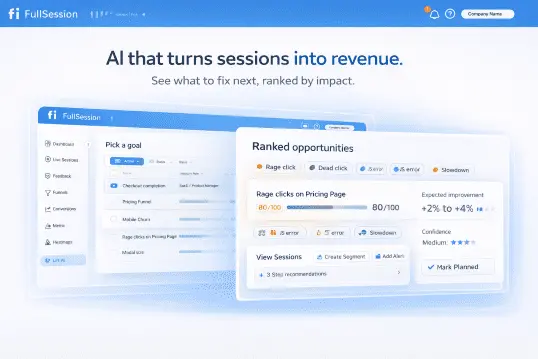
Say AI rewrites a checkout form and drafts new field labels. Ship it to a slice of traffic and watch what happens. A conversion funnel tells you whether completion went up or down at that step. A session replay shows why: maybe the cleaner label reads well but the new inline validation rejects valid input, and you can watch people retry and give up. A heatmap confirms whether the redesigned section even draws attention, or whether a cluster of rage clicks is forming on a control that looks interactive but is not. To skip the guesswork of which page to inspect first, Lift AI ranks the friction by impact so you start where the losses are largest.
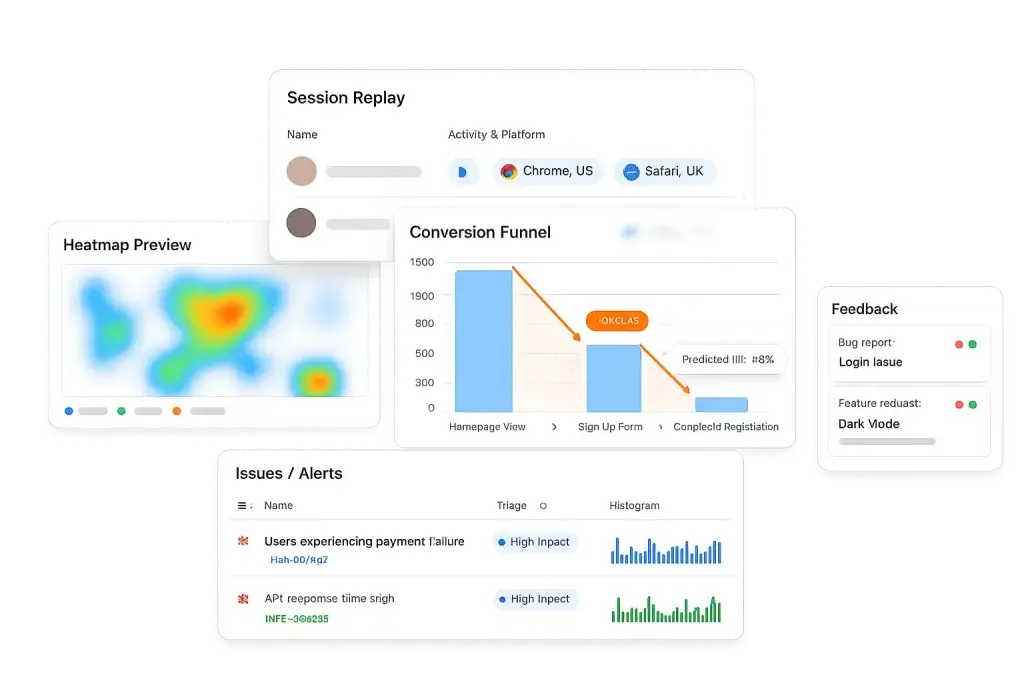
Run that loop and AI becomes safe to move fast with, because nothing ships permanently on faith. Add a short in-page feedback prompt and you also capture the reason in the user’s own words, which is the context a model cannot infer. For a deeper method, our guide to measuring the ROI of UX improvements shows how to attach a dollar value to the lift, and UX testing tools covers the validation stack.
VALIDATE EVERY AI-ASSISTED DESIGN
Let AI draft it, then prove it with behavior
FullSession pairs session replay, heatmaps, and funnels with Lift AI, so you can tell which design actually works, not just which one looks right.
Keep humans on the calls that matter
The parts of UX that decide whether a product is good, understanding what users actually need, weighing an ethical trade-off, and choosing a direction that fits the strategy, are exactly the parts AI cannot own. Use it to remove the grunt work and to generate options faster, then apply human judgment to pick among them and behavioral evidence to confirm the choice. A designer who uses AI to move faster and validates against real users will beat both the designer who refuses the tool and the one who ships whatever it produces. Our notes on user experience analysis and content design go deeper on keeping that judgment sharp.
Turn AI-assisted design into experiences you can prove
Visualize, analyze, and act on real user behavior with FullSession. Ship the AI draft, watch how users respond, and keep only what works. No credit card needed to start.
AI in UX design: FAQ
How is AI used in UX design?
AI speeds up specific parts of the workflow: analyzing user research, generating wireframes and prototypes, drafting UX copy, checking accessibility, personalizing content, and producing UI assets. It is strongest in the exploration and production stages, where it removes repetitive work. It is weakest at judgment, because it is trained on what is common, not on what is right for your users. The reliable pattern is to let AI accelerate the making and to validate the result against real behavior.
Will AI replace UX designers?
No. AI takes over repetitive tasks and gives designers a faster first draft, but the empathy, strategic thinking, and ethical judgment that define good UX remain human work. AI can generate a hundred variations and still not know which one respects the user. It is a tool that raises a designer’s output, not a replacement for the person deciding what to build and why.
Can AI design a good user experience on its own?
Not reliably. AI produces designs that look right because they match common patterns, but a design that follows the average can still confuse your specific users or quietly exclude some of them. Automated tools also miss real accessibility barriers: the WebAIM Million found an average of 51 detectable errors per home page in 2025. AI can draft the design, but only observed behavior confirms whether it works.
How do I know if an AI-assisted design actually works?
Watch real users interact with it. A funnel shows whether the new design lifts or hurts completion, session replay shows where people hesitate or misread it, and a heatmap shows what they actually notice. Ship the AI-generated change to a segment, observe the behavior, and keep it only if the numbers and the recordings agree. The AI produces the candidate; behavior analytics decides the winner.

Roman Mohren is CEO of FullSession, a privacy-first UX analytics platform offering session replay, interactive heatmaps, conversion funnels, error insights, and in-app feedback. He directly leads Product, Sales, and Customer Success, owning the full customer journey from first touch to long-term outcomes. With 25+ years in B2B SaaS, spanning venture- and PE-backed startups, public software companies, and his own ventures, Roman has built and scaled revenue teams, designed go-to-market systems, and led organizations through every growth stage from first dollar to eight-figure ARR. He writes from hands-on operator experience about UX diagnosis, conversion optimization, user onboarding, and turning behavioral data into measurable business impact.