Category: CRO

  • Best Lucky Orange Alternatives in 2026: 5 Tools Worth Considering

    Best Lucky Orange Alternatives in 2026: 5 Tools Worth Considering

    Lucky Orange is a well-known behavior analytics tool, but it is not the best fit for every team. Businesses often start looking for a Lucky Orange alternative when they need deeper session analysis, a better pricing fit, easier reporting workflows, or tools that align more closely with product, UX, or CRO use cases.

    Short answer: the best Lucky Orange alternative depends on what you need most. FullSession is a strong fit for deeper behavior analytics and replay-driven analysis. Hotjar is a solid option for broader qualitative research workflows. Microsoft Clarity is attractive for budget-conscious teams. Crazy Egg is useful for simpler CRO and testing workflows, while Contentsquare is better suited to enterprise teams.

    In this guide, we compare the top Lucky Orange competitors by use case, strengths, limitations, and ideal team fit so you can choose the right platform with more confidence.

    Best Lucky Orange alternatives by use case

    Here is the short version if you want the fastest recommendation:

    • Best overall for deeper behavior analytics: FullSession
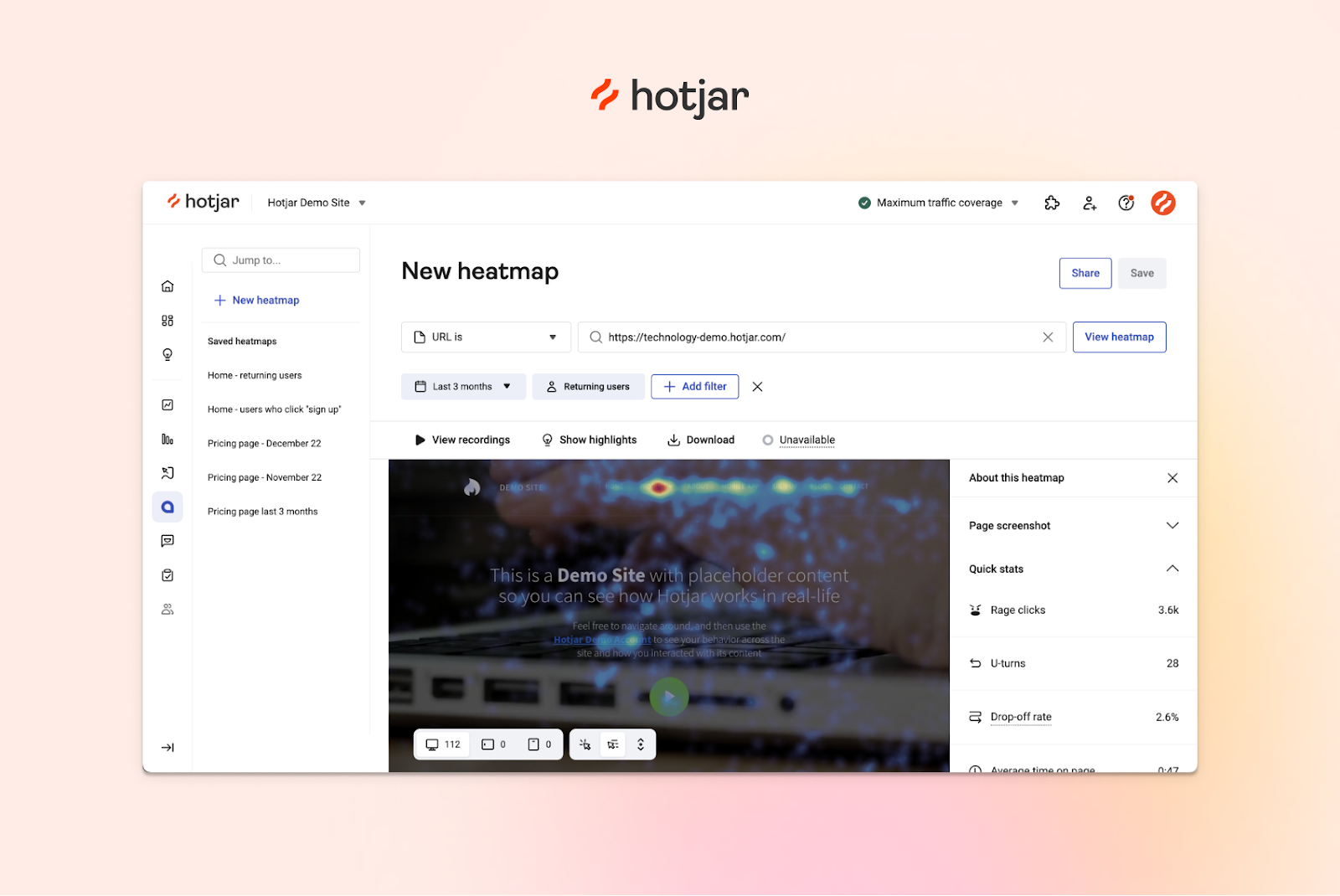
    • Best for research-led teams: Hotjar
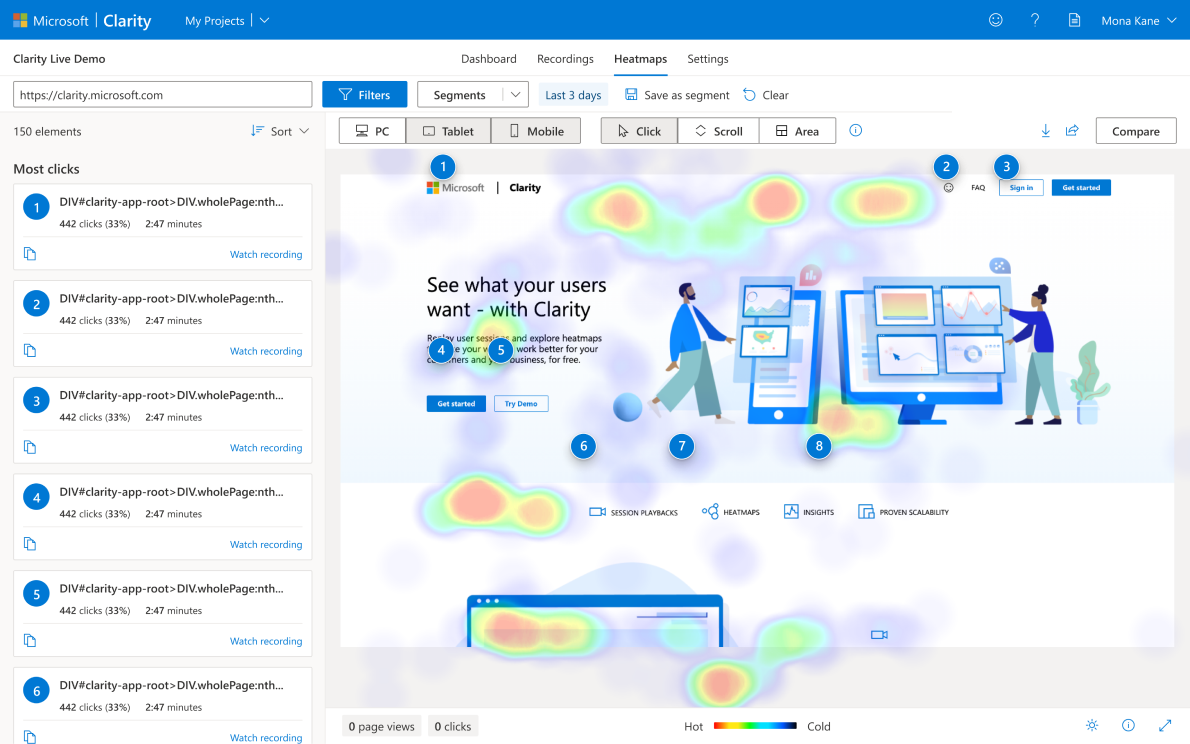
    • Best free option: Microsoft Clarity
    • Best for simpler CRO workflows: Crazy Egg
    • Best for enterprise digital experience analytics: Contentsquare

    The best choice depends on whether your priority is replay depth, ease of use, pricing, experimentation, or enterprise-level analysis.

    5 Best Lucky Orange Alternatives in 2026

    After comparing the market, these are the top Lucky Orange alternatives to consider:

    1. FullSession
    2. LiveSession
    3. Inspectlet
    4. CrazyEgg
    5. Contentsquare

    Let’s start with our analysis.

    1. FullSession
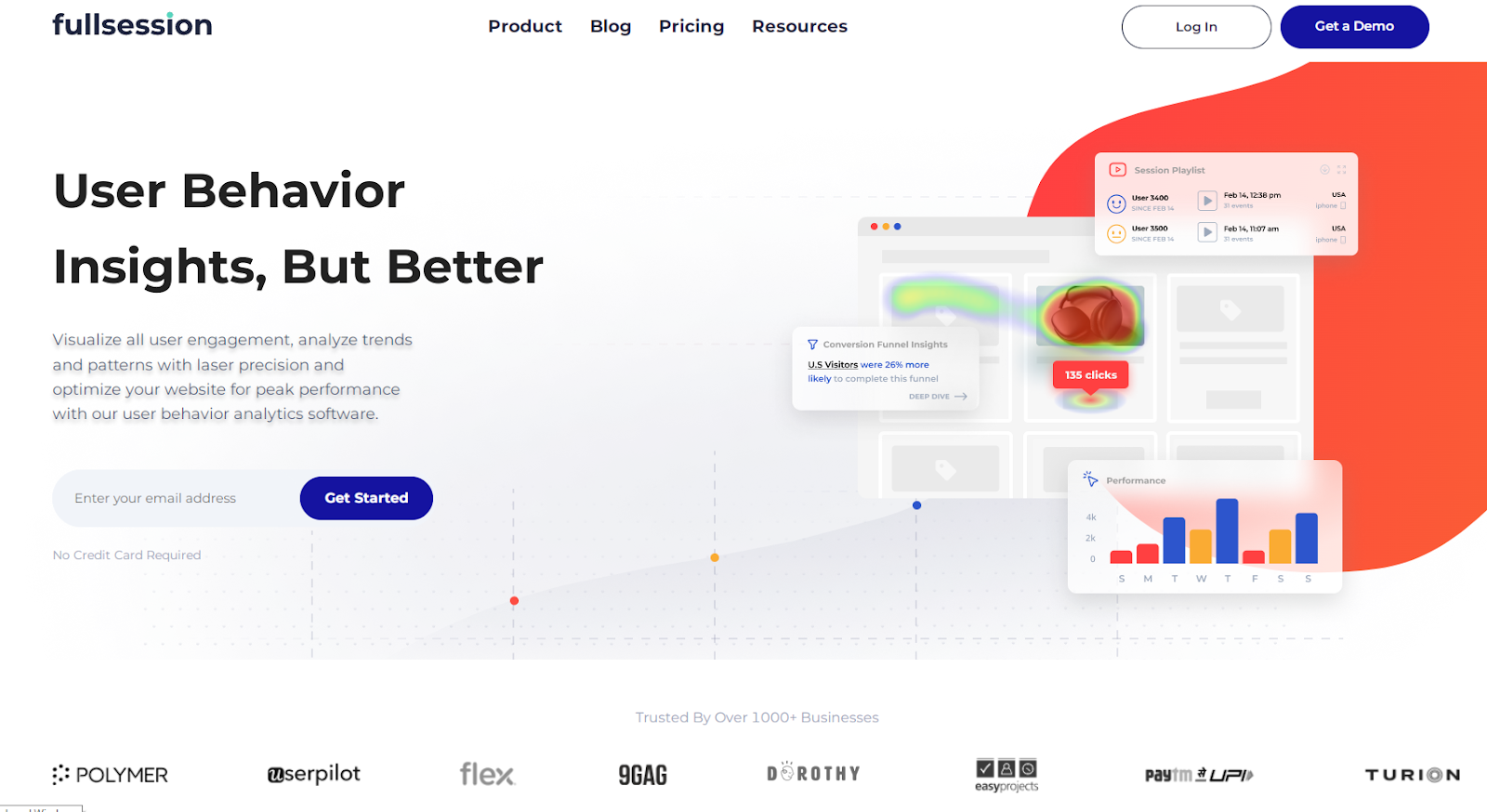
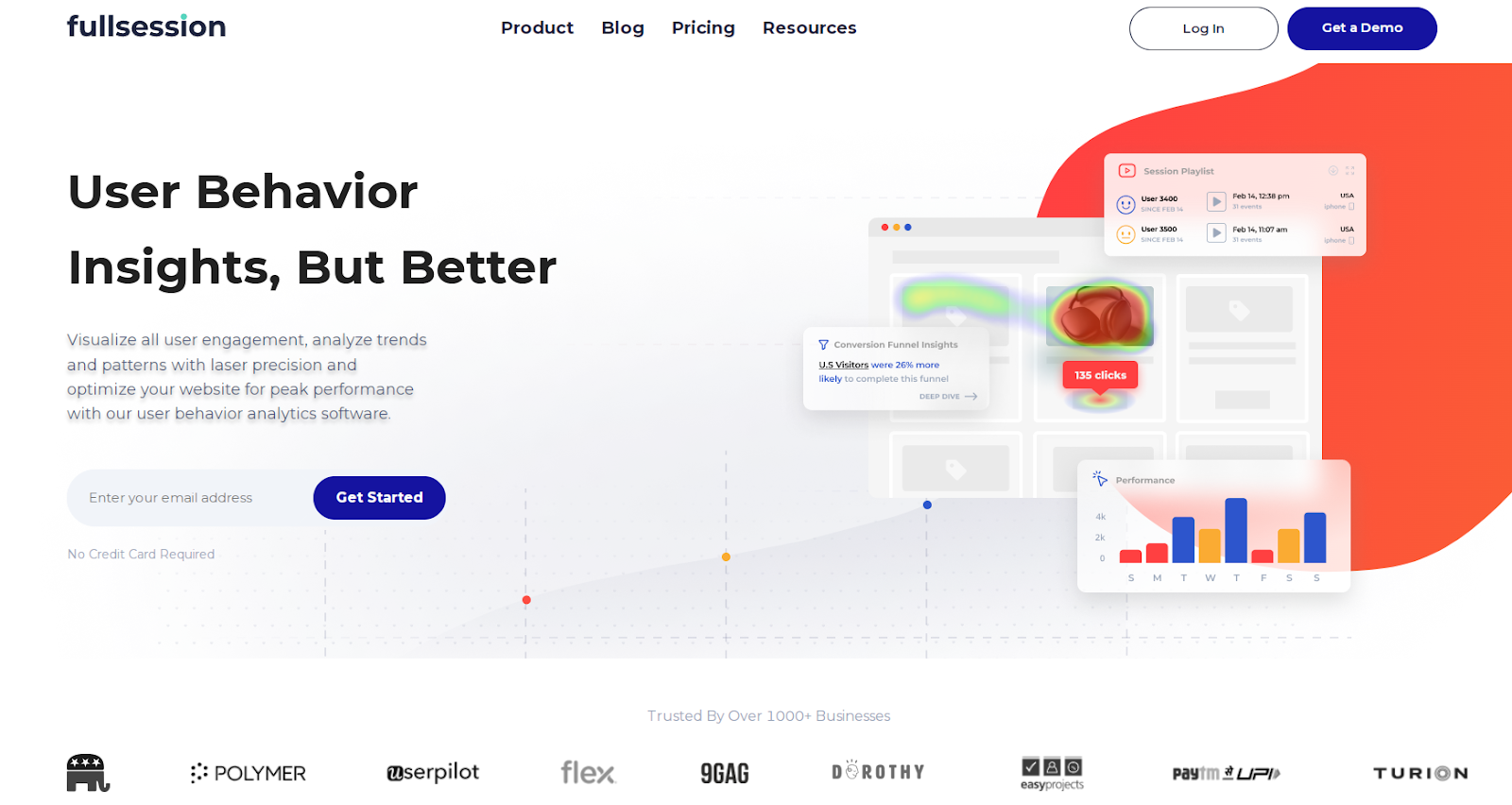
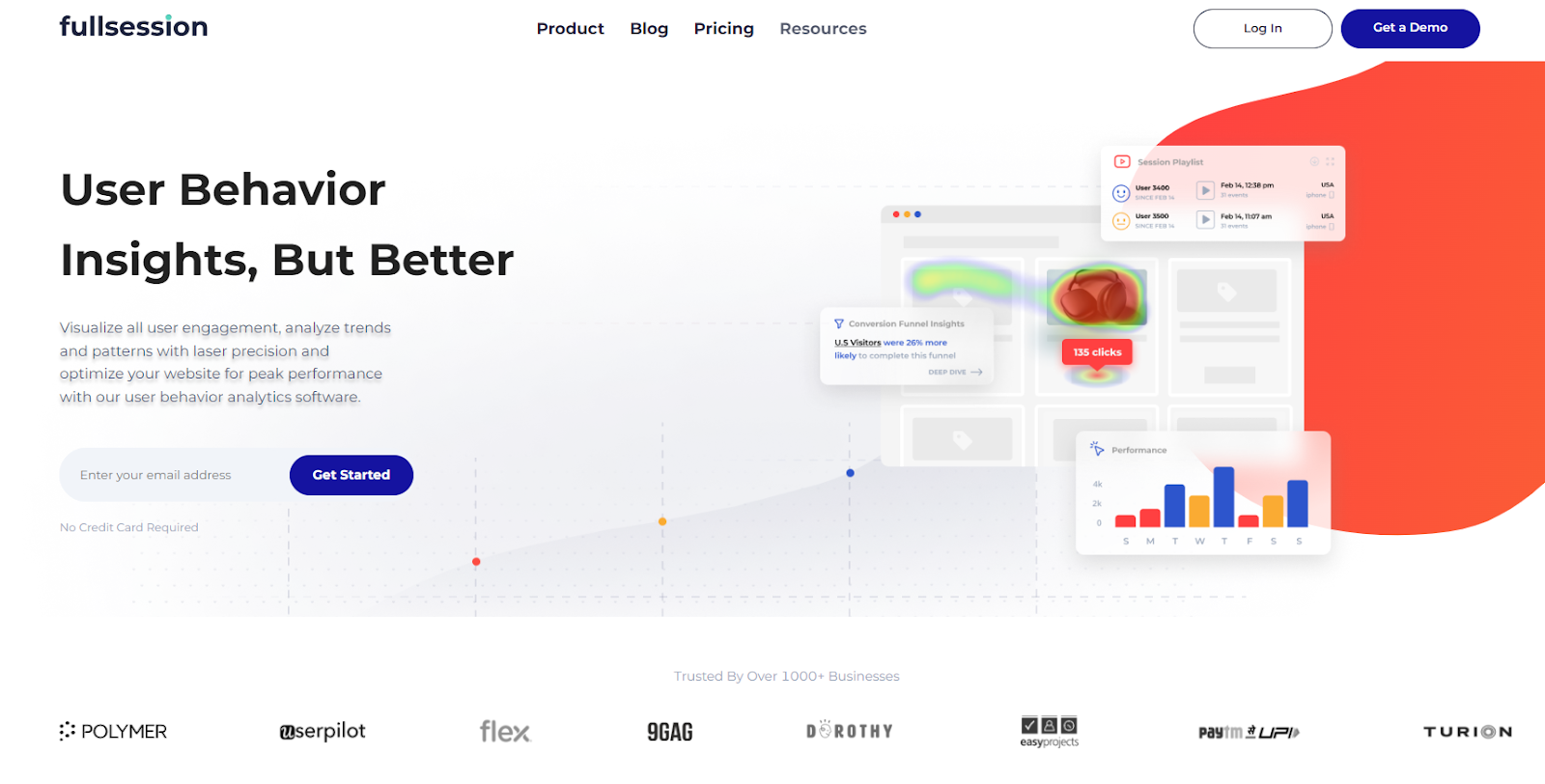
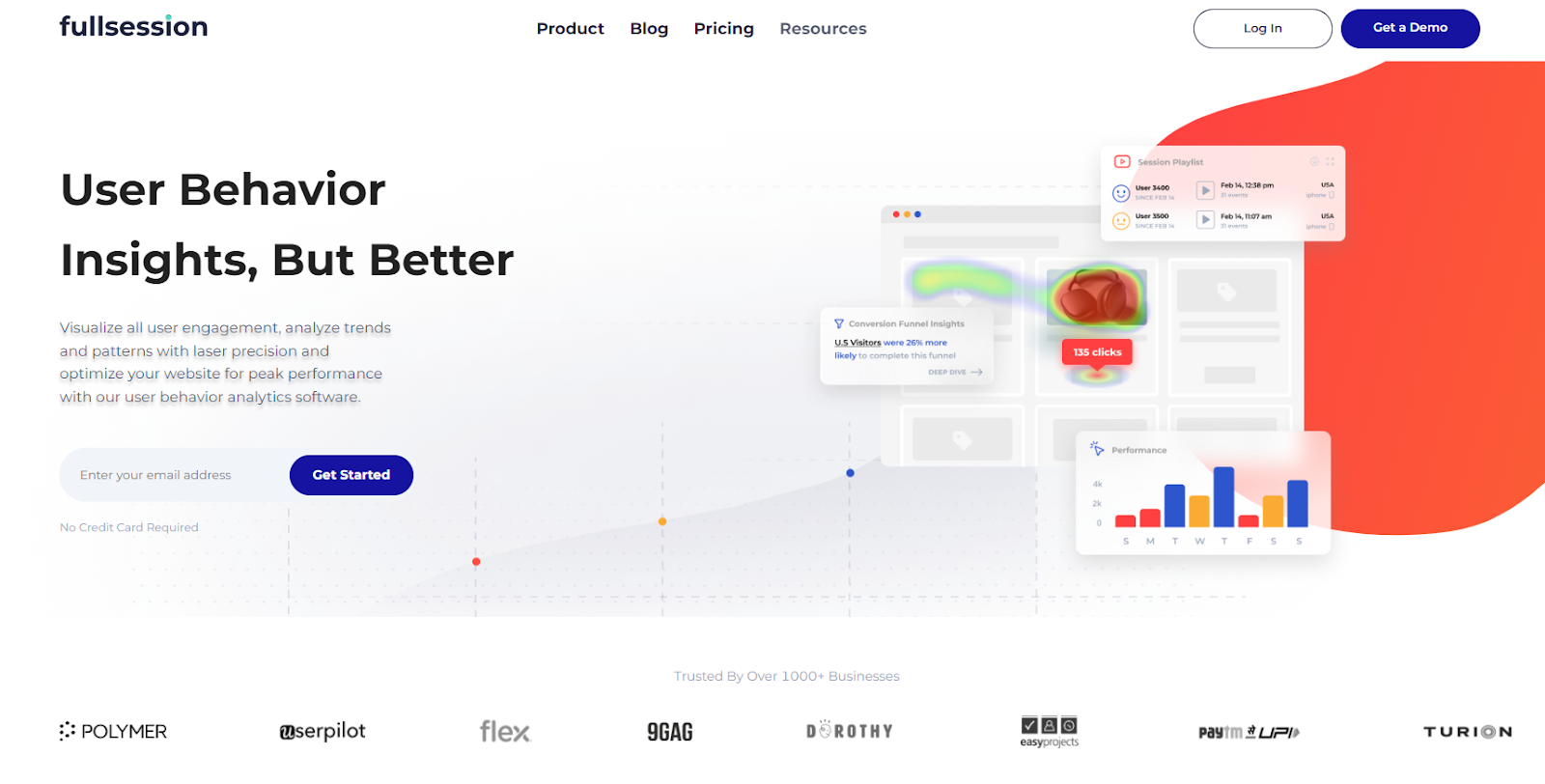
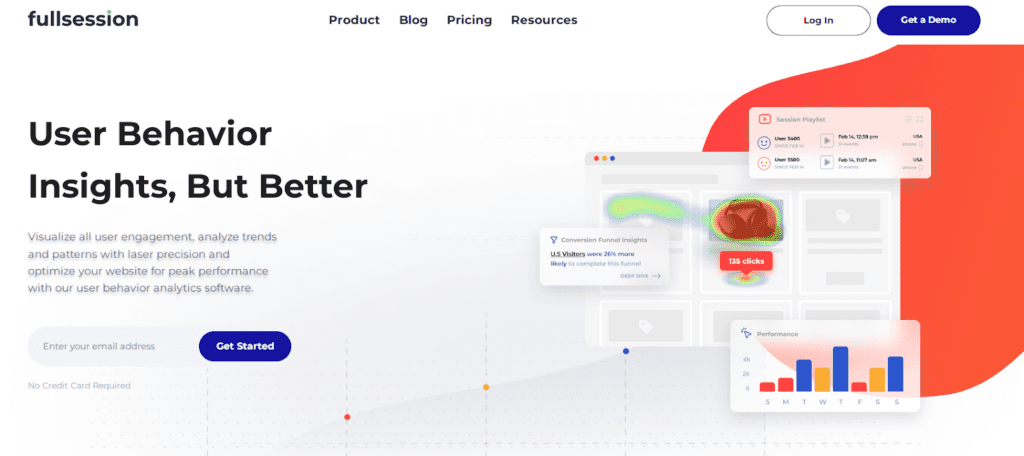
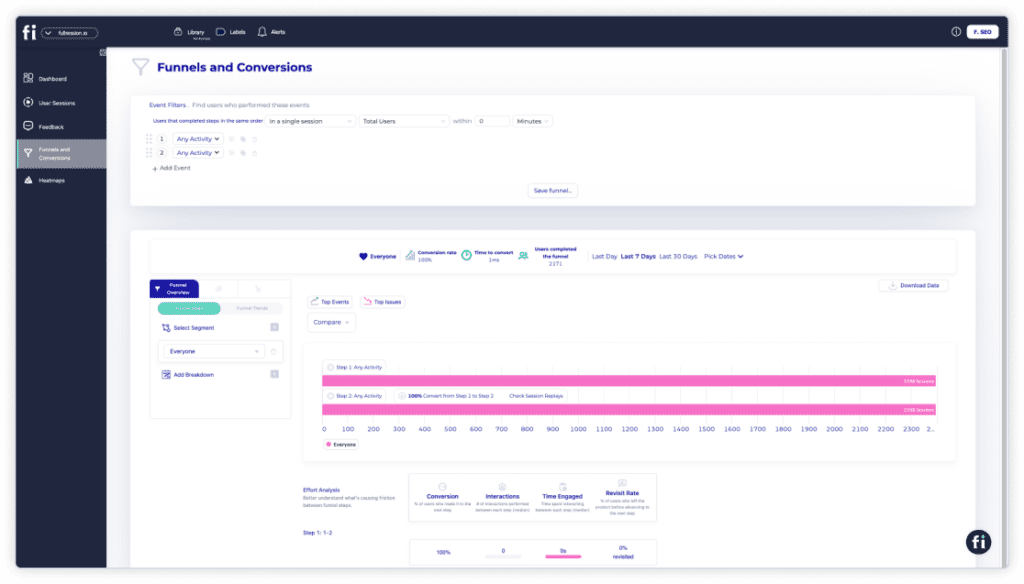
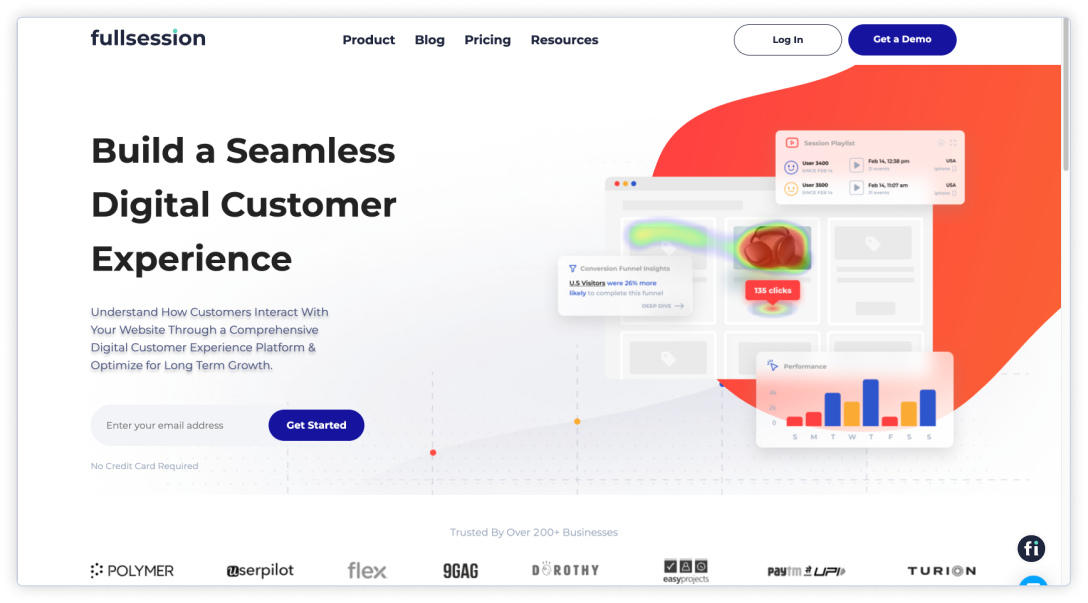
    FullSession user behavior analytics software

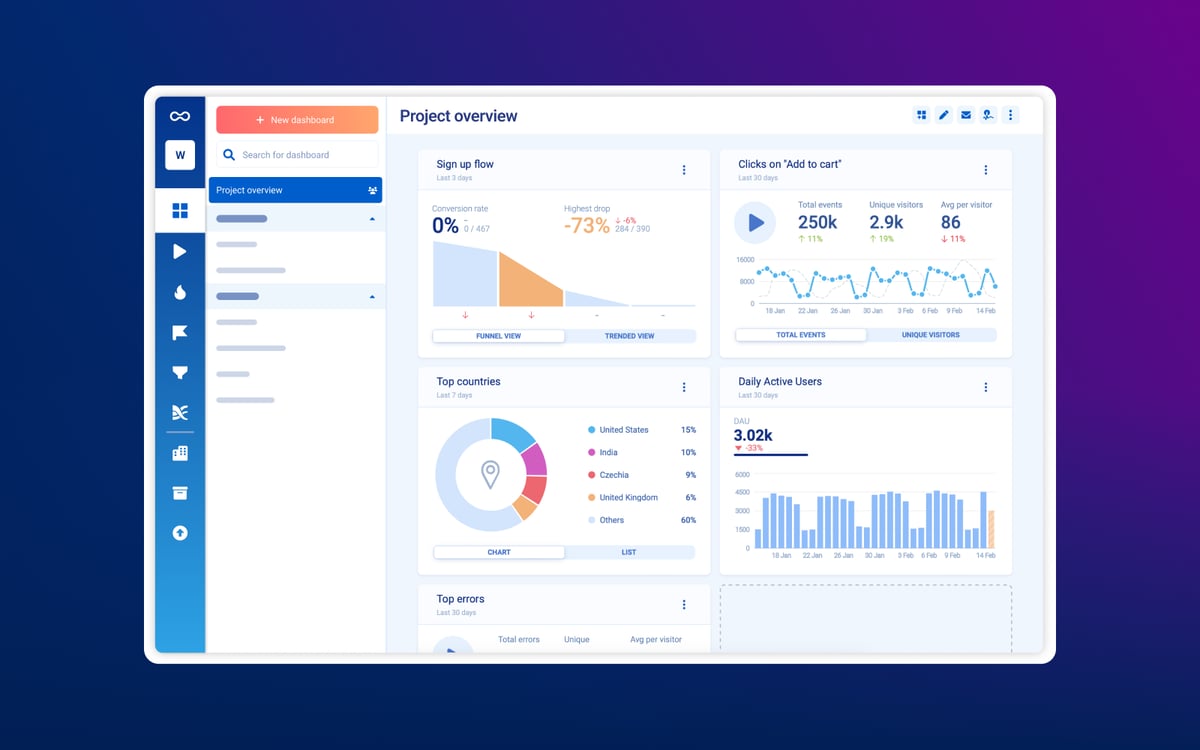
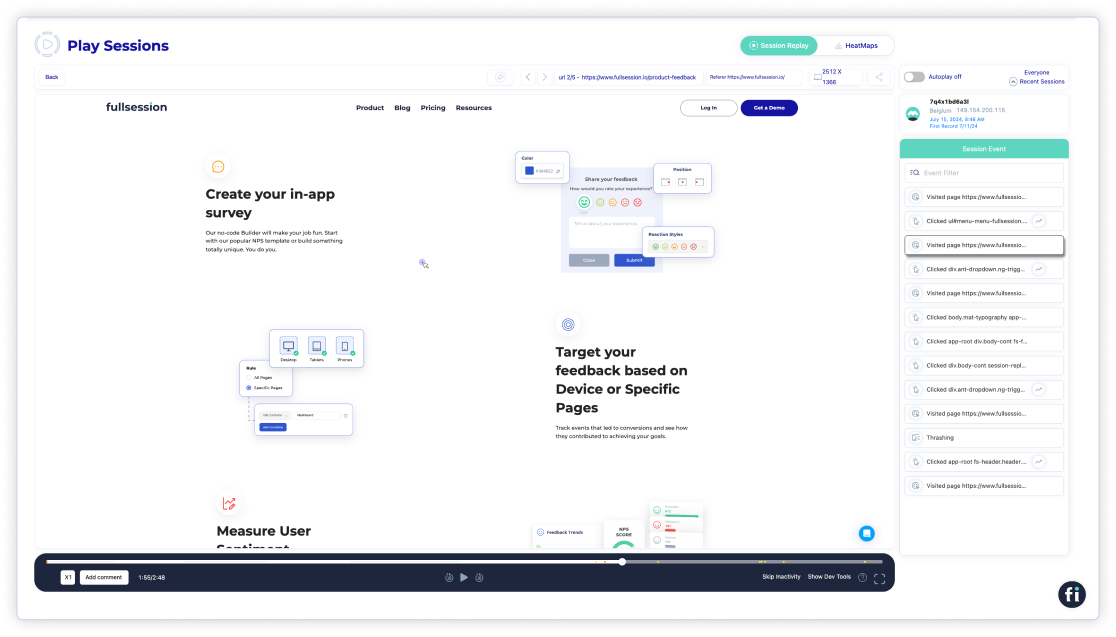
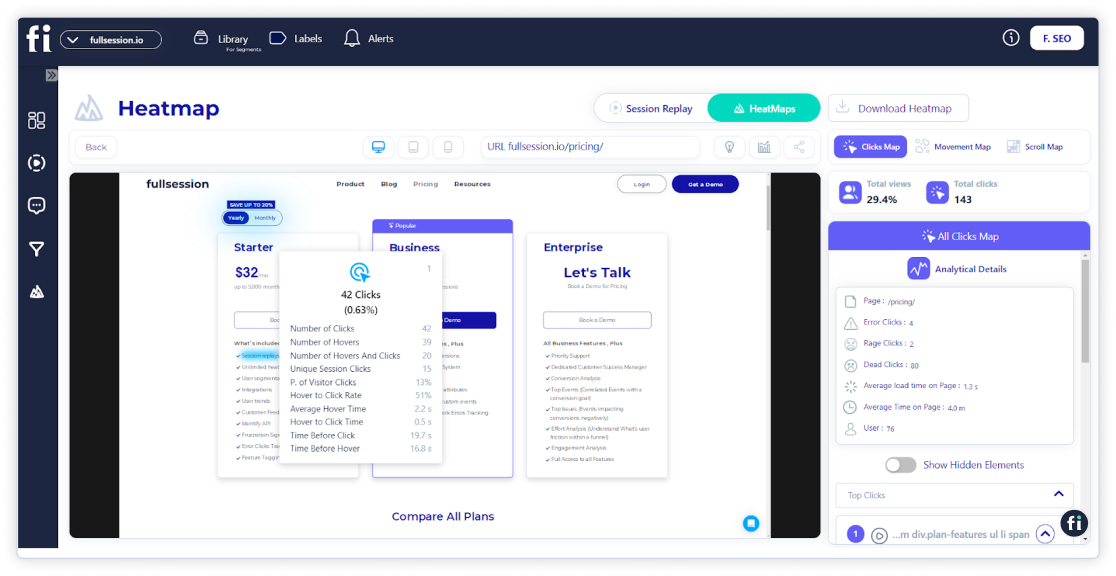
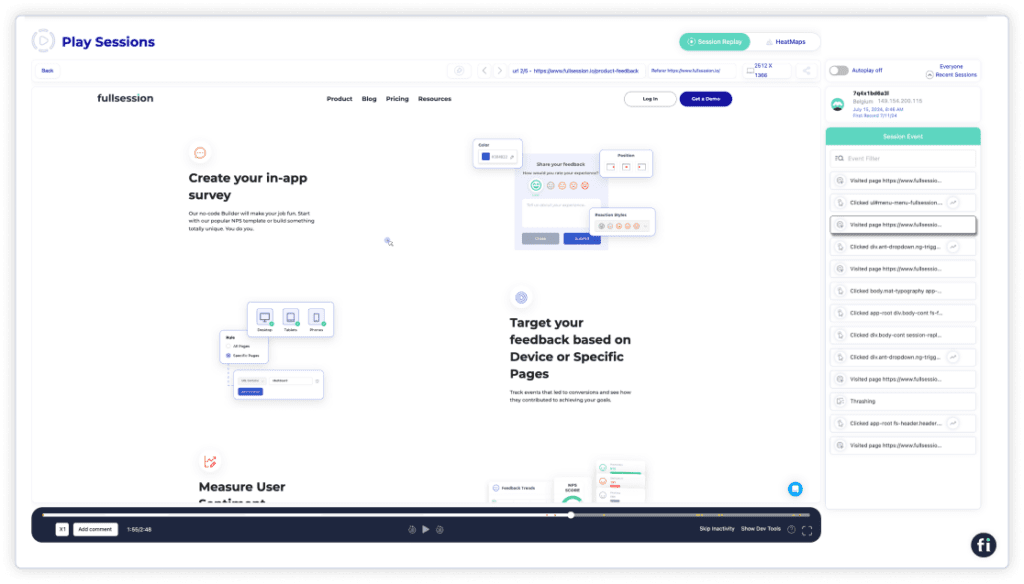
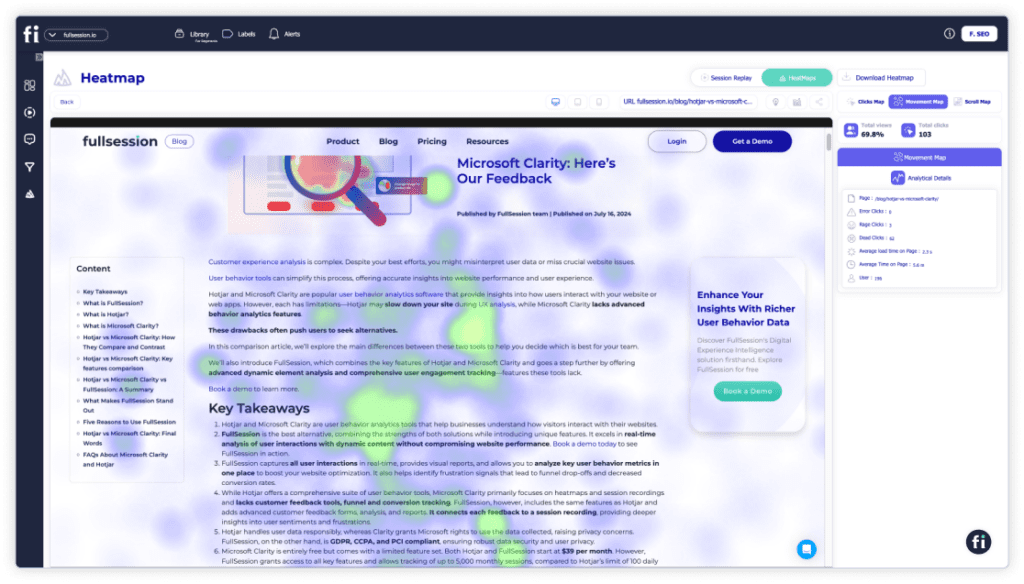
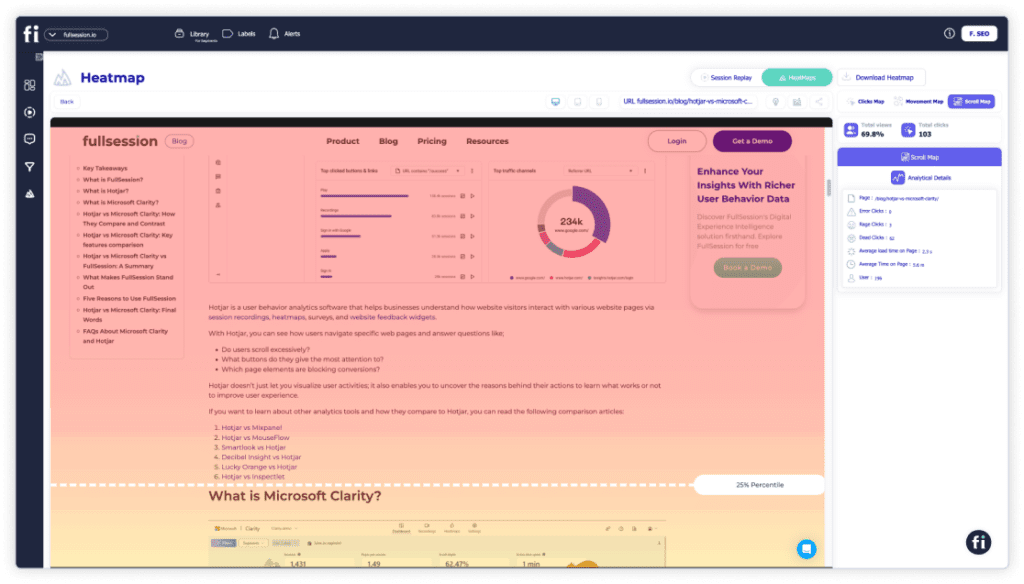
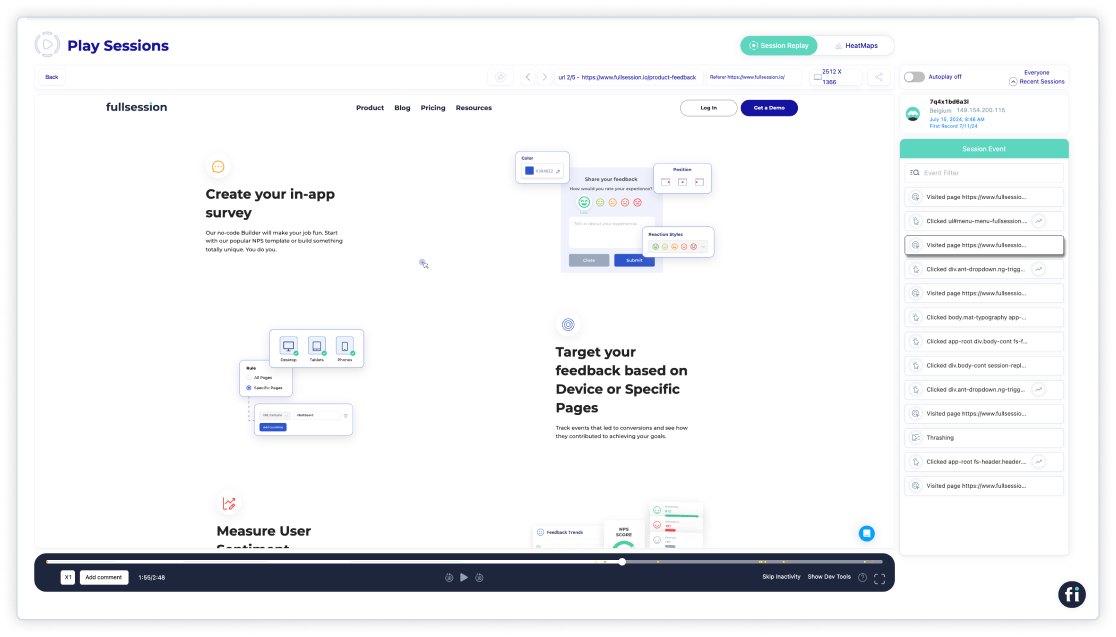
    FullSession is a Lucky Orange alternative designed for teams that want deeper visibility into user behavior, conversion friction, and session-level context. It combines session replay, heatmaps, funnels, feedback, and error analysis in one platform, making it especially useful for product, UX, growth, and ecommerce teams that need more than surface-level recordings.

    It also enables you to:

    FullSession also prioritizes user privacy and data security and complies with GDPR, CCPA, and PCI standards.

    Start a Free Trial to Experience FullSession

    Capture all user interactions, spot trends and patterns and drive improvements without compromising your website performance.

    Best for

    • Ecommerce teams trying to reduce checkout friction
    • SaaS and PLG teams analyzing onboarding or activation drop-offs
    • UX and product teams investigating replay, funnel, and experience issues
    • Growth teams looking for stronger behavior analytics to support optimization

    Supported platforms

    FullSession supports website visitor tracking. It can track sessions via mobile devices as well. 

    Key features

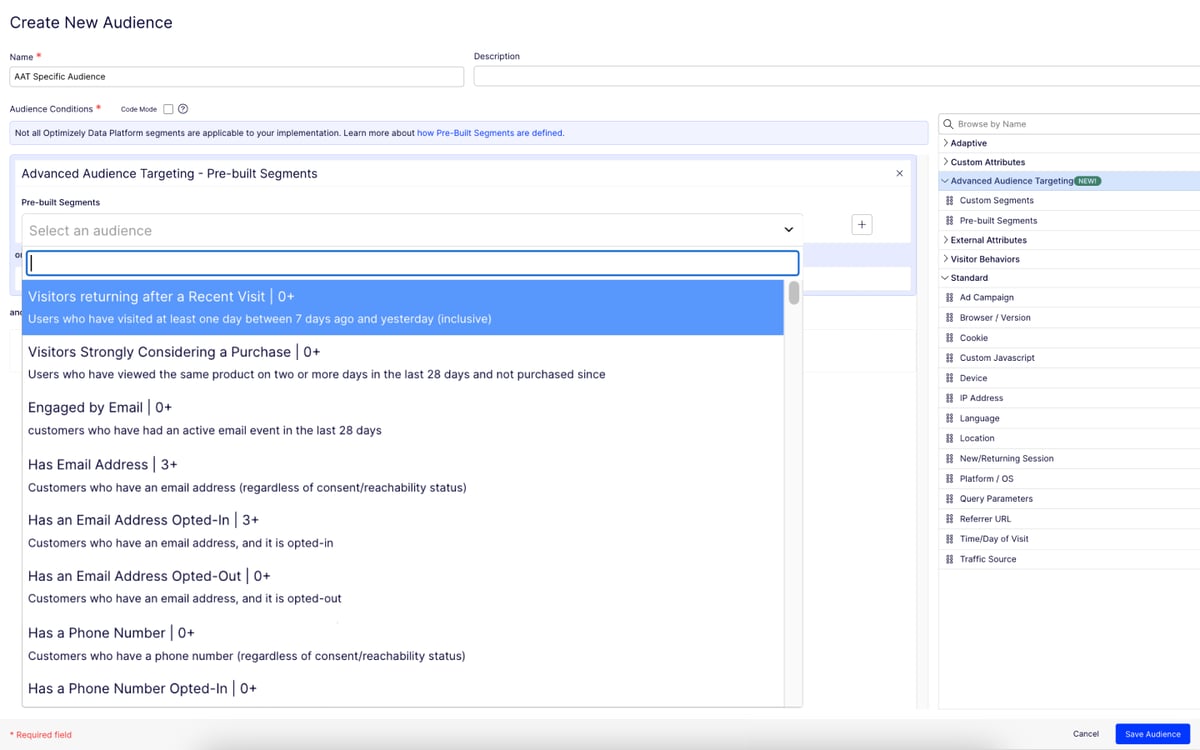
    • Advanced user and event segmentation: Categorize website users based on different parameters. Recognize behavior trends, patterns and correlations to optimize user journeys and improve customer engagement and conversion rates.
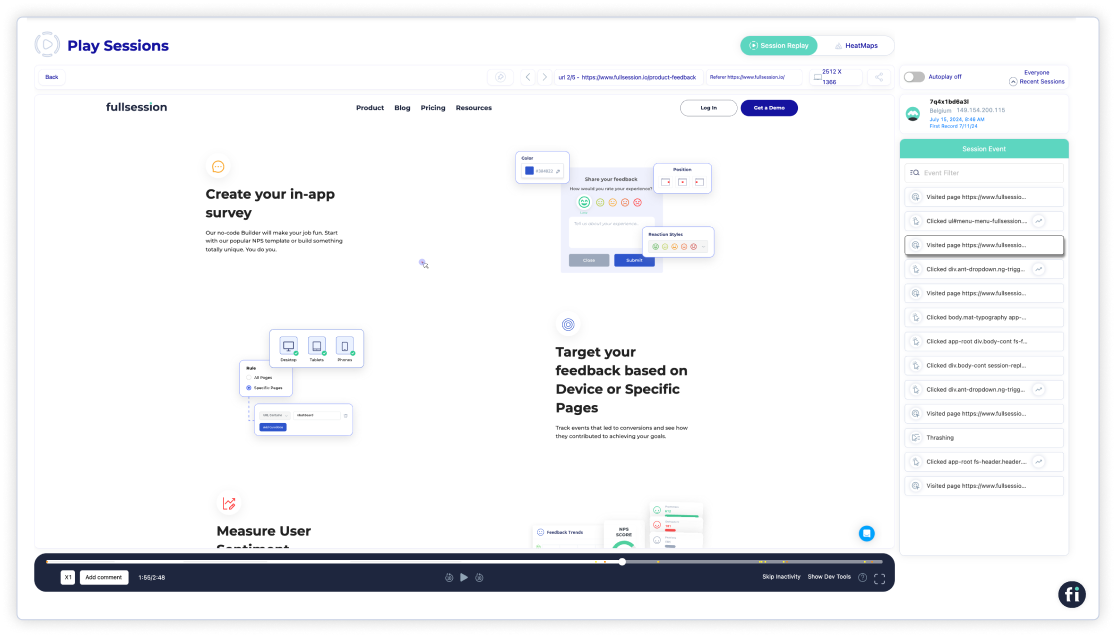
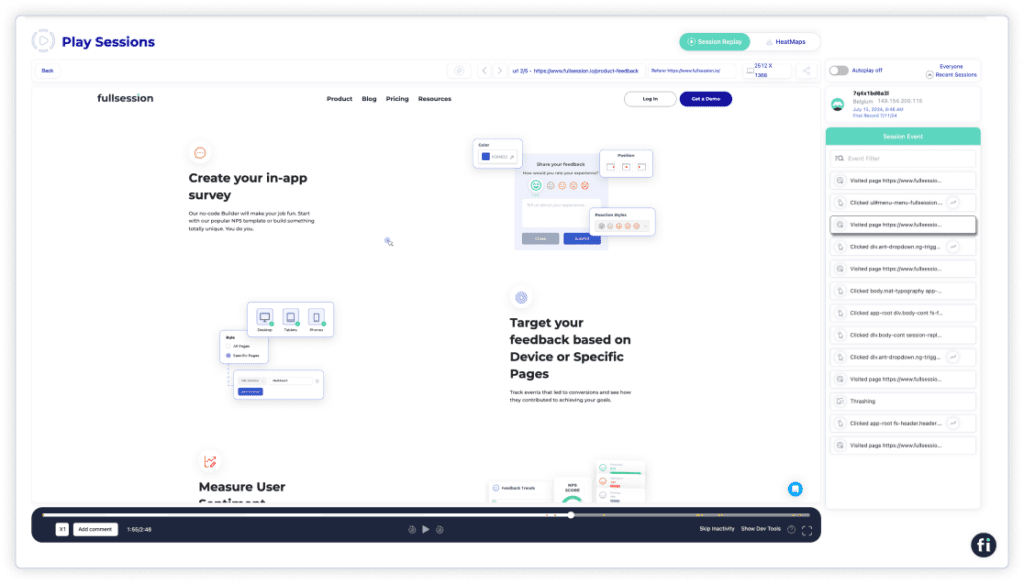
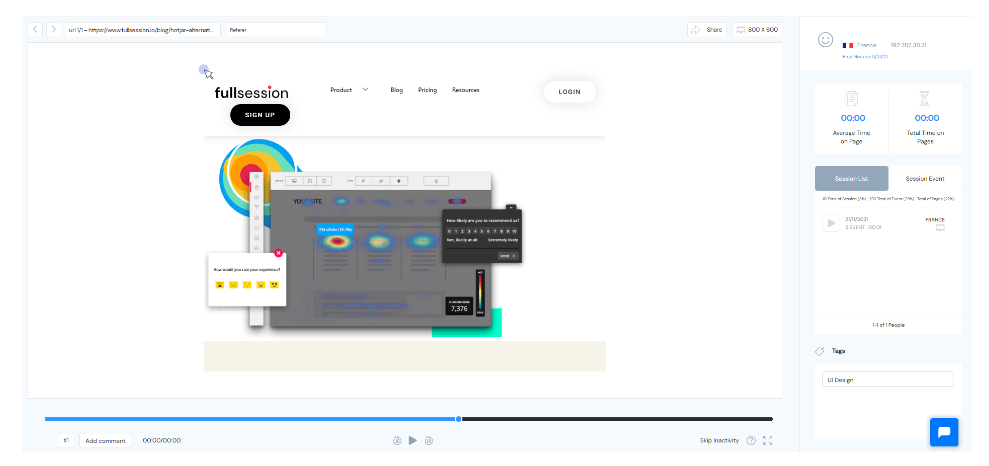
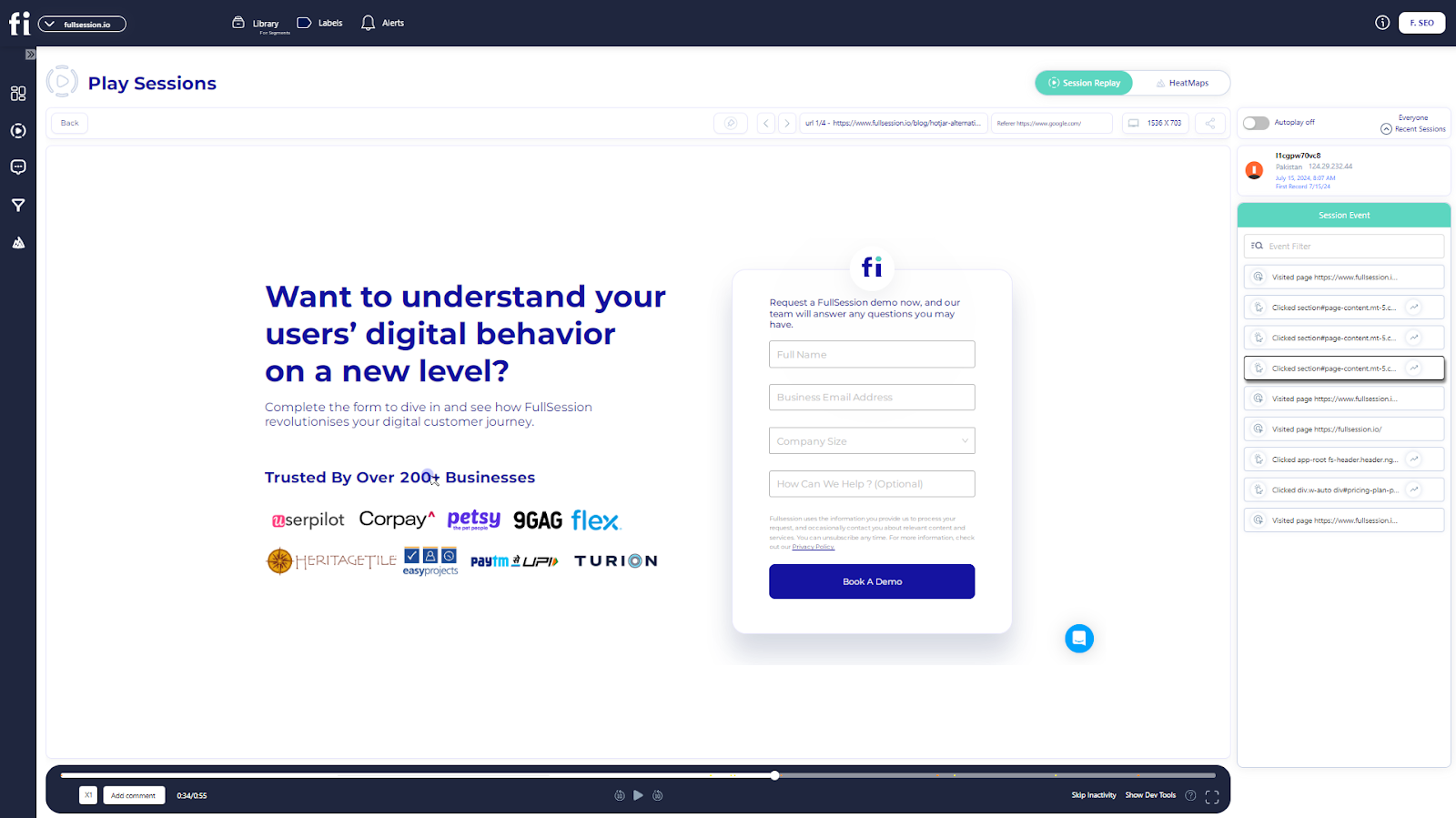
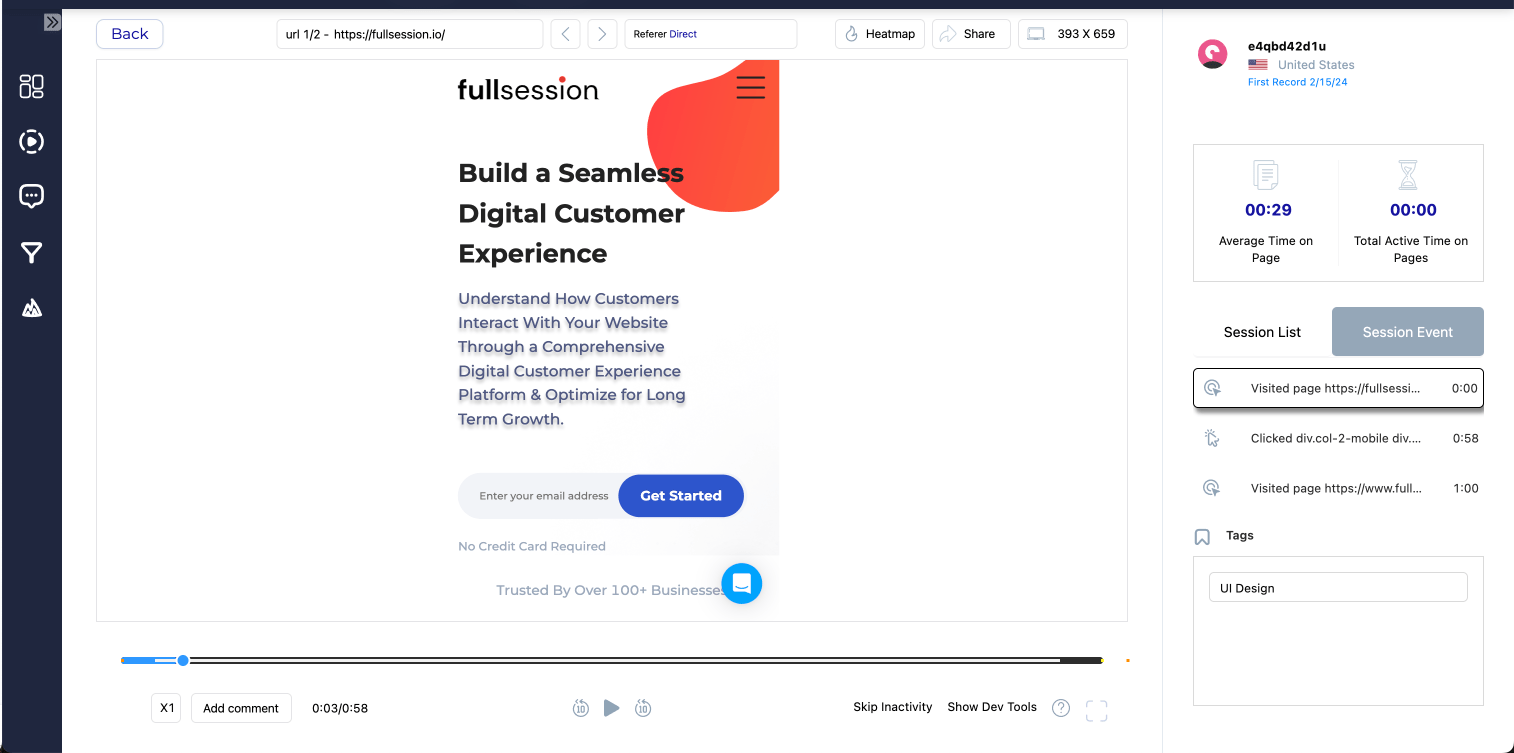
    • Session recordings and replays: Record every user interaction on your website. Replay user sessions to discover issues, examine user behavior based on specific criteria and anticipate future actions based on historical data. FullSession recordings protect your users’ privacy by excluding sensitive data recording.
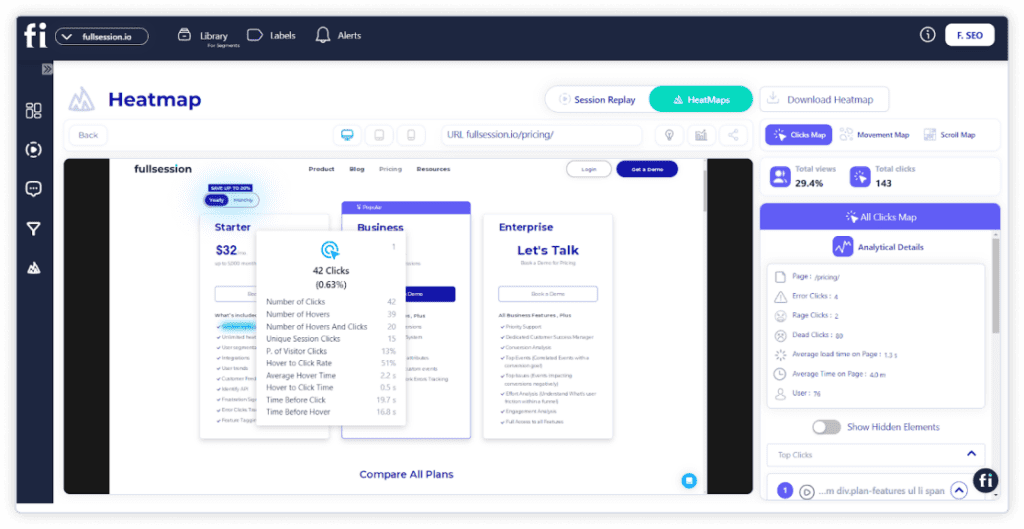
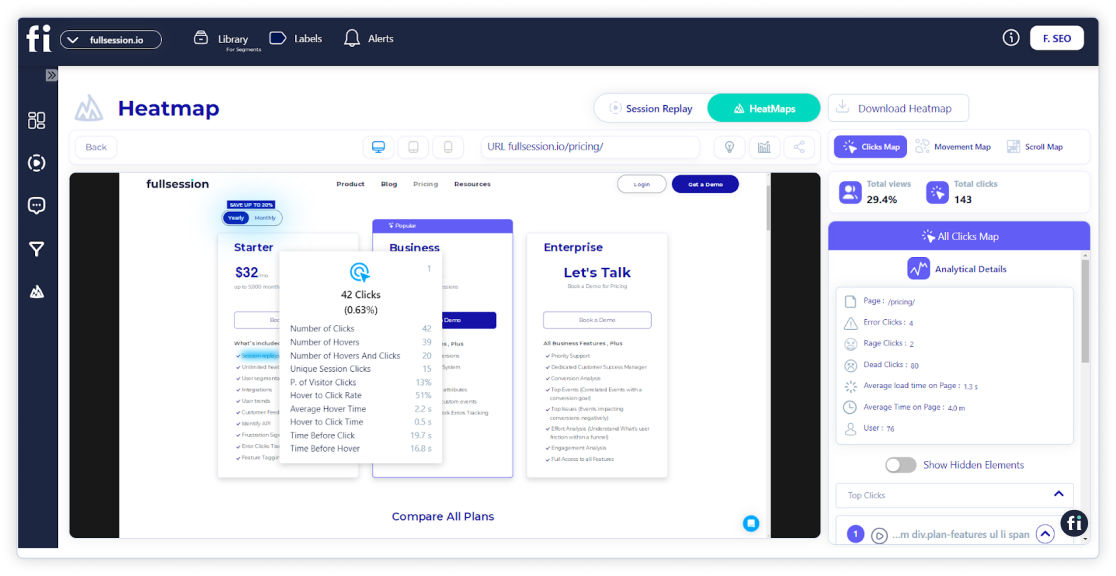
    • Interactive heatmaps: Create mouse movement,click, andscroll maps. Pinpoint areas of high or low user interaction, try different page elements to determine the top performers and estimate how long it takes users to complete key tasks. Ge theatmap data in a few seconds without any impact on your website performance.
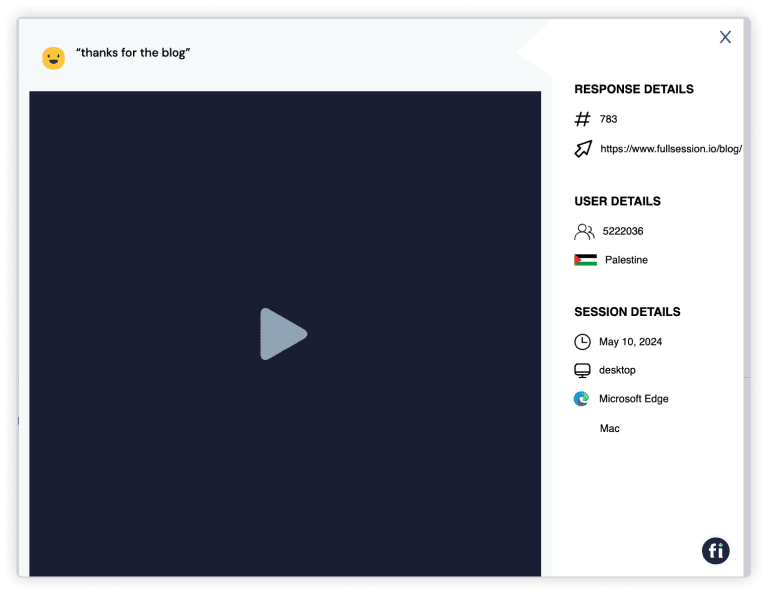
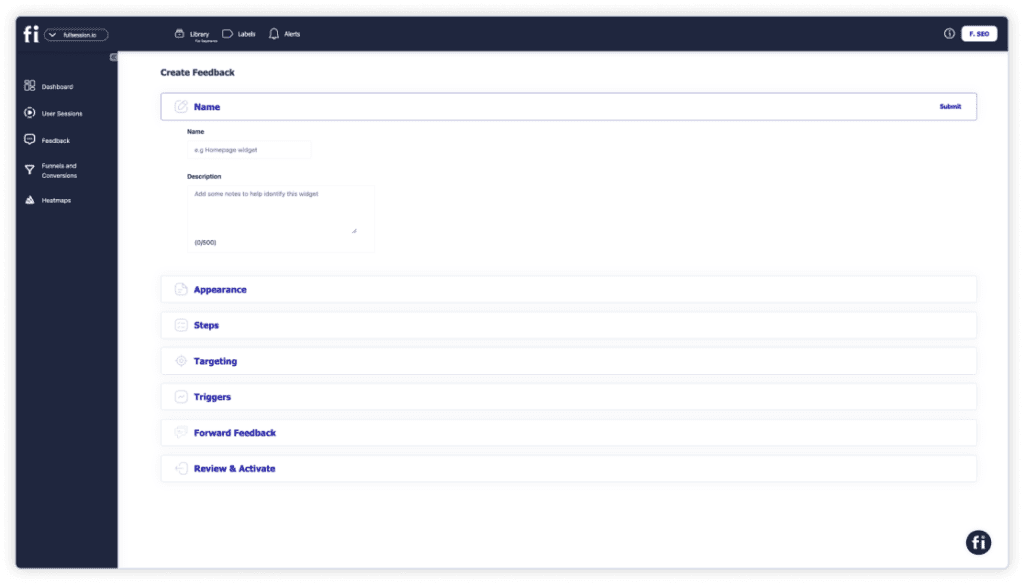
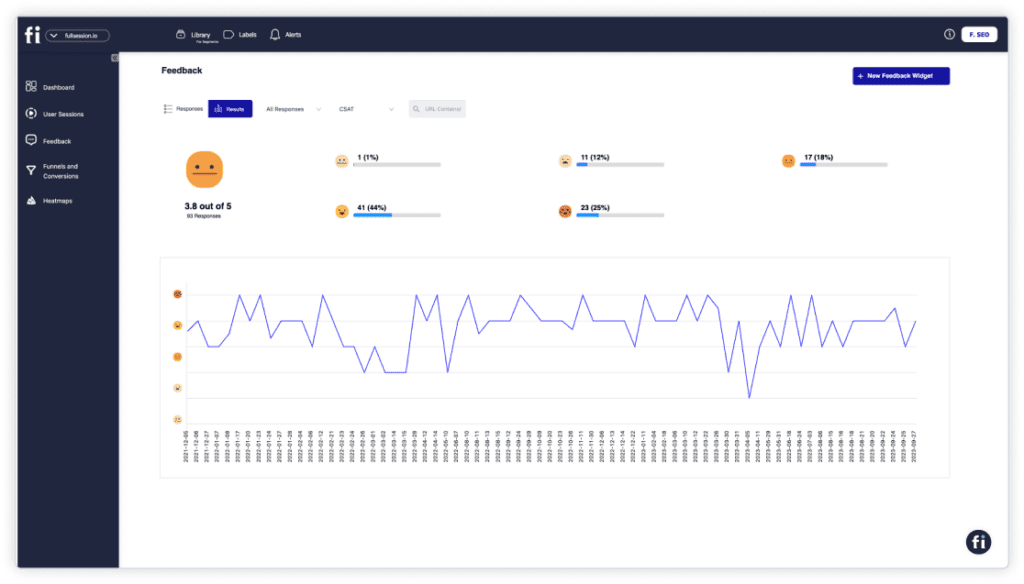
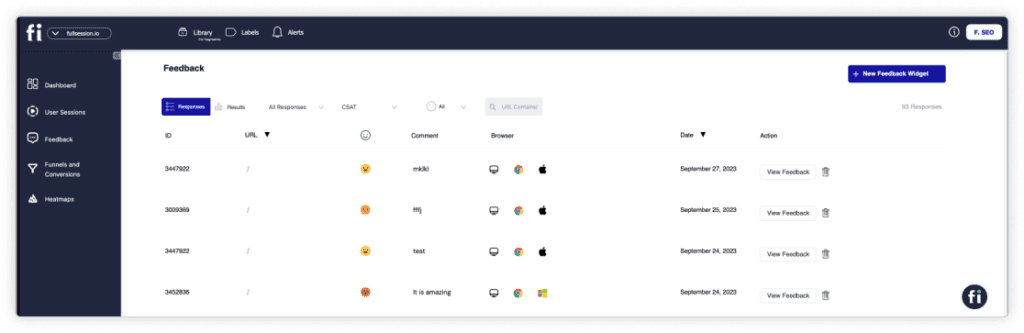
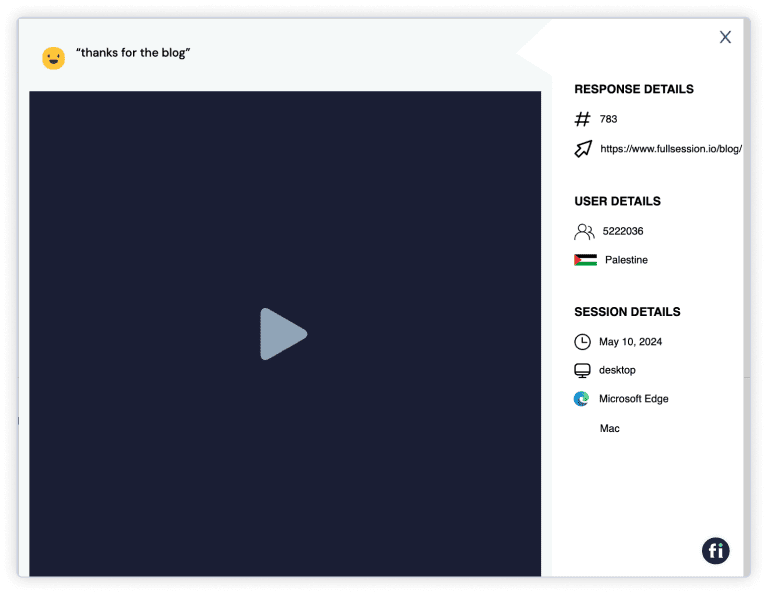
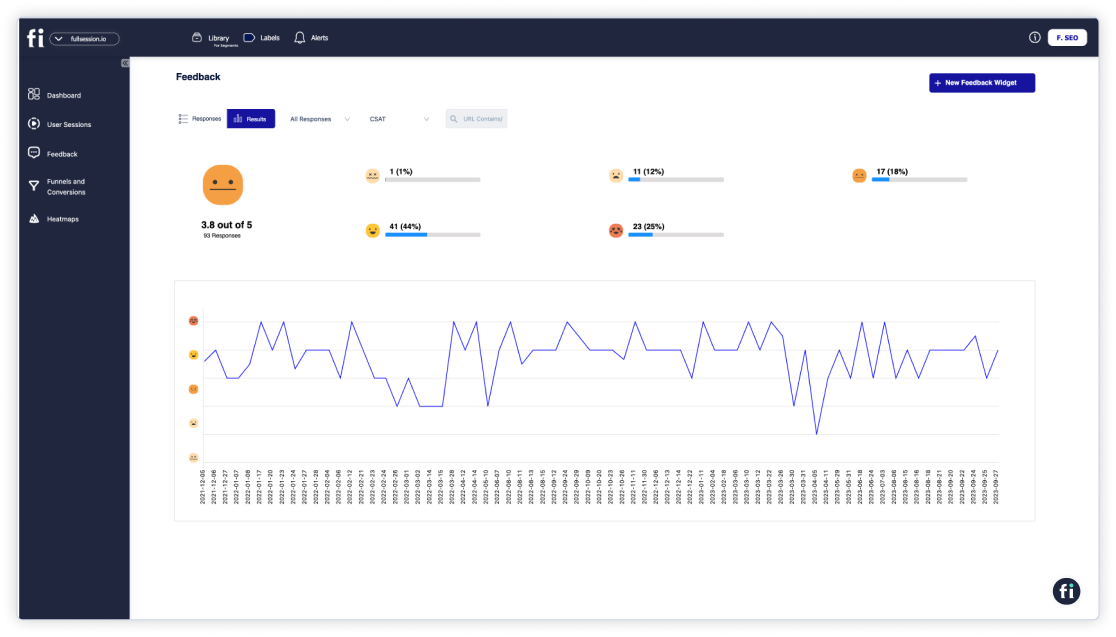
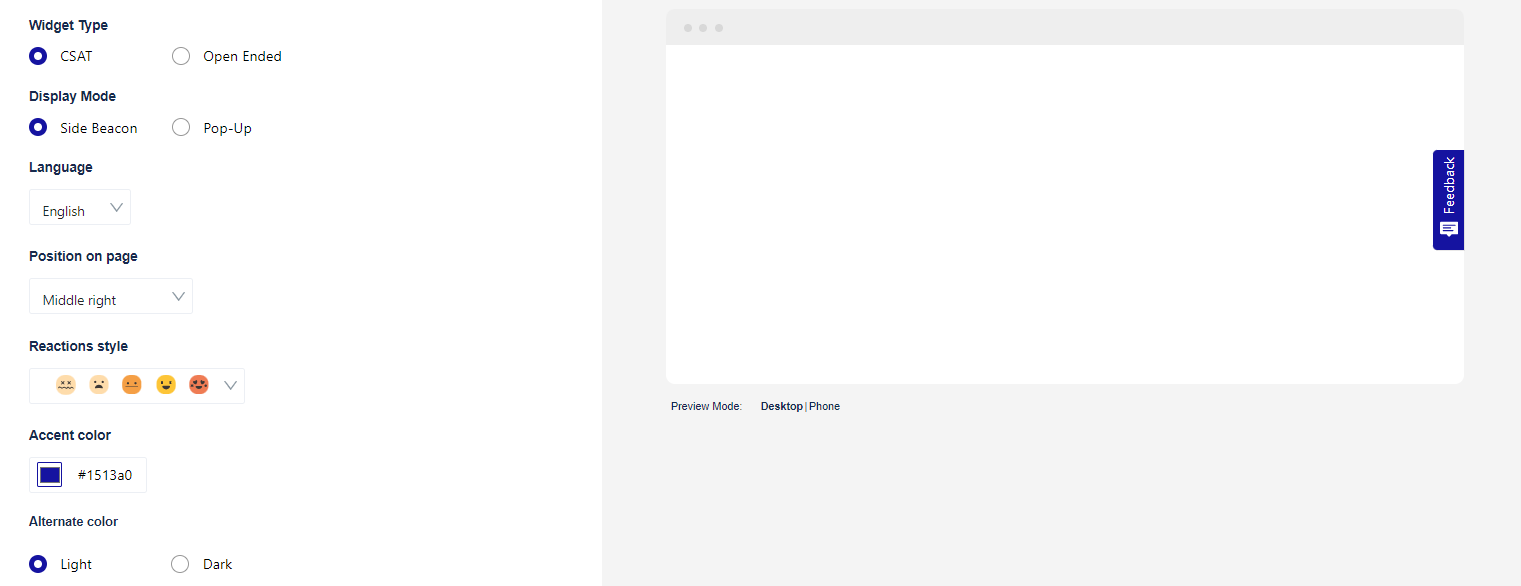
    • Website feedback forms and reports: Create branded in-app feedback forms to evaluate user satisfaction, find pain points, and learn about feature requests. Watch a connected session recording to understand what occurred during the session and the reasons behind the user feedback.
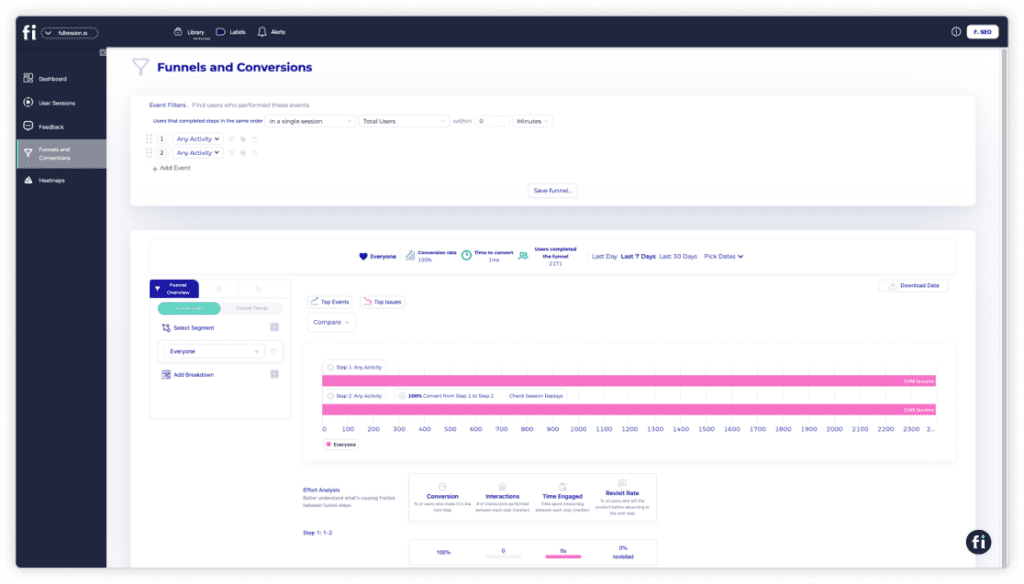
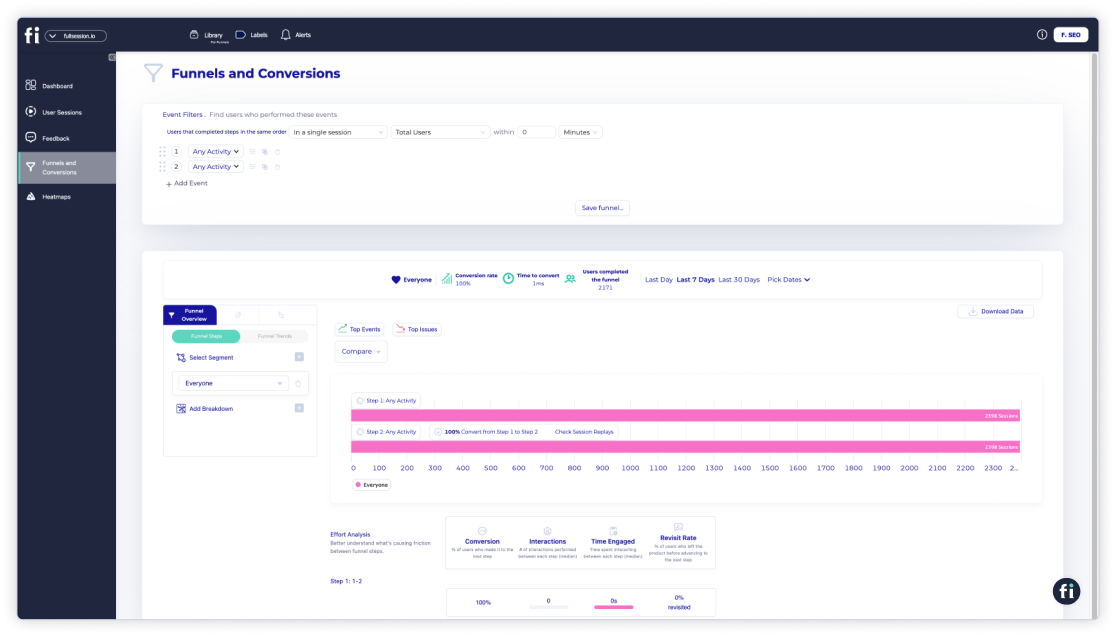
    • Conversion and funnel optimization tools: See user behavior patterns and determine why users abandon your funnels. Visualize user drop-offs at each step and test different strategies to improve conversion rates.
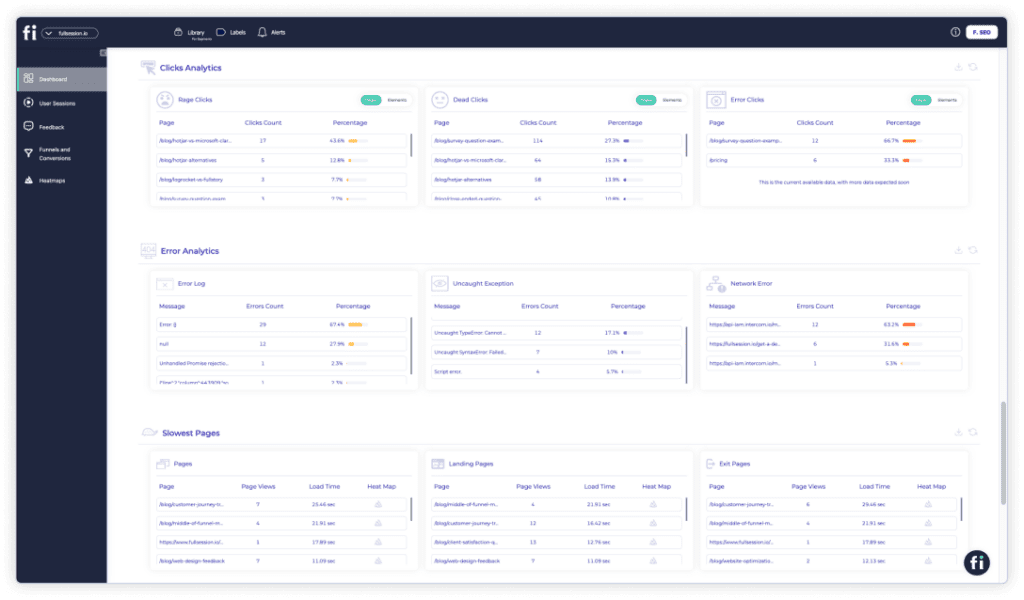
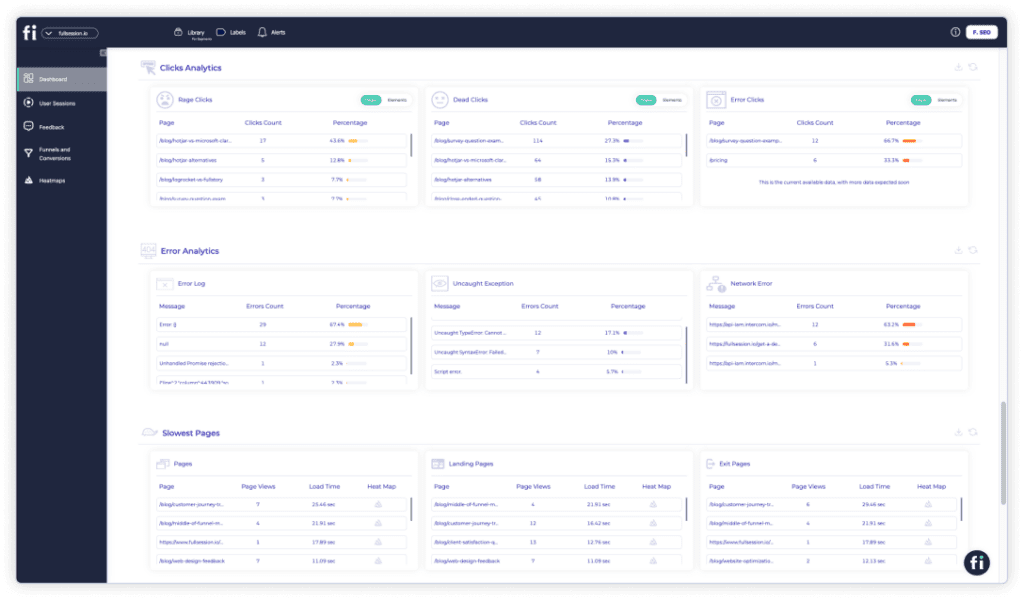
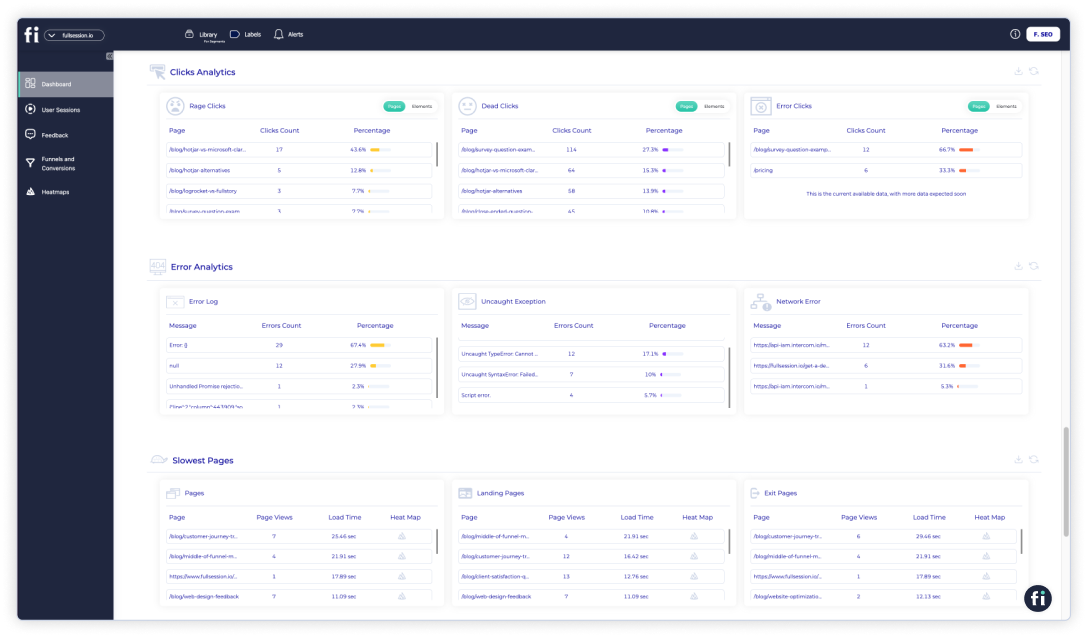
    • Error analysis: Automatically find website issues, such as JavaScript errors, network issues, and failed API calls. Study error data to troubleshoot problems, specify their root causes, and stop them from impacting user experience.

    Integrations

    FullSession integrates with your entire tech stack. It connects with open APIs, modern webhooks, and Zapier and also provides native integrations. It works best with Shopify, WordPress, Wix, and BigCommerce.

    Customer support

    FullSession provides live chat and email support. You can also visit the help center.

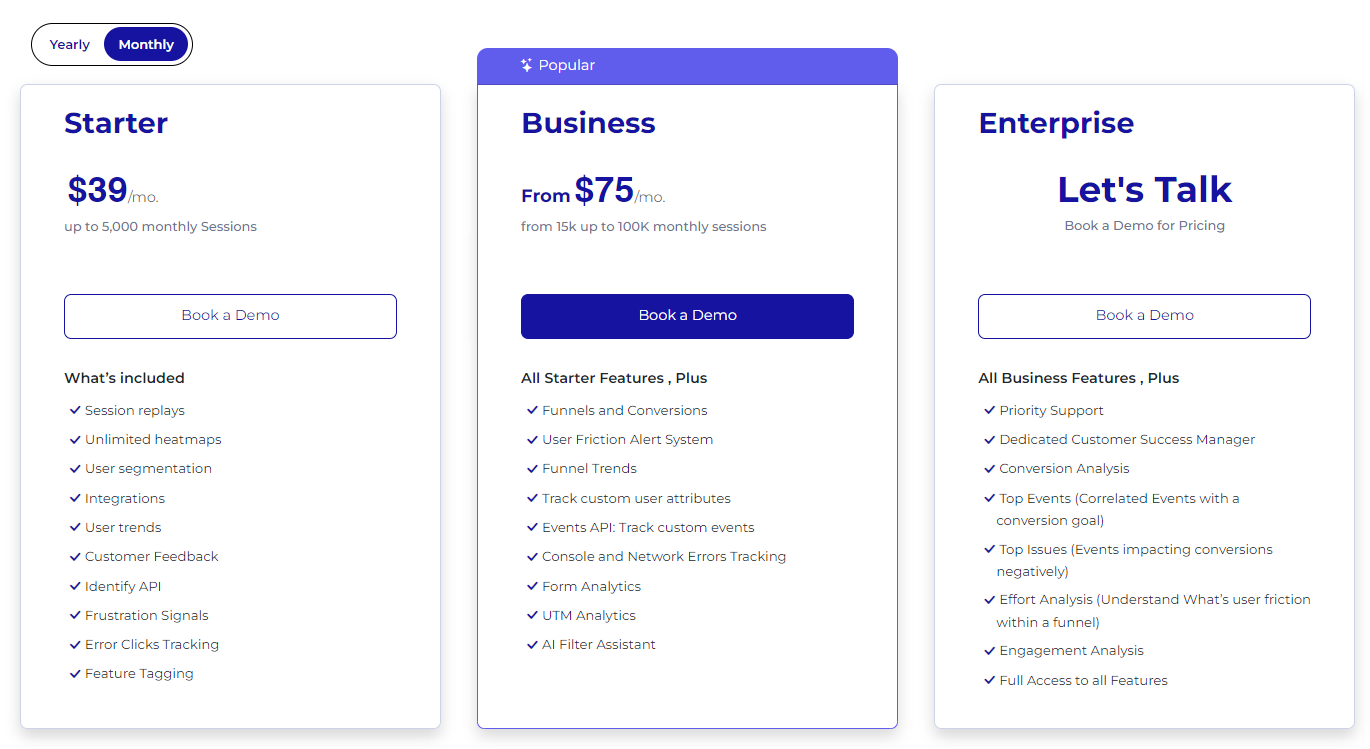
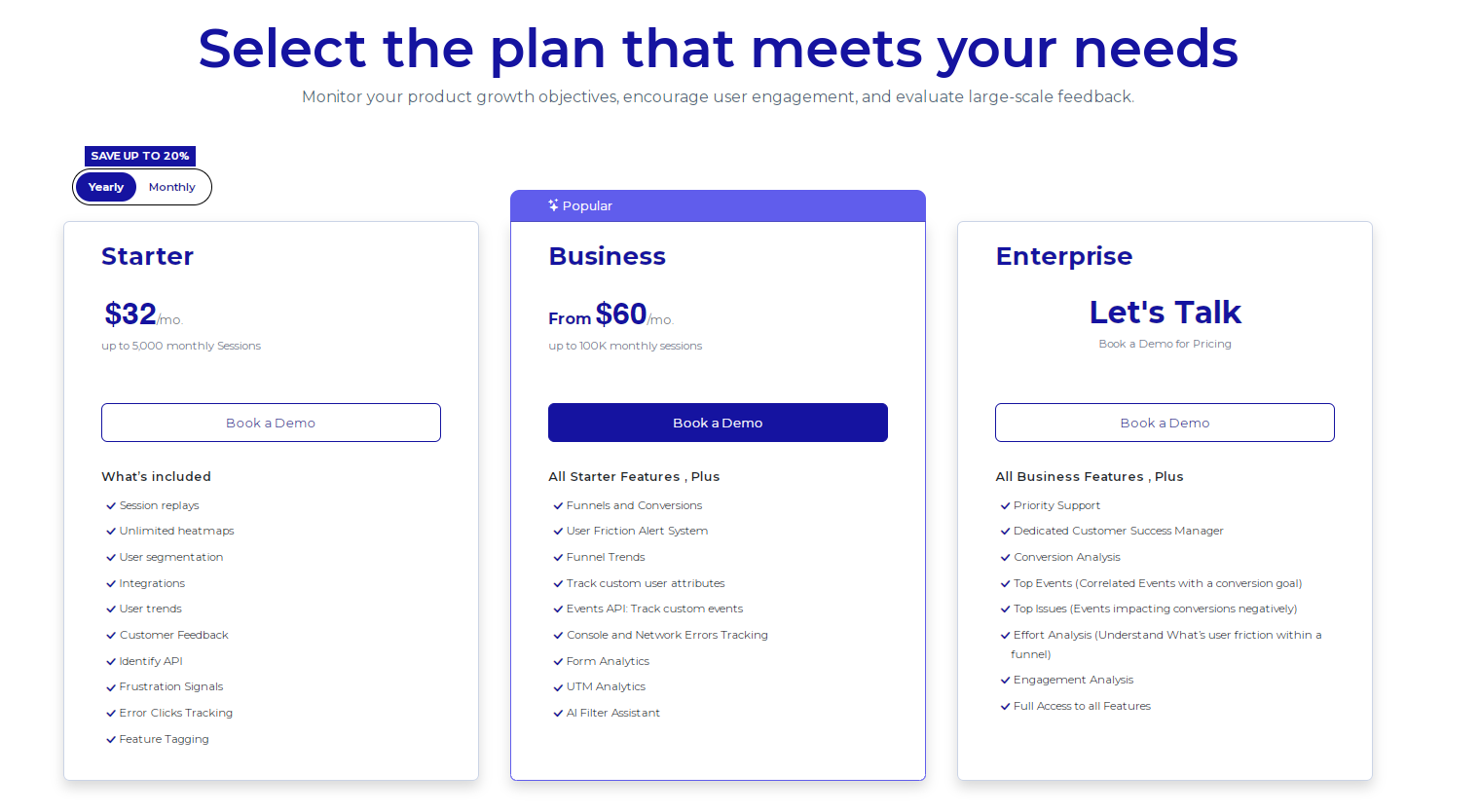
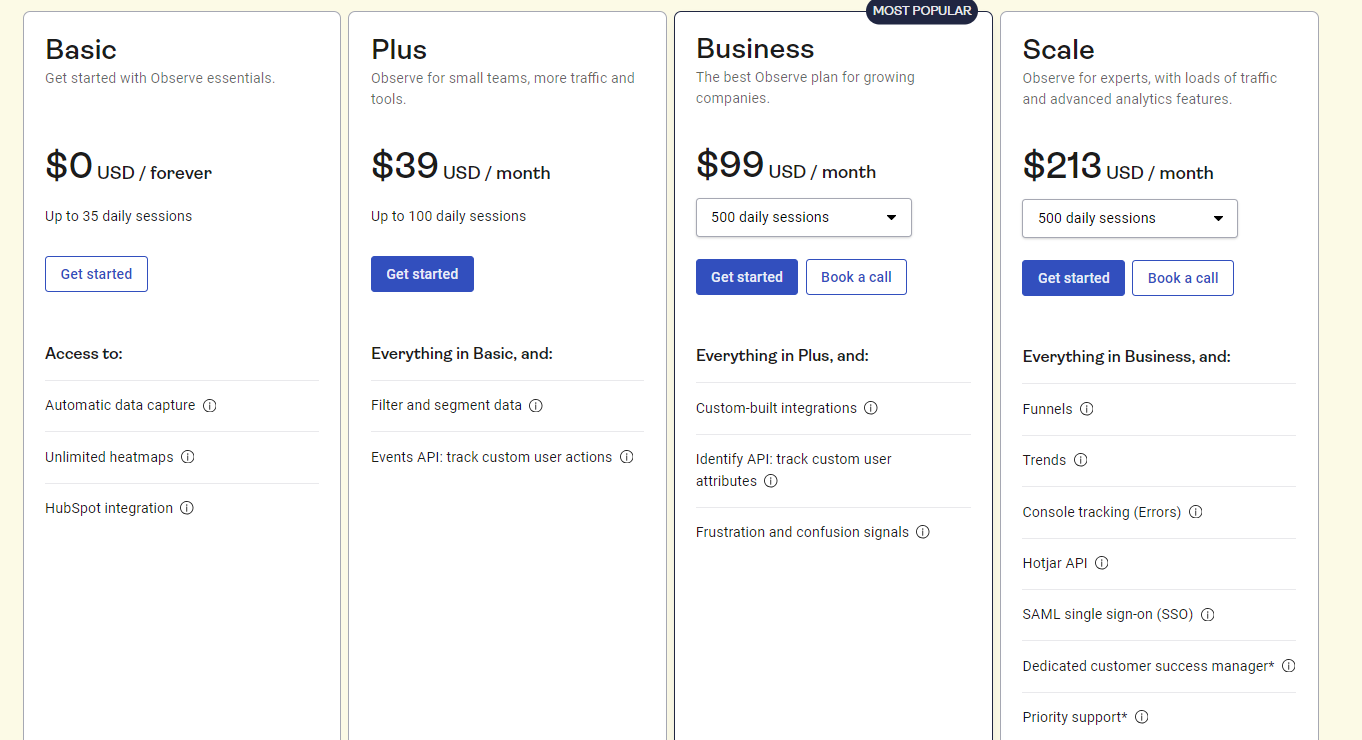
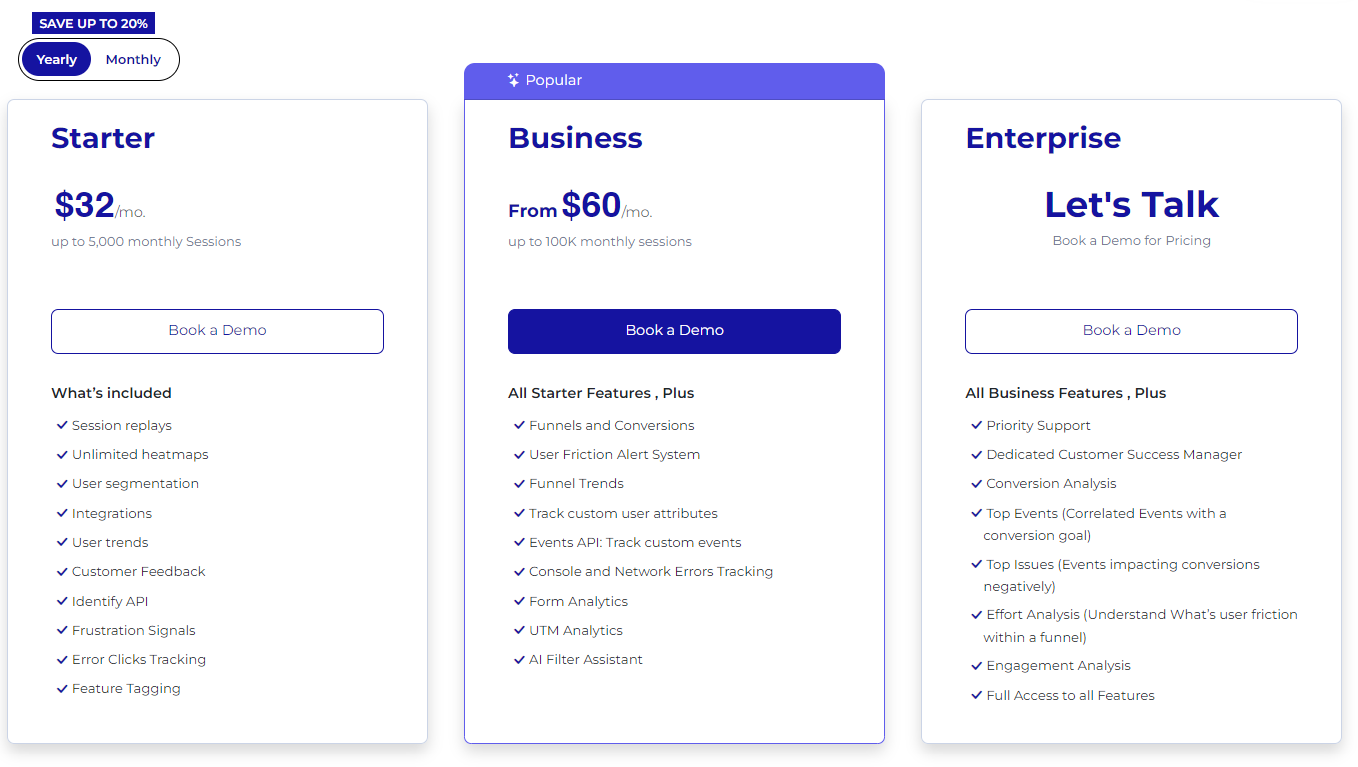
    Pricing
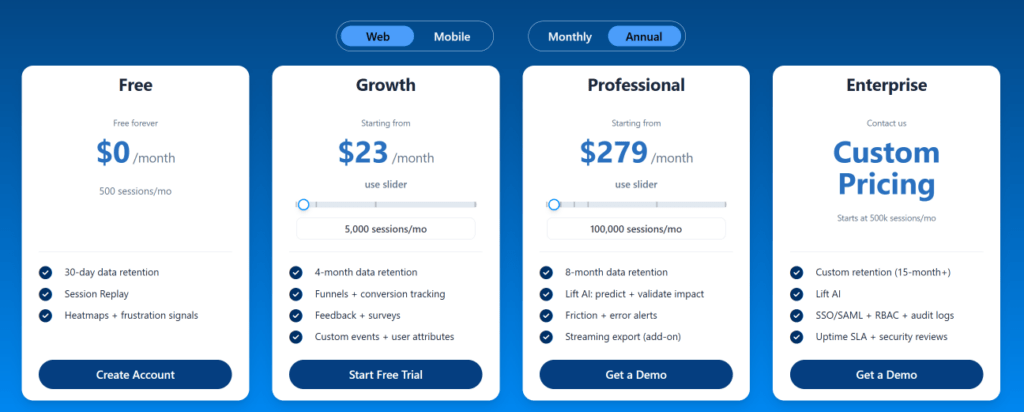
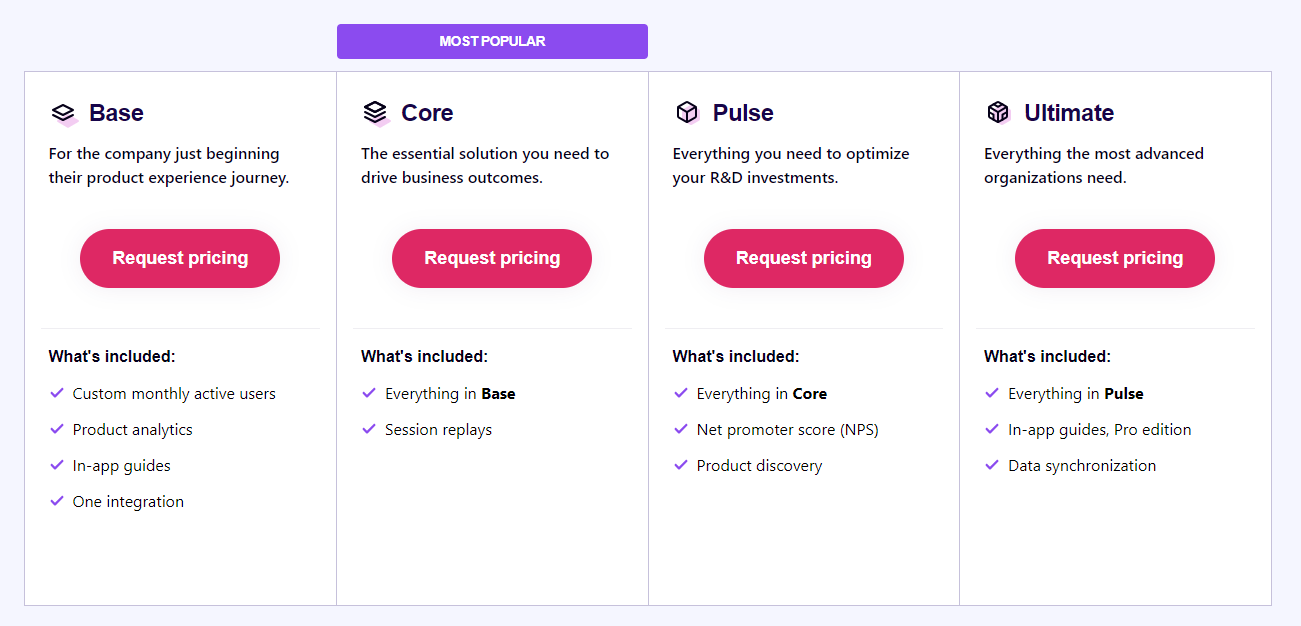
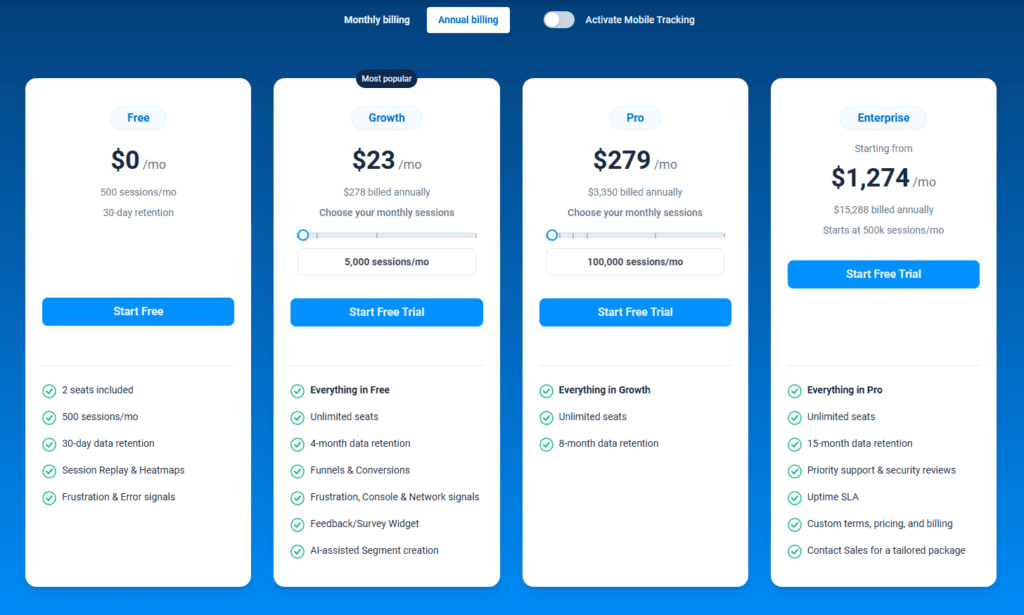
    Fullsession-Pricing

    Pros

    1. Track dynamic elements in real time for precise user insights
    2. Accelerate heatmap processing with zero impact on site speed
    3. Protect user privacy by excluding sensitive data recording
    4. Manage extensive data sets effectively and quickly reveal key insights
    5. Limit user behavior tracking to your site, preventing data misuse 
    6. Facilitate cross-team collaboration and unify team efforts on one platform

    Cons

    • FullSession doesn’t work with mobile apps

    Transform Digital Experiences With FullSession

    Learn how to visualize, analyze, and optimize your site with FullSession.

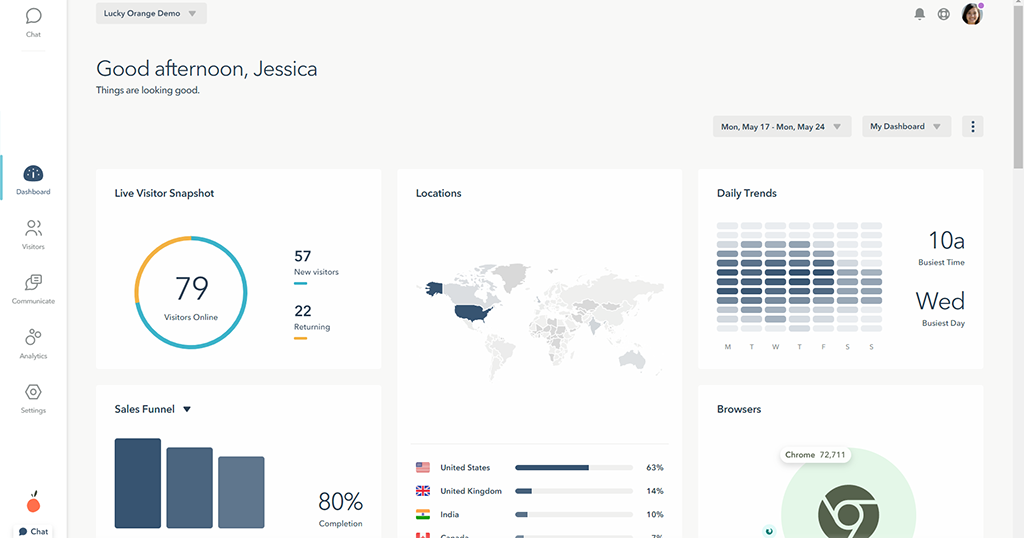
    2. LiveSession
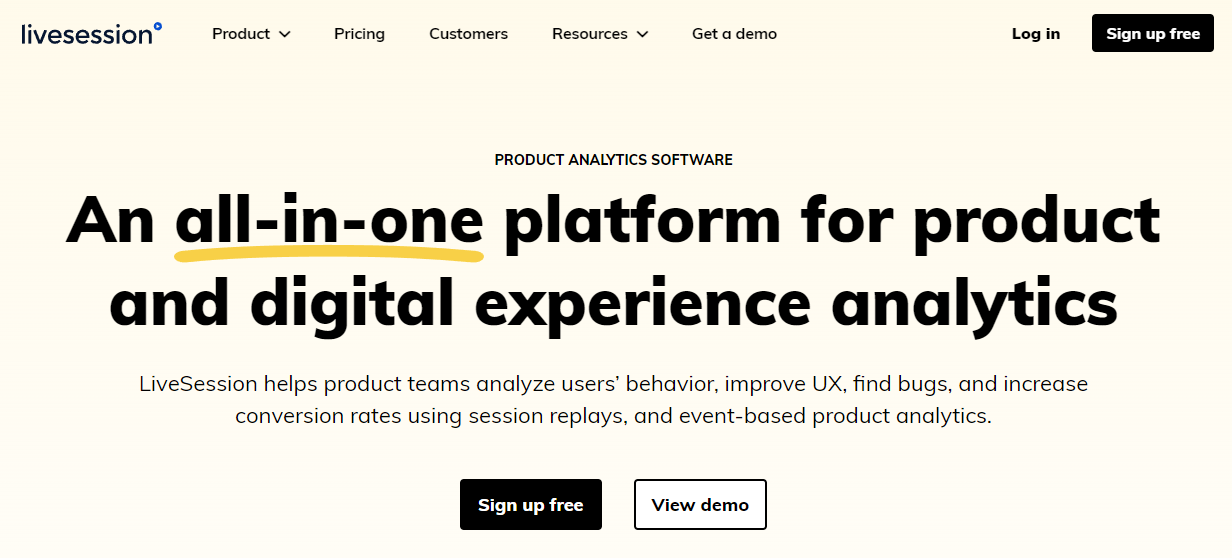
    LiveSession product and digital experience analytics platform

    LiveSession is a product and digital experience analytics platform that helps product teams analyze user behavior and get insights into user interactions with their apps and websites to improve customer experience, identify bugs, and improve conversion rates.

    User rating

    According to Capterra, LiveSession scores 4.6 out of 5 based on 28 reviews.

    Best for

    LiveSession suits ecommerce brands, UX designers, product managers, and development teams looking for rapid bug detection and product iteration.

    Supported platforms

    LiveSession works with both web and mobile platforms.

    Key features

    • Session recording: Capture user interactions on your website or app to analyze behavior and improve user experience.
    • Engagement score: Automatically highlight the most important sessions based on user activity and focus on key recordings.
    • User journey analysis: Visualize and analyze the paths users take through your site to optimize navigation and sales funnels.
    • Rage clicks and error clicks detection: Identify frustration points and JavaScript errors automatically to address urgent issues quickly.
    • Element interaction tracking: Select specific elements on your site to see how users interact with them, helping in A/B testing and UX evaluation.
    • Data privacy compliance: Ensure user data protection with GDPR and CCPA compliance, including options to anonymize sensitive information.

    Integrations

    LiveSession integrates with diverse third-party tools, such as Intercom, LiveChat, Drift, Segment and Zendesk. You can also connect it with Shopify and BigCommerce.

    Customer support

    LiveSession offers support via email, tickets, live chat, and a knowledge base.

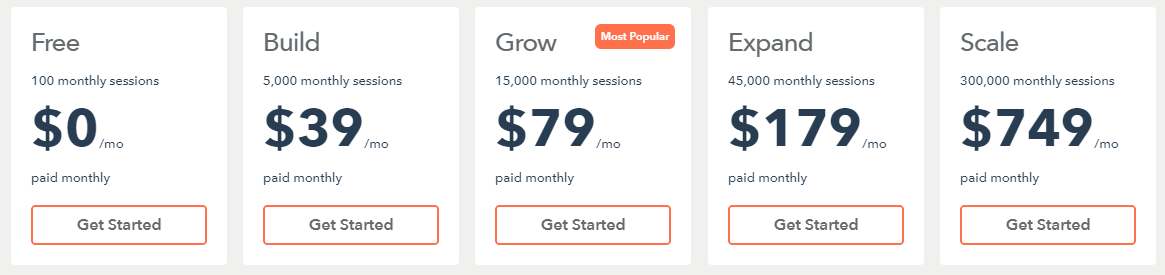
    Pricing
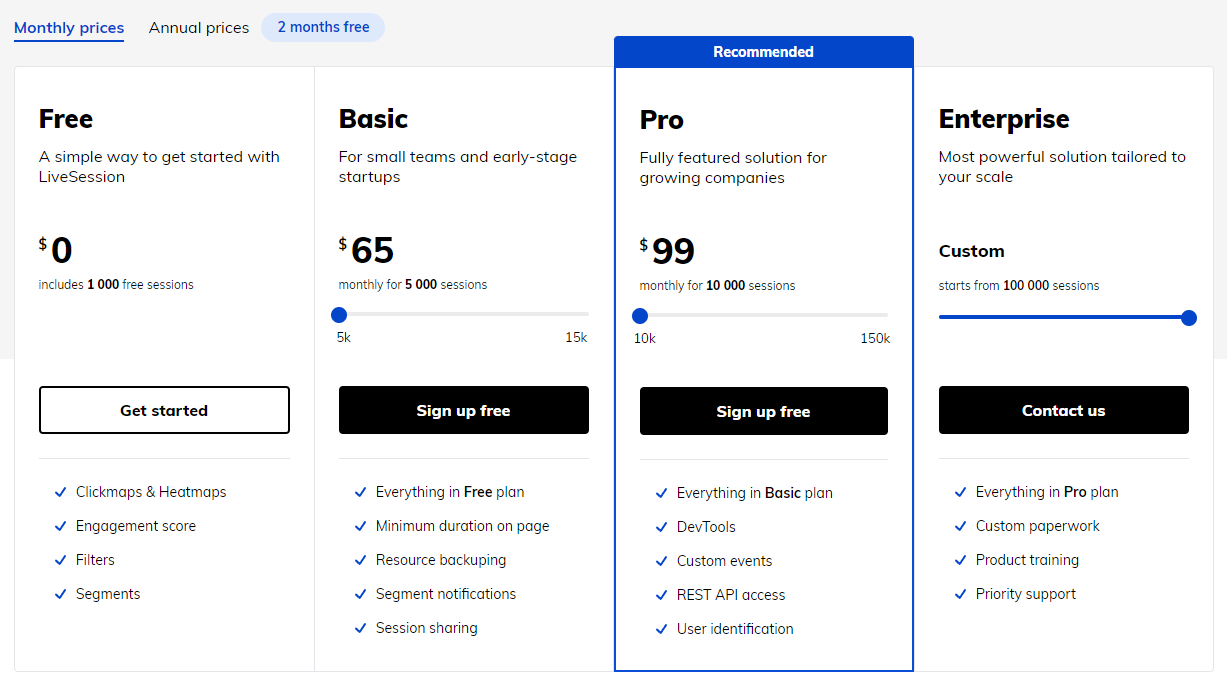
    LiveSession pricing

    LiveSession provides a free plan with basic features and three paid plans with advanced features and pricing based on the number of monthly sessions.

    The Basic plan for small teams and early-stage startups starts at $65 monthly for 5,000 sessions.

    Pros

    • Good customer support
    • Clean and modern interface
    • Easy to deploy 

    Cons

    • You can’t track user activities in real-time
    • You can’t skip recordings with no user activity
    • The technical documentation could be improved

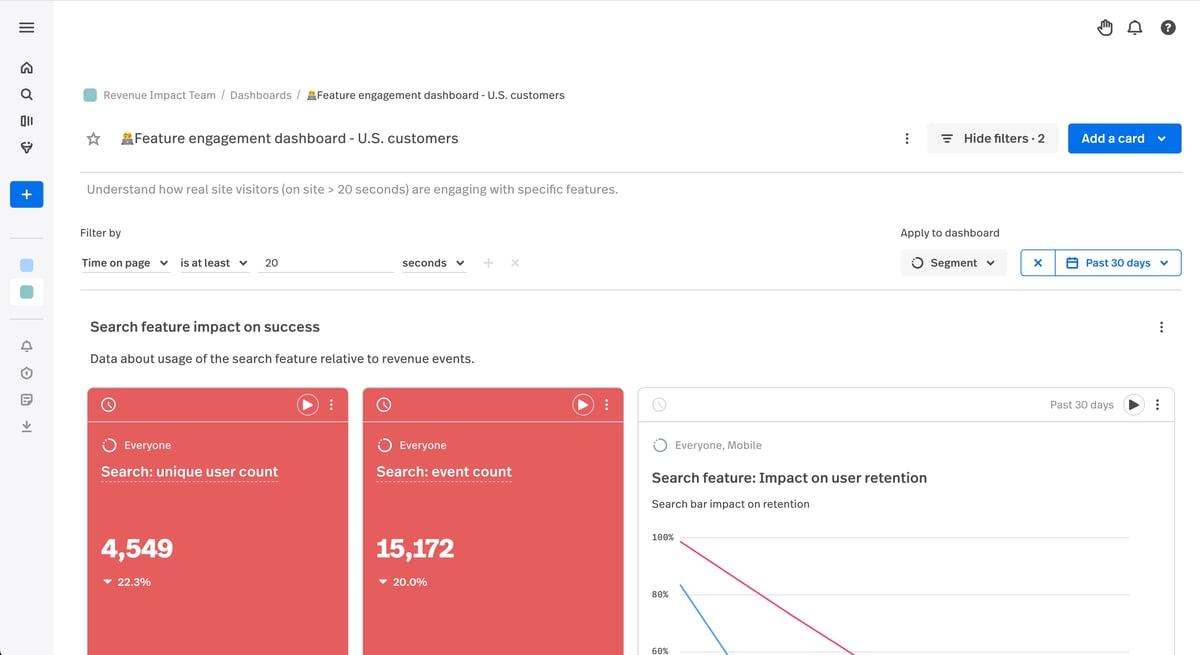
    3. Inspectlet
    Inspectlet product analytics tool

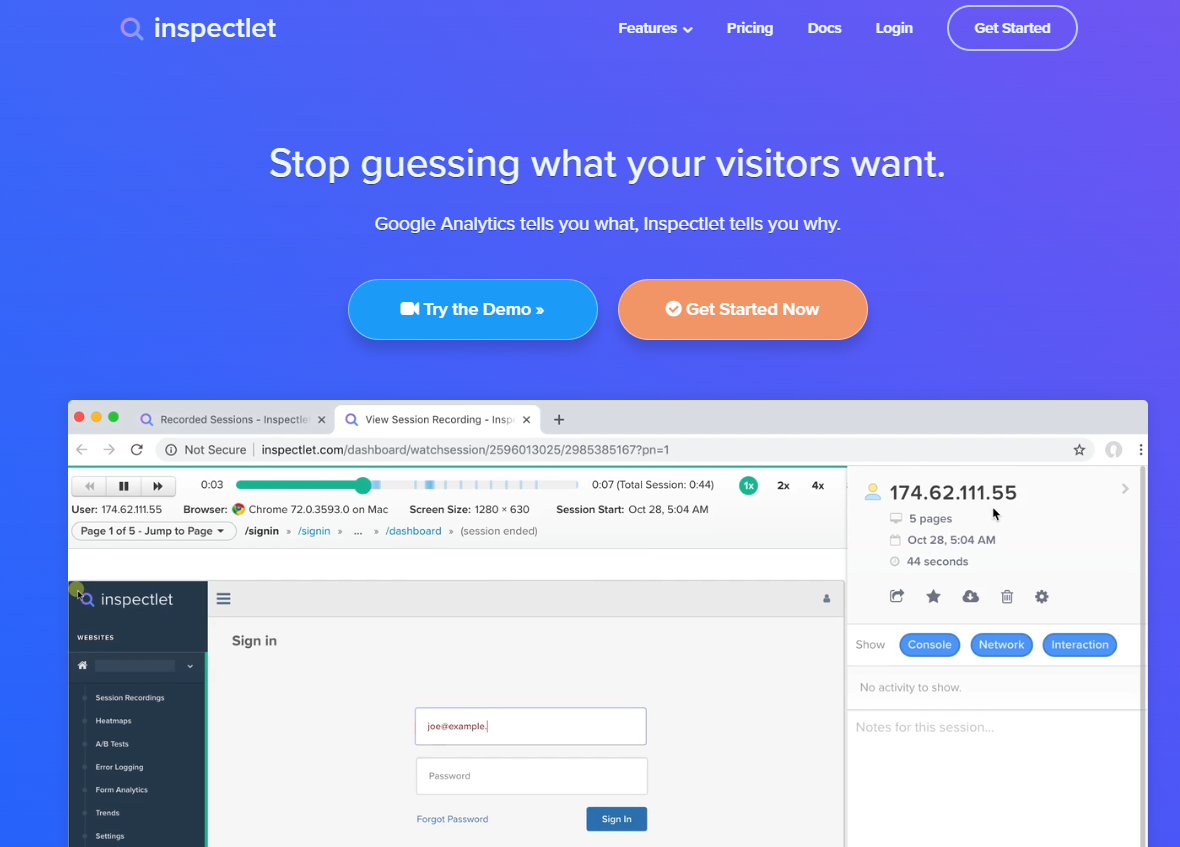
    Inspectlet is a product analytics tool that helps companies understand user behavior and see how users engage with their website. It provides insights through session recordings, heatmaps, and form analytics, enabling product teams to evaluate the user journey and boost their growth metrics.

    Learn more: Hotjar vs Inspectlet.

    User rating

    According to Capterra, Inspectlet scores 4 out of 5 based on 30 reviews.

    Best for

    Inspectlet is a good option for e-commerce brands, marketing and product teams.

    Supported platforms

    Inspectlet focuses on web analytics and session recording for websites.

    Key features

    • Session recording: Regularly review session recordings to identify user pain points and improve navigation.
    • Heatmaps: Analyze heatmaps to understand user engagement and reposition key elements for better visibility.
    • Form analytics: Assess form interactions to identify drop-off points and conduct A/B testing for optimization.
    • User feedback: Implement user feedback surveys to gather insights and make data-driven improvements.
    • Conversion funnels: Set up and monitor conversion funnels to pinpoint drop-off areas and optimize user journeys.
    • Segmentation: Create user segments based on behavior to tailor marketing strategies and improve engagement.

    Integrations

    Inspectlet integrates with platforms like HubSpot, Google Tag Manager, and Squarespace.

    Customer support

    You can contact Inspectlet via email and live chat or visit their knowledge base.

    Pricing
    Inspectlet pricing

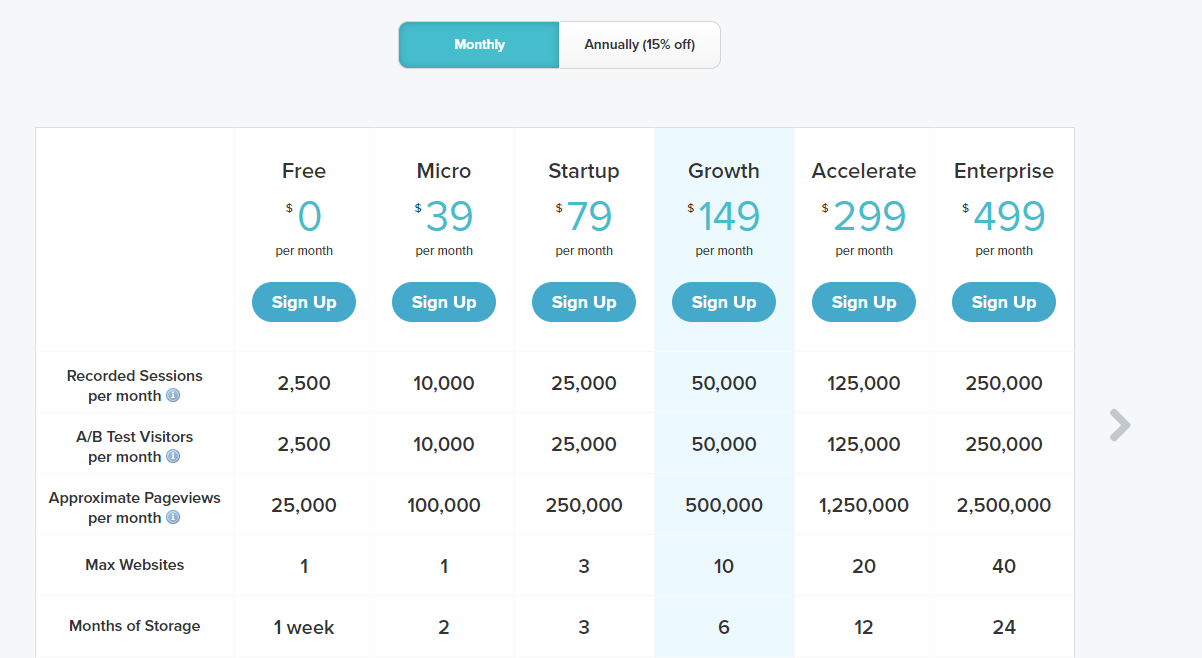
    Inspectlet offers a free plan with basic features and five paid plans, each based on the number of recorded sessions, A/B tests, and page views.

    Each plan limits the number of sites you can connect to and the duration of data storage.

    The Micro plan starts at $39 per month and allows 10,000 session recordings, A/B tests, and 100,000 pageviews for one website and two months of data storage.

    Pros

    • User-friendly and easy to implement
    • The session recordings and analytics features are reliable

    Cons

    • Issues with customer support
    • The search filter occasionally doesn’t work properly
    • It can be expensive if you have more than one website

    4. CrazyEgg
    Crazy Egg is a UX testing tool that helps businesses understand web and mobile experiences through visual data representation. It provides insights into how visitors interact with web pages, enabling companies to optimize their sites for better engagement and conversion rates.

    Learn more:

    User rating

    According to Capterra, it scores 4.4 out of 5 based on 84 reviews.

    Best for

    Crazy Egg suits small businesses, digital marketing agencies, e-commerce brands and educational businesses.

    Supported platforms

    Crazy Egg supports web browsers, mobile websites and progressive web applications.

    Key features

    • Heatmaps: Get visual representations of user clicks and interactions.
    • User session recordings: Capture user interactions for detailed analysis.
    • A/B testing: Compare different web page versions to determine which performs better.
    • Traffic analysis: Gain insights into traffic sources to compare channel performance.
    • Error tracking: Identify and prioritize website errors for efficient troubleshooting.
    • Conversion tracking: Track user actions to evaluate conversion strategies.
    • Surveys: Create on-site surveys to collect direct user feedback and improve site functionality.

    Integrations

    Crazy Egg integrates with platforms such as Google Analytics, WordPress, Shopify and Segment.

    Customer support

    You can contact the support team via email and live chat or visit the help center with documentation and FAQs.

    Pricing
    Crazy Egg pricing

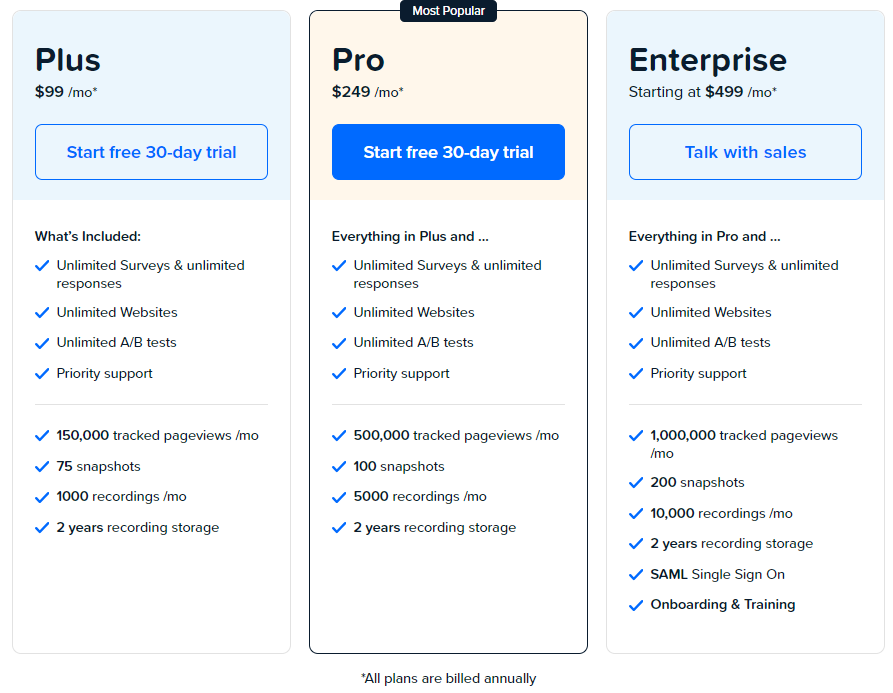
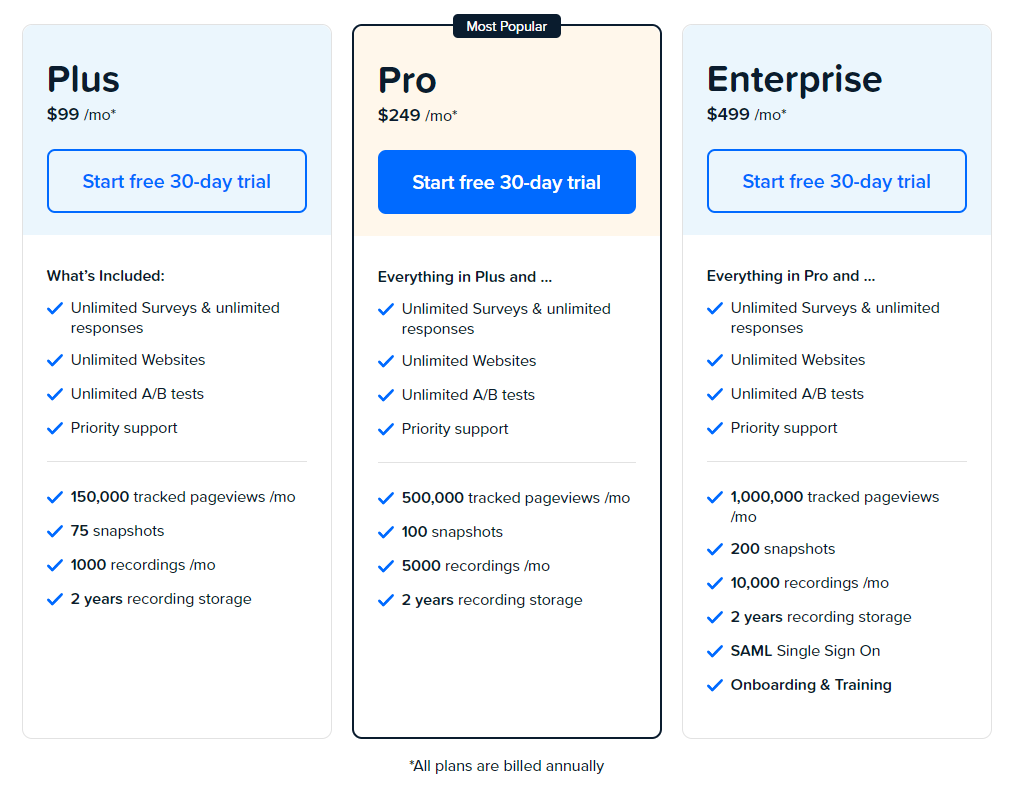
    Crazy Egg offers a free trial and three paid plans: Plus, Pro, and Enterprise.

    Each plan has specific limitations on the number of tracked pageviews, snapshots, and recordings. All plans include 2 years of recording storage.

    The Plus plan costs $99/month and includes unlimited surveys, websites, A/B tests and priority support.

    Pros

    • Easy to set up and navigate
    • Offers multiple ways to visualize user behavior.
    • Competitive rates for small businesses

    Cons

    • Limited mobile app support
    • The analysis features are less comprehensive compared to competitors

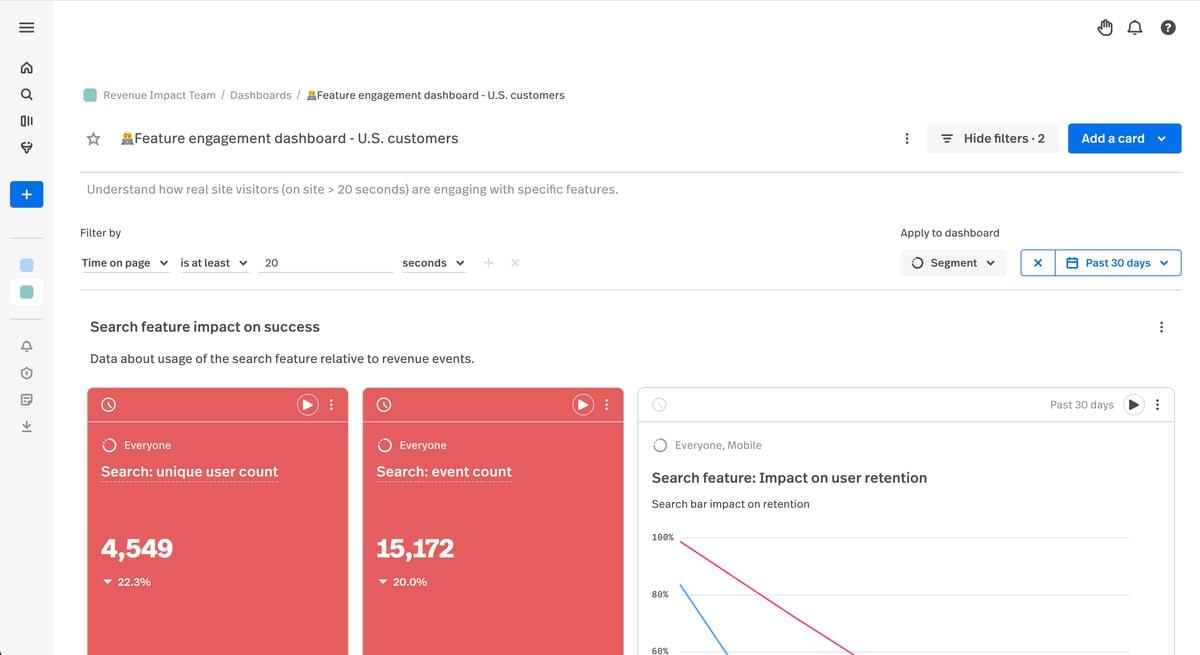
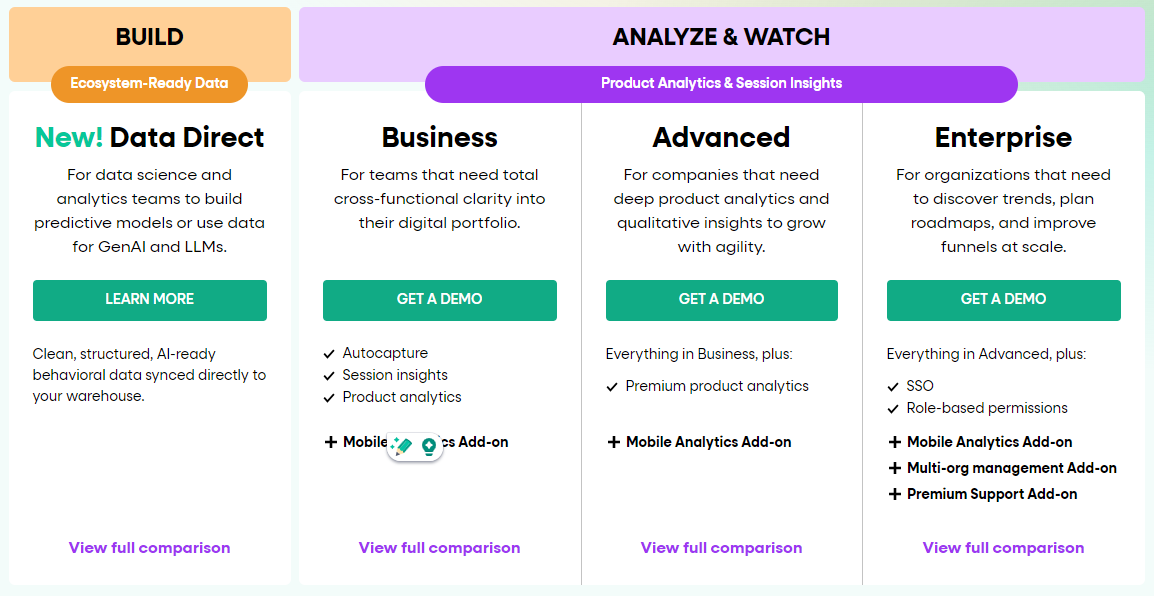
    5. Contentsquare
    Contentsquare digital experience analytics platform

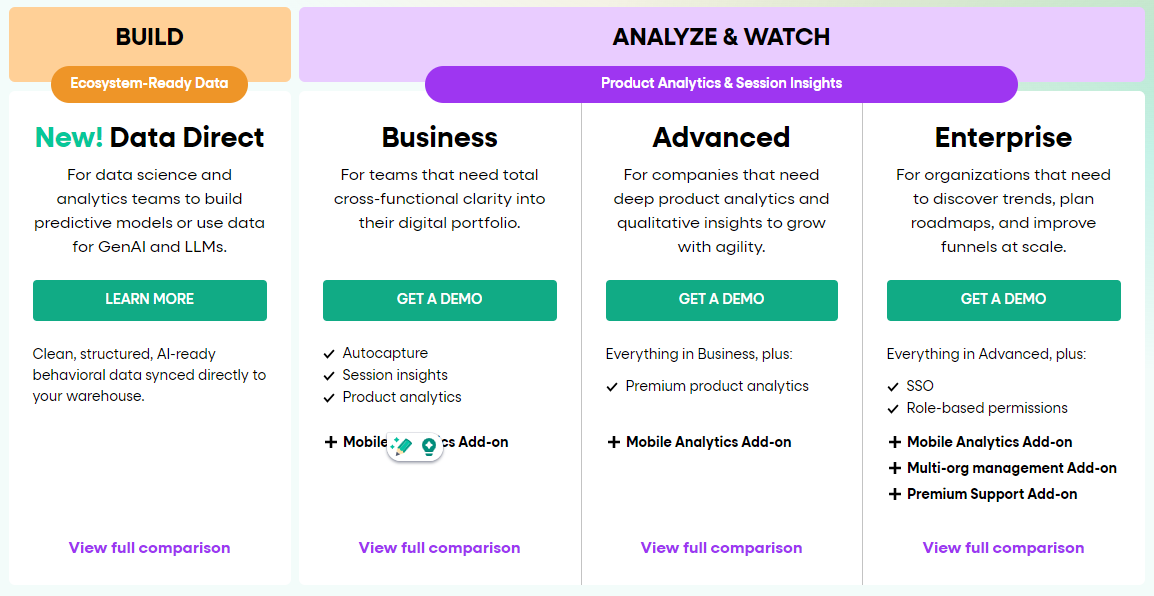
    Contentsquare is a digital experience analytics platform that lets you track customer behavior and interaction via session replays, funnel analytics and heatmap tools. You can analyze your website or mobile app to understand the “why” behind customer behavior and spot friction in the customer journey.

    Learn more: Contentsquare competitors.

    User rating

    Contentsquare scores 4.8 out of 5 based on 117 user reviews.

    Best for

    Contentsquare is good for ecommerce, telecommunication, insurance, marketing and finance companies. UX designers and product managers use Contentsquare for app analytics.

    Supported platforms

    Contentsquare supports websites, mobile and hybrid apps.

    Key features

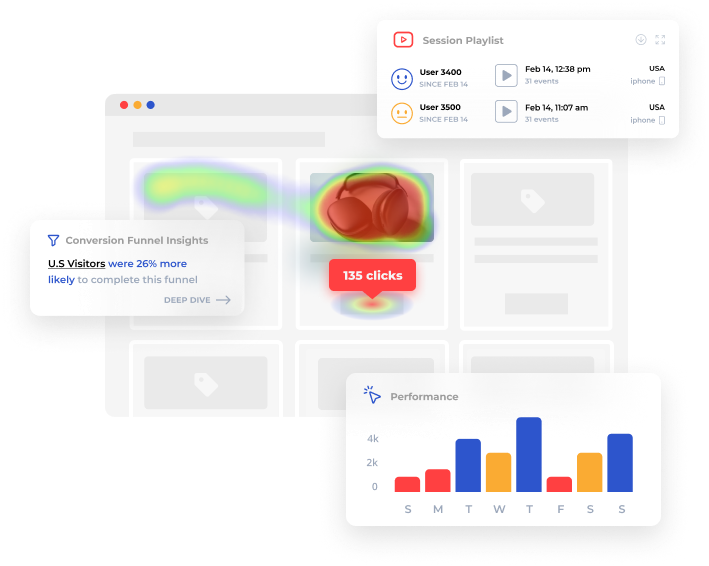
    • Zone-based heatmaps: Visualize where users click and scroll.
    • Session replay: Review user sessions to understand interactions.
    • Journey analysis: Track user paths through the site.
    • Impact quantification: Measure the effects of changes on user behavior.
    • AI insights: Utilize AI for deeper analysis of customer behaviors.

    Integrations

    Contentsquare integrates with analytics tools like Adobe Analytics, Google Analytics, and Google Analytics 360.

    Customer support

    Customer support is one area where this platform falls short. It only provides support via FAQs and knowledge base.

    Pricing

    Unlike Lucky orange, Contentsquare doesn’t provide transparent pricing on their website. You have to contact sales for a custom quote based on your analytics needs.

    Pros

    • Comprehensive analytics features that cover various aspects of user behavior
    • Strong visual representations of data that are easy to interpret

    Cons

    • Some users reported bugs and performance issues, particularly with complex data sets
    • The learning curve can be steep for new users due to the platform’s extensive features

    Lucky Orange Alternatives: Summary

    We’ve covered the features of the top five Lucky Orange alternatives. Here’s a summary table to help you compare them faster.

    ToolBest forMain strengthMain limitation
    FullSessionProduct, UX, growth, ecommerce teamsDeeper replay and behavior analysisLess relevant if you mainly want bundled chat-style CRO tools
    LiveSessionProduct and dev teamsSession insight with product-focused workflowsLess compelling for broader CRO use cases
    InspectletSmaller teams needing basic behavior insightSimple core functionalityLess differentiated than newer alternatives
    Crazy EggSMBs and agenciesEasy setup plus testing supportLess depth for advanced product analysis
    ContentsquareEnterprise organizationsBroader digital experience analyticsCustom pricing and heavier complexity

    Lucky Orange Alternatives: Our Verdict
    After a complete analysis of different solutions in the market, FullSession stands out as the best Lucky Orange alternative. Our conclusion is based on several key points that make FullSession better in terms of functionality, performance and user privacy.

    Real-time heatmap data processing

    FullSession offers real-time heatmap tracking, so you can immediately track and analyze user engagement with dynamic page elements. This reduces data processing time and allows for faster user behavior analysis.

    No performance impact

    Unlike many other solutions, FullSession does not impact your website’s performance. It maintains optimal speed and responsiveness, improving the customer experience.

    Extra security and privacy measures

    With current data privacy concerns, FullSession prioritizes user security. It doesn’t capture sensitive user information, so there’s no risk of identity theft or unauthorized access.

    Advanced data filtering and segmentation

    FullSession excels at data analysis, with advanced data filtering and segmentation tools that allow you to process large volumes of session data and make decisions faster.

    Ethical data collection

    FullSession is non intrusive in data collection. The platform doesn’t track user activity across the Internet or use data for behavioral advertising, so users trust us more.

    Lucky Orange is solid, no doubt. But if you want a fast, secure, and feature-packed solution without compromising on performance or privacy, FullSession is your best bet. It’s the whole package for businesses looking to improve their user experience game.

    Start a free trial or get a demo to learn more.

    FAQs About Lucky Orange alternatives

    What is the best Lucky Orange alternative?

    The best Lucky Orange alternative depends on your use case. FullSession is a strong pick for deeper behavior analytics, Hotjar works well for research-led workflows, Microsoft Clarity is a strong free option, Crazy Egg fits simpler CRO, and Contentsquare fits enterprise teams.

    Is there a free alternative to Lucky Orange?

    Yes. Microsoft Clarity is one of the best-known free alternatives for heatmaps and session recordings. It is often the best starting point for teams that want baseline behavior insight without paying upfront.

    What is the difference between FullSession and Lucky Orange?

    Lucky Orange is more of an all-in-one CRO suite, while FullSession is positioned more around deeper behavior analytics, replay, funnels, and cross-team analysis workflows.

    Is Hotjar better than Lucky Orange?

    Neither is universally better. Hotjar is often a stronger fit for feedback-oriented research workflows, while Lucky Orange is attractive if you want chat, forms, and other CRO features in one bundle.

    Which Lucky Orange competitor is best for small businesses?

    For small businesses, the strongest options are usually Microsoft Clarity for free insight, Crazy Egg for simpler CRO and testing, or Hotjar for familiar qualitative research. The best fit depends on whether cost, ease of use, or workflow depth matters most.

    When should you switch from Lucky Orange?

    You should consider switching when your team needs deeper analysis, better cross-team workflows, stronger privacy controls, a more scalable pricing fit, or a tool aligned to product and UX decision-making rather than simple visibility.

  • 5 Best Event Tracking Tools to Maximize Conversions

    5 Best Event Tracking Tools to Maximize Conversions

    Event tracking tools help you monitor and analyze user interactions on your digital platforms, providing key data to boost engagement and conversions.

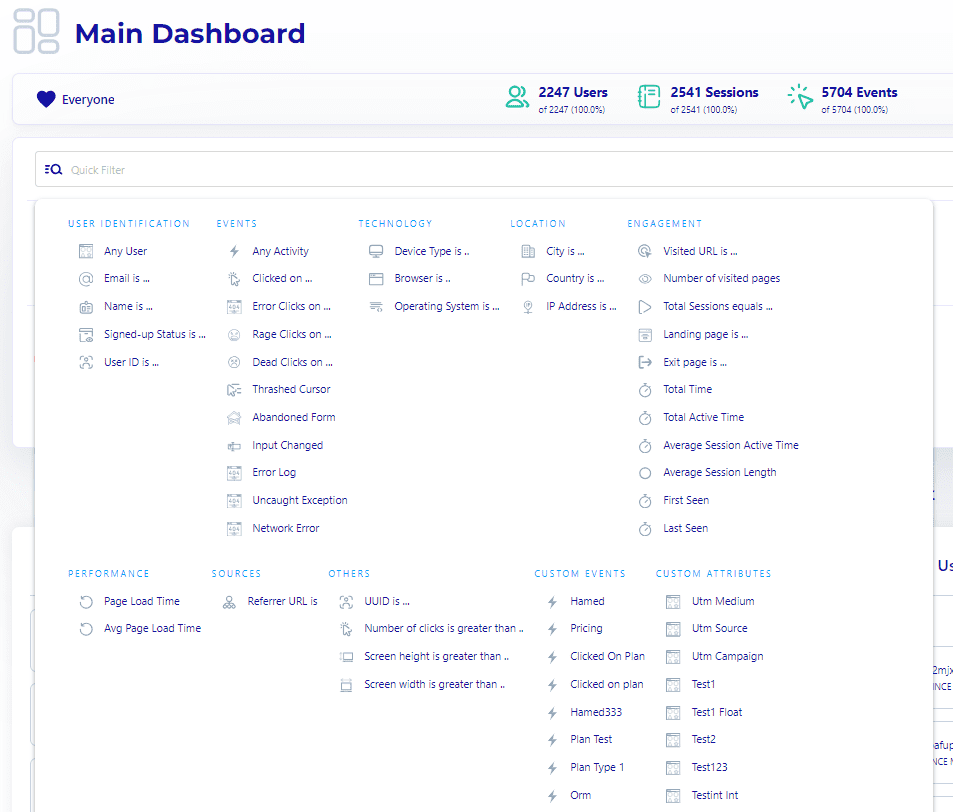
    For example, FullSession offers an all-in-one user behavior analytics platform with advanced event-filtering options to give you a holistic view of user engagement throughout the customer journey, help you find critical insights faster and optimize your website interface, experience and performance in days, not months.

    Start a free trial to see how it works in real time.

    Event tracking solutions help you make informed decisions based on actual user behavior rather than assumptions. However, the challenge lies in finding a solution that balances powerful analytics with ease of use and affordable pricing.

    In this article, you’ll discover the best event-tracking tools available and how they can transform your approach to user behavior analysis.

    Key Takeaways

    • FullSession is a user behavior analytics software that provides visual insights to help you optimize your website for better performance. It includes session recordings and replays, interactive heatmaps, feedback widgets, conversion funnel analysis, and error tracking. FullSession is fully compliant with GDPR, CCPA, and PCI standards. Integration is seamless with platforms like Shopify, WordPress, Wix, and BigCommerce.Pricing starts at $39/month, with a 20% discount for annual plans.Book a demo now.
    • Mixpanel is a product analytics platform that tracks user interactions and helps increase their engagement. Key features include event tracking, funnel analysis, cohort analysis, A/B testing and real-time analytics. Mixpanel’s biggest drawback is the steeper learning curve for beginners and the higher cost for advanced features. It integrates with Salesforce, Segment and APIs for custom data workflows. Pricing starts at $24/month.
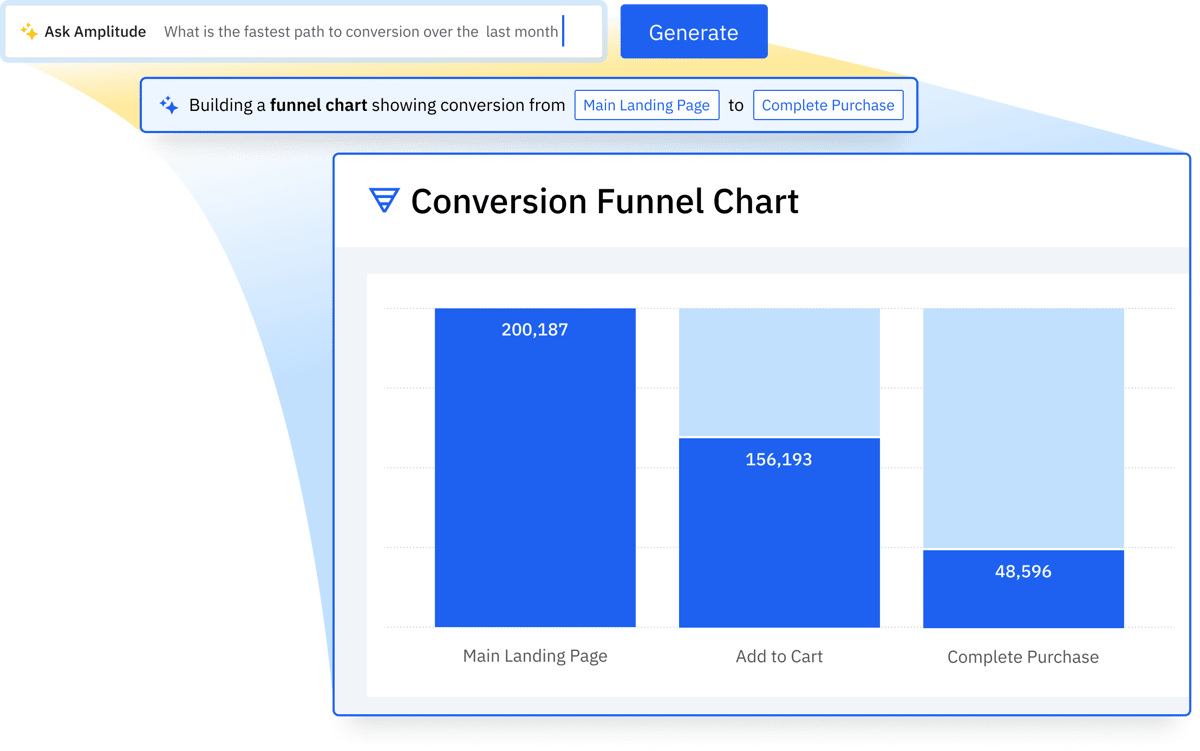
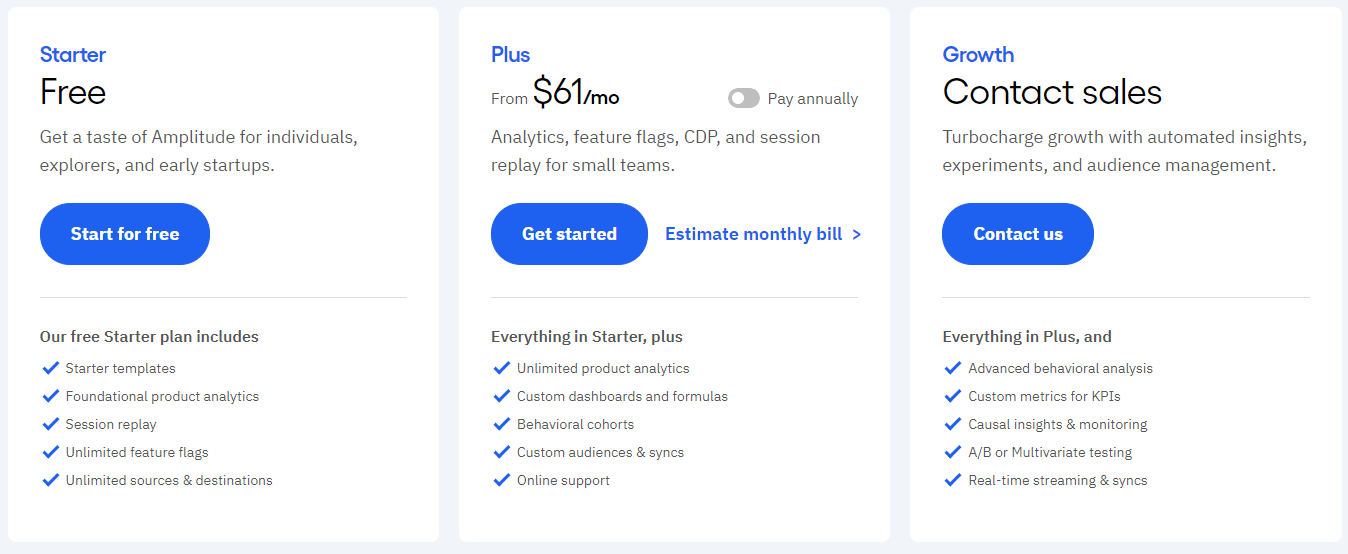
    • Amplitude is a behavioral analytics tool that helps businesses understand user engagement and optimize their product experiences. It has funnel, cohort and retention analysis, data visualization and robust product analytics. Higher pricing may be a challenge for small businesses. The free plan has limited features. Amplitude integrates with Salesforce, HubSpot, Segment, and custom APIs. Pricing starts at $61/month.
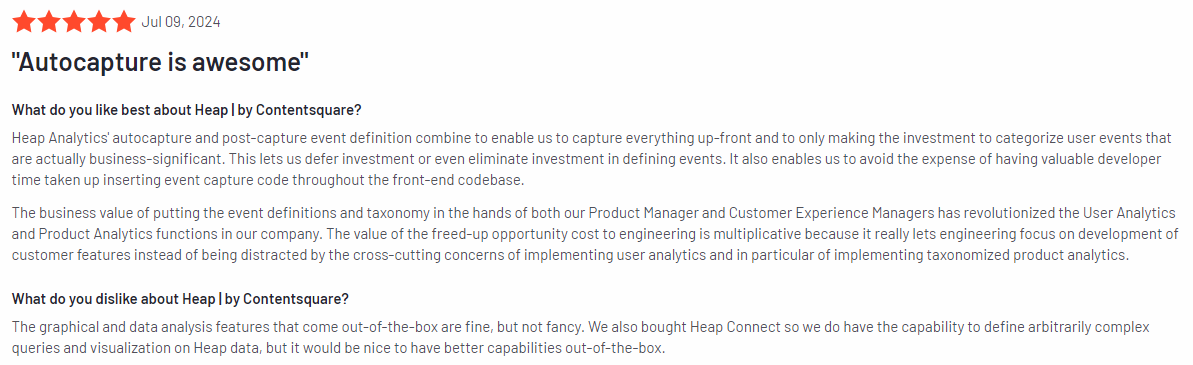
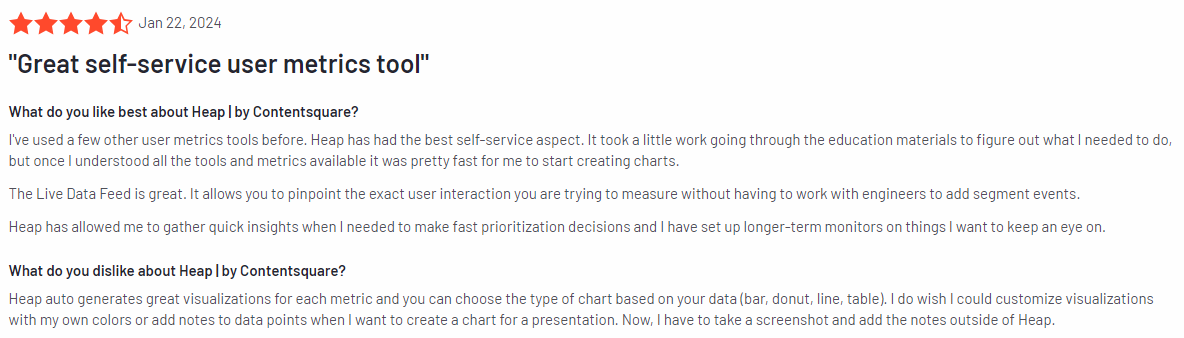
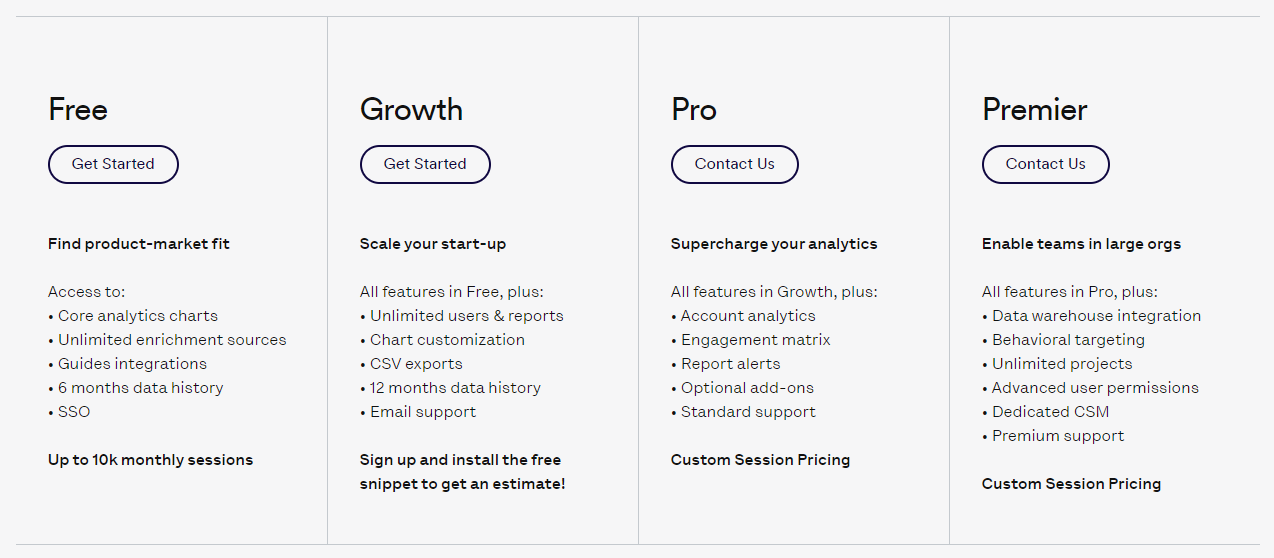
    • Heap is a product analytics tool that automatically tracks all user interactions on websites and apps. It provides event tracking, user journey mapping, funnel analysis and data visualization features. Heap has limited customization options for reporting and a high learning curve for advanced features. It integrates Salesforce, Marketo, HubSpot, and Segment. It provides custom pricing upon contact.
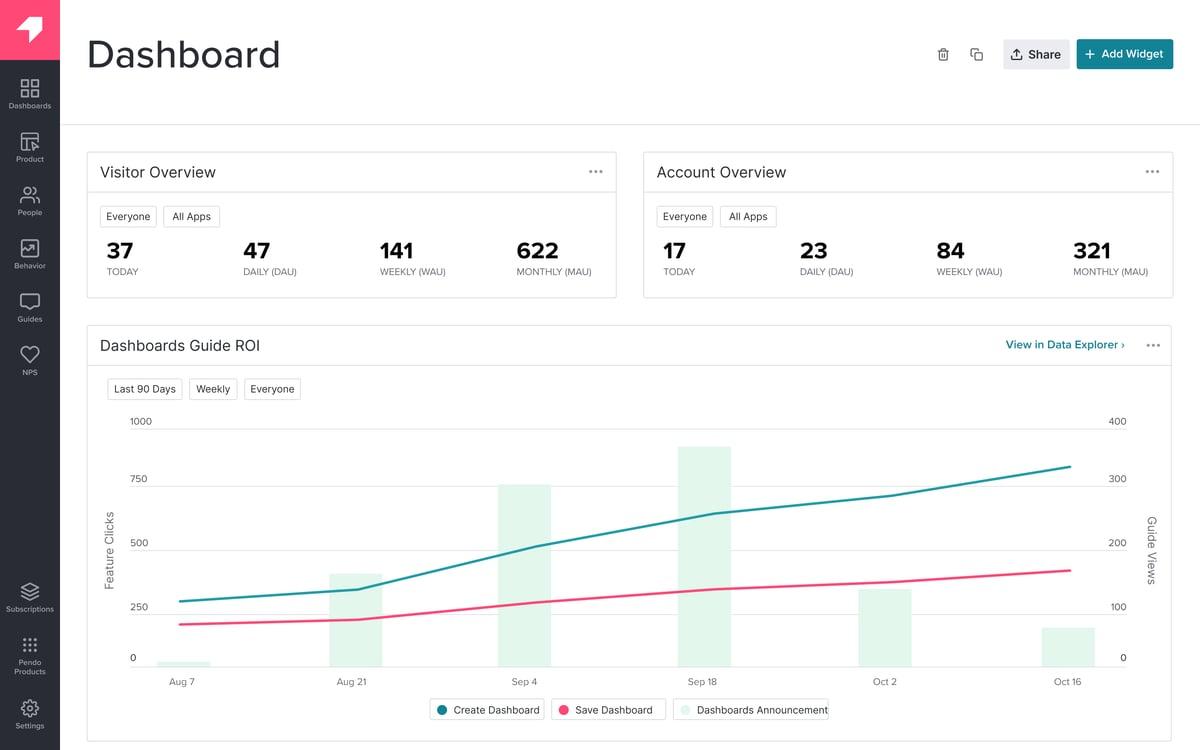
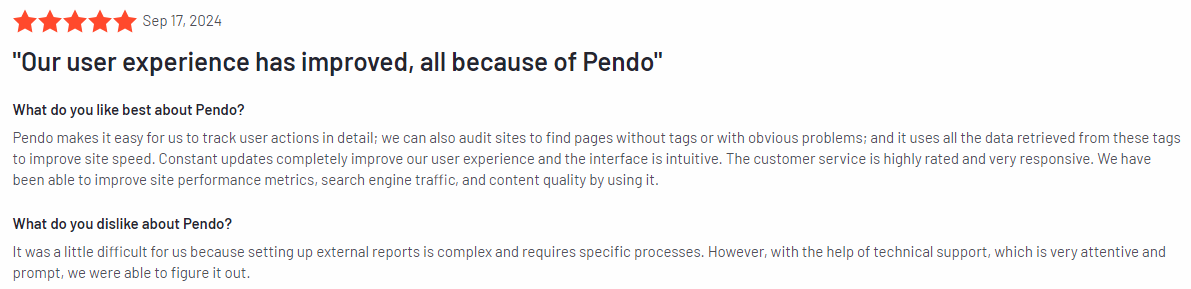
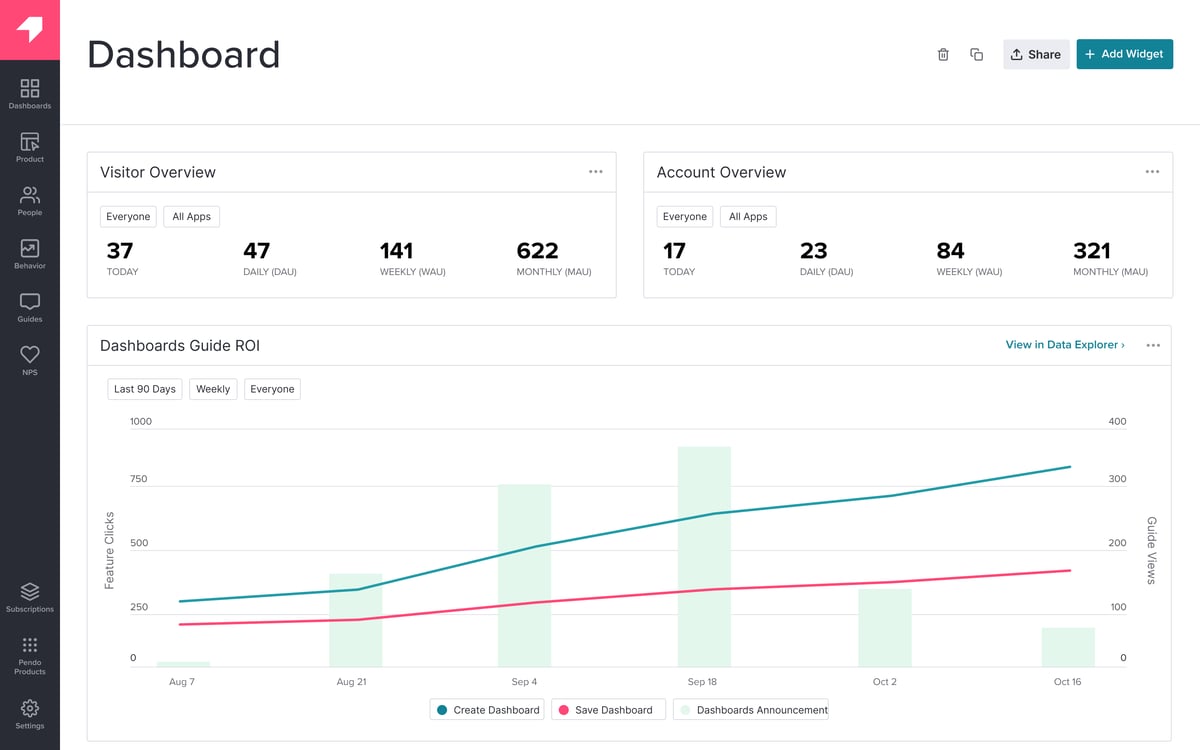
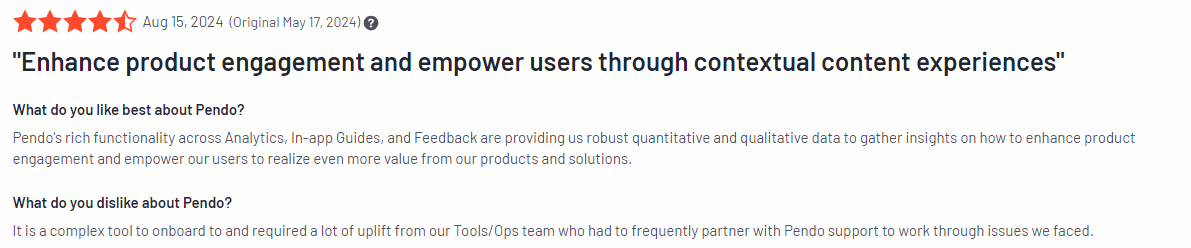
    • Pendo is a product experience platform that provides product analytics, in-app guides, user feedback collection, roadmap visualization and NPS surveys. Pendo can be expensive for startups, and in-app messaging customization is limited. Integrates with Salesforce, HubSpot, Zendesk, Slack and Jira. Pendo has custom pricing for enterprises.

    Start a Free Trial to Experience FullSession

    Capture all user interactions, spot trends and patterns and drive improvements without compromising your website performance.

    Five Best Event Tracking Tools Right Now

    If you’re looking for the right software to capture and analyze event tracking data, here are your best options:

    1. FullSession (Get a demo)
    2. Mixpanel
    3. Amplitude
    4. Heap
    5. Pendo

    Here’s a review of each event tracking tool.

    1. FullSession

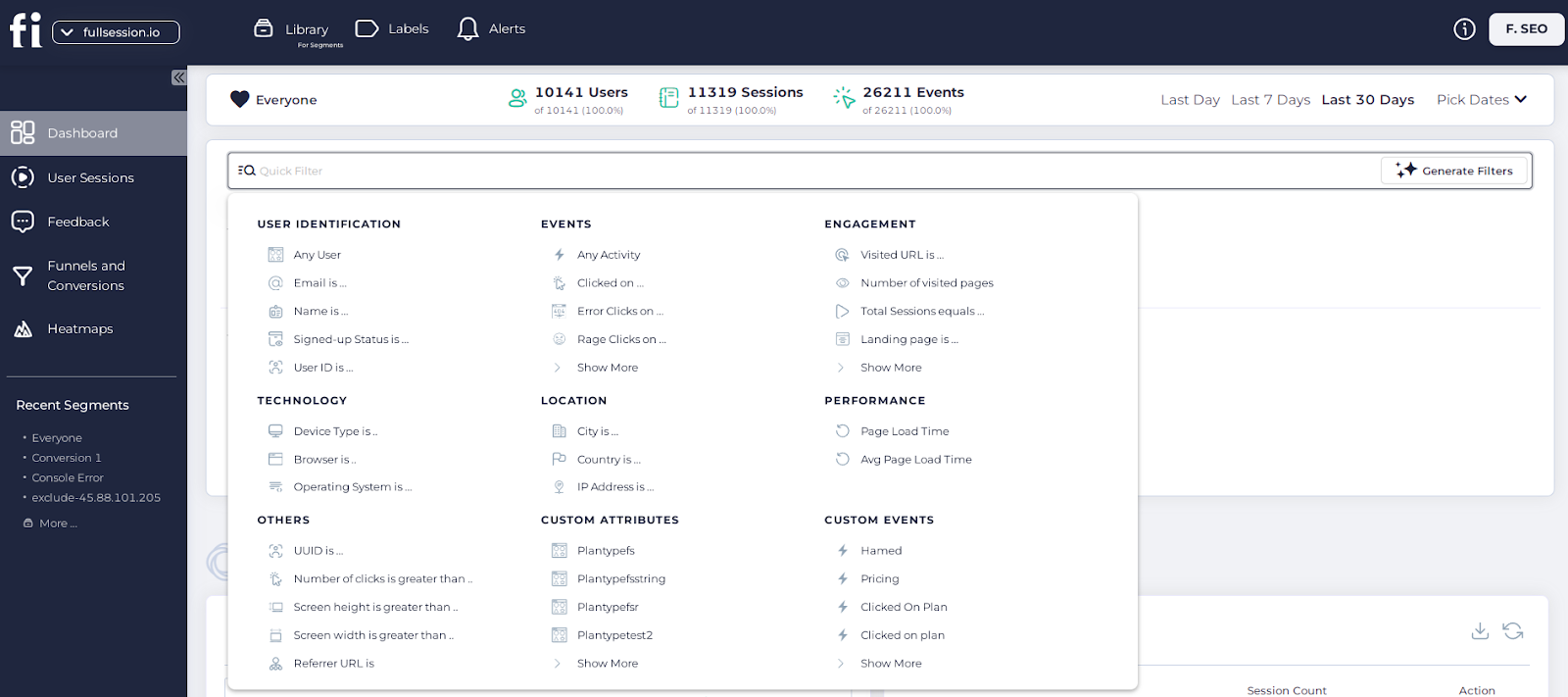
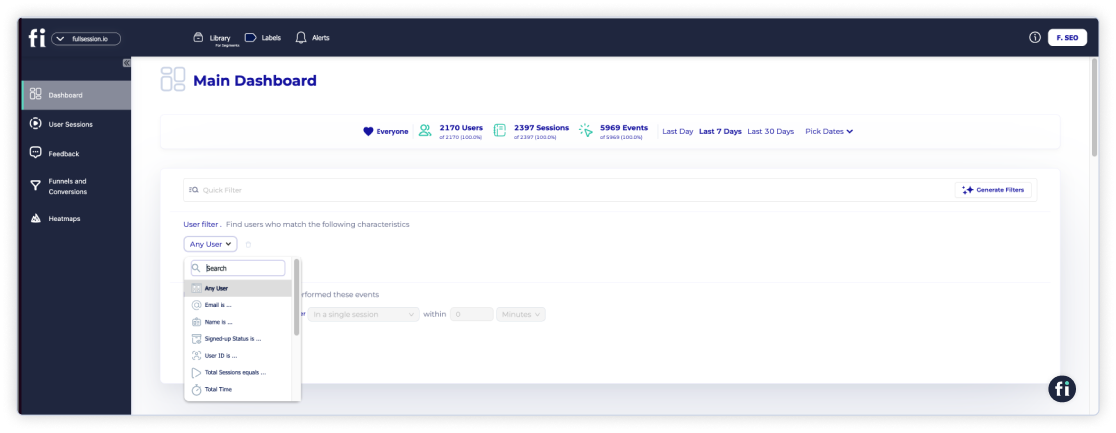
    event filtering options

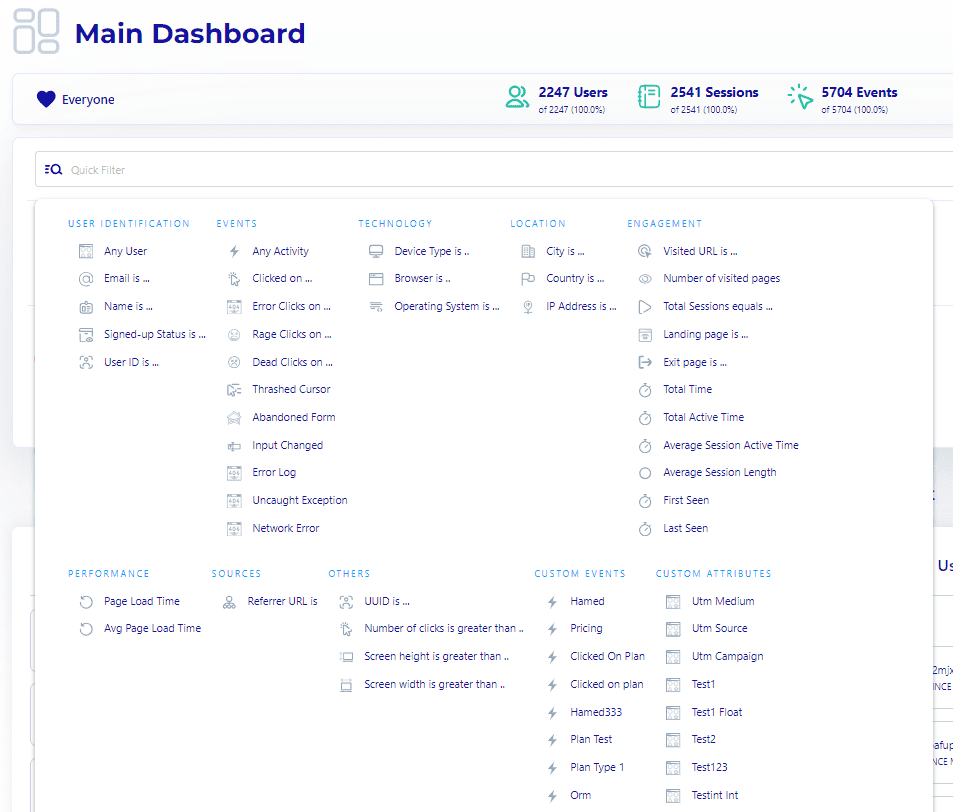
    With FullSession user behavior analytics software, you can visualize all user engagement, analyze trends and patterns with laser precision and optimize your website for peak performance.

    FullSession enables real-time data capture, allowing you to observe user interactions as they happen and get visual insights to decode key metrics faster. This immediate feedback loop facilitates quick responses to user actions and supports timely personalization efforts.

    You can track user engagement, system, and custom events based on your needs.

    It helps you discover issues in the user journey to inform product development, sales and marketing strategies and improve user satisfaction.

    Book a demo now.

    Best for

    FullSession is ideal for:

    • E-commerce businesses
    • SaaS companies
    • Digital marketers
    • UX designers
    • Data analysts
    • Quality assurance teams
    • Product development teams
    • Customer support teams
    • Customer experience professionals

    Key features

    • Advanced user and event segmentation: Categorize website users based on diverse criteria. Identify behavior trends, patterns and correlations to optimize user journeys, and improve engagement and conversion rates.
    • Session recordings and replays: Capture every interaction and find website issues by watching session replays, excluding sensitive data to protect user privacy.
    • Interactive heatmaps: Instantly access heatmap data showing mouse movements, clicks, and scrolls without affecting website performance.
    • Website feedback forms and reports: Create a customized in-app feedback form to get customer input and connect each response with a session recording to see what happened during their visit.
    • Conversion and funnel optimization: Detect where users drop off in the conversion process and experiment with layout or content changes to boost their interaction and increase conversion rate.
    • Error analysis: Automatically identify and troubleshoot issues like JavaScript errors and network problems to improve user experience.

    Supported platforms

    FullSession supports tracking user behavior on web-based platforms. It also captures sessions on mobile devices.

    Integrations

    FullSession integrates with your entire tech stack, including Shopify, WordPress, Wix, and BigCommerce. For smooth data flow, you have APIs, webhooks, Zapier and native integrations at your disposal.

    Customer support

    FullSession offers live chat, email support, and a help center to assist users in resolving issues.

    Pricing

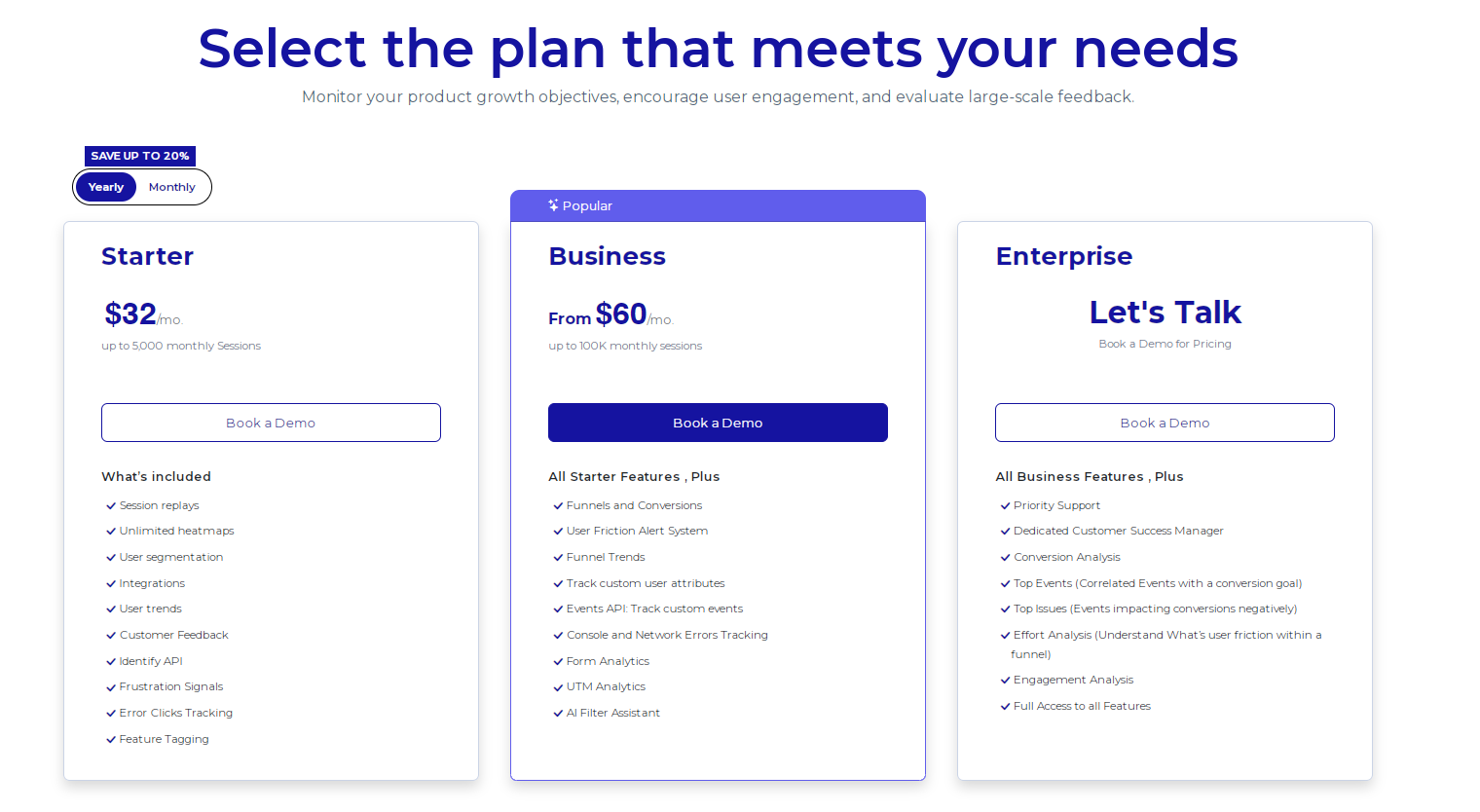
    FullSession offers a free trial and three paid plans – Starter, Business, and Enterprise. This flexible structure allows you to choose a plan that aligns with your current needs and scale up as your business grows, ensuring you only invest in the required features.

    The Starter plan, priced at $39/month, provides key features, including unlimited website heatmap tools and the capability to record up to 5,000 sessions per month. It makes it an economical choice for businesses looking to leverage advanced analytics without a heavy financial commitment.

    An annual subscription delivers a 20% discount across all plans, further increasing affordability. 

    For more details, check out the Pricing page.

    Pros

    • Provides advanced user and event filtering options
    • Tracks dynamic elements in real time
    • Fast heatmap processing without slowing down your website
    • Protects user privacy by excluding sensitive data
    • Integrates easily with third-party platforms 
    • Provides detailed session replays to diagnose user issues effectively
    • Offers scalable pricing plans suitable for businesses of all sizes
    • Supports cross-team collaboration with unified data analysis tools

    Cons

    • Does not support behavior tracking in mobile apps

    Improve Your Website UX and UI

    Learn how to visualize, analyze, and optimize your site with FullSession.

    2. Mixpanel

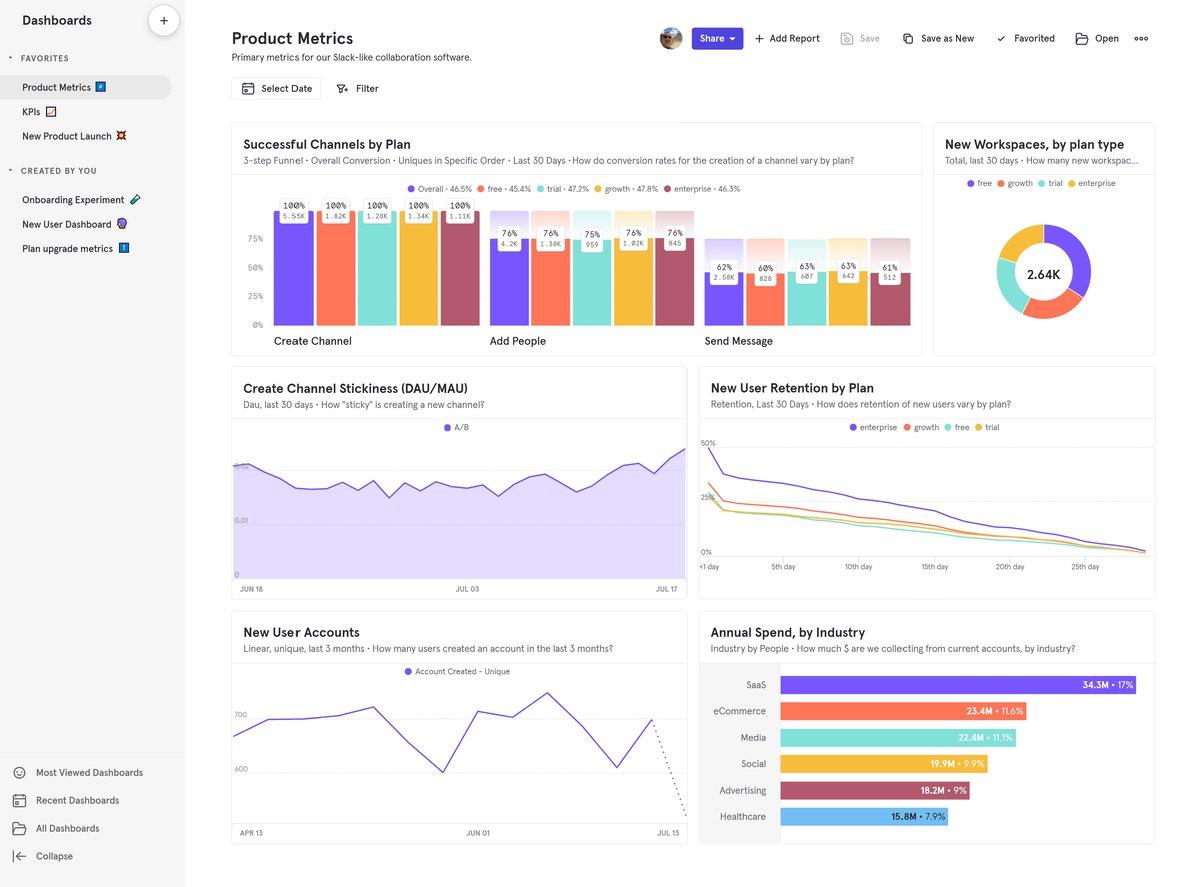
    Mixpanel

    Image source: G2

    Mixpanel is a product analytics platform that zeroes in on tracking user interactions and events across web and mobile applications. 

    It allows you to understand user behavior, helping you make data-driven decisions to improve product engagement and retention.

    Learn more:

    User rating

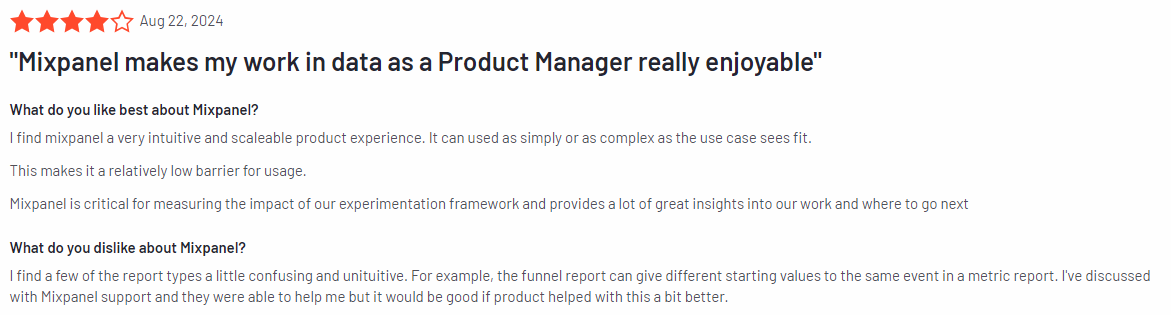
    Mixpanel review

    Image source: G2

    Mixpanel has 4.6 out of 5 stars based on 1,125 user reviews on the G2.

    Best for

    Mixpanel helps SaaS companies boost user engagement and retention through detailed data insights from its event tracking system.

    Key features

    • Event tracking: Capture every user interaction within your product to understand behavior trends and identify growth opportunities based on how users interact with your product.
    • Funnel analysis: Visualize the user journey to see where drop-offs occur and optimize conversion paths.
    • Cohort analysis: Group users based on shared characteristics or actions to study how different segments interact with your product over time.
    • A/B testing: Experiment with different versions of your product features to determine which changes produce the best results.
    • Real-time analytics: Access up-to-date user actions and behavior data, enabling quick responses to changing trends.

    Supported platforms

    Mixpanel supports both web and mobile applications.

    Integrations

    Mixpanel integrates with major platforms like Salesforce and Segment for improved data integration.

    Customer support

    Mixpanel offers diverse support channels, including live chat, email support, and a comprehensive help center with guides, tutorials, and resources to assist users with questions or challenges.

    Pricing

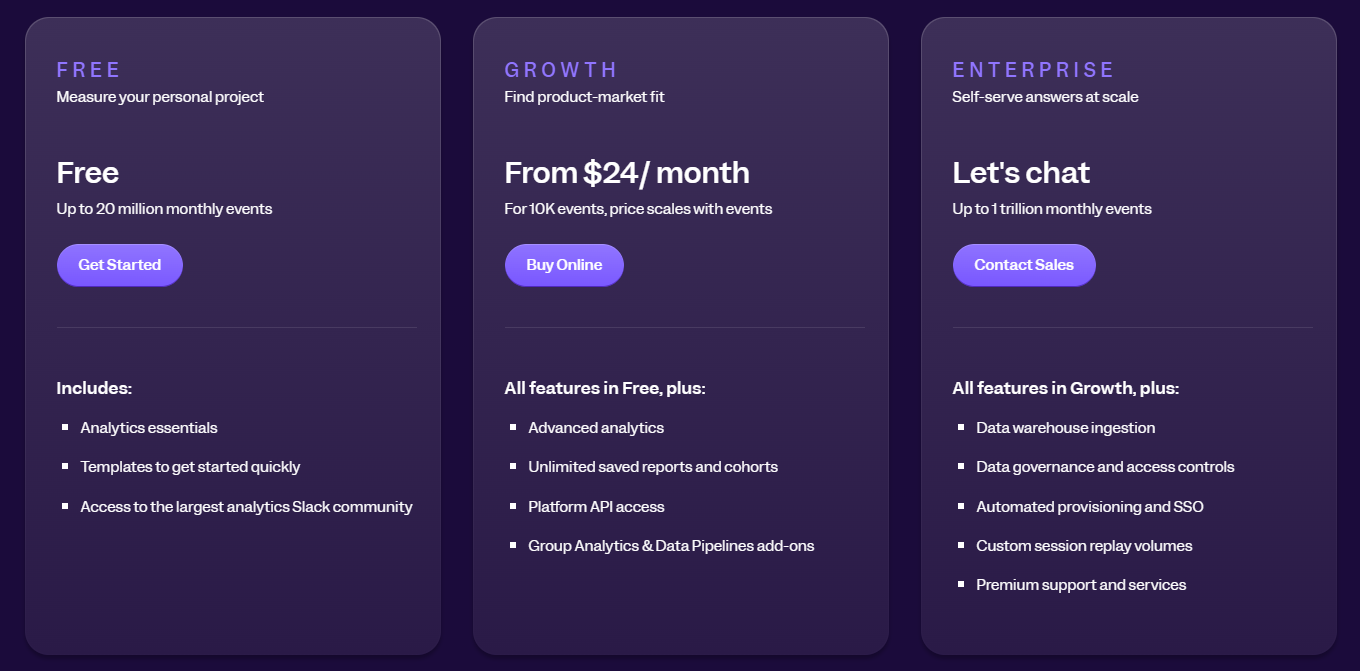
    Mixpanel pricing

    Mixpanel offers a free plan that includes core features for small teams just getting started with product analytics.

    For growing businesses, the Growth plan starts at $24 per month and includes advanced analytics and additional data points. Larger enterprises can opt for custom pricing tailored to their needs.

    Pros

    • Detailed cohort analysis for user segmentation
    • Real-time data access for quick decision-making
    • Customizable integrations with APIs and third-party tools

    Cons

    • The steeper learning curve for beginners
    • Advanced features require a higher-tier subscription
    • It can be expensive for small startups with limited budgets

    3. Amplitude

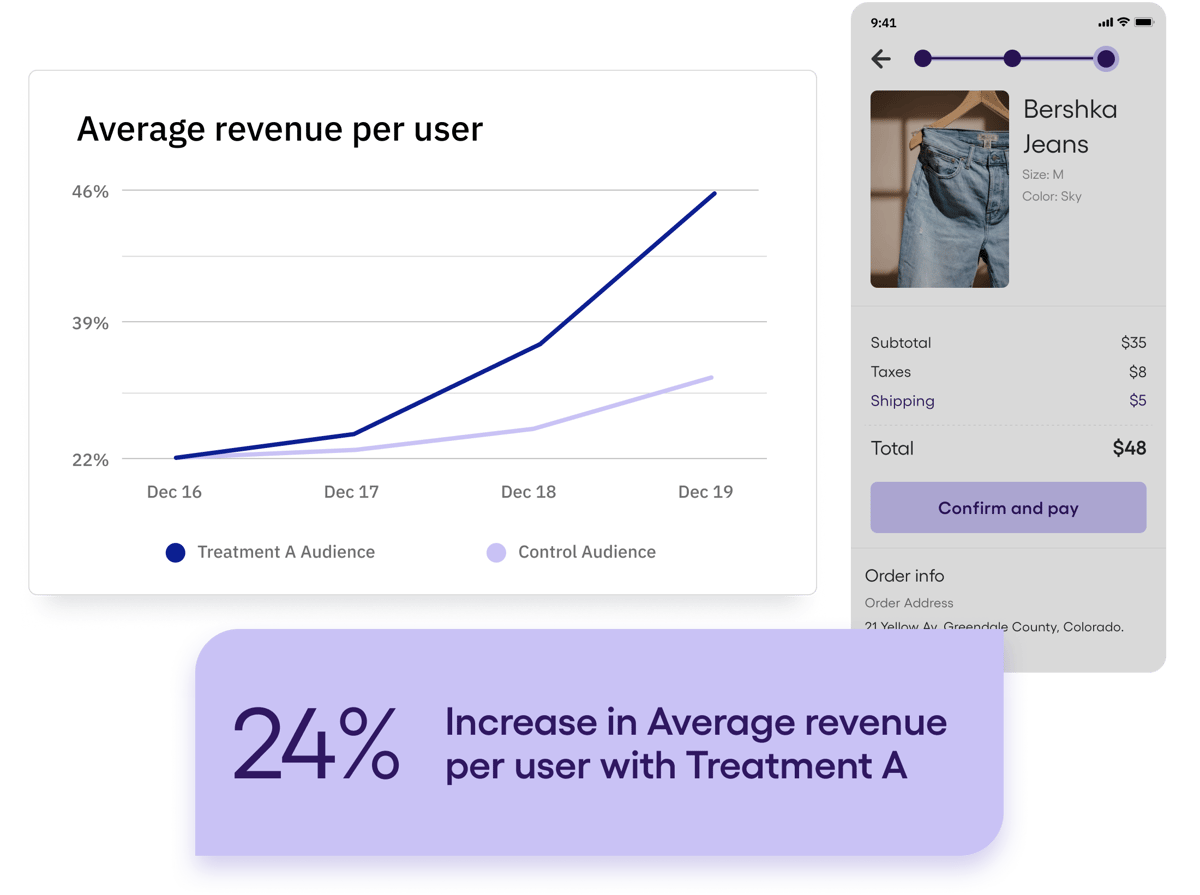
    Amplitude

    Image source: G2

    Amplitude is a product analytics platform that helps you understand user behavior and make data-driven decisions to improve product experiences. This event-tracking tool delivers insights into user engagement, retention, and conversion through advanced behavioral analysis tools.

    Learn more: Google Analytics vs Amplitude.

    User rating

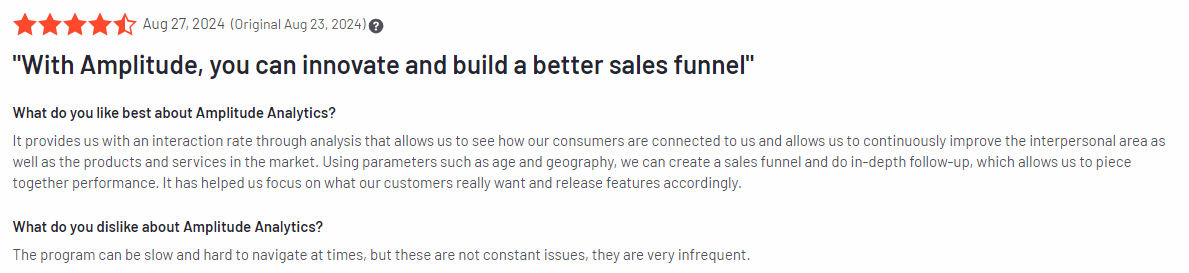
    According to 2,179 reviews on the G2 platform, Amplitude has a rating of 4.5 out of 5 stars.

    Amplitude review

    Image source: G2

    Best for

    Amplitude is suitable for SaaS companies, product managers, data analysts, growth marketers, and mobile app developers looking to increase product engagement, retention, and user experience with in-depth behavioral analytics.

    Key features

    • Behavioral analytics: Analyze how users interact with your product to understand their journey and make data-driven improvements.
    • Funnel analysis: Identify drop-off points in user journeys and make adjustments to boost conversion rates.
    • Retention analysis: Track how often users return to your product over time to measure engagement and loyalty.
    • Cohort analysis: Group users by shared behaviors or attributes to understand their interaction patterns.
    • Data visualization: Create easy-to-understand visual representations of complex data to spot trends and make informed decisions.

    Supported platforms

    Amplitude supports web and mobile platforms ensuring businesses can track user behavior across all devices.

    Integrations

    Amplitude integrates with platforms like Salesforce and HubSpot for CRM needs and Segment for data collection. It also supports automation with Zapier and offers open API connections for custom integrations, making it adaptable to various workflows.

    Customer support

    Amplitude provides extensive support options, including live chat, email assistance, and a resource-rich help center featuring detailed guides and tutorials to help users get the most out of the platform.

    Pricing

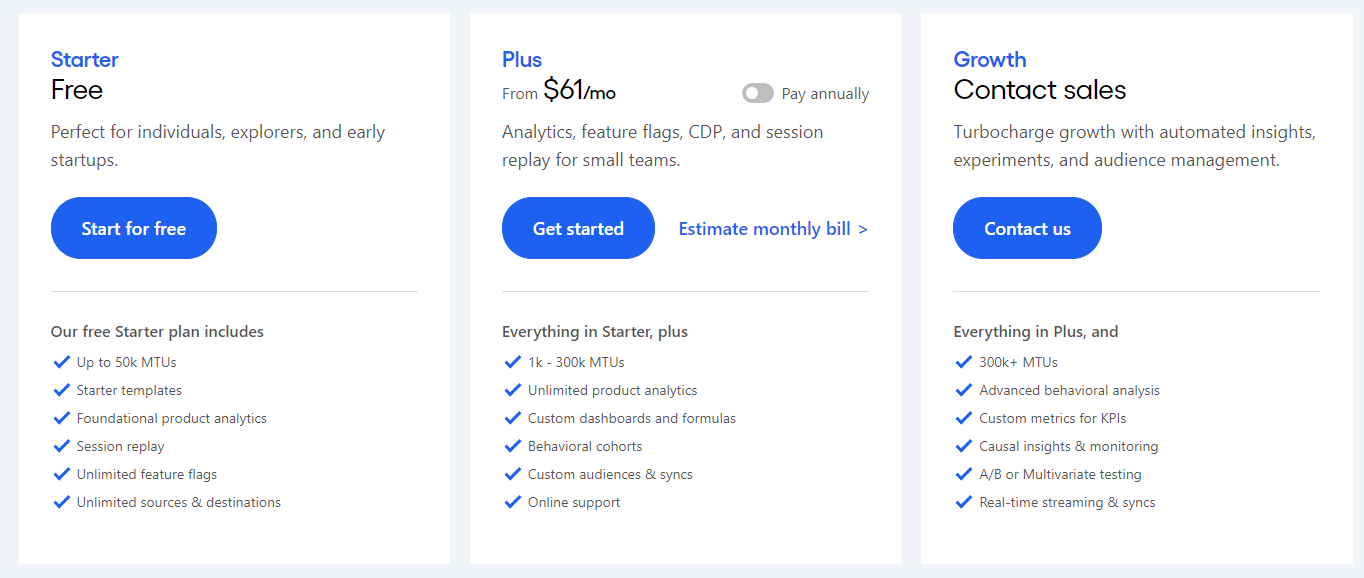
    Amplitude pricing

    Amplitude’s pricing starts with a free Starter plan for basic analytics. The Plus plan, suited for expanding businesses, begins at $61 per month, while custom pricing is available for enterprises needing advanced features and support.
    Pros

    • Comprehensive data visualization tools for easy analysis
    • Retention and cohort analysis for tracking user engagement
    • Integration with major CRM and data tools

    Cons

    • A higher pricing tier may be too costly for small businesses
    • A steeper learning curve for beginners due to advanced features
    • Limited features in the free plan compared to competitors

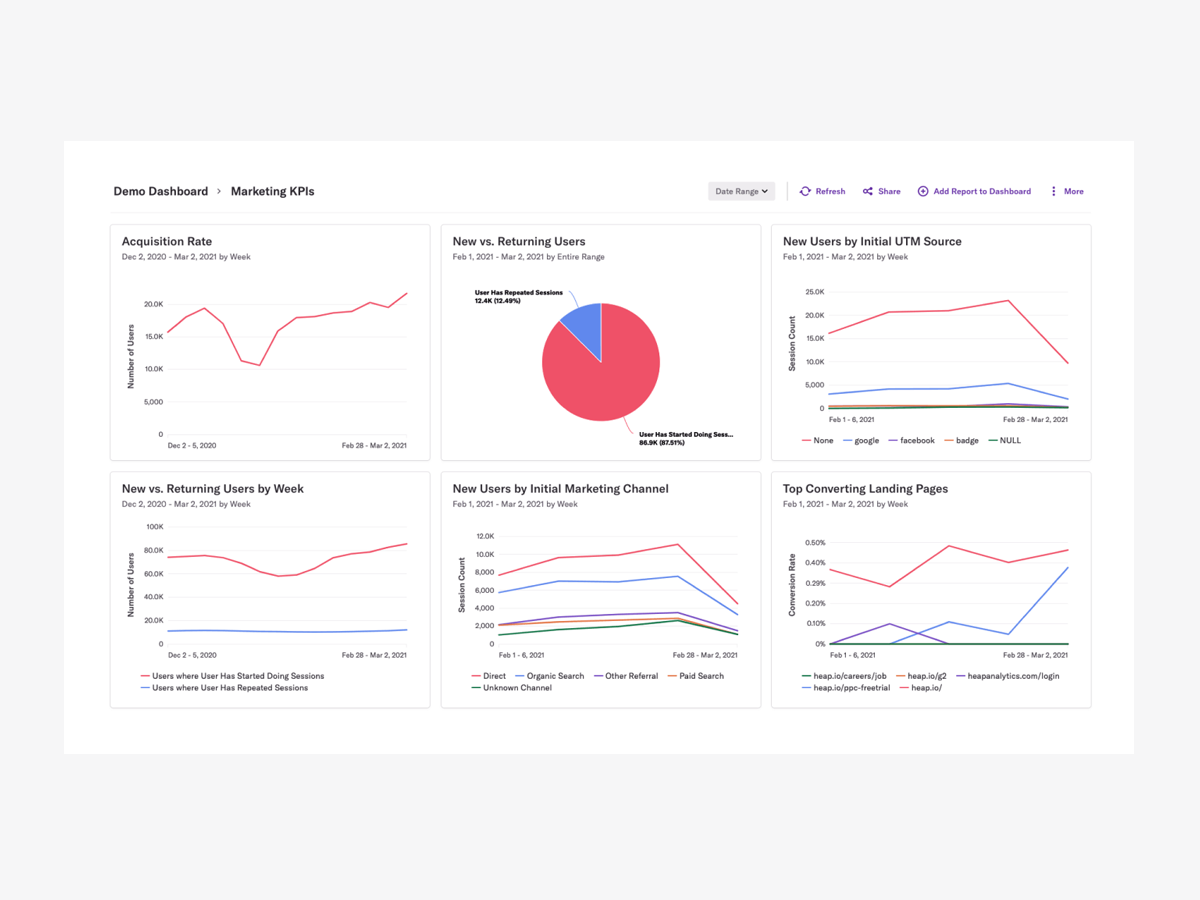
    4. Heap
    Heap

    Image source: G2

    Heap is a product analytics tool that automatically captures every user interaction on your website or app. It focuses on providing comprehensive data without manual tracking, allowing you to understand user behavior quickly and optimize the digital experience.

    User rating

    According to 1,087 reviews on the G2 platform, Heap has an average user rating of 4.4 out of 5 stars.

    Heap review

    Image source: G2

    Best for

    Heap is suited for businesses searching for data collection and in-depth analysis. It helps SaaS companies, product managers, data analysts, and UX designers looking to improve user engagement.

    Key features

    • Automatic data capture: Track every click, page view, and interaction without manual tagging.
    • User journey analysis: Visualize complete user paths to understand how visitors navigate your site.
    • Funnel analysis: Identify where users drop off in the conversion process and optimize accordingly.
    • Cohort analysis: Group users by behavior patterns to see how they engage over time.
    • Data visualization: Generate clear, visual reports to help identify trends and insights.

    Supported platforms

    Heap supports tracking on web and mobile platforms, ensuring a consistent experience across devices.

    Integrations

    Heap integrates with Salesforce, Marketo, and HubSpot for marketing automation and CRM. It also works with Segment for data pipeline management and offers custom integrations through its open API.

    Customer support

    Heap provides support through live chat, email, and a comprehensive help center with guides and resources to assist users.

    Pricing

    Heap pricing

    Heap pricing includes a Free plan for small teams with core analytics features. The paid plans offer advanced capabilities and increased data limits, with custom pricing available for enterprises. However, you need to contact their sales team for a direct quote.

    Pros

    • Automatic data capture reduces manual tracking effort
    • Comprehensive visualization tools for easy analysis
    • Supports seamless integration with major CRM and marketing tools

    Cons

    • Limited customization options for advanced reporting
    • It can be expensive for smaller businesses or startups
    • Requires a learning curve for mastering its advanced features

    5. Pendo

    Pendo

    Image source: G2

    Pendo is a product experience platform designed to help businesses understand user behavior and improve their product experience. It combines powerful analytics with in-app messaging and feedback tools, enabling teams to improve user onboarding, drive feature adoption, and gather valuable insights.

    User rating

    According to the G2 platform, Pendo has a rating of 4.4 out of 5 stars based on over 1,141 reviews.

    Pendo review

    Image source: G2

    Best for

    Pendo is suited for SaaS companies, product managers, customer success teams, and UX designers who want to boost user engagement and feature adoption.

    Key features

    • Product analytics: Track user behavior to gain insights into feature usage and overall product engagement.
    • In-app guides: Create interactive tutorials and tooltips to guide users through your product.
    • Feedback collection: Gather user feedback directly within your app to understand pain points and improve the product experience.
    • Roadmap visualization: Align your product strategy with customer needs using visual roadmaps.
    • NPS surveys: Measure customer satisfaction and loyalty with built-in Net Promoter Score surveys.

    Supported platforms

    Pendo supports both web and mobile applications.

    Integrations

    Pendo integrates with Salesforce, HubSpot, and Zendesk to streamline customer data management. It also works well with Slack and Jira, keeping your team aligned and up-to-date on user feedback and feature requests.
    Customer support

    Pendo offers support through live chat, email, and a robust help center that includes detailed guides, webinars, and community forums.

    Pricing

    Pendo pricing

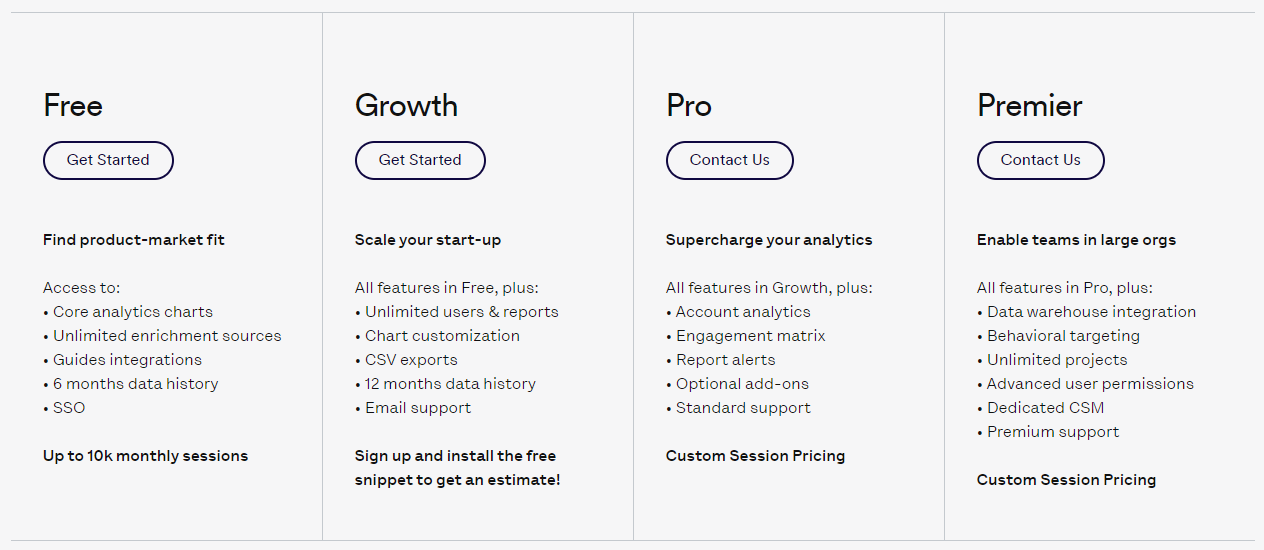
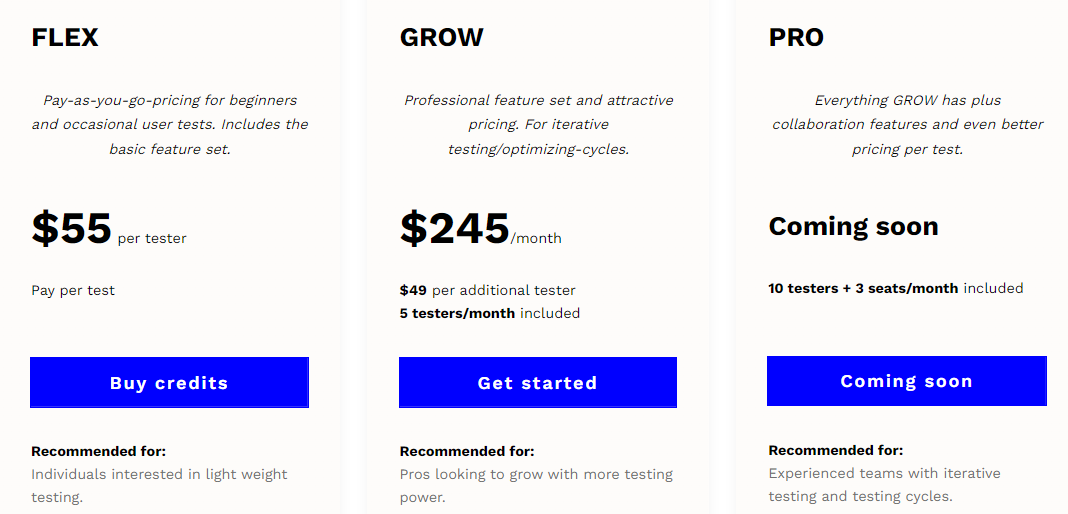
    Pendo pricing starts with a free plan and four paid plans with advanced features. You need to contact them for more information.

    Pros

    • Intuitive in-app guides to improve user onboarding
    • Robust feedback tools for gathering user insights
    • Comprehensive analytics to track feature adoption and user behavior

    Cons

    • Can be pricey for startups or small businesses
    • Limited flexibility in customizing in-app messaging
    • Advanced features may require time to fully master

    Best 5 Event Tracking Tools Comparison Table

    Here’s a comparison table for the best 5 event tracking tools, highlighting their key features:

    FullSessionMixpanelAmplitudeHeapPendo
    Real-time tracking
    Session recordings
    Heatmaps
    Funnel analysis
    User feedback collection
    Error tracking
    Cohort analysis
    Monthly pricing$39$24$61N/AN/A

    Best Event Tracking Tools: Our Verdict

    FullSession is a top choice for businesses looking to understand customer behavior and boost website performance. Here’s why it stands out:

    1. All-in-one user behavior analytics platform
    2. Real-time event tracking for precise user behavior insights
    3. Fast heatmap processing without impacting site performance
    4. Privacy-focused approach, excluding sensitive info from recordings
    5. Efficient handling of large data sets for quick analysis
    6. Site-specific behavior tracking for relevant data collection
    7. Centralized data management for improved team collaboration
    8. Customizable reporting options for targeted analysis

    FullSession balances full event tracking with user privacy, giving you the tools to make smart user engagement and conversion optimization decisions.

    Want to see it in action?

    Book a demo to find out how it can improve your online presence.

    Conclusion About Best 5 Event Tracking Tools

    Let’s face it: understanding how people use your website is important for any online business. That’s where event-tracking tools come in handy.

    They give you the scoop on user behavior, helping you make smart choices to keep visitors engaged and boost your bottom line.

    We’ve taken a good look at all the solutions on our list, and FullSession really stands out. It has all the features you need, is user-friendly, and takes privacy seriously, which is a big deal nowadays.

    Thinking about upping your analytics game? Give FullSession a shot. Why not book a demo and see it in action? It may be the game-changer your business has been looking for.

    FAQs About Best Event Tracking Tools

    Let’s briefly answer the most common questions about the best event tracking platforms.

    What is an event tracking system?

    An event-tracking system monitors and records user interactions on web pages or apps, such as clicks, downloads, form submissions, and video plays, to provide insights into user behavior. Check out these Hotjar alternatives for more information.

    What are event monitoring tools?

    Event monitoring tools are software solutions that track and analyze specific user actions or events on digital platforms, helping businesses understand user engagement and optimize their strategies.

    What is event tracking in CRM?

    Event tracking in CRM involves monitoring customer interactions and activities, such as email opens, website visits, or purchases, to gain insights into their behavior and tailor marketing strategies accordingly.

    Is there a free event tracking tool?

    Yes, Google Analytics is a popular free event-tracking tool that lets you monitor user interactions on your website, like clicks, downloads, and video views. 

    While it’s great for basic event tracking, it does have limitations, such as a lack of in-depth user behavior analytics and session recordings, making it less suitable for businesses needing more detailed insights into user journeys.


  • 5 Amplitude Alternatives and Competitors for Advanced Analytics

    5 Amplitude Alternatives and Competitors for Advanced Analytics

    Amplitude is a popular product analytics tool that helps businesses track user behavior and improve digital experiences. 

    It offers user insights, custom event tracking, and detailed reports. However, its complexity, steep learning curve, and higher pricing may lead users to explore alternatives.

    FullSession is one of the best competitors. It provides an all-in-one user behavior analytics software that helps you capture the entire customer journey, visualize all user interactions, analyze trends and patterns, identify user drop-offs, and optimize your site for peak performance.

    Book a demo to see how it works.

    In this article, we’ll review the top Amplitude alternatives to help you find the best fit for your business needs.

    FullSession: The Best Alternative to Amplitude

    Capture all user interactions, spot trends and patterns and drive improvements without compromising your website performance.

    Key Takeaways

    • FullSession is a leading user behavior analytics software that helps you visualize all user engagement, analyze trends, and optimize your website for peak performance. Key features include session recordings and replays, interactive heatmaps, customer feedback forms and reports, error analysis, and conversion funnel optimization tools. It also complies with GDPR, CCPA, and PCI standards. Pricing starts at $39/month, with a 20% discount available for annual plans. Request a demo to see how it can benefit your business.
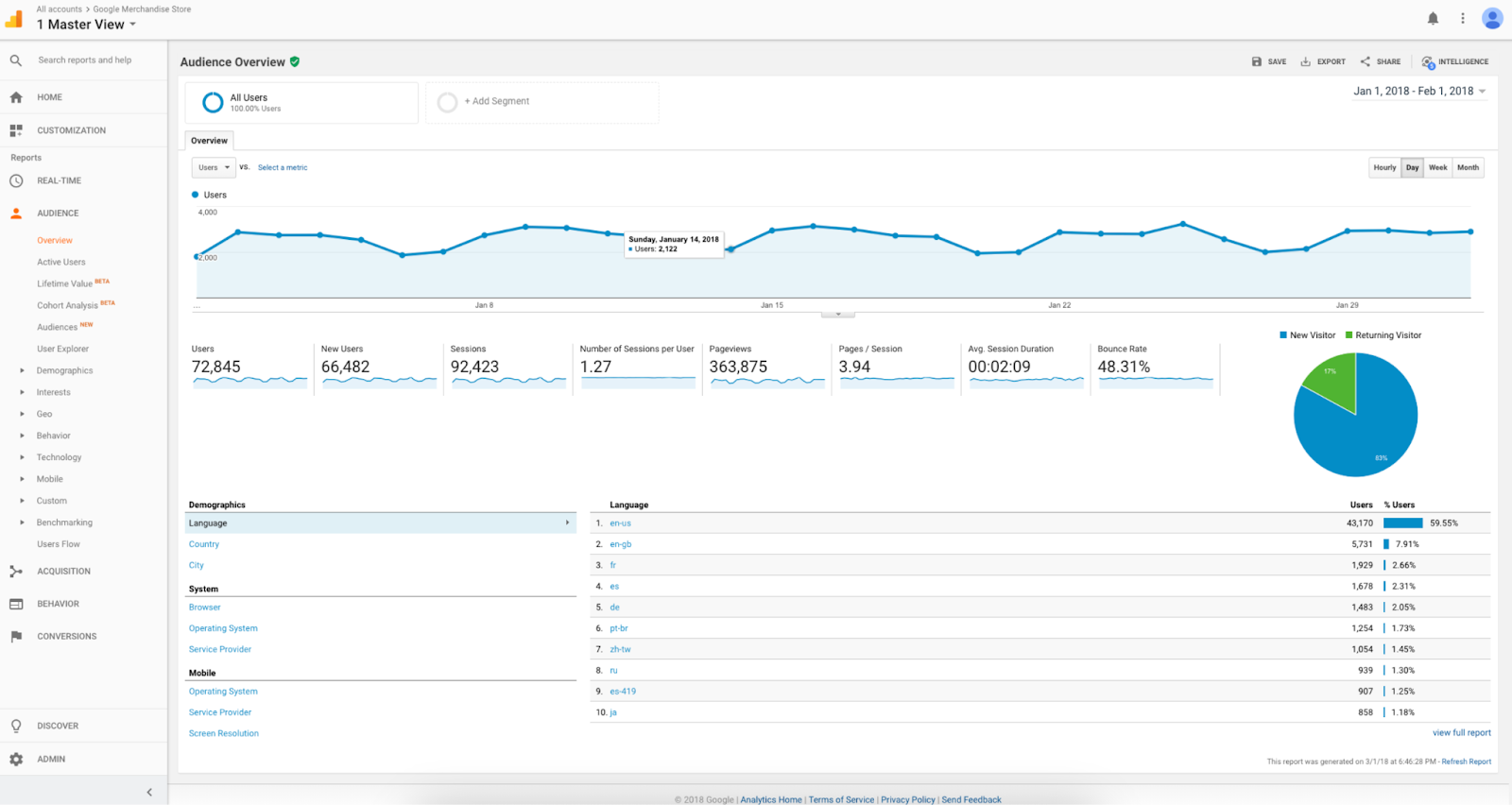
    • Google Analytics is an analytics tool that tracks web traffic and user behavior, providing real-time data, audience insights, and customizable reports. Core features are event tracking, conversion tracking, and traffic source analysis. It can be complex for beginners, and some advanced features are only available in the paid version, Google Analytics 360, which usually starts at $50,000/year.
    • Heap is a product analytics platform that automatically captures all user interactions, providing valuable insights without requiring manual setup. Features include auto-capture of user events, funnel analysis, retention analysis, and custom reporting. While its automatic tracking is good, it can be overwhelming for beginners. Heap offers a free plan, with pricing for paid plans available on request.
    • Pendo is a product experience and user analytics platform that combines user behavior tracking with in-app messaging and feedback tools. Key features include user segmentation, product usage insights, and in-app guides. It’s particularly useful for SaaS companies but can be expensive for larger teams. Pendo offers a free plan, with paid plans based on custom pricing.
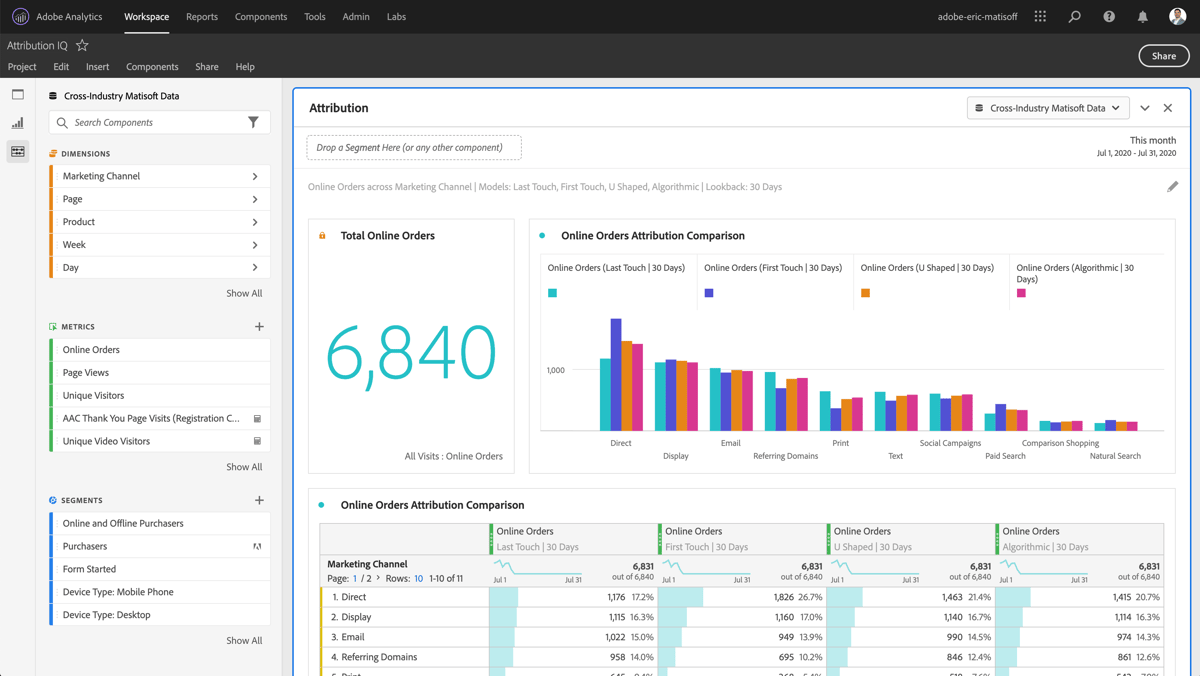
    • Adobe Analytics is a web analytics solution that provides advanced segmentation, real-time customer data tracking, and AI-powered insights. It’s a good option for large businesses needing deep analytics across web and mobile platforms. Key features include attribution modeling, customizable dashboards, and AI-driven insights through Adobe Sensei. Adobe Analytics is expensive and requires dedicated resources for setup, with pricing available upon request.

    If you’re looking for a smarter way to track user behavior, FullSession is a great choice. 

    You get real-time session recordings to see exactly how users navigate your site, interactive heatmaps to identify high and low engagement areas, and funnel optimization tools to spot and fix where users drop off.

    FullSession also lets you get direct feedback from your audience through customizable website feedback forms. Plus, its error tracking feature will detect errors like JavaScript errors and failed API calls that can block conversions.

    Let’s review each tool in detail.

    Best Amplitude Alternatives Right Now

    Here are the top alternatives to Amplitude that offer advanced analytics and insights to help you better understand and optimize user behavior:

    1. FullSession (Get a demo)
    2. Google Analytics
    3. Heap
    4. Pendo
    5. Adobe Analytics

    1. FullSession

    FullSession homepage

    FullSession is a user behavior analytics software that helps businesses visualize all user engagement, analyze trends, and optimize website performance with laser precision.

    You can get a 360-degree view of the user behavior data, all displayed on a single, easy-to-use dashboard. 

    FullSession goes beyond raw numbers, offering real-time session recordings and replays to help you capture every aspect of the customer journey.

    It helps you identify dead zones on your site, test different page elements, and validate design changes

    It also assists in optimizing the user interface and overall performance. FullSession is perfect for finding conversion blockers and improving key touchpoints in the marketing and sales funnels.

    One of its key strengths is its commitment to data security. Fully compliant with GDPR, CCPA, and PCI standards, FullSession makes sure that your users’ privacy is always protected.

    Book a demo to see how it works.

    Best for

    FullSession is the perfect user behavior analytics tool for a wide range of professionals and businesses, including:

    • Digital marketers
    • UX designers
    • Data analysts
    • Quality assurance teams
    • Product development teams
    • Customer support teams
    • Customer experience professionals

    FullSession helps e-commerce and SaaS companies track user interactions in real time, identify conversion blockers, and optimize key touchpoints in the entire user journey.

    E-commerce businesses can use heatmaps and session recordings to see where shoppers drop off, while SaaS companies can leverage user feedback and funnel analysis to improve user onboarding and retention.

    Key features

    • Advanced user and event segmentation: Create user groups based on various criteria and analyze behavior trends to improve engagement and conversions.
    • Session recordings and replays: Capture and replay user interactions to diagnose friction points and predict future behaviors with privacy safeguards in place.
    • Interactive heatmaps: Analyze user interactions with mouse movement, click, and scroll maps to see which parts of your site perform best.
    • Website feedback forms and reports: Collect user feedback, analyze connected session recordings, and understand the reasons behind their comments.
    • Conversion and funnel optimization tools: Visualize user drop-off points in your funnels and experiment with design changes to boost conversions.
    • Error analysis: Automatically detect and analyze website issues like JavaScript errors and failed API calls to prevent them from affecting user experience.

    Supported platforms

    FullSession supports web platforms, web apps, and landing pages and can track website visits on mobile devices.

    Integrations

    FullSession supports various integration methods, including APIs, webhooks, and Zapier, making it easy to connect with your existing apps.

    It also offers native integrations with popular platforms like BigCommerce, Wix, Shopify, and WordPress, helping you streamline data flow, task automation and other operations and improve efficiency without extra setup hassles.

    Customer support

    FullSession offers live chat and email support, and there’s a comprehensive help center available for self-help.

    Pricing

    Fullsession-Pricing

    Pros

    • Track dynamic elements in real time for precise and actionable insights
    • Fast heatmap processing with no impact on site speed
    • Strong privacy safeguards, excluding sensitive data from recordings
    • Manage large data sets effectively, revealing key insights quickly
    • Secure user data while preventing tracking misuse
    • Cross-team collaboration with a unified platform for different departments

    Cons

    • Does not support mobile app data tracking

    Book a demo to learn more.

    2. Google Analytics

    Google Analytics

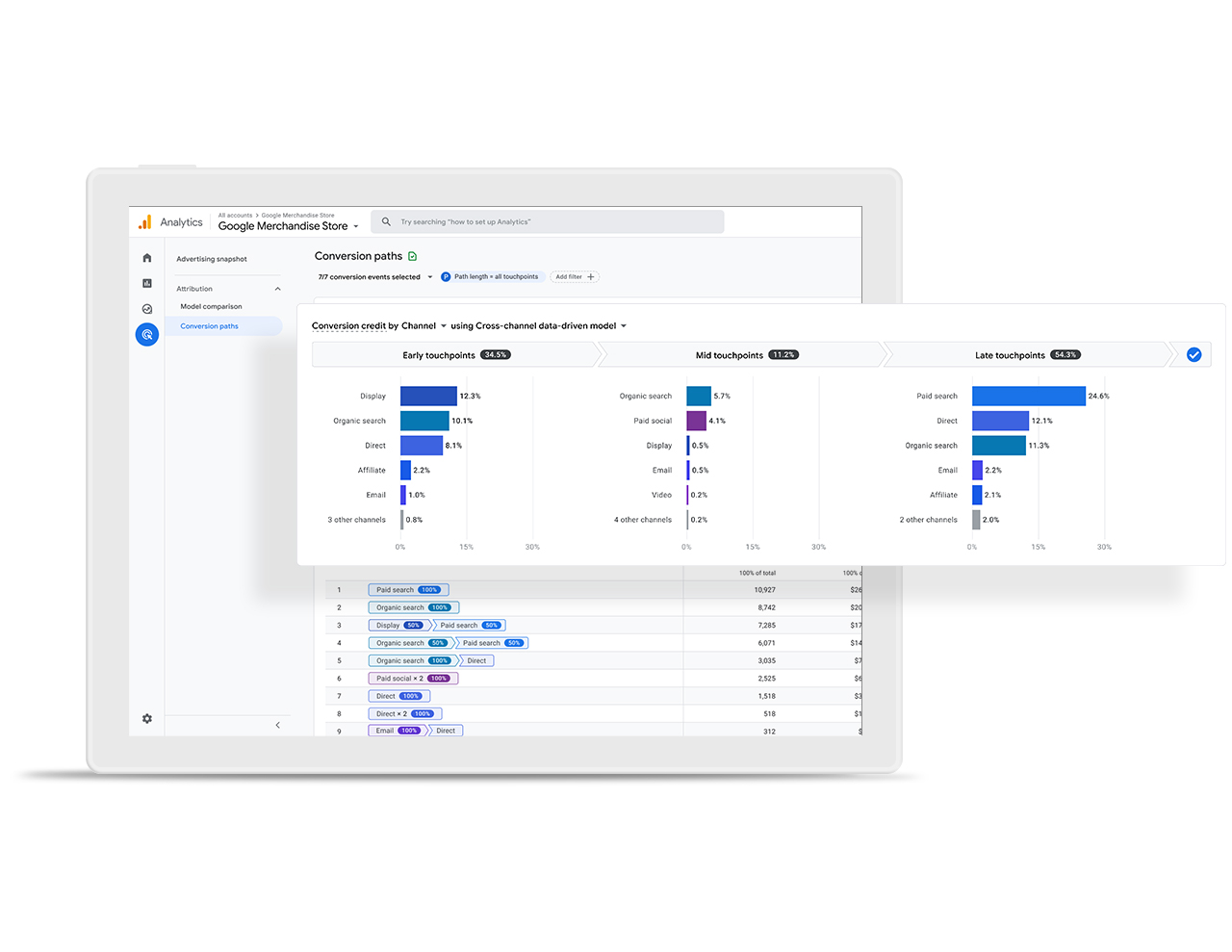
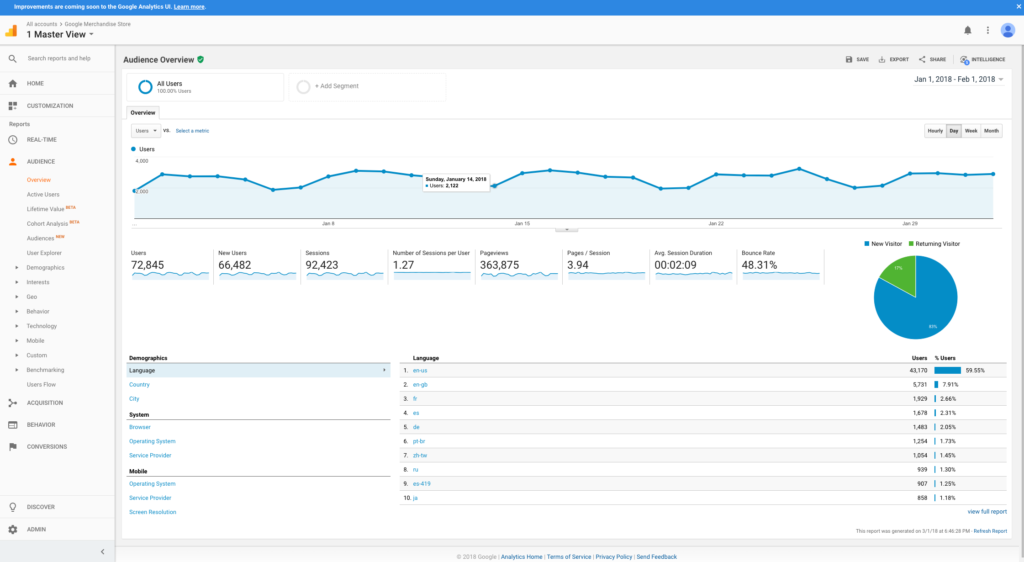
    Google Analytics is a free website analytics service that offers tracking and reporting features for websites and apps. It helps businesses understand user behavior, track website traffic, and measure conversions.

    User rating

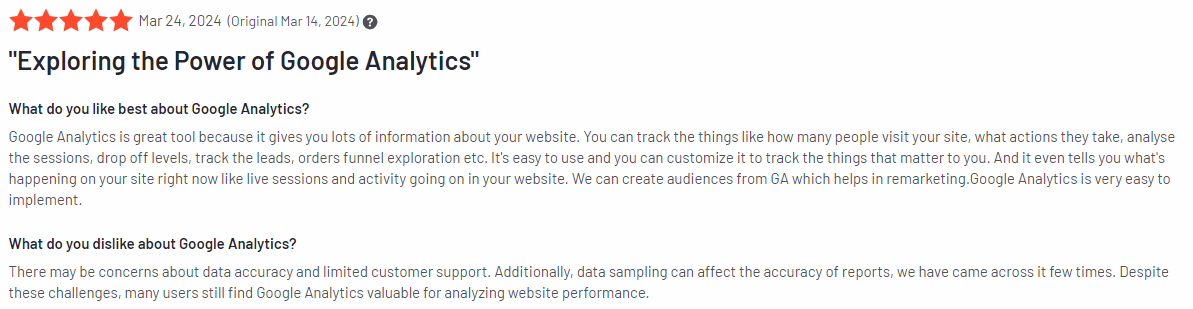
    Google Analytics has an average rating of 4.5 out of 5 stars based on 6,390 reviews on G2.

    Google Analytics review

    Image source: G2

    Best for

    Google Analytics is suitable for businesses of all sizes, digital marketers, and website owners who need detailed insights into website traffic and user behavior.

    Key features

    • Real-time data tracking: Monitor live user activity on your site.
    • Audience insights: Understand the demographics, behavior, and preferences of your visitors.
    • Traffic source analysis: See where your visitors are coming from, such as organic search, paid ads, or social media.
    • Conversion tracking: Track goals like form submissions, purchases, and other key actions on your site.
    • Event tracking: Analyze user interactions such as clicks, downloads, or video views.
    • Customizable reports: Create tailored reports for better insights into specific behavioral data points.

    Supported platforms

    Google Analytics is primarily web-based, allowing you to track and analyze user behavior on websites. For mobile apps, it integrates with Firebase Analytics.

    Integrations

    Google Analytics integrates with Google Ads, Google Tag Manager, Search Console, Firebase, and many third-party platforms like Shopify and WordPress. 

    Users can also integrate with a data warehouse to connect with other tools and get deeper insights.

    Customer support

    Google Analytics offers a help center, community forums, and email support. For enterprise users, Google provides more advanced support options through Google Analytics 360.

    Pricing

    Google Analytics is free to use and has basic features, making it accessible to businesses of all sizes. 

    For advanced needs, Google Analytics 360 is available with premium features and additional support, but you have to contact sales for a direct quote. It typically starts at $50,000 per year.

    Pros

    • Comprehensive tracking and reporting features
    • Free access to essential analytics tools
    • Integration with other Google services and third-party platforms
    • Customizable reports for tailored insights

    Cons

    • It can be overwhelming for beginners due to its complexity
    • Provides basic metrics but lacks visual insights and advanced user behavior analytics features
    • Some advanced features are only available in the paid version

    3. Heap

    Heap

    Image source: G2

    Heap is a digital insights platform that automatically captures all user interactions on your website or app without requiring manual event tracking. 

    This “auto-capture” feature allows businesses to gather data on user actions such as clicks, page views, and form submissions right from the start, which offers valuable insights into user behavior.

    User rating

    Heap has an average rating of 4.4 out of 5 stars based on 1,087 reviews on G2.

    Heap review

    Image source: G2

    Best for

    Heap is applicable for product managers, UX designers, and data-driven businesses that need a detailed understanding of user behavior across digital platforms.

    Key features

    • Auto-capture of user interactions: Track all events automatically without manual setup.
    • Funnel analysis: Identify where users drop off in the conversion funnel and test ways to optimize these stages.
    • Retention tracking: Monitor user engagement and conversion rates over time to improve customer retention.
    • User segmentation: Filter and analyze data based on specific user characteristics or behaviors.
    • Custom reporting: Generate detailed reports to gain insights into key performance metrics.
    • A/B testing: Compare two different versions of your website or its elements to determine the best one.

    Supported platforms

    Heap supports both web-based platforms and mobile apps, including iOS and Android.

    Integrations

    Heap integrates with multiple tools such as Salesforce, Marketo, AWS, and Iterable, allowing for seamless data flow and enhanced workflows.

    Customer support

    Heap offers live chat, email support, and a comprehensive help center. For larger teams, premium support options are available.

    Pricing

    Heap provides a free plan with basic features for small teams, while its paid plans offer more advanced features like event tracking and advanced analytics. 

    Pricing is available upon request for larger enterprises, and custom plans are available to meet specific business needs.

    Heap pricing

    Pros

    • Automatic event tracking without manual setup
    • Strong retention and funnel analysis features
    • User-friendly interface with customizable reports
    • Wide variety of integrations with other business tools

    Cons

    • It can be overwhelming for beginners due to the extensive feature set
    • Higher pricing for enterprise plans
    • Custom tracking and manual events can be complex to configure

    4. Pendo

    Pendo

    Image source: G2

    Pendo is a product analytics platform designed to help companies better understand how users interact with their software. 

    It combines user analytics, in-app messaging, and feedback tools to provide insights that help improve product engagement, retention, and overall customer experience.

    User rating

    Pendo has an average rating of 4.4 out of 5 stars based on 1,440 reviews on G2.

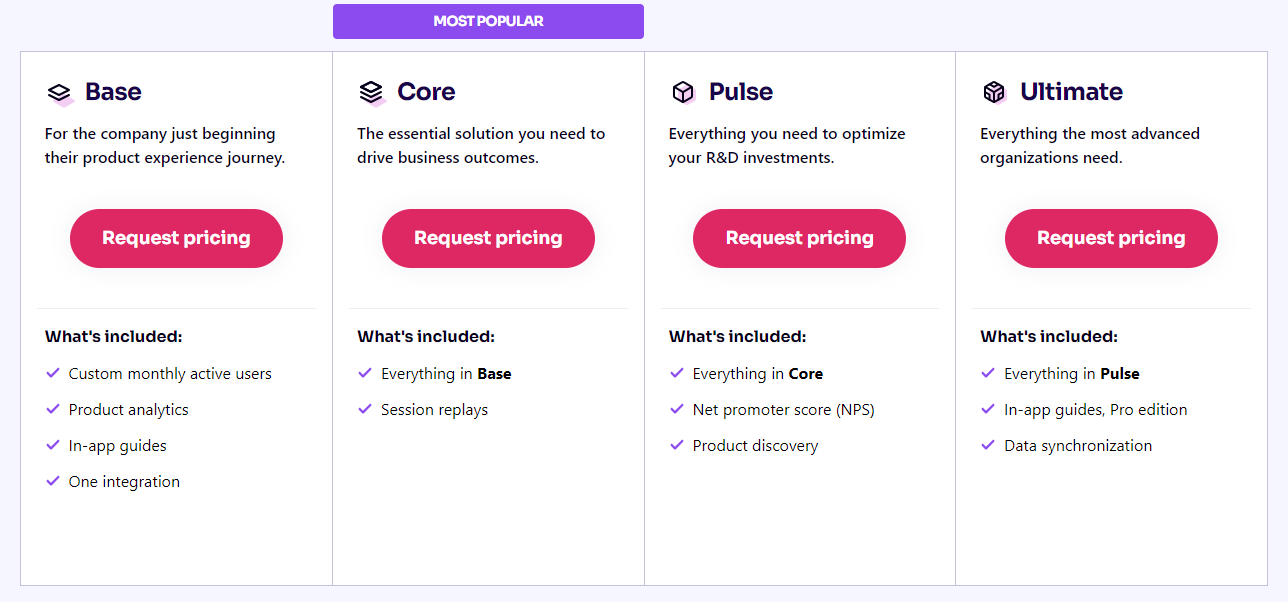
    Pendo review

    Image source: G2

    Best for

    Pendo is suitable for product managers, SaaS companies, customer success teams, and UX designers who want to make data-driven decisions to improve the user experience.

    Key features

    • User analytics: Track how users engage with your product, including feature usage and time spent on different parts of your app.
    • In-app guides and messaging: Deliver targeted in-app messages and guides to educate users, promote features, or gather feedback.
    • User feedback: Collect and prioritize customer feedback directly within your product to drive improvements.
    • Segmentation and user journeys: Segment users based on specific actions and view user paths to uncover drop-offs or opportunities for engagement.
    • Product usage insights: Analyze which features are most or least used, allowing product teams to optimize based on real data.

    Supported platforms

    Pendo works for companies with both a desktop and mobile focus.

    Integrations

    Pendo integrates with various platforms like Salesforce, HubSpot, Slack, Segment, and Jira. This helps teams manage workflows, streamline communication, and synchronize data across their favorite tools.

    Customer support

    Pendo provides live chat, email support, a help center, and training resources to ensure users get the most out of the platform. For enterprise clients, Pendo offers dedicated account management and advanced support options.

    Pricing

    Pendo offers a free plan with basic features for small teams or startups. Pricing tiers with more advanced features, such as deeper analytics and segmentation, are available, but pricing is custom and depends on the needs of the business.

    Pendo plans

    Pros

    • Combines analytics and in-app messaging in one platform
    • Strong feedback data collection and management tools for better qualitative data
    • Detailed product usage insights to guide product decisions
    • Integration with popular business tools

    Cons

    • Can be expensive for larger organizations
    • Advanced features may have a steep learning curve for beginners
    • Limited customization for in-app guides

    5. Adobe Analytics

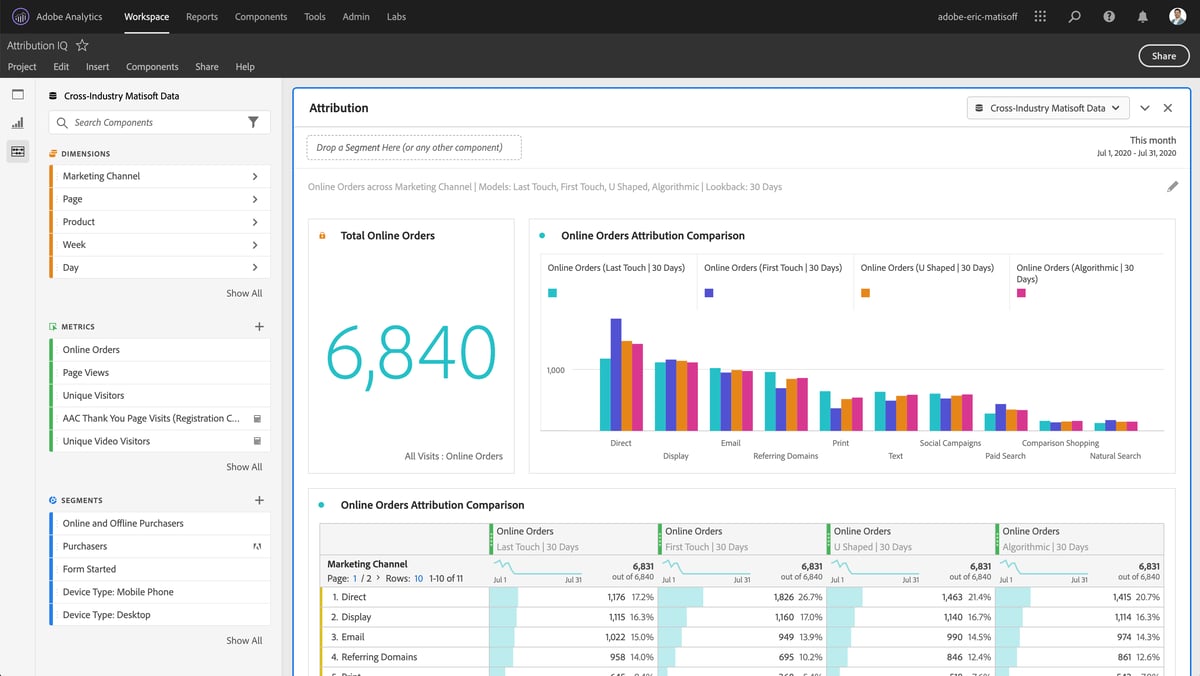
    Adobe Analytics

    Image source: G2

    Adobe Analytics is an enterprise-level web analytics platform designed to provide deep insights into customer behavior across websites, apps, and other digital channels. 

    Known for its robust data analysis and reporting capabilities, Adobe Analytics allows businesses to collect, measure, and visualize data to make informed decisions.

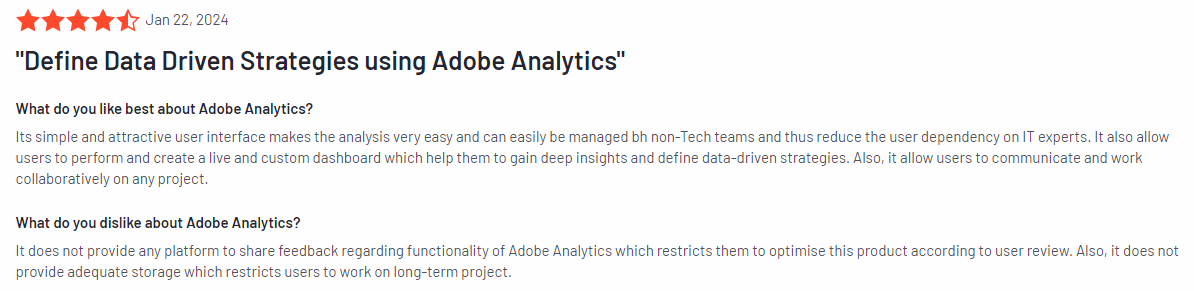
    User rating

    Adobe Analytics has an average rating of 4.1 out of 5 stars based on 1,013 reviews on G2.

    Adobe Analytics review

    Image source: G2

    Best for

    Adobe Analytics is a suitable Amplitude alternative for large enterprises, data analysts, and marketing teams who need advanced analytics tools to track and optimize user experiences across multiple platforms.

    Key features

    • Advanced segmentation: Break down user data into granular user segments to analyze specific behaviors and trends.
    • Real-time data: Monitor user activity as it happens to quickly adjust strategies.
    • Attribution modeling: Measure the success of marketing efforts by analyzing the customer journey and determining which touchpoints drive conversions.
    • Customizable dashboards: Create detailed reports tailored to your business needs with flexible visualization options.
    • AI-powered insights: Use Adobe’s AI (Adobe Sensei) to automatically identify trends and generate insights hidden within your data.

    Supported platforms

    Adobe Analytics supports both web and mobile apps.

    Integrations

    Adobe Analytics integrates with other Adobe products, such as Adobe Experience Cloud, Adobe Target, and Adobe Campaign. It also integrates with third-party tools like Salesforce, Google Ads, and other marketing platforms to enhance data synchronization and reporting.

    Customer support

    Adobe offers a range of customer support options, including support for enterprise clients, a help center, live chat, phone, and community forums. Adobe also provides training resources to help users get the most out of the platform.

    Pricing

    Adobe Analytics is priced at an enterprise level, with custom quotes based on the business’s specific needs. It is typically more expensive than other analytics tools, making it suitable for larger organizations with extensive data requirements.

    Pros

    • Advanced data analysis and segmentation tools
    • Real-time tracking for immediate insights
    • AI-driven recommendations and insights through Adobe Sensei
    • Integration with the Adobe suite and other popular tools

    Cons

    • Higher price point, making it less suitable for small businesses
    • Steeper learning curve due to its advanced features
    • Requires dedicated resources for setup and ongoing management

    Best 5 Amplitude Alternatives Comparison Table

    Here’s a comparison of the top Amplitude alternatives that highlights key features to help you choose the best option.

    FullSessionAmplitudeGoogle AnalyticsHeapPendoAdobe Analytics
    Real-time tracking
    Heatmaps
    Session recordings
    Conversion funnel analysis
    Customer feedback tools
    Error tracking
    Monthly pricing$39$61Freen/an/an/a

    Best 5 Amplitude Alternatives: The Best Solution On the List

    When it comes to the best Amplitude alternative, FullSession stands out as the top choice. It allows you to track dynamic elements in real time, providing precise user insights that help you make informed decisions.

    FullSession also accelerates heatmap processing without affecting your site’s speed, making it a fast and reliable tool. 

    It protects user privacy by excluding sensitive data from recordings and can handle large data sets efficiently to reveal key insights quickly.

    FullSession limits tracking to your site only, preventing data misuse, and its platform fosters cross-team collaboration to keep everyone aligned. 

    Book a demo today to see how it can improve your user experience.

    Conclusion About Best 5 Amplitude Alternatives

    Amplitude is a good tool for tracking user behavior and optimizing digital products, making it a suitable option for businesses aiming to improve customer experiences and drive growth. 

    However, depending on your specific needs, there are several great alternatives that can offer even more tailored solutions.

    Among these, FullSession shines with its real-time session tracking, fast heatmap processing, and detailed insights that help you make informed decisions without slowing down your site.

    If you’re looking for a tool that can help you better understand and optimize your user experience, FullSession is worth exploring.

    Book a demo today and discover how it can take your business to the next level.

    FAQs About Best 5 Amplitude Alternatives

    What is better than Amplitude?

    Several web and customer journey analytics tools can be better than Amplitude, depending on your specific needs. For example, FullSession offers in-depth user behavior insights through real-time session recordings and heatmaps, allowing you to analyze how users behave and optimize your website more precisely. Plus, it has customizable feedback tools that help you collect in-depth qualitative insights.

    Who competes with Amplitude?

    Amplitude competes with several other analytics tools, including FullSession, Google Analytics, Heap, Pendo, and Mixpanel. Each of these tools has different strengths, with FullSession standing out for its ability to provide detailed session recordings, heatmaps, and conversion funnel optimization while maintaining user privacy.

    Is Amplitude better than Google Analytics?

    It depends on what you’re looking for. Amplitude offers more in-depth product analytics and user behavior tracking. On the other hand, Google Analytics excels at tracking website traffic and basic user behavior metrics. For businesses focused on maximizing conversion rates and improving user experience, FullSession is a solid alternative that offers real-time insights beyond the basic features of both Amplitude and Google Analytics.

    Is Amplitude worth it?

    Amplitude is worth it for companies that need detailed product analytics and event tracking. However, if you’re looking for more comprehensive insights into user behavior, FullSession has all the features you need, including session replay, heatmaps, and feedback tools at a more affordable price. It’s especially beneficial for e-commerce and SaaS companies looking to optimize customer journeys and remove conversion barriers, as well as product and marketing teams who want to optimize marketing campaigns.


  • 5 Best CRO Software to Maximize Your Conversion Rates 

    5 Best CRO Software to Maximize Your Conversion Rates 

    The best CRO software helps you collect user behavior data and pinpoint specific pages, elements, or user flows that may hinder conversions, such as complex navigation, confusing calls-to-action, or slow-loading pages.

    For example, FullSession, an advanced user behavior analytics software, provides CRO tools that help you find and remove conversion blockers, optimize key touchpoints in the user journey, and minimize drop-offs in your marketing and sales funnels.

    With numerous CRO tools available, each with unique features and pricing, it can be hard to determine the best fit for your needs. This article provides an in-depth comparison of the best CRO software, evaluating their features, pricing, and overall effectiveness.

    Maximize Your Conversion Rate With FullSession

    See how our CRO tools help you improve website performance to drive conversions.

    Key Takeaways

    • FullSession is a user behavior analytics software that provides in-depth insights into how visitors interact with your website. It helps you capture every aspect of the user journey without affecting your site performance. FullSession includes tools like session recordings and replays, interactive heatmaps, customer feedback tools, error analysis, and funnel and conversion optimization tools. It is GDPR, CCPA, and PCI compliant. Pricing starts at $39/month with a 20% discount on annual plans. Book a demo today.
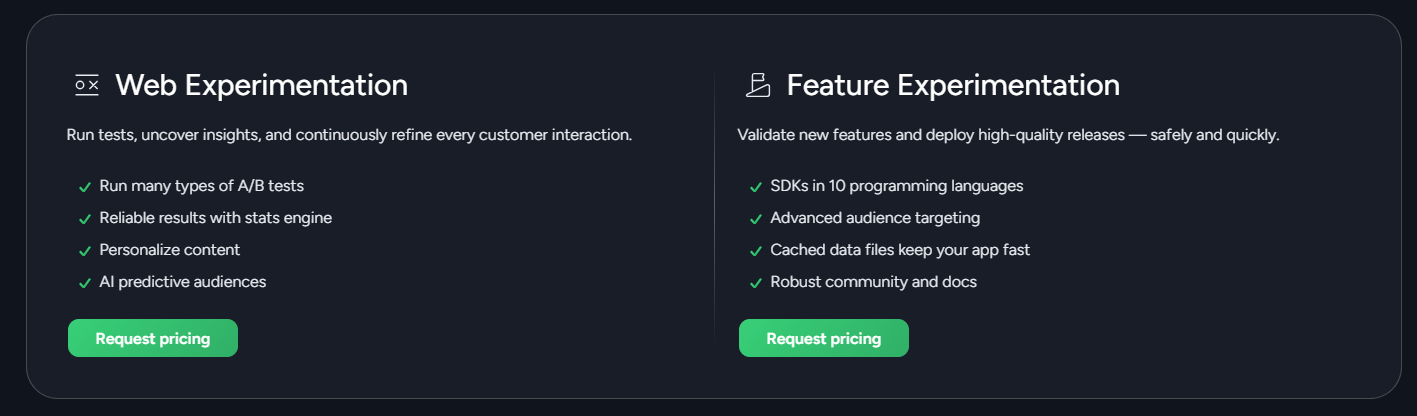
    • Optimizely is a digital experience platform for businesses that want to experiment with and optimize their digital experiences. It offers A/B testing, multivariate testing, and personalization features to help you find what works best for your audience. However, it can be quite complex for new users, and the pricing is on the higher side, which might not suit smaller businesses. Optimizely offers custom pricing based on your needs.
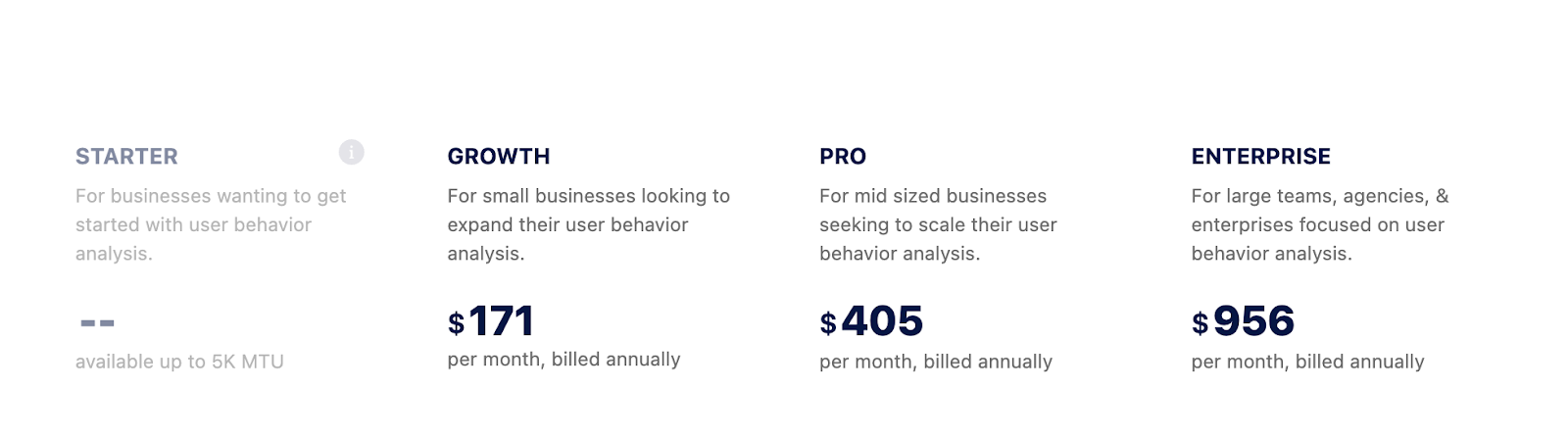
    • VWO Insights is a user behavior analytics tool for those looking to gain visual insights into user behavior on their website. It provides heatmaps, session recordings, and form analytics to help improve site performance. Still, some users have reported occasional bugs. The pricing is flexible, and paid plans start at $171/month.
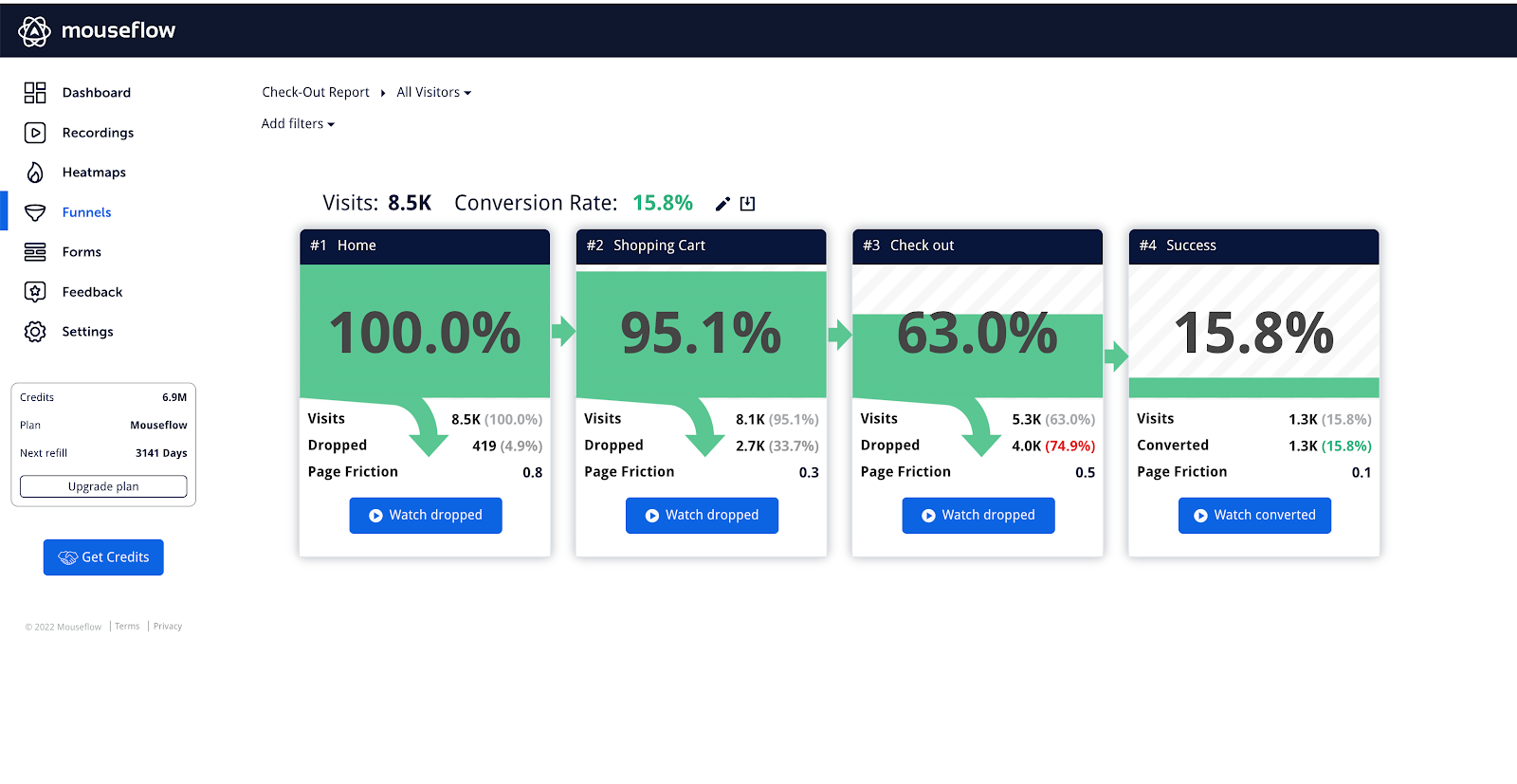
    • Mouseflow is a behavior analytics platform that analyzes user behavior through session recordings tools and heatmaps. It includes features like funnel analysis and customer feedback campaigns, making it useful for optimizing your website. However, advanced features may require some time to master, and it doesn’t support mobile app tracking. Paid plans start at $39/month.
    • Microsoft Clarity is a user behavior analytics tool that provides a straightforward way to see how users interact with your website. It offers session recordings, heatmaps, and insights to help you understand user behavior. The main downside is the lack of advanced features and no support for mobile apps, which might limit its usefulness for more complex needs. It’s a free tool with no hidden costs.

    Let’s explore these CRO tools in more detail.

    Best 5 CRO Software Right Now

    We have chosen the following five best CRO software:

    1. FullSession (Get a demo)
    2. Optimizely
    3. VWO Insights
    4. Mouseflow
    5. Microsoft Clarity

    Let’s evaluate them based on their key features, user ratings, supported platforms, integrations, pricing, and more.

    1. FullSession

    FullSession homepage

    FullSession is a user behavior analytics software that allows you to visualize user engagement in detail, enabling precise trend analysis and performance optimization. It offers a comprehensive, 360-degree view of user behavior through a single, user-friendly dashboard.

    With FullSession, you can go beyond basic metrics by watching real-time user sessions to understand how visitors interact with your website and capture every detail of the user journey. It helps identify problem areas, test different page elements, validate design changes, and improve overall website usability and performance.

    FullSession also helps you focus on identifying and eliminating conversion obstacles, optimizing key touchpoints in the user journey, and reducing drop-off rates in marketing and sales funnels. 

    Additionally, it provides website feedback forms to collect direct user feedback and gather insights into user frustrations so you can quickly address and resolve recurring issues.

    FullSession ensures user privacy and data protection – it is fully compliant with GDPR, CCPA, and PCI standards.

    Book a demo today.

    Best for

    FullSession is ideal for:

    • E-commerce businesses
    • SaaS companies
    • Digital marketers
    • UX designers
    • Data analysts
    • Quality assurance teams
    • Product development teams
    • Customer support teams
    • Customer experience professionals

    Key features

    • User and event segmentation: Group website users based on different criteria. Spot trends and patterns and optimize the user experience to increase engagement and conversions.
    • Session recordings and replays: Capture and review how users interact with your website. Replay sessions to diagnose issues and predict future actions based on past behavior while making sure you don’t record sensitive client information.
    • Interactive heat maps: Switch between mouse movement, click, and scroll maps. Identify areas of high or low interaction, test different page elements, and measure task completion times without slowing down your website.
    • Feedback forms and reports: Create website feedback forms to gather quantitative and qualitative data on user satisfaction, pain points, and feature requests. Pair feedback with session recordings to see what happened during the session.
    • Conversion and funnel optimization: Examine user flow to learn why users abandon your funnels, visualize drop-offs at each step, and experiment with different designs to improve your customer journey.
    • Error analysis: Automatically detect website issues like JavaScript errors and failed API calls. Analyze these errors to fix problems and prevent them from affecting the user experience.
    • Comprehensive insights: View a summary of all qualitative and quantitative data on an intuitive dashboard. With all your information in one place, you can easily identify barriers to conversions.

    Get a demo today to see how it can help maximize your conversion rates.

    Session recording and replay on FullSession

    Supported platforms

    FullSession tracks user behavior on websites, web apps, and landing pages and can display mobile user recordings as well.

    Integrations

    FullSession easily integrates with open APIs, native integrations, modern webhooks, and Zapier to ensure smooth data flow between your favorite apps. It connects smoothly with popular apps such as Shopify, WordPress, Wix, and BigCommerce. 

    Customer support

    FullSession offers live chat and email support. You can also check out the help center for more information.

    Pricing

    FullSession offers three paid plans—Starter, Basic, or Enterprise—suitable for businesses of all sizes.

    FullSession pricing

    The Starter plan begins at $39/month and includes all the key features, unlimited heatmaps, and up to 5,000 session recordings per month, making advanced analytics affordable.

    Annual subscriptions offer a 20% discount on all plans, and integrations with other apps are free. Get the annual Starter plan for only $32/month.

    Visit our Pricing page to learn more.

    Pros

    • Track dynamic elements in real time for accurate insights
    • Speed up heatmap processing without affecting site performance
    • Protect user privacy by not recording sensitive data
    • Handle large data sets efficiently and uncover key insights quickly
    • Limit tracking to your site to prevent data misuse
    • Promote collaboration and unify efforts across teams

    Cons

    • FullSession doesn’t support mobile apps

    Book a demo to learn more.

    2. Optimizely

    Optimizely

    Image source: G2

    Optimizely is a digital experience platform for businesses that want to improve their websites and apps through testing and experimentation. 

    With features like A/B testing and personalization, Optimizely helps you see what works best for your audience, leading to better conversion rates and user engagement.

    User rating

    Optimizely has an average rating of 4.2 out of 5 stars based on 357 reviews on G2.

    Optimizely review

    Image source: G2

    Best for

    Optimizely is suitable for businesses looking to test different website elements and layouts to find the most effective options. Digital marketers, product teams, and UX designers use it.

    Key features

    • A/B testing: Quickly test two-page versions to see which one performs better.
    • Multivariate testing: Experiment with several variables simultaneously to find the best combinations.
    • Personalization: Show different content to different users based on their preferences.
    • Analytics: Get clear reports that show the results of your tests.

    Supported platforms

    Optimizely works on both web and mobile platforms.

    Integrations

    This product analytics tool connects easily with many other tools, like Google Analytics, Marketo, and Salesforce, to help you get more out of your data.

    Customer support

    Optimizely provides support via live chat, email, and phone. They also offer plenty of resources if you prefer to find answers on your own.

    Pricing

    Optimizely offers custom pricing based on your business needs, with plans that scale depending on your usage. However, you need to contact their sales team directly for a quote.

    Optimizely pricing

    Pros

    • Easy-to-use A/B, multivariate, and split testing
    • Strong personalization features
    • Clear and detailed analytics
    • Integrates well with other tools
    • Reliable customer support

    Cons

    • Can be complicated for beginners
    • Metrics can be hard to read and understand for some users

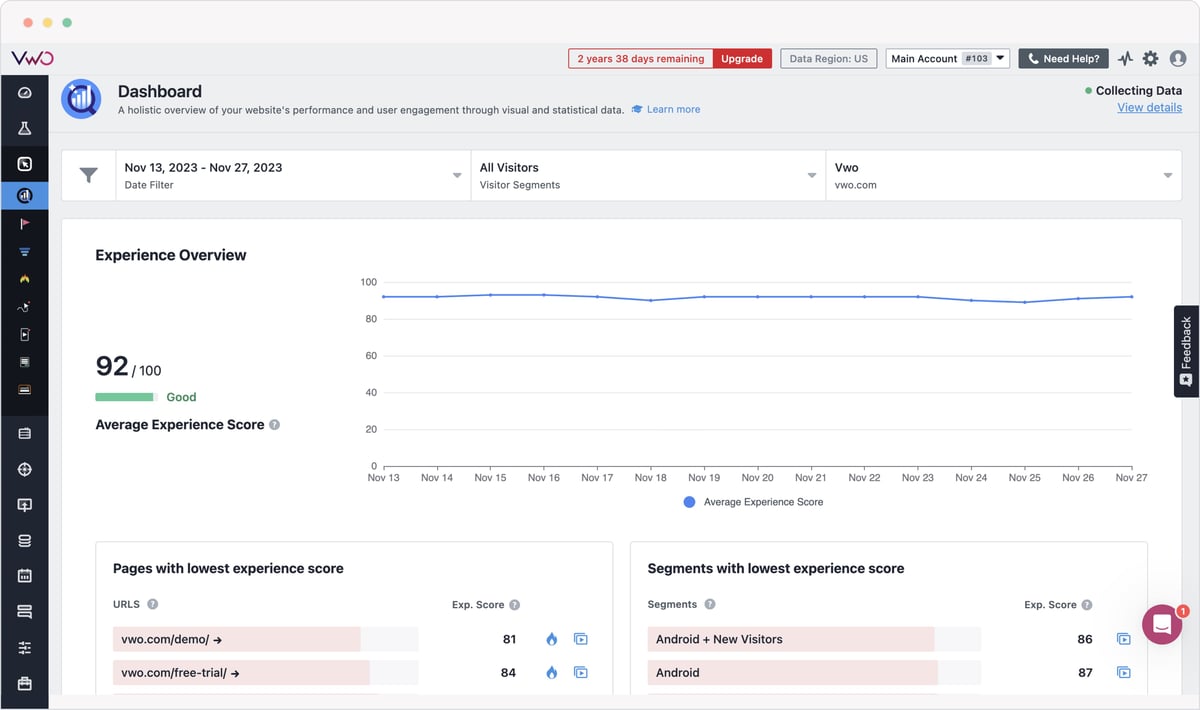
    3. VWO Insights

    VWO Insights

    Image source: G2

    VWO Insights is a behavior analytics platform designed to help businesses understand how visitors interact with their websites. 

    By providing visual insights into user behavior, VWO Insights enables you to make informed decisions that boost conversions and improve the overall user experience.

    User rating

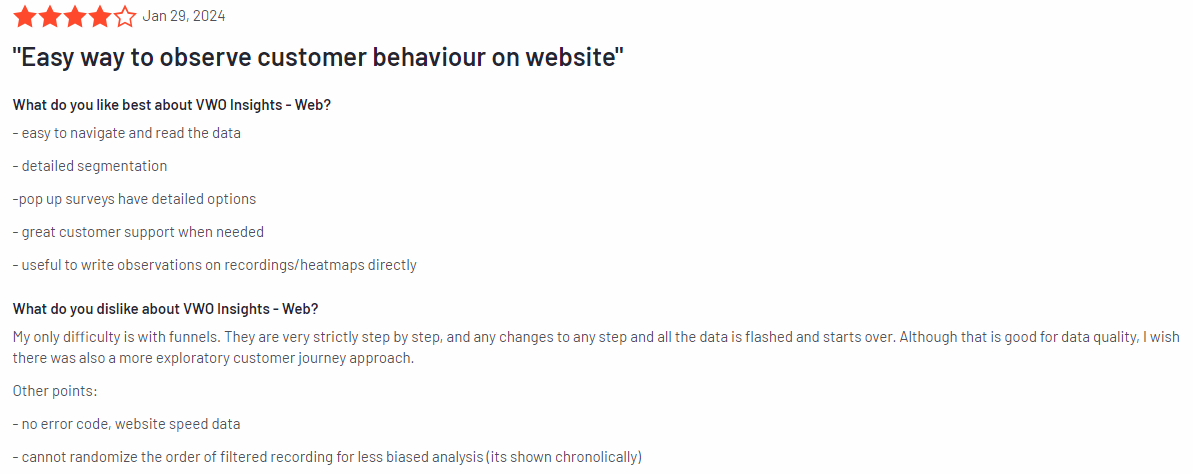
    VWO Insights has an average rating of 4.2 out of 5 stars based on 59 reviews on G2.

    VWO review

    Image source: G2

    Best for

    VWO Insights is for businesses that need clear, visual data on user behavior to optimize their websites. It’s for digital marketers, UX designers, and product teams who want to improve site performance.

    Key features

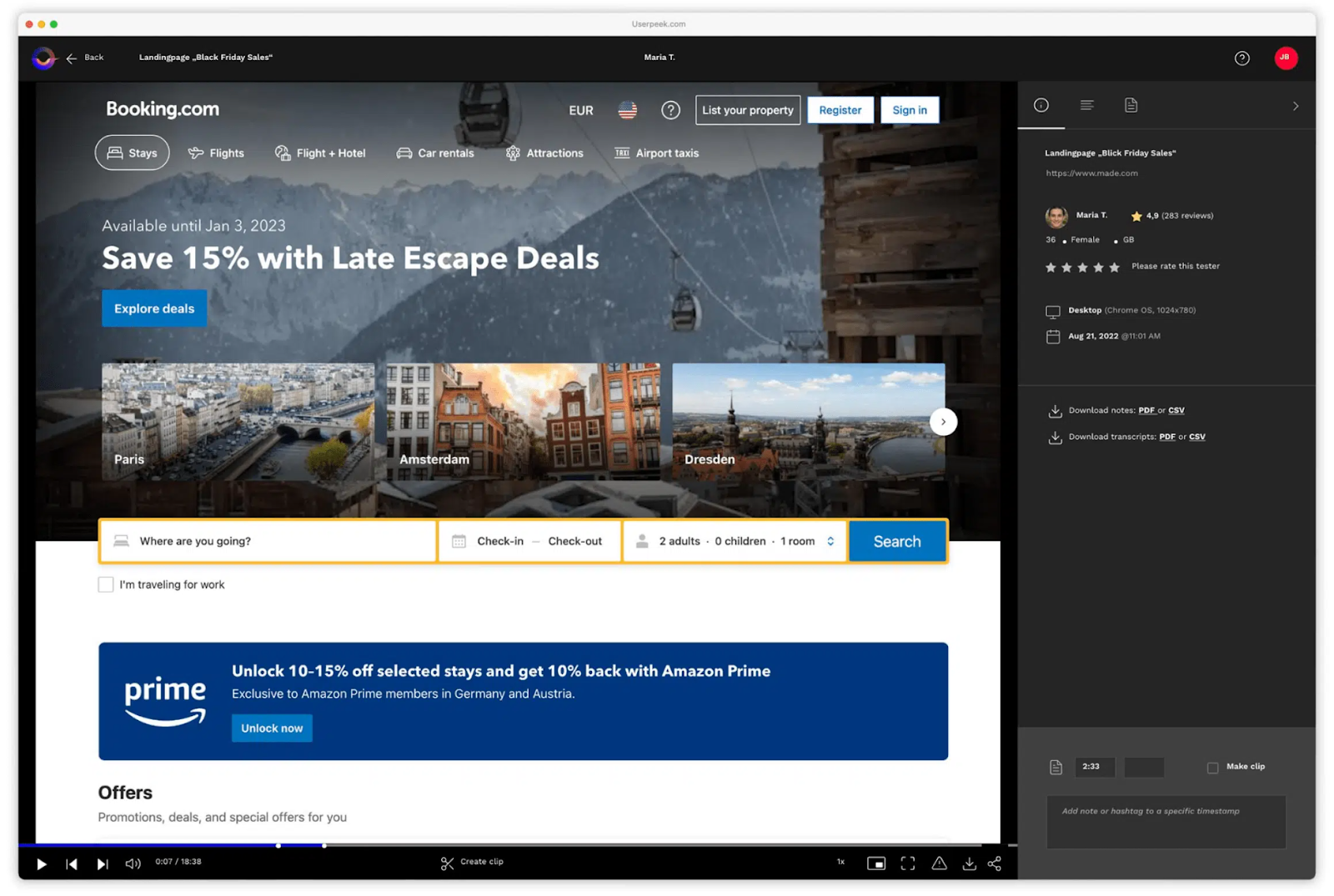
    • Heatmaps: See where users click, scroll, and hover on your site to understand which areas get the most attention.
    • Session recordings: Watch recordings of real user sessions to see how they navigate your site and where they might get stuck.
    • Form analytics: Analyze how users interact with forms on your site and identify any fields that cause user drop-offs.
    • Surveys and feedback: Gather direct feedback from users to understand their needs and frustrations.
    • On-page surveys: Place quick surveys on specific web pages to get immediate user insights.

    Supported platforms

    VWO Insights works on web platforms and mobile apps.

    Integrations

    VWO Insights integrates with tools like Google Analytics, Slack, and HubSpot, allowing you to enhance your data analysis and workflow.

    Customer support

    VWO Insights offers support through live chat, email, and a comprehensive help center filled with useful guides and tutorials.

    Pricing

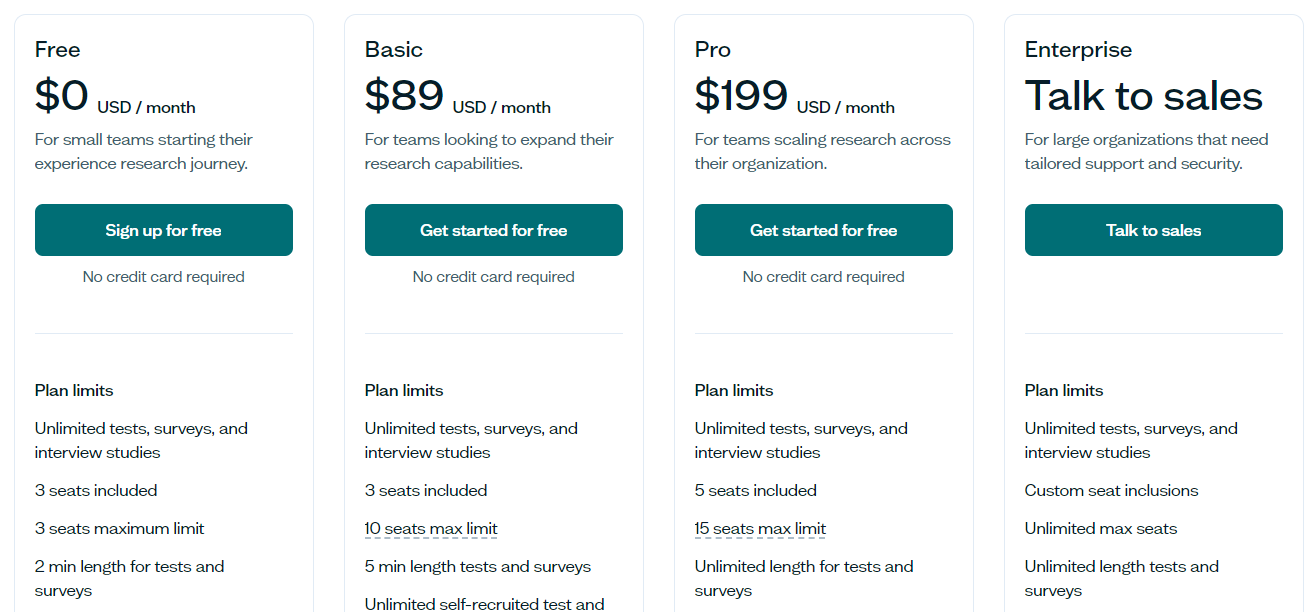
    VWO Insights offers flexible pricing plans for different business sizes. A free plan is available for small teams and scales up to larger organizations. Paid plans start at $171 and include advanced features such as user type targeting, unlimited variations, and an elements library.

    VWO pricing

    Pros

    • Simple, easy-to-use interface
    • Provides clear visual insights into user behavior
    • Integration options with popular tools
    • Flexible pricing, including a free plan for small teams

    Cons

    • Advanced features might require a learning curve
    • Some users may find collaboration features lacking
    • Occasional lags or bugs reported by some users, particularly for heatmaps

    4. Mouseflow

    Mouseflow

    Image source: G2

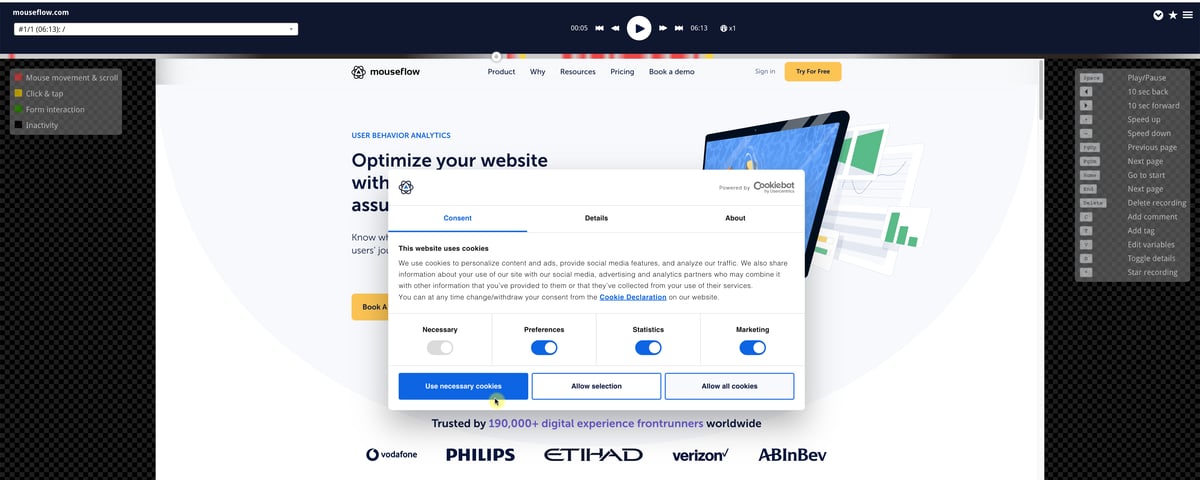
    Mouseflow is a digital experience platform that helps businesses see how visitors interact with their websites. It offers features like session recordings, heatmaps, and funnel tracking to give you a clear picture of what’s working and what’s not.

    Whether you’re running a small business or a large site, Mouseflow makes it simple to understand your users and improve your website’s performance.

    User rating

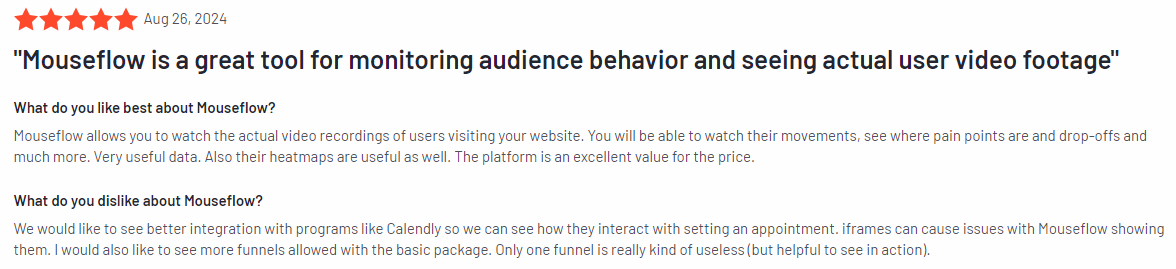
    Mouseflow has a rating of 4.6 out of 5 stars based on 627 reviews on G2.

    Mouseflow review

    Image source: G2

    Best for

    Mouseflow is for businesses that want to understand their users without dealing with complicated tools. It’s useful for digital marketers, UX designers, and small business owners who need clear, straightforward data to make decisions.

    Key features

    • Session recordings: Watch real user sessions to see how website visitors move around your site and where they might get stuck.
    • Heatmaps: See where users click, scroll, and spend time on your pages, helping you identify what catches their attention.
    • Funnel tracking: Follow the customer journey to spot where users drop off and smooth out the process.
    • Form analytics: Learn which form fields cause users to leave so you can fix them and improve form completions.
    • Feedback tools: Create surveys and polls to get direct input from your users on what they like and don’t like.

    Supported platforms

    Mouseflow works on web platforms and can also track mobile user sessions.

    Integrations

    Mouseflow integrates with popular tools like Google Analytics, WordPress, and HubSpot, so it can be used right in your existing setup.

    Customer support

    Mouseflow offers support through live chat, email, and a helpful knowledge base.

    Pricing

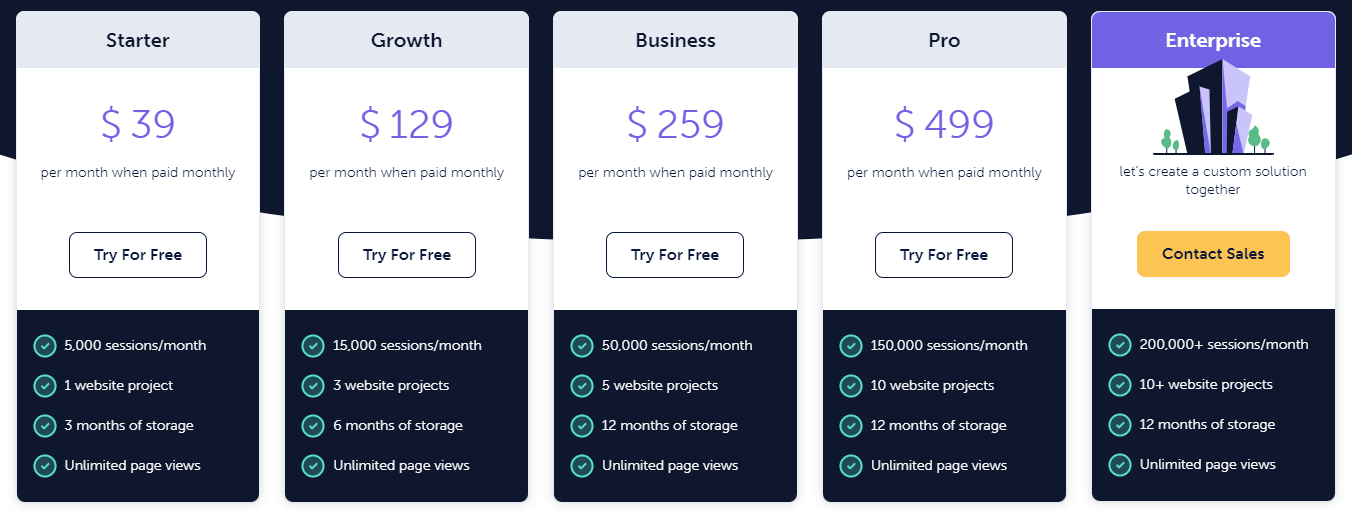
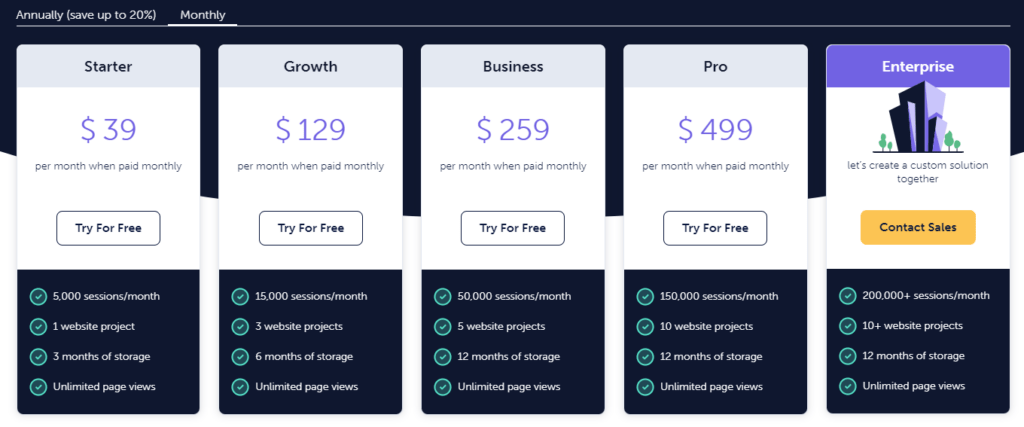
    Mouseflow offers flexible pricing, starting with a free plan for small websites and scaling up for larger needs. Paid plans start at $39 per month for up to 5,000 sessions per month, three months of storage, and unlimited page views.

    Mouseflow pricing

    Pros

    • Easy to use
    • Provides clear insights into user behavior
    • Integrates well with other tools
    • Offers flexible pricing, including a free plan

    Cons

    • Advanced features may take some time to explore
    • Doesn’t support mobile app tracking
    • Can get expensive as your business grows

    If you want to compare the last two options, here is our comparison guide on Mouseflow vs VWO.

    5. Microsoft Clarity

    Microsoft Clarity

    Image source: G2

    Microsoft Clarity is a free user behavior analytics tool designed to help you understand how visitors interact with your website. It offers features like session recordings, heatmaps, and user insights, allowing you to see what’s working well and what might need improvement.

    User rating

    Microsoft Clarity has a rating of 4.5 out of 5 based on 36 reviews on G2.

    Microsoft Clarity review

    Image source: G2

    Best for

    Microsoft Clarity is for businesses and website owners who want to gain insights into user behavior without the cost. It’s for digital marketers, UX designers, and anyone looking to make data-driven improvements to their site.

    Key features

    • Session recordings: Watch how real users navigate your site to spot any issues or areas of confusion.
    • Heatmaps: Visualize where users click, scroll, and move on your site with website heatmap tools, helping you identify popular or ignored areas.
    • Insights dashboard: Get an overview of user behavior, including details on clicks, scrolls, and time spent on pages.
    • Filtering options: Easily filter data by device, browser, or user actions to focus on specific user groups.
    • No traffic limits: Unlike many other tools, Clarity doesn’t limit the amount of data you can collect or analyze.

    Supported platforms

    Microsoft Clarity works across all web platforms, making it versatile for various types of websites.

    Integrations

    Microsoft Clarity integrates seamlessly with Google Analytics, allowing you to combine Clarity’s insights with your existing analytics data for a more comprehensive view.

    Customer support

    Microsoft Clarity offers support through email and an extensive online help center, which includes guides, FAQs, and tutorials.

    Pricing

    Microsoft Clarity is completely free, with no hidden costs or premium features.

    Pros

    • Free to use with no data limits
    • Simple setup and easy-to-use interface
    • Provides clear insights into user behavior
    • Integrates well with Google Analytics

    Cons

    • Lacks some advanced features found in paid tools
    • Limited to web platforms, with no mobile app tracking

    Best 5 CRO Tools: Comparison Table

    When it comes to choosing the best CRO software for your business, it’s essential to compare each tool’s key features, pricing, and limitations. Below is a comparison table that highlights the top five CRO tools.

    FullSessionOptimizelyVWO InsightsMouseflowMicrosoft Clarity
    Session recordings
    Heatmaps
    Funnel analysis
    Form analytics
    Feedback tools
    A/B testing
    Monthly pricing$39n/a$171$39Free

    Best 5 CRO Software: Our Verdict

    After comparing the top CRO tools, FullSession is the best choice for businesses wanting to boost their conversion rates. Its conversion and funnel optimization tools help you identify why users drop off and how to improve key stages in the user journey. With these insights, you can make data-driven changes to boost conversions.

    FullSession also offers session recordings, allowing you to replay user interactions, identify pain points, and improve the user experience. Its error tracking detects issues like JavaScript errors, helping you fix them before they impact conversions.

    In addition, FullSession provides real-time tracking of dynamic elements and speeds up heatmap processing without affecting your site’s performance. Its strong privacy features ensure sensitive data is excluded, and it fosters easy collaboration across teams with its centralized platform.

    Another big plus is how FullSession makes it easy for different teams to collaborate. It brings everyone together on one platform so your team can work more efficiently towards improving your site.

    Book a demo with FullSession today and discover how these features can help your business grow.

    Conclusion About Best 5 CRO Tools

    Conversion optimization tools are crucial for any online business that wants to get the most out of its website traffic. These tools help you see how visitors interact with your site, showing you what works and what needs fixing. Then, you can boost conversions, improve the user experience, and grow your revenue.

    Out of the top CRO tools we’ve covered, FullSession is the standout choice. It’s packed with features that make collecting user behavior simple so you can optimize your website. Whether you need real-time tracking, strong privacy protection, or better team collaboration, FullSession has everything you need.

    Ready to take your website to the next level? Book a demo today.

    For more information on other web analytics tools, here are more comparison guides:

    FAQs About Best CRO Tools

    What is CRO software?

    CRO software helps you improve your website’s conversion rate by analyzing how visitors interact with your site. It provides quantitative and qualitative tools to test and optimize different elements to turn more site visitors into customers. These tools analyze user behavior, test different website elements, and measure key performance indicators to optimize your site for better conversions.

    What is CRO best practice?

    CRO best practices include understanding your audience, testing different versions of your site, analyzing user behavior, and making data-driven changes to improve conversions. FullSession is the best conversion rate optimization tool to make this process easier.

    Is Google Analytics a CRO tool?

    Google Analytics tracks user behavior and provides data that can inform CRO efforts, but it’s not a dedicated CRO tool. For more focused optimization, a popular web analytics tool like FullSession offers more specific features for improving conversions.

    Why use conversion rate optimization tools?

    Using conversion rate optimization tools helps you get the most out of your website traffic. Instead of just driving more visitors to your site, tools like FullSession help you understand what makes those visitors convert into customers. By identifying and fixing issues, testing different elements, and making data-driven improvements, you can increase your conversion rates, boost sales, and make your marketing efforts more effective. I

    What are behavior analytics tools?

    Behavioral analytics tools track and analyze how users interact with your website or app, such as their clicks, scrolls, and navigation patterns. While they provide valuable insights into user behavior, they are not the same as CRO tools. CRO tools use this behavioral data to test and optimize different website elements, with the goal of increasing conversions and improving overall site performance.

    Check out these Hotjar alternatives for more information.

    What other tools do you need?

    CRO tools can help you track user behavior and improve your sales funnel based on customer interactions. However, you may need other specialized tools for specific purposes, like lead generation or lead capture tools to convert leads later or a landing page builder to help you create high-converting landing pages.

    Are there any free CRO tools?

    Microsoft Clarity and Google Analytics are free tools you can use to analyze your landing pages and marketing campaigns, among other things. However, they may have limited features. If you need advanced features, FullSession offers an affordable Starter plan that will give you enough quantitative and qualitative data to refine customer interactions. Book a demo to learn more.


  • Smartlook vs Hotjar (2026): Full Comparison, Pricing, and Who Each Tool Is Actually For

    Smartlook vs Hotjar (2026): Full Comparison, Pricing, and Who Each Tool Is Actually For

    Web analytics tools, specifically user behavior analytics, are a must for understanding how visitors interact with your website beyond just basic metrics like page traffic or churn rate. These tools help you gain valuable insights to improve user experience, but they each have their quirks.

    Hotjar provides website heatmap tools, session recordings, and surveys, but its pricing can be steep for websites with high traffic, and its analytics features may feel somewhat restricted. In contrast, Smartlook delivers comprehensive session recordings and heatmaps, although analyzing the vast amount of data can be time-consuming.

    This guide gives you a complete, honest comparison of both tools — features, pricing, mobile support, and the real use cases where each one wins. We’ll also cover what neither tool does well, and when a third option makes more sense.

    Start a Free Trial to Experience FullSession

    Capture all user interactions, spot trends and patterns and drive improvements without compromising your website performance.

    Hotjar is better for teams that need surveys, NPS, and qualitative feedback alongside recordings and heatmaps. Smartlook is better for mobile apps and SaaS teams that need automatic event tracking and retroactive funnel analysis. If you need real-time dynamic element tracking or tighter error + session coupling, FullSession is worth evaluating as a third option.

    Key Takeaways

    1. Hotjar is strongest for web-only products that need qualitative feedback — surveys, NPS, and on-page feedback widgets are native features. It does not support mobile app analytics.
    2. Smartlook is strongest for SaaS and mobile-first teams — it captures all sessions automatically, tracks events without manual code, and supports iOS, Android, Flutter, and React Native.
    3. The biggest pricing trap: Smartlook’s session counts can be 3–4x higher than your user count, meaning real monthly costs often run $200–500+ for active products. Factor this in before committing.
    4. Cisco acquired Smartlook in 2023 and is integrating it into AppDynamics. If long-term roadmap stability matters to your team, this is worth researching before purchasing.
    5. FullSession addresses the gaps in both tools — real-time dynamic element tracking, live heatmaps, engagement scoring, and error + session coupling — starting at $39/month with a 14-day free trial.

    Before we get into details of the Hotjar vs. Smartlook comparison, let’s discuss why FullSession might be the right behavior analytics tool for you.

    What is Hotjar?

    Hotjar

    Image source: G2

    Hotjar is a behavioral analytics and user feedback platform founded in 2014 and acquired by Contentsquare in 2021. It’s one of the most widely adopted session recording tools, particularly among marketing teams, UX researchers, and CRO specialists.

    Hotjar’s core strength is qualitative feedback: it’s one of the few analytics tools with native surveys, NPS collection, on-page feedback widgets, and post-interaction polls built in, no third-party integration required. It tracks user behavior on web only; there is no mobile app support.

    Best for: Marketing and UX teams on web-only products who want to combine behavioral data with direct user feedback.

    Key limitation: No mobile app support, session recording uses sampling on lower plans, and custom event tracking requires manual JavaScript setup.

    What is Smartlook?

    Smartlook

    Image source: G2

    Smartlook is a qualitative analytics platform for websites and mobile apps, founded in 2016 in the Czech Republic. In 2023, Cisco acquired Smartlook and is integrating its session recording technology into AppDynamics, its enterprise observability platform.

    Smartlook’s standout capabilities are always-on session recording (it captures every visitor automatically, not a sample), retroactive funnel analysis (you can build a funnel today and see historical data from before you set it up), and genuine mobile app analytics for iOS, Android, Flutter, and React Native.

    Best for: SaaS product teams and mobile-first products that need automatic event capture, full session coverage, and cross-platform analytics.

    Key limitation: No native surveys or feedback tools, data retention is only 1–3 months depending on plan, and Cisco’s acquisition creates some long-term roadmap uncertainty for teams evaluating standalone tools.

    Hotjar vs Smartlook: How They Compare and Contrast

    Below, you can compare Hotjar and Smartlook to spot where their features overlap and what unique features each solution provides. This insight can make a big difference in analyzing your website visitors’ actions. We’ll also highlight more information about FullSession to see how it compares to these products.

    Both Hotjar and Smartlook provide session recordings and heatmaps and have an easy set-up process. You’ll learn more about their differences, use cases, deployment, features, user ratings, language, and integrations as you read further. 

    Let’s start with the basics.

    Hotjar vs Smartlook: Basic Differences

    You can use Smartlook to track user interaction on websites and mobile apps, while Hotjar doesn’t track user behavior on mobile apps and doesn’t provide mobile analytics. 

    UX designers, product managers, customer support teams, and digital marketers use Hotjar in their everyday work. Smartlook targets small businesses, agencies, and digital marketers.

    One of the most significant differences between Hotjar and Smartlook lies in the filter options for session recordings and heatmaps. For example, with Hotjar, you can filter session recordings by user feedback, while Smartlook doesn’t provide this feature. However, Smartlook lets you filter session recordings by events.

    In another context, Smartlook includes funnel analysis to help you understand the user navigation, and you can use this feature as a filter for session recordings. In contrast, Hotjar has Hotjar funnels, which allow you to visualize funnel steps in each user session.

    What about FullSession? 

    Session recordings

    FullSession is perfect for businesses of all sizes, especially eCommerce sites, because it gives you clear, actionable insights into how customers interact with your site.

    With real-time session recordings, you can see exactly where shoppers get stuck or drop off, helping you fine-tune the user experience. The interactive heatmaps show you which products and pages grab the most attention so you can optimize for more conversions. 

    Plus, conversion funnel analysis helps you spot and fix any hurdles in the buying process, making it easier for customers to complete their purchases.

    It also provides data on web and mobile user sessions. Book a demo today to see it in action.

    Hotjar vs Smartlook: User Ratings

    Both Hotjar and Smartlook have shown promising results. We’ll highlight user ratings based on two popular review sites: TrustRadius and G2. 

    • TrustRadius: Hotjar’s average user rating is 8.3 out of 10 based on 339 user reviews. Smartlook’s average user rating is 8.3 out of 10 based on 301 user reviews.
    • G2: Both tools also have good ratings on this review platform. Hotjar has a 4.3 out of 5 user rating based on 304 user reviews, while Smartlook has a 4.6 out of 5 user rating based on 870 user reviews. 

    Hotjar vs Smartlook: Use Cases

    Since Hotjar and Smartlook have similar features, there’s also some overlap in their use cases.

    Some relevant use cases of Hotjar

    Hotjar recordings

    Image source: G2

    • Hotjar helps you collect instant visual feedback via a feedback widget to better understand your user behavior. With this feature, you can learn and act on your users’ thoughts while using your website.
    • The session recordings feature lets you watch what your users do while on your site. For example, you can spot specific user activity by using filters like user feedback, rage clicks, friction events, and more.
    • The survey feature lets you collect user feedback after users have visited your site. Here’s a typical scenario: if you’re in e-commerce, you can watch a session recording and spot where a user abandons your shopping cart.
    • Heatmaps let you uncover what distracts your users and test web copy and page elements to determine what works best for them.

    Some relevant use cases of Smartlook

    • With the heatmap feature, you can pinpoint what web visitors are doing on your site. Rather than watching all user actions simultaneously, you can use filters to sort new and returning users. You can also use heatmaps to get segmented data.
    • The funnel feature allows you to create a sequence of events before a visitor becomes a customer. This feature helps you understand visitor navigation and spot friction points leading to website abandonment.
    • Automatic session recordings let you monitor user behavior. This feature allows you to spot and fix specific user issues with your product.
    • You can create custom events to track data points outside typical events.

    Some relevant use cases of FullSession

    FullSession Interactive Heatmap
    • FullSession lets you make an accurate CX analysis without impacting your site performance. In contrast, the Hotjar script can slow down your page load speed, affecting your SEO performance. 
    • With the FullSession behavioral analytics tools, you can understand every user action and friction point so you can improve the customer journey.
    • FullSession lets you use advanced filtering options to identify specific events, such as cart abandonment, rage clicks, and failed payments, inside a session recording. With this feature, you can pinpoint and fix issues faster before they affect the customer experience any further. 
    • With FullSession, you don’t need to guess why customers perform a specific action on your website. You can collect real-time user feedback and ask customers about their overall experience on your site. Plus, each feedback is connected to a session recording, giving you more context about what the user said, whether negative or positive.
    • FullSession provides a central analytics and feedback platform where cross-functional teams can collaborate effectively to improve CX.
    • FullSession delivers insights into how customers interact with significant elements on your web pages, such as call-to-action buttons, images, and hamburger menus, to improve conversion rates
    • FullSession provides a clear visual of user behavior with click maps, scroll maps, and mouse movement maps.

    If you want to get a closer look at how these features work, schedule a demo today.

    Hotjar vs Smartlook: Deployment

    The deployment between Hotjar and Smartlook is quite different. With Smartlook, there are a few ways to install the software. 

    For instance, you can add the code snippet by copying and pasting it into your website’s source code. You can also implement Smartlook on your website via Google Tag Manager. You have to create a custom HTML tag with the tracking code.

    Hotjar offers several installation options. For instance, you can install the Hotjar JavaScript snippet by manually adding the code to your website.

    After installing, tracking user actions represents a crucial difference between these solutions. For example, with Hotjar, you need to describe specific events by creating custom JavaScript code and using events API to track user-specific actions. 

    It can be challenging if you don’t have enough technical knowledge. In contrast, once you install the code snippet, Smartlook automatically tracks user interactions. 

    FullSession deployment

    Deploying FullSession is quick and easy. First, go to Settings > Data Capture and Privacy > FullSession Setup to get the data capture snippet. 

    Paste it into the <HEAD> section of your website or app—via your CMS or directly in the code. The snippet works silently in the background, capturing all user interactions without requiring any manual setup.

    FullSession deployment code

    To protect sensitive data, you can use the “Excluded Elements” feature to block specific information by identifying CSS selectors, ensuring privacy. Manage these settings under Settings > Data Capture and Privacy > Privacy

    Finally, invite your team members to collaborate while you wait for sessions to populate.

    Start a free trial to see how it works.

    Hotjar vs Smartlook: Features

    As we mentioned earlier, Hotjar and Smartlook share similar features, but there are cases where these features differ.

    The main features of Hotjar:

    • Session recordings let you watch and track user activities on your site. You can spot where users rage click, make a U-turn, get stuck, and abandon a page.
    • Heatmaps provide insights into how users behave on individual site pages. This feature lets you spot the most critical elements on a web page and track where users click, scroll, and point their mouse.
    • Feedback widget, which you can use to ask customers about their overall experience while on your site.
    • Surveys help you ask customers about their experience after stopping interaction with your site. Hotjar also provides form analytics to let you see where users get stuck.

    The main features of Smartlook:

    • Session recordings tools allow you to watch user events and behaviors. Both Hotjar and Smartlook have basic dev tools for session recordings.
    • Heatmaps provide insights into how users interact with specific web elements based on historical data.
    • Events let you see all the actions users perform on your mobile app or website.
    • Funnels help you understand user behavior throughout the customer journey. You can spot when users take the path you don’t want them to take and fix glitches to increase the conversion rate.

    The main features of FullSession:

    FullSession main dashboard
    • Real-time session recordings let you track user interactions on your website as they happen so you can monitor and respond to issues instantly.
    • Session replays offer recordings of individual user sessions to see exactly how visitors navigate your site, helping you identify pain points and optimize the user experience.
    • Interactive heatmaps allow you to see where users click, scroll, and move on your website, highlighting your pages’ most and least engaging areas.
    • Customer feedback forms let you collect direct feedback from users while they’re on your site, providing valuable insights into their experiences and expectations.
    • Conversion funnel analysis allows you to track user progress through your site’s conversion funnels, identify where users drop off, and optimize for higher conversion rates.
    • Error tracking lets you monitor and analyze errors such as error clicks, network errors, console errors, error logs, and uncaught exceptions.

    Hotjar vs Smartlook: Languages

    The language is where Hotjar and Smartlook contrast greatly. The Smartlook interface is only available in English.

    While the Hotjar interface is also available in English, the software’s user-facing features, such as surveys and feedback, are available in multiple languages, including Arabic, Dutch, French, Chinese, Italian, Bulgarian, Ukrainian, and more!

    FullSession is available in English, French, and Arabic.

    Hotjar vs Smartlook: Integrations

    Both Hotjar and Smartlook offer extensive integrations. They share similar integration options with A/B testing and conversion rate optimization tools. 

    Both software integrates well with tools used by digital marketing experts like Segment, Google Optimize, and Zapier. Another similarity in their integration is that both tools are compatible with WordPress, Shopify, and Joomla. 

    There are some integration options you can find in Hotjar and not Smartlook. For example, Hotjar integrates with popular project management tools like Basecamp, Asana, ClickUp, Notion, and Trello. In contrast, Smartlook doesn’t.

    Thanks to open APIs, native integrations, and modern webhooks, FullSession lets you integrate your entire stack. You can use it with major platforms like Wix, Shopify, BigCommerce and WordPress.

    Start a free trial now.

    Hotjar vs Smartlook: Support

    No tool is perfect, and issues can arise. For this reason, customers need efficient and reliable support. Hotjar and Smartlook customer support differ slightly.

    Hotjar includes email support, ticket submissions, and training in all pricing plans. However, the absence of live chat disadvantages Hotjar since most customers prefer to communicate via live support.

    In contrast, Smartlook provides email support, ticket submission, training, and live support. Only the Startup and Business plans include access to live support, so you need to upgrade your account.

    Meanwhile, FullSession offers a help center where you can find guides on how to set up and use the platform. You can also contact FullSession support via email and live chat.

    Hotjar vs Smartlook: Pricing

    Both Hotjar and Smartlook offer pricing plans suitable for startups, SMBs, and enterprises.

    Hotjar has three paid plans:

    Hotjar pricing
    • Observe Plan: Heatmaps and recordings range from $39/month for up to 100 daily sessions to $213/month for tracking 500 to 270k daily sessions
    • Ask Plan: Surveys and feedback features range from $48/month for 250 monthly responses to $128/month for unlimited responses
    • Engage Plan: The cost of user interviews ranges from $39.2/month for three monthly interviews to $440/month for 12 interviews

    If you want only the basic features, you can try their free version. However, you only get up to 35 sessions per day.

    The pricing plan for Smartlook includes four plans – Free, Pro, and Enterprise. Here are more details on each plan:

    Smartlook pricing
    • Free plan for personal use includes 3,000 monthly sessions
    • Pro starts at $55/month with 5,000 monthly sessions
    • Enterprise offers a customized plan you can tailor to your needs

    As you can see, Hotjar and Smartlook pricing plans also differ. For example, all Smartlook pricing plans include a 30-day free trial, while Hotjar offers a 15-day free trial for new accounts and a 30-day money-back guarantee.

    As for FullSession, you can choose from one of three premium plans:

    FullSession pricing
    1. The Starter plan costs $39/month or $32/year and allows you to monitor up to 5,000 monthly sessions
    2. The Business plan costs $75/month or $60/year and helps you to track and analyze up to 100,000 monthly sessions
    3. The Enterprise plan has custom pricing and offers customizable sessions plus full access to all features

    Take note of a 20% discount when you sign up for an annual plan. For more information, you check out the Pricing page.

    Hotjar vs Smartlook vs FullSession: A Summary 

    So far, we have highlighted key features of FullSession and where it overlaps with Hotjar and Smartlook. If you need more details on how Hotjar tracks user activity, check out this article on our unbiased Hotjar feedback.

    To keep things simple and easy to grasp, here’s a detailed table that summarizes FullSession features compared to Hotjar and Smartlook.

    FullSessionSmartlookHotjar
    Session recordings
    Engagement score
    Session replay
    Advanced user filtering
    Recording timeline with pages and average time on each page
    Real-time session recording
    Sharing option
    Heatmaps
    Click/tap heatmaps
    Scroll heatmaps
    Live heatmaps
    Feedback collection
    NPS
    Visual feedback
    Customer surveys
    API
    Live support
    Click rage detection
    Insights
    Free trial
    Analysis of dynamic elements

    If you want to learn more about how FullSession compares to other session recording software like Crazyegg, Mouseflow, and FullStory, check out our CrazyEgg vs Mouseflow vs FullStory, Mouseflow vs VWO, and Hotjar vs Mixpanel comparisons.

    Hotjar vs Smartlook: Final Words

    So far, we’ve compared Hotjar and Smartlook based on their features, integration, deployment, pricing, support, use cases, and language. While each software shares similar features like visitor recordings, and heatmaps, there are other cases where their features contrast.

    For example, Smartlook relies on features like funnels, events, and retention tables to understand the why behind customer behavior. In contrast, Hotjar relies on customer feedback forms and surveys to ask customers about their experience. 

    Both software lacks certain features, such as tracking user behavior in real time. In this case, FullSession is a better alternative. It also provides interactive heatmaps that let you track user interaction with dynamic web elements like hamburger menus, hidden items, and pop-ups. 

    FullSession Insights helps you gain a bird’s eye view of user behavior and pain points that may lead to funnel dropout and impact conversion rates. 

    With FullSession, you can:

    • Monitor dynamic elements in real time for accurate user insights
    • Speed up heatmap processing without affecting site performance
    • Ensure user privacy by not recording sensitive data
    • Handle large data sets efficiently to uncover key insights quickly
    • Restrict user behavior tracking on your site to prevent data misuse
    • Foster cross-team collaboration and align efforts on a single platform
    • Combine quantitative and qualitative data to better understand user behavior
    • Analyze user behavior on both mobile and web apps
    • Use automatic event tracking across multiple platforms
    • Optimize your user interface and user experience based on data-driven insights

    FullSession Pricing Plans

    The FullSession platform offers a 14-day free trial and three paid plans: Starter, Business, and Enterprise. A yearly subscription can save you up to 20%!

    Here are more details on each plan.

    1. The Starter plan costs $39/month or $32/year and allows you to monitor up to 5,000 monthly sessions
    2. The Business plan costs $75/month or $60/year and helps you to track and analyze up to 100,000 monthly sessions
    3. The Enterprise plan has custom pricing and offers customizable sessions plus full access to all features

    If you need more information, you can get a demo.

    FAQs About Smartlook vs Hotjar

    What are the key differences between Smartlook and Hotjar?

    Smartlook offers more detailed user recordings and event tracking, while Hotjar is known for its user-friendly interface and features like surveys. For a comprehensive tool with advanced error tracking, consider FullSession.

    Which tool is better for small businesses, Smartlook or Hotjar?

    Hotjar is easier to set up and use, and it is ideal for beginners. Smartlook offers deeper insights with detailed recordings. FullSession provides a balance of ease of use and detailed analytics. It all boils down to your budget, web analytics needs, and personal preference.

    Which tool provides better integration options, Smartlook or Hotjar?

    Hotjar offers seamless integration with many popular tools, such as WordPress and HubSpot. Smartlook also integrates well with various platforms, especially for detailed session analysis. FullSession enhances these capabilities with robust integration options, making it easy to unify your analytics across different tools.

    How do Smartlook and Hotjar handle user privacy, and are there better alternatives?

    Both prioritize user privacy and comply with GDPR. FullSession offers enhanced privacy features, excluding sensitive data and providing real-time alerts for improved user trust.

    How do Smartlook and Hotjar handle data visualization?

    Hotjar excels with intuitive heatmaps and visual feedback tools. Smartlook provides detailed session replays and event-based analytics. FullSession combines the strengths of both with advanced data visualization and real-time insights to offer a more comprehensive view of user behavior.

    Is there a free web analytics tool I can use?

    Both Smartlook and Hotjar offer a free version but with limited features. You can also opt for Google Analytics if you want to try some basic website analytics tools, especially if you run Google ads. However, FullSession offers better value than these three tools at only $39 a month (or $32 if you sign up for the annual plan!)

  • We Tried 5 Mixpanel Alternatives: Here’s Our Feedback

    We Tried 5 Mixpanel Alternatives: Here’s Our Feedback

    With so much web analytics software available today, finding one that best suits your business needs can be challenging. 

    Mixpanel is a helpful tool for gaining actionable insights into your products and users. It offers various features for monitoring user activities, collecting customer data, and analyzing user behavior. However, flaws like a steep learning curve and limited integrations motivate customers to look for alternatives.

    One alternative you can test is FullSession, a user behavior analytics software that helps track user behavior on your website, web app, or landing page. It offers session recording and replay, interactive heatmaps, customer feedback forms and reports, funnel and conversion optimization tools, and error analysis to help you optimize your website performance.

    In this blog post, we will explore five different Mixpanel alternatives to help you find the perfect fit for your unique needs. Each service offers useful features for monitoring user activity and analyzing behavioral data so you can understand how users interact with your site or app. 

    Key Takeaways

    1. Mixpanel is a behavioral analytics platform for tracking user actions and collecting real-time data and insights. However, some users report performance issues with large data sets, limited pre-sale phase tracking, and dashboards that can only accommodate up to 8 reports.
    2. FullSession is a user behavior analytics software that provides session recordings,interactive heatmaps, customer feedback forms, conversion funnel analysis, and error tracking. You can visualize all user engagement, analyze trends and patterns with laser precision, and optimize your website for peak performance. FullSession is GDPR, CCPA, and PCI compliant. It integrates with Open APIs, native integrations, and modern webhooks. Book a demo to learn more.
    3. Google Analytics is a web analytics platform popular for its comprehensive free version, but it has limitations, such as the presentation of raw data without any tools to track user behavior. This means users can’t completely understand the meaning behind the numbers.
    4. Amplitude Analytics is similar to Mixpanel but offers more flexibility with predictive analysis and behavior comparison features. However, setting up event tracking can be tedious.
    5. Adobe Analytics offers cross-channel attribution and real-time insights but is expensive and lacks a free trial.
    6. Quantum Metric is unique for automatic standard event tracking and custom tracking options, though it has a high learning curve.

    If you’re looking for a comprehensive web analytics tool that goes beyond basic data tracking, FullSession is the ideal choice for your business. FullSession offers session recordings, heatmaps, conversion funnel analysis, error tracking, and so much more, all in one platform.

    With all these capabilities, you can track data easily and gain a deep understanding of what it means.

    Plus, premium plans start at only $39 a month. All premium plans offer all key features and unlimited heatmaps. You can save 20% on an annual plan and pay only $32 a month for the Starter plan!

    Start a Free Trial to Experience FullSession

    Capture all user interactions, spot trends and patterns and drive improvements without compromising your website performance.

    The Top 5 Mixpanel Alternatives in 2024

    By now, you know how Mixpanel helps teams with customer journey mapping and product analytics. But what if its limitations are holding you back from attracting the most valuable users? It’s time to look for a Mixpanel alternative.

    We tried and tested the top 5 Mixpanel alternatives, and here is our feedback.

    1. FullSession

    FullSession is a user behavior analytics software that helps you get a 360-degree view of user behavior data in a single, intuitive dashboard. You can visualize all user engagement, analyze trends and patterns with laser precision, and optimize your website for peak performance.

    Watch real-time user sessions, see how users interact with your site, and capture every aspect of the user journey. Find and remove conversion blockers, optimize key touchpoints in the user journey, and minimize drop-offs in your marketing and sales funnels.

    Detect dead zones, test different page elements, validate design changes, and improve your website’s visual hierarchy. Capture specific details about user problems, understand the reasons behind their frustration, and act promptly to provide immediate solutions.

    Start a free trial today.

    FullSession users

    Web analytics experts, digital marketers, web developers, UX designers, eCommerce managers, and sales representatives primarily use FullSession. Many eCommerce companies use it to track and analyze data.

    Deployment

    FullSession is easy to use. By following a few instructions, you can set it up yourself without help from the technical team.

    The FullSession data capture snippet is asynchronous, minimal in performance impact, and captures all web interactions automatically once loaded.

    You can easily install it by pasting the snippet into the <head> section of your site or app via your CMS or code. 

    After installation, sessions will start appearing in FullSession within minutes. To protect sensitive data, you can use the “Excluded Elements” feature to block certain elements from being captured. Privacy settings allow you to manage these exclusions, ensuring customer data is secure. 

    Finally, you can invite your team members to collaborate in FullSession while waiting for session data to populate.

    You can also book a demo to try it out.

    What makes FullSession unique?

    FullSession doesn’t confuse you with too many features. It includes ones that help you get the job done–session recordings and replays, interactive, real-time heatmaps, customer feedback forms, conversion funnel analysis, and error analysis. 

    Our primary goal is to help you track user activity and analyze user behavior. With these tools, you can:

    • Keep an eye on dynamic elements in real time to get accurate insights into user behavior.
    • Speed up heatmap processing without slowing down your site.
    • Protect user privacy by making sure sensitive data isn’t recorded.
    • Easily manage large data sets and quickly find the insights that matter.
    • Limit tracking to your own site, so you’re in control of user data.
    • Bring your team together and streamline collaboration on one platform.

    Visualize, Analyze, and Optimize with FullSession

    See how to transform user data into actionable insights for peak website performance.

    Session recordings

    FullSession lets you record user sessions to help you pinpoint any issues they may have while browsing your website. It doesn’t record sensitive information to keep user privacy safe.

    For example, you can view an entire user’s journey and watch how they interact with your website to get deeper insights into what interests them the most, which elements get ignored, and how you can improve the overall customer journey.

    You can also match user interaction data from session recordings with customer feedback. This feature helps you better understand that specific user’s experience and what led to their feedback. If it’s negative, you can see exactly what happened and pinpoint any potential issues.

    Heatmaps

    To see what website elements attract or repel your visitors, interactive heatmaps provide real-time data about your users’ actions, such as clicks, scrolls, mouse movements, taps, form submissions, and other activity on your web and mobile platforms. FullSession heatmaps have zero waiting processing time so you can get immediate data.

    Customer feedback 

    Customer feedback forms help you gather user feedback and hear their honest opinions about your product’s experience.

    It’s also easy to create feedback widgets with FullSession. No coding is required, and you can customize each widget in terms of appearance, triggers, sequences, etc.

    FullSession also allows you to have a clear overview of the results of feedback collection. In this panel, you can immediately see the average score and distribution of ratings. Plus, you’ll get a graph that represents your feedback scores by date.

    Start a free trial now.

    Funnels and conversions

    The FullSession funnels and conversions feature gives you a clear view of how users navigate the website and move through your conversion funnel. It helps you spot where users drop off, track trends over time, and identify key actions that boost conversions.

    You can also analyze user effort, see which steps engage users the most, and compare performance across different segments.

    Error analysis

    The error analysis feature helps you quickly spot and fix issues affecting user experience. It tracks error clicks, network errors, console errors, and uncaught exceptions, offering insights through session replays and error logs.

    You can segment and filter data to understand how different users experience errors, monitor trends over time, and get real-time alerts through Slack.

    Raw data from these customer journey analytics tools will appear on your main dashboard, which will then show you insights on user engagement, user experience, and marketing channels. These include but are not limited to:

    • Session playlist
    • Top users
    • User trends
    • Event per session
    • Session length
    • Active time
    • Feedback data
    • UTM analytics
    • Top referrers
    • Slowest pages (pages, landing pages, and exit pages)
    Advanced user and event filtering

    FullSession filters also make tracking customer journeys much easier. You can filter customer interactions based on device type, events, and demographic data for a more granular view of user journeys.

    Customer segmentation is key because it helps you tailor your marketing and website content to specific groups, leading to more personalized experiences. This targeted approach can increase engagement and conversion rates by addressing the unique needs of different user segments.

    Integrations

    Thanks to open APIs, native integrations, and modern webhooks, FullSession easily integrates with BigCommerce, Wix,WordPress, Shopify and many other tools. Read our detailed guide for more information.

    Customer support

    If you need help, you can contact us via live chat, send us an email, read our guides, or visit our support center.

    Pricing

    Fullsession Pricing

    Here are more details on each plan.

    • The Free plan is available at $0/month and lets you track up to 500 sessions per month with 30 days of data retention, making it ideal for testing core features like session replay, heatmaps, and frustration signals.
    • The Growth Plan starts from $23/month (billed annually, $276/year) for 5,000 sessions/month – with flexible tiers up to 50,000 sessions/month. Includes 4 months of data retention plus advanced features like funnels & conversion analysis, feedback widgets, and AI-assisted segment creation.
    • The Pro Plan starts from $279/month (billed annually, $3,350/year) for 100,000 sessions/month – with flexible tiers up to 750,000 sessions/month. It includes everything in the Growth plan, plus unlimited seats and 8-month data retention for larger teams that need deeper historical insights.
    • The Enterprise plan starts from $1,274/month when billed annually ($15,288/year) and is designed for large-scale needs with 500,000+ sessions per month, 15 months of data retention, priority support, uptime SLA, security reviews, and fully customized pricing and terms.

    Book a demo today.

    Pros

    FullSession is very handy for businesses looking to better understand user behavior. Here are the major pros of FullSession:

    • It analyzes visitor behavior, interactions, and friction points through advanced data analytics tools
    • Insights identify visitor behavior and pain points that may cause funnel dropouts
    • Advanced filtering highlights key visitor experiences and flags suspicious sessions
    • It pinpoints major session events to save time and quickly identify issues
    • It tracks behavior and activity to improve conversion rates
    • FullSession enables proper CX analysis without impacting site performance
    • Tracks dynamic elements in real time to ensure all critical interactions are captured
    • FullSession processes heatmaps quickly without affecting site performance
    • The platform protects user privacy by excluding sensitive data automatically
    • It restricts behavior tracking to your website, preventing data misuse
    • FullSession unifies cross-team collaboration on a single platform
    • It provides extensive guidance through user onboarding, starter guides, a help center, live chat, email support, and more. 

    Turn User Behavior into Growth Opportunities

    Learn how to visualize, analyze, and optimize your site with FullSession.

    2. Google Analytics

    Mixpanel alternative - Google Analytics

    Image source: G2

    Google Analytics tracks and reports website traffic, site performance, and marketing effectiveness. It helps you understand how visitors interact with your site, so you can make data-driven decisions to improve your online presence.

    However, it doesn’t have user behavior tools that will help you understand raw data.

    User rating

    Google Analytics is rated 4.5/5 on G2 based on 6,387 user reviews. Most users are happy with its features, and some feel it is occasionally complex to use.

    Google Analytics users

    Everyone uses Google Analytics. Even a beginner who just created their website a few days ago uses It to understand the website’s performance and user journey. 

    A large company with hundreds of employees also uses Google Analytics to understand event tracking, customer journeys, usage data, customer engagement, customer behavior, and user sessions.

    Deployment

    Google Analytics is available on the web. You can deploy it on your website by pasting a code from Google Analytics. You can also use WordPress plugins to add the GA tracking code.

    What makes Google Analytics unique?

    Google Analytics is a by-product of Google. As most websites try to rank in the Google search engine, it helps website owners get an edge and better understand how to optimize their products.

    Integrations

    You can integrate Google Analytics with all Content Management Systems (CMS) since the code is flexible to use on any website.

    Customer support

    Google Analytics offers extensive documentation to help users understand and use the tool effectively. It also has email and chat support for any queries. However, support is provided exclusively to Sales Partners and customers who purchase Google Marketing Platform advertising or Analytics 360 products directly from Google.

    Pricing

    Google Analytics has an extensive free version that is used by most businesses and individuals. The premium version costs $150,000 per year.

    Pros

    • The accuracy of the key metrics 
    • The tool is free to use and gets the job done with its comprehensive details on user location, devices, and browser

    Cons

    • Though Google Analytics is a helpful tool, it cannot cover all tracking needs for a website 
    • Setting up tracking manually can be a challenge to non-technical users
    • There is no option to record and replay sessions to understand the key website issues

    3. Amplitude Analytics

    Mixpanel alternative - Amplitude Analytics

    Image source: G2

    Amplitude Analytics is a product analytics platform for tracking user behaviors. Amplitude provides a more in-depth solution for user behavioral analysis and product intelligence, whereas Mixpanel is known for its focus on event-driven analytics.

    It helps you make data-driven decisions to build better products, drive conversions, and increase engagement, growth, and revenue.

    Learn more: Amplitude alternatives.

    User rating

    It has a user rating of 4.5/5 on G2 based on 2,153 user reviews.

    Amplitude Analytics users

    It is used by digital marketers, product and web analytics experts, UX designers, and others. 

    Deployment

    Amplitude analytics is available on the web. The development team can help you set up event tracking.

    What makes Amplitude Analytics unique?

    Amplitude Analytics is unique for its deep user behavior analysis and product intelligence capabilities. 

    It goes beyond simple event tracking to offer insights into user journeys, retention, and engagement, helping product teams understand both what users are doing and why. 

    With features like behavioral cohorts and predictive analytics, Amplitude provides actionable insights that drive product growth and optimize user experiences.

    Customer support

    Amplitude Analytics has a comprehensive help center where you can get answers to most of your questions. You can also join their community for help.

    Pricing

    Amplitude pricing

    Amplitude offers three plans:

    • Free plan: Provides basic capabilities that are perfect for startups and individuals
    • Plus: Starts at $61 per month for advanced features like unlimited product analytics capabilities and custom dashboards
    • Growth: Offers customized pricing for everything in Plus, along with advanced behavior analytics

    Pros

    • It provides real-time user analytics that includes user retention analysis, revenue analysis, conversion funnels, and behavioral analytics with flexible user segmentation
    • The predictive analysis predicts growth opportunities, conversion ratios, and churn possibilities
    • It helps you analyze user behavior behind any data point and compare the behavior of engaged and churned users

    Cons

    • Funnels are not flexible enough. For example, a low-importance funnel does not allow for the addition of non-mandatory steps.
    • You need to manually implement all event tracking, making it time-consuming and tedious

    4. Adobe Analytics

    Mixpanel alternative - Adobe Analytics

    Image source: G2

    Adobe Analytics is a marketing analytics platform that gives business owners real-time insights and data history about how their audiences behave.

    User rating

    Adobe Analytics is rated 4.1/5 on G2 based on 1,013 user reviews.

    Adobe Analytics users

    It is commonly used across various industries, including retail and e-commerce, media and entertainment, travel and hospitality, finance, healthcare, and technology. About 75% of customers are small business owners.

    Deployment

    Adobe Analytics is available on the web, but you can also access the dashboards from the mobile app. Due to the platform’s complexity, you might need tech support to set up the event tracking.

    What makes Adobe Analytics unique?

    Adobe Analytics provides multi-channel monitoring. It can gather and track accurate data from devices such as websites, mobile apps, kiosks, screens, and third-party websites.

    Integrations

    Adobe Analytics integrates with Adobe Experience Cloud and Adobe Exchange, enabling businesses to visualize event tracking more effectively.

    API documentation makes it simple to integrate with third-party websites. The product team can use these documents to successfully integrate any tool with Adobe Analytics.

    Customer support

    Customer support provides relevant resources based on customer queries and ends with personalized guidance. The quickest way is to visit the Adobe Analytics customer support page.

    Pricing

    Adobe Analytics pricing

    Adobe Analytics pricing is custom. The feature enablement depends on your business’s requirements. There is no free trial. It is on the expensive side, and it can cost more than $100,000/ year.

    Pros

    • Adobe Analytics tracks unsampled data for highly accurate insights, eliminating noise from sampling
    • It monitors data from both online channels and physical stores, offering a complete business overview
    • Cross-channel attribution is simplified, tying together actions from different channels into a single customer journey
    • Reports are easy to share and accessible on the go with the mobile Dashboard app

    Cons

    • The lack of a free trial is a significant drawback in evaluating such an expensive product
    • Reports, though extensive and user-friendly, can be slow to load with large data sets

    5. Quantum Metric

    Mixpanel alternative - Quantum Metric

    Image source: G2

    Quantum Metric is an analytics tool that captures customers’ experience as they visit your website, maps the customer journey, and analyzes the page performance.

    User rating

    Quantum Metric is rated 4.6/5 on G2 based on 245 user reviews.

    Quantum Metric users

    It is used by product, analytics, and marketing teams across different industries such as retail, financial services, gaming, travel, insurance, and telecom.

    Deployment

    Quantum Metric is available on the web and is easy to deploy by setting up custom events.

    What makes Quantum Metric unique?

    Quantum Metric is unique because the software automatically tracks standard user actions and allows for the manual setup of custom event tracking.

    Customer support

    If you are a paid customer, you will have access to the customer success team, who will help you with all the queries. For non-customers, the chatbot is the only option for receiving customer support.

    Pricing

    Quantum Metric provides custom pricing based on your business requirements.

    Pros

    • Creates alerts that notify you of the issue right away. You can review it using session replays and assess the problem to find the solution.
    • The ability to search from a wide variety of fields helps narrow down the results.

    Cons

    • The tool does not include short training, and it is time-consuming to take full training each time from Quantum Metric University.

    Mixpanel Alternatives: A Short Overview

    Are you unsure which behavior analytics platform to choose? Here’s a comparison of all the Mixpanel alternatives we mentioned above.

    MixpanelFullSessionGoogle AnalyticsAmplitude AnalyticsAdobe AnalyticsQuantum Metric
    G2 Rating4.654.54.54.14.6
    Session Replay
    Heatmaps
    Customer feedback tools
    Conversion tracking
    Customer segmentation
    A/B testing
    Free trial
    Monthly pricing$32/month$39/monthFree$61/monthn/an/a

    You can also check out our in-depth comparative analysis on Hotjar vs Mixpanel vs Clicktale, Hotjar vs FullStory, Mouseflow vs VWO, Lucky Orange vs Hotjar, Lucky Orange alternatives, and more. 

    Mixpanel Alternatives: The Verdict

    Each of the tools we’ve reviewed offers unique strengths, depending on what you’re looking for in a web analytics platform. While Mixpanel excels at event tracking and detailed user analysis, it has its limitations, especially with large datasets and pre-sale phase tracking.

    For a more user-friendly, comprehensive solution, start with FullSession. It provides in-depth insights into user behavior, helps optimize sales funnels, and enhances customer experience, all with a straightforward setup and affordable pricing.

    Whether you’re a small business or an enterprise, FullSession offers the tools you need to boost conversions and improve your digital products.

    FullSession can help you:

    • Track dynamic elements in real time for accurate user insights
    • Speed up heatmap processing without slowing down your site
    • Protect user privacy by excluding sensitive data
    • Manage large data sets efficiently to uncover key insights
    • Keep user behavior tracking confined to your site, preventing data misuse
    • Enable cross-team collaboration and unify efforts on a single platform

    Book a demo today and see how it fits your needs.

    FullSession Pricing Plans

    The FullSession platform offers a 14-day free trial. It provides three paid plans—Starter, Business, and Enterprise. A yearly subscription can save you up to 20%.

    Here are more details on each plan.

    1. The Starter plan costs $39/month or $32/year and allows you to monitor up to 5,000 monthly sessions.
    2. The Business plan costs $75/month or $60/year and helps you to track and analyze up to 100,000 monthly sessions.
    3. The Enterprise plan has custom pricing and offers customizable sessions plus full access to all features.

    Book a demo today.

    FAQs About Mixpanel Alternatives

    What is Mixpanel?

    Mixpanel is a behavioral analytics platform that provides real-time audience engagement data. It allows you to track multiple events, including user actions on your website, what leads visitors to convert into customers, and how visitors interact with your app and campaigns.

    The platform also lets you segment your audience based on demographics, behavior, and location. It provides analytics to help identify which channels drive the most engagement, where you are performing best, what parts of your site or app produce the most traffic, and which audiences are the most engaged with your content. 

    With these insights, you can optimize your marketing efforts and improve conversions.

    How does Mixpanel work?

    Mixpanel focuses on event tracking rather than page-level tracking. It tracks events when users take a particular action, and you can customize these events according to your requirements.

    It is most useful for post-signup analysis when the lead becomes a customer. You can track how customers use your product and understand their behavior to build a better product.

    How can Mixpanel help product teams gather insights from user data? Here is what Mixpanel offers to all its customers. It differentiates features into three categories–analysis, dashboards, and reports.  

        1. Mixpanel analysis

    The first step is to set up events in Mixpanel. For example, ‘watched a video completely’ is an event. After setting up the event, the event data starts flowing in. You can look at the trends by using appropriate filters and conditions.

    Continuing with our previous example (watched a video completely), you might be curious to know how the user came to your website and started this event. 

    Mixpanel identifies the most used paths and marks them as the best-performing or the least-performing flows. You can also specify any issues in these user paths that prevent users from completing an action.

    You can set up funnels in Mixpanel to help product and marketing teams understand the user journey. The funnel analysis will provide insights into any bottleneck or distraction that reduces conversions.

    Mixpanel also provides predictive analytics. For example, suppose you want to understand how many users can convert to paid users during a free trial. In that case, Mixpanel analyzes product usage and other factors to predict the outcome.

        2. Mixpanel dashboards

    You can set up customized dashboards on Mixpanel, choosing what is essential to work on daily. For example, you can set up a customized dashboard on Mixpanel to track the adoption and usage patterns of a newly launched feature. 

    This will help you quickly identify how different user segments are engaging with the feature and where improvements may be needed. These dashboards are user-friendly and very easy to adjust to your needs.

        3. Mixpanel reports

    Mixpanel offers a wide range of reports. Here are some of them:

    • Experiment report for A/B testing analysis 
    • Impact report for product launches 
    • Signal Report for correlation between user actions and cohorts

    What are mixpanel pros?

    Now that you understand how Mixpanel works let us look at its advantages:

    • Mixpanel is event-centric and optimized for large data sets to make data exploration much faster and easier than manual tracking
    • All events are tracked at an individual level, which means you can see the user’s details (name, email address, etc.)
    • The interface is intuitive, so you don’t need specific tutorials to use the tool
    • The customer support is responsive and helps with immediate solutions
    • Mixpanel can help you with data governance to make sure data is accurate, available, secure, and compliant with relevant regulations

    What are Mixpanel cons?

    Here are a few shortcomings of Mixpanel:

    • According to G2 reviews from Mixpanel customers, users have experienced performance issues when working with massive data
    • Dashboards can accommodate up to 8 reports 
    • The product doesn’t focus on the pre-sale phase, where you need to set up a sales funnel and track marketing data

    What is better than Mixpanel?

    FullSession is a great alternative to Mixpanel. It offers user-friendly features like session recordings, interactive heatmaps, funnels and conversions, and error analysis. It’s easier to use, more affordable and provides comprehensive insights into user behavior and conversions.

    You can also check out these Hotjar alternatives.

    Why not use Mixpanel?

    Mixpanel can be challenging due to performance issues with large datasets, limited presale tracking, and a steep learning curve. FullSession, on the other hand, is a more straightforward and versatile solution to track user behavior.

    Is Mixpanel better than Google Analytics?

    Mixpanel is better for in-depth product analytics, while Google Analytics is more versatile for general website tracking. FullSession combines the best of both, offering detailed predictive insights with ease of use. 

    What is the disadvantage of Mixpanel?

    Mixpanel’s main drawbacks include performance issues, limited pre-sale capabilities, and restrictive dashboards. FullSession overcomes these limitations with a more user-friendly approach, flexible features, and an expansive data warehouse.


  • CRO Tool Categories: 23 Tools for Analytics, SEO, Testing, and Landing Pages (2026)

    CRO Tool Categories: 23 Tools for Analytics, SEO, Testing, and Landing Pages (2026)

    Most teams don’t need “one best CRO tool”, they need the right CRO stack for their workflow: diagnose friction, prove lift, and ship improvements without guessing

    This guide is organized by CRO tool category (behavior analytics, SEO, experimentation, and landing page/site builders), so you can pick tools based on the job you’re trying to do.

    Use the sections below to choose tools by job-to-be-done, then build a stack that fits how your team ships experiments.

    Not looking for categories?

    If you want a short list of the best conversion rate optimization tools, see: 11 Best Conversion Rate Optimization Tools You Need In 2026.

    Start a Free Trial to Experience FullSession

    See how our CRO tools help you improve website performance to drive conversions.

    Qualitative CRO Tools: Session Replay, Heatmaps, Feedback, and Funnel Diagnosis

    Use qualitative behavior analytics when you need to see why users drop off: confusion, hesitation, rage clicks, broken flows, and missing intent matches. These tools help you collect the context behind your funnel numbers.

    1. FullSession

    FullSession is an all-in-one user behavior analytics software. It collects data, analyzes visitor behavior, and measures user interactions with your website, web app, or landing page. It helps you make better business decisions regarding website development, UX testing, and marketing activities to boost sales, improve customer retention rates, and increase profit.

    In terms of qualitative data, it comes with a helpful customer feedback feature that allows you to design and place feedback forms and track customer satisfaction.

    We also offer session recordings that keep track of every single interaction the customer makes so you can optimize your marketing or sales funnel more easily. FullSesssion also has aninteractive heatmap feature to let you track user engagement on landing pages and other parts of the website.

    With the funnels and conversions feature, you can gain detailed insights into user journeys so you can track and optimize each step of your conversion funnel. 

    The error analysis feature lets you detect, analyze, and resolve issues impacting user experience.

    FullSession stands out for its ease of use. The setup takes less than 5 minutes.

    You can view all data in real time and replay all recorded user sessions to measure key performance indicators and find issues that block conversions on your site.

    FullSession currently integrates with Shopify, Big Commerce, Wix, Zapier, and WordPress. It also works with modern webhooks and Open APIs. 

    Start a free trial to see how FullSession boosts your conversion rates.

    Features

    • Interactive heat mapping tools
    • Session recordings
    • Customer feedback
    • Engagement score
    • Advanced user and event filtering options
    • Funnels and conversions
    • Error analysis

    Pricing

    Fullsession Pricing

    Here are more details on each plan.

    • The Starter plan costs $39/month or $32/year and allows you to monitor up to 5,000 monthly sessions with up to 6 months of data storage.
    • The Business plan costs $75/month or $60/year and helps you to track and analyze up to 100,000 monthly sessions with up to 12 months of data storage.
    • The Enterprise plan has custom pricing and offers customizable sessions plus full access to all features.

    Book a demo today.

    2. Mixpanel

    Mixpanel CRO

    Image source: G2

    Mixpanel is another conversion optimization tool that analyzes different aspects of user behavior through a convenient dashboard. 

    The interactive report feature lets you inspect your data with a couple of clicks and shows visual reports that help you build funnels and filter results through different categories. The behavior analytics option for groups allows you to extract different metrics, such as product adoption, active usage, and patterns.

    It’s a good option for businesses that want to convert, engage, and retain customers. It integrates with Adjust, Airship, Amazon Web Services, ChurnZero, Google Cloud, Google Ads, and HubSpot.

    Features

    • Interactive reports
    • Team dashboards and alerts
    • Segmentation
    • Group analytics
    • Data integrations
    • Data management
    • Security and privacy

    Pricing

    Mixpanel pricing

    Mixpanel offers a free plan and two premium pricing packages – Growth and Enterprise.

    1. Free: Allows you to track 20 million monthly events
    2. Growth: Starts at $28/month and lets you build a plan that suits your analytics needs
    3. Enterprise: Offers a custom pricing structure and lets you track up to 1 trillion monthly events

    3. Heap Analytics

    Heap CRO

    Image source: G2

    The Heap Analytics platform is a CRO tool that lets you capture user data in real time and access it retroactively. It also has a convenient page performance dashboard to check user behavior, such as form submissions, field changes, and clicks.

    It captures all data automatically, so you don’t have to worry about starting sessions. You can customize session recording options and filter data according to your needs. Overall, it’s a good tool if you’re not looking for advanced features to track user behavior.

    Some integrations include Salesforce Marketing Cloud, Optimizely, Zapier, Zendesk, Stripe, and Shopify, among others.

    Features

    • Sessions – digital analytics
    • Engagement
    • Entry and exit pages
    • Standard event tracking
    • Custom event tracking
    • Customer retention
    • Conversions
    • Funnels
    • Real-time reporting
    • Retroactive reporting
    • Segmentation
    • Custom reports and dashboards

    Pricing

    Heap pricing

    Heap’s website doesn’t have transparent pricing, but it offers a free plan and three paid plans: Growth, Pro, and Premier. You can contact them for a quote.

    4. Mouseflow

    Mouseflow CRO

    Image source: G2

    Mouseflow helps you optimize your website experience with their session replay tools. They offer replays that you can filter by user frustration, compatibility issues, and errors to get a complete view of what happened during each visit to the site. You can use this information to make improvements so that future visitors don’t encounter the same issues.

    In addition, they provide heatmaps that show where people clicked or looked while browsing. Heatmaps also indicate an accidental click, meaning the users weren’t interested in any element listed on the page. That is vital information to know when designing apps or websites to improve customer experience.

    It integrates with WordPress, Blogger, Weebly, Wix, Magento, Shopify, KissMetrics, Google Analytics, and Hubspot, among others.

    See how we compared Mouseflow vs VWO.

    Features

    • Session recordings and replay
    • Heatmaps
    • Click and activity tracking
    • Form analytics
    • Custom interactive surveys
    • User segmentation

    Pricing

    Mouseflow offers five paid plan options, which you can try for free, except for Enterprise. Here are the details:

    • Starter: $39 per month for 5,000 sessions a month and one website project
    • Growth: $129 per month for 15,000 sessions a month and three website projects
    • Business: $259 per month for 50,000 sessions a month and five website projects
    • Pro: $499 per month for 150,000 sessions a month and ten website projects
    • Enterprise: Offers custom pricing for more than 200,000 sessions a month and over ten website projects

    5. Google Analytics

    Image source: G2

    Google Analytics is probably the most popular web analytics tool globally. This free tool allows you to collect tons of data and examine user flow to help you understand how users interact with your site. You might wonder whether they’re clicking or if the time spent on a single page is enough for them to convert.

    Thanks to this comprehensive analytics suite (which includes metrics such as bounce rate and average session duration), all those questions are answered! From there, it’s just a matter of finding out where campaigns may fall short by getting insight into important metrics such as the ones we mentioned above.

    It integrates with CRMs CallRail, DoubleClick DCM, Shopify, Zendesk, Facebook, Marketo, WordPress, VWO, and Hootsuite.

    Features

    • Custom reports
    • Audience reports
    • User flow visualization
    • Conversion and goal tracking
    • Channel grouping
    • Real-time reporting
    • Custom dimensions
    • Site search
    • Content grouping

    Pricing

    Google Analytics is free.

    6. Hotjar

    Hotjar CRO

    Image source: G2

    Hotjar shows how people interact with your website, including where they click or move their mouse around.

    These customer interactions help you determine if your website, web app, or landing pages need improvement. You can also access information about website visitors through feedback from surveys. While it’s not as advanced as some competitors, it’s still a valuable tool for CRO experts.

    Some key integrations include Slack, Segment, HubSpot, Google Optimize, Optimizely, Omniconvert, WordPress, ClickFunnel, Shopify, Trello, Zendesk, and Zapier.

    Learn more about Hotjar alternatives.

    Features

    • Heatmaps
    • Incoming feedback tools
    • User sessions recording
    • Surveys
    • Survey templates
    • Various integrations

    Pricing

    Hotjar pricing

    Hotjar currently offers a free basic plan that allows you to track up to 1,050 sessions per month. If you want to significantly improve your conversion rates, you’ll need to upgrade to a paid plan.

    The Observe plan allows you to track and analyze user behavior data via heat maps and session replay.

    • Basic plan: costs $0 and allows you to track up to 35 sessions/day
    • Plus plan: costs $39/month and lets you track up to 100 sessions/day
    • Business plan: starts from $99/month and lets you track 500 to 270,000 daily sessions
    • Scale plan: starts at $213/month and lets you track 500 to 270,000 daily session recordings

    SEO Tools That Support CRO: Speed, Technical Fixes, and Conversion-Ready Traffic

    SEO is another big part of conversion rate optimization. Search engine optimization focuses on attracting more customers through Google and other search engines. You then use CRO tools to convert the website traffic you receive through SEO.

    7. Google Pagespeed Insights

    Google Pagespeed Insights CRO

    Image source: Capterra

    You can use Google Pagespeed Insights to analyze and optimize landing pages and any other part of your website. It’s probably the most convenient tool you can use to measure the Core Web Vitals metrics such as:

    • Largest Contentful Paint (LCP): measures how fast your loading performance is. LCP should happen no longer than 2.5 seconds from when the page starts loading.
    • First Input Delay (FID): measures how interactive your website is. Ideally, pages should have an FID of 100 milliseconds or less.
    • Cumulative Layout Shift (CLS) measures your website’s visual stability. Ideally, pages should maintain a CLS of 0.1 or less.

    This tool is entirely free, and it’s a must-have if you want to stay on top of all Google algorithm updates. It integrates with other Google products.

    Features

    • Real-user experience data
    • Assessing the quality of experiences
    • Distribution and selected metric values
    • Core Web Vitals
    • Performance diagnostics
    • Performance score
    • Audits

    Pricing

    Google Pagespeed Insights is free.

    8. Ahrefs

    Ahrefs CRO

    Image source: G2

    Ahrefs is your one-stop tool for all search engine optimization activities. It’s one of the favorite tools within the SEO community because it offers a spotless dashboard and updates data in real time.

    With this tool, you can find important keywords and content ideas to improve your ranking on Google and other search engines. Connect your websites to Ahrefs, and it will automatically analyze key metrics that you can use to optimize campaigns and content.

    Search engine visibility is essential for generating more conversions, which is why tools like Ahrefs are a must-have.

    You can integrate Ahrefs with a wide variety of tools and services, such as Klipfolio, Databox, Agency Analytics, Whatagraph, Reportz, Dibz, and Clearlogin.

    Features

    • Site explorer
    • Content gap
    • Keywords explorer
    • Rank tracker
    • Content explorer
    • Domain comparison
    • Batch analysis tool
    • Link intersect
    • SEO toolbar

    Pricing

    Ahrefs pricing

    Ahrefs currently offers four paid plans. Here’s a breakdown:

    • Lite: $129 per month for six months of history and five projects
    • Standard: $249 per month for two years of history and 20 projects
    • Advanced: $449 per month for five years of history and 50 projects
    • Enterprise: $14,990 per year for unlimited history and 100 projects

    9. SurferSEO

    SurferSEO CRO

    Image source: G2

    SurferSEO is an SEO tool that focuses on content optimization. It allows you to analyze different blog pages and receive immediate feedback on improving their content.

    You can also create AI-powered content briefs, which your writers can use to insert relevant keywords and content ideas. All you need to do is enter the main keyword, and the tool will do the rest of the work for you.

    Once it generates the content editor, you can tweak the settings to optimize it further, or you can immediately send it to your writers so that they can optimize the existing content.

    This cloud-based on-page optimization tool thoroughly analyzes your competitors in the SERP, compares it to your page, and devises feedback that shows what your page is lacking.

    You can integrate SurferSEO with Jarvis, an AI-based content creation tool.

    Features

    • Content planner
    • AI briefs
    • Content editor
    • Auditing
    • Browser extension
    • AI outline generator

    Pricing

    SurferSEO pricing

    SurferSEO has three paid plans. The details are as follows:

    • Essential: $89 per month for up to 30 articles
    • Scale: $129 per month for up to 100 articles
    • Scale AI: $219 per month for up to 100 articles and 10 AI articles
    • Enterprise: Offers custom pricing for the number of articles you need

    10. Screaming Frog Services

    Screaming Frog CRO

    Screaming Frog is a helpful tool for conducting a search engine optimization audit on any website. It makes on-page optimization easier for people with little technical knowledge because it directly points out what needs fixing.

    It can diagnose issues like broken links and images, wrong meta tags, duplicate content, 404 errors, and incorrect redirects, among others.

    With the help of Screaming Frog SEO Spider Tool, you can quickly audit your website’s structure and find any discrepancies to optimize it.

    You can also integrate it with Google PageSpeed Insights and other Google Suite tools.

    Features

    • Find broken links, errors & redirects
    • Analyze page titles & metadata
    • Review meta robots & directives
    • Audit attributes
    • Discover exact duplicate pages
    • Generate XML sitemaps
    • Site visualizations
    • Crawl limit
    • Scheduling
    • Crawl configuration

    Pricing

    Screaming Frog pricing

    Screaming Frog offers a free version for up to 500 URL crawls. The paid version is $259 per year for unlimited crawls and full access to all features.

    11. Google Search Console

    Google Search Console is the ultimate tool for monitoring your website’s performance and stability. It can ensure that any changes you make, like adding new content or adjusting SEO settings, happen smoothly while keeping an eye on search engine rankings.

    It also has tools to monitor server errors, security issues like hacking or malware attacks, and any other problem affecting your website’s performance on search engine results pages (SERP).

    Google Search Console is not to be confused with Google Analytics. Google Analytics is user-oriented and focuses on insights to improve user experience. Google Search Console is SEO-focused, meaning that you’re supposed to use it to increase your visibility on search engines.

    You can easily integrate Google Search Console with tools and services such as Semrush, Databox, ContentKing, SiteGuru, and Reports.

    Features

    • Diagnose server errors and unindexable pages
    • Keyword research
    • Page insights
    • User interaction assessment
    • Site coverage
    • Mobile-first indexing
    • Penalty reviews
    • Sitemap submission

    Pricing

    Google Search Console is free.

    12. Yoast SEO

    Yoast SEO is another handy CRO tool you can add to your arsenal. The most convenient part about it is the WordPress extension that analyzes content in real time and provides actionable insights into what requires immediate improvement.

    The analysis section contains helpful comments, such as how many times a keyword has appeared in this article, whether you should increase or decrease the word count, and tips for optimizing headings and meta descriptions.

    It integrates with WordPress, Wincher, Semrush, Zapier, Elementor, Ryte, and Algolia.

    Features

    • Paragraph structure
    • Keyword density
    • Flesch-Kincaid reading ease scoring system
    • Meta descriptions
    • Link support
    • Prior keyword usage
    • Permalink cleanups

    Pricing

    Yoast pricing

    Yoast costs $229 per year for all plugins for one website and training courses. You’ll also get access to premium content and 24/7 support.

    Experimentation Tools: A/B Testing and User Testing to Prove Lift

    A/B testing is the most important part of any CRO effort. You can gather user feedback and usability information as much as you’d like, and you can avoid wasting time on non-significant test variations.

    However, if you don’t test any of the theories you develop during the research process, you won’t know what works and what doesn’t. Find the right CRO tool for A/B testing here.

    13. Lyssna

    Lyssna CRO

    Image source: G2

    Lyssna, formerly UsabilityHub, is a remote user research platform that helps you make smart decisions about your site by validating with real users. With the Lyssna platform, you can efficiently perform remote user research and feedback collection on your site.

    It saves time not having to guess what is working or which areas on your website you need to improve! It’s great for designing surveys where users comment directly on their experience while browsing your website, which also makes it a great alternative to Survey Monkey. Lastly, Preference Testing helps optimize visual assets like imagery, branding, and marketing copies.

    Usability Hub integrates with Unbounce.

    Features

    • Multi-user plans
    • Unlimited seats
    • Unlimited tests
    • Custom variables
    • Cap response numbers
    • Post-test redirects
    • Granular permissions
    • Custom test branding
    • Conditional logic
    • Collect demographic data

    Pricing

    Lyssna pricing

    Lyssna offers a free plan for a max of three seats and two minutes of tests and surveys. The paid plans are:

    • Basic: $89 per month for ten seats and five minutes of tests and surveys
    • Pro: $199 per month for 15 seats and no time limit
    • Enterprise: Offers custom pricing for unlimited tests, seats, and length

    14. UserPeek

    UserPeek CRO

    Image source: G2

    With UserPeek, you can run A/B testing with minimal effort in the blink of an eye. The tool will help you form data-backed hypotheses about where your website needs improvement or what direction it should take next. 

    Unfortunately, UserPeek doesn’t offer any integrations at the moment.

    Features

    • Real user video feedback
    • Targeted tester audience
    • Tagging and annotations
    • Speech-to-text transcription
    • Full-screen recording
    • Audio commentary
    • Natural environments
    • Highlight reels
    • Design linking

    Pricing

    UserPeek pricing

    UserPeek doesn’t offer a free plan, but there are two paid plans to choose from:

    • Flex: $55 per tester; a pay-as-you-go plan for beginners
    • Grow: $245 per month for five testers a month

    15. VWO Testing

    VWO Testing CRO

    Image source: G2

    VWO Testing offers unique experimentation possibilities. With its simple design dashboard, you can efficiently conduct A/B tests and multivariate analyses with statistical significance to maximize conversions.

    For example, you can use it to change the position of various CTAs on your landing pages or experiment with different page elements. Another perk of this CRO software is a simple yet effective design dashboard.

    VWO integrates with WordPress, Google Analytics, Shopify, Adobe Commerce, Joomla, Drupal, BigCommerce, GetResponse, Mixpanel, Heap, and Kissmetrics.

    Features

    • A/B testing
    • Split URL testing
    • Mobile website testing
    • Visual editor
    • Code editor
    • Report customization
    • Preview Mode
    • Traffic allocation
    • Email and chat support

    Pricing

    VWO Testing pricing

    If you want to try VWO Testing, you can choose from the following plans:

    • Free: Basic testing features for companies who want to experiment
    • Growth: $314 per month for unlimited goals and metrics
    • Pro: $722 per month for more advanced features like multivariate testing and multi-device campaigns
    • Enterprise: $1,265 per month for large teams and enterprises who want to optimize through advanced testing

    16. Google Optimize

    Google Optimize CRO

    Image source: Capterra

    If you want to get technical, Google Optimize is an A/B testing tool designed for online marketers. It helps you boost conversion rates and visitor satisfaction by allowing different combinations of content on various pages.

    You can measure your experiments while leveraging different analytics goals. For example, you can specify which audience members will participate in split tests. Instead of picking users randomly, this method ensures that the data you receive is more accurate.

    Google Optimize integrates with Google Analytics.

    Features

    • Easy editing
    • Helpful diagnostics
    • Responsive visual editor
    • Sophisticated code editing
    • A/ B or a/ B/ N testing
    • Multivariate testing
    • Split URL testing
    • Server-side experiments
    • Additional simultaneous experiments

    Pricing

    Google Optimize is free.

    17. Crazy Egg

    Crazy Egg CRO

    Image source: G2

    Crazy Egg is a good tool for conversion optimization. It lets you track how website visitors interact with your site and identify any problems causing frustration, like unclear calls-to-action or information overload on different web pages.

    You can also use different filters to drill down into specific customer segments, which helps you not miss out on valuable prospects coming from these areas of interest. 

    It integrates with Magento, Shopify, WordPress, Wix, Squarespace, Joomla, and Google Tag Manager.

    Features

    • Heatmaps
    • Confetti maps
    • Scroll maps
    • Overlays
    • Session recording
    • A/B testing
    • Various integrations

    Pricing

    Crazy Egg pricing

    All Crazy Egg plans come with a 30-day free trial. These are the paid plans:

    • Plus: $99 per month for unlimited A/B tests, surveys, and websites, plus 150,000 tracked pageviews.
    • Pro: $249 per month for all features that come with Plus and 500,000 tracked pageviews.
    • Enterprise: It starts at $499 per month for all the features of Pro and one million tracked pageviews.

    18. FullStory

    FullStory CRO

    Image source: G2

    FullStory is an analytics tool that provides vital site data and offers in-depth insights into your customers and their interactions on the web. You can track their behavior in real time to identify potential issues.

    This information is gathered together via one dashboard that gives clear visibility across every aspect related to digital experience design. From keyword research to campaign conversion rates and even form analytics, you can access everything with a couple of clicks.

    FullStory integrates with Slack, Trello, WordPress, Salesforce Sales Cloud, Google Analytics, JIRA, Shopify, Squarespace, Zendesk, and ActiveCampaign.

    Features

    • Defined events
    • Funnels
    • Metrics
    • Session recordings
    • Performance
    • Error and bug tracking

    Pricing

    FullStory pricing

    FullStory’s website doesn’t clearly provide pricing, so you will need to contact their sales team for a quote.

    19. Optimizely

    Optimizely CRO

    Image source: G2

    Optimizely offers different A/B testing tools that give marketers access to all their customer data in one place to optimize content strategy more efficiently than ever before or experiment with new marketing tactics on demand. Its cutting-edge AI technology enables custom recommendations based on each user’s profile.

    You can integrate Optimizely with WordPress, Google Analytics, Rippling, Hotjar, Livestorm, Marketo Engage, Pendo, and Bubble, among other services.

    Features

    • Content management system (CMS)
    • Authoring & layout
    • Headless API
    • Approval workflows
    • Visitor targeting
    • Project collaboration
    • Inventory & order management
    • A/B testing & experimentation
    • Advanced visitor personalization
    • Content & product recommendations

    Pricing

    You need to contact their sales team for pricing on all their packages.

    Site and Landing Page Tools: Build, Iterate, and Reduce Friction Fast

    Your website and, consequently, landing pages are the most important to consider when improving conversions. They’re what your customers see and interact with, which is why you should use the correct tools to gather actionable insights. These are our top picks.

    20. Unbounce Landing Pages

    Unbounce CRO

    Image source: G2

    Unbounce lets you create optimized landing pages that will drive conversions quickly. Its drag-and-drop page builder doesn’t require coding, and you can easily customize your landing pages with hundreds of custom templates.

    The tool also offers built-in AI called Conversion Intelligence which helps test various elements such as text size and color palette while split testing results against each other. It gives marketers and business owners more significant insights into what works best when converting visitors into buyers.

    Unbounce integrates with Slack, Google Sheets, WordPress, MailChimp, Google Analytics, Shopify, Hubspot, Rippling, Zoho, Zapier, and ActiveCampaign, among others,

    Features

    • Smart builder
    • Smart copy
    • Smart traffic
    • Conversion intelligence
    • Landing page templates

    Pricing

    Unbounce pricing

    If you want to try Unbounce, you can choose from the following paid plans:

    • Build: $99 per month for the landing page builder and other basic features.
    • Experiment: $149 per month for all Build features plus testing unlimited page variants.
    • Optimize: $249 per month for all Build features plus AI optimization and audience insights.
    • Concierge: $649 per month for all Optimize features plus a dedicated customer success manager and access to implementation services.

    21. LeadPages

    LeadPages CRO

    Image source: G2

    Leadpages is an easy-to-use landing page tool that allows you to build websites, pop-ups, and alert bars in just minutes. You can also check out your performance with real-time analytics because the conversion rate of each test will be recorded for later viewing.

    In terms of integrations, you can expect Paypal, WordPress, Mailchimp, Salesforce, Google Analytics, Wix, Shopify, Hubspot, Stripe, Zapier, and Squarespace, among others.

    Features

    • Intuitive drag-and-drop editor
    • HTML, CSS, and custom code editor
    • Rich content library
    • SEO features
    • Quick web analytics options
    • Various integrations

    Pricing

    LeadPages pricing

    LeadPages currently offers three paid plans:

    • Standard: $49 per month for five landing pages
    • Pro: $99 per month for unlimited landing pages
    • Conversion: $697 per unlimited landing pages and full marketing funnel audit

    22. Lander

    Lander’s tools are more limited than LeadPages’, but they offer a free plan for beginners to experiment with. Upgrading will be necessary if you need more features or want to analyze more users on your site.

    However, it has everything you need and more for small businesses and blogs. It can help you take care of lead generation and conversion optimization.

    Lander integrates with ActiveCampaign, Zapier, and Wufoo.

    Features

    • Dynamic text replacement
    • A/B testing
    • Facebook landing pages
    • Templates
    • Landing page editor
    • Lead capture tools

    Pricing

    Lander pricing

    The Lander app has two paid plans:

    • Basic: $49 per month for 3,000 visitors a month and one custom domain
    • Professional: $99 per month for 25,000 visitors a month plus ten custom domains

    23. BrowserStack

    BrowserStack CRO

    Image source: G2

    BrowserStack is a dedicated tool for developers to diagnose and fix issues, improve general usability, and create a better experience for website visitors. This tool makes it easy to ensure your web pages render as intended.

    BrowserStack integrates with Slack, Trello, WordPress, JIRA< Github, Microsoft Visual Studio, Zapier, bitbucket, Jenkins, and Espresso.

    Features

    • Geolocation testing
    • Push notifications
    • Pre-loaded images
    • Network simulation
    • Test dependent apps
    • Google Pay

    Pricing

    BrowserStack pricing

    There are several BrowserStack plans to choose from. Here’s a breakdown:

    • Desktop: $39 per month for testing on 3,000 desktop browsers
    • Desktop & Mobile: $49 per month for testing on 3,500 mobile and desktop browsers
    • Team or Team Pro: Starts at $175 per month for testing on 3,500 mobile and desktop browsers with five users
    • Enterprise: Offers custom pricing

    Maximize Your Conversion Rate With FullSession

    See how our CRO tools help you improve website performance to drive conversions.

    How to Choose a CRO Stack (and Where FullSession Fits)

    FullSession

    Choosing a CRO stack is easier when you match tool category → job-to-be-done: diagnose friction (qualitative), validate impact (testing), remove acquisition blockers (SEO), and ship faster (page/site tools).

    FullSession is the best user behavior analysis tool on the market. It lets you create beautiful feedback forms in minutes, which you can post on your website to learn more about user experience.

    If you notice a high bounce rate, our session replay tool will help you understand what went wrong. FullSession also lets you create and set up interactive heatmaps in under 5 minutes, which you can use to analyze problem areas on your website. 

    The key benefits of incorporating the best conversion rate optimization tool into your CRO strategy are: 

    • Intuitive feedback editor
    • Interactive behavior analysis tools
    • Advanced analytics and filtering
    • Visual data through heat mapping
    • Different design and customization options
    • Improved customer satisfaction
    • Increased site conversions
    • Net promoter score surveys
    • User-friendly interface
    • Useful user insights

    FullSession can also:

    • Monitor dynamic elements as they occur to gain accurate insights into user behavior
    • Speed up heatmap processing without affecting your site’s performance
    • Ensure user privacy by omitting sensitive data from recordings
    • Handle large volumes of data efficiently to swiftly uncover important insights
    • Limit user behavior tracking to your website to prevent misuse of data
    • Enhance team collaboration by centralizing efforts on a single platform

    To learn more, book a demo today.

    FullSession Pricing Plans

    FullSession pricing

    The FullSession platform offers a 14-day free trial. It provides three paid plans—Starter, Business, and Enterprise. A yearly subscription can save you up to 20%.

    Here are more details on each plan.

    1. The Starter plan costs $39/month or $32/year and allows you to monitor up to 5,000 monthly sessions.
    2. The Business plan costs $75/month or $60/year and helps you to track and analyze up to 100,000 monthly sessions.
    3. The Enterprise plan has custom pricing and offers customizable sessions plus full access to all features.

    Book a demo today.

    FAQs About CRO Tools

    What are CRO tools?

    Conversion rate optimization (CRO) tools collect data on user behavior on your site and identify issues that decrease your conversion rate.

    User research is essential for any conversion optimization strategy, making these tools a must-have for every successful business.

    How does CRO work?

    CRO tools work by establishing conversion metrics and identifying website areas and page elements that decrease your results.

    For example, if you run an e-commerce store, your conversion metrics might include the number of purchases. If you sell products, you can track lead generation or free trial sign-ups..

    For media businesses, key metrics are page views, ad performance, newsletter subscriptions, and user engagement. In the travel and hospitality sector, you’d focus on booking conversions, ancillary purchases, and social shares.

    How can you use CRO to improve websites?

    CRO is a complex process involving various tools and methods to increase conversions. CRO tools offer additional insights into user activity, conversion paths, and the customer journey, helping you identify what works and what doesn’t.

    With this information, you can optimize your website’s content and usability, creating a better user experience and encouraging visitors to become paying customers.

    How to choose the right CRO tools

    Choosing the right conversion rate optimization tools can be challenging due to the vast number of options available. The CRO field covers broad areas, so to achieve optimal results, you’ll need to evaluate different types of software that address various aspects of the conversion process.

    For these reasons, we’ve divided our best CRO tools list into the following categories:

    1. Qualitative data analysis tools and software
    2. SEO tools and software
    3. A/B and user testing tools
    4. Website and landing page tools

    What is a CRO tool?

    A CRO (Conversion Rate Optimization) tool helps businesses improve their website’s conversion rates by analyzing user behavior, conducting A/B tests, and optimizing site elements to increase actions like purchases or sign-ups.

    What is CRO?

    CRO (Conversion Rate Optimization) is the process of increasing the percentage of website visitors who complete a desired action, such as making a purchase or signing up. It involves understanding user behavior and testing different strategies with quantitative and qualitative tools to boost conversions.

    Is Google Analytics a CRO tool?

    Google Analytics is not a CRO tool but is essential in the CRO process. It provides insights into user behavior and traffic, helping identify areas for improvement. When used with paid or free tools for CRO, such as quantitative data tools, it aids in tracking and analyzing optimization efforts.

    What is CRO programming?

    CRO programming involves the technical implementation of changes and tests to optimize a website’s conversion rate. This includes coding for A/B tests, personalizing user experiences, and integrating CRO tools, ensuring smooth experimentation and data collection for better conversions.


  • Best LogRocket Alternatives in 2026: 5 Tools Compared by Use Case

    Best LogRocket Alternatives in 2026: 5 Tools Compared by Use Case

    Looking for the best LogRocket alternative in 2026? The right choice depends on what your team needs most: session replay, front-end debugging, digital experience analytics, mobile visibility, or more predictable pricing.

    LogRocket is still a strong platform for technical issue investigation, but it is not always the best fit for every workflow. Some teams want broader UX and conversion insight. Others need stronger mobile app analytics, simpler implementation, or a lower-cost option.

    In this guide, we compare the top LogRocket competitors by best use case, strengths, limitations, pricing direction, and team fit so you can quickly shortlist the right platform.

    Looking for a direct LogRocket vs FullStory comparison?
    If you are deciding between those two platforms specifically, read LogRocket vs FullStory That guide is built for side-by-side evaluation.

    What Is the Best LogRocket Alternative?

    The best LogRocket alternative depends on your workflow. If you want a broader mix of session replay, UX analysis, heatmaps, funnels, and feedback, FullSession is a strong fit. If you need digital experience analytics across product and UX teams, FullStory is a strong option. If your priority is engineering observability and mobile monitoring, Datadog or Dynatrace may be a better fit.

    Key Takeaways

    1. LogRocket is best for engineering-led debugging, but not always the best fit for UX, CRO, or broader digital experience analysis.
    2. FullSession is a strong alternative for teams that want replay, heatmaps, funnels, feedback, and error analysis in one platform.
    3. FullStory is better suited to teams focused on customer friction, journey visibility, and digital experience analytics.
    4. Datadog and Dynatrace are stronger options when session replay needs to connect with observability, infrastructure, or mobile monitoring.
    5. Lucky Orange is a practical lower-cost option for conversion optimization and form analysis.

    Start a Free Trial to Experience FullSession

    Capture all user interactions, spot trends and patterns and drive improvements without compromising your website performance.

    Best LogRocket Alternatives in 2026: Which Tool Fits Your Team?

    If you’re looking for the right web analytics tool, here are some of the most popular LogRocket competitors you can use to uncover hidden customer behaviors and visitor motivation

    ToolBest ForStrongest AdvantageMain Limitation
    FullSessionWeb teams needing replay + UX + funnelsStrong all-in-one workflow for replay, heatmaps, funnels, feedback, and error analysisLess suitable for full observability use cases
    DynatraceLarge enterprise observabilityBroad monitoring and mobile supportComplex deployment and pricing
    DatadogEngineering and infrastructure-heavy teamsStrong observability and RUMBroader and more expensive than many teams need
    Lucky OrangeCRO and budget-conscious website teamsStrong form and conversion analysisNot ideal for deep engineering workflows
    FullStoryProduct, UX, and digital experience teamsStrong journey visibility and behavioral analyticsLess transparent pricing

    1. FullSession

    FullSession is user behavior analytics software that provides a 360-degree view of user behavior data in a single, intuitive dashboard.

    It allows you to capture all user interactions in the customer journey, get visual insights instead of raw data, analyze trends and patterns in visitor behavior data, solve issues affecting user experience, and improve the performance of your website, landing page, or web app.

    You can seamlessly share these insights across teams and departments.

    Our user behavior analytics also complies with GDPR, CCPA, and PCI standards, protecting your data.

    Start a free trial today.

    User rating

    FullSession has a 5 out of 5 rating on G2.

    Who uses it?

    FullSession is an excellent tool for web analysts, web designers, product teams, marketers, UX/UI researchers, analytics teams, and product managers. It can be valuable for most business owners in the SaaS (Software As A Service) and eCommerce sectors.

    Deployment

    To use FullSession, you just need to start your 14-day free trial and install a code snippet on your website.

    We offerdetailed guides to show you how to integrate FullSession with popular platforms such as WordPress, BigCommerce, Wix, and Shopify. You can also request a demo to see how it works.

    Features list

    Let’s explain the key features and benefits of FullSession.

    1. Session recordings and replays

    Session recording and replay allow you to track website visitors in real time, see how they interact with your site, and identify issues in their journey. You can also analyze user trends and see top users and referrers. 

    FullSession allows you to automatically record user activity, including error and rage clicks, and get data regarding user location, IP address, the visited URL, console logs, referrals, time spent on the page, session list, and session events. 

    With real user sessions, you can identify funnel drop-offs and observe customer actions, such as button clicks, hovers, scrolls, and mouse movement. You can skip the inactivity or speed up the session replay to focus on the critical user behavior

    2. Interactive heatmaps

    Interactive heatmaps let you track mouse movements, see how far users scroll your web pages, and which page elements they engage the most or completely ignore.

    When you sign up for the Basic plan, you can create unlimited heatmaps to observe how real users interact with your website.

    Click map example

    A click map is a heatmap visually representing users’ clicks on a web page. It helps you pinpoint where visitors are clicking the most, where they might be having trouble finding what they are looking for, and their overall engagement with your page elements.

    You can see the URL of the visited page, the number of total visitors, views, and clicks, as well as errors, rage, and dead clicks. You can also see information regarding load time and average time on the page.

    Improve Your Website UX and UI

    Learn how our interactive heat maps help you find cold spots and dead zones on your site.

    Mouse movement map example

    Using a mouse movement map, you can track users and visualize how they interact with your website, how interesting certain page sections are, and whether or not they find what they are looking for before exiting.

    Scroll map example

    A scroll heatmap visually represents the user’s scroll behavior. It shows which parts of the page users view most often, which parts get the least attention, and where users spend the most time on each particular page.

    3. User and event segmentation

    Customer segmentation helps you find critical events during a session. You can filter session recordings by various parameters and share your findings with the rest of your team. You can filter data for web browsers and mobile apps.

    4. Customer feedback 

    You can create customer feedback forms with a custom design and specific questions you want to ask your users. You can also choose which devices to collect user feedback on. You will get a detailed overview of each feedback, and you can send the results directly to your mailbox. 

    With these qualitative insights, you know exactly what you need to do to upgrade your key flows and conduct conversion rate optimization effectively.

    Each user feedback is connected to a session recording, which you can watch to learn what happened and better understand your users.

    5. Funnel analysis

    This feature allows you to track important conversion metrics such as the percentage of converted users, conversion rates, time to convert, etc. You can use this information to analyze the effectiveness of your marketing or sales funnels and optimize your strategy.

    6. Error analysis

    The bug tracking and error monitoring feature lets you analyze technical data that may affect digital experiences, such as:

    • Error clicks
    • Network activity errors
    • Console errors
    • Error logs
    • Uncaught exception

    With this comprehensive view of various types of errors, you can identify bugs and generate bug reports to improve the reliability of your digital products. Plus, you can formulate data-based actions that will help improve user satisfaction and get you more conversions.

    What makes this tool unique

    FullSession is a comprehensive web analytics platform that can help you:

    • Track dynamic elements in real time for detailed insights
    • Speed up heatmap processing without impacting site performance
    • Prioritize user privacy by excluding sensitive data from recordings
    • Efficiently manage large data sets to quickly discover essential insights
    • Restrict user behavior tracking to your site to avoid data misuse
    • Centralize team efforts and boost collaboration on one platform

    It also allows you to provide the best customer experience and use valuable data to make continuous product improvements. 

    Integrations

    You can integrate FullSession with third-party tools such as WordPress, Shopify, Wix, and BigCommerce, Open APIs and modern webhooks.

    Customer support

    FullSession provides detailed guides. You can also contact our team using the live chat or visit our help center.

    Pricing

    Fullsession Pricing

    Here are more details on each plan.

    • The Free plan is available at $0/month and lets you track up to 500 sessions per month with 30 days of data retention, making it ideal for testing core features like session replay, heatmaps, and frustration signals.
    • The Growth Plan starts from $23/month (billed annually, $276/year) for 5,000 sessions/month – with flexible tiers up to 50,000 sessions/month. Includes 4 months of data retention plus advanced features like funnels & conversion analysis, feedback widgets, and AI-assisted segment creation.
    • The Pro Plan starts from $279/month (billed annually, $3,350/year) for 100,000 sessions/month – with flexible tiers up to 750,000 sessions/month. It includes everything in the Growth plan, plus unlimited seats and 8-month data retention for larger teams that need deeper historical insights.
    • The Enterprise plan starts from $1,274/month when billed annually ($15,288/year) and is designed for large-scale needs with 500,000+ sessions per month, 15 months of data retention, priority support, uptime SLA, security reviews, and fully customized pricing and terms.

    Book a demo today.

    Pros

    • Captures and shows real-time user interactions
    • Includes all user behavior tools to analyze and optimize user journeys
    • It’s intuitive and easy to use
    • It provides a 14-day free trial
    • Offers detailed data regarding user behavior and engagement
    • Advanced filtering options help you find what you’re looking for faster
    • It doesn’t affect website performance or site speed negatively 
    • It can help you conduct A/B testing

    Visualize, Analyze, and Optimize with FullSession

    See how to transform user data into actionable insights for peak website performance.

    2. Dynatrace

    Dynatrace review

    Image source: G2

    Dynatrace is a software observability platform for infrastructure monitoring, security management, and business analytics. It offers many different features in one package, and you can use it to track various performance metrics, user experience, and behavioral data, among other things.

    User rating

    Dynatrace has a 4.5 rating on Capterra and a 4.5 score on G2.

    Who uses it?

    Different teams can use Dynatrace. It’s a good solution for financial markets, retail businesses, transportation companies, emergency services, and government.

    Deployment

    Dynatrace requires you to set up an account and install a client on the system you will use it on. This process is more complex than that of other platforms.

    Features list

    • Real user monitoring: You can view session replays to see how users interact with a page
    • Synthetic monitoring: It helps you automatically find problems with your solution before users notice them
    • Mobile app monitoring: You can use Dynatrace with mobile apps
    • Business Analytics: You can track various business metrics, evaluate conversion rates, etc.
    • Cloud automation: It helps accelerate software delivery 

    What makes this tool unique

    Dynatrace offers many different features in one package and gives access to all the acquired data through a single dashboard. It can be beneficial for big companies that focus on cross-team collaboration.

    Integrations

    Dynatrace’s list of integrations is long. It mentions over 650 technologies, including AWS, GCP, Microsoft Azure, Kubernetes, and many others.

    Customer support

    Dynatrace offers a detailed help page. You can contact the company via phone or email.

    Pricing

    The pricing depends on the features and services you want to use. Here’s the hourly and per-item pricing breakdown:

    1. Full-stack monitoring: $0.08 per hour for 8GB host
    2. Infrastructure monitoring: $0.04 per hour on any size host
    3. Kubernetes monitoring: $0.002 per hour for any size pod
    4. Application security: $0.018 per hour for 8GB host
    5. Real user monitoring: $0.00255 per session
    6. Synthetic monitoring: $0.001 per synthetic request
    7. Log management and analytics: Starts at $0.20 per GiB

    Pros

    • Dynatrace offers many different features in one place
    • You can use the platform as a SaaS or deploy it in your cloud environment

    Cons

    • User experience isn’t the focus here, and some companies won’t need so many features
    • Compared to other tools, deployment is more complex 
    • It has a high learning curve
    • Confusing pricing

    3. Datadog

    Image source: G2

    Datadog provides cloud monitoring as a service. It allows businesses to monitor their websites and apps and manage security concerns. It offers multiple components and features in one product, including application performance monitoring, performance management, and real user monitoring.

    User rating

    Datadog has a 4.6 rating on Capterra. The tool’s score on G2 is lower – 4.4.

    Who uses it?

    Developers, cybersecurity specialists, IT operations teams, and business users can use Datadog in their workflow.

    Deployment

    You must set up an account and install a client. It’s not a complicated process, but it’s not as easy as installing the FullSession code snippet.

    Features list

    • Log management and interactive dashboards: Datadog unifies logs and metrics and shows everything in one place
    • Session replay and real user monitoring: You can see what users do on the page
    • Synthetic monitoring: End-to-end testing during the entire development process
    • Error tracking: Datadog automatically flags problematic sessions
    • Privacy controls: Privacy options to anonymize sensitive information

    What makes this tool unique

    Datadog offers many features under one umbrella. You can track many applications and pages simultaneously and access data regarding performance, security, user experience, etc. It can be a good option for corporations that prefer one system to deal with various issues.

    Integrations

    You can integrate Datadog with over 750 technologies, including AWS, Apache, Microsoft Azure, GitHub, GCP, and Jenkins.

    Customer support

    Datadog offers a help page and documentation. You can contact the company via phone, e-mail, or live chat.

    Pricing

    Datadog pricing

    Datadog offers different pricing options with several plans for each service. For example, infrastructure monitoring has a Pro plan and an Enterprise plan. The first one costs $15/host/month, and the second one costs $23/host/month. 

    Real user monitoring and session replay cost $1.50 per 1,000 sessions per month on browsers and mobile devices. The Browser Premium Plan with additional features is priced at $1.80 per 1,000 sessions per month.

    Pros

    • A complex platform that lets you monitor various metrics at the same time
    • You can use it in many different systems and environments
    • It takes privacy into account

    Cons

    • The platform offers much more than just user experience monitoring, but many companies won’t need such an extensive feature set
    • Deployment is more complex than in the LogRocket case
    • Confusing pricing

    4. Lucky Orange

    Lucky Orange review

    Image source: G2

    Lucky Orange provides a comprehensive suite of conversion optimization tools. It lets you track user behavior, watch how users interact with your website, and optimize their experiences to improve conversion rates.

    It also allows you to analyze incoming traffic and identify what causes funnel drop-offs.

    User rating

    Lucky Orange has a 4.7 rating on Capterra and a slightly lower 4.6 score on G2.

    Who uses it?

    Lucky Orange was designed for user experience researchers, marketers, and members of support teams.

    Deployment

    To use Lucky Orange, you must install a code snippet on your website. It’s relatively easy – you don’t need any actual coding knowledge.

    Features list

    • Session recordings: Help you watch users interacting with your website
    • Dynamic heatmaps: See which parts of the page people click on and what they avoid
    • Dashboard insights: Lucky Orange offers a range of useful insights, including information on funnel behavior, event completions, and traffic
    • Form analytics: You can find out why people leave your forms
    • Conversion funnels: See at what points and moments users abandon your site
    • Visitor profiles: Each profile serves as a log that shows the interactions of a user with the solution
    • Surveys: Ask your users questions with customizable survey questions
    • Announcements: Share important news with your audience
    • Live chats: Use them to provide customer support

    What makes this tool unique

    Lucky Orange is a real-time UX analysis tool that focuses on optimizing conversion funnels. Depending on the subscription plan, data retention is 30-60 days. Thanks to a flexible pricing system, you can easily scale the service as your business grows.

    Integrations

    You can integrate Lucky Orange with WordPress, Google Tag Manager, Shopify Plus, BigCommerce, Magento, etc.

    Customer support

    Lucky Orange has a dedicated support site. You can also contact the company via chat. 

    Pricing

    Lucky Orange pricing

    Lucky Orange offers five pricing plans:

    1. Free: Lets you record up to 100 monthly sessions.
    2. Build: $39 per month for up to 5,000 monthly sessions.
    3. Grow: $79 per month for up to 15,000 monthly sessions
    4. Expand: $179 per month for up to 45,000 monthly sessions
    5. Scale: $749 per month for up to 300,000 monthly sessions

    Pros

    • It’s easy to install
    • It offers plenty of data
    • Good for optimizing conversion funnels

    Cons

    • Some users complain of sites’ slow load times
    • It has a high learning curve
    • There are reports of missing or inaccurate data

    5. FullStory

    FullStory review

    Image source: G2

    FullStory is a strong LogRocket alternative for teams that care more about digital experience analytics, customer friction, and journey visibility than engineering-led debugging.

    It is often a better fit for product, UX, support, ecommerce, and cross-functional teams that want broader behavioral insight across the customer journey.

    User rating

    FullStory has a 4.7 rating on Capterra. The score on G2 is a bit lower – 4.6.

    Who uses it?

    FullStory is a platform for product managers, marketers, and UX/CX researchers. 

    Deployment

    To use FullStory, you must install a code snippet on your website. The company provides tutorials to make the process easier.

    Features list

    What makes FullStory a strong alternative

    FullStory is especially useful for teams that want to understand how users move through the journey, where friction happens, and which experiences damage conversion or satisfaction. It is a stronger fit for product, UX, support, and cross-functional teams than for teams focused only on technical debugging.

    Integrations

    You can integrate FullStory with BigCommerce, Magento, Shopify, Squarespace, WooCommerce, Google Tag Manager, and Segment.

    Customer support

    FullStory has a dedicated help page. You can also contact the company via email.

    Pricing

    FullStory pricing

    FullStory has a free plan that should cover the basic needs of smaller businesses. There are also two paid plans – Business and Enterprise – with some differences in terms of offered features. However, the exact pricing isn’t specified on the website.

    Pros

    • Easy to install
    • Allows accurate tracking of the user’s journey on your website and helps you identify potential problems with UX
    • You can share session recordings
    • Focus on privacy

    Cons

    • Basic pricing information isn’t available on the website, and some users don’t like the way subscription plans are set up – charging is per session, not unique users
    • It’s not the easiest of solutions to use – learning it and getting to the data you need may require a time investment

    LogRocket Competitors: Quick Overview

    ToolBest ForPricing DirectionMain Tradeoff
    FullSessionReplay + heatmaps + funnels + feedbackTransparent public pricingMore web-focused than observability-focused
    DynatraceEnterprise observabilityUsage-based, complexSteeper setup and learning curve
    DatadogEngineering and monitoring teamsModular pricingCan be broader than needed
    Lucky OrangeAffordable CRO and website optimizationLower-cost entryLess suited for engineering workflows
    FullStoryDigital experience analyticsLess transparent pricingMay require more learning time

    Here’s a short overview with some details regarding all of the five compared platforms in the form of a handy table.

    You can also read our comparisons of Mouseflow vs VWO, Hotjar vs Microsoft Clarity, LogRocket vs FullStory, and more.

    LogRocket Competitors: Final Verdict

    The best LogRocket alternative depends on the workflow you want to improve.

    • Choose FullSession if you want replay, heatmaps, funnels, feedback, and error analysis in one web-focused platform
    • Choose FullStory if your priority is digital experience analytics and journey visibility
    • Choose Datadog if replay needs to connect with observability and engineering workflows
    • Choose Dynatrace if you need enterprise-scale monitoring across multiple systems
    • Choose Lucky Orange if you want a lower-cost tool for conversion and form optimization

    The right next step is not choosing based on feature lists alone. Shortlist two or three tools and test them against real bugs, friction points, and conversion drop-offs in your own workflow.

    FAQs about LogRocket Competitors

    Let’s answer the most common questions about LogRocket competitors.

    What is the best LogRocket alternative?

    The best LogRocket alternative depends on your workflow. FullSession and FullStory are strong options for broader UX and journey analysis, while Datadog and Dynatrace are better for teams that need replay inside a larger observability stack.

    Which LogRocket competitor is best for mobile app analytics?

    Datadog and Dynatrace are strong options when mobile analytics must connect with broader monitoring and engineering workflows.

    What is the most affordable LogRocket alternative?

    Lucky Orange, Microsoft Clarity, and FullSession are common starting points for teams that care about lower-cost or more transparent pricing. Lucky Orange and FullSession both present public pricing paths on their websites.

    Is FullStory better than LogRocket?

    FullStory is often better for digital experience analytics and broader customer journey visibility, while LogRocket is commonly associated more closely with frontend monitoring, replay, and engineering-led issue investigation.

    Is Datadog a good replacement for LogRocket?

    Yes, if your team wants RUM, replay, logs, traces, and infrastructure monitoring in one ecosystem. It is usually less suitable for teams looking only for lightweight UX analysis.

    How should I evaluate a LogRocket alternative?

    Use a 7–14 day pilot with real bugs or drop-off journeys, and compare time-to-insight, replay quality, filtering, adoption ease, and pricing predictability.


  • User Experience Analysis: How to Design Websites That Get People to Take Action

    User Experience Analysis: How to Design Websites That Get People to Take Action

    Bad user experience on a website is why 88% of online shoppers don’t want to repeat their visit. If you want your customers to return, invest in UX tools, as statistics show us that for every $1 spent, there is a $100 return

    If you want your online business to grow, there’s no doubt that user experience analysis is worth your time and money. In this article, we will discuss best practices to approach UX analysis and the benefits of using UX analytics tools

    We will also show you how easy it is to conduct a comprehensive customer experience analysis using FullSession. Our web analytics software does all the hard work for you. Start a free trial now.

    It helps you determine which features need improvement by tracking and comparing user actions across different devices, channels, and periods.

    Improve Your Website UX and UI

    Capture all user interactions, spot trends and patterns and drive improvements without compromising your website performance.

    Now, let’s talk about user experience analysis and why you should focus on it.

    What Is User Experience Analysis?

    UX analysis includes investigating and assessing how users interact with the UI of a website, web app, or landing page and using the collected data to improve the user experience. The main goal is to improve the user flow and the product’s ease of use.

    What’s the core of successful UX analysis? Understanding the user and empathizing with their expectations, wants, and perceptions of the product. This knowledge is precious since user experience and web design significantly affect conversion rates.  

    Why Is User Experience Analysis Important?

    Effective UX testing methods bring many benefits to your business. Here are some of the most important ones:

    UX analysis helps you find any existing issues on your website

    Since the aim is to create a frictionless and enjoyable experience, it is essential to identify what difficulties the user encounters during a website visit.

    User experience analysis improves SEO 

    It shows you what terms users type into the search bar, what problems they need to solve in the first place, and to what pages they devote most of their time to. Conducting the analysis gives you a clear picture of what keywords you should focus on when designing content for your web pages. 

    UX analysis helps you outrank your competitors 

    There’s no need to copy what they are doing because it may not work in your case. Thanks to UX analysis, you can design your path to success and adequately react to market challenges. 

    Why Should You Design a User-Centric Product?

    Frank Chimero said: “People ignore design that ignores people.

    So, it’s crucial to know the user perspective and do everything to improve your product’s overall performance. By involving UX analysis tools, you’ll learn what you need to focus on to create a user-centered design.

    By doing this, you will:

         1. Become innovative 

    Involving customers in the design process leads to insights that allow the creation of innovative products or services.

         2. Create a positive user experience 

    There is no better advertisement for your business than a satisfied customer who is eager to spread the word about their positive experience with your company. This leads to increased customer loyalty. 

         3. Avoid wasting time and money 

    It is essential to test your product with end-users when it is still possible to make changes at a low cost. 

         4. Boost your sales 

    Creating a user-centric product that fits customers’ needs increases the chance of making repeated purchases.

         5. Become more competitive 

    When you offer products that match your customers’ needs, they are less likely to choose competitors’ products. 

    Who Should Be Involved in Your UX Process?

    To create better products, you need to develop them with user experiences in mind, and you need appropriate people who will help you achieve your product goals. With the growth of awareness about the importance of user experience, we can observe an increasing demand for UX professionals.

    So, how should you organize your UX team? You need to combine different perspectives and expertise from various individuals. Key UX roles include professionals like:

         1. UX researchers

    What are the reasons behind users’ behaviors, and what motivates them? What do they need? The role of a UX researcher is to find answers to these questions by engaging with target users. They conduct carefully planned UX research sessions.

    UX researchers must discuss research requirements with other team members and stakeholders, choose the most appropriate research method, determine research questions, and enlist participants.

    A UX researcher also needs to create a budget for the research project and decide on a timeframe for its completion.

    Finally, there comes the time for their core activity: carrying out the research, conducting data analysis, and reporting results.  

         2. UX designers

    UX designers always consider the end user. Their core task is to ensure that the products and services they develop will be accessible and enjoyable for the user.

    Therefore, UX designers have their role in each part of the UX design process: planning, conducting research, creating prototypes, and testing products with users. 

    A UX designer has to detect how the user’s interaction with a product flows and make the experience as smooth as possible. Their role is to understand the user’s needs and develop creative solutions to their problems. 

    They design the best user flows and devise user journey maps to achieve that. When the design is ready, they try to find out if there’s a need to improve it by conducting user testing

    Visualize, Analyze, and Optimize with FullSession

    See how to transform user data into actionable insights for peak website performance.

    3. UI designers

    UI designers create all the visual parts of a product. Their role is to design screens with interactive elements like menu bars, icons, buttons, and color palettes. 

    While designing a product, they must consider how different screen sizes will display the design. To make the design coherent, they create and maintain style guides.  

    Their goal is to produce a visually engaging user interface that is easy to follow and intuitive. When creating the UI, they start from the user’s point of view. 

    Apart from that, UX designers conduct a competitive analysis of product use and feel and ensure all design elements maintain cohesive branding. 

         4. UX writers

    Users can’t navigate a product without text. They encounter welcome screens, various notifications, calls to action, and error messages on their journey. The UX writer’s role is to create user-friendly copy to guide users and help them achieve their goals. 

    UX writers make product navigation easy by creating a copy for each user touchpoint. Beyond that, they also take care of the UX content strategy. 

    Their qualifications need to combine good writing skills and strong knowledge of the whole design process. They need to show a complete understanding of UX best practices to arrange an excellent user experience while closely collaborating with the UX design team. 

         5. UX managers

    A UX design team needs a wholesome strategy to work correctly. The UX manager role is similar to any other manager’s. Apart from managing performance and budgeting, they need to show a deep understanding of the UX discipline. 

    UX managers must hire the best professionals to create a strong interdisciplinary team with diverse skills and expertise. The manager must also direct the team creatively and help them generate, develop, and refine their ideas. Above all, the manager needs to ensure the team is up to date with the newest trends and always ready to gain new experiences and knowledge. 

    In any case, UX managers need to oversee the work of the UX team toward common goals while having shared values. They have to find a balance between the user needs and the business strategy.

    How do they achieve that? For instance, they run usability testing and present the results to the key stakeholders. 

         6. UX strategists

    The UX strategist takes consumer insights gathered from research, UX best practices, and psychology and, with a consumer-centric approach in mind, helps the company make strategic decisions. The UX strategist injects the customer perspective into the organization’s strategy.

    The strategist has to ensure there is an actual demand for the product that the company will release. The strategist’s responsibilities include stakeholder interviews, competitive analysis, and, above all, user research

    Then, the strategist synthesizes all the discoveries into one strategic process and delivers it in presentation decks and strategy briefs to partners, clients, and colleagues. What’s more, the strategist cooperates with designers and developers to monitor the product’s design and implementation processes to ensure they meet business goals and the original vision.  

    Companies know that by placing the user at the center of their design choices, they are on a good way to outsmart the competition. 

    Now, it’s time to discuss how customer experience analysis looks in detail. 

    The Two Main Types of User Experience Analysis

    How do you pinpoint your audience’s needs and develop a product that will precisely meet these needs? The answer is simple: research is the key.

    UX analysis helps identify issues and find opportunities to solve them. It falls into two important subcategories: quantitative and qualitative data analysis. 

    Quantitative user experience analysis

    Quantitative user experience analysis is all about numbers.

    It gives product teams numerical or statistical data to show how effective their products are. It provides a picture of the final product’s usability, but you can also apply it to comparing competitive products. Finally, it helps you find responses to queries like how many and how often.

    The results of quantitative UX research can be easily presented in charts or graphs. They are relatively free from human bias since they are obtained in a structured testing environment under strict control.  

    Apart from these advantages, quantitative UX research also has some downsides. It doesn’t explain the reasons behind specific trends or patterns; it only gives an overview of what is happening. It can also add up to a lot of costs since, to obtain statistical significance, you need a large sample size.  

    Qualitative user experience analysis

    Qualitative user experience analysis focuses on subjective information. It gives you a picture of how users experience your product and gathers insights from real users to help you find ways of improvement. Qualitative user research explains data obtained by quantitative analysis.

    Qualitative data can show how effective the final product is and influence your choices when the product is still being created. You can conduct qualitative user research at different stages of the design process.

    Qualitative research is also valuable when you need to redesign your website, web app, or landing page.  

    Qualitative UX research is easy to organize: 5-8 participants are enough to conduct a study. It gives the researchers insight into the emotions and minds of the users, as they are often encouraged to think aloud when interacting with a product.

    Now that we know the main types of UX analysis, let’s examine the advantages of conducting it.

    The Benefits of the User Experience Analysis

    UX analysis lets you solve your UX issues quickly and affordably. It helps you avoid negative reviews and increase user retention. But that’s not all. Here’s a list of some of the most important benefits of UX analysis:

         1. Cost reduction 

    It’s incomparably cheaper to find usability issues at an early stage of product development than to fix them as the process progresses.  

         2. Increased conversion rate

    Good UX finds ways to make site navigation as easy as possible. When visitors can easily find what they are looking for without bumping into unnecessary steps, vague calls to action, or over-complex design, the website’s conversion rate can increase by 400%.

         3. Increased customer loyalty

    If your website provides an enjoyable experience, there are higher chances that the customer will return.

    Delivering a good user experience is also the best way to convert visitors into buyers. Happy customers are likely to share word of mouth about the positive experience with your website, product, or app on social media or with ratings and reviews.

         4. Better SEO

    Search engines promote websites that provide a good user experience. If you conduct UX analyses regularly, you increase users’ chances to discover your website, web app, or landing page.

    Now that we know how valuable user experience analysis is let’s examine how FullSession software can help you conduct it.

    How to Perform User Experience Analysis with FullSession

    FullSession lets you find out how your website visitors behave and discover the reasons behind their actions. Equipped with this knowledge, you will know exactly which website elements to improve and how to solve problems effectively. 

    Turn User Behavior into Growth Opportunities

    Learn how to visualize, analyze, and optimize your site with FullSession.

    FullSession provides you with tools to gather both quantitative data and qualitative data. Let’s take a closer look at the features.

    Quantitative UX analysis

    FullSession offers two tools to analyze quantitative data: customer feedback widgets and interactive heatmaps. Here’s how they work.

         1. Customer feedback widget

    customer feedback widget

    How do users experience your website? By creating user feedback forms, you can gather information directly from them. Most users like being helpful, especially when they can see tangible results of their contributions.

    customer feedback form

    You can design your customer feedback form to fit mobile or desktop screens. The user feedback widget lets you choose the page position of the form, reaction style, language, and colors to align the form with your branding. 

         2. Interactive heatmaps

    heatmap

    Aggregated data doesn’t give an accurate picture of user behavior on your website, so relying on it when creating the product can be tricky. 

    This is where FullSession interactive heatmaps come in handy. They give you a real-time picture of visitors’ mouse movements, clicks, and scrolls across your website.

    Heatmaps allow you to monitor the user journey. You will know where exactly in the sales funnel the user got stuck and where he dropped off. This information will empower you to change the design appropriately and welcome each visitor with a more personalized experience. 

    Qualitative UX analysis

    In the UX analysis process, there comes a time to answer why certain events occur. The best way to find a response is by qualitative research.

    FullSession gives you session recording and replay tools to watch visitors on your website in action. The funnels and conversions feature allows you to track and optimize each step of your conversion funnel, while the error analysis feature helps you identify and resolve various types of errors impacting user experience. 

    Here’s a close-up of how these tools work.

         1. Session recordings

    session recording

    The session recordings let you discover what problems users encounter on your website. It will give you a clear picture of what you can improve to avoid repeating the same issues in the future.

    When you log into the FullSession dashboard, you will see what users do in real time: their clicks, mouse movements, taps, and more.

    Head to your dashboard’s Session Playlist to see the list of available session recordings. Click the play button to see the session that interests you. 

    Watching session recordings and tracking website visitors helps you understand what changes are necessary to improve the user flow. For instance, you can watch as users complete tasks and see where they get stuck, which elements interest them the most, where they spend the majority of their time in, and more.

    Start a free trial now.

         2. Session replays

    session replay

    Session replays give you access to several features. With them, you can easily document any valuable data. For example, you can tag recordings, add a comment for your team members, or copy and share session recording links. 

    Session recordings can be watched in full-screen mode, and you can pause, rewind, or fast-forward each session replay up to eight times.

    The session replay feature provides you with the following data:

    • User location and IP address
    • Clicked URL
    • Referrals
    • Visited pages
    • Average time on page
    • Total active time on pages
    • Session list
    • Session event

    After conducting the analysis, the next step is to organize the data correctly.

    3. Funnels and conversions

    funnels and conversions analysis

    With the funnels and conversions feature, you can analyze your user journeys and easily track and improve each step of your conversion funnel. This tool helps you identify the key actions that drive conversions and pinpoint where users tend to drop off, so you can enhance their overall experience. 

    By visualizing funnel steps and monitoring trends, you gain insights into user behavior and can address any issues causing drop-offs. You’ll be able to highlight successful user actions and resolve obstacles, ensuring a smoother user journey. 

    You can also measure how much time users spend on each step to detect potential frustrations. 

    4. Error analysis 

    error analysis

    The error analysis feature helps you detect and fix errors that impact user experience. It provides detailed data on error clicks, network errors, console errors, error logs, and uncaught exceptions, giving you the information you need to improve your site’s reliability. 

    You can examine error clicks to find and fix non-responsive elements that frustrate users. Monitoring network errors helps you resolve connectivity issues. Analyzing console errors and error logs reveals underlying code problems while identifying uncaught exceptions helps prevent application crashes. 

    Real-time Slack alerts keep you informed of significant errors so you can quickly respond and resolve any issues as they arise.

    Book a demo today.

    Use Insights for Website Redesign and Increased Customer Engagement

    Without good organization, you will get lost trying to review thousands of data points. But where to start?

    Here’s a six-step plan to systematize your insights and make good use of them. 

         1. Learn what problems users encounter when using your product

    Use qualitative data to pinpoint the most common issues. For example, if many users indicate that they don’t know how to access a feature your product offers, you will know you should focus on this issue as one of your priorities. 

         2. Sort out your UX data by adding categories and tags

    When organizing your data, you may discover that attempts to complete specific tasks cause similar issues for different users. Group them according to categories and add tags that will help you filter your data quickly. 

    It can also be helpful to divide your data by user segments. By looking at how different groups interact with your product, you can spot unique patterns and trends, tailor strategies, and use resources more effectively. 

         3. Identify repeating patterns and pain points users encounter

    Session recording analysis will show you the reasons why the issues occur. Then, you should group the issues around specific actions, find out how many users experience similar problems, and identify how often they happen. 

         4. Categorize fixes in terms of importance

    Once you discover what type of friction users experience with your product, look at your list of issues and decide what problems need to be addressed in the first place.

    Instead of focusing on minor issues that only annoy visitors but don’t cause them to bounce off, focus on critical problems that prevent users from converting.

         5. Prepare a report

    After gathering your data, conducting user analysis, and deciding on your top priorities, you can present the results to your product team.

    You should emphasize the critical issues and give them all the details. Support it with evidence in the form of screenshots or session replays. Don’t forget to add information about what’s working well to motivate your team. 

    Use FullSession to Design a Perfect Website

    These days, online businesses need to show a customer-centric approach to be successful. How the users interact with your website and their experience should influence the choices you make when designing, implementing, and improving your website.  

    FullSession provides comprehensive web analytics tools that help you analyze visitor behavior in detail, discover friction points that cause funnel dropouts, and decrease conversion rates. Our advanced filtering options give you a better picture of visitors’ digital experience and help you pinpoint sessions where user flow is interrupted. 

    With FullSession, you can track critical metrics and access data visualization in real time. It also gathers data analysis and lets you track visitor behavior without affecting your website’s performance.

    And that’s just the tip of the iceberg. Book a demo today to learn more about our top-notch features.

    FullSession Pricing Plans

    FullSession pricing plans

    The FullSession platform offers a 14-day free trial. It provides three paid plans: Starter, Business, and Enterprise. A yearly subscription can save you up to 20%!

    Here are more details on each plan.

    • The Starter plan costs $39/month or $32/year and allows you to monitor up to 5,000 monthly sessions with up to 6 months of data storage.
    • The Business plan costs $75/month or $60/year and helps you to track and analyze up to 100,000 monthly sessions with up to 12 months of data storage.
    • The Enterprise plan has custom pricing and offers customizable sessions plus full access to all features.

    Book a demo today.

    Track Your UX Metrics With FullSession

    Setting up your web analytics dashboard with FullSession takes less than 5 minutes, and it’s completely free!

    Get a demo now.

    FAQs About UX Analysis

    What is an example of UX analysis?

    For an e-commerce site, a UX analysis might involve examining why users abandon their carts. By reviewing session recordings, surveying users, and testing different checkout designs, you can pinpoint issues and improve the checkout process.

    What does a user experience analyst do?

    A UX analyst investigates how people use a website or app. Using data and user feedback, they identify pain points and work with the team to enhance the user experience, ensuring it’s smooth and intuitive.

    What is UX analytics?

    UX analytics involves tracking and analyzing data on user interactions, like click rates and navigation paths. This helps identify what works well and what needs improvement, leading to a more user-friendly experience.

    What are the five levels of the user experience process?

    1. Strategy: Define goals and user needs.
    2. Scope: Decide on features and content.
    3. Structure: Organize information and navigation.
    4. Skeleton: Design the layout and interface.
    5. Surface: Create the visual design.

    Each level builds on the last to create a cohesive user experience.

    How much does UX analysis cost?

    It depends on your platform. For FullSession, you can start conducting UX analysis methods for just $32 a month. If you want to start small, you can use a free platform like Google Analytics.


  • CRO for Mobile: Definition, Advantages, and Best Practices

    CRO for Mobile: Definition, Advantages, and Best Practices

    Traffic share of mobile traffic for all types of businesses is increasing year by year, which comes as no surprise since we spend more than half our time on mobile instead of desktop.

    But what does this mean for businesses?

    Simply put, you’re missing out on a big chunk of your target market if you’re not optimized for mobile. It doesn’t take a lot for a mobile user to exit a site and find something else if yours is slow, wonky, unresponsive, or simply unattractive.

    So, we’ve compiled some of the best strategies for mobile conversion rate optimization. Let’s talk about mobile CRO, what it entails, and what mobile analytics data matters most in your optimization efforts.

    What is CRO for Mobile and Why Does it Matter?

    CRO for mobile tailors the optimization process for mobile devices and aims to increase the percentage of visitors who take desired actions on your site or app, like making a purchase or subscribing.

    It’s important because a significant chunk of web traffic now comes from mobile users. If your mobile experience isn’t smooth and engaging, you’re likely missing out on conversions.

    Essentially, CRO for mobile ensures your digital presence resonates well with the on-the-go lifestyle of today’s users, making every visit count. A website optimized for both mobile and desktop users is more likely to see the following advantages:

    • Improved User Experience: A well-optimized mobile site or app just feels better to use. This means visitors stick around longer, explore more, and are more likely to take the actions you want them to.
    • Higher Conversion Rates: This is the big one. Better mobile CRO means more visitors do what you’re hoping they’ll do, whether that’s buying something, signing up for a newsletter, or filling out a contact form.
    • Increased Revenue: More conversions naturally lead to more revenue. If your mobile site is a smooth operator, you’ll see a healthier bottom line.
    • Better Search Engine Rankings: Search engines love sites that deliver great mobile experiences. So, good mobile CRO can also bump you up in search results, bringing even more visitors your way.
    • Lower Customer Acquisition Costs: By increasing the efficiency of your mobile site, you get more from your existing traffic. This means you don’t have to spend as much to attract new customers.
    • Edge Over Competitors: If your mobile experience is top-notch and theirs isn’t, guess where customers are more likely to go? Yep, right to you.
    • Higher Customer Retention: A great mobile experience doesn’t just attract new visitors; it keeps them coming back. Happy users are loyal users, and they’re more likely to recommend your brand to others.

    Best Strategies for Mobile Conversion Rate Optimization

    Optimizing your website for mobile devices requires multiple approaches. Of course, mobile CRO can look different from brand to brand, but in general, here are several strategies every business should adopt:

    Identify Your Goals for CRO for Mobile

    Start by pinpointing exactly what you’re hoping to achieve with your mobile site. Whether it’s increasing sales, boosting newsletter sign-ups, or driving app downloads, having clear objectives will shape your optimization efforts.

    Understanding your target audience is crucial here; different demographics might have varied preferences and behaviors on mobile sites.

    Common examples of mobile CRO goals include:

    • Boost purchase numbers through the mobile site or app.
    • Raise the number of mobile users signing up for newsletters or updates.
    • Drive more app downloads from mobile site visitors.
    • Increase completion and submission of forms on mobile.
    • Increase interactions with offers exclusive to mobile users.
    • Reduce the number of users abandoning their cart on mobile.
    • Drive more traffic to high-value web pages or new listings on mobile.
    • Increase the average time spent on the mobile site.

    Use Analytics Data

    Leveraging analytics is like having a roadmap to your users’ behaviors. Analyzing how the average mobile user interacts with your site—identifying where they drop off, what they click on, and how they navigate—can help you make informed decisions on what to tweak.

    For example, you can use interactive heat maps to get a clear visual of where your mobile users are clicking, how they are scrolling, and what elements they pay attention to the most. With this data, you can identify potential roadblocks to conversion and strengthen your best features.

    Focus on Easy Navigation

    Mobile users value speed and simplicity. Your site’s navigation should be intuitive, guiding users effortlessly to their desired destination.

    This means having a clear, concise menu and ensuring that calls to action (CTAs) are prominently displayed and easy to tap. Remember, if users can’t find what they’re looking for quickly, they’re likely to leave.

    Side by side ecommerce mobile store

    Consider the Thumb Zone

    Designing for mobile means acknowledging that most users will navigate with one hand, typically using their thumb. This ‘thumb zone’, the easy-to-reach area of the screen, should be where you place key interactive elements.

    Making sure that buttons and links are within this zone minimizes user effort and improves the overall experience.

    Increase Load Speed

    Speed is always going to be a priority for mobile device users. These users expect pages to load almost instantaneously, and even a slight delay can lead to frustration and abandonment. According to Google, the recommended load time is 5 seconds or less on mobile devices with 3G connections.

    To keep your site speedy on mobile phones and tablets, optimize image sizes to reduce load time, minimize redirects, and consider implementing Accelerated Mobile Pages (AMP) for faster loading content. Other strategies include:

    • Minimize the use of redirects to cut down on additional HTTP requests.
    • Leverage browser caching to store elements of your site locally on users’ devices.
    • Use content delivery networks (CDNs) to distribute the load and speed up access for users worldwide.
    • Enable compression to reduce the size of your CSS, HTML, and JavaScript files.
    • Minify CSS, JavaScript, and HTML by removing unnecessary characters without changing functionality.
    • Optimize and reduce the use of web fonts, considering the impact on load times.
    • Evaluate and streamline any third-party scripts to prevent them from bogging down your site’s performance.
    • Implement lazy loading for images and videos, loading these elements as they are needed rather than all at once.
    Mobile speed dial on mobile phone

    Reduce Annoying Pop-Ups

    Pop-ups can be a real pain on mobile, often disrupting the user’s flow or even blocking essential content. While they might be used sparingly for important messages or offers, make sure they’re not intrusive or difficult to dismiss.

    A mobile-friendly approach might involve timed pop-ups that appear after the user has engaged with your site for a certain period, or exit-intent pop-ups that offer value without being a nuisance.

    Simplify the Checkout Process

    A complicated checkout can quickly deter potential customers. On mobile, where screen real estate is limited, and patience runs thin, simplifying this process is even more important.

    This could mean reducing the number of steps to purchase, offering easy payment options like digital wallets, and minimizing the information required from the user. A straightforward, secure, and speedy checkout is key to converting those on-the-fence visitors into paying customers.

    Adapt Visual Elements for Mobile Devices

    Mobile screens come in various sizes and resolutions, which makes it very important that your visual content is adaptable and responsive. Images and videos should load quickly and display correctly across all devices, text should be legible without zooming, and interactive elements should be sized for easy tapping.

    The goal is to create an engaging visual experience that draws users in without sacrificing load time or usability.

    Optimize for Mobile Actions

    Mobile users interact with content differently than desktop users, often using gestures like swiping, tapping, and zooming. Optimizing your site to accommodate these actions can greatly improve the user experience.

    This could involve swiping through product images, tapping for more details, or pulling down to refresh content. Tailoring your site’s design and functionality to these actions not only makes it more intuitive but also leverages the unique capabilities of mobile devices to engage mobile visitors more deeply.

    mobile furniture store side by side landing page

    Solve Other UX Issues

    Addressing UX issues for mobile CRO goes beyond just speeding up load times. Here are other important areas to focus on when optimizing mobile websites:

    • Clear Call-to-Action (CTA) Buttons: Make sure your CTA buttons stand out and are easy to tap, with compelling text that encourages action.
    • Streamlined Forms: Minimize the number of fields in forms and consider using autofill to make form completion faster and easier.
    • Readability: Use legible fonts and ensure there is enough contrast between text and background colors. Keep paragraphs short and sweet for easier reading on small screens.
    • Touch Targets: Make buttons and links large enough to be easily tapped without the risk of hitting the wrong target.
    • Accessible Design: Ensure your mobile site is accessible to all users, including those with disabilities. This includes using alt tags for images and ensuring voice control compatibility.
    • User Feedback: Implement a simple way for users to give feedback about their experience. This can provide valuable insights for further improvements.
    • Personalization: Tailor the mobile experience to individual users where possible, such as suggesting products based on past behavior.
    • Security and Trust Signals: Clearly display security badges and use HTTPS to reassure users that their data is safe, especially on pages where they’re expected to enter personal or payment information.

    Modify Your Copywriting

    Since mobile screens are smaller and users often browse on the go, the copy needs to be concise, engaging, and easy to read. Start by prioritizing clarity and brevity; get straight to the point without sacrificing the message’s essence. This means using shorter sentences and paragraphs, which can help maintain the reader’s attention and make the text easier to digest on small screens.

    It’s also important to front-load your content with the most important information by following the inverted pyramid style often used in journalism. This approach ensures that users get the value of your message even if they don’t scroll through the entire piece. The use of compelling headlines and subheadings can further guide users through the content, breaking it into manageable chunks that are easier to navigate on a mobile interface.

    For calls-to-action, clarity and urgency are key. On a mobile website, you have less space to convince users to take action, so make sure your CTAs are direct and placed prominently within the user’s thumb zone.

    Metrics that Matter in Increasing Your Mobile Conversion Rate

    When aiming to increase your mobile conversion rate, monitoring specific metrics can provide insights into where you’re succeeding and where you might need to adjust your strategy.

    mobile analytics

    Here are some key metrics to keep an eye on:

    • Mobile Conversion Rates: The percentage of mobile visitors who take a desired action (e.g., making a purchase, signing up for a newsletter). It’s the ultimate measure of your mobile site’s effectiveness.
    • Bounce Rate on Mobile: Tracks how many visitors leave your mobile site after viewing only one page. A high bounce rate could indicate that your landing pages aren’t engaging or relevant to your audience.
    • Page Load Speed: The speed at which your mobile pages load. Slow load times can frustrate users and lead to higher bounce rates and lower conversion rates.
    • Average Session Duration: The amount of time users spend on your mobile site during a session. Longer sessions can indicate more engaging content or effective user experience.
    • Mobile Cart Abandonment Rate: The rate at which users add items to their cart but do not complete the purchase. This can highlight issues in the checkout process.
    • Top Exit Pages on Mobile Version: Identifying which pages users are most likely to leave your site from can help pinpoint areas where the user experience may be lacking.
    • Click-Through Rate (CTR) on Mobile: The percentage of users who click on a call-to-action link or button. This can measure how compelling your CTAs are.
    • Traffic Source for Mobile Users: Understanding where your mobile traffic is coming from (organic search, social media, paid ads, etc.) can help you optimize your marketing efforts for better engagement and conversion.
    • Mobile vs. Desktop Conversion Rates: Comparing conversion rates across devices can highlight if your mobile experience is underperforming compared to your desktop site.
    • User Feedback and Satisfaction Scores: Direct feedback from users about their mobile experience can provide actionable insights beyond what quantitative metrics can show.

    Tackle Mobile Conversion Rate Optimization with FullSession

    FullSession is your new best friend when it comes to analyzing mobile user behavior. Start optimizing your site for mobile with these powerful tools:

    • Heat Maps: Heat maps visually represent where users are clicking, tapping, and scrolling on your mobile site. This color-coded data helps identify which elements are attracting the most attention and which are being ignored.
    • Session Recordings: Session recordings are like a window into the user’s journey, offering a play-by-play of their interactions with your mobile site. By watching real users navigate your site, you can spot friction points, confusing navigation, or issues that lead to drop-offs.
    • Customer Feedback Tools: Direct feedback from users is invaluable. Customer feedback tools let you gather qualitative data on what users like or dislike about your mobile site, what features they find useful, or where they encounter problems.
    • Market Segmentation and Filtering: Understanding that not all users are the same is key to effective mobile CRO. Market segmentation and filtering allow you to analyze behavior patterns across different segments of your user base—such as new versus returning visitors, users from different geographic locations, or users on different mobile devices.

    FullSession Pricing Plans

    The FullSession platform offers a 14-day free trial. It provides two paid plans—Basic and Business. Here are more details on each plan.

    • The Starter plan costs $39/month or $32/year and allows you to monitor up to 5,000 monthly sessions with up to 6 months of data storage.
    • The Business plan costs $75/month or $60/year and helps you to track and analyze up to 100,000 monthly sessions with up to 12 months of data storage.
    • The Enterprise plan has custom pricing and offers customizable sessions plus full access to all features.

    Book a demo today.

    Install Your First Mobile Analytics Tool Right Now

    It takes less than 5 minutes to set up your first website analytics tool withFullSession, and it’s completely free!

    FAQs About CRO for Mobile

    Can I use the same CRO strategies for both desktop and mobile?

    While some strategies overlap, mobile requires specific considerations due to screen size, navigation, and user behavior differences.

    How often should I analyze my CRO performance?

    Regularly. Trends change, and what worked yesterday might not work tomorrow. Keep analyzing and adapting, and always be on the lookout for possible areas for improvement.

    Ideally, you should set a schedule for reviewing your CRO performance. This could range from weekly to monthly, depending on the size of your business and the volume of your web traffic.

    Is CRO for mobile a one-time fix?

    Far from it. CRO is an ongoing process of testing, learning, and optimizing to keep up with evolving user expectations and technological advancements. Keep looking for ways to improve the experience for mobile users.

    Can I use the same design for my mobile site as my desktop site?

    While you can start with the same design, it’s important to adapt and optimize the design for mobile device usage. This involves responsive design adjustments, optimizing navigation for touch screens, resizing images and text for readability, and ensuring interactive elements are easily clickable.