Your AI assistant can’t see what your users are doing. Not without the right connection. MCP servers, built on the Model Context Protocol, give AI assistants direct access to your analytics data so you can query sessions, trends, and friction signals in natural language instead of navigating dashboards.
This guide covers the best MCP servers 2026 has to offer for UX and product analytics teams: FullSession, Mixpanel, LogRocket, Fullstory, and Microsoft Clarity. For each one, you’ll find how it connects, its key features, and verified pricing.
Key Takeaway
- FullSession MCP Server gives product and UX teams read-only access to session replays, friction signals, heatmaps, and error data through three chained tools, queryable in natural language with no API key required.
- Mixpanel MCP Server exposes events, funnels, retention, dashboards, and Lexicon management across various platforms, providing a comprehensive read-and-write interface for Mixpanel analytics.
- LogRocket MCP Server shows stack traces, session context, and issue tracking inside coding agents like Claude Code and Cursor, built specifically for engineering teams debugging user-reported problems.
- Fullstory MCP Server connects AI assistants to behavioral cohort data and frustration signals through a beta program, with a roadmap toward agentic UX optimization.
- Microsoft Clarity MCP Server is a free, open-source option that gives any MCP-compatible client access to traffic metrics, scroll depth, and session recordings on web pages with a generous free tier.
FullSession is built specifically around session replay-driven UX behavioral data. Your team gets a direct line from a plain-language question to the session behind it, with no tokens to manage and no dashboards to open.
What Is MCP and Why It Matters for UX Analytics
The Model Context Protocol is an open standard from Anthropic (November 2024) that lets AI assistants connect to external tools and data sources through a standardized interface. One protocol that works across Claude Desktop, Cursor, GitHub Copilot, and other compliant MCP clients.
How the MCP ecosystem is structured
- Host: your AI client (Claude Desktop, Cursor, VS Code)
- MCP client: the component inside the host that manages server connections
- MCP server: the program that exposes your tools and data
What this means for UX and product analytics teams
- No more switching between your analytics dashboard and your AI tool
- Ask in natural language; the server picks the right tool and queries your real data
- Everyone on the team, including product, growth, support, and engineering, gets the same plain-language access to behavioral data
- Privacy rules, masking, and consent settings enforced at the data source carry through to MCP
What else lives in the MCP ecosystem
Beyond analytics, MCP tools cover:
- Database MCP server connections (including SQLite databases and MySQL)
- Local file system access
- Directory and directory structure navigation
- Browser automation
- GitHub MCP integrations
- Tools that fill forms or run Python code against web applications
- Brave Search integrations
- Slack workspaces
- Persistent memory systems
- Servers that return clean Markdown output
Some coding agent servers also expose important files and library documentation as resources, making them powerful tools for research tasks.
This guide focuses on the analytics layer: AI agents accessing real user behavior data, not training data.
Fast Comparison of MCP Servers for UX Analytics
| Tool | MCP Type | What You Can Query | Compatible Clients | Pricing | Auth |
| FullSession | Remote (OAuth 2.1) | Sessions, friction signals, errors, trends, feedback | Claude Desktop, Claude Code, Cursor | From $279/mo (billed annually) | OAuth, no API key |
| Mixpanel | Remote (OAuth 2.1) | Events, funnels, retention, dashboards, Lexicon | Claude, ChatGPT, Cursor, Codex, VS Code with GitHub Copilot, Gemini CLI, and Microsoft Copilot | Event-based; from $140/mo | OAuth, read + write |
| LogRocket | Remote (OAuth or API key) | Sessions, metrics, issues, stack traces, errors | Claude Code, Claude Desktop, Cursor, VS Code, Codex | From $295/mo for MCP access | OAuth or API key |
| Fullstory | Remote (beta) | Sessions, cohorts, frustration signals, metrics | Claude Desktop | Custom enterprise | OAuth (beta) |
| Microsoft Clarity | Local (npx + API token) | Traffic, scroll depth, engagement, session recordings | Claude Desktop, Cursor, any MCP-compatible client | Free | API token |
Best MCP Servers for UX Analytics You Can Test Today
Each entry below covers what the server exposes, its key features, and verified pricing. Let’s start with our curated list.
FullSession MCP Server
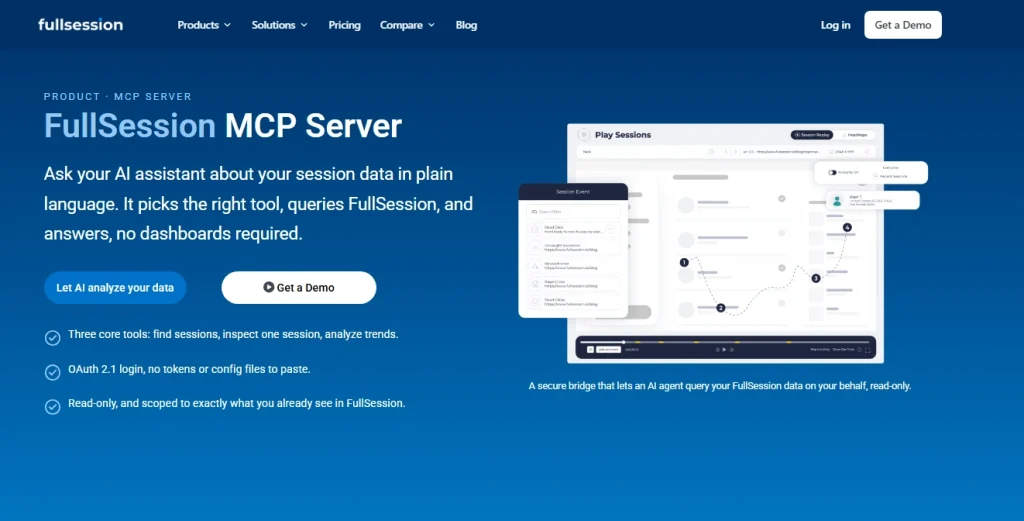
FullSession, a behavioral analytics platform for UX and product teams, exposes session replays, heatmaps, funnels, errors, and feedback through aremote MCP server secured with OAuth 2.1. No API key required.
Your AI assistant gets read-only access to three core tools (search_sessions, get_session, aggregate_sessions) plus two helpers that orient the agent before any query runs.
Start a free trial to see how it works. No credit card required.
Best for
Product managers, UX designers, and growth engineers who need to investigate session-level friction and behavioral trends without leaving their AI environment.
Key features
- Security enforced at capture: Masking rules, consent settings, and excluded elements are applied in the visitor’s browser before data reaches FullSession’s servers. The MCP server inherits those rules automatically with no additional security configuration required.
- Natural-language session search: Filter recorded sessions by time, location, device, page, duration, rage clicks, JavaScript errors, and abandoned forms. Describe what you want and the AI picks the right filters.
- Single-session inspection: Open one visit in full detail, including a timestamped timeline, clicks, errors, idle periods, abandoned forms, and any in-page feedback the visitor left, returned as structured metadata rather than a raw replay stream.
- Trend aggregation with period comparison: Group sessions by country, city, device, browser, landing page, or referrer. Measure counts, duration, frustration signals, and errors with built-in period-over-period comparison for data analysis.
- Zero-configuration auth: OAuth 2.1 with dynamic client registration means no API key required, no configuration files to edit, no command to run. Short-lived access tokens are issued by default and refresh silently for up to 30 days.
Pricing
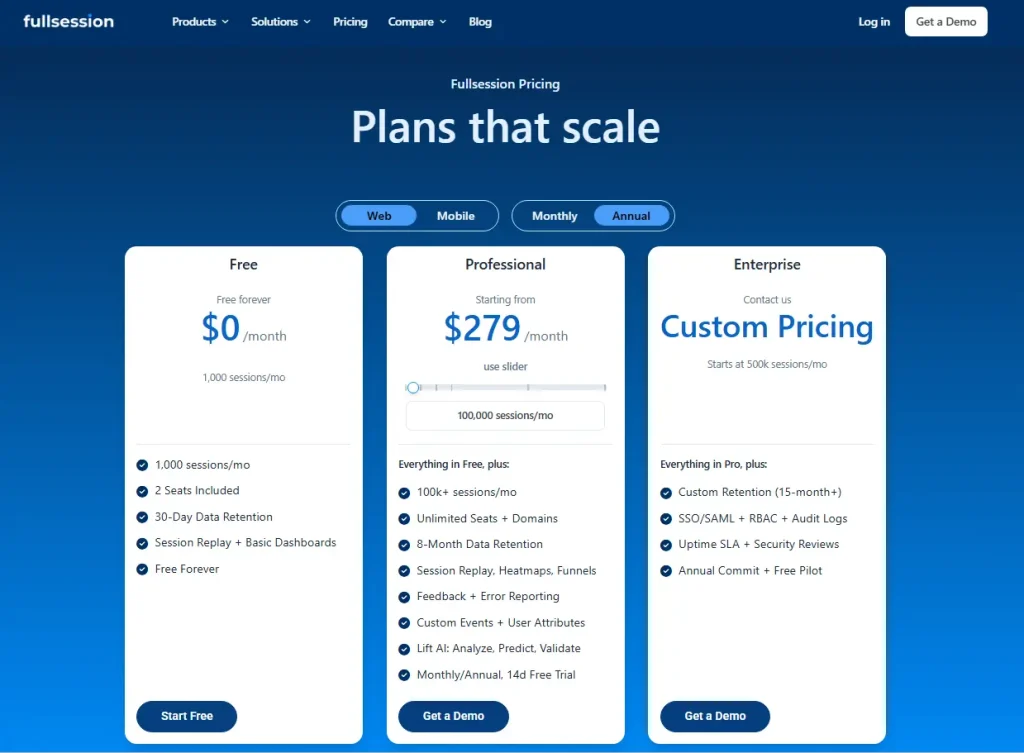
Freemium. Free plan: 1,000 sessions/month, 30-day retention. Professional: from $279/month billed annually (100k sessions, Lift AI, heatmaps, funnels, feedback, unlimited seats, 8-month retention). Custom pricing starts at 500k sessions/month.
Check out all details at FullSession pricing.
MCP access is included in Professional and Enterprise plans.
See Your Session Data in Plain Language
Connect FullSession to your AI assistant in minutes. No dashboards, no query syntax.
Mixpanel MCP Server
Mixpanel, a product analytics platform built around event-based tracking, connects AI assistants to events, funnels, retention, cohorts, dashboards, Lexicon, experiments, and feature flags through a hosted MCP server with OAuth 2.1.
Unlike most servers in this list, it supports read-and-write operations. Your AI can create dashboards and update Lexicon entries, not just query data.
Best for
Product and analytics teams already on Mixpanel who want to extract data and structured data from funnels, retention reports, and project management workflows, or automate Lexicon governance, through natural language across various platforms.
Key features
- Run-Query tool: Execute insights, funnels, flows, and retention queries against your Mixpanel project. The AI builds the query from your plain-language prompt and returns results you can iterate on in the same chat.
- Dashboard creation and management: Create, retrieve, update, duplicate, and delete dashboards from a conversational prompt, useful for teams that need to unify data into presentation-ready boards on demand.
- Bulk Lexicon governance: Edit up to 50 events or properties in a single call, giving engineering teams a fast way to clean up messy event schemas through a coding agent.
- Session replay access: The Get-User-Replays-Data tool retrieves replay data for a specific user alongside their event history, combining quantitative and qualitative context in one query.
- Experiments and feature flags (beta): Create and update experiments and feature flags through the MCP server. Audience targeting still requires the Mixpanel UI.
The Mixpanel MCP documentation confirms a rate limit of 600 MCP requests per hour per user.
Pricing
Freemium, event-based. Free: up to 1 million events/month, unlimited seats. Growth: starts at $140 per month for 1.5M events. MCP requires admin enablement; no separate charge.
LogRocket MCP Server
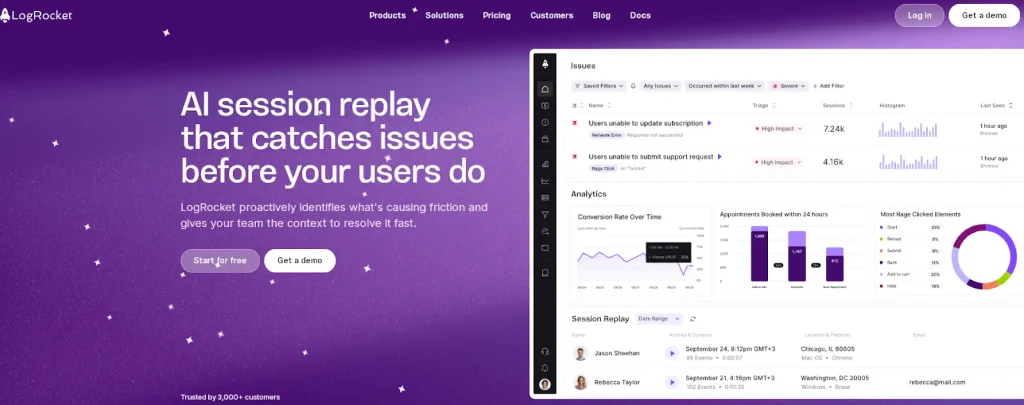
LogRocket, a session replay and analytics platform focused on frontend debugging, connects AI coding agents to session data, error logs, issue tracking, and performance metrics through a hosted MCP server. It supports both OAuth and API key authentication and powers queries through Ask Galileo, LogRocket’s internal AI engine.
Best for
Engineering teams who need to investigate user-reported bugs, triage issues, and check for regressions, all from inside Cursor, Claude Code, or VS Code.
Key features
- Ask Galileo natural language engine: Routes plain-language queries to LogRocket’s internal AI, which chains tool calls to find sessions, show stack traces, and analyze issues. Engineers get additional context and direct access to user data while writing code, making these powerful tools for research tasks like regression analysis and bug triage.
- Session watching and debugging: The watch_sessions tool analyzes one or more sessions in detail, extracting errors, behavioral signals, and additional context. You can prompt it with something like “User X reported a bug with checkout, fix it” and get a root-cause investigation in the same conversation.
- Issue tracking and triage: Shows open issues, dead clicks, and regressions so engineering teams can ask “what is the highest priority to work on next?” and get a data-grounded answer.
- Metrics querying: The build_metric tool queries session counts, error rates, and performance data, useful for checking whether a recent commit introduced a regression.
The LogRocket MCP documentation confirms API keys are project-scoped, created under Settings → API Keys.
Pricing
Subscription model with a free trial available. LogRocket’s Core plan starts at $69/month for 10,000 sessions/month. MCP access is listed under the Professional plan, which starts at $295/month and includes AI Features & MCP. Enterprise pricing is custom.
Fullstory MCP Server
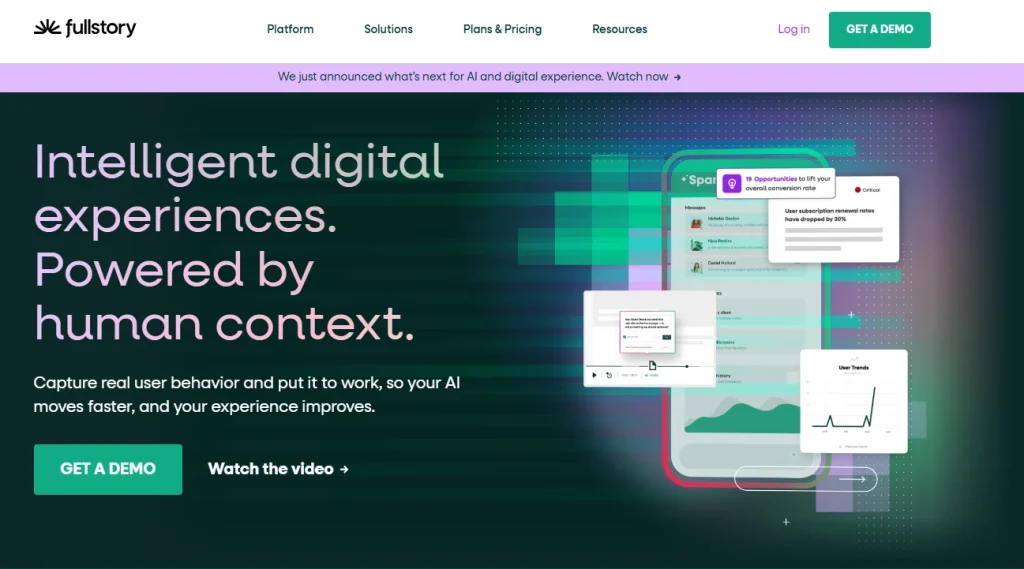
Fullstory, a digital experience analytics platform built on FullCapture autocapture, is rolling out a remote MCP server currently in beta. It connects AI assistants to sessions, cohorts, frustration signals, StoryAI Opportunity rankings, and conversion metrics without requiring manual event tagging. Access requires joining a waitlist.
Best for
Enterprise UX teams on Fullstory who want to query cohort-level behavioral data through browser based workflows in their AI client.
Key features
- Cohort-level session analysis: Query sessions filtered to specific user segments, for example “What are the top frustration signals for iOS users on the new billing page?”, returning behavioral data for that cohort specifically rather than site-wide averages.
- StoryAI Opportunity surfacing: Queries Fullstory’s AI diagnostic engine, which ranks friction points and likely root causes by estimated impact on conversion, showing prioritized recommendations without manual funnel analysis.
- Conversion metric querying: Ask conversion rate questions with trend context, such as “What is the conversion rate from search to checkout over the last 30 days?”, and receive an answer directly from Fullstory’s analytics layer.
The Fullstory MCP announcement confirms the roadmap includes agents that not only show insights but implement UX fixes, a strong choice for teams planning agentic optimization workflows.
Pricing
Custom enterprise pricing, not published publicly. Contact Fullstory sales for a quote. MCP access is beta and invite-only.
Microsoft Clarity MCP Server
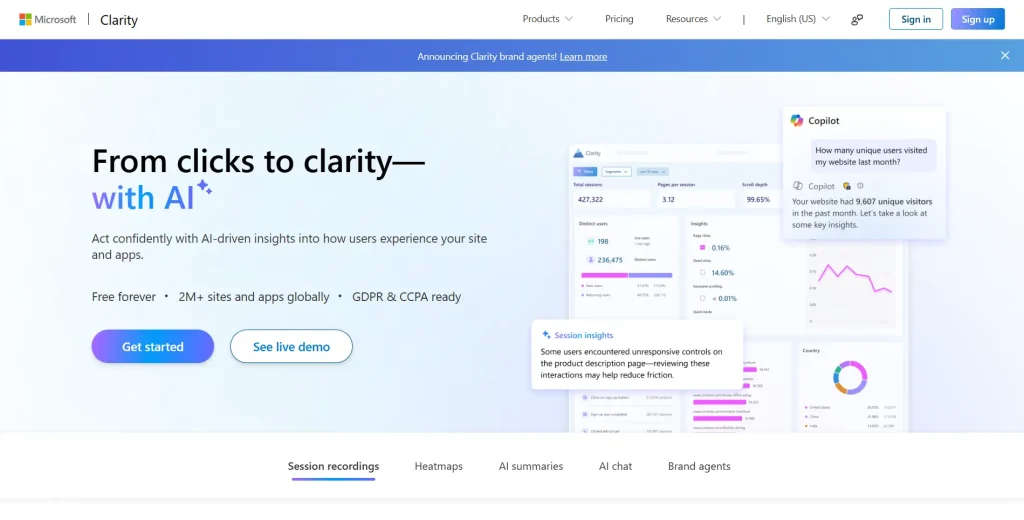
Microsoft Clarity, a free behavioral analytics tool from Microsoft, exposes traffic metrics, scroll depth, engagement time, and session recordings through an open-source, locally-run MCP server. It runs via NPX @microsoft/clarity-mcp-server with a Clarity API token.
The Microsoft Clarity MCP documentation confirms each project allows 10 API requests per day, up to 3 days’ data, and 3 dimensions per query.
Best for
Web developers and small teams who already use Microsoft Clarity and want to query site traffic and scroll data through an AI assistant at no cost.
Key features
- Natural language analytics queries: Retrieve traffic, scroll depth, engagement time, pages per session, and bot session counts, filtered by browser, device, country, or OS, using plain-language prompts. Ask “fetch scroll depth for the past 2 days filtered by device type” and receive a structured table.
- Session recording retrieval: List Clarity session recordings filtered by URL, device, browser, OS, country, and city, surfacing specific sessions that match behavioral criteria without manual dashboard navigation.
- Documentation access: A built-in tool retrieves snippets from Clarity’s help documentation, making it a useful self-service interface for setup and configuration questions.
- Open-source and free: MIT-licensed with no plan gates. Microsoft Clarity’s generous free tier, with unlimited recordings and no monthly session cap, makes this the lowest-cost entry point in this list. Planned enhancements include increased API limits and multi-project support.
Pricing
Microsoft Clarity is completely free. The MCP server is open-source with no additional cost. The only constraint is the API rate limit: 10 requests per day per project.
Decision Guide: How to Pick the Best MCP Server
Your team’s workflow and primary data source should drive your choice. The table below maps the most common situations to the right server.
| Your situation | Recommended server | Reason |
| You need to investigate session-level UX friction, rage clicks, and behavioral trends in natural language | FullSession | The only server in this list built specifically for session recording and UX behavioral data: read-only, OAuth, no API key |
| Your team already tracks events in Mixpanel and wants to query funnels, retention, and cohorts through AI | Mixpanel | Widest client support, read-and-write access, most tools; admin must enable MCP first |
| Your use case is debugging user-reported issues and checking for regressions after deploys | LogRocket | Built for engineering teams; shows stack traces and session context directly inside Claude Code and Cursor |
| Your team runs Fullstory and wants agentic UX optimization on a 12-month horizon | Fullstory | Most forward-looking roadmap, but beta-only and invite-controlled; join the waitlist now |
| You need a free, zero-commitment starting point for querying web traffic and scroll data | Microsoft Clarity | Completely free, installs in minutes; 10 requests/day limit suits check-ins, not continuous querying |
Why Teams Choose FullSession MCP Server
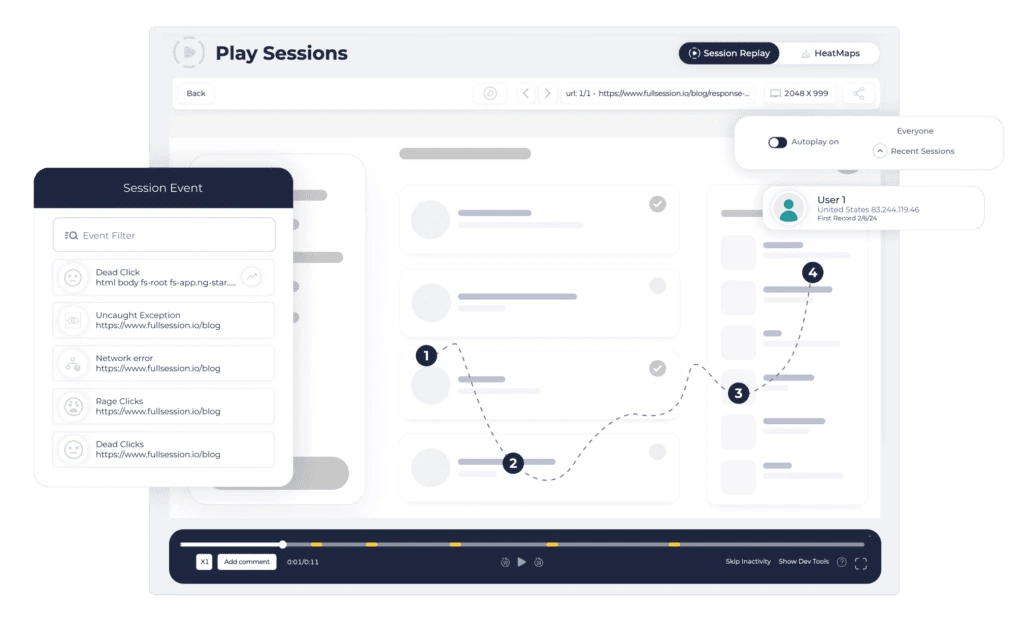
Skipping the dashboard is the immediate benefit. What teams notice after a few weeks is something different: they stop losing time reproducing behavioral context across tools.
Anyone on the team, whether in product, growth, support, or engineering, gets the same plain-language access to behavioral data without learning a new query interface.
Ask “what are the top friction points on mobile checkout this week?” or “find sessions with JavaScript errors on the payment page from the last 48 hours,” all from inside Claude Desktop, Claude Code, or Cursor.
The data goes deeper than aggregate metrics. You can query rage clicks, dead clicks, abandoned forms, idle time, in-page feedback, and session-level error context, all surfaced through natural language rather than dashboard navigation.
The three core tools chain the way an analyst actually thinks:
- aggregate_sessions shows what’s rising or breaking across all your data
- search_sessions finds the sessions behind that pattern
- get_session opens a single visit so you can see exactly what happened, step by step
For teams using Lift AI, the MCP layer adds a conversational interface on top of AI-ranked friction prioritization, connecting to heatmap data and funnel analysis across the platform.
The entire surface is read-only with OAuth 2.1, so privacy rules and masking carry through automatically.
See Your Session Data in Plain Language
See how teams query session data and prioritize UX fixes by revenue impact, without leaving their AI environment.
Conclusion About The Best MCP Servers
MCP servers turn your AI assistant from a reasoning tool into a data tool. The five MCP servers in this guide cover the main ways product and UX teams work: behavioral session analysis, event-based product analytics, frontend debugging, enterprise behavioral intelligence, and free web traffic monitoring.
The right choice depends on what your team already tracks and what questions you need to answer fastest. If your work centers on understanding where users struggle and what friction is costing you in conversion, book a demo with FullSession and connect your AI assistant to the session data behind those answers.
FAQs About MCP Servers
What are MCP servers used for?
MCP servers, built on the Model Context Protocol, an open standard from Anthropic (2024), let AI assistants connect to external tools and data sources. In analytics, they allow you to query session data, run funnel analysis, retrieve user metrics, and investigate bugs using natural language, without navigating dashboards or writing query syntax. The AI picks the right tool and returns a grounded answer from your real data.
How do I connect an MCP server to Claude?
To connect to Claude Desktop, go to Customize, then Connectors, then Add custom connector, enter the server URL, and click Add. The server prompts you to authenticate via OAuth, so your existing account credentials complete the setup. No API key or config file edits are required for servers like FullSession and Mixpanel that use OAuth 2.1.
Is it safe to connect analytics data to an AI assistant via MCP?
Yes, when the server is read-only and uses OAuth-scoped authentication. FullSession’s MCP server is entirely read-only, inherits your existing account permissions, and enforces privacy rules, including masking, exclusions, and consent settings, at capture time before data reaches the server. Your AI assistant can’t edit, delete, or access data beyond what your account can see.
Do I need an API key to use MCP servers?
It depends on the server. FullSession and Mixpanel use OAuth 2.1, so no API key is required. Microsoft Clarity requires an API token from your project’s Data Export settings. LogRocket supports both OAuth and API key authentication. Always check the official documentation for your chosen server before setup, as authentication methods vary across platforms.
Can I use MCP servers with Cursor and VS Code, not just Claude?
Yes. FullSession works with Claude Desktop, Claude Code, and Cursor. Mixpanel connects to Claude, ChatGPT, Cursor, Codex, VS Code with GitHub Copilot, Gemini CLI, and Microsoft Copilot. LogRocket supports Claude Code, Claude Desktop, Cursor, VS Code, and Codex. Microsoft Clarity works with any MCP-compatible client that supports local server setup.

Roman Mohren is CEO of FullSession, a privacy-first UX analytics platform offering session replay, interactive heatmaps, conversion funnels, error insights, and in-app feedback. He directly leads Product, Sales, and Customer Success, owning the full customer journey from first touch to long-term outcomes. With 25+ years in B2B SaaS, spanning venture- and PE-backed startups, public software companies, and his own ventures, Roman has built and scaled revenue teams, designed go-to-market systems, and led organizations through every growth stage from first dollar to eight-figure ARR. He writes from hands-on operator experience about UX diagnosis, conversion optimization, user onboarding, and turning behavioral data into measurable business impact.