Author: Mohamed Sehwail

  • Heat Map Examples and Tips to Make Data-driven Decisions

    Heat Map Examples and Tips to Make Data-driven Decisions

    Website heatmaps visually represent user behavior and actions. They help you discover actionable insights, improve site performance and optimize the user experience. Understanding how users interact also helps you improve the design and functionality of your website.

    In this blog post, we will cover everything you need to know about heat maps, including what they are, how they work, and why they’re essential.

    We’ll also focus on FullSession heat maps and explain how to use them to make data-driven decisions and grow your business. To evaluate our heat map feature while reading, start a free trial.

    Let’s start with some basic information.

    The basics of heat maps for monitoring user behavior

    fullsession heatmap page


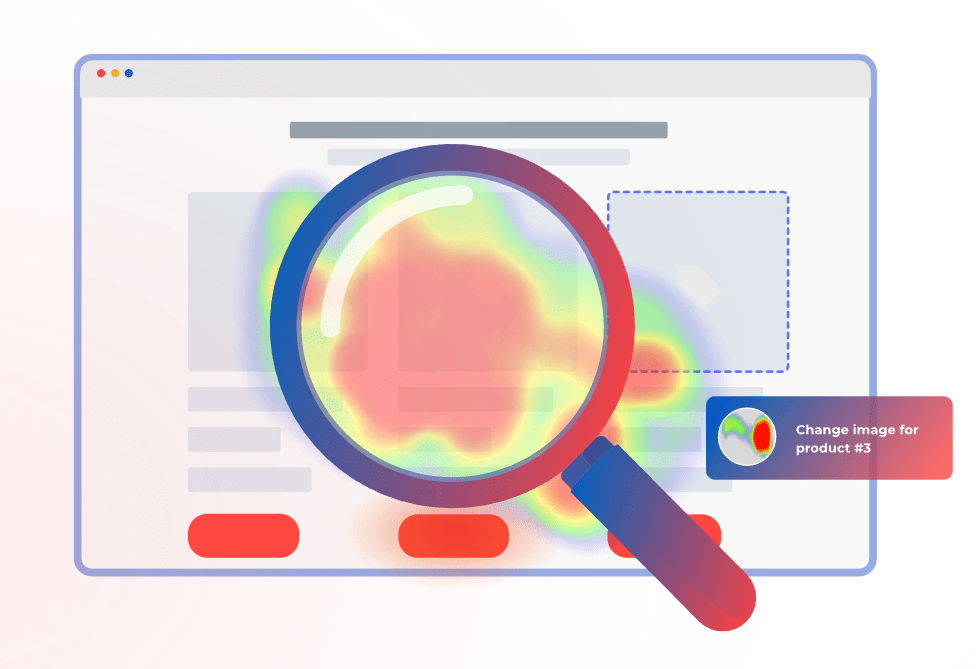
    The website heat map shows where users click, scroll, and move their mouse while navigating your web page.

    Unlike Google Analytics which shows raw data points and numeric data, website heatmap presents all data in a visually appealing way.

    Heat map data analysis shows a series of colored dots, with different colors representing various types of user action. For example, red might indicate a high concentration of clicks, while blue might illustrate low user engagement.

    Why are heat maps important?

    worried woman looking at her laptop

    Image source: Pexels


    Heat maps allow you to understand the areas of your website where users encounter problems.

    They offer a comprehensive view of user behavior beyond simple metrics such as page views or clicks. You can find website issues such as broken links or slow load times and fix all causes of user frustration.

    It leads to increased engagement, longer session duration, and higher conversion rates.


    What are the benefits of using heat maps on your site?

    cohort 1 and cohort 2 comparison


    There are many benefits of using heat maps on your site, including the following.

    • Increased user engagement: Heat maps help you understand what content resonates with your audience or doesn’t, allowing you to improve your site accordingly.
    • Better optimization efforts: With heat maps, you can identify which pages are performing well or underperforming, helping you focus your efforts in the right direction.
    • Cost-effectiveness: Heat maps provide a cost-effective way to gather data about user actions compared to expensive user testing or surveys.
    • Improved customer satisfaction: Using heat maps to understand user behavior and frustration, you can make design changes that will enhance the overall user experience, leading to increased customer satisfaction.
    • Easy to analyze data: Heat maps visually represent user behavior, making them easy to understand and interpret, even if you have limited data analysis experience.
    • Data-driven decisions: With heat maps, you can make data-driven decisions about website design and optimization instead of relying on assumptions or gut instincts.
    • Actionable insights: Heat maps provide actionable insights that can inform design decisions and drive business success, such as improving the user experience, increasing conversions, and fixing technical issues.


    As you can see, you can improve the overall quality of your website, leading to a better reputation for your business.

    How do heat maps work?

    fullsession generate heatmap page

    To use heat maps for your website optimization, you need to employ behavior analytics tools such as FullSession.

    Our software collects information about user interaction and presents it in a visual format that is easy to understand.

    You can configure the software to focus on specific user actions, allowing you to zero in on particular aspects of the user experience you want to analyze and optimize.

    You might focus on clicks on specific page elements, such as buttons, links, or images, or track user engagement with certain page parts, such as video, to understand the level of interest and engagement with your website content.

    You can understand your strengths and weaknesses and identify improvement opportunities by combining the insights from our website heatmap tools with session recording tools, conversion funnel tracking, and website feedback forms.

    Start your free trial or get a demo to evaluate all features.

    When should you use website heat maps?

    woman coding on a laptop

    Image source: Pexels


    Here are a few situations when you should use website heat maps.

    • To improve website navigation: You can use mouse tracking to identify the most popular pages or pages hidden from users’ reach. This information helps you improve your site navigation and reduce the bounce rate.
    • To optimize your landing pages: You can use scroll maps to see how far down users scroll, where they lose interest and exit your landing page. It is helpful when considering where to place CTAs and other conversion elements.
    • To understand user feedback: You can track the time spent on specific pages, the number of clicks on particular links, and understand where users had problems during their sessions since you can track error, rage or dead clicks.

    By analyzing individual data points correctly, you can gain valuable insights and improve the overall user experience of your website.

    How to start with heat maps using FullSession

    fullsession error clicks data


    FullSession is our all-in-one CRO tool that allows you to track user behavior on your site. Here’s how to create heat maps with FullSession.

    Sign up and start your free trial

    The first step is to sign up for a FullSession account. It is a quick and straightforward process; you can start using our platform immediately.

    Install the FullSession tracking code

    fullsession heatmap installation steps page

    Once you have signed up, you’ll need to install the FullSession tracking code on your website. This code will allow FullSession to track and monitor user behavior and collect heatmap data.

    Start collecting heat map data

    You can start collecting data on user actions with the tracking code installed. FullSession will start tracking clicks, scrolls, and mouse movements in real-time, allowing you to see how users interact with your site.

    Choose the type of heat map and a web page you want to analyze

    FullSession provides several interactive heat maps, including click map, scroll map, and mouse tracking heatmaps. Choose the type of heat map best for your needs and select the website pages you want to evaluate.

    Explore complex data in an easy way

    FullSession allows you to monitor key metrics such as the number of total views, clicks, average page load time, and average time spent on a page.

    Additionally, FullSession can detect and alert you to negative user behaviors, such as errors, rage clicks, or dead clicks, which can indicate dissatisfaction with your website or application.

    FullSession heat map examples

    FullSession provides several heat maps, each designed to give you a unique perspective on user behavior. Let’s briefly discuss each one.

    Click maps

    fullsession click maps page

    Click maps visually represent where users click on your site. Click tracking shows which elements of your site get the most clicks and which parts users ignore. You can learn about popular content, navigation patterns, and call-to-action effectiveness.

    Scroll map

    fullsession scroll map page

    A scroll heat map shows how far down the page users scroll. This heat map provides insights into whether users are finding the information they need or abandoning the page early.

    You can assess content engagement, optimize page length and monitor how different devices and screen sizes affect the user’s ability to view content on the page.

    Mouse tracking heatmaps

    fullsession mouse movement heatmap page

    A mouse movement heat map is a graphical representation of how users navigate your site. You can watch where users move their mouse and where they pause. You can identify patterns and areas of your site that are confusing or not user-friendly and make changes to improve the user experience.

    How to use FullSession heat maps to make data-driven decisions

    fullsession heatmap page

    Heat maps are only useful if you know how to use them. Here are some tips for using data vizualization.

    Identify key metrics to track

    Before using heat maps, it’s essential to identify which metrics are most important to track. It will help you focus on the most relevant data to your website goals.

    Set goals and targets

    Once you have identified your key metrics, you should set goals and targets for your website. It will give you a clear idea of what you want to achieve with your heat map analysis.

    Interpret the data

    Once you have set your goals, you can start interpreting the data from your heat maps. Look for patterns and trends in user behavior, and pay close attention to areas of your site where user engagement is low.

    Analyze user behavior

    Analyze user behavior by examining the heat maps and other data you have collected. Identify areas of your site where users are struggling, and look for ways to improve the user experience.

    Understand the context

    It’s critical to understand the context in which user behavior occurs. For example, if a particular page on your site has a high bounce rate, consider what might be causing users to leave.

    Identify problem areas

    Once you have studied how users interact with your site and grasped the context in which they are using it, you can pinpoint the areas that cause problems or confusion. These could be sections that are challenging to navigate, difficult to use, or users cannot find what they are searching for.

    Inform design changes

    Using the insights from your heat maps, you can inform design changes to your site. Make changes that will improve the user experience and help achieve your goals.

    Integrate heat maps with other web analytics tools

    Heat maps are just one tool in your optimization toolkit. Integrating heat maps with other analytics tools, such as session recording and replays, conversion funnel tracking, website forms and customer feedback reports, will give you a complete picture of user behavior to make informed decisions.

    Test solutions and track the results

    Once you have made changes to your site, it’s essential to test your solutions and track the results. It will help you see the impact of your modifications and determine whether further optimization is necessary.

    Repeat the process

    Heat map analysis is an ongoing process. As you adjust your site and gather more data, you should repeat the process to ensure optimal customer satisfaction.

    Will FullSession heat maps slow down your website?

    person using a tablet

    Image source: Pexels

    One of the common concerns among website owners is that using heat maps might slow down their website. However, with FullSession, you can rest assured that this will not be the case.

    Our interactive heatmaps are lightweight and fast, ensuring they will not impact the performance of your website.

    FullSession uses advanced technology to collect and process data in real time, allowing you to make data-driven decisions quickly and effectively.

    The heat maps are rendered on demand, so they do not slow down your website while you are viewing them. Furthermore, FullSession only collects data from a sample of your website visitors, which helps to reduce the impact on your website performance.

    You can be confident that FullSession heat maps will give you peace of mind while you use the tool to optimize your site.

    Start optimizing your website with FullSession

    Now that you understand the importance of heat maps and how to use FullSession to create them, it’s time to start optimizing your website.

    From identifying critical metrics to tracking and setting goals and targets, FullSession makes it easy to analyze your data and make changes that will drive results.

    Whether you’re looking to improve your conversion rate or increase user engagement, FullSession has all features you need to make your website successful.

    So why wait? Start your free trial today, and see the results for yourself!


  • How Customer Feedback Loops Help Your Business Thrive

    How Customer Feedback Loops Help Your Business Thrive

    Aside from you and your team, the people who know your brand best are your customers.

    That said, your customers are the best sources of feedback if you want to improve your offerings and pinpoint areas where you might be lacking. Better yet, most customers are more than willing to share their thoughts with you.

    A customer feedback loop is the continuous process of collecting feedback, analyzing it, and implementing changes based on the insights you discover. But what does this process look like in real life?

    In this guide, we’ll go over the stages of customer feedback loops, why they’re important, and how you can create an effective loop for your company.

    Customer feedback emojis paper

    What is a Customer Feedback Loop?

    A customer feedback loop is basically how companies keep tabs on what their customers think about their products or services and make improvements based on that feedback.

    It starts with gathering opinions through things like surveys, social media, and reviews. Then, you dig into this feedback to spot trends and figure out what’s working and what’s not. Based on these insights, you might tweak a product, improve a service, or make other changes.

    After that, you can reach out to the customers who gave feedback to let them know what’s been done—this shows they’re actually listening and care about what their customers have to say. Finally, you can watch how these changes play out to make sure they’re really solving the issues. This feedback loop helps businesses stay connected with their customers’ needs and keep improving over time.

    Why You Need a Customer Feedback Loop

    A well-established customer feedback loop is a must-have if you want your business to succeed in today’s market and surpass your competitors. Here are several ways customer feedback loops can help your business thrive:

    Gathering Feedback For Product Teams

    A well-established customer feedback loop is a must for keeping a product team on track and helping them make all sorts of improvements. Here’s why it matters:

    • Understanding the customer journey: When teams get feedback, they really see the product through their customers’ eyes. This can highlight where customers are having a tough time and where they’re loving the experience, which can help the team smooth out the rough patches and double down on what’s working.
    • Segmentation strategy: Feedback also reveals different kinds of customers and what each group really cares about. Some might want more features, while others might value simplicity. This lets the team tailor the product more precisely to make sure they’re hitting the right notes for each group.
    • Quality assurance: Customers often point out what’s wrong or could be better, which is invaluable data for quality assurance. This helps the team fix bugs or tweak things to improve quality and keep users happy.
    • Innovation opportunities: Sometimes, customers come up with ideas for new features or even new products. These suggestions can lead to real innovations that set the product apart and meet customers’ needs even better.

    Gathering Feedback For Customer Service Teams

    Gathering feedback is incredibly valuable for customer service teams because it helps them see where they’re knocking it out of the park and where they need to up their game. Here’s a breakdown of why it’s so important:

    • Identifying customer pain points: Understanding exactly where customers are running into trouble can revolutionize your customer service strategies. When customers highlight these problems, the customer service team can work to clarify, fix, or improve these aspects.
    • Improving response time: Feedback often includes how customers feel about the time it takes to get their issues resolved. If there’s a trend of customers mentioning slow responses, it’s a clear signal that the team needs to find ways to speed things up.
    • Maximizing customer retention: The way a company handles customer service can make or break its relationship with customers. When service teams listen to feedback and act on it, they show customers that their concerns are taken seriously. This can turn a potentially negative experience into a positive one, encouraging loyalty.
    Customer support agent at desk

    Gathering Feedback For Sales Teams

    The sales team is responsible for driving revenue and growing the business, which is why a customer feedback loop is a non-negotiable to maximize their operations. Gathering feedback helps them stay sharp and adapt to what their customers really want. Here’s how feedback makes a big difference:

    • Discovering new opportunities: Sometimes, customer feedback can point out needs or wants that haven’t been addressed yet. By listening to what customers are saying, the sales team can discover these new opportunities and potentially increase their sales and expand their market.
    • Creating new strategies: The insights from customer feedback can tell the sales team what’s working and what’s not, from the way they communicate to the kind of follow-ups they do. For example, if customers like a more personal touch or need more detailed product information early on, the team can adjust their approach to meet these preferences.
    • Collecting insights into competitive positioning: Feedback often includes how customers see the company compared to the competition. This can guide them to highlight certain features more, adjust pricing, or even suggest improvements to stay ahead.

    Maximizing Your Revenue and Profitability

    A functional customer feedback loop can help you increase your business’s revenue and profitability in a number of ways. Regularly collecting feedback and acting on it can help you quickly sort out any issues. This customer feedback strategy reduces the hassle of dealing with returns and complaints and generally keeps customers happier.

    Plus, when customers see that you’re actually listening and making changes based on their feedback, they’re more likely to stick around. It’s way cheaper to keep existing customers happy than to always be chasing new ones. And if they’re really satisfied, they’ll probably buy more from you and even tell their friends about your business, which means more sales without spending extra on marketing.

    4 Stages of a Customer Feedback Loop

    The average customer feedback loop includes five key stages. Let’s go over them one by one.

    Step 1: Gather Customer Feedback

    The “collection” part of a customer feedback loop is all about gathering as much input as you can from your customers. You want to pull in feedback from a bunch of different places like online surveys, social media comments, direct emails, and even conversations that happen during customer support calls.

    The more feedback you collect, the clearer the picture you’ll get about what your customers love, what frustrates them, and what they think could be better.

     You can collect feedback in a lot of ways. Some of the best customer feedback tools include:

    • Surveys: One of the most common methods, surveys can be sent via email, presented on websites, or even conducted in person. They can include multiple-choice questions, Likert scales, or open-ended questions to gather quantitative and qualitative data.
    • Interviews: Conducting one-on-one interviews, either in person, over the phone, or through video calls, allows for deeper insights into customer experiences and opinions. This method is particularly valuable for detailed explorations of customer satisfaction.
    • Focus groups: Bringing together a group of customers to discuss their experiences with your product or service can provide rich qualitative data and insights into customer needs and preferences.
    • Feedback forms: Embedded on your website or app, feedback forms are an easy way for customers to leave feedback at their convenience. These forms can be tailored to specific aspects of the user experience you want to explore.
    • Social media: Monitoring social media platforms where customers may spontaneously share their opinions and experiences can provide real-time feedback. Engaging with customers on these platforms can also encourage more feedback.
    • User activity data: Analyzing how customers interact with your website or product can indirectly provide feedback. Metrics like usage frequency, session duration, and feature usage can highlight areas that are either appealing or problematic.
    • Net Promoter Score (NPS): NPS surveys ask customers to rate the likelihood that they would recommend your product or service to others. NPS can be a strong indicator of customer satisfaction and loyalty.
    • Customer support interactions: Feedback can also be collected during support calls or chats. Customers often share their grievances and suggestions during these interactions.
    • Transactional emails: Follow-up emails after a purchase or interaction asking for feedback on the experience can be an effective method to gather timely, relevant customer feedback data.
    • Customer Effort Score (CES): This metric is used to evaluate how easy it is for customers to interact with a company, typically after a service interaction. CES helps businesses understand how much effort customers need to exert to get their issues resolved, use a product, or complete a transaction.
    Feedback on desktop computer

    Step 2: Analyze Customer Feedback

    Start by organizing the feedback—sort it into categories like product issues, service experiences, or improvement suggestions. Don’t forget about negative feedback!

    If you’ve got numbers, like ratings or Net Promoter Scores, crunch them to see overall trends or satisfaction levels. For text responses, like comments or open-ended survey answers, look for common themes or repeated phrases that can clue you into broader sentiments or issues.

    It’s also useful to track these trends over time to see if things are getting better or if new problems are popping up. Comparing your current feedback with past data or industry benchmarks can show you how well you’re doing and what you need to focus on.

    However, not every piece of feedback will need immediate action—figure out which issues are the most urgent or affect the most customers. The end goal here is to turn this analysis into a clear plan of action and decide on practical steps that can help improve your product or service based on what your customers are really saying.

    Step 3: Implement Changes Based on Insights

    After you collect customer feedback and extract actionable insights from your findings, it’s time to make improvements based on your data. Begin by creating detailed action plans that outline what needs to change, who’s going to handle it, and when it should be done.

    Implementing changes could mean:

    • Addressing product feature requests
    • Revamping your customer service protocol
    • Redesigning your website
    • Tweaking your branding imagery or messaging
    • Getting rid of annoying marketing messages
    • Adding more services

    It’s important to get everyone on board, so make sure to loop in the relevant teams—like engineering, marketing, or customer support—so they can lend their expertise. Since you can’t tackle everything at once, prioritize your actions based on how much they’ll impact customer satisfaction and what’s feasible with your resources.

    Step 4: Close the Feedback Loop

    Closing the customer feedback loop simply means letting your customers know about the changes you’ve made using their insights.

    A simple update through email, social media, or on your website about the changes you’ve implemented can make all the difference. It’s also nice to throw in a thank you to show your appreciation for their help. If their feedback led to a big improvement or a new feature, why not share that story more widely?

    Doing so highlights how customer opinions are shaping your business, which can encourage more feedback and show that you’re committed to continuous improvement. Keep inviting feedback, too, and make it clear that this is an ongoing conversation and their thoughts are always welcome.

    Every now and then, it’s also smart to check in on how the whole feedback process is working—ask yourself if you’re really capturing the feedback you need and acting on it effectively. For those customers who gave particularly crucial feedback, a personal follow-up can further show that you’re attentive and committed to making sure they’re happy with the way things turned out.

    Best Practices for Customer Feedback Loops

    Establishing a successful customer feedback loop is sometimes easier said than done. So, we’ve observed some of the best businesses and found out a few best practices that they employ:

    Encourage Honest Feedback

    To really understand what your customers think, you need to make them feel comfortable being honest. This means setting up easy ways for them to give feedback, like online forms or quick surveys, and reassuring them that their responses are anonymous.

    When customers know their feedback is taken seriously and used to make improvements, they’re more likely to open up and share their true feelings.

    Gather Feedback From Different Channels

    Not everyone likes to give feedback the same way. Some might prefer to fill out a survey, while others might want to chat on social media or even in person.

    Offering various ways for customers to share their thoughts can help you hear from more people and get a broader perspective on what’s working and what isn’t.

    Act Swiftly

    After gathering customer feedback, especially if it’s about a problem, act on it quickly. This shows your customers that you’re really listening and care about fixing issues fast. Plus, addressing problems promptly can prevent them from getting bigger and hurting your relationship with your customers.

    Segment Your Customers

    Break down feedback by customer types, like new vs. long-term users to tailor your actions more closely to meet specific needs and issues that different groups might be facing. Here are a few examples of customer groups:

    • First-time customers
    • Customers who have been with your brand for more than six months, a year, or more
    • Website visitors who dropped from your funnel
    • Customers who bought from you only once
    • Customers grouped by state, city, or country
    • Customers grouped by age or gender
    • Visitors who haven’t opened your emails
    • Existing customers who haven’t purchased anything in a while
    Network of people

    Make Your Life Easier with Automation

    Using automation to manage customer feedback can make your job a lot easier and your responses quicker and more effective. With the help of AI and machine learning, you can sift through tons of feedback fast, spotting trends and themes that might otherwise take ages to find.

    These technologies can sort feedback into categories like product issues or service complaints, and they can even pick up on the mood behind the messages—whether customers are happy, frustrated, or something in between.

    Plus, analytics tools like FullSession can provide real-time insights, which is useful in today’s fast-paced markets where customer preferences can change quickly. Being able to react swiftly and smartly to what your customers are saying can really boost your product and service levels.

    Incentivize Feedback

    Sometimes customers need a little nudge to give feedback. Offering things like discounts, entry into a prize draw, or small gifts can encourage more people to share their thoughts. In turn, you can increase the amount and variety of feedback you get.

    Plus, incentives can help improve customer loyalty and satisfaction.

    Share What You Do With Customer Feedback

    Sharing what you do with customer feedback revolves around being transparent and showing your customers that their voices are heard. When you openly discuss the feedback you’ve received and explain the steps you’re taking in response, it does wonders for trust.

    A great way to do this is through regular updates in your newsletters or on a dedicated section of your website. This informs your customers about the improvements you’re making and publicly acknowledges the role their input plays in shaping your business.

    This kind of openness can encourage more customers to provide feedback because they know that their suggestions could be featured and lead to real changes. It’s a powerful way to demonstrate your commitment to customer satisfaction and make your feedback loop a key part of your customer relationship strategy.

    Customer Feedback Loop Example

    Company: “Trendy Tech Gear,” an online retailer specializing in the latest technology accessories.

    Step 1: Collection

    Trendy Tech Gear regularly sends out post-purchase email surveys to customers asking them to rate their customer experience and the products they bought. They also monitor reviews on their product pages and keep an eye on social media mentions and comments.

    Step 2: Analysis

    After collecting a month’s worth of feedback, the team at Trendy Tech notices several reviews pointing out that the checkout process is confusing, particularly the payment options section.

    Customers are also frequently mentioning on social media that they love the product range but wish there were more eco-friendly packaging options.

    Step 3: Action

    With this feedback in mind, the Trendy Tech team decides to:

    • Redesign the checkout process to make payment steps clearer and more user-friendly. They introduce better labeling and a simplified layout.
    • Switch to eco-friendly packaging for their products and highlight this change on their product pages and in marketing materials to align with their customers’ values.

    Step 4: Follow-Up

    Trendy Tech sends an email to customers who had provided the specific feedback about the checkout process and packaging, explaining the changes made. They also post updates on their website and social media channels detailing the new checkout interface and the switch to eco-friendly packaging, inviting further comments and suggestions.

    Step 5: Monitoring

    Over the following months, Trendy Tech closely monitors customer feedback on the new checkout process and the reception of the eco-friendly packaging. They use customer satisfaction surveys and track comments on social media and product reviews to gauge the impact of these changes.

    Finally, sales data and repeat customer rates are also analyzed to assess the financial impact of the updates.

    Dive Deeper into Customer Feedback With FullSession

    Web analytics is your new best friend when it comes to establishing effective customer feedback loops. Lucky for you, you’re already in the right place.

    FullSession is an analytics tool that deserves a spot in your business toolbelt. With a FullSesion plan, you can gain access to the following features:

    • Session replays: Watch how users interact with your site to see exactly where they might be running into problems or getting frustrated.
    • Heatmaps: Get a visual of where customers click the most and least. Heatmaps give you a clear picture of hot spots and dead zones on your pages.
    • User behavior analytics: Dive into the data to understand user actions better and help you spot trends and areas that need attention.
    • On-site polls and surveys: Directly collect feedback from your users right on your site, combining what they say with what they do.

    FullSession Pricing Plans

    FullSession Pricing

    Here are more details on each plan.

    • The Starter plan costs $39/month or $32/year and allows you to monitor up to 5,000 monthly sessions with up to 6 months of data storage.
    • The Business plan costs $75/month or $60/year and helps you to track and analyze up to 100,000 monthly sessions with up to 12 months of data storage.
    • The Enterprise plan has custom pricing and offers customizable sessions plus full access to all features.

    Book a demo today.

    Install Your First Website Feedback Form Right Now

    It takes less than 5 minutes to set up your first website or app feedback form, with FullSession, and it’s completely free!

    FAQs About Customer Feedback Loops

    How do you collect customer feedback?

    Collecting feedback can be done via various channels such as surveys, social media, customer interviews, support interactions, and feedback forms on websites. It’s important to use multiple channels to capture a wide range of opinions and experiences.

    How often should you go through a customer feedback loop?

    The frequency of running through a customer feedback loop can depend a lot on what kind of business you’re in and how much feedback you’re actually getting. Generally, though, it’s a smart idea to check in on what your customers are saying regularly—like every month or every quarter. This routine helps you stay in tune with what your customers expect from you and keeps you up-to-date with any shifts in the market.

    How can you measure the effectiveness of a customer feedback loop?

    To figure out if your customer feedback loop is doing its job, you should keep an eye on a few key indicators. Watching changes in customer satisfaction levels and user feedback can give you a clear picture of how well the changes you’re making are resonating with your customers. You can also directly ask customers what they think about the updates you’ve implemented. To make this easier, you can use some handy tools like NPS surveys, CES, and CSAT.

    What are negative feedback loops?

    A negative customer feedback loop happens when businesses take customer complaints and use them to make their products or services better. It starts with customers pointing out what they don’t like, and the business then digs into these issues, figures out what’s wrong, and makes changes to fix them. Although “negative” sounds bad, it’s actually a good process because it leads to improvements. This kind of loop helps companies turn unhappy feedback into a chance to improve and keep customers satisfied.

  • Digital Experience Monitoring: What is it and How to Use It?

    Digital Experience Monitoring: What is it and How to Use It?

    In today’s fast-paced world, providing a seamless digital experience to end users is crucial for digital business initiatives. Customers expect websites to load quickly, provide easy navigation, and be available 24/7.

    How do you know if you’re delivering the experience your customers expect? It is where digital experience monitoring (DEM) comes in.

     DEM helps track, understand, and optimize the end-user experience, uncovering all critical website issues. Insights from real user monitoring can help you improve site performance, speed up error resolution, and enhance the customer journey.

     FullSession is our DEM tool that helps you understand how customers interact with your business and optimize your website for long-term growth.

    With session recording tools, website heatmap tools, customer feedback tools, and funnel tracking, you can understand what causes users to drop off your site, enabling you to make data-driven decisions to improve their experience and increase conversions.

    By tracking every click, hover, and page load, you can identify areas of frustration and improve site performance, ensuring your customers have a seamless and enjoyable experience.

    You can get a demo or start your free trial today.

    In today’s article, we will share the essentials of end-user experience monitoring, explain why digital experience monitoring is important and how FullSession helps you increase customer satisfaction.

    Let’s start by demystifying digital experience monitoring.

    What is digital experience monitoring?

    a computer, a laptop and a tablet

    Image source: Pexels

    Digital experience monitoring (DEM) is a technology that helps you monitor and understand the customer’s digital experience. It tracks everything from website speed, functionality, and availability to user behavior and satisfaction.


    DEM solutions provide a complete picture of the customer journey, including page load times, click tracking, error messages, and even the time spent on the website.


    This information helps you identify areas of improvement and provides actionable insights to optimize the end-user experience and improve business outcomes.

    The importance of application performance monitoring

    woman working on a laptop

    Image source: Pexels

    Application performance management helps identify any issues with the application. You can:


    • Monitor application usage and errors
    • Detect and diagnose problems in real-time
    • Identify application performance bottlenecks
    • Automate application performance optimization
    • Improve application scalability and reliability
    • Gather various metrics for performance analysis
    • Enhance application security
    • Prevent costly downtime and outages

    In addition, with synthetic transaction monitoring and network performance monitoring, you can gather performance data and resolve these issues quickly, ensuring they don’t impact customer experience.

    The benefits of end-user experience monitoring

    woman sitting at a table and typing on a laptop

    Image source: Pexels


    Here are some crucial benefits of EUX monitoring to consider:


    • Improved customer satisfaction
    • Faster troubleshooting of issues
    • Ability to proactively address potential problems
    • Improved response time
    • Increased website uptime
    • Improved website performance
    • Increased website conversion rates
    • Ability to identify user trends
    • Improved user experience
    • Reduced operational costs


    By monitoring EUX, you can make your site more effective, efficient and aligned with user requirements.

    The challenges of real user monitoring

    frustrated woman looking at a laptop

    Image source: Pexels


    Here are some common challenges you can encounter while tracking customer interactions:


    • Collecting and analyzing data from diverse sources
    • Gathering real-time data
    • Accurately and quickly detecting performance issues
    • Drawing meaningful conclusions
    • Reducing false positives
    • Integrating with existing infrastructure and processes
    • Finding the root cause of performance issues
    • Capturing the entire customer experience
    • Monitoring mobile users
    • Ensuring the security and privacy of user data
    • Identifying the user’s intent and context
    • Visualizing user data
    • Keeping up with changes in user behaviors
    • Achieving cost-effectiveness in real user monitoring
    • Creating reports and alerts


    Luckily, you can use digital experience monitoring tools to solve these issues and make your site more effective, efficient and aligned with user requirements. Let’s explain how these tools help you with synthetic monitoring.

    What is digital experience monitoring software?

    laptop with codes

    Image source: Unsplash

     Digital experience monitoring software is a technology solution to measure and analyze your customers’ digital interactions with your website, applications, and other digital assets.


    Here are some characteristics of digital experience monitoring software.


    • Real-time monitoring: Digital experience monitoring software provides real-time tracking of customer interactions, allowing you to identify and address potential issues quickly.
    • User experience insights: The software provides a wealth of information about the user experience, including page load times, click paths, and error rates.
    • Root cause analysis: Digital experience monitoring software can help you manage problems at the source rather than just addressing symptoms.
    • Customizable dashboards: The software allows you to organize data to gather insights most relevant to your business.
    • Integration with other tools: You can integrate many DEM solutions with other tools, such as analytics software, customer relationship management (CRM) systems, and ticketing systems, to provide a comprehensive view of the customer experience.


    FullSession, our product analytics tool, provides you with the above features and many others to help you gather in-depth product metrics and optimize your site for success.


    To see how FullSession works, get a demo or start your free trial today.


    Let’s explain how you can use FullSession and what integration options it provides.

    How to use FullSession for digital experience monitoring

    fullsession homepage


    FullSession is a comprehensive product analytics tool that allows you to understand user behavior and actions on your website. It enables your team to work together in one central platform to enhance the user experience.


    To help you improve conversion rates, fix issues, and optimize for growth, FullSession combines interactive heatmaps, session recordings and replays, customer feedback and conversion funnel tracking with user experience analysis to give you a complete picture of what users think and why they behave as they do.

    Let’s explain how FullSession boosts your site optimization.

    Analyze user journeys

    fullsession pricing plans page

    With FullSession, you can better understand what your users are doing to make the most of your digital experience.

    You can track how users move through your site, which pages they visit the most, and what actions they take. All this data will show you what is working and what isn’t.

    You can use this knowledge to improve the user experience, making your website more enjoyable and easier to navigate.

    Understand user behavior

    fullsession clicks tracking and mapping page

    FullSession provides interactive heat maps that give you a visual report of your user’s activity on your website.

    By tracking and mapping the clicks, scrolls, and hover actions of users, heat maps can help you identify patterns and trends in user behavior.

    You can improve website navigation, highlight high-traffic areas, find design and layout issues, slow page load times, and assess content relevance.

    Measure user satisfaction

    fullsession customer feedback report

    FullSession helps you avoid customer dissatisfaction, increase customer loyalty, and generate more revenue.

    You can use website feedback forms to ask customers for their opinion directly and assess all results in the customer feedback report.

    You can learn about technical issues and quickly identify and resolve problems, resulting in improved customer satisfaction.

    Monitor website performance

    fullsession website performance data

    Monitoring website performance helps ensure users have a smooth, fast, and reliable experience on the site, which can improve engagement and conversion rates.

    Google and other search engines consider website performance a ranking factor, so a slow-loading website may negatively impact search engine results. 

    FullSession will ensure your site is fast and optimized for search engines, which can improve its visibility and drive more traffic.

    Optimize website resources

    Optimizing website resources can reduce the hosting and server resources, resulting in cost savings.

    It helps ensure your site is accessible to a broader range of users, including those with slower internet connections or older devices. 

    It can also improve the security of your website by reducing the risk of attack and overall site stability and reliability.


    Improve conversion rates

    fullsession conversion rate stats

    When you optimize your site, users are more likely to complete the desired actions, such as making a purchase or filling out a form.

    It helps you establish trust and credibility with potential customers. If a website is slow, difficult to navigate, or has a poor user interface, it can lead to a negative perception of your business, significantly impacting conversion rates.

    You can use FullSession data to personalize the experience for individual users, leading to increased engagement and higher conversion rates.

    Integrating FullSession with other tools

    fullsession integration

    FullSession integrates seamlessly with other tools, including BigCommerce, Wix, Shopify, and WordPress. Let’s briefly discuss each of these apps.

    BigCommerce integration

    bigcommerce on a laptop

    Image source: PYMNTS


    Integrating FullSession with BigCommerce lets you understand what pages users visit, how long they stay on your site and what actions they take.


    You can personalize the customer experience on your website and create targeted marketing campaigns.


    With the integration, you can save time by using a single platform to track website analytics and e-commerce data, making it easier to see the complete picture of your business performance.

    Wix integration

    wix on a laptop

    Image source: Search Engine Journal

    Integrating Wix with FullSession gives you a deeper understanding of customer needs, interests, behaviors and preferences, which you can use to create more personalized content and offerings.


    It helps you gain insight into customer segmentation, better measure ROI, and optimize marketing strategies.


    You can collect valuable data to drive improvements in your website design and user experience, resulting in increased customer satisfaction and, ultimately, more sales.

    Shopify integration

    shopify

    Image source: Gearment


    With FullSession and Shopify integration, you can optimize your website and marketing efforts to increase sales.


    You can improve product recommendations, optimize checkout processes, and create targeted promotions for different customer groups. You can also create personalized marketing campaigns based on customers’ interests and behaviors.


    Understanding customer actions allows you to implement retention strategies, such as loyalty programs and personalized email campaigns, to reduce customer churn.

    WordPress integration

    wordpress on a laptop

    Image source: Webnic

    With FullSession and WordPress integration, you can identify bottlenecks and roadblocks in the user flow and make your site more engaging and effective.

    You can also understand how users spend time on your site, get insights into the types of content that are most popular with your audience, and create content that resonates with their requirements.

    Additional digital experience monitoring tools

    If you are interested in other digital experience tools and how they compare with FullSession, we recommend you read our top articles on this topic. Here is the list of our best picks.


    Now that we covered all the essential information, it’s time to wrap up our article.

    Final thoughts on digital experience monitoring

    error clicks data


    As the digital world continues to evolve, the importance of digital experience monitoring only grows stronger.

    Digital experience monitoring is essential for businesses of all sizes and industries as it helps organizations understand how their customers interact with their digital properties, identify areas for improvement, and ultimately drive better business outcomes.

     From enhancing user experience and improving website performance to increasing revenue and ROI, the benefits of digital experience monitoring are numerous and far-reaching. You can provide your customers with the best possible digital experience with the right tools and best practices.

     While digital experience monitoring can initially seem overwhelming, it is a valuable investment if you want to stay ahead of the curve.

     FullSession will give you a clear understanding of the key components and metrics, help you regularly analyze and optimize performance, and remain competitive in the digital marketplace.

    Get a demo today, or start a free trial now.


  • The Importance of Middle of Funnel Marketing: How to Increase Conversion Rates

    The Importance of Middle of Funnel Marketing: How to Increase Conversion Rates

    In today’s digital age, most businesses understand the importance of capturing leads and bringing in new customers through effective top-of-the-funnel marketing strategies. However, many companies often overlook the middle of the funnel, which is just as crucial to a website-based business.

     This middle stage of the funnel includes mid-funnel leads – those who have shown interest in your brand but haven’t yet converted into paying customers. To attract their attention, you need to start with middle-of-funnel marketing, which focuses on refining the customer experience to drive conversions.

     In this article, we will explore the mid-funnel content and techniques and tactics you can use to optimize your marketing efforts and convert interested prospects into loyal customers.

    We will also explain how to use FullSession, our UX analytics tool, for customer experience analysis and increasing conversion rate. Start your free trial or get a demo to see how FullSession works.

    Let’s start by defining MOFU marketing.

    What is the middle of funnel marketing?

    three funnel stages explained

    Image source: CoSchedule

    Middle-of-funnel marketing (Mid-funnel marketing, MOFU) is a form of digital marketing that focuses on engaging an audience already familiar with a brand or product.

    MOFU marketing aims to nurture leads and bring them closer to purchasing by providing additional information about the product or service, building trust and credibility for the brand, and creating a more personalized experience for the customer.

    Examples of MOFU activities include developing lead magnets, creating targeted ads, and offering discounts or promotions.

    Why is mid funnel marketing important

    Here are some of the most significant reasons that make mid-funnel marketing crucial for most companies – especially those in the eCommerce sector. You can:

    • Reach a wider audience
    • Generate and nurture leads
    • Increase brand awareness
    • Increase customer engagement
    • Increase website traffic
    • Personalize customer experience
    • Establish trust and credibility
    • Shape customer expectations
    • Speed up product adoption
    • Increase customer loyalty
    • Optimize customer journey


    Considering all this, it’s no wonder that middle-of-funnel marketing can offer plenty of great benefits. What are they?

    What are the benefits of the middle of funnel marketing?

    charts on a laptop

    Image source: Unsplash

    Here are the key benefits of middle-of-funnel marketing. You can:


    • Learn how to create relevant content and craft messages that resonate with your target audience.
    • Enjoy greater flexibility by testing various mid-funnel marketing tactics and techniques and assessing which efforts effectively reach your customers.
    • Enhance customer experience by bridging the gap between awareness and decision, providing relevant information, and addressing customers’ doubts or questions.
    • Position yourself as an industry leader and make your business more attractive to potential customers.
    • Increase the customer lifetime value, resulting in a higher ROI in the long run.


    Let’s share some critical metrics to understand if your marketing efforts are helping or hindering your business.

    What metrics to track to evaluate your marketing funnel

    metrics on a tablet and paper

    Image source: Pixabay

    Here are seven metrics you should pay attention to assess the effectiveness of your middle-of-funnel marketing efforts

    • Lead generation rate
    • Lead conversion rate
    • Cost per lead
    • Cost per acquisition
    • Engagement rate
    • Time on site
    • Bounce rate

    Tracking metrics is essential, but you may wonder how to use middle-of-funnel marketing to boost your conversion rates. Don’t worry – we got you covered!

    Middle of funnel marketing tactics to boost conversions

    funnel stages percentages

    Image source: Semrush

    Let’s look at the essential middle-of-funnel tactics you can use to improve your conversion rates.

    Create targeted landing pages

    A landing page guides visitors toward a specific action, such as making a purchase, signing up for a newsletter, or requesting more information. It effectively captures the attention of your mid-funnel audience by providing a clear and focused message tailored to their needs and interests.

    Use retargeting ads

    user rated ad

    Image source: Hey Digital


    Retargeting is a form of online advertising to track and target people who have previously visited your website. You can show ads to these visitors as they navigate the web, capitalizing on their previous interest in your business and increasing the chances of converting them into customers.

    Offer personalized recommendations

    Personalized recommendations are a powerful way to engage with your audience. Using data about your customers’ past behavior, you can create customized recommendations more likely to be relevant and valuable to them.

    Conduct A/B testing

    A/B testing allows you to compare variations of web pages, email marketing campaigns, and social media marketing campaigns to identify the one that drives the most conversions.

    Implement live chat

    live chat feature on a website

    Image source: Dashly

    Live chat is a real-time communication tool that allows you to assist website visitors, answer their questions, and lead them to purchase.

    Offer free trials or demos

    Offering free trials or demos of your product or service is an effective way to attract customers and increase conversions by allowing them to experience the value of your offering before committing to purchase.

    Use customer testimonials and reviews

    fullsession review

    Testimonials and reviews from satisfied customers can help establish trust and credibility and increase conversion rates.

    Which forms of compelling content work best for middle-of-funnel marketing? Let’s discover!

    Practical mid funnel content ideas to boost conversions

    Here are some content ideas to consider for your middle-of-funnel marketing strategy.

    Case studies

    These customer success stories how a product or service has helped a specific customer solve a problem or reach a goal.

    Comparison guides

    A comparison guide provides potential customers with the necessary information to evaluate options and make informed decisions before purchasing a product.

    Interactive tools or calculators

    ad spending chart

    Image source: Outgrow

    Interactive calculators empower potential customers to input their data and evaluate a product’s or service’s potential benefits for their specific situation.

    White papers or research reports

    White papers are detailed, persuasive documents you can use to outline a problem and present your product as a solution backed up with research and data.

    Industry reports or trends

    Sharing relevant industry insights or trends helps potential customers see how a product or service fits into the bigger picture and how it can help them stay competitive.

    E-books and checklists

    ebook ad

    Image source: GoSquared

    You can use e-books and checklists as lead magnets and require visitors to provide contact information in exchange for access to the content.

    Infographics

    Infographics present complex information in an easy-to-digest format using pictures, charts, and diagrams and help customers take the desired action faster, such as making a purchase or signing up for a service.

    Podcasts

    podcast ad

    Image source: GoSquared

    You can use podcasts to provide valuable, relevant content that helps you establish yourself as an authority in your field, build trust, and improve relationships with potential customers.

    Blog posts

    You can write blog posts that provide value and focus on topics related to your product or service to drive conversions.

    How to know how your middle-of-funnel content or sales funnel performs? Start using FullSession to monitor critical data. Let’s explain how it works.

    How to optimize your middle of funnel marketing strategy with FullSession

    fullsession homepage

    FullSession is our product analytics platform that provides you with product metrics you can use to understand how your website, web app, or landing performs and how users behave while browsing your site.


    This insight helps you understand the entire customer journey, so you can optimize marketing funnel stages, improve the customer experience, and ultimately increase conversions.


    Let’s discuss the key features of our CRO tool.


    Tracking funnels and conversions

    fullsession funnel tracking page

    Funnel tracking is an essential tool for website conversions as it allows you to measure the effectiveness of the user experience, content, and overall design.

    You can identify which pages users enter and leave, where they abandon the funnel, and then use this information to tailor your web pages to serve your customers better, making them easier to navigate and more likely to convert.

    Tracking UTM campaigns, mediums, and sources

    utm mediums page

    By tracking UTM campaigns, mediums, and sources, you can analyze the impact of your marketing campaigns on critical metrics such as website traffic, engagement, and conversions.


    You can track which channels people use to find your website. The sources parameter lets you identify articles and ads that drive traffic exceptionally well. The campaigns parameter allows you to track how effective specific campaigns are.


    It helps you understand what drives middle-of-funnel activity best to optimize your marketing efforts accordingly.

    Session recordings and replays

    fullsession screen recording page

    With session recording tools, you can gain insight into how users interact with your website, identify areas of improvement, and create more personalized experiences that drive conversions.

    It helps you identify potential errors or usability issues on the website, which can lead to lost conversions. You can measure the effectiveness of A/B testing, track customer journeys, and discover customer preferences and motivations.

    Interactive heatmaps

    Interactive heatmaps are essential for conversion optimization because they provide insight into users’ behavior. They can show where visitors click, how far down a page they scroll, and what elements receive the most attention.

    You can optimize calls-to-action, messaging, and other elements on a page to increase conversions by understanding which site features are working and which aren’t.

    Click map example

    fullsession click map example

    Cursor movement map example

    fullsession cursor movement map example

    Scroll map example

    fullsession scroll map example

    Website feedback forms and customer feedback reports

    fullsession customer feedback reports

    With FullSession, you can create branded website feedback forms and collect responses from your users to assess their satisfaction and make improvements to enhance their experience.

    You can see each feedback in a detailed report and watch a session recording to get the context behind each action.

    Middle of funnel marketing: Wrapping up

    why fullsession page

    Middle-of-funnel marketing is essential for any company looking to build its client base, increase customer engagement, and boost conversions.


    A customer-centric marketing strategy has to lie at the center of your efforts. You must reach your target audience, deliver compelling content that answers their needs and provide an exceptional experience to convert them to paying customers.

    To evaluate the effectiveness of your efforts, you need to use a web analytics platform like FullSession. It helps you track your funnels and UTMs, observe user interactions with session recordings, and analyze engagement data with interactive heatmaps.

    It also lets you set up website feedback forms to ask your customers what they think of your products and make improvements based on their comments.

    Interested? Sign up for a free trial or schedule a demo to see FullSession in action!


  • How to Optimize Top of Funnel Marketing for High Conversion Rates

    How to Optimize Top of Funnel Marketing for High Conversion Rates

    Top-of-funnel marketing is a crucial part of an effective digital marketing strategy. It’s all about creating awareness for your brand and building relationships with potential customers. It’s important because, according to a report by Salsify, 46% of consumers are willing to pay more for trusted brands.

    Creating an effective top-of-funnel marketing strategy can drive website traffic, increase the number of marketing-qualified leads, and generate higher conversion rates.

    FullSession, our product analytics platform, helps you optimize your sales and marketing funnel. You can also track user actions using session recording tools and analyzing interactive heatmaps.

    Finally, thanks to website feedback forms, FullSession allows you to get customer feedback and make necessary improvements to increase the conversion rate.

    Interested? Sign up for a free trial, or schedule a demo to see our features in action!


    If you want to learn more about top-of-funnel marketing, continue reading! We’ll cover every important detail in this article.

    What is top of funnel marketing?

    Image source: Medium

    Top-of-the-funnel marketing refers to the initial customer journey stage, where potential customers learn about a brand, service, or product.

    Top-of-funnel marketing aims to generate awareness and interest in the brand, product, or service with top-of-funnel content and attract potential customers to the website or landing page rather than generate sales.

    Common tactics in the awareness stage include search engine optimization, social media marketing, content marketing, and paid advertising.

    Marketing funnel vs. sales funnel: What is the difference?

    Image source: Encharge

    The difference between a marketing and sales funnel is subtle but significant.

    A marketing funnel includes:

    • Identifying the target audience
    • Making them aware of the brand, product, or service
    • Providing them with information and education
    • Converting them into paying customers

    It helps you understand your customer’s needs and behavior and how to effectively communicate with them at each funnel stage, thus increasing the chances of conversion.

    On the other hand, a sales funnel concentrates on the funnel stages in the buyer’s journey leading up to the purchase, such as lead generation, lead nurturing, and sales. The goal of your sales team is to move potential customers further down the funnel until they eventually purchase.

    Let’s discuss why you should focus on top-of-funnel marketing.

    The importance of top of funnel marketing for attracting the target audience

    Top-of-funnel marketing lets you build a solid foundation for further customer journey steps because it allows you to target and engage the right users.

    It helps you avoid wasting money and time trying to sell your products to people who don’t show genuine interest in your offer.

    What are the benefits of top of funnel marketing

    There are several advantages to using top-of-funnel marketing. Here are some examples:

    • Targeting specific audience
    • Improving website traffic
    • Establishing thought leadership
    • Building and improving relationships
    • Improving lead generation
    • Measuring strategy effectiveness
    • Reducing costs

    However, you need to know which metrics to track in the marketing funnel stages to optimize your marketing efforts. Let’s discuss the most important ones.

    What metrics to track to optimize top of funnel marketing?

    Image source: Unsplash

    You need to pay attention to seven metrics:

    • Website traffic
    • Bounce rate
    • Time on site
    • Cost per lead
    • Social media engagement
    • Brand search and brand mention
    • Return on investment

    You now know how to evaluate your top-of-funnel marketing strategies. What tactics can you employ to achieve good results? Let’s share some examples.

    Examples of top of funnel marketing tactics

    Image source: Unsplash

    Here are some common top-of-funnel marketing tactics divided into five categories.

    Content marketing

    • Blog posts
    • Infographics
    • Videos
    • Podcasts

    Social media marketing

    • Social media posts
    • Social media advertising
    • Social media contests and giveaways

    Search engine optimization

    • Using keywords with informational search intent
    • On-page optimization
    • Technical SEO

    Email marketing

    • Welcome emails
    • Newsletter campaigns
    • Lead nurture campaigns

    Influencer marketing

    • Partnering with relevant influencers
    • Creating influencer-driven content
    • Utilizing influencer networks

    Regardless of your specific marketing strategies or tactics, there are particular elements to consider to ensure your marketing efforts’ effectiveness.

    Key considerations for optimizing top of funnel marketing

    Image source: Unsplash

    Here are some critical considerations for your top-of-funnel marketing plan.

    Understand your audience

    By understanding your target audience’s demographics, interests, and pain points, you can create content and campaigns that resonate with their needs and increase the chances of conversion.

    Analyze data

    By tracking website traffic, bounce rate, time on site, lead generation, and other vital metrics, you can gain insight into how your campaigns perform and make data-driven decisions to improve your results.

    Test and measure effectiveness

    You can create A/B tests or split tests and compare the results to determine which tactics work well and which need improvement.

    Align top-of-funnel marketing with your customer journey

    By understanding the customer journey and creating content that resonates with potential customers at each stage, you can increase the chances of conversion and retention.

    Integrate top of funnel marketing with other channels

    You can integrate it with other marketing channels, such as email, social media, and paid advertising. Using a multi-channel approach, you can increase visibility and reach a wider audience.

    Best practices for the top of funnel marketing

    Image source: Unsplash

    Here are some good practices to employ in your top-of-funnel marketing efforts.

    Use customer segmentation

    By segmenting your audience into groups based on shared characteristics, you can create more targeted and personalized marketing messages and boost conversion rates.

    Personalize your messaging

    Simple personalization techniques, such as using the customer’s name in an email subject line or tailoring your messaging to their specific needs and interests, can make a big difference in how they perceive and engage with your brand.

    Use lead magnets

    Lead magnets are an incentive offered to potential customers in exchange for their contact information. They can take the form of free, high-value resources such as e-books, webinars, white papers, or any other content that would be valuable to the audience.

    Use social proof

    It refers to the evidence that others have had positive experiences with a brand or product and includes customer reviews, testimonials, case studies, or ratings. You can build trust with potential customers by showcasing social proof on your website, landing pages, or marketing materials.

    Offer a clear call to action

    CTAs are placed prominently on a website or landing page to be highly visible and easy to click. By providing clear and direct instructions, CTAs make it straightforward for potential customers to understand what action they should take next and guide them through the process.

    Offer a clear value proposition

    A clear value proposition should be easy to understand and remember. It should focus on the product’s unique benefits and how it stands out from the competition. It should also be directly related to the target market and its specific needs.

    Use scarcity and urgency

    Scarcity is the idea that a product or service is limited in quantity or availability. By creating a sense of scarcity, you can develop a sense of urgency, as potential customers will feel that they need to act quickly to take advantage of the opportunity.

    As you can see, there is much work regarding TOFU marketing.

    You can start using FullSession to eliminate manual efforts and automatically conduct a customer experience analysis to understand how to improve your marketing funnel. Let’s discuss how FullSession works.

    How to optimize top of funnel marketing with FullSession

    FullSession is a behavior analytics platform you can use to create a customer-centric marketing strategy by monitoring what issues your users are experiencing on your website, web app, or landing page.

    It provides in-depth product metrics to optimize each step of the customer journey and each stage of your marketing funnel.

    All you need to do is start your free trial. Let’s discuss how FullSession works.

    Funnels and conversions

    FullSession enables you to set up funnel tracking, monitor how well your marketing efforts are performing at each stage of the funnel, and identify any bottlenecks or areas for improvement to allocate resources accordingly.

    You can track the following:

    • The number of users
    • Conversion rate
    • Time to convert
    • The number of drop-offs

    It helps you optimize the customer experience and increase conversions by understanding visitors’ behavior and identifying patterns and trends.


    Tracking UTM mediums, campaigns, and sources

    FullSession is a website optimization tool that easily tracks UTM mediums, campaigns, and sources in your website’s data.

    You can track the following:

    • Marketing channels, such as organic search, paid search, email, blog post, or social media
    • Marketing campaigns, such as email campaigns or social media campaigns
    • Website or search engine a visitor came from

    It helps you understand where most conversions come from to make data-driven decisions about your marketing efforts.

    Session recordings and replays

    Session recordings are helpful for funnel tracking because they allow you to see how visitors interact with your website in real-time, including the clicks, scrolls, and actions they take.

    It helps you identify and fix website issues that may be causing visitors to leave, thus improving the customer journey and increasing conversions.

    Interactive heatmaps

    Website heatmap tools visually represent data and show how people interact with your web page elements. It helps you identify website areas that may be confusing or irrelevant to visitors and make necessary changes. FullSession offers three types of heat maps.

    Click maps

    Click tracking lets you see what people click on the pages they visit.

    Cursor maps

    These heat maps help you learn more about the user’s mouse cursor movement.

    Scroll maps

    Scroll maps allow you to see how far down people scroll on a page.

    Customer feedback tools

    FullSession isn’t a full-featured NPS software platform, but you can use customer feedback tools and customer feedback reports to gather valuable insights from your customers.

    Next steps for your top of funnel marketing

    Top-of-funnel marketing is crucial to most businesses. It’s all about creating awareness for your brand, building a relationship with potential customers, and ultimately converting them into paying customers.

    Optimizing top-of-funnel marketing efforts allows you to fulfill your business goals faster and more efficiently. You can use various channels and tools to reach your target audience, from SEO and paid advertising to email marketing.

    To get on the right track, however, you’ll need to invest in a UX analytics tool.

    A platform like FullSession will allow you to optimize your top-of-funnel strategy to achieve the best possible results. You can use it to define and track funnels, watch session recordings, and get details regarding user interactions via interactive heatmaps. You can also collect helpful customer feedback. You get all of this without affecting your website’s performance.


    Want to check it out? Sign up right now or schedule a demo!


  • How to Calculate Conversion Rate and What It Means for Your Business

    How to Calculate Conversion Rate and What It Means for Your Business

    Conversion rate is one of the most critical metrics you need to track if you want to increase the profitability of your eCommerce business. It measures how many online shop visitors become paying customers.

    By understanding the numbers behind conversion rates, you can make smarter decisions about your strategies to drive sales and customer engagement and the resources you need to support these strategies.

    Optimizing conversion rates is critical, and it doesn’t have to cost much – 53% of companies spend less than 5% of their marketing budgets. However, your efforts need to be effective. Setting up conversion tracking can be challenging, especially if you lack resources or have limited knowledge of eCommerce data.

    To overcome such issues, you can use conversion rate optimization (CRO) tools, such as FullSession. You can track marketing and sales funnels and UTM campaigns, watch recordings of user interactions, analyze interactive heatmaps and get customer feedback to identify issues preventing conversions.

    Want to see FullSession in action? Sign up right now or schedule a demo!

    If you want to learn more about conversion rates, read on! We’ll take you through every important detail.

    Defining conversion rate

    Conversion rate is the percentage of website visitors who complete a desired action, such as making a purchase or filling out a form. It is a commonly used metric in eCommerce to measure the effectiveness of marketing and sales efforts.

    What are micro and macro conversions?

    Micro conversions are small actions visitors take on a website that may not result in a sale but still indicate engagement or interest. Examples of micro conversions include:

    • Signing up for a newsletter
    • Adding an item to a wishlist
    • Filling out a contact form

    Macro conversions are the desired actions you want visitors to take on your website, such as making a purchase. Macro conversions are the ultimate goal for eCommerce businesses and the primary focus when measuring conversion rates.

    Tracking micro and macro conversions can help you understand the entire customer journey and identify areas for improvement. You can learn how people interact with your website, what makes them more likely to buy the products you offer, and what drives them away.

    To track micro and macro conversions, you can use web analytics tools like Google Analytics or behavior analytics tools like FullSession to understand the motivation behind user actions.

    What is a good conversion rate for eCommerce businesses?

    Image source: Pexels

    Data from IRP Commerce shows that in November 2022, the average eCommerce conversion rate was 2,10% (decreased by 0,28% compared to 2021).

    Generally speaking, the 2-3% range is the minimum value your business should strive for. Let’s discuss why you should be interested in tracking this metric.

    Why are conversion rates important for eCommerce businesses?

    The conversion rate lets you measure how effectively your online store converts visitors into paying customers. A higher conversion rate means users make purchases, leading to more sales and revenue.

    It also helps you understand your customers’ behavior. You can learn how visitors engage with your website to eliminate the factors contributing to a low conversion rate, such as broken links, confusing navigation, poor content, and more.

    Conversion data is also helpful for optimizing your marketing efforts – targeting ad campaigns, choosing the best communication channels, and similar. It allows you to make the most out of your budget.

    Of course, conversion goals can differ depending on the circumstances. Let’s share some examples.

    What are some common conversion goals in eCommerce?

    Image source: Pexels

    Here are some common conversion goals eCommerce companies can define and track.

    Completed purchases

    Completed purchases are a crucial indicator of the success of an eCommerce business and are essential for long-term sustainability and growth. They represent revenue and are the primary way companies make money through online sales.

    Adding items to the cart

    Adding an item to the cart indicates interest and may lead to a sale in the future, even if the person didn’t finalize the transaction yet.

    Signing up for a newsletter or email list

    Newsletters and email lists help you stay in touch with your customers and promote new products. Tracking signups also lets you keep a finger on the size of your customer base.

    Requesting more information

    Sometimes, users require more information or want to contact the company for a consultation before purchasing items. Tracking this kind of interaction indicates interest in your products. It may also suggest that some important details are missing on the website.

    Adding an item to a wishlist

    Some companies also allow visitors to add items to a wishlist so they can purchase them later – when the product becomes available or is on sale, for example. It lets you see what products users are interested in and better understand their needs to optimize your online business.

    Now that you know what conversion goals are worth tracking, let’s discuss how to calculate the conversion rate.

    How to calculate the conversion rate for an eCommerce business

    Image source: Pexels

    Here are some critical steps for calculating conversion rate:

    • Identify the specific action you want users to take, such as subscribing to a newsletter or making a purchase
    • Gather data on the total number of visitors to your website
    • Determine the number of visitors who completed the desired action
    • Use the conversion rate formula to get results. Divide the number of conversions by the number of visitors and multiply the result by 100. It will show you the percentage of visitors who completed the desired action

    You don’t have to calculate the conversion rate manually if you use an advanced UX analytics tool such as FullSession because it comes with a built-in conversion rate calculator. It saves you time and reduces the chance of human error.

    Of course, while calculating the conversion rate is easy, keeping it high isn’t – many factors can affect it negatively. Let’s discuss some of them.

    Seven factors that can affect your conversion rate

    Here are some factors you should pay attention to if you want to optimize conversion rates and keep them at an optimal level.

    Website design

    A website that is visually appealing and easy to navigate will result in a better conversion rate. It makes finding what people look for and carrying out key actions easier. To learn more about website design, read our article on how to find and fix website issues.

    Pricing

    The price is a crucial factor affecting the product’s attractiveness, which also impacts the conversion rate. Unreasonably high price results in lower sales. However, a low price may indicate a low-quality product, which can decrease purchases just as quickly.

    Product selection

    A decently wide range of products in your offer can help improve the conversion rate because it allows you to attract different customer groups.

    Customer service

    Providing excellent customer service can help improve the conversion rate by building trust and confidence in the business. It could include having clear and accurate product descriptions, offering fast and reliable shipping, and having a responsive and helpful customer service team.

    Marketing efforts

    Choosing the proper marketing channels is also paramount and can impact the conversion rate positively. Don’t use broad messaging and confusing ads inconsistent with your company’s image. Instead, pay attention to keyword conversion rate, target your advertising and always try to say something relevant to your target audience.

    User experience

    Generally speaking, it’s always a good idea to ensure a good user experience on your website, as it’s one of the main factors that can boost or tank your conversion rate. Use a customer experience analysis tool such as FullSession and take care of load times, navigation structure, the quality of your content, and the clarity and effectiveness of calls to action.

    These factors can help you identify areas for improvement and optimize your website to increase your conversion rate.

    Tips for improving the conversion rate for eCommerce businesses

    There are several things you can do to improve your company’s conversion rate. Let’s share some tips to get you started.

    Optimize the online shop for mobile devices

    In December 2022, mobile devices drove over 60% of worldwide traffic. If a website is not optimized for mobile devices, it can be difficult for customers to navigate and complete purchases on a small screen, leading to a lower conversion rate.

    Create clear and compelling product descriptions and images

    Well-written product descriptions and optimized images give potential customers the information they need to decide whether they want to add items to their cart. It makes buying products more accessible, which means it also boosts conversion rates.

    Offer a seamless checkout process

    The optimized checkout process helps ensure your customers can complete transactions efficiently and leaves a good impression on your users.

    Test different elements of the website

    Building a great user experience requires you to test various elements of your website, such as headlines, lead generation landing pages, calls to action, and content you use to engage users. Evaluate your UX and UI, and focus on elements that bring low results to make improvements and boost conversions.

    Offer various payment options

    Nowadays, people want to use various payment methods such as credit cards, PayPal, Apple Pay, or Google Pay. Offer your customers plenty of payment options – it’ll increase the chance they’ll finalize the transaction.

    Use trust signals

    Customers need to see that your brand is trustworthy and that products are well-liked and dependable. Trust signals – customer reviews, ratings, security badges, and guarantees are a way to achieve this goal.

    Optimize your online shop for search engines

    A great website is essential, but it won’t mean much if people can’t find it. Ensure good SEO (Search Engine Optimization) for your website and high-quality content to drive traffic from search engines.

    Use retargeting ads

    Retargeting helps you engage with potential customers who have already shown an interest in your brand by visiting your online shop or engaging with your content. You can show ads to such people, offering them targeted content that resonates with their needs and encouraging them to take action.

    Implement live chat or chatbots

    Consider implementing live chat or AI-powered chatbots to provide immediate assistance to visitors and answer any questions they may have. Removing any doubts regarding your products will increase conversions.

    These are just some points you should focus on when optimizing your online store for conversions. For maximum results, we recommend you start using FullSession to understand how users interact with your site and see what issues they have which hinder your conversion rate.

    Let’s discuss all the key features of our product analytics tool.


    How to use FullSession for conversion rate optimization

    FullSession is our behavioral analytics platform that helps you create a seamless digital customer experience. It provides you with in-depth product metrics you can use for various purposes – from customer churn analysis to form analysis.


    Let’s explain how it works and how it boosts your eCommerce business.

          1. Funnels and conversions

    Funnel tracking involves setting up a series of steps customers must go through to purchase your products. FullSession helps you answer questions such as:

    • How many visitors are starting the process of making a purchase?
    • How many visitors are completing each step in the process?
    • Which steps in the process are causing visitors to drop off?
    • How long it takes for visitors to complete each step?

    By tracking how many visitors complete each step in the funnel, you can identify areas where you lose visitors and optimize the website to increase the conversion rate.

          2. Tracking UTM mediums, campaigns, and sources

    You can also use FullSession to track UTM links. It allows you to evaluate the effectiveness of your marketing channels and traffic sources. You can then focus on what works best to boost the conversion rates. Our tool helps you track mediums, campaigns, and sources.

    UTM mediums help you assess marketing channel conversion rate. You can identify the channels – like social media and organic search – most effective at driving traffic to your website.

    UTM campaigns parameter helps you track campaign conversion rate, so you can allocate your budget properly.


    UTM source allows you to identify articles, ads, and social media posts that drive traffic. For example, you can use this tag to evaluate the individual ad conversion rate.

    You can use session recording tools to find customer journey issues and fix problems that decrease your conversion rate. It includes recording mouse movements, clicks, scrolling, and interactions with forms or other elements on the page.

    With FullSession, you don’t have to watch the entire session recording. You can rewind, fast-forward, pause and even skip periods of inactivity to save time and quickly share results with your team.

          4. Interactive heatmaps

    Interactive heatmaps use data collected by FullSession to show you a visual representation of how people interact with your website. These website heatmap tools provide insight into the user journey and experience, which means they are invaluable when you need to boost conversion rates. There are three types of interactive heat maps.

    Click maps

    Click tracking lets you see what page elements visitors are clicking on the site.

    Movement maps

    Movement maps show the mouse cursor’s movement on the page.

    Scroll maps

    Scroll maps show you how far visitors are scrolling down a page.

          5. Customer feedback tools

    Sometimes your users are the best information source. Customer feedback is essential, and FullSession helps you collect it.

    Our platform isn’t full-scale NPS software, but it allows you to create customizable website feedback forms and place them on your online store to collect user feedback.

    Our customer feedback tools help you gather feedback on various topics, such as the overall customer experience, the quality of products or services, and the website effectiveness.

    Key takeaways on conversion rates for eCommerce businesses

    Optimizing the conversion rate is critically important. It’s an ongoing process that requires continuous analysis, work, and proper software to collect data.

    A platform like our FullSession lets you regularly track and analyze critical metrics to identify areas for improvement, make the necessary changes, get more conversions, and achieve better overall business results.

    You can set up and track conversion funnels and UTM parameters. Thanks to customer feedback forms, interactive heatmaps, and session recordings, you can collect valuable user experience data to increase the conversion rate.

    If interested in our product, you can start a free trial or schedule a demo to get more information.

    FAQs on how to calculate conversion rate

    Here are answers to some common questions regarding conversion rate calculation.

    What does conversion rate mean?

    Conversion rate measures how many potential customers visit your website and how many of them decide to take an action you consider crucial.

    How do you calculate sales based on conversion rate?

    Conversion rate calculation is simple. Multiply the total number of visitors by the conversion rate, then multiply that number by the average sale amount.

    What is an example of a conversion rate?

    If your conversion goal is subscribing to a newsletter, you have 10,000 website visitors, and 200 of them subscribe, your conversion rate is 2%.


  • CRO Marketing: the Ultimate Guide for Digital Agencies

    CRO Marketing: the Ultimate Guide for Digital Agencies

    Digital marketing agencies use conversion rate optimization (CRO) to help businesses maximize their return on investment (ROI) from their digital marketing activities.

    CRO marketing involves analyzing user behavior and website performance to identify potential areas of improvement and then testing different strategies to increase the number of conversions.

    To conduct this analysis, you can use a CRO tool such as FullSession with data you gather from Google Analytics. We provide funnels and conversion tracking, session recordings and replays, three types of interactive heatmaps, customer feedback tools, advanced analytics, and UTM tracking.

    With FullSession, you can test everything – from the website design and content to the user experience and checkout process.

    Start a 14-day free trial or schedule a demo to see how FullSession works.

    In today’s article, we will share the essentials of CRO marketing, give tips to develop your CRO marketing strategy, discuss where to implement your CRO tactics, and show how FullSession boosts your optimization efforts.

    What is CRO marketing?

    two women working

    Image source: Freepik

    CRO marketing helps you encourage site visitors to take action, such as signing up for a newsletter, purchasing products, or signing up for a free trial.

    You can identify and fix issues, such as confusing checkout or poorly designed layouts that prevent users from becoming paying customers.

    By addressing these issues, you can improve your conversion rate and maximize the effectiveness of your online marketing efforts.

    Why is CRO marketing important for digital agencies?

    man and women discussing in an office

    Image source: Freepik

    Optimization techniques such as A/B testing, heat mapping, user feedback surveys, and session recordings can boost conversions on a website, web app, online shop, or landing page.

    Additionally, the CRO marketing process helps digital agencies increase customer engagement by providing a more personalized experience.

    As customers interact with a website, digital agencies can present them with content and offers more relevant to their interests, increasing their chances of taking the desired action.

    The difference between CRO and SEO

    seo animated icon on a pc screen

    Image source: Freepik 

    There are some similarities between CRO and SEO, but they focus on different goals and include different approaches to help you reach your objectives. 

    CRO lets you optimize your website to improve the user experience. It ensures the website is user-friendly and easy to navigate, the product or service is attractive and well-presented, and the call-to-action is clear and compelling. 

    SEO helps you optimize your website for search engines like Google to rank higher in search results. Boosting organic traffic and increasing website visibility are the most important SEO goals. 

    They are both essential for a thriving online business.

    Check out Hotjar vs Inspectlet to learn more.

    Four factors that affect your website visitors and conversion rate

    women using a laptop

    Image source: Pixabay

    Here are some critical factors that affect website visitors and conversion rate

    • Website design – make sure the site is attractive and easy to navigate. Cluttered web pages and confusing navigation can drive visitors away.
    • Content – focus on providing relevant content aligned with website visitors’ needs. Write educational blog posts and ensure product or service descriptions are comprehensive.
    • UX and UI – refine the website in terms of user experience and interface. Ensure quick load times, check all website forms for errors, and identify and remove any other usability issues customers might face.
    • Mobile-friendliness – optimize your website for mobile devices. In October 2022, users performed over 58% of Internet browsing on mobile devices, so ensuring website responsiveness is paramount.

    If you keep these few factors in mind, you should be able to ensure a good conversion rate. However, there are also some mistakes you should try to avoid.

    Four common mistakes agencies make with CRO marketing

    person using a laptop and a mobile phone to look at marketing strategy

    Image source: Freepik

    There are a few common mistakes that agencies make when it comes to CRO marketing:

    • Lack of clear goals – without a clear goal in mind, it’s impossible to measure the success of your CRO efforts.
    • Lack of customer data – user testing and behavior analytics are crucial to understanding the problems with a website.
    • Lack of customer feedback – client’s customers are the best source of insight regarding improving your website and increasing conversions.
    • Lack of mobile responsiveness – ensuring the site looks great and works well on any device, both stationary and mobile, is vital.

    Avoiding these mistakes can help you fulfill the goals of your CRO marketing strategy, but choosing the focus might take time and effort.

    What are the critical components of a good strategy? Let’s share some insights.

    Seven steps for developing your CRO marketing strategy

    statistics on a laptop

    Image source: Pixabay

    You must take several steps to create a helpful CRO marketing strategy. Let’s go through them one by one.

    • Define what you mean by “conversion” and identify conversion type – you have to identify the kinds of actions users have to perform to convert.
    • Understand your users – you also need to understand your customers and the motivations that drive them to visit the website.
    • Analyze your conversions and map customer journeys – look closely at your current conversion process and try to understand what works or doesn’t and for what reasons. Features such as session recordings and interactive heatmaps can help you gather these insights.
    • Conduct tests – develop different conversion approaches and use multivariate and A/B testing to see your best-performing web elements.
    • Track the right metrics – you need to track your successes and failure to understand how to proceed. Be sure to choose the right metrics.
    • Ask your users – CRO is an ongoing process, so you’ll always re-test and re-evaluate your ideas. Customer feedback is an invaluable tool to guide your efforts in the right direction.
    • Use the collected data – analyze it, draw conclusions and apply them to your future optimization efforts.

    As you can see, metrics play a pretty important role in creating a CRO marketing strategy. Which of them should you track?

    Three vital CRO metrics to monitor daily

    man looking at charts on a screen

    Image source: Freepik

    Below, you’ll find three key metrics to track to measure the effectiveness of your CRO marketing strategy:

    • Conversion rate – the most critical CRO metric to watch, as it measures the effectiveness of your entire strategy. It tells you how many people completed the action you defined in your plan.
    • Bounce rate – you can learn how quickly visitors leave your site. If this metric is too high, visitors aren’t finding what they’re looking for. It could imply some problems with the website (such as slow loading).
    • Pages per session –visiting only one web page could mean the products or services are irrelevant to your target audience.

    For your conversion rate optimization (CRO) strategy to be successful, you must consider where to apply it. Let’s take a look at the potential opportunities.

    Where to implement Conversion Rate Optimization marketing strategy

    two people looking at ideas logo on a laptop

    Image source: Freepik

    You can test and improve many elements of your client’s website via CRO marketing. Here are some of the most prominent examples.

    Registration page

    The registration page is often the key to turning a lead into a customer. With the right CRO strategies, you can ensure the registration page is engaging and effective, and your registration form works as intended, leading to higher conversions.

    Homepage

    The homepage is the first thing visitors notice. It needs to direct customers to other critical pages and encourage them to take action. Ensure the links to product pages are easy to find and draw attention, and include a sign-up button in a spot that’s hard to miss.

    Product or service page

    Product and service pages draw people in and should be the prime targets for conversion rate optimization.

    These pages should have an easily-navigable layout, as well as top-notch copywriting. For optimal results, attention to detail is critical.

    Blog posts

    To ensure blog posts are compelling, you can analyze time-on-page data and track interactive heatmaps to see how far readers scroll down the page and determine the ideal page length.

    By using strategically placed call-to-action (CTA) messages, you can encourage readers to take the next step to conversion.

    Pricing page

    If your pricing page has a poor design, potential customers could quickly lose interest and bounce off your site. It’s vital to ensure that your pricing information is clear and easy to understand.

    You can add a phone number, email, or live chat on the page. This way, visitors can quickly contact you to clarify any confusion and proceed to purchase.

    Shopping cart

    To ensure customers have the best user experience, make it easy to add multiple items to their cart.

    A great way to do this is to list items related to the product they are viewing beneath or beside the cart. It allows customers to consider additional products without searching for them.

    Checkout page

    The checkout page is the make-or-break moment in a customer purchase journey. It needs to provide a smooth and enjoyable experience that leads them to the final step of completing their purchase.

    Like the product and pricing pages and the shopping cart, you must optimize the checkout page to ensure a successful transaction.

    Contact page

    Having a contact page that is confusing and difficult to navigate can take away from the overall user experience. That’s why it is crucial to help users quickly find contact information and submit their questions through a fully-optimized contact form.

    Landing pages

    A landing page is the entry point to specific events, campaigns, or products. You should design a landing page to capture the attention of your target audience.

    Ensure the page is up-to-date, visually appealing, organized, and has a strong CTA to move customers further down the conversion funnel.

    Call to Action

    No matter what page a visitor lands on, it’s essential to ensure the call-to-action (CTA) is eye-catching, informative, and effective. Whether a blog post or a product page, properly designing and optimizing your CTA is essential to achieving the desired results.

    Website forms

    If users come across a form that’s too complex, long, or vague, it can cause them to leave without providing their data, registering, or purchasing.

    That’s why keeping forms concise and easy to fill is essential, rather than creating detailed forms with numerous fields. It will help to reduce bounce rates and encourage conversions.

    Exit-intent popups

    Exit-intent popups are a great way to capture your visitors’ attention and keep them engaged on your website. You can use them to offer discounts, provide more information, or even collect a user’s email address.

    By detecting when a user is about to leave your website and displaying a message, you can entice them to stay and get the most out of their visit.

    Are you ready to test your CRO strategy?

    FullSession has you covered! With our comprehensive suite of tools, you can efficiently and effectively test what works and what doesn’t and optimize your website accordingly.

    Maximize your ROI and increase conversions with FullSession! Let’s explain how.

    How to test your CRO marketing strategy with FullSession

    fullsession website tracking data

    FullSession is one of the well-known CRO tools you can use to better understand your customers’ behavior and identify the issues they are experiencing. Our platform has various website tracking features designed to help you optimize your website and boost conversion rates.

    FullSession doesn’t affect your website performance during data collection and respects your users’ privacy.

    All the recordings are recreations of actual events and don’t include sensitive data, such as passwords or credit card details. It means you can track behavior analytics without worrying about potential security issues.

    Let’s discuss our user behavior tools in more detail.

    Funnels and conversions

    fullsession funnel creating

    FullSession helps you create a funnel from scratch to monitor the effectiveness of your CRO efforts. You can:

    • Name your funnel
    • Define all key steps
    • Add event type (click, visited page, and changed input)
    • Define selector (or text)
    • Define the operation and choose the value
    • Add filters
    • Create segments
    • Update funnel


    When you define your funnel and start collecting data, you can track the number of users, conversion rate, the time it takes the customer to convert, and the maximum number of funnel drop-offs.


    fullsession funnel data


    You can visualize how many visitors completed all steps in the funnel and monitor how many users drop off at each stage to make necessary adjustments and improve the conversion rate.


    fullsession funnel statistics

    Website session replays and recordings

    fullsession session recording

    Website session recordings and replays allow you to watch and replay user interactions on specific pages and analyze user behavior to identify and fix any problems causing negative conversion rates.

    You can note any pauses, confusion, or errors users make while interacting with your website. For example, if users have difficulty filling out a form, you can make it easier by adding helpful hints or reducing the number of fields.

    Three interactive heatmaps

    FullSession website heatmap tools help you identify usability issues, such as broken navigation links, inactive page elements, or slow loading times.

    You can determine which page areas are most engaging and which repel your customers. FullSession heatmaps allow you to access three types of heatmaps – click maps, scroll maps, and cursor maps.

    Click tracking records the number and types of clicks users make on a page, while scroll maps track how far down the page a user scrolls. Move maps track and report the movements of users’ mouse cursors on a page.

    Let’s share some examples.

    Click map example

    fullsession click map

    Mouse movement map example

    fullsession mouse movement map

    Scroll map example

    fullsession scroll map

    Customer feedback forms

    fullsession customer feedback form

    You can get customer feedback on various aspects of their experience using our customer feedback tools and website feedback forms.

    It can range from the website’s overall design to specific page elements and features. You can assess customer feedback reports and make changes to increase user engagement and conversion rates.


    Tracking top UTM campaigns, mediums and sources

    fullsession utm campaigns


    By tracking UTM campaigns, you can determine which pages users visit, how long they stay, and where they go next. It allows you to customize and optimize your website according to user behavior.

    You can understand the effectiveness of A/B tests or other experiments running on your website to focus on the campaigns that show the best results in terms of conversions.


    fullsession utm mediums

    Tracking UTM mediums lets you understand which channels bring the most conversions or perform differently than expected.


    With this data, you can improve ad targeting and tweak the design and messaging to reach your target audience better and increase your conversion rate.


    fullsession utm sources

    By tracking UTM sources, you can gain insights into the effectiveness of your campaigns by seeing the links driving traffic to your website and then measuring the conversion rates of those links.

    For example, if a website has a high conversion rate from visitors from Facebook ads, you can focus your efforts on optimizing Facebook ad campaigns.

    Alternatively, if a website does not have a good conversion rate from search engine traffic, you can look at ways to improve your SEO strategy to increase conversions.

    How to start with FullSession and boost your conversion rate

    fullsession homepage

    If you’re working in a digital agency, you know CRO marketing tools are essential for optimizing your client’s website for conversions and boosting their revenue.

    FullSession provides features to observe customer interactions via session recordings and replays, interactive heatmaps, and user feedback tools. What’s best, you can set up your conversion funnel in minutes, find and fix issues and boost the overall website performance.

    It results in an optimal customer experience which motivates users to become paying customers.

    Start your 14-day free trial or schedule a demo to understand how FullSession boosts conversions.


  • How to Prevent Funnel Drop With User Behavior Tools

    How to Prevent Funnel Drop With User Behavior Tools

    Funnel drop or funnel abandonment means users drop out of your conversion funnel at different points and fail to complete your desired action. To understand what prevents them from becoming paying customers, you can use user behavior tools like our FullSession.


    We provide you with session recordings and replays to observe how users navigate your site, interactive heatmaps to assess which page elements are the least engaging, and website feedback forms to get additional context by asking customers about their experience. With FullSession, you can create a funnel and monitor results for each customer journey stage.


    Sign up right now to check our platform during a 14-day trial or schedule a demo to see it in action.

    If you want to know how to prevent funnel drops with user behavior tools, read on! We’ll take you through every important detail you need to know to eliminate obstacles that lead to funnel abandonment.

    What is the purpose of a funnel in the conversion process?

    funnel stages

    Image source: Intercom

    Funnels are essential to the conversion process. They help you visualize the customer journey from initial awareness to purchase, providing valuable insight into how customers interact with your website, products, or services.

    Marketers typically use funnels to strategically nurture prospects and move them closer to making a purchase decision. Funnels also provide data-driven insights on which channels and tactics are most effective at driving conversions.

    By tracking and analyzing this data, marketers can optimize their strategies for better results.

    What is a funnel analysis?

    Funnel analysis is a process of monitoring and analyzing users’ activity on a website or application to identify any potential problems or bottlenecks hindering their progress on the path to conversion.

    It maps out user behavior at different stages of the customer journey. It helps you measure the effectiveness of email, search engine, and social media marketing campaigns, evaluate which strategies are working best and adjust your efforts accordingly to increase conversions.

    Four types of funnels you should know about

    There are four types of conversion funnels you should be aware of to maximize your website potential.

    • Goal funnel – the first type is the goal funnel. It includes a step-by-step process that leads to achieving a specific, usually non-transactional goal, like a newsletter sign-up.
    • Sales funnel – it’s similar to the goal funnel but focused on the sales process and sales-related activities, like ordering a product or subscribing to a service.
    • Strict funnel – this is the funnel you use to get people to follow a strict chain of actions you designed with a specific goal in mind – visitors can’t skip any of the steps. You can use these funnels to identify problems that lead people to drop off because you see which actions cause issues.
    • Flexible funnel – the fourth type of funnel is the opposite of a strict funnel. You don’t restrict or limit user interactions on your website and analyze different approaches they take.

    Each of these funnels is important; you should analyze them to ensure you get the most out of your website. But how to conduct such an analysis?

    Three crucial steps to conduct a funnel analysis

    Funnel analysis is a great way to track user behavior and identify opportunities for improvement. Here are the three crucial steps you should keep in mind.


    • Define the funnel: The first step in conducting a funnel analysis is clearly defining the user journey and the critical steps along the way. It includes identifying the entry points, user actions within the funnel, and the outcome or goal.
    • Gather funnel metrics: Once you define the funnel, the next step is to measure the performance of each step users take on their journey. You can track metrics such as time spent on each page, conversions, and abandonment rates, to name a few.
    • Analyze and optimize the funnel: The final step is to analyze the data and identify improvement areas. It could include making changes to the design or content of the page, improving the user experience, or testing different strategies.


    But why should you even analyze your funnels in the first place? Let’s look at the possible benefits of funnel analysis.

    Seven critical benefits of funnel analysis

    Funnel analysis is an invaluable tool for businesses that lets you

    • Identify the sources of website traffic
    • Identify the most effective marketing channels
    • Understand users’ behavior and preferences
    • Identify bottlenecks in the user journey
    • Optimize conversion rates at each stage of the funnel
    • Improve ROI through targeted campaigns
    • Measure the impact of changes

    To reap the benefits of your funnel analysis, you must optimize your funnels to eliminate drop-off points.

    What is a funnel drop?

    A funnel drop is when a user abandons a conversion process. In essence, it means you lose a potential client resulting in lost profit. Funnel drop-off often happens due to a problem on your website, but there can also be other reasons. Let’s discuss them.

    Three key reasons behind funnel drop and low conversion rate

    worried woman using a laptop

    Image source: Freepik


    A low conversion rate can be frustrating, especially if you’ve invested time and money into building your website, web app, or landing page.

    Understanding why people are leaving your website without converting can help you figure out how to improve it, so let’s look at the critical reasons for a high funnel drop-off rate and low conversion rates.

    1. Lack of clarity

    If customers need help understanding your product or why they should buy it, they will likely leave your site resulting in huge drop-off rates. To overcome this challenge, use visuals and simple language, and ensure your website is easy to use and comprehend.

    2. Attracting the wrong audience

    Another reason for funnel drop-off is not targeting the right people. Identify the best audience for your products and plan your layout, content, and communication strategy accordingly.

    3. Website issues

    Finally, customers will likely leave if your website is slow or hard to navigate. Make sure load times are quick, and optimize your information architecture to ensure customers find necessary information quickly.

    You can increase conversions and grow your business with the proper adjustments and planning. However, you won’t get far if you can’t track your progress.

    Funnel tracking and reporting with Google Analytics

    google analytics funnel tracking

    Image source: Medium

    Google Analytics allows you to track the funnel drop-off rates, the average time spent on each step, and more. It helps you understand your user journey and optimize sales and marketing funnels.

    Tracking funnel metrics in Google Analytics is relatively easy – you must create a GA account and install the tracking code on your website. Then you can set up and customize various goals on your account and define funnel pages. You can start tracking and reporting the performance of your funnel pages right away.

    With a few clicks, you’ll see which pages are working and which are not – you can check this and visualize the data in the GA conversion report. You can also adjust your funnel to ensure it’s leading customers down the right path.

    To see how Google Analytics compares to other behavior analytics tools, read the following articles

    Google Analytics pros

    • Free and easy to set up and use
    • Offers a comprehensive view of website data across different devices and platforms
    • Includes audience segmentation, funnel analysis, and event tracking
    • Integrates with other Google services, such as Google Ads, for campaign tracking

    Google Analytics cons

    • Data offered by GA is broad, page-level, and statistical.
    • You can’t analyze actual user behavior as it lacks session recordings and interactive heatmaps, so you don’t get additional context for the data you collect.
    • You can’t use the platform to get customer feedback directly via customer feedback forms or other similar tools.

    Of course, Google Analytics isn’t the only option – there are other behavior analytics tools you can use to find drop-offs and optimize your funnels. One such tool is FullSession, our comprehensive product analytics platform that provides in-depth product metrics.

    Let’s explain how it works.

    How to prevent funnel drop and boost conversion rate with FullSession

    fullsession homepage

    FullSession is a UX analytics tool that helps you prevent funnel drop-offs and optimize your conversion rate.

    While it provides crucial page-level data, it primarily focuses on the experience and behavior of your website visitors.


    Thanks to features such as funnel and conversion tracking, session recordings and replays, interactive heatmaps, or customer feedback forms, you can understand what motivates your customers and what drives them away from your website, leading to funnel drop-offs.

    To see how FullSession works, start a 14-day free trial.

    Create a funnel and start with conversion tracking

    fullsession funnel creating

    With FullSession, creating funnels takes minutes. You can easily:

    • Define the funnel name
    • Set up all steps in the process
    • Define event types (clicks, visited pages, or changed inputs)
    • Choose a selector or text
    • Define operation and value
    • Add filters
    • Create and save segments


    FullSession provides valuable metrics to help you decide on the next steps for improving your results. You can see the number of users, conversion rate, time to convert, and max drop-offs.


    fullsession funnel data


    You can even track results for each step in the funnel and assess how many visitors achieved your desired action or bounced before completing it.


    fullsession funnel stats

    You can then reevaluate your funnel, assess your steps to adjust your strategy and watch how your conversions increase in real-time.


    Understand why users leave your site with session recordings

    fullsession session recordings

    The great thing about FullSession is that you don’t need to evaluate statistical data to understand what’s happening during user sessions. With our website tracking tools, you can get an accurate picture of your funnel issues.


    You can watch how people interact with your website via session recordings and replays, observe the problems they encounter and draw your conclusions to make necessary adjustments.


    The tool allows you to watch the recordings however you like – pause, rewind, fast forward, and even skip periods of inactivity to save time.

    fullsession session playlist

    FullSession also provides customer data: their IP address, country, device, operating system, a list of visited pages, average and total time spent on pages, and more.

    Monitor how users engage with your site with interactive heatmaps

    Session recordings aren’t the only feature you can use for tracking website visitors and collecting data regarding their behavior.

    With FullSession, you also have access to website heatmap tools which help you identify issues people face on your website that lead to funnel drop-offs.

    FullSession offers three interactive heat maps: click maps for click tracking, cursor maps, and scroll maps. Each of them provides access to slightly different information. Let’s share some details.

    Click maps

    Click maps let you understand what web page elements are not working as intended, so you can fix usability issues and increase customer satisfaction.

    fullsession click map

    Movement maps

    The second type of heatmaps allows you to track the precise movement of the mouse cursor during a given session. You can see what page elements users avoid – the potential cause for a funnel drop.

    fullsession movement map

    Scroll maps

    The third and final heatmap type – scroll maps – lets you know how far a given user scrolls down the page they visited. Pages that are too long can cause people to leave the site. You can also use scroll maps to evaluate the effectiveness of your landing page.

    fullsession scroll map

    Get insights into customer satisfaction with website feedback forms

    Session recordings and interactive heatmaps are great, but users are sometimes the best information source.

    FullSession provides customer feedback tools you can use to communicate with your users directly and collect valuable user feedback regarding the issues that cause funnel drops.

    You can stay in touch with your customers and better understand their experience with your website as if you used a specialized NPS software platform. You can track all trends in customer feedback reports and watch session recordings connected to each feedback.

    It helps you fix problems that negatively affect your conversion rates.


    fullsession customer feedback report

    You can ask people to rate their experience and specific changes or features. It provides information that serves as context for what you see on session recordings and the conclusions you draw from our interactive heatmaps.

    Our platform helps you understand the entire customer journey.

    fullsession feedback stats

    Five reasons to start using FullSession today

    Here are some reasons to use FullSession for preventing funnel drops:

    • You can track real users – there is no need to spend your budget on hiring testers. You can observe real user interactions to understand what causes funnel drops.
    • FullSession doesn’t hinder your website speed– our tool doesn’t affect website performance in any way during data collection and analysis.
    • A wealth of tools in one platform – you can access plenty of powerful features: session recordings, heatmaps, customer feedback forms, UTM tracking, and more to optimize your funnels.
    • Intuitive interface – FullSession is very easy to set up and use and has a low learning curve.
    • Crucial data is easily accessible – thanks to powerful segmentation and filtering options, you can easily find specific sessions, events, and other kinds of data.

    Thanks to a robust feature set and intuitive design, FullSession is a great help for businesses that want to understand their users better and improve their conversion rate.

    Funnel drop: The bottom line about increasing conversions

    Funnel analytics is essential for businesses looking to increase conversions. It helps you identify website areas where you lose customers.

    To reap the benefits of your funnel analysis, however, you must optimize your funnels and reduce drop-offs. To do that effectively, you need to collect valuable user behavior data.

    FullSession helps you get insights into user behavior via session recordings and replays. Our interactive heatmaps allow you to track user journeys easily.


    The customer feedback forms let you collect valuable feedback directly from users, and funnels and conversions let you track customer journeys effortlessly. FullSession also helps you find the data you need in a given moment, thanks to powerful filtering and segmentation features.


    Do you want to see our platform in action? Schedule a demo or start a 14-day free trial right now!

    FAQs about funnel drop

    Here are answers to some common questions regarding funnel drop-offs.

    What is a funnel score?

    Funnel score is a metric that measures how likely a customer is to convert at each stage of the sales funnel. A funnel drop occurs when a customer drops out of the funnel at a particular stage.

    What is the purpose of a step-drop analysis?

    A step-drop analysis is a type of funnel analysis used to identify how much effort – how many steps – it takes for a customer to complete the desired action. Tools like Hotjar provide this metric is important because it can help businesses identify areas where they may lose customers.

    How do you measure a funnel drop-off?

    There are a few different ways to measure a funnel drop-off. The most common is to track the number of leads or potential customers who enter the funnel – usually through a form on your website – and the number of leads or customers who exit the funnel at each stage.


  • Top 5 Product Analytics Software in 2025

    Top 5 Product Analytics Software in 2025

    Diving headfirst into a data-driven culture isn’t just a trend—it’s a transformational shift that’s defining the digital age. Today, businesses are swapping gut instincts for data-driven strategies, demanding a new arsenal of cutting-edge product analytics tools. 

    These tools don’t just crunch numbers. They unlock secrets to product improvement and smarter decision-making.

    Enter the world of specialized product analytics tools. These powerhouses monitor customer interactions across platforms, uncover patterns, and refine product strategies, all while driving up customer engagement, increasing conversions, and solidifying customer loyalty.

    Are you scouting for the best product analytics tools? Perfect timing! In this article, we’re about to unpack the top five tools on the market, exploring their features and benefits to help you make a savvy choice swiftly.

    Ready to get started? Let’s dive into the essentials of product analytics tools and see how they can revolutionize your approach.

    person reading a blog on a laptop

    Image source: Freepik

    What Are Product Analytics Tools?

    Product analytics tools are your secret weapon in understanding how users interact with your products. 

    Imagine being able to see every click, scroll, and purchase, turning what might seem like mundane actions into a treasure trove of insights–this is what makes product analytics tools important.

    These tools help you get into the minds of your users and uncover what draws them in, what turns them away, and how they navigate through your offerings. By analyzing user data, you can pinpoint areas for improvement and create offerings that drive satisfaction and loyalty.

    What Data Do Product Analytics Tools Collect?

    What kind of data do product analytics tools collect, and why is it so valuable? Let’s dive into the rich pool of insights these tools provide, whether for your website, online shop, or app.

    User Demographics

    Think your product is one-size-fits-all? Think again. Digging into demographics like age and gender can reveal surprising insights into how different groups use your product – and how you can tailor your approach to win them over.

    By understanding the needs and preferences of specific groups, you can craft marketing strategies and product features that truly resonate with them, elevating their overall experience.

    Product Usage Patterns

    Imagine being able to peer over your user’s shoulders as they navigate your site or app.

    What do your users really care about? A peek at product usage patterns will tell you, detailing exactly which features capture their attention and how long they’re willing to linger. Reliable data is the game-changer you need to engineer features that genuinely impress.

    User Engagement

    This metric shows how well your product sticks with users. Users who are fully invested in your product send a clear message: you’re doing something right. On the flip side, lukewarm engagement can be a red flag, signaling areas that need a refresh.

    In other words, user engagement metrics help you understand what keeps users coming back or what might be turning them away.

    Session Analytics

    Ever wonder what happens during a user’s visit? Session analytics break down user actions within a session, providing a storyboard of how users move through your site or app.

    Friction and frustrations are exposed, and transitions are smoothed, resulting in a significantly improved user flow that directly correlates to increased user happiness.

    people having a meeting

    Image source: Pixbay

    How Do Companies Use Product Analytics Tools?

    By tapping into product analytics, you can unlock valuable insights that inform your strategy. It’s about more than just tracking sales or identifying leads. It’s about using data to optimize every aspect of your business.

    Imagine having the competitive edge you need to surge ahead in your industry. It starts with using these tools to maximum effect – and that’s exactly what the most successful businesses do.

    Measuring Product Performance

    What if you had a dashboard that not only tracks every sale but slices and dices the data to show you who your buyers are, where they come from, and what exactly they’re buying?

    Product analytics tools allow you to monitor these metrics in real time and let you see which products are flying off the shelves and which might need a marketing boost.

    Identifying Potential Customers

    With product analytics, you’re not just seeing who’s buying. You’re discovering who could be buying. Identify customer lukewarmth with tools that pinpoint interested users who are still on the fence about making a purchase.

    Armed with this information, you can craft targeted offers or campaigns that convert these on-the-fencers into loyal customers.

    Measuring Marketing Effectiveness

    What’s the ROI of your latest marketing campaign? Product analytics tools take the guesswork out of this equation.

    Your users are telling you something – are you listening? By analyzing their behavior and engagement, you’ll pinpoint what’s working and what needs a tune-up. In turn, you can make sure that every dollar you spend is an investment towards greater returns.

    Tracking Internal Performance

    Beyond external metrics, product analytics can turn the microscope inward to analyze your product’s internal health.

    From feature usage to load times, these insights help you understand the user journey on a granular level, allowing you to make precise improvements that improve the overall user experience.

    Finding Problems

    Before small issues become big headaches, product analytics tools flag anomalies and trends that could indicate problems. Whether it’s a sudden drop in user engagement or a glitch in the checkout process, you’ll have the data you need to intervene swiftly and effectively.

    Look at all the ways product analytics tools can be applied, and it’s no surprise they offer so many benefits. The most critical ones are up next.

    Benefits of Product Analytics Tools

    Here are six compelling benefits that underscore why integrating such a tool into your operations can lead to transformative outcomes:

    • Deep dive into customer insights: Product analytics tools peel back the layers of your customer interactions and provide a crystal-clear view of user needs and behaviors. With this data, you can make informed decisions about which features to roll out next or what updates to prioritize.
    • Measure impact and identify opportunities: Once you’ve implemented changes, how do you know they’re working? Take a closer look at your customer’s path, and you’ll start to notice recurring patterns – the points where they stumble, where they smile, and where they bail. Once you understand these chokepoints, you can revamp, renovate, and reboot to reignite customer love.
    • Proactive problem solving: Spotting problems before they escalate can save you not only resources but also your reputation. Product analytics tools help you identify gaps or glitches in your product early on.
    • Better cross-departmental communication: Keeping everyone on the same page isn’t always easy, especially in larger organizations. Real-time data provided by product analytics tools ensures that all departments—from product and marketing teams—have a unified understanding of what’s working and what needs improvement.
    • Reduce churn rates: Satisfied customers are loyal customers. To fix high turnover rates and exorbitant customer acquisition costs, take a tip from the usability experts: know thy users. Listening to their needs and straightening out kinks in their experience dramatically curbs fledgling buyer retention–and that bloated budget for replacement customers.

    Features to Look For in Product Analytics Platforms

    When you’re on the hunt for a top-notch product analytics tool, there are a few key features you definitely want to keep an eye out for:

    • User segmentation: This lets you break down data by specific groups, like age, location, or behavior. It’s super handy for tailoring your strategies to different audiences and seeing who loves your product the most (or least!).
    • Event tracking and interactive event analysis: You’ll want a tool that can track specific actions users take, like signing up, clicking a button, or making a purchase. 
    • Funnel analysis: Check if the tool can analyze how users move through a set process, like making a purchase or signing up. 
    • Real-time data: In the fast-moving world of tech, old news is no news. A tool that updates data in real-time helps you make quick decisions and stay ahead of the curve.
    • Heatmaps and session replays: Seeing exactly where users click, scroll, and spend their time on your page can be a goldmine. 
    • Integration capabilities: Your product analytics tool should integrate seamlessly with other software you’re using. Seamless integration means less hassle and more powerful insights when data from different sources interact.
    • Customizable dashboards: Because one-size-fits-all rarely fits anyone! Being able to tweak your dashboard to show the metrics you care about most makes your life a lot easier.
    person looking at analysis stats on a laptop

    Image source: Freepik

    5 Best Product Analytics Platforms of 2024

    Picture this: you have a product that users love, and you’re able to make data-driven decisions that propel growth. It all starts with picking the perfect analytics tool that translates user behavior into actionable insights. 

    Below, we’ve rounded up five stellar product analytics tools that are worth your attention.

    1. FullSession

    FullSession

    FullSession is more than just a behavior analytics tool—it’s your gateway to really understanding what makes your users tick. With FullSession, you can dive deep into customer sessions and capture every click, scroll, and interaction. 

    Forget about simply gathering data; what you really need are specific, actionable clues that reveal exactly where users are hitting roadblocks or feeling the thrill of success.

    By applying these insights, you’ll craft a product that genuinely resonates with users, fostering a deeper connection and fueling a loyal following. And the best part? 

    FullSession does all this heavy lifting in the background and makes sure that your website’s performance remains smooth and speedy.

    Session Replay

    fullsession features list

    FullSession equips you with powerful session recording tools that let you observe how users engage with your website. Pull back the curtain on customer motivations: what captivates, what repels? Isolate the difficulties impeding your product’s progress, and devise a corrective course to reinvigorate its development.

    Total clarity means saying goodbye to endless tweaks and hello to a webpage that truly represents you. Trim the fat, power up your message, and watch your audience respond.

    fullsession session recording

    Pro tip: You can monitor user activity in days, weeks, months, or even years. You can watch entire sessions, skip periods of inactivity, pause, fast forward, and rewind each session recording.

    FullSession Session Recording and Replay Data

    • User locations and IP addresses
    • Visited URLs
    • Visit sources
    • Session list
    • The session event data
    • Screen resolutions
    • Average time on page
    • Total active time on pages

    Interactive Heatmaps

    If you’re keen on getting a deeper understanding of how users interact with your site, FullSession’s interactive heatmaps are just what you need. With tools that track cursor movements, clicks, and scrolling behavior, you can literally see the hotspots where users are most engaged and the cold spots where they’re not.

    What’s crucial here is recognizing the exact spots where users struggle or get bored and making adjustments to get them back on track. Product interactions can make or break the user experience. 

    By digging into these interactions, you’ll uncover tangible ways to upgrade your product’s functionality and charm, essentially marrying form and function in a way that users will love.

    Ready to see these tools in action? Explore these examples of FullSession’s interactive heatmaps in action, and see how they can help take your site to the next level.

    Click maps
    fullsession click map

    As the name suggests, click maps let you see what elements people click on the most on your web pages. Click tracking allows you to see what draws their attention.

    Mouse movement maps
    fullsession mouse movement map

    By mapping out cursor movements, you can see where users spend the most time and identify areas that may be causing confusion or frustration. An easy-to-navigate and understand website builds loyalty and trust, and this information is the first step in making that happen.

    If you notice that users spend much time figuring out how to use a particular feature, you can make changes to make it more intuitive. Or, if you see users getting frustrated with a specific process, you can streamline it to make it more efficient.

    Scroll maps
    fullsession scroll map

    A scroll map represents how far users scroll down a page. It allows you to see which areas of the page are most popular and where users are most likely to scroll to.

    You can use this information to place essential messages (such as a Call to Action) in the perfect spot. Scroll maps are handy for long pages, such as articles or product listings.

    Customer Feedback Tools

    fullsession feedback smileys

    Customer feedback tools are your secret weapon in the quest to truly understand what your customers think and feel about your product—no need to shell out for pricey specialized NPS software

    What if you could finally get straight answers from your customers? A simple feedback form can be your ticket to a deeper understanding of what makes them tick. But why stop at forms?

    Pair these insights with session recordings to watch your users in action. This dynamic duo of feedback and visual playback lets you dive deep into the customer experience, seeing firsthand where they thrive and where they struggle.

    fullsession incoming feedback

    You can see all customer feedback on our dashboard, which makes tracking trends over time easy. The page offers various details, such as:

    • Author’s identity
    • Form’s name
    • Creation date
    • The number of responses
    • Activity status
    fullsession feedback report

    When monitoring your customer feedback forms, you’ll access even more details:

    • Form’s ID
    • URL
    • Date
    • User comments and individual feedback
    • User sentiment (rating)
    • Browser used
    fullsession customer feedback stats

    FullSession offers powerful segmentation and filtering features. You can find what you want to see during specific sessions with ease.

    FullSession also offers a metrics page you can use to see website details, including

    • % of sessions on mobile devices
    • The number of dead clicks and error clicks
    • Average page load speeds
    • Median scroll depth
    • Console errors

    FullSession also helps with in-team and cross-team cooperation. You can leave notes to share information with other people.

    You can use our platform to track conversion rates and other conversion-related data: % of converted users, time to convert, and more.

    2. Auryc

    Auryc

    Image source: G2

    From the moment users land on your site or launch your app, Auryc is there, capturing every click, swipe, and tap to help you build a richer, more intuitive experience. This powerful tool shows you exactly how users interact with your site. 

    With features like visual session replays, journey mapping, and super-clear heatmaps, you get the whole story of user experience.

    What’s really great about Auryc is how it handles feedback. You can pop surveys and feedback forms right into the user flow, catching folks exactly when they’re most engaged. On the spot, you’ll receive informed feedback that enables data-driven refinements.

    Who Uses It?

    Various specialists can use Auryc: customer support teams, UX designers, marketers, product teams, finance, operations, and IT departments.

    Features

    • Session replay: Watch user sessions to see how users navigate your site.
    • Voice of customer: Gather valuable feedback directly from customers using integrated feedback tools.
    • Event marker: Analyze data on specific events retroactively to understand user actions better.
    • Heatmaps: Track where users click, move, and scroll to see what captures their attention.
    • Insights: Access advanced analytics and dynamic reporting for deeper understanding.
    • Mobile app analytics: Utilize Auryc’s capabilities on mobile applications for consistent analysis across platforms.
    • Smart funnels: Analyze and optimize your funnel to improve conversion rates.
    • Smart path analysis: Track and understand user flows to enhance navigation paths.
    • Reports: Create detailed e-commerce and B2B reports to inform business decisions.

    Pros

    • Provides various kinds of data
    • You can use it on mobile devices

    Cons

    • Videos can be memory-intensive
    • Some users complain about the maturity of some of the features

    3. Indicative

    Indicative

    Image source: G2

    With Indicative, the mystery of customer behavior dissolves, and you’re left with actionable ideas that show you care about the people behind the numbers. 

    This platform makes customer behavior analysis accessible to anyone, regardless of technical expertise – no SQL knowledge required.

    Who Uses It?

    Indicative is a tool for product managers, marketers, and data analysts.

    Features

    • Customer journey analysis: Delve into the paths your customers take, uncovering insights that can lead to more effective marketing and product decisions.
    • Cohort analysis: Segment users based on behaviors and track how these groups evolve over time.
    • Behavioral targeting: Personalize experiences based on user actions to increase engagement and conversion rates.
    • Multi-path analysis: View and analyze the many different paths users might take within your app or site, helping to identify the most critical areas for improvement.
    • Integration simplicity: Easily connect with existing data sources for seamless data synchronization and analysis.
    • User segmentation: Create dynamic user segments based on real-time behavior to target with more personalized campaigns.
    • Event tracking: Capture and analyze specific user actions to see what drives user engagement and retention.

    Pros

    • Users don’t need to know SQL to operate Indicative
    • Offers in-depth insights into the paths customers take
    • Features an intuitive dashboard that simplifies complex data analysis

    Cons

    • Some users may find the customization options for reports and dashboards limited compared to other more flexible platforms
    • While providing significant value, the pricing can be a barrier for smaller companies or startups
    • The sheer volume of data available can be overwhelming for users who are not used to working with complex analytics tools

    4. Pendo

    feature adoption stats

    Image source: G2

    What if you could pinpoint exactly what makes your users happy (or frustrated)? Pendo’s digital experience intelligence tool is designed to listen in on their thoughts, behaviors, and habits, so you can refine your product to their exact needs.

    There are, in fact, two tools–Pendo Engage and Pendo Adopt–but they form one comprehensive solution.

    Who Uses It?

    Pendo can be used by many specialists, such as marketers, product managers, UX researchers, web designers, and others.

    Features

    • Analytics: Gain insights into feature adoption and user behavior to better understand engagement and improve user interaction.
    • In-app guides: Assist users directly within your application to enhance their experience and your communication.
    • Roadmapping: Strategically plan and visualize product development paths to align with business goals.
    • Mobile support: Extend functionality to mobile websites and apps, ensuring a consistent user experience across all platforms.
    • Voice of the Customer: Gather and analyze customer feedback to refine products and services in alignment with user needs.

    Pros

    • Roadmaps help guide the product in the right direction
    • Supports mobile devices

    Cons

    • Some users complain about limited data visualization
    • Some reviews mention bad web performance, which impacts user experience
    • Expensive for what it does
    • It could be more intuitive

    5. GainInsight

    gaininsight dashboard

    Image source: TrustRadius

    Ever wonder what your users are really doing when they use your product? GainInsight is here to fill in the blanks, giving you a clear picture of their interactions.

    Think of the platform as a three-legged stool, and each leg plays a vital role. Success hinges on three things: championing customer causes, spinning inspiring experiences, and harboring authentic, nose-to-the-grindstone familiarity.

    Who Uses It?

    GainInsight is for product teams, customer experience specialists, sales operatives, IT departments, community teams, and executives.

    Features

    • Advanced product analytics: Discover growth opportunities and delve into user paths and funnels to optimize user journeys.
    • Native omnichannel engagement: Set up and customize in-app engagements, including onboarding checklists, to enhance user interaction across platforms.
    • Closed-loop feedback: Deploy in-app surveys to collect extensive feedback, allowing for scalable and direct user insights.
    • Product communication: Maintain an open line of communication with users, keeping them updated and engaged with your product developments.
    • Horizon analytics: Monitor and analyze long-term trends with comprehensive data visualizations on dashboards.
    • Success planning: Utilize GainInsight to refine and improve your product’s effectiveness and market fit.

    Pros

    • You can use it with SaaS services, desktop, and mobile devices
    • Comprehensive and robust tool that lets you collect various kinds of data

    Cons

    • May have a complex setup process
    • The depth of product analytics data can be overwhelming, especially for users who are not data-savvy
    • Maintaining and making the most out of GainInsight can require substantial ongoing time and effort from your team

    Table Comparison

    Here’s a short comparison of all five tools mentioned in this article.

    Features

    FullSession

    Auryc

    Indicative

    Pendo

    GainInsight

    Real-time Session recording

    Funnel analysis

    Conversion tracking

    Behavioral analytics

    Customer segmentation

    A/B testing

    Customer journey mapping

    Dynamic heatmaps

    Customer feedback

    Insights

    Free trial

    Free version

    Go With The Best Product Analytics Tool

    Wrapping this up, picking the right tool for product analytics and customer engagement is key. While many tools have some great features, they can be a bit too complex and pricey for some businesses.

    That’s where FullSession really shines. It’s straightforward and easy to use, giving you powerful tools like session recordings and heatmaps without the fuss. With FullSession, you can quickly spot and fix any issues that are messing with your user experience, which will ultimately lead to better customer satisfaction and retention.

    Going with FullSession means you’re choosing a tool that delivers the insights you need without all the extra complexity or steep learning curves. 

    You get the best of both worlds: function and fashion, combined in a way that makes this a standout choice for any business wanting to supercharge its user interactions.

    Ready to get started?

    FullSession Pricing Plans

    FullSession Pricing

    Here are more details on each plan.

    • The Starter plan costs $39/month or $32/year and allows you to monitor up to 5,000 monthly sessions with up to 6 months of data storage.
    • The Business plan costs $75/month or $60/year and helps you to track and analyze up to 100,000 monthly sessions with up to 12 months of data storage.
    • The Enterprise plan has custom pricing and offers customizable sessions plus full access to all features.

    Book a demo today.

    Install Your First Product Analytics Tools Right Now

    It takes less than 5 minutes to set up your first product analytics tools, with FullSession, and it’s completely free!

    FAQs About Product Analytics Tools

    What features are must-haves in a product analytics tool?

    First, you need to spot the trends, such as what sections of your site resonate with them and what sends them running. That means finding tools that offer event tracking, journey mapping, and up-to-the-minute updates that keep you in the loop.

    Can I use these tools on mobile apps too?

    Absolutely. Most product analytics tools like FullSession are built to handle data from both websites and mobile apps, so you can keep an eye on all the ways users interact with your product.

    What’s the difference between product analytics and other types of analytics?

    Product analytics specifically zeros in on how users engage with your product, while other analytics might focus more on broader business metrics or marketing performance. It’s like having a specialist for understanding user interaction.

    Is there a free product analytics tool?

    If you don’t want to invest in a premium product analytics tool yet, start with Google Analytics. While this free resource can provide a solid foundation, it’s not a silver bullet. Expect to supplementation with more in-depth data to really drive results.


  • 10 Ways to Find and Fix Website Issues That Repel Customers

    10 Ways to Find and Fix Website Issues That Repel Customers

    Many website visitors will evaluate the quality of your business, product, service, and brand within a few seconds. Even if they do not leave your site immediately, the initial impression is usually enough to dissuade them from returning.

    Businesses can promote their goods and services online, but not all sites are user-friendly or helpful. Most show issues that repel visitors before they find what they are searching for. To present your relevant and valuable offer to your customers, you must fix all mistakes that ruin their experience.

    Customers want a pleasant and simple browsing experience on your site. Your brand should develop a customer-centric marketing strategy to provide an optimal user experience to your website visitors. Otherwise, they will go to your competitors.

    To avoid this scenario, you must go the extra mile and ensure your website doesn’t show common issues. To do that effectively, you need proper tools to conduct customer experience analysis.

    You can start with FullSession, our user behavior tool, which provides various features to identify problems with your own website: session recordings and replays, interactive heatmaps, customer feedback tools, and more.

    In this article, we will explain the most common website issues and provide valuable tips to solve them. We will also explain how to use FullSession to delight your customers with an optimal user experience.

    Let’s start with defining website issues.

    What are website issues?

    Website issues prevent website visitors from performing the desired action. They can include anything from a slow loading speed to a missing or broken navigation link.

    Finding the source of a website issue is relatively straightforward, but you must look carefully to solve it. Taking the time to investigate every possible reason behind the problem will help you solve it quickly before it starts impacting your conversion rates.


    Why is identifying website issues important?

    a pc, laptop and tablet

    Image source: Pexels

    Keeping downtime to a minimum by identifying problems early on can save you money in the long run.

    You can also improve the user experience and overall effectiveness of your website, web app, or landing page by solving minor issues before they become major ones.

    In addition, you can enhance the credibility and trustworthiness of your brand. Addressing website issues immediately will keep your business running smoothly.

    How website issues impact your conversion rates

    If your site is slow to load or doesn’t respond appropriately to customers’ actions, users may become frustrated and move on to another site that performs better.

    You could lose them forever before they can make a purchase. Unaddressed technical issues and poorly designed pages can significantly impact your conversion rates.

    What stats show us about website issues

    stats about website issues


    Image source: WebAlive

    Here are some interesting statistics and facts about website issues and their impact on your business:

    • A study conducted by Deloitte showed that decreasing site load times on mobile devices by just 0,1 seconds can boost conversion rates by around 8-10%.
    • According to the book The Real Business of Web Design, 94% of negative feedback is related to website design.
    • According to Sweor, 38% of people will stop engaging with a website if the content or layout is unattractive.
    • According to HubSpot, 42% of people will leave a website because of poor functionality.

    Let’s discuss the most common challenges when determining what is wrong with your website.

    8 Typical challenges of determining website issues

    Here are some typical problems you might encounter when identifying your website’s issues.

          1. Insufficient website performance data

    charts on a laptop

    Image source: Freepik

    You shouldn’t make vital business decisions without accurate data, and website performance is no different. Statistics such as the average load time, average session time, bounce rate, number of rage clicks, or error clicks can help you identify problems.

          2. Lack of clarity about the problem

    Even when you already know or suspect something is wrong, precisely understanding where the problem lies can be challenging.

    Watching real users’ interactions is an excellent way to comprehend what is happening, and FullSession provides a session recording and replays feature for website visitor tracking. To see how it works, start your 14-day free trial.

          3. Replicating the problem without session recording

    You can’t reproduce the exact steps that led to the problem in the first place without session recordings. It is especially true if the issue is periodical or only happens under certain conditions.

    If you can’t provide developers or support staff with enough information or a precise picture of what happened, it can be hard for them to solve the problem.

    With session recording, it can be easier to tell what is causing the issue, whether a specific piece of code, a particular configuration, or something else entirely.

          4. Lack of technical expertise to solve the issue

    frustrated man with a laptop

    Image source: Freepik

    Identifying the problem is one thing, but solving it is quite different. If you don’t have the necessary skills to fix all website issues, you’ll need to look for external help, which can drastically decrease your budget.

          5. Lack of resources (time, budget, and people)

    Having a functional website is crucial, but allocating the resources to keep it operating can be difficult. Neglecting to address website issues for extended periods can negatively impact your ability to communicate effectively with your target audience.

          6. Lack of user feedback to understand the issue

    Sometimes you know the fundamental nature of a problem, but you can’t get a better, in-depth understanding.

    That’s why you should ask users for their feedback directly. It’s yet another area where FullSession comes in handy, providing you with website feedback forms to communicate with your customers daily.

          7. Lack of technical documentation

    It can be challenging for web developers unfamiliar with the website’s interface or functionality. Documentation can provide step-by-step instructions on how to use the website and its features. It can also explain how to troubleshoot common problems as soon as they arise.

          8. Poor team communication and collaboration

    It’s hard to focus on identifying and solving issues when you can’t effectively communicate and collaborate with your teammates. It slows down the bug-fixing process. You can use FullSession to share notes with other team members regarding critical points of your analysis. Start your 14-day free trial and assess the feature.

    Let’s focus on the frequent website challenges that might pop up during user visits.

    17 most common website issues that affect your conversions

    man looking at a website on a tablet

    Image source: Freepik

    Here are seventeen typical website problems that may hinder your conversion rates and general user experience.

          1. Complex website navigation

    Complex website navigation is one of the most common usability challenges. Navigation is a critical element that helps users engage with your site, find resources, get the information they want, and perform the desired action. Keep your website navigation structure straightforward whenever possible.

          2. Not having an SSL certificate

    SSL (Secure Sockets Layer) is a cryptographic protocol that enables websites to validate the identity of users and encrypt sensitive data.

    If you don’t install an SSL certificate, unauthorized users can view sensitive information, steal data, or disrupt operations. It could result in a loss of revenue and reputation.

    Having an SSL certificate also improves your search engine rankings and boosts conversions.

          3. Outdated design and poor user experience

    Competing with other sites and standing out from the crowd can be challenging because of outmoded design and poor user experience.

    These issues make your site hard to use and engage with, pushing potential customers elsewhere.

    Having a poor user experience can also result in lower revenue. If people don’t use your site, you won’t generate income.

          4. Lack of responsive website design

    person holding a mobile phone

    Image source: Freepik

    Nowadays, most people visit websites on mobile devices. According to Statista, in the second quarter of 2022, the percentage of mobile device traffic worldwide was 58,99%.

    Because of this, you must develop a mobile-friendly website and optimize it for mobile phones and tablets to help users access all the necessary information.

          5. Slow website loading speed

    WordPress websites sometimes show issues with slow loading times. It irritates customers motivating them to leave the entire website and share their negative experience with more customers. It can also negatively affect your search engine optimization efforts and hinder your search rankings on SERP.

          6. Broken links and pages throughout the website

    Fixing broken links is one of the essential tasks you can do to improve your website’s performance. If you have too many broken links, visitors cannot access the web page they want and may leave your site due to missing or unavailable content.

    Broken links to critical pages on your site can make the problem even worse if you are trying to drive conversions.

          7. Poor internal linking structure

    Internal linking structure refers to how pages on your website interlink. If visitors can’t easily access a page, they’ll struggle to find their way around and quickly lose interest. Visitors may feel lost and frustrated without a clear website architecture and direct internal links to key pages or categories.

          8. Various bugs and errors

    Bugs and errors can be highly detrimental to website performance. Not only do they frustrate users, but they can also cause severe problems with the site’s functionality. In some cases, bugs can prevent users from accessing the website altogether.

          9. Unoptimized images

    You must use high-quality images that closely match your users’ expectations regarding resolution, colors, contrast, and lighting. All photos should have a small file size to load quickly.

          10. Poor search engine optimization (SEO)

    Improving your website’s SEO is essential for increasing internet traffic. By using SEO best practices, you will help search engine bots crawl your website faster and increase the number of website visitors coming from Google or other search engines.

          11. Ineffective lead capture forms

    If your lead capture forms show poor performance, your customers won’t be able to leave their contact details or web address or sign up for your product or service.

    Pay attention to the type of questions or information you’re asking from your users and ensure your forms are not too long or complicated. It will help you avoid low response rates and less qualified leads.

          12. Intrusive pop-ups

    Let’s face it – no one likes intrusive, irritating pop-up messages. You don’t like them, your customers don’t like them, and they definitely won’t help you attract potential customers or convert visitors.

          13. Lack of clarity on Calls to Action

    A CTA should be clearly defined and easy for users to understand to know what they need to do to complete their goal. A lack of clarity on Calls to Action will confuse the audience and result in poor conversions. Pay attention to button or link size, color, and font.

          14. Lack of social media integration

    mobile phone apps

    Image source: Pexels

    If you don’t integrate social media into your website, you’re missing out on a huge opportunity to engage with your customers and promote your brand.

    If someone wants to share an interesting blog post from your site with their friends, they will likely have to go through extra steps. It can lead to people giving up and your message not reaching its potential audience.

          15. Auto-playing videos or audio

    Having audio and video play automatically when a user arrives at a website can effectively promote your product, but it can also be annoying. Especially if it happens constantly, interrupts the users’ actions, and the feature is hard to turn off in situations where users prefer silent mode.

          16. Security threats

    Website vulnerabilities are bad for website performance because they can lead to unauthorized access to the website. It may, in turn, lead to someone getting ahold of a customer’s private data – names, addresses, or even credit card details.

    It can be a massive problem for a company. In the worst-case scenario, it can potentially break a well-prospering business.

          17. Lack of compelling and fresh content

    Website design is essential for success, but if you can’t make your content engaging enough, even the best layout and navigation structure won’t make people interested in your site.

    It includes articles, case studies, product and service pages, and the various descriptions and messages you display on the pages.

    Now that we know the most common issues you might encounter, let’s look at ways you can approach and solve these problems.

    10 ways to solve standard website issues

    two people looking at two computers

    Image source: Freepik


    Here are ten proven practices to fix typical website problems to boost your customer experience and skyrocket your conversion rate.

          1. Use Google Analytics to find pages with high bounce rates

    Google Analytics is a free service that allows you to monitor your website traffic. You can use data for many different purposes, including optimizing your site for better engagement and reducing bounce rates.

    In addition to comparing page-level metrics like bounce rate and time on site, you can also look at session-level data like average duration of visits and total sessions.

    Combining these two data sets will allow you to identify which pages drive the most website traffic and which make you lose visitors.

    To see how Google Analytics compares to behavior analytics tools, read the following articles:

    There are several ways to check for broken internal and external links with GA4. One way is to use the Link Checker extension for Google Chrome. This extension will review all of the links on a page and highlight broken ones.

    You can also use the Google Analytics debugger extension for Chrome. This extension will log all of the events on a page, including any clicks on links. You can then check the console for errors when clicking on a link.

    Website heatmap tools let you visualize where users interact most with your website. They show the areas of your site that are most popular. Heat maps can also help you identify areas with low interaction to optimize them and improve your website metrics.

    With FullSession, you’ll get access to three different heatmaps. Start your 14-day free trial or schedule a demo to see them in action.

    If you’re new to heatmaps, check out our guide on how to read a heatmap.

    You can use the A/B testing technique to test two website versions to see which is more effective. You can try different website layouts, color schemes, call-to-actions, and more.

    A/B testing is a great way to optimize your website for the best possible experience. It can help you determine which parts of your site need improving and which work well.

    User testing is a great way to get feedback on your website’s usability and user experience. You can learn what you need to improve by asking real people to test your site. After each test, you can use the results to fine-tune your website structure, layout, or content.

    Surveys and polls are tools you can use to get customer feedback. Surveys are short, freeform questions that customers can answer in a few minutes or less.

    Polls, on the other hand, ask customers to choose between multiple options. It’s worth noting that our FullSession offers some powerful customer feedback tools you can start using today.

    These tools can provide valuable insights into users’ interactions with your forms, what fields they complete, and where they abandon the form. You can use this data to make changes to your forms to improve the user experience and increase conversions.

    Customer service tools help you monitor user issues before they spiral out of control. You can use many tools to track customer complaints, from live chats to more sophisticated software.

    FullSession goes one step ahead. You can watch a session recording for each customer’s feedback to understand the user’s comment and solve the issue in no time.

    Social media monitoring tools can help you track what people say about your brand, products, and services. These tools allow you to see what people post on sites like Twitter, Facebook, and LinkedIn and what search terms people use to find your brand.

    This information can help you improve your marketing efforts and enhance customer engagement.

    Webmaster tools can be valuable in keeping your site safe and secure and helping you troubleshoot potential security issues. You can use them to see how Google views your site, identify and fix problems, and track your search traffic.

    By now, we have covered all critical points regarding website issues and provided helpful tips to solve them. In the following section, we will dive into details and explain how you can use FullSession to optimize your website performance to delight current customers and attract new users.

    How to find and fix website issues with FullSession

    fullsession tools

    FullSession is a cloud-based behavior analytics tool that lets you track and analyze users’ actions to optimize your website, web app, or landing page performance.

    You can use our platform to watch session recordings and replays to see how people interact with your pages. You can also access interactive heatmaps to track customer journey.

    FullSession allows gathering feedback directly from users via customizable feedback forms. Our tool also has advanced filtering and segmentation feature that helps you find crucial data faster.

    What’s best, you get all of this without affecting your website’s performance. To see FullSession in action, start your 14-day free trial.

    Session recordings help you watch every move your visitors make

    fullsession session recording

    You can use FullSession to monitor how people use your website, observing their every activity. Our session recording tools let you track user behavior and analyze their actions in whatever period you want – days, weeks, months, or years.


    This feature allows you to evaluate your website effectiveness in real-life use, which is essential for any online business.


    Session replays help you identify user experience issues

    You can also watch session replays to find problems that people face while browsing your pages and improve user experience. FullSession allows you to fast forward, rewind, and pause the recordings, so analyzing details is very easy. You can also skip periods of inactivity to save some precious time.

    The FullSession session recordings and replays features provide the following data:

    • Visit source
    • The country and IP address of the users
    • Visited pages/URLs
    • Session list
    • Average time on page
    • Total time spent on pages
    • The session event data
    • Screen resolutions

    Click maps help you understand where users are clicking

    fullsession click map

    You can use our website heatmap tools to track user journeys on the website. They’ll help you find what problems your customers face.


    Our click maps give insight into what people click and facilitate overall click tracking. Understanding what draws users’ attention is essential to design pages correctly.

    Scroll maps help you determine popular website areas

    fullsession scroll map

    Scroll maps let you observe how far users scroll down the page. These details are handy when considering where to place an essential page element, such as a Call to Action or a critical message you want people to read.

    Mouse movement maps help you understand the user interaction

    fullsession mouse movement map

    Just like click maps, movement heatmaps help track the customer journey. However, this interactive heatmap focuses on the user’s cursor movement and enables you to understand better the user’s habits and interactions with the website.

    Our interactive heatmaps allow you to access the following data:

    • The visited URL
    • Total views count
    • The total number of clicks
    • The number of visitors
    • User engagement data
    • The average page load time
    • The average time spent on page
    • The number of rage clicks.
    • The number of dead clicks
    • Data regarding errors

    Customer feedback forms let you understand the target audience

    fullsession feedback smileys

    FullSession offers customer feedback forms. Communicating directly with your users is a great way to collect valuable information regarding their habits, needs, and issues they encountered on your website.


    You can get all that data without investing in an additional, specialized NPS software solution. Our customer feedback forms provide context for session recordings, giving you a complete picture of the user journey.

    Customer feedback reports allow you to track trends over time

    fullsession customer feedback reports

    Our platform lets you track feedback trends over time. Using the customer feedback report, you can access every form you’ve created and see many additional details:

    • Author’s identity
    • Creation date
    • Activity status
    • Name (of the form)
    • The number of responses

    If you take a look at the Actions tab in the Feedback section of our Dashboard, you can access links to individual responses. If you click them, you get additional information:

    • Date
    • URL
    • User sentiment (rating)
    • User comments
    • Form’s ID
    • The browser used by the person

    Conversion optimization enables you to increase your conversion rate

    FullSession offers conversion rate optimization tools that help you get valuable insights and optimize the website to boost your conversion rate – i.e., the percentage of people who take action on the page, such as registering or clicking a Call to Action button.

    Advanced data segmentation lets you pinpoint issues faster

    FullSession’s powerful segmentation and filtering features allow you to identify specific events during sessions quickly. You don’t have to watch the entire recording – you can focus on details that matter and save time.

    fullsession advanced data

    Advanced analytics provides a wealth of data

    FullSession offers a comprehensive metrics dashboard, allowing you to quickly access important information regarding your website. It’s beneficial during data analysis because everything vital is in one place.

    Here is only some of the information you can analyze

    • Median scroll depth
    • Average page load speeds
    • % of sessions on mobile devices
    • The number of dead clicks
    • The number of error clicks
    • Console errors
    • Trashed cursor

    Notes improve team collaboration

    Collaboration is essential – it’s no secret to anyone who worked in a medium-sized business, let alone a big corporation. Our FullSession allows team members to leave notes for each other. It’s a simple yet effective way to communicate and share essential observations and details.

    What to do next about your website issues

    fullsession homepage

    Website issues can have a significant impact on your business. By identifying them, you can save money in the long term by keeping downtime to a minimum and ensuring that your site continues to meet your customers’ needs.


    Despite the number of potential problems, it’s essential to remain positive and focus on what you can do to fix them.


    Web analysis and user experience analysis can certainly help you with this. If you invest in good tools, you’ll be able to identify any issues and make the necessary improvements before they hinder your conversions.


    A platform like our FullSession provides exceptional product analytics and all product metrics you might need. Our session recordings and replays help you understand how customers use your website. Heatmaps tools give you valuable information regarding the user journey.


    Finally, our feedback forms are an easy way to ask your customers for their opinion. FullSession segmentation and filtering ensure quick access to the data you require at a given moment.


    What more do you need? Schedule a demo or start a 14-day free trial to fix all website issues and boost conversions.

    FAQs about website issues

    Here are answers to some popular questions regarding website issues you can find while browsing the Internet.

    What are the most common problems in website design?

    Many things can go wrong with a website, but the most common issues are images, layout, and speed. Images can be too large or small, making the site look unprofessional or slowing down page load times.

    The design can also be problematic if it’s not optimized for mobile devices or usable on tablet screens. Speed is another big issue. If the site doesn’t load quickly, visitors won’t be able to see the content they need.

    How do I find the issue of a website?

    You can use a UX analytics tool such as FullSession or Hotjar. It will let you see how users interact with the pages and collect valuable data and customer feedback.

    How do I fix website errors?

    It depends on the nature of the error. Sometimes all it takes is to find and eliminate a few lines of bad code. In other cases, you might need to redesign elements of your website.