.svg)

Session Replay for JavaScript Error Tracking: When It Helps and When It Doesn’t (Especially in Checkout)
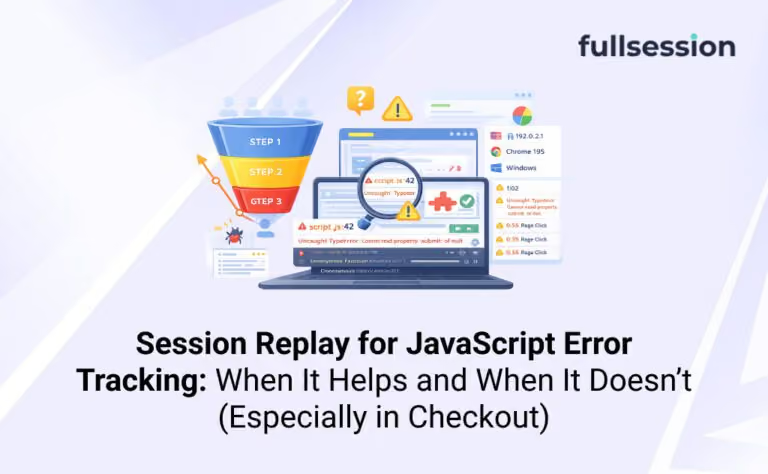

Checkout bugs are rarely “one big outage.” They are small, inconsistent failures that show up as drop-offs, retries, and rage clicks.
GA4 can tell you that completion fell. It usually cannot tell you which JavaScript error caused it, which UI state the user saw, or what they tried next. That is where the idea of tying session replay to JavaScript error tracking gets appealing.
But replay is not free. It costs time, it introduces privacy and governance work, and it can send engineers on detours if you treat every console error like a must-watch incident.
What is session replay for JavaScript error tracking?
Definition box
Session replay for JavaScript error tracking is the practice of linking a captured user session (DOM interactions and UI state over time) to a specific JavaScript error event, so engineers can see the steps and screen conditions that happened before and during the error.
n practical terms: error tracking tells you what failed and where in code. Replay can help you see how a user got there, and what the UI looked like when it broke, which is why teams often operationalize this inside an Engineering & QA workflow
If you are evaluating platforms that connect errors to user behavior, start with FullSession’s Errors and Alerts hub page.
The checkout debugging gap engineers keep hitting
Checkout funnels punish guesswork more than most flows.
You often see the symptom first: a sudden increase in drop-offs at “Payment submitted” or “Place order.” Then you pull your usual tools:
- GA4 shows funnel abandonment, not runtime failures.
- Your error tracker shows stack traces, not the UI state.
- Logs may miss client-side failures entirely, especially on flaky devices.
Quick diagnostic: you likely need replay if you can’t answer one question
If you cannot answer “what did the customer see right before the failure,” replay is usually the shortest path to clarity.
That is different from “we saw an error.” Many errors do not affect checkout completion. Your goal is not to watch more sessions. Your goal is to reduce checkout loss.
When session replay meaningfully helps JavaScript error tracking
Replay earns its keep when the stack trace is accurate but incomplete.
That happens most in checkout because UI state and third-party scripts matter. Payment widgets, address autocomplete, fraud checks, A/B tests, and feature flags can change what the user experienced without changing your code path, especially when you integrate replay with optimization experiments and QA the setup
The high-value situations
Replay is most useful when an error is tied to a business-critical interaction and the cause depends on context.
Common examples in checkout:
- An error only occurs after a specific sequence (edit address, apply coupon, switch shipping, then pay).
- The UI “looks successful” but the call-to-action is dead or disabled for the wrong users, which often shows up as a dead click style failure mode
- A third-party script throws and breaks the page state, even if your code did not error.
The error is device or input specific (mobile keyboard behavior, autofill, locale formatting).
Common failure mode: replay shows the symptoms, not the root cause
A typical trap is assuming replay replaces instrumentation.
Replay can show that the “Place order” click did nothing, but it may not show why a promise never resolved, which request timed out, or which blocked script prevented handlers from binding. If you treat replay as proof, you can blame the wrong component and ship the wrong fix.
Use replay as context. Use error events, network traces, and reproducible steps as confirmation.
When session replay does not help (and can slow you down)
Replay is a poor fit when the error already contains the full story.
If the stack trace clearly points to a deterministic code path and you can reproduce locally in minutes, replay review is usually overhead.
Decision rule: if this is true, skip replay first
If you already have all three, replay is rarely the fastest step:
- reliable reproduction
- clean stack trace with source maps
- known affected UI state
In those cases, fix the bug, add a regression test, and move on.
Replay can also be misleading when:
- the session is partial (navigation, SPA transitions, or blocked capture)
- the issue is timing related (race conditions that do not appear in the captured UI)
- privacy masking removes the exact input that matters (for example, address formatting)
The point is not “replay is bad.” The point is that replay is not the default for every error.
Which JavaScript errors are worth replay review in checkout
This is the missing piece in most articles: prioritization.
Checkout pages can generate huge error volume. If you watch replays for everything, you will quickly stop watching replays at all.
Use a triage filter that connects errors to impact, and if you want the broader framework behind this, use the impact-based frontend error monitoring triage workflow
A simple prioritization table for checkout
This is also where a platform’s ability to connect errors to sessions matters more than its feature checklist. You are trying to reduce “unknown unknowns,” not collect more telemetry. Ecommerce teams comparing tools for tracking ecommerce errors should prioritize platforms that connect checkout errors with session context, funnel impact, and reproducible user paths.
A 3-step workflow to debug checkout drop-offs with session replay
This is a practical workflow you can run weekly, not a one-off incident play.
- Start from impact, not volume.
Pick the checkout step where completion dropped, then pull the top errors occurring on that route and time window. The goal is a short shortlist, not an error dump. - Use replay to extract a reproducible path.
Watch just enough sessions to identify the smallest sequence that triggers the failure. Write it down like a test case: device, browser, checkout state, inputs, and the exact click path. - Confirm with engineering signals, then ship a guarded fix.
Validate the hypothesis with stack trace plus network behavior. Fix behind a feature flag if risk is high, and add targeted alerting so the error does not quietly return.
Practical constraint: the fastest teams limit replay time per error
Put a time box on replay review. If you do not learn something new in a few minutes, your next best step is usually better instrumentation, better grouping, or a reproduction harness.
How to tell if replay is actually improving checkout completion
Teams often claim replay “improves debugging” without measuring it. You can validate this without inventing new metrics.
What to measure in plain terms
Track two things over a month:
- Time to a credible hypothesis for the top checkout-breaking errors (did replay shorten the path to reproduction?)
- Checkout completion recovery after fixes tied to those errors (did the fix move the KPI, not just reduce error counts?)
If error volume drops but checkout completion does not recover, you may be fixing the wrong problems.
Common mistake: optimizing for fewer errors instead of fewer failed checkouts
Some errors are harmless. Some failures never throw. Checkout completion is the scoreboard.
Treat replay as a tool to connect engineering work to customer outcomes, not as a new backlog source.
When to use FullSession for checkout completion
If your KPI is checkout completion, you need more than “we saw an error.”
FullSession is a fit when:
- you need errors tied to real sessions so engineers can see the UI state that produced checkout failures
- you need to separate noisy JavaScript errors from conversion-impacting errors without living in manual video review
- you want a shared workflow where engineering and ecommerce teams can agree on “this is the bug that is costing orders”
Start with /solutions/checkout-recovery if the business problem is lost checkouts. If you are evaluating error-to-session workflows specifically, the product entry point is /product/errors-alerts.
If you want to see how this would work on your checkout, a short demo is usually faster than debating tool categories. If you prefer hands-on evaluation, a trial works best when you already have a clear “top 3 checkout failures” list.
FAQs
No. Error tracking is still the backbone for grouping, alerting, and stack-level diagnosis. Replay is best as context for high-impact errors that are hard to reproduce.
GA4 is built for behavioral analytics and event reporting, not runtime exception capture and debugging context. You can push custom events, but you still won’t get stacks and UI state.
Usually no. Prioritize errors that correlate with checkout step drop-offs, release timing, device clusters, or blocked interactions.
Then replay might still help you understand sequence and UI state, but you may need targeted logging or safer instrumentation to capture the missing detail.
Use time boxes, focus on impact-linked errors, and write down a reproducible path as the output of every replay review session.
Tie errors to the checkout route and step-level funnel movement first. If an error rises without a corresponding KPI change, it is rarely your top priority.
See what’s costing you, and prove whats fixing it is worth
Watch the real journey, rank every issue by revenue impact, and validate the result against baseline.






.svg)
.svg)
212 E Stone Path St Derby, KS 67037 Phone: +1 415-649-4222



All systems operational.