Category: Behavior Analytics

  • Customer Experience Analytics: What It Is, What to Measure, and How to Turn Insights Into Verified Improvements

    Customer Experience Analytics: What It Is, What to Measure, and How to Turn Insights Into Verified Improvements

    TL;DR

    This is for digital product and digital experience teams running high-stakes journeys where completion rate is the KPI. You will learn a practical way to combine behavior analytics, feedback, and operational data, then prove which fixes actually moved completion. If you are evaluating platforms for high-stakes forms, see the High-Stakes Forms solution.

    What is customer experience analytics?
    Customer experience analytics is the practice of collecting and analyzing signals across the customer journey to explain why experiences succeed or fail, then using that evidence to prioritize and verify improvements. It is narrower than “all analytics.” The goal is to connect experience evidence to outcomes like task or journey completion.

    The stakes: completion rate is a revenue and risk metric

    Completion failures create cost fast, even when they look small in a dashboard.
    When completion is the KPI, minor UX issues turn into abandoned applications, failed payments, incomplete claims, and support escalations. The hard part is not getting more dashboards. It is building enough evidence to answer one question: what is preventing qualified users from finishing?

    Treat completion as an operating metric, not a quarterly report. If you cannot explain week-to-week movement, you cannot reliably improve it.

    How teams do CX analytics today (and why it disappoints)

    Most approaches break down because they cannot explain “why” at the exact step that matters.
    Teams usually start with one of three paths: survey-only programs, dashboard-only product analytics, or ad-hoc session review after a fire drill. Each can work, but each fails in predictable ways. Surveys tell you what people felt, but rarely where they got stuck. Dashboards show what happened, but often lack the evidence behind the drop. Ad-hoc replay watching produces vivid stories, but weak prioritization.

    Common mistake: mistaking correlation for “the cause”

    A typical failure mode is shipping changes because a metric moved, without checking what else changed that week. Campaign mix, seasonality, and cohort shifts can all mimic “CX wins.” If you do not control for those, you build confidence on noise.

    What CX analytics is (and what it is not)

    A useful definition keeps the scope tight enough to drive action next week.
    CX analytics is not a single tool category. It is an operating model: decide which journey matters, unify signals, diagnose friction, prioritize fixes, and verify impact. In high-stakes journeys, the key contrast is simple: are you measuring sentiment, or are you explaining completion?

    Sentiment can be useful, but completion failures are usually driven by specific interaction issues, error states, or confusing requirements. If you are evaluating tooling, map your gaps first: can you connect user behavior to the exact step where completion fails, and to the operational reason it fails?

    The signal model: triangulate feedback, behavior, and operations

    Triangulation is how you avoid arguing about whose dashboard is “right.”
    You get reliable answers when three signal types agree. Behavior analytics shows where users hesitate, rage click, backtrack, or abandon. Feedback tells you what they perceived and expected. Operational signals explain what the system did: validation errors, timeouts, identity checks, rule failures, queue delays.

    Contradictions are normal, and they are often the clue.

    Quick scenario: “CSAT is fine, but completion is falling”

    This happens when only successful users respond to surveys, or when channel mix shifts toward tougher cases. In that situation, treat surveys as a qualifier, not a verdict. Use behavior evidence to locate the failing step, then use ops data to confirm whether it is user confusion, system errors, or policy constraints.

    What to measure for completion rate investigations

    The right metrics mix shortens the distance between “something moved” and “we know why.”
    Pick a small set of outcome, leading, and diagnostic measures. The point is not to track everything. It is to build a repeatable investigation loop.

    Investigation questionMetric to watchDiagnostic evidence to pull
    Where does completion break?Step-to-step conversion, drop-off rateFunnel step definition, replay samples, click maps
    Is it UX friction or system failure?Error rate by step, retry rateError events linked to sessions, validation messages
    Who is affected most?Completion by cohort (device, region, risk tier)Segment comparison, entry source, new vs returning
    Is the fix working?Completion trend with controlsPre/post window, matched cohort or holdout, leading indicators

    Segmentation and bias checks that prevent “vanity wins”

    If you do not segment, you can accidentally ship changes that look good and perform worse.
    An overall completion rate hides the story. Segment early. New vs returning, desktop vs mobile, authenticated vs guest, and high-risk vs low-risk users often behave differently. A fix that helps one segment can hurt another.

    Plan for bias too. Survey responses skew toward extremes. Sentiment models misread short, domain-specific language. Channel mix changes can make your trend look worse even when UX is improving.

    The trade-off is real: deeper segmentation improves accuracy, but it increases analysis overhead. Start with two cohorts that best reflect business risk, then add more only when the result would change what you ship.

    A 6-step closed-loop workflow to turn insights into verified improvements

    A closed loop is how CX analytics becomes shipped fixes, not insight debt.
    This workflow is designed for teams in consideration or evaluation mode. It keeps engineering time focused on changes you can prove, and it creates a clean handoff from “insight” to “done.”

    1. Choose one target journey with clear boundaries. Tie it to a single completion definition.
    2. Define completion precisely and instrument the steps that matter. If a step is ambiguous, your analysis will be too.
    3. Pull a balanced evidence set for the same window. Behavior sessions, feedback, and ops events, joined to the journey.
    4. Name the top 2–3 failure modes, not the top 20. You need a short list that can become backlog items.
    5. Prioritize fixes by expected completion impact and implementation effort. Ship the smallest testable change first.
    6. Verify impact with controls, then monitor. Use matched cohorts or phased rollout so the issue cannot quietly return.

    Governance and privacy for session-level CX analytics

    In high-stakes journeys, trust and access control matter as much as insight speed.
    If your team is considering session replay or form-level behavior data, governance is not optional. Minimize what you capture. Mask sensitive fields. Limit access by role. Set retention limits that match policy. Document the use case and keep it tied to completion and service quality.

    For a starting point on governance controls and privacy language, reference the Safety & Security page

    Decision rule: capture less, but capture the right moments

    If a field could be sensitive, do not record it. Instead, record the interaction context around it: step name, validation state, error code, time-to-complete, and whether the user abandoned after that state change. You still get diagnostic power without expanding PII exposure.

    How to evaluate CX analytics tooling for high-stakes journeys

    Tooling matters when it changes speed, rigor, and governance at the same time.
    The goal is not “more features.” It is faster, safer decisions that hold up under review.

    • Can it connect behavior evidence to specific funnel steps and cohorts?
    • Can it surface errors and failures in-context, not in a separate logging tool?
    • Can non-technical teams investigate without creating tickets for every question?
    • Can it meet privacy requirements, including masking and retention?

    If your current stack cannot do the above, you keep paying the tax of slow diagnosis and unverified fixes.

    When to use FullSession for task and journey completion

    FullSession is useful when you need evidence you can act on, not just scores.
    FullSession is a privacy-first, behavior analytics platform that helps digital product teams explain and improve completion in high-stakes journeys.

    Use FullSession when you need to identify the exact step where qualified users fail to complete, see the interaction evidence behind drop-off (including replay and error context), and turn findings into a short backlog you can verify.

    If your focus is high-stakes forms and applications, start with the High-Stakes Forms solution. If governance is a gating factor, review Safety & Security. If you want to see the workflow end-to-end on your own flows, get a demo.

    FAQs

    These are the questions teams ask when they are trying to operationalize CX analytics.

    What is the difference between customer experience analytics and behavior analytics?

    Customer experience analytics is the broader practice of explaining experience outcomes using multiple signals. Behavior analytics is one signal type focused on what users do in the product. In high-stakes journeys, behavior evidence is often the fastest path to diagnosing why completion fails.

    Which CX metrics matter most for high-stakes journeys?

    Completion rate is the anchor metric, but it needs context. Pair it with step conversion rates, error rates, and time-to-complete so you can explain movement. Add satisfaction metrics only after you can localize the failure mode.

    How do I prove a CX change actually improved completion rate?

    Use a pre/post comparison with controls. At minimum, compare matched cohorts and adjust for channel mix and seasonality. If you can, run an experiment or phased rollout so you have a clean counterfactual.

    What data sources should I combine for customer experience analytics?

    Start with three: behavioral sessions, feedback, and operational events. The value comes from joining them to the same journey window, not from collecting more categories. Add call logs, chat transcripts, or CRM data only if it will change decisions.

    How do I avoid survey bias and misleading sentiment scores?

    Treat surveys and sentiment as directional, not definitive. Check response rates by segment and watch for channel shifts that change who responds. When sentiment and behavior disagree, trust behavior to locate the problem, then use feedback to understand expectations.

    Is session replay safe for regulated or sensitive journeys?

    It can be, but only with deliberate controls. Mask sensitive fields, restrict access, and set retention limits. Validate the setup with security and compliance stakeholders using a reference like Safety & Security.

  • Rage clicks: how QA/SRE teams detect, triage, and verify fixes

    Rage clicks: how QA/SRE teams detect, triage, and verify fixes

    If you own reliability, rage clicks are a useful clue. They often show up before a ticket makes it to you, and they show up even when you cannot reproduce the bug on demand.

    This guide is for PLG SaaS QA and SRE teams trying to cut MTTR by turning rage-click clusters into reproducible evidence, prioritized fixes, and clean verification.

    What are rage clicks (and what they are not)

    Rage clicks are only helpful when everyone means the same thing by the term.

    Definition (practical): A rage click is a burst of repeated clicks or taps on the same UI element or area, where the user expects a response and does not get one. What rage clicks are not: a single double-click habit, exploratory clicking while learning a new UI, or rapid clicking during a clearly visible loading state.

    Common mistake: treating the metric as a verdict

    Teams often label every rage click as “bad UX” and send it to design. The failure mode is obvious: you miss the real root cause, like a blocked network call or a client-side exception, and MTTR goes up instead of down.

    Why rage clicks matter for MTTR

    They compress a messy report into a timestamped incident. Rage clicks can turn “it feels broken” into “users repeatedly clicked this control and nothing happened.” For QA/SRE, that matters because it gives you three things you need fast: a location in the UI, a moment in time, and the sequence of actions that lets you replay the user journey. The catch is signal hygiene. If you treat every spike the same, you will drown in noise and slow the very responders you are trying to help.

    The causes that actually show up in incident work

    If you want faster resolution, you need buckets that map to owners and evidence.

    A generic “bad UX” causes list is not enough in incident response. You need buckets that tell you what to collect (replay, errors, network) and who should own the first fix attempt.

    Bucket 1: dead or misleading interactions

    A typical pattern is a button that looks enabled but is not wired, a link covered by another layer, or a control that only works in one state (logged-in, specific plan, feature flag).

    Bucket 2: latency and “impatient clicking”

    Users click repeatedly when the UI does not acknowledge the action. Sometimes the backend is slow, sometimes the frontend is slow, and sometimes the UI does the work but gives no feedback.

    Bucket 3: client-side errors and blocked calls

    Another common pattern: the click fires, but a JavaScript error stops the flow, a request is blocked by CORS or an ad blocker, or a third-party script fails mid-journey.

    Bucket 4: overlays, focus traps, and mobile tap conflicts

    Popovers, modals, cookie banners, and sticky elements can intercept taps. On mobile, small targets plus scroll and zoom can create clusters that look like rage clicks but behave like “missed taps.”

    How to detect rage clicks without living in replays

    The goal is to find repeatable clusters first, then watch only the replays that answer a question.

    Start with an aggregated view of rage-click hot spots, then filter until the pattern is tight enough to act on. Only then jump into replay to capture context and evidence.

    Decision rule: when a cluster is worth a ticket

    A cluster is ready for engineering attention when you can answer all three:

    • What element or area is being clicked?
    • What did the user expect to happen?
    • What should have happened, and what actually happened?

    If you cannot answer those, you are still in discovery mode.

    Tool definition nuance (so you do not compare apples to oranges)

    Different platforms use different thresholds: number of clicks, time window, and how close the clicks must be to count as “the same spot.” Sensitivity matters. A stricter definition reduces false positives but can miss short bursts on mobile. A looser definition catches more behavior but increases noise.

    Operational tip: pick one definition for your team, document it, and avoid comparing “rage click rate” across tools unless you normalize the rules.

    A triage model that prioritizes what will move MTTR

    Prioritization is how you avoid spending a week fixing a low-impact annoyance while a critical path is actually broken.

    Use a simple score for each cluster. You do not need precision. You need consistency.

    FactorWhat to scoreExample cues
    ReachHow many users hit the cluster in a normal dayHigh traffic page, common entry point
    CriticalityHow close it is to activation or a key job-to-be-doneSignup, billing, permissions, invite flow
    ConfidenceHow sure you are about the cause and fixClear repro steps, repeatable in replay, error evidence

    Quick scenario: the same rage click, two very different priorities

    Two clusters appear after a release. One is on a settings toggle that is annoying but recoverable. The other is on “Create workspace” during onboarding. Even if the settings cluster has more total clicks, the onboarding cluster usually wins because it blocks activation and produces more support load per affected user.

    Segmentation and false positives you should handle up front

    Segmentation keeps you from chasing a pattern that only exists in one context. Start with these slices that commonly change both the cause and the owner: device type, new vs returning users, logged-in vs logged-out, and traffic source.

    Quick check: segment drift

    If the same UI generates rage clicks only on one device, browser, or cohort, assume a different cause.

    Then run a simple false-positive checklist in the replay before you open a ticket. Look for loading states, visible feedback, and whether the user is also scrolling, zooming, or selecting text. If the “rage” behavior is paired with repeated form submissions or back-and-forth navigation, you may be looking at confusion, not a hard failure.

    A validation loop that proves the fix worked

    Verification is what prevents the same issue from coming back as a regression.

    1. Define the baseline for the specific cluster.
    2. Ship the smallest fix that addresses a testable hypothesis.
    3. Compare before and after on the same segments and pages.
    4. Add guardrails so the next release does not reintroduce it.
    5. Write the learning down so the next incident is faster.

    What to measure alongside rage clicks

    Rage clicks are a symptom. Pair them with counter-metrics and guardrails that reflect actual stability: error rate, failed requests, latency, and the specific conversion step the cluster prevents users from completing.

    If rage clicks drop but activation does not move, you probably fixed the wrong thing, or you fixed a symptom while the underlying flow still confuses users.

    What to hand off to engineering (so they can act fast)

    You can cut days off MTTR by attaching the right artifacts the first time.

    Include a linkable replay timestamp, the exact element label or selector if you can capture it, and the user journey steps leading into the moment. If you have engineering signals, attach them too: console errors, network failures, and any relevant release flag or experiment state.

    Common blocker: missing technical evidence

    If you can, pair replay with console and network signals so engineering can skip guesswork.

    Route by cause: UX owns misleading affordances and unclear feedback, QA owns reproducibility and regression coverage, and engineering owns errors, performance, and broken wiring. Most clusters need two of the three. Plan for that instead of bouncing the ticket.

    When to use FullSession for rage-click driven incident response

    If your KPI is MTTR, FullSession is most useful when you need to connect frustration behavior to concrete technical evidence.

    Use the Errors & Alerts hub (/product/errors-alerts) when rage clicks correlate with client-side exceptions, failed network calls, or third-party instability. Use the Engineering & QA solution page when you need a shared workflow between QA, SRE, and engineering to reproduce, prioritize, and verify fixes.

    Start small: one cluster end-to-end

    Run one cluster through detection, triage, fix, and verification before you roll it out broadly.

    A good first step is to take one noisy cluster, tighten it with segmentation, and turn it into a ticket that an engineer can action in under ten minutes. If you want to see how that workflow looks inside FullSession, start with a trial or book a demo.

    FAQs about rage clicks

    These are the questions that come up when teams try to operationalize the metric.

    Are rage clicks the same as dead clicks?

    Not exactly. Dead clicks usually mean clicks that produce no visible response. Rage clicks are repeated clicks in a short period, often on the same spot. A dead click can become rage clicks when the user keeps trying.

    Rage clicks vs dead clicks: which should we prioritize?

    Prioritize clusters that block critical steps and have strong evidence. Many high-value incidents start as dead clicks, then show up as rage clicks once users get impatient.

    How do you quantify rage clicks without gaming the metric?

    Quantify at the cluster level, not as a single global rate. Track the number of affected sessions and whether the cluster appears on critical paths. Avoid celebrating a drop if users are still failing the same step via another route.

    How do you detect rage clicks in a new release?

    Watch for new clusters on changed pages and new UI components. Compare against a baseline window that represents normal traffic. If you ship behind flags, segment by flag state so you do not mix populations.

    What is a reasonable threshold for a rage click?

    It depends on the tool definition and device behavior. Instead of arguing about a universal number, define your team’s threshold, keep it stable, and revisit only when false positives or misses become obvious.

    What are the fastest fixes that usually work?

    The fastest wins are often feedback and wiring: disable buttons while work is in progress, show loading and error states, remove invisible overlays, and fix broken handlers. If the cause is latency, you may need performance work, not UI tweaks.

    How do we know the fix did not just hide the problem?

    Pair the rage-click cluster with guardrails: error rate, request success, latency, and the conversion or activation step. If those do not improve, the frustration moved somewhere else.

  • RBAC for Analytics Tools: Practical Access Control for Data Teams

    RBAC for Analytics Tools: Practical Access Control for Data Teams

    If you run analytics in a regulated or high-stakes environment, “who can see what” becomes a product risk, not an IT detail.

    This guide explains RBAC in analytics terms, shows what to lock down first for data containment, and gives you a rollout workflow you can actually maintain.

    What is RBAC for analytics tools?

    You need a shared definition before you can design roles that auditors and analysts both accept.

    RBAC (role-based access control) is a permission model where you grant access to analytics data and capabilities under product management governance. In analytics tools, RBAC usually covers three things: what data someone can view, what parts of the product they can use, and what they can export or share.

    Why RBAC gets messy in analytics

    Analytics permissions fail when teams treat access as one knob instead of a set of exposure paths.

    Analytics teams rarely struggle with the concept of roles. They struggle with scope.

    In an analytics tool, “access” is not one thing. It can mean viewing a dashboard, querying raw events, watching a session replay, exporting a user list, or creating a derived segment that quietly reveals sensitive attributes. If you treat all of that as a single permission tier, you get two failure modes: over-permission that weakens containment, or under-permission that forces analysts to route around controls.

    The practical goal is data containment without slowing down insight. That means separating access layers, then tightening the ones that create irreversible exposure first (exports, raw identifiers, replay visibility, and unrestricted query).

    The three access layers you should separate

    Separating layers keeps roles stable while you tighten containment where it matters most.

    Access layerWhat it controls in analyticsWhat to lock down first for data containment
    Data layerDatasets, event streams, identifiers, properties, and query scopeRaw identifiers, high-risk event properties, bulk export
    Experience layerDashboards, reports, saved queries, replay libraries, annotationsSensitive dashboards, replay visibility for restricted journeys
    Capability layerCreate, edit, share, export, integrate, manage usersExport/share rights, workspace admin rights, API keys

    A typical implementation uses roles like Admin, Analyst, Viewer, plus a small number of domain roles (Support, Sales, Compliance). The trap is turning every exception into a new role.

    Common mistake: RBAC that only protects dashboards

    Teams often “secure” analytics by restricting dashboards and calling it done. Meanwhile, the underlying data remains queryable or exportable, and sensitive exposure happens through segments, CSVs, or replay access. If your KPI is data containment, dashboard-only RBAC is a false sense of safety.

    How teams usually implement RBAC and where it breaks

    Most RBAC failures come from exceptions, not bad intentions, so plan for drift.

    Most orgs start with good intentions: a few roles, a few permissions, and a promise to “tighten later.” The breakdown is predictable.

    First, the analytics tool becomes the path of least resistance for ad-hoc questions. People get added to higher-privilege roles “just for this project.” Second, access does not get removed when teams change. Third, exceptions pile up without an expiration date. This is how role sprawl forms even when the role count looks small on paper.

    The trade-off is real. If you clamp down too early at the experience layer, teams rebuild reports outside the tool. If you ignore the data layer, you get quiet exposure through exports and raw queries. Containment comes from targeting the high-risk paths first, then keeping the role model stable as usage expands.

    A 5-step RBAC rollout that does not stall reporting

    Use this rollout to reduce exposure quickly without turning analysis into a ticket queue.

    Treat RBAC like an operating system change, not a one-time setup. The fastest path is to lock down exposure points first, then expand access safely.

    1. Inventory your exposure points. List where analytics data can leave the tool: exports, scheduled reports, API access, shared links, screenshots, and replay clips.
    2. Define your minimum roles. Start with 3 to 5 roles. Write a one-line purpose for each role so it stays coherent when edge cases show up.
    3. Separate raw data from derived insights. Decide which roles can query raw events and which roles consume curated dashboards or saved reports.
    4. Set a time-bound exception process. Temporary access is normal. Make it explicit: who approves it, how long it lasts, and how you revoke it.
    5. Add an audit rhythm. Review role memberships and “power capabilities” (export, admin, API) on a fixed cadence, not only after an incident.

    A good sign you are on track is when analysts can answer questions with curated assets, and only a small group needs raw-event access. That is how mature teams keep containment tight without turning every request into a ticket.

    How to tell if your RBAC is working

    RBAC works when you can spot success and drift early, before audits or incidents.

    You will know RBAC is improving when access requests stop being mysterious and access reviews stop being painful.

    In practice, early success looks like this: exports and API access are limited to a known small set of owners; analysts can do most work with curated assets; and “who has access” questions can be answered quickly during reviews or audits.

    Plan for predictable breakdowns, especially as headcount and tool usage grows:

    • Role sprawl: new roles get created for every team, region, or project, and no one can explain the differences.
    • Silent privilege creep: people change teams but keep old access, especially admin and export rights.
    • Shadow distribution: sensitive dashboards get recreated in spreadsheets because sharing inside the tool is too restricted.

    Operationally, RBAC maintenance is the job. Assume you will adjust scopes every quarter. Your goal is to keep the number of roles stable while making those scope edits boring and repeatable.

    Evaluating RBAC in analytics tools for regulated workflows

    Tool evaluation should prioritize irreversible exposure controls over cosmetic permission screens.

    When you assess analytics tools, focus on the controls that prevent irreversible exposure, not the prettiest role editor.

    Four areas matter most:

    • Granularity where it counts. Can you limit access at the data layer (events, properties, identifiers), not just at the dashboard level?
    • Export and sharing controls. Can you restrict bulk export, shared links, and integrations by role?
    • Auditability. Can you answer “who accessed what” and “who changed permissions” without guesswork?

    Sensitive experience controls. Can you limit visibility into artifacts that may contain personal data by nature, such as session replays or user-level views?

    Decision rule: tighten the irreversible first

    If a permission lets data leave the platform, treat it as higher risk than a permission that only lets someone view a chart. Start by restricting exports, identifiers, and raw event queries. Expand from there based on real usage, not theoretical role diagrams.

    When to use FullSession for data containment

    If user-level behavioral data is in play, containment controls and governance posture become first-order requirements.

    If your analytics program includes session replay or other user-level behavior data, the containment question gets sharper. The data can be extremely useful, and it can also be sensitive by default.

    FullSession is positioned as a privacy-first behavior analytics platform. If your team needs to balance insight with governance, start by reviewing the controls and security posture described on the FullSession Safety & Security page.For high-stakes journeys where compliance and user trust are central, map your RBAC approach to the journey itself (onboarding, identity checks, claims, KYC-style forms). The High-Stakes Forms use case is a good starting point for that workflow.

    FAQs

    These questions cover the edge cases compliance leads ask when RBAC moves from theory to operations.

    Should RBAC control metrics differently than raw data?
    Yes. Metrics and dashboards are usually lower risk because they are aggregated and curated. Raw events and identifiers are higher risk because they can be re-identified and exported.

    Is ABAC better than RBAC for analytics?
    Attribute-based access control can be more precise, but it is also harder to maintain. Many teams start with RBAC and add limited attribute rules only where the risk is high (for example, region-based restrictions).

    How do you handle temporary access without breaking containment?
    Use time-bound exceptions with a clear approver and an automatic expiry. If you cannot expire access, you will end up with permanent privilege creep.

    What is “role sprawl” and how do you prevent it?
    Role sprawl is when roles multiply faster than the team can explain or audit them. Prevent it by limiting roles to stable job functions and handling edge cases with temporary access, not new roles.

    Do you need audit logs for RBAC to be credible?
    If you operate in a regulated environment, auditability is usually non-negotiable. Even if your tool does not provide perfect logs, you should be able to reconstruct who had access, when, and who changed permissions.

    How often should you review analytics access?
    At minimum: quarterly. For high-stakes data, monthly review of admin and export permissions is common, with a broader quarterly role membership review.

    What should you lock down first if you only have a week?
    Start with exports, API keys, shared links, and raw identifier access. Those are the paths that most quickly turn an internal analytics tool into an external data leak.

    Next steps

    Run the workflow on one high-risk journey, then expand once you can audit and maintain it.

    Pick one high-risk journey and run the five-step rollout against it this week. You will learn more from a single contained implementation than from a role diagram workshop.

    If you are evaluating platforms and want to see how privacy-first behavior analytics can support governance-heavy teams, book a demo or start a trial and review how FullSession approaches security.

  • Heatmap analysis for landing pages: how to interpret signals and decide what to change

    Heatmap analysis for landing pages: how to interpret signals and decide what to change

    Heatmaps are easy to love because they look like answers. A bright cluster of clicks. A sharp drop in scroll depth. A dead zone that “must be ignored.”

    The trap is treating the visualization as the conclusion. For SaaS activation pages, the real job is simpler and harder: decide which friction to fix first, explain why it matters, and prove you improved the path to first value.

    Definition box: What is heatmap analysis for landing pages?

    Heatmap analysis is the practice of using aggregated behavioral patterns (like clicks, scroll depth, and cursor movement) to infer how visitors interact with a landing page. For landing pages, heatmaps are most useful when you treat them as directional signals that generate hypotheses, then validate those hypotheses with funnel data, session replays, and post-change measurement.

    If you are new to heatmaps as a category, start here – Heatmap

    What heatmaps can and cannot tell you on a landing page

    Heatmaps are good at answering “where is attention going?” They are weak at answering “why did people do that?” and “did that help activation?”

    On landing pages, you usually care about a short chain of behaviors:

    • Visitors understand the offer.
    • Visitors believe it is relevant to them.
    • Visitors find the next step.
    • Visitors complete the step that starts activation (signup, start trial, request demo, connect data, create first project).

    Heatmaps can reveal where that chain is breaking. They cannot reliably tell you the root cause without context. A click cluster might mean “high intent” or “confusion.” A scroll drop might mean “content is irrelevant” or “people already found what they need above the fold.”

    The practical stance: treat heatmaps as a triage tool. They help you choose what to investigate next, not what to ship.

    The signal interpretation framework for landing pages

    Most teams look at click and scroll heatmaps, then stop. For landing pages, you get better decisions by forcing every signal into the same question:

    Does this pattern reduce confidence, reduce clarity, or block the next step?

    Use the table below as your starting interpretation layer.

    Heatmap signalWhat it often meansCommon false positiveWhat to verify next
    High clicks on non-clickable elements (headlines, icons, images)Visitors expect interaction or are hunting for detail“Curiosity clicks” that do not block the CTAWatch replays for hesitation loops. Check whether CTA clicks drop when these clicks rise.
    Rage clicks (rapid repeated clicks)Something feels broken or unresponsiveSlow device or flaky network, not your pageSegment by device and browser. Pair with error logs and replay evidence.
    CTA gets attention but not clicks (cursor movement near CTA, low click share)CTA label or value proposition is weak, or risk is highCTA is visible but page does not answer basic objectionsCheck scroll depth to the proof section. Compare conversion by traffic source and intent.
    Scroll depth collapses before key proof (security, pricing context, outcomes)Above-the-fold does not earn the scrollPage loads slow, or mobile layout pushes content downCompare mobile vs desktop scroll. Validate with load performance and bounce rate.
    Heavy interaction with FAQs or tabsPeople need clarity before acting“Research mode” visitors who were never going to activateLook at conversion for those who interact with the element vs those who do not.
    Dead zones on key reassurance contentProof is not being seen or is not perceived as relevantUsers already trust you (returning visitors)Segment new vs returning. Check whether proof is below the typical scroll fold on mobile.

    A typical failure mode is reading a click map as “interest” when it is “confusion.” The fastest way to avoid that mistake is to decide, upfront, what would change your mind. If you cannot define what evidence would falsify your interpretation, you are not analyzing, you are reacting.

    A decision workflow for turning heatmap patterns into page changes

    Heatmap analysis gets valuable when it ends in a specific change request with a specific measurement plan. Here is a workflow that keeps you honest.

    1. Start with the activation objective, not the page.
      Name the activation step that matters (example: “create first project” or “connect integration”) and the landing page’s job (example: “drive qualified signups to onboarding”).
    2. Segment before you interpret.
      At minimum: mobile vs desktop, new vs returning, paid vs organic. A blended heatmap is how you ship fixes for the wrong audience.
    3. Identify one primary friction pattern.
      Pick the one pattern that most plausibly blocks the next step. Not the most visually dramatic one. The one most connected to activation.
    4. Write the hypothesis in plain language.
      Example: “Visitors click the pricing toggle repeatedly because they cannot estimate cost. The CTA feels risky. Add a pricing anchor and move a short ‘what you get’ list closer to the CTA.”
    5. Choose the smallest page change that tests the hypothesis.
      Avoid bundling. If you change layout, copy, and CTA in one go, you will not know what worked.
    6. Define the success criteria and guardrails.
      Success: improved click-through to signup and improved activation completion. Guardrail: do not increase low-intent signups that never reach first value.

    That last step is where most teams skip. Then they “win” on CTA clicks and lose on activation quality.

    What to do when signals conflict

    Conflicting heatmap signals are normal. The trick is to prioritize the signal that is closest to the conversion action and most consistent across segments.

    Here is a simple way to break ties:

    Prefer proximity + consequence over intensity.
    A moderate pattern near the CTA (like repeated interaction with “terms” or “pricing”) often matters more than an intense pattern in the hero image, because the CTA-adjacent pattern is closer to the decision.

    Prefer segment-consistent patterns over blended patterns.
    If mobile users show a sharp scroll drop before the CTA but desktop does not, you have a layout problem, not a messaging problem.

    Prefer patterns that correlate with funnel outcomes.
    If the “confusing” click cluster appears, but funnel progression does not change, it may be noise. If the cluster appears and downstream completion drops, you likely found a real friction point.

    If you need the “why,” this is where you pull in session replays and funnel steps as the tie-breaker.

    Validation and follow-through

    Heatmaps are often treated as a one-time audit. For activation work, treat them as part of a loop.

    What you want after you ship a change:

    • The heatmap pattern you targeted should weaken (example: fewer dead clicks).
    • The intended behavior should strengthen (example: higher CTA click share from qualified segments).
    • The activation KPI should improve, or at least not degrade.

    A common mistake is validating only the heatmap. You reduce rage clicks, feel good, and later discover activation did not move because the underlying issue was mismatch between promise and onboarding reality.

    If you cannot run a full A/B test, you can still validate with disciplined before/after comparisons, as long as you control for major traffic shifts and segment changes.

    When heatmaps mislead and how to reduce risk

    Heatmaps can confidently point you in the wrong direction. The risk goes up when your page has mixed intent traffic or when your sample is small.

    Use these red flags as a “slow down” trigger:

    • Small sample size or short time window. Patterns stabilize slower than people think, especially for segmented views.
    • Device mix swings. A campaign shift can change your heatmap more than any page issue.
    • High friction journeys. When users struggle, they click more everywhere. That can create false “hot” areas.
    • Dynamic layouts. Sticky headers, popups, personalization, and A/B experiments can distort what you think visitors saw.
    • Cursor movement over-interpreted as attention. Cursor behavior varies wildly by device and user habit.

    The antidote is not “ignore heatmaps.” It is “force triangulation.” If a heatmap insight cannot be supported by at least one other data source (funnels, replays, form analytics, qualitative feedback), it should not be your biggest bet.

    When to use FullSession for activation-focused landing page work

    If your KPI is activation, the most expensive failure is optimizing the landing page for clicks while your users still cannot reach first value.

    FullSession is a fit when you need to connect behavior signals to decision confidence, not just collect visuals. Typical activation use cases include:

    • You see drop-off between landing page CTA and the first onboarding step, and you need to understand what users experienced on both sides.
    • Heatmaps suggest confusion (dead clicks, rage clicks, CTA hesitation), but you need replay-level evidence to identify what is actually blocking progress.
    • You want to confirm that a landing page change improved not only click-through, but also downstream onboarding completion.

    Start with the onboarding use case here: User-onboarding.

    If you want to validate a hypothesis with real session evidence and segment it by the audiences that matter, book a demo.

    FAQs

    Are heatmaps enough to optimize a landing page?

    Usually not. They are best for spotting where attention and friction cluster. You still need a way to validate why it happened and whether fixing it improved activation, not just clicks.

    What heatmap type is most useful for landing pages?

    Click and scroll are the most actionable for landing pages because they relate directly to clarity and next-step behavior. Cursor movement can help, but it is easier to misread.

    How do I know if “high clicks” mean interest or confusion?

    Look for supporting evidence: repeated clicks on non-clickable elements, rage clicks, and hesitation patterns in session replays. Then check whether those users progress through the funnel at a lower rate.

    Should I segment heatmaps by device?

    Yes. Mobile layout constraints change what users see and when they see it. A blended heatmap often leads to desktop-driven conclusions that do not fix mobile activation.

    How long should I collect data before trusting a heatmap?

    Long enough for patterns to stabilize within the segments you care about. If you cannot segment, your confidence is lower. The practical rule: avoid acting on a pattern you only see in a thin slice of traffic unless the impact is obviously severe (like a broken CTA).

    What changes tend to have the highest impact from heatmap insights?

    The ones that reduce decision risk near the CTA: clearer value proposition, stronger proof placement, and removing interaction traps that pull users away from the next step.

    Can heatmaps help with onboarding, not just landing pages?

    Yes. The same principles apply. In fact, activation funnels often benefit more because friction is higher and confusion is easier to observe. The key is connecting the observation to the activation milestone you care about.

  • Session Replay Software: What It Is, When It Works, and How PLG Teams Actually Use It

    Session Replay Software: What It Is, When It Works, and How PLG Teams Actually Use It

    Most teams do not lack data. They lack context.

    You can spot a drop in a funnel. You can see a feature is under-adopted. Then the thread ends. Session replay software exists to close that gap by showing what people actually did in the product, step by step.

    If you are a Product Manager in a PLG SaaS org, the real question is not “Should we get session replay?” The question is: Which adoption problems become diagnosable with replay, and which ones stay fuzzy or expensive?

    Definition (What is session replay software?)
    Session replay software records a user’s interactions in a digital product so teams can review the experience and understand friction that analytics alone cannot explain.

    If you are evaluating platforms, start with the category baseline, then route into capabilities and constraints on the FullSession Session Replay hub.

    What session replay is good at (and what it is not)

    Session replay earns its keep when you already have a specific question.

    It is strongest when the “why” lives in micro-behaviors: hesitation, repeated clicks, backtracks, form struggles, UI state confusion, and error loops.

    It is weak when the problem is strategic fit or missing intent. Watching ten confused sessions does not tell you whether the feature is positioned correctly.

    A typical failure mode: teams treat replay as a discovery feed. They watch random sessions, feel productive, and ship guesses.

    Where session replay helps feature adoption in PLG SaaS

    Feature adoption problems are usually one of three types: discoverability, comprehension, or execution.

    Replay helps you distinguish them quickly, because each type leaves a different behavioral trail.

    Adoption problem you seeWhat replays typically revealWhat you validate next
    Users do not find the featureThe entry point is invisible, mislabeled, or buried behind competing CTAsNavigation experiment or entry-point change, then measure adoption lift
    Users click but do not continueThe first step is unclear, too demanding, or reads like setup workShorten the first task, add guidance, confirm step completion rate
    Users start and abandonForm fields, permissions, edge cases, or error states cause loopsError rate, time-to-complete, and segment-specific failure patterns

    That table is the decision bridge: it turns “adoption is low” into “the experience breaks here.”

    Common mistake: confusing “more sessions” with “more truth”

    More recordings do not guarantee a better decision.If your sampling over-represents power users, internal traffic, or one browser family, you will fix the wrong thing. PMs should push for representative slices tied to the adoption funnel stage, not just “top viewed replays.”

    When session replay is the wrong tool

    You should be able to say why you are opening a recording before you open it.

    If you cannot, you are about to spend time without a decision path.

    Here are common cases where replay is not the first move:

    • If you cannot trust your funnel events, instrumentation is the bottleneck.
    • If the product is slow, you need performance traces before behavioral interpretation.
    • If the feature is not compelling, replay will show confusion, not the reason the feature is optional.
    • If traffic is too low, you may not reach a stable pattern quickly.

    Decision rule: if you cannot name the action you expect to see, do not start with replay.

    How to choose session replay software (evaluation criteria that actually matter)

    Feature checklists look helpful, but they hide the real selection problem: workflow fit.

    As a PM, choose based on how fast the tool helps you go from “we saw friction” to “we shipped a fix” to “adoption changed.”

    Use these criteria as a practical screen:

    • Time-to-answer: How quickly can you find the right sessions for a specific adoption question?
    • Segmentation depth: Can you slice by plan, persona proxy, onboarding stage, or feature flags?
    • Privacy controls: Can you meet internal standards without blinding the parts of the UI you need to interpret?
    • Collaboration: Can you share a specific moment with engineering or design without a meeting?

    Outcome validation: Does it connect back to funnels and conversion points so you can prove impact?

    A 4-step workflow PMs can run to diagnose adoption with replay

    This is the workflow that prevents “we watched sessions” from becoming the output.

    1. Define the adoption moment (one sentence).
      Example: “User completes first successful export within 7 days of signup.”
    2. Pinpoint the narrowest drop-off.
      Pick one step where adoption stalls, not the whole journey.
    3. Watch sessions only from the stalled cohort.
      Filter to users who reached the step and then failed or abandoned.
    4. Ship the smallest fix that changes the behavior.
      Treat replay as a diagnostic. The fix is the product work. Validate with your adoption metric.

    Quick scenario (what this looks like in real teams):
    A PM sees that many users click “Create report” but do not publish. Replays show users repeatedly switching tabs between “Data sources” and “Permissions,” then abandoning after a permissions error. The PM and engineer adjust defaults and error messaging, and the PM tracks publish completion rate for first-time report creators for two weeks.

    How different roles actually use replay in a PLG org

    PMs do not operate replay alone. Adoption work is cross-functional by default.

    Here is the practical division of labor:

    • Product: frames the question, defines the success metric, and prioritizes fixes by adoption impact.
    • Design/UX: identifies comprehension breakdowns and proposes UI changes that reduce hesitation.
    • Engineering/QA: uses replays to reproduce edge cases and reduce “cannot reproduce” loops.
    • Support/Success: surfaces patterns from tickets, then uses replays to validate what is happening in-product.

    The trade-off is real: replay makes cross-functional alignment easier, but it can also create noise if every team pulls recordings for different goals. Governance matters.

    How to operationalize replay insights (so adoption actually moves)

    If replay is not connected to decisions, it becomes a time sink.

    Make it operational with three habits:

    • Always pair replay with a metric checkpoint. “We changed X, adoption moved Y” is the loop.
    • Create a small library of repeatable filters. For PLG, that usually means onboarding stage, plan tier, and key segments.
    • Treat privacy as an enablement constraint, not a legal afterthought. Masking that blocks interpretation turns replay into abstract art.

    A typical failure mode: teams fix the most vivid session, not the most common failure path.

    If your adoption KPI is “feature used,” you also need a definition of “feature value achieved.” Otherwise, you will optimize clicks, not outcomes.

    When to use FullSession for feature adoption work

    If you are trying to improve feature adoption, you need two things at once: visibility into behavior and a clean path to validation.

    FullSession is a privacy-first behavior analytics platform that helps teams investigate real user journeys and connect friction to action. For readers evaluating session replay specifically, start here: /product/session-replay.

    FullSession is a fit when:

    • You have a defined adoption moment and need to understand why users fail to reach it.
    • Your team needs to share concrete evidence across product, design, and engineering.
    • You want replay to sit alongside broader behavior analytics workflows, not replace them.

    If your goal is PLG adoption and activation outcomes, route into the PM-focused workflows and examples here: PLG Activation

    FAQs

    What is session replay software used for?

    It is used to review user interactions to diagnose friction, confusion, and error loops that are hard to infer from aggregate analytics.

    Is session replay only useful for UX teams?

    No. PMs use it to validate adoption blockers, engineers use it for reproduction, and support uses it to confirm what users experienced.

    How many sessions do you need to watch to learn something?

    Enough to see a repeatable pattern in a defined cohort. Random browsing scales poorly and often misleads prioritization.

    What are the biggest trade-offs with session replay?

    Sampling and cost, the time it takes to interpret qualitative data, and privacy controls that can limit what you can see.

    How do you prove session replay actually improved adoption?

    Tie each investigation to a metric. Ship a targeted fix. Then measure change in the adoption moment for the same cohort definition.

    When should you not buy a session replay tool?

    When instrumentation is unreliable, traffic is too low to form patterns, or the real issue is value proposition rather than execution friction.

  • Behavioral analytics for activation: what teams actually measure and why

    Behavioral analytics for activation: what teams actually measure and why

    Activation is rarely “one event”. It is a short sequence of behaviors that predicts whether a new user will stick.

    Definition: Behavioral analytics
    Behavioral analytics is the practice of analyzing what users do in a product (clicks, views, actions, sequences) to understand which behaviors lead to outcomes like activation and early retention.

    A typical failure mode is tracking everything and learning nothing. The point is not more events. It is better to make decisions about which behaviors matter in the first session, first week, and first habit loop.

    Why behavioral analytics matters specifically for activation

    Activation is the handoff between curiosity and habit. If you cannot explain which behaviors create that handoff, onboarding becomes guesswork. A behavioral analytics tool helps teams identify and validate the behaviors that actually lead to activation.

    Standalone insight: If “activated” is not falsifiable, your behavioral data will only confirm your assumptions.

    Activation should be a milestone, not a feeling

    Teams often define activation as “finished onboarding” or “visited the dashboard”. Those are easy to measure, but they often miss the behavior that actually creates value.

    The better definition is a milestone that is:

    • Observable in-product
    • Repeatable across users
    • Tied to the first moment of value, not a tutorial step

    What “activation” looks like in practice

    In a B2B collaboration tool, activation is rarely “created a workspace”. It is “invited one teammate and completed one shared action”.

    In a data product, activation is rarely “connected to a source”. It is “connected to a source and produces a result that is updated from real data”.

    The pattern is consistent: activation combines value plus repeatability.

    What teams actually measure: the activation signal shortlist

    Most PLG SaaS teams get farther with five signals than fifty events.

    You do not need a long taxonomy. Most products can start with a short set of behavior types, then tailor to their “aha” moment.

    Behavior typeWhat you’re looking forWhy it matters for activation
    Value actionThe core action that creates value (first report, first message, first sync)Separates tourists from users who experienced the product
    Setup commitmentAny non-trivial configuration (invite teammate, connect data source, create project)Predicts whether the user can reach value again next week
    Depth cueA second distinct feature used after the first value actionSignals genuine fit, not a one-off success
    Return cueA meaningful action on day 2–7Connects activation to the activation→retention slope

    How to pick the one “value action”

    Pick the behavior that is closest to the product outcome, not the UI. For example, “created a dashboard” is often a proxy. “Viewing a dashboard that is updated from real data” is closer to value.

    One constraint: some products have multiple paths to value. In that case, treat activation as “any one of these value actions”, but keep the list short.

    What to do with “nice-to-have” events

    Scroll depth, tooltip opens, and page views can be helpful for debugging UI, but they rarely belong in your activation definition.

    Keep them as diagnostics. Do not let them become success criteria.

    A 5-step workflow: from raw behavior to activation decisions

    This workflow keeps behavioral analytics tied to action, not reporting.

    1. Define activation as a testable milestone. Write it as “A user is activated when they do X within Y days”.
    2. Map the critical path to that milestone. List the 3–6 actions that must happen before activation is possible.
    3. Instrument behaviors that change decisions. Track only events that will change what you build, message, or remove.
    4. Create an activation cohort and a holdout. Cohort by acquisition source, persona, or first-use intent so you can see differences.

    Validate with a before/after plus a guardrail. Look for movement in activation and a guardrail like early churn or support load.

    The trade-off most teams ignore

    Behavioral analytics makes it easy to overfit onboarding to short-term clicks. If you optimize for “completed tour”, you might improve activation rate while hurting week-4 retention. Always pair activation with a retention proxy.

    Standalone insight: The best activation metric is boring to game.

    Signal vs noise in the first session, first week, and post-onboarding

    The same event means different things at different times, so sequence your analysis.

    First session: remove friction before you personalize

    In the first session, look for blocking behaviors: rage clicks, repeated backtracks, dead ends, error loops. These are often the fastest wins.

    A common failure mode is jumping straight to personalization before fixing the path. You end up recommending features users cannot reach.

    First week: look for repeatability, not novelty

    In days 2–7, prioritize signals that show the user can recreate value: scheduled actions, saved configurations, second successful run, teammate involvement.

    Standalone insight: A second successful value action beats ten curiosity clicks.

    Post-onboarding: watch for “silent drop” patterns

    Past onboarding, behavioral analytics helps you see whether activated users build a pattern. But it is weaker at explaining why they stop.

    When churn risk rises, pair behavior data with qualitative inputs such as short exit prompts or targeted interviews.

    How to validate that behavioral insights caused activation improvement

    You can keep validation lightweight and still avoid fooling yourself.

    Validation patterns that work in real teams

    Time-boxed experiment: Change one onboarding step and compare activation to the prior period, controlling for channel mix.

    Cohort comparison: Compare users who did the “setup commitment” action vs those who did not, then check day-7 retention.

    Step removal test: Remove a tutorial step you believe is unnecessary, then monitor activation and a support-ticket proxy.

    What behavioral analytics cannot tell you reliably

    Behavioral analytics struggles with:

    • Hidden intent differences (users came for different jobs)
    • Off-product constraints (budget cycles, legal reviews, internal adoption blockers)
    • Small samples (low-volume segments, enterprise pilots)

    When you hit these limits, use interviews, in-product prompts, or sales notes to explain the “why”.

    Where FullSession fits when your KPI is the activation→retention slope

    When you need to see what new users experienced, FullSession helps connect behavioral signals to the actual journey.

    You would typically start with Funnels and Conversions to identify where users drop between “first session” and “value action”, then use Session Replay to watch the friction patterns behind those drop-offs.

    If you see drop-offs but cannot tell what caused them, replay is the fastest way to separate “product confusion” from “technical failure” from “bad fit”.

    When activation is improving but retention is flat, look for false activation: users hit the milestone once but cannot repeat it. That is where session replay, heatmaps, and funnel segments help you audit real user behavior without assumptions.

    FullSession is privacy-first by design, which matters when you are reviewing real user sessions across onboarding flows.

    A practical checklist for your next activation iteration

    Use this as your minimum viable activation analytics setup.

    1. One activation milestone with a time window
    2. One setup commitment event
    3. One depth cue event
    4. One day-2 to day-7 return cue

    One guardrail metric tied to retention quality

    If you want to evaluate fit for onboarding work, start on the User Onboarding page, then decide whether you want to start a free trial or get a demo.

    FAQs

    Quick answers to the questions that usually block activation work.

    What is the difference between behavioral analytics and product analytics?

    Product analytics often summarizes outcomes and funnels. Behavioral analytics focuses on sequences and patterns of actions that explain those outcomes.

    How many activation signals should we track?

    Start with 3–5 signals. If you cannot explain how each signal changes a decision, it is noise.

    What if our product has multiple “aha” moments?

    Use a small set of activation paths. Define activation as “any one of these value actions”, then segment by path.

    How do we choose the activation time window?

    Choose a window that matches your product’s time-to-value. For many PLG SaaS products, 1–7 days is common, but your onboarding reality should decide it.

    How do we know if an activation lift will translate to retention?

    Track the activation→retention slope by comparing day-7 or week-4 retention for activated vs non-activated users, by cohort.

    What is the biggest risk with behavioral analytics?

    Over-optimizing for easy-to-measure behaviors that do not represent value, like tours or shallow clicks.

    When should we add experiments instead of analysis?

    Add experiments when you have a clear hypothesis about a step to change, and enough traffic to detect differences without waiting months.

  • Form Abandonment Analysis: How Teams Identify and Validate Drop-Off Causes

    Form Abandonment Analysis: How Teams Identify and Validate Drop-Off Causes

    You already know how to calculate abandonment rate. The harder part is deciding what to investigate first, then proving what actually caused the drop-off.

    This guide is for practitioners working on high-stakes journeys where “just reduce fields” is not enough. You will learn a sequencing workflow, the segmentation cuts that change the story, and a validation framework that ties back to activation.

    What is form abandonment analysis?
    Form abandonment analysis is the process of locating where users exit a form, generating testable hypotheses for why they exit, and validating the cause using behavior evidence (not just conversion deltas). It is different from reporting abandonment rate, because it includes diagnosis (field, step, or system), segmentation (who is affected), and confirmation (did the suspected issue actually trigger exit).

    What to analyze first when you have too many drop-off signals

    You need a sequence that prevents rabbit holes and gets you to a fixable cause faster.

    Most teams jump straight to “which field is worst” and miss the higher-signal checks that explain multiple symptoms at once.

    Start by answering one question: is the drop-off concentrated in a step, a field interaction, or a technical failure?

    A quick map of symptoms to likely causes

    Symptom you seeWhat to verify firstLikely root causeNext action
    A sharp drop at the start of the formPage load, consent, autofill, first input focusSlow load, blocked scripts, confusing first questionCheck real sessions and errors for that page
    A cliff on a specific stepStep-specific validation and content changesMismatch in expectations, missing info, step gatingCompare step variants and segment by intent
    Many retries on one field, then exitField errors, formatting rules, keyboard typeOverly strict validation, unclear format, mobile keyboard issuesWatch replays and audit error messages
    Drop-off rises after a releaseError spikes, rage clicks, broken statesRegression, third-party conflict, layout shiftCorrelate release window with error and replay evidence

    Common mistake: treating every drop-off as a field problem

    A typical failure mode is spending a week rewriting labels when the real issue is a silent error or a blocked submit state. If abandonment moved suddenly and across multiple steps, validate the system layer first.

    Symptoms vs root causes: what abandonment can actually mean

    If you do not separate symptoms from causes, you will ship fixes that feel reasonable and do nothing.

    Form abandonment is usually one of three buckets, and each bucket needs different evidence.

    Bucket 1 is “can’t proceed” (technical or validation failure). Bucket 2 is “won’t proceed” (trust, risk, or effort feels too high). Bucket 3 is “no longer needs to proceed” (intent changed, got the answer elsewhere, or price shock happened earlier).

    The trade-off is simple: behavioral tools show you what happened, but you still need a hypothesis that is falsifiable. “The form is too long” is not falsifiable. “Users on iOS cannot pass phone validation because of formatting” is falsifiable.

    For high-stakes journeys, also treat privacy and masking constraints as part of the reality. You may not be able to see raw PII, so your workflow needs to lean on interaction patterns, error states, and step timing, not the actual values entered.

    The validation workflow: prove the cause before you ship a fix

    This is how you avoid shipping “best practices” that do not move activation.

    If you cannot state what evidence would disprove your hypothesis, you do not have a hypothesis yet.

    1. Locate the abandonment surface. Pinpoint the step and the last meaningful interaction before exit.
    2. Classify the drop-off type. Decide if it is field friction, step friction, or a technical failure pattern.
    3. Segment before you interpret. At minimum split by device class, new vs returning, and traffic source intent.
    4. Collect behavior evidence. Use session replay, heatmaps, and funnels to see the sequence, not just the count.
    5. Check for technical corroboration. Look for error spikes, validation loops, dead clicks, and stuck submit states.
    6. Form a falsifiable hypothesis. Write it as “When X happens, users do Y, because Z,” and define disproof.
    7. Validate with a targeted change. Ship the smallest change that should affect the mechanism, not the whole form.
    8. Measure downstream impact. Tie results to activation, not just form completion.

    Quick example: You see abandonment on step 2 rise on mobile. Replays show repeated taps on “Continue” with no response, and errors show a spike in a blocked request. The fix is not copy. It is removing a failing dependency or handling the error state.

    Segmentation cuts that actually change the diagnosis

    Segmentation is what turns “we saw drop-off” into “we know who is blocked and why.”

    The practical constraint is that you cannot segment everything. Pick cuts that change the root cause, not just the rate.

    Start with three cuts because they often flip the interpretation: device class, first-time vs returning, and high-stakes vs low-stakes intent.

    Device class matters because mobile friction often looks like “too many fields,” but the cause is frequently keyboard type, autofill mismatch, or a sticky element covering a button.

    First-time vs returning matters because returning users abandon for different reasons, like credential issues, prefilled data conflicts, or “I already tried and it failed.”

    Intent tier matters because an account creation form behaves differently from a claim submission or compliance portal. In high-stakes flows, trust and risk signals matter earlier, and errors are costlier.

    Then add one context cut that matches your journey, like paid vs non-paid intent, logged-in state, or form length tier.

    Do not treat segmentation as a reporting exercise. The goal is to isolate a consistent mechanism you can change.

    Prioritize fixes by activation linkage, not completion vanity metrics

    The fix that improves completion is not always the fix that improves activation.

    If your KPI is activation, ask: which abandonment causes remove blockers for the users most likely to activate?

    A useful prioritization lens is Impact x Certainty x Cost:

    • Impact: expected influence on activation events, not just submissions
    • Certainty: strength of evidence that the cause is real

    Cost: engineering time and risk of side effects

    Decision rule: when to fix copy, and when to fix mechanics

    If users exit after hesitation with no errors and no repeated attempts, test trust and clarity. If users repeat actions, hit errors, or click dead UI, fix mechanics first.

    One more trade-off: “big redesign” changes too many variables to validate. For diagnosis work, smaller, mechanism-focused changes are usually faster and safer.

    When to use FullSession in a form abandonment workflow

    If you want activation lift, connect drop-off behavior to what happens after the form.

    FullSession is a fit when you need a consolidated workflow across funnels, replay, heatmaps, and error signals, especially in high-stakes journeys with privacy requirements.

    Here is how teams typically map the workflow:

    • Use Funnels & Conversions (/product/funnels-conversions) to spot the step where abandonment concentrates.
    • Use Session Replay (/product/session-replay) to watch what users did right before they exited.
    • Use Heatmaps (/product/heatmaps) to see if critical controls are missed, ignored, or blocked on mobile.
    • Use Errors & Alerts (/product/errors-alerts) to confirm regressions and stuck states that analytics alone cannot explain.

    If your org is evaluating approaches for CRO and activation work, the Growth Marketing solutions page (/solutions/growth-marketing) is the most direct starting point.

    If you want to move from “we saw drop-off” to “we proved the cause,” explore the funnels hub first (/product/funnels-conversions), then validate the mechanism with replay and errors.

    FAQs

    You do not need a glossary. You need answers you can use while you are diagnosing.

    How do I calculate form abandonment rate?
    Abandonment rate is typically 1 minus completion rate, measured for users who started the form. The key is to define “start” consistently, especially for multi-step forms.

    What is the difference between step abandonment and field abandonment?
    Step abandonment is where users exit a step in a multi-step form. Field abandonment is when a specific field interaction (errors, retries, hesitation) correlates with exit.

    Should I remove fields to reduce abandonment?
    Sometimes, but it is a blunt instrument. Remove fields when evidence shows effort is the driver. If you see validation loops, dead clicks, or errors, removing fields may not change the cause.

    How many sessions do I need to watch before deciding?
    Enough to see repeated patterns across a segment. Stop when you can clearly describe the mechanism and what would disprove it.

    How do I validate a suspected cause without running a huge A/B test?
    Ship a small, targeted change that should affect the mechanism, then check whether the behavior pattern disappears and activation improves.

    What segment splits are most important for form analysis?
    Device class, first-time vs returning, and intent source are usually the highest impact. Add one journey-specific cut, like logged-in state.

    How do I tie form fixes back to activation?
    Define the activation event that matters, then measure whether users who complete the form reach activation at a higher rate after the change. If completion rises but activation does not, the fix may be attracting low-intent users or shifting failure downstream.

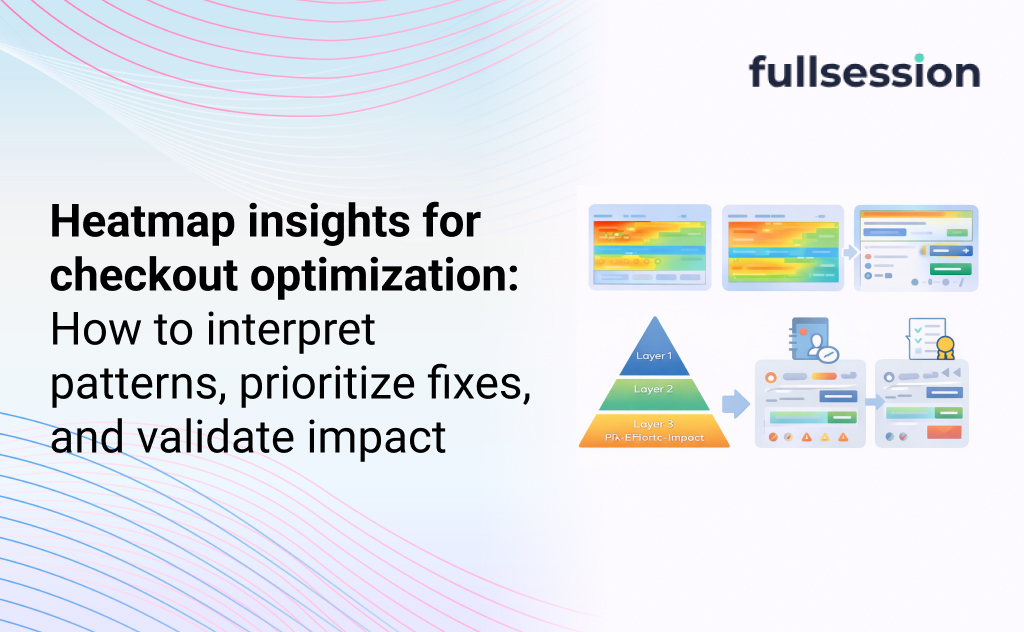
  • Heatmap insights for checkout optimization: how to interpret patterns, prioritize fixes, and validate impact

    Heatmap insights for checkout optimization: how to interpret patterns, prioritize fixes, and validate impact

    If your checkout completion rate slips, you usually find out late. A dashboard tells you which step dropped. It does not tell you what shoppers were trying to do when they failed.

    Heatmaps can fill that gap, but only if you read them like a checkout operator, not like a landing-page reviewer. This guide shows how to turn heatmap patterns into a short list of fixes you can ship, then validate with a controlled measurement loop. If you want the short path to “what happened,” start with FullSession heatmaps and follow the workflow below.

    Definition box: What are “heatmap insights” for checkout optimization?

    Heatmap insights are repeatable behavior patterns (clicks, taps, scroll depth, attention clusters) that explain why shoppers stall or abandon checkout, and point to a specific change you can test. In checkout, the best insights are rarely “people click here a lot.” They’re things like “mobile users repeatedly tap a non-clickable shipping row,” or “coupon clicks spike right before payment drop-off.” Those patterns become hypotheses, then prioritized fixes, then measured outcomes.

    Why checkout heatmaps get misread

    Lead-in: Checkout heatmaps lie when you ignore intent, UI state, and segments.

    Heatmaps are aggregations. Checkout is conditional. That mismatch creates false certainty. A checkout UI changes based on address, cart contents, shipping availability, payment method, auth state, and fraud checks.

    A typical failure mode is treating a “hot” element as a problem. In checkout, a hot element might be healthy behavior (people selecting a shipping option) or it might be a symptom (people repeatedly trying to edit something that is locked).

    Common mistake: Reading heatmaps without pairing them to outcomes

    Heatmaps show activity, not success. If you do not pair a heatmap view with “completed vs abandoned,” you will fix the wrong thing first. The fastest way to waste a sprint is to polish the most-clicked UI instead of the highest-friction UI.

    Trade-off to accept: heatmaps are great for spotting where attention goes, but they are weak at explaining what broke unless you pair them with replay, errors, and step drop-offs.

    What to look for in each checkout step

    Lead-in: Each checkout step has a few predictable failure patterns that show up in heatmaps.

    Think in steps, not pages. Even a one-page checkout behaves like multiple steps: contact, shipping, payment, review. Your job is to find the step where intent collapses.

    Contact and identity (email, phone, login, guest)

    Watch for clusters on “Continue” with no progression. That often signals hidden validation errors, an input mask mismatch, or a disabled button that looks enabled.

    If you see repeated taps around the email field on mobile, that can be keyboard and focus issues. It can also be auto-fill fighting your formatting rules.

    Shipping (address, delivery method, cost shock)

    Shipping is where expectation and reality collide. Heatmaps often show frantic activity around shipping options, address lookups, and “edit cart” links.

    If attention concentrates on the shipping price line, do not assume the line is “important.” It may be that shoppers are recalculating whether the order still makes sense.

    Payment (method choice, wallet buttons, card entry, redirects)

    Payment heatmaps are where UI and third-party flows collide. Wallet buttons that look tappable but are below the fold on common devices create the classic “dead zone” pattern: scroll stops right above the payment options.

    If you see a click cluster on a trust badge or a lock icon, that can mean reassurance works. It can also mean doubt is high and people are searching for proof.

    Review and submit

    On the final step, repeated clicks on “Place order” are rarely “impatience.” They are often latency, an invisible error state, or a blocked request.

    If you can connect those clusters to error events, you stop debating design and start fixing failures.

    A checkout-specific prioritization model

    Lead-in: Prioritization is how you avoid fixing the most visible issue instead of the most expensive one.

    Most teams do not have a shortage of observations. They have a shortage of decisions. Use a simple triage model that forces focus:

    Impact x Confidence x Effort, but define those terms for checkout:

    • Impact: how likely this issue blocks completion, not how annoying it looks.
    • Confidence: whether you can reproduce the pattern across segments and see it tied to drop-off.
    • Effort: design + engineering + risk (payment and tax changes are higher risk than copy tweaks).

    Decision rule you can use in 10 minutes

    If the pattern is (1) concentrated on a primary action, (2) paired with a step drop-off, and (3) reproducible in a key segment, it goes to the top of the queue.

    If you want a clean way to structure that queue, pair heatmaps with FullSession funnels & conversions so you can rank issues by where completion actually fails.

    A step-by-step workflow from heatmap insight to validated lift

    Lead-in: A repeatable workflow turns “interesting” heatmaps into changes you can defend.

    You are aiming for a closed loop: observe, diagnose, prioritize, change, verify. Do not skip the “diagnose” step. Checkout UI is full of decoys.

    Step 1: Segment before you interpret

    Start with segments that change behavior, not vanity segments:

    • Mobile vs desktop
    • New vs returning
    • Guest vs logged-in
    • Payment method (wallet vs card)
    • Geo/currency if you sell internationally

    If a pattern is only present in one segment, that is not a nuisance. That is your roadmap.

    Step 2: Translate patterns into checkout-specific hypotheses

    Good hypotheses name a user intent and a blocker:

    • “Mobile shoppers try to edit shipping method but the accordion does not expand reliably.”
    • “Users click ‘Apply coupon’ and then abandon at payment because totals update late or inconsistently.”
    • “Users tap the order summary repeatedly to confirm totals after shipping loads, suggesting cost shock.”

    Avoid hypotheses like “People like coupons.” That is not actionable.

    Step 3: Prioritize one fix with a measurable success criterion

    Define success as a behavior change tied to completion:

    • Fewer repeated clicks on a primary button
    • Lower error rate on a field
    • Higher progression from shipping to payment
    • Higher completion for the affected segment

    A practical constraint: checkout changes can collide with release cycles, theme updates, and payment provider dependencies. If you cannot ship safely this week, prioritize instrumentation and debugging first.

    Step 4: Validate with controlled measurement

    The validation method depends on your stack:

    • If you can run an experiment, do it.
    • If you cannot, use a controlled rollout (feature flag, staged release) and compare cohorts.

    Either way, treat heatmaps as supporting evidence, not the scoreboard. Your scoreboard is checkout completion and step-to-step progression.

    A quick diagnostic table: pattern → likely cause → next action

    Lead-in: This table helps you stop debating what a hotspot “means” and move to the next action.

    Heatmap pattern in checkoutLikely causeWhat to do next
    Cluster of clicks on “Continue” but low progressionHidden validation, disabled state, input mask mismatchWatch replays for errors; instrument field errors; verify button state and inline error visibility
    High clicks on coupon field right before payment drop-offDiscount seeking, total update delay, “surprise” fees amplifiedTest moving coupon behind an expandable link; ensure totals update instantly; clarify fees earlier
    Repeated taps on non-clickable text in shipping optionsPoor affordance, accordion issues, tap target too smallMake the entire row clickable; increase tap targets; confirm accordion state changes
    Scroll stops above payment methods on mobilePayment options below fold, keyboard overlap, layout shiftRe-order payment options; reduce above-fold clutter; fix layout shifts and sticky elements
    Clicks concentrate on trust elements near submitDoubt spike, missing reassurance, unclear returns/shippingTest targeted reassurance near the decision point; avoid adding clutter that pushes submit down

    To make this table operational, pair it with replay and errors. That is where platforms like FullSession help by keeping heatmaps, replays, funnels, and error context in one place.

    Checkout “misread traps” you should explicitly guard against

    Lead-in: Checkout needs more than “pretty heatmaps” because errors, privacy, and segmentation decide whether you can act.

    When you evaluate tools for checkout optimization, look for workflow coverage, not feature checklists.

    Start with these decision questions:

    • Can you segment heatmaps by the shoppers you actually care about (device, guest state, payment method)?
    • Can you jump from a hotspot to the replay and see the full context?
    • Can you tie behavior to funnel steps and error events?
    • Can you handle checkout privacy constraints without losing the ability to diagnose?

    If your current setup forces you to stitch together multiple tools, you will spend most of your time reconciling data instead of fixing checkout.

    When to use FullSession for checkout completion

    Lead-in: FullSession is a fit when you need to move from “where drop-off happens” to “what broke and what to fix” quickly.

    If you run occasional UX reviews, a basic heatmap plugin can be enough. The moment you own checkout completion week to week, you usually need tighter feedback loops.

    Use FullSession when:

    • Your analytics shows step drop-off, but you cannot explain it confidently.
    • Checkout issues are segment-specific (mobile, specific payment methods, international carts).
    • You suspect silent breakages from themes, scripts, or third-party providers.
    • Privacy requirements mean you need governance-friendly visibility, not screenshots shared in Slack.

    You can see how the Rank → Route path fits together by starting with FullSession heatmaps, then moving into Checkout recovery for the full workflow and team use cases. If you want to pressure-test this on your own checkout, start a free trial or get a demo and instrument one high-volume checkout path first.

    FAQs

    How long should I run a checkout heatmap before acting?

    Long enough to see repeatable patterns in the segments you care about. Avoid reading heatmaps during unusual promo spikes unless that promo period is the behavior you want to optimize. If you cannot separate “event noise” from baseline behavior, you will ship the wrong fix.

    Are click heatmaps enough for checkout optimization?

    They help, but checkout often fails because of errors, timing, or UI state. Click heatmaps show where activity concentrates, but they do not tell you whether users succeeded. Pair them with replays, funnel step progression, and error tracking.

    What’s the difference between scroll maps and click maps in checkout?

    Click maps show interaction points. Scroll maps show whether critical content and actions are actually seen. Scroll is especially important on mobile checkout where wallets, totals, and trust elements can fall below the fold.

    How do I avoid over-interpreting hotspots?

    Treat a hotspot as a prompt to ask “what was the user trying to do?” Then validate with a second signal: drop-off, replay evidence, or error events. If you cannot connect a hotspot to an outcome, it is not your first priority.

    What heatmap patterns usually indicate “cost shock”?

    Heavy attention on totals, shipping price, tax lines, and repeated toggling between shipping options or cart edits. The actionable step is not “make it cheaper.” It is to reduce surprise by clarifying costs earlier and ensuring totals update instantly and consistently.

    How do I handle privacy and PII in checkout analytics?

    Assume checkout data is sensitive. Use masking for payment and identity fields, and ensure your tool can capture behavioral context without exposing personal data. If governance limits what you can see, build your workflow around error events and step progression rather than raw field values.

    Can I optimize checkout without A/B testing?

    Yes, but you need a controlled way to compare. Use staged rollouts, feature flags, or time-boxed releases with clear success criteria and segment monitoring. The key is to avoid “ship and hope” changes that coincide with campaigns and seasonality.

  • Session Replay for JavaScript Error Tracking: When It Helps and When It Doesn’t (Especially in Checkout)

    Session Replay for JavaScript Error Tracking: When It Helps and When It Doesn’t (Especially in Checkout)

    Checkout bugs are rarely “one big outage.” They are small, inconsistent failures that show up as drop-offs, retries, and rage clicks.

    GA4 can tell you that completion fell. It usually cannot tell you which JavaScript error caused it, which UI state the user saw, or what they tried next. That is where the idea of tying session replay to JavaScript error tracking gets appealing.

    But replay is not free. It costs time, it introduces privacy and governance work, and it can send engineers on detours if you treat every console error like a must-watch incident.

    What is session replay for JavaScript error tracking?

    Definition box
    Session replay for JavaScript error tracking is the practice of linking a captured user session (DOM interactions and UI state over time) to a specific JavaScript error event, so engineers can see the steps and screen conditions that happened before and during the error.

    In practical terms: error tracking tells you what failed and where in code. Replay can help you see how a user got there, and what the UI looked like when it broke.

    If you are evaluating platforms that connect errors to user behavior, start with FullSession’s Errors and Alerts hub page.

    The checkout debugging gap engineers keep hitting

    Checkout funnels punish guesswork more than most flows.

    You often see the symptom first: a sudden increase in drop-offs at “Payment submitted” or “Place order.” Then you pull your usual tools:

    • GA4 shows funnel abandonment, not runtime failures.
    • Your error tracker shows stack traces, not the UI state.
    • Logs may miss client-side failures entirely, especially on flaky devices.

    Quick diagnostic: you likely need replay if you can’t answer one question

    If you cannot answer “what did the customer see right before the failure,” replay is usually the shortest path to clarity.

    That is different from “we saw an error.” Many errors do not affect checkout completion. Your goal is not to watch more sessions. Your goal is to reduce checkout loss.

    When session replay meaningfully helps JavaScript error tracking

    Replay earns its keep when the stack trace is accurate but incomplete.

    That happens most in checkout because UI state and third-party scripts matter. Payment widgets, address autocomplete, fraud checks, A/B tests, and feature flags can change what the user experienced without changing your code path.

    The high-value situations

    Replay is most useful when an error is tied to a business-critical interaction and the cause depends on context.

    Common examples in checkout:

    • An error only occurs after a specific sequence (edit address, apply coupon, switch shipping, then pay).
    • The UI “looks successful” but the call-to-action is dead or disabled for the wrong users.
    • A third-party script throws and breaks the page state, even if your code did not error.

    The error is device or input specific (mobile keyboard behavior, autofill, locale formatting).

    Common failure mode: replay shows the symptoms, not the root cause

    A typical trap is assuming replay replaces instrumentation.

    Replay can show that the “Place order” click did nothing, but it may not show why a promise never resolved, which request timed out, or which blocked script prevented handlers from binding. If you treat replay as proof, you can blame the wrong component and ship the wrong fix.

    Use replay as context. Use error events, network traces, and reproducible steps as confirmation.

    When session replay does not help (and can slow you down)

    Replay is a poor fit when the error already contains the full story.

    If the stack trace clearly points to a deterministic code path and you can reproduce locally in minutes, replay review is usually overhead.

    Decision rule: if this is true, skip replay first

    If you already have all three, replay is rarely the fastest step:

    1. reliable reproduction
    2. clean stack trace with source maps
    3. known affected UI state

    In those cases, fix the bug, add a regression test, and move on.

    Replay can also be misleading when:

    • the session is partial (navigation, SPA transitions, or blocked capture)
    • the issue is timing related (race conditions that do not appear in the captured UI)
    • privacy masking removes the exact input that matters (for example, address formatting)

    The point is not “replay is bad.” The point is that replay is not the default for every error.

    Which JavaScript errors are worth replay review in checkout

    This is the missing piece in most articles: prioritization.

    Checkout pages can generate huge error volume. If you watch replays for everything, you will quickly stop watching replays at all.

    Use a triage filter that connects errors to impact.

    A simple prioritization table for checkout

    Error signalLikely impact on checkout completionReplay worth it?What you’re trying to learn
    Error occurs on checkout route and correlates with step drop-offHighYesWhat UI state or sequence triggers it
    Error spikes after a release but only on a single browser/deviceMedium to highOftenWhether it is input or device specific
    Error is from a third-party script but blocks interactionHighYesWhat broke in the UI when it fired
    Error is noisy, low severity, happens across many routesLowUsually noWhether you should ignore or de-dupe it
    Error is clearly reproducible with full stack traceVariableNot firstConfirm fix rather than discover cause

    This is also where a platform’s ability to connect errors to sessions matters more than its feature checklist. You are trying to reduce “unknown unknowns,” not collect more telemetry.

    A 3-step workflow to debug checkout drop-offs with session replay

    This is a practical workflow you can run weekly, not a one-off incident play.

    1. Start from impact, not volume.
      Pick the checkout step where completion dropped, then pull the top errors occurring on that route and time window. The goal is a short shortlist, not an error dump.
    2. Use replay to extract a reproducible path.
      Watch just enough sessions to identify the smallest sequence that triggers the failure. Write it down like a test case: device, browser, checkout state, inputs, and the exact click path.
    3. Confirm with engineering signals, then ship a guarded fix.
      Validate the hypothesis with stack trace plus network behavior. Fix behind a feature flag if risk is high, and add targeted alerting so the error does not quietly return.

    Practical constraint: the fastest teams limit replay time per error

    Put a time box on replay review. If you do not learn something new in a few minutes, your next best step is usually better instrumentation, better grouping, or a reproduction harness.

    How to tell if replay is actually improving checkout completion

    Teams often claim replay “improves debugging” without measuring it. You can validate this without inventing new metrics.

    What to measure in plain terms

    Track two things over a month:

    • Time to a credible hypothesis for the top checkout-breaking errors (did replay shorten the path to reproduction?)
    • Checkout completion recovery after fixes tied to those errors (did the fix move the KPI, not just reduce error counts?)

    If error volume drops but checkout completion does not recover, you may be fixing the wrong problems.

    Common mistake: optimizing for fewer errors instead of fewer failed checkouts

    Some errors are harmless. Some failures never throw. Checkout completion is the scoreboard.

    Treat replay as a tool to connect engineering work to customer outcomes, not as a new backlog source.

    When to use FullSession for checkout completion

    If your KPI is checkout completion, you need more than “we saw an error.”

    FullSession is a fit when:

    • you need errors tied to real sessions so engineers can see the UI state that produced checkout failures
    • you need to separate noisy JavaScript errors from conversion-impacting errors without living in manual video review
    • you want a shared workflow where engineering and ecommerce teams can agree on “this is the bug that is costing orders”

    Start with /solutions/checkout-recovery if the business problem is lost checkouts. If you are evaluating error-to-session workflows specifically, the product entry point is /product/errors-alerts.

    If you want to see how this would work on your checkout, a short demo is usually faster than debating tool categories. If you prefer hands-on evaluation, a trial works best when you already have a clear “top 3 checkout failures” list.

    FAQs

    Does session replay replace JavaScript error tracking?

    No. Error tracking is still the backbone for grouping, alerting, and stack-level diagnosis. Replay is best as context for high-impact errors that are hard to reproduce.

    Why can’t GA4 show me checkout JavaScript errors?

    GA4 is built for behavioral analytics and event reporting, not runtime exception capture and debugging context. You can push custom events, but you still won’t get stacks and UI state.

    Should we review a replay for every checkout error?

    Usually no. Prioritize errors that correlate with checkout step drop-offs, release timing, device clusters, or blocked interactions.

    What if replay is masked and I can’t see the critical input?

    Then replay might still help you understand sequence and UI state, but you may need targeted logging or safer instrumentation to capture the missing detail.

    How do we avoid replay becoming a time sink?

    Use time boxes, focus on impact-linked errors, and write down a reproducible path as the output of every replay review session.

    What is the fastest way to connect an error to revenue impact?

    Tie errors to the checkout route and step-level funnel movement first. If an error rises without a corresponding KPI change, it is rarely your top priority.

  • Data masking 101 for high-stakes portals (replay without PII risk)

    Data masking 101 for high-stakes portals (replay without PII risk)

    TL;DR

    Most teams treat masking as a one-time compliance task, then discover it fails during debugging, analytics, QA, or customer support. The practical approach is lifecycle-driven: decide what “sensitive” means in your context, mask by risk and exposure, validate continuously, and monitor for regressions. Done well, masking supports digital containment instead of blocking it.

    What is Data Masking?

    Data masking matters because it reduces exposure while preserving enough utility to run the business.

    Definition: Data masking is the process of obscuring sensitive data (like PII or credentials) so it cannot be read or misused, while keeping the data format useful for legitimate workflows (testing, analytics, troubleshooting, support).

    In practice, teams usually combine multiple approaches:

    • Static masking: transform data at rest (common in non-production copies).
    • Dynamic masking: transform data on access or in transit (common in production views, logs, or tools).

    Redaction at capture: prevent certain fields or text from being collected in the first place.

    Quick scenario: when “good masking” still breaks the workflow

    A regulated portal team masks names, emails, and IDs in non-prod, then ships a multi-step form update. The funnel drops, but engineers cannot reproduce because the masked values no longer match validation rules and the QA environment behaves differently than production. Support sees the same issue but their tooling hides the exact field states. The result is slow triage, higher call volume, and lower digital containment. The masking was “secure”, but it was not operationally safe.

    The masking lifecycle for high-stakes journeys

    Masking succeeds when you treat it like a control that must keep working through changes, not a setup step.

    A practical lifecycle is: design → deploy → validate → monitor.

    Design: Define what must never be exposed, where it flows, and who needs access to what level of detail.
    Deploy: Implement masking at the right layers, not just one tool or environment.
    Validate: Prove the masking is effective and does not corrupt workflows.
    Monitor: Detect drift as schemas, forms, and tools evolve.

    Common mistake: masking only at the UI layer

    Masking at the UI layer is attractive because it is visible and easy to demo, but it is rarely sufficient. Sensitive data often leaks through logs, analytics payloads, error reports, exports, and support tooling. If you only mask “what the user sees”, you can still fail an audit, and you still risk accidental exposure during incident response.

    What to mask first

    Prioritization matters because you cannot mask everything at once without harming usability.

    Use a simple sequencing framework based on exposure and blast radius:

    1) Start with high-exposure capture points
    Focus on places where sensitive data is most likely to be collected or replayed repeatedly: form fields, URL parameters, client-side events, and text inputs.

    2) Then cover high-blast-radius sinks
    Mask where a single mistake propagates widely: logs, analytics pipelines, session replay tooling, data exports, and shared dashboards.

    3) Finally, align non-prod with production reality
    Non-prod environments should be safe, but they also need to behave like production. Static masking that breaks validation rules, formatting, or uniqueness will slow debugging and make regressions harder to catch.

    A useful rule: prioritize data that is both sensitive and frequently handled by humans (support, ops, QA). That is where accidental exposure usually happens.

    Choosing masking techniques without breaking usability

    Technique selection matters because the “most secure” option is often the least usable.

    The trade-off is usually between irreversibility and diagnostic utility:

    • If data must never be recoverable, you need irreversible techniques (or never capture it).
    • If workflows require linking records across systems, you need consistent transforms that preserve joinability.

    Common patterns, with the operational constraint attached:

    Substitution (realistic replacement values)
    Works well for non-prod and demos. Risk: substitutions can violate domain rules (country codes, checksum formats) and break QA.

    Tokenization (replace with tokens, often reversible under strict control)
    Useful when teams need to link records without showing raw values. Risk: token vault access becomes a governance and incident surface of its own.

    Format-preserving masking (keep structure, hide content)
    Good for credit card-like strings, IDs, or phone formats. Risk: teams assume it is safe everywhere, then accidentally allow re-identification through other fields.

    Hashing (one-way transform, consistent output)
    Good for deduplication and joins. Risk: weak inputs (like emails) can be attacked with guessable dictionaries if not handled carefully.

    Encryption (protect data, allow decryption for authorized workflows)
    Strong for storage and transport. Risk: once decrypted in tools, the exposure problem returns unless those tools also enforce masking.

    The practical goal is not “pick one technique”. It is “pick the minimum set that keeps your workflows truthful”.

    Decision rule: “good enough” masking for analytics and debugging

    If a workflow requires trend analysis, funnel diagnosis, and reproduction, you usually need three properties:

    • Joinability (the same user or session can be linked consistently)
    • Structure preservation (formats still pass validations)
    • Non-recoverability in day-to-day tools (humans cannot casually see raw PII)

    If you cannot get all three, choose which two matter for the specific use case, and document the exception explicitly.

    Validation: how to prove masking works

    Validation matters because masking often regresses silently when schemas change or new fields ship.

    A practical validation approach has two layers:

    Layer 1: Control checks (does masking happen?)

    • Test new fields and events for raw PII leakage before release.
    • Verify masking rules cover common “escape routes” like free-text inputs, query strings, and error payloads.

    Layer 2: Utility checks (does the workflow still work?)

    • Confirm masked data still passes client and server validations in non-prod.
    • Confirm analysts can still segment, join, and interpret user flows.
    • Confirm engineers can still reproduce issues without needing privileged access to raw values.

    If you only do control checks, you will over-mask and damage containment. If you only do utility checks, you will miss exposure.

    Technique selection cheat sheet

    This section helps you choose quickly, without pretending there is one best answer.

    Use caseWhat you need to preserveSafer default approach
    Non-prod QA and regression testingValidation behavior, uniqueness, realistic formatsStatic masking with format-preserving substitution
    Analytics (funnels, segmentation)Consistent joins, stable identifiers, low human exposureHashing or tokenization for identifiers, redact free text
    Debugging and incident triageReproducibility, event structure, error contextRedact at capture, keep structured metadata, avoid raw payloads
    Customer support workflowsEnough context to resolve issues, minimal raw PIIRole-based views with dynamic masking and strict export controls

    When to use FullSession for digital containment

    This section matters if your KPI is keeping users in the digital journey while staying compliant.

    If you are working on high-stakes forms or portals, the failure mode is predictable: you reduce visibility to protect sensitive data, then you cannot diagnose the friction that is driving drop-offs. That is how containment erodes.

    FullSession is a privacy-first behavior analytics platform that’s designed to help regulated teams observe user friction while controlling sensitive capture. If you need to improve completion rates and reduce escalations without exposing PII, explore /solutions/high-stakes-forms. For broader guidance on privacy and controls, see /safety-security.

    The practical fit is strongest when:

    • You need to troubleshoot why users fail to complete regulated steps.
    • You need evidence that supports fixes without requiring raw sensitive data in day-to-day tools.

    You need teams across engineering, ops, and compliance to align on what is captured and why.

    If your next step is operational, not theoretical, start by mapping your riskiest capture points and validating what your tools collect during real user journeys. When you are ready, a light product walkthrough can help you pressure-test whether your masking and capture controls support the level of containment you’re accountable for.

    FAQs

    These answers matter because most masking failures show up in edge cases, not definitions.

    What is the difference between data masking and encryption?

    Masking obscures data for usability and exposure reduction. Encryption protects confidentiality but still requires decryption for use, which reintroduces exposure unless tools enforce controls.

    Should we mask production data or only non-production copies?

    Both, but in different ways. Non-prod usually needs static masking to make data safe to share. Production often needs dynamic masking or redaction at capture to prevent sensitive collection and downstream leakage.

    How do we decide what counts as sensitive data?

    Start with regulated categories (PII, health, financial) and add operationally sensitive data like credentials, tokens, and free-text fields where users enter personal details. Then prioritize by exposure and who can access it.

    Can data masking break analytics?

    Yes. If identifiers become unstable, formats change, or joins fail, your funnel and segmentation work becomes misleading. The fix is to preserve structure and consistency where analytics depends on it.

    How do we detect accidental PII capture in tools and pipelines?

    Use pre-release tests for new fields, plus periodic audits of events, logs, and exports. Focus on free text, query strings, and error payloads because they are common leak paths.

    What is over-masking and why does it hurt regulated teams?

    Over-masking removes the context needed to debug and support users, slowing fixes and increasing escalations. In regulated journeys, that often lowers digital containment even if the system is technically “secure”.