Author: Mohamed Sehwail

  • Top 9 Behavioral Analysis Software Tools of 2025

    Top 9 Behavioral Analysis Software Tools of 2025

    Behavioral analysis software is a must-have for companies to understand user interactions and optimize digital experiences. These user behavior tools give detailed insights into how users navigate web and mobile apps.

    Behavioral analysis software tracks and analyzes user interactions to reveal patterns in digital engagement. Its purpose is to help you understand user journeys, identify pain points and make smart decisions to increase conversion rates and improve the user experience.

    Take FullSession as an example. This all-in-one user behavior analytics helps you visualize all user engagement, analyze trends and patterns with laser precision and optimize your website for peak performance.

    You can start a free trial or get a demo to learn more.

    Selecting the right behavioral analysis tool takes work. You need to find an affordable solution that prioritizes user privacy, provides a complete feature set and enables integration with existing systems and tools to deliver actionable insights without data overload.

    In this post, we’ll look at the top nine behavioral analysis software tools so you can find the right one for your business and get meaningful insights into user behavior and digital performance.

    Key Takeaways

    • FullSession is a user behavior analytics software that helps you capture all customer interactions, visualize user engagement, analyze trends and patterns, optimize website performance and improve the user experience. Its key features include session recordings and replays, interactive heatmaps, website feedback widgets, conversions and funnels, and error tracking, all while ensuring compliance with GDPR, CCPA, and PCI standards. Pricing starts at $39/month with a 20% discount for annual plans, offering scalability for businesses of all sizes. Book a demo today.
    • Userpilot is a product growth platform focused on improving user engagement and onboarding for SaaS companies. It offers interactive walkthroughs, in-app messaging, behavior-based triggers, user segmentation, and NPS surveys. The main drawbacks include limited customization options for branding in lower-tier plans and a somewhat overwhelming analytics dashboard for beginners. Pricing starts at $299/month, which might be high for startups looking for a cost-effective solution.
    • Google Analytics is a website analytics tool that provides comprehensive reports on traffic and user acquisition, behavior flow, and ecommerce performance. It includes features like real-time reporting, audience insights, and funnel and conversion tracking. Google Analytics can be complex for beginners and shows occasional data inaccuracy due to data sampling. The premium version, Google Analytics 360, starts at $50,000/year, which is quite steep for small to medium-sized businesses.
    • Mixpanel is a product analytics tool that tracks user interactions with web and mobile applications. Its features include event-based tracking, cohort analysis, funnel reports, and A/B testing. While Mixpanel is scalable, its pricing can be high for large teams or heavy data users, starting at $24/month. Additionally, the platform does not offer a wide range of integrations with other tools, which can limit its functionality.
    • Tableau is a data visualization and business intelligence tool known for its interactive dashboards and advanced analytics capabilities. Key features include data blending, real-time data visualization, and integration with numerous data sources. The main drawbacks are its higher cost, which may not be suitable for small businesses, and a steep learning curve for those unfamiliar with data analytics. Pricing starts at $35 per user per month for basic access.
    • Amplitude is a product analytics platform focused on behavioral analysis, cohort segmentation, and funnel visualization. Its key features include predictive analytics, real-time data insights, and custom dashboards. While Amplitude provides a free plan, its pricing tiers, starting at $61/month, might be costly for smaller companies. Additionally, its complex event tracking, slow page load times, and resource-intensive implementation may require a steep learning curve for inexperienced users.
    • Userlytics is a user experience research platform that enables businesses to gather insights into how users interact with their digital products. It offers diverse testing methods, such as screen recording, remote usability testing, and prototype evaluation. Drawbacks include limited integration capabilities, lack of advanced analytics tools, participant scheduling issues and a high cost for extensive user testing. Session-based pricing starts at $99/session, with custom plans available for extensive testing needs.
    • Heap is a digital insights platform that automatically captures every user interaction for detailed behavioral analysis without requiring extensive coding or manual event tracking. It includes funnel analysis, retroactive data queries, cohorts, and segmentation. Heap’s primary drawbacks are a steep learning curve, high data storage costs, limited cross-channel tracking and limited customization. Custom pricing options are available based on specific business needs.
    • UXCam focuses on mobile app analytics, providing session recordings, heatmaps, journey mapping, funnel analysis and crash analytics to inform product design and development decisions. Its drawbacks include basic tracking, complex setup, occasional performance issues and limited customization options. Pricing information is not publicly available.

    Visualize, Analyze, and Optimize with FullSession

    See how to transform user data into actionable insights for peak website performance.

    Best User Behavior Analytics Tools Right Now

    If you’re not sure which platform to choose, you will find helpful reviews of the best user behavioral analytics tools today:

    1. FullSession (Get a demo)
    2. Userpilot
    3. Google Analytics
    4. Mixpanel
    5. Tableau
    6. Amplitude
    7. Userlytics
    8. Heap
    9. UXCam

    Let’s start with our analysis.

    1. FullSession

    Capture all user interactions, visualize key insights, examine trends and patterns in user behavior, and optimize your site for the best results with our advanced behavioral analysis software.

    Unlike traditional analytics tools, FullSession gives you access to a user-friendly platform that provides a complete, 360-degree view of your user behavior data.

    With session recording tools, you can go beyond the basics—watch live user sessions, see how users interact with your site and get the whole picture of the user journey.

    Use website heatmap tools to find the weak spots, test different page elements, validate design changes and improve your site’s interface, usability and overall performance.

    With CRO tools, you can remove conversion barriers, tweak key touchpoints in the customer journey and reduce drop-offs in your funnels.

    Use customer feedback collection tools to find out why users are frustrated and respond fast with solutions to recurring problems.

    Trust FullSession for user behavior analytics. User privacy is our number one priority, and we comply with GDPR, CCPA and PCI regulations.

    Start a free trial or book a demo now.

    User rating

    FullSession scores 5 out of 5 stars on G2.

    Best for

    FullSession is for:

    • E-commerce businesses looking to understand customer behavior
    • SaaS companies aiming to improve user engagement
    • Digital marketers analyzing conversion rates
    • UX designers testing and optimizing website interfaces
    • Data analysts tracking behavior trends
    • Quality assurance teams detecting and resolving issues
    • Product development teams improving features based on user feedback
    • Customer support teams solving user problems quickly
    • Customer experience professionals optimizing the user journey

    Key features

    • Advanced user and event segmentation: Categorize website users based on criteria such as location, device type, or behavior. Get insights into trends, patterns, and correlations to optimize user journeys, improve engagement levels, and drive higher conversion rates.
    • Session recordings and replays: Capture every user interaction on your website, from clicks to scrolls. Replay sessions to analyze usability issues, examine specific user behaviors, and predict future actions. FullSession ensures that sensitive user data is excluded, maintaining privacy compliance.
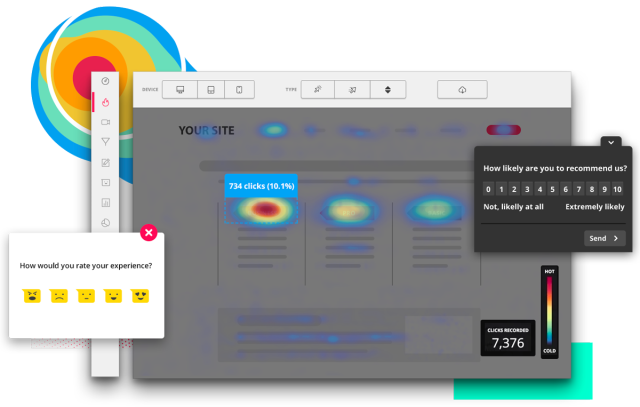
    • Interactive heatmaps: Access UX heatmap tools that display mouse movement, click activity, and scrolling behavior. Pinpoint areas of high engagement or inactivity, test different page elements to identify top performers, and track how long users take to complete specific tasks. Real-time heatmap data is provided instantly without impacting your website’s performance. Read our guide on how to read a heatmap and what a heatmap is to learn more.
    • Website feedback forms and reports: Create custom, branded feedback forms to collect insights about user satisfaction, challenges, and feature requests. Pair this feedback with session recordings to understand user frustrations and the context behind customer comments, enabling data-driven improvements.
    • Conversion and funnel optimization tools: Visualize and analyze user behavior at every stage of your sales and marketing funnels. Detect where users drop off, discover reasons for abandonment, and test different designs and content strategies to improve conversion rates and optimize the user experience.
    • Error analysis: Automatically identify website issues such as JavaScript errors, network failures, and API call problems. Analyze error logs to pinpoint root causes, troubleshoot effectively, and prevent these problems from negatively impacting user experiences.

    Turn User Behavior into Growth Opportunities

    Learn how to visualize, analyze, and optimize your site with FullSession.

    Supported platforms

    FullSession captures user behavior on websites, web apps and landing pages.

    Integrations

    FullSession integrates with your entire tech stack using open APIs, modern webhooks, and Zapier and also provides native integrations. It works best with Shopify, WordPress, Wix, and BigCommerce.

    Customer support

    You can reach the support team via live chat or email or visit the help center for common queries.

    Pricing

    Fullsession Pricing

    FullSession offers a free trial and three pricing plans – Starter, Business, and Enterprise.

    FullSession offers a Free plan along with three paid plans: Growth, Pro, and Enterprise. The Free plan is available at $0/month and includes 500 monthly sessions, 30-day data retention, session replay, heatmaps, and frustration signals, perfect for teams just getting started.

    You can also get a 20% discount on all plans with an annual subscription, making it a cost-effective solution for businesses of all sizes. Visit the Pricing page to learn more.

    Pros

    • Track dynamic elements in real time to collect accurate insights into user behavior
    • Speed up heatmap processing without affecting your website’s performance
    • Protect user privacy by automatically excluding sensitive information from recordings
    • Handle extensive data sets efficiently to quickly uncover valuable insights
    • Restrict user behavior tracking to your website to ensure data security
    • Enable seamless collaboration by unifying team efforts on one centralized platform

    Cons

    • FullSession doesn’t work with native mobile apps

    Visualize, Analyze, and Optimize with FullSession

    See how to transform user data into actionable insights for peak website performance.

    2. Userpilot

    Userpilot is a product growth platform designed to help SaaS companies increase user engagement. It focuses on delivering personalized in-app experiences that guide users through your product, enabling them to discover key features and understand the full value of your software.

    User rating

    Userpilot review

    Userpilot has an average user rating of 4.6 out of 5 stars based on 510 reviews on G2.

    Best for

    Userpilot is for SaaS companies and product teams looking to improve user onboarding and boost product adoption. 

    It’s a good option for growth marketers, UX designers, and customer success teams focused on driving feature engagement and reducing churn.

    Key features

    • Interactive walkthroughs: Build personalized onboarding flows to guide new users through your product without writing a single line of code.
    • In-app messaging: Create tooltips, modals, and slideouts to engage users at the right moment.
    • Behavior-based triggers: Deliver messages and experiences based on user actions to keep them engaged and encourage feature adoption.
    • User segmentation: Group users based on their behavior and engagement to deliver targeted in-app experiences.
    • NPS and customer feedback: Run NPS surveys and collect feedback directly from users to find areas for improvement.

    Supported platforms

    Userpilot supports data collection on web-based platforms.

    Integrations

    It integrates with tools like Segment, HubSpot, and Mixpanel, allowing you to collect user behavior data across different platforms.

    Customer support

    Userpilot offers live chat support and a comprehensive knowledge base to help you get the most out of their platform.

    Pricing

    Userpilot’s pricing is based on a monthly subscription model, starting at $299 monthly for the Starter plan. It also offers a Growth plan for $749 per month and an enterprise plan, with custom pricing available upon request.

    Pros

    • Easy-to-use interface with no coding required
    • Personalized onboarding experiences to increase user engagement
    • Segmentation options for targeting specific user groups

    Cons

    • A higher starting price may not be suitable for startups
    • It doesn’t support mobile app onboarding
    • Implementing Userpilot requires some technical work
    • Integration options could be improved

    3. Google Analytics

    Google Analytics is a free website monitoring tool that gives businesses detailed insights into their website traffic, user acquisition, funnels, conversions and user behavior data. 

    It’s one of the most popular tools for tracking online interactions, offering diverse features to help you understand how visitors engage with your site.

    Learn more:

    User rating

    Google Analytics has an average user rating of 4.5 out of 5 stars based on 6,406 reviews on G2.

    Best for

    Google Analytics is suited for small to large businesses, digital marketers, and website owners who need a solution to monitor website traffic and user engagement. 

    Thanks to its easy integration with other Google products, it’s made for diving deep into data analysis.

    Key features

    • Traffic analysis: Track website visits, user locations, and referral sources to understand where your traffic comes from.
    • Audience insights: Segment your users by demographics, interests, behavior, and technology to tailor your strategies.
    • Conversion tracking: Measure goal completions, e-commerce sales, and user interactions to optimize conversion funnels.
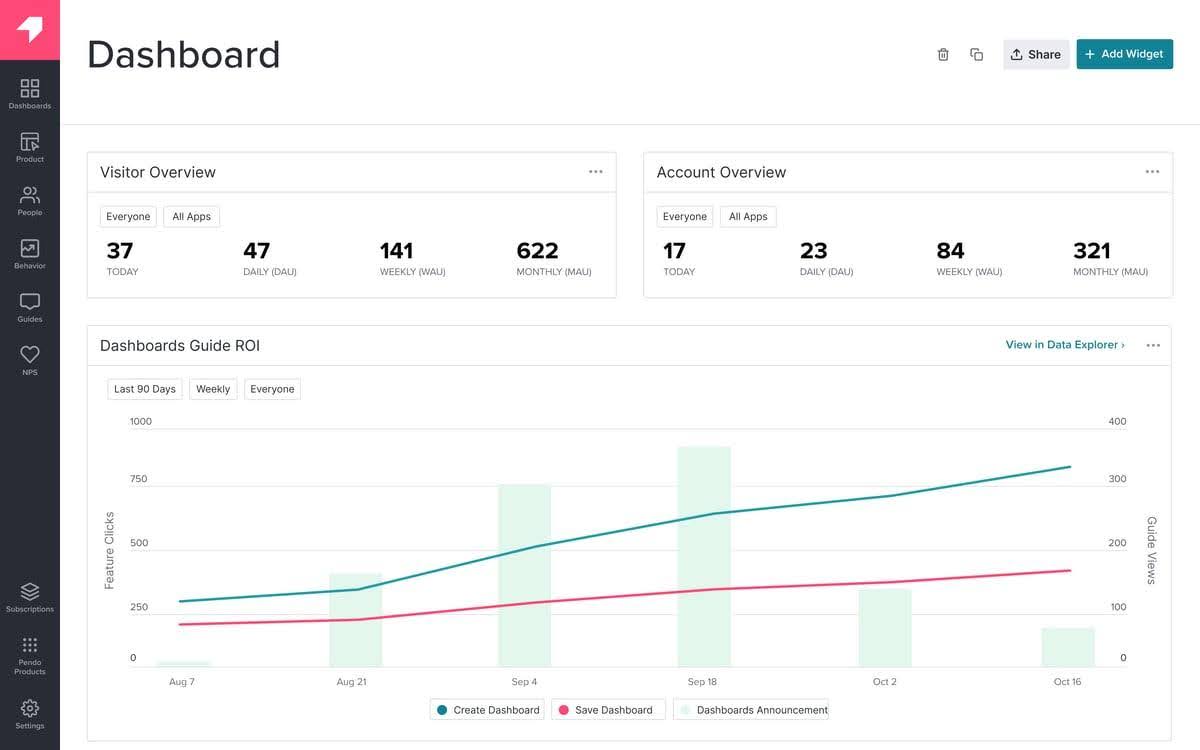
    • Custom dashboards: Create personalized dashboards and reports to focus on the metrics that matter most to your business.
    • Real-time data: Monitor live user activity on your site to identify trends and make quick adjustments to your marketing strategies.

    Supported platforms

    Google Analytics works with web-based platforms and supports both desktop and mobile devices.

    Integrations

    Google Analytics integrates with Google Ads, Google Tag Manager, and other third-party platforms, enabling you to increase your analytics capabilities.

    Customer support

    Google Analytics offers a range of support options, including a detailed help center, community forums, and various guides and tutorials to help you make the most of the platform.

    Pricing

    Google Analytics offers a free version suitable for most businesses, as well as Google Analytics 360, a premium version designed for enterprises that need advanced features and dedicated support. 

    Pricing for Google Analytics 360 is available upon request but usually starts at $50,000 per year.

    Pros

    • Completely free for most users, making it accessible to businesses of all sizes who want to analyze user behavior
    • Integration with Google Ads and other marketing tools 
    • Customizable reports and dashboards to focus on specific data points

    Cons

    • The platform can be overwhelming for beginners due to its extensive features
    • Data sampling in the free version may lead to less accurate reporting for large datasets
    • Limited customer support options for free plan users

    4. Mixpanel

    Image source: G2

    Mixpanel is a product analytics tool that helps businesses understand user behavior and drive product growth. It offers in-depth insights into how users interact with your product, enabling you to make data-backed decisions to increase engagement and customer retention.

    Learn more:

    User rating

    Mixpanel has an average user rating of 4.6 out of 5 stars based on 1,126 reviews on G2.

    Best for

    Mixpanel suits product managers, data analysts, and growth teams at SaaS companies or digital product teams looking to get deep insights into user behavior. It helps improve user retention and engagement and drives product optimization.

    Key features

    • Event-based tracking: Track user interactions in real time to understand how they engage with your product and identify areas for improvement.
    • Funnel analysis: Visualize user paths through your app or website to find drop-off points and optimize conversion rates.
    • Cohort analysis: Segment users based on their actions to see how behavior changes over time and inform retention strategies.
    • A/B testing: Run experiments on different product elements to see which versions lead to better user engagement.
    • Custom dashboards: Build personalized dashboards to keep key metrics and insights in one place for easy access.

    Supported platforms

    Mixpanel supports web and mobile platforms.

    Integrations

    Mixpanel integrates with a variety of third-party apps, including data warehouses like Snowflake, marketing platforms like HubSpot, and other digital analytics tools, to help you centralize and analyze your data.

    Customer support

    Mixpanel provides support through live chat, email, and a detailed help center with resources, guides, and community discussions.

    Pricing

    Mixpanel offers a free plan with limited features, suitable for startups and small teams, as well as paid plans starting at $24 per month for additional capabilities. Custom enterprise pricing is also available for larger organizations with advanced needs.

    Pros

    • Event-based tracking for detailed user behavior analysis
    • Easy-to-use interface with customizable dashboards for quick insights
    • Focus on product analytics to drive data-driven decisions

    Cons

    • The free plan has limited data retention, which may restrict historical analysis
    • Can be pricey for small businesses as they scale their usage
    • Requires a learning curve to get the most out of its advanced features

    5. Tableau

    Tableau is a visual analytics and business intelligence tool that helps organizations turn raw user behavior data into meaningful insights. It’s widely recognized for its ability to create interactive, easy-to-understand visualizations that simplify complex data analysis of user behavior patterns.

    User rating

    Tableau has an average user rating of 4.4 out of 5 stars based on 2,147 reviews on G2.

    Best for

    Tableau is best suited for data analysts, business intelligence professionals, and teams across various industries looking to create dynamic visualizations and dashboards. It’s a good option for organizations that need to analyze and interpret large volumes of data with ease.

    Key features

    • Interactive dashboards: Build customizable dashboards that display your data in real time with dynamic charts, graphs, and visuals.
    • Data blending: Combine data from multiple sources to create comprehensive reports without needing extensive technical knowledge.
    • Advanced visual analytics: Use drag-and-drop features to create detailed visualizations that help identify trends, patterns, and outliers.
    • Collaboration tools: Share dashboards and reports with team members or stakeholders to encourage data-driven discussions.
    • Integration with data sources: Connect to a variety of data sources, including databases, spreadsheets, cloud services, and big data platforms.

    Supported platforms

    Tableau works with web-based and desktop platforms. It supports mobile devices, allowing users to access dashboards and insights on the go.

    Integrations

    Tableau integrates with diverse data sources and tools, including Salesforce, Google Analytics, AWS, and SQL databases, enabling seamless data connectivity and analysis.

    Customer support

    Tableau provides online resources, community forums, a knowledge base, and direct support channels for enterprise customers.

    Pricing

    Tableau offers flexible pricing plans, starting with the Tableau Viewer plan at $35 per user per month. For deeper analysis capabilities, the Tableau Explorer plan is available at $70 per user per month.

    The most comprehensive plan, Tableau Creator, costs $115 per user per month, giving full access to Tableau’s advanced suite of data visualization and analytics tools.

    You can only choose annual billing.

    Pros

    • Visualization options for powerful data analysis
    • User-friendly interface that simplifies complex data interpretation
    • Integration with multiple data sources for seamless reporting

    Cons

    • A higher cost compared to other data visualization tools may be a barrier for small businesses, with only annual billing available
    • A steep learning curve for beginners who are not familiar with data analytics
    • Limited customization in the mobile app compared to the desktop version

    6. Amplitude

    Amplitude is a product analytics platform that helps businesses understand user behavior and drive growth. It focuses on tracking user interactions to provide detailed insights into product usage, enabling teams to make data-informed decisions that improve customer engagement and retention.

    Learn more: Amplitude alternatives.

    User rating

    Amplitude has an average user rating of 4.5 out of 5 stars based on 2,184 reviews on G2.

    Best for

    Amplitude suits product teams, data analysts, and growth marketers at digital-first businesses aiming to improve user engagement, optimize product features, and boost conversion rates.

    Key features

    • Behavioral cohort analysis: Segment users based on specific actions or events to understand engagement trends and retention patterns.
    • Funnel analysis: Visualize user flows through your product to identify drop-off points and areas for improvement.
    • Predictive analytics: Leverage machine learning to predict future user actions and optimize for higher engagement and conversions.
    • Custom dashboards: Create personalized dashboards to highlight the metrics that matter most to your team.
    • Real-time analytics: Access up-to-the-minute data to make quick decisions and adapt to changing user behavior.

    Supported platforms

    Amplitude supports web and mobile platforms.

    Integrations

    Amplitude integrates with data platforms like Snowflake, marketing tools like HubSpot, and product development tools, enabling seamless data flow between systems.

    Customer support

    Amplitude offers customer support through live chat, email, and a comprehensive help center with resources and community forums for additional assistance.

    Pricing

    Amplitude provides a flexible pricing structure, starting with a free plan that includes core analytics features suitable for startups and small teams. Paid plans, which offer advanced capabilities and custom features, start at $61 per month.

    Custom pricing is also available for larger businesses with more complex needs.

    Pros

    • Analytics tools for in-depth user behavior insights
    • Predictive analytics to anticipate user actions and trends
    • Flexible and customizable dashboards for targeted analysis

    Cons

    • Higher pricing plans may be out of reach for smaller businesses
    • Learning curve for new users unfamiliar with advanced analytics
    • Limited features in the free plan compared to paid options

    7. Userlytics

    Userlytics is a user testing tool that helps businesses gather valuable insights through usability tests, surveys, and real-world feedback. It allows companies to engage with target audiences directly, watching how they interact with websites, apps, and prototypes.

    User rating

    Userlytics has an average user rating of 4.4 out of 5 stars based on 148 reviews on G2.

    Best for

    Userlytics is for UX designers, product teams, digital marketers, and researchers looking to conduct in-depth usability tests. 

    It’s a good tool for businesses that want to analyze user behavior based on real customer feedback.

    Key features

    • Remote usability testing: Conduct tests with users from around the globe without the need for in-person sessions.
    • Multichannel support: Test websites, mobile apps, prototypes, and digital products across various devices and platforms.
    • Screen recording and user feedback: Capture users’ screen activities, facial expressions, and spoken feedback for a complete view of their experience.
    • Customizable tasks and surveys: Create specific tasks and questions to guide users during tests, ensuring targeted feedback.
    • Advanced participant targeting: Filter and select participants based on demographics, location, behavior, and more for precise testing results.

    Supported platforms

    Userlytics supports testing on desktop and mobile platforms, including iOS, Android, and web-based interfaces.

    Integrations

    Userlytics can integrate with popular project management and communication tools, making it easier to collaborate on UX insights with your team. 

    However, it mainly focuses on delivering standalone insights through its platform.

    Customer support

    Userlytics offers customer support through email, an extensive knowledge base, and helpful video tutorials to guide users through their testing processes.

    Pricing

    Userlytics offers a flexible pricing structure that starts with a pay-as-you-go model, where you pay $99 per participant session, allowing you to manage costs on a project basis. 

    For businesses that require frequent or large-scale testing, Userlytics provides custom plans with advanced features and bulk pricing options. The Enterprise plan starts at $34 per session.

    Pros

    • Easy setup for remote usability testing with global participants
    • Supports multiple devices, including mobile and desktop platforms
    • Detailed user feedback with screen recordings and spoken responses

    Cons

    • Can be pricey for extensive user testing projects
    • Limited integrations compared to some other UX tools
    • The participant recruitment process can take longer for specific demographics

    8. Heap

    Heap is a digital insights platform that automatically captures every user interaction on your website or app without the need for manual tracking. 

    This platform allows businesses to get a complete view of their user journey, providing insights into user behavior, conversion funnels, and engagement patterns.

    Learn more: Heap alternatives.

    User rating

    Heap has an average user rating of 4.4 out of 5 stars based on 1,087 reviews on G2.

    Best for

    Heap is suitable for product managers, growth marketers, data analysts, and UX designers who want to understand user behavior without the hassle of manual tracking.

    Key features

    • Automatic data capture: Collects all user interactions on your website or app without requiring manual setup or tagging.
    • Behavioral analytics: Analyze user behavior patterns to understand what drives engagement and identify growth opportunities.
    • Funnel analysis: Visualize conversion funnels to see where users drop off and optimize the user journey for higher conversions.
    • Retroactive analysis: Run queries on past data to uncover insights without setting up events in advance.
    • Segmentation: Break down your audience into specific groups based on their actions and attributes to deliver personalized experiences.

    Supported platforms

    Heap supports web and mobile platforms.

    Integrations

    Heap integrates with Salesforce, Google Analytics, HubSpot, and more, allowing you to connect your analytics data across multiple platforms.

    Customer support

    Heap offers a range of support options, including live chat, email assistance, and a comprehensive knowledge base with detailed guides and best practices.

    Pricing

    Heap provides a flexible pricing model that begins with a free trial for startups and small teams who need basic analytics capabilities. 

    For businesses that require advanced features, paid plans offer more extensive data analysis, retroactive tracking, and enterprise-level capabilities.

    Custom pricing options are also available for large organizations with specific needs, ensuring that Heap scales with your business as it grows. 

    However, you need to contact their sales team for a direct quote.

    Pros

    • Automatic event tracking saves time and reduces setup complexity
    • Retroactive analysis capabilities for deeper insights into past data
    • Funnel analysis to boost conversion rates

    Cons

    • Higher pricing may be a barrier for smaller businesses
    • Can be overwhelming for beginners due to its extensive features
    • Limited customization options in the free plan compared to paid tiers

    9. UXCam

    UXCam is a mobile app analytics tool that helps businesses understand how users interact with their mobile apps. 

    By providing in-depth insights into user behavior through features like session recordings, heatmaps, and funnel analysis, UXCam enables teams to optimize their app’s interface and boost user engagement using quantitative and qualitative data.

    User rating

    UXCam has an average user rating of 4.6 out of 5 stars based on 195 reviews on G2.

    Best for

    UXCam is suited for mobile app developers, product managers, UX designers, and growth teams looking to gain detailed insights into user interactions within their mobile applications. 

    It’s for businesses focused on identifying pain points, enhancing app usability, and improving overall user satisfaction.

    Key features

    • Session recordings: Capture real-time user interactions to see how they navigate through your app.
    • Heatmaps: Visualize user taps, swipes, and scrolls to understand engagement patterns and identify high-traffic areas.
    • Funnel analytics: Track user journeys to pinpoint drop-off points and optimize conversion paths.
    • Crash analytics: Automatically detect app crashes and analyze the root causes to improve app stability.
    • User journey mapping: Map out the complete user journey to identify friction points and enhance the app’s flow.

    Supported platforms

    UXCam supports both iOS and Android platforms, making it a good choice for mobile app analytics. It provides comprehensive tracking for native mobile apps.

    Integrations

    UXCam integrates with popular tools and platforms like Google Analytics, Mixpanel, and Firebase, allowing you to combine user experience data with your existing analytics and marketing systems.

    Customer support

    UXCam offers customer support through email, live chat, and a detailed help center with guides, tutorials, and FAQs to assist users in getting the most out of the platform.

    Pricing

    UXCam provides a flexible pricing structure, starting with a free plan that includes basic analytics features for small teams and startups.

    For more advanced capabilities, their Growth plan includes additional features like funnel analysis, crash analytics, and priority support. 

    Custom pricing is also available for larger businesses with specific needs and extensive data requirements.

    Pros

    • Focused on mobile app analytics with powerful session recordings
    • Heatmaps offer clear insights into user behavior on app screens
    • Easy integration with other analytics and marketing tools

    Cons

    • Higher-tier plans can be costly for smaller companies
    • The learning curve can be steep for first-time users
    • Limited data retention in the free plan compared to paid options

    Best 9 Behavioral Analysis Software Tools Comparison Table

    Let’s briefly overview all the solutions we analyzed in this article.

    FullSessionUserpilotGoogle AnalyticsMixpanelTableauAmplitudeUserlyticsHeapUXCam
    Session recordings
    Heatmaps
    Conversion funnel analysis
    Error tracking
    User feedback
    A/B testing
    Monthly pricing$39$299Free$24$35$61Pay per participantN/AN/A

    Best 9 Behavioral Analysis Software Solutions: Our Verdict

    After reviewing all the top behavioral analysis software, FullSession is the clear winner for businesses that want to capture, visualize and analyze user behavior data.

    Here’s why:

    • Real-time tracking: FullSession tracks dynamic elements in real-time. It means you can capture and analyze user interactions as they happen and make data-driven decisions faster.
    • Instant heatmap processing: Get real-time heatmap data without impacting your website’s performance. FullSession lets you measure user engagement without slowing down or compromising the functionality of your site.
    • Robust privacy: FullSession excludes sensitive data from recordings. It’s fully compliant with GDPR, CCPA and PCI, so you can collect insights without losing user trust.
    • Fast data management: Manage extensive data sets with FullSession’s advanced tools. Find key insights to inform your optimization efforts and create data-backed strategies.
    • Controlled tracking: Track user behavior only on your website. This extra control layer prevents data misuse and shows you’re serious about data security.
    • Improved team collaboration: FullSession gives teams a single workspace to collaborate. Its tools streamline workflows, cross-team communication and decision-making.

    For businesses that want to get deep user insights while maintaining strong privacy, FullSession has a feature-rich, reliable and secure solution.

    Get a 360° View of User Behavior

    Learn how to visualize and analyze all user interactions in one intuitive dashboard.

    Conclusion About Best 9 Behavioral Analysis Software Solutions

    Behavioral analysis software is a must-have for any online business that wants to stay ahead. 

    These tools give you the power to see exactly how users interact with your website or app, helping you make smarter decisions to boost engagement and drive conversions.

    Whether you’re looking to fine-tune your product features, streamline the user journey, or remove conversion roadblocks, behavioral analysis software can make all the difference.

    If you’re serious about leveling up your user experience, we highly recommend giving FullSession a try. It combines real-time insights, powerful heatmaps, and top-notch privacy features to help you get the most out of your data.

    Ready to take your user experience to the next level? 

    Book a demo with FullSession and see how it can transform the way you understand and optimize user behavior.

    FAQs About Best 9 Behavioral Analysis Software Tools

    Let’s briefly answer the most common questions about behavioral analysis software.

    What is a behavioral analytics tool?

    A user behavior analytics solution tracks and analyzes how users interact with websites, apps, or digital products. 

    It helps businesses understand user behavior patterns, identify issues in the user journey, and make data-driven decisions to enhance engagement, increase conversions, and improve the overall user experience.

    What are the three types of behavior analysis?

    The three main types of behavior analysis are:

    • Descriptive analysis: Observes and records behavior in its natural environment without manipulation to understand the context and triggers.
    • Functional analysis: Involves manipulating variables to determine the cause-and-effect relationship between behavior and its environment.
    • Applied Behavior Analysis (ABA): Uses behavior principles to create interventions that improve specific behaviors, commonly used in clinical settings for behavioral therapy.

    What is behavioral software?

    Behavioral software refers to tools and platforms that collect data and analyze and interpret user actions on digital platforms like websites or apps. 

    It provides insights into user interactions, tracks engagement patterns, and helps identify areas for improvement in the user experience, ultimately leading to more targeted and effective business strategies.


  • 5 Hotjar Alternatives That Won’t Break the Bank (But Will Boost ROI)

    5 Hotjar Alternatives That Won’t Break the Bank (But Will Boost ROI)

    Hotjar is a website heatmap and behavior analytics tool that helps you see how users interact with your website. It offers heatmap tools, session recordings, surveys, funnels, user tests and interviews, and feedback polls to let you visualize user actions, find areas for improvement, and optimize the user experience.

    Hotjar is often compared to Google Analytics due to its focus on user behavior. While it’s customer-centric in its approach to web analytics, users report some limitations that prompt them to look for Hotjar alternatives:

    • Incompatibility with certain frameworks (e.g., Angular-JS)
    • Occasional failure to record sessions from organic traffic
    • Slow response times and difficulties in resolving technical issues
    • Lack of support for user behavior analysis on mobile applications
    • Event tracking tools available in paid plans only
    • Key CRO tools absent in the free plan (form analytics, funnels, trends)
    • One year data retention period

    If you have experienced some of these issues, you should check out FullSession, one of the best alternatives to Hotjar.

    It provides an all-in-one user behavior analytics software that helps you visualize all user engagement, analyze trends and patterns with laser precision and optimize your website for peak performance.

    It includes session recordings and replays, interactive heat maps, customer feedback widgets and reports, conversion and funnel optimization tools and error analysis.

    If you want to learn more about other solutions, this article is for you. We have prepared a complete list of the top five Hotjar competitors so you can understand their features and benefits and select the best for your business.

    FullSession: The Best Hotjar Alternative

    Capture all user interactions, spot trends and patterns and drive improvements without compromising your website performance.

    Top Hotjar Alternatives Right Now

    After in-depth analysis, we have chosen the following solutions as the top Hotjar alternatives:

    1. FullSession (Get a demo)
    2. FullStory
    3. CrazyEgg
    4. Contentsquare
    5. UserTesting

    We have evaluated their user rating, features, integrations, customer support, pricing, pros, and cons, so you don’t have to.

    Let’s begin with our list.

    1. FullSession

    Fullsession Hotjar alternatives

    FullSession user behavior analytics software helps you visualize all user engagement, analyze trends and patterns with laser precision and optimize your website for peak performance. 

    Get a 360-degree view of user behavior data in a single, intuitive dashboard.

    Go beyond raw numbers, watch real-time user sessions, see how users interact with your site and capture every aspect of the user journey.

    Use interactive heatmaps to detect dead zones, test different page elements, validate design changes, and improve your website’s interface, usability and performance.

    Find and remove conversion blockers, optimize key touch points in the user journey, and minimize drop-offs in your marketing and sales funnels using conversion funnel analysis.

    Create feedback widgets to get direct feedback from users, understand the reasons behind their frustration, and act promptly to provide immediate solutions for recurring issues.

    Rely on FullSession for secure user behavior analytics. We prioritize your users’ privacy above all else and comply with GDPR, CCPA, and PCI standards.

    Visualize, Analyze, and Optimize with FullSession

    See how to transform user data into actionable insights for peak website performance.

    User rating

    FullSession review

    According to G2, FullSession scores 5 out of 5 stars.

    Best for

    1. E-commerce businesses: Identify and reduce cart abandonment rates
    2. SaaS companies: Improve user onboarding and feature adoption
    3. Digital marketers: Optimize conversion funnels and landing pages
    4. UX designers: Visualize user interactions for informed design decisions
    5. Data analysts: Access comprehensive user behavior data for in-depth analysis
    6. Quality assurance teams: Detect and reproduce user-reported issues quickly
    7. Product development teams: Prioritize feature development based on user behavior
    8. Customer support teams: Troubleshoot issues by reviewing user sessions
    9. Customer experience professionals: Identify and address pain points in the user journey

    Deployment

    FullSession deployment involves integrating a JavaScript snippet into your website to enable user behavior analytics and data collection.

    Features 

    FullSession provides advanced analytics features, including behavioral analytics and event tracking tools, enabling you to spot user issues affecting your conversion rate. Let’s explain each feature.

    Session recordings and session replays
    session recording tool

    Session recording and replay tools enable you to understand how customers navigate your site. You can identify funnel drop-offs and observe significant customer actions like button clicks, scrolls, hovers, and mouse movement in real-time.

    session recording on mobile devices

    With our session recording and replays, you will get access to data such as:

    1. User location and IP address
    2. Date and time of the visit
    3. The URL user visited
    4. Referrer link
    5. Device and screen resolution
    6. Session event list
    7. Event filter

    You can skip user inactivity, pause, or speed up the session replay to save time while conducting your analysis. You can leave your comments, evaluate a session heat map, or share the session recording with your team, improving collaboration on the project.

    Interactive heatmaps

    Our interactive heatmap software visually displays user activity on your website. It uses color gradients to highlight high and low engagement areas to help you optimize your web pages.

    It reveals where users click most frequently and spend the most time during sessions, providing practical insights into user behavior and site navigation patterns.

    Read our guides to learn what is a heatmap and how to read a heatmap.

    FullSession interactive heatmaps

    With FullSession website heatmap tools, you can:

    1. Preview the UX heatmap on desktop and mobile devices
    2. See the URL the user visited
    3. Get the number of total views and total clicks
    4. See the error, rage, and dead clicks
    5. Get the average page load time
    6. Get the average time on page
    7. See the number of users that visited the page
    8. See the event (click) list

    Also, you can switch between mouse, click, and scroll heat maps by clicking on the icons in the top right menu.

    Improve Your Website UX and UI

    Learn how our interactive heat maps help you find cold spots and dead zones on your site.

    Click map example
    click heatmap

    Click maps and click tracking help you identify popular and ignored elements on a page, optimize website layout and design, improve the CTA placement and detect potential usability issues or confusing elements.

    Mouse heat map example
    mouse heatmap

    Mouse heatmaps use mouse tracking to visualize user cursors’ paths across a webpage. The main purpose is to reveal areas of interest, confusion, or hesitation that may not be apparent from click data alone.

    You can understand user intent, identify distracting elements, optimize content placement, and improve overall user experience.

    Scroll map example
    scroll map

    Scroll maps show you how far users scroll down a web page using scroll tracking. The main purpose is to measure where people scroll the most and where they stop.

    It helps you optimize content placement, understand how much of your content users actually see, decide about page length and structure and prioritize key information placement.

    Website feedback forms and reports
    website feedback form

    With our customer feedback tools, you can create branded website feedback forms. It helps you ask users about their experiences in real-time so you can improve your website accordingly. 

    For each form, you can:

    1. Define the form’s name and add a description
    2. Set the overall appearance and reaction style
    3. Define steps and key messages for each one
    4. Decide devices to collect feedback on (desktop, tablet, mobile)
    5. Define pages to collect feedback (all or specific pages)
    6. Set up trigger types and user segments
    7. Forward feedback to your email
    8. Review and activate the form

    After launching the form, you can analyze all responses and overall results in the customer feedback report.

    customer feedback report

    You can see the user ID, the URL the user visited, the comments they left, their sentiment, the browser they use, as well as the date of the feedback.

    session recording

    Also, you can watch a connected session recording to understand what happened during the user’s session and get additional context on their experience.

    Funnels and conversions
    conversion funnel analysis

    Our conversion funnel analysis helps you capture, visualize, and understand user journeys and optimize each funnel stage to boost conversions through effective conversion rate optimization.

    You can detect issues causing bottlenecks and drop-offs, comparing performance across different user segments or time periods. Main features include:

    • Funnel steps: Visualize user progression through each funnel step, showing conversion and drop-off rates. Track user movement percentages and compare metrics across segments and time periods.
    • Funnel trends: Monitor changes in user flows and conversion rates over time. Spot trends and seasonal variations in user behavior to adjust strategies accordingly.
    • Top events: Identify key actions and events boosting conversion rates. Use insights to replicate successful patterns and optimize journeys.
    • Top issues: Detect actions or obstacles reducing conversion rates. Implement fixes to reduce friction and enhance the user experience.
    • Time engaged: Measure user interaction time between funnel steps to understand user effort. Identify areas where excessive time indicates frustration or complexity.
    • Top engaged: Analyze the most engaging funnel steps or features, then improve engaging features to improve retention and conversion.
    • Revisit rate: Track users leaving the product before advancing to identify potential issues. Optimize steps to streamline journeys and reduce exits.
    • Segment analysis: Compare funnel performance across user segments, like device type, location, or referral source. Tailor experiences based on segment-specific interactions.
    • Time period comparison: Analyze performance over different periods to identify trends. Adjust strategies based on temporal insights to maintain or improve performance.
    Error analysis
    error analysis

    FullSession error analysis helps identify, analyze, and resolve website issues impacting user experience, providing actionable insights to improve your site’s reliability:

    • Error clicks: Detects non-responsive elements causing client-side JavaScript errors and uses session replays and error click maps to identify and fix issues.
    • Network errors: Monitors server request failures due to timeouts, DNS errors, or server unavailability and analyzes error impact by URL, status code, and request method to resolve connectivity issues.
    • Console errors: Logs JavaScript error messages and events. It also filters and analyzes errors to identify and fix codebase issues, using session replays for context.
    • Error logs: Captures detailed error information, including messages, stack traces, and timestamps, and facilitates accurate debugging and issue resolution for an optimized application.
    • Uncaught exceptions: Monitors critical unhandled errors to prevent application crashes and ensures proper error handling and resolution to enhance stability.
    • Error trends and segmentation: Segments data by user attributes, session properties, and error types for deeper insights, visualizes error trends and impacts over time to monitor platform health and validate fixes, and integrates session replays to see errors from the user’s perspective.
    • Alerts and notifications: Integrates with Slack for real-time error alerts and customizes notifications for various error types, ensuring quick team responses.

    What makes this tool unique

    1. Track dynamic elements in real time for precise user insights
    2. Accelerate heat map processing with zero impact on site speed
    3. Protect user privacy by excluding sensitive data recording
    4. Manage extensive data sets effectively and quickly reveal key insights
    5. Limit user behavior tracking to your site, preventing data misuse 
    6. Facilitate cross-team collaboration and unify team efforts on one platform

    FullSession vs Hotjar

    Hotjar and FullSession provide user behavior tools but differ in the depth of analysis. Hotjar has a user-friendly interface with basic heatmaps, session recordings and feedback polls.

    FullSession has the same features and goes one step further. It provides more advanced session replay features that capture user interactions on a granular level. Its interactive heatmaps are also more detailed than Hotjar’s.

    FullSession provides advanced website error tracking that captures console errors, network issues, and JavaScript exceptions, which Hotjar lacks.

    FullSession also has more detailed conversion funnels with unlimited steps compared to Hotjar’s 10-step funnel visualization.

    FullSession and Hotjar have the same starting price of $39/month. For that fee, FullSession captures 5,000 monthly sessions, while Hotjar provides 3,000 with a daily limit of 100 sessions.

    FullSession lets you access user trends, customer feedback tools, frustration signals, error tracking and feature tagging. To use these features in Hotjar, you need to subscribe to higher pricing plans.

    Finally, Hotjar’s basic plan lets you integrate with Hubspot only, while FullSession integrates with your entire tech stack.

    FullSession is more valuable for businesses that want to dive deeper into user journey analysis and troubleshoot website issues, while Hotjar works for those who prioritize user feedback tools.

    FullSession: The Best Hotjar Alternative

    Capture all user interactions, spot trends and patterns and drive improvements without compromising your website performance.

    Integrations

    FullSession integrates with your entire tech stack. It connects with open APIs, modern webhooks, and Zapier and also provides native integrations. It works best with Shopify, WordPress, Wix, and BigCommerce.

    Customer support

    You can reach our customer support pros via email and live chat feature. You can also read our guides and visit the support center.

    Pricing

    Fullsession pricing plans

    FullSession has a free trial and three pricing tiers—Starter, Business and Enterprise—so we have you covered no matter what size your business is, from a startup to a big corporation.

    This tiered system allows you to choose a plan that fits your current needs and scale up as your business grows.

    The entry-level paid plan costs $39/month and includes all core features with unlimited heatmaps and up to 5,000 monthly recordings, providing you with advanced analytics without breaking the bank.

    All annual subscriptions come with a 20% discount.

    Visit our pricing page for more information.

    Pros

    • Capture real-time insights on dynamic elements for accurate user analysis
    • Increase heatmap generation speed without compromising website performance
    • Ensure data privacy by automatically excluding sensitive information
    • Efficiently analyze large datasets to uncover critical insights quickly
    • Restrict behavior tracking to your site, safeguarding against data misuse
    • Foster team collaboration through a unified platform for shared insights

    Cons

    • FullSession doesn’t work with native mobile apps

    Book a demo today to learn how FullSession helps you visualize, analyze, and optimize your site.

    2. FullStory

    FullStory Hotjar alternatives

    FullStory is a behavioral data platform that combines session replay, heat maps, and funnels to give you a complete picture of how users use your website and mobile app. You can see exactly how users are interacting with your digital products and find the pain points and opportunities for improvement.

    With advanced search and machine learning-driven insights, FullStory lets you find and fix issues, optimize user journeys and make data-driven decisions.

    The platform integrates with many third-party apps and supports qualitative and quantitative analysis, so it’s a versatile solution for improving digital experiences.

    Learn more:

    User rating

    FullStory user reviews

    According to Capterra, FullStory scores 4.6 out of 5 based on 66 user reviews. 

    Best for

    FullStory is a good option for product managers, e-commerce businesses, cross-functional CX teams, marketers, engineering, and support teams. It helps them gain insights into user behavior and customer journey.

    Deployment

    FullStory is a SaaS, web-based, and cloud platform you can deploy by implementing Javascript code snippets into your website.

    The FullStory code snippet logs your user’s scroll, pageview, click, mouse movements, and form-fill without the need for technical resources. 

    Features

    • Conversion tracking
    • Customer journey mapping
    • A/B testing
    • Conversion funnels
    • Customer segmentation
    • Funnel analysis
    • Cohort analysis

    Hotjar vs FullStory

    While FullStory shares similar features with Hotjar, such as heatmaps and session recordings, it has some capabilities that make it stand out. 

    For instance, FullStory provides more in-depth conversion rate optimization and funnel analysis, so you identify areas where users drop off the funnel and optimize for higher conversions. 

    You can use FullStory to analyze data for mobile apps and websites. Its session recording software feature lets you filter events, skip periods of user inactivity, and identify what matters to your business. 

    Common with Hotjar

    Both Hotjar and FullStory provide heatmaps and session recording tools. They also let you filter behavioral data to analyze events and spot user issues. 

    Integrations

    FullStory integrates with popular marketing tools like Intercom, Slack, Salesforce, Segment, BigCommerce, Drift, and more. 

    Customer support

    You can contact the FullStory customer support team via live chat and email.

    Pricing

    Fullstory pricing

    FullStory offers a free plan for basic needs. 

    It also offers three paid plans—Business, Advanced, and Enterprise—but the downside is that its website doesn’t provide transparent pricing for each plan. 

    1. The Business plan offers a 14-day trial and allows you to track up to 5,000 sessions 
    2. The Advanced plan offers everything in the Business plan plus premium product analytics features
    3. The Enterprise plan offers a customized plan, so you’d have to contact sales or request a demo

    Pros

    • You can see every step of a user interaction and behavior across various web pages 
    • You can spot specific events, like when a user encounters an issue on your website 

    Cons

    • It displays analytics data in a complex way that can be hard to understand
    • It can be a challenging task to track a specific event during a session replay
    • Many users complain about the pricing. The pricing increases as you scale your needs for tracking more web visitors

    3. Crazy Egg

    Crazy Egg Hotjar alternatives

    Crazy Egg is a website optimization tool focusing on visual analytics and tracking user behavior. It provides heatmaps, scrollmaps and click reports that visually represent user interactions with your web pages.

    By having A/B testing alongside its UX research tools, Crazy Egg lets you find areas for improvement and test and implement changes. Combining insights and experimentation helps optimize your website for better user engagement and conversion rates.

    Learn more: Crazy Egg competitors.

    User rating

    Crazy Egg reviews

    According to Capterra, Crazy Egg scores 4.5 out of 5 based on 83 user reviews. 

    Best for

    Crazy Egg offers marketers, e-commerce companies, product teams, digital agencies, and educational institutions the user’s journey and actions analysis.

    Deployment

    Crazy Egg is a web-based and cloud platform you can deploy by installing its snippet code on your site. 

    Features 

    • Behavioral analytics
    • Conversion rate optimization
    • A/B testing
    • Data visualization
    • Snapshots
    • Heatmaps
    • Session recordings
    • Traffic analysis

    Crazy Egg vs Hotjar

    Hotjar focuses on session recordings and feedback polls, providing a well-rounded view of user behavior. Crazy Egg, however, offers more advanced heatmap features and user behavior reporting.

    Crazy Egg’s heatmaps offer six different types (click, move, scroll, confetti, overlay, and list), while Hotjar provides three (click, move, and scroll).

    However, Hotjar edges out with its feedback polls and surveys, which Crazy Egg doesn’t offer.

    The addition of A/B testing tools makes Crazy Egg a more comprehensive solution for businesses focused on conversion rate optimization.

    Common with Hotjar

    Both Hotjar and Crazy Egg share similar features, like heatmaps and user recordings. Both tools also let you filter behavioral reports by different user segments, allowing you to better understand the people who interact with your web pages. 

    Integrations

    Crazy Egg integrates with third-party tools like WordPress, Wix, Shopify, Segment, Google Tag Manager, and more. 

    Customer support

    Crazy Egg provides support via phone, email, chat, knowledge base, and a FAQ section. 

    Pricing

    Crazy Egg pricing

    Crazy Egg offers a 30-day free trial for all their plans. Here are the pricing details for each plan:

    1. Plus—costs $99/month and lets you track 1,000 session recordings per month 
    2. Pro—costs $249/month and lets you track 5,000 session recordings per month 
    3. Enterprise—costs $499/month and lets you track 10,000 session recordings per month

    Pros

    • An easy setup process and an intuitive user interface
    • Heat mapping, scrolls, and click data that deliver insights into how users interact with various web elements

    Cons

    • It doesn’t offer a free plan, which can be challenging for startups with a limited budget 
    • The premium pricing can get more expensive as you scale your analytics needs 

    4. Contentsquare

    Contentsquare Hotjar alternatives

    Contentsquare is an advanced digital experience analytics platform that gives deep insights into user behavior across web, mobile and app interfaces.

    It uses AI-powered analytics to help you understand the ‘why’ behind user actions, going beyond traditional web analytics to give you a complete view of the customer journey.

    With features like session replay, journey analysis and zone-based heatmaps, Contentsquare lets you find friction points, optimize content placement and improve overall user experience.

    Its ability to segment users and provide revenue attribution makes it a helpful tool for marketing and product teams looking to drive digital performance.

    Learn more:

    User rating

    Contentsquare reviews

    According to Capterra, Contentsquare scores 4.8 out of 5 based on 117 user reviews. 

    Best for

    Contentsquare is a good option for marketing teams, e-commerce, telecommunication, insurance, and finance companies. This web monitoring platform also helps designers and product managers track user behavior.

    Deployment

    Contentsquare is a web-based, SaaS, and cloud platform. The software starts tracking your website once you install its code snippet on your site.

    Features 

    • Customer segmentation
    • Conversion tracking
    • Session replay
    • Customer journey analysis
    • Struggle analysis
    • Survey
    • Behavior analytics
    • Campaign management

    Contentsquare vs Hotjar

    Contentsquare provides a more comprehensive analytics suite with AI-driven insights, advanced path analysis, and revenue attribution.

    These features make Contentsquare more suitable for larger enterprises requiring detailed, data-driven decision-making capabilities.

    While Hotjar’s heatmaps are limited to individual pages, Contentsquare provides zone-based heatmaps that aggregate data across similar page types.

    Contentsquare also offers advanced path analysis, showing the most common 3-step paths through a website.

    Common with Hotjar

    Just like Hotjar, Contentsquare provides heat mapping and screen recording features. Both tools offer advanced filters that enable you to pinpoint specific user characteristics, including device type, location, and user events. 

    Another case where both tools overlap is that they provide user journey analysis and conversion tracking. 

    Integrations

    Contentsquare lets you connect with third-party marketing tools like Google Analytics, Heap, Intercom, LiveChat, and more.

    Customer support

    Efficient customer support isn’t one of the tool’s strengths. It provides support via FAQs and a knowledge base.

    Pricing

    Contentsquare pricing

    Contentsquare offers a free plan with up to 5,000 monthly sessions and unlimited heatmaps with one month of data retention. Its Growth plan starts at €49/month and increases the session limit to 7,000 monthly session replays with 13 months of data retention.

    You need to book a demo to get a quote for Pro and Enterprise plans.

    Pros

    • Contentsquare provides an analytics report that lets you pinpoint areas that cause funnel drop-offs
    • It provides a robust integration with a wide range of marketing, the voice of the customer, and chat tools
    • With its zone-based heatmaps, you can get a better understanding of how specific customer segments interact with your website and mobile apps

    Cons

    • While Contentsquare provides numerous customer behavioral features, using some of its features can slow down your site
    • It doesn’t provide transparent pricing, so you’d have to contact sales for a custom quote 
    • Some users complain that web analytics software can be expensive to use, especially if you own a startup with a limited budget

    5. UserTesting

    UserTesting Hotjar alternatives

    UserTesting is a human insight platform that lets you get quick, opt-in video feedback from real people interacting with your products, websites or apps.

    It bridges the gap between companies and their target audience and gives valuable qualitative insights into user experiences, preferences and pain points.

    With moderated and unmoderated testing options, UserTesting lets you run a wide range of studies, from simple usability tests to complex user research projects.

    The ability to recruit specific demographics and get rapid results makes it a must-have tool for user-centric design and development, helping you create products and experiences that resonate with your target audience.

    Learn more: UserZoom vs UserTesting.

    User rating

    According to Capterra, UserTesting scores 4.5 out of 5 based on 128 user reviews.

    Best for

    UserTesting is designed for product teams, marketers, e-commerce brands, financial services, and healthcare companies.

    Deployment

    UserTesting is a cloud, SaaS, and web-based analytics tool. Once you install its code snippet into your website, it starts tracking your analytics data.

    Features 

    • Customer segmentation
    • Audience targeting
    • A/B testing
    • Surveys and feedback
    • Screen recording
    • Collaboration tools

    Hotjar vs UserTesting

    Hotjar focuses on quantitative data through website-focused analytics like heatmaps and session recordings. UserTesting, however, specializes in qualitative user feedback through video sessions.

    It offers moderated and unmoderated testing options across multiple platforms, including web, mobile, and prototypes.

    Unlike Hotjar, UserTesting recruits test participants, making it a more comprehensive solution for businesses seeking in-depth user experience insights beyond website interactions.

    Common with Hotjar

    Where UserTesting and Hotjar overlap is the use of the user recording feature. Both tools also provide user testing, surveys, and feedback features.

    Integrations

    UserTesting allows you to connect with third-party marketing tools like Trello, Slack, Jira, Google Calendar, Qualtrics, and more.

    Customer support

    UserTesting provides support via email, phone, chat, FAQs, and a knowledge base.

    Pricing

    UserTesting pricing

    UserTesting doesn’t provide a free plan, but you can get a free trial of its premium plans upon request. 

    As for its paid plans, UserTesting doesn’t disclose its pricing details, so you’d have to contact the sales team for a customized quote. Here are the available details:

    1. Essentials plan—allows you to collect customer feedback, including test builder, dashboard, and analytics metrics
    2. Advanced plan—includes sentiment analysis, test builder, and audience management
    3. Ultimate plan—includes audience targeting and management

    Pros

    • It provides an intuitive user interface
    • It’s easy to set up tests and set criteria for recording customer experience
    • UserTesting provides screen recording features that allow you to watch every user action on your site

    Cons

    • Running A/B tests is based on regions and specific device types, so you’d have to meet the criteria to run a test
    • The dashboard doesn’t display analytics data, so it can be hard to visualize data
    • Some users complain that the app takes time to load after receiving a test

    Hotjar Alternatives: A Short Overview 

    So far, we’ve explained the key features of the top five Hotjar alternatives. Here’s a short overview table to help you grasp the features of each software.

    FeaturesFullSessionFullStoryCrazy EggContentsquareUserTesting
    Real-time session recording
    Funnel analysis
    Conversion tracking
    Behavioral analytics
    Customer segmentation
    A/B testing
    Customer journey mapping
    Dynamic heatmaps
    Free trial
    Free version
    Surveys and customer feedback 
    Monthly pricing$39N/A$99€49N/A

    What Is The Best Alternative to Hotjar?

    FullSession alternative to Hotjar

    FullSession stands as the best Hotjar alternative in this comparison guide.

    Here’s why:

    1. FullSession tracks dynamic elements in real time, so you get precise user insights instantly. By capturing these subtle interactions, you can see how users engage with your site’s most interactive parts.
    2. One of the best things about FullSession is that it can process heat maps without slowing down your site. It is a big win for website owners who know how important page load time is for user experience and SEO.
    3. Data privacy is king. FullSession leads the way by excluding sensitive data recording. It helps you comply with data protection regulations and builds trust with your users, knowing their personal info is safe.
    4. FullSession lets you manage large data sets and quickly get to the point. It is perfect for high-traffic sites where you must sift through massive data to find actionable insights that move your business forward.
    5. Unlike tools that track user behavior across multiple sites, FullSession only tracks activities on your site. This focused approach prevents data misuse and ensures the insights you get are directly relevant to your site’s performance and user experience.
    6. FullSession improves team collaboration, providing relevant data on one platform. It is perfect for organizations where multiple departments need access to user behavior data. By centralizing this information, you can ensure all teams are aligned and working towards common goals based on shared insights.

    There are many alternatives to Hotjar, but FullSession is the one for website owners who want a complete, fast and privacy-first user behavior analytics solution.

    Join 200+ Businesses Thriving with FullSession

    Discover why top brands trust our user behavior analytics software.

    FAQs About Hotjar Alternatives

    Let’s answer the most common questions about Hotjar alternatives.

    What is Hotjar and how does it work?

    Hotjar is a user experience insights software that helps UX designers and e-commerce brands understand user behavior via session recordings, heatmaps, surveys, form analytics, and website feedback forms. 

    It provides behavioral analysis and user feedback tools and allows you to get a bird’ s-eye view of how users move, click, or scroll on your web pages. You can also collect user feedback to know what users have to say, uncover objections, find growth opportunities, and increase the number of satisfied users.

    Learn more: Hotjar vs Microsoft Clarity

    What are the main features of Hotjar?

    Hotjar combines behavioral analytics and customer feedback tools to help you improve conversion optimization and user experience.

    Here are the key features of Hotjar:

    • Heatmaps
    • Scroll maps
    • Session recordings 
    • User testing and surveys
    • Form optimization 
    • Behavioral tracking

    What is the price of Hotjar?

    Hotjar provides a free plan. For its paid plans, there are three options: Observe, Ask, and Engage.

    The Observe plan lets you visualize user behavior with heatmaps and see users’ actions with session recording. It is divided into:

    • Basic—costs $0 and allows you to track up to 35 sessions/day
    • Plus—costs $39/month and lets you track up to 100 sessions/day
    • Business—starts from $99/month and lets you track 500 to 270,000 daily sessions
    • Scale—starts at $213/month and lets you track 500 to 270,000 daily session recordings

    The Ask plan lets you discover how your users feel and what they have to say via the feedback tool. It is divided into:

    • Basic—costs $0 with access to 20 monthly responses
    • Plus—costs $48/month with access to 250 monthly responses
    • Business—starts from $64/month and lets you receive 500 to 100,000 monthly responses
    • Scale—starts at $128/month and offers access to unlimited monthly responses

    Lastly, the Engage plan allows you to automate recruitment, scheduling, and hosting for moderated user interviews. It is divided into:

    • Basic—costs $0 with access to 3 interviews/month from your own network
    • Plus—costs $39.2/month with access to up to 3 interviews/month from the Hotjar participant pool and unlimited interviews from your own network
    • Business—starts from $440/month with access to 12 interviews/year from the Hotjar participant pool and unlimited interviews from your own network
    • Scale—offers customized pricing and access to 20 interviews/month from the Hotjar participant pool and unlimited interviews from your own network

    While Hotjar provides a free version and access to various behavioral tools, it has advantages and drawbacks. Let’s look at some of the pros and cons of this visitor behavior analytics tool.

    What are Hotjar pros?

    Here are the advantages of using Hotjar:

    • It provides a free plan
    • The user interface is intuitive and easy to use
    • It lets you filter heatmaps by device
    • Customizable insights

    What are Hotjar cons?

    Here are the disadvantages of Hotjar:

    • You have to integrate with funnel analysis tools if you want funnel analytics data
    • It slows down the website loading speed
    • It doesn’t let you analyze user behavior on mobile apps
    • Its limited quantitative analytics features don’t let you perform an in-depth analysis

    Considering the various advantages and drawbacks of Hotjar, it can leave room for doubts, and you may consider using other Hotjar alternatives.

    What is the disadvantage of Hotjar?

    Hotjar mainly gives qualitative data, which might not be enough on its own. Its session recordings and heatmaps can slow down your site, and the free plan has limits on the number of recordings and heatmaps. Plus, Hotjar doesn’t let you analyze user behavior on mobile apps.

    Why use Hotjar alternatives for web analytics?

    While Hotjar is known for tracking web behavioral data, its shortcomings have led product teams to use other Hotjar alternatives like FullSession, Fullstory, Crazy Egg, and other tools that provide in-depth analytics.

    If that’s your case, one of the five Hotjar alternatives explained below may be suitable for your business. We’ve broken them into categories, explaining how these tools perform web analysis.

    What is similar to Hotjar?

    Tools like FullSession, Crazy Egg, FullStory, Mouseflow, and Lucky Orange alternatives offer similar features, including heatmaps, session recordings, and user behavior analytics.

    Does Hotjar record every session?

    No, Hotjar doesn’t record every session. It uses sampling to record a representative portion of sessions based on your plan and traffic volume. The sampling rate differs by plan – higher-tier plans can capture more sessions.

    How long does Hotjar keep data?

    Hotjar retains data for 12 months across all paid plans, after which older data is automatically deleted.

    How many websites can you have on Hotjar?

    Hotjar allows users to track multiple websites, but the exact number depends on the specific subscription plan. You can manage different sites under your account, enabling you to analyze user behavior across various domains.

    Is Hotjar better than Google Analytics?

    Hotjar and Google Analytics do different things. Hotjar shows user behavior with heatmaps and recordings, while Google Analytics provides traffic and demographic data. Using both gives a complete picture.

    What is the difference between Hotjar and Inspectlet?

    When evaluating Hotjar vs Inspectlet, Hotjar offers a wider range of features, including surveys and feedback polls, while Inspectlet focuses more on detailed session recordings and heatmaps. Choose Hotjar for an all-in-one tool and Inspectlet for in-depth session analysis.

    What is the difference between Hotjar and Intercom?

    Hotjar is a user behavior and feedback analytics tool focused on website heatmaps, session recordings, and user surveys.

    Intercom is a customer communication platform that provides messaging, support, and customer engagement tools, with features like live chat, customer support, and marketing automation.

    What is the difference between Hotjar and Sentry?

    Hotjar is a user experience and website analytics tool that helps understand user behavior through visual tools like heatmaps and recordings.

    Sentry is an error-tracking and monitoring platform primarily used by developers to detect, diagnose, and resolve software performance issues and bugs in real-time.

    What is the difference between Hotjar and Sprig?

    Hotjar is a web analytics tool that provides insights into user behavior through heatmaps, session recordings, and feedback surveys.

    Sprig is a user research platform that helps product teams conduct targeted surveys and interviews and collect contextual user feedback within digital products to improve user experience and product design.

    Why do visitor behavior and user feedback matter?

    Let’s begin by explaining why it is crucial to analyze visitor behavior.

    With the users’ irregular behavioral patterns, visitor behavior analytics is crucial. If you can collect feedback from customers and monitor how they engage with your site, you can improve the customer experience.

    Technological advancement, user feedback, web analysis, and user behavior analysis tools allow you to understand website visitors’ behavior in many ways. 

    They provide you with data storage and data segmentation to make the process straightforward. You can use event tracking, behavior-triggered feedback forms, heatmaps, funnel analysis, surveys, session recordings and replays, and more.

    You need to choose the right behavioral analytics solution when tracking user behavior. Here are some questions to ask as you evaluate the right tool for your business:

    • What exactly do you want to learn about your users?
    • What features do you need?
    • Which optimization tools present detailed insight?
    • Which tool’s user interface do you find intuitive and easy to use?

    Hotjar is one of the multiple analytics tools you can use to track conversion funnels and monitor users’ actions on your site. However, you can test some of the tools we mentioned in our list.

    Start with FullSession. Book a demo.


  • How to Get More Conversions on Shopify: 9 Expert Tips for Success

    How to Get More Conversions on Shopify: 9 Expert Tips for Success

    Increasing your conversion rate is key to your Shopify store success. A higher conversion rate means more sales, improved ROI and a healthy online business. But how can you turn more of your visitors into paying customers?

    In this ultimate guide, you’ll learn:

    • How to optimize your Shopify store 
    • How to get more conversions on Shopify
    • How to optimize user experience and build trust
    • How to decrease cart abandonment and sell more

    We’ll also introduce you to FullSession, an all-in-one user behavior analytics software that helps Shopify store owners like you capture and visualize all user engagement, analyze trends and patterns with laser precision and optimize online shops for peak performance to drive conversions.

    You can start a free trial or get a demo to learn more.

    Let’s begin with our tips and strategies to help you maximize your Shopify store’s potential.

    Understanding Conversion Rate Optimization (CRO)

    Conversion rate formula

    Image source: Hubspot

    Conversion Rate Optimization (CRO) helps you grow the percentage of website visitors who take an expected action, such as buying, subscribing to a newsletter or adding a product to a cart.

    For Shopify stores, CRO is about analyzing user behavior, identifying friction points and making changes to improve the user experience and get more sales.

    Why CRO matters for Shopify stores

    CRO impacts your bottom line. Increasing the percentage of visitors who buy your products can grow your revenue without boosting traffic. That means you’re getting more out of your existing marketing efforts and a better return on investment.

    CRO links to improving the user experience. As you optimize for conversions, you’re also making your store more user-friendly, intuitive and appealing to your customers. It means more sales, customer loyalty and repeat business.

    A Shopify store optimized for CRO provides a smooth and frictionless shopping experience that sets you apart from the competition. 

    A data-driven approach to decision-making helps you improve your store’s design, products and marketing based on real user behavior and preferences.

    Key metrics to track Shopify store performance

    You need to monitor and measure the key performance indicators (KPIs) to optimize your Shopify store conversion rate.

    Here are the top ten metrics to track:

    1. Conversion Rate: Percentage of visitors who take an expected action.
    2. Average Order Value (AOV): Average amount spent per transaction.
    3. Cart Abandonment Rate: Percentage of users who add products to the cart but don’t checkout.
    4. Bounce Rate: Percentage of visitors who exit your site after viewing one page.
    5. Time on Site: How long visitors stay in your store.
    6. Pages per Session: Number of pages visited in one session.
    7. Revenue per Visitor: Amount of revenue generated per visitor to your store.
    8. Add to Cart Rate: Percentage of visitors who add products to the cart.
    9. Checkout Completion Rate: Percentage of users who start checkout and complete the transaction.
    10. Customer Lifetime Value (CLV): Total revenue you can expect from one customer during your business relationship.

    Now that we have covered the basics, let’s begin with the best strategies on how to get more conversions on Shopify.

    1) Improve User Experience

    User experience statistics

    Image source: UserGuiding

    Improving the user experience on your Shopify store is key for ensuring that visitors have a seamless, engaging, and satisfying journey from browsing to checkout.

    Optimize site speed and performance

    A fast-loading website is essential for keeping visitors engaged and converting on ecommerce sites. Slow-loading pages can increase bounce rates and cost you sales.

    To optimize your Shopify store speed:

    1. Compress images
    2. Minify HTTP requests
    3. Use a CDN
    4. Implement browser caching
    5. Reduce the number of apps and plugins

    Remember, a second delay in page load time can reduce conversions by 7%.

    Create a user-friendly navigation structure

    A clear navigation structure helps visitors find what they’re looking for quickly. 

    Consider these tips:

    1. Use clear, descriptive category names
    2. Implement a logical hierarchy
    3. Include a search function
    4. Use breadcrumbs for easy backtracking
    5. Limit the number of main categories to avoid overwhelming users

    Effective navigation can increase conversions by 18.5%, making it a top priority in your store design.

    Implement responsive design for mobile users

    Mobile commerce is rising, so your Shopify store must be fully responsive. A responsive design:

    1. Adapts to different screen sizes
    2. Improves mobile user experience
    3. Increases mobile conversions
    4. Boosts SEO
    5. Reduces mobile bounce rates

    Mobile-friendly sites are 67% more likely to convert visitors into buyers, so responsive design is non-negotiable.

    Use FullSession session recordings and replays to find UX issues

    FullSession session recording and replay tools

    FullSession session recordings and replays capture all user interactions on your site, including mouse movements, clicks, scrolls and form inputs. 

    This shows you how users navigate your store so you can see your site through your customer’s eyes and identify conversion blockers.

    Analyze user behavior patterns

    With session recording tools, you can:

    • See common navigation paths
    • Spot where users hesitate or get lost
    • See how users interact with different elements of your site
    • See patterns in successful vs. unsuccessful sessions

    It is a goldmine for making data-driven decisions about your store’s layout and functionality.

    Find and fix pain points

    Session replays help you find specific issues that are blocking conversions:

    • Broken links or buttons
    • Confusing content
    • Design elements that distract or annoy users
    • Form fields that users struggle with

    Once you’ve found these pain points, you can fix them to improve the customer journey and increase conversions.

    With these UX improvements and FullSession’s analytics tools, you can make a Shopify store that attracts visitors and converts them into customers. 

    Analyze User Behavior in Real-Time

    Discover how our session recordings and replays help you capture the entire user journey.

    2) Optimize Product Pages

    Image source: Whidegroup

    Product pages serve as the primary showcase for your offerings and directly influence purchasing decisions.

    Write compelling product descriptions

    Optimized product descriptions are key to converting browsers into buyers. To write good descriptions:

    1. Focus on benefits, not features
    2. Use persuasive language that appeals to emotions
    3. Include specific details
    4. Address customer concerns or objections
    5. Optimize for SEO with relevant keywords

    High web page quality is important for user engagement and conversions.

    Excellent product descriptions can increase conversions by up to 78%, making them a key element on your product pages.

    Use high-quality product images and videos

    Visual content is a big part of the purchasing decision and is critical to your online store’s success.

    High-quality product images and videos can greatly increase the product appeal as they help customers visualize items they want to buy.

    • Use high-resolution images from multiple angles
    • Include zoom for detailed views
    • Show products in context or in use
    • Create short product videos
    • Consider 360 product views for complex items

    Products with videos can increase sales by up to 144%, making visual content a conversion driver.

    Use FullSession heatmaps to optimize the product page layout

    FullSession click map

    FullSession website heatmap tools visually represent all user interactions on your online store. They use color-coding to show cold spots and dead zones so you can test different page elements, validate design changes, and improve your website’s visual hierarchy.

    FullSession provides click maps, scroll maps, and mouse heatmaps with instant data processing, and without affecting your store performance.

    Learn how to read a heatmap.

    Identify areas of high and low engagement

    FullSession mouse heatmap

    By looking at UX heatmaps, you can:

    • Identify the most viewed product images
    • Determine which parts of your product descriptions attract readers
    • Assess whether customers click your “Add to Cart” buttons frequently enough
    • Spot areas of the page that customers ignore

    It is critical for optimizing your product page layout and content hierarchy.

    Make data-driven design

    FullSession scroll map

    Use the heatmap insights to:

    • Move key elements to make them more visible
    • Adjust the layout to guide users to important info
    • Remove or redesign elements that aren’t getting engagement
    • Test different button placements

    For example, if your heatmap shows users not scrolling far enough to see important product details, you can move that info above the fold.

    FullSession’s heatmap feature allows you to make design decisions on your product page based on real user behavior, not assumptions. It leads to big data-driven improvements in your product page performance and conversions.

    3) Optimize Product Recommendations

    Product recommendation statistics

    Image source: Clerk.io

    Research by McKinsey & Company indicates that product recommendations can boost conversion rates by up to 300%. Let’s explain how to optimize your product recommendation strategy.

    Implement personalized recommendations

    Personalized recommendations can improve the shopping experience:

    1. Use AI-powered recommendation engines to analyze user behavior
    2. Implement “Recommended for You” sections based on browsing history
    3. Suggest products based on past purchases
    4. Create personalized email recommendations
    5. Use collaborative filtering to recommend products popular with similar customers

    A study by Barilliance found that personalized product recommendations can account for up to 31% of e-commerce revenue, highlighting their potential impact on your Shopify store’s performance.

    Use cross-selling and upselling techniques

    Strategic cross-selling and upselling can increase order value:

    1. Suggest complementary products on product pages
    2. Offer bundle deals with related items
    3. Recommend higher-priced alternatives on product pages
    4. Use post-purchase recommendations for follow-up sales
    5. Implement “Complete the Look” suggestions for fashion items

    According to Hubspot, the probability of selling to an existing customer is between 60-70%, while the likelihood of selling to a new prospect ranges from 5-20%. This contrast shows the importance of nurturing existing customer relationships through these methods.

    Showcase best-selling products

    Showcasing popular items can guide customers to purchase:

    1. Create a “Best Sellers” category in your navigation menu
    2. Display “Popular Items” on your homepage
    3. Show “Trending Now” sections in relevant product categories
    4. Use “Customer Favorites” in email marketing campaigns
    5. Add “Often Bought Together” suggestions for popular combinations

    Monetate reported that customers who interacted with product recommendations experienced an average cart value boost of 5.5%. Best-sellers often feature in these recommendations, contributing to higher overall spending.

    Use FullSession’s user behavior data for better recommendations

    FullSession user behavior data

    FullSession gives you plenty of data to optimize your recommendation strategy.

    Analyze product viewing patterns

    Use FullSession’s e-commerce analytics tools to:

    • Identify which products are most frequently viewed together
    • Determine the average time spent on different product pages
    • Analyze the path users take through your product catalog
    • Spot patterns in product interest across different user segments

    This will help you create more relevant product recommendations and increase customer engagement.

    Identify frequently paired items

    Leverage user behavior tools to:

    • Discover which products are often added to cart together
    • Analyze successful cross-sell and upsell combinations
    • Identify complementary products that users frequently purchase
    • Spot opportunities for new bundle offerings

    Understanding these patterns helps you optimize your cross-selling and upselling strategies.

    Optimize recommendation placement using heatmaps

    Use FullSession UX research tools to:

    • Determine the most viewed areas of your product pages
    • Identify the optimal placement for recommendation sections
    • Analyze how users interact with existing recommendation modules
    • Test different layouts and designs for recommendation displays
    • Measure the impact of recommendation placement on click-through rates

    Use FullSession heatmaps to position your recommendations where they’re most likely to catch users’ attention and drive conversions.

    Continuously test and refine your recommendation tactics based on the insights you gather, and don’t be afraid to experiment with different approaches. 

    Improve Your Website UX and UI

    Learn how FullSession’s interactive heat maps help you find cold spots and dead zones on your site.

    4) Use Social Proof

    ecommerce social proof statistics

    Image source: SMB Guide

    Social proof is a powerful psychological trigger that can increase conversions by showing the positive experiences of other customers. Let’s look at how to use social proof in your Shopify store

    Display customer reviews and ratings

    Customer reviews and ratings are valuable to potential customers and can sway purchasing decisions. Use them effectively:

    1. Show star ratings on product pages
    2. Feature detailed reviews that highlight product benefits
    3. Make the review system easy for customers to use
    4. Ask customers to review products after purchase
    5. Respond to positive and negative reviews professionally

    Products with reviews are 270% more likely to be purchased than those without, showing the importance of this social proof element.

    Showcase user-generated content

    User-generated content (UGC) is authentic visual proof of your product in use. 

    1. Create a branded hashtag for customers to share their photos
    2. Show customer photos on product pages
    3. Use UGC in your social media marketing
    4. Run contests to get more UGC
    5. Use UGC in email marketing campaigns

    Approximately 70% of consumers consider UGC reviews or ratings before making a purchase, and 93% believe that UGC is very helpful when deciding what to buy.

    Implement trust badges and security seals

    Trust badges and security seals can reassure customers their personal and financial info is safe. Use them effectively:

    1. Show SSL certificates
    2. Show logos of trusted payment providers
    3. Include industry-specific certifications or awards
    4. Use trust seals from recognized security companies
    5. Place trust elements near critical conversion points, like the checkout button

    According to a survey by Econsultancy, 48% of respondents indicated that trust badges reassured them about the security and trustworthiness of a website, showing their importance for building customer confidence.

    Use FullSession’s website feedback forms to get testimonials

    FullSession website feedback forms

    FullSession’s customer feedback collection tools help you gather customer testimonials to improve your store. To get useful testimonials:

    • Keep forms short and sweet
    • Mix rating scales and open ended questions
    • Ask specific questions about the customer’s experience
    • Allow customers to opt in to be featured publicly
    • Time the form to appear after a positive interaction (e.g. a successful purchase)

    Review customer feedback report

    FullSession customer feedback report

    Once you start getting reviews, analyze the customer feedback report:

    • Look for common themes in positive responses
    • Identify specific product features or service aspects customers love
    • Pay attention to the language customers use to describe their experience
    • Use FullSession’s analytics to see trends in feedback over time
    • Watch the connected session recording to better understand the comments
    • Categorize feedback to see areas of strength and opportunities for improvement

    Add positive feedback to your store

    Use the feedback you get to:

    • Show short, punchy quotes on product pages
    • Create a testimonials page
    • Use customer stories in your marketing materials
    • Share feedback on social media
    • Include testimonials in email marketing campaigns

    Remember to update your social proof regularly and be transparent about collecting and showing customer feedback. With these practices in place, you’ll be on your way to more conversions and a loyal customer base for your Shopify store.

    Boost Customer Satisfaction and Experience

    Learn how our customer feedback tools help you identify recurring issues and user needs.

    5) Implement Live Chat to Improve Customer Support

    live chat for ecommerce customer support

    Image source: Velaro

    Customer support can have a big impact on your conversion rates by answering customer questions and building trust. Let’s see how to set up a solid support system with live chat and FullSession.

    Choose a live chat provider

    Choosing the right live chat tool is crucial for your Shopify store:

    1. Consider integration capabilities with Shopify 
    2. Look for features like chat routing, canned responses, and analytics
    3. Ensure mobile compatibility for on-the-go management
    4. Check for customization options to match your brand
    5. Evaluate pricing based on your expected chat volume

    LiveChat is a popular choice with great features and easy Shopify integration.

    Train customer support reps

    Well-trained support staff can make a big difference in customer experience:

    1. Provide comprehensive product knowledge training
    2. Develop clear communication guidelines and best practices
    3. Train on using the live chat software effectively
    4. Teach problem-solving and de-escalation techniques
    5. Regularly update training based on common customer issues

    Improving customer experience can lead to a 2-7% increase in sales revenue and a 2% increase in profits for businesses that prioritize customer service.

    Use chatbots for 24/7 support

    Chatbots can provide 24/7 support and reduce response times:

    1. Implement chatbots to handle common queries and FAQs
    2. Use AI-powered chatbots for more complex interactions
    3. Set up chatbots to qualify leads before transferring to human agents
    4. Create a seamless handoff process from bot to human support
    5. Continuously improve chatbot responses based on user interactions

    Chatbots can handle 80% of routine customer service questions, so your human agents can focus on complex issues.

    Use FullSession’s session recordings with customer feedback tools 

    FullSession session recordings

    FullSession’s session recordings, when combined with customer feedback tools, offer powerful insights for e-commerce support teams.

    Visualize customer experiences 

    Use FullSession’s behavior tracking to:

    • Watch the exact user journey that led to a support request or feedback
    • Observe how customers interact with your site before contacting support
    • Identify specific elements or pages that cause confusion or frustration
    • See technical glitches or UX issues in real-time as the customer experiences them

    This visual context helps support teams understand and address issues more effectively, improving response accuracy and resolution times.

    Improve issue detection and resolution

    Use FullSession’s data to:

    • Quickly replicate and verify reported problems by viewing customer actions
    • Identify patterns in user behavior that frequently result in support tickets
    • Recognize website areas or features that consistently generate negative feedback
    • Assess the effectiveness of current help resources and FAQs

    By gaining deeper insights into the root causes of customer issues, support teams can resolve problems more efficiently and prevent recurring problems.

    Create proactive support strategies

    Use FullSession insights to:

    • Create targeted help content for common pain points identified in recordings
    • Implement chatbot triggers on pages that frequently generate support requests
    • Develop more effective onboarding processes for new customers
    • Suggest improvements to product descriptions or site content to reduce confusion
    • Design guided tours or tooltips for areas where users often struggle

    FullSession helps you create a customer support strategy that fixes issues and drives conversions. Optimize your processes, train your team and improve your chatbot responses. Turn your support center into a conversion tool for your Shopify store.

    6) Optimize for Mobile Shopping Experience

    Mobile shopping experiences

    Image source: Miquido

    With mobile shopping on the rise, optimizing your Shopify store for mobile users is key. Let’s explain how to improve their mobile shopping experience and use FullSession’s insights to boost mobile conversions.

    Ensure a mobile-responsive design

    A mobile responsive design is key to a good mobile user experience:

    1. Use a responsive Shopify theme or customize your current theme
    2. Ensure all elements resize and reposition appropriately on smaller screens
    3. Optimize images and media for faster loading on mobile devices
    4. Use legible fonts and appropriate text sizes for mobile viewing
    5. Implement touch-friendly buttons and interactive elements

    Mobile-friendly websites can achieve a 40% higher conversion rate than those that are not optimized for mobile use. It improves the user experience and search engine rankings.

    Streamline mobile navigation

    Simplified navigation is key for mobile users:

    1. Use a clear and easily accessible menu icon (hamburger menu)
    2. Display search bar at the top of the page
    3. Simplify category structure for mobile users
    4. Use infinite scroll or “load more” buttons instead of pagination
    5. Use sticky headers for quick access to navigation elements

    Websites that implement effective mobile navigation strategies can experience conversion rates increase by up to 15% when combined with fast loading times.

    Optimize mobile checkout

    A streamlined mobile checkout will reduce cart abandonment:

    1. Implement a single-page checkout for mobile users
    2. Use autofill for forms to reduce typing on mobile devices
    3. Offer mobile-friendly payment options like Apple Pay or Google Pay
    4. Ensure error messages are clear and easily fixable on mobile
    5. Provide a guest checkout option to speed up the process

    A smooth and optimized mobile checkout process can increase conversions by up to 35.62%. This highlights its critical role in driving sales on mobile devices.

    Use FullSession’s mobile session recordings for improvements

    FullSession mobile session recordings

    FullSession mobile session recordings can give you valuable insights for mobile optimization.

    Analyze mobile-specific user behavior

    Use FullSession’s mobile session recordings to:

    • Observe how users navigate your mobile site
    • Identify which elements users interact with most frequently
    • Analyze the path users take through your mobile checkout process
    • Determine which products or categories are most popular on mobile

    This data can help you tailor your mobile experience to user preferences and behaviors.

    Identify mobile usability issues

    Use FullSession to:

    • See where users seem to struggle or hesitate
    • Identify forms or interactive elements that are hard to use on mobile
    • Detect pages or elements that load slowly on mobile devices
    • Recognize patterns in cart abandonment on mobile

    Detecting these issues helps you prioritize mobile experience improvements.

    Implement mobile-specific optimizations

    Based on FullSession analysis, you can:

    • Redesign problematic page elements for better mobile usability
    • Implement mobile-specific features like swipe gestures or touch-friendly controls
    • Create mobile-optimized product pages with key information easily accessible
    • Develop mobile-specific promotional strategies based on observed behavior
    • Continuously test and refine your mobile user interface

    With ongoing optimization and mobile user needs at the forefront you can increase your mobile conversion rates and capture more of the growing mobile e-commerce market.

    7) Address Cart Abandonment

    cart abandonment rate stats

    Image source: Webuters

    Cart abandonment is a big problem for e-commerce sites, but also an opportunity to recover lost sales. Let’s share e-commerce conversion optimization strategies to help you reduce cart abandonment and show you how to use FullSession for better results.

    Implement exit-intent popups

    Exit-intent popups can catch visitors who are about to leave your site:

    1. Offer a discount or free shipping to complete the purchase
    2. Use persuasive copy to address the common objections
    3. Add countdown timer to create urgency
    4. Ask for email addresses for abandoned cart follow-ups
    5. Customize the popup message based on cart value or items

    Exit-intent popups can recover 10-15% of lost website visitors, allowing you to re-engage potential customers just as they are about to leave the site.

    Create compelling cart abandonment emails

    Well-designed abandonment emails can remind customers of their forgotten cart:

    1. Send a series of 2-3 emails over a few days
    2. Use attention-grabbing subject lines
    3. Include images of the abandoned items
    4. Offer a time-limited discount to encourage quick action
    5. Provide clear, prominent calls to action to return to the cart

    Cart recovery emails significantly outperform standard email campaigns with an average conversion rate of 8.76%

    It confirms their effectiveness in re-engaging potential customers who have shown interest but haven’t completed their purchase.

    Offer cart saving options

    Allowing customers to save their cart can lead to future purchases:

    1. Implement a “save for later” feature
    2. Enable guest cart saving with email capture
    3. Sync carts across devices for logged-in users
    4. Send reminders about saved carts after a set period
    5. Display recently saved items prominently on return visits

    Integrating financial incentives like discounts or coupons into your cart saving features can boost conversion rates, motivating hesitant shoppers to finalize their purchases.

    Use FullSession’s session recordings to understand abandonment reasons

    FullSession session recordings can give you valuable insights into why customers are abandoning their cart:

    Analyze user behavior leading to cart abandonment

    Use FullSession’s session recordings and replays to:

    • Observe the path users take before abandoning their carts
    • Identify which pages or elements users interact with most before leaving
    • Analyze the time spent on each step of the checkout process
    • Detect patterns in user behavior that frequently lead to abandonment

    This will help you understand the context of cart abandonment and inform your prevention strategies.

    Identify common exit points

    Use FullSession customer journey analytics to:

    • Pinpoint the specific steps in the checkout process where users most often leave
    • Recognize which product pages have the highest abandonment rates
    • Identify any error messages or form fields that frequently precede abandonment
    • Analyze the impact of shipping costs or delivery times on abandonment rates

    By understanding where and why users are leaving, you can focus your optimization efforts more effectively.

    Implement targeted interventions to reduce abandonment

    Based on FullSession website visitor tracking:

    • Simplify steps in the checkout process that are causing friction
    • Add reassurance messaging at key abandonment points
    • Create exit intent popups for specific abandonment scenarios
    • Improve product pages or descriptions for high-abandonment items
    • Develop personalized retargeting strategies based on abandonment patterns

    With continuous optimization and focusing on the specific pain points you’ve identified through your analysis, you can improve your cart completion rates and overall conversion rates.

    8) Streamline the Checkout Process

    checkout process stats

    Image source: WebScoot

    A smooth checkout is key to converting interested shoppers into paying customers. Let’s look at how to optimize this part of the journey.

    Simplify the checkout form

    A long checkout form can cause cart abandonment. To simplify your checkout:

    1. Minimize the number of form fields
    2. Use auto-fill where possible
    3. Implement real-time form validation
    4. Group related information together
    5. Show a progress indicator for multi-step checkouts

    Research from HubSpot indicated that reducing the number of form fields from 4 to 3 led to an increase in conversion rates by nearly 50%.

    Offer guest checkout options

    Requiring account creation can be a big barrier to purchase. Consider the following:

    1. Provide a guest checkout option
    2. Offer account creation after purchase completion
    3. Explain the benefits of creating an account
    4. Use social login options for quick account creation
    5. Allow easy conversion from guest to registered user

    According to the Baymard survey, 35% of users abandon shopping carts because websites require them to create an account. With the guest checkout option, you can significantly reduce this abandonment rate.

    Provide multiple payment options

    Offer free shipping and different payment methods for Shopify conversion rate optimization:

    1. Accept major credit cards
    2. Integrate digital wallets like PayPal, Apple Pay, and Google Pay
    3. Consider buy now, pay later options 
    4. Include local payment methods for international customers
    5. Ensure all payment options are clearly displayed

    A report indicated that 70% of consumers prefer to shop with retailers that offer multiple payment options, showcasing the importance of flexibility in meeting customer expectations and improving their shopping experience.

    Use FullSession’s conversion funnel analysis to optimize checkout flow

    FullSession conversion funnel analysis

    FullSession’s conversion funnel analysis is a powerful tool for finding and fixing issues with your checkout. Here’s how to use it.

    Setup conversion funnels

    Conversion funnel analysis allows you to track the customer journey from product page to purchase completion. To set up funnels:

    • Define the steps in your checkout process
    • Collect user behavior data for each step
    • Conduct an effort analysis 

    Find drop-off points

    FullSession helps you build an e-commerce conversion funnel that works:

    • Pinpoint where customers are abandoning the checkout process
    • Compare conversion rates between different stages
    • Identify unexpected paths customers are taking
    • Spot differences in behavior between new and returning customers

    It will help you focus your optimization efforts on the most important parts of your checkout flow.

    Make changes based on funnel data

    Use CRO tools to make targeted changes:

    • Address issues at stages with high drop-off rates
    • Streamline steps where customers are spending too much time
    • Test different layouts or designs for problematic stages
    • Implement personalized interventions at critical points

    For example, if you see a high drop-off at the shipping info stage, consider adding an address autocomplete feature to make this step easier for customers. 

    Remember, even small improvements in your checkout conversion rate can mean significant revenue for your Shopify store.

    Maximize Your Conversion Rate

    See how our CRO tools help you improve website performance to drive conversions.

    9) Promotional Strategies to Boost Conversions

    ecommerce promotional strategies

    Image source: Freepik

    Strategic promotions can be a powerful tool to drive sales and conversions on your Shopify store. Let’s explore effective promotional tactics and how to optimize them with FullSession data.

    Create compelling discounts and offers

    Discounts and offers can drive purchases and create value for customers:

    1. Offer percentage-based or dollar-amount discounts
    2. Create bundle deals or “buy one, get one” offers
    3. Implement tiered discounts based on purchase amount
    4. Provide exclusive discounts for first-time buyers or loyalty program members
    5. Use exit-intent popups with special offers to reduce cart abandonment

    Discounts and special offers increase customer engagement and boost conversion rates by making purchases more appealing.

    Implement free shipping thresholds

    Free shipping can be a big motivator for customers to complete purchases:

    1. Set a minimum spend for free shipping
    2. Display free shipping threshold throughout the site
    3. Offer free shipping on specific products or categories
    4. Test different threshold amounts to find the sweet spot
    5. Use free shipping as a limited-time offer to create scarcity

    Free shipping is still a big conversion driver with many customers looking for this offer.

    Run limited-time promotions

    Create urgency to encourage customers to act fast:

    1. Implement flash sales for short periods
    2. Create seasonal promotions tied to holidays or events
    3. Use countdown timers to highlight the end of a promotion
    4. Offer exclusive “members-only” deals for a limited time
    5. Run “deal of the day” promotions to encourage repeat visits

    Limited-time offers can increase conversions by creating scarcity and getting customers to make quicker decisions.

    Optimize promotional timing with FullSession data

    FullSession user behavior analytics

    FullSession helps you optimize your promotional strategy. You can create personalized promotions that speak directly to individual customer interests, increasing the likelihood of conversion.

    Identify peak conversion times

    Use FullSession to:

    • See the days and times your store converts the most
    • Identify seasonal trends in buying behavior
    • Spot patterns in conversion rates across product categories
    • Analyze how conversion rates vary by customer segment

    This will help you adjust the time of your promotions for maximum impact.

    Tailor promotions to user behavior

    Use FullSession behavior analytics to:

    • Create targeted promotions based on common user paths through your site
    • Develop promotions that address specific pain points in the customer journey
    • Customize promotional messaging for different user segments
    • Use behavioral triggers to deliver personalized promotions

    You can make your promotions more relevant and effective by matching them to user behavior.

    Measure promotional impact on conversions

    Use FullSession with your Shopify analytics to:

    • See how different promotions affect your overall conversion rate
    • Measure promotional impact on average order value
    • See how promotions impact customer acquisition and retention
    • Compare different promotional strategies
    • Evaluate the long-term effects of promotions on customer behavior

    Test and refine as you go, and don’t be afraid to get creative with your promotions. You can create a conversion-boosting strategy for your Shopify store with the right mix of offers and data-driven timing.

    Final Words About How to Get More Conversions on Shopify

    FullSession user behavior analytics software

    So there you have it, the full guide on how to increase conversions on Shopify. These steps will help you convert visitors into customers and get the most out of your online store.

    Remember, conversion rate optimization is not a one-time task; the e-commerce landscape and customer preferences and behavior are always changing. To stay ahead and keep improving your conversion rates:

    1. Analyze your store’s metrics regularly
    2. Stay up to date with e-commerce trends and best practice
    3. Test new ideas and improve existing strategies
    4. Listen to customer feedback and adjust
    5. Use FullSession user behavior data to inform your decisions

    With FullSession, you can get to the bottom of how visitors interact with your store, find the pain points in the user journey and make data-driven decisions to improve your conversion rates.

    Remember, conversion rate optimization is not just about implementing these strategies; it’s about doing so in a way that’s relevant to your audience and continuously refined by real user data.

    FullSession gives you the user behavior tools to do just that: create a Shopify store that attracts visitors and converts them into loyal customers.

    As you go ahead with your optimization efforts, remember that even minor improvements can add up to considerable revenue. Be patient and persistent, and always let the data guide your decisions.

    With the right approach and FullSession by your side, you’re ready to grow your e-commerce business!

    Drive Revenue Growth With FullSession

    Learn how to visualize and improve each step in your sales or marketing funnel.

    FAQs on How to Get More Conversions on Shopify

    Let’s answer the most common questions on how to increase your conversions on Shopify.

    How to increase Shopify conversion rate?

    To increase your Shopify conversion rate, focus on optimizing your store’s user experience across all devices. It includes improving site speed, creating compelling product pages with high-quality images and clear descriptions, and streamlining checkout. 

    Implement trust signals like customer reviews and security badges, and offer clear pricing information. Use strategies like exit-intent popups and abandoned cart emails to recover potential lost sales. 

    Provide excellent customer support, personalize the shopping experience, and create a sense of urgency with limited-time offers. 

    Continuously analyze user behavior and A/B test key elements to identify areas for improvement. Remember, even small increases in conversion rate can significantly impact your bottom line.

    How do I make my Shopify store convert? 

    Make your Shopify store convert by having a user-friendly design, clear value proposition, great customer support, optimizing for mobile users and testing and refining your site based on user behavior data.

    How do I increase my conversion rate?

    Increase your conversion rate by addressing cart abandonment, personalizing the shopping experience, providing multiple payment options, and including product recommendations, targeted promotions, and discounts.

    Why is my Shopify conversion rate so low? 

    Your Shopify conversion rate might be low because of slow site speed, confusing navigation, lack of trust signals, complicated checkout or missing product information. Use analytics tools like FullSession to find out what’s going wrong and optimize your user experience accordingly.


  • Why You Need a Mouse Heatmap for Website Optimization 

    Why You Need a Mouse Heatmap for Website Optimization 

    As a website owner, you’ve probably struggled to understand why visitors aren’t converting or why certain pages have high bounce rates. If traditional analytics leaves you confused, a mouse heatmap can solve these problems best. 

    Mouse heatmaps give you visual insights into user behavior so you can identify and fix website issues faster, increase user satisfaction and boost conversion rates.

    FullSession is an advanced user behavior analytics tool that lets you capture all user interactions, create mouse heatmaps and get heatmap data instantly without affecting your website performance. It helps you see exactly where users are struggling with your site.

    You can combine these insights with click and scroll heatmaps and other user behavior tools like session recordings and replays, website feedback forms, conversion funnel analysis and error tracking to get the complete picture of the customer journey.

    You can start a free trial or get a demo to learn more.

    In this article, we will explain the basics of mouse heatmaps and show you how to use FullSession to transform your website optimization strategy and drive better results.

    Key Takeaways

    • A mouse heatmap visualizes user interactions on a website, showing where users click, scroll and move their mouse to help you improve design and content placement.
    • Heatmap shows user engagement patterns and frustration points so you can make data-driven decisions to improve user experience and conversion rates.
    • Combining mouse heatmaps with other website analytics tools gives you a complete picture of the customer journey.
    • FullSession provides one of the leading website heatmap tools for creating and analyzing mouse heatmaps, delivering accurate user behavior data to help you optimize your website for peak performance.

    Improve Your Website UX and UI

    Learn how FullSession’s interactive heat maps help you find cold spots and dead zones on your site.

    What is a Mouse Heatmap?

    mouse heatmap

    A mouse tracking heatmap captures and visualizes user interactions by recording mouse movements and displaying them through color coding, a process called heatmap analysis. 

    Mouse movement heatmap helps you understand how users perceive your website content to optimize the site design and layout for fast and easy navigation. 

    How Mouse Tracking Heatmap Works

    Mouse heatmaps record detailed user interactions, including hovering, clicking, and pausing, giving you a complete view of user behavior.

    Servers process this heatmap data to analyze user behavior patterns and visualize it using color gradients. Diverse colors in a heatmap represent different levels of user engagement, with warmer colors indicating more activity on a web page.

    You can overlay the heatmap directly onto a screenshot or live webpage version. It allows you to see how users interact with your site in real time and spot areas that need improvement.

    Examining mouse cursor patterns helps you make a detailed user experience analysis to optimize your website, web app or landing page.

    Use Cases for Mouse Tracking Heatmap

    Mouse heatmaps are super useful for many scenarios. Let’s break it down.

    E-commerce product pages

    Mouse click heatmap is gold for e-commerce conversion optimization. It shows you what products grab users’ attention or get ignored. This info lets you strategically place products and promotions to increase sales.

    Landing pages

    For landing pages, mouse heatmaps reveal if visitors engage with CTA buttons or get distracted by other page elements. This info helps you optimize your landing page design to increase conversions.

    Blog posts and content pages

    This website heatmap type is useful for content creators. It shows how far down the page users scroll and what sections they spend the most time on. It helps create more attractive content that makes users reach the end of the page or strategically reposition key blog post sections.

    Navigation and interactive elements

    By looking at mouse tracking data, you can optimize navigation menus and other interactive elements for a better browsing experience. It can lead to higher user satisfaction and longer site visits.

    Use this info to make better decisions to improve user experience, engagement and business results.

    Visualize, Analyze, and Optimize with FullSession

    See how to transform heatmap data into actionable insights for peak website performance.

    10 Key Mouse Heatmap Benefits

    Mouse heatmaps are among the best digital analytics tools for creating user-centric, high-performing websites. Here are the key benefits:

    1. Visual data interpretation: UX heatmap tools convert complex user interaction data into easily digestible visual insights.
    2. Instant overview of user behavior: Heatmaps provide an immediate snapshot of how users interact with your website.
    3. Improved user experience: Heatmaps offer insights to UX/UI designers, allowing them to identify areas of interest and confusion for users.
    4. Conversion rate optimization: Heatmaps help identify potential barriers to conversion by showing where users get stuck or distracted.
    5. Content optimization: For content-heavy pages, heatmaps reveal how far users scroll and which sections they engage with most.
    6. A/B testing support: Mouse heatmaps are excellent tools for comparing different page versions.
    7. Identification of technical issues: Heatmaps can reveal if users repeatedly click on non-clickable elements or struggle to find important information.
    8. Mobile optimization: Mouse heatmaps (or touch heatmaps for mobile) help ensure your site is optimized for various devices and screen sizes.
    9. Reduced bounce rates: By identifying areas where users lose interest or struggle, you can make informed improvements to keep visitors engaged.
    10. Cost-effective research: Mouse heatmaps provide practical user behavior insights without the need for expensive and time-consuming user testing sessions.

    Let’s walk you through creating a mouse heatmap with FullSession and show how you can get the most out of heatmap analysis for your website optimization efforts.

    How to Create Mouse Heatmap With FullSession

    Adding mouse heatmaps to your site with FullSession is easy and will give you great insights. 

    Sign up and install FullSession

    First, start a free trial. Once you’re signed up, you’ll get a unique tracking code. Add this code to your website’s HTML just before the closing </body> tag. It will start collecting user interaction data.

    Configure data collection

    FullSession mouse heatmap configuration

    In your FullSession dashboard go to the heatmap section. Here, you can select which page you want to track, set the heatmap name, and see who created the heatmap and when. You can track specific user segments or time periods for more targeted insights.

    Collect data

    Let FullSession collect the data. If you are a new user, the time will depend on your website’s traffic, but one day should be enough to get meaningful data.

    View results

    FullSession will show you the heatmap at the top of your webpage. Warmer colors mean more mouse activity. Look at the movement patterns, where the cursor is lingering and where it’s not being used.

    Act on insights

    Use the heatmap data to inform your website optimization decisions. For example, if users are hovering over nonclickable elements, consider making them clickable. If they ignore important content, you might need to reposition it or make it more visible.

    Repeat and rinse

    Website optimization is a continuous process. Create new heatmaps to see how changes affect user behavior and improve your site based on those insights.

    How to Read Mouse Heatmap Data With FullSession

    FullSession mouse heatmap

    Reading a mouse heatmap with FullSession is straightforward, thanks to its user-friendly interface and extensive features. Here’s how to interpret the data effectively.

    Select a page or URL

    FullSession heatmap settings

    Start by choosing the specific page or URL you want to analyze. It allows you to focus on particular areas of your website that may need optimization.

    Choose device type

    FullSession lets you filter heatmap data by desktop or mobile devices. This feature is important as user behavior often differs significantly across different devices.

    Set time period

    FullSession heatmap settings

    Define the timeframe for your analysis. It could be the last day, week, month, or custom period. Comparing different periods can reveal trends or changes in user behavior.

    Select user segment

    user segmentation for heatmap analysis

    FullSession allows you to analyze specific user segments, which can provide more targeted insights. For example, you might want to focus on new visitors or users from a particular geographic region.

    Review key metrics

    Before diving into the heatmap itself, take note of important metrics FullSession provides:

    • Total views and total clicks
    • Average load time on the page
    • Average time on page
    • Total number of users who visited the page in the selected period

    Analyze click types

    heatmap analysis

    FullSession categorizes clicks into different types:

    • Regular clicks: Normal user interactions
    • Rage clicks: Repeated rapid clicks, often indicating user frustration
    • Error clicks: Clicks that result in error messages
    • Dead clicks: Clicks on non-interactive elements

    This segmentation helps identify potential usability issues or areas of user confusion.

    Interpret the heatmap

    FullSession heatmap tool

    Now, look at the heatmap overlay. Areas with warmer colors (red, orange) indicate higher mouse activity, while cooler colors (blue, green) show less activity.

    Pay attention to:

    1. Hot spots: Areas with high activity that might be working well
    2. Cold spots: Areas users are ignoring, which might need improvement
    3. Unexpected patterns: User behavior that doesn’t align with your expectations

    Compare and contrast

    Use FullSession’s features to compare heatmaps across devices, periods, or user segments. It can reveal how different users interact with your site and help you tailor your design accordingly.

    Remember, the goal is to use these insights to make informed decisions about design changes, content placement, and overall user experience improvements.

    Turn User Behavior into Growth Opportunities

    Learn how to visualize, analyze, and optimize your site with FullSession.

    Mouse Heatmap vs Click Heatmap vs Scroll Heatmap

    FullSession also has click maps and scroll heatmaps. Combined, these heatmaps give you a complete view of how visitors interact with your website.

    FullSession click maps

    Click heatmaps show where users click or tap on your website. They highlight the most interactive elements and show which CTAs are working. Click heatmaps help determine what’s being clicked most on your page and if users are clicking on non-clickable elements, which can help you optimize button and link placement.

    FullSession scroll maps

    Scroll heatmaps show how far down the page users scroll, where they lose interest and leave the page. These maps are key to determining the length of your pages and where to put important info for maximum visibility.

    Here’s a comparison table of the three heatmap types.

    FeatureMouse heatmapClick mapScroll map
    TracksCursor movementsClicks and tapsScroll depth
    Key insightUser attention and interestUser interaction and CTAsContent visibility and engagement
    Main benefitReveals areas attracting attentionIdentifies most clicked elementsShows how much content users see
    Use caseOptimizing layout and navigationImproving CTA placementDetermining optimal page length

    As you can see, combining these three heatmap types in FullSession lets you create a more intuitive, engaging and high-performing website that truly serves your users’ needs.

    Using Mouse Heatmaps With Other FullSession UBA Tools

    FullSession has a range of User Behavior Analytics (UBA) tools that complement and build on the insights from mouse heatmaps. By using these tools together, you can gain a deeper understanding of user behavior and make better decisions about website optimization.

    Session recordings and replays

    session recordings and replays

    Session recordings are video-like replays of individual user interactions on your website. When used with mouse tracking heatmaps, these recordings provide context for the aggregate data.

    For example, if your heatmap shows an area of high mouse activity but low clicks, you can watch session recordings to see why multiple users hesitate or what’s causing the confusion.

    This combination allows you to identify and eliminate pain points in the customer journey more effectively.

    Website feedback forms and reports

    website feedback forms

    You can strategically place website feedback forms based on mouse heat maps. For example, if your heatmap shows an area where users are pausing or showing signs of confusion, you can deploy a feedback form in that location to gather user input.

    This qualitative data adds to the quantitative data from heatmaps to give a fuller picture of user experience issues and potential solutions.

    Conversion funnel analysis

    conversion funnel analysis

    Mouse heatmaps can be powerful when applied to each step of your conversion funnel. You can identify potential roadblocks or distractions that prevent conversions by seeing how users interact with different elements on each funnel page.

    FullSession’s conversion funnel analysis tool allows you to track user progression through these stages. When combined with heatmap data, you get a clear picture of where and why users are dropping off and can target optimizations.

    Website error tracking

    Website error tracking

    FullSession’s error tracking feature can show correlations between user behavior and technical issues when used with mouse heatmaps.

    For example, if your heatmap shows repeated clicking in an area where errors occur frequently, it could be a frustrating user experience due to a technical problem. This combination of tools allows you to prioritize fixing errors that have the biggest impact on user behavior and satisfaction.

    FullSession gives you a complete toolkit to understand and optimize the user experience. This integrated approach allows you to make data-driven decisions that will improve not only individual page elements but also the overall customer journey on your website.

    Improve Your Website Performance

    Learn how to visualize, analyze, and optimize your site with FullSession.

    Conclusion About Mouse Heatmap

    Mouse heatmaps have changed how we see and optimize website user interaction. By using mouse heatmaps, you get to see your website through your users’ eyes. It is invaluable in spotting areas of interest, pain points, and improvement opportunities that would otherwise go unseen.

    When integrating them into a broader analytics strategy, mouse heatmaps deliver the most value.

    The role of mouse heatmaps in website optimization will only get bigger. With machine learning and AI advancements, we can expect more advanced analysis of heatmap data and potentially predictive insights and automated optimization suggestions.

    Remember, knowledge is power. Mouse heatmaps give you the knowledge to create websites users love interacting with.

    FAQs About Mouse Heatmap

    Let’s answer the most common questions about mouse heatmaps.

    What does a heatmap tell you?

    A heatmap visually represents user interactions on a webpage, showing areas of high and low engagement through color gradients.

    How do you track mouse movement?

    Mouse movement is typically tracked using JavaScript code embedded in the webpage that records cursor positions and movements.

    What is mouse mapping?

    Mouse mapping is the process of recording and analyzing cursor movements on a webpage to understand user behavior and interaction patterns.

    What is the significance of a heatmap?

    Heatmaps provide valuable insights into user behavior, helping identify popular content, optimize layouts, and improve user experience and conversion rates.

    How do I track mouse activity?

    You can track mouse activity using specialized analytics tools like FullSession, which offer heatmap functionality and cursor tracking features.

    What is the best mouse movement?

    There’s no “best” mouse movement, as it depends on the context and user intent. Efficient movements that achieve the user’s goal are generally optimal.

    How do you simulate mouse movement?

    Mouse movement can be simulated using automation tools or scripts that programmatically control cursor position and clicks, often used for testing or demonstration purposes.


  • 9 Best UX Heatmap Tools to Optimize Your Websites and Apps

    9 Best UX Heatmap Tools to Optimize Your Websites and Apps

    UX heatmap tools visually represent user activity on web pages or app interfaces through color-coded overlays. They highlight hot and cold areas where users click, scroll and move their cursor.

    By showing you user behavior patterns, heatmaps give you practical insights to inform design changes and improve the user experience. This visual approach to data analysis means you can spot areas for optimization and make your interfaces more user-friendly and engaging.

    For example, FullSession, as an all-in-one user behavior analytics tool, gives you three types of interactive heat maps to track customer engagement with dynamic elements and spot usability and performance issues on your site in real time.

    It combines instant heatmap data with other UX research tools like session recordings and replays, website feedback tools, conversion funnel analysis and error tracking to help you evaluate the whole user journey and the effectiveness of specific page elements.

    You can start a free trial or get a demo to learn more.

    In this blog post, we will share the list of the best UX heatmap tools you can use to enable faster user interface adjustments, optimize user experience, increase customer satisfaction, and ultimately boost conversions.

    Key Takeaways

    • FullSession is an advanced user behavior analytics software that captures all user interactions and gives accurate visual insights to help you improve your website, web app or landing page performance. Key features include session recordings and replays, website heatmap tools, website feedback forms and reports, conversion funnel analysis and error tracking. FullSession is GDPR, CCPA and PCI compliant, making your data private and secure. Pricing starts at $39/month with a 20% discount for annual plans, so it’s suitable for all business sizes. Book a demo now.
    • Plerdy is a UX and SEO optimization tool that analyzes user behavior to help you boost conversion rates. It provides heatmaps, session recordings, conversion funnels and an SEO checker. Plerdy is a budget-friendly solution, but it lacks advanced reporting features. Pricing starts at $32/month. It suits SMBs that need UX and SEO features in one platform.
    • UXtweak is a UX research and usability testing tool for businesses that want to dive deep into user behavior. Features include heatmaps, session replays, usability testing and surveys. It’s for medium to large companies that need comprehensive UX analytics tools. Pricing starts at $99/month, but setup for usability testing can be time consuming and the free plan has limited features.
    • Sprig is a product experience platform that collects real-time user feedback through in-context surveys. It offers targeted feedback collection, text analysis and automated insights. Spring is for product teams and UX researchers. Its pricing starts at $175/month. Advanced features like text analysis are only available on higher-tier plans.
    • Microsoft Clarity is a free user behavior tool with heat maps, session recordings, and event tracking tools. It records unlimited traffic data but lacks advanced analytics features. Microsoft Clarity is for small to medium-sized businesses looking for a free solution to track user interaction data.
    • LiveSession is a product analytics tool that tracks user behavior with session recordings, heatmaps and detailed user segmentation. It’s for ecommerce businesses and digital marketers. Pricing starts at $65/month with a free trial.
    • Attention Insight is an AI-powered attention prediction tool that helps businesses optimize visual elements on their website. Features include AI-generated heatmaps, visual clarity scoring and design comparison. It integrates with popular design tools like Figma and Sketch, and the pricing starts at $31/month. It’s great for pre-launch testing but only predicts attention and doesn’t have advanced user behavior tracking features.
    • VWO Insights is a user behavior analytics tool that improves website usability through heatmaps, session recordings and funnel tracking. It integrates with various CRMs and has detailed segmentation. Pricing starts at $172/month, which may be higher for small businesses and has a steeper learning curve for beginners.
    • Matomo is an open-source website analytics tool focusing on data privacy and user control. It has heatmaps, session recordings, funnel tracking and A/B testing. Matomo’s self-hosting option gives you full data ownership and privacy compliance. The open-source version is free; the cloud version costs $26/month. The cloud version can be expensive for high-traffic sites, and self-hosting requires technical expertise.

    Improve Your Website UX and UI

    Learn how FullSession’s interactive heat maps help you find cold spots and dead zones on your site.

    Best 9 UX Heatmap Tools Right Now

    There are dozens of tools with core heatmap software functionality, but only a few that stand out. Here are the nine best UX heatmap tools of 2025:

    1. FullSession (Get a demo)
    2. Plerdy
    3. UXtweak
    4. Sprig
    5. Microsoft Clarity
    6. LiveSession
    7. Attention Insights
    8. VWO Insights
    9. Matomo

    Let’s start with our analysis.

    1. FullSession

    FullSession is an advanced user behavior analytics tool that helps you visualize all user engagement, analyze trends and patterns with laser precision and optimize your website, web app or landing page for peak performance.

    FullSession provides interactive heatmap functionality to help you conduct user experience analysis. It lets you capture and evaluate user interactions through click, scroll and mouse movement heatmaps.

    You can see cold spots and hot spots on your website. It helps you identify what’s causing user frustration or what’s driving engagement so you can make design changes.

    Unlike many traditional heatmap tools, FullSession provides real-time data visualization to see how users interact with your site as you make changes. It means you can optimize your user experience faster.

    These heatmaps can help you significantly increase conversion rates by guiding your team on where to place critical calls to action or how to structure content for better visibility.

    You can filter user actions and:

    • Preview the heatmap on different devices
    • See the URL the user visited
    • See the number of total views and total clicks
    • Evaluate the scroll depth
    • Watch how users navigate the page
    • Watch error clicks
    • Track rage clicks
    • Monitor dead clicks
    • See the average load time on page
    • See the average time on page
    • Track the number of users that visited the page

    You can combine visual heatmap data with session recordings and replay tools, customer feedback tools, CRO tools and error tracking.

    FullSession also takes user privacy and data security seriously and complies with GDPR, CCPA and PCI regulations.

    Visualize, Analyze, and Optimize with FullSession

    See how to transform user data into actionable insights for peak website performance.

    Best for

    FullSession is for:

    • E-commerce businesses to optimize checkout
    • SaaS companies to improve user onboarding
    • Digital marketers to analyze marketing campaigns
    • UX designers and data analysts to improve website usability
    • Quality assurance teams to find and fix site issues
    • Product development teams to optimize customer journeys
    • Customer experience teams to improve customer satisfaction

    Key features

    • Advanced data segmentation: Segment users and events based on different criteria to see trends and patterns and improve engagement and conversions.
    • Session recordings and replays: Replay user sessions to see exactly how visitors navigate your site. Sensitive data is excluded from recordings.
    • Interactive heatmaps: Toggle between click, scroll and movement heatmaps to find hot and cold spots. Test different web page elements to see what works best and get instant data without lag.
    • In-app feedback forms: Create feedback forms to collect insights directly from users. You can link these responses to session recordings to understand the full context of user feedback.
    • Conversion funnel analysis: Use conversion rate optimization tools to analyze conversion funnels to see where users drop off and improve your website to increase completion rates.
    • Error tracking: Automatically detect and fix issues like JavaScript errors or failed API calls so they don’t affect the user experience.

    Supported platforms

    FullSession tracks user behavior on websites, web apps and landing pages.

    Integrations

    FullSession integrates with many popular platforms including Shopify, WordPress, Wix and BigCommerce. You can connect it to your tech stack through open APIs, webhooks and Zapier.

    Customer support

    FullSession provides customer support via live chat and email and an in-depth help center with lots of resources.

    Pricing

    Fullsession Pricing

    FullSession offers a Free plan along with three paid plans: Growth, Pro, and Enterprise. The Free plan is available at $0/month and includes 500 monthly sessions, 30-day data retention, session replay, heatmaps, and frustration signals, perfect for teams just getting started.

    You can upgrade to higher plans with more features as your business grows. If you sign up for an annual subscription, you will get 20% off any plan.

    Visit the Pricing page to learn more.

    Pros

    • Real time tracking of dynamic website elements
    • Fast heatmap generation with zero impact on website performance
    • Privacy focused, doesn’t record sensitive data
    • Handles big data, shows you the important events quickly
    • Limits tracking to your own site, no data misuse
    • Cross team collaboration with one platform

    Cons

    • It doesn’t support native mobile app tracking

    Turn User Behavior into Growth Opportunities

    Learn how to visualize, analyze, and optimize your site with FullSession.

    2. Plerdy

    Plerdy is an all-in-one UX and SEO tool that helps you analyze user behavior and improve website performance.

    With heatmaps, session recordings and conversion funnels, Plerdy makes it easy to see how visitors interact with your site and find areas to improve—all on a budget for small to medium-sized businesses.

    User rating

    Plerdy review

    Image source: G2

    Plerdy has an average user rating of 4.7 out of 5 stars based on 290 reviews on G2.

    Best for

    Plerdy is for small to medium sized businesses looking for a budget-friendly solution to track user behavior and increase conversion rates. It suits digital marketers and UX designers who want to evaluate website performance without spending too much time on setup.

    Key features

    • Heatmaps for user interactions: Analyze click, scroll and hover heatmaps to see what parts of your website get the most attention.
    • Session recordings: Record and replay user sessions to see how visitors navigate your website and find issues or friction points.
    • Conversion funnels: See user behavior across different stages of the funnel to see where users drop off and where you can improve to increase conversions.
    • SEO checker: Plerdy has a built-in SEO tool to help you find on-page optimization opportunities to improve search rankings.
    • Pop-up forms: Create custom forms to collect feedback, generate leads or promote offers and track performance and engagement.

    Supported platforms

    Plerdy supports tracking on both desktop and mobile websites.

    Integrations

    Plerdy integrates with diverse tools like Google Analytics, HubSpot, and Trello and works with CRMs via API and Zapier.

    Customer support

    Plerdy offers email support and a knowledge base with tutorials and guides.

    Pricing

    Plerdy pricing

    Plerdy offers a free plan with limited features, while paid plans start at $32/month. Paid plans have advanced features like conversion funnels, more session recordings and extra heatmap features.

    Pros

    • Budget-friendly for small businesses
    • Heatmaps and SEO in one place
    • Easy setup with a simple dashboard
    • Free plan available
    • Integrates with many tools

    Cons

    • Limited features in the free plan
    • The steep learning curve for advanced features
    • No custom reporting

    3. UXtweak

    UXtweak is a UX research platform that helps you understand user behavior and improve website usability. It has heatmaps, session replays and usability testing features to give you insights to improve the overall user experience.

    User rating

    UXtweak review

    Image source: G2

    UXtweak has an average user rating of 4.7 out of 5 stars, based on 39 reviews on G2.

    Best for

    UXtweak is for UX researchers and product teams who need deep user behavior insights and want to do usability testing. It suits medium to large businesses looking for an all-in-one UX research tool.

    Key features

    • Heatmaps: Track user clicks, scrolls and mouse movements to see what parts of your website get the most attention.
    • Session replays: Capture real user sessions to see how visitors navigate your site, find pain points and improve their experience.
    • Usability testing: Do remote usability testing to get feedback from real users. Set up tasks and see how users interact with your site or prototype.
    • Conversion funnel analysis: See where users drop off in the conversion process and adjust your site’s design to reduce friction and increase conversions.
    • Surveys and user feedback: Create user surveys to get feedback on your site’s usability and performance and integrate feedback into your design process.

    Supported platforms

    UXtweak supports desktop and mobile websites.

    Integrations

    UXtweak integrates with Google Analytics, Slack and Jira.

    Customer support

    UXtweak offers live chat, email, a help center, and many resources and tutorials.

    Pricing

    UXtweak has a free plan with limited features. Its paid plans start at $99/month.

    Paid plans have advanced features like usability testing, session replays and unlimited heatmaps, which suit growing teams and larger businesses.

    Pros

    • Advanced UX research and behavior analytics toolset
    • Has usability testing, which is rare for heatmap tools
    • Easy to use with customizable features

    Cons

    • Pricing might be too high for small businesses
    • Usability testing setup can take time
    • The free plan has limited features 

    4. Sprig

    Sprig is an all-in-one product experience platform that helps you get real-time insights from your website visitors. Known for in-context surveys and user feedback collection, Sprig lets companies understand customer behavior, preferences and pain points directly from the source.

    User rating

    Sprig review

    Image source: G2

    Sprig has an average user rating of 4.6 out of 5 stars, based on 81 reviews on G2.

    Best for

    Sprig is for product teams and UX researchers who need user feedback to improve product design and functionality. It suits customer-centric companies.

    Key features

    • User interaction visualization: See where users click and scroll within a product and identify which areas are engaging or overlooked.
    • AI analysis: Leverage AI to analyze heatmap data, automatically uncovering trends in user behavior that can inform design and functionality improvements.
    • In-context surveys: Create short, non-intrusive surveys on your site to gather real-time feedback from visitors without disrupting their experience.
    • Targeted feedback: Segment users based on behavior or actions and trigger surveys at specific moments in their journey to get more relevant insights.
    • Product testing: Use Sprig to get feedback on new features, prototypes or updates and iterate on design based on real user input.
    • Text analysis: Automatically analyze open-ended survey responses to identify trends, pain points and opportunities.
    • Automated insights: Sprig uses machine learning to categorize and highlight key findings from survey data so you can see the most important feedback.

    Supported platforms

    Sprig supports both desktop and mobile websites.

    Integrations

    Sprig integrates with Slack, Jira, Figma, and Google Analytics.

    Customer support

    Sprig offers support via email, live chat and a help center with lots of resources to help you set up and optimize your feedback campaigns.

    Pricing

    Sprig has a free plan with basic features. Paid plans start at $175/month, which unlocks text analysis and more advanced targeting. Custom enterprise plans are available for larger teams with specific needs.

    Pros

    • Real-time user feedback collection without disrupting the user experience
    • Automated insights and text analysis save time on data interpretation
    • Targeted feedback collection based on user behavior

    Cons

    • Pricing might be too high for small businesses
    • Text analysis is only available on higher plans
    • Limited customization for survey design

    5. Microsoft Clarity

    Microsoft Clarity is a free user behavior analytics tool that lets you see how visitors behave on your website. With heatmaps, session recordings and strong analytics, Microsoft Clarity gives you valuable insights for free.

    User rating

    Microsoft Clarity review

    Microsoft Clarity has an average user rating of 4.5 out of 5 stars based on 36 reviews on G2.

    Best for

    Microsoft Clarity is for small to medium-sized businesses and website owners looking for a low-cost way to analyze user interactions.

    Key features

    • Heatmaps: Use click, scroll and movement heatmaps to see which parts of your site get the most engagement.
    • Session recordings: Watch real-time user sessions to see how users navigate your site and find pain points.
    • Engagement metrics: Track rage clicks, dead clicks and excessive scrolling to see where users are frustrated or confused.
    • Filters and segmentation: Segment users by behavior, device and geography to get more granular insights into specific user groups.
    • No traffic limits: Get unlimited traffic and analyze as many sessions as you need.

    Supported platforms

    Microsoft Clarity works on both desktop and mobile websites.

    Integrations

    Clarity integrates with Google Analytics. You can add it to your existing tech stack with custom APIs.

    Customer support

    Microsoft Clarity has online resources (docs and help center) but no dedicated support. It’s easy to get started.

    Pricing

    Clarity is free to use with no paid plans or traffic limits.

    Pros

    • Free to use with unlimited traffic
    • Easy setup with a simple interface
    • Heatmaps and session recordings
    • No impact on website performance

    Cons

    • Lacks advanced analytics features 
    • No live chat or email support 
    • Limited report customization

    6. LiveSession

    LiveSession is a product analytics tool that helps you track and analyze how visitors interact with your website. With session recordings, heatmaps and user segmentation, LiveSession gives you actionable insights to understand user behavior and improve user experience.

    User rating

    LiveSession has an average user rating of 4.6 out of 5 stars, based on 27 reviews on G2.

    LiveSession review

    Image source: G2

    Best for

    LiveSession is for businesses that want to get into user interactions and e-commerce sites, SaaS companies, and digital marketers who want to improve website usability and increase conversions.

    Key features

    • Session recordings: Record and replay user sessions to see how visitors navigate your website and find areas for improvement.
    • Heatmaps: See where users click, scroll and move their mouse to find out what parts of your site are most engaging and where users lose interest.
    • User segmentation: Segment users by behavior, location or device to get detailed insights into how different audiences interact with your website.
    • Custom event tracking: Set up and track specific events on your site, like form submissions or button clicks to see how well elements are performing.
    • Error tracking: Detect issues like JavaScript errors or failed interactions and fix them to deliver a smooth user experience.

    Supported platforms

    LiveSession supports both desktop and mobile websites.

    Integrations

    LiveSession integrates with Google Analytics, Slack and various CRM systems through APIs and Zapier.

    Customer support

    LiveSession has live chat and email support. The platform also has a help center with articles and tutorials to get you started.

    Pricing

    LiveSession has a free trial and paid plans starting at $65/month. Pricing scales are based on the number of sessions you need to analyze.

    Pros

    • Provides session replays and heatmaps for detailed insights
    • Easy to segment users and track specific events

    Cons

    • Higher pricing may not be suitable for smaller businesses
    • Some advanced features require a bit of a learning curve

    7. Attention Insight

    Attention Insight is an AI-powered attention prediction tool for businesses that want to know which parts of their website will grab users’ attention.

    Using machine learning and visual behavior prediction, Attention Insight gives you heat maps showing where users will focus their attention even before the design goes live.

    User rating

    Attention Insight review

    Attention Insight has an average user rating of 4.8 out of 5 stars, based on 29 reviews on G2.

    Best for

    Attention Insight is for UX designers and marketers who want to predict user behavior and optimize their designs before launching.

    Key features

    • AI attention heatmaps: Generate heatmaps that will show you where users will focus their attention based on design elements so you can optimize layouts before going live.
    • Visual clarity score: See how clear and visually appealing your design is with a score to improve readability and user engagement.
    • Pre-launch testing: Test your website or app design before it goes live to see what will grab the most attention and adjust accordingly.
    • Real-time attention analysis: Get insights into how users interact with your website’s visual elements to make sure key areas like call-to-action buttons stand out.
    • Design comparison: Compare different designs or layouts to see which one performs better in terms of attention focus so you can make data driven design decisions.

    Supported platforms

    Attention Insight works on desktop and mobile websites.

    Integrations

    Attention Insight integrates with Figma, Adobe XD and Sketch so you can analyze designs within your favorite workflow.

    Customer support

    Attention Insight has email and live chat support and a help center with tutorials and guides.

    Pricing

    Attention Insight has a 7-day free trial with limited features. Its paid plans start at $31/month. Paid plans have unlimited heatmap analysis and higher resolution for larger projects.

    Pros

    • AI-powered predictions save time on A/B testing
    • Integrates with Figma and Sketch
    • Real-time feedback on visual elements
    • Easy to use with quick setup

    Cons

    • Limited free trial with restricted features
    • Only predicts attention, doesn’t record sessions

    8. VWO Insights

    VWO Insights is a user behavior analytics tool that helps you understand how visitors engage with your website through heat maps, session recordings, and funnel analysis.

    It’s part of the VWO (Visual Website Optimizer) platform, which has a suite of CRO software tools.

    VWO Insights is all about giving you deep insights into user behavior so you can improve site usability, reduce bounce rates and increase conversions.

    User rating

    VWO Insights has an average user rating of 4.2 out of 5 stars, based on 59 reviews on G2.

    Best for

    VWO Insights is for mid-to-large businesses and digital marketers who want to improve website usability and increase conversion rates.

    Key features

    • Heatmaps: See where users click, scroll and move their mouse on your website. It will show you what’s getting attention and what’s being ignored.
    • Session recordings: Record and replay user sessions to see how visitors navigate your site and where they get stuck.
    • Funnels and form analytics: Track user behavior through your conversion funnels and see where drop-offs occur. Form analytics will show you where the friction is during form submissions.
    • On-page surveys: Collect user feedback with custom surveys on your webpage to understand their pain points and improve user experience.
    • Segmentation and filtering: Segment users by behavior, device, geography and more so you can target and analyze specific groups of visitors for more granular insights.

    Supported platforms

    VWO Insights supports tracking across both desktop and mobile websites.

    Integrations

    VWO Insights integrates with Google Analytics, Slack, WordPress, and various CRM systems via API.

    Customer support

    VWO Insights has a live chat, email, and knowledge base with extensive documentation and tutorials.

    Pricing

    VWO Insights has a free trial. Its paid plans start at $172/month. Pricing increases based on the number of user sessions you want to track.

    Pros

    • Heatmaps, session recordings and funnel tracking in one platform
    • Integrates with popular tools and CRMs
    • Customizable on-page surveys for user feedback
    • Detailed user segmentation for more granular insights

    Cons

    • Higher pricing than some competitors
    • Steeper learning curve for inexperienced users
    • Advanced features require extra setup

    9. Matomo

    Matomo is an open-source web analytics platform for businesses that want to track user behavior and have full control over their data. 

    Matomo emphasizes privacy and data ownership, so it’s a good choice for businesses prioritizing GDPR compliance and user privacy.

    User rating

    Image source: G2

    Matomo has an average user rating of 4.2 out of 5 stars, based on 91 reviews on G2.

    Best for

    Matomo is for businesses and organizations that prioritize data privacy and want full control over their analytics.

    Key features

    • Heatmaps: See user interactions like clicks, scrolls, and movements to see what’s getting attention and needs improvement.
    • Session recordings: Watch how users navigate your site, replay their sessions and see where the pain points are.
    • Conversion funnel tracking: See where users drop off in your sales or sign-up funnels and refine your process to increase conversions.
    • A/B testing: Test different versions of your pages to see which one performs better for user engagement and conversions.
    • Custom reports: Generate reports on the metrics that matter most to you.
    • Self-hosting: Matomo can be self-hosted on your servers so you have full data ownership and compliance.

    Supported platforms

    Matomo supports desktop and mobile websites and can be deployed on cloud or self-hosted servers, offering flexibility in managing your data.

    Integrations

    Matomo integrates with WordPress, Shopify, and Google Analytics with custom APIs and plugins.

    Customer support

    Matomo has email support and a knowledge base. Priority support is available with some paid plans and there’s a community forum for additional advice.

    Pricing

    Matomo offers a free open-source version for businesses that want to self-host. For those who prefer a cloud solution, paid plans start at $26 per month and scale based on traffic and features.

    Pros

    • Full data control with self-hosting option
    • Emphasis on privacy and GDPR compliance
    • Many analytics tools including heatmaps and session recordings
    • Free open source version for self-hosting
    • Customizable reports and dashboards

    Cons

    • Cloud version can become expensive for high-traffic sites
    • Setup for the self-hosted version requires technical expertise
    • Fewer third-party integrations compared to other analytics tools

    Best 9 UX Heatmap Tools Comparison Table

    Let’s compare heatmap software features for our top nine options.

    FullSessionPlerdyUXtweakSprigMicrosoft ClarityLiveSessionAttention InsightVWO InsightsMatomo
    Heatmaps
    Session recordings
    Conversion funnels
    Error tracking
    User feedback
    SEO tools
    Monthly pricing$39$32$99$175Free$65$31$172$26

    Best 9 UX Heatmap Tools: Our Verdict

    After testing the top UX heatmap tools, FullSession is the best for businesses that need complete user behavior insights.

    Its advanced features, privacy-first approach and ease of use suit all businesses, from startups to big enterprises.

    Here’s why FullSession is the best UX heatmap tool:

    • Real-time heatmap data processing for immediate user engagement tracking
    • No impact on website performance, maintaining optimal speed and responsiveness
    • Improved security and privacy measures, eliminating sensitive user information from recordings
    • Advanced data filtering and segmentation for large volumes of session data
    • Ethical, non-intrusive data collection without tracking users across the internet or using data for advertising
    • Faster user behavior analysis and decision-making capabilities
    • Improved customer experience due to maintained website performance
    • Increased user trust due to ethical data collection practices

    Ready to optimize your website performance and user experience with precision? 

    Book a demo today to see how FullSession can help you.

    Conclusion About Best 9 UX Heatmap Tools

    UX heatmap tools are a must-have for any online business that wants to improve user experience, engagement and conversions.

    They give you insights into how visitors interact with your site so you can make informed decisions to improve usability and performance.

    Whether tracking where users click, how they scroll or where they encounter friction, heatmap tools are invaluable for creating a fully optimized website.

    While all the tools have great features, FullSession is the most promising. Its ability to track dynamic elements in real-time, speed up data analysis, protect user privacy and improve team collaboration makes it the best for businesses that want to get into user behavior and drive real improvements.

    Book a demo today.

    FAQs About Best 9 UX Heatmap Tools

    Let’s answer the most common questions about UX heatmap software.

    What is a heatmap in UX design?

    A heatmap in UX design is a visual representation of user interactions on a webpage. It shows where users click, scroll or hover so designers can see what parts of the site get the most attention. 

    Heatmap software power users to see how users engage with their products and optimize web and mobile experiences.

    What is the best heat mapping tool?

    FullSession is one of the best heat mapping tools because of its real time tracking, privacy protection and ability to handle big data all in one intuitive interface.

    It also has multiple heatmaps: click, mouse movement and scroll maps.

    Does Google Analytics do heatmaps?

    No, Google Analytics doesn’t provide native heatmaps. It’s focused on website users and traffic, providing raw data.


  • Customer Journey Analytics: The Best Guide in 2025

    Customer Journey Analytics: The Best Guide in 2025

    For a website owner, understanding the entire customer journey is the key to success, and that’s where customer journey analytics comes in to help you examine customer interactions across various channels and improve their experience and satisfaction.

    The best customer journey analytics software like FullSession can collect customer data and offer detailed insights into customer behavior, from first contact to post-purchase interactions across multiple business facets. It lets you see where customers face challenges and helps you improve these touchpoints.

    You can start a free trial or get a demo to learn more.

    This article explores practical steps to leverage customer journey analytics to improve user engagement and conversion rates.

    By the end of the article, you’ll have a solid foundation to use customer journey tracking effectively, leading to a more personalized and successful business approach.

    The Basics of Customer Journey Mapping

    customer journey mapping

    Image source: Finance Online

    Customer journey mapping is a process where you visually represent the entire customer journey, meaning customer journey mapping comes before diving into analytics. 

    To create a practical customer journey map, follow these steps:

    1. Set clear objectives: Define what you want to accomplish with your customer journey map.
    2. Gather customer data: Collect information from customers to understand their needs.
    3. Create customer personas: Develop customer profiles representing your typical users, focusing on demographics, goals, and challenges.
    4. Identify touchpoints: Map out every customer interaction with your business across all channels.
    5. Highlight pain points: Identify where customers might face challenges or frustrations.
    6. Update regularly: Ensure your journey map reflects current customer experiences and feedback.

    Customer journey mapping tools let you visualize patterns and trends and identify potential areas for improvement. They also show which journey stages are most urgent and where conversion rates may fall short.

    Using best practices and templates will make your journey mapping process smoother. Start with templates from trusted sources like HubSpot that align with your business goals. Customize those templates to fit your needs. 

    Don’t overcomplicate the map, and keep it simple and clear. Keep your customer journey maps dynamic and update it often to reflect changes in customer behavior or market trends.

    What is Customer Journey Analytics?

    Customer journey analytics lets you see how people interact with your business. By studying customer journeys, you can see the complete picture of their experience from start to finish. This approach is about improving customer satisfaction by analyzing the data collected at each touchpoint along the journey.

    Key customer journey analytics components include creating a customer journey map outlining the buying process, user actions, emotions, pain points, and solutions. At each stage, you can see what customers want and need to optimize their experience and increase conversion rates.

    Customer journey analytics differs from traditional analytics, like Google Analytics, in that it examines the entire journey the customer takes, not just individual touchpoints.

    Traditional analytics looks at isolated interactions, while journey analytics gives you a holistic view, showing patterns and trends across the whole experience.

    Analyze User Behavior With FullSession

    Capture all user interactions, spot trends and patterns and drive improvements without compromising your website performance.

    Why Invest In Customer Journey Analytics

    Customer journey analytics lets you see all the touchpoints where users interact with your site. Their actions could include browsing, clicking, and purchasing. Having a full view of the journey helps you spot trends and patterns.

    Data analysis will tell you why customers behave in certain ways. Recognizing and meeting customer needs can lead to higher satisfaction and loyalty, so they’ll keep coming back.

    It can guide website improvements, product offerings and marketing strategies. Effective use of customer journey analytics can even increase your conversion rates and revenue.

    Tools for journey tracking and visualization help make sense of the complex web of interactions happening across the site. With this knowledge, you can make smart decisions to improve user engagement and reach business goals.

    Using FullSession As A Customer Journey Analytics Platform

    FullSession customer journey analytics software

    When you choose FullSession as your customer journey analytics tool, you get advanced insights into user behavior. It helps you capture, visualize and analyze user engagement with ease.

    The intuitive dashboard gives you a 360-degree view of user behavior data, showing how users interact with your site in real time.

    You can watch user sessions to see how individuals navigate your site and analyze interaction data to predict customer behavior better.

    With interactive heatmaps, you can detect dead zones on your pages to improve your website’s interface, usability and performance. You can test different page elements and validate design changes to see what works best.

    Optimizing key touchpoints in your conversion funnels is crucial. FullSession helps identify conversion blockers and minimize drop-offs. Based on this feedback, you can ensure a smoother journey for your customers.

    FullSession allows you to gather direct user feedback. You’ll know the reasons behind any user frustration and can act quickly to solve these issues. It improves your customer experience initiatives.

    Security is a top priority with FullSession. It complies with privacy standards like GDPR, PCI and CCPA, making it a reliable and secure customer journey analytics solution. With FullSession, you put your users’ privacy first while gaining the insights you need.

    Visualize, Analyze, and Optimize with FullSession

    See how to transform user data into actionable insights for peak website performance.

    Session recordings and replays

    Session recording and replay tools

    Session recording and replay tools will show how users advance through your site. You can see mouse movements, clicks and scrolling patterns to understand user behavior.

    • Issue identification: Find broken links, bugs and usability problems.
    • Time tracking: See how long users stay on each page.
    • Trend analysis: Get an overview of user interactions to spot trends.
    • Marketing impact: Measure how well campaigns perform based on user activity.
    • Referrals: See which websites or campaigns drive traffic to your site.

    With session recordings and replays, you can also track:

    • Session list: Get an overview of all recorded user sessions.
    • User location and IP address: Identify where your users are coming from.
    • Date and time of the visit: Know when users interact with your site.
    • Device usage: Understand which devices and browsers your users prefer.
    • Visited pages: See which pages are most popular.
    • Session events: Analyze specific user actions within a session.

    You can skip user inactivity to speed up your analysis, apply advanced filters to identify critical events in a user session or share the recording with your team.

    Scroll, click and mouse movement heatmaps

    interactive heatmaps

    With website heatmap tools, you can better understand the customer journey.

    Interactive heatmaps help you see how users engage with your website. They create a visual, color-coded report showing which parts of your site get the most or least engagement.

    In e-commerce, heatmaps help you discover if page elements catch users’ attention. You can find out if users click the product images, call-to-action buttons or face issues with web forms.

    FullSession scroll map

    FullSession provides three main types of interactive heatmaps:

    With FullSession heatmaps, you can capture:

    1. Visited URL: See which pages users are visiting.
    2. Device used: Understand which devices and browsers your users prefer.
    3. Average load time on page: Monitor page performance and its impact on user engagement.
    4. Average time on page: Determine which pages hold users’ attention the longest.
    FullSession mouse movement map

    You can monitor specific user interactions like:

    • Overall clicks: Identify the most engaging elements on your site.
    • Rage clicks: Spot areas where users repeatedly click on unresponsive elements.
    • Dead clicks: Identify clicks on non-interactive elements.
    • Error clicks: Detect areas where users are experiencing issues.

    Additional features:

    1. Share the heatmap: Collaborate with your team by sharing heatmap insights.
    2. Download the heatmap: Save heatmaps for offline analysis or presentations.

    By analyzing these details, you can make strategic changes to improve your site’s performance and user satisfaction.

    Website feedback forms

    FullSession website feedback forms

    Website feedback forms are a great way to learn what users think about your site. These customer feedback collection tools give you immediate insights into your website’s performance to make necessary improvements.

    FullSession customer feedback report

    With FullSession, you can create branded feedback forms, evaluate customer feedback reports to understand their sentiments and get more information about your users:

    • Email address
    • Location
    • The feedback customers submitted
    • Device type
    • Date of feedback
    • URL they engaged with
    FullSession customer feedback

    You can watch connected session recordings to see user actions firsthand and pinpoint where they experience issues to understand their feedback better. 

    Turn User Behavior into Growth Opportunities

    Learn how to visualize, analyze, and optimize your site with FullSession.

    Conversion funnel analysis

    FullSession conversion funnel analysis

    Understanding your conversion funnel is key to improving your user’s experience. With FullSession conversion funnel analysis, you can dig into each step of your funnel to see where users convert or drop off.

    Funnel steps let you visualize this progression, helping you spot where improvements are required.

    Monitoring funnel trends over time lets you track how the user flows, and conversion rates change. This insight can guide you in tweaking your strategy to boost sales or engagement.

    Pinpoint top events that drive conversions. By focusing on users’ actions before they convert, you can amplify these successful steps. Conversely, identifying top issues frustrating users allows you to make necessary fixes.

    Measure how long users engage with specific parts of your product. The time-engaged feature highlights where users might be facing frustrations. Steps with the most interactions could indicate interest or confusion, so optimizing these top-engaged steps is necessary.

    The revisit rate helps you understand how often users exit before moving forward, which can point to stumbling blocks in your funnel. By examining this data, you can rework these areas to make transitions smoother.

    Segment analysis allows you to compare user behaviors between different groups. It is important to tailor experiences to diverse demographics.

    Also, using period comparison allows you to track trends and performance over different periods, allowing for more strategic planning.

    Website error tracking

    FullSession website error tracking

    Understanding website issues is necessary for user experience analysis. FullSession offers one of the best website monitoring tools to identify and fix these problems.

    1. Error clicks: Session replays can highlight where users encounter unresponsive elements. It allows you to fix buttons or links that are not working as they should.
    2. Network errors: You can track server request failures and analyze why specific requests don’t complete. It helps you find server issues that might disrupt your site.
    3. Console errors: Logging JavaScript errors is made easier with session replays. You get to see how these errors affect the user journey on your website.
    4. Error logs: These logs collect important details that make debugging simpler. Having the right information at your fingertips makes it easier to understand what went wrong.
    5. Uncaught exceptions: Manage critical errors by monitoring and handling them before they cause website crashes. It ensures your site remains stable and reliable.
    6. Error trends: Visualizing error patterns over time allows you to see recurring issues. Understanding trends helps you take proactive steps in resolving problems.
    7. Alerts: Get real-time alerts through platforms like Slack. You can customize these notifications to fit your operational needs, ensuring you’re always in the loop.

    Use customer journey analytics to increase your website visitors’ overall reliability and satisfaction.

    Why Choose FullSession for Customer Journey Analytics

    FullSession is perfect for customer journey analytics as it helps you see the entire customer experience on your website. With FullSession, you can track dynamic website elements in real time and get precise user behavior data without slowing down your site.

    FullSession lets you watch actual user sessions and connect data analysis to the real customer experience. It means you can see why users take certain paths in their journey.

    The platform also respects user privacy by not recording any sensitive data. You can manage and analyze large datasets to get instant answers and inform your customer experience strategy.

    Only tracking behavior on your site, FullSession, prevents data misuse. It also allows seamless collaboration across teams to unify efforts to optimize the customer journey in one place.

    FullSession gives you real-time, privacy safe and actionable customer journey analytics to make meaningful changes to the user experience. Its robust, easy-to-use features make it the perfect solution for any business to understand and serve customers.

    How to Start With FullSession

    FullSession pricing

    FullSession is easy and affordable for businesses of all sizes, from small startups to big enterprises. You can start a free trial before committing to a paid plan.

    When you’re ready to subscribe, choose one of the three paid plans: Starter, Business and Enterprise. The Starter plan is just $39/month and includes all the essentials: unlimited heatmaps and session recording up to 5,000 sessions per month.

    As your business grows and your needs change, you can easily upgrade to higher-tier plans. It means you only pay for what you need at each growth stage.

    To get the most value, consider opting for an annual subscription, which gives you 20% off all plans.

    Go to the Pricing page to see the plans in more detail and choose the one that suits your current needs and budget. You can start improving your customer journey analytics and user experience now.

    Improve Your Website Performance

    Learn how to detect and fix website issues before they affect your customer experience.

    How to Boost User Experience With Customer Journey Analytics

    Improving user experience means identifying pain points, personalizing interactions and optimizing touchpoints. Here’s how.

    Identify pain points

    Analyze customer interactions across multiple channels to pinpoint where users face challenges. Use customer feedback platforms to gather insights. Focus on areas with high cart abandonment or dissatisfaction and streamline processes to reduce friction in the customer’s journey.

    Personalize experiences

    Use UX research tools to tailor content and offers to individual preferences. Send personalized emails or product recommendations based on user behavior. This approach helps provide personalized customer experiences, increases engagement and builds customer loyalty.

    Optimize website design

    Improve your website by using user behavior data. Use digital analytics tools to simplify navigation, speed up load times and make key information easily accessible. Use A/B testing to continually improve the user interface and experience.

    Implement data-driven marketing

    Use marketing analytics tools and create marketing campaigns based on customer behavior insight. Segment your audience and time promotions to match buying patterns. Targeted campaigns on social media will increase customer interaction.

    By completing these steps, you can create a smooth customer journey and meet their expectations.

    Using Journey Analytics for Data-Driven Decision Making

    Customer analytics can help you pinpoint issues in real time and improve your business decisions. With customer journey analytics, you can get actionable insights into customer behaviors and preferences to develop strategies that match customer expectations and improve your business outcomes.

    With understanding the end-to-end customer journey and improving the overall customer experience, increased conversions are usually a natural byproduct.

    Identify and track key performance indicators (KPIs) like customer retention rates, conversion rates, and customer satisfaction scores. Focusing on these KPIs helps you measure the success of your strategies and make necessary adjustments.

    Integrating customer analytics with other business systems, such as CRM or ERP, improves data synergy and ensures a unified customer profile, leveraging diverse data sources for a deeper understanding of customer needs.

    Using customer data platforms (CDPs) helps you aggregate data from various touch points and predict customer behavior. You can identify trends and patterns to develop effective marketing campaigns and improve customer experiences.

    You can use customer journey analytics to foster data-driven decisions that support your business goals. Tracking these metrics and integrating data across platforms allows you to achieve practical insights that benefit your overall strategy.

    Retention Strategies Driven By Customer Journey Analytics

    Understanding why users leave, or customer churn analysis, is crucial. Using analytics, you can examine patterns and spot factors that may indicate a risk of losing customers. 

    For instance, a drop in engagement or frequent complaints could signal a potential problem. Tracking customer behavior over time reveals churn patterns, allowing you to identify these risk factors early and act before customers decide to leave.

    Reducing friction in the customer journey decreases customer churn by ensuring a smooth experience at every touchpoint. With insights from customer behavior, you can create targeted campaigns to boost customer loyalty and retain customers. Personalized campaigns can prevent customer churn by addressing specific needs and preferences.

    For example, if data shows a segment prefers discounts, consider offering personalized deals to entice them to stay and become loyal customers.

    Identifying high-value customer interactions increases loyalty by focusing on moments that matter most to your customers. Analytics also help you evaluate how well your strategies work. You can see if your efforts are paying off by measuring key metrics like customer satisfaction or retention rates. If not, you can adjust your approach to better meet your customers’ needs.

    Regular updates to customer engagement strategies help retain customers by aligning with their growing expectations. To keep new customers and reduce customer churn, be proactive.

    Leveraging customer journey analytics helps you understand what makes your customers happy and address issues quickly. Retaining customers leads to a stronger business, turning satisfied clients into lifelong patrons.

    Conclusion About Customer Journey Analytics

    Customer journey analytics can help you understand why your customers make certain choices. Gathering data from different interactions lets you see patterns and preferences. This understanding enables you to make better decisions for your business.

    By looking at the data, you can spot areas where customers might be having issues. Fixing these can improve their experience and satisfaction with your brand.

    Customer journey analytics helps in understanding customer behavior and linking customer actions to business goals. It is important for improving your strategies.

    You’ll be better equipped to meet customer needs and expectations by mapping out customer journeys clearly. It creates a seamless experience that can lead to greater customer loyalty.

    FullSession helps you reach goals by providing an all-in-one user behavior analytics platform that equips you with all the tools you need to map customer journeys, collect key data, visualize and analyze all user interactions and optimize your website to meet their needs.

    You can start a free trial or get a demo to learn more.

    FAQs About Customer Journey Analytics 

    Let’s answer the most common questions about customer journey analytics.

    What is customer journey analysis?

    Customer journey analysis is the process of understanding how customers interact with your brand across multiple touchpoints. It’s about tracking and analyzing every step of the customer’s journey, from the first interaction to the final purchase, to improve their overall journey.

    What is Adobe Customer Journey Analytics?

    Adobe Customer Journey Analytics combines data from multiple sources to give insights into customer behavior. You can drill down, filter and visualize the data to make better decisions for the customer.

    What are events in customer journey analytics?

    Events are specific actions or interactions customers make in their journey. It could be clicking a link, purchasing, or signing up for a newsletter. Tracking events will help you measure customer engagement and find areas to improve.

    What is a user journey?

    User journey is about tracking users’ paths as they move through digital platforms. It gives you insights into user preferences and patterns so you can improve the user experience and satisfaction.

    What is the customer journey?

    Customer journey combines data from multiple sources to get a 360-degree view of customer interactions. Linking behavior to business outcomes helps brands make data-driven decisions.

    How to analyze a customer journey?

    Start by visualizing the customer journey, identifying the key stages, and collecting data at each point. Analyze feedback and data patterns to see trends and areas to improve. Regular analysis will help you tailor your processes to meet customer needs better.

    What are the 5 stages of the customer service journey?

    1. Awareness
    2. Consideration
    3. Purchase
    4. Retention
    5. Advocacy

    What are the 7 steps to map the customer journey?

    1. Set clear objectives
    2. Create buyer personas
    3. Identify touchpoints
    4. Map the current journey
    5. Analyze journey gaps
    6. Redesign the journey
    7. Test and update regularly


  • 5 Best Pendo Competitors and Alternatives to Analyze User Behaviors

    5 Best Pendo Competitors and Alternatives to Analyze User Behaviors

    Pendo is a product experience and digital adoption software offering in-app guidance, product adoption, and feedback tools, so it’s a no-brainer for companies looking to improve user onboarding and customer engagement.

    While Pendo has useful features, the pricing structure can be a barrier for smaller companies. Its free tier provides limited features, and some customers have reported that the analytics don’t always offer practical insights. Additionally, the in-app guidance is limited compared to other solutions.

    The platform lacks integrated support features like real-time chat and a knowledge base. The session replay feature has challenges like short data retention and privacy concerns.

    These limitations have led many users to seek Pendo competitors that better suit their needs.

    FullSession is one such solution. This all-in-one user behavior platform helps you visualize all user engagement, analyze trends and patterns with laser precision and optimize your website for peak performance.

    You can start a free trial or get a demo to learn more.

    We will explore Pendo alternatives in today’s article, comparing their features, benefits, and pricing. We will also explain why FullSession might best fit your business.

    Key Takeaways

    • FullSession is an advanced user behavior analytics software that helps you capture, visualize and analyze all user interactions to optimize your website and improve its interface, usability and performance. Key features include advanced user segmentation, session recordings and replays, website heatmap tools, customer feedback tools, conversion funnel analysis, and error tracking. It complies with GDPR, CCPA, and PCI standards, ensuring user privacy and data security. Pricing starts at $39/month, with a 20% discount for annual subscriptions. Book a demo today.
    • Heap is a digital insights platform that automatically records all user engagement, making setup quick and easy. Its main features include automatic event tracking, funnel analysis, behavioral segmentation, and retention tracking. Heap suits businesses searching for detailed behavioral insights without manual event tagging. However, it can be overwhelming for smaller teams due to the depth of data. Heap offers a free plan, with paid plans based on session volume, requiring custom quotes for large organizations.
    • Mixpanel is a product analytics tool that helps you track user interactions and increase their engagement through data analysis. Its features include event tracking tools, cohort analysis, funnel reports, and A/B testing. Mixpanel is scalable but can become expensive for large teams or businesses with significant data usage. The platform’s pricing starts at $24/month, but advanced features can have a steep learning curve for new users, particularly those unfamiliar with product analytics.
    • UXtweak is a user experience analysis and usability testing platform that helps businesses conduct user tests and gather feedback to improve digital experiences. Features include usability testing, session recordings, heatmaps, surveys, and card sorting. While it helps with gathering detailed feedback and analyzing user behavior, UXtweak lacks in-app guidance and messaging features. UXtweak’s pricing starts at $99/month, with custom pricing available for larger businesses.
    • Amplitude is a product usage analytics platform that helps you track user behavior and analyze engagement over time. Its key features include event tracking, cohort analysis, funnel analysis, retention tracking, and A/B testing. Amplitude suits businesses looking to optimize user journeys and product features. However, it lacks in-app messaging and product adoption tools, which are Pendo’s strengths. Amplitude has a free plan, with paid options based on the number of users and data points tracked, starting at $61/month for the Plus plan.

    Improve Your Website UX and UI

    Capture all user interactions, spot trends and patterns and drive improvements without compromising your website performance.

    5 Top Pendo Competitors Right Now

    Pendo is the leading digital adoption platform, but it may not be what you’re looking for to optimize your web and in-app experiences. Here are some of the best Pendo competitors:

    1. FullSession (Get a demo)
    2. Heap
    3. Mixpanel
    4. UXtweak
    5. Amplitude

    Let’s start with our analysis.

    1. FullSession

    FullSession Pendo competitors

    FullSession is one of the best user behavior tools. It helps you capture, visualize and analyze the entire customer journey.

    You’ll get a complete picture of user engagement to evaluate trends and patterns in their behavior and optimize your site, web app or landing page for maximum performance.

    The platform has an intuitive dashboard that consolidates all user behavior data in one place.

    Beyond just stats, FullSession lets you watch real-time session recordings and observe the actual user journey to understand how they navigate your digital platform.

    FullSession session recordings

    Interactive heatmaps help you pinpoint underperforming spots, test diverse page elements, validate design changes and improve your site’s usability and overall performance.

    With CRO tools, you can eliminate conversion blockers, simplify key touchpoints in the user journey and reduce drop-offs in your funnels.

    The platform also provides customer feedback collection tools to understand the root cause of user frustration and fix recurring issues.

    FullSession takes data security and user privacy seriously and complies with GDPR, CCPA and PCI regulations.

    Start a free trial or get a demo to learn more.

    Use cases

    FullSession is for:

    Key features

    FullSession heatmaps
    • Advanced user and event segmentation: See behavior trends, patterns and correlations to optimize user journeys and increase engagement and conversion rates.
    • Session recordings and replays: Record every user interaction on your website. Replay user sessions, analyze behavior and predict future actions based on historical data. Keep your users’ data private by excluding sensitive data recording.
    • Interactive heatmaps: Switch between mouse movement, click maps and scroll maps. See where users interact most or least, and test different page elements to see what’s performing best and how long it takes to complete key tasks. Get heatmap data in real time with zero processing time and no impact on your website.
    • Website feedback forms and reports: Create custom forms to collect customer feedback on their satisfaction, pain points and feature requests. You can watch a linked session recording to see what happened during the session and why the user gave that feedback.
    • Conversion and funnel optimization tools: See user behavior patterns and why users drop off. Visualize user drop-offs at each step and test different designs and content to improve conversion rates.
    • Error analysis: Automatically detect website issues like JavaScript errors, network issues and failed API calls. Analyze error data to troubleshoot, find the root cause and prevent it from affecting user experience.

    Visualize, Analyze, and Optimize with FullSession

    See how to transform user data into actionable insights for peak website performance.

    How FullSession compares to Pendo

    FullSession user behavior data

    While Pendo helps businesses create in-app guides and track feature adoption, FullSession captures, analyzes, and visualizes all website user activities, providing a broader picture of your performance.

    FullSession is excellent for UX pros and product development teams who need deep, visual insights into user interactions and behavior.  

    Pendo works for product teams that want to drive feature usage without coding. However, it is more expensive due to its user-based pricing. 

    Limitations

    FullSession doesn’t work with native mobile apps.

    Integrations

    FullSession supports open APIs, modern webhooks, native integrations and Zapier. It also works with Shopify, WordPress, Wix, and BigCommerce. 

    Customer support

    FullSession offers live chat and email support, and users can also access a help center filled with guides and troubleshooting resources.

    Pricing

    FullSession pricing

    FullSession offers a free trial and three pricing tiers—Starter, Business, and Enterprise—making it accessible for businesses of all sizes.

    The Starter plan starts at $39 per month and includes unlimited heatmaps and session recordings for up to 5,000 monthly sessions.

    You can also save 20% with an annual subscription. View the Pricing page to learn more.

    Improve Your Website Performance

    Learn how to use FullSession to detect and fix website issues before they affect your customer experience.

    2. Heap

    Heap Pendo competitors

    Heap is a digital insights platform that helps you understand user behavior by automatically capturing every interaction on your website or app. Unlike some Pendo alternatives, Heap doesn’t require manual tracking code implementation, making it much easier to get started.

    User rating

    Heap review

    Image source: G2

    Heap has an average user rating of 4.4 out of 5 stars based on 1,087 reviews on G2.

    Use cases

    Heap is useful for:

    • Product managers seeking insights into feature usage
    • Marketing teams analyzing conversion rates
    • Data analysts looking for detailed behavioral data
    • UX designers optimizing user experience
    • SaaS companies improving user onboarding
    • E-commerce businesses tracking shopping cart abandonment

    Key features

    • Automatic data capture: Heap automatically records every user interaction, so you don’t have to manually tag events.
    • Funnel analysis: Visualize funnel steps to understand where users drop off and what actions they take before leaving.
    • Retention analysis: Track customer retention and identify patterns that keep users coming back to your platform.
    • Behavioral segmentation: Group users based on their behavior to better understand different customer segments and how they interact with your site.
    • Retroactive analysis: Perform analysis on past data without setting up tracking in advance.
    • Integrations: Connect Heap to your existing tech stack and tools like Salesforce, Segment, and Marketo.

    How Heap compares to Pendo

    Heap focuses more on data capture and behavior analysis. If you’re primarily looking for detailed insights into how users interact with your website or app,

    Heap’s automatic tracking and analytics offer a simpler, more flexible solution than Pendo.

    Limitations

    Heap’s focus on automatic data capture can be overwhelming for smaller teams that don’t need such in-depth analytics. It also doesn’t offer in-app guides or walkthroughs like Pendo.

    Integrations

    Heap integrates with platforms like Salesforce, Segment, and Marketo, allowing you to bring behavioral data into your existing workflows.

    Customer support

    Heap provides customer support through email and live chat. There’s also a help center with resources, guides, and best practices for using Heap effectively.

    Pricing

    Heap pricing

    Heap offers flexible pricing with a free plan that includes limited features, making it accessible for startups and small businesses.

    Paid plans are tailored to larger organizations needing advanced analytics and deeper insights, with pricing based on session volume.

    However, you need to contact Heap for a direct quote.

    3. Mixpanel

    Mixpanel Pendo alternatives

    Mixpanel is a product analytics tool that helps you understand how users interact with your apps or websites.

    With a focus on tracking user actions, Mixpanel allows companies to dig into data that shows how users move through their product, where they drop off, and what features they engage with the most.

    Learn more: Hotjar vs Mixpanel vs Clicktale.

    User rating

    Mixpanel review

    Image source: G2

    Mixpanel holds an average rating of 4.6 out of 5 stars based on over 1,126 reviews on G2.

    Use cases

    Mixpanel is a good option for:

    • Product managers looking to understand feature usage
    • SaaS companies tracking user engagement
    • Data analysts examining product performance metrics
    • Marketing teams optimizing user funnels
    • Growth teams improving customer retention
    • Mobile app developers monitoring in-app behavior
    • Startups analyzing early user adoption

    Key features

    • Event tracking: Track every user action within your app or website, from button clicks to page views to understand how users interact with your product.
    • Funnel analysis: See how users move through key funnels in your app or site, where they drop off, and what actions lead to conversions.
    • Cohort analysis: Group users based on product usage data or demographic criteria to analyze their engagement patterns over time.
    • A/B testing: Run experiments to test different versions of your product and see which performs better based on actual user data.
    • Segmentation: Break down user data by demographics, behavior, or custom criteria to gain deeper insights into your audience.
    • Retention tracking: Measure how well your product retains users over time and identify opportunities to improve customer retention.

    How Mixpanel compares to Pendo

    Mixpanel specializes in analyzing user behavior and product performance metrics.

    For those seeking more detailed user engagement analytics than typical digital adoption platforms provide, Mixpanel’s event tracking and user segmentation capabilities prove particularly valuable. 

    Limitations

    Businesses looking for onboarding solutions may find Mixpanel lacking in those areas.

    Integrations

    Mixpanel integrates with tools like Salesforce, HubSpot, and Zapier and supports custom integrations via APIs.

    Customer support

    Mixpanel offers email and live chat support, along with extensive documentation and tutorials in its help center to guide users through setup and advanced features.

    Pricing

    Mixpanel pricing

    Mixpanel provides a flexible pricing structure with a free plan for startups and small teams, offering up to 100,000 monthly tracked users.

    Paid plans are available for larger businesses needing advanced features like deeper data insights and priority support, with pricing tailored to the number of users and events tracked.

    The Growth plan starts at $24 per month.

    4. UXtweak

    UXtweak Pendo competitors

    UXtweak is one of the best UX testing tools that helps you understand how users interact with your websites, apps, and digital products.

    With tools that allow you to conduct in-depth user tests, gather feedback, and analyze user behavior, UXtweak enables you to monitor digital experiences based on accurate data.

    User rating

    UXtweak review

    Image source: G2

    UXtweak has an average rating of 4.7 out of 5 stars based on 39 customer reviews on G2.

    Use cases

    UXtweak is useful for:

    • UX designers conducting usability tests on websites and apps
    • Product managers optimizing product features and interfaces
    • Digital marketers improving landing page performance
    • E-commerce businesses improving the shopping experience
    • SaaS companies seeking feedback on user flows and interface designs
    • Quality assurance teams spotting UX issues before release

    Key features

    • Usability testing: Conduct remote usability tests to gather direct feedback from users as they interact with your web and mobile apps. Identify issues in real time and make improvements based on user responses.
    • Session recordings: Capture user interactions on your site and replay them to understand how visitors navigate and where they encounter friction points.
    • Heatmaps: Analyze mouse heatmap, clicks, and scrolling behavior to visualize areas of interest and uncover usability bottlenecks.
    • Surveys and feedback tools: Collect qualitative data by deploying surveys and feedback forms that capture user opinions, satisfaction, and pain points.
    • Tree testing: Test and improve the structure of your website by understanding how users navigate your menus and links.
    • Card sorting: Optimize your website’s organization by using card sorting to see how users categorize and label content.

    How UXtweak compares to Pendo

    UXtweak is more centered around user research and testing. It is better if you need to conduct usability tests, gather detailed feedback, and analyze how users navigate your digital product. 

    Limitations

    UXtweak is more focused on user research and may not be the best choice for businesses looking for analytics-driven product adoption solutions.

    Integrations

    UXtweak integrates with popular tools like Google Analytics, Slack, and Zapier, allowing you to easily pull data into your existing workflows. It also offers API support for custom integrations.

    Customer support

    UXtweak provides customer support through live chat and email. It has a rich resource center with tutorials, guides, and best practices to help users get the most out of the platform.

    Pricing

    UXtweak pricing

    UXtweak offers a free plan with limited features, making it accessible for small businesses or teams just starting with user research.

    Paid plans offer more advanced features and start at $99 per month, scaling up based on the number of sessions and testing capabilities required. Larger businesses can opt for custom pricing to meet their specific needs.

    5. Amplitude

    Amplitude Pendo competitors

    Amplitude is a product research tool that helps you understand how users engage with your digital products. The platform provides insights into user retention, engagement, and growth, making it easier for teams to make data-driven decisions and improve overall product performance.

    User rating

    Amplitude review

    Image source: G2

    Amplitude has an average rating of 4.5 out of 5 stars on G2, with over 2,186 reviews.

    Use cases

    Amplitude is for:

    • SaaS companies tracking user behavior and feature usage
    • Product managers optimizing product experiences
    • Growth teams improving user retention and engagement
    • Mobile app developers analyzing in-app behavior
    • E-commerce businesses enhancing the customer journey
    • Data analysts uncovering insights from user behavior patterns
    • Marketing teams refining campaigns based on user data

    Key features

    • Event tracking: Capture and analyze every action users take in your product, from clicks to feature usage, to understand how users interact with your app or website.
    • Behavioral cohorting: Group users based on their actions and characteristics to identify patterns in how different segments engage with your product.
    • Funnel analysis: Visualize user journeys and pinpoint where users drop off, allowing you to optimize your conversion paths and improve user flow.
    • Retention analysis: Track how well your product retains users over time and identify what actions drive long-term engagement.
    • Pathfinder: Explore how users navigate your product to discover common paths and unexpected behavior patterns that lead to conversions or drop-offs.
    • A/B testing: Run experiments to test product changes and measure their impact on user behavior and engagement.
    • Advanced analytics: Use Amplitude’s machine learning tools to predict user behavior and identify opportunities for growth and retention.

    How Amplitude compares to Pendo

    Amplitude is primarily geared toward in-depth product analytics and behavioral tracking.

    If your goal is to gather deep insights into how users interact with your product and to optimize their experience based on data, Amplitude is the better choice. 

    Limitations

    Businesses looking for guided user experiences may need to connect Amplitude with another onboarding solution.

    Integrations

    Amplitude integrates with apps like Salesforce, Segment, Slack, and Google Analytics, offering API support for custom integrations.

    Customer support

    Amplitude offers customer support through live chat, email, and a comprehensive help center with tutorials and guides. Enterprise customers also get access to dedicated support teams and account managers.

    Pricing

    Amplitude pricing

    Amplitude offers a free plan with core analytics features, making it suitable for startups and small businesses.

    Paid plans, which include more advanced analytics and machine learning features, are available for larger organizations.

    Pricing depends on the number of users and data points tracked, with custom plans available for enterprises. The Plus plan starts at $61 per month.

    Pendo Competitors: Comparison Table

    Here is a summary of the best Pendo alternatives.

    FullSessionHeapMixpanelUXtweakAmplitude
    Session recordings
    Heatmaps
    User feedback tools
    Funnel analysis
    Error tracking
    Behavioral segmentation
    Monthly pricing$39n/a$24$99$61

    Pendo Competitors: FullSession The Best Solution On the List

    After evaluating the top Pendo competitors, FullSession stands out as the best solution for businesses looking to gain deep insights into user behavior and optimize their websites. 

    FullSession goes beyond basic digital analytics tools by offering powerful user behavior tracking features:

    • Real-time tracking of dynamic elements: FullSession enables you to capture interactions with dynamic website elements, providing precise insights into how users engage with various parts of your site.
    • Accelerated heatmap processing: Unlike other website analytics tools, FullSession delivers heatmap data instantly, with no impact on your website’s performance, ensuring a seamless user experience.
    • Privacy protection: FullSession prioritizes user privacy by automatically excluding sensitive data from recordings, helping you stay compliant with privacy regulations like GDPR and CCPA.
    • Efficient management of large data sets: FullSession handles large volumes of data effortlessly, allowing you to quickly identify key trends and insights that help drive decision-making.
    • Secure tracking limited to your site: With FullSession, you can restrict tracking to your domain, reducing the risk of data misuse and ensuring a high level of security.
    • Cross-team collaboration: The platform promotes teamwork by allowing different departments—such as product, marketing, and customer support—to access unified data, streamlining collaboration and improving overall efficiency.

    If you’re ready to improve your website’s performance and gain valuable insights into user behavior, FullSession is the solution you need.

    Book a demo with FullSession today to see how it can transform your user analytics and drive meaningful improvements for your business.

    Conclusion About Pendo Competitors

    Pendo is undoubtedly an important tool for businesses looking to improve user onboarding, track product adoption, and improve in-app experiences.

    For any online business, having the right tools to understand how users interact with your product is essential to driving growth and improving customer satisfaction.

    While Pendo offers excellent in-app guidance and messaging, it’s not the only solution out there.

    If you’re seeking deeper insights into user behavior on your website, FullSession offers an unmatched set of features, allowing you to track real-time interactions, uncover pain points, and optimize every touchpoint of your customer journey.

    Ready to boost your website’s performance and improve user experience?

    Book a demo and see how its advanced user behavior analytics can take your business to the next level!

    FAQs About Pendo Competitors

    Who does Pendo compete with?

    Pendo competes with platforms like FullSession, Heap, Mixpanel, Amplitude, and UXtweak. FullSession is the top competitor, offering in-depth user behavior analytics and real-time insights to optimize website performance. 

    What makes Pendo different?

    Pendo stands out for its in-app guidance, product tours, and feature adoption tools that help analyze product usage and set up user onboarding checklists. 

    What is the difference between Pendo and GA4?

    Pendo is focused on in-app messaging and onboarding, while Google Analytics 4 (GA4) provides broader web analytics. FullSession bridges the gap with detailed user behavior tracking to help you optimize the user experience.

    What are the weaknesses of Pendo?

    Pendo lacks detailed session recordings and heatmaps that competitors like FullSession offer. It’s more expensive and better suited for in-app guidance, while FullSession provides affordable, comprehensive user behavior insights.


  • 5 Best Alternatives to Google Analytics for Superior Insights

    5 Best Alternatives to Google Analytics for Superior Insights

    Google Analytics is one of the best website visitor tracking software that helps you track, monitor and analyze the performance of your digital products.

    While free, its limitations with data collection methods, migration difficulties, sampling issues, and complexity prompt users to look for alternatives.

    Customers often switch to user behavior tools that go beyond raw data and provide visual insights into user actions, preferences, and engagement levels with their websites or apps.

    For example, FullSession is one of the best digital analytics tools that lets you visualize all user engagement, analyze trends and patterns with laser precision and optimize your website for peak performance.

    You can start a free trial or get a demo to learn more.

    In this article, we’ll compare the best Google Analytics alternatives to help you find the right solution for your business.

    Key Takeaways

    • FullSession is an all-in-one user behavior analytics software that helps you improve your website interface, usability and performance. It offers session recordings and replays, website heatmap tools, customer feedback collection tools, conversion funnel analysis and error tracking. FullSession is GDPR, CCPA and PCI compliant. Integration is seamless with platforms like Shopify, WordPress, Wix and BigCommerce. Pricing starts at $39/month, with a 20% discount for annual plans. Book a demo today.
    • Woopra is one of the best customer journey analytics software that tracks and visualizes the entire user lifecycle. Features include real-time analytics, customer journey mapping, behavioral segmentation and custom reporting. However, Woopra has a steep learning curve for beginners and limited session recording capabilities. It integrates with Salesforce, HubSpot, Zendesk and Slack. Woopra has a free plan; paid plans start at $49/month with custom pricing for larger enterprises.
    • Kissmetrics is an event-tracking tool that records individual user actions to help you improve conversions. Features include funnel reporting, cohort analysis, behavioral segmentation and revenue tracking. Kissmetrics can be expensive for startups and has a steep learning curve for beginners. It has limited data visualization options. Kissmetrics integrates with Salesforce, Zapier, Shopify, WordPress and HubSpot. Pricing is tiered for different business sizes, with the basic plan starting at $299/month.
    • StatCounter is one of the best website analytics tools that provides a clear view of website traffic and visitor behavior. Features include real-time analytics, visitor path tracking, bounce rate analysis and keyword tracking. It lacks advanced features and has limited e-commerce tracking capabilities. StatCounter integrates with WordPress, Shopify, Joomla, and Google Ads. Its paid plans start at $18 for 1,000 monthly recordings.
    • Pendo is product experience and digital adoption software that combines product analytics tools, customer feedback tools and in-app messaging. It can be more expensive than other SaaS analytics tools and requires some setup to tailor analytics to specific product features. It integrates with Salesforce, Slack, HubSpot and Jira. Pricing is not publically available.

    Improve Your Website UX and UI

    Capture all user interactions, spot trends and patterns and drive improvements without compromising your website performance.

    5 Best Google Analytics Alternatives Right Now

    If you’re looking for an alternative to Google Analytics, here are the best ones you can choose from:

    1. FullSession (Get a demo)
    2. Woopra
    3. Kissmetrics
    4. StatCounter
    5. Pendo

    Let’s review each Google Analytics alternative on the list.

    1. FullSession

    FullSession best alternatives to google analytics

    Capture all user interactions, visualize user engagement and analyze trends and patterns on a granular level using FullSession.

    This comprehensive user behavior analytics software with an intuitive dashboard provides a holistic view of user behavior, allowing you to optimize your website, web app or landing page for peak performance.

    Go beyond raw data by observing real-time user sessions and capturing every aspect of the user journey.

    FullSession session recordings

    Use heatmaps to detect website issues and underperforming page elements, validate design changes, and improve your site’s interface, usability, experience and performance.

    Conduct conversion funnel analysis to optimize key touchpoints in the user journey, minimize drop-offs in your marketing and sales funnels and boost conversions.

    Collect user feedback to understand pain points and swiftly address recurring issues.

    Protect user privacy and data security by complying with GDPR, CCPA, and PCI standards. 

    Rely on robust data insights while maintaining the highest levels of data protection.

    Start a free trial or get a demo to learn more.

    Use cases

    FullSession is the best option for:

    • E-commerce businesses to boost conversions
    • SaaS companies to improve user retention
    • Digital marketers to analyze campaign performance
    • UX designers to optimize website interfaces
    • Data analysts to examine behavioral trends
    • Quality assurance teams to find bugs
    • Product development teams to test new features
    • Customer support teams to solve user issues
    • Customer experience professionals to improve user satisfaction

    Key features

    FullSession heatmaps
    • Advanced event data and user segmentation: Find relevant sessions quickly to analyze behavior trends and patterns and optimize the user journey.
    • Session recordings and replays: Record user interactions to analyze issues and predict behavior while excluding sensitive data.
    • Interactive heatmaps: Get instant data on user clicks, scrolls and mouse movements to see low engagement areas without slowing down your website.
    • Customer feedback tools: Create branded website feedback forms to collect user feedback, watch session recordings linked to responses for more insight and analyze customer feedback reports.
    • Conversion funnel optimization: See where users drop off in your conversion funnels and experiment with new designs to improve conversion rates.
    • Error detection: Find issues like JavaScript errors and network failures so you can troubleshoot quickly and prevent user frustration.

    Visualize, Analyze, and Optimize with FullSession

    See how to transform user data into actionable insights for peak website performance.

    How FullSession compares to Google Analytics

    Google Analytics provides quantitative data on website performance and user acquisition channels, focusing on metrics such as page views, sessions, bounce rates, and traffic sources. It lacks the visual details to help you understand user interactions at a granular level. 

    FullSession fills that gap by focusing on qualitative data, capturing user behavior trends and patterns, and providing visual insights to show how visitors interact with your site, which helps you understand the “why” behind user actions.

    It lets you see what grabs users’ attention, where they lose interest and how they navigate your pages to help you improve your website, web app or landing page. 

    This Google Analytics alternative is a more intuitive and hands-on way to understand and optimize user journeys.

    Limitations

    FullSession doesn’t support session recording for native mobile apps.

    Integrations

    FullSession connects with popular tools via open APIs, native integrations, webhooks and Zapier. It also integrates with platforms like Shopify, WordPress, Wix and BigCommerce to sync data across your existing systems.

    Customer support

    FullSession has live chat and email support. It also provides a help center with key resources to help you with any issues or questions.

    Pricing

    FullSession pricing

    FullSession has a free trial and three pricing plans – Starter, Business and Enterprise. The entry plan starts at $39 per month and includes unlimited heatmaps and up to 5,000 session recordings per month.

    Annual subscription saves you 20% on all plans. Scale your plan as your business grows, and only pay for what you need. See the Pricing page for more information.

    Visualize, Analyze, and Optimize with FullSession

    See how to transform user data into actionable insights for peak website performance.

    Improve Your Website Performance

    Learn how to use FullSession to detect and fix website issues before they affect your customer experience.

    2. Woopra

    Woopra google analytics alternative

    Woopra is a customer journey analytics platform that covers the entire user lifecycle from first touchpoint to conversion. It helps businesses get deep insights into user behavior to optimize their marketing, product development and customer support.

    User rating

    Woopra review

    Image source: G2

    Woopra has a 4.5/5 rating from 205 reviews on G2.

    Use cases

    Woopra is good for:

    • Marketing teams: Optimize campaigns by understanding user behavior and finding the most effective touchpoints.
    • Sales teams: Track leads and analyze the journey to conversion.
    • Product managers: Get insights into feature usage and user interaction patterns.
    • Customer support teams: Analyze customer queries and behavior for personalized support.
    • SaaS companies: Monitor customer journeys to reduce churn and improve the user engagement strategy.

    Key features

    • Customer journey analytics: Map the entire user journey from start to finish and visualize every touchpoint.
    • Real-time data: Track user behavior in real time so you can make faster decisions.
    • Behavioral segmentation: Group users by their actions so you can tailor your strategies to different audience segments.
    • Custom reports and dashboards: Build reports focusing on the metrics that most matter to you.
    • Integrations: Connect with many platforms for data syncing.

    How Woopra compares to Google Analytics

    Google Analytics gives you broad website traffic analysis, and Woopra offers deep customer journey analytics. 

    Woopra gives you a more precise picture of user behavior to see each step users take on your site.

    This level of detail makes Woopra suitable for optimizing user experiences and maximizing engagement.

    Limitations

    • Woopra’s advanced features can be tricky to learn for beginners
    • Limited session recordings
    • It can be expensive for large data sets

    Integrations

    Woopra integrates with many platforms, including Salesforce, HubSpot, Zendesk, and Slack. Your data will flow smoothly between Woopra and your other business tools.

    Customer support

    Woopra has a live chat, email support and a knowledge base. Their team responds fast and helps users at all levels.

    Pricing

    Woopra pricing

    Woopra’s pricing is tiered. The free plan is suitable for small teams. Paid plans unlock advanced analytics, automation and customization options, and price scales based on the number of actions tracked per month. 

    The Starter plan costs $49/month.

    Enterprise teams can contact Woopra for custom pricing that suits their needs. 

    3. Kissmetrics

    kissmetrics google analytics alternative

    Kissmetrics is a web and mobile event analytics platform that helps you track customer behavior across digital channels. Unlike other website monitoring tools, Kissmetrics focuses on individual users so you can see what they do, what they like and where they convert into paying customers.

    User rating

    Kissmetrics review

    Image source: G2

    Kissmetrics got 4.1/5 from 168 reviews on G2.

    Use cases

    Kissmetrics is for:

    • SaaS companies: Analyze user behavior to increase retention and reduce churn.
    • E-commerce businesses: Understand customer journeys to optimize product offerings and increase sales.
    • Digital marketers: Track campaign performance and see which strategies drive the most engagement.
    • Product managers: Measure feature adoption and user engagement to prioritize product improvements.
    • Customer success teams: Personalize interactions by understanding user behavior and preferences.

    Key features

    • People-based analytics: Track individual users across their journey from the first touchpoint to conversion.
    • Funnel reporting: See where users drop off to understand how to improve conversion rates.
    • Behavioral segmentation: Segment your audience based on their actions so you can tailor your marketing and product strategies.
    • Revenue reporting: Tie user actions to revenue to see which behaviors drive the most income.
    • Cohort analysis: Understand user retention by grouping users based on shared characteristics or behavior.

    How Kissmetrics compares to Google Analytics

    Google Analytics is good for overall website traffic and engagement, but Kissmetrics gives you a deeper look at individual user behavior. 

    Google Analytics gives you page level data, Kissmetrics gives you people based tracking so you can see how specific users interact with your site and what actions lead to conversion.

    Limitations

    • Kissmetrics is expensive for small businesses or startups with limited budgets.
    • The platform has a steep learning curve for beginners new to people-based analytics.
    • Limited visualization options compared to other analytics tools.

    Integrations

    Kissmetrics integrates with many platforms, including Salesforce, Zapier, Shopify, WordPress and HubSpot. Integrating tools across your marketing, sales and support teams is easy.

    Customer support

    Kissmetrics has a live chat, email support and a knowledge base. Their support team is dedicated to helping you get the most out of the platform, providing fast response times and in-depth support.

    Pricing

    Kissmetrics pricing plans are designed for businesses of all sizes. The platform has tiered pricing, a basic plan for startups and small businesses for $299/month and advanced plans for larger enterprises. 

    Each plan has limited monthly event tracking and the number of available seats.

    It’s not the cheapest option, but consider this investment if you’re serious about understanding your customers’ behaviors. 

    4. StatCounter

    StatCounter best alternatives to google analytics

    StatCounter is a simple web analytics tool that gives you a quick and easy view of your website traffic and visitor behavior. It works well for small businesses, bloggers and marketers looking for a straightforward way to track user interactions.

    User rating

    StatCounter review

    Image source: G2

    StatCounter has 4.3/5 stars based on 114 reviews on G2.

    Use cases

    StatCounter is for:

    • Small businesses: Track website traffic to understand visitor trends and improve online presence.
    • Bloggers: Monitor readership and engagement to create more targeted content.
    • Digital marketers: Analyze campaign performance to optimize marketing strategies.
    • Web developers: Identify technical issues that affect user experience.
    • E-commerce sites: Track visitor behavior to boost product sales and customer engagement.

    Key features

    • Real-time analytics: See what’s occurring on your site as it happens so you can respond to traffic changes.
    • Visitor paths: See users’ journey through your site to find high-traffic pages and drop-off points.
    • Bounce rate analysis: Measure the percentage of visitors who leave after viewing only one page to improve user engagement.
    • Keyword tracking: See which search terms bring visitors to your site so you can optimize your content for better SEO.
    • Custom alerts: Set up notifications for big changes in traffic or unusual visitor activity.

    How StatCounter compares to Google Analytics

    StatCounter is more straightforward and less overwhelming than Google Analytics. Google Analytics has more data and features but can be complex for beginners.

    StatCounter gives you simple metrics in an accessible format, so it’s great for users who want a no-hassle approach to tracking visitor behavior.

    Limitations

    • Lacks the advanced features and detailed data analysis
    • Limited support for complex e-commerce tracking
    • It is not suitable for larger businesses that need deep data insights

    Integrations

    StatCounter integrates with major platforms like WordPress, Shopify, Joomla and Google Ads. Integrations help you streamline your analytics and have a single view of your data without switching between tools.

    Customer support

    StatCounter has email support and an online help center. There is no live chat, but their support resources and community forums are helpful for troubleshooting.

    Pricing

    StatCounter pricing

    StatCounter has a free plan with basic features for small sites and individuals. Their paid plans for more advanced tracking and analytics start at $18 for 1,000 monthly recordings.

    5. Pendo

    Pendo best alternatives to google analytics

    Pendo is a product experience platform that helps businesses create better digital experiences. Pendo gives you a complete view of how users interact with your software by combining product analytics, user feedback and in-app messaging.

    User rating

    Pendo review

    Image source: G2

    Pendo has a 4.4/5 rating based on 1,441 reviews on G2.

    Use cases

    Pendo is for:

    • Product managers: Track feature usage and find opportunities for product improvement.
    • SaaS companies: Boost user engagement and ensure smooth onboarding.
    • Customer success teams: Use insights to reduce churn and increase customer satisfaction.
    • Marketing teams: Create in-app messages to promote new features and updates.
    • UX designers: Get user feedback to inform design decisions and optimize user journeys.

    Key features

    • Product analytics: Track user behavior and feature adoption to make data-driven product decisions.
    • In-app messaging: Communicate with users within your app to announce updates, collect feedback or guide them through features.
    • User feedback collection: Collect qualitative data to understand user needs and preferences.
    • Guided onboarding: Create interactive walkthroughs to help new users learn how to use your product.
    • Roadmap visualization: Share your roadmap with stakeholders to align team goals and expectations.

    How Pendo compares to Google Analytics

    Google Analytics is focused on overall website traffic and user engagement. Pendo goes deeper into how users interact with specific features within a product.

    It has in-app messaging and product analytics for SaaS companies and product teams. If you want to improve feature adoption based on user feedback, Pendo is a more targeted solution than Google Analytics.

    Limitations

    • Pendo can be more expensive than other UX testing tools
    • The platform requires some setup to customize analytics for specific product features

    Integrations

    Pendo integrates with popular platforms like Salesforce, Slack, HubSpot and Jira. It helps teams share insights and data across multiple tools to improve collaboration and workflow efficiency.

    Customer support

    Pendo has multiple support options, including live chat, email support and a knowledge base. Their dedicated customer success team also helps users get the most out of Pendo and walks them through best practices.

    Pricing

    Pendo pricing

    The pricing is based on the size of your company and the number of users you want to track. Pendo has a free plan for startups and small teams. Other companies need to ask for a custom quote.

    5 Best Alternatives to Google Analytics: Comparison Table

    Here is a comparison table of Google Analytics alternatives, highlighting their key features and pricing options.

    FullSessionWoopraKissmetricsStatCounterPendo
    Session recordings
    Heatmaps
    Conversion funnel analysis
    Behavioral segmentation
    Real-time data
    Feedback collection
    Monthly pricing$39$49$299n/an/a

    FullSession is the Best Google Analytics Alternative

    FullSession google analytics alternative

    When finding the best alternative to Google Analytics, FullSession is your top choice.

    It has features beyond traditional analytics tools and is perfect for businesses that want to dive deeper into user behavior to improve their online presence.

    With FullSession, you can monitor user engagement with dynamic site elements in real time and get accurate, visual insights into user interactions as they happen.

    Its heatmap processing is fast and efficient and doesn’t impact your website’s performance, so you don’t have to compromise on speed.

    FullSession also prioritizes user privacy by not recording sensitive data and keeping you fully compliant with privacy standards.

    The platform is designed to handle big data so you can quickly spot trends and get actionable insights that inform your strategy.

    FullSession is focused on tracking user behavior only on your website, not misusing data and keeping it secure.

    It enables seamless collaboration by providing a single platform where your teams can work together effortlessly.

    Ready to see FullSession in action? Book a demo today and try it out yourself.

    Conclusion About the Best Google Analytics Alternatives

    Google Analytics has been a staple for businesses to understand website traffic, user engagement and overall performance. It can track many metrics and is the foundation for data-driven decision-making.

    But while it’s solid, it may not always give you the level of insights you need to optimize user experiences and product strategy.

    If you want to go beyond the standard metrics and get a more detailed view of how users interact with your site, FullSession is the great Google Analytics alternative to try.

    Book a demo today and see how it can help you implement user behavior data into growth strategies.

    FAQs About Best Alternatives to Google Analytics 

    Let’s answer the most common questions about the best Google Analytics alternatives.

    Who is Google Analytics’ competitor?

    Google Analytics competitors are FullSession, Adobe Analytics, Woopra, Kissmetrics, StatCounter, and Pendo. These tools go beyond traditional web analytics and focus on user behavior, customer journeys and in-depth data analysis for desktop and mobile apps.

    Is Google Analytics being phased out?

    Yes, Google has announced that Universal Analytics (UA) is discontinued. Users are advised to migrate to Google Analytics 4 (GA4), which has a new data model and tracking capabilities.

    What is Google Analytics 4 replacing?

    Google Analytics 4 (GA4) is replacing Universal Analytics (UA). GA4 has event-based tracking, improved privacy controls and cross-platform measurement, so it’s more suitable for today’s data privacy and multi-device user journeys.

    Why don’t I use Google Analytics?

    Some users don’t use Google Analytics because of data tracking privacy, the steep learning curve or because they need more specific user behavior insights that Google Analytics doesn’t provide. 

    Alternatives like FullSession offer more detailed session recordings, heatmaps and user-focused analytics, which can give you more precise insights to optimize your website.

    What is a free Google Analytics alternative?

    StatCounter is a great free alternative to Google Analytics, especially for those who want simple and easy-to-understand web analytics. 

    It has basic features like real-time visitor tracking, bounce rate analysis and keyword tracking without the complexity of more advanced tools. 

    StatCounter’s user-friendly interface is perfect for small businesses, bloggers and marketers who need basic insights into their website traffic.

    What are the limitations of Google Analytics?

    Google Analytics has its limitations that may not suit every business. One of its main cons is the complexity of the interface, which can be overwhelming for beginners. 

    It focuses more on aggregate data, which makes it hard to track individual user behavior in detail. 

    Google Analytics has limited data sampling in the free version, so the results may not be accurate for larger websites. 

    It also has privacy concerns since data is stored on Google’s servers and doesn’t comply fully with GDPR and other privacy regulations without manual configuration. 

    These downsides make users look for more user friendly and privacy focused alternatives.


  • 25 Ecommerce Conversion Optimization Strategies to Boost Your Sales

    25 Ecommerce Conversion Optimization Strategies to Boost Your Sales

    Optimizing eCommerce conversion rates can make a big difference to your sales. You need to focus on making the shopping experience easy and fun for your customers. Whether you’re a small online store or a big retailer, knowing what makes your customers purchase is key.

    Happy customers are more likely to return. By putting their needs first and making each step easy and simple, you’ll create a loyal customer base that can’t wait to buy your products.

    So, where should you begin?

    Advanced user behavior analytics software such as FullSession can help you turn your online store into a sales machine. It enables you to capture and visualize all user engagement, analyze trends and patterns with laser precision and optimize your online shop for peak performance.

    You can start a free trial or get a demo to learn more.

    In this article, we will share the top 25 eCommerce conversion optimization strategies to increase your eCommerce conversion rate and show you how to use FullSession to stay ahead of the game. 

    Understanding eCommerce Conversion Optimization

    Ecommerce conversion rate optimization is a strategic process that helps you evaluate and improve your online store results. It involves a deep analysis of user behavior and resolving website issues that negatively affect their shopping experience. The goal is to optimize your store interface, usability and performance to turn more site visitors into paying customers.

    What is a conversion in eCommerce?

    In eCommerce, a conversion is any action a visitor takes that’s valuable to your business. It could be a purchase, signing up for a newsletter or adding a product to a cart. Each action shows a level of interest or commitment from the user.

    You need to clearly define a conversion to measure and track success. This also helps you improve your conversion funnel strategies and optimize your eCommerce website for your business goals.

    How to calculate the conversion rate

    how to calculate the conversion rate

    Image source: Wall Street Prep

    To calculate the conversion rate, use this simple formula:

    Conversion Rate (%) = (Conversions / Total Visitors) × 100

    For example, if your eCommerce site had 1000 visitors this month and 50 of them bought your products, your conversion rate would be:

    (50 / 1000) × 100 = 5%

    Tracking eCommerce conversion rates will help you see how well your eCommerce website converts visitors into customers. Monitoring changes over time will show you trends and the impact of any changes you make to your online shop.

    What is a good eCommerce conversion rate?

    A good conversion rate differs by industry, but many eCommerce brands aim for 2-3%. Some top-performing online stores get 5% or higher. 

    To find out what works for your eCommerce store, analyze industry benchmarks and look at data from similar businesses. 

    Remember, consistently working on your marketing funnel and eCommerce platform will steadily improve your results.

    Key metrics beyond conversion rate

    While eCommerce conversions are important, there are other metrics to consider for your online store:

    1. Bounce Rate: How many visitors leave your site without interacting further
    2. Average Order Value (AOV): How much a customer spends each time they order on your site
    3. Customer Acquisition Cost (CAC): The cost of getting a new customer so you can measure the profitability of your marketing

    Tracking these metrics will give you a better view of your eCommerce site performance and inform your optimization strategies to drive sales.

    FullSession For Ecommerce Conversion Rate Optimization

    Using conversion rate optimization tools like FullSession can greatly improve your eCommerce conversion rates. This advanced solution provides a complete set of user behavior tools that help you capture all user interactions, visualize and analyze customer behavior and discover trends and patterns to optimize your store’s conversion rate.

    Behavior analytics lets you see underperforming product pages, ineffective website sections, and confusing navigation elements through a single, intuitive dashboard. Fix those issues and you will streamline your conversion funnel and overall shopping experience.

    Session replays let you record how customers interact with your online store. It helps you see why customers hesitate on landing pages or abandon their carts. You can get helpful insight into what’s blocking conversions.

    Dynamic website heatmap tools show where customers click, move and scroll on your product pages and category listings. This is key to optimizing your store’s layout and functionality. By testing website speed, different high-quality images, CTAs, detailed product descriptions, and other page elements, you can ensure your eCommerce site is user-friendly.

    You can also collect customer feedback. Ask them about their experience, and you’ll find out where the pain points are. Then, you can make changes and remove conversion blockers that would otherwise go unnoticed, like complicated checkout flow or unclear shipping info.

    Remember, the goal is to improve every step of the customer journey, from product discovery to purchase and increase customer satisfaction to boost your eCommerce sales.

    Maximize Your Conversion Rate With FullSession

    See how our CRO tools help you improve website performance to drive conversions.

    How to Improve Ecommerce Conversion Rate With Fullsession

    The foundation of CRO for eCommerce businesses is understanding how users interact with the online shop during their visit. The best digital analytics tools, like FullSession, will give you insights into customer behavior, technical issues, and areas to improve.

    Let’s explain how to use FullSession to optimize your e-commerce conversion rate.

    Conduct conversion funnel analysis to spot drop off points

    ecommerce conversion rate optimization

    With FullSession, you can conduct conversion funnel analysis to see where users drop off. You can follow the customer journey from the landing page to checkout to better understand and quickly resolve the obstacles hindering their experience.

    FullSession funnels and conversions

    You can set up your conversion funnel using advanced event filters and find users who performed specific actions during a single or several sessions.

    FullSession conversion funnel optimization

    With FullSession’s advanced CRO tools, you can also:

    • Select specific time frame for your analysis
    • Get a funnel overview
    • Calculate the conversion rate and time to convert 
    • See total users that completed the funnel
    • Visualize funnel steps and trends
    • Select customer segment
    • Add a breakdown
    • See top events and issues
    • Compare time periods or segments

    You can also conduct an effort analysis to understand the key reasons causing friction between funnel steps.

    Beyond finding issues, FullSession allows you to streamline the purchase process and remove friction points to create a smoother, more intuitive shopping experience that encourages customers to buy. 

    With this level of detail, you can make targeted changes to boost conversion rates and revenue.  You can measure the impact of modifications over time to continue improving and adjusting to changing customer needs. 

    This approach to conversion rate optimization can lead to big increases in sales, better return on investment for marketing and a stronger competitive position in the eCommerce market.

    Start a free trial or get a demo to learn more.

    Get user experience (UX) insights from session recordings

    session recording and replay tools

    Session recordings and replays will show you exactly what users do on your site. Watching real user interactions will help you see how user-friendly your site is.

    With this feature, you can:

    • View customer’s location, IP address, date, and time of visit
    • Get information about the device and screen resolution
    • See the URL the customer visited
    • See which site referred the customer to your store
    • Get a detailed list of events during the session
    • Turn autoplay on or off
    • Speed up the session recording up to 8 times
    • Stop or pause the recording
    • Skip inactivity
    • Pin important sessions to evaluate later
    • Share the recording with your team members
    • Add comments

    Are customers struggling with navigation? Are they clicking on certain products more than others? Are they unable to perform specific actions?

    This user experience analysis will help you improve your online store’s design, content, layout or functionality, directly contributing to improved sales and revenue growth.

    Observe user behavior through interactive heatmaps

    Three types of interactive heatmaps will show you user behavior, how they move, where they click most or how far they scroll. The data from FullSession will highlight the hotspots and coldspots of your pages.

    With FullSession’s mouse, scroll and click maps, you can:

    1. Select the type of heatmap you want to analyze
    2. See rage, error, or dead clicks
    3. Get click data for each page element
    4. See the user’s device
    5. See the URL the customer visited
    6. Check the average load time on the page
    7. Check the average time the user spent on the page
    8. Download the heatmap

    By looking at click patterns, you can optimize product images, add-to-cart button placement and key product info visibility to increase conversions. 

    Scroll maps show how far shoppers browse product catalogs to help you decide on product listing layouts and where to place promotions. 

    FullSession scroll heatmap

    Rage clicks on size selectors or color options can help you improve product variation displays. 

    For checkout pages, heatmaps show you where the friction is so you can streamline the process. Analyzing device-specific interactions helps you tailor the mobile experience. 

    These insights will help you create more intuitive product pages and smoother checkout flows, driving more sales and less cart abandonment.

    Improve Your Website UX and UI

    Capture all user interactions, spot trends and patterns and drive improvements without compromising your website performance.

    Track website errors to fix technical issues

    FullSession website error tracking

    Technical issues can be a major conversion blocker. FullSession helps you track, spot and eliminate site errors that are frustrating users, like broken links or slow loading pages, improving the reliability of your online shop.

    You can track:

    • Error clicks
    • Network errors
    • Console errors
    • Error logs
    • Uncaught exceptions
    • Error trends and segmentation

    FullSession’s error and event tracking tools help you find and fix problems that would otherwise result in lost sales and unhappy customers.

    Broken links, for example, can stop customers from getting to the product or information they want, leading to missed sales opportunities. Slow-loading pages can also be a major conversion killer, as customers will likely abandon their carts if the site takes too long to load.

    FullSession’s error logs and uncaught exceptions tracking gives technical teams detailed information about the problem and where it’s coming from so they can fix it faster. 

    The segmentation and trend analysis features give you more insight into how errors impact different customer groups over time so you can prioritize the most critical issues.

    Get direct user feedback for immediate changes

    FullSession also provides customer feedback tools and reports to help you understand user sentiments and preferences. 

    You can quickly create branded CSAT, NPS or open-ended website feedback forms, view customer comments and evaluate your average score. Each feedback is connected to a session recording for additional context about the issue the user experienced while browsing your online shop.

    This feature lets you directly communicate with your customers and collect quantitative and qualitative data. It helps you measure overall customer satisfaction with your eCommerce store, find your promoters, and identify improvement areas.

    By reviewing session recordings alongside feedback, your eCommerce team can quickly spot and fix pain points that are stopping conversions, such as unclear shipping info, confusing size charts or complicated payment steps.

    This agility allows you to adapt quickly to changing market dynamics, implement data-driven improvements, and promote a customer-centric culture that sets you apart from competitors.

    Monitoring feedback trends and scores helps you stay attuned to shifting customer preferences and expectations.

    With direct feedback, you can make targeted changes and get more happy customers, boosting sales.

    Why Choose FullSession For Your Ecommerce Store

    FullSession conversion rate optimization

    Having exact insights into user actions on your site is key. FullSession lets you track dynamic elements in real time and see how visitors interact with your store.

    Heat maps can slow down a site, but FullSession speeds up the process without affecting the site’s performance. You can get heatmap data without the lag to make your customers happy and engaged.

    Privacy matters. With FullSession, sensitive data is stripped out, so your customer’s information is safe. It fully complies with GDPR, CCPA, and PCI standards. You can relax knowing your store is secure while getting the insights you need.

    Managing big data can be overwhelming. FullSession makes it easy to handle large datasets. You can spot trends and patterns quickly and make informed decisions faster.

    Your data should be yours. FullSession limits user behavior tracking to your site, so you can’t misuse the data. You can de-stress knowing you’re using the information correctly.

    Getting your team to work together is critical to success. FullSession makes cross-team collaboration easy by bringing everyone onto one platform. It keeps everyone on the same page and working productively, providing customers with a seamless experience.

    FullSession integrates with your entire tech stack. It connects with open APIs, modern webhooks, and Zapier and provides native integrations. It works best with Shopify, WordPress, Wix, and BigCommerce.

    Visualize, Analyze, and Optimize with FullSession

    See how to transform user data into actionable insights for peak website performance.

    25 Additional Ecommerce Conversion Optimization Strategies

    Improving your ecommerce store can feel like a big job, but making small changes can lead to significant results. Here are the key strategies to get you more sales and happy customers.

    Optimize Product Pages

    conversion rate optimization

    Boosting conversions on your product pages involves several elements. By moving product images, improving descriptions, placing customer reviews strategically and optimizing pricing and availability info, you can make the shopping experience better.

    Improve product image placement

    Your product images are what grab the shopper’s attention. Make sure the best photos are front and center. Use high-quality, zoomable images to show details and consider a 360-degree view.

    A clean layout helps to focus attention on the product. You can use a carousel to allow easy browsing of multiple images. Good image placement reduces bounce rates and increases time on the page. 

    It improves conversion rates and builds trust with the customer.

    Improve product descriptions

    Good product descriptions answer customer’s questions instantly. Use clear and engaging language to highlight product features and benefits. Keep paragraphs short and use bullet points to make the important bits easy to scan.

    Address customers’ common questions upfront, such as dimensions or material used. Consider adding a section for related products to drive upsells. 

    By providing detailed but simple descriptions, you can make customers feel more confident in their buying decisions and increase conversions.

    Place customer reviews strategically

    Customer reviews build trust and influence buying decisions. Place them on the top of the page so interested buyers can see them. Highlight reviews that answer common questions or praise key product features.

    Having a star rating system gives instant feedback on product satisfaction. It encourages potential customers to dig deeper into product information and feel more confident about purchasing.

    Display pricing and availability info

    Clear pricing is key to conversions. Display the price prominently and make it easy to read and understand. Use bold or bigger fonts to make the price stand out. 

    If you have a discount, show the original and discounted price so the savings are clear. Mention any limited-time offers or stock to create a sense of scarcity. 

    Update availability in real time so you don’t disappoint your customers. 

    Improve The Shopping Experience

    ecommerce conversion optimization

    Image source: Freepik

    Ecommerce sales is all about the customer journey from start to finish. Key areas include navigating your store easily, suggesting unique products, simplifying checkout and offering multiple payment options. Implement these features, and you’ll provide a better shopping experience, increasing sales.

    Improve store navigation

    Make sure your customers can find what they’re looking for. A clear and simple navigation menu allows shoppers to access different product categories quickly. Use descriptive labels and consistent placement so they can navigate your site without getting lost.

    Consider a search bar that’s visible and can handle misspellings or synonyms. Customers can still find what they need if they type something slightly wrong. Breadcrumbs are also useful so shoppers can see where they are on your site and can backtrack quickly.

    Encourage browsing by having curated collections or seasonal picks on your homepage. This will pique interest and get customers to dig deeper and buy more.

    Personalize product recommendations

    Personalization can make a big impact on customer satisfaction. Suggesting products based on browsing or purchase history makes shopping more relevant and fun. Use algorithms to evaluate what customers have liked or bought before to tailor suggestions.

    Email recommendations are another powerful tool. After a visit, send personalized follow-ups with related products or special offers. This keeps you at the top of the customers’ minds and may get them to return to your store.

    Show user ratings on product pages. This gives social proof and can influence buying decisions positively. When customers see what others love, they might be more inclined to try similar products.

    Simplify checkout

    A smooth checkout is key to preventing cart abandonment. One-page checkouts eliminate unnecessary steps and allow customers to quickly enter their details and confirm purchases. Keep forms short and only ask for basic information.

    Consider adding a progress bar to show customers how close they are to finishing the process. This reduces frustration by making the process feel manageable. Offer guest checkout so new customers don’t have to create an account to buy something.

    Use clear calls to action with bold, contrasting buttons. These adjustments guide the customer through each step without confusion and get them to buy your products.

    Optimize payment options based on user preferences

    Offer multiple payment options to align with the target audience and increase conversions. Suggest popular options like credit cards, PayPal and digital wallets like Apple Pay or Google Pay. Customers like the convenience of using their desired payment method.

    Be transparent about extra fees upfront so customers aren’t surprised during payment. This builds trust and makes the transaction smoother.

    Security is a big deal for online shoppers. Show trust badges and secure payment seals prominently so customers know their data is safe. By making payment options easy to use, you’ll get them to shop with you more.

    Build Trust And Credibility

    ecommerce conversion optimization

    To get customers to feel comfortable shopping on your site, you must focus on the elements that build trust. These include wisely placing security badges, optimizing policies with customer input, making shipping details easy to find and using testimonials for social proof.

    Place security badges wisely

    Think about where your customers need reassurance the most. Security badges are often best placed during the checkout process because this is where customers are most worried about their data. By positioning these badges near credit card forms or on the cart page, you’re reminding customers that their data is safe.

    Choose recognizable security badges from well-known brands. Many online shoppers trust options like Norton, McAfee or VeriSign. Ensure these badges are current and do not dominate other elements on the page. The key is to make customers feel their information is safe without distracting them from buying.

    Clarify policies based on customer feedback

    Your e-commerce policies can make or break a sale. You must continually gather customer feedback to know what they need clarification on. Websites with clear policies on returns, exchanges and refunds have more credibility.

    Listen to customer concerns. Create a simple FAQ section and get your support team to help identify common questions. Use simple language and no technical jargon. Updates based on customer feedback show you value their input and are working to improve their shopping experience.

    Boost Customer Satisfaction and Experience

    Learn how our customer feedback tools help you identify recurring issues and user needs.

    Improve shipping information visibility

    Clear and visible shipping information is key. Many customers abandon their carts when they can’t find shipping details or see unexpected costs at checkout. Show the basic information like delivery times, shipping costs and available shipping methods early in the shopping process.

    This could be in a dedicated section on your product pages or as part of the cart summary. A shipping calculator helps, too. Customers who know what to expect upfront will feel more confident buying and less likely to hesitate or abandon their cart.

    Display testimonials

    Showing real customer experiences through testimonials can increase your credibility. Potential buyers look to others’ opinions to estimate product quality and seller reliability. Display these testimonials on your homepage or product pages.

    Include the customer’s name, photo and specific details about their purchase and experience. Video testimonials can be powerful, too. Get your happy customers to leave detailed reviews and share them on your site. 

    Real praise from real customers can create a sense of trust and reliability for new customers considering buying.

    Use Psychology in Ecommerce Conversion Rate Optimization

    conversion rate optimization

    In e-commerce, understanding customer behavior can increase conversion rates. Using psychological principles can make your site more appealing and help you get more sales. Key tactics include using urgency and scarcity, strategically placing social proof, refining price anchoring, and testing incentives and rewards.

    Create urgency and add scarcity

    Creating a sense of urgency or scarcity can get customers to act fast. When visitors see a special offer is ending soon, they feel they need to buy it before it’s too late. Limited-time offers, or low stock warnings on products make customers buy faster.

    Try phrases like “Only three left in stock!” or countdown timers on sales pages. These tactics get potential buyers to act quickly. Urgency works well in email marketing, too. Emails with subject lines like “Last chance to save!” can get more clicks and conversions.

    Optimize social proof placement

    Social proof builds trust by showing potential customers that others have bought and loved your products. Place reviews and testimonials near decision points on your site to build trust. Show customer ratings and reviews on product pages so customers can immediately see them.

    Customer testimonials work best when they’re real and relevant. Star ratings on products or endorsements from well-known people can also influence undecided visitors. Show how many customers bought recently so new customers feel they’re not the only ones making that choice.

    Refine price anchoring strategies

    Price anchoring is a technique where you show a higher price first to make the current offer look better. Show the original price with a line next to the sale price. This visual cue is a deal indicator and makes customers feel they’re getting more value.

    Put these near the product price so they’re visible. Bundling products can also increase value perception. If the bundle is cheaper than buying items separately, it makes customers feel they’re saving. This can lead to more conversions.

    Test incentives and rewards

    Incentives like discounts or free shipping encourage customers to complete the purchase. Testing different offers helps you find what works best for your audience. Some customers may respond to percentage discounts, others to dollar amounts or free shipping.

    Create a rewards system where points accumulate with purchases and can be redeemed for discounts. This gets repeat business and customer loyalty. A/B test different incentives to see what works best and get more sales. Make sure incentives are clear and easy to get to maximize their impact.

    Optimize For Customer Retention

    ecommerce conversion rate optimization

    Image source: 99Firms

    Keeping customers coming back is key to e-commerce success. You can attract more customers by creating loyalty programs, post-purchase follow-ups, personalized email campaigns and better customer support.

    Design loyalty programs

    A good loyalty program can get repeat business and brand loyalty. When designing your program, consider offering points for each purchase that customers can redeem for discounts or freebies. You might also try tiered rewards to get customers to reach different spending levels.

    Another way is to create exclusive offers or early access to new products for loyalty members. This makes your customers feel special and valued. Ensure your program is easy to understand and use, so signing up and earning rewards includes minimal effort.

    Improve post purchase follow-ups

    Post-purchase follow-ups can build customer relationships and get repeat sales. Send a thank you email shortly after purchase, show gratitude and suggest related products. Include a simple satisfaction survey to show customers you care about their experience and feedback.

    You might also offer exclusive discounts on future purchases as a follow-up offer. Share relevant content related to their purchase, like how-to guides or product care tips, to keep them engaged.

    Personalize email campaigns

    Personalized email campaigns get more customer engagement. Start by segmenting your audience based on purchase history, interests or browsing behavior. Tailor your messages to each segment, offering personalized product recommendations or exclusive discounts that match their interests.

    Use customers’ names in email subject lines and messages to make it feel more personal. Test timing and send emails when your customers are most likely to engage based on past behavior. These actions can turn a standard email into something memorable and effective.

    Improve customer support

    Ensure your support team is available through multiple channels, such as live chat, email, and phone. Fast response times and friendly, knowledgeable staff can make a big difference in how customers perceive your company.

    Train your support staff to offer personalized solutions, not scripted responses. Empower them to resolve issues and leave customers happy. 

    A feedback loop allows you to continually improve your support based on customer feedback. Making it easy for customers to get in touch builds trust and loyalty.

    Final Words About Ecommerce Conversion Optimization

    Several strategies will get you more conversions in your quest for more e-commerce sales. From user experience to product descriptions, each one counts. The best UX testing tools, like FullSession, make it easy to track user behavior so you can see what works for your store.

    Think of conversion rate optimization (CRO) as an ongoing process. The digital world is always changing, and so should you. With the best analytics software for ecommerce, you can stay ahead and get better results.

    FullSession, one of the best ecommerce analytics tools, has a complete feature set to help you monitor and adjust your CRO strategies. With real-time analytics and user feedback, you’ll be making informed decisions.

    Get started today and see the results. Use FullSession to guide your efforts and adjust based on accurate data. Your path to better sales conversion starts now!

    Get a 360° View of User Behavior

    Discover why top brands trust our user behavior analytics software.

    FAQs About Ecommerce Conversion Rate Optimization

    Check out answers to some common questions about e-commerce conversion optimization. 

    What is e-commerce conversion optimization?

    E-commerce conversion optimization is the process of increasing the percentage of website visitors who complete a desired action. This means analyzing how visitors use your site and finding ways to improve their experience. The goal is to guide visitors to checkout by fixing issues like slow load times or confusing navigation.

    You can use various tools and strategies, such as A/B testing, to see what changes have the biggest impact. It’s all about understanding customer behavior and making data-driven decisions to increase user satisfaction and, ultimately, sales.

    How do I improve e-commerce conversion?

    Improving e-commerce conversion involves several tactics. Start with user experience. Make sure your site is mobile-friendly and loads fast; slow pages will put off potential buyers. High-quality product images and detailed descriptions will engage customers. Clear and persuasive call-to-action buttons will help them make their decision.

    Another way is to simplify the checkout. Offer multiple payment options and guest checkout. Use analytics to see where visitors drop off and adjust accordingly. Regularly update content and offers to keep your site fresh.

    What is a good conversion rate for e-commerce?

    A good conversion rate for e-commerce is 1% to 4% but can vary by industry and business type. Niche markets will get higher conversion rates than broader markets. A targeted audience will have more interest in the products you’re offering.

    Benchmark your conversion rate against similar businesses. This will give you a better idea of where you are. Once you have a baseline, you can set realistic but ambitious goals. Use this to focus on continuous improvement and aim for higher rates over time.

    What is the best e-commerce conversion?

    The best e-commerce conversion involves several tactics. A seamless user experience on both desktop and mobile devices is key. Use high-quality product images and descriptions to attract and retain customers.

    Personalize the shopping experience with product recommendations based on past behavior. You can also optimize your site’s search function so customers can find what they need quickly. 

    Ongoing testing and adapting to feedback will keep your strategies relevant.


  • 5 Best Website Usability Testing Software Right Now

    5 Best Website Usability Testing Software Right Now

    Website usability testing software allows you to evaluate how easily users can navigate and interact with a website or application.

    It involves observing real users engaging with a product to find areas of confusion or difficulty that could hinder user experience, impacting conversion rates and customer satisfaction.

    For example, FullSession enables you to derive actionable insights from real-time user behavior data by providing session recordings and replays, website heatmap tools, in-app feedback forms, conversion funnel analysis and error tracking.

    You can find and resolve user experience obstacles and optimize your website interface, usability and performance.

    You can start a free trial or get a demo to learn more.

    In this article, we’ll guide you through the best usability testing tools, highlighting their strengths, features and pricing to help you make an informed choice.

    Key Takeaways

    • FullSession is a user behavior analytics software that provides visual insights to help you optimize websites, web apps and landing pages. It includes session recordings and replays, interactive heatmaps, customer feedback tools, conversion funnel analysis, and error tracking to help you analyze and improve the user experience. FullSession ensures compliance with GDPR, CCPA, and PCI standards, prioritizing user privacy and data security. It integrates with your entire tech stack, including Shopify, WordPress, Wix, and BigCommerce. The pricing starts at $39 per month, with a 20% discount available for annual plans. Book a demo today.
    • UXtweak is a usability testing platform that analyzes user interactions to improve website usability. It offers session recordings, card sorting, tree testing, heatmaps, and in-depth usability tests to identify areas of improvement. While UXtweak is suitable for UX designers, product managers, and marketers, its advanced features can be complex for beginners to navigate, and it lacks some customization options for user roles. The platform offers a free plan with basic features, while the Plus plan starts at $99 per month, with additional capabilities only accessible on higher-tier plans.
    • Userlytics is a usability testing tool that provides deep insights into user behavior on websites, apps, and prototypes. It features remote usability tests, video recordings with user reactions, card sorting, tree testing, surveys, and advanced metrics to capture a complete picture of user interactions. Userlytics is suitable for UX designers, product teams, and digital marketers who want to understand how users engage with their digital products. However, its advanced features might require a learning curve, and higher-tier plans can be costly for smaller teams. Pricing begins at $24 per session for the pay-as-you-go model, with subscription plans starting at $99 per session.
    • UXArmy is a user research platform helping businesses understand their customers’ needs through usability tests. Its main features include remote usability testing, video-based feedback, card sorting, prototype testing, and surveys, supporting web and mobile platforms. UXArmy’s straightforward interface is suitable for UX researchers, designers, and marketers, although it has some limitations in survey and test design customization. The platform’s pricing is flexible, catering to teams of all sizes, but advanced features may be limited to higher-tier plans. Users must contact the sales team directly for pricing details.
    • Maze is a user research and prototype testing platform that provides product teams with actionable insights for making data-driven decisions. It integrates with Figma, Sketch, Adobe XD, and InVision, making it convenient for teams to test and refine product designs. Maze offers prototype testing, usability testing, data analytics, survey building, and user segmentation to gather comprehensive feedback on design choices. Although its intuitive interface allows users to set up tests without coding, some advanced features can present a learning curve for beginners. Maze’s free plan has limited functionality, with paid plans starting at $99 per month for the Starter plan, which includes one study per month for up to five users.

    Improve Your Website UX and UI

    Capture all user interactions, spot trends and patterns and drive improvements without compromising your website performance.

    5 Best Website Usability Testing Software Right Now

    Here are some of the best tools to help you run a variety of user testing methods:

    1. FullSession (Get a demo)
    2. UXtweak
    3. Userlytics
    4. UXArmy
    5. Maze

    Let’s start with our analysis.

    1. FullSession

    FullSession website usability testing software

    FullSession is an advanced user behavior analytics software that helps you capture all user interactions with laser precision and optimize your website, web app or landing page for peak performance.

    It provides real-time user behavior data showing how individuals interact with digital platforms. Its session recordings and interactive heatmaps help you visualize user engagement trends and patterns.

    The platform offers strong error-tracking capabilities, allowing you to identify and fix issues that could disrupt the user experience.

    FullSession enables the creation of in-app feedback forms that allow users to share their thoughts directly, helping you better understand their needs and concerns and improve your site accordingly.

    By analyzing user paths through the site, FullSession helps you improve each step of the conversion process, identifying barriers that may prevent users from completing desired actions.

    FullSession also prioritizes user privacy and data security and complies with GDPR, CCPA, and PCI standards.

    Start a free trial or get a demo to learn more.

    Best for

    1. E-commerce businesses looking to improve their conversion rates
    2. SaaS companies aiming to increase user engagement
    3. Digital marketers seeking to analyze campaign effectiveness
    4. UX designers focused on optimizing site navigation
    5. Data analysts who want to dive deep into user trends
    6. Quality assurance teams testing website performance
    7. Product development teams identifying feature improvements
    8. Customer support teams for understanding user pain points
    9. Customer experience professionals to boost satisfaction

    Key features

    • Advanced user and event segmentation: Categorize users based on diverse criteria to spot behavior trends and patterns and fine-tune their journeys for better engagement and conversions.
    • Session recordings and replays: Watch actual user sessions and see every click, scroll, and interaction on your site while keeping sensitive data secure.
    • Interactive heatmaps: Visualize user activity with click, scroll, and mouse movement heatmaps to identify underperforming site areas and optimize your page content or layout.
    • Website feedback forms and reports: Collect direct user feedback to understand their needs and pain points and watch connected session recordings for deeper insights.
    • Conversion and funnel optimization tools: Detect where users drop off in your funnel and experiment with diverse page elements to increase conversion rates.
    • Error analysis: Instantly identify and troubleshoot issues like JavaScript errors and network failures to maintain a smooth user experience.

    Visualize, Analyze, and Optimize with FullSession

    See how to transform user data into actionable insights for peak website performance.

    Supported platforms

    FullSession tracks user behavior on web platforms and can display mobile user recordings. It does not currently support data collection from native mobile apps.

    Integrations

    FullSession integrates with your entire tech stack via open APIs, webhooks, and Zapier. It works with Shopify, WordPress, Wix, and BigCommerce.

    Customer support

    FullSession offers reliable customer support through live chat and email. You can also visit the help center.

    Pricing

    FullSession pricing

    FullSession offers a free trial and three flexible plans: Starter, Business, and Enterprise. The entry-level plan starts at $39/month and provides essential features, including unlimited heatmaps and session recordings for up to 5,000 sessions per month. 

    A 20% discount is available on annual subscriptions, making it an affordable and cost-effective choice for long-term users.

    View the Pricing page to learn more.

    Pros

    • Real-time tracking of dynamic elements provides accurate user insights
    • Heatmap data processes instantly without affecting website performance
    • Safeguards user privacy by omitting sensitive information from recordings
    • Efficiently handles large data sets, quickly surfacing key trends
    • Restricts user tracking strictly to your site, ensuring data security
    • Improves team collaboration by centralizing efforts on a unified platform
    • Flexible pricing plans suitable for diverse business types
    • Integrates smoothly with popular tools like Shopify, WordPress, Wix and BigCommerce
    • Detailed error analysis tools help quickly detect and address technical issues

    Cons

    • FullSession does not support data collection from native mobile apps

    Improve Your Website Performance

    Learn how to use FullSession to detect and fix website issues before they affect your customer experience.

    2. UXtweak

    UXtweak website usability testing software

    UXtweak is a usability testing platform that helps businesses analyze and improve the user experience. It offers a range of tools that go beyond basic analytics, allowing you to dive deep into user interactions and identify areas for improvement.

    User rating

    UXtweak review

    Image source: G2

    According to 39 reviews on the G2 platform, UXtweak has an average user rating of 4.7 out of 5 stars.

    Best for

    UXtweak is suited for UX designers, product managers, marketers, and web developers who need to understand user behavior to improve their digital products.

    Key features

    • Session recordings: Replay user sessions to observe real interactions and identify areas where users may be experiencing difficulties.
    • Card sorting: Understand how users categorize and organize information on your website, helping you structure content in a way that makes sense to them.
    • Tree testing: Evaluate your website’s navigation by testing how easily users can find information within your site structure.
    • Heatmaps: Visualize user behavior to see which areas of your site attract the most attention and which are overlooked.
    • Usability testing: Conduct in-depth usability tests with real users to gather feedback on your website’s design and functionality.

    Supported platforms

    UXtweak supports usability testing on both web and mobile platforms.

    Integrations

    UXtweak integrates with Google Analytics and Slack, allowing you to combine usability data with broader analytics and streamline communication within your team.

    Customer support

    UXtweak offers customer support through live chat and email. They also provide a knowledge base with helpful articles and resources to guide users through the platform’s features.

    Pricing

    UXtweak pricing

    UXtweak offers a variety of pricing plans, starting with a free version that includes basic features. For more advanced needs, they provide tiered plans that cater to businesses of all sizes, with options to pay monthly or annually for added flexibility. 

    The Plus plan starts at $99 per month.

    Pros

    • Session replays help pinpoint user issues quickly
    • Easy-to-implement usability tests that gather valuable user feedback
    • Integrates with tools like Google Analytics for comprehensive analysis
    • Supports both web and mobile usability testing for versatile insights

    Cons

    • Advanced features can be complex for beginners to navigate
    • Some integration options are only available on higher-tier plans
    • Lacks customization options for specific user roles or permissions

    3. Userlytics

    Userlytics website usability testing software

    Userlytics is a usability testing tool that allows businesses to gain deep insights into user behavior by conducting tests on websites, apps, and prototypes.

    It provides a wide range of features designed to help you understand how users interact with your digital products, making it easier to spot friction points and optimize the user experience.

    User rating

    Userlytics review

    Image source: G2

    Userlytics holds an average user rating of 4.4 out of 5 stars based on 148 reviews on G2.

    Best for

    Userlytics is suitable for UX designers, product teams, digital marketers, and web developers who want to gather qualitative and quantitative data on user interactions.

    Key features

    • Remote usability testing: Conduct remote tests with participants from anywhere in the world, capturing user interactions on websites and mobile apps with moderated and unmoderated tests.
    • Video recordings with user reactions: Record participants’ screen activity along with their webcam, capturing facial expressions and spoken thoughts for richer insights.
    • Tree testing and card sorting: Analyze how users navigate your website’s information architecture and how they organize your content.
    • Surveys and questionnaires: Collect detailed user feedback with customizable surveys you can integrate into the testing process.
    • Advanced metrics: Track key performance indicators like task success rates, completion times, and user satisfaction scores to measure usability effectively.

    Supported platforms

    Userlytics supports testing on various platforms, including websites, mobile apps (iOS and Android), and desktop applications.

    Integrations

    Userlytics integrates with project management and data analysis tools, allowing teams to connect usability insights with broader business analytics and strategies.

    Customer support

    Userlytics offers customer support through email and an online help center filled with resources.

    Pricing

    Userlytics pricing

    Userlytics provides flexible pricing options, including a pay-as-you-go model that suits businesses with occasional testing needs. They also offer subscription plans for those who require more frequent testing, with discounts available for bulk purchases and enterprise solutions.

    The Enterprise plan starts at $24 per session, while the Project-Based plan starts at $99 per session.

    Pros

    • Flexible remote testing options for global user insights
    • Video recordings capture detailed user reactions and feedback
    • An intuitive interface makes it easy to design and launch tests
    • Affordable pay-as-you-go pricing option ideal for occasional testing

    Cons

    • Some advanced features may require a learning curve for new users
    • Higher-tier plans can be costly for small teams with limited budgets
    • Limited customization options for video recording layouts

    4. UXArmy

    UXArmy website usability testing software

    UXArmy is a user research platform that helps businesses understand their customers’ needs by gathering valuable insights through usability tests.

    It offers a set of tools that allow you to see your digital products from the user’s perspective, helping you identify issues, optimize user journeys, and improve overall usability.

    User rating

    UXArmy review

    Image source: G2

    Based on 88 reviews on the G2 platform, UXArmy has an average user rating of 4.6 out of 5 stars.

    Best for

    UXArmy is for UX researchers, product teams, designers, and marketers who need to collect both qualitative and quantitative user feedback. It’s suited for businesses looking to conduct usability testing and refine their website or app based on real user experiences and data.

    Key features

    • Remote usability testing: Conduct unmoderated usability testing with participants from various locations to get a wide range of user perspectives.
    • Video-based feedback: Gain insights by recording users as they interact with your product, capturing their facial expressions, spoken thoughts, and actions in real-time.
    • Card sorting: Understand how users naturally categorize information, which helps in organizing your website or app content more intuitively.
    • Prototype testing: Test early-stage designs with real users to gather feedback before full-scale development, reducing costly redesigns.
    • Surveys and questionnaires: Create customized surveys to collect direct feedback on user satisfaction, preferences, and expectations.

    Supported platforms

    UXArmy supports usability testing across both web and mobile platforms.

    Integrations

    UXArmy integrates with popular project management and analytics tools, helping teams streamline the usability testing process and align results with broader product goals.

    Customer support

    UXArmy offers customer support via email and a detailed knowledge base filled with guides and tutorials to assist users in navigating the platform and its features.

    Pricing

    UXArmy provides a range of pricing plans to suit different business needs, starting with a basic plan for small teams or individuals. Higher plans offer advanced features for larger organizations, with options for monthly and annual subscriptions.

    However, you need to contact their sales team for a direct quote.

    Pros

    • Remote usability testing enables diverse user feedback
    • Prototype testing helps refine designs before the full development process
    • Flexible pricing options are available for teams of all sizes

    Cons

    • Limited customization in survey and test design
    • Some advanced features may be restricted to higher-tier plans
    • Occasional delays in video processing during peak usage times

    5. Maze

    Maze website usability testing software

    Maze is a user research platform that helps product teams with actionable insights by turning user feedback into data-driven decisions. It offers a suite of tools that help you understand user behavior, validate prototypes, and optimize product designs, making it easier to create user-centric digital experiences.

    User rating

    Maze review

    Image source: G2

    Maze has a user rating of 4.4 out of 5 stars, according to 97 reviews on the G2 platform.

    Best for

    Maze is for product managers, UX designers, researchers, and marketers who need to quickly validate concepts, gather user feedback, and refine their designs. It’s suitable for teams looking to integrate user testing into their design and development processes.

    Key features

    • Prototype testing: Easily test your Figma, Sketch, and InVision prototypes with real users to gather instant feedback on design choices.
    • Usability testing: Conduct in-depth usability tests to evaluate how users interact with your product, identifying potential pain points and areas for improvement.
    • Data analytics: Analyze test results with visual reports that highlight key metrics like task success rates, heatmaps, and user paths.
    • Survey and form builder: Collect qualitative data through custom surveys and questionnaires to complement quantitative testing results.
    • User segmentation: Categorize participants based on their behavior and responses to tailor your analysis and gain deeper insights into user preferences.

    Supported platforms

    Maze supports prototype testing across various platforms, including web and mobile.

    Integrations

    Maze integrates with popular design and analytics tools, including Figma, Sketch, Adobe XD, InVision, and Google Analytics. These integrations streamline the process of syncing your designs and tracking usability metrics all in one place.

    Customer support

    Maze offers customer support through a detailed help center, email support, and live chat options.

    Pricing

    Maze pricing

    Maze provides a range of pricing plans, starting with a free version that offers essential features for individual users or small teams. Their paid plans start at $99 for the Starter plan, which comes with one study per month for 5 users.

    Pros

    • Integration with popular design tools for quick prototype testing
    • An intuitive interface requires no coding knowledge to set up tests
    • Detailed analytics and visual reports make it easy to interpret results for each usability test

    Cons

    • Advanced features might require a learning curve for beginners
    • The Free plan has limited functionality compared to the paid tiers
    • Response times for customer support can vary during high-traffic periods

    5 Best Website Usability Testing Tools Comparison Table

    Here’s a quick comparison of the five tools for usability tests we evaluated in this article. 

    FullSessionUXtweakUserlyticsUXArmyMaze
    Session recordings
    Heatmaps
    Funnel analysis
    Error tracking
    User feedback tools
    Moderated testing
    Monthly pricing$39$99$24 per sessionN/A$99

    The Best Website Usability Testing Software: Our Verdict

    Website usability testing tools? FullSession is the one for businesses that want to know everything about user behavior. It’s got all the features to give you an edge in website performance and user experience.

    FullSession is best at tracking dynamic elements in real-time and gives accurate insights into how users interact with your website.

    Its advanced heatmap capabilities process data in real-time without slowing down your site, so you get the insights you need without the wait.

    The platform prioritizes user privacy by auto-excluding sensitive info from session recordings, which complies with data protection standards.

    Big data? FullSession makes it easy to spot the trends and patterns that matter to your business.

    Additionally, it limits website visitor tracking strictly to your site, protecting against data misuse.

    FullSession also makes collaboration seamless by bringing your team together in one place so you can turn insights into action.

    Book a demo today to see how FullSession can transform your approach to usability testing and experience its capabilities firsthand.

    Conclusion About The Best Website Usability Testing Software

    Usability testing tools are necessary for any online business wanting to know its customers and provide a smooth user experience.

    These tools give you valuable insights into user behavior, help you find pain points, optimize your website and ultimately boost engagement and conversions.

    From tracking interactions to optimizing designs based on real feedback, usability testing is key to staying competitive.

    Of all the options, FullSession is the best for businesses that want to take their website’s usability to the next level. Its focus on data privacy and ability to handle complex data makes it the perfect tool for delivering a great user experience.

    Book a demo today.

    FAQs About Website Usability Testing Tools

    Let’s answer the most common questions about website usability tools.

    How do you test the usability of a website?

    Website usability testing evaluates how easy and intuitive your website is for users. It typically includes methods like user testing sessions, where participants complete tasks on your site while you observe their interactions. 

    Tools like session recordings, heatmaps, and surveys are also used to analyze user behavior, identify pain points, and gather feedback. 

    The goal is to understand how users navigate your website and find areas for improvement to improve the user experience.

    How much does a usability test cost?

    The cost of a usability test can vary widely depending on the tools and methods you use. It can range from as low as $20 per session for basic remote tests to over $1,000 for in-depth, moderated testing with a larger group of participants. 

    Many usability testing tools like FullSession and Maze offer flexible pricing plans, so you can choose a package that fits your budget and testing needs.

    Which tool is used for usability testing?

    Many excellent tools are available for usability testing, each with unique features suited to different needs. FullSession is one of the top tools in this space. 

    It offers features like session recordings, heat maps, error tracking, conversion funnel analysis, and user feedback collection to comprehensively examine user interactions on your website or app.

    How to check the UX of a website?

    To check a website’s UX (User Experience), you can use a combination of usability testing techniques and tools. Start by testing real users to observe how they interact with your site. 

    Tools like heatmaps and session recordings help visualize user behavior, while surveys and feedback forms capture direct input from visitors. 

    Analyzing these insights allows you to identify navigation, content layout, and design issues, leading to data-driven improvements that enhance the overall user experience.

    What is unmoderated testing vs moderated testing?

    Unmoderated testing allows users to complete tasks on your website independently, often remotely, using tools like FullSession and Maze for insights through session recordings and heatmaps. It’s quick and cost-effective but lacks direct interaction. 

    Moderated testing involves a facilitator guiding participants in real time, offering deeper insights through immediate feedback. Though more resource-intensive, it provides detailed observations using tools like Userlytics.