
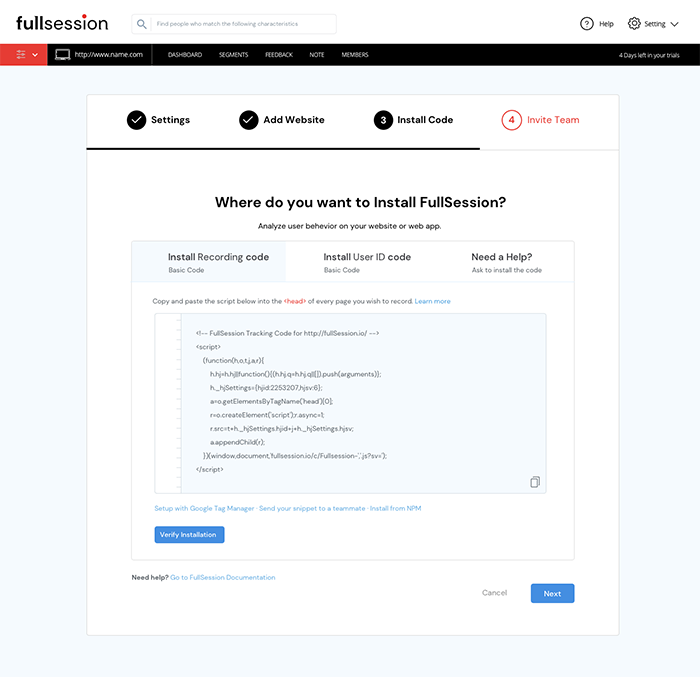
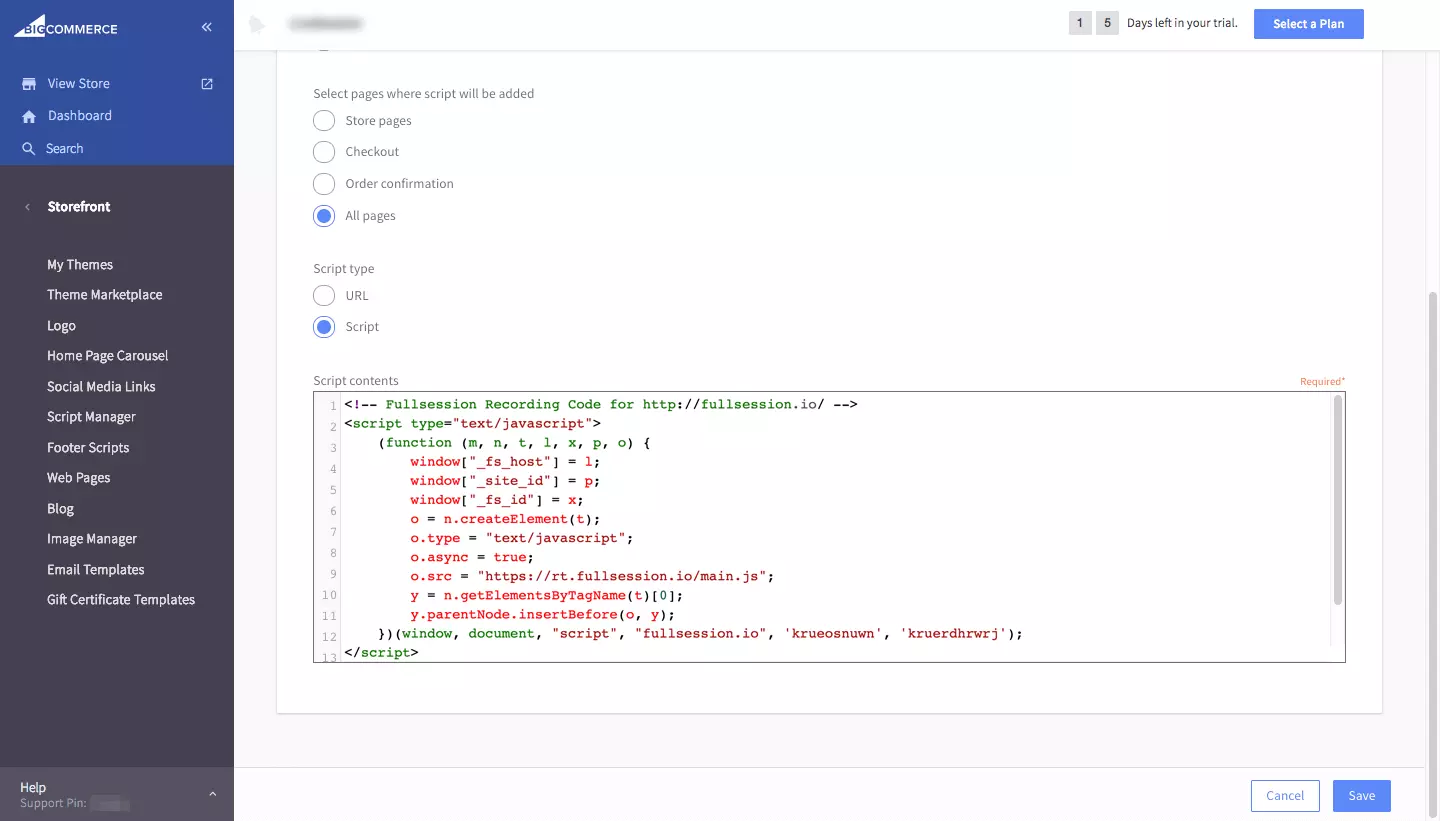
- Copy FullSession code that shows on your setup page.

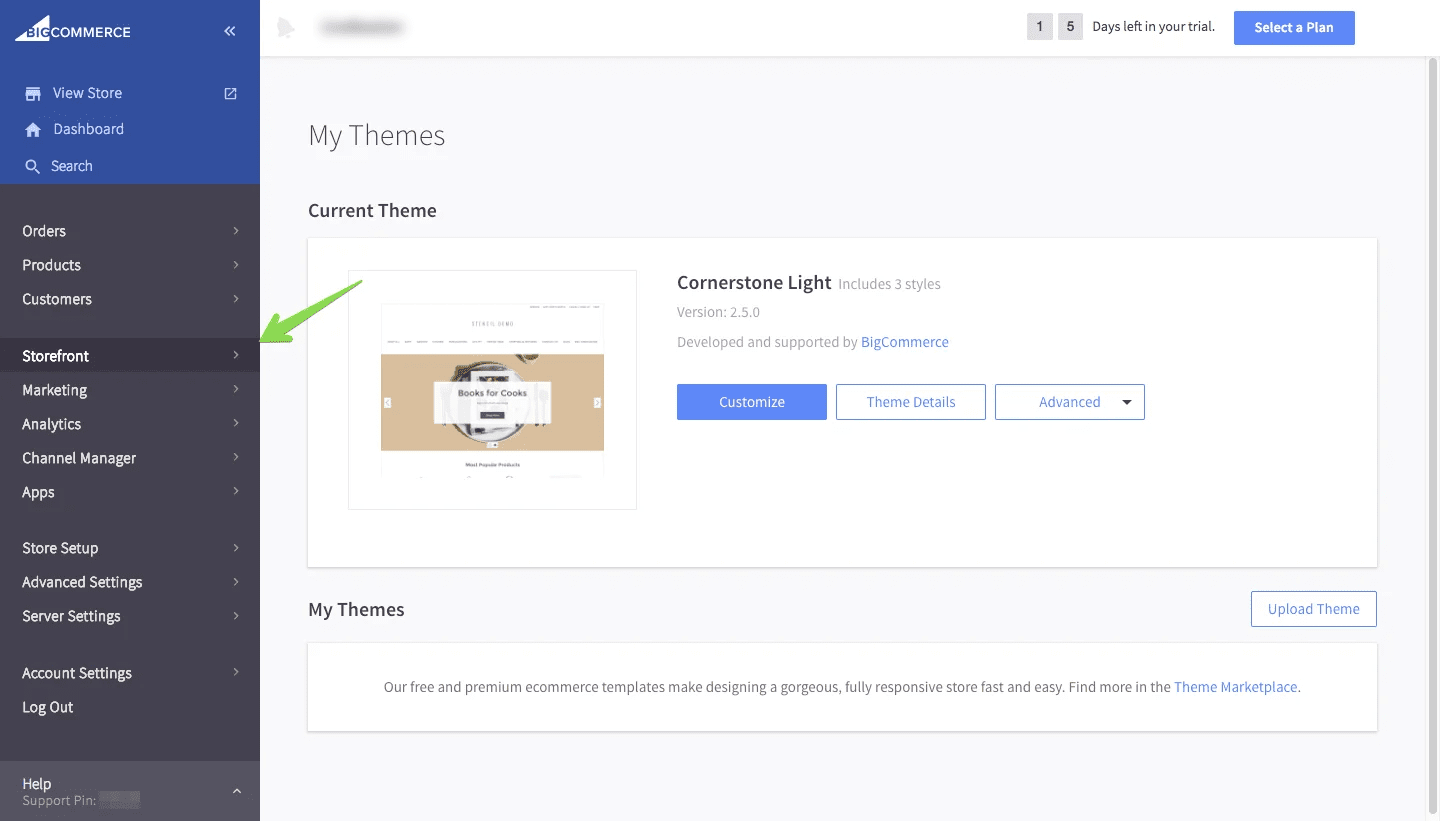
- Go to your BigCommerce dashboard
- Click on Storefront section

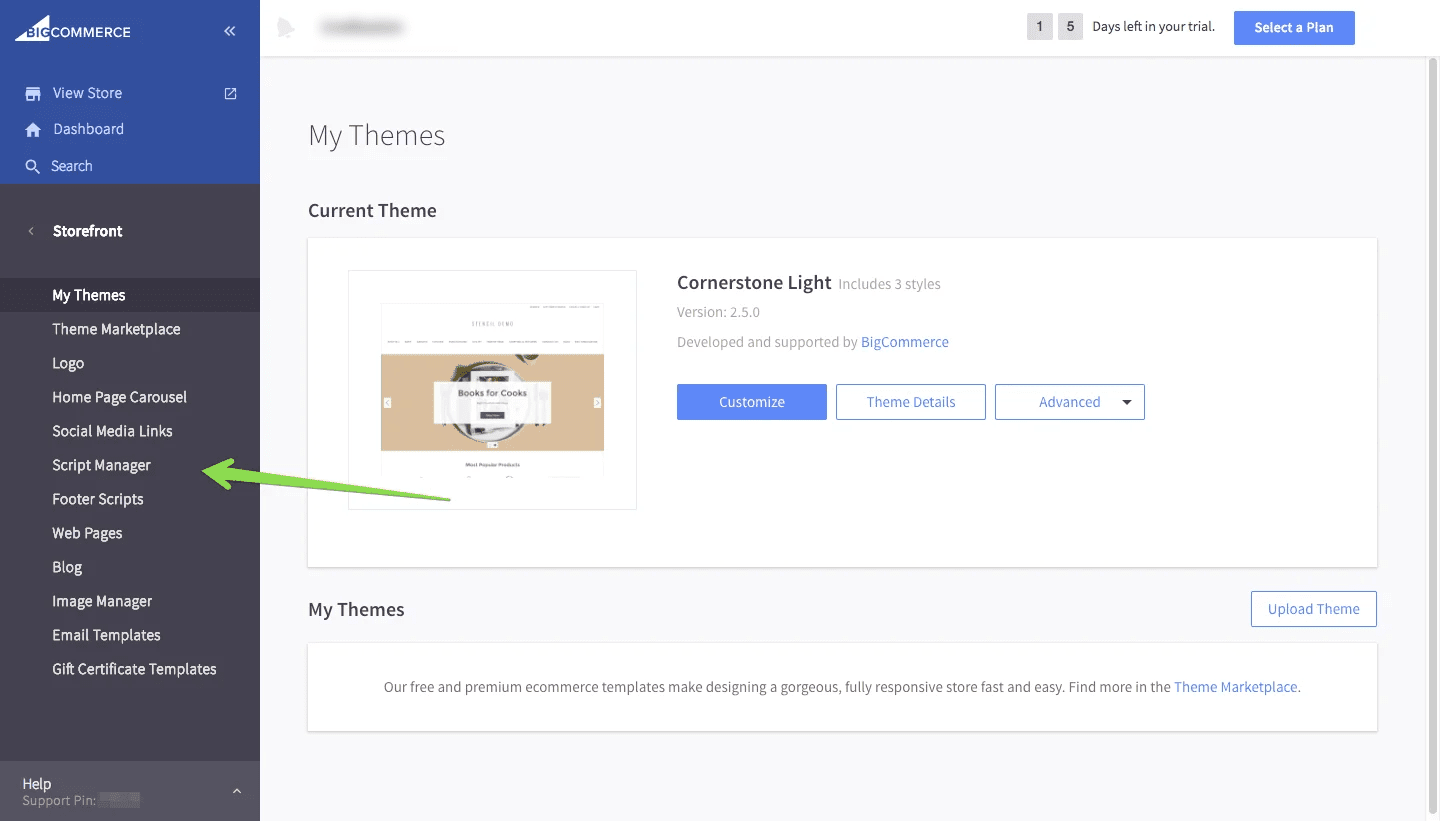
- Go to Script Manager tab
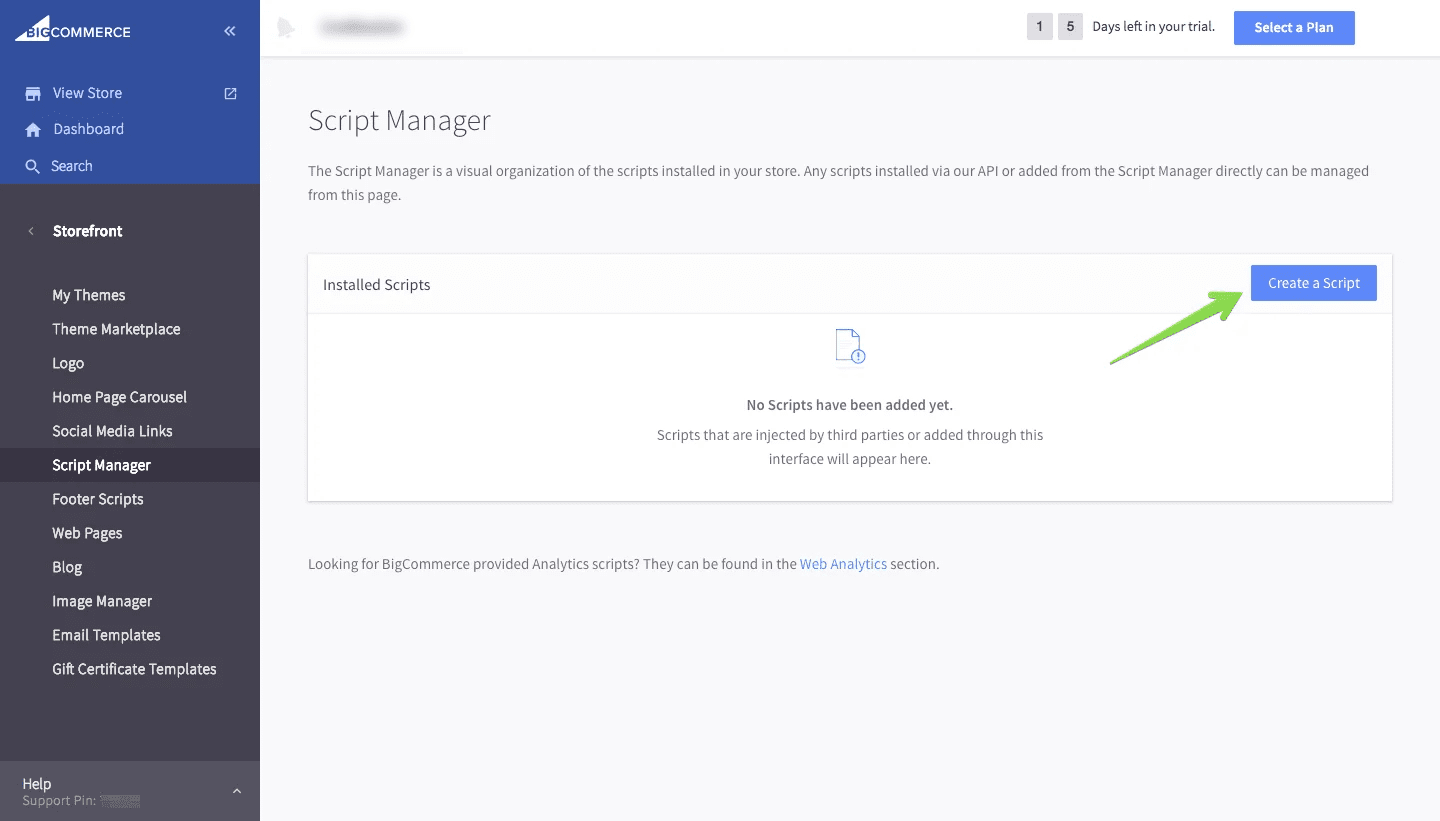
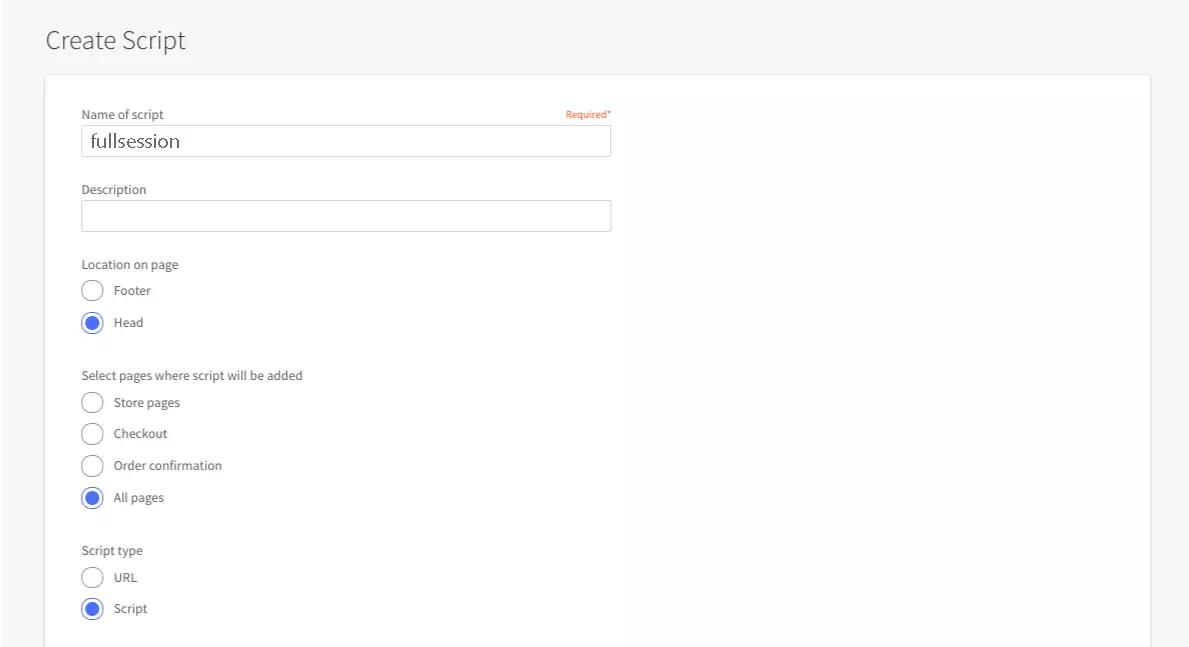
- Then click on Create a Script
- Paste FullSession code snippet in the Script contents

- Name your Code FullSession and select the pages you want to track
- Save and you are good to go

Mohamed oversees operations and finance at FullSession and has contributed to the company’s UX analytics knowledge base.