
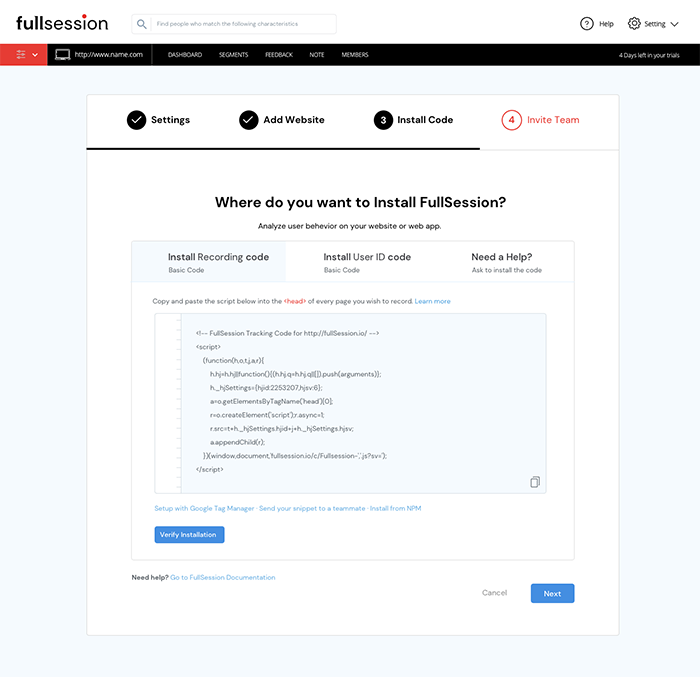
- Copy the FullSession code that shows on your setup page.

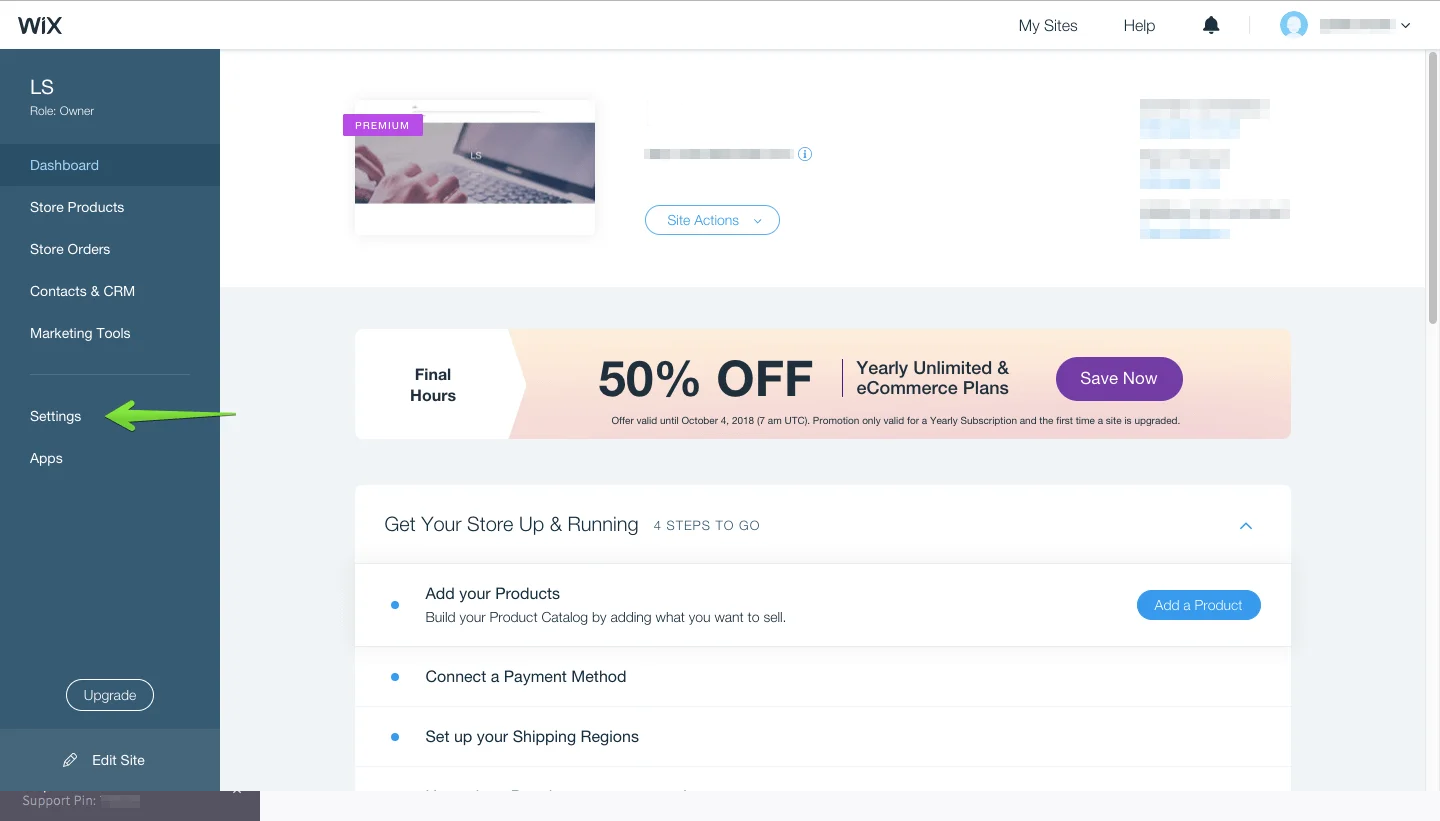
- Go to your Wix dashboard.
- Click Settings.

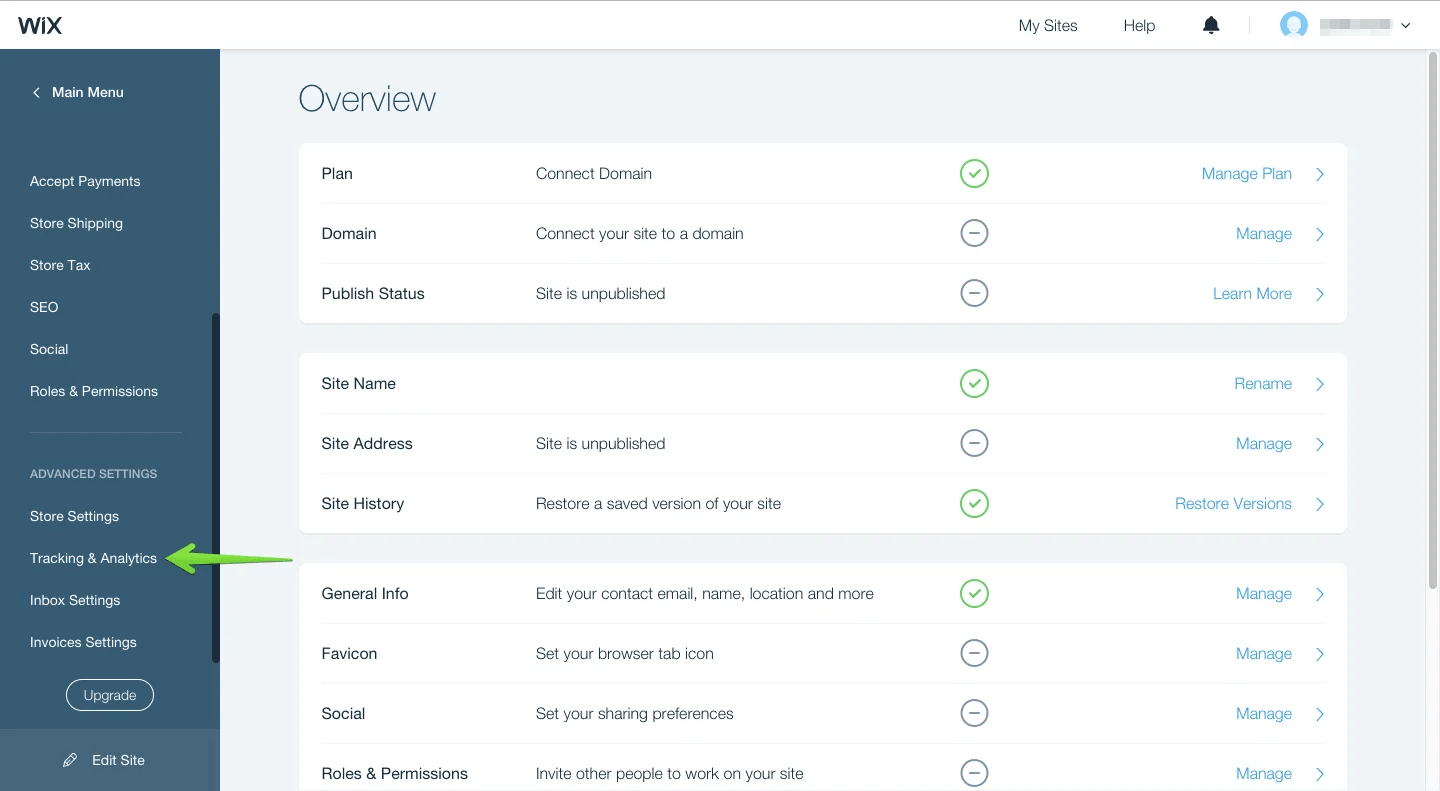
- Go to Advanced Settings and click Tracking & Analytics.

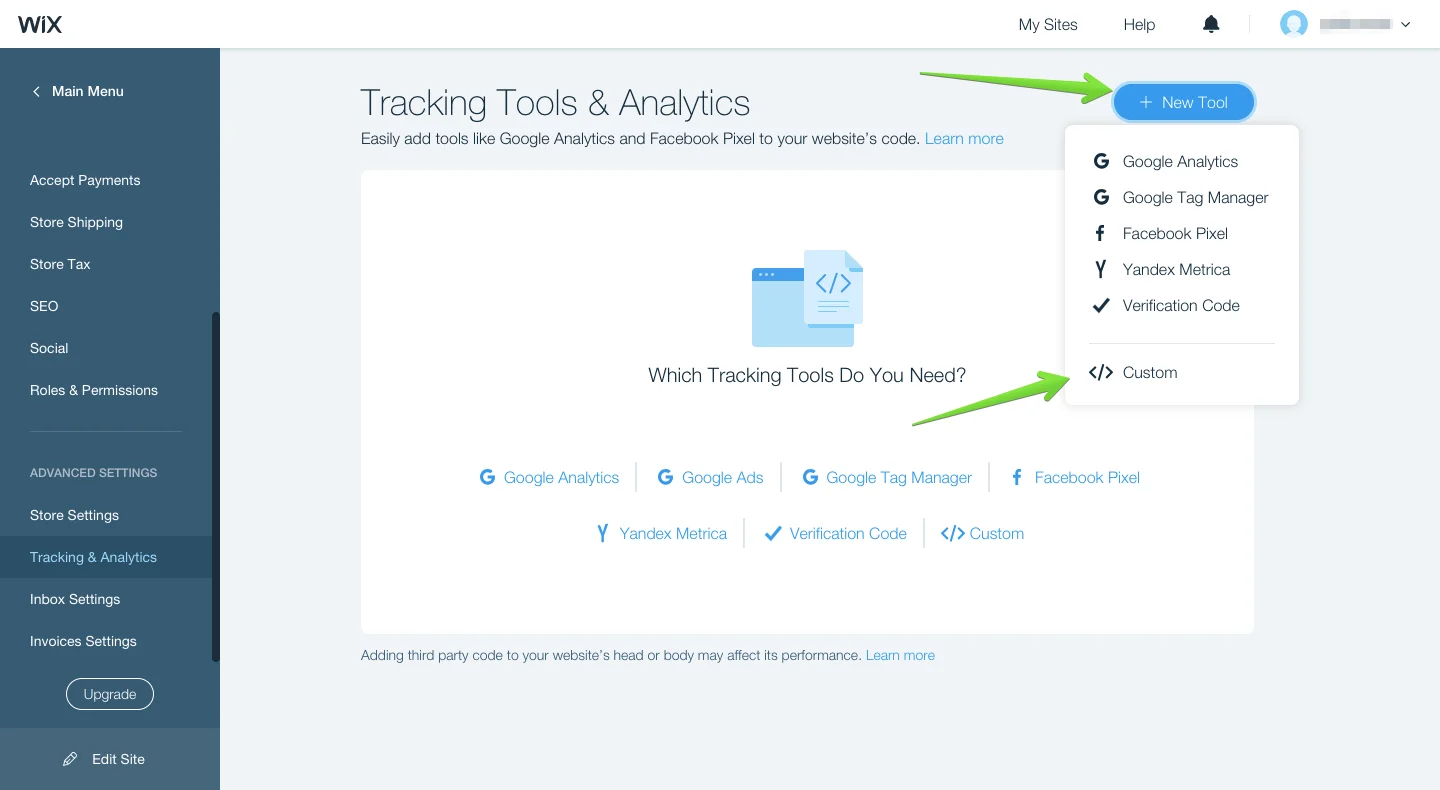
- Click “+ New Tool” and select “</> Custom”.

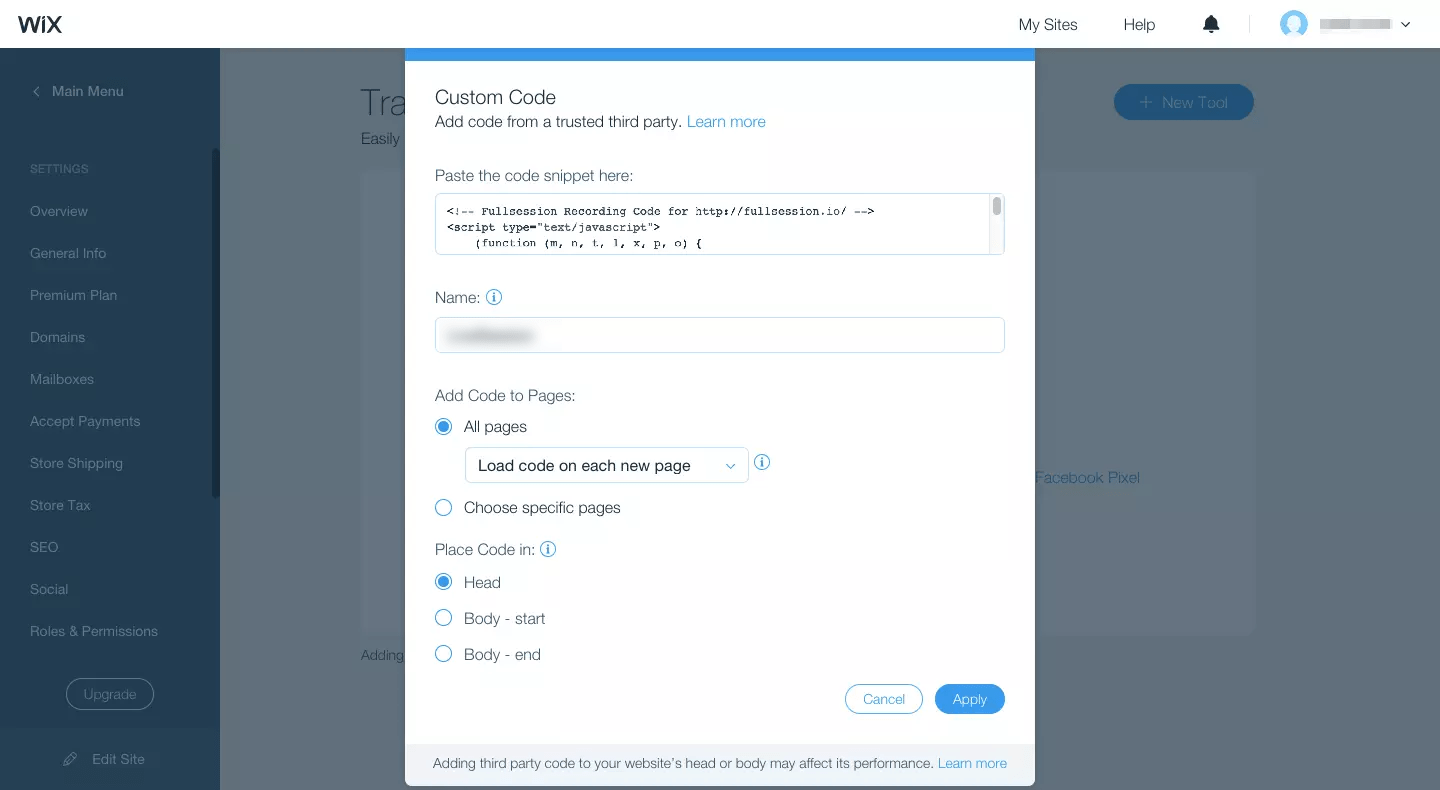
- Paste the FullSession code snippet.
- Name your code “FullSession” and select the pages you want to track.
- Select Apply and you are good to go.

Mohamed oversees operations and finance at FullSession and has contributed to the company’s UX analytics knowledge base.