.svg)

Heatmap insights for checkout optimization: how to interpret patterns, prioritize fixes, and validate impact
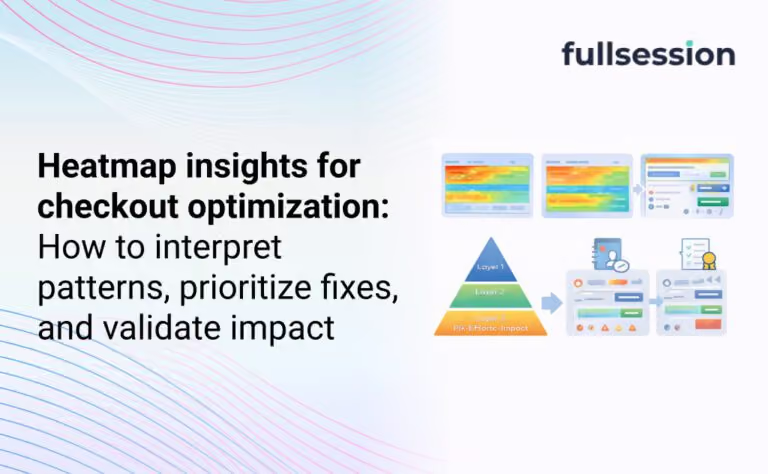

If your checkout completion rate slips, you usually find out late. A dashboard tells you which step dropped. It does not tell you what shoppers were trying to do when they failed.
Heatmaps can fill that gap, but only if you read them like a checkout operator, not like a landing-page reviewer. This guide shows how to turn heatmap patterns into a short list of fixes you can ship, then validate with a controlled measurement loop. If you want the short path to “what happened,” start with FullSession heatmaps and follow the workflow below.
Definition box: What are “heatmap insights” for checkout optimization?
Heatmap insights are repeatable behavior patterns (clicks, taps, scroll depth, attention clusters) that explain why shoppers stall or abandon checkout, and point to a specific change you can test. In checkout, the best insights are rarely “people click here a lot.” They’re things like “mobile users repeatedly tap a non-clickable shipping row,” or “coupon clicks spike right before payment drop-off.” Those patterns become hypotheses, then prioritized fixes, then measured outcomes.
Why checkout heatmaps get misread
Lead-in: Checkout heatmaps lie when you ignore intent, UI state, and segments.
Heatmaps are aggregations. Checkout is conditional. That mismatch creates false certainty. A checkout UI changes based on address, cart contents, shipping availability, payment method, auth state, and fraud checks.
A typical failure mode is treating a “hot” element as a problem. In checkout, a hot element might be healthy behavior (people selecting a shipping option) or it might be a symptom (people repeatedly trying to edit something that is locked).
Common mistake: Reading heatmaps without pairing them to outcomes
Heatmaps show activity, not success. If you do not pair a heatmap view with “completed vs abandoned,” you will fix the wrong thing first. The fastest way to waste a sprint is to polish the most-clicked UI instead of the highest-friction UI.
Trade-off to accept: heatmaps are great for spotting where attention goes, but they are weak at explaining what broke unless you pair them with replay, errors, and step drop-offs.
What to look for in each checkout step
Lead-in: Each checkout step has a few predictable failure patterns that show up in heatmaps.
Think in steps, not pages. Even a one-page checkout behaves like multiple steps: contact, shipping, payment, review. Your job is to find the step where intent collapses.
Contact and identity (email, phone, login, guest)
Watch for clusters on “Continue” with no progression. That often signals hidden validation errors, an input mask mismatch, or a disabled button that looks enabled.
If you see repeated taps around the email field on mobile, that can be keyboard and focus issues. It can also be auto-fill fighting your formatting rules.
Shipping (address, delivery method, cost shock)
Shipping is where expectation and reality collide. Heatmaps often show frantic activity around shipping options, address lookups, and “edit cart” links.
If attention concentrates on the shipping price line, do not assume the line is “important.” It may be that shoppers are recalculating whether the order still makes sense.
Payment (method choice, wallet buttons, card entry, redirects)
Payment heatmaps are where UI and third-party flows collide. Wallet buttons that look tappable but are below the fold on common devices create the classic “dead zone” pattern: scroll stops right above the payment options.
If you see a click cluster on a trust badge or a lock icon, that can mean reassurance works. It can also mean doubt is high and people are searching for proof.
Review and submit
On the final step, repeated clicks on “Place order” are rarely “impatience.” They are often latency, an invisible error state, or a blocked request.
If you can connect those clusters to error events, you stop debating design and start fixing failures.
A checkout-specific prioritization model
Lead-in: Prioritization is how you avoid fixing the most visible issue instead of the most expensive one.
Most teams do not have a shortage of observations. They have a shortage of decisions. Use a simple triage model that forces focus:
Impact x Confidence x Effort, but define those terms for checkout:
- Impact: how likely this issue blocks completion, not how annoying it looks.
- Confidence: whether you can reproduce the pattern across segments and see it tied to drop-off.
- Effort: design + engineering + risk (payment and tax changes are higher risk than copy tweaks).
Decision rule you can use in 10 minutes
If the pattern is (1) concentrated on a primary action, (2) paired with a step drop-off, and (3) reproducible in a key segment, it goes to the top of the queue.
If you want a clean way to structure that queue, pair heatmaps with FullSession funnels & conversions so you can rank issues by where completion actually fails.
A step-by-step workflow from heatmap insight to validated lift
Lead-in: A repeatable workflow turns “interesting” heatmaps into changes you can defend.
You are aiming for a closed loop: observe, diagnose, prioritize, change, verify. Do not skip the “diagnose” step. Checkout UI is full of decoys.
Step 1: Segment before you interpret
Start with segments that change behavior, not vanity segments:
- Mobile vs desktop
- New vs returning
- Guest vs logged-in
- Payment method (wallet vs card)
- Geo/currency if you sell internationally
If a pattern is only present in one segment, that is not a nuisance. That is your roadmap.
Step 2: Translate patterns into checkout-specific hypotheses
Good hypotheses name a user intent and a blocker:
- “Mobile shoppers try to edit shipping method but the accordion does not expand reliably.”
- “Users click ‘Apply coupon’ and then abandon at payment because totals update late or inconsistently.”
- “Users tap the order summary repeatedly to confirm totals after shipping loads, suggesting cost shock.”
Avoid hypotheses like “People like coupons.” That is not actionable.
Step 3: Prioritize one fix with a measurable success criterion
Define success as a behavior change tied to completion:
- Fewer repeated clicks on a primary button
- Lower error rate on a field
- Higher progression from shipping to payment
- Higher completion for the affected segment
A practical constraint: checkout changes can collide with release cycles, theme updates, and payment provider dependencies. If you cannot ship safely this week, prioritize instrumentation and debugging first.
Step 4: Validate with controlled measurement
The validation method depends on your stack:
- If you can run an experiment, do it.
- If you cannot, use a controlled rollout (feature flag, staged release) and compare cohorts.
Either way, treat heatmaps as supporting evidence, not the scoreboard. Your scoreboard is checkout completion and step-to-step progression.
A quick diagnostic table: pattern → likely cause → next action
Lead-in: This table helps you stop debating what a hotspot “means” and move to the next action.
Heatmap pattern in checkout |
Likely cause |
What to do next |
|---|---|---|
Cluster of clicks on "Continue" but low progression |
Hidden validation, disabled state, input mask mismatch |
Watch replays for errors; instrument field errors; verify button state and inline error visibility |
High clicks on coupon field right before payment drop-off |
Discount seeking, total update delay, "surprise" fees amplified |
Test moving coupon behind an expandable link; ensure totals update instantly; clarify fees earlier |
Repeated taps on non-clickable text in shipping options |
Poor affordance, accordion issues, tap target too small |
Make the entire row clickable; increase tap targets; confirm accordion state changes |
Scroll stops above payment methods on mobile |
Payment options below fold, keyboard overlap, layout shift |
Re-order payment options; reduce above-fold clutter; fix layout shifts and sticky elements |
Clicks concentrate on trust elements near submit |
Doubt spike, missing reassurance, unclear returns/shipping |
Test targeted reassurance near the decision point; avoid adding clutter that pushes submit down |
To make this table operational, pair it with replay and errors. That is where platforms like FullSession help by keeping heatmaps, replays, funnels, and error context in one place.
Checkout “misread traps” you should explicitly guard against
Lead-in: Checkout needs more than “pretty heatmaps” because errors, privacy, and segmentation decide whether you can act.
When you evaluate tools for checkout optimization, look for workflow coverage, not a feature checklist. If you are comparing platforms, this guide to the best ecommerce checkout optimization software can help you understand which tools support checkout diagnosis, behavior tracking, and conversion improvement.
Start with these decision questions:
- Can you segment heatmaps by the shoppers you actually care about (device, guest state, payment method)?
- Can you jump from a hotspot to the replay and see the full context?
- Can you tie behavior to funnel steps and error events?
- Can you handle checkout privacy constraints without losing the ability to diagnose?
If your current setup forces you to stitch together multiple tools, you will spend most of your time reconciling data instead of fixing checkout.
When to use FullSession for checkout completion
Lead-in: FullSession is a fit when you need to move from “where drop-off happens” to “what broke and what to fix” quickly.
If you run occasional UX reviews, a basic heatmap plugin can be enough. The moment you own checkout completion week to week, you usually need tighter feedback loops.
Use FullSession when:
- Your analytics shows step drop-off, but you cannot explain it confidently.
- Checkout issues are segment-specific (mobile, specific payment methods, international carts).
- You suspect silent breakages from themes, scripts, or third-party providers.
- Privacy requirements mean you need governance-friendly visibility, not screenshots shared in Slack.
You can see how the Rank → Route path fits together by starting with FullSession heatmaps, then moving into Checkout recovery for the full workflow and team use cases. If you want to pressure-test this on your own checkout, start a free trial or get a demo and instrument one high-volume checkout path first.
FAQs
Long enough to see repeatable patterns in the segments you care about. Avoid reading heatmaps during unusual promo spikes unless that promo period is the behavior you want to optimize. If you cannot separate “event noise” from baseline behavior, you will ship the wrong fix.
They help, but checkout often fails because of errors, timing, or UI state. Click heatmaps show where activity concentrates, but they do not tell you whether users succeeded. Pair them with replays, funnel step progression, and error tracking.
Click maps show interaction points. Scroll maps show whether critical content and actions are actually seen. Scroll is especially important on mobile checkout where wallets, totals, and trust elements can fall below the fold.
Treat a hotspot as a prompt to ask “what was the user trying to do?” Then validate with a second signal: drop-off, replay evidence, or error events. If you cannot connect a hotspot to an outcome, it is not your first priority.
Heavy attention on totals, shipping price, tax lines, and repeated toggling between shipping options or cart edits. The actionable step is not “make it cheaper.” It is to reduce surprise by clarifying costs earlier and ensuring totals update instantly and consistently.
Assume checkout data is sensitive. Use masking for payment and identity fields, and ensure your tool can capture behavioral context without exposing personal data. If governance limits what you can see, build your workflow around error events and step progression rather than raw field values.
See what’s costing you, and prove whats fixing it is worth
Watch the real journey, rank every issue by revenue impact, and validate the result against baseline.






.svg)
.svg)
212 E Stone Path St Derby, KS 67037 Phone: +1 415-649-4222



All systems operational.